Questions as text
Q1 · A bank has strategies in place to safeguard its information technology (IT) services 9626/31 May/June 2017
1 A bank has strategies in place to safeguard its information technology (IT) services. You have been asked to check and update the strategies that are designed to try and prevent IT disasters from happening, the strategy for disaster recovery management and the strict password policy. (a) Describe how you would use risk analysis to check the strategy for disaster recovery management. … … … … … … … … … [4] (b) The bank’s strict password policy has rejected these two passwords: abc 1234AAA Explain why they have been rejected. … … … … … … … … … … … … … [6] (c) Explain the precautions that you would take to try and prevent a disaster happening to the data used by the IT services. … … … … … … … … … … … … … … [6]
16 marks
Mark scheme: Question Answer Marks 1(a) Four from: 4 Qualitative risk analysis to prioritise risks for analysis Quantitative risk analysis ...of likelihood of occurrence/probabilities ...of consequences of occurrence To identify effect/cost of risks caused by e.g. ...loss of access to premises ...loss of data ...loss of it function ...loss of skills Produce a computer simulation of the disaster Produce a report of the risks. 1(b) Six from: 6 The abc password is too short and does not meet minimum length requirements/number of character requirements Does not meet requirement for different types of characters Passwords must not be easily guessed and this is a simple pattern 1234AAA password has a sequence of characters/numbers ...has repeating characters Neither have a combination of upper/lower case/number/special characters. 1(c) Six from: 6 Backups made and sent off-site at regular intervals Backups made on-site and automatically copied to off-site disk Backups made directly to off-site/remote/’cloud’ servers Local mirrors of systems and/or data and use of disk protection technology such as RAID Surge protectors to minimize the effect of power surges on computer systems Using uninterruptible power supply (UPS) and/or backup generator to protect against a power failure Use of fire prevention/mitigation systems such as alarms and fire extinguishers Use of anti-virus software to protect data against corruption/loss/deletion Use of firewalls to prevent unauthorised/control access Use of physical security measures to control access by personnel Important passwords/codes should be held by more than one person/in secure conditions, but accessible in an emergency.
This question in 9626/31 May/June 2017
Q2 · Companies must protect the data that is used and stored on their networks 9626/32 May/June 2017
2 Companies must protect the data that is used and stored on their networks. (a) Evaluate the use of a firewall in protecting the data on a company network. … … … … … … … … … … … … … … … … … … … … [8] (b) Describe how a proxy server can help to protect a company network. … … … … … … … … … … [4]
12 marks
Mark scheme: 2(a) Eight from: 8 Advantages: A firewall can provide protection to multiple networked computers simultaneously Firewalls can monitor traffic coming in and going out of a network« «and produce log files for subsequent analysis Firewalls can enforce password controls to enter/use the network to try to prevent unauthorised users from gaining access Firewalls can enforce access policies so that only authorised users can access the network/parts of the network Firewalls reduce the risk of key logging software sending details to third parties by blocking the access out of the network Disadvantages: Firewalls are the central point of attack by hackers/potential intruders and once breached there are no further defences Firewalls can block legitimate process/applications so manual adjustment of settings may be required «can lead to allowing unwanted access by other processes if not configured by experts Firewalls are usually incapable of protecting against backdoor Trojans that open ports to send data to third parties who can then access the system Firewalls do not usually contain malware removal tools. Max 6 for all advantages or all disadvantages. 1 mark is available for a reasoned conclusion/opinion. 2(b) Four from: 4 Acts as intermediary for client requests for services such as a web page/a file Provide content filtering to control the content that is accessed/enforce acceptable use policies Provide user authentication to control web access Provide detailed logs of user web activity/flag up unacceptable use by employees Provide links to anti-malware applications to check incoming/outgoing data Filtering based on URL lists «DNS blacklists «based on lists maintained by third party companies Can provide NAT/anonymity of IP address.
This question in 9626/32 May/June 2017
Q3 · A bank has strategies in place to safeguard its information technology (IT) services 9626/33 May/June 2017
1 A bank has strategies in place to safeguard its information technology (IT) services. You have been asked to check and update the strategies that are designed to try and prevent IT disasters from happening, the strategy for disaster recovery management and the strict password policy. (a) Describe how you would use risk analysis to check the strategy for disaster recovery management. … … … … … … … … … [4] (b) The bank’s strict password policy has rejected these two passwords: abc 1234AAA Explain why they have been rejected. … … … … … … … … … … … … … [6] (c) Explain the precautions that you would take to try and prevent a disaster happening to the data used by the IT services. … … … … … … … … … … … … … … [6]
16 marks
Mark scheme: Question Answer Marks 1(a) Four from: 4 Qualitative risk analysis to prioritise risks for analysis Quantitative risk analysis ...of likelihood of occurrence/probabilities ...of consequences of occurrence To identify effect/cost of risks caused by e.g. ...loss of access to premises ...loss of data ...loss of it function ...loss of skills Produce a computer simulation of the disaster Produce a report of the risks. 1(b) Six from: 6 The abc password is too short and does not meet minimum length requirements/number of character requirements Does not meet requirement for different types of characters Passwords must not be easily guessed and this is a simple pattern 1234AAA password has a sequence of characters/numbers ...has repeating characters Neither have a combination of upper/lower case/number/special characters. 1(c) Six from: 6 Backups made and sent off-site at regular intervals Backups made on-site and automatically copied to off-site disk Backups made directly to off-site/remote/’cloud’ servers Local mirrors of systems and/or data and use of disk protection technology such as RAID Surge protectors to minimize the effect of power surges on computer systems Using uninterruptible power supply (UPS) and/or backup generator to protect against a power failure Use of fire prevention/mitigation systems such as alarms and fire extinguishers Use of anti-virus software to protect data against corruption/loss/deletion Use of firewalls to prevent unauthorised/control access Use of physical security measures to control access by personnel Important passwords/codes should be held by more than one person/in secure conditions, but accessible in an emergency.
This question in 9626/33 May/June 2017
Q4 · The networking of computers can give rise to a variety of issues 9626/31 May/June 2018
12 The networking of computers can give rise to a variety of issues. Describe each of the following security issues and suggest how, other than using physical security methods, the risk from each may be reduced. (a) DNS spoofing. … … … … … … … … … … [5] (b) DoS attack. … … … … … … … … … … [5] (c) ARP spoofing. … … … … … … … … … [4] PLEASE TURN OVER FOR QUESTION 13.
14 marks
Mark scheme: 12(a) Five from: 5 Max three (definition) from: DNS spoofing is Domain Name System spoofing/Domain Name System cache poisoning Type of computer hacking Corrupt data is placed into cache of resolver of DNS/ISP DNS cache so that an incorrect IP address is returned Network traffic is diverted/redirected to a different computer to that which was requested/to hacker’s computer Max three (prevention) from: DNS server configured to ignore request from other DNS servers that are not directly relevant to the query Use of secure DNS/public key encrypted/digitally signed data to ensure authenticity of DNS requests Performing end-to-end validation of DNS requests with HTTPS Defence is at transport layer. 12(b) Five from: 5 Max three (definition) from: DoS is a Denial of Service attack Where a computer/system is made unavailable by overwhelming the target system with requests for service Requests for service are superfluous/have no purpose other than to disrupt/overload the system Can use many IP addresses/multiple computers/devices to carry out a DoS Max three (prevention) from: Use of firewall configured to deny incoming packets with IP addresses/ports from identified attackers Use of tools to analyse incoming data to identify ‘spoof’/ unwanted/illegitimate requests Use of DNS blackhole/routing to re-route IP addresses intended for attacker to non-existent IP address/server Use of DNS sinkhole to direct traffic to valid IP address for analysis to reject unwanted packets Use of a specialised/commercial ‘cleaning/scrubbing’ servers/centre to separate out unwanted traffic from legitimate traffic Defence is at application layer. 12(c) Four from: 4 Max three (definition) from: ARP spoofing is Address Resolution Protocol spoofing To associate/link MAC address of attacker’s device to IP address of e.g. default gateway/another network host Occurs when IP address is resolved to a MAC address So that traffic is directed to attacker instead of intended host/device Data frames may be intercepted and modified/prevent traffic movement Max three (prevention) from: Use of DHCP server configurations to certify that IP addresses are correctly assigned Use of tools to cross-check ARP resolutions to block incorrect ones Built into switches/network devices Configuring the ARP cache in the OS to ignore requests for updates/hard coding the ARP cache in OS to prevent updates.
This question in 9626/31 May/June 2018
Q5 · Companies use a range of physical security methods to try to prevent unauthorised access… 9626/31 May/June 2018
13 Companies use a range of physical security methods to try to prevent unauthorised access to the company data stored on their networks. Evaluate the use of physical security methods in attempting to prevent unauthorised access to the stored data. … … … … … … … … … … … … … … … … … … … … [8]
8 marks
Mark scheme: 13 Eight from: 8 Locking the room when not in use «prevents unauthorised access to devices/computers «requires meticulous logging of who has key to room «requires strict adherence by users to rules e.g. no unlocking of doors for others to go in Using swipe cards/ keypads to activate locks «requires extra items e.g. cards/knowledge of codes «cards can be stolen/lost and used by others «codes can be forgotten/told to others Biometric tests to unlock doors «via keypads/Voice recognition «can be time-consuming to collect user data «needs to be updated regularly as biometric data can change «can be fooled in various ways e.g. recordings of voice Bolting computers to the desk «very secure «computers not easily moved to other locations «computers in fixed positions may be difficult to use Using special pens to mark their postcode/owner details onto the computer/device case «can allow retrieval of stolen items «can be a deterrent to thieves «can deface items preventing resale/reducing asset value Keeping windows shut/locked/barred - especially if on the ground floor «prevents thieves from entering «reduces access to fresh air Using CCTV video cameras to monitor computer rooms/corridors «allows surveillance of large areas «needs constant attendance Employing security guards to check passes «effective at preventing unknown people from accessing area «requires more employees so increases costs «relies on integrity/honesty of security guard Positioning screens so passers-by cannot see what is on the screen «prevents others knowing/discovering the password «position may be unsuitable for long term use Type in passwords out of sight of others «prevents others knowing/discovering the password «may not be easy to achieve in crowded office/position of keyboard.
This question in 9626/31 May/June 2018
Q6 · Credit card accounts are often required for payment when buying goods online 9626/32 Oct/Nov 2018
1 Credit card accounts are often required for payment when buying goods online. (a) Describe how the use of a credit card for online purchases may subject credit card account holders to fraud. … … … … … … … … … … … … … … … … … … … … [8] (b) Explain how a merchant selling goods online can attempt to combat credit card fraud. … … … … … … … … … … … … [5]
13 marks
Mark scheme: Question Answer Marks 1(a) Eight from: 8 (Unauthorised persons obtain credit card details by various methods): skimming/interception of details/theft of details from website/phishing Use of number generator to create card numbers close to known good one Last four numbers are usually in a sequential range with same expiry date Use of generated card numbers to make transactions Even if customer not present/if card stolen transactions can still be carried out using security numbers Security number obtained by theft/phishing/selling/smishing by unscrupulous merchants Thieves/hacker use credit card for small transaction to see if valid Once small transaction is successful then much larger transactions are made Subscriptions to web services are a common method to test card validity as nothing physical is purchased Repeat billing/invoicing/recurring charges for card holder An uncancelled ‘membership’ is charged monthly Use of spyware/keylogger software to capture credit card numbers/details as they are typed. 1(b) Five from: 5 Demand for extra security information/PIN or card security code/last three numbers Check location of card holder matches address given for delivery by use of IP lookup of purchaser for geolocation Compare delivery address with credit card billing address Use of third-party services/escrow services to take payment from card account and pass it to merchant Not displaying the full card number (Primary Account Number – PAN truncation) on receipts/email/website confirmations Not storing the whole number/credit card details on computer systems Encrypt stored credit card details so that they are not understood by unauthorised persons.
This question in 9626/32 Oct/Nov 2018
Q7 · A company selling goods online has a network which is configured to allow its web server… 9626/33 Oct/Nov 2018
6 A company selling goods online has a network which is configured to allow its web server, FTP server and email server to be accessible from the internet. The company was concerned that the network configuration exposed the whole LAN to security risks so has attempted to improve security by altering the configuration from that in Fig. 4 to the configuration shown in Fig. 5. Company internal file, Company internal file, database and email servers database and email servers Staff Staff workstations workstations Web server Web server Email FTP server Internal server Firewall Email firewall server External FTP server firewall Router Router Internet Internet Fig. 4 Fig. 5 (a) Explain how the network configuration has been altered in order to maximise security of the company file servers while still allowing access to the other services from the internet. … … … … … … … … … … … … … … [6] (b) Explain, using the information from Fig. 5, why the additional firewall provides more security for the company network. … … … … … … … … … … [4]
10 marks
Mark scheme: 6(a) Six from: 6 Installation of additional/two firewalls (to separate the servers from internal network) Installation of/configured a perimeter network/demilitarised zone/DMZ DMZ can be physical or logical subnetwork DMZ external node/computer system can only access the services in the DMZ and not the internal LAN The services accessible to external users are placed in the DMZ... ...email server and web server and FTP server Services for internal use are kept behind internal firewall so not accessible from the internet External firewall is the perimeter/front end and allows traffic destined for DMZ to pass Internal firewall is configured to allow traffic from DMZ to enter company LAN. 6(b) Four from: 4 The extra firewalls means that any attacker that gets past the first firewall would have to get past the second to access the company LAN An attacker could not be sure how many other firewalls would be found on the network One firewall is an external firewall and one is an internal firewall and could have different security The internal firewall security protects the data one LAN segment The external firewall security only has to deal with data from the internet The internal services are now protected by both firewalls.
This question in 9626/33 Oct/Nov 2018
Q8 · A research and development (R&D) department of a company develops expensive goods 9626/33 Oct/Nov 2018
8 A research and development (R&D) department of a company develops expensive goods. The development process has to be kept secret. The biometrics of all staff of the company are to be measured and used to restrict entry via the doors to the department. A comparison of the suitability of various biometric methods that are available for use to identify staff has been compiled and is shown in Fig. 6. Each aspect of the biometric method has been rated High (H), Medium (M) or Low (L). Biometric How How unique How How easy How How Performance method universal is the permanent to collect acceptable resistant rating of the used to amongst measurement is the at door to staff? is the biometric identify a staff amongst staff measurement from method to method member of members? members? to staff staff? circumvent staff members? by staff? Face H L M H H L L Fingerprint M H H M M H H Hand shape/ M M M H M M M geometry Veins in M M M H H H M hand Iris H H H H H H H Retina H H M L L H H Voice M L L M H L L of staff member Facial H H L H H H H thermogram of staff member DNA of staff H H H L L H H member Key: H = High M = Medium L = Low Fig. 6 Use the information in Fig. 6 to choose, with reasons, the biometric measurements that would be most suitable for measurement at the door. … … … … … … … … … … … … … … … … … … … … [8]
8 marks
Mark scheme: 8 Eight from: 8 Face, hand geometry, and iris fit this parameter are easy to read quickly/highly collectable at the door Face, hand geometry, iris can be collected by machine/ computer system/ have a M/H Fingerprint, facial thermogram, retina and iris have a M/H /highly unique to individuals … ...but can be found in every individual Iris, retina, voice and facial thermogram are acceptable to staff both in original collection and use at the door... ...must not be intrusive/embarrassing when collected/read parameter/have a M/H Face, voice and DNA fit this parameter are difficult/not easy to circumvent to prevent copying/use by several individuals Fingerprint, retina, iris, DNA do not change over time/be permanent so readings are repeatable ...facial thermogram is not permanent Voice is most acceptable, but not very unique Facial thermogram is unique, acceptable and easily collectable, but changes over time so would need to be re-measured often Fingerprint, Iris, Retina are most unique, collectable and accepted.
This question in 9626/33 Oct/Nov 2018
Q9 · Evaluate the use of physical security in combatting IT crime 9626/31 May/June 2019
9 Evaluate the use of physical security in combatting IT crime. … … … … … … … … … … … … … … … … … … … … [8]
8 marks
Mark scheme: 9 Command word: Evaluate: discuss the importance of, weigh up, the 8 advantages and disadvantages, judge the overall effectiveness, weigh up your opinions. This question to be marked as a Level of Response. Level 3 (7–8 marks) Candidates will evaluate, giving advantages and disadvantages, of at least three ways in which physical security can be used in combatting IT crime. The information will be relevant, clear, organised and presented in a structured and coherent format. There will be a reasoned conclusion / opinion. Subject specific terminology will be used accurately and appropriately. Level 2 (4–6 marks) Candidates will explain giving advantages and disadvantages of at least two ways in which physical security can be used in combatting IT crime. For the most part, the information will be relevant and presented in a structured and coherent format. There may be a reasoned conclusion / opinion. Subject specific terminology will be used appropriately and for the most part correctly. Level 1 (1–3 marks) Candidates will give advantages / disadvantages of using physical security in combatting IT crime. Answers may be in the form of a list. There will be little or no use of specialist terms. Level 0 (0 marks): Response with no valid content. Answers may make reference to e.g.: Physical barriers such as wall / doors / bars / use of floors other than ground floor which are cheap and easy to make use of / make use of existing resources which lowers costs Use of CCTV which can be placed overtly to deter unauthorised persons just by their presence or by a warning / notice that watching is occurring / can be cost effective as a deterrent Video surveillance can be used to watch large areas with few staff Physical presence of guards / security staff shows persons that a security system is in operation ... can deal with issues quickly / immediately Security lighting / automatic lights / sensor-controlled lights can illuminate when persons present to act as deterrent / highlight intruders / warn intruders that they have been seen and these have low cost if e.g. solar powered Computer devices can be easily / cheaply / quickly fixed / attached to large objects / shelving to deter theft Physical locks require keys that may be lost / key fobs etc may be lost or stolen / given to unauthorised persons Combinations to locks can be forgotten
This question in 9626/31 May/June 2019
Q10 · Evaluate the use of physical security in combatting IT crime 9626/33 May/June 2019
9 Evaluate the use of physical security in combatting IT crime. … … … … … … … … … … … … … … … … … … … … [8]
8 marks
Mark scheme: 9 Command word: Evaluate: discuss the importance of, weigh up, the 8 advantages and disadvantages, judge the overall effectiveness, weigh up your opinions. This question to be marked as a Level of Response. Level 3 (7–8 marks) Candidates will evaluate, giving advantages and disadvantages, of at least three ways in which physical security can be used in combatting IT crime. The information will be relevant, clear, organised and presented in a structured and coherent format. There will be a reasoned conclusion / opinion. Subject specific terminology will be used accurately and appropriately. Level 2 (4–6 marks) Candidates will explain giving advantages and disadvantages of at least two ways in which physical security can be used in combatting IT crime. For the most part, the information will be relevant and presented in a structured and coherent format. There may be a reasoned conclusion / opinion. Subject specific terminology will be used appropriately and for the most part correctly. Level 1 (1–3 marks) Candidates will give advantages / disadvantages of using physical security in combatting IT crime. Answers may be in the form of a list. There will be little or no use of specialist terms. Level 0 (0 marks): Response with no valid content. Answers may make reference to e.g.: Physical barriers such as wall / doors / bars / use of floors other than ground floor which are cheap and easy to make use of / make use of existing resources which lowers costs Use of CCTV which can be placed overtly to deter unauthorised persons just by their presence or by a warning / notice that watching is occurring / can be cost effective as a deterrent Video surveillance can be used to watch large areas with few staff Physical presence of guards / security staff shows persons that a security system is in operation ... can deal with issues quickly / immediately Security lighting / automatic lights / sensor-controlled lights can illuminate when persons present to act as deterrent / highlight intruders / warn intruders that they have been seen and these have low cost if e.g. solar powered Computer devices can be easily / cheaply / quickly fixed / attached to large objects / shelving to deter theft Physical locks require keys that may be lost / key fobs etc may be lost or stolen / given to unauthorised persons Combinations to locks can be forgotten
This question in 9626/33 May/June 2019
Q11 · A company has two sites, A and B 9626/31 Oct/Nov 2019
9 A company has two sites, A and B. Its staff work in either of the two sites and can access their files offsite because the company uses cloud computing technology for storing files. The connections at the locations marked X provide security for the company’s data. Site A Company private network Cloud storage provider X Internet using public communications network Desktop PCs X X Cloud storage provider Wireless Access Points D Hotel CMobile use of X rooms laptops and Internetsmartphones cafe Wireless Access Points Wireless Access Points Site B Company private network Wireless Access Points Mobile use of smartphones and laptops (a) Explain the role of the hardware and software that would be at locations marked as X. … … … … … … … … … … … … … … … … … … … … [8] (b) Explain why staff are discouraged from accessing their files from locations C and D. … … … … … … … … … … [4]
12 marks
Mark scheme: 9(a) Eight from: 8 Anti-malware/virus/spyware software to protect against viruses and spyware. Firewall (software or hardware) to help to prevent unauthorised access to company network Firewall to help to prevent unauthorised access to files stored by cloud storage provider Only allow access to company devices/laptops/smartphones Firewall to enforce company security polices Firewall to interrogate data packets entering/leaving company networks/cloud storage providers Firewall works by comparing contents of packets with predetermined/user defined rules Router to direct data packets to/from internet from/to company network/Cloud storage provider Router maintains database/list/table of IP addresses to forward packets Router updates list from other routers as addresses become known to it Router ranks entries in table according to probability of being correct address for packet to take on its route to destination Router maintains list/table of other routers to send packet if route is unknown. X should use encryption to secure the data for transmission Passwords and user IDs should be required by the access/firewall software before allowing devices to connect/access. For 8 marks, must have at least 1 mark from each of firewall, router and encryption. 9(b) Four from: 4 Locations B and C are open to the public/any device can connect so there is no secure connection at these locations Data may not be encrypted Location B could be used by hackers using Man in Middle (MIM) to route data through hacker computer Location B may be susceptible to fake/spoof/unauthorised wireless access points/connections Location B may be susceptible to intercepting wireless signals from company devices as there is no check on users of cafes/can sit anywhere without reason/identification.
This question in 9626/31 Oct/Nov 2019
Q12 · A bank stores details of customer accounts on its computer system 9626/32 Oct/Nov 2019
8 A bank stores details of customer accounts on its computer system. Customers and staff can access the accounts by logging in to the bank’s website. (a) Describe the security methods that could be used to ensure that the person logging in is authorised to do so. … … … … … … … … … … … … … … [6] (b) The bank insists that its staff use a VPN when accessing the accounts from outside the bank’s intranet. Describe the network protocols that could be used by this VPN. … … … … … … … … … … … … … … [6]
12 marks
Mark scheme: 8(a) Six from: 6 Use of user ID with password/PIN known only to user Request random selection of three of the digits of password/PIN Transaction authentication number sent to customer/generated by code machine held by customer or by number on screen/sent to cell phone of customer « ... OTP/TAN is entered after user ID/password/PIN as next level of authentication « ... OTP/TAN checked against list issued to/held by customer Use of one-time password generated by a security token Multi-factor authentication using tokens/sequence of characters Use of security questions/memorable words plus example Use of biometrics such as fingerprint/retinal scan Query use of different devices to log in. 8(b) Six from: 6 IP security (IPsec) encrypting the data in the packet/encrypting entire packet Layer 2 Tunnel Protocol (L2TP) and IPsec where L2TP creates the tunnel while IPsec does the encryption Secure Socket Layer/SSL creates handshake system in conjunction with Transport Layer Security/TLS Point-to-Point Tunnelling Protocol/PPTP to create a tunnel and encapsulate the data packet An additional protocol will handle the encryption, e.g. TCP Secure Shell (SSH) SSH will create the tunnel and carry out the encryption of the tunnel (not the data).
This question in 9626/32 Oct/Nov 2019
Q13 · A company has two sites, A and B 9626/33 Oct/Nov 2019
9 A company has two sites, A and B. Its staff work in either of the two sites and can access their files offsite because the company uses cloud computing technology for storing files. The connections at the locations marked X provide security for the company’s data. Site A Company private network Cloud storage provider X Internet using public communications network Desktop PCs X X Cloud storage provider Wireless Access Points D Hotel CMobile use of X rooms laptops and Internetsmartphones cafe Wireless Access Points Wireless Access Points Site B Company private network Wireless Access Points Mobile use of smartphones and laptops (a) Explain the role of the hardware and software that would be at locations marked as X. … … … … … … … … … … … … … … … … … … … … [8] (b) Explain why staff are discouraged from accessing their files from locations C and D. … … … … … … … … … … [4]
12 marks
Mark scheme: 9(a) Eight from: 8 Anti-malware/virus/spyware software to protect against viruses and spyware. Firewall (software or hardware) to help to prevent unauthorised access to company network Firewall to help to prevent unauthorised access to files stored by cloud storage provider Only allow access to company devices/laptops/smartphones Firewall to enforce company security polices Firewall to interrogate data packets entering/leaving company networks/cloud storage providers Firewall works by comparing contents of packets with predetermined/user defined rules Router to direct data packets to/from internet from/to company network/Cloud storage provider Router maintains database/list/table of IP addresses to forward packets Router updates list from other routers as addresses become known to it Router ranks entries in table according to probability of being correct address for packet to take on its route to destination Router maintains list/table of other routers to send packet if route is unknown. X should use encryption to secure the data for transmission Passwords and user IDs should be required by the access/firewall software before allowing devices to connect/access. For 8 marks, must have at least 1 mark from each of firewall, router and encryption. 9(b) Four from: 4 Locations B and C are open to the public/any device can connect so there is no secure connection at these locations Data may not be encrypted Location B could be used by hackers using Man in Middle (MIM) to route data through hacker computer Location B may be susceptible to fake/spoof/unauthorised wireless access points/connections Location B may be susceptible to intercepting wireless signals from company devices as there is no check on users of cafes/can sit anywhere without reason/identification.
This question in 9626/33 Oct/Nov 2019
Q14 · A company is concerned that their personnel files may be viewed and used by unauthorised… 9626/31 May/June 2020
4 A company is concerned that their personnel files may be viewed and used by unauthorised people. The company uses access rights (permissions) to protect their files when they are stored on their network and encryption when the files are sent to other companies by email. (a) Explain how the use of different access rights (permissions) applied to files can be used to control access to files. … … … … … … … … … … … … … … [6] (b) Describe the advantages of the different encryption methods for protecting files when sending them over public telecommunications systems. … … … … … … … … … … … … … … [6]
12 marks
Mark scheme: 4(a) Six from: 6 Different access rights/permissions can be given to different individuals/groups of individuals. Set up as Access Control Lists. Works on files/folders/directories. Permissions on folder/directory may be cascaded down to files contained within. Files within a folder/directory do not (necessarily) have same permissions as folder/director. If a permission/access right is not explicitly set, the right is denied. Read permission allows only viewing of file/directory/folder. Write permission allows modification of files/deletion/creation/renaming of files (within folder/directory). Execute permission allows file to run/executed. Permissions must be set/mandatory if OS is able to run/execute file for user. 4(b) Six from: 6 Advantages of symmetric: Symmetric uses keys/same keys for encryption and decryption so that must be shared to access the data so sharing of keys (also) has to be secured. Symmetric can be less secure because keys have to be shared/confidentiality of shared keys cannot be guaranteed. Can be very/more secure as (can) use (fixed-size) block encryption rather than encryption of bits/multiple rounds of encryption (which encrypts the encrypted block over and over). Keys have no special properties so are simple to generate. Advantages of asymmetric: Asymmetric uses public keys which can be accessed by anyone so no need to send key to specific user. Asymmetric uses a private/confidential key (known only to owner) so is (very) secure/data can be transferred without danger of public access. Key size is large/1024 to 2048 bits so security is high. Keys are reusable saving time/cost for owner.
This question in 9626/31 May/June 2020
Q15 · Describe the security issues that may arise when computers are networked 9626/31 May/June 2020
9 Describe the security issues that may arise when computers are networked. … … … … … … … … … … … … … … [6]
6 marks
Mark scheme: 9 Six from e.g.: 6 Data can be lost/stolen by unauthorised users/hackers using gaining access to storage devices. Data can be stolen by interception of network traffic/capturing of IP packets. Valid user accounts can be abused/accidently cause data loss/damage. Malicious attacks with viruses/trojans/malware that damages/deletes/alters data. Misuse of resources by (unauthorised) persons/devices. Eavesdropping on other users’ activities can enable theft of data/ID. Failure of hardware/software may expose data to loss/theft/damage. No need to have physical proximity to computer to access/can access systems remotely.
This question in 9626/31 May/June 2020
Q16 · A company is concerned that their personnel files may be viewed and used by unauthorised… 9626/33 May/June 2020
4 A company is concerned that their personnel files may be viewed and used by unauthorised people. The company uses access rights (permissions) to protect their files when they are stored on their network and encryption when the files are sent to other companies by email. (a) Explain how the use of different access rights (permissions) applied to files can be used to control access to files. … … … … … … … … … … … … … … [6] (b) Describe the advantages of the different encryption methods for protecting files when sending them over public telecommunications systems. … … … … … … … … … … … … … … [6]
12 marks
Mark scheme: 4(a) Six from: 6 Different access rights/permissions can be given to different individuals/groups of individuals. Set up as Access Control Lists. Works on files/folders/directories. Permissions on folder/directory may be cascaded down to files contained within. Files within a folder/directory do not (necessarily) have same permissions as folder/director. If a permission/access right is not explicitly set, the right is denied. Read permission allows only viewing of file/directory/folder. Write permission allows modification of files/deletion/creation/renaming of files (within folder/directory). Execute permission allows file to run/executed. Permissions must be set/mandatory if OS is able to run/execute file for user. 4(b) Six from: 6 Advantages of symmetric: Symmetric uses keys/same keys for encryption and decryption so that must be shared to access the data so sharing of keys (also) has to be secured. Symmetric can be less secure because keys have to be shared/confidentiality of shared keys cannot be guaranteed. Can be very/more secure as (can) use (fixed-size) block encryption rather than encryption of bits/multiple rounds of encryption (which encrypts the encrypted block over and over). Keys have no special properties so are simple to generate. Advantages of asymmetric: Asymmetric uses public keys which can be accessed by anyone so no need to send key to specific user. Asymmetric uses a private/confidential key (known only to owner) so is (very) secure/data can be transferred without danger of public access. Key size is large/1024 to 2048 bits so security is high. Keys are reusable saving time/cost for owner.
This question in 9626/33 May/June 2020
Q17 · Describe the security issues that may arise when computers are networked 9626/33 May/June 2020
9 Describe the security issues that may arise when computers are networked. … … … … … … … … … … … … … … [6]
6 marks
Mark scheme: 9 Six from e.g.: 6 Data can be lost/stolen by unauthorised users/hackers using gaining access to storage devices. Data can be stolen by interception of network traffic/capturing of IP packets. Valid user accounts can be abused/accidently cause data loss/damage. Malicious attacks with viruses/trojans/malware that damages/deletes/alters data. Misuse of resources by (unauthorised) persons/devices. Eavesdropping on other users’ activities can enable theft of data/ID. Failure of hardware/software may expose data to loss/theft/damage. No need to have physical proximity to computer to access/can access systems remotely.
This question in 9626/33 May/June 2020
Q18 · An online financial services company uses biometrics as part of its security measures to… 9626/32 Oct/Nov 2020
5 An online financial services company uses biometrics as part of its security measures to control access to its services. (a) Describe how fingerprints would be used to allow access to these services. … … … … … … … … … … [4] (b) Evaluate, by weighing up the advantages and disadvantages, the suitability of biometrics in controlling access to company services. … … … … … … … … … … … … … … … … … … … … [8]
12 marks
Mark scheme: 5(a) Four from: 4 Fingerprints are scanned into the system Image is converted into a binary pattern Binary pattern is stored on the system/in database Pattern is compared with existing fingerprint patterns in database If match found access is allowed If no match found error message/access denied/prompts for retry. 5(b) Eight from: 8 Advantages: Biometric data is unique to/possessed only by one individual so is very secure Biometric data is difficult/impossible to forge so is more secure More than one characteristic can be used to increase accuracy Staff always have biometric data with them/no forgetting passwords/ID cards Staff cannot share biometric data to allow others access so more secure Costs e.g. paperwork/administrative work/password reset costs are reduced Disadvantages: Cost of/time taken for enrolment of staff can be high Biometric data can have a high false match rate leading to access by authorised persons Biometric data can have a high error rate leading to entry failures by staff/staff inconvenience/annoyance Authorised sharing of access using biometric data is difficult (unlike user IDs/passwords) Characteristics may alter over time so have to be retaken/staff re-enrolled at intervals Staff may object to having their biometric data stored/used Staff may be identified when they do not need to/should not be/e.g. facial recognition in a crowd/rest area. Must have at least one of each for full marks. One mark is available for a reasoned opinion/conclusion.
This question in 9626/32 Oct/Nov 2020
Q19 · Companies are concerned that their employee files may be viewed and used by unauthorised… 9626/33 Oct/Nov 2020
2 Companies are concerned that their employee files may be viewed and used by unauthorised people. A company uses access rights (permissions) to protect files stored on its network. Explain how different access rights can be used to control access to files. … … … … … … … … … … … … … … [6]
6 marks
Mark scheme: 2 Six from: 6 Different access rights/permissions given to different individuals/groups of individuals Set up as Access Control Lists Works on files/folders/directories Permissions on folder/directory may be cascaded down to files contained within Files within a folder/directory do not (necessarily) have same permissions as parent folder If a permission/access right is not explicitly set, the right is denied Read permission allows only viewing of file/directory/folder Write permission allows modification of files/deletion/creation/renaming of files (within folder/directory) Execute permission allows file to run/executed Permissions must be set/mandatory if OS is able to run/execute file for user.
This question in 9626/33 Oct/Nov 2020
Q20 · A company has a local area network (LAN) that can be accessed by its staff using their… 9626/33 Oct/Nov 2020
12 A company has a local area network (LAN) that can be accessed by its staff using their desktop and laptop computers as well as their smartphones. (a) Describe the role of wireless access points (WAPs) in the network. … … … … … … [2] (b) Describe how wireless access points (WAPs) can be configured to improve network security. … … … … … … … … … … … … … … [6]
8 marks
Mark scheme: 12(a) Two from: 2 Allow/enable wireless/Wi-Fi connections from devices Connected to the wired network/LAN by ethernet Extend the network so that computers do not need to be in a fixed place/at a network outlet Provide secure access using password/network key. 12(b) Six from: 6 Hide the service set identifier (SSID)/cloak the network so that it does not appear in the list of wireless networks Use of SSID hiding provides limited protection Filter MAC addresses to allow only those known/preconfigured to connect Ensure that the WAP is not issuing IP addresses to unknown devices Use encryption for the traffic between WAP and connected devices Use an (up-to-date) encryption protocol such Wi-Fi protected Access (WPA) and (later variants) Avoid using out-of-date protocols such as Wired Equivalent Privacy (WEP)/Temporal Key Integrity Protocol (TKIP) Require users to enter a ‘network key’/security key/passphrase when connecting Use a key that should be at least 14 characters long to make it ‘uncrackable’.
This question in 9626/33 Oct/Nov 2020
Q21 · The directors of a company are trying to protect the company’s data 9626/31 May/June 2021
12 The directors of a company are trying to protect the company’s data. Explain the measures that could be taken by the company to help protect the network from a data breach. … … … … … … … … … … … … … … … … … … … … [8]
8 marks
Mark scheme: 12 Eight from: 8 Use/create/enforce access control policy to dictate use of passwords/type of passwords/change of passwords by staff/employees Use access control to restrict access to the data Ensure that all software is kept up to date to minimise security risks/vulnerabilities Use standardised software/all computers use same software across departments to minimise vulnerabilities from unexpected/unapproved software Ensure that users cannot install unauthorised/non-standard software Ensure that networks are protected by firewalls to control/inward/outward data flow Segment networks to restrict access to sensitive data Use VPNs for remote access to data by authorised users Ensure that all employees/staff are properly trained in network/data security Ensure that all employees/staff are properly trained in identifying threats Ensure that all employees/staff are properly trained in how to respond to security issues/data breaches Use antivirus software to scan company data and any external storage systems e.g. USB memory sticks.
This question in 9626/31 May/June 2021
Q22 · Ferdinand shops online using his credit card 9626/32 May/June 2021
3 Ferdinand shops online using his credit card. Ferdinand has noticed that fraudulent transactions have appeared on his credit card statement. Describe how it is possible for Ferdinand to be subjected to fraud when using his credit card for online shopping. … … … … … … … … … … … … … … [6]
6 marks
This question in 9626/32 May/June 2021
Q23 · It is sometimes possible for people to gain unauthorised access to computer rooms 9626/32 May/June 2021
11 It is sometimes possible for people to gain unauthorised access to computer rooms. A school has a computer room with a number of standalone computers. Evaluate, by weighing up the advantages and disadvantages, methods for protecting data stored on these computers. … … … … … … … … … … … … … … [6]
6 marks
This question in 9626/32 May/June 2021
Q24 · The directors of a company are trying to protect the company’s data 9626/33 May/June 2021
12 The directors of a company are trying to protect the company’s data. Explain the measures that could be taken by the company to help protect the network from a data breach. … … … … … … … … … … … … … … … … … … … … [8]
8 marks
Mark scheme: 12 Eight from: 8 Use/create/enforce access control policy to dictate use of passwords/type of passwords/change of passwords by staff/employees Use access control to restrict access to the data Ensure that all software is kept up to date to minimise security risks/vulnerabilities Use standardised software/all computers use same software across departments to minimise vulnerabilities from unexpected/unapproved software Ensure that users cannot install unauthorised/non-standard software Ensure that networks are protected by firewalls to control/inward/outward data flow Segment networks to restrict access to sensitive data Use VPNs for remote access to data by authorised users Ensure that all employees/staff are properly trained in network/data security Ensure that all employees/staff are properly trained in identifying threats Ensure that all employees/staff are properly trained in how to respond to security issues/data breaches Use antivirus software to scan company data and any external storage systems e.g. USB memory sticks.
This question in 9626/33 May/June 2021
Q25 · Peer-to-peer networking can account for a large percentage of all internet traffic 9626/31 Oct/Nov 2021
3 Peer-to-peer networking can account for a large percentage of all internet traffic. It is often used to transfer large files. (a) Describe how peer-to-peer networking uses BitTorrent to transfer large data files between several users. … … … … … … … … … … … … … … [6] (b) Describe how the use of BitTorrent for peer-to-peer networking can cause security issues to arise. … … … … … … … … … … … … … [6]
12 marks
Mark scheme: 3(a) Six from: 6 Peers/nodes share/partition workloads/processing power without the need for a central server Nodes work as both client and server for other nodes Nodes can connect randomly/unstructured or in specific topology/structured mode Unstructured mode is robust when nodes join/drop out frequently but makes finding a specific file more difficult Structured mode is organised (using hash tables) and files can be found/searched for easily Peer-to-peer software is run on computer/node Software queries other nodes/computers to find required file Search request has ‘time to live’ (TTL) after which it ceases to search Search request propagates from queried machines/nodes to others When found, software downloads/copies file from node to node Other nodes/computers can copy downloaded file from each node Sections/fragments of file can be copied from different nodes at once, increasing the overall speed of whole file transfer to a node. 3(b) Six from: 6 Nodes are more susceptible to remote attack/intrusion IP address of users is clearly visible to others so (much) easier for hackers/malicious users to target Knowledge of IP address can be used to steal user data/files/information resulting in fraud/identity theft/blackmail Malicious code can deliberately falsify routing tables of nodes Answers/replies to requests can contain malicious code/malware Downloaded files can contain/be malware as true source is unknown/not verified Authors of transferred files may be/are unknown so transferred software may not be as advertised/contain trojans/malware that send data back to author Sections of downloaded files can be replaced with malware Downloaded Bit Torrent files often stored by default in folder along with other user data exposing the data to others Can inadvertently expose other areas of storage to others leading to unintentional access to data/session can be left open unintentionally Bit Torrent traffic is not encrypted by default/if no VPN is used and UDP and TCP ports are used by Bit Torrent, may be subject to monitoring by ISP so user data may be stored for all to see/read Bit Torrent transfers are monitored/shared by others who may have malicious intent Many Bit Torrent transfers are of copyrighted material which may give rise to legal issues.
This question in 9626/31 Oct/Nov 2021
Q26 · Airports and railway stations provide public WiFi access to the internet for their… 9626/32 Oct/Nov 2021
7 Airports and railway stations provide public WiFi access to the internet for their passengers. Using public WiFi may put the passengers’ information at risk. Explain how passengers can try to protect their information from security issues when using public WiFi. … … … … … … … … … … … … … … … … … … … … [8]
8 marks
Mark scheme: 7 Eight from: 8 Log out of accounts/services when finished using them to stop others (following/observing) using the account Disable file-sharing to prevent unauthorised copying/access to folders/files Turn off WiFi/Bluetooth when not using it so prevent unauthorised use of connections/pairings Only use websites that use HTTPS to ensure encryption of data exchanges Use a (secure) virtual private network/VPN to ensure public connections are private/encrypted to prevent unauthorised users understanding the data/transmitted data Do not allow WiFi to auto-connect to networks/make device ‘forget’ connection after use to prevent devices making unwanted connections/connections to potential fraudulent/fake WAPs/devices Do not log into accounts via apps that hold sensitive information but use website of service and verify use of secure connection to prevent unauthorised collection/access to stored data Do not access websites that hold sensitive information/financial/healthcare accounts to prevent exchange of the data over open/unencrypted connections Do not log into WiFi/networks that are not password protected as these are usually unencrypted/may be fraudulent/fake/can be accessed by anyone.
This question in 9626/32 Oct/Nov 2021
Q27 · Peer-to-peer networking can account for a large percentage of all internet traffic 9626/33 Oct/Nov 2021
3 Peer-to-peer networking can account for a large percentage of all internet traffic. It is often used to transfer large files. (a) Describe how peer-to-peer networking uses BitTorrent to transfer large data files between several users. … … … … … … … … … … … … … … [6] (b) Describe how the use of BitTorrent for peer-to-peer networking can cause security issues to arise. … … … … … … … … … … … … … [6]
12 marks
Mark scheme: 3(a) Six from: 6 Peers/nodes share/partition workloads/processing power without the need for a central server Nodes work as both client and server for other nodes Nodes can connect randomly/unstructured or in specific topology/structured mode Unstructured mode is robust when nodes join/drop out frequently but makes finding a specific file more difficult Structured mode is organised (using hash tables) and files can be found/searched for easily Peer-to-peer software is run on computer/node Software queries other nodes/computers to find required file Search request has ‘time to live’ (TTL) after which it ceases to search Search request propagates from queried machines/nodes to others When found, software downloads/copies file from node to node Other nodes/computers can copy downloaded file from each node Sections/fragments of file can be copied from different nodes at once, increasing the overall speed of whole file transfer to a node. 3(b) Six from: 6 Nodes are more susceptible to remote attack/intrusion IP address of users is clearly visible to others so (much) easier for hackers/malicious users to target Knowledge of IP address can be used to steal user data/files/information resulting in fraud/identity theft/blackmail Malicious code can deliberately falsify routing tables of nodes Answers/replies to requests can contain malicious code/malware Downloaded files can contain/be malware as true source is unknown/not verified Authors of transferred files may be/are unknown so transferred software may not be as advertised/contain trojans/malware that send data back to author Sections of downloaded files can be replaced with malware Downloaded Bit Torrent files often stored by default in folder along with other user data exposing the data to others Can inadvertently expose other areas of storage to others leading to unintentional access to data/session can be left open unintentionally Bit Torrent traffic is not encrypted by default/if no VPN is used and UDP and TCP ports are used by Bit Torrent, may be subject to monitoring by ISP so user data may be stored for all to see/read Bit Torrent transfers are monitored/shared by others who may have malicious intent Many Bit Torrent transfers are of copyrighted material which may give rise to legal issues.
This question in 9626/33 Oct/Nov 2021
Q28 · Evaluate the use of a Virtual Private Network (VPN) when using the internet 9626/32 Feb/March 2022
4 Evaluate the use of a Virtual Private Network (VPN) when using the internet. … … … … … … … … … … … … … … … … … … … … [8]
8 marks
Mark scheme: 4 Command word: Evaluate: judge or calculate the quality, importance, amount, 8 or value of something. Eight from: Encrypting all data during transmission enhances the security of data Encryption of data during transmission protects the privacy of the user Hiding/changing the user IP address allows users to browse/use the internet anonymously Anonymous use of the internet prevents tracking of activity by ISP/other entities VPNs can be configured to block advertisements so the user experience is enhanced/bandwidth/data allowance is not used for adverts VPNs can be used to bypass geo-restrictions to allow access to material from other countries, for example by journalists/individuals looking for news/videos that are geo-restricted/to bypass censorship restrictions/can bypass copyright restrictions VPNs can bypass ISP bandwidth throttling to allow higher quality/smoother video when streaming video VPNs can be configured to allow an extranet to be set allowing remote access to a private network Use of a VPN may be illegal in some countries and lead to prosecution of the user Use of a VPN can reduce performance and lead to slower access to websites/services VPN provider may monitor use and collect data that may be passed along to third parties VPNs can be difficult to set up, resulting in higher costs/delays/reduced access Outdated/legacy/not updated OS may not be able to use VPN technology Some content providers can block VPN use and close/disable accounts of users if detected. Must be a proper evaluation for full marks. Max 6 marks if bullets/list of points.
This question in 9626/32 Feb/March 2022
Q29 · Evaluate the use of a proxy server for web access in a school 9626/31 May/June 2022
2 Evaluate the use of a proxy server for web access in a school. … … … … … … … … … … … … … … … … … … … … [8]
8 marks
Mark scheme: 2 Evaluate: judge the importance/quality of something Eight from: Acts as intermediary/gateway between network clients and external websites so websites cannot log/record individual client activities Website cannot log/record/monitor individual client IP address so cannot determine (geo)location of client Website cannot log/record/monitor individual client IP address so cannot access data about client and provide some cybersecurity Can be used to control access to specified web sites so can filter out undesirable websites from clients to protect students from inappropriate web sites/information Can be used to cache frequently used/popular websites to provide a local store of pages so access times are reduced for individual clients Can be used to record IP address/user account of client/individual accessing the internet so provide a log/accountability/history of student accesses Can encrypt web requests from clients to prevent unauthorised access to details Can provide VPN services for remote access to school resources by students/parents/staff Can be used to hide IP addresses of client devices on LAN to attempt to reduce potential malicious attacks/translate client IPs to a single IP to share one internet IP address/single internet connection Proxy server holds data about individual/client IP address so if accessed by unauthorised users can reveal data/information about user habits/accounts/web accesses Access to websites can be slower as all requests have to pass through the server and this may impact upon e.g. video streaming Caches of websites stored on proxy server may be outdated so user may receive out-of-date information/have to wait until cache is refreshed User may not be aware that cache is out of date so may rely on old data.
This question in 9626/31 May/June 2022
Q30 · Evaluate the use of a proxy server for web access in a school 9626/33 May/June 2022
2 Evaluate the use of a proxy server for web access in a school. … … … … … … … … … … … … … … … … … … … … [8]
8 marks
Mark scheme: 2 Evaluate: judge the importance/quality of something Eight from: Acts as intermediary/gateway between network clients and external websites so websites cannot log/record individual client activities Website cannot log/record/monitor individual client IP address so cannot determine (geo)location of client Website cannot log/record/monitor individual client IP address so cannot access data about client and provide some cybersecurity Can be used to control access to specified web sites so can filter out undesirable websites from clients to protect students from inappropriate web sites/information Can be used to cache frequently used/popular websites to provide a local store of pages so access times are reduced for individual clients Can be used to record IP address/user account of client/individual accessing the internet so provide a log/accountability/history of student accesses Can encrypt web requests from clients to prevent unauthorised access to details Can provide VPN services for remote access to school resources by students/parents/staff Can be used to hide IP addresses of client devices on LAN to attempt to reduce potential malicious attacks/translate client IPs to a single IP to share one internet IP address/single internet connection Proxy server holds data about individual/client IP address so if accessed by unauthorised users can reveal data/information about user habits/accounts/web accesses Access to websites can be slower as all requests have to pass through the server and this may impact upon e.g. video streaming Caches of websites stored on proxy server may be outdated so user may receive out-of-date information/have to wait until cache is refreshed User may not be aware that cache is out of date so may rely on old data.
This question in 9626/33 May/June 2022
Q31 · Data stored on a network can be subject to different types of threats 9626/31 Oct/Nov 2022
10 Data stored on a network can be subject to different types of threats. Explain how these threats can be detected. … … … … … … … … … … … … … [6]
6 marks
Mark scheme: 10 Six from: 6 Use of anti-malware software/anti-virus/anti-spyware to scan incoming data/packets/requests to network Use of anti-malware software/anti-virus/anti-spyware to scan existing on/new files added to network Use of anti-malware software/anti-virus/anti-spyware software to examine signature data from previous/known threats and comparing it to organisation’s data to identify (known) threats Use of firewall to filter packets and block packets identified as containing malicious code Use of proxy servers to hold/use anti-malware software/anti-virus/anti- spyware on requests/incoming data Analyse user actions/behaviour to establish normal/baseline for detection of abnormal/outlier action/behaviour/check what a user normally does/accesses to be able to compare with abnormal accesses by user/check user access times against expected times of access to data Set up traps for intruders that trigger alerts when intruder accesses certain data/’honey trap’ files that are tempting to intruders and then set off alerts for administrators Hunt for threats by examining network traffic/monitor network/user activity to reveal patterns/abnormal activity Analyse network traffic patterns to detect abnormal patterns Gather/analyse user access logs/authentication attempts to discover threats Collect detailed information of malicious events/attacks to provide basis of investigations.
This question in 9626/31 Oct/Nov 2022
Q32 · Data can be sent over computer networks and the internet using tunneling 9626/32 Oct/Nov 2022
1 Data can be sent over computer networks and the internet using tunneling. (a) Give two reasons why tunneling is used for sending data. 1 … … … 2 … … … [2] (b) Describe how tunneling transfers data over the internet. … … … … … … … … … [3]
5 marks
Mark scheme: Question Answer Marks 1(a) Two from 2 Used to set up a VPN that allows data to be kept private Allows data to be kept secure when working remotely/sending data to/from their company office network and home Used to circumvent firewall rules to allow access to internal network by data carried in packets Allows the use of ‘foreign’ protocols on networks that do not support that protocol e.g. use of IPv6 on IPv4 networks. 1(b) Three from: 3 Data is broken into (small) packets/datagrams for transfer over IP network (IP) packets are encapsulated by Tunneling Protocol/L2TP inside (public) IP packets and sent out over public communication channels (to internet) Data is/may be encrypted using a secure shell (SSH)/IPSec protocol Packets are decapsulated and unencrypted at destination.
This question in 9626/32 Oct/Nov 2022
Q33 · Data stored on a network can be subject to different types of threats 9626/33 Oct/Nov 2022
10 Data stored on a network can be subject to different types of threats. Explain how these threats can be detected. … … … … … … … … … … … … … [6]
6 marks
Mark scheme: 10 Six from: 6 Use of anti-malware software/anti-virus/anti-spyware to scan incoming data/packets/requests to network Use of anti-malware software/anti-virus/anti-spyware to scan existing on/new files added to network Use of anti-malware software/anti-virus/anti-spyware software to examine signature data from previous/known threats and comparing it to organisation’s data to identify (known) threats Use of firewall to filter packets and block packets identified as containing malicious code Use of proxy servers to hold/use anti-malware software/anti-virus/anti- spyware on requests/incoming data Analyse user actions/behaviour to establish normal/baseline for detection of abnormal/outlier action/behaviour/check what a user normally does/accesses to be able to compare with abnormal accesses by user/check user access times against expected times of access to data Set up traps for intruders that trigger alerts when intruder accesses certain data/’honey trap’ files that are tempting to intruders and then set off alerts for administrators Hunt for threats by examining network traffic/monitor network/user activity to reveal patterns/abnormal activity Analyse network traffic patterns to detect abnormal patterns Gather/analyse user access logs/authentication attempts to discover threats Collect detailed information of malicious events/attacks to provide basis of investigations.
This question in 9626/33 Oct/Nov 2022
Q34 · Describe what is meant by a botnet 9626/31 May/June 2023
4 (a) Describe what is meant by a botnet. … … … … … … … … [3] (b) Malicious botnets are used to attack systems and can be a threat to the security of stored data. Explain how these botnets can be used to gain unauthorised access to data. … … … … … … … … … … … … … … [6]
9 marks
Mark scheme: 4(a) Three from: 3 Collection/group/number of internet-connected devices/smartphones (One or more) bot/malware is running on each/every (connected) device Security of (each/every) device has been taken over by third party Controlled by third party/controller/bot herder via internet links Use of digital signatures to ensure that bot herder is only one able to direct/control bot/botnet Connection uses standard/usual internet protocols. 4(b) Six from: 6 Setup: Device(s) has/have malware/bot installed without knowledge of owner/user Bots set up as clients on devices Bots can be set up as peer-to-peer with controller device Bots connect together using internet communication systems/protocols Bot herder/controller at remote location directs/sends commands to bots using a device as a server/Command and Control (C&C) Use of Internet Relay Chat (IRC)/websites/telnet/domain/social media platforms to communicate with remote server Bots can automatically scan their computing environment to discover ways of propagating themselves to other devices Use: Bot herder/controller directs bot(s) to gather keystrokes to discover login credentials Bots can execute/run other malware to access files/gather data and send back to controller Botnets can carry out Denial-of-Serve (DoS) attacks on servers preventing legitimate use of files/data/services Botnets can send (spam/unwanted/fraudulent) disguised emails from infected devices/zombie computing devices with attached data/files/request for login credentials/financial details Botnets can distribute/direct spyware to gather user credentials/details/data and send to controller Botnets use computing resources without knowledge/permission of user (‘scrumping’) and can compromise legitimate file/data storage.
This question in 9626/31 May/June 2023
Q35 · Data that is transmitted on networks or stored on servers needs to be protected 9626/31 May/June 2023
9 Data that is transmitted on networks or stored on servers needs to be protected. Analyse the use of software methods to protect data. … … … … … … … … … … … … … … … … … [7]
7 marks
Mark scheme: 9 Analyse: examine in detail to show meaning, identify elements and the 7 relationship between them. Seven from e.g.: Use of regularly updated/up-to-date anti-malware/anti-virus/anti-spyware software to protect against malware … … provides real-time monitoring/alerts to continually protect data/isolate/delete/remove infections/compromised files/data Use of encryption to make data unintelligible/not understood by unauthorised users/viewers … … prevents theft/misuse of personal/financial/confidential information Encryption of hard disks/USB devices/removable storage so that if lost the content of data is unusable/inaccessible … … requires user to remember the password else data is lost Biometrics used to compare existing/stored unique ID data with newly presented ID data for authentication of user ID … … allowing access only to authorised users to areas/devices/laptops/tablets/smartphones storing data Use of access rights/permissions on files/folders to control user access with Access Control Lists/ACLs … … which have allow/deny entries Use of passwords on individual files … … to control user access … encrypt documents … control editing rights to prevent unauthorised viewing/reading/alteration of content Use of steganography/hide data within other data/text in JPEG images/MP3 files requiring the use of secret key/public/private key encryption … … that unauthorised users are unaware of the data/cannot access the information in the data Use of automatic backup schedules to ensure that (copies of) data is regularly stored elsewhere … … can restored/retrieved if original lost/damaged. Use of regular software updates/updates to applications/apps … … ensure that security issues are addressed/corrected as soon as possible. Max 5 marks if bullets/list of points/characteristics.
This question in 9626/31 May/June 2023
Q36 · The security of data can be threatened by unauthorised destruction or modification 9626/31 May/June 2023
10 The security of data can be threatened by unauthorised destruction or modification. (a) Explain these terms. Give an example of each. (i) data destruction … … … … … … [2] (ii) data modification … … … … … … [2] (b) Describe ways that data can be protected from unauthorised destruction and modification. … … … … … … … … … … [4]
8 marks
Mark scheme: 10(a)(i) One from: 2 (data destruction) is the deleting/removing of data One example: Valid example of e.g. deleting a record from a database. 10(a)(ii) One from: 2 (data modification) is changing data to a different value Changed value is stored in the same location as the original/overwriting the original value One example: Valid example of e.g. change value in cell/cell ref of spreadsheet from e.g. 100 to 101. 10(b) Four from: 4 Security measures to detect/prevent unauthorised access to network/network connections Segmenting/zoning network sections/servers to prevent/reduce access by intruders Use of firewalls to prevent unauthorised access/intrusion to networks/network storage Use of VPN/secure connections to cloud storage systems Use of authorisation/authentication techniques for gaining access to data Regular/automatic check on data integrity with automatic alters/alarms/notifications (if data change is not authorised) Use of (high-level/256-bit) encryption techniques to restrict access/understanding or data so amendment of data is more difficult.
This question in 9626/31 May/June 2023
Q37 · Describe what is meant by a botnet 9626/33 May/June 2023
4 (a) Describe what is meant by a botnet. … … … … … … … … [3] (b) Malicious botnets are used to attack systems and can be a threat to the security of stored data. Explain how these botnets can be used to gain unauthorised access to data. … … … … … … … … … … … … … … [6]
9 marks
Mark scheme: 4(a) Three from: 3 Collection/group/number of internet-connected devices/smartphones (One or more) bot/malware is running on each/every (connected) device Security of (each/every) device has been taken over by third party Controlled by third party/controller/bot herder via internet links Use of digital signatures to ensure that bot herder is only one able to direct/control bot/botnet Connection uses standard/usual internet protocols. 4(b) Six from: 6 Setup: Device(s) has/have malware/bot installed without knowledge of owner/user Bots set up as clients on devices Bots can be set up as peer-to-peer with controller device Bots connect together using internet communication systems/protocols Bot herder/controller at remote location directs/sends commands to bots using a device as a server/Command and Control (C&C) Use of Internet Relay Chat (IRC)/websites/telnet/domain/social media platforms to communicate with remote server Bots can automatically scan their computing environment to discover ways of propagating themselves to other devices Use: Bot herder/controller directs bot(s) to gather keystrokes to discover login credentials Bots can execute/run other malware to access files/gather data and send back to controller Botnets can carry out Denial-of-Serve (DoS) attacks on servers preventing legitimate use of files/data/services Botnets can send (spam/unwanted/fraudulent) disguised emails from infected devices/zombie computing devices with attached data/files/request for login credentials/financial details Botnets can distribute/direct spyware to gather user credentials/details/data and send to controller Botnets use computing resources without knowledge/permission of user (‘scrumping’) and can compromise legitimate file/data storage.
This question in 9626/33 May/June 2023
Q38 · Data that is transmitted on networks or stored on servers needs to be protected 9626/33 May/June 2023
9 Data that is transmitted on networks or stored on servers needs to be protected. Analyse the use of software methods to protect data. … … … … … … … … … … … … … … … … … [7]
7 marks
Mark scheme: 9 Analyse: examine in detail to show meaning, identify elements and the 7 relationship between them. Seven from e.g.: Use of regularly updated/up-to-date anti-malware/anti-virus/anti- spyware software to protect against malware… … provides real-time monitoring/alerts to continually protect data/isolate/delete/remove infections/compromised files/data Use of encryption to make data unintelligible/not understood by unauthorised users/viewers… … prevents theft/misuse of personal/financial/confidential information Encryption of hard disks/USB devices/removable storage so that if lost the content of data is unusable/inaccessible … … requires user to remember the password else data is lost Biometrics used to compare existing/stored unique ID data with newly presented ID data for authentication of user ID… …allowing access only to authorised users to areas/devices/laptops/tablets/smartphones storing data Use of access rights/permissions on files/folders to control user access with Access Control Lists/ACLs … … which have allow/deny entries Use of passwords on individual files… … to control user access … encrypt documents …control editing rights to prevent unauthorised viewing/reading/alteration of content Use of steganography/hide data within other data/text in JPEG images/MP3 files requiring the use of secret key/public/private key encryption … … that unauthorised users are unaware of the data/cannot access the information in the data Use of automatic backup schedules to ensure that (copies of) data is regularly stored elsewhere… … can restored/retrieved if original lost/damaged. Use of regular software updates/updates to applications/apps … … ensure that security issues are addressed/corrected as soon as possible. Max 5 marks if bullets/list of points/characteristics.
This question in 9626/33 May/June 2023
Q39 · The security of data can be threatened by unauthorised destruction or modification 9626/33 May/June 2023
10 The security of data can be threatened by unauthorised destruction or modification. (a) Explain these terms. Give an example of each. (i) data destruction … … … … … … [2] (ii) data modification … … … … … … [2] (b) Describe ways that data can be protected from unauthorised destruction and modification. … … … … … … … … … … [4]
8 marks
Mark scheme: 10(a)(i) One from: 2 (data destruction) is the deleting/removing of data One example: Valid example of e.g. deleting a record from a database. 10(a)(ii) One from: 2 (data modification) is changing data to a different value Changed value is stored in the same location as the original/overwriting the original value One example: Valid example of e.g. change value in cell/cell ref of spreadsheet from e.g. 100 to 101. 10(b) Four from: 4 Security measures to detect/prevent unauthorised access to network/network connections Segmenting/zoning network sections/servers to prevent/reduce access by intruders Use of firewalls to prevent unauthorised access/intrusion to networks/network storage Use of VPN/secure connections to cloud storage systems Use of authorisation/authentication techniques for gaining access to data Regular/automatic check on data integrity with automatic alters/alarms/notifications (if data change is not authorised) Use of (high-level/256-bit) encryption techniques to restrict access/understanding or data so amendment of data is more difficult.
This question in 9626/33 May/June 2023
Q40 · Users may connect their smartphones to a local area network (LAN) 9626/32 Oct/Nov 2023
5 Users may connect their smartphones to a local area network (LAN). (a) Describe two reasons why a wireless connection to a local area network (LAN) may not be as secure as a wired connection. … … … … … … [2] (b) Explain how a secure Wi-fi connection is established and maintained between a smartphone and a local area network (LAN). … … … … … … … … … … … … … … [6]
8 marks
Mark scheme: 5(a) Two from: 2 • Connection may not be encrypted/not require a password/network key/passphrase • Eavesdroppers/interceptions are more difficult to prevent/discover/no physical/visible evidence of (unauthorised) connections/easier to intercept (than wired connections) • Access points can be ‘spoofed’/created/copied/imitated by unauthorised users to capture wireless traffic • access points broadcast network ID (SSID) to public. 5(b) Six from: 6 • User selects Wi-Fi connection/WAP (from list of available connections) • Connection to a wireless access point (in a router) (1st) − Access point/(WAP)/router is connected/wired into the LAN/infra- structure mode of networking (1) • Uses radio waves/signal − frequencies in the 2.4 / 5 GHz range − to carry data packets/data packets modulated onto radio waves/signal/frequencies • Wi-Fi uses frames/packets similar to Ethernet/uses Wi-Fi protocols working at data link layer of TCP/IP/OSI protocol/network stacks (to carry data over the radio waves) • WAP sends beacon frames at intervals to announce its presence to smartphones/devices in vicinity/provide SSID/network parameters for connections • Smartphone sends authentication frame(s)/probe frames to WAP containing its identity requesting connection. • WAP responds with authentication frame(s) accepting/denying connection/requesting authentication credentials • User/automatic input of authentication credentials to establish security methods/encryption to be used for data exchange • WEP/WPA/WPA2 (and variants)/TKIP protocols/use of 128 / 256 key encryption during transmission used − to ensure data is secure/encrypted • Control frames /acknowledgement/request to send/clear to send frames/error control used between smartphone and WAP when sending/receiving data frames/maintain connection • User data encapsulated within data frames using Wi-Fi protocols/valid description of structure of Wi-Fi data frame/datagrams.
This question in 9626/32 Oct/Nov 2023
Q41 · Many companies have access control strategies to protect their data 9626/32 Feb/March 2024
7 Many companies have access control strategies to protect their data. Explain how the use of an access control strategy can minimise the risks to computer data. … … … … … … … … … … … … … … [6]
6 marks
Mark scheme: 7 Six from: 6 • Access control ensures that users are who they say they are/confirms the identity of the user/authenticates the user • Ensures users have the appropriate access to data • Provides selective access to data/company controls who has access to what data • distribution of data is controlled/known • (Company) managers/staff/IT staff/users know who has/can have/is allowed access and who is not allowed access • Can be adapted (automatically) in response to changing conditions/change of staff (1st) – so that new employees can have access (1) – employees/staff who leave can no longer access data (1) • Can be adapted (automatically) in response to data breaches/analysis of risks (1st) – so that relevant employees/staff/users are isolated from the data (1) • Access control can be based on attribute of user within company (1st) – so that they can only access data appropriate for their job/task/role (1) – so that they can only access data depending on the location/time of access (1).
This question in 9626/32 Feb/March 2024
Q42 · Botnets are software applications that are connected together over the internet 9626/32 Feb/March 2024
9 Botnets are software applications that are connected together over the internet. Describe how botnets attack computer systems. … … … … … … … … … … … … … … [6]
6 marks
Mark scheme: 9 Six from: 6 • (Bot/malware/software application) installed on system without knowledge of owner/user • Bots set up as clients on system to communicate with controller device (on another device/peer-to-peer ) • Use internet to communicate with remote server • Can execute/run other malware to access files/gather data and send back to controller • Can carry out Denial-of-Service (DoS) attacks on servers/preventing legitimate use of files/data/services • Can send (spam/unwanted/fraudulent) disguised emails from infected devices/zombie computing devices with attached data/files/request for login credentials/financial details which can be used to gain access to system • Can distribute/direct spyware to gather user credentials/details/data and send to controller • Can use system resources and reduce its performance • Can compromise legitimate file/data storage systems so that data/files are damaged/lost.
This question in 9626/32 Feb/March 2024
Q43 · Unauthorised access to computer files can result in the manipulation and modification of… 9626/33 Oct/Nov 2024
11 Unauthorised access to computer files can result in the manipulation and modification of computer data. (a) Describe the difference between data manipulation and data modification. … … … … … … [2] Please turn over for Question 11(b). (b) Evaluate the use of software methods in helping to prevent unauthorised access to computer data and files. … … … … … … … … … … … … … … … … … … … … [8]
10 marks
Mark scheme: 11(a) Two from: 2 Max one from: Data manipulation: • Changes appearance / format / layout but not the factual content of the data • Data manipulation is where logic / calculation is applied to give new data / information / results Max one from: Data modification: • Changes the factual content of (saved / stored) data / changed to have a different value • Data that is manipulated and then stored in the same place. 11(b) Command word: Evaluate judge or calculate the quality, importance, amount, or value of something. 8 Eight from: Max six from: Biometrics: • Use of biometrics / biometric authentication (1) for identification of user / access control (1) so that user can be uniquely identified (1) • Use of unique characteristics of individual such as iris patterns, fingerprints, face / hand geometry, movement (e.g. movement of mouse) stored as digital data (1) which can be compared with user during identification (1), but these must be measurable and easy / quick to check (1) • (Biometrics) are difficult to copy / forge / assign to others (1) so provide a high level of security (1) cannot be assigned to / used by others (1) • (Use of biometrics) can invade individual privacy (1) so may not be welcome in workplace / meet with resistance from public (1) Max six from: Encryption: • Use of encryption (1) scrambles data using a secret key / encryption code (1) so that it cannot be understood (1) so provides privacy / secrecy for the data (1) • Data can only be understood by those who have the key to decrypt the data (1) so can restrict the data to only those authorised to have access to it (1) • Encryption does not prevent data from being deleted (1) so data can still be lost (1) Max six from: Access rights / permissions: • Use of access rights / permissions (1) to control who has the right to access file (1) and can be at user level / individual users (1) so unauthorised users can be refused access to file (1) • Use of access control lists on individual files (1) specify which users / system resources can access file (1) • Can restrict access to specific devices (1) preventing unauthorised users from using own devices (1) Max six from: Anti-malware / anti-virus software: • Use of anti-malware / anti-virus software (1) to scan in real-time incoming files (1) to prevent installation of malware (1) that may delete / amend / modify / steal data / files (1) • Can scan stored files (1) to check for / remove malware (1) that may delete / amend / modify / steal data / files (1) • Must be regularly updated (1) to protect against evolving / new threats (1) 11(b) Max six from: Anti-spyware software: • Use of anti-spyware software (1) to scan activities in real-time (1) to block / remove spyware to prevent data being collected for / sent to third parties / unauthorised users (1) • Monitor (in real-time) network traffic (1) for indications / signs of spyware activity (1) to prevent data being stolen / accessed by unauthorised users (1) • Must be regularly updated (1) to protect against evolving / new threats from spyware (1) one mark is available for a valid conclusion / judgement.
This question in 9626/33 Oct/Nov 2024
Q44 · Individuals and businesses can use a virtual private network (VPN) to create a… 9626/33 May/June 2025
10 Individuals and businesses can use a virtual private network (VPN) to create a point-to-point connection between two computing devices over a public telecommunication system. Justify the use of a VPN. … … … … … … … … … … … … … … [6]
6 marks
Mark scheme: 10 Command word: Justify: support a case with evidence / argument. 6 SIX from: VPNs can: • use encryption • to provide security of data • increased privacy • Provide protection against data analysis (1st) ○ by service providers (1) ○ valid example analysis of e.g.: email, web browsing (1) • Provide protection against adjustment of bandwidth / throttling of data streams / video streams (1st) ○ by service providers / network administrators • Can connect geographically distant company LANs • Less expensive than owning / renting / leasing connections / own network • No need for IT specialists to maintain own external network • (Can be used to) circumvent / defeat / avoid local geographical restrictions (1st) – on content e.g. video streams / live sporting events (1) – on services e.g. social media sites / services / news services (1)
This question in 9626/33 May/June 2025
Q45 · Describe how BitTorrent is used to transfer large files 9626/33 Oct/Nov 2025
10 (a) Describe how BitTorrent is used to transfer large files. … … … … … … … … … … [4] (b) (i) Explain why network administrators may decide to restrict the use of BitTorrent. … … … … … … … … [3] (ii) Describe one way that a company employee may still be able to use BitTorrent despite the restrictions put in place by network administrators. … … … [1]
8 marks
Mark scheme: 10(a) Four from: 4 • BitTorrent client installed / used on device • Uses BitTorrent protocol to connect to other clients / devices • It is a peer-to-peer network of connected devices / devices connected into BitTorrent ‘swarm’ • Data / files are transferred between devices directly / without a central server • Connected devices use a distributed hash table (DHT) to track other clients / are tracked by others / use of a .torrent file by BitTorrent client / by tracker device • Connected devices have the IP addresses shared with all other connected devices • Tracker device does not contribute / store / send any data files • Clients search for files / files located on other clients using the DHT • Files are downloaded in bits / parts / sections • (downloaded) from multiple clients / different clients • Files are reconstructed by the client • Clients supplying files share their bandwidth to reduce time for file download to client • Clients with complete / fully downloaded files share with other clients 10(b)(i) Three from: 3 • BitTorrent protocols use a large amount of the available bandwidth which increases network traffic / slows network down • Many users all attempting to find / access / download files using BitTorrent so it makes it appear that a DDoS attack is underway • BitTorrent is based on UDP so source addresses can be ‘spoofed’ / changed / disguised • BitTorrent files can carry malware (which is distributed to all users) • It can be used to distribute / download copyright / illegal materials so can cause legal problems for the network owners • Contravenes company acceptable use policy so may be a training / disciplinary issue // not using company network for work purposes 10(b)(ii) One from: 1 • Set up a VPN • Disguise / encrypt the BitTorrent protocol as another protocol / use Message stream encryption / Protocol encryption (MSE / PE) to avoid its detection
This question in 9626/33 Oct/Nov 2025
 7 / 50
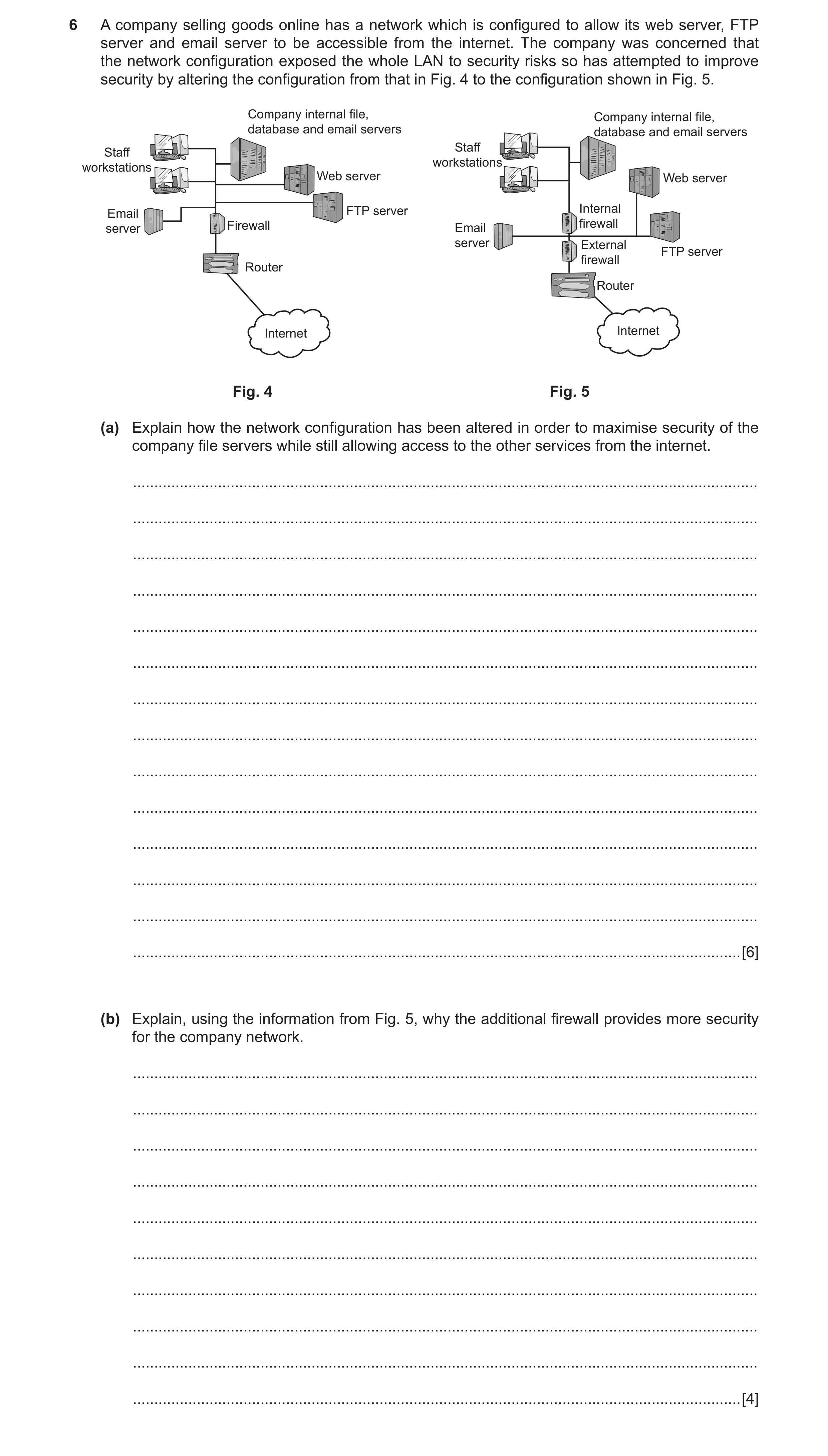
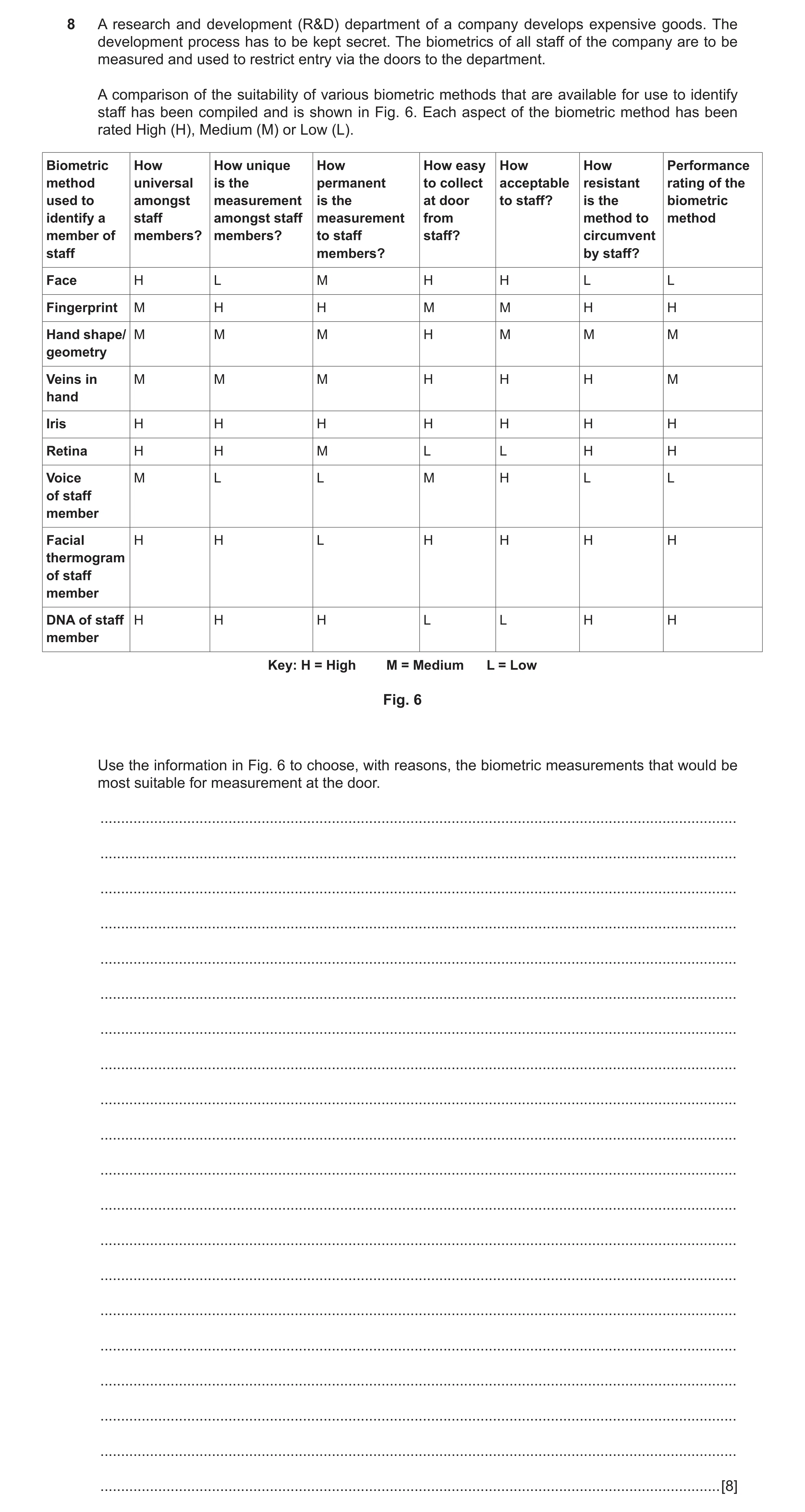
 12 / 50
 13 / 50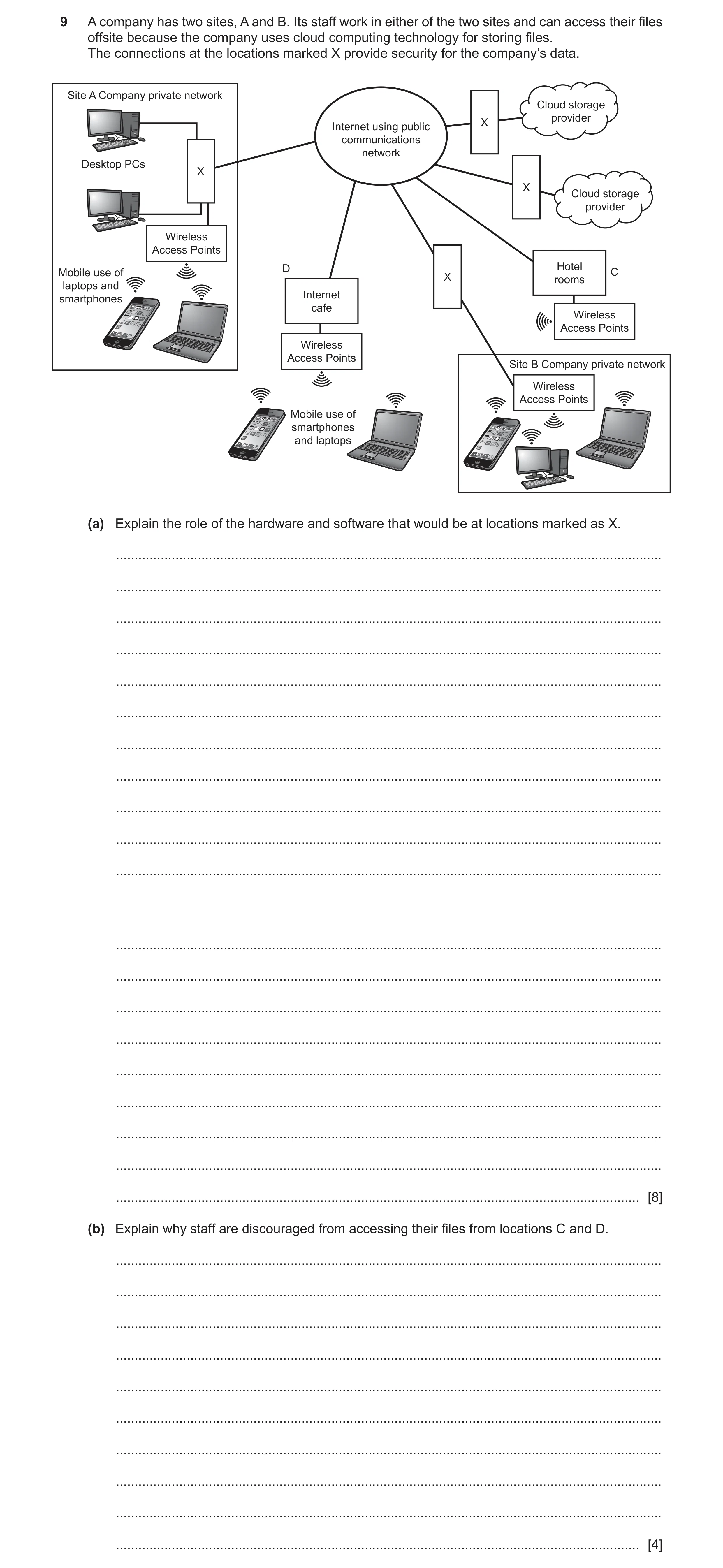
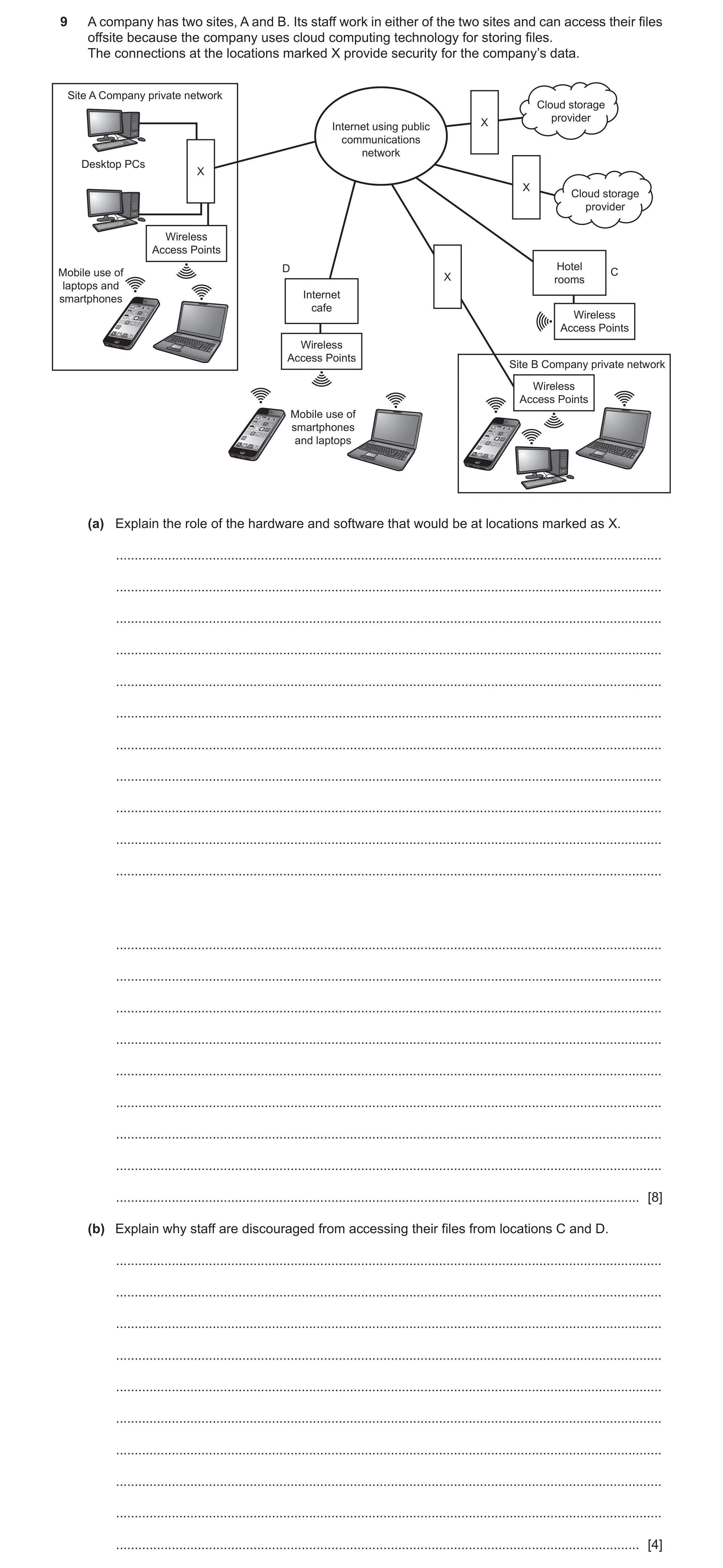
 20 / 50
 22 / 50
 24 / 50
 25 / 50
 26 / 50
 27 / 50
 28 / 50
 29 / 50
 30 / 50
 31 / 50
 32 / 50
 33 / 50
 34 / 50
 35 / 50
 36 / 50
 37 / 50
 38 / 50
 39 / 50
 40 / 50
 41 / 50
 42 / 50
 43 / 50
 44 / 50
 45 / 50
 46 / 50
 47 / 50
 49 / 50
 50 / 50
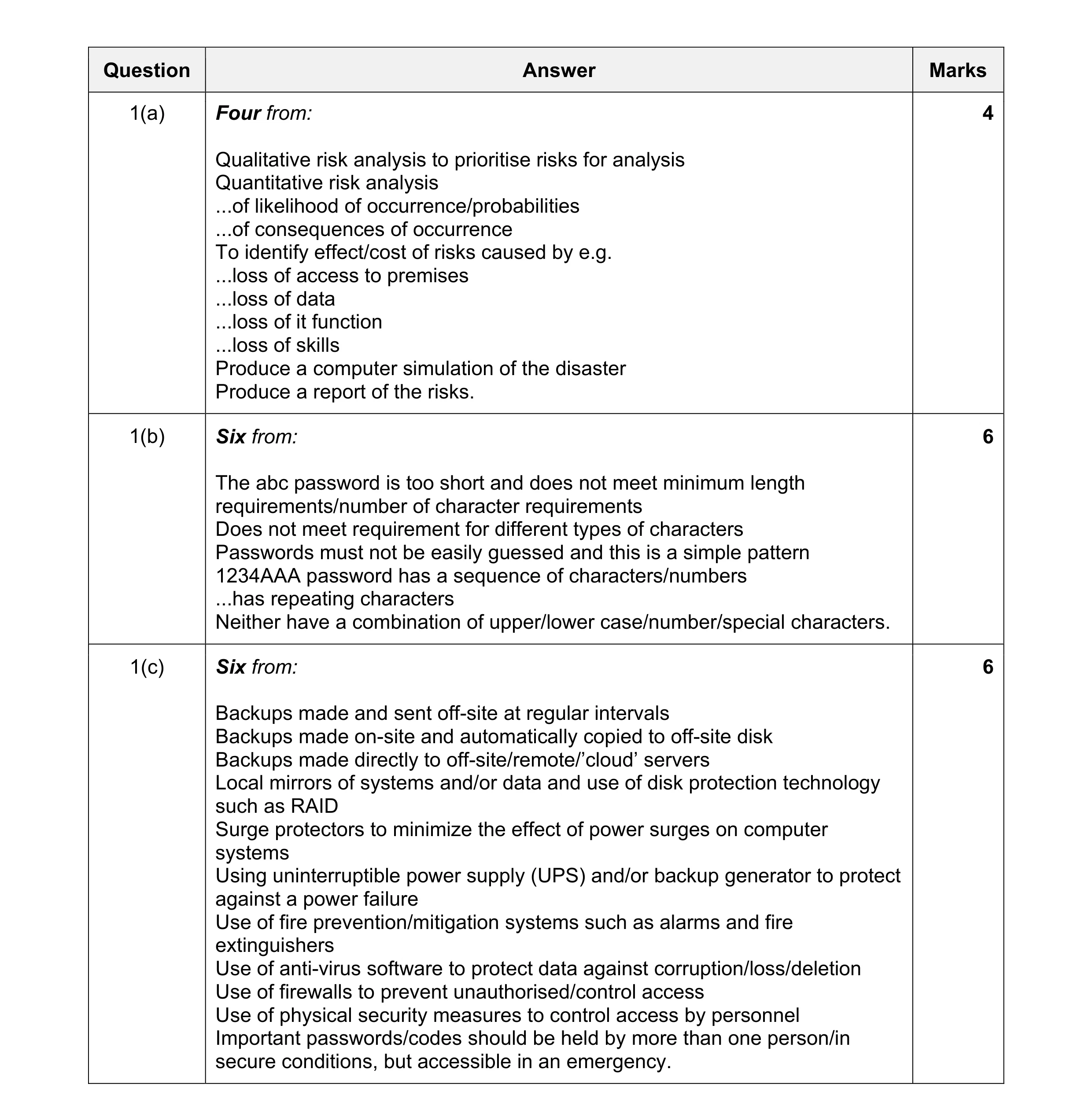 16
16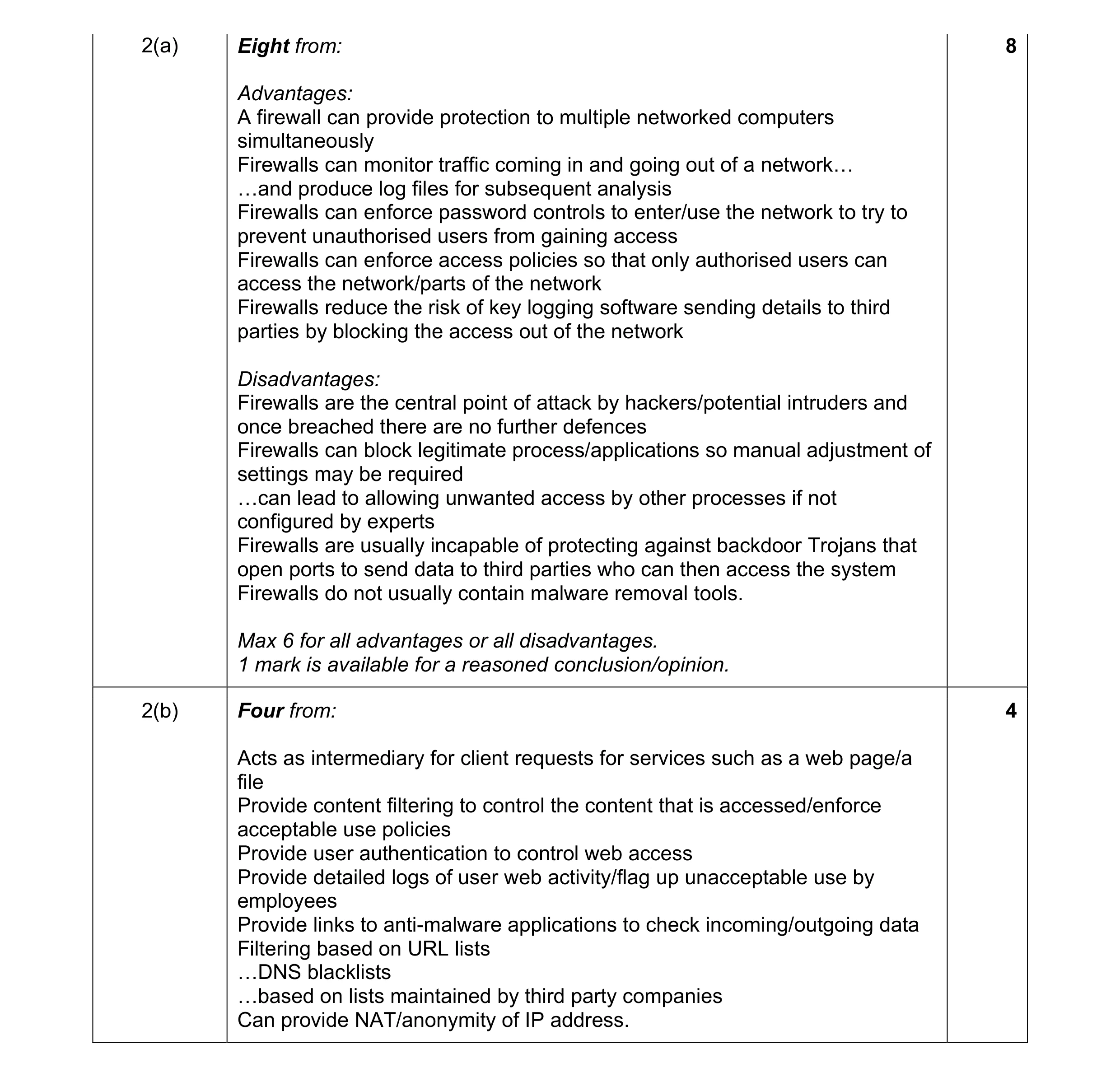 12
12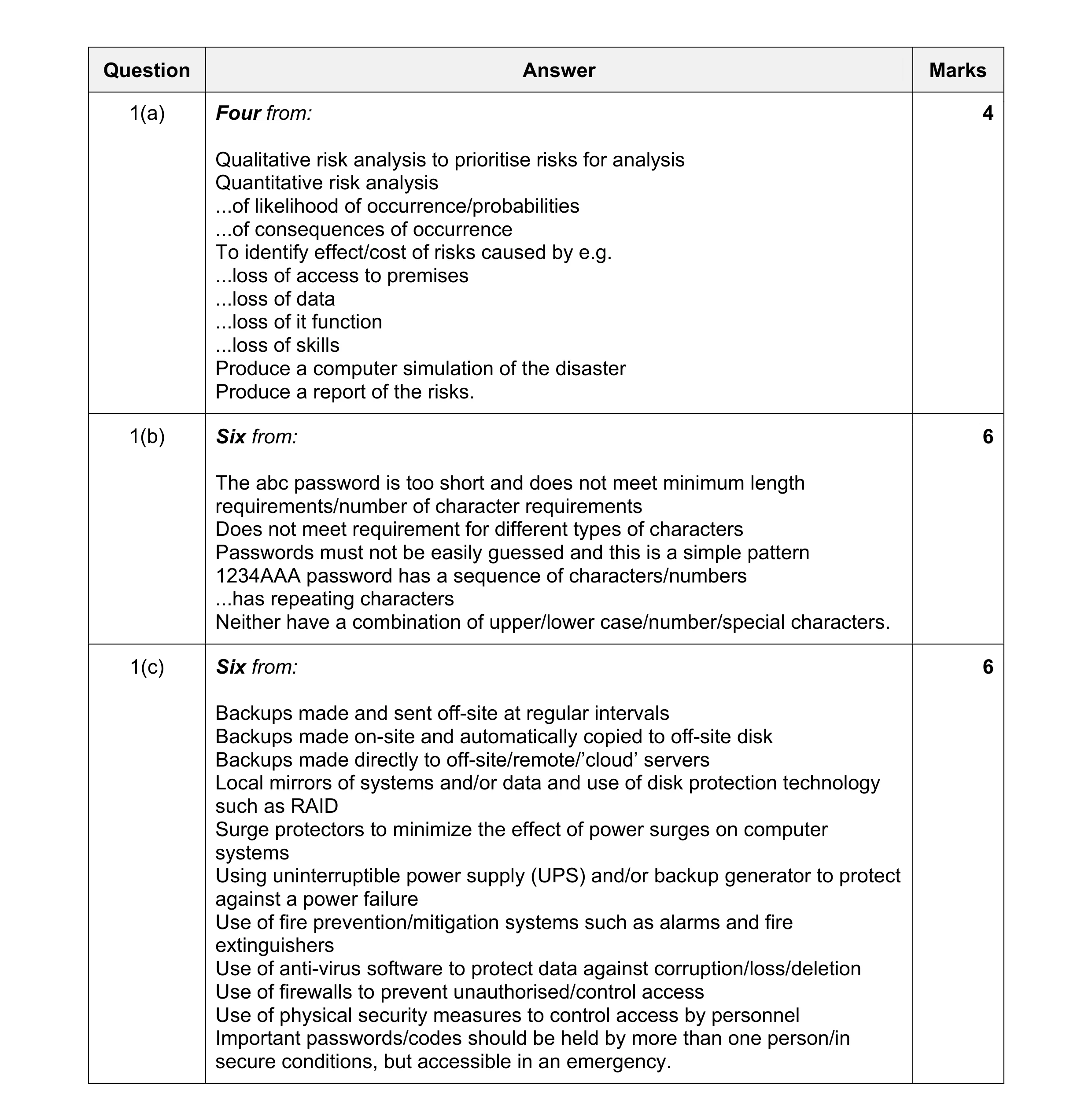 16
16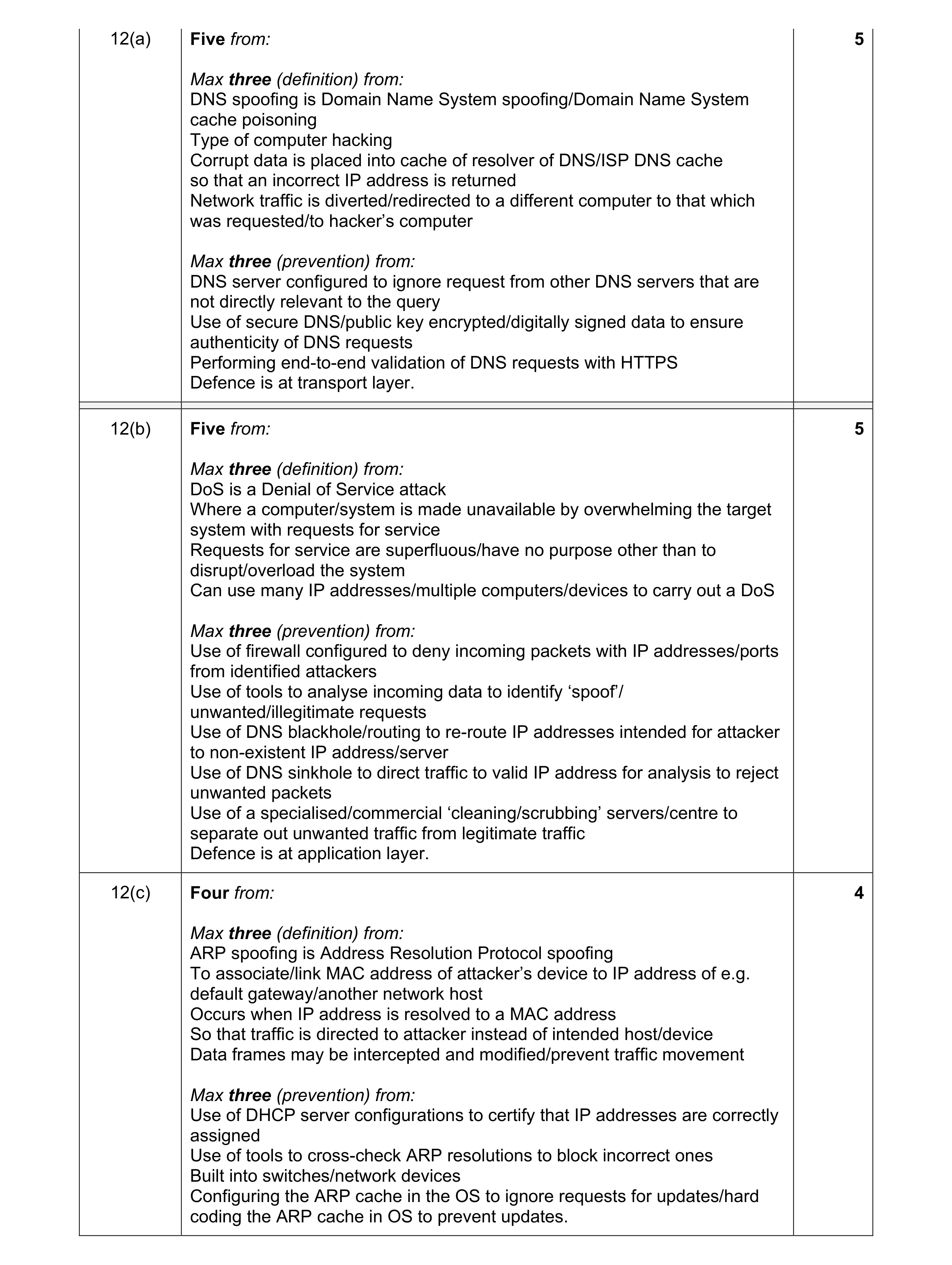 14
14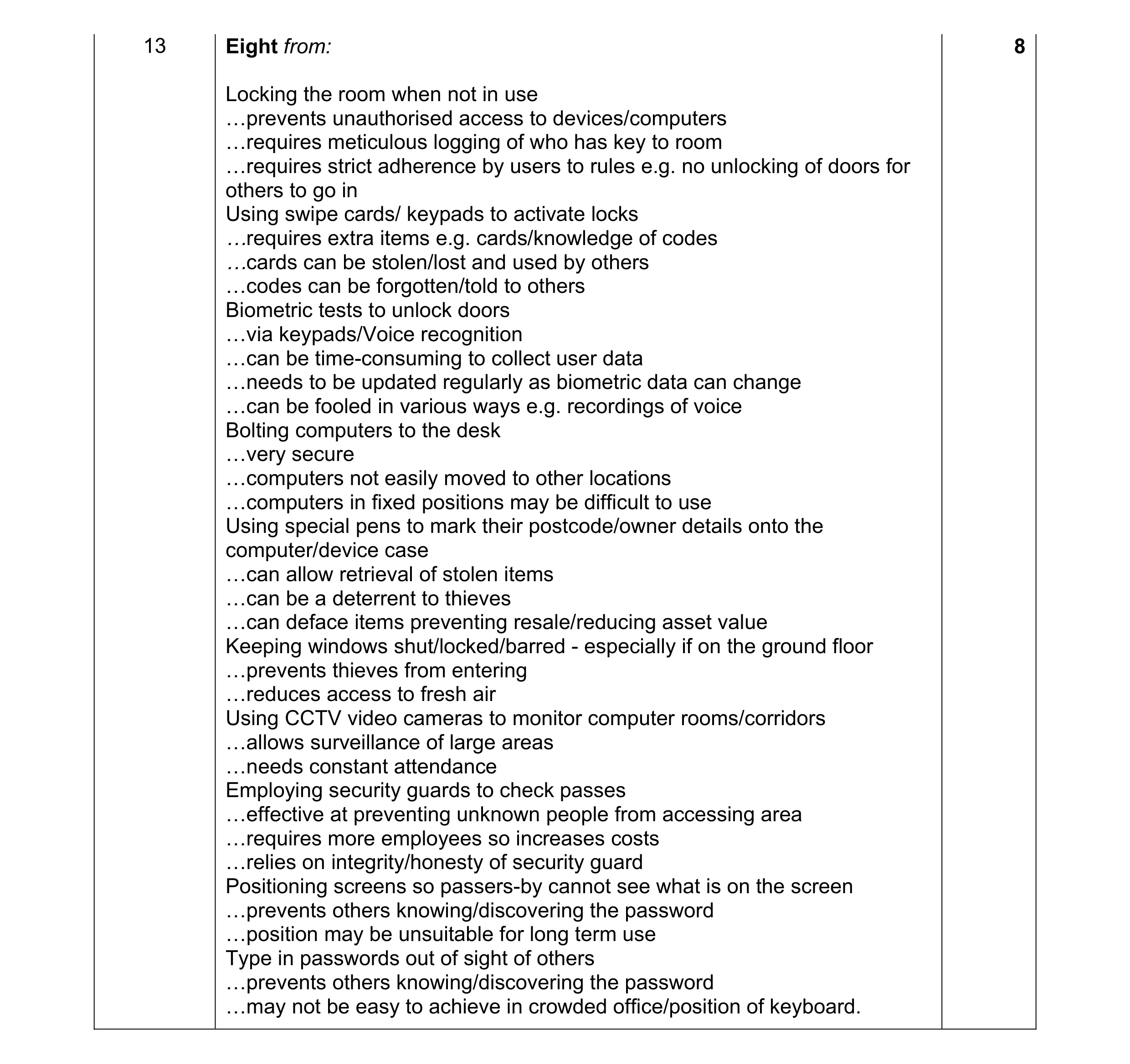 8
8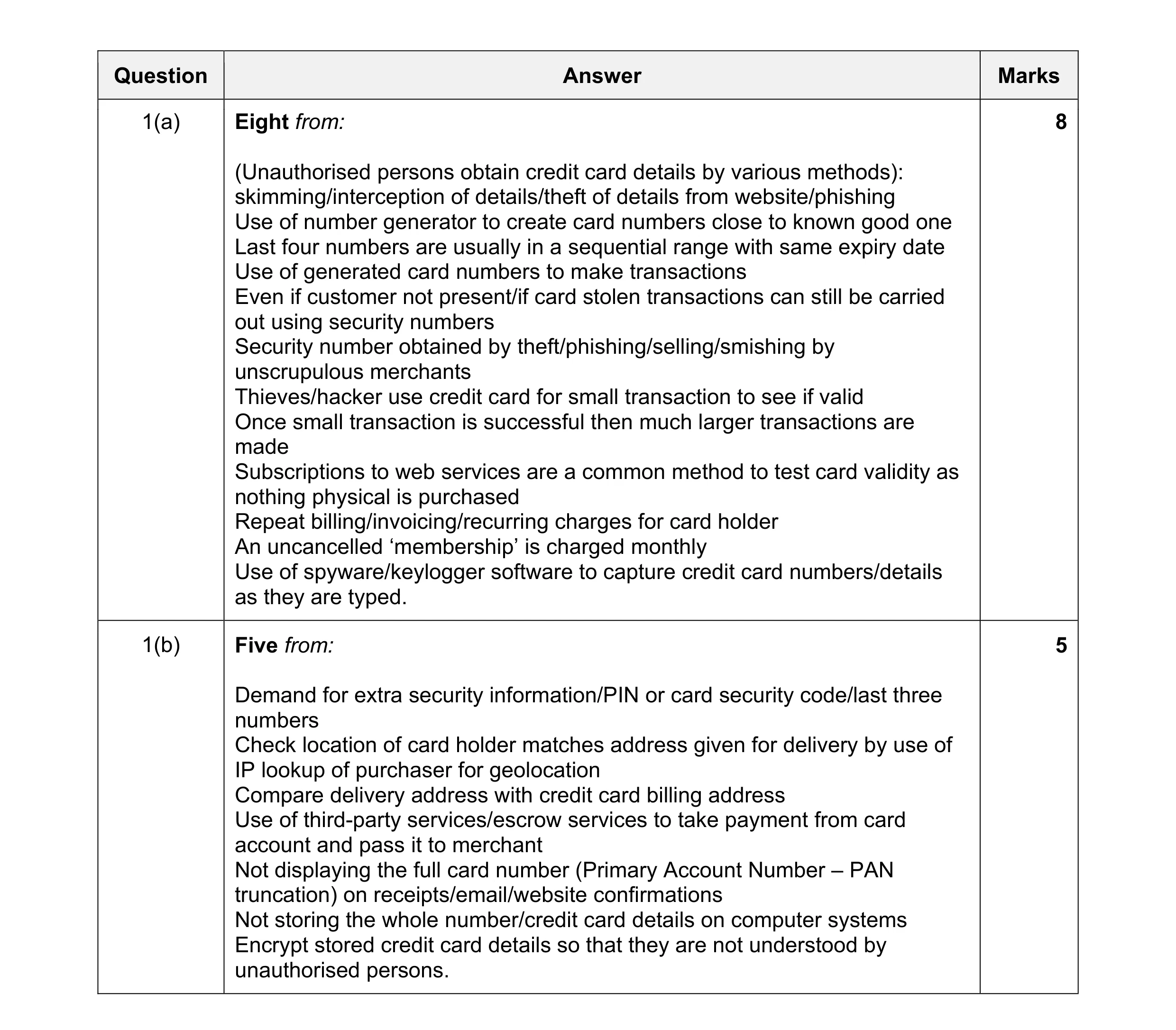 13
13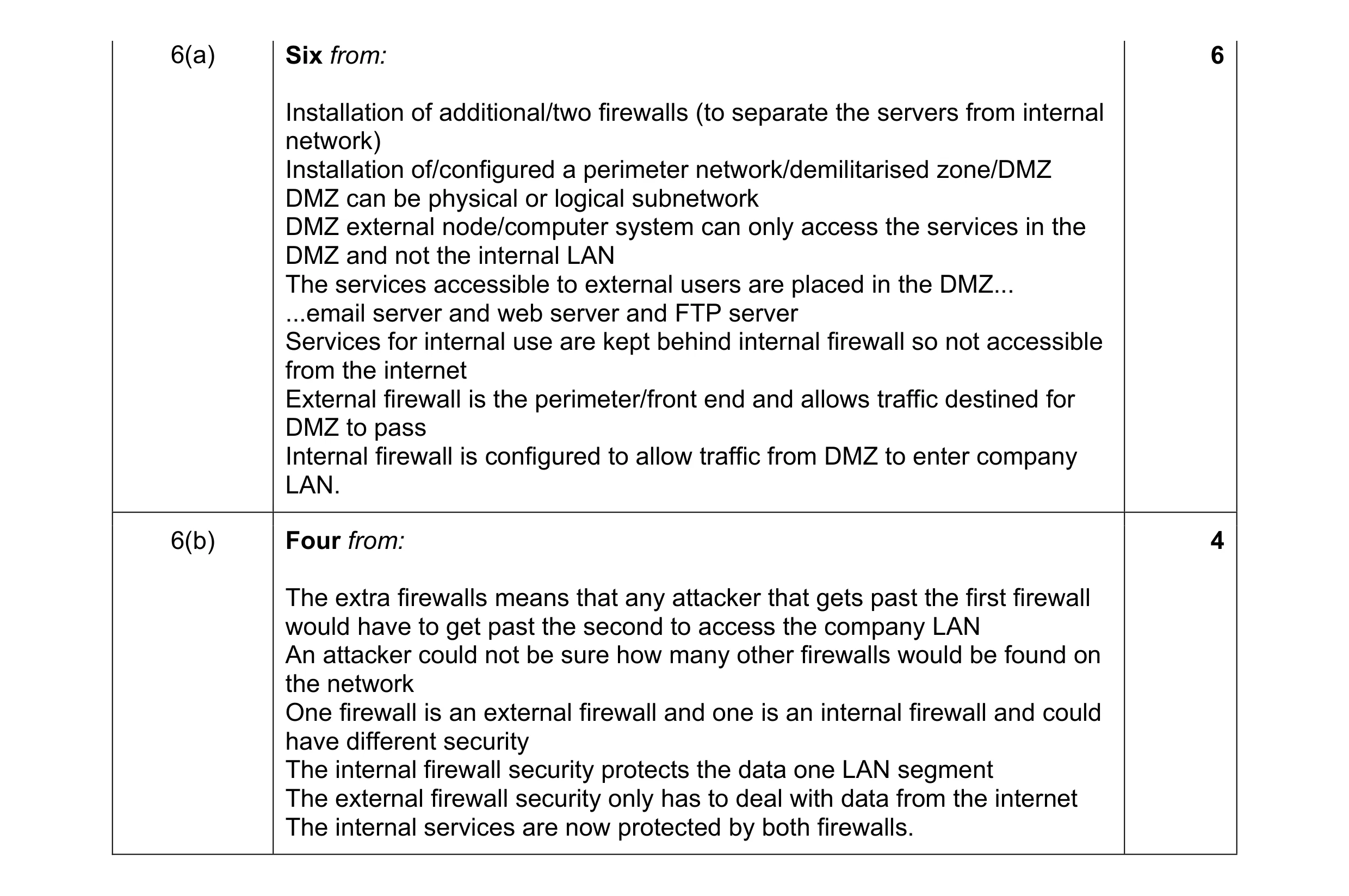 10
10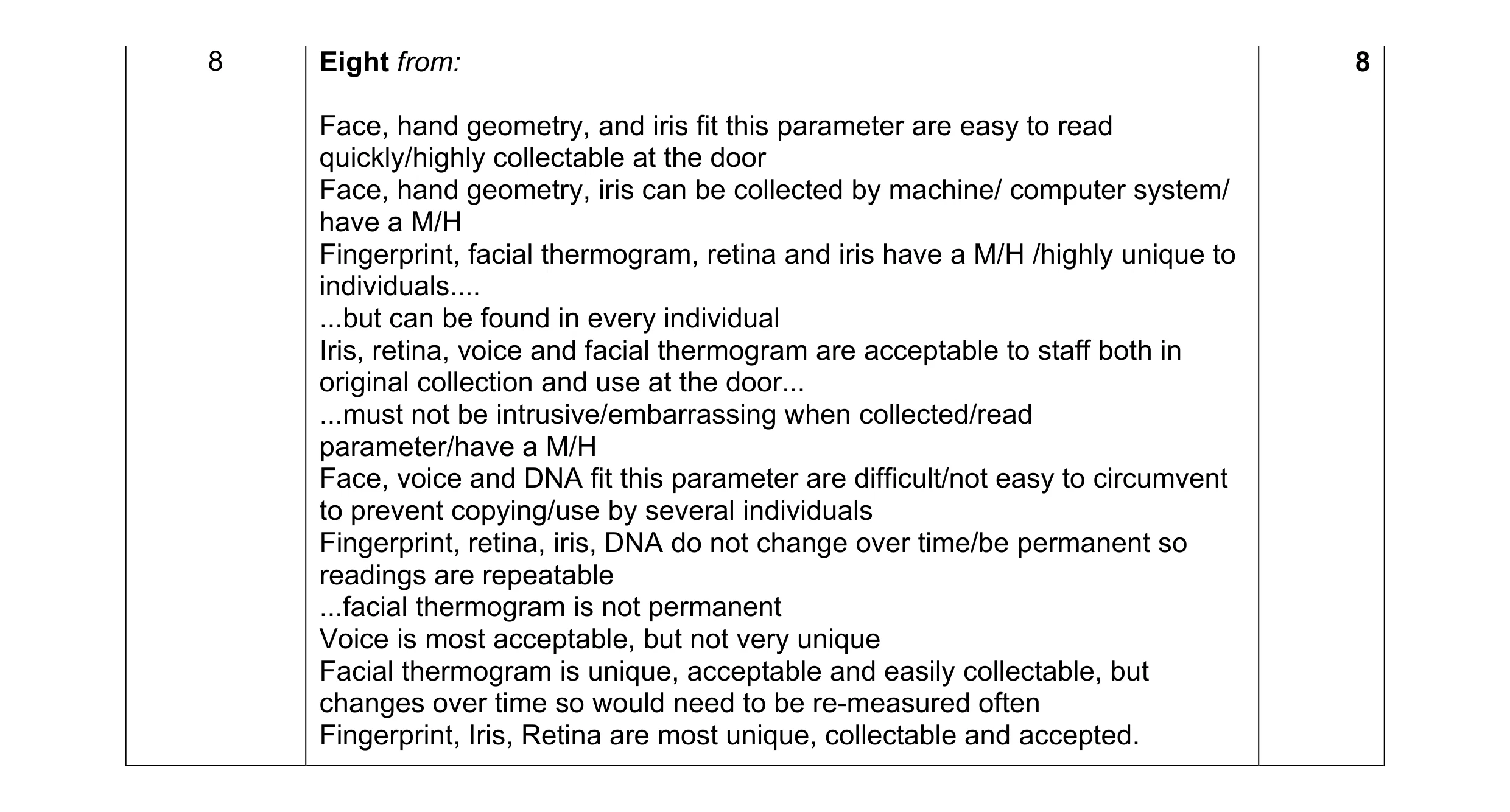 8
8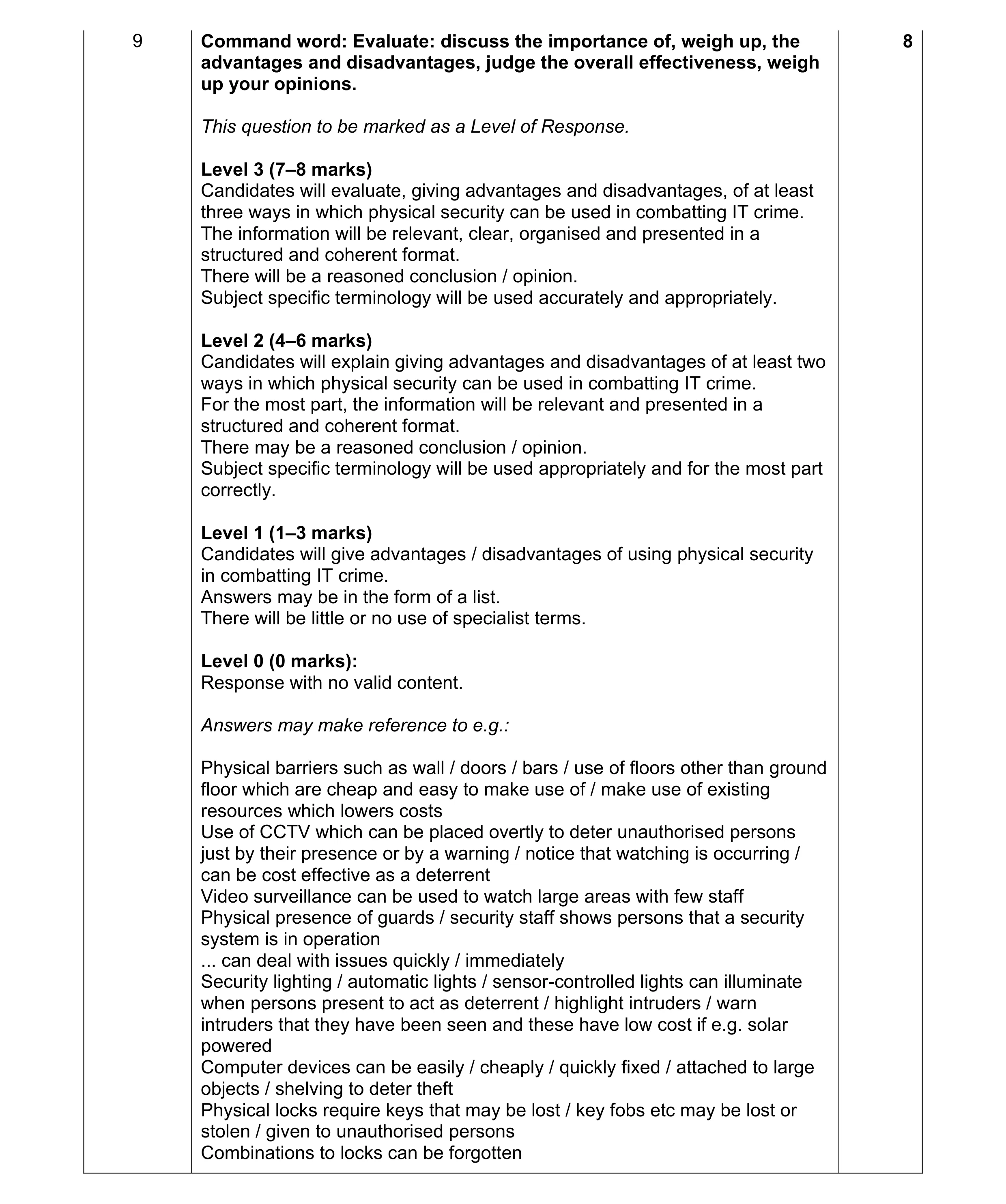 8
8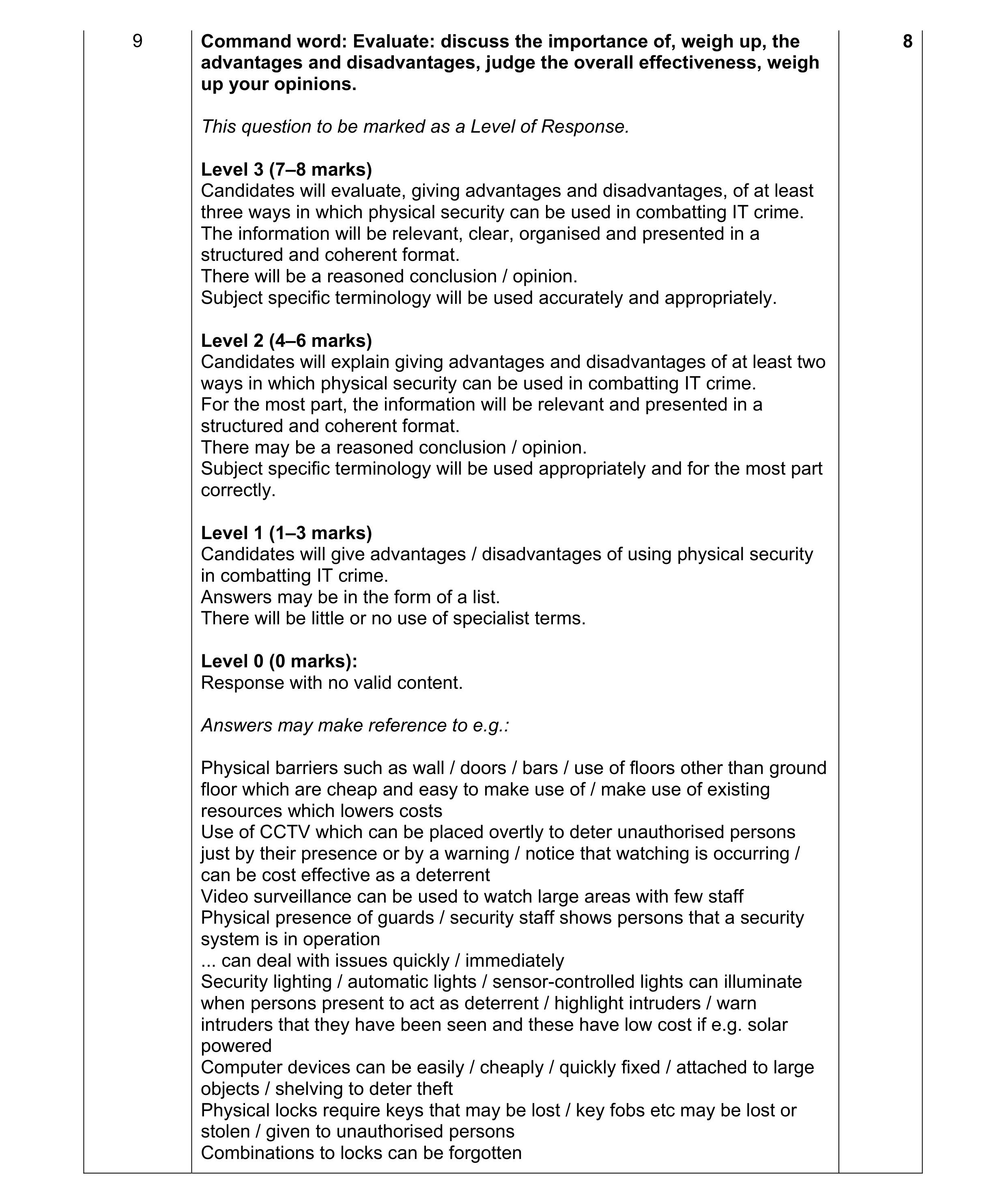 8
8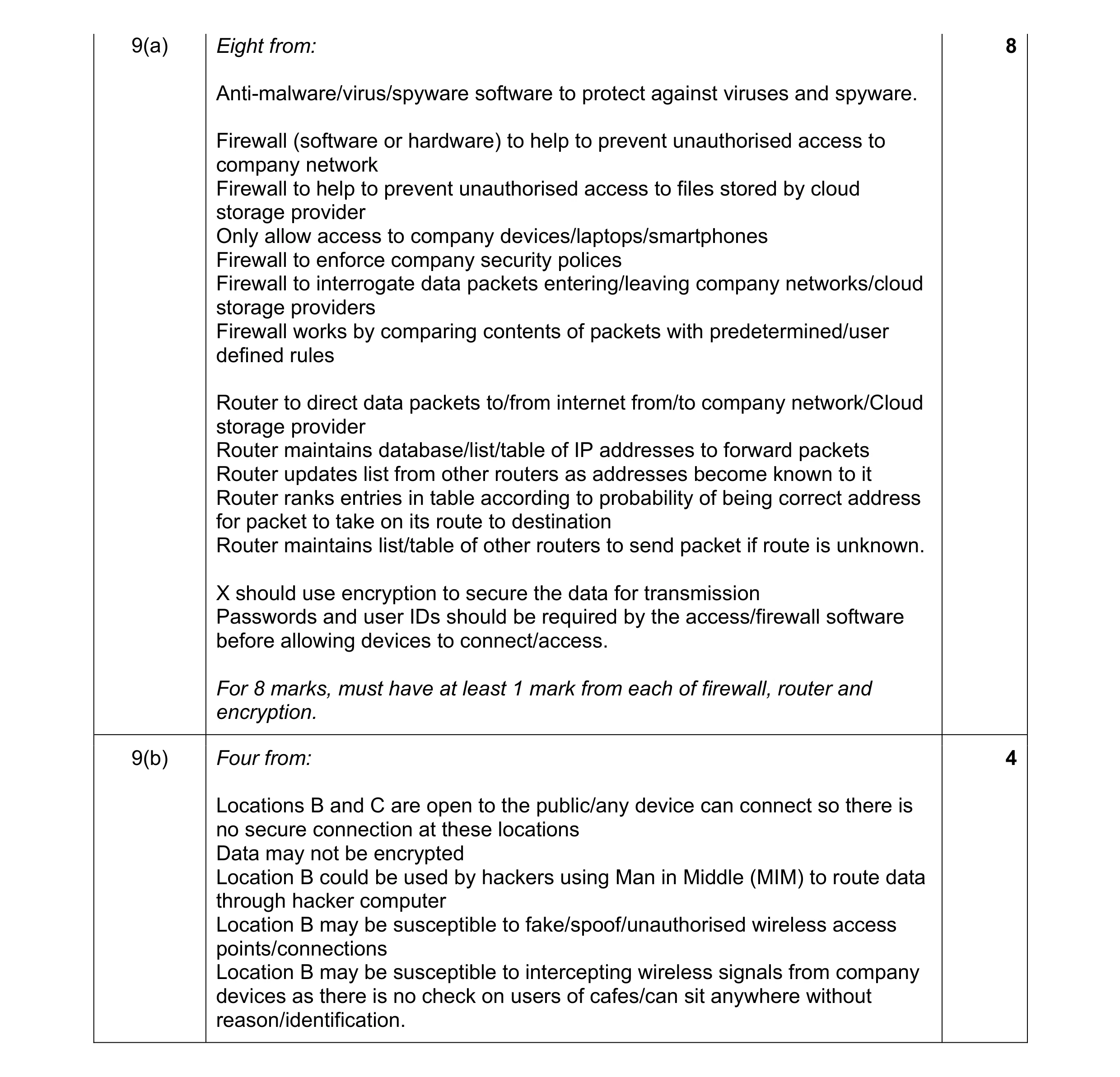 12
12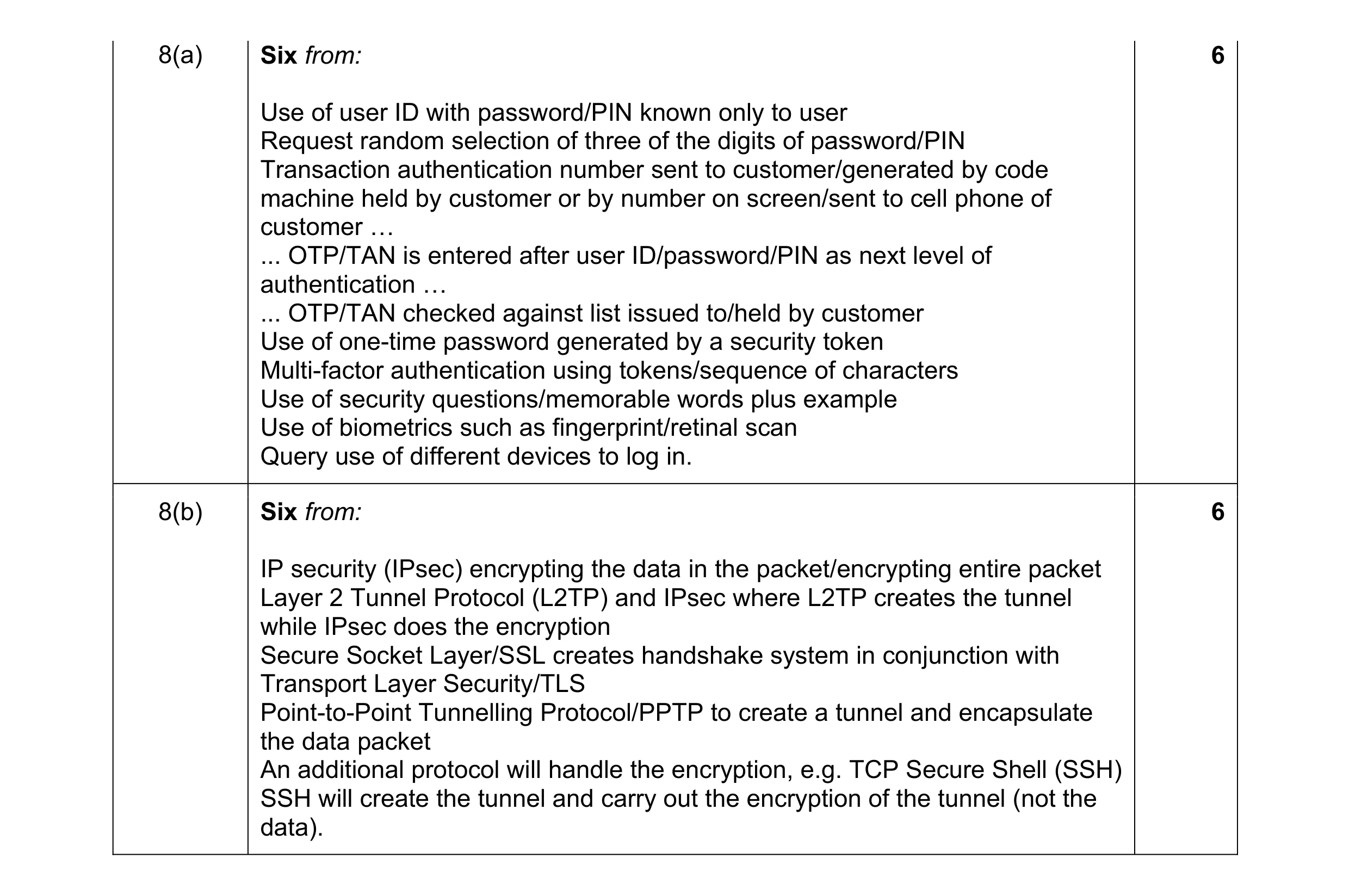 12
12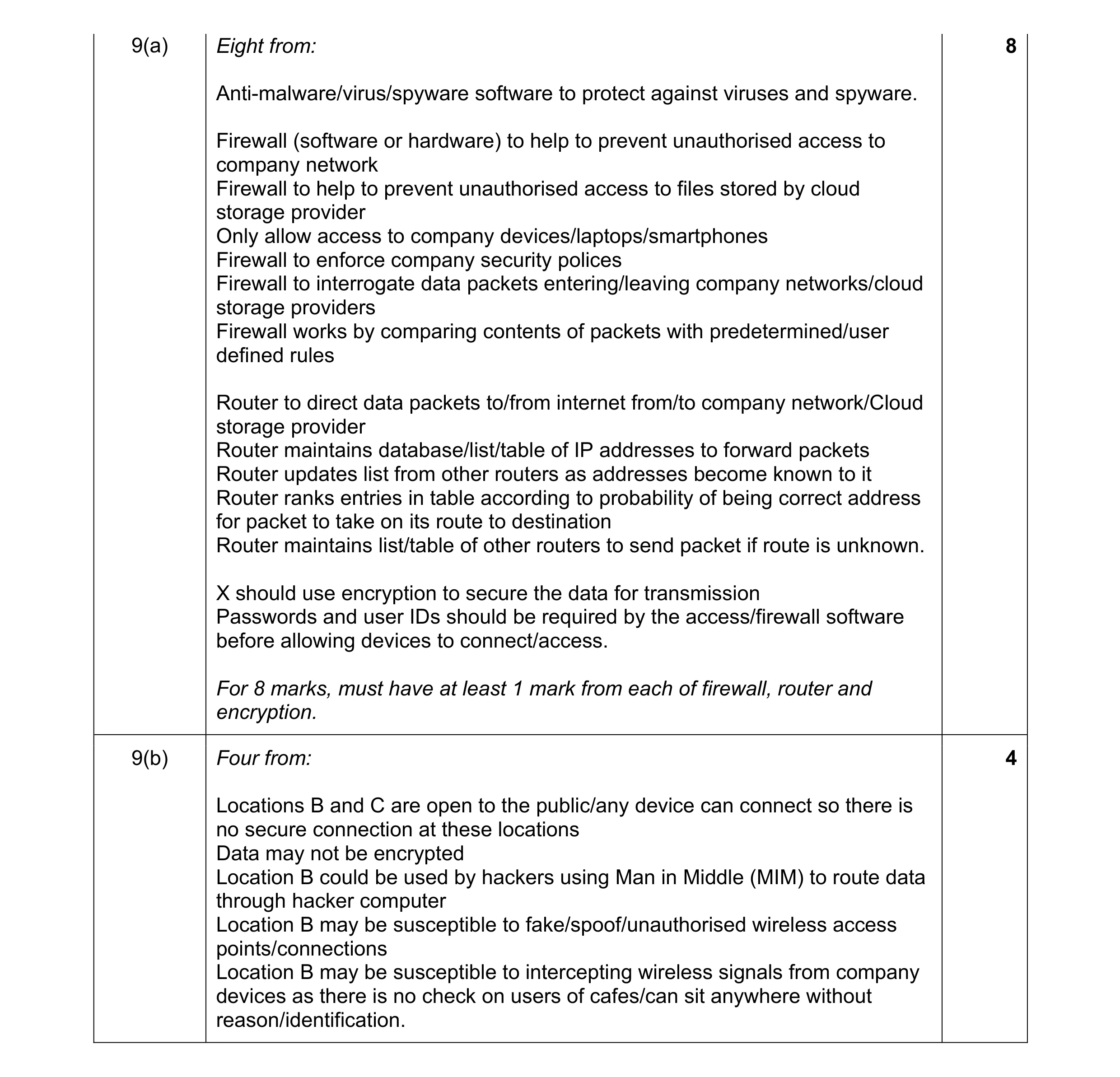 12
12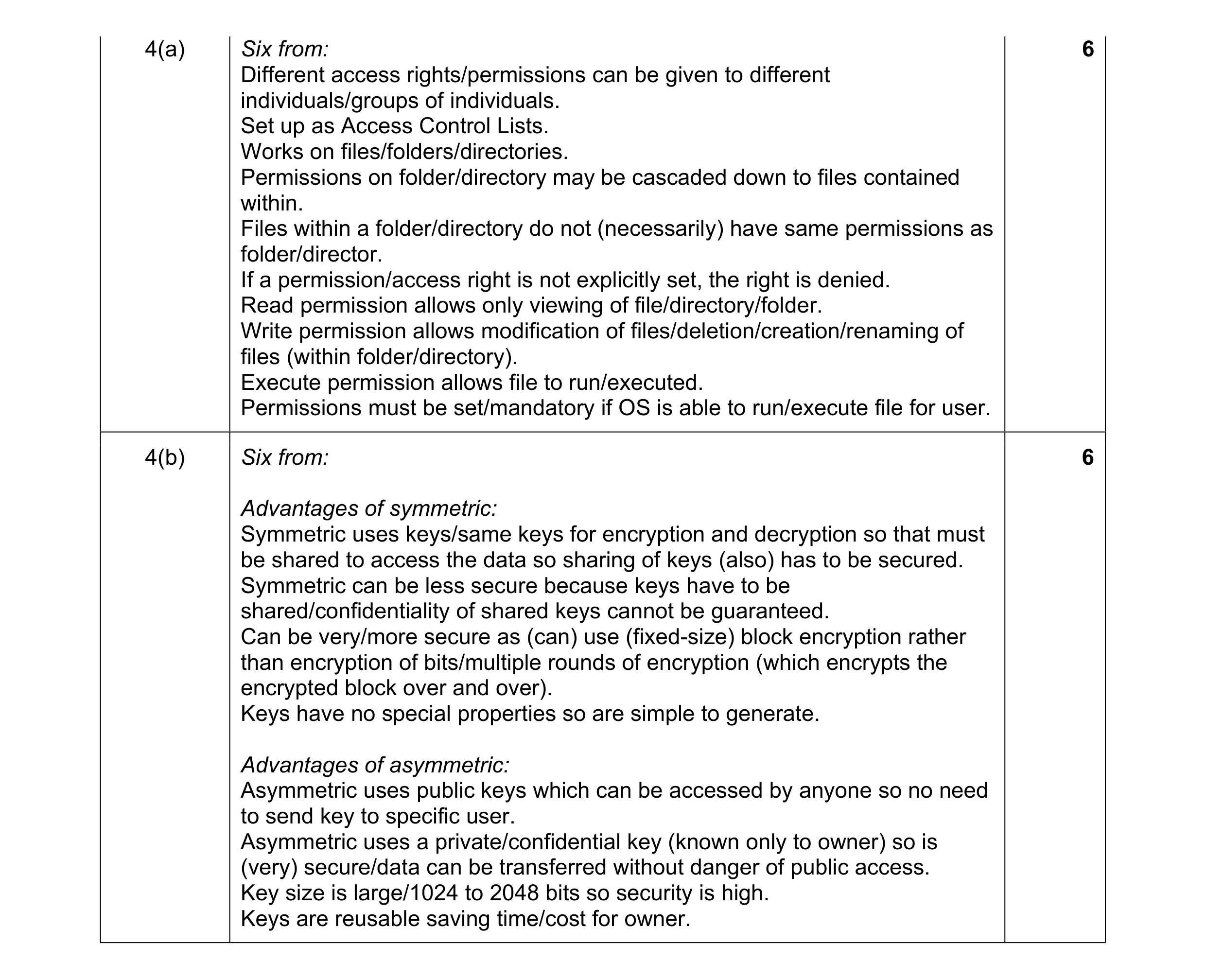 12
12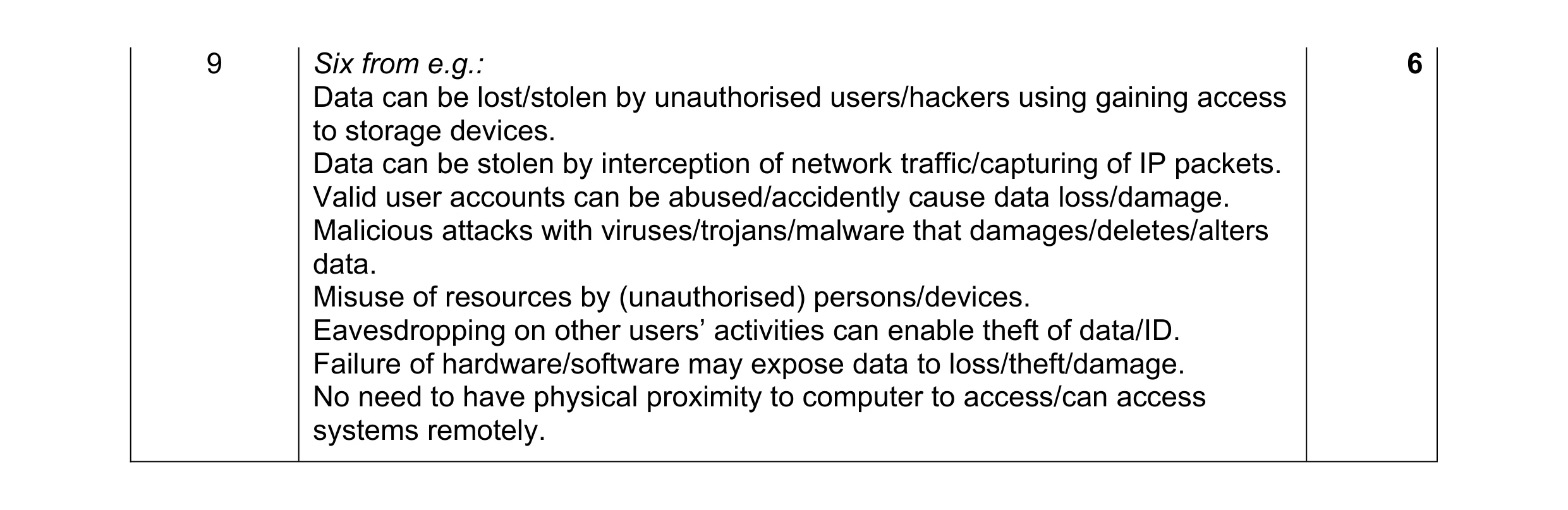 6
6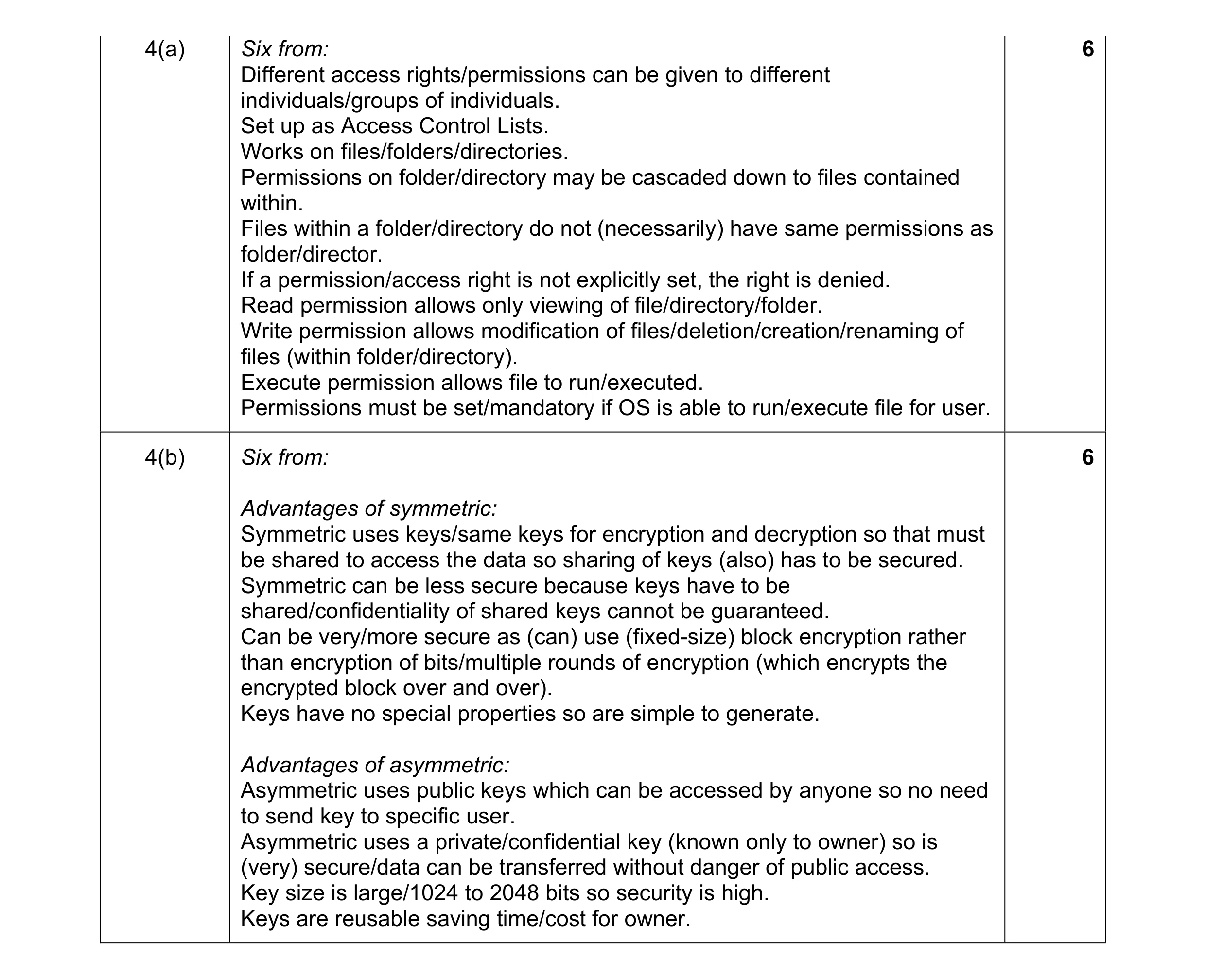 12
12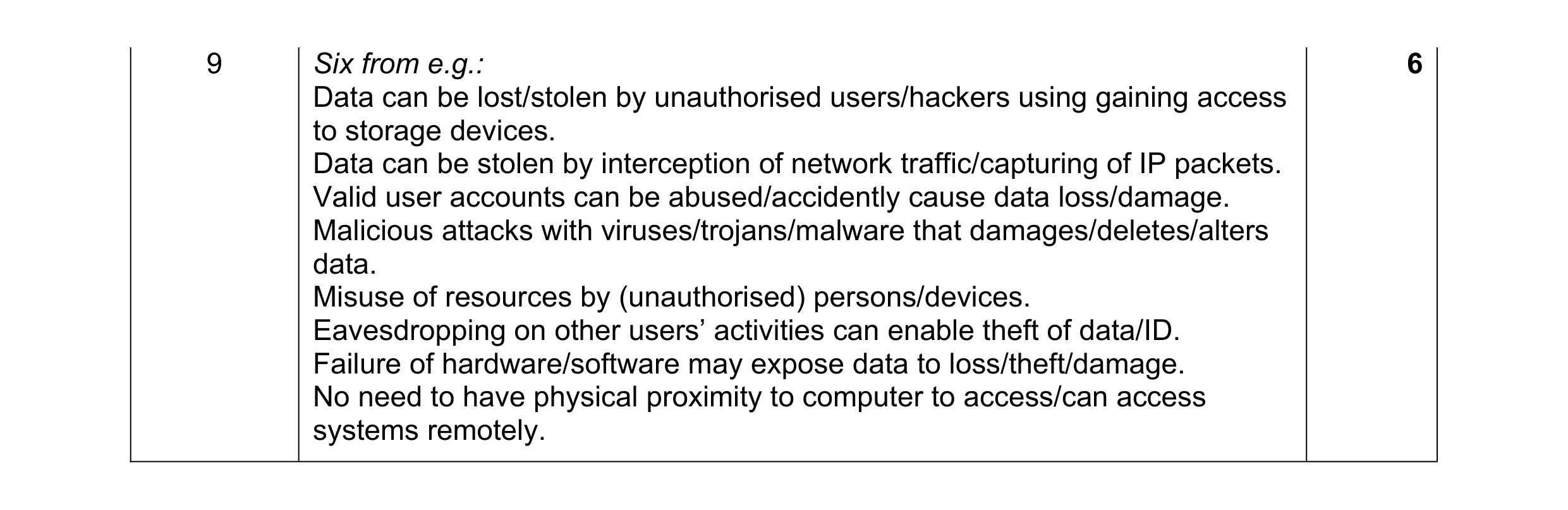 6
6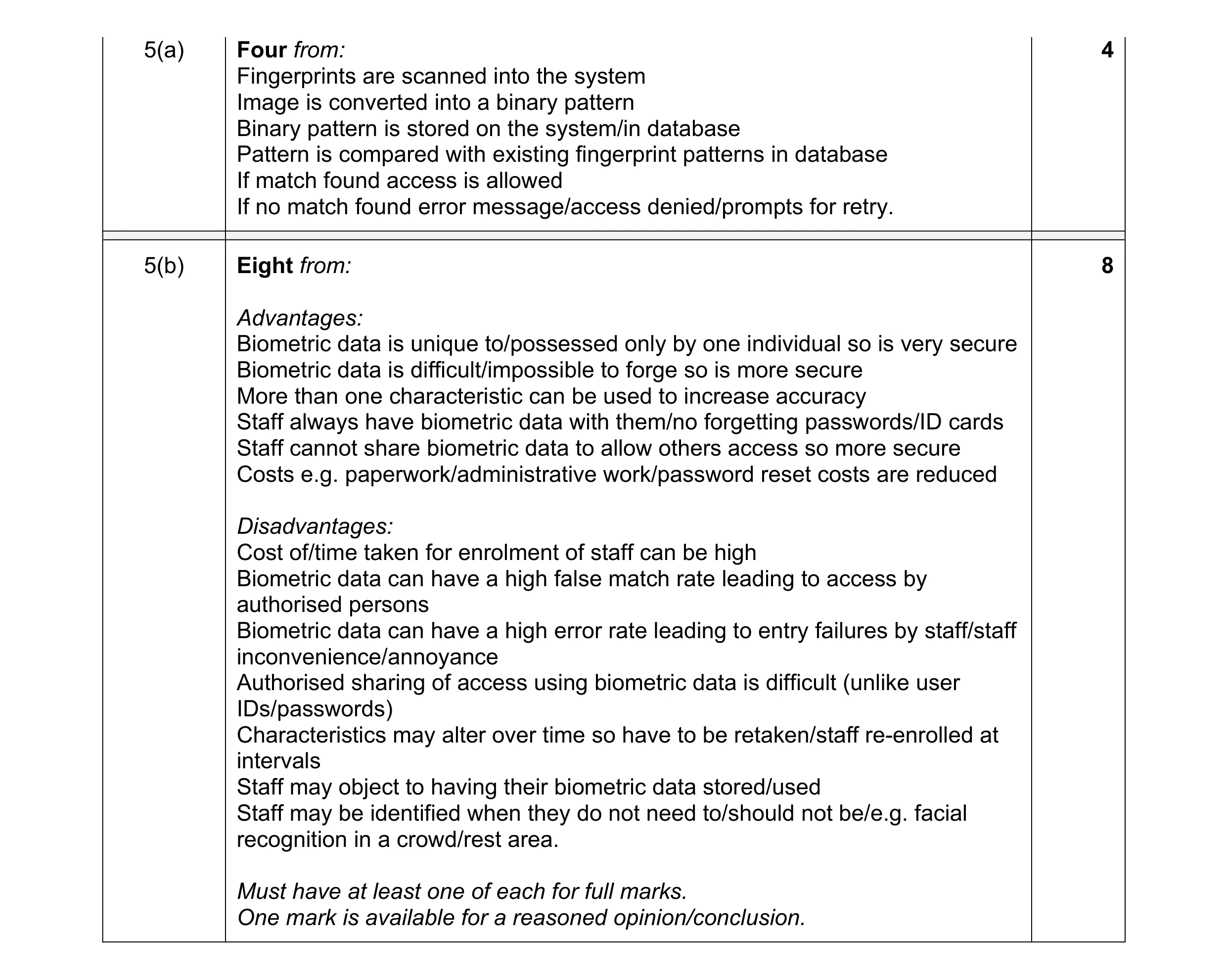 12
12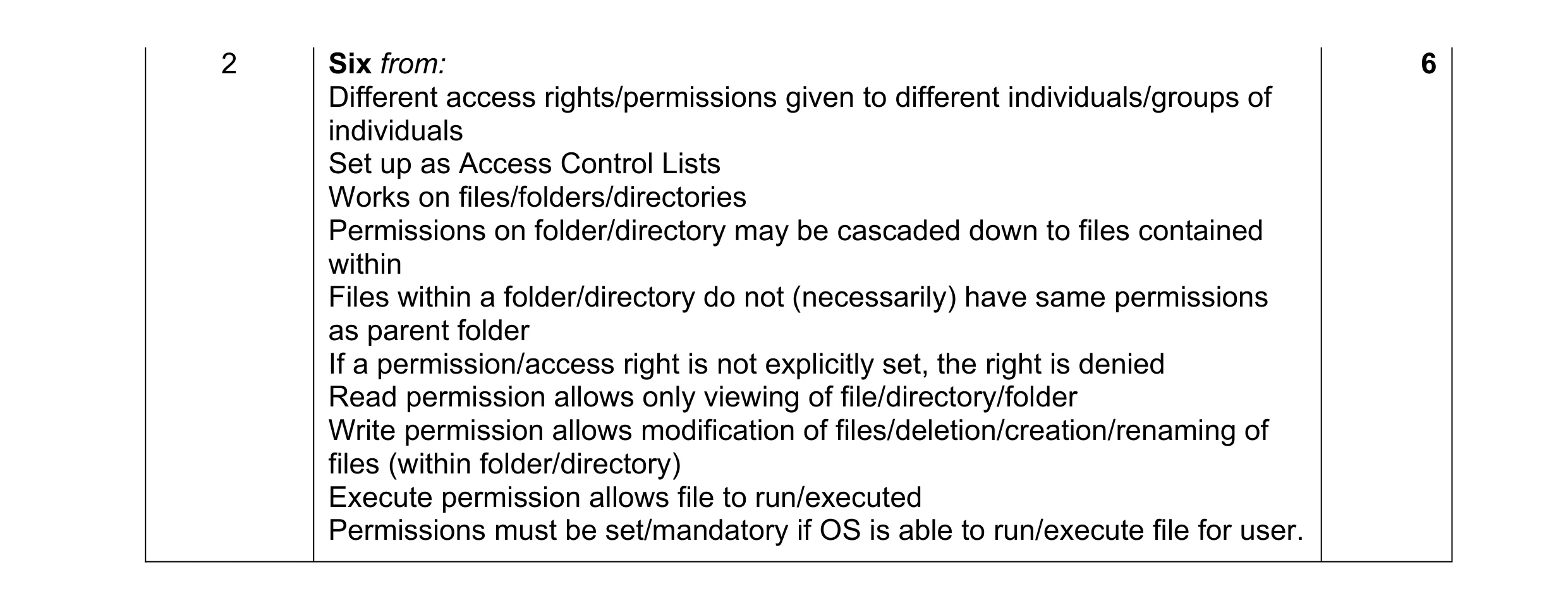 6
6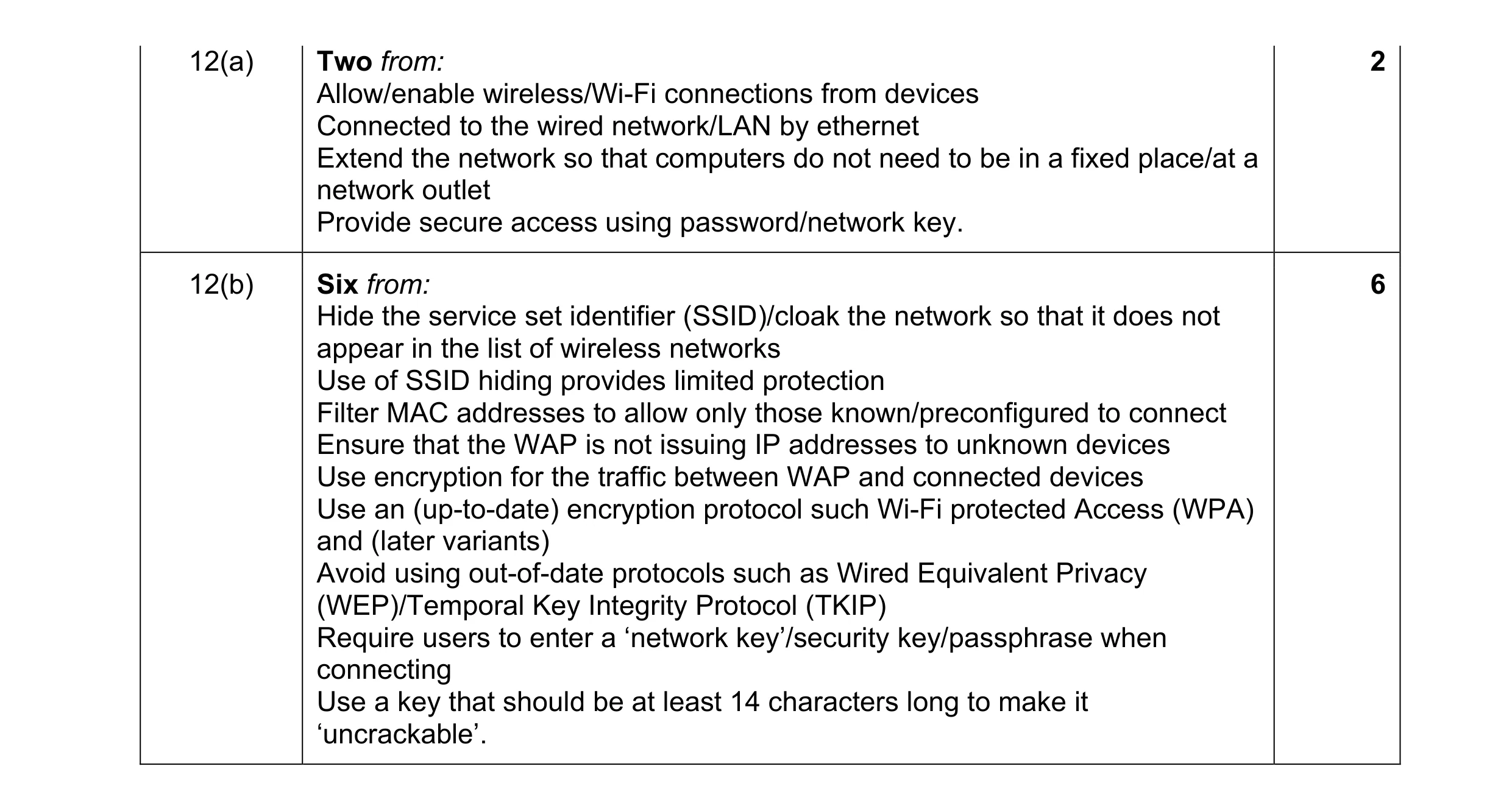 8
8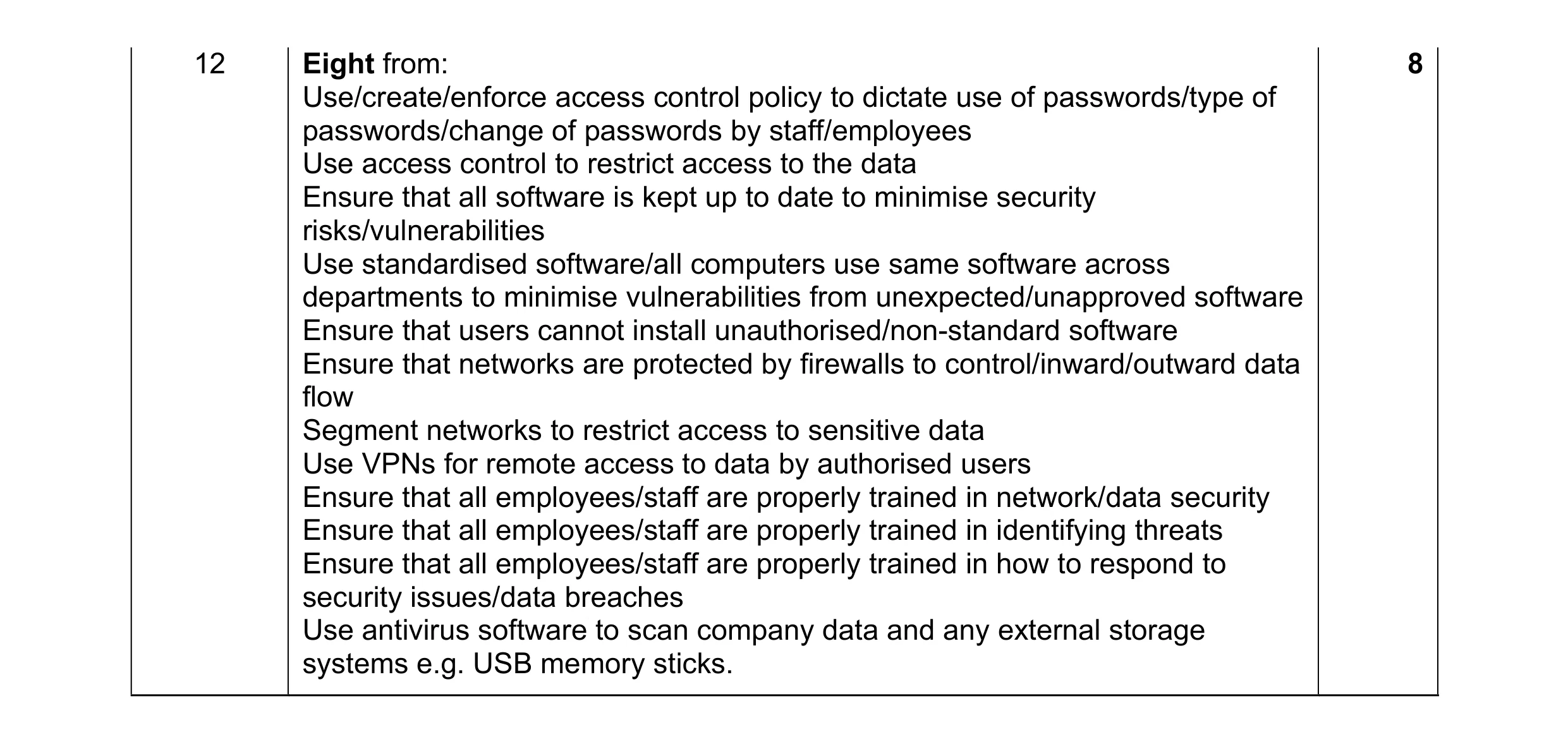 8
8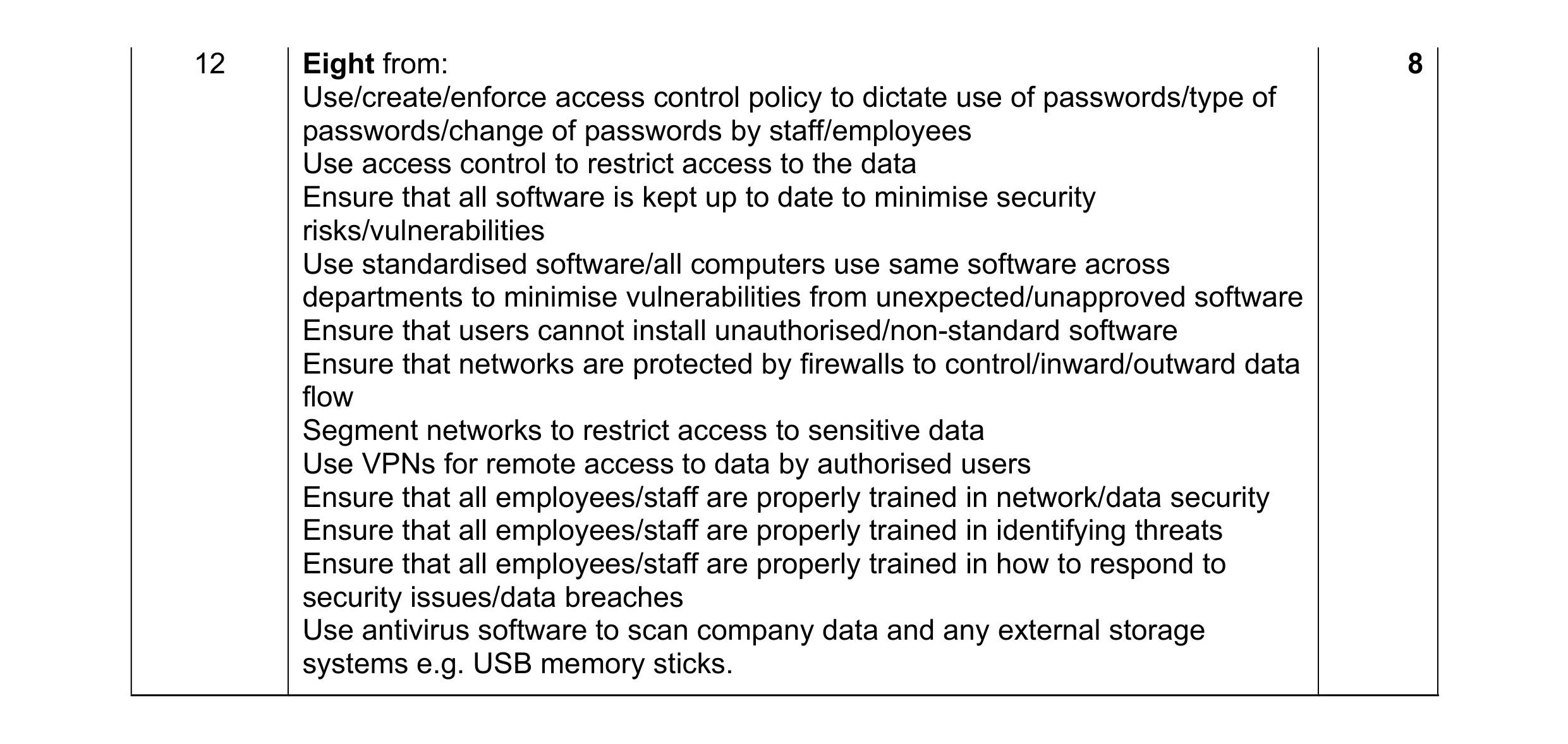 8
8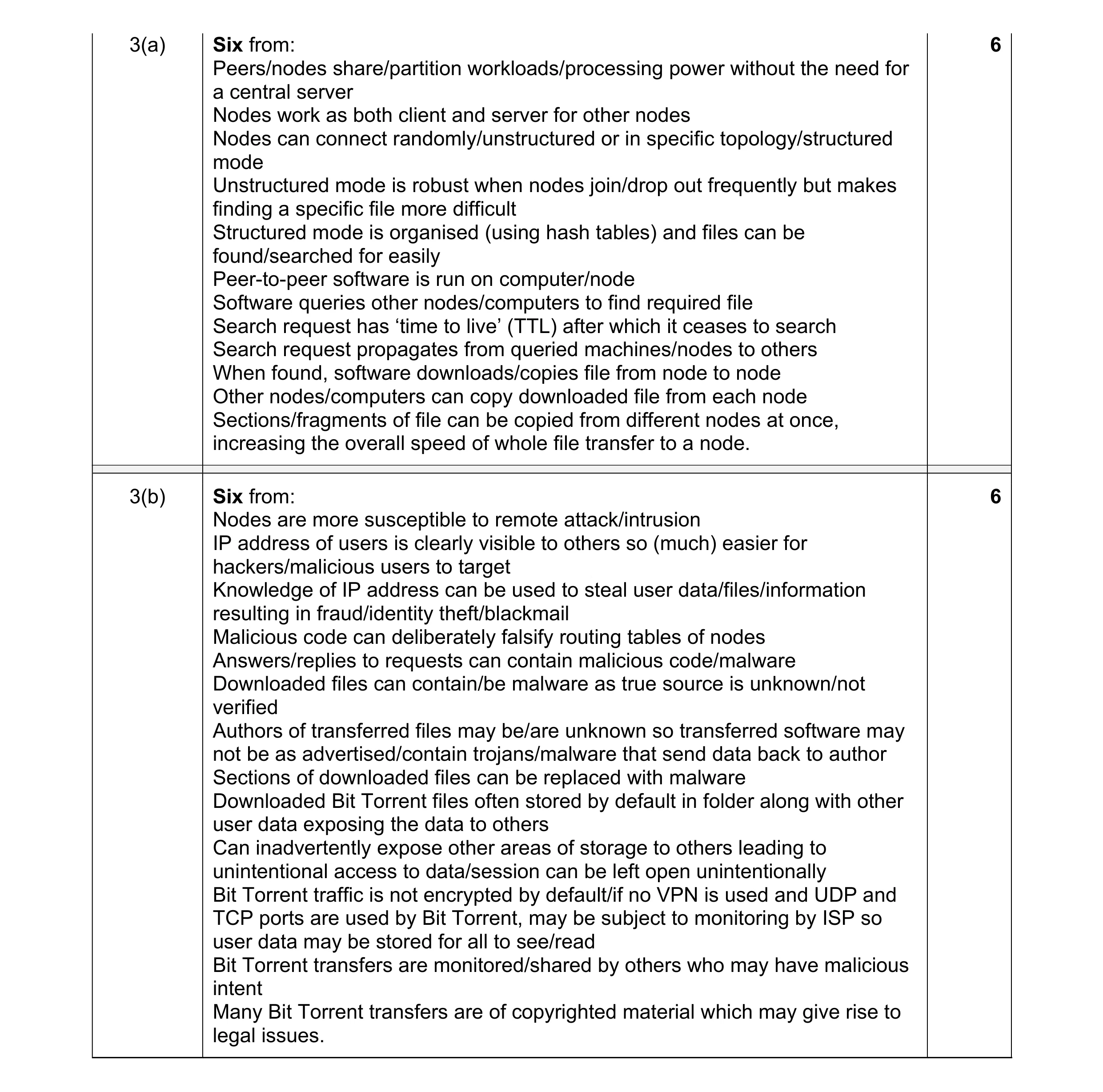 12
12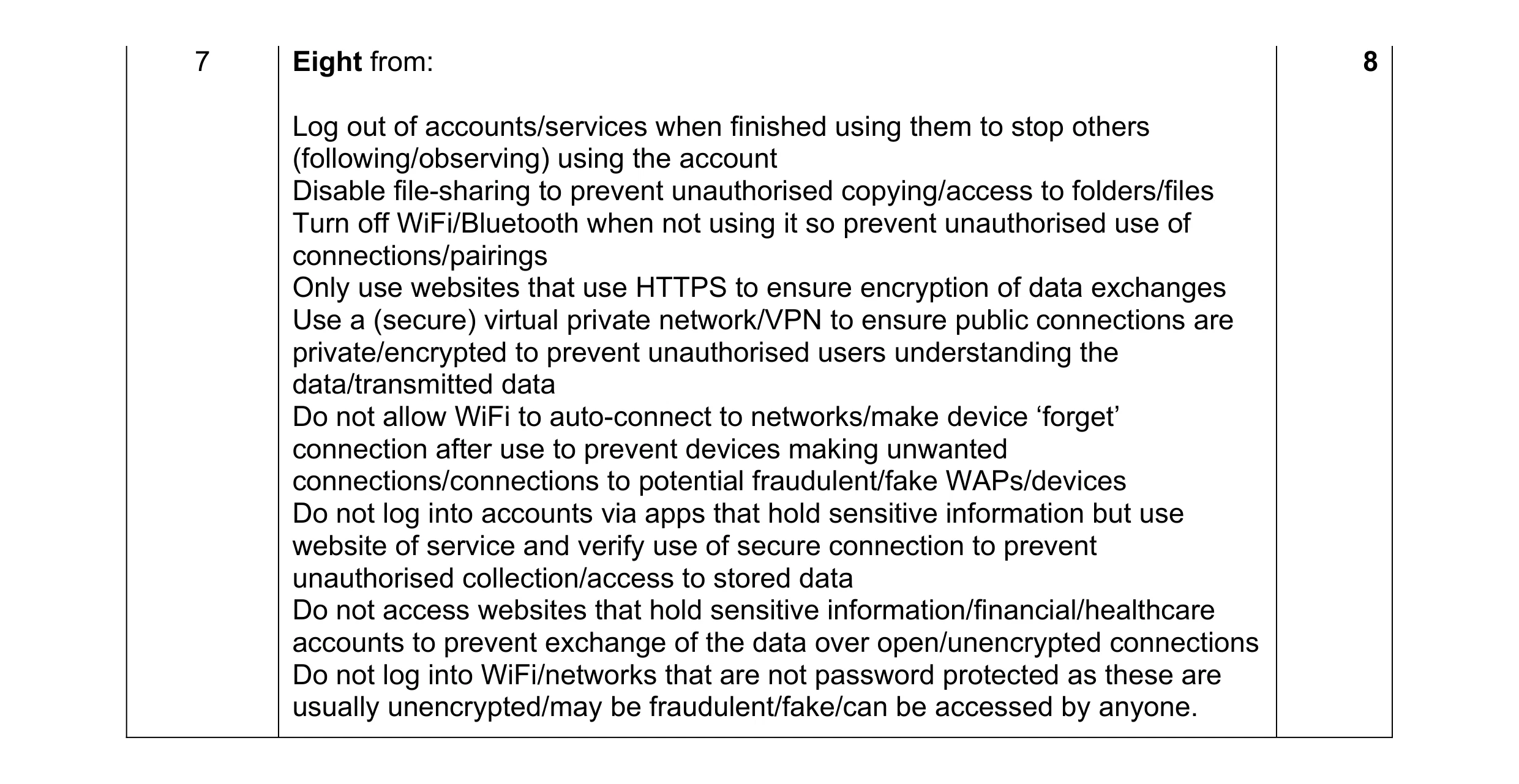 8
8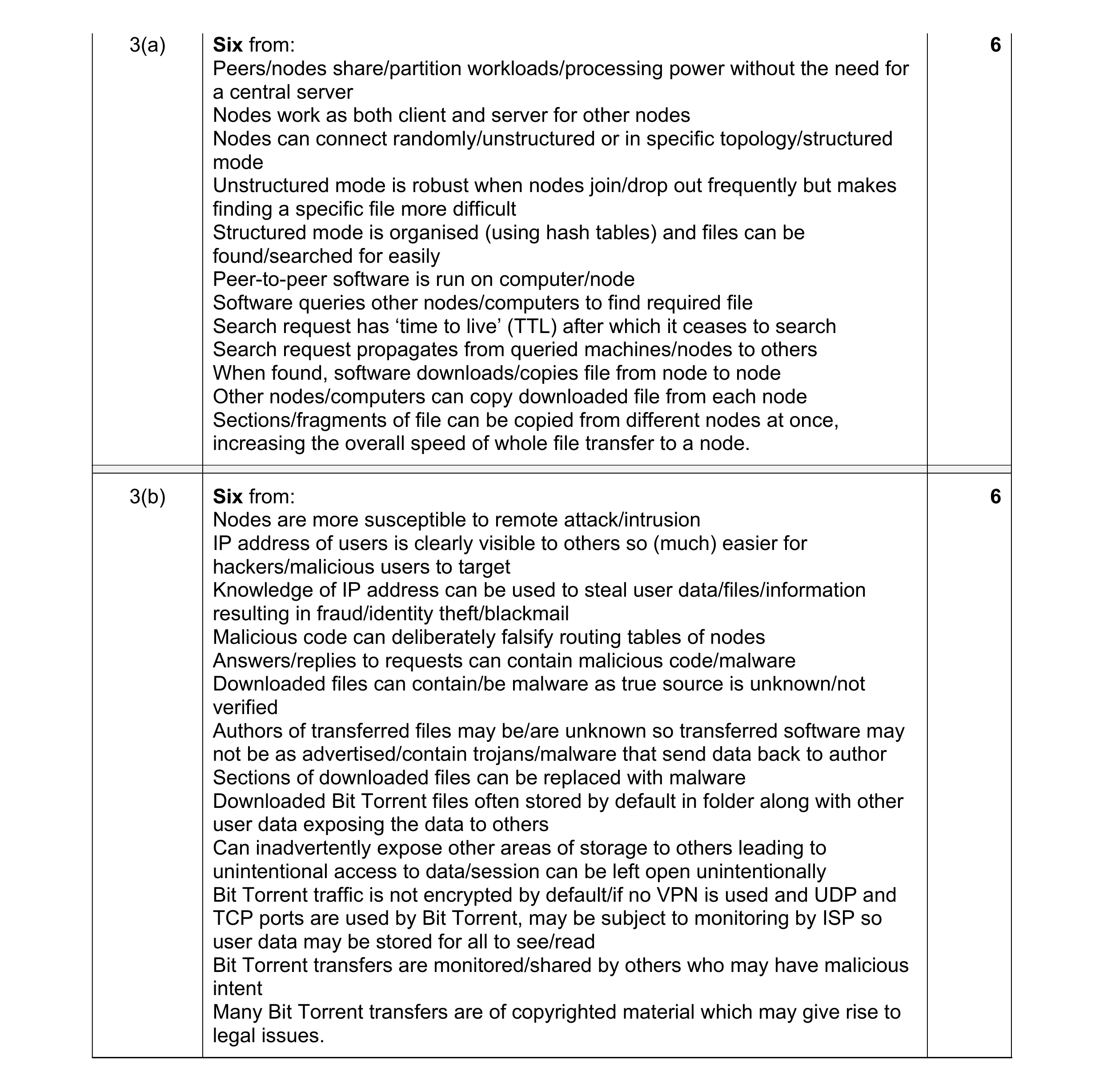 12
12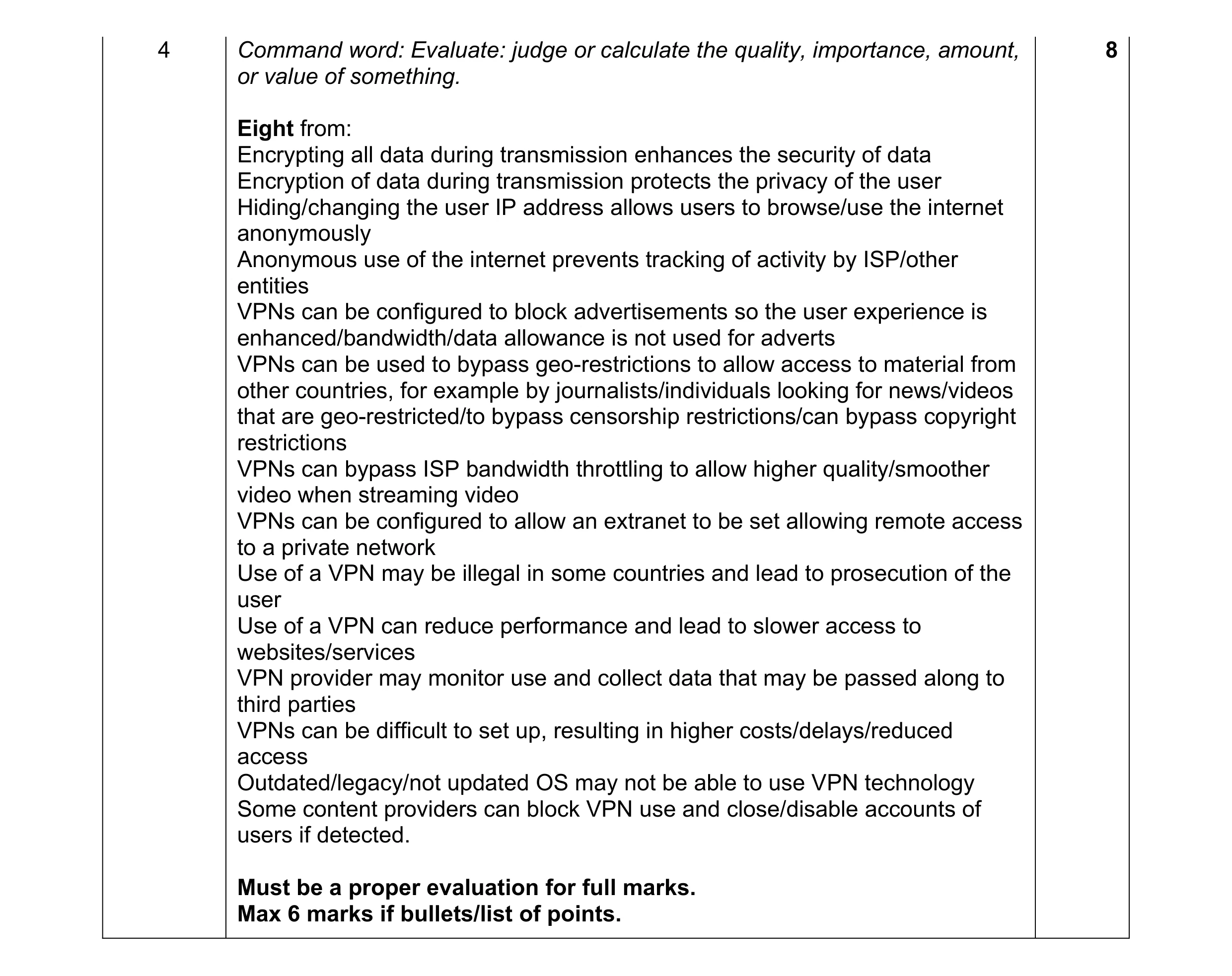 8
8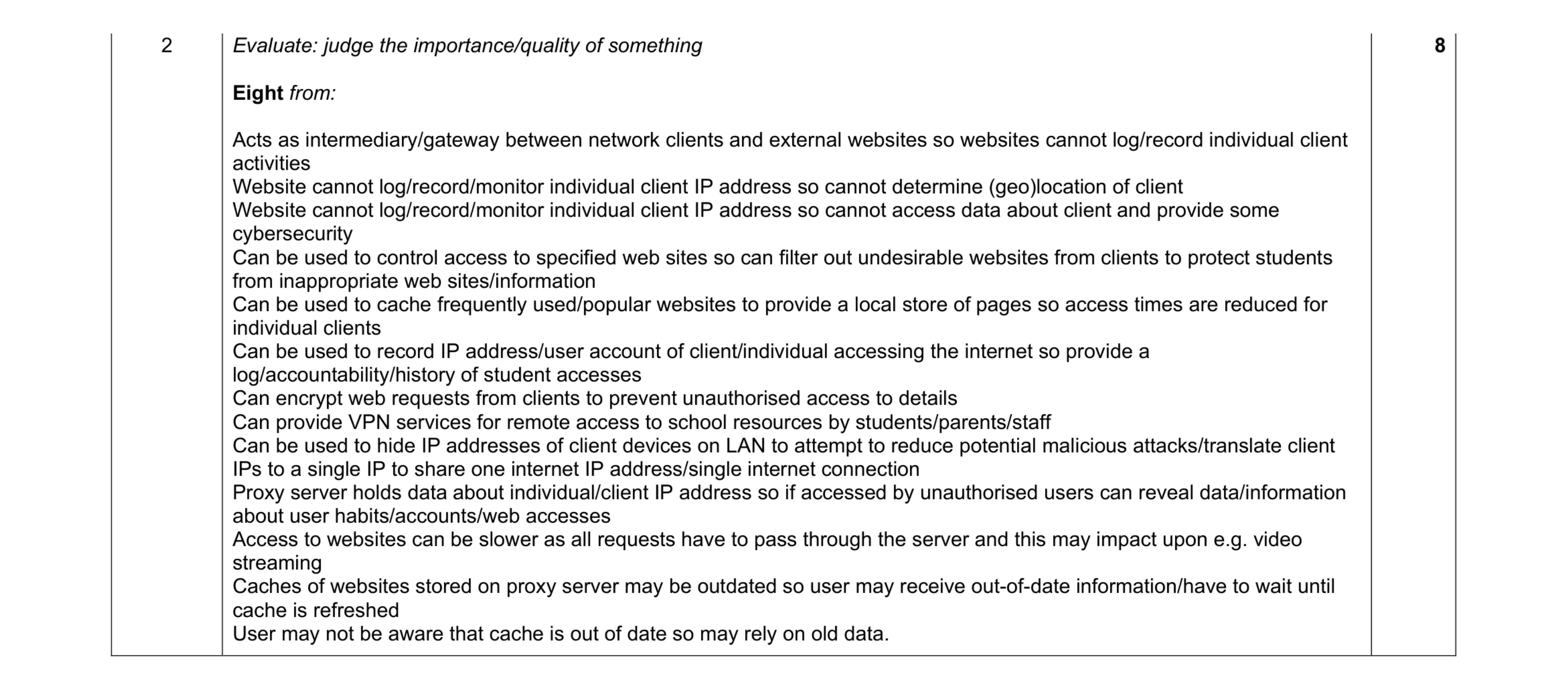 8
8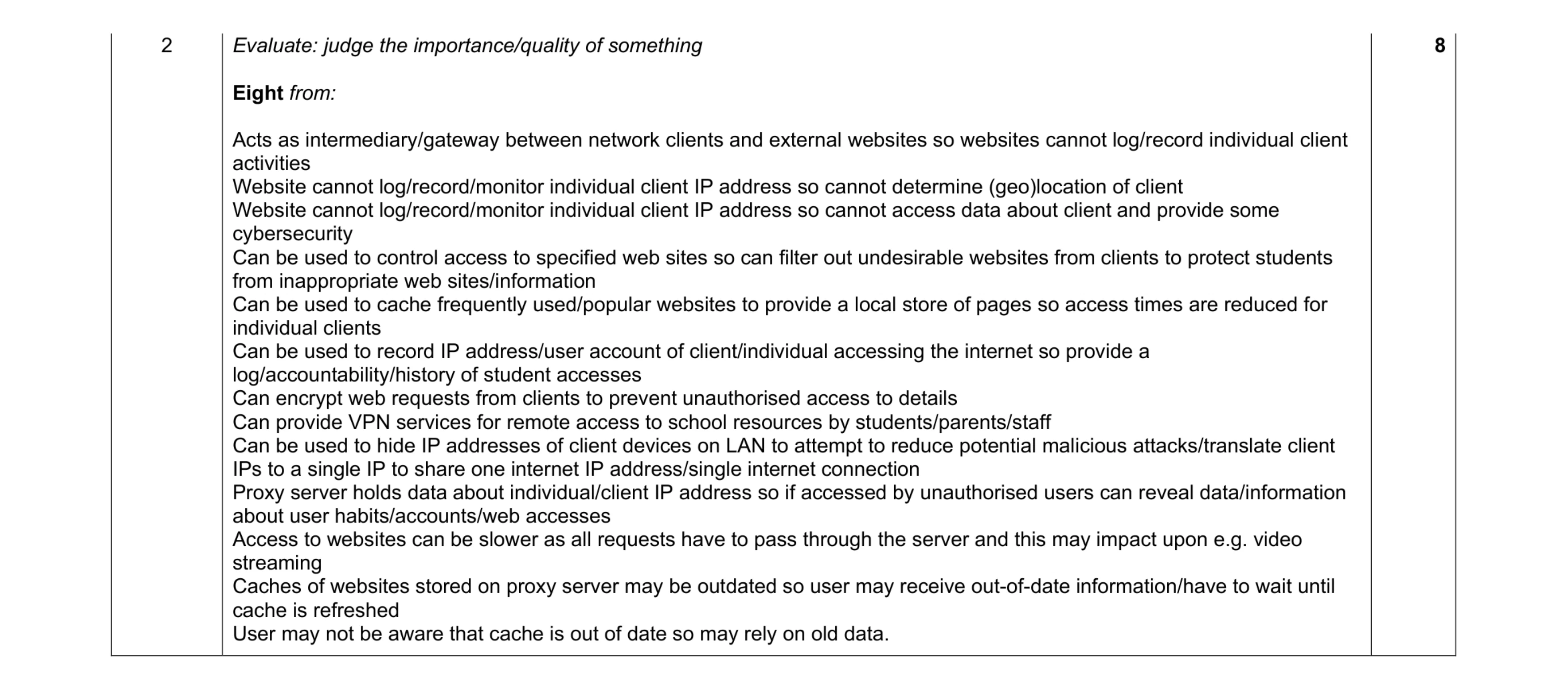 8
8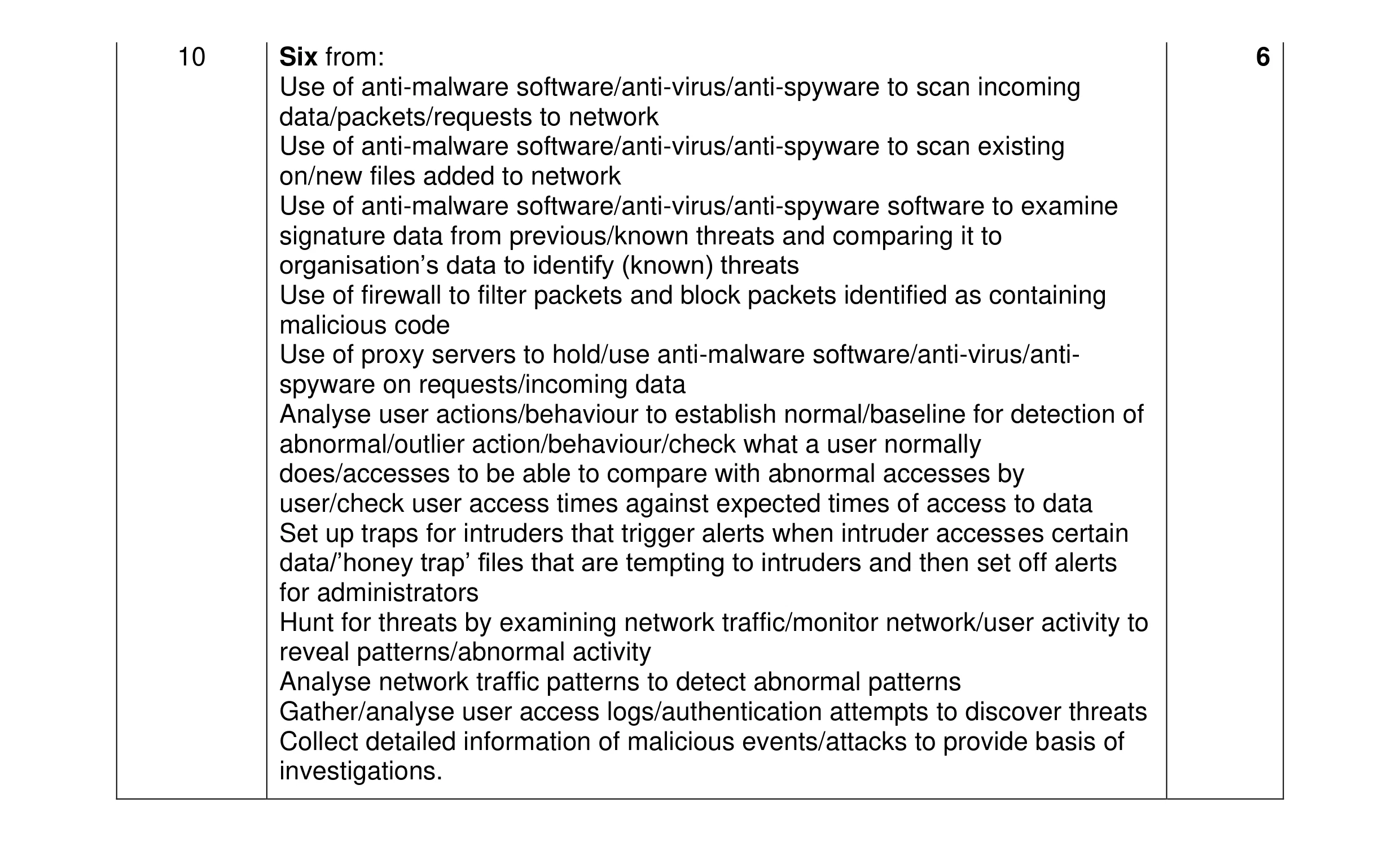 6
6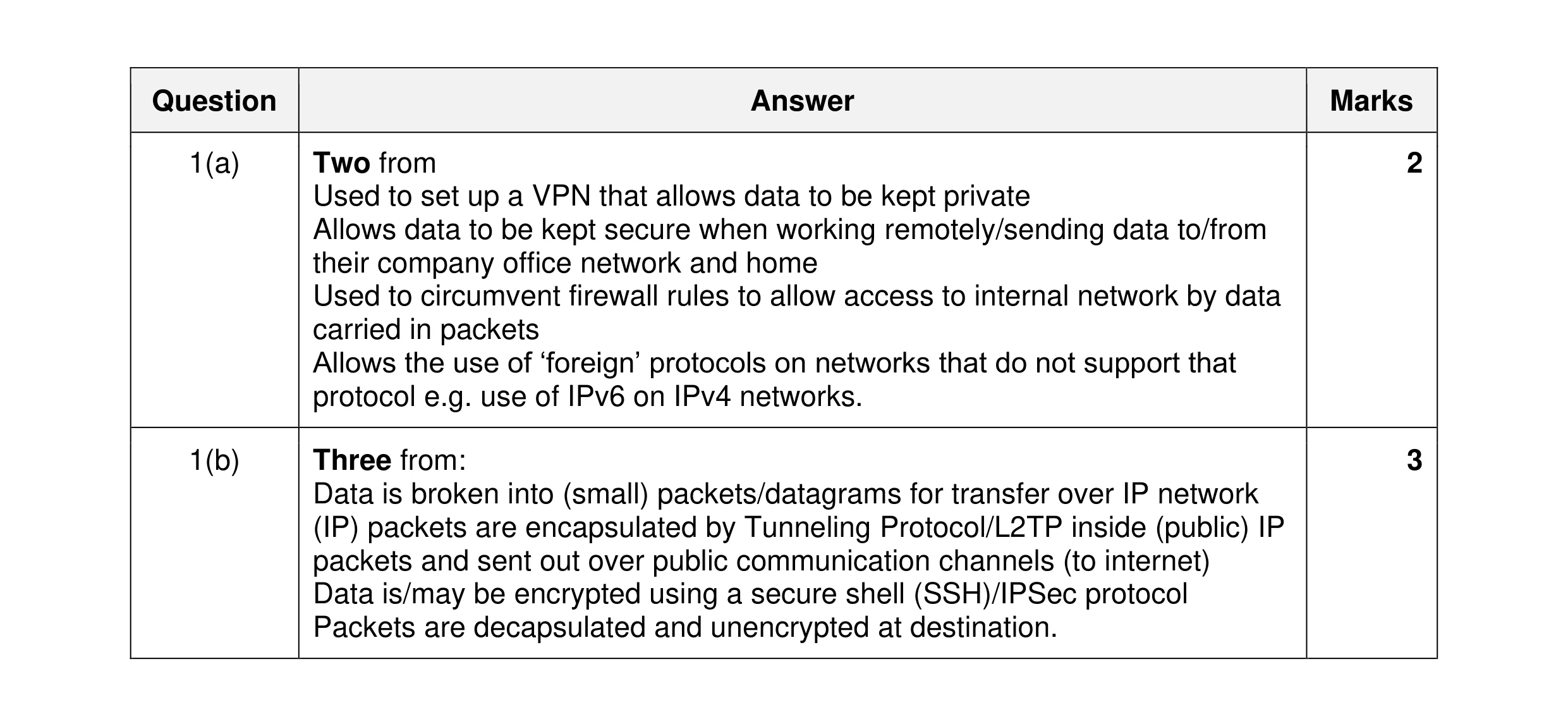 5
5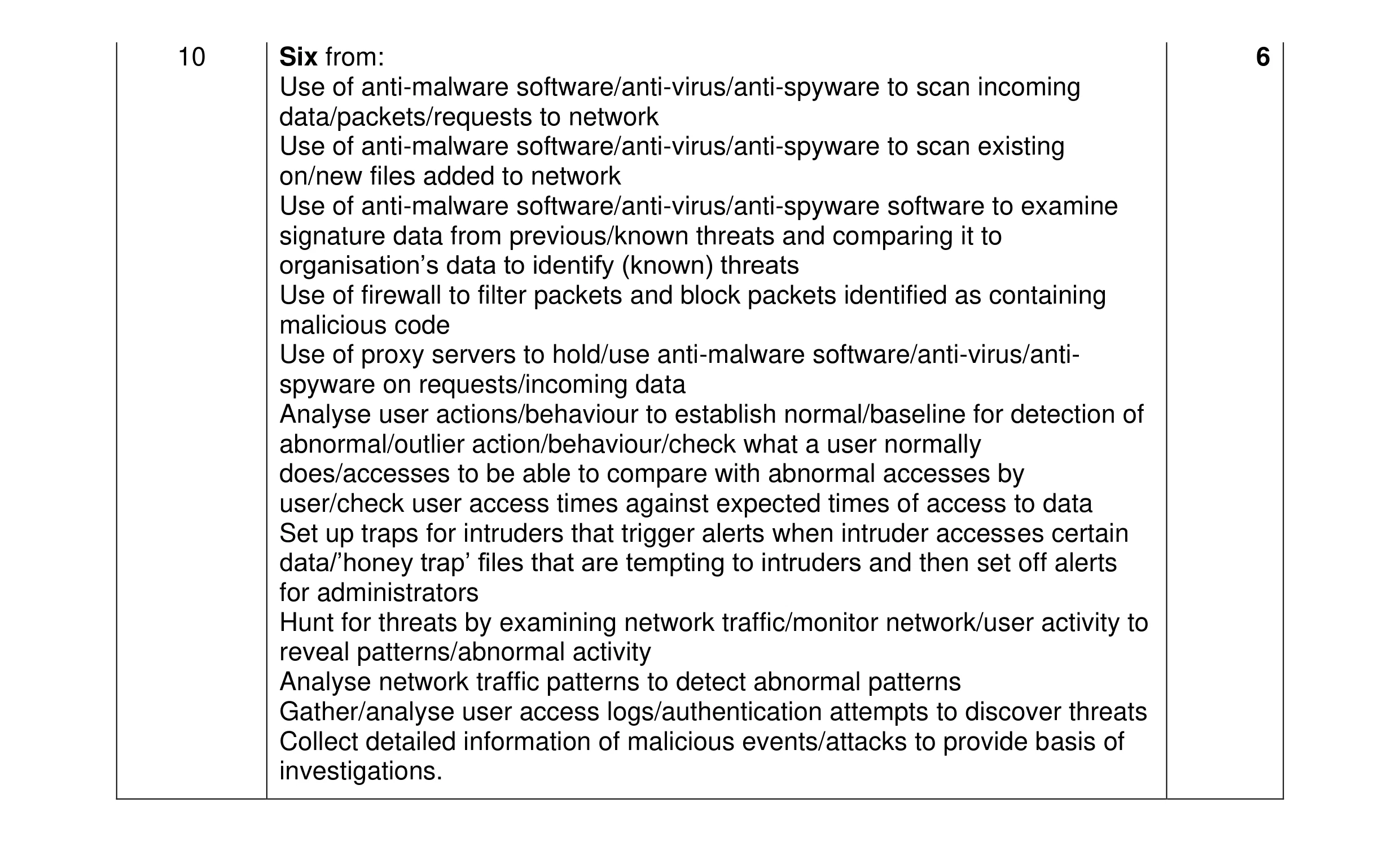 6
6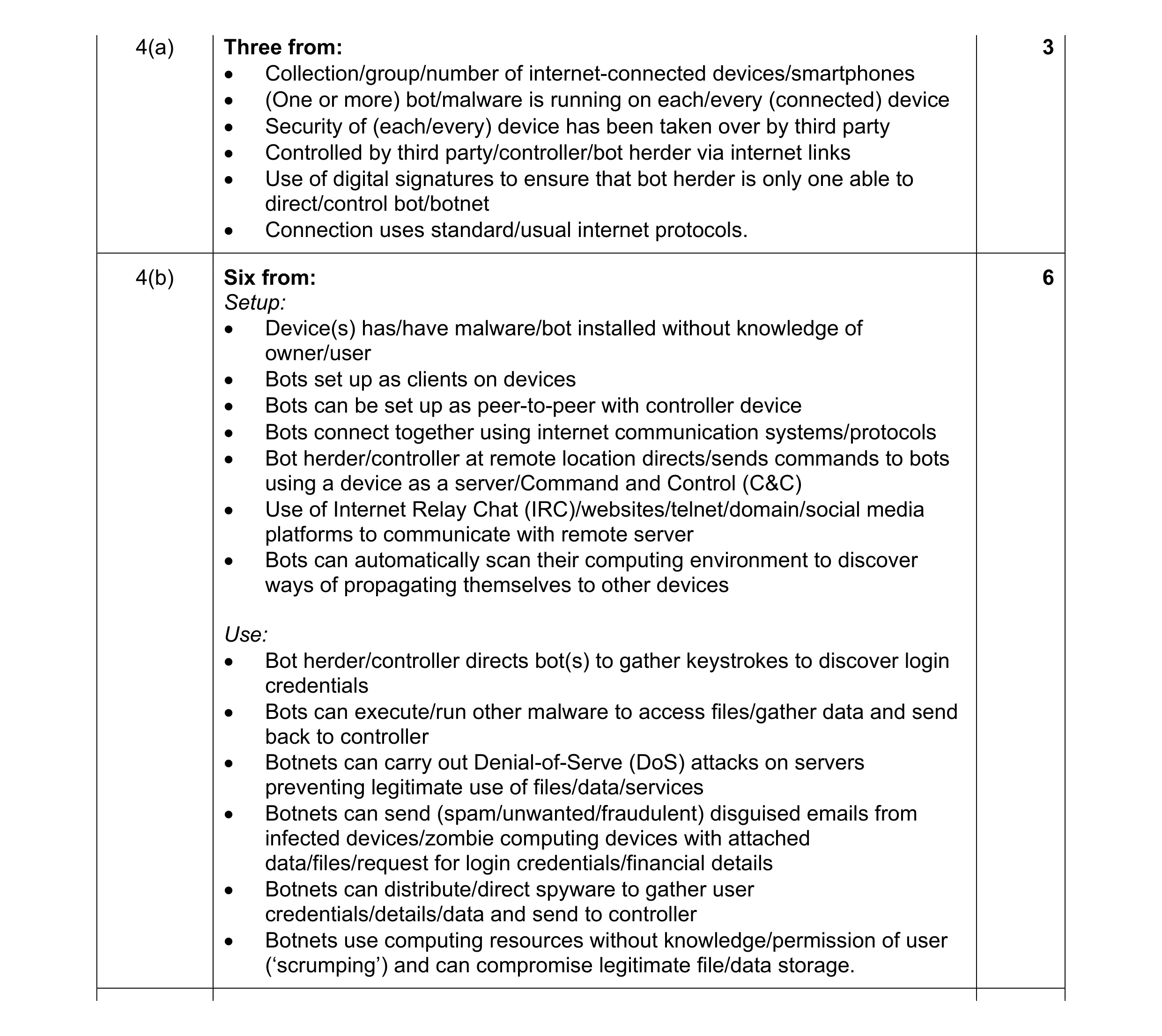 9
9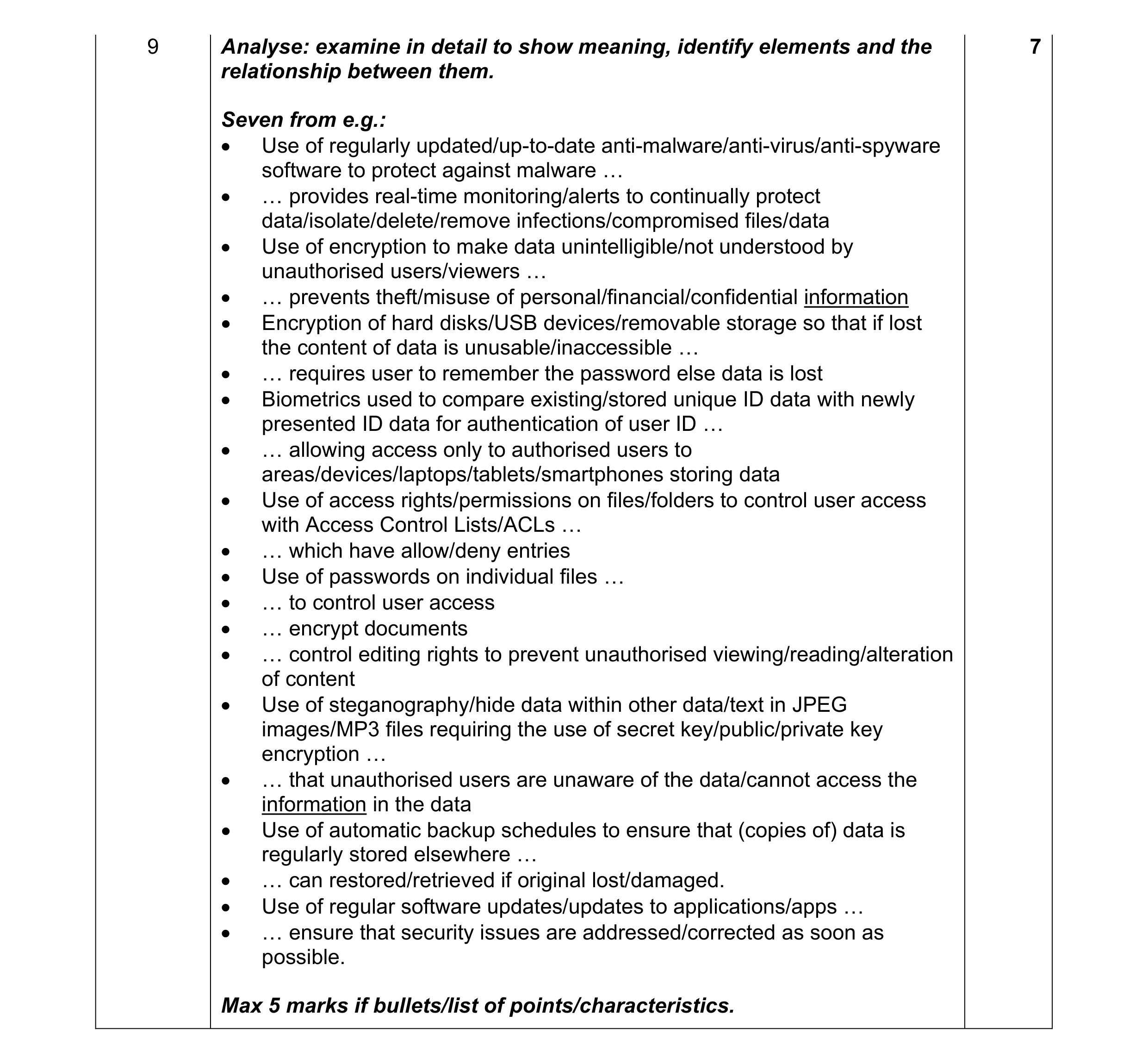 7
7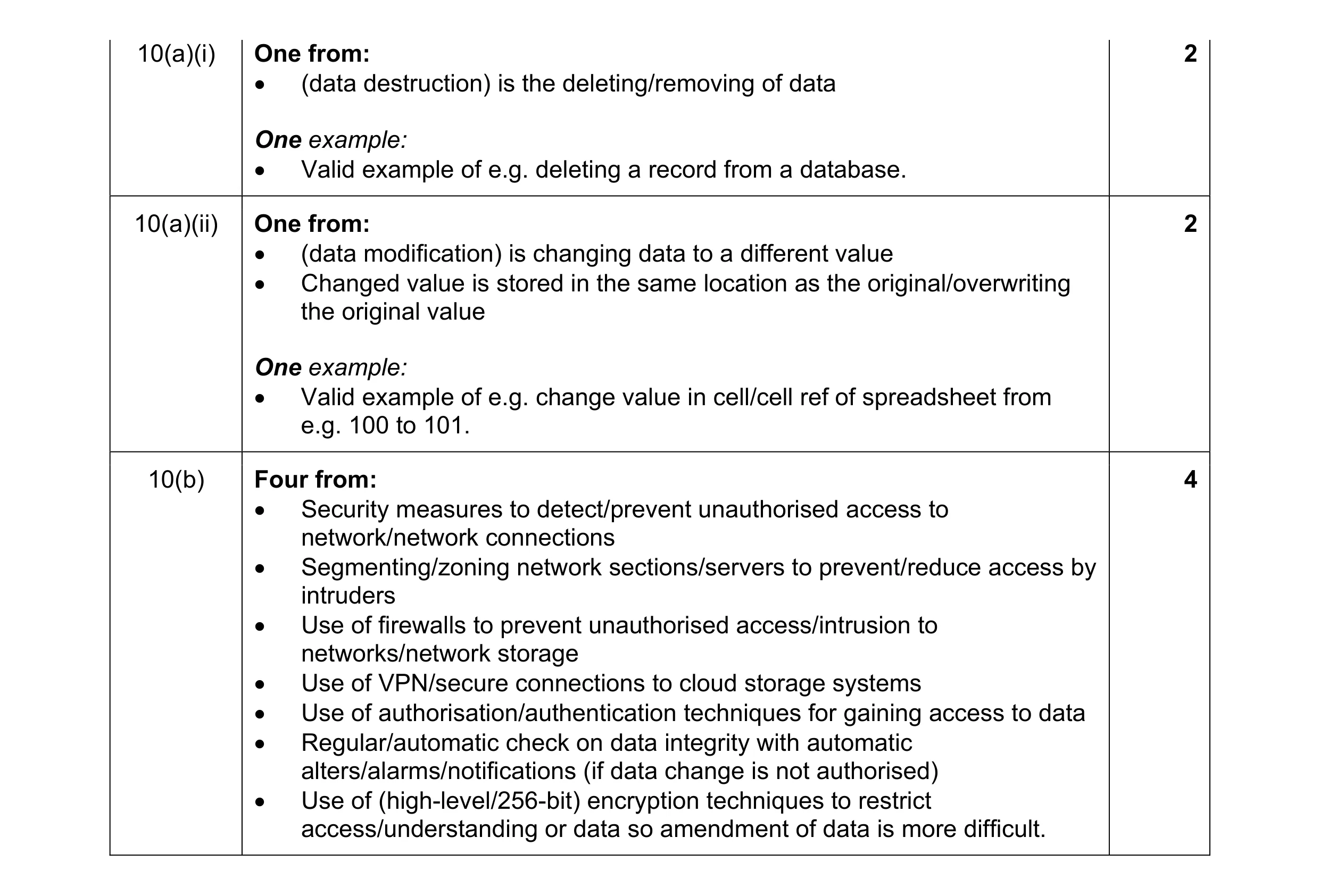 8
8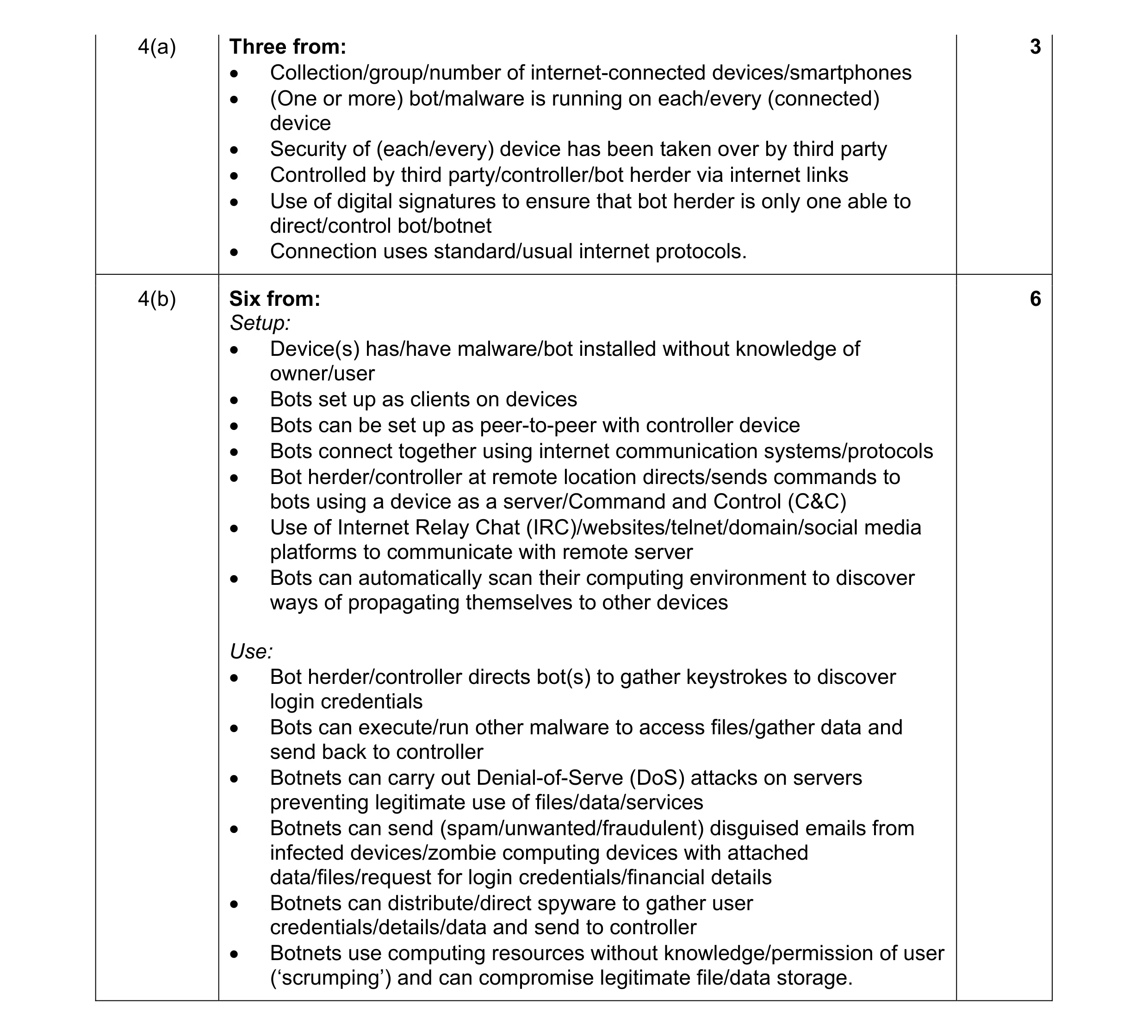 9
9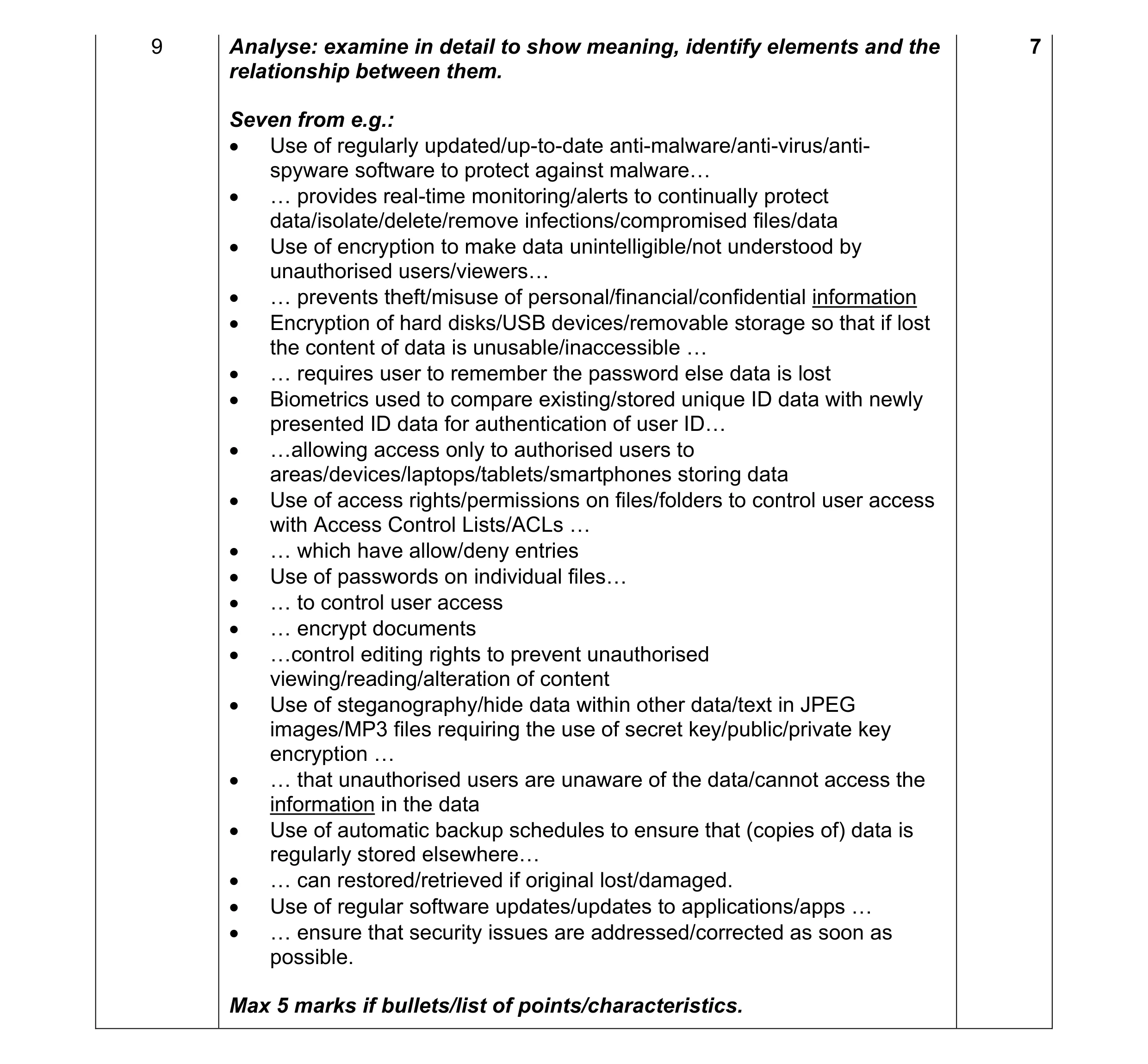 7
7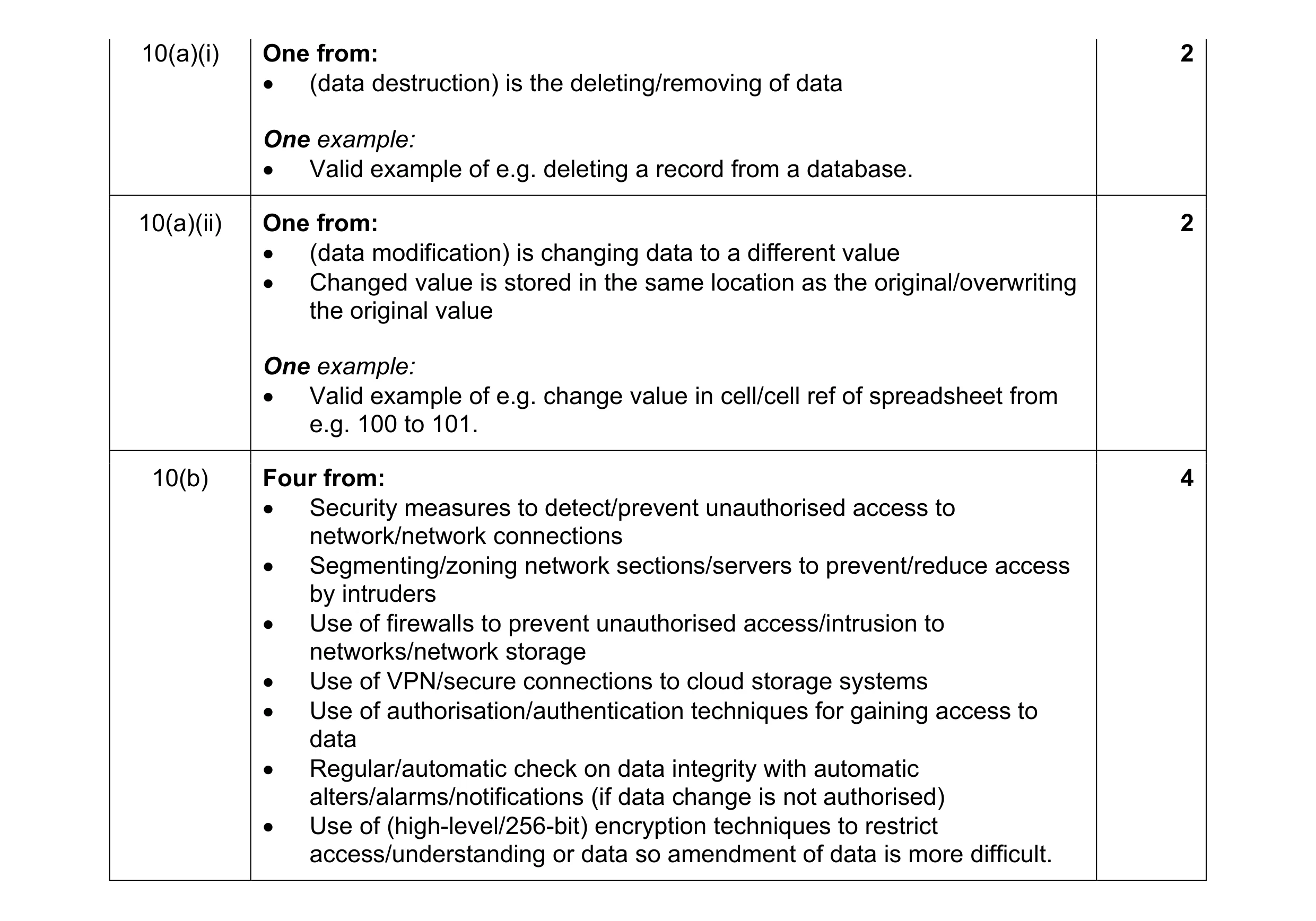 8
8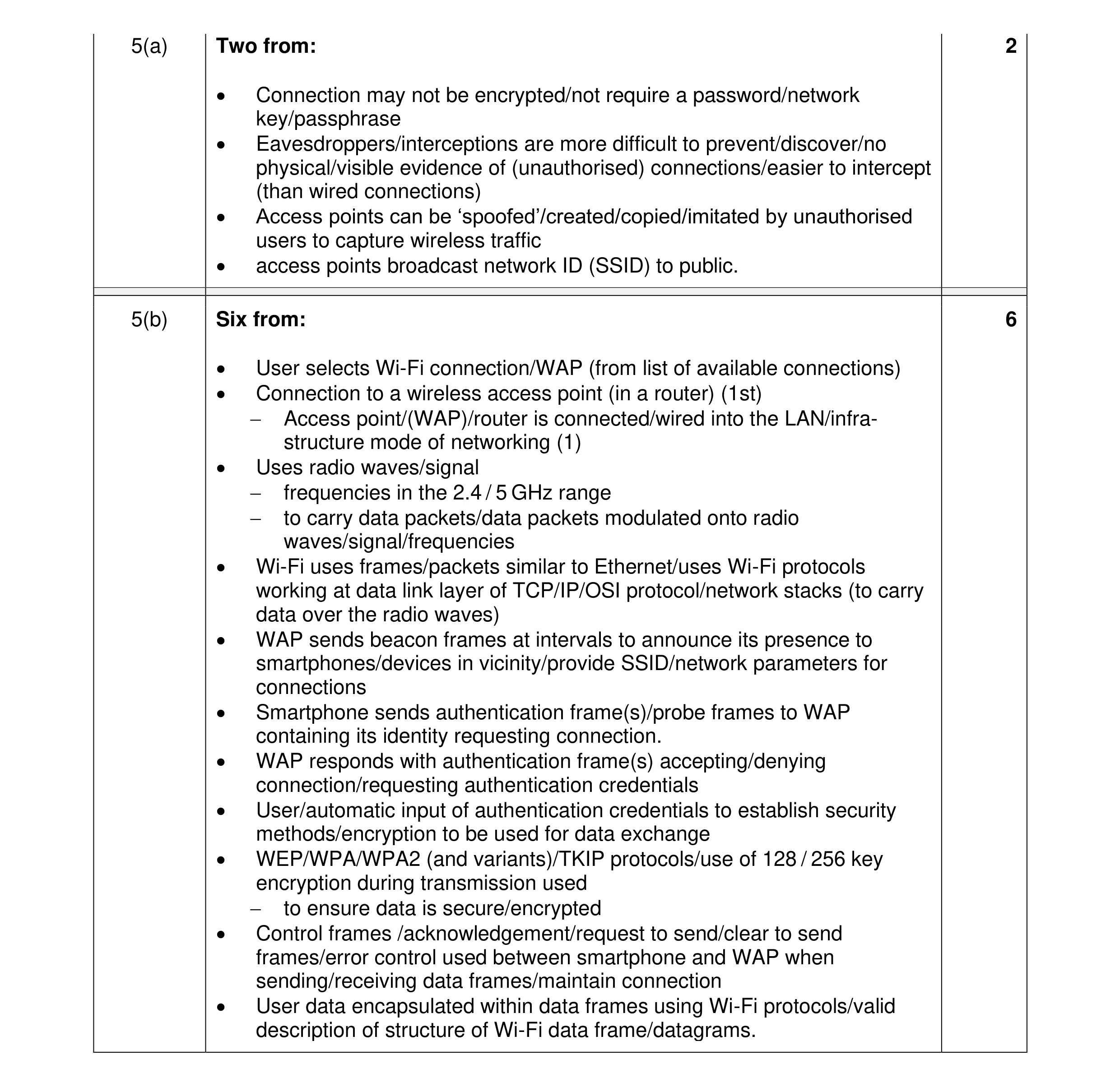 8
8 6
6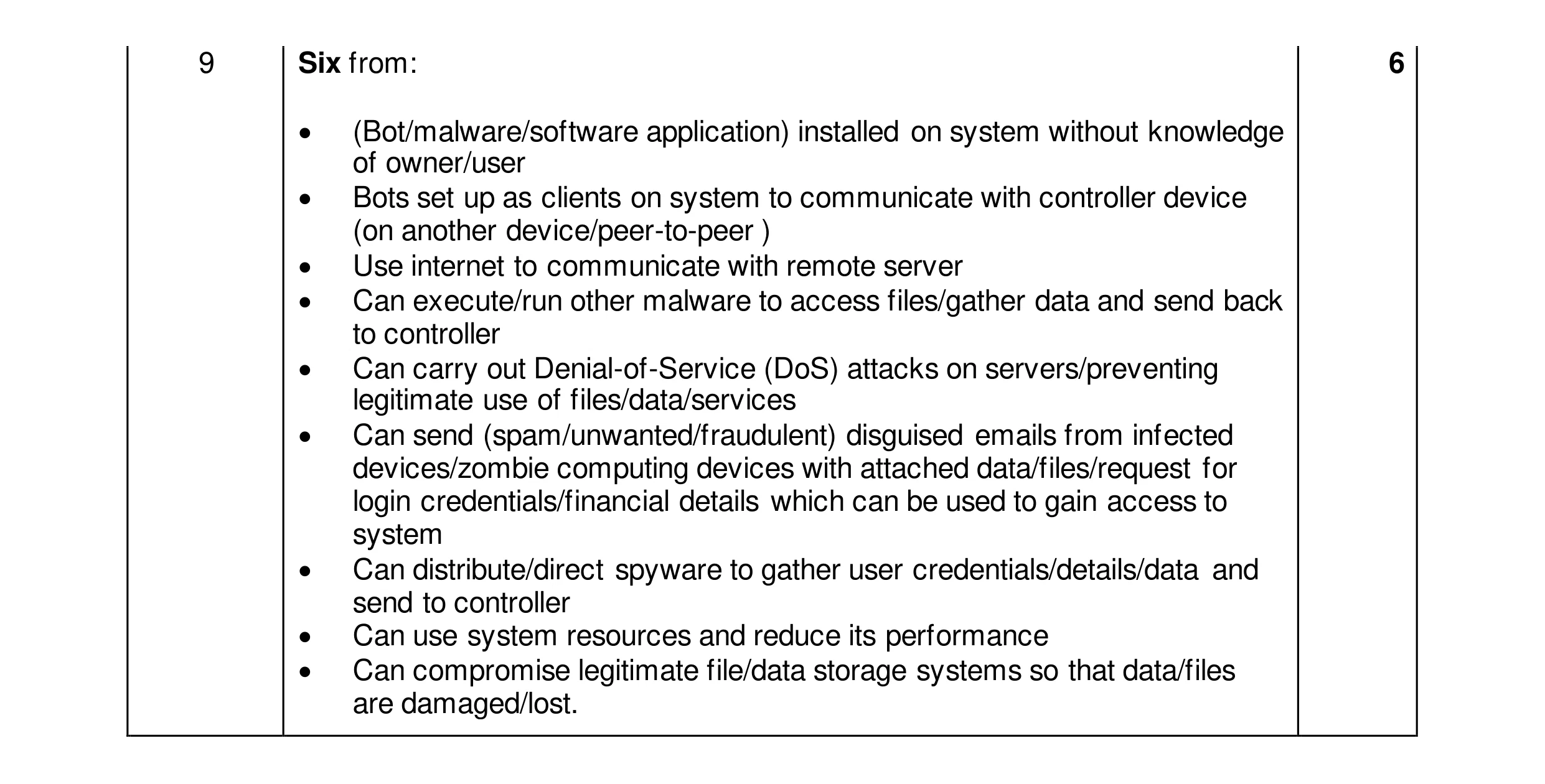 6
6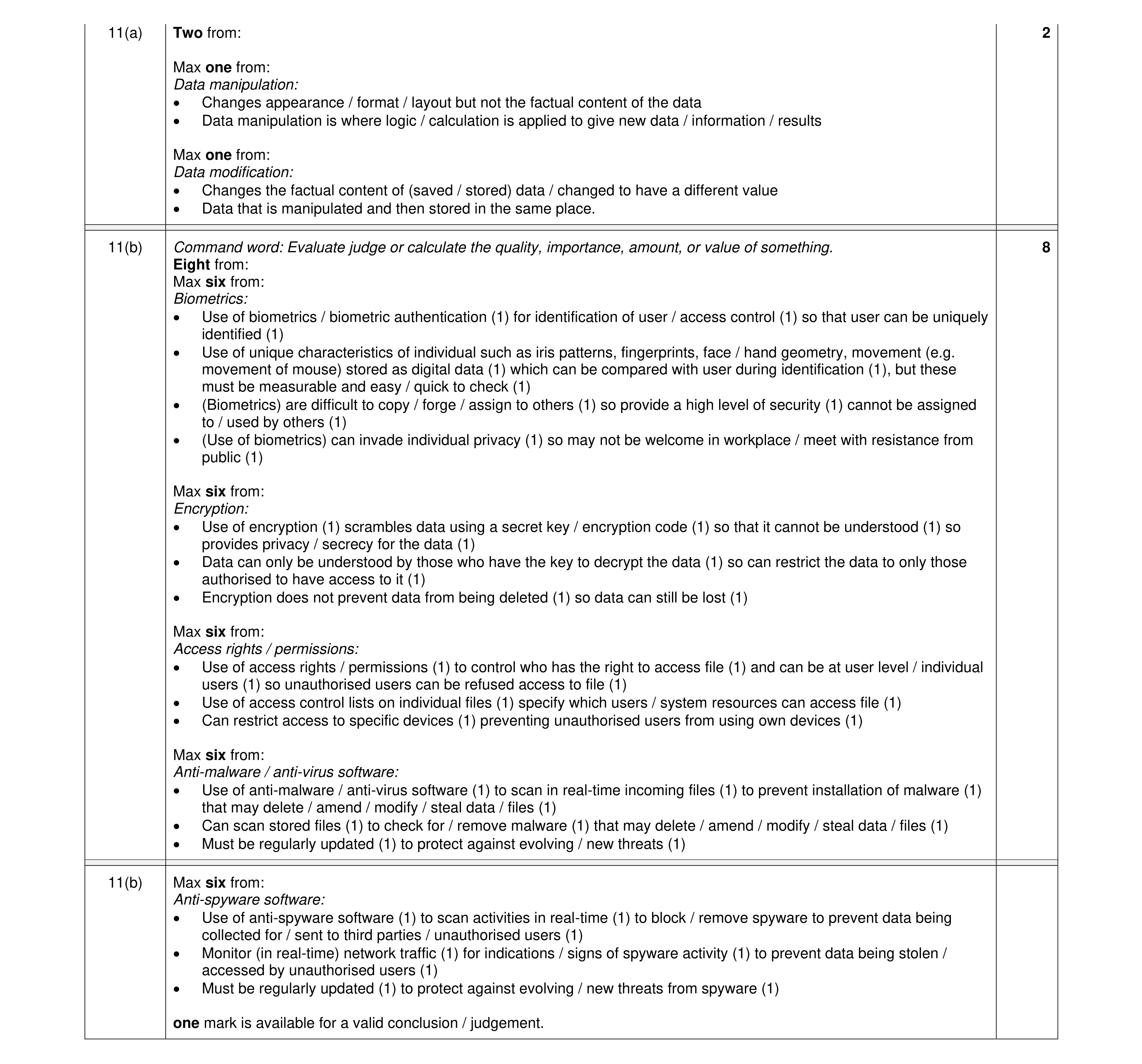 10
10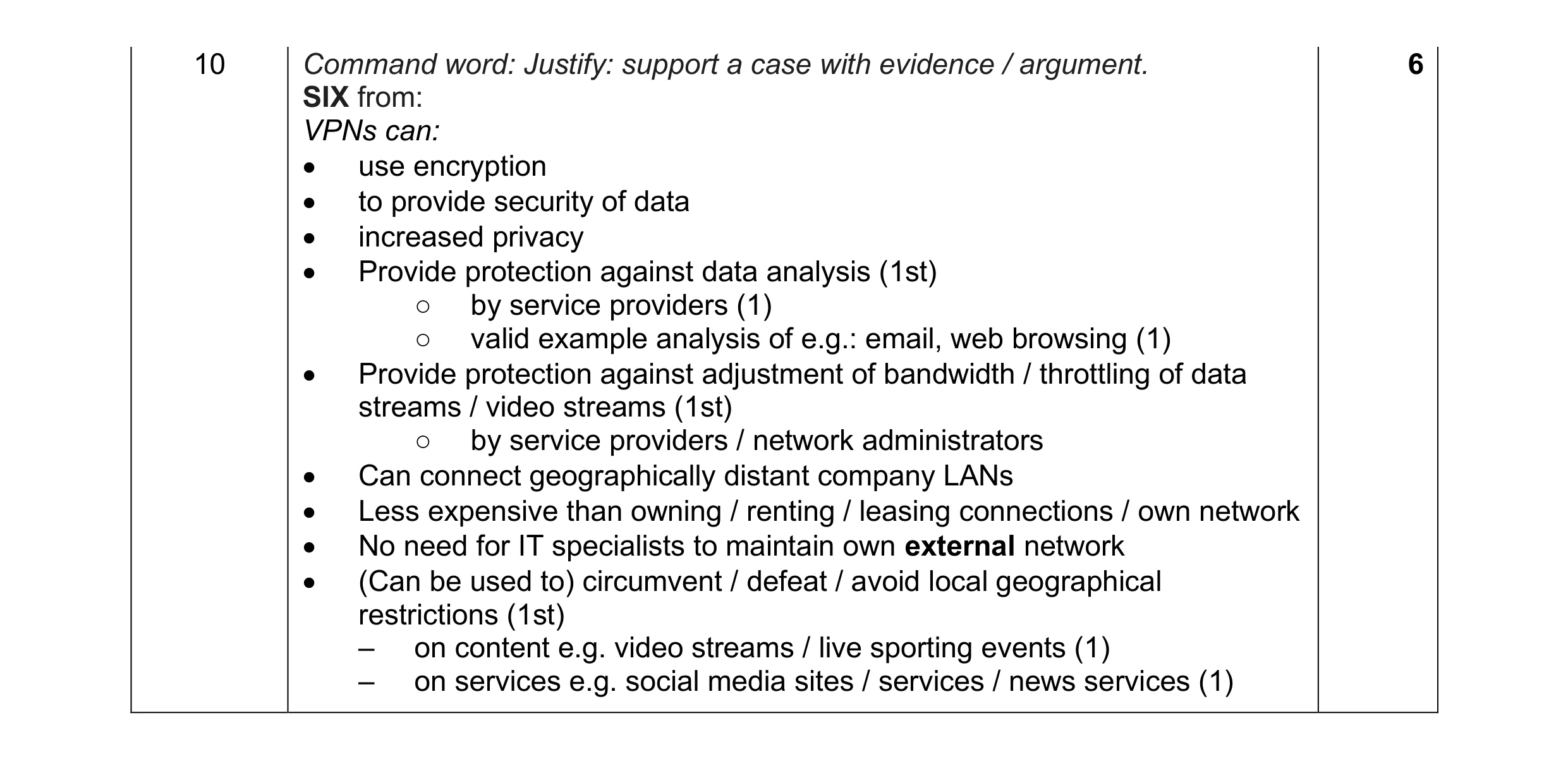 6
6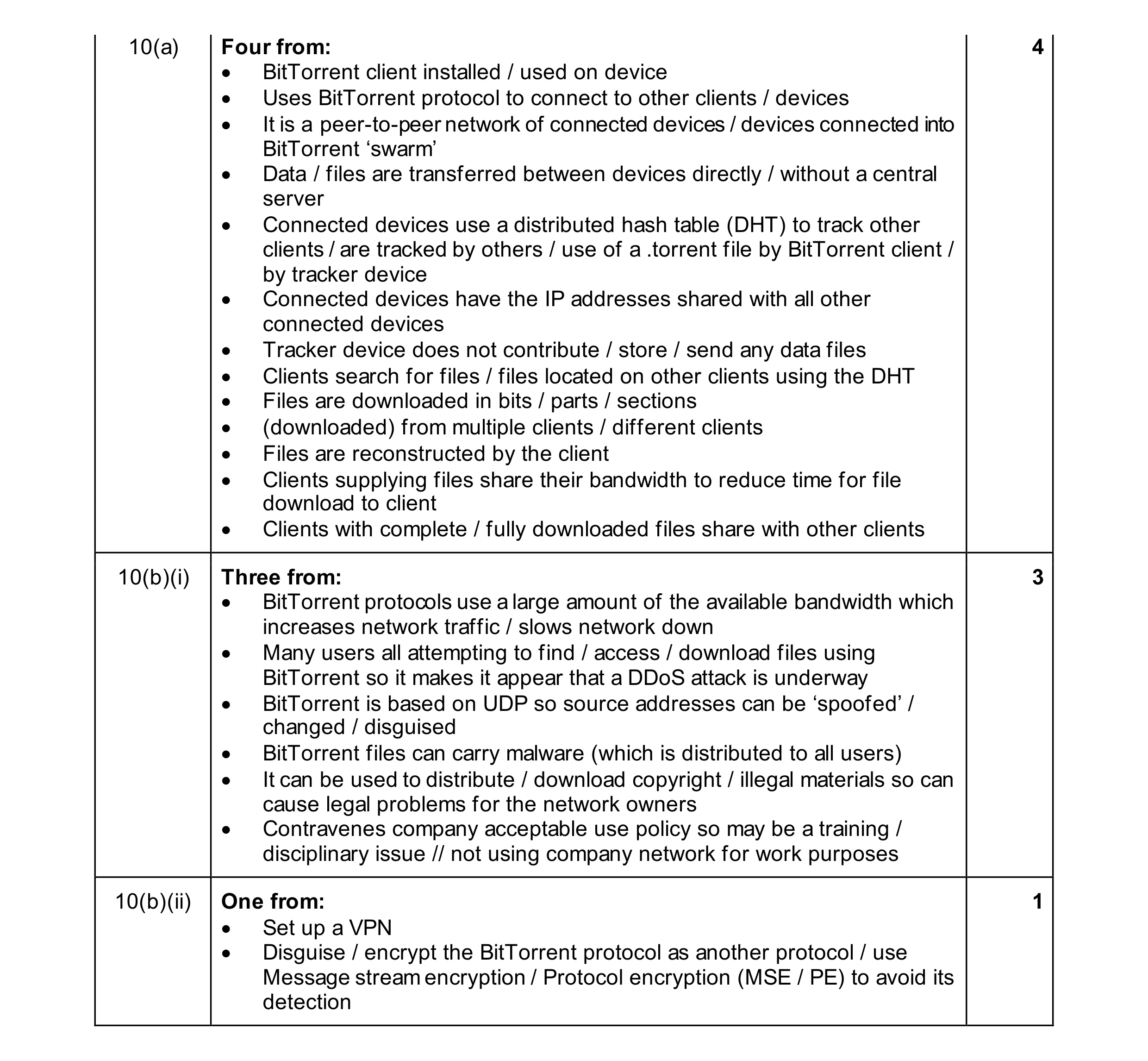 8
8