Cambridge A Level Information Technology (from 2017) 9626 — 2022 Oct/Nov Paper 3 · Variant 2
9626/32/O/N/22 · 10 questions · 70 marks · ≈79 min
The question paper and its mark scheme, free to read here and free to download. This is Cambridge’s own paper, exactly as it was sat.
Question paper12 pages



Mark scheme10 pages
Answers below. Sit the paper first if you are practising.

Questions as text
Q1 · Data can be sent over computer networks and the internet using tunneling
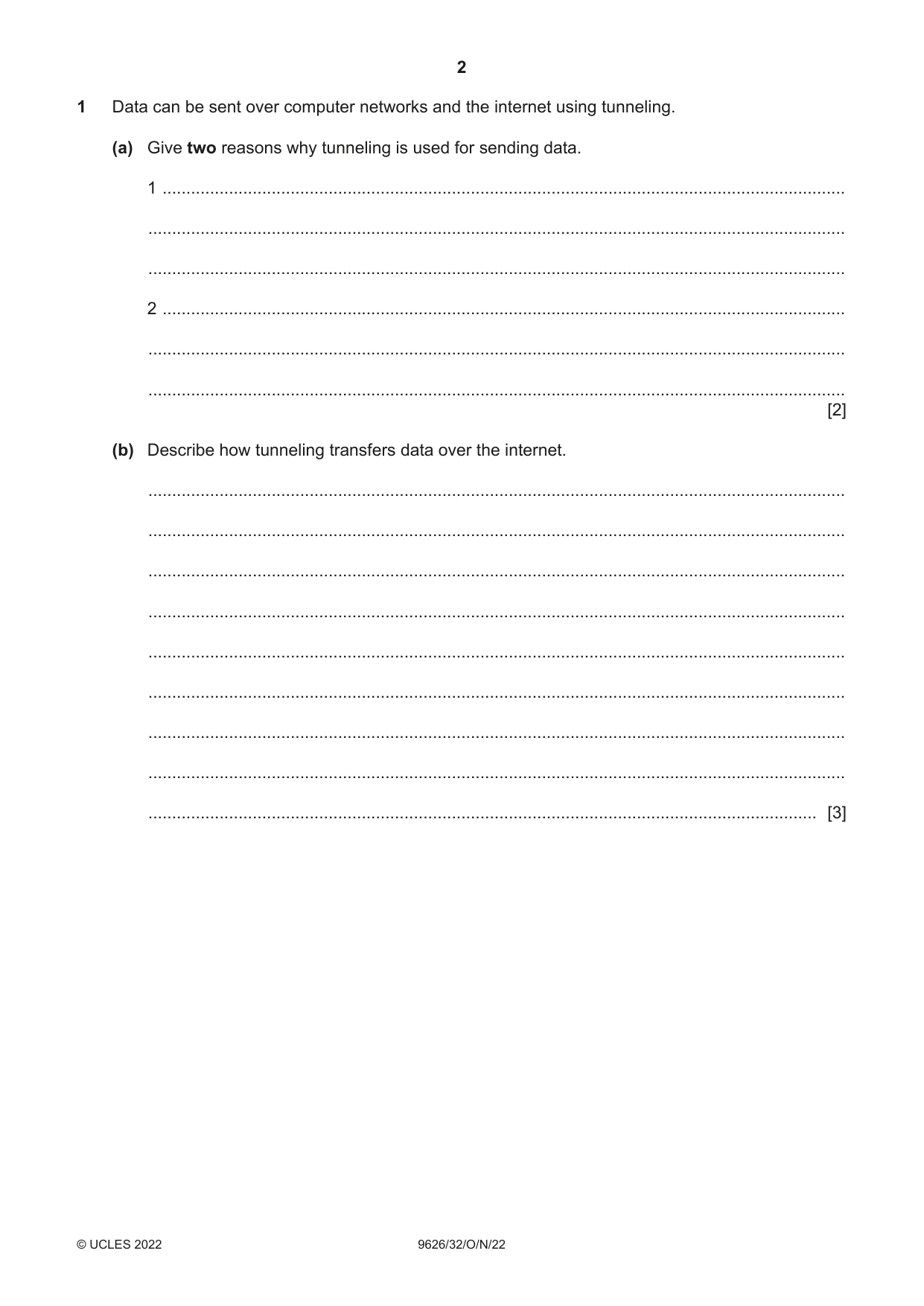
1 Data can be sent over computer networks and the internet using tunneling. (a) Give two reasons why tunneling is used for sending data. 1 ................................................................................................................................................ ................................................................................................................................................... ................................................................................................................................................... 2 ................................................................................................................................................ ................................................................................................................................................... ................................................................................................................................................... [2] (b) Describe how tunneling transfers data over the internet. ................................................................................................................................................... ................................................................................................................................................... ................................................................................................................................................... ................................................................................................................................................... ................................................................................................................................................... ................................................................................................................................................... ................................................................................................................................................... ................................................................................................................................................... ............................................................................................................................................. [3]
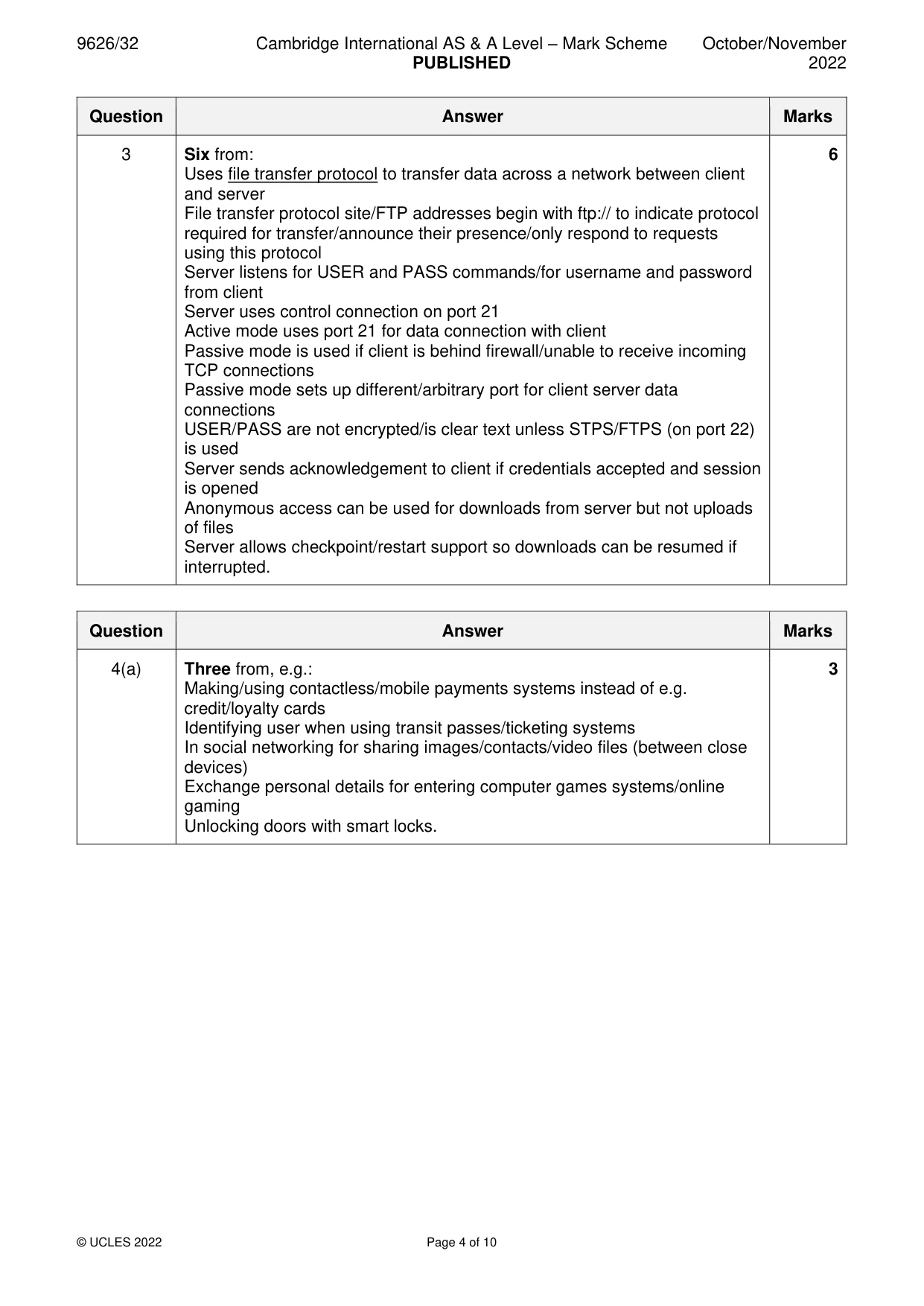
Mark scheme: Question Answer Marks 1(a) Two from 2 Used to set up a VPN that allows data to be kept private Allows data to be kept secure when working remotely/sending data to/from their company office network and home Used to circumvent firewall rules to allow access to internal network by data carried in packets Allows the use of ‘foreign’ protocols on networks that do not support that protocol e.g. use of IPv6 on IPv4 networks. 1(b) Three from: 3 Data is broken into (small) packets/datagrams for transfer over IP network (IP) packets are encapsulated by Tunneling Protocol/L2TP inside (public) IP packets and sent out over public communication channels (to internet) Data is/may be encrypted using a secure shell (SSH)/IPSec protocol Packets are decapsulated and unencrypted at destination.
Q2 · Data mining is used by health care organisations to analyse large amounts of patient data
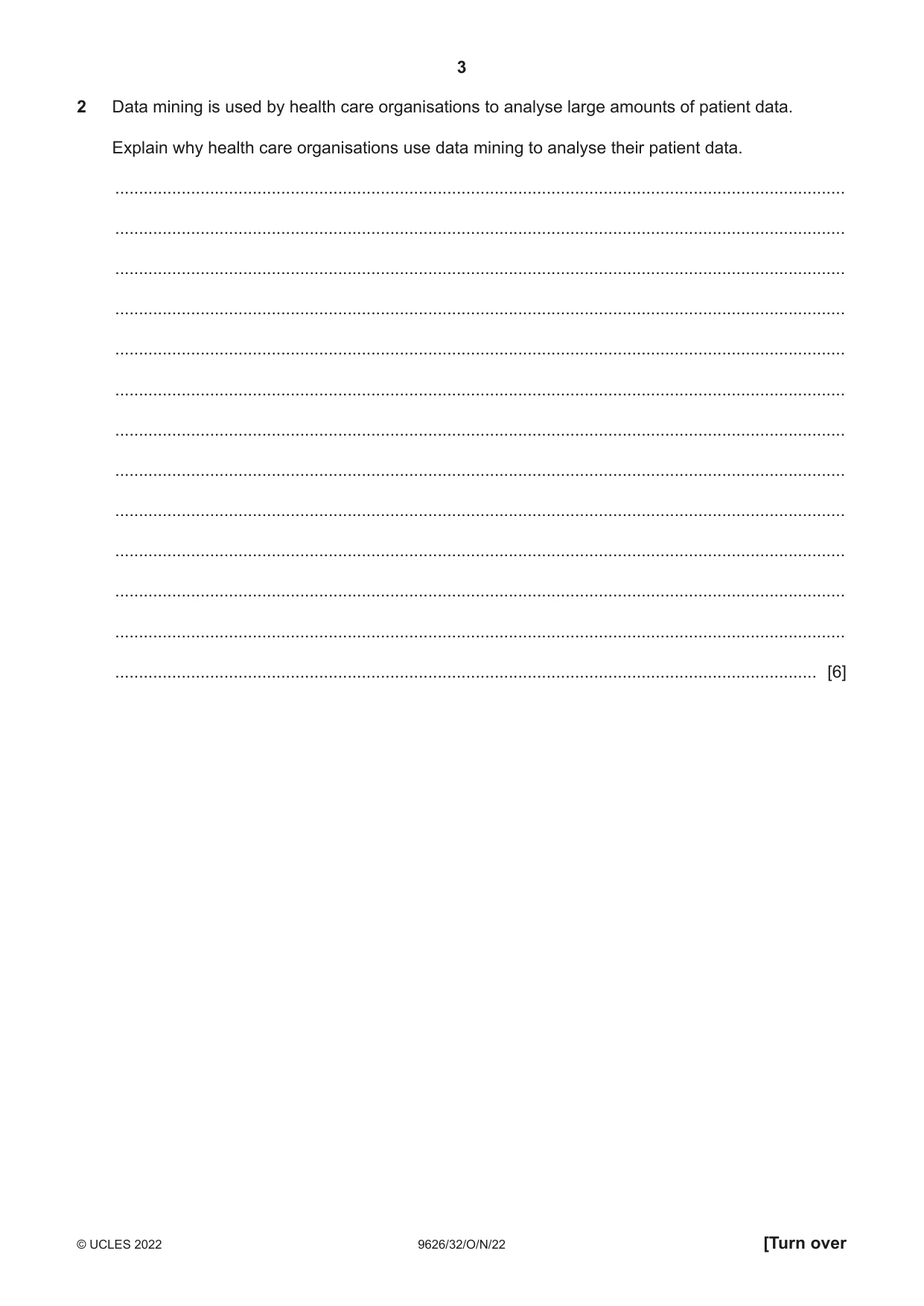
2 Data mining is used by health care organisations to analyse large amounts of patient data. Explain why health care organisations use data mining to analyse their patient data. .......................................................................................................................................................... .......................................................................................................................................................... .......................................................................................................................................................... .......................................................................................................................................................... .......................................................................................................................................................... .......................................................................................................................................................... .......................................................................................................................................................... .......................................................................................................................................................... .......................................................................................................................................................... .......................................................................................................................................................... .......................................................................................................................................................... .......................................................................................................................................................... .................................................................................................................................................... [6]
Mark scheme: 2 Six from: 6 Identify patterns in large sets of data Data patterns help to determine/predict trends in information Compare and contrast symptoms to analyse disease causes/processes Determine the effectiveness of treatments/drugs for illnesses to determine most effective course of treatment/medicines/actions Repeated analysis (to attempt) to standardise treatment of specific diseases (Repeated analysis) to speed up diagnosis and treatment of diseases Determine (normal) patterns of medical claims by patients/doctors/clinics/hospitals to help reduce costs Determine abnormal patient outcomes from treatments/procedures Determine abnormal/unusual patterns of medical claims by patients/doctors/clinics/hospitals to identify fraudulent claims.
Q3 · Explain how an FTP server carries out its role in a computer network
3 Explain how an FTP server carries out its role in a computer network. .......................................................................................................................................................... .......................................................................................................................................................... .......................................................................................................................................................... .......................................................................................................................................................... .......................................................................................................................................................... .......................................................................................................................................................... .......................................................................................................................................................... .......................................................................................................................................................... .......................................................................................................................................................... .......................................................................................................................................................... .......................................................................................................................................................... .......................................................................................................................................................... .................................................................................................................................................... [6]
Mark scheme: 3 Six from: 6 Uses file transfer protocol to transfer data across a network between client and server File transfer protocol site/FTP addresses begin with ftp:// to indicate protocol required for transfer/announce their presence/only respond to requests using this protocol Server listens for USER and PASS commands/for username and password from client Server uses control connection on port 21 Active mode uses port 21 for data connection with client Passive mode is used if client is behind firewall/unable to receive incoming TCP connections Passive mode sets up different/arbitrary port for client server data connections USER/PASS are not encrypted/is clear text unless STPS/FTPS (on port 22) is used Server sends acknowledgement to client if credentials accepted and session is opened Anonymous access can be used for downloads from server but not uploads of files Server allows checkpoint/restart support so downloads can be resumed if interrupted.
Q4 · Mobile devices can use Near Field Communication (NFC) and Bluetooth to exchange data
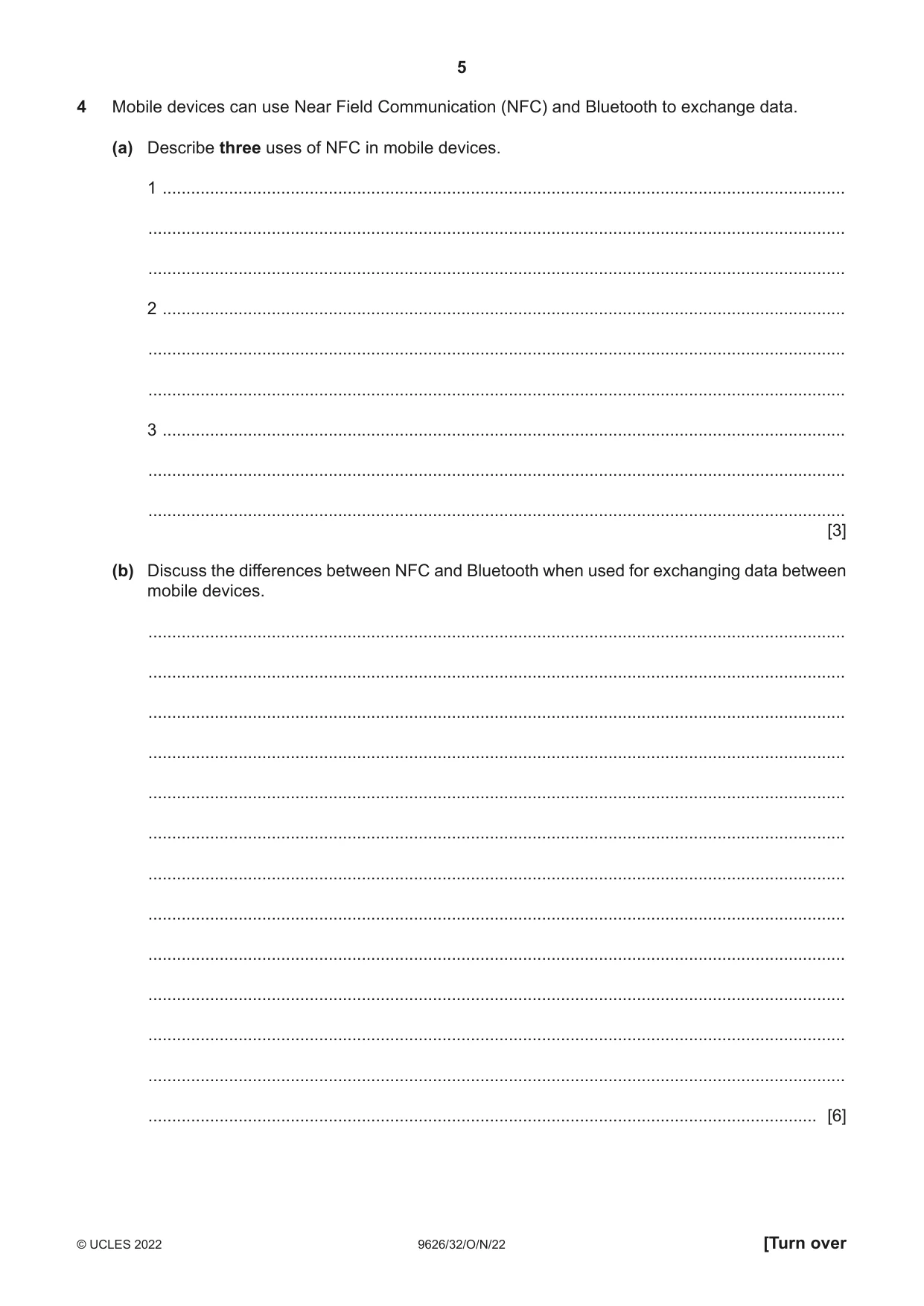
4 Mobile devices can use Near Field Communication (NFC) and Bluetooth to exchange data. (a) Describe three uses of NFC in mobile devices. 1 ................................................................................................................................................ ................................................................................................................................................... ................................................................................................................................................... 2 ................................................................................................................................................ ................................................................................................................................................... ................................................................................................................................................... 3 ................................................................................................................................................ ................................................................................................................................................... ................................................................................................................................................... [3] (b) Discuss the differences between NFC and Bluetooth when used for exchanging data between mobile devices. ................................................................................................................................................... ................................................................................................................................................... ................................................................................................................................................... ................................................................................................................................................... ................................................................................................................................................... ................................................................................................................................................... ................................................................................................................................................... ................................................................................................................................................... ................................................................................................................................................... ................................................................................................................................................... ................................................................................................................................................... ................................................................................................................................................... ............................................................................................................................................. [6]
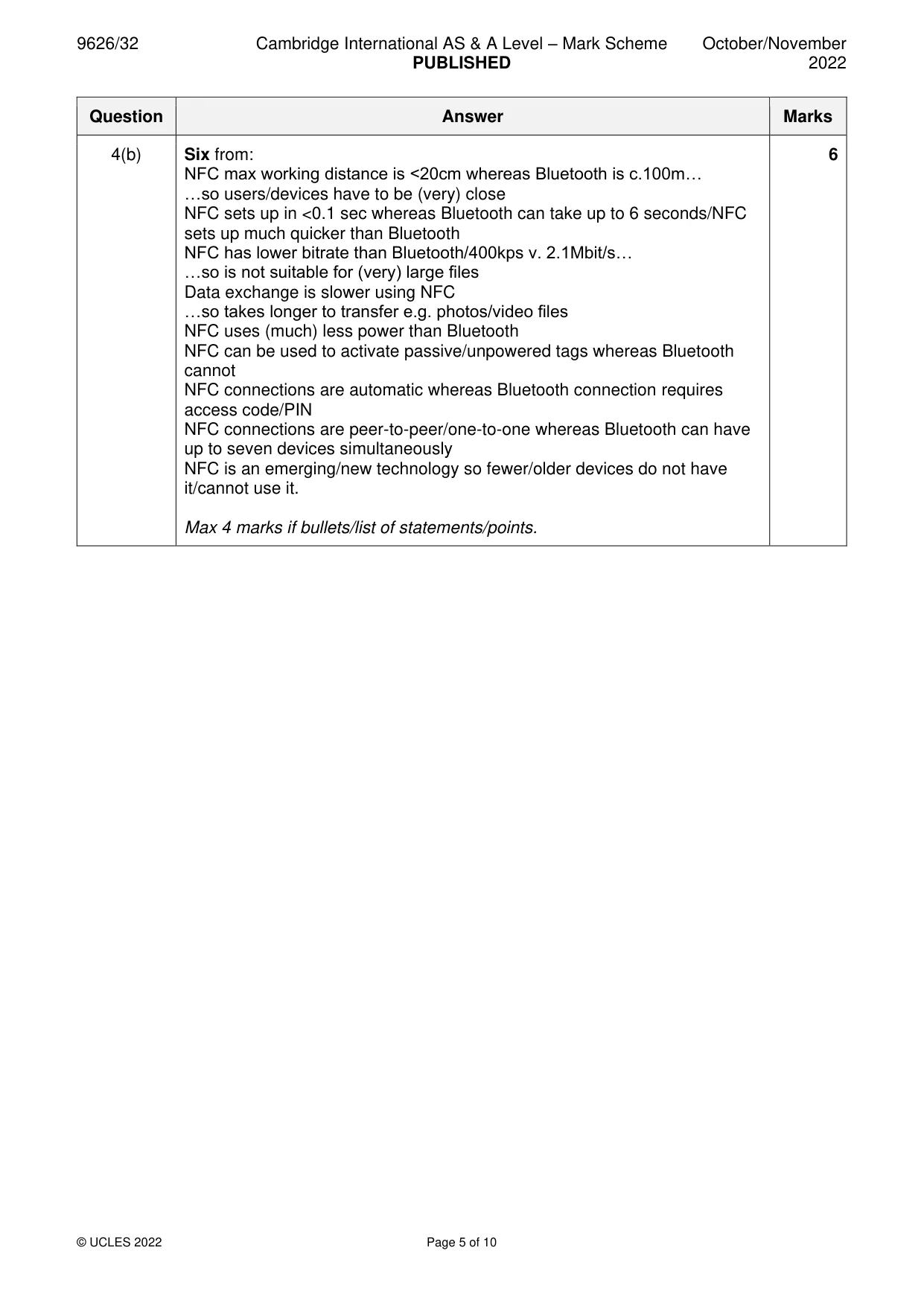
Mark scheme: 4(a) Three from, e.g.: 3 Making/using contactless/mobile payments systems instead of e.g. credit/loyalty cards Identifying user when using transit passes/ticketing systems In social networking for sharing images/contacts/video files (between close devices) Exchange personal details for entering computer games systems/online gaming Unlocking doors with smart locks. 4(b) Six from: 6 NFC max working distance is <20cm whereas Bluetooth is c.100m… …so users/devices have to be (very) close NFC sets up in <0.1 sec whereas Bluetooth can take up to 6 seconds/NFC sets up much quicker than Bluetooth NFC has lower bitrate than Bluetooth/400kps v. 2.1Mbit/s… …so is not suitable for (very) large files Data exchange is slower using NFC …so takes longer to transfer e.g. photos/video files NFC uses (much) less power than Bluetooth NFC can be used to activate passive/unpowered tags whereas Bluetooth cannot NFC connections are automatic whereas Bluetooth connection requires access code/PIN NFC connections are peer-to-peer/one-to-one whereas Bluetooth can have up to seven devices simultaneously NFC is an emerging/new technology so fewer/older devices do not have it/cannot use it. Max 4 marks if bullets/list of statements/points.
Q5 · A scientist requires a new computer system to help with her research into climate change
5 A scientist requires a new computer system to help with her research into climate change. A systems analyst will use document analysis to investigate the existing computer system. Evaluate the use of document analysis in this scenario. .......................................................................................................................................................... .......................................................................................................................................................... .......................................................................................................................................................... .......................................................................................................................................................... .......................................................................................................................................................... .......................................................................................................................................................... .......................................................................................................................................................... .......................................................................................................................................................... .......................................................................................................................................................... .......................................................................................................................................................... .......................................................................................................................................................... .......................................................................................................................................................... .......................................................................................................................................................... .......................................................................................................................................................... .......................................................................................................................................................... .......................................................................................................................................................... .......................................................................................................................................................... .......................................................................................................................................................... .......................................................................................................................................................... .................................................................................................................................................... [8]
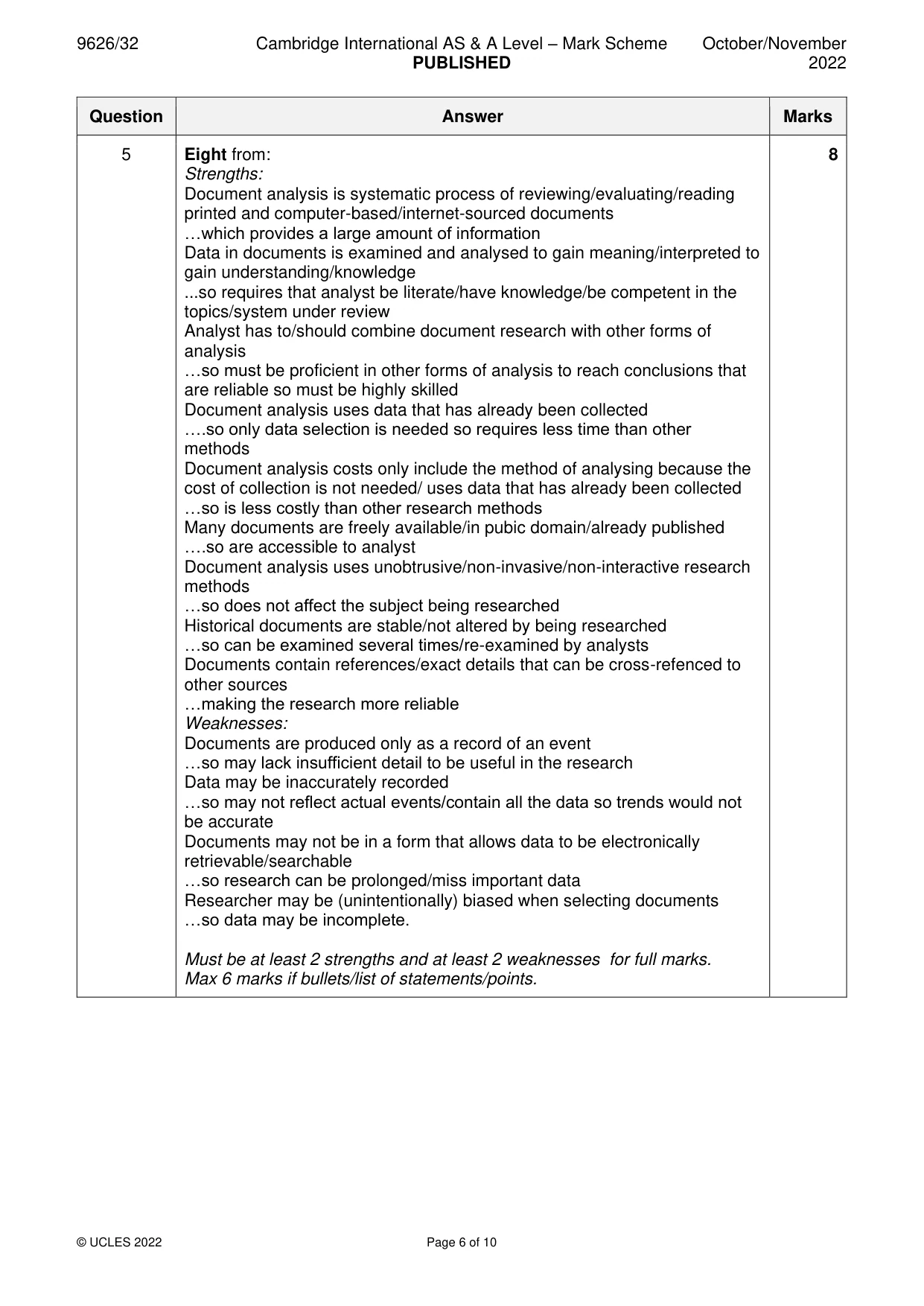
Mark scheme: 5 Eight from: 8 Strengths: Document analysis is systematic process of reviewing/evaluating/reading printed and computer-based/internet-sourced documents …which provides a large amount of information Data in documents is examined and analysed to gain meaning/interpreted to gain understanding/knowledge ...so requires that analyst be literate/have knowledge/be competent in the topics/system under review Analyst has to/should combine document research with other forms of analysis …so must be proficient in other forms of analysis to reach conclusions that are reliable so must be highly skilled Document analysis uses data that has already been collected ….so only data selection is needed so requires less time than other methods Document analysis costs only include the method of analysing because the cost of collection is not needed/ uses data that has already been collected …so is less costly than other research methods Many documents are freely available/in pubic domain/already published ….so are accessible to analyst Document analysis uses unobtrusive/non-invasive/non-interactive research methods …so does not affect the subject being researched Historical documents are stable/not altered by being researched …so can be examined several times/re-examined by analysts Documents contain references/exact details that can be cross-refenced to other sources …making the research more reliable Weaknesses: Documents are produced only as a record of an event …so may lack insufficient detail to be useful in the research Data may be inaccurately recorded …so may not reflect actual events/contain all the data so trends would not be accurate Documents may not be in a form that allows data to be electronically retrievable/searchable …so research can be prolonged/miss important data Researcher may be (unintentionally) biased when selecting documents …so data may be incomplete. Must be at least 2 strengths and at least 2 weaknesses for full marks. Max 6 marks if bullets/list of statements/points.
Q6 · A company designs and manages the construction of buildings
6 A company designs and manages the construction of buildings. It has a client-server network for use by its designers and project managers so that they have access to the software resources they require. Justify the use of the client-server model of networking in the company. .......................................................................................................................................................... .......................................................................................................................................................... .......................................................................................................................................................... .......................................................................................................................................................... .......................................................................................................................................................... .......................................................................................................................................................... .......................................................................................................................................................... .......................................................................................................................................................... .......................................................................................................................................................... .......................................................................................................................................................... .......................................................................................................................................................... .......................................................................................................................................................... .......................................................................................................................................................... .......................................................................................................................................................... .......................................................................................................................................................... .......................................................................................................................................................... .......................................................................................................................................................... .......................................................................................................................................................... .......................................................................................................................................................... .................................................................................................................................................... [8]
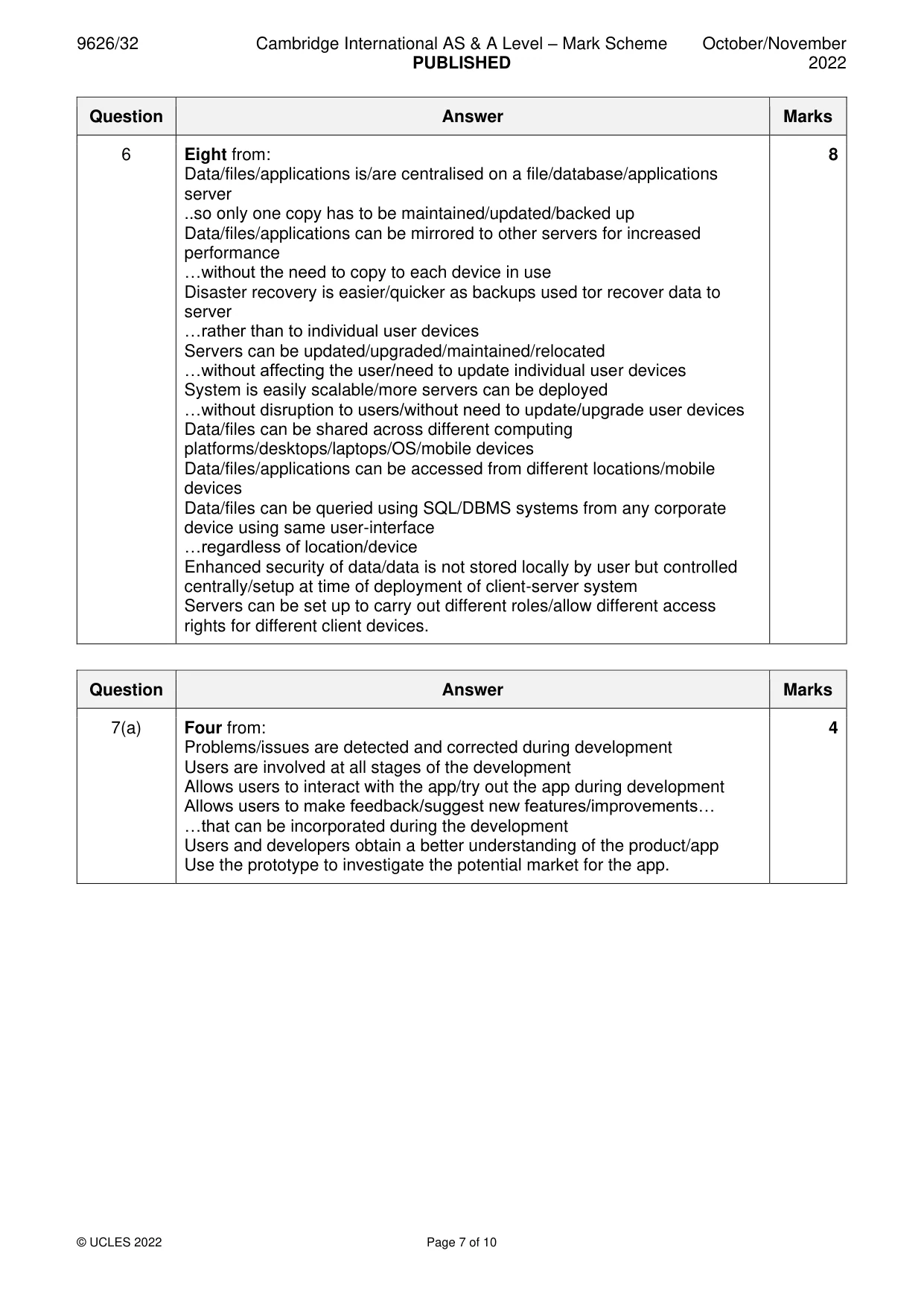
Mark scheme: 6 Eight from: 8 Data/files/applications is/are centralised on a file/database/applications server ..so only one copy has to be maintained/updated/backed up Data/files/applications can be mirrored to other servers for increased performance …without the need to copy to each device in use Disaster recovery is easier/quicker as backups used tor recover data to server …rather than to individual user devices Servers can be updated/upgraded/maintained/relocated …without affecting the user/need to update individual user devices System is easily scalable/more servers can be deployed …without disruption to users/without need to update/upgrade user devices Data/files can be shared across different computing platforms/desktops/laptops/OS/mobile devices Data/files/applications can be accessed from different locations/mobile devices Data/files can be queried using SQL/DBMS systems from any corporate device using same user-interface …regardless of location/device Enhanced security of data/data is not stored locally by user but controlled centrally/setup at time of deployment of client-server system Servers can be set up to carry out different roles/allow different access rights for different client devices.
Q7 · A software developer uses prototyping when creating a new app for smartphones
7 A software developer uses prototyping when creating a new app for smartphones. (a) Describe the use of prototyping during the development of the app. ................................................................................................................................................... ................................................................................................................................................... ................................................................................................................................................... ................................................................................................................................................... ................................................................................................................................................... ................................................................................................................................................... ................................................................................................................................................... ................................................................................................................................................... ................................................................................................................................................... ................................................................................................................................................... ............................................................................................................................................. [4] (b) Compare throw-away prototyping with evolutionary prototyping for creating the new app. ................................................................................................................................................... ................................................................................................................................................... ................................................................................................................................................... ................................................................................................................................................... ................................................................................................................................................... ................................................................................................................................................... ................................................................................................................................................... ................................................................................................................................................... ................................................................................................................................................... ................................................................................................................................................... ................................................................................................................................................... ................................................................................................................................................... ............................................................................................................................................. [6]
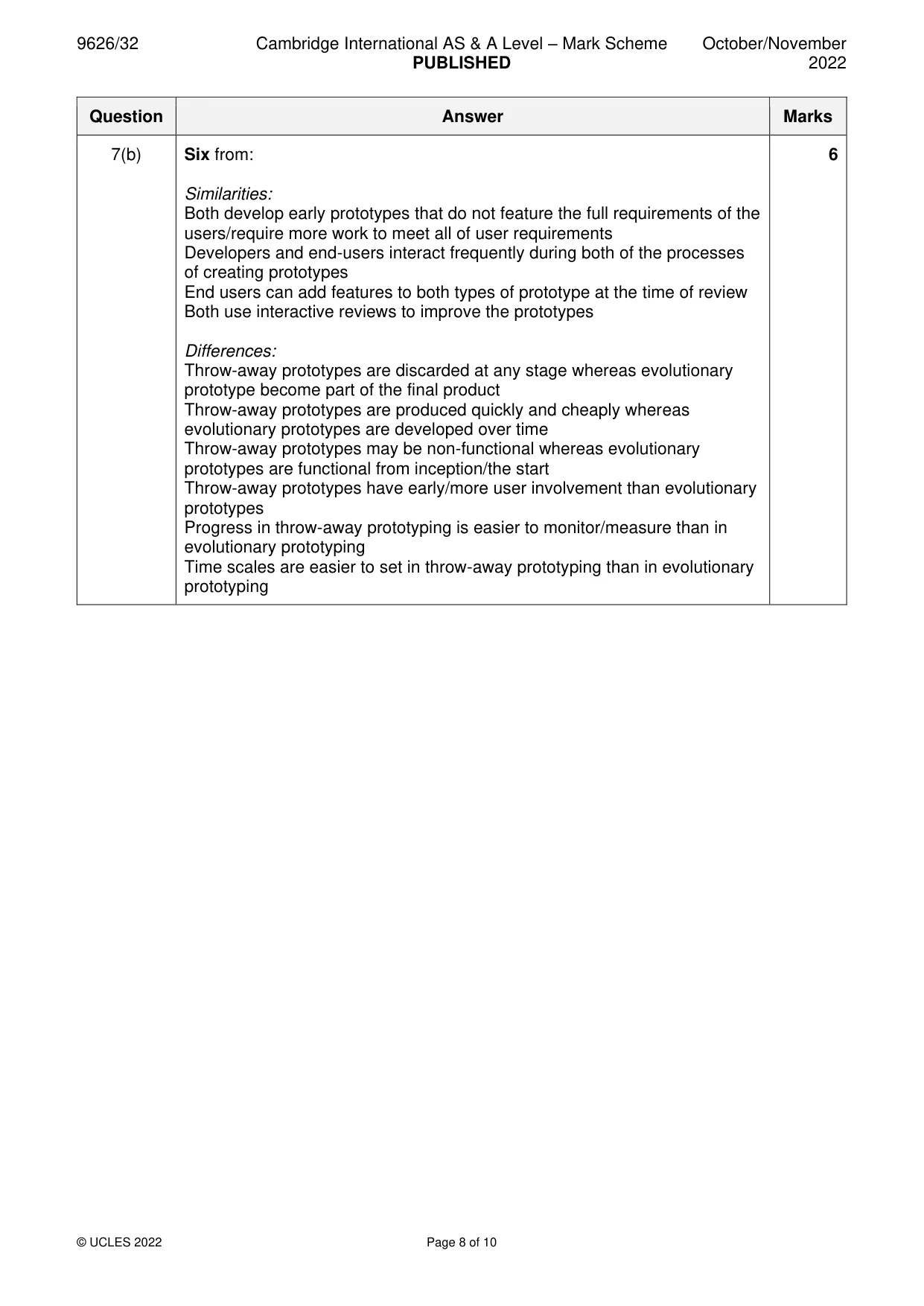
Mark scheme: 7(a) Four from: 4 Problems/issues are detected and corrected during development Users are involved at all stages of the development Allows users to interact with the app/try out the app during development Allows users to make feedback/suggest new features/improvements… …that can be incorporated during the development Users and developers obtain a better understanding of the product/app Use the prototype to investigate the potential market for the app. 7(b) Six from: 6 Similarities: Both develop early prototypes that do not feature the full requirements of the users/require more work to meet all of user requirements Developers and end-users interact frequently during both of the processes of creating prototypes End users can add features to both types of prototype at the time of review Both use interactive reviews to improve the prototypes Differences: Throw-away prototypes are discarded at any stage whereas evolutionary prototype become part of the final product Throw-away prototypes are produced quickly and cheaply whereas evolutionary prototypes are developed over time Throw-away prototypes may be non-functional whereas evolutionary prototypes are functional from inception/the start Throw-away prototypes have early/more user involvement than evolutionary prototypes Progress in throw-away prototyping is easier to monitor/measure than in evolutionary prototyping Time scales are easier to set in throw-away prototyping than in evolutionary prototyping
Q8 · Draw the correct symbol around each of the elements shown in the DFD in Fig
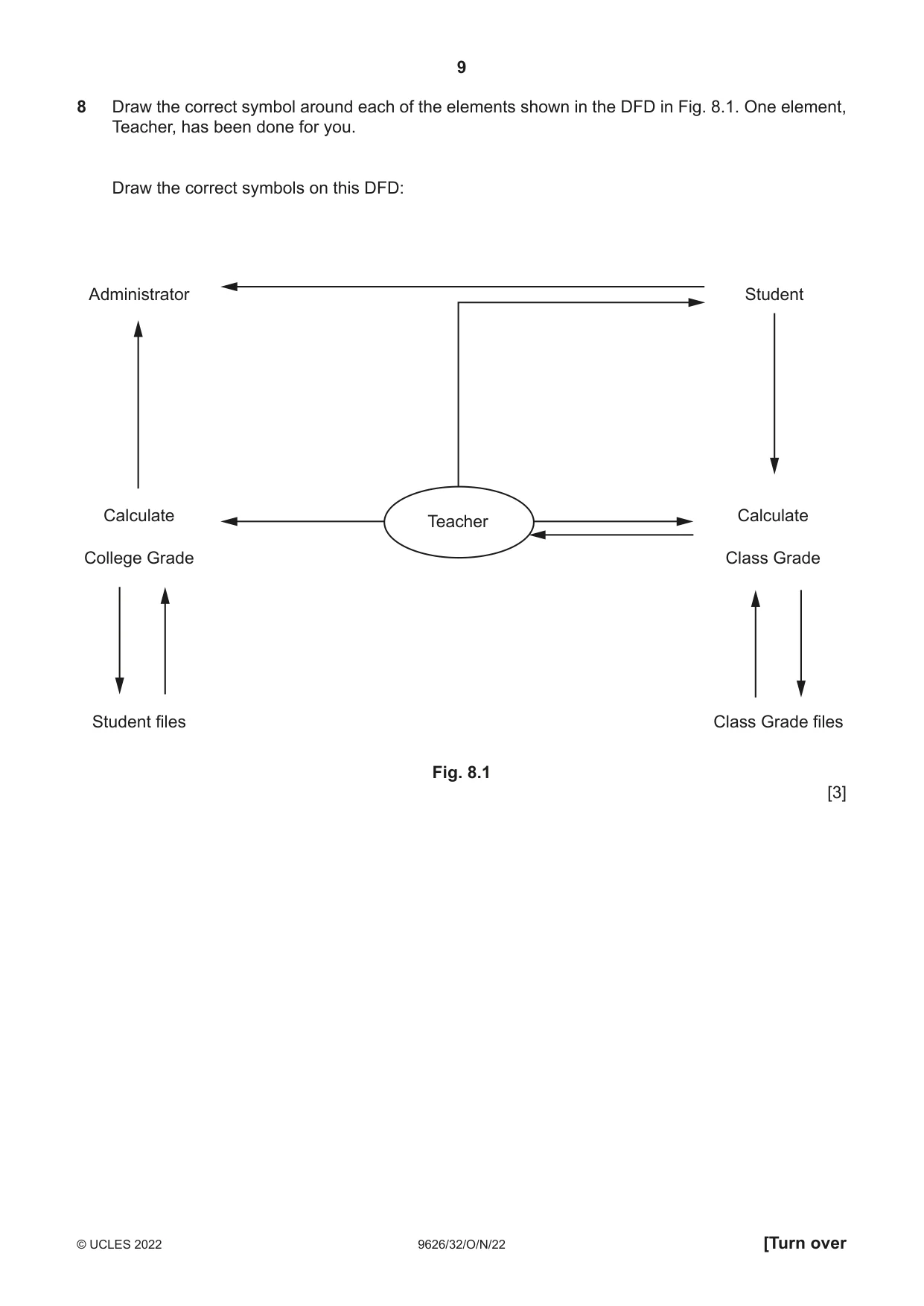
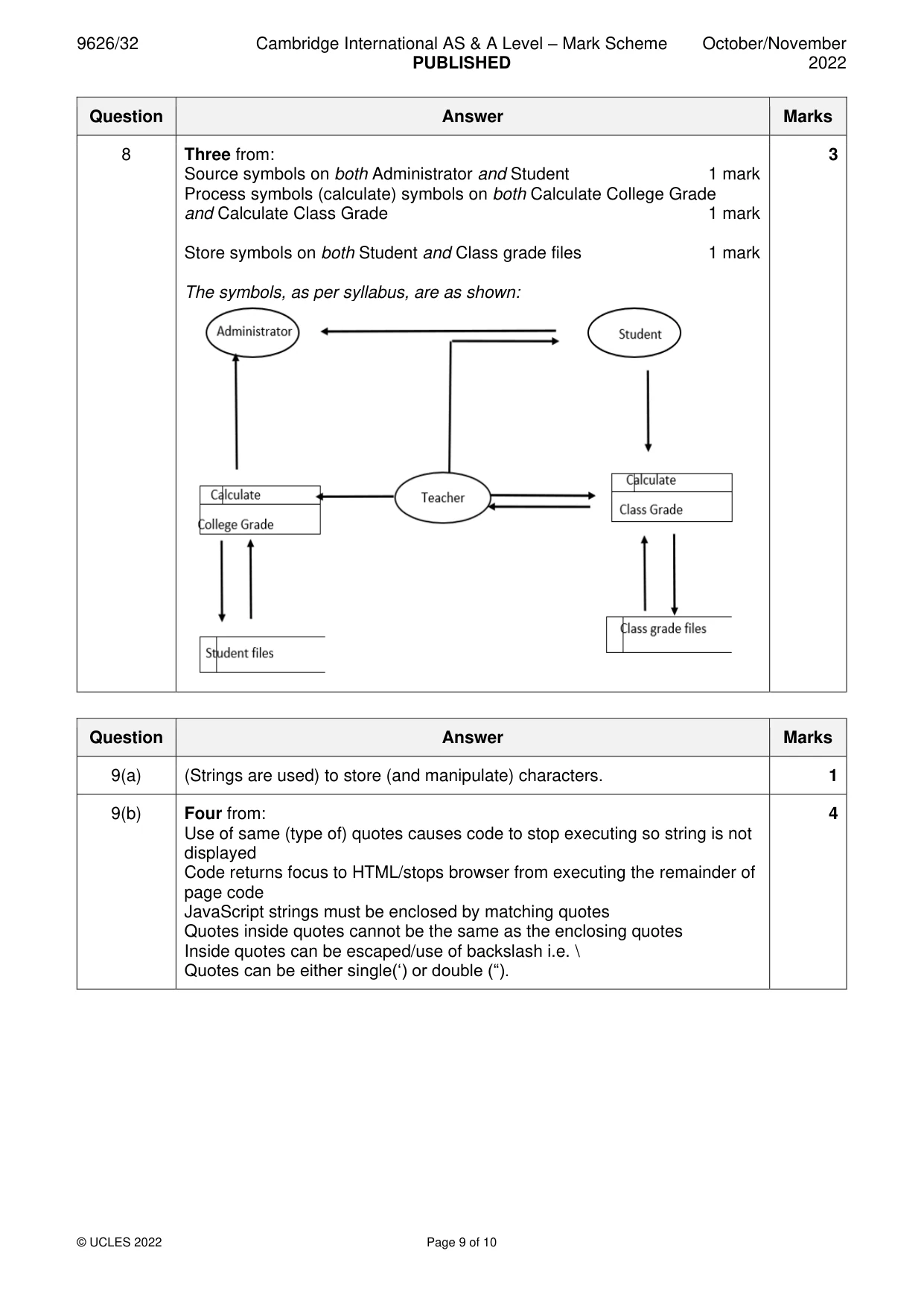
8 Draw the correct symbol around each of the elements shown in the DFD in Fig. 8.1. One element, Teacher, has been done for you. Draw the correct symbols on this DFD: Administrator Student Calculate Calculate Teacher College Grade Class Grade Student files Class Grade files Fig. 8.1 [3]
Mark scheme: 8 Three from: 3 Source symbols on both Administrator and Student 1 mark Process symbols (calculate) symbols on both Calculate College Grade and Calculate Class Grade 1 mark Store symbols on both Student and Class grade files 1 mark The symbols, as per syllabus, are as shown:
Q9 · A programmer is writing some JavaScript code to display this text on a web page: This is…
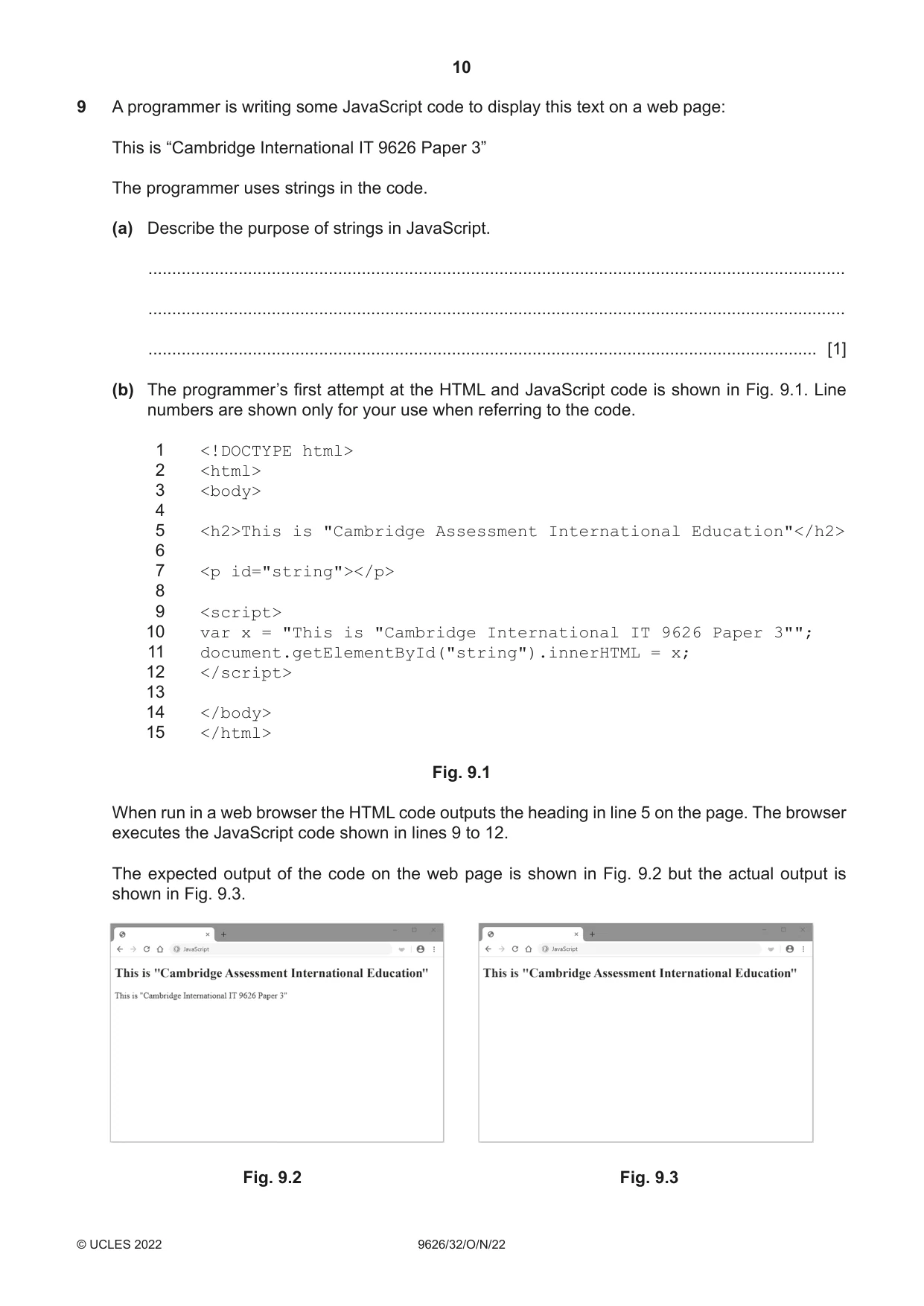
9 A programmer is writing some JavaScript code to display this text on a web page: This is “Cambridge International IT 9626 Paper 3” The programmer uses strings in the code. (a) Describe the purpose of strings in JavaScript. ................................................................................................................................................... ................................................................................................................................................... ............................................................................................................................................. [1] (b) The programmer’s first attempt at the HTML and JavaScript code is shown in Fig. 9.1. Line numbers are shown only for your use when referring to the code. 1 <!DOCTYPE html> 2 <html> 3 <body> 4 5 <h2>This is "Cambridge Assessment International Education"</h2> 6 7 <p id="string"></p> 8 9 <script> 10 var x = "This is "Cambridge International IT 9626 Paper 3""; 11 document.getElementById("string").innerHTML = x; 12 </script> 13 14 </body> 15 </html> Fig. 9.1 When run in a web browser the HTML code outputs the heading in line 5 on the page. The browser executes the JavaScript code shown in lines 9 to 12. The expected output of the code on the web page is shown in Fig. 9.2 but the actual output is shown in Fig. 9.3. Fig. 9.2 Fig. 9.3 Explain why the error in line 10 prevents the JavaScript code from outputting: This is “Cambridge International IT 9626 Paper 3” .......................................................................................................................................................... .......................................................................................................................................................... .......................................................................................................................................................... .......................................................................................................................................................... .......................................................................................................................................................... .......................................................................................................................................................... .......................................................................................................................................................... .......................................................................................................................................................... .......................................................................................................................................................... .......................................................................................................................................................... .................................................................................................................................................... [4] (c) JavaScript programmers often wish to control when sections of their code are executed. Compare the use of setTimeout() and setInterval() for delaying the execution of JavaScript code. ................................................................................................................................................... ................................................................................................................................................... ................................................................................................................................................... ................................................................................................................................................... ................................................................................................................................................... ................................................................................................................................................... ................................................................................................................................................... ................................................................................................................................................... ................................................................................................................................................... ................................................................................................................................................... ................................................................................................................................................... ............................................................................................................................................. [5] Please turn over for Question 10.
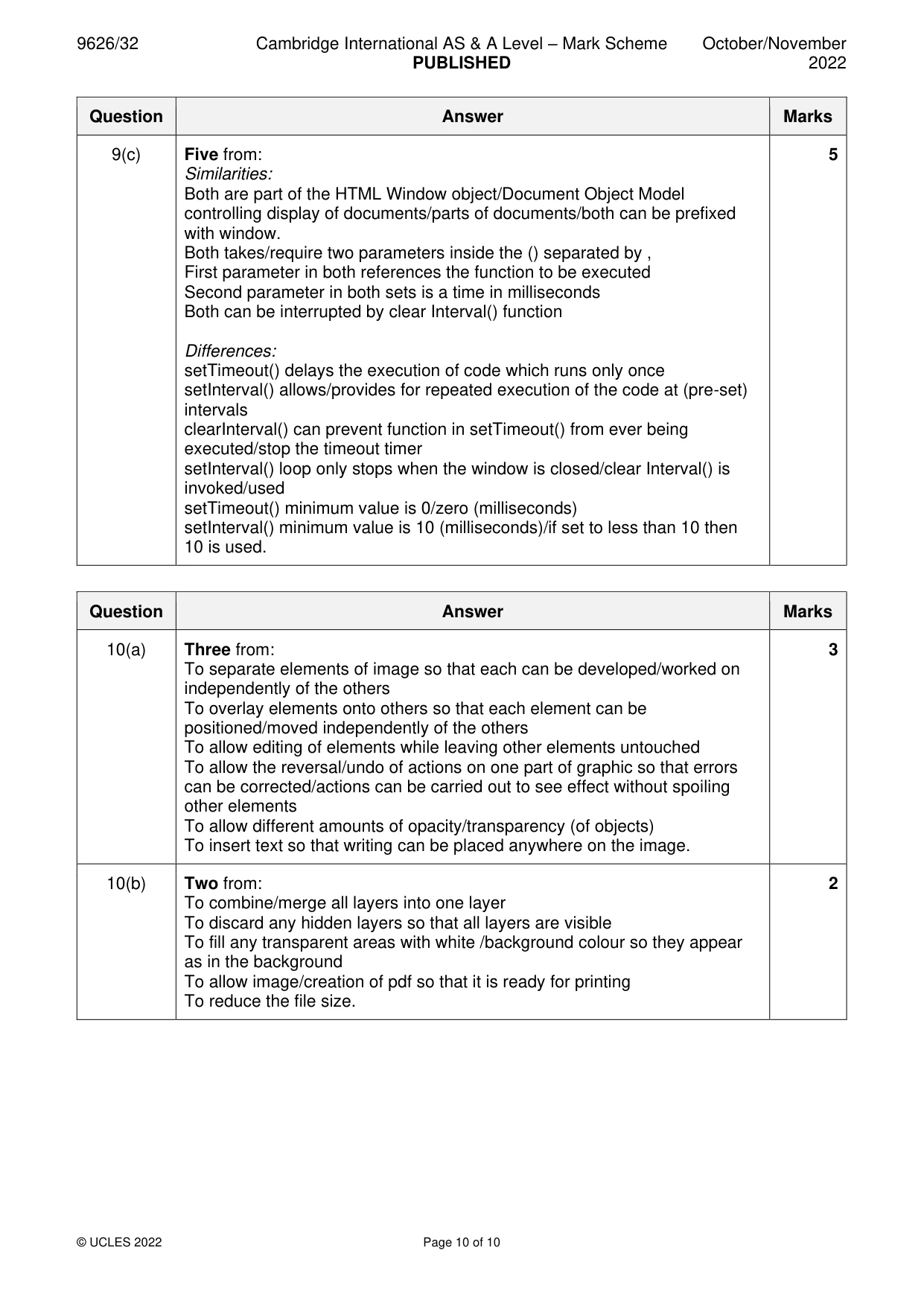
Mark scheme: 9(a) (Strings are used) to store (and manipulate) characters. 1 9(b) Four from: 4 Use of same (type of) quotes causes code to stop executing so string is not displayed Code returns focus to HTML/stops browser from executing the remainder of page code JavaScript strings must be enclosed by matching quotes Quotes inside quotes cannot be the same as the enclosing quotes Inside quotes can be escaped/use of backslash i.e. \ Quotes can be either single(‘) or double (“). 9(c) Five from: 5 Similarities: Both are part of the HTML Window object/Document Object Model controlling display of documents/parts of documents/both can be prefixed with window. Both takes/require two parameters inside the () separated by , First parameter in both references the function to be executed Second parameter in both sets is a time in milliseconds Both can be interrupted by clear Interval() function Differences: setTimeout() delays the execution of code which runs only once setInterval() allows/provides for repeated execution of the code at (pre-set) intervals clearInterval() can prevent function in setTimeout() from ever being executed/stop the timeout timer setInterval() loop only stops when the window is closed/clear Interval() is invoked/used setTimeout() minimum value is 0/zero (milliseconds) setInterval() minimum value is 10 (milliseconds)/if set to less than 10 then 10 is used.
Q10 · Image editing software has tools for altering digital images
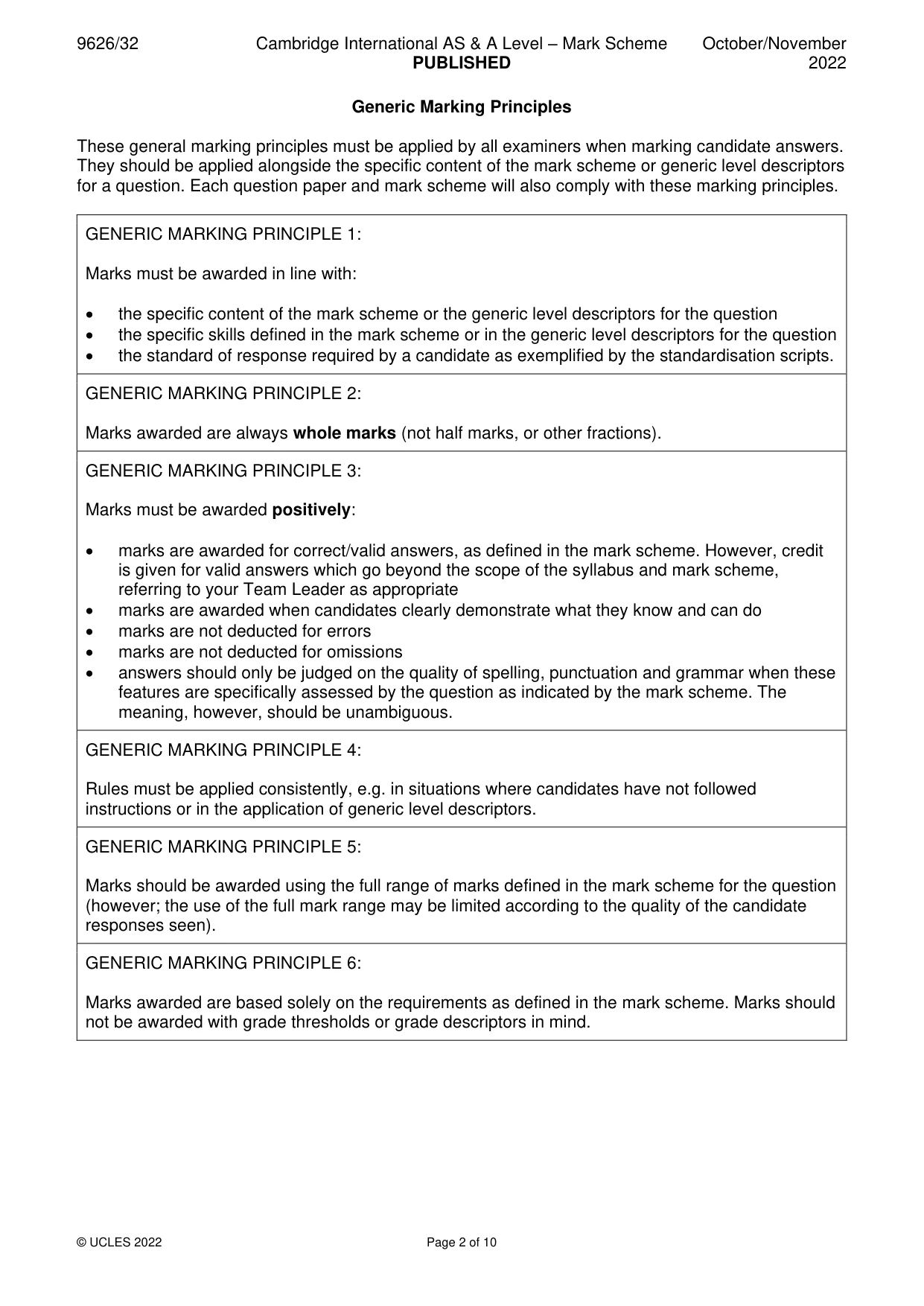
10 Image editing software has tools for altering digital images. Explain why a graphic designer might use each of the following tools to alter a digital image. (a) layer tool ................................................................................................................................................... ................................................................................................................................................... ................................................................................................................................................... ................................................................................................................................................... ................................................................................................................................................... ................................................................................................................................................... ................................................................................................................................................... ................................................................................................................................................... ............................................................................................................................................. [3] (b) flatten tool ................................................................................................................................................... ................................................................................................................................................... ................................................................................................................................................... ................................................................................................................................................... ................................................................................................................................................... ............................................................................................................................................. [2]
Mark scheme: 10(a) Three from: 3 To separate elements of image so that each can be developed/worked on independently of the others To overlay elements onto others so that each element can be positioned/moved independently of the others To allow editing of elements while leaving other elements untouched To allow the reversal/undo of actions on one part of graphic so that errors can be corrected/actions can be carried out to see effect without spoiling other elements To allow different amounts of opacity/transparency (of objects) To insert text so that writing can be placed anywhere on the image. 10(b) Two from: 2 To combine/merge all layers into one layer To discard any hidden layers so that all layers are visible To fill any transparent areas with white /background colour so they appear as in the background To allow image/creation of pdf so that it is ready for printing To reduce the file size.
What was in this paper
The subtopics covered by these 10 questions, and how many questions each got. Open one in a new tab to see every Cambridge question on it.
What you needed in this session
Cambridge’s own grade thresholds for 2022 Oct/Nov, Paper 3 · Variant 2. A higher threshold means an easier paper — the bar moves with how the cohort did.