Cambridge A Level Information Technology (from 2017) 9626 — 2022 Feb/March Paper 3 · Variant 2
9626/32/F/M/22 · 10 questions · 70 marks · ≈79 min
The question paper and its mark scheme, free to read here and free to download. This is Cambridge’s own paper, exactly as it was sat.
Question paper12 pages








Mark scheme9 pages
Answers below. Sit the paper first if you are practising.


Questions as text
Q1 · Contrast the characteristics of local area networks (LANs) and wide area networks (WANs)
1 Contrast the characteristics of local area networks (LANs) and wide area networks (WANs). .......................................................................................................................................................... .......................................................................................................................................................... .......................................................................................................................................................... .......................................................................................................................................................... .......................................................................................................................................................... .......................................................................................................................................................... .......................................................................................................................................................... .......................................................................................................................................................... .......................................................................................................................................................... .......................................................................................................................................................... .......................................................................................................................................................... .......................................................................................................................................................... .................................................................................................................................................... [6]
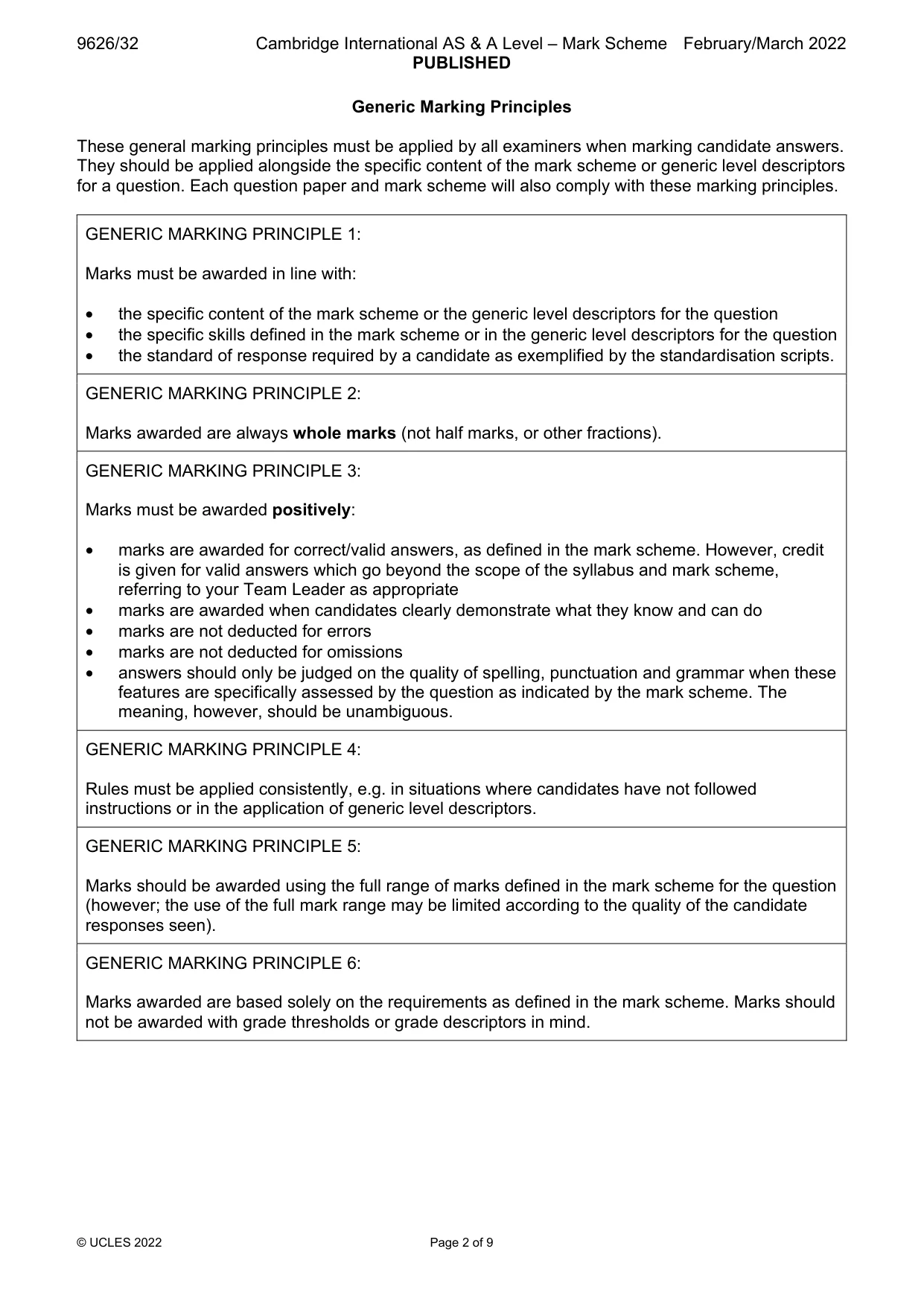
Mark scheme: Question Answer Marks 1 Command word: Contrast: identify/comment on differences. 6 Six from: LAN covers a smaller geographical area/valid examples than WAN LAN has higher data transfer speed/greater bandwidth than WAN LAN uses Ethernet/Token Ring technologies whereas WAN uses ATM/Frame relay/different protocols/technologies used LANs (usually) connect together into bigger LANs using fibre optic/wireless technologies whereas WANs connect together with public telecommunication systems to create larger WAN LANs are (usually) owned by one organisation whereas WANs are (usually/often) owned by a number/collective ownership LANs have fewer data transmission errors than WANs LANs have fewer network congestion problems than WANs LANs use Layer 1or 2 devices/switches/bridges/hubs/repeaters whereas WANs use Layer 3 devices/Routers/Multi-layer Switches.
Q2 · Two impacts on individuals of the use of social networking are ideological polarisation…
2 Two impacts on individuals of the use of social networking are ideological polarisation and stereotyping. (a) Ideological polarisation is the separation of political attitudes into extremes. Describe ways in which the use of social networking may lead to the ideological polarisation of individuals. ................................................................................................................................................... ................................................................................................................................................... ................................................................................................................................................... ................................................................................................................................................... ............................................................................................................................................. [2] (b) Stereotyping is having a set idea of what a person or group of people is like even though that idea may be wrong. Describe ways in which the use of social networking may lead to the stereotyping of individuals. ................................................................................................................................................... ................................................................................................................................................... ................................................................................................................................................... ................................................................................................................................................... ............................................................................................................................................. [2] (c) Many businesses now use social networking for marketing their products. Justify the use of social networking by businesses for marketing products. ................................................................................................................................................... ................................................................................................................................................... ................................................................................................................................................... ................................................................................................................................................... ................................................................................................................................................... ................................................................................................................................................... ................................................................................................................................................... ................................................................................................................................................... ................................................................................................................................................... ................................................................................................................................................... ................................................................................................................................................... ................................................................................................................................................... ................................................................................................................................................... ................................................................................................................................................... ................................................................................................................................................... ................................................................................................................................................... ............................................................................................................................................. [6]
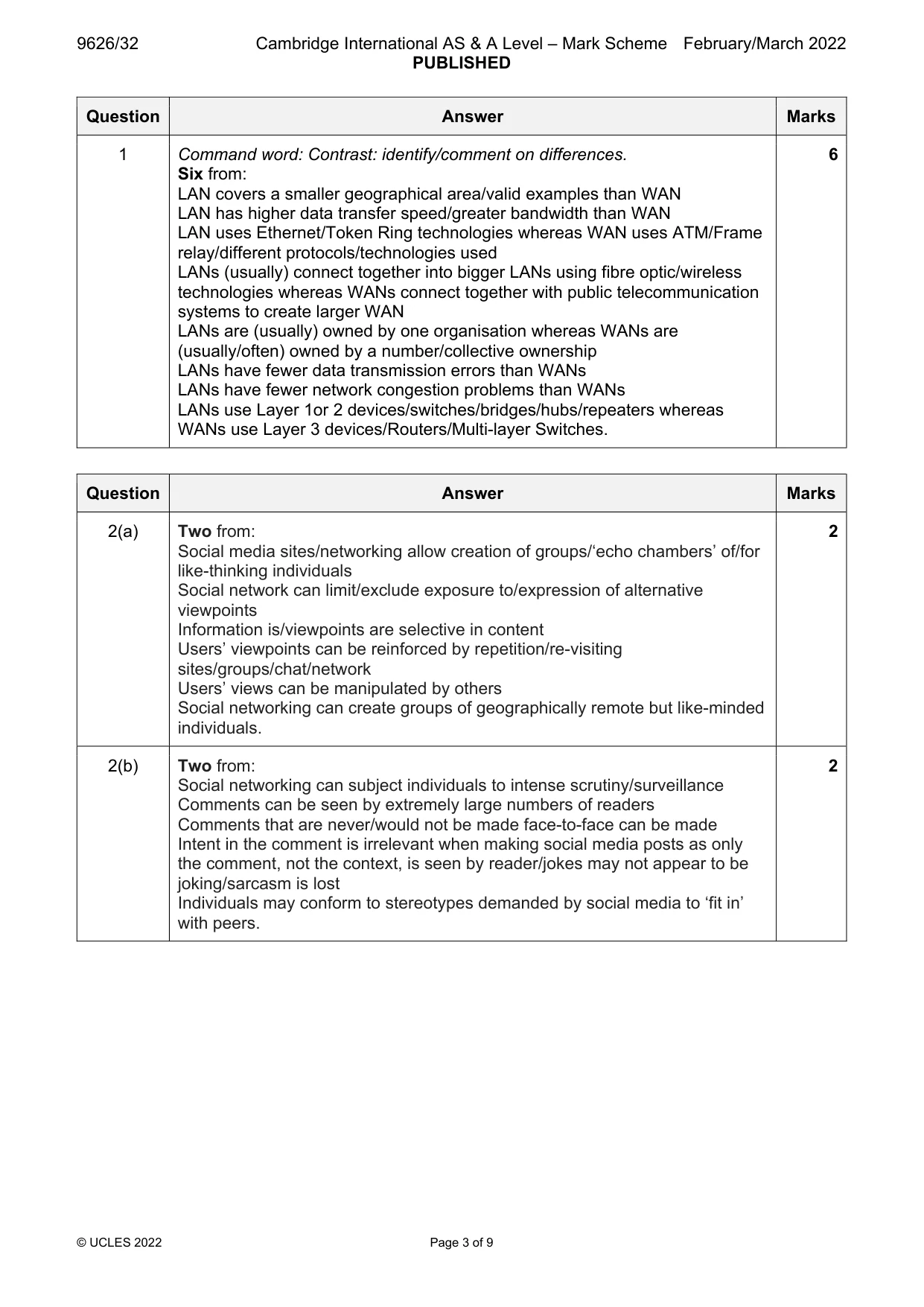
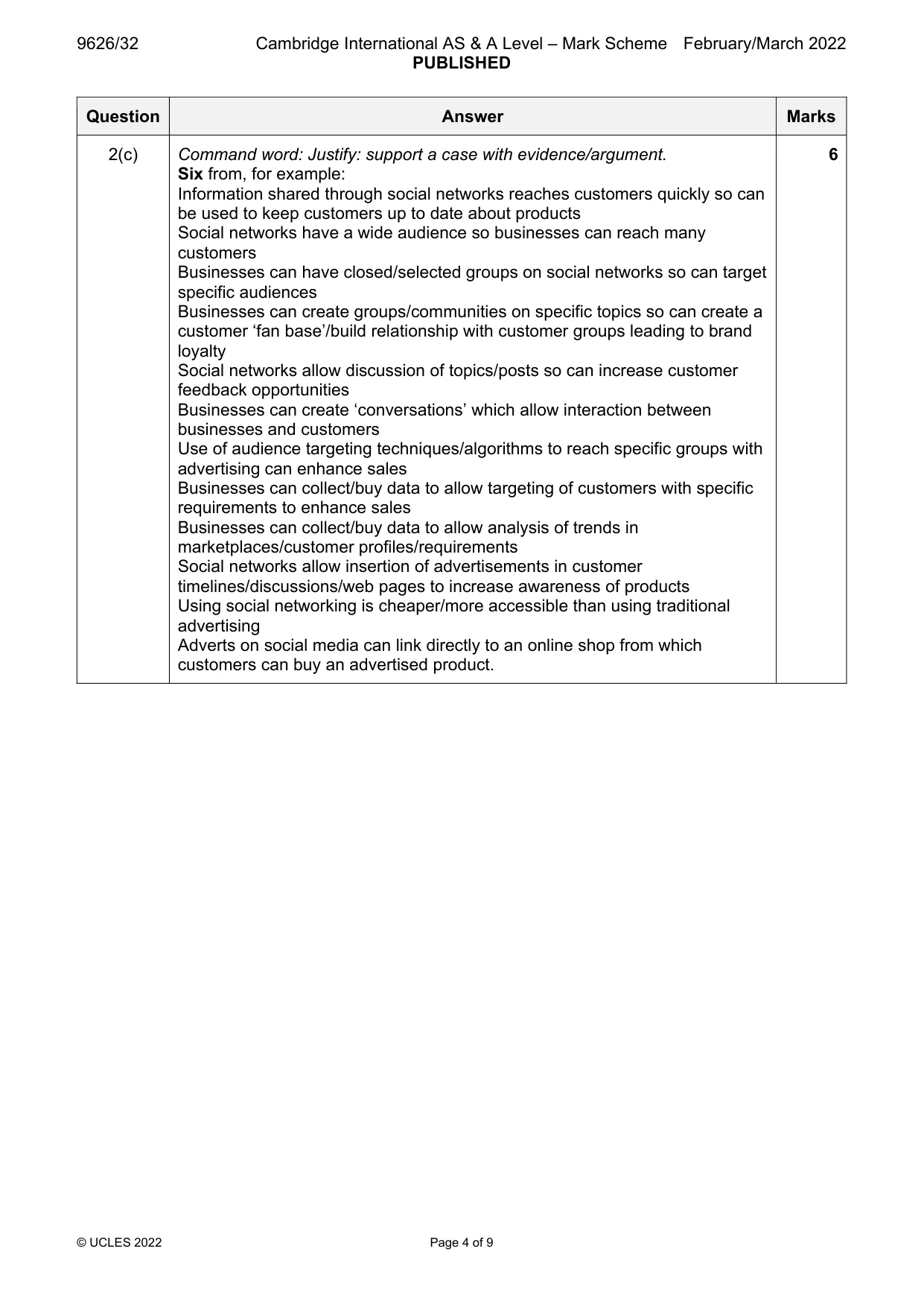
Mark scheme: 2(a) Two from: 2 Social media sites/networking allow creation of groups/‘echo chambers’ of/for like-thinking individuals Social network can limit/exclude exposure to/expression of alternative viewpoints Information is/viewpoints are selective in content Users’ viewpoints can be reinforced by repetition/re-visiting sites/groups/chat/network Users’ views can be manipulated by others Social networking can create groups of geographically remote but like-minded individuals. 2(b) Two from: 2 Social networking can subject individuals to intense scrutiny/surveillance Comments can be seen by extremely large numbers of readers Comments that are never/would not be made face-to-face can be made Intent in the comment is irrelevant when making social media posts as only the comment, not the context, is seen by reader/jokes may not appear to be joking/sarcasm is lost Individuals may conform to stereotypes demanded by social media to ‘fit in’ with peers. 2(c) Command word: Justify: support a case with evidence/argument. 6 Six from, for example: Information shared through social networks reaches customers quickly so can be used to keep customers up to date about products Social networks have a wide audience so businesses can reach many customers Businesses can have closed/selected groups on social networks so can target specific audiences Businesses can create groups/communities on specific topics so can create a customer ‘fan base’/build relationship with customer groups leading to brand loyalty Social networks allow discussion of topics/posts so can increase customer feedback opportunities Businesses can create ‘conversations’ which allow interaction between businesses and customers Use of audience targeting techniques/algorithms to reach specific groups with advertising can enhance sales Businesses can collect/buy data to allow targeting of customers with specific requirements to enhance sales Businesses can collect/buy data to allow analysis of trends in marketplaces/customer profiles/requirements Social networks allow insertion of advertisements in customer timelines/discussions/web pages to increase awareness of products Using social networking is cheaper/more accessible than using traditional advertising Adverts on social media can link directly to an online shop from which customers can buy an advertised product.
Q3 · A digital photograph has been taken by a photographer who stores versions of it as…
3 A digital photograph has been taken by a photographer who stores versions of it as separate files using different image resolutions. The image will be used in advertisements that will appear in printed magazines, on posters, on TV and on web pages. Analyse the need for different resolutions of the image. .......................................................................................................................................................... .......................................................................................................................................................... .......................................................................................................................................................... .......................................................................................................................................................... .......................................................................................................................................................... .......................................................................................................................................................... .......................................................................................................................................................... .......................................................................................................................................................... .......................................................................................................................................................... .......................................................................................................................................................... .......................................................................................................................................................... .......................................................................................................................................................... .......................................................................................................................................................... .......................................................................................................................................................... .......................................................................................................................................................... .......................................................................................................................................................... .......................................................................................................................................................... .......................................................................................................................................................... .......................................................................................................................................................... .................................................................................................................................................... [8]
Mark scheme: 3 Command word: Analyse: examine in detail to show meaning, identify 8 elements and the relationship between them. Max two from: Resolution is measured/described as pixels per inch/ppi Low resolution images have few pixels while high resolutions have many High resolution mages have higher quality/look clearer/crisper/sharper Max eight from: Resolution needs to be high/600ppi for (high-end/professional) printing to produce high quality images on paper/hardcopy/for magazines/publications Photographic images in magazines should be at least 300ppi for acceptable quality Poster images on advertising boards/bill boards can be as low as 150ppi even if large format as they are viewed from a distance Images designed for viewing on screen have resolutions that relate to the monitor in use Images designed to go on web pages are/were (usually) low resolution for speed of loading… …but need to be of high enough quality for viewing so a compromise has to be made Images designed for use in presentations should have a resolution suitable for projectors/large TV screens so images of, for example, 1024x768 with 72ppi are required The most common resolution for web pages is 72ppi but modern screens/monitors/retina screens are now (far) in excess of 100ppi so images for web pages need to be higher resolution Web images use pixel dimensions rather than resolution so images can have differing resolutions but display at same size and look the same.
Q4 · Evaluate the use of a Virtual Private Network (VPN) when using the internet
4 Evaluate the use of a Virtual Private Network (VPN) when using the internet. .......................................................................................................................................................... .......................................................................................................................................................... .......................................................................................................................................................... .......................................................................................................................................................... .......................................................................................................................................................... .......................................................................................................................................................... .......................................................................................................................................................... .......................................................................................................................................................... .......................................................................................................................................................... .......................................................................................................................................................... .......................................................................................................................................................... .......................................................................................................................................................... .......................................................................................................................................................... .......................................................................................................................................................... .......................................................................................................................................................... .......................................................................................................................................................... .......................................................................................................................................................... .......................................................................................................................................................... .......................................................................................................................................................... .................................................................................................................................................... [8]
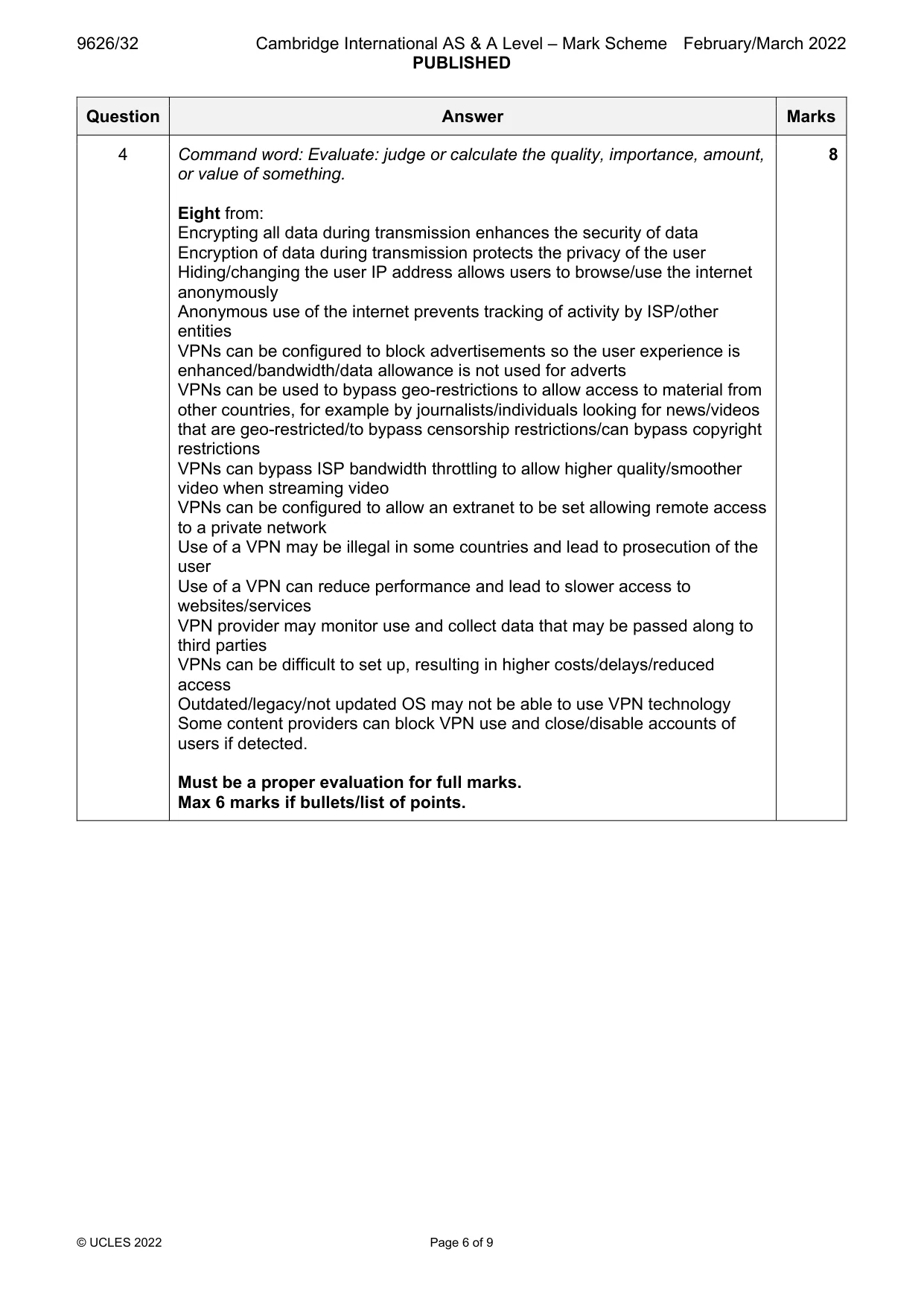
Mark scheme: 4 Command word: Evaluate: judge or calculate the quality, importance, amount, 8 or value of something. Eight from: Encrypting all data during transmission enhances the security of data Encryption of data during transmission protects the privacy of the user Hiding/changing the user IP address allows users to browse/use the internet anonymously Anonymous use of the internet prevents tracking of activity by ISP/other entities VPNs can be configured to block advertisements so the user experience is enhanced/bandwidth/data allowance is not used for adverts VPNs can be used to bypass geo-restrictions to allow access to material from other countries, for example by journalists/individuals looking for news/videos that are geo-restricted/to bypass censorship restrictions/can bypass copyright restrictions VPNs can bypass ISP bandwidth throttling to allow higher quality/smoother video when streaming video VPNs can be configured to allow an extranet to be set allowing remote access to a private network Use of a VPN may be illegal in some countries and lead to prosecution of the user Use of a VPN can reduce performance and lead to slower access to websites/services VPN provider may monitor use and collect data that may be passed along to third parties VPNs can be difficult to set up, resulting in higher costs/delays/reduced access Outdated/legacy/not updated OS may not be able to use VPN technology Some content providers can block VPN use and close/disable accounts of users if detected. Must be a proper evaluation for full marks. Max 6 marks if bullets/list of points.
Q5 · On-screen input forms are used by office workers to enter data into computer systems
5 On-screen input forms are used by office workers to enter data into computer systems. A well- designed input form will collect good-quality input so that good-quality output can be produced. Explain how a well-designed on-screen input form helps prevent users from making mistakes when entering data. .......................................................................................................................................................... .......................................................................................................................................................... .......................................................................................................................................................... .......................................................................................................................................................... .......................................................................................................................................................... .......................................................................................................................................................... .......................................................................................................................................................... .......................................................................................................................................................... .......................................................................................................................................................... .......................................................................................................................................................... .......................................................................................................................................................... .......................................................................................................................................................... .......................................................................................................................................................... .......................................................................................................................................................... .......................................................................................................................................................... .......................................................................................................................................................... .......................................................................................................................................................... .......................................................................................................................................................... .......................................................................................................................................................... .................................................................................................................................................... [8]
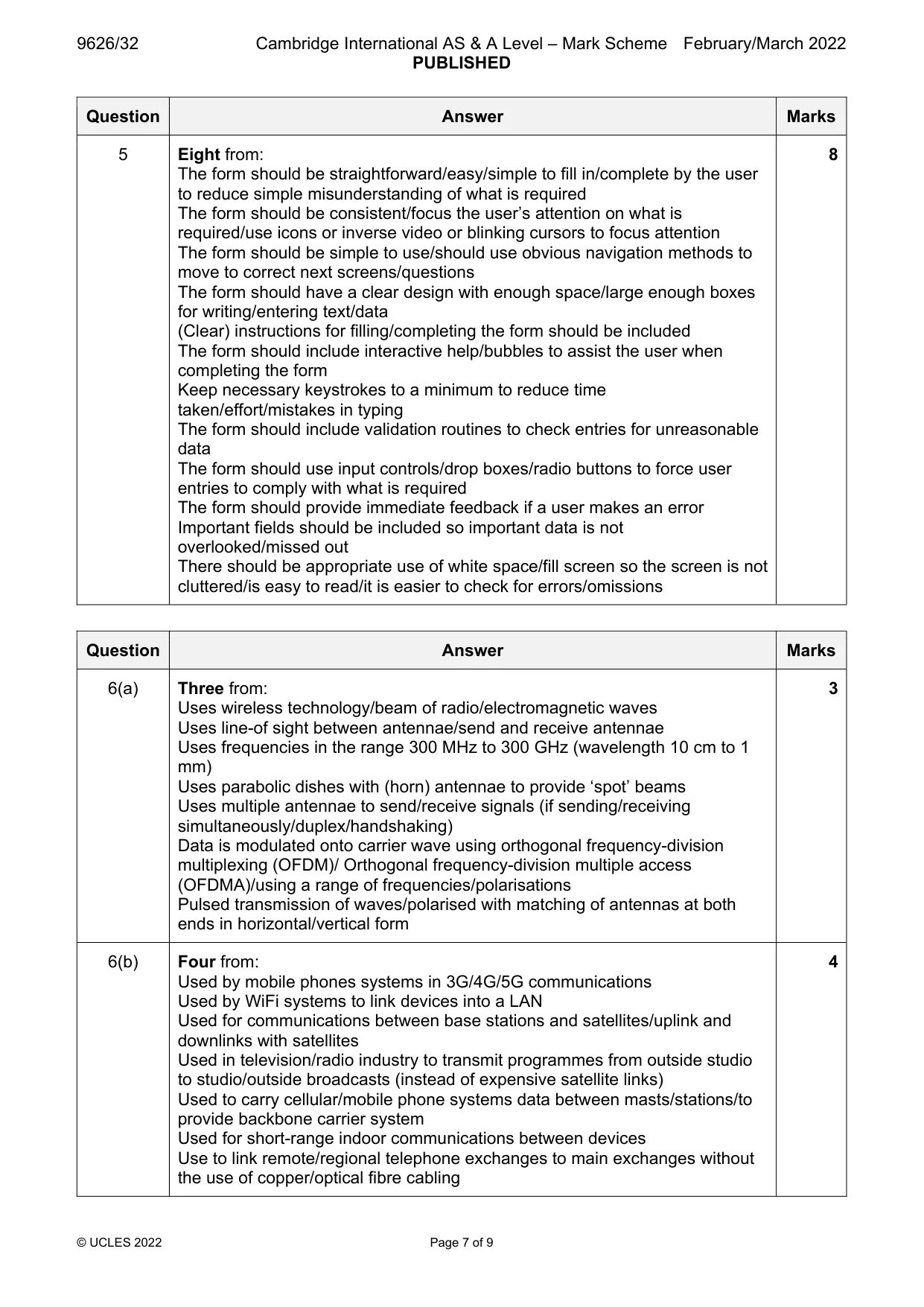
Mark scheme: 5 Eight from: 8 The form should be straightforward/easy/simple to fill in/complete by the user to reduce simple misunderstanding of what is required The form should be consistent/focus the user’s attention on what is required/use icons or inverse video or blinking cursors to focus attention The form should be simple to use/should use obvious navigation methods to move to correct next screens/questions The form should have a clear design with enough space/large enough boxes for writing/entering text/data (Clear) instructions for filling/completing the form should be included The form should include interactive help/bubbles to assist the user when completing the form Keep necessary keystrokes to a minimum to reduce time taken/effort/mistakes in typing The form should include validation routines to check entries for unreasonable data The form should use input controls/drop boxes/radio buttons to force user entries to comply with what is required The form should provide immediate feedback if a user makes an error Important fields should be included so important data is not overlooked/missed out There should be appropriate use of white space/fill screen so the screen is not cluttered/is easy to read/it is easier to check for errors/omissions
Q6 · Microwave transmission is used to send data between devices at different locations
6 Microwave transmission is used to send data between devices at different locations. (a) Explain how microwaves are used to transmit data between devices. ................................................................................................................................................... ................................................................................................................................................... ................................................................................................................................................... ................................................................................................................................................... ................................................................................................................................................... ................................................................................................................................................... ............................................................................................................................................. [3] (b) Describe four ways that microwave transmission is used in communication systems. ................................................................................................................................................... ................................................................................................................................................... ................................................................................................................................................... ................................................................................................................................................... ................................................................................................................................................... ................................................................................................................................................... ................................................................................................................................................... ................................................................................................................................................... ................................................................................................................................................... ................................................................................................................................................... ............................................................................................................................................. [4]
Mark scheme: 6(a) Three from: 3 Uses wireless technology/beam of radio/electromagnetic waves Uses line-of sight between antennae/send and receive antennae Uses frequencies in the range 300 MHz to 300 GHz (wavelength 10 cm to 1 mm) Uses parabolic dishes with (horn) antennae to provide ‘spot’ beams Uses multiple antennae to send/receive signals (if sending/receiving simultaneously/duplex/handshaking) Data is modulated onto carrier wave using orthogonal frequency-division multiplexing (OFDM)/ Orthogonal frequency-division multiple access (OFDMA)/using a range of frequencies/polarisations Pulsed transmission of waves/polarised with matching of antennas at both ends in horizontal/vertical form 6(b) Four from: 4 Used by mobile phones systems in 3G/4G/5G communications Used by WiFi systems to link devices into a LAN Used for communications between base stations and satellites/uplink and downlinks with satellites Used in television/radio industry to transmit programmes from outside studio to studio/outside broadcasts (instead of expensive satellite links) Used to carry cellular/mobile phone systems data between masts/stations/to provide backbone carrier system Used for short-range indoor communications between devices Use to link remote/regional telephone exchanges to main exchanges without the use of copper/optical fibre cabling
Q7 · The prompt() method is used in JavaScript to provide a popup dialog box for users to…
7 The prompt() method is used in JavaScript to provide a popup dialog box for users to interact with web pages. (a) Explain how the result of the user interaction from prompt() is used by a programmer to collect the input from a user. ................................................................................................................................................... ................................................................................................................................................... ................................................................................................................................................... ................................................................................................................................................... ................................................................................................................................................... ................................................................................................................................................... ................................................................................................................................................... ................................................................................................................................................... ................................................................................................................................................... ................................................................................................................................................... ............................................................................................................................................. [4] (b) Explain two limitations of using the prompt() method of user interaction. 1 ................................................................................................................................................ ................................................................................................................................................... ................................................................................................................................................... 2 ................................................................................................................................................ ................................................................................................................................................... ................................................................................................................................................... [2]
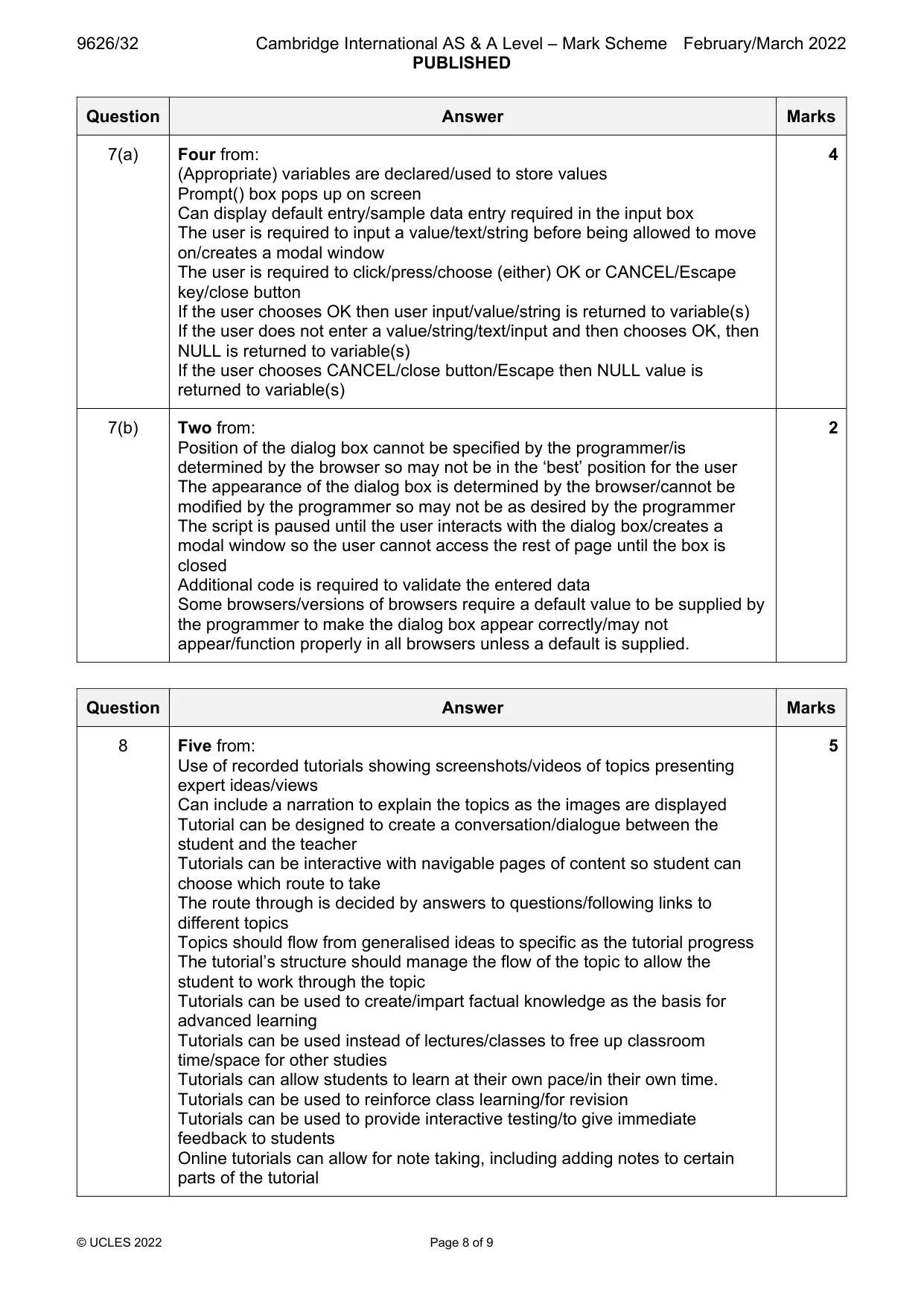
Mark scheme: 7(a) Four from: 4 (Appropriate) variables are declared/used to store values Prompt() box pops up on screen Can display default entry/sample data entry required in the input box The user is required to input a value/text/string before being allowed to move on/creates a modal window The user is required to click/press/choose (either) OK or CANCEL/Escape key/close button If the user chooses OK then user input/value/string is returned to variable(s) If the user does not enter a value/string/text/input and then chooses OK, then NULL is returned to variable(s) If the user chooses CANCEL/close button/Escape then NULL value is returned to variable(s) 7(b) Two from: 2 Position of the dialog box cannot be specified by the programmer/is determined by the browser so may not be in the ‘best’ position for the user The appearance of the dialog box is determined by the browser/cannot be modified by the programmer so may not be as desired by the programmer The script is paused until the user interacts with the dialog box/creates a modal window so the user cannot access the rest of page until the box is closed Additional code is required to validate the entered data Some browsers/versions of browsers require a default value to be supplied by the programmer to make the dialog box appear correctly/may not appear/function properly in all browsers unless a default is supplied.
Q8 · Online tutorials are a method of providing training courses to learners
8 Online tutorials are a method of providing training courses to learners. Explain how online tutorials can be used to train learners. .......................................................................................................................................................... .......................................................................................................................................................... .......................................................................................................................................................... .......................................................................................................................................................... .......................................................................................................................................................... .......................................................................................................................................................... .......................................................................................................................................................... .......................................................................................................................................................... .......................................................................................................................................................... .......................................................................................................................................................... .......................................................................................................................................................... .......................................................................................................................................................... .......................................................................................................................................................... .......................................................................................................................................................... .................................................................................................................................................... [5]
Mark scheme: 8 Five from: 5 Use of recorded tutorials showing screenshots/videos of topics presenting expert ideas/views Can include a narration to explain the topics as the images are displayed Tutorial can be designed to create a conversation/dialogue between the student and the teacher Tutorials can be interactive with navigable pages of content so student can choose which route to take The route through is decided by answers to questions/following links to different topics Topics should flow from generalised ideas to specific as the tutorial progress The tutorial’s structure should manage the flow of the topic to allow the student to work through the topic Tutorials can be used to create/impart factual knowledge as the basis for advanced learning Tutorials can be used instead of lectures/classes to free up classroom time/space for other studies Tutorials can allow students to learn at their own pace/in their own time. Tutorials can be used to reinforce class learning/for revision Tutorials can be used to provide interactive testing/to give immediate feedback to students Online tutorials can allow for note taking, including adding notes to certain parts of the tutorial
Q9 · RGB and CMYK are two systems that are used to produce colour in graphic design
9 RGB and CMYK are two systems that are used to produce colour in graphic design. Compare, by describing similarities and differences, the use of the RGB and CMYK colour systems in graphic design. .......................................................................................................................................................... .......................................................................................................................................................... .......................................................................................................................................................... .......................................................................................................................................................... .......................................................................................................................................................... .......................................................................................................................................................... .......................................................................................................................................................... .......................................................................................................................................................... .......................................................................................................................................................... .......................................................................................................................................................... .......................................................................................................................................................... .......................................................................................................................................................... .......................................................................................................................................................... .......................................................................................................................................................... .......................................................................................................................................................... .......................................................................................................................................................... .................................................................................................................................................... [6]
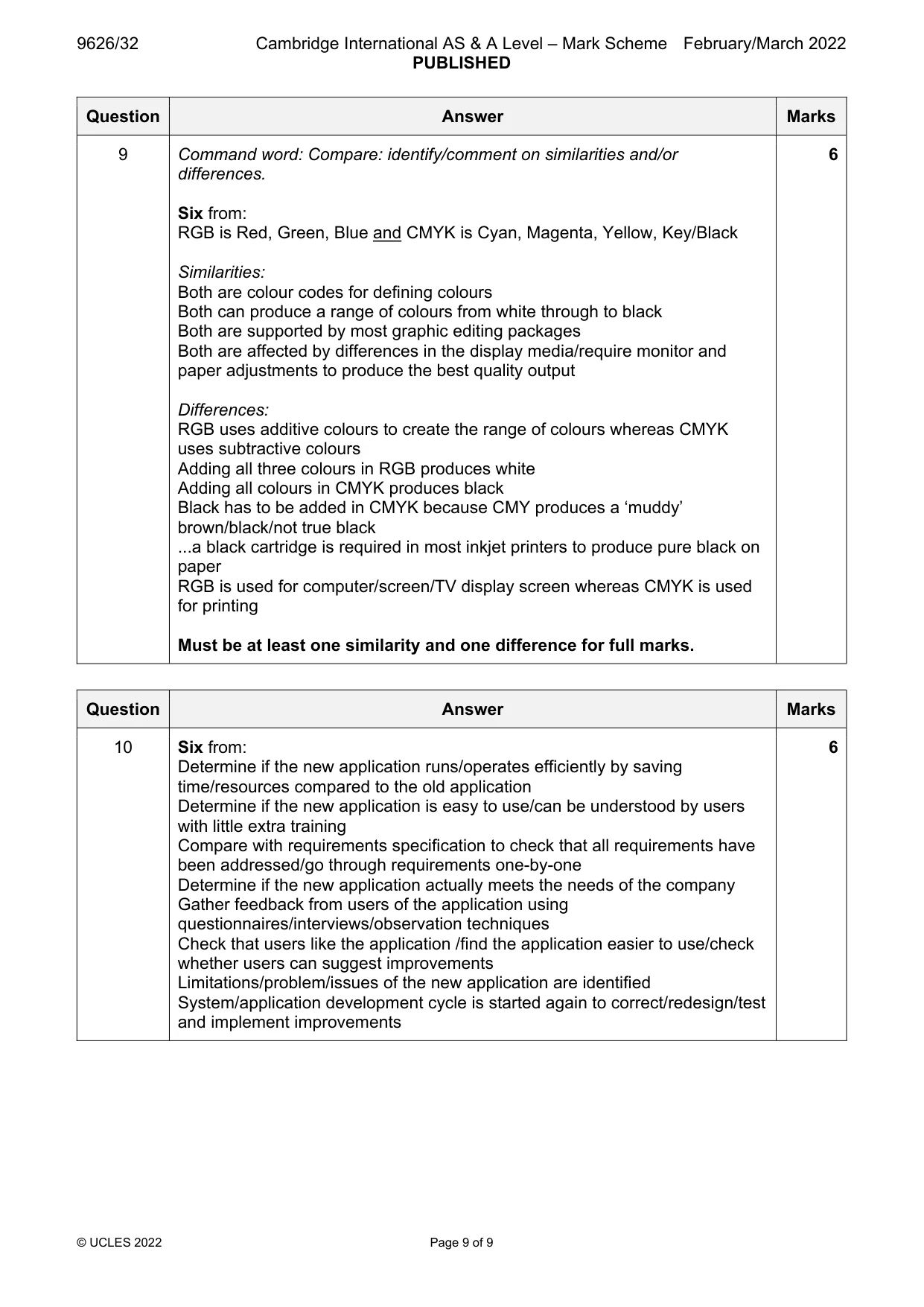
Mark scheme: 9 Command word: Compare: identify/comment on similarities and/or 6 differences. Six from: RGB is Red, Green, Blue and CMYK is Cyan, Magenta, Yellow, Key/Black Similarities: Both are colour codes for defining colours Both can produce a range of colours from white through to black Both are supported by most graphic editing packages Both are affected by differences in the display media/require monitor and paper adjustments to produce the best quality output Differences: RGB uses additive colours to create the range of colours whereas CMYK uses subtractive colours Adding all three colours in RGB produces white Adding all colours in CMYK produces black Black has to be added in CMYK because CMY produces a ‘muddy’ brown/black/not true black ...a black cartridge is required in most inkjet printers to produce pure black on paper RGB is used for computer/screen/TV display screen whereas CMYK is used for printing Must be at least one similarity and one difference for full marks.
Q10 · A new computer application has been developed to replace the current application that is…
10 A new computer application has been developed to replace the current application that is in use by a company. Describe how the new application will be evaluated. .......................................................................................................................................................... .......................................................................................................................................................... .......................................................................................................................................................... .......................................................................................................................................................... .......................................................................................................................................................... .......................................................................................................................................................... .......................................................................................................................................................... .......................................................................................................................................................... .......................................................................................................................................................... .......................................................................................................................................................... .......................................................................................................................................................... .......................................................................................................................................................... .......................................................................................................................................................... .......................................................................................................................................................... .......................................................................................................................................................... .......................................................................................................................................................... .................................................................................................................................................... [6]
Mark scheme: 10 Six from: 6 Determine if the new application runs/operates efficiently by saving time/resources compared to the old application Determine if the new application is easy to use/can be understood by users with little extra training Compare with requirements specification to check that all requirements have been addressed/go through requirements one-by-one Determine if the new application actually meets the needs of the company Gather feedback from users of the application using questionnaires/interviews/observation techniques Check that users like the application /find the application easier to use/check whether users can suggest improvements Limitations/problem/issues of the new application are identified System/application development cycle is started again to correct/redesign/test and implement improvements
What was in this paper
The subtopics covered by these 10 questions, and how many questions each got. Open one in a new tab to see every Cambridge question on it.
What you needed in this session
Cambridge’s own grade thresholds for 2022 Feb/March, Paper 3 · Variant 2. A higher threshold means an easier paper — the bar moves with how the cohort did.