Cambridge A Level Information Technology (from 2017) 9626 — 2019 Oct/Nov Paper 3 · Variant 2
9626/32/O/N/19 · 14 questions · 90 marks · ≈101 min
The question paper and its mark scheme, free to read here and free to download. This is Cambridge’s own paper, exactly as it was sat.
Question paper20 pages

















Mark scheme11 pages
Answers below. Sit the paper first if you are practising.
Questions as text
Q1 · Vector images use ‘nodes’
1 Vector images use ‘nodes’. (a) Describe what is meant by a ‘node’ in a vector image. ................................................................................................................................................... ................................................................................................................................................... ................................................................................................................................................... ................................................................................................................................................... ................................................................................................................................................... ............................................................................................................................................. [2] (b) Describe how node editing can be used to change a vector image. ................................................................................................................................................... ................................................................................................................................................... ................................................................................................................................................... ................................................................................................................................................... ................................................................................................................................................... ................................................................................................................................................... ................................................................................................................................................... ................................................................................................................................................... ................................................................................................................................................... ............................................................................................................................................. [4]
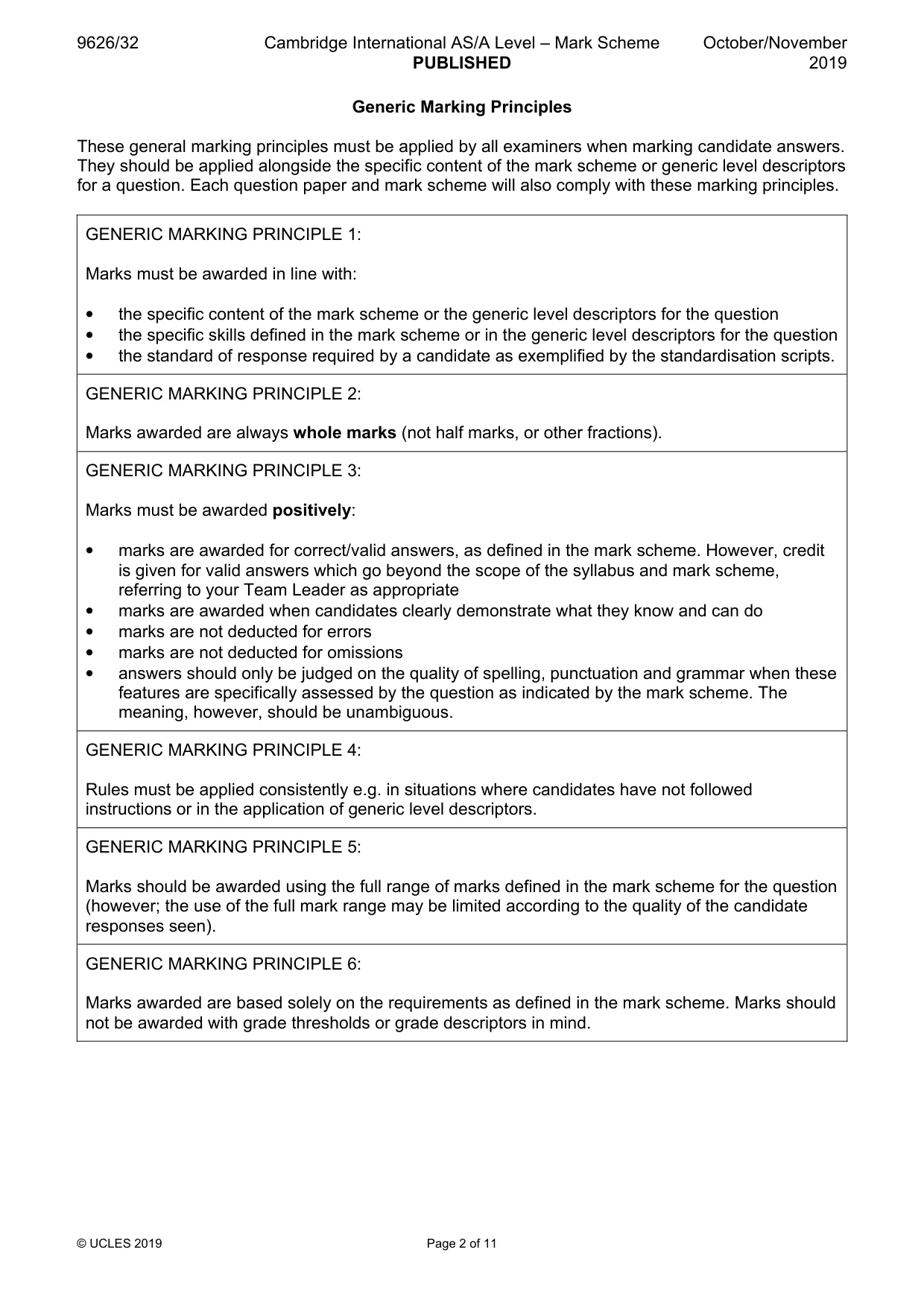
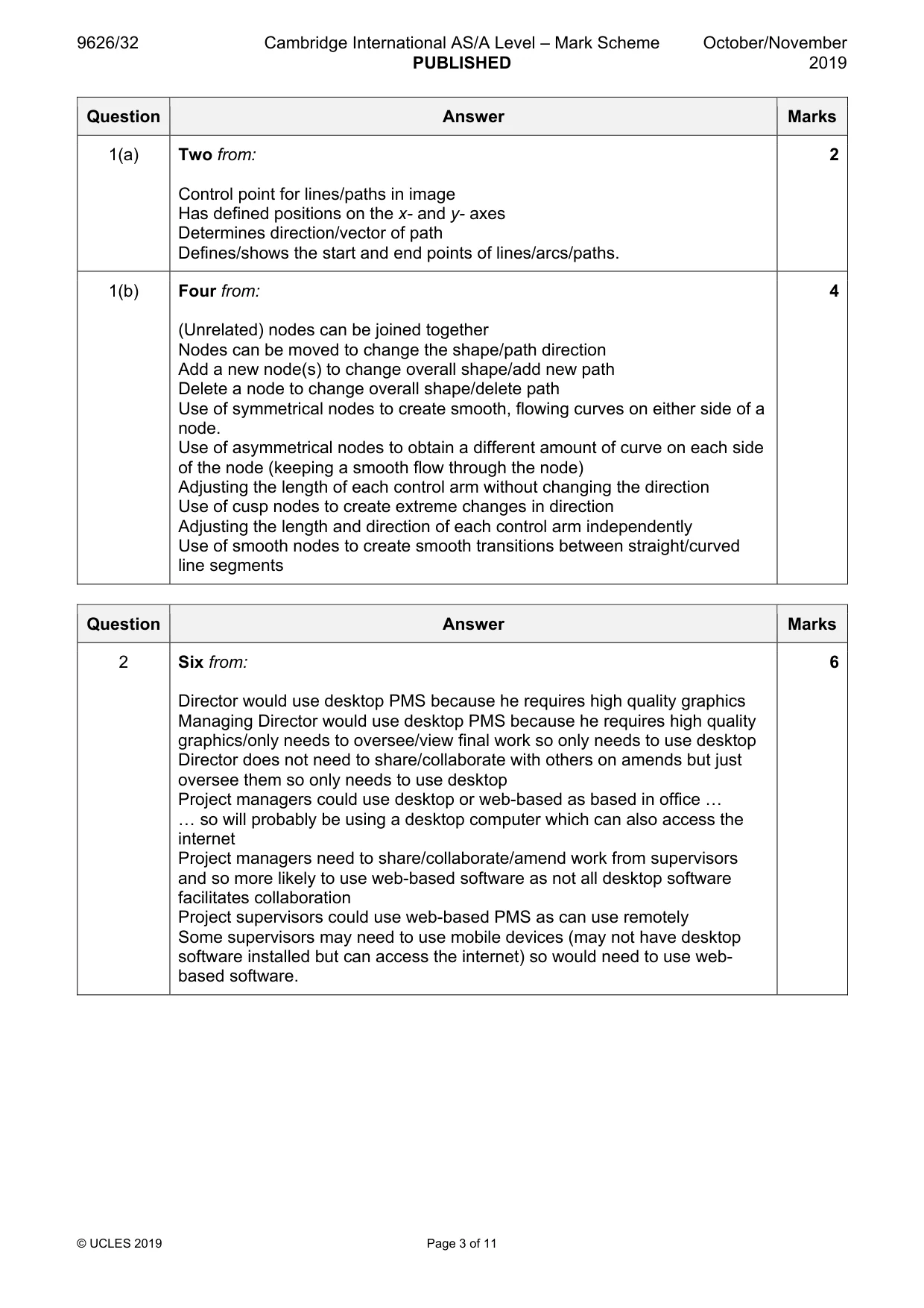
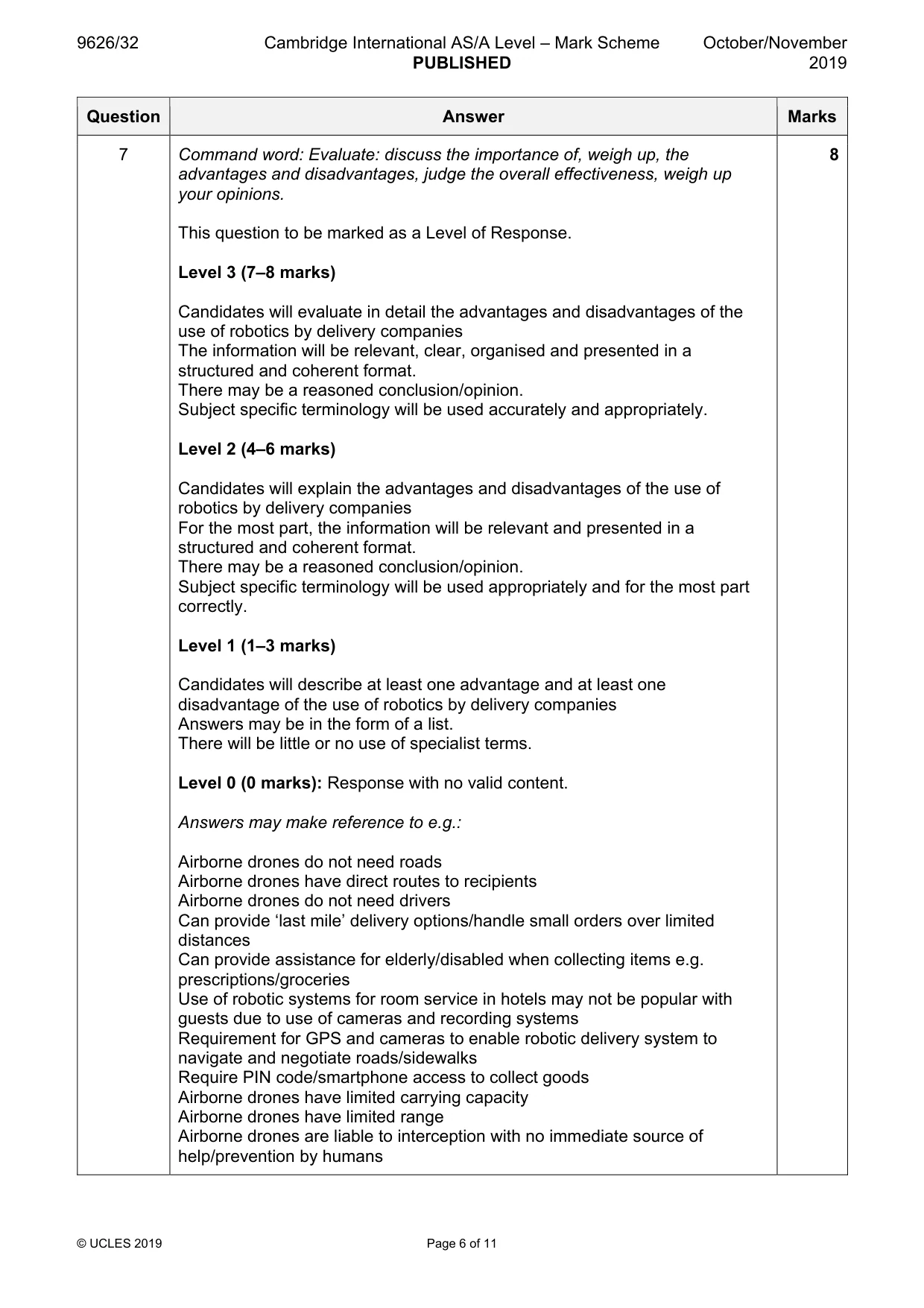
Mark scheme: Question Answer Marks 1(a) Two from: 2 Control point for lines/paths in image Has defined positions on the x- and y- axes Determines direction/vector of path Defines/shows the start and end points of lines/arcs/paths. 1(b) Four from: 4 (Unrelated) nodes can be joined together Nodes can be moved to change the shape/path direction Add a new node(s) to change overall shape/add new path Delete a node to change overall shape/delete path Use of symmetrical nodes to create smooth, flowing curves on either side of a node. Use of asymmetrical nodes to obtain a different amount of curve on each side of the node (keeping a smooth flow through the node) Adjusting the length of each control arm without changing the direction Use of cusp nodes to create extreme changes in direction Adjusting the length and direction of each control arm independently Use of smooth nodes to create smooth transitions between straight/curved line segments
Q2 · A director of a building company is overseeing a large number of projects that are…
2 A director of a building company is overseeing a large number of projects that are managed using project management software. • The director oversees several project managers • The director reports to the managing director • The director’s report will include several graphs and tables • The director and managers work from their offices • Each manager oversees a team of project supervisors • Project supervisors will supervise one or more projects and may share projects • Supervisors can work from home as well as when they are visiting the building sites. Describe, with reasons, the most appropriate type of project management software that each of the mentioned personnel could use to manage the projects. .......................................................................................................................................................... .......................................................................................................................................................... .......................................................................................................................................................... .......................................................................................................................................................... .......................................................................................................................................................... .......................................................................................................................................................... .......................................................................................................................................................... .......................................................................................................................................................... .......................................................................................................................................................... .......................................................................................................................................................... .......................................................................................................................................................... .......................................................................................................................................................... .......................................................................................................................................................... .................................................................................................................................................... [6]
Mark scheme: 2 Six from: 6 Director would use desktop PMS because he requires high quality graphics Managing Director would use desktop PMS because he requires high quality graphics/only needs to oversee/view final work so only needs to use desktop Director does not need to share/collaborate with others on amends but just oversee them so only needs to use desktop Project managers could use desktop or web-based as based in office « « so will probably be using a desktop computer which can also access the internet Project managers need to share/collaborate/amend work from supervisors and so more likely to use web-based software as not all desktop software facilitates collaboration Project supervisors could use web-based PMS as can use remotely Some supervisors may need to use mobile devices (may not have desktop software installed but can access the internet) so would need to use web- based software.
Q3 · JavaScript uses strings to store data
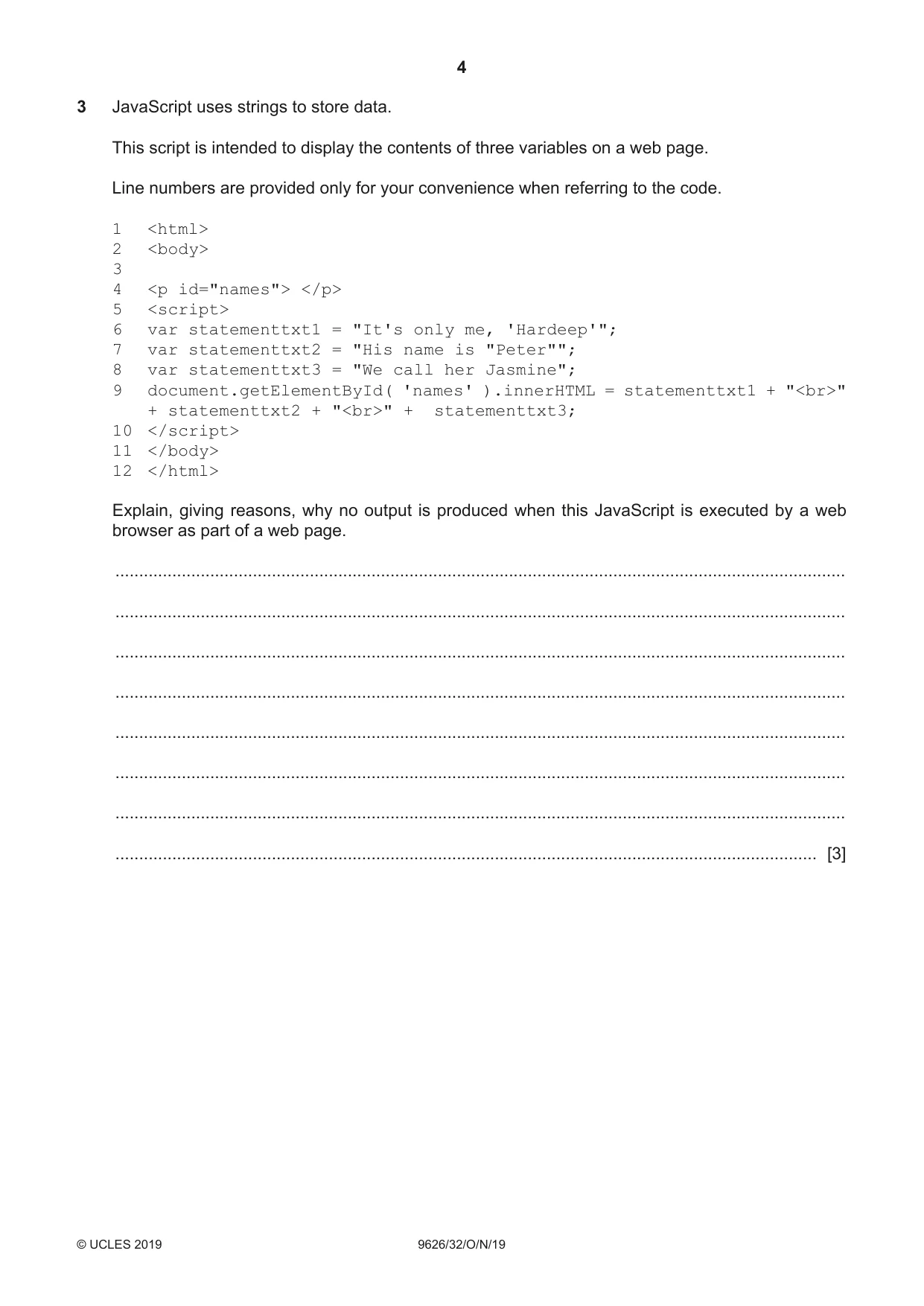
3 JavaScript uses strings to store data. This script is intended to display the contents of three variables on a web page. Line numbers are provided only for your convenience when referring to the code. 1 <html> 2 <body> 3 4 <p id="names"> </p> 5 <script> 6 var statementtxt1 = "It's only me, 'Hardeep'"; 7 var statementtxt2 = "His name is "Peter""; 8 var statementtxt3 = "We call her Jasmine"; 9 document.getElementById( 'names' ).innerHTML = statementtxt1 + "<br>" + statementtxt2 + "<br>" + statementtxt3; 10 </script> 11 </body> 12 </html> Explain, giving reasons, why no output is produced when this JavaScript is executed by a web browser as part of a web page. .......................................................................................................................................................... .......................................................................................................................................................... .......................................................................................................................................................... .......................................................................................................................................................... .......................................................................................................................................................... .......................................................................................................................................................... .......................................................................................................................................................... .................................................................................................................................................... [3]
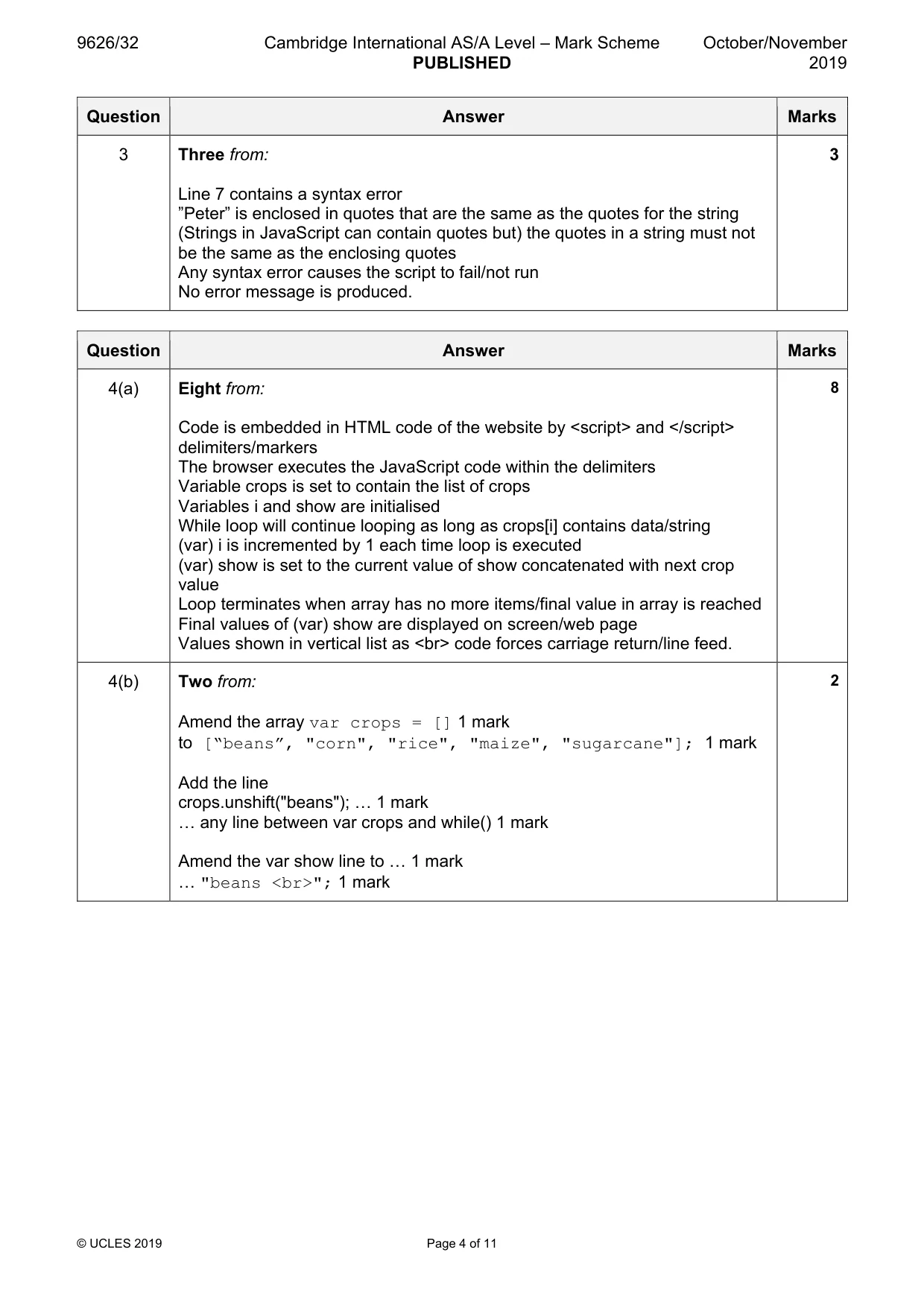
Mark scheme: 3 Three from: 3 Line 7 contains a syntax error ”Peter” is enclosed in quotes that are the same as the quotes for the string (Strings in JavaScript can contain quotes but) the quotes in a string must not be the same as the enclosing quotes Any syntax error causes the script to fail/not run No error message is produced.
Q4 · A web page uses JavaScript code to display a list of food crops
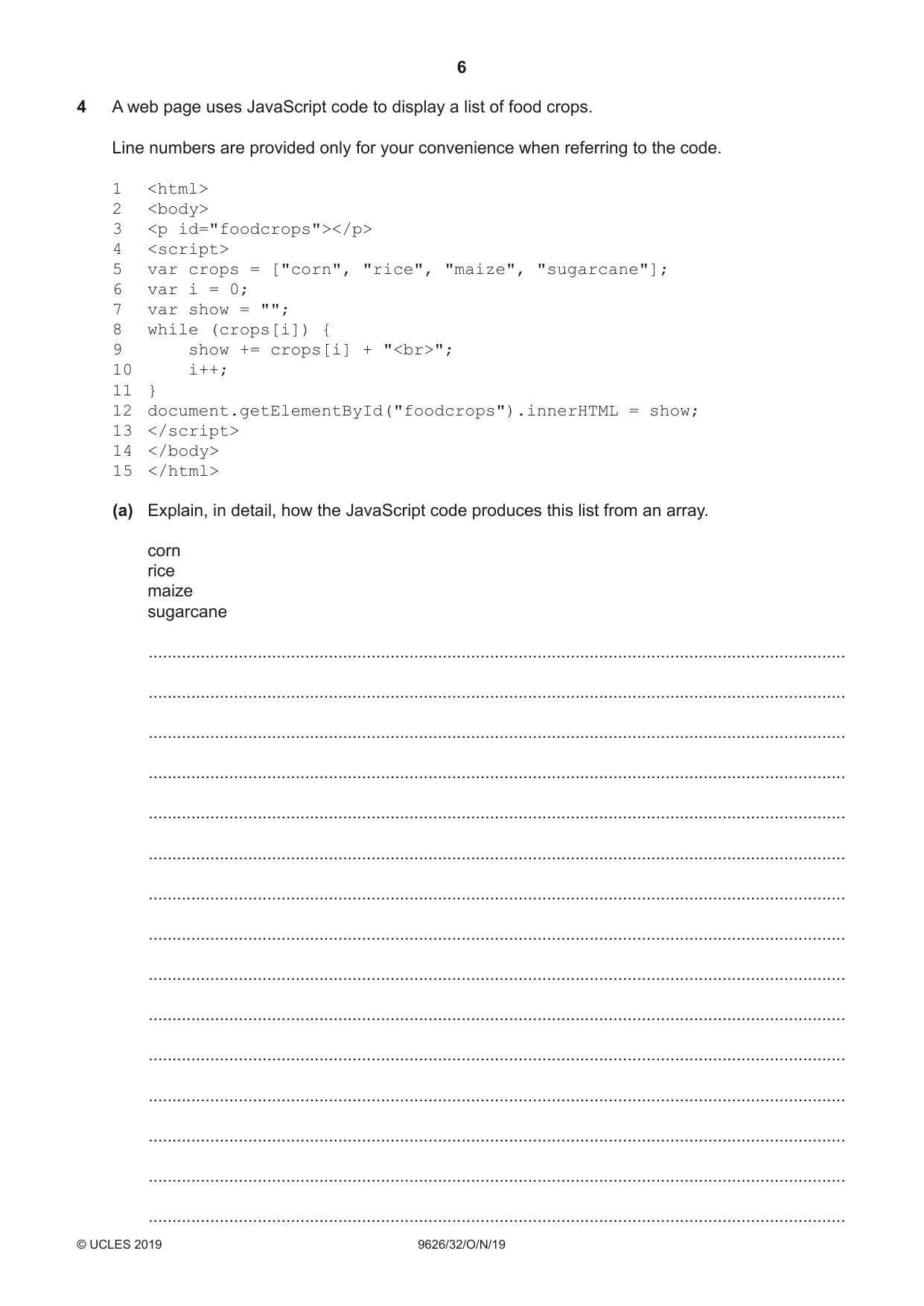
4 A web page uses JavaScript code to display a list of food crops. Line numbers are provided only for your convenience when referring to the code. 1 <html> 2 <body> 3 <p id="foodcrops"></p> 4 <script> 5 var crops = ["corn", "rice", "maize", "sugarcane"]; 6 var i = 0; 7 var show = ""; 8 while (crops[i]) { 9 show += crops[i] + "<br>"; 10 i++; 11 } 12 document.getElementById("foodcrops").innerHTML = show; 13 </script> 14 </body> 15 </html> (a) Explain, in detail, how the JavaScript code produces this list from an array. corn rice maize sugarcane ................................................................................................................................................... ................................................................................................................................................... ................................................................................................................................................... ................................................................................................................................................... ................................................................................................................................................... ................................................................................................................................................... ................................................................................................................................................... ................................................................................................................................................... ................................................................................................................................................... ................................................................................................................................................... ................................................................................................................................................... ................................................................................................................................................... ................................................................................................................................................... ................................................................................................................................................... ................................................................................................................................................... ................................................................................................................................................... ................................................................................................................................................... ................................................................................................................................................... ................................................................................................................................................... ............................................................................................................................................. [8] (b) Explain how you would amend the existing JavaScript code to add ‘beans’ to the array so that it would produce this list. beans corn rice maize sugarcane ................................................................................................................................................... ................................................................................................................................................... ................................................................................................................................................... ................................................................................................................................................... ................................................................................................................................................... ............................................................................................................................................. [2]
Mark scheme: 4(a) Eight from: 8 Code is embedded in HTML code of the website by <script> and </script> delimiters/markers The browser executes the JavaScript code within the delimiters Variable crops is set to contain the list of crops Variables i and show are initialised While loop will continue looping as long as crops[i] contains data/string (var) i is incremented by 1 each time loop is executed (var) show is set to the current value of show concatenated with next crop value Loop terminates when array has no more items/final value in array is reached Final values of (var) show are displayed on screen/web page Values shown in vertical list as <br> code forces carriage return/line feed. 4(b) Two from: 2 Amend the array var crops = [] 1 mark to [“beans”, "corn", "rice", "maize", "sugarcane"]; 1 mark Add the line crops.unshift("beans"); « 1 mark « any line between var crops and while() 1 mark Amend the var show line to « 1 mark « "beans <br>"; 1 mark
Q5 · Discuss the impact on students of their use of smartphones
5 Discuss the impact on students of their use of smartphones. .......................................................................................................................................................... .......................................................................................................................................................... .......................................................................................................................................................... .......................................................................................................................................................... .......................................................................................................................................................... .......................................................................................................................................................... .......................................................................................................................................................... .......................................................................................................................................................... .......................................................................................................................................................... .......................................................................................................................................................... .......................................................................................................................................................... .......................................................................................................................................................... .......................................................................................................................................................... .......................................................................................................................................................... .......................................................................................................................................................... .......................................................................................................................................................... .......................................................................................................................................................... .......................................................................................................................................................... .......................................................................................................................................................... .................................................................................................................................................... [8]
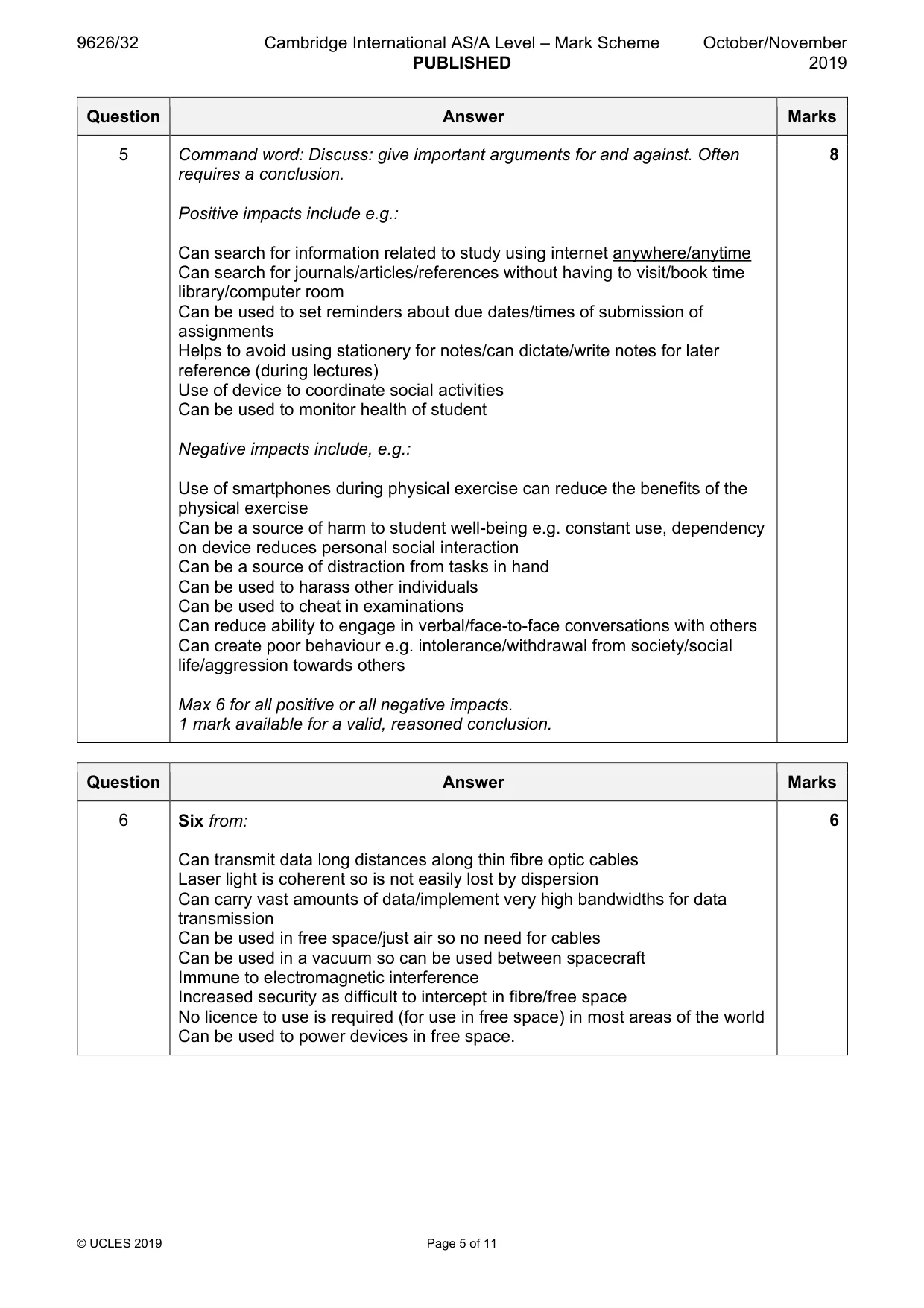
Mark scheme: 5 Command word: Discuss: give important arguments for and against. Often 8 requires a conclusion. Positive impacts include e.g.: Can search for information related to study using internet anywhere/anytime Can search for journals/articles/references without having to visit/book time library/computer room Can be used to set reminders about due dates/times of submission of assignments Helps to avoid using stationery for notes/can dictate/write notes for later reference (during lectures) Use of device to coordinate social activities Can be used to monitor health of student Negative impacts include, e.g.: Use of smartphones during physical exercise can reduce the benefits of the physical exercise Can be a source of harm to student well-being e.g. constant use, dependency on device reduces personal social interaction Can be a source of distraction from tasks in hand Can be used to harass other individuals Can be used to cheat in examinations Can reduce ability to engage in verbal/face-to-face conversations with others Can create poor behaviour e.g. intolerance/withdrawal from society/social life/aggression towards others Max 6 for all positive or all negative impacts. 1 mark available for a valid, reasoned conclusion.
Q6 · Describe the benefits of using lasers to transmit data between devices
6 Describe the benefits of using lasers to transmit data between devices. .......................................................................................................................................................... .......................................................................................................................................................... .......................................................................................................................................................... .......................................................................................................................................................... .......................................................................................................................................................... .......................................................................................................................................................... .......................................................................................................................................................... .......................................................................................................................................................... .......................................................................................................................................................... .......................................................................................................................................................... .......................................................................................................................................................... .......................................................................................................................................................... .......................................................................................................................................................... .................................................................................................................................................... [6]
Mark scheme: 6 Six from: 6 Can transmit data long distances along thin fibre optic cables Laser light is coherent so is not easily lost by dispersion Can carry vast amounts of data/implement very high bandwidths for data transmission Can be used in free space/just air so no need for cables Can be used in a vacuum so can be used between spacecraft Immune to electromagnetic interference Increased security as difficult to intercept in fibre/free space No licence to use is required (for use in free space) in most areas of the world Can be used to power devices in free space.
Q7 · Robotic delivery systems are being used by organisations to deliver goods direct to…
7 Robotic delivery systems are being used by organisations to deliver goods direct to customers. Evaluate the use of robotics in the delivery of goods. .......................................................................................................................................................... .......................................................................................................................................................... .......................................................................................................................................................... .......................................................................................................................................................... .......................................................................................................................................................... .......................................................................................................................................................... .......................................................................................................................................................... .......................................................................................................................................................... .......................................................................................................................................................... .......................................................................................................................................................... .......................................................................................................................................................... .......................................................................................................................................................... .......................................................................................................................................................... .......................................................................................................................................................... .......................................................................................................................................................... .......................................................................................................................................................... .......................................................................................................................................................... .......................................................................................................................................................... .......................................................................................................................................................... .................................................................................................................................................... [8]
Mark scheme: 7 Command word: Evaluate: discuss the importance of, weigh up, the 8 advantages and disadvantages, judge the overall effectiveness, weigh up your opinions. This question to be marked as a Level of Response. Level 3 (7–8 marks) Candidates will evaluate in detail the advantages and disadvantages of the use of robotics by delivery companies The information will be relevant, clear, organised and presented in a structured and coherent format. There may be a reasoned conclusion/opinion. Subject specific terminology will be used accurately and appropriately. Level 2 (4–6 marks) Candidates will explain the advantages and disadvantages of the use of robotics by delivery companies For the most part, the information will be relevant and presented in a structured and coherent format. There may be a reasoned conclusion/opinion. Subject specific terminology will be used appropriately and for the most part correctly. Level 1 (1–3 marks) Candidates will describe at least one advantage and at least one disadvantage of the use of robotics by delivery companies Answers may be in the form of a list. There will be little or no use of specialist terms. Level 0 (0 marks): Response with no valid content. Answers may make reference to e.g.: Airborne drones do not need roads Airborne drones have direct routes to recipients Airborne drones do not need drivers Can provide ‘last mile’ delivery options/handle small orders over limited distances Can provide assistance for elderly/disabled when collecting items e.g. prescriptions/groceries Use of robotic systems for room service in hotels may not be popular with guests due to use of cameras and recording systems Requirement for GPS and cameras to enable robotic delivery system to navigate and negotiate roads/sidewalks Require PIN code/smartphone access to collect goods Airborne drones have limited carrying capacity Airborne drones have limited range Airborne drones are liable to interception with no immediate source of help/prevention by humans
Q8 · A bank stores details of customer accounts on its computer system
8 A bank stores details of customer accounts on its computer system. Customers and staff can access the accounts by logging in to the bank’s website. (a) Describe the security methods that could be used to ensure that the person logging in is authorised to do so. ................................................................................................................................................... ................................................................................................................................................... ................................................................................................................................................... ................................................................................................................................................... ................................................................................................................................................... ................................................................................................................................................... ................................................................................................................................................... ................................................................................................................................................... ................................................................................................................................................... ................................................................................................................................................... ................................................................................................................................................... ................................................................................................................................................... ................................................................................................................................................... ............................................................................................................................................. [6] (b) The bank insists that its staff use a VPN when accessing the accounts from outside the bank’s intranet. Describe the network protocols that could be used by this VPN. ................................................................................................................................................... ................................................................................................................................................... ................................................................................................................................................... ................................................................................................................................................... ................................................................................................................................................... ................................................................................................................................................... ................................................................................................................................................... ................................................................................................................................................... ................................................................................................................................................... ................................................................................................................................................... ................................................................................................................................................... ................................................................................................................................................... ................................................................................................................................................... ............................................................................................................................................. [6]
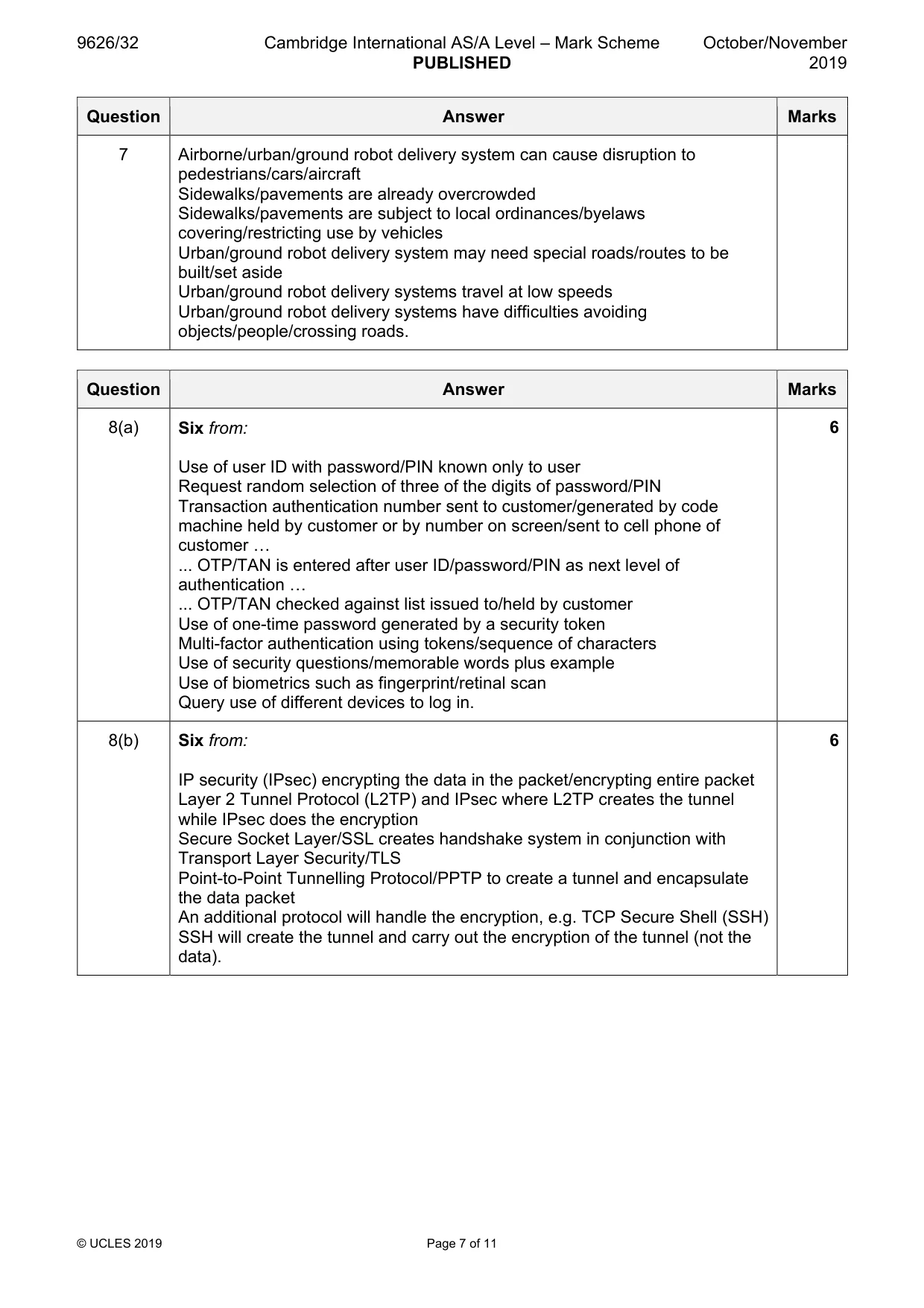
Mark scheme: 8(a) Six from: 6 Use of user ID with password/PIN known only to user Request random selection of three of the digits of password/PIN Transaction authentication number sent to customer/generated by code machine held by customer or by number on screen/sent to cell phone of customer « ... OTP/TAN is entered after user ID/password/PIN as next level of authentication « ... OTP/TAN checked against list issued to/held by customer Use of one-time password generated by a security token Multi-factor authentication using tokens/sequence of characters Use of security questions/memorable words plus example Use of biometrics such as fingerprint/retinal scan Query use of different devices to log in. 8(b) Six from: 6 IP security (IPsec) encrypting the data in the packet/encrypting entire packet Layer 2 Tunnel Protocol (L2TP) and IPsec where L2TP creates the tunnel while IPsec does the encryption Secure Socket Layer/SSL creates handshake system in conjunction with Transport Layer Security/TLS Point-to-Point Tunnelling Protocol/PPTP to create a tunnel and encapsulate the data packet An additional protocol will handle the encryption, e.g. TCP Secure Shell (SSH) SSH will create the tunnel and carry out the encryption of the tunnel (not the data).
Q9 · Compare and contrast the use of a Massive Open Online Course (MOOC) with the use of…
9 Compare and contrast the use of a Massive Open Online Course (MOOC) with the use of online tutorials. .......................................................................................................................................................... .......................................................................................................................................................... .......................................................................................................................................................... .......................................................................................................................................................... .......................................................................................................................................................... .......................................................................................................................................................... .......................................................................................................................................................... .......................................................................................................................................................... .......................................................................................................................................................... .......................................................................................................................................................... .......................................................................................................................................................... .......................................................................................................................................................... .......................................................................................................................................................... .................................................................................................................................................... [6]
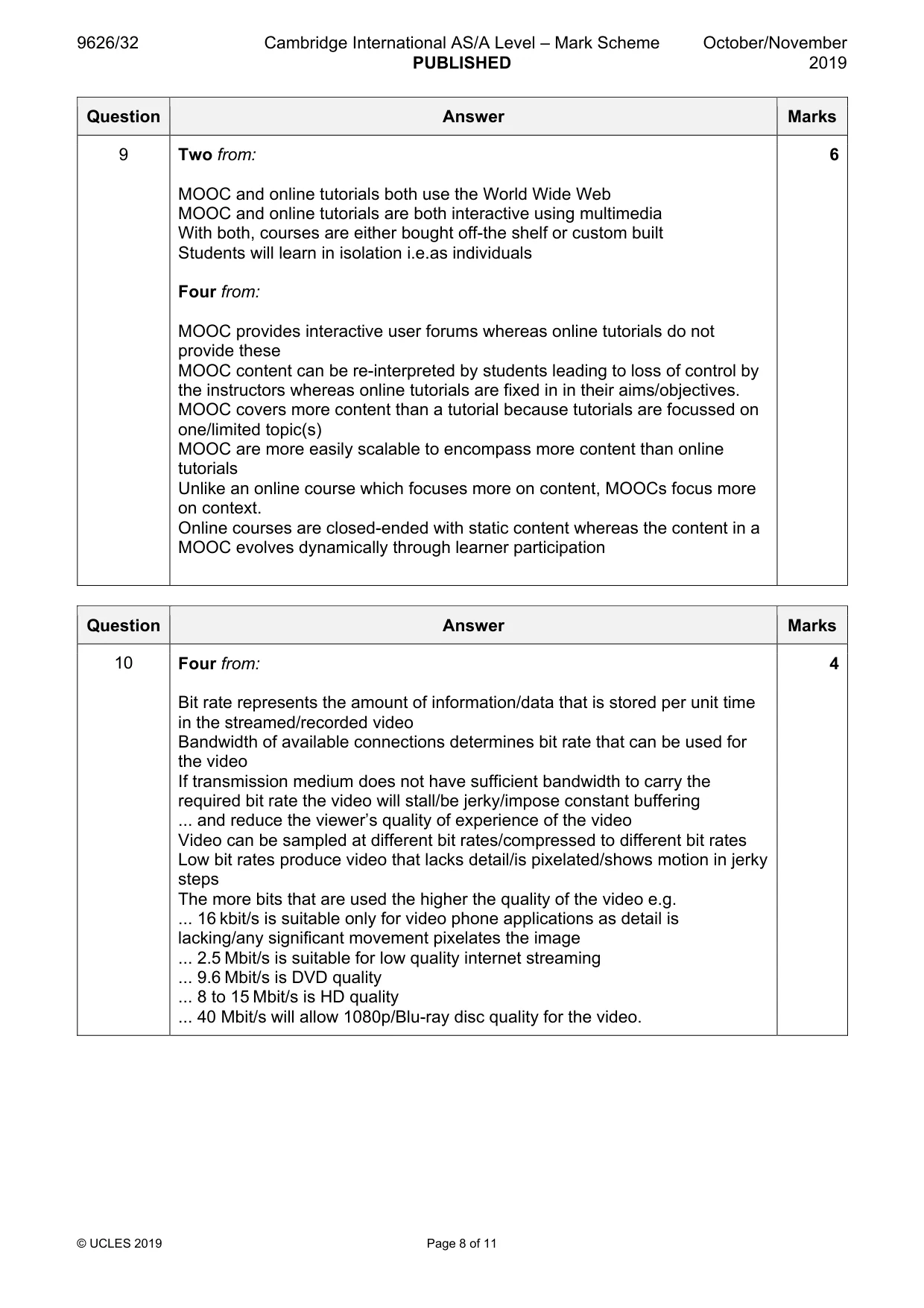
Mark scheme: 9 Two from: 6 MOOC and online tutorials both use the World Wide Web MOOC and online tutorials are both interactive using multimedia With both, courses are either bought off-the shelf or custom built Students will learn in isolation i.e.as individuals Four from: MOOC provides interactive user forums whereas online tutorials do not provide these MOOC content can be re-interpreted by students leading to loss of control by the instructors whereas online tutorials are fixed in in their aims/objectives. MOOC covers more content than a tutorial because tutorials are focussed on one/limited topic(s) MOOC are more easily scalable to encompass more content than online tutorials Unlike an online course which focuses more on content, MOOCs focus more on context. Online courses are closed-ended with static content whereas the content in a MOOC evolves dynamically through learner participation
Q10 · Describe the effect of bit rate on the quality of streamed video
10 Describe the effect of bit rate on the quality of streamed video. .......................................................................................................................................................... .......................................................................................................................................................... .......................................................................................................................................................... .......................................................................................................................................................... .......................................................................................................................................................... .......................................................................................................................................................... .......................................................................................................................................................... .......................................................................................................................................................... .......................................................................................................................................................... .................................................................................................................................................... [4]
Mark scheme: 10 Four from: 4 Bit rate represents the amount of information/data that is stored per unit time in the streamed/recorded video Bandwidth of available connections determines bit rate that can be used for the video If transmission medium does not have sufficient bandwidth to carry the required bit rate the video will stall/be jerky/impose constant buffering ... and reduce the viewer’s quality of experience of the video Video can be sampled at different bit rates/compressed to different bit rates Low bit rates produce video that lacks detail/is pixelated/shows motion in jerky steps The more bits that are used the higher the quality of the video e.g. ... 16 kbit/s is suitable only for video phone applications as detail is lacking/any significant movement pixelates the image ... 2.5 Mbit/s is suitable for low quality internet streaming ... 9.6 Mbit/s is DVD quality ... 8 to 15 Mbit/s is HD quality ... 40 Mbit/s will allow 1080p/Blu-ray disc quality for the video.
Q11 · A photograph of a scene
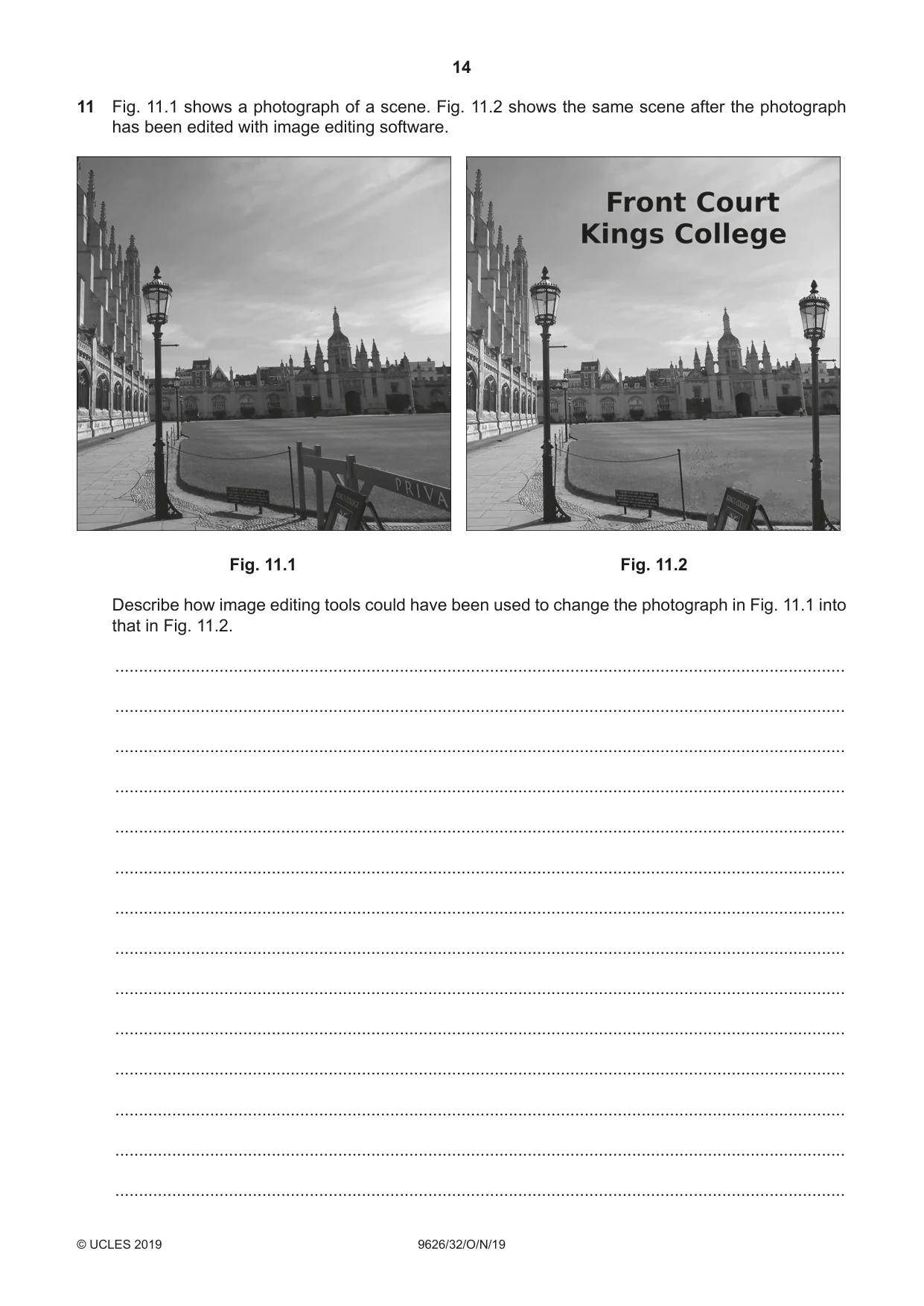
11 Fig. 11.1 shows a photograph of a scene. Fig. 11.2 shows the same scene after the photograph has been edited with image editing software. Fig. 11.1 Fig. 11.2 Describe how image editing tools could have been used to change the photograph in Fig. 11.1 into that in Fig. 11.2. .......................................................................................................................................................... .......................................................................................................................................................... .......................................................................................................................................................... .......................................................................................................................................................... .......................................................................................................................................................... .......................................................................................................................................................... .......................................................................................................................................................... .......................................................................................................................................................... .......................................................................................................................................................... .......................................................................................................................................................... .......................................................................................................................................................... .......................................................................................................................................................... .......................................................................................................................................................... .......................................................................................................................................................... .......................................................................................................................................................... .......................................................................................................................................................... .......................................................................................................................................................... .......................................................................................................................................................... .......................................................................................................................................................... .................................................................................................................................................... [8]
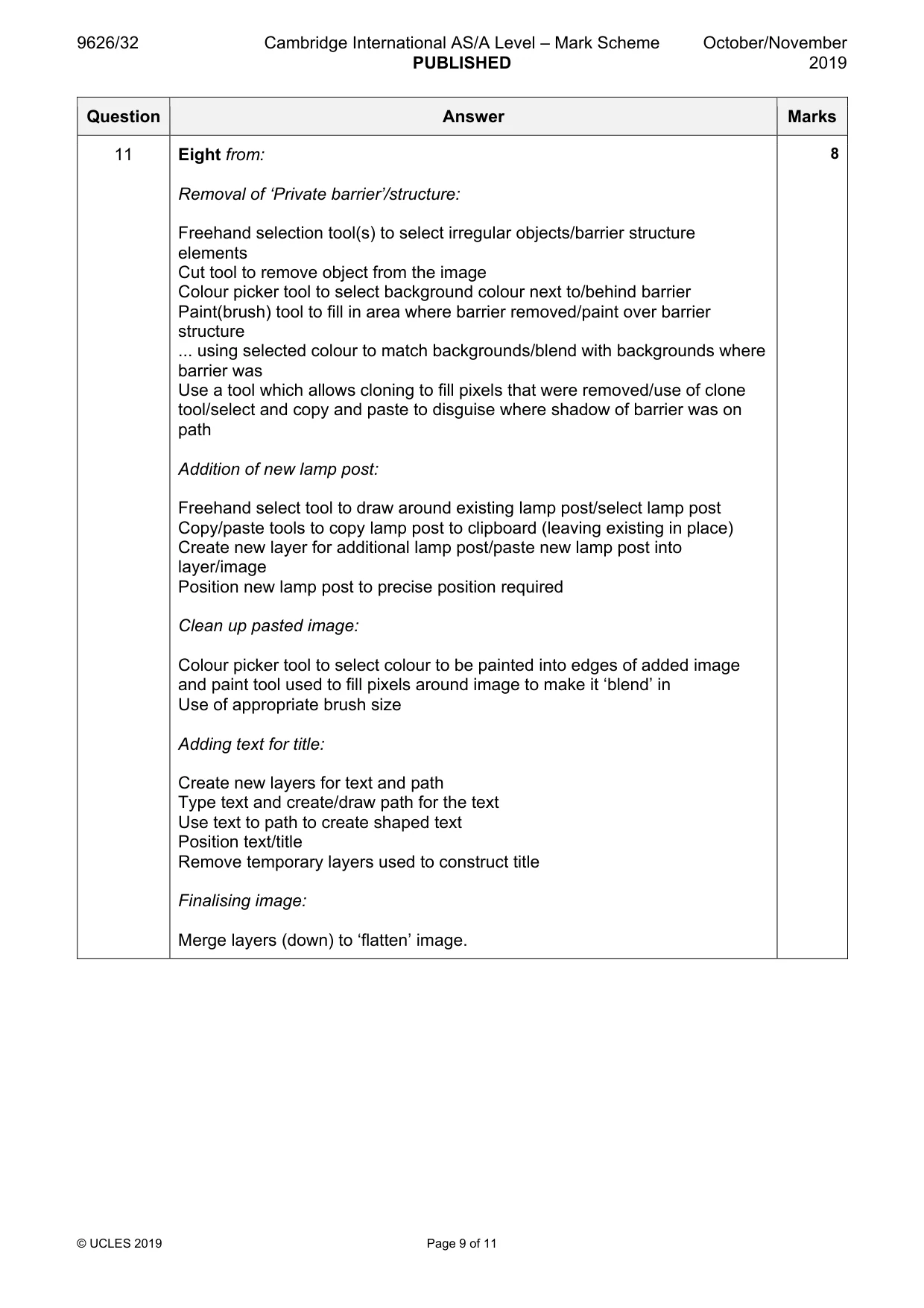
Mark scheme: 11 Eight from: 8 Removal of ‘Private barrier’/structure: Freehand selection tool(s) to select irregular objects/barrier structure elements Cut tool to remove object from the image Colour picker tool to select background colour next to/behind barrier Paint(brush) tool to fill in area where barrier removed/paint over barrier structure ... using selected colour to match backgrounds/blend with backgrounds where barrier was Use a tool which allows cloning to fill pixels that were removed/use of clone tool/select and copy and paste to disguise where shadow of barrier was on path Addition of new lamp post: Freehand select tool to draw around existing lamp post/select lamp post Copy/paste tools to copy lamp post to clipboard (leaving existing in place) Create new layer for additional lamp post/paste new lamp post into layer/image Position new lamp post to precise position required Clean up pasted image: Colour picker tool to select colour to be painted into edges of added image and paint tool used to fill pixels around image to make it ‘blend’ in Use of appropriate brush size Adding text for title: Create new layers for text and path Type text and create/draw path for the text Use text to path to create shaped text Position text/title Remove temporary layers used to construct title Finalising image: Merge layers (down) to ‘flatten’ image.
Q12 · A new app has been created for smartphones, but is unreliable due to some unknown coding…
12 A new app has been created for smartphones, but is unreliable due to some unknown coding errors. A group of testers has been asked to locate the errors and suggest, in a report, corrections that should be made to the code before the app is ready for sale. The testers have been given a list of milestones to record their progress. These are shown: Milestones to be reached: 1 Check that the plan will solve the unreliability issue. 2 Create a plan to correct the code. 3 Create a theory as to which lines/areas/blocks/sections of code are causing the unreliability. 4 Document the results of the testing in a report. 5 Download and install app on the smartphone. 6 Identify the problem with the code by running the app. 7 Suggest corrections that could correct the unreliability. 8 Test the suggested corrections. 9 Test the theory to see if the unreliability can be replicated elsewhere. List, by writing the number of the milestone, the order in which these milestones should be reached by the testers. ............................. ............................. ............................. ............................. ............................. ............................. ............................. ............................. ............................. [5]
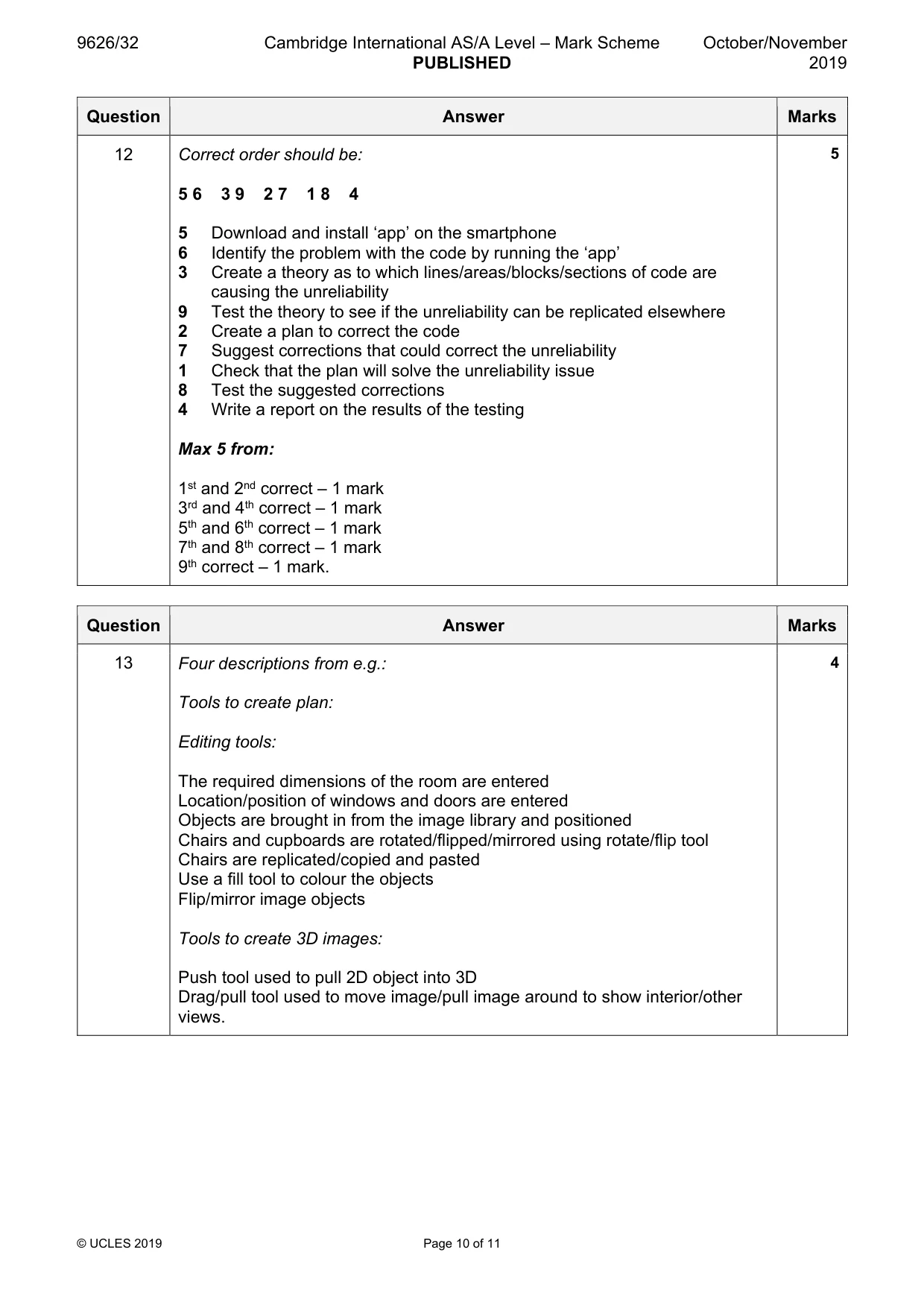
Mark scheme: 12 Correct order should be: 5 5 6 3 9 2 7 1 8 4 5 Download and install ‘app’ on the smartphone 6 Identify the problem with the code by running the ‘app’ 3 Create a theory as to which lines/areas/blocks/sections of code are causing the unreliability 9 Test the theory to see if the unreliability can be replicated elsewhere 2 Create a plan to correct the code 7 Suggest corrections that could correct the unreliability 1 Check that the plan will solve the unreliability issue 8 Test the suggested corrections 4 Write a report on the results of the testing Max 5 from: 1st and 2nd correct – 1 mark 3rd and 4th correct – 1 mark 5th and 6th correct – 1 mark 7th and 8th correct – 1 mark 9th correct – 1 mark.
Q13 · Computer Aided Design software has been used to create a design for a new kitchen as…
13 Computer Aided Design software has been used to create a design for a new kitchen as shown: Plan Image 1 Image 2 Describe how the software tools would have been used to create the plan and the images from it. .......................................................................................................................................................... .......................................................................................................................................................... .......................................................................................................................................................... .......................................................................................................................................................... .......................................................................................................................................................... .......................................................................................................................................................... .......................................................................................................................................................... .......................................................................................................................................................... .......................................................................................................................................................... .................................................................................................................................................... [4]
Mark scheme: 13 Four descriptions from e.g.: 4 Tools to create plan: Editing tools: The required dimensions of the room are entered Location/position of windows and doors are entered Objects are brought in from the image library and positioned Chairs and cupboards are rotated/flipped/mirrored using rotate/flip tool Chairs are replicated/copied and pasted Use a fill tool to colour the objects Flip/mirror image objects Tools to create 3D images: Push tool used to pull 2D object into 3D Drag/pull tool used to move image/pull image around to show interior/other views.
Q14 · Evaluate the impact of holographic imaging on medicine
14 Evaluate the impact of holographic imaging on medicine. .......................................................................................................................................................... .......................................................................................................................................................... .......................................................................................................................................................... .......................................................................................................................................................... .......................................................................................................................................................... .......................................................................................................................................................... .......................................................................................................................................................... .......................................................................................................................................................... .......................................................................................................................................................... .................................................................................................................................................... [4]
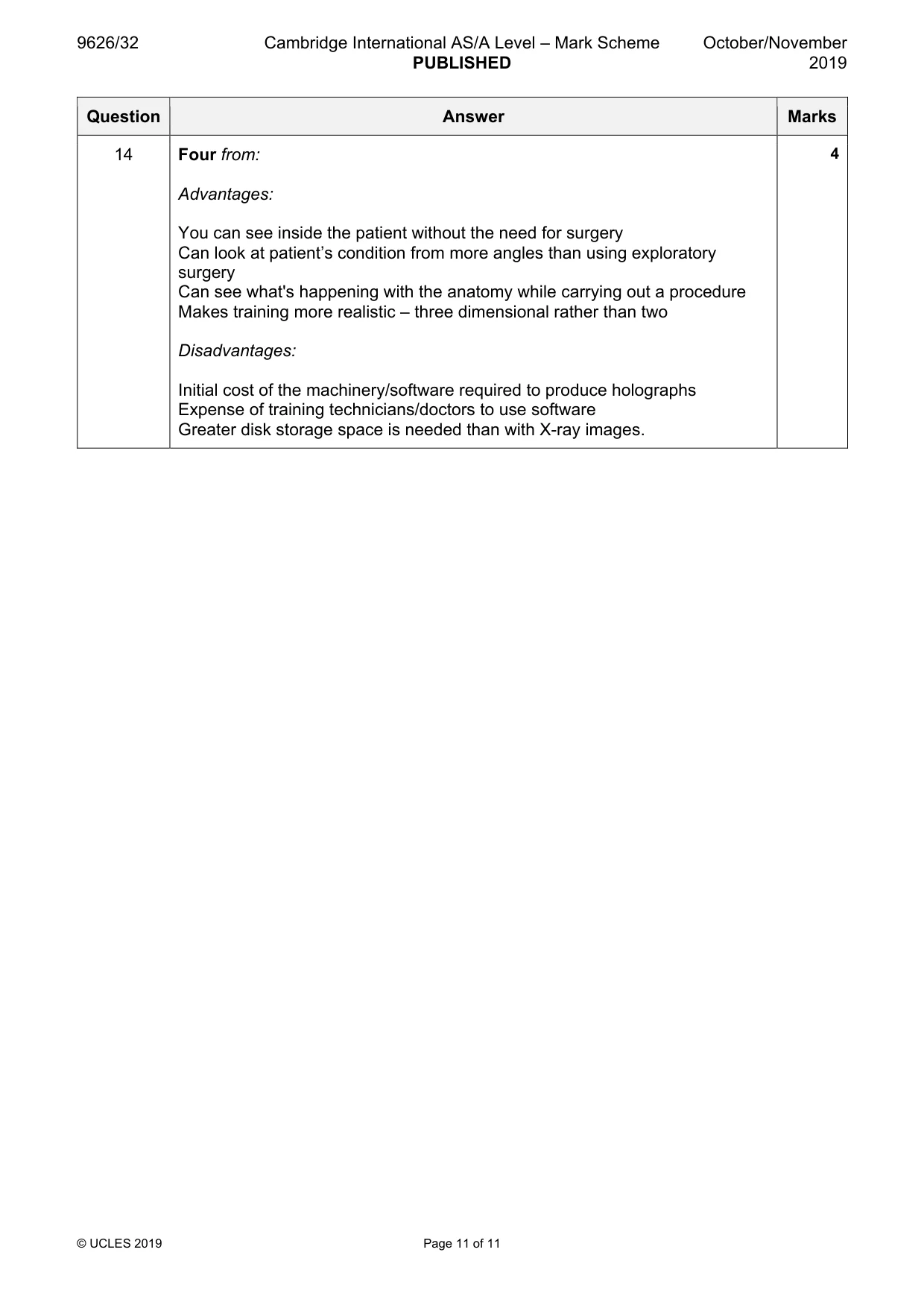
Mark scheme: 14 Four from: 4 Advantages: You can see inside the patient without the need for surgery Can look at patient’s condition from more angles than using exploratory surgery Can see what's happening with the anatomy while carrying out a procedure Makes training more realistic – three dimensional rather than two Disadvantages: Initial cost of the machinery/software required to produce holographs Expense of training technicians/doctors to use software Greater disk storage space is needed than with X-ray images.
What was in this paper
The subtopics covered by these 14 questions, and how many questions each got. Open one in a new tab to see every Cambridge question on it.
What you needed in this session
Cambridge’s own grade thresholds for 2019 Oct/Nov, Paper 3 · Variant 2. A higher threshold means an easier paper — the bar moves with how the cohort did.