Cambridge A Level Information Technology (from 2017) 9626 — 2023 Oct/Nov Paper 3 · Variant 2
9626/32/O/N/23 · 11 questions · 70 marks · ≈79 min
The question paper and its mark scheme, free to read here and free to download. This is Cambridge’s own paper, exactly as it was sat.
Question paper12 pages









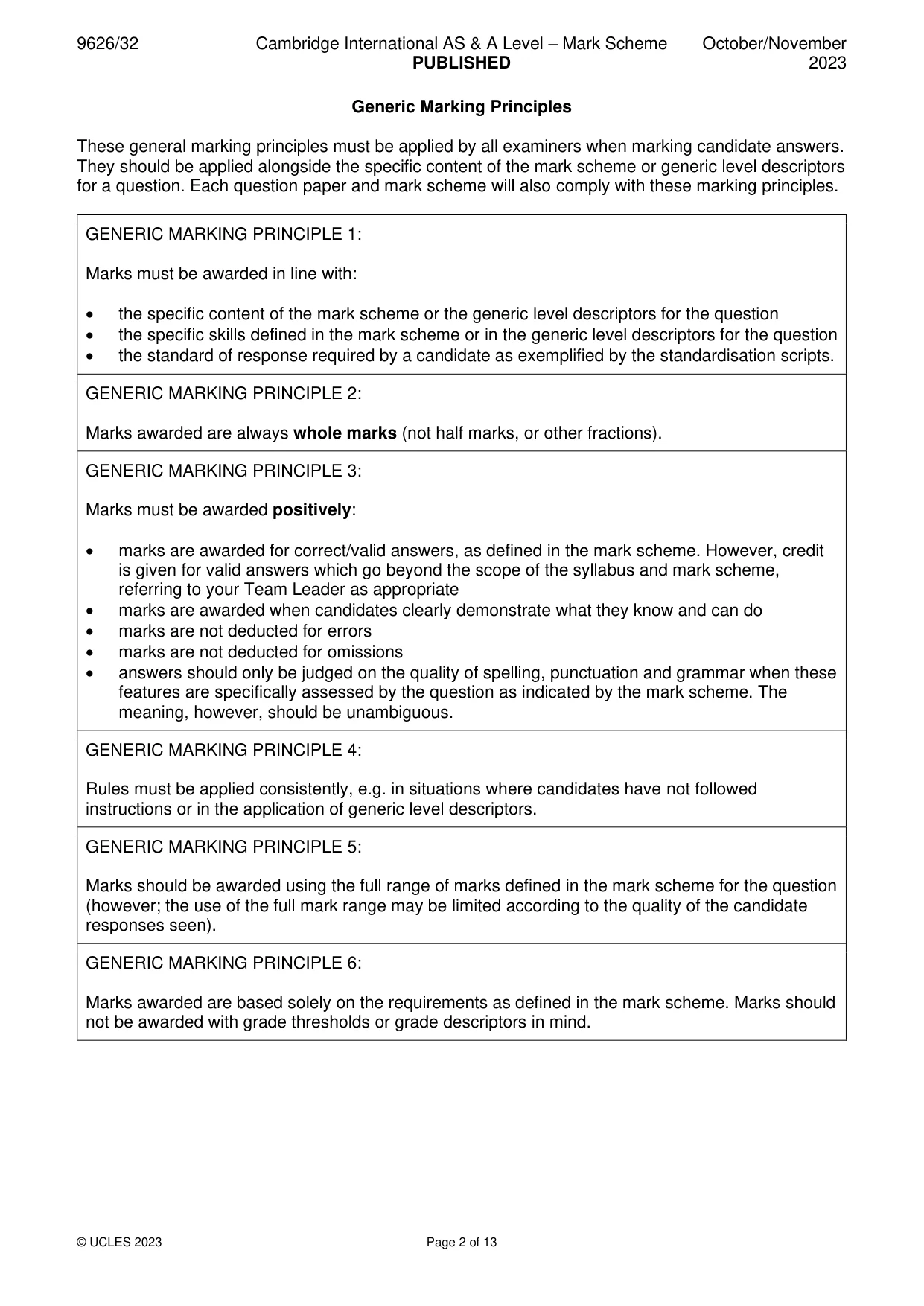
Mark scheme13 pages
Answers below. Sit the paper first if you are practising.
Questions as text
Q1 · Stored value cards can be used for making transactions such as paying for travel on…
1 Stored value cards can be used for making transactions such as paying for travel on public transport or for buying food and drink in cafes. (a) Explain the benefits of stored value cards. ................................................................................................................................................... ................................................................................................................................................... ................................................................................................................................................... ................................................................................................................................................... ................................................................................................................................................... ................................................................................................................................................... ................................................................................................................................................... ................................................................................................................................................... ................................................................................................................................................... ............................................................................................................................................. [4] (b) Describe two drawbacks of stored value cards. ................................................................................................................................................... ................................................................................................................................................... ................................................................................................................................................... ................................................................................................................................................... ................................................................................................................................................... ............................................................................................................................................. [2]
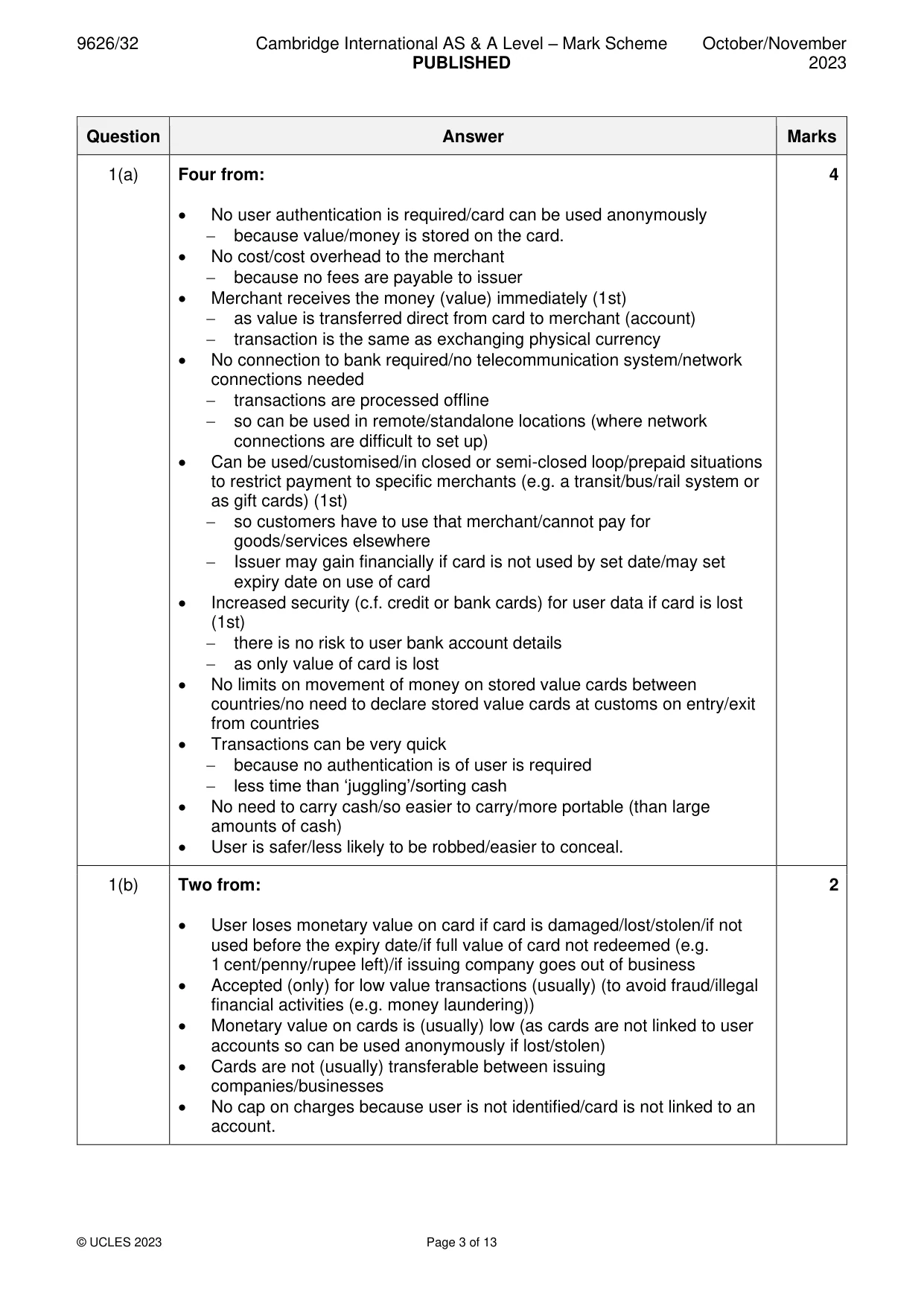
Mark scheme: Question Answer Marks 1(a) Four from: 4 • No user authentication is required/card can be used anonymously − because value/money is stored on the card. • No cost/cost overhead to the merchant − because no fees are payable to issuer • Merchant receives the money (value) immediately (1st) − as value is transferred direct from card to merchant (account) − transaction is the same as exchanging physical currency • No connection to bank required/no telecommunication system/network connections needed − transactions are processed offline − so can be used in remote/standalone locations (where network connections are difficult to set up) • Can be used/customised/in closed or semi-closed loop/prepaid situations to restrict payment to specific merchants (e.g. a transit/bus/rail system or as gift cards) (1st) − so customers have to use that merchant/cannot pay for goods/services elsewhere − Issuer may gain financially if card is not used by set date/may set expiry date on use of card • Increased security (c.f. credit or bank cards) for user data if card is lost (1st) − there is no risk to user bank account details − as only value of card is lost • No limits on movement of money on stored value cards between countries/no need to declare stored value cards at customs on entry/exit from countries • Transactions can be very quick − because no authentication is of user is required − less time than ‘juggling’/sorting cash • No need to carry cash/so easier to carry/more portable (than large amounts of cash) • User is safer/less likely to be robbed/easier to conceal. 1(b) Two from: 2 • User loses monetary value on card if card is damaged/lost/stolen/if not used before the expiry date/if full value of card not redeemed (e.g. 1 cent/penny/rupee left)/if issuing company goes out of business • Accepted (only) for low value transactions (usually) (to avoid fraud/illegal financial activities (e.g. money laundering)) • Monetary value on cards is (usually) low (as cards are not linked to user accounts so can be used anonymously if lost/stolen) • Cards are not (usually) transferable between issuing companies/businesses • No cap on charges because user is not identified/card is not linked to an account.
Q2 · Different methods can be used to make objects appear to move in computer animations
2 Different methods can be used to make objects appear to move in computer animations. (a) Explain why key frames are used in computer animations. ................................................................................................................................................... ................................................................................................................................................... ................................................................................................................................................... ................................................................................................................................................... ................................................................................................................................................... ............................................................................................................................................. [2] (b) Describe how property key frames are used in computer animation. ................................................................................................................................................... ................................................................................................................................................... ................................................................................................................................................... ................................................................................................................................................... ................................................................................................................................................... ................................................................................................................................................... ................................................................................................................................................... ................................................................................................................................................... ................................................................................................................................................... ............................................................................................................................................. [4]
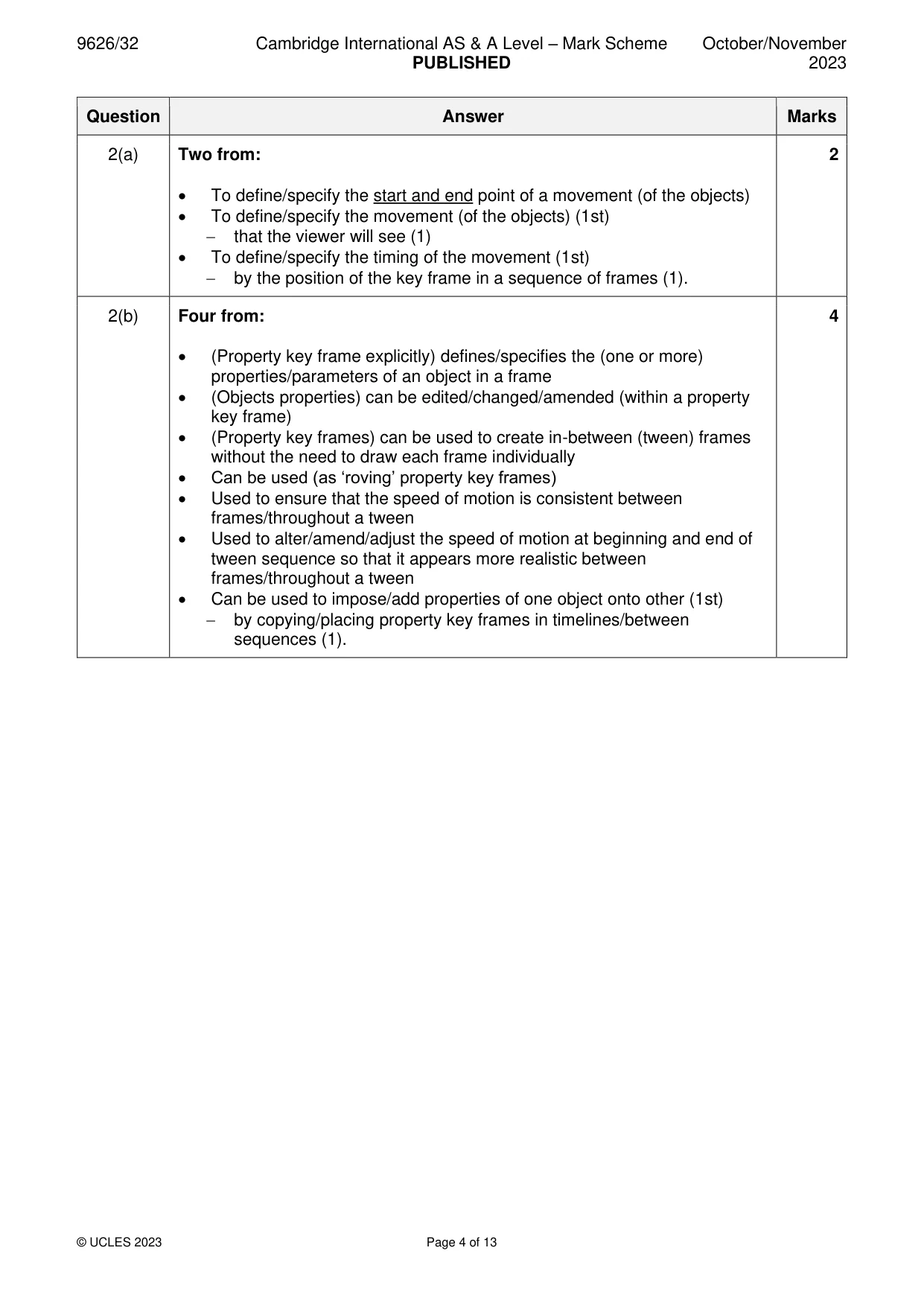
Mark scheme: 2(a) Two from: 2 • To define/specify the start and end point of a movement (of the objects) • To define/specify the movement (of the objects) (1st) − that the viewer will see (1) • To define/specify the timing of the movement (1st) − by the position of the key frame in a sequence of frames (1). 2(b) Four from: 4 • (Property key frame explicitly) defines/specifies the (one or more) properties/parameters of an object in a frame • (Objects properties) can be edited/changed/amended (within a property key frame) • (Property key frames) can be used to create in-between (tween) frames without the need to draw each frame individually • Can be used (as ‘roving’ property key frames) • Used to ensure that the speed of motion is consistent between frames/throughout a tween • Used to alter/amend/adjust the speed of motion at beginning and end of tween sequence so that it appears more realistic between frames/throughout a tween • Can be used to impose/add properties of one object onto other (1st) − by copying/placing property key frames in timelines/between sequences (1).
Q3 · Bitmap images can be compressed when stored and used on computer systems
3 Bitmap images can be compressed when stored and used on computer systems. Analyse the effects of the two main methods of image compression on a bitmap image. .......................................................................................................................................................... .......................................................................................................................................................... .......................................................................................................................................................... .......................................................................................................................................................... .......................................................................................................................................................... .......................................................................................................................................................... .......................................................................................................................................................... .......................................................................................................................................................... .......................................................................................................................................................... .......................................................................................................................................................... .......................................................................................................................................................... .......................................................................................................................................................... .......................................................................................................................................................... .................................................................................................................................................... [6]
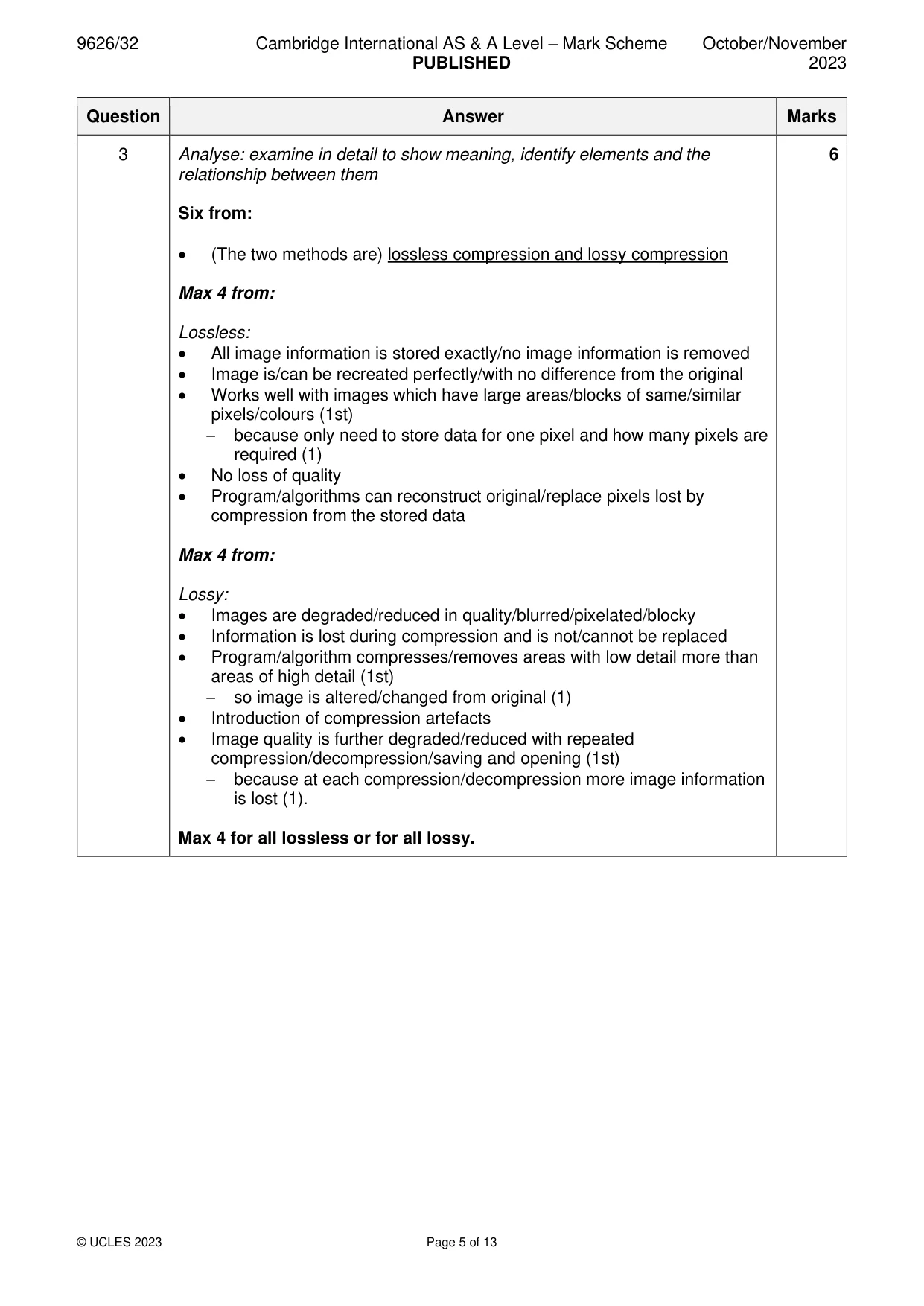
Mark scheme: 3 Analyse: examine in detail to show meaning, identify elements and the 6 relationship between them Six from: • (The two methods are) lossless compression and lossy compression Max 4 from: Lossless: • All image information is stored exactly/no image information is removed • Image is/can be recreated perfectly/with no difference from the original • Works well with images which have large areas/blocks of same/similar pixels/colours (1st) − because only need to store data for one pixel and how many pixels are required (1) • No loss of quality • Program/algorithms can reconstruct original/replace pixels lost by compression from the stored data Max 4 from: Lossy: • Images are degraded/reduced in quality/blurred/pixelated/blocky • Information is lost during compression and is not/cannot be replaced • Program/algorithm compresses/removes areas with low detail more than areas of high detail (1st) − so image is altered/changed from original (1) • Introduction of compression artefacts • Image quality is further degraded/reduced with repeated compression/decompression/saving and opening (1st) − because at each compression/decompression more image information is lost (1). Max 4 for all lossless or for all lossy.
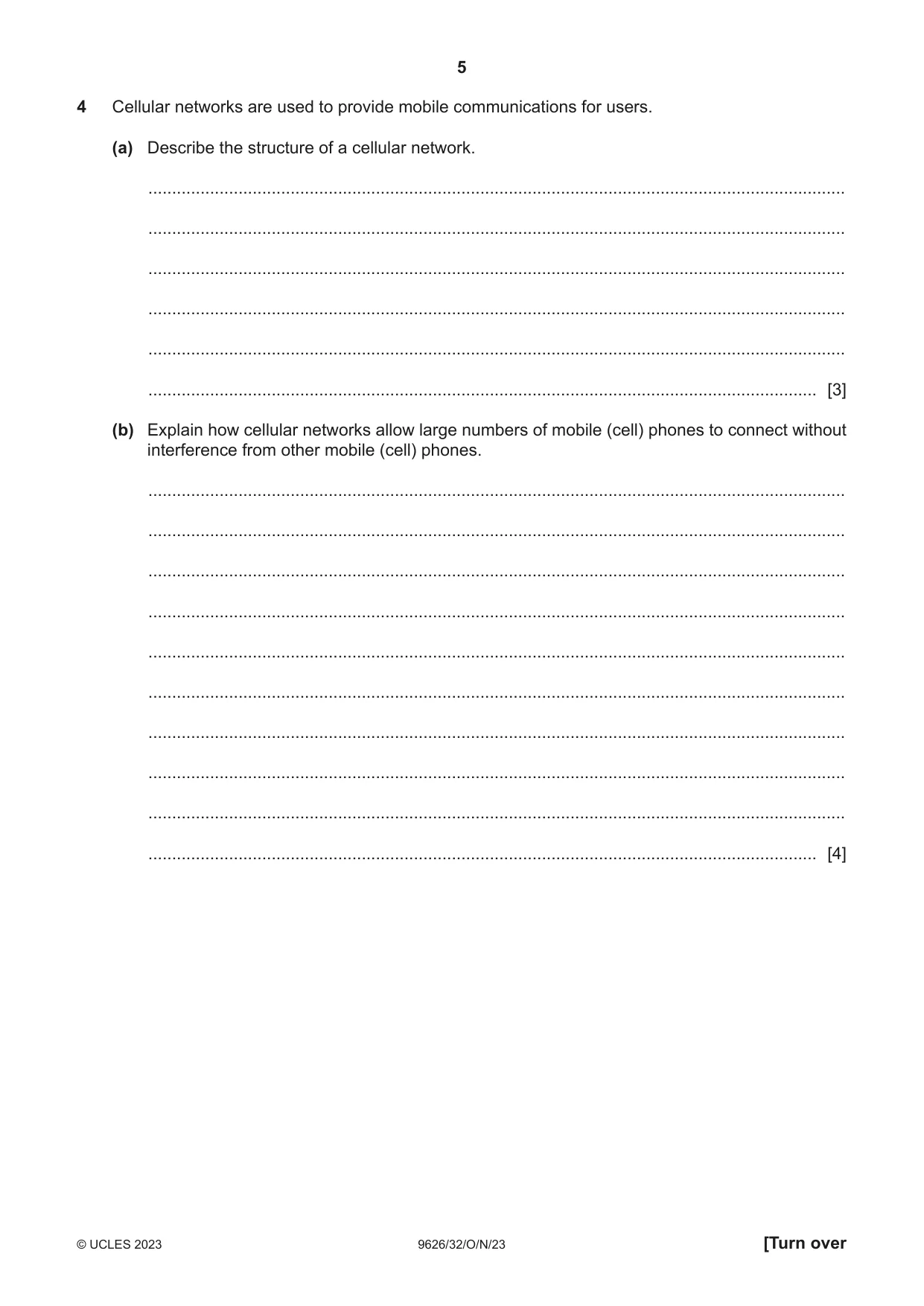
Q4 · Cellular networks are used to provide mobile communications for users
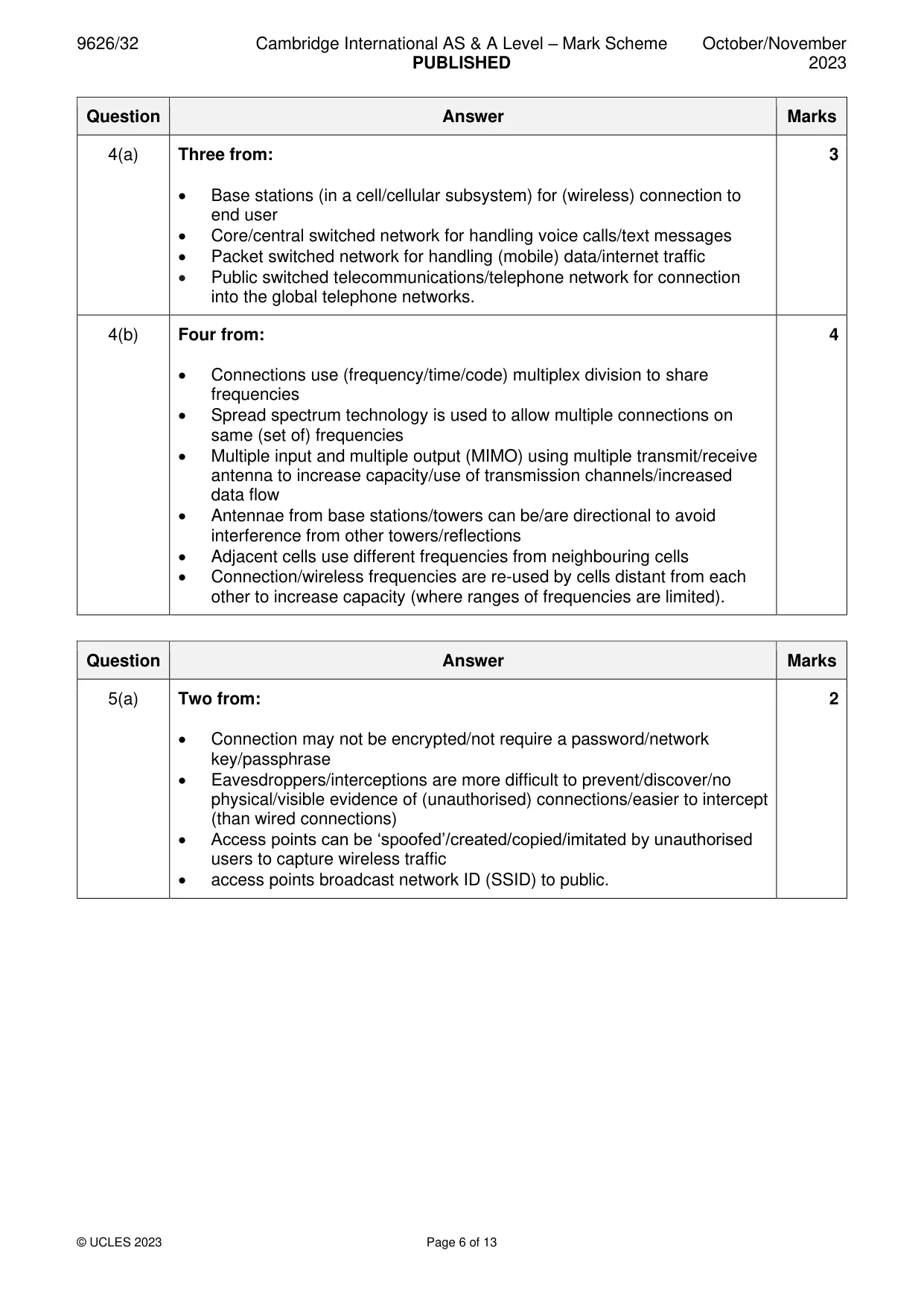
4 Cellular networks are used to provide mobile communications for users. (a) Describe the structure of a cellular network. ................................................................................................................................................... ................................................................................................................................................... ................................................................................................................................................... ................................................................................................................................................... ................................................................................................................................................... ............................................................................................................................................. [3] (b) Explain how cellular networks allow large numbers of mobile (cell) phones to connect without interference from other mobile (cell) phones. ................................................................................................................................................... ................................................................................................................................................... ................................................................................................................................................... ................................................................................................................................................... ................................................................................................................................................... ................................................................................................................................................... ................................................................................................................................................... ................................................................................................................................................... ................................................................................................................................................... ............................................................................................................................................. [4]
Mark scheme: 4(a) Three from: 3 • Base stations (in a cell/cellular subsystem) for (wireless) connection to end user • Core/central switched network for handling voice calls/text messages • Packet switched network for handling (mobile) data/internet traffic • Public switched telecommunications/telephone network for connection into the global telephone networks. 4(b) Four from: 4 • Connections use (frequency/time/code) multiplex division to share frequencies • Spread spectrum technology is used to allow multiple connections on same (set of) frequencies • Multiple input and multiple output (MIMO) using multiple transmit/receive antenna to increase capacity/use of transmission channels/increased data flow • Antennae from base stations/towers can be/are directional to avoid interference from other towers/reflections • Adjacent cells use different frequencies from neighbouring cells • Connection/wireless frequencies are re-used by cells distant from each other to increase capacity (where ranges of frequencies are limited).
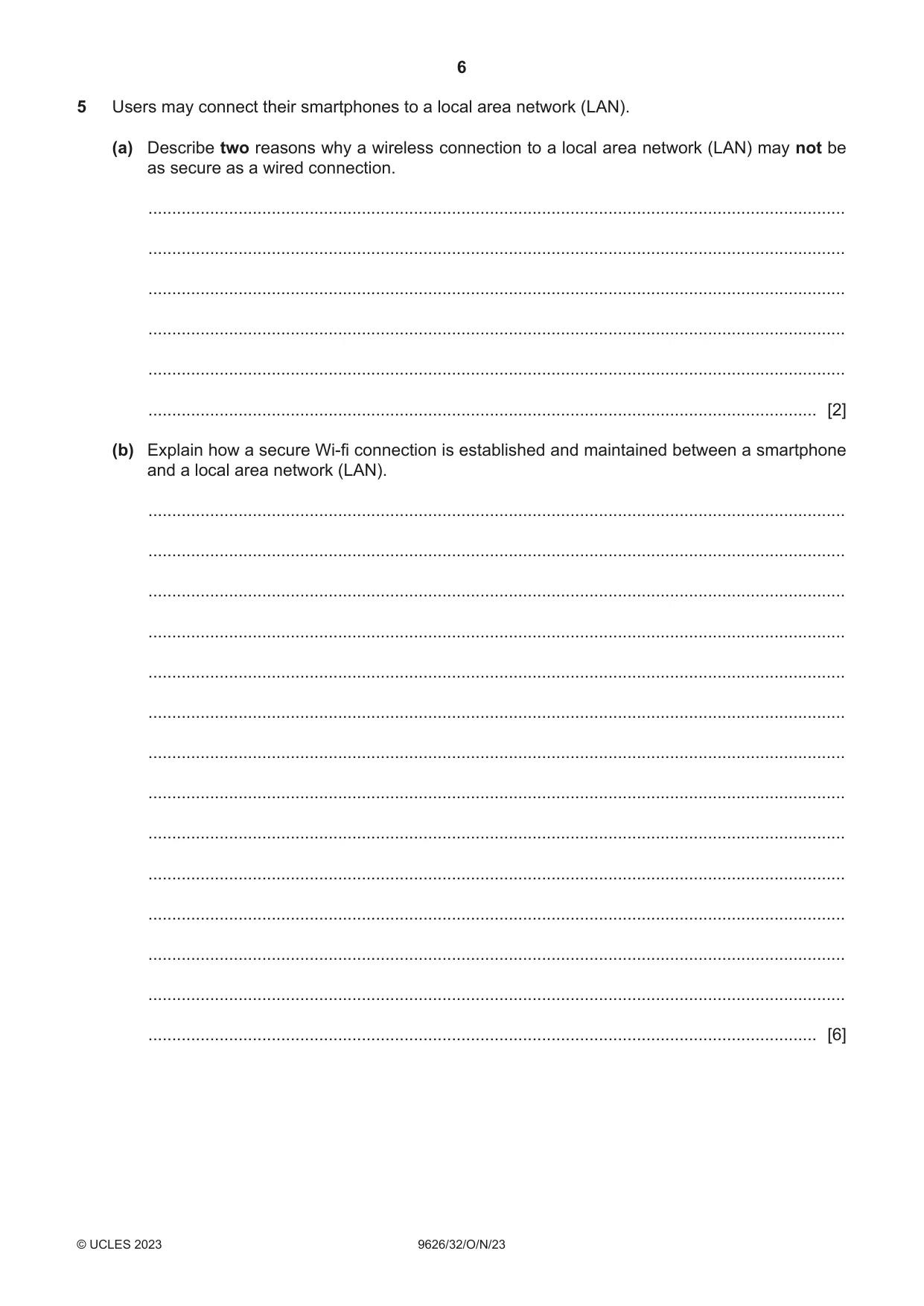
Q5 · Users may connect their smartphones to a local area network (LAN)
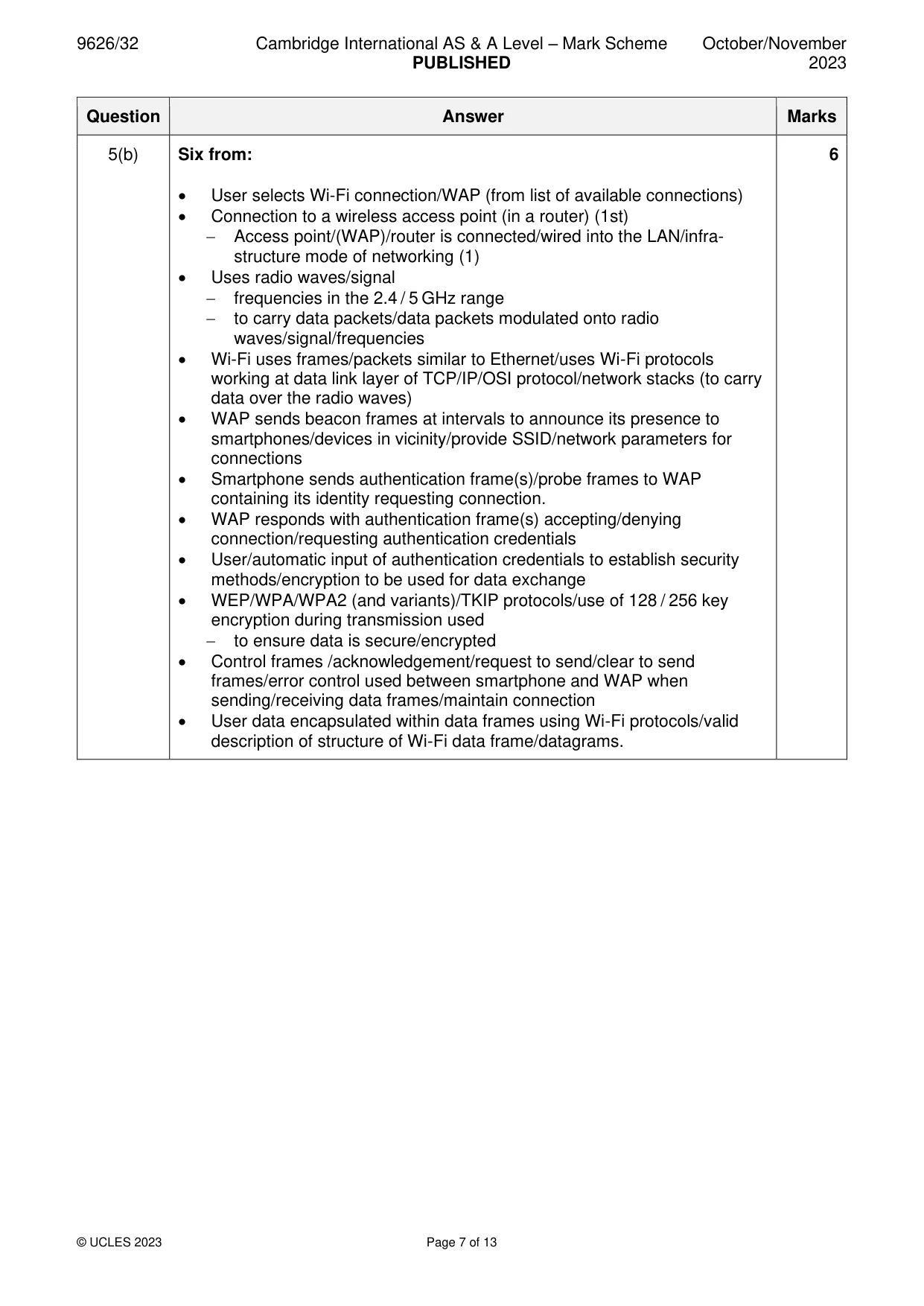
5 Users may connect their smartphones to a local area network (LAN). (a) Describe two reasons why a wireless connection to a local area network (LAN) may not be as secure as a wired connection. ................................................................................................................................................... ................................................................................................................................................... ................................................................................................................................................... ................................................................................................................................................... ................................................................................................................................................... ............................................................................................................................................. [2] (b) Explain how a secure Wi-fi connection is established and maintained between a smartphone and a local area network (LAN). ................................................................................................................................................... ................................................................................................................................................... ................................................................................................................................................... ................................................................................................................................................... ................................................................................................................................................... ................................................................................................................................................... ................................................................................................................................................... ................................................................................................................................................... ................................................................................................................................................... ................................................................................................................................................... ................................................................................................................................................... ................................................................................................................................................... ................................................................................................................................................... ............................................................................................................................................. [6]
Mark scheme: 5(a) Two from: 2 • Connection may not be encrypted/not require a password/network key/passphrase • Eavesdroppers/interceptions are more difficult to prevent/discover/no physical/visible evidence of (unauthorised) connections/easier to intercept (than wired connections) • Access points can be ‘spoofed’/created/copied/imitated by unauthorised users to capture wireless traffic • access points broadcast network ID (SSID) to public. 5(b) Six from: 6 • User selects Wi-Fi connection/WAP (from list of available connections) • Connection to a wireless access point (in a router) (1st) − Access point/(WAP)/router is connected/wired into the LAN/infra- structure mode of networking (1) • Uses radio waves/signal − frequencies in the 2.4 / 5 GHz range − to carry data packets/data packets modulated onto radio waves/signal/frequencies • Wi-Fi uses frames/packets similar to Ethernet/uses Wi-Fi protocols working at data link layer of TCP/IP/OSI protocol/network stacks (to carry data over the radio waves) • WAP sends beacon frames at intervals to announce its presence to smartphones/devices in vicinity/provide SSID/network parameters for connections • Smartphone sends authentication frame(s)/probe frames to WAP containing its identity requesting connection. • WAP responds with authentication frame(s) accepting/denying connection/requesting authentication credentials • User/automatic input of authentication credentials to establish security methods/encryption to be used for data exchange • WEP/WPA/WPA2 (and variants)/TKIP protocols/use of 128 / 256 key encryption during transmission used − to ensure data is secure/encrypted • Control frames /acknowledgement/request to send/clear to send frames/error control used between smartphone and WAP when sending/receiving data frames/maintain connection • User data encapsulated within data frames using Wi-Fi protocols/valid description of structure of Wi-Fi data frame/datagrams.
Q6 · Loops in JavaScript repeatedly execute blocks of code
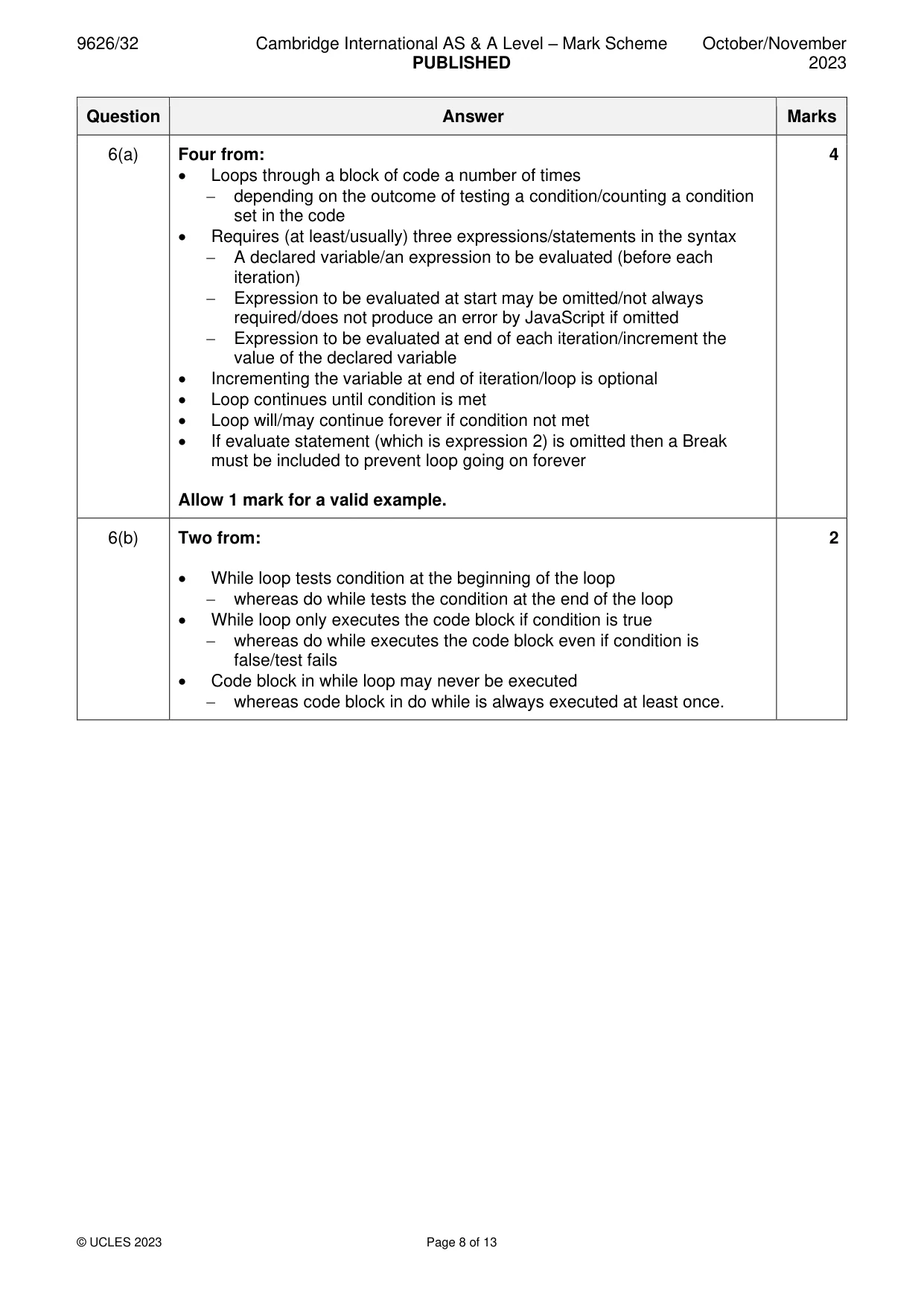
6 Loops in JavaScript repeatedly execute blocks of code. (a) Describe how a for loop works in JavaScript code. ................................................................................................................................................... ................................................................................................................................................... ................................................................................................................................................... ................................................................................................................................................... ................................................................................................................................................... ................................................................................................................................................... ................................................................................................................................................... ................................................................................................................................................... ................................................................................................................................................... ............................................................................................................................................. [4] (b) Contrast the use of while and do while loops in JavaScript code. ................................................................................................................................................... ................................................................................................................................................... ................................................................................................................................................... ................................................................................................................................................... ................................................................................................................................................... ............................................................................................................................................. [2]
Mark scheme: 6(a) Four from: 4 • Loops through a block of code a number of times − depending on the outcome of testing a condition/counting a condition set in the code • Requires (at least/usually) three expressions/statements in the syntax − A declared variable/an expression to be evaluated (before each iteration) − Expression to be evaluated at start may be omitted/not always required/does not produce an error by JavaScript if omitted − Expression to be evaluated at end of each iteration/increment the value of the declared variable • Incrementing the variable at end of iteration/loop is optional • Loop continues until condition is met • Loop will/may continue forever if condition not met • If evaluate statement (which is expression 2) is omitted then a Break must be included to prevent loop going on forever Allow 1 mark for a valid example. 6(b) Two from: 2 • While loop tests condition at the beginning of the loop − whereas do while tests the condition at the end of the loop • While loop only executes the code block if condition is true − whereas do while executes the code block even if condition is false/test fails • Code block in while loop may never be executed − whereas code block in do while is always executed at least once.
Q7 · In JavaScript, an object is defined as a collection of properties which can be amended or…
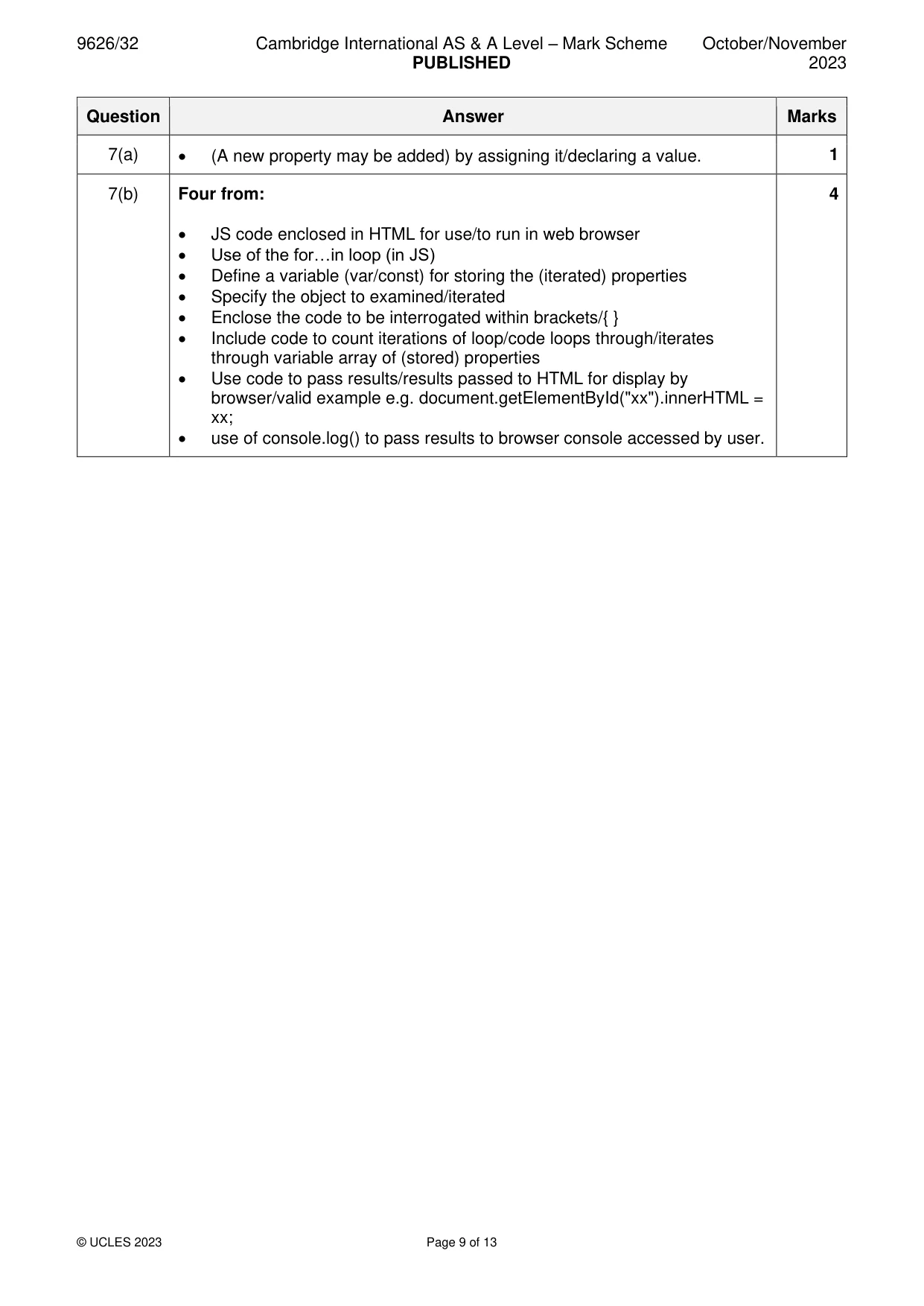
7 In JavaScript, an object is defined as a collection of properties which can be amended or deleted. (a) Describe how an object may be given a new property. ................................................................................................................................................... ................................................................................................................................................... ................................................................................................................................................... ............................................................................................................................................. [1] (b) Describe how the properties of an object in JavaScript can be displayed using a loop. ................................................................................................................................................... ................................................................................................................................................... ................................................................................................................................................... ................................................................................................................................................... ................................................................................................................................................... ................................................................................................................................................... ................................................................................................................................................... ................................................................................................................................................... ................................................................................................................................................... ............................................................................................................................................. [4]
Mark scheme: 7(a) • (A new property may be added) by assigning it/declaring a value. 1 7(b) Four from: 4 • JS code enclosed in HTML for use/to run in web browser • Use of the for…in loop (in JS) • Define a variable (var/const) for storing the (iterated) properties • Specify the object to examined/iterated • Enclose the code to be interrogated within brackets/{ } • Include code to count iterations of loop/code loops through/iterates through variable array of (stored) properties • Use code to pass results/results passed to HTML for display by browser/valid example e.g. document.getElementById("xx").innerHTML = xx; • use of console.log() to pass results to browser console accessed by user.
Q8 · A healthcare organisation has centres in different towns and cities
8 A healthcare organisation has centres in different towns and cities. The organisation uses a networked computer system that allows healthcare professionals to access patient records and appointments from any centre. The user interface for accessing patient records and appointments is going to be replaced. The organisation is considering using pilot implementation. Evaluate the use of pilot implementation to replace the user interface for the computer system. .......................................................................................................................................................... .......................................................................................................................................................... .......................................................................................................................................................... .......................................................................................................................................................... .......................................................................................................................................................... .......................................................................................................................................................... .......................................................................................................................................................... .......................................................................................................................................................... .......................................................................................................................................................... .......................................................................................................................................................... .......................................................................................................................................................... .......................................................................................................................................................... .......................................................................................................................................................... .......................................................................................................................................................... .......................................................................................................................................................... .......................................................................................................................................................... .......................................................................................................................................................... .......................................................................................................................................................... .......................................................................................................................................................... .................................................................................................................................................... [8]
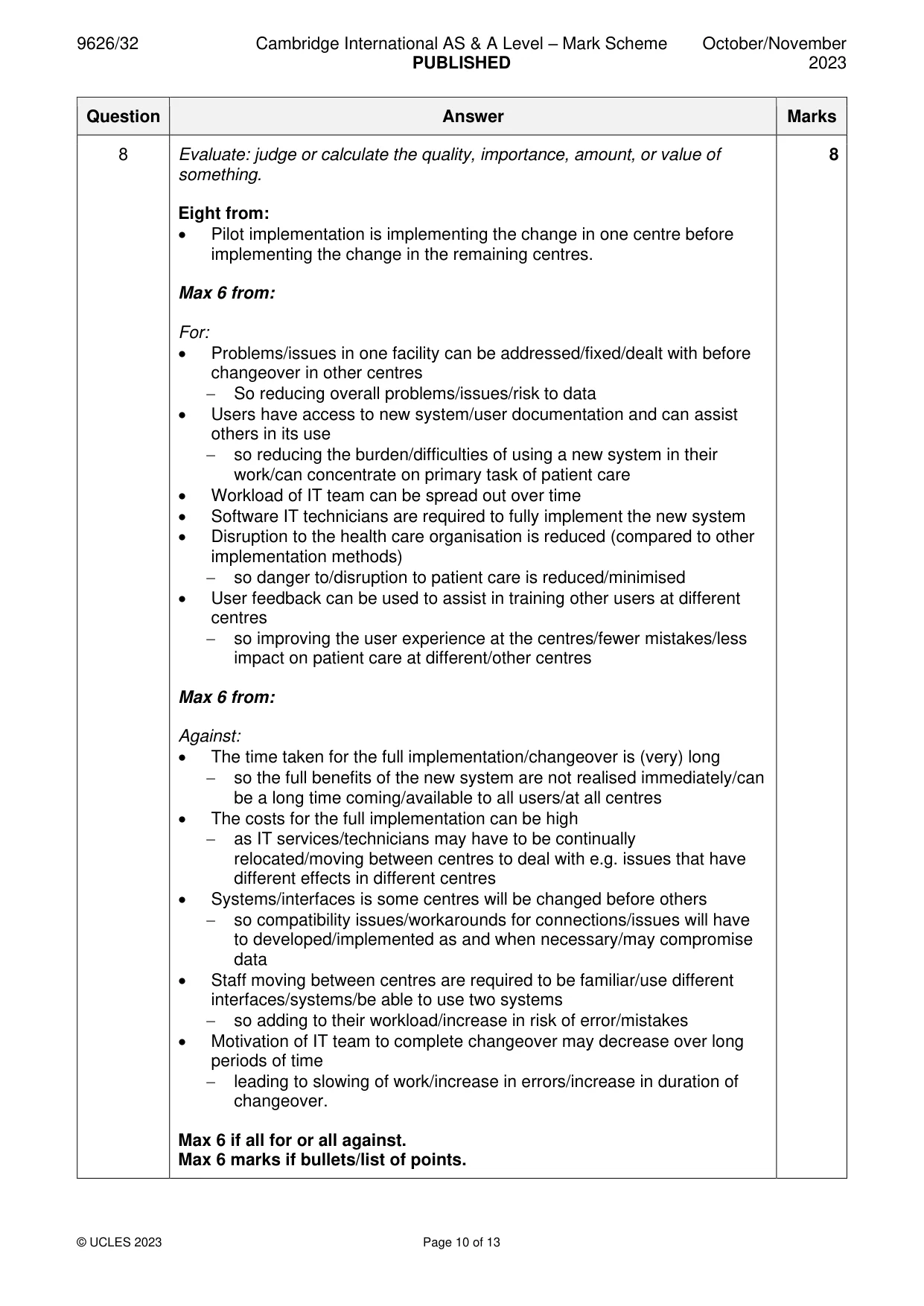
Mark scheme: 8 Evaluate: judge or calculate the quality, importance, amount, or value of 8 something. Eight from: • Pilot implementation is implementing the change in one centre before implementing the change in the remaining centres. Max 6 from: For: • Problems/issues in one facility can be addressed/fixed/dealt with before changeover in other centres − So reducing overall problems/issues/risk to data • Users have access to new system/user documentation and can assist others in its use − so reducing the burden/difficulties of using a new system in their work/can concentrate on primary task of patient care • Workload of IT team can be spread out over time • Software IT technicians are required to fully implement the new system • Disruption to the health care organisation is reduced (compared to other implementation methods) − so danger to/disruption to patient care is reduced/minimised • User feedback can be used to assist in training other users at different centres − so improving the user experience at the centres/fewer mistakes/less impact on patient care at different/other centres Max 6 from: Against: • The time taken for the full implementation/changeover is (very) long − so the full benefits of the new system are not realised immediately/can be a long time coming/available to all users/at all centres • The costs for the full implementation can be high − as IT services/technicians may have to be continually relocated/moving between centres to deal with e.g. issues that have different effects in different centres • Systems/interfaces is some centres will be changed before others − so compatibility issues/workarounds for connections/issues will have to developed/implemented as and when necessary/may compromise data • Staff moving between centres are required to be familiar/use different interfaces/systems/be able to use two systems − so adding to their workload/increase in risk of error/mistakes • Motivation of IT team to complete changeover may decrease over long periods of time − leading to slowing of work/increase in errors/increase in duration of changeover. Max 6 if all for or all against. Max 6 marks if bullets/list of points.
Q9 · Describe the benefits to businesses of employees using instant messaging to communicate…
9 Describe the benefits to businesses of employees using instant messaging to communicate with other employees for business purposes. .......................................................................................................................................................... .......................................................................................................................................................... .......................................................................................................................................................... .......................................................................................................................................................... .......................................................................................................................................................... .......................................................................................................................................................... .......................................................................................................................................................... .......................................................................................................................................................... .......................................................................................................................................................... .......................................................................................................................................................... .......................................................................................................................................................... .......................................................................................................................................................... .......................................................................................................................................................... .................................................................................................................................................... [6]
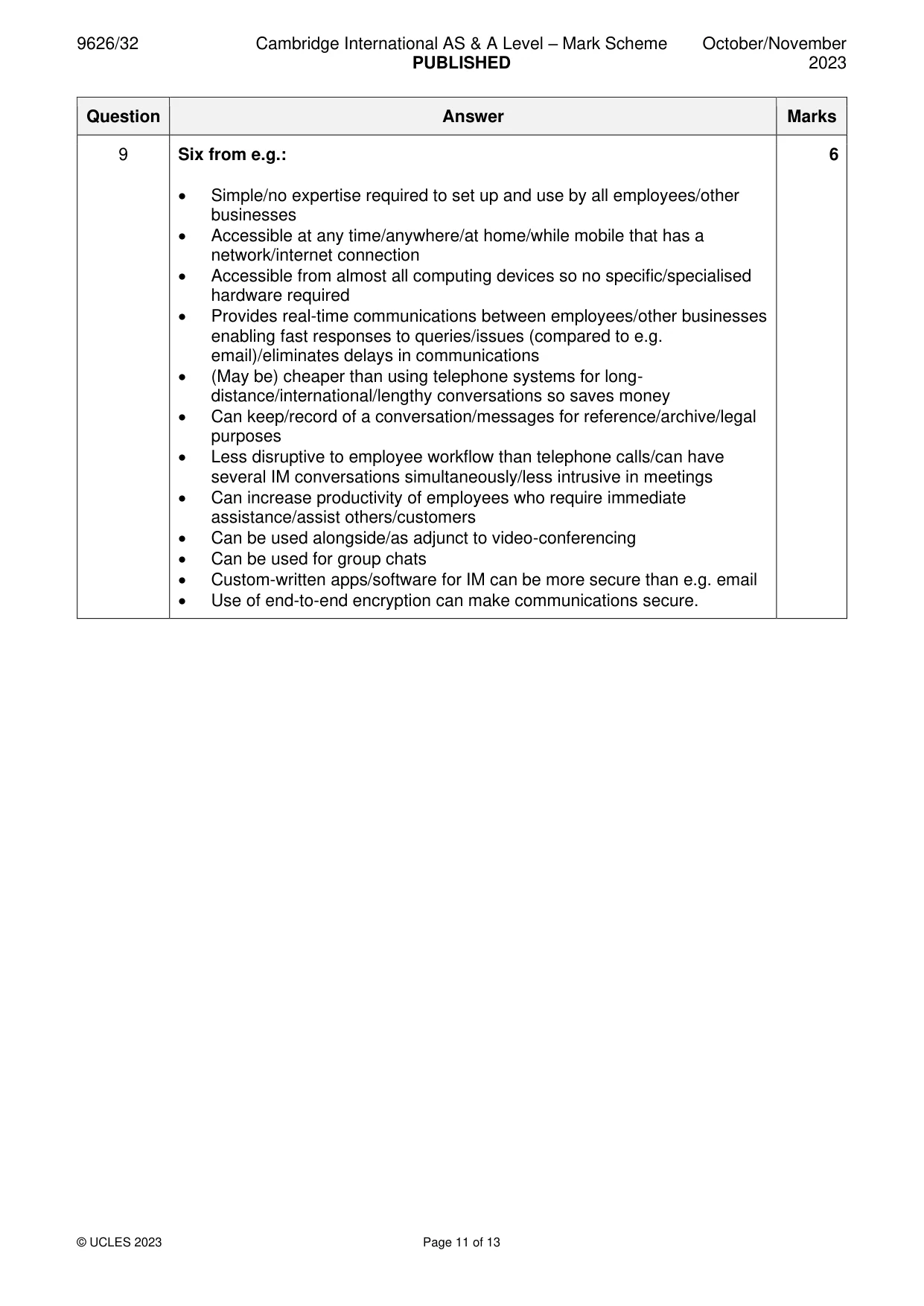
Mark scheme: 9 Six from e.g.: 6 • Simple/no expertise required to set up and use by all employees/other businesses • Accessible at any time/anywhere/at home/while mobile that has a network/internet connection • Accessible from almost all computing devices so no specific/specialised hardware required • Provides real-time communications between employees/other businesses enabling fast responses to queries/issues (compared to e.g. email)/eliminates delays in communications • (May be) cheaper than using telephone systems for long- distance/international/lengthy conversations so saves money • Can keep/record of a conversation/messages for reference/archive/legal purposes • Less disruptive to employee workflow than telephone calls/can have several IM conversations simultaneously/less intrusive in meetings • Can increase productivity of employees who require immediate assistance/assist others/customers • Can be used alongside/as adjunct to video-conferencing • Can be used for group chats • Custom-written apps/software for IM can be more secure than e.g. email • Use of end-to-end encryption can make communications secure.
Q10 · A small company is considering installing a mail server to manage email for its five…
10 A small company is considering installing a mail server to manage email for its five employees. Discuss the advantages and disadvantages to the company of using its own mail server. .......................................................................................................................................................... .......................................................................................................................................................... .......................................................................................................................................................... .......................................................................................................................................................... .......................................................................................................................................................... .......................................................................................................................................................... .......................................................................................................................................................... .......................................................................................................................................................... .......................................................................................................................................................... .......................................................................................................................................................... .......................................................................................................................................................... .......................................................................................................................................................... .......................................................................................................................................................... .................................................................................................................................................... [6] Please turn over for Question 11.
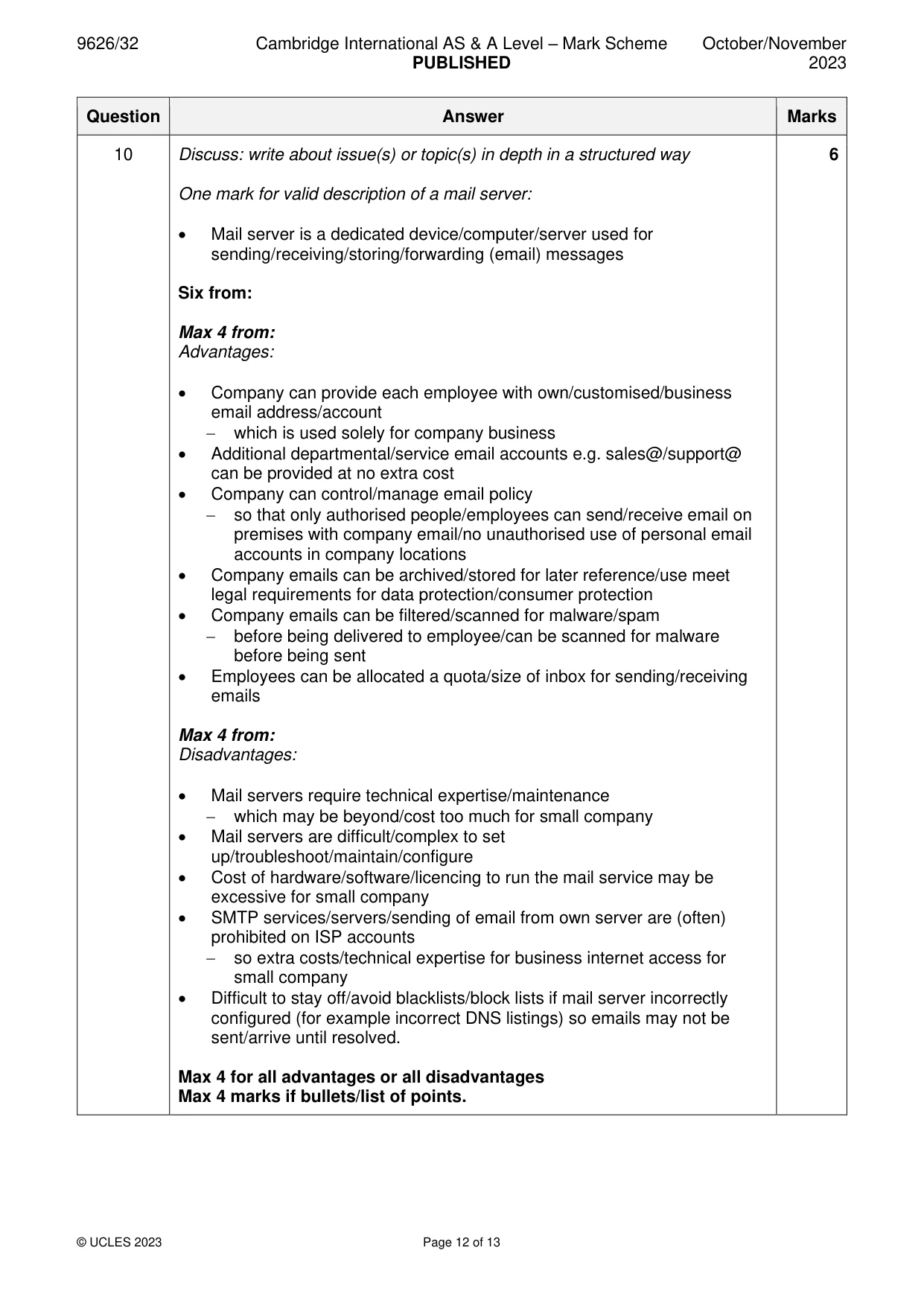
Mark scheme: 10 Discuss: write about issue(s) or topic(s) in depth in a structured way 6 One mark for valid description of a mail server: • Mail server is a dedicated device/computer/server used for sending/receiving/storing/forwarding (email) messages Six from: Max 4 from: Advantages: • Company can provide each employee with own/customised/business email address/account − which is used solely for company business • Additional departmental/service email accounts e.g. sales@/support@ can be provided at no extra cost • Company can control/manage email policy − so that only authorised people/employees can send/receive email on premises with company email/no unauthorised use of personal email accounts in company locations • Company emails can be archived/stored for later reference/use meet legal requirements for data protection/consumer protection • Company emails can be filtered/scanned for malware/spam − before being delivered to employee/can be scanned for malware before being sent • Employees can be allocated a quota/size of inbox for sending/receiving emails Max 4 from: Disadvantages: • Mail servers require technical expertise/maintenance − which may be beyond/cost too much for small company • Mail servers are difficult/complex to set up/troubleshoot/maintain/configure • Cost of hardware/software/licencing to run the mail service may be excessive for small company • SMTP services/servers/sending of email from own server are (often) prohibited on ISP accounts − so extra costs/technical expertise for business internet access for small company • Difficult to stay off/avoid blacklists/block lists if mail server incorrectly configured (for example incorrect DNS listings) so emails may not be sent/arrive until resolved. Max 4 for all advantages or all disadvantages Max 4 marks if bullets/list of points.
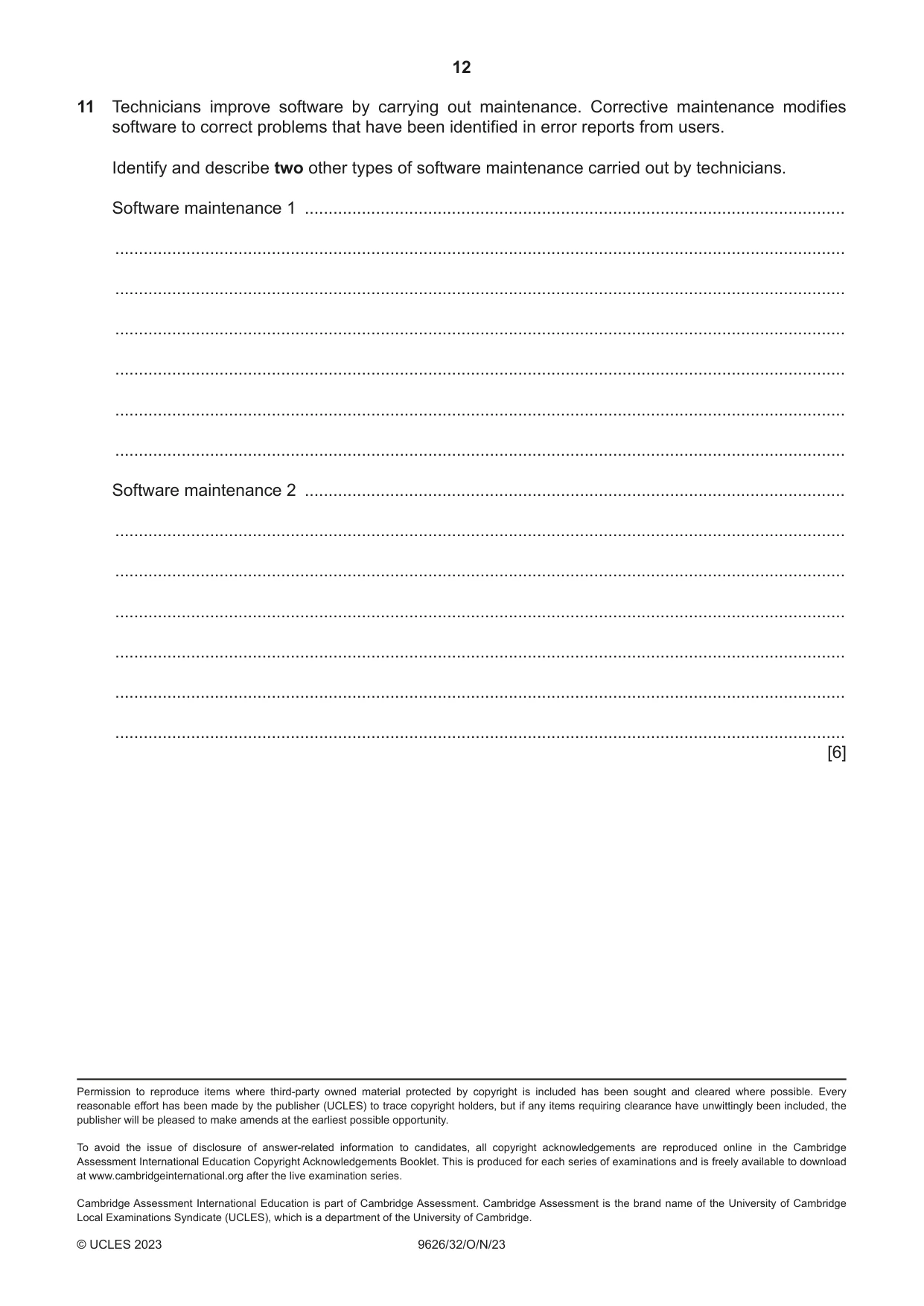
Q11 · Technicians improve software by carrying out maintenance
11 Technicians improve software by carrying out maintenance. Corrective maintenance modifies software to correct problems that have been identified in error reports from users. Identify and describe two other types of software maintenance carried out by technicians. Software maintenance 1 .................................................................................................................. .......................................................................................................................................................... .......................................................................................................................................................... .......................................................................................................................................................... .......................................................................................................................................................... .......................................................................................................................................................... .......................................................................................................................................................... Software maintenance 2 .................................................................................................................. .......................................................................................................................................................... .......................................................................................................................................................... .......................................................................................................................................................... .......................................................................................................................................................... .......................................................................................................................................................... .......................................................................................................................................................... [6]
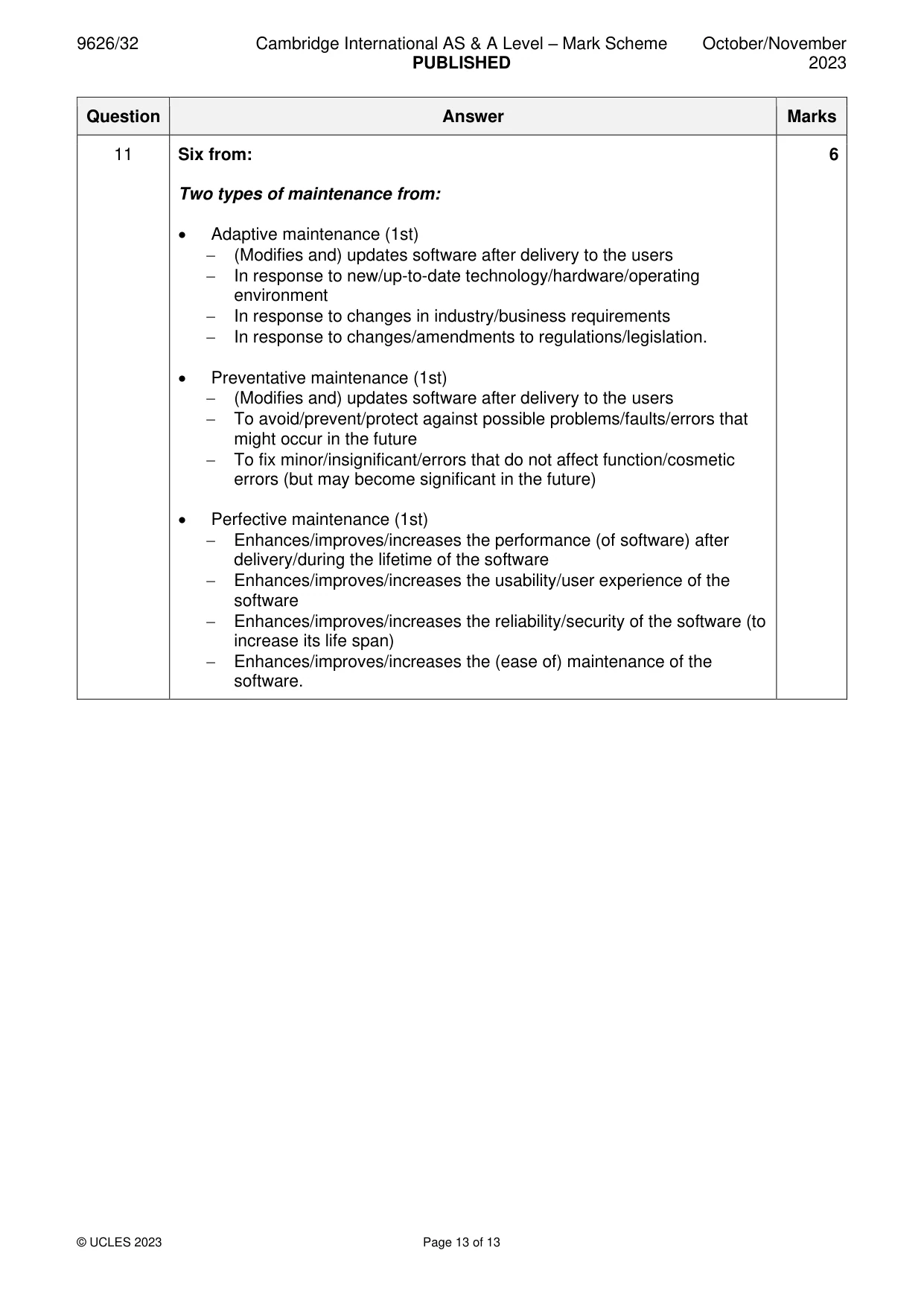
Mark scheme: 11 Six from: 6 Two types of maintenance from: • Adaptive maintenance (1st) − (Modifies and) updates software after delivery to the users − In response to new/up-to-date technology/hardware/operating environment − In response to changes in industry/business requirements − In response to changes/amendments to regulations/legislation. • Preventative maintenance (1st) − (Modifies and) updates software after delivery to the users − To avoid/prevent/protect against possible problems/faults/errors that might occur in the future − To fix minor/insignificant/errors that do not affect function/cosmetic errors (but may become significant in the future) • Perfective maintenance (1st) − Enhances/improves/increases the performance (of software) after delivery/during the lifetime of the software − Enhances/improves/increases the usability/user experience of the software − Enhances/improves/increases the reliability/security of the software (to increase its life span) − Enhances/improves/increases the (ease of) maintenance of the software.
What was in this paper
The subtopics covered by these 11 questions, and how many questions each got. Open one in a new tab to see every Cambridge question on it.
What you needed in this session
Cambridge’s own grade thresholds for 2023 Oct/Nov, Paper 3 · Variant 2. A higher threshold means an easier paper — the bar moves with how the cohort did.