Questions as text
Q1 · Dylan works for a graphics design company producing images in GIF, JPEG and PNG file… 9626/31 May/June 2017
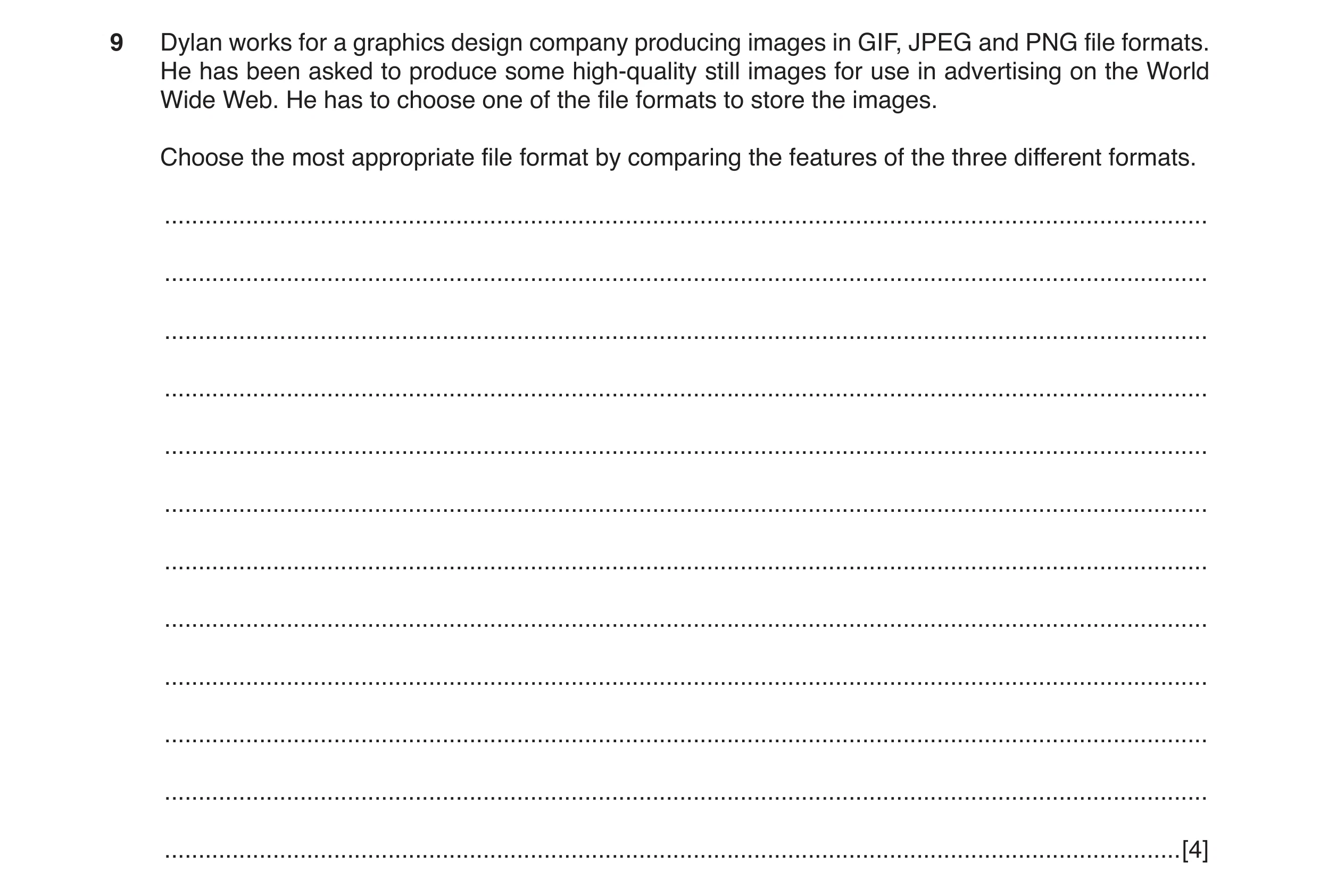
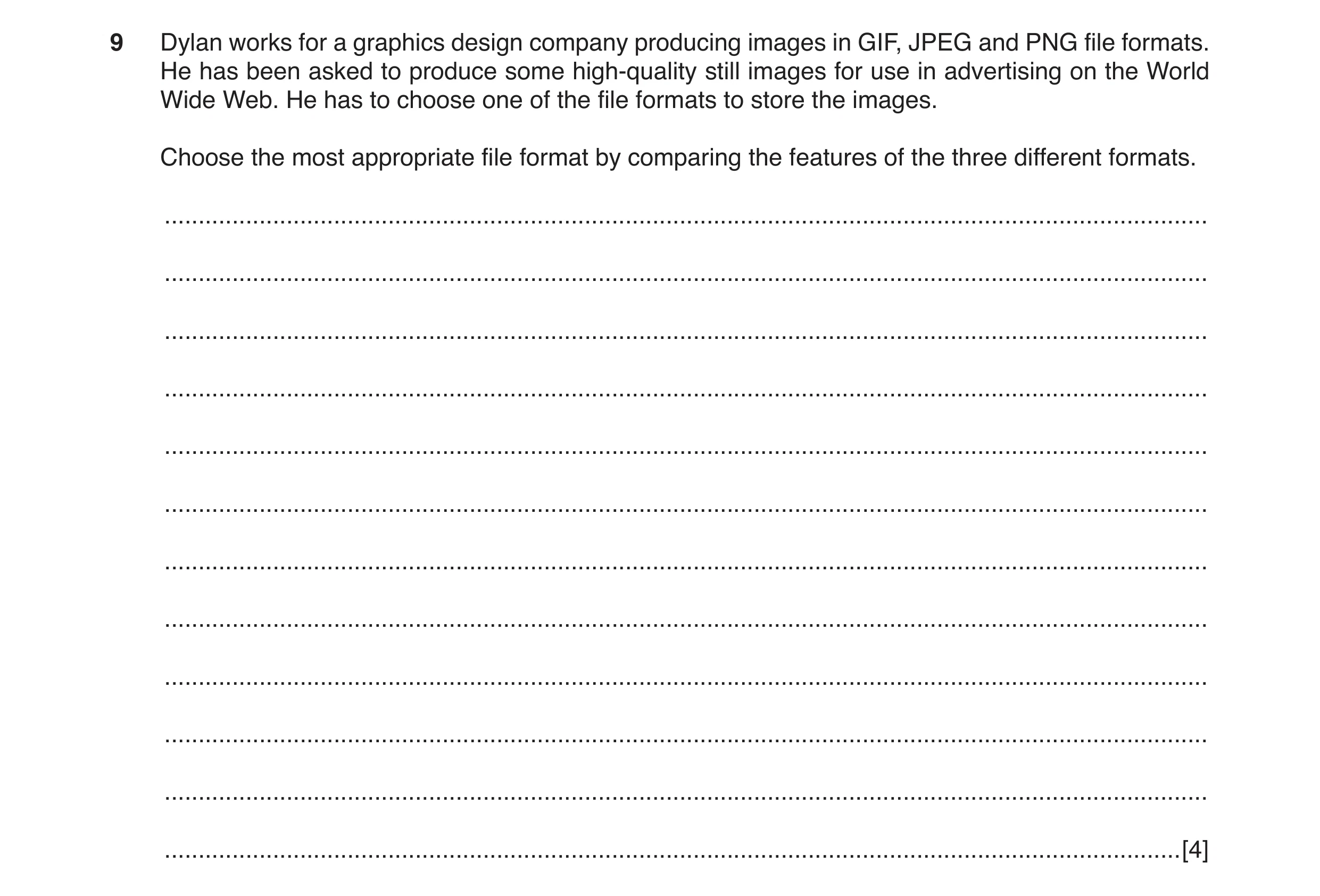
9 Dylan works for a graphics design company producing images in GIF, JPEG and PNG file formats. He has been asked to produce some high-quality still images for use in advertising on the World Wide Web. He has to choose one of the file formats to store the images. Choose the most appropriate file format by comparing the features of the three different formats. … … … … … … … … … … … … [4]
4 marks
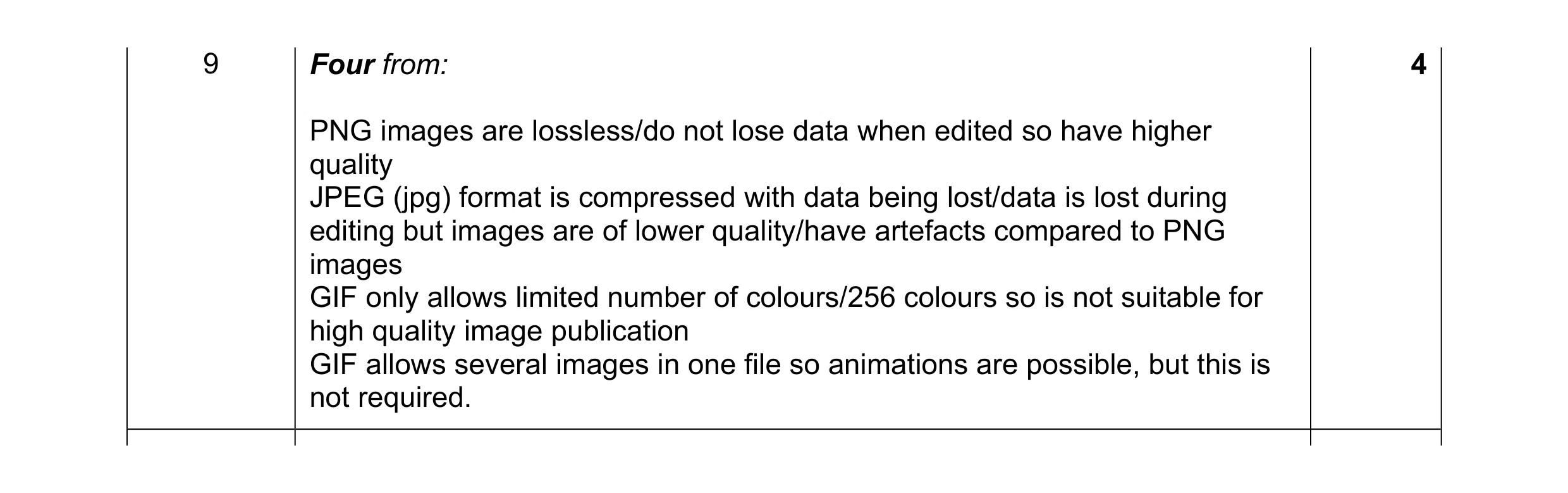
Mark scheme: 9 Four from: 4 PNG images are lossless/do not lose data when edited so have higher quality JPEG (jpg) format is compressed with data being lost/data is lost during editing but images are of lower quality/have artefacts compared to PNG images GIF only allows limited number of colours/256 colours so is not suitable for high quality image publication GIF allows several images in one file so animations are possible, but this is not required.
This question in 9626/31 May/June 2017
Q2 · Dylan works for a graphics design company producing images in GIF, JPEG and PNG file… 9626/33 May/June 2017
9 Dylan works for a graphics design company producing images in GIF, JPEG and PNG file formats. He has been asked to produce some high-quality still images for use in advertising on the World Wide Web. He has to choose one of the file formats to store the images. Choose the most appropriate file format by comparing the features of the three different formats. … … … … … … … … … … … … [4]
4 marks
Mark scheme: 9 Four from: 4 PNG images are lossless/do not lose data when edited so have higher quality JPEG (jpg) format is compressed with data being lost/data is lost during editing but images are of lower quality/have artefacts compared to PNG images GIF only allows limited number of colours/256 colours so is not suitable for high quality image publication GIF allows several images in one file so animations are possible, but this is not required.
This question in 9626/33 May/June 2017
Q3 · A website designer can use bitmap or vector images in web pages 9626/32 Feb/March 2018
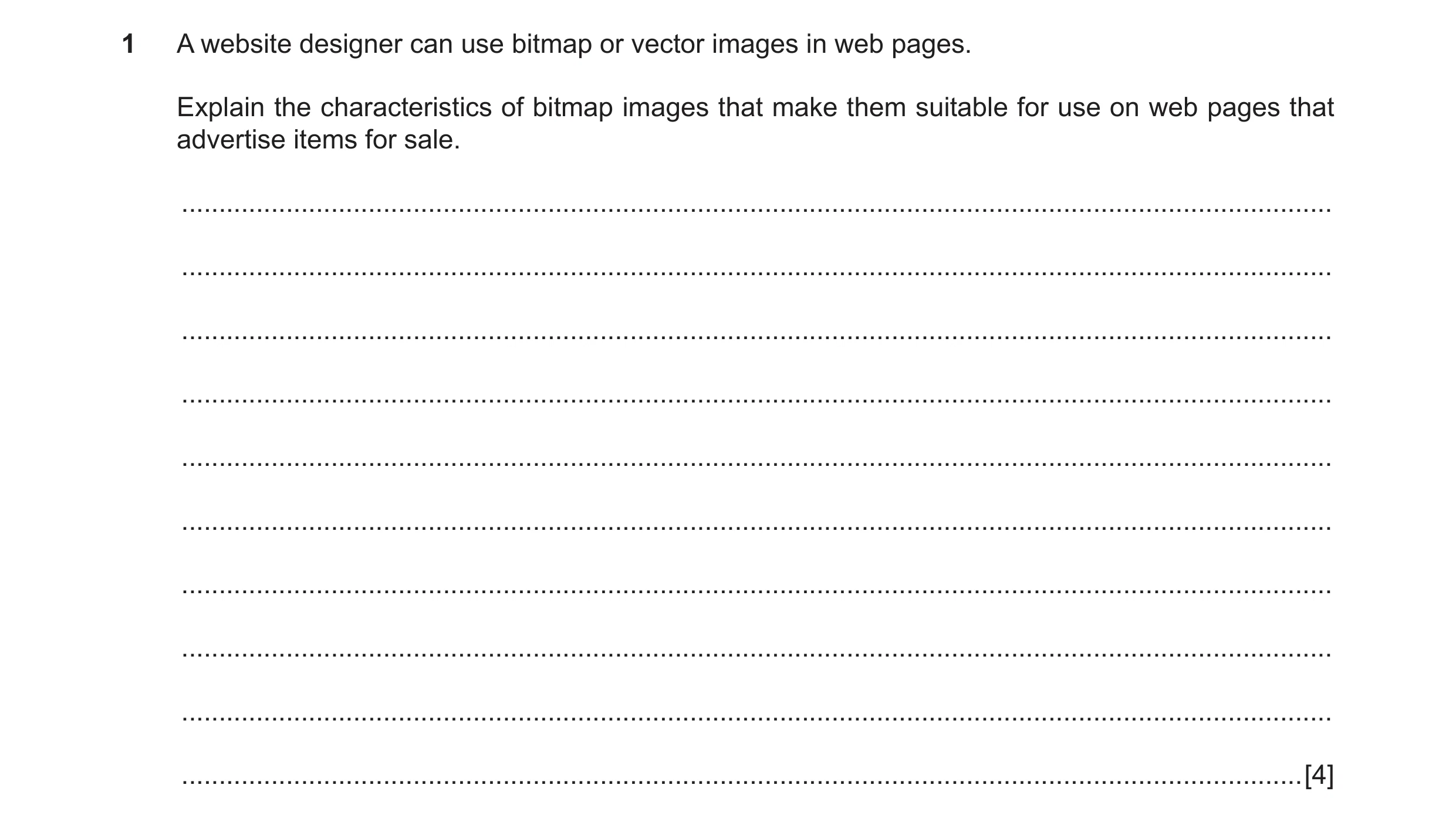
1 A website designer can use bitmap or vector images in web pages. Explain the characteristics of bitmap images that make them suitable for use on web pages that advertise items for sale. … … … … … … … … … … [4]
4 marks
Mark scheme: Question Answer Marks 1 Four from: 4 Can be saved/stored in a variety of formats so that the webpage can be viewed on all computer platforms Can be output from many applications so easy to produce Can be created from the pixel arrays in memory Can display vast range of colours depending on bits per pixel Can display subtle gradations of shades/colour/greyscales as it is made of pixels Best for photo-realism/continuous tones compared to vector images so images of advertised items appear more realistic Individual pixels can be modified to customise/edit the image so images of advertised items are more appealing/attractive Can translate easily to dot-format output for use with CRTs/printers Can be used in simple animations e.g. Animated gifs Can be compressed so that file size is reduced and loads faster.
This question in 9626/32 Feb/March 2018
Q4 · Describe how a bitmap (‘raster’) graphic is stored in a computer file 9626/33 May/June 2018
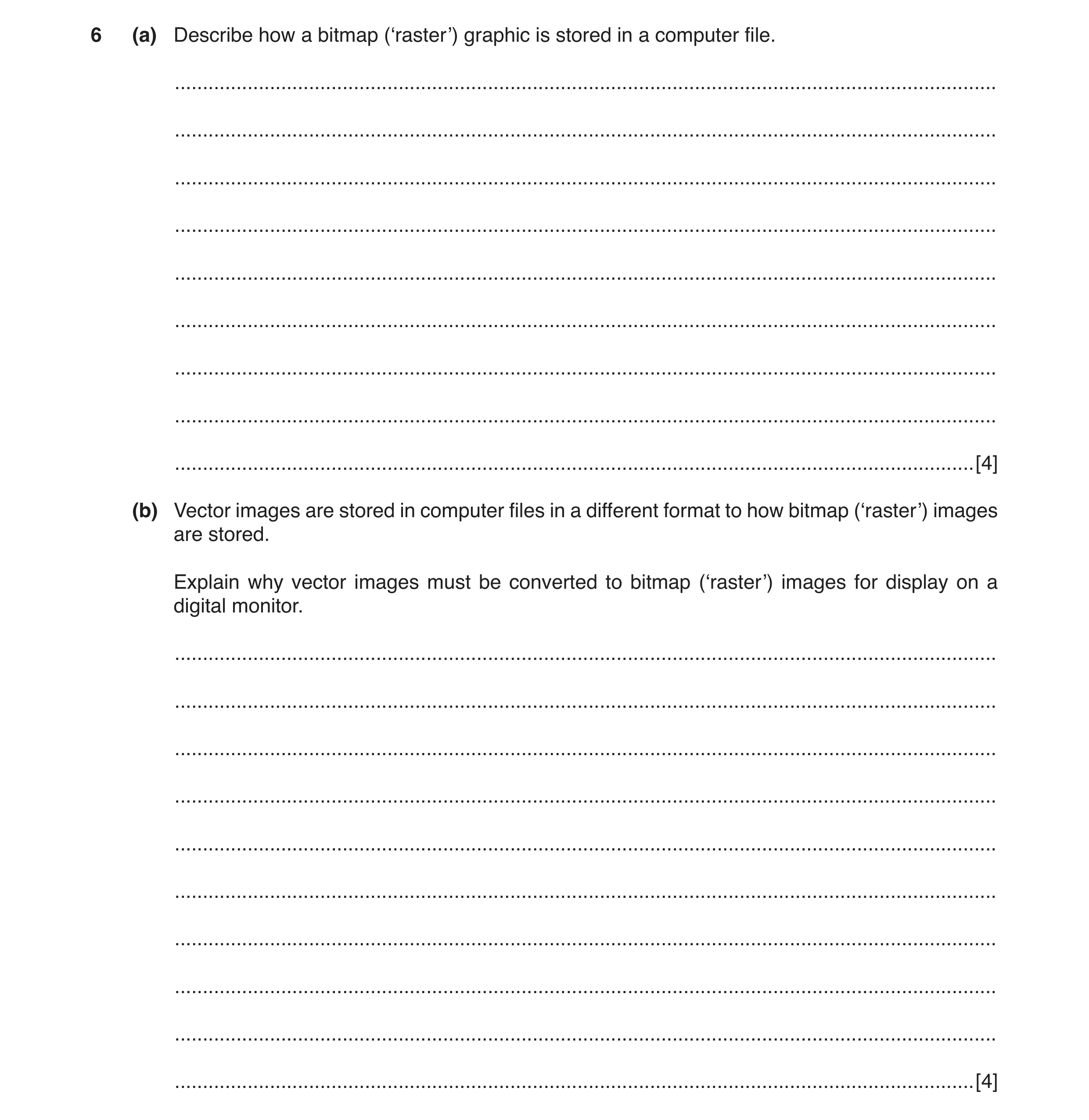
6 (a) Describe how a bitmap (‘raster’) graphic is stored in a computer file. … … … … … … … … … [4] (b) Vector images are stored in computer files in a different format to how bitmap (‘raster’) images are stored. Explain why vector images must be converted to bitmap (‘raster’) images for display on a digital monitor. … … … … … … … … … … [4]
8 marks
Mark scheme: 6(a) Four from: 4 Made up of pixels Each pixel is represented by bits 1 to 64 bits per pixel Number of pixels depending on colour depth Bits representing pixels packed in rows for bmp Rows rounded to 32 bit words Padding needed for loading into memory locations Usually stored from bottom left up to top right of image. 6(b) Four from: 4 Vector images are stored as co-ordinates/geometric descriptions of shapes and colours Digital monitors cannot display co-ordinate-based graphics Because all digital monitors are pixel-based Graphics card/computer must convert the co-ordinates/ descriptions into pixels before sending to digital monitor... Uses an ADC-type action Resizes the image to suit the requirements of the user/monitor.
This question in 9626/33 May/June 2018
Q5 · Explain, with suitable examples, why computer graphics image editing software allows… 9626/31 May/June 2019
1 Explain, with suitable examples, why computer graphics image editing software allows users to save bitmap images in different file formats. … … … … … … … … … … … … … … [6]
6 marks
Mark scheme: Question Answer Marks 1 Six from e.g.: 6 Some graphics software may not support all file types so different export options allows images to be shared e.g. use of JPEG / GIF is almost universal Images can be saved as compressed images / files to save storage space / allow use in various scenarios / situations e.g. use of JPEG allows compression by various amounts but the more compression the lower the quality GIF allows areas to be made transparent whereas JPEG does not support this Different file types support different colour depths for use in various situations e.g. JPEG supports more colours than GIF Quality of the image is affected by choice of filetype e.g. TIFF retains better quality than JPEG / GIF when compressed Bitmap (BMP) files restrict the use of the images to e.g. Windows OS so availability of other types allows cross-platform use.
This question in 9626/31 May/June 2019
Q6 · Explain, with suitable examples, why computer graphics image editing software allows… 9626/33 May/June 2019
1 Explain, with suitable examples, why computer graphics image editing software allows users to save bitmap images in different file formats. … … … … … … … … … … … … … … [6]
6 marks
Mark scheme: Question Answer Marks 1 Six from e.g.: 6 Some graphics software may not support all file types so different export options allows images to be shared e.g. use of JPEG / GIF is almost universal Images can be saved as compressed images / files to save storage space / allow use in various scenarios / situations e.g. use of JPEG allows compression by various amounts but the more compression the lower the quality GIF allows areas to be made transparent whereas JPEG does not support this Different file types support different colour depths for use in various situations e.g. JPEG supports more colours than GIF Quality of the image is affected by choice of filetype e.g. TIFF retains better quality than JPEG / GIF when compressed Bitmap (BMP) files restrict the use of the images to e.g. Windows OS so availability of other types allows cross-platform use.
This question in 9626/33 May/June 2019
Q7 · A new photograph of a person in her office is required but the person is not available… 9626/31 Oct/Nov 2019
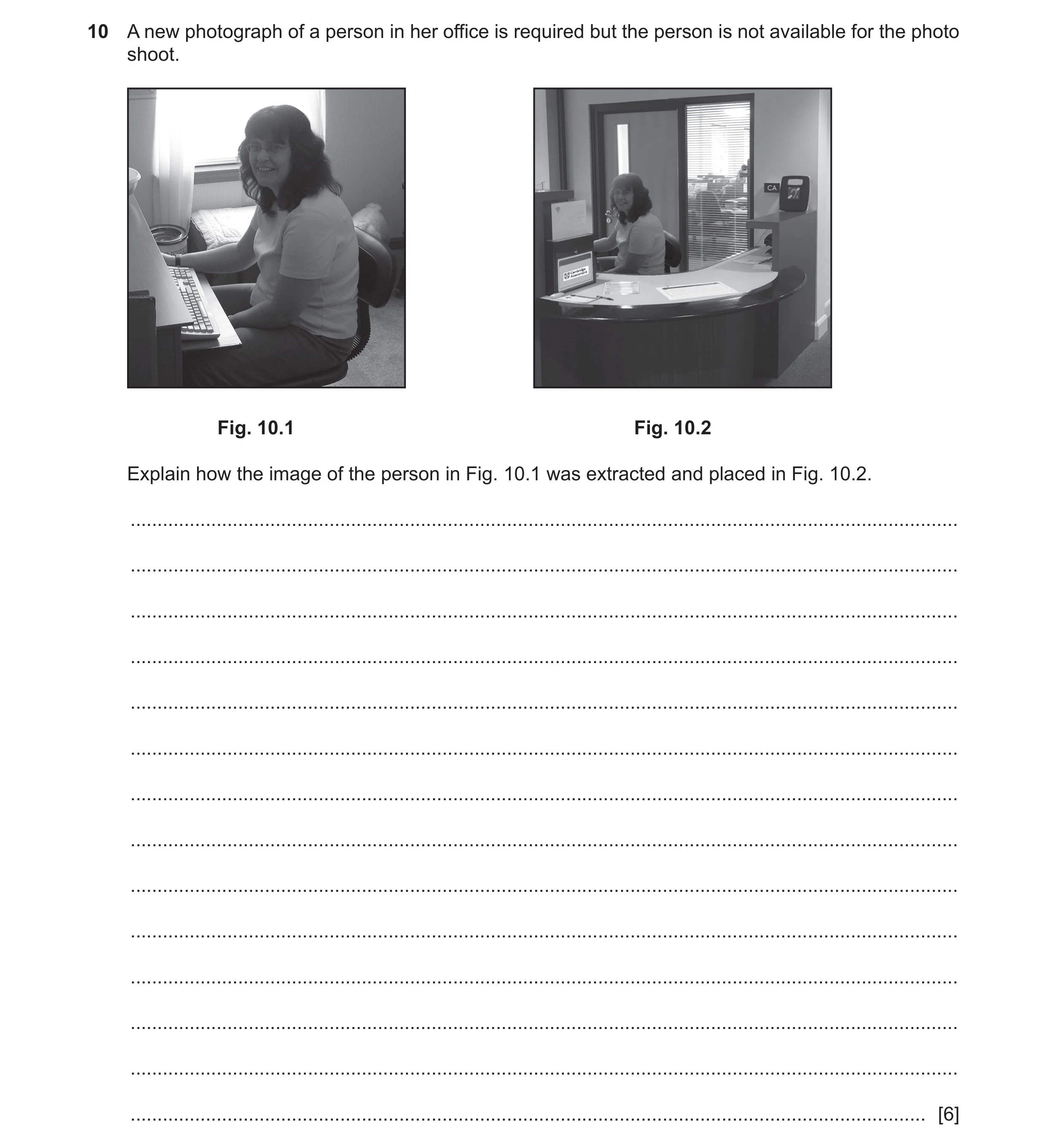
10 A new photograph of a person in her office is required but the person is not available for the photo shoot. Fig. 10.1 Fig. 10.2 Explain how the image of the person in Fig. 10.1 was extracted and placed in Fig. 10.2. … … … … … … … … … … … … … … [6]
6 marks
Mark scheme: 10 Six from: 6 Photographs opened in image editor Person image cut out from photograph 1/Fig. 10.1 Mask around person is created to cover background Selection to be cut is highlighted/drawn Selection is modified around edges to ensure accuracy Using of adjustable nib for drawing tool Cut unwanted parts of image of woman Background of cut image changed to transparent Copy cut out (to clipboard) Create new layer for image of woman Import/paste cut out into image of office/photograph of office/Fig. 10.2 Place new image in correct position Resize image of woman (as required to fit in image of office) Bring to front/back as necessary Flatten/merge layers (if required) Correct new image for overlap/misplaced parts/pixels of imported image Crop area of new image/photograph 2 as required.
This question in 9626/31 Oct/Nov 2019
Q8 · A new photograph of a person in her office is required but the person is not available… 9626/33 Oct/Nov 2019
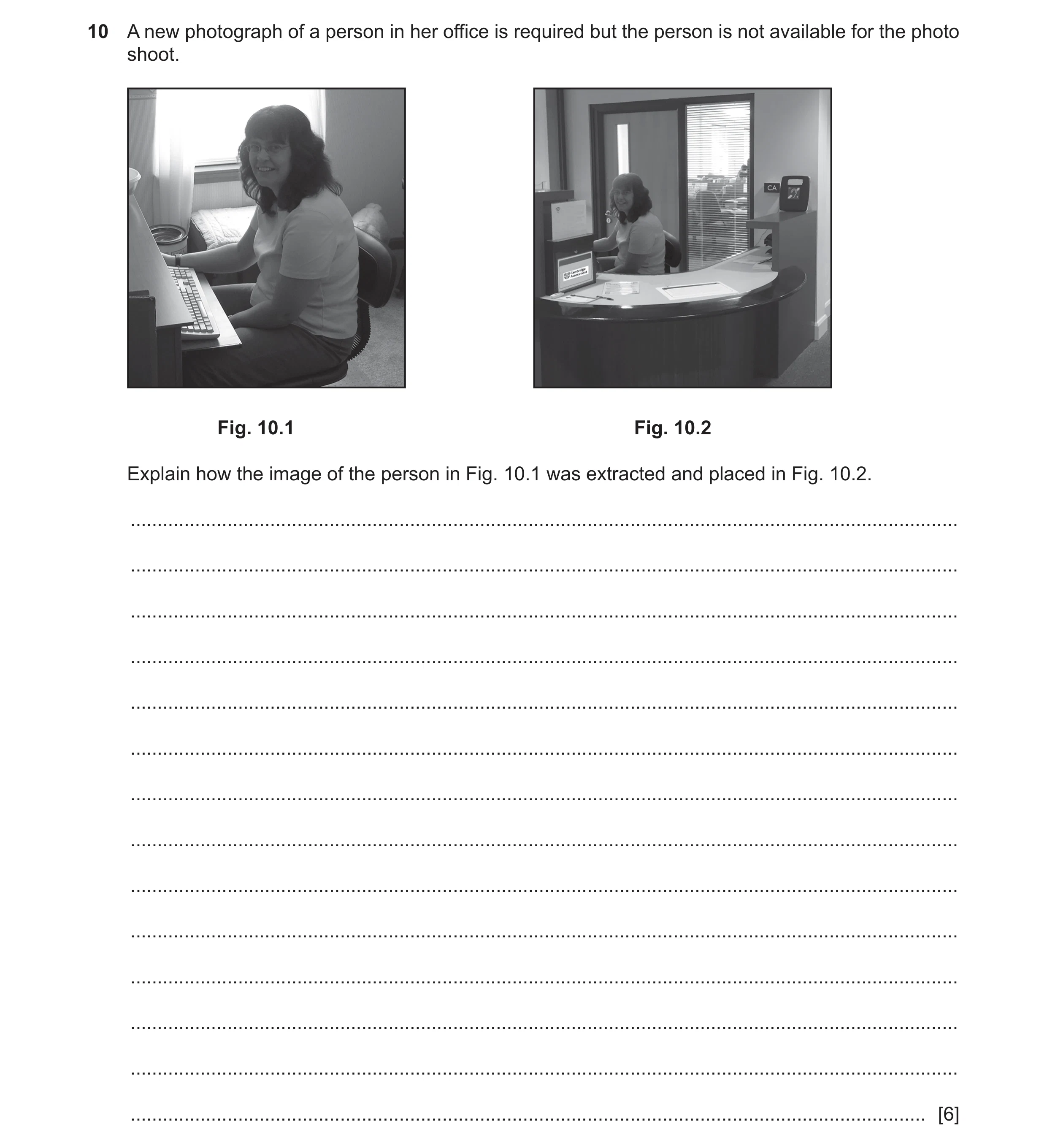
10 A new photograph of a person in her office is required but the person is not available for the photo shoot. Fig. 10.1 Fig. 10.2 Explain how the image of the person in Fig. 10.1 was extracted and placed in Fig. 10.2. … … … … … … … … … … … … … … [6]
6 marks
Mark scheme: 10 Six from: 6 Photographs opened in image editor Person image cut out from photograph 1/Fig. 10.1 Mask around person is created to cover background Selection to be cut is highlighted/drawn Selection is modified around edges to ensure accuracy Using of adjustable nib for drawing tool Cut unwanted parts of image of woman Background of cut image changed to transparent Copy cut out (to clipboard) Create new layer for image of woman Import/paste cut out into image of office/photograph of office/Fig. 10.2 Place new image in correct position Resize image of woman (as required to fit in image of office) Bring to front/back as necessary Flatten/merge layers (if required) Correct new image for overlap/misplaced parts/pixels of imported image Crop area of new image/photograph 2 as required.
This question in 9626/33 Oct/Nov 2019
Q9 · A portrait painter has a website which he uses to display photographs of his work 9626/32 May/June 2021
12 A portrait painter has a website which he uses to display photographs of his work. The website uses thumbnail and large images to show the photographs. Analyse the use of bitmap graphics for this purpose. … … … … … … … … … … … … … … [6]
6 marks
This question in 9626/32 May/June 2021
Q10 · A digital photograph has been taken by a photographer who stores versions of it as… 9626/32 Feb/March 2022
3 A digital photograph has been taken by a photographer who stores versions of it as separate files using different image resolutions. The image will be used in advertisements that will appear in printed magazines, on posters, on TV and on web pages. Analyse the need for different resolutions of the image. … … … … … … … … … … … … … … … … … … … … [8]
8 marks
Mark scheme: 3 Command word: Analyse: examine in detail to show meaning, identify 8 elements and the relationship between them. Max two from: Resolution is measured/described as pixels per inch/ppi Low resolution images have few pixels while high resolutions have many High resolution mages have higher quality/look clearer/crisper/sharper Max eight from: Resolution needs to be high/600ppi for (high-end/professional) printing to produce high quality images on paper/hardcopy/for magazines/publications Photographic images in magazines should be at least 300ppi for acceptable quality Poster images on advertising boards/bill boards can be as low as 150ppi even if large format as they are viewed from a distance Images designed for viewing on screen have resolutions that relate to the monitor in use Images designed to go on web pages are/were (usually) low resolution for speed of loading… …but need to be of high enough quality for viewing so a compromise has to be made Images designed for use in presentations should have a resolution suitable for projectors/large TV screens so images of, for example, 1024x768 with 72ppi are required The most common resolution for web pages is 72ppi but modern screens/monitors/retina screens are now (far) in excess of 100ppi so images for web pages need to be higher resolution Web images use pixel dimensions rather than resolution so images can have differing resolutions but display at same size and look the same.
This question in 9626/32 Feb/March 2022
Q11 · Describe how the following alterations can be made to parts of a bitmap image, using… 9626/32 Oct/Nov 2024
2 Describe how the following alterations can be made to parts of a bitmap image, using tools found in image editing software. (a) removing the reflection from eyes in a digital image taken by flash photography … … … … … … … … [3] (b) making the edges of objects in a digital photograph clearer … … … … … … … … [3]
6 marks
Mark scheme: 2(a) Three from: 3 • Choose / open / import / load the source image in image editing software • Select / use selection tool / rectangle tool on the eyes / part of image // use ellipse selection to select only the eyes / individual eyes • Select / choose from filters / enhances / red eye removal menu • Adjust the parameters / thresholds to set amount of red / colour reduction as required • Select confirm / OK. 2(b) Three from: 3 • Choose / open / import / load the source image in image editing software • Select / use select tool / highlight / use lasso tool on part / whole of image / object • Select / choose from filters / enhances / (un)sharpen / blur mask menu • Set (sharpen) parameters / radius / amount / threshold needed for sharpening / filter (1st) – radius sets the number of pixels from any detected edges that will be sharpened (1) – amount sets how much sharpening is applied to the pixels within the set radius (1) – threshold sets the contrast difference between pixels that is required to detect an edge (1) • Use ‘preview’ option to check the effect • Confirm effect to apply the filter • Use save as to store the file.
This question in 9626/32 Oct/Nov 2024
Q12 · Describe what is meant by each of the following terms that refer to bitmap images 9626/33 Oct/Nov 2024
3 Describe what is meant by each of the following terms that refer to bitmap images. (a) brightness … … … [1] (b) contrast … … … [1] (c) colour balance … … … … … … [2] (d) highlights … … … … … … [2]
6 marks
Mark scheme: 3(a) One from: 1 • Degree of pixel intensity • Sum of intensity of red, green and blue pixels (in an image) divided by 3/average of all pixel / colour intensities • Is a relative / perceived quality of the intensity of an image / pixel • Degree of luminosity / light levels • Amount of energy output from a source compared background / another source. 3(b) One from: 1 • The difference between maximum and minimum intensity (of a pixel) / brightest and darkest pixels • Low contrast looks faded / details are hardly perceptible and high-contrast images are sharp / details are easy to perceive. 3(c) Two from: 2 • (Adjustment of) intensities of colours to render neutral / overall / other colours correctly • Primary colours / red, green and blue colours adjusted • White / grey balance used to adjust for different colour casts / artefacts caused by light conditions in (still / video) photography. 3(d) Two from: 2 • (Spots of) light on object when illuminated • With reference to the light source • Used for adjusting overall light levels • Give visual clues (1st) – of shape (of object) (1) – of location (of object) (1).
This question in 9626/33 Oct/Nov 2024
Q13 · The colour select tool in image-editing software is a selection tool that can be used to… 9626/32 May/June 2025
4 The colour select tool in image-editing software is a selection tool that can be used to select, remove or hide parts of a bitmap image. Analyse the use of three other selection tools that are provided by bitmap image-editing software. … … … … … … … … … … … … … … [6]
6 marks
Mark scheme: 4 Command word: Analyse - examine in detail to show meaning, identify elements and the relationship between them. 6 SIX from: Max FIVE if only TWO tools mentioned: Max THREE named tools from, max THREE per tool: • (Magnetic) lasso (tool) / free / direct selection (tool) (1st) TWO from: • Irregular area marked out (1) • Used to mark out area in an image (1) • Pointer placed at start of area / mouse clicked at start (1) • Button held down while moving around the area (1) • Mouse clicked at end (1) • Area is selected for copy / cut (1) • Magic wand / fuzzy / quick selection (tool) (1st) TWO from: • Makes automatic selection of area (1) • Works on edges / sharp changes in colour (1) • Pixel is selected by user (1) • (tool) selects all adjacent pixels of similar colour (1) • Produces contiguous area (similar to flood fill) (1) • Cut-out (tool) (1st) TWO from: • Used for removing / cutting section of image (1) • Area drawn by e.g. Magic wand / lasso (tool) (1) • Leaves a space / hole / blank area (1) • Section cut can be pasted into another / new image (1) • Crop (tool) (1st) 4 TWO from: • Removes unwanted areas (1) • From edges of images (1) • Marked out by straight lines / rectangular area (1) • Masking (tools) (1st) TWO from: • Used to cover / overlay area (1) • Change the opacity / transparency of area (1) • Using alpha channel / layer (1) • Mask is a layer on top of image area (1)
This question in 9626/32 May/June 2025
Q14 · Image editing software provides several tools for the accurate placement of objects on a… 9626/32 Oct/Nov 2025
2 Image editing software provides several tools for the accurate placement of objects on a digital canvas. Describe how each of the following tools is used to precisely position an object when creating a bitmap image. (a) grids … … … … … … … … [3] (b) guidelines … … … … … … … … [3]
6 marks
Mark scheme: 2(a) Three from: 3 • Customise / alter grid size • Enable / use snap-to-grid to precisely locate (new) object // manually precise align to grid • Customise snap-to-grid distance • Helps in scaling objects • Drop / position object on grid / next to another object 2(b) Three from: 3 • Create guide(line)s from ruler • Vertical guide created from horizontal ruler / create horizontal guide from vertical ruler • Enable / use snap-to-guide • Drop / position / move object on guide • Use guides as alignment aid for multiple (grouped) objects • Enables consistent positioning of objects
This question in 9626/32 Oct/Nov 2025
 1 / 12
 2 / 12
 3 / 12
 4 / 12
 5 / 12
 6 / 12
 7 / 12
 8 / 12
 9 / 12
 10 / 12
 11 / 12
 12 / 12
 4
4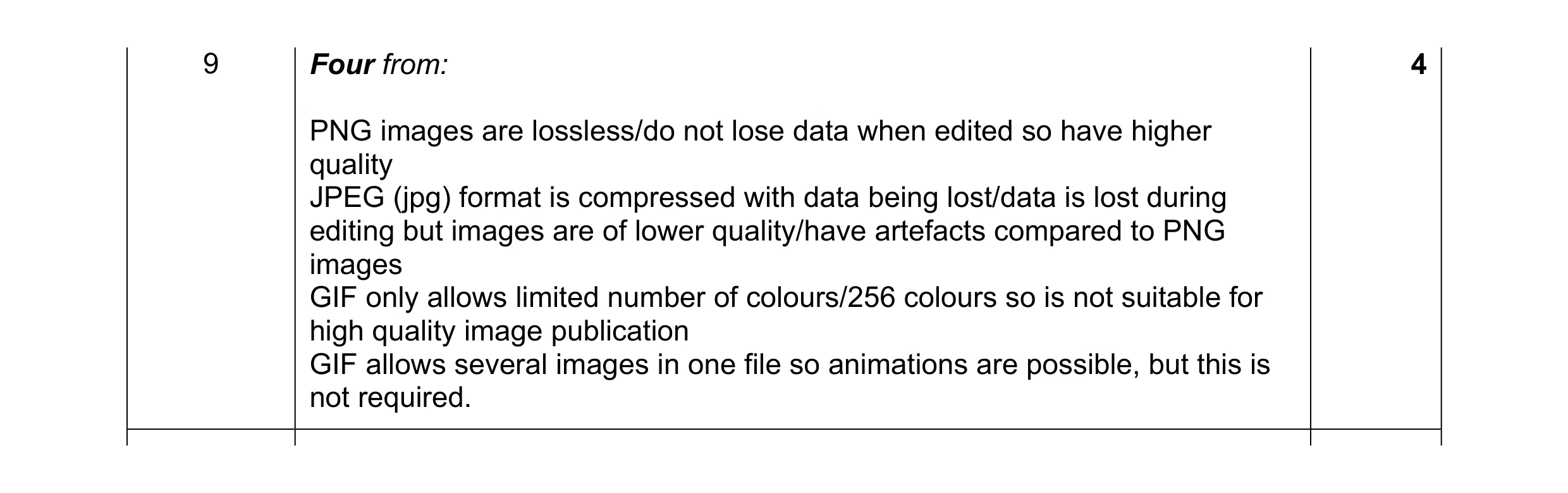 4
4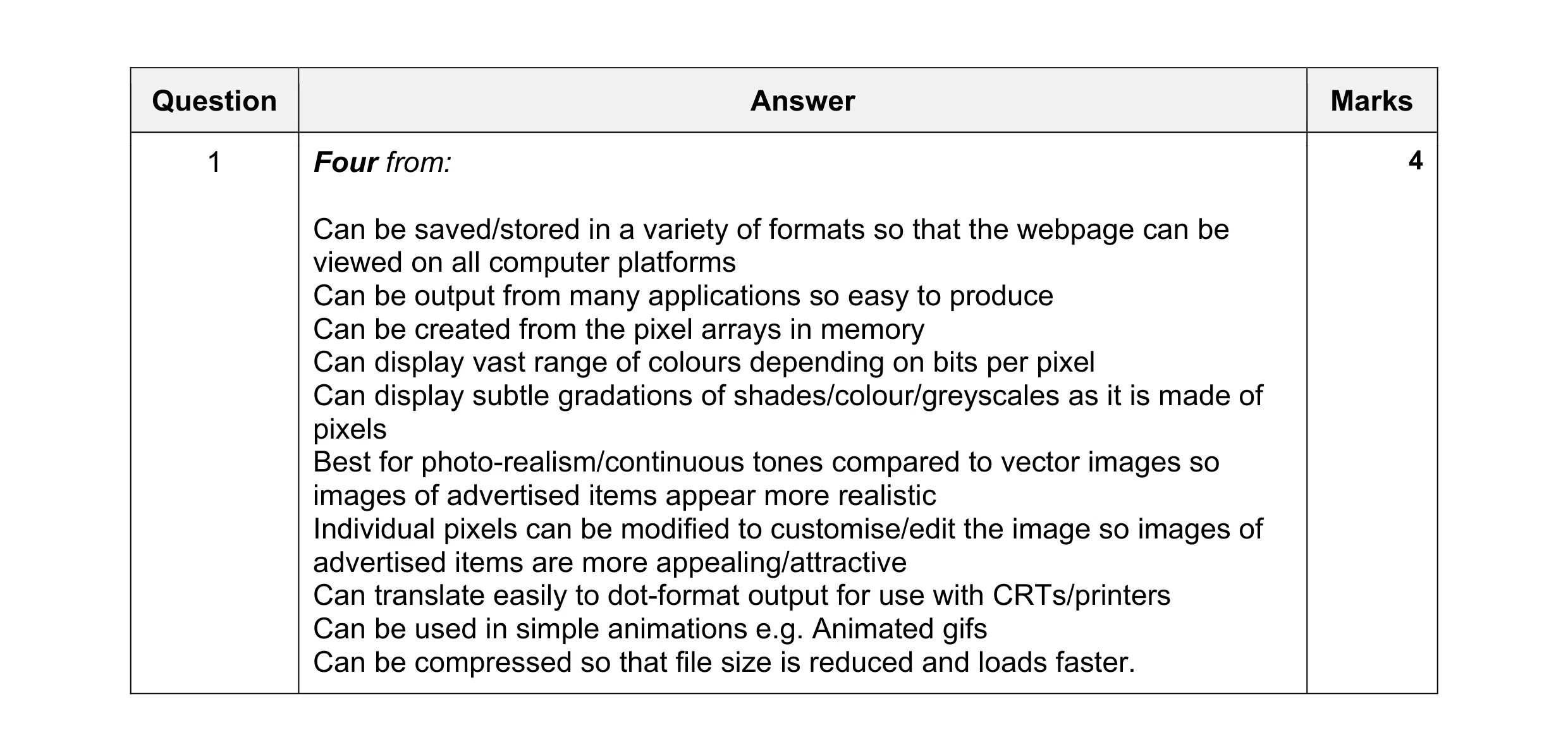 4
4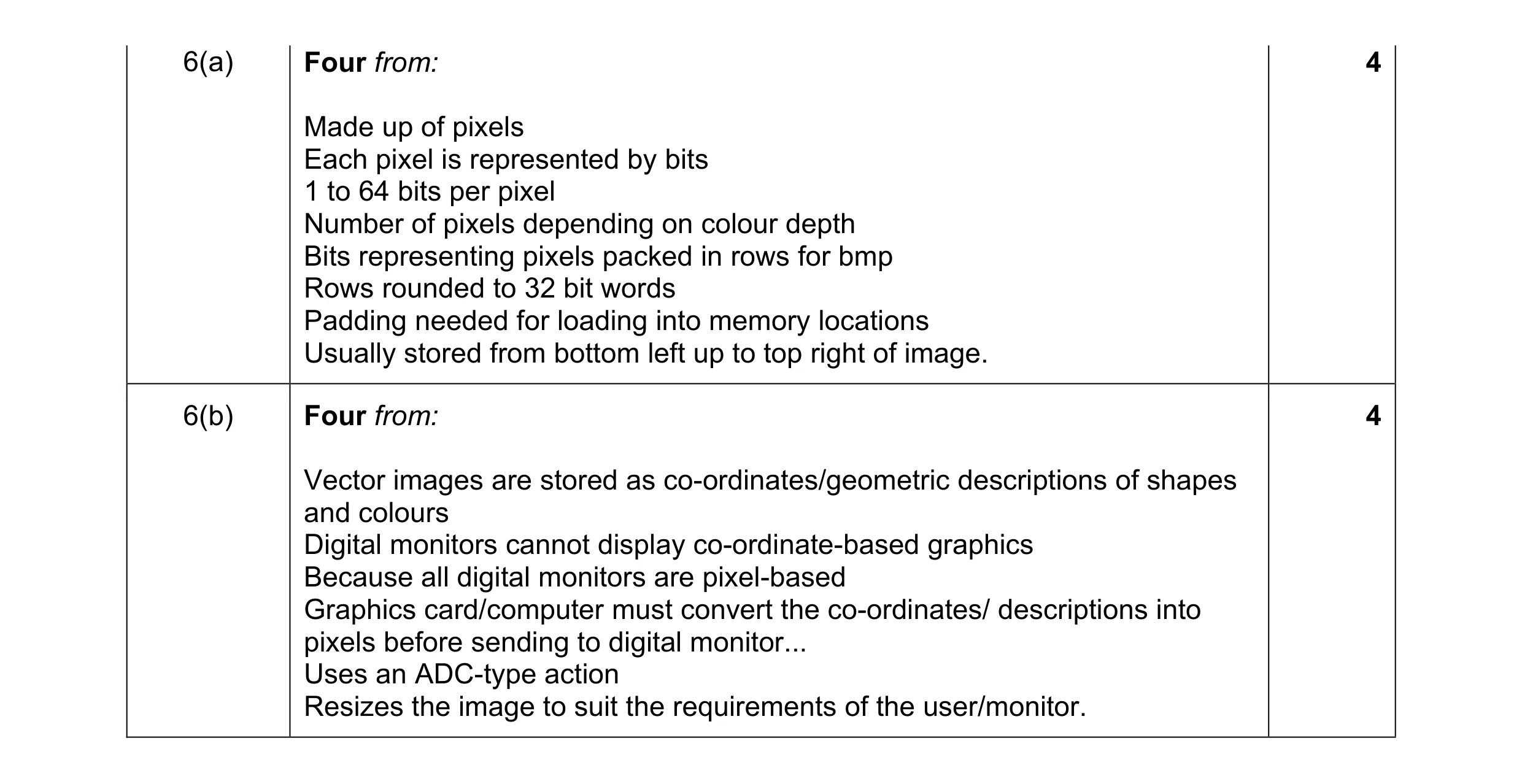 8
8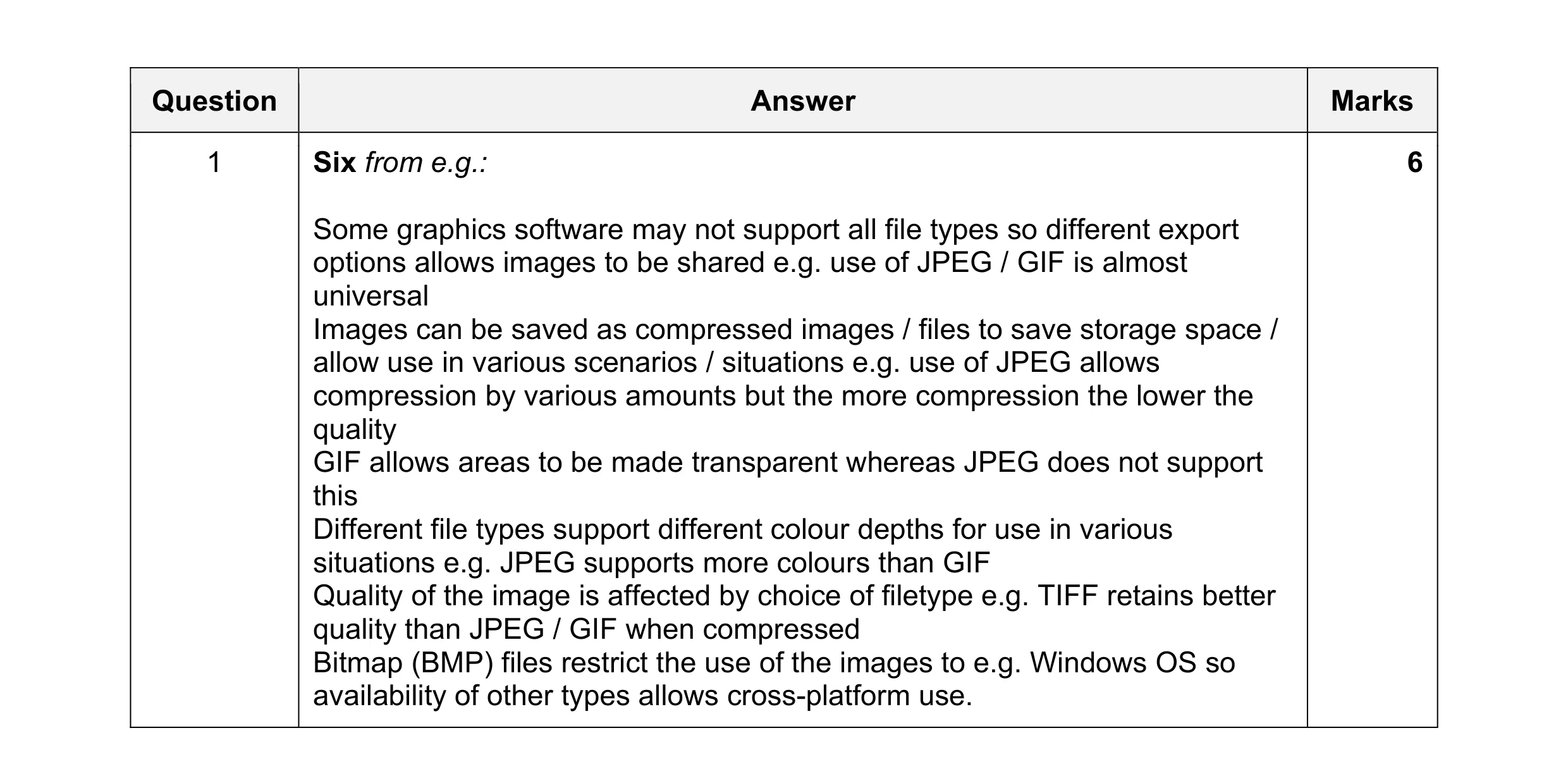 6
6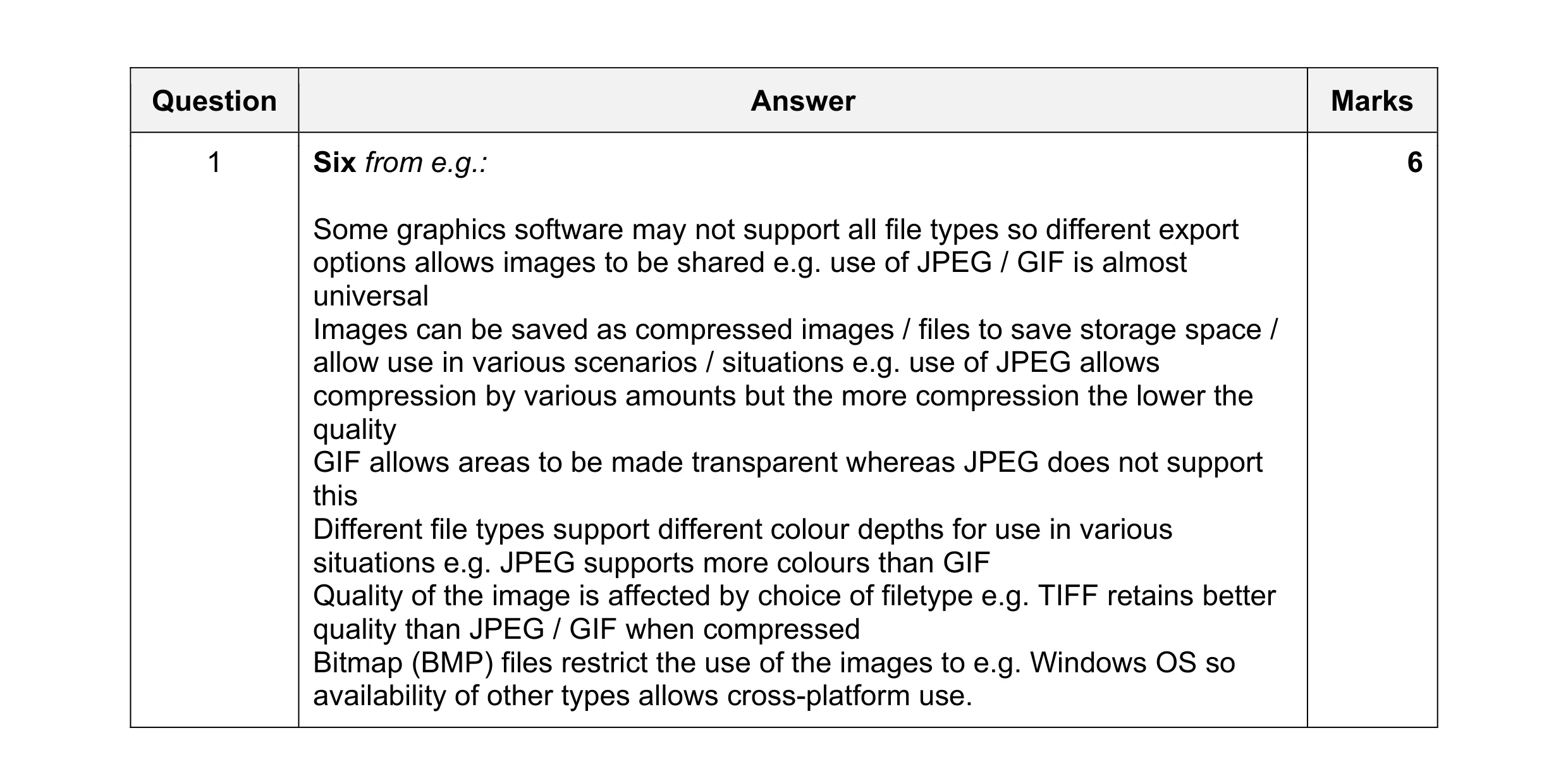 6
6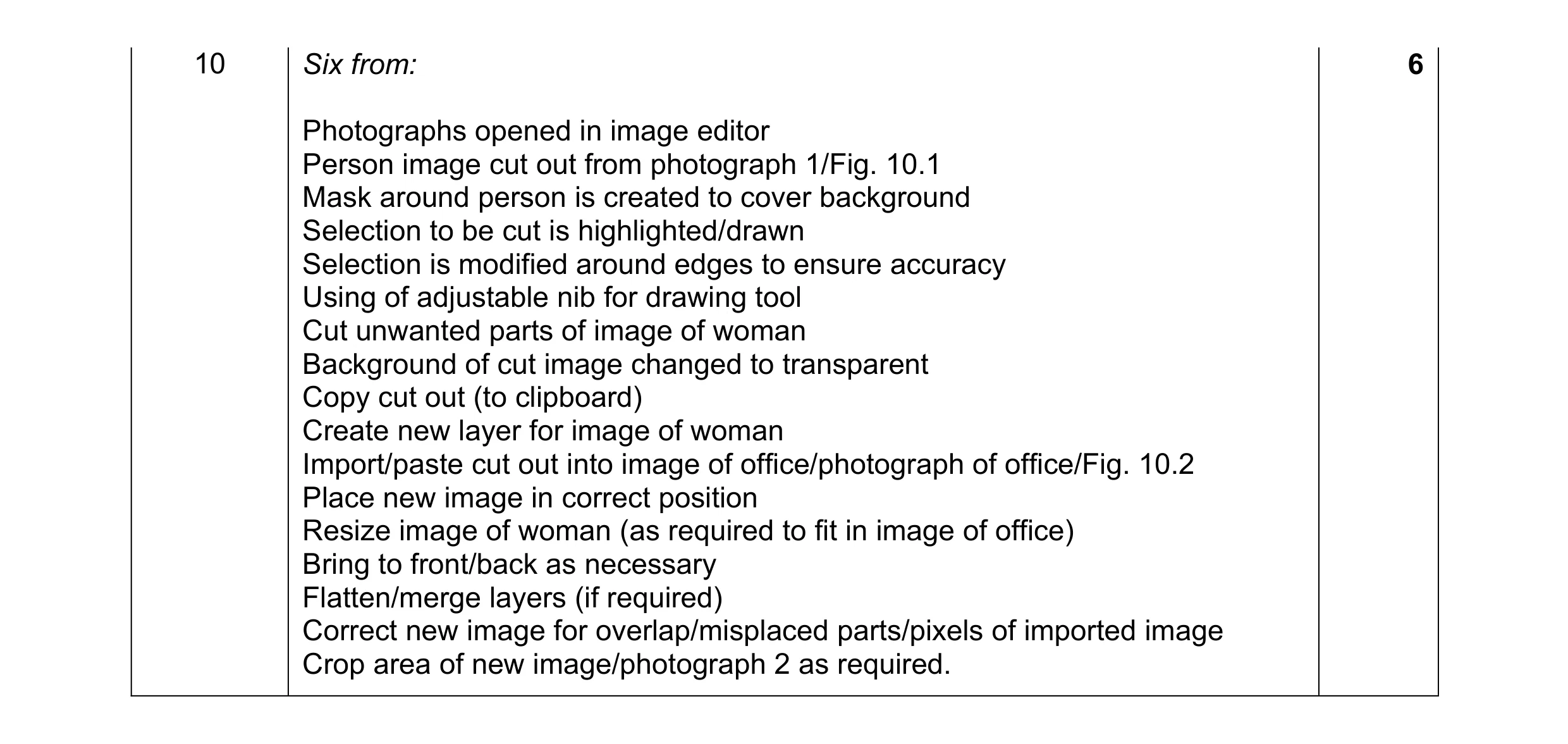 6
6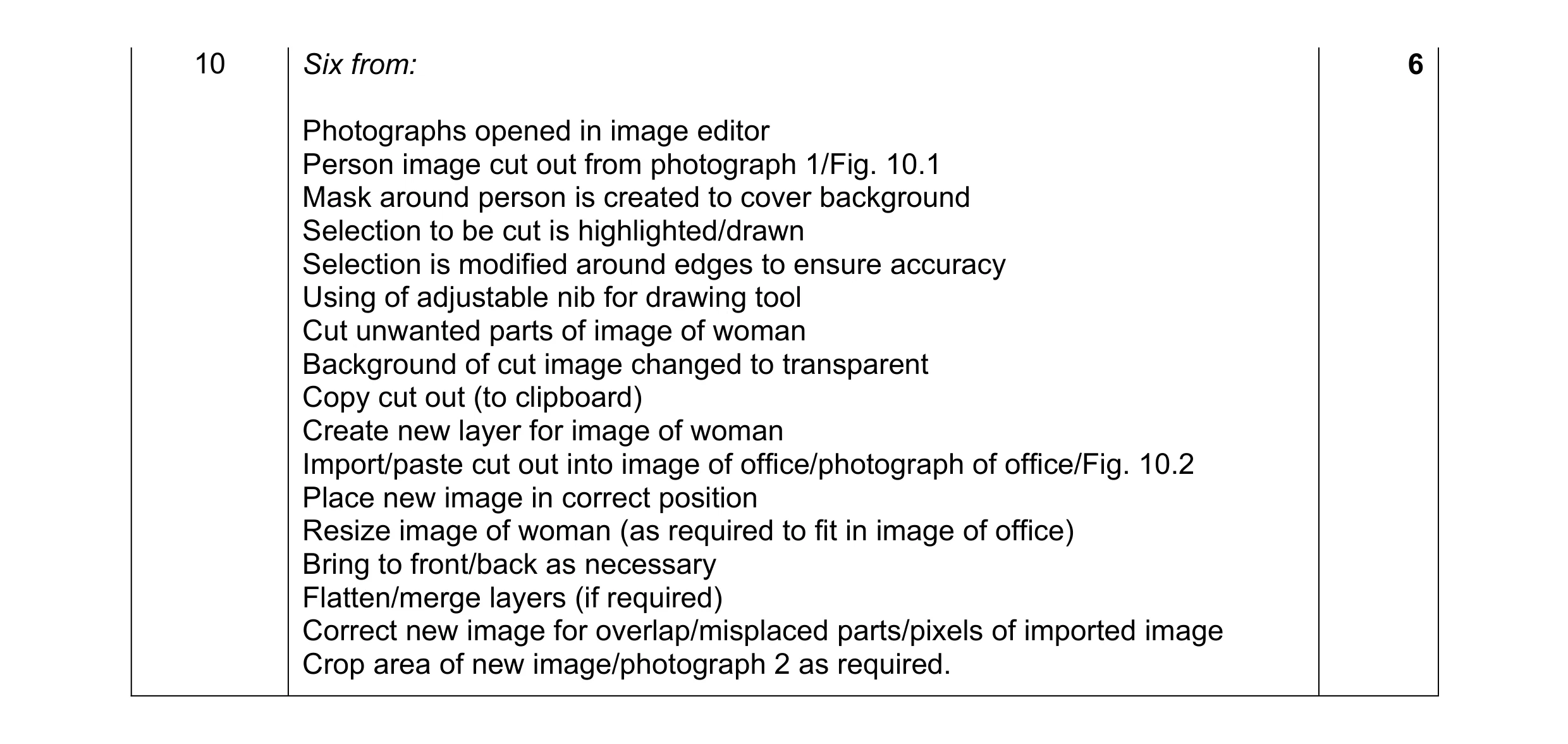 6
6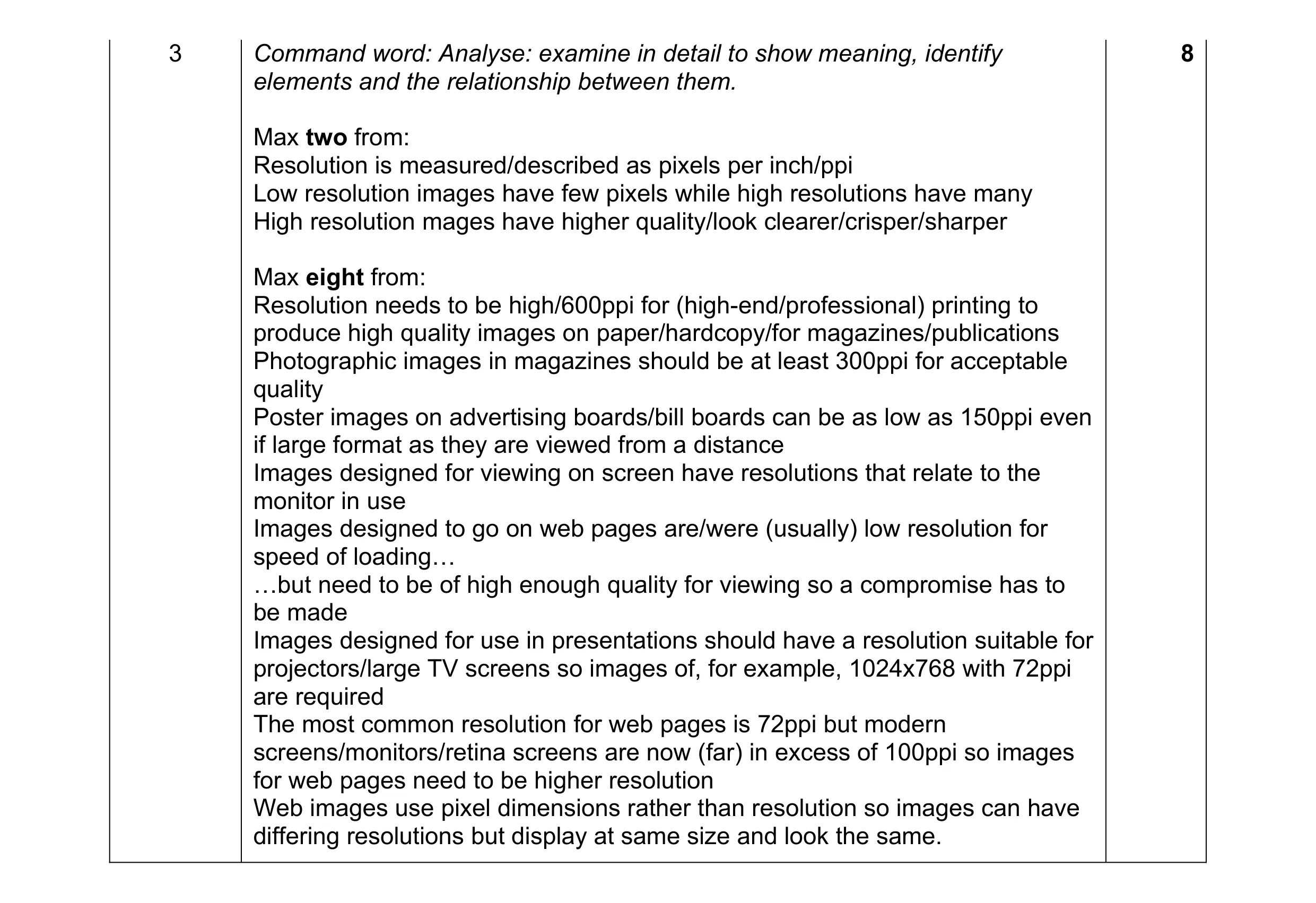 8
8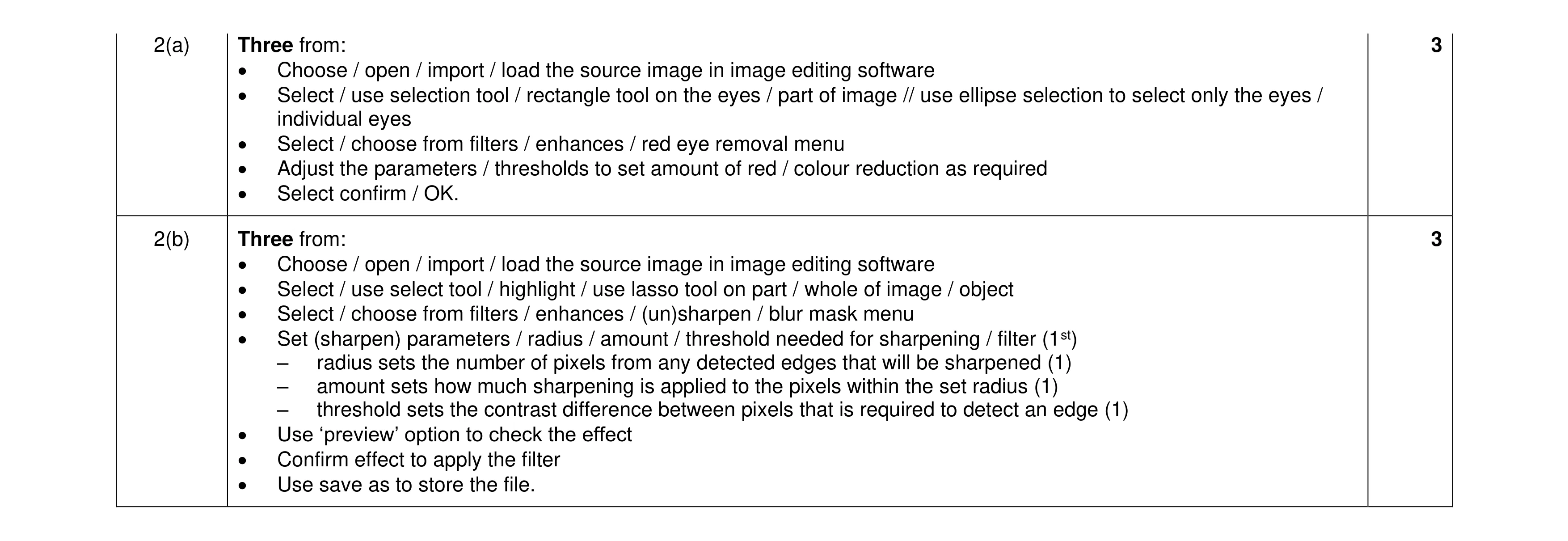 6
6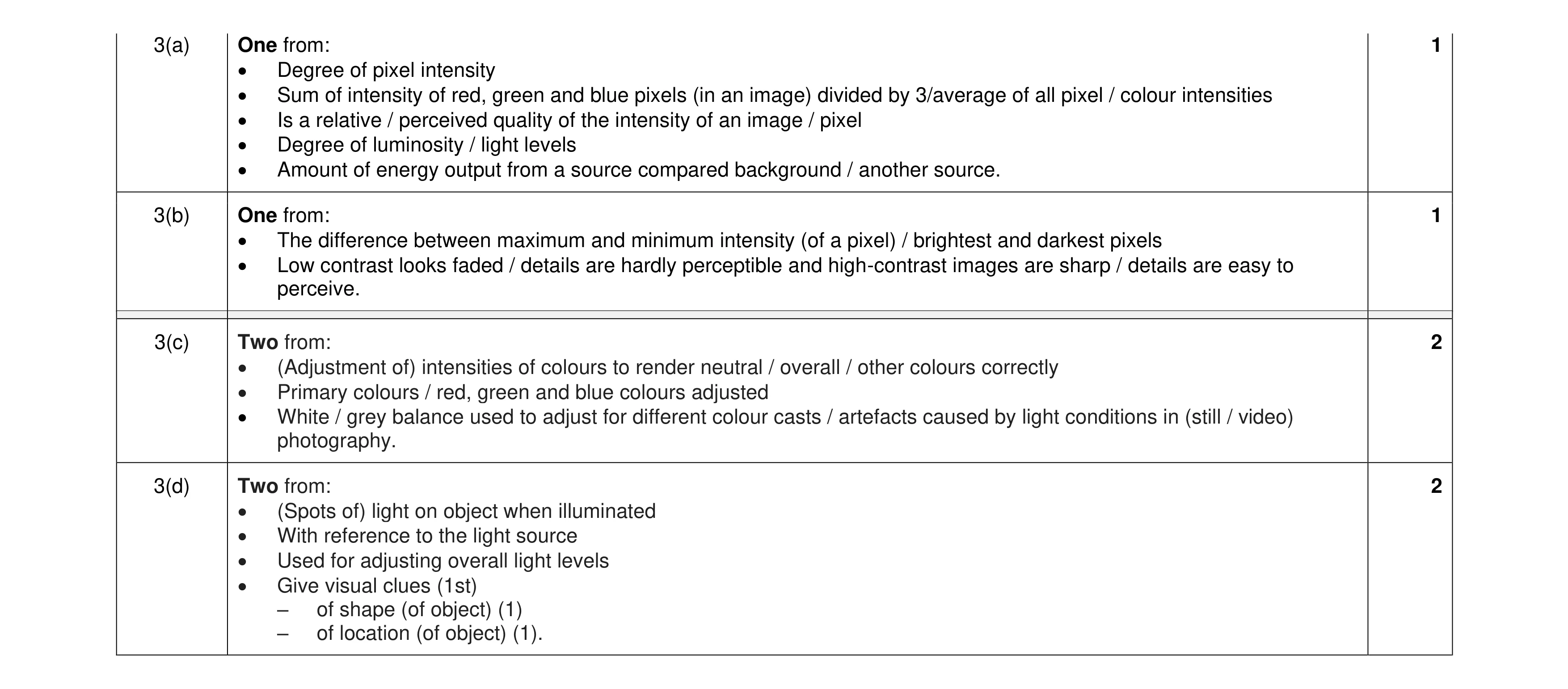 6
6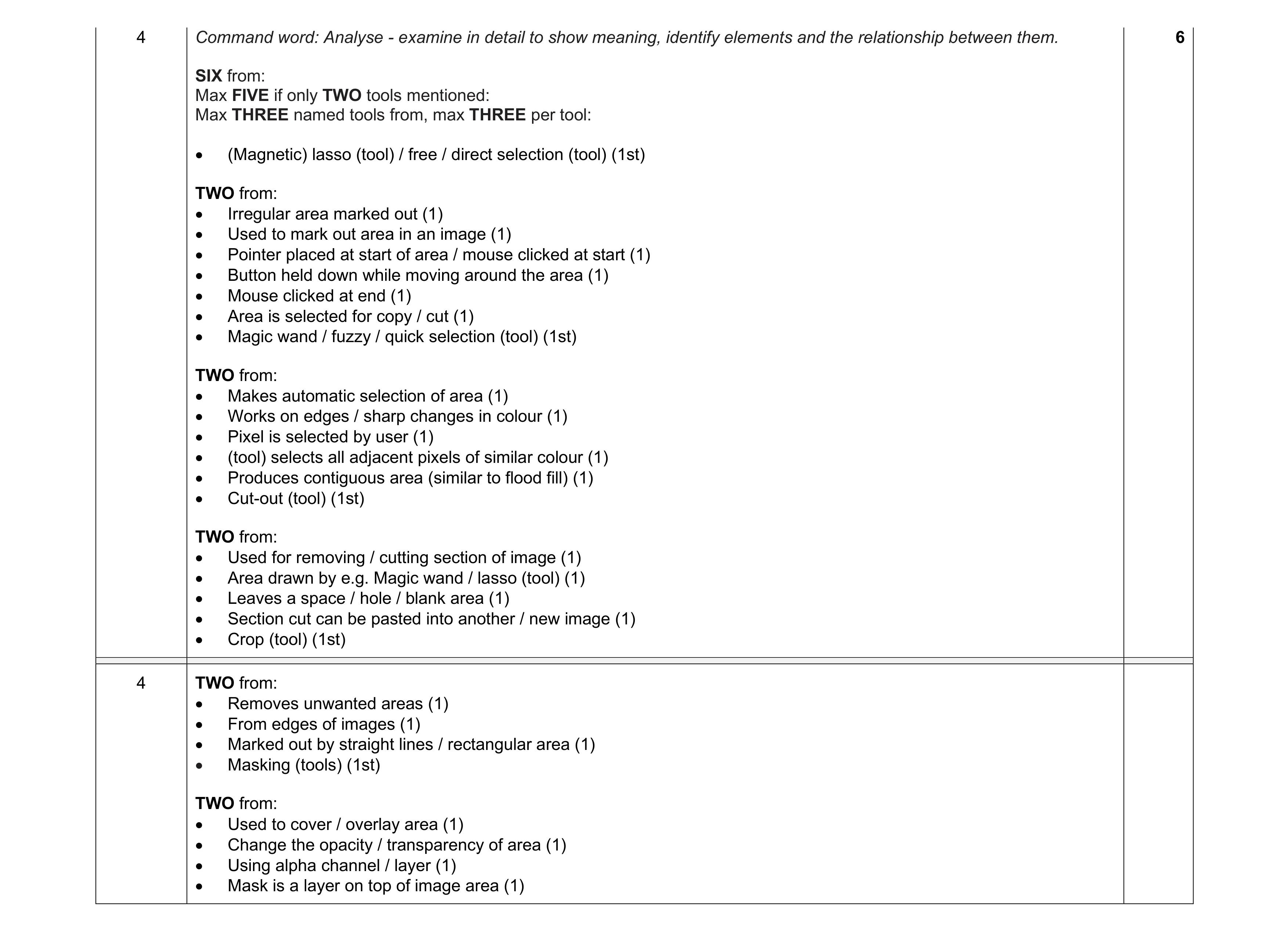 6
6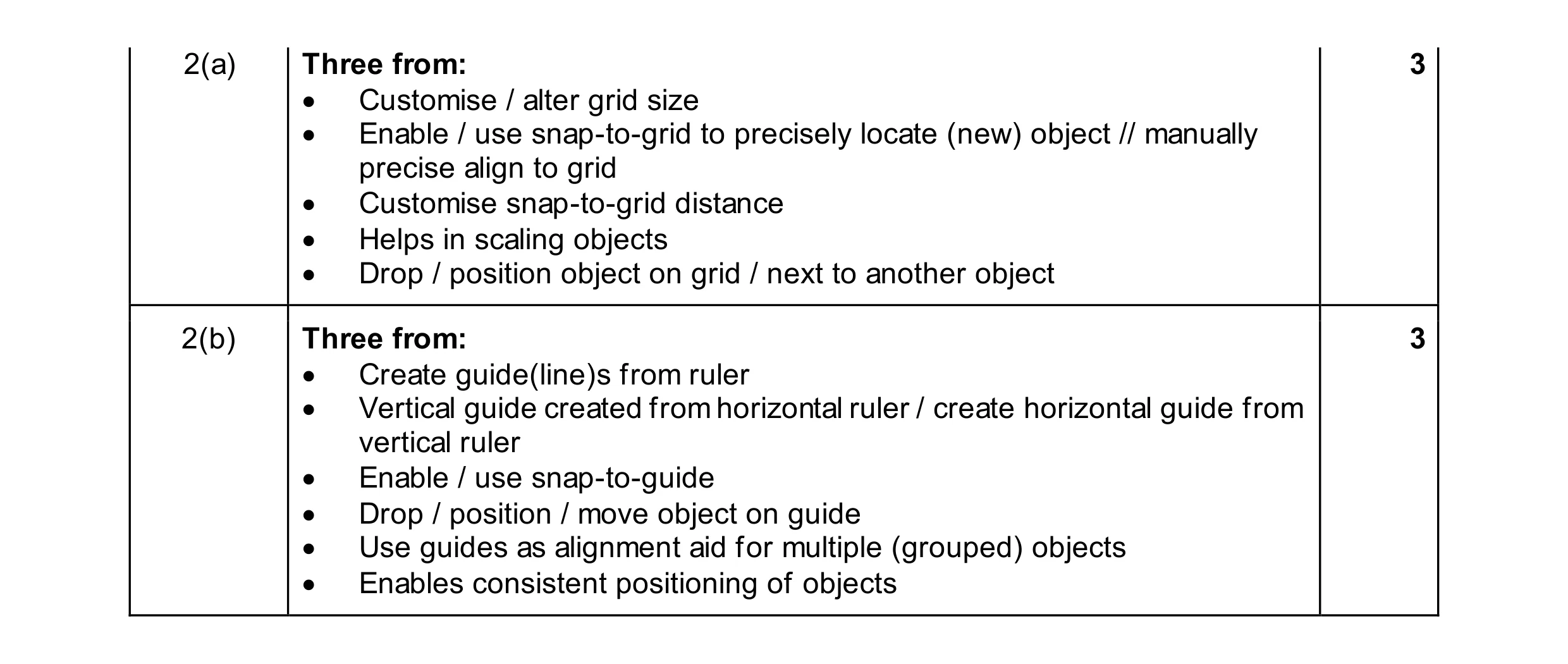 6
6