Cambridge A Level Information Technology (from 2017) 9626 — 2025 Oct/Nov Paper 3 · Variant 2
9626/32/O/N/25 · 11 questions · 70 marks · 105 min
The question paper and its mark scheme, free to read here and free to download. This is Cambridge’s own paper, exactly as it was sat.
Question paper12 pages







Mark scheme10 pages
Answers below. Sit the paper first if you are practising.


Questions as text
Q1 · Autonomous transport systems are emerging technologies
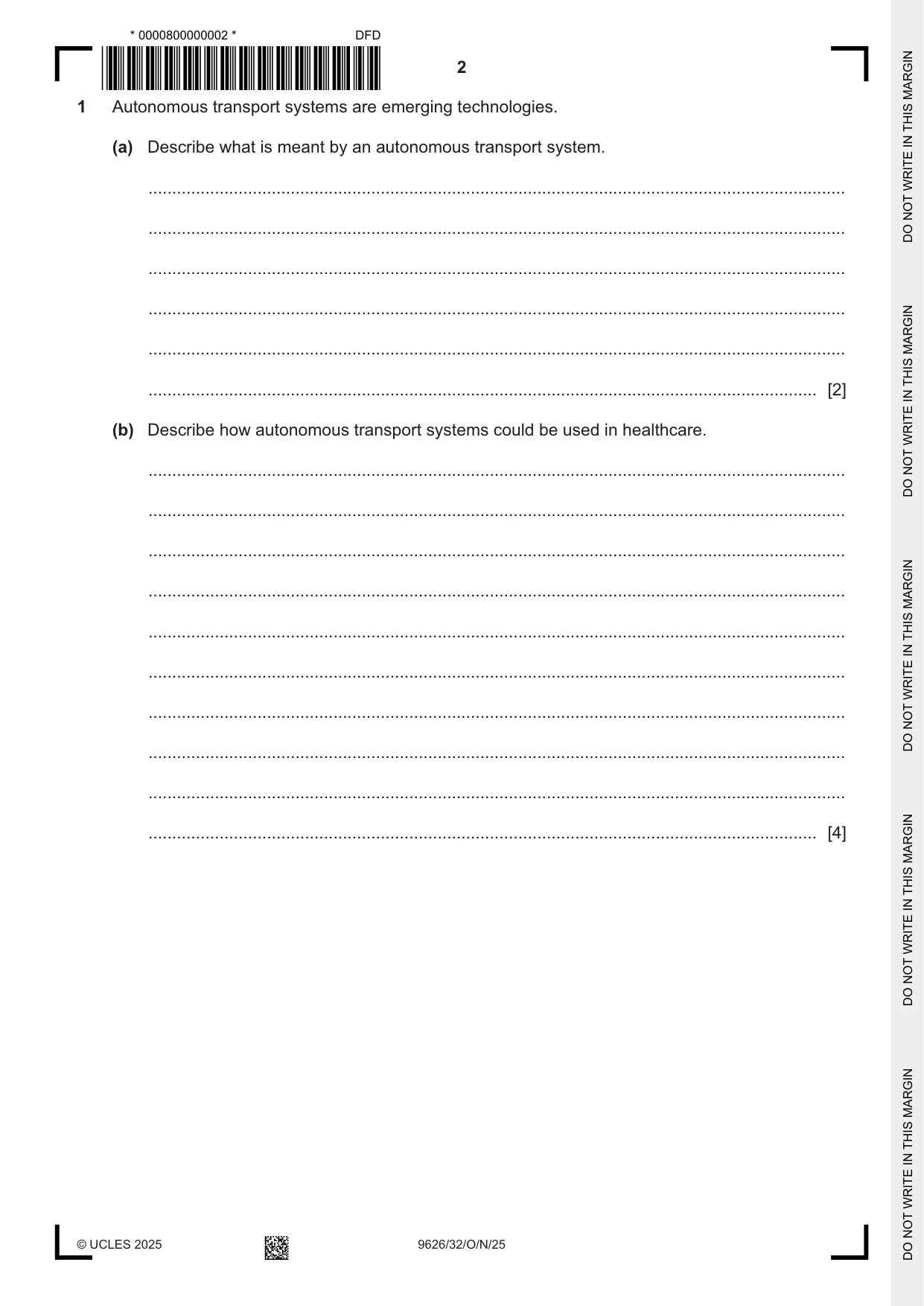
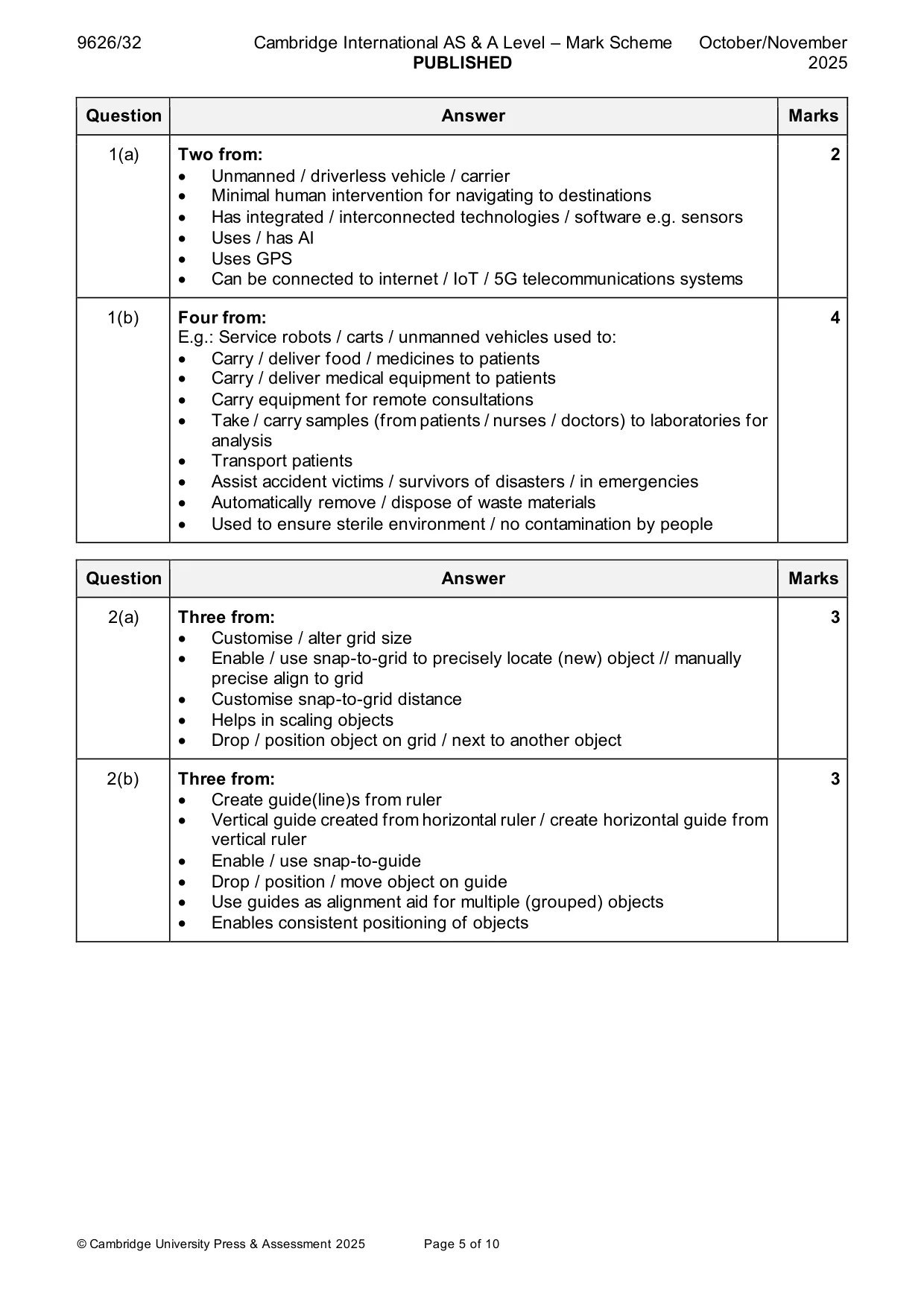
1 Autonomous transport systems are emerging technologies. (a) Describe what is meant by an autonomous transport system. ................................................................................................................................................... ................................................................................................................................................... ................................................................................................................................................... ................................................................................................................................................... ................................................................................................................................................... ............................................................................................................................................. [2] (b) Describe how autonomous transport systems could be used in healthcare. ................................................................................................................................................... ................................................................................................................................................... ................................................................................................................................................... ................................................................................................................................................... ................................................................................................................................................... ................................................................................................................................................... ................................................................................................................................................... ................................................................................................................................................... ................................................................................................................................................... ............................................................................................................................................. [4]
Mark scheme: Question Answer Marks 1(a) Two from: 2 • Unmanned / driverless vehicle / carrier • Minimal human intervention for navigating to destinations • Has integrated / interconnected technologies / software e.g. sensors • Uses / has AI • Uses GPS • Can be connected to internet / IoT / 5G telecommunications systems 1(b) Four from: 4 E.g.: Service robots / carts / unmanned vehicles used to: • Carry / deliver food / medicines to patients • Carry / deliver medical equipment to patients • Carry equipment for remote consultations • Take / carry samples (from patients / nurses / doctors) to laboratories for analysis • Transport patients • Assist accident victims / survivors of disasters / in emergencies • Automatically remove / dispose of waste materials • Used to ensure sterile environment / no contamination by people
Q2 · Image editing software provides several tools for the accurate placement of objects on a…
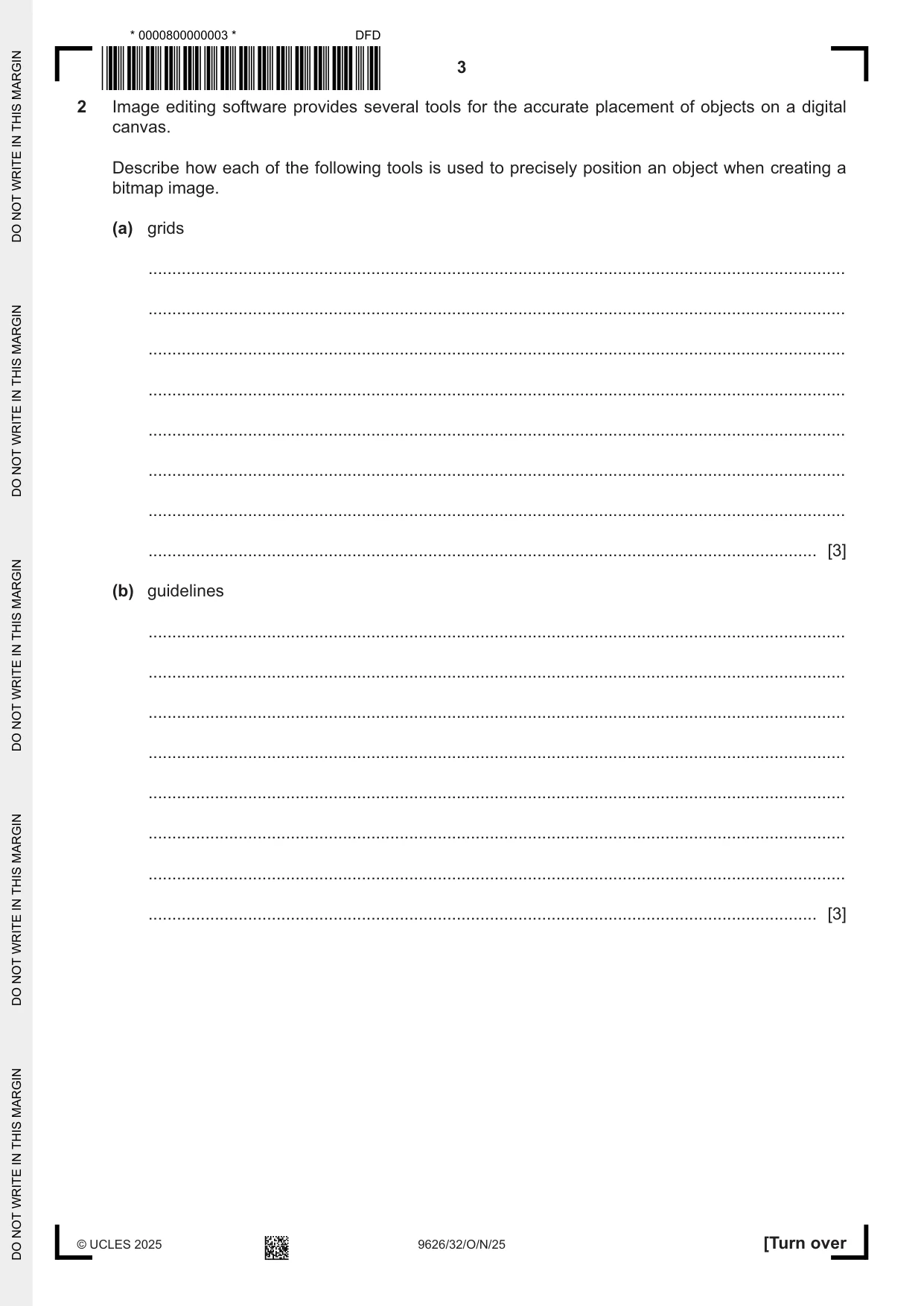
2 Image editing software provides several tools for the accurate placement of objects on a digital canvas. Describe how each of the following tools is used to precisely position an object when creating a bitmap image. (a) grids ................................................................................................................................................... ................................................................................................................................................... ................................................................................................................................................... ................................................................................................................................................... ................................................................................................................................................... ................................................................................................................................................... ................................................................................................................................................... ............................................................................................................................................. [3] (b) guidelines ................................................................................................................................................... ................................................................................................................................................... ................................................................................................................................................... ................................................................................................................................................... ................................................................................................................................................... ................................................................................................................................................... ................................................................................................................................................... ............................................................................................................................................. [3]
Mark scheme: 2(a) Three from: 3 • Customise / alter grid size • Enable / use snap-to-grid to precisely locate (new) object // manually precise align to grid • Customise snap-to-grid distance • Helps in scaling objects • Drop / position object on grid / next to another object 2(b) Three from: 3 • Create guide(line)s from ruler • Vertical guide created from horizontal ruler / create horizontal guide from vertical ruler • Enable / use snap-to-guide • Drop / position / move object on guide • Use guides as alignment aid for multiple (grouped) objects • Enables consistent positioning of objects
Q3 · The Critical Path Method (CPM) and Gantt charts are used in project management
3 The Critical Path Method (CPM) and Gantt charts are used in project management. Compare CPM with Gantt charts. Your answer must include both similarities and differences. .......................................................................................................................................................... .......................................................................................................................................................... .......................................................................................................................................................... .......................................................................................................................................................... .......................................................................................................................................................... .......................................................................................................................................................... .......................................................................................................................................................... .......................................................................................................................................................... .......................................................................................................................................................... .......................................................................................................................................................... .......................................................................................................................................................... .................................................................................................................................................... [5]
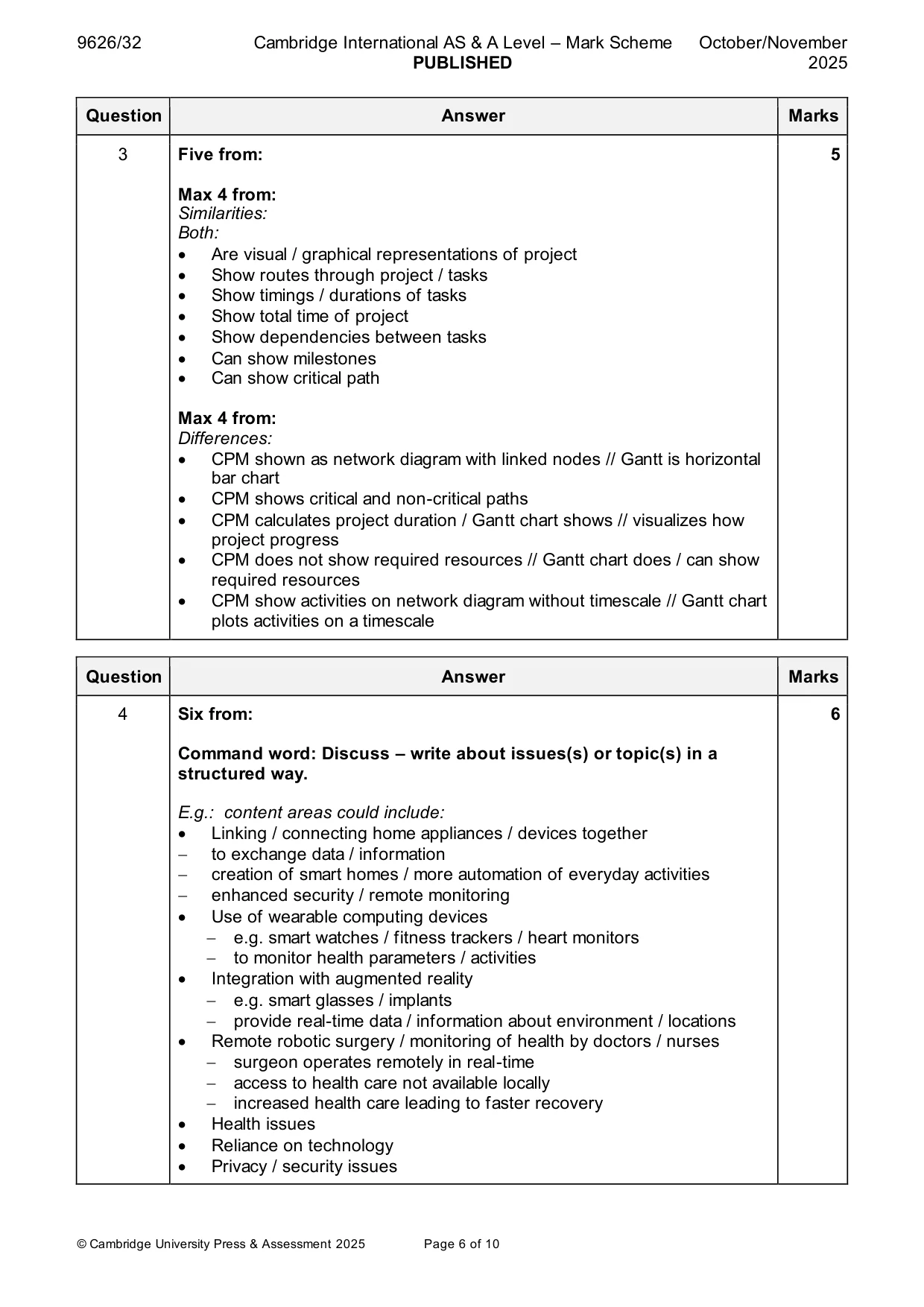
Mark scheme: 3 Five from: 5 Max 4 from: Similarities: Both: • Are visual / graphical representations of project • Show routes through project / tasks • Show timings / durations of tasks • Show total time of project • Show dependencies between tasks • Can show milestones • Can show critical path Max 4 from: Differences: • CPM shown as network diagram with linked nodes // Gantt is horizontal bar chart • CPM shows critical and non-critical paths • CPM calculates project duration / Gantt chart shows // visualizes how project progress • CPM does not show required resources // Gantt chart does / can show required resources • CPM show activities on network diagram without timescale // Gantt chart plots activities on a timescale
More questions on Tools and techniques for project management tasks
Q4 · Discuss the impact of the Internet of Things (IoT) on individuals
4 Discuss the impact of the Internet of Things (IoT) on individuals. .......................................................................................................................................................... .......................................................................................................................................................... .......................................................................................................................................................... .......................................................................................................................................................... .......................................................................................................................................................... .......................................................................................................................................................... .......................................................................................................................................................... .......................................................................................................................................................... .......................................................................................................................................................... .......................................................................................................................................................... .......................................................................................................................................................... .......................................................................................................................................................... .......................................................................................................................................................... .................................................................................................................................................... [6]
Mark scheme: 4 Six from: 6 Command word: Discuss – write about issues(s) or topic(s) in a structured way. E.g.: content areas could include: • Linking / connecting home appliances / devices together − to exchange data / information − creation of smart homes / more automation of everyday activities − enhanced security / remote monitoring • Use of wearable computing devices − e.g. smart watches / fitness trackers / heart monitors − to monitor health parameters / activities • Integration with augmented reality − e.g. smart glasses / implants − provide real-time data / information about environment / locations • Remote robotic surgery / monitoring of health by doctors / nurses − surgeon operates remotely in real-time − access to health care not available locally − increased health care leading to faster recovery • Health issues • Reliance on technology • Privacy / security issues
Q5 · A new database has been installed to manage the stock in a warehouse
5 A new database has been installed to manage the stock in a warehouse. Explain why an evaluation needs to be carried out on the new database. .......................................................................................................................................................... .......................................................................................................................................................... .......................................................................................................................................................... .......................................................................................................................................................... .......................................................................................................................................................... .......................................................................................................................................................... .......................................................................................................................................................... .......................................................................................................................................................... .......................................................................................................................................................... .......................................................................................................................................................... .......................................................................................................................................................... .......................................................................................................................................................... .......................................................................................................................................................... .................................................................................................................................................... [6]
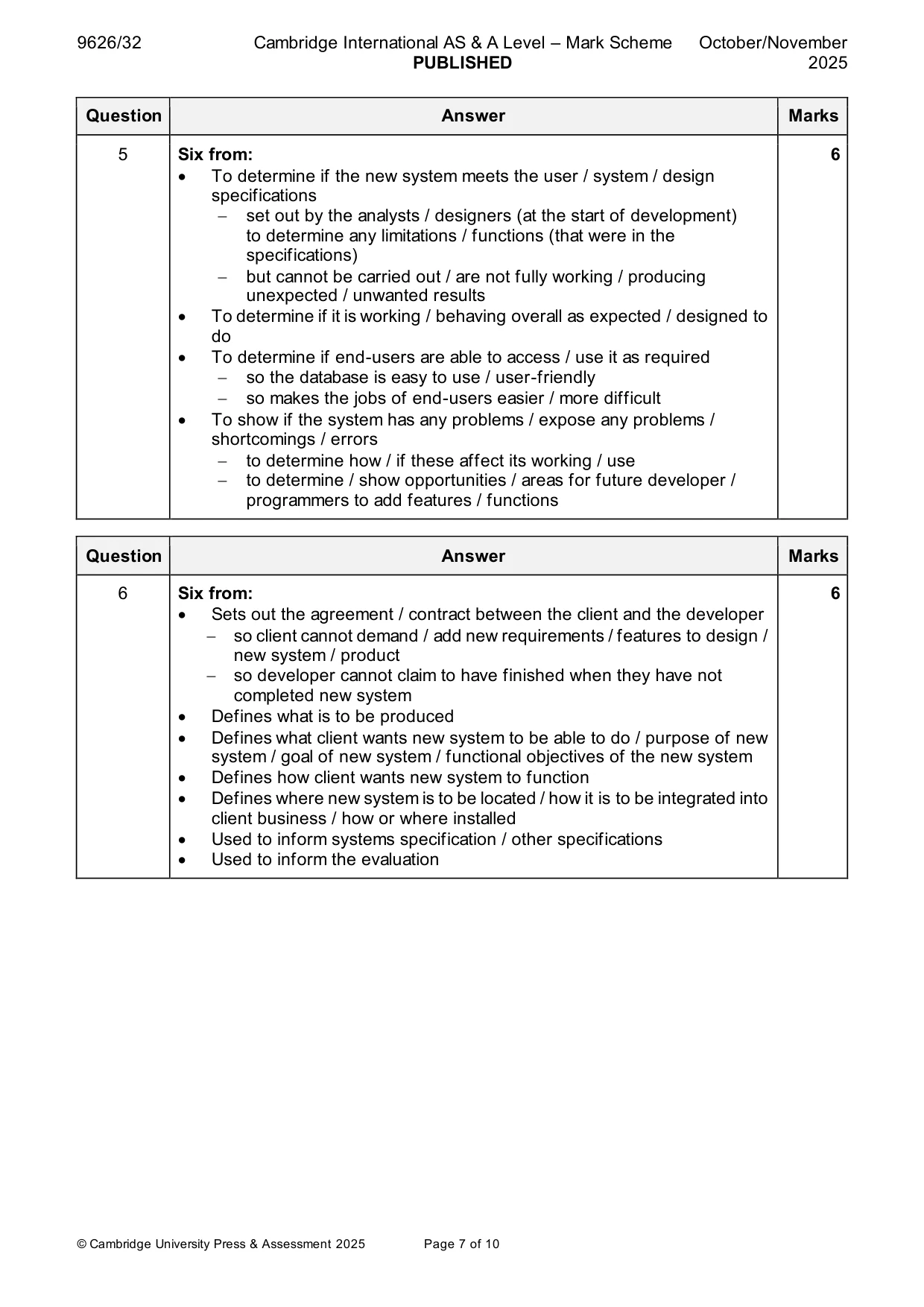
Mark scheme: 5 Six from: 6 • To determine if the new system meets the user / system / design specifications − set out by the analysts / designers (at the start of development) to determine any limitations / functions (that were in the specifications) − but cannot be carried out / are not fully working / producing unexpected / unwanted results • To determine if it is working / behaving overall as expected / designed to do • To determine if end-users are able to access / use it as required − so the database is easy to use / user-friendly − so makes the jobs of end-users easier / more difficult • To show if the system has any problems / expose any problems / shortcomings / errors − to determine how / if these affect its working / use − to determine / show opportunities / areas for future developer / programmers to add features / functions
Q6 · Describe the purpose of the user requirements specification for a new system
6 Describe the purpose of the user requirements specification for a new system. .......................................................................................................................................................... .......................................................................................................................................................... .......................................................................................................................................................... .......................................................................................................................................................... .......................................................................................................................................................... .......................................................................................................................................................... .......................................................................................................................................................... .......................................................................................................................................................... .......................................................................................................................................................... .......................................................................................................................................................... .......................................................................................................................................................... .......................................................................................................................................................... .......................................................................................................................................................... .................................................................................................................................................... [6]
Mark scheme: 6 Six from: 6 • Sets out the agreement / contract between the client and the developer − so client cannot demand / add new requirements / features to design / new system / product − so developer cannot claim to have finished when they have not completed new system • Defines what is to be produced • Defines what client wants new system to be able to do / purpose of new system / goal of new system / functional objectives of the new system • Defines how client wants new system to function • Defines where new system is to be located / how it is to be integrated into client business / how or where installed • Used to inform systems specification / other specifications • Used to inform the evaluation
Q7 · Virtual currency can be used instead of physical bank notes and coins to buy goods and…
7 Virtual currency can be used instead of physical bank notes and coins to buy goods and services. Discuss the advantages and disadvantages of the use of virtual currency. .......................................................................................................................................................... .......................................................................................................................................................... .......................................................................................................................................................... .......................................................................................................................................................... .......................................................................................................................................................... .......................................................................................................................................................... .......................................................................................................................................................... .......................................................................................................................................................... .......................................................................................................................................................... .......................................................................................................................................................... .......................................................................................................................................................... .......................................................................................................................................................... .......................................................................................................................................................... .......................................................................................................................................................... .......................................................................................................................................................... .......................................................................................................................................................... .......................................................................................................................................................... .......................................................................................................................................................... .......................................................................................................................................................... .................................................................................................................................................... [8]
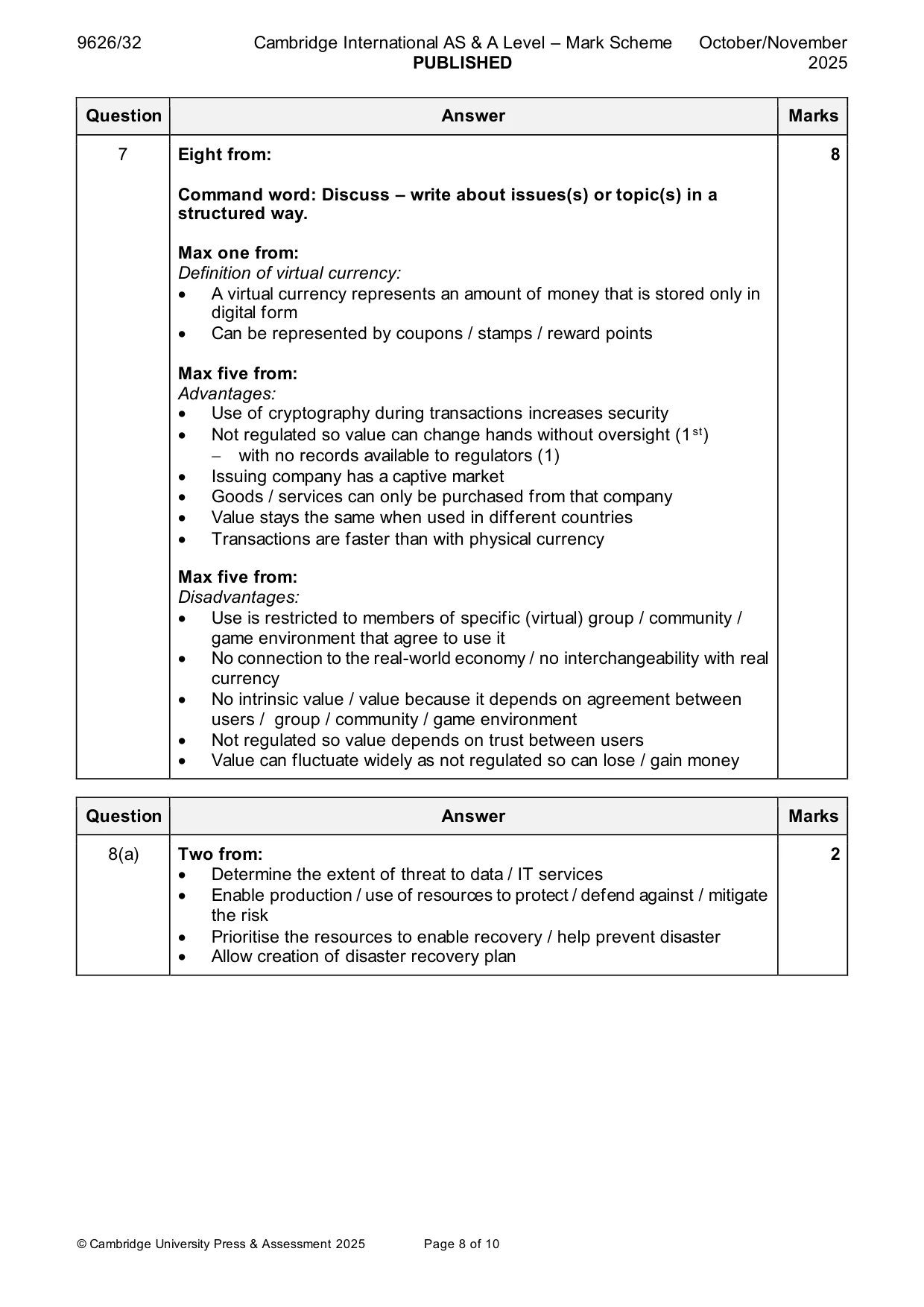
Mark scheme: 7 Eight from: 8 Command word: Discuss – write about issues(s) or topic(s) in a structured way. Max one from: Definition of virtual currency: • A virtual currency represents an amount of money that is stored only in digital form • Can be represented by coupons / stamps / reward points Max five from: Advantages: • Use of cryptography during transactions increases security • Not regulated so value can change hands without oversight (1 st) − with no records available to regulators (1) • Issuing company has a captive market • Goods / services can only be purchased from that company • Value stays the same when used in different countries • Transactions are faster than with physical currency Max five from: Disadvantages: • Use is restricted to members of specific (virtual) group / community / game environment that agree to use it • No connection to the real-world economy / no interchangeability with real currency • No intrinsic value / value because it depends on agreement between users / group / community / game environment • Not regulated so value depends on trust between users • Value can fluctuate widely as not regulated so can lose / gain money
Q8 · Business data can be at risk from a disaster such as malware or cybercrime
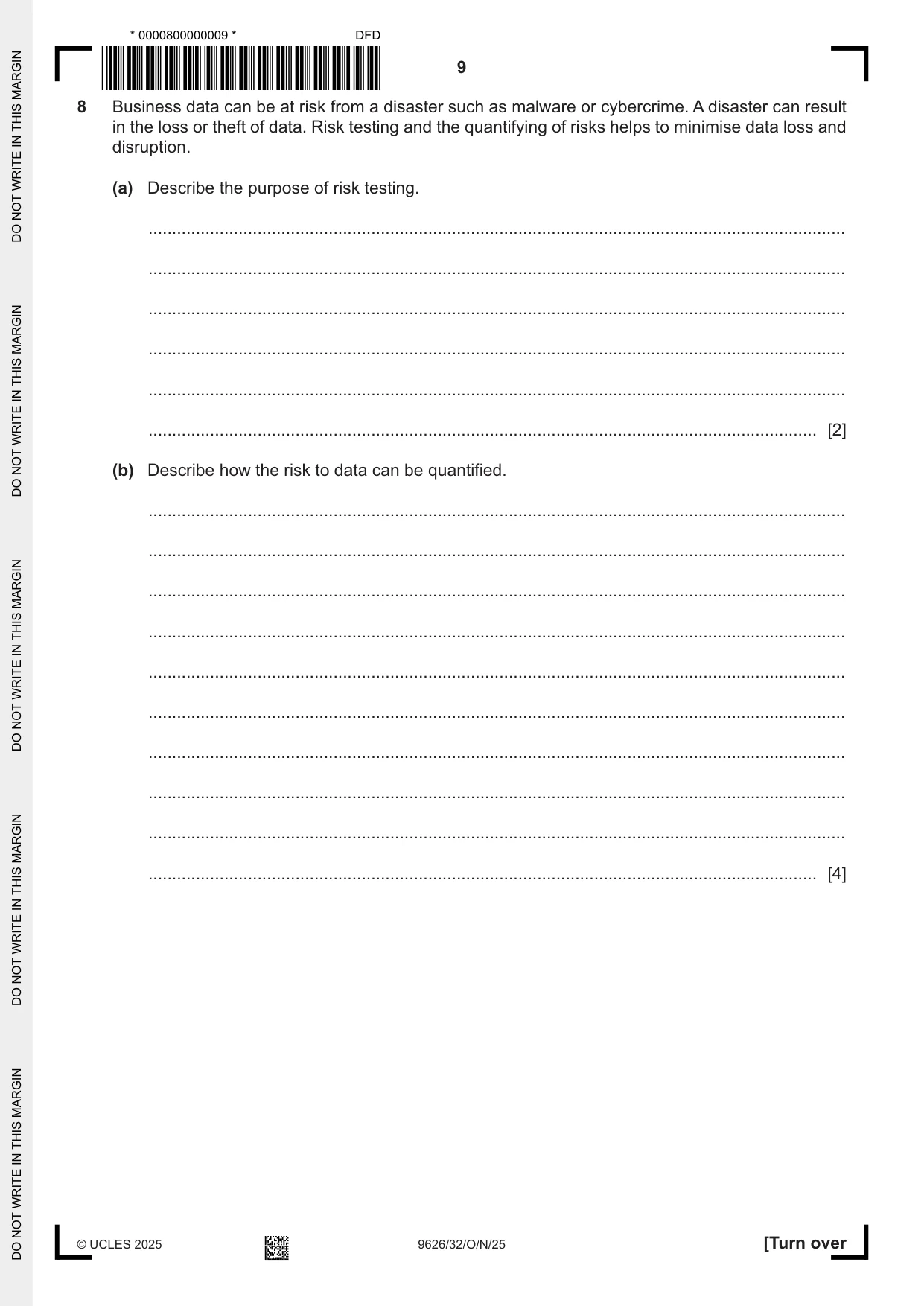
8 Business data can be at risk from a disaster such as malware or cybercrime. A disaster can result in the loss or theft of data. Risk testing and the quantifying of risks helps to minimise data loss and disruption. (a) Describe the purpose of risk testing. ................................................................................................................................................... ................................................................................................................................................... ................................................................................................................................................... ................................................................................................................................................... ................................................................................................................................................... ............................................................................................................................................. [2] (b) Describe how the risk to data can be quantified. ................................................................................................................................................... ................................................................................................................................................... ................................................................................................................................................... ................................................................................................................................................... ................................................................................................................................................... ................................................................................................................................................... ................................................................................................................................................... ................................................................................................................................................... ................................................................................................................................................... ............................................................................................................................................. [4]
Mark scheme: 8(a) Two from: 2 • Determine the extent of threat to data / IT services • Enable production / use of resources to protect / defend against / mitigate the risk • Prioritise the resources to enable recovery / help prevent disaster • Allow creation of disaster recovery plan 8(b) Four from: 4 • Identify / log / record risk • Use a risk matrix • Assign risk to a category e.g. high / medium / low or catastrophic, critical, marginal or negligible / suitable scale • Assign likelihood of disaster / suitable scale e.g. likely / possible / unlikely • Assign monetary cost to risk / use cost of risk prevention / recovery as scale • Collect expert opinion on level of risk • Experts assign value (e.g. 1 to 10 to aspect of risk) • Combine vales to give overall vale / level • Compare risk with other known risks
Q9 · The network interface card (NIC) in a device is automatically assigned an internet…
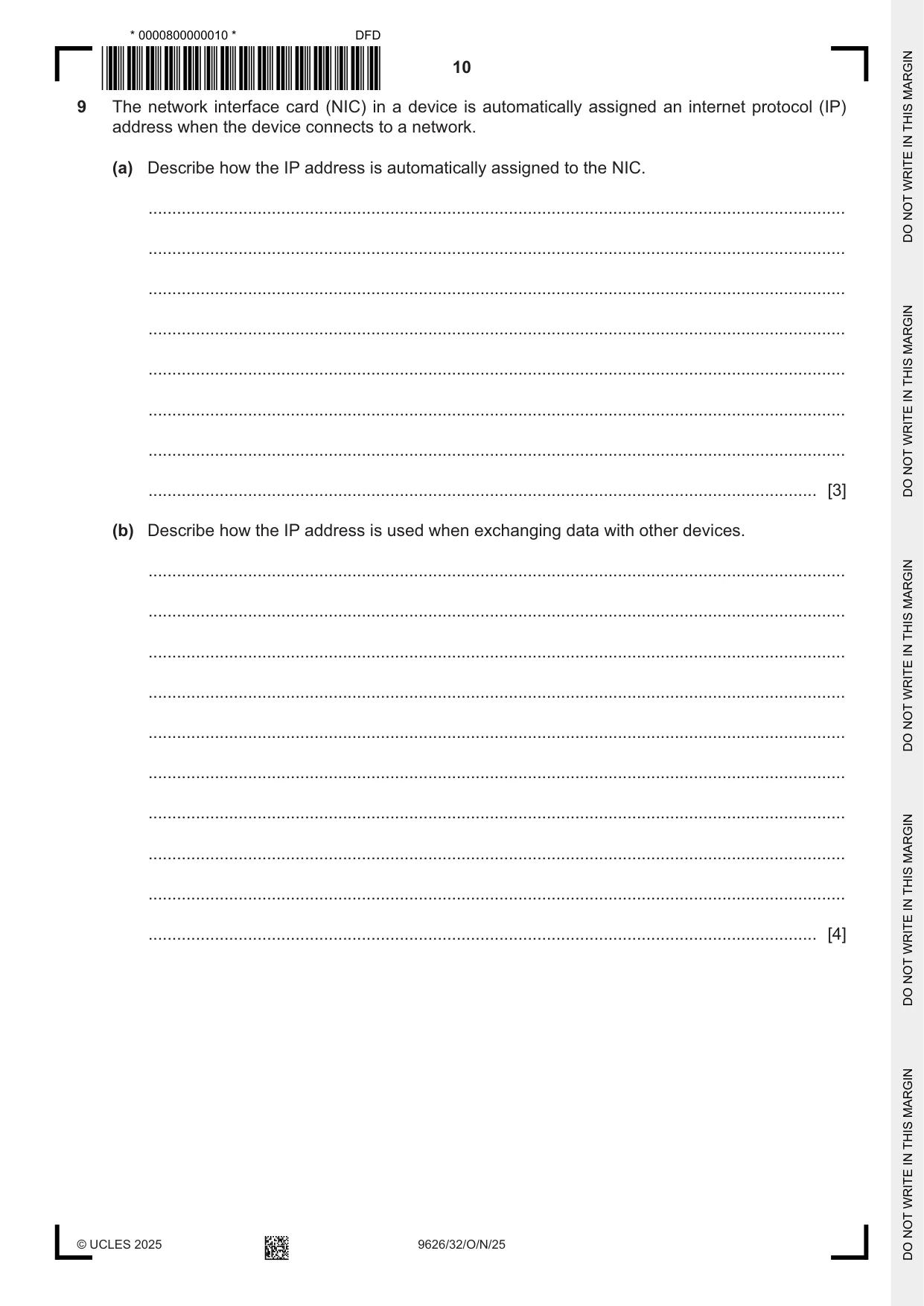
9 The network interface card (NIC) in a device is automatically assigned an internet protocol (IP) address when the device connects to a network. (a) Describe how the IP address is automatically assigned to the NIC. ................................................................................................................................................... ................................................................................................................................................... ................................................................................................................................................... ................................................................................................................................................... ................................................................................................................................................... ................................................................................................................................................... ................................................................................................................................................... ............................................................................................................................................. [3] (b) Describe how the IP address is used when exchanging data with other devices. ................................................................................................................................................... ................................................................................................................................................... ................................................................................................................................................... ................................................................................................................................................... ................................................................................................................................................... ................................................................................................................................................... ................................................................................................................................................... ................................................................................................................................................... ................................................................................................................................................... ............................................................................................................................................. [4]
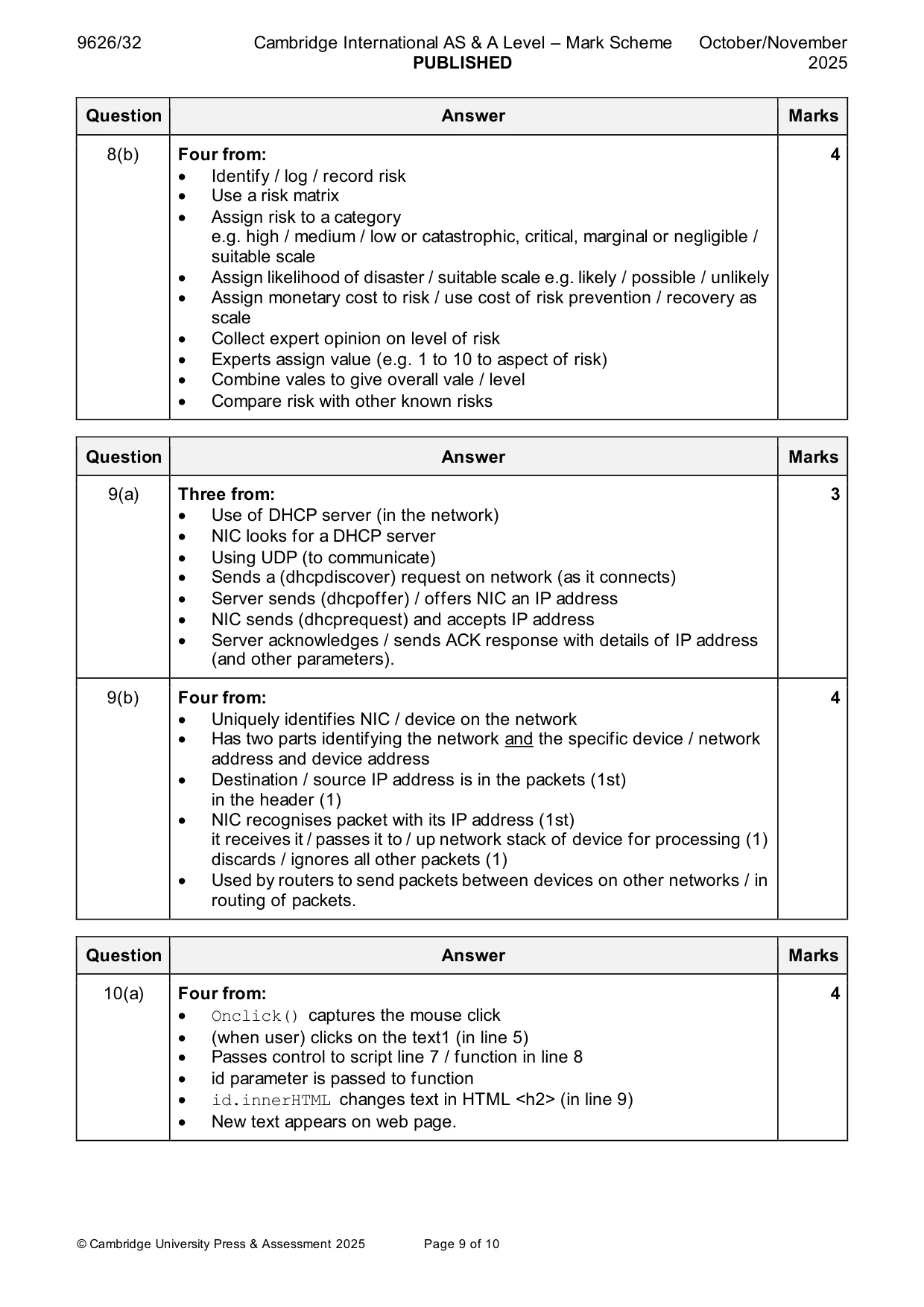
Mark scheme: 9(a) Three from: 3 • Use of DHCP server (in the network) • NIC looks for a DHCP server • Using UDP (to communicate) • Sends a (dhcpdiscover) request on network (as it connects) • Server sends (dhcpoffer) / offers NIC an IP address • NIC sends (dhcprequest) and accepts IP address • Server acknowledges / sends ACK response with details of IP address (and other parameters). 9(b) Four from: 4 • Uniquely identifies NIC / device on the network • Has two parts identifying the network and the specific device / network address and device address • Destination / source IP address is in the packets (1st) in the header (1) • NIC recognises packet with its IP address (1st) it receives it / passes it to / up network stack of device for processing (1) discards / ignores all other packets (1) • Used by routers to send packets between devices on other networks / in routing of packets.
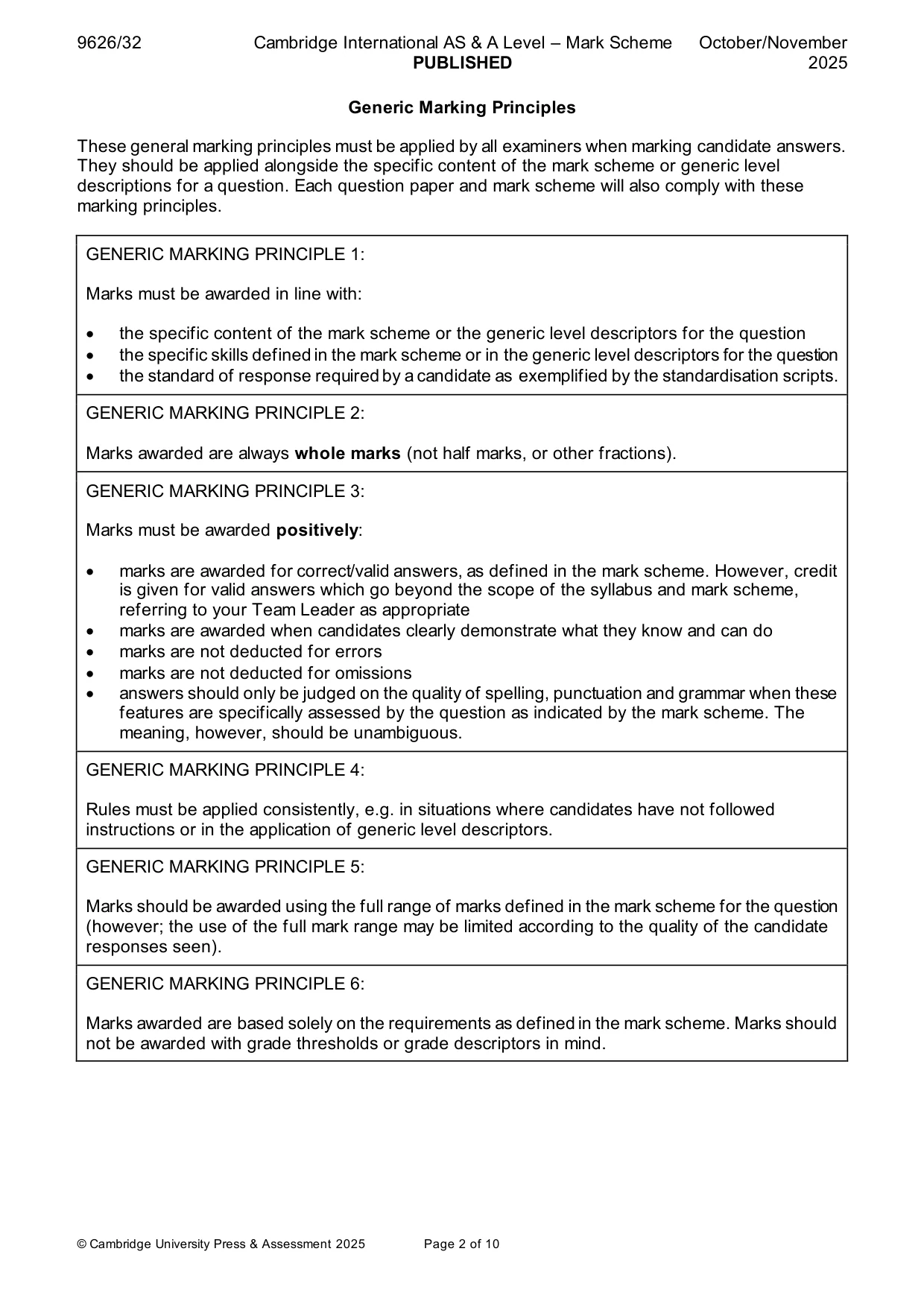
Q10 · JavaScript code can be executed when an HTML event happens in a web browser
10 JavaScript code can be executed when an HTML event happens in a web browser. An example of an HTML event is when a user clicks a mouse button. (a) Describe how the JavaScript in this HTML code changes the display of text on the web page when a mouse button is clicked. The line numbers are included for reference only. 1 <html> 2 <body> 3 4 <h2>Cambridge International JS Code: HTML Event</h2> 5 <h2 onclick="changeText(this)">Click on this line to see the name of this 9626 QP</h2> 6 7 <script> 8 function changeText(id) { 9 id.innerHTML = "A Level IT Paper 3"; 10 } 11 </script> 12 13 </body> 14 </html> ................................................................................................................................................... ................................................................................................................................................... ................................................................................................................................................... ................................................................................................................................................... ................................................................................................................................................... ................................................................................................................................................... ................................................................................................................................................... ................................................................................................................................................... ................................................................................................................................................... ............................................................................................................................................. [4] (b) Describe two other HTML events that can be used to trigger the execution of JavaScript code. ................................................................................................................................................... ................................................................................................................................................... ................................................................................................................................................... ................................................................................................................................................... ................................................................................................................................................... ............................................................................................................................................. [2]
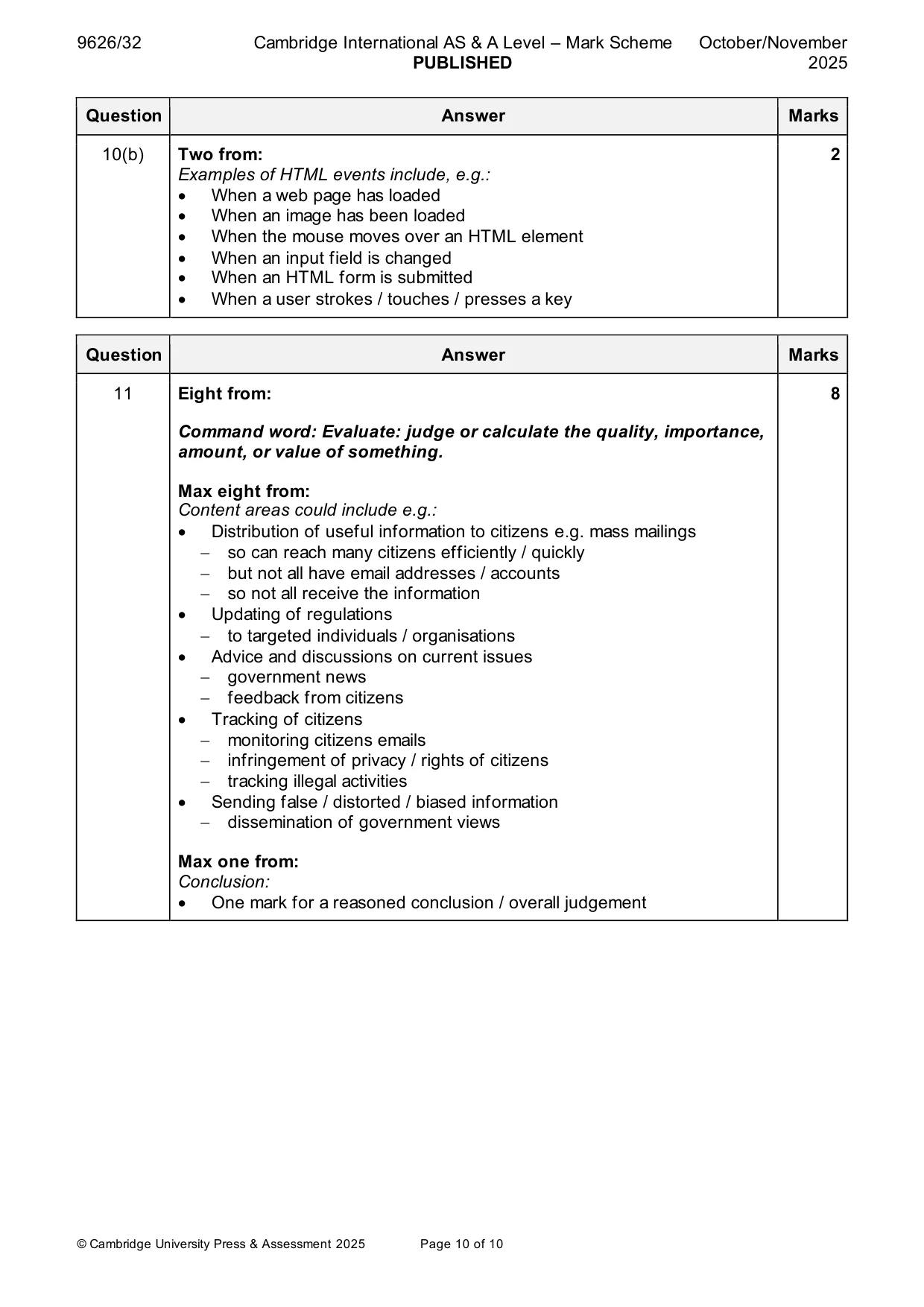
Mark scheme: 10(a) Four from: 4 • Onclick() captures the mouse click • (when user) clicks on the text1 (in line 5) • Passes control to script line 7 / function in line 8 • id parameter is passed to function • id.innerHTML changes text in HTML <h2> (in line 9) • New text appears on web page. 10(b) Two from: 2 Examples of HTML events include, e.g.: • When a web page has loaded • When an image has been loaded • When the mouse moves over an HTML element • When an input field is changed • When an HTML form is submitted • When a user strokes / touches / presses a key
Q11 · Evaluate the use of email by governments
11 Evaluate the use of email by governments. .......................................................................................................................................................... .......................................................................................................................................................... .......................................................................................................................................................... .......................................................................................................................................................... .......................................................................................................................................................... .......................................................................................................................................................... .......................................................................................................................................................... .......................................................................................................................................................... .......................................................................................................................................................... .......................................................................................................................................................... .......................................................................................................................................................... .......................................................................................................................................................... .......................................................................................................................................................... .......................................................................................................................................................... .......................................................................................................................................................... .......................................................................................................................................................... .......................................................................................................................................................... .......................................................................................................................................................... .......................................................................................................................................................... .................................................................................................................................................... [8]
Mark scheme: 11 Eight from: 8 Command word: Evaluate: judge or calculate the quality, importance, amount, or value of something. Max eight from: Content areas could include e.g.: • Distribution of useful information to citizens e.g. mass mailings − so can reach many citizens efficiently / quickly − but not all have email addresses / accounts − so not all receive the information • Updating of regulations − to targeted individuals / organisations • Advice and discussions on current issues − government news − feedback from citizens • Tracking of citizens − monitoring citizens emails − infringement of privacy / rights of citizens − tracking illegal activities • Sending false / distorted / biased information − dissemination of government views Max one from: Conclusion: • One mark for a reasoned conclusion / overall judgement
What was in this paper
The subtopics covered by these 11 questions, and how many questions each got. Open one in a new tab to see every Cambridge question on it.
What you needed in this session
Cambridge’s own grade thresholds for 2025 Oct/Nov, Paper 3 · Variant 2. A higher threshold means an easier paper — the bar moves with how the cohort did.