Cambridge A Level Information Technology (from 2017) 9626 — 2024 Oct/Nov Paper 3 · Variant 2
9626/32/O/N/24 · 10 questions · 70 marks · ≈79 min
The question paper and its mark scheme, free to read here and free to download. This is Cambridge’s own paper, exactly as it was sat.
Question paper12 pages








Mark scheme15 pages
Answers below. Sit the paper first if you are practising.




Questions as text
Q1 · JavaScript uses for loops to run through a block of code
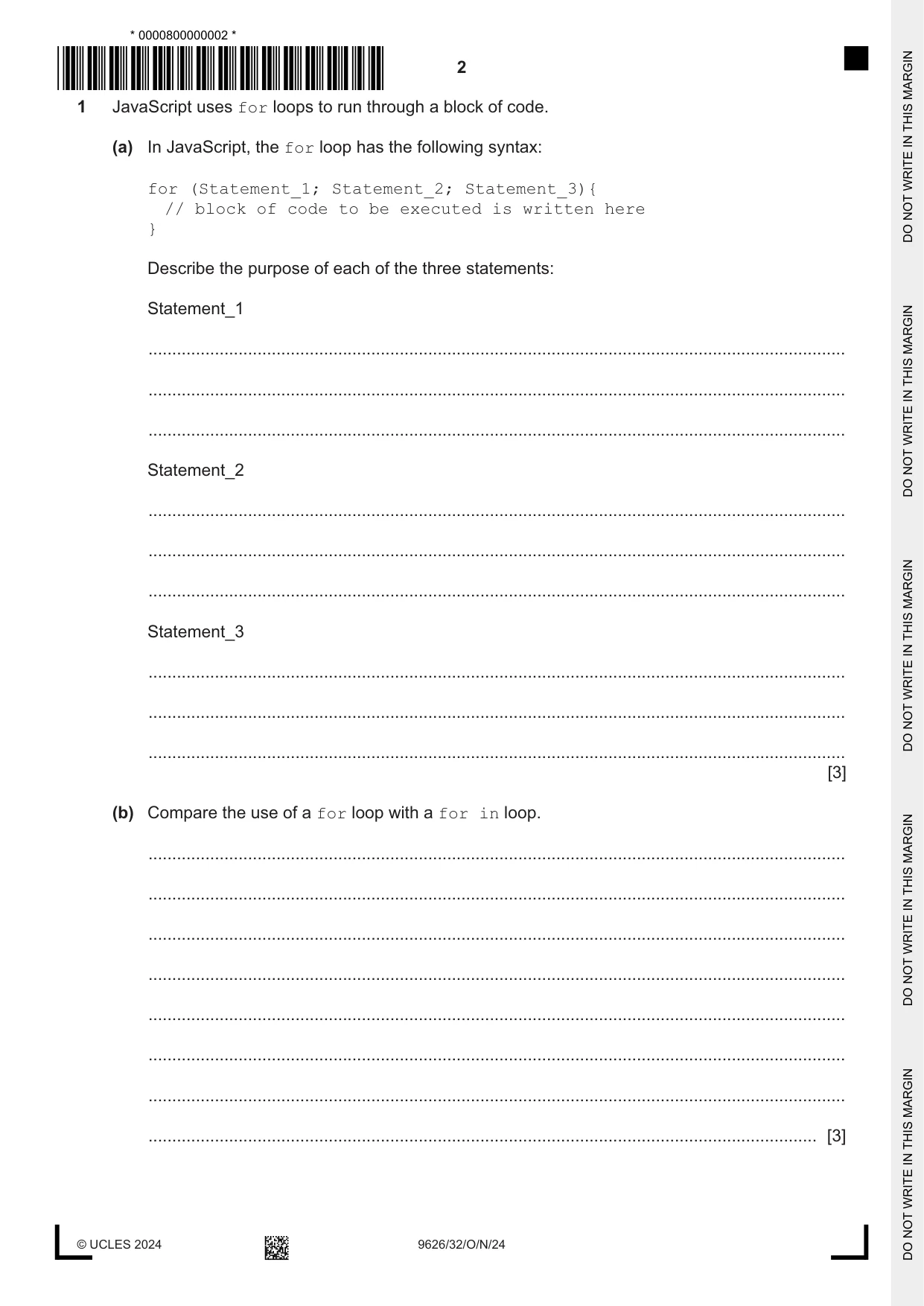
1 JavaScript uses for loops to run through a block of code. (a) In JavaScript, the for loop has the following syntax: for (Statement_1; Statement_2; Statement_3){ // block of code to be executed is written here } Describe the purpose of each of the three statements: Statement_1 ................................................................................................................................................... ................................................................................................................................................... ................................................................................................................................................... Statement_2 ................................................................................................................................................... ................................................................................................................................................... ................................................................................................................................................... Statement_3 ................................................................................................................................................... ................................................................................................................................................... ................................................................................................................................................... [3] (b) Compare the use of a for loop with a for in loop. ................................................................................................................................................... ................................................................................................................................................... ................................................................................................................................................... ................................................................................................................................................... ................................................................................................................................................... ................................................................................................................................................... ................................................................................................................................................... ............................................................................................................................................. [3]
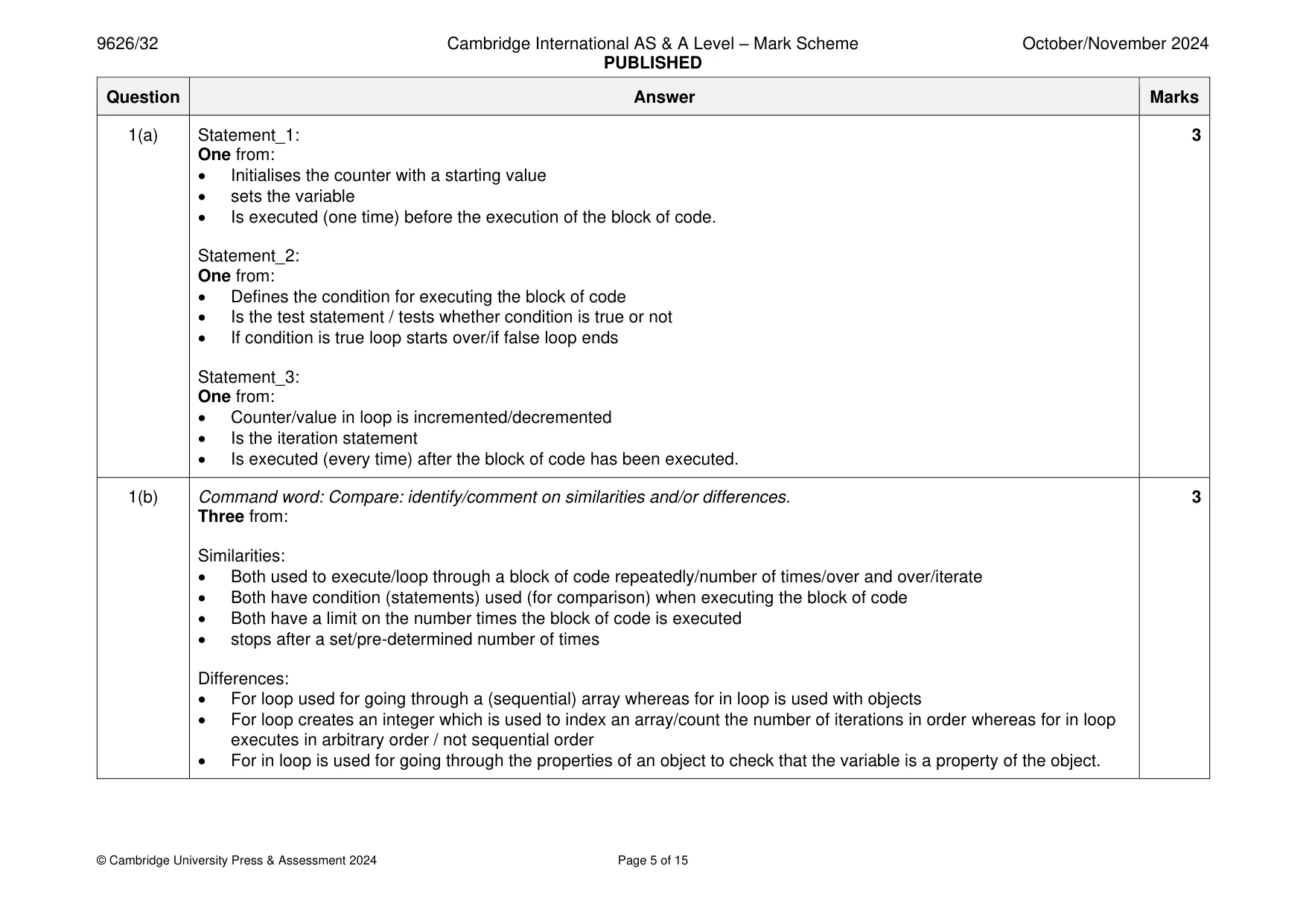
Mark scheme: Question Answer Marks 1(a) Statement_1: 3 One from: • Initialises the counter with a starting value • sets the variable • Is executed (one time) before the execution of the block of code. Statement_2: One from: • Defines the condition for executing the block of code • Is the test statement / tests whether condition is true or not • If condition is true loop starts over/if false loop ends Statement_3: One from: • Counter/value in loop is incremented/decremented • Is the iteration statement • Is executed (every time) after the block of code has been executed. 1(b) Command word: Compare: identify/comment on similarities and/or differences. 3 Three from: Similarities: • Both used to execute/loop through a block of code repeatedly/number of times/over and over/iterate • Both have condition (statements) used (for comparison) when executing the block of code • Both have a limit on the number times the block of code is executed • stops after a set/pre-determined number of times Differences: • For loop used for going through a (sequential) array whereas for in loop is used with objects • For loop creates an integer which is used to index an array/count the number of iterations in order whereas for in loop executes in arbitrary order / not sequential order • For in loop is used for going through the properties of an object to check that the variable is a property of the object.
Q2 · Describe how the following alterations can be made to parts of a bitmap image, using…
2 Describe how the following alterations can be made to parts of a bitmap image, using tools found in image editing software. (a) removing the reflection from eyes in a digital image taken by flash photography ................................................................................................................................................... ................................................................................................................................................... ................................................................................................................................................... ................................................................................................................................................... ................................................................................................................................................... ................................................................................................................................................... ................................................................................................................................................... ............................................................................................................................................. [3] (b) making the edges of objects in a digital photograph clearer ................................................................................................................................................... ................................................................................................................................................... ................................................................................................................................................... ................................................................................................................................................... ................................................................................................................................................... ................................................................................................................................................... ................................................................................................................................................... ............................................................................................................................................. [3]
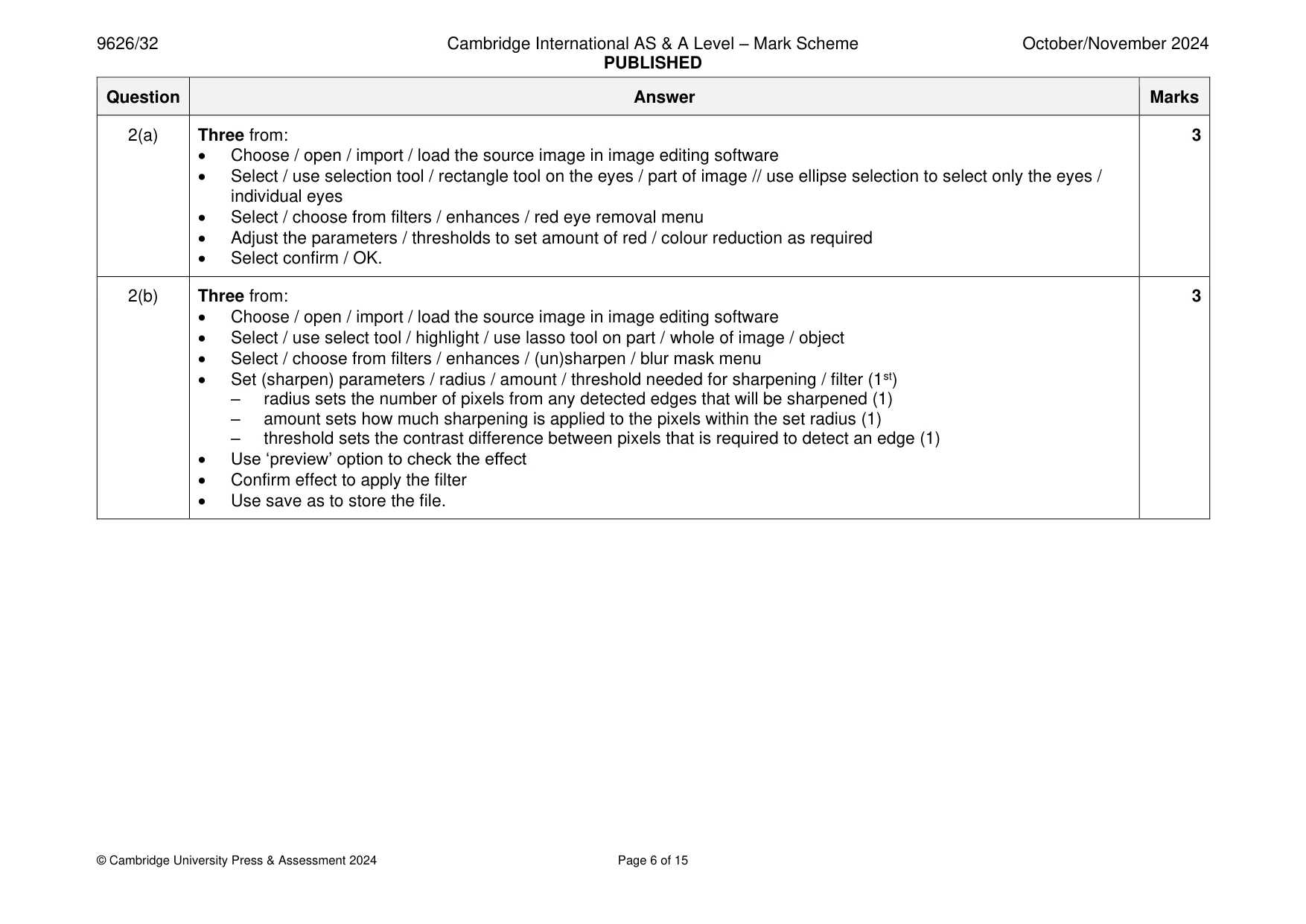
Mark scheme: 2(a) Three from: 3 • Choose / open / import / load the source image in image editing software • Select / use selection tool / rectangle tool on the eyes / part of image // use ellipse selection to select only the eyes / individual eyes • Select / choose from filters / enhances / red eye removal menu • Adjust the parameters / thresholds to set amount of red / colour reduction as required • Select confirm / OK. 2(b) Three from: 3 • Choose / open / import / load the source image in image editing software • Select / use select tool / highlight / use lasso tool on part / whole of image / object • Select / choose from filters / enhances / (un)sharpen / blur mask menu • Set (sharpen) parameters / radius / amount / threshold needed for sharpening / filter (1st) – radius sets the number of pixels from any detected edges that will be sharpened (1) – amount sets how much sharpening is applied to the pixels within the set radius (1) – threshold sets the contrast difference between pixels that is required to detect an edge (1) • Use ‘preview’ option to check the effect • Confirm effect to apply the filter • Use save as to store the file.
Q3 · A new software application has been evaluated for ease of use
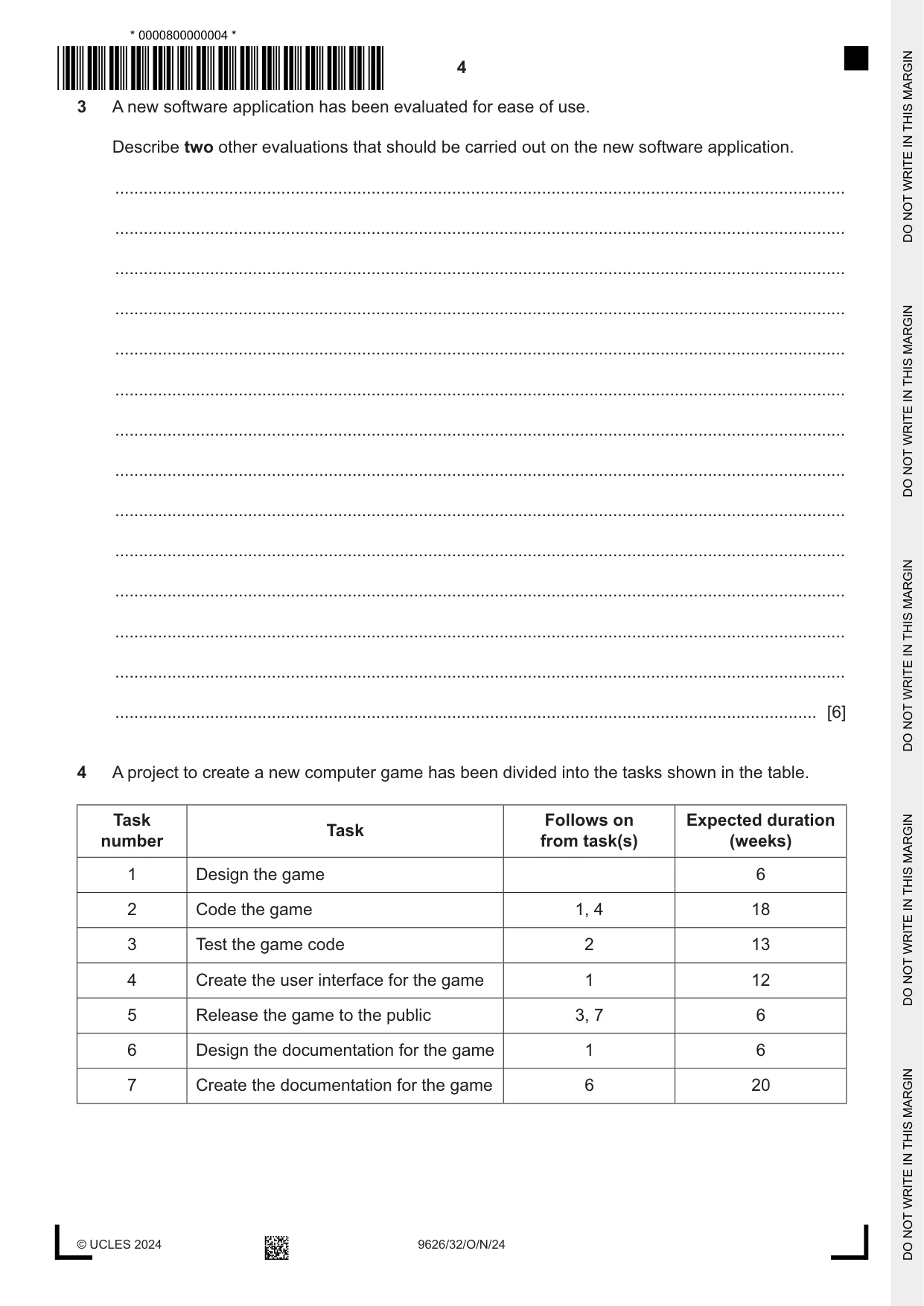
3 A new software application has been evaluated for ease of use. Describe two other evaluations that should be carried out on the new software application. .......................................................................................................................................................... .......................................................................................................................................................... .......................................................................................................................................................... .......................................................................................................................................................... .......................................................................................................................................................... .......................................................................................................................................................... .......................................................................................................................................................... .......................................................................................................................................................... .......................................................................................................................................................... .......................................................................................................................................................... .......................................................................................................................................................... .......................................................................................................................................................... .......................................................................................................................................................... .................................................................................................................................................... [6]
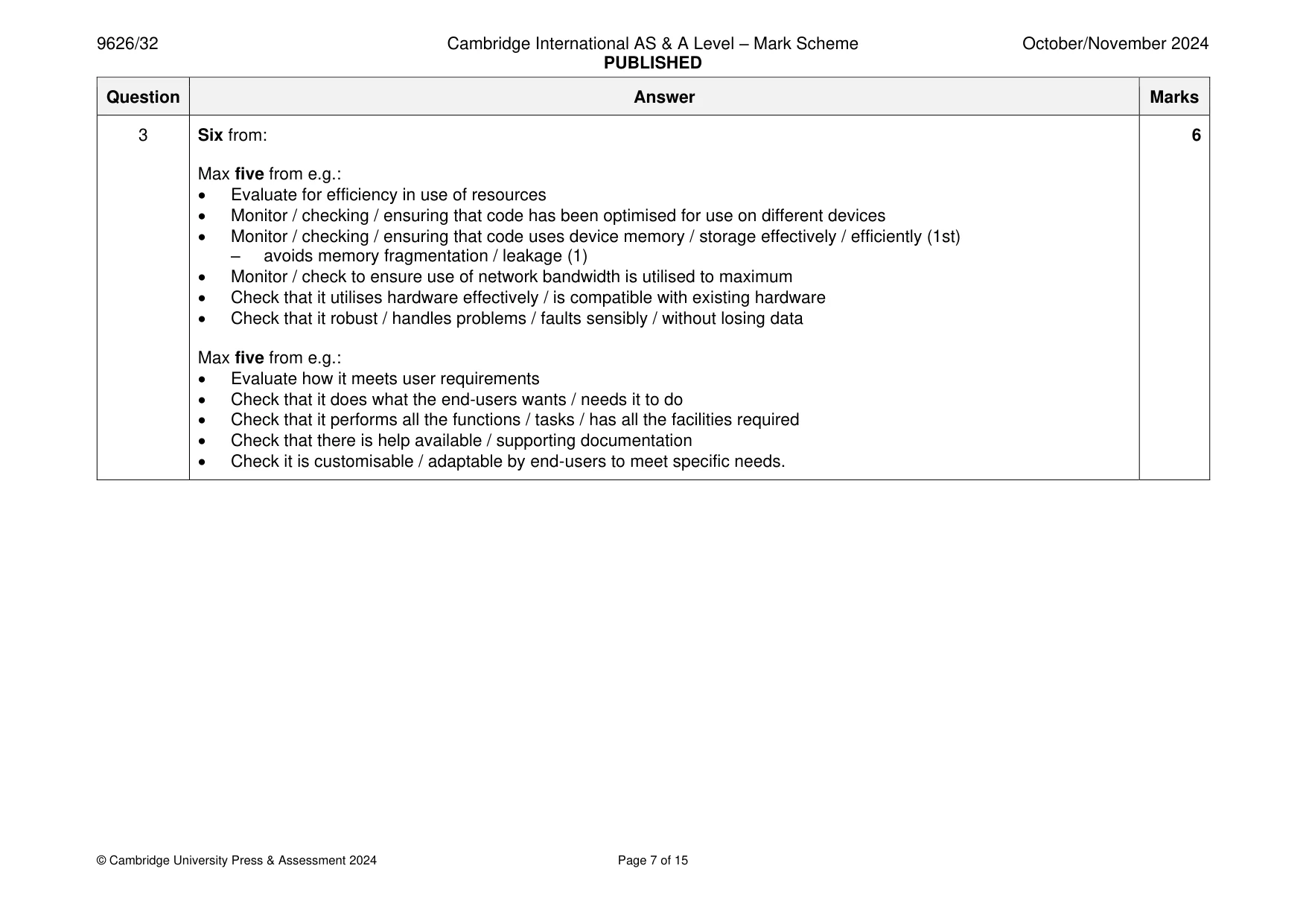
Mark scheme: 3 Six from: 6 Max five from e.g.: • Evaluate for efficiency in use of resources • Monitor / checking / ensuring that code has been optimised for use on different devices • Monitor / checking / ensuring that code uses device memory / storage effectively / efficiently (1st) – avoids memory fragmentation / leakage (1) • Monitor / check to ensure use of network bandwidth is utilised to maximum • Check that it utilises hardware effectively / is compatible with existing hardware • Check that it robust / handles problems / faults sensibly / without losing data Max five from e.g.: • Evaluate how it meets user requirements • Check that it does what the end-users wants / needs it to do • Check that it performs all the functions / tasks / has all the facilities required • Check that there is help available / supporting documentation • Check it is customisable / adaptable by end-users to meet specific needs.
Q4 · A project to create a new computer game has been divided into the tasks shown in the table
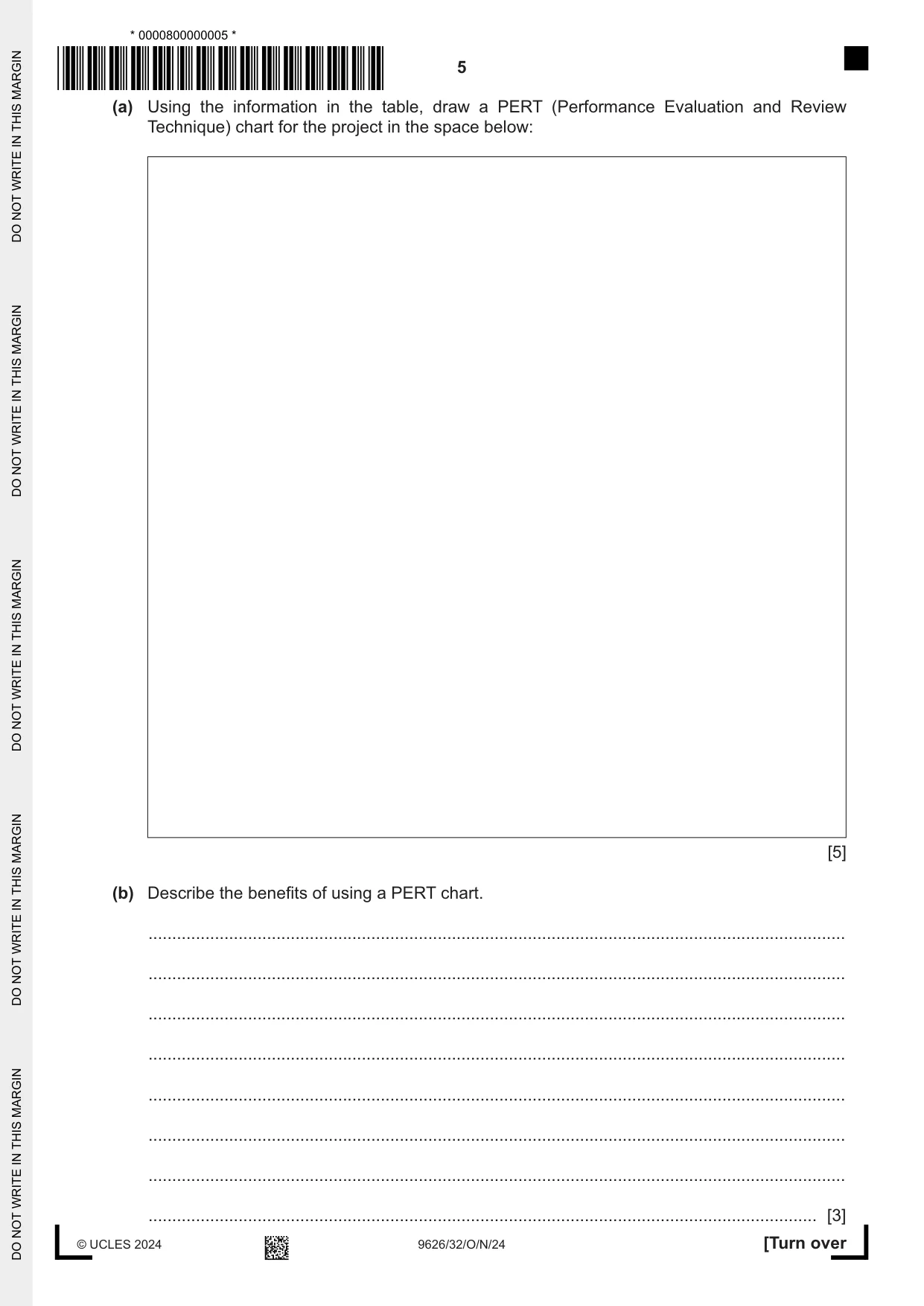
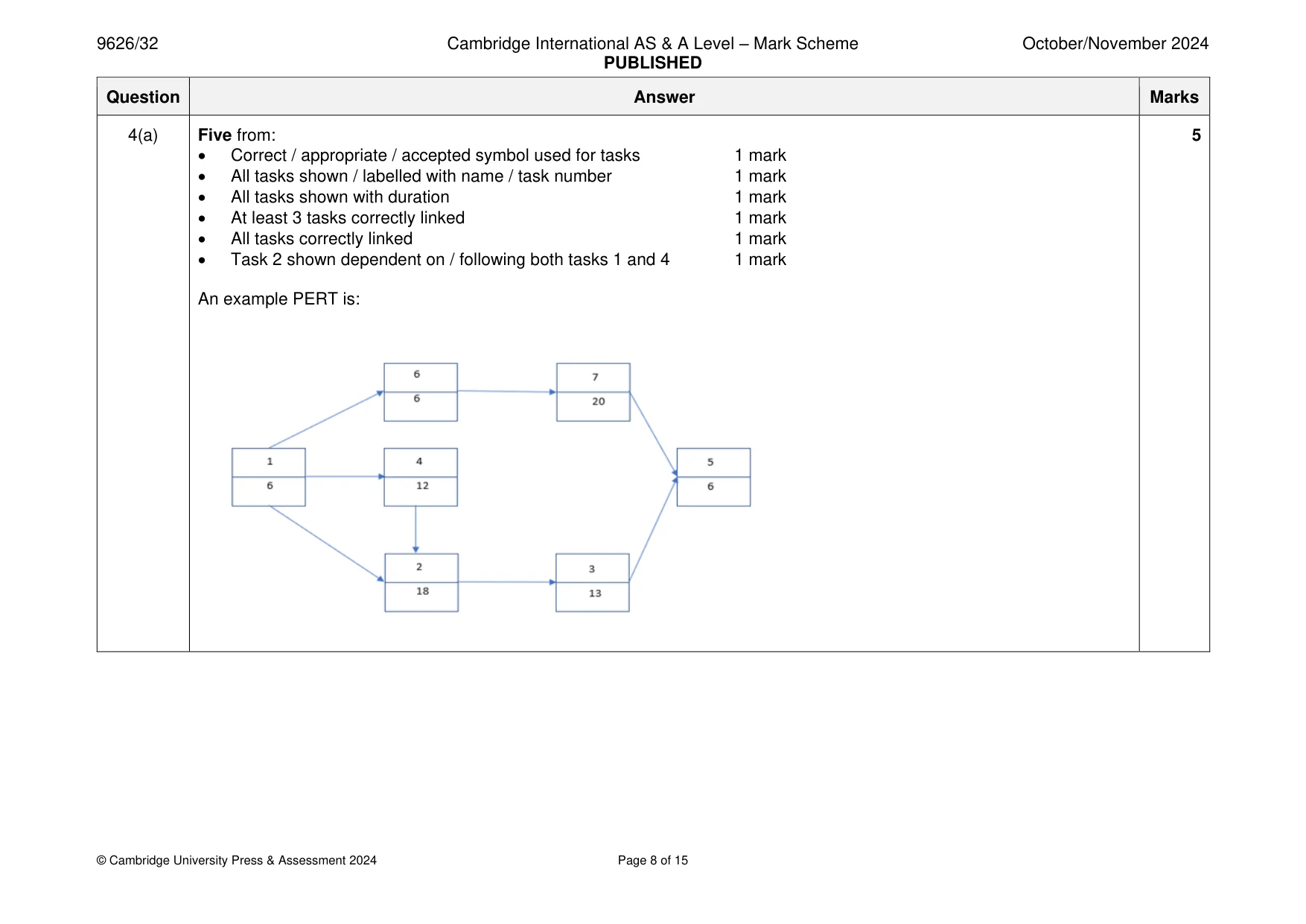
4 A project to create a new computer game has been divided into the tasks shown in the table. Task Follows on Expected duration Task number from task(s) (weeks) 1 Design the game 6 2 Code the game 1, 4 18 3 Test the game code 2 13 4 Create the user interface for the game 1 12 5 Release the game to the public 3, 7 6 6 Design the documentation for the game 1 6 7 Create the documentation for the game 6 20 (a) Using the information in the table, draw a PERT (Performance Evaluation and Review Technique) chart for the project in the space below: [5] (b) Describe the benefits of using a PERT chart. ................................................................................................................................................... ................................................................................................................................................... ................................................................................................................................................... ................................................................................................................................................... ................................................................................................................................................... ................................................................................................................................................... ................................................................................................................................................... ............................................................................................................................................. [3]
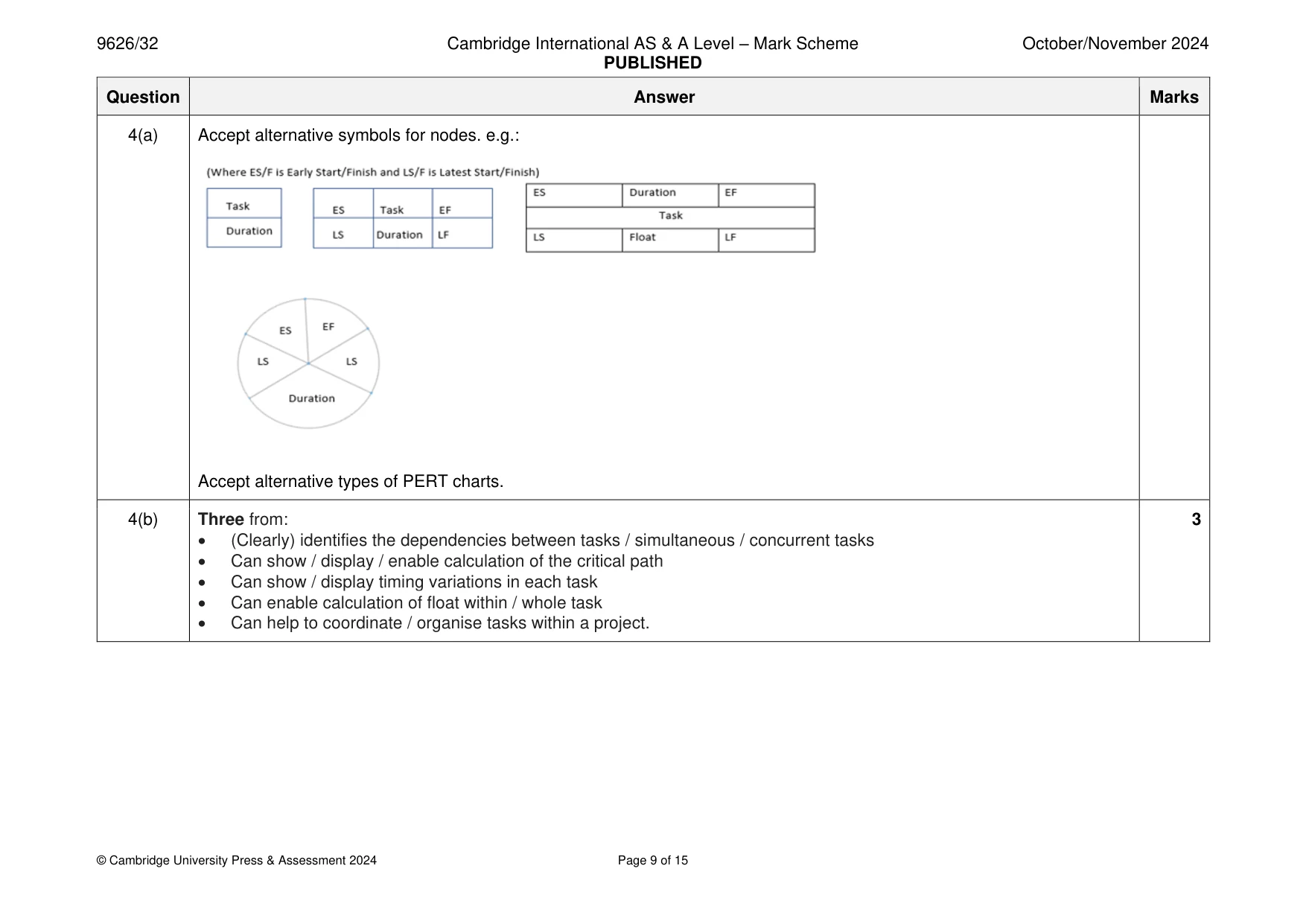
Mark scheme: 4(a) Five from: 5 • Correct / appropriate / accepted symbol used for tasks 1 mark • All tasks shown / labelled with name / task number 1 mark • All tasks shown with duration 1 mark • At least 3 tasks correctly linked 1 mark • All tasks correctly linked 1 mark • Task 2 shown dependent on / following both tasks 1 and 4 1 mark An example PERT is: 4(a) Accept alternative symbols for nodes. e.g.: Accept alternative types of PERT charts. 4(b) Three from: 3 • (Clearly) identifies the dependencies between tasks / simultaneous / concurrent tasks • Can show / display / enable calculation of the critical path • Can show / display timing variations in each task • Can enable calculation of float within / whole task • Can help to coordinate / organise tasks within a project.
More questions on Tools and techniques for project management tasks
Q5 · Discuss the impact of the use of artificial intelligence (AI) in health care
5 Discuss the impact of the use of artificial intelligence (AI) in health care. .......................................................................................................................................................... .......................................................................................................................................................... .......................................................................................................................................................... .......................................................................................................................................................... .......................................................................................................................................................... .......................................................................................................................................................... .......................................................................................................................................................... .......................................................................................................................................................... .......................................................................................................................................................... .......................................................................................................................................................... .......................................................................................................................................................... .......................................................................................................................................................... .......................................................................................................................................................... .......................................................................................................................................................... .......................................................................................................................................................... .......................................................................................................................................................... .......................................................................................................................................................... .......................................................................................................................................................... .......................................................................................................................................................... .................................................................................................................................................... [8]
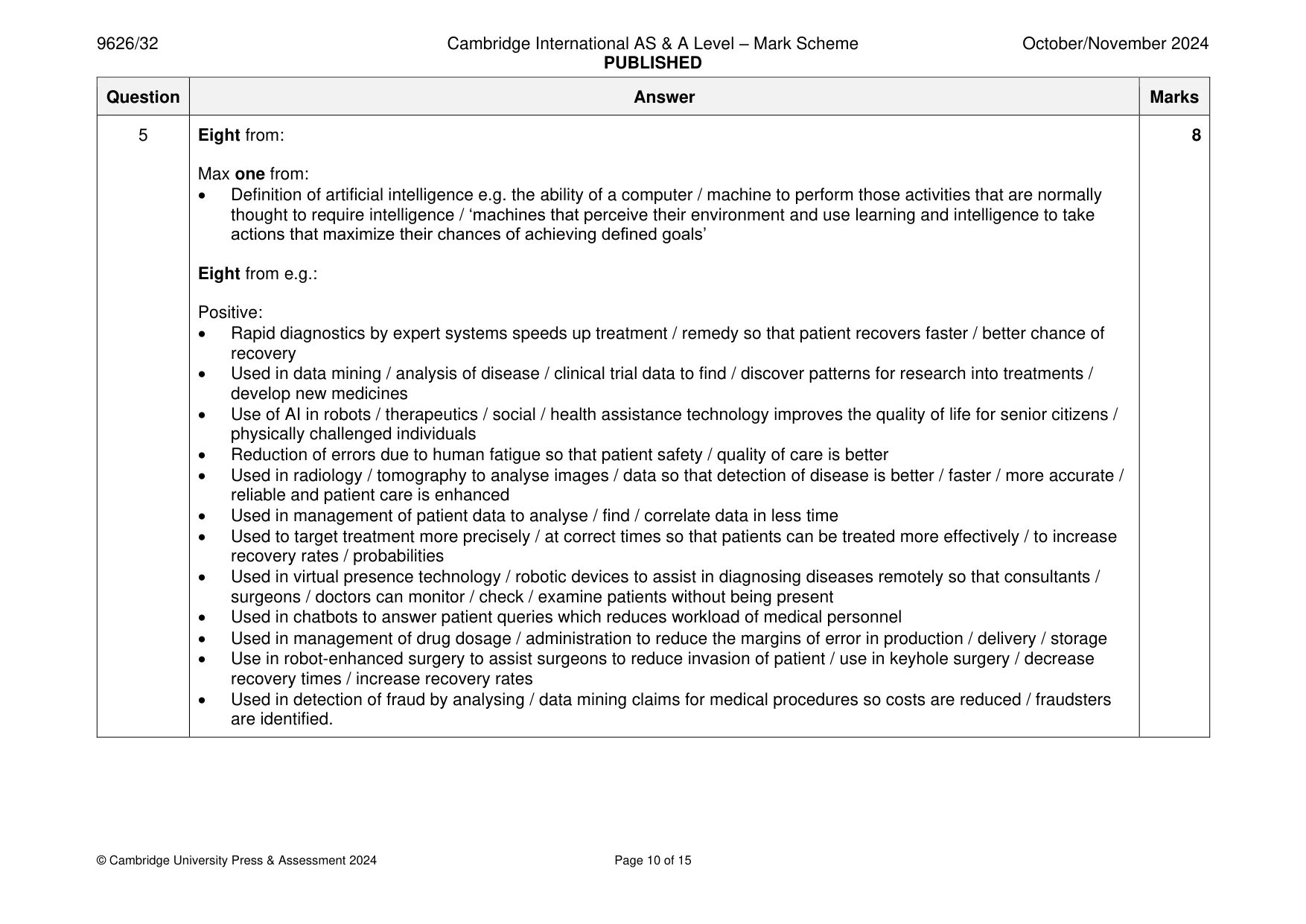
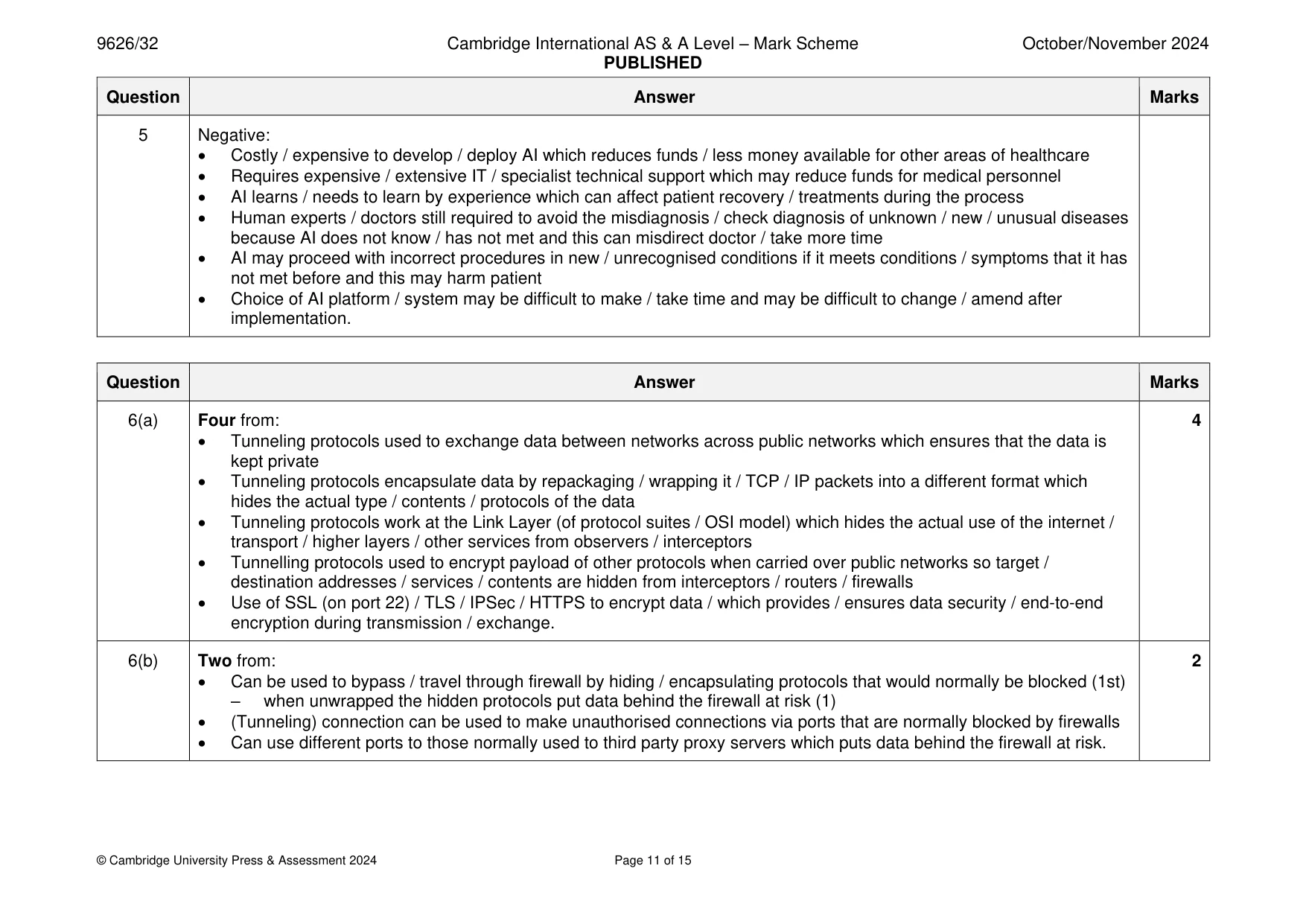
Mark scheme: 5 Eight from: 8 Max one from: • Definition of artificial intelligence e.g. the ability of a computer / machine to perform those activities that are normally thought to require intelligence / ‘machines that perceive their environment and use learning and intelligence to take actions that maximize their chances of achieving defined goals’ Eight from e.g.: Positive: • Rapid diagnostics by expert systems speeds up treatment / remedy so that patient recovers faster / better chance of recovery • Used in data mining / analysis of disease / clinical trial data to find / discover patterns for research into treatments / develop new medicines • Use of AI in robots / therapeutics / social / health assistance technology improves the quality of life for senior citizens / physically challenged individuals • Reduction of errors due to human fatigue so that patient safety / quality of care is better • Used in radiology / tomography to analyse images / data so that detection of disease is better / faster / more accurate / reliable and patient care is enhanced • Used in management of patient data to analyse / find / correlate data in less time • Used to target treatment more precisely / at correct times so that patients can be treated more effectively / to increase recovery rates / probabilities • Used in virtual presence technology / robotic devices to assist in diagnosing diseases remotely so that consultants / surgeons / doctors can monitor / check / examine patients without being present • Used in chatbots to answer patient queries which reduces workload of medical personnel • Used in management of drug dosage / administration to reduce the margins of error in production / delivery / storage • Use in robot-enhanced surgery to assist surgeons to reduce invasion of patient / use in keyhole surgery / decrease recovery times / increase recovery rates • Used in detection of fraud by analysing / data mining claims for medical procedures so costs are reduced / fraudsters are identified. 5 Negative: • Costly / expensive to develop / deploy AI which reduces funds / less money available for other areas of healthcare • Requires expensive / extensive IT / specialist technical support which may reduce funds for medical personnel • AI learns / needs to learn by experience which can affect patient recovery / treatments during the process • Human experts / doctors still required to avoid the misdiagnosis / check diagnosis of unknown / new / unusual diseases because AI does not know / has not met and this can misdirect doctor / take more time • AI may proceed with incorrect procedures in new / unrecognised conditions if it meets conditions / symptoms that it has not met before and this may harm patient • Choice of AI platform / system may be difficult to make / take time and may be difficult to change / amend after implementation.
Q6 · Using tunneling protocols in networking can affect the security of the data
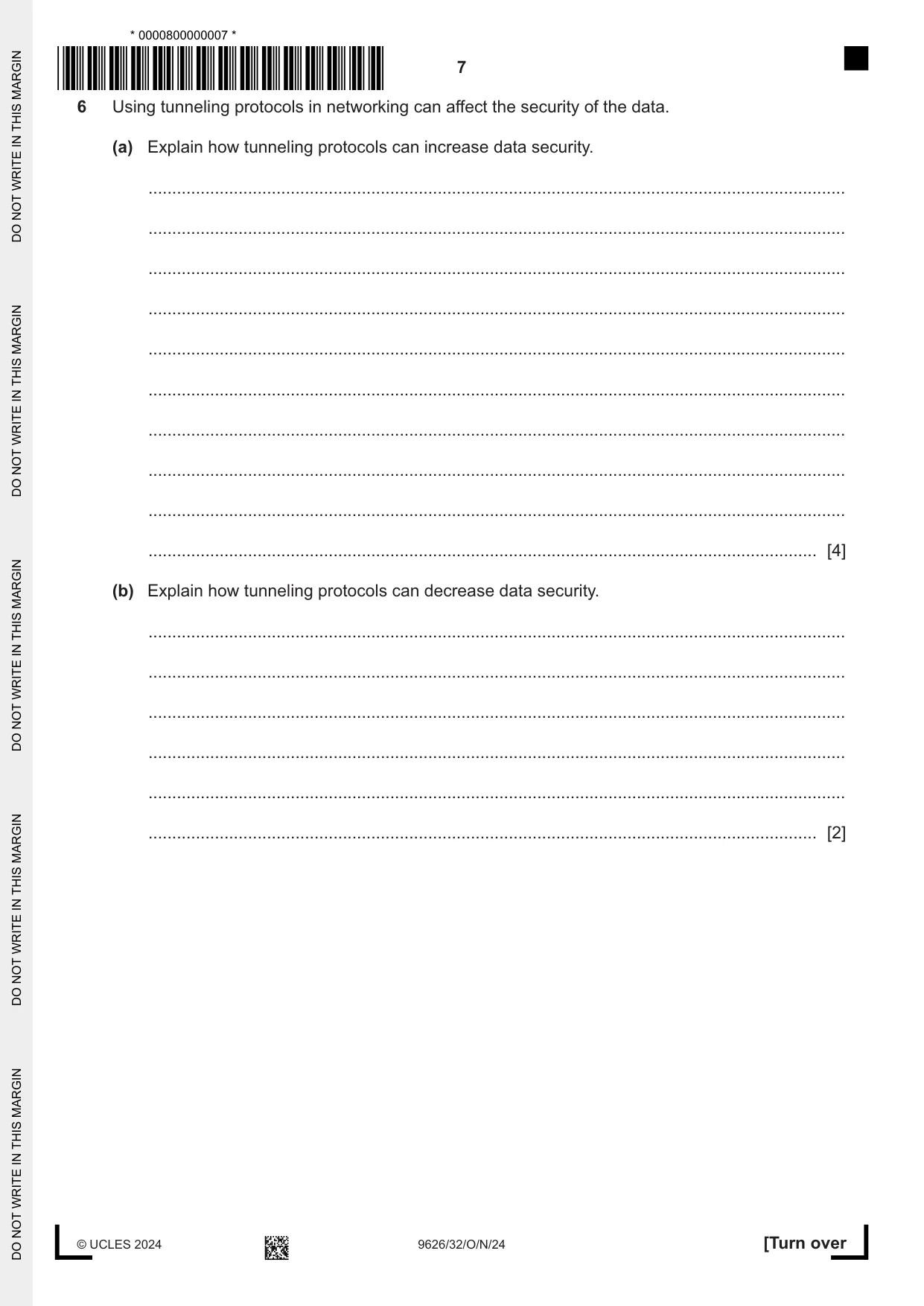
6 Using tunneling protocols in networking can affect the security of the data. (a) Explain how tunneling protocols can increase data security. ................................................................................................................................................... ................................................................................................................................................... ................................................................................................................................................... ................................................................................................................................................... ................................................................................................................................................... ................................................................................................................................................... ................................................................................................................................................... ................................................................................................................................................... ................................................................................................................................................... ............................................................................................................................................. [4] (b) Explain how tunneling protocols can decrease data security. ................................................................................................................................................... ................................................................................................................................................... ................................................................................................................................................... ................................................................................................................................................... ................................................................................................................................................... ............................................................................................................................................. [2]
Mark scheme: 6(a) Four from: 4 • Tunneling protocols used to exchange data between networks across public networks which ensures that the data is kept private • Tunneling protocols encapsulate data by repackaging / wrapping it / TCP / IP packets into a different format which hides the actual type / contents / protocols of the data • Tunneling protocols work at the Link Layer (of protocol suites / OSI model) which hides the actual use of the internet / transport / higher layers / other services from observers / interceptors • Tunnelling protocols used to encrypt payload of other protocols when carried over public networks so target / destination addresses / services / contents are hidden from interceptors / routers / firewalls • Use of SSL (on port 22) / TLS / IPSec / HTTPS to encrypt data / which provides / ensures data security / end-to-end encryption during transmission / exchange. 6(b) Two from: 2 • Can be used to bypass / travel through firewall by hiding / encapsulating protocols that would normally be blocked (1st) – when unwrapped the hidden protocols put data behind the firewall at risk (1) • (Tunneling) connection can be used to make unauthorised connections via ports that are normally blocked by firewalls • Can use different ports to those normally used to third party proxy servers which puts data behind the firewall at risk.
Q7 · The data mining process consists of several phases
7 The data mining process consists of several phases. Describe the tasks that occur in each of the following phases in the data mining process. (a) data preparation ................................................................................................................................................... ................................................................................................................................................... ................................................................................................................................................... ................................................................................................................................................... ................................................................................................................................................... ................................................................................................................................................... ................................................................................................................................................... ................................................................................................................................................... ................................................................................................................................................... ............................................................................................................................................. [4] (b) evaluation ................................................................................................................................................... ................................................................................................................................................... ................................................................................................................................................... ................................................................................................................................................... ................................................................................................................................................... ................................................................................................................................................... ................................................................................................................................................... ................................................................................................................................................... ................................................................................................................................................... ............................................................................................................................................. [4]
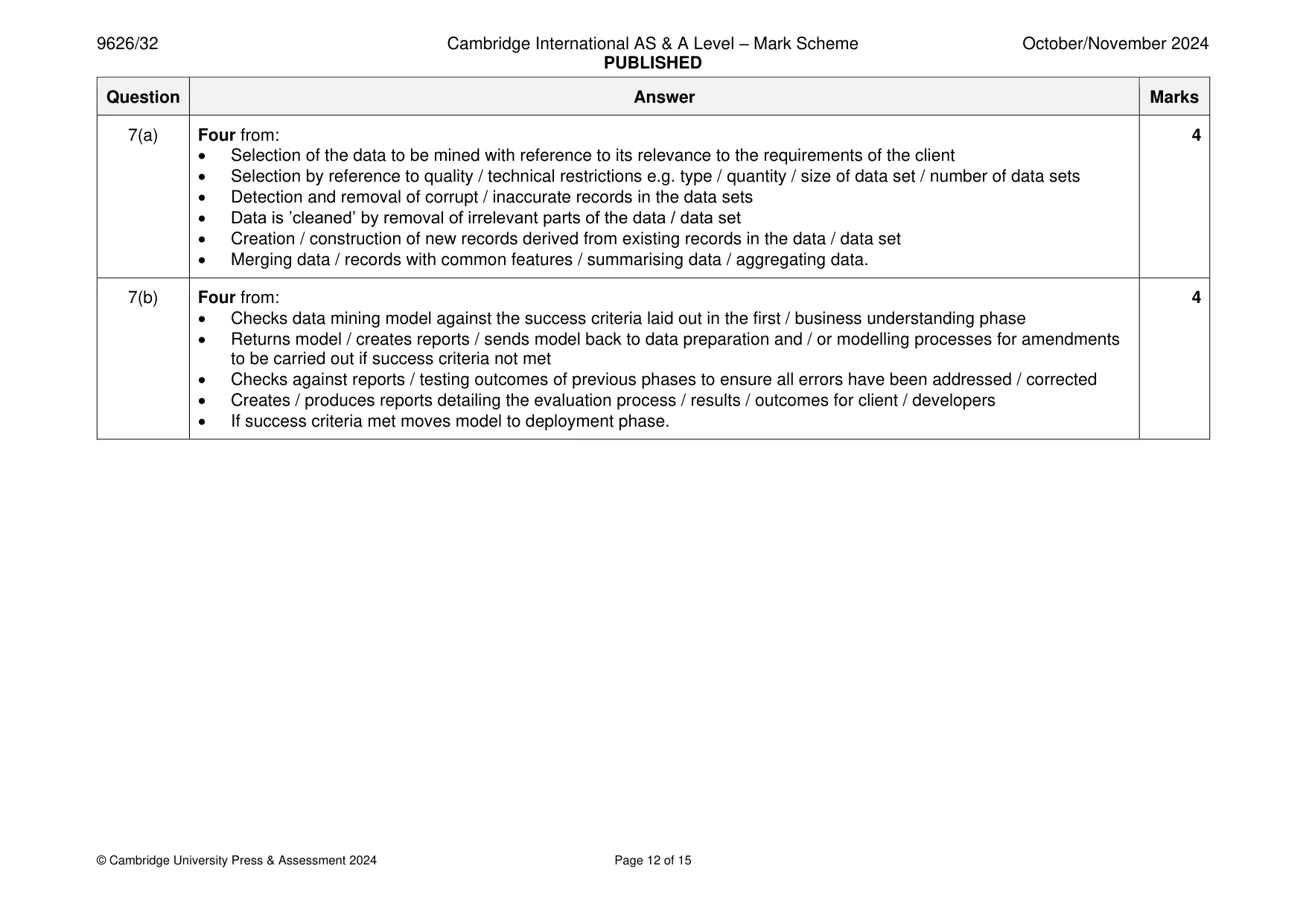
Mark scheme: 7(a) Four from: 4 • Selection of the data to be mined with reference to its relevance to the requirements of the client • Selection by reference to quality / technical restrictions e.g. type / quantity / size of data set / number of data sets • Detection and removal of corrupt / inaccurate records in the data sets • Data is ’cleaned’ by removal of irrelevant parts of the data / data set • Creation / construction of new records derived from existing records in the data / data set • Merging data / records with common features / summarising data / aggregating data. 7(b) Four from: 4 • Checks data mining model against the success criteria laid out in the first / business understanding phase • Returns model / creates reports / sends model back to data preparation and / or modelling processes for amendments to be carried out if success criteria not met • Checks against reports / testing outcomes of previous phases to ensure all errors have been addressed / corrected • Creates / produces reports detailing the evaluation process / results / outcomes for client / developers • If success criteria met moves model to deployment phase.
Q8 · Designers in a company use standalone computer-aided design (CAD) applications to design…
8 Designers in a company use standalone computer-aided design (CAD) applications to design products. The company has now decided that its designers will change to using a cloud-based CAD application. The company will use parallel running to implement the change. Discuss the use of the parallel running method of implementation in this scenario. .......................................................................................................................................................... .......................................................................................................................................................... .......................................................................................................................................................... .......................................................................................................................................................... .......................................................................................................................................................... .......................................................................................................................................................... .......................................................................................................................................................... .......................................................................................................................................................... .......................................................................................................................................................... .......................................................................................................................................................... .......................................................................................................................................................... .......................................................................................................................................................... .......................................................................................................................................................... .......................................................................................................................................................... .......................................................................................................................................................... .......................................................................................................................................................... .......................................................................................................................................................... .......................................................................................................................................................... .......................................................................................................................................................... .................................................................................................................................................... [8]
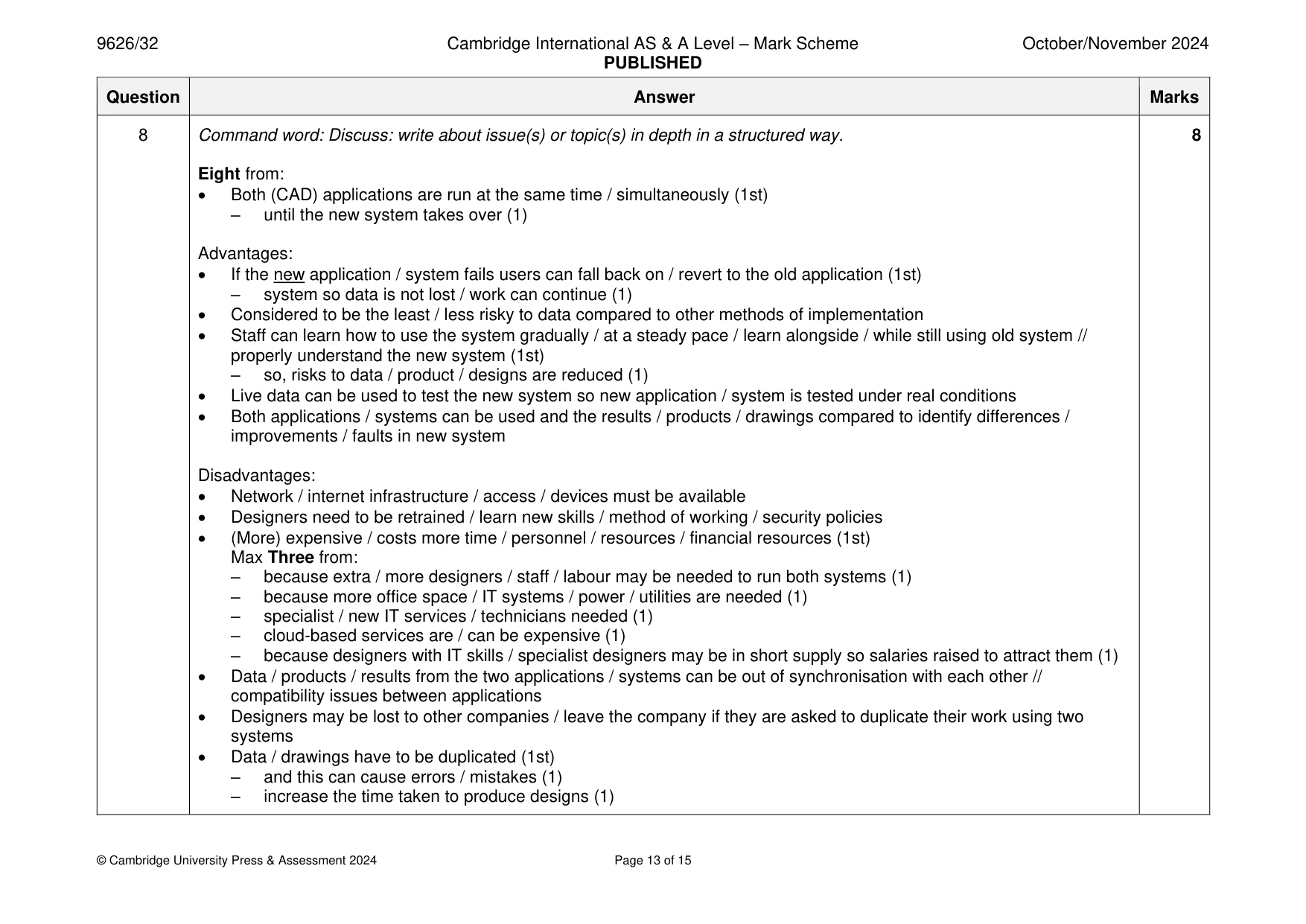
Mark scheme: 8 Command word: Discuss: write about issue(s) or topic(s) in depth in a structured way. 8 Eight from: • Both (CAD) applications are run at the same time / simultaneously (1st) – until the new system takes over (1) Advantages: • If the new application / system fails users can fall back on / revert to the old application (1st) – system so data is not lost / work can continue (1) • Considered to be the least / less risky to data compared to other methods of implementation • Staff can learn how to use the system gradually / at a steady pace / learn alongside / while still using old system // properly understand the new system (1st) – so, risks to data / product / designs are reduced (1) • Live data can be used to test the new system so new application / system is tested under real conditions • Both applications / systems can be used and the results / products / drawings compared to identify differences / improvements / faults in new system Disadvantages: • Network / internet infrastructure / access / devices must be available • Designers need to be retrained / learn new skills / method of working / security policies • (More) expensive / costs more time / personnel / resources / financial resources (1st) Max Three from: – because extra / more designers / staff / labour may be needed to run both systems (1) – because more office space / IT systems / power / utilities are needed (1) – specialist / new IT services / technicians needed (1) – cloud-based services are / can be expensive (1) – because designers with IT skills / specialist designers may be in short supply so salaries raised to attract them (1) • Data / products / results from the two applications / systems can be out of synchronisation with each other // compatibility issues between applications • Designers may be lost to other companies / leave the company if they are asked to duplicate their work using two systems • Data / drawings have to be duplicated (1st) – and this can cause errors / mistakes (1) – increase the time taken to produce designs (1)
Q9 · Explain how each of the following computer animation methods creates the illusion of…
9 (a) Explain how each of the following computer animation methods creates the illusion of movement. (i) stop motion ........................................................................................................................................... ........................................................................................................................................... ........................................................................................................................................... ........................................................................................................................................... ........................................................................................................................................... ..................................................................................................................................... [2] (ii) key frame ........................................................................................................................................... ........................................................................................................................................... ........................................................................................................................................... ........................................................................................................................................... ........................................................................................................................................... ........................................................................................................................................... ........................................................................................................................................... ..................................................................................................................................... [3] (b) Describe one property of an object that can be affected by altering its timings in an animated sequence. ................................................................................................................................................... ................................................................................................................................................... ............................................................................................................................................. [1]
Mark scheme: 9(a)(i) Two from: 2 • Each frame is created / drawn / rendered individually / separately • Objects are drawn in (slightly) new position in succeeding frames • 12 / 24 / valid number of frames created for each second of video. 9(a)(ii) Three from: 3 • (Key frame) used to define state / set parameters / set position of objects in the frame at start of sequence • Next / subsequent key frames set new parameters / positions / state of objects in the frame • By user action of dragging / moving / changing colour / size of objects / backgrounds in key frames • (Computer animation) software interpolates / creates intermediate frames / uses tweening to create (natural-looking) flow between key frames • Time between key frames / object position gives illusion of movement (at different speeds). 9(b) One from: 1 • Weight of an object e.g. cricket ball v. balloon when hit / blown • Scale of an object e.g. large object moves slower than small / inertia affects • Emotional state of a character e.g. lethargic / nervous v. alert / excited movements • Provides the illusion / perception of speed • Gives meaning to the movement / motion.
Q10 · A company is developing a data input screen for entering customer details into a database
10 A company is developing a data input screen for entering customer details into a database. Evaluate the use of evolutionary prototyping for developing the data input screen. .......................................................................................................................................................... .......................................................................................................................................................... .......................................................................................................................................................... .......................................................................................................................................................... .......................................................................................................................................................... .......................................................................................................................................................... .......................................................................................................................................................... .......................................................................................................................................................... .......................................................................................................................................................... .......................................................................................................................................................... .......................................................................................................................................................... .......................................................................................................................................................... .......................................................................................................................................................... .......................................................................................................................................................... .......................................................................................................................................................... .......................................................................................................................................................... .......................................................................................................................................................... .......................................................................................................................................................... .......................................................................................................................................................... .................................................................................................................................................... [8]
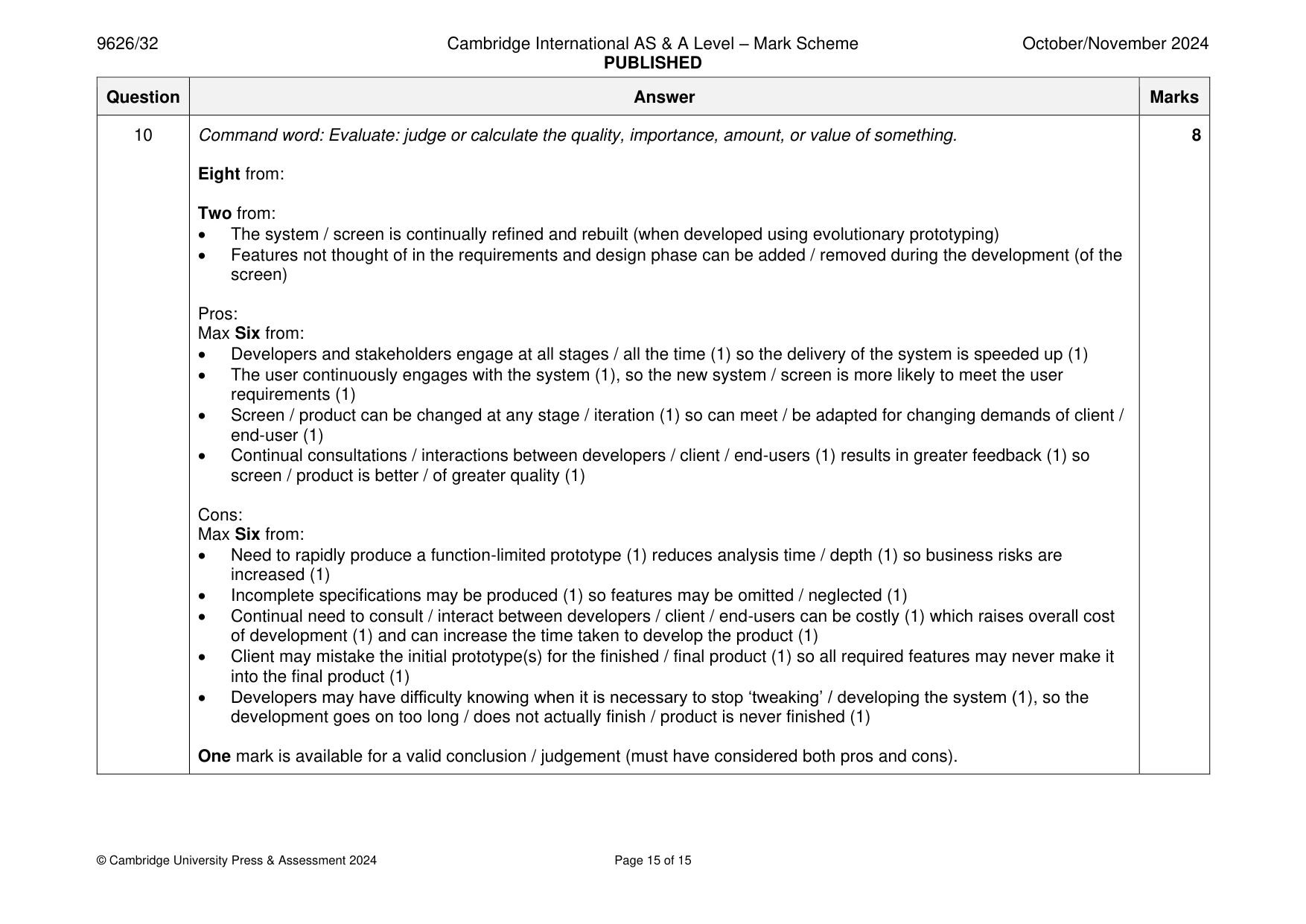
Mark scheme: 10 Command word: Evaluate: judge or calculate the quality, importance, amount, or value of something. 8 Eight from: Two from: • The system / screen is continually refined and rebuilt (when developed using evolutionary prototyping) • Features not thought of in the requirements and design phase can be added / removed during the development (of the screen) Pros: Max Six from: • Developers and stakeholders engage at all stages / all the time (1) so the delivery of the system is speeded up (1) • The user continuously engages with the system (1), so the new system / screen is more likely to meet the user requirements (1) • Screen / product can be changed at any stage / iteration (1) so can meet / be adapted for changing demands of client / end-user (1) • Continual consultations / interactions between developers / client / end-users (1) results in greater feedback (1) so screen / product is better / of greater quality (1) Cons: Max Six from: • Need to rapidly produce a function-limited prototype (1) reduces analysis time / depth (1) so business risks are increased (1) • Incomplete specifications may be produced (1) so features may be omitted / neglected (1) • Continual need to consult / interact between developers / client / end-users can be costly (1) which raises overall cost of development (1) and can increase the time taken to develop the product (1) • Client may mistake the initial prototype(s) for the finished / final product (1) so all required features may never make it into the final product (1) • Developers may have difficulty knowing when it is necessary to stop ‘tweaking’ / developing the system (1), so the development goes on too long / does not actually finish / product is never finished (1) One mark is available for a valid conclusion / judgement (must have considered both pros and cons).
What was in this paper
The subtopics covered by these 10 questions, and how many questions each got. Open one in a new tab to see every Cambridge question on it.
What you needed in this session
Cambridge’s own grade thresholds for 2024 Oct/Nov, Paper 3 · Variant 2. A higher threshold means an easier paper — the bar moves with how the cohort did.