Cambridge A Level Information Technology (from 2017) 9626 — 2021 May/June Paper 2 · Variant 0
9626/20/M/J/21
The question paper and its mark scheme, free to read here and free to download. This is Cambridge’s own paper, exactly as it was sat.
Question paper4 pages
Mark scheme
No mark scheme is in the library for this paper.
Paper as text
Question paper, page 1
This document has 4 pages. Cambridge International AS & A Level DC (PQ/SG) 200091/3 © UCLES 2021 [Turn over * 3 5 0 1 7 5 0 9 2 9 * INFORMATION TECHNOLOGY 9626/02 Paper 2 Practical May/June 2021 2 hours 30 minutes You will need: Candidate source files (listed on page 2) INSTRUCTIONS ● Carry out every instruction in each task. ● Save your work using the file names given in the task as and when instructed. ● You must not have access to the internet or any email system during this examination. ● You must save your work in the correct file format as stated in the tasks. If you save work in an incorrect file format, you will not receive marks for that task. INFORMATION ● The total mark for this paper is 110. ● The number of marks for each task or part task is shown in brackets [ ].
Question paper, page 2
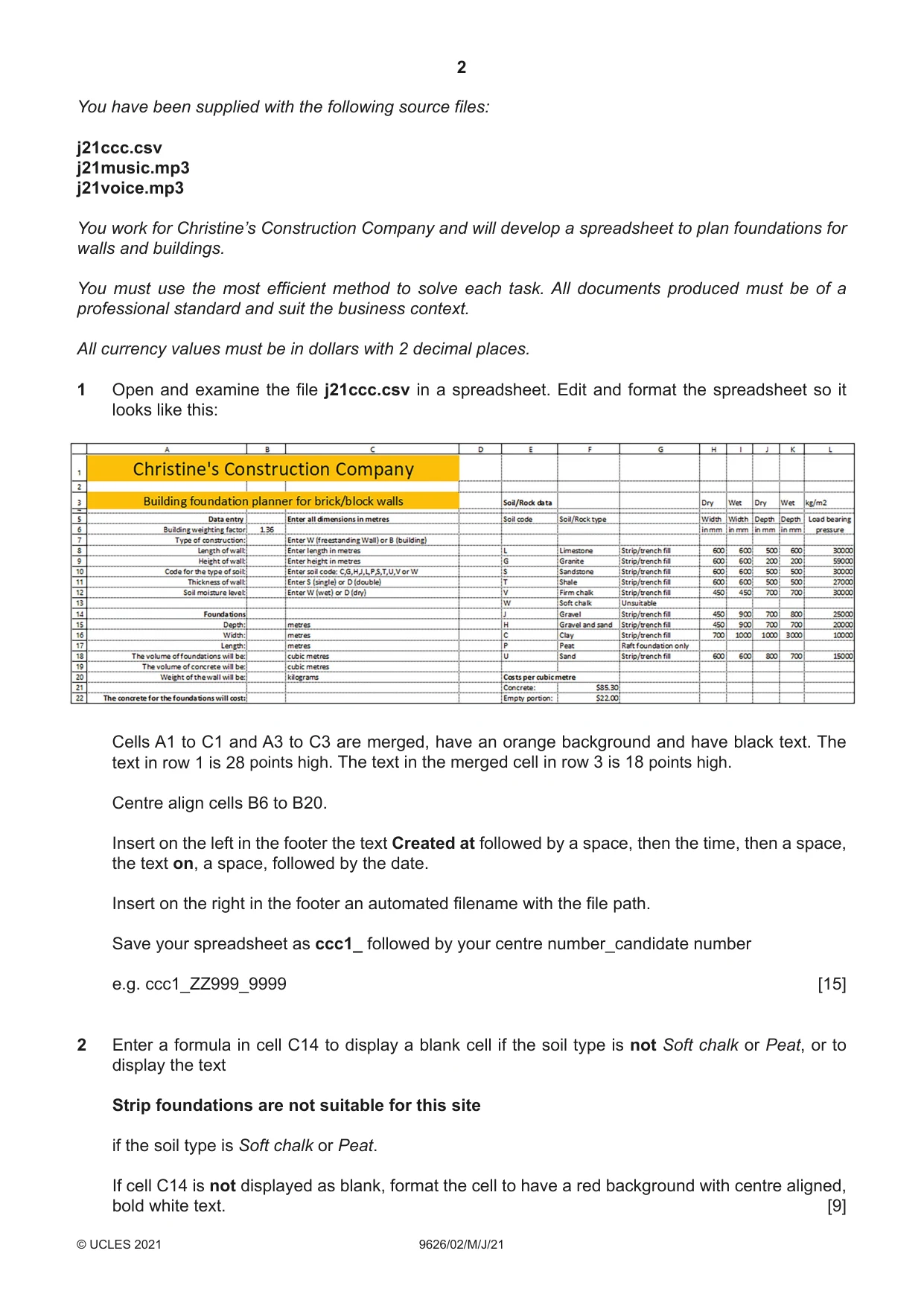
2 9626/02/M/J/21 © UCLES 2021 You have been supplied with the following source files: j21ccc.csv j21music.mp3 j21voice.mp3 You work for Christine’s Construction Company and will develop a spreadsheet to plan foundations for walls and buildings. You must use the most efficient method to solve each task. All documents produced must be of a professional standard and suit the business context. All currency values must be in dollars with 2 decimal places. 1 Open and examine the file j21ccc.csv in a spreadsheet. Edit and format the spreadsheet so it looks like this: Cells A1 to C1 and A3 to C3 are merged, have an orange background and have black text. The text in row 1 is 28 points high. The text in the merged cell in row 3 is 18 points high. Centre align cells B6 to B20. Insert on the left in the footer the text Created at followed by a space, then the time, then a space, the text on, a space, followed by the date. Insert on the right in the footer an automated filename with the file path. Save your spreadsheet as ccc1_ followed by your centre number_candidate number e.g. ccc1_ZZ999_9999 [15] 2 Enter a formula in cell C14 to display a blank cell if the soil type is not Soft chalk or Peat, or to display the text Strip foundations are not suitable for this site if the soil type is Soft chalk or Peat. If cell C14 is not displayed as blank, format the cell to have a red background with centre aligned, bold white text. [9]
Question paper, page 3
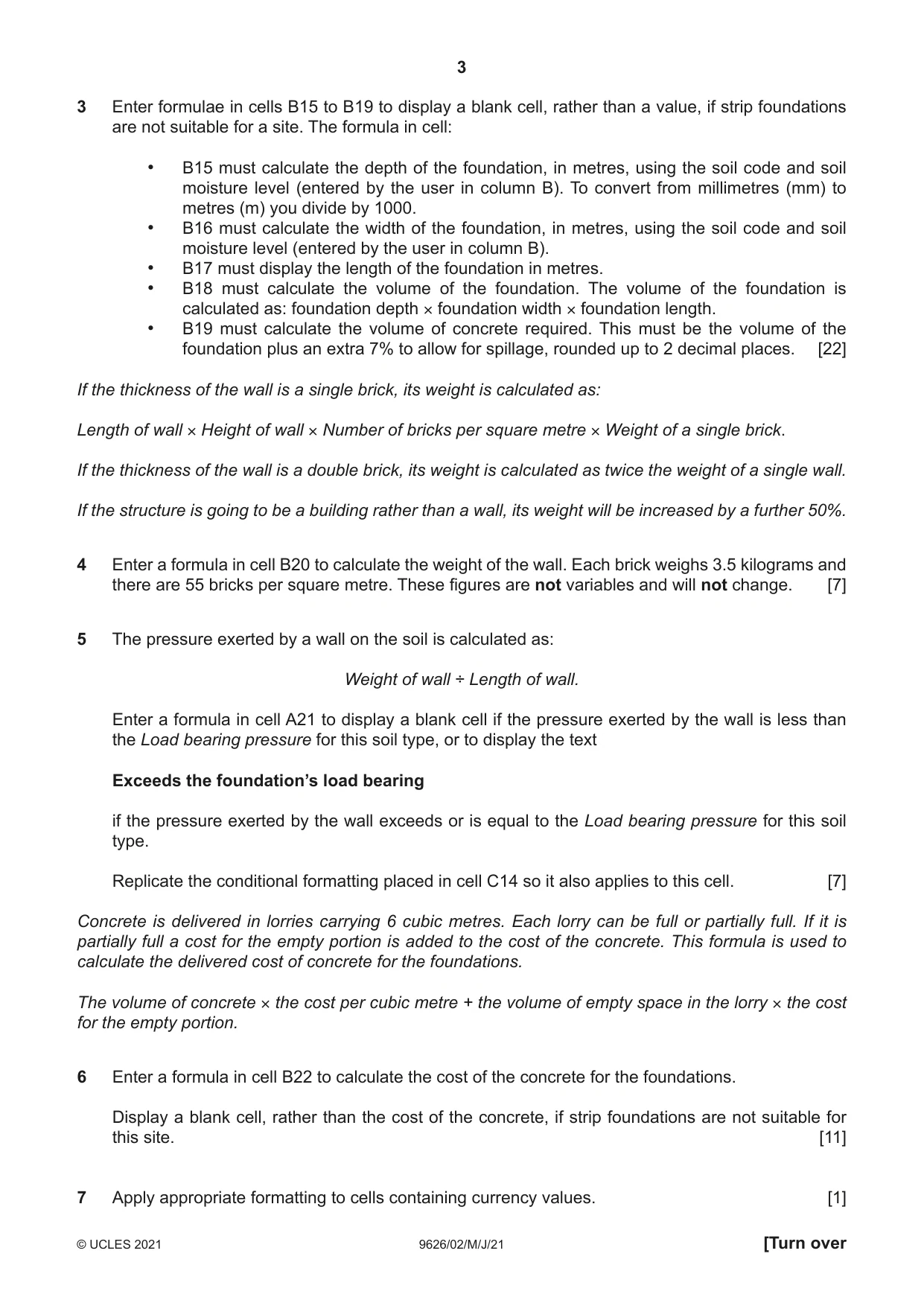
3 9626/02/M/J/21 © UCLES 2021 [Turn over 3 Enter formulae in cells B15 to B19 to display a blank cell, rather than a value, if strip foundations are not suitable for a site. The formula in cell: • B15 must calculate the depth of the foundation, in metres, using the soil code and soil moisture level (entered by the user in column B). To convert from millimetres (mm) to metres (m) you divide by 1000. • B16 must calculate the width of the foundation, in metres, using the soil code and soil moisture level (entered by the user in column B). • B17 must display the length of the foundation in metres. • B18 must calculate the volume of the foundation. The volume of the foundation is calculated as: foundation depth × foundation width × foundation length. • B19 must calculate the volume of concrete required. This must be the volume of the foundation plus an extra 7% to allow for spillage, rounded up to 2 decimal places. [22] If the thickness of the wall is a single brick, its weight is calculated as: Length of wall × Height of wall × Number of bricks per square metre × Weight of a single brick. If the thickness of the wall is a double brick, its weight is calculated as twice the weight of a single wall. If the structure is going to be a building rather than a wall, its weight will be increased by a further 50%. 4 Enter a formula in cell B20 to calculate the weight of the wall. Each brick weighs 3.5 kilograms and there are 55 bricks per square metre. These figures are not variables and will not change. [7] 5 The pressure exerted by a wall on the soil is calculated as: Weight of wall ÷ Length of wall. Enter a formula in cell A21 to display a blank cell if the pressure exerted by the wall is less than the Load bearing pressure for this soil type, or to display the text Exceeds the foundation’s load bearing if the pressure exerted by the wall exceeds or is equal to the Load bearing pressure for this soil type. Replicate the conditional formatting placed in cell C14 so it also applies to this cell. [7] Concrete is delivered in lorries carrying 6 cubic metres. Each lorry can be full or partially full. If it is partially full a cost for the empty portion is added to the cost of the concrete. This formula is used to calculate the delivered cost of concrete for the foundations. The volume of concrete × the cost per cubic metre + the volume of empty space in the lorry × the cost for the empty portion. 6 Enter a formula in cell B22 to calculate the cost of the concrete for the foundations. Display a blank cell, rather than the cost of the concrete, if strip foundations are not suitable for this site. [11] 7 Apply appropriate formatting to cells containing currency values. [1]
Question paper, page 4
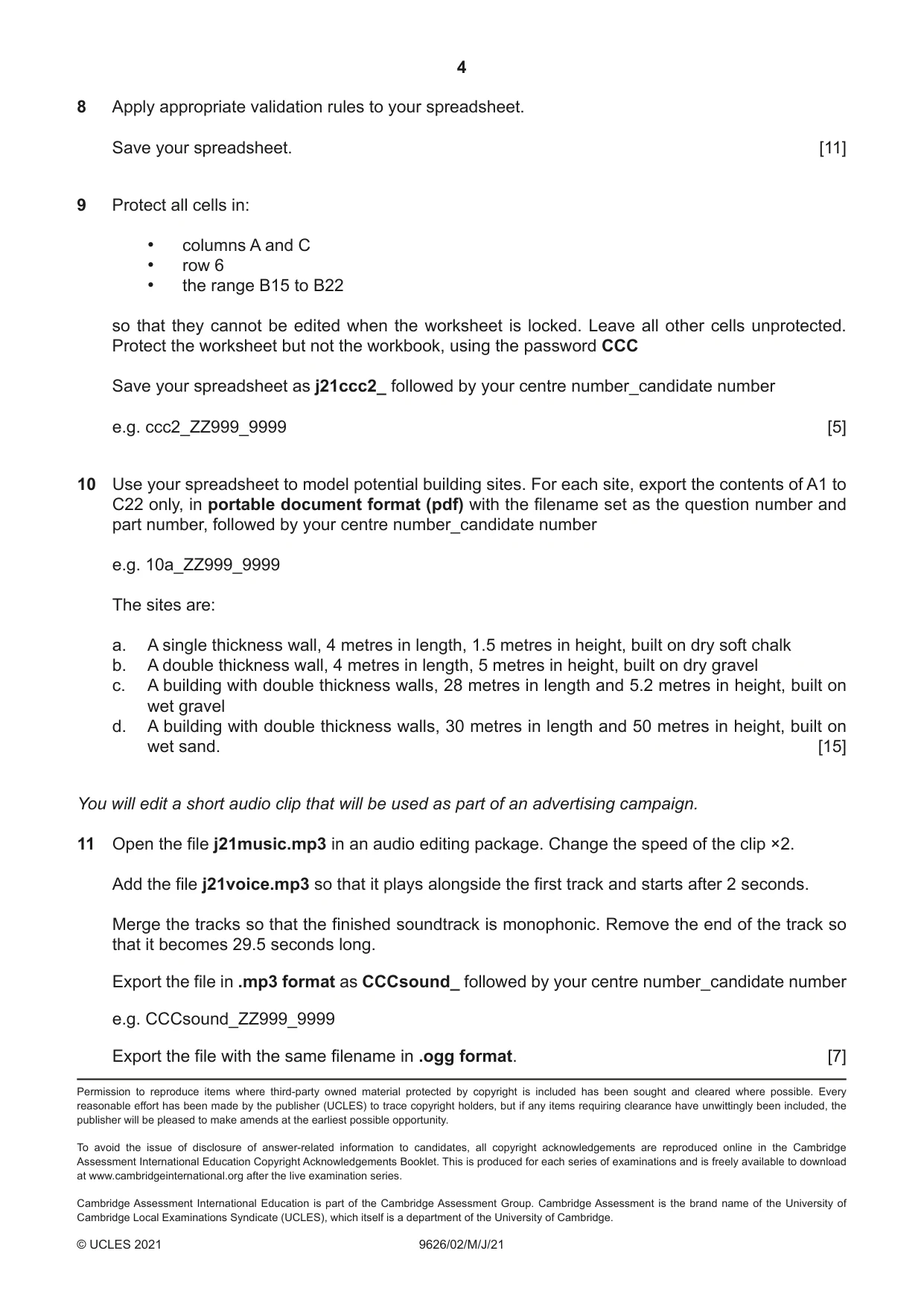
4 9626/02/M/J/21 © UCLES 2021 8 Apply appropriate validation rules to your spreadsheet. Save your spreadsheet. [11] 9 Protect all cells in: • columns A and C • row 6 • the range B15 to B22 so that they cannot be edited when the worksheet is locked. Leave all other cells unprotected. Protect the worksheet but not the workbook, using the password CCC Save your spreadsheet as j21ccc2_ followed by your centre number_candidate number e.g. ccc2_ZZ999_9999 [5] 10 Use your spreadsheet to model potential building sites. For each site, export the contents of A1 to C22 only, in portable document format (pdf) with the filename set as the question number and part number, followed by your centre number_candidate number e.g. 10a_ZZ999_9999 The sites are: a. A single thickness wall, 4 metres in length, 1.5 metres in height, built on dry soft chalk b. A double thickness wall, 4 metres in length, 5 metres in height, built on dry gravel c. A building with double thickness walls, 28 metres in length and 5.2 metres in height, built on wet gravel d. A building with double thickness walls, 30 metres in length and 50 metres in height, built on wet sand. [15] You will edit a short audio clip that will be used as part of an advertising campaign. 11 Open the file j21music.mp3 in an audio editing package. Change the speed of the clip ×2. Add the file j21voice.mp3 so that it plays alongside the first track and starts after 2 seconds. Merge the tracks so that the finished soundtrack is monophonic. Remove the end of the track so that it becomes 29.5 seconds long. Export the file in .mp3 format as CCCsound_ followed by your centre number_candidate number e.g. CCCsound_ZZ999_9999 Export the file with the same filename in .ogg format. [7] Permission to reproduce items where third-party owned material protected by copyright is included has been sought and cleared where possible. Every reasonable effort has been made by the publisher (UCLES) to trace copyright holders, but if any items requiring clearance have unwittingly been included, the publisher will be pleased to make amends at the earliest possible opportunity. To avoid the issue of disclosure of answer-related information to candidates, all copyright acknowledgements are reproduced online in the Cambridge Assessment International Education Copyright Acknowledgements Booklet. This is produced for each series of examinations and is freely available to download at www.cambridgeinternational.org after the live examination series. Cambridge Assessment International Education is part of the Cambridge Assessment Group. Cambridge Assessment is the brand name of the University of Cambridge Local Examinations Syndicate (UCLES), which itself is a department of the University of Cambridge.