Cambridge A Level Information Technology (from 2017) 9626 — 2024 Oct/Nov Paper 2 · Variant 0
9626/20/O/N/24 · 90 marks · ≈101 min
The question paper and its mark scheme, free to read here and free to download. This is Cambridge’s own paper, exactly as it was sat.
Question paper8 pages
Mark scheme
No mark scheme is in the library for this paper.
Paper as text
Question paper, page 1
This document has 8 pages. Any blank pages are indicated. [Turn over * 5 9 6 0 8 5 3 5 7 4 * Cambridge International AS & A Level INFORMATION TECHNOLOGY 9626/02 Paper 2 Practical October/November 2024 2 hours 30 minutes You will need: Candidate source files (listed on page 2) INSTRUCTIONS ● Carry out every instruction in each task. ● Save your work using the file names given in the task as and when instructed. ● You must not have access to either the internet or any email system during this examination. ● You must save your work in the correct file format as stated in the tasks. If work is saved in an incorrect file format, you will not receive marks for that task. INFORMATION ● The total mark for this paper is 90. ● The number of marks for each question or part question is shown in brackets [ ]. DC (DE/CB) 327120/4 © UCLES 2024
Question paper, page 2
2 9626/02/O/N/24 © UCLES 2024 You have been supplied with the following source files: n24audio.mp3 n24chain.csv n24cust.csv You must use the most efficient method to solve each task. All documents produced must be of a professional standard and suit the business context.
Question paper, page 3
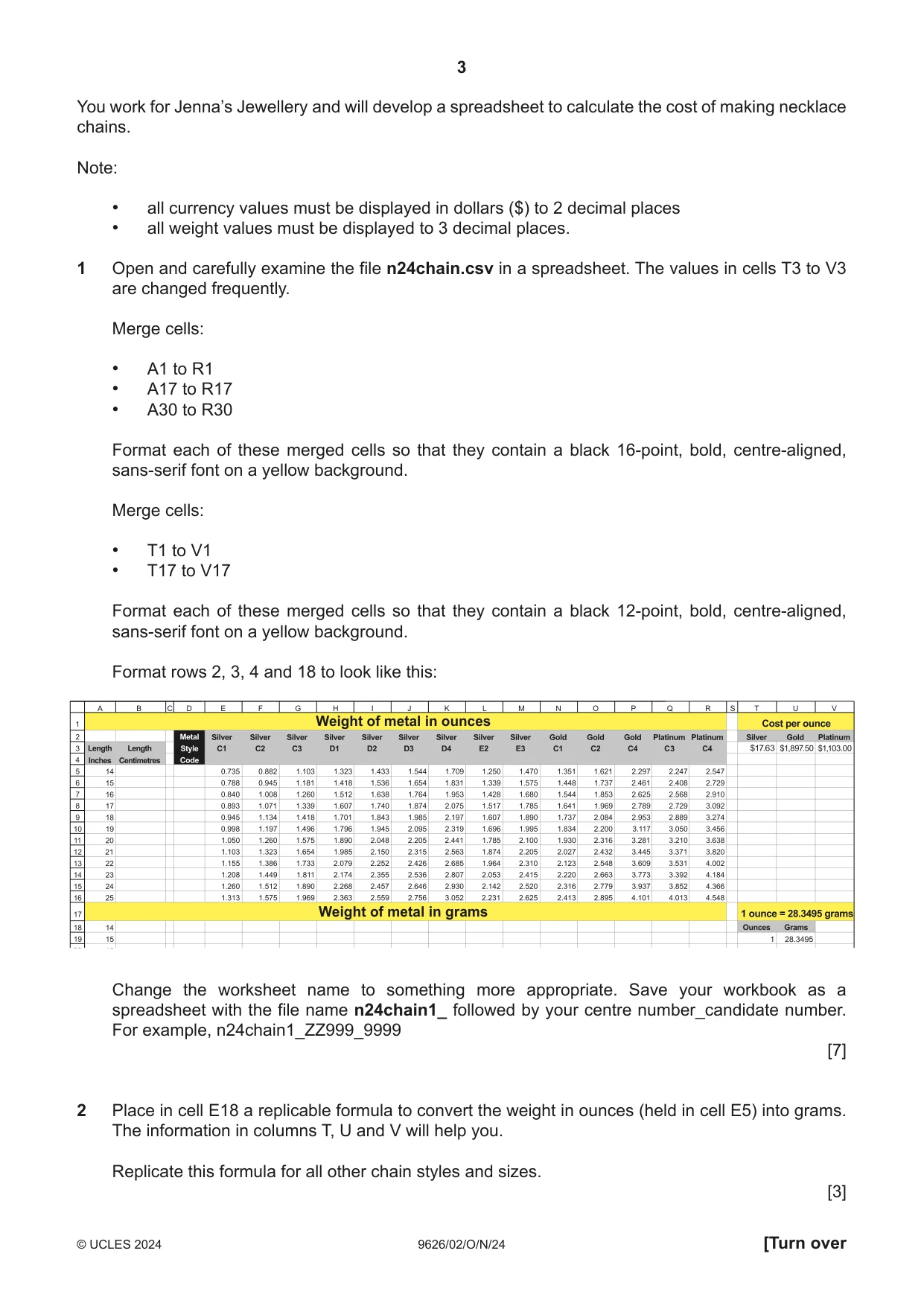
3 9626/02/O/N/24 © UCLES 2024 [Turn over You work for Jenna’s Jewellery and will develop a spreadsheet to calculate the cost of making necklace chains. Note: • all currency values must be displayed in dollars ($) to 2 decimal places • all weight values must be displayed to 3 decimal places. 1 Open and carefully examine the file n24chain.csv in a spreadsheet. The values in cells T3 to V3 are changed frequently. Merge cells: • A1 to R1 • A17 to R17 • A30 to R30 Format each of these merged cells so that they contain a black 16-point, bold, centre-aligned, sans-serif font on a yellow background. Merge cells: • T1 to V1 • T17 to V17 Format each of these merged cells so that they contain a black 12-point, bold, centre-aligned, sans-serif font on a yellow background. Format rows 2, 3, 4 and 18 to look like this: Weight of metal in ounces Weight of metal in grams Change the worksheet name to something more appropriate. Save your workbook as a spreadsheet with the file name n24chain1_ followed by your centre number_candidate number. For example, n24chain1_ZZ999_9999 [7] 2 Place in cell E18 a replicable formula to convert the weight in ounces (held in cell E5) into grams. The information in columns T, U and V will help you. Replicate this formula for all other chain styles and sizes. [3]
Question paper, page 4
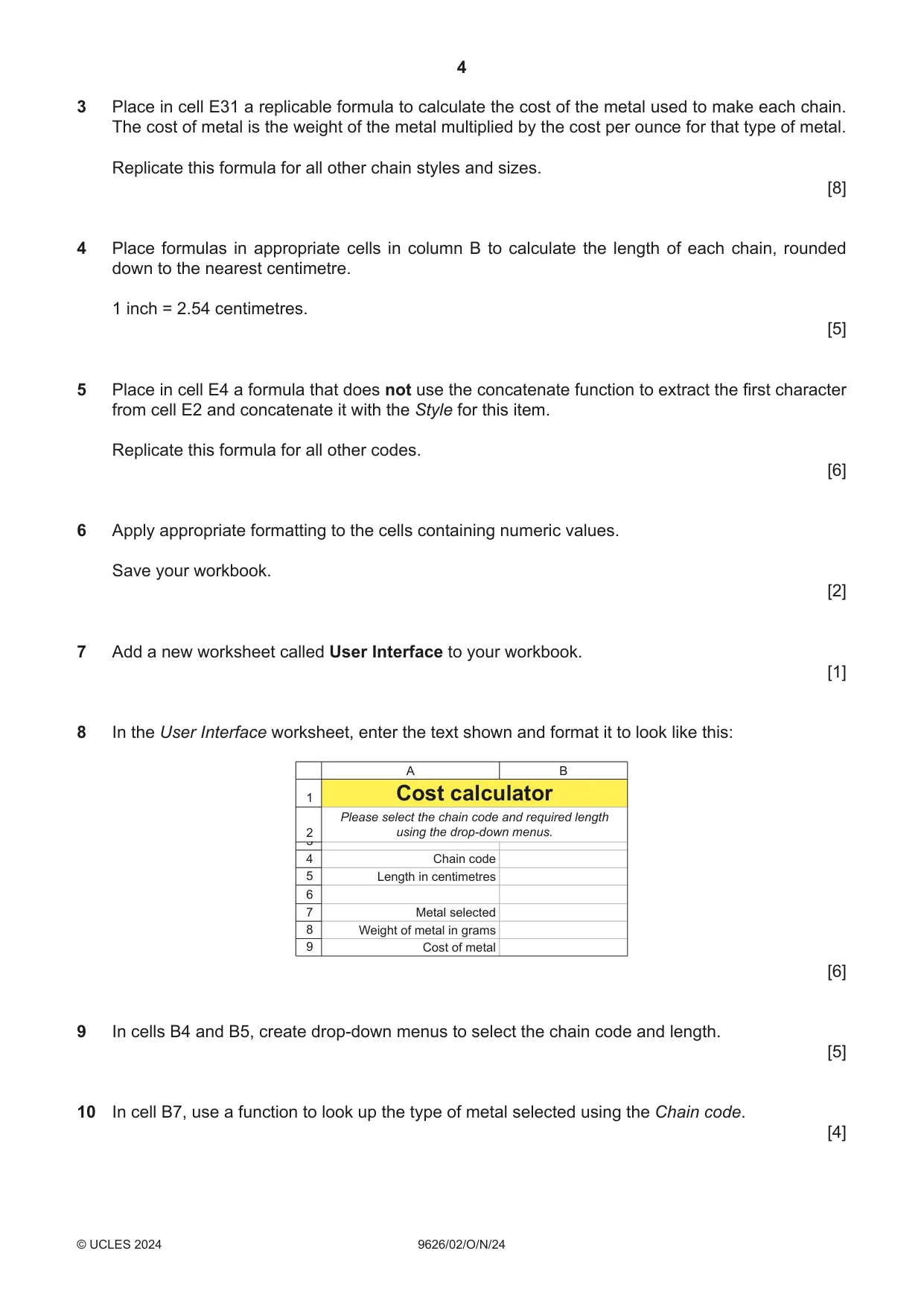
4 9626/02/O/N/24 © UCLES 2024 3 Place in cell E31 a replicable formula to calculate the cost of the metal used to make each chain. The cost of metal is the weight of the metal multiplied by the cost per ounce for that type of metal. Replicate this formula for all other chain styles and sizes. [8] 4 Place formulas in appropriate cells in column B to calculate the length of each chain, rounded down to the nearest centimetre. 1 inch = 2.54 centimetres. [5] 5 Place in cell E4 a formula that does not use the concatenate function to extract the first character from cell E2 and concatenate it with the Style for this item. Replicate this formula for all other codes. [6] 6 Apply appropriate formatting to the cells containing numeric values. Save your workbook. [2] 7 Add a new worksheet called User Interface to your workbook. [1] 8 In the User Interface worksheet, enter the text shown and format it to look like this: A Please select the chain code and required length using the drop-down menus. Cost calculator 1 2 4 5 6 7 8 9 Chain code Length in centimetres Metal selected Weight of metal in grams Cost of metal B 3 [6] 9 In cells B4 and B5, create drop-down menus to select the chain code and length. [5] 10 In cell B7, use a function to look up the type of metal selected using the Chain code. [4]
Question paper, page 5
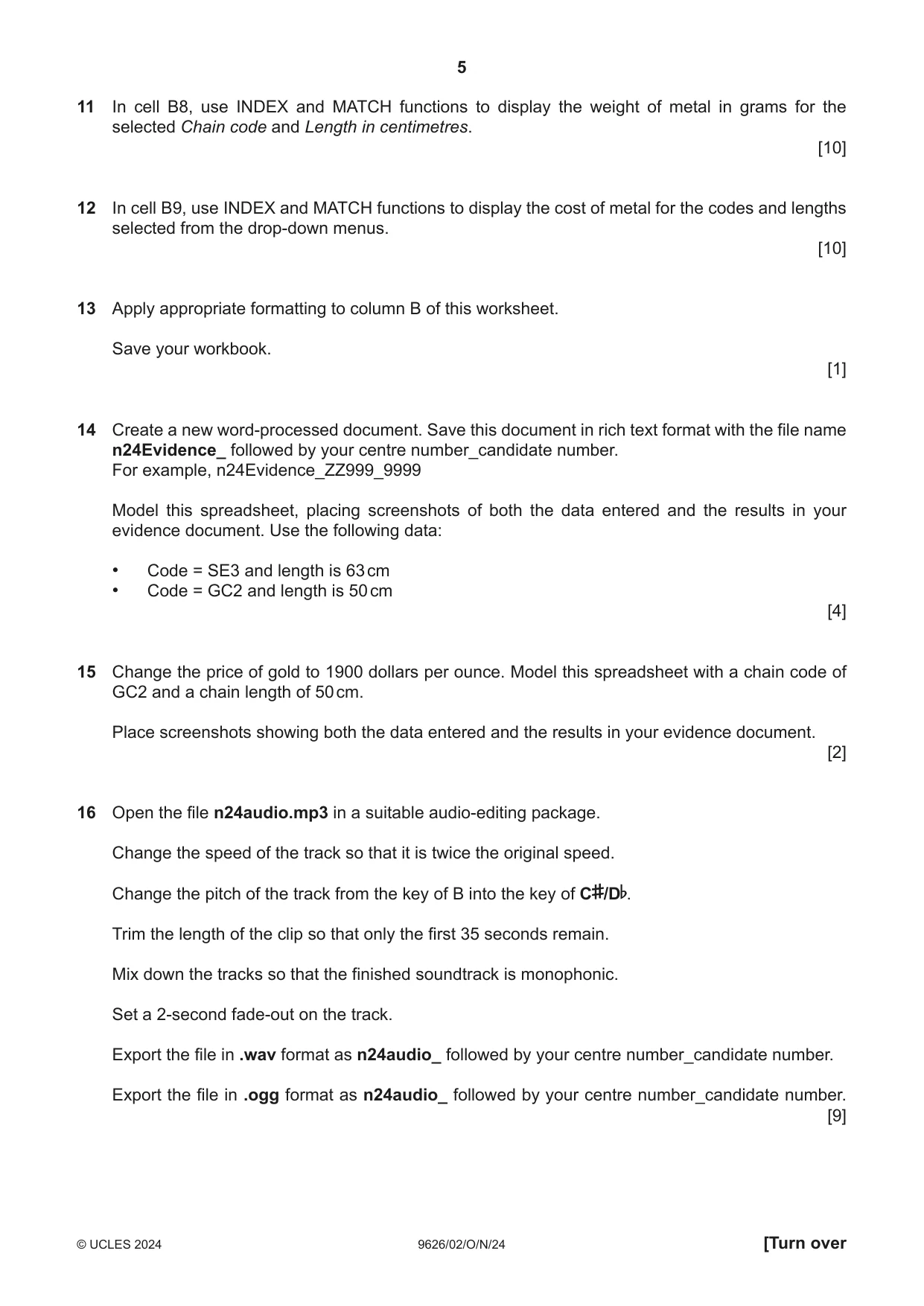
5 9626/02/O/N/24 © UCLES 2024 [Turn over 11 In cell B8, use INDEX and MATCH functions to display the weight of metal in grams for the selected Chain code and Length in centimetres. [10] 12 In cell B9, use INDEX and MATCH functions to display the cost of metal for the codes and lengths selected from the drop-down menus. [10] 13 Apply appropriate formatting to column B of this worksheet. Save your workbook. [1] 14 Create a new word-processed document. Save this document in rich text format with the file name n24Evidence_ followed by your centre number_candidate number. For example, n24Evidence_ZZ999_9999 Model this spreadsheet, placing screenshots of both the data entered and the results in your evidence document. Use the following data: • Code = SE3 and length is 63 cm • Code = GC2 and length is 50 cm [4] 15 Change the price of gold to 1900 dollars per ounce. Model this spreadsheet with a chain code of GC2 and a chain length of 50 cm. Place screenshots showing both the data entered and the results in your evidence document. [2] 16 Open the file n24audio.mp3 in a suitable audio-editing package. Change the speed of the track so that it is twice the original speed. Change the pitch of the track from the key of B into the key of C /D . Trim the length of the clip so that only the first 35 seconds remain. Mix down the tracks so that the finished soundtrack is monophonic. Set a 2-second fade-out on the track. Export the file in .wav format as n24audio_ followed by your centre number_candidate number. Export the file in .ogg format as n24audio_ followed by your centre number_candidate number. [9]
Question paper, page 6
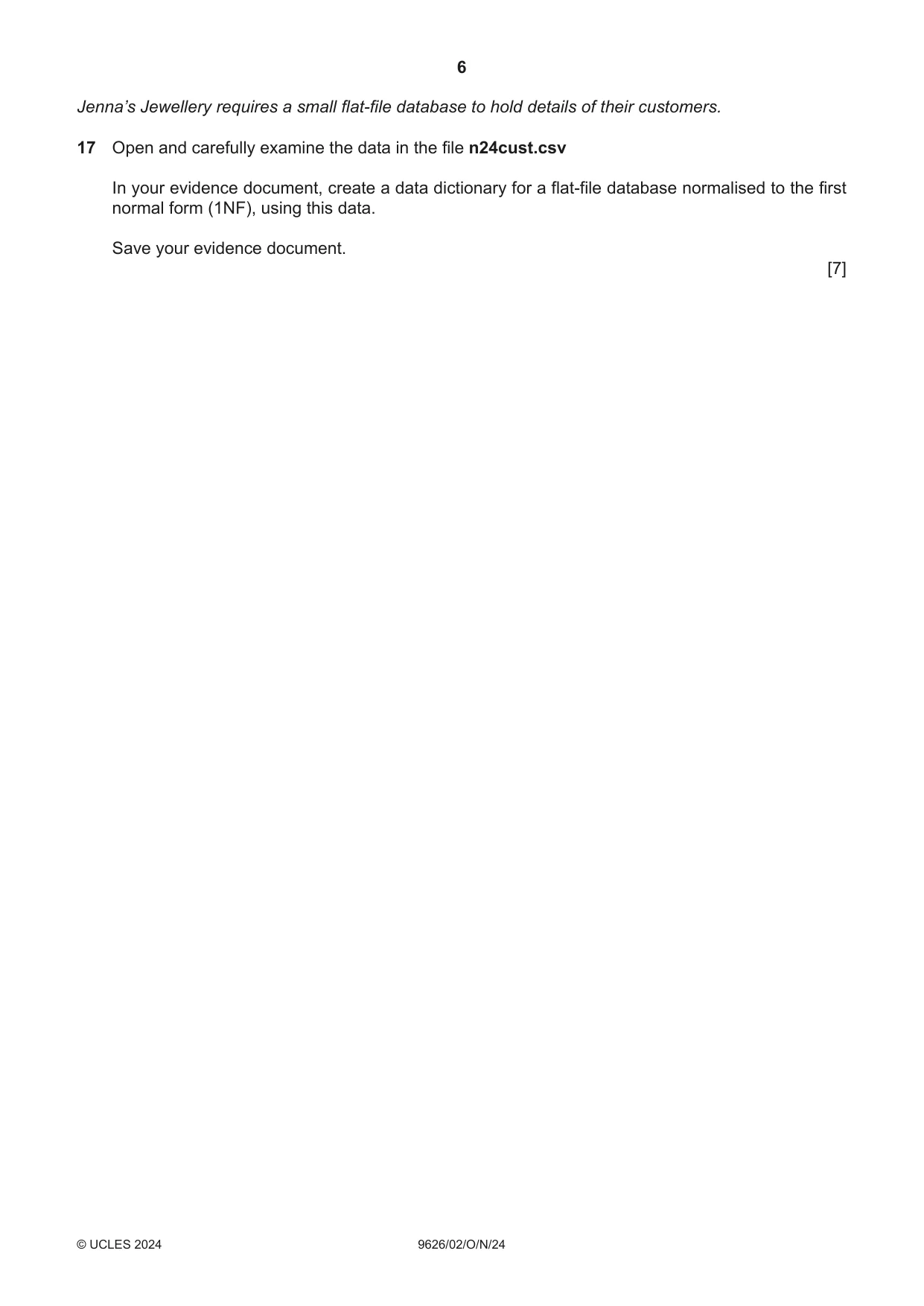
6 9626/02/O/N/24 © UCLES 2024 Jenna’s Jewellery requires a small flat-file database to hold details of their customers. 17 Open and carefully examine the data in the file n24cust.csv In your evidence document, create a data dictionary for a flat-file database normalised to the first normal form (1NF), using this data. Save your evidence document. [7]
Question paper, page 7
7 9626/02/O/N/24 © UCLES 2024 BLANK PAGE
Question paper, page 8
8 9626/02/O/N/24 © UCLES 2024 Permission to reproduce items where third-party owned material protected by copyright is included has been sought and cleared where possible. Every reasonable effort has been made by the publisher (UCLES) to trace copyright holders, but if any items requiring clearance have unwittingly been included, the publisher will be pleased to make amends at the earliest possible opportunity. To avoid the issue of disclosure of answer-related information to candidates, all copyright acknowledgements are reproduced online in the Cambridge Assessment International Education Copyright Acknowledgements Booklet. This is produced for each series of examinations and is freely available to download at www.cambridgeinternational.org after the live examination series. Cambridge Assessment International Education is part of Cambridge Assessment. Cambridge Assessment is the brand name of the University of Cambridge Local Examinations Syndicate (UCLES), which is a department of the University of Cambridge. BLANK PAGE
What you needed in this session
Cambridge’s own grade thresholds for 2024 Oct/Nov, Paper 2 · Variant 0. A higher threshold means an easier paper — the bar moves with how the cohort did.