Cambridge A Level Information Technology (from 2017) 9626 — 2025 Oct/Nov Paper 2 · Variant 0
9626/20/O/N/25 · 90 marks · 150 min
The question paper and its mark scheme, free to read here and free to download. This is Cambridge’s own paper, exactly as it was sat.
Question paper8 pages



Mark scheme
No mark scheme is in the library for this paper.
Paper as text
Question paper, page 1
This document has 8 pages. Any blank pages are indicated. [Turn over Cambridge International AS & A Level INFORMATION TECHNOLOGY 9626/02 Paper 2 Practical October/November 2025 2 hours 30 minutes You will need: Candidate source files (listed on page 2) INSTRUCTIONS ● Carry out every instruction in each task. ● Save your work using the file names given in the task as and when instructed. ● You must not have access to either the internet or any email system during this examination. ● You must save your work in the correct file format as stated in the tasks. If work is saved in an incorrect file format, you will not receive marks for that task. INFORMATION ● The total mark for this paper is 90. ● The number of marks for each question or part question is shown in brackets [ ]. * 7 8 3 9 5 1 5 0 0 8 * DC (CJ/JG) 352735/1 © UCLES 2025
Question paper, page 2
2 9626/02/O/N/25 © UCLES 2025 You have been supplied with the following source files: n25manta.mp4 n25robot.csv n25sharks.mp4 n25turtle.mp4 You must use the most efficient method to solve each task. All work produced must be of a professional standard and suit the business context.
Question paper, page 3
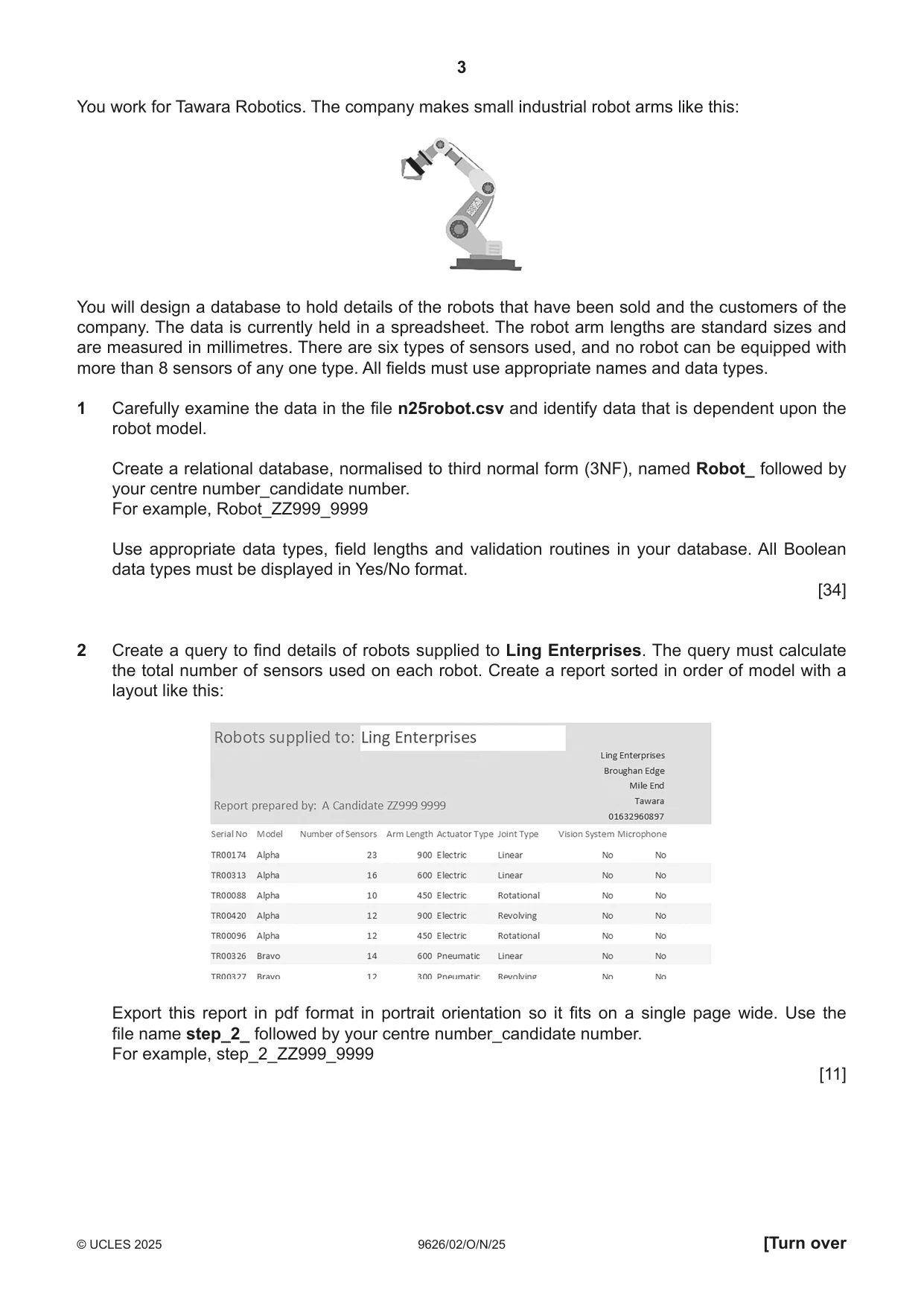
3 9626/02/O/N/25 © UCLES 2025 [Turn over You work for Tawara Robotics. The company makes small industrial robot arms like this: You will design a database to hold details of the robots that have been sold and the customers of the company. The data is currently held in a spreadsheet. The robot arm lengths are standard sizes and are measured in millimetres. There are six types of sensors used, and no robot can be equipped with more than 8 sensors of any one type. All fields must use appropriate names and data types. 1 Carefully examine the data in the file n25robot.csv and identify data that is dependent upon the robot model. Create a relational database, normalised to third normal form (3NF), named Robot_ followed by your centre number_candidate number. For example, Robot_ZZ999_9999 Use appropriate data types, field lengths and validation routines in your database. All Boolean data types must be displayed in Yes/No format. [34] 2 Create a query to find details of robots supplied to Ling Enterprises. The query must calculate the total number of sensors used on each robot. Create a report sorted in order of model with a layout like this: Export this report in pdf format in portrait orientation so it fits on a single page wide. Use the file name step_2_ followed by your centre number_candidate number. For example, step_2_ZZ999_9999 [11]
Question paper, page 4
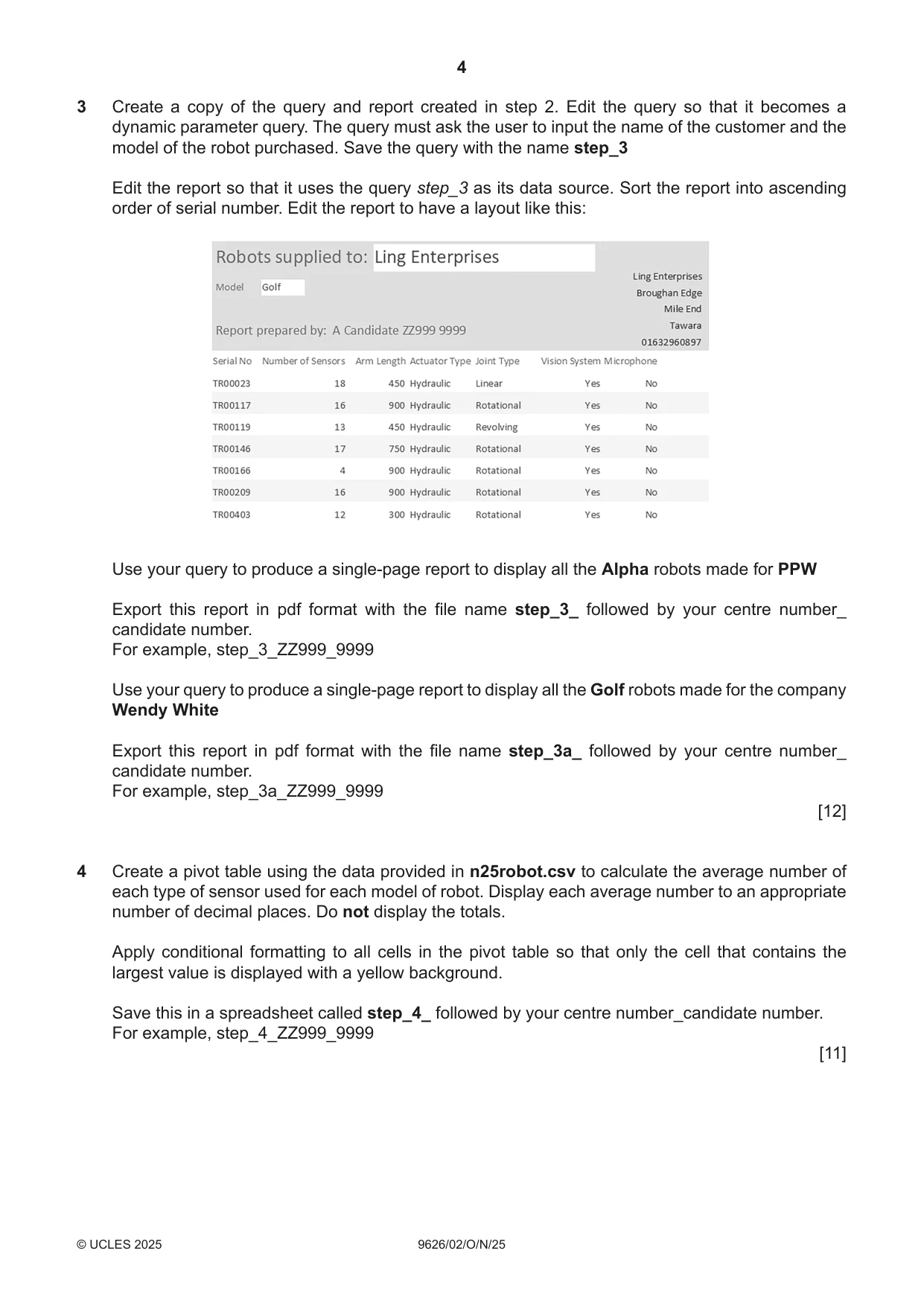
4 9626/02/O/N/25 © UCLES 2025 3 Create a copy of the query and report created in step 2. Edit the query so that it becomes a dynamic parameter query. The query must ask the user to input the name of the customer and the model of the robot purchased. Save the query with the name step_3 Edit the report so that it uses the query step_3 as its data source. Sort the report into ascending order of serial number. Edit the report to have a layout like this: Use your query to produce a single-page report to display all the Alpha robots made for PPW Export this report in pdf format with the file name step_3_ followed by your centre number_ candidate number. For example, step_3_ZZ999_9999 Use your query to produce a single-page report to display all the Golf robots made for the company Wendy White Export this report in pdf format with the file name step_3a_ followed by your centre number_ candidate number. For example, step_3a_ZZ999_9999 [12] 4 Create a pivot table using the data provided in n25robot.csv to calculate the average number of each type of sensor used for each model of robot. Display each average number to an appropriate number of decimal places. Do not display the totals. Apply conditional formatting to all cells in the pivot table so that only the cell that contains the largest value is displayed with a yellow background. Save this in a spreadsheet called step_4_ followed by your centre number_candidate number. For example, step_4_ZZ999_9999 [11]
Question paper, page 5
5 9626/02/O/N/25 © UCLES 2025 The research and development team are developing an underwater robot to take photographs and videos. They will show the results to their manager. You are required to edit some of these video clips. Do not use transitions unless instructed to do so. 5 Open your video editing software. Set the aspect ratio to 16 : 9. Create a video clip to match this storyboard. All text must be displayed in a consistent sans-serif font. Time 0 seconds: Take a still image from the first frame of the video n25sharks.mp4 and display this as the background. Place the name of the company as a title in the top right-hand corner so that it does not overlap the shark. Time 3 seconds: The background and title remain. Add the text TRX-41 trial dive footage in the top right-hand corner as a subtitle. Make sure this text is below the title and does not overlap the shark. Time 7 seconds: All text is removed, and the video n25sharks.mp4 starts. When the clip ends, use a dissolve transition into the video file n25turtle.mp4 When the clip ends, use the same transition into the video file n25manta.mp4 and have it play at half the normal speed. Time 20 seconds: Trim the clip to remove the end so that only 20 seconds remain in total. Display appropriate credits to scroll up the screen. These must be displayed while the end of the manta video is playing and be of appropriate length. Include in the credits the text Edited by: your name, centre number and candidate number. Export the clip in .mp4 format with a resolution of 854 × 480 using the file name TRXvideo_ followed by your centre number_candidate number. For example, TRXvideo_ZZ999_9999 [22]
Question paper, page 6
6 9626/02/O/N/25 © UCLES 2025 BLANK PAGE
Question paper, page 7
7 9626/02/O/N/25 © UCLES 2025 BLANK PAGE
Question paper, page 8
8 9626/02/O/N/25 © UCLES 2025 Permission to reproduce items where third-party owned material protected by copyright is included has been sought and cleared where possible. Every reasonable effort has been made by the publisher (UCLES) to trace copyright holders, but if any items requiring clearance have unwittingly been included, the publisher will be pleased to make amends at the earliest possible opportunity. To avoid the issue of disclosure of answer-related information to candidates, all copyright acknowledgements are reproduced online in the Cambridge Assessment International Education Copyright Acknowledgements Booklet. This is produced for each series of examinations and is freely available to download at www.cambridgeinternational.org after the live examination series. Cambridge Assessment International Education is part of Cambridge Assessment. Cambridge Assessment is the brand name of the University of Cambridge Local Examinations Syndicate (UCLES), which is a department of the University of Cambridge. BLANK PAGE
What you needed in this session
Cambridge’s own grade thresholds for 2025 Oct/Nov, Paper 2 · Variant 0. A higher threshold means an easier paper — the bar moves with how the cohort did.