Cambridge A Level Computer Science 9618 — 2025 May/June Paper 4 · Variant 1
9618/41/M/J/25 · 3 questions · 75 marks · ≈84 min
The question paper and its mark scheme, free to read here and free to download. This is Cambridge’s own paper, exactly as it was sat.
Question paper12 pages


Mark scheme43 pages
Answers below. Sit the paper first if you are practising.
Questions as text
Q1 · A program stores positive integers in a circular queue
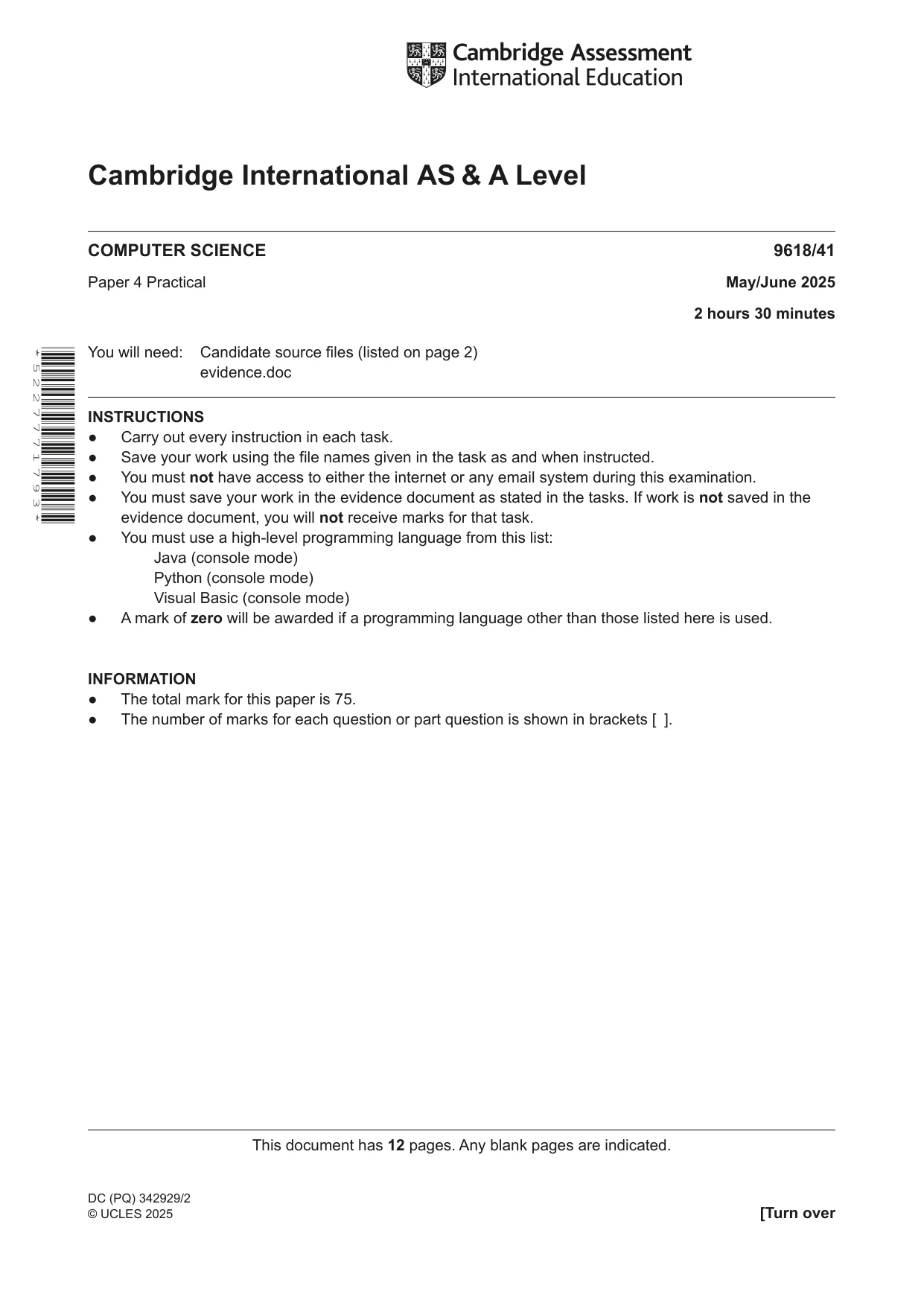
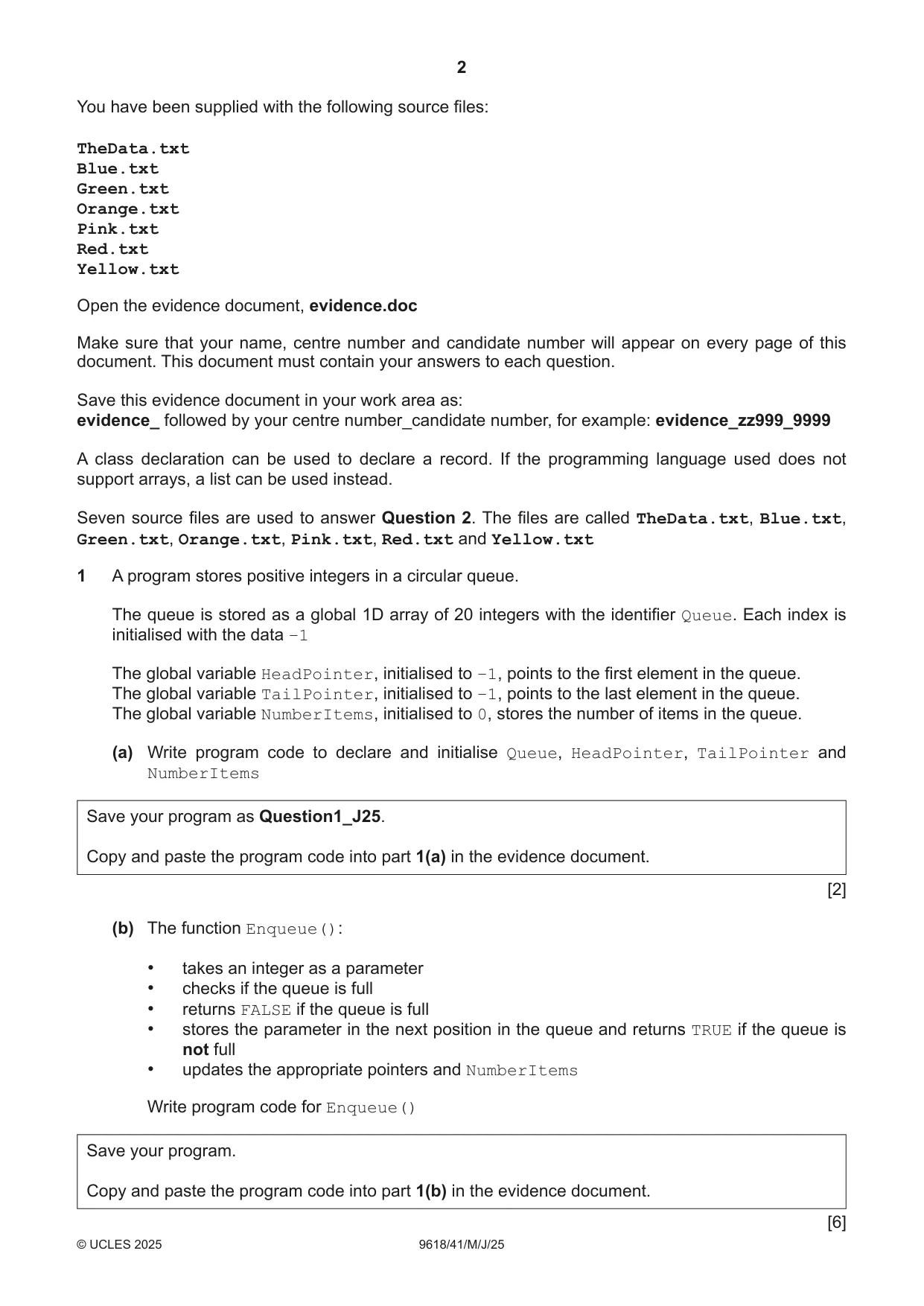
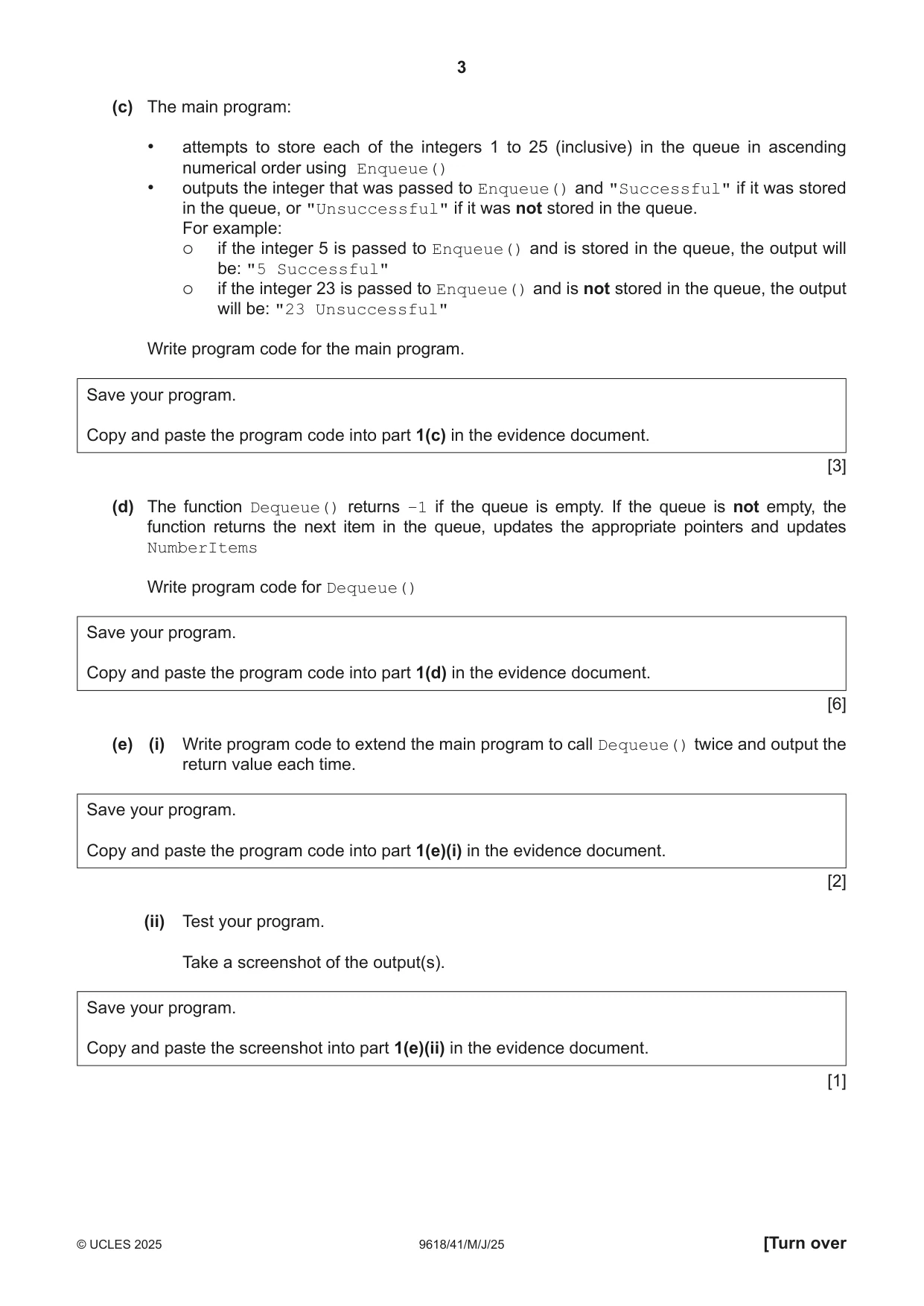
1 A program stores positive integers in a circular queue. The queue is stored as a global 1D array of 20 integers with the identifier Queue. Each index is initialised with the data –1 The global variable HeadPointer, initialised to –1, points to the first element in the queue. The global variable TailPointer, initialised to –1, points to the last element in the queue. The global variable NumberItems, initialised to 0, stores the number of items in the queue. (a) Write program code to declare and initialise Queue, HeadPointer, TailPointer and NumberItems Save your program as Question1_J25. Copy and paste the program code into part 1(a) in the evidence document. [2] (b) The function Enqueue(): • takes an integer as a parameter • checks if the queue is full • returns FALSE if the queue is full • stores the parameter in the next position in the queue and returns TRUE if the queue is not full • updates the appropriate pointers and NumberItems Write program code for Enqueue() Save your program. Copy and paste the program code into part 1(b) in the evidence document. [6] (c) The main program: • attempts to store each of the integers 1 to 25 (inclusive) in the queue in ascending numerical order using Enqueue() • outputs the integer that was passed to Enqueue() and "Successful" if it was stored in the queue, or "Unsuccessful" if it was not stored in the queue. For example: if the integer 5 is passed to Enqueue() and is stored in the queue, the output will be: "5 Successful" if the integer 23 is passed to Enqueue() and is not stored in the queue, the output will be: "23 Unsuccessful" Write program code for the main program. Save your program. Copy and paste the program code into part 1(c) in the evidence document. [3] (d) The function Dequeue() returns –1 if the queue is empty. If the queue is not empty, the function returns the next item in the queue, updates the appropriate pointers and updates NumberItems Write program code for Dequeue() Save your program. Copy and paste the program code into part 1(d) in the evidence document. [6] (e) (i) Write program code to extend the main program to call Dequeue() twice and output the return value each time. Save your program. Copy and paste the program code into part 1(e)(i) in the evidence document. [2] (ii) Test your program. Take a screenshot of the output(s). Save your program. Copy and paste the screenshot into part 1(e)(ii) in the evidence document. [1]
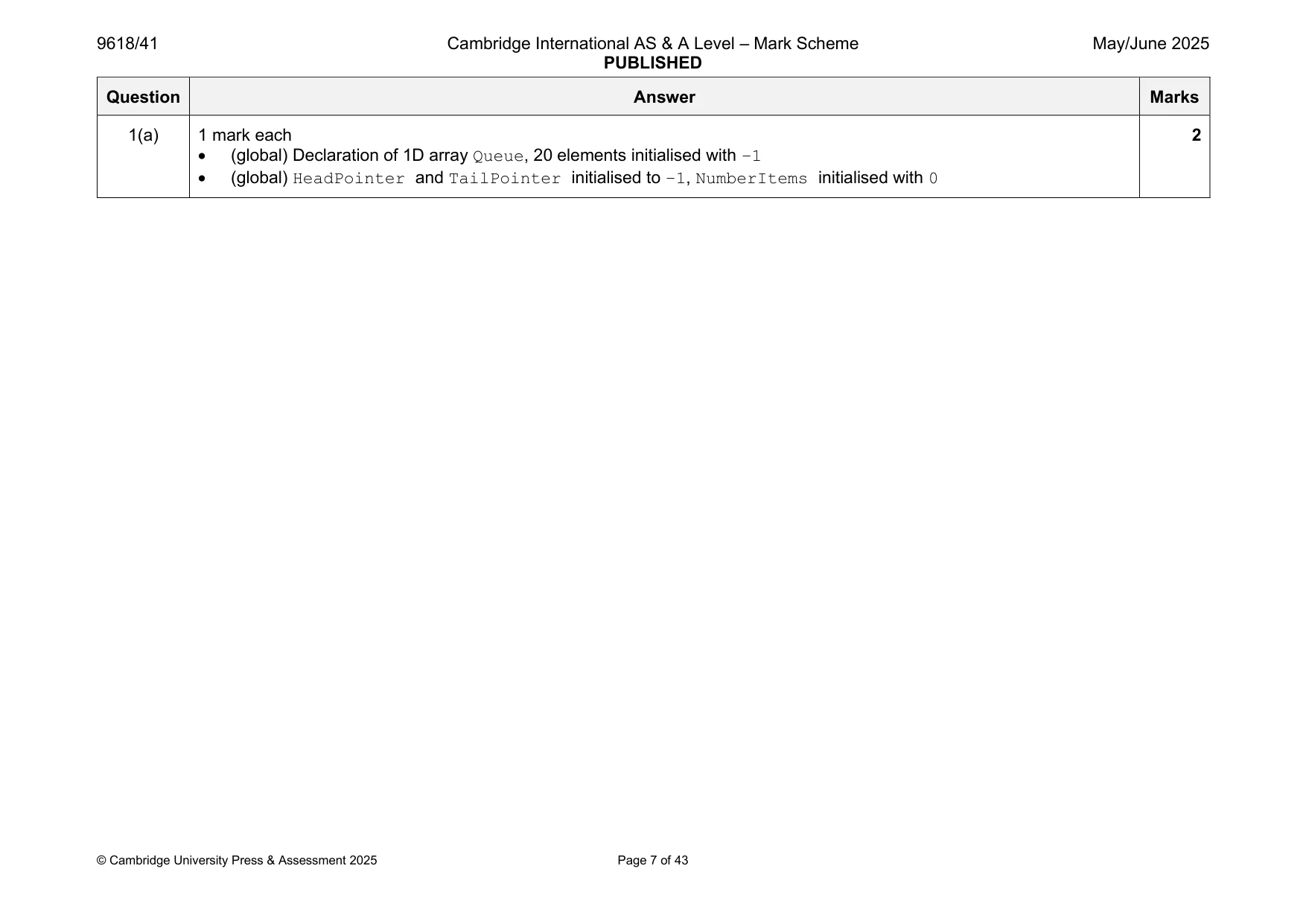
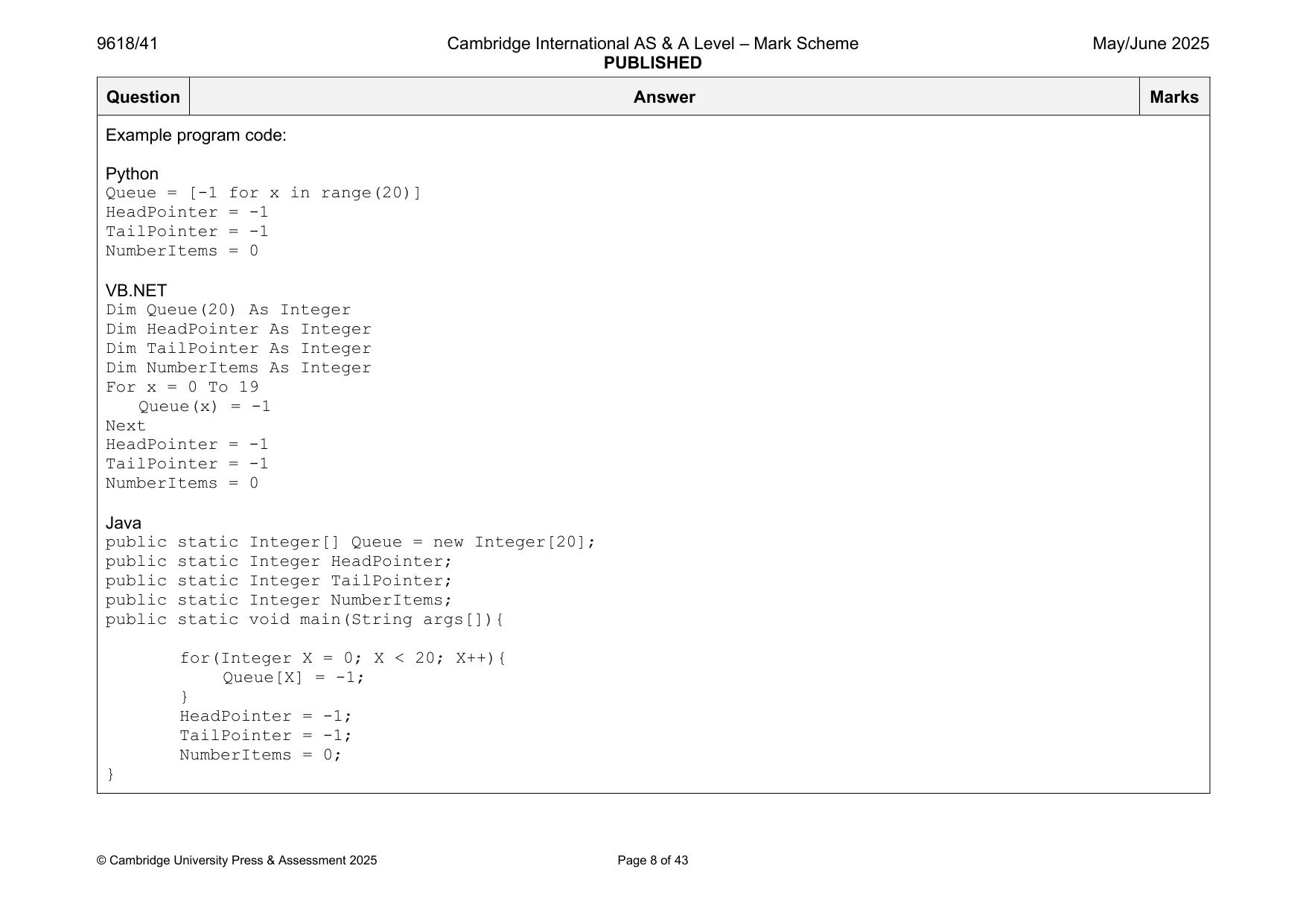
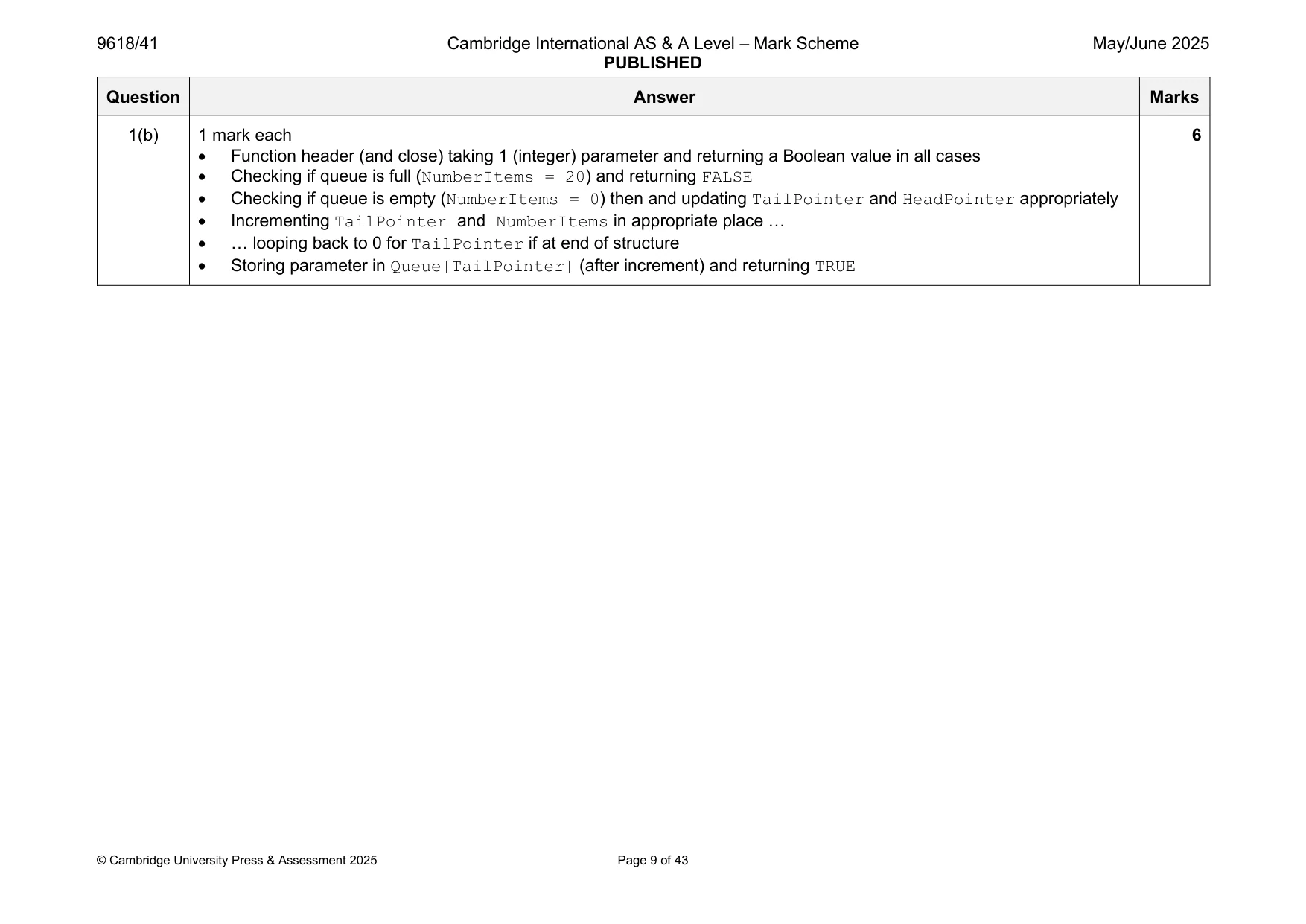
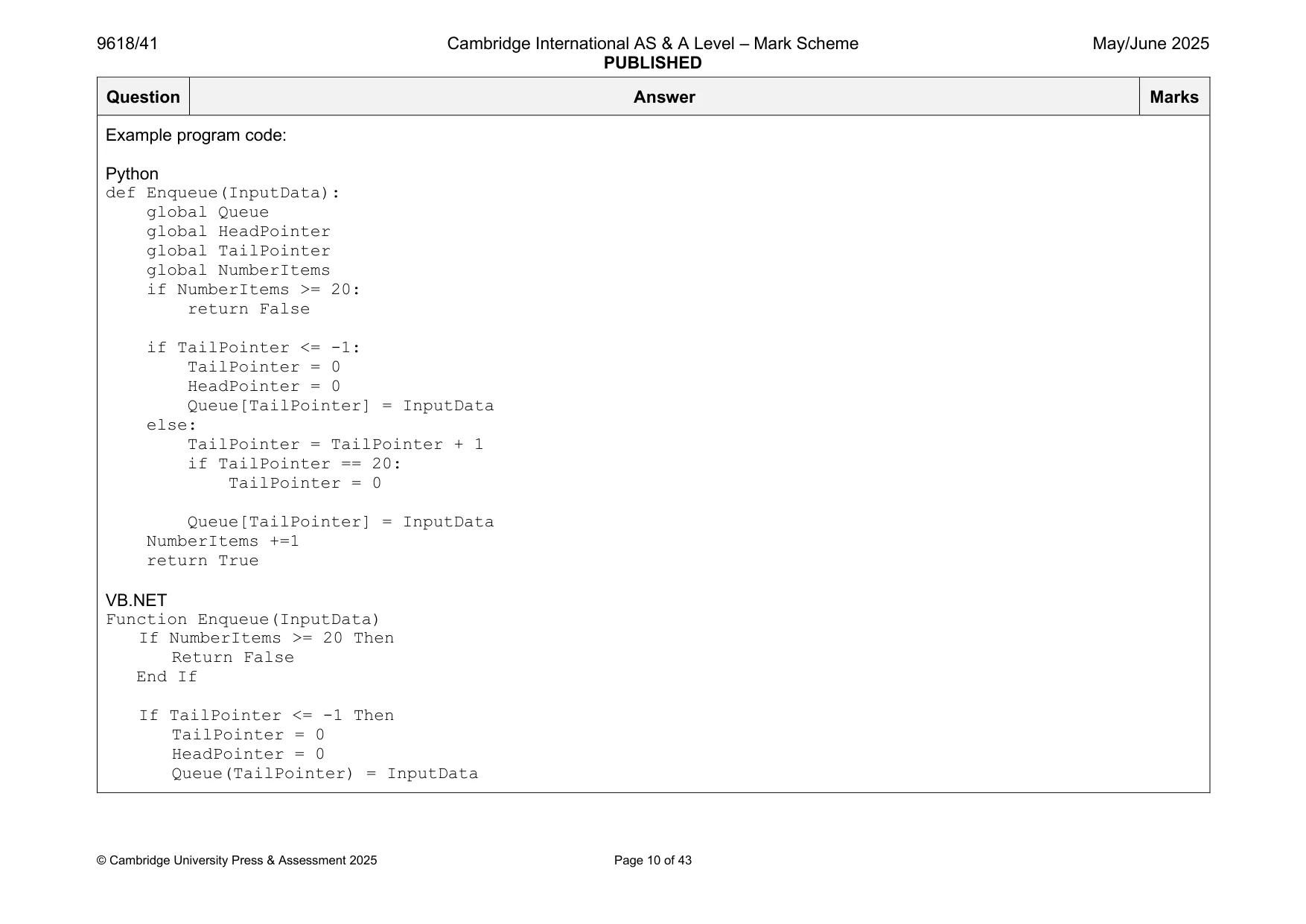
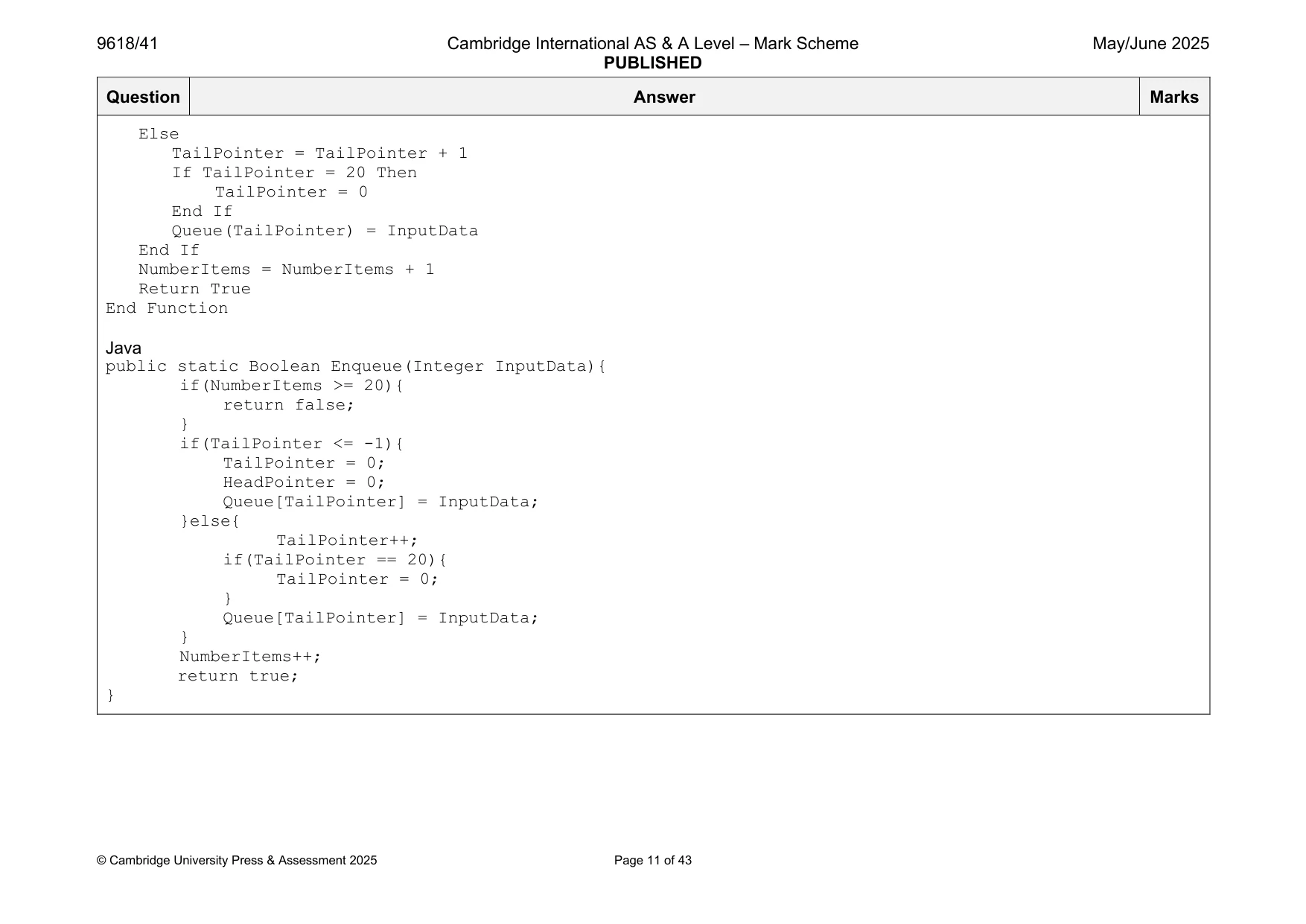
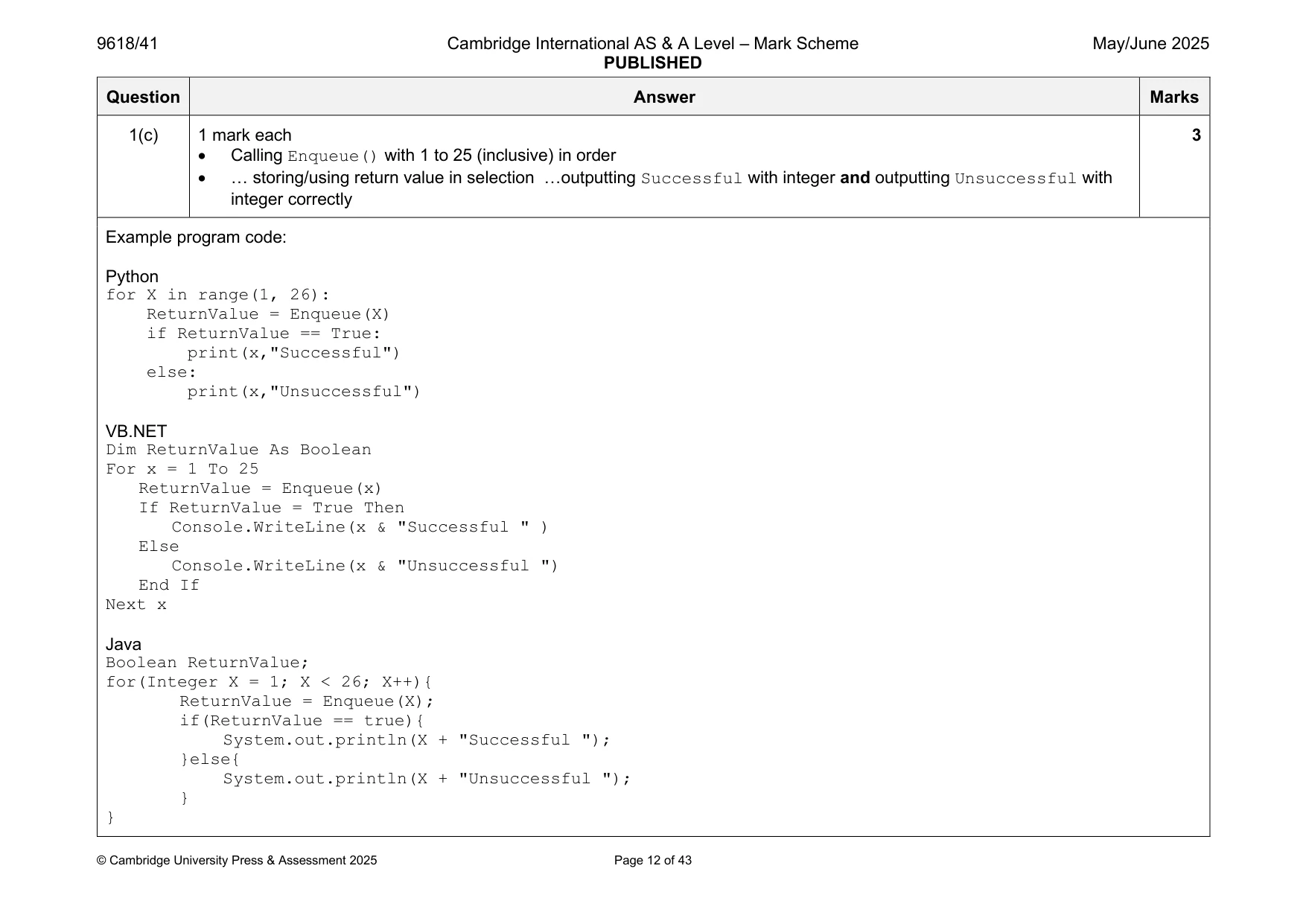
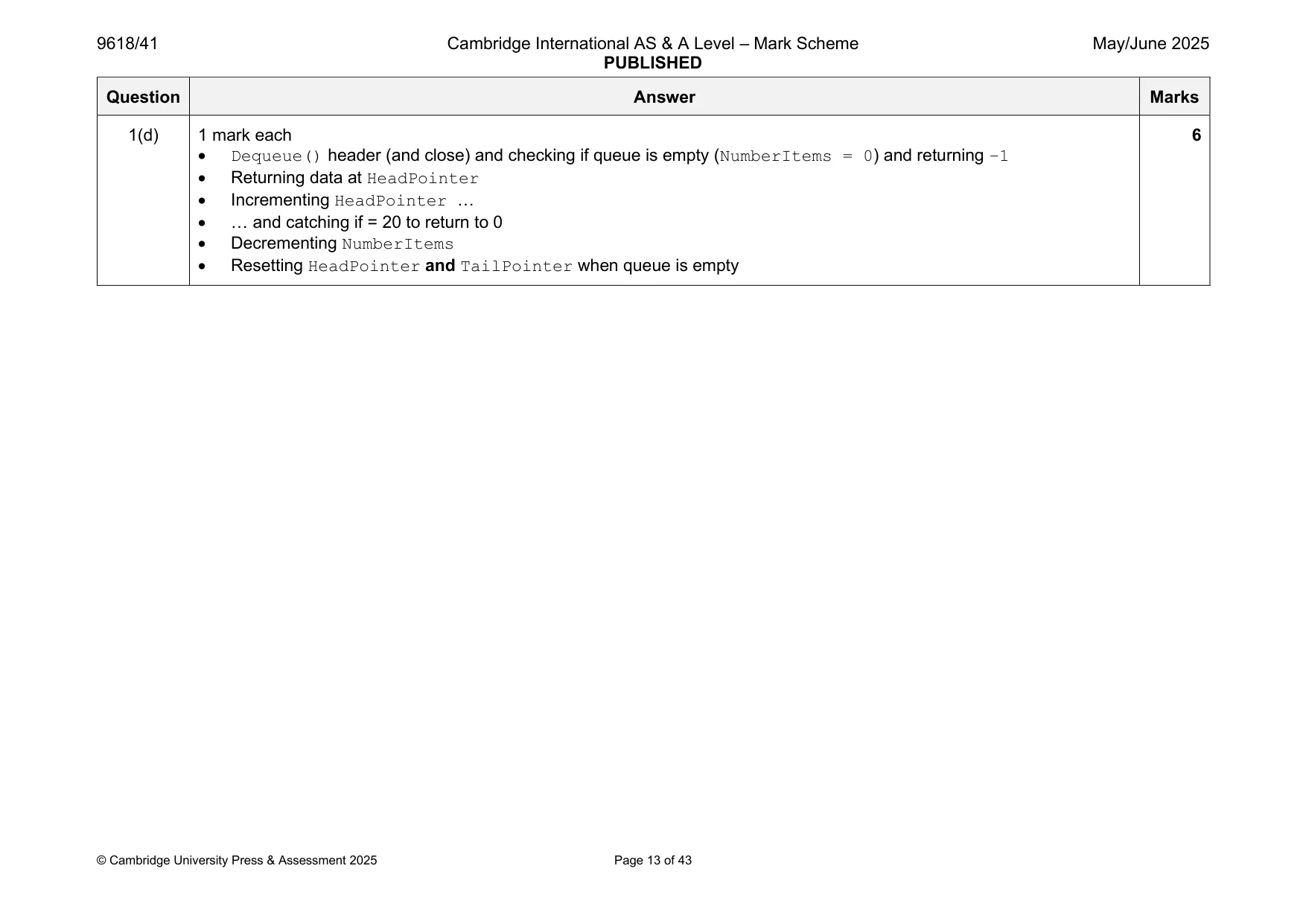
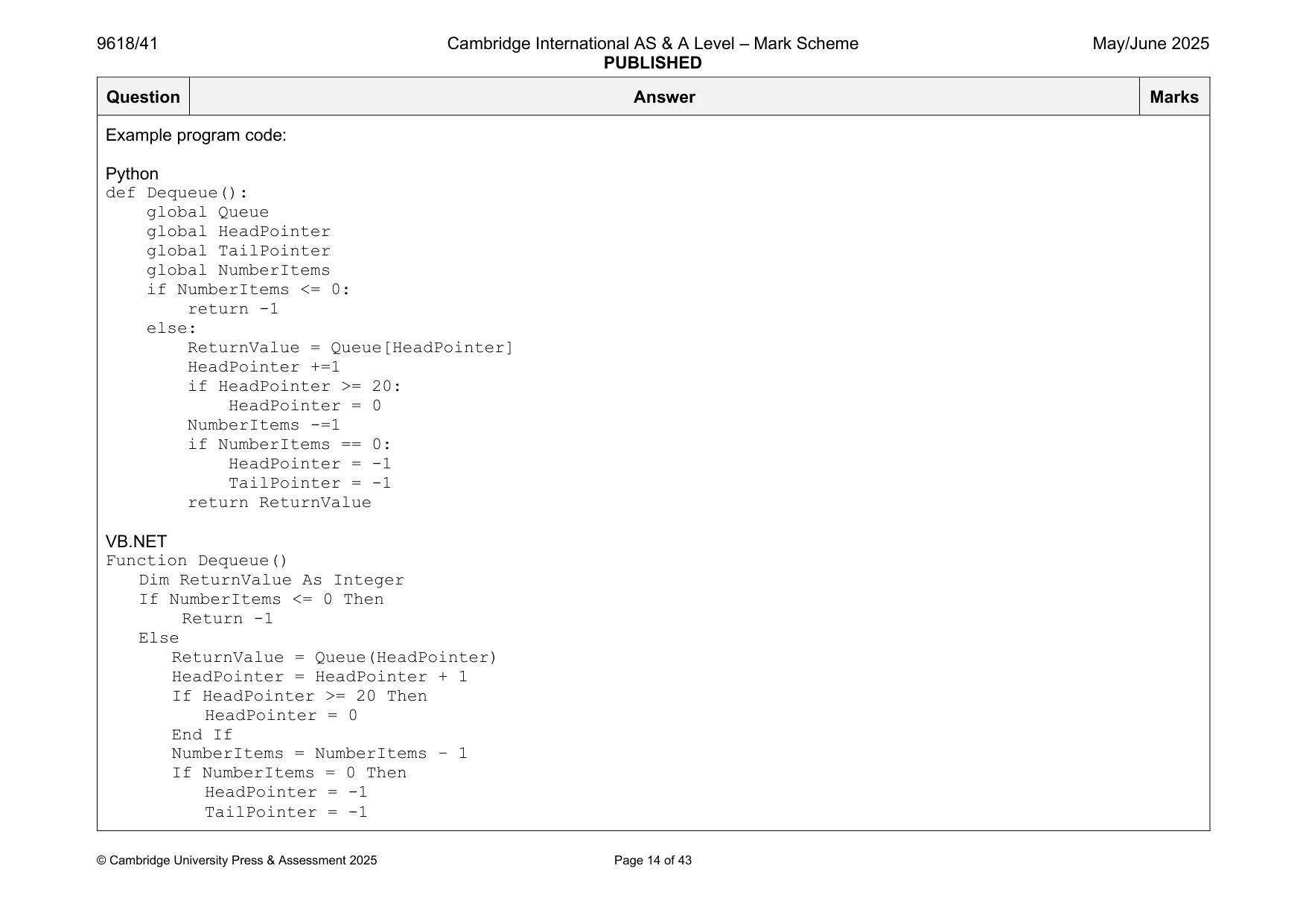
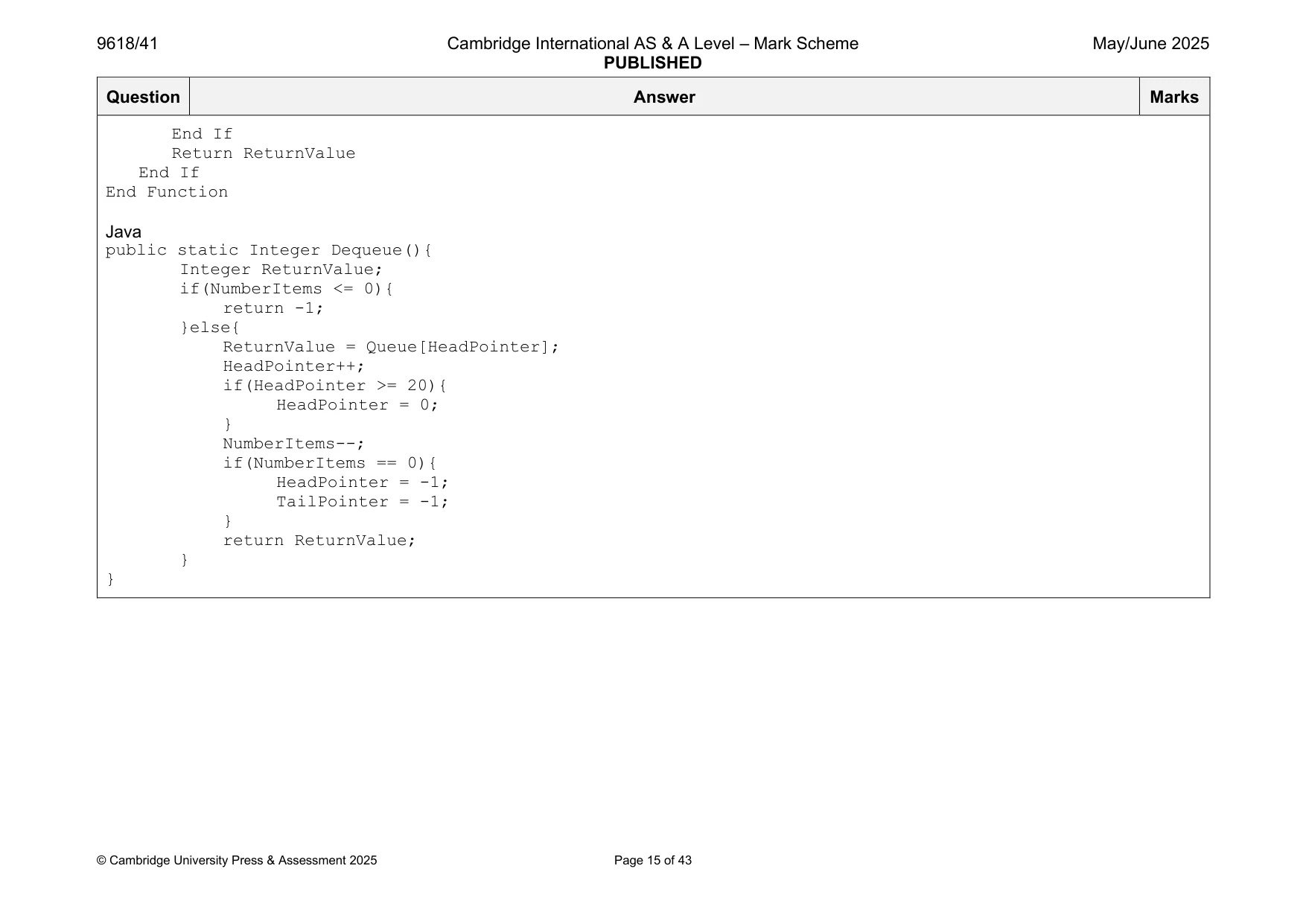
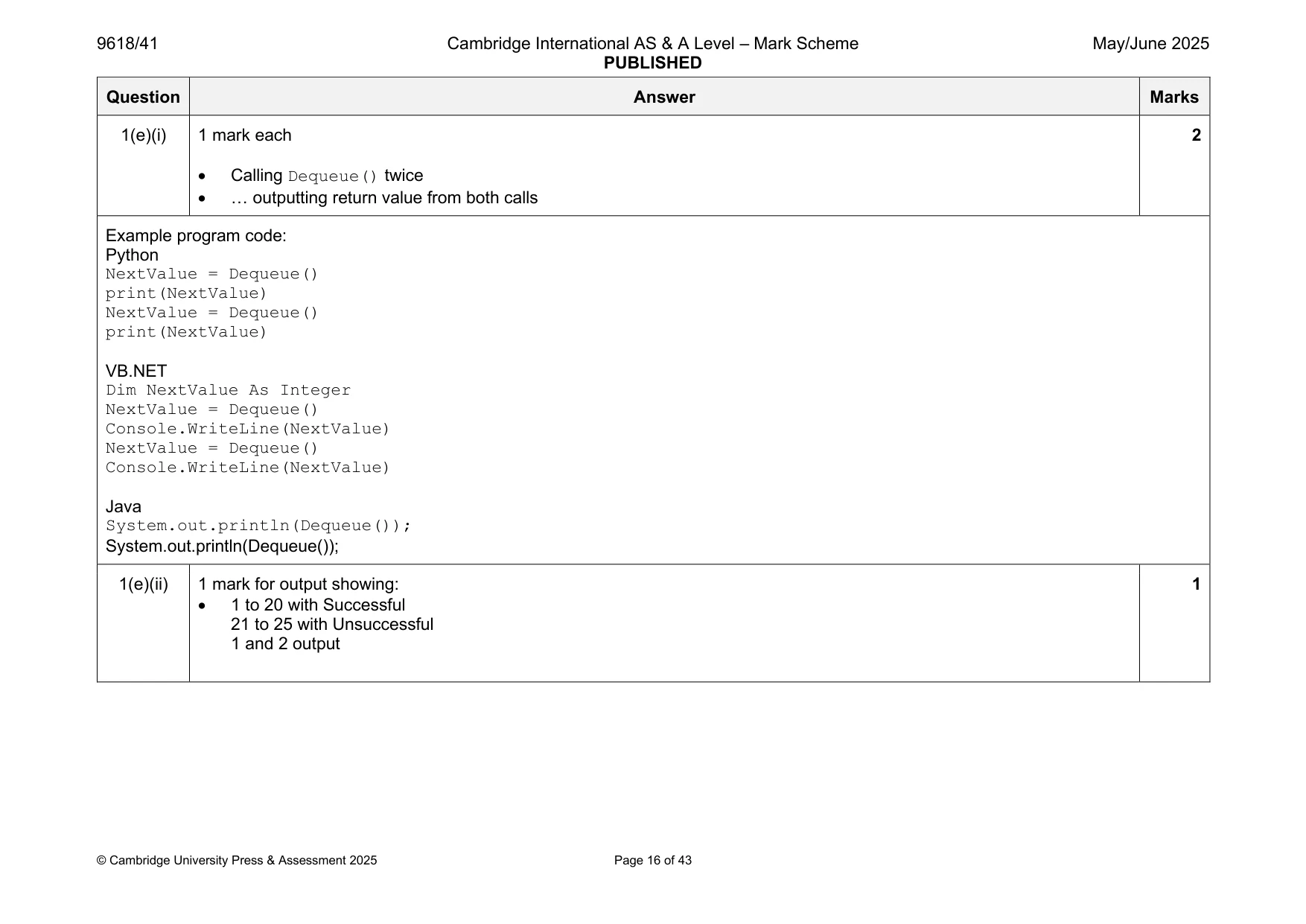
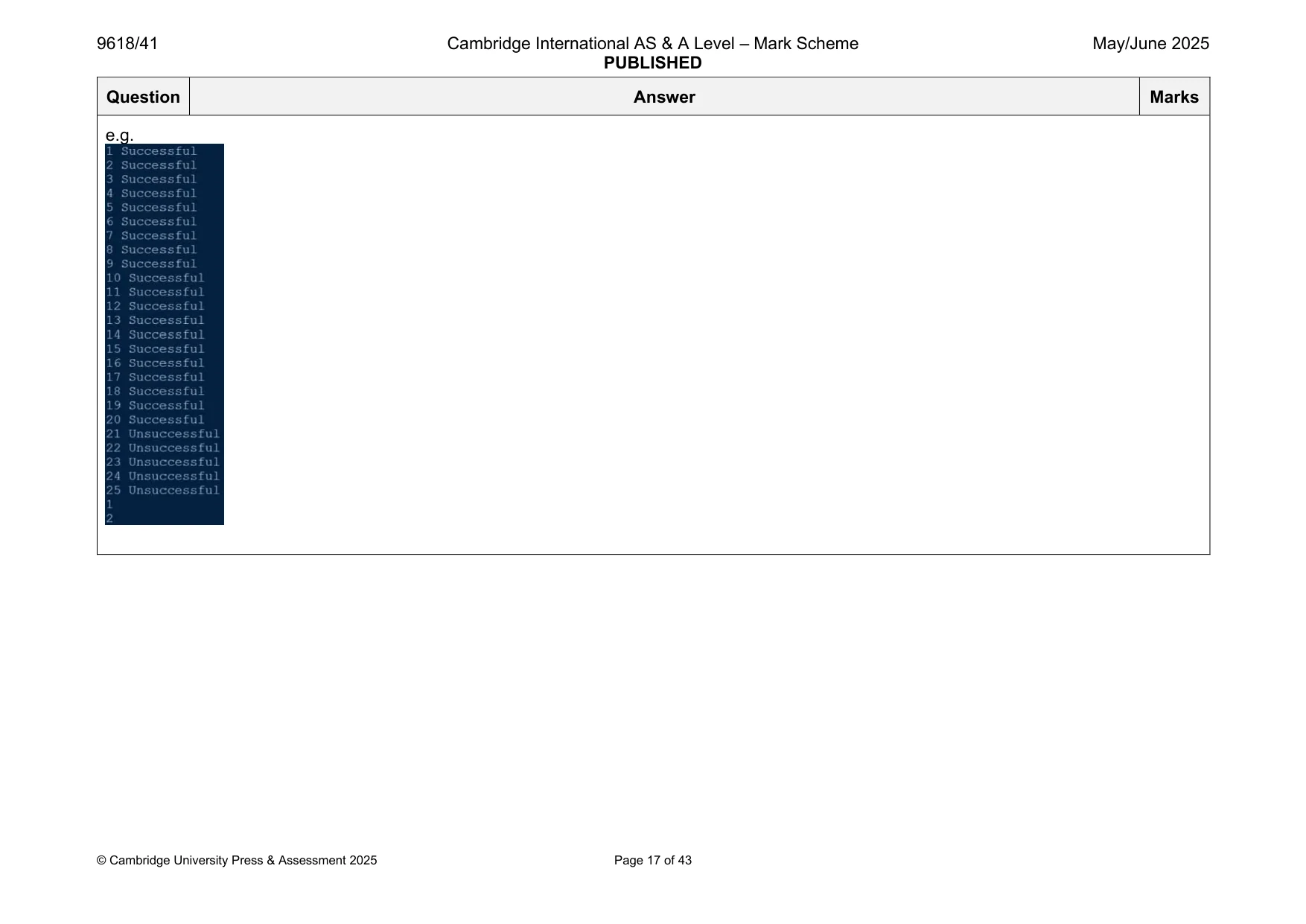
Mark scheme: Question Answer Marks 1(a) 1 mark each 2 • (global) Declaration of 1D array Queue, 20 elements initialised with –1 • (global) HeadPointer and TailPointer initialised to –1, NumberItems initialised with 0 Example program code: Python Queue = [-1 for x in range(20)] HeadPointer = -1 TailPointer = -1 NumberItems = 0 VB.NET Dim Queue(20) As Integer Dim HeadPointer As Integer Dim TailPointer As Integer Dim NumberItems As Integer For x = 0 To 19 Queue(x) = -1 Next HeadPointer = -1 TailPointer = -1 NumberItems = 0 Java public static Integer[] Queue = new Integer[20]; public static Integer HeadPointer; public static Integer TailPointer; public static Integer NumberItems; public static void main(String args[]){ for(Integer X = 0; X < 20; X++){ Queue[X] = -1; } HeadPointer = -1; TailPointer = -1; NumberItems = 0; } 1(b) 1 mark each 6 • Function header (and close) taking 1 (integer) parameter and returning a Boolean value in all cases • Checking if queue is full (NumberItems = 20) and returning FALSE • Checking if queue is empty (NumberItems = 0) then and updating TailPointer and HeadPointer appropriately • Incrementing TailPointer and NumberItems in appropriate place … • … looping back to 0 for TailPointer if at end of structure • Storing parameter in Queue[TailPointer] (after increment) and returning TRUE Example program code: Python def Enqueue(InputData): global Queue global HeadPointer global TailPointer global NumberItems if NumberItems >= 20: return False if TailPointer <= -1: TailPointer = 0 HeadPointer = 0 Queue[TailPointer] = InputData else: TailPointer = TailPointer + 1 if TailPointer == 20: TailPointer = 0 Queue[TailPointer] = InputData NumberItems +=1 return True VB.NET Function Enqueue(InputData) If NumberItems >= 20 Then Return False End If If TailPointer <= -1 Then TailPointer = 0 HeadPointer = 0 Queue(TailPointer) = InputData Else TailPointer = TailPointer + 1 If TailPointer = 20 Then TailPointer = 0 End If Queue(TailPointer) = InputData End If NumberItems = NumberItems + 1 Return True End Function Java public static Boolean Enqueue(Integer InputData){ if(NumberItems >= 20){ return false; } if(TailPointer <= -1){ TailPointer = 0; HeadPointer = 0; Queue[TailPointer] = InputData; }else{ TailPointer++; if(TailPointer == 20){ TailPointer = 0; } Queue[TailPointer] = InputData; } NumberItems++; return true; } 1(c) 1 mark each 3 • Calling Enqueue() with 1 to 25 (inclusive) in order • … storing/using return value in selection …outputting Successful with integer and outputting Unsuccessful with integer correctly Example program code: Python for X in range(1, 26): ReturnValue = Enqueue(X) if ReturnValue == True: print(x,"Successful") else: print(x,"Unsuccessful") VB.NET Dim ReturnValue As Boolean For x = 1 To 25 ReturnValue = Enqueue(x) If ReturnValue = True Then Console.WriteLine(x & "Successful " ) Else Console.WriteLine(x & "Unsuccessful ") End If Next x Java Boolean ReturnValue; for(Integer X = 1; X < 26; X++){ ReturnValue = Enqueue(X); if(ReturnValue == true){ System.out.println(X + "Successful "); }else{ System.out.println(X + "Unsuccessful "); } } 1(d) 1 mark each 6 • Dequeue() header (and close) and checking if queue is empty (NumberItems = 0) and returning –1 • Returning data at HeadPointer • Incrementing HeadPointer … • … and catching if = 20 to return to 0 • Decrementing NumberItems • Resetting HeadPointer and TailPointer when queue is empty Example program code: Python def Dequeue(): global Queue global HeadPointer global TailPointer global NumberItems if NumberItems <= 0: return -1 else: ReturnValue = Queue[HeadPointer] HeadPointer +=1 if HeadPointer >= 20: HeadPointer = 0 NumberItems -=1 if NumberItems == 0: HeadPointer = -1 TailPointer = -1 return ReturnValue VB.NET Function Dequeue() Dim ReturnValue As Integer If NumberItems <= 0 Then Return -1 Else ReturnValue = Queue(HeadPointer) HeadPointer = HeadPointer + 1 If HeadPointer >= 20 Then HeadPointer = 0 End If NumberItems = NumberItems – 1 If NumberItems = 0 Then HeadPointer = -1 TailPointer = -1 End If Return ReturnValue End If End Function Java public static Integer Dequeue(){ Integer ReturnValue; if(NumberItems <= 0){ return -1; }else{ ReturnValue = Queue[HeadPointer]; HeadPointer++; if(HeadPointer >= 20){ HeadPointer = 0; } NumberItems--; if(NumberItems == 0){ HeadPointer = -1; TailPointer = -1; } return ReturnValue; } } 1(e)(i) 1 mark each 2 • Calling Dequeue() twice • … outputting return value from both calls Example program code: Python NextValue = Dequeue() print(NextValue) NextValue = Dequeue() print(NextValue) VB.NET Dim NextValue As Integer NextValue = Dequeue() Console.WriteLine(NextValue) NextValue = Dequeue() Console.WriteLine(NextValue) Java System.out.println(Dequeue()); System.out.println(Dequeue()); 1(e)(ii) 1 mark for output showing: 1 • 1 to 20 with Successful 21 to 25 with Unsuccessful 1 and 2 output e.g.
Q2 · A program reads data from a text file, splits the data depending on its content and…
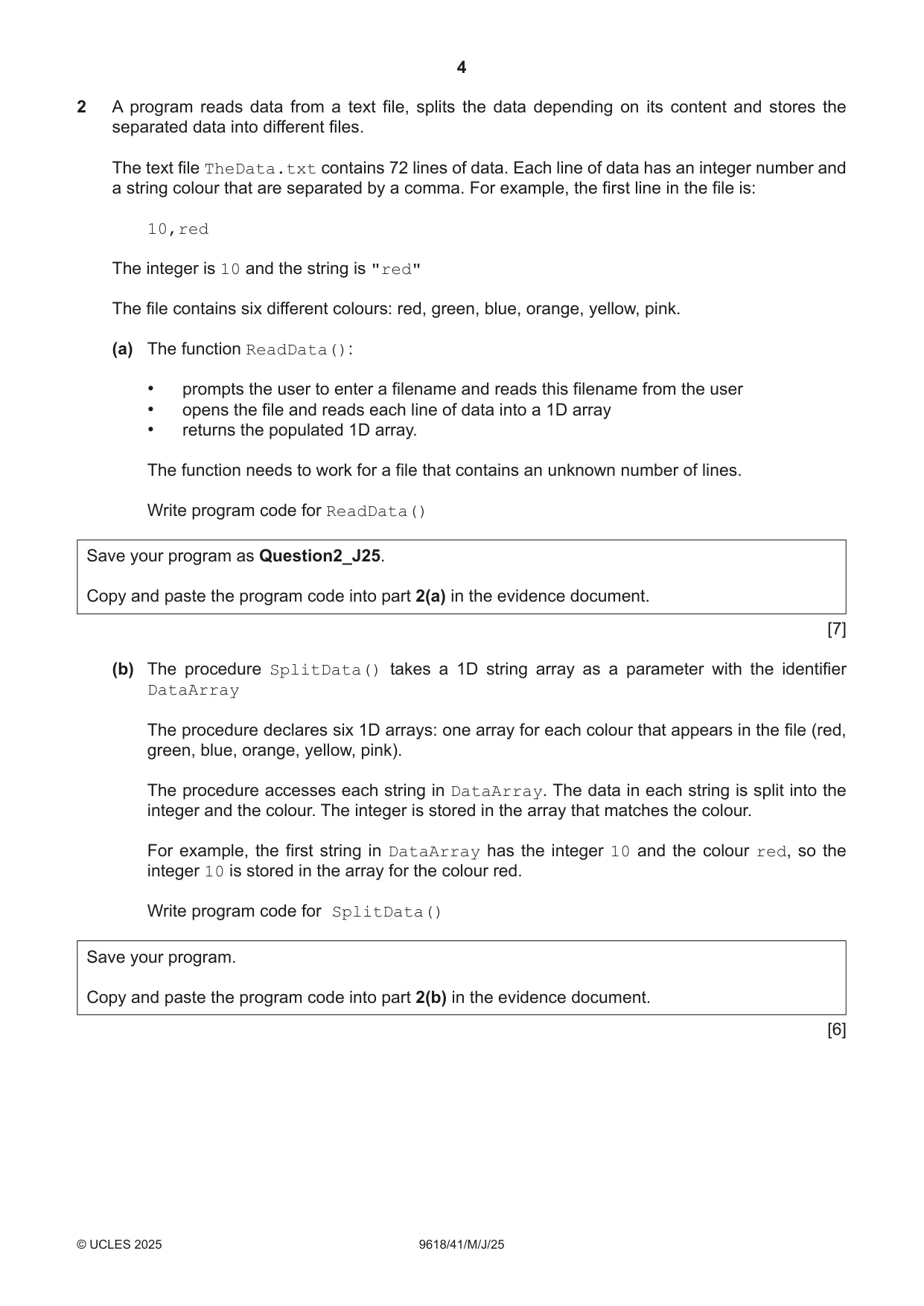
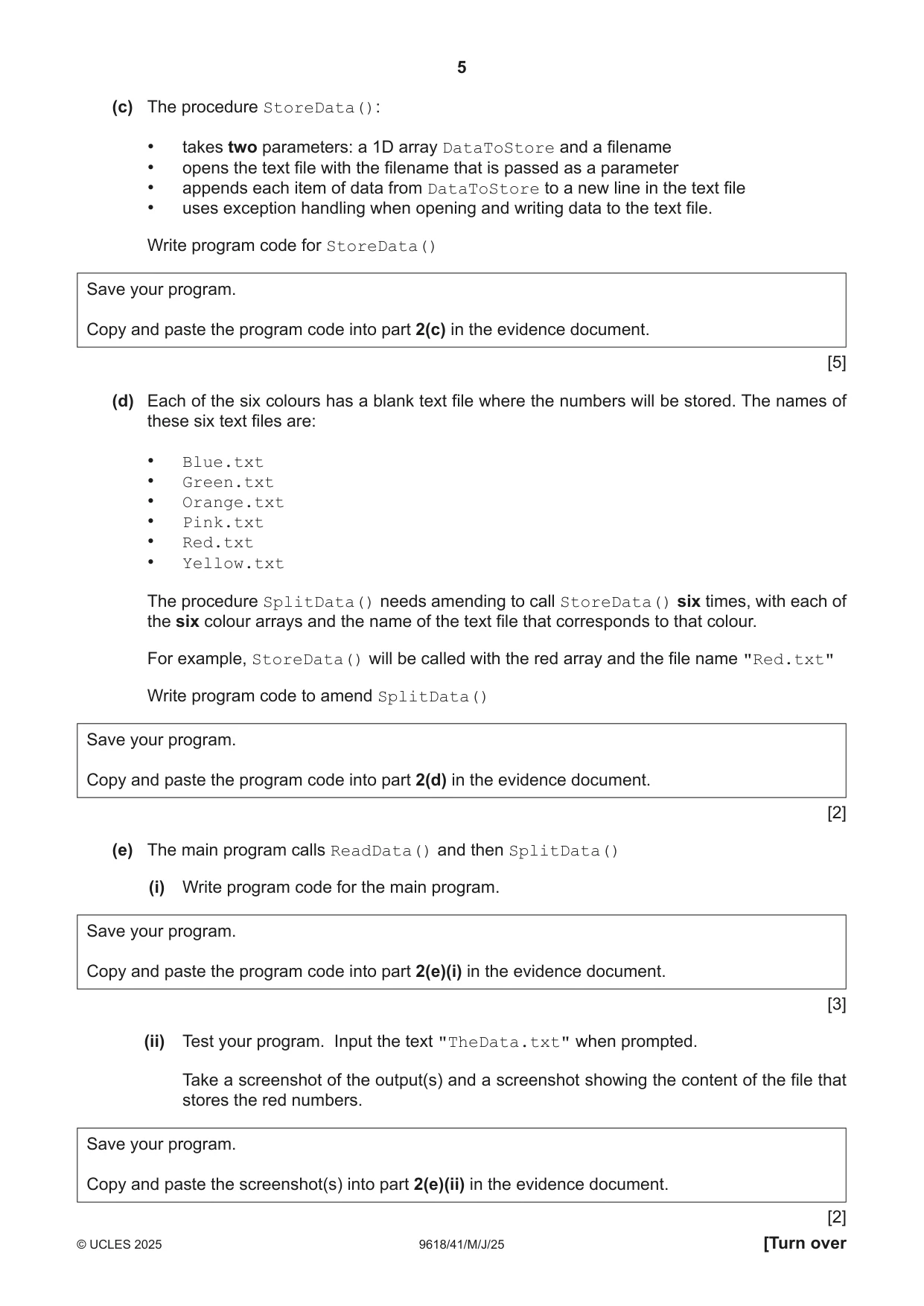
2 A program reads data from a text file, splits the data depending on its content and stores the separated data into different files. The text file TheData.txt contains 72 lines of data. Each line of data has an integer number and a string colour that are separated by a comma. For example, the first line in the file is: 10,red The integer is 10 and the string is "red" The file contains six different colours: red, green, blue, orange, yellow, pink. (a) The function ReadData(): • prompts the user to enter a filename and reads this filename from the user • opens the file and reads each line of data into a 1D array • returns the populated 1D array. The function needs to work for a file that contains an unknown number of lines. Write program code for ReadData() Save your program as Question2_J25. Copy and paste the program code into part 2(a) in the evidence document. [7] (b) The procedure SplitData() takes a 1D string array as a parameter with the identifier DataArray The procedure declares six 1D arrays: one array for each colour that appears in the file (red, green, blue, orange, yellow, pink). The procedure accesses each string in DataArray. The data in each string is split into the integer and the colour. The integer is stored in the array that matches the colour. For example, the first string in DataArray has the integer 10 and the colour red, so the integer 10 is stored in the array for the colour red. Write program code for SplitData() Save your program. Copy and paste the program code into part 2(b) in the evidence document. [6] (c) The procedure StoreData(): • takes two parameters: a 1D array DataToStore and a filename • opens the text file with the filename that is passed as a parameter • appends each item of data from DataToStore to a new line in the text file • uses exception handling when opening and writing data to the text file. Write program code for StoreData() Save your program. Copy and paste the program code into part 2(c) in the evidence document. [5] (d) Each of the six colours has a blank text file where the numbers will be stored. The names of these six text files are: • Blue.txt • Green.txt • Orange.txt • Pink.txt • Red.txt • Yellow.txt The procedure SplitData() needs amending to call StoreData() six times, with each of the six colour arrays and the name of the text file that corresponds to that colour. For example, StoreData() will be called with the red array and the file name "Red.txt" Write program code to amend SplitData() Save your program. Copy and paste the program code into part 2(d) in the evidence document. [2] (e) The main program calls ReadData() and then SplitData() (i) Write program code for the main program. Save your program. Copy and paste the program code into part 2(e)(i) in the evidence document. [3] (ii) Test your program. Input the text "TheData.txt" when prompted. Take a screenshot of the output(s) and a screenshot showing the content of the file that stores the red numbers. Save your program. Copy and paste the screenshot(s) into part 2(e)(ii) in the evidence document. [2]
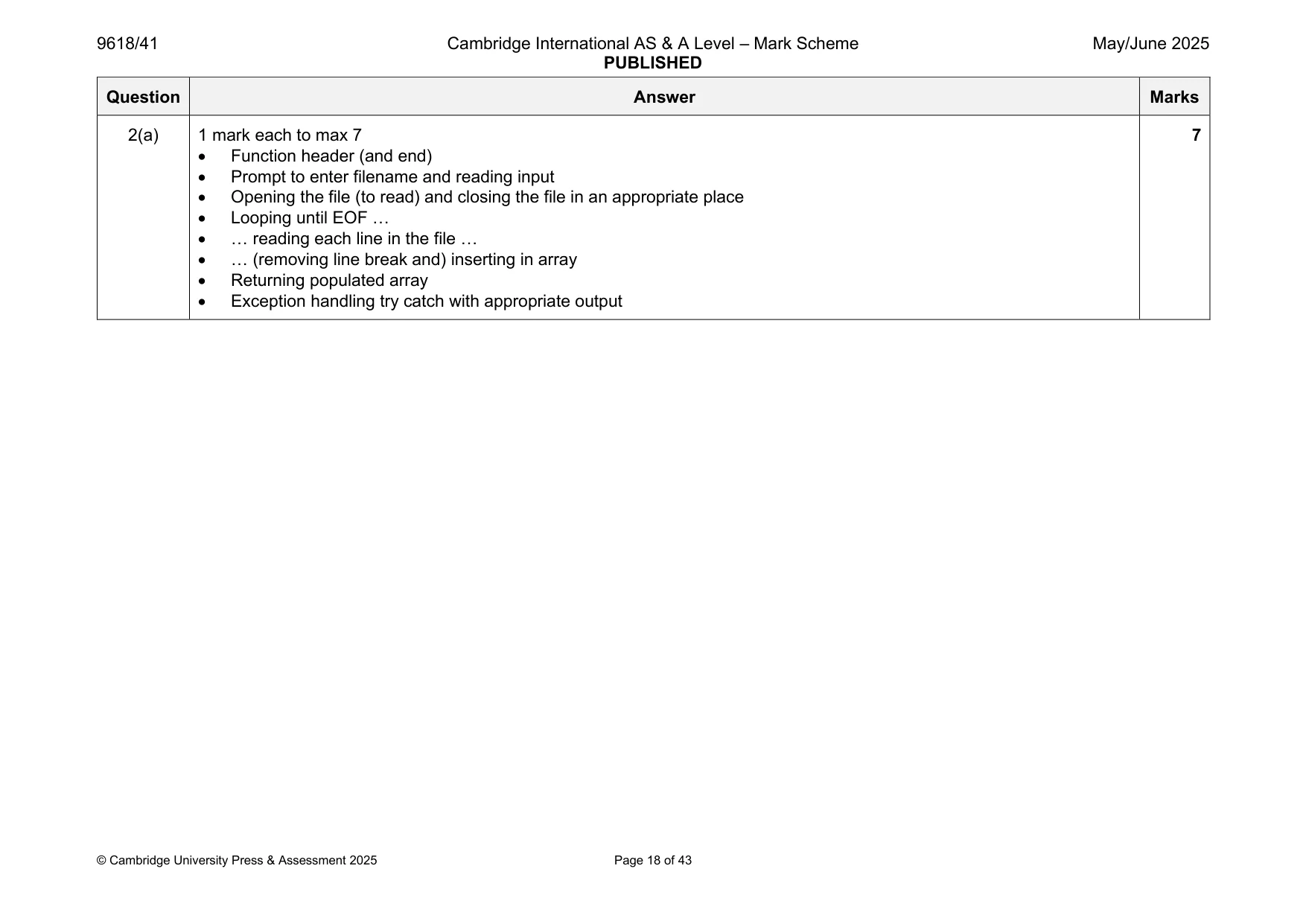
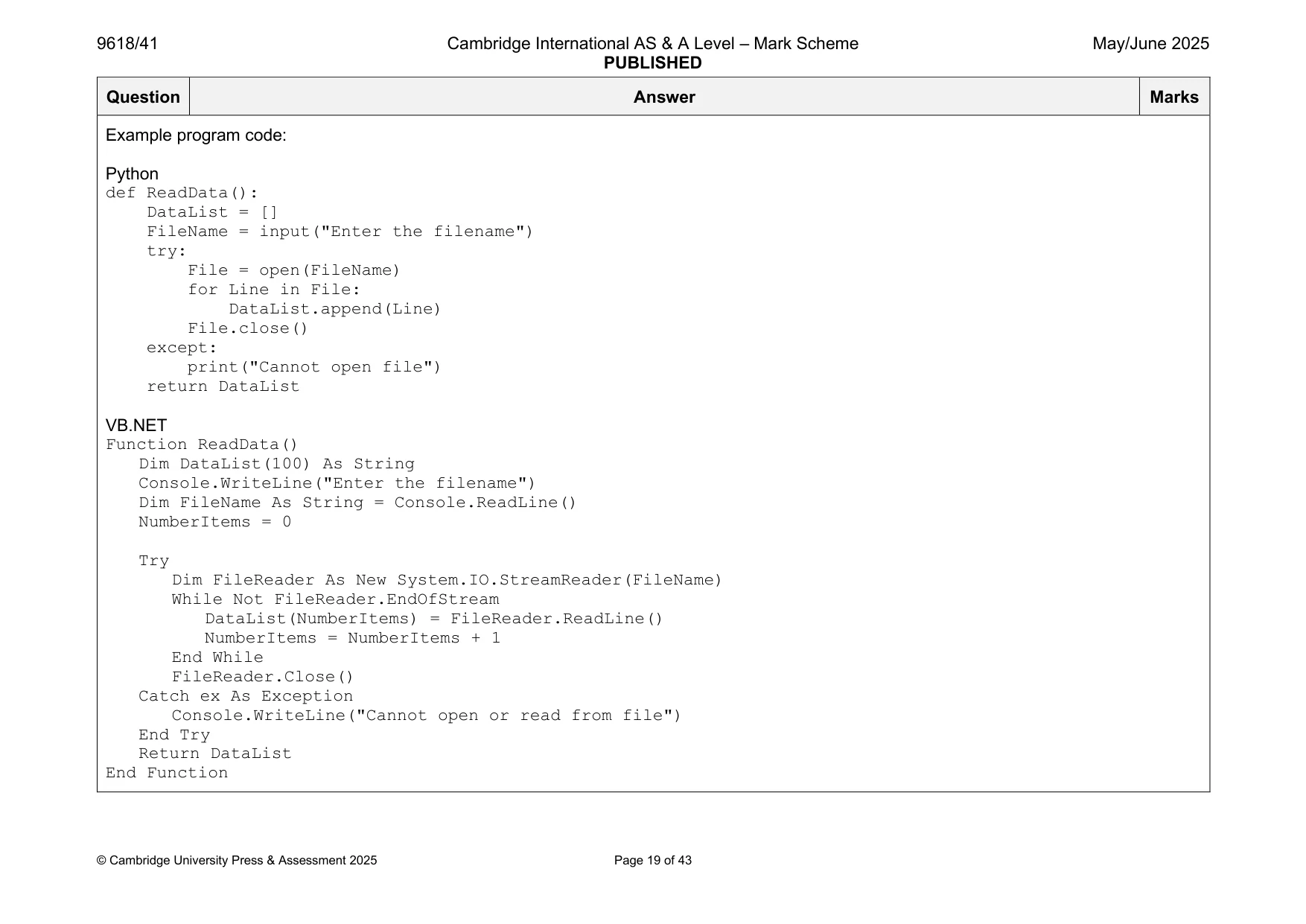
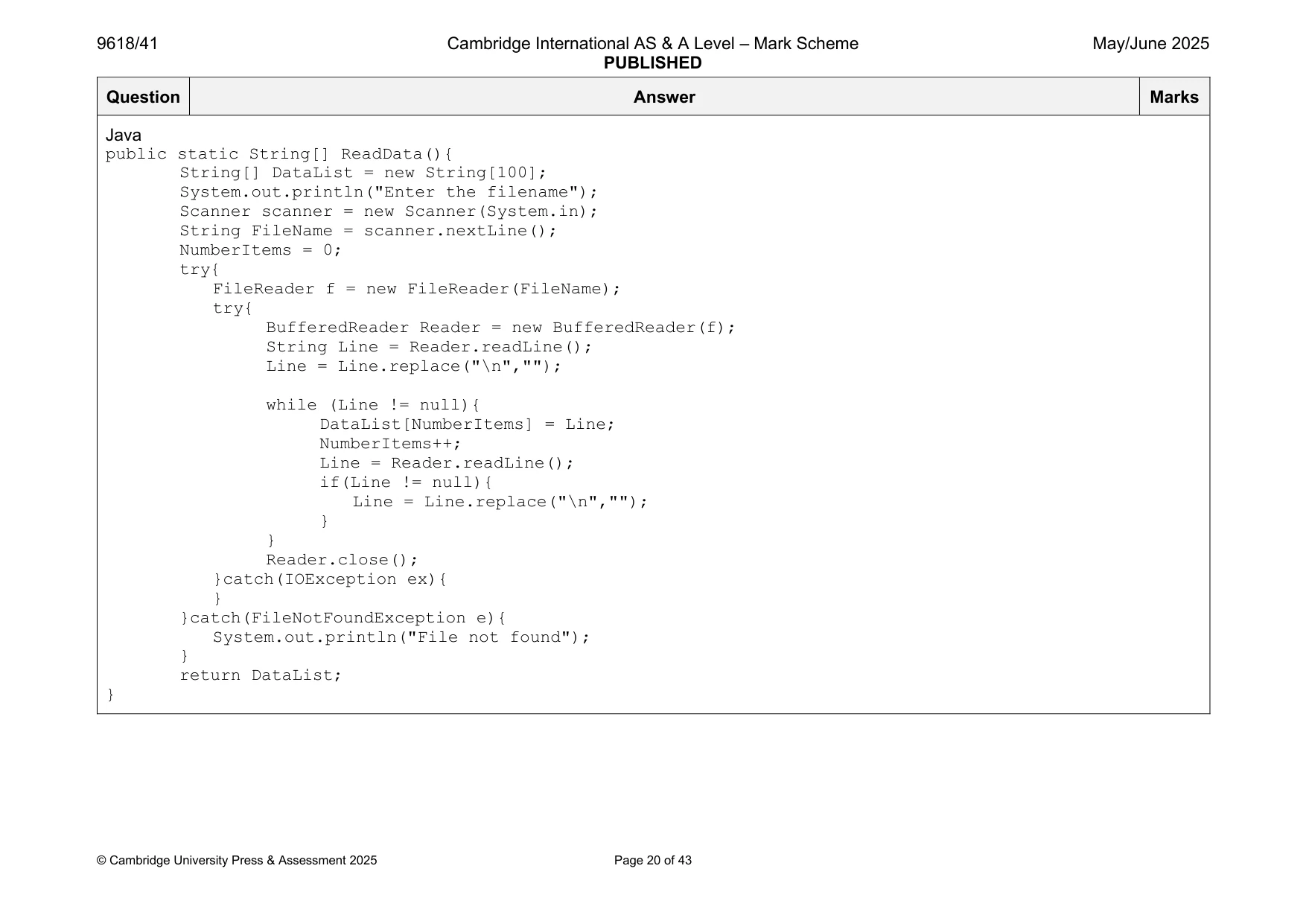
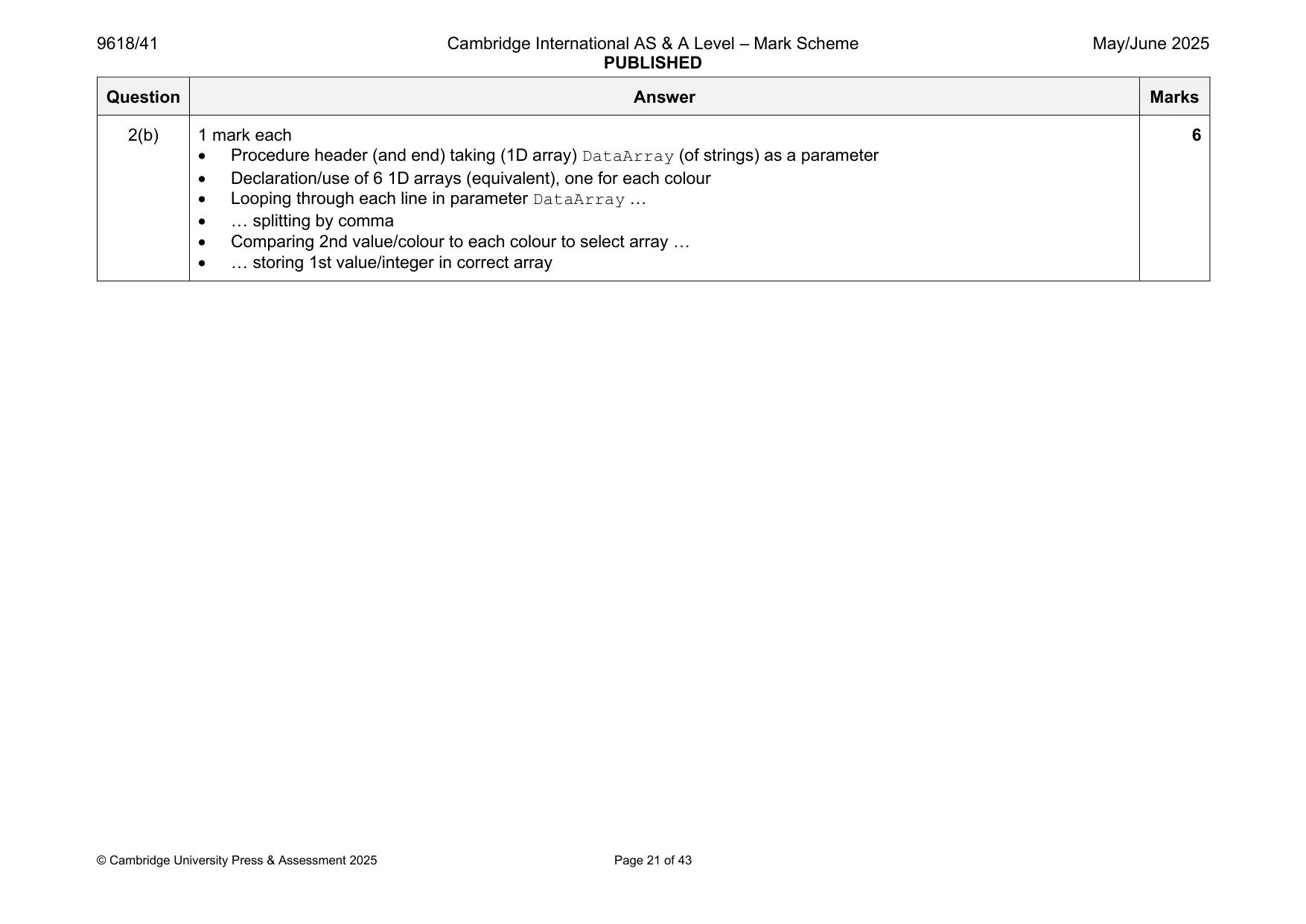
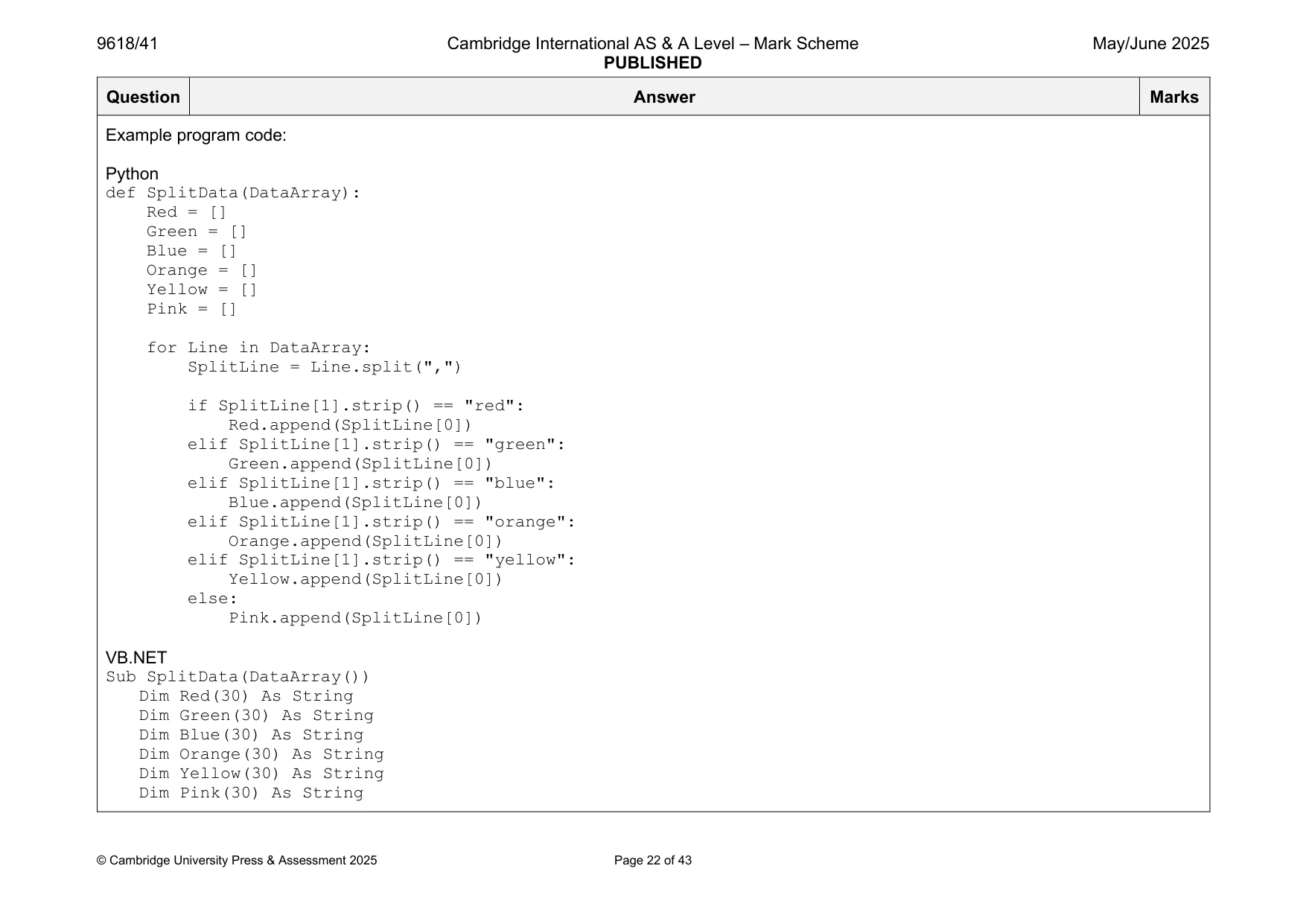
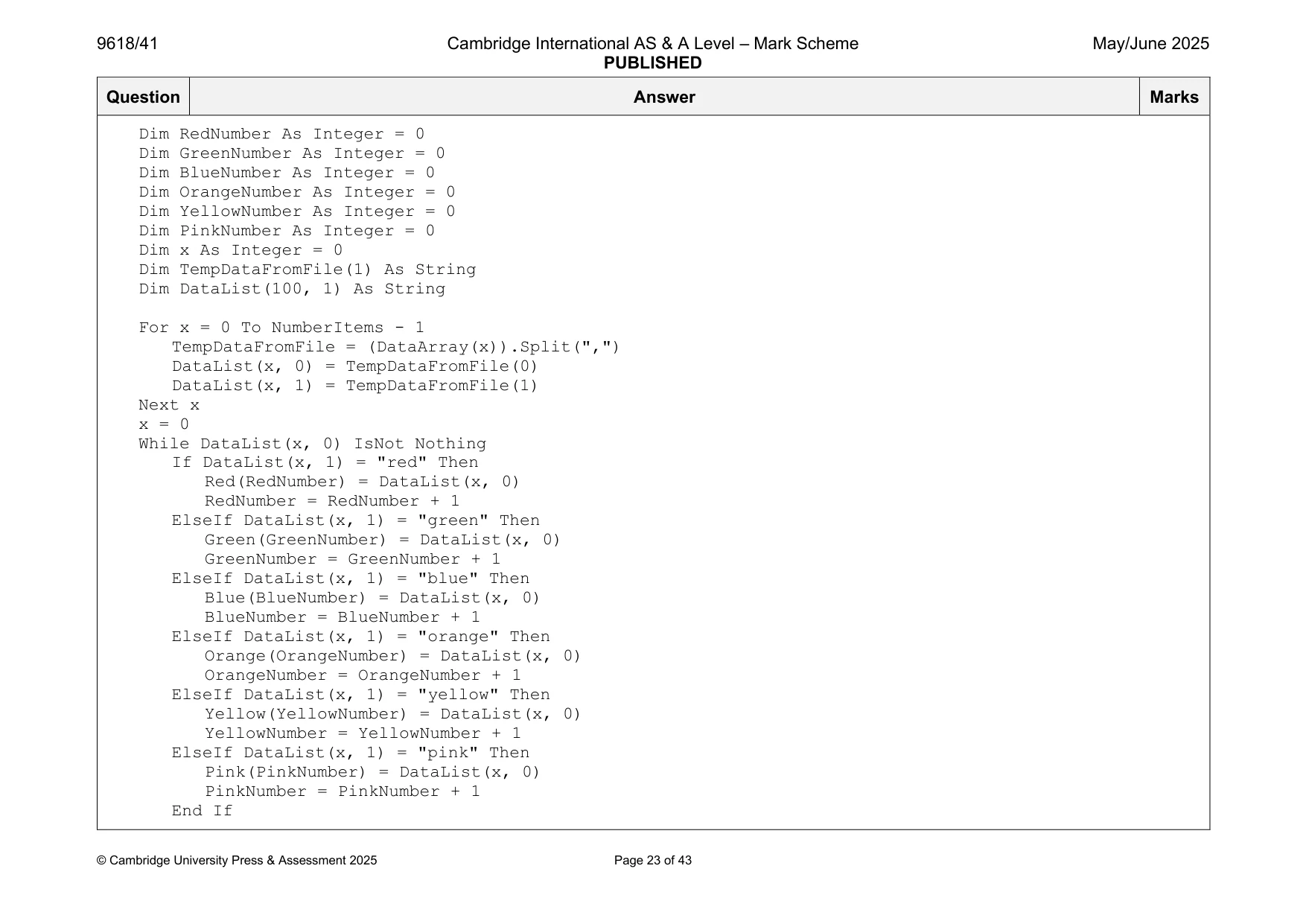
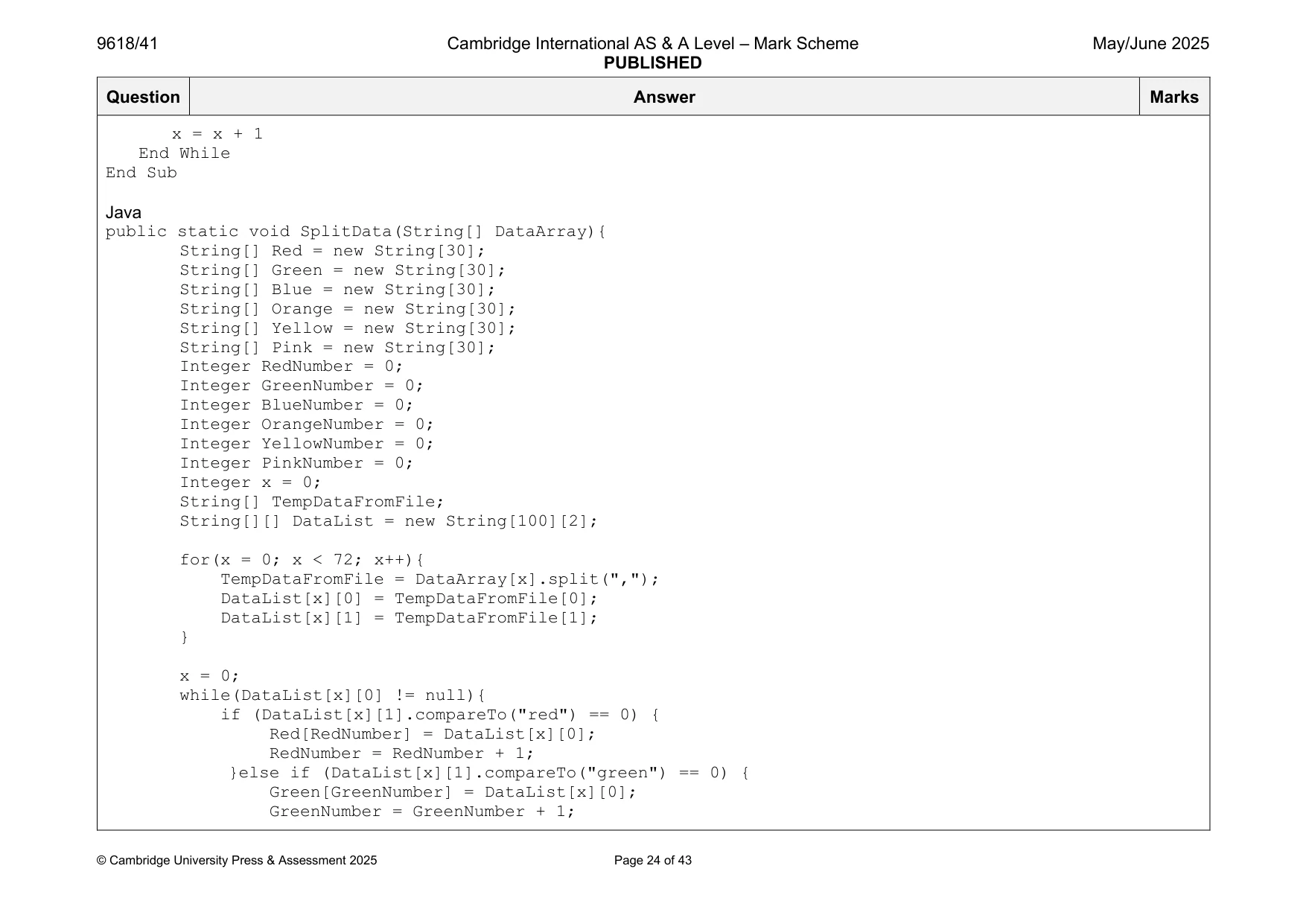
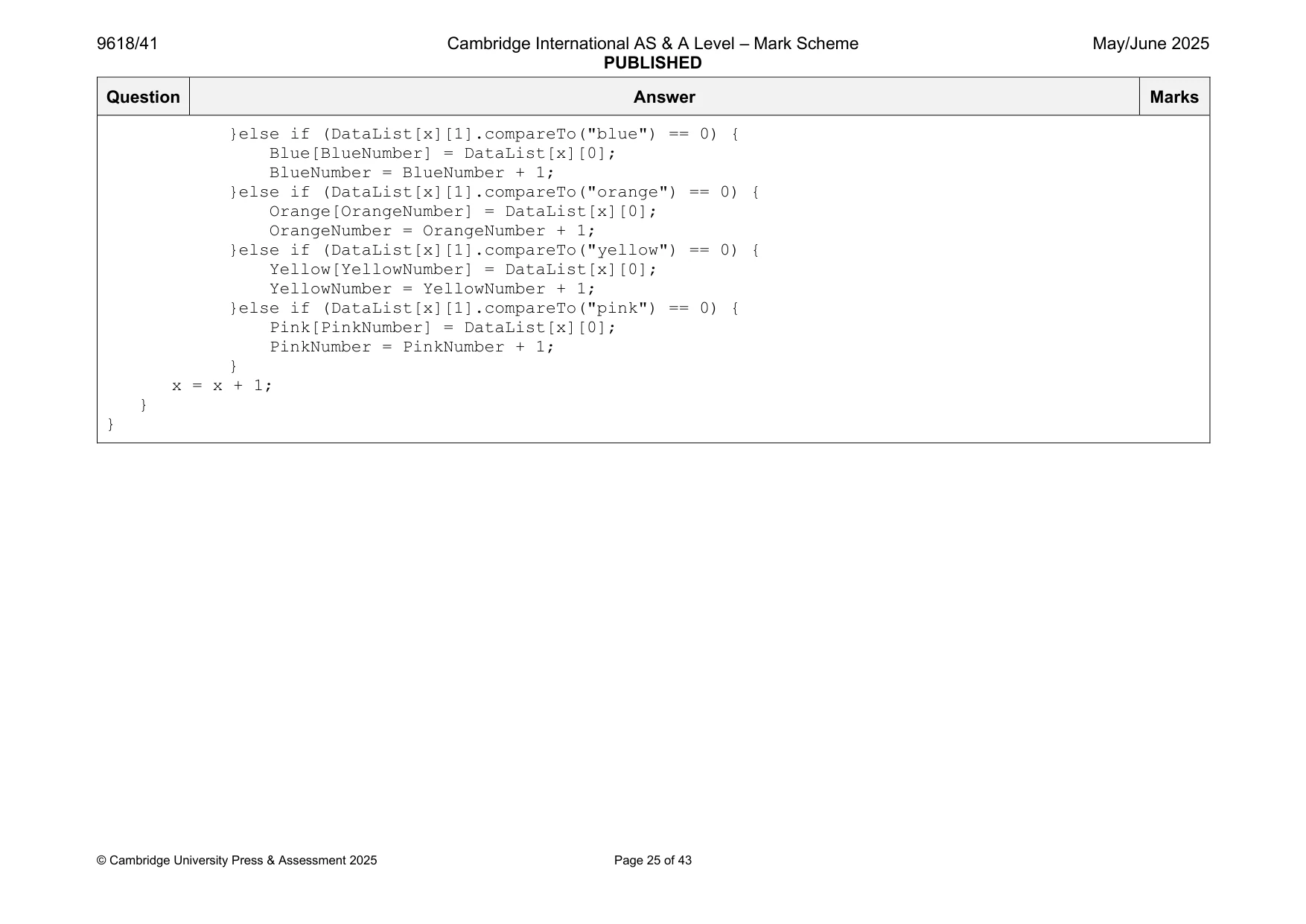
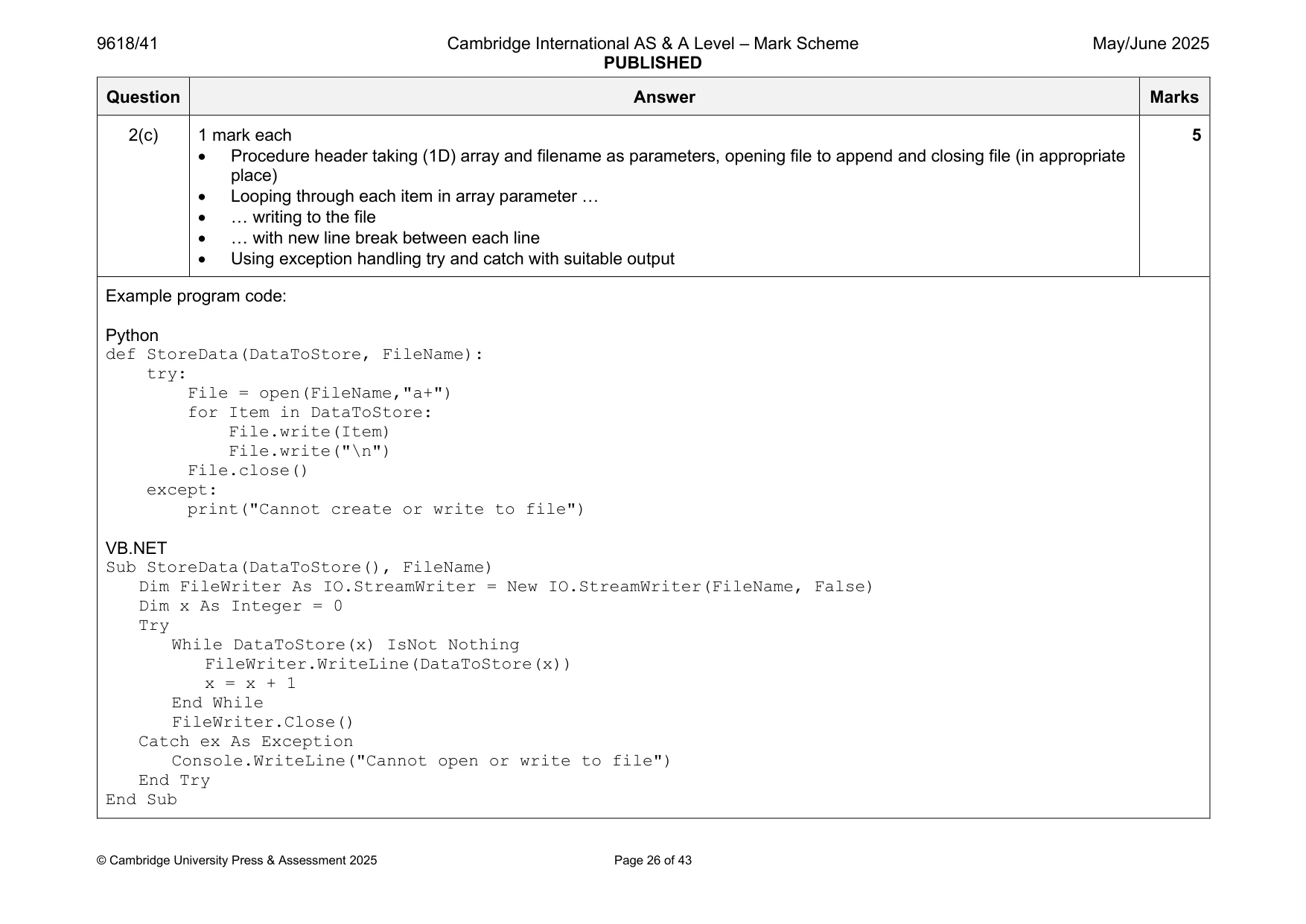
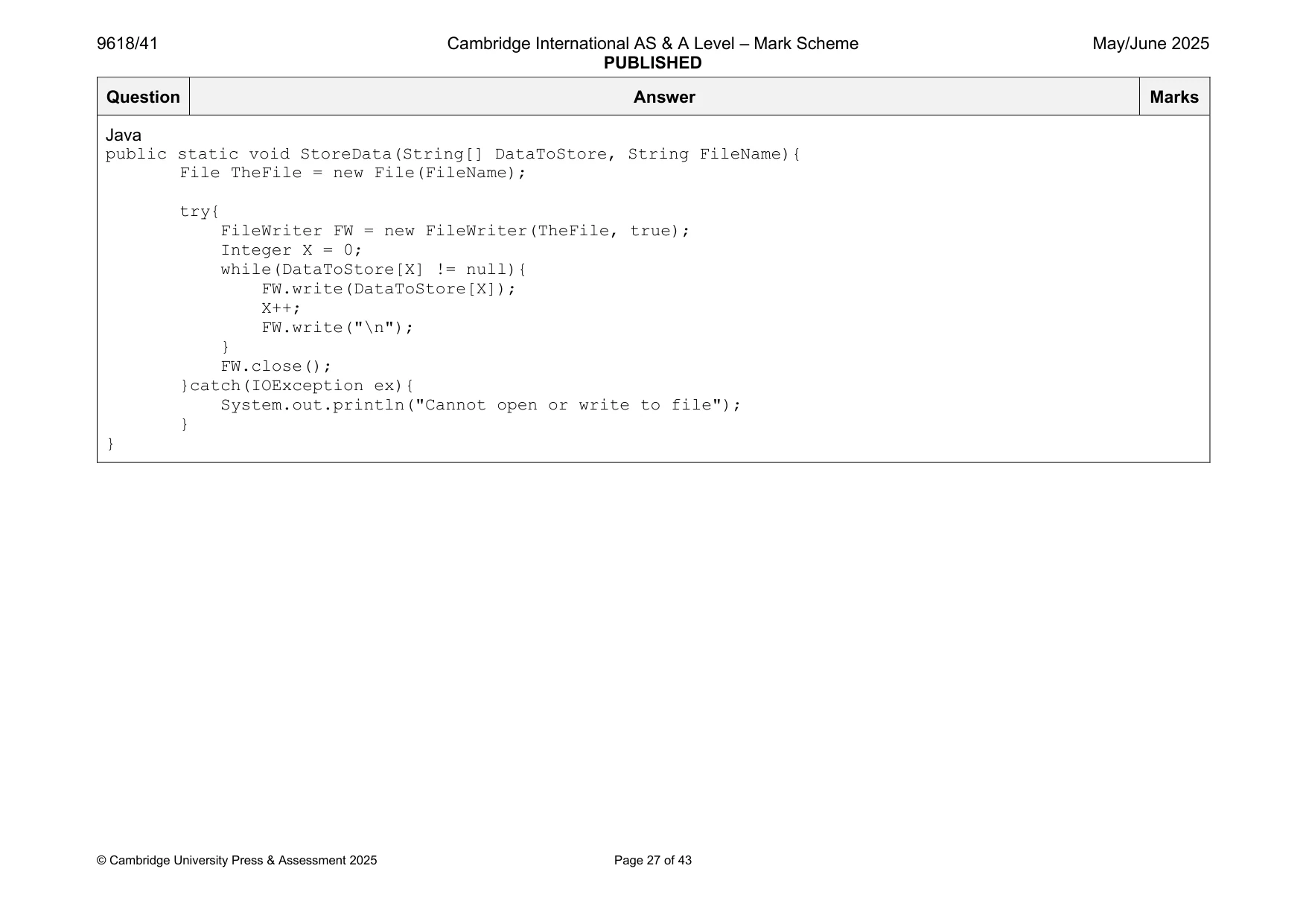
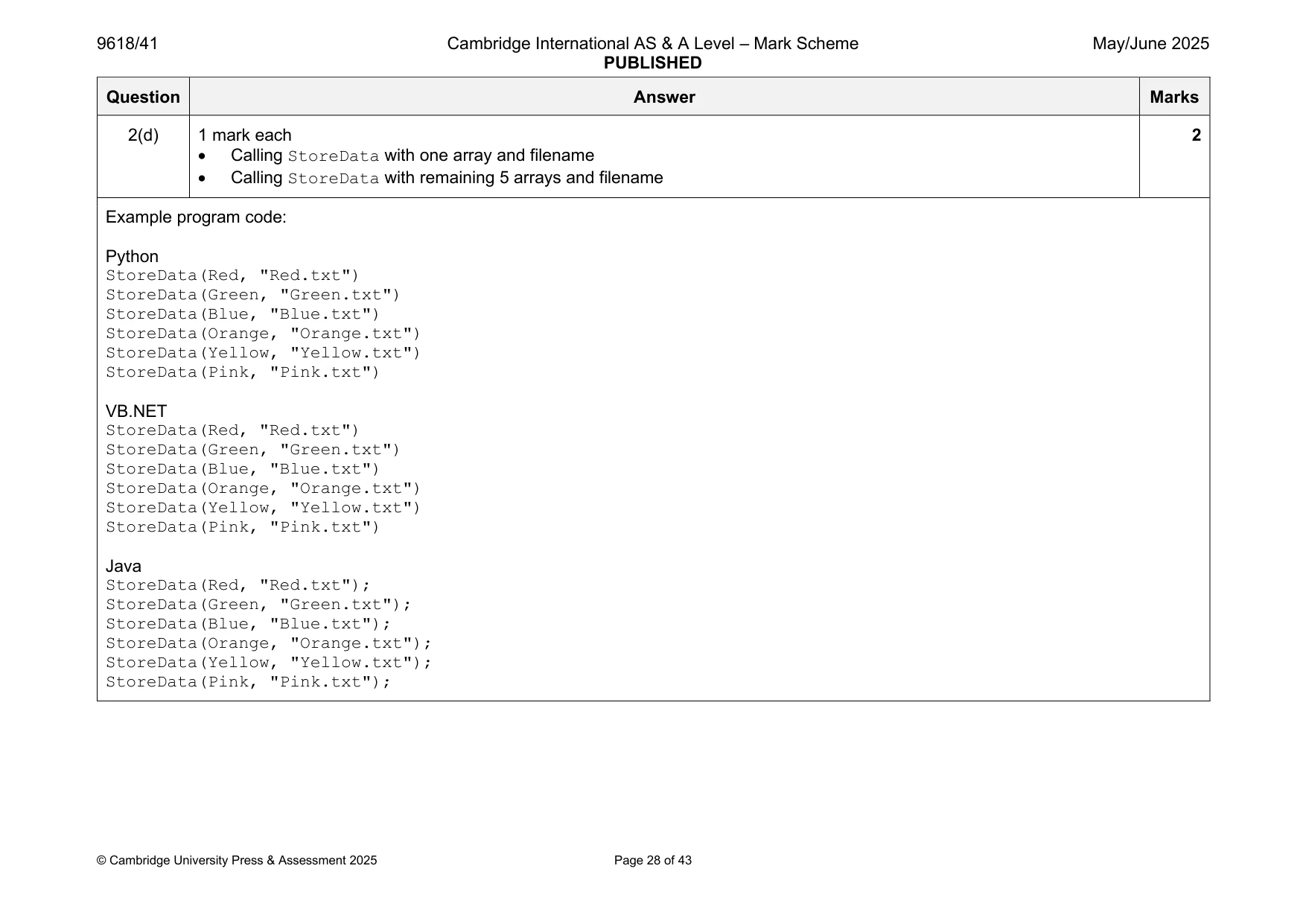
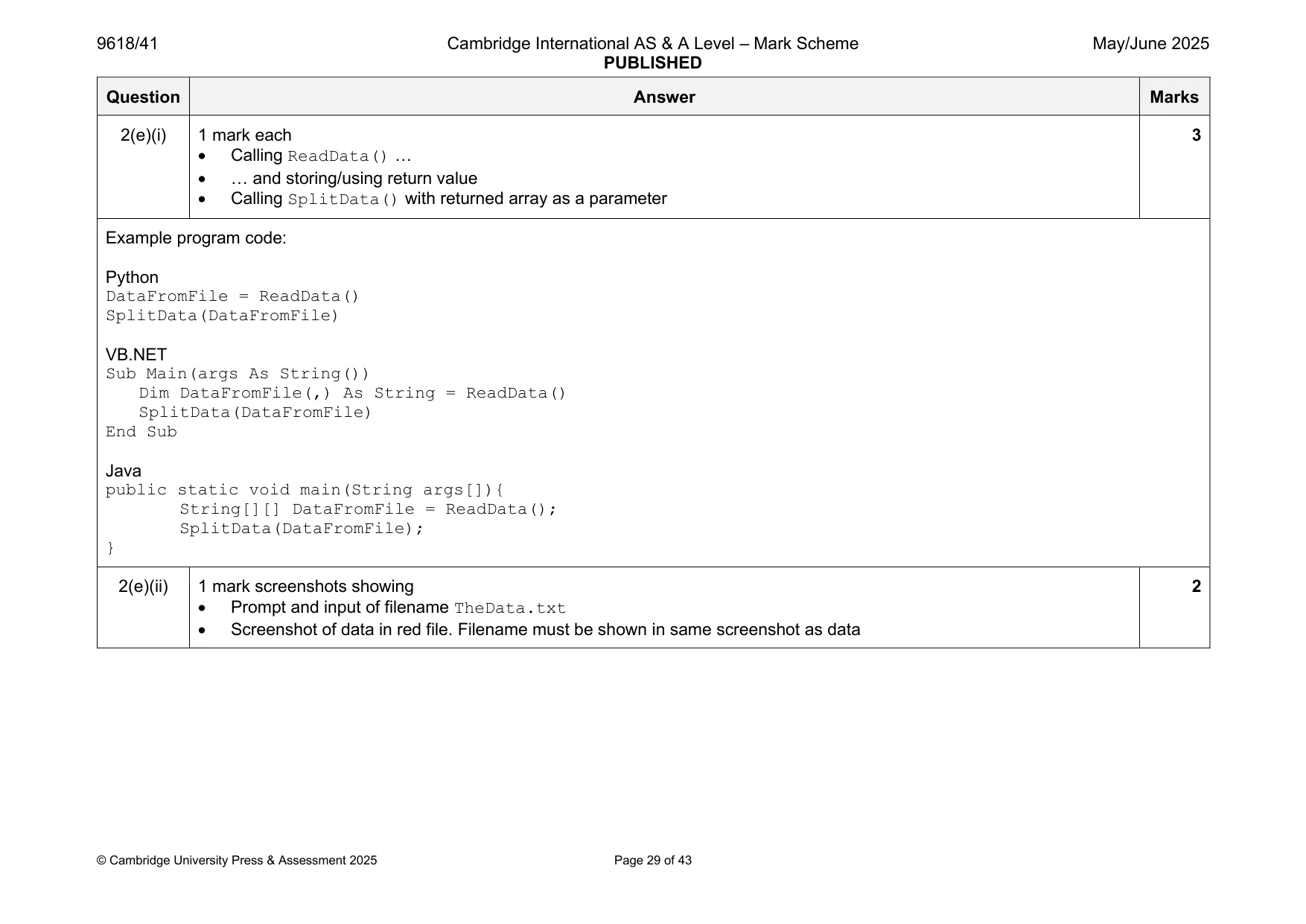
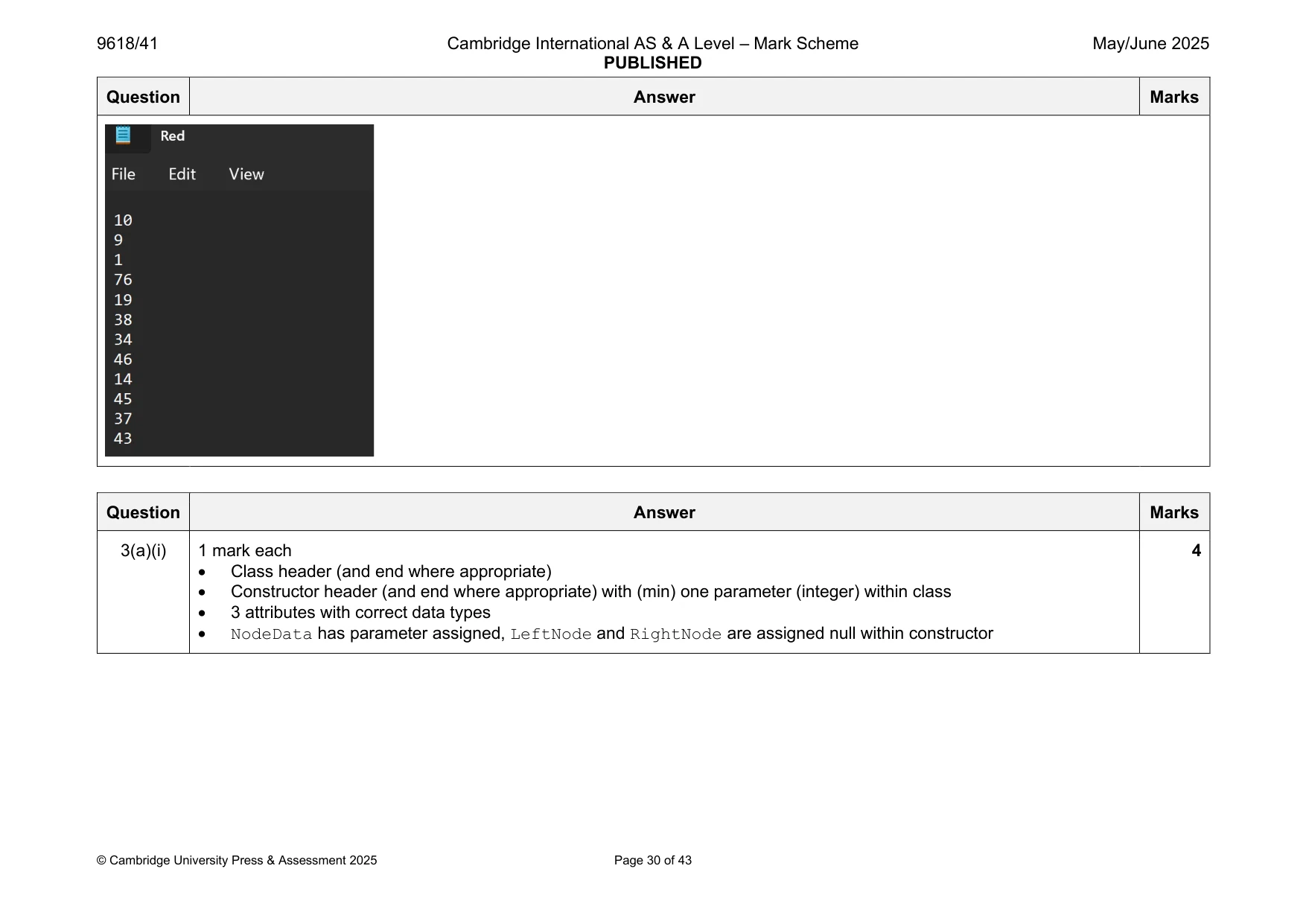
Mark scheme: 2(a) 1 mark each to max 7 7 • Function header (and end) • Prompt to enter filename and reading input • Opening the file (to read) and closing the file in an appropriate place • Looping until EOF … • … reading each line in the file … • … (removing line break and) inserting in array • Returning populated array • Exception handling try catch with appropriate output Example program code: Python def ReadData(): DataList = [] FileName = input("Enter the filename") try: File = open(FileName) for Line in File: DataList.append(Line) File.close() except: print("Cannot open file") return DataList VB.NET Function ReadData() Dim DataList(100) As String Console.WriteLine("Enter the filename") Dim FileName As String = Console.ReadLine() NumberItems = 0 Try Dim FileReader As New System.IO.StreamReader(FileName) While Not FileReader.EndOfStream DataList(NumberItems) = FileReader.ReadLine() NumberItems = NumberItems + 1 End While FileReader.Close() Catch ex As Exception Console.WriteLine("Cannot open or read from file") End Try Return DataList End Function Java public static String[] ReadData(){ String[] DataList = new String[100]; System.out.println("Enter the filename"); Scanner scanner = new Scanner(System.in); String FileName = scanner.nextLine(); NumberItems = 0; try{ FileReader f = new FileReader(FileName); try{ BufferedReader Reader = new BufferedReader(f); String Line = Reader.readLine(); Line = Line.replace("\n",""); while (Line != null){ DataList[NumberItems] = Line; NumberItems++; Line = Reader.readLine(); if(Line != null){ Line = Line.replace("\n",""); } } Reader.close(); }catch(IOException ex){ } }catch(FileNotFoundException e){ System.out.println("File not found"); } return DataList; } 2(b) 1 mark each 6 • Procedure header (and end) taking (1D array) DataArray (of strings) as a parameter • Declaration/use of 6 1D arrays (equivalent), one for each colour • Looping through each line in parameter DataArray … • … splitting by comma • Comparing 2nd value/colour to each colour to select array … • … storing 1st value/integer in correct array Example program code: Python def SplitData(DataArray): Red = [] Green = [] Blue = [] Orange = [] Yellow = [] Pink = [] for Line in DataArray: SplitLine = Line.split(",") if SplitLine[1].strip() == "red": Red.append(SplitLine[0]) elif SplitLine[1].strip() == "green": Green.append(SplitLine[0]) elif SplitLine[1].strip() == "blue": Blue.append(SplitLine[0]) elif SplitLine[1].strip() == "orange": Orange.append(SplitLine[0]) elif SplitLine[1].strip() == "yellow": Yellow.append(SplitLine[0]) else: Pink.append(SplitLine[0]) VB.NET Sub SplitData(DataArray()) Dim Red(30) As String Dim Green(30) As String Dim Blue(30) As String Dim Orange(30) As String Dim Yellow(30) As String Dim Pink(30) As String Dim RedNumber As Integer = 0 Dim GreenNumber As Integer = 0 Dim BlueNumber As Integer = 0 Dim OrangeNumber As Integer = 0 Dim YellowNumber As Integer = 0 Dim PinkNumber As Integer = 0 Dim x As Integer = 0 Dim TempDataFromFile(1) As String Dim DataList(100, 1) As String For x = 0 To NumberItems - 1 TempDataFromFile = (DataArray(x)).Split(",") DataList(x, 0) = TempDataFromFile(0) DataList(x, 1) = TempDataFromFile(1) Next x x = 0 While DataList(x, 0) IsNot Nothing If DataList(x, 1) = "red" Then Red(RedNumber) = DataList(x, 0) RedNumber = RedNumber + 1 ElseIf DataList(x, 1) = "green" Then Green(GreenNumber) = DataList(x, 0) GreenNumber = GreenNumber + 1 ElseIf DataList(x, 1) = "blue" Then Blue(BlueNumber) = DataList(x, 0) BlueNumber = BlueNumber + 1 ElseIf DataList(x, 1) = "orange" Then Orange(OrangeNumber) = DataList(x, 0) OrangeNumber = OrangeNumber + 1 ElseIf DataList(x, 1) = "yellow" Then Yellow(YellowNumber) = DataList(x, 0) YellowNumber = YellowNumber + 1 ElseIf DataList(x, 1) = "pink" Then Pink(PinkNumber) = DataList(x, 0) PinkNumber = PinkNumber + 1 End If x = x + 1 End While End Sub Java public static void SplitData(String[] DataArray){ String[] Red = new String[30]; String[] Green = new String[30]; String[] Blue = new String[30]; String[] Orange = new String[30]; String[] Yellow = new String[30]; String[] Pink = new String[30]; Integer RedNumber = 0; Integer GreenNumber = 0; Integer BlueNumber = 0; Integer OrangeNumber = 0; Integer YellowNumber = 0; Integer PinkNumber = 0; Integer x = 0; String[] TempDataFromFile; String[][] DataList = new String[100][2]; for(x = 0; x < 72; x++){ TempDataFromFile = DataArray[x].split(","); DataList[x][0] = TempDataFromFile[0]; DataList[x][1] = TempDataFromFile[1]; } x = 0; while(DataList[x][0] != null){ if (DataList[x][1].compareTo("red") == 0) { Red[RedNumber] = DataList[x][0]; RedNumber = RedNumber + 1; }else if (DataList[x][1].compareTo("green") == 0) { Green[GreenNumber] = DataList[x][0]; GreenNumber = GreenNumber + 1; }else if (DataList[x][1].compareTo("blue") == 0) { Blue[BlueNumber] = DataList[x][0]; BlueNumber = BlueNumber + 1; }else if (DataList[x][1].compareTo("orange") == 0) { Orange[OrangeNumber] = DataList[x][0]; OrangeNumber = OrangeNumber + 1; }else if (DataList[x][1].compareTo("yellow") == 0) { Yellow[YellowNumber] = DataList[x][0]; YellowNumber = YellowNumber + 1; }else if (DataList[x][1].compareTo("pink") == 0) { Pink[PinkNumber] = DataList[x][0]; PinkNumber = PinkNumber + 1; } x = x + 1; } } 2(c) 1 mark each 5 • Procedure header taking (1D) array and filename as parameters, opening file to append and closing file (in appropriate place) • Looping through each item in array parameter … • … writing to the file • … with new line break between each line • Using exception handling try and catch with suitable output Example program code: Python def StoreData(DataToStore, FileName): try: File = open(FileName,"a+") for Item in DataToStore: File.write(Item) File.write("\n") File.close() except: print("Cannot create or write to file") VB.NET Sub StoreData(DataToStore(), FileName) Dim FileWriter As IO.StreamWriter = New IO.StreamWriter(FileName, False) Dim x As Integer = 0 Try While DataToStore(x) IsNot Nothing FileWriter.WriteLine(DataToStore(x)) x = x + 1 End While FileWriter.Close() Catch ex As Exception Console.WriteLine("Cannot open or write to file") End Try End Sub Java public static void StoreData(String[] DataToStore, String FileName){ File TheFile = new File(FileName); try{ FileWriter FW = new FileWriter(TheFile, true); Integer X = 0; while(DataToStore[X] != null){ FW.write(DataToStore[X]); X++; FW.write("\n"); } FW.close(); }catch(IOException ex){ System.out.println("Cannot open or write to file"); } } 2(d) 1 mark each 2 • Calling StoreData with one array and filename • Calling StoreData with remaining 5 arrays and filename Example program code: Python StoreData(Red, "Red.txt") StoreData(Green, "Green.txt") StoreData(Blue, "Blue.txt") StoreData(Orange, "Orange.txt") StoreData(Yellow, "Yellow.txt") StoreData(Pink, "Pink.txt") VB.NET StoreData(Red, "Red.txt") StoreData(Green, "Green.txt") StoreData(Blue, "Blue.txt") StoreData(Orange, "Orange.txt") StoreData(Yellow, "Yellow.txt") StoreData(Pink, "Pink.txt") Java StoreData(Red, "Red.txt"); StoreData(Green, "Green.txt"); StoreData(Blue, "Blue.txt"); StoreData(Orange, "Orange.txt"); StoreData(Yellow, "Yellow.txt"); StoreData(Pink, "Pink.txt"); 2(e)(i) 1 mark each 3 • Calling ReadData() … • … and storing/using return value • Calling SplitData() with returned array as a parameter Example program code: Python DataFromFile = ReadData() SplitData(DataFromFile) VB.NET Sub Main(args As String()) Dim DataFromFile(,) As String = ReadData() SplitData(DataFromFile) End Sub Java public static void main(String args[]){ String[][] DataFromFile = ReadData(); SplitData(DataFromFile); } 2(e)(ii) 1 mark screenshots showing 2 • Prompt and input of filename TheData.txt • Screenshot of data in red file. Filename must be shown in same screenshot as data
Q3 · A program stores data in a binary tree that is designed using Object‑Oriented Programming…
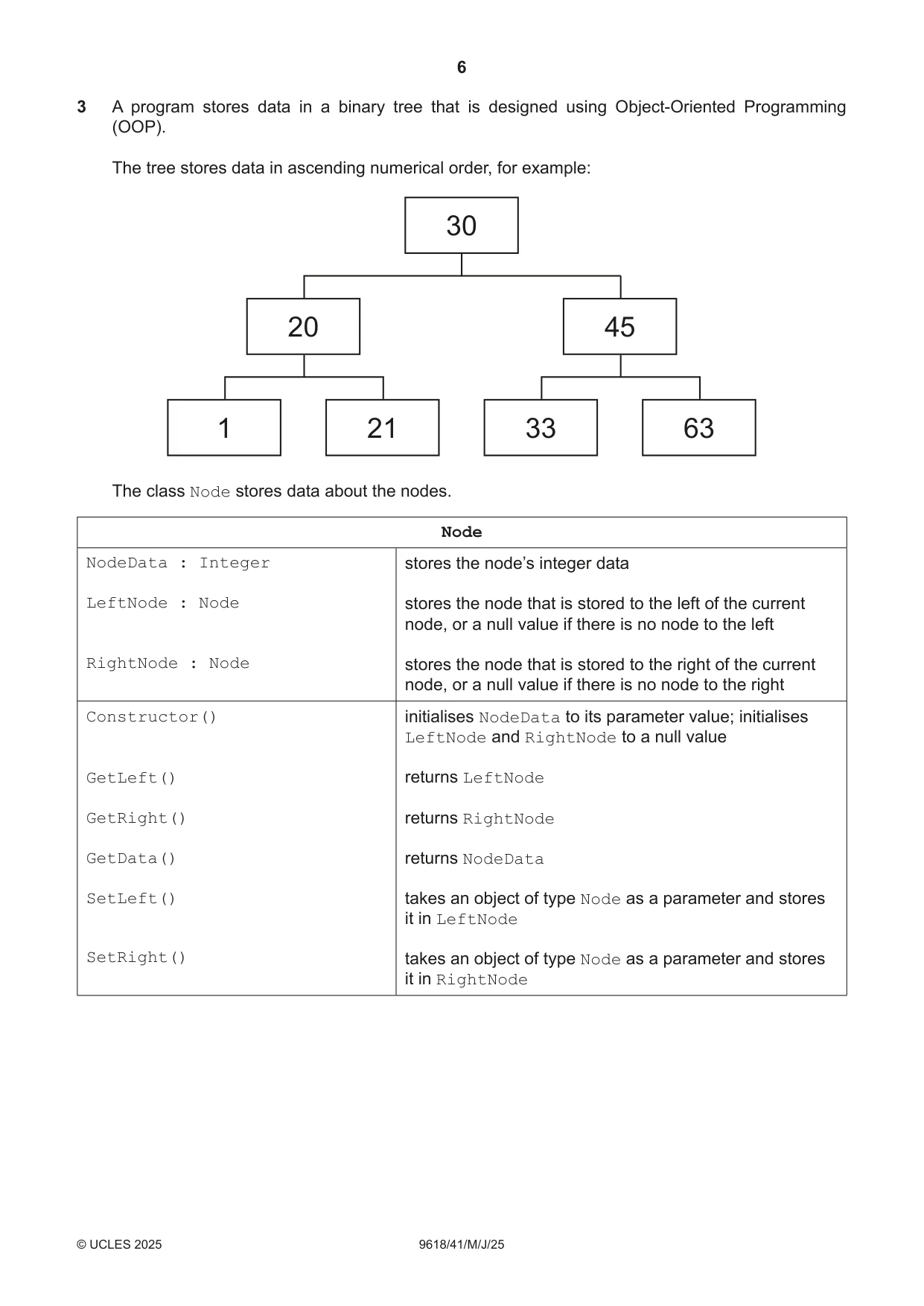
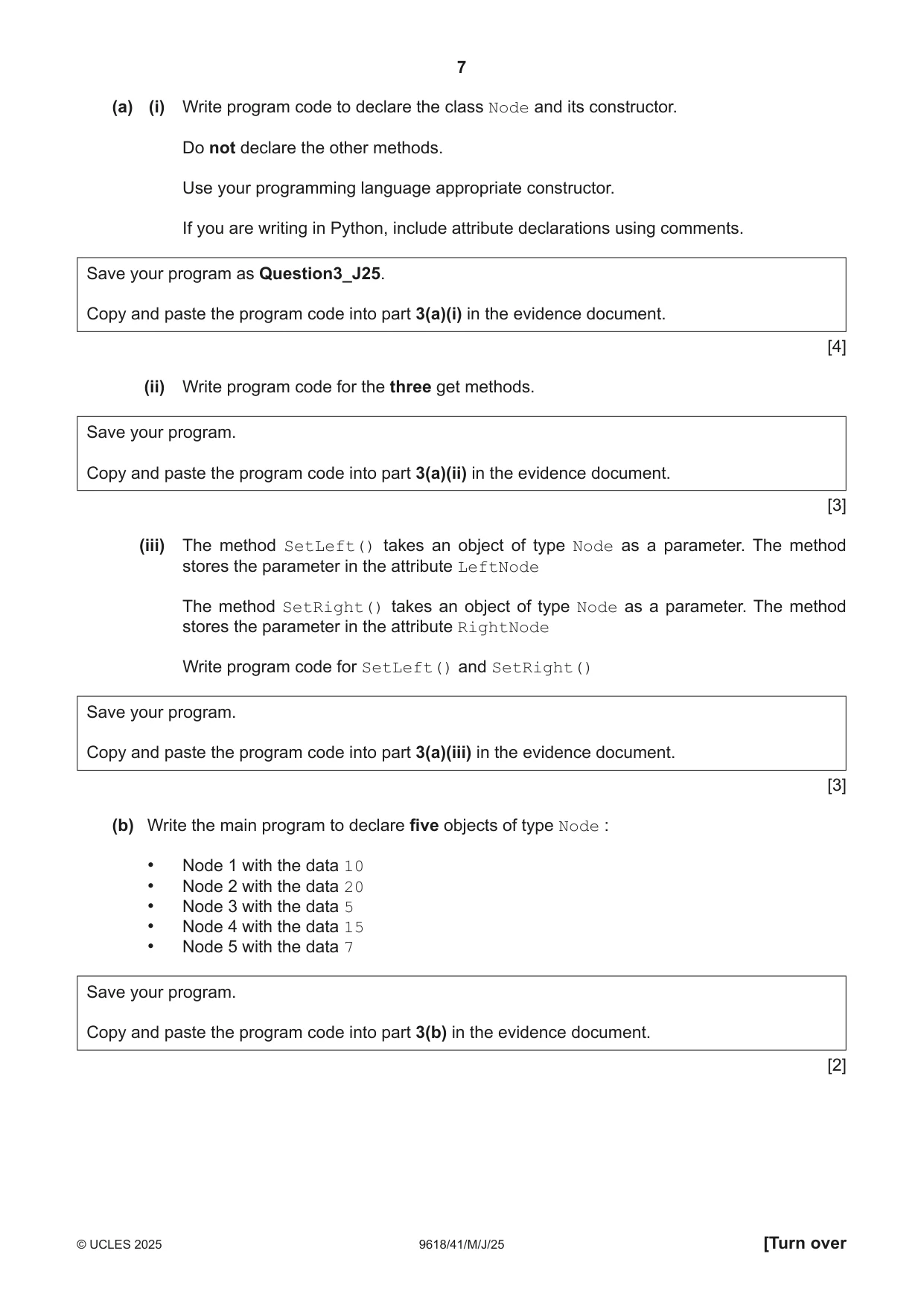
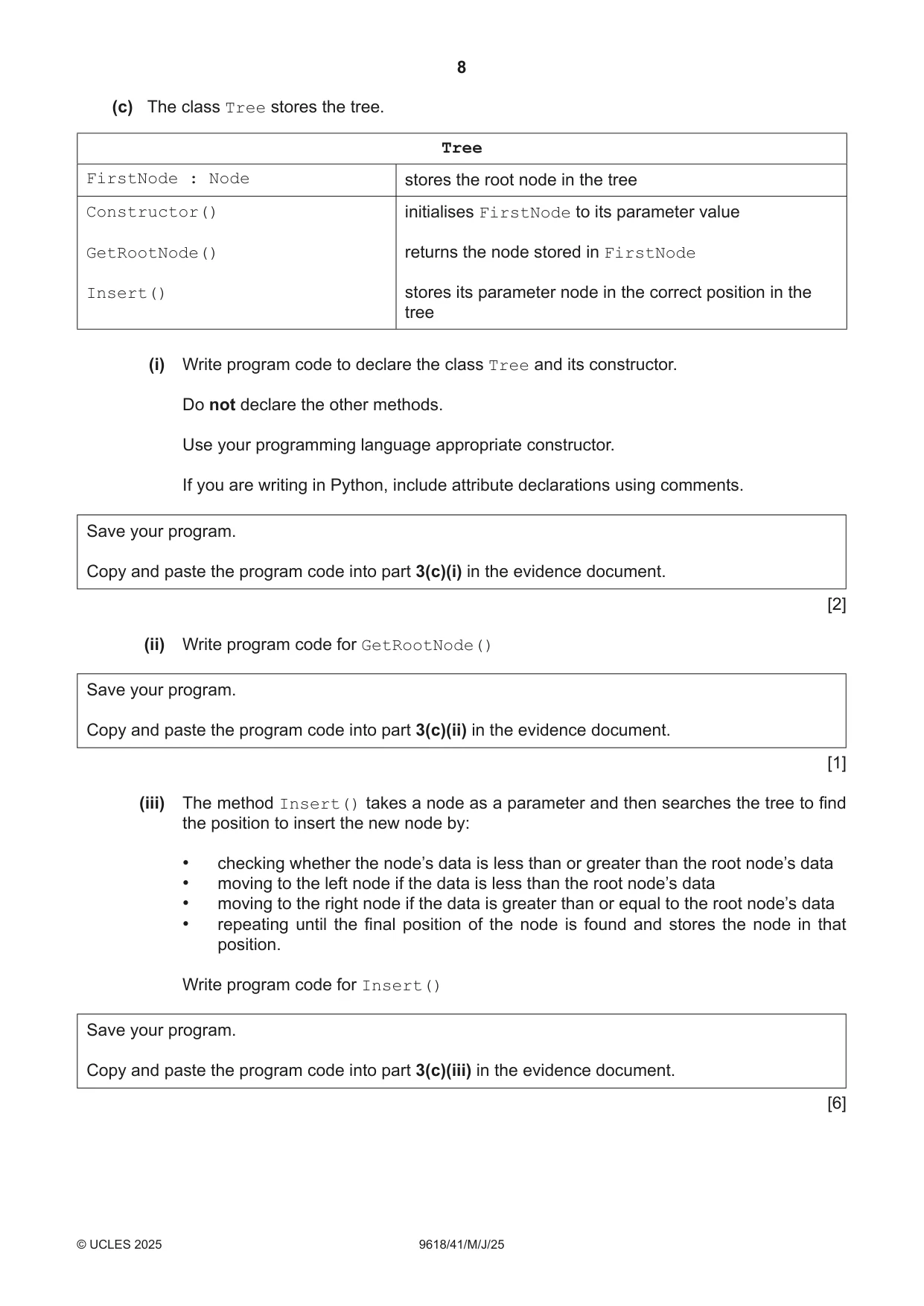
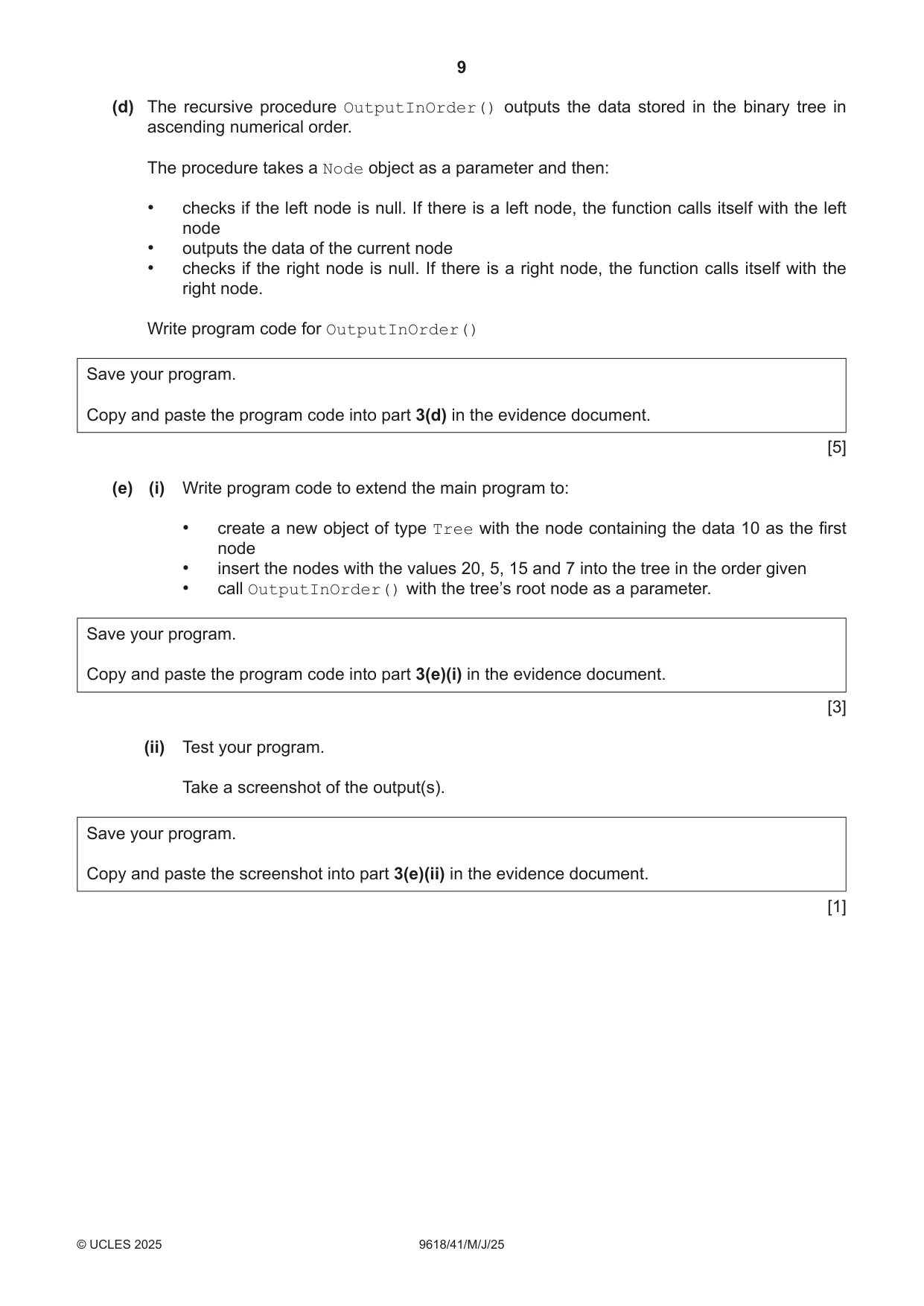
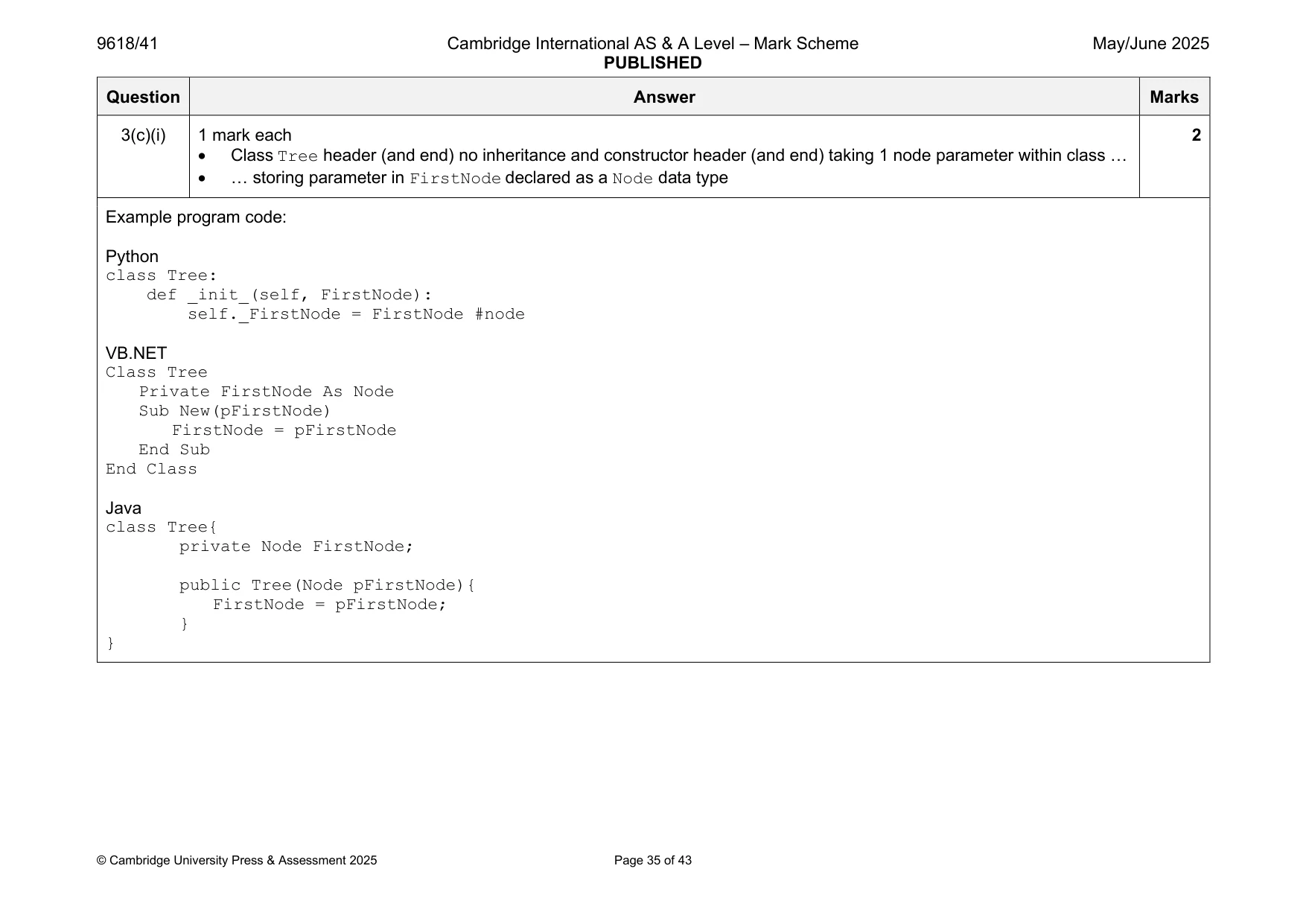
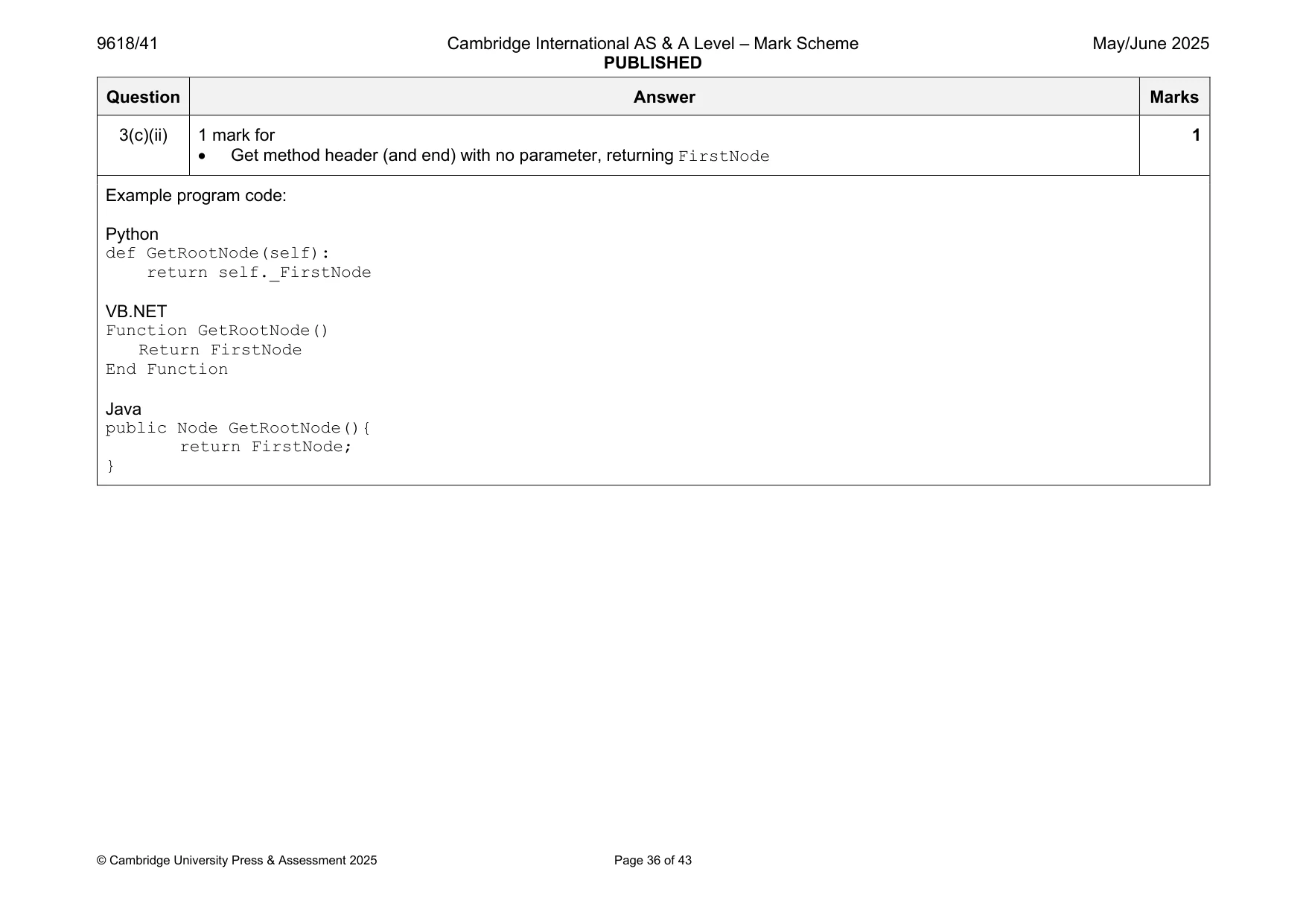
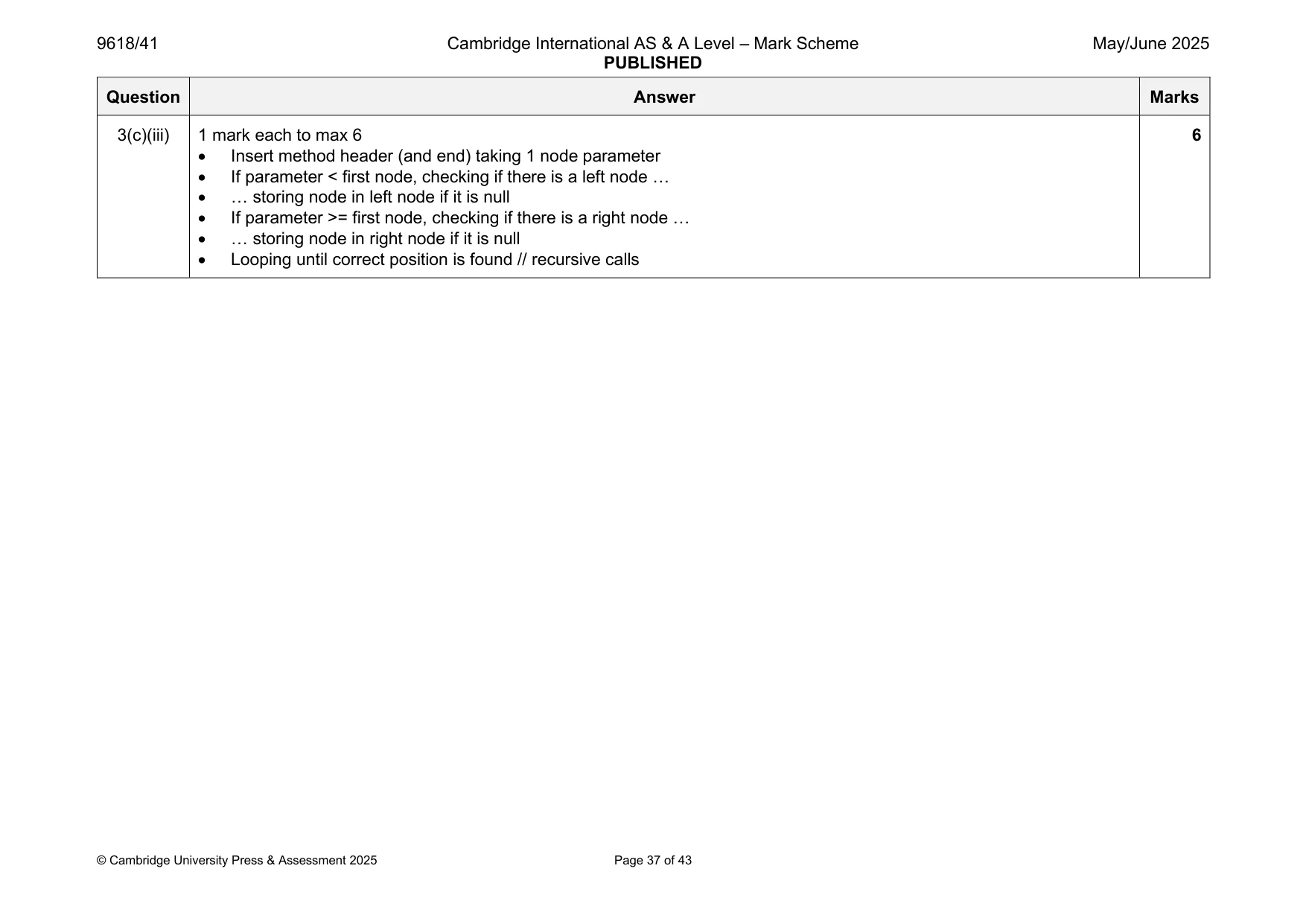
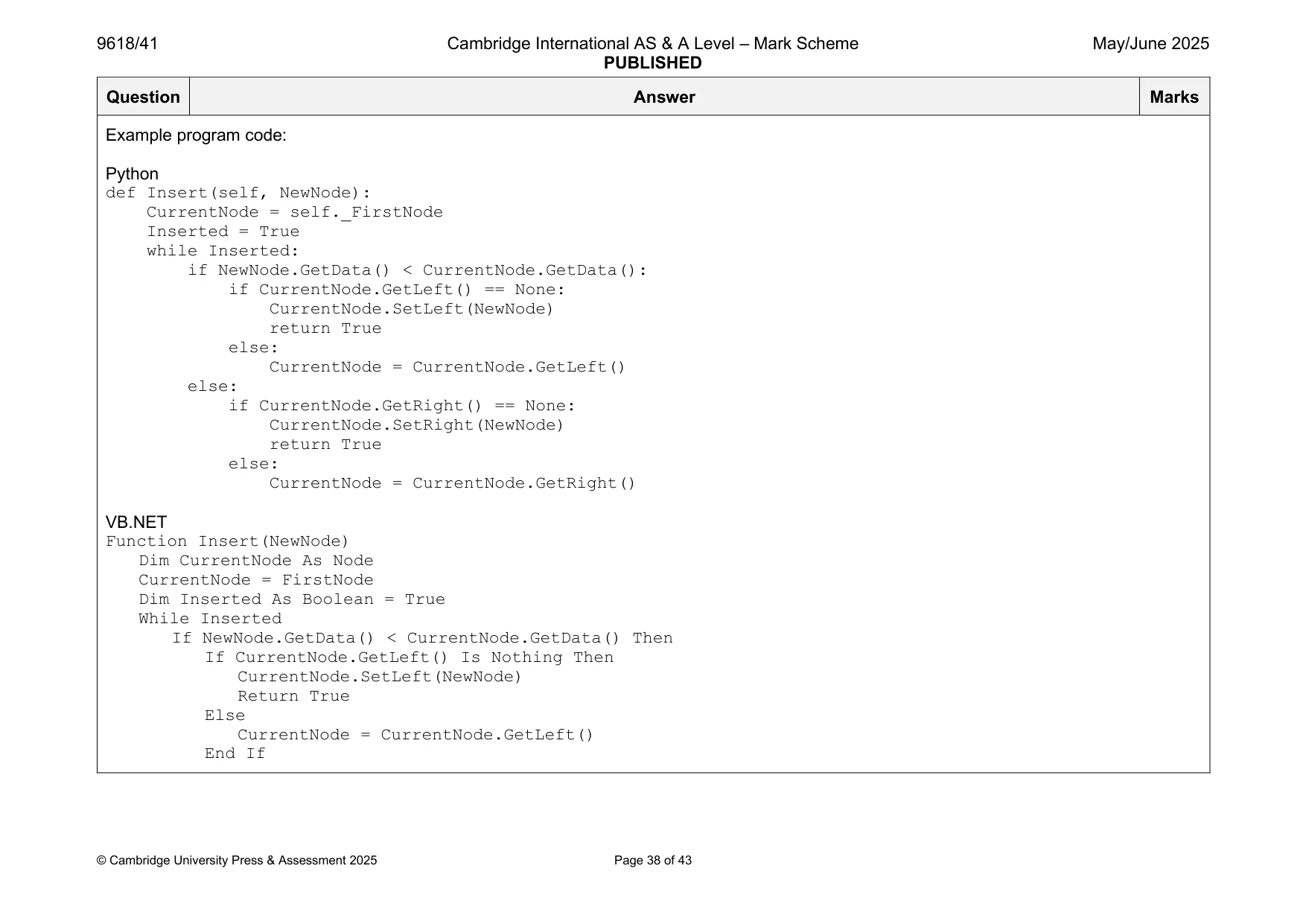
3 A program stores data in a binary tree that is designed using Object‑Oriented Programming (OOP). The tree stores data in ascending numerical order, for example: 30 20 45 1 21 33 63 The class Node stores data about the nodes. Node NodeData : Integer stores the node’s integer data LeftNode : Node stores the node that is stored to the left of the current node, or a null value if there is no node to the left RightNode : Node stores the node that is stored to the right of the current node, or a null value if there is no node to the right Constructor() initialises NodeData to its parameter value; initialises LeftNode and RightNode to a null value GetLeft() returns LeftNode GetRight() returns RightNode GetData() returns NodeData SetLeft() takes an object of type Node as a parameter and stores it in LeftNode SetRight() takes an object of type Node as a parameter and stores it in RightNode (a) (i) Write program code to declare the class Node and its constructor. Do not declare the other methods. Use your programming language appropriate constructor. If you are writing in Python, include attribute declarations using comments. Save your program as Question3_J25. Copy and paste the program code into part 3(a)(i) in the evidence document. [4] (ii) Write program code for the three get methods. Save your program. Copy and paste the program code into part 3(a)(ii) in the evidence document. [3] (iii) The method SetLeft() takes an object of type Node as a parameter. The method stores the parameter in the attribute LeftNode The method SetRight() takes an object of type Node as a parameter. The method stores the parameter in the attribute RightNode Write program code for SetLeft() and SetRight() Save your program. Copy and paste the program code into part 3(a)(iii) in the evidence document. [3] (b) Write the main program to declare five objects of type Node : • Node 1 with the data 10 • Node 2 with the data 20 • Node 3 with the data 5 • Node 4 with the data 15 • Node 5 with the data 7 Save your program. Copy and paste the program code into part 3(b) in the evidence document. [2] (c) The class Tree stores the tree. Tree FirstNode : Node stores the root node in the tree Constructor() initialises FirstNode to its parameter value GetRootNode() returns the node stored in FirstNode Insert() stores its parameter node in the correct position in the tree (i) Write program code to declare the class Tree and its constructor. Do not declare the other methods. Use your programming language appropriate constructor. If you are writing in Python, include attribute declarations using comments. Save your program. Copy and paste the program code into part 3(c)(i) in the evidence document. [2] (ii) Write program code for GetRootNode() Save your program. Copy and paste the program code into part 3(c)(ii) in the evidence document. [1] (iii) The method Insert() takes a node as a parameter and then searches the tree to find the position to insert the new node by: • checking whether the node’s data is less than or greater than the root node’s data • moving to the left node if the data is less than the root node’s data • moving to the right node if the data is greater than or equal to the root node’s data • repeating until the final position of the node is found and stores the node in that position. Write program code for Insert() Save your program. Copy and paste the program code into part 3(c)(iii) in the evidence document. [6]
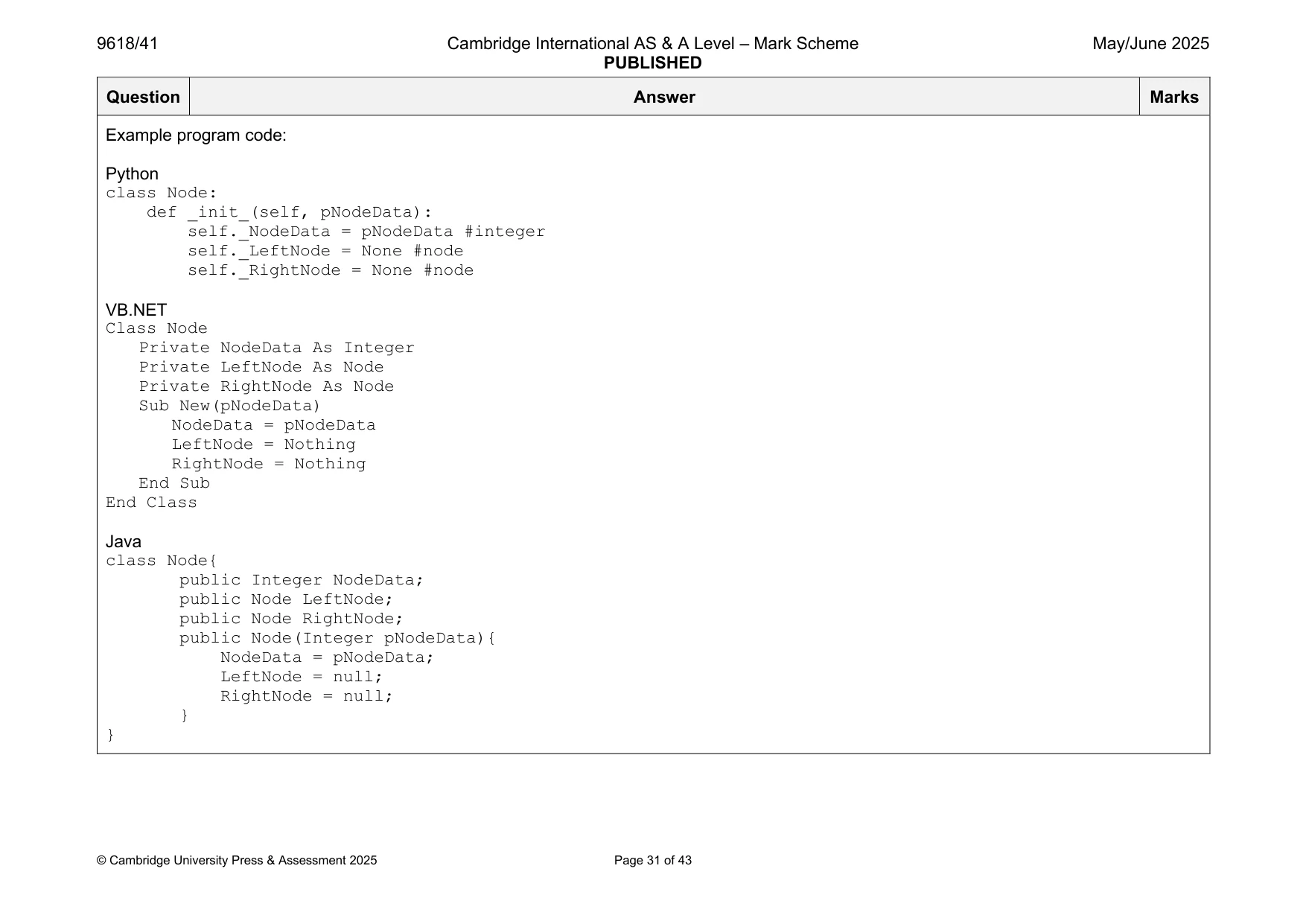
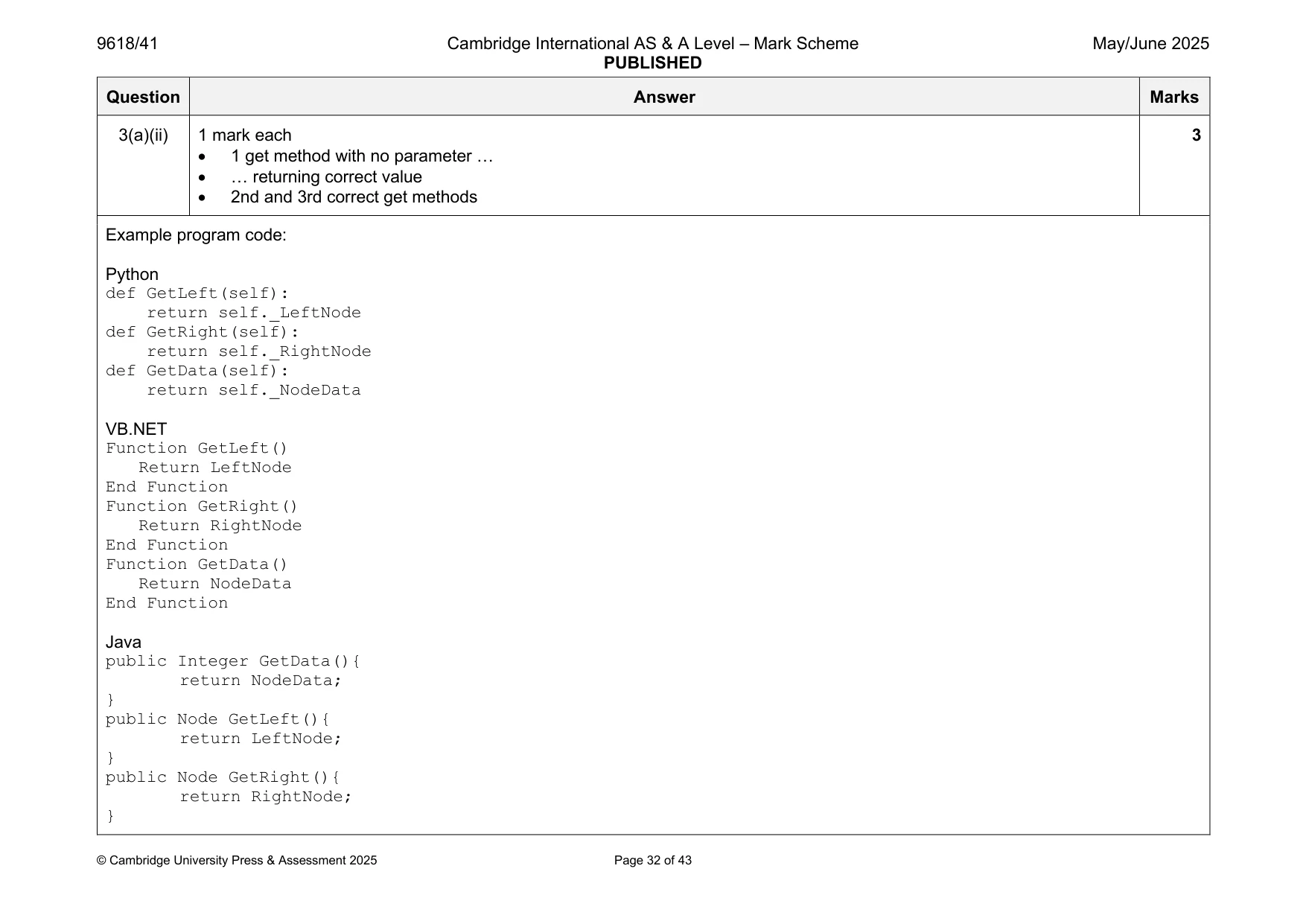
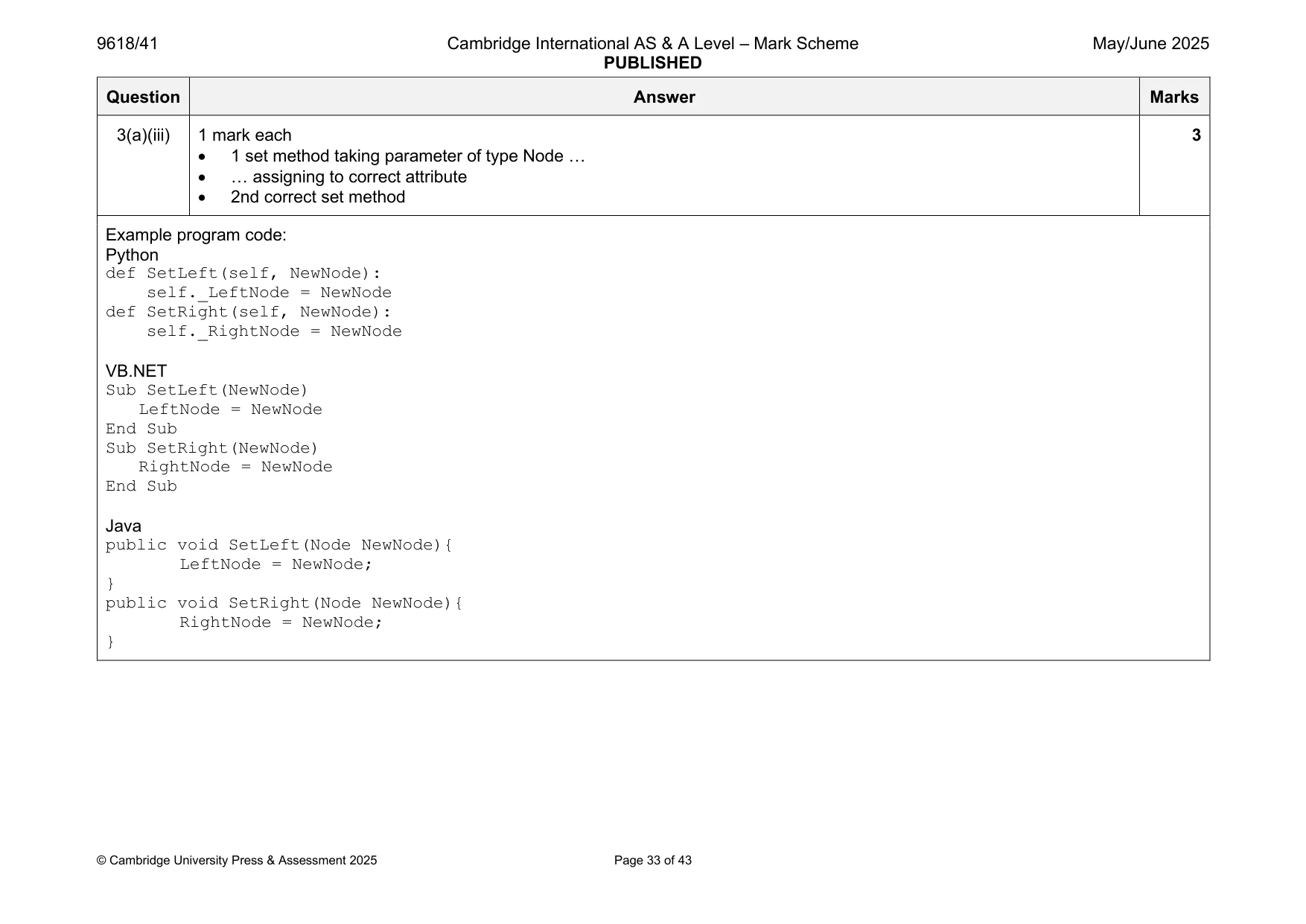
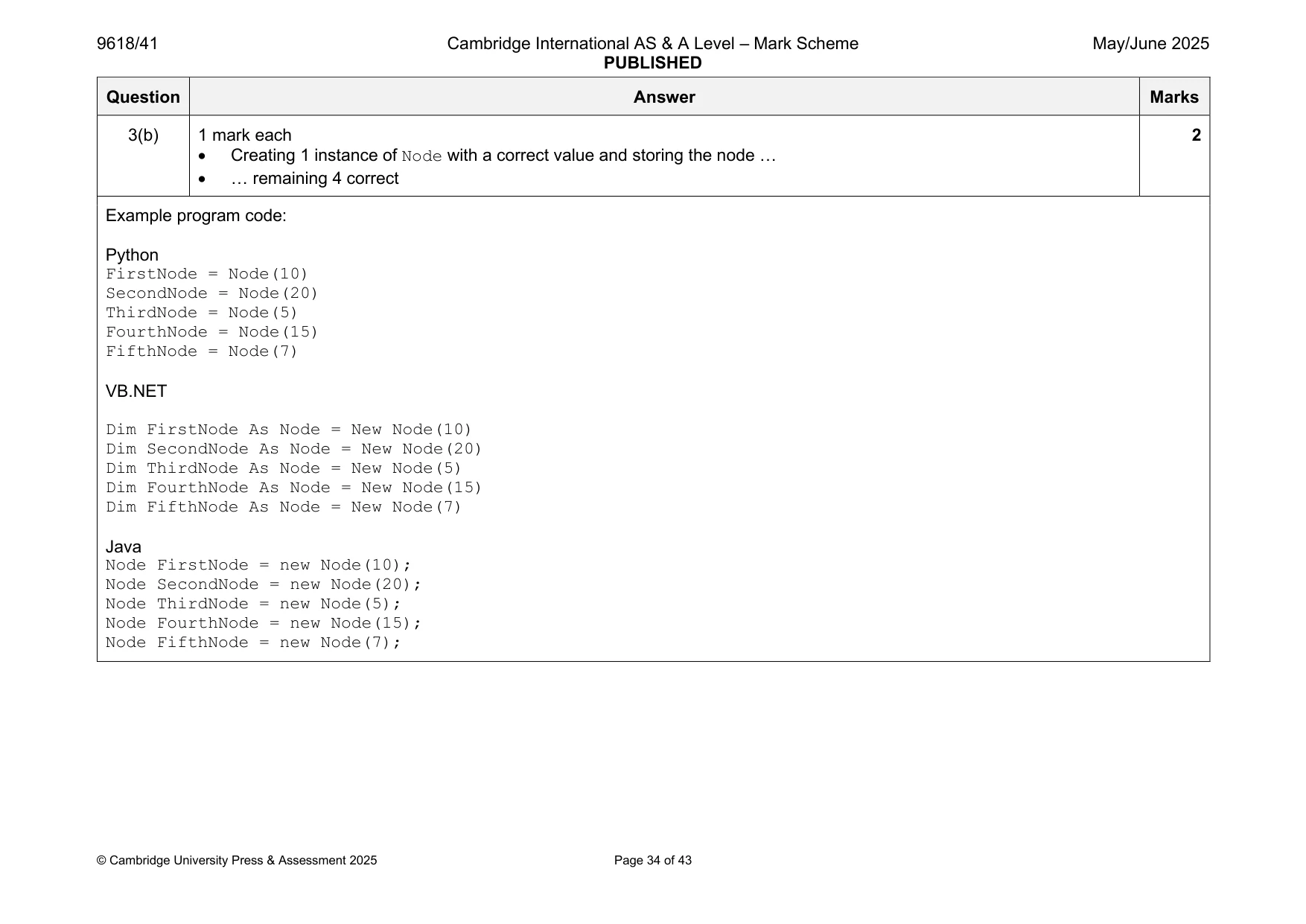
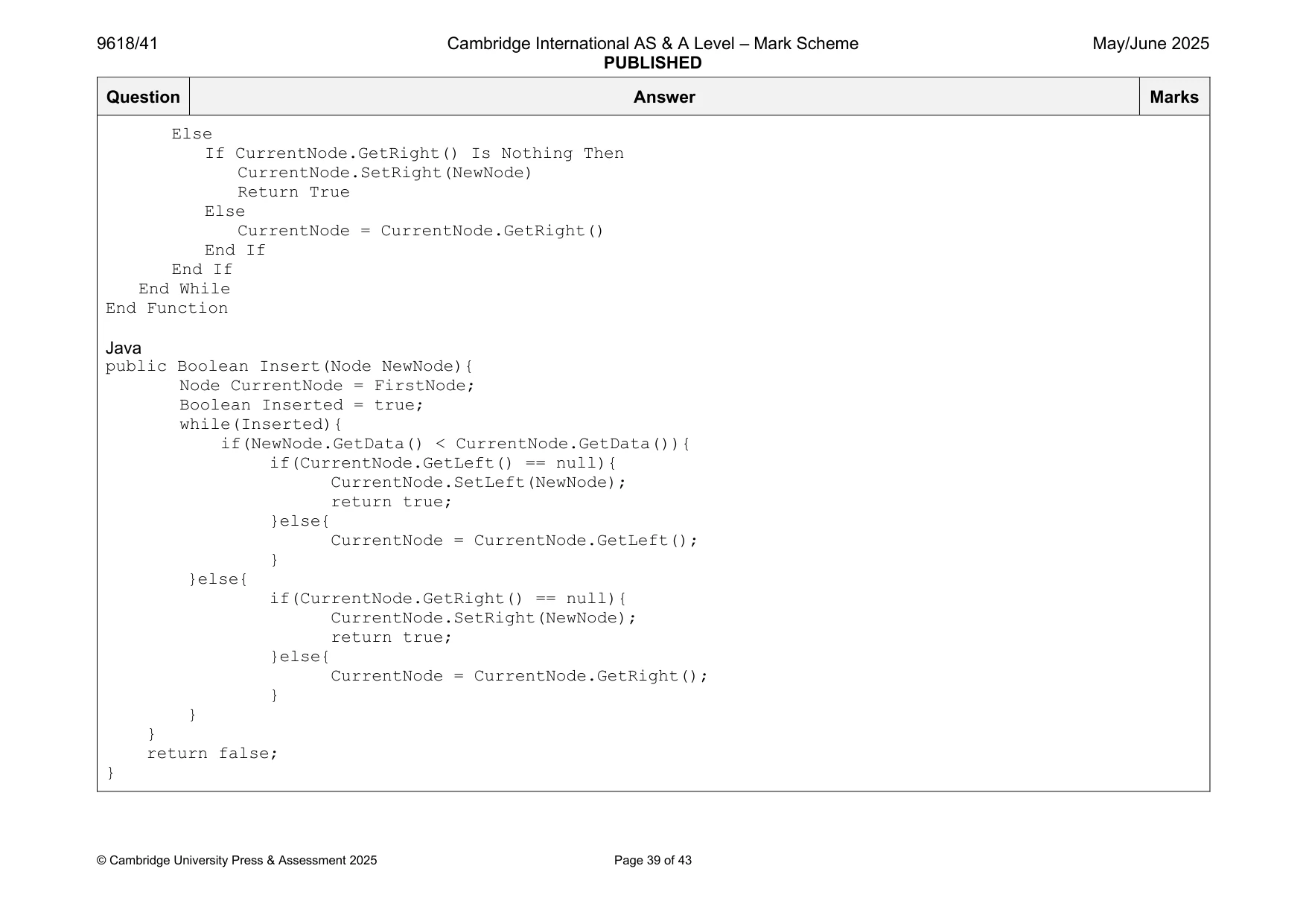
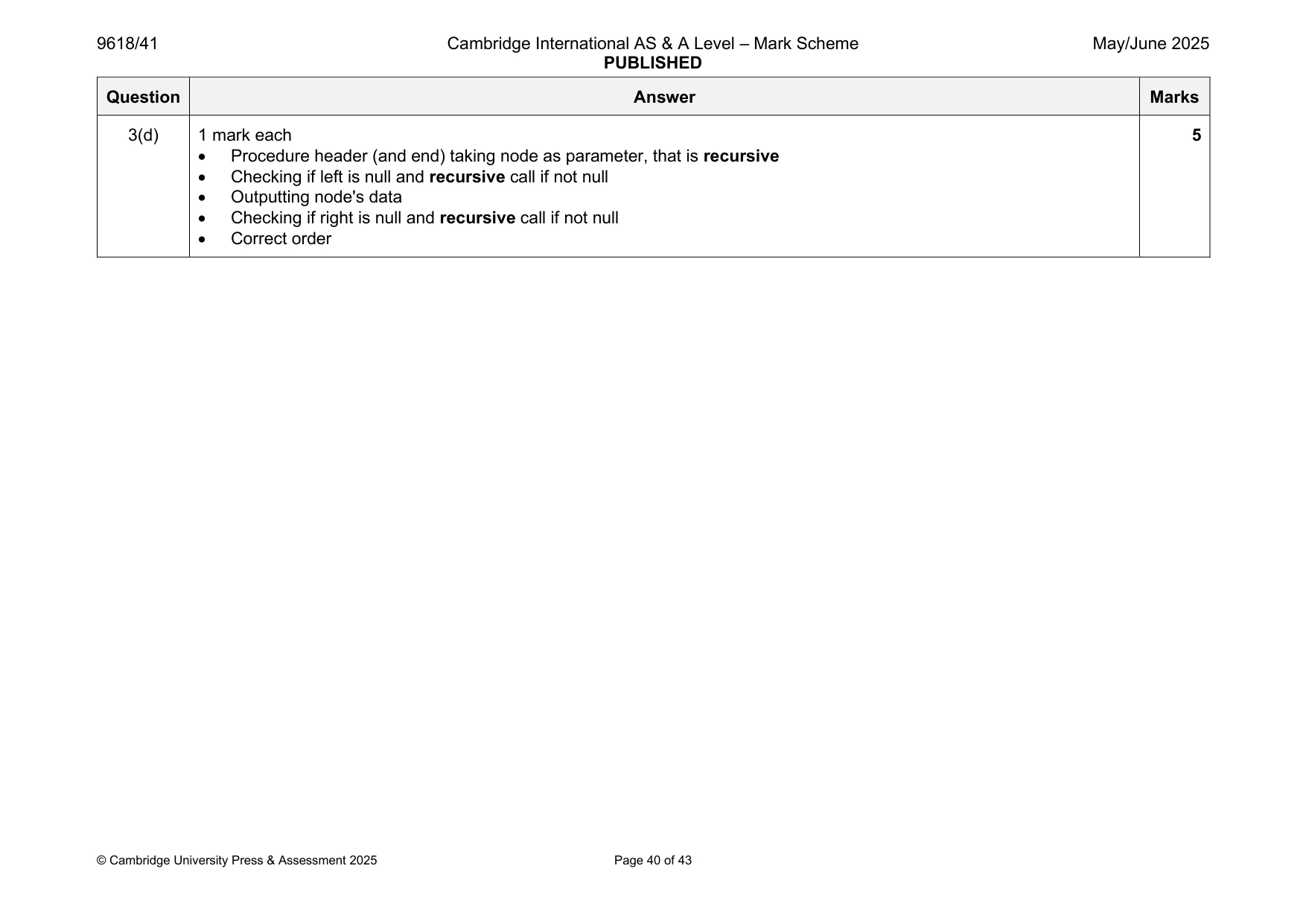
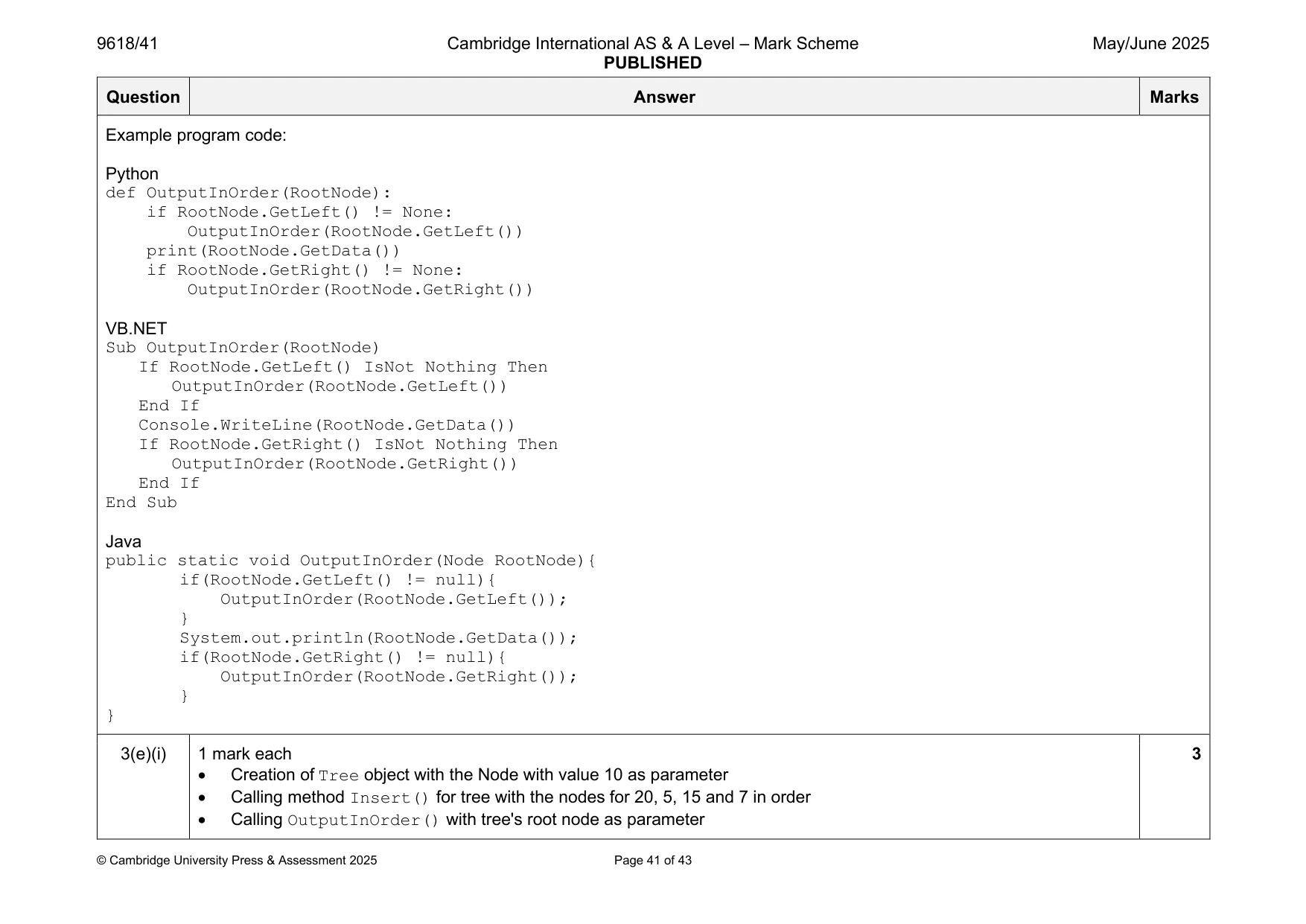
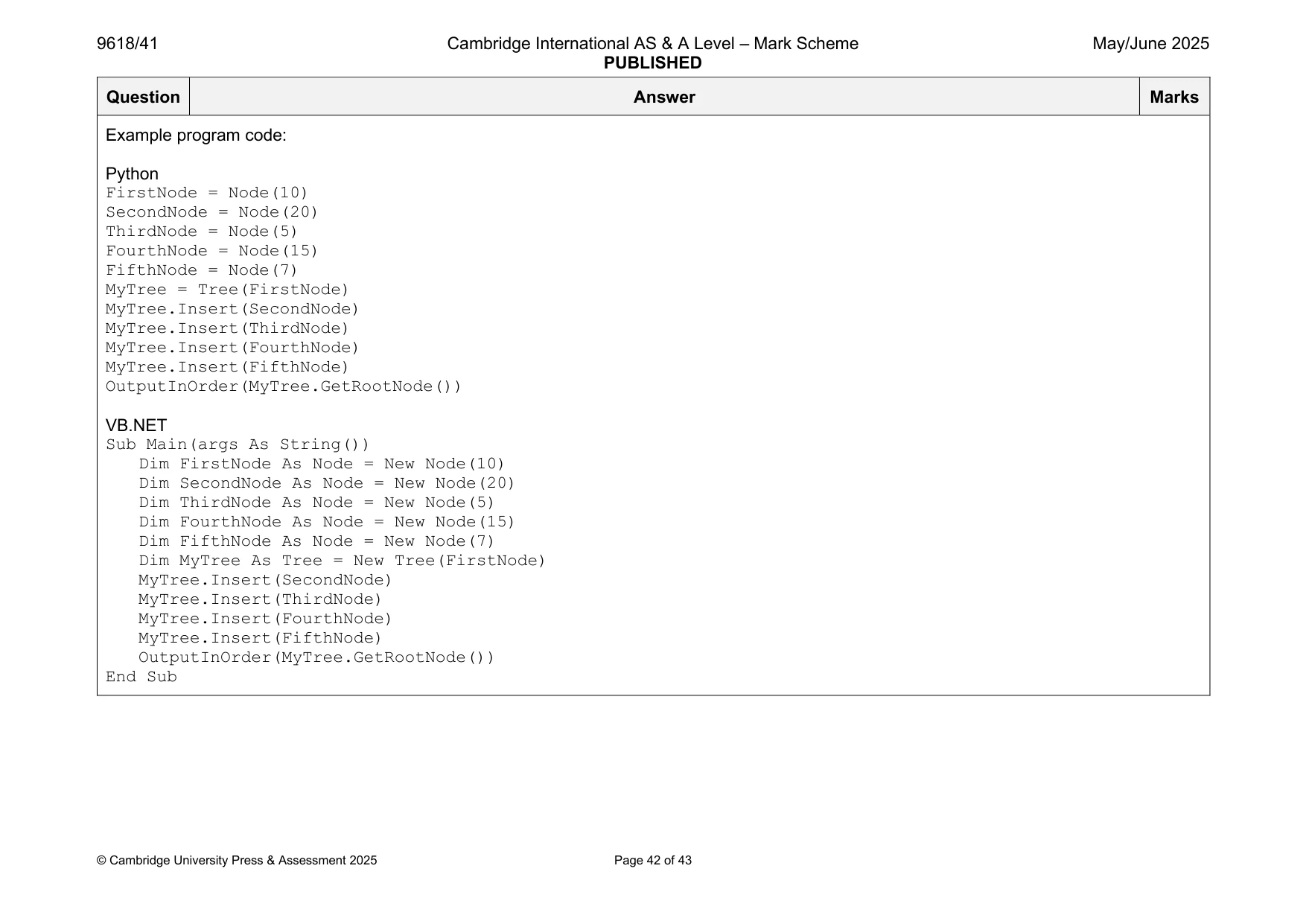
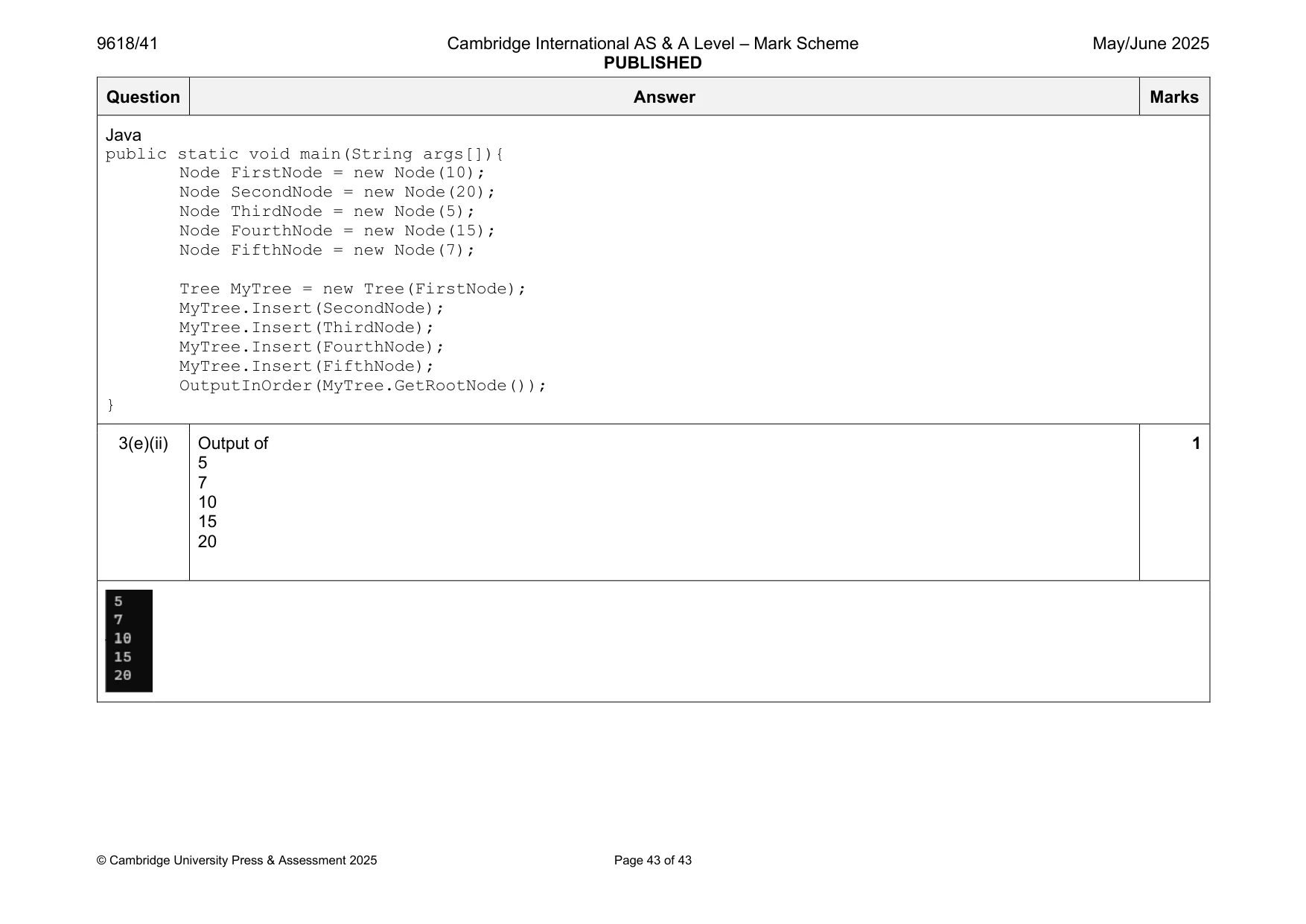
Mark scheme: 3(a)(i) 1 mark each 4 • Class header (and end where appropriate) • Constructor header (and end where appropriate) with (min) one parameter (integer) within class • 3 attributes with correct data types • NodeData has parameter assigned, LeftNode and RightNode are assigned null within constructor Example program code: Python class Node: def init (self, pNodeData): self. NodeData = pNodeData #integer self. LeftNode = None #node self. RightNode = None #node VB.NET Class Node Private NodeData As Integer Private LeftNode As Node Private RightNode As Node Sub New(pNodeData) NodeData = pNodeData LeftNode = Nothing RightNode = Nothing End Sub End Class Java class Node{ public Integer NodeData; public Node LeftNode; public Node RightNode; public Node(Integer pNodeData){ NodeData = pNodeData; LeftNode = null; RightNode = null; } } 3(a)(ii) 1 mark each 3 • 1 get method with no parameter … • … returning correct value • 2nd and 3rd correct get methods Example program code: Python def GetLeft(self): return self. LeftNode def GetRight(self): return self. RightNode def GetData(self): return self. NodeData VB.NET Function GetLeft() Return LeftNode End Function Function GetRight() Return RightNode End Function Function GetData() Return NodeData End Function Java public Integer GetData(){ return NodeData; } public Node GetLeft(){ return LeftNode; } public Node GetRight(){ return RightNode; } 3(a)(iii) 1 mark each 3 • 1 set method taking parameter of type Node … • … assigning to correct attribute • 2nd correct set method Example program code: Python def SetLeft(self, NewNode): self. LeftNode = NewNode def SetRight(self, NewNode): self. RightNode = NewNode VB.NET Sub SetLeft(NewNode) LeftNode = NewNode End Sub Sub SetRight(NewNode) RightNode = NewNode End Sub Java public void SetLeft(Node NewNode){ LeftNode = NewNode; } public void SetRight(Node NewNode){ RightNode = NewNode; } 3(b) 1 mark each 2 • Creating 1 instance of Node with a correct value and storing the node … • … remaining 4 correct Example program code: Python FirstNode = Node(10) SecondNode = Node(20) ThirdNode = Node(5) FourthNode = Node(15) FifthNode = Node(7) VB.NET Dim FirstNode As Node = New Node(10) Dim SecondNode As Node = New Node(20) Dim ThirdNode As Node = New Node(5) Dim FourthNode As Node = New Node(15) Dim FifthNode As Node = New Node(7) Java Node FirstNode = new Node(10); Node SecondNode = new Node(20); Node ThirdNode = new Node(5); Node FourthNode = new Node(15); Node FifthNode = new Node(7); 3(c)(i) 1 mark each 2 • Class Tree header (and end) no inheritance and constructor header (and end) taking 1 node parameter within class … • … storing parameter in FirstNode declared as a Node data type Example program code: Python class Tree: def init (self, FirstNode): self. FirstNode = FirstNode #node VB.NET Class Tree Private FirstNode As Node Sub New(pFirstNode) FirstNode = pFirstNode End Sub End Class Java class Tree{ private Node FirstNode; public Tree(Node pFirstNode){ FirstNode = pFirstNode; } } 3(c)(ii) 1 mark for 1 • Get method header (and end) with no parameter, returning FirstNode Example program code: Python def GetRootNode(self): return self. FirstNode VB.NET Function GetRootNode() Return FirstNode End Function Java public Node GetRootNode(){ return FirstNode; } 3(c)(iii) 1 mark each to max 6 6 • Insert method header (and end) taking 1 node parameter • If parameter < first node, checking if there is a left node … • … storing node in left node if it is null • If parameter >= first node, checking if there is a right node … • … storing node in right node if it is null • Looping until correct position is found // recursive calls Example program code: Python def Insert(self, NewNode): CurrentNode = self. FirstNode Inserted = True while Inserted: if NewNode.GetData() < CurrentNode.GetData(): if CurrentNode.GetLeft() == None: CurrentNode.SetLeft(NewNode) return True else: CurrentNode = CurrentNode.GetLeft() else: if CurrentNode.GetRight() == None: CurrentNode.SetRight(NewNode) return True else: CurrentNode = CurrentNode.GetRight() VB.NET Function Insert(NewNode) Dim CurrentNode As Node CurrentNode = FirstNode Dim Inserted As Boolean = True While Inserted If NewNode.GetData() < CurrentNode.GetData() Then If CurrentNode.GetLeft() Is Nothing Then CurrentNode.SetLeft(NewNode) Return True Else CurrentNode = CurrentNode.GetLeft() End If Else If CurrentNode.GetRight() Is Nothing Then CurrentNode.SetRight(NewNode) Return True Else CurrentNode = CurrentNode.GetRight() End If End If End While End Function Java public Boolean Insert(Node NewNode){ Node CurrentNode = FirstNode; Boolean Inserted = true; while(Inserted){ if(NewNode.GetData() < CurrentNode.GetData()){ if(CurrentNode.GetLeft() == null){ CurrentNode.SetLeft(NewNode); return true; }else{ CurrentNode = CurrentNode.GetLeft(); } }else{ if(CurrentNode.GetRight() == null){ CurrentNode.SetRight(NewNode); return true; }else{ CurrentNode = CurrentNode.GetRight(); } } } return false; } 3(d) 1 mark each 5 • Procedure header (and end) taking node as parameter, that is recursive • Checking if left is null and recursive call if not null • Outputting node's data • Checking if right is null and recursive call if not null • Correct order Example program code: Python def OutputInOrder(RootNode): if RootNode.GetLeft() != None: OutputInOrder(RootNode.GetLeft()) print(RootNode.GetData()) if RootNode.GetRight() != None: OutputInOrder(RootNode.GetRight()) VB.NET Sub OutputInOrder(RootNode) If RootNode.GetLeft() IsNot Nothing Then OutputInOrder(RootNode.GetLeft()) End If Console.WriteLine(RootNode.GetData()) If RootNode.GetRight() IsNot Nothing Then OutputInOrder(RootNode.GetRight()) End If End Sub Java public static void OutputInOrder(Node RootNode){ if(RootNode.GetLeft() != null){ OutputInOrder(RootNode.GetLeft()); } System.out.println(RootNode.GetData()); if(RootNode.GetRight() != null){ OutputInOrder(RootNode.GetRight()); } } 3(e)(i) 1 mark each 3 • Creation of Tree object with the Node with value 10 as parameter • Calling method Insert() for tree with the nodes for 20, 5, 15 and 7 in order • Calling OutputInOrder() with tree's root node as parameter Example program code: Python FirstNode = Node(10) SecondNode = Node(20) ThirdNode = Node(5) FourthNode = Node(15) FifthNode = Node(7) MyTree = Tree(FirstNode) MyTree.Insert(SecondNode) MyTree.Insert(ThirdNode) MyTree.Insert(FourthNode) MyTree.Insert(FifthNode) OutputInOrder(MyTree.GetRootNode()) VB.NET Sub Main(args As String()) Dim FirstNode As Node = New Node(10) Dim SecondNode As Node = New Node(20) Dim ThirdNode As Node = New Node(5) Dim FourthNode As Node = New Node(15) Dim FifthNode As Node = New Node(7) Dim MyTree As Tree = New Tree(FirstNode) MyTree.Insert(SecondNode) MyTree.Insert(ThirdNode) MyTree.Insert(FourthNode) MyTree.Insert(FifthNode) OutputInOrder(MyTree.GetRootNode()) End Sub Java public static void main(String args[]){ Node FirstNode = new Node(10); Node SecondNode = new Node(20); Node ThirdNode = new Node(5); Node FourthNode = new Node(15); Node FifthNode = new Node(7); Tree MyTree = new Tree(FirstNode); MyTree.Insert(SecondNode); MyTree.Insert(ThirdNode); MyTree.Insert(FourthNode); MyTree.Insert(FifthNode); OutputInOrder(MyTree.GetRootNode()); } 3(e)(ii) Output of 1 5 7 10 15 20
What you needed in this session
Cambridge’s own grade thresholds for 2025 May/June, Paper 4 · Variant 1. A higher threshold means an easier paper — the bar moves with how the cohort did.