Cambridge A Level Computer Science 9618 — 2025 May/June Paper 4 · Variant 3
9618/43/M/J/25 · 3 questions · 75 marks · ≈84 min
The question paper and its mark scheme, free to read here and free to download. This is Cambridge’s own paper, exactly as it was sat.
Question paper12 pages

Mark scheme45 pages
Answers below. Sit the paper first if you are practising.
Questions as text
Q1 · A program reads data from a text file and stores it in a queue
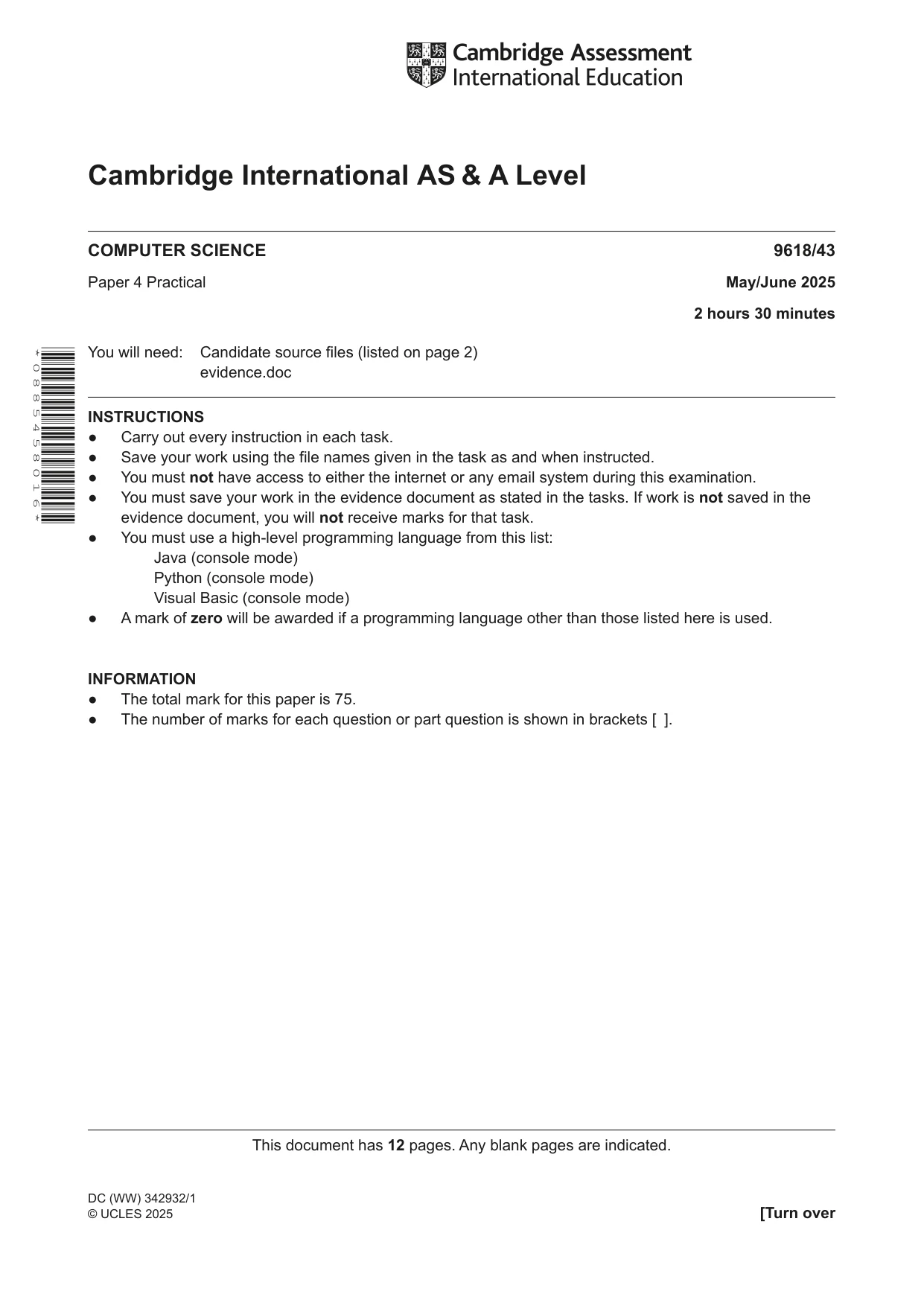
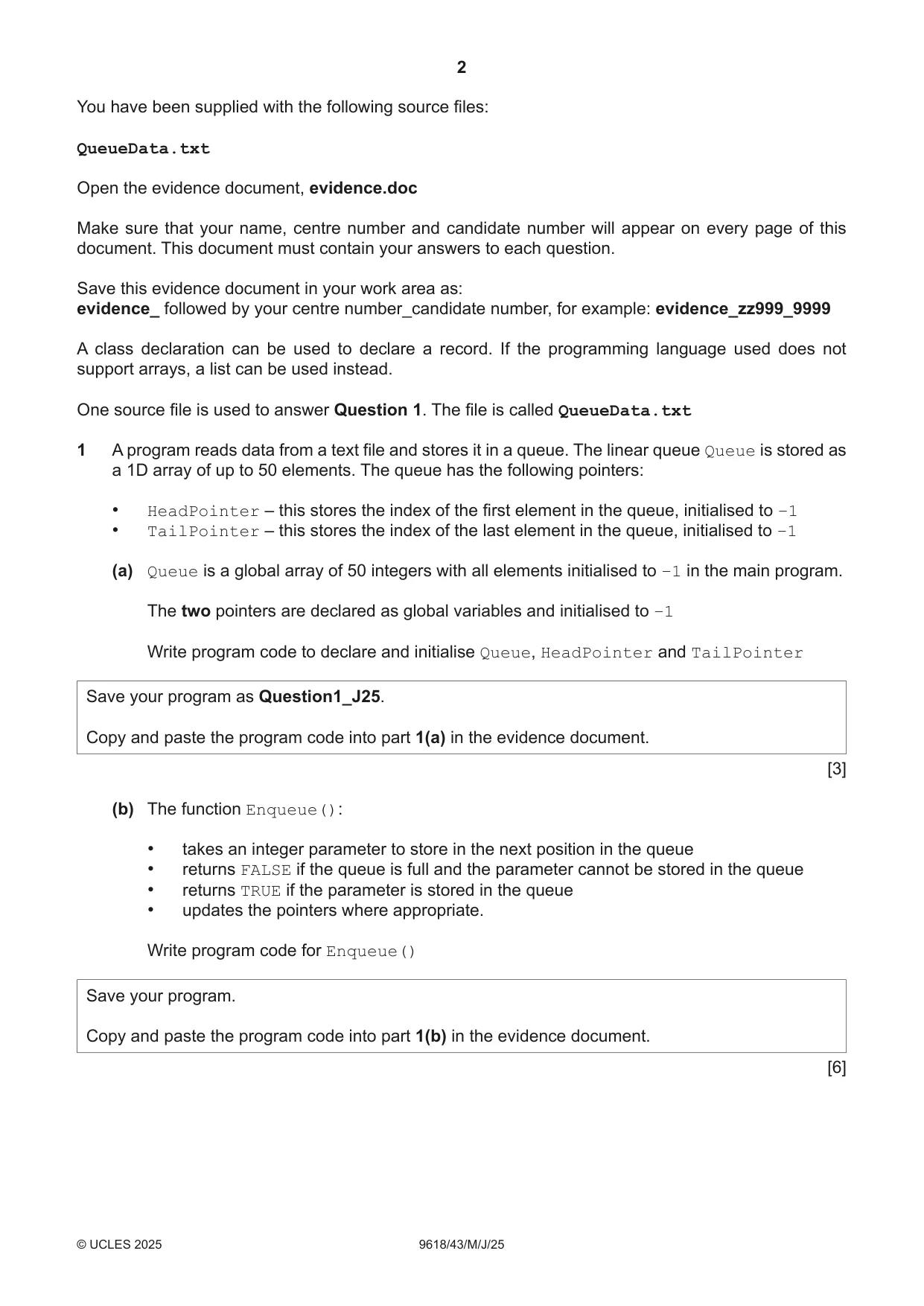
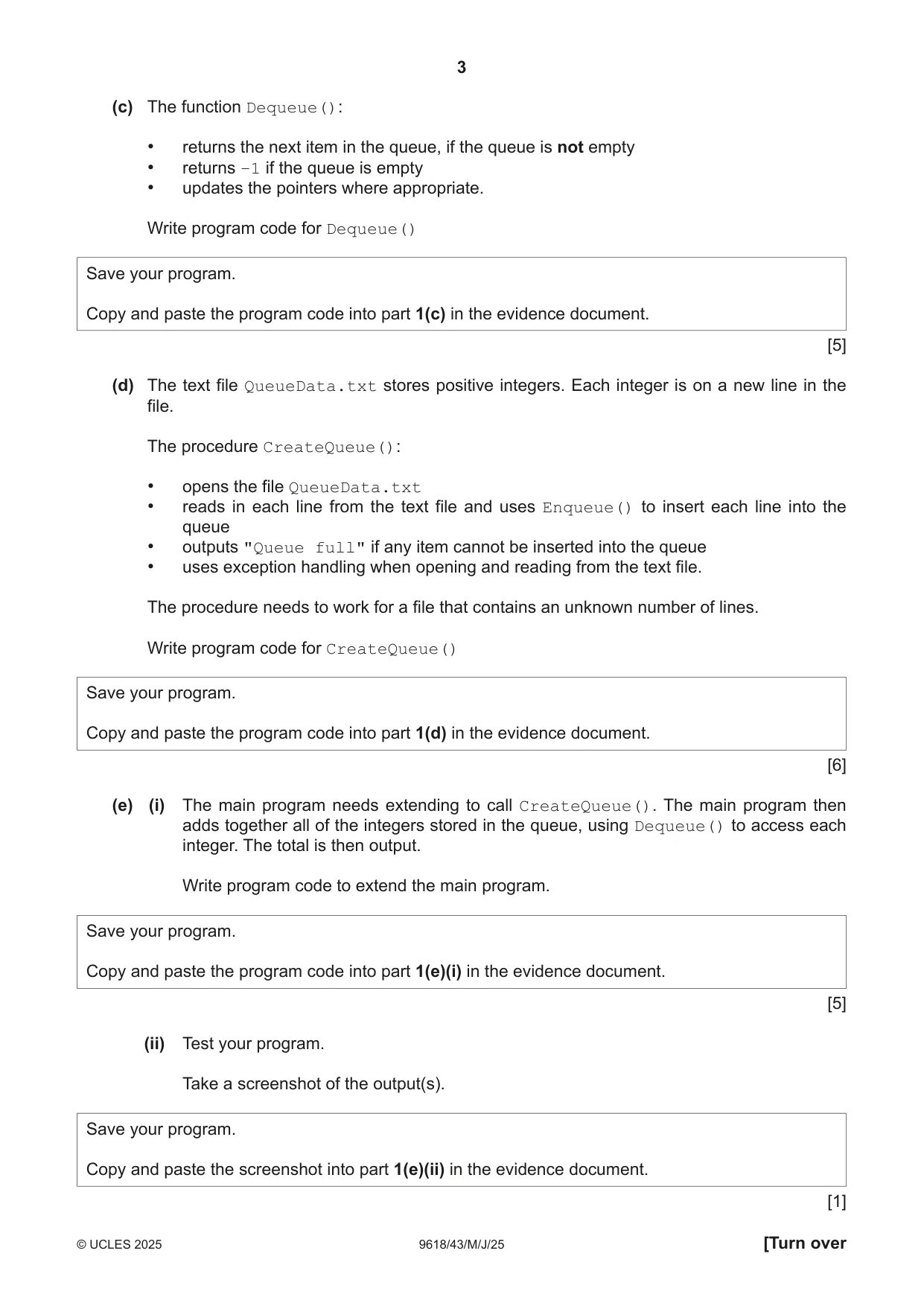
1 A program reads data from a text file and stores it in a queue. The linear queue Queue is stored as a 1D array of up to 50 elements. The queue has the following pointers: • HeadPointer – this stores the index of the first element in the queue, initialised to –1 • TailPointer – this stores the index of the last element in the queue, initialised to –1 (a) Queue is a global array of 50 integers with all elements initialised to –1 in the main program. The two pointers are declared as global variables and initialised to –1 Write program code to declare and initialise Queue, HeadPointer and TailPointer Save your program as Question1_J25. Copy and paste the program code into part 1(a) in the evidence document. [3] (b) The function Enqueue(): • takes an integer parameter to store in the next position in the queue • returns FALSE if the queue is full and the parameter cannot be stored in the queue • returns TRUE if the parameter is stored in the queue • updates the pointers where appropriate. Write program code for Enqueue() Save your program. Copy and paste the program code into part 1(b) in the evidence document. [6] (c) The function Dequeue(): • returns the next item in the queue, if the queue is not empty • returns –1 if the queue is empty • updates the pointers where appropriate. Write program code for Dequeue() Save your program. Copy and paste the program code into part 1(c) in the evidence document. [5] (d) The text file QueueData.txt stores positive integers. Each integer is on a new line in the file. The procedure CreateQueue(): • opens the file QueueData.txt • reads in each line from the text file and uses Enqueue() to insert each line into the queue • outputs "Queue full" if any item cannot be inserted into the queue • uses exception handling when opening and reading from the text file. The procedure needs to work for a file that contains an unknown number of lines. Write program code for CreateQueue() Save your program. Copy and paste the program code into part 1(d) in the evidence document. [6] (e) (i) The main program needs extending to call CreateQueue(). The main program then adds together all of the integers stored in the queue, using Dequeue() to access each integer. The total is then output. Write program code to extend the main program. Save your program. Copy and paste the program code into part 1(e)(i) in the evidence document. [5] (ii) Test your program. Take a screenshot of the output(s). Save your program. Copy and paste the screenshot into part 1(e)(ii) in the evidence document. [1]
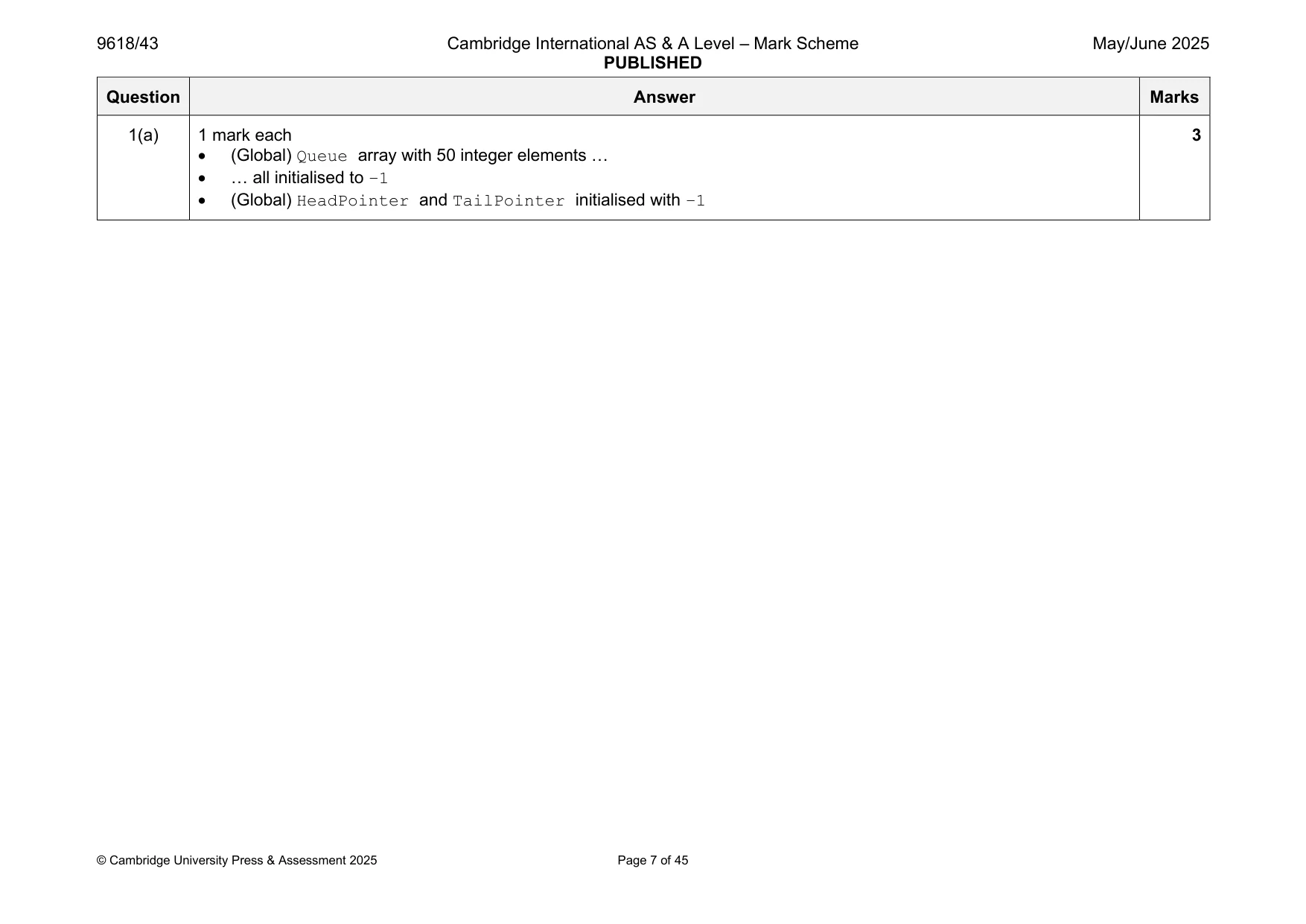
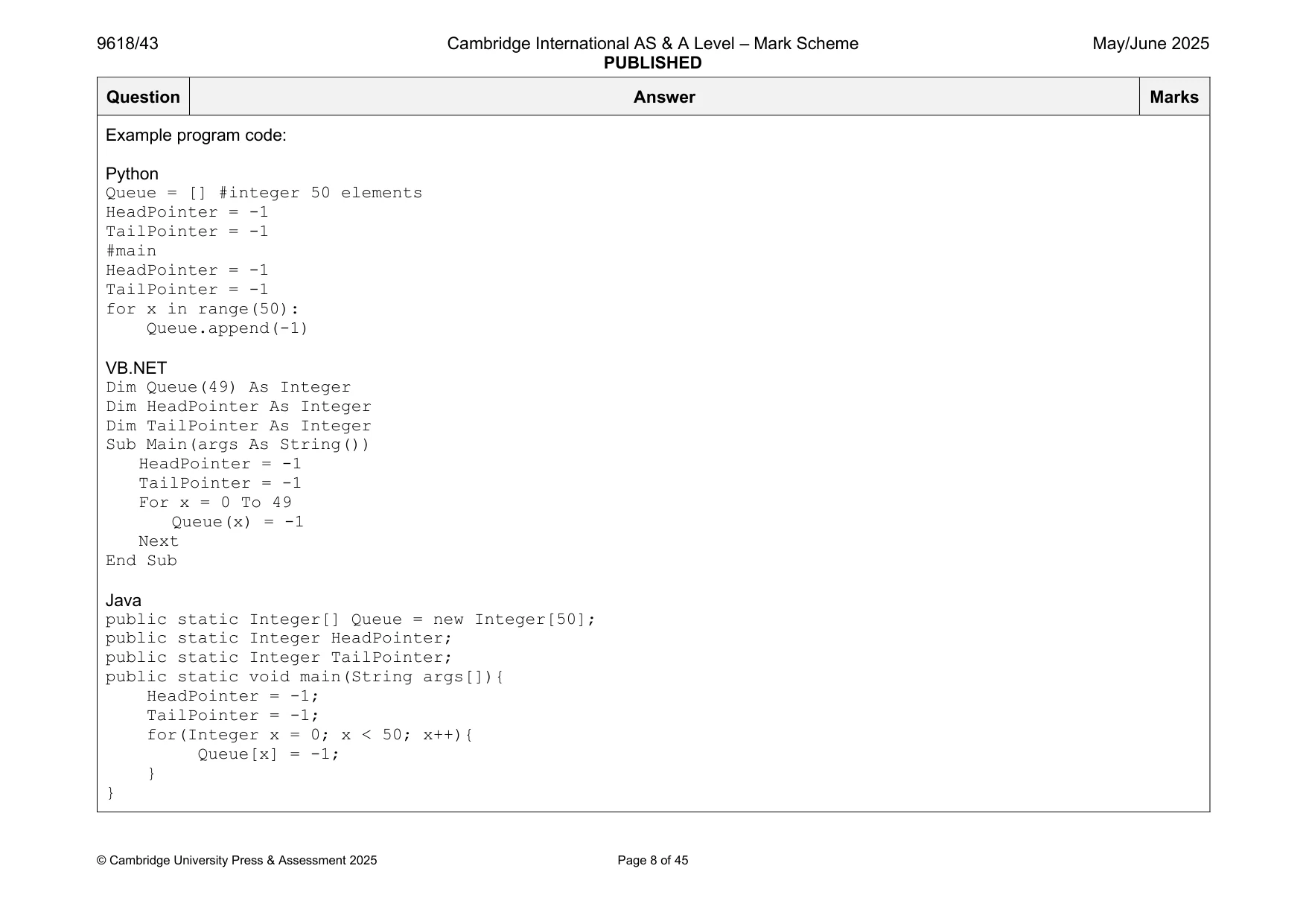
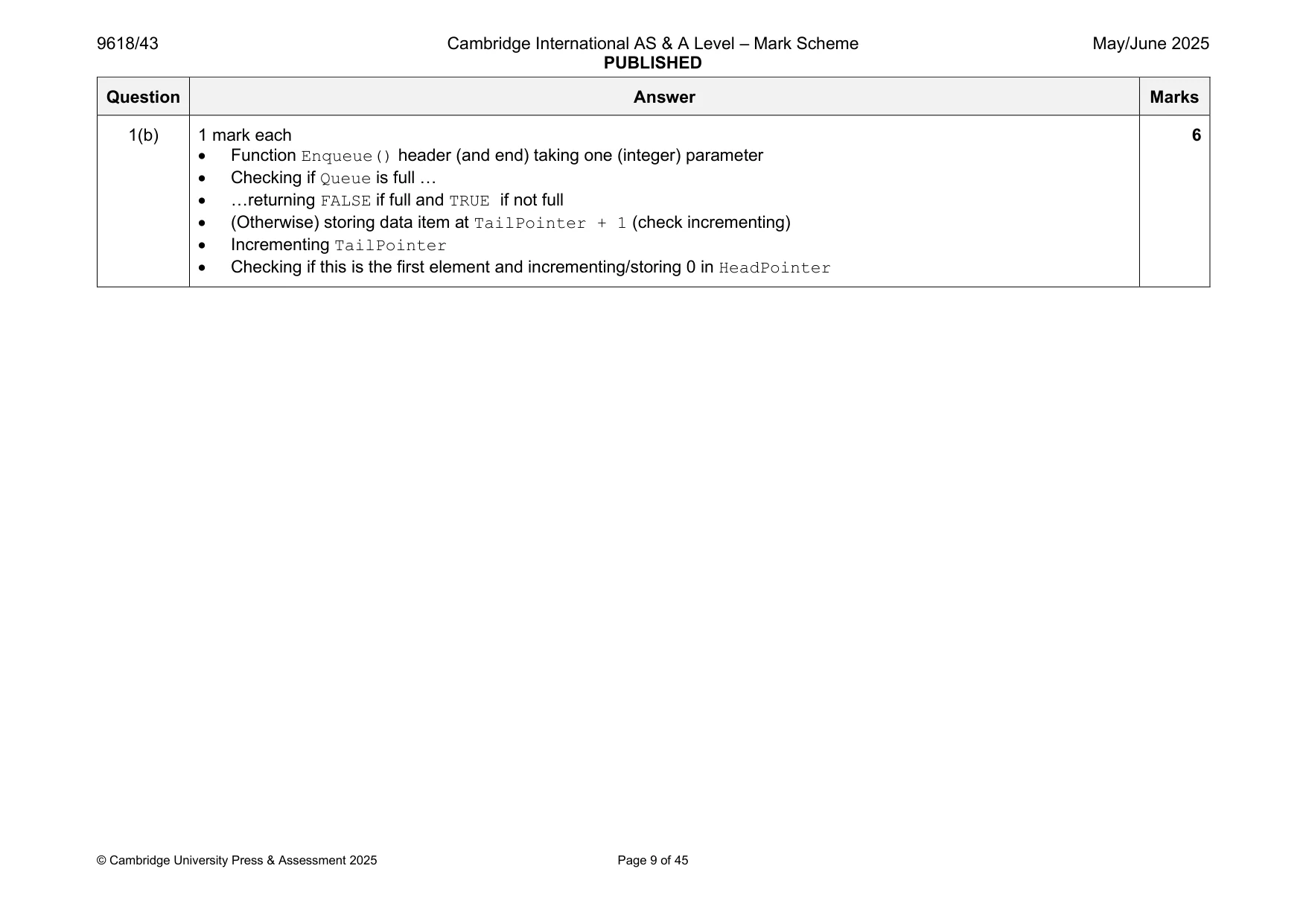
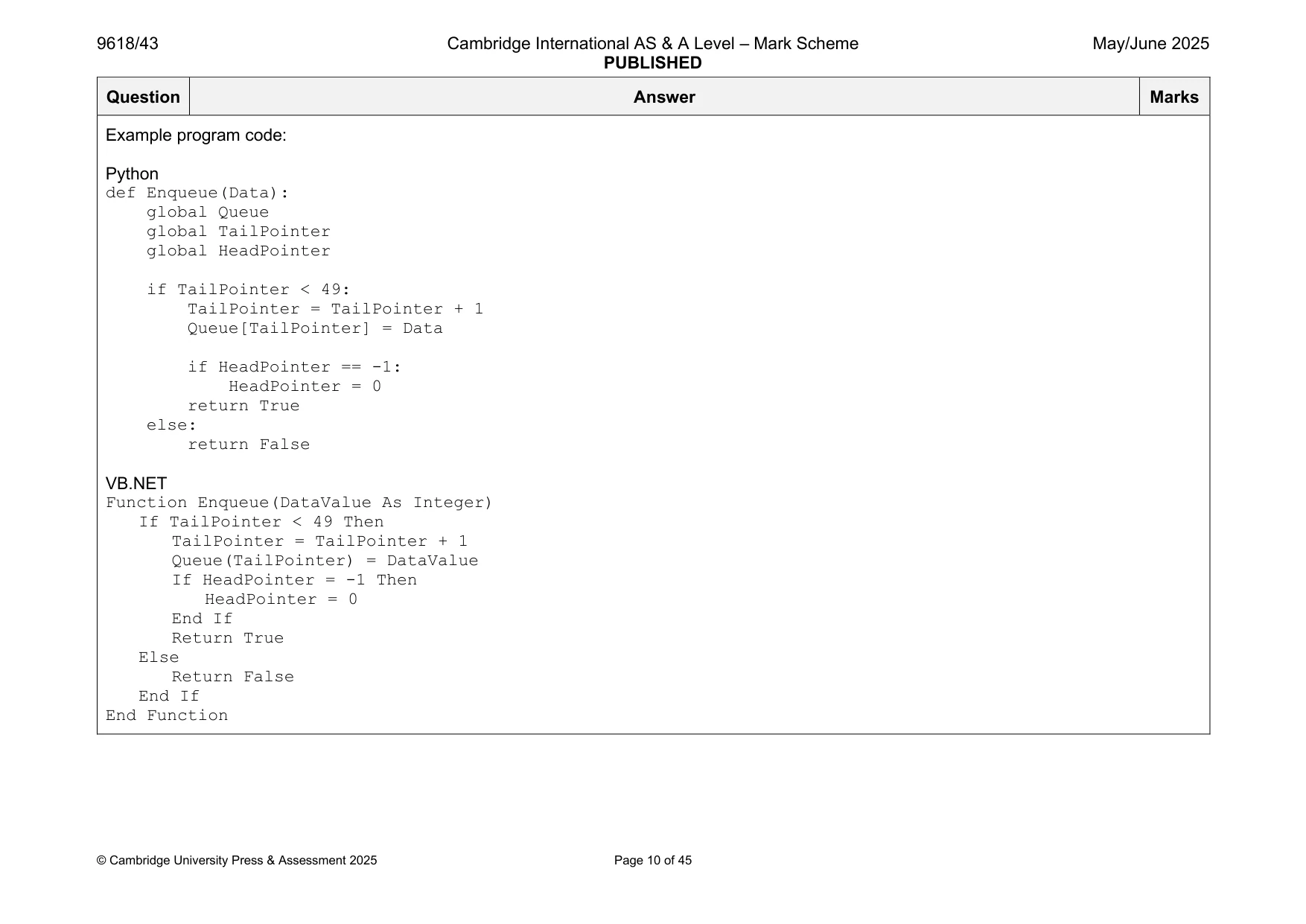
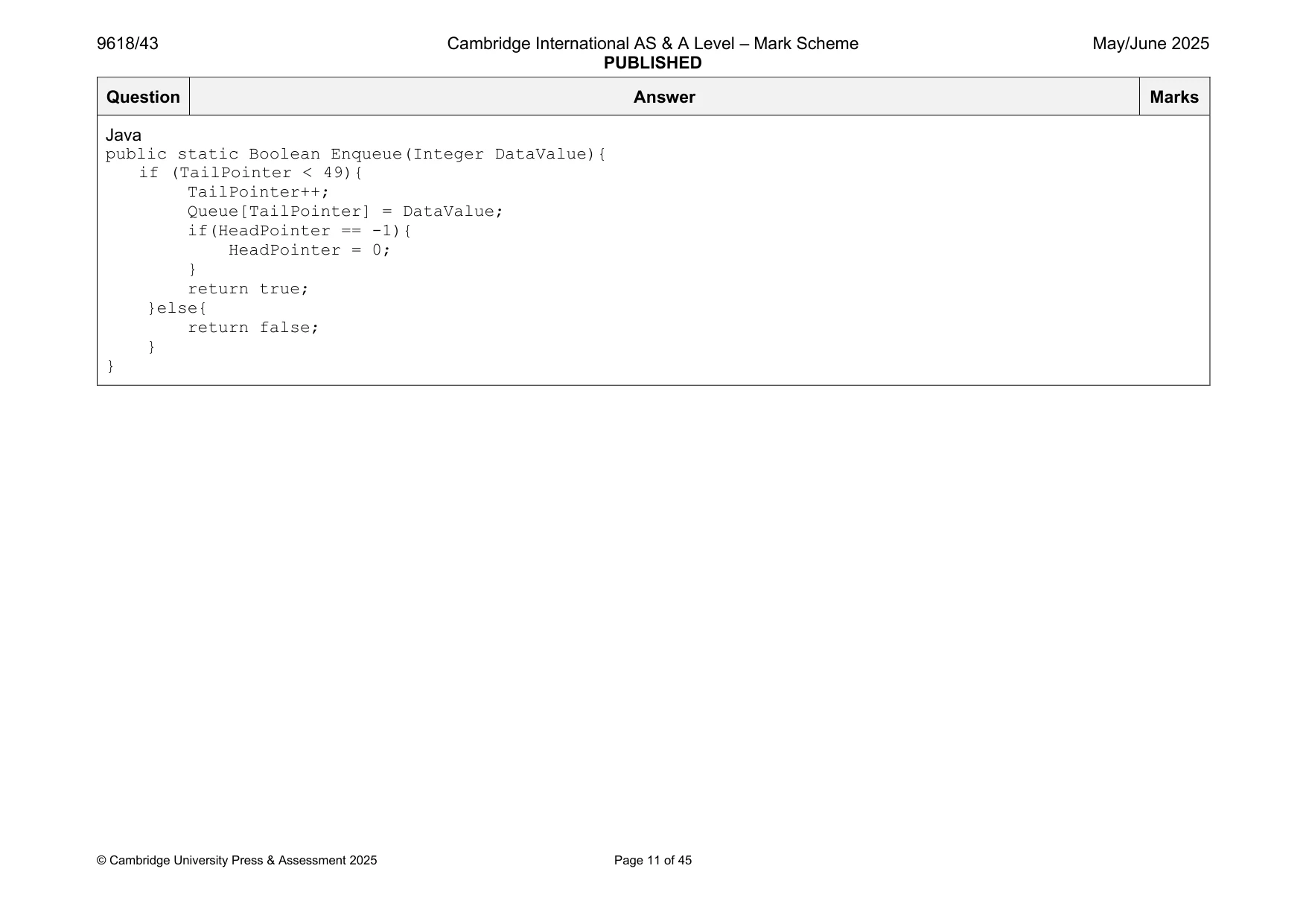
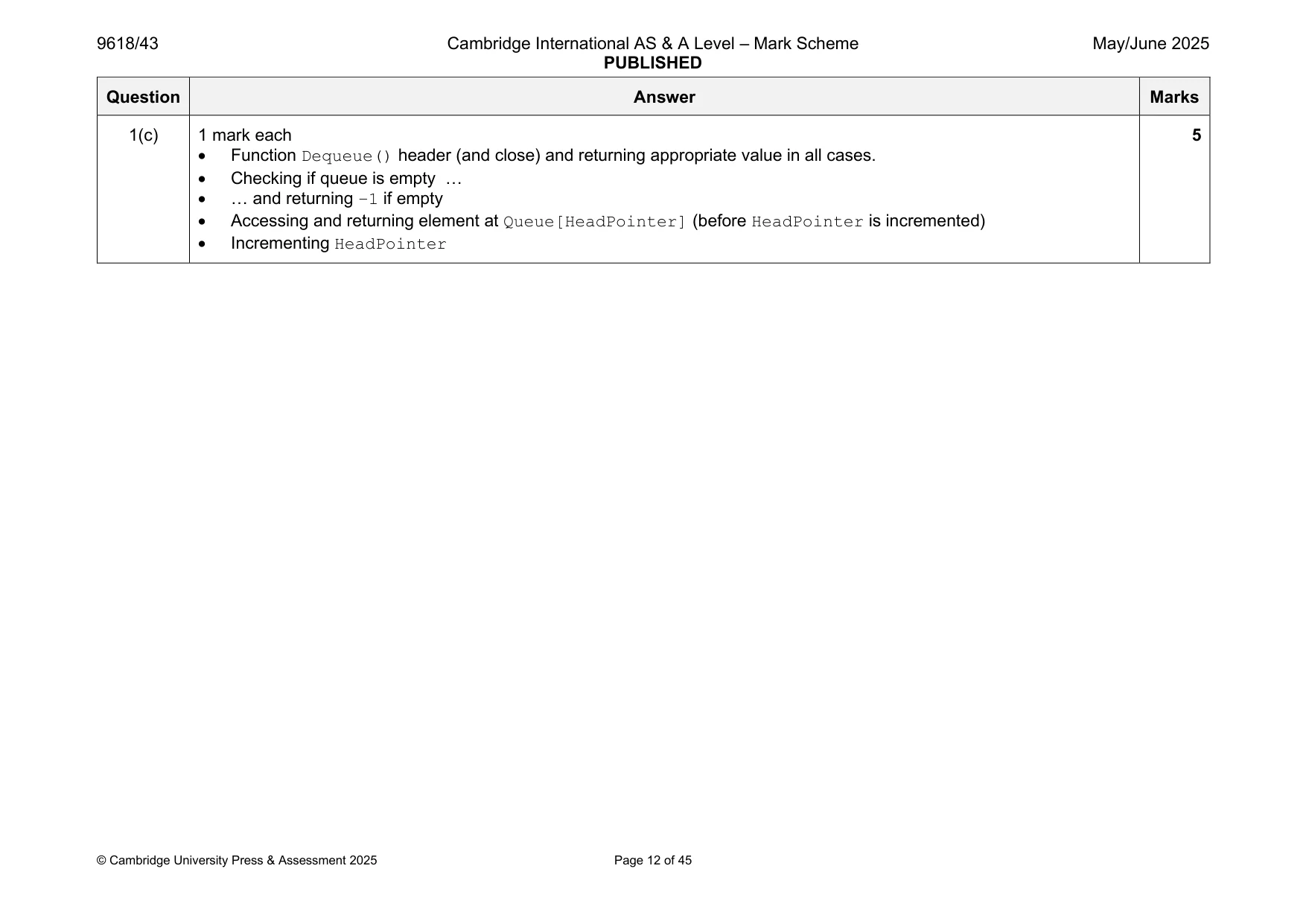
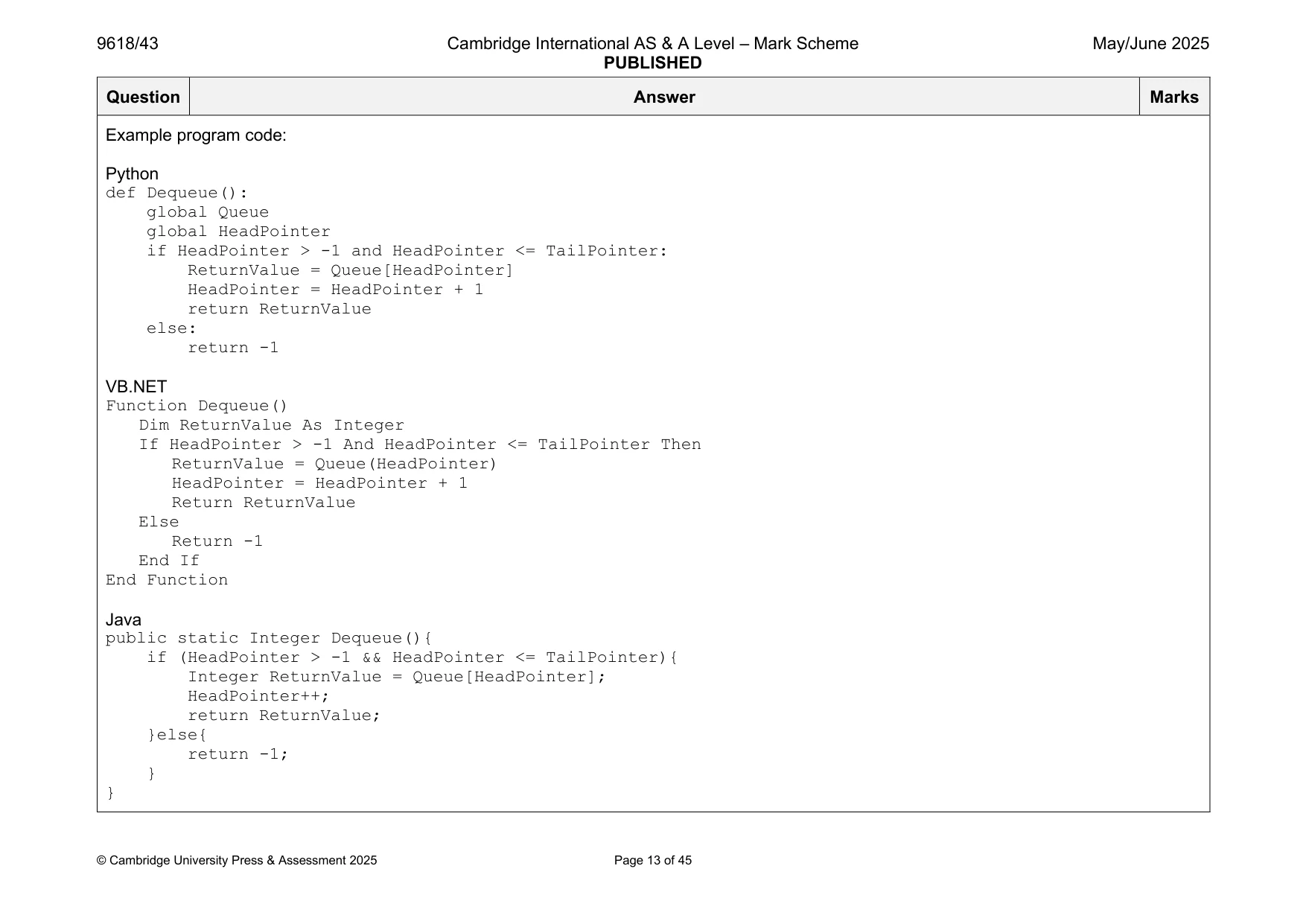
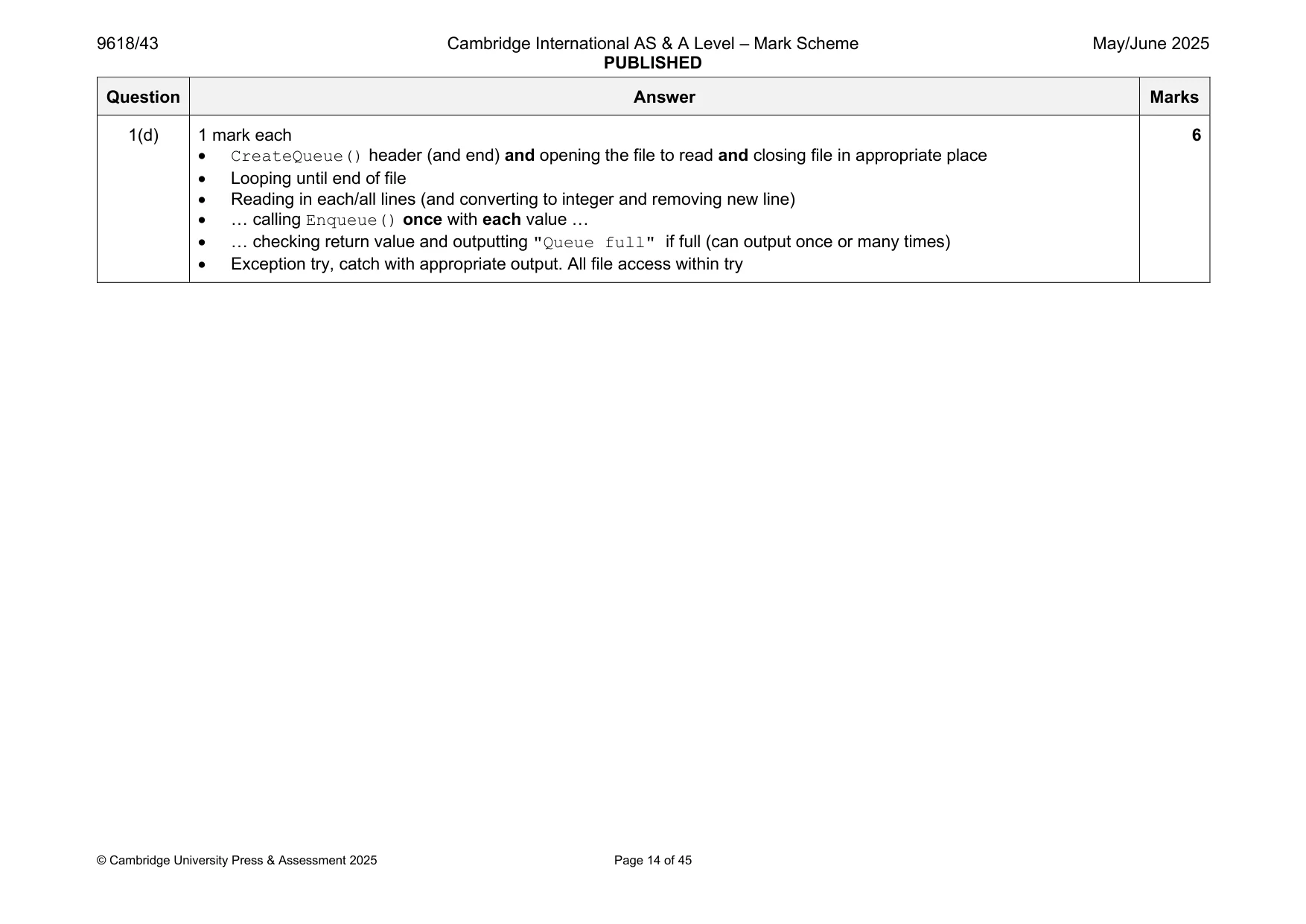
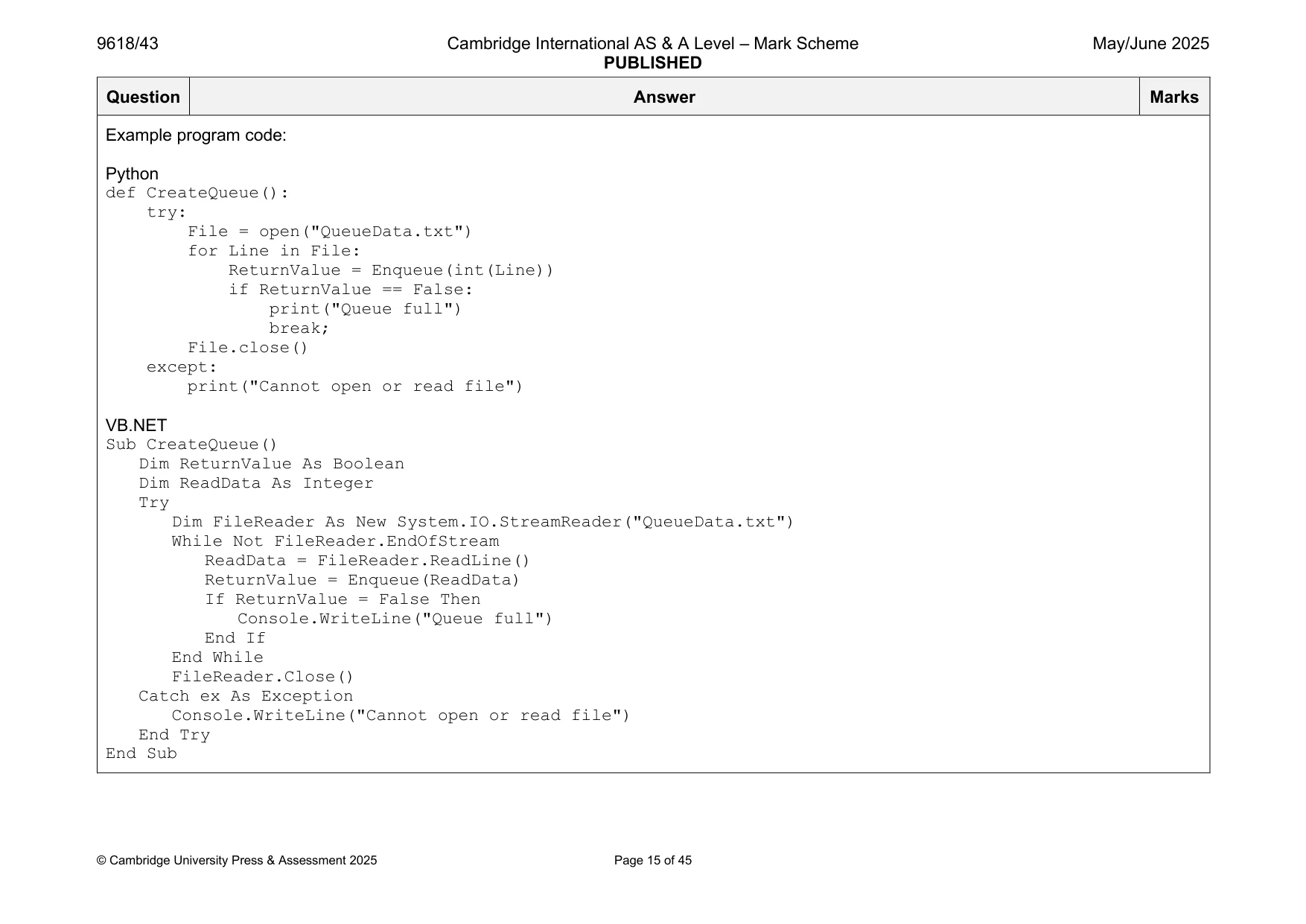
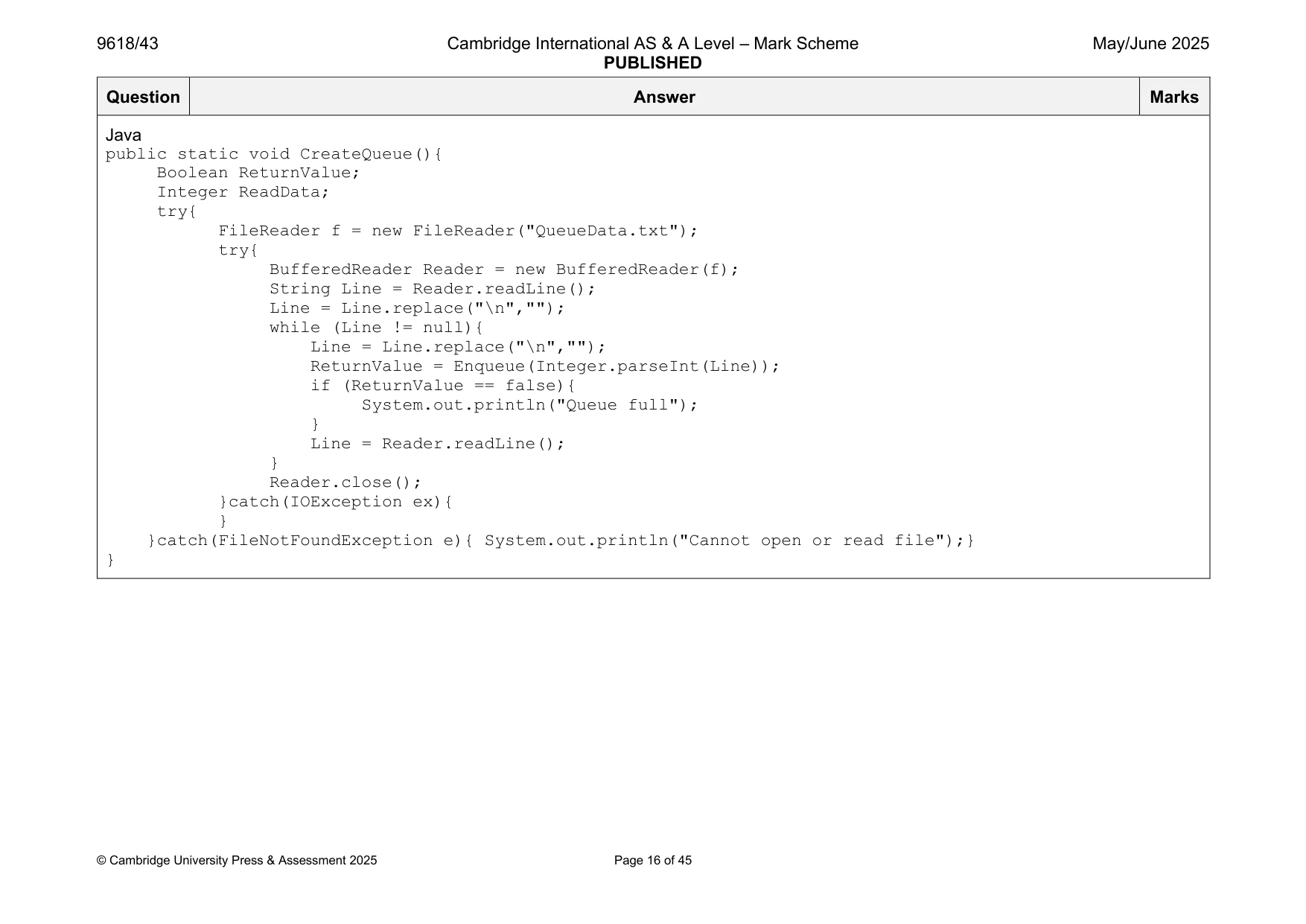
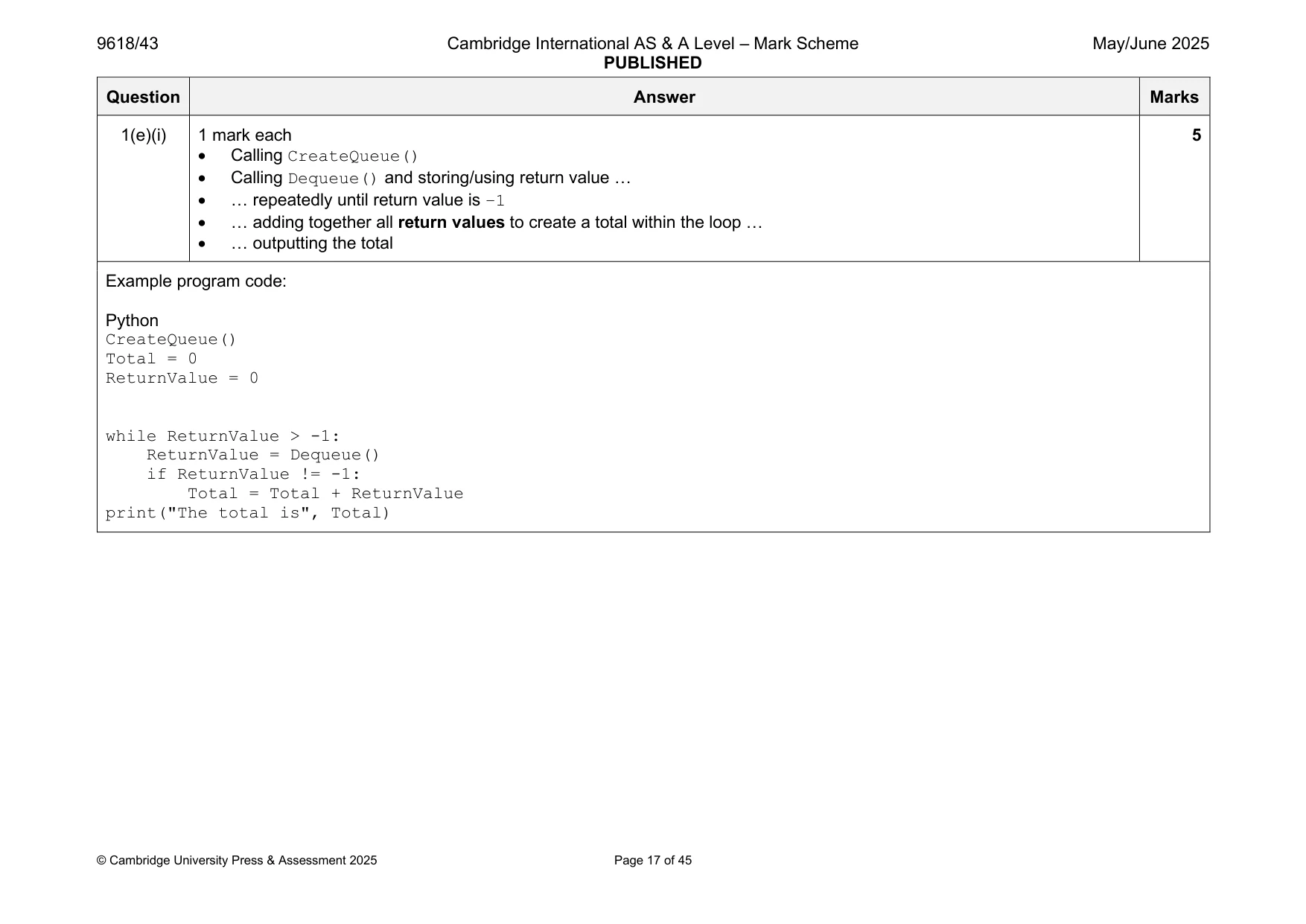
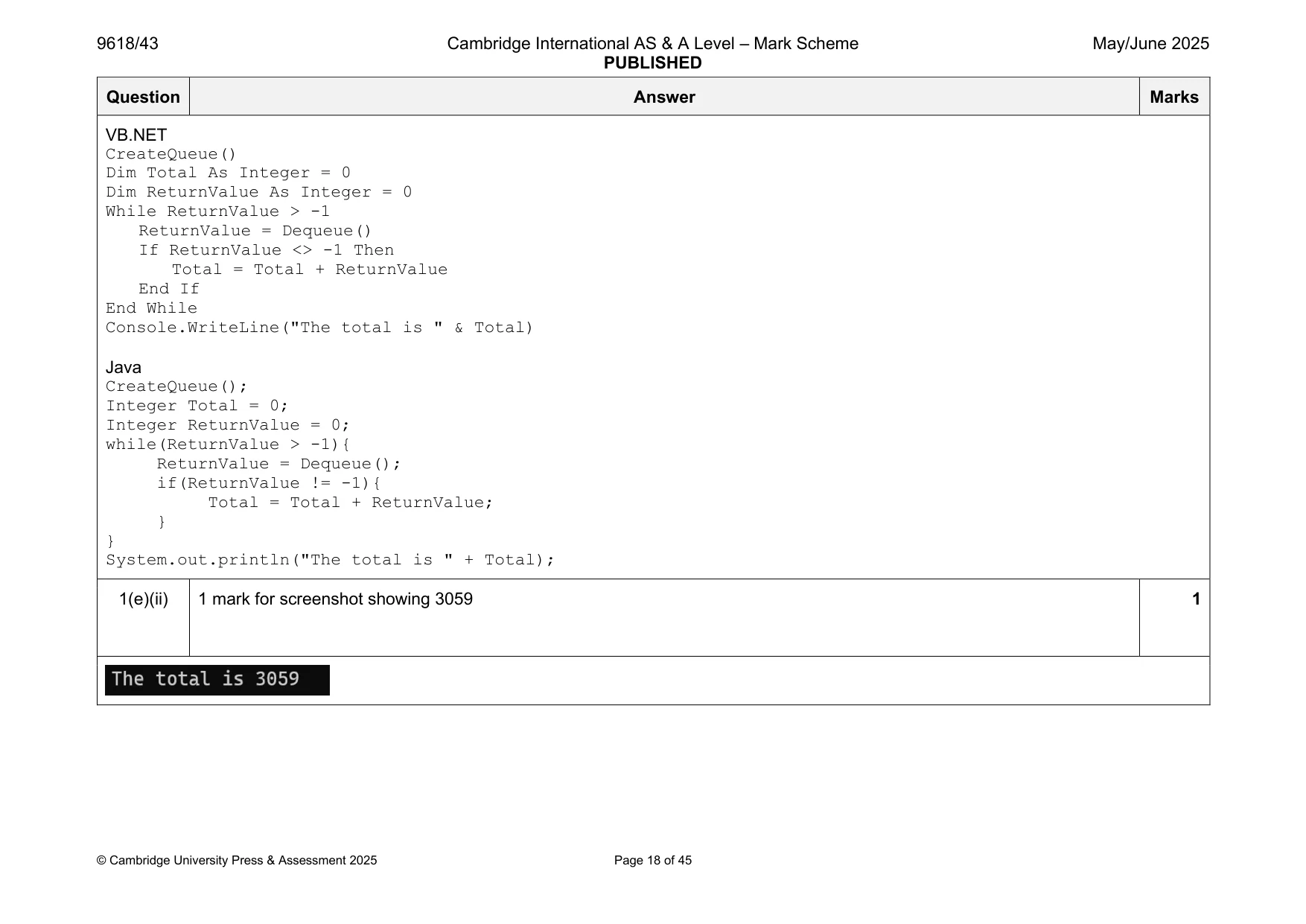
Mark scheme: Question Answer Marks 1(a) 1 mark each 3 • (Global) Queue array with 50 integer elements … • … all initialised to –1 • (Global) HeadPointer and TailPointer initialised with –1 Example program code: Python Queue = [] #integer 50 elements HeadPointer = -1 TailPointer = -1 #main HeadPointer = -1 TailPointer = -1 for x in range(50): Queue.append(-1) VB.NET Dim Queue(49) As Integer Dim HeadPointer As Integer Dim TailPointer As Integer Sub Main(args As String()) HeadPointer = -1 TailPointer = -1 For x = 0 To 49 Queue(x) = -1 Next End Sub Java public static Integer[] Queue = new Integer[50]; public static Integer HeadPointer; public static Integer TailPointer; public static void main(String args[]){ HeadPointer = -1; TailPointer = -1; for(Integer x = 0; x < 50; x++){ Queue[x] = -1; } } 1(b) 1 mark each 6 • Function Enqueue() header (and end) taking one (integer) parameter • Checking if Queue is full … • …returning FALSE if full and TRUE if not full • (Otherwise) storing data item at TailPointer + 1 (check incrementing) • Incrementing TailPointer • Checking if this is the first element and incrementing/storing 0 in HeadPointer Example program code: Python def Enqueue(Data): global Queue global TailPointer global HeadPointer if TailPointer < 49: TailPointer = TailPointer + 1 Queue[TailPointer] = Data if HeadPointer == -1: HeadPointer = 0 return True else: return False VB.NET Function Enqueue(DataValue As Integer) If TailPointer < 49 Then TailPointer = TailPointer + 1 Queue(TailPointer) = DataValue If HeadPointer = -1 Then HeadPointer = 0 End If Return True Else Return False End If End Function Java public static Boolean Enqueue(Integer DataValue){ if (TailPointer < 49){ TailPointer++; Queue[TailPointer] = DataValue; if(HeadPointer == -1){ HeadPointer = 0; } return true; }else{ return false; } } 1(c) 1 mark each 5 • Function Dequeue() header (and close) and returning appropriate value in all cases. • Checking if queue is empty … • … and returning –1 if empty • Accessing and returning element at Queue[HeadPointer] (before HeadPointer is incremented) • Incrementing HeadPointer Example program code: Python def Dequeue(): global Queue global HeadPointer if HeadPointer > -1 and HeadPointer <= TailPointer: ReturnValue = Queue[HeadPointer] HeadPointer = HeadPointer + 1 return ReturnValue else: return -1 VB.NET Function Dequeue() Dim ReturnValue As Integer If HeadPointer > -1 And HeadPointer <= TailPointer Then ReturnValue = Queue(HeadPointer) HeadPointer = HeadPointer + 1 Return ReturnValue Else Return -1 End If End Function Java public static Integer Dequeue(){ if (HeadPointer > -1 && HeadPointer <= TailPointer){ Integer ReturnValue = Queue[HeadPointer]; HeadPointer++; return ReturnValue; }else{ return -1; } } 1(d) 1 mark each 6 • CreateQueue() header (and end) and opening the file to read and closing file in appropriate place • Looping until end of file • Reading in each/all lines (and converting to integer and removing new line) • … calling Enqueue() once with each value … • … checking return value and outputting "Queue full" if full (can output once or many times) • Exception try, catch with appropriate output. All file access within try Example program code: Python def CreateQueue(): try: File = open("QueueData.txt") for Line in File: ReturnValue = Enqueue(int(Line)) if ReturnValue == False: print("Queue full") break; File.close() except: print("Cannot open or read file") VB.NET Sub CreateQueue() Dim ReturnValue As Boolean Dim ReadData As Integer Try Dim FileReader As New System.IO.StreamReader("QueueData.txt") While Not FileReader.EndOfStream ReadData = FileReader.ReadLine() ReturnValue = Enqueue(ReadData) If ReturnValue = False Then Console.WriteLine("Queue full") End If End While FileReader.Close() Catch ex As Exception Console.WriteLine("Cannot open or read file") End Try End Sub Java public static void CreateQueue(){ Boolean ReturnValue; Integer ReadData; try{ FileReader f = new FileReader("QueueData.txt"); try{ BufferedReader Reader = new BufferedReader(f); String Line = Reader.readLine(); Line = Line.replace("\n",""); while (Line != null){ Line = Line.replace("\n",""); ReturnValue = Enqueue(Integer.parseInt(Line)); if (ReturnValue == false){ System.out.println("Queue full"); } Line = Reader.readLine(); } Reader.close(); }catch(IOException ex){ } }catch(FileNotFoundException e){ System.out.println("Cannot open or read file");} } 1(e)(i) 1 mark each 5 • Calling CreateQueue() • Calling Dequeue() and storing/using return value … • … repeatedly until return value is –1 • … adding together all return values to create a total within the loop … • … outputting the total Example program code: Python CreateQueue() Total = 0 ReturnValue = 0 while ReturnValue > -1: ReturnValue = Dequeue() if ReturnValue != -1: Total = Total + ReturnValue print("The total is", Total) VB.NET CreateQueue() Dim Total As Integer = 0 Dim ReturnValue As Integer = 0 While ReturnValue > -1 ReturnValue = Dequeue() If ReturnValue <> -1 Then Total = Total + ReturnValue End If End While Console.WriteLine("The total is " & Total) Java CreateQueue(); Integer Total = 0; Integer ReturnValue = 0; while(ReturnValue > -1){ ReturnValue = Dequeue(); if(ReturnValue != -1){ Total = Total + ReturnValue; } } System.out.println("The total is " + Total); 1(e)(ii) 1 mark for screenshot showing 3059 1
Q2 · A program sorts the data in the 1D array DataArray and searches DataArray for specific…
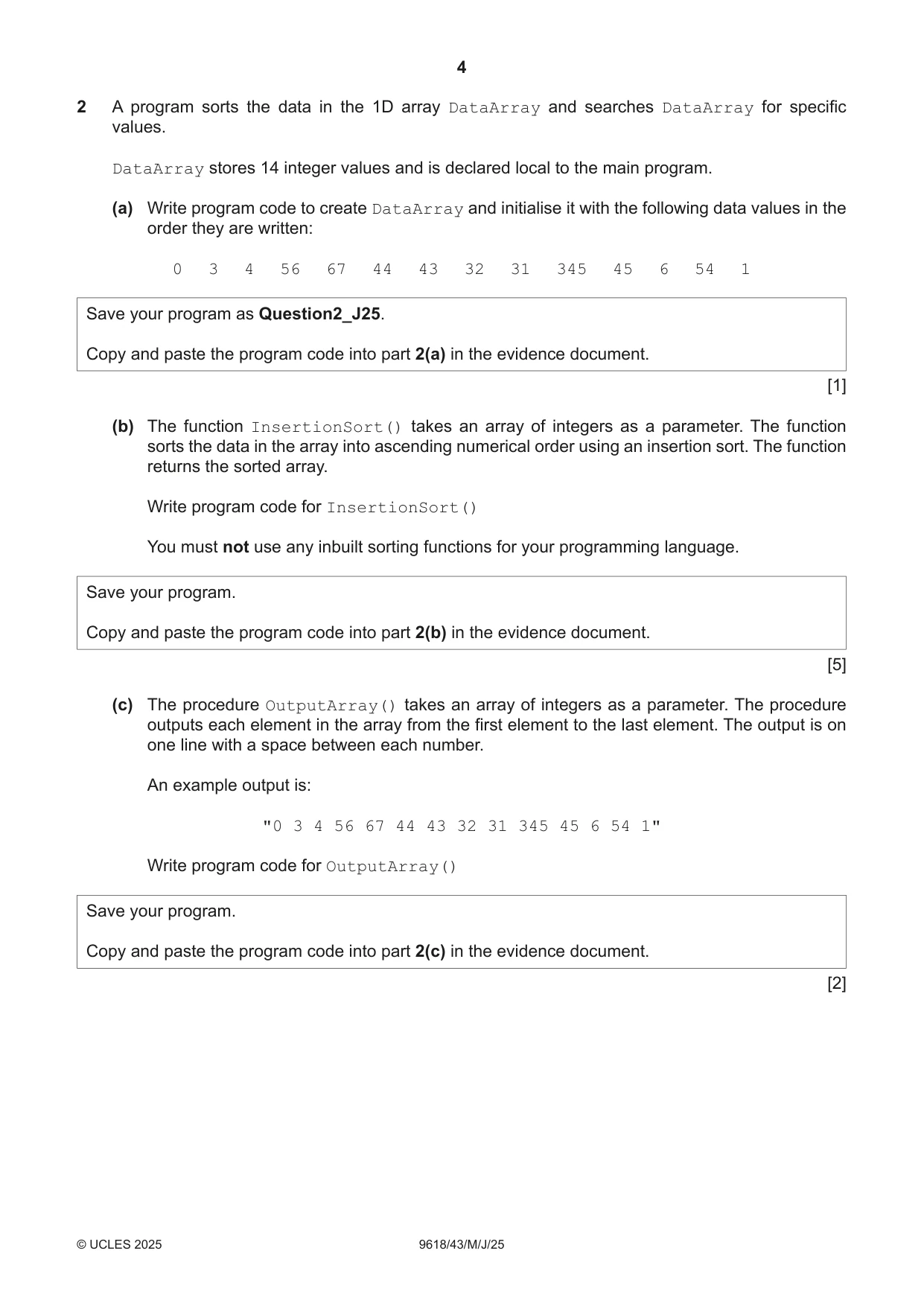
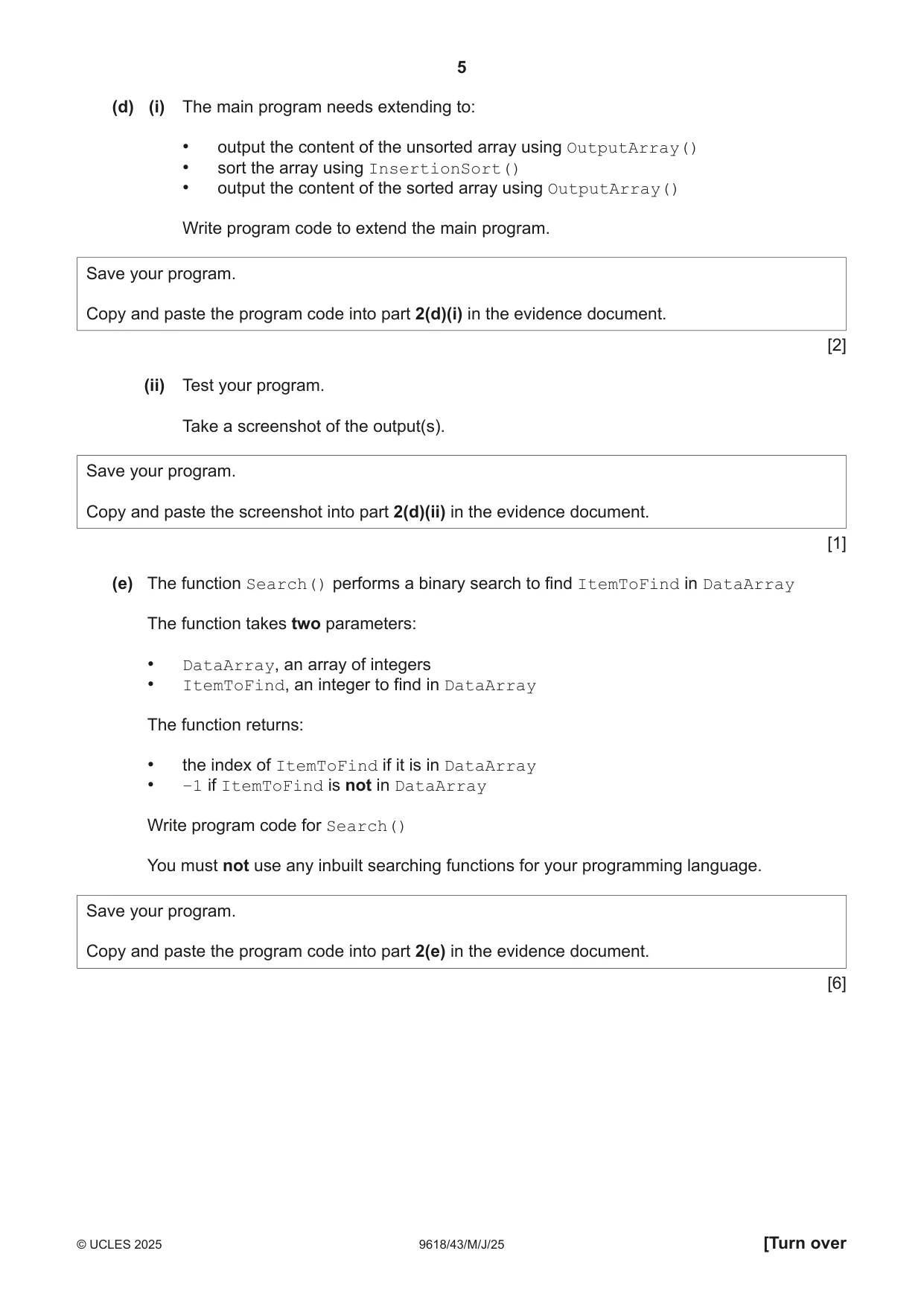
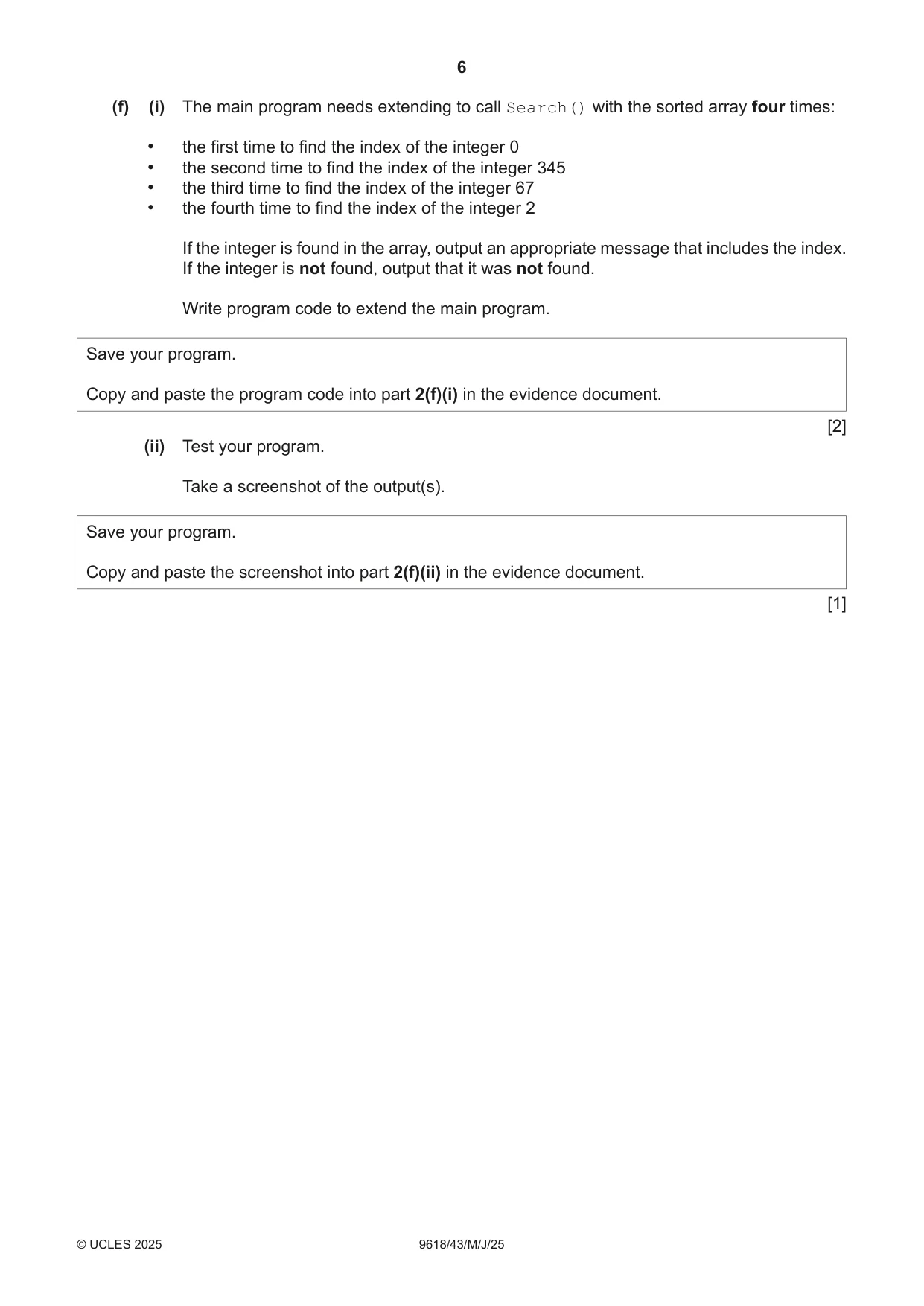
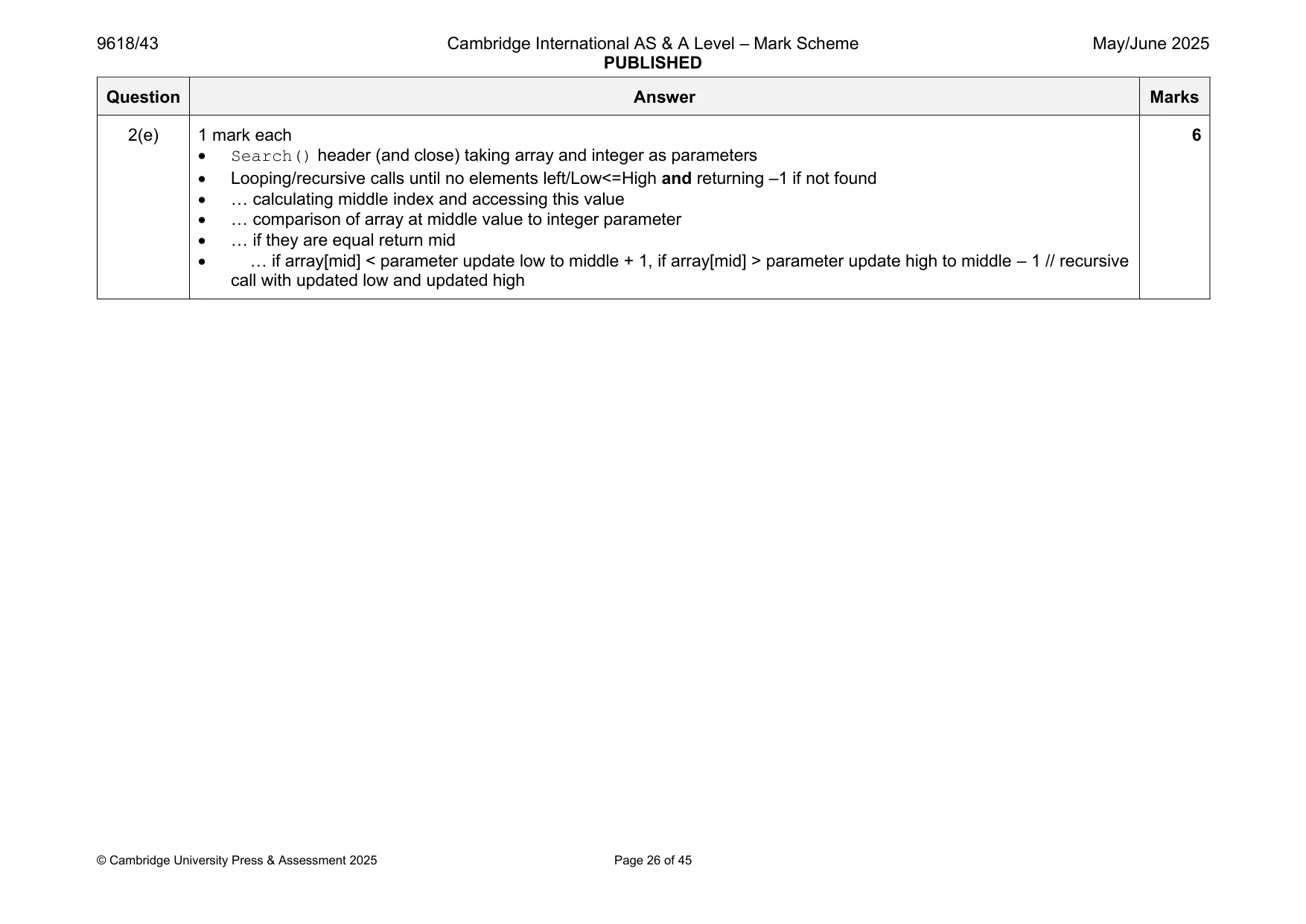
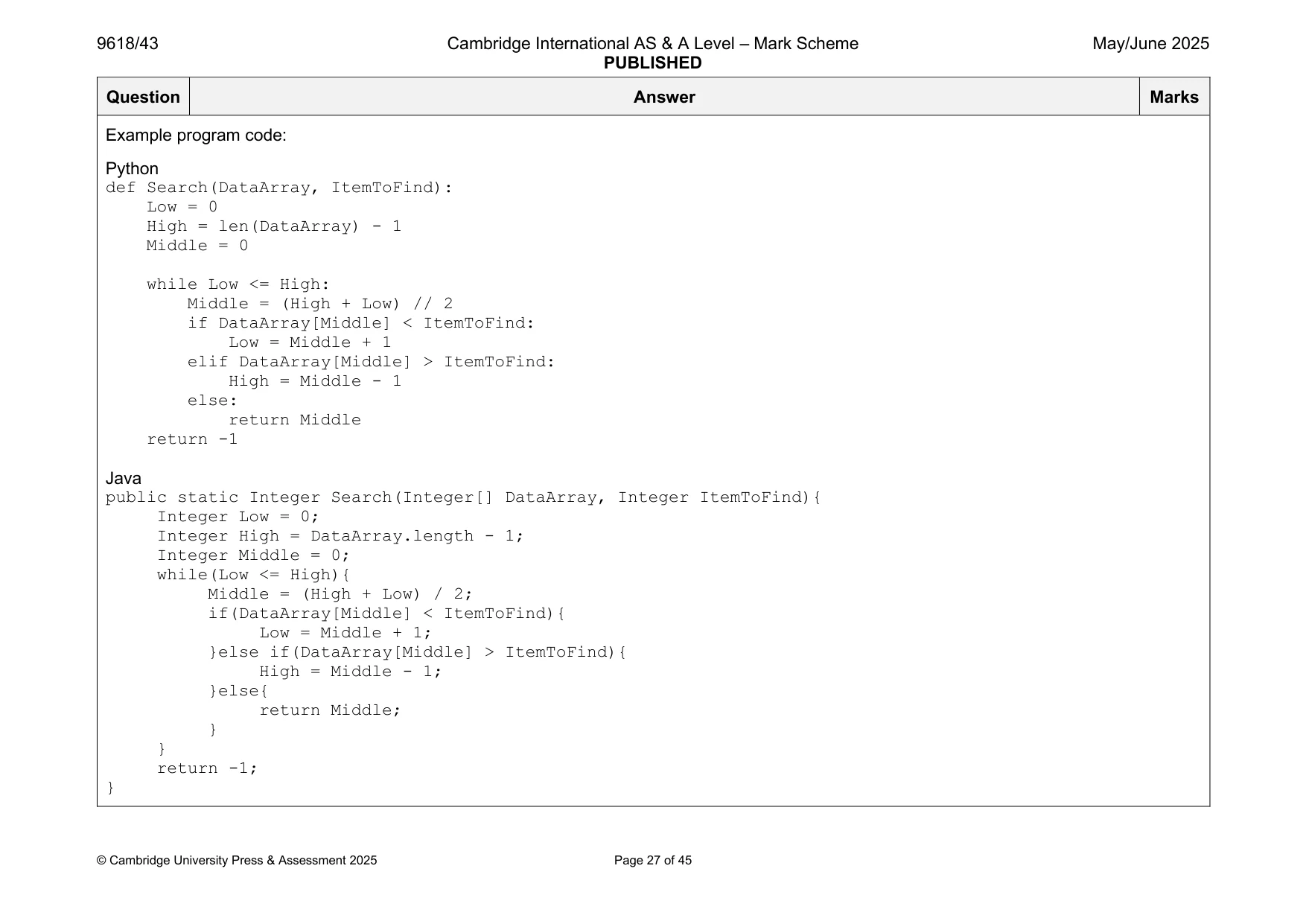
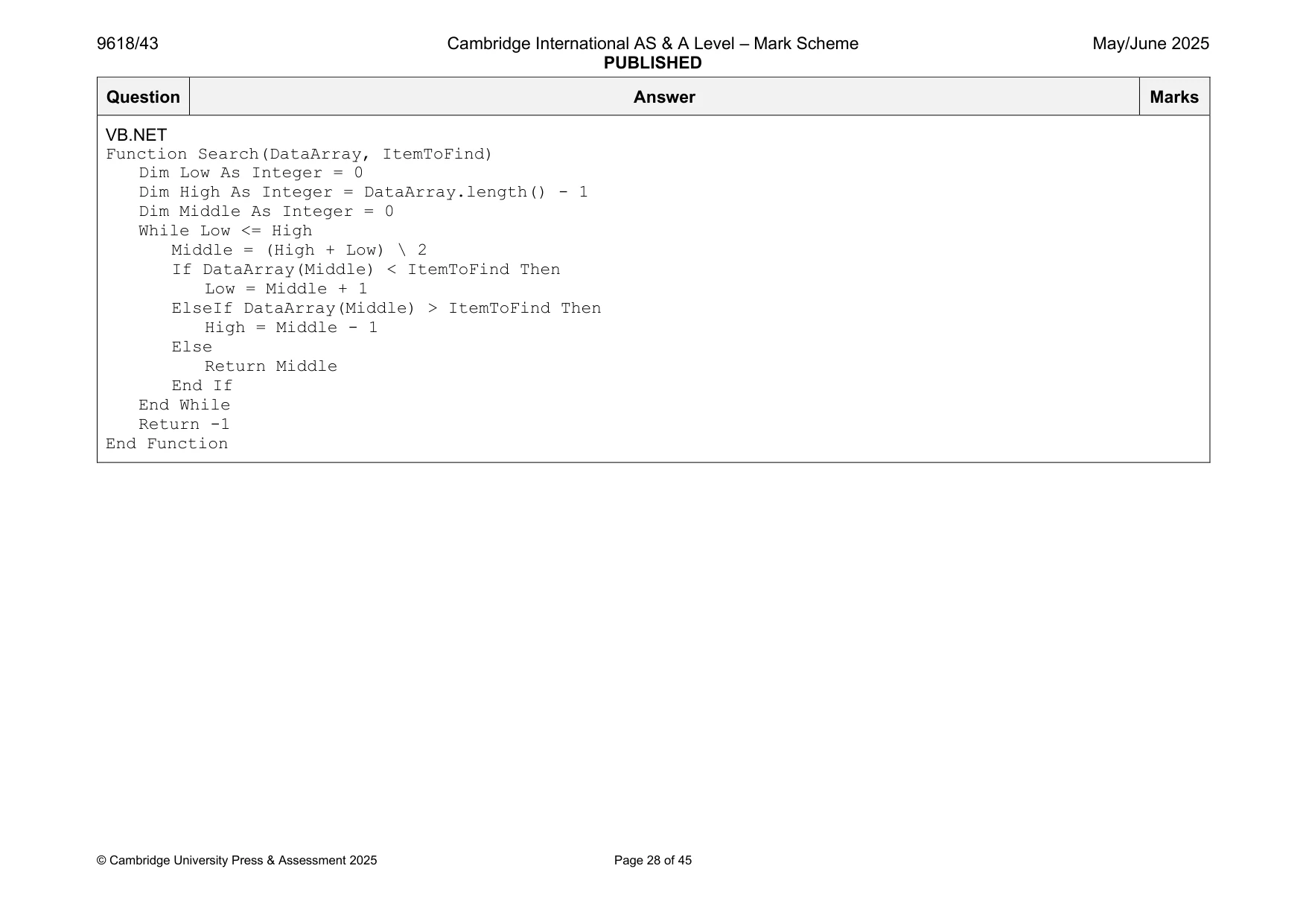
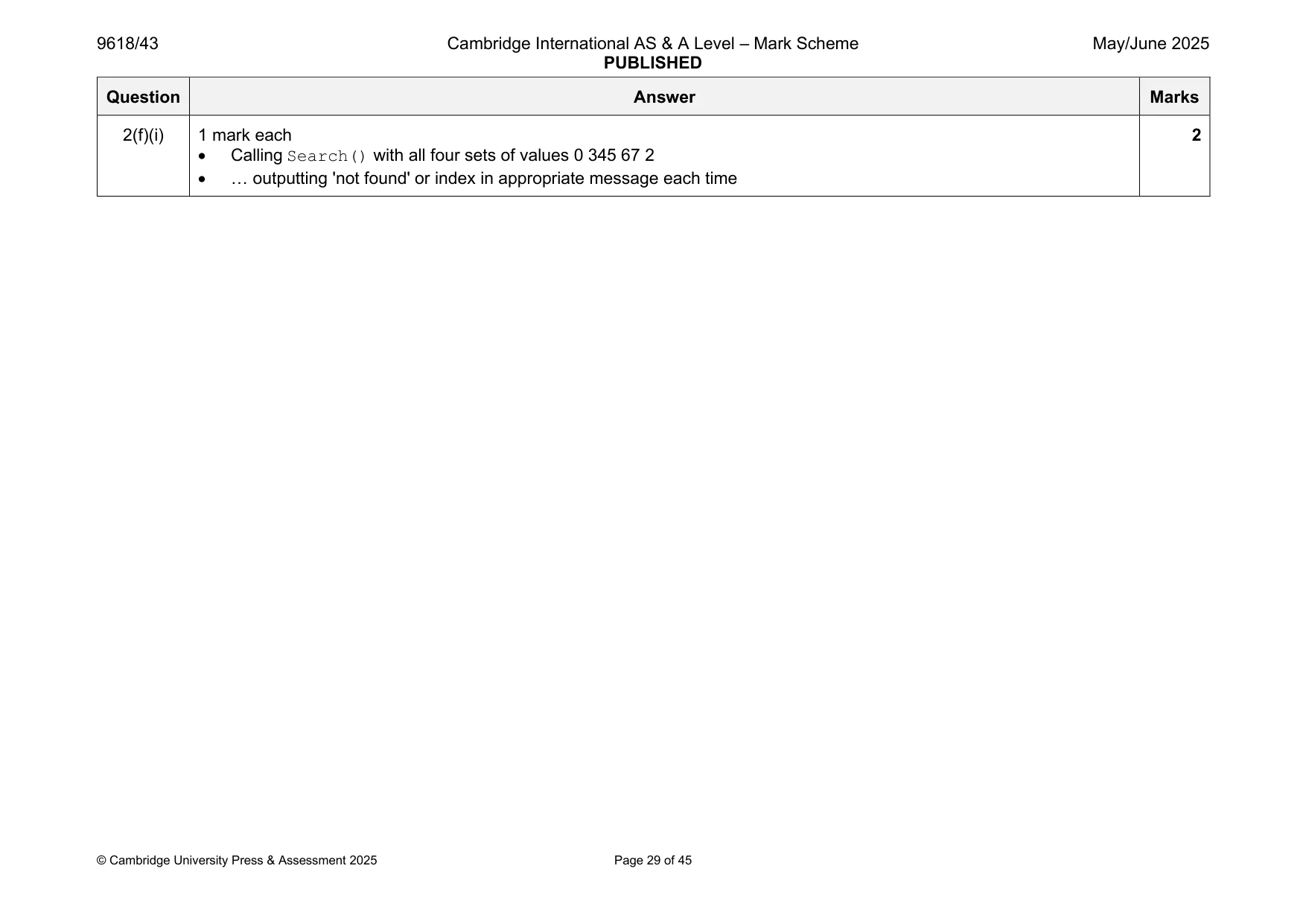
2 A program sorts the data in the 1D array DataArray and searches DataArray for specific values. DataArray stores 14 integer values and is declared local to the main program. (a) Write program code to create DataArray and initialise it with the following data values in the order they are written: 0 3 4 56 67 44 43 32 31 345 45 6 54 1 Save your program as Question2_J25. Copy and paste the program code into part 2(a) in the evidence document. [1] (b) The function InsertionSort() takes an array of integers as a parameter. The function sorts the data in the array into ascending numerical order using an insertion sort. The function returns the sorted array. Write program code for InsertionSort() You must not use any inbuilt sorting functions for your programming language. Save your program. Copy and paste the program code into part 2(b) in the evidence document. [5] (c) The procedure OutputArray() takes an array of integers as a parameter. The procedure outputs each element in the array from the first element to the last element. The output is on one line with a space between each number. An example output is: "0 3 4 56 67 44 43 32 31 345 45 6 54 1" Write program code for OutputArray() Save your program. Copy and paste the program code into part 2(c) in the evidence document. [2] (d) (i) The main program needs extending to: • output the content of the unsorted array using OutputArray() • sort the array using InsertionSort() • output the content of the sorted array using OutputArray() Write program code to extend the main program. Save your program. Copy and paste the program code into part 2(d)(i) in the evidence document. [2] (ii) Test your program. Take a screenshot of the output(s). Save your program. Copy and paste the screenshot into part 2(d)(ii) in the evidence document. [1] (e) The function Search() performs a binary search to find ItemToFind in DataArray The function takes two parameters: • DataArray, an array of integers • ItemToFind, an integer to find in DataArray The function returns: • the index of ItemToFind if it is in DataArray • –1 if ItemToFind is not in DataArray Write program code for Search() You must not use any inbuilt searching functions for your programming language. Save your program. Copy and paste the program code into part 2(e) in the evidence document. [6] (f) (i) The main program needs extending to call Search() with the sorted array four times: • the first time to find the index of the integer 0 • the second time to find the index of the integer 345 • the third time to find the index of the integer 67 • the fourth time to find the index of the integer 2 If the integer is found in the array, output an appropriate message that includes the index. If the integer is not found, output that it was not found. Write program code to extend the main program. Save your program. Copy and paste the program code into part 2(f)(i) in the evidence document. [2] (ii) Test your program. Take a screenshot of the output(s). Save your program. Copy and paste the screenshot into part 2(f)(ii) in the evidence document. [1]
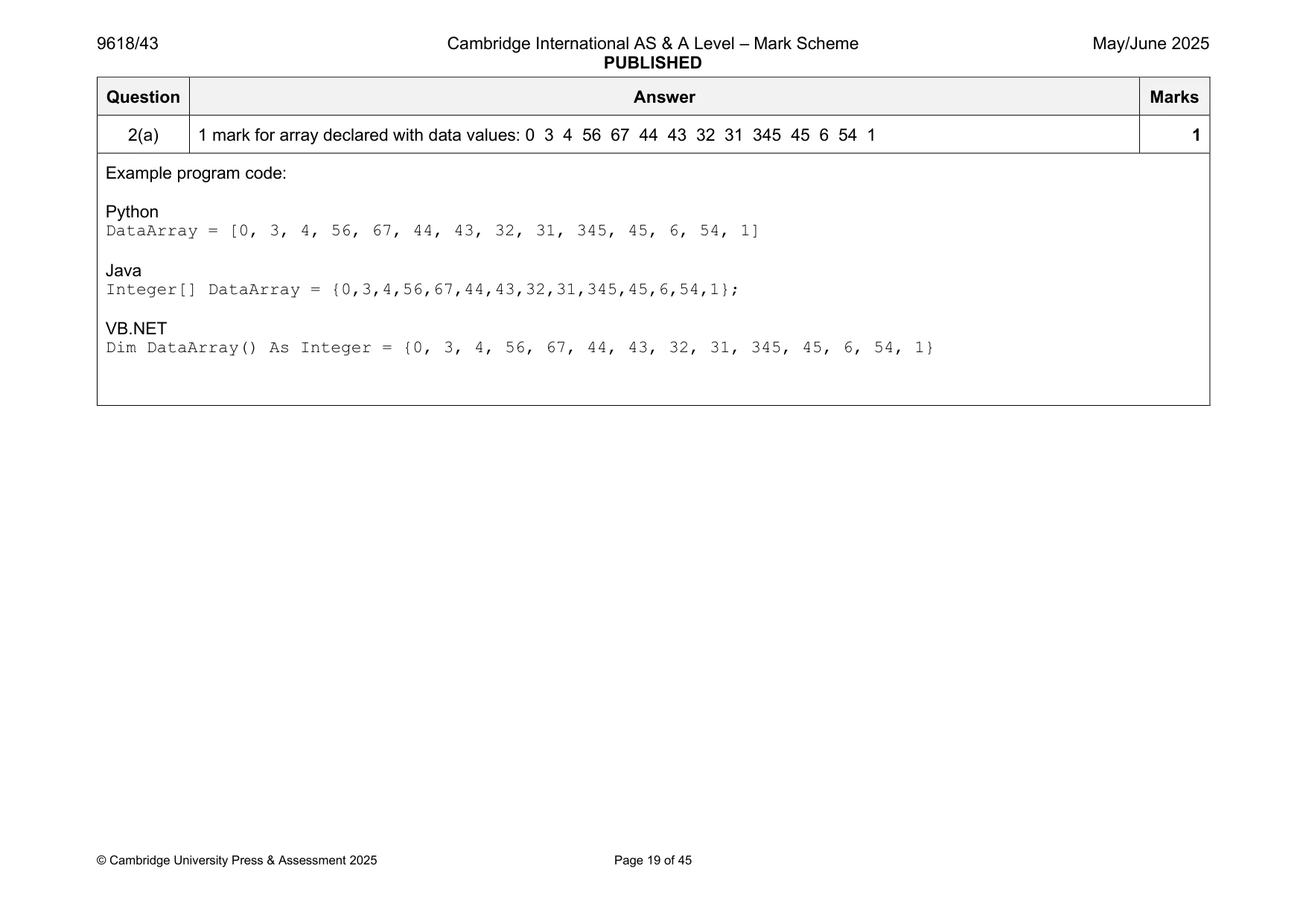
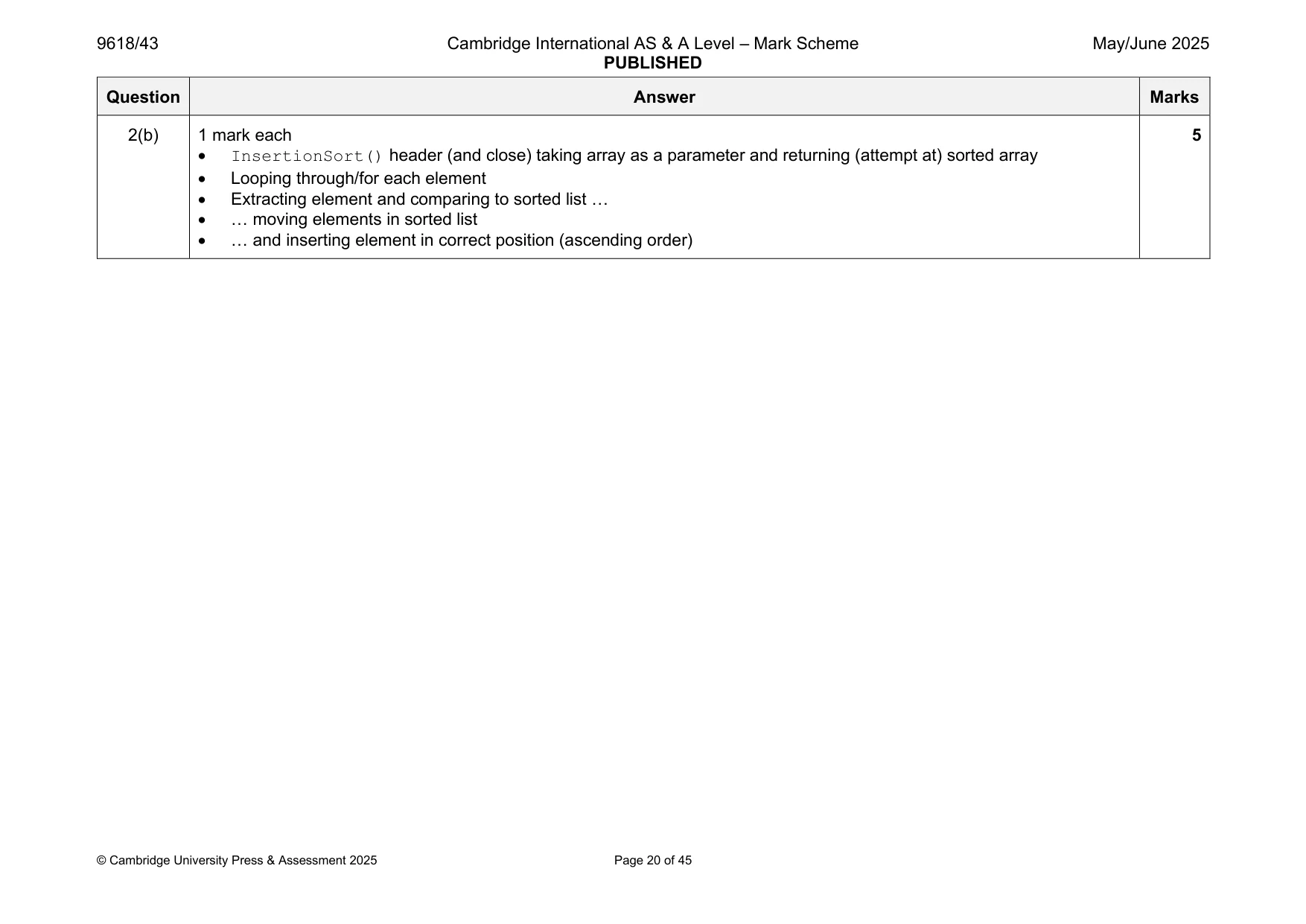
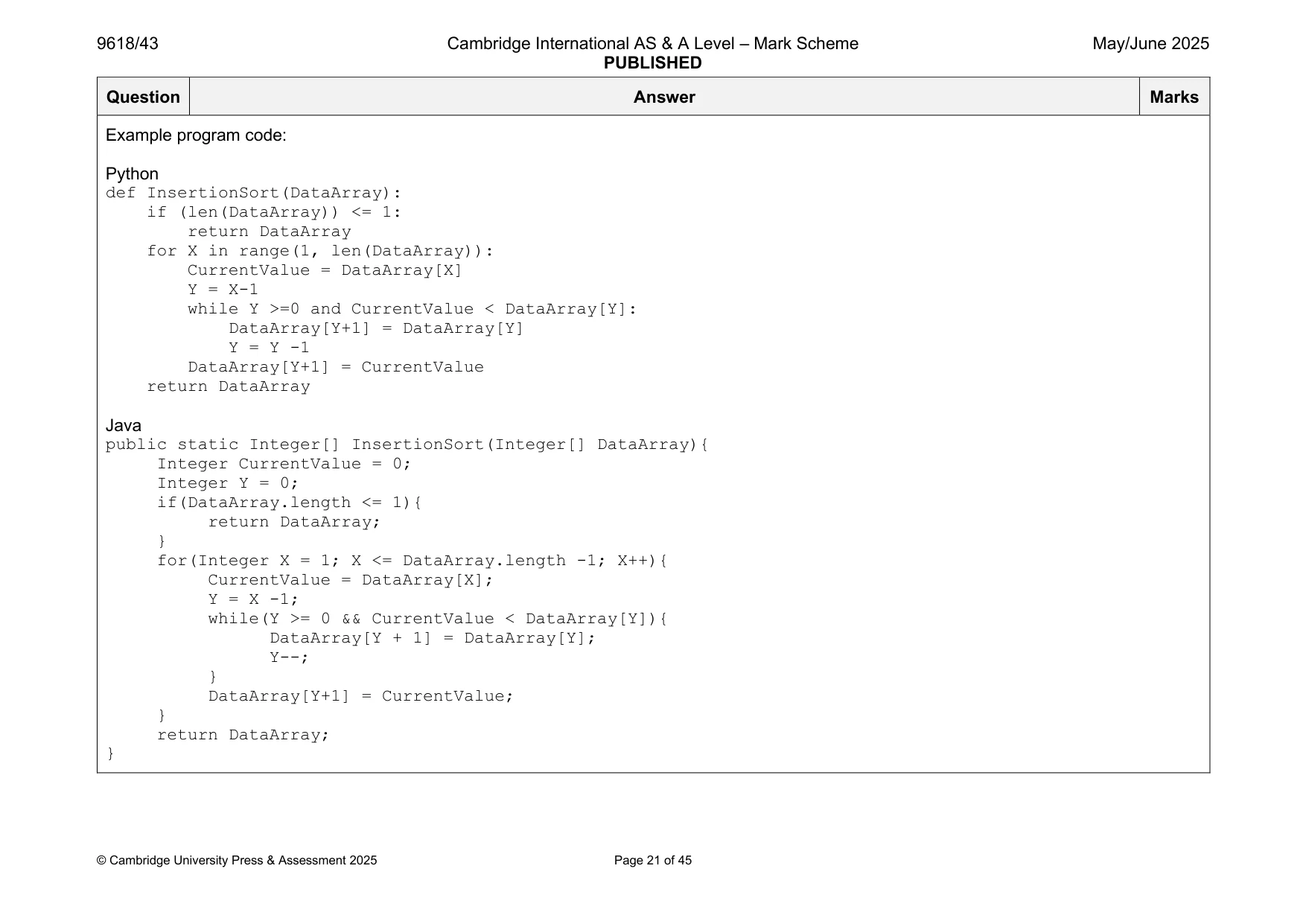
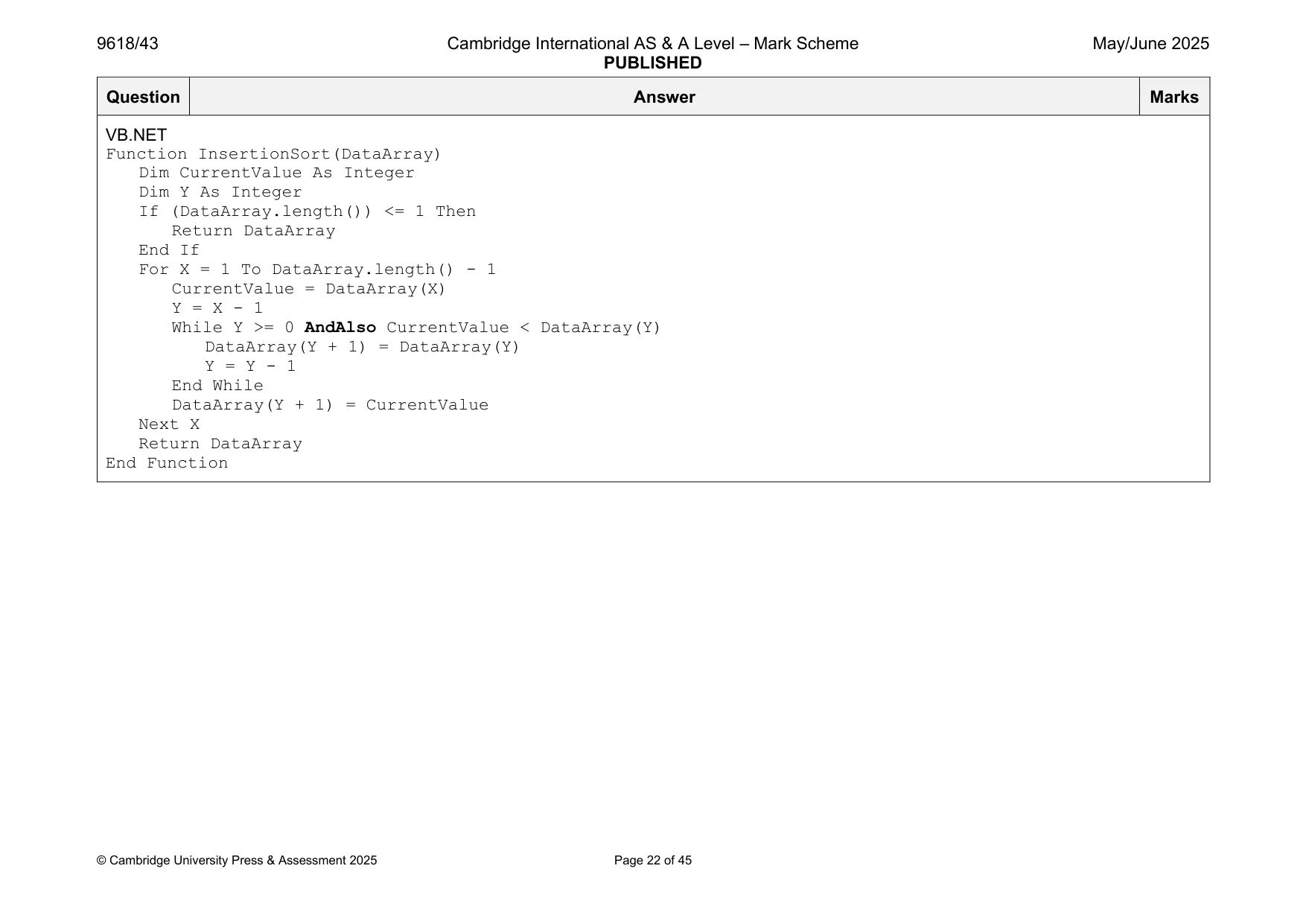
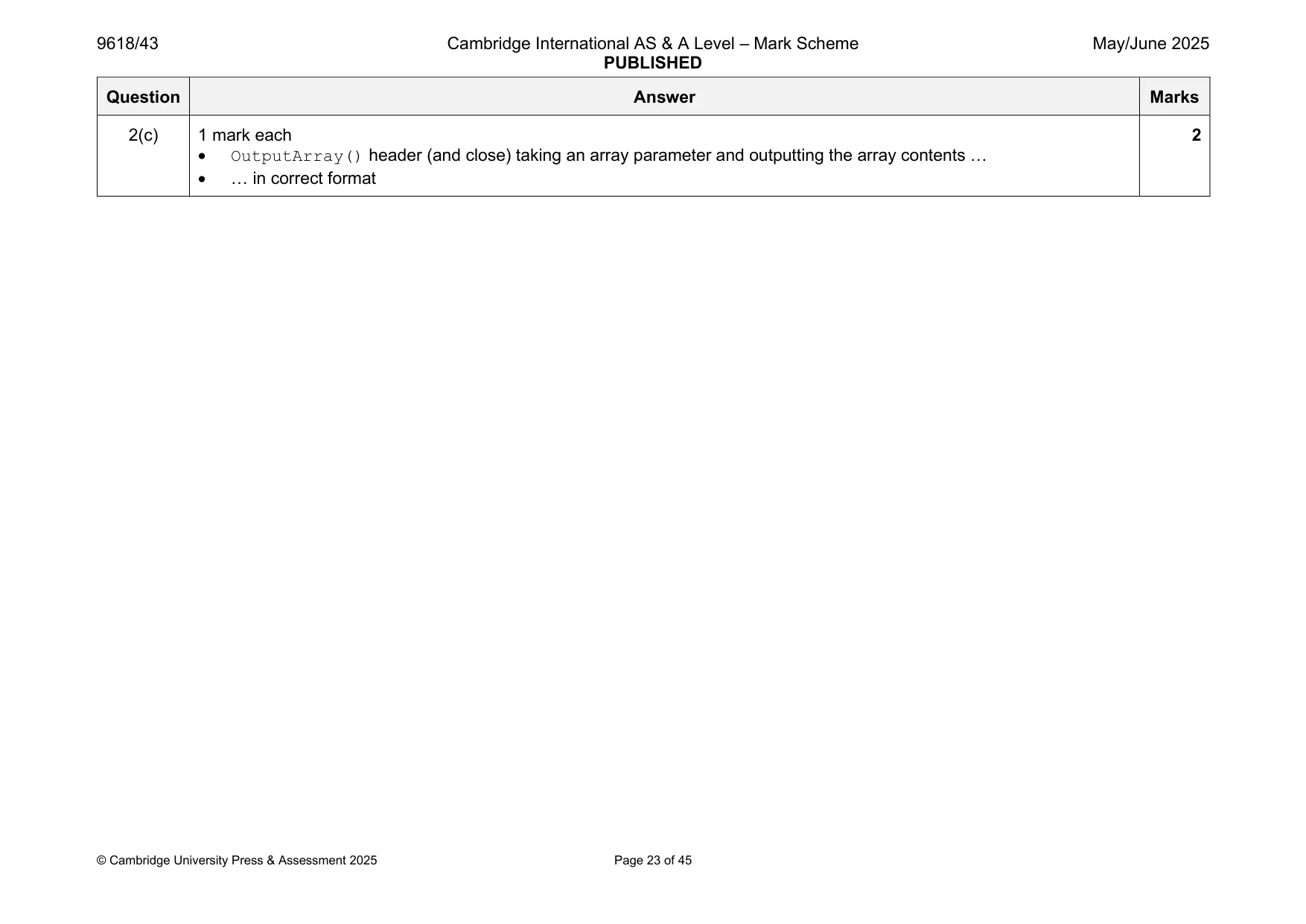
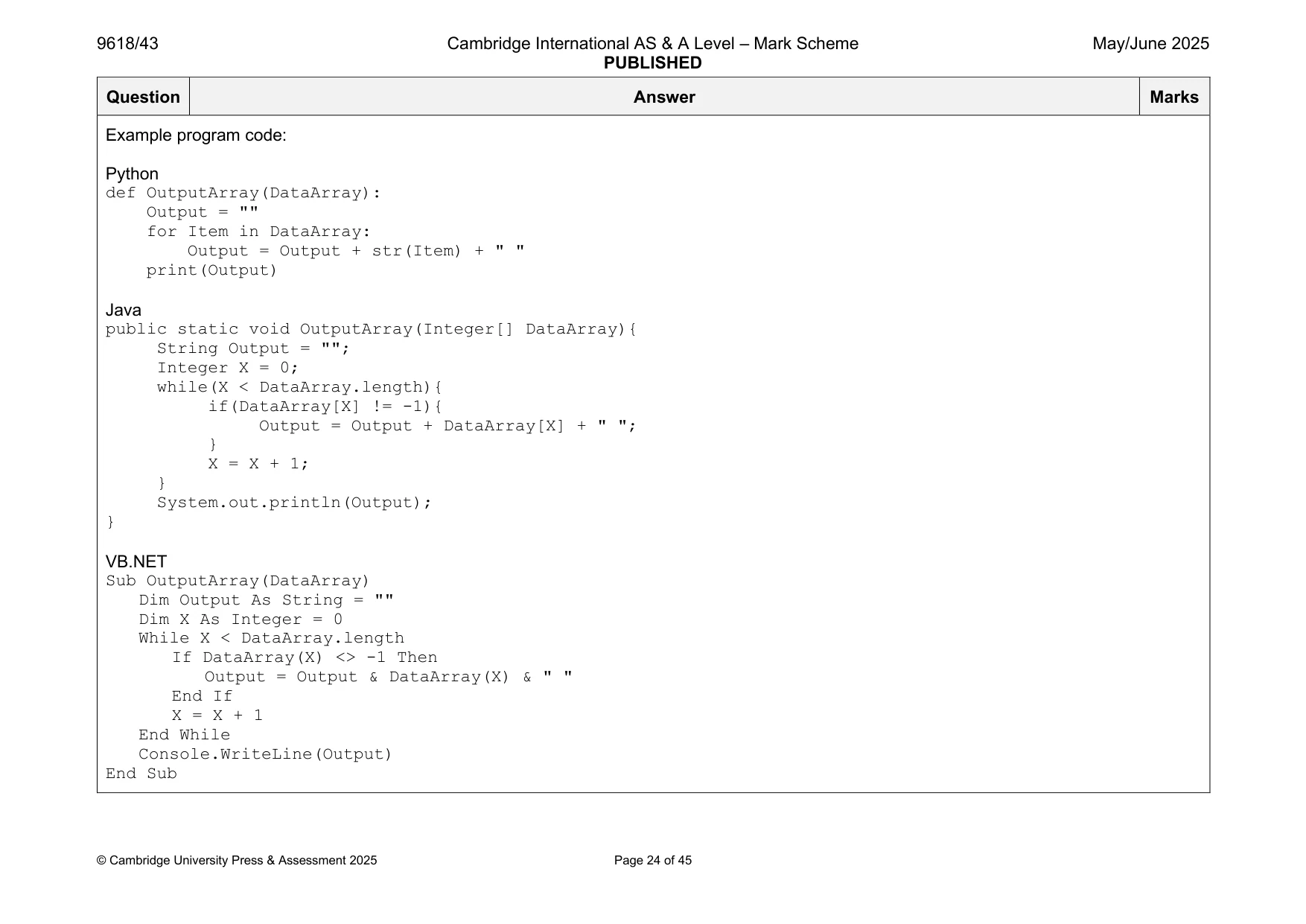
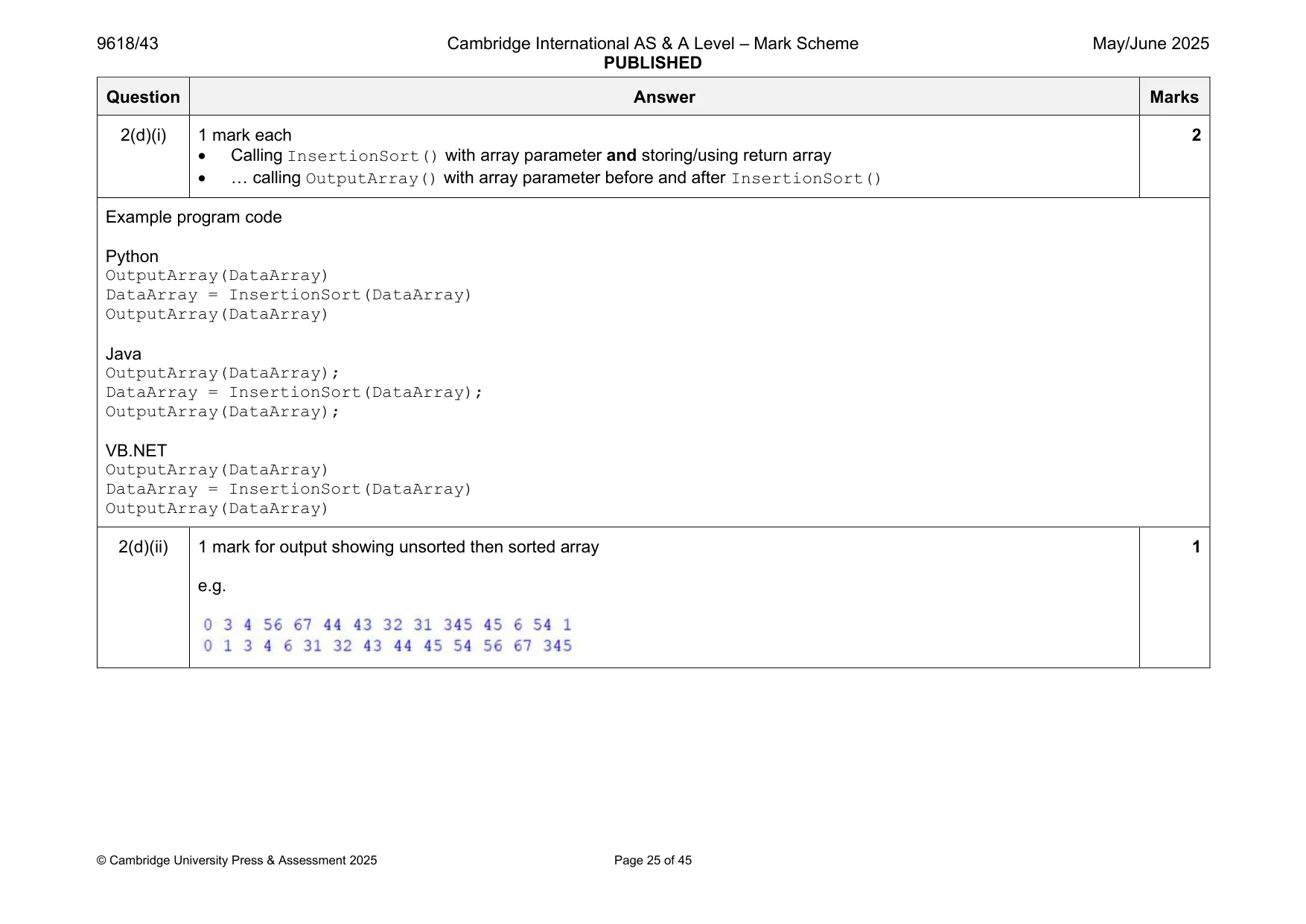
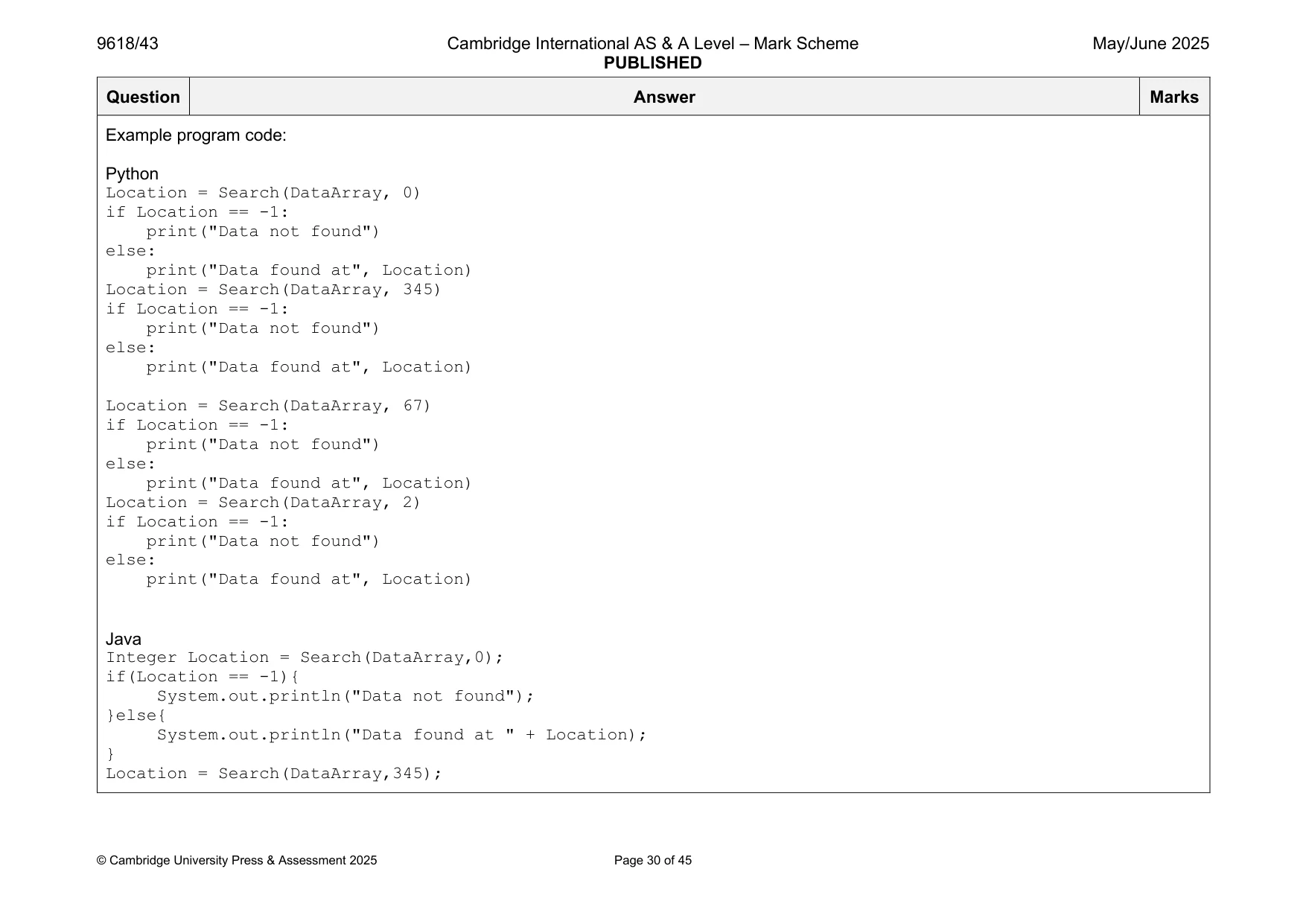
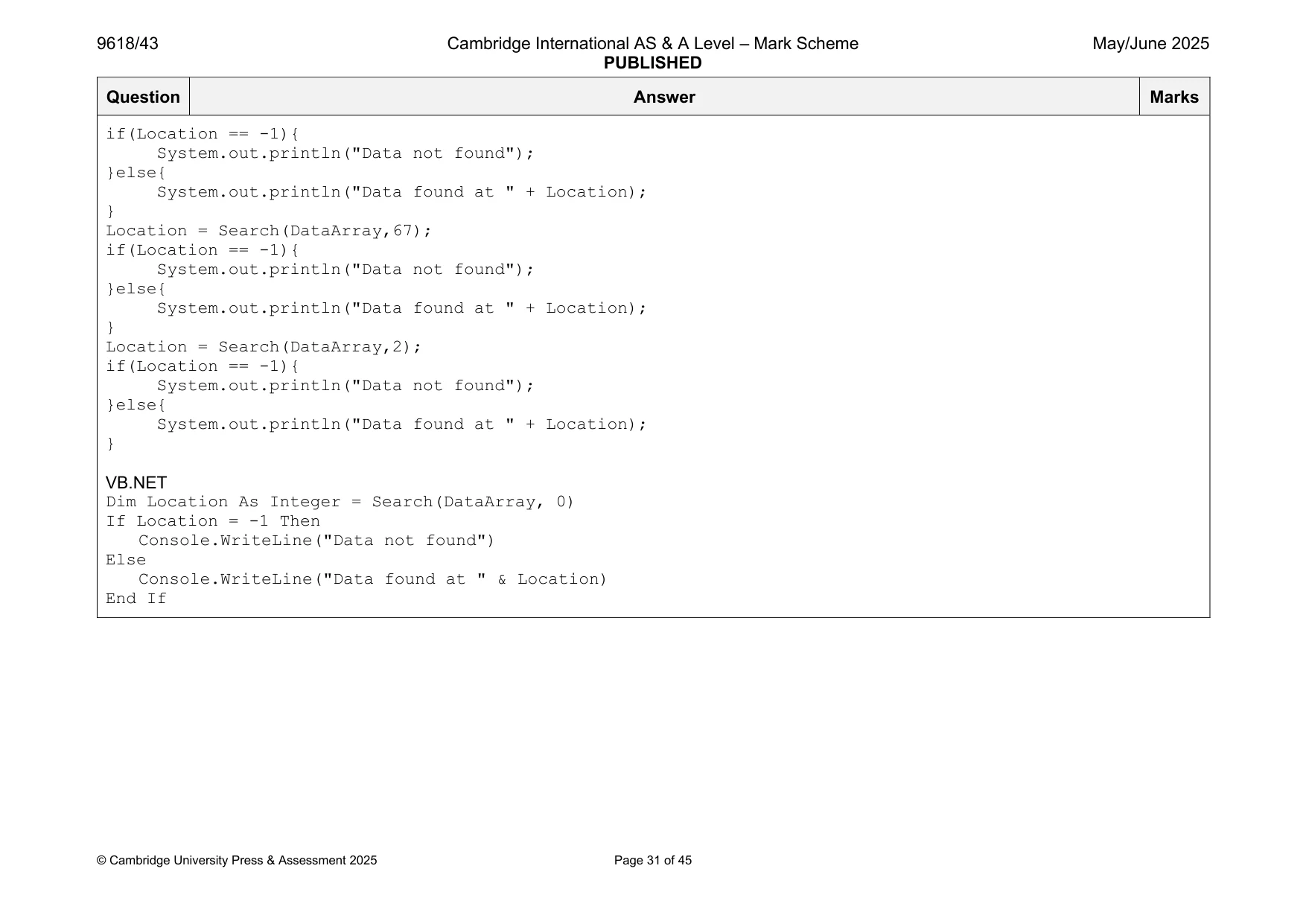
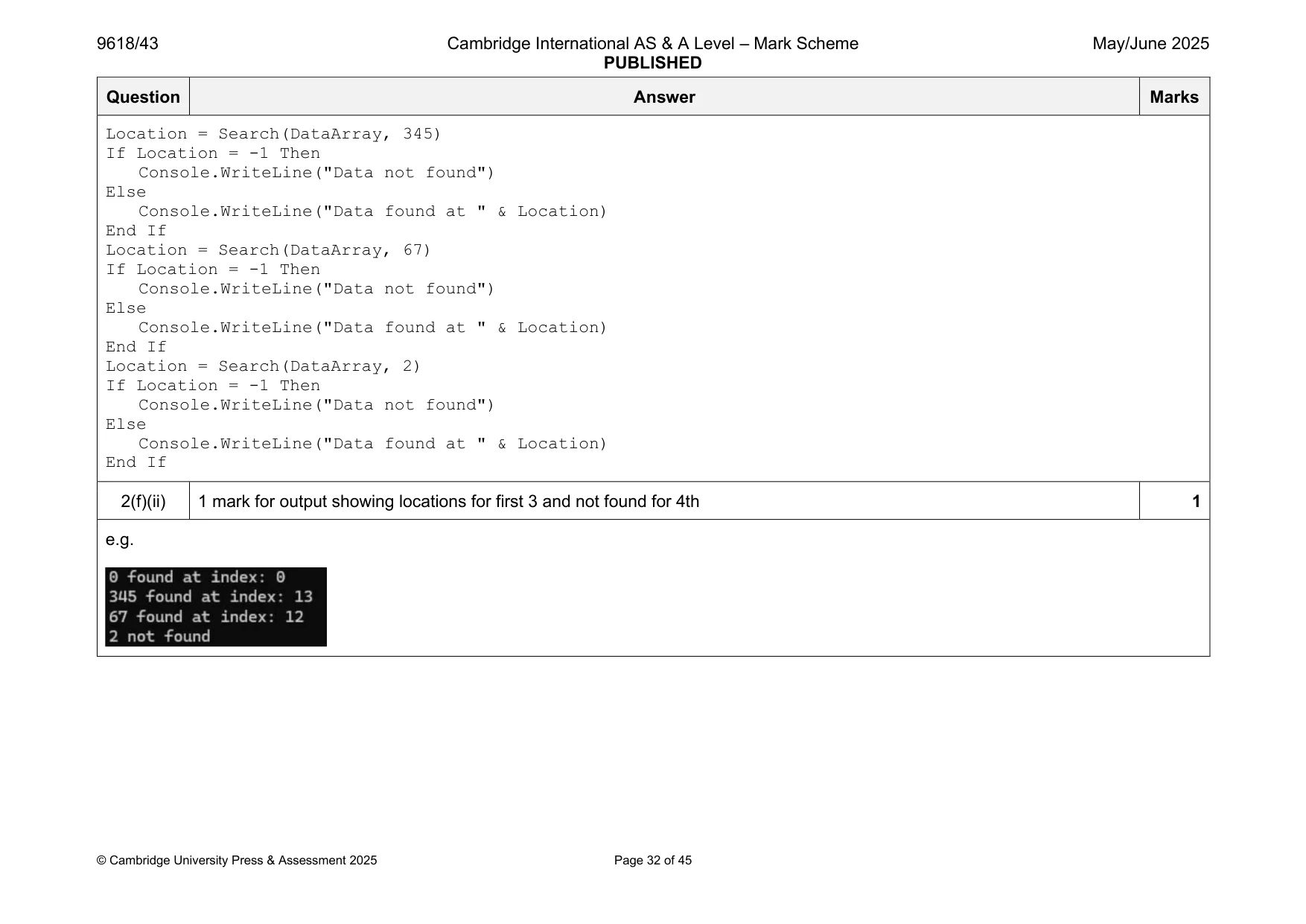
Mark scheme: 2(a) 1 mark for array declared with data values: 0 3 4 56 67 44 43 32 31 345 45 6 54 1 1 Example program code: Python DataArray = [0, 3, 4, 56, 67, 44, 43, 32, 31, 345, 45, 6, 54, 1] Java Integer[] DataArray = {0,3,4,56,67,44,43,32,31,345,45,6,54,1}; VB.NET Dim DataArray() As Integer = {0, 3, 4, 56, 67, 44, 43, 32, 31, 345, 45, 6, 54, 1} 2(b) 1 mark each 5 • InsertionSort() header (and close) taking array as a parameter and returning (attempt at) sorted array • Looping through/for each element • Extracting element and comparing to sorted list … • … moving elements in sorted list • … and inserting element in correct position (ascending order) Example program code: Python def InsertionSort(DataArray): if (len(DataArray)) <= 1: return DataArray for X in range(1, len(DataArray)): CurrentValue = DataArray[X] Y = X-1 while Y >=0 and CurrentValue < DataArray[Y]: DataArray[Y+1] = DataArray[Y] Y = Y -1 DataArray[Y+1] = CurrentValue return DataArray Java public static Integer[] InsertionSort(Integer[] DataArray){ Integer CurrentValue = 0; Integer Y = 0; if(DataArray.length <= 1){ return DataArray; } for(Integer X = 1; X <= DataArray.length -1; X++){ CurrentValue = DataArray[X]; Y = X -1; while(Y >= 0 && CurrentValue < DataArray[Y]){ DataArray[Y + 1] = DataArray[Y]; Y--; } DataArray[Y+1] = CurrentValue; } return DataArray; } VB.NET Function InsertionSort(DataArray) Dim CurrentValue As Integer Dim Y As Integer If (DataArray.length()) <= 1 Then Return DataArray End If For X = 1 To DataArray.length() - 1 CurrentValue = DataArray(X) Y = X - 1 While Y >= 0 AndAlso CurrentValue < DataArray(Y) DataArray(Y + 1) = DataArray(Y) Y = Y - 1 End While DataArray(Y + 1) = CurrentValue Next X Return DataArray End Function 2(c) 1 mark each 2 • OutputArray() header (and close) taking an array parameter and outputting the array contents … • … in correct format Example program code: Python def OutputArray(DataArray): Output = "" for Item in DataArray: Output = Output + str(Item) + " " print(Output) Java public static void OutputArray(Integer[] DataArray){ String Output = ""; Integer X = 0; while(X < DataArray.length){ if(DataArray[X] != -1){ Output = Output + DataArray[X] + " "; } X = X + 1; } System.out.println(Output); } VB.NET Sub OutputArray(DataArray) Dim Output As String = "" Dim X As Integer = 0 While X < DataArray.length If DataArray(X) <> -1 Then Output = Output & DataArray(X) & " " End If X = X + 1 End While Console.WriteLine(Output) End Sub 2(d)(i) 1 mark each 2 • Calling InsertionSort() with array parameter and storing/using return array • … calling OutputArray() with array parameter before and after InsertionSort() Example program code Python OutputArray(DataArray) DataArray = InsertionSort(DataArray) OutputArray(DataArray) Java OutputArray(DataArray); DataArray = InsertionSort(DataArray); OutputArray(DataArray); VB.NET OutputArray(DataArray) DataArray = InsertionSort(DataArray) OutputArray(DataArray) 2(d)(ii) 1 mark for output showing unsorted then sorted array 1 e.g. 2(e) 1 mark each 6 • Search() header (and close) taking array and integer as parameters • Looping/recursive calls until no elements left/Low<=High and returning –1 if not found • … calculating middle index and accessing this value • … comparison of array at middle value to integer parameter • … if they are equal return mid • … if array[mid] < parameter update low to middle + 1, if array[mid] > parameter update high to middle – 1 // recursive call with updated low and updated high Example program code: Python def Search(DataArray, ItemToFind): Low = 0 High = len(DataArray) - 1 Middle = 0 while Low <= High: Middle = (High + Low) // 2 if DataArray[Middle] < ItemToFind: Low = Middle + 1 elif DataArray[Middle] > ItemToFind: High = Middle - 1 else: return Middle return -1 Java public static Integer Search(Integer[] DataArray, Integer ItemToFind){ Integer Low = 0; Integer High = DataArray.length - 1; Integer Middle = 0; while(Low <= High){ Middle = (High + Low) / 2; if(DataArray[Middle] < ItemToFind){ Low = Middle + 1; }else if(DataArray[Middle] > ItemToFind){ High = Middle - 1; }else{ return Middle; } } return -1; } VB.NET Function Search(DataArray, ItemToFind) Dim Low As Integer = 0 Dim High As Integer = DataArray.length() - 1 Dim Middle As Integer = 0 While Low <= High Middle = (High + Low) \ 2 If DataArray(Middle) < ItemToFind Then Low = Middle + 1 ElseIf DataArray(Middle) > ItemToFind Then High = Middle - 1 Else Return Middle End If End While Return -1 End Function 2(f)(i) 1 mark each 2 • Calling Search() with all four sets of values 0 345 67 2 • … outputting 'not found' or index in appropriate message each time Example program code: Python Location = Search(DataArray, 0) if Location == -1: print("Data not found") else: print("Data found at", Location) Location = Search(DataArray, 345) if Location == -1: print("Data not found") else: print("Data found at", Location) Location = Search(DataArray, 67) if Location == -1: print("Data not found") else: print("Data found at", Location) Location = Search(DataArray, 2) if Location == -1: print("Data not found") else: print("Data found at", Location) Java Integer Location = Search(DataArray,0); if(Location == -1){ System.out.println("Data not found"); }else{ System.out.println("Data found at " + Location); } Location = Search(DataArray,345); if(Location == -1){ System.out.println("Data not found"); }else{ System.out.println("Data found at " + Location); } Location = Search(DataArray,67); if(Location == -1){ System.out.println("Data not found"); }else{ System.out.println("Data found at " + Location); } Location = Search(DataArray,2); if(Location == -1){ System.out.println("Data not found"); }else{ System.out.println("Data found at " + Location); } VB.NET Dim Location As Integer = Search(DataArray, 0) If Location = -1 Then Console.WriteLine("Data not found") Else Console.WriteLine("Data found at " & Location) End If Location = Search(DataArray, 345) If Location = -1 Then Console.WriteLine("Data not found") Else Console.WriteLine("Data found at " & Location) End If Location = Search(DataArray, 67) If Location = -1 Then Console.WriteLine("Data not found") Else Console.WriteLine("Data found at " & Location) End If Location = Search(DataArray, 2) If Location = -1 Then Console.WriteLine("Data not found") Else Console.WriteLine("Data found at " & Location) End If 2(f)(ii) 1 mark for output showing locations for first 3 and not found for 4th 1 e.g.
Q3 · A program stores data in a linked list that is designed using Object‑Oriented Programming…
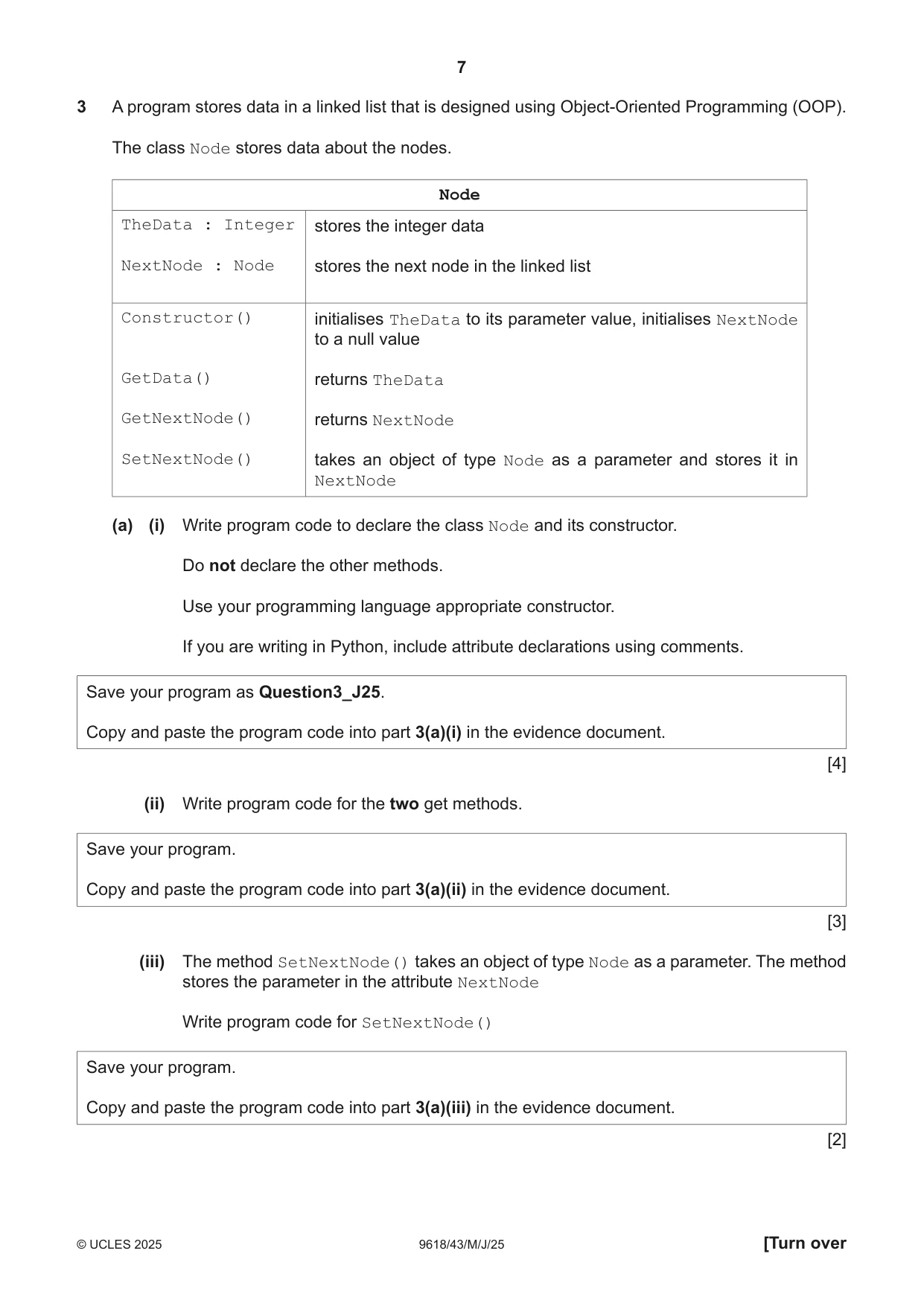
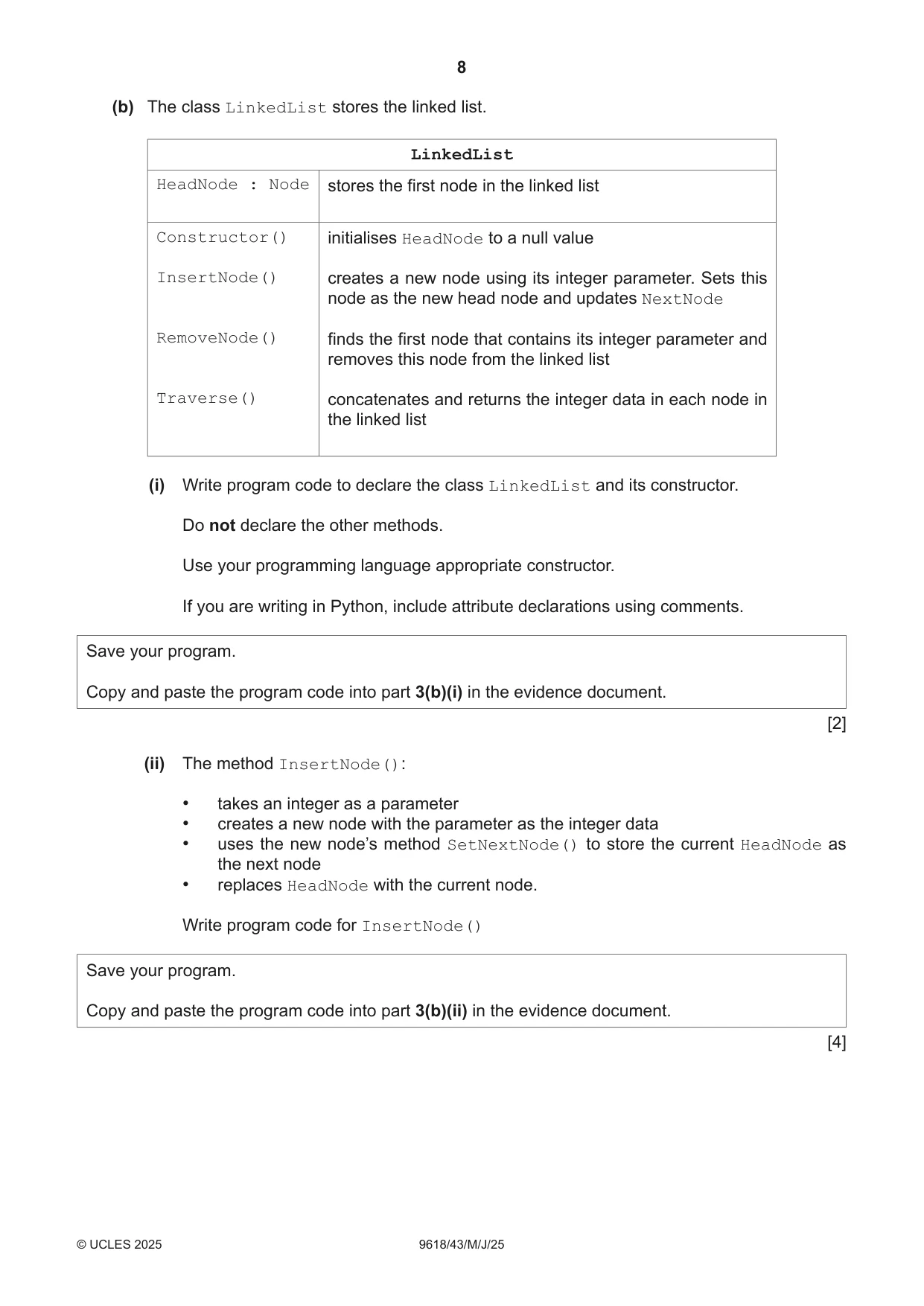
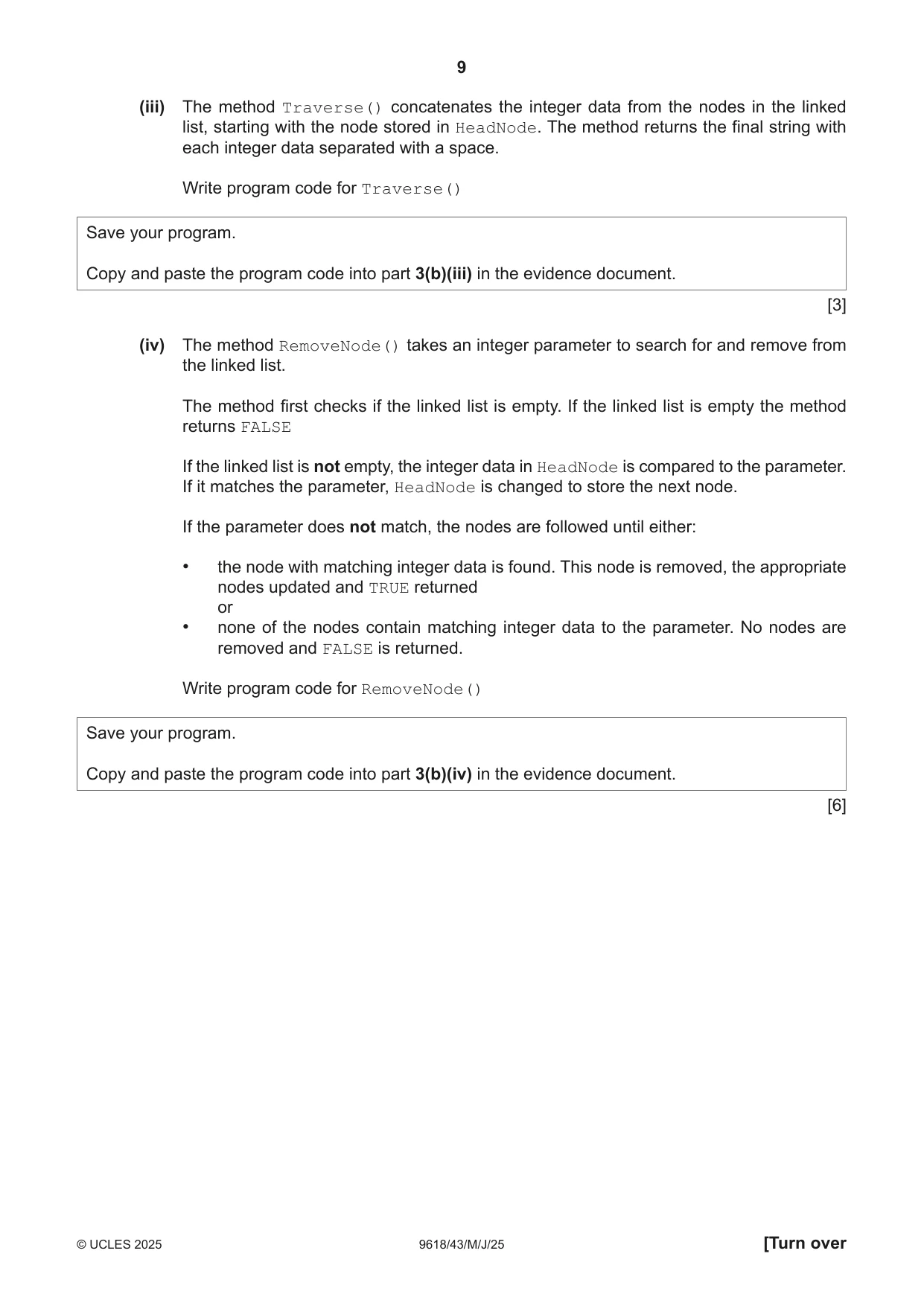
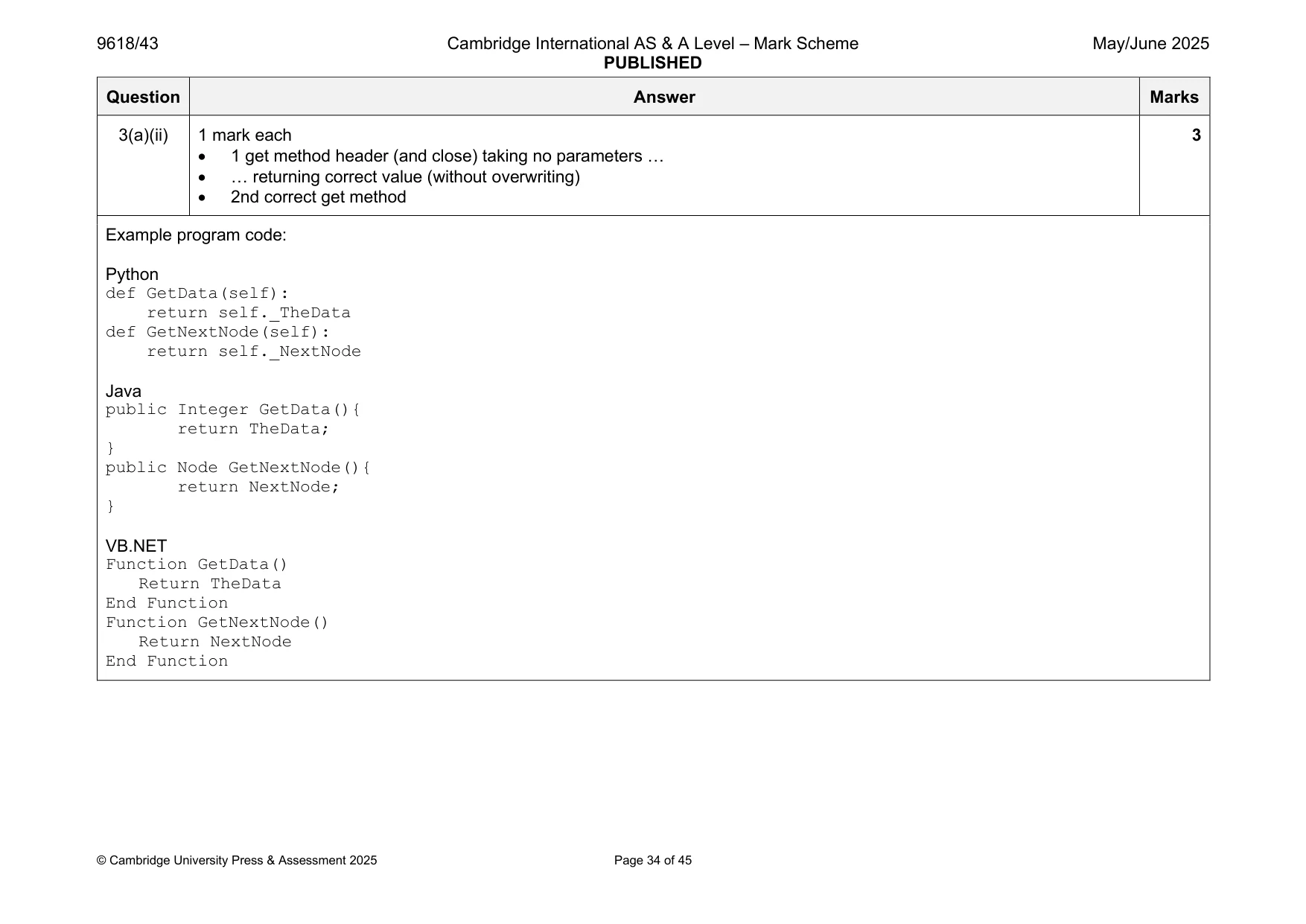
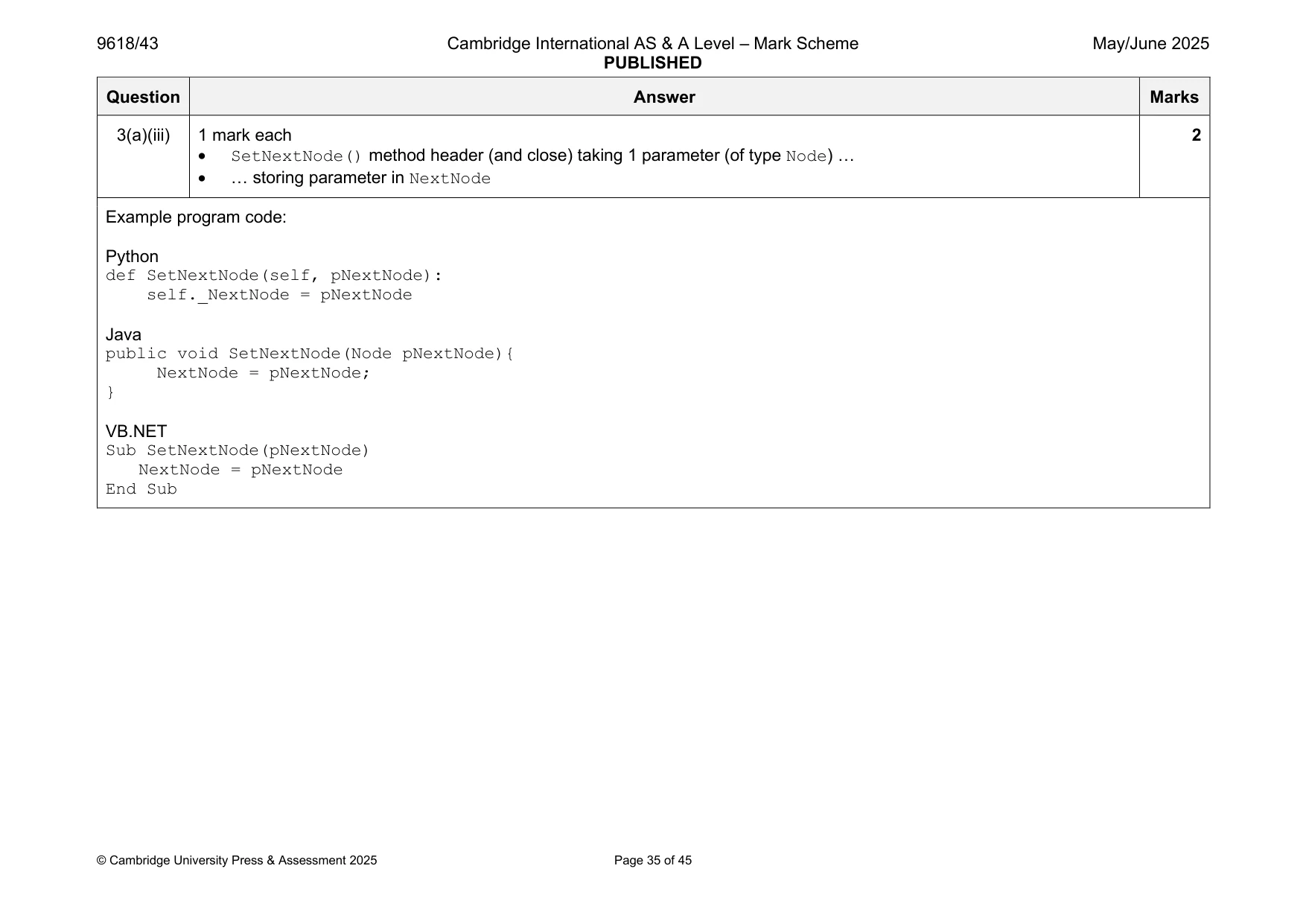
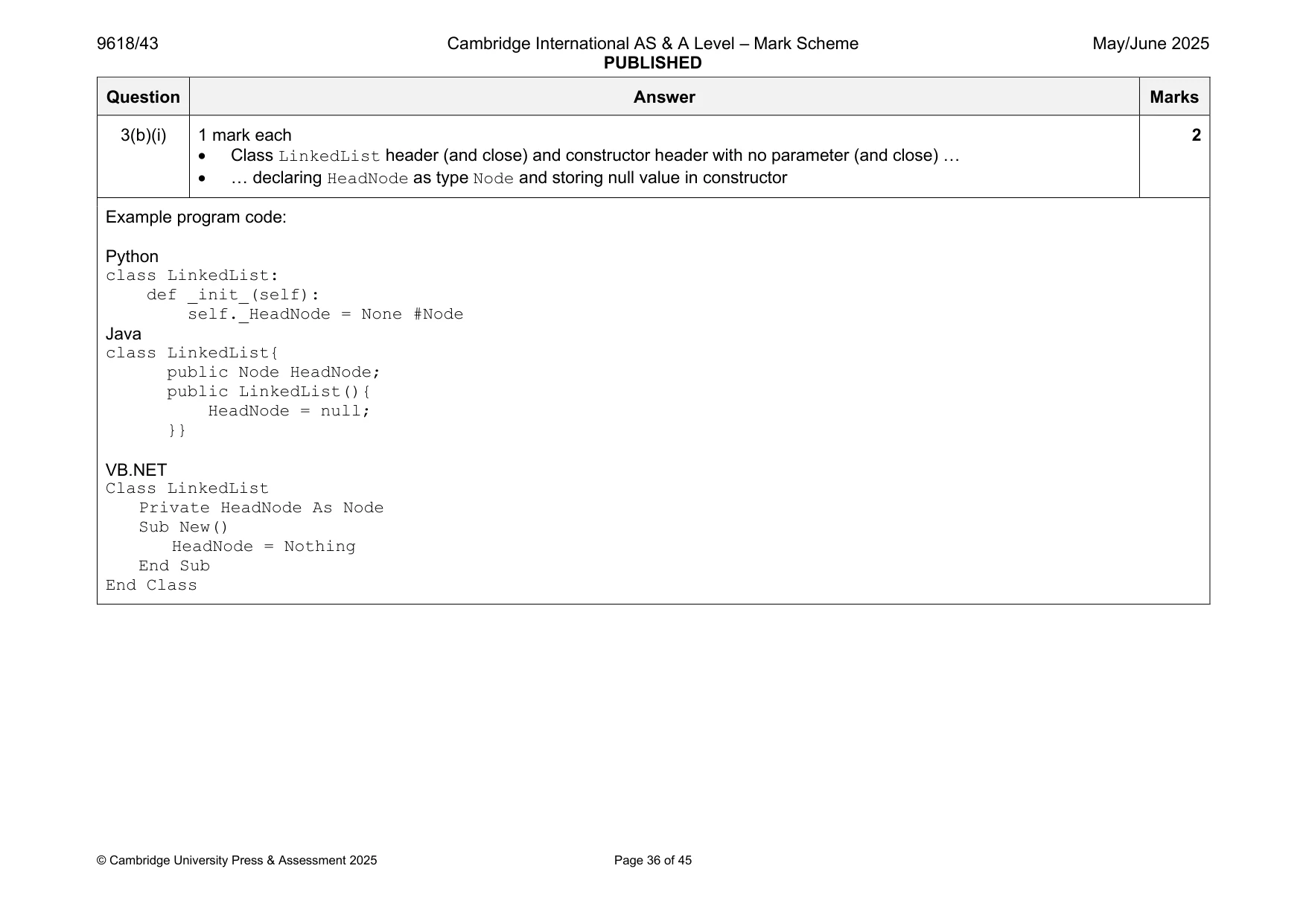
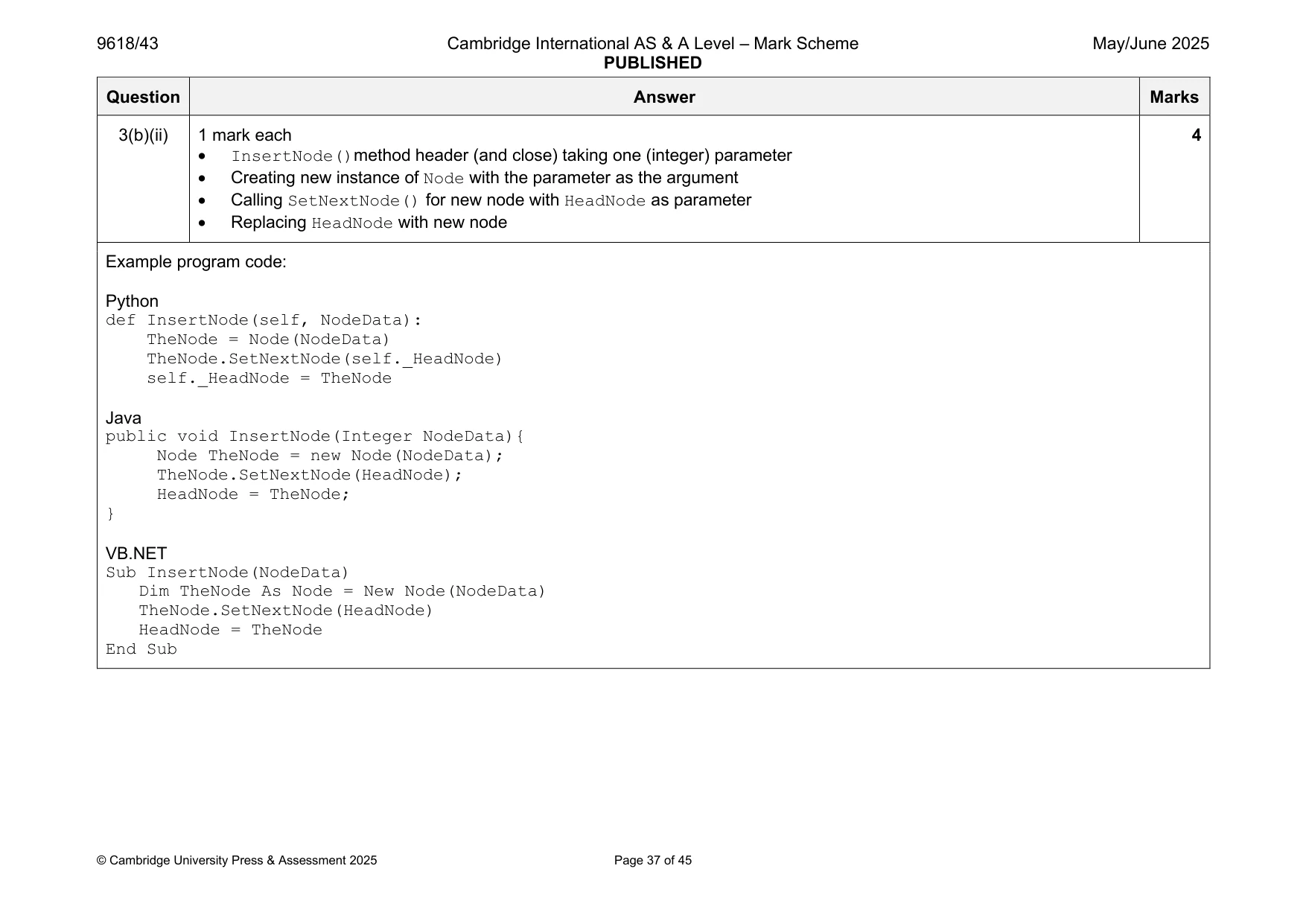
3 A program stores data in a linked list that is designed using Object‑Oriented Programming (OOP). The class Node stores data about the nodes. Node TheData : Integer stores the integer data NextNode : Node stores the next node in the linked list Constructor() initialises TheData to its parameter value, initialises NextNode to a null value GetData() returns TheData GetNextNode() returns NextNode SetNextNode() takes an object of type Node as a parameter and stores it in NextNode (a) (i) Write program code to declare the class Node and its constructor. Do not declare the other methods. Use your programming language appropriate constructor. If you are writing in Python, include attribute declarations using comments. Save your program as Question3_J25. Copy and paste the program code into part 3(a)(i) in the evidence document. [4] (ii) Write program code for the two get methods. Save your program. Copy and paste the program code into part 3(a)(ii) in the evidence document. [3] (iii) The method SetNextNode() takes an object of type Node as a parameter. The method stores the parameter in the attribute NextNode Write program code for SetNextNode() Save your program. Copy and paste the program code into part 3(a)(iii) in the evidence document. [2] (b) The class LinkedList stores the linked list. LinkedList HeadNode : Node stores the first node in the linked list Constructor() initialises HeadNode to a null value InsertNode() creates a new node using its integer parameter. Sets this node as the new head node and updates NextNode RemoveNode() finds the first node that contains its integer parameter and removes this node from the linked list Traverse() concatenates and returns the integer data in each node in the linked list (i) Write program code to declare the class LinkedList and its constructor. Do not declare the other methods. Use your programming language appropriate constructor. If you are writing in Python, include attribute declarations using comments. Save your program. Copy and paste the program code into part 3(b)(i) in the evidence document. [2] (ii) The method InsertNode(): • takes an integer as a parameter • creates a new node with the parameter as the integer data • uses the new node’s method SetNextNode() to store the current HeadNode as the next node • replaces HeadNode with the current node. Write program code for InsertNode() Save your program. Copy and paste the program code into part 3(b)(ii) in the evidence document. [4] (iii) The method Traverse() concatenates the integer data from the nodes in the linked list, starting with the node stored in HeadNode. The method returns the final string with each integer data separated with a space. Write program code for Traverse() Save your program. Copy and paste the program code into part 3(b)(iii) in the evidence document. [3] (iv) The method RemoveNode() takes an integer parameter to search for and remove from the linked list. The method first checks if the linked list is empty. If the linked list is empty the method returns FALSE If the linked list is not empty, the integer data in HeadNode is compared to the parameter. If it matches the parameter, HeadNode is changed to store the next node. If the parameter does not match, the nodes are followed until either: • the node with matching integer data is found. This node is removed, the appropriate nodes updated and TRUE returned or • none of the nodes contain matching integer data to the parameter. No nodes are removed and FALSE is returned. Write program code for RemoveNode() Save your program. Copy and paste the program code into part 3(b)(iv) in the evidence document. [6]
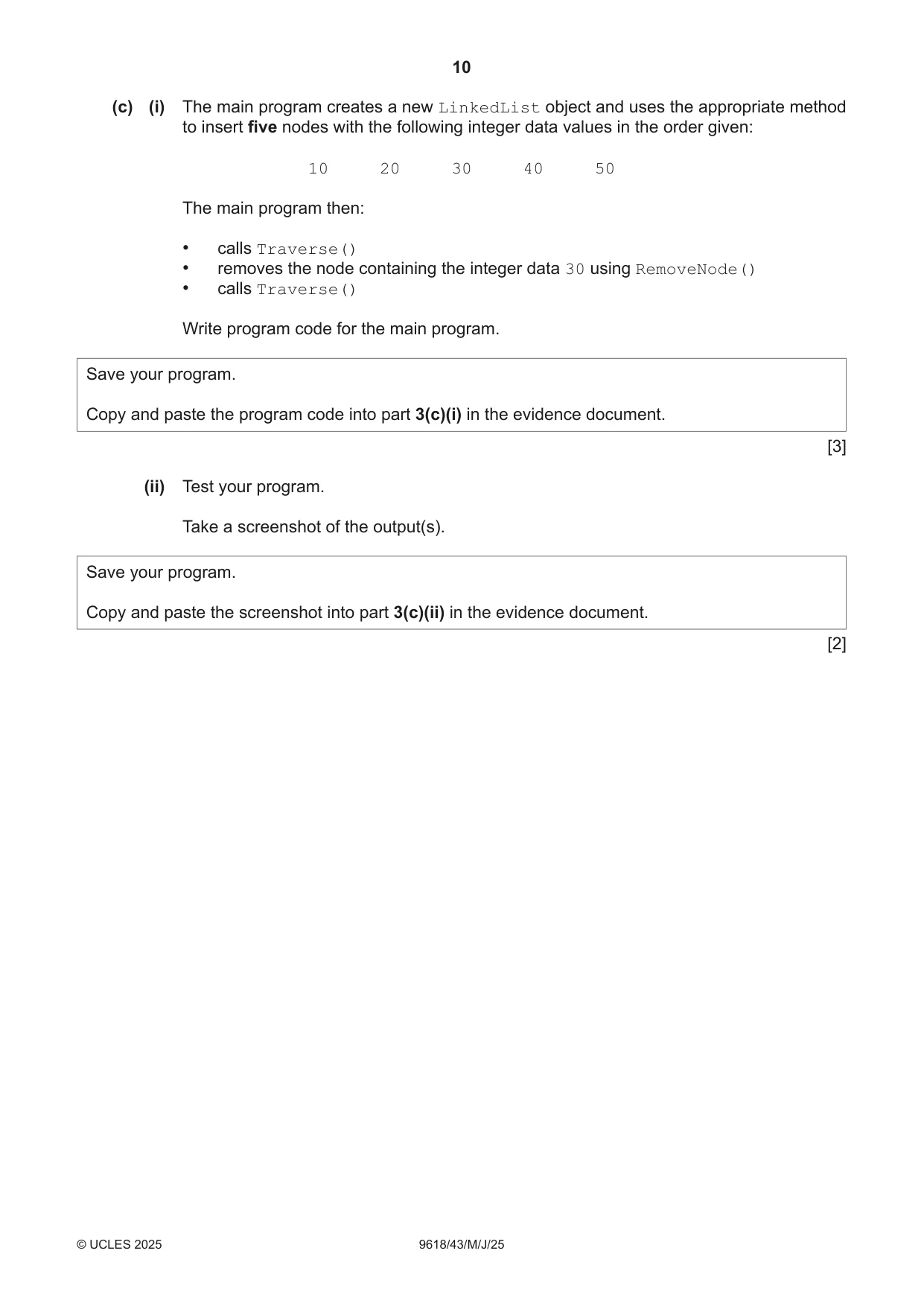
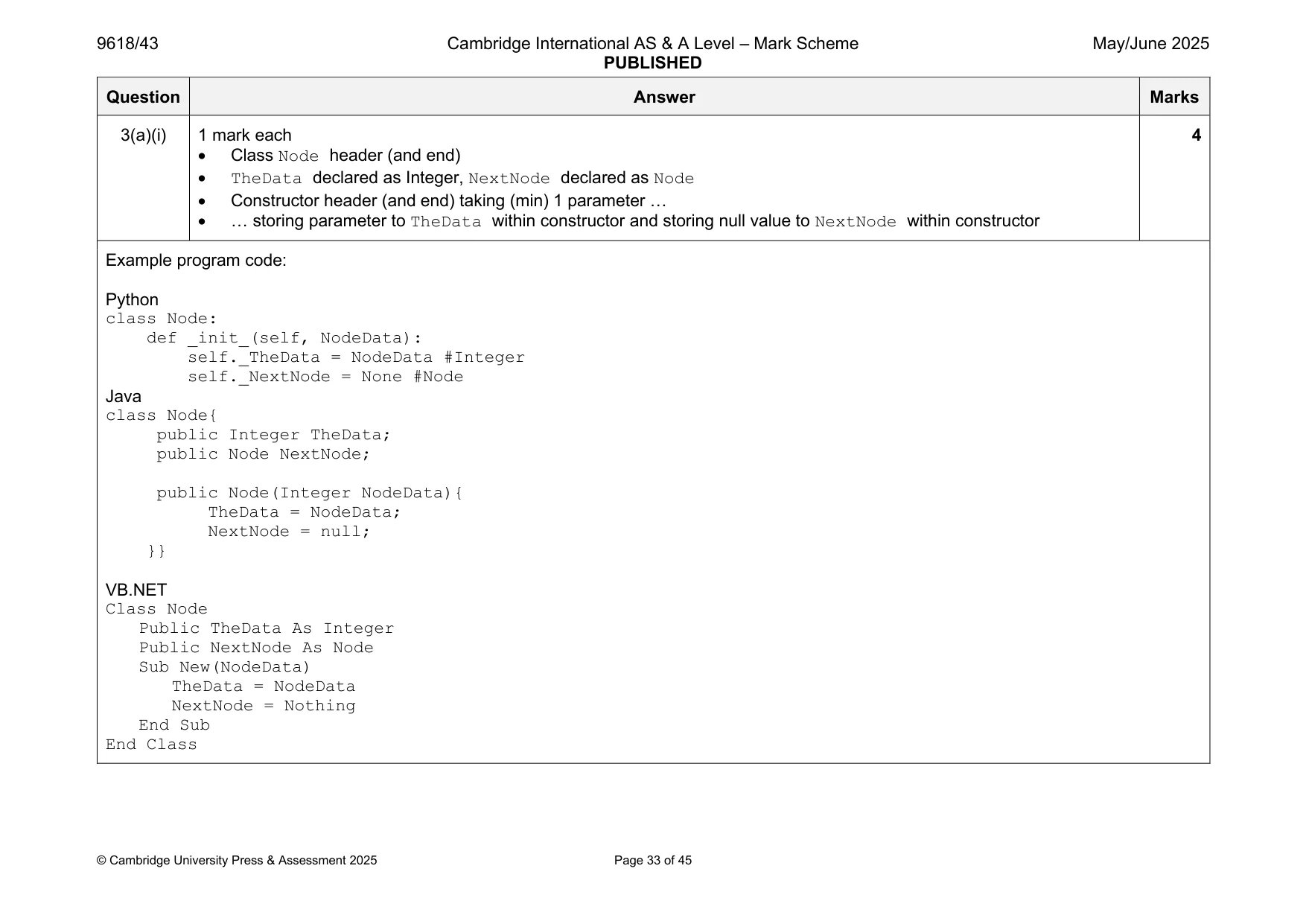
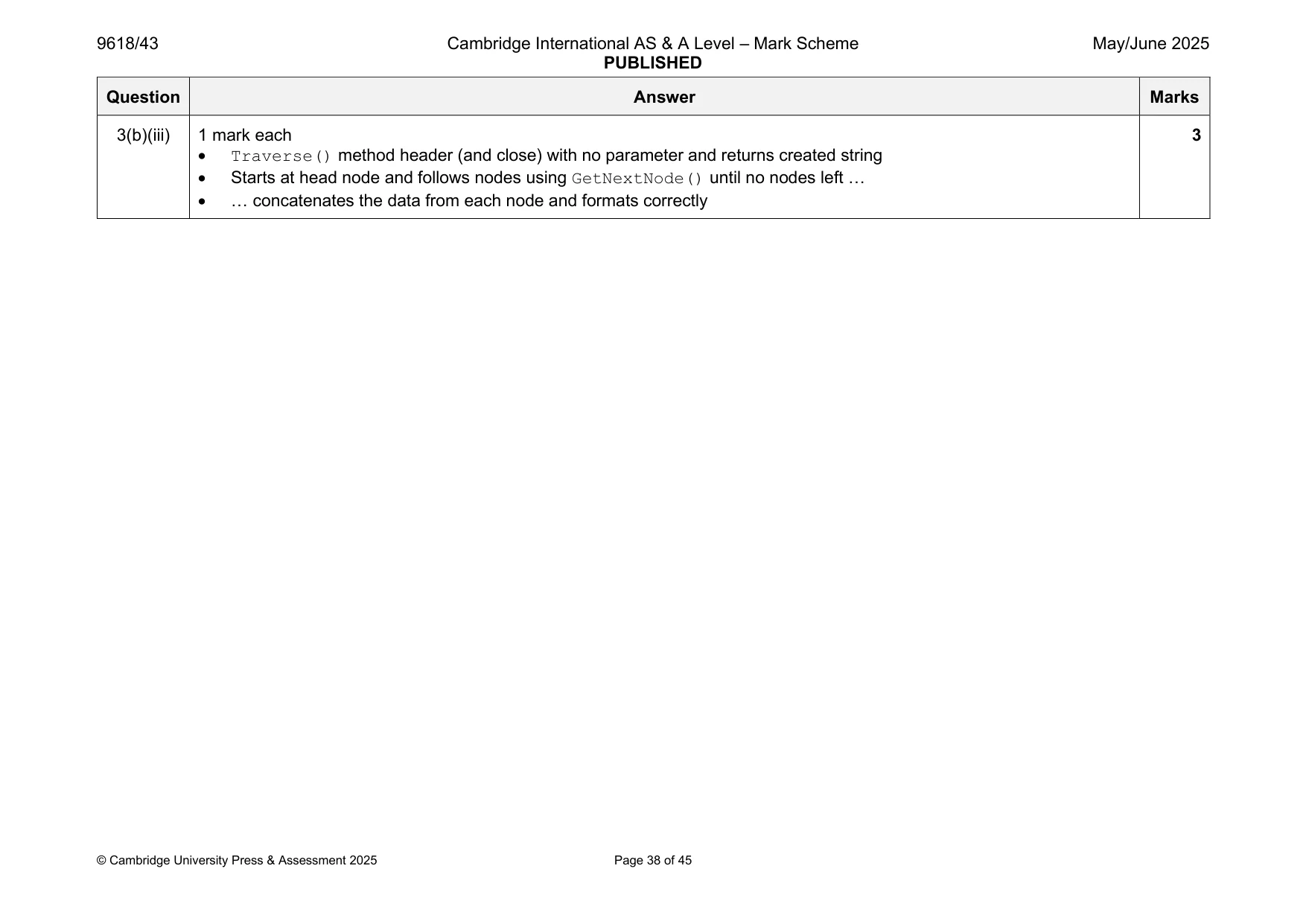
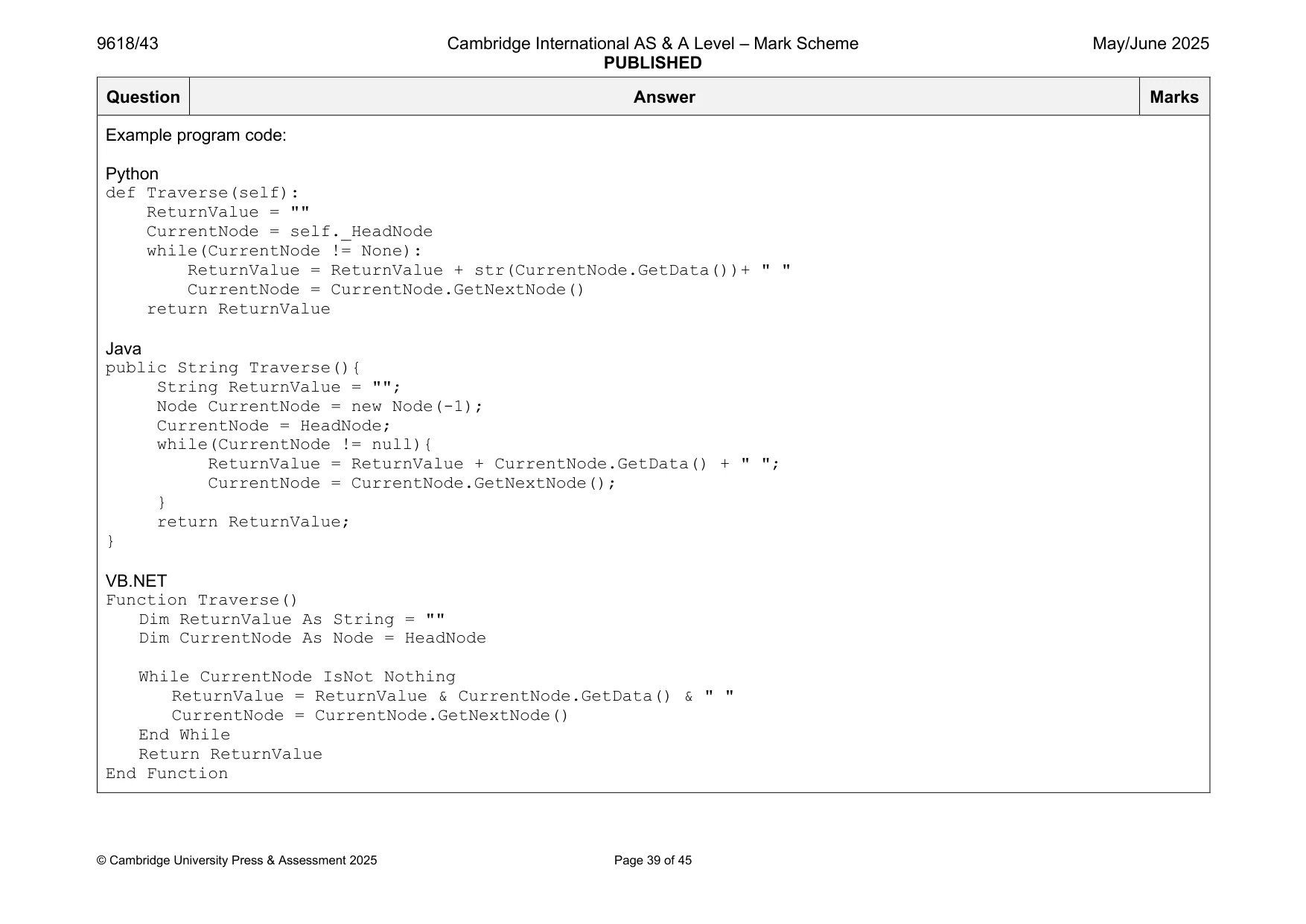
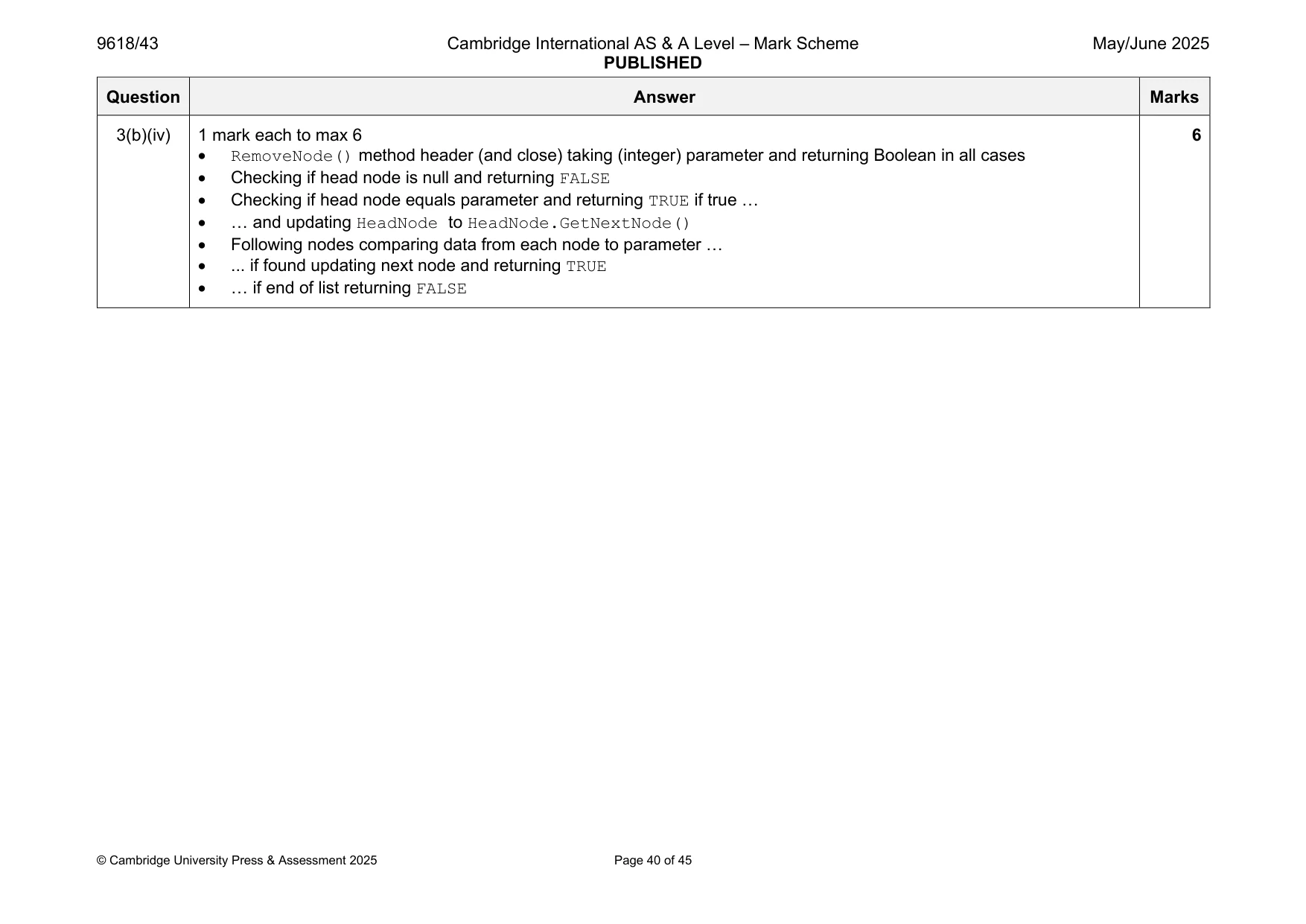
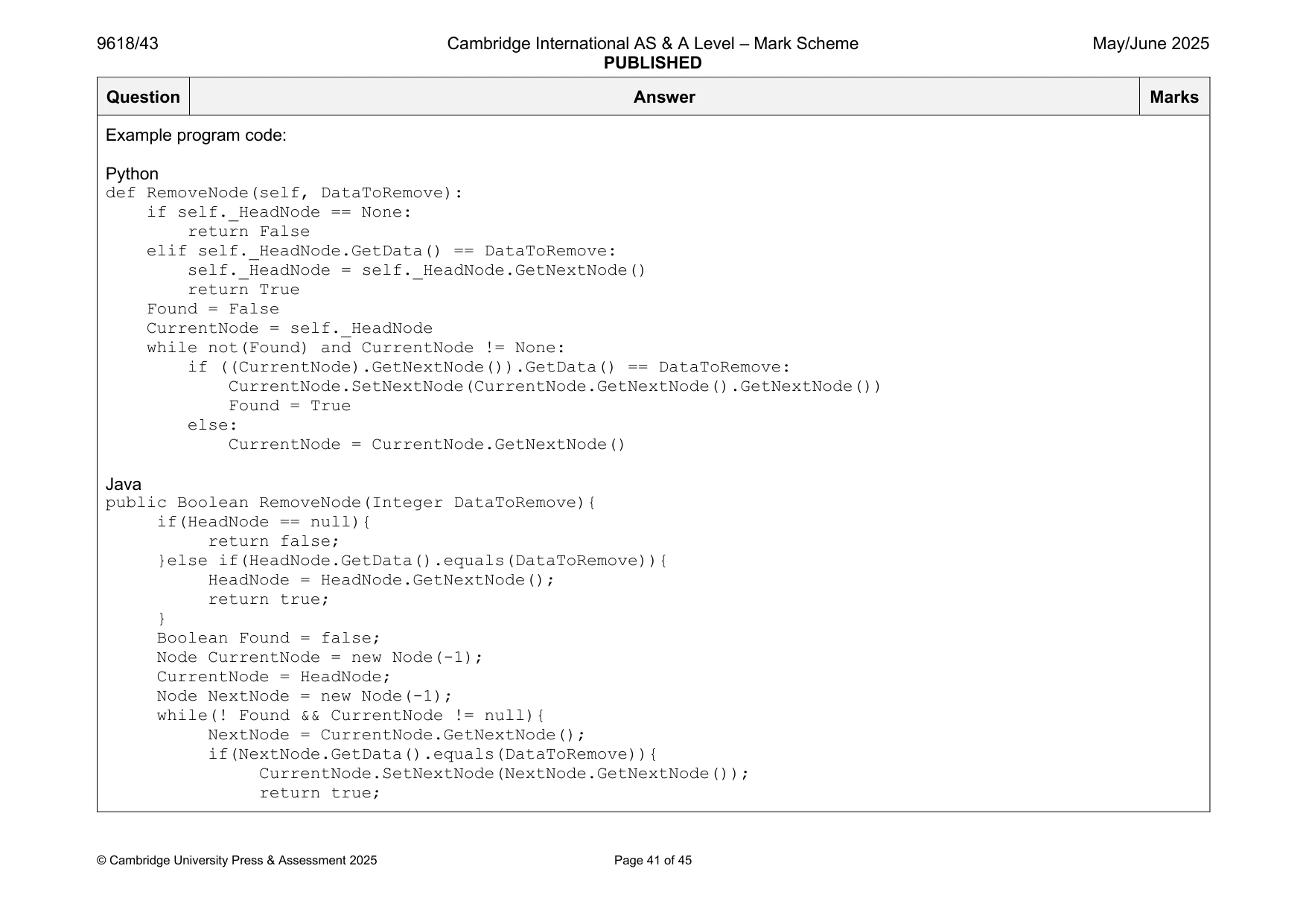
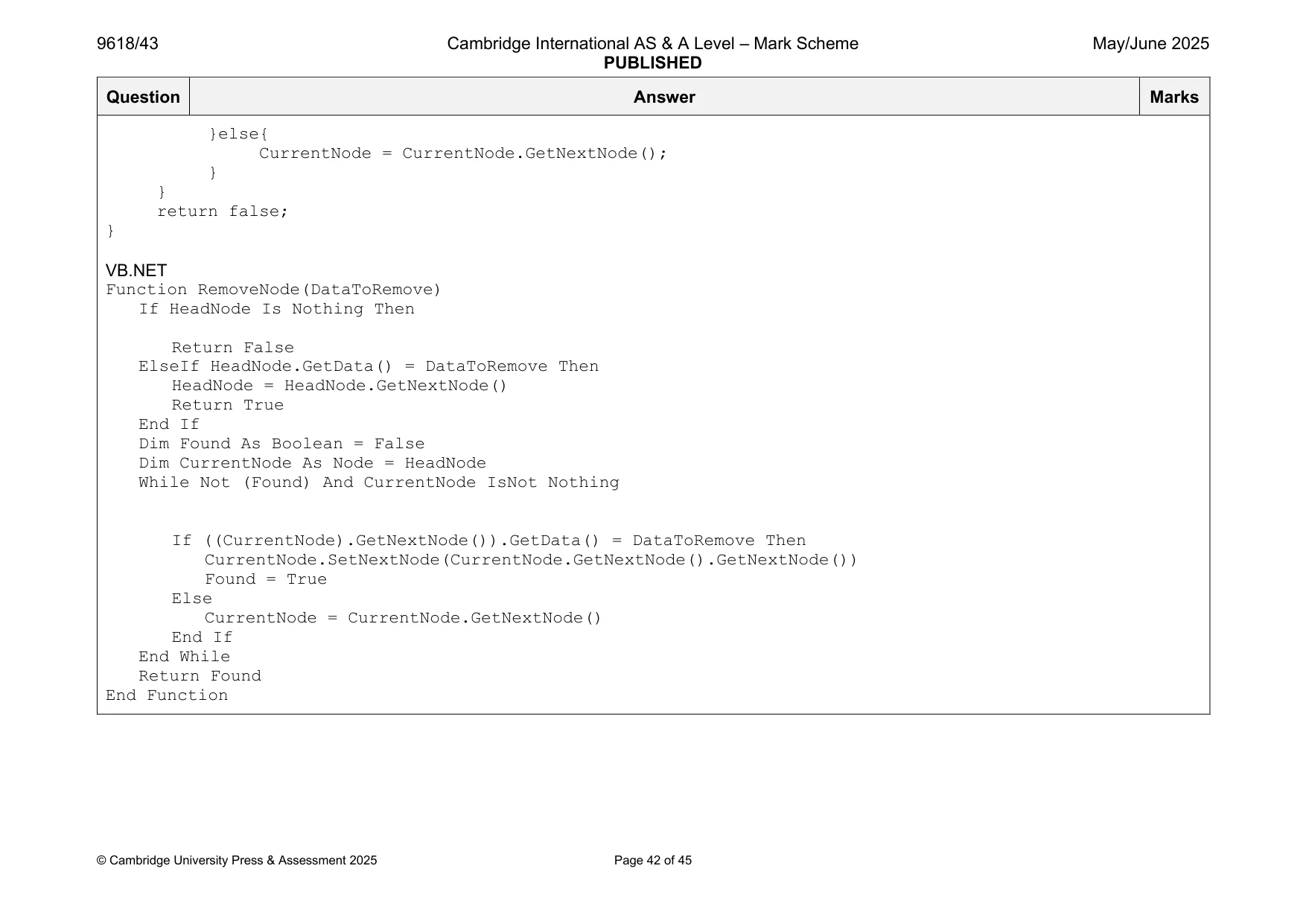
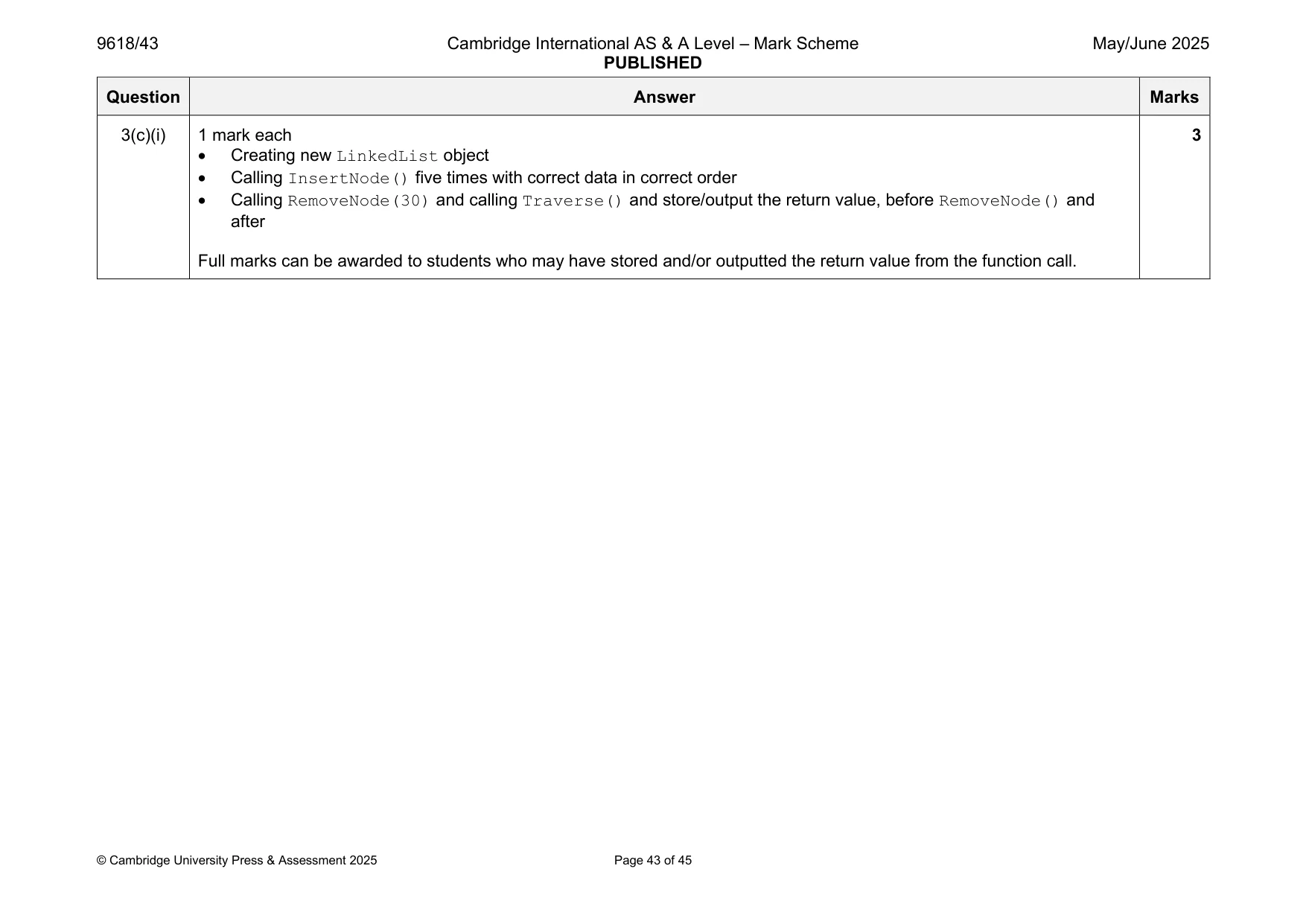
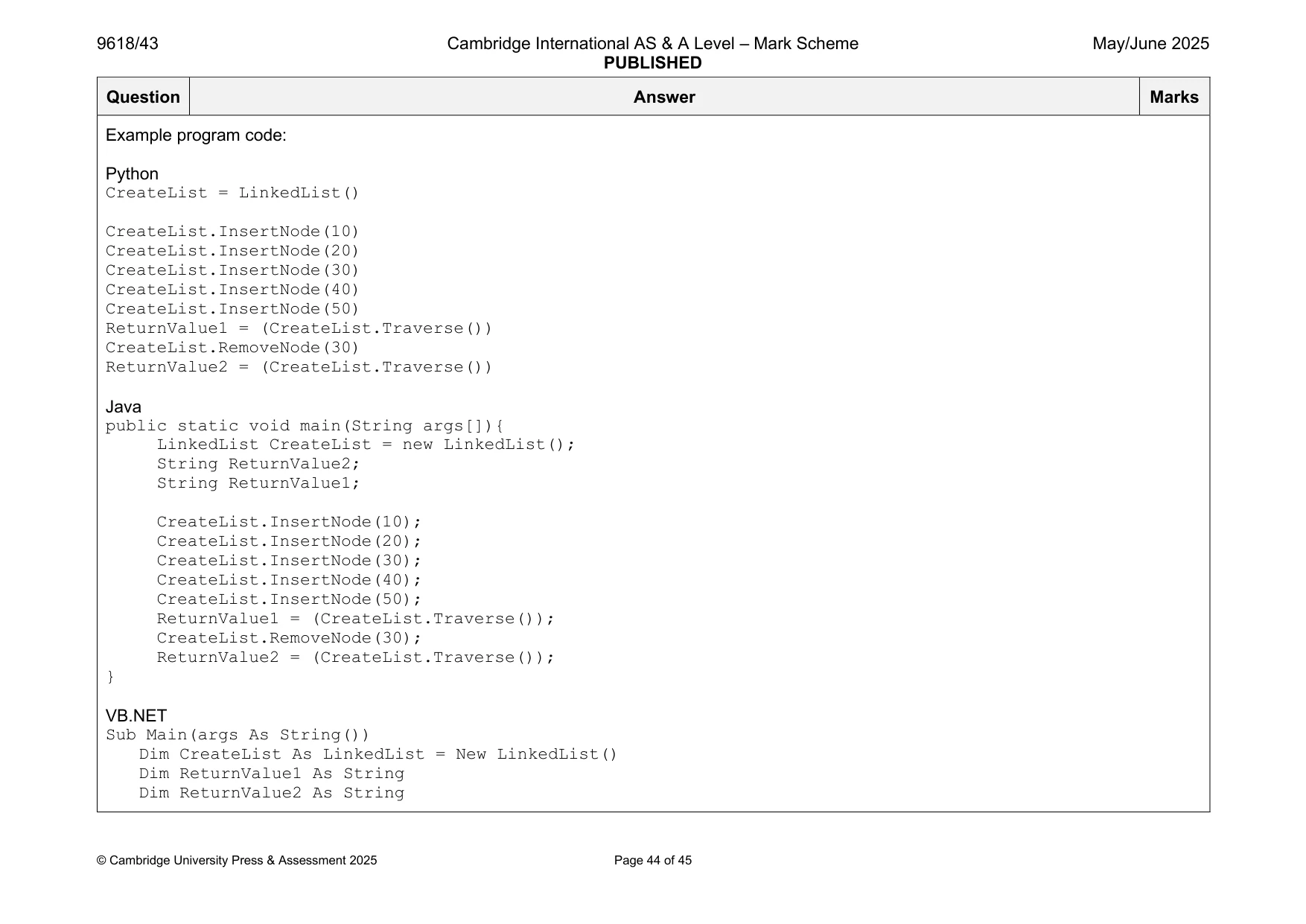
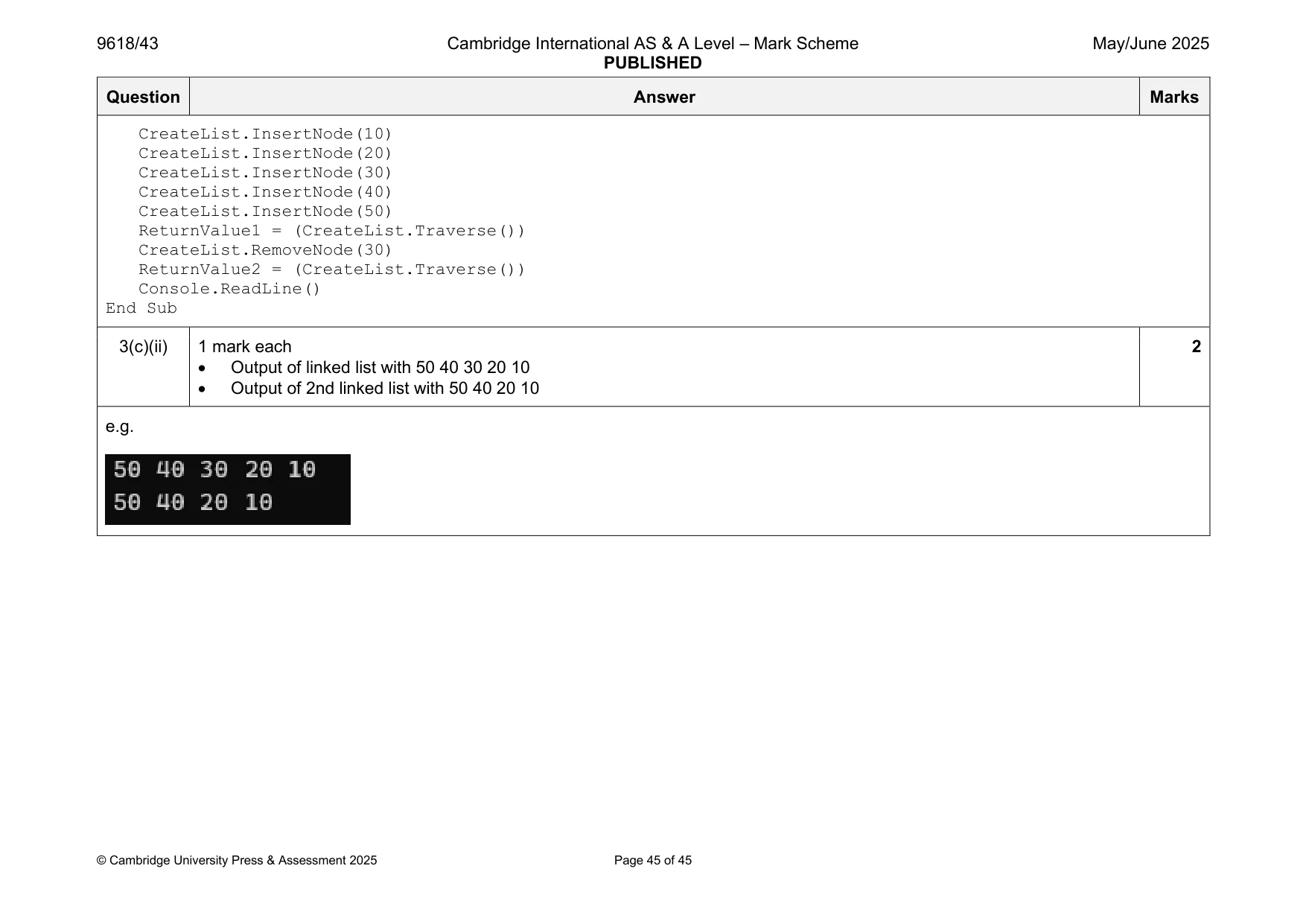
Mark scheme: 3(a)(i) 1 mark each 4 • Class Node header (and end) • TheData declared as Integer, NextNode declared as Node • Constructor header (and end) taking (min) 1 parameter … • … storing parameter to TheData within constructor and storing null value to NextNode within constructor Example program code: Python class Node: def init (self, NodeData): self. TheData = NodeData #Integer self. NextNode = None #Node Java class Node{ public Integer TheData; public Node NextNode; public Node(Integer NodeData){ TheData = NodeData; NextNode = null; }} VB.NET Class Node Public TheData As Integer Public NextNode As Node Sub New(NodeData) TheData = NodeData NextNode = Nothing End Sub End Class 3(a)(ii) 1 mark each 3 • 1 get method header (and close) taking no parameters … • … returning correct value (without overwriting) • 2nd correct get method Example program code: Python def GetData(self): return self. TheData def GetNextNode(self): return self. NextNode Java public Integer GetData(){ return TheData; } public Node GetNextNode(){ return NextNode; } VB.NET Function GetData() Return TheData End Function Function GetNextNode() Return NextNode End Function 3(a)(iii) 1 mark each 2 • SetNextNode() method header (and close) taking 1 parameter (of type Node) … • … storing parameter in NextNode Example program code: Python def SetNextNode(self, pNextNode): self. NextNode = pNextNode Java public void SetNextNode(Node pNextNode){ NextNode = pNextNode; } VB.NET Sub SetNextNode(pNextNode) NextNode = pNextNode End Sub 3(b)(i) 1 mark each 2 • Class LinkedList header (and close) and constructor header with no parameter (and close) … • … declaring HeadNode as type Node and storing null value in constructor Example program code: Python class LinkedList: def init (self): self. HeadNode = None #Node Java class LinkedList{ public Node HeadNode; public LinkedList(){ HeadNode = null; }} VB.NET Class LinkedList Private HeadNode As Node Sub New() HeadNode = Nothing End Sub End Class 3(b)(ii) 1 mark each 4 • InsertNode()method header (and close) taking one (integer) parameter • Creating new instance of Node with the parameter as the argument • Calling SetNextNode() for new node with HeadNode as parameter • Replacing HeadNode with new node Example program code: Python def InsertNode(self, NodeData): TheNode = Node(NodeData) TheNode.SetNextNode(self. HeadNode) self. HeadNode = TheNode Java public void InsertNode(Integer NodeData){ Node TheNode = new Node(NodeData); TheNode.SetNextNode(HeadNode); HeadNode = TheNode; } VB.NET Sub InsertNode(NodeData) Dim TheNode As Node = New Node(NodeData) TheNode.SetNextNode(HeadNode) HeadNode = TheNode End Sub 3(b)(iii) 1 mark each 3 • Traverse() method header (and close) with no parameter and returns created string • Starts at head node and follows nodes using GetNextNode() until no nodes left … • … concatenates the data from each node and formats correctly Example program code: Python def Traverse(self): ReturnValue = "" CurrentNode = self. HeadNode while(CurrentNode != None): ReturnValue = ReturnValue + str(CurrentNode.GetData())+ " " CurrentNode = CurrentNode.GetNextNode() return ReturnValue Java public String Traverse(){ String ReturnValue = ""; Node CurrentNode = new Node(-1); CurrentNode = HeadNode; while(CurrentNode != null){ ReturnValue = ReturnValue + CurrentNode.GetData() + " "; CurrentNode = CurrentNode.GetNextNode(); } return ReturnValue; } VB.NET Function Traverse() Dim ReturnValue As String = "" Dim CurrentNode As Node = HeadNode While CurrentNode IsNot Nothing ReturnValue = ReturnValue & CurrentNode.GetData() & " " CurrentNode = CurrentNode.GetNextNode() End While Return ReturnValue End Function 3(b)(iv) 1 mark each to max 6 6 • RemoveNode() method header (and close) taking (integer) parameter and returning Boolean in all cases • Checking if head node is null and returning FALSE • Checking if head node equals parameter and returning TRUE if true … • … and updating HeadNode to HeadNode.GetNextNode() • Following nodes comparing data from each node to parameter … • ... if found updating next node and returning TRUE • … if end of list returning FALSE Example program code: Python def RemoveNode(self, DataToRemove): if self. HeadNode == None: return False elif self. HeadNode.GetData() == DataToRemove: self. HeadNode = self. HeadNode.GetNextNode() return True Found = False CurrentNode = self. HeadNode while not(Found) and CurrentNode != None: if ((CurrentNode).GetNextNode()).GetData() == DataToRemove: CurrentNode.SetNextNode(CurrentNode.GetNextNode().GetNextNode()) Found = True else: CurrentNode = CurrentNode.GetNextNode() Java public Boolean RemoveNode(Integer DataToRemove){ if(HeadNode == null){ return false; }else if(HeadNode.GetData().equals(DataToRemove)){ HeadNode = HeadNode.GetNextNode(); return true; } Boolean Found = false; Node CurrentNode = new Node(-1); CurrentNode = HeadNode; Node NextNode = new Node(-1); while(! Found && CurrentNode != null){ NextNode = CurrentNode.GetNextNode(); if(NextNode.GetData().equals(DataToRemove)){ CurrentNode.SetNextNode(NextNode.GetNextNode()); return true; }else{ CurrentNode = CurrentNode.GetNextNode(); } } return false; } VB.NET Function RemoveNode(DataToRemove) If HeadNode Is Nothing Then Return False ElseIf HeadNode.GetData() = DataToRemove Then HeadNode = HeadNode.GetNextNode() Return True End If Dim Found As Boolean = False Dim CurrentNode As Node = HeadNode While Not (Found) And CurrentNode IsNot Nothing If ((CurrentNode).GetNextNode()).GetData() = DataToRemove Then CurrentNode.SetNextNode(CurrentNode.GetNextNode().GetNextNode()) Found = True Else CurrentNode = CurrentNode.GetNextNode() End If End While Return Found End Function 3(c)(i) 1 mark each 3 • Creating new LinkedList object • Calling InsertNode() five times with correct data in correct order • Calling RemoveNode(30) and calling Traverse() and store/output the return value, before RemoveNode() and after Full marks can be awarded to students who may have stored and/or outputted the return value from the function call. Example program code: Python CreateList = LinkedList() CreateList.InsertNode(10) CreateList.InsertNode(20) CreateList.InsertNode(30) CreateList.InsertNode(40) CreateList.InsertNode(50) ReturnValue1 = (CreateList.Traverse()) CreateList.RemoveNode(30) ReturnValue2 = (CreateList.Traverse()) Java public static void main(String args[]){ LinkedList CreateList = new LinkedList(); String ReturnValue2; String ReturnValue1; CreateList.InsertNode(10); CreateList.InsertNode(20); CreateList.InsertNode(30); CreateList.InsertNode(40); CreateList.InsertNode(50); ReturnValue1 = (CreateList.Traverse()); CreateList.RemoveNode(30); ReturnValue2 = (CreateList.Traverse()); } VB.NET Sub Main(args As String()) Dim CreateList As LinkedList = New LinkedList() Dim ReturnValue1 As String Dim ReturnValue2 As String CreateList.InsertNode(10) CreateList.InsertNode(20) CreateList.InsertNode(30) CreateList.InsertNode(40) CreateList.InsertNode(50) ReturnValue1 = (CreateList.Traverse()) CreateList.RemoveNode(30) ReturnValue2 = (CreateList.Traverse()) Console.ReadLine() End Sub 3(c)(ii) 1 mark each 2 • Output of linked list with 50 40 30 20 10 • Output of 2nd linked list with 50 40 20 10 e.g.
What you needed in this session
Cambridge’s own grade thresholds for 2025 May/June, Paper 4 · Variant 3. A higher threshold means an easier paper — the bar moves with how the cohort did.