Cambridge A Level Computer Science 9618 — 2023 May/June Paper 4 · Variant 1
9618/41/M/J/23 · 3 questions · 75 marks · ≈84 min
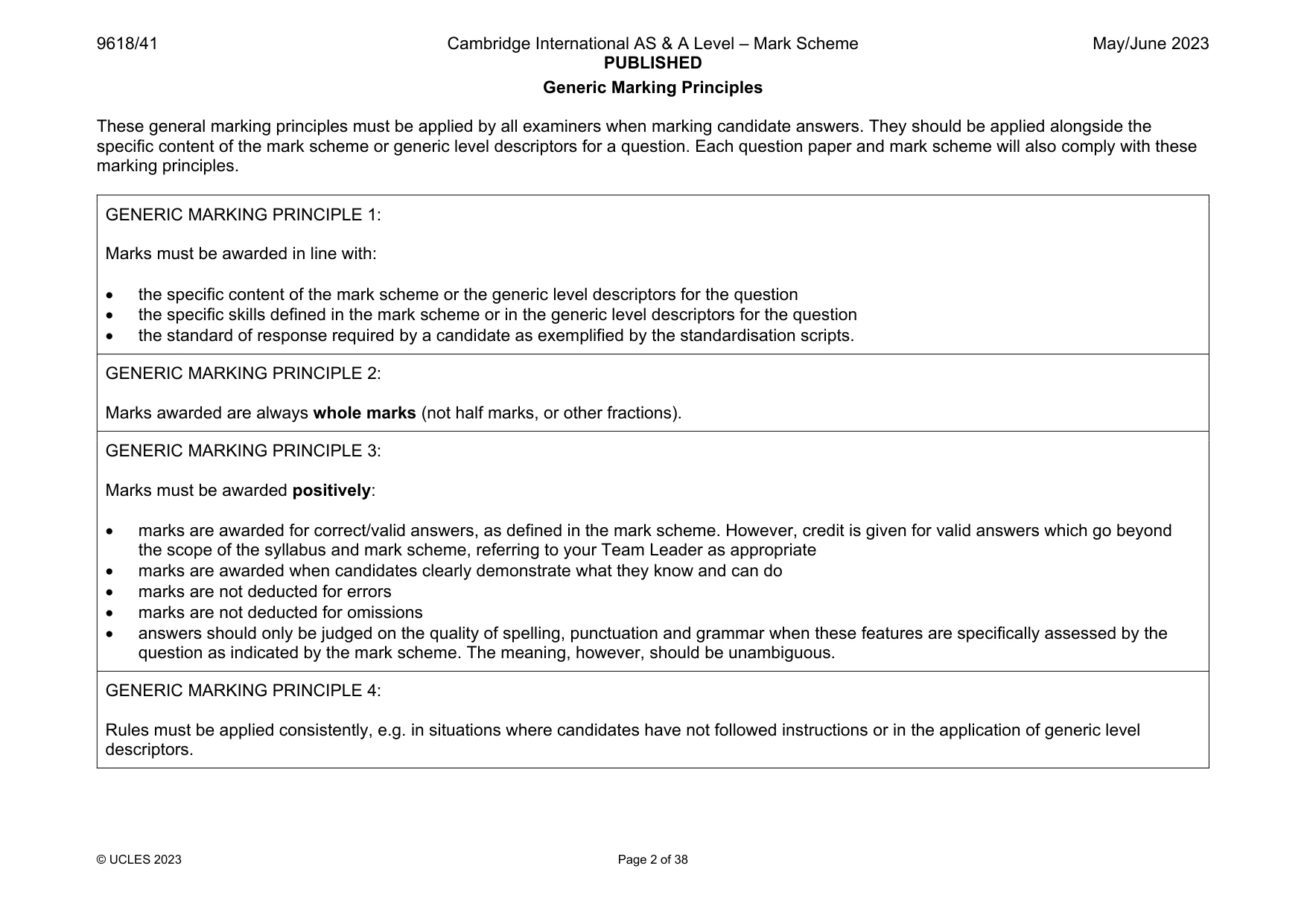
The question paper and its mark scheme, free to read here and free to download. This is Cambridge’s own paper, exactly as it was sat.
Question paper12 pages

Mark scheme38 pages
Answers below. Sit the paper first if you are practising.
Questions as text
Q1 · A program reads data from a file and searches for specific data
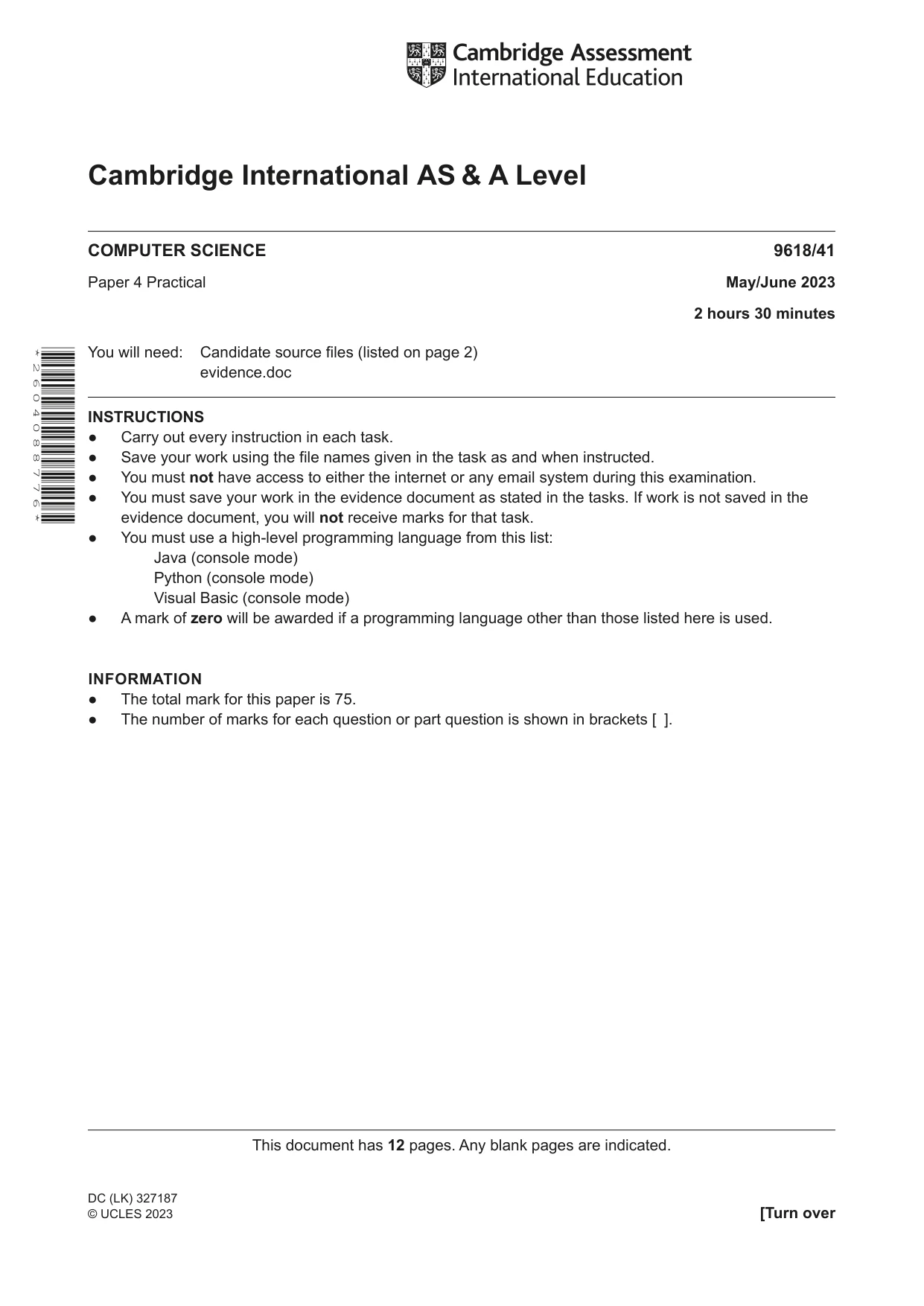
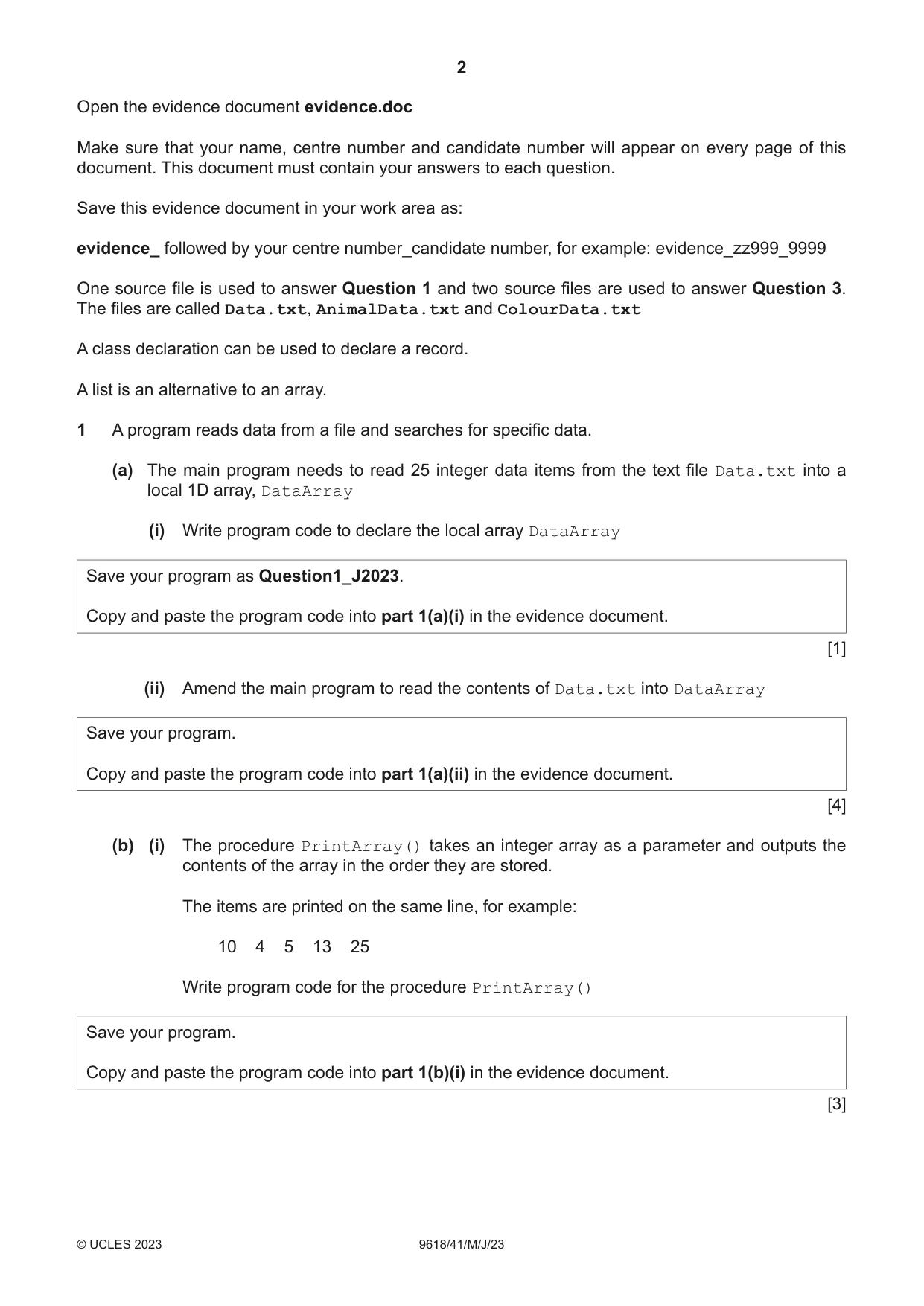
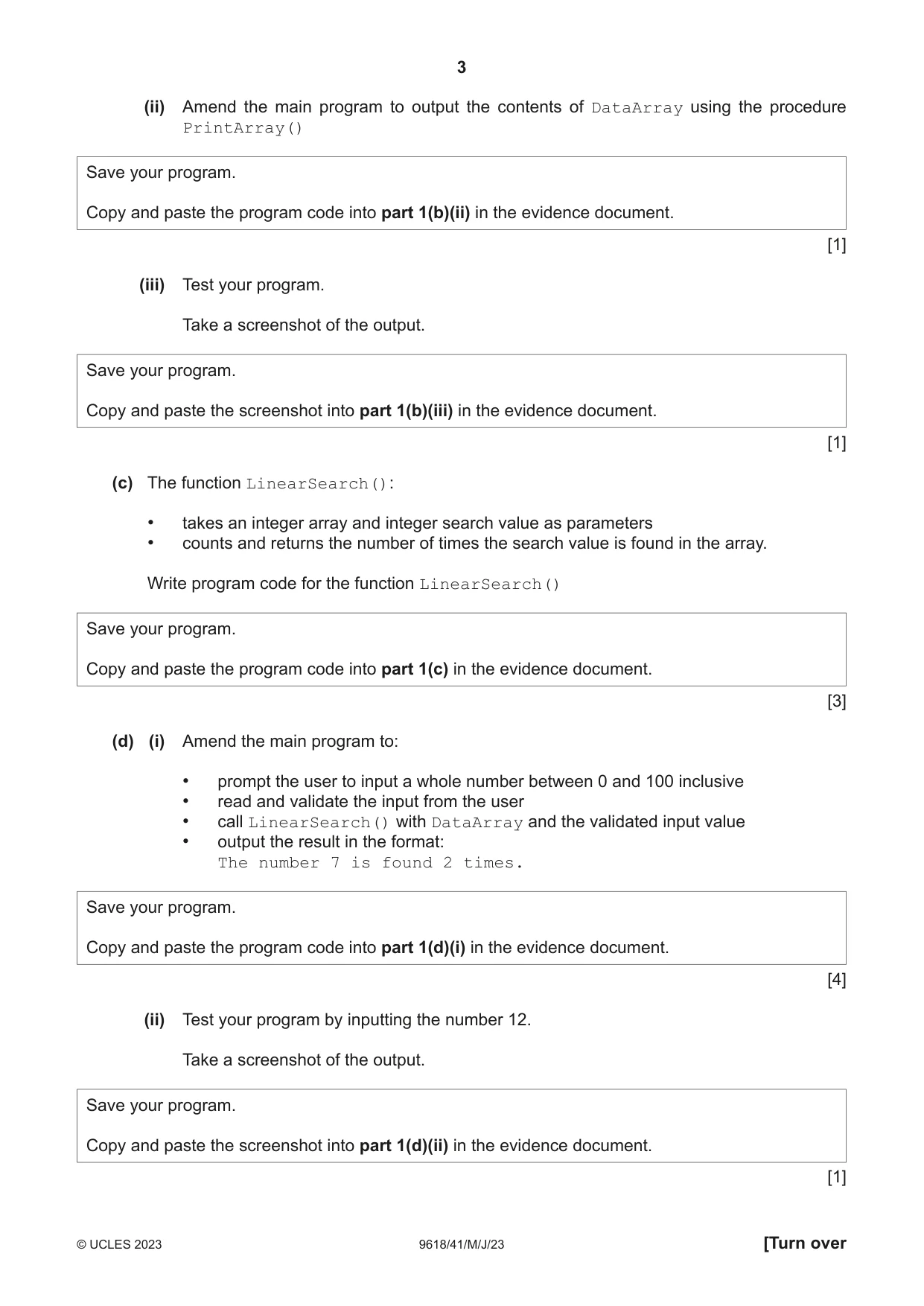
1 A program reads data from a file and searches for specific data. (a) The main program needs to read 25 integer data items from the text file Data.txt into a local 1D array, DataArray (i) Write program code to declare the local array DataArray Save your program as Question1_J2023. Copy and paste the program code into part 1(a)(i) in the evidence document. [1] (ii) Amend the main program to read the contents of Data.txt into DataArray Save your program. Copy and paste the program code into part 1(a)(ii) in the evidence document. [4] (b) (i) The procedure PrintArray() takes an integer array as a parameter and outputs the contents of the array in the order they are stored. The items are printed on the same line, for example: 10 4 5 13 25 Write program code for the procedure PrintArray() Save your program. Copy and paste the program code into part 1(b)(i) in the evidence document. [3] (ii) Amend the main program to output the contents of DataArray using the procedure PrintArray() Save your program. Copy and paste the program code into part 1(b)(ii) in the evidence document. [1] (iii) Test your program. Take a screenshot of the output. Save your program. Copy and paste the screenshot into part 1(b)(iii) in the evidence document. [1] (c) The function LinearSearch(): • takes an integer array and integer search value as parameters • counts and returns the number of times the search value is found in the array. Write program code for the function LinearSearch() Save your program. Copy and paste the program code into part 1(c) in the evidence document. [3] (d) (i) Amend the main program to: • prompt the user to input a whole number between 0 and 100 inclusive • read and validate the input from the user • call LinearSearch() with DataArray and the validated input value • output the result in the format: The number 7 is found 2 times. Save your program. Copy and paste the program code into part 1(d)(i) in the evidence document. [4] (ii) Test your program by inputting the number 12. Take a screenshot of the output. Save your program. Copy and paste the screenshot into part 1(d)(ii) in the evidence document. [1]
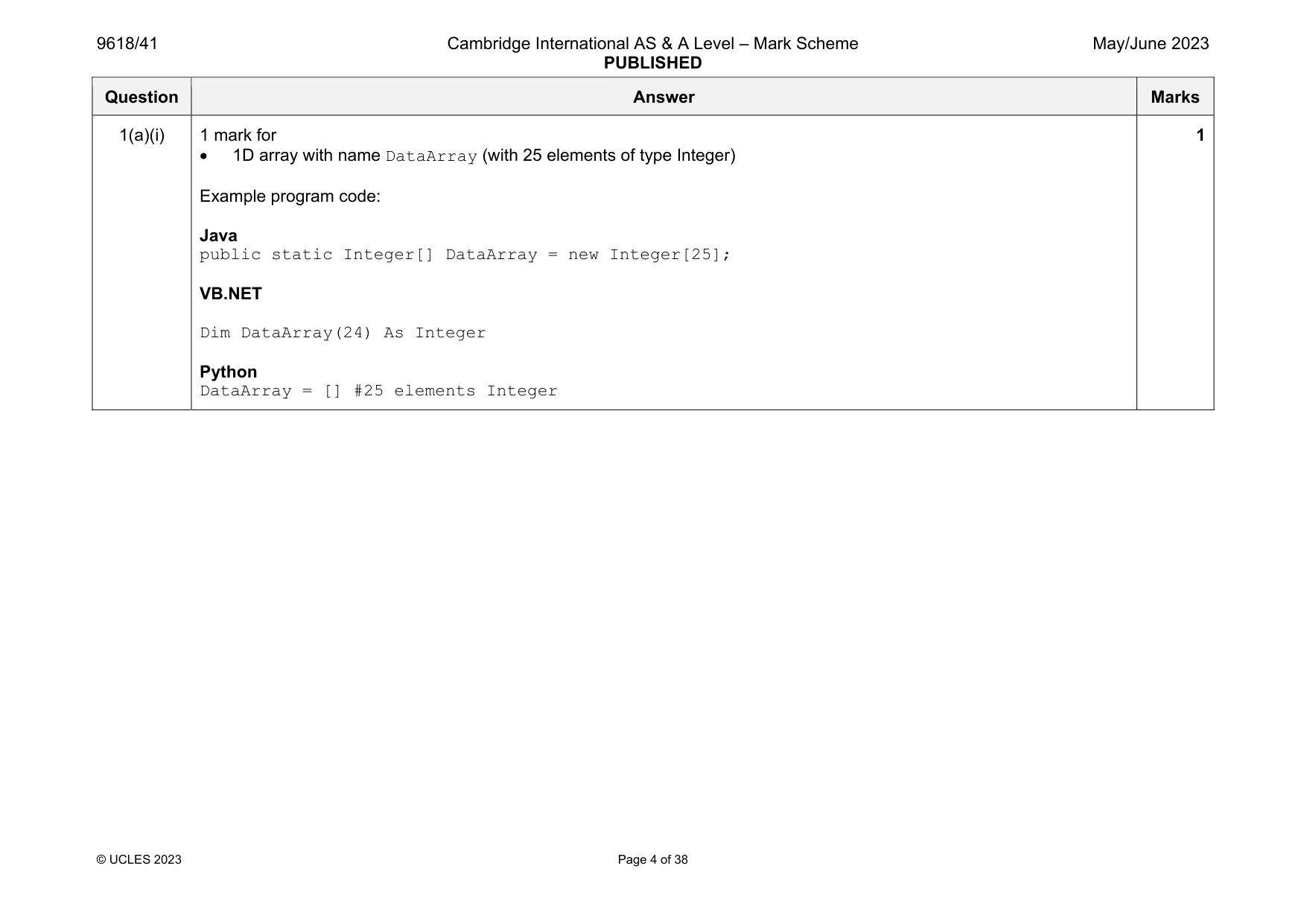
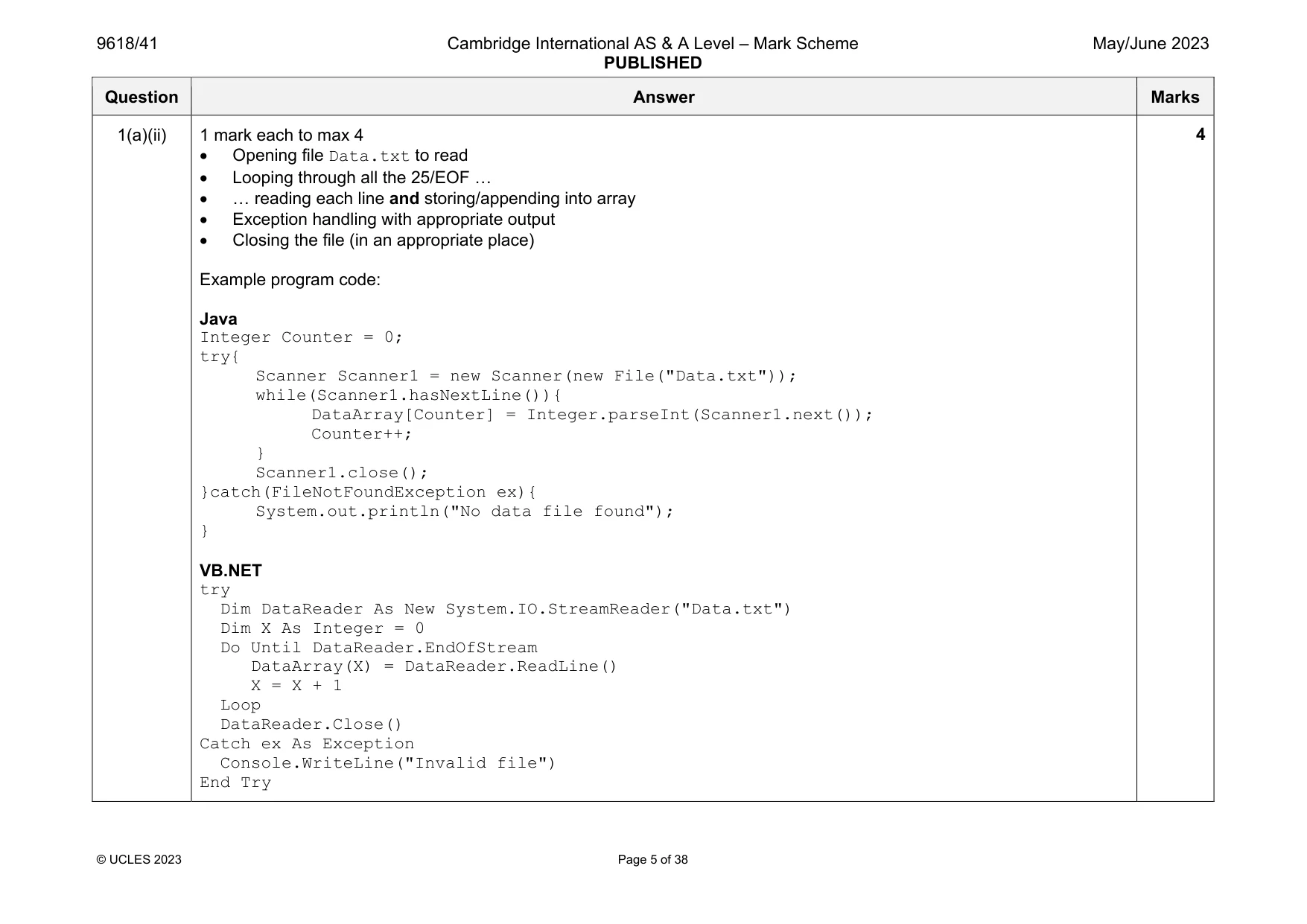
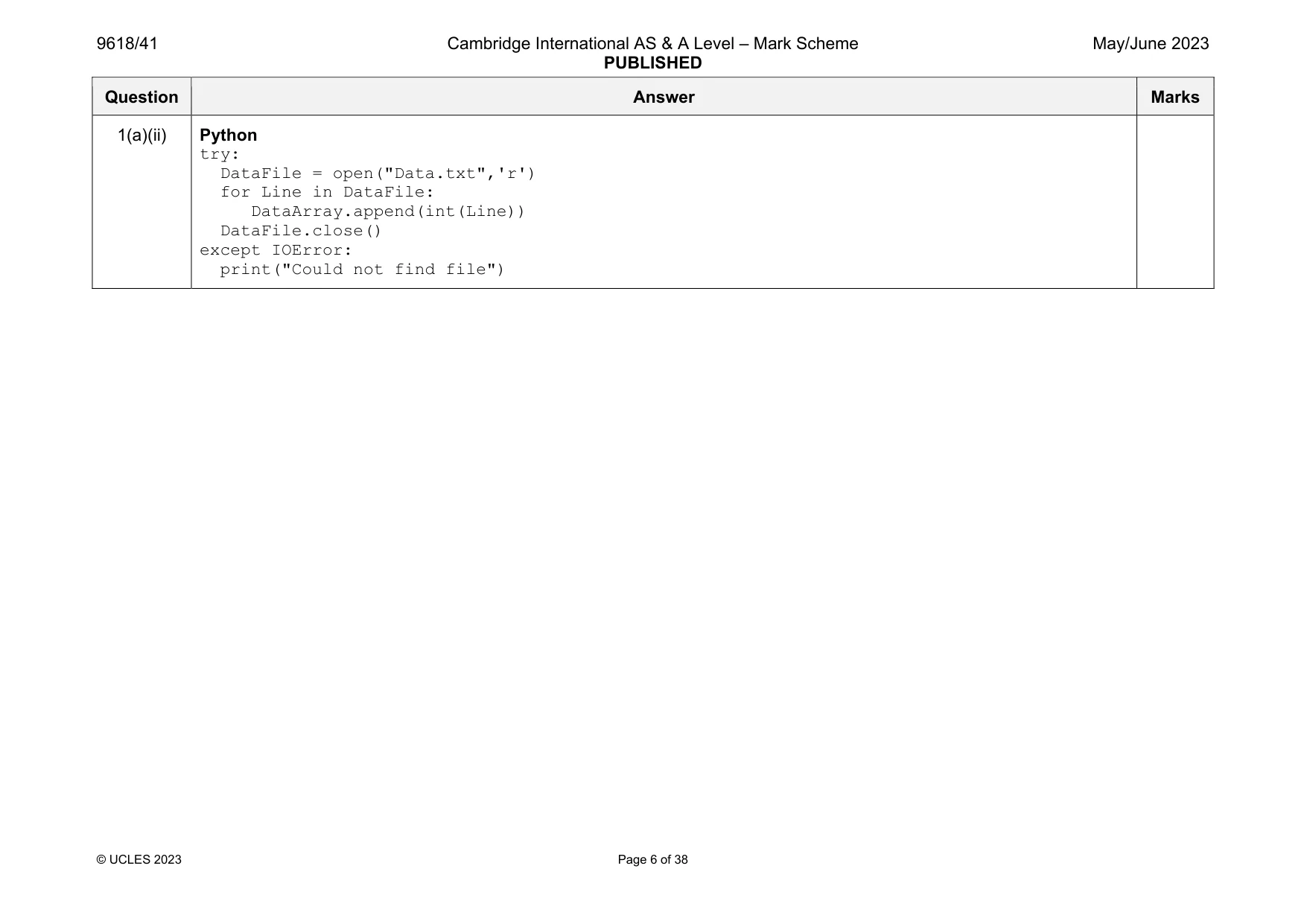
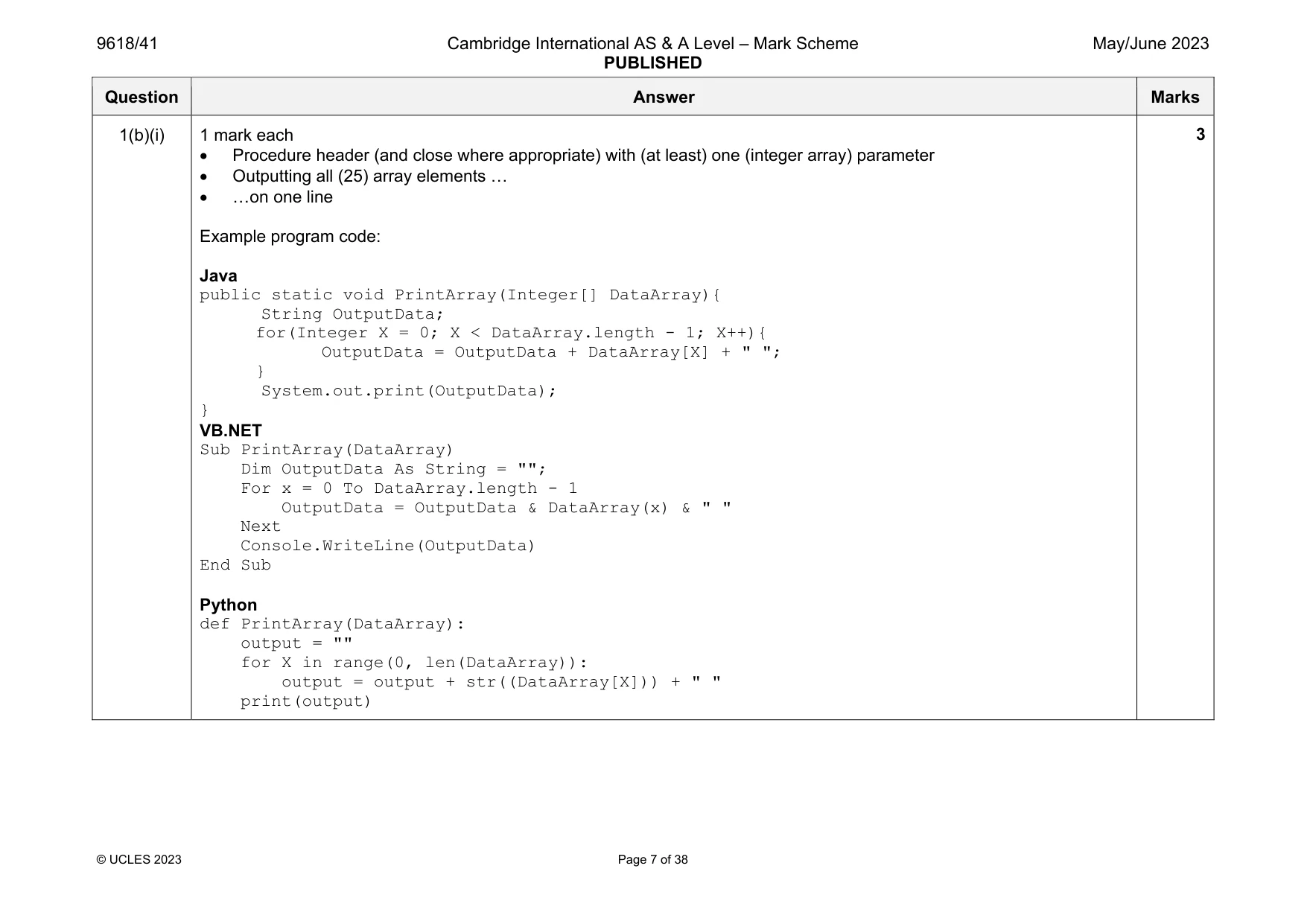
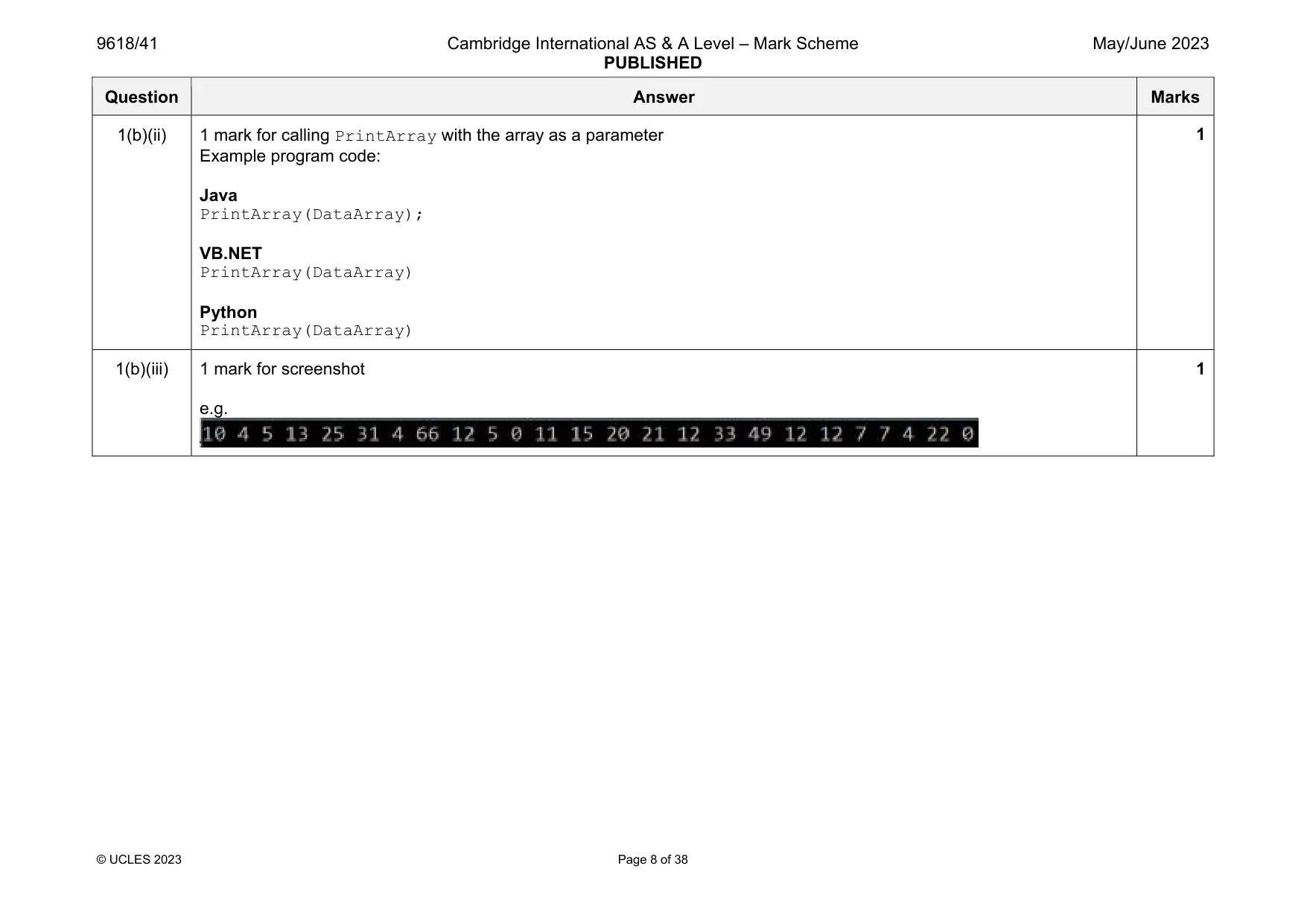
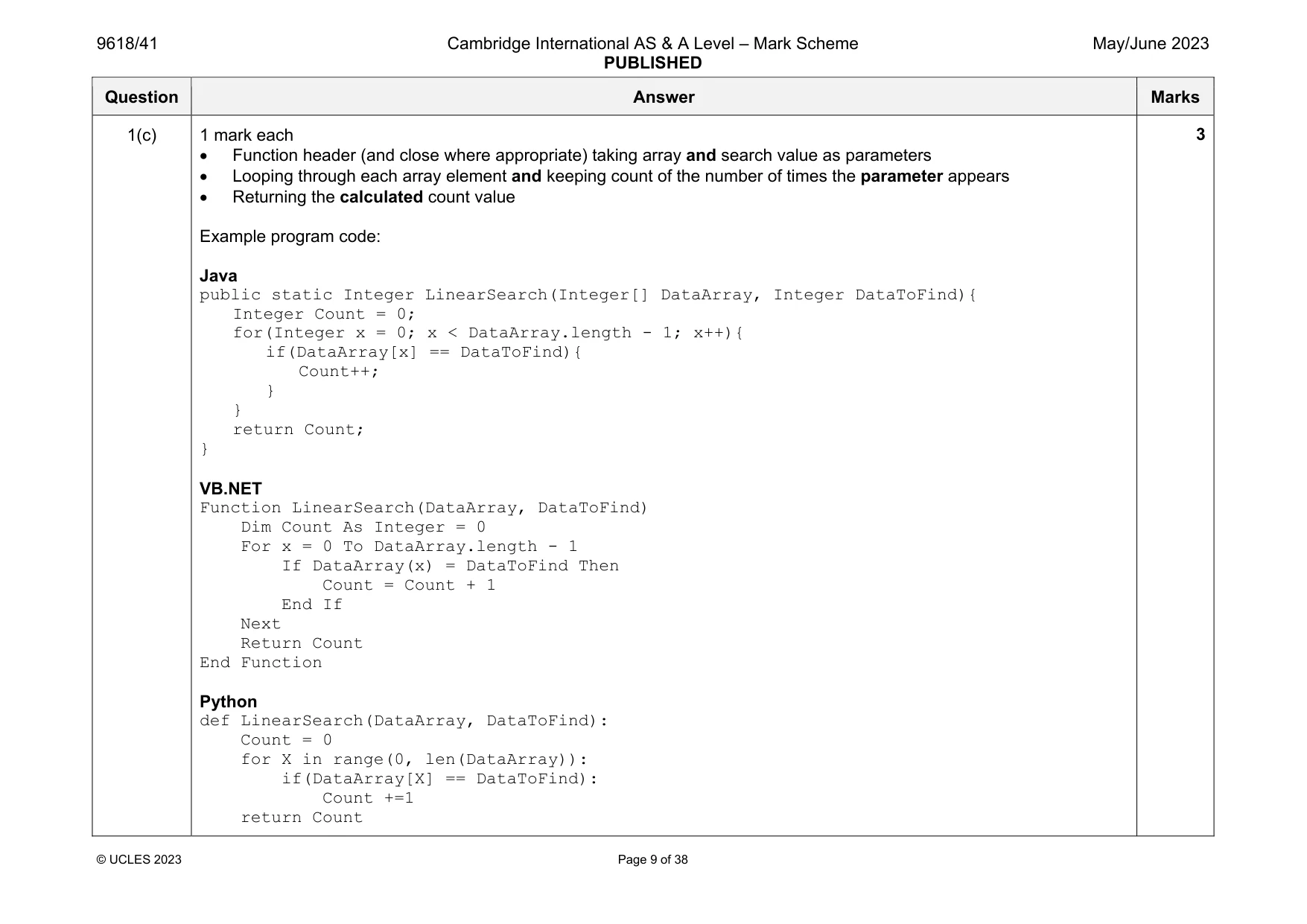
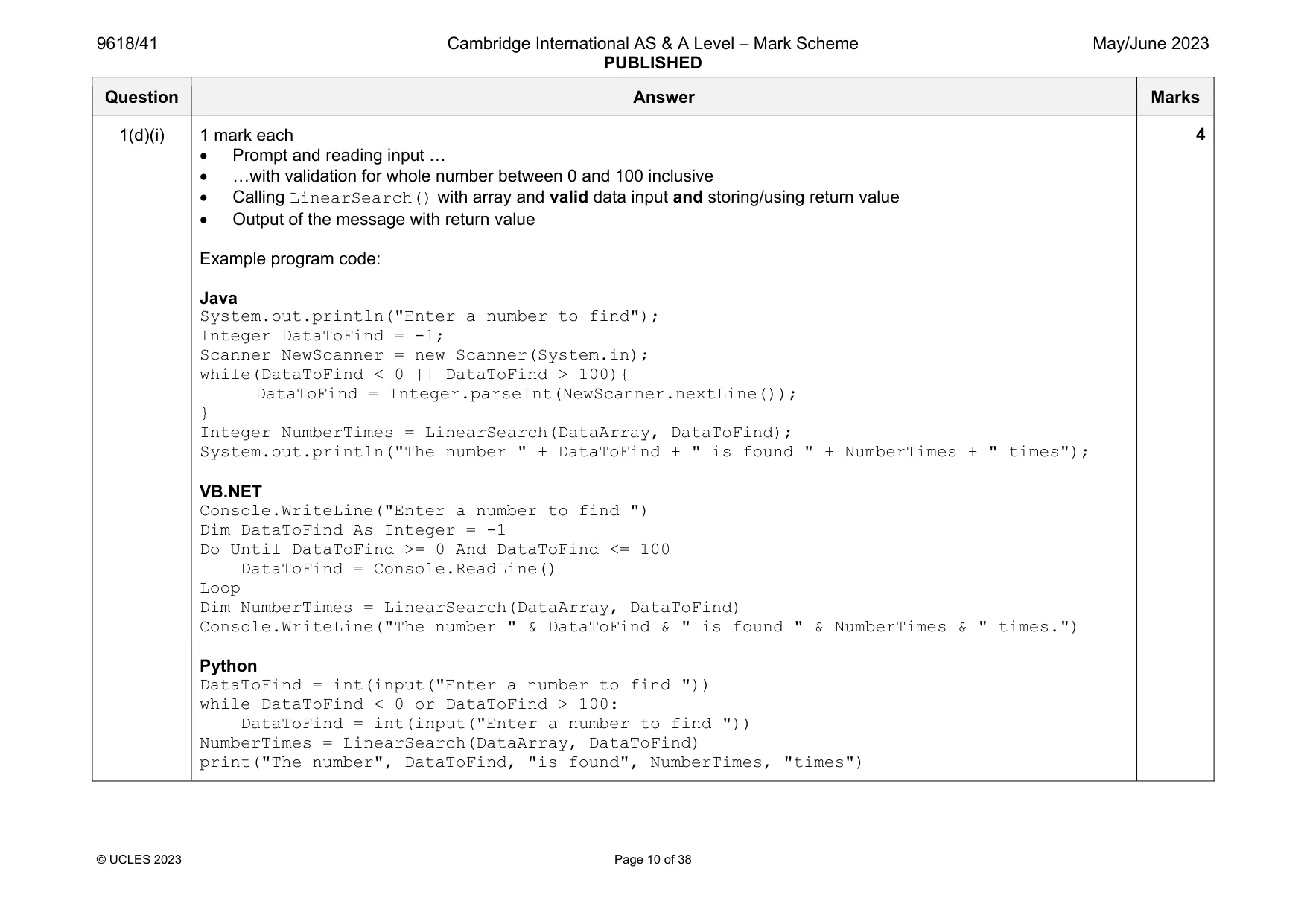
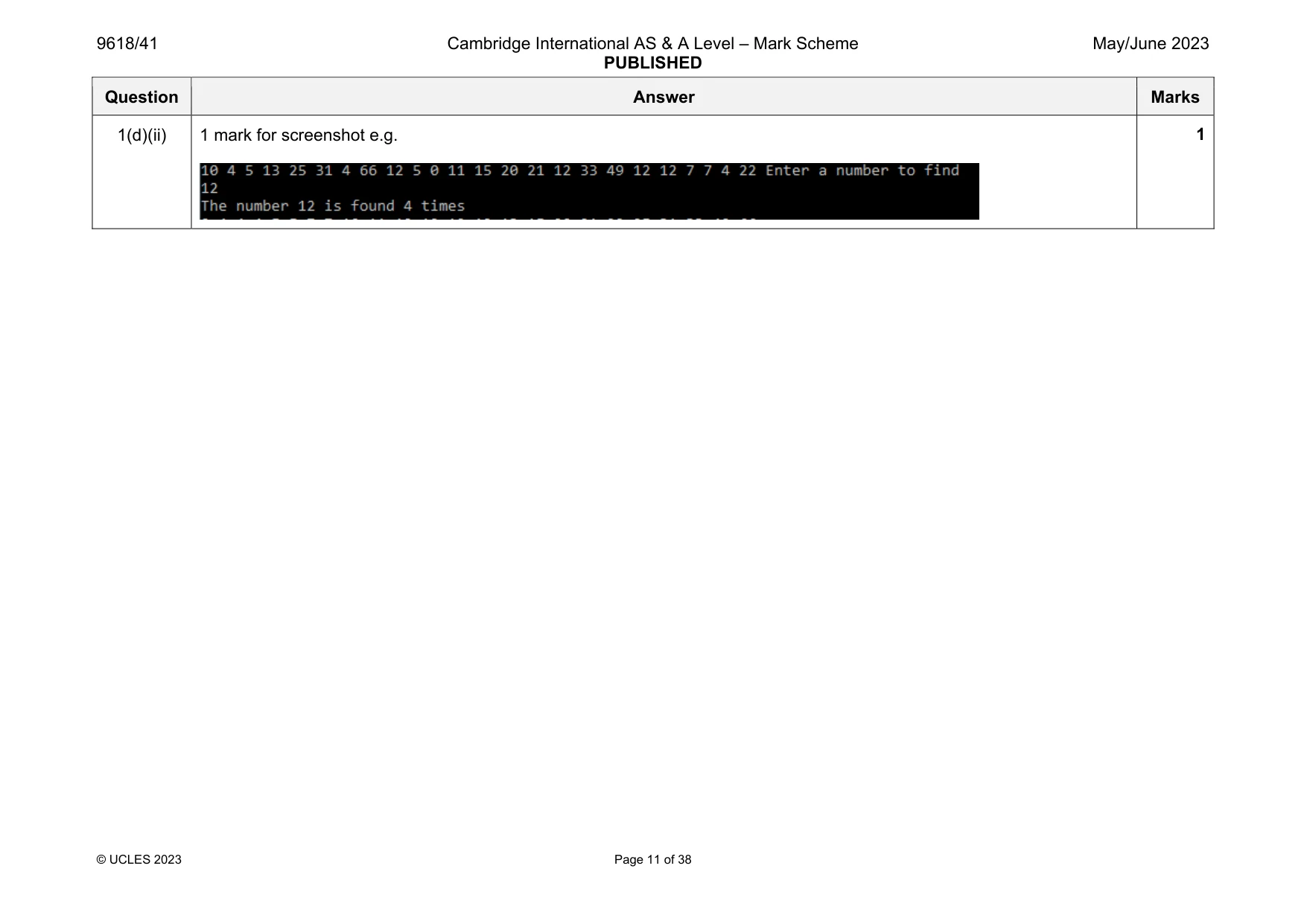
Mark scheme: 1(a)(i) 1 mark for 1D array with name DataArray (with 25 elements of type Integer) Example program code: Java public static Integer[] DataArray = new Integer[25]; VB.NET Dim DataArray(24) As Integer Python DataArray = [] #25 elements Integer 1 Question Answer Marks 1(a)(ii) 1 mark each to max 4 Opening file Data.txt to read Looping through all the 25/EOF … … reading each line and storing/appending into array Exception handling with appropriate output Closing the file (in an appropriate place) Example program code: Java Integer Counter = 0; try{ Scanner Scanner1 = new Scanner(new File("Data.txt")); while(Scanner1.hasNextLine()){ DataArray[Counter] = Integer.parseInt(Scanner1.next()); Counter++; } Scanner1.close(); }catch(FileNotFoundException ex){ System.out.println("No data file found"); } VB.NET try Dim DataReader As New System.IO.StreamReader("Data.txt") Dim X As Integer = 0 Do Until DataReader.EndOfStream DataArray(X) = DataReader.ReadLine() X = X + 1 Loop DataReader.Close() Catch ex As Exception Console.WriteLine("Invalid file") End Try 4 Question Answer Marks 1(a)(ii) Python try: DataFile = open("Data.txt",'r') for Line in DataFile: DataArray.append(int(Line)) DataFile.close() except IOError: print("Could not find file") Question Answer Marks 1(b)(i) 1 mark each Procedure header (and close where appropriate) with (at least) one (integer array) parameter Outputting all (25) array elements … …on one line Example program code: Java public static void PrintArray(Integer[] DataArray){ String OutputData; for(Integer X = 0; X < DataArray.length - 1; X++){ OutputData = OutputData + DataArray[X] + " "; } System.out.print(OutputData); } VB.NET Sub PrintArray(DataArray) Dim OutputData As String = ""; For x = 0 To DataArray.length - 1 OutputData = OutputData & DataArray(x) & " " Next Console.WriteLine(OutputData) End Sub Python def PrintArray(DataArray): output = "" for X in range(0, len(DataArray)): output = output + str((DataArray[X])) + " " print(output) 3 Question Answer Marks 1(b)(ii) 1 mark for calling PrintArray with the array as a parameter Example program code: Java PrintArray(DataArray); VB.NET PrintArray(DataArray) Python PrintArray(DataArray) 1 1(b)(iii) 1 mark for screenshot e.g. 1 Question Answer Marks 1(c) 1 mark each Function header (and close where appropriate) taking array and search value as parameters Looping through each array element and keeping count of the number of times the parameter appears Returning the calculated count value Example program code: Java public static Integer LinearSearch(Integer[] DataArray, Integer DataToFind){ Integer Count = 0; for(Integer x = 0; x < DataArray.length - 1; x++){ if(DataArray[x] == DataToFind){ Count++; } } return Count; } VB.NET Function LinearSearch(DataArray, DataToFind) Dim Count As Integer = 0 For x = 0 To DataArray.length - 1 If DataArray(x) = DataToFind Then Count = Count + 1 End If Next Return Count End Function Python def LinearSearch(DataArray, DataToFind): Count = 0 for X in range(0, len(DataArray)): if(DataArray[X] == DataToFind): Count +=1 return Count 3 Question Answer Marks 1(d)(i) 1 mark each Prompt and reading input … …with validation for whole number between 0 and 100 inclusive Calling LinearSearch() with array and valid data input and storing/using return value Output of the message with return value Example program code: Java System.out.println("Enter a number to find"); Integer DataToFind = -1; Scanner NewScanner = new Scanner(System.in); while(DataToFind < 0 || DataToFind > 100){ DataToFind = Integer.parseInt(NewScanner.nextLine()); } Integer NumberTimes = LinearSearch(DataArray, DataToFind); System.out.println("The number " + DataToFind + " is found " + NumberTimes + " times"); VB.NET Console.WriteLine("Enter a number to find ") Dim DataToFind As Integer = -1 Do Until DataToFind >= 0 And DataToFind <= 100 DataToFind = Console.ReadLine() Loop Dim NumberTimes = LinearSearch(DataArray, DataToFind) Console.WriteLine("The number " & DataToFind & " is found " & NumberTimes & " times.") Python DataToFind = int(input("Enter a number to find ")) while DataToFind < 0 or DataToFind > 100: DataToFind = int(input("Enter a number to find ")) NumberTimes = LinearSearch(DataArray, DataToFind) print("The number", DataToFind, "is found", NumberTimes, "times") 4 Question Answer Marks 1(d)(ii) 1 mark for screenshot e.g. 1
Q2 · A computer game is being designed that will include different vehicles
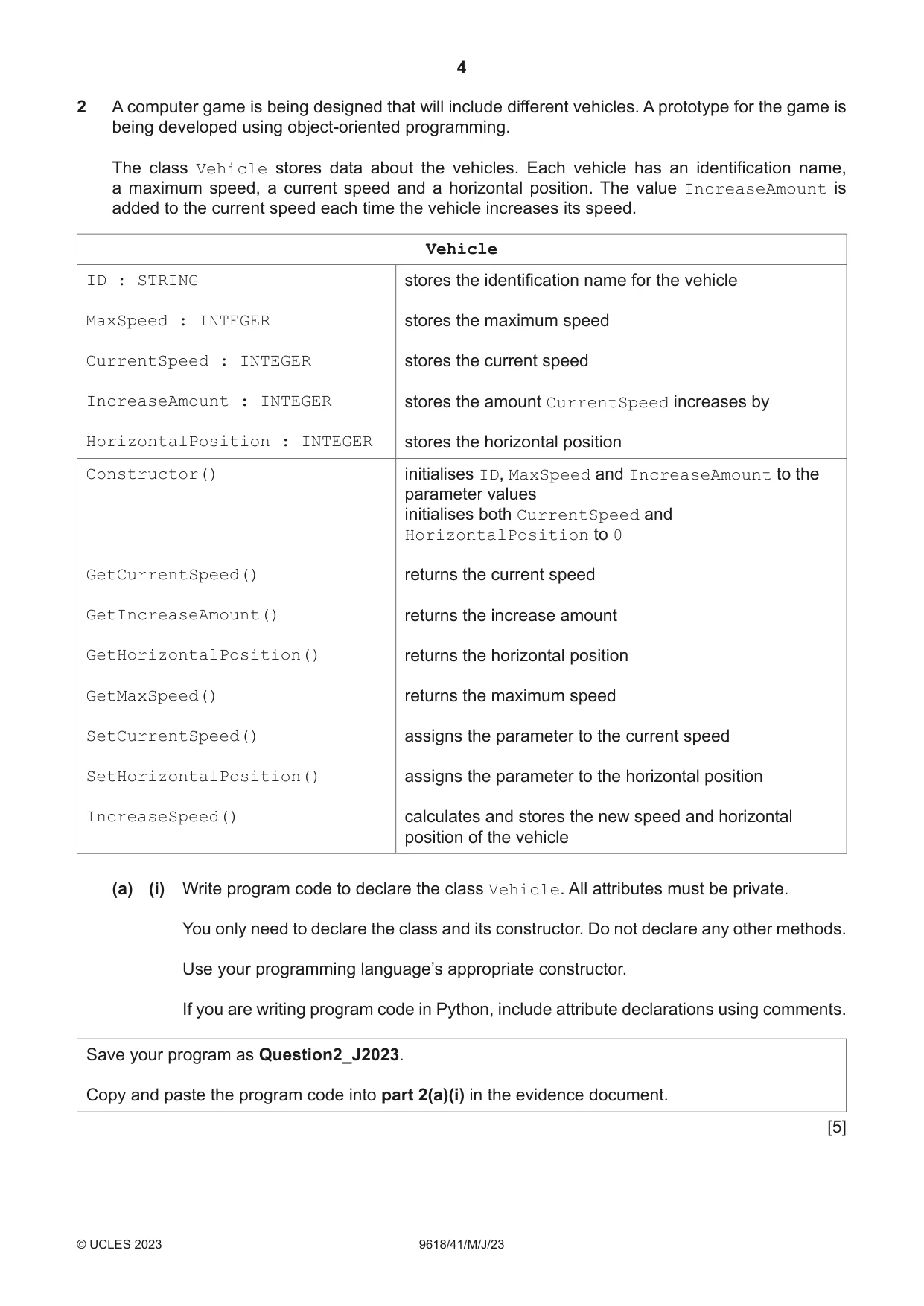
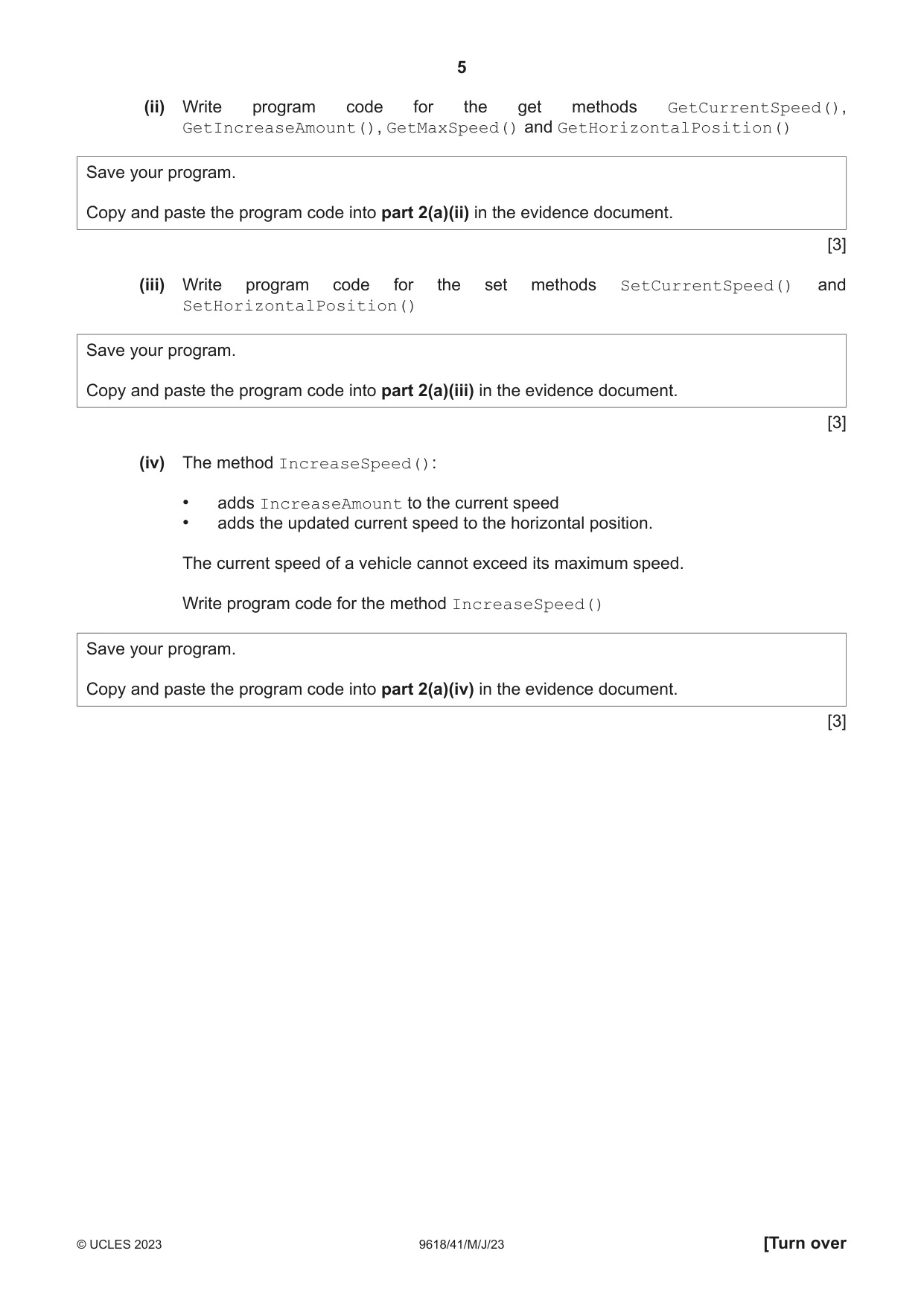
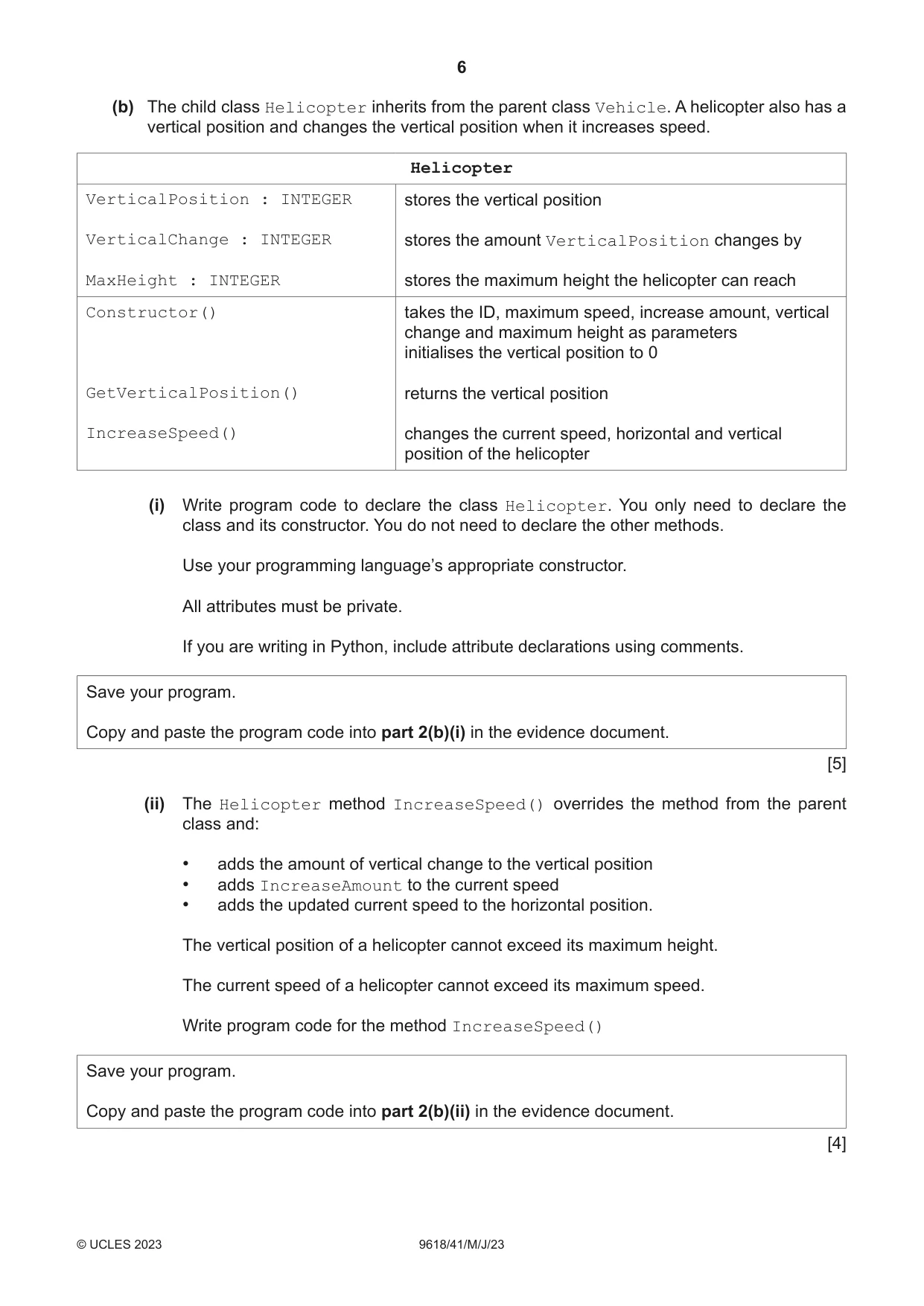
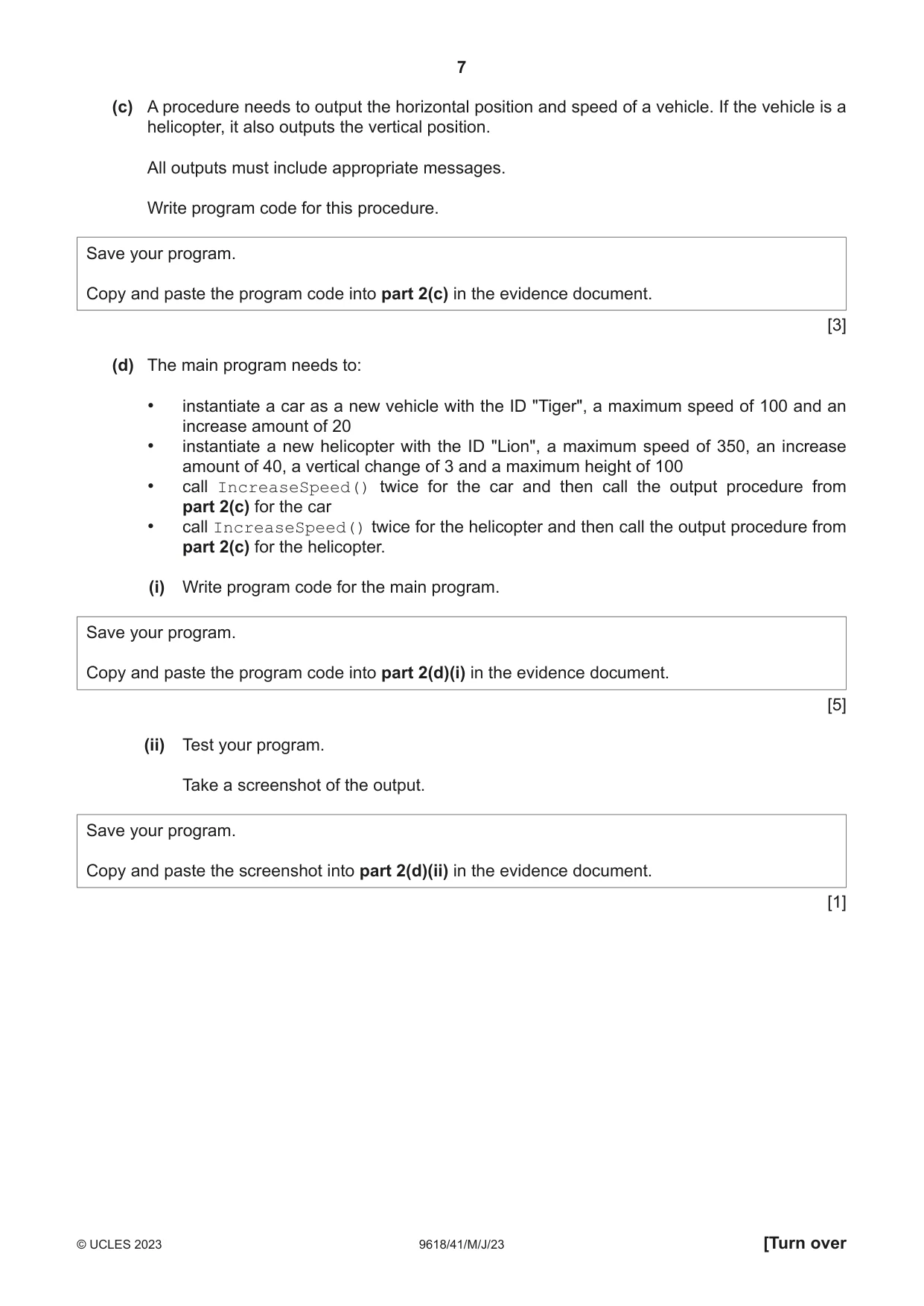
2 A computer game is being designed that will include different vehicles. A prototype for the game is being developed using object‑oriented programming. The class Vehicle stores data about the vehicles. Each vehicle has an identification name, a maximum speed, a current speed and a horizontal position. The value IncreaseAmount is added to the current speed each time the vehicle increases its speed. Vehicle ID : STRING stores the identification name for the vehicle MaxSpeed : INTEGER stores the maximum speed CurrentSpeed : INTEGER stores the current speed IncreaseAmount : INTEGER stores the amount CurrentSpeed increases by HorizontalPosition : INTEGER stores the horizontal position Constructor() initialises ID, MaxSpeed and IncreaseAmount to the parameter values initialises both CurrentSpeed and HorizontalPosition to 0 GetCurrentSpeed() returns the current speed GetIncreaseAmount() returns the increase amount GetHorizontalPosition() returns the horizontal position GetMaxSpeed() returns the maximum speed SetCurrentSpeed() assigns the parameter to the current speed SetHorizontalPosition() assigns the parameter to the horizontal position IncreaseSpeed() calculates and stores the new speed and horizontal position of the vehicle (a) (i) Write program code to declare the class Vehicle. All attributes must be private. You only need to declare the class and its constructor. Do not declare any other methods. Use your programming language’s appropriate constructor. If you are writing program code in Python, include attribute declarations using comments. Save your program as Question2_J2023. Copy and paste the program code into part 2(a)(i) in the evidence document. [5] (ii) Write program code for the get methods GetCurrentSpeed(), GetIncreaseAmount(), GetMaxSpeed() and GetHorizontalPosition() Save your program. Copy and paste the program code into part 2(a)(ii) in the evidence document. [3] (iii) Write program code for the set methods SetCurrentSpeed() and SetHorizontalPosition() Save your program. Copy and paste the program code into part 2(a)(iii) in the evidence document. [3] (iv) The method IncreaseSpeed(): • adds IncreaseAmount to the current speed • adds the updated current speed to the horizontal position. The current speed of a vehicle cannot exceed its maximum speed. Write program code for the method IncreaseSpeed() Save your program. Copy and paste the program code into part 2(a)(iv) in the evidence document. [3] (b) The child class Helicopter inherits from the parent class Vehicle. A helicopter also has a vertical position and changes the vertical position when it increases speed. Helicopter VerticalPosition : INTEGER stores the vertical position VerticalChange : INTEGER stores the amount VerticalPosition changes by MaxHeight : INTEGER stores the maximum height the helicopter can reach Constructor() takes the ID, maximum speed, increase amount, vertical change and maximum height as parameters initialises the vertical position to 0 GetVerticalPosition() returns the vertical position IncreaseSpeed() changes the current speed, horizontal and vertical position of the helicopter (i) Write program code to declare the class Helicopter. You only need to declare the class and its constructor. You do not need to declare the other methods. Use your programming language’s appropriate constructor. All attributes must be private. If you are writing in Python, include attribute declarations using comments. Save your program. Copy and paste the program code into part 2(b)(i) in the evidence document. [5] (ii) The Helicopter method IncreaseSpeed() overrides the method from the parent class and: • adds the amount of vertical change to the vertical position • adds IncreaseAmount to the current speed • adds the updated current speed to the horizontal position. The vertical position of a helicopter cannot exceed its maximum height. The current speed of a helicopter cannot exceed its maximum speed. Write program code for the method IncreaseSpeed() Save your program. Copy and paste the program code into part 2(b)(ii) in the evidence document. [4] (c) A procedure needs to output the horizontal position and speed of a vehicle. If the vehicle is a helicopter, it also outputs the vertical position. All outputs must include appropriate messages. Write program code for this procedure. Save your program. Copy and paste the program code into part 2(c) in the evidence document. [3] (d) The main program needs to: • instantiate a car as a new vehicle with the ID "Tiger", a maximum speed of 100 and an increase amount of 20 • instantiate a new helicopter with the ID "Lion", a maximum speed of 350, an increase amount of 40, a vertical change of 3 and a maximum height of 100 • call IncreaseSpeed() twice for the car and then call the output procedure from part 2(c) for the car • call IncreaseSpeed() twice for the helicopter and then call the output procedure from part 2(c) for the helicopter. (i) Write program code for the main program. Save your program. Copy and paste the program code into part 2(d)(i) in the evidence document. [5] (ii) Test your program. Take a screenshot of the output. Save your program. Copy and paste the screenshot into part 2(d)(ii) in the evidence document. [1]
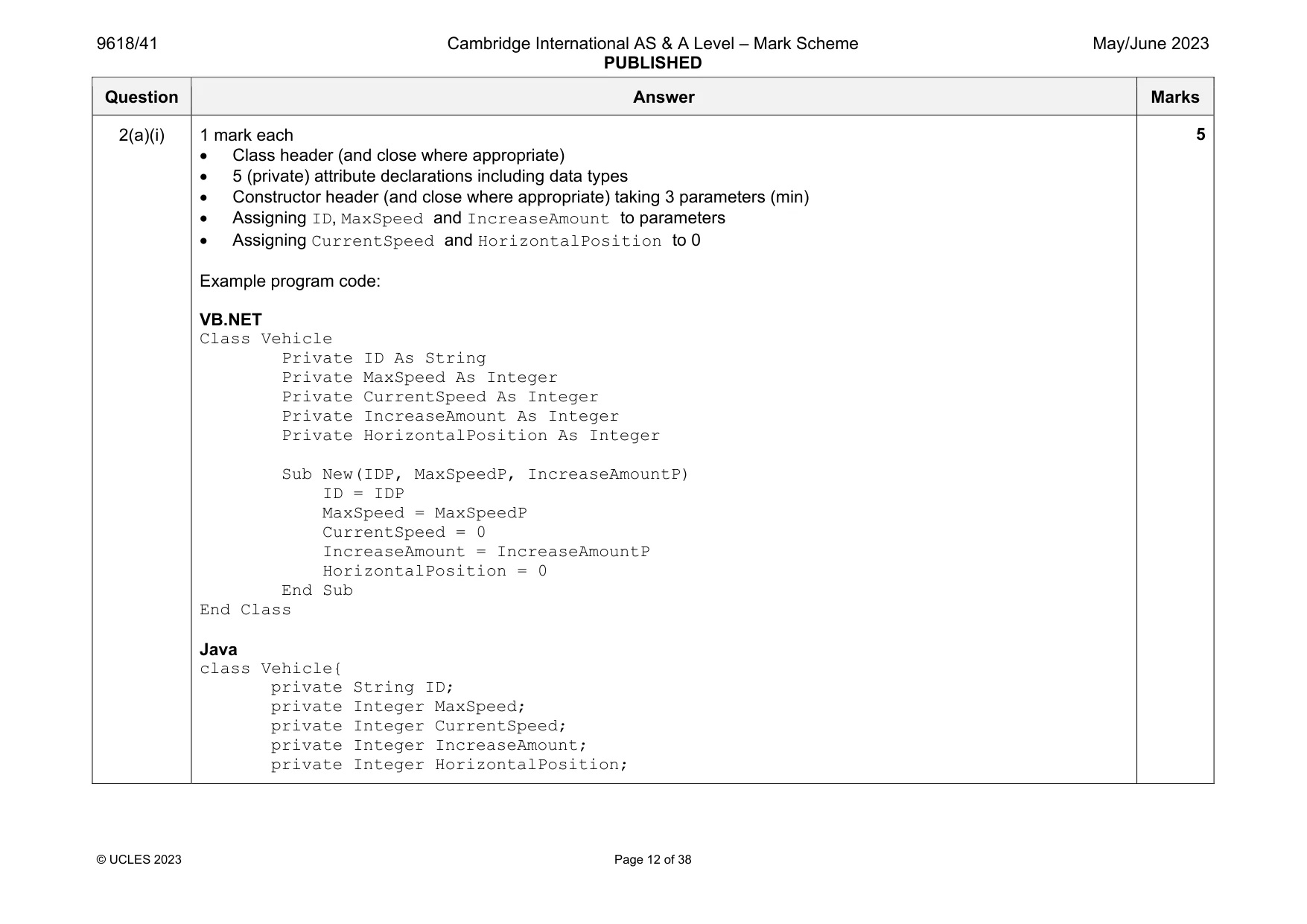
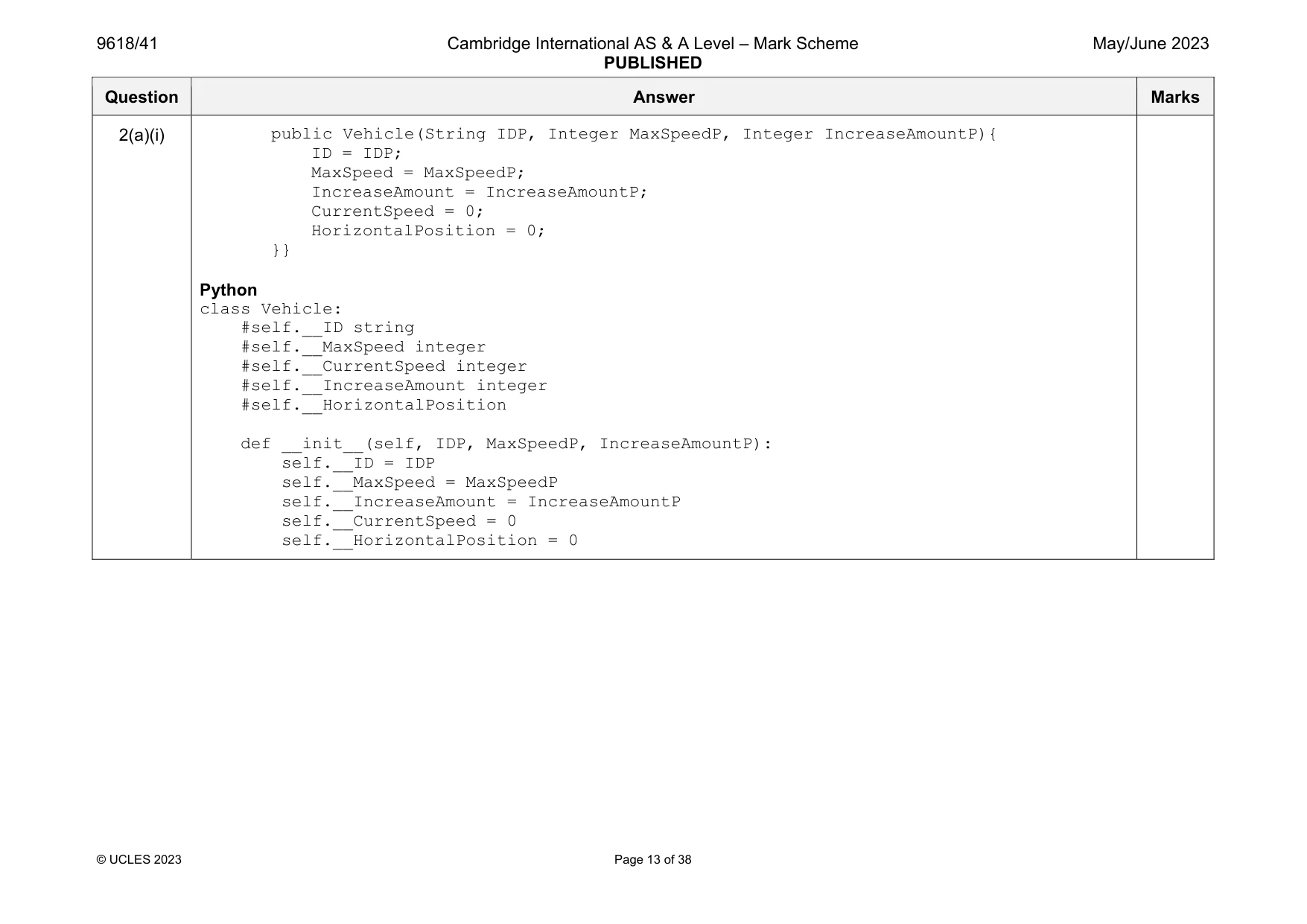
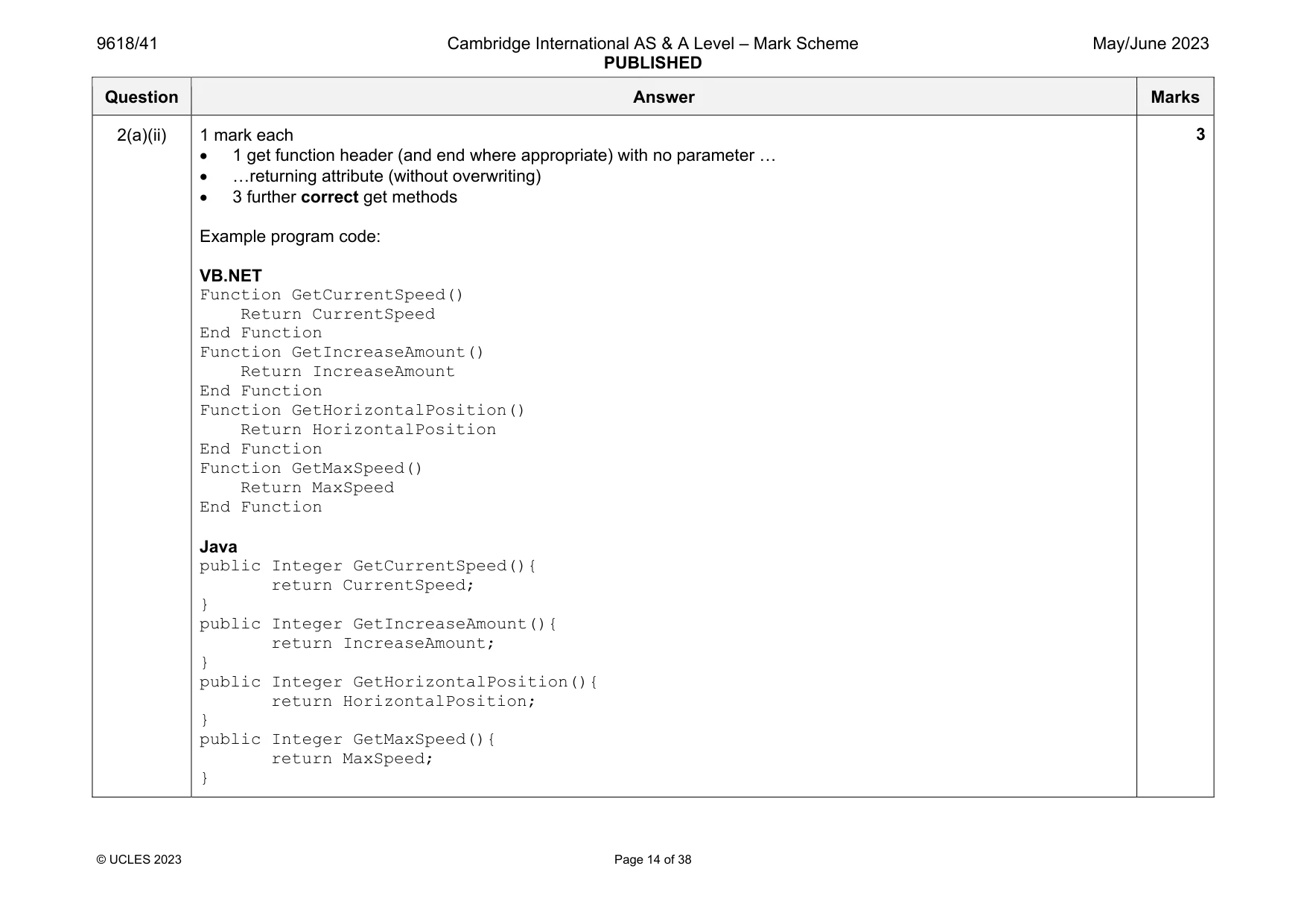
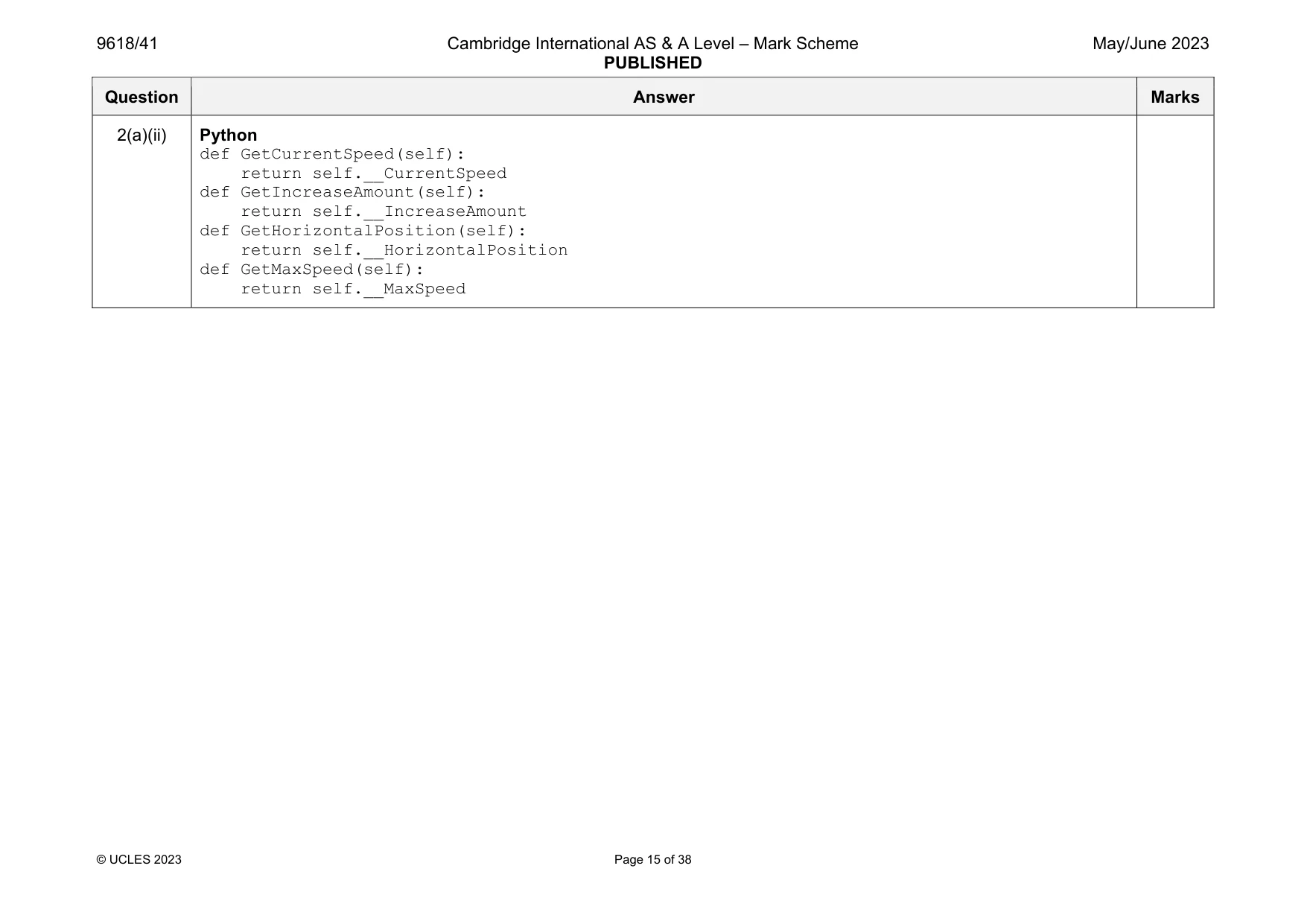
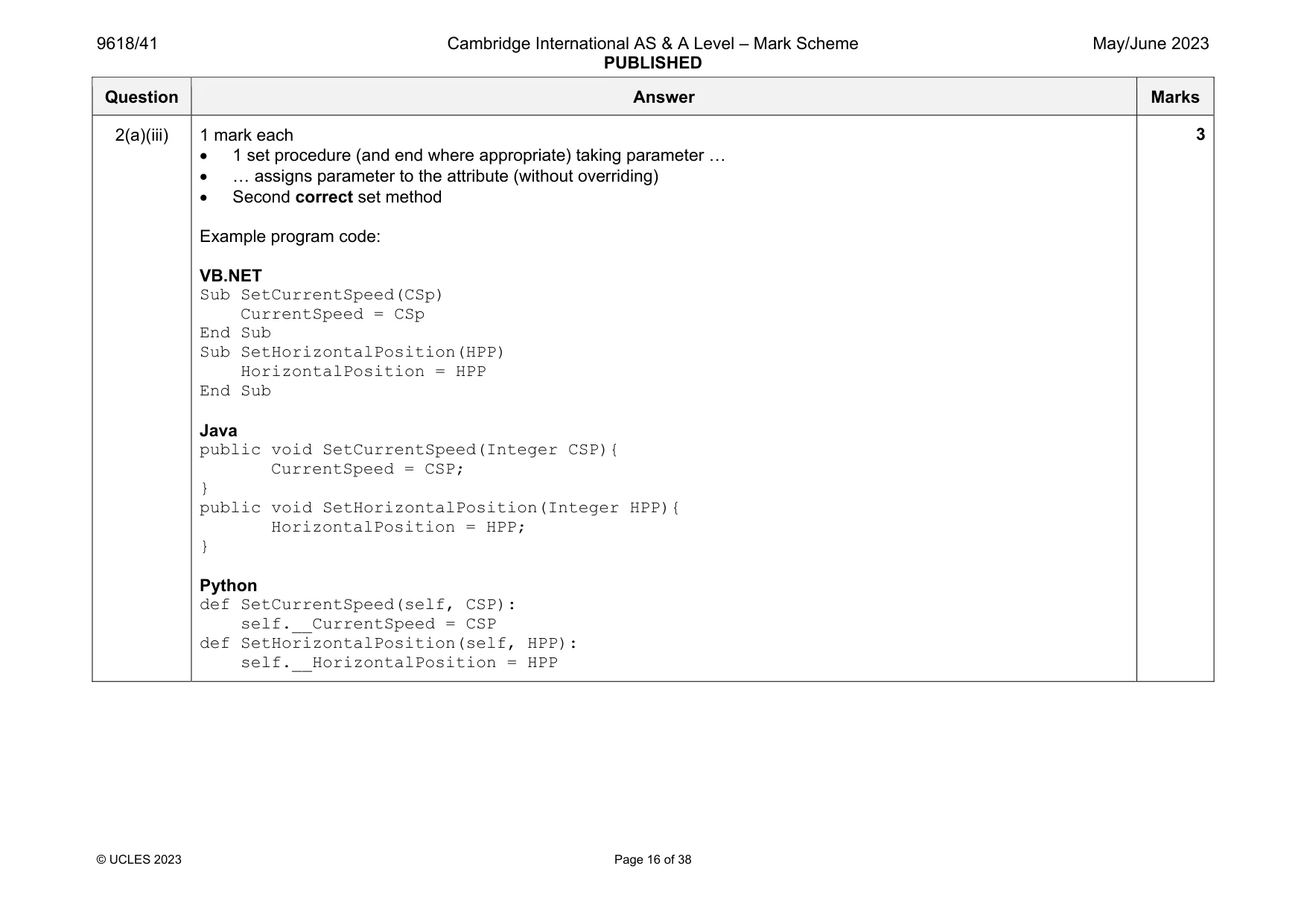
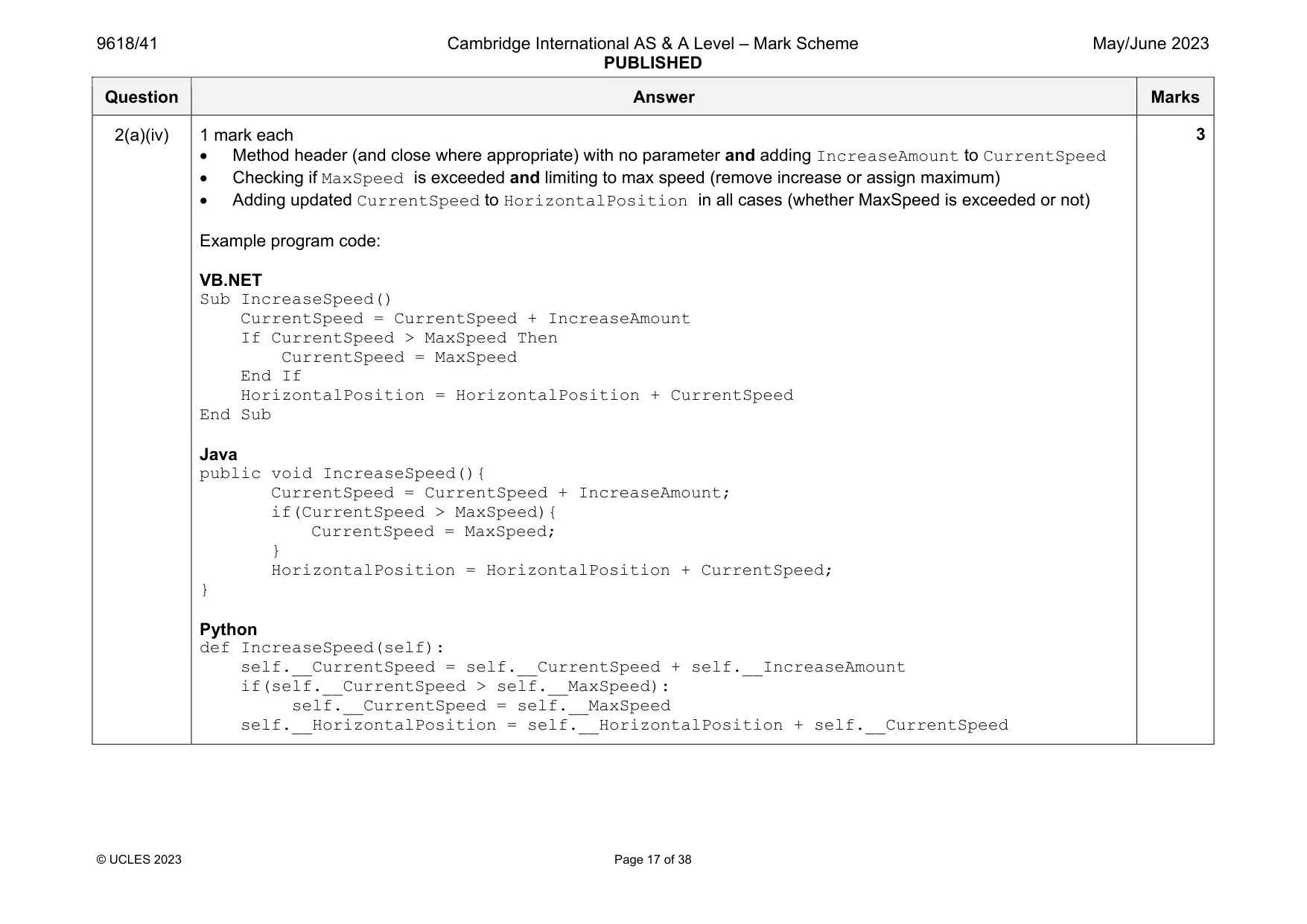
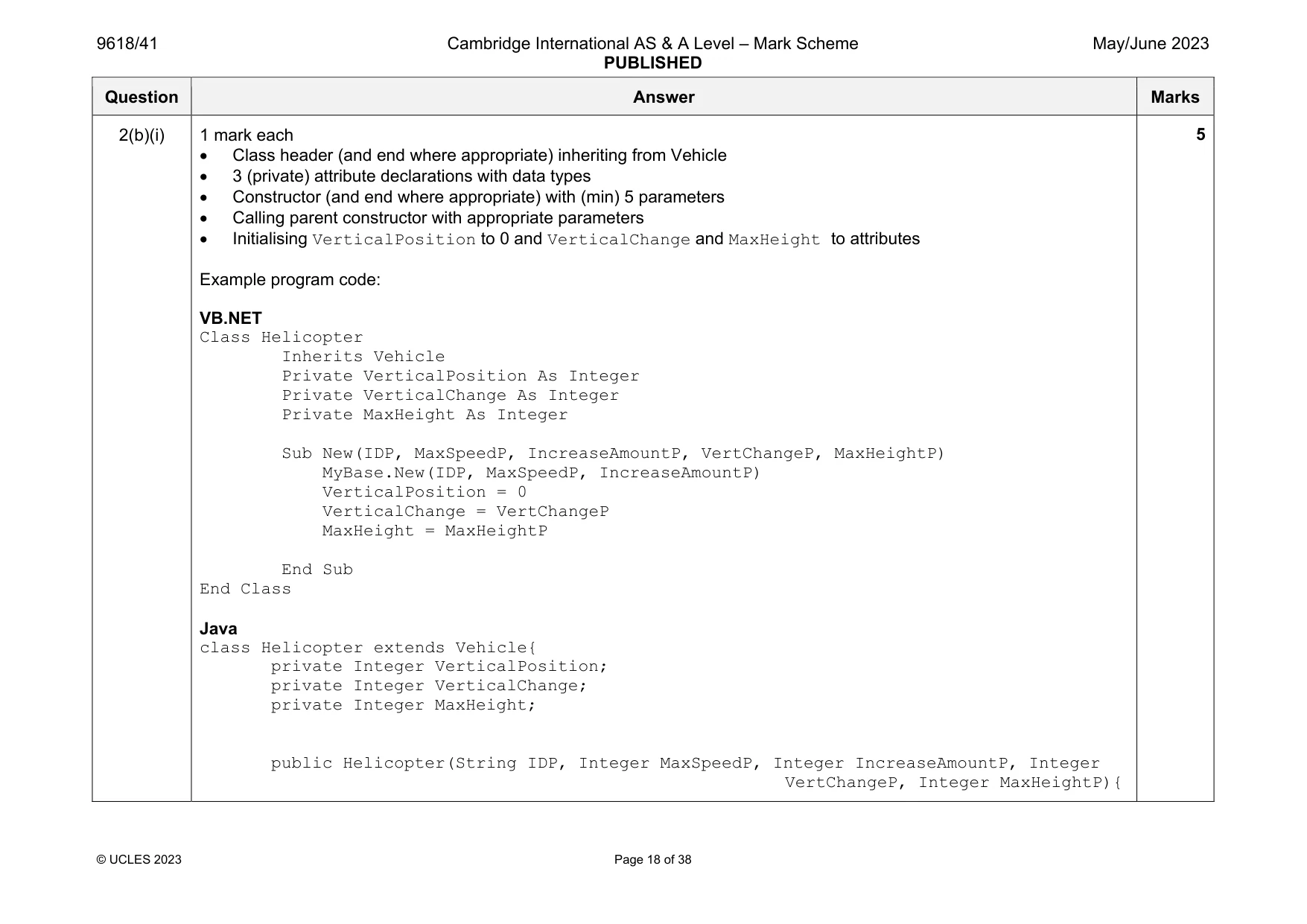
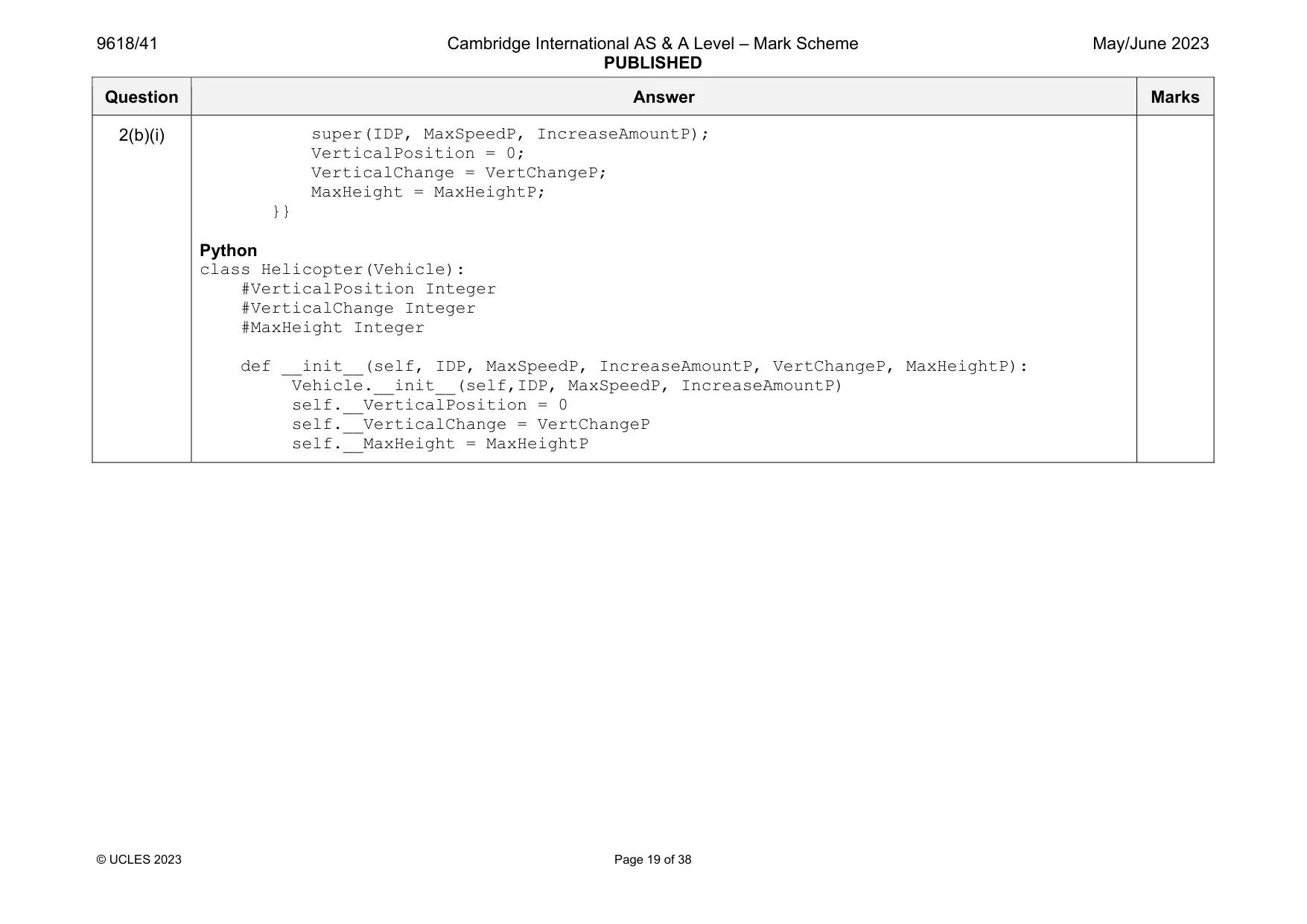
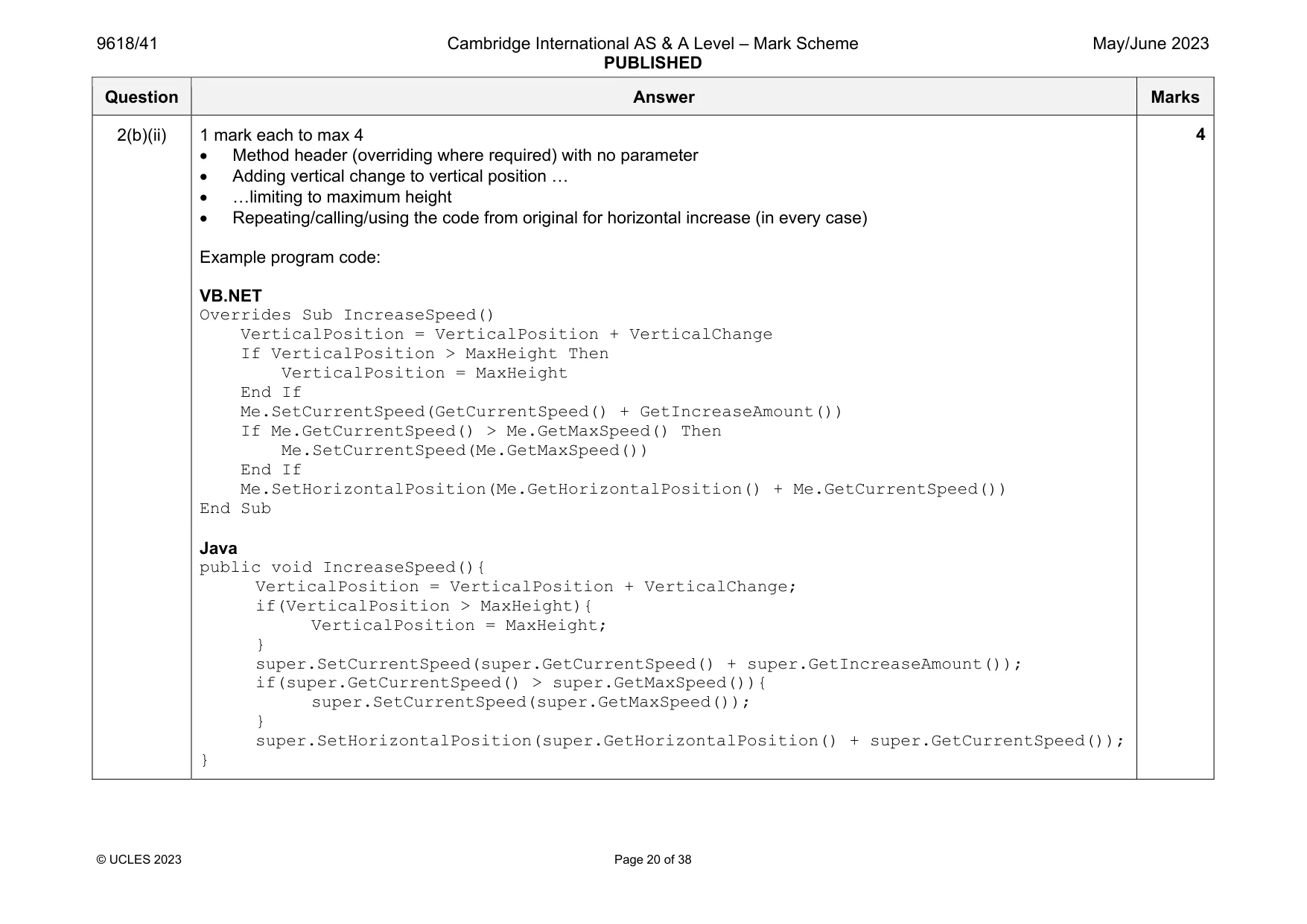
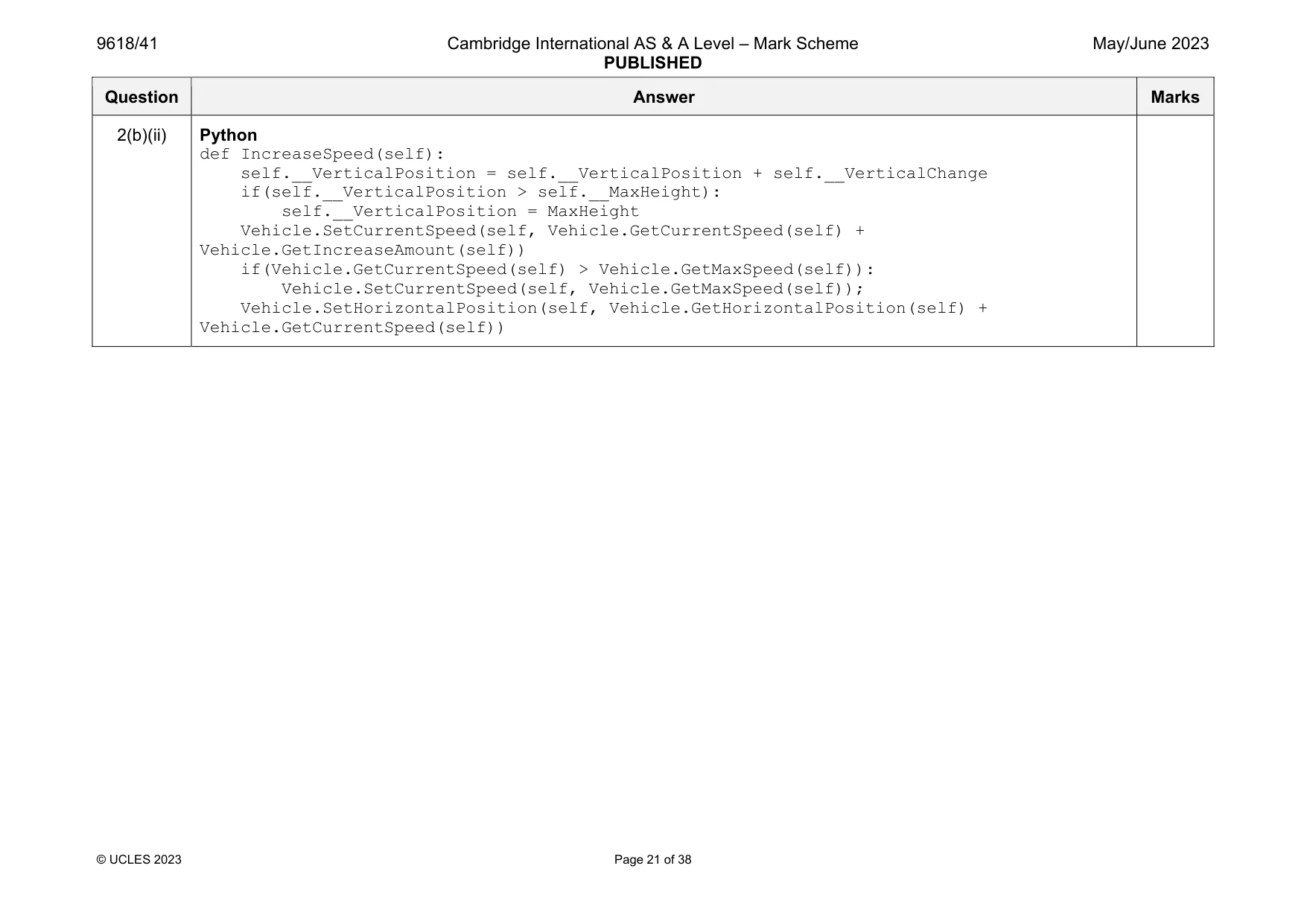
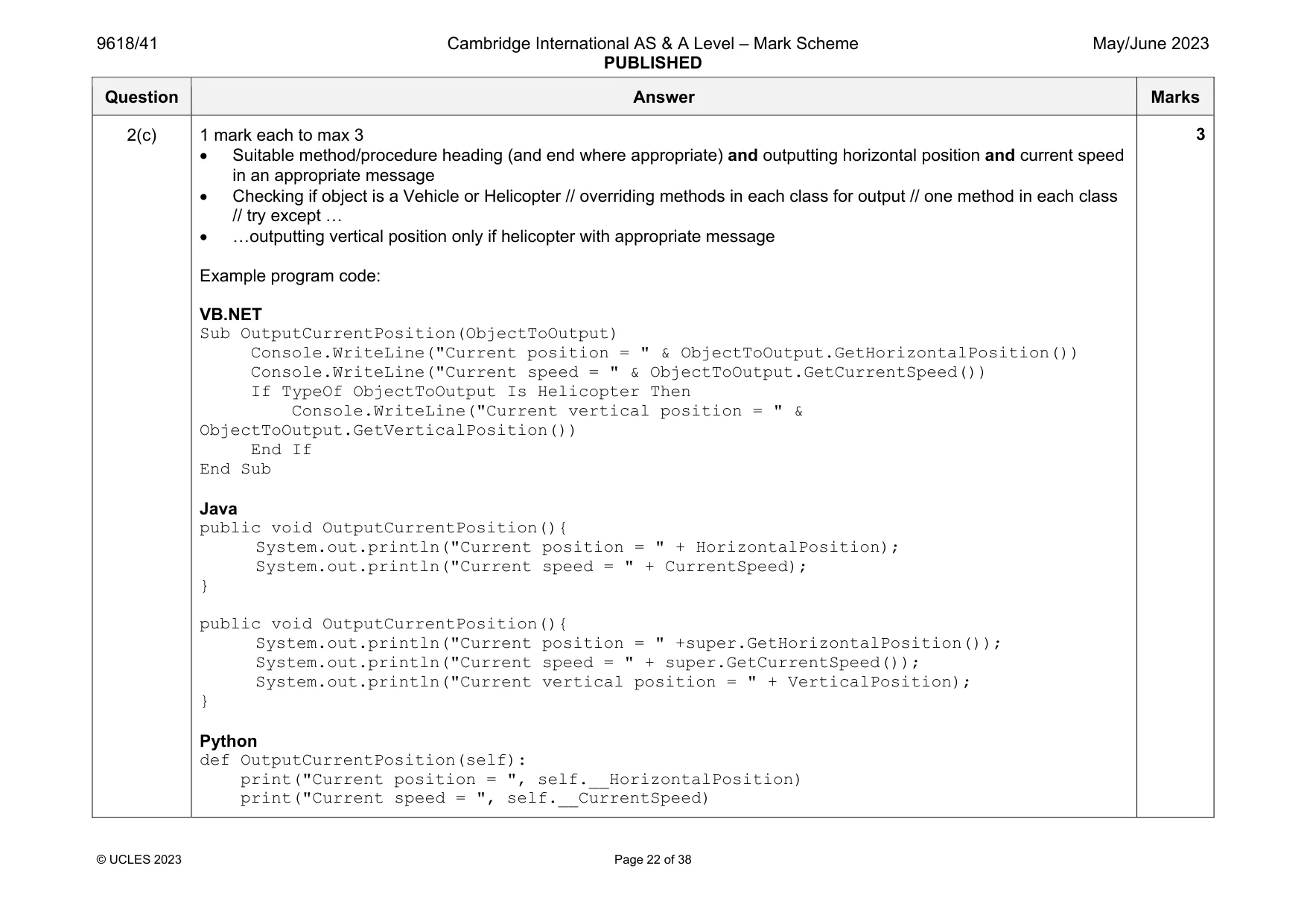
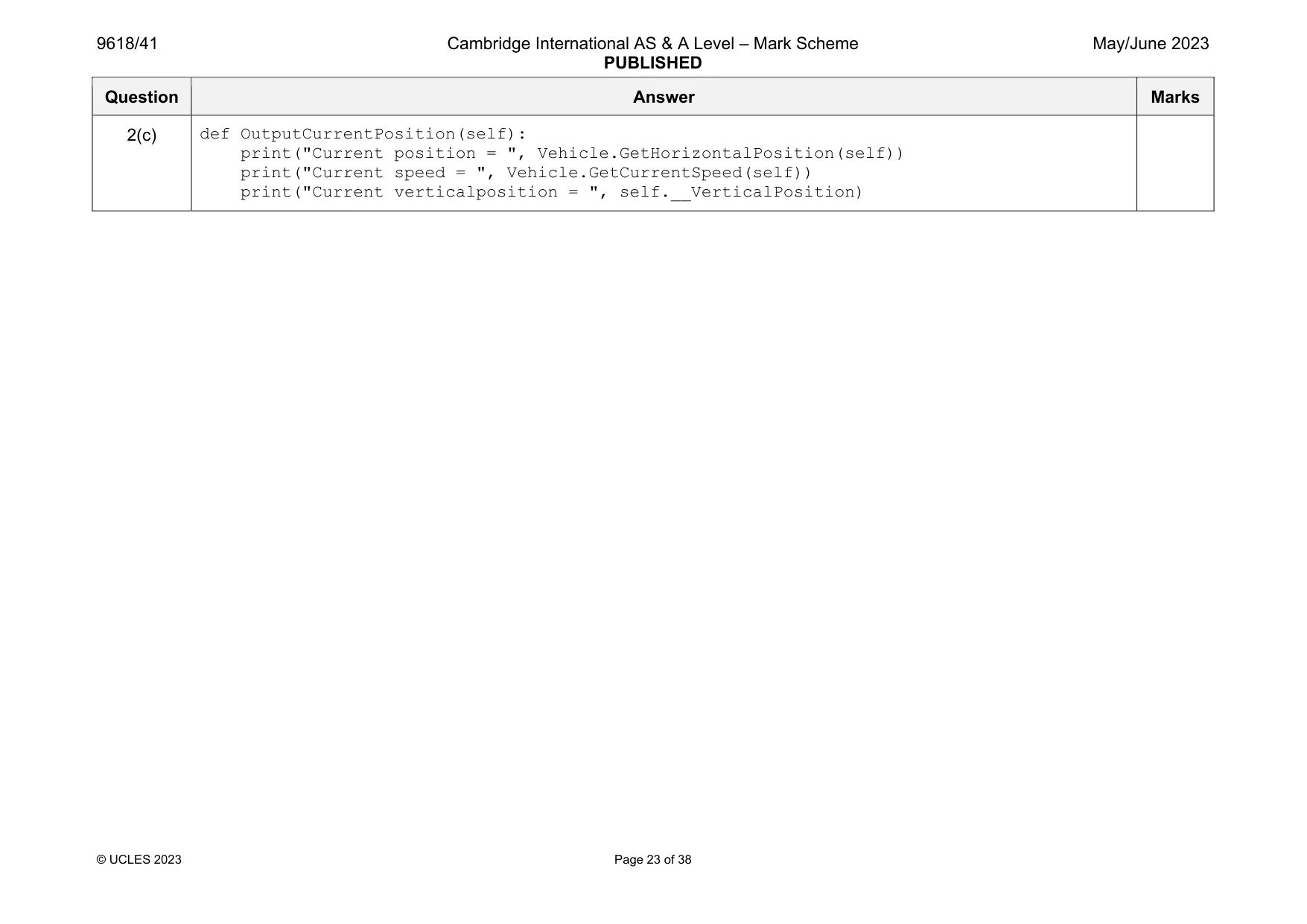
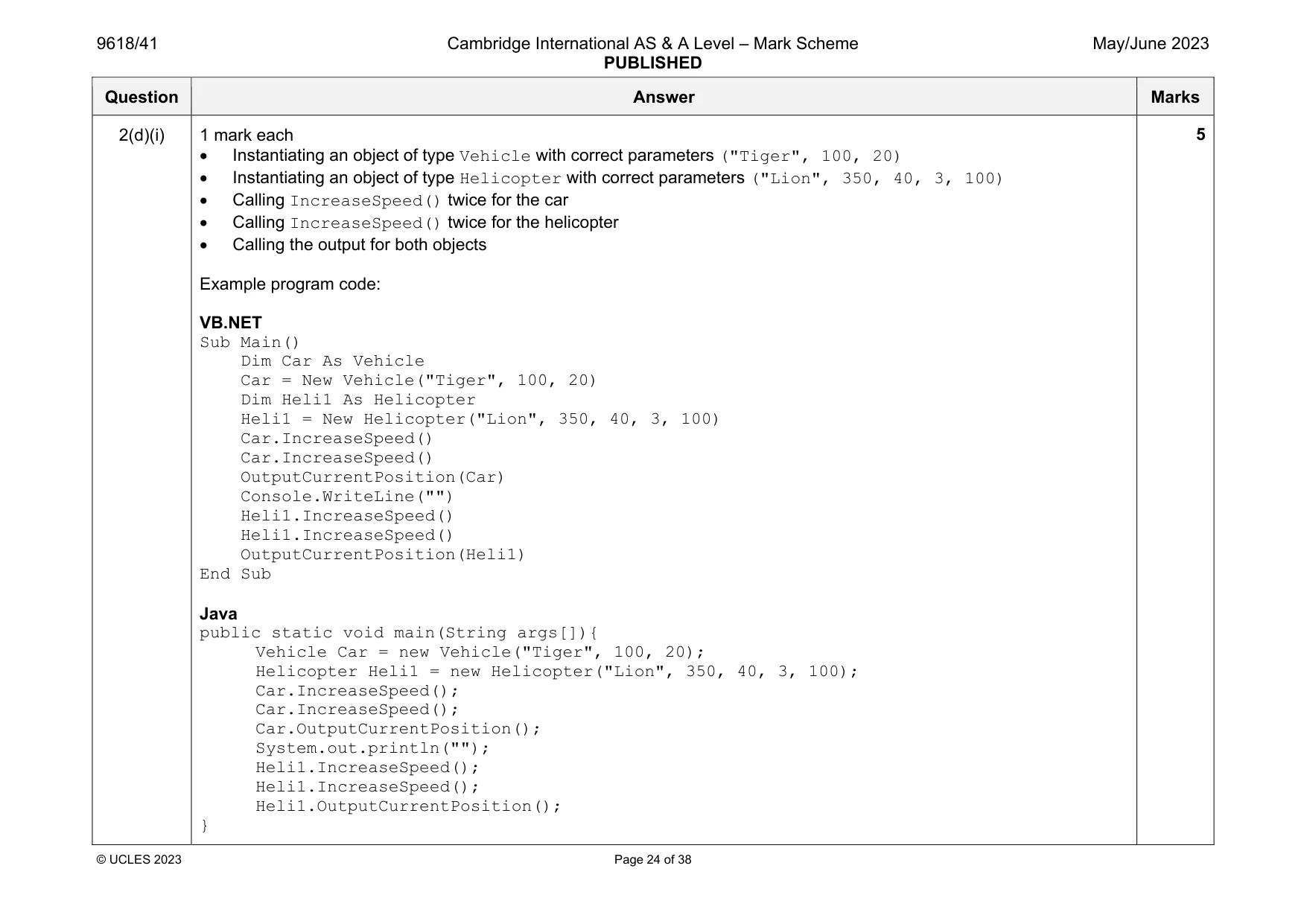
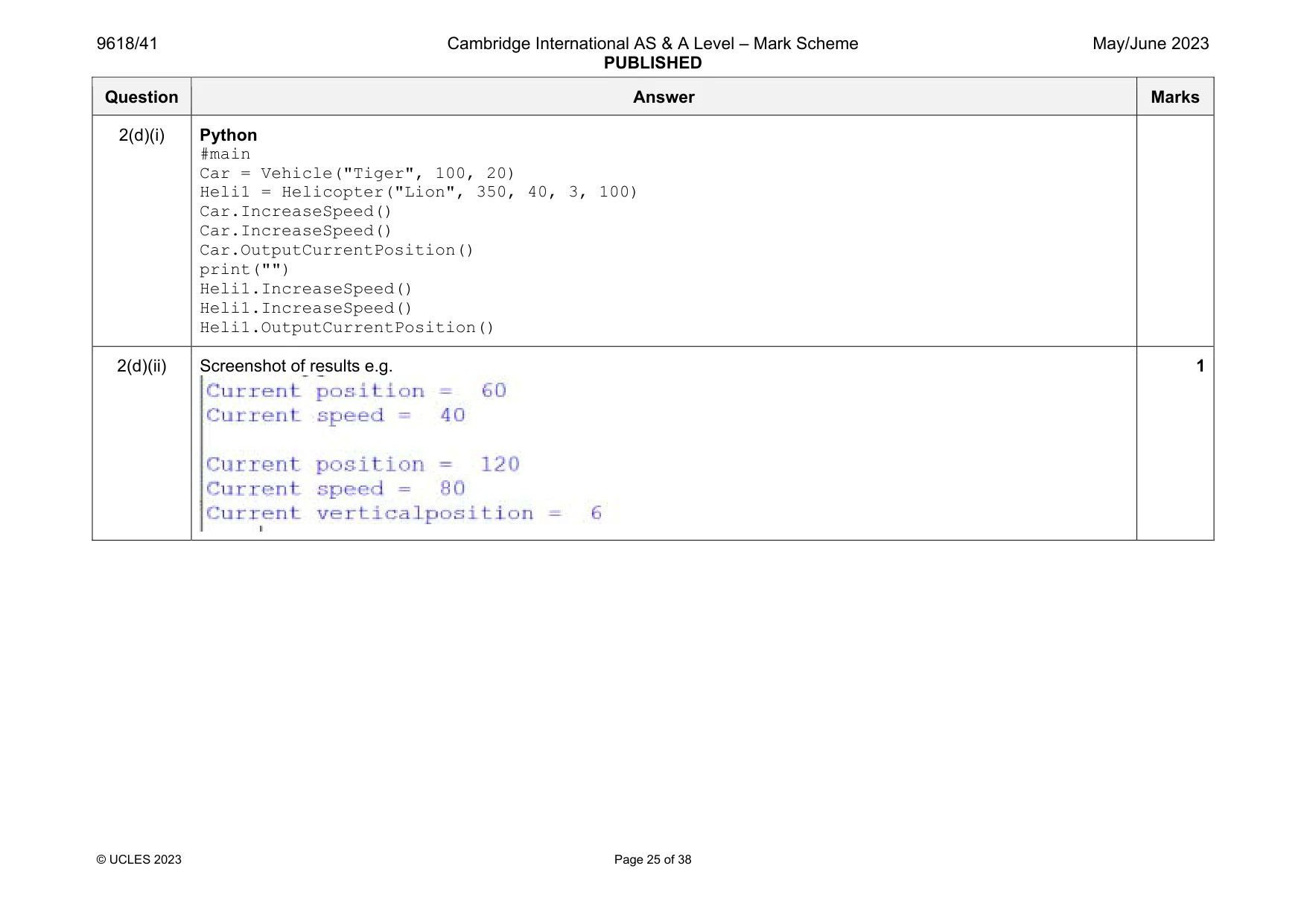
Mark scheme: 2(a)(i) 1 mark each Class header (and close where appropriate) 5 (private) attribute declarations including data types Constructor header (and close where appropriate) taking 3 parameters (min) Assigning ID, MaxSpeed and IncreaseAmount to parameters Assigning CurrentSpeed and HorizontalPosition to 0 Example program code: VB.NET Class Vehicle Private ID As String Private MaxSpeed As Integer Private CurrentSpeed As Integer Private IncreaseAmount As Integer Private HorizontalPosition As Integer Sub New(IDP, MaxSpeedP, IncreaseAmountP) ID = IDP MaxSpeed = MaxSpeedP CurrentSpeed = 0 IncreaseAmount = IncreaseAmountP HorizontalPosition = 0 End Sub End Class Java class Vehicle{ private String ID; private Integer MaxSpeed; private Integer CurrentSpeed; private Integer IncreaseAmount; private Integer HorizontalPosition; Question Answer Marks 2(a)(i) public Vehicle(String IDP, Integer MaxSpeedP, Integer IncreaseAmountP){ ID = IDP; MaxSpeed = MaxSpeedP; IncreaseAmount = IncreaseAmountP; CurrentSpeed = 0; HorizontalPosition = 0; }} Python class Vehicle: #self.__ID string #self.__MaxSpeed integer #self.__CurrentSpeed integer #self.__IncreaseAmount integer #self.__HorizontalPosition def __init__(self, IDP, MaxSpeedP, IncreaseAmountP): self.__ID = IDP self.__MaxSpeed = MaxSpeedP self.__IncreaseAmount = IncreaseAmountP self.__CurrentSpeed = 0 self.__HorizontalPosition = 0 Question Answer Marks 2(a)(ii) 1 mark each 1 get function header (and end where appropriate) with no parameter … …returning attribute (without overwriting) 3 further correct get methods Example program code: VB.NET Function GetCurrentSpeed() Return CurrentSpeed End Function Function GetIncreaseAmount() Return IncreaseAmount End Function Function GetHorizontalPosition() Return HorizontalPosition End Function Function GetMaxSpeed() Return MaxSpeed End Function Java public Integer GetCurrentSpeed(){ return CurrentSpeed; } public Integer GetIncreaseAmount(){ return IncreaseAmount; } public Integer GetHorizontalPosition(){ return HorizontalPosition; } public Integer GetMaxSpeed(){ return MaxSpeed; } 3 Question Answer Marks 2(a)(ii) Python def GetCurrentSpeed(self): return self.__CurrentSpeed def GetIncreaseAmount(self): return self.__IncreaseAmount def GetHorizontalPosition(self): return self.__HorizontalPosition def GetMaxSpeed(self): return self.__MaxSpeed Question Answer Marks 2(a)(iii) 1 mark each 1 set procedure (and end where appropriate) taking parameter … … assigns parameter to the attribute (without overriding) Second correct set method Example program code: VB.NET Sub SetCurrentSpeed(CSp) CurrentSpeed = CSp End Sub Sub SetHorizontalPosition(HPP) HorizontalPosition = HPP End Sub Java public void SetCurrentSpeed(Integer CSP){ CurrentSpeed = CSP; } public void SetHorizontalPosition(Integer HPP){ HorizontalPosition = HPP; } Python def SetCurrentSpeed(self, CSP): self.__CurrentSpeed = CSP def SetHorizontalPosition(self, HPP): self.__HorizontalPosition = HPP 3 Question Answer Marks 2(a)(iv) 1 mark each Method header (and close where appropriate) with no parameter and adding IncreaseAmount to CurrentSpeed Checking if MaxSpeed is exceeded and limiting to max speed (remove increase or assign maximum) Adding updated CurrentSpeed to HorizontalPosition in all cases (whether MaxSpeed is exceeded or not) Example program code: VB.NET Sub IncreaseSpeed() CurrentSpeed = CurrentSpeed + IncreaseAmount If CurrentSpeed > MaxSpeed Then CurrentSpeed = MaxSpeed End If HorizontalPosition = HorizontalPosition + CurrentSpeed End Sub Java public void IncreaseSpeed(){ CurrentSpeed = CurrentSpeed + IncreaseAmount; if(CurrentSpeed > MaxSpeed){ CurrentSpeed = MaxSpeed; } HorizontalPosition = HorizontalPosition + CurrentSpeed; } Python def IncreaseSpeed(self): self.__CurrentSpeed = self.__CurrentSpeed + self.__IncreaseAmount if(self.__CurrentSpeed > self.__MaxSpeed): self.__CurrentSpeed = self.__MaxSpeed self.__HorizontalPosition = self.__HorizontalPosition + self.__CurrentSpeed 3 Question Answer Marks 2(b)(i) 1 mark each Class header (and end where appropriate) inheriting from Vehicle 3 (private) attribute declarations with data types Constructor (and end where appropriate) with (min) 5 parameters Calling parent constructor with appropriate parameters Initialising VerticalPosition to 0 and VerticalChange and MaxHeight to attributes Example program code: VB.NET Class Helicopter Inherits Vehicle Private VerticalPosition As Integer Private VerticalChange As Integer Private MaxHeight As Integer Sub New(IDP, MaxSpeedP, IncreaseAmountP, VertChangeP, MaxHeightP) MyBase.New(IDP, MaxSpeedP, IncreaseAmountP) VerticalPosition = 0 VerticalChange = VertChangeP MaxHeight = MaxHeightP End Sub End Class Java class Helicopter extends Vehicle{ private Integer VerticalPosition; private Integer VerticalChange; private Integer MaxHeight; public Helicopter(String IDP, Integer MaxSpeedP, Integer IncreaseAmountP, Integer VertChangeP, Integer MaxHeightP){ 5 Question Answer Marks 2(b)(i) super(IDP, MaxSpeedP, IncreaseAmountP); VerticalPosition = 0; VerticalChange = VertChangeP; MaxHeight = MaxHeightP; }} Python class Helicopter(Vehicle): #VerticalPosition Integer #VerticalChange Integer #MaxHeight Integer def __init__(self, IDP, MaxSpeedP, IncreaseAmountP, VertChangeP, MaxHeightP): Vehicle.__init__(self,IDP, MaxSpeedP, IncreaseAmountP) self.__VerticalPosition = 0 self.__VerticalChange = VertChangeP self.__MaxHeight = MaxHeightP Question Answer Marks 2(b)(ii) 1 mark each to max 4 Method header (overriding where required) with no parameter Adding vertical change to vertical position … …limiting to maximum height Repeating/calling/using the code from original for horizontal increase (in every case) Example program code: VB.NET Overrides Sub IncreaseSpeed() VerticalPosition = VerticalPosition + VerticalChange If VerticalPosition > MaxHeight Then VerticalPosition = MaxHeight End If Me.SetCurrentSpeed(GetCurrentSpeed() + GetIncreaseAmount()) If Me.GetCurrentSpeed() > Me.GetMaxSpeed() Then Me.SetCurrentSpeed(Me.GetMaxSpeed()) End If Me.SetHorizontalPosition(Me.GetHorizontalPosition() + Me.GetCurrentSpeed()) End Sub Java public void IncreaseSpeed(){ VerticalPosition = VerticalPosition + VerticalChange; if(VerticalPosition > MaxHeight){ VerticalPosition = MaxHeight; } super.SetCurrentSpeed(super.GetCurrentSpeed() + super.GetIncreaseAmount()); if(super.GetCurrentSpeed() > super.GetMaxSpeed()){ super.SetCurrentSpeed(super.GetMaxSpeed()); } super.SetHorizontalPosition(super.GetHorizontalPosition() + super.GetCurrentSpeed()); } 4 Question Answer Marks 2(b)(ii) Python def IncreaseSpeed(self): self.__VerticalPosition = self.__VerticalPosition + self.__VerticalChange if(self.__VerticalPosition > self.__MaxHeight): self.__VerticalPosition = MaxHeight Vehicle.SetCurrentSpeed(self, Vehicle.GetCurrentSpeed(self) + Vehicle.GetIncreaseAmount(self)) if(Vehicle.GetCurrentSpeed(self) > Vehicle.GetMaxSpeed(self)): Vehicle.SetCurrentSpeed(self, Vehicle.GetMaxSpeed(self)); Vehicle.SetHorizontalPosition(self, Vehicle.GetHorizontalPosition(self) + Vehicle.GetCurrentSpeed(self)) Question Answer Marks 2(c) 1 mark each to max 3 Suitable method/procedure heading (and end where appropriate) and outputting horizontal position and current speed in an appropriate message Checking if object is a Vehicle or Helicopter // overriding methods in each class for output // one method in each class // try except … …outputting vertical position only if helicopter with appropriate message Example program code: VB.NET Sub OutputCurrentPosition(ObjectToOutput) Console.WriteLine("Current position = " & ObjectToOutput.GetHorizontalPosition()) Console.WriteLine("Current speed = " & ObjectToOutput.GetCurrentSpeed()) If TypeOf ObjectToOutput Is Helicopter Then Console.WriteLine("Current vertical position = " & ObjectToOutput.GetVerticalPosition()) End If End Sub Java public void OutputCurrentPosition(){ System.out.println("Current position = " + HorizontalPosition); System.out.println("Current speed = " + CurrentSpeed); } public void OutputCurrentPosition(){ System.out.println("Current position = " +super.GetHorizontalPosition()); System.out.println("Current speed = " + super.GetCurrentSpeed()); System.out.println("Current vertical position = " + VerticalPosition); } Python def OutputCurrentPosition(self): print("Current position = ", self.__HorizontalPosition) print("Current speed = ", self.__CurrentSpeed) 3 Question Answer Marks 2(c) def OutputCurrentPosition(self): print("Current position = ", Vehicle.GetHorizontalPosition(self)) print("Current speed = ", Vehicle.GetCurrentSpeed(self)) print("Current verticalposition = ", self.__VerticalPosition) Question Answer Marks 2(d)(i) 1 mark each Instantiating an object of type Vehicle with correct parameters ("Tiger", 100, 20) Instantiating an object of type Helicopter with correct parameters ("Lion", 350, 40, 3, 100) Calling IncreaseSpeed() twice for the car Calling IncreaseSpeed() twice for the helicopter Calling the output for both objects Example program code: VB.NET Sub Main() Dim Car As Vehicle Car = New Vehicle("Tiger", 100, 20) Dim Heli1 As Helicopter Heli1 = New Helicopter("Lion", 350, 40, 3, 100) Car.IncreaseSpeed() Car.IncreaseSpeed() OutputCurrentPosition(Car) Console.WriteLine("") Heli1.IncreaseSpeed() Heli1.IncreaseSpeed() OutputCurrentPosition(Heli1) End Sub Java public static void main(String args[]){ Vehicle Car = new Vehicle("Tiger", 100, 20); Helicopter Heli1 = new Helicopter("Lion", 350, 40, 3, 100); Car.IncreaseSpeed(); Car.IncreaseSpeed(); Car.OutputCurrentPosition(); System.out.println(""); Heli1.IncreaseSpeed(); Heli1.IncreaseSpeed(); Heli1.OutputCurrentPosition(); } 5 Question Answer Marks 2(d)(i) Python #main Car = Vehicle("Tiger", 100, 20) Heli1 = Helicopter("Lion", 350, 40, 3, 100) Car.IncreaseSpeed() Car.IncreaseSpeed() Car.OutputCurrentPosition() print("") Heli1.IncreaseSpeed() Heli1.IncreaseSpeed() Heli1.OutputCurrentPosition() 2(d)(ii) Screenshot of results e.g. 1
Q3 · A program implements two stacks using 1D arrays
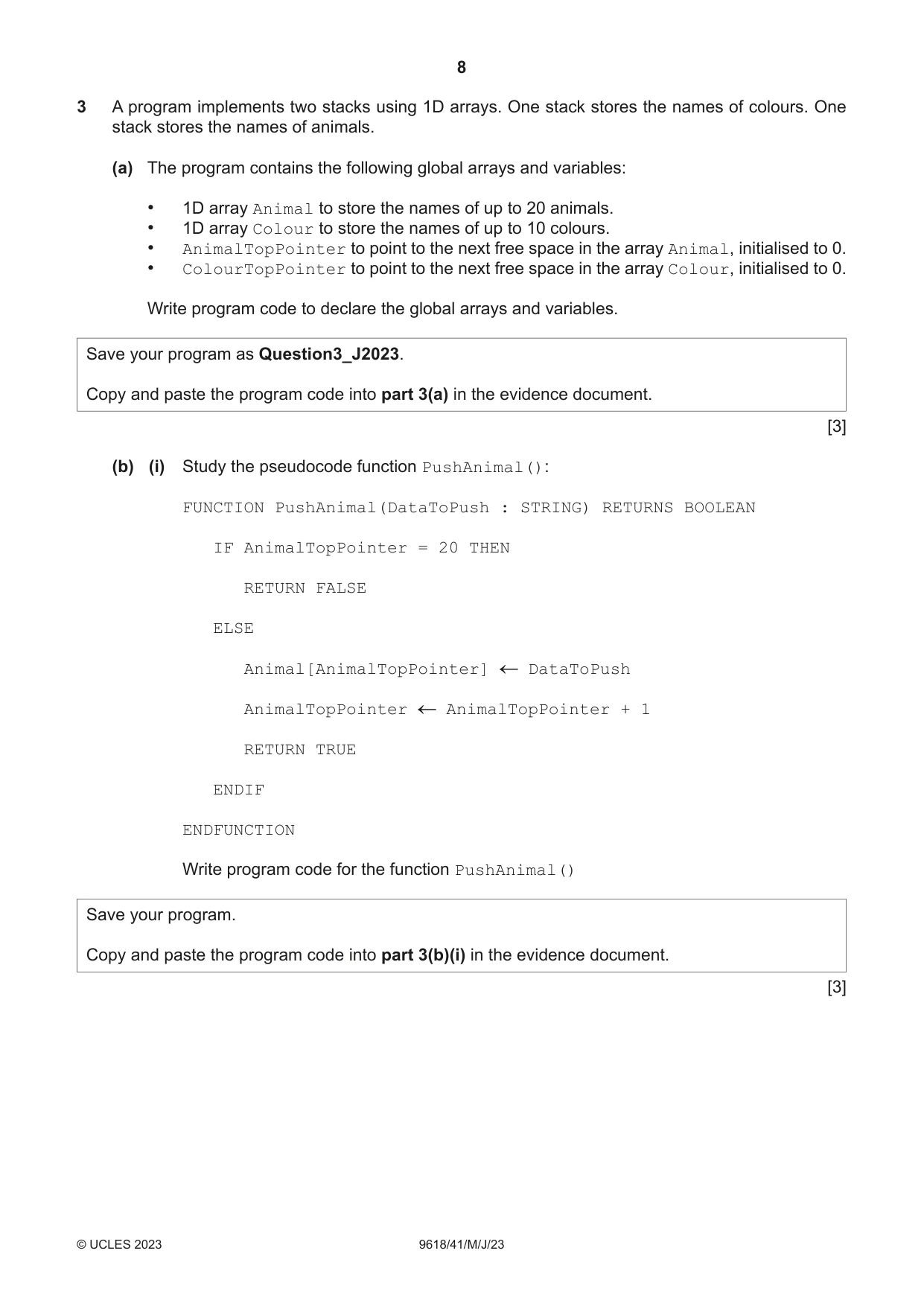
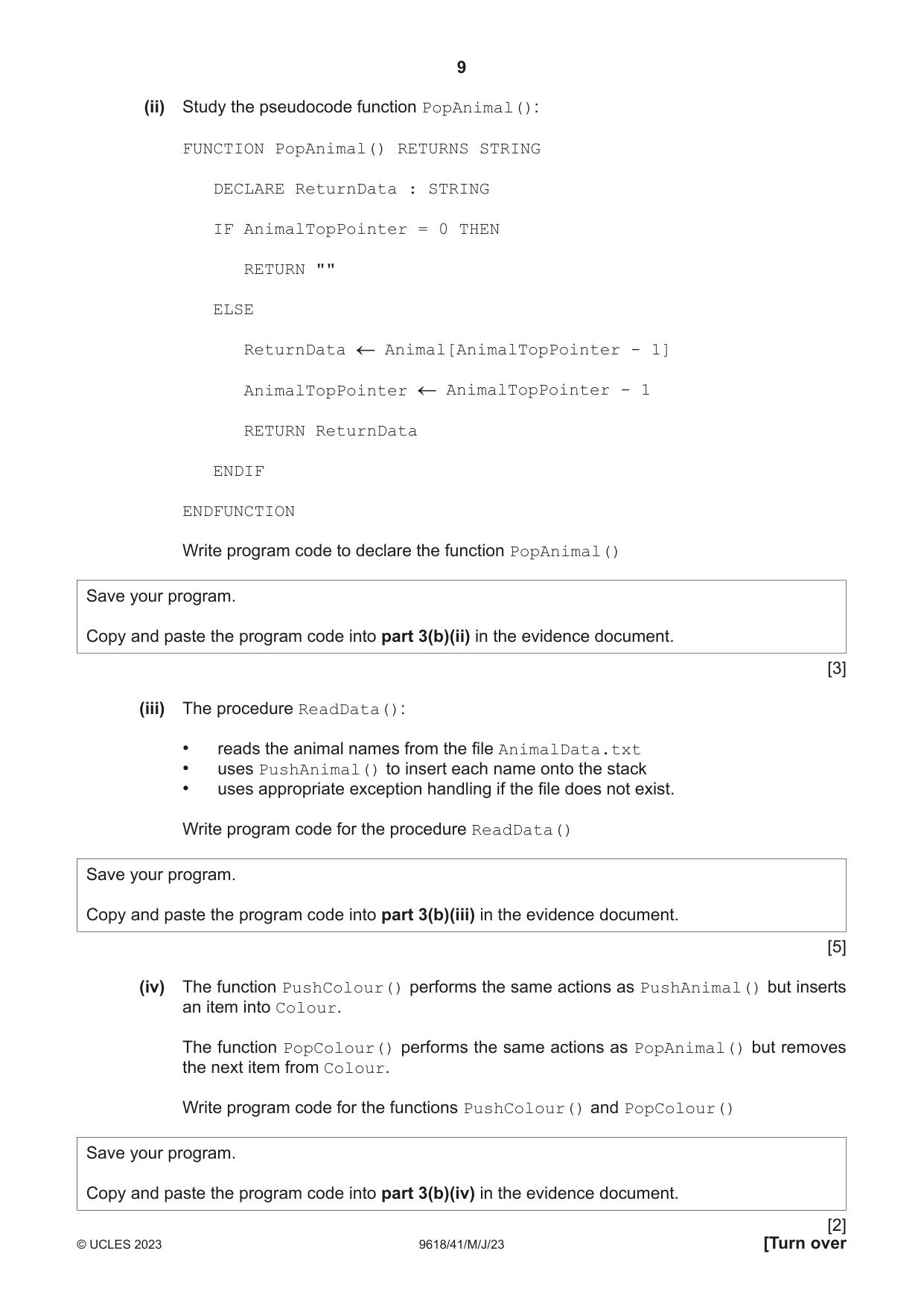
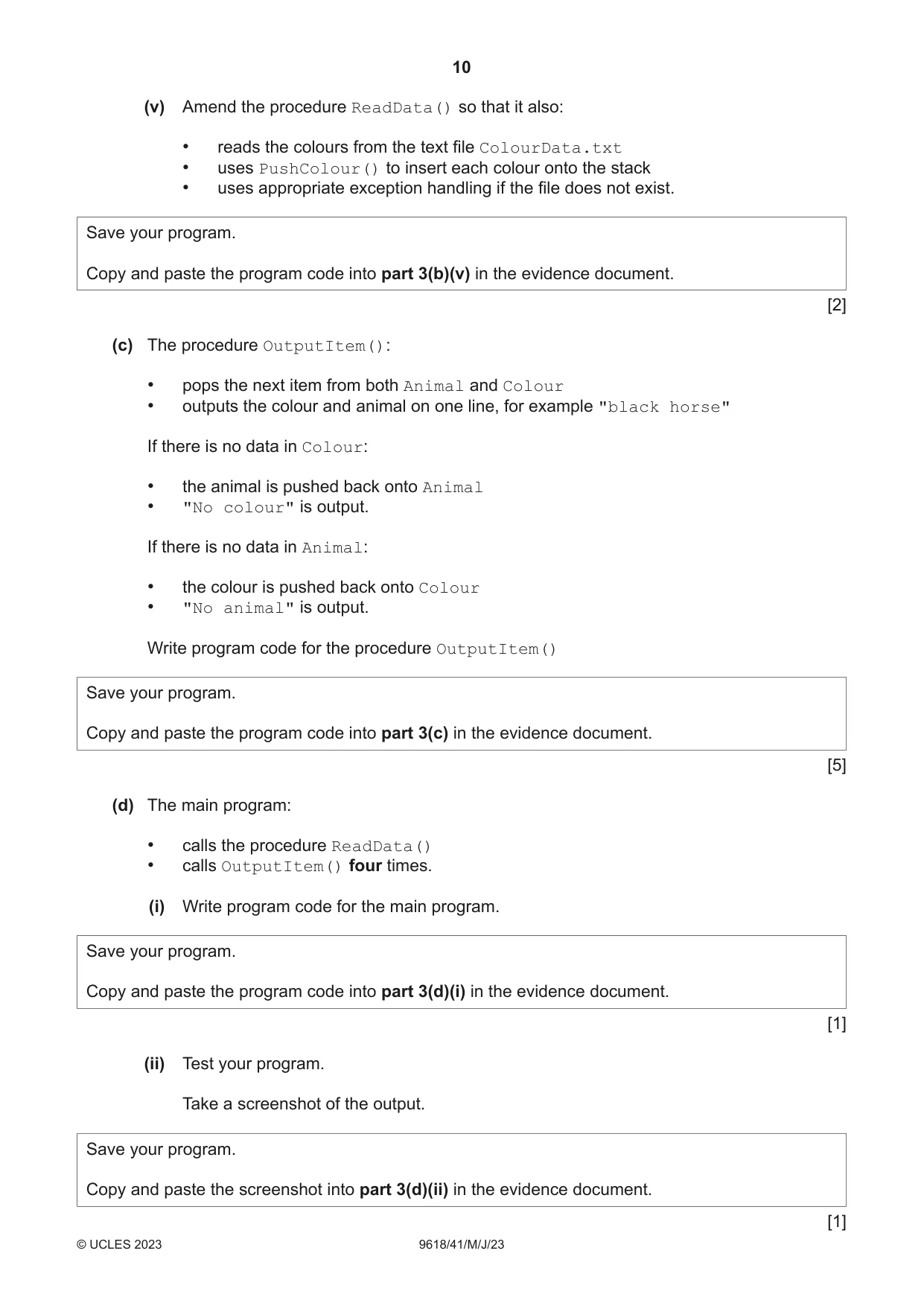
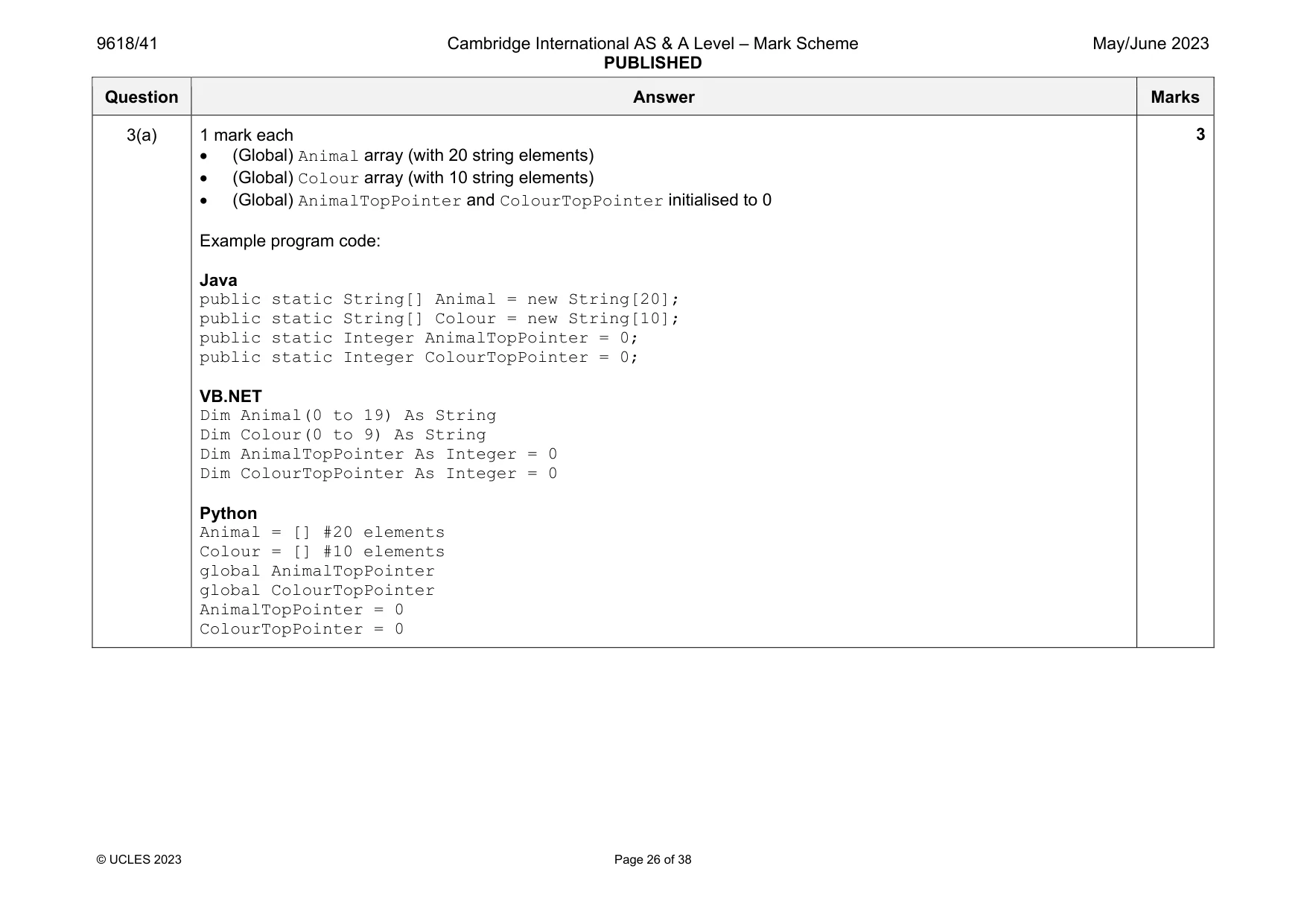
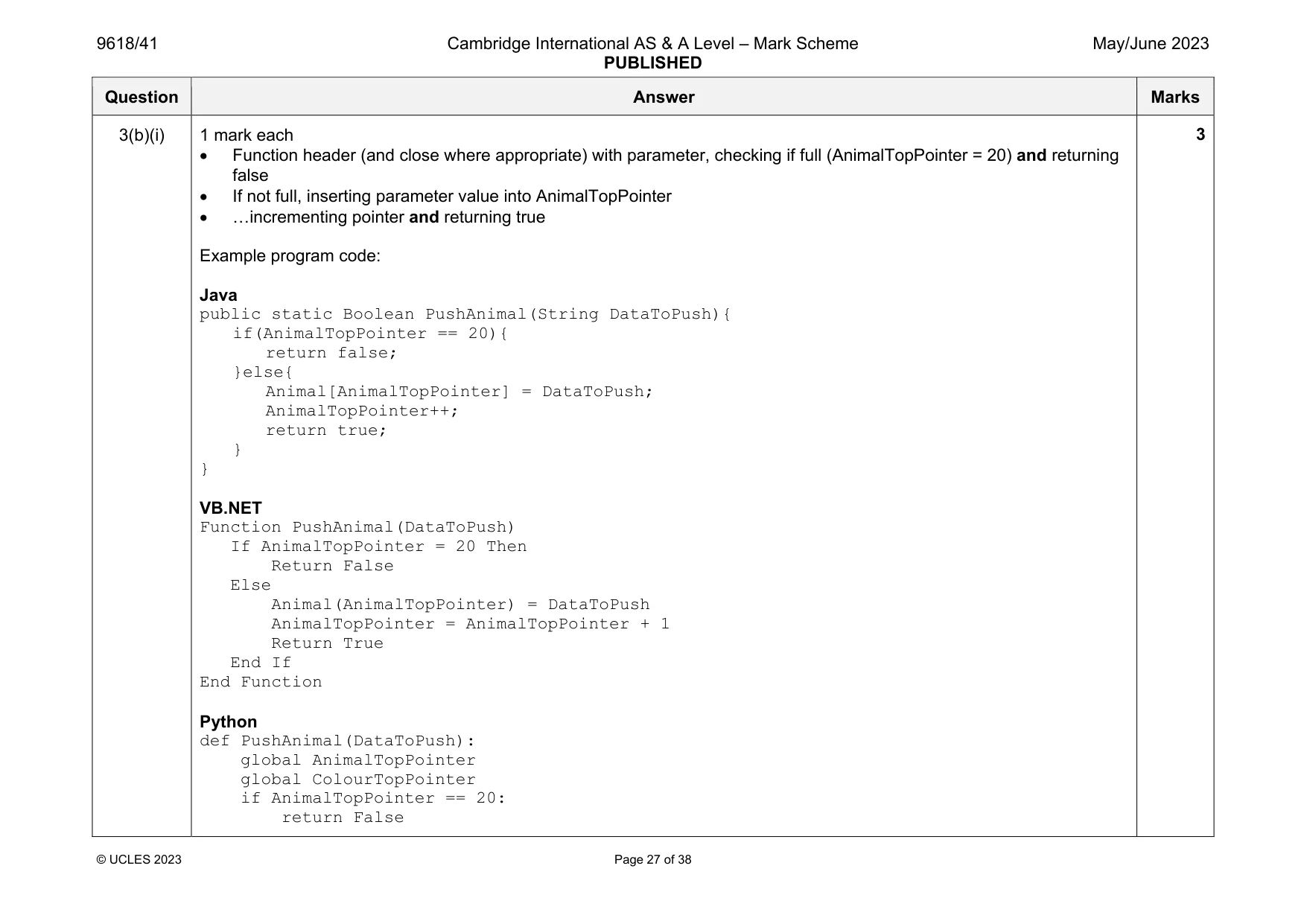
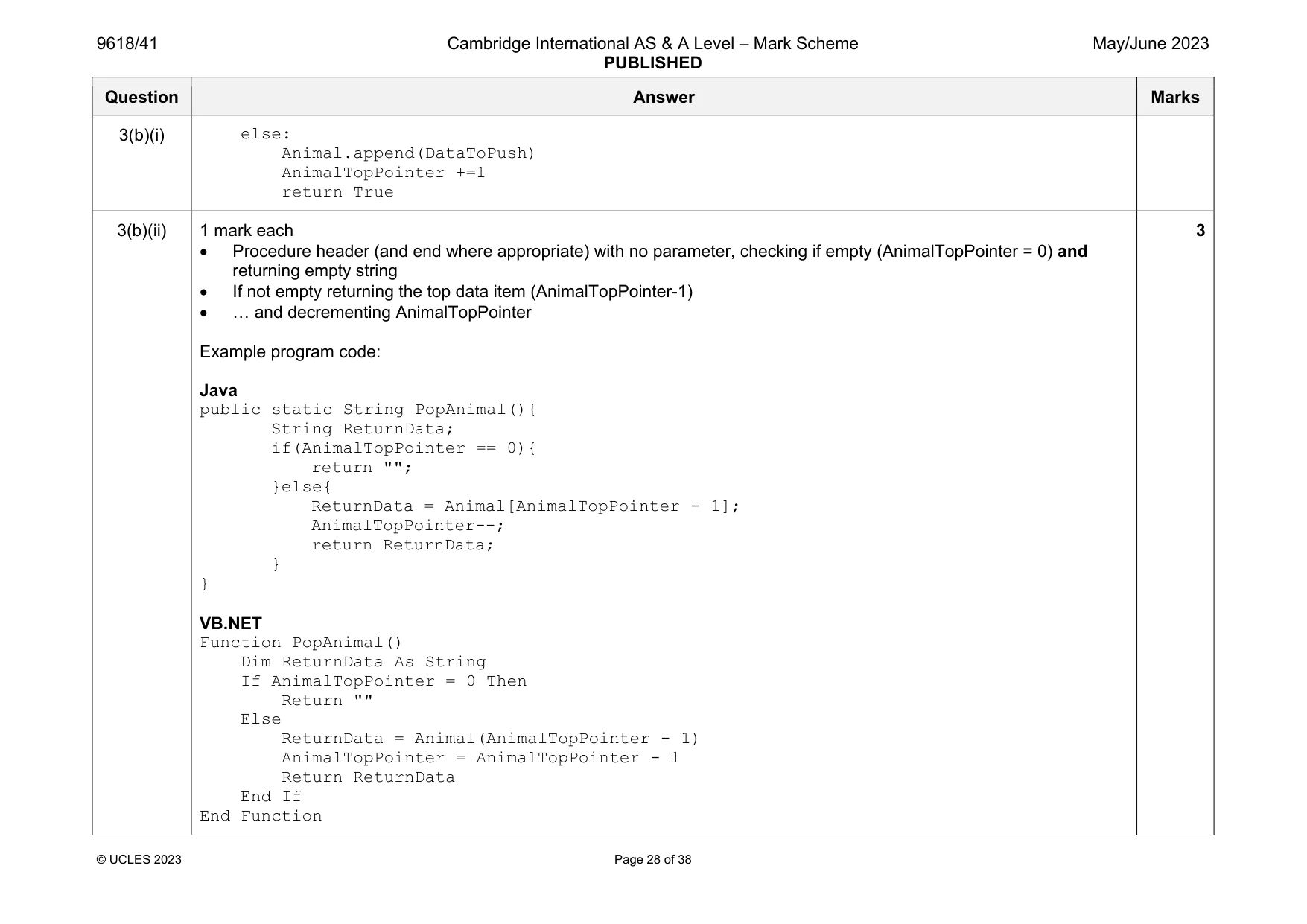
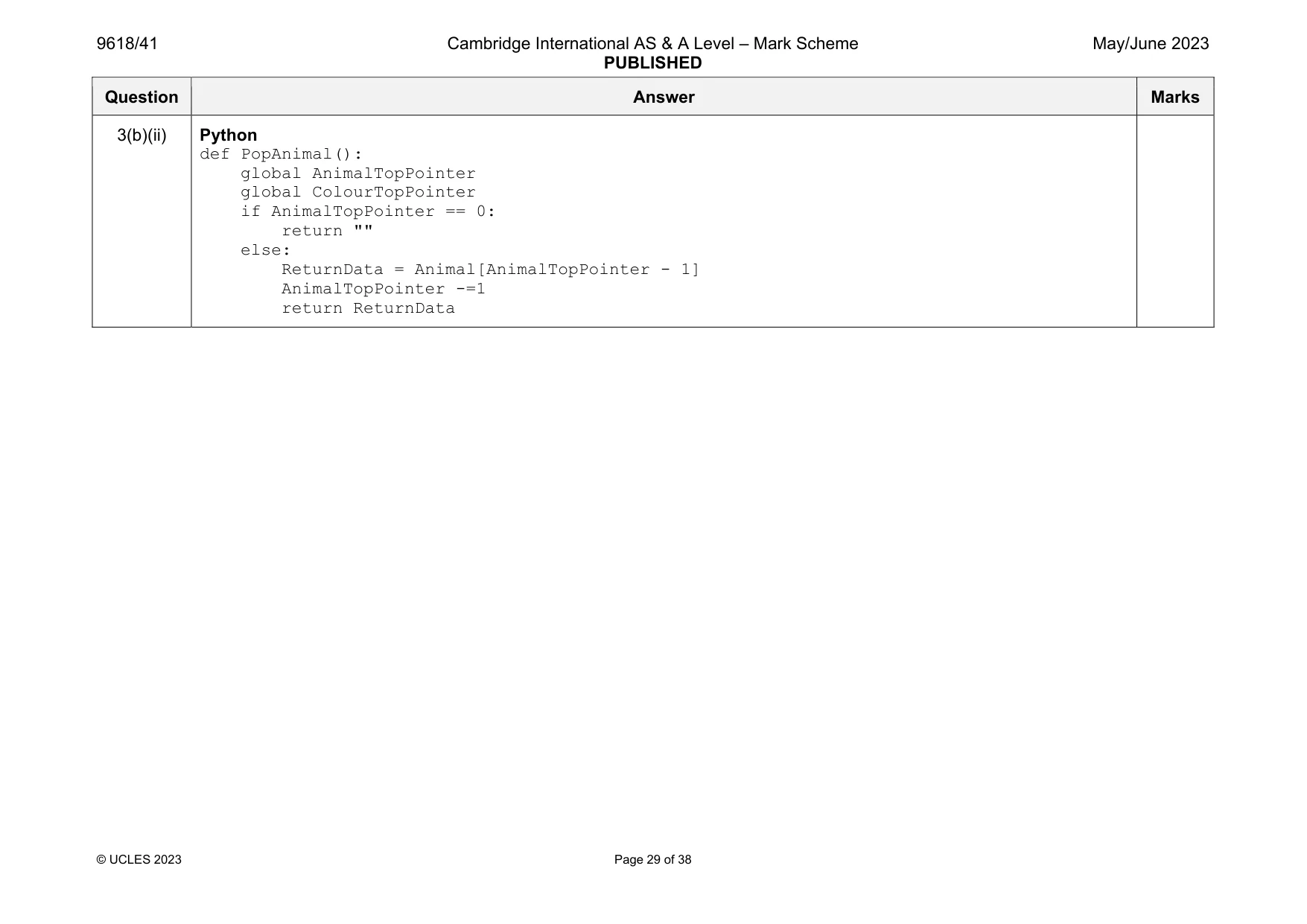
3 A program implements two stacks using 1D arrays. One stack stores the names of colours. One stack stores the names of animals. (a) The program contains the following global arrays and variables: • 1D array Animal to store the names of up to 20 animals. • 1D array Colour to store the names of up to 10 colours. • AnimalTopPointer to point to the next free space in the array Animal, initialised to 0. • ColourTopPointer to point to the next free space in the array Colour, initialised to 0. Write program code to declare the global arrays and variables. Save your program as Question3_J2023. Copy and paste the program code into part 3(a) in the evidence document. [3] (b) (i) Study the pseudocode function PushAnimal(): FUNCTION PushAnimal(DataToPush : STRING) RETURNS BOOLEAN IF AnimalTopPointer = 20 THEN RETURN FALSE ELSE Animal[AnimalTopPointer] DataToPush AnimalTopPointer AnimalTopPointer + 1 RETURN TRUE ENDIF ENDFUNCTION Write program code for the function PushAnimal() Save your program. Copy and paste the program code into part 3(b)(i) in the evidence document. [3] (ii) Study the pseudocode function PopAnimal(): FUNCTION PopAnimal() RETURNS STRING DECLARE ReturnData : STRING IF AnimalTopPointer = 0 THEN RETURN "" ELSE ReturnData Animal[AnimalTopPointer - 1] AnimalTopPointer AnimalTopPointer - 1 RETURN ReturnData ENDIF ENDFUNCTION Write program code to declare the function PopAnimal() Save your program. Copy and paste the program code into part 3(b)(ii) in the evidence document. [3] (iii) The procedure ReadData(): • reads the animal names from the file AnimalData.txt • uses PushAnimal() to insert each name onto the stack • uses appropriate exception handling if the file does not exist. Write program code for the procedure ReadData() Save your program. Copy and paste the program code into part 3(b)(iii) in the evidence document. [5] (iv) The function PushColour() performs the same actions as PushAnimal() but inserts an item into Colour. The function PopColour() performs the same actions as PopAnimal() but removes the next item from Colour. Write program code for the functions PushColour() and PopColour() Save your program. Copy and paste the program code into part 3(b)(iv) in the evidence document. (v) Amend the procedure ReadData() so that it also: • reads the colours from the text file ColourData.txt • uses PushColour() to insert each colour onto the stack • uses appropriate exception handling if the file does not exist. Save your program. Copy and paste the program code into part 3(b)(v) in the evidence document. [2] (c) The procedure OutputItem(): • pops the next item from both Animal and Colour • outputs the colour and animal on one line, for example "black horse" If there is no data in Colour: • the animal is pushed back onto Animal • "No colour" is output. If there is no data in Animal: • the colour is pushed back onto Colour • "No animal" is output. Write program code for the procedure OutputItem() Save your program. Copy and paste the program code into part 3(c) in the evidence document. [5] (d) The main program: • calls the procedure ReadData() • calls OutputItem() four times. (i) Write program code for the main program. Save your program. Copy and paste the program code into part 3(d)(i) in the evidence document. [1] (ii) Test your program. Take a screenshot of the output. Save your program. Copy and paste the screenshot into part 3(d)(ii) in the evidence document.
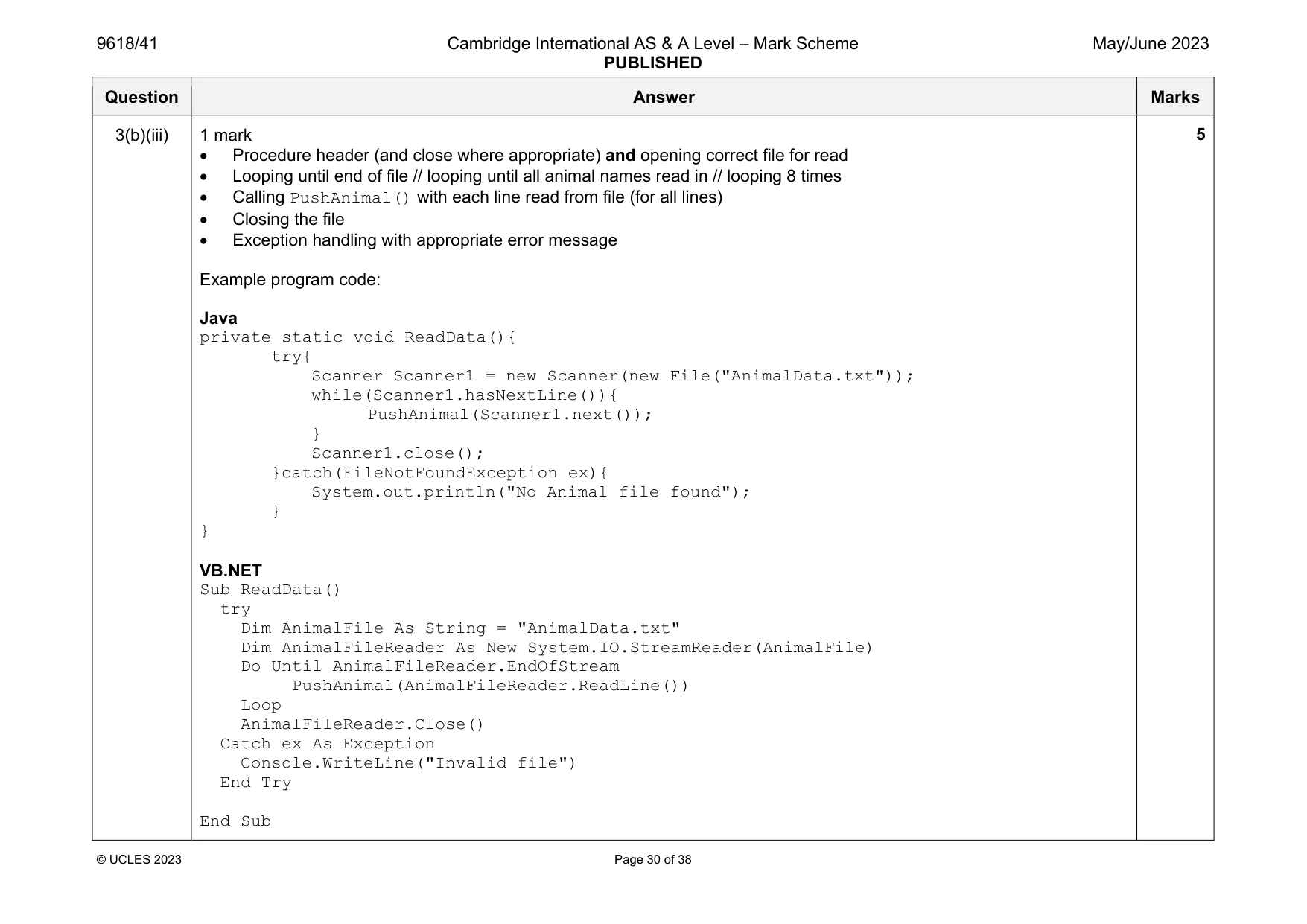
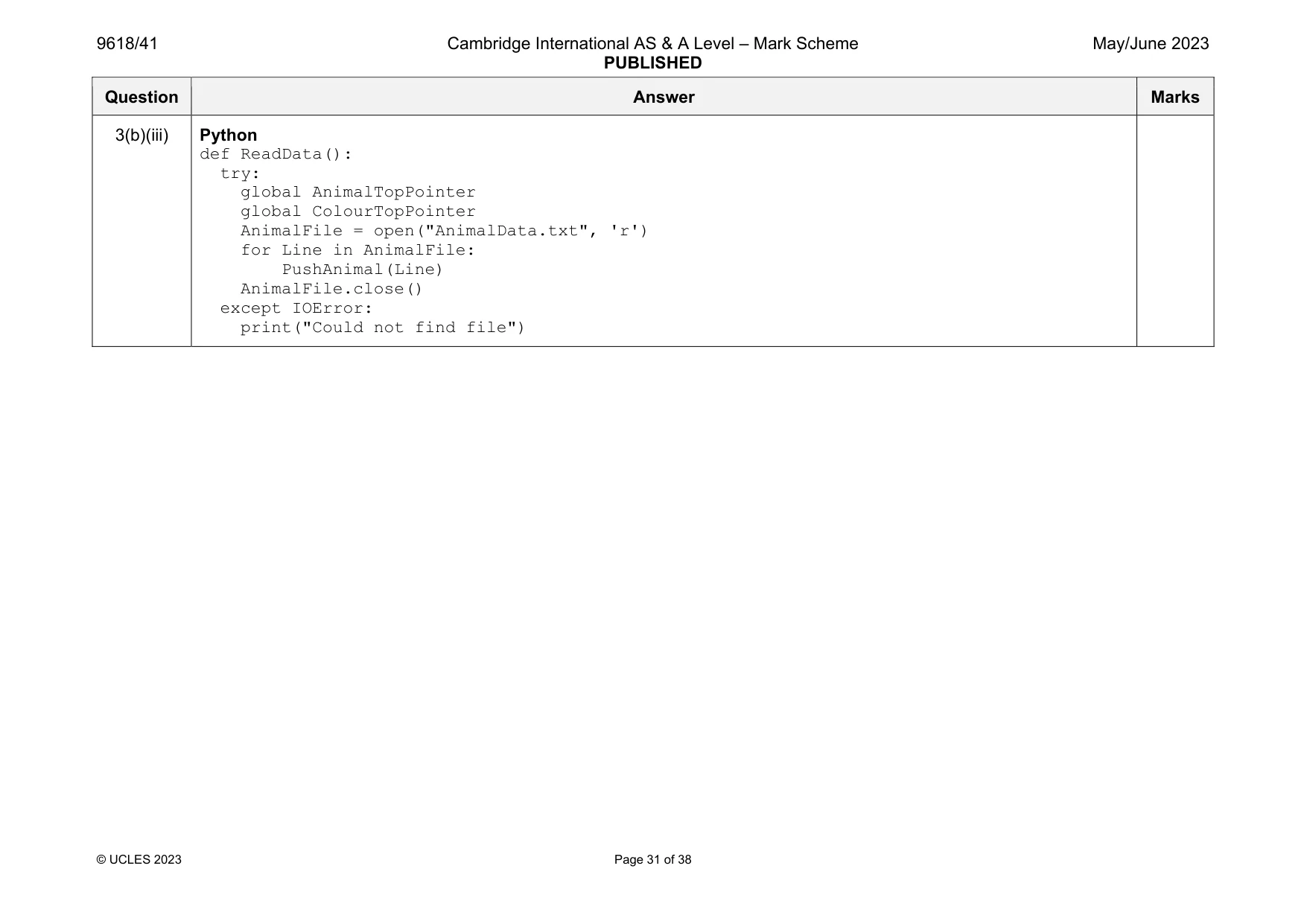
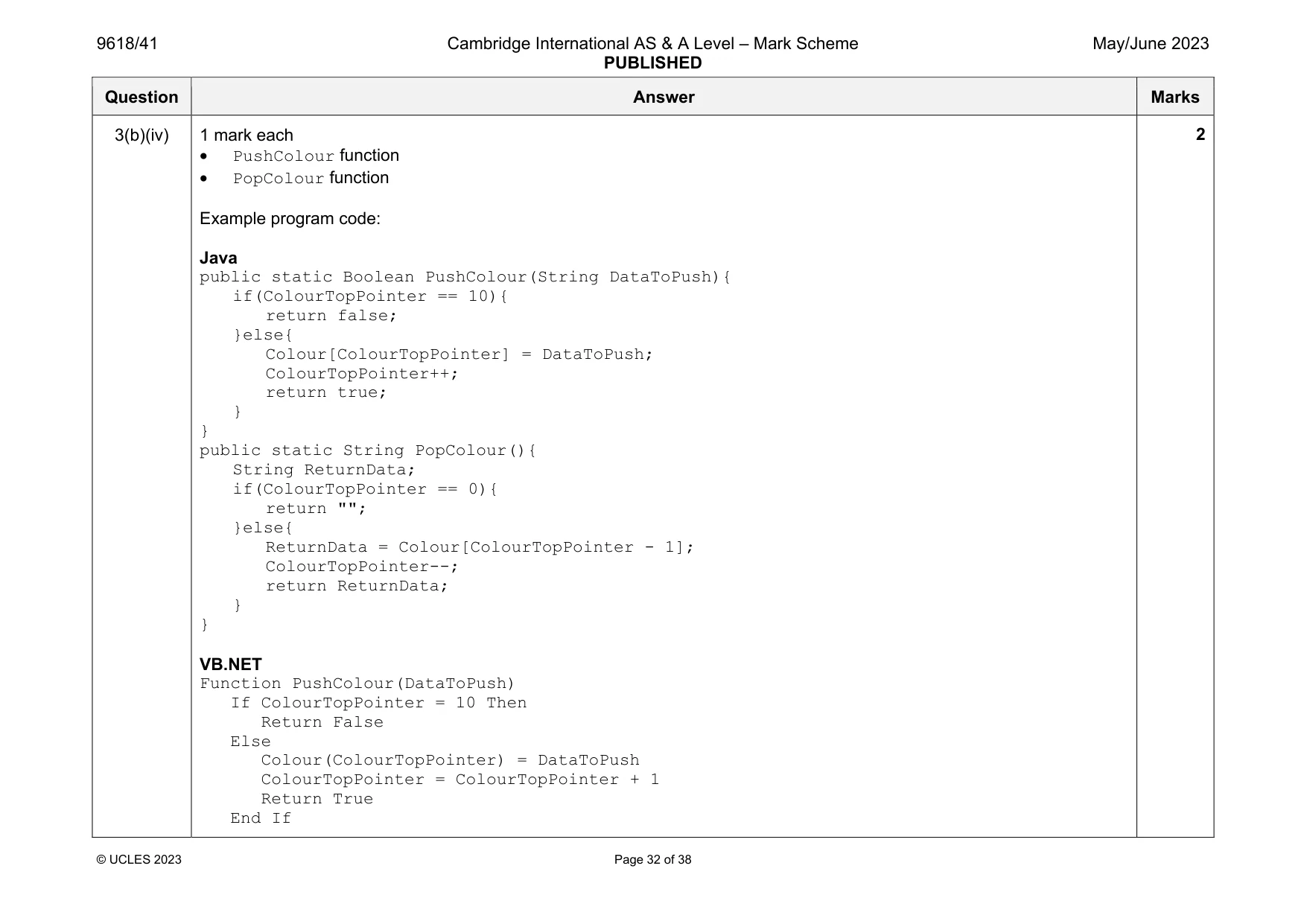
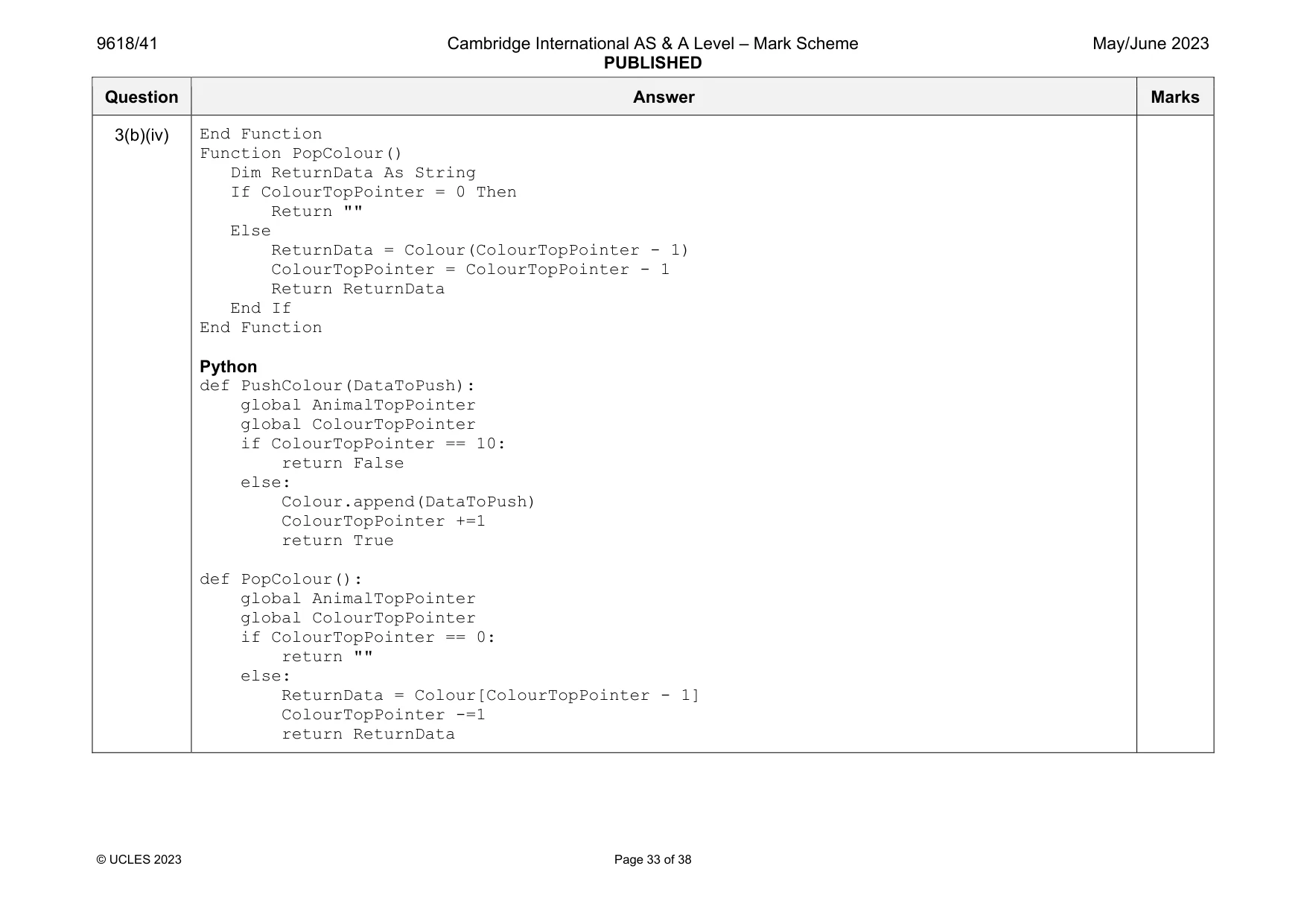
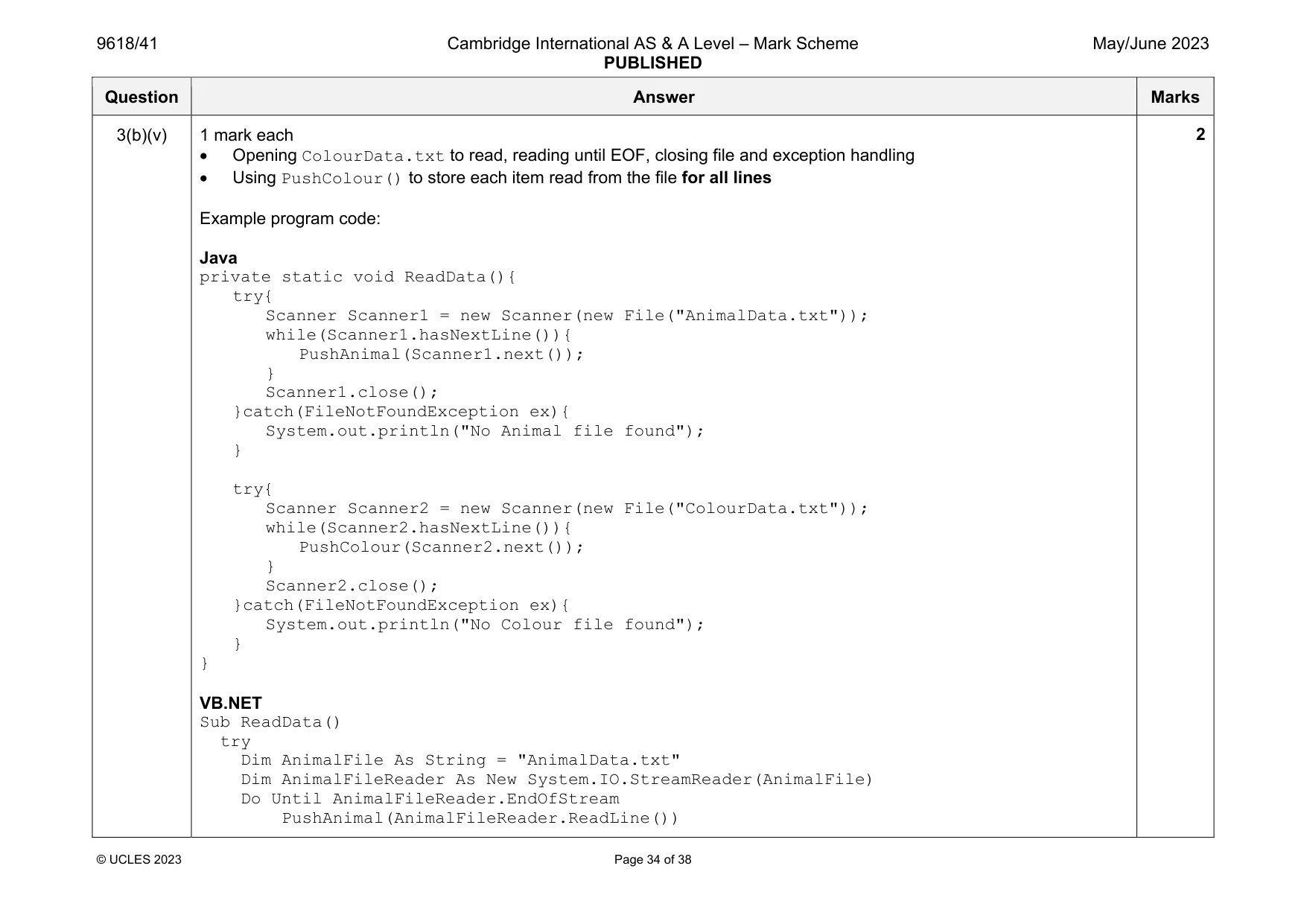
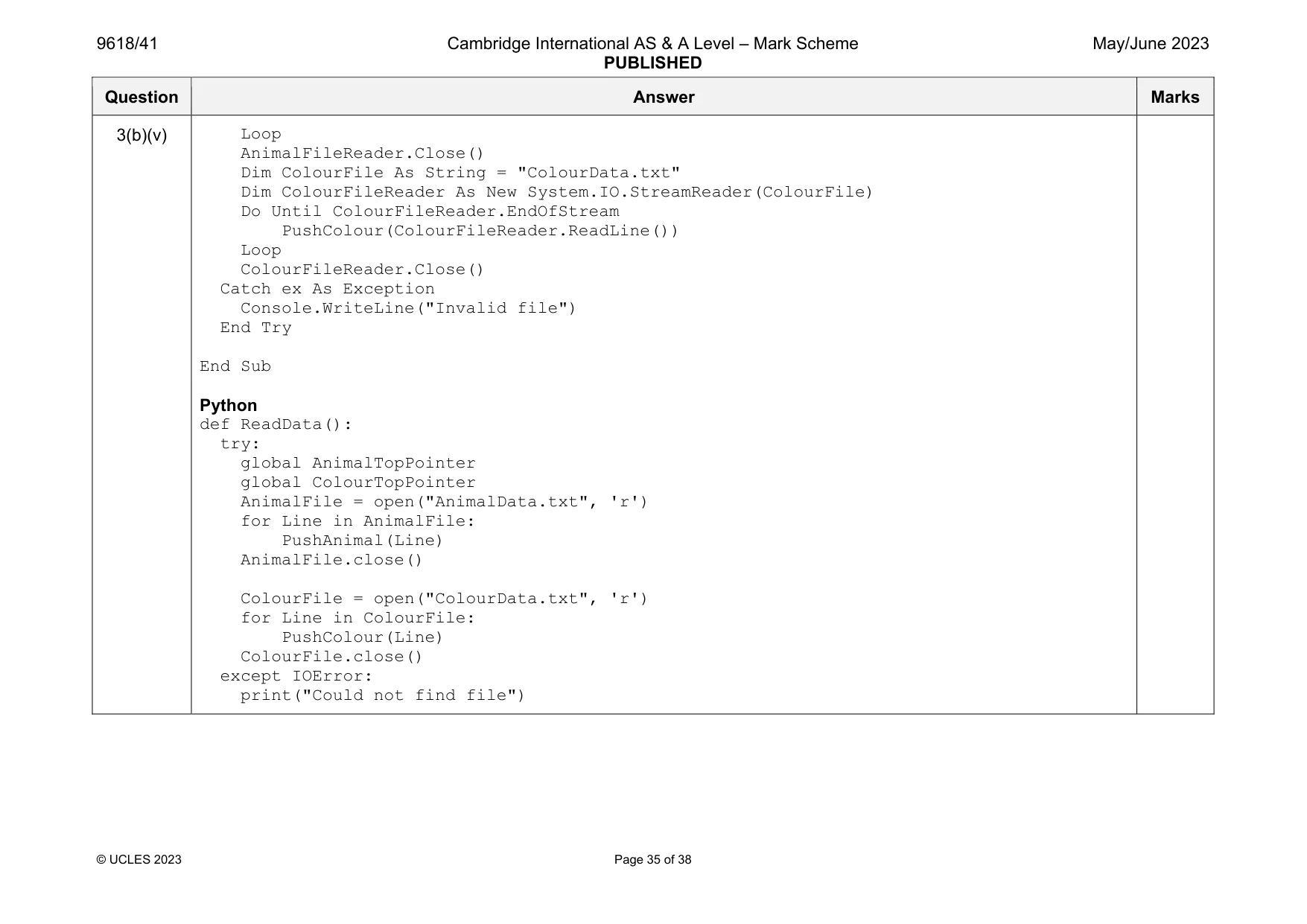
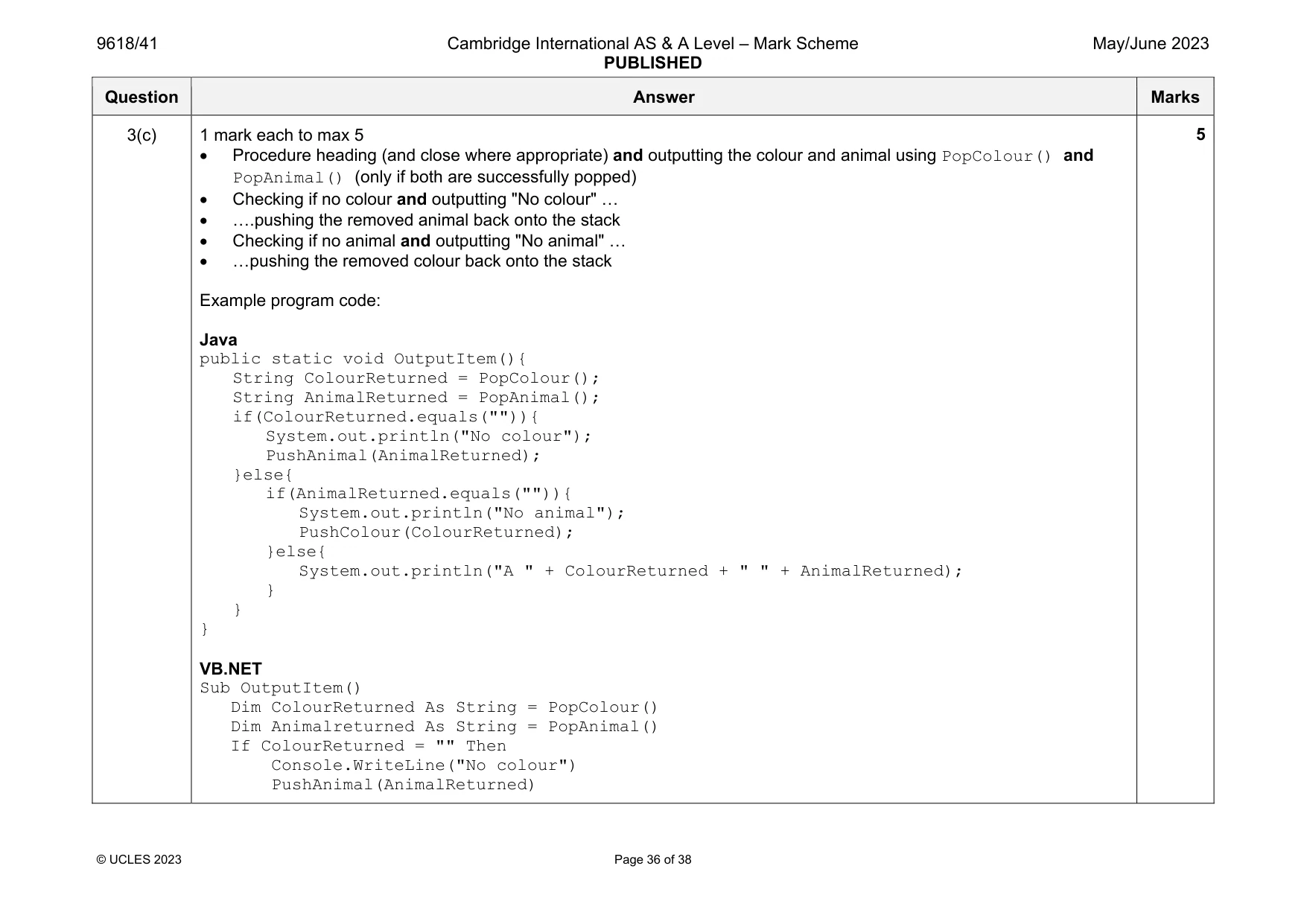
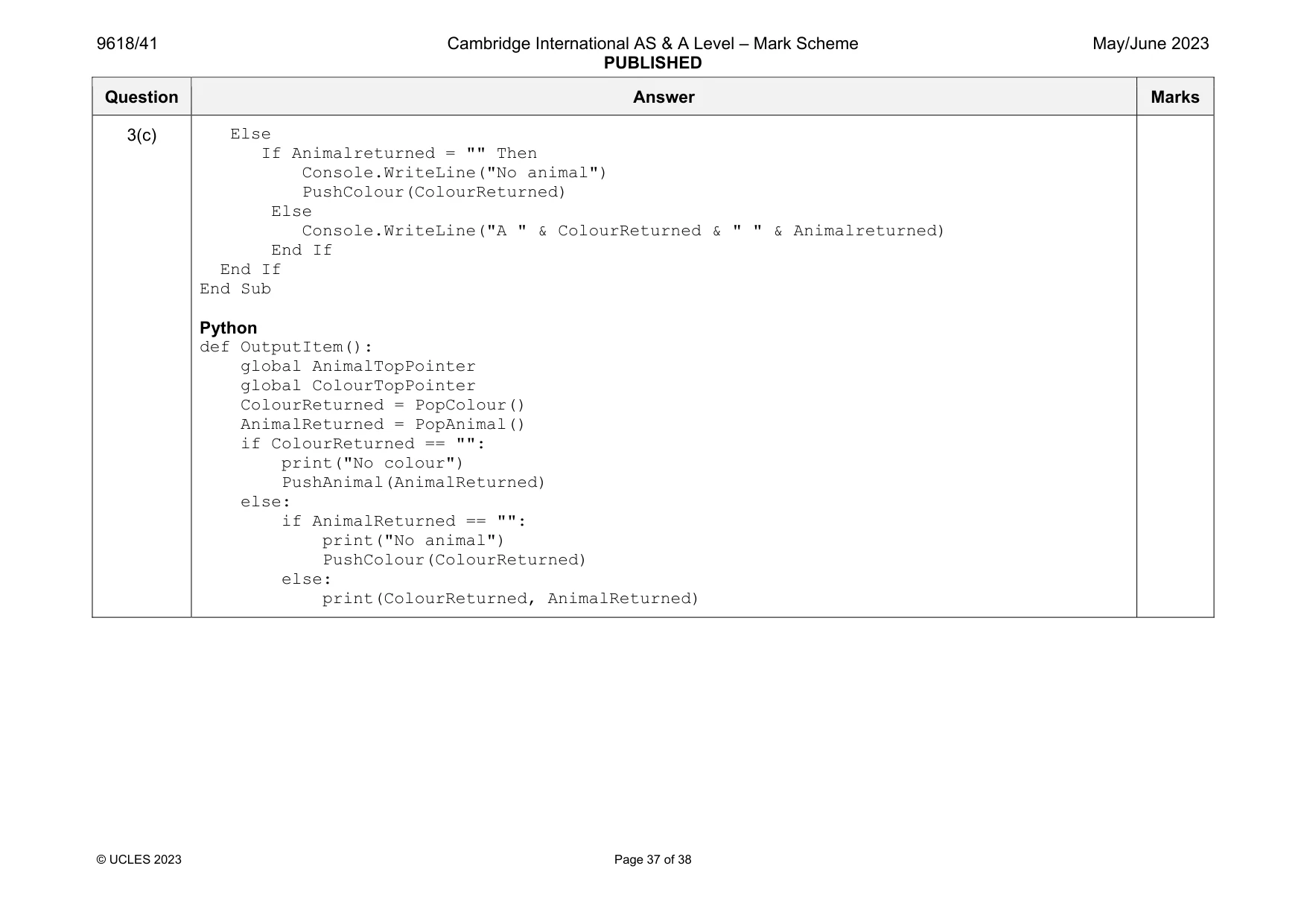
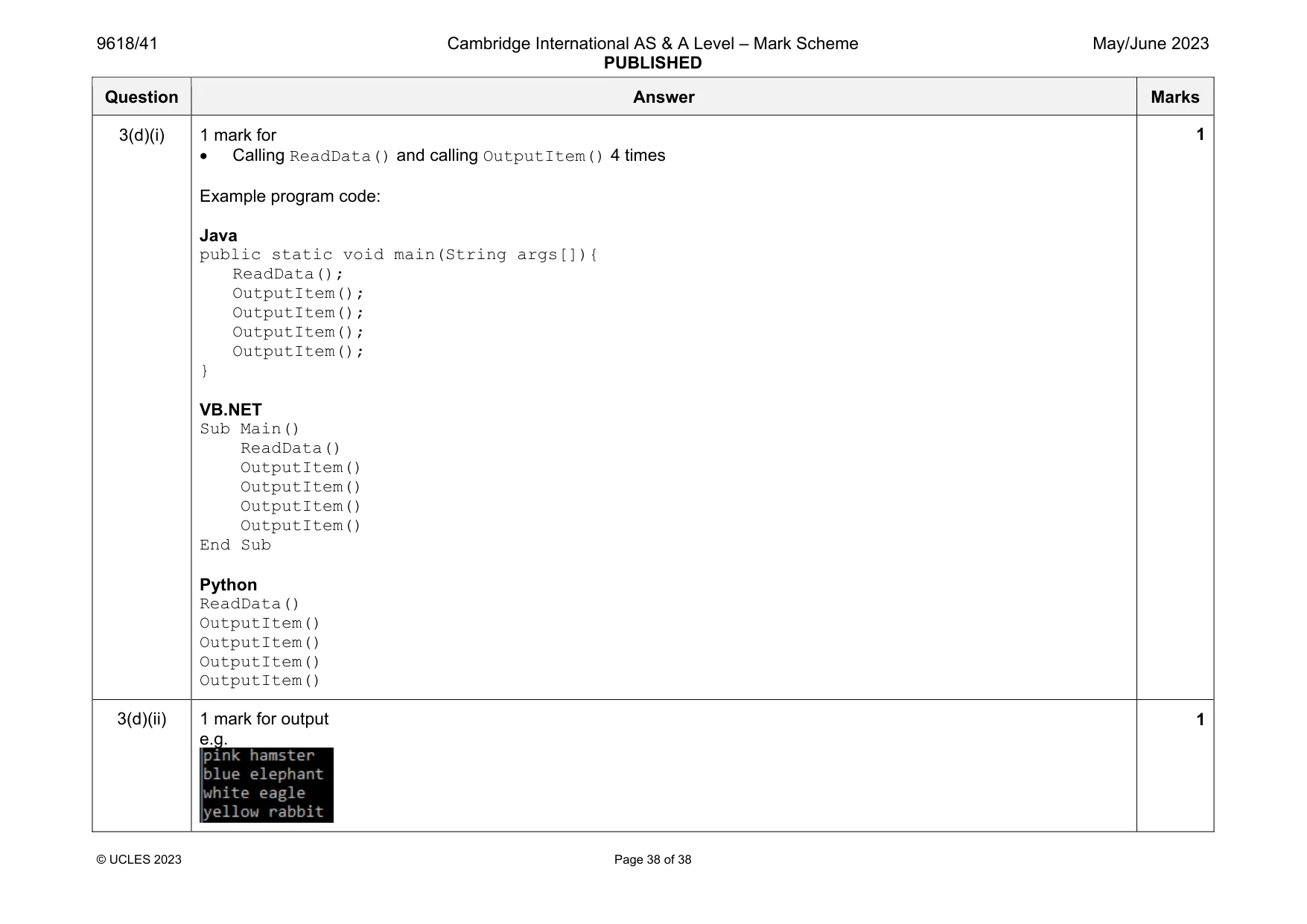
Mark scheme: 3(a) 1 mark each (Global) Animal array (with 20 string elements) (Global) Colour array (with 10 string elements) (Global) AnimalTopPointer and ColourTopPointer initialised to 0 Example program code: Java public static String[] Animal = new String[20]; public static String[] Colour = new String[10]; public static Integer AnimalTopPointer = 0; public static Integer ColourTopPointer = 0; VB.NET Dim Animal(0 to 19) As String Dim Colour(0 to 9) As String Dim AnimalTopPointer As Integer = 0 Dim ColourTopPointer As Integer = 0 Python Animal = [] #20 elements Colour = [] #10 elements global AnimalTopPointer global ColourTopPointer AnimalTopPointer = 0 ColourTopPointer = 0 Question Answer Marks 3(b)(i) 1 mark each Function header (and close where appropriate) with parameter, checking if full (AnimalTopPointer = 20) and returning false If not full, inserting parameter value into AnimalTopPointer …incrementing pointer and returning true Example program code: Java public static Boolean PushAnimal(String DataToPush){ if(AnimalTopPointer == 20){ return false; }else{ Animal[AnimalTopPointer] = DataToPush; AnimalTopPointer++; return true; } } VB.NET Function PushAnimal(DataToPush) If AnimalTopPointer = 20 Then Return False Else Animal(AnimalTopPointer) = DataToPush AnimalTopPointer = AnimalTopPointer + 1 Return True End If End Function Python def PushAnimal(DataToPush): global AnimalTopPointer global ColourTopPointer if AnimalTopPointer == 20: return False 3 Question Answer Marks 3(b)(i) else: Animal.append(DataToPush) AnimalTopPointer +=1 return True 3(b)(ii) 1 mark each Procedure header (and end where appropriate) with no parameter, checking if empty (AnimalTopPointer = 0) and returning empty string If not empty returning the top data item (AnimalTopPointer-1) … and decrementing AnimalTopPointer Example program code: Java public static String PopAnimal(){ String ReturnData; if(AnimalTopPointer == 0){ return ""; }else{ ReturnData = Animal[AnimalTopPointer - 1]; AnimalTopPointer--; return ReturnData; } } VB.NET Function PopAnimal() Dim ReturnData As String If AnimalTopPointer = 0 Then Return "" Else ReturnData = Animal(AnimalTopPointer - 1) AnimalTopPointer = AnimalTopPointer - 1 Return ReturnData End If End Function 3 Question Answer Marks 3(b)(ii) Python def PopAnimal(): global AnimalTopPointer global ColourTopPointer if AnimalTopPointer == 0: return "" else: ReturnData = Animal[AnimalTopPointer - 1] AnimalTopPointer -=1 return ReturnData Question Answer Marks 3(b)(iii) 1 mark Procedure header (and close where appropriate) and opening correct file for read Looping until end of file // looping until all animal names read in // looping 8 times Calling PushAnimal() with each line read from file (for all lines) Closing the file Exception handling with appropriate error message Example program code: Java private static void ReadData(){ try{ Scanner Scanner1 = new Scanner(new File("AnimalData.txt")); while(Scanner1.hasNextLine()){ PushAnimal(Scanner1.next()); } Scanner1.close(); }catch(FileNotFoundException ex){ System.out.println("No Animal file found"); } } VB.NET Sub ReadData() try Dim AnimalFile As String = "AnimalData.txt" Dim AnimalFileReader As New System.IO.StreamReader(AnimalFile) Do Until AnimalFileReader.EndOfStream PushAnimal(AnimalFileReader.ReadLine()) Loop AnimalFileReader.Close() Catch ex As Exception Console.WriteLine("Invalid file") End Try End Sub 5 Question Answer Marks 3(b)(iii) Python def ReadData(): try: global AnimalTopPointer global ColourTopPointer AnimalFile = open("AnimalData.txt", 'r') for Line in AnimalFile: PushAnimal(Line) AnimalFile.close() except IOError: print("Could not find file") Question Answer Marks 3(b)(iv) 1 mark each PushColour function PopColour function Example program code: Java public static Boolean PushColour(String DataToPush){ if(ColourTopPointer == 10){ return false; }else{ Colour[ColourTopPointer] = DataToPush; ColourTopPointer++; return true; } } public static String PopColour(){ String ReturnData; if(ColourTopPointer == 0){ return ""; }else{ ReturnData = Colour[ColourTopPointer - 1]; ColourTopPointer--; return ReturnData; } } VB.NET Function PushColour(DataToPush) If ColourTopPointer = 10 Then Return False Else Colour(ColourTopPointer) = DataToPush ColourTopPointer = ColourTopPointer + 1 Return True End If 2 Question Answer Marks 3(b)(iv) End Function Function PopColour() Dim ReturnData As String If ColourTopPointer = 0 Then Return "" Else ReturnData = Colour(ColourTopPointer - 1) ColourTopPointer = ColourTopPointer - 1 Return ReturnData End If End Function Python def PushColour(DataToPush): global AnimalTopPointer global ColourTopPointer if ColourTopPointer == 10: return False else: Colour.append(DataToPush) ColourTopPointer +=1 return True def PopColour(): global AnimalTopPointer global ColourTopPointer if ColourTopPointer == 0: return "" else: ReturnData = Colour[ColourTopPointer - 1] ColourTopPointer -=1 return ReturnData Question Answer Marks 3(b)(v) 1 mark each Opening ColourData.txt to read, reading until EOF, closing file and exception handling Using PushColour() to store each item read from the file for all lines Example program code: Java private static void ReadData(){ try{ Scanner Scanner1 = new Scanner(new File("AnimalData.txt")); while(Scanner1.hasNextLine()){ PushAnimal(Scanner1.next()); } Scanner1.close(); }catch(FileNotFoundException ex){ System.out.println("No Animal file found"); } try{ Scanner Scanner2 = new Scanner(new File("ColourData.txt")); while(Scanner2.hasNextLine()){ PushColour(Scanner2.next()); } Scanner2.close(); }catch(FileNotFoundException ex){ System.out.println("No Colour file found"); } } VB.NET Sub ReadData() try Dim AnimalFile As String = "AnimalData.txt" Dim AnimalFileReader As New System.IO.StreamReader(AnimalFile) Do Until AnimalFileReader.EndOfStream PushAnimal(AnimalFileReader.ReadLine()) 2 Question Answer Marks 3(b)(v) Loop AnimalFileReader.Close() Dim ColourFile As String = "ColourData.txt" Dim ColourFileReader As New System.IO.StreamReader(ColourFile) Do Until ColourFileReader.EndOfStream PushColour(ColourFileReader.ReadLine()) Loop ColourFileReader.Close() Catch ex As Exception Console.WriteLine("Invalid file") End Try End Sub Python def ReadData(): try: global AnimalTopPointer global ColourTopPointer AnimalFile = open("AnimalData.txt", 'r') for Line in AnimalFile: PushAnimal(Line) AnimalFile.close() ColourFile = open("ColourData.txt", 'r') for Line in ColourFile: PushColour(Line) ColourFile.close() except IOError: print("Could not find file") Question Answer Marks 3(c) 1 mark each to max 5 Procedure heading (and close where appropriate) and outputting the colour and animal using PopColour() and PopAnimal() (only if both are successfully popped) Checking if no colour and outputting "No colour" … ….pushing the removed animal back onto the stack Checking if no animal and outputting "No animal" … …pushing the removed colour back onto the stack Example program code: Java public static void OutputItem(){ String ColourReturned = PopColour(); String AnimalReturned = PopAnimal(); if(ColourReturned.equals("")){ System.out.println("No colour"); PushAnimal(AnimalReturned); }else{ if(AnimalReturned.equals("")){ System.out.println("No animal"); PushColour(ColourReturned); }else{ System.out.println("A " + ColourReturned + " " + AnimalReturned); } } } VB.NET Sub OutputItem() Dim ColourReturned As String = PopColour() Dim Animalreturned As String = PopAnimal() If ColourReturned = "" Then Console.WriteLine("No colour") PushAnimal(AnimalReturned) 5 Question Answer Marks 3(c) Else If Animalreturned = "" Then Console.WriteLine("No animal") PushColour(ColourReturned) Else Console.WriteLine("A " & ColourReturned & " " & Animalreturned) End If End If End Sub Python def OutputItem(): global AnimalTopPointer global ColourTopPointer ColourReturned = PopColour() AnimalReturned = PopAnimal() if ColourReturned == "": print("No colour") PushAnimal(AnimalReturned) else: if AnimalReturned == "": print("No animal") PushColour(ColourReturned) else: print(ColourReturned, AnimalReturned) Question Answer Marks 3(d)(i) 1 mark for Calling ReadData() and calling OutputItem() 4 times Example program code: Java public static void main(String args[]){ ReadData(); OutputItem(); OutputItem(); OutputItem(); OutputItem(); } VB.NET Sub Main() ReadData() OutputItem() OutputItem() OutputItem() OutputItem() End Sub Python ReadData() OutputItem() OutputItem() OutputItem() OutputItem() 1 3(d)(ii) 1 mark for output e.g. 1
What you needed in this session
Cambridge’s own grade thresholds for 2023 May/June, Paper 4 · Variant 1. A higher threshold means an easier paper — the bar moves with how the cohort did.