Cambridge A Level Computer Science 9618 — 2024 May/June Paper 4 · Variant 1
9618/41/M/J/24 · 3 questions · 75 marks · ≈84 min
The question paper and its mark scheme, free to read here and free to download. This is Cambridge’s own paper, exactly as it was sat.
Question paper16 pages
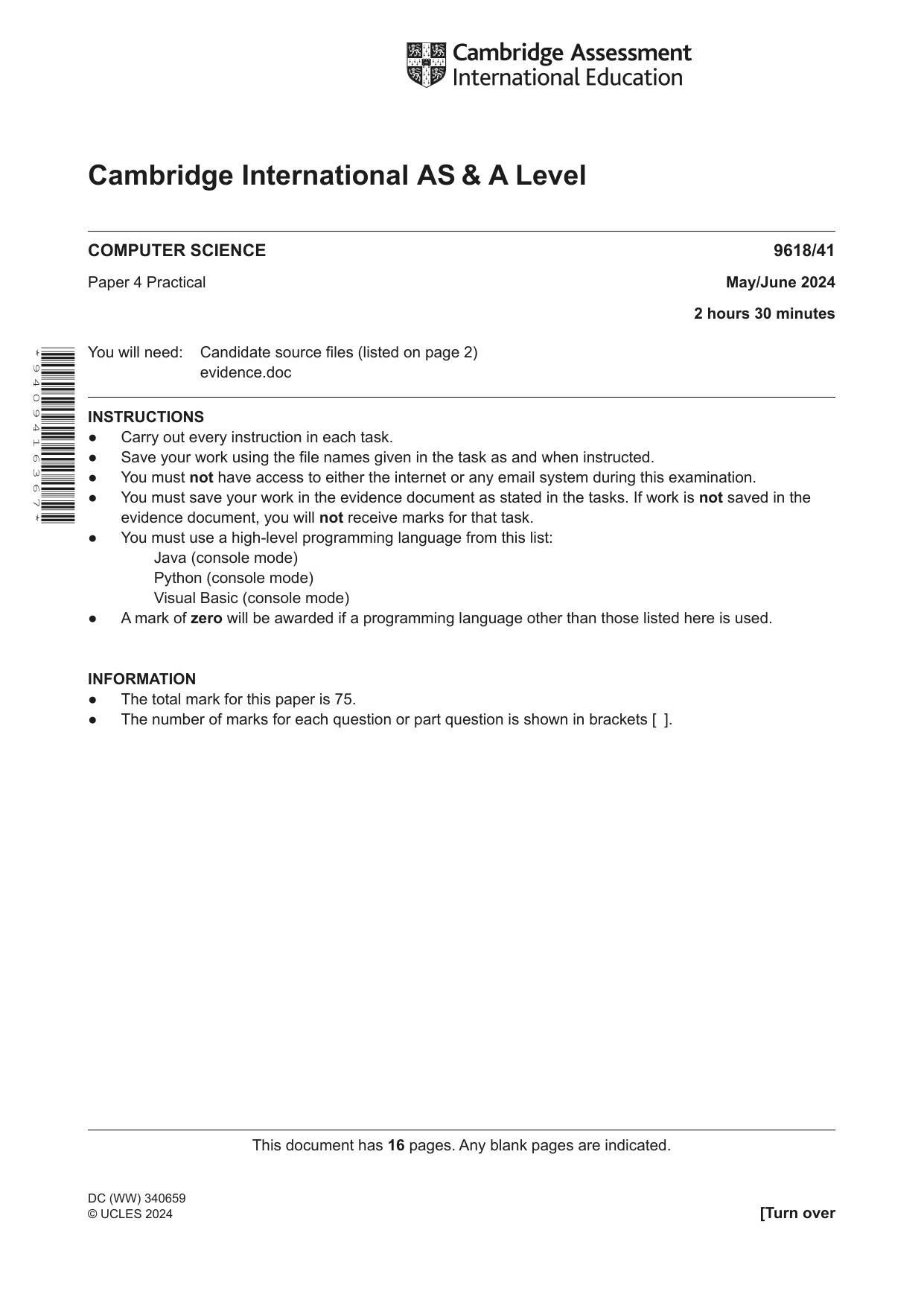
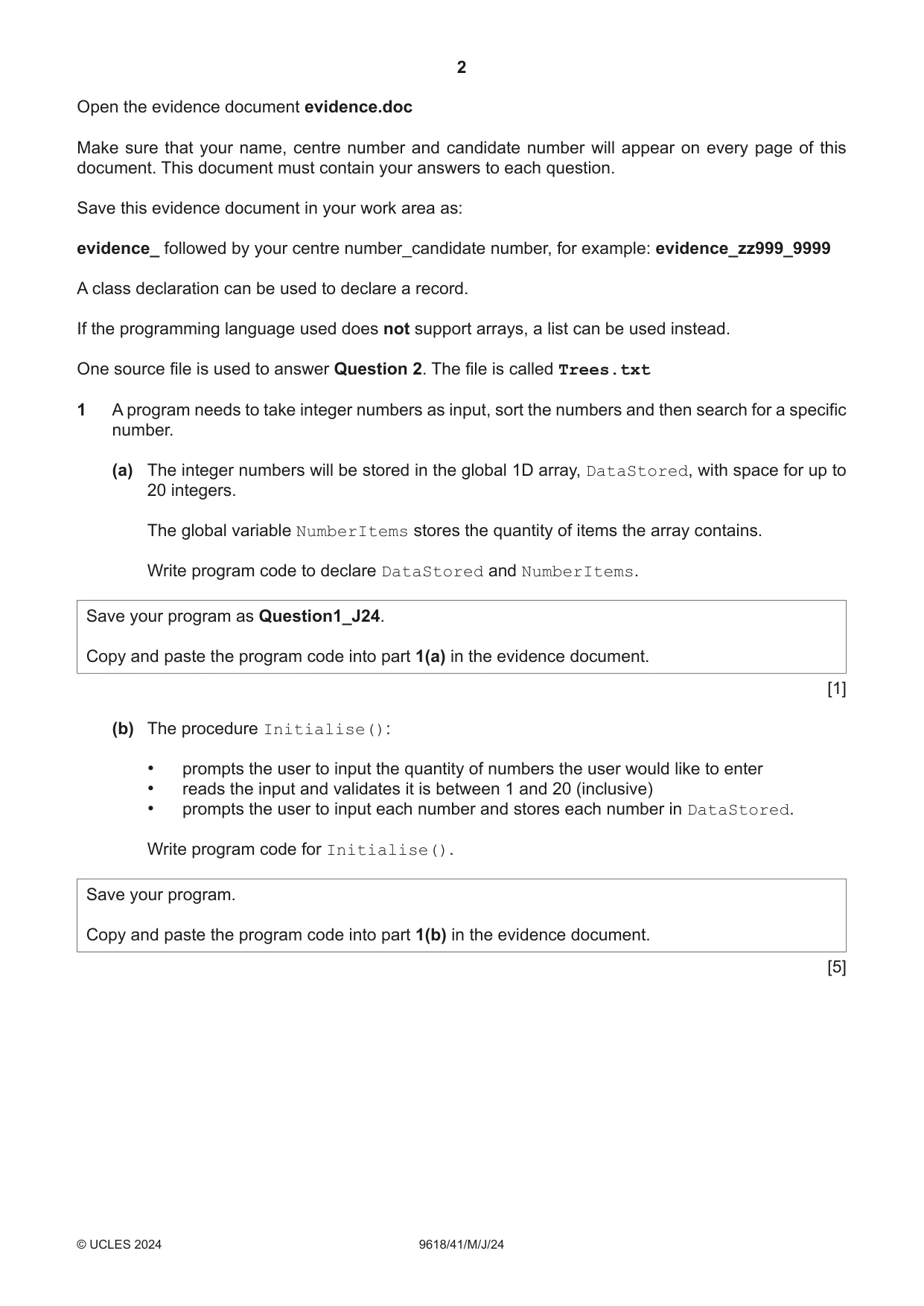
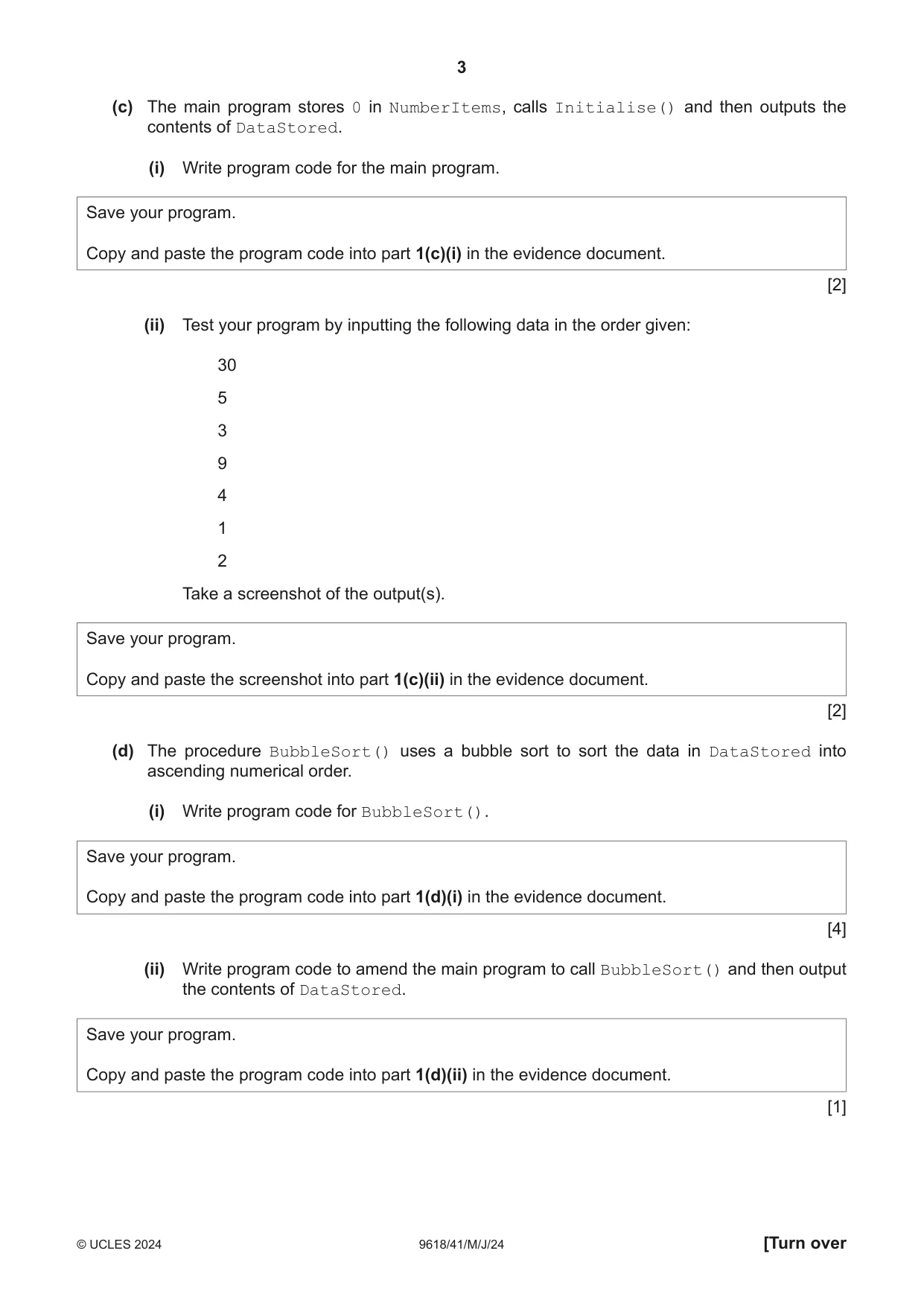
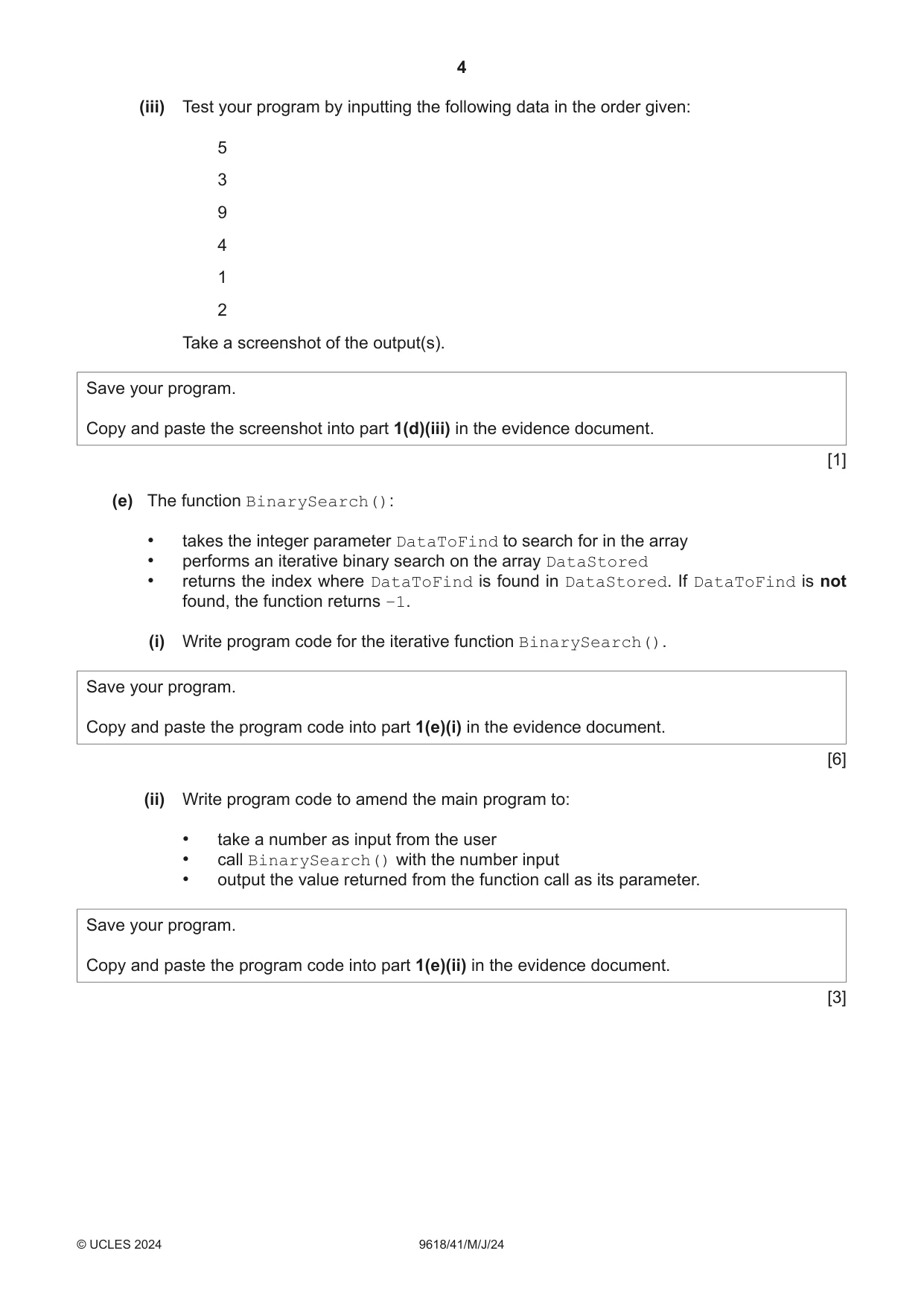


Mark scheme38 pages
Answers below. Sit the paper first if you are practising.
Questions as text
Q1 · A program needs to take integer numbers as input, sort the numbers and then search for a…
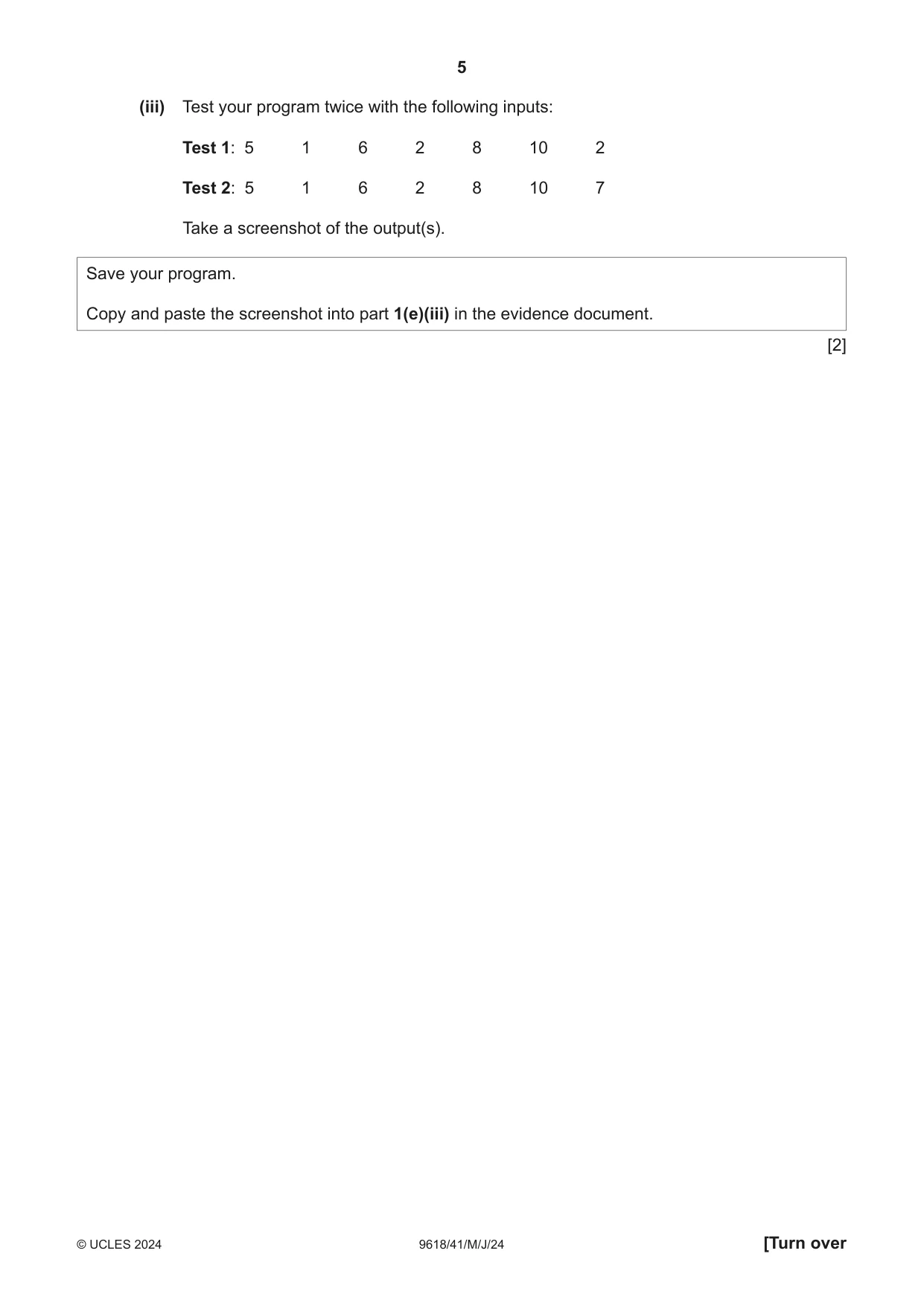
1 A program needs to take integer numbers as input, sort the numbers and then search for a specific number. (a) The integer numbers will be stored in the global 1D array, DataStored, with space for up to 20 integers. The global variable NumberItems stores the quantity of items the array contains. Write program code to declare DataStored and NumberItems. Save your program as Question1_J24. Copy and paste the program code into part 1(a) in the evidence document. [1] (b) The procedure Initialise(): • prompts the user to input the quantity of numbers the user would like to enter • reads the input and validates it is between 1 and 20 (inclusive) • prompts the user to input each number and stores each number in DataStored. Write program code for Initialise(). Save your program. Copy and paste the program code into part 1(b) in the evidence document. [5] (c) The main program stores 0 in NumberItems, calls Initialise() and then outputs the contents of DataStored. (i) Write program code for the main program. Save your program. Copy and paste the program code into part 1(c)(i) in the evidence document. [2] (ii) Test your program by inputting the following data in the order given: 30 5 3 9 4 1 2 Take a screenshot of the output(s). Save your program. Copy and paste the screenshot into part 1(c)(ii) in the evidence document. [2] (d) The procedure BubbleSort() uses a bubble sort to sort the data in DataStored into ascending numerical order. (i) Write program code for BubbleSort(). Save your program. Copy and paste the program code into part 1(d)(i) in the evidence document. [4] (ii) Write program code to amend the main program to call BubbleSort() and then output the contents of DataStored. Save your program. Copy and paste the program code into part 1(d)(ii) in the evidence document. [1] (iii) Test your program by inputting the following data in the order given: 5 3 9 4 1 2 Take a screenshot of the output(s). Save your program. Copy and paste the screenshot into part 1(d)(iii) in the evidence document. [1] (e) The function BinarySearch(): • takes the integer parameter DataToFind to search for in the array • performs an iterative binary search on the array DataStored • returns the index where DataToFind is found in DataStored. If DataToFind is not found, the function returns −1. (i) Write program code for the iterative function BinarySearch(). Save your program. Copy and paste the program code into part 1(e)(i) in the evidence document. [6] (ii) Write program code to amend the main program to: • take a number as input from the user • call BinarySearch() with the number input • output the value returned from the function call as its parameter. Save your program. Copy and paste the program code into part 1(e)(ii) in the evidence document. [3] (iii) Test your program twice with the following inputs: Test 1: 5 1 6 2 8 10 2 Test 2: 5 1 6 2 8 10 7 Take a screenshot of the output(s). Save your program. Copy and paste the screenshot into part 1(e)(iii) in the evidence document. [2]
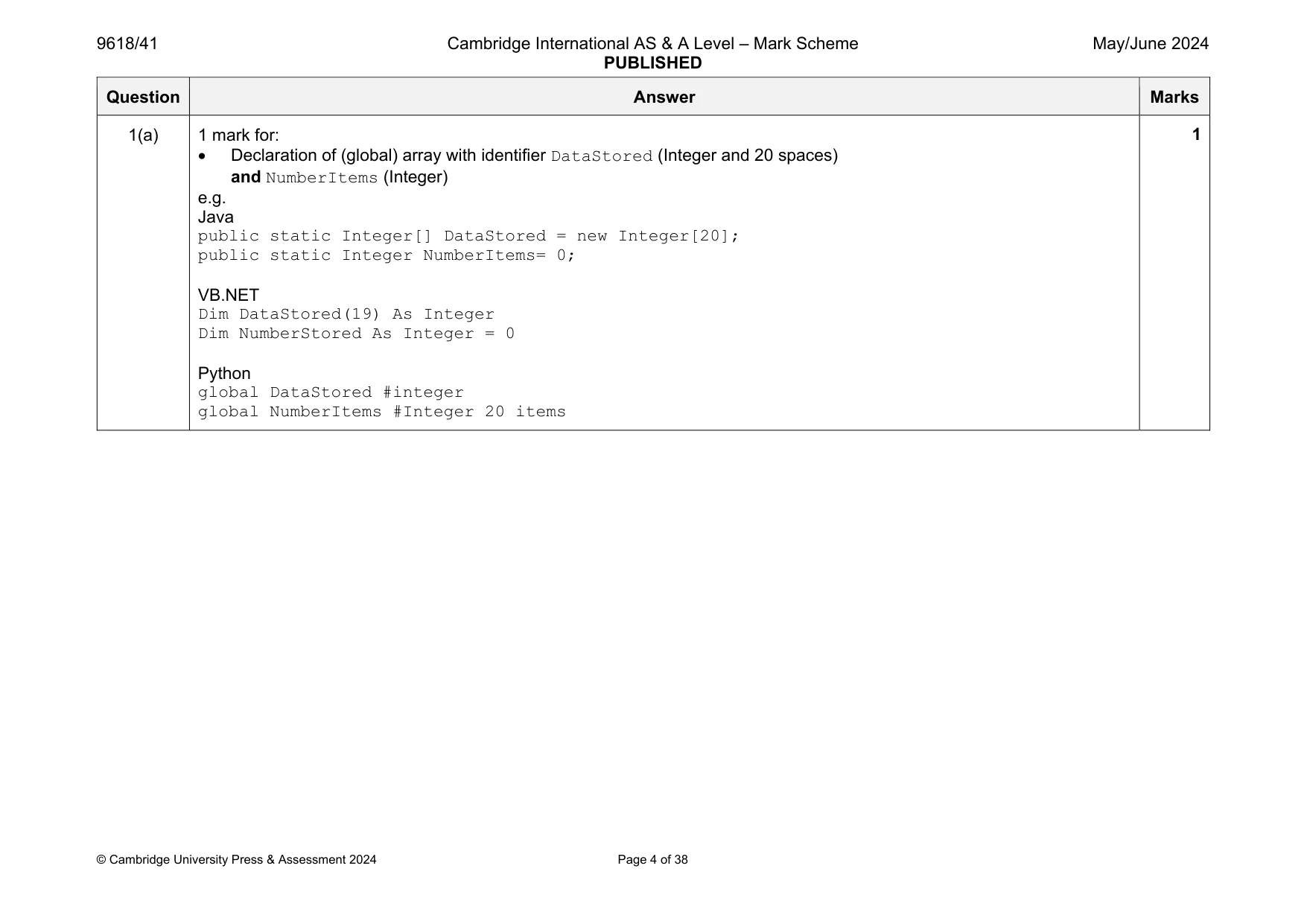
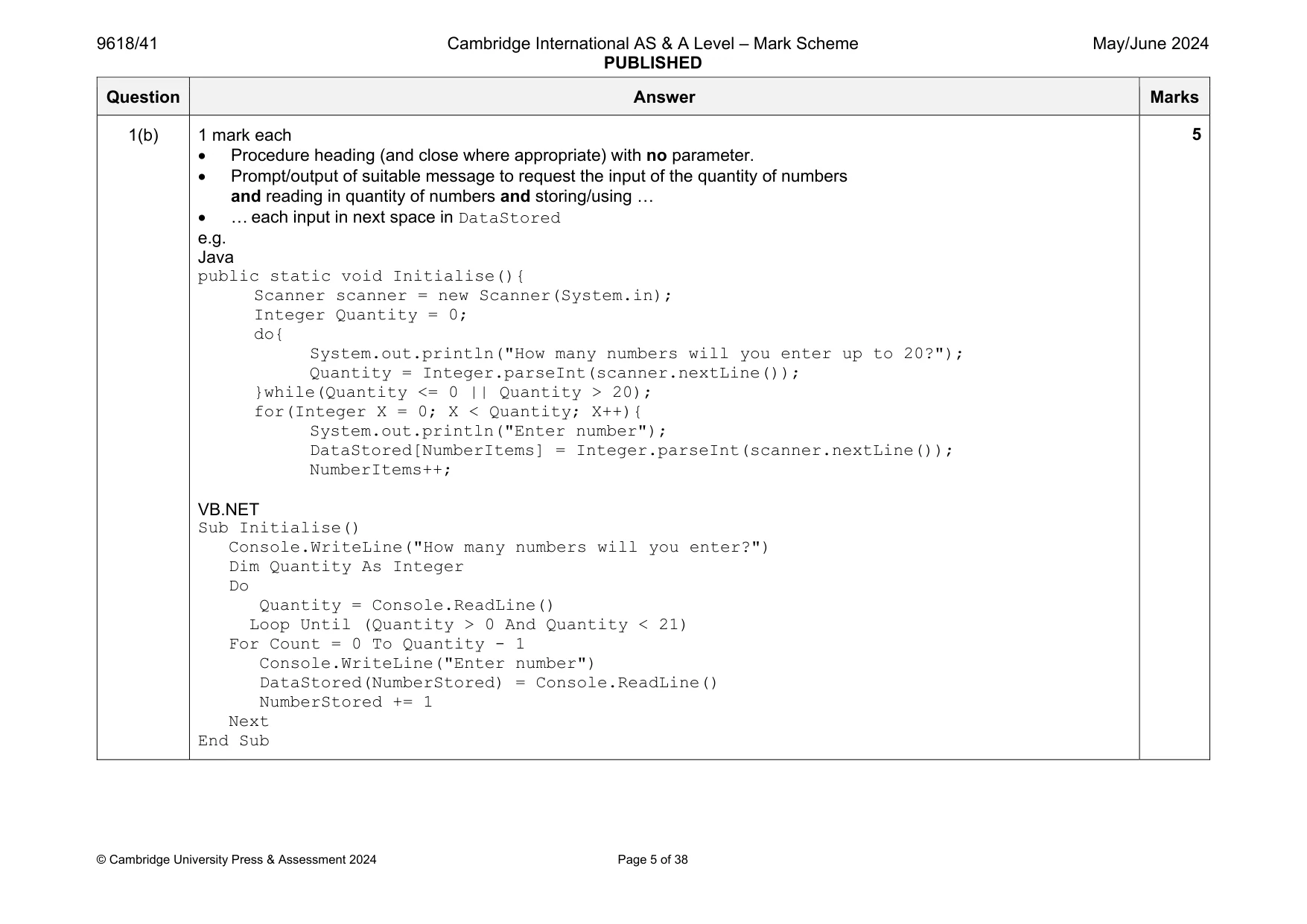
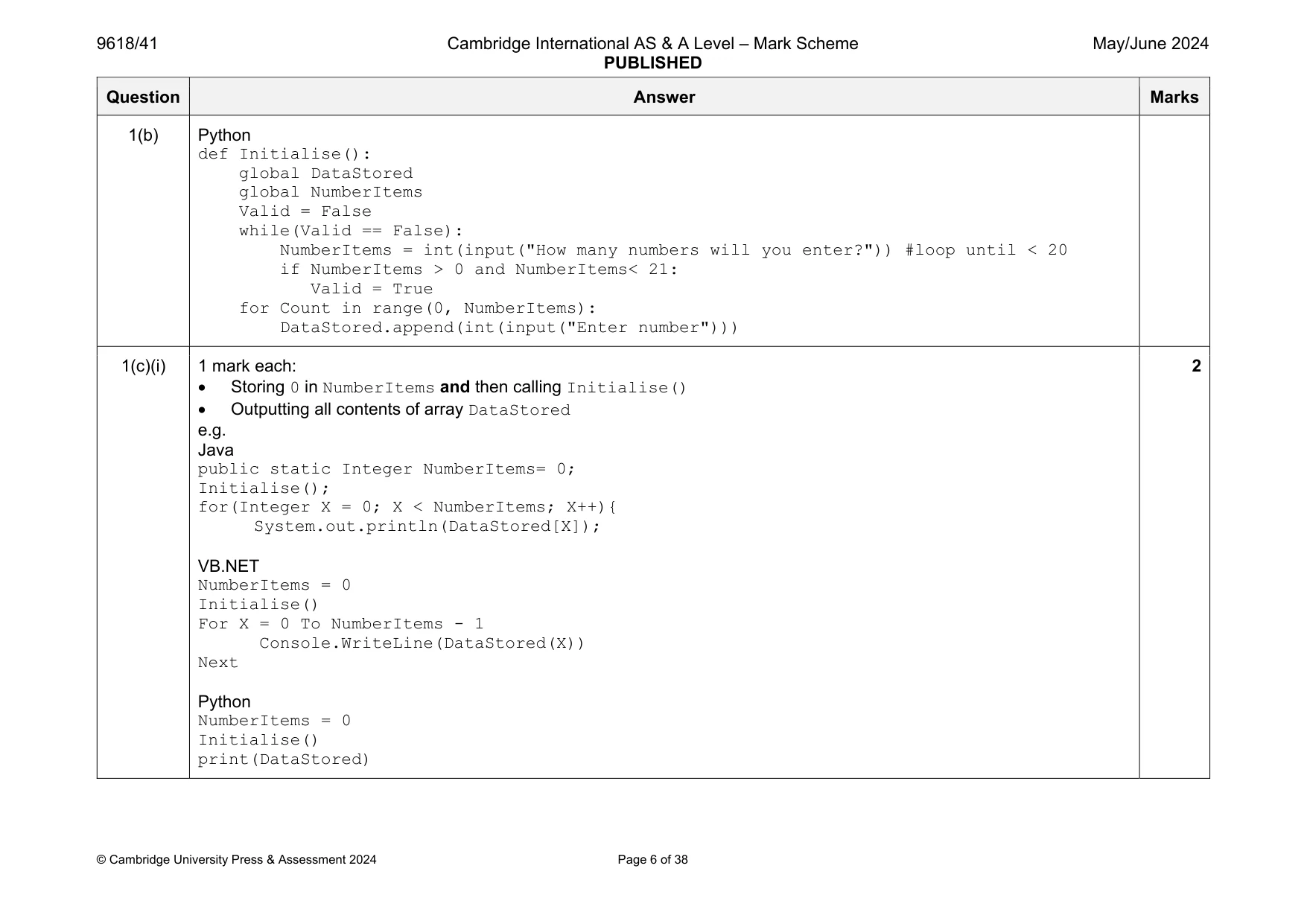
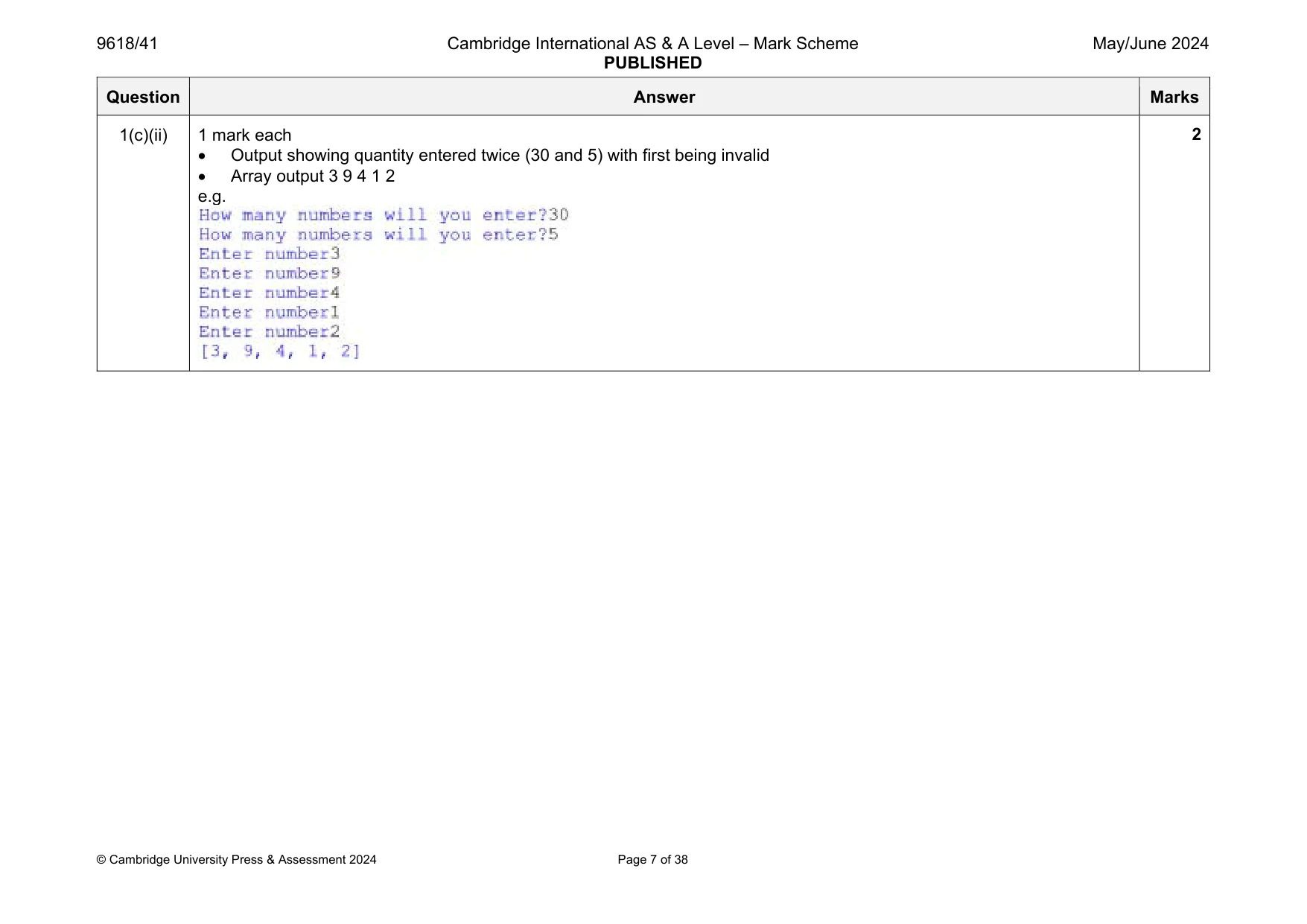
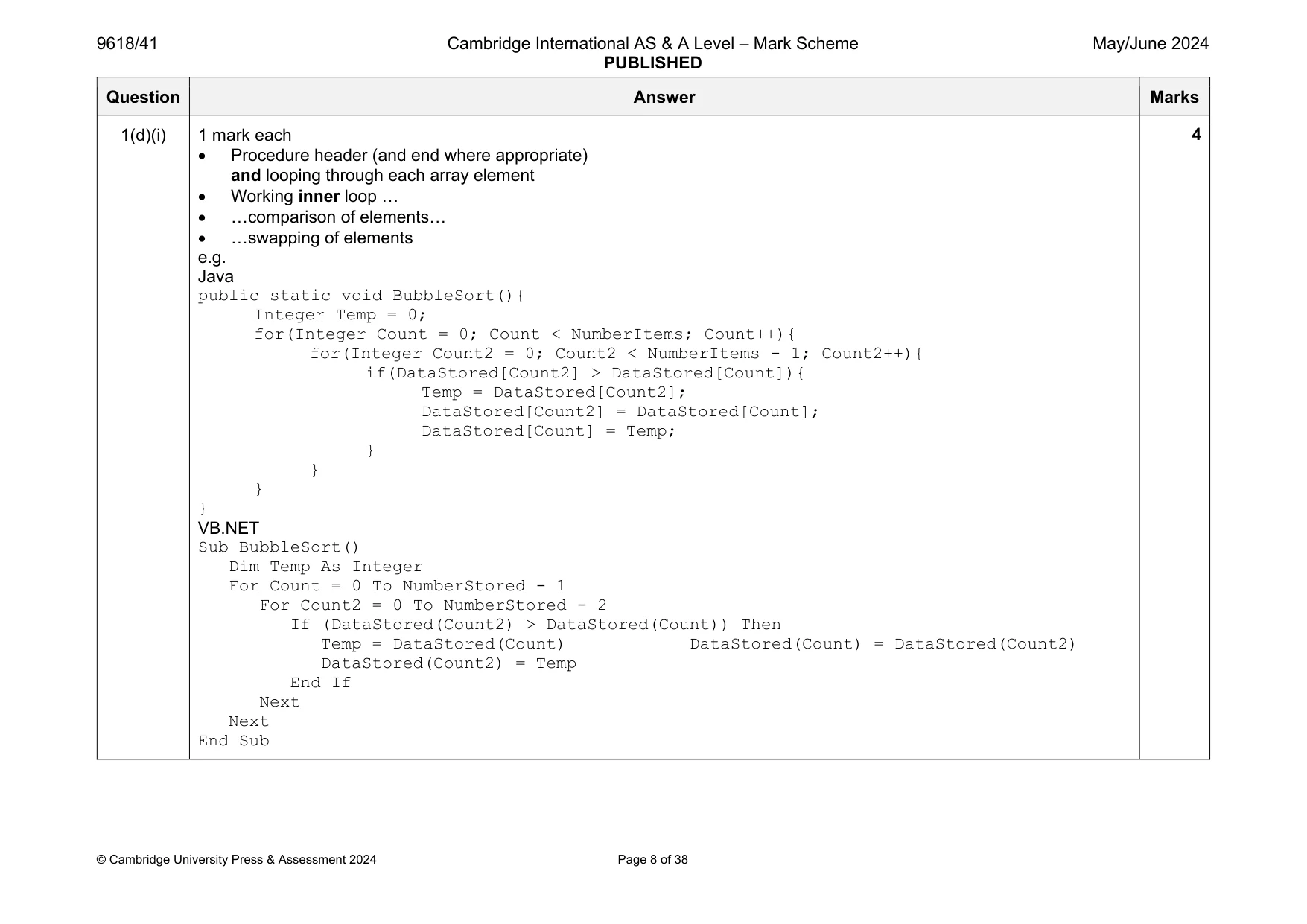
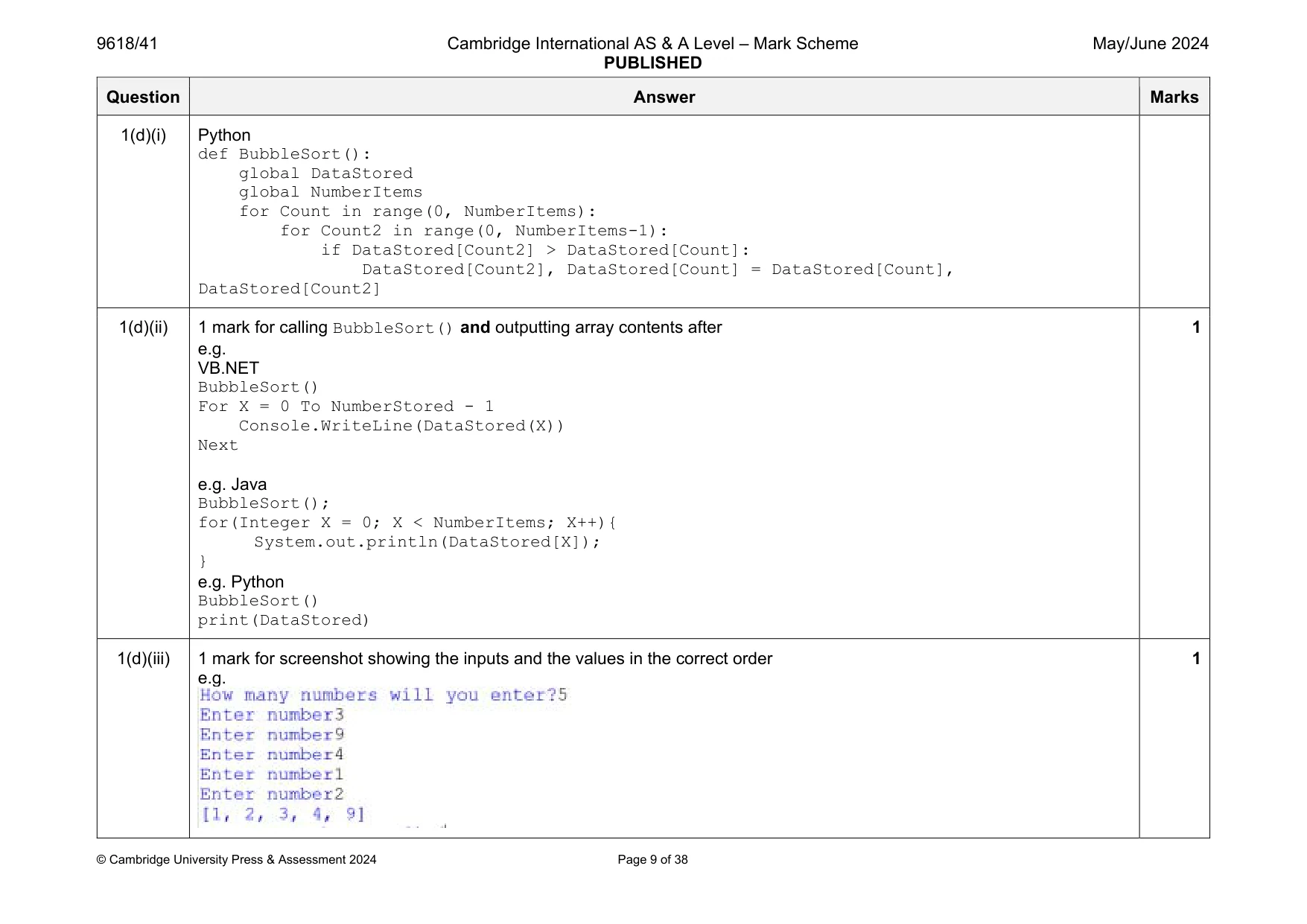
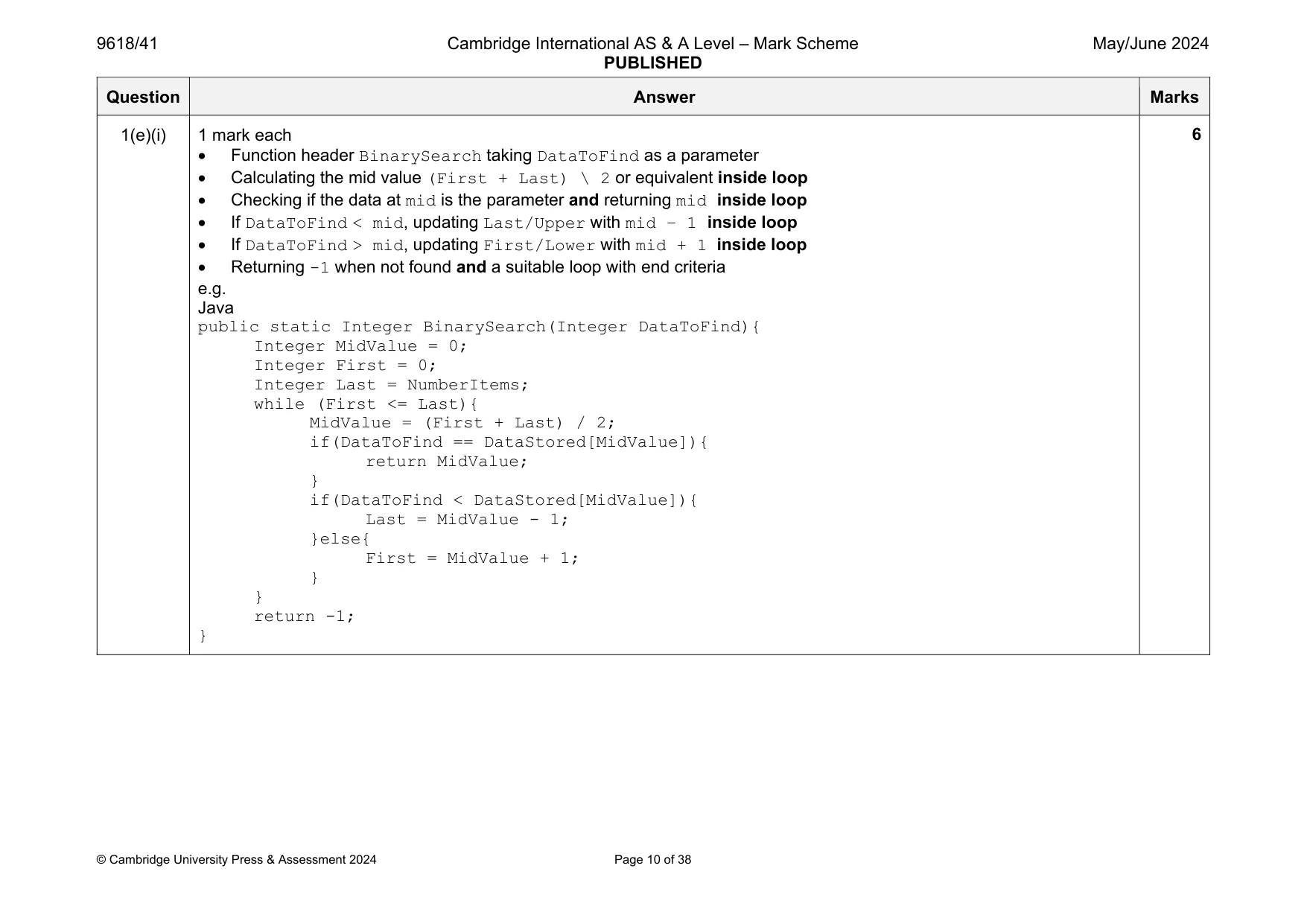
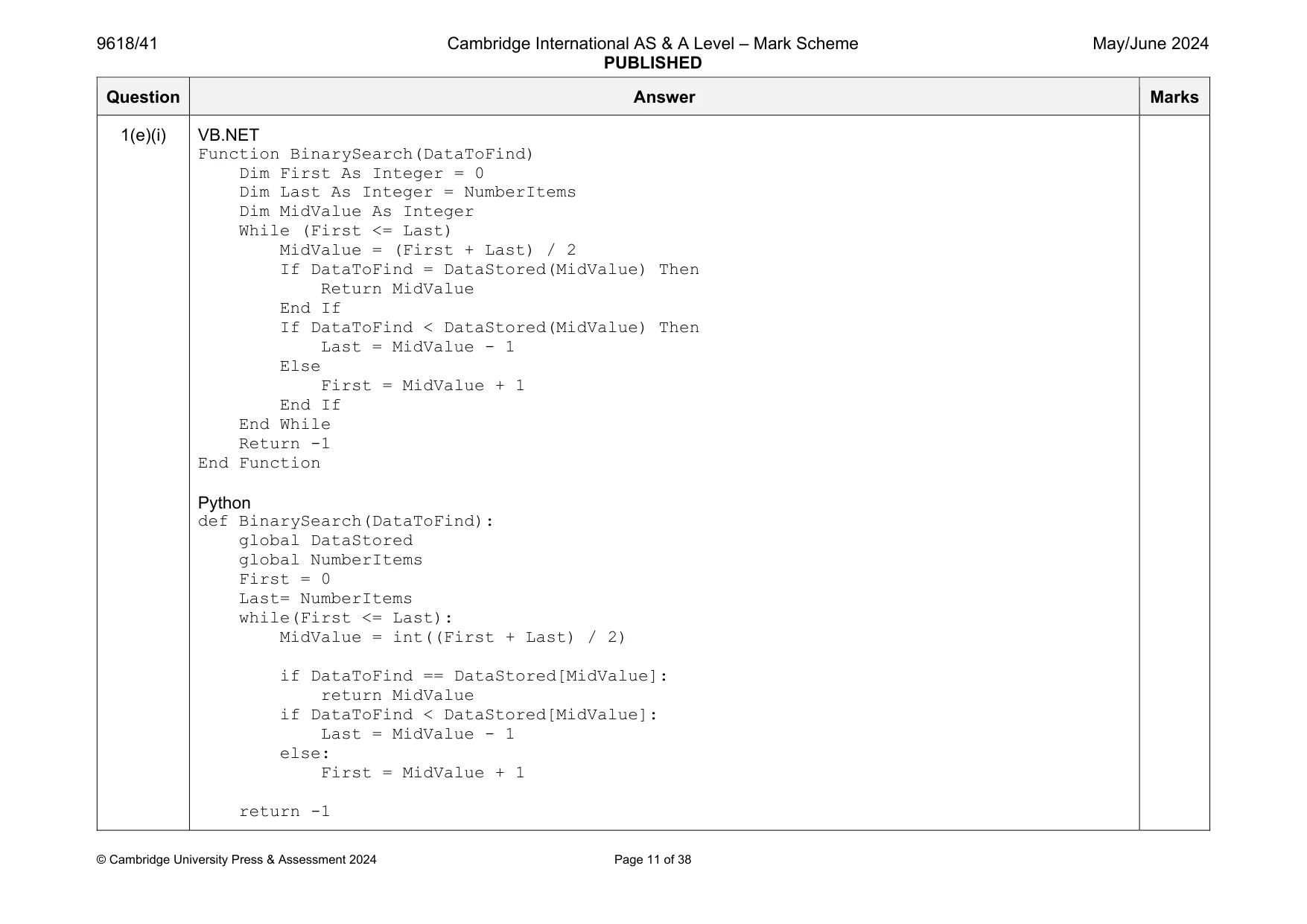
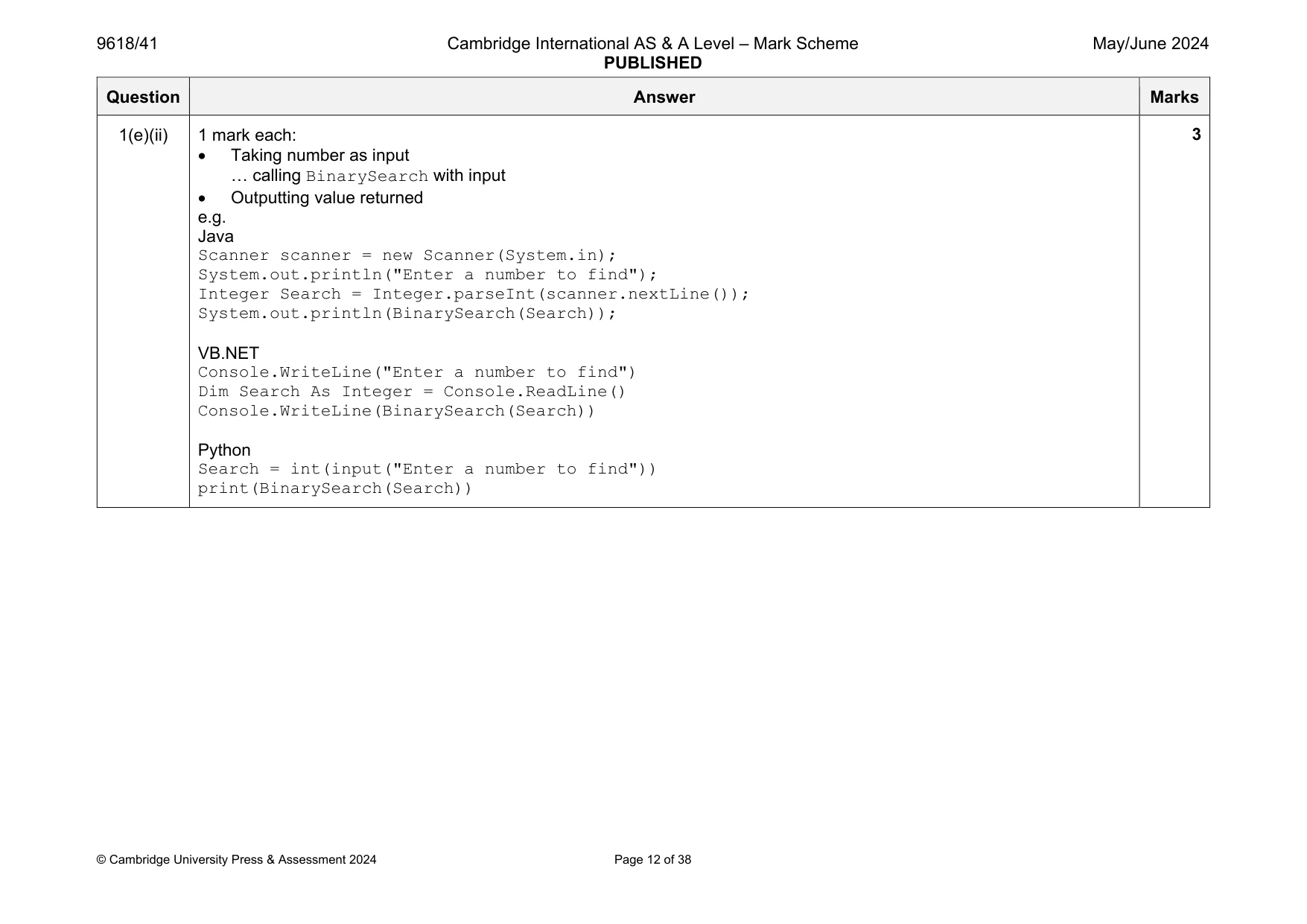
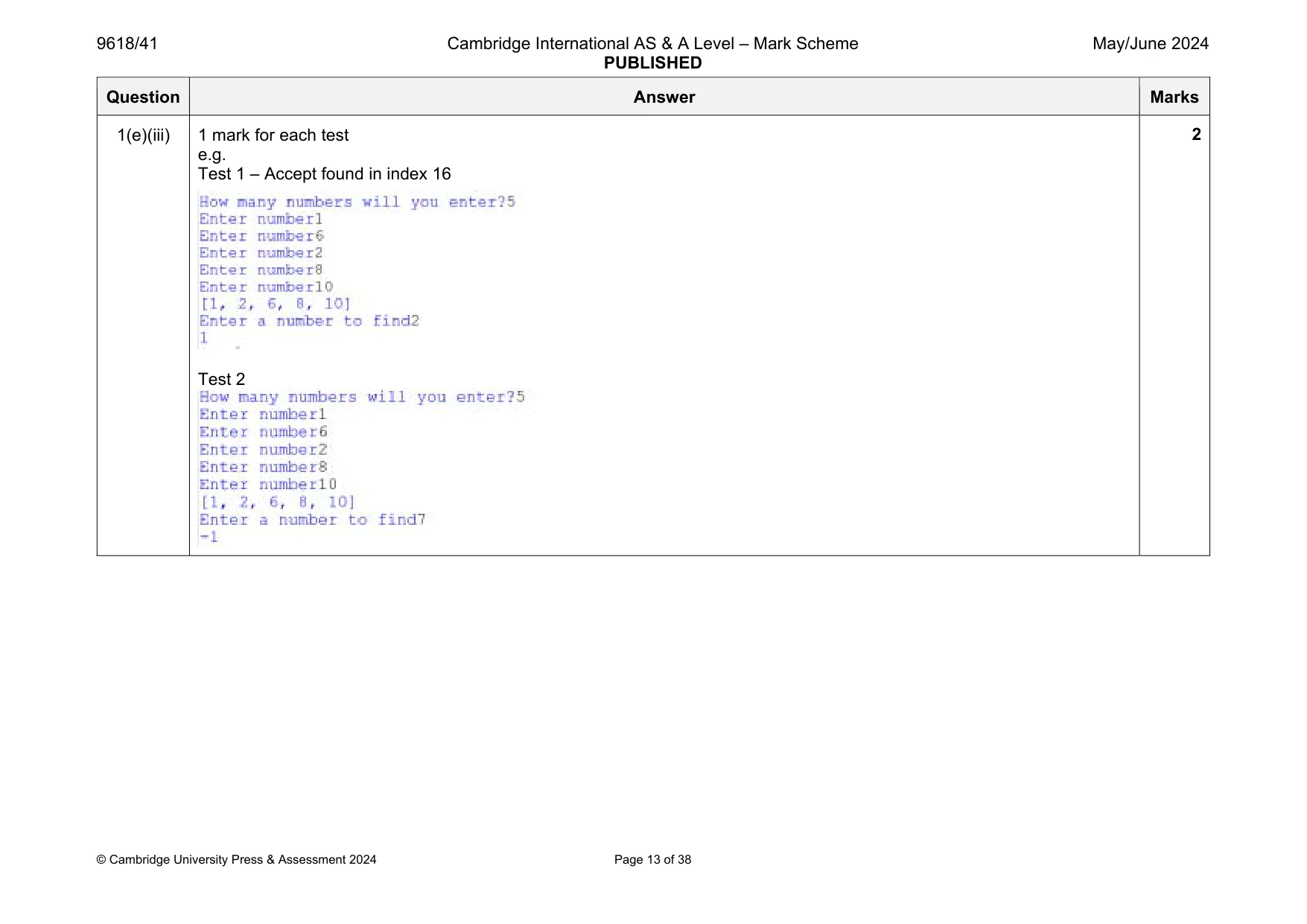
Mark scheme: 1(a) 1 mark for: Declaration of (global) array with identifier DataStored (Integer and 20 spaces) and NumberItems (Integer) e.g. Java public static Integer[] DataStored = new Integer[20]; public static Integer NumberItems= 0; VB.NET Dim DataStored(19) As Integer Dim NumberStored As Integer = 0 Python global DataStored #integer global NumberItems #Integer 20 items Question Answer Marks 1(b) 1 mark each Procedure heading (and close where appropriate) with no parameter. Prompt/output of suitable message to request the input of the quantity of numbers and reading in quantity of numbers and storing/using … … each input in next space in DataStored e.g. Java public static void Initialise(){ Scanner scanner = new Scanner(System.in); Integer Quantity = 0; do{ System.out.println("How many numbers will you enter up to 20?"); Quantity = Integer.parseInt(scanner.nextLine()); }while(Quantity <= 0 || Quantity > 20); for(Integer X = 0; X < Quantity; X++){ System.out.println("Enter number"); DataStored[NumberItems] = Integer.parseInt(scanner.nextLine()); NumberItems++; VB.NET Sub Initialise() Console.WriteLine("How many numbers will you enter?") Dim Quantity As Integer Do Quantity = Console.ReadLine() Loop Until (Quantity > 0 And Quantity < 21) For Count = 0 To Quantity - 1 Console.WriteLine("Enter number") DataStored(NumberStored) = Console.ReadLine() NumberStored += 1 Next End Sub 5 Question Answer Marks 1(b) Python def Initialise(): global DataStored global NumberItems Valid = False while(Valid == False): NumberItems = int(input("How many numbers will you enter?")) #loop until < 20 if NumberItems > 0 and NumberItems< 21: Valid = True for Count in range(0, NumberItems): DataStored.append(int(input("Enter number"))) 1(c)(i) 1 mark each: Storing 0 in NumberItems and then calling Initialise() Outputting all contents of array DataStored e.g. Java public static Integer NumberItems= 0; Initialise(); for(Integer X = 0; X < NumberItems; X++){ System.out.println(DataStored[X]); VB.NET NumberItems = 0 Initialise() For X = 0 To NumberItems - 1 Console.WriteLine(DataStored(X)) Next Python NumberItems = 0 Initialise() print(DataStored) 2 Question Answer Marks 1(c)(ii) 1 mark each Output showing quantity entered twice (30 and 5) with first being invalid Array output 3 9 4 1 2 e.g. 2 Question Answer Marks 1(d)(i) 1 mark each Procedure header (and end where appropriate) and looping through each array element Working inner loop … …comparison of elements… …swapping of elements e.g. Java public static void BubbleSort(){ Integer Temp = 0; for(Integer Count = 0; Count < NumberItems; Count++){ for(Integer Count2 = 0; Count2 < NumberItems - 1; Count2++){ if(DataStored[Count2] > DataStored[Count]){ Temp = DataStored[Count2]; DataStored[Count2] = DataStored[Count]; DataStored[Count] = Temp; } } } } VB.NET Sub BubbleSort() Dim Temp As Integer For Count = 0 To NumberStored - 1 For Count2 = 0 To NumberStored - 2 If (DataStored(Count2) > DataStored(Count)) Then Temp = DataStored(Count) DataStored(Count) = DataStored(Count2) DataStored(Count2) = Temp End If Next Next End Sub 4 Question Answer Marks 1(d)(i) Python def BubbleSort(): global DataStored global NumberItems for Count in range(0, NumberItems): for Count2 in range(0, NumberItems-1): if DataStored[Count2] > DataStored[Count]: DataStored[Count2], DataStored[Count] = DataStored[Count], DataStored[Count2] 1(d)(ii) 1 mark for calling BubbleSort() and outputting array contents after e.g. VB.NET BubbleSort() For X = 0 To NumberStored - 1 Console.WriteLine(DataStored(X)) Next e.g. Java BubbleSort(); for(Integer X = 0; X < NumberItems; X++){ System.out.println(DataStored[X]); } e.g. Python BubbleSort() print(DataStored) 1 1(d)(iii) 1 mark for screenshot showing the inputs and the values in the correct order e.g. 1 Question Answer Marks 1(e)(i) 1 mark each Function header BinarySearch taking DataToFind as a parameter Calculating the mid value (First + Last) \ 2 or equivalent inside loop Checking if the data at mid is the parameter and returning mid inside loop If DataToFind < mid, updating Last/Upper with mid – 1 inside loop If DataToFind > mid, updating First/Lower with mid + 1 inside loop Returning -1 when not found and a suitable loop with end criteria e.g. Java public static Integer BinarySearch(Integer DataToFind){ Integer MidValue = 0; Integer First = 0; Integer Last = NumberItems; while (First <= Last){ MidValue = (First + Last) / 2; if(DataToFind == DataStored[MidValue]){ return MidValue; } if(DataToFind < DataStored[MidValue]){ Last = MidValue - 1; }else{ First = MidValue + 1; } } return -1; } 6 Question Answer Marks 1(e)(i) VB.NET Function BinarySearch(DataToFind) Dim First As Integer = 0 Dim Last As Integer = NumberItems Dim MidValue As Integer While (First <= Last) MidValue = (First + Last) / 2 If DataToFind = DataStored(MidValue) Then Return MidValue End If If DataToFind < DataStored(MidValue) Then Last = MidValue - 1 Else First = MidValue + 1 End If End While Return -1 End Function Python def BinarySearch(DataToFind): global DataStored global NumberItems First = 0 Last= NumberItems while(First <= Last): MidValue = int((First + Last) / 2) if DataToFind == DataStored[MidValue]: return MidValue if DataToFind < DataStored[MidValue]: Last = MidValue - 1 else: First = MidValue + 1 return -1 Question Answer Marks 1(e)(ii) 1 mark each: Taking number as input … calling BinarySearch with input Outputting value returned e.g. Java Scanner scanner = new Scanner(System.in); System.out.println("Enter a number to find"); Integer Search = Integer.parseInt(scanner.nextLine()); System.out.println(BinarySearch(Search)); VB.NET Console.WriteLine("Enter a number to find") Dim Search As Integer = Console.ReadLine() Console.WriteLine(BinarySearch(Search)) Python Search = int(input("Enter a number to find")) print(BinarySearch(Search)) 3 Question Answer Marks 1(e)(iii) 1 mark for each test e.g. Test 1 – Accept found in index 16 Test 2 2
Q2 · A computer program will store data about trees
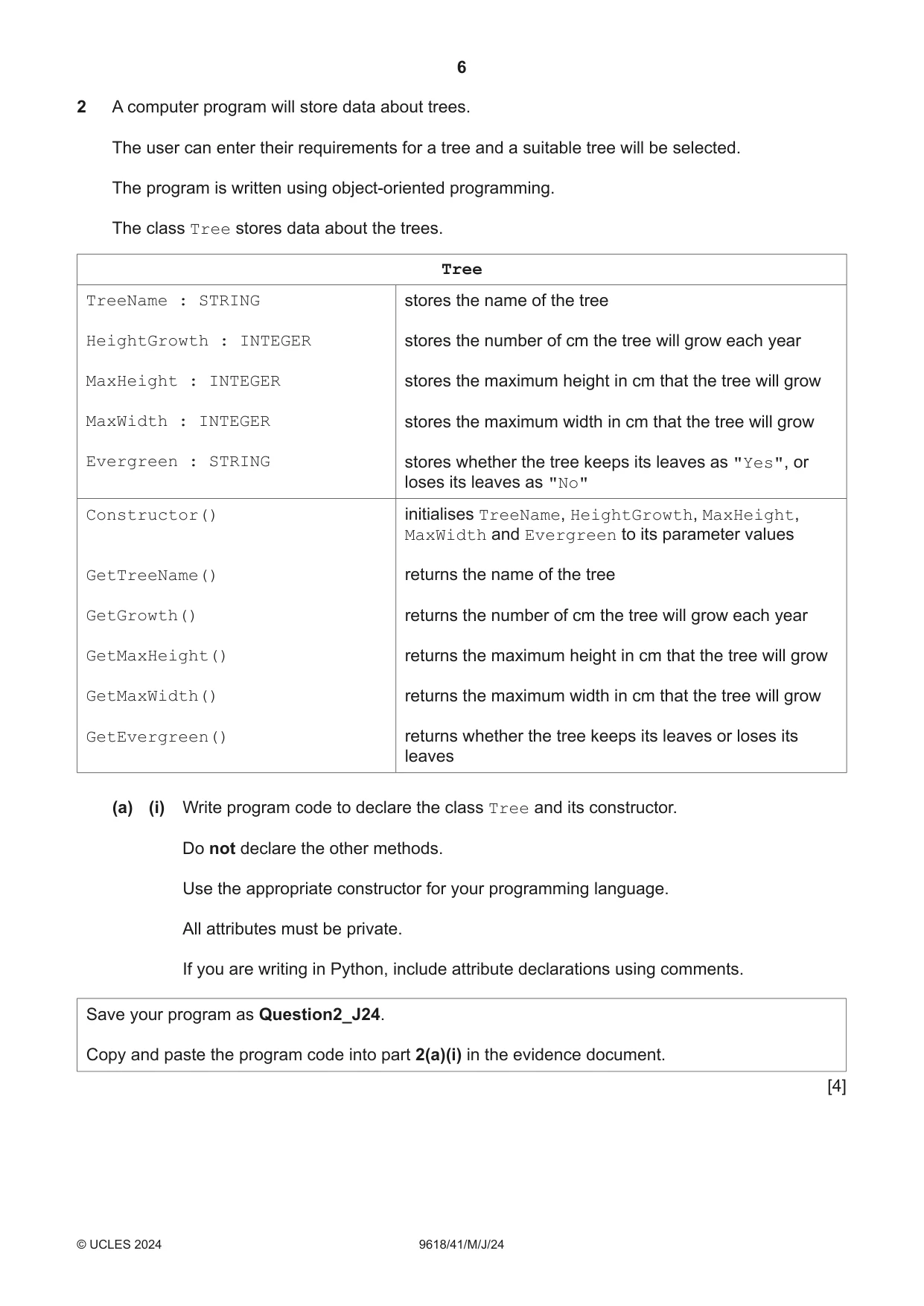
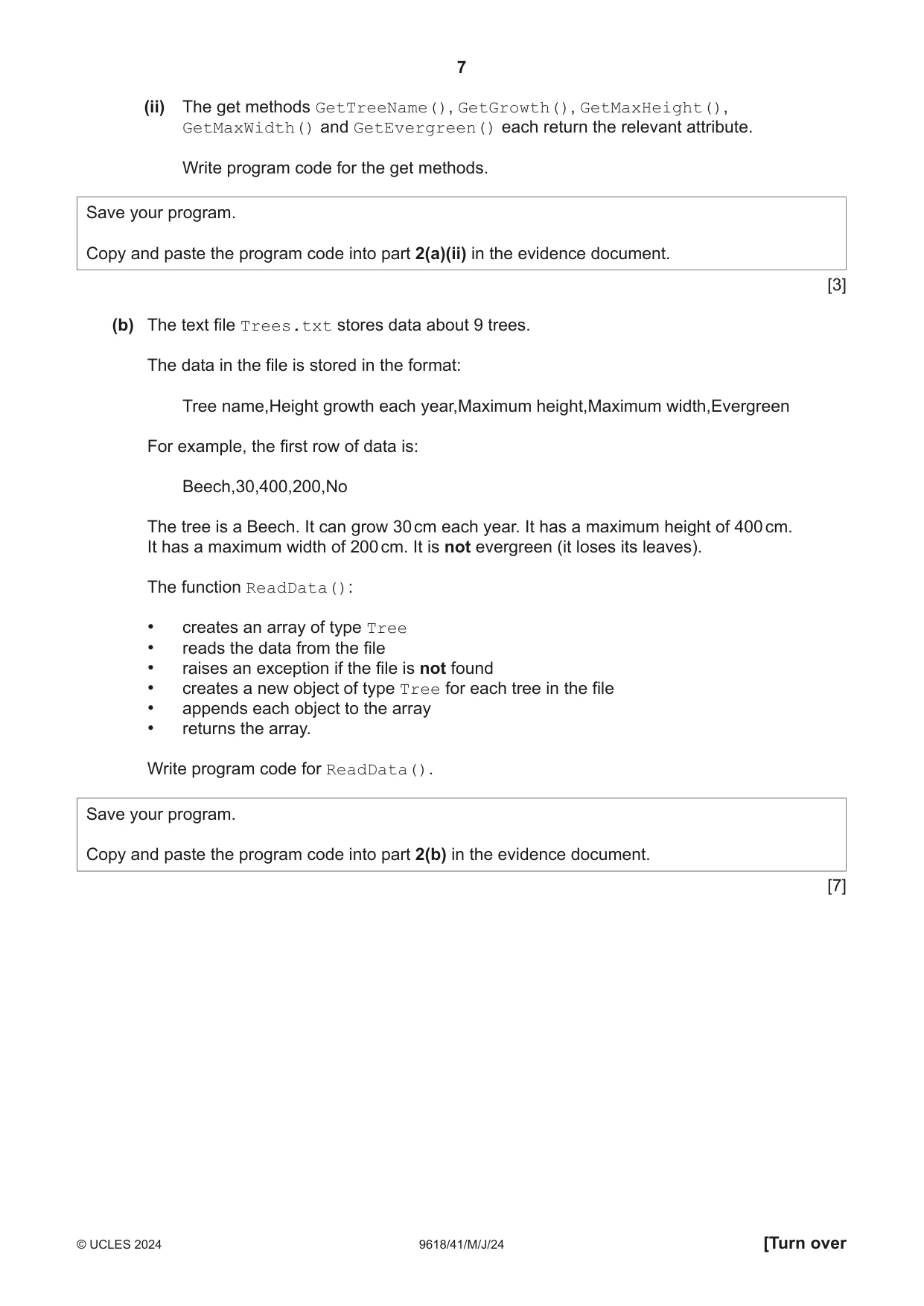
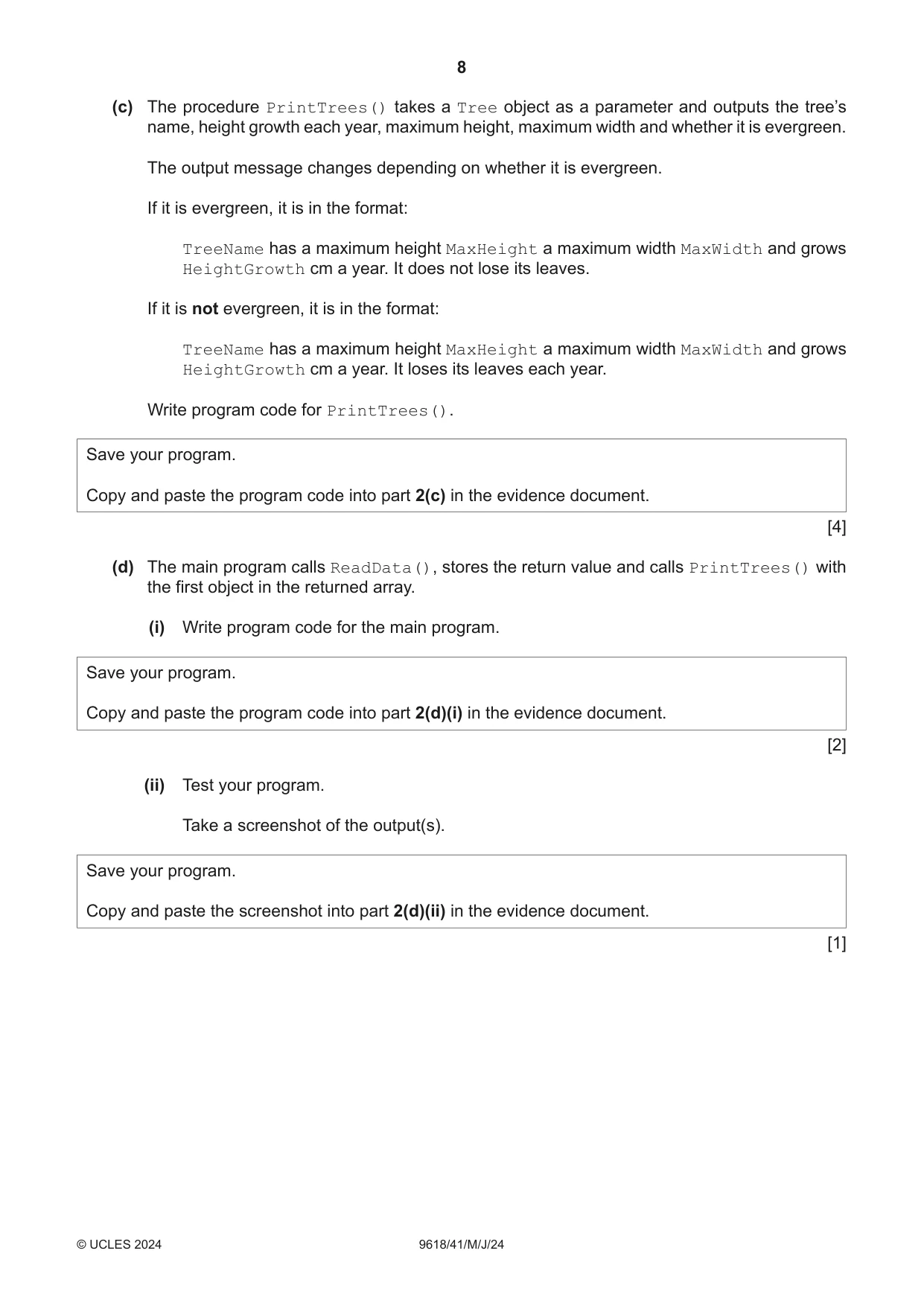
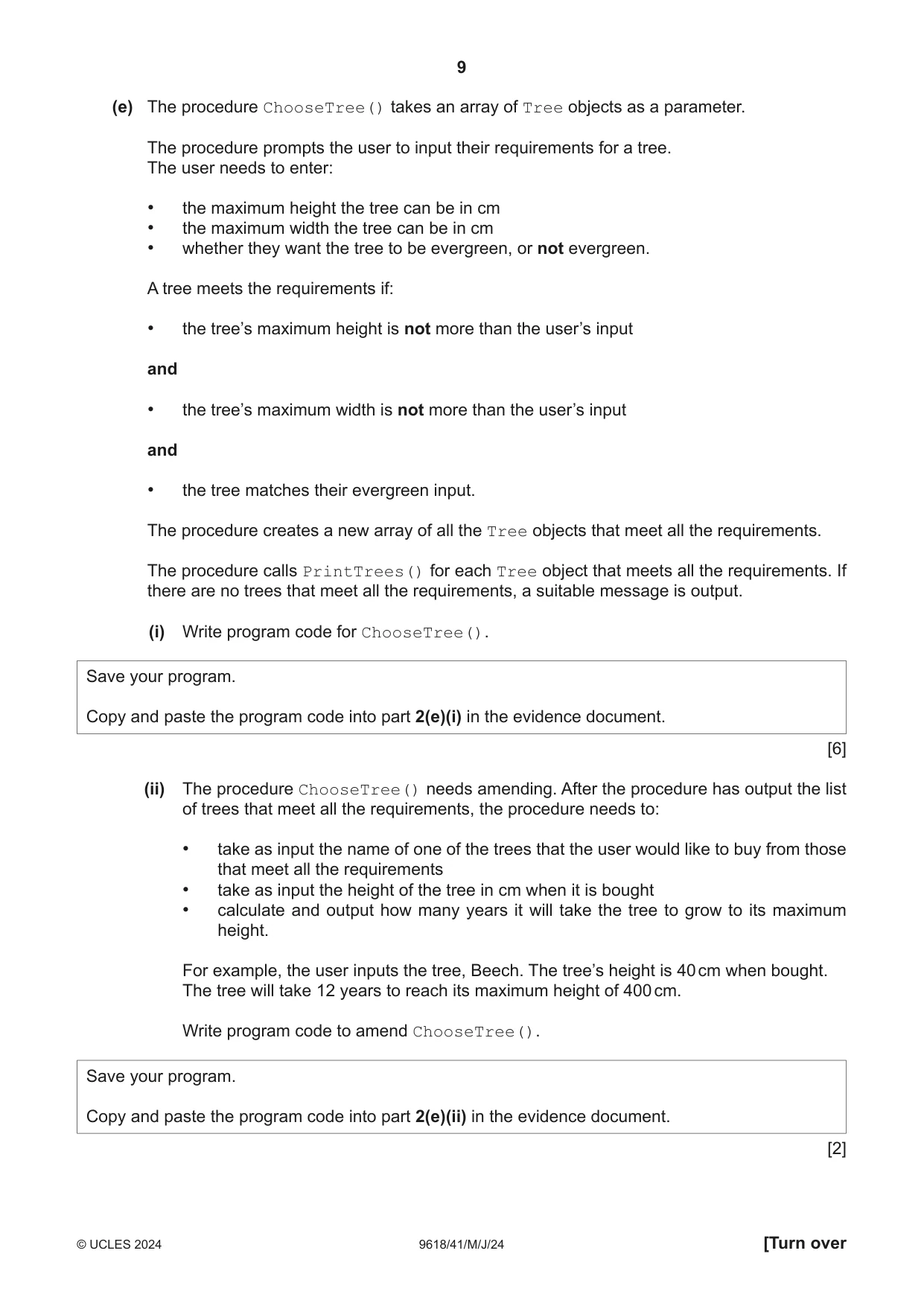
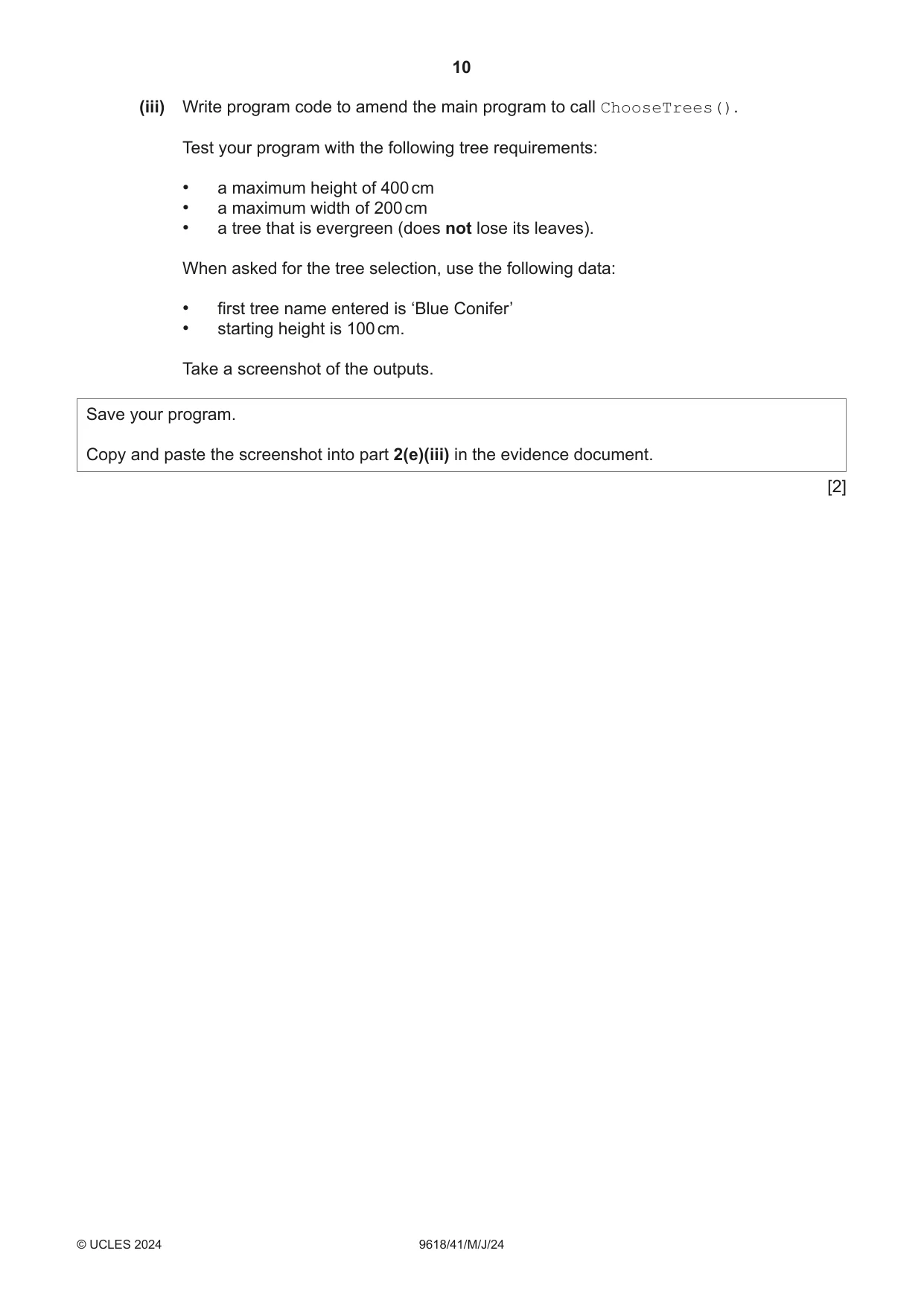
2 A computer program will store data about trees. The user can enter their requirements for a tree and a suitable tree will be selected. The program is written using object‑oriented programming. The class Tree stores data about the trees. Tree TreeName : STRING stores the name of the tree HeightGrowth : INTEGER stores the number of cm the tree will grow each year MaxHeight : INTEGER stores the maximum height in cm that the tree will grow MaxWidth : INTEGER stores the maximum width in cm that the tree will grow Evergreen : STRING stores whether the tree keeps its leaves as "Yes", or loses its leaves as "No" Constructor() initialises TreeName, HeightGrowth, MaxHeight, MaxWidth and Evergreen to its parameter values GetTreeName() returns the name of the tree GetGrowth() returns the number of cm the tree will grow each year GetMaxHeight() returns the maximum height in cm that the tree will grow GetMaxWidth() returns the maximum width in cm that the tree will grow GetEvergreen() returns whether the tree keeps its leaves or loses its leaves (a) (i) Write program code to declare the class Tree and its constructor. Do not declare the other methods. Use the appropriate constructor for your programming language. All attributes must be private. If you are writing in Python, include attribute declarations using comments. Save your program as Question2_J24. Copy and paste the program code into part 2(a)(i) in the evidence document. [4] (ii) The get methods GetTreeName(), GetGrowth(), GetMaxHeight(), GetMaxWidth() and GetEvergreen() each return the relevant attribute. Write program code for the get methods. Save your program. Copy and paste the program code into part 2(a)(ii) in the evidence document. [3] (b) The text file Trees.txt stores data about 9 trees. The data in the file is stored in the format: Tree name,Height growth each year,Maximum height,Maximum width,Evergreen For example, the first row of data is: Beech,30,400,200,No The tree is a Beech. It can grow 30 cm each year. It has a maximum height of 400 cm. It has a maximum width of 200 cm. It is not evergreen (it loses its leaves). The function ReadData(): • creates an array of type Tree • reads the data from the file • raises an exception if the file is not found • creates a new object of type Tree for each tree in the file • appends each object to the array • returns the array. Write program code for ReadData(). Save your program. Copy and paste the program code into part 2(b) in the evidence document. [7] (c) The procedure PrintTrees() takes a Tree object as a parameter and outputs the tree’s name, height growth each year, maximum height, maximum width and whether it is evergreen. The output message changes depending on whether it is evergreen. If it is evergreen, it is in the format: TreeName has a maximum height MaxHeight a maximum width MaxWidth and grows HeightGrowth cm a year. It does not lose its leaves. If it is not evergreen, it is in the format: TreeName has a maximum height MaxHeight a maximum width MaxWidth and grows HeightGrowth cm a year. It loses its leaves each year. Write program code for PrintTrees(). Save your program. Copy and paste the program code into part 2(c) in the evidence document. [4] (d) The main program calls ReadData(), stores the return value and calls PrintTrees() with the first object in the returned array. (i) Write program code for the main program. Save your program. Copy and paste the program code into part 2(d)(i) in the evidence document. [2] (ii) Test your program. Take a screenshot of the output(s). Save your program. Copy and paste the screenshot into part 2(d)(ii) in the evidence document. [1] (e) The procedure ChooseTree() takes an array of Tree objects as a parameter. The procedure prompts the user to input their requirements for a tree. The user needs to enter: • the maximum height the tree can be in cm • the maximum width the tree can be in cm • whether they want the tree to be evergreen, or not evergreen. A tree meets the requirements if: • the tree’s maximum height is not more than the user’s input and • the tree’s maximum width is not more than the user’s input and • the tree matches their evergreen input. The procedure creates a new array of all the Tree objects that meet all the requirements. The procedure calls PrintTrees() for each Tree object that meets all the requirements. If there are no trees that meet all the requirements, a suitable message is output. (i) Write program code for ChooseTree(). Save your program. Copy and paste the program code into part 2(e)(i) in the evidence document. [6] (ii) The procedure ChooseTree() needs amending. After the procedure has output the list of trees that meet all the requirements, the procedure needs to: • take as input the name of one of the trees that the user would like to buy from those that meet all the requirements • take as input the height of the tree in cm when it is bought • calculate and output how many years it will take the tree to grow to its maximum height. For example, the user inputs the tree, Beech. The tree’s height is 40 cm when bought. The tree will take 12 years to reach its maximum height of 400 cm. Write program code to amend ChooseTree(). Save your program. Copy and paste the program code into part 2(e)(ii) in the evidence document. [2] (iii) Write program code to amend the main program to call ChooseTrees(). Test your program with the following tree requirements: • a maximum height of 400 cm • a maximum width of 200 cm • a tree that is evergreen (does not lose its leaves). When asked for the tree selection, use the following data: • first tree name entered is ‘Blue Conifer’ • starting height is 100 cm. Take a screenshot of the outputs. Save your program. Copy and paste the screenshot into part 2(e)(iii) in the evidence document. [2]
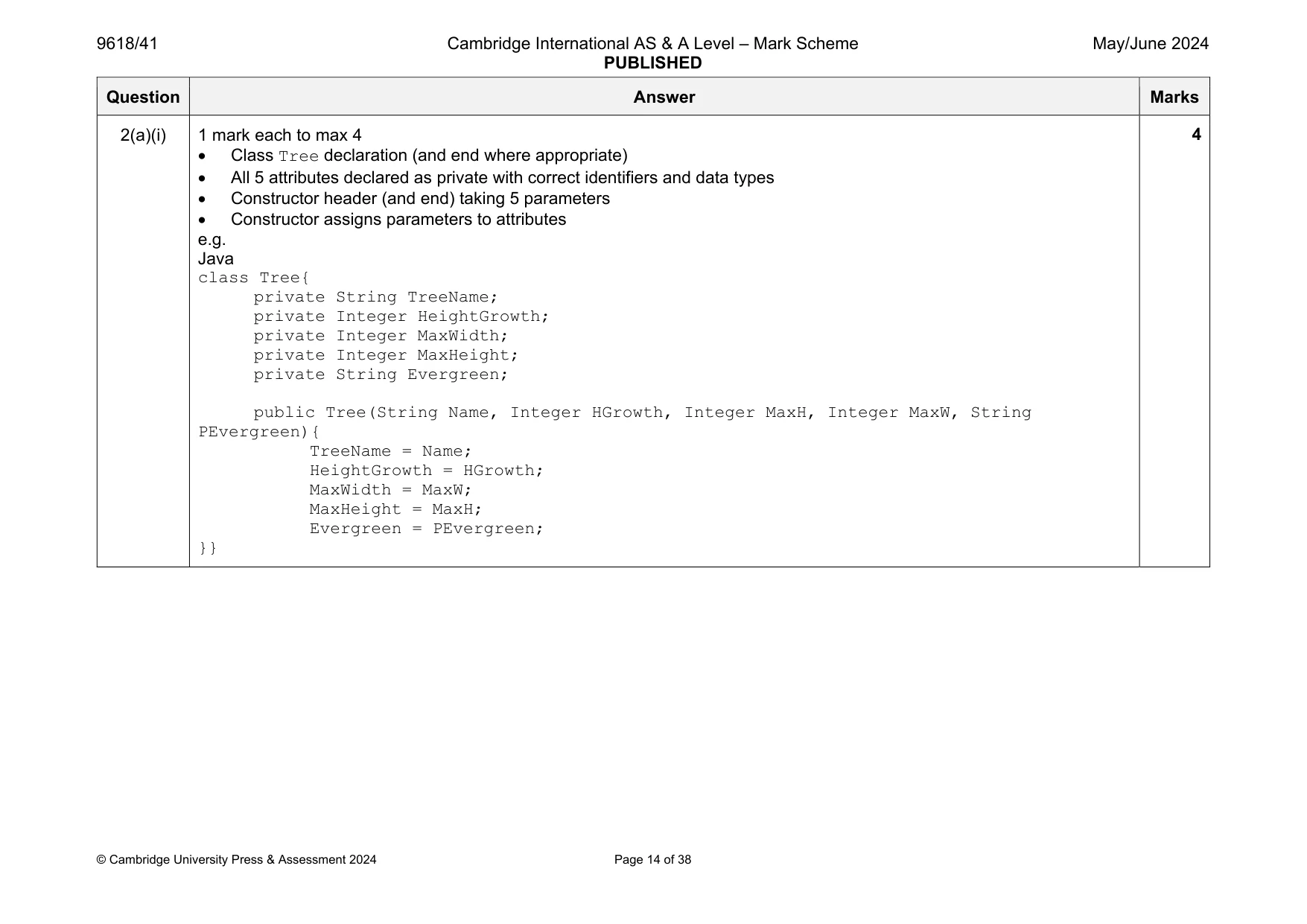
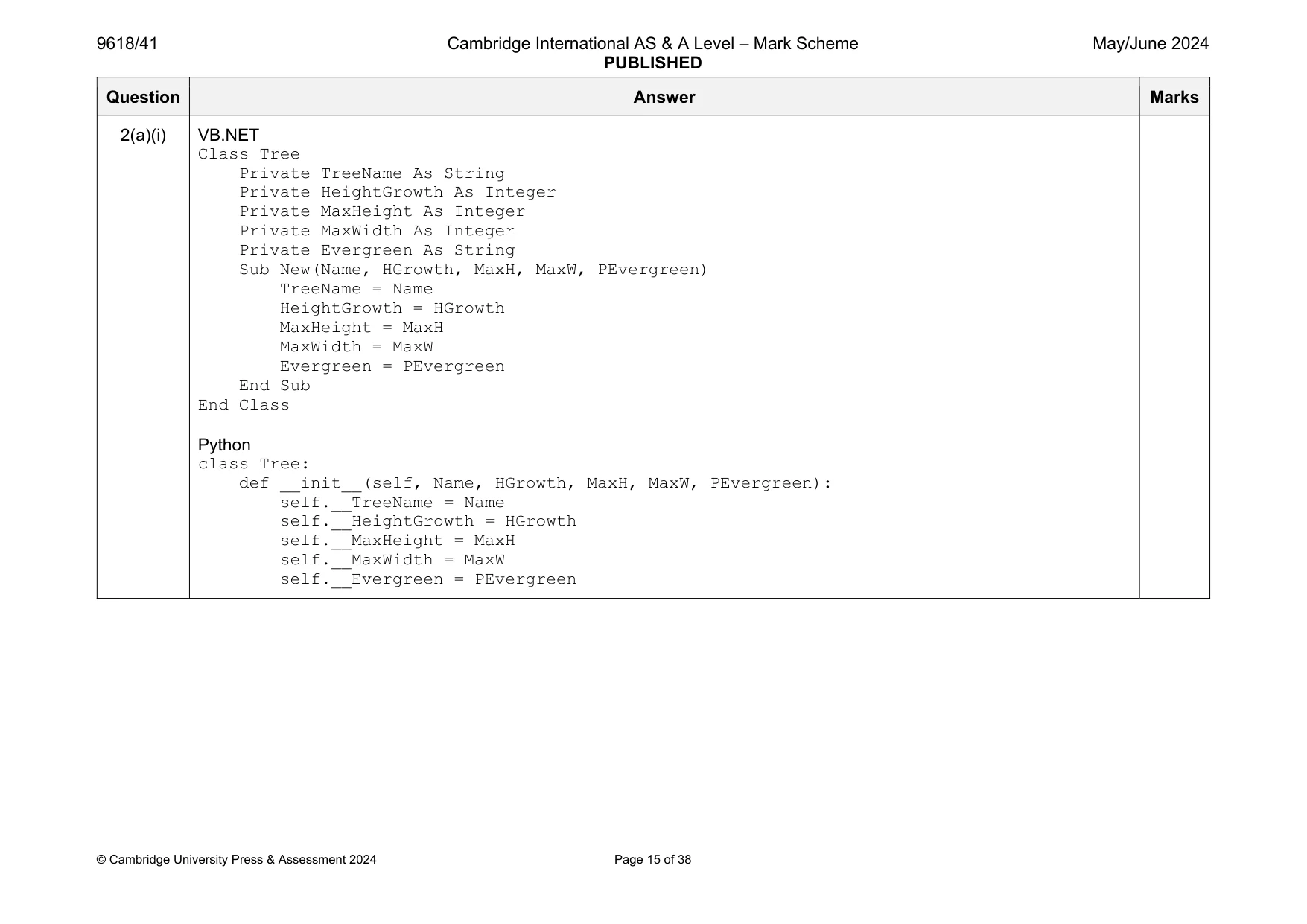
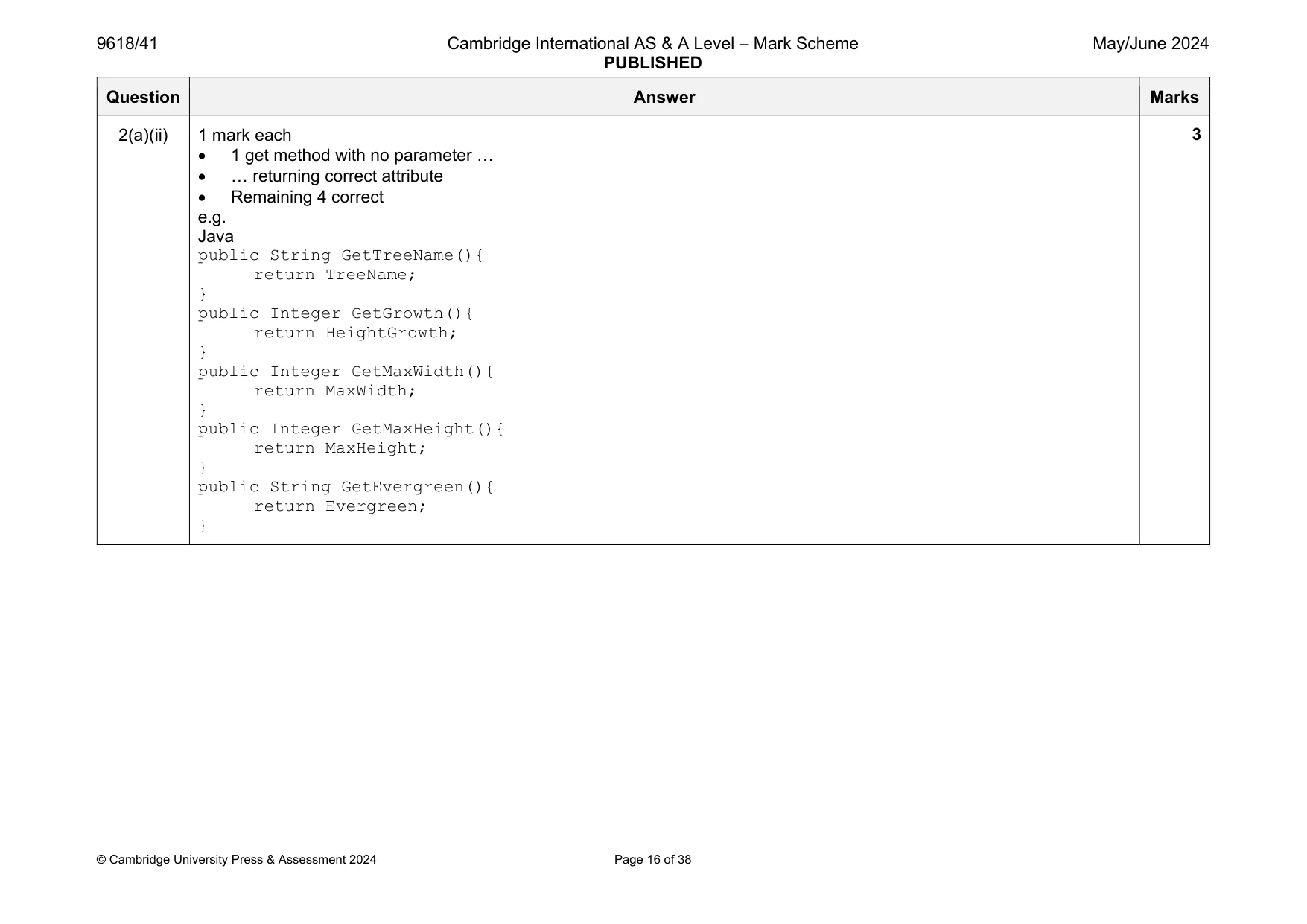
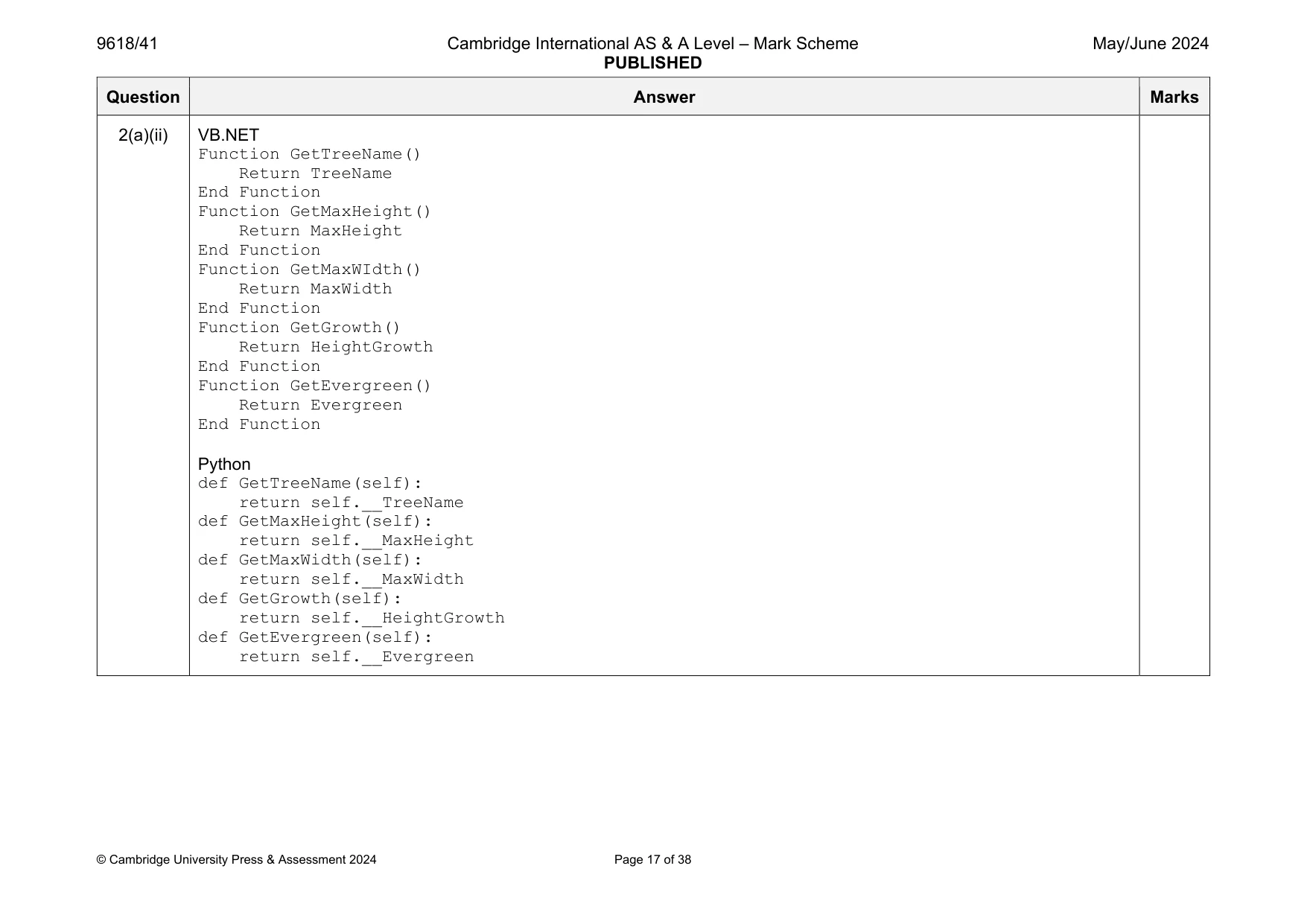
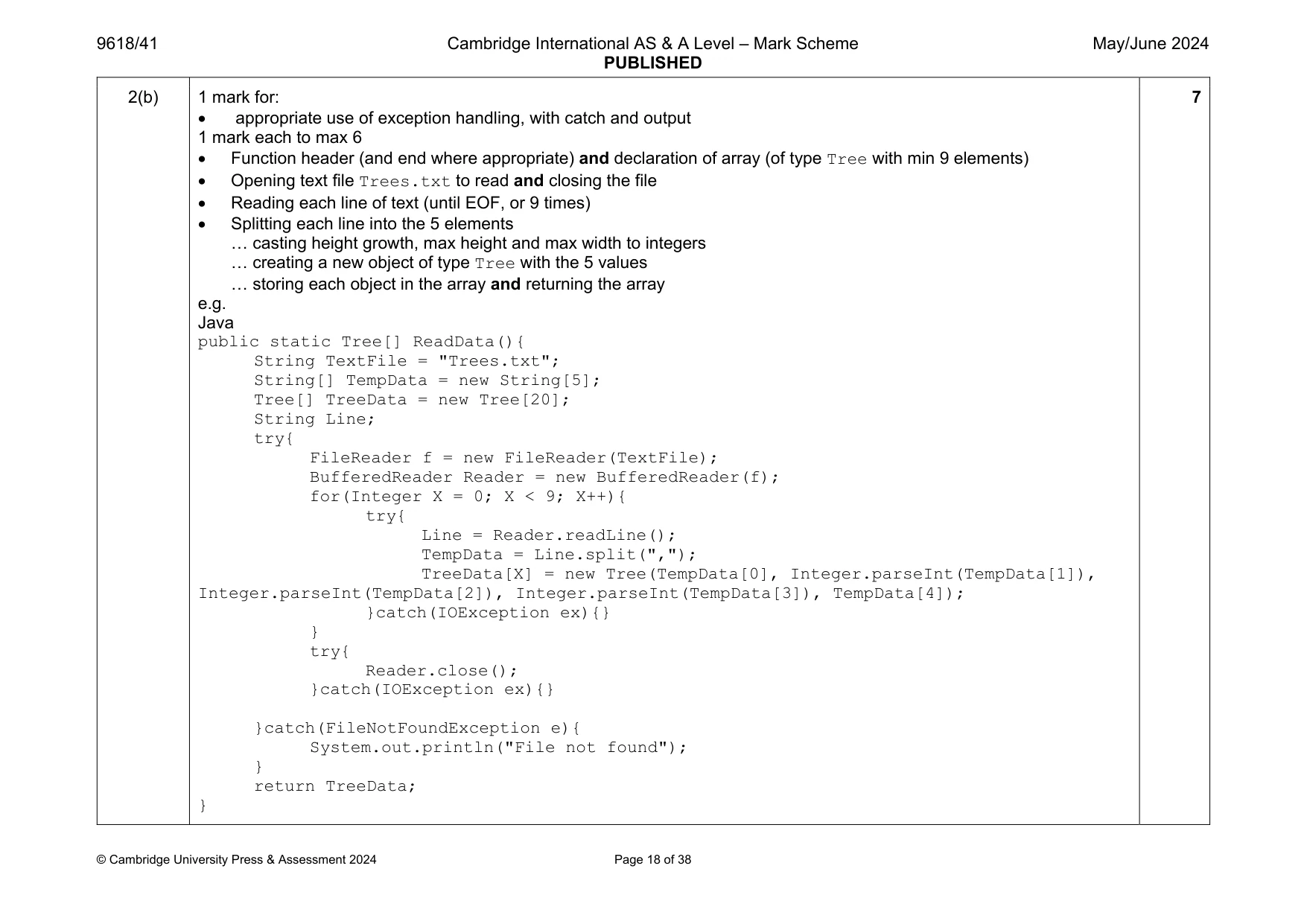
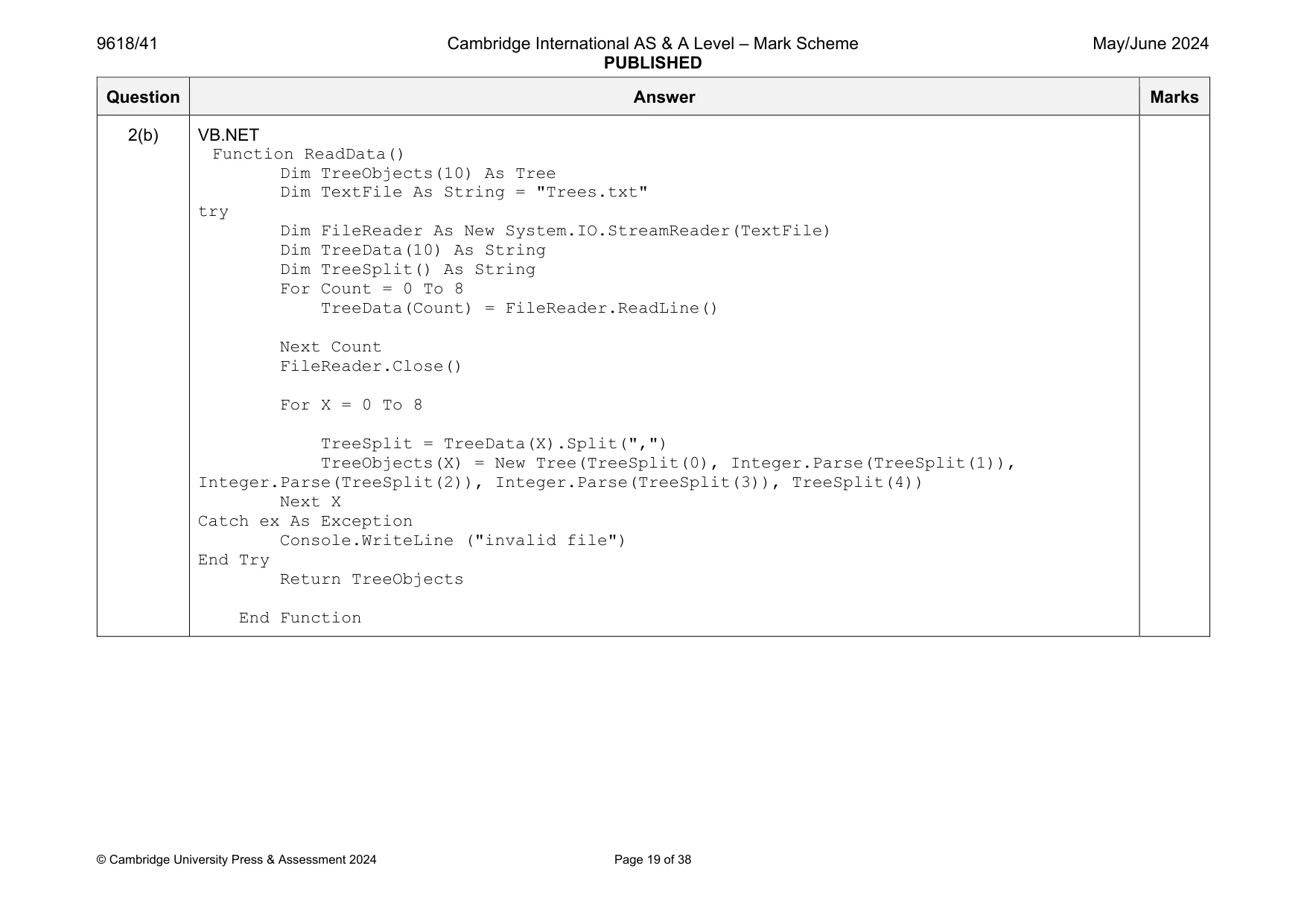
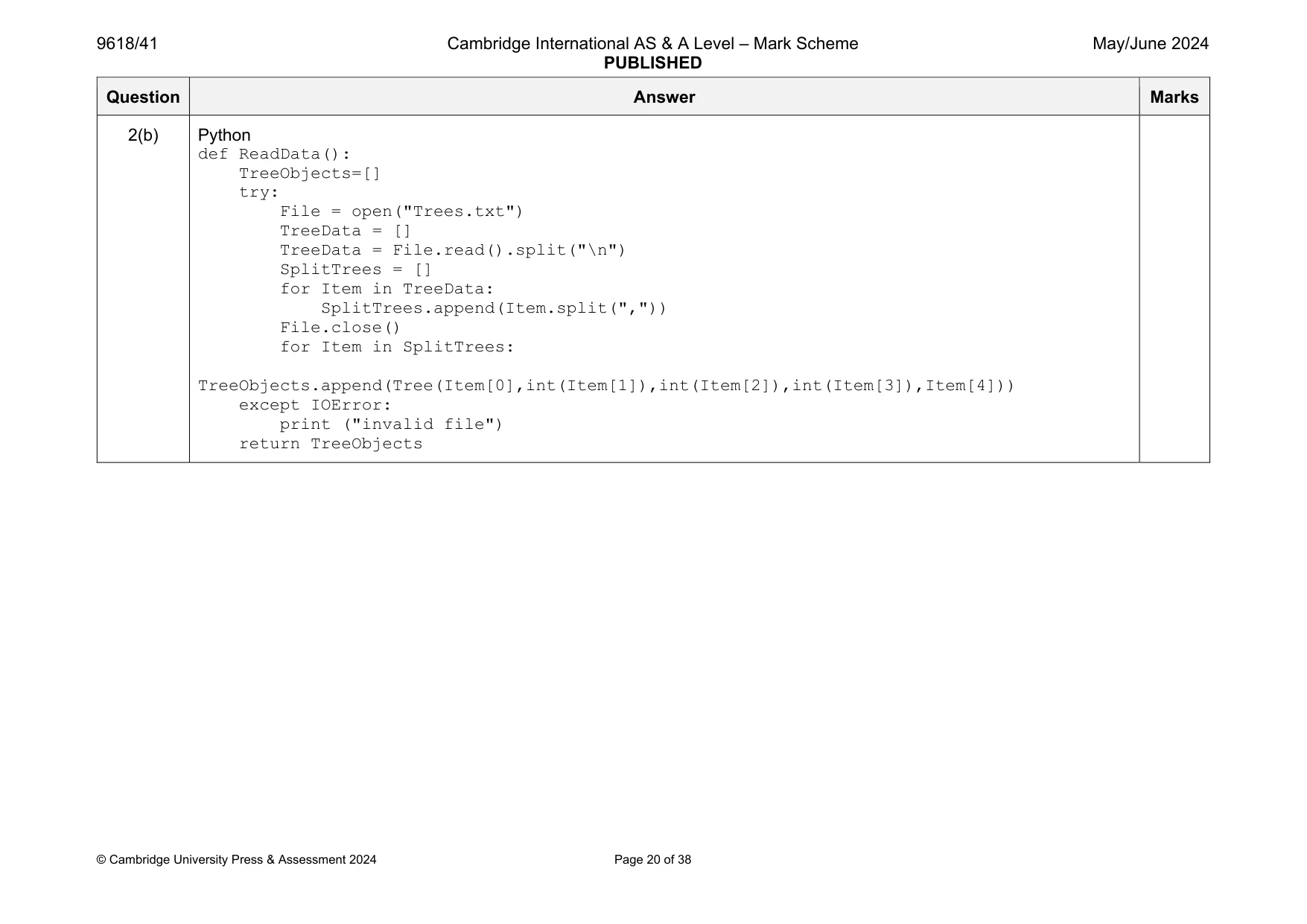
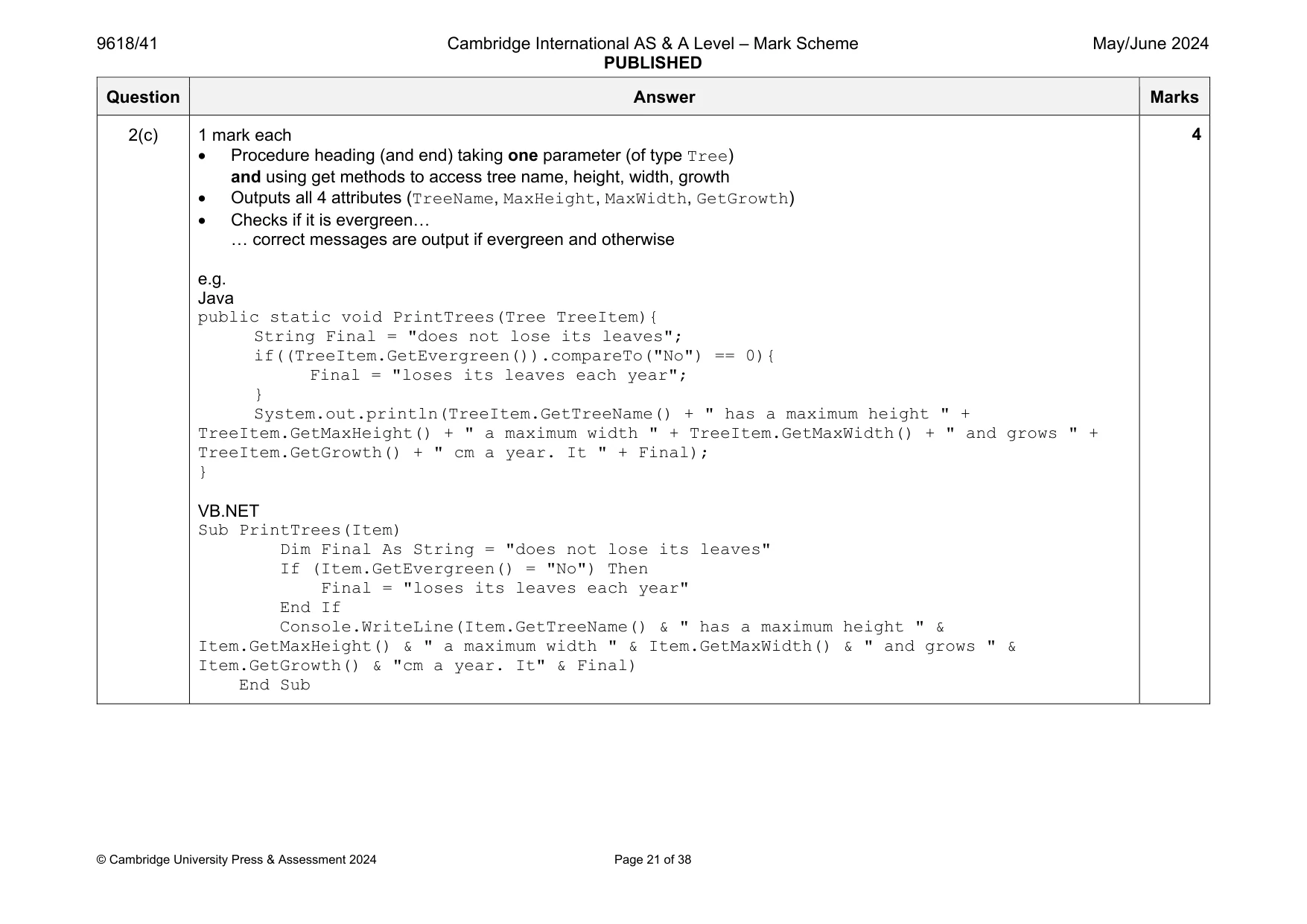
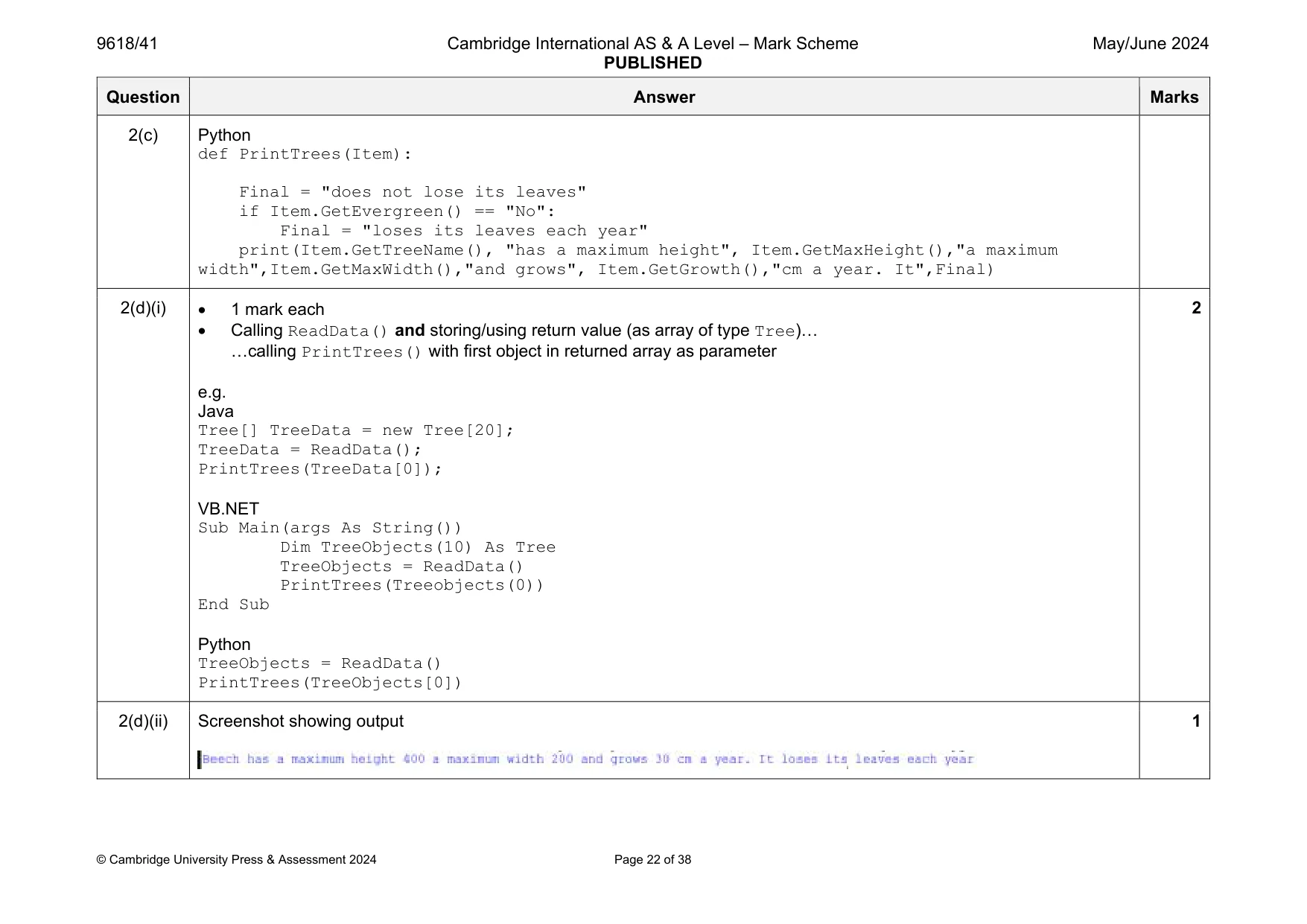
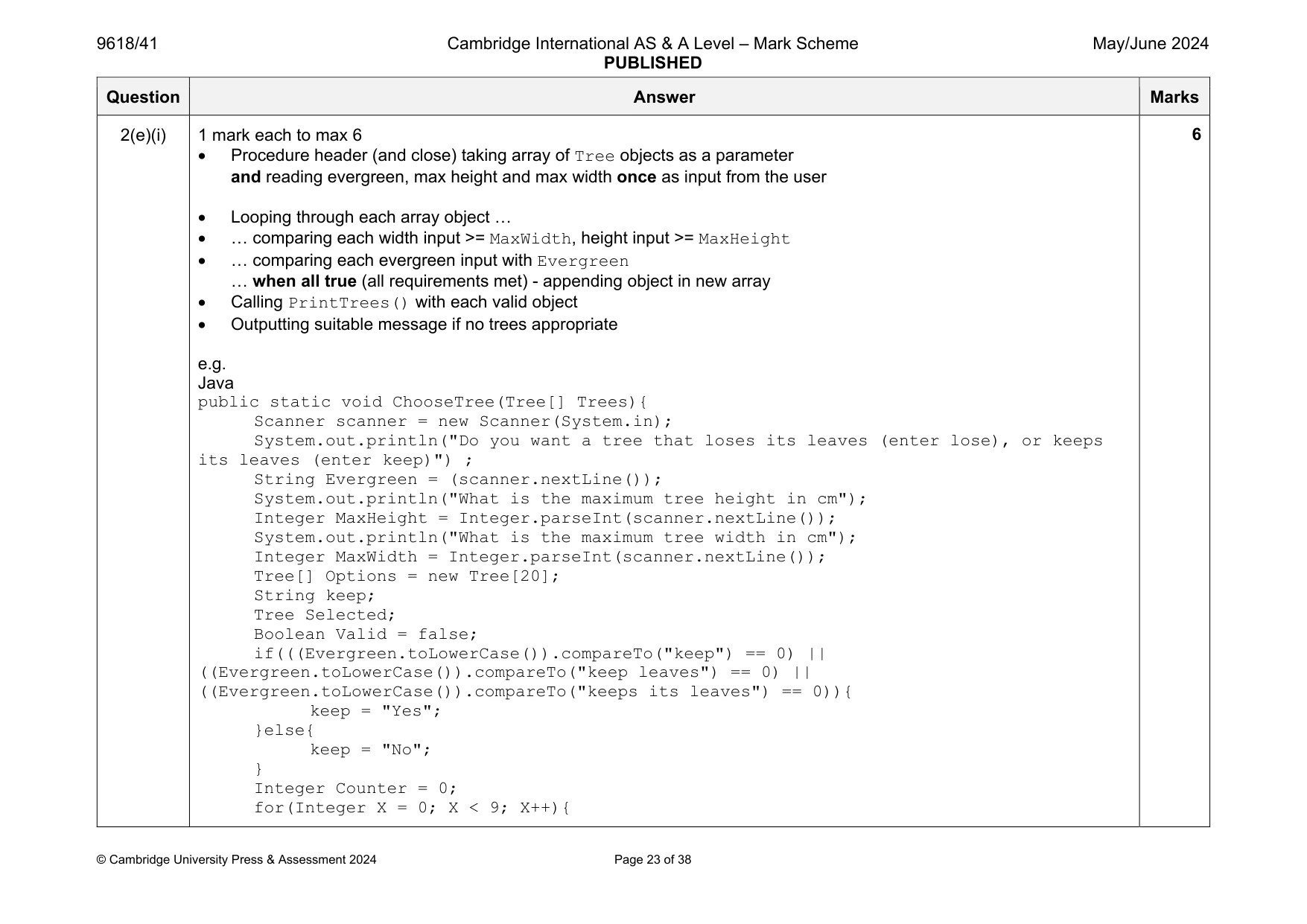
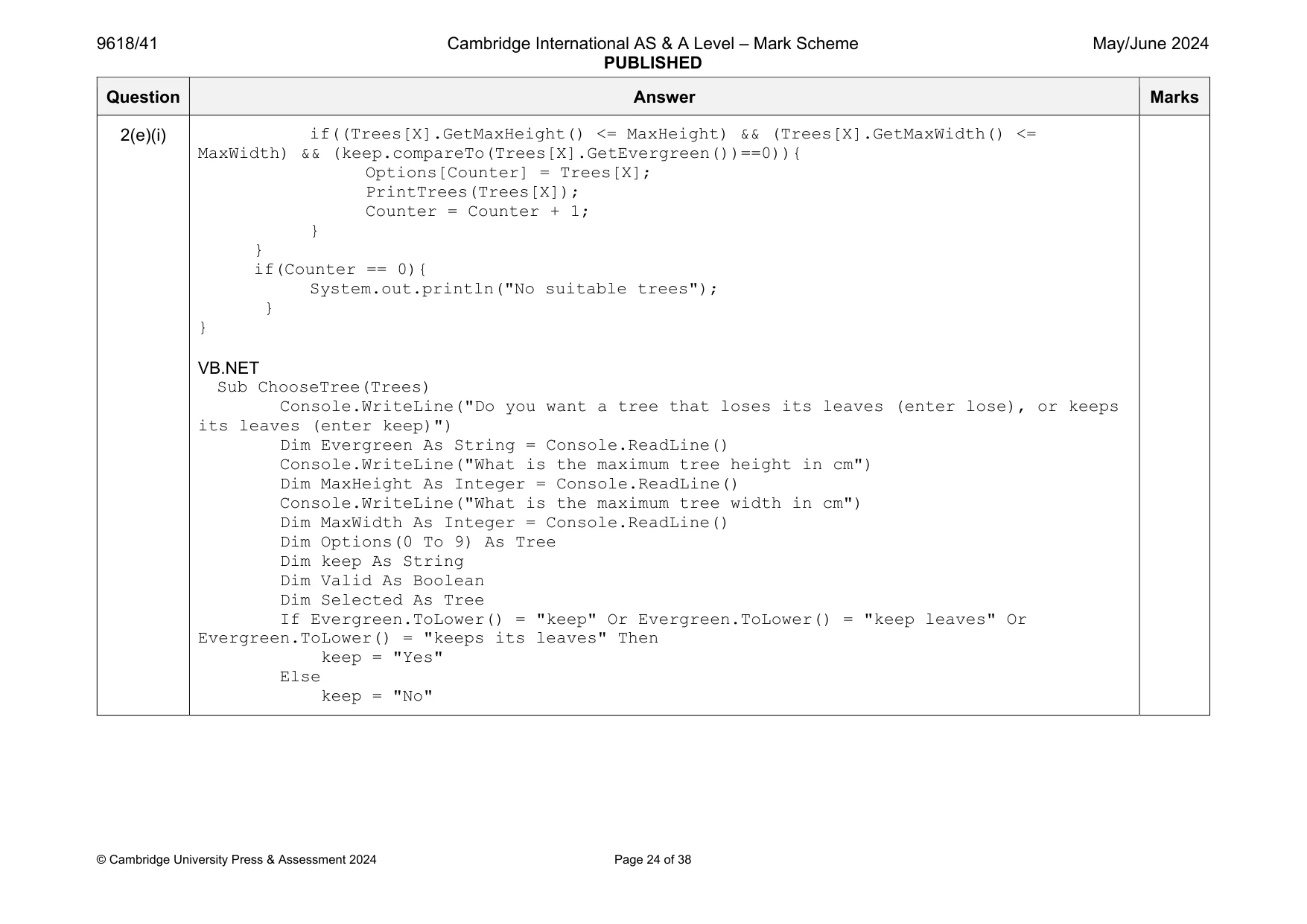
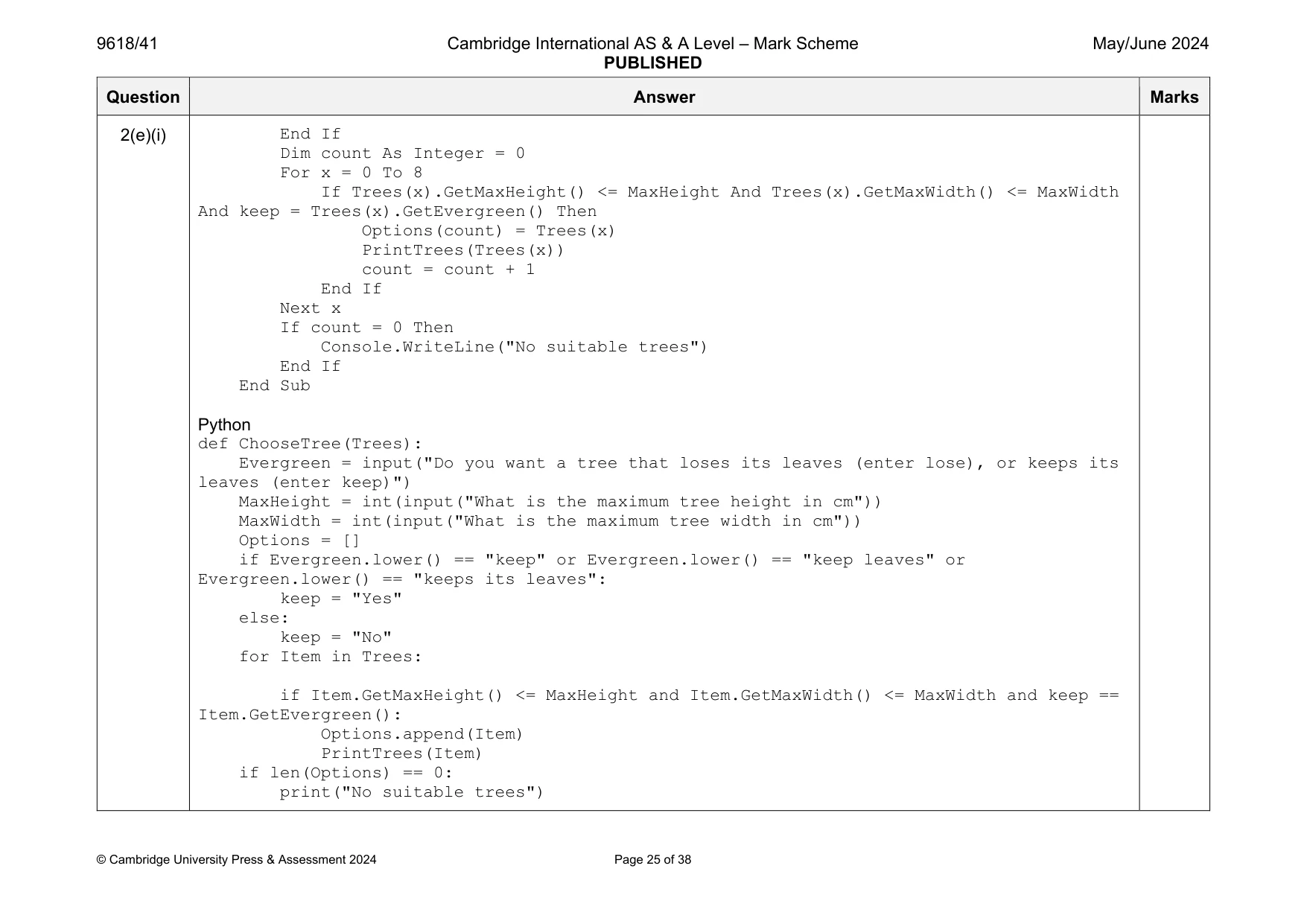
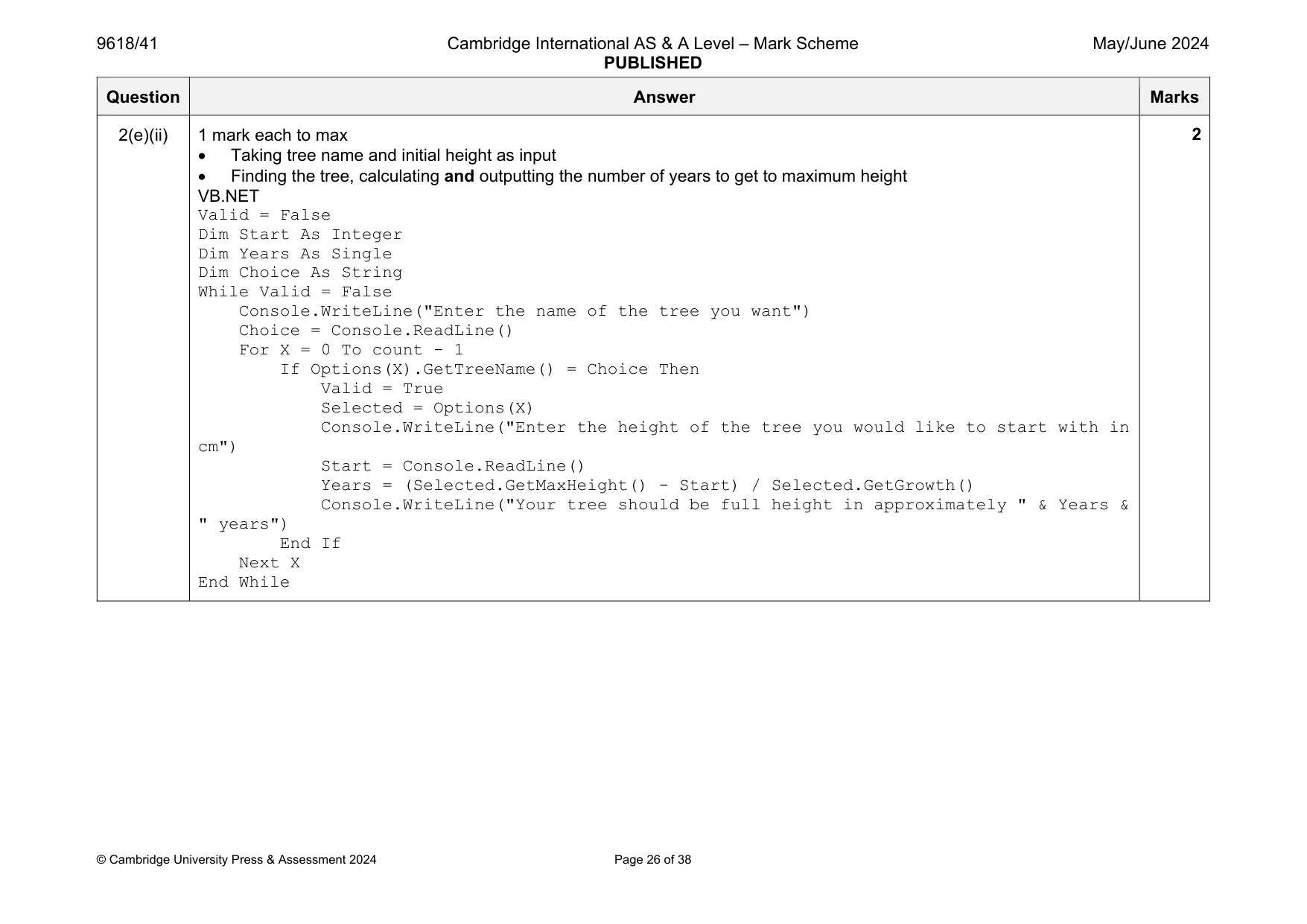
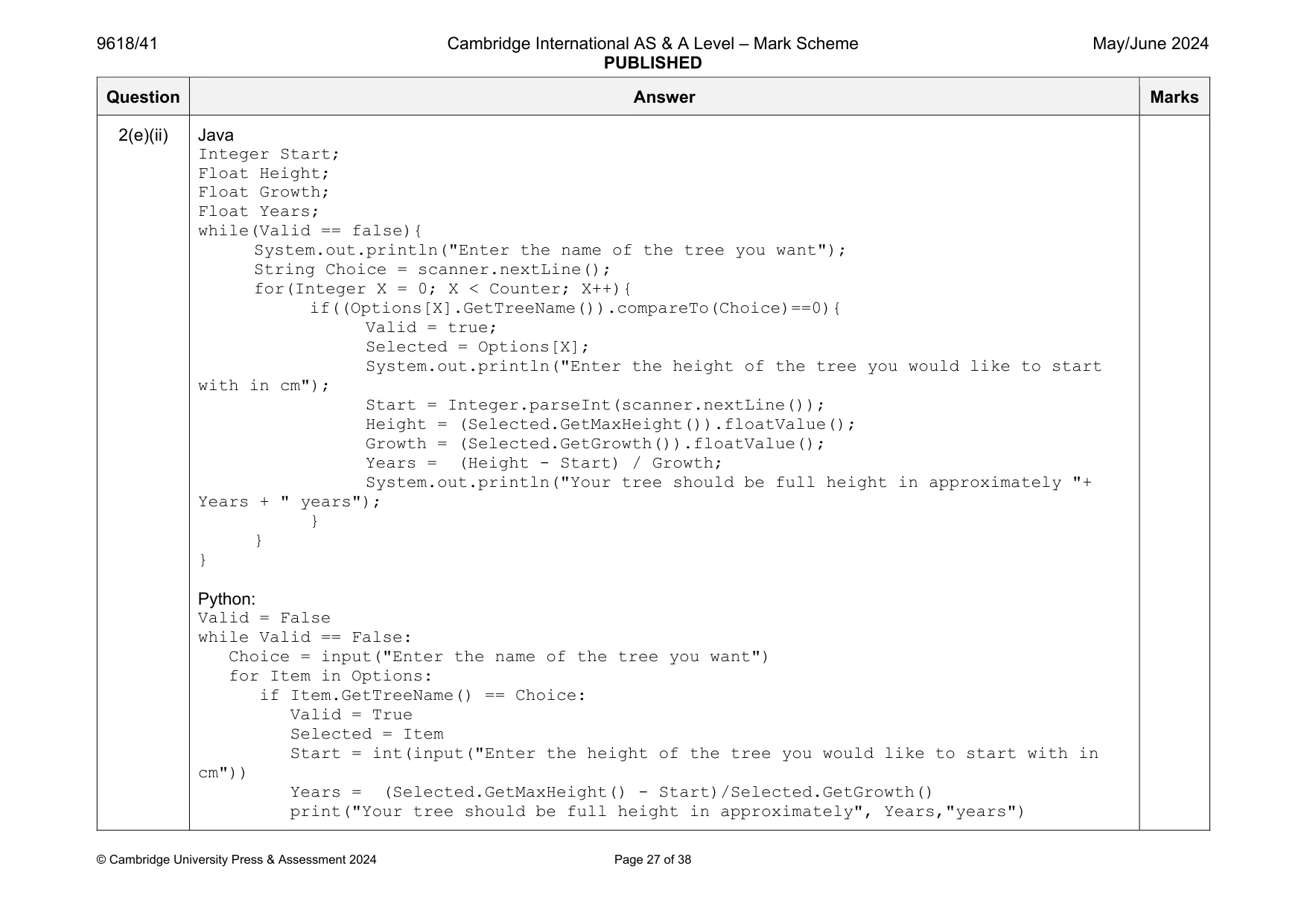
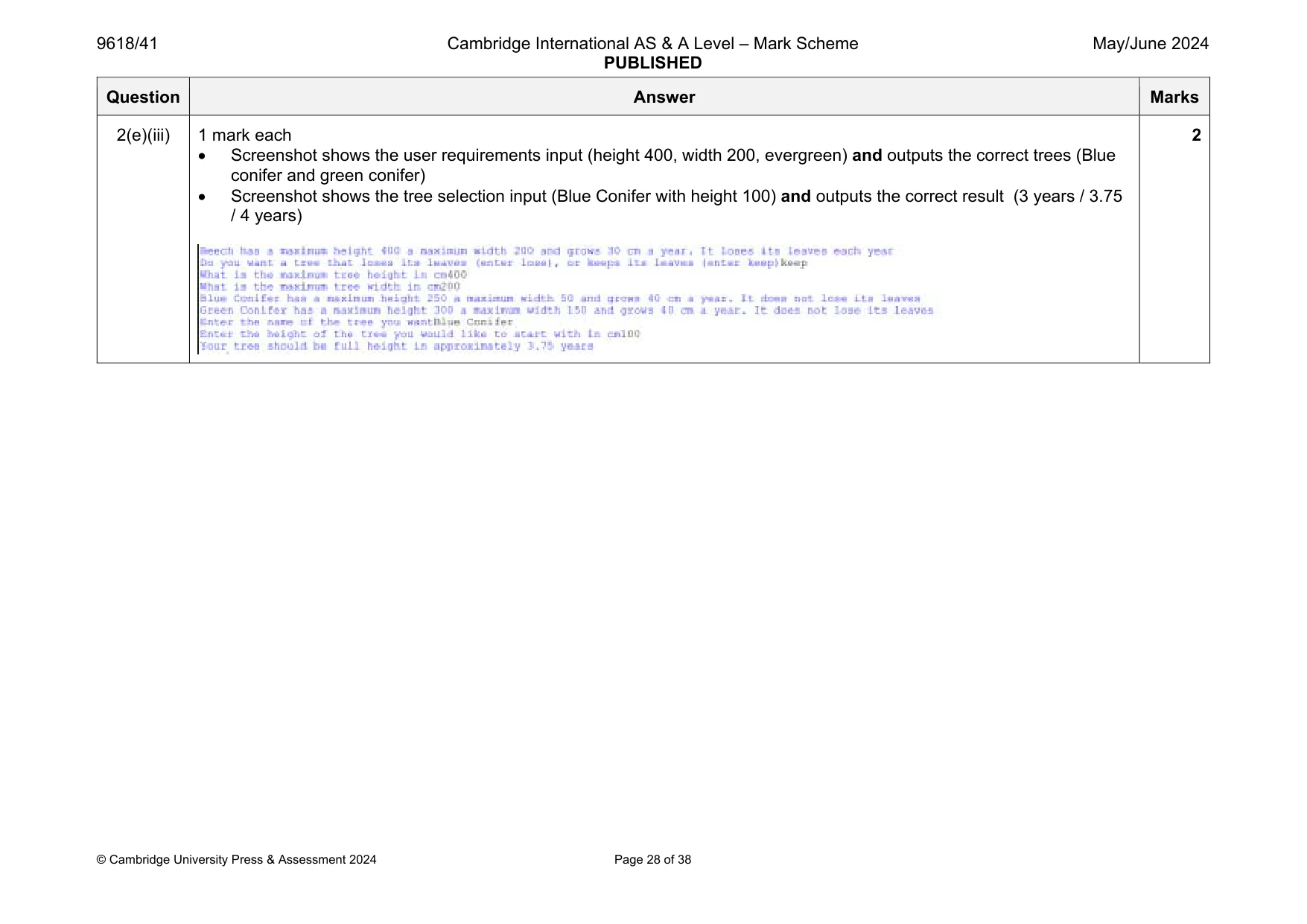
Mark scheme: 2(a)(i) 1 mark each to max 4 Class Tree declaration (and end where appropriate) All 5 attributes declared as private with correct identifiers and data types Constructor header (and end) taking 5 parameters Constructor assigns parameters to attributes e.g. Java class Tree{ private String TreeName; private Integer HeightGrowth; private Integer MaxWidth; private Integer MaxHeight; private String Evergreen; public Tree(String Name, Integer HGrowth, Integer MaxH, Integer MaxW, String PEvergreen){ TreeName = Name; HeightGrowth = HGrowth; MaxWidth = MaxW; MaxHeight = MaxH; Evergreen = PEvergreen; }} Question Answer Marks 2(a)(i) VB.NET Class Tree Private TreeName As String Private HeightGrowth As Integer Private MaxHeight As Integer Private MaxWidth As Integer Private Evergreen As String Sub New(Name, HGrowth, MaxH, MaxW, PEvergreen) TreeName = Name HeightGrowth = HGrowth MaxHeight = MaxH MaxWidth = MaxW Evergreen = PEvergreen End Sub End Class Python class Tree: def __init__(self, Name, HGrowth, MaxH, MaxW, PEvergreen): self.__TreeName = Name self.__HeightGrowth = HGrowth self.__MaxHeight = MaxH self.__MaxWidth = MaxW self.__Evergreen = PEvergreen Question Answer Marks 2(a)(ii) 1 mark each 1 get method with no parameter … … returning correct attribute Remaining 4 correct e.g. Java public String GetTreeName(){ return TreeName; } public Integer GetGrowth(){ return HeightGrowth; } public Integer GetMaxWidth(){ return MaxWidth; } public Integer GetMaxHeight(){ return MaxHeight; } public String GetEvergreen(){ return Evergreen; } 3 Question Answer Marks 2(a)(ii) VB.NET Function GetTreeName() Return TreeName End Function Function GetMaxHeight() Return MaxHeight End Function Function GetMaxWIdth() Return MaxWidth End Function Function GetGrowth() Return HeightGrowth End Function Function GetEvergreen() Return Evergreen End Function Python def GetTreeName(self): return self.__TreeName def GetMaxHeight(self): return self.__MaxHeight def GetMaxWidth(self): return self.__MaxWidth def GetGrowth(self): return self.__HeightGrowth def GetEvergreen(self): return self.__Evergreen 2(b) 1 mark for: appropriate use of exception handling, with catch and output 1 mark each to max 6 Function header (and end where appropriate) and declaration of array (of type Tree with min 9 elements) Opening text file Trees.txt to read and closing the file Reading each line of text (until EOF, or 9 times) Splitting each line into the 5 elements … casting height growth, max height and max width to integers … creating a new object of type Tree with the 5 values … storing each object in the array and returning the array e.g. Java public static Tree[] ReadData(){ String TextFile = "Trees.txt"; String[] TempData = new String[5]; Tree[] TreeData = new Tree[20]; String Line; try{ FileReader f = new FileReader(TextFile); BufferedReader Reader = new BufferedReader(f); for(Integer X = 0; X < 9; X++){ try{ Line = Reader.readLine(); TempData = Line.split(","); TreeData[X] = new Tree(TempData[0], Integer.parseInt(TempData[1]), Integer.parseInt(TempData[2]), Integer.parseInt(TempData[3]), TempData[4]); }catch(IOException ex){} } try{ Reader.close(); }catch(IOException ex){} }catch(FileNotFoundException e){ System.out.println("File not found"); } return TreeData; } 7 Question Answer Marks 2(b) VB.NET Function ReadData() Dim TreeObjects(10) As Tree Dim TextFile As String = "Trees.txt" try Dim FileReader As New System.IO.StreamReader(TextFile) Dim TreeData(10) As String Dim TreeSplit() As String For Count = 0 To 8 TreeData(Count) = FileReader.ReadLine() Next Count FileReader.Close() For X = 0 To 8 TreeSplit = TreeData(X).Split(",") TreeObjects(X) = New Tree(TreeSplit(0), Integer.Parse(TreeSplit(1)), Integer.Parse(TreeSplit(2)), Integer.Parse(TreeSplit(3)), TreeSplit(4)) Next X Catch ex As Exception Console.WriteLine ("invalid file") End Try Return TreeObjects End Function Question Answer Marks 2(b) Python def ReadData(): TreeObjects=[] try: File = open("Trees.txt") TreeData = [] TreeData = File.read().split("\n") SplitTrees = [] for Item in TreeData: SplitTrees.append(Item.split(",")) File.close() for Item in SplitTrees: TreeObjects.append(Tree(Item[0],int(Item[1]),int(Item[2]),int(Item[3]),Item[4])) except IOError: print ("invalid file") return TreeObjects Question Answer Marks 2(c) 1 mark each Procedure heading (and end) taking one parameter (of type Tree) and using get methods to access tree name, height, width, growth Outputs all 4 attributes (TreeName, MaxHeight, MaxWidth, GetGrowth) Checks if it is evergreen… … correct messages are output if evergreen and otherwise e.g. Java public static void PrintTrees(Tree TreeItem){ String Final = "does not lose its leaves"; if((TreeItem.GetEvergreen()).compareTo("No") == 0){ Final = "loses its leaves each year"; } System.out.println(TreeItem.GetTreeName() + " has a maximum height " + TreeItem.GetMaxHeight() + " a maximum width " + TreeItem.GetMaxWidth() + " and grows " + TreeItem.GetGrowth() + " cm a year. It " + Final); } VB.NET Sub PrintTrees(Item) Dim Final As String = "does not lose its leaves" If (Item.GetEvergreen() = "No") Then Final = "loses its leaves each year" End If Console.WriteLine(Item.GetTreeName() & " has a maximum height " & Item.GetMaxHeight() & " a maximum width " & Item.GetMaxWidth() & " and grows " & Item.GetGrowth() & "cm a year. It" & Final) End Sub 4 Question Answer Marks 2(c) Python def PrintTrees(Item): Final = "does not lose its leaves" if Item.GetEvergreen() == "No": Final = "loses its leaves each year" print(Item.GetTreeName(), "has a maximum height", Item.GetMaxHeight(),"a maximum width",Item.GetMaxWidth(),"and grows", Item.GetGrowth(),"cm a year. It",Final) 2(d)(i) 1 mark each Calling ReadData() and storing/using return value (as array of type Tree)… …calling PrintTrees() with first object in returned array as parameter e.g. Java Tree[] TreeData = new Tree[20]; TreeData = ReadData(); PrintTrees(TreeData[0]); VB.NET Sub Main(args As String()) Dim TreeObjects(10) As Tree TreeObjects = ReadData() PrintTrees(Treeobjects(0)) End Sub Python TreeObjects = ReadData() PrintTrees(TreeObjects[0]) 2 2(d)(ii) Screenshot showing output 1 Question Answer Marks 2(e)(i) 1 mark each to max 6 Procedure header (and close) taking array of Tree objects as a parameter and reading evergreen, max height and max width once as input from the user Looping through each array object … … comparing each width input >= MaxWidth, height input >= MaxHeight … comparing each evergreen input with Evergreen … when all true (all requirements met) - appending object in new array Calling PrintTrees() with each valid object Outputting suitable message if no trees appropriate e.g. Java public static void ChooseTree(Tree[] Trees){ Scanner scanner = new Scanner(System.in); System.out.println("Do you want a tree that loses its leaves (enter lose), or keeps its leaves (enter keep)") ; String Evergreen = (scanner.nextLine()); System.out.println("What is the maximum tree height in cm"); Integer MaxHeight = Integer.parseInt(scanner.nextLine()); System.out.println("What is the maximum tree width in cm"); Integer MaxWidth = Integer.parseInt(scanner.nextLine()); Tree[] Options = new Tree[20]; String keep; Tree Selected; Boolean Valid = false; if(((Evergreen.toLowerCase()).compareTo("keep") == 0) || ((Evergreen.toLowerCase()).compareTo("keep leaves") == 0) || ((Evergreen.toLowerCase()).compareTo("keeps its leaves") == 0)){ keep = "Yes"; }else{ keep = "No"; } Integer Counter = 0; for(Integer X = 0; X < 9; X++){ 6 Question Answer Marks 2(e)(i) if((Trees[X].GetMaxHeight() <= MaxHeight) && (Trees[X].GetMaxWidth() <= MaxWidth) && (keep.compareTo(Trees[X].GetEvergreen())==0)){ Options[Counter] = Trees[X]; PrintTrees(Trees[X]); Counter = Counter + 1; } } if(Counter == 0){ System.out.println("No suitable trees"); } } VB.NET Sub ChooseTree(Trees) Console.WriteLine("Do you want a tree that loses its leaves (enter lose), or keeps its leaves (enter keep)") Dim Evergreen As String = Console.ReadLine() Console.WriteLine("What is the maximum tree height in cm") Dim MaxHeight As Integer = Console.ReadLine() Console.WriteLine("What is the maximum tree width in cm") Dim MaxWidth As Integer = Console.ReadLine() Dim Options(0 To 9) As Tree Dim keep As String Dim Valid As Boolean Dim Selected As Tree If Evergreen.ToLower() = "keep" Or Evergreen.ToLower() = "keep leaves" Or Evergreen.ToLower() = "keeps its leaves" Then keep = "Yes" Else keep = "No" Question Answer Marks 2(e)(i) End If Dim count As Integer = 0 For x = 0 To 8 If Trees(x).GetMaxHeight() <= MaxHeight And Trees(x).GetMaxWidth() <= MaxWidth And keep = Trees(x).GetEvergreen() Then Options(count) = Trees(x) PrintTrees(Trees(x)) count = count + 1 End If Next x If count = 0 Then Console.WriteLine("No suitable trees") End If End Sub Python def ChooseTree(Trees): Evergreen = input("Do you want a tree that loses its leaves (enter lose), or keeps its leaves (enter keep)") MaxHeight = int(input("What is the maximum tree height in cm")) MaxWidth = int(input("What is the maximum tree width in cm")) Options = [] if Evergreen.lower() == "keep" or Evergreen.lower() == "keep leaves" or Evergreen.lower() == "keeps its leaves": keep = "Yes" else: keep = "No" for Item in Trees: if Item.GetMaxHeight() <= MaxHeight and Item.GetMaxWidth() <= MaxWidth and keep == Item.GetEvergreen(): Options.append(Item) PrintTrees(Item) if len(Options) == 0: print("No suitable trees") Question Answer Marks 2(e)(ii) 1 mark each to max Taking tree name and initial height as input Finding the tree, calculating and outputting the number of years to get to maximum height VB.NET Valid = False Dim Start As Integer Dim Years As Single Dim Choice As String While Valid = False Console.WriteLine("Enter the name of the tree you want") Choice = Console.ReadLine() For X = 0 To count - 1 If Options(X).GetTreeName() = Choice Then Valid = True Selected = Options(X) Console.WriteLine("Enter the height of the tree you would like to start with in cm") Start = Console.ReadLine() Years = (Selected.GetMaxHeight() - Start) / Selected.GetGrowth() Console.WriteLine("Your tree should be full height in approximately " & Years & " years") End If Next X End While 2 Question Answer Marks 2(e)(ii) Java Integer Start; Float Height; Float Growth; Float Years; while(Valid == false){ System.out.println("Enter the name of the tree you want"); String Choice = scanner.nextLine(); for(Integer X = 0; X < Counter; X++){ if((Options[X].GetTreeName()).compareTo(Choice)==0){ Valid = true; Selected = Options[X]; System.out.println("Enter the height of the tree you would like to start with in cm"); Start = Integer.parseInt(scanner.nextLine()); Height = (Selected.GetMaxHeight()).floatValue(); Growth = (Selected.GetGrowth()).floatValue(); Years = (Height - Start) / Growth; System.out.println("Your tree should be full height in approximately "+ Years + " years"); } } } Python: Valid = False while Valid == False: Choice = input("Enter the name of the tree you want") for Item in Options: if Item.GetTreeName() == Choice: Valid = True Selected = Item Start = int(input("Enter the height of the tree you would like to start with in cm")) Years = (Selected.GetMaxHeight() - Start)/Selected.GetGrowth() print("Your tree should be full height in approximately", Years,"years") Question Answer Marks 2(e)(iii) 1 mark each Screenshot shows the user requirements input (height 400, width 200, evergreen) and outputs the correct trees (Blue conifer and green conifer) Screenshot shows the tree selection input (Blue Conifer with height 100) and outputs the correct result (3 years / 3.75 / 4 years) 2
Q3 · A program reads data from the user and stores the data that is valid in a linear queue
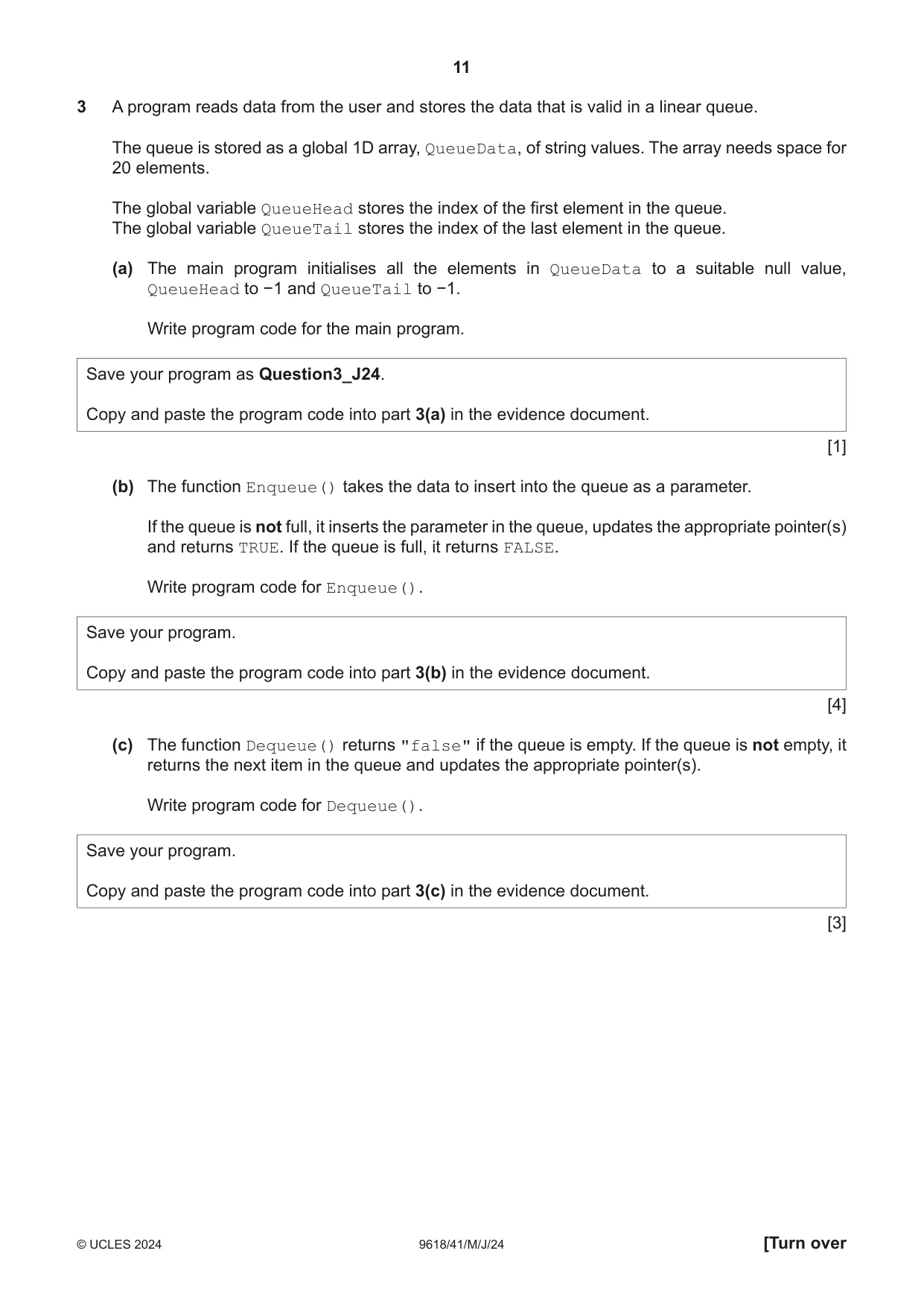
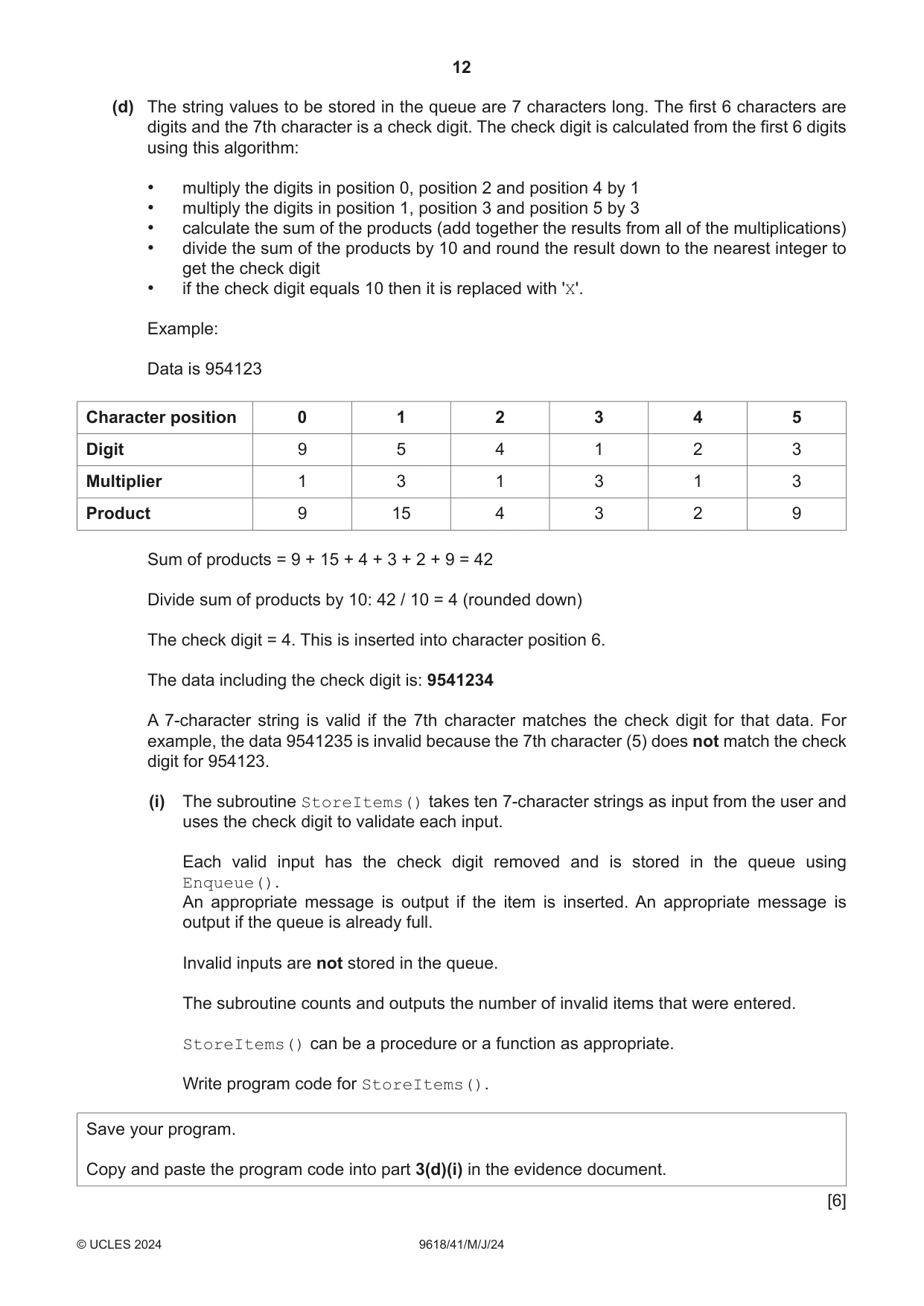
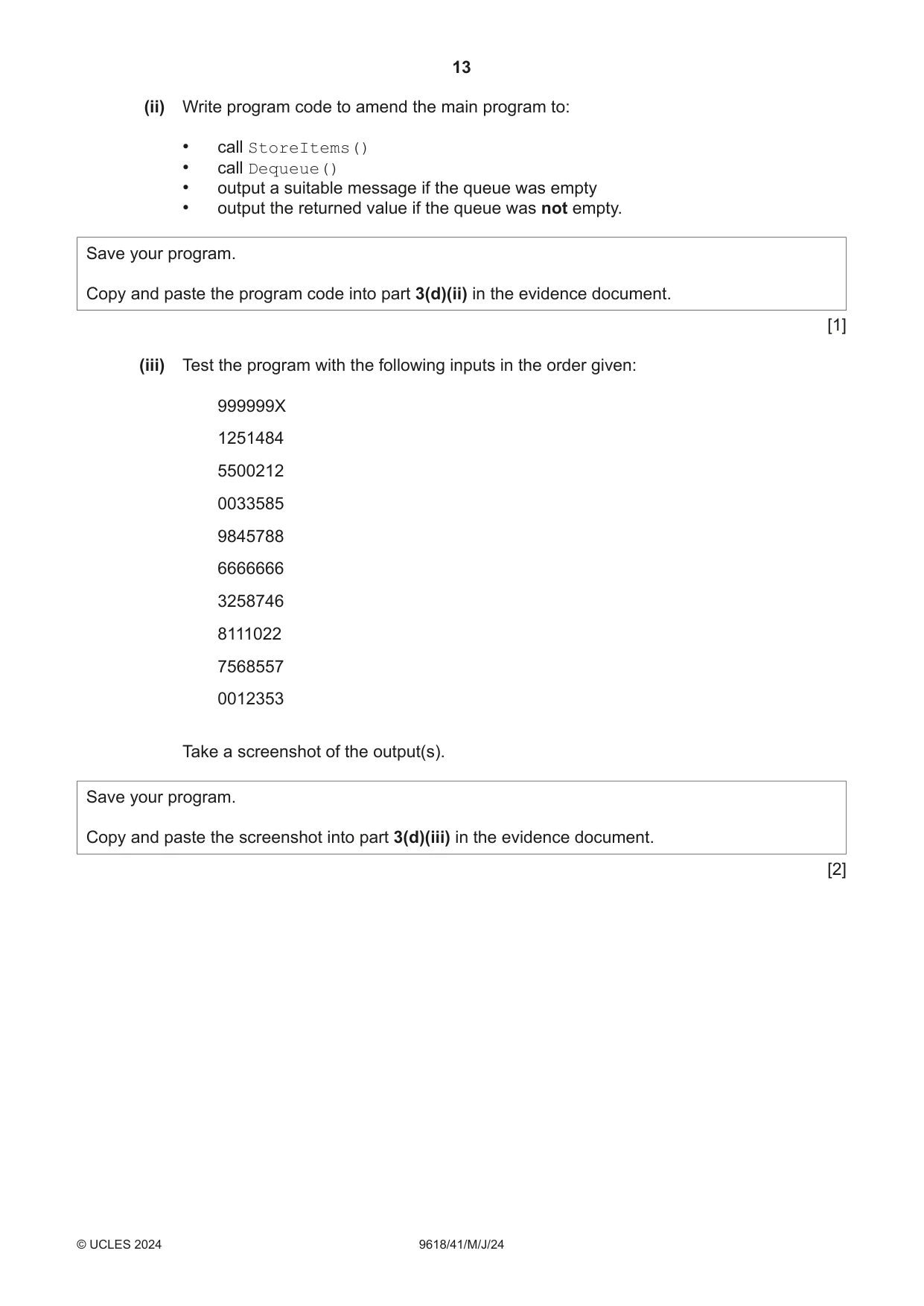
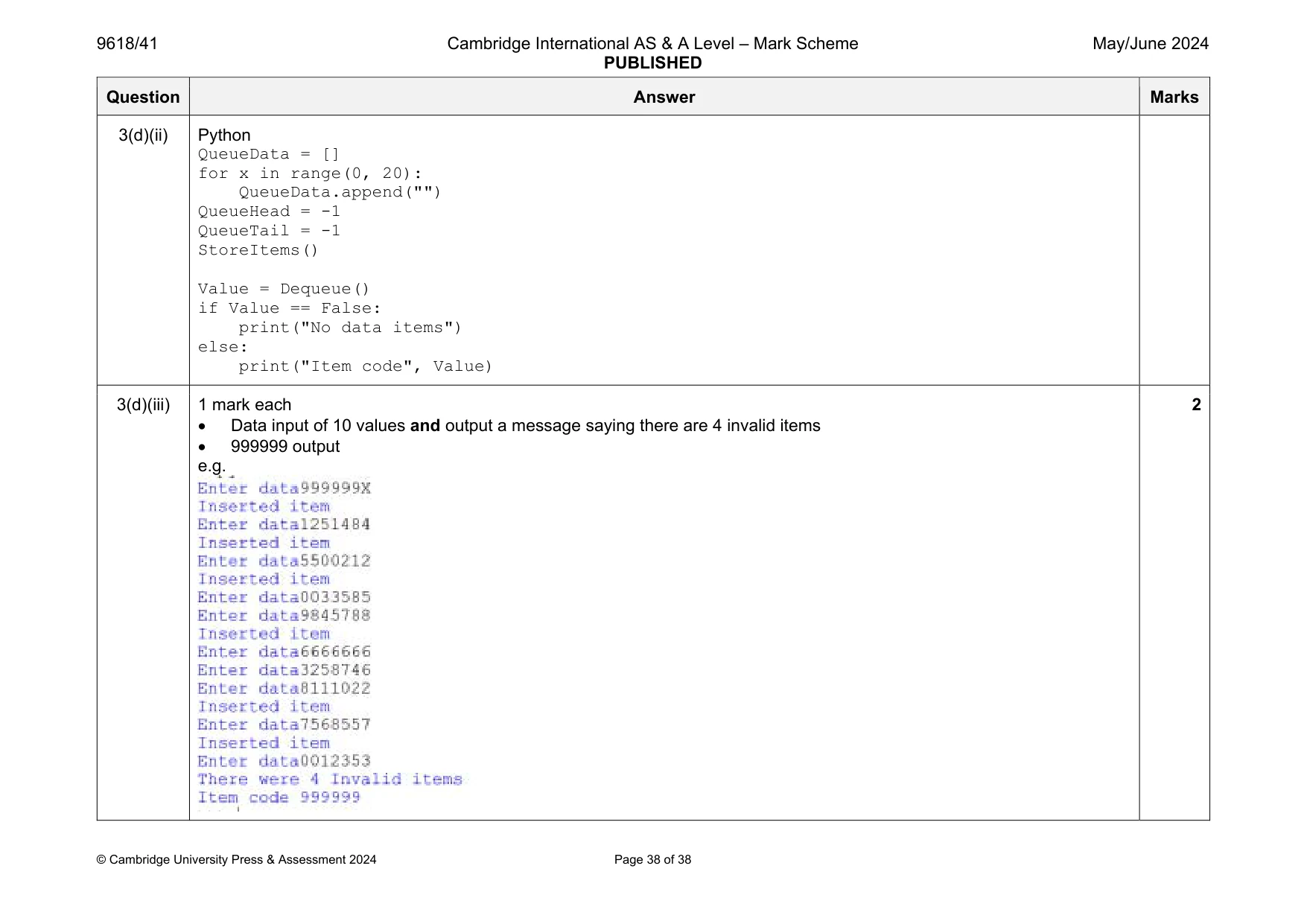
3 A program reads data from the user and stores the data that is valid in a linear queue. The queue is stored as a global 1D array, QueueData, of string values. The array needs space for 20 elements. The global variable QueueHead stores the index of the first element in the queue. The global variable QueueTail stores the index of the last element in the queue. (a) The main program initialises all the elements in QueueData to a suitable null value, QueueHead to −1 and QueueTail to −1. Write program code for the main program. Save your program as Question3_J24. Copy and paste the program code into part 3(a) in the evidence document. [1] (b) The function Enqueue() takes the data to insert into the queue as a parameter. If the queue is not full, it inserts the parameter in the queue, updates the appropriate pointer(s) and returns TRUE. If the queue is full, it returns FALSE. Write program code for Enqueue(). Save your program. Copy and paste the program code into part 3(b) in the evidence document. [4] (c) The function Dequeue() returns "false" if the queue is empty. If the queue is not empty, it returns the next item in the queue and updates the appropriate pointer(s). Write program code for Dequeue(). Save your program. Copy and paste the program code into part 3(c) in the evidence document. [3] (d) The string values to be stored in the queue are 7 characters long. The first 6 characters are digits and the 7th character is a check digit. The check digit is calculated from the first 6 digits using this algorithm: • multiply the digits in position 0, position 2 and position 4 by 1 • multiply the digits in position 1, position 3 and position 5 by 3 • calculate the sum of the products (add together the results from all of the multiplications) • divide the sum of the products by 10 and round the result down to the nearest integer to get the check digit • if the check digit equals 10 then it is replaced with 'X'. Example: Data is 954123 Character position 0 1 2 3 4 5 Digit 9 5 4 1 2 3 Multiplier 1 3 1 3 1 3 Product 9 15 4 3 2 9 Sum of products = 9 + 15 + 4 + 3 + 2 + 9 = 42 Divide sum of products by 10: 42 / 10 = 4 (rounded down) The check digit = 4. This is inserted into character position 6. The data including the check digit is: 9541234 A 7‑character string is valid if the 7th character matches the check digit for that data. For example, the data 9541235 is invalid because the 7th character (5) does not match the check digit for 954123. (i) The subroutine StoreItems() takes ten 7‑character strings as input from the user and uses the check digit to validate each input. Each valid input has the check digit removed and is stored in the queue using Enqueue(). An appropriate message is output if the item is inserted. An appropriate message is output if the queue is already full. Invalid inputs are not stored in the queue. The subroutine counts and outputs the number of invalid items that were entered. StoreItems() can be a procedure or a function as appropriate. Write program code for StoreItems(). Save your program. Copy and paste the program code into part 3(d)(i) in the evidence document. [6] (ii) Write program code to amend the main program to: • call StoreItems() • call Dequeue() • output a suitable message if the queue was empty • output the returned value if the queue was not empty. Save your program. Copy and paste the program code into part 3(d)(ii) in the evidence document. [1] (iii) Test the program with the following inputs in the order given: 999999X 1251484 5500212 0033585 9845788 6666666 3258746 8111022 7568557 0012353 Take a screenshot of the output(s). Save your program. Copy and paste the screenshot into part 3(d)(iii) in the evidence document. [2]
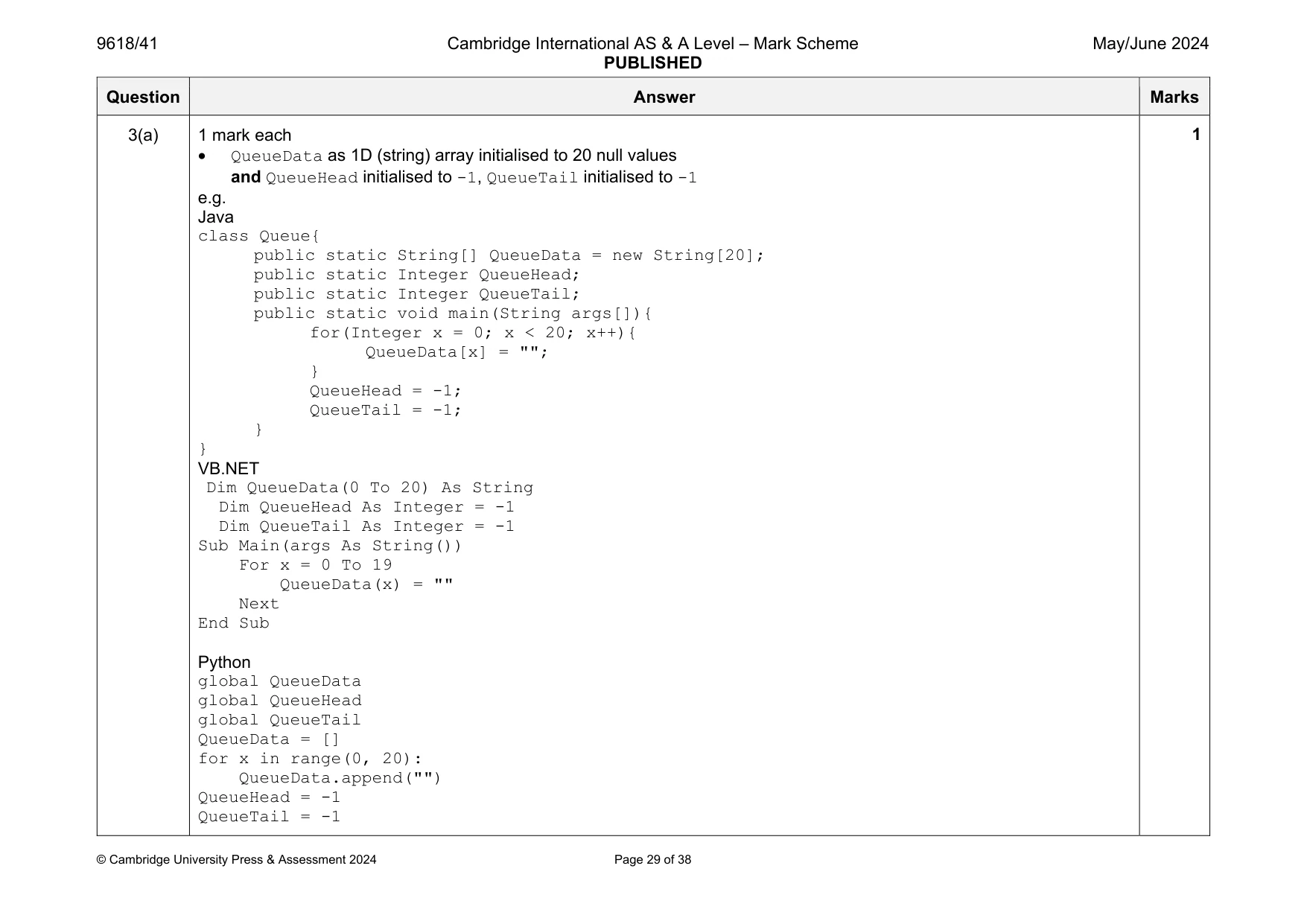
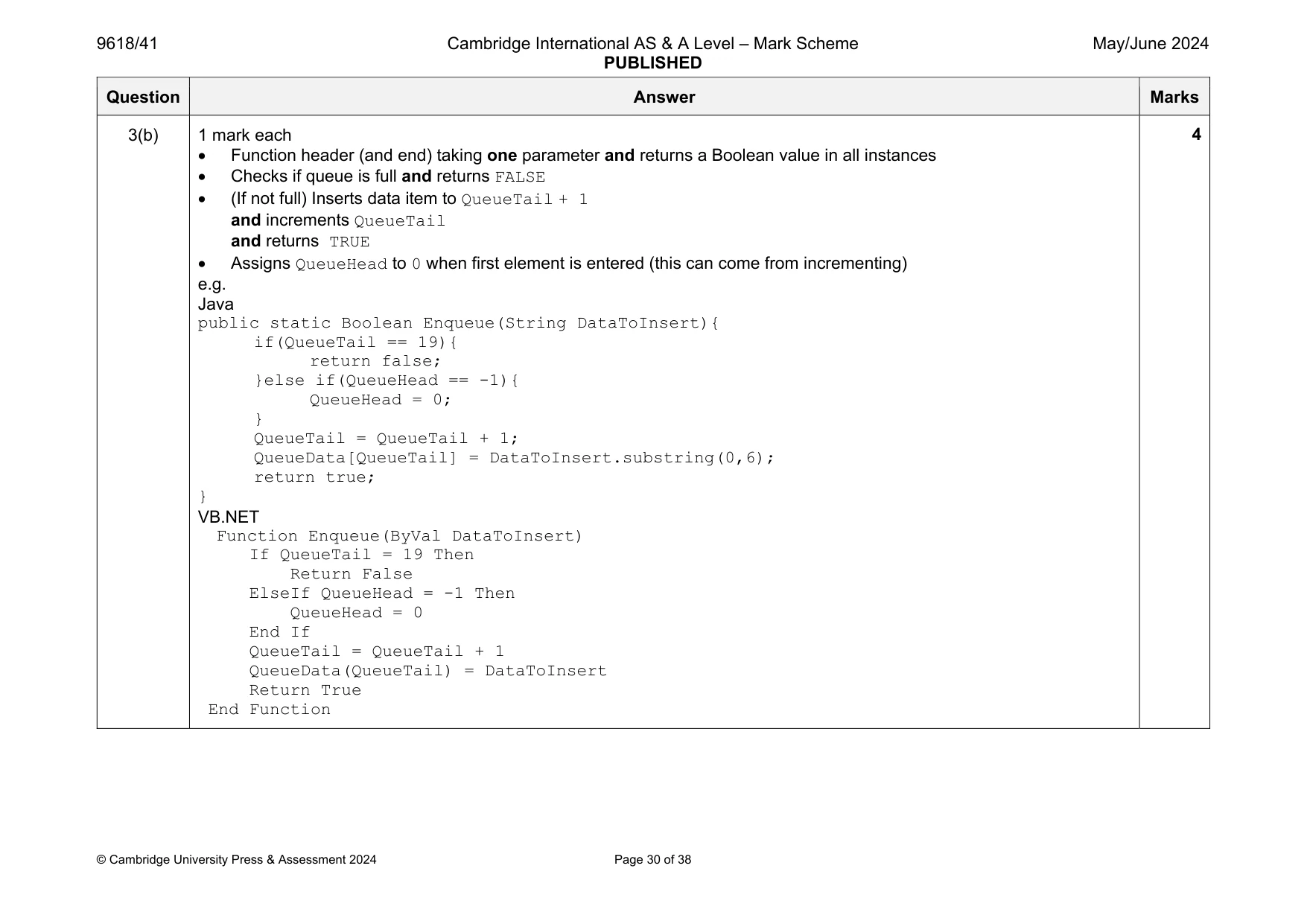
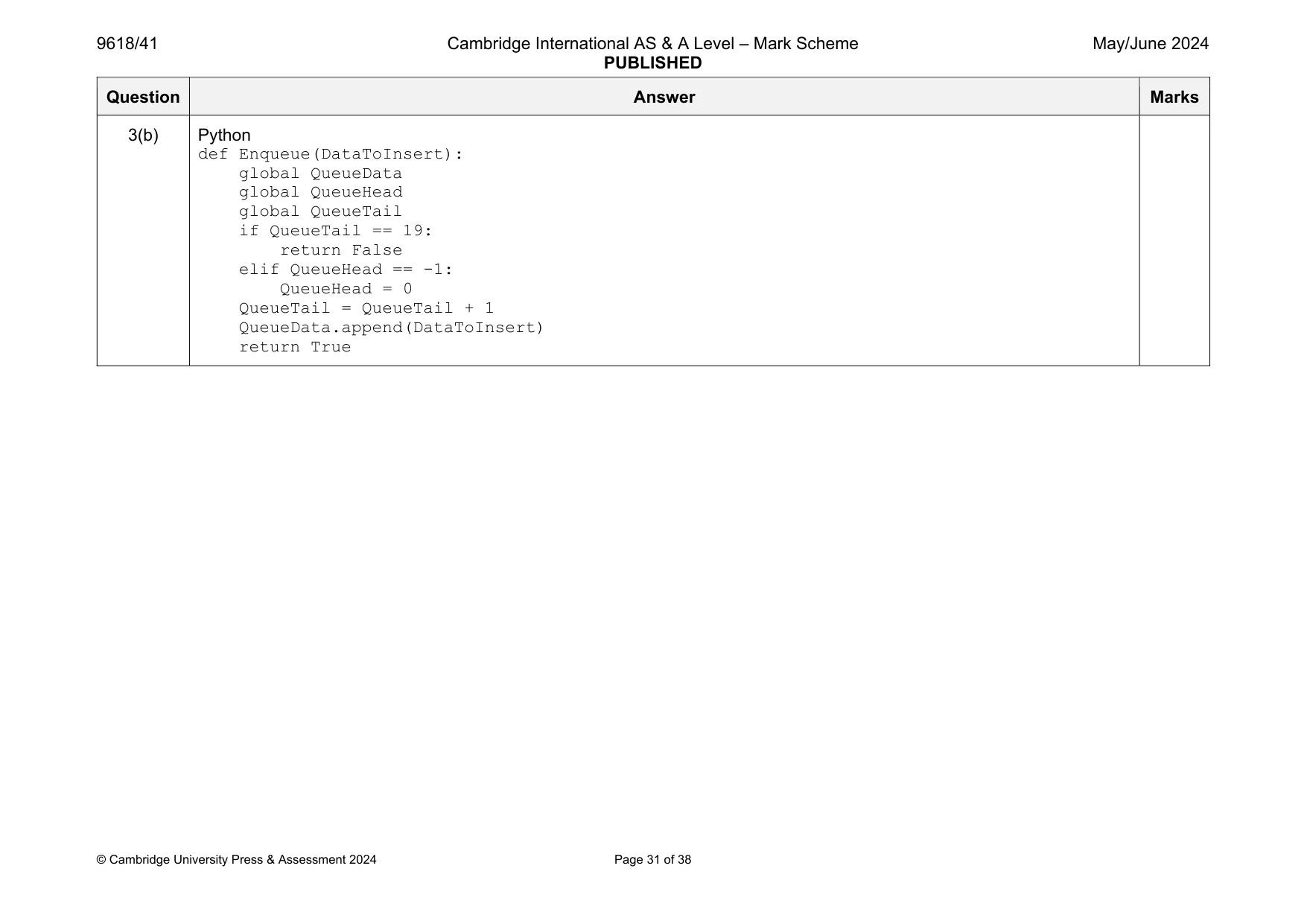
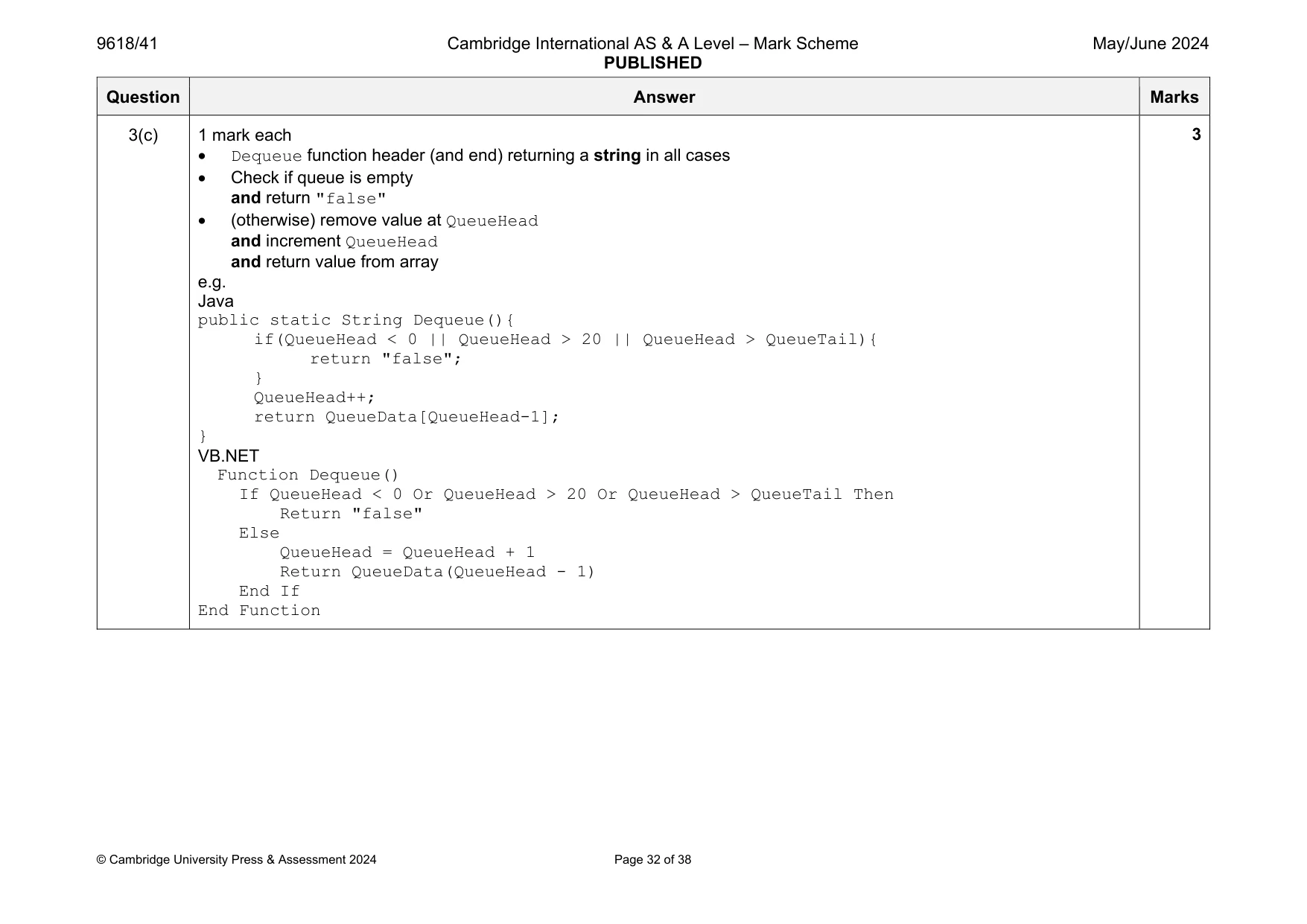
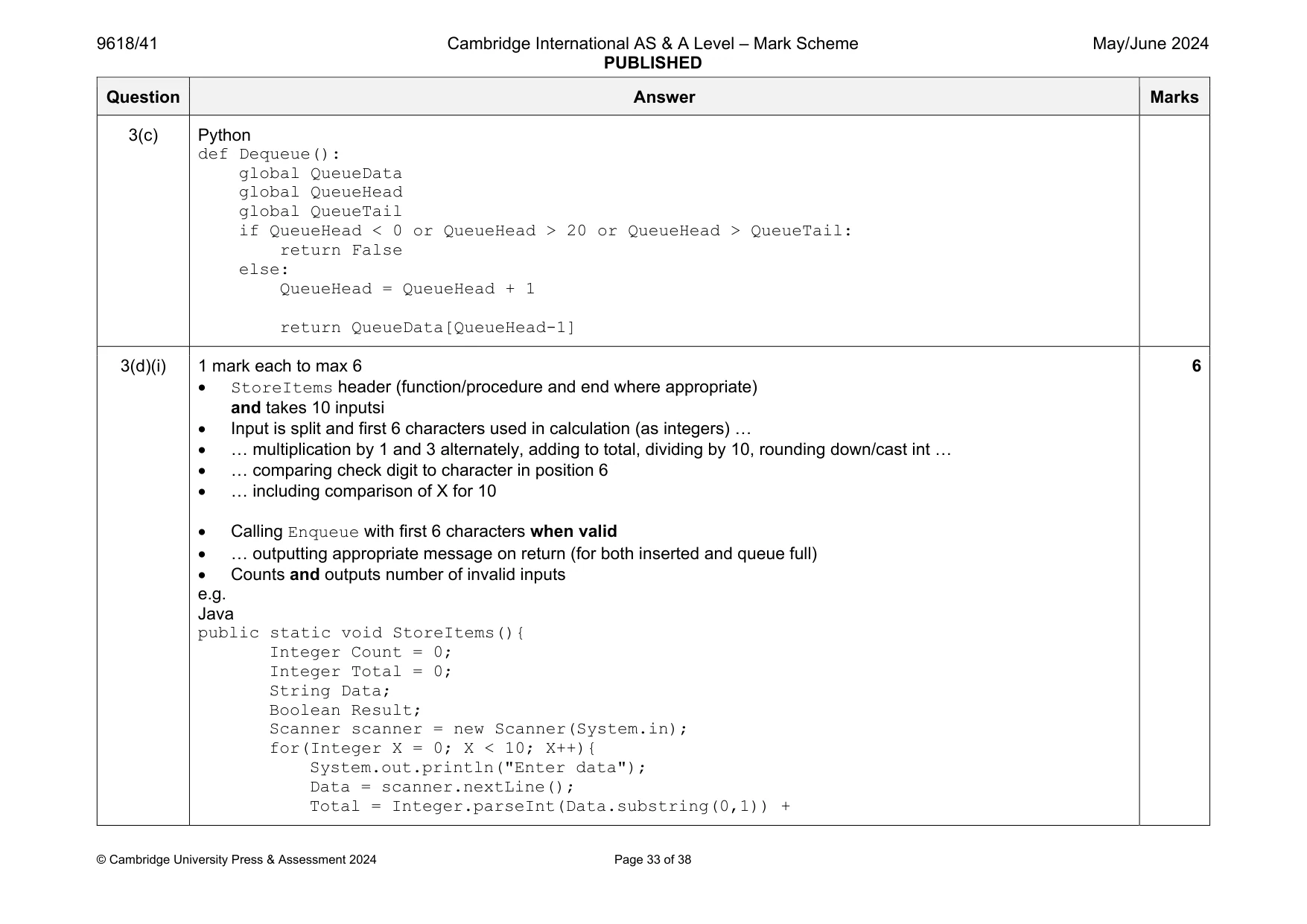
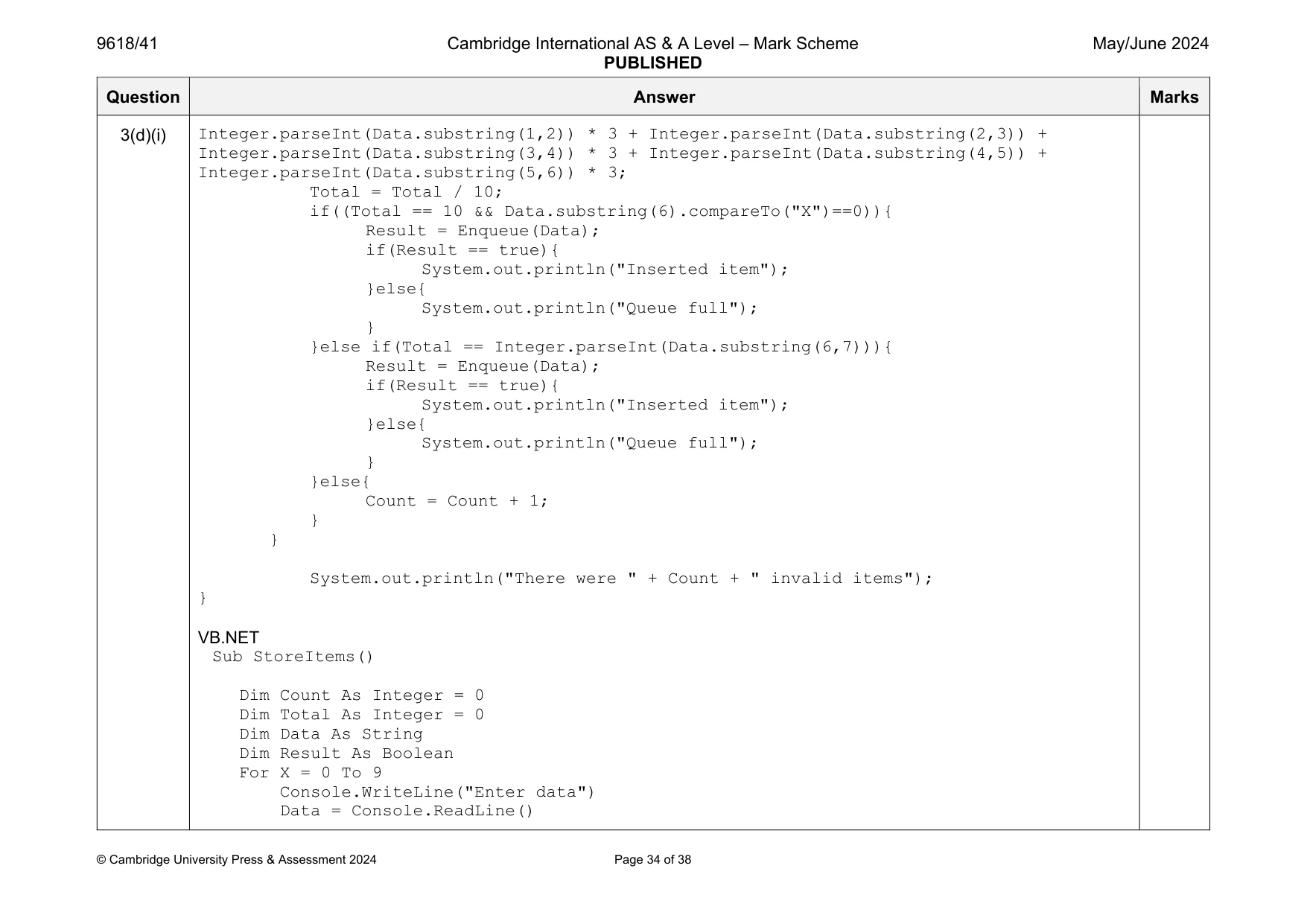
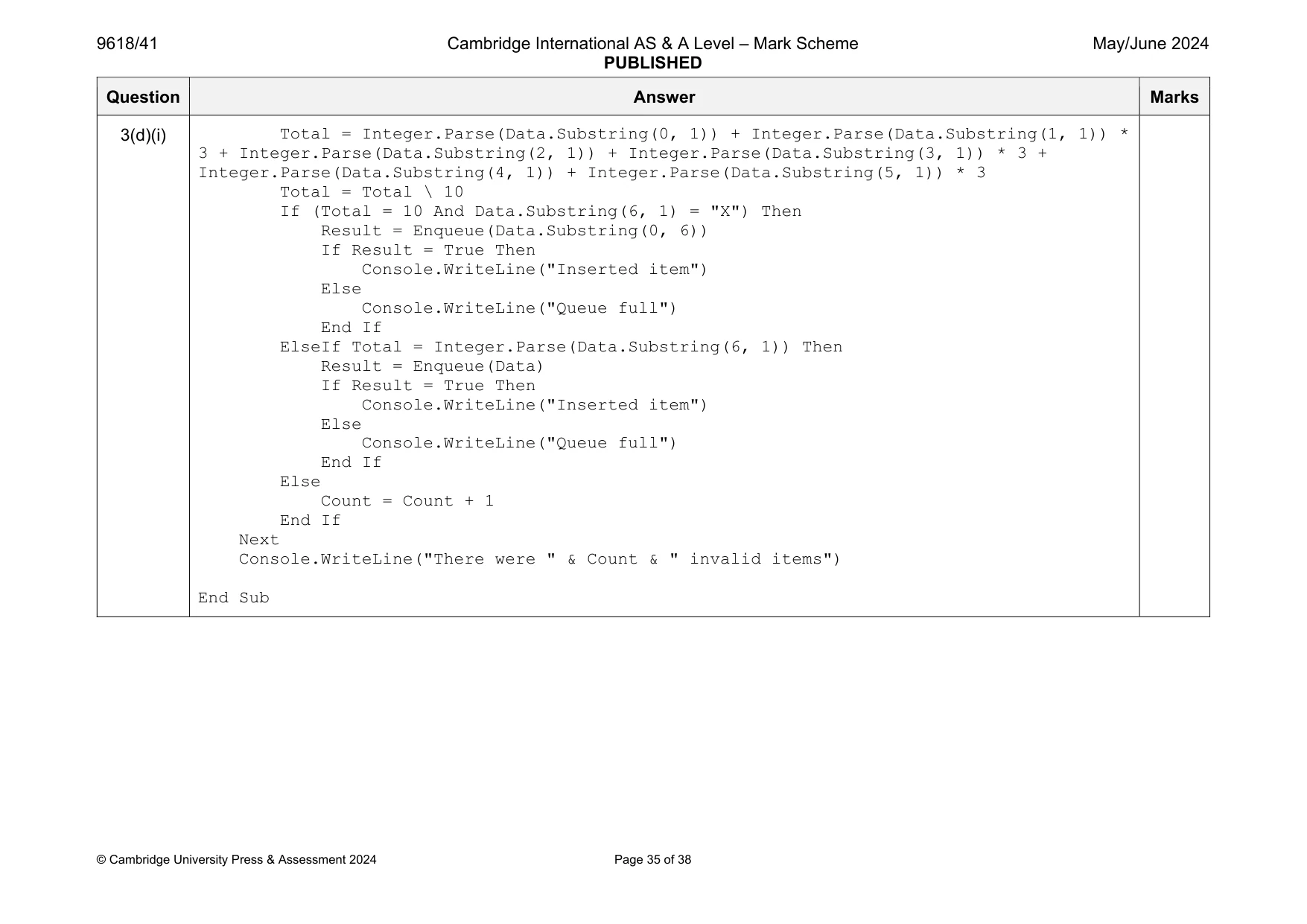
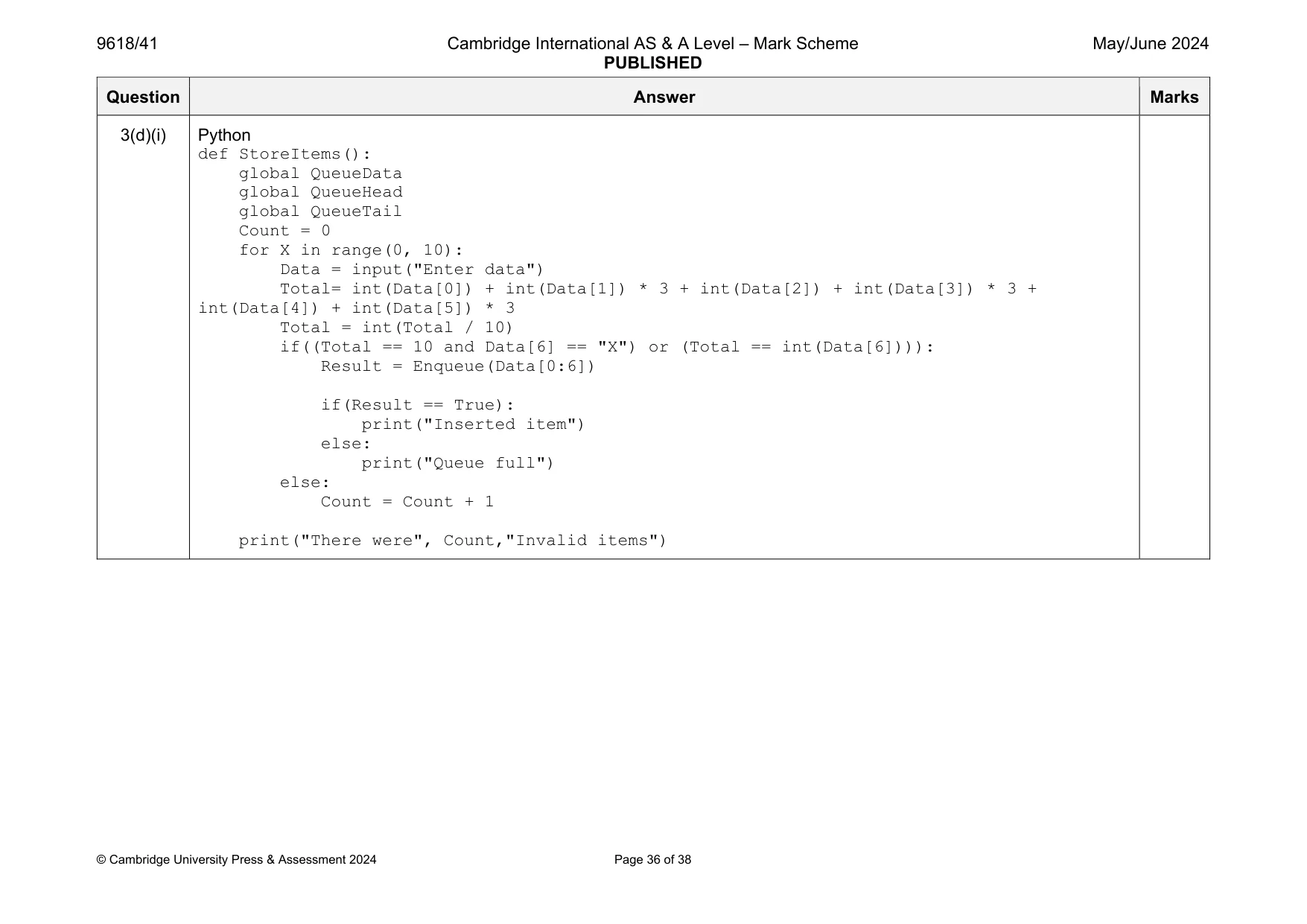
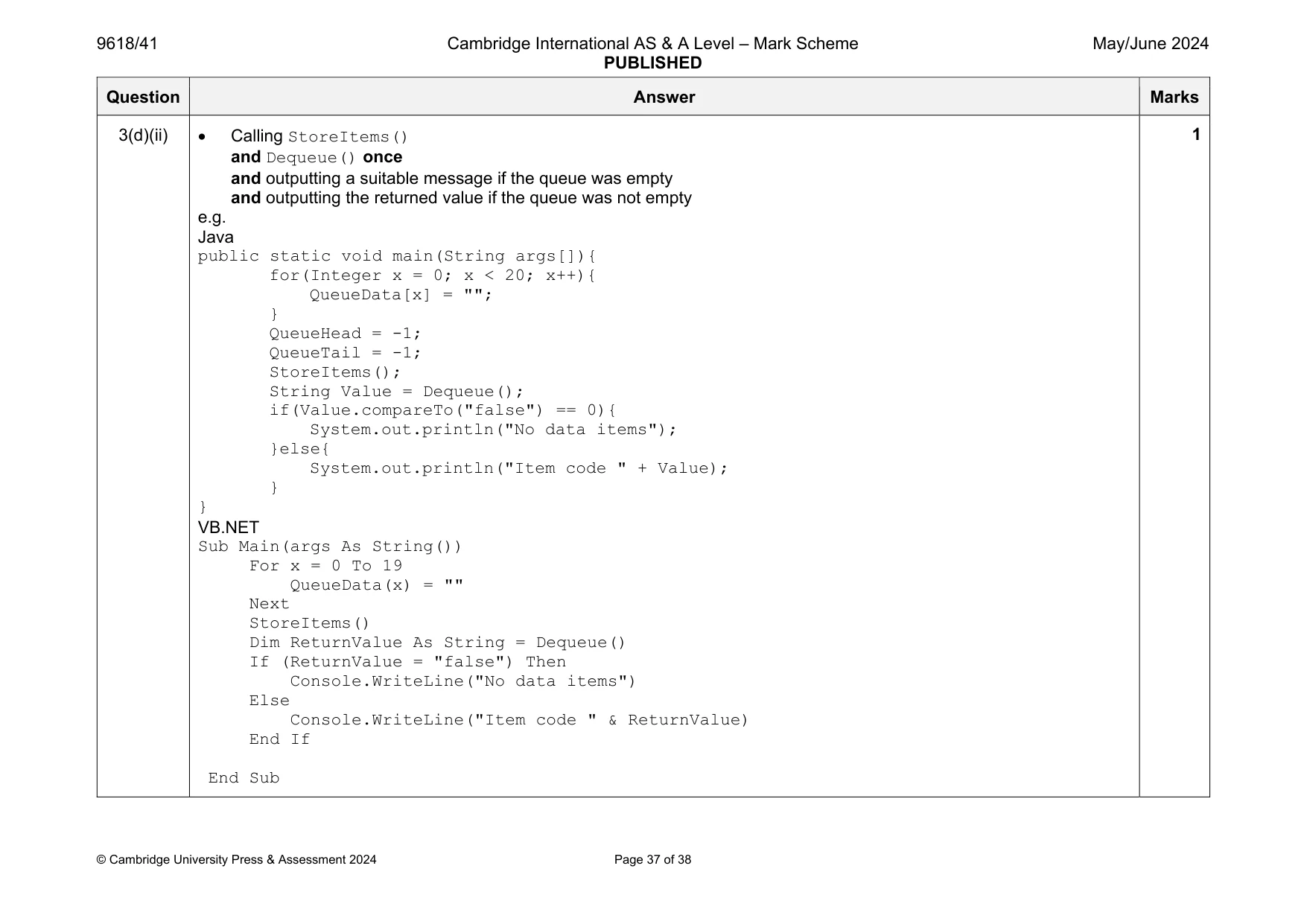
Mark scheme: 3(a) 1 mark each QueueData as 1D (string) array initialised to 20 null values and QueueHead initialised to -1, QueueTail initialised to -1 e.g. Java class Queue{ public static String[] QueueData = new String[20]; public static Integer QueueHead; public static Integer QueueTail; public static void main(String args[]){ for(Integer x = 0; x < 20; x++){ QueueData[x] = ""; } QueueHead = -1; QueueTail = -1; } } VB.NET Dim QueueData(0 To 20) As String Dim QueueHead As Integer = -1 Dim QueueTail As Integer = -1 Sub Main(args As String()) For x = 0 To 19 QueueData(x) = "" Next End Sub Python global QueueData global QueueHead global QueueTail QueueData = [] for x in range(0, 20): QueueData.append("") QueueHead = -1 QueueTail = -1 Question Answer Marks 3(b) 1 mark each Function header (and end) taking one parameter and returns a Boolean value in all instances Checks if queue is full and returns FALSE (If not full) Inserts data item to QueueTail + 1 and increments QueueTail and returns TRUE Assigns QueueHead to 0 when first element is entered (this can come from incrementing) e.g. Java public static Boolean Enqueue(String DataToInsert){ if(QueueTail == 19){ return false; }else if(QueueHead == -1){ QueueHead = 0; } QueueTail = QueueTail + 1; QueueData[QueueTail] = DataToInsert.substring(0,6); return true; } VB.NET Function Enqueue(ByVal DataToInsert) If QueueTail = 19 Then Return False ElseIf QueueHead = -1 Then QueueHead = 0 End If QueueTail = QueueTail + 1 QueueData(QueueTail) = DataToInsert Return True End Function 4 Question Answer Marks 3(b) Python def Enqueue(DataToInsert): global QueueData global QueueHead global QueueTail if QueueTail == 19: return False elif QueueHead == -1: QueueHead = 0 QueueTail = QueueTail + 1 QueueData.append(DataToInsert) return True Question Answer Marks 3(c) 1 mark each Dequeue function header (and end) returning a string in all cases Check if queue is empty and return "false" (otherwise) remove value at QueueHead and increment QueueHead and return value from array e.g. Java public static String Dequeue(){ if(QueueHead < 0 || QueueHead > 20 || QueueHead > QueueTail){ return "false"; } QueueHead++; return QueueData[QueueHead-1]; } VB.NET Function Dequeue() If QueueHead < 0 Or QueueHead > 20 Or QueueHead > QueueTail Then Return "false" Else QueueHead = QueueHead + 1 Return QueueData(QueueHead - 1) End If End Function 3 Question Answer Marks 3(c) Python def Dequeue(): global QueueData global QueueHead global QueueTail if QueueHead < 0 or QueueHead > 20 or QueueHead > QueueTail: return False else: QueueHead = QueueHead + 1 return QueueData[QueueHead-1] 3(d)(i) 1 mark each to max 6 StoreItems header (function/procedure and end where appropriate) and takes 10 inputsi Input is split and first 6 characters used in calculation (as integers) … … multiplication by 1 and 3 alternately, adding to total, dividing by 10, rounding down/cast int … … comparing check digit to character in position 6 … including comparison of X for 10 Calling Enqueue with first 6 characters when valid … outputting appropriate message on return (for both inserted and queue full) Counts and outputs number of invalid inputs e.g. Java public static void StoreItems(){ Integer Count = 0; Integer Total = 0; String Data; Boolean Result; Scanner scanner = new Scanner(System.in); for(Integer X = 0; X < 10; X++){ System.out.println("Enter data"); Data = scanner.nextLine(); Total = Integer.parseInt(Data.substring(0,1)) + 6 Question Answer Marks 3(d)(i) Integer.parseInt(Data.substring(1,2)) * 3 + Integer.parseInt(Data.substring(2,3)) + Integer.parseInt(Data.substring(3,4)) * 3 + Integer.parseInt(Data.substring(4,5)) + Integer.parseInt(Data.substring(5,6)) * 3; Total = Total / 10; if((Total == 10 && Data.substring(6).compareTo("X")==0)){ Result = Enqueue(Data); if(Result == true){ System.out.println("Inserted item"); }else{ System.out.println("Queue full"); } }else if(Total == Integer.parseInt(Data.substring(6,7))){ Result = Enqueue(Data); if(Result == true){ System.out.println("Inserted item"); }else{ System.out.println("Queue full"); } }else{ Count = Count + 1; } } System.out.println("There were " + Count + " invalid items"); } VB.NET Sub StoreItems() Dim Count As Integer = 0 Dim Total As Integer = 0 Dim Data As String Dim Result As Boolean For X = 0 To 9 Console.WriteLine("Enter data") Data = Console.ReadLine() Question Answer Marks 3(d)(i) Total = Integer.Parse(Data.Substring(0, 1)) + Integer.Parse(Data.Substring(1, 1)) * 3 + Integer.Parse(Data.Substring(2, 1)) + Integer.Parse(Data.Substring(3, 1)) * 3 + Integer.Parse(Data.Substring(4, 1)) + Integer.Parse(Data.Substring(5, 1)) * 3 Total = Total \ 10 If (Total = 10 And Data.Substring(6, 1) = "X") Then Result = Enqueue(Data.Substring(0, 6)) If Result = True Then Console.WriteLine("Inserted item") Else Console.WriteLine("Queue full") End If ElseIf Total = Integer.Parse(Data.Substring(6, 1)) Then Result = Enqueue(Data) If Result = True Then Console.WriteLine("Inserted item") Else Console.WriteLine("Queue full") End If Else Count = Count + 1 End If Next Console.WriteLine("There were " & Count & " invalid items") End Sub Question Answer Marks 3(d)(i) Python def StoreItems(): global QueueData global QueueHead global QueueTail Count = 0 for X in range(0, 10): Data = input("Enter data") Total= int(Data[0]) + int(Data[1]) * 3 + int(Data[2]) + int(Data[3]) * 3 + int(Data[4]) + int(Data[5]) * 3 Total = int(Total / 10) if((Total == 10 and Data[6] == "X") or (Total == int(Data[6]))): Result = Enqueue(Data[0:6]) if(Result == True): print("Inserted item") else: print("Queue full") else: Count = Count + 1 print("There were", Count,"Invalid items") Question Answer Marks 3(d)(ii) Calling StoreItems() and Dequeue() once and outputting a suitable message if the queue was empty and outputting the returned value if the queue was not empty e.g. Java public static void main(String args[]){ for(Integer x = 0; x < 20; x++){ QueueData[x] = ""; } QueueHead = -1; QueueTail = -1; StoreItems(); String Value = Dequeue(); if(Value.compareTo("false") == 0){ System.out.println("No data items"); }else{ System.out.println("Item code " + Value); } } VB.NET Sub Main(args As String()) For x = 0 To 19 QueueData(x) = "" Next StoreItems() Dim ReturnValue As String = Dequeue() If (ReturnValue = "false") Then Console.WriteLine("No data items") Else Console.WriteLine("Item code " & ReturnValue) End If End Sub 1 Question Answer Marks 3(d)(ii) Python QueueData = [] for x in range(0, 20): QueueData.append("") QueueHead = -1 QueueTail = -1 StoreItems() Value = Dequeue() if Value == False: print("No data items") else: print("Item code", Value) 3(d)(iii) 1 mark each Data input of 10 values and output a message saying there are 4 invalid items 999999 output e.g. 2
What you needed in this session
Cambridge’s own grade thresholds for 2024 May/June, Paper 4 · Variant 1. A higher threshold means an easier paper — the bar moves with how the cohort did.