Cambridge A Level Computer Science 9618 — 2023 Oct/Nov Paper 4 · Variant 1
9618/41/O/N/23 · 3 questions · 75 marks · ≈84 min
The question paper and its mark scheme, free to read here and free to download. This is Cambridge’s own paper, exactly as it was sat.
Question paper12 pages
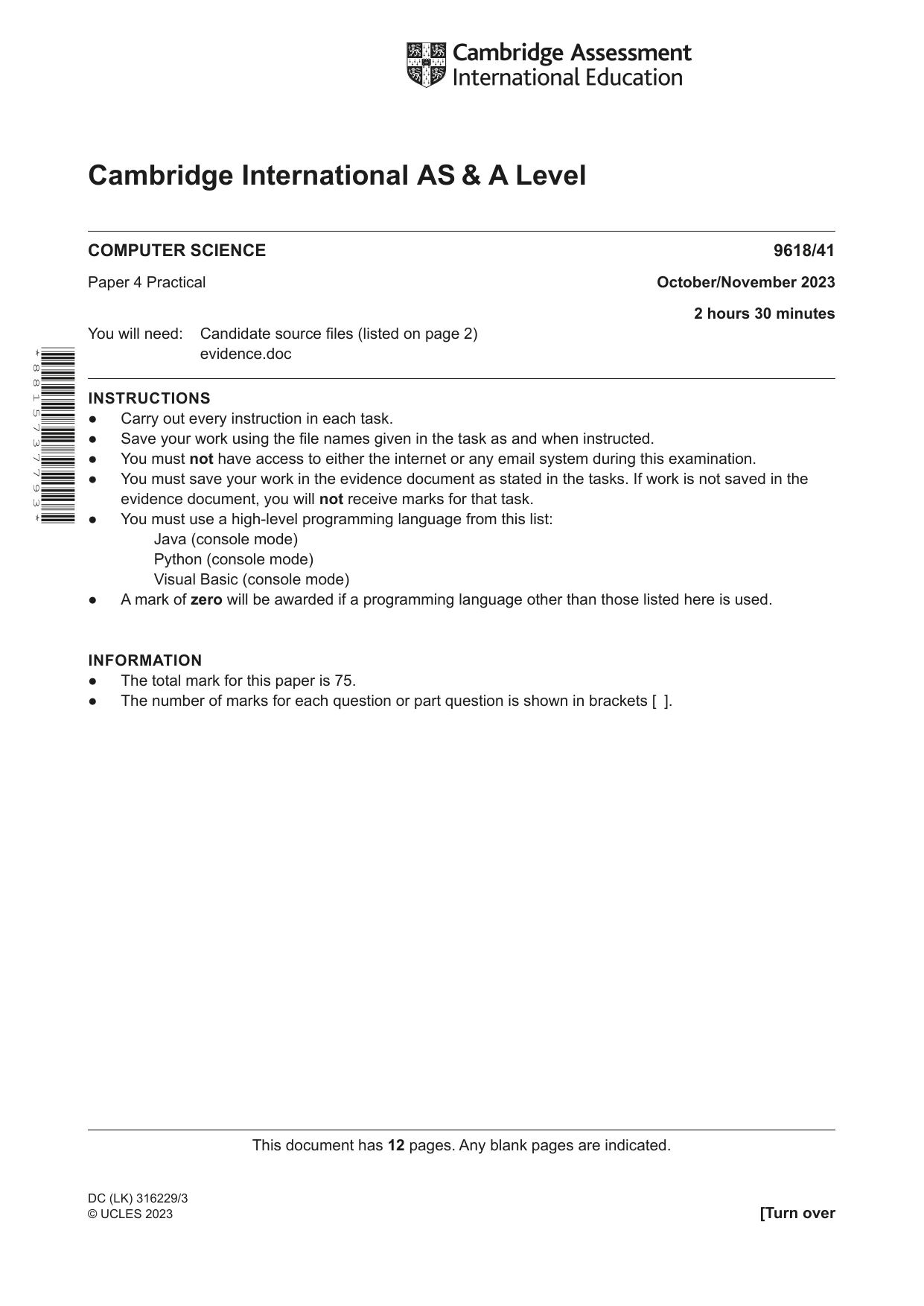
Mark scheme37 pages
Answers below. Sit the paper first if you are practising.
Questions as text
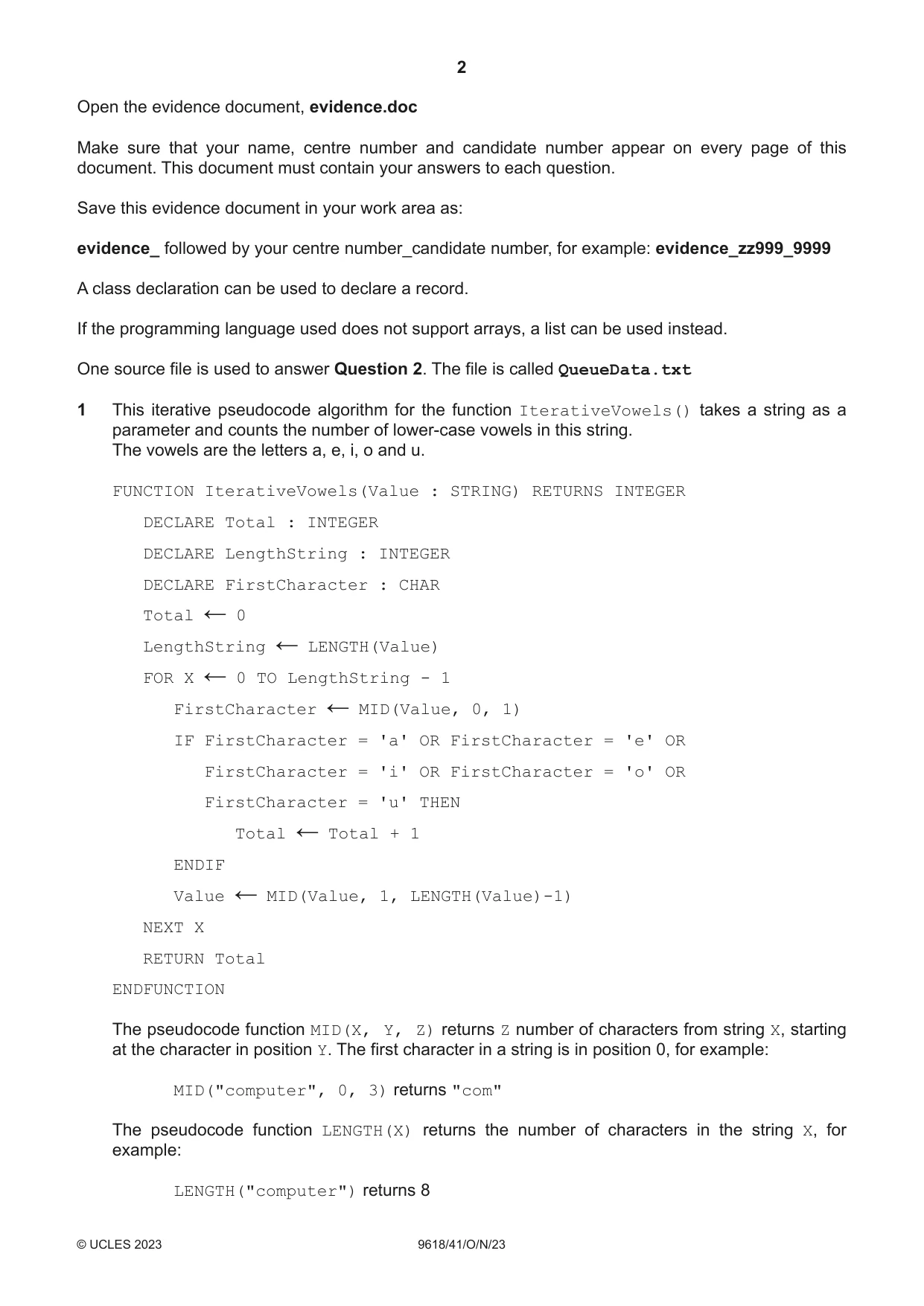
Q1 · This iterative pseudocode algorithm for the function IterativeVowels() takes a string as…
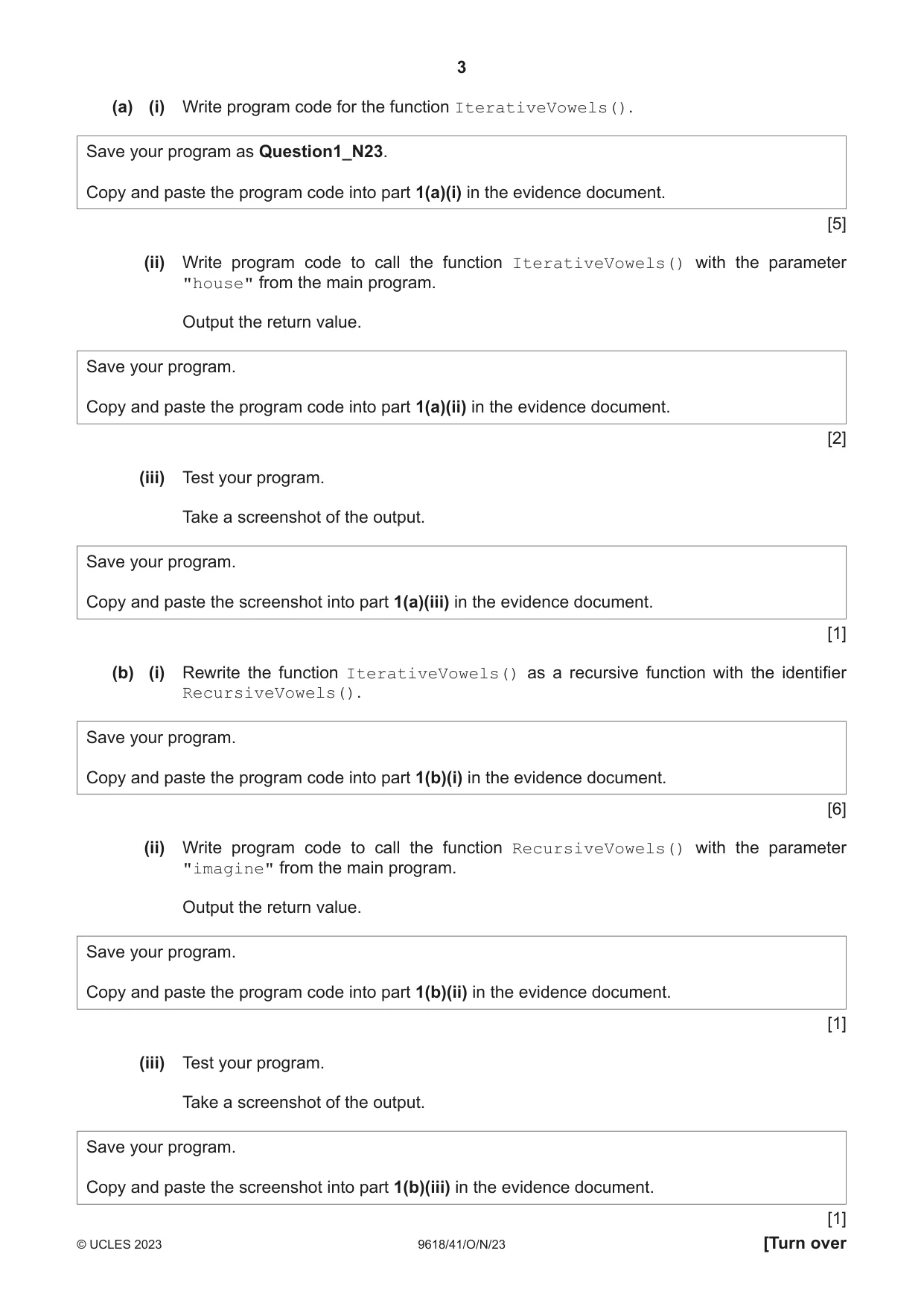
1 This iterative pseudocode algorithm for the function IterativeVowels() takes a string as a parameter and counts the number of lower-case vowels in this string. The vowels are the letters a, e, i, o and u. FUNCTION IterativeVowels(Value : STRING) RETURNS INTEGER DECLARE Total : INTEGER DECLARE LengthString : INTEGER DECLARE FirstCharacter : CHAR Total 0 ← LengthString LENGTH(Value) ← FOR X 0 TO LengthString - 1 ← FirstCharacter MID(Value, 0, 1) ← IF FirstCharacter = 'a' OR FirstCharacter = 'e' OR FirstCharacter = 'i' OR FirstCharacter = 'o' OR FirstCharacter = 'u' THEN Total Total + 1 ← ENDIF Value MID(Value, 1, LENGTH(Value)-1) ← NEXT X RETURN Total ENDFUNCTION The pseudocode function MID(X, Y, Z) returns Z number of characters from string X, starting at the character in position Y. The first character in a string is in position 0, for example: MID("computer", 0, 3) returns "com" The pseudocode function LENGTH(X) returns the number of characters in the string X, for example: LENGTH("computer") returns 8 (a) (i) Write program code for the function IterativeVowels(). Save your program as Question1_N23. Copy and paste the program code into part 1(a)(i) in the evidence document. [5] (ii) Write program code to call the function IterativeVowels() with the parameter "house" from the main program. Output the return value. Save your program. Copy and paste the program code into part 1(a)(ii) in the evidence document. [2] (iii) Test your program. Take a screenshot of the output. Save your program. Copy and paste the screenshot into part 1(a)(iii) in the evidence document. [1] (b) (i) Rewrite the function IterativeVowels() as a recursive function with the identifier RecursiveVowels(). Save your program. Copy and paste the program code into part 1(b)(i) in the evidence document. [6] (ii) Write program code to call the function RecursiveVowels() with the parameter "imagine" from the main program. Output the return value. Save your program. Copy and paste the program code into part 1(b)(ii) in the evidence document. [1] (iii) Test your program. Take a screenshot of the output. Save your program. Copy and paste the screenshot into part 1(b)(iii) in the evidence document. [1]
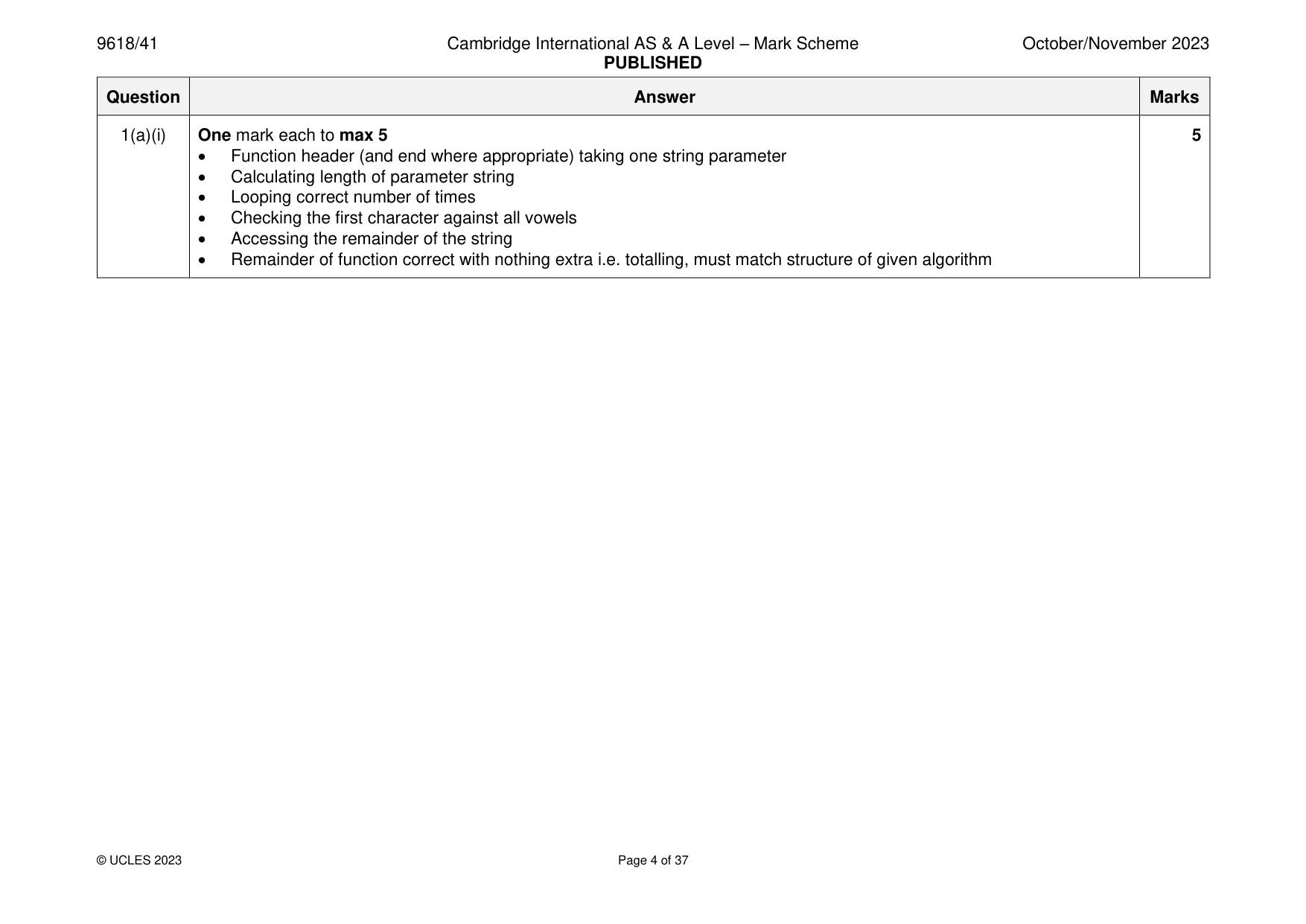
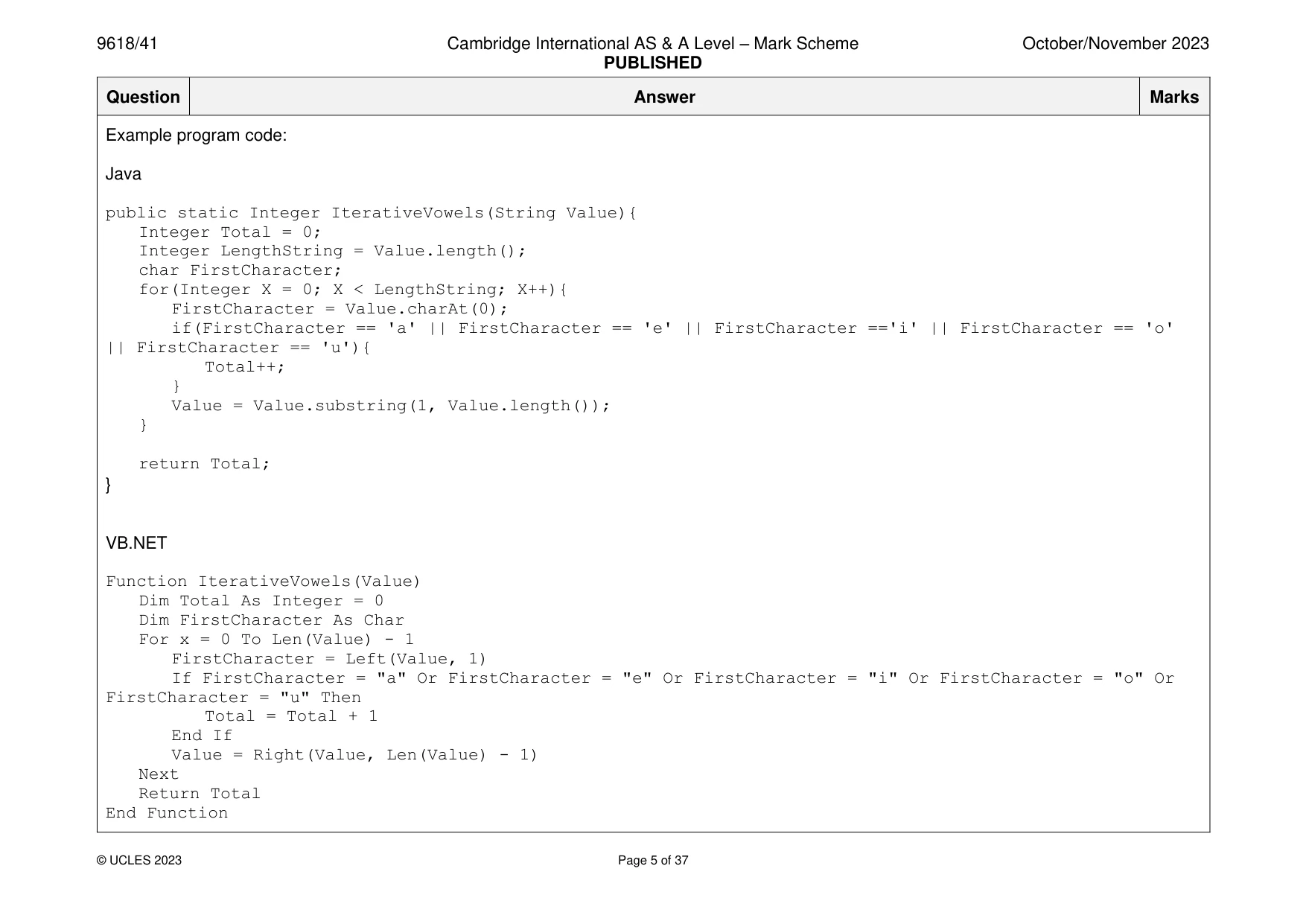
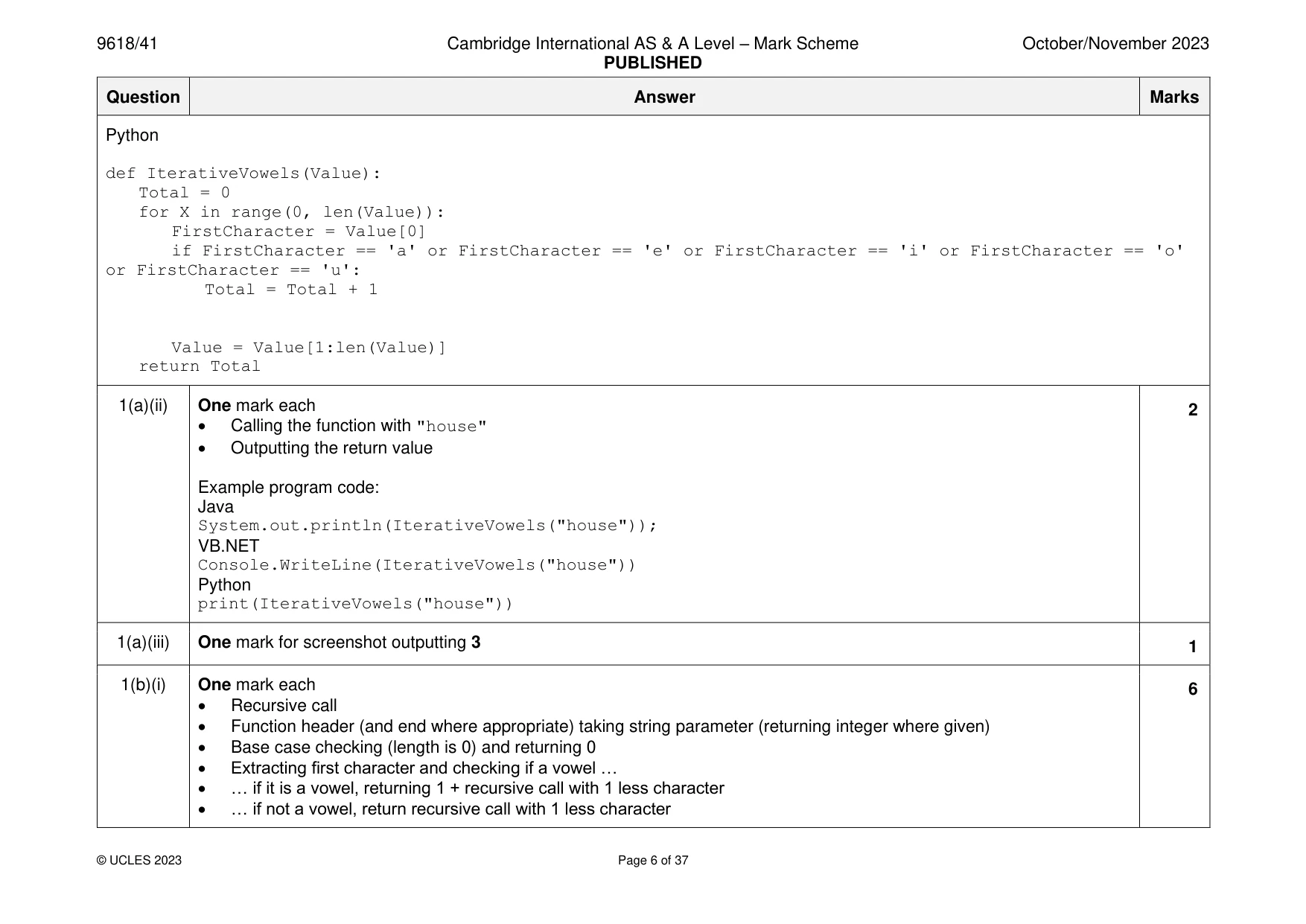
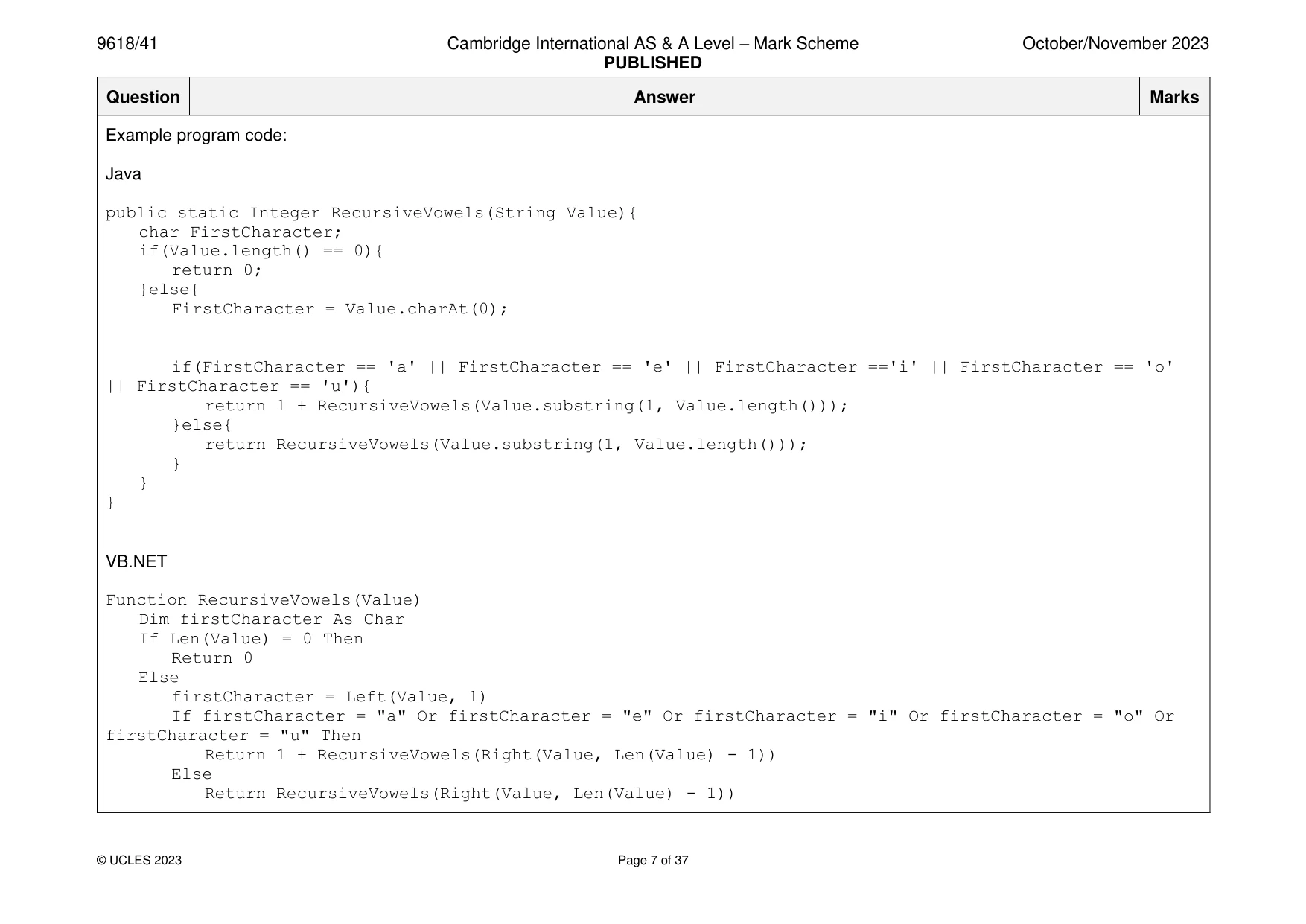
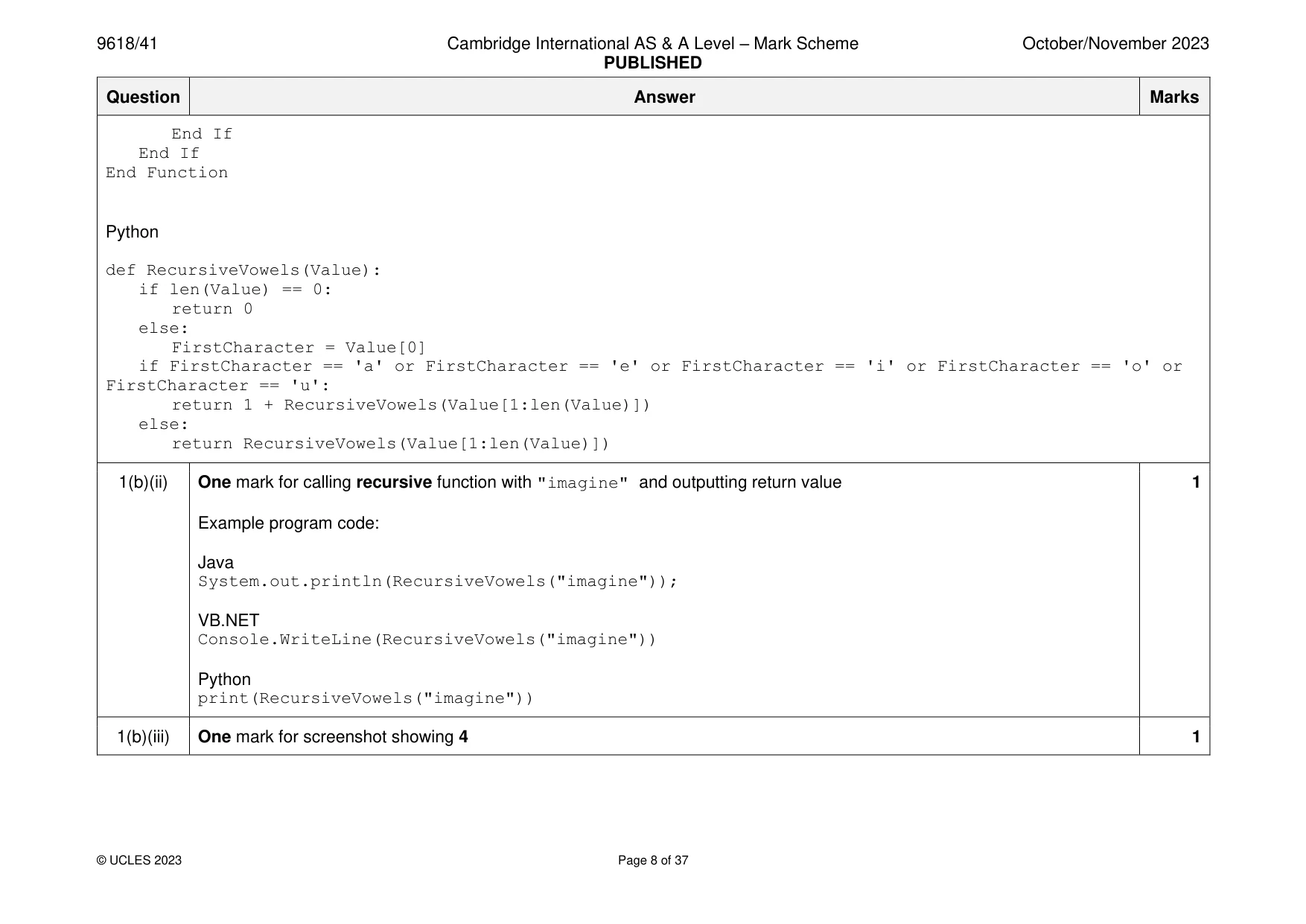
Mark scheme: Question Answer Marks 1(a)(i) One mark each to max 5 5 • Function header (and end where appropriate) taking one string parameter • Calculating length of parameter string • Looping correct number of times • Checking the first character against all vowels • Accessing the remainder of the string • Remainder of function correct with nothing extra i.e. totalling, must match structure of given algorithm Example program code: Java public static Integer IterativeVowels(String Value){ Integer Total = 0; Integer LengthString = Value.length(); char FirstCharacter; for(Integer X = 0; X < LengthString; X++){ FirstCharacter = Value.charAt(0); if(FirstCharacter == 'a' || FirstCharacter == 'e' || FirstCharacter =='i' || FirstCharacter == 'o' || FirstCharacter == 'u'){ Total++; } Value = Value.substring(1, Value.length()); } return Total; } VB.NET Function IterativeVowels(Value) Dim Total As Integer = 0 Dim FirstCharacter As Char For x = 0 To Len(Value) - 1 FirstCharacter = Left(Value, 1) If FirstCharacter = "a" Or FirstCharacter = "e" Or FirstCharacter = "i" Or FirstCharacter = "o" Or FirstCharacter = "u" Then Total = Total + 1 End If Value = Right(Value, Len(Value) - 1) Next Return Total End Function Python def IterativeVowels(Value): Total = 0 for X in range(0, len(Value)): FirstCharacter = Value[0] if FirstCharacter == 'a' or FirstCharacter == 'e' or FirstCharacter == 'i' or FirstCharacter == 'o' or FirstCharacter == 'u': Total = Total + 1 Value = Value[1:len(Value)] return Total 1(a)(ii) One mark each 2 • Calling the function with "house" • Outputting the return value Example program code: Java System.out.println(IterativeVowels("house")); VB.NET Console.WriteLine(IterativeVowels("house")) Python print(IterativeVowels("house")) 1(a)(iii) One mark for screenshot outputting 3 1 1(b)(i) One mark each 6 • Recursive call • Function header (and end where appropriate) taking string parameter (returning integer where given) • Base case checking (length is 0) and returning 0 • Extracting first character and checking if a vowel … • … if it is a vowel, returning 1 + recursive call with 1 less character • … if not a vowel, return recursive call with 1 less character Example program code: Java public static Integer RecursiveVowels(String Value){ char FirstCharacter; if(Value.length() == 0){ return 0; }else{ FirstCharacter = Value.charAt(0); if(FirstCharacter == 'a' || FirstCharacter == 'e' || FirstCharacter =='i' || FirstCharacter == 'o' || FirstCharacter == 'u'){ return 1 + RecursiveVowels(Value.substring(1, Value.length())); }else{ return RecursiveVowels(Value.substring(1, Value.length())); } } } VB.NET Function RecursiveVowels(Value) Dim firstCharacter As Char If Len(Value) = 0 Then Return 0 Else firstCharacter = Left(Value, 1) If firstCharacter = "a" Or firstCharacter = "e" Or firstCharacter = "i" Or firstCharacter = "o" Or firstCharacter = "u" Then Return 1 + RecursiveVowels(Right(Value, Len(Value) - 1)) Else Return RecursiveVowels(Right(Value, Len(Value) - 1)) End If End If End Function Python def RecursiveVowels(Value): if len(Value) == 0: return 0 else: FirstCharacter = Value[0] if FirstCharacter == 'a' or FirstCharacter == 'e' or FirstCharacter == 'i' or FirstCharacter == 'o' or FirstCharacter == 'u': return 1 + RecursiveVowels(Value[1:len(Value)]) else: return RecursiveVowels(Value[1:len(Value)]) 1(b)(ii) One mark for calling recursive function with "imagine" and outputting return value 1 Example program code: Java System.out.println(RecursiveVowels("imagine")); VB.NET Console.WriteLine(RecursiveVowels("imagine")) Python print(RecursiveVowels("imagine")) 1(b)(iii) One mark for screenshot showing 4 1
Q2 · A linear queue is implemented using the 1D array, Queue
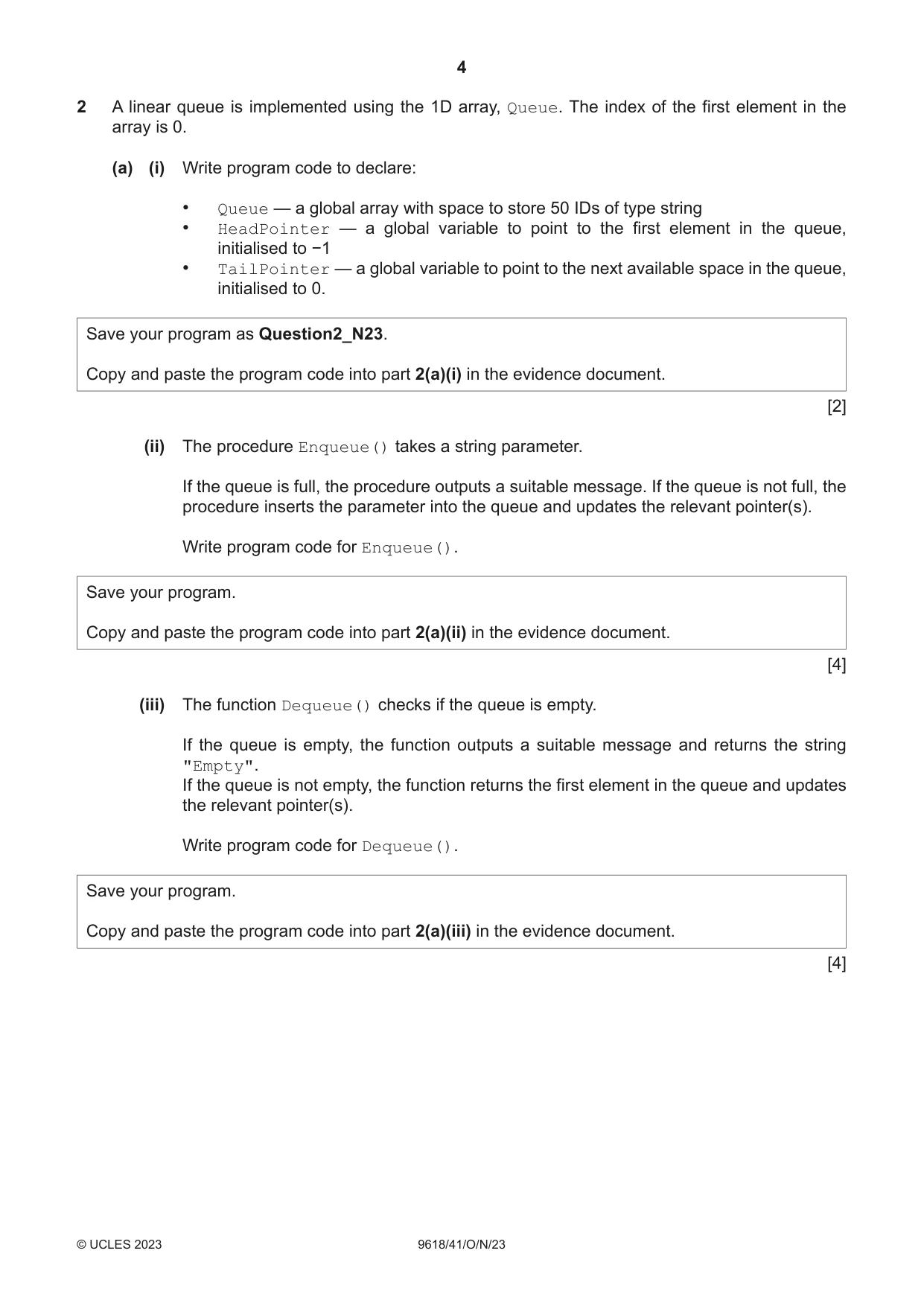
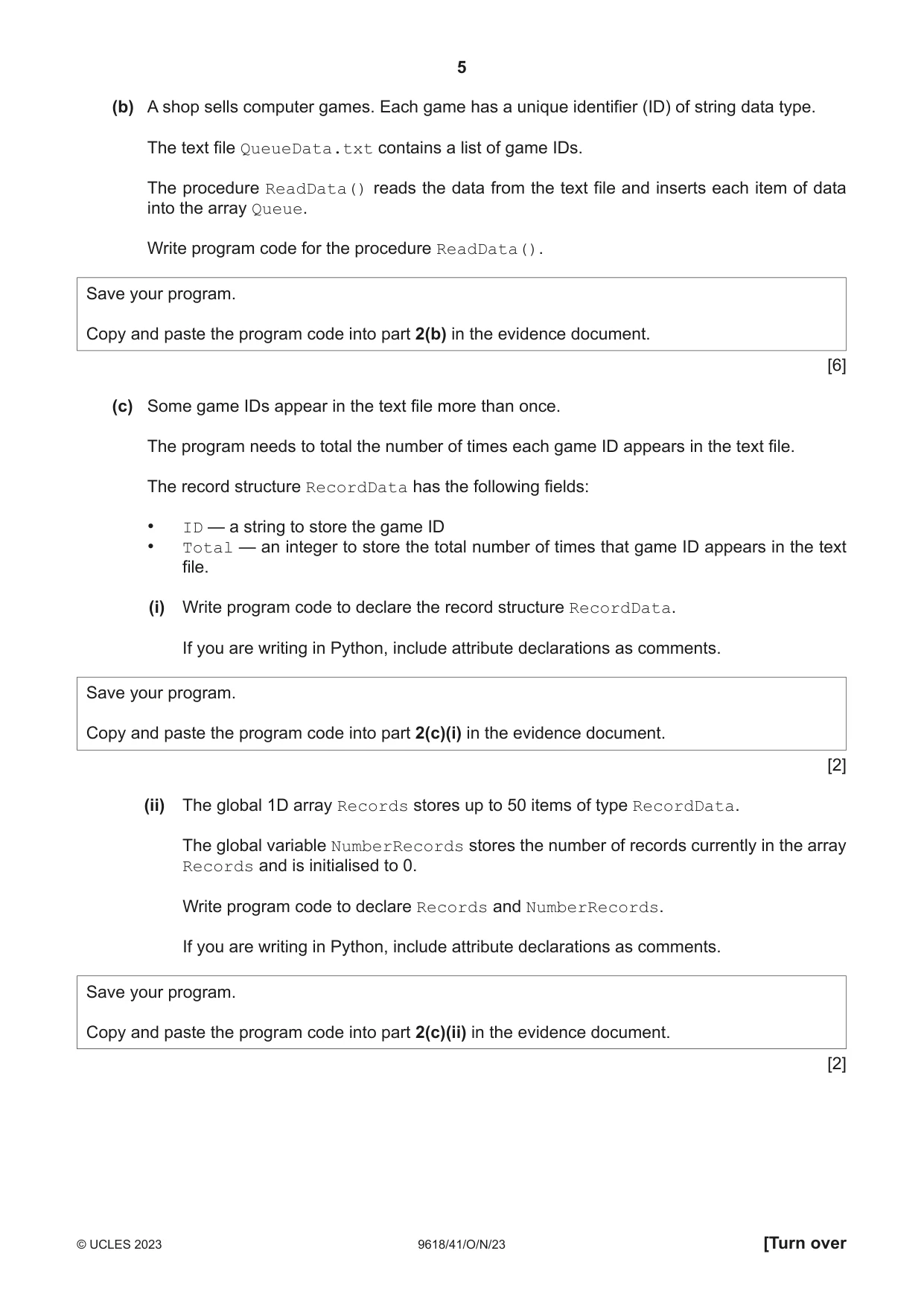
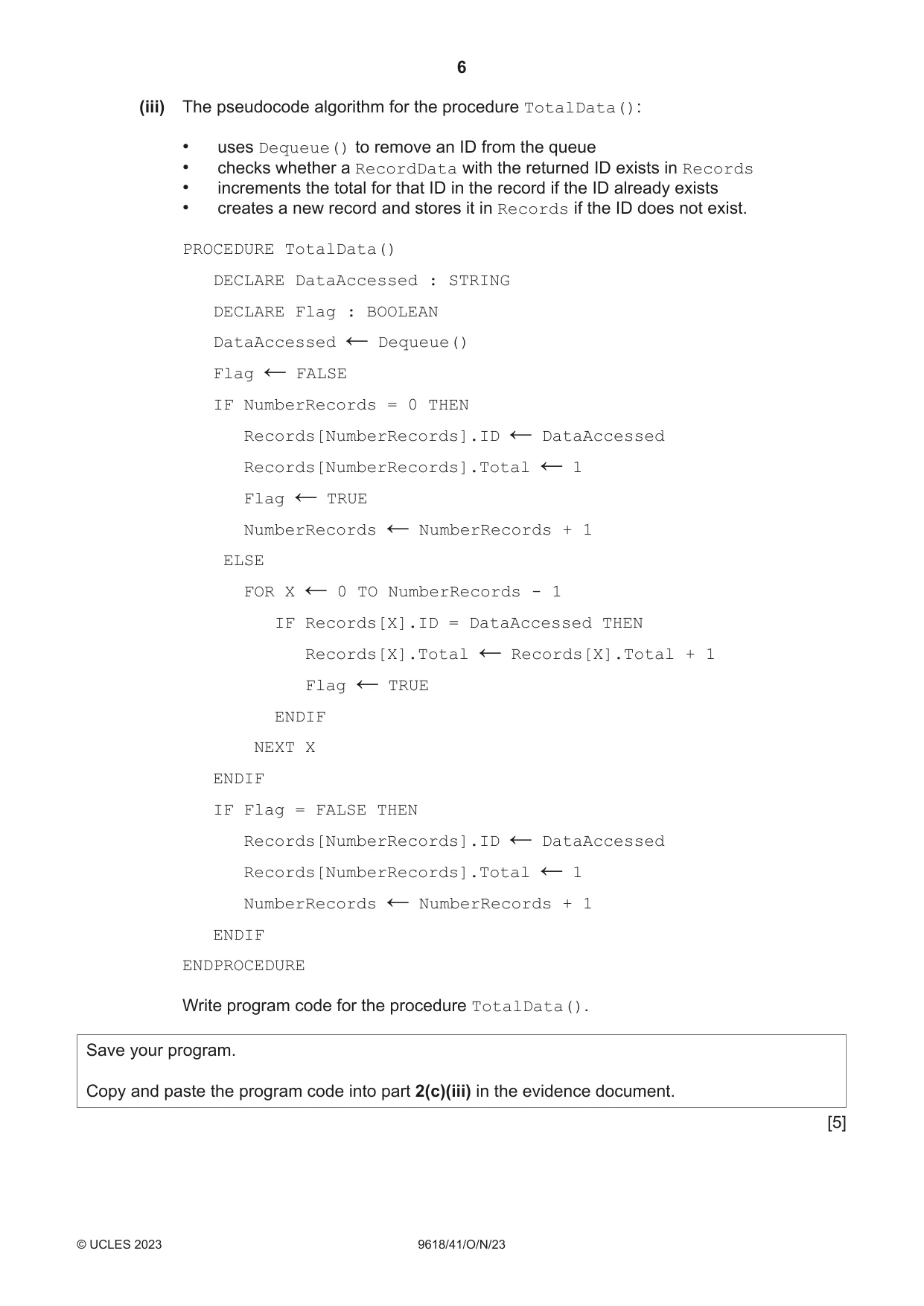
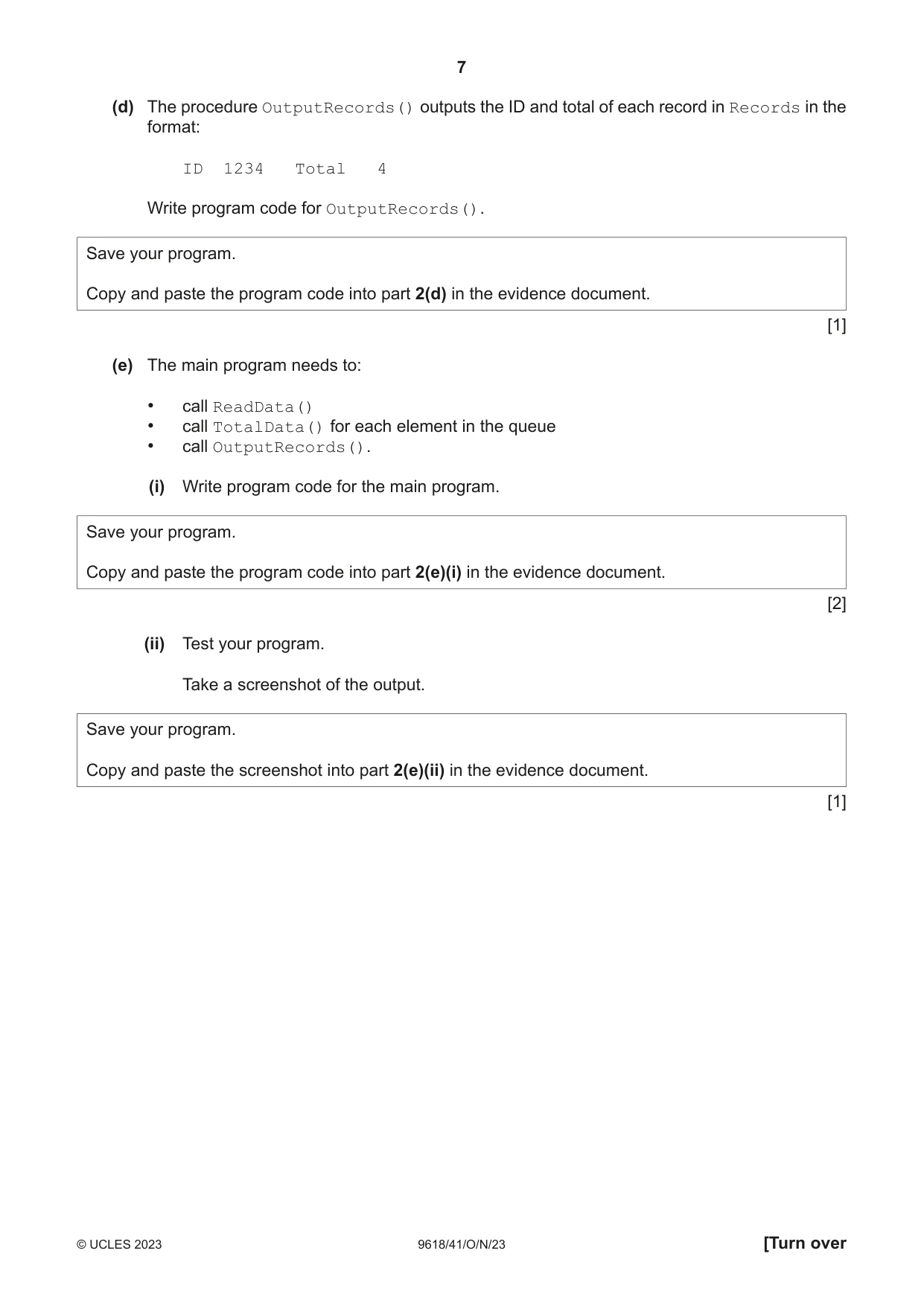
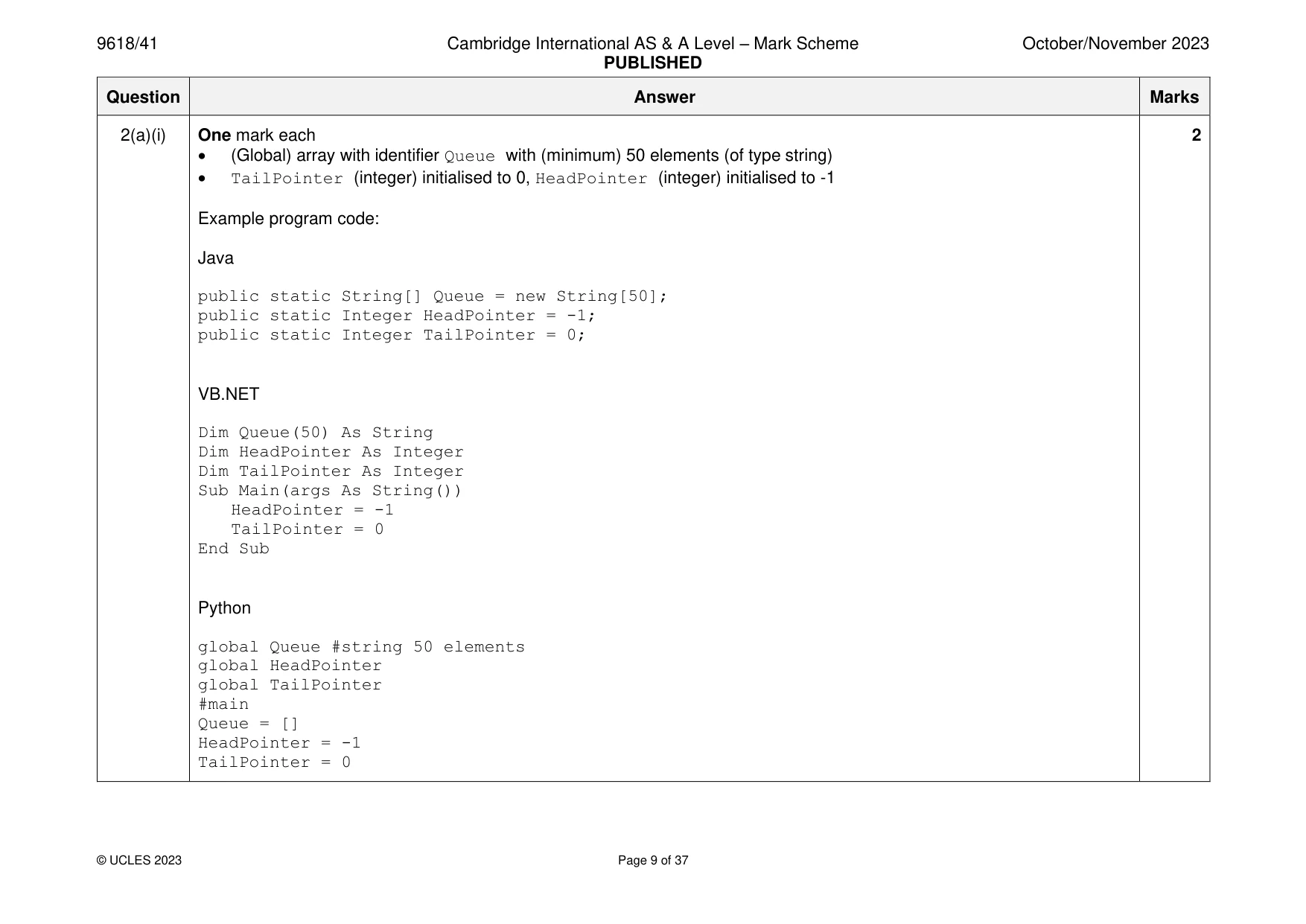
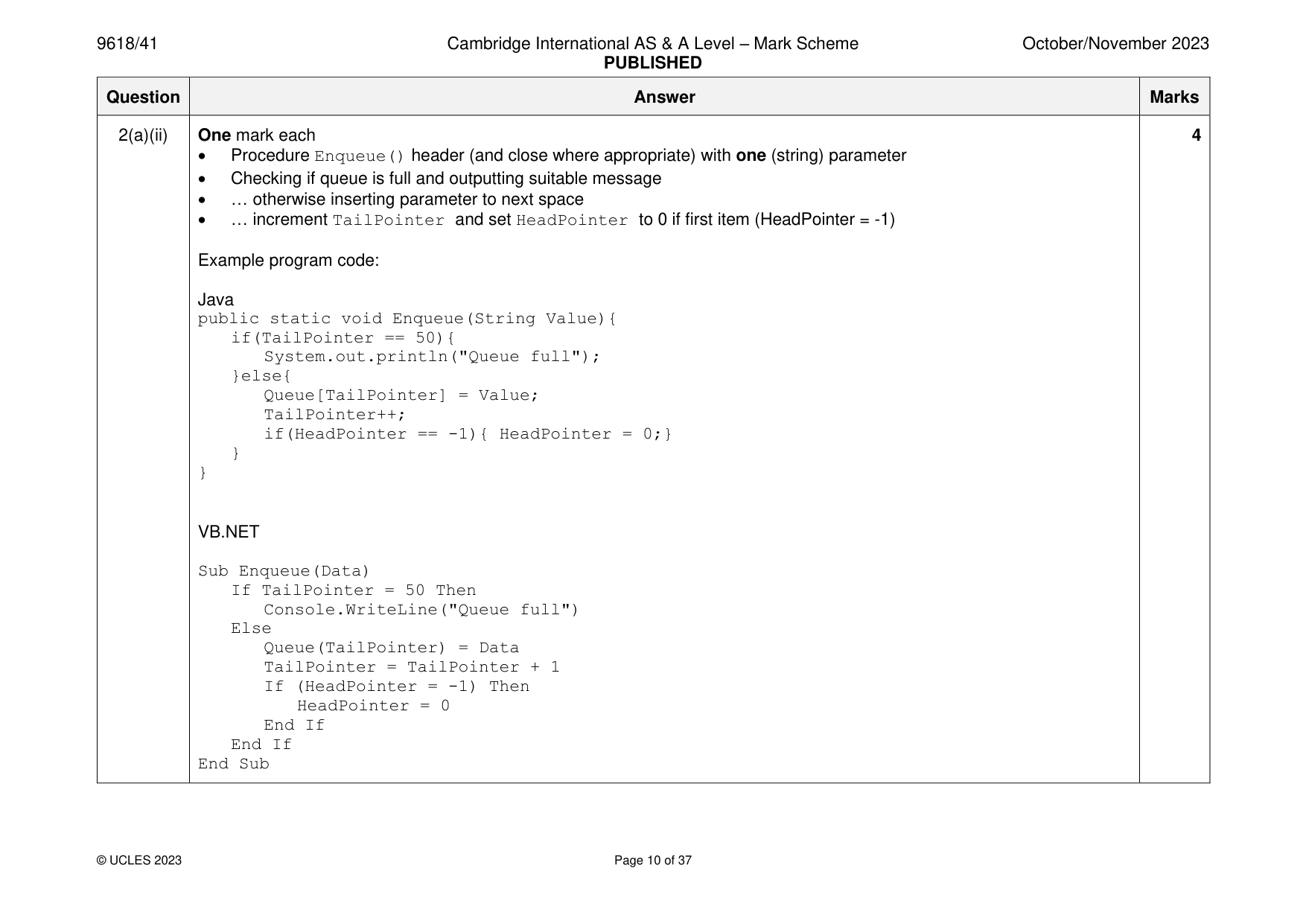
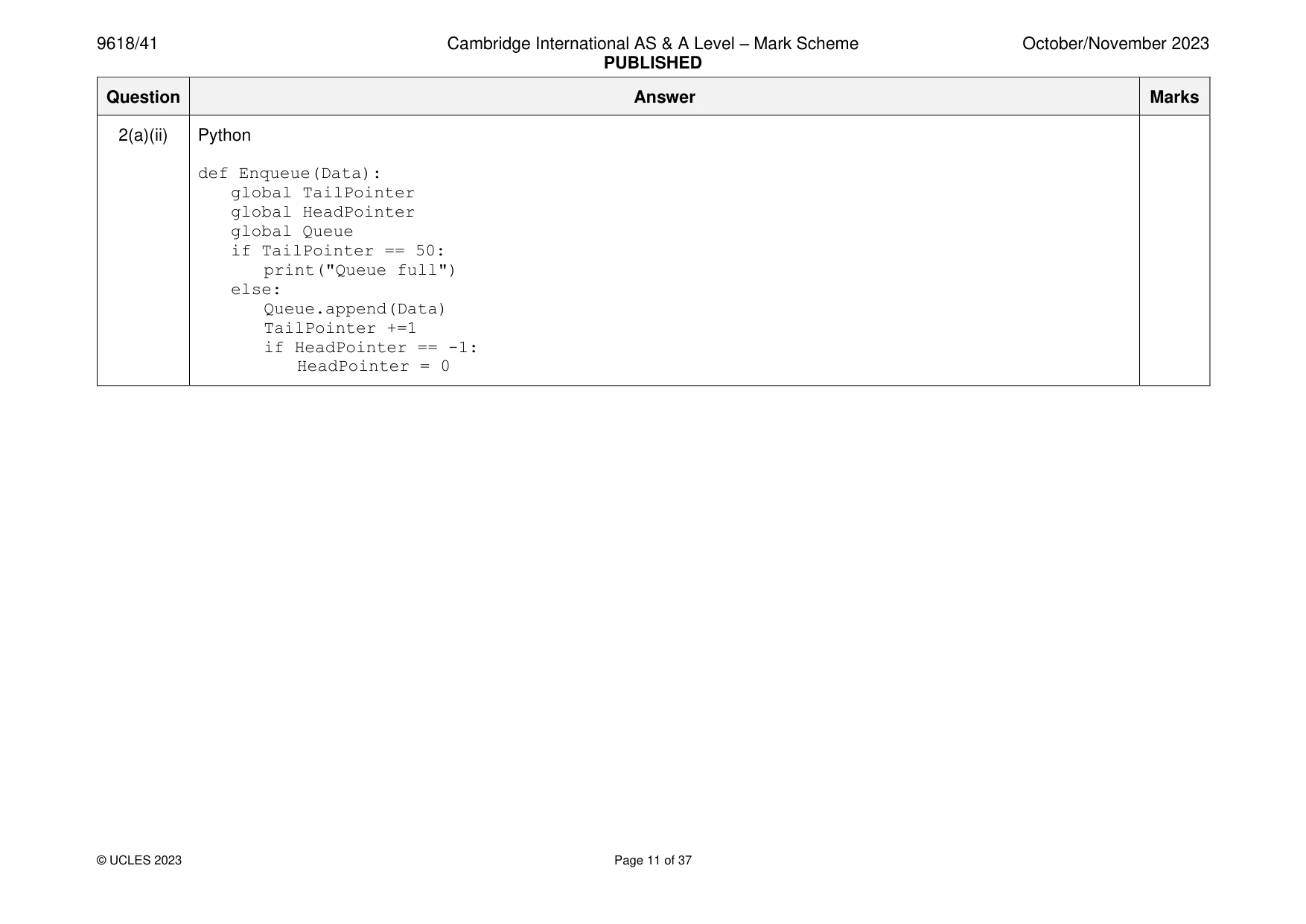
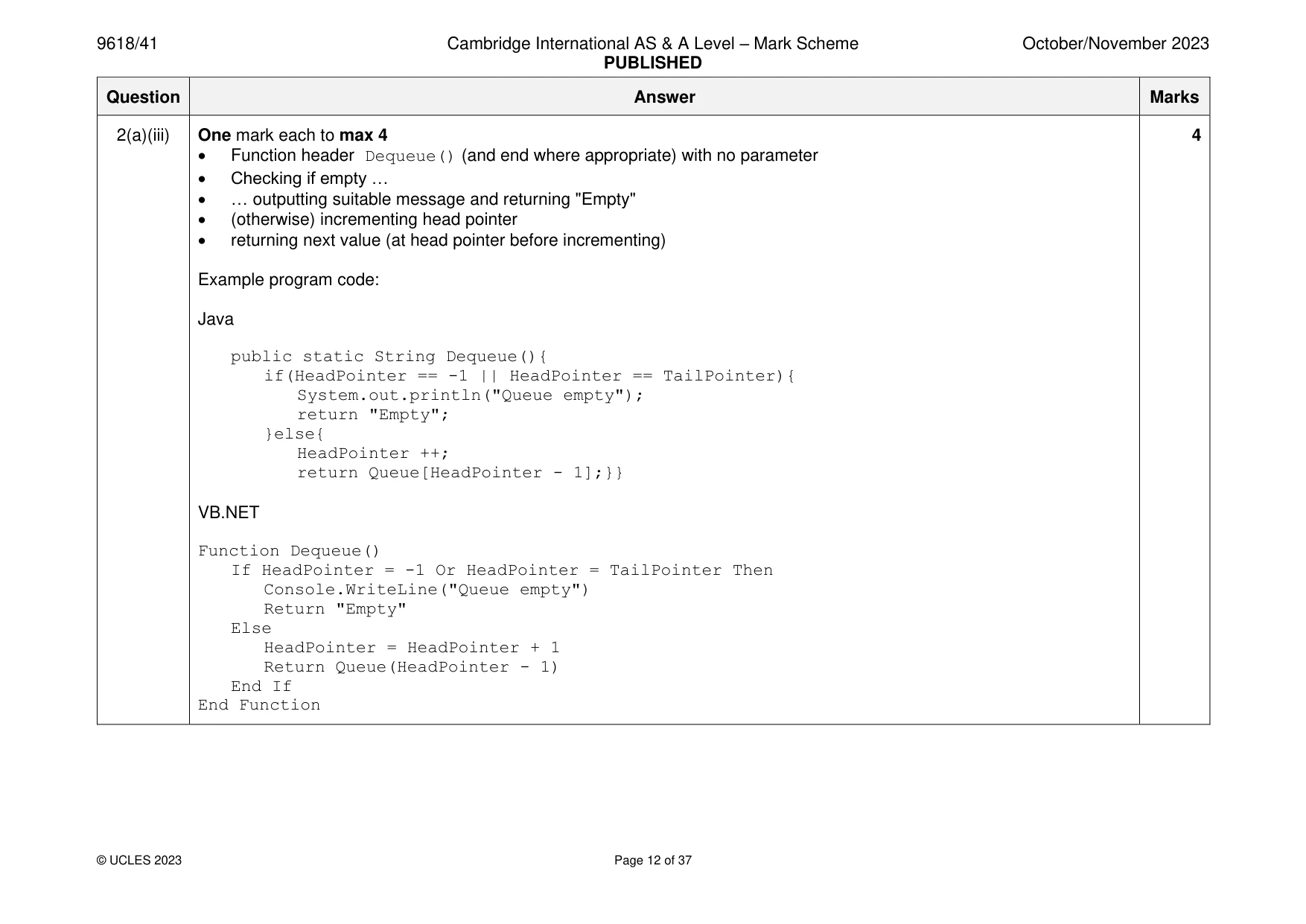
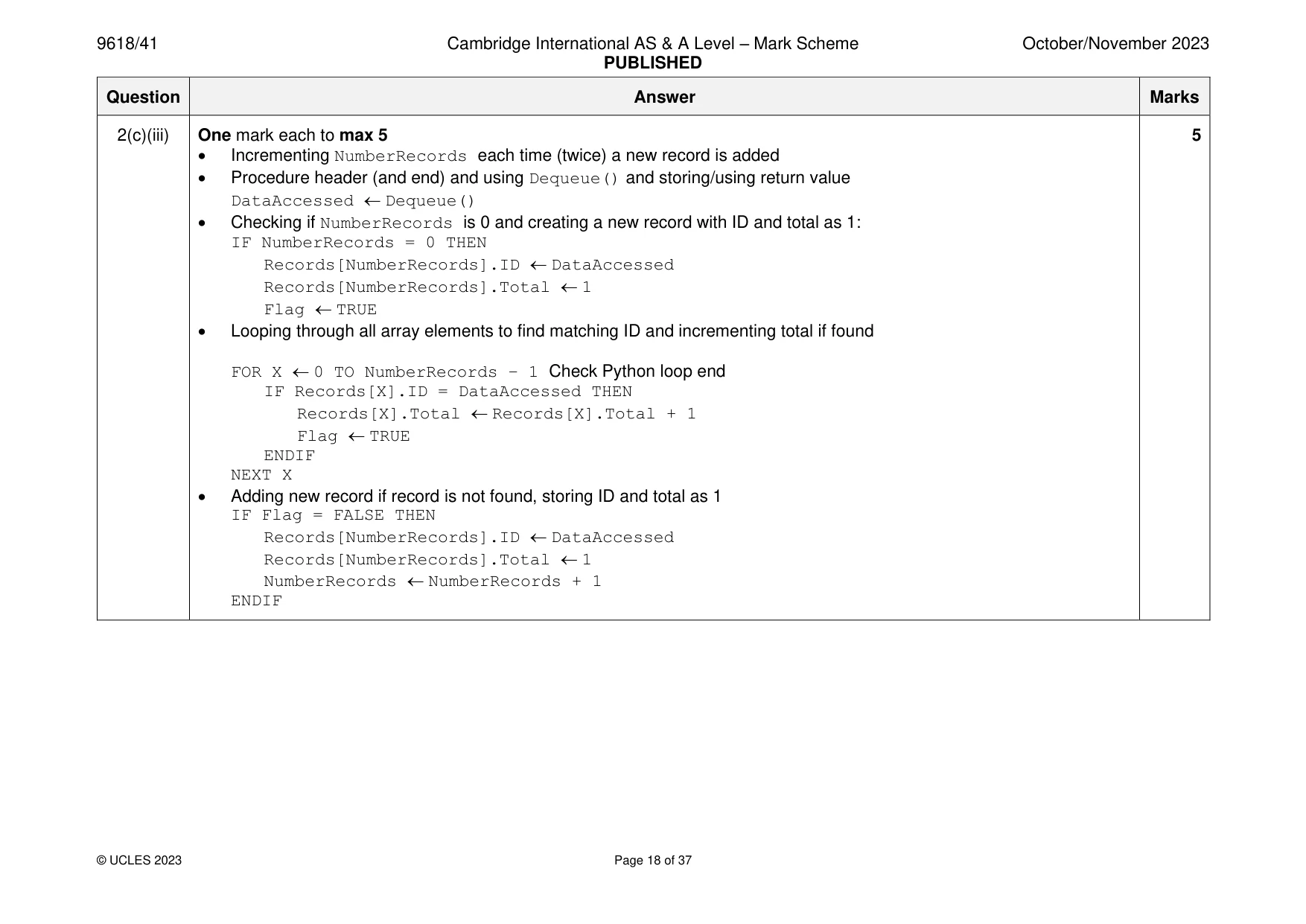
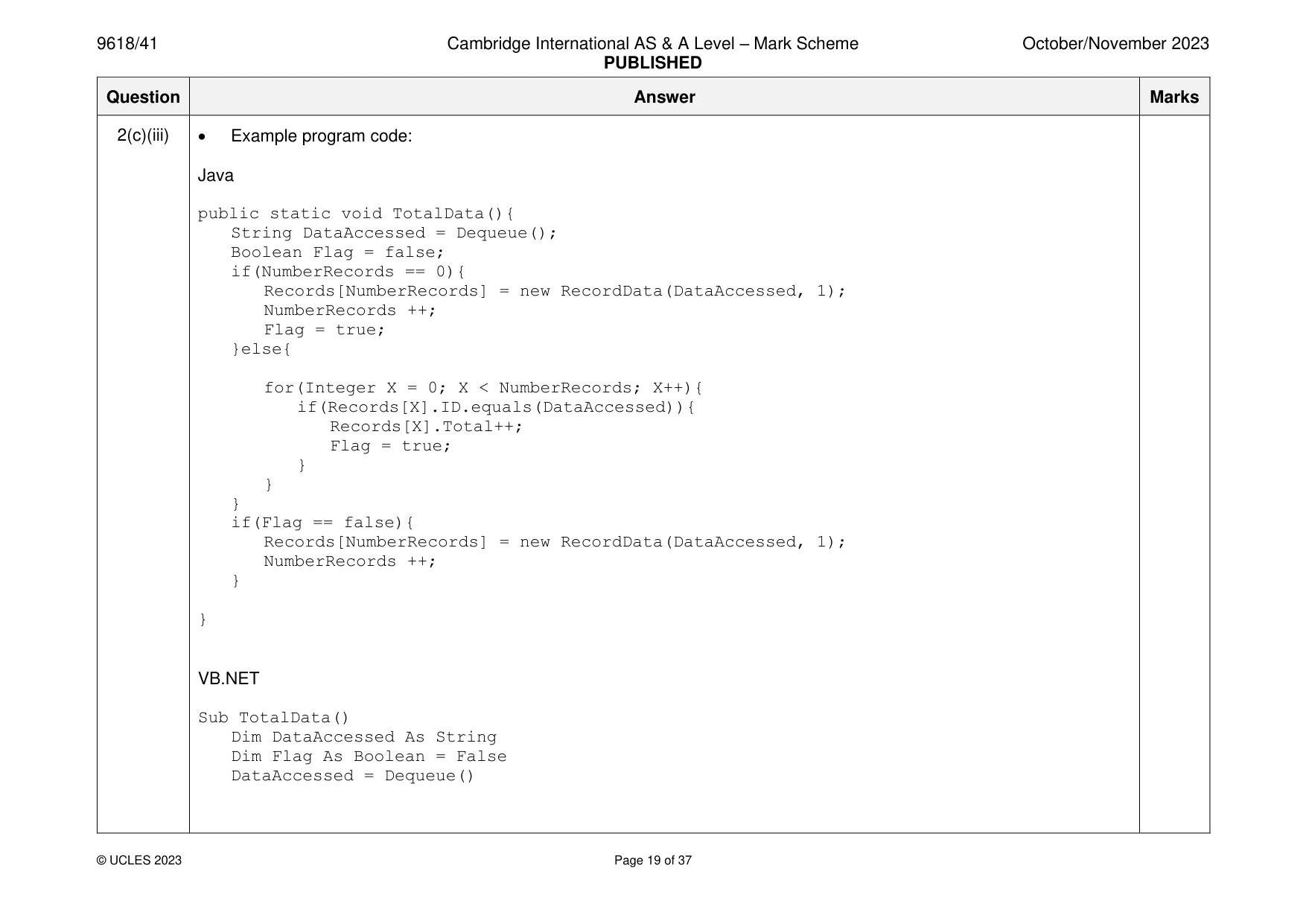
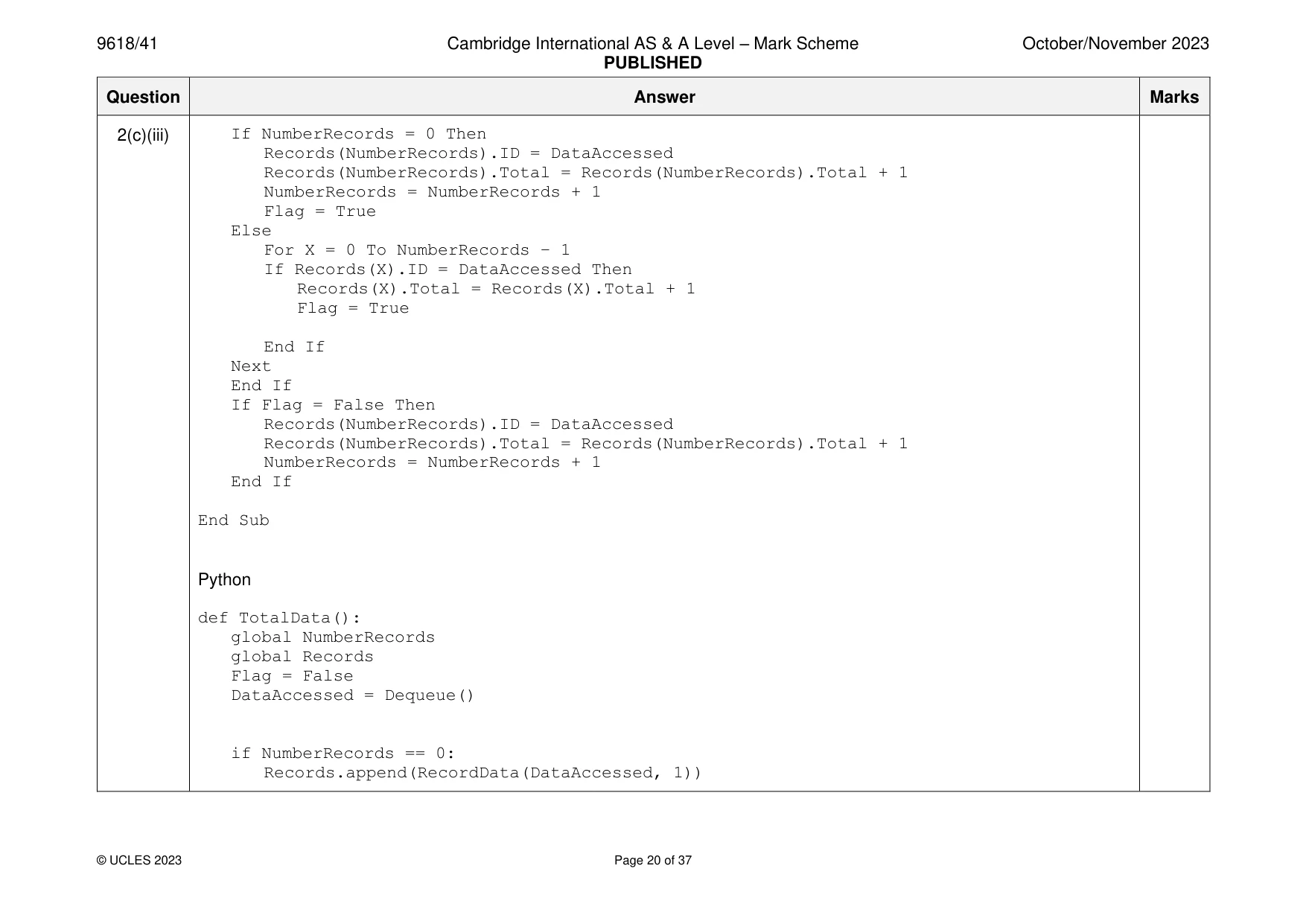
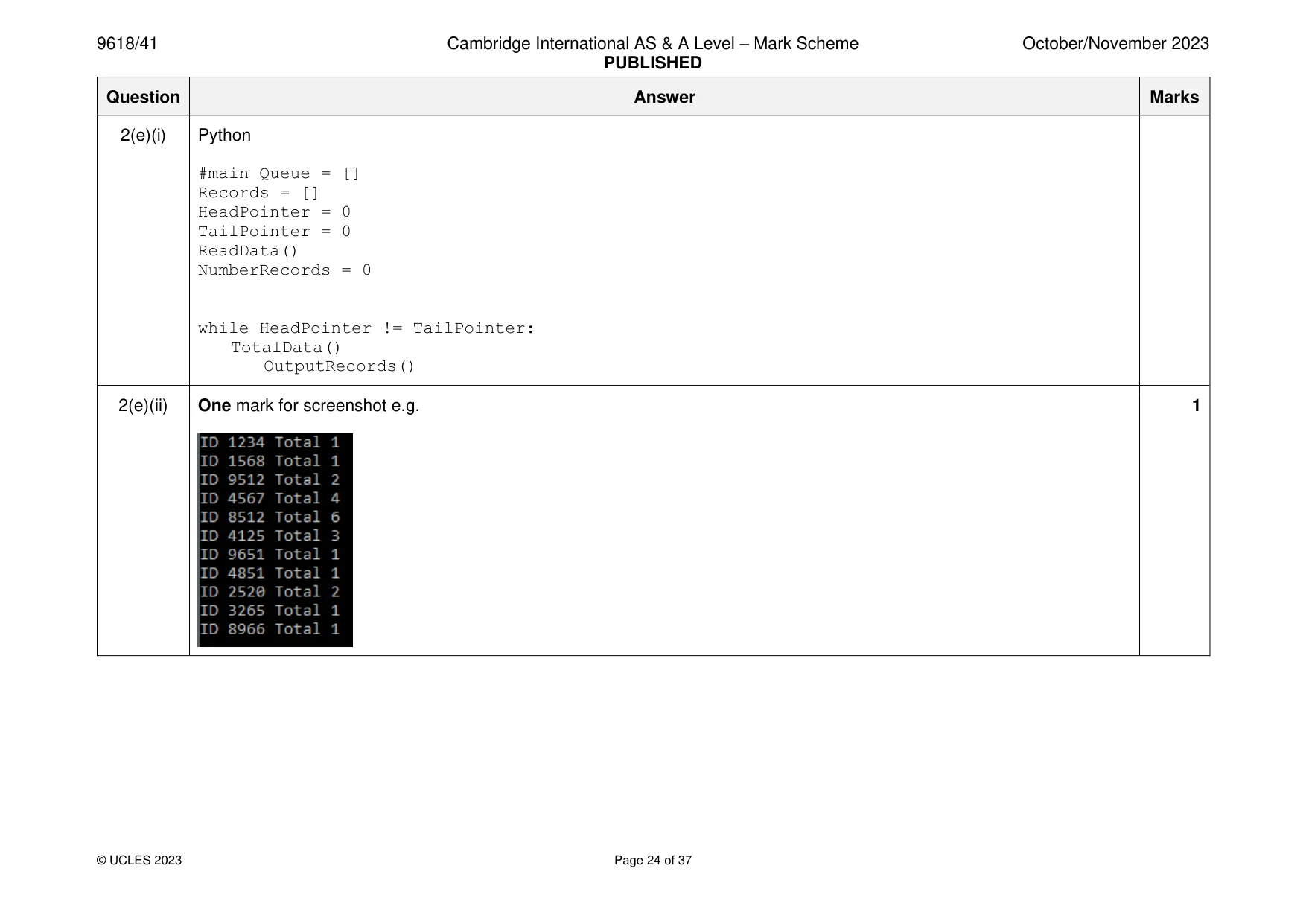
2 A linear queue is implemented using the 1D array, Queue. The index of the first element in the array is 0. (a) (i) Write program code to declare: • Queue — a global array with space to store 50 IDs of type string • HeadPointer — a global variable to point to the first element in the queue, initialised to −1 • TailPointer — a global variable to point to the next available space in the queue, initialised to 0. Save your program as Question2_N23. Copy and paste the program code into part 2(a)(i) in the evidence document. [2] (ii) The procedure Enqueue() takes a string parameter. If the queue is full, the procedure outputs a suitable message. If the queue is not full, the procedure inserts the parameter into the queue and updates the relevant pointer(s). Write program code for Enqueue(). Save your program. Copy and paste the program code into part 2(a)(ii) in the evidence document. [4] (iii) The function Dequeue() checks if the queue is empty. If the queue is empty, the function outputs a suitable message and returns the string "Empty". If the queue is not empty, the function returns the first element in the queue and updates the relevant pointer(s). Write program code for Dequeue(). Save your program. Copy and paste the program code into part 2(a)(iii) in the evidence document. [4] (b) A shop sells computer games. Each game has a unique identifier (ID) of string data type. The text file QueueData.txt contains a list of game IDs. The procedure ReadData() reads the data from the text file and inserts each item of data into the array Queue. Write program code for the procedure ReadData(). Save your program. Copy and paste the program code into part 2(b) in the evidence document. [6] (c) Some game IDs appear in the text file more than once. The program needs to total the number of times each game ID appears in the text file. The record structure RecordData has the following fields: • ID — a string to store the game ID • Total — an integer to store the total number of times that game ID appears in the text file. (i) Write program code to declare the record structure RecordData. If you are writing in Python, include attribute declarations as comments. Save your program. Copy and paste the program code into part 2(c)(i) in the evidence document. [2] (ii) The global 1D array Records stores up to 50 items of type RecordData. The global variable NumberRecords stores the number of records currently in the array Records and is initialised to 0. Write program code to declare Records and NumberRecords. If you are writing in Python, include attribute declarations as comments. Save your program. Copy and paste the program code into part 2(c)(ii) in the evidence document. [2] (iii) The pseudocode algorithm for the procedure TotalData(): • uses Dequeue() to remove an ID from the queue • checks whether a RecordData with the returned ID exists in Records • increments the total for that ID in the record if the ID already exists • creates a new record and stores it in Records if the ID does not exist. PROCEDURE TotalData() DECLARE DataAccessed : STRING DECLARE Flag : BOOLEAN DataAccessed Dequeue() ← Flag FALSE ← IF NumberRecords = 0 THEN Records[NumberRecords].ID DataAccessed ← Records[NumberRecords].Total 1 ← Flag TRUE ← NumberRecords NumberRecords + 1 ← ELSE FOR X 0 TO NumberRecords - 1 ← IF Records[X].ID = DataAccessed THEN Records[X].Total Records[X].Total + 1 ← Flag TRUE ← ENDIF NEXT X ENDIF IF Flag = FALSE THEN Records[NumberRecords].ID DataAccessed ← Records[NumberRecords].Total 1 ← NumberRecords NumberRecords + 1 ← ENDIF ENDPROCEDURE Write program code for the procedure TotalData(). Save your program. Copy and paste the program code into part 2(c)(iii) in the evidence document. [5] (d) The procedure OutputRecords() outputs the ID and total of each record in Records in the format: ID 1234 Total 4 Write program code for OutputRecords(). Save your program. Copy and paste the program code into part 2(d) in the evidence document. [1] (e) The main program needs to: • call ReadData() • call TotalData() for each element in the queue • call OutputRecords(). (i) Write program code for the main program. Save your program. Copy and paste the program code into part 2(e)(i) in the evidence document. [2] (ii) Test your program. Take a screenshot of the output. Save your program. Copy and paste the screenshot into part 2(e)(ii) in the evidence document. [1]
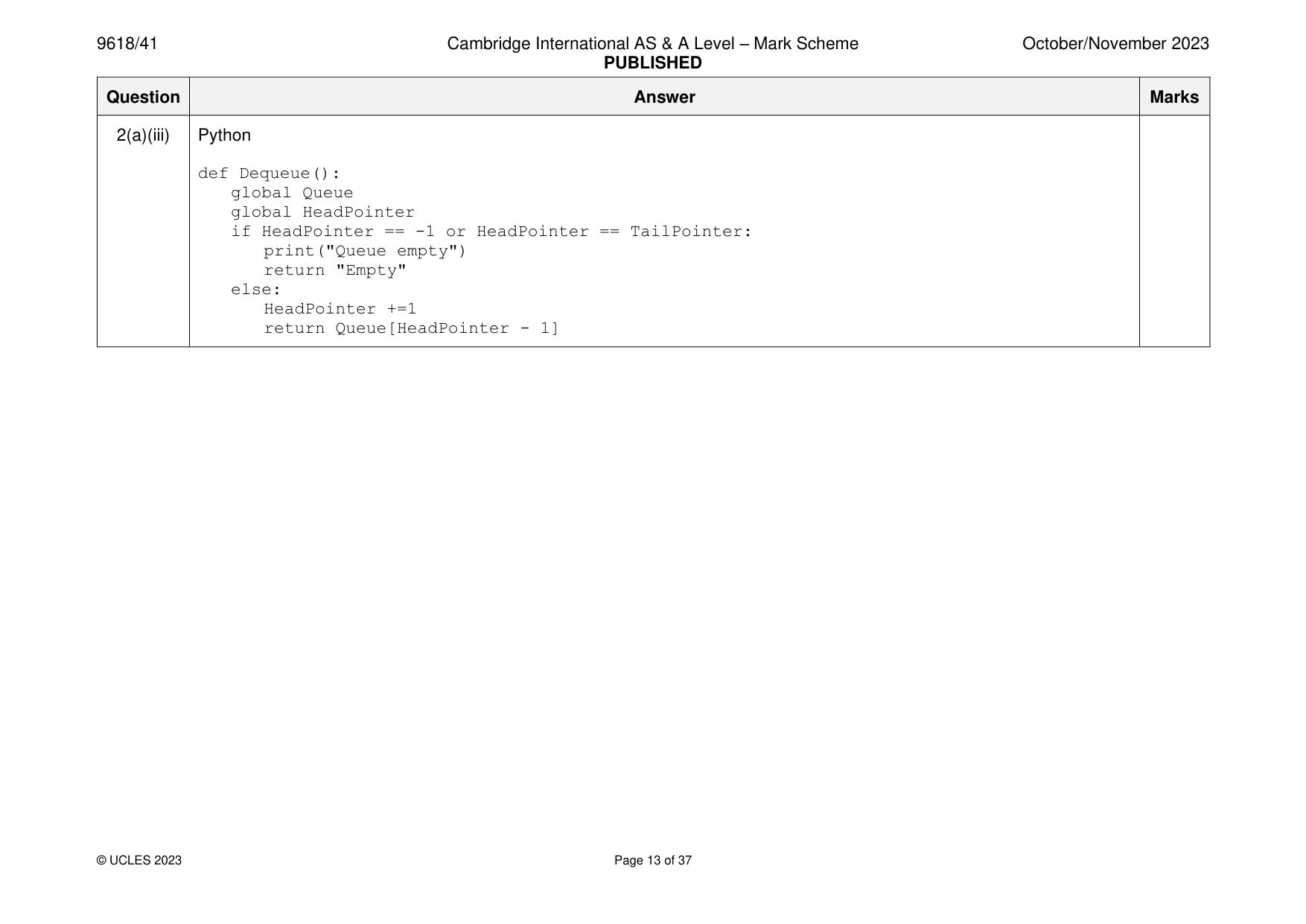
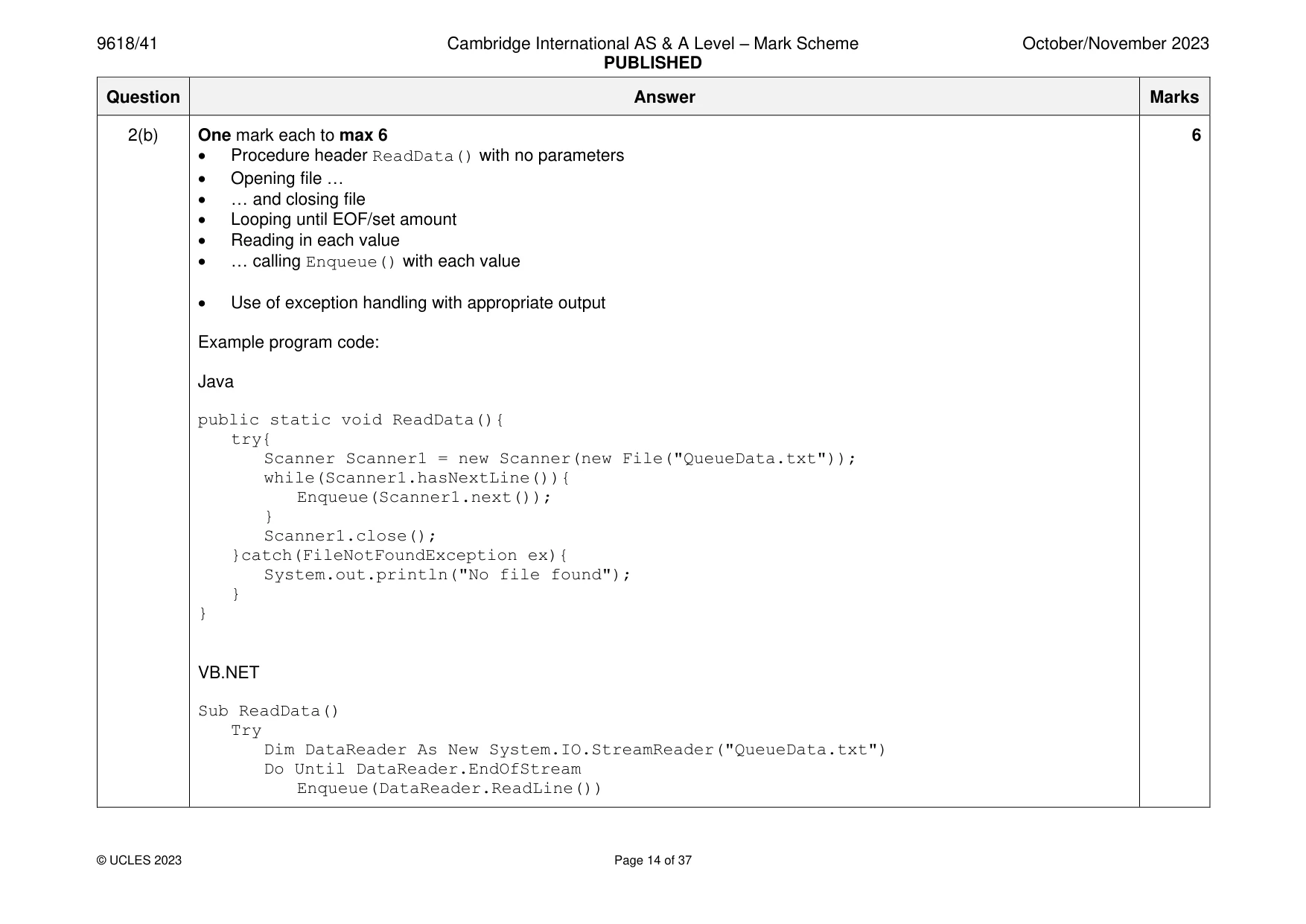
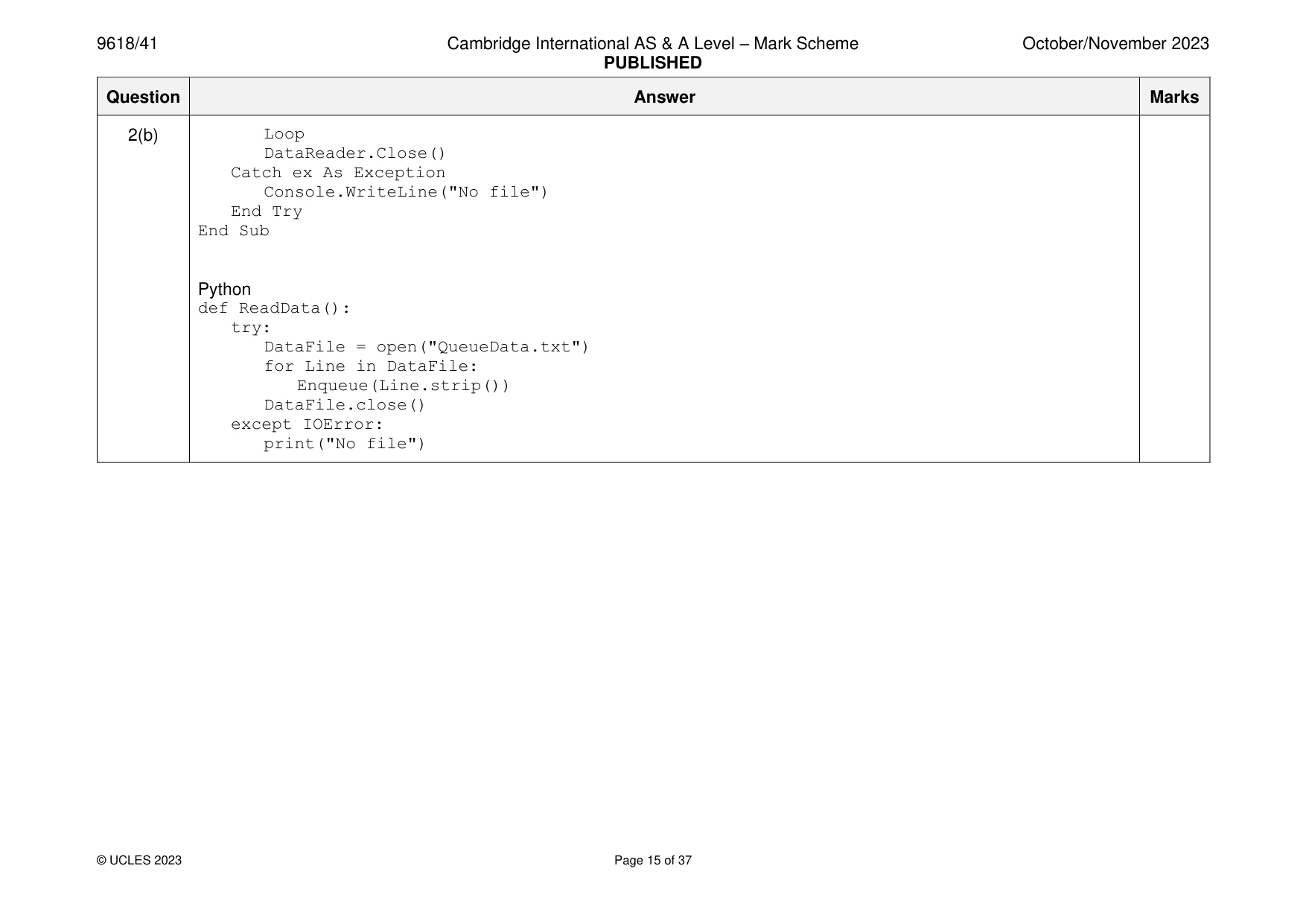
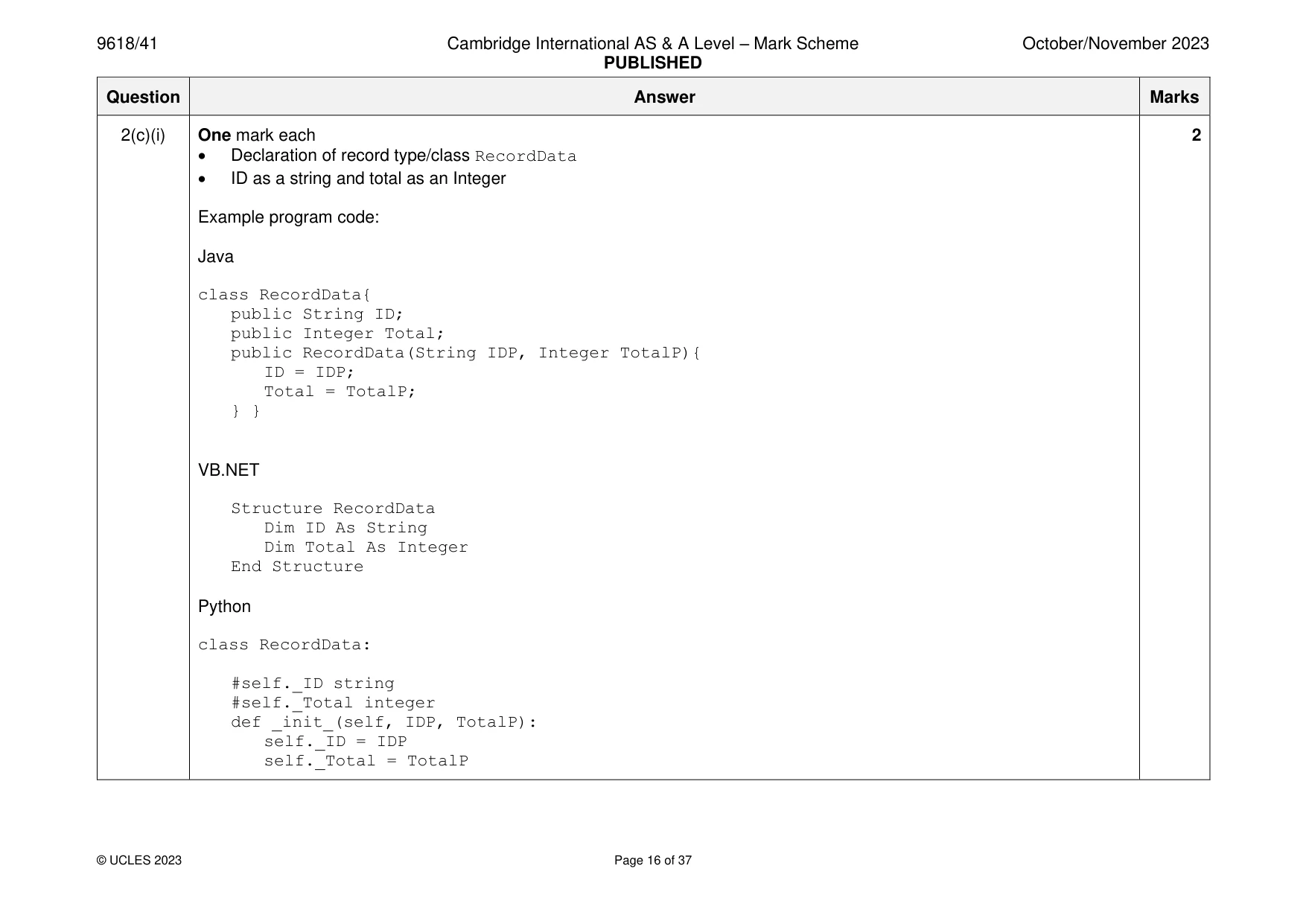
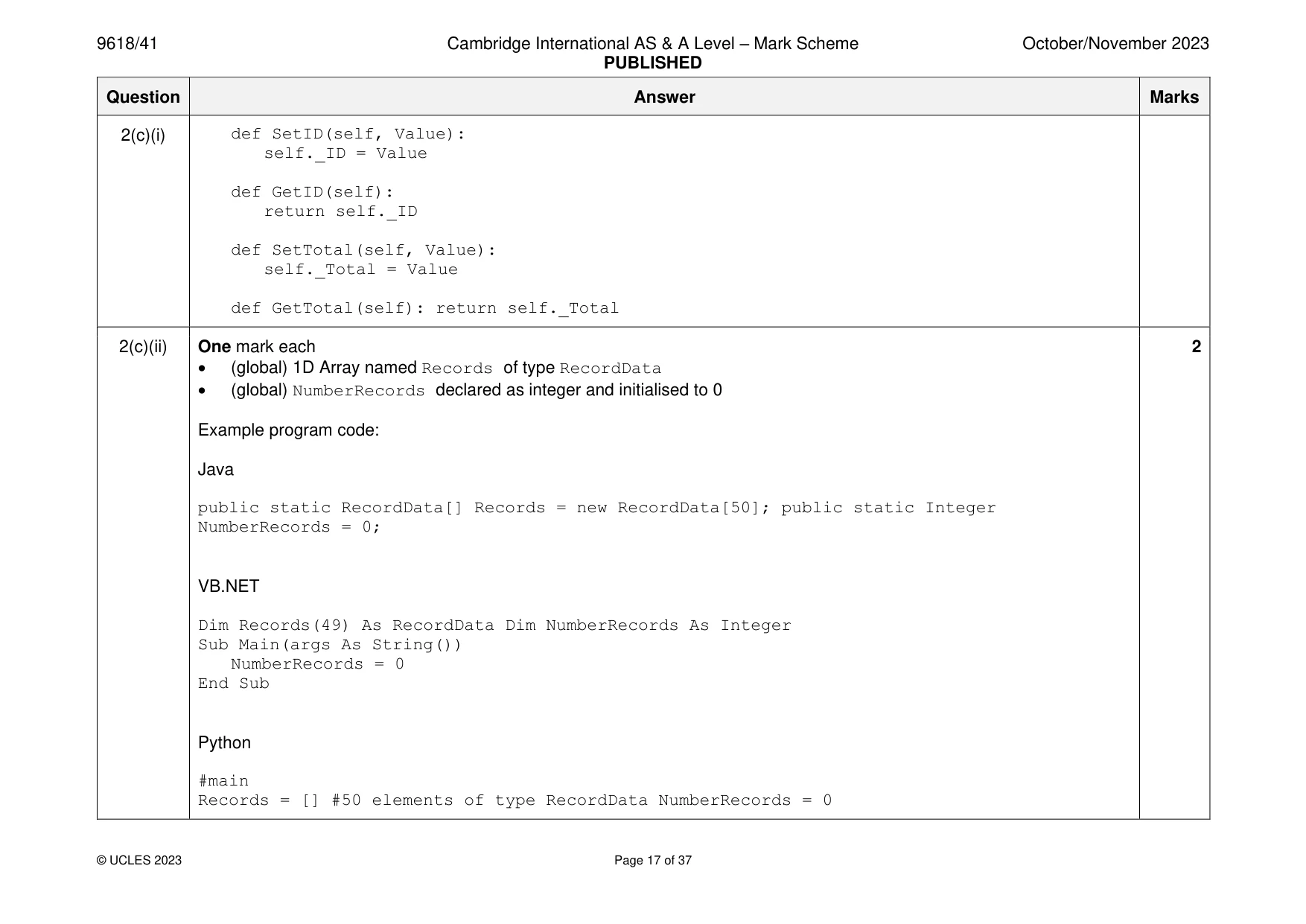
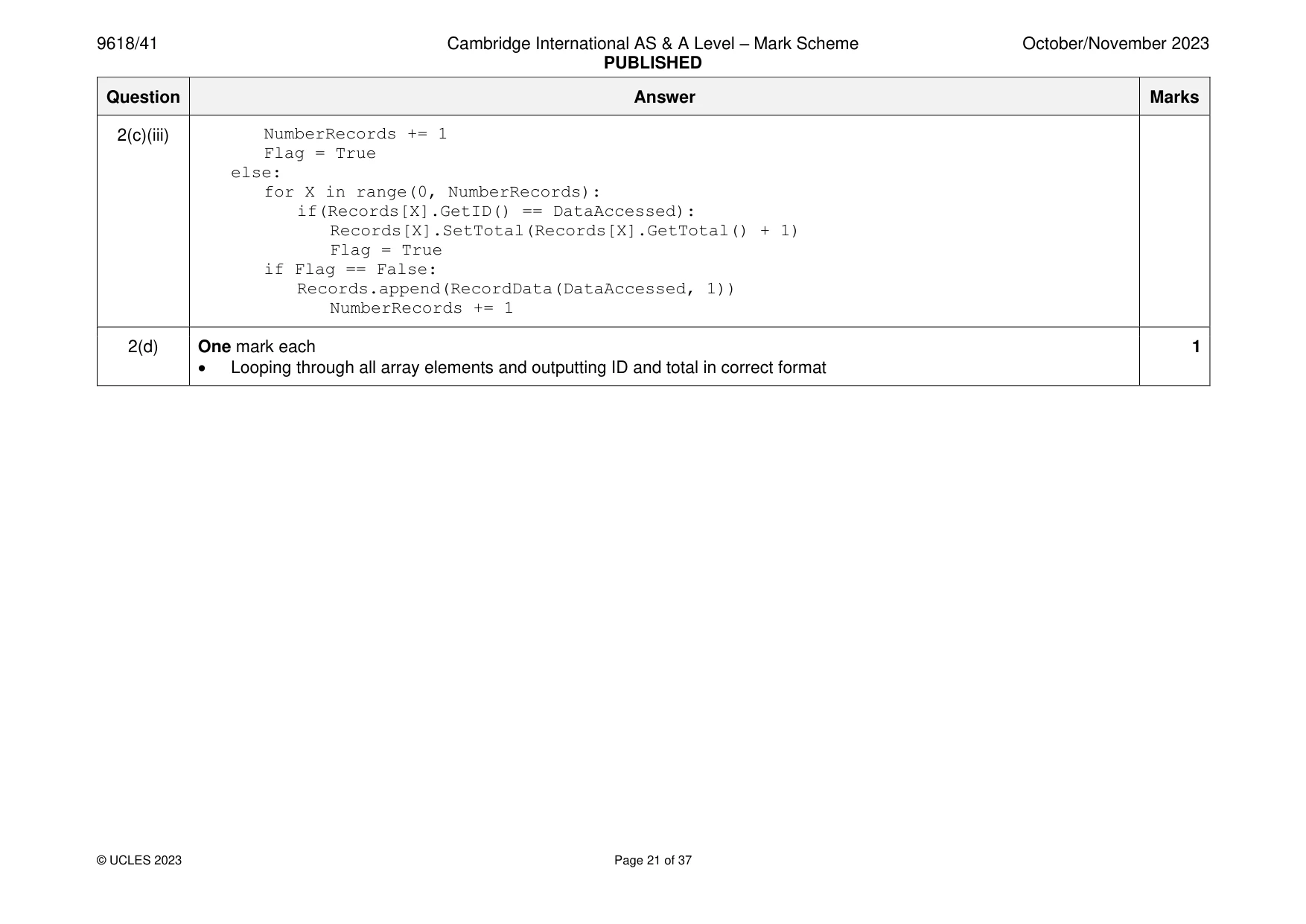
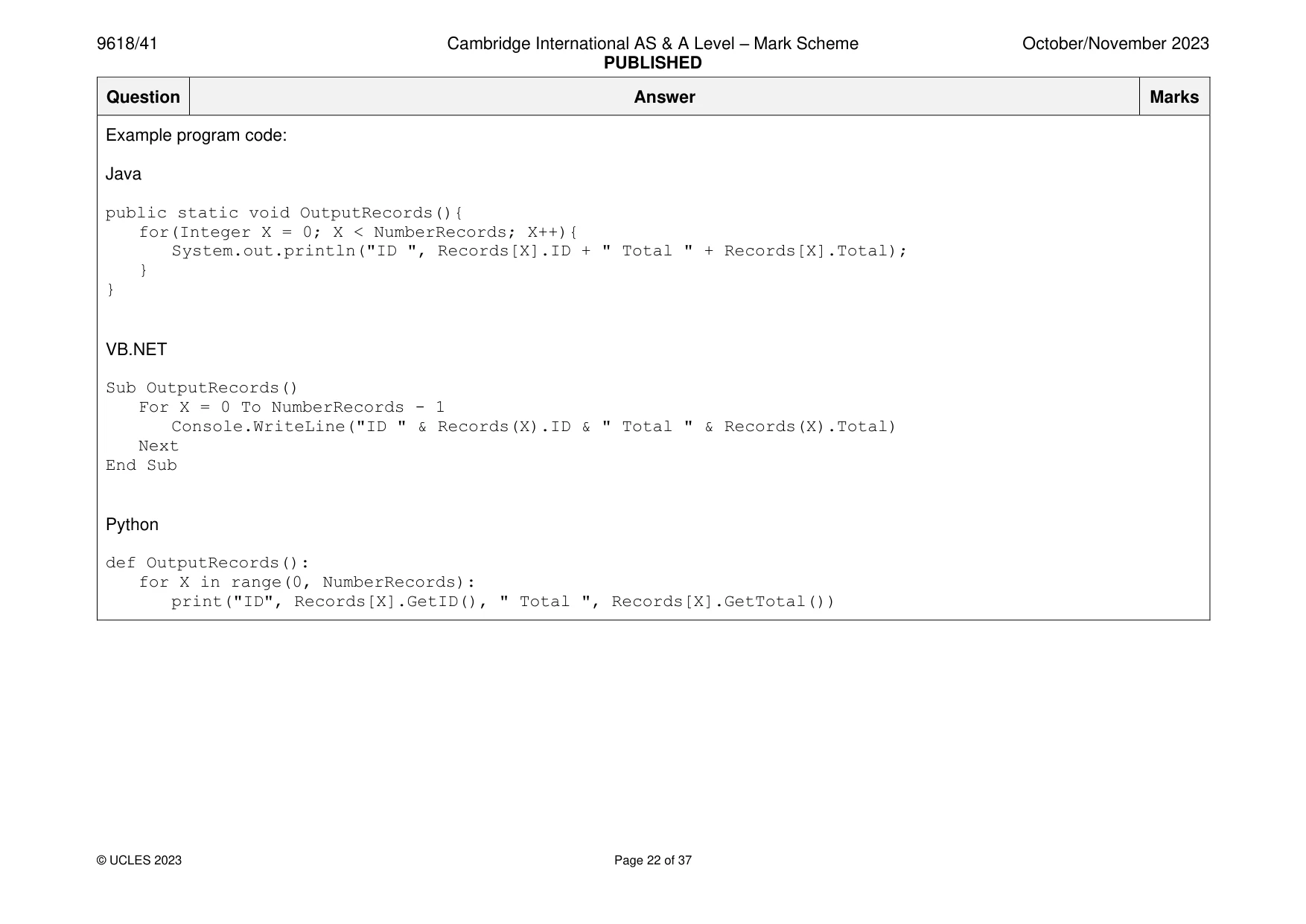
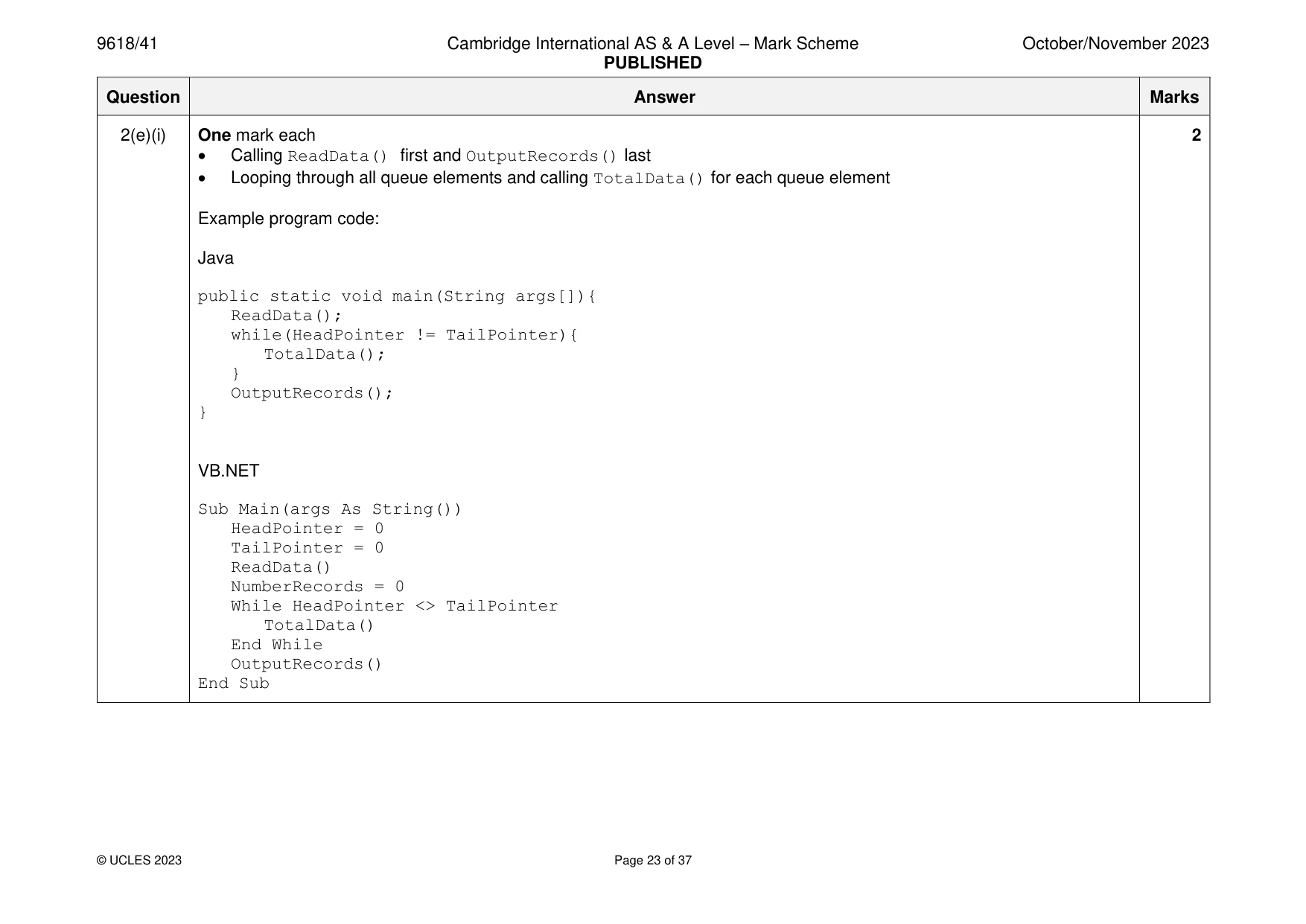
Mark scheme: 2(a)(i) One mark each 2 • (Global) array with identifier Queue with (minimum) 50 elements (of type string) • TailPointer (integer) initialised to 0, HeadPointer (integer) initialised to -1 Example program code: Java public static String[] Queue = new String[50]; public static Integer HeadPointer = -1; public static Integer TailPointer = 0; VB.NET Dim Queue(50) As String Dim HeadPointer As Integer Dim TailPointer As Integer Sub Main(args As String()) HeadPointer = -1 TailPointer = 0 End Sub Python global Queue #string 50 elements global HeadPointer global TailPointer #main Queue = [] HeadPointer = -1 TailPointer = 0 2(a)(ii) One mark each 4 • Procedure Enqueue() header (and close where appropriate) with one (string) parameter • Checking if queue is full and outputting suitable message • … otherwise inserting parameter to next space • … increment TailPointer and set HeadPointer to 0 if first item (HeadPointer = -1) Example program code: Java public static void Enqueue(String Value){ if(TailPointer == 50){ System.out.println("Queue full"); }else{ Queue[TailPointer] = Value; TailPointer++; if(HeadPointer == -1){ HeadPointer = 0;} } } VB.NET Sub Enqueue(Data) If TailPointer = 50 Then Console.WriteLine("Queue full") Else Queue(TailPointer) = Data TailPointer = TailPointer + 1 If (HeadPointer = -1) Then HeadPointer = 0 End If End If End Sub 2(a)(ii) Python def Enqueue(Data): global TailPointer global HeadPointer global Queue if TailPointer == 50: print("Queue full") else: Queue.append(Data) TailPointer +=1 if HeadPointer == -1: HeadPointer = 0 2(a)(iii) One mark each to max 4 4 • Function header Dequeue() (and end where appropriate) with no parameter • Checking if empty … • … outputting suitable message and returning "Empty" • (otherwise) incrementing head pointer • returning next value (at head pointer before incrementing) Example program code: Java public static String Dequeue(){ if(HeadPointer == -1 || HeadPointer == TailPointer){ System.out.println("Queue empty"); return "Empty"; }else{ HeadPointer ++; return Queue[HeadPointer - 1];}} VB.NET Function Dequeue() If HeadPointer = -1 Or HeadPointer = TailPointer Then Console.WriteLine("Queue empty") Return "Empty" Else HeadPointer = HeadPointer + 1 Return Queue(HeadPointer - 1) End If End Function 2(a)(iii) Python def Dequeue(): global Queue global HeadPointer if HeadPointer == -1 or HeadPointer == TailPointer: print("Queue empty") return "Empty" else: HeadPointer +=1 return Queue[HeadPointer - 1] 2(b) One mark each to max 6 6 • Procedure header ReadData() with no parameters • Opening file … • … and closing file • Looping until EOF/set amount • Reading in each value • … calling Enqueue() with each value • Use of exception handling with appropriate output Example program code: Java public static void ReadData(){ try{ Scanner Scanner1 = new Scanner(new File("QueueData.txt")); while(Scanner1.hasNextLine()){ Enqueue(Scanner1.next()); } Scanner1.close(); }catch(FileNotFoundException ex){ System.out.println("No file found"); } } VB.NET Sub ReadData() Try Dim DataReader As New System.IO.StreamReader("QueueData.txt") Do Until DataReader.EndOfStream Enqueue(DataReader.ReadLine()) 2(b) Loop DataReader.Close() Catch ex As Exception Console.WriteLine("No file") End Try End Sub Python def ReadData(): try: DataFile = open("QueueData.txt") for Line in DataFile: Enqueue(Line.strip()) DataFile.close() except IOError: print("No file") 2(c)(i) One mark each 2 • Declaration of record type/class RecordData • ID as a string and total as an Integer Example program code: Java class RecordData{ public String ID; public Integer Total; public RecordData(String IDP, Integer TotalP){ ID = IDP; Total = TotalP; } } VB.NET Structure RecordData Dim ID As String Dim Total As Integer End Structure Python class RecordData: #self. ID string #self. Total integer def init (self, IDP, TotalP): self. ID = IDP self. Total = TotalP 2(c)(i) def SetID(self, Value): self. ID = Value def GetID(self): return self. ID def SetTotal(self, Value): self. Total = Value def GetTotal(self): return self. Total 2(c)(ii) One mark each 2 • (global) 1D Array named Records of type RecordData • (global) NumberRecords declared as integer and initialised to 0 Example program code: Java public static RecordData[] Records = new RecordData[50]; public static Integer NumberRecords = 0; VB.NET Dim Records(49) As RecordData Dim NumberRecords As Integer Sub Main(args As String()) NumberRecords = 0 End Sub Python #main Records = [] #50 elements of type RecordData NumberRecords = 0 2(c)(iii) One mark each to max 5 5 • Incrementing NumberRecords each time (twice) a new record is added • Procedure header (and end) and using Dequeue() and storing/using return value DataAccessed Dequeue() • Checking if NumberRecords is 0 and creating a new record with ID and total as 1: IF NumberRecords = 0 THEN Records[NumberRecords].ID DataAccessed Records[NumberRecords].Total 1 Flag TRUE • Looping through all array elements to find matching ID and incrementing total if found FOR X 0 TO NumberRecords – 1 Check Python loop end IF Records[X].ID = DataAccessed THEN Records[X].Total Records[X].Total + 1 Flag TRUE ENDIF NEXT X • Adding new record if record is not found, storing ID and total as 1 IF Flag = FALSE THEN Records[NumberRecords].ID DataAccessed Records[NumberRecords].Total 1 NumberRecords NumberRecords + 1 ENDIF 2(c)(iii) • Example program code: Java public static void TotalData(){ String DataAccessed = Dequeue(); Boolean Flag = false; if(NumberRecords == 0){ Records[NumberRecords] = new RecordData(DataAccessed, 1); NumberRecords ++; Flag = true; }else{ for(Integer X = 0; X < NumberRecords; X++){ if(Records[X].ID.equals(DataAccessed)){ Records[X].Total++; Flag = true; } } } if(Flag == false){ Records[NumberRecords] = new RecordData(DataAccessed, 1); NumberRecords ++; } } VB.NET Sub TotalData() Dim DataAccessed As String Dim Flag As Boolean = False DataAccessed = Dequeue() 2(c)(iii) If NumberRecords = 0 Then Records(NumberRecords).ID = DataAccessed Records(NumberRecords).Total = Records(NumberRecords).Total + 1 NumberRecords = NumberRecords + 1 Flag = True Else For X = 0 To NumberRecords – 1 If Records(X).ID = DataAccessed Then Records(X).Total = Records(X).Total + 1 Flag = True End If Next End If If Flag = False Then Records(NumberRecords).ID = DataAccessed Records(NumberRecords).Total = Records(NumberRecords).Total + 1 NumberRecords = NumberRecords + 1 End If End Sub Python def TotalData(): global NumberRecords global Records Flag = False DataAccessed = Dequeue() if NumberRecords == 0: Records.append(RecordData(DataAccessed, 1)) 2(c)(iii) NumberRecords += 1 Flag = True else: for X in range(0, NumberRecords): if(Records[X].GetID() == DataAccessed): Records[X].SetTotal(Records[X].GetTotal() + 1) Flag = True if Flag == False: Records.append(RecordData(DataAccessed, 1)) NumberRecords += 1 2(d) One mark each 1 • Looping through all array elements and outputting ID and total in correct format Example program code: Java public static void OutputRecords(){ for(Integer X = 0; X < NumberRecords; X++){ System.out.println("ID ", Records[X].ID + " Total " + Records[X].Total); } } VB.NET Sub OutputRecords() For X = 0 To NumberRecords - 1 Console.WriteLine("ID " & Records(X).ID & " Total " & Records(X).Total) Next End Sub Python def OutputRecords(): for X in range(0, NumberRecords): print("ID", Records[X].GetID(), " Total ", Records[X].GetTotal()) 2(e)(i) One mark each 2 • Calling ReadData() first and OutputRecords() last • Looping through all queue elements and calling TotalData() for each queue element Example program code: Java public static void main(String args[]){ ReadData(); while(HeadPointer != TailPointer){ TotalData(); } OutputRecords(); } VB.NET Sub Main(args As String()) HeadPointer = 0 TailPointer = 0 ReadData() NumberRecords = 0 While HeadPointer <> TailPointer TotalData() End While OutputRecords() End Sub 2(e)(i) Python #main Queue = [] Records = [] HeadPointer = 0 TailPointer = 0 ReadData() NumberRecords = 0 while HeadPointer != TailPointer: TotalData() OutputRecords() 2(e)(ii) One mark for screenshot e.g. 1
Q3 · A computer game is written using object-oriented programming
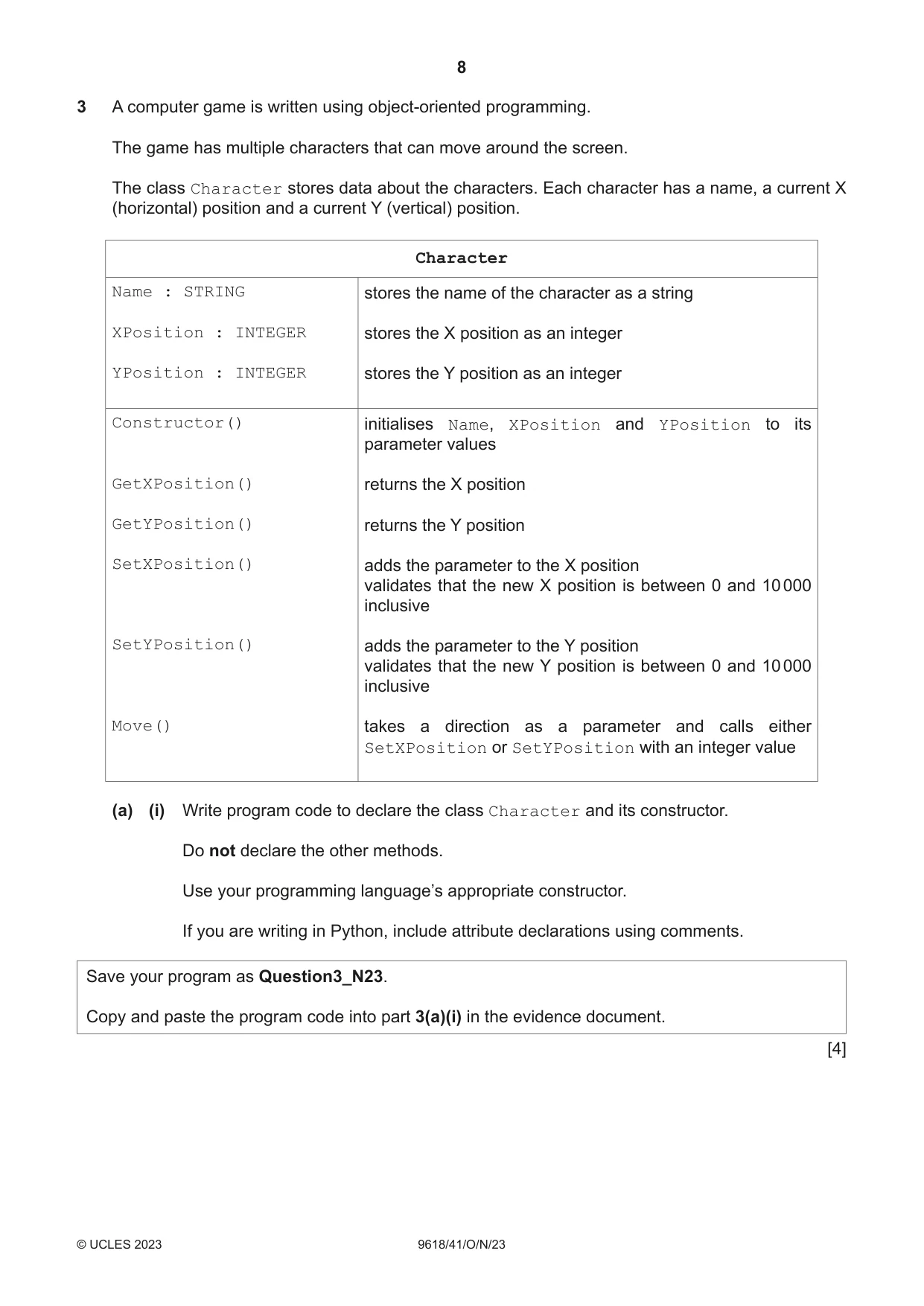
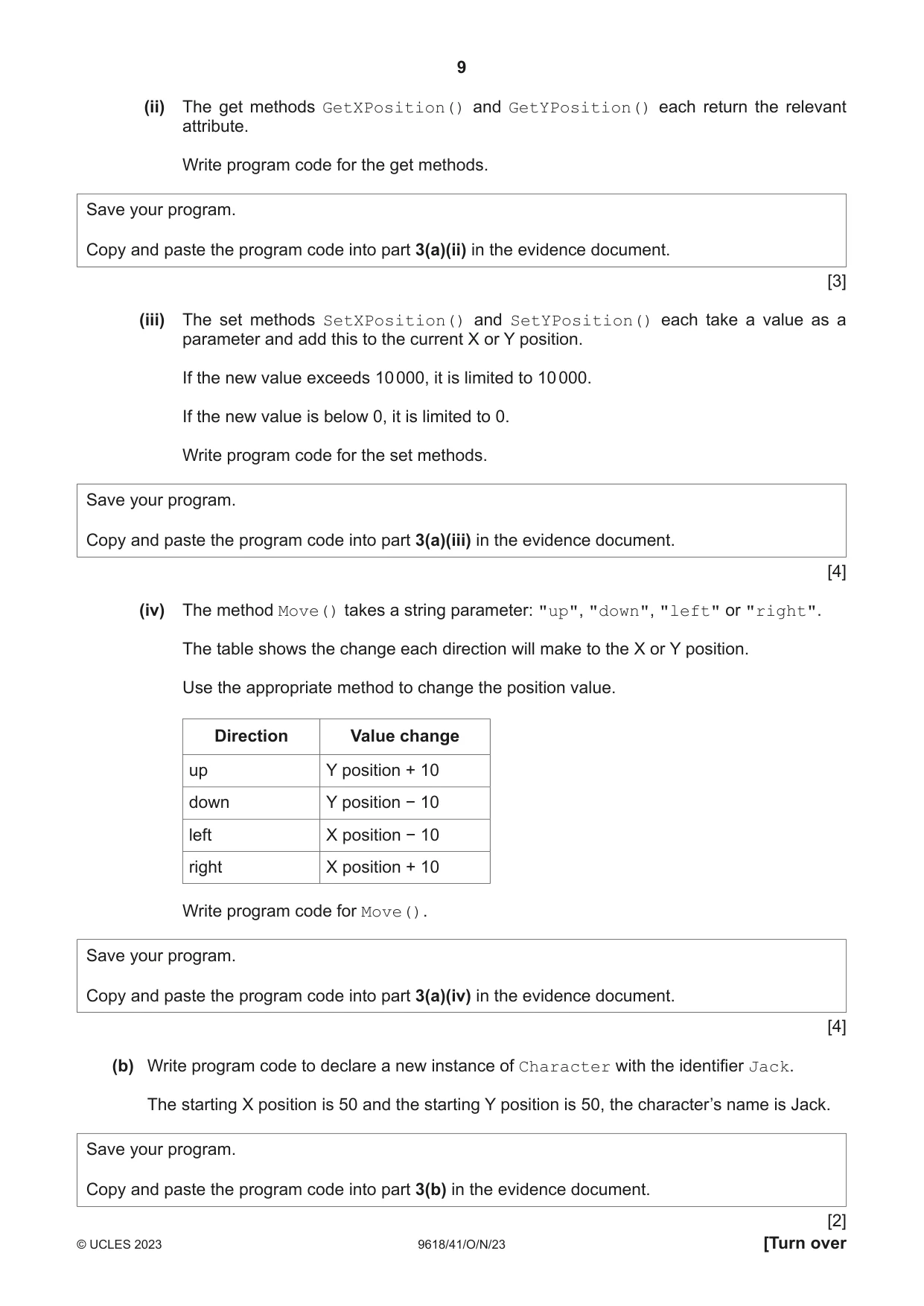
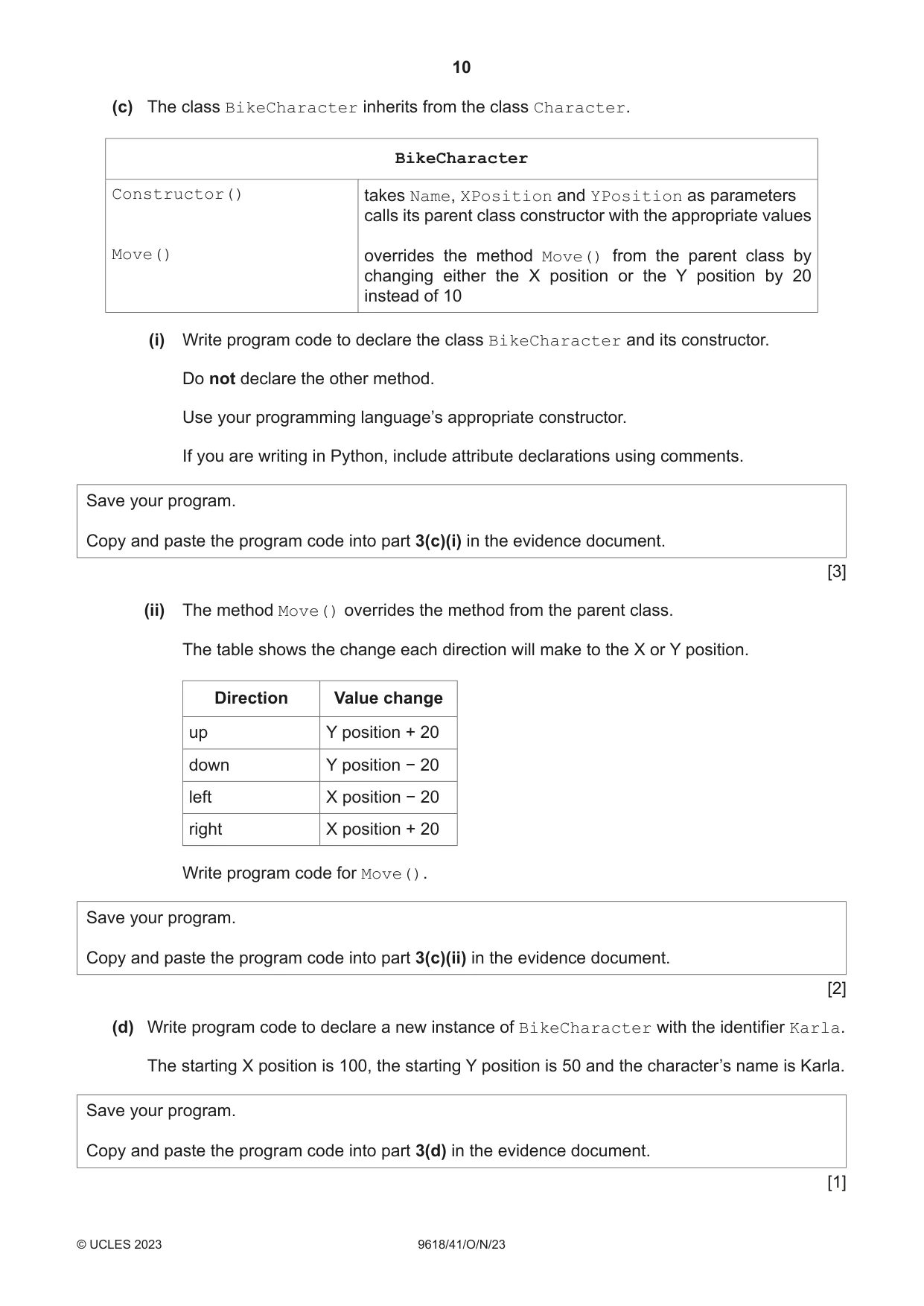
3 A computer game is written using object-oriented programming. The game has multiple characters that can move around the screen. The class Character stores data about the characters. Each character has a name, a current X (horizontal) position and a current Y (vertical) position. Character Name : STRING stores the name of the character as a string XPosition : INTEGER stores the X position as an integer YPosition : INTEGER stores the Y position as an integer Constructor() initialises Name, XPosition and YPosition to its parameter values GetXPosition() returns the X position GetYPosition() returns the Y position SetXPosition() adds the parameter to the X position validates that the new X position is between 0 and 10 000 inclusive SetYPosition() adds the parameter to the Y position validates that the new Y position is between 0 and 10 000 inclusive Move() takes a direction as a parameter and calls either SetXPosition or SetYPosition with an integer value (a) (i) Write program code to declare the class Character and its constructor. Do not declare the other methods. Use your programming language’s appropriate constructor. If you are writing in Python, include attribute declarations using comments. Save your program as Question3_N23. Copy and paste the program code into part 3(a)(i) in the evidence document. [4] (ii) The get methods GetXPosition() and GetYPosition() each return the relevant attribute. Write program code for the get methods. Save your program. Copy and paste the program code into part 3(a)(ii) in the evidence document. [3] (iii) The set methods SetXPosition() and SetYPosition() each take a value as a parameter and add this to the current X or Y position. If the new value exceeds 10 000, it is limited to 10 000. If the new value is below 0, it is limited to 0. Write program code for the set methods. Save your program. Copy and paste the program code into part 3(a)(iii) in the evidence document. [4] (iv) The method Move() takes a string parameter: "up", "down", "left" or "right". The table shows the change each direction will make to the X or Y position. Use the appropriate method to change the position value. Direction Value change up Y position + 10 down Y position − 10 left X position − 10 right X position + 10 Write program code for Move(). Save your program. Copy and paste the program code into part 3(a)(iv) in the evidence document. [4] (b) Write program code to declare a new instance of Character with the identifier Jack. The starting X position is 50 and the starting Y position is 50, the character’s name is Jack. Save your program. Copy and paste the program code into part 3(b) in the evidence document. [2] (c) The class BikeCharacter inherits from the class Character. BikeCharacter Constructor() takes Name, XPosition and YPosition as parameters calls its parent class constructor with the appropriate values Move() overrides the method Move() from the parent class by changing either the X position or the Y position by 20 instead of 10 (i) Write program code to declare the class BikeCharacter and its constructor. Do not declare the other method. Use your programming language’s appropriate constructor. If you are writing in Python, include attribute declarations using comments. Save your program. Copy and paste the program code into part 3(c)(i) in the evidence document. [3] (ii) The method Move() overrides the method from the parent class. The table shows the change each direction will make to the X or Y position. Direction Value change up Y position + 20 down Y position − 20 left X position − 20 right X position + 20 Write program code for Move(). Save your program. Copy and paste the program code into part 3(c)(ii) in the evidence document. [2] (d) Write program code to declare a new instance of BikeCharacter with the identifier Karla. The starting X position is 100, the starting Y position is 50 and the character’s name is Karla. Save your program. Copy and paste the program code into part 3(d) in the evidence document. [1]
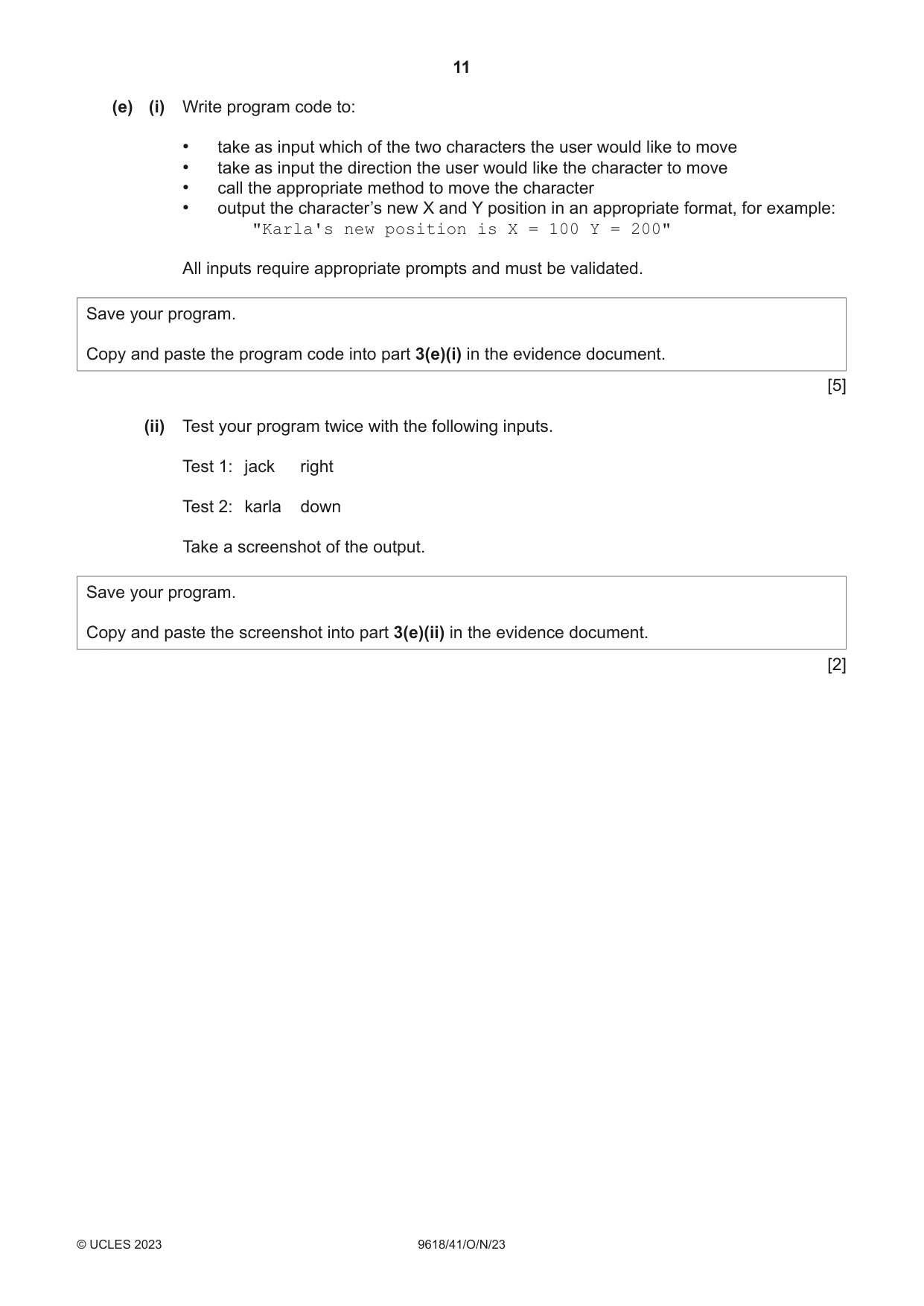
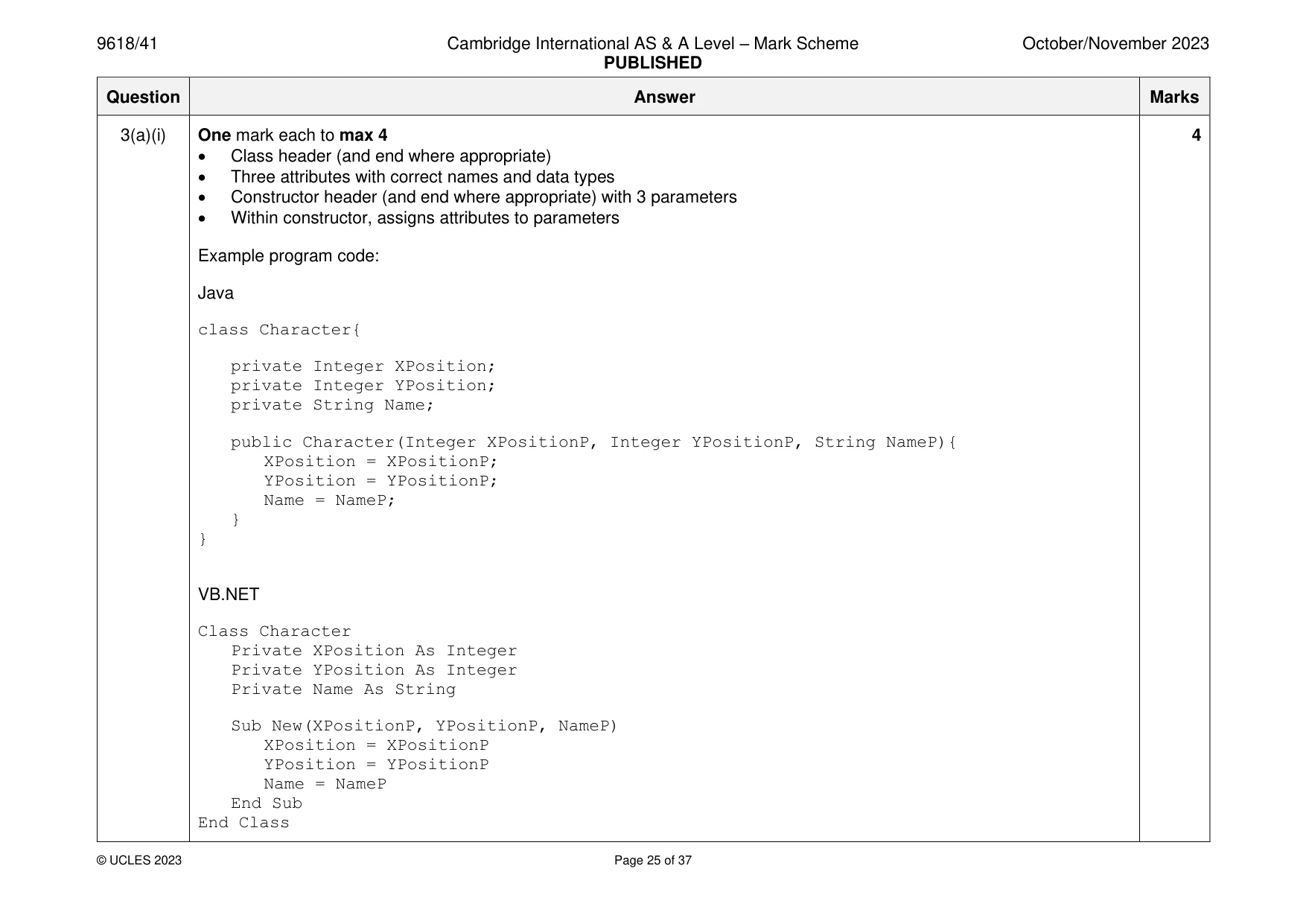
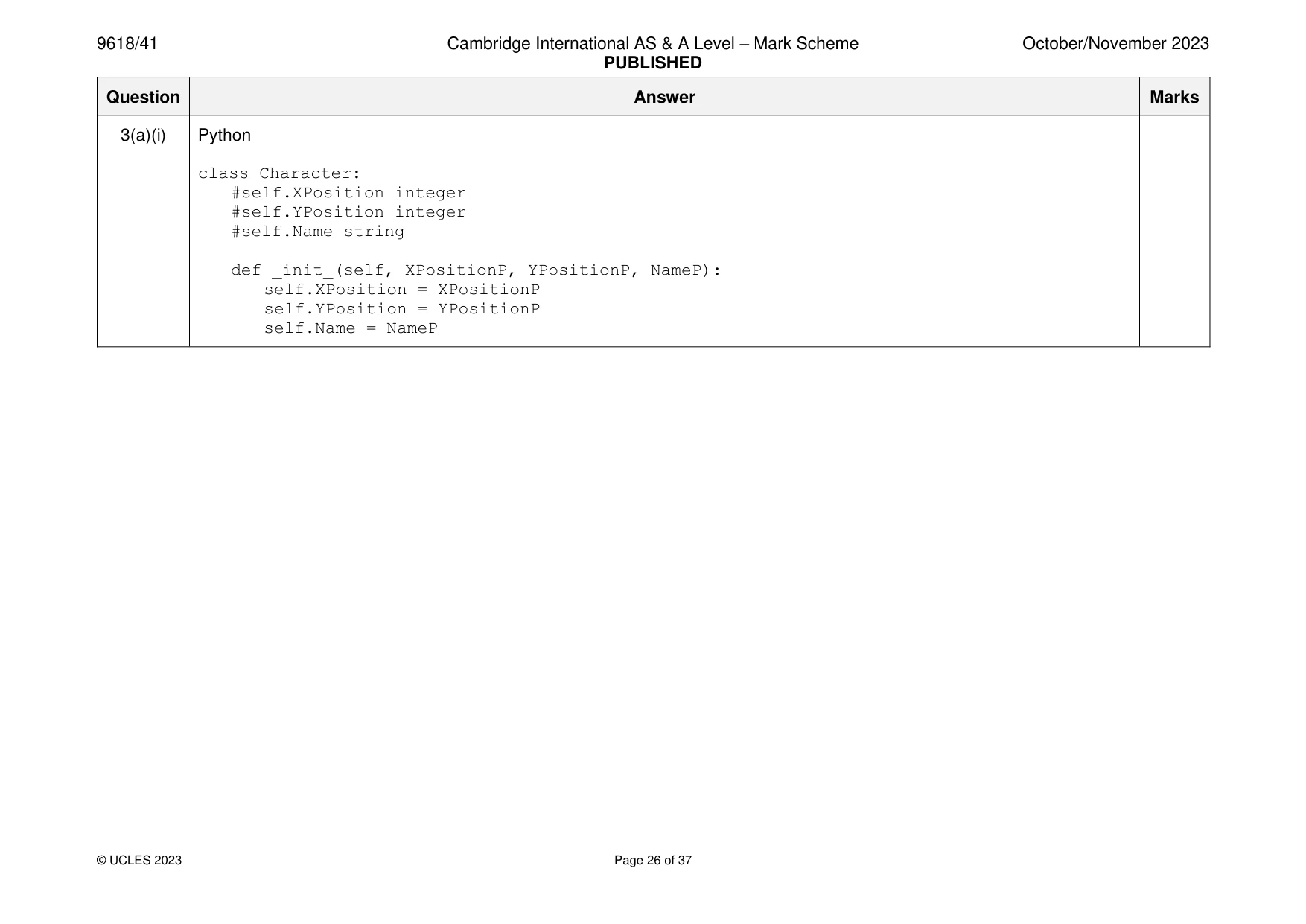
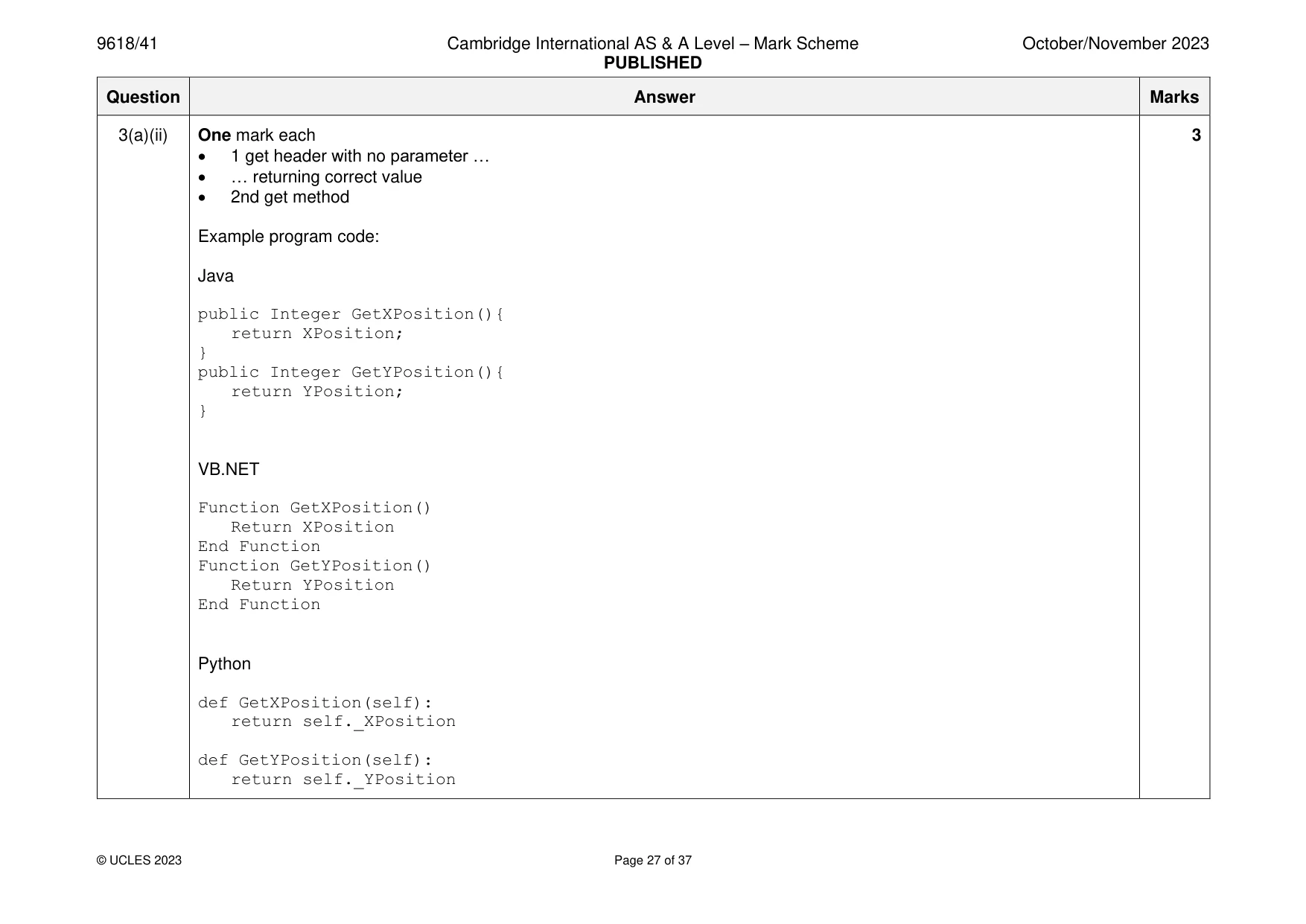
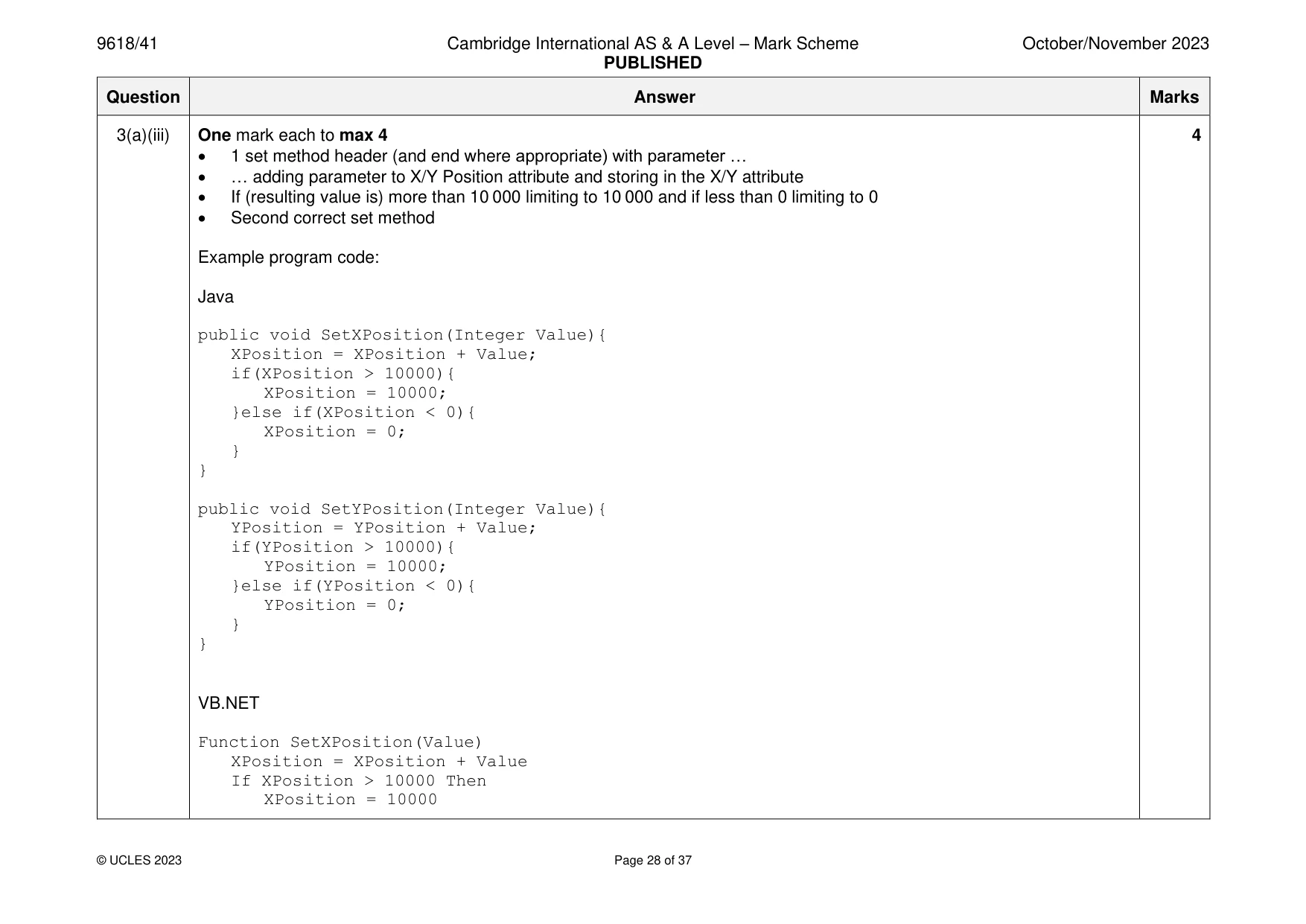
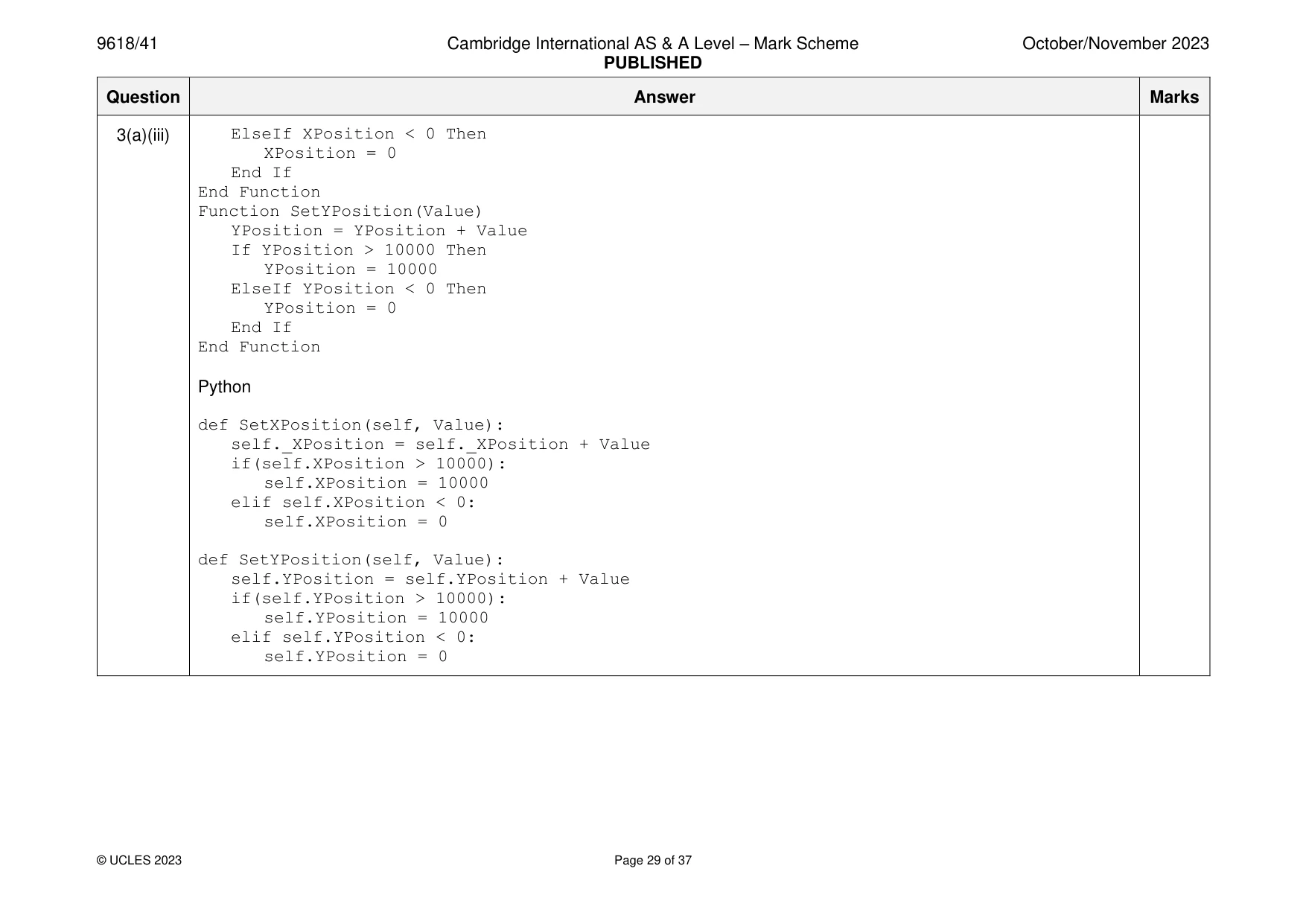
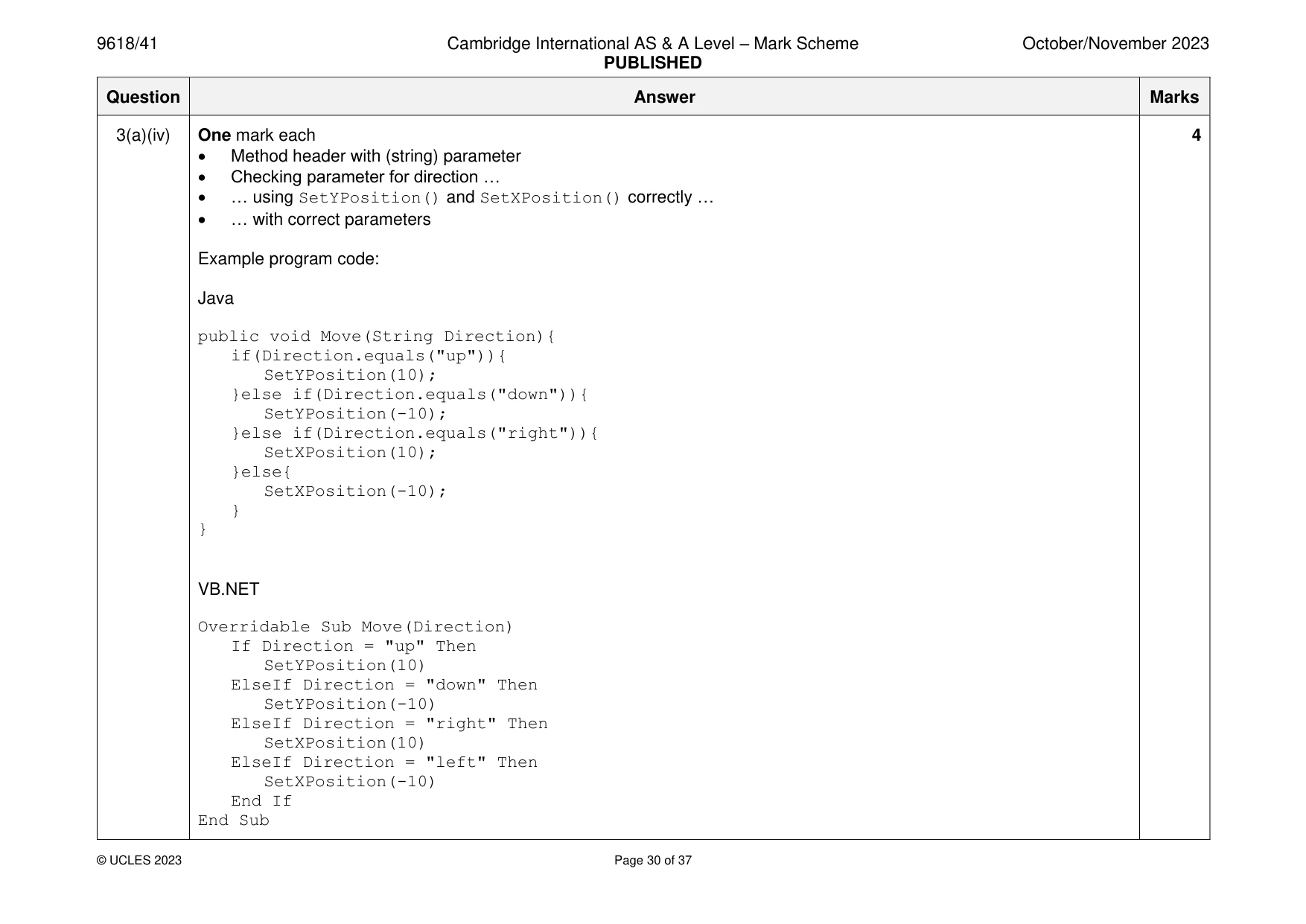
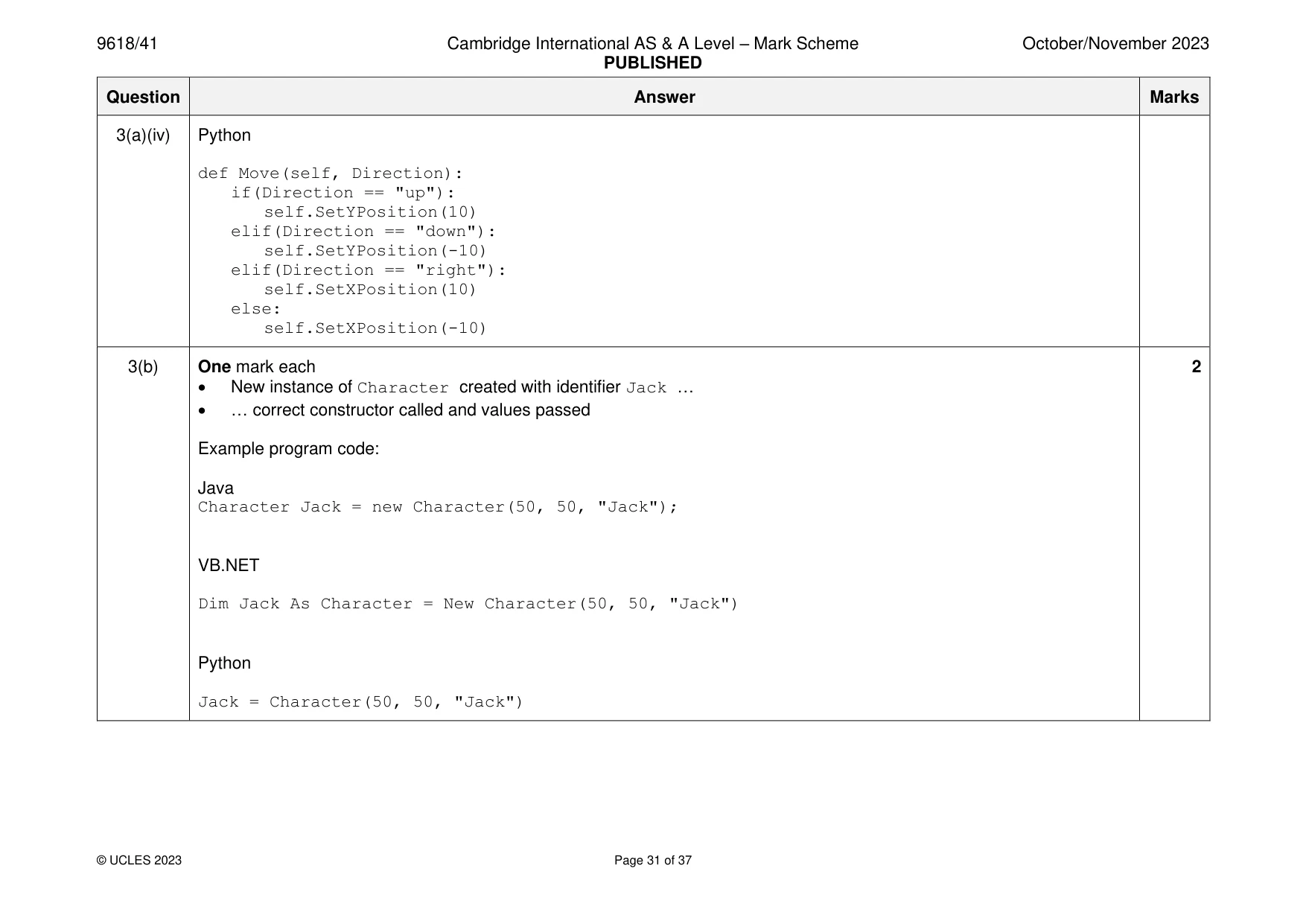
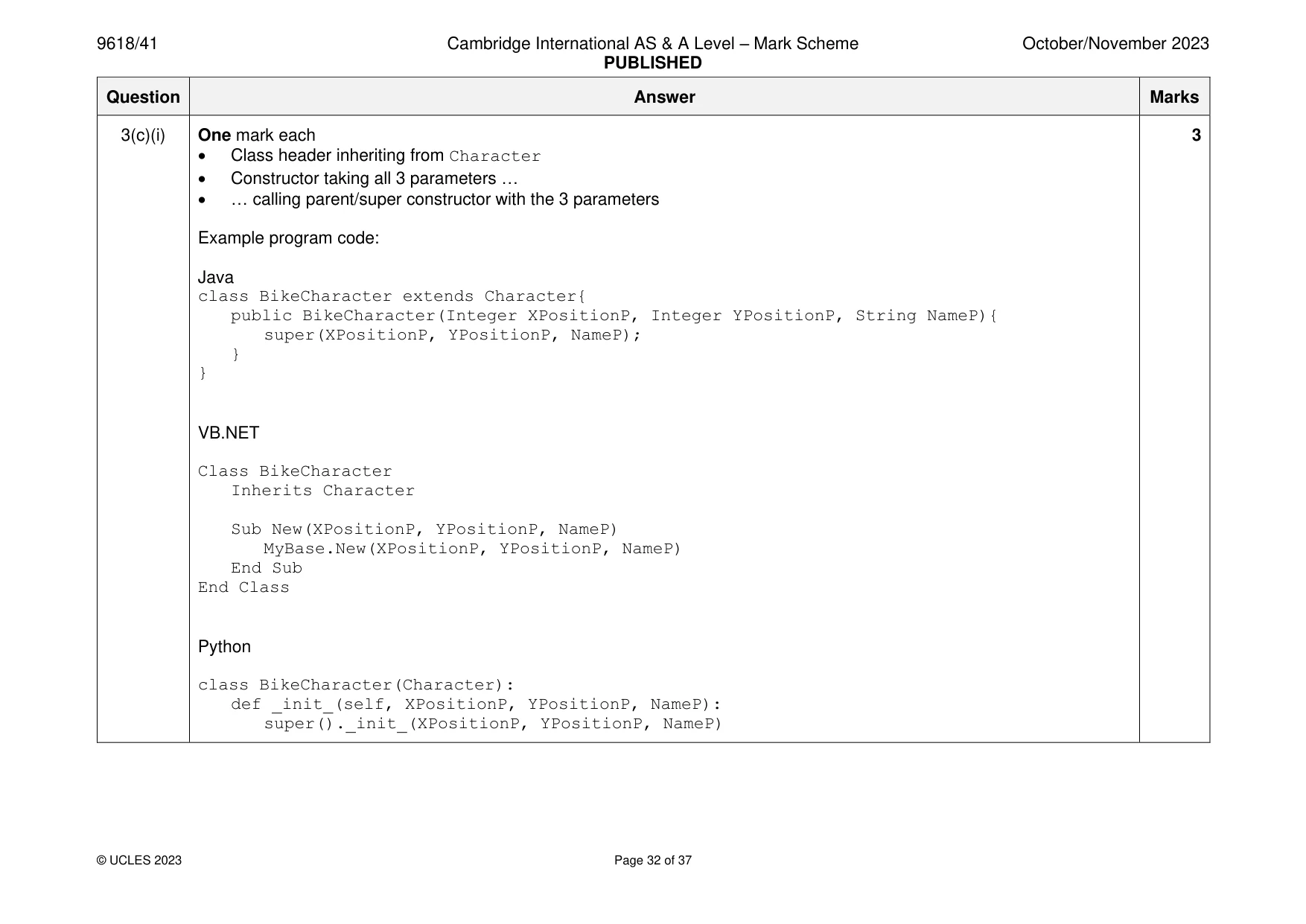
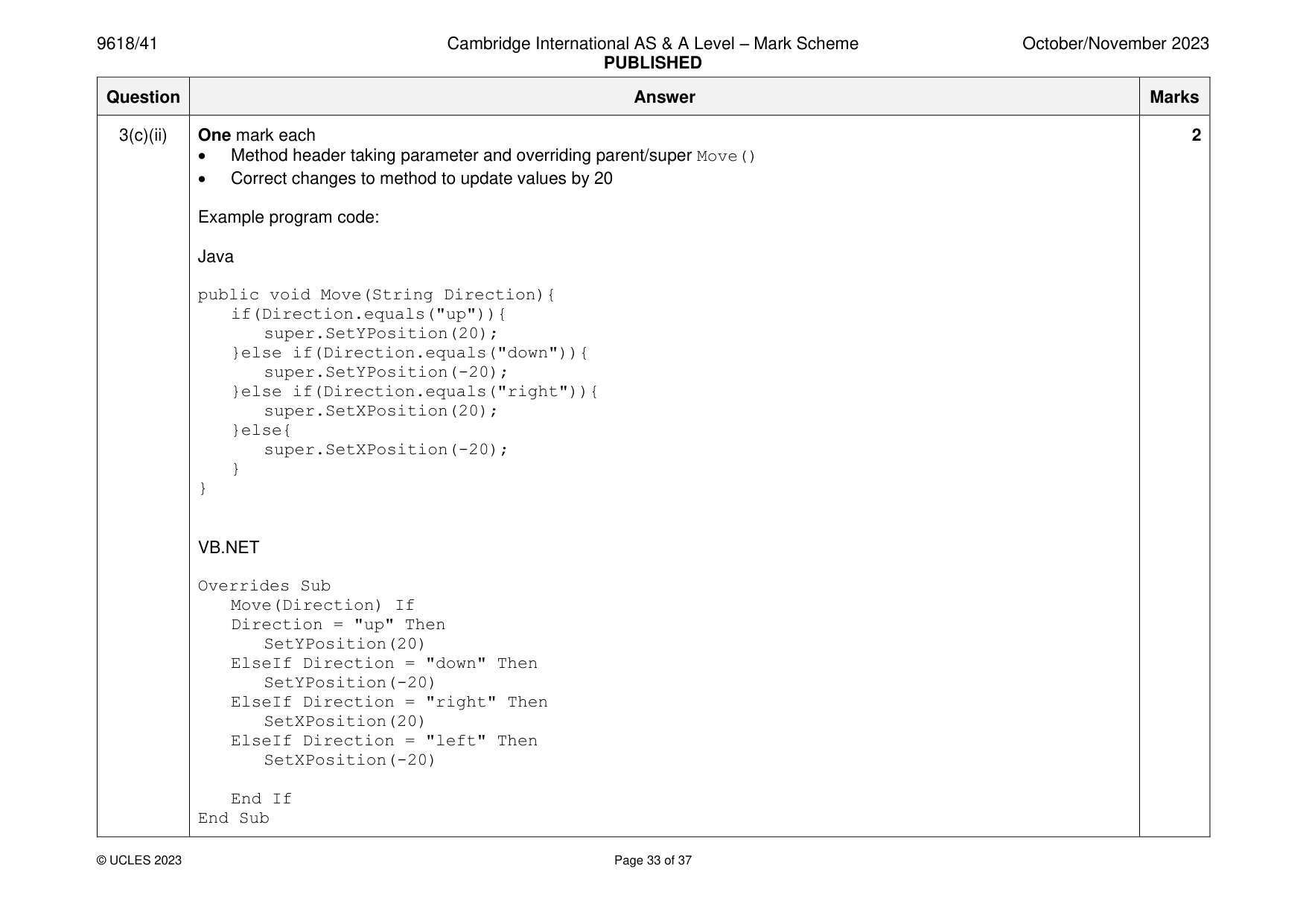
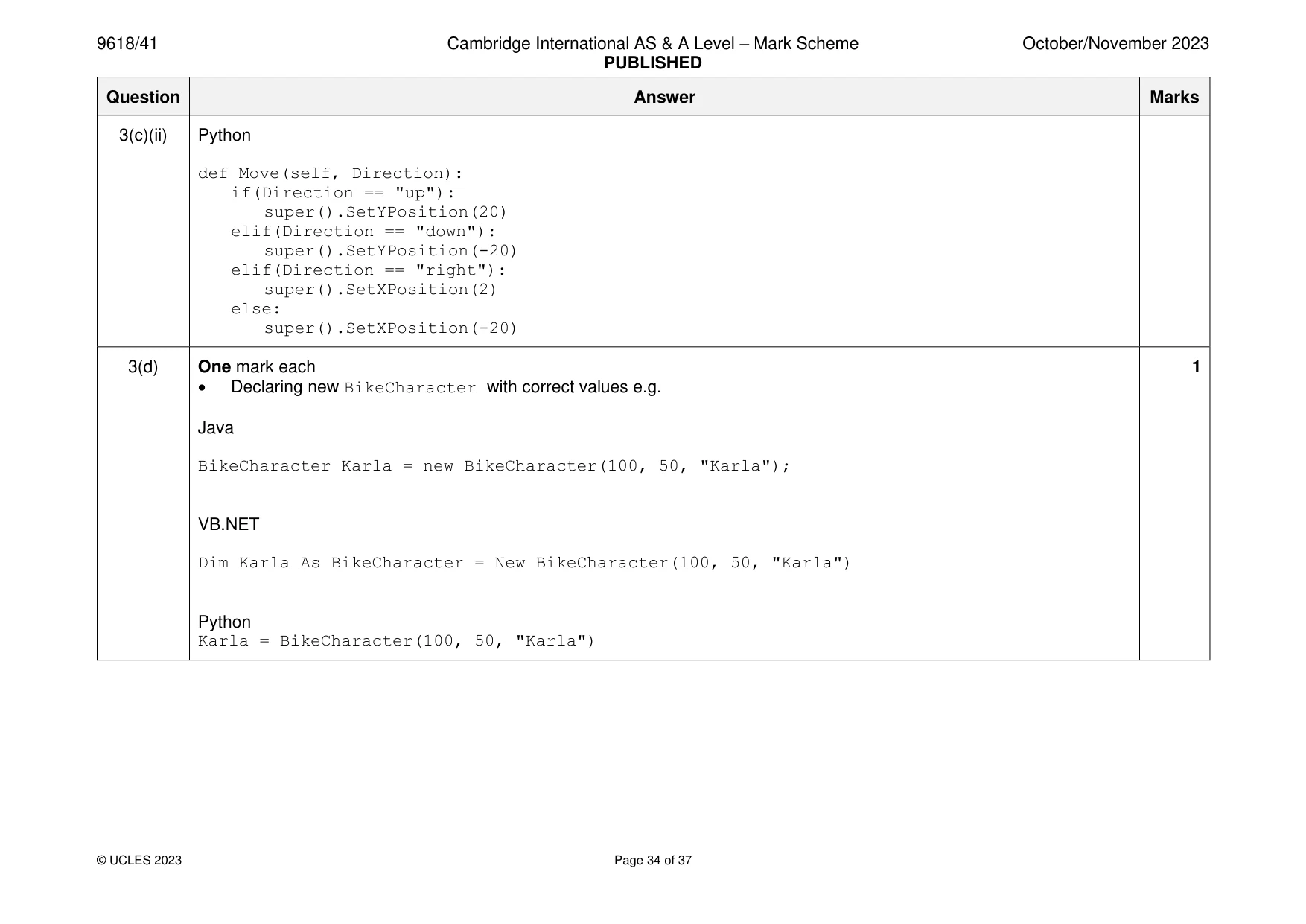
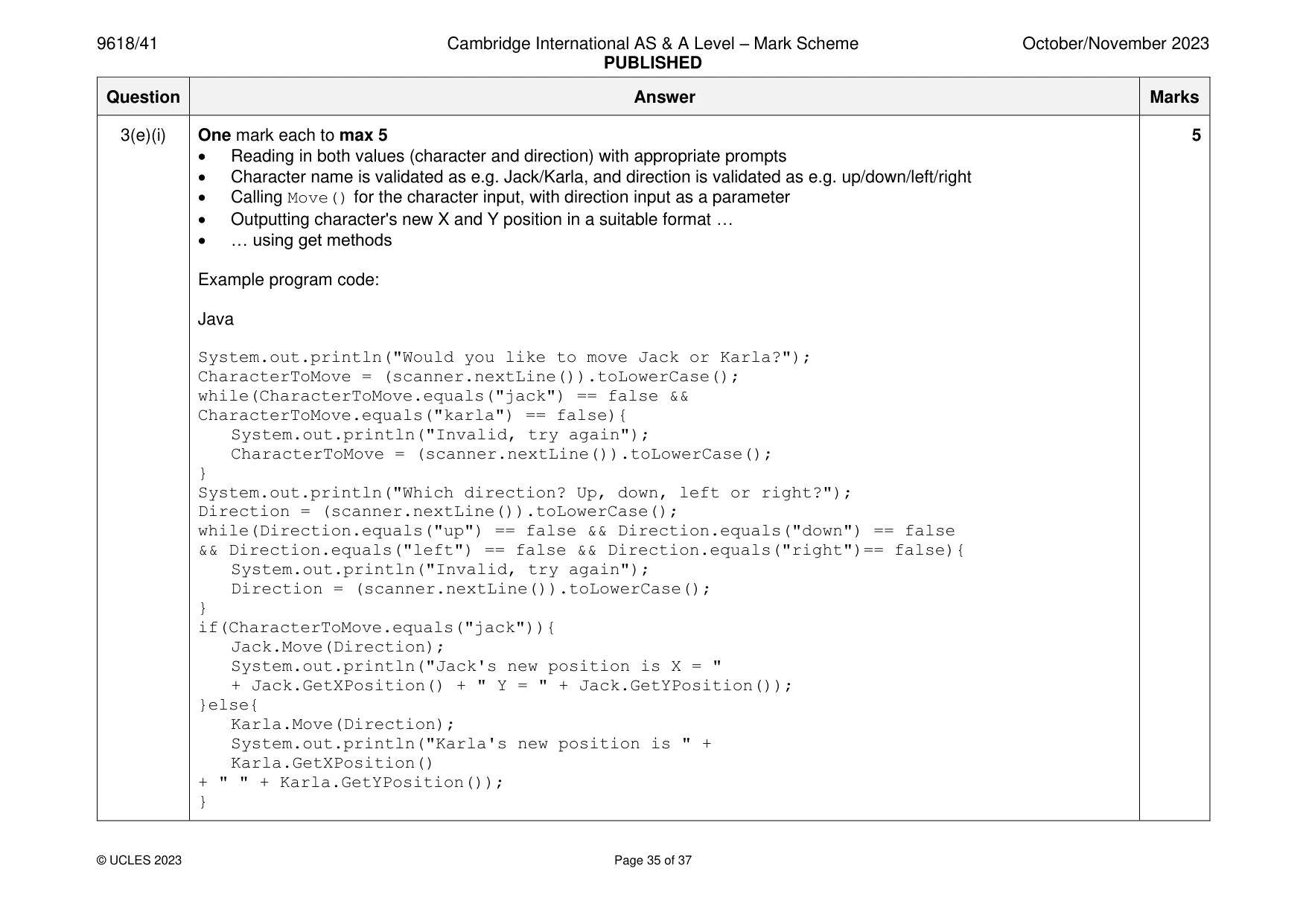
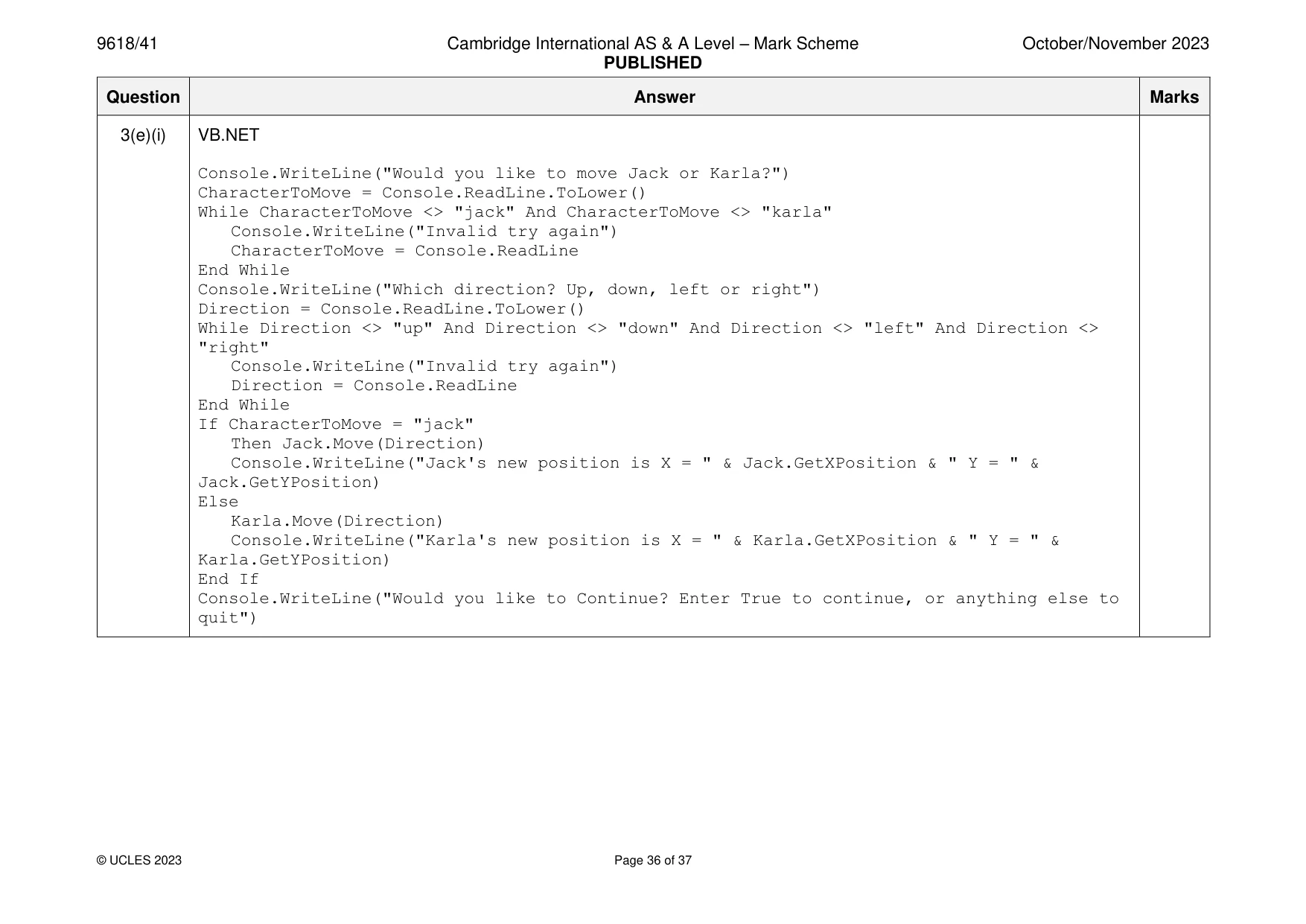
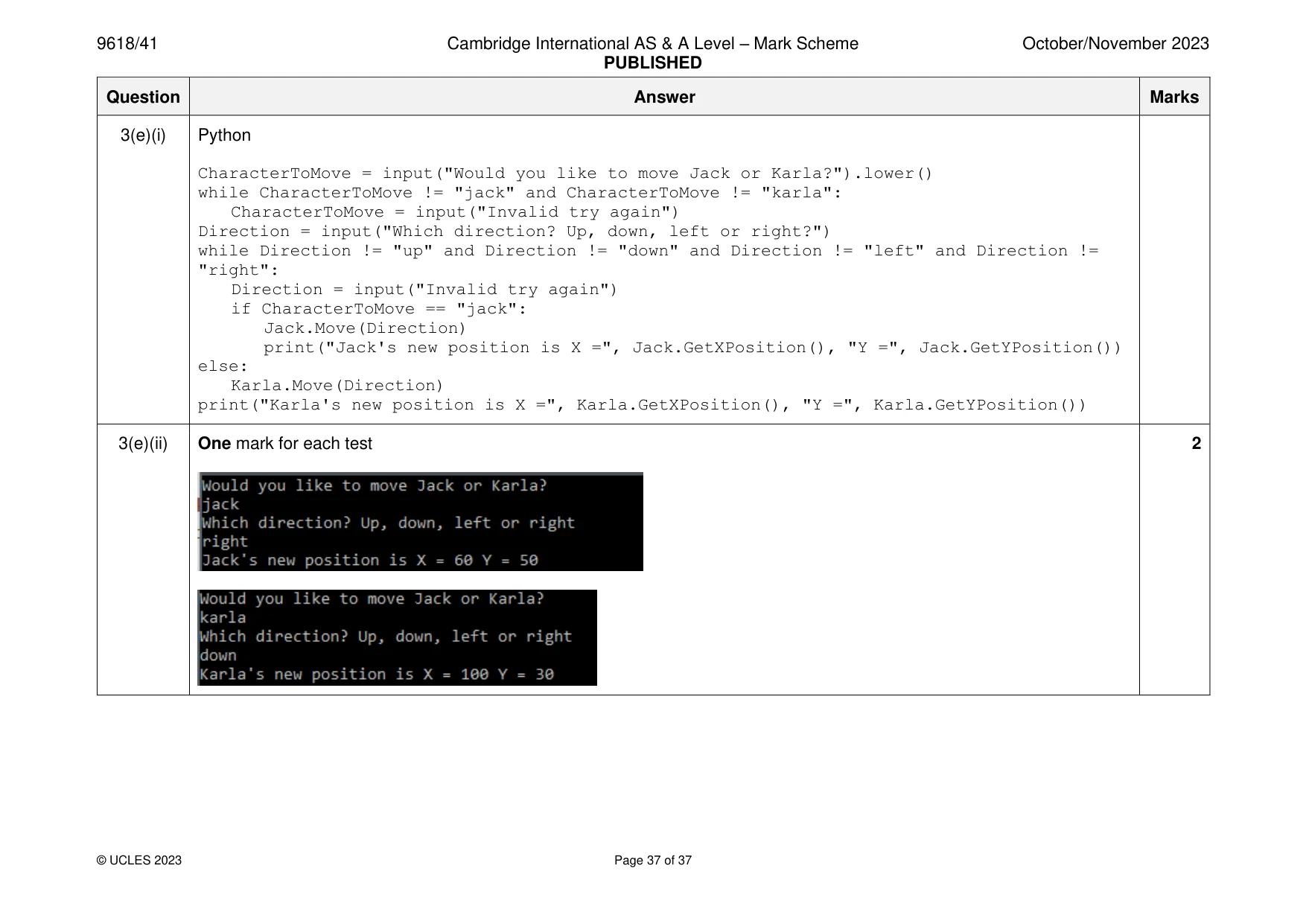
Mark scheme: 3(a)(i) One mark each to max 4 4 • Class header (and end where appropriate) • Three attributes with correct names and data types • Constructor header (and end where appropriate) with 3 parameters • Within constructor, assigns attributes to parameters Example program code: Java class Character{ private Integer XPosition; private Integer YPosition; private String Name; public Character(Integer XPositionP, Integer YPositionP, String NameP){ XPosition = XPositionP; YPosition = YPositionP; Name = NameP; } } VB.NET Class Character Private XPosition As Integer Private YPosition As Integer Private Name As String Sub New(XPositionP, YPositionP, NameP) XPosition = XPositionP YPosition = YPositionP Name = NameP End Sub End Class 3(a)(i) Python class Character: #self.XPosition integer #self.YPosition integer #self.Name string def init (self, XPositionP, YPositionP, NameP): self.XPosition = XPositionP self.YPosition = YPositionP self.Name = NameP 3(a)(ii) One mark each 3 • 1 get header with no parameter … • … returning correct value • 2nd get method Example program code: Java public Integer GetXPosition(){ return XPosition; } public Integer GetYPosition(){ return YPosition; } VB.NET Function GetXPosition() Return XPosition End Function Function GetYPosition() Return YPosition End Function Python def GetXPosition(self): return self. XPosition def GetYPosition(self): return self. YPosition 3(a)(iii) One mark each to max 4 4 • 1 set method header (and end where appropriate) with parameter … • … adding parameter to X/Y Position attribute and storing in the X/Y attribute • If (resulting value is) more than 10 000 limiting to 10 000 and if less than 0 limiting to 0 • Second correct set method Example program code: Java public void SetXPosition(Integer Value){ XPosition = XPosition + Value; if(XPosition > 10000){ XPosition = 10000; }else if(XPosition < 0){ XPosition = 0; } } public void SetYPosition(Integer Value){ YPosition = YPosition + Value; if(YPosition > 10000){ YPosition = 10000; }else if(YPosition < 0){ YPosition = 0; } } VB.NET Function SetXPosition(Value) XPosition = XPosition + Value If XPosition > 10000 Then XPosition = 10000 3(a)(iii) ElseIf XPosition < 0 Then XPosition = 0 End If End Function Function SetYPosition(Value) YPosition = YPosition + Value If YPosition > 10000 Then YPosition = 10000 ElseIf YPosition < 0 Then YPosition = 0 End If End Function Python def SetXPosition(self, Value): self. XPosition = self. XPosition + Value if(self.XPosition > 10000): self.XPosition = 10000 elif self.XPosition < 0: self.XPosition = 0 def SetYPosition(self, Value): self.YPosition = self.YPosition + Value if(self.YPosition > 10000): self.YPosition = 10000 elif self.YPosition < 0: self.YPosition = 0 3(a)(iv) One mark each 4 • Method header with (string) parameter • Checking parameter for direction … • … using SetYPosition() and SetXPosition() correctly … • … with correct parameters Example program code: Java public void Move(String Direction){ if(Direction.equals("up")){ SetYPosition(10); }else if(Direction.equals("down")){ SetYPosition(-10); }else if(Direction.equals("right")){ SetXPosition(10); }else{ SetXPosition(-10); } } VB.NET Overridable Sub Move(Direction) If Direction = "up" Then SetYPosition(10) ElseIf Direction = "down" Then SetYPosition(-10) ElseIf Direction = "right" Then SetXPosition(10) ElseIf Direction = "left" Then SetXPosition(-10) End If End Sub 3(a)(iv) Python def Move(self, Direction): if(Direction == "up"): self.SetYPosition(10) elif(Direction == "down"): self.SetYPosition(-10) elif(Direction == "right"): self.SetXPosition(10) else: self.SetXPosition(-10) 3(b) One mark each 2 • New instance of Character created with identifier Jack … • … correct constructor called and values passed Example program code: Java Character Jack = new Character(50, 50, "Jack"); VB.NET Dim Jack As Character = New Character(50, 50, "Jack") Python Jack = Character(50, 50, "Jack") 3(c)(i) One mark each 3 • Class header inheriting from Character • Constructor taking all 3 parameters … • … calling parent/super constructor with the 3 parameters Example program code: Java class BikeCharacter extends Character{ public BikeCharacter(Integer XPositionP, Integer YPositionP, String NameP){ super(XPositionP, YPositionP, NameP); } } VB.NET Class BikeCharacter Inherits Character Sub New(XPositionP, YPositionP, NameP) MyBase.New(XPositionP, YPositionP, NameP) End Sub End Class Python class BikeCharacter(Character): def init (self, XPositionP, YPositionP, NameP): super(). init (XPositionP, YPositionP, NameP) 3(c)(ii) One mark each 2 • Method header taking parameter and overriding parent/super Move() • Correct changes to method to update values by 20 Example program code: Java public void Move(String Direction){ if(Direction.equals("up")){ super.SetYPosition(20); }else if(Direction.equals("down")){ super.SetYPosition(-20); }else if(Direction.equals("right")){ super.SetXPosition(20); }else{ super.SetXPosition(-20); } } VB.NET Overrides Sub Move(Direction) If Direction = "up" Then SetYPosition(20) ElseIf Direction = "down" Then SetYPosition(-20) ElseIf Direction = "right" Then SetXPosition(20) ElseIf Direction = "left" Then SetXPosition(-20) End If End Sub 3(c)(ii) Python def Move(self, Direction): if(Direction == "up"): super().SetYPosition(20) elif(Direction == "down"): super().SetYPosition(-20) elif(Direction == "right"): super().SetXPosition(2) else: super().SetXPosition(-20) 3(d) One mark each 1 • Declaring new BikeCharacter with correct values e.g. Java BikeCharacter Karla = new BikeCharacter(100, 50, "Karla"); VB.NET Dim Karla As BikeCharacter = New BikeCharacter(100, 50, "Karla") Python Karla = BikeCharacter(100, 50, "Karla") 3(e)(i) One mark each to max 5 5 • Reading in both values (character and direction) with appropriate prompts • Character name is validated as e.g. Jack/Karla, and direction is validated as e.g. up/down/left/right • Calling Move() for the character input, with direction input as a parameter • Outputting character's new X and Y position in a suitable format … • … using get methods Example program code: Java System.out.println("Would you like to move Jack or Karla?"); CharacterToMove = (scanner.nextLine()).toLowerCase(); while(CharacterToMove.equals("jack") == false && CharacterToMove.equals("karla") == false){ System.out.println("Invalid, try again"); CharacterToMove = (scanner.nextLine()).toLowerCase(); } System.out.println("Which direction? Up, down, left or right?"); Direction = (scanner.nextLine()).toLowerCase(); while(Direction.equals("up") == false && Direction.equals("down") == false && Direction.equals("left") == false && Direction.equals("right")== false){ System.out.println("Invalid, try again"); Direction = (scanner.nextLine()).toLowerCase(); } if(CharacterToMove.equals("jack")){ Jack.Move(Direction); System.out.println("Jack's new position is X = " + Jack.GetXPosition() + " Y = " + Jack.GetYPosition()); }else{ Karla.Move(Direction); System.out.println("Karla's new position is " + Karla.GetXPosition() + " " + Karla.GetYPosition()); } 3(e)(i) VB.NET Console.WriteLine("Would you like to move Jack or Karla?") CharacterToMove = Console.ReadLine.ToLower() While CharacterToMove <> "jack" And CharacterToMove <> "karla" Console.WriteLine("Invalid try again") CharacterToMove = Console.ReadLine End While Console.WriteLine("Which direction? Up, down, left or right") Direction = Console.ReadLine.ToLower() While Direction <> "up" And Direction <> "down" And Direction <> "left" And Direction <> "right" Console.WriteLine("Invalid try again") Direction = Console.ReadLine End While If CharacterToMove = "jack" Then Jack.Move(Direction) Console.WriteLine("Jack's new position is X = " & Jack.GetXPosition & " Y = " & Jack.GetYPosition) Else Karla.Move(Direction) Console.WriteLine("Karla's new position is X = " & Karla.GetXPosition & " Y = " & Karla.GetYPosition) End If Console.WriteLine("Would you like to Continue? Enter True to continue, or anything else to quit") 3(e)(i) Python CharacterToMove = input("Would you like to move Jack or Karla?").lower() while CharacterToMove != "jack" and CharacterToMove != "karla": CharacterToMove = input("Invalid try again") Direction = input("Which direction? Up, down, left or right?") while Direction != "up" and Direction != "down" and Direction != "left" and Direction != "right": Direction = input("Invalid try again") if CharacterToMove == "jack": Jack.Move(Direction) print("Jack's new position is X =", Jack.GetXPosition(), "Y =", Jack.GetYPosition()) else: Karla.Move(Direction) print("Karla's new position is X =", Karla.GetXPosition(), "Y =", Karla.GetYPosition()) 3(e)(ii) One mark for each test 2
What you needed in this session
Cambridge’s own grade thresholds for 2023 Oct/Nov, Paper 4 · Variant 1. A higher threshold means an easier paper — the bar moves with how the cohort did.