Questions as text
Q1 · A website advertising a tourist resort uses both bitmap and vector graphics 9626/32 Feb/March 2017
4 A website advertising a tourist resort uses both bitmap and vector graphics. Evaluate the suitability of these types of graphics for use on the website. … … … … … … … … … … … … … … … … … … … … [8]
8 marks
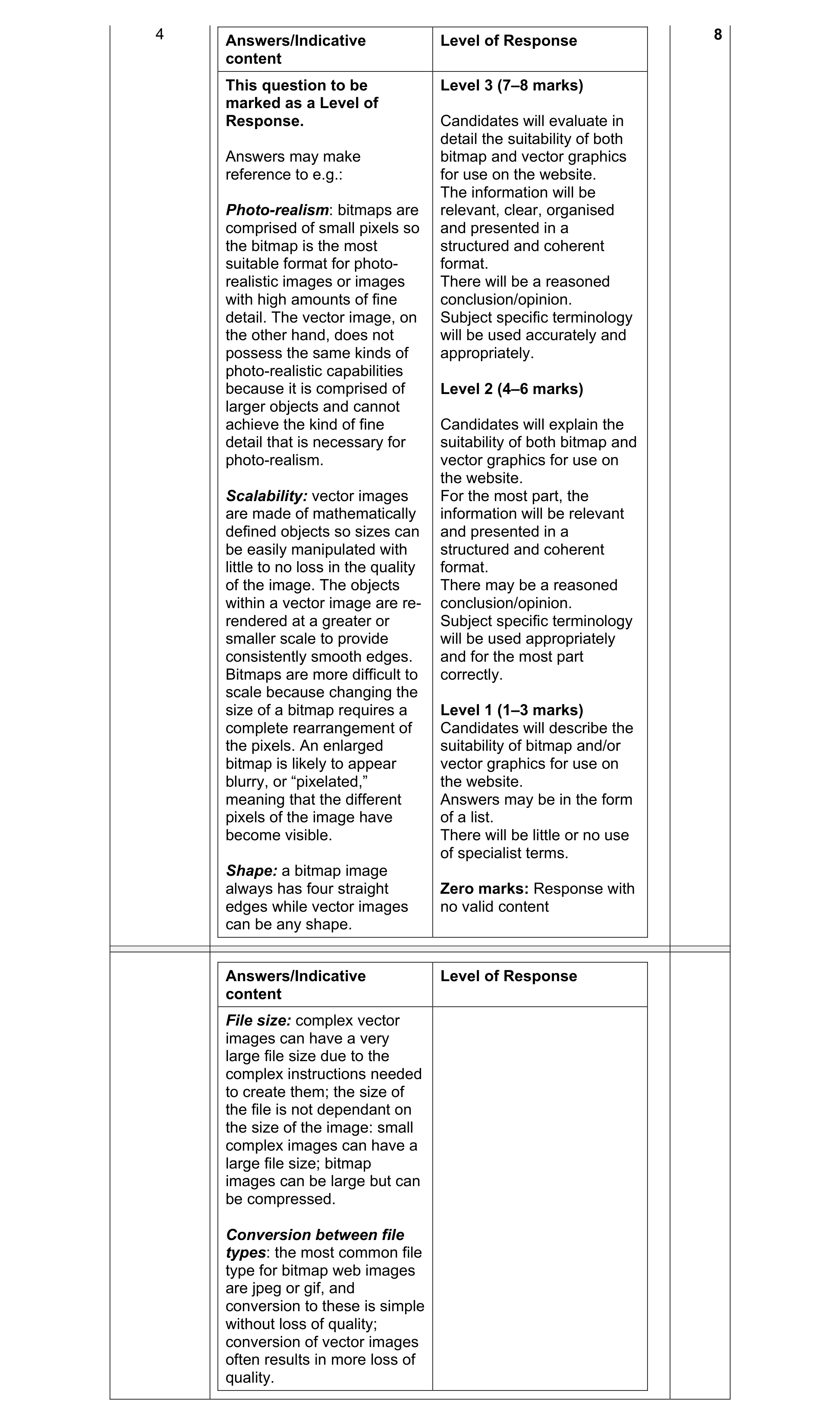
Mark scheme: 4 8 Answers/Indicative Level of Response content This question to be Level 3 (7–8 marks) marked as a Level of Response. Candidates will evaluate in detail the suitability of both Answers may make bitmap and vector graphics reference to e.g.: for use on the website. The information will be Photo-realism: bitmaps are relevant, clear, organised comprised of small pixels so and presented in a the bitmap is the most structured and coherent suitable format for photo- format. realistic images or images There will be a reasoned with high amounts of fine conclusion/opinion. detail. The vector image, on Subject specific terminology the other hand, does not will be used accurately and possess the same kinds of appropriately. photo-realistic capabilities because it is comprised of Level 2 (4–6 marks) larger objects and cannot achieve the kind of fine Candidates will explain the detail that is necessary for suitability of both bitmap and photo-realism. vector graphics for use on the website. Scalability: vector images For the most part, the are made of mathematically information will be relevant defined objects so sizes can and presented in a be easily manipulated with structured and coherent little to no loss in the quality format. of the image. The objects There may be a reasoned within a vector image are re- conclusion/opinion. rendered at a greater or Subject specific terminology smaller scale to provide will be used appropriately consistently smooth edges. and for the most part Bitmaps are more difficult to correctly. scale because changing the size of a bitmap requires a Level 1 (1–3 marks) complete rearrangement of Candidates will describe the the pixels. An enlarged suitability of bitmap and/or bitmap is likely to appear vector graphics for use on blurry, or “pixelated,” the website. meaning that the different Answers may be in the form pixels of the image have of a list. become visible. There will be little or no use of specialist terms. Shape: a bitmap image always has four straight Zero marks: Response with edges while vector images no valid content can be any shape. Answers/Indicative Level of Response content File size: complex vector images can have a very large file size due to the complex instructions needed to create them; the size of the file is not dependant on the size of the image: small complex images can have a large file size; bitmap images can be large but can be compressed. Conversion between file types: the most common file type for bitmap web images are jpeg or gif, and conversion to these is simple without loss of quality; conversion of vector images often results in more loss of quality.
This question in 9626/32 Feb/March 2017
Q2 · A graphics artist has drawn a shape on a 600 × 800 pixel resolution grid as shown in Fig 9626/31 May/June 2018
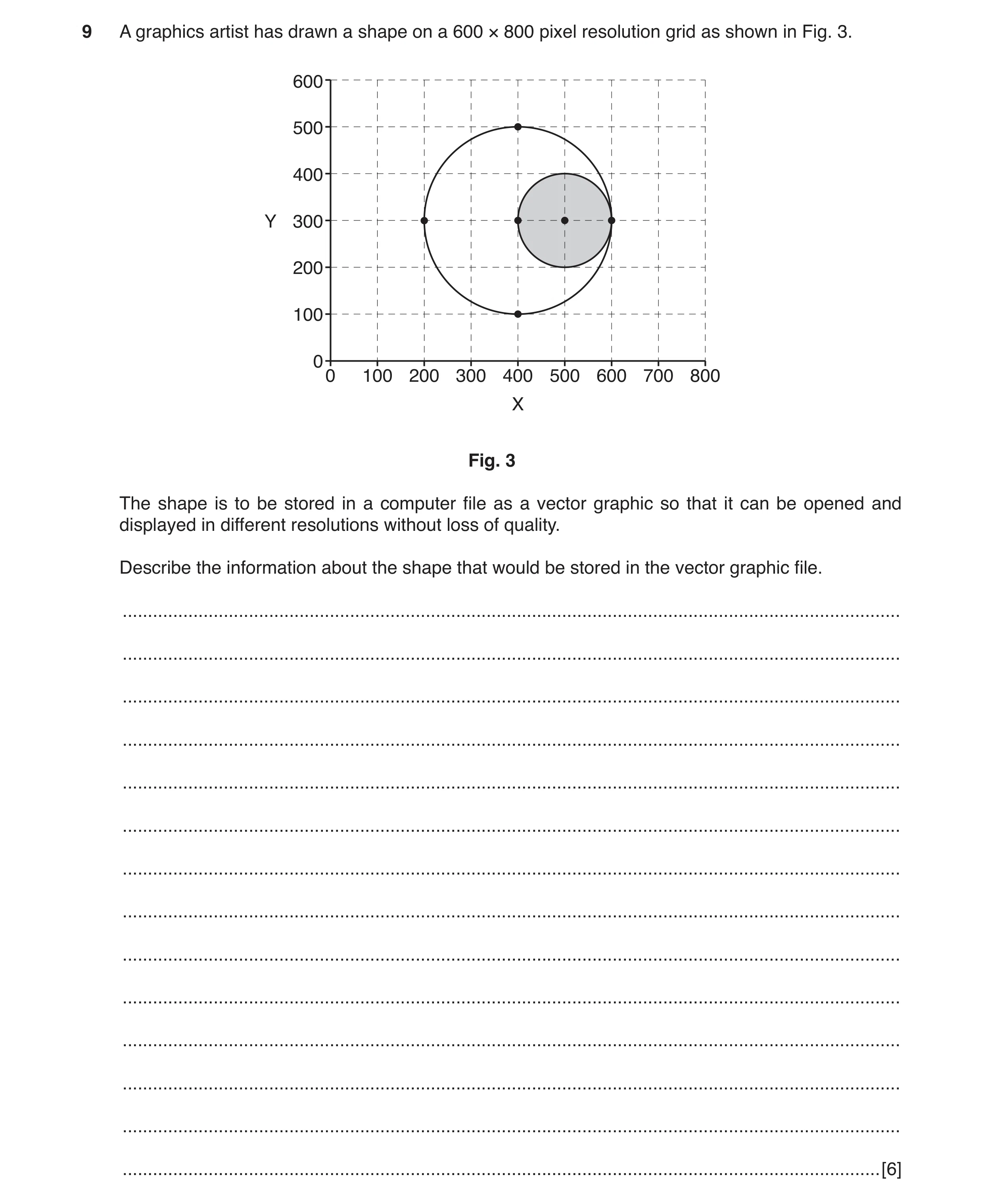
9 A graphics artist has drawn a shape on a 600 × 800 pixel resolution grid as shown in Fig. 3. 600 500 400 Y 300 200 100 00 100 200 300 400 500 600 700 800 X Fig. 3 The shape is to be stored in a computer file as a vector graphic so that it can be opened and displayed in different resolutions without loss of quality. Describe the information about the shape that would be stored in the vector graphic file. … … … … … … … … … … … … … … [6]
6 marks
Mark scheme: 9 Six from: 6 Information about what is to be drawn/instruction to draw circles/use of (Bezier) curves to draw shape Location of the centre point of the (outer/larger) circle at 400,300 Radius of the (outer/larger) circle as 200 pixels Location of the inner/smaller circle at 500, 300 Radius of the inner/smaller circle as 100 pixels Style/weight of the lines to be drawn Colour(s) of the circle fill(s) Degree of opacity/transparency of the circles.
This question in 9626/31 May/June 2018
Q3 · Describe how a bitmap (‘raster’) graphic is stored in a computer file 9626/33 May/June 2018
6 (a) Describe how a bitmap (‘raster’) graphic is stored in a computer file. … … … … … … … … … [4] (b) Vector images are stored in computer files in a different format to how bitmap (‘raster’) images are stored. Explain why vector images must be converted to bitmap (‘raster’) images for display on a digital monitor. … … … … … … … … … … [4]
8 marks
Mark scheme: 6(a) Four from: 4 Made up of pixels Each pixel is represented by bits 1 to 64 bits per pixel Number of pixels depending on colour depth Bits representing pixels packed in rows for bmp Rows rounded to 32 bit words Padding needed for loading into memory locations Usually stored from bottom left up to top right of image. 6(b) Four from: 4 Vector images are stored as co-ordinates/geometric descriptions of shapes and colours Digital monitors cannot display co-ordinate-based graphics Because all digital monitors are pixel-based Graphics card/computer must convert the co-ordinates/ descriptions into pixels before sending to digital monitor... Uses an ADC-type action Resizes the image to suit the requirements of the user/monitor.
This question in 9626/33 May/June 2018
Q4 · Some text is being written for use as a title in a slideshow presentation 9626/32 Oct/Nov 2018
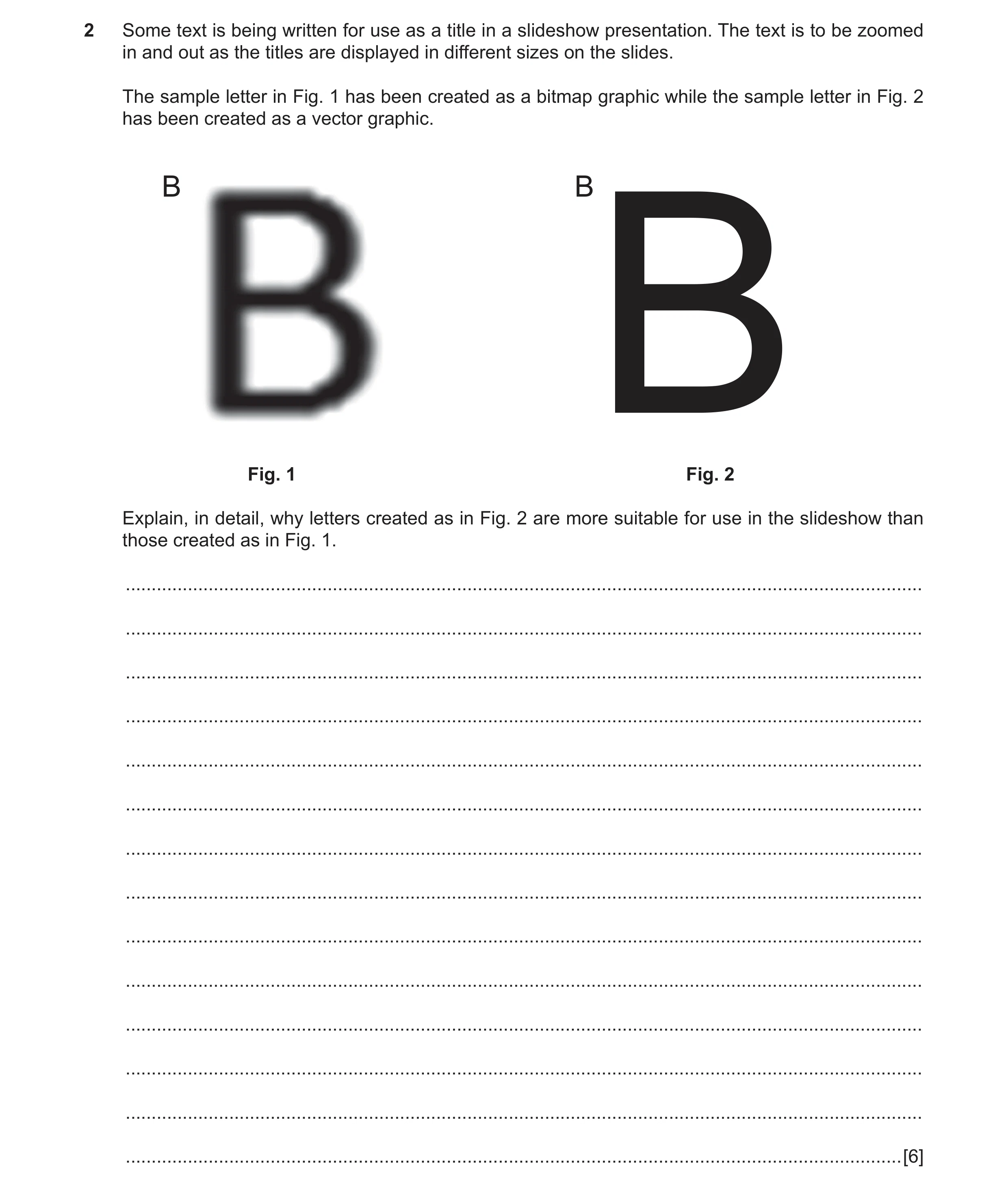
2 Some text is being written for use as a title in a slideshow presentation. The text is to be zoomed in and out as the titles are displayed in different sizes on the slides. The sample letter in Fig. 1 has been created as a bitmap graphic while the sample letter in Fig. 2 has been created as a vector graphic. B B Fig. 1 Fig. 2 B Explain, in detail, why letters created as in Fig. 2 are more suitable for use in the slideshow than those created as in Fig. 1. … … … … … … … … … … … … … … [6]
6 marks
Mark scheme: 2 Six from: 6 Fig. 2 can be scaled/zoomed without loss of quality/clarity Because it is (a vector graphic) made up of instructions/code on how to create the letter When resized/zoomed the graphic is recalculated so no loss of quality Fig. 1 cannot be scaled/zoomed without loss of quality/clarity Because it is (a bitmap image) made of square pixels The rounded appearance is created by pixels of varying density If zoomed/enlarged too much then pixels are visible If zoomed the letter becomes blurred/lacks definition/unreadable.
This question in 9626/32 Oct/Nov 2018
Q5 · Vector images use ‘nodes’ 9626/32 Oct/Nov 2019
1 Vector images use ‘nodes’. (a) Describe what is meant by a ‘node’ in a vector image. … … … … … … [2] (b) Describe how node editing can be used to change a vector image. … … … … … … … … … … [4]
6 marks
Mark scheme: Question Answer Marks 1(a) Two from: 2 Control point for lines/paths in image Has defined positions on the x- and y- axes Determines direction/vector of path Defines/shows the start and end points of lines/arcs/paths. 1(b) Four from: 4 (Unrelated) nodes can be joined together Nodes can be moved to change the shape/path direction Add a new node(s) to change overall shape/add new path Delete a node to change overall shape/delete path Use of symmetrical nodes to create smooth, flowing curves on either side of a node. Use of asymmetrical nodes to obtain a different amount of curve on each side of the node (keeping a smooth flow through the node) Adjusting the length of each control arm without changing the direction Use of cusp nodes to create extreme changes in direction Adjusting the length and direction of each control arm independently Use of smooth nodes to create smooth transitions between straight/curved line segments
This question in 9626/32 Oct/Nov 2019
Q6 · Computer graphics software can create shapes as vector graphics or as bitmap images 9626/32 Feb/March 2020
5 Computer graphics software can create shapes as vector graphics or as bitmap images. (a) Identify one use of vector graphics in computing. … … … [1] (b) Explain, in detail, why vector graphics can be resized without losing image quality but bitmap images usually cannot. … … … … … … … … … … … … … … [6]
7 marks
Mark scheme: 5(a) One from: 1 Used as outline fonts to describe printable characters/glyphs Used as scalable graphics/svg in HTML5 on web pages Used by pen plotters to draw shapes on paper. 5(b) Six from: 6 Vector images use mathematical descriptions/expressions of shapes to create images Shapes include lines/polygons/curves/ellipses Points defined with x-y axes and direction of path Shapes and positions are recalculated every time the image is resized so quality is retained Bitmap images consist of a set number of pixels When the bitmap is resized, pixels are added/removed/the number of pixels changes so the quality is altered Lines in vector images do not get thinner/thicker proportionately when resized but those in bitmaps do so quality of bitmaps changes.
This question in 9626/32 Feb/March 2020
Q7 · Many web pages now use vector graphics as well as bitmap graphics for images and icons 9626/32 Oct/Nov 2021
9 Many web pages now use vector graphics as well as bitmap graphics for images and icons. Evaluate, by weighing up the advantages and disadvantages, the suitability of vector graphics compared with bitmap graphics for this purpose. … … … … … … … … … … … … … … … … … … … … [8]
8 marks
Mark scheme: 9 Eight from: 8 Advantages: Images/graphics can be scaled without loss of quality for use on different devices/screen sizes Images/graphics support transparency Image/graphic file sizes can be/are much less than bitmap files sizes especially for large images so disk storage/server space is reduced Image/graphic file sizes can be/are much less than bitmap files size so downloading times are reduced No need for multiple versions of image/graphic at different resolutions/less pixelation Lines/edges of objects in Images/graphics are well-defined at all resolutions Can be modified/altered more easily that bitmap graphics Disadvantages: Image/graphic files are less easily used to store extremely complex images/photographs Image/graphic files are less easily used for images with colour gradients Image/graphic images can vary in appearance depending on application/browser used to display Image/graphic images have to be converted to raster/bitmap for display on computer screens. Must be at least 2 of each for full marks. Must be a proper evaluation for full marks. Max 6 marks if bullets/list of points.
This question in 9626/32 Oct/Nov 2021
Q8 · A designer creates vector graphics for companies for use in their advertising 9626/31 May/June 2022
3 A designer creates vector graphics for companies for use in their advertising. (a) Explain why the designer uses the svg file format for storing the vector graphics. … … … … … … … … … … … [4] (b) Describe the information that must be stored in a vector graphic file so that the image can be recreated when the file is opened. … … … … … … … … … … … [4]
8 marks
Mark scheme: 3(a) Four from: Format is open-source/royalty-free so can be used without seeking permission of owner/creator/anyone/W3C (World Wide Web Consortium) Format is text-based/based on XML which is (now) standard for use on web pages so can easily be used by companies Format can (easily) be imported into many graphics manipulation software so is transferable between computer platforms/applications Format is scripting so can be included/used with CCS/scripting/animations so works well on web pages/sites Format is supported by web/print systems/mobile devices so no need to convert which might produce differences in appearance No compression is applied to the image so no compromising of the image quality occurs Use of XML/text/instructions/mathematical calculations means that image can be scaled/resize/zoom without change/loss of quality. 3(b) Four from: The shape(s) that is/are to be drawn The dimensions of the shape to be drawn The dimensions/parameters of the lines to be drawn The style of the lines to be used The position on screen of the shape The colours to be used for the lines The colours of the fill of the shape(s) The text style/font to be used. 4
This question in 9626/31 May/June 2022
Q9 · A designer creates vector graphics for companies for use in their advertising 9626/33 May/June 2022
3 A designer creates vector graphics for companies for use in their advertising. (a) Explain why the designer uses the svg file format for storing the vector graphics. … … … … … … … … … … … [4] (b) Describe the information that must be stored in a vector graphic file so that the image can be recreated when the file is opened. … … … … … … … … … … … [4]
8 marks
Mark scheme: 3(a) Four from: Format is open-source/royalty-free so can be used without seeking permission of owner/creator/anyone/W3C (World Wide Web Consortium) Format is text-based/based on XML which is (now) standard for use on web pages so can easily be used by companies Format can (easily) be imported into many graphics manipulation software so is transferable between computer platforms/applications Format is scripting so can be included/used with CCS/scripting/animations so works well on web pages/sites Format is supported by web/print systems/mobile devices so no need to convert which might produce differences in appearance No compression is applied to the image so no compromising of the image quality occurs Use of XML/text/instructions/mathematical calculations means that image can be scaled/resize/zoom without change/loss of quality. 3(b) Four from: The shape(s) that is/are to be drawn The dimensions of the shape to be drawn The dimensions/parameters of the lines to be drawn The style of the lines to be used The position on screen of the shape The colours to be used for the lines The colours of the fill of the shape(s) The text style/font to be used. 4
This question in 9626/33 May/June 2022
Q10 · A digital camera captures bitmap images 9626/32 Feb/March 2023
10 A digital camera captures bitmap images. These images can be converted into editable vector shapes. (a) Describe how a bitmap image is converted into editable vector shapes. … … … … … … [2] (b) Vector images can be used on web pages. Discuss the advantages and disadvantages of using a vector image with editable shapes instead of a bitmap image. … … … … … … … … … … … … … … [6]
8 marks
Mark scheme: 10(a) Two from: 2 • (Clearly defined black/white/colour) areas in the bitmap are automatically traced (in graphics software) to create objects in the vector image • Nodes/anchors/control points are added to the objects • Object manually corrected by user to merge shapes/redefine areas/adjust borders of shapes • Colour resolution/number of bits (may be) reduced by user/software to reduce file size/more clearly define areas. 10(b) Discuss: write about issue(s) or topic(s) in depth in a structured way 6 Six from: Benefits: • Vector images are easier to edit/modify by moving/amending nodes/pathways • Editing/resizing/scaling a vector image does not affect the quality of the image/does not pixelate on enlarging/zooming into an area • Vector images can have smaller file size (for a given image size) – do not use/require as much disk space for storage – download faster than bitmap image – so can be used/displayed on low-power/small storage space devices/tablets • Edges/lines are smooth(er) in vector images/can be edited/moved without jagged/pixelated appearance – producing a higher quality image/lines Drawbacks: • Photographs do not appear realistic – because vector images/gradations of colour/surfaces are unrealistic in photographs • Small/minor drawing/editing errors/mistakes are more visible in vector images than in bitmap images – which reduces the image quality • Adding special effects is more difficult when editing vector graphics compared to bitmap images • High performance computing devices are required to carry out the calculations/recalculations when edits are made in vector images Must be at least one of each for full marks. Max 4 marks if bullets/list of points.
This question in 9626/32 Feb/March 2023
Q11 · Vector images consist of shapes which can be edited into different shapes to change the… 9626/31 Oct/Nov 2023
3 Vector images consist of shapes which can be edited into different shapes to change the appearance of the image. Describe the techniques that can be applied to the shapes in a vector image to change its appearance. … … … … … … … … … … … … … … [6]
6 marks
Mark scheme: 3 Six from e.g.: 6 • Use of Bezier handles to change angle of line/curve that starts/ends at anchor/node/control point • Moving node/anchors/control point to change the start/end points of Bezier curves (that make up rounded shape) • Moving/dragging node from one position to another/co-ordinates on the image canvas • Adding node to line to divide line into two and moving new node • Deleting nodes to join lines and remove curves/angles in the lines • Group/ungroup shapes to allow for movement/scaling of parts of images • Changing the colour/transparency/size/rotation of shape/object in the image • Manually editing/amending the code/instructions in the SVG XML file.
This question in 9626/31 Oct/Nov 2023
Q12 · Vector images consist of shapes which can be edited into different shapes to change the… 9626/33 Oct/Nov 2023
3 Vector images consist of shapes which can be edited into different shapes to change the appearance of the image. Describe the techniques that can be applied to the shapes in a vector image to change its appearance. … … … … … … … … … … … … … … [6]
6 marks
Mark scheme: 3 Six from e.g.: 6 • Use of Bezier handles to change angle of line/curve that starts/ends at anchor/node/control point • Moving node/anchors/control point to change the start/end points of Bezier curves (that make up rounded shape) • Moving/dragging node from one position to another/co-ordinates on the image canvas • Adding node to line to divide line into two and moving new node • Deleting nodes to join lines and remove curves/angles in the lines • Group/ungroup shapes to allow for movement/scaling of parts of images • Changing the colour/transparency/size/rotation of shape/object in the image • Manually editing/amending the code/instructions in the SVG XML file.
This question in 9626/33 Oct/Nov 2023
Q13 · All the images on a college website are vector graphics 9626/32 Feb/March 2025
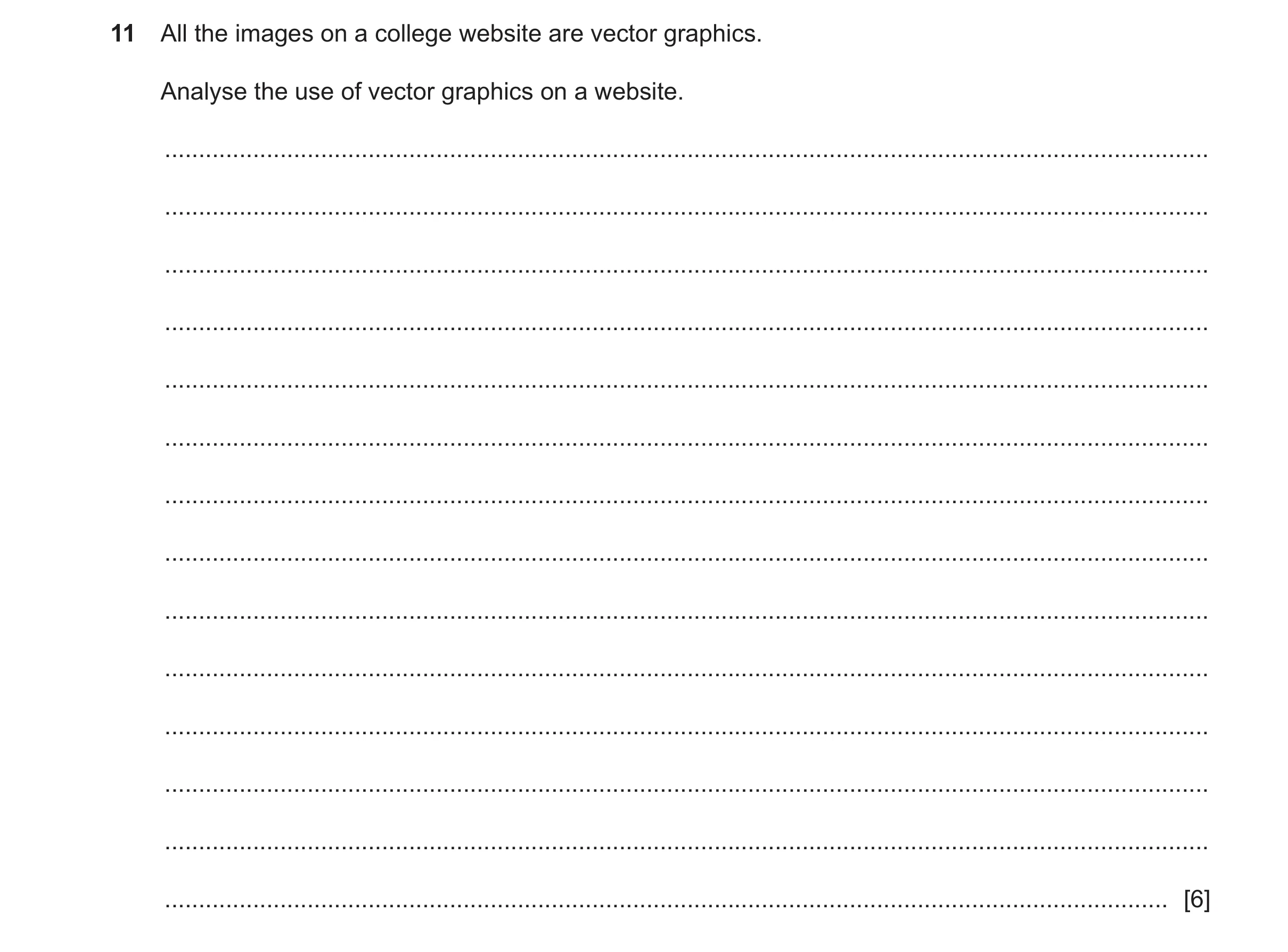
11 All the images on a college website are vector graphics. Analyse the use of vector graphics on a website. … … … … … … … … … … … … … … [6]
6 marks
Mark scheme: 11 Command word: Analyse – examine in detail to show meaning, identify 6 elements and the relationship between them. One mark per bullet point to a maximum of six marks. • Resizing / scaling a vector image does not affect the quality of the image / does not pixelate on enlarging / zooming into an area • Vector images can have smaller file size (for a given image size) • Do not use / require as much disk space for storage • Download faster than bitmap image • Can be used / displayed on low-power / small storage space devices / tablets • Edges / lines are smooth(er) in vector images without jagged / pixelated appearance (1st) • producing a higher quality image / lines (1) • Photographs do not appear realistic (1st) • because vector images / gradations of colour / surfaces are unrealistic in photographs (1) • Small / minor drawing / editing errors / mistakes (made during creation) are more visible in vector images than in bitmap images (1st) • which reduces the image quality (1).
This question in 9626/32 Feb/March 2025
 1 / 13
 2 / 13
 3 / 13
 4 / 13
 5 / 13
 6 / 13
 7 / 13
 8 / 13
 9 / 13
 10 / 13
 11 / 13
 12 / 13
 13 / 13
 8
8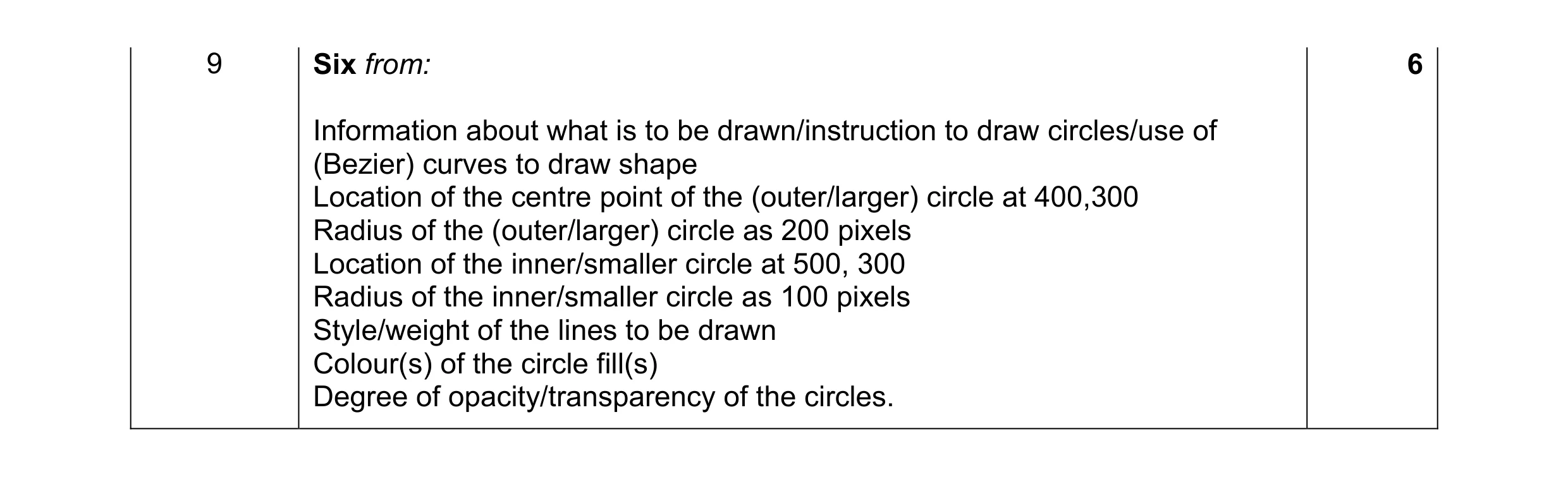 6
6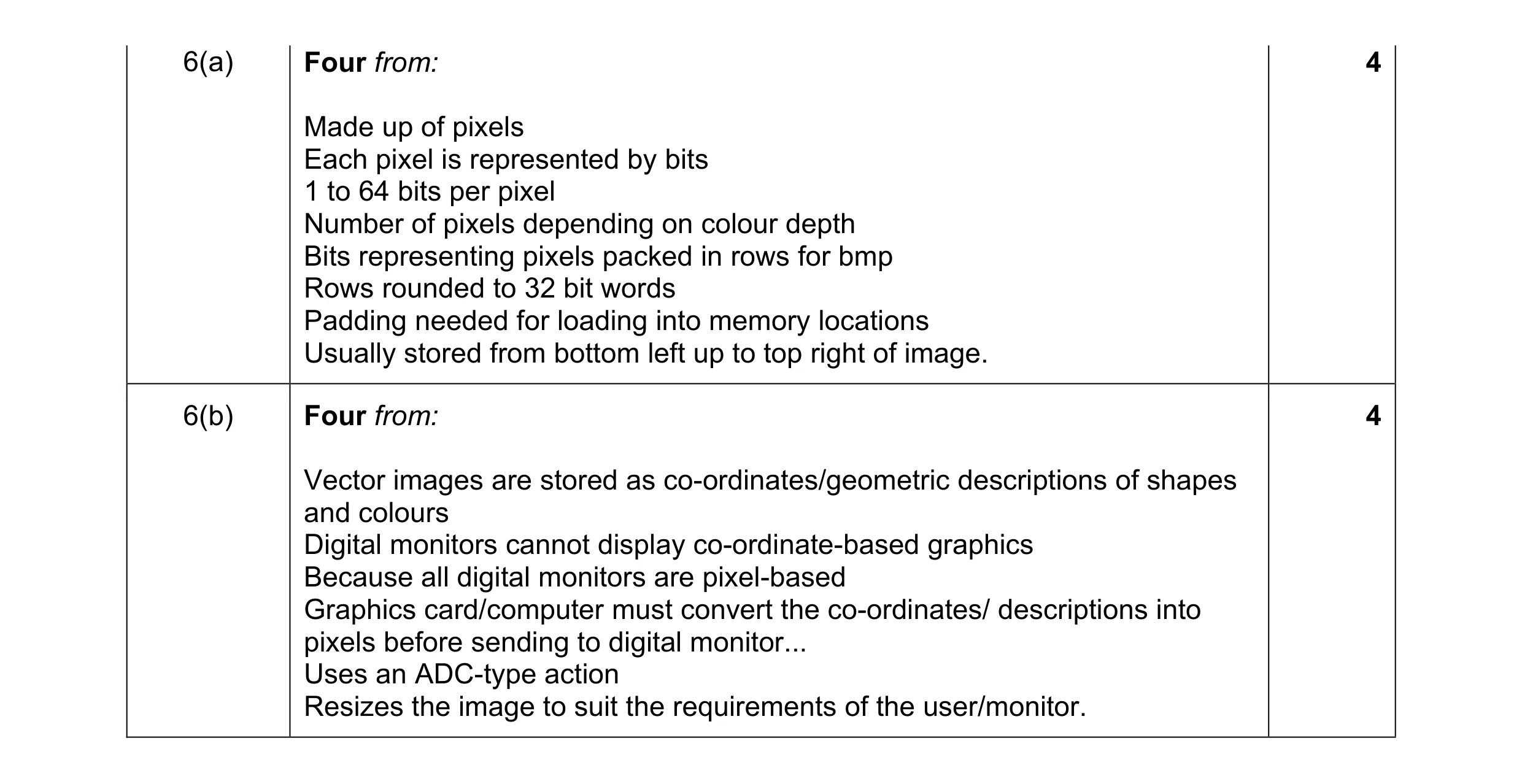 8
8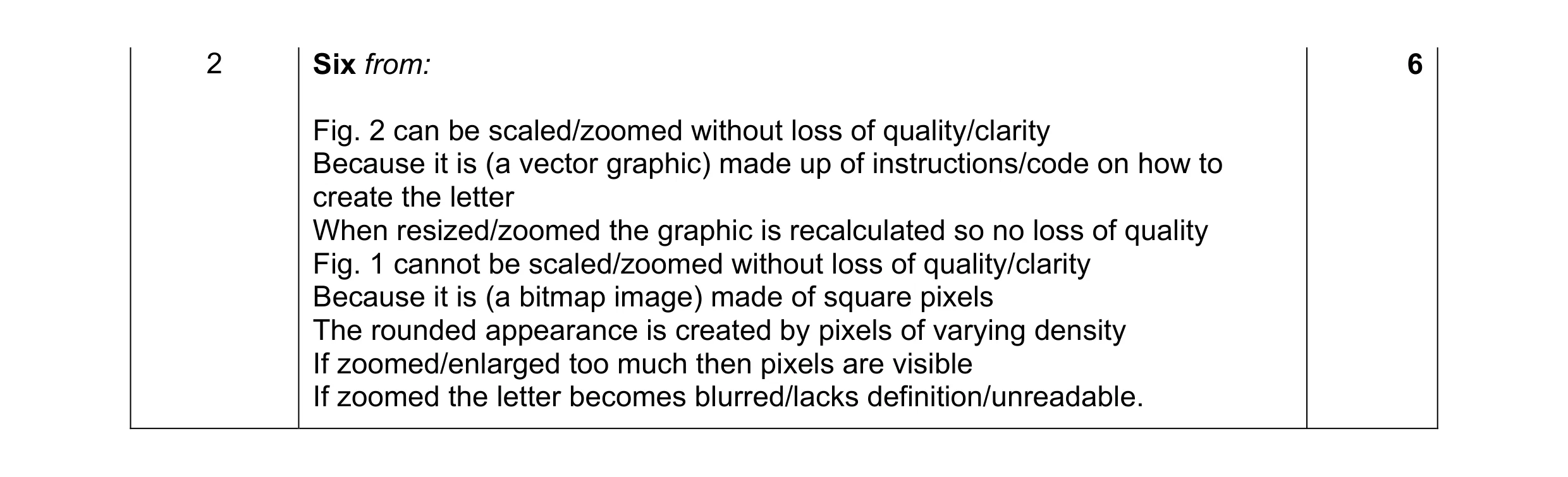 6
6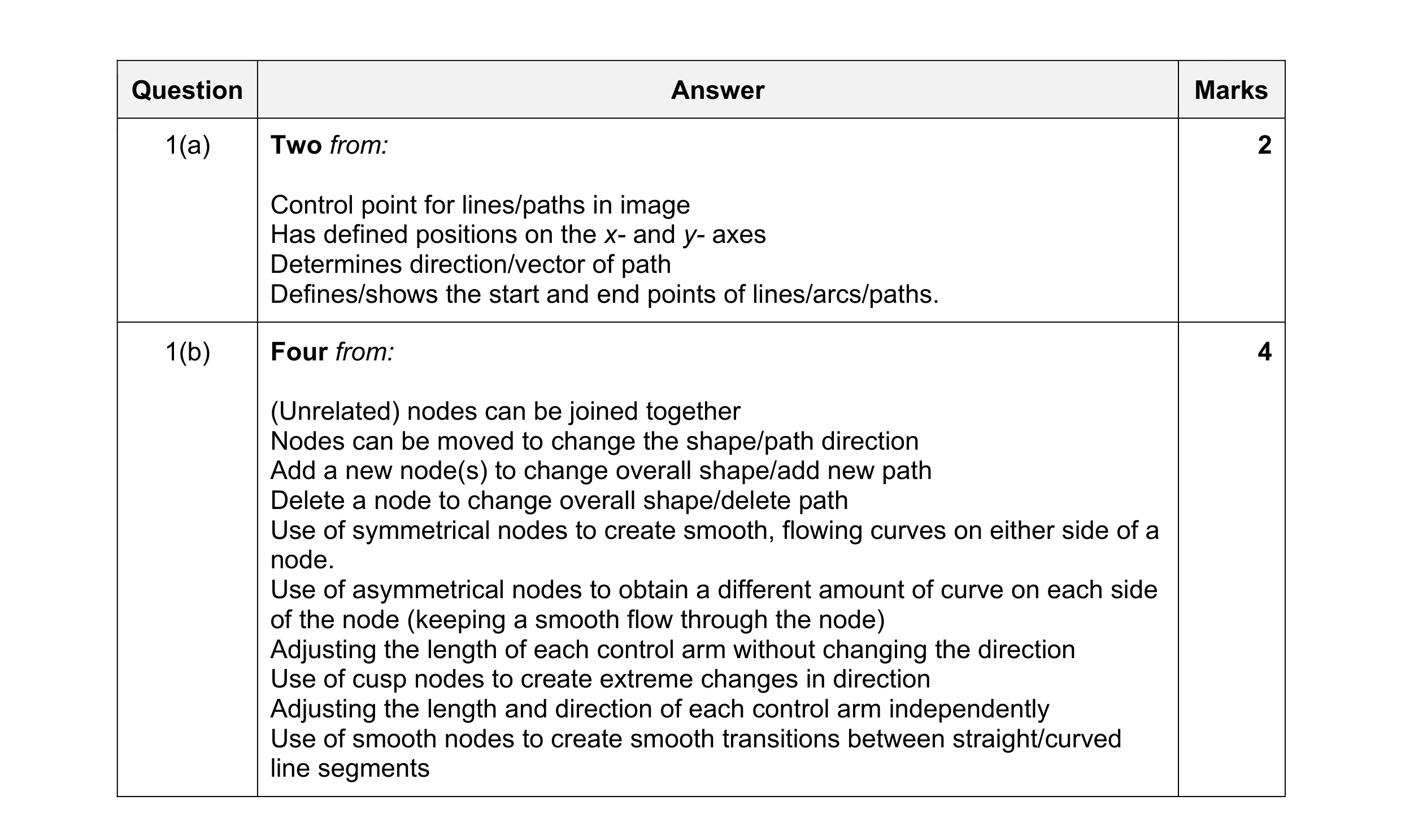 6
6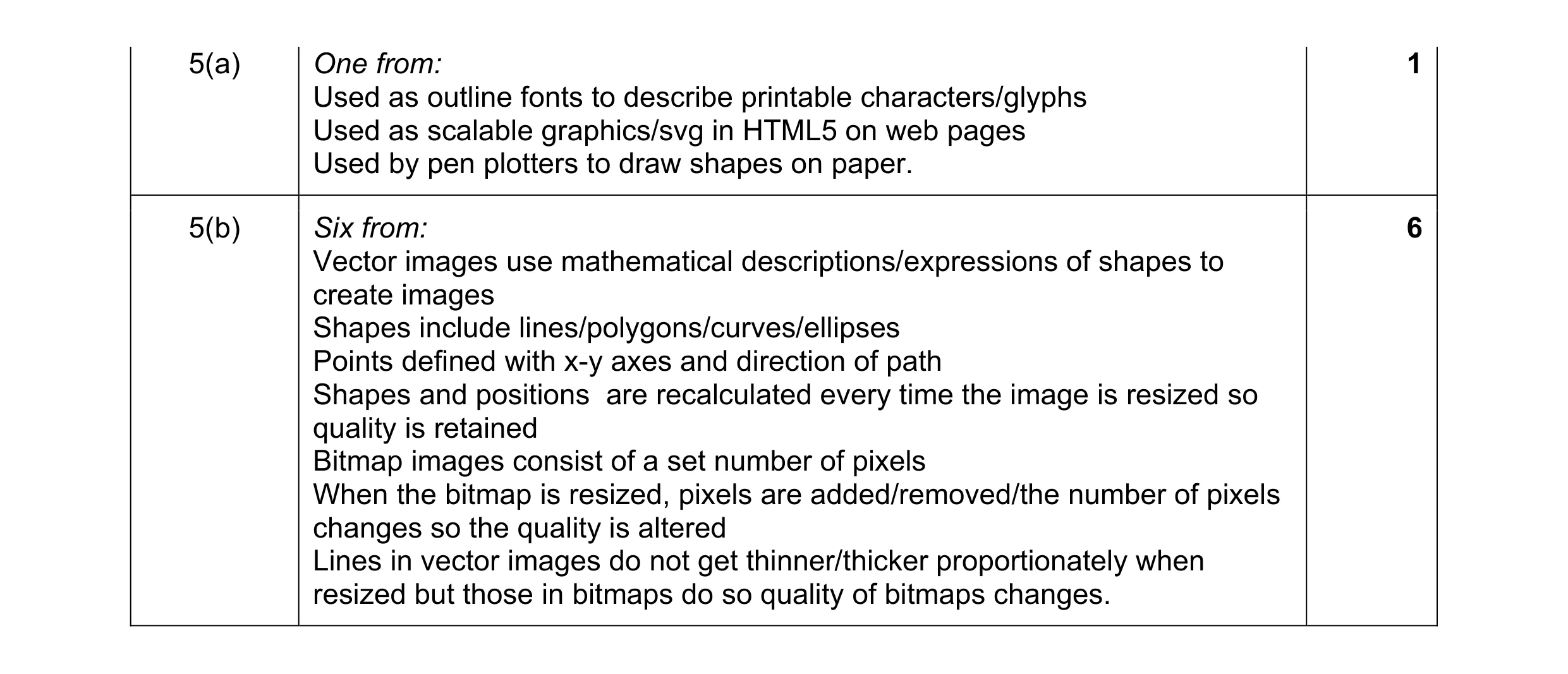 7
7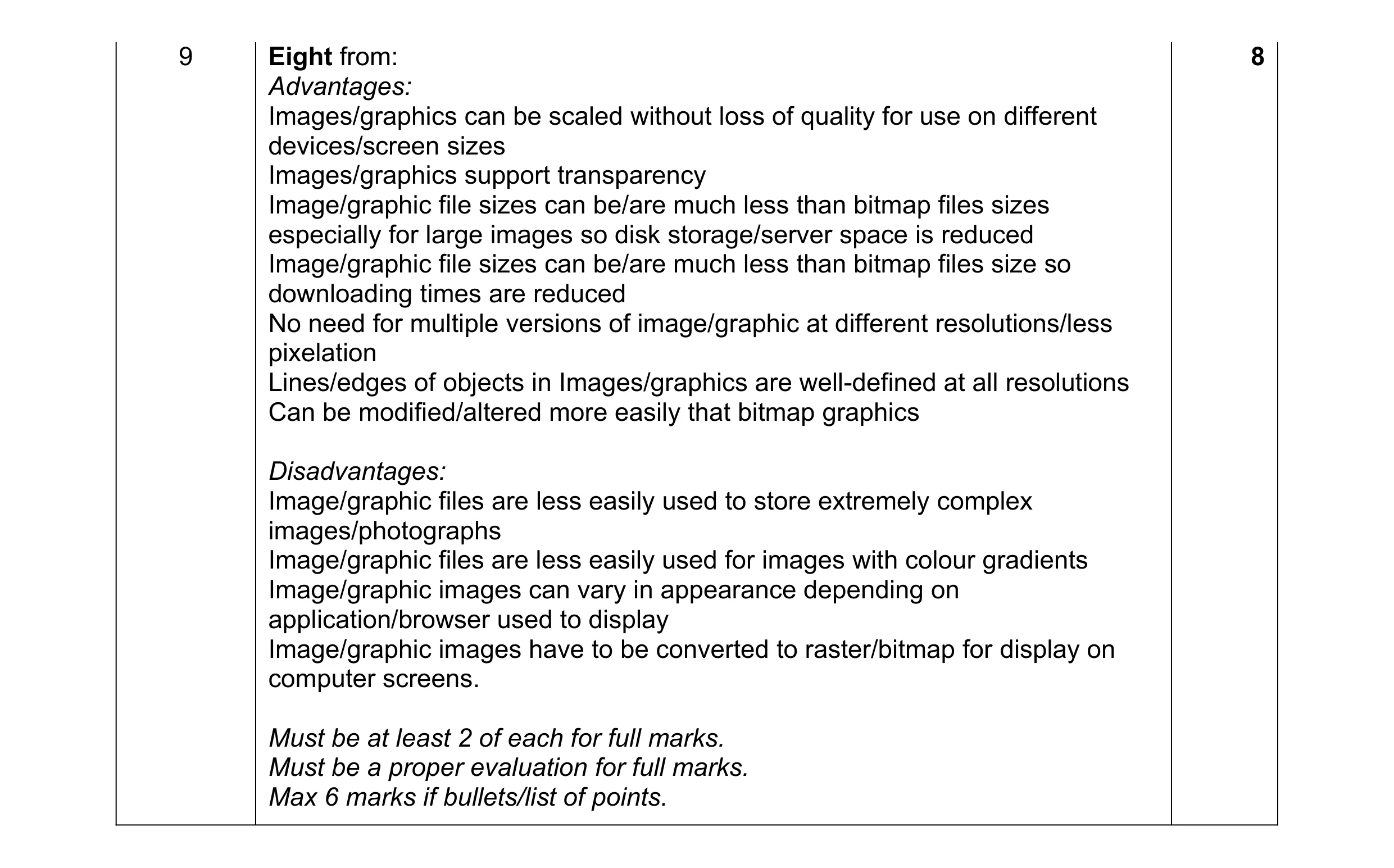 8
8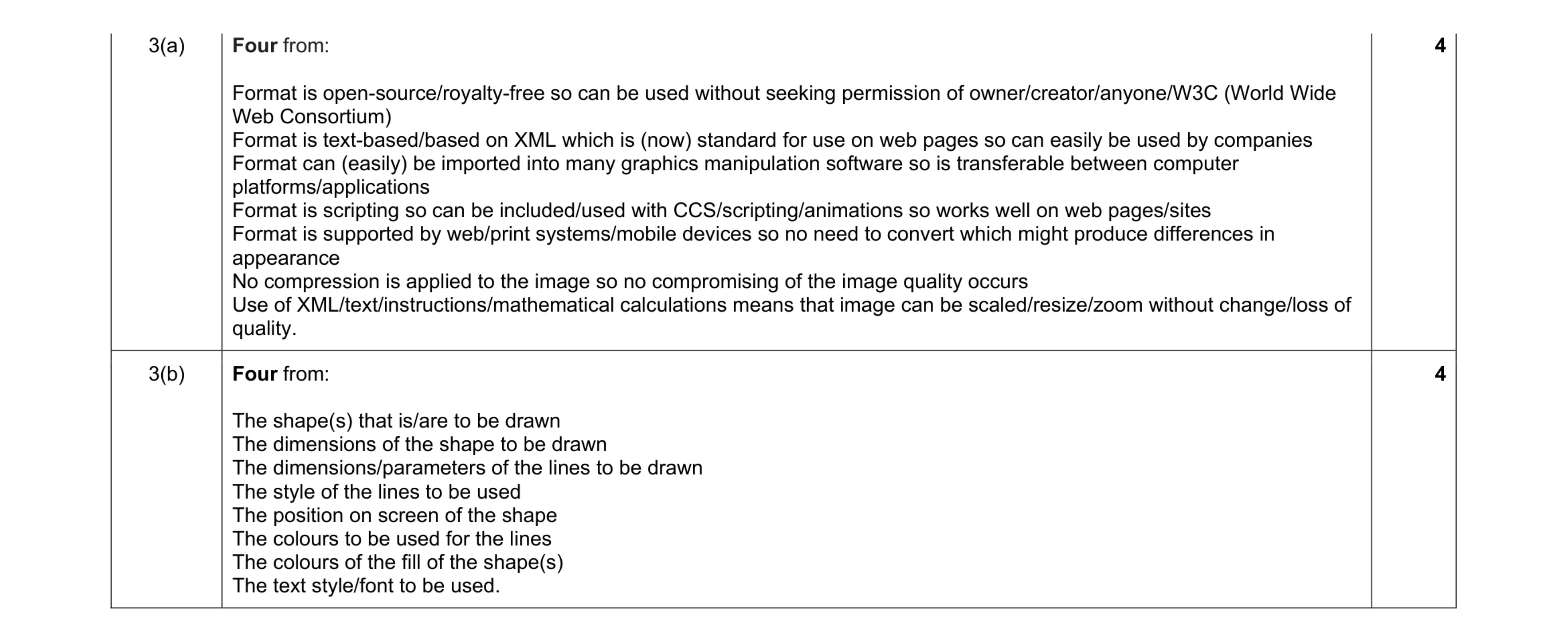 8
8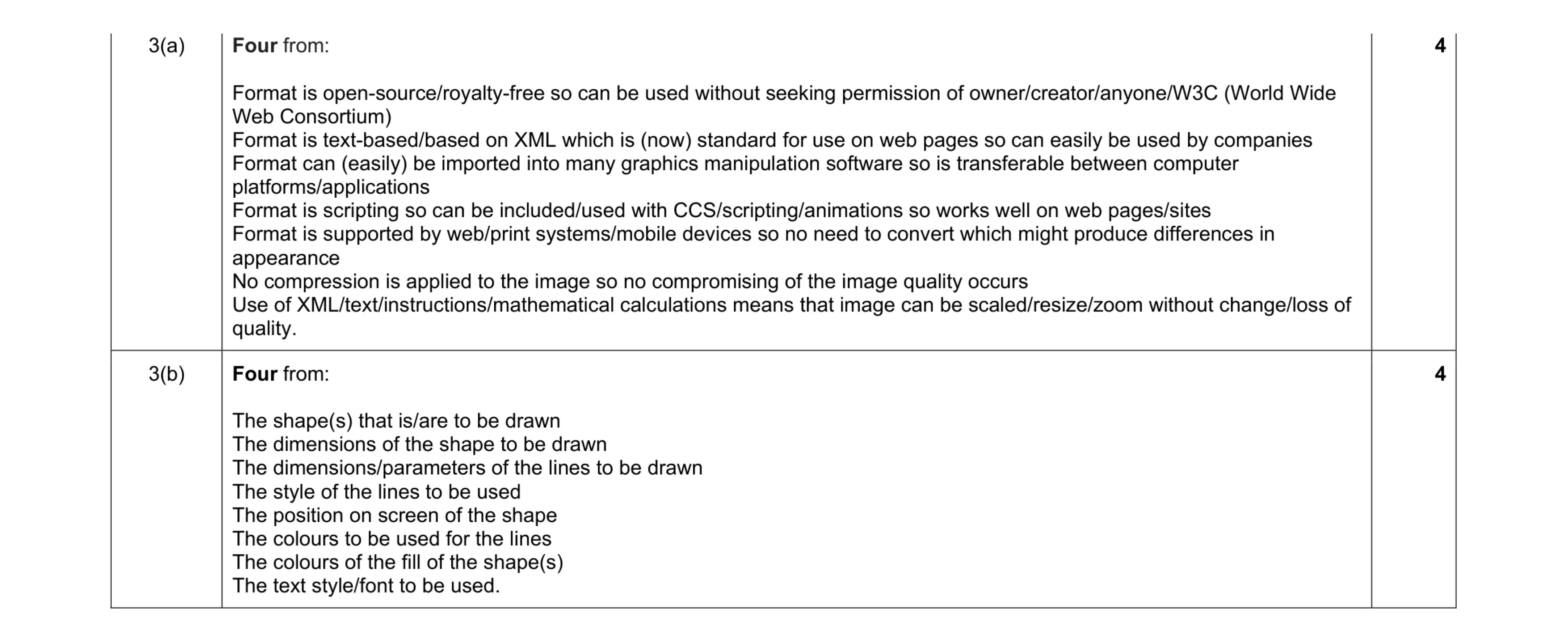 8
8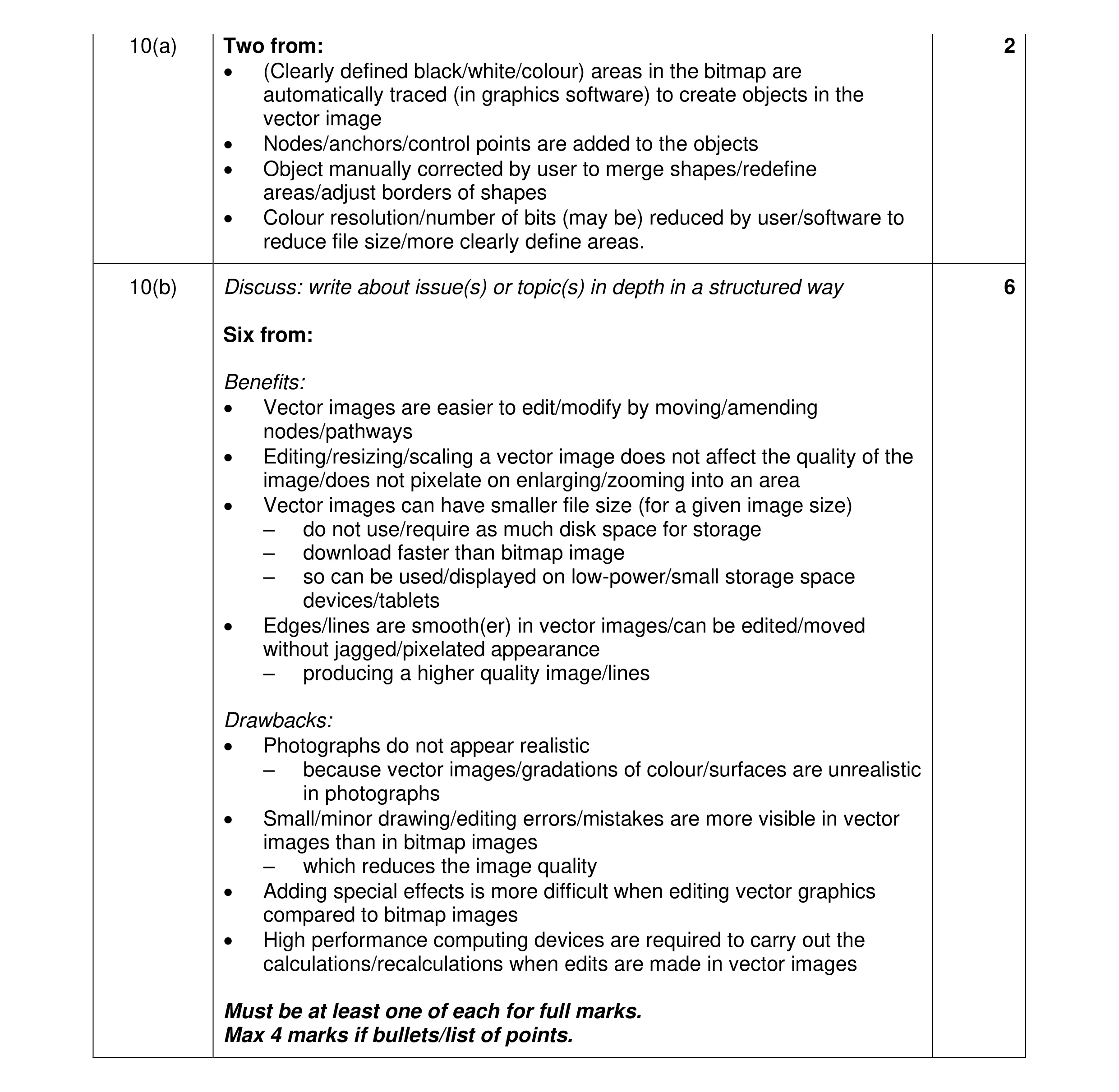 8
8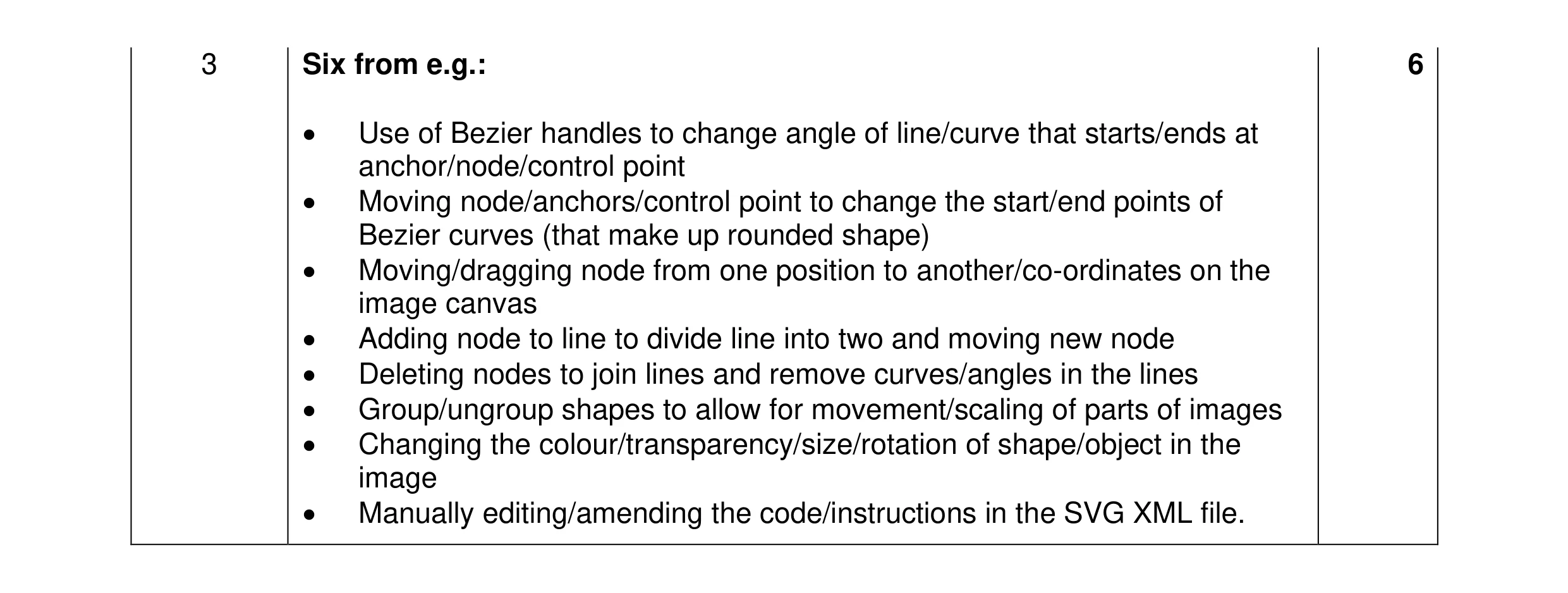 6
6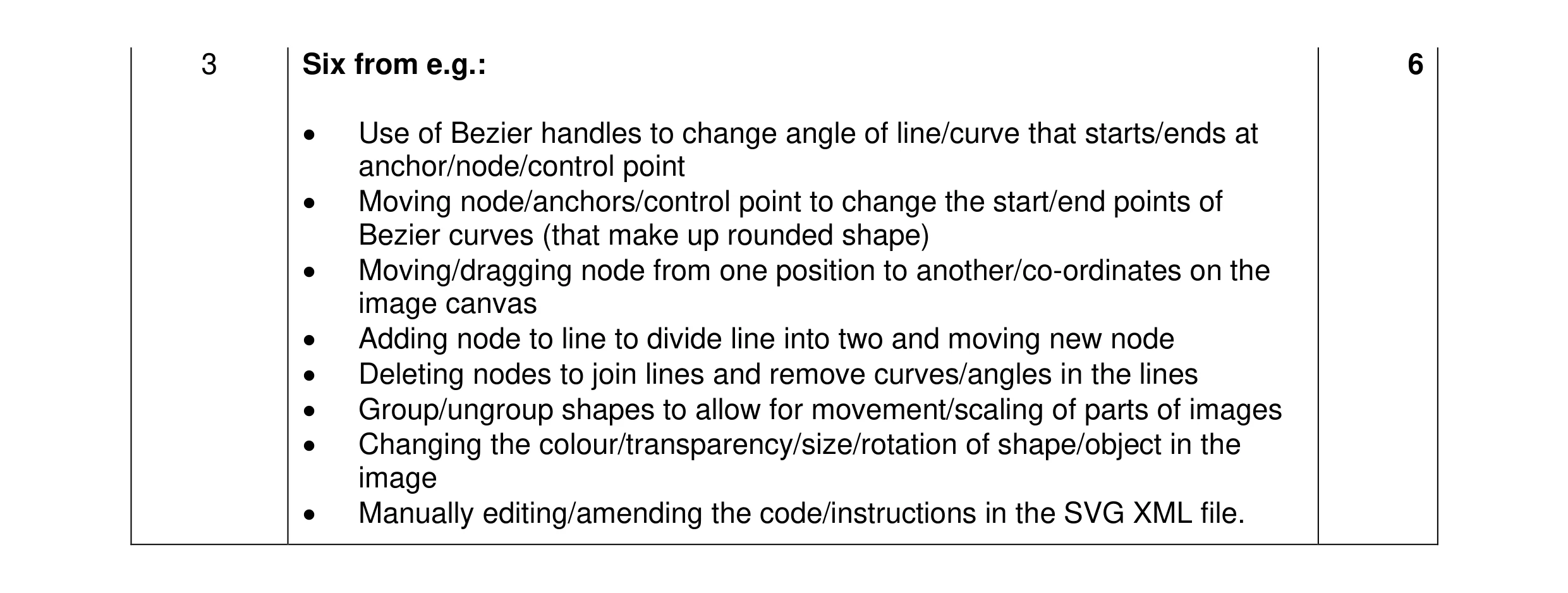 6
6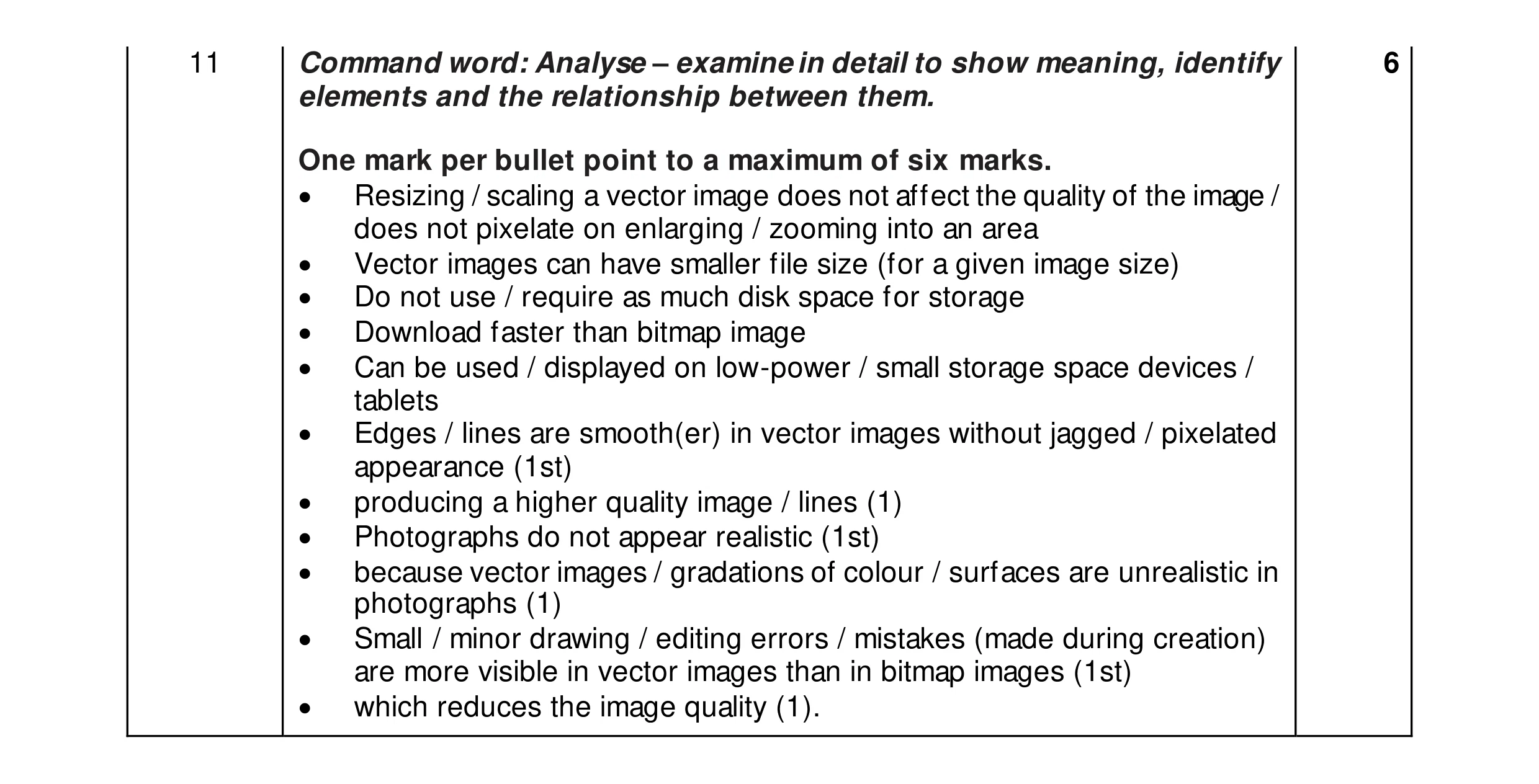 6
6