Questions as text
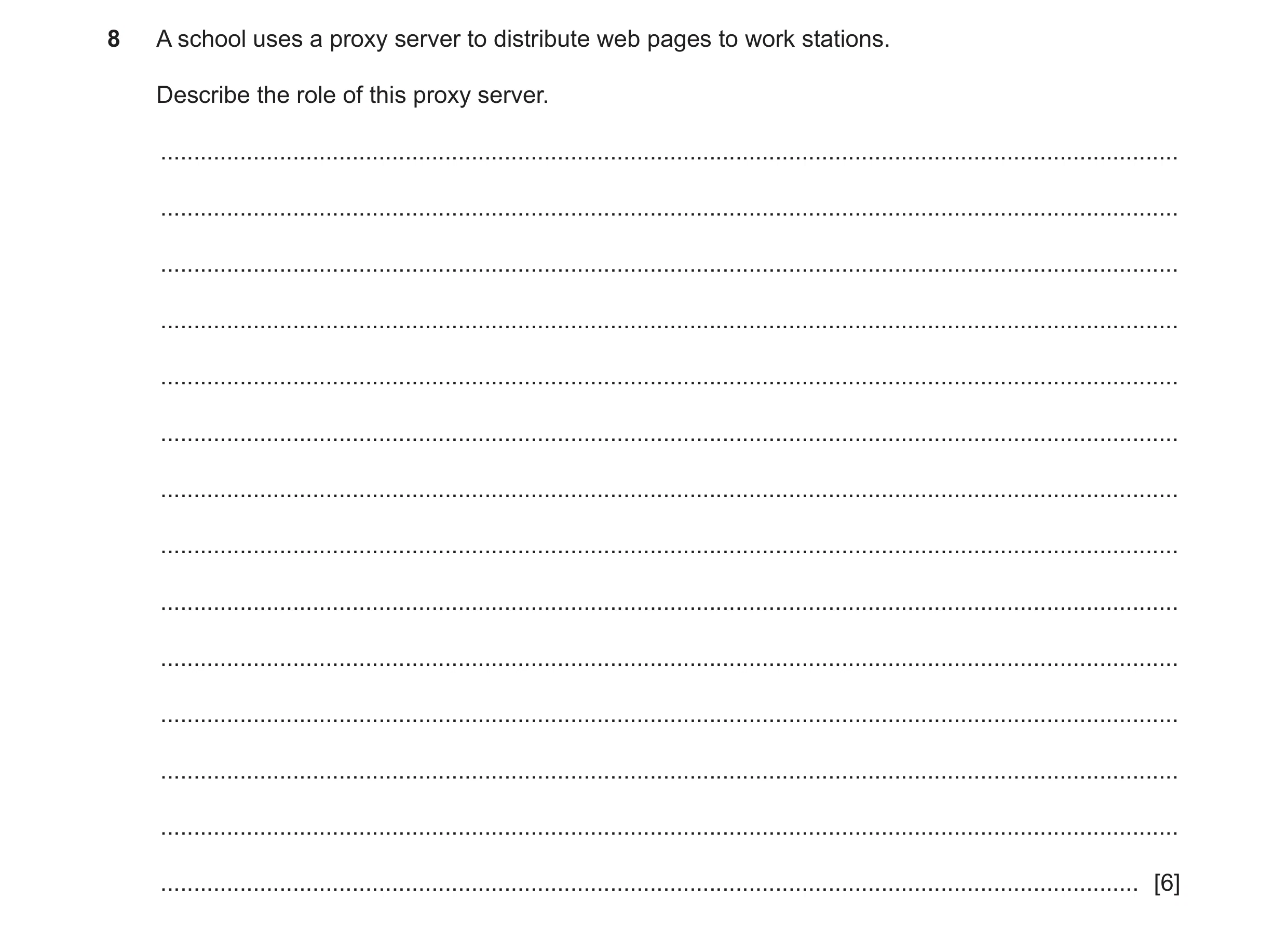
Q1 · A school uses a proxy server to distribute web pages to work stations 9626/31 Oct/Nov 2019
8 A school uses a proxy server to distribute web pages to work stations. Describe the role of this proxy server. … … … … … … … … … … … … … … [6]
6 marks
Mark scheme: 8 Six from: 6 Acts as gateway between LAN and WAN/internet Allows use of multiple (internal) IP addresses through one (external) IP address on internet Many computing devices/computers can be used through one internet connection Presents single IP address to exterior networks/internet (as number of external IP addresses is limited) Acts as a central device/node for logging/monitoring of internet access/activity Acts as a central device/node for filtering of internet access/activity Controls/requires username and password for internet access/activity Prevents access to inappropriate material/activities Acts as a cache for frequently used remote resources Reduces access times/network traffic over internet connection.
This question in 9626/31 Oct/Nov 2019
Q2 · A school uses a proxy server to distribute web pages to work stations 9626/33 Oct/Nov 2019
8 A school uses a proxy server to distribute web pages to work stations. Describe the role of this proxy server. … … … … … … … … … … … … … … [6]
6 marks
Mark scheme: 8 Six from: 6 Acts as gateway between LAN and WAN/internet Allows use of multiple (internal) IP addresses through one (external) IP address on internet Many computing devices/computers can be used through one internet connection Presents single IP address to exterior networks/internet (as number of external IP addresses is limited) Acts as a central device/node for logging/monitoring of internet access/activity Acts as a central device/node for filtering of internet access/activity Controls/requires username and password for internet access/activity Prevents access to inappropriate material/activities Acts as a cache for frequently used remote resources Reduces access times/network traffic over internet connection.
This question in 9626/33 Oct/Nov 2019
Q3 · Email uses a system based on the client-server model 9626/32 May/June 2022
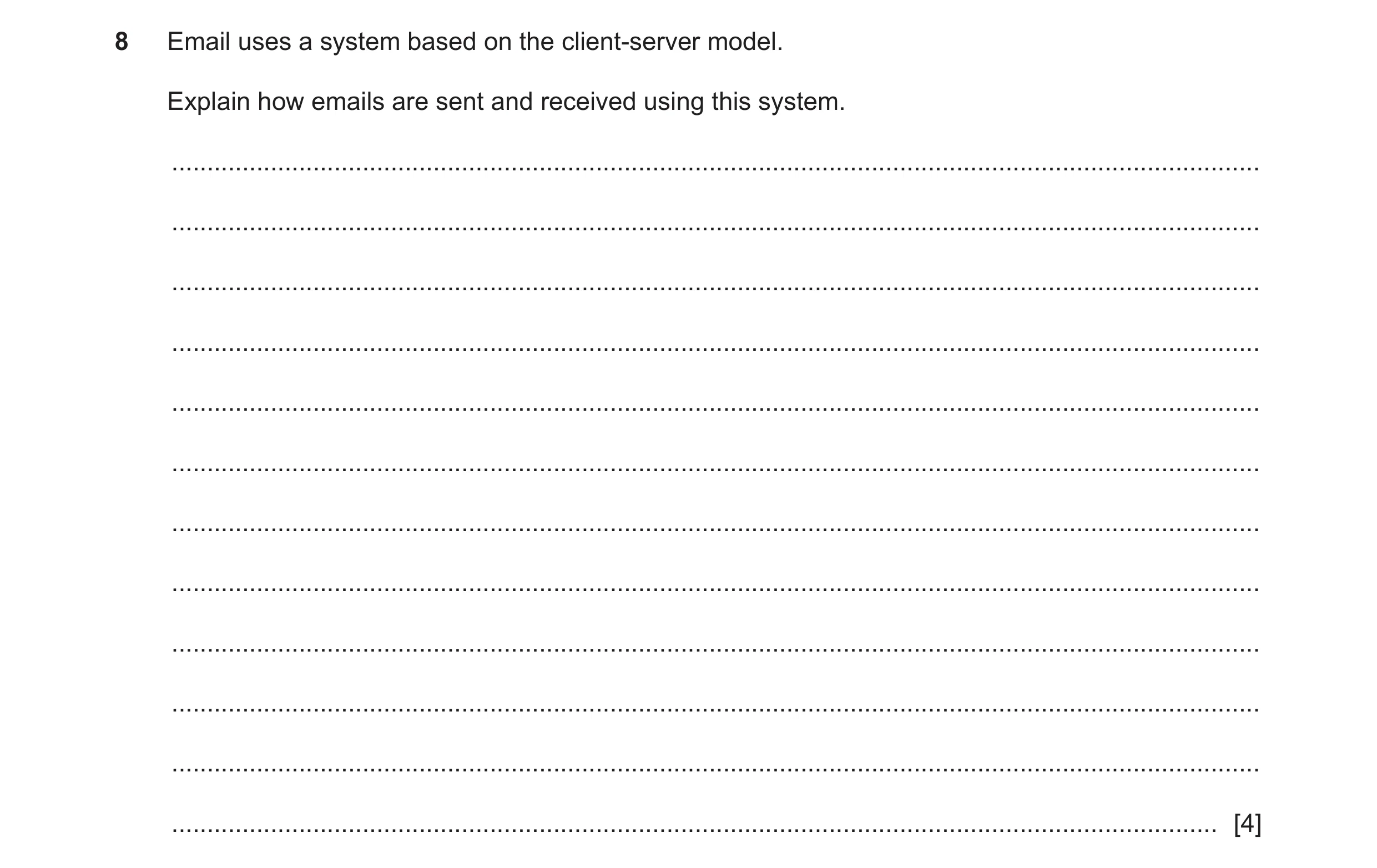
8 Email uses a system based on the client-server model. Explain how emails are sent and received using this system. … … … … … … … … … … … … [4]
4 marks
Mark scheme: 8 Four from: Mail server provides email services to email client Email client sends request to server Server sends a response to email client Email client/app/reader/mail user agent/mail transfer agent/web mail logs into mail server Rules and language for requests/responses are determined by protocols/SMTP/IMAP/POP3 Messages are transferred between client and server/emails stored on server.
This question in 9626/32 May/June 2022
Q4 · Explain how each of the following is used in a network 9626/31 Oct/Nov 2022
1 Explain how each of the following is used in a network. (a) web server … … … … … [2] (b) mail server … … … … … [2] (c) print server … … … … … [2]
6 marks
Mark scheme: Question Answer Marks 1(a) Two from: 2 Store html documents (on secondary storage devices) Store text/images/style sheets/scripts associated with HTML pages Process (incoming) network requests from clients/users/web browsers Use HTTP(S) to receive and deliver communications/communicate with clients/web browsers Provide server-side script services/PHP/ASP for dynamic generation of HTML pages. 1(b) Two from: 2 Manage/allow creation of email accounts Host domains for provision of email accounts Send email/outgoing requests using Simple Mail Transfer Protocol/SMTP Receive email/processes incoming mail using Internet Message Access Protocol/IMAP/ Post Office Protocol/POP3. Stores email (messages)/uses store and forward model. 1(c) Two from: 2 Accept print jobs from client computers for printers on a network Manage/direct/allocate print job to appropriate/user defined printer Queue print jobs if allocated printer is busy Allow inspection/management of print queues Allow accounting/charging/quota of print jobs Allow enforcement of admin policies for printing Allow authentication/water-marking of print jobs.
This question in 9626/31 Oct/Nov 2022
Q5 · Explain how each of the following is used in a network 9626/33 Oct/Nov 2022
1 Explain how each of the following is used in a network. (a) web server … … … … … [2] (b) mail server … … … … … [2] (c) print server … … … … … [2]
6 marks
Mark scheme: Question Answer Marks 1(a) Two from: 2 Store html documents (on secondary storage devices) Store text/images/style sheets/scripts associated with HTML pages Process (incoming) network requests from clients/users/web browsers Use HTTP(S) to receive and deliver communications/communicate with clients/web browsers Provide server-side script services/PHP/ASP for dynamic generation of HTML pages. 1(b) Two from: 2 Manage/allow creation of email accounts Host domains for provision of email accounts Send email/outgoing requests using Simple Mail Transfer Protocol/SMTP Receive email/processes incoming mail using Internet Message Access Protocol/IMAP/ Post Office Protocol/POP3. Stores email (messages)/uses store and forward model. 1(c) Two from: 2 Accept print jobs from client computers for printers on a network Manage/direct/allocate print job to appropriate/user defined printer Queue print jobs if allocated printer is busy Allow inspection/management of print queues Allow accounting/charging/quota of print jobs Allow enforcement of admin policies for printing Allow authentication/water-marking of print jobs.
This question in 9626/33 Oct/Nov 2022
Q6 · A small company is considering installing a mail server to manage email for its five… 9626/32 Oct/Nov 2023
10 A small company is considering installing a mail server to manage email for its five employees. Discuss the advantages and disadvantages to the company of using its own mail server. … … … … … … … … … … … … … … [6] Please turn over for Question 11.
6 marks
Mark scheme: 10 Discuss: write about issue(s) or topic(s) in depth in a structured way 6 One mark for valid description of a mail server: • Mail server is a dedicated device/computer/server used for sending/receiving/storing/forwarding (email) messages Six from: Max 4 from: Advantages: • Company can provide each employee with own/customised/business email address/account − which is used solely for company business • Additional departmental/service email accounts e.g. sales@/support@ can be provided at no extra cost • Company can control/manage email policy − so that only authorised people/employees can send/receive email on premises with company email/no unauthorised use of personal email accounts in company locations • Company emails can be archived/stored for later reference/use meet legal requirements for data protection/consumer protection • Company emails can be filtered/scanned for malware/spam − before being delivered to employee/can be scanned for malware before being sent • Employees can be allocated a quota/size of inbox for sending/receiving emails Max 4 from: Disadvantages: • Mail servers require technical expertise/maintenance − which may be beyond/cost too much for small company • Mail servers are difficult/complex to set up/troubleshoot/maintain/configure • Cost of hardware/software/licencing to run the mail service may be excessive for small company • SMTP services/servers/sending of email from own server are (often) prohibited on ISP accounts − so extra costs/technical expertise for business internet access for small company • Difficult to stay off/avoid blacklists/block lists if mail server incorrectly configured (for example incorrect DNS listings) so emails may not be sent/arrive until resolved. Max 4 for all advantages or all disadvantages Max 4 marks if bullets/list of points.
This question in 9626/32 Oct/Nov 2023
Q7 · Discuss the benefits and drawbacks of using virtual servers for hosting websites 9626/32 Feb/March 2024
11 Discuss the benefits and drawbacks of using virtual servers for hosting websites. … … … … … … … … … … … … … … … … … … … … [8]
8 marks
Mark scheme: 11 Eight available. 8 One from: • Valid definition of virtual server e.g. virtualisation/emulation/software instance(s) of (different/multiple) (network) servers running on the same physical hardware of a server. Max six from: Benefits: • Companies can move their web hosting from own local physical servers to cloud-based virtual-servers – reducing their costs/maintenance/use of space • Physical hardware requirements are reduced as components/physical hardware shared by many virtual servers with reduction in costs/use of physical space/ maintenance • Set up/duplication/deployment of virtual servers is faster as physical hardware is already running/available/configured • Reduced down time taken for updates/upgrades in server/website software/hardware as new version can be set up and switched into use without interfering with old version • Backup/copying/restoration from failure of virtual servers/switching to backup/use of image-based backups is quicker/easier than restoring a physical server as physical hardware is already available/no time taken for restoring from tapes/disks Max six from: Drawbacks: • Data/web accounts may be at greater security risk due to sharing of hardware • High power computing requirements to run all virtual servers at peak performance else user experience is not optimal • Failure of physical component/hardware affects all virtual servers so hosted websites are all offline • Larger data storage facilities required as every virtual server is self- contained and has to have all OS/software for its exclusive use • Larger RAM requirement as each virtual server runs in/must have its own separate memory allocation • High bandwidth connections required to service all virtual servers at optimal performance levels. Max six if bullets/list of points.
This question in 9626/32 Feb/March 2024
Q8 · A company network has a file server and a print server 9626/32 May/June 2024
9 A company network has a file server and a print server. Employees store their files on the file server and use the print server when they need hard copies of their work. (a) Discuss the benefits and drawbacks of the use of a print server on company networks. … … … … … … … … … … … … … … … … … … [8] (b) The company also has an FTP server. Its web designers use FTP to upload and download files between the FTP server and their workstations. Evaluate the use of FTP in this scenario. … … … … … … … … … … … … … … [6]
14 marks
Mark scheme: 9(a) Command word: Discuss: write about issue(s) or topic(s) in depth in a 8 structured way. Max six from e.g.: Benefits: All employees can share all/one of the networked printers the number of printers can be reduced/no need for each to have own/dedicated printer it can update users on the status of their print jobs makes the maximum use of specialised printers/only one specialised printer is required for use by many/all employees reduced maintenance/servicing/reduced cost of maintenance of printers as there are fewer printers reduces costs of hardware/consumables to the company Printers can be installed in dedicated areas/print rooms so maintenance servicing can be easier/monitored Print jobs are queued and printed as/when a printer is available so user/client/device can carry on with other tasks if one printer is not working/off-line another can be used Print queues can be managed/monitored so that high priority jobs are printed first/log jobs printed at quiet times/overnight so maximising efficiency of workloads/sent to most appropriate Printing allocations/quotas/policies can be implemented/enforced/monitored so that costs can be reduced/print jobs can be authorised/no non-company printing can occur/costs can be assigned to workers/departments/users can be alerted to completion/failure of their print job Document security can be enforced/documents directed to specific printers/record who has printed the document. Max six from e.g.: Drawbacks: Failure/error in/of a printer server/print queue (e.g. no paper/wrong size paper) prevents/delays printing/results in loss of print jobs to all workers/employees/users Individual (error) messages may not be sent to (individual) users/may not know there is a printer problem Administration of the print server must be carried out/assigned to someone so extra workload/employees are required with increased costs Queuing/printing of large/slow print jobs in front of employees print job can reduce productivity of worker/enforce a long wait before printouts become available Location of printers on a network may not be close/convenient for worker so has to walk/move to print room to collect document/wait for it to be delivered Sending print job to wrong printer can result in multiple copies being printed/increased costs Costs of installing/maintaining a print server may be excessive/too high for some companies with few employees/workstations 9(a) Confidential documents can appear/be viewed on printers in open access areas. Max 6 marks if bullets/list of points. 9(b) Command word: Evaluate judge or calculate the quality, importance, amount, 6 or value of something. Max five from e.g.: For: Can transfer large quantities/gigabytes of data/large files at once ease of use/files can be shared/transferred/sent easily/quickly by employees Can transfer multiple directories/multiple files/whole collections of files/data can be transferred simultaneously reducing the need for employees to transfer/access separately/ease of use/less employee interaction/can carry on with other tasks Interrupted transfers can be resumed so no need to start transfer process again reducing time spent by employee Can schedule transfer of files at times that are convenient to employee so employee can carry on with tasks All operating systems/laptops can use FTP so employees not restricted to one type of device/manufacturer/OS Max five from e.g.: Against: Lacks access controls required to monitor/ensure compliance with policie so file transfer/accesses by employees are difficult to monitor No default encryption and user IDs/passwords/files so files are vulnerable during transfer by e.g. man-in-the-middle/ attacks/hackers so data could be stolen/lost/modified by unauthorised users so is not considered a secure method of file transfer Can be vulnerable to cyber-attack because security is weak/can be non- existent/no encryption exposing company data to unauthorised access Hard to script jobs/transfers to have precise control over which files/when transfers are carried out Employees can accidently delete/remove/update important files on FTP server so there is less/no control over versions of files Difficult to configure firewalls to restrict active FTP traffic on client side/firewalls restrict FTP use of multiple TCP/IP connections so transfer times are slower in practice Loss of FTP connection is more frequent than other connections requiring reconnections so transfer times of files may be lengthy Has high latency due to connection-orientation which can slow transfers Does not support date/time stamp attributes so transfers are not dated resulting in lack of audit trails. Max 5 marks if bullets/list of points.
This question in 9626/32 May/June 2024
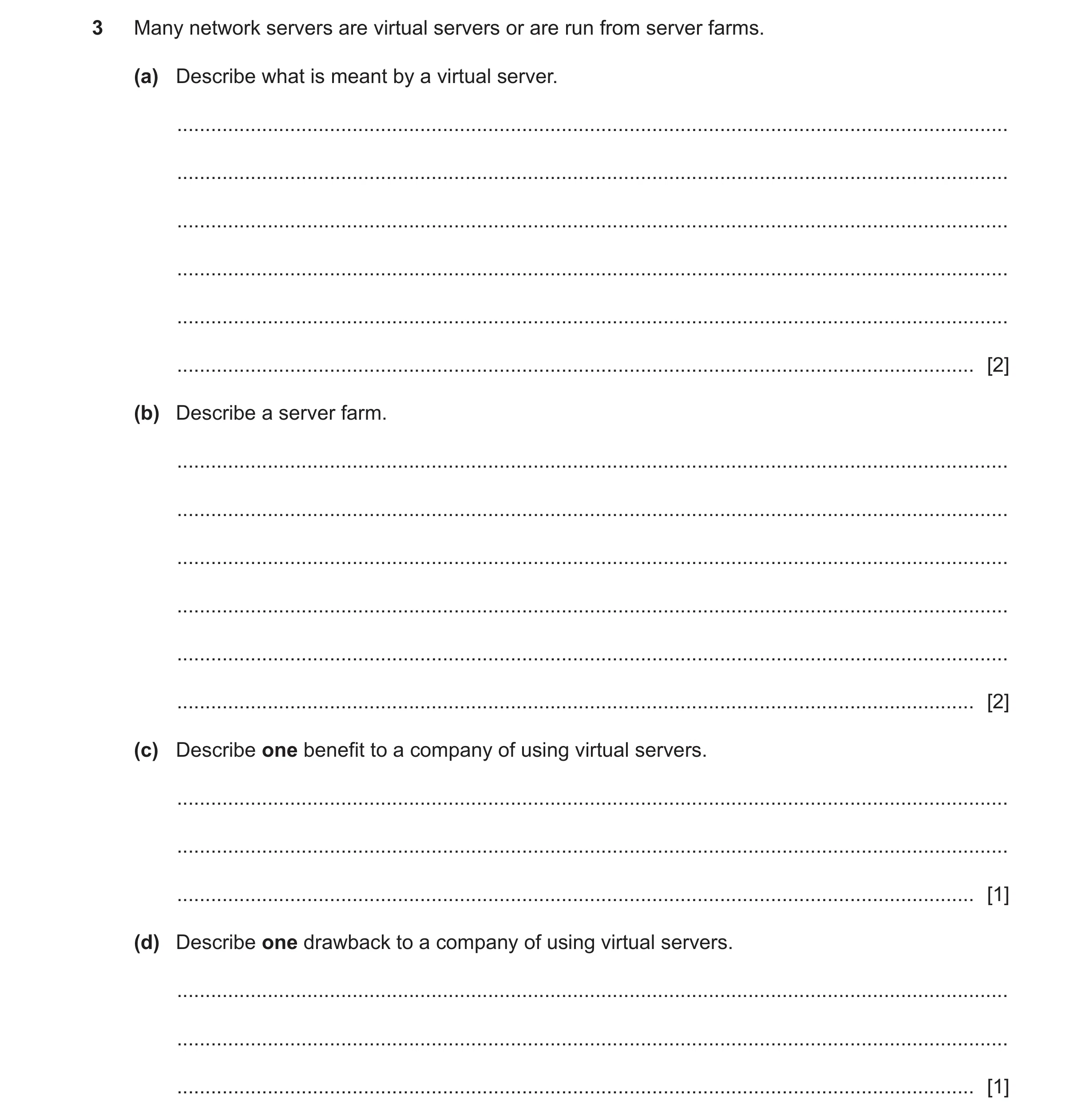
Q9 · Many network servers are virtual servers or are run from server farms 9626/32 Feb/March 2025
3 Many network servers are virtual servers or are run from server farms. (a) Describe what is meant by a virtual server. … … … … … … [2] (b) Describe a server farm. … … … … … … [2] (c) Describe one benefit to a company of using virtual servers. … … … [1] (d) Describe one drawback to a company of using virtual servers. … … … [1]
6 marks
Mark scheme: 3(a) One mark per bullet point to a maximum of two marks. 2 • Software instances / versions of server (1st) • run in RAM (1) • Has its own / separate / independent OS / server software • Running on hardware shared with other virtual servers. 3(b) One mark per bullet point to a maximum of two marks. 2 • Collection of individual servers • function / work as one server • Work loads are shared / balanced across the individual servers • Managed by a central server unit • CSU schedules / assigns tasks to individual servers. 3(c) One mark per bullet point to a maximum of one mark. 1 • Alternative instances of the virtual server can be running very quickly / replace original • Minimal disruption to service when maintenance / upgrade is carried out / failure of original • Reduced use / costs of power to run servers • Reduced maintenance / hardware costs • reduced physical space. 3(d) One mark per bullet point to a maximum of one mark. 1 • If host server fails then all the virtual servers fail • Possibility of data leakage between virtual servers (due to use of shared RAM) • Access via the internet can cause security issues / disruption if connectivity failure • Backing up data is more difficult / complex.
This question in 9626/32 Feb/March 2025
Q10 · A shopper is using the internet to look at the website of an online store 9626/31 May/June 2025
8 A shopper is using the internet to look at the website of an online store. A web browser is used to fetch and display web pages from the store’s web servers. Explain how the web server provides the web browser with the content of the store’s web pages. … … … … … … … … … … … … … … [6]
6 marks
Mark scheme: 8 SIX from: 6 • Content is stored on server as resources / files / scripts / text / images / video / audio files / animations / database / links to other websites • Each resource has / is found by a unique identifier / unique resource identifier / URI • Web browser makes request (for connection / content) to web server • Connection created (between web browser and server) / client-server connection is set up • using HTTPS • Uses TLS to add encryption • Web server sends back a response • Response contains information about the resource • Response contains any error messages • Response contains the requested resource • Repeated exchanges with request / response method of communication (1st) until all (requested / required) content has been sent to web browser (1) • Connection closed (by server or browser) when all content transferred
This question in 9626/31 May/June 2025
 1 / 9
1 / 9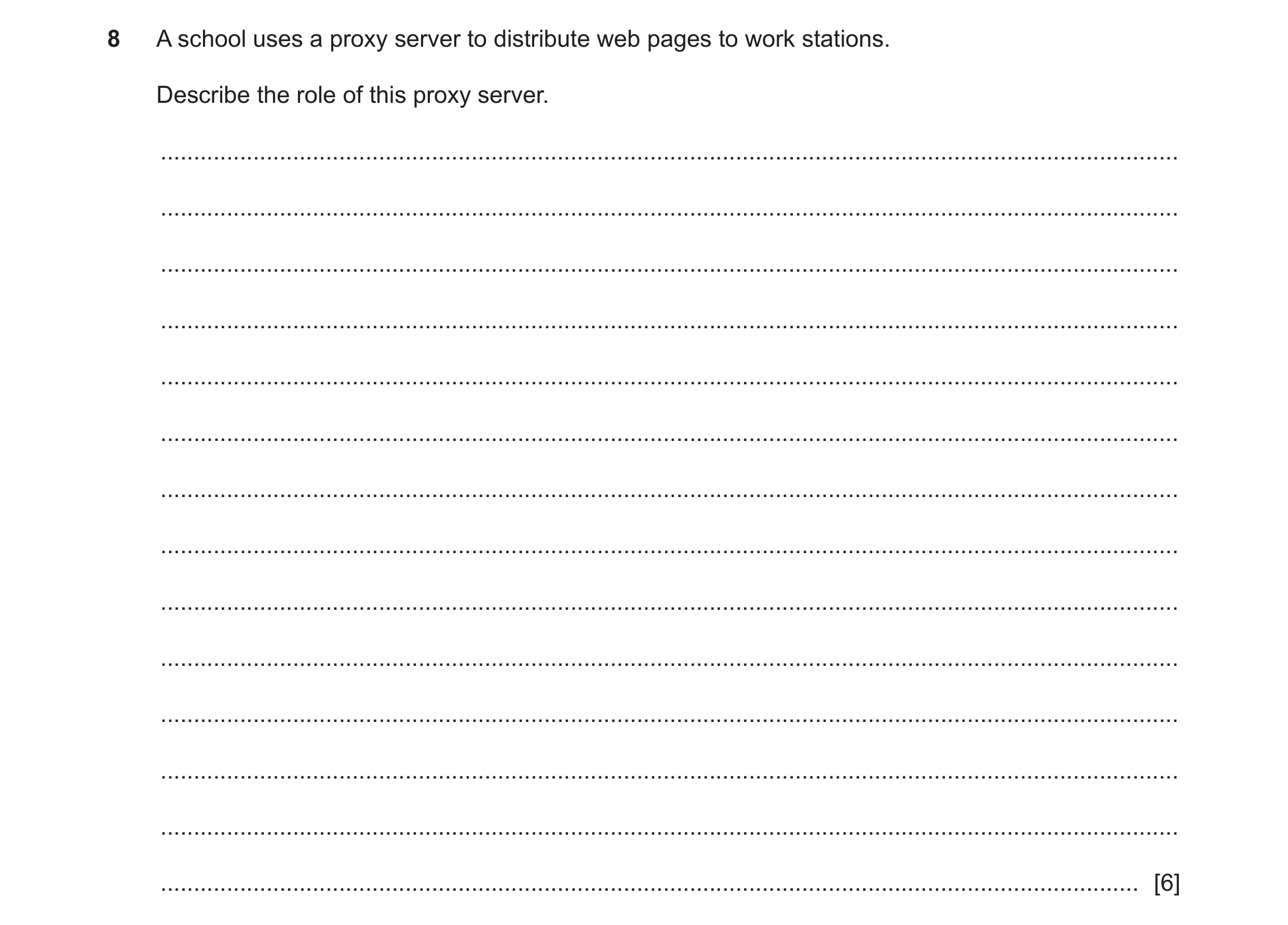
 2 / 9
2 / 9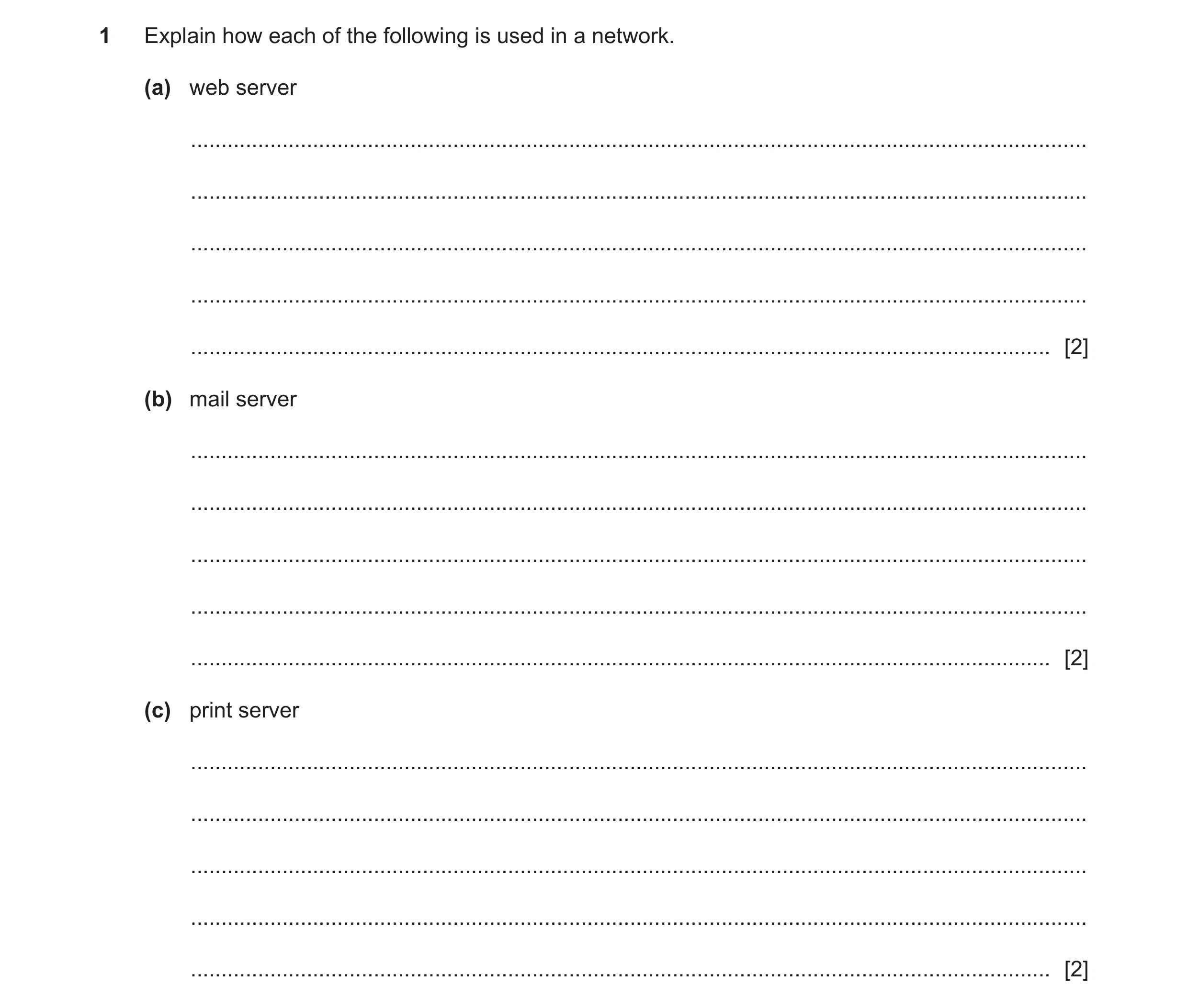 3 / 9
3 / 9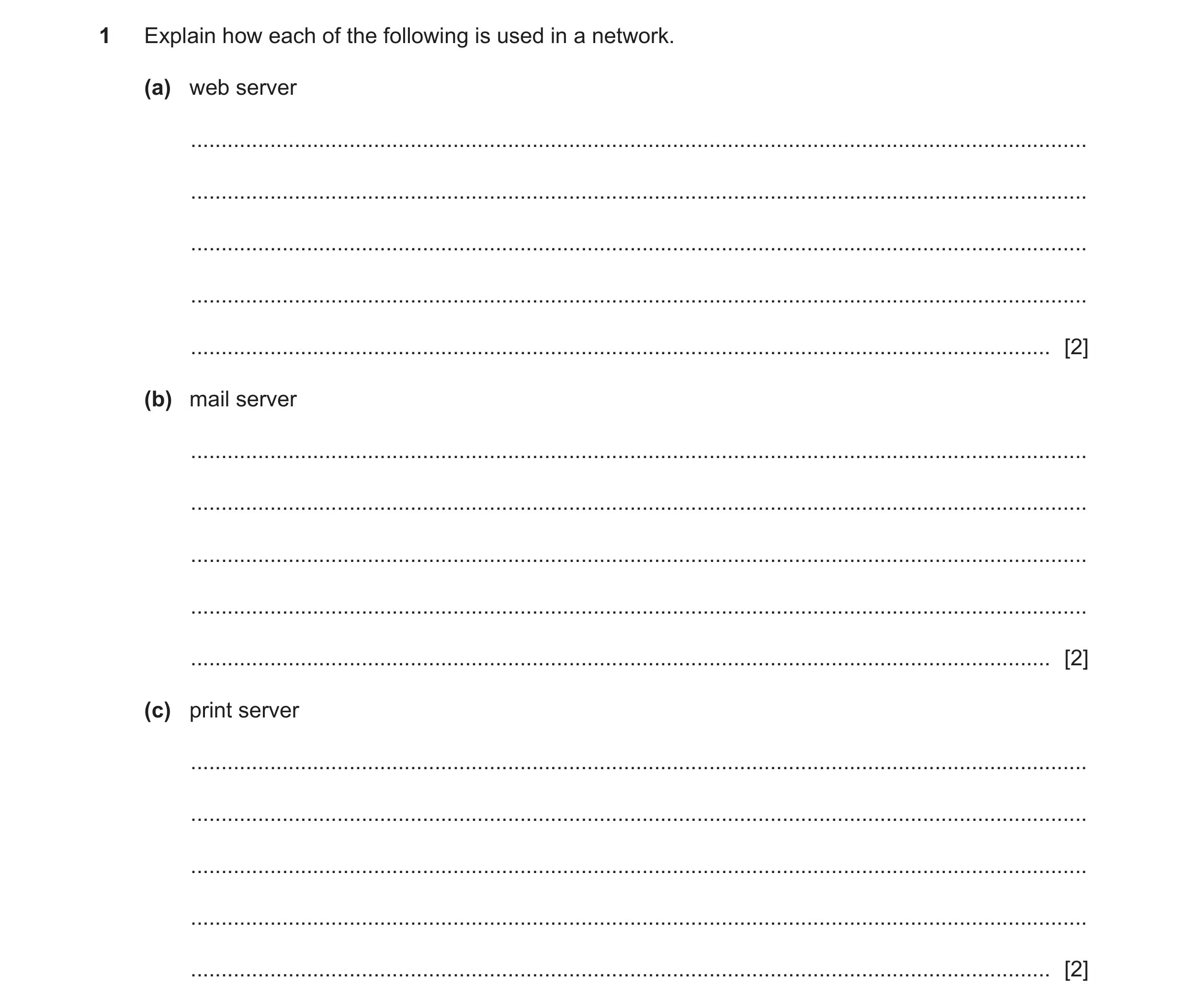 4 / 9
4 / 9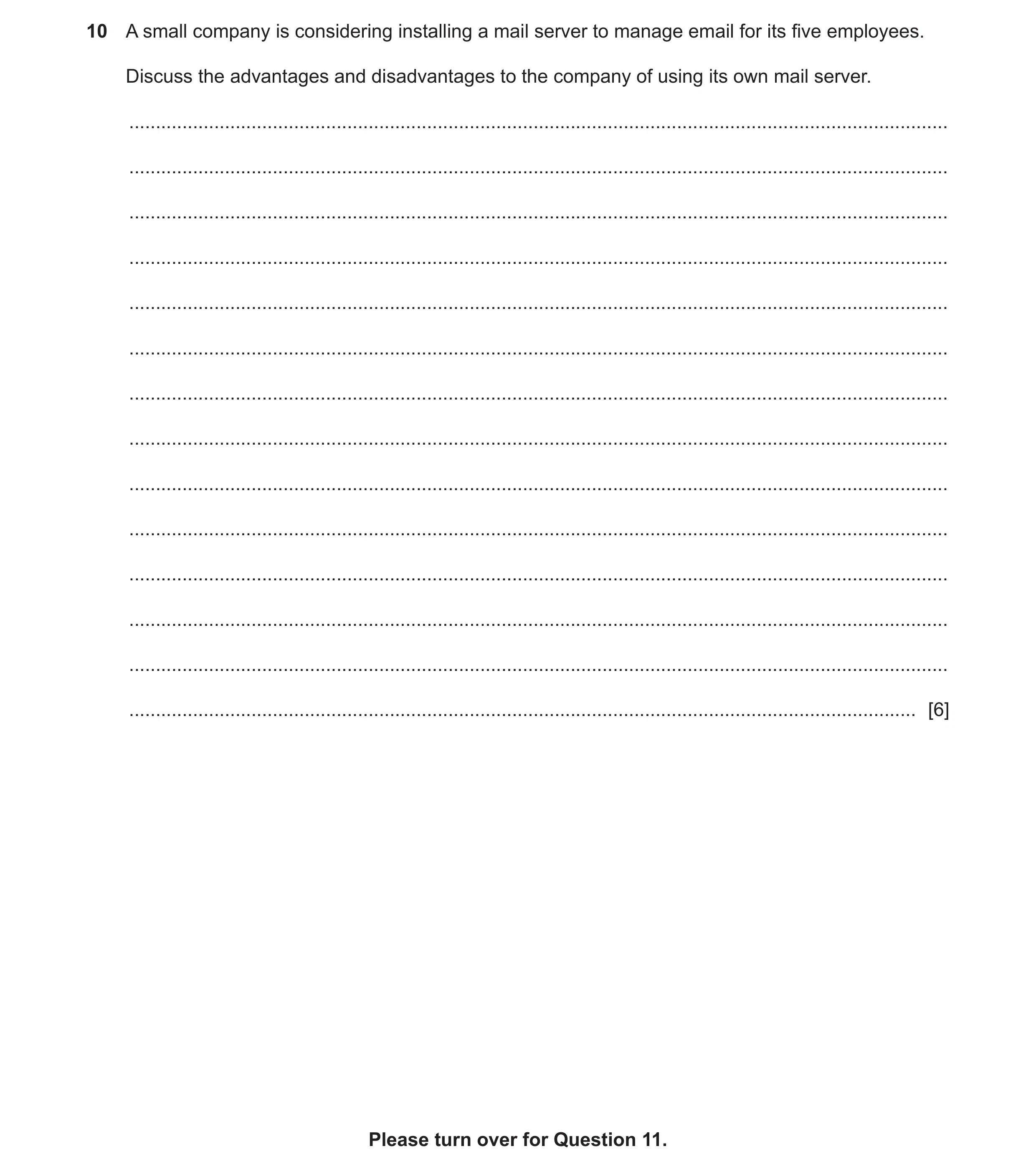 5 / 9
5 / 9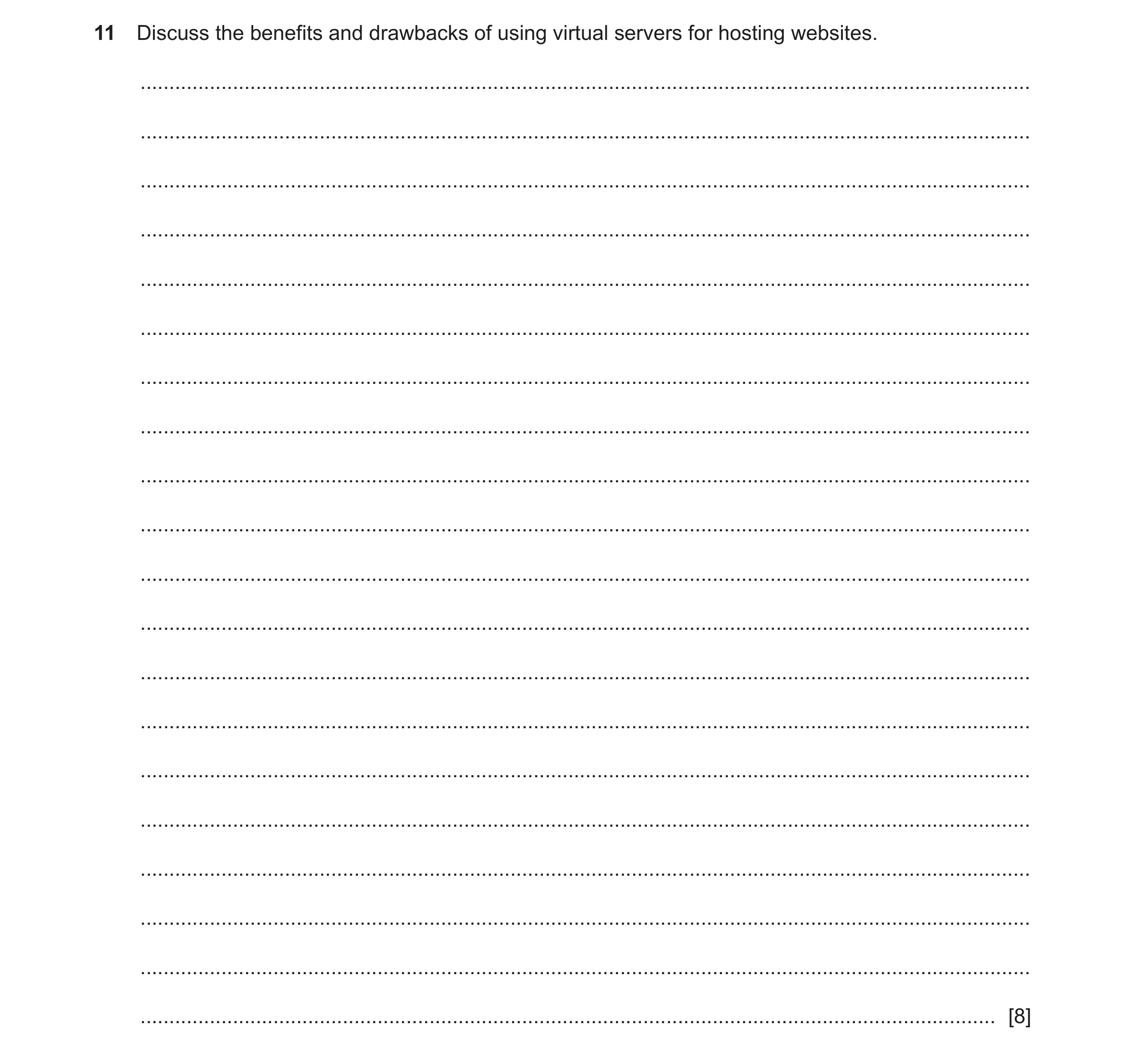 6 / 9
6 / 9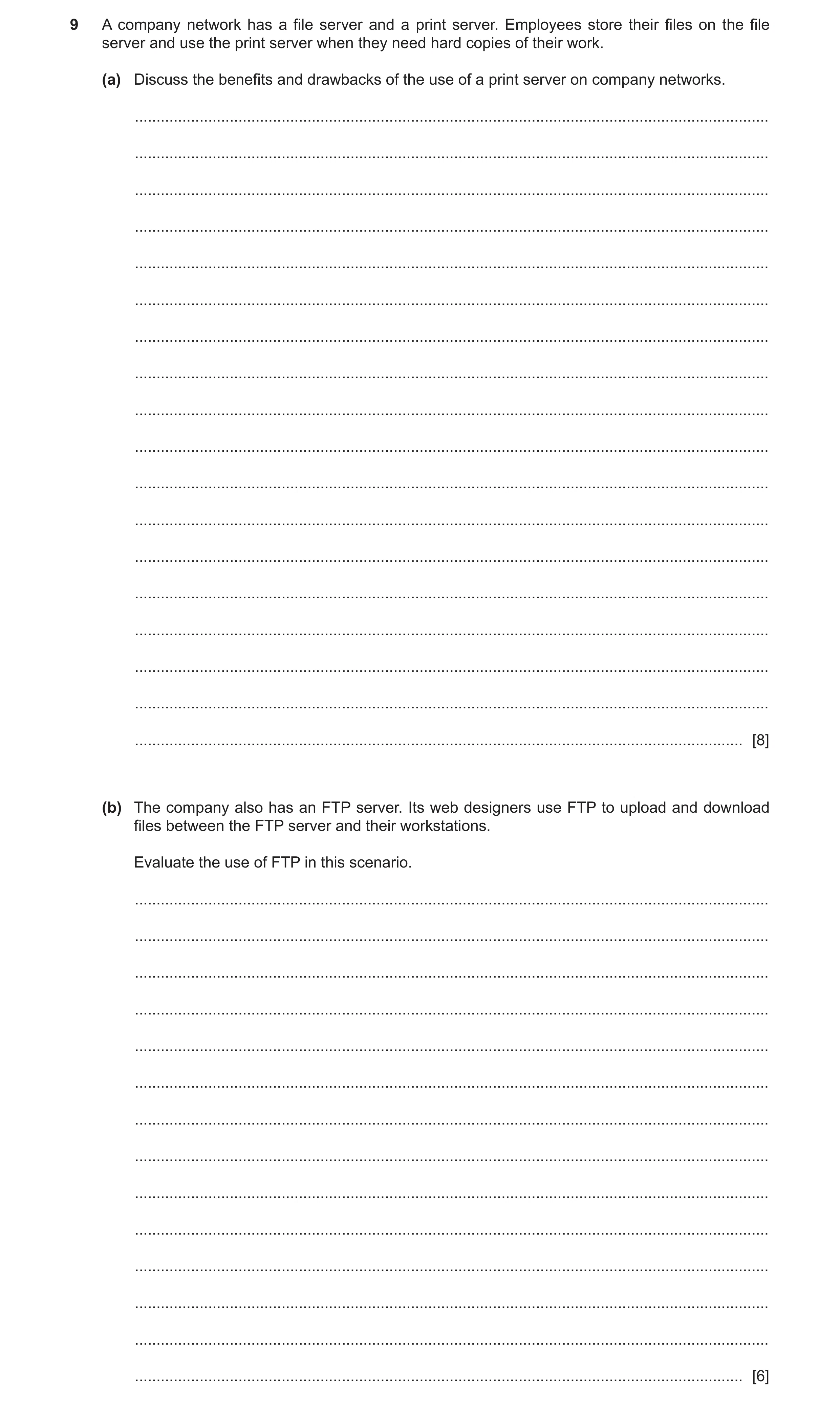
 8 / 9
8 / 9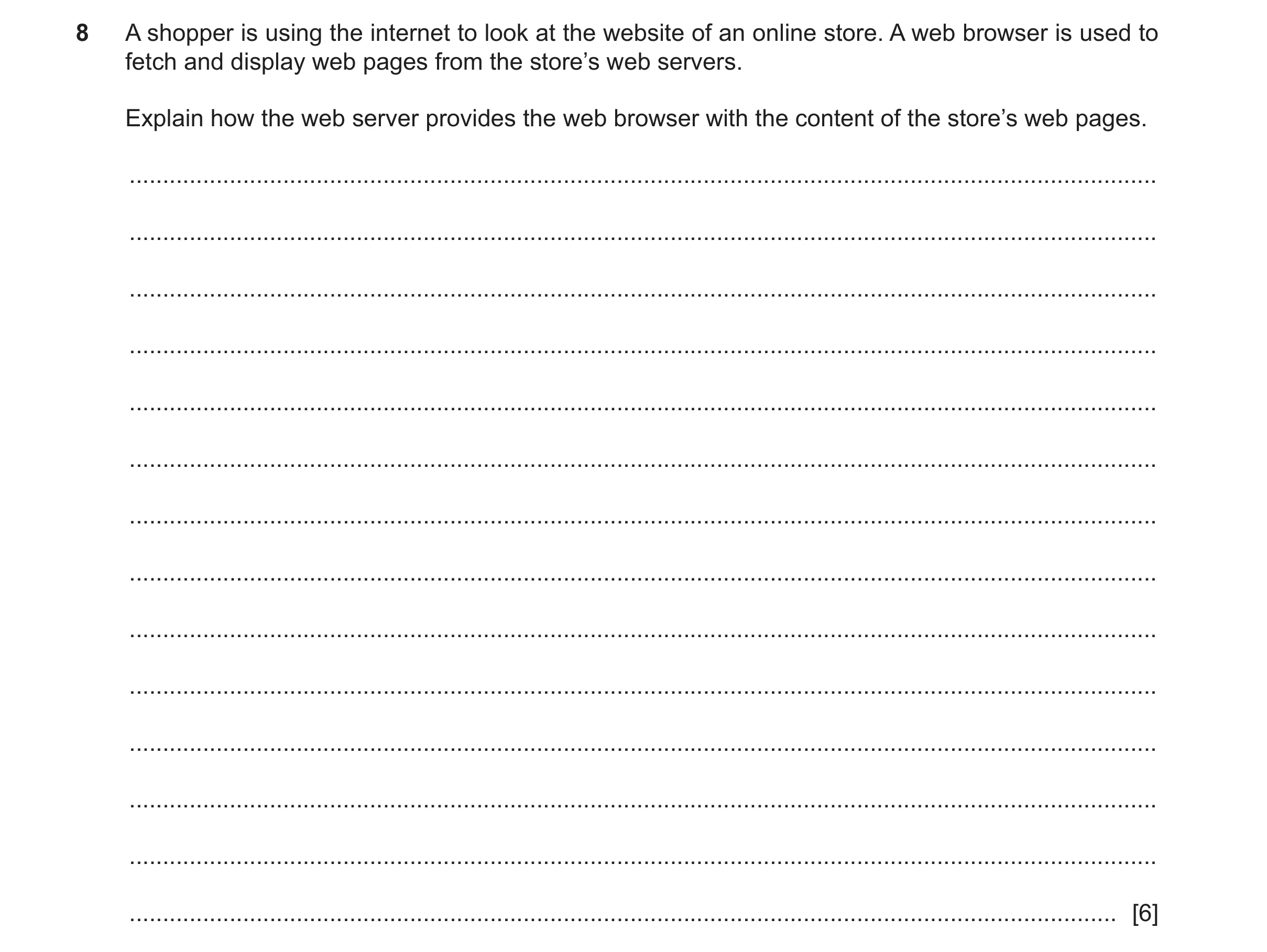 9 / 9
9 / 9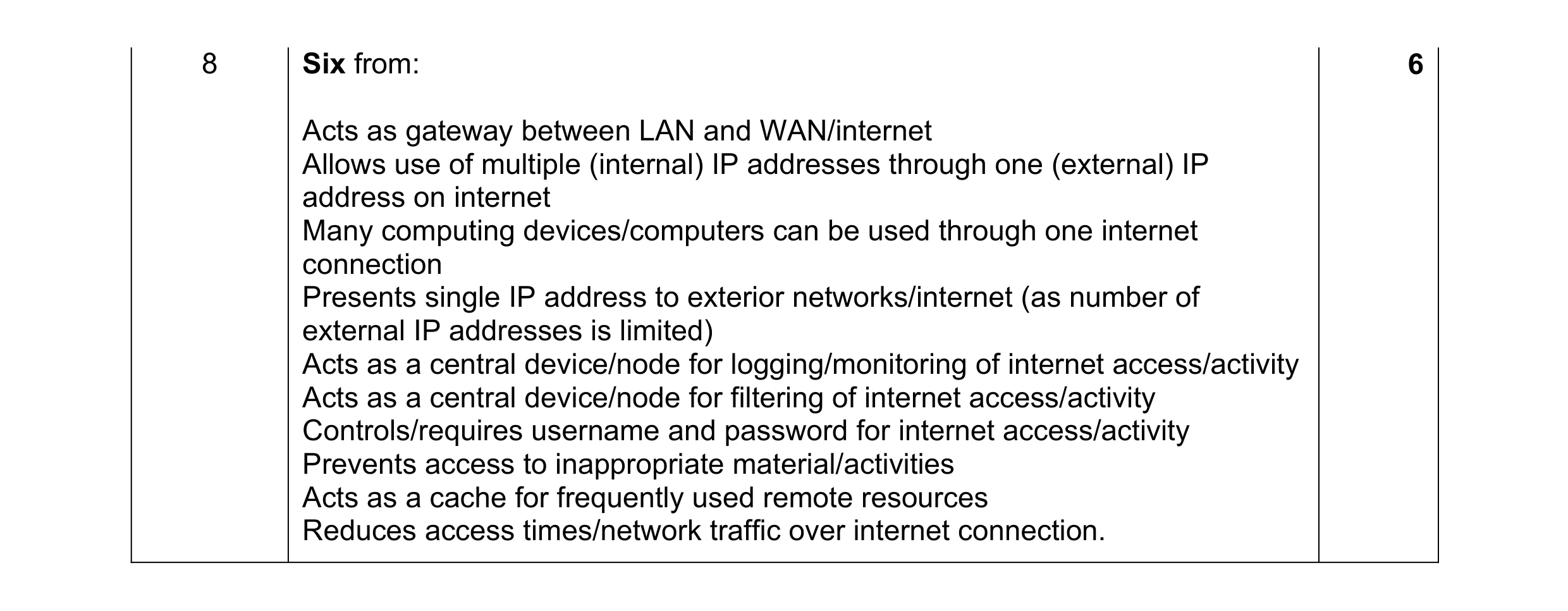 6
6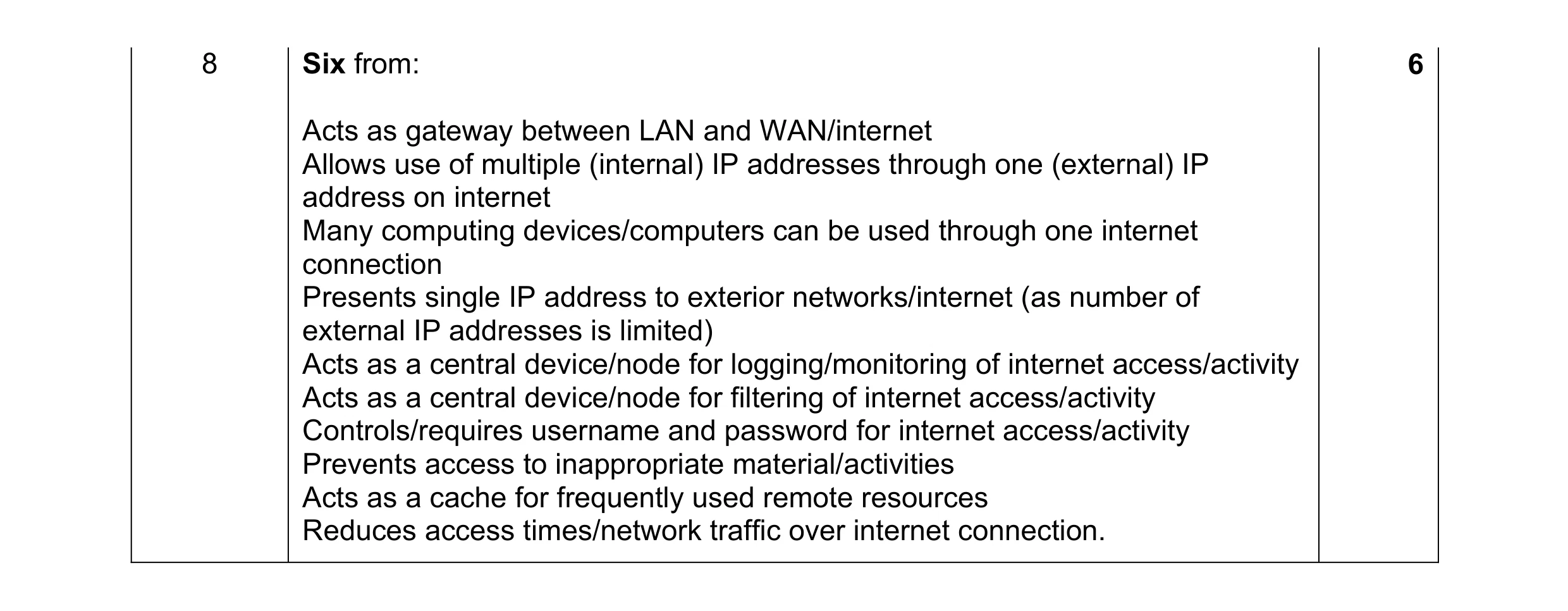 6
6 4
4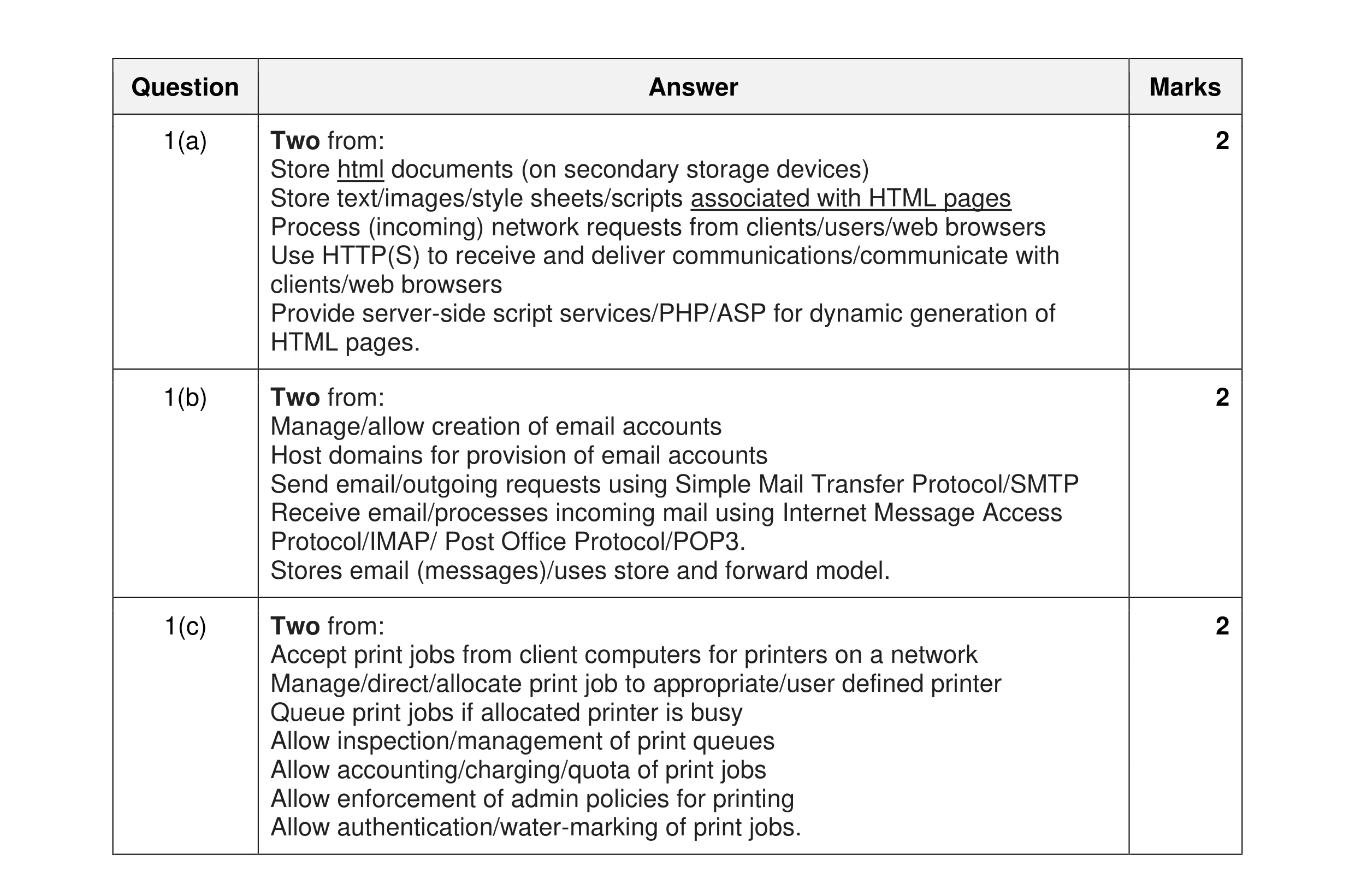 6
6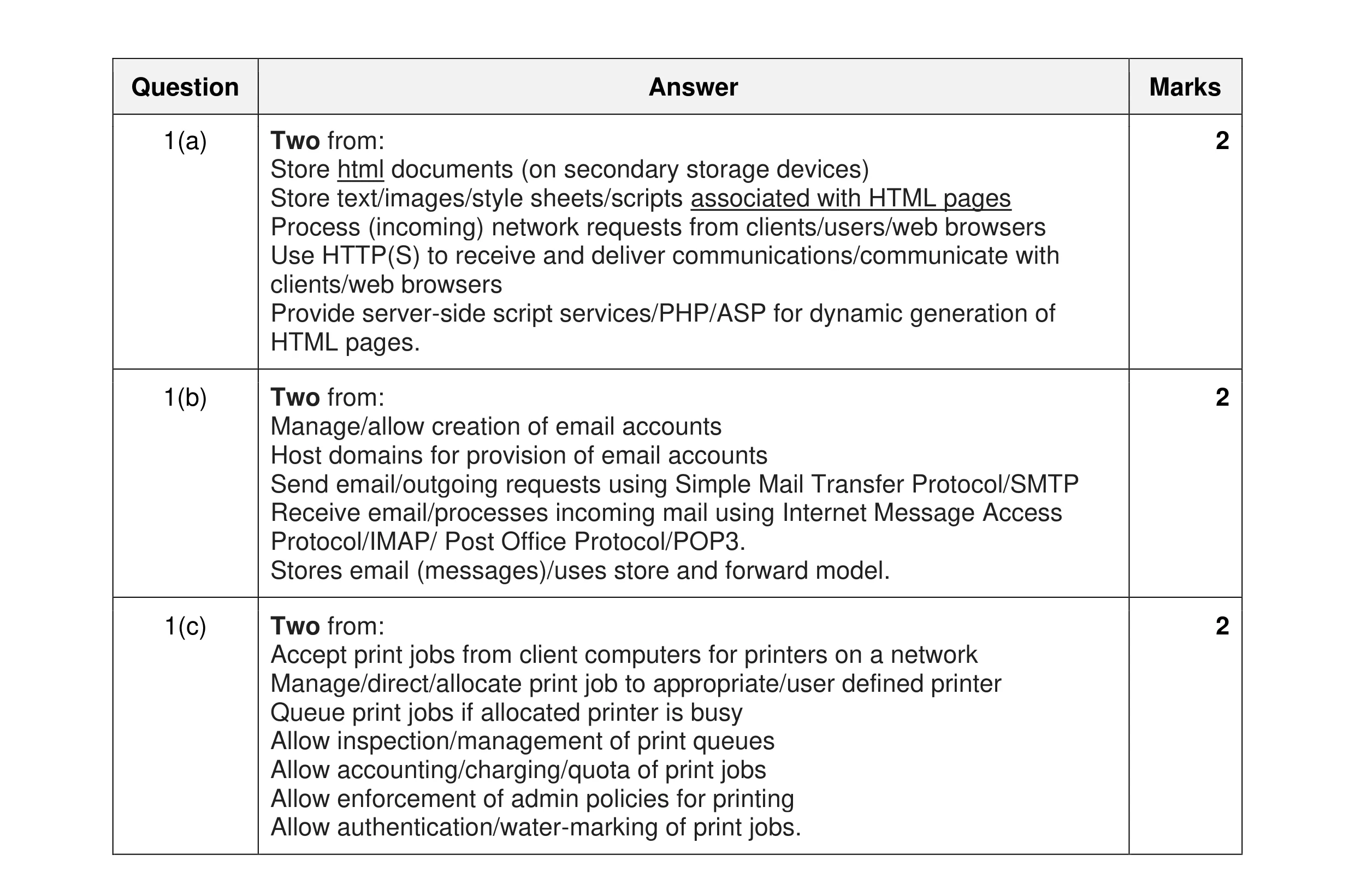 6
6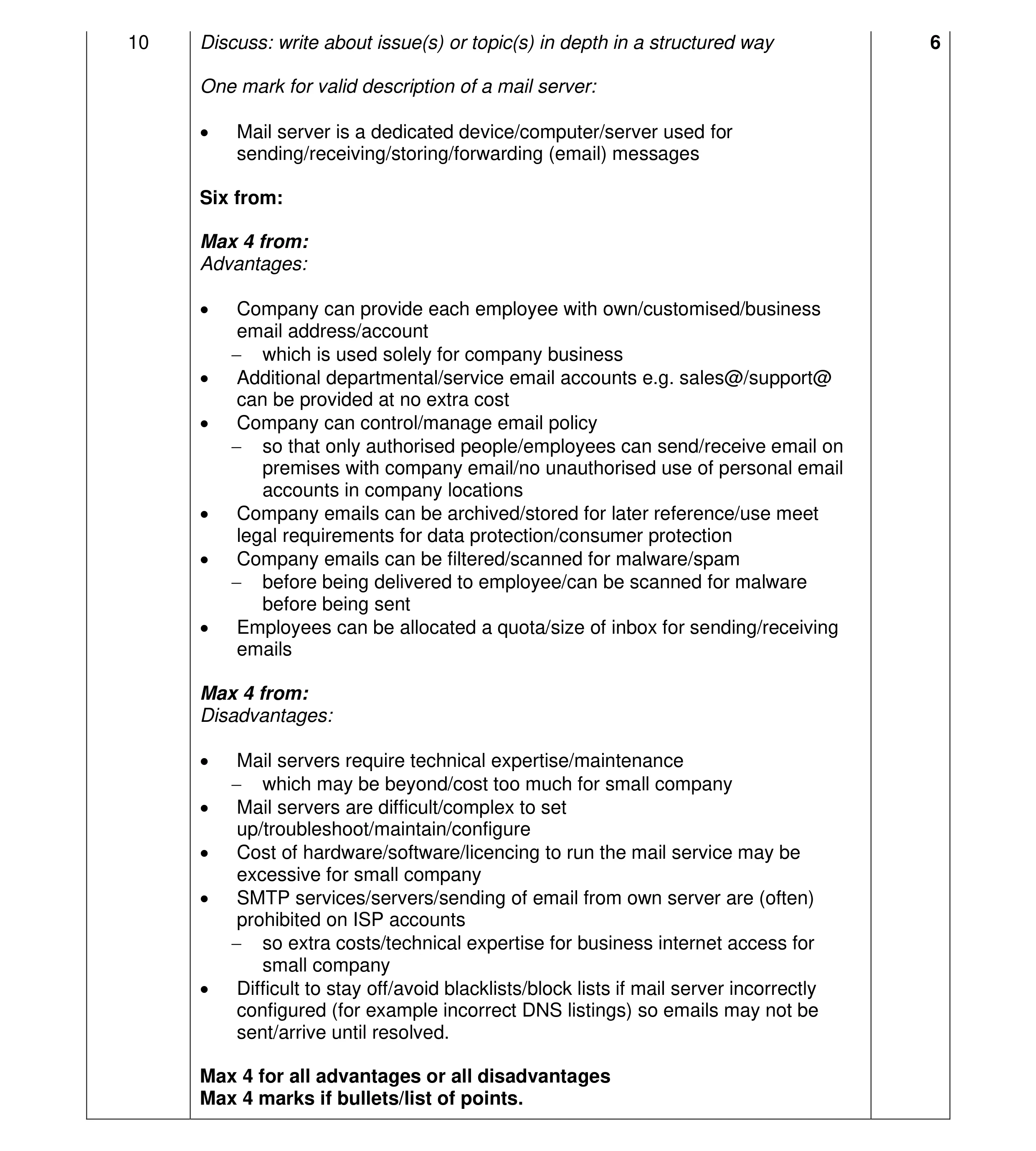 6
6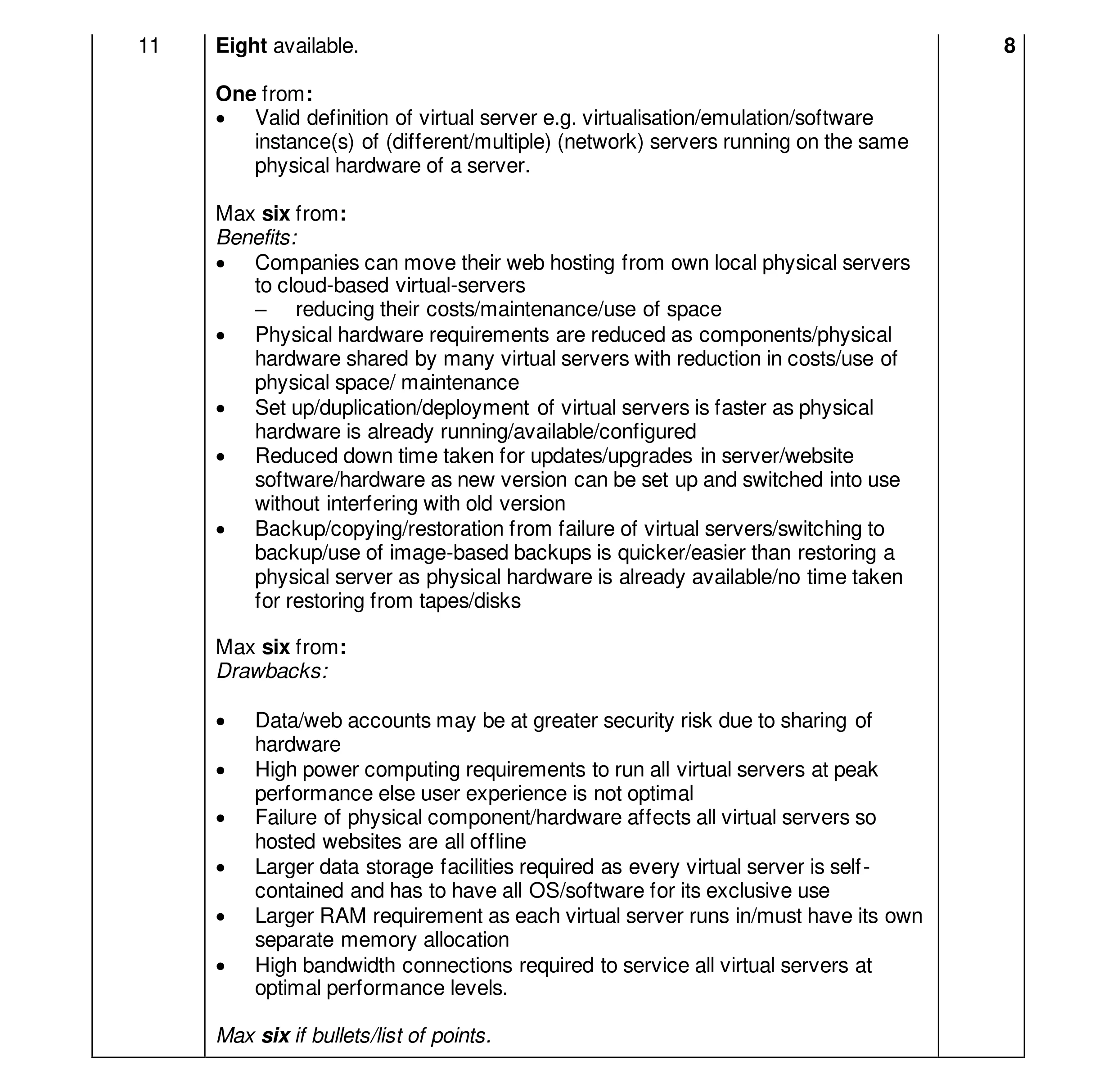 8
8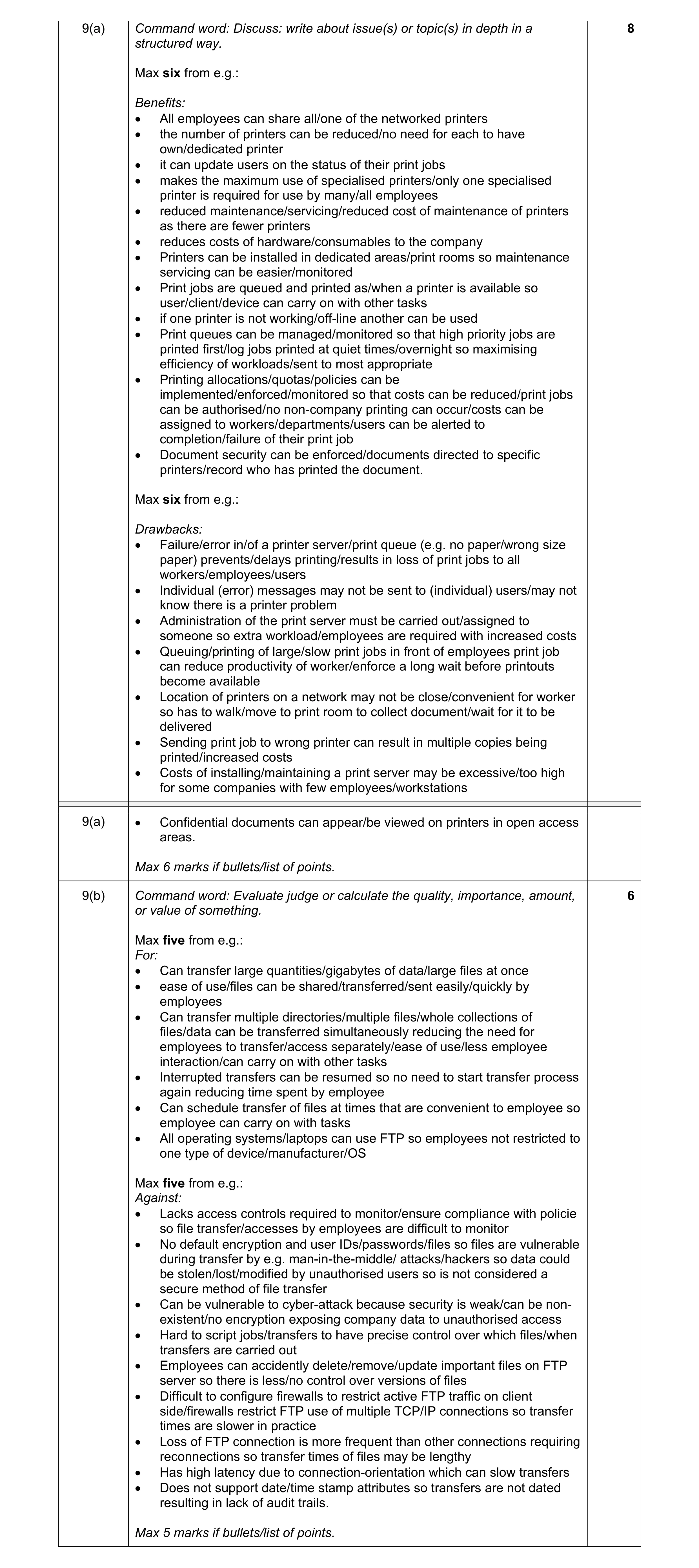 14
14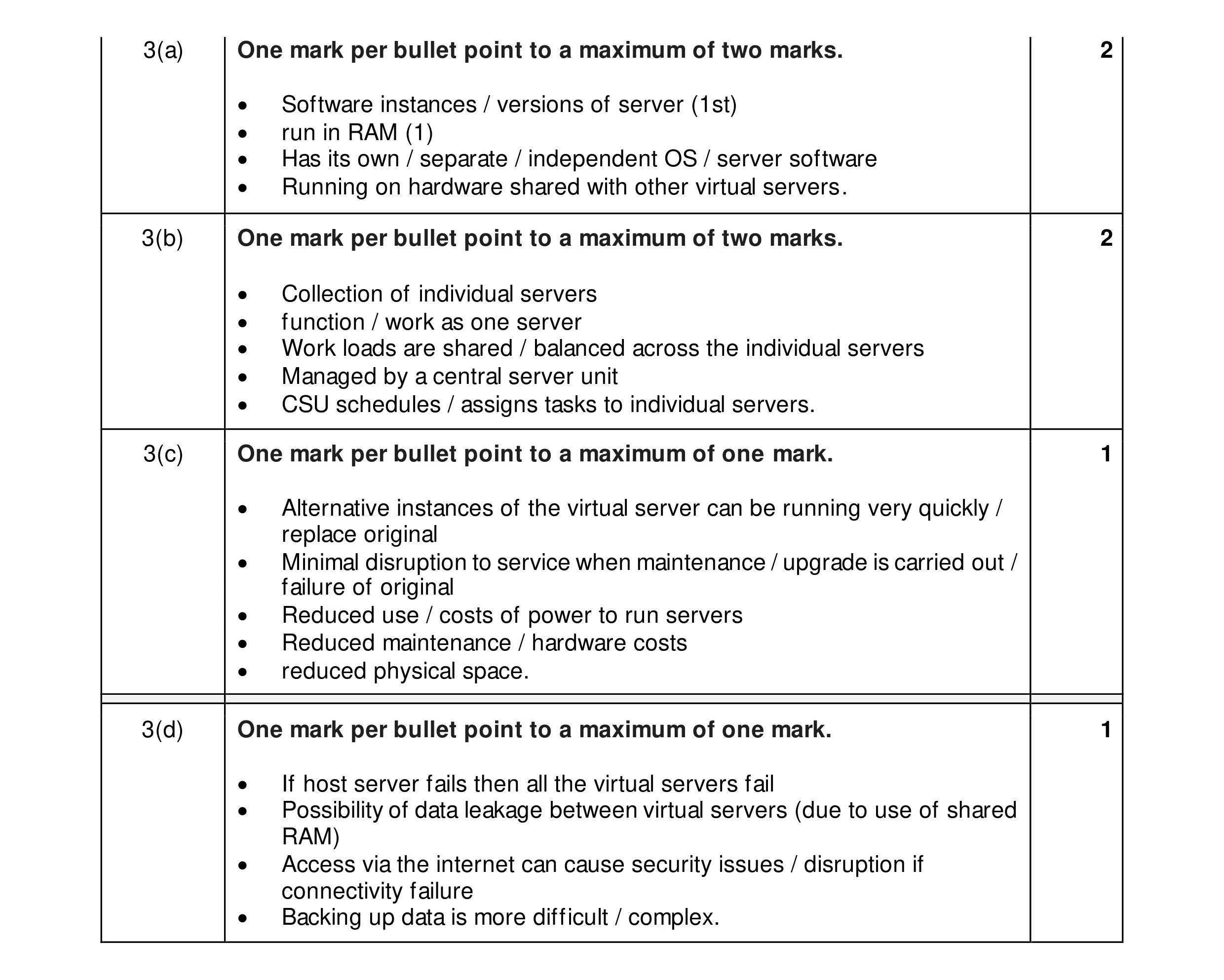 6
6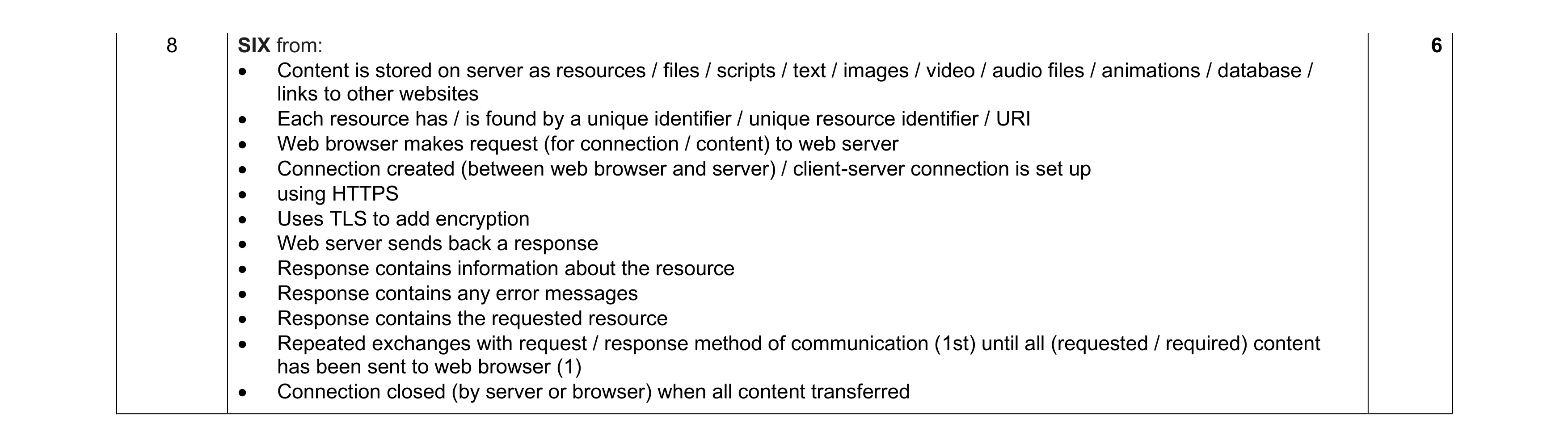 6
6