Cambridge A Level Computer Science 9618 — 2024 Oct/Nov Paper 4 · Variant 2
9618/42/O/N/24 · 3 questions · 75 marks · ≈84 min
The question paper and its mark scheme, free to read here and free to download. This is Cambridge’s own paper, exactly as it was sat.
Question paper16 pages
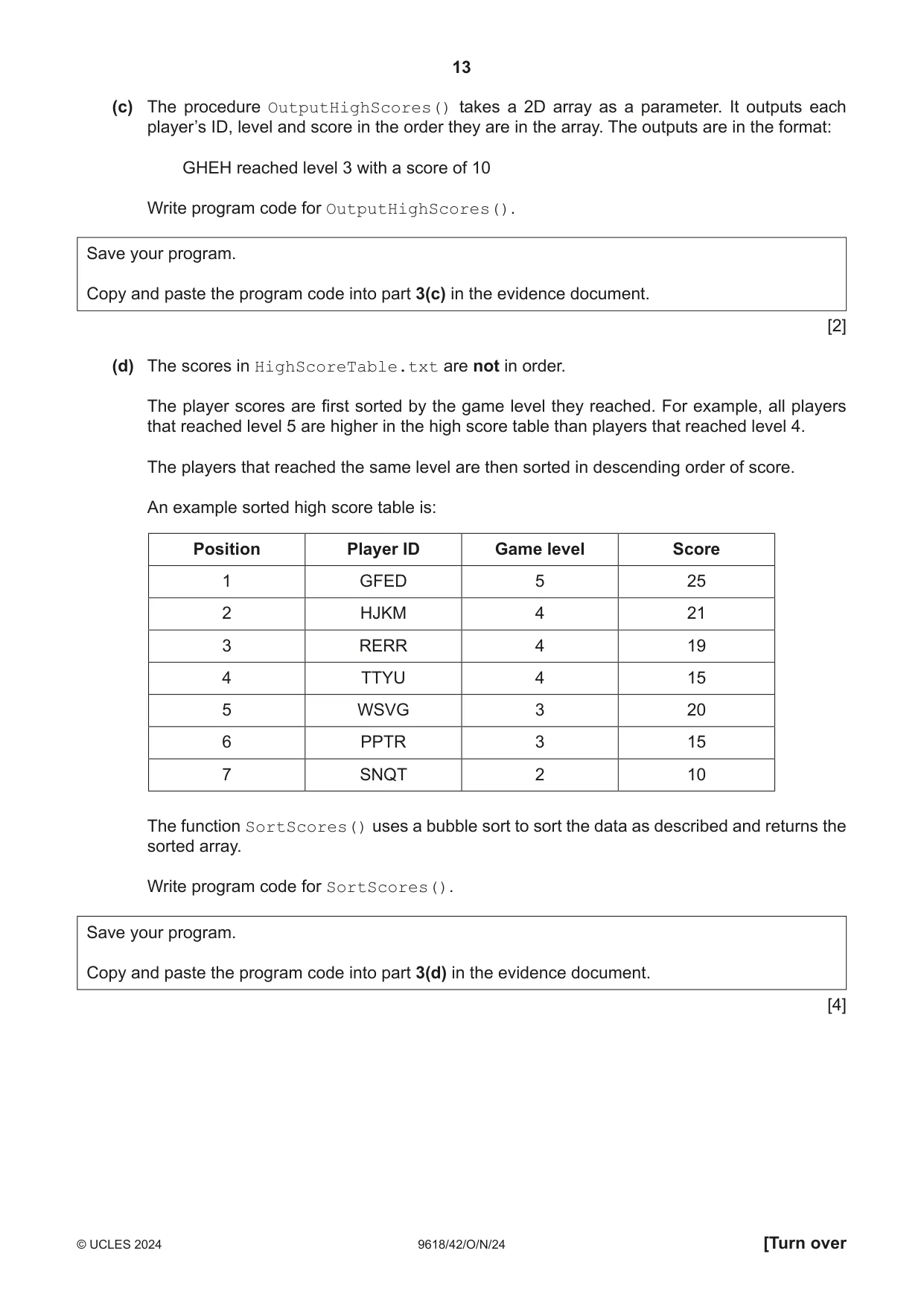
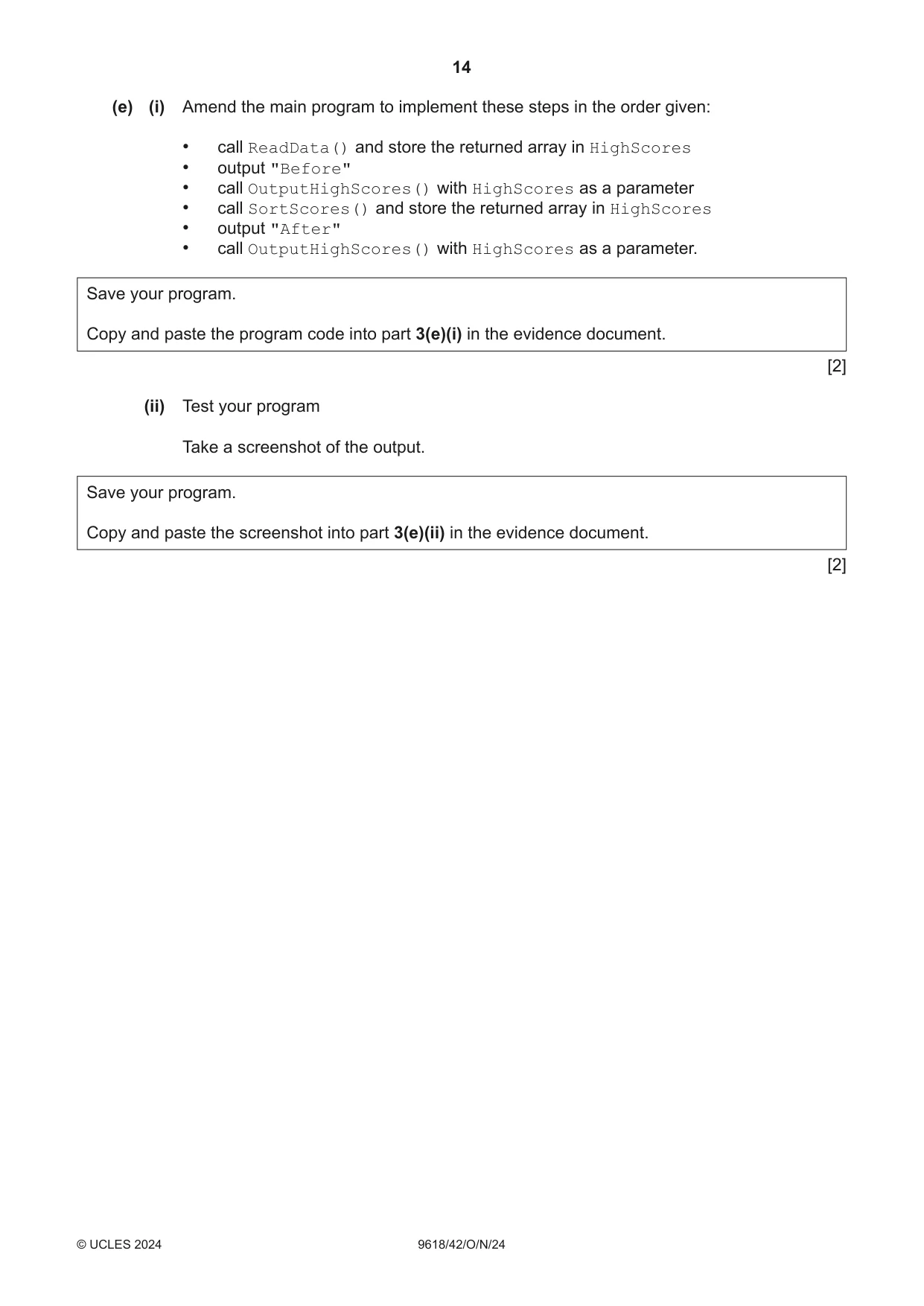


Mark scheme39 pages
Answers below. Sit the paper first if you are practising.

Questions as text
Q1 · A computer game is designed for users to select characters
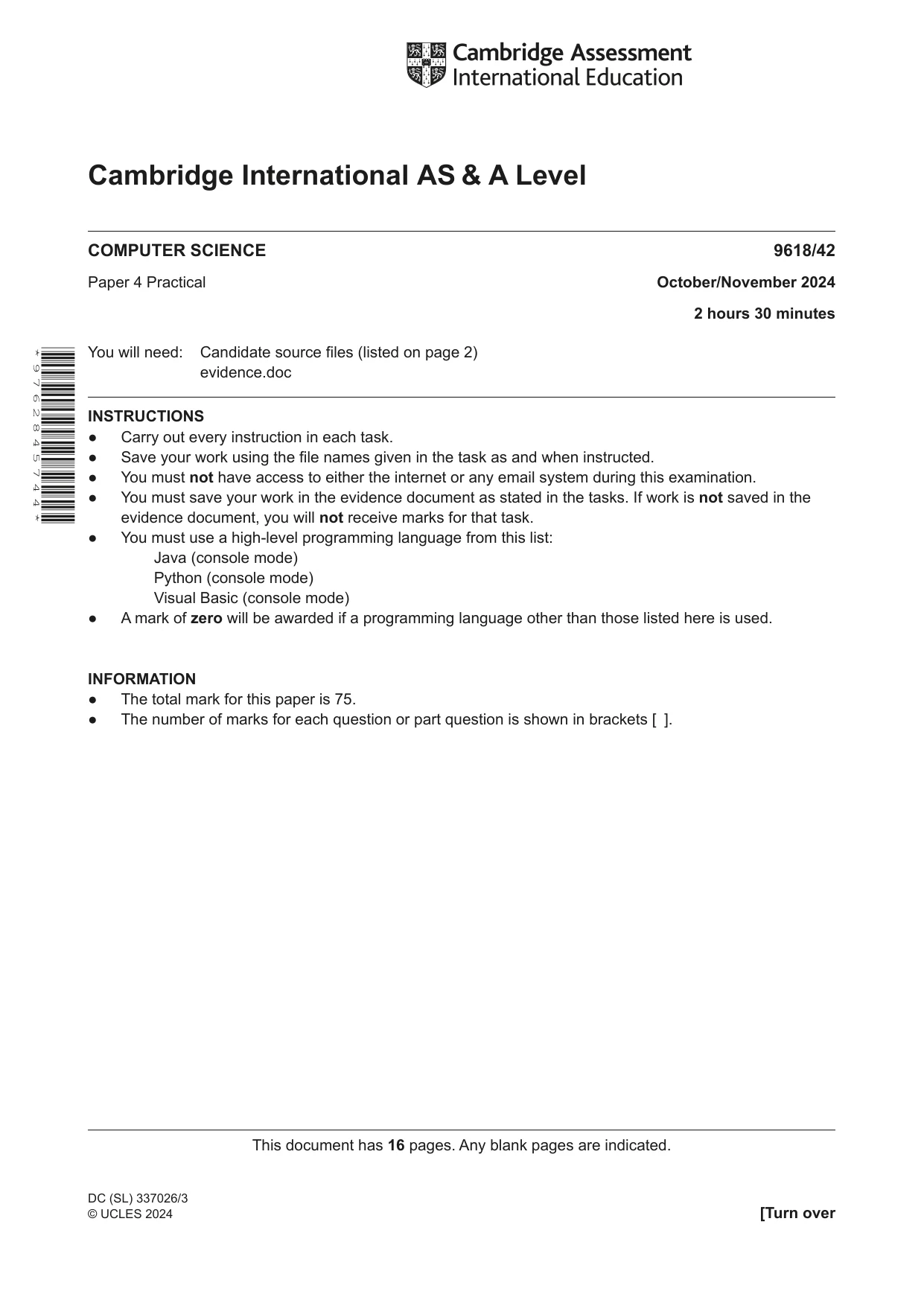
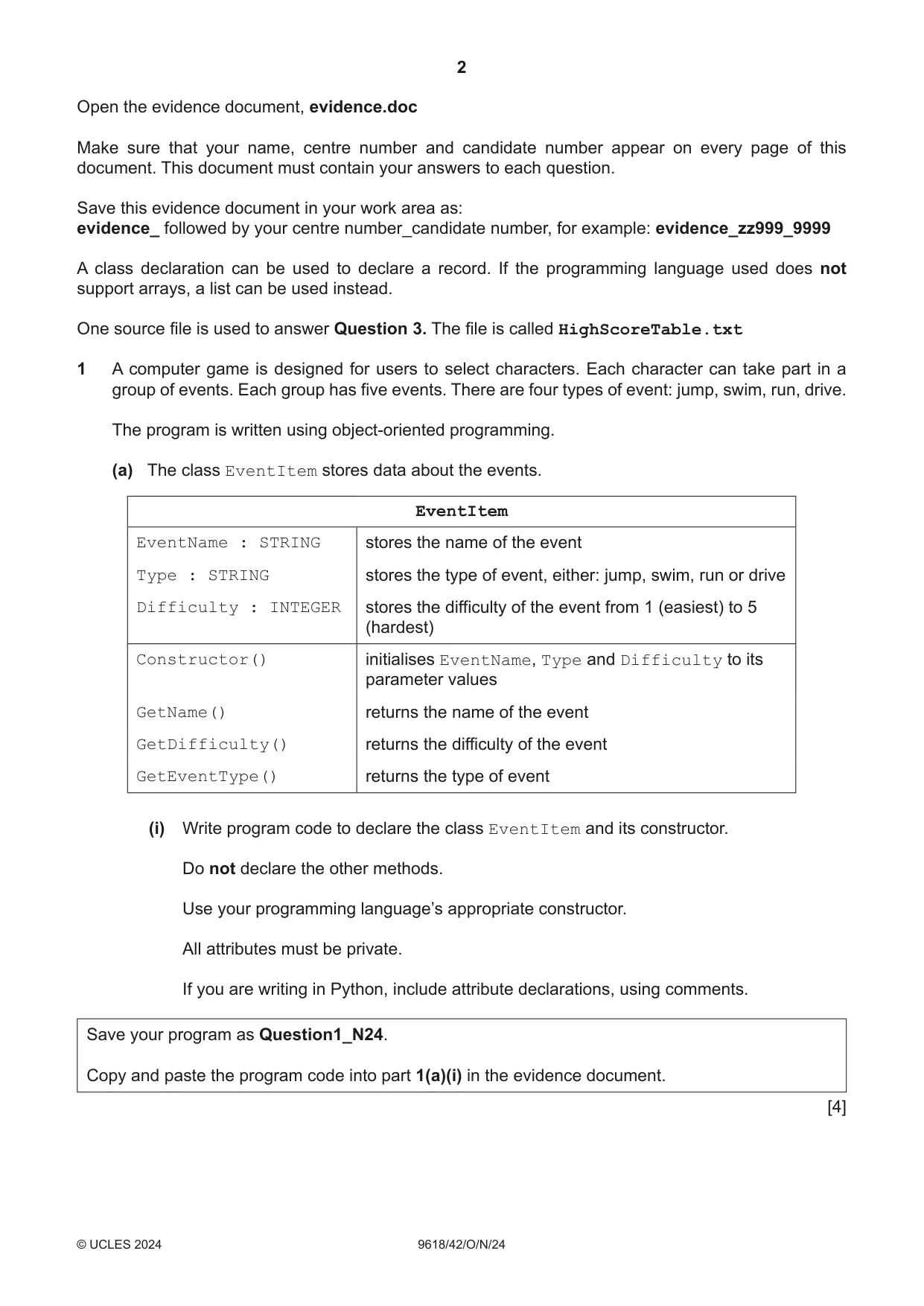
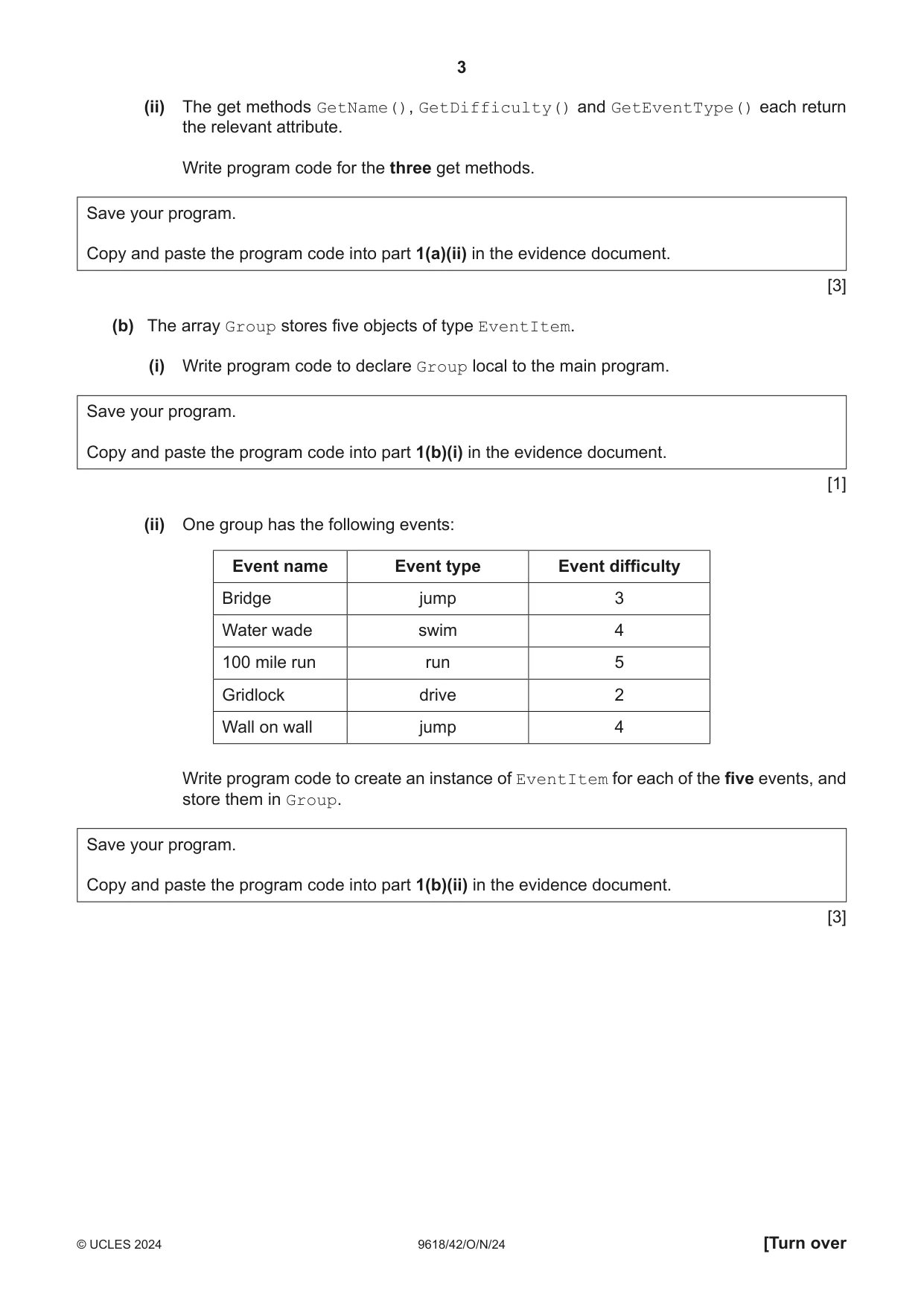
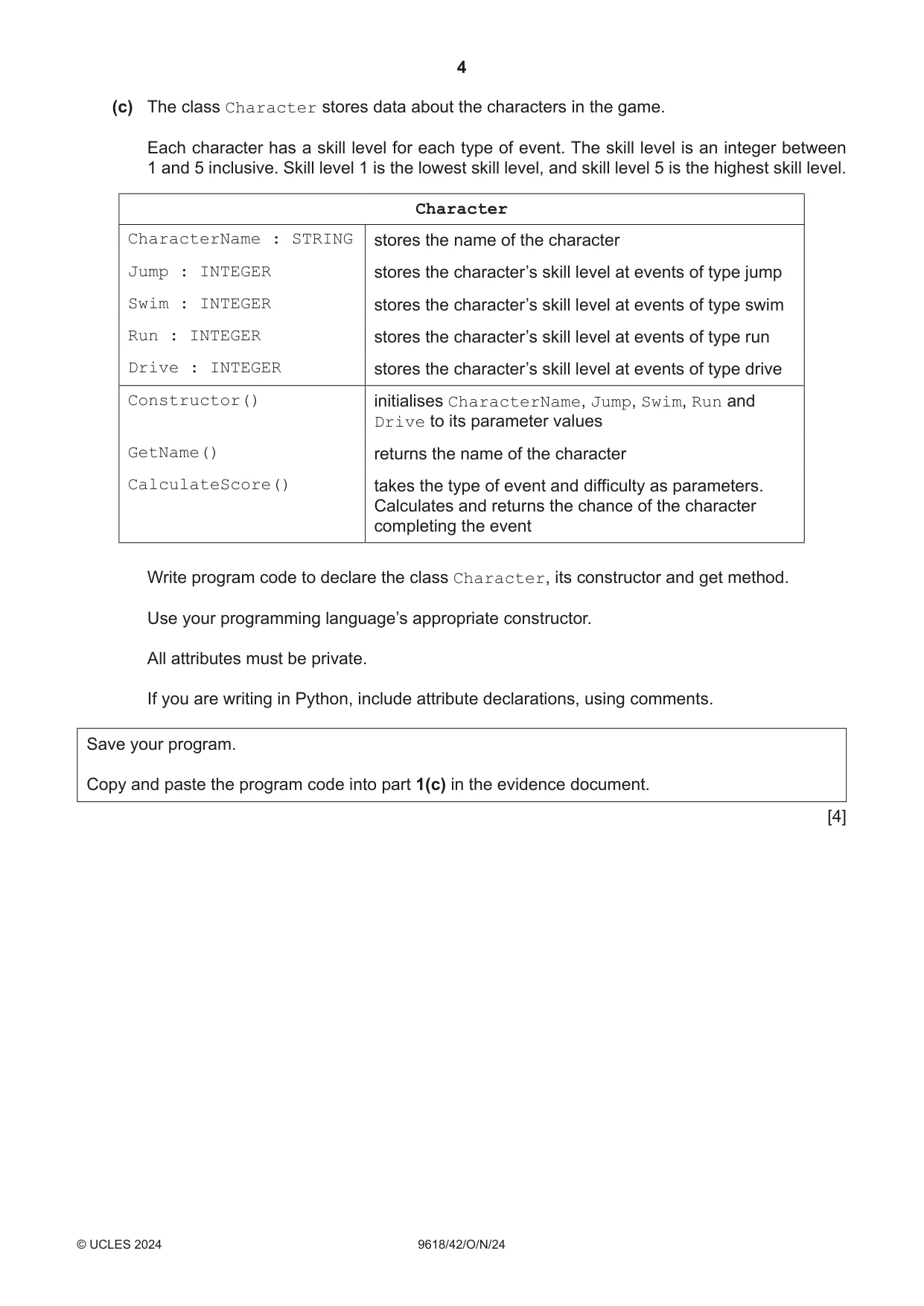
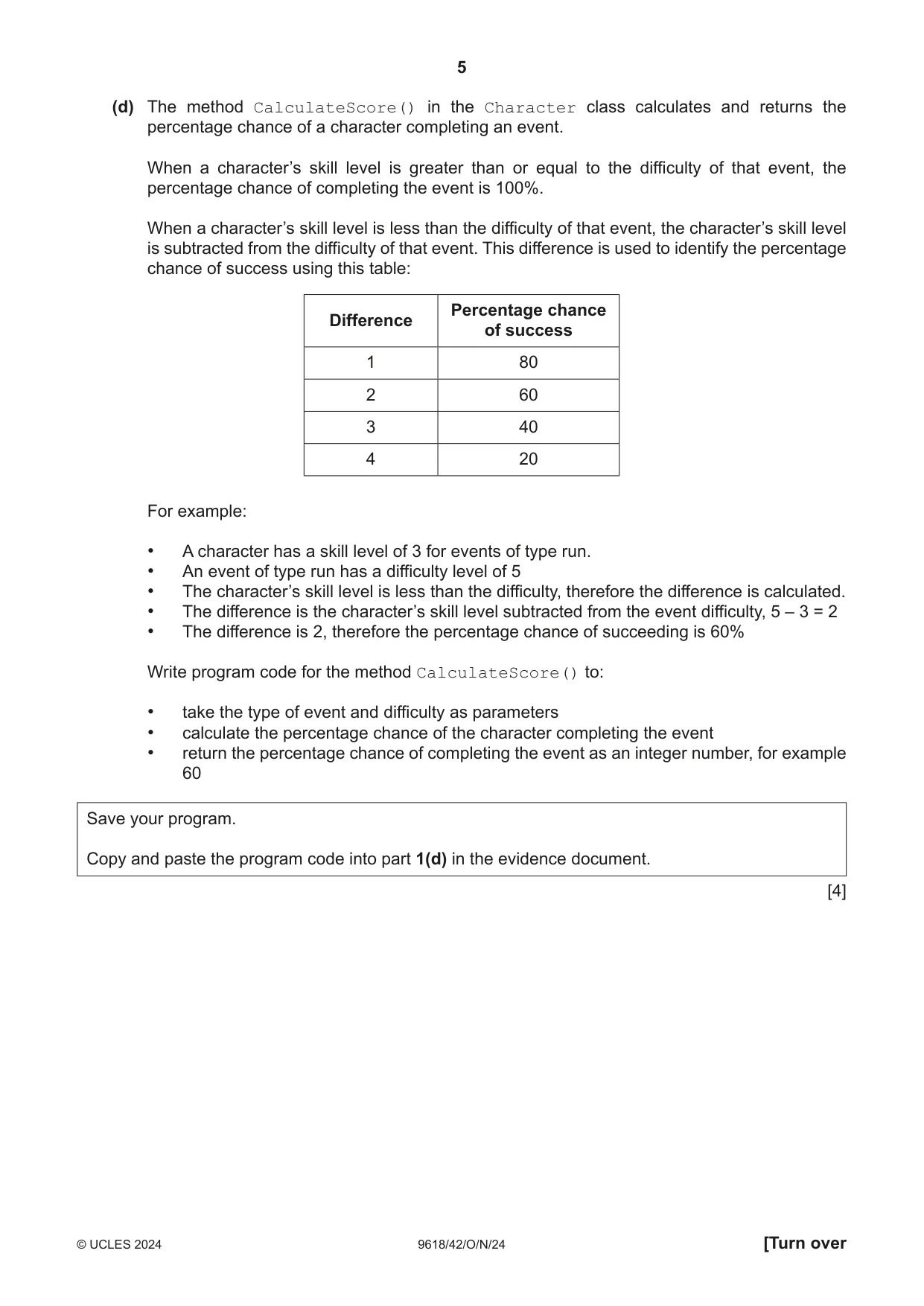
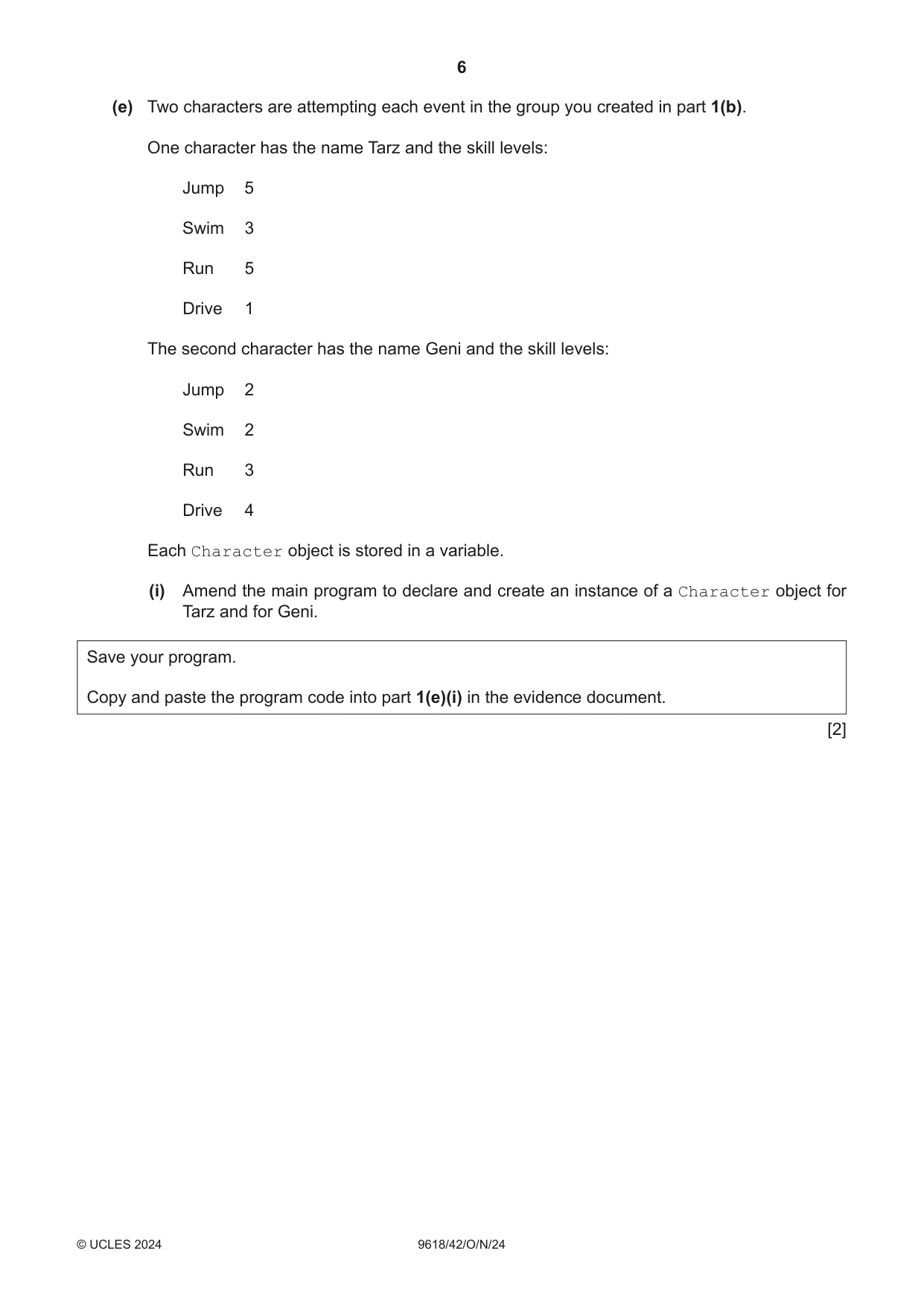
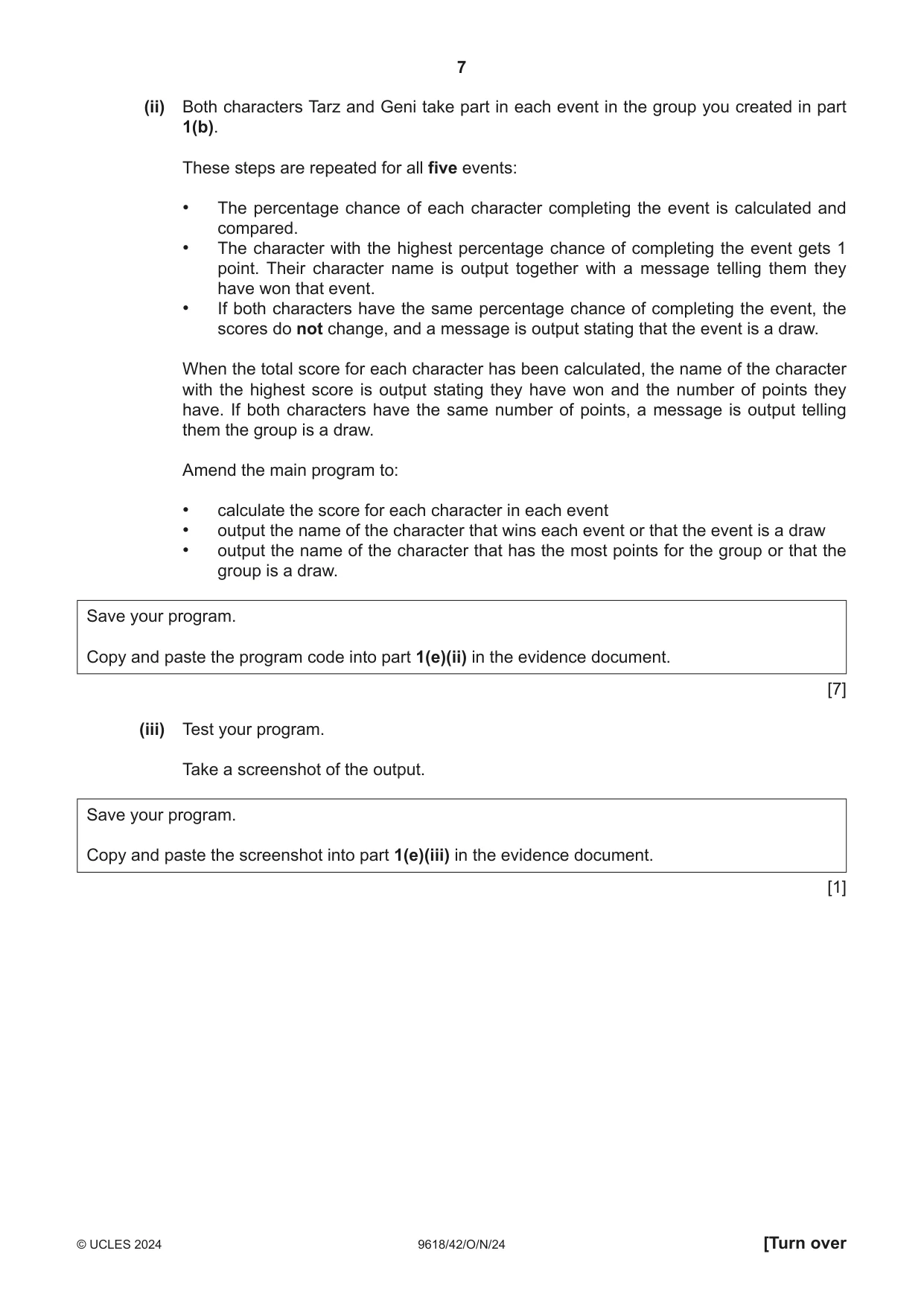
1 A computer game is designed for users to select characters. Each character can take part in a group of events. Each group has five events. There are four types of event: jump, swim, run, drive. The program is written using object-oriented programming. (a) The class EventItem stores data about the events. EventItem EventName : STRING stores the name of the event Type : STRING stores the type of event, either: jump, swim, run or drive Difficulty : INTEGER stores the difficulty of the event from 1 (easiest) to 5 (hardest) Constructor() initialises EventName, Type and Difficulty to its parameter values GetName() returns the name of the event GetDifficulty() returns the difficulty of the event GetEventType() returns the type of event (i) Write program code to declare the class EventItem and its constructor. Do not declare the other methods. Use your programming language’s appropriate constructor. All attributes must be private. If you are writing in Python, include attribute declarations, using comments. Save your program as Question1_N24. Copy and paste the program code into part 1(a)(i) in the evidence document. [4] (ii) The get methods GetName(), GetDifficulty() and GetEventType() each return the relevant attribute. Write program code for the three get methods. Save your program. Copy and paste the program code into part 1(a)(ii) in the evidence document. [3] (b) The array Group stores five objects of type EventItem. (i) Write program code to declare Group local to the main program. Save your program. Copy and paste the program code into part 1(b)(i) in the evidence document. [1] (ii) One group has the following events: Event name Event type Event difficulty Bridge jump 3 Water wade swim 4 100 mile run run 5 Gridlock drive 2 Wall on wall jump 4 Write program code to create an instance of EventItem for each of the five events, and store them in Group. Save your program. Copy and paste the program code into part 1(b)(ii) in the evidence document. [3] (c) The class Character stores data about the characters in the game. Each character has a skill level for each type of event. The skill level is an integer between 1 and 5 inclusive. Skill level 1 is the lowest skill level, and skill level 5 is the highest skill level. Character CharacterName : STRING stores the name of the character Jump : INTEGER stores the character’s skill level at events of type jump Swim : INTEGER stores the character’s skill level at events of type swim Run : INTEGER stores the character’s skill level at events of type run Drive : INTEGER stores the character’s skill level at events of type drive Constructor() initialises CharacterName, Jump, Swim, Run and Drive to its parameter values GetName() returns the name of the character CalculateScore() takes the type of event and difficulty as parameters. Calculates and returns the chance of the character completing the event Write program code to declare the class Character, its constructor and get method. Use your programming language’s appropriate constructor. All attributes must be private. If you are writing in Python, include attribute declarations, using comments. Save your program. Copy and paste the program code into part 1(c) in the evidence document. [4] (d) The method CalculateScore() in the Character class calculates and returns the percentage chance of a character completing an event. When a character’s skill level is greater than or equal to the difficulty of that event, the percentage chance of completing the event is 100%. When a character’s skill level is less than the difficulty of that event, the character’s skill level is subtracted from the difficulty of that event. This difference is used to identify the percentage chance of success using this table: Percentage chance Difference of success 1 80 2 60 3 40 4 20 For example: • A character has a skill level of 3 for events of type run. • An event of type run has a difficulty level of 5 • The character’s skill level is less than the difficulty, therefore the difference is calculated. • The difference is the character’s skill level subtracted from the event difficulty, 5 – 3 = 2 • The difference is 2, therefore the percentage chance of succeeding is 60% Write program code for the method CalculateScore() to: • take the type of event and difficulty as parameters • calculate the percentage chance of the character completing the event • return the percentage chance of completing the event as an integer number, for example 60 Save your program. Copy and paste the program code into part 1(d) in the evidence document. [4] (e) Two characters are attempting each event in the group you created in part 1(b). One character has the name Tarz and the skill levels: Jump 5 Swim 3 Run 5 Drive 1 The second character has the name Geni and the skill levels: Jump 2 Swim 2 Run 3 Drive 4 Each Character object is stored in a variable. (i) Amend the main program to declare and create an instance of a Character object for Tarz and for Geni. Save your program. Copy and paste the program code into part 1(e)(i) in the evidence document. [2] (ii) Both characters Tarz and Geni take part in each event in the group you created in part 1(b). These steps are repeated for all five events: • The percentage chance of each character completing the event is calculated and compared. • The character with the highest percentage chance of completing the event gets 1 point. Their character name is output together with a message telling them they have won that event. • If both characters have the same percentage chance of completing the event, the scores do not change, and a message is output stating that the event is a draw. When the total score for each character has been calculated, the name of the character with the highest score is output stating they have won and the number of points they have. If both characters have the same number of points, a message is output telling them the group is a draw. Amend the main program to: • calculate the score for each character in each event • output the name of the character that wins each event or that the event is a draw • output the name of the character that has the most points for the group or that the group is a draw. Save your program. Copy and paste the program code into part 1(e)(ii) in the evidence document. [7] (iii) Test your program. Take a screenshot of the output. Save your program. Copy and paste the screenshot into part 1(e)(iii) in the evidence document. [1]
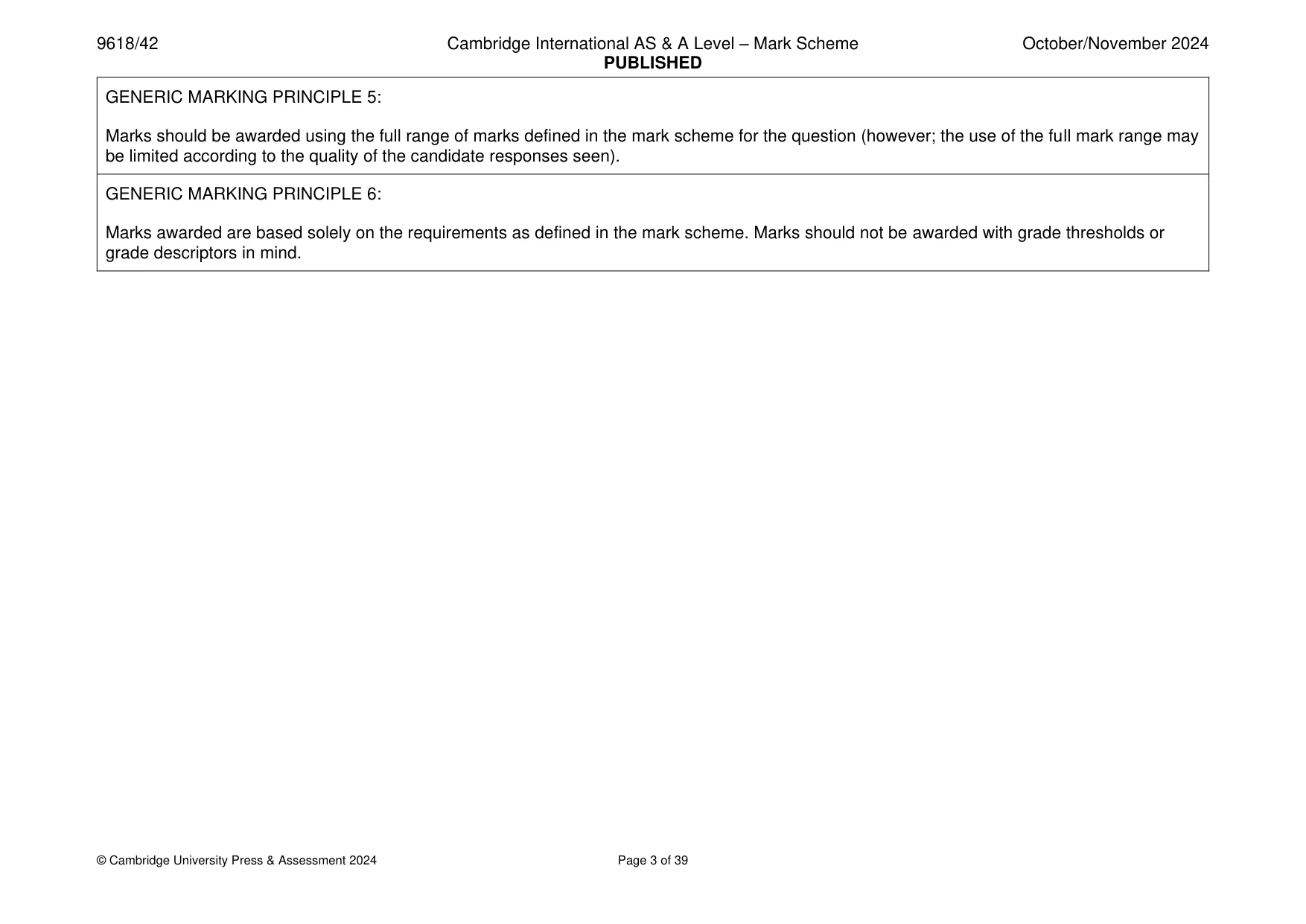
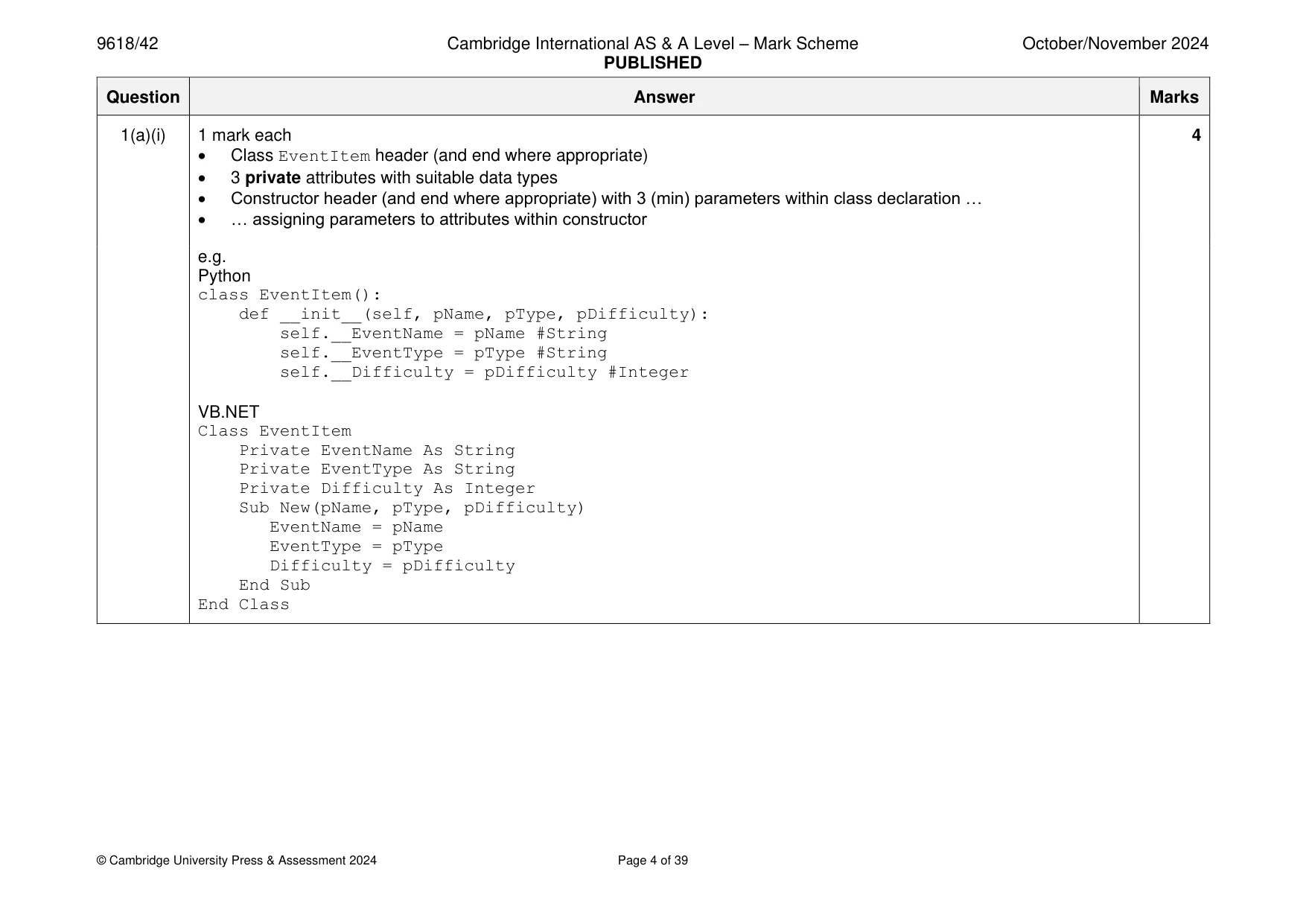
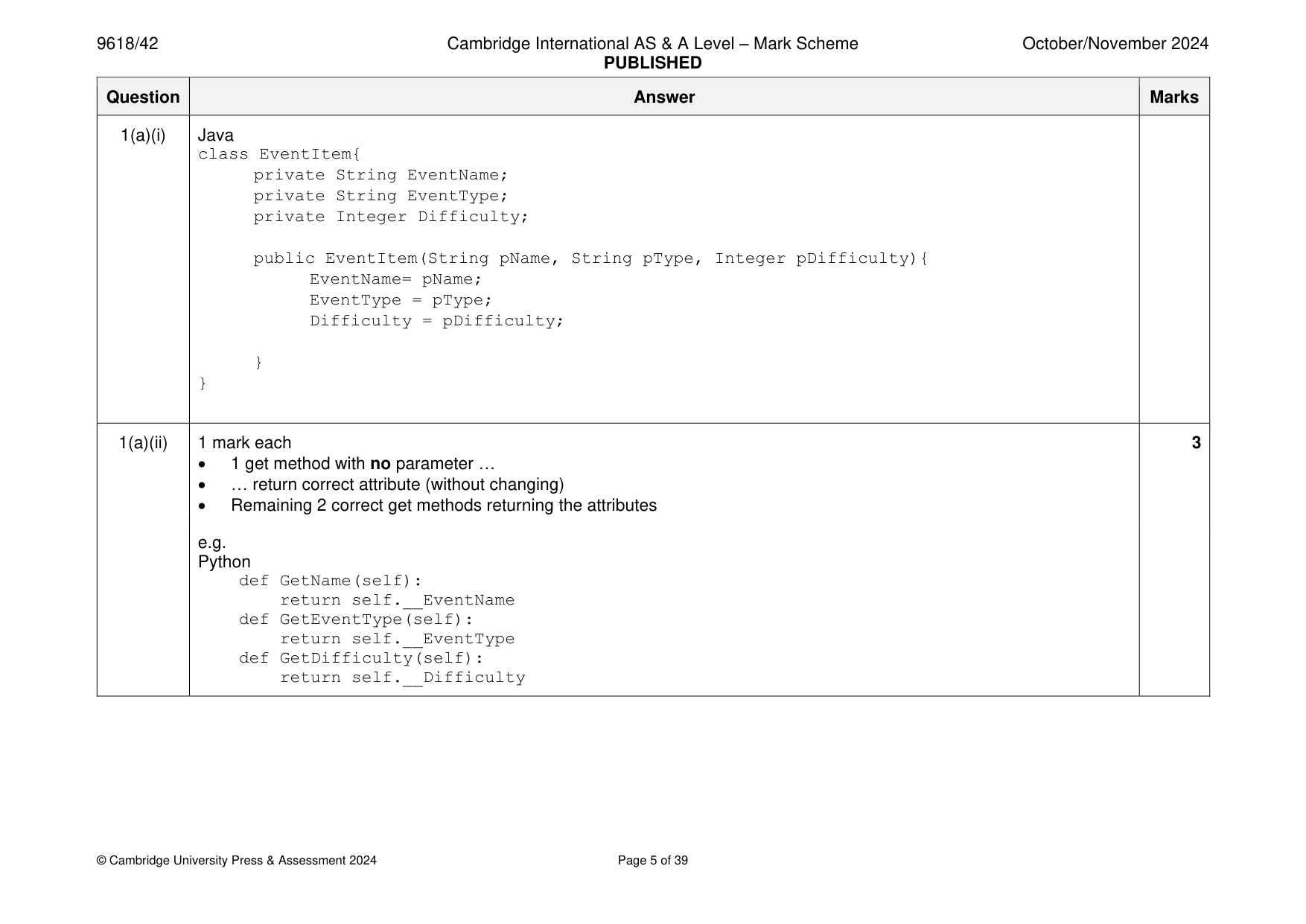
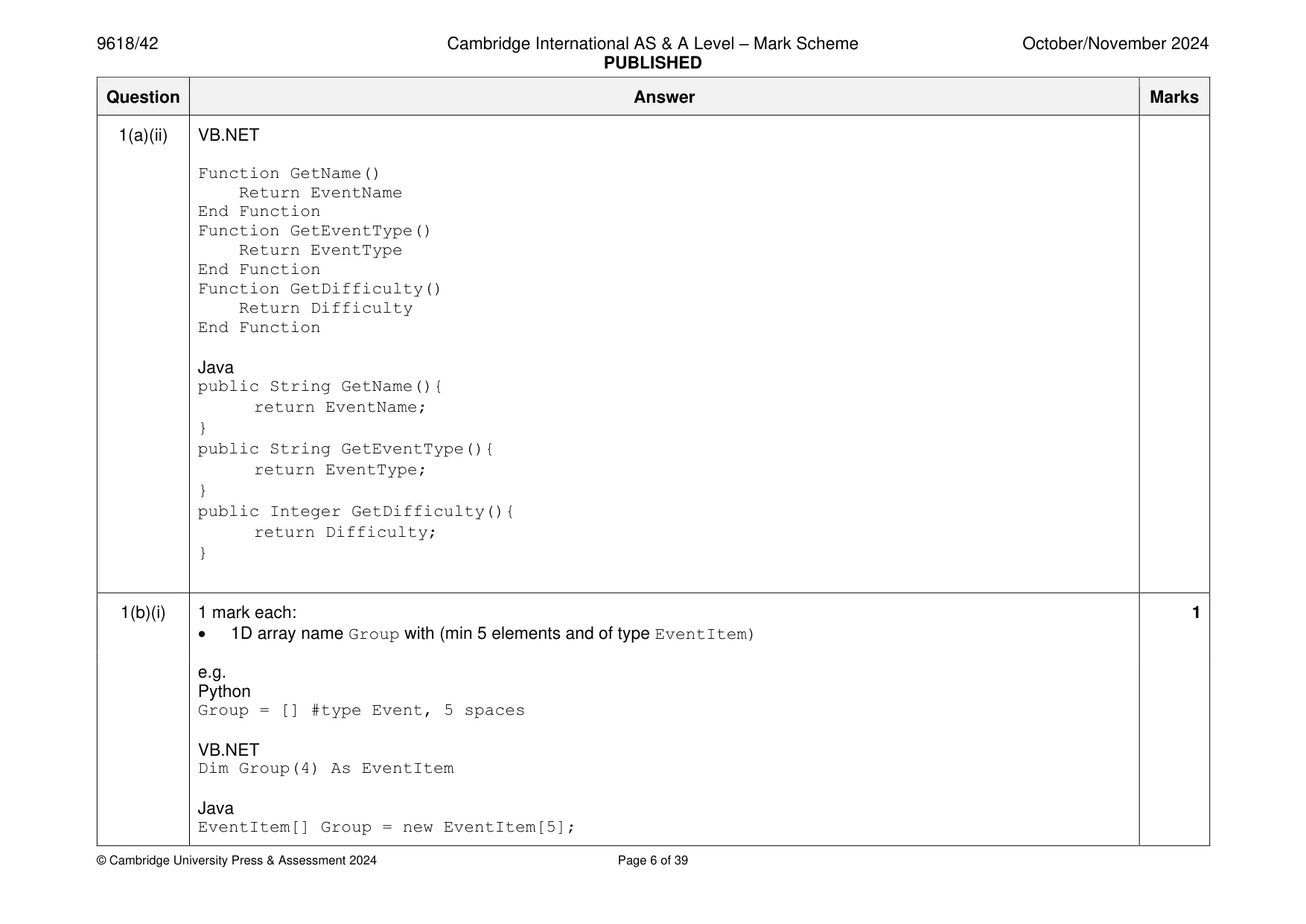
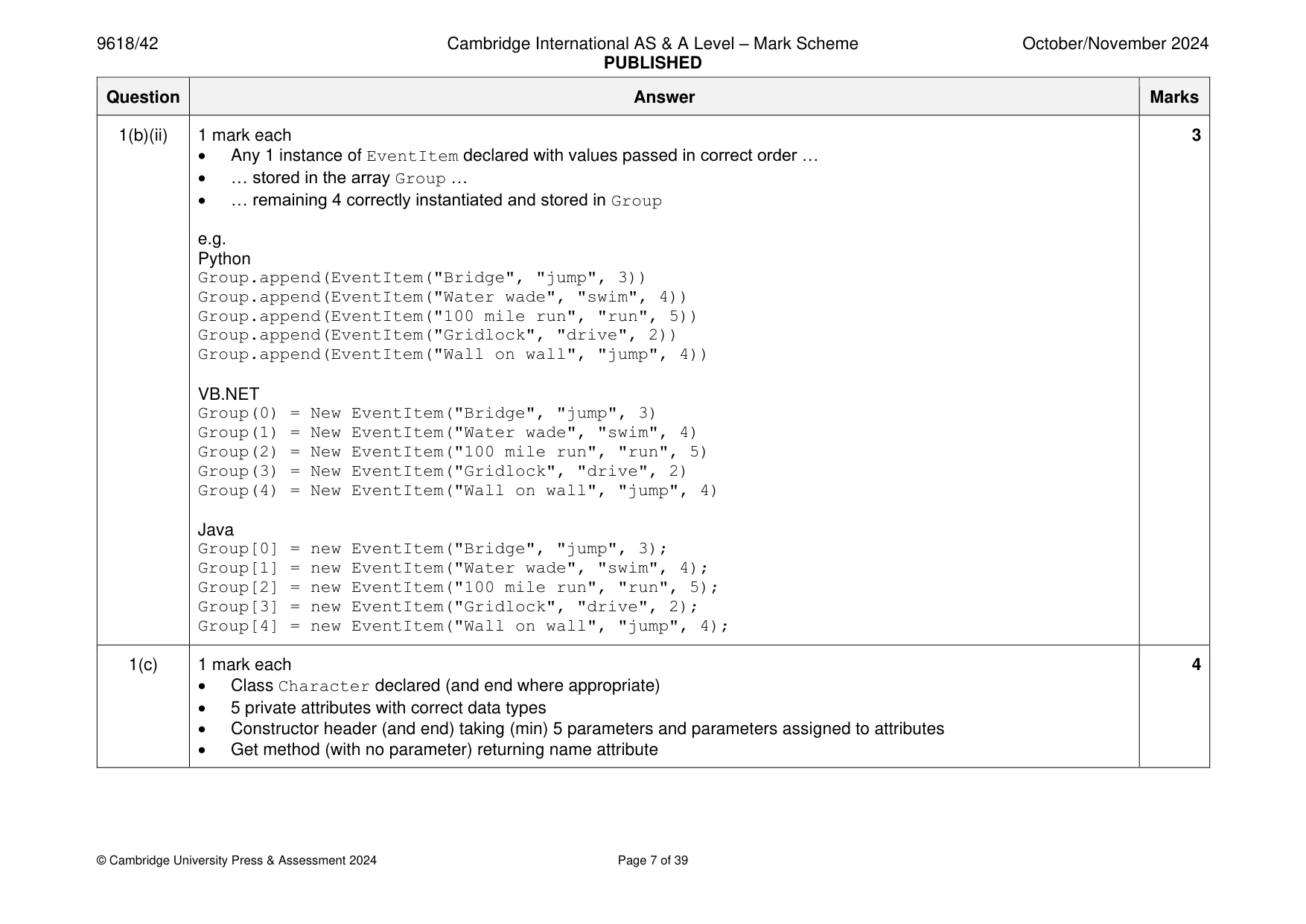
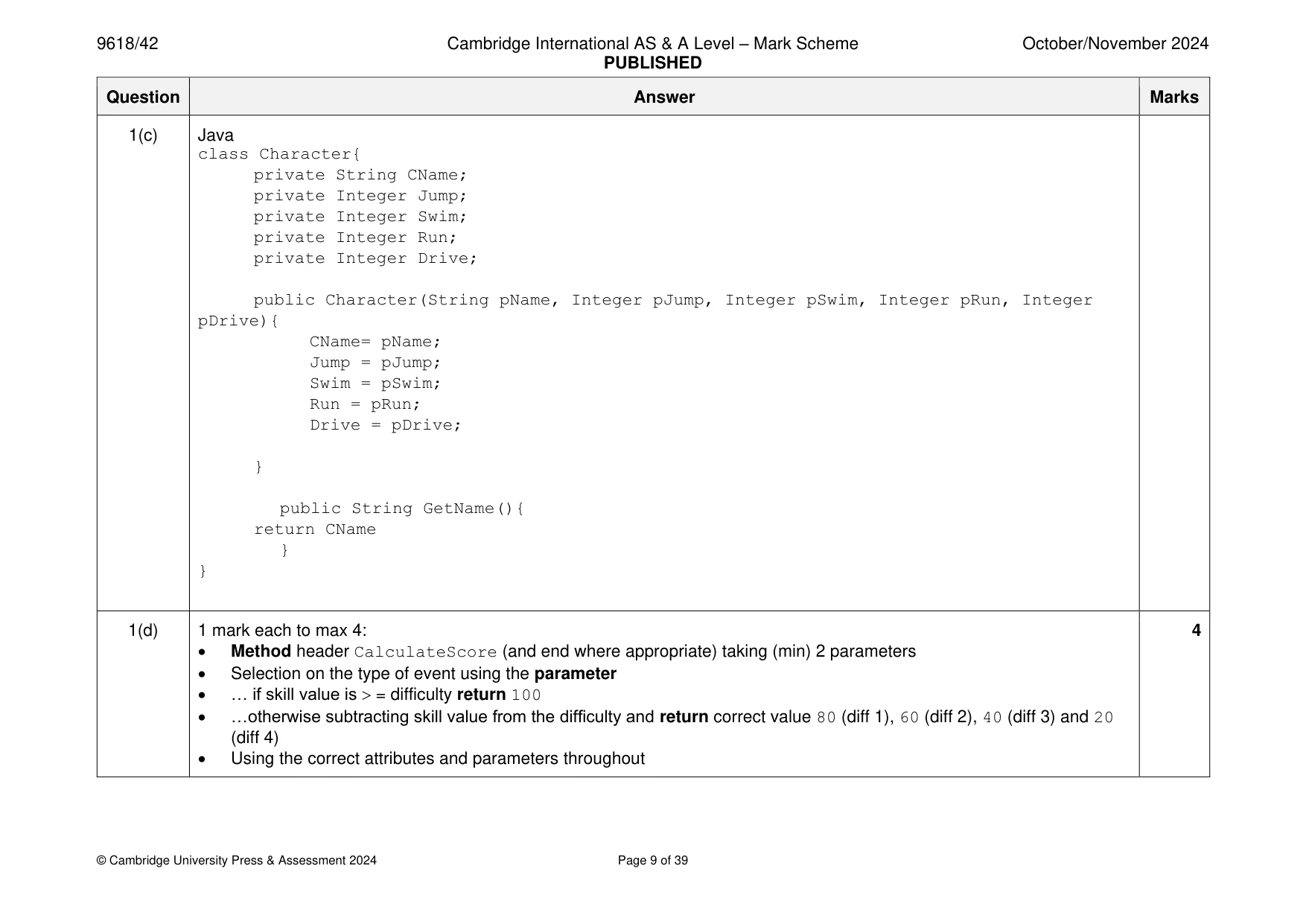
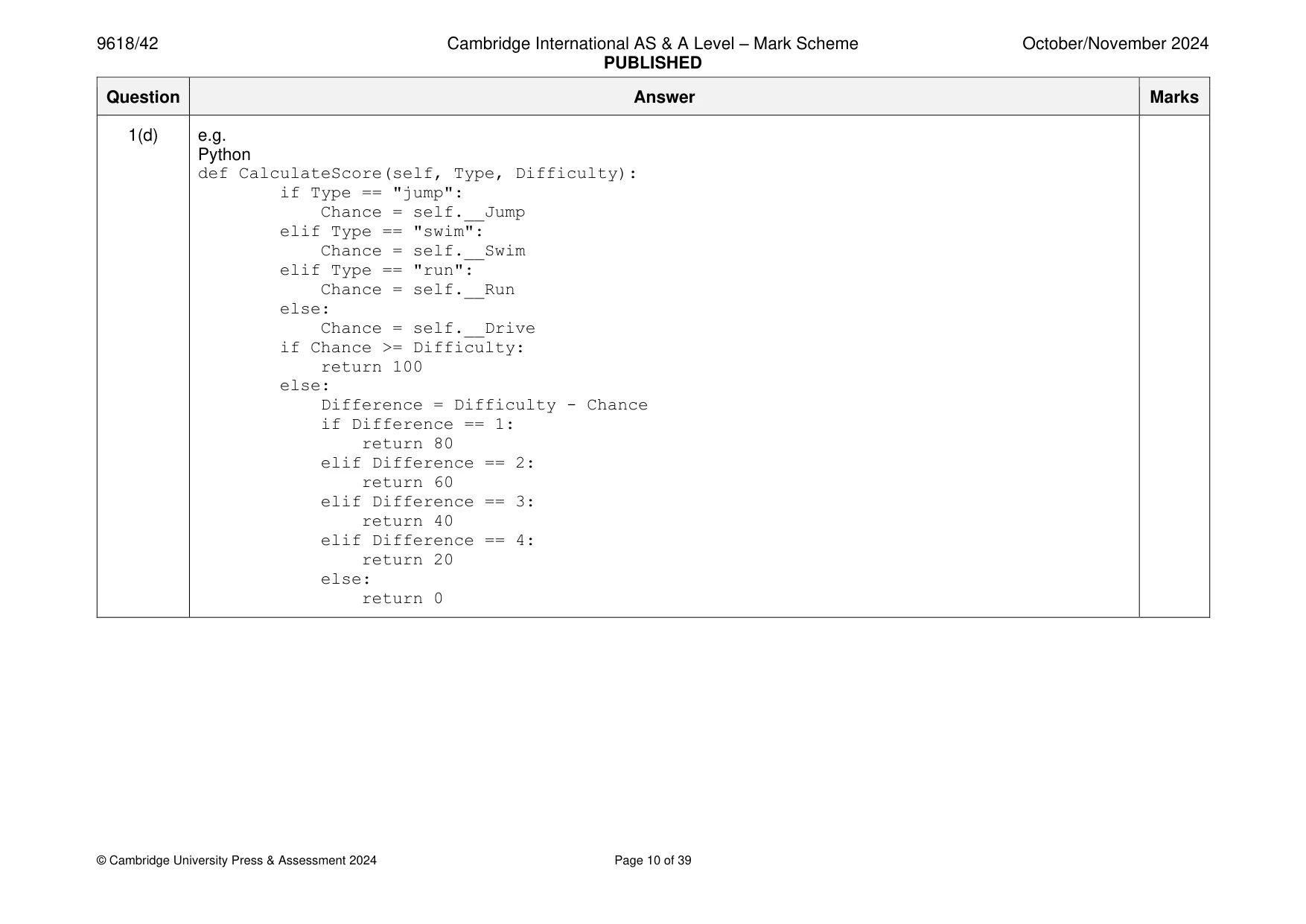
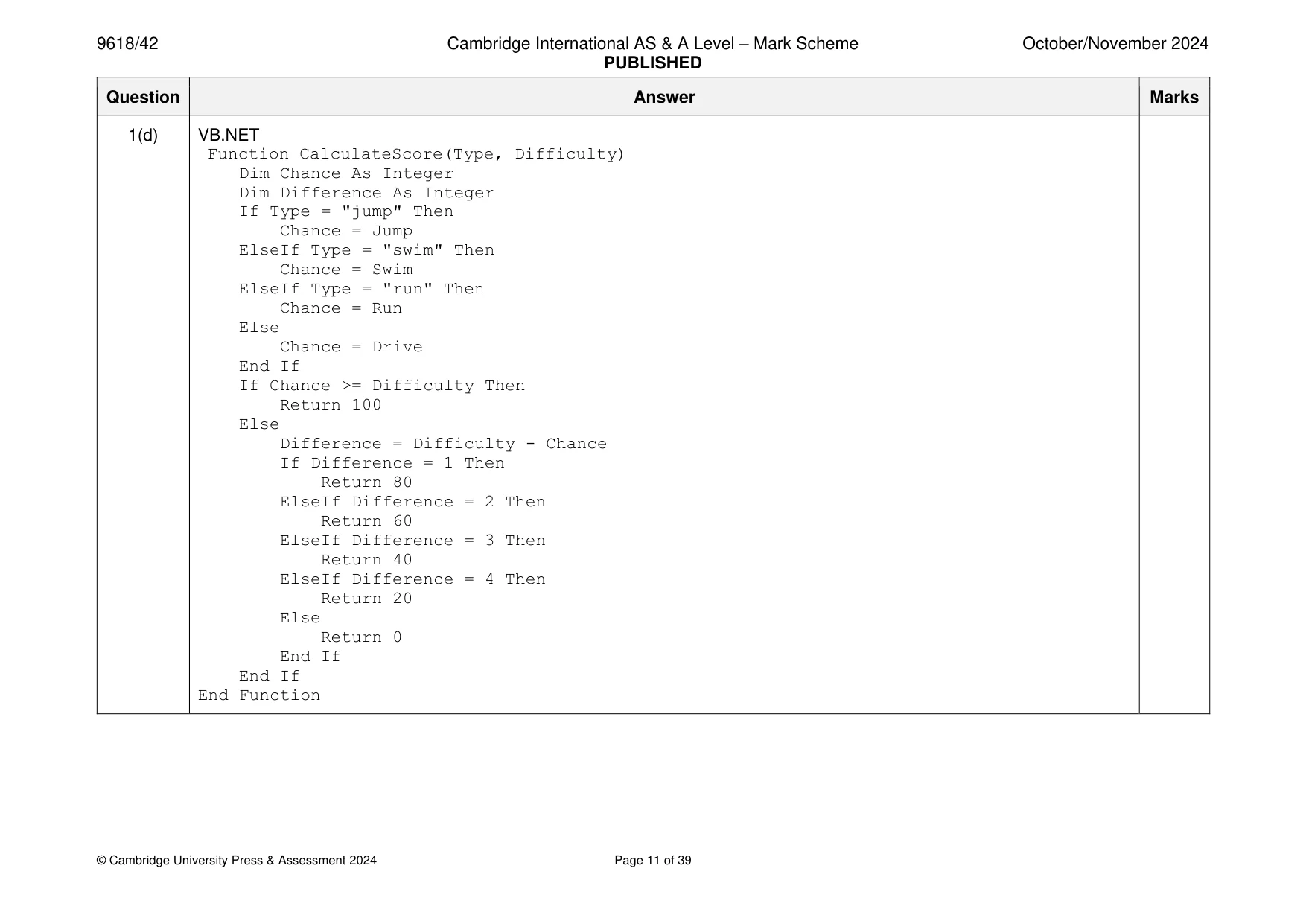
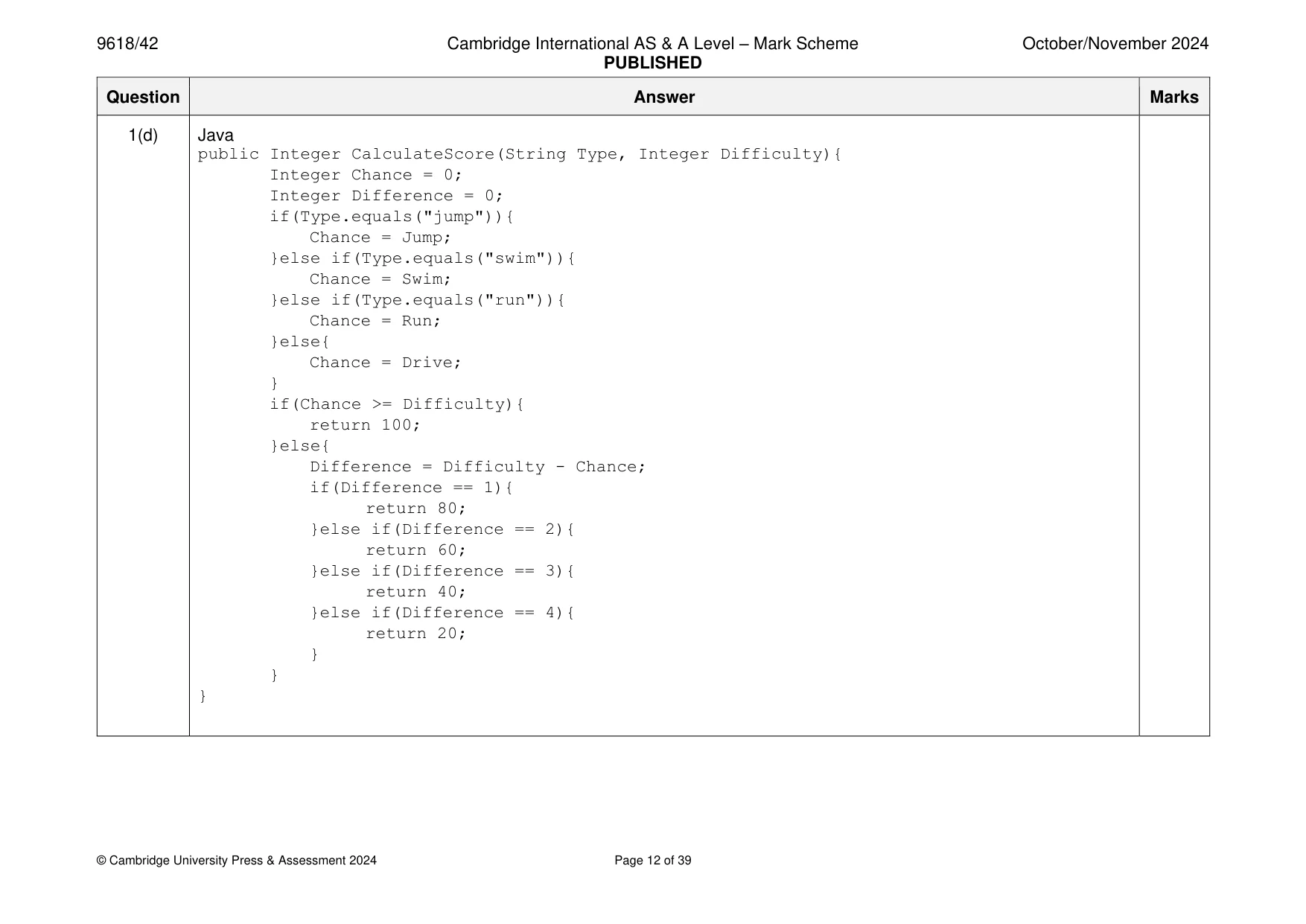
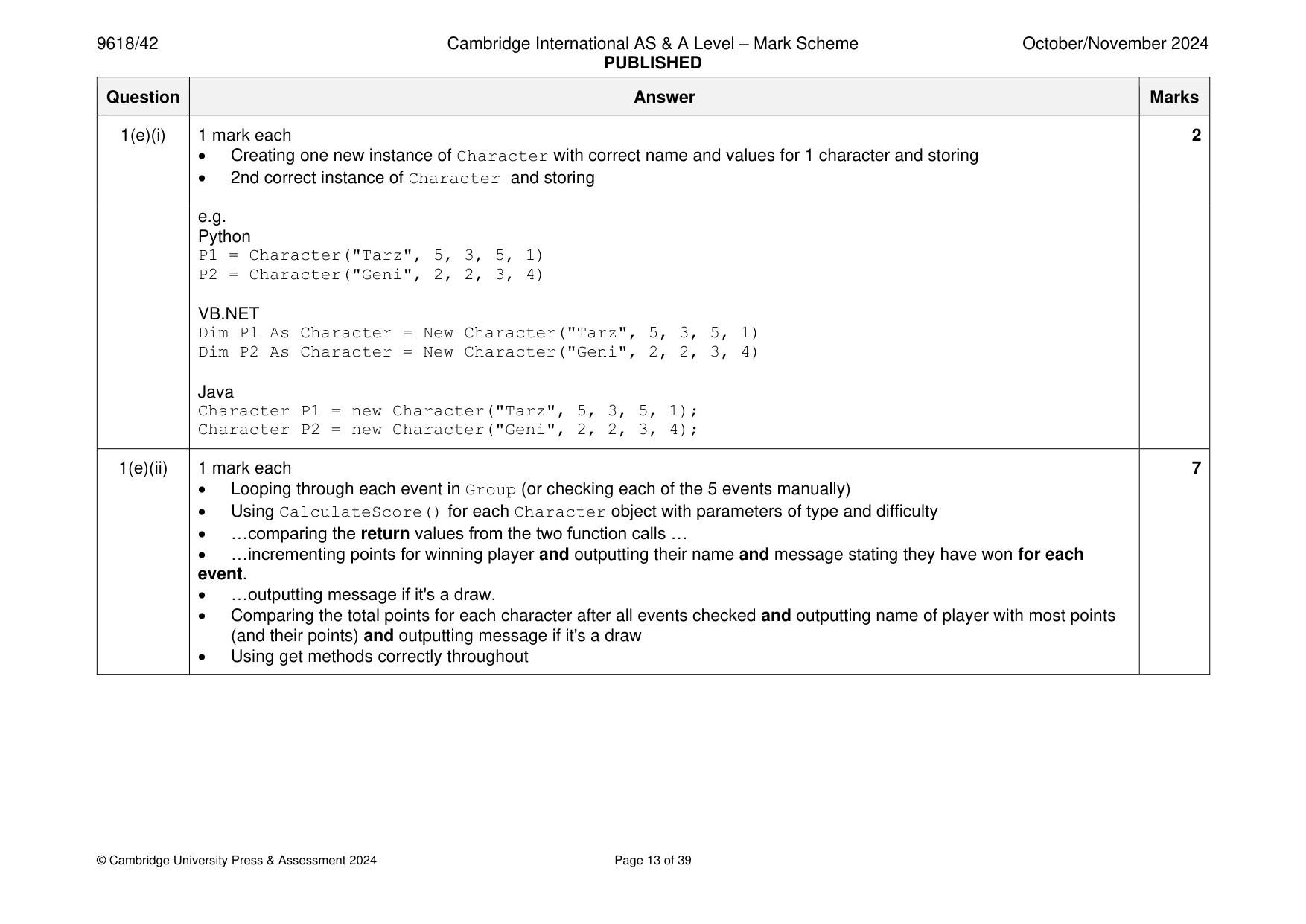
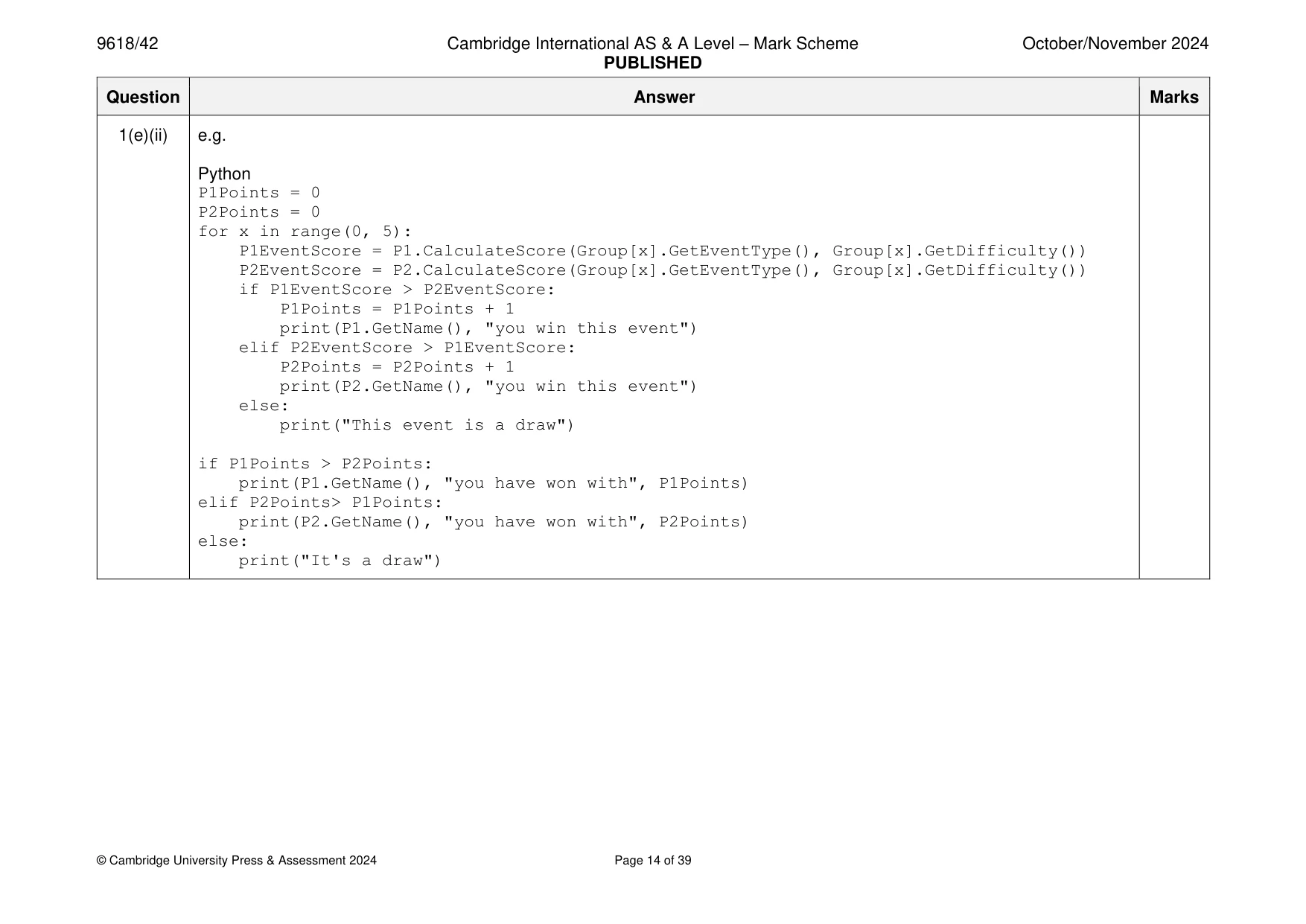
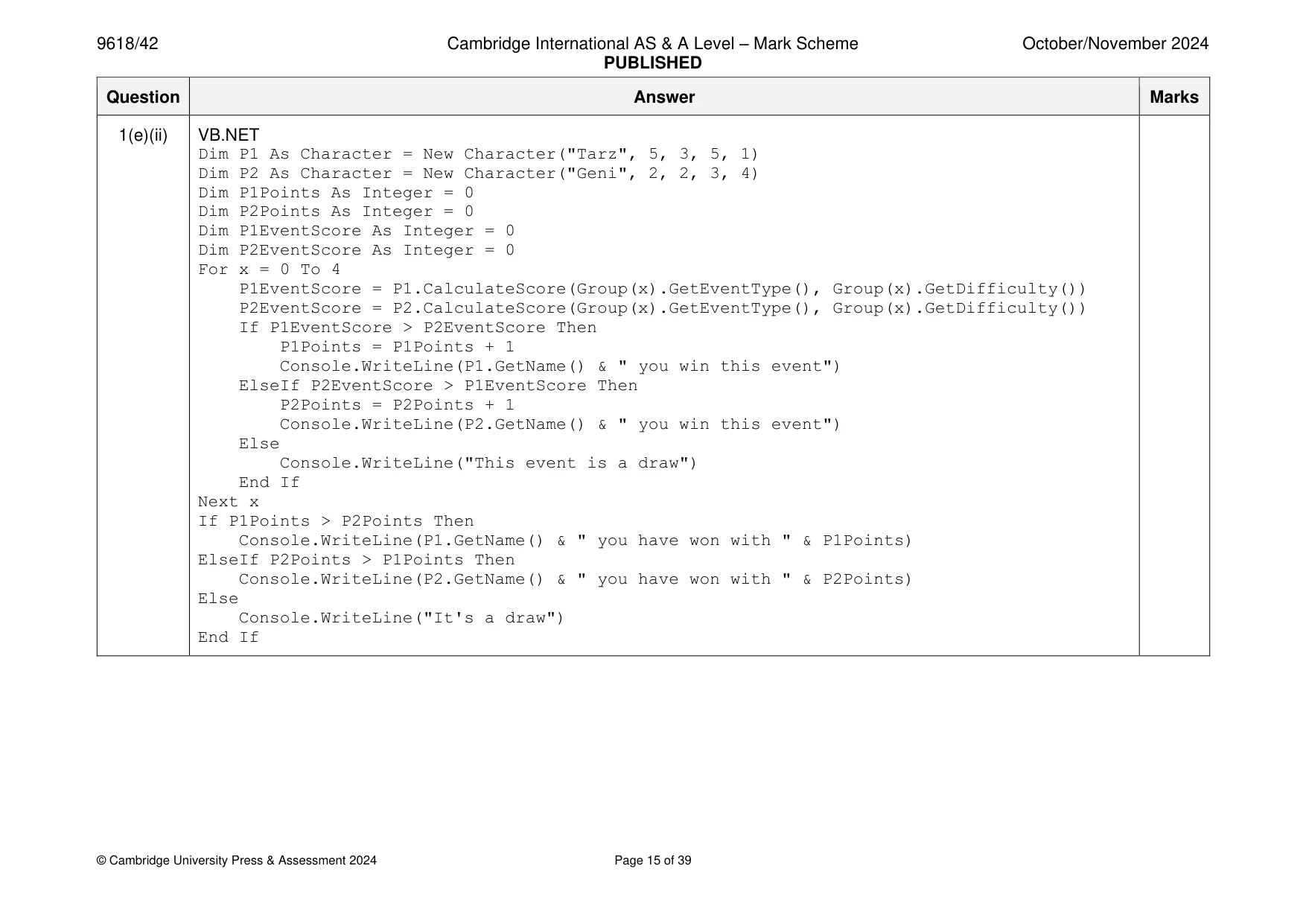
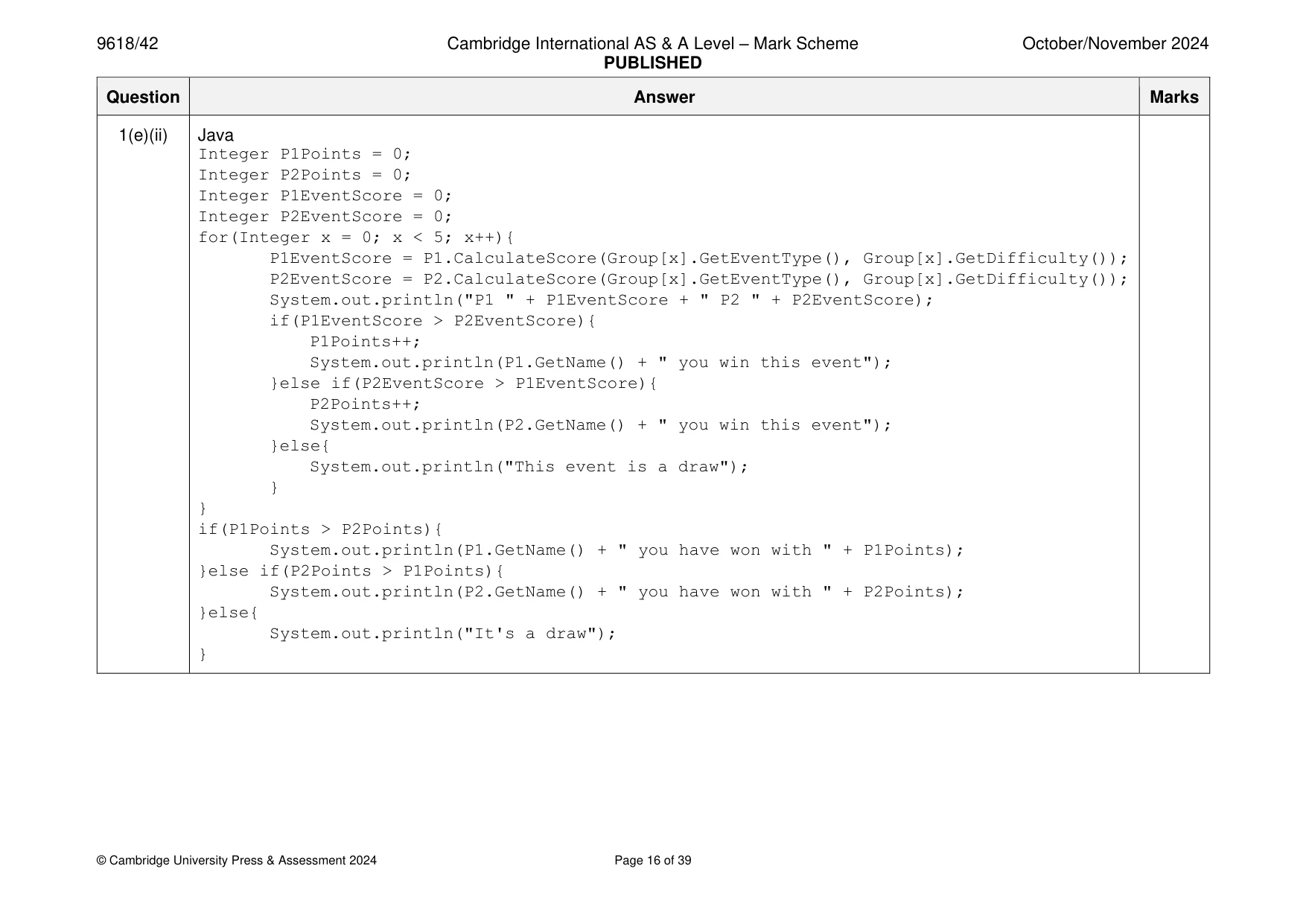
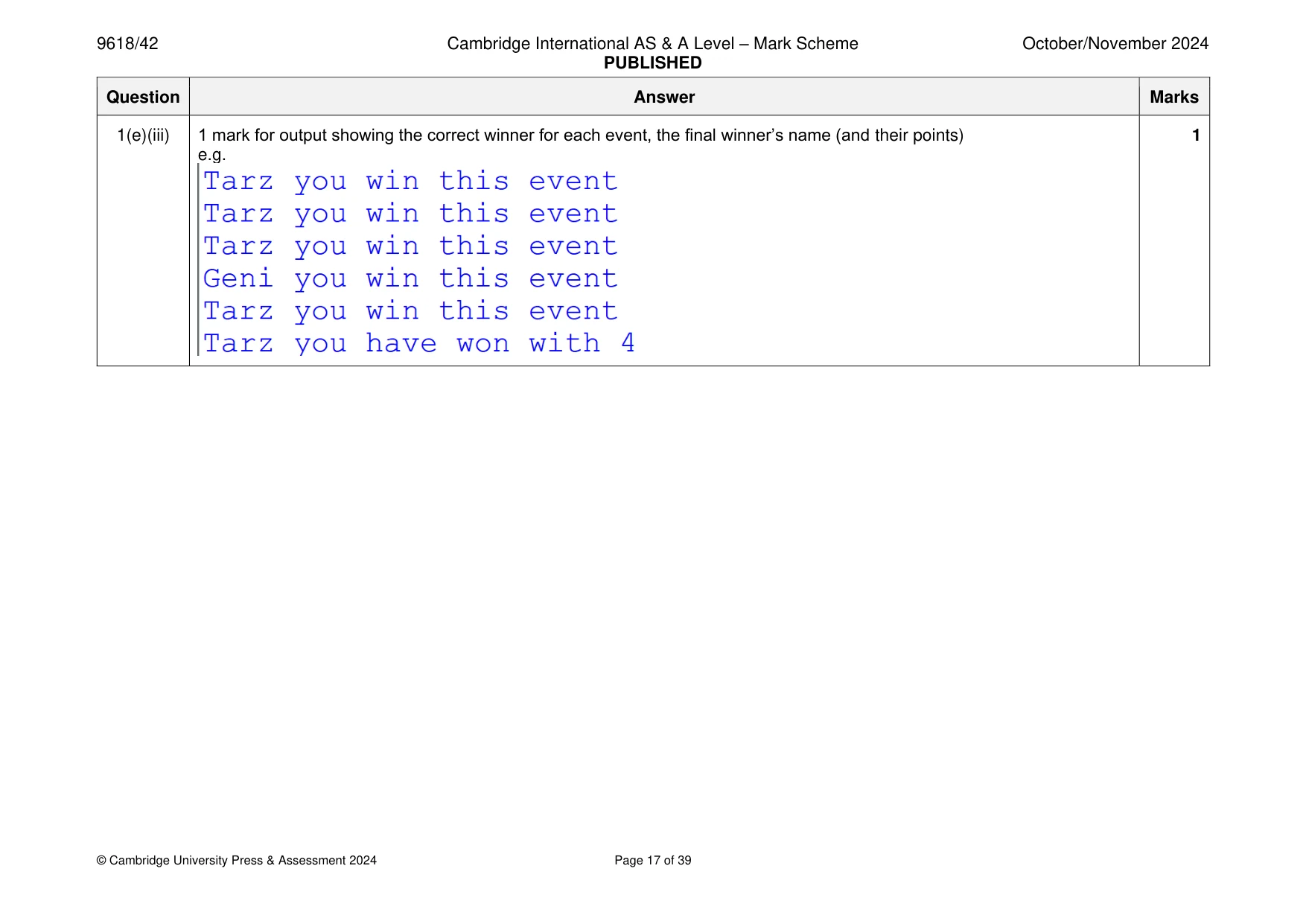
Mark scheme: Question Answer Marks 1(a)(i) 1 mark each 4 • Class EventItem header (and end where appropriate) • 3 private attributes with suitable data types • Constructor header (and end where appropriate) with 3 (min) parameters within class declaration … • … assigning parameters to attributes within constructor e.g. Python class EventItem(): def __init__(self, pName, pType, pDifficulty): self.__EventName = pName #String self.__EventType = pType #String self.__Difficulty = pDifficulty #Integer VB.NET Class EventItem Private EventName As String Private EventType As String Private Difficulty As Integer Sub New(pName, pType, pDifficulty) EventName = pName EventType = pType Difficulty = pDifficulty End Sub End Class 1(a)(i) Java class EventItem{ private String EventName; private String EventType; private Integer Difficulty; public EventItem(String pName, String pType, Integer pDifficulty){ EventName= pName; EventType = pType; Difficulty = pDifficulty; } } 1(a)(ii) 1 mark each 3 • 1 get method with no parameter … • … return correct attribute (without changing) • Remaining 2 correct get methods returning the attributes e.g. Python def GetName(self): return self.__EventName def GetEventType(self): return self.__EventType def GetDifficulty(self): return self.__Difficulty 1(a)(ii) VB.NET Function GetName() Return EventName End Function Function GetEventType() Return EventType End Function Function GetDifficulty() Return Difficulty End Function Java public String GetName(){ return EventName; } public String GetEventType(){ return EventType; } public Integer GetDifficulty(){ return Difficulty; } 1(b)(i) 1 mark each: 1 • 1D array name Group with (min 5 elements and of type EventItem) e.g. Python Group = [] #type Event, 5 spaces VB.NET Dim Group(4) As EventItem Java EventItem[] Group = new EventItem[5]; 1(b)(ii) 1 mark each 3 • Any 1 instance of EventItem declared with values passed in correct order … • … stored in the array Group … • … remaining 4 correctly instantiated and stored in Group e.g. Python Group.append(EventItem("Bridge", "jump", 3)) Group.append(EventItem("Water wade", "swim", 4)) Group.append(EventItem("100 mile run", "run", 5)) Group.append(EventItem("Gridlock", "drive", 2)) Group.append(EventItem("Wall on wall", "jump", 4)) VB.NET Group(0) = New EventItem("Bridge", "jump", 3) Group(1) = New EventItem("Water wade", "swim", 4) Group(2) = New EventItem("100 mile run", "run", 5) Group(3) = New EventItem("Gridlock", "drive", 2) Group(4) = New EventItem("Wall on wall", "jump", 4) Java Group[0] = new EventItem("Bridge", "jump", 3); Group[1] = new EventItem("Water wade", "swim", 4); Group[2] = new EventItem("100 mile run", "run", 5); Group[3] = new EventItem("Gridlock", "drive", 2); Group[4] = new EventItem("Wall on wall", "jump", 4); 1(c) 1 mark each 4 • Class Character declared (and end where appropriate) • 5 private attributes with correct data types • Constructor header (and end) taking (min) 5 parameters and parameters assigned to attributes • Get method (with no parameter) returning name attribute 1(c) e.g. Python class Character(): def __init__(self, pName, pJump, pSwim, pRun, pDrive): self.__CName = pName #string self.__Jump = pJump #integer chance of success self.__Swim = pSwim #integer chance of success self.__Run = pRun #integer chance of success self.__Drive = pDrive #integer chance of success def GetName(self): return self.__CName #STRING VB.NET Class Character Private CName As String Private Jump As Integer Private Swim As Integer Private Run As Integer Private Drive As Integer Sub New(pName, pJump, pSwim, pRun, pDrive) CName = pName Jump = pJump Swim = pSwim Run = pRun Drive = pDrive End Sub Function GetName() Return CName End Function End Class 1(c) Java class Character{ private String CName; private Integer Jump; private Integer Swim; private Integer Run; private Integer Drive; public Character(String pName, Integer pJump, Integer pSwim, Integer pRun, Integer pDrive){ CName= pName; Jump = pJump; Swim = pSwim; Run = pRun; Drive = pDrive; } public String GetName(){ return CName } } 1(d) 1 mark each to max 4: 4 • Method header CalculateScore (and end where appropriate) taking (min) 2 parameters • Selection on the type of event using the parameter • … if skill value is = difficulty return 100 • …otherwise subtracting skill value from the difficulty and return correct value 80 (diff 1), 60 (diff 2), 40 (diff 3) and 20 (diff 4) • Using the correct attributes and parameters throughout 1(d) e.g. Python def CalculateScore(self, Type, Difficulty): if Type == "jump": Chance = self.__Jump elif Type == "swim": Chance = self.__Swim elif Type == "run": Chance = self.__Run else: Chance = self.__Drive if Chance >= Difficulty: return 100 else: Difference = Difficulty - Chance if Difference == 1: return 80 elif Difference == 2: return 60 elif Difference == 3: return 40 elif Difference == 4: return 20 else: return 0 1(d) VB.NET Function CalculateScore(Type, Difficulty) Dim Chance As Integer Dim Difference As Integer If Type = "jump" Then Chance = Jump ElseIf Type = "swim" Then Chance = Swim ElseIf Type = "run" Then Chance = Run Else Chance = Drive End If If Chance >= Difficulty Then Return 100 Else Difference = Difficulty - Chance If Difference = 1 Then Return 80 ElseIf Difference = 2 Then Return 60 ElseIf Difference = 3 Then Return 40 ElseIf Difference = 4 Then Return 20 Else Return 0 End If End If End Function 1(d) Java public Integer CalculateScore(String Type, Integer Difficulty){ Integer Chance = 0; Integer Difference = 0; if(Type.equals("jump")){ Chance = Jump; }else if(Type.equals("swim")){ Chance = Swim; }else if(Type.equals("run")){ Chance = Run; }else{ Chance = Drive; } if(Chance >= Difficulty){ return 100; }else{ Difference = Difficulty - Chance; if(Difference == 1){ return 80; }else if(Difference == 2){ return 60; }else if(Difference == 3){ return 40; }else if(Difference == 4){ return 20; } } } 1(e)(i) 1 mark each 2 • Creating one new instance of Character with correct name and values for 1 character and storing • 2nd correct instance of Character and storing e.g. Python P1 = Character("Tarz", 5, 3, 5, 1) P2 = Character("Geni", 2, 2, 3, 4) VB.NET Dim P1 As Character = New Character("Tarz", 5, 3, 5, 1) Dim P2 As Character = New Character("Geni", 2, 2, 3, 4) Java Character P1 = new Character("Tarz", 5, 3, 5, 1); Character P2 = new Character("Geni", 2, 2, 3, 4); 1(e)(ii) 1 mark each 7 • Looping through each event in Group (or checking each of the 5 events manually) • Using CalculateScore() for each Character object with parameters of type and difficulty • …comparing the return values from the two function calls … • …incrementing points for winning player and outputting their name and message stating they have won for each event. • …outputting message if it's a draw. • Comparing the total points for each character after all events checked and outputting name of player with most points (and their points) and outputting message if it's a draw • Using get methods correctly throughout 1(e)(ii) e.g. Python P1Points = 0 P2Points = 0 for x in range(0, 5): P1EventScore = P1.CalculateScore(Group[x].GetEventType(), Group[x].GetDifficulty()) P2EventScore = P2.CalculateScore(Group[x].GetEventType(), Group[x].GetDifficulty()) if P1EventScore > P2EventScore: P1Points = P1Points + 1 print(P1.GetName(), "you win this event") elif P2EventScore > P1EventScore: P2Points = P2Points + 1 print(P2.GetName(), "you win this event") else: print("This event is a draw") if P1Points > P2Points: print(P1.GetName(), "you have won with", P1Points) elif P2Points> P1Points: print(P2.GetName(), "you have won with", P2Points) else: print("It's a draw") 1(e)(ii) VB.NET Dim P1 As Character = New Character("Tarz", 5, 3, 5, 1) Dim P2 As Character = New Character("Geni", 2, 2, 3, 4) Dim P1Points As Integer = 0 Dim P2Points As Integer = 0 Dim P1EventScore As Integer = 0 Dim P2EventScore As Integer = 0 For x = 0 To 4 P1EventScore = P1.CalculateScore(Group(x).GetEventType(), Group(x).GetDifficulty()) P2EventScore = P2.CalculateScore(Group(x).GetEventType(), Group(x).GetDifficulty()) If P1EventScore > P2EventScore Then P1Points = P1Points + 1 Console.WriteLine(P1.GetName() & " you win this event") ElseIf P2EventScore > P1EventScore Then P2Points = P2Points + 1 Console.WriteLine(P2.GetName() & " you win this event") Else Console.WriteLine("This event is a draw") End If Next x If P1Points > P2Points Then Console.WriteLine(P1.GetName() & " you have won with " & P1Points) ElseIf P2Points > P1Points Then Console.WriteLine(P2.GetName() & " you have won with " & P2Points) Else Console.WriteLine("It's a draw") End If 1(e)(ii) Java Integer P1Points = 0; Integer P2Points = 0; Integer P1EventScore = 0; Integer P2EventScore = 0; for(Integer x = 0; x < 5; x++){ P1EventScore = P1.CalculateScore(Group[x].GetEventType(), Group[x].GetDifficulty()); P2EventScore = P2.CalculateScore(Group[x].GetEventType(), Group[x].GetDifficulty()); System.out.println("P1 " + P1EventScore + " P2 " + P2EventScore); if(P1EventScore > P2EventScore){ P1Points++; System.out.println(P1.GetName() + " you win this event"); }else if(P2EventScore > P1EventScore){ P2Points++; System.out.println(P2.GetName() + " you win this event"); }else{ System.out.println("This event is a draw"); } } if(P1Points > P2Points){ System.out.println(P1.GetName() + " you have won with " + P1Points); }else if(P2Points > P1Points){ System.out.println(P2.GetName() + " you have won with " + P2Points); }else{ System.out.println("It's a draw"); } 1(e)(iii) 1 mark for output showing the correct winner for each event, the final winner’s name (and their points) 1 e.g.
Q2 · A linear queue data structure is designed using a record structure
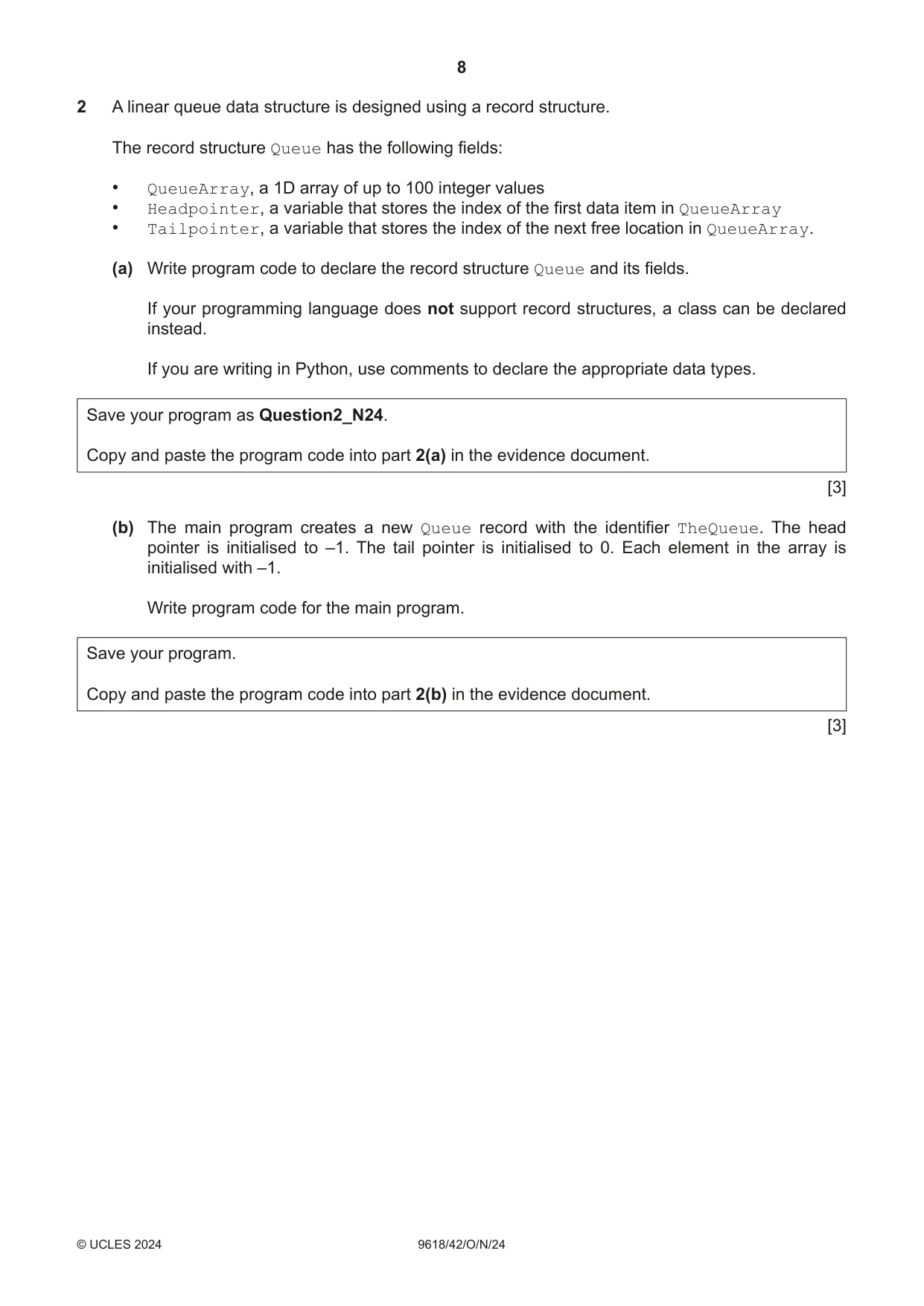
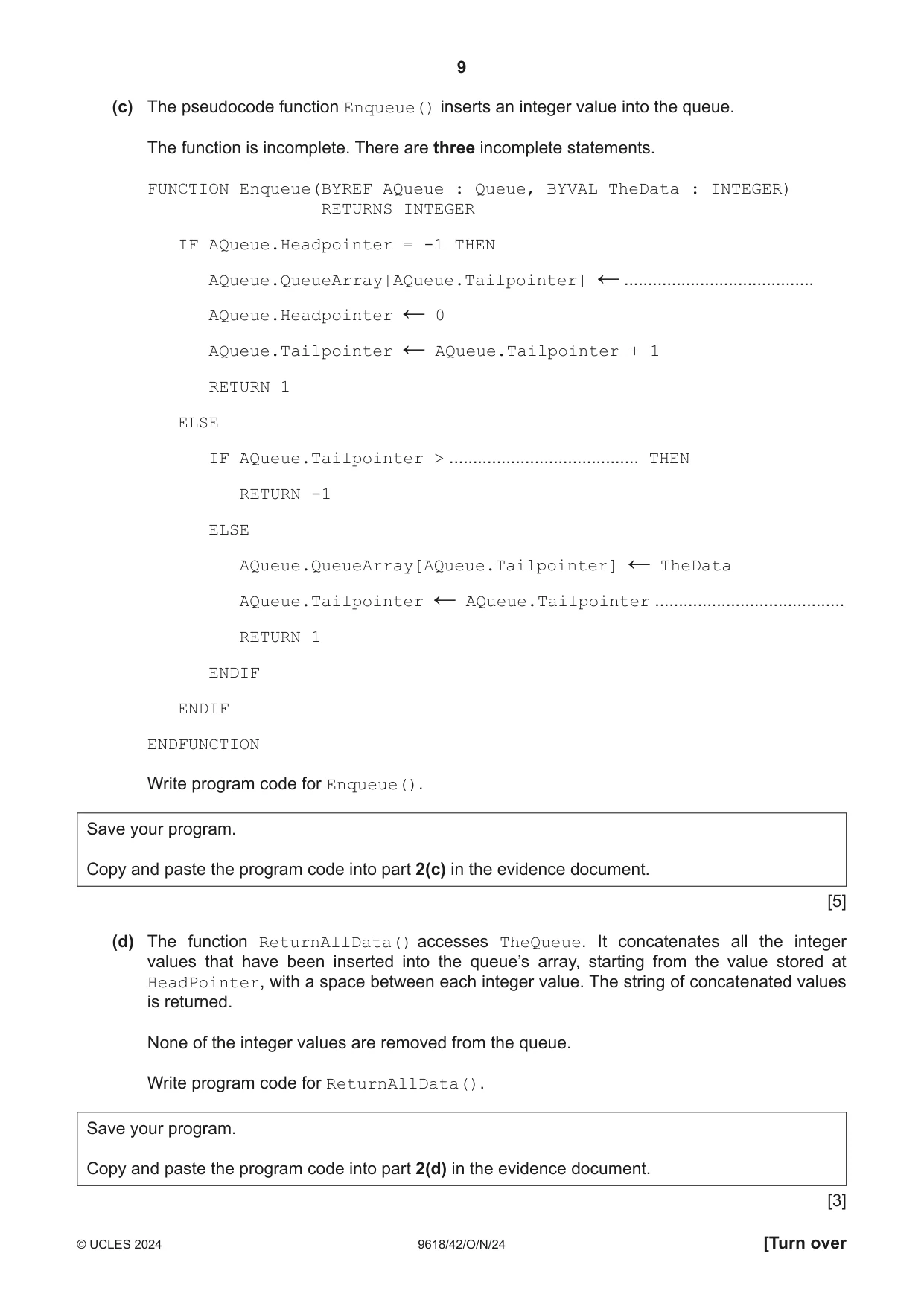
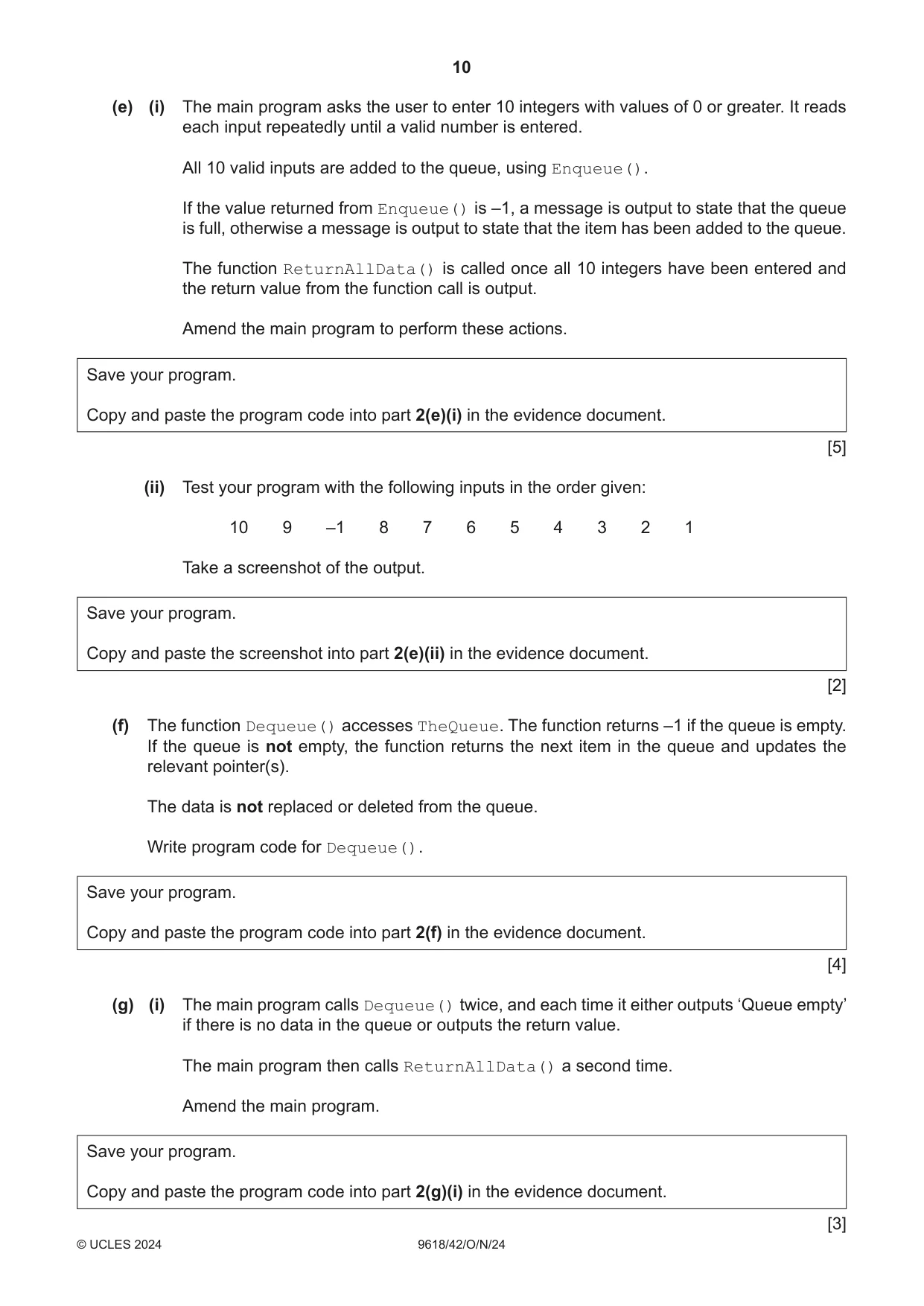
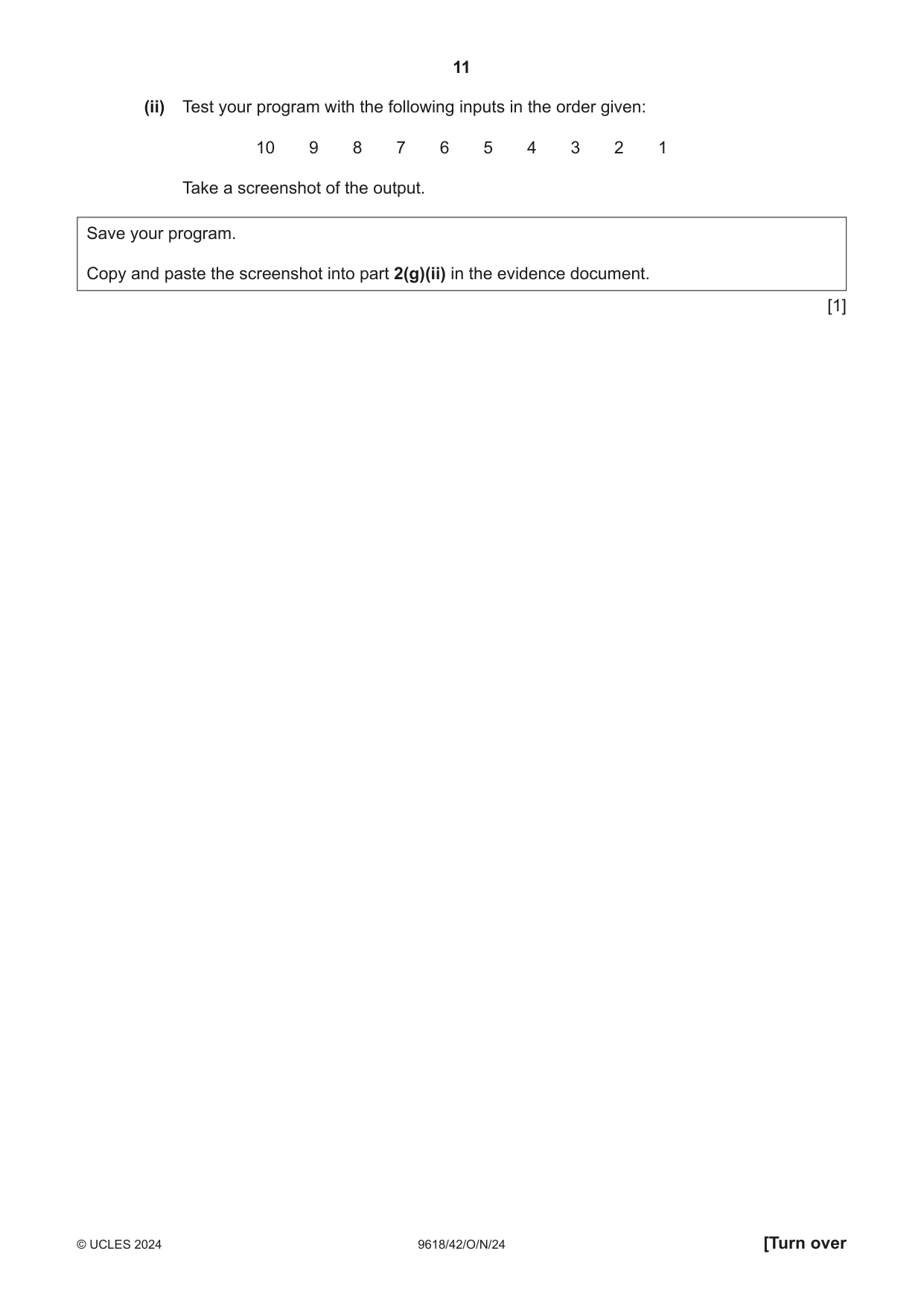
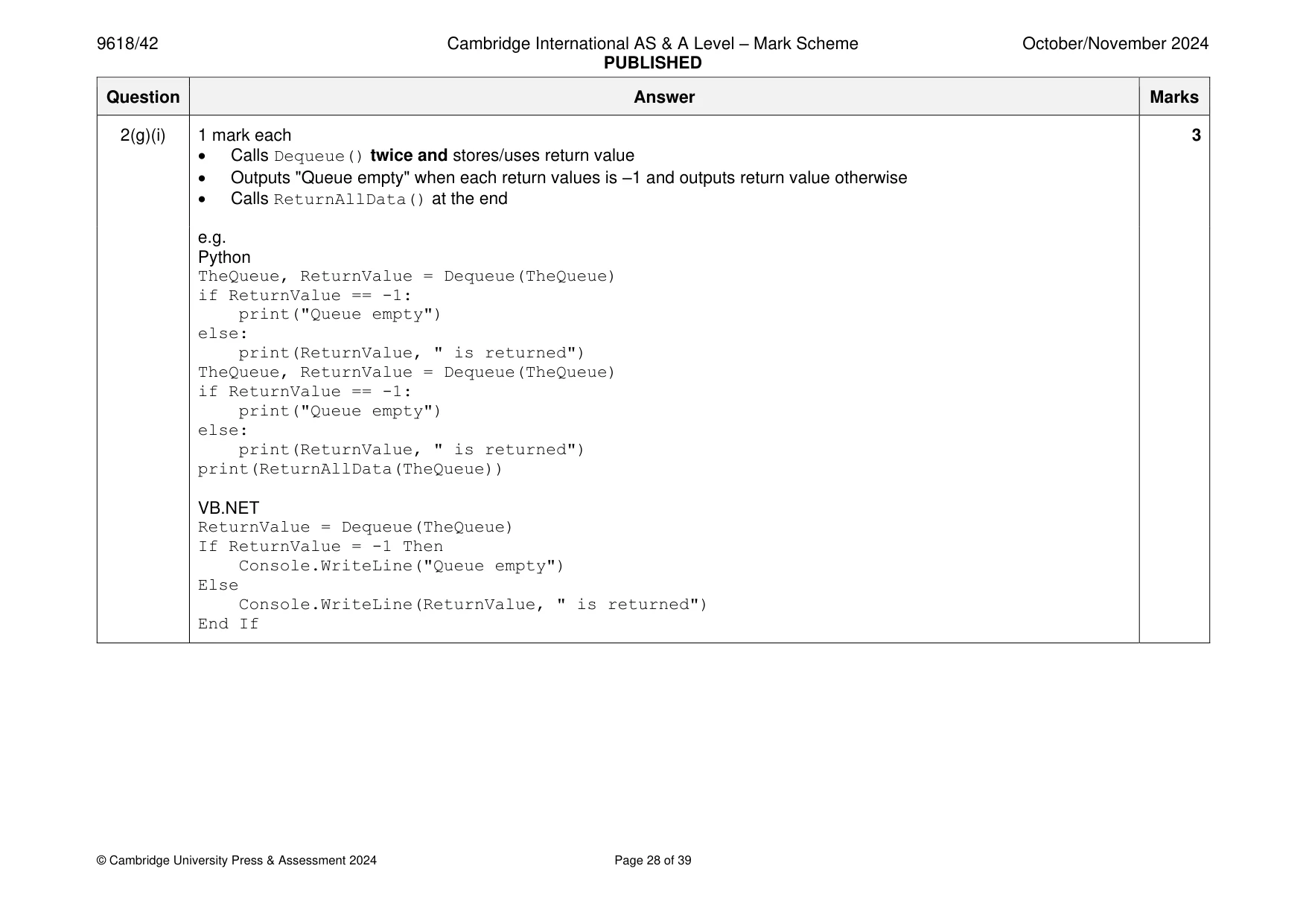
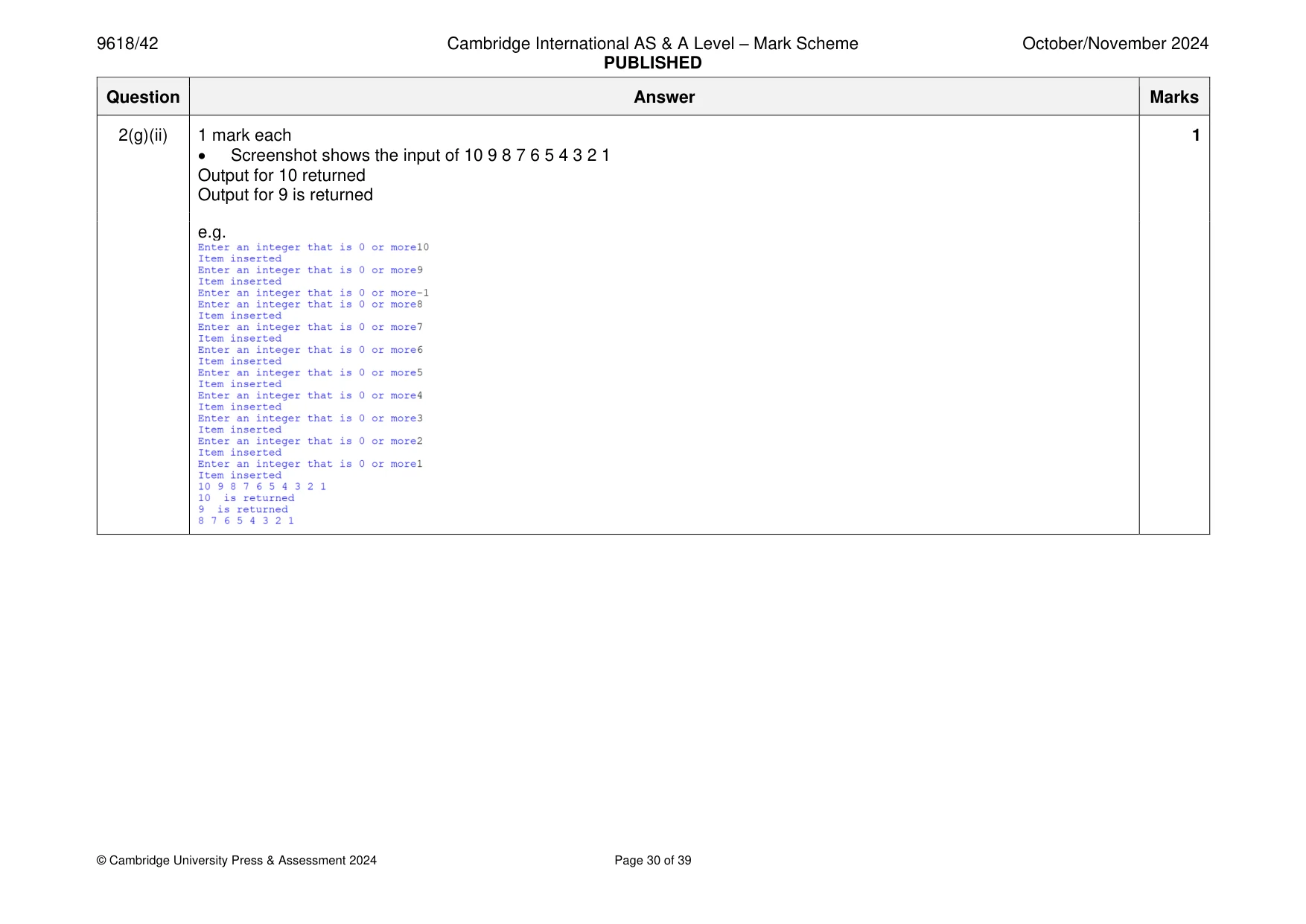
2 A linear queue data structure is designed using a record structure. The record structure Queue has the following fields: • QueueArray, a 1D array of up to 100 integer values • Headpointer, a variable that stores the index of the first data item in QueueArray • Tailpointer, a variable that stores the index of the next free location in QueueArray. (a) Write program code to declare the record structure Queue and its fields. If your programming language does not support record structures, a class can be declared instead. If you are writing in Python, use comments to declare the appropriate data types. Save your program as Question2_N24. Copy and paste the program code into part 2(a) in the evidence document. [3] (b) The main program creates a new Queue record with the identifier TheQueue. The head pointer is initialised to –1. The tail pointer is initialised to 0. Each element in the array is initialised with –1. Write program code for the main program. Save your program. Copy and paste the program code into part 2(b) in the evidence document. [3] (c) The pseudocode function Enqueue() inserts an integer value into the queue. The function is incomplete. There are three incomplete statements. FUNCTION Enqueue(BYREF AQueue : Queue, BYVAL TheData : INTEGER) RETURNS INTEGER IF AQueue.Headpointer = -1 THEN AQueue.QueueArray[AQueue.Tailpointer] ........................................ ← AQueue.Headpointer 0 ← AQueue.Tailpointer AQueue.Tailpointer + 1 ← RETURN 1 ELSE IF AQueue.Tailpointer > ........................................ THEN RETURN -1 ELSE AQueue.QueueArray[AQueue.Tailpointer] TheData ← AQueue.Tailpointer AQueue.Tailpointer ........................................ ← RETURN 1 ENDIF ENDIF ENDFUNCTION Write program code for Enqueue(). Save your program. Copy and paste the program code into part 2(c) in the evidence document. [5] (d) The function ReturnAllData() accesses TheQueue. It concatenates all the integer values that have been inserted into the queue’s array, starting from the value stored at HeadPointer, with a space between each integer value. The string of concatenated values is returned. None of the integer values are removed from the queue. Write program code for ReturnAllData(). Save your program. Copy and paste the program code into part 2(d) in the evidence document. [3] (e) (i) The main program asks the user to enter 10 integers with values of 0 or greater. It reads each input repeatedly until a valid number is entered. All 10 valid inputs are added to the queue, using Enqueue(). If the value returned from Enqueue() is –1, a message is output to state that the queue is full, otherwise a message is output to state that the item has been added to the queue. The function ReturnAllData() is called once all 10 integers have been entered and the return value from the function call is output. Amend the main program to perform these actions. Save your program. Copy and paste the program code into part 2(e)(i) in the evidence document. [5] (ii) Test your program with the following inputs in the order given: 10 9 –1 8 7 6 5 4 3 2 1 Take a screenshot of the output. Save your program. Copy and paste the screenshot into part 2(e)(ii) in the evidence document. [2] (f) The function Dequeue() accesses TheQueue. The function returns –1 if the queue is empty. If the queue is not empty, the function returns the next item in the queue and updates the relevant pointer(s). The data is not replaced or deleted from the queue. Write program code for Dequeue(). Save your program. Copy and paste the program code into part 2(f) in the evidence document. [4] (g) (i) The main program calls Dequeue() twice, and each time it either outputs ‘Queue empty’ if there is no data in the queue or outputs the return value. The main program then calls ReturnAllData() a second time. Amend the main program. Save your program. Copy and paste the program code into part 2(g)(i) in the evidence document. [3] (ii) Test your program with the following inputs in the order given: 10 9 8 7 6 5 4 3 2 1 Take a screenshot of the output. Save your program. Copy and paste the screenshot into part 2(g)(ii) in the evidence document. [1]
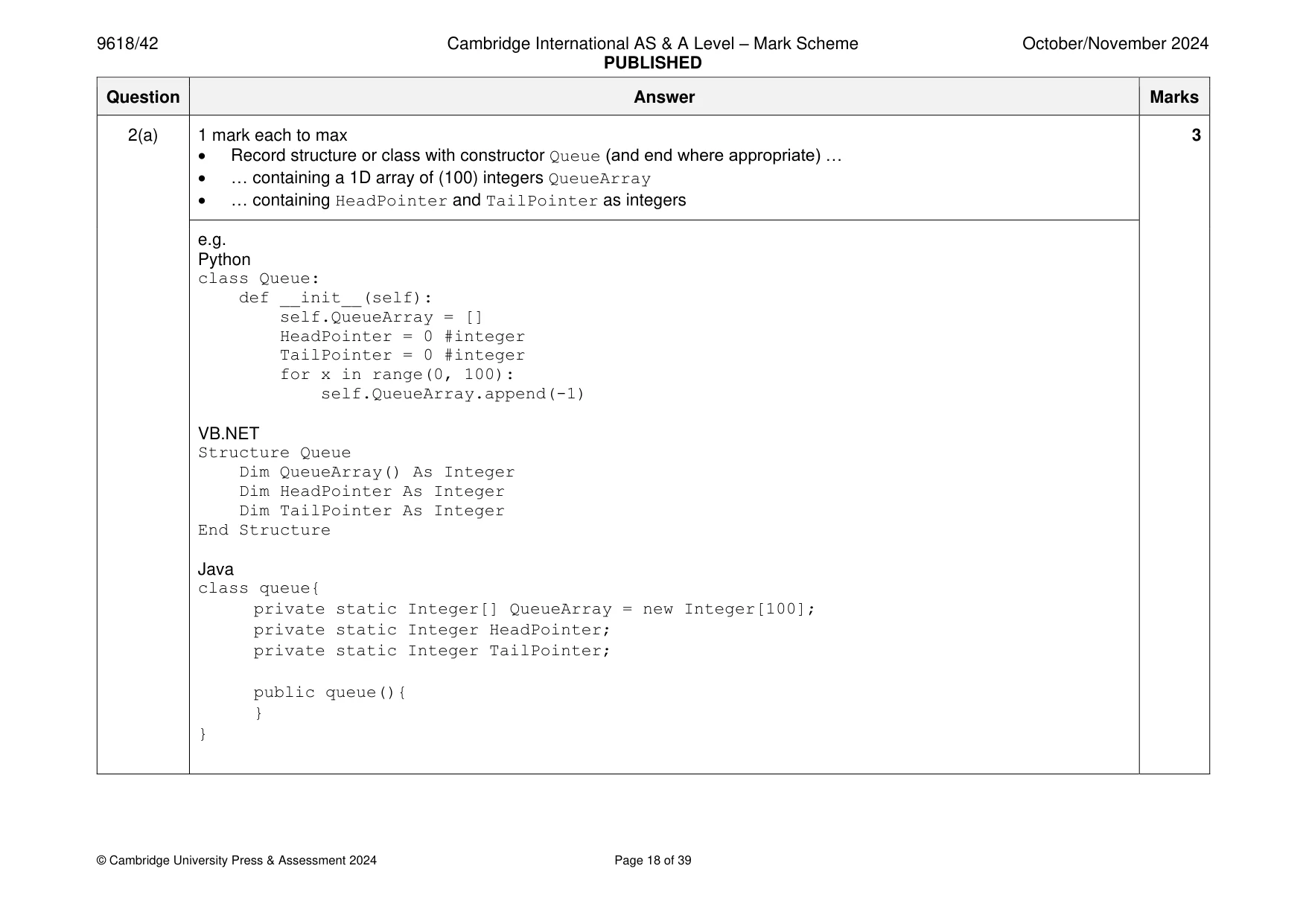
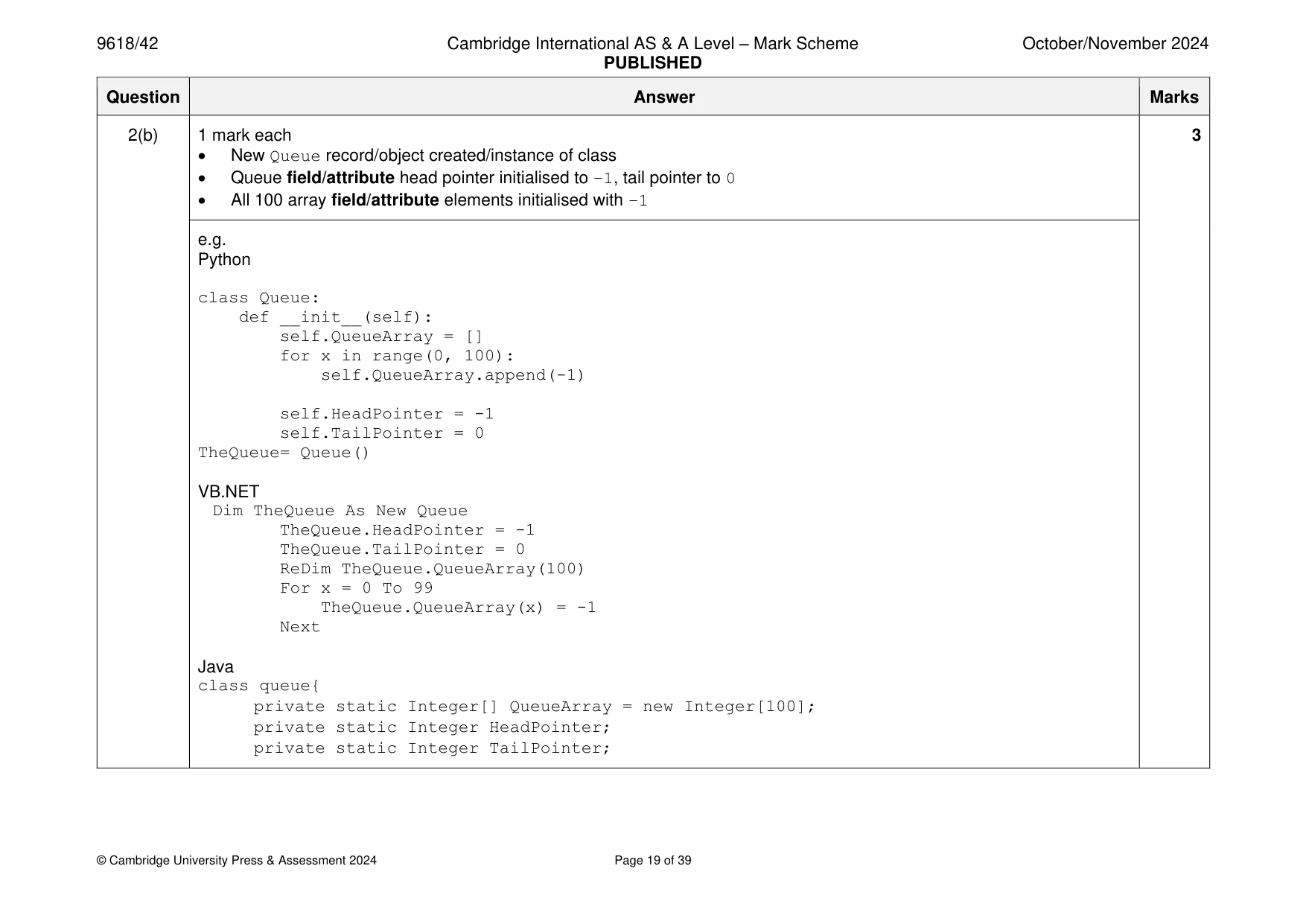
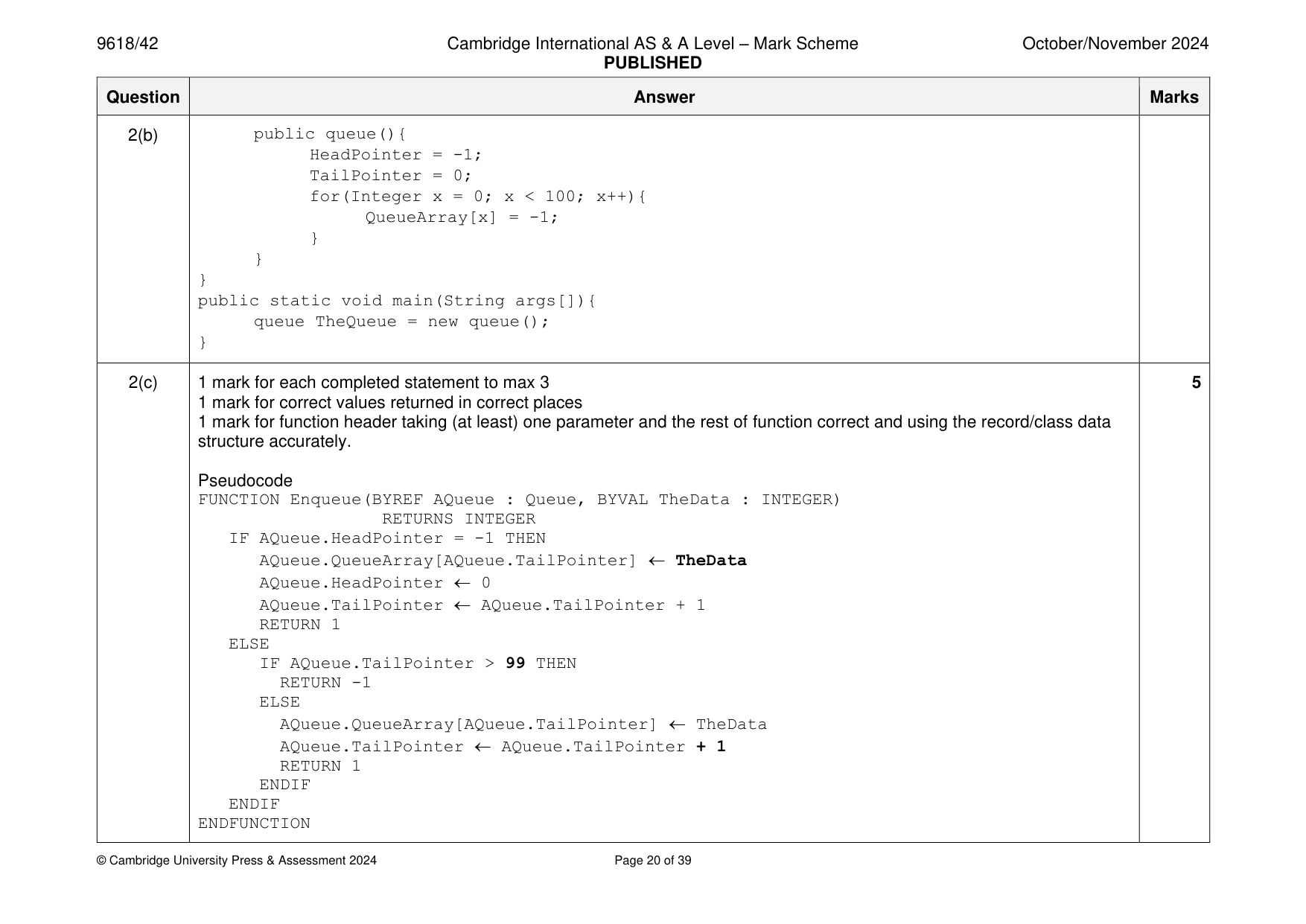
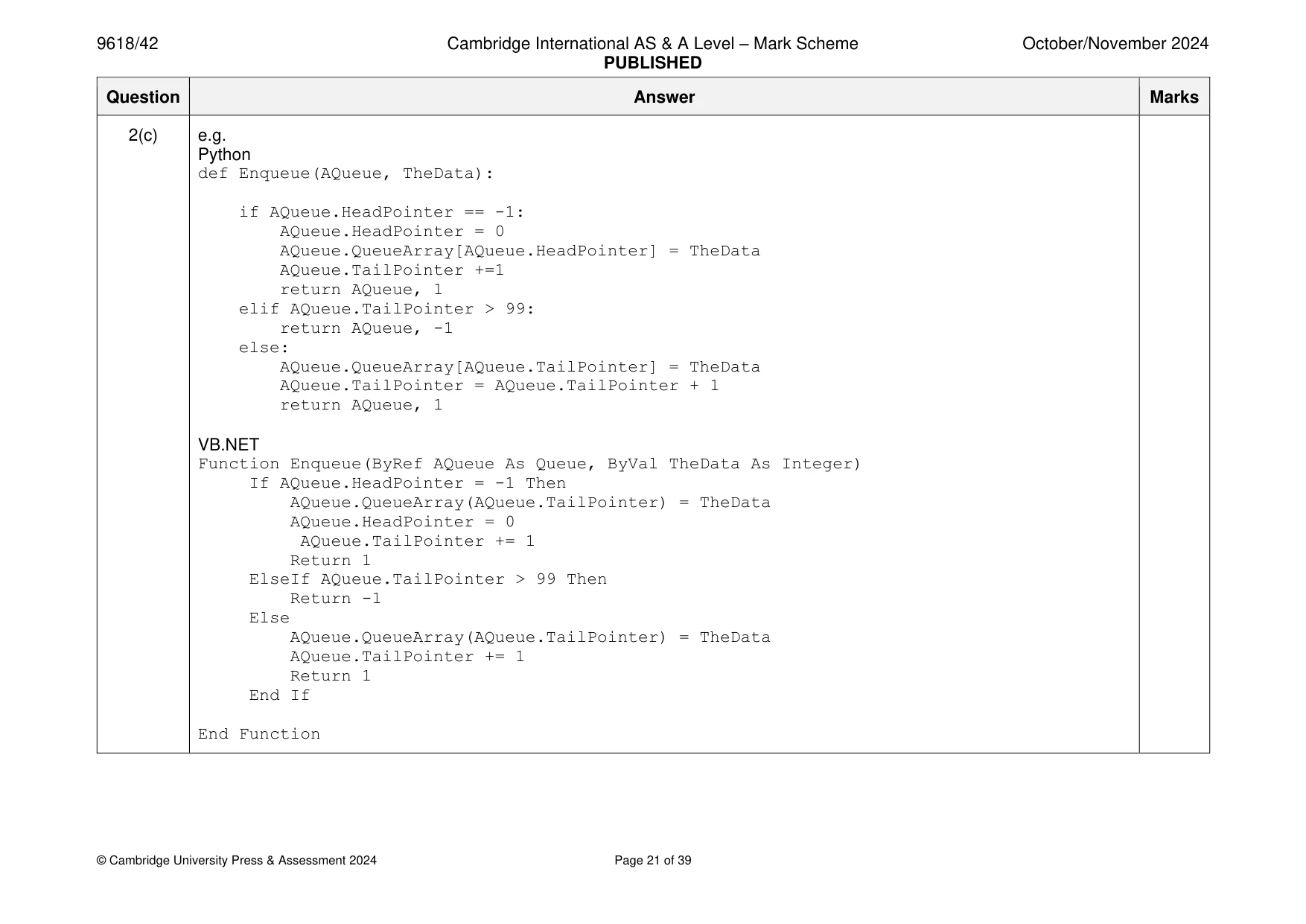
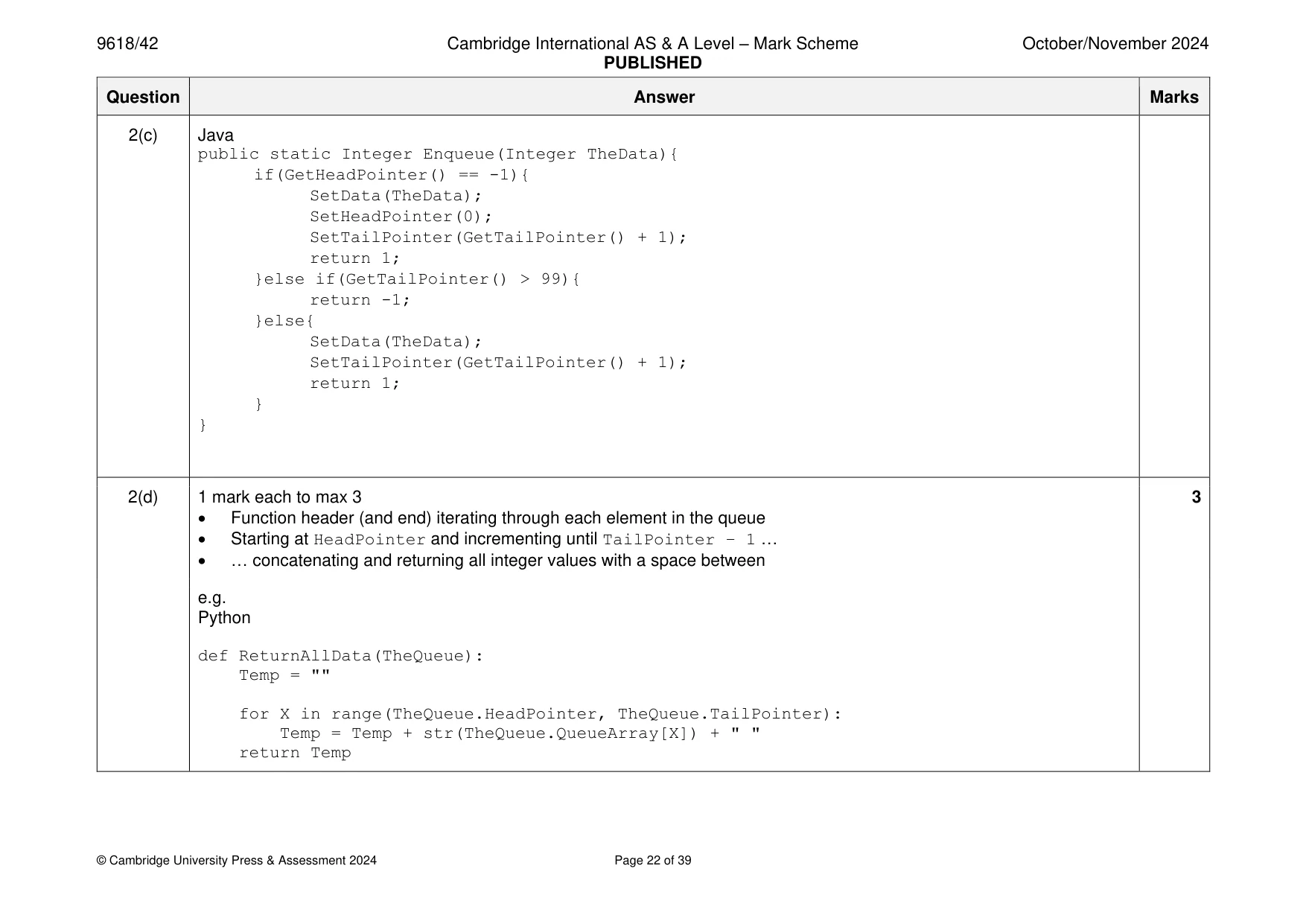
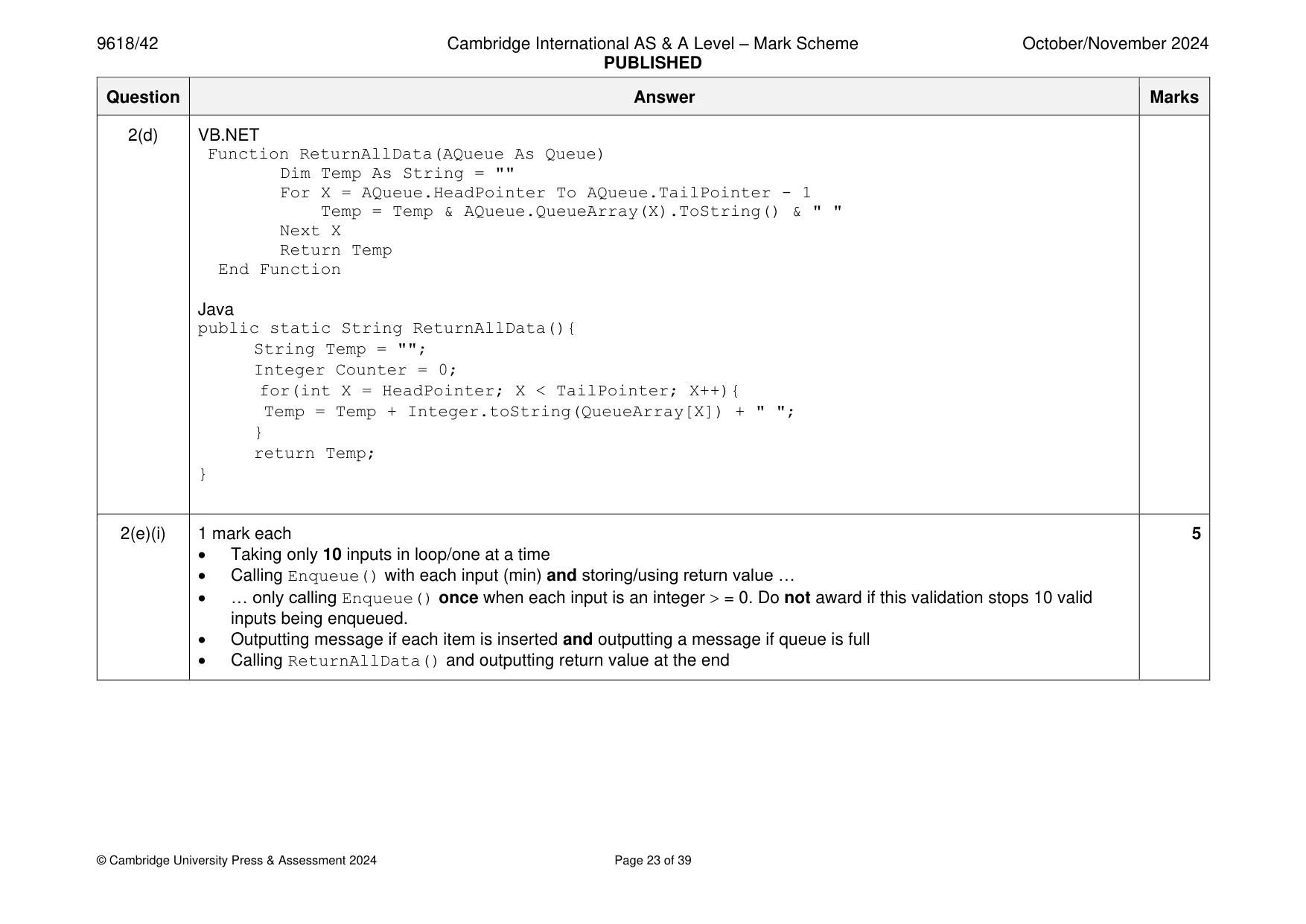
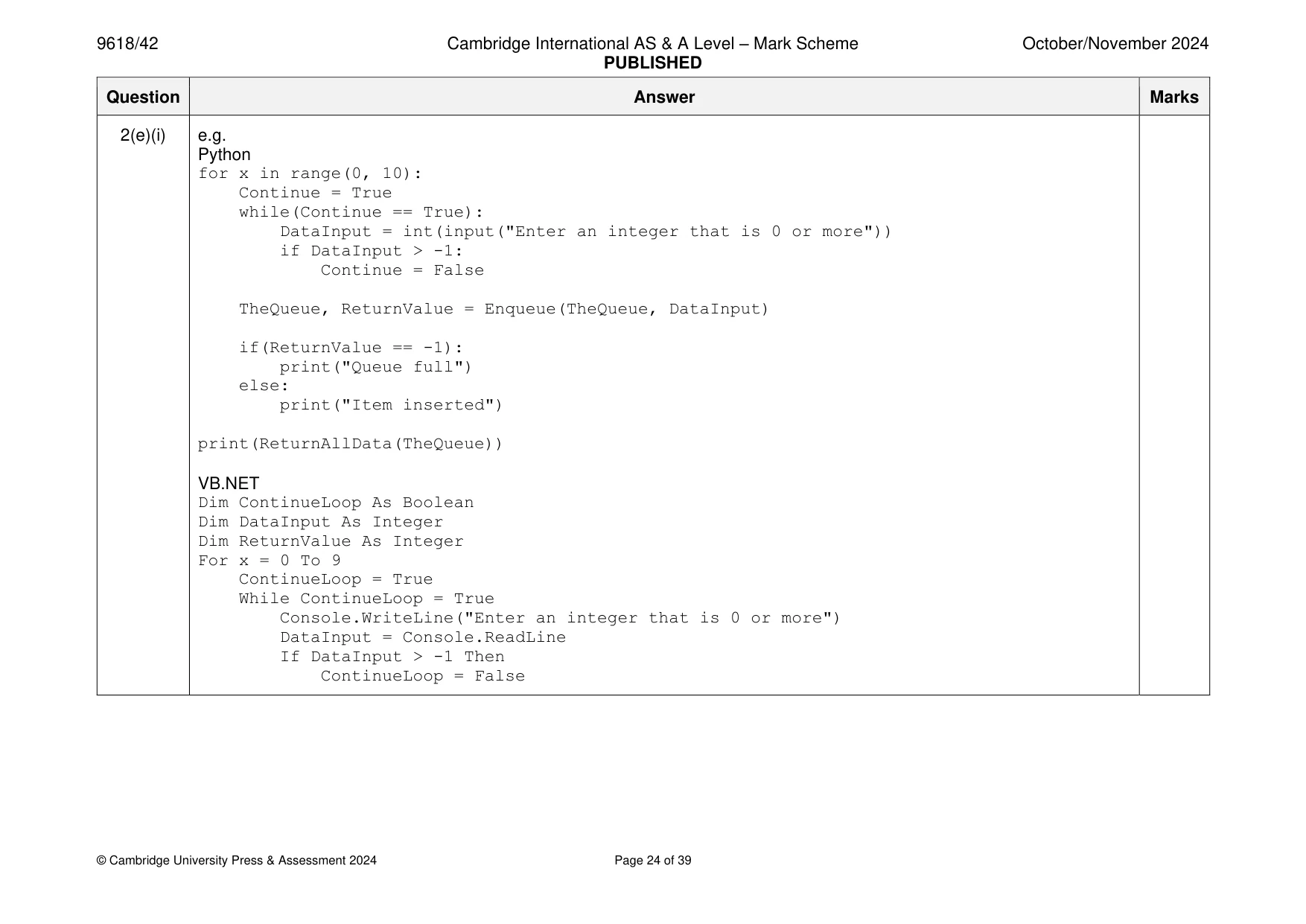
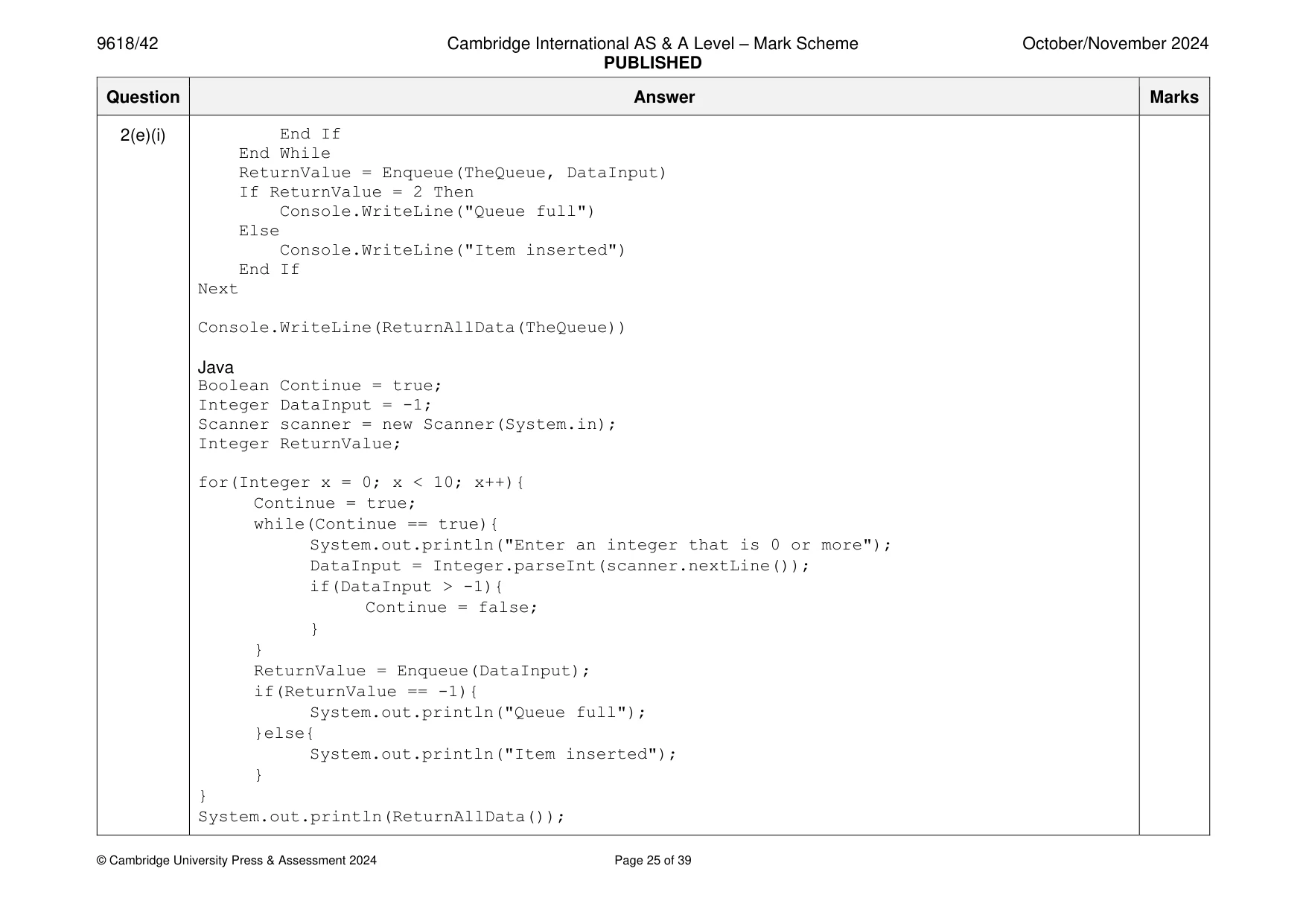
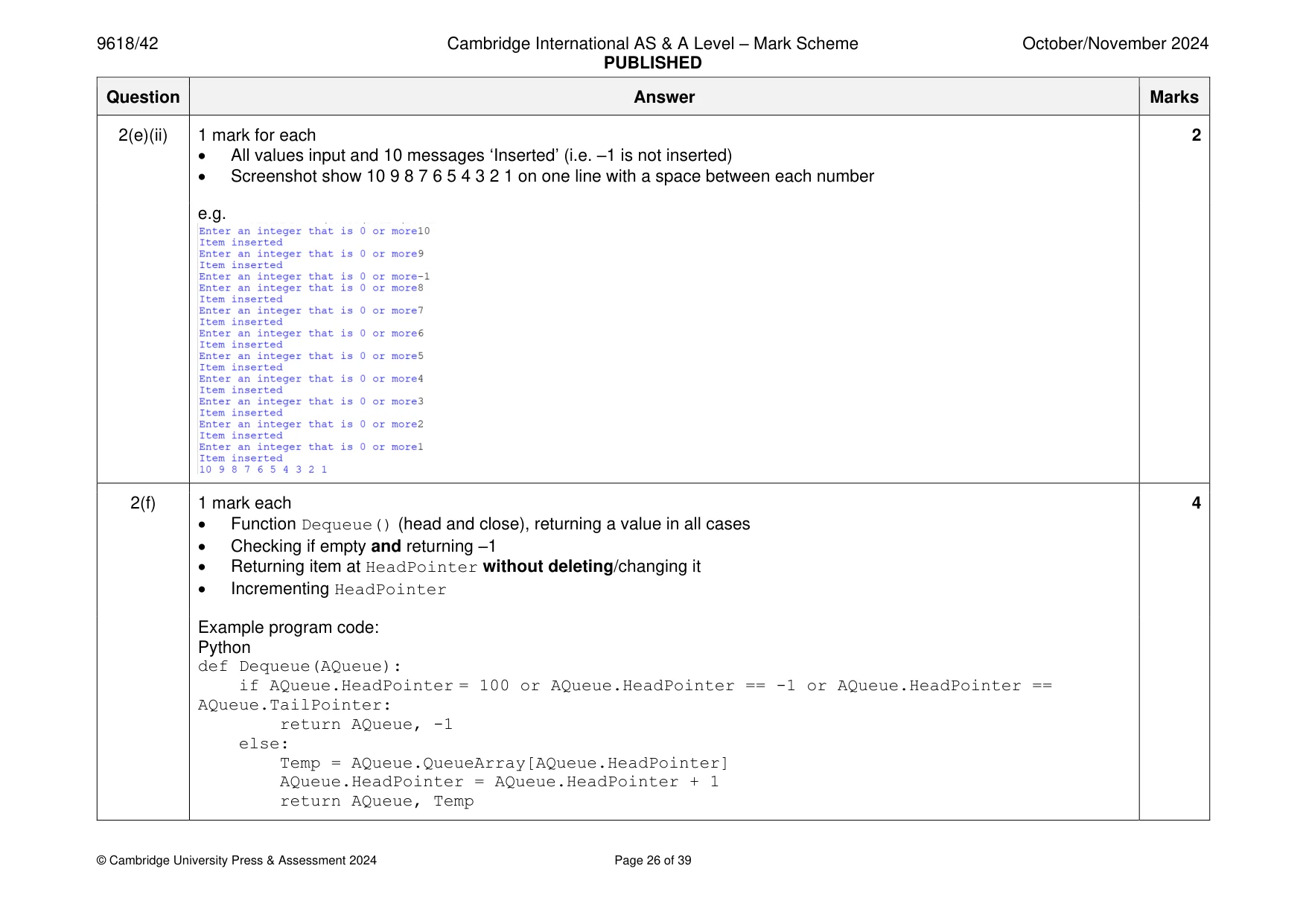
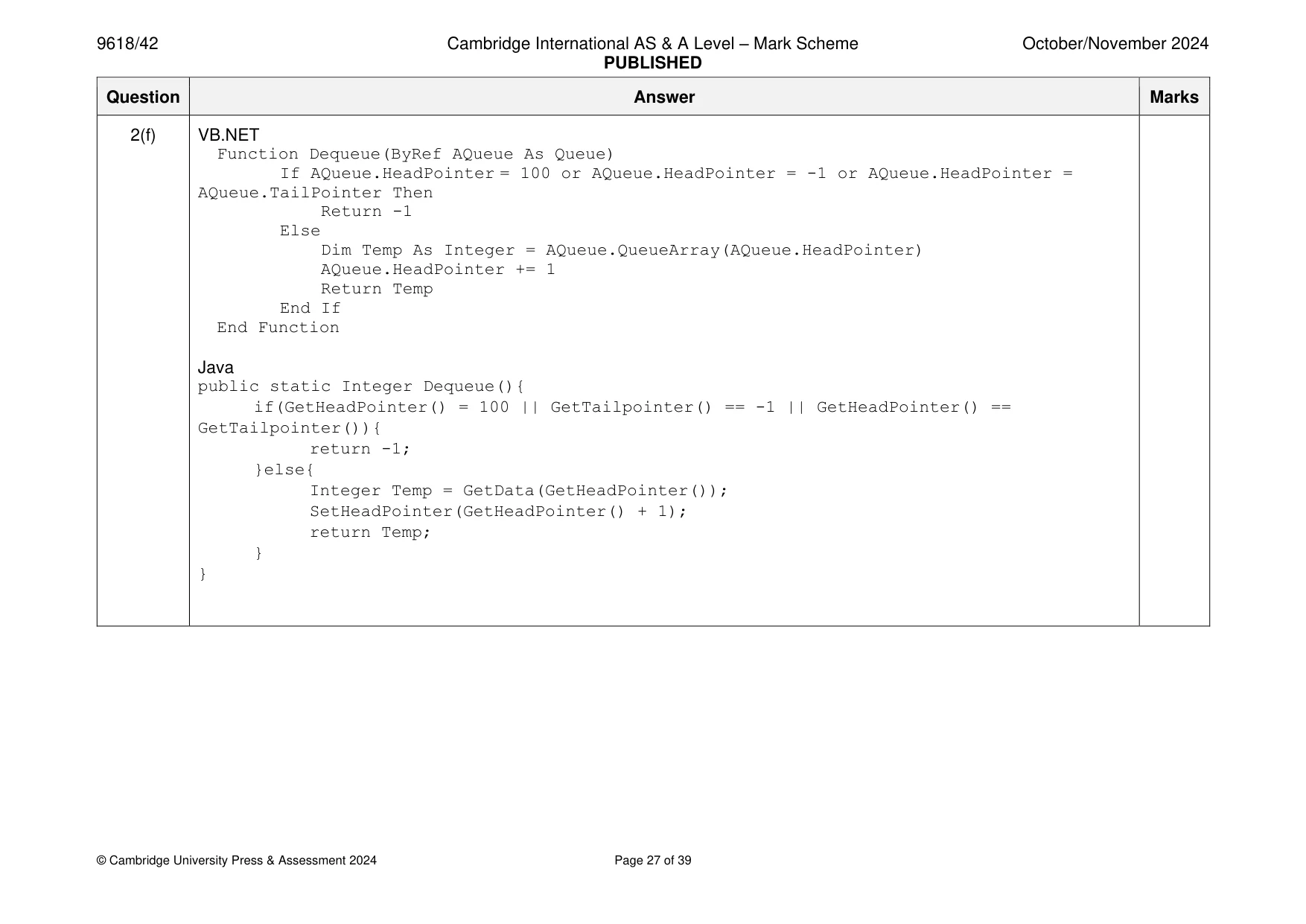
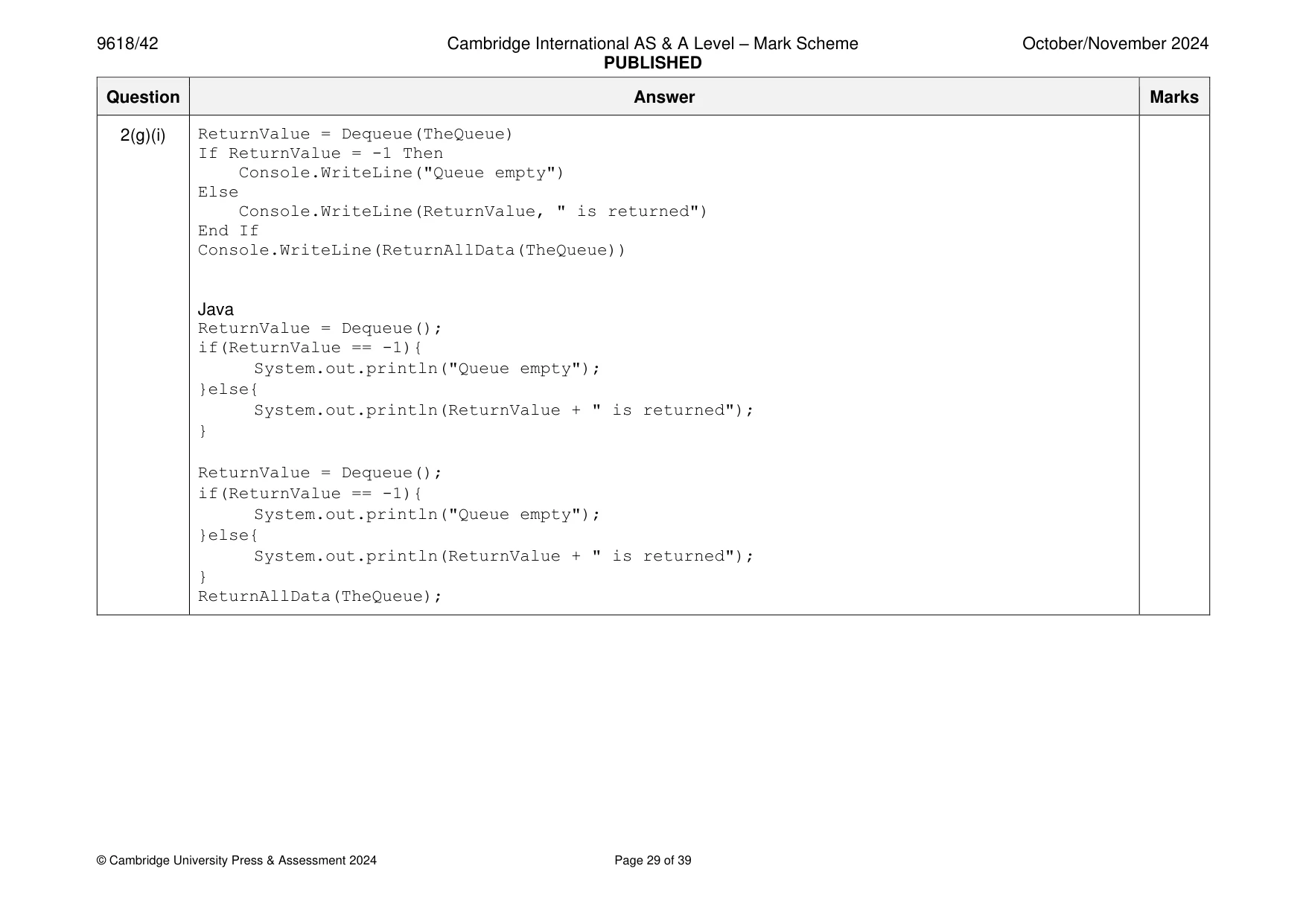
Mark scheme: 2(a) 1 mark each to max 3 • Record structure or class with constructor Queue (and end where appropriate) … • … containing a 1D array of (100) integers QueueArray • … containing HeadPointer and TailPointer as integers e.g. Python class Queue: def __init__(self): self.QueueArray = [] HeadPointer = 0 #integer TailPointer = 0 #integer for x in range(0, 100): self.QueueArray.append(-1) VB.NET Structure Queue Dim QueueArray() As Integer Dim HeadPointer As Integer Dim TailPointer As Integer End Structure Java class queue{ private static Integer[] QueueArray = new Integer[100]; private static Integer HeadPointer; private static Integer TailPointer; public queue(){ } } 2(b) 1 mark each 3 • New Queue record/object created/instance of class • Queue field/attribute head pointer initialised to –1, tail pointer to 0 • All 100 array field/attribute elements initialised with –1 e.g. Python class Queue: def __init__(self): self.QueueArray = [] for x in range(0, 100): self.QueueArray.append(-1) self.HeadPointer = -1 self.TailPointer = 0 TheQueue= Queue() VB.NET Dim TheQueue As New Queue TheQueue.HeadPointer = -1 TheQueue.TailPointer = 0 ReDim TheQueue.QueueArray(100) For x = 0 To 99 TheQueue.QueueArray(x) = -1 Next Java class queue{ private static Integer[] QueueArray = new Integer[100]; private static Integer HeadPointer; private static Integer TailPointer; 2(b) public queue(){ HeadPointer = -1; TailPointer = 0; for(Integer x = 0; x < 100; x++){ QueueArray[x] = -1; } } } public static void main(String args[]){ queue TheQueue = new queue(); } 2(c) 1 mark for each completed statement to max 3 5 1 mark for correct values returned in correct places 1 mark for function header taking (at least) one parameter and the rest of function correct and using the record/class data structure accurately. Pseudocode FUNCTION Enqueue(BYREF AQueue : Queue, BYVAL TheData : INTEGER) RETURNS INTEGER IF AQueue.HeadPointer = -1 THEN AQueue.QueueArray[AQueue.TailPointer] TheData AQueue.HeadPointer 0 AQueue.TailPointer AQueue.TailPointer + 1 RETURN 1 ELSE IF AQueue.TailPointer > 99 THEN RETURN -1 ELSE AQueue.QueueArray[AQueue.TailPointer] TheData AQueue.TailPointer AQueue.TailPointer + 1 RETURN 1 ENDIF ENDIF ENDFUNCTION 2(c) e.g. Python def Enqueue(AQueue, TheData): if AQueue.HeadPointer == -1: AQueue.HeadPointer = 0 AQueue.QueueArray[AQueue.HeadPointer] = TheData AQueue.TailPointer +=1 return AQueue, 1 elif AQueue.TailPointer > 99: return AQueue, -1 else: AQueue.QueueArray[AQueue.TailPointer] = TheData AQueue.TailPointer = AQueue.TailPointer + 1 return AQueue, 1 VB.NET Function Enqueue(ByRef AQueue As Queue, ByVal TheData As Integer) If AQueue.HeadPointer = -1 Then AQueue.QueueArray(AQueue.TailPointer) = TheData AQueue.HeadPointer = 0 AQueue.TailPointer += 1 Return 1 ElseIf AQueue.TailPointer > 99 Then Return -1 Else AQueue.QueueArray(AQueue.TailPointer) = TheData AQueue.TailPointer += 1 Return 1 End If End Function 2(c) Java public static Integer Enqueue(Integer TheData){ if(GetHeadPointer() == -1){ SetData(TheData); SetHeadPointer(0); SetTailPointer(GetTailPointer() + 1); return 1; }else if(GetTailPointer() > 99){ return -1; }else{ SetData(TheData); SetTailPointer(GetTailPointer() + 1); return 1; } } 2(d) 1 mark each to max 3 3 • Function header (and end) iterating through each element in the queue • Starting at HeadPointer and incrementing until TailPointer – 1 … • … concatenating and returning all integer values with a space between e.g. Python def ReturnAllData(TheQueue): Temp = "" for X in range(TheQueue.HeadPointer, TheQueue.TailPointer): Temp = Temp + str(TheQueue.QueueArray[X]) + " " return Temp 2(d) VB.NET Function ReturnAllData(AQueue As Queue) Dim Temp As String = "" For X = AQueue.HeadPointer To AQueue.TailPointer - 1 Temp = Temp & AQueue.QueueArray(X).ToString() & " " Next X Return Temp End Function Java public static String ReturnAllData(){ String Temp = ""; Integer Counter = 0; for(int X = HeadPointer; X < TailPointer; X++){ Temp = Temp + Integer.toString(QueueArray[X]) + " "; } return Temp; } 2(e)(i) 1 mark each 5 • Taking only 10 inputs in loop/one at a time • Calling Enqueue() with each input (min) and storing/using return value … • … only calling Enqueue() once when each input is an integer = 0. Do not award if this validation stops 10 valid inputs being enqueued. • Outputting message if each item is inserted and outputting a message if queue is full • Calling ReturnAllData() and outputting return value at the end 2(e)(i) e.g. Python for x in range(0, 10): Continue = True while(Continue == True): DataInput = int(input("Enter an integer that is 0 or more")) if DataInput > -1: Continue = False TheQueue, ReturnValue = Enqueue(TheQueue, DataInput) if(ReturnValue == -1): print("Queue full") else: print("Item inserted") print(ReturnAllData(TheQueue)) VB.NET Dim ContinueLoop As Boolean Dim DataInput As Integer Dim ReturnValue As Integer For x = 0 To 9 ContinueLoop = True While ContinueLoop = True Console.WriteLine("Enter an integer that is 0 or more") DataInput = Console.ReadLine If DataInput > -1 Then ContinueLoop = False 2(e)(i) End If End While ReturnValue = Enqueue(TheQueue, DataInput) If ReturnValue = 2 Then Console.WriteLine("Queue full") Else Console.WriteLine("Item inserted") End If Next Console.WriteLine(ReturnAllData(TheQueue)) Java Boolean Continue = true; Integer DataInput = -1; Scanner scanner = new Scanner(System.in); Integer ReturnValue; for(Integer x = 0; x < 10; x++){ Continue = true; while(Continue == true){ System.out.println("Enter an integer that is 0 or more"); DataInput = Integer.parseInt(scanner.nextLine()); if(DataInput > -1){ Continue = false; } } ReturnValue = Enqueue(DataInput); if(ReturnValue == -1){ System.out.println("Queue full"); }else{ System.out.println("Item inserted"); } } System.out.println(ReturnAllData()); 2(e)(ii) 1 mark for each 2 • All values input and 10 messages ‘Inserted’ (i.e. –1 is not inserted) • Screenshot show 10 9 8 7 6 5 4 3 2 1 on one line with a space between each number e.g. 2(f) 1 mark each 4 • Function Dequeue() (head and close), returning a value in all cases • Checking if empty and returning –1 • Returning item at HeadPointer without deleting/changing it • Incrementing HeadPointer Example program code: Python def Dequeue(AQueue): if AQueue.HeadPointer = 100 or AQueue.HeadPointer == -1 or AQueue.HeadPointer == AQueue.TailPointer: return AQueue, -1 else: Temp = AQueue.QueueArray[AQueue.HeadPointer] AQueue.HeadPointer = AQueue.HeadPointer + 1 return AQueue, Temp 2(f) VB.NET Function Dequeue(ByRef AQueue As Queue) If AQueue.HeadPointer = 100 or AQueue.HeadPointer = -1 or AQueue.HeadPointer = AQueue.TailPointer Then Return -1 Else Dim Temp As Integer = AQueue.QueueArray(AQueue.HeadPointer) AQueue.HeadPointer += 1 Return Temp End If End Function Java public static Integer Dequeue(){ if(GetHeadPointer() = 100 || GetTailpointer() == -1 || GetHeadPointer() == GetTailpointer()){ return -1; }else{ Integer Temp = GetData(GetHeadPointer()); SetHeadPointer(GetHeadPointer() + 1); return Temp; } } 2(g)(i) 1 mark each 3 • Calls Dequeue() twice and stores/uses return value • Outputs "Queue empty" when each return values is –1 and outputs return value otherwise • Calls ReturnAllData() at the end e.g. Python TheQueue, ReturnValue = Dequeue(TheQueue) if ReturnValue == -1: print("Queue empty") else: print(ReturnValue, " is returned") TheQueue, ReturnValue = Dequeue(TheQueue) if ReturnValue == -1: print("Queue empty") else: print(ReturnValue, " is returned") print(ReturnAllData(TheQueue)) VB.NET ReturnValue = Dequeue(TheQueue) If ReturnValue = -1 Then Console.WriteLine("Queue empty") Else Console.WriteLine(ReturnValue, " is returned") End If 2(g)(i) ReturnValue = Dequeue(TheQueue) If ReturnValue = -1 Then Console.WriteLine("Queue empty") Else Console.WriteLine(ReturnValue, " is returned") End If Console.WriteLine(ReturnAllData(TheQueue)) Java ReturnValue = Dequeue(); if(ReturnValue == -1){ System.out.println("Queue empty"); }else{ System.out.println(ReturnValue + " is returned"); } ReturnValue = Dequeue(); if(ReturnValue == -1){ System.out.println("Queue empty"); }else{ System.out.println(ReturnValue + " is returned"); } ReturnAllData(TheQueue); 2(g)(ii) 1 mark each 1 • Screenshot shows the input of 10 9 8 7 6 5 4 3 2 1 Output for 10 returned Output for 9 is returned e.g.
Q3 · The text file HighScoreTable.txt stores the top seven player scores for a game
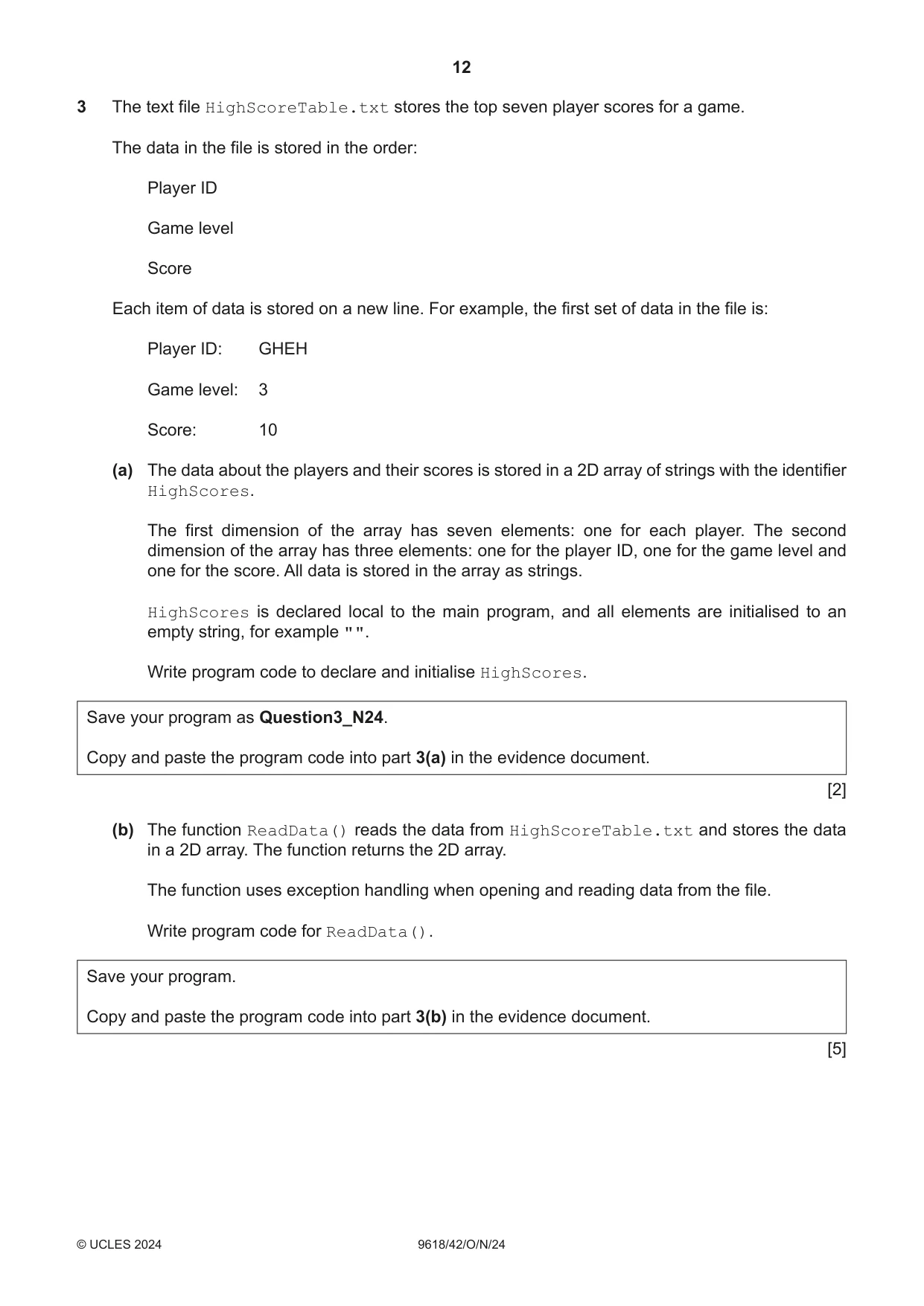
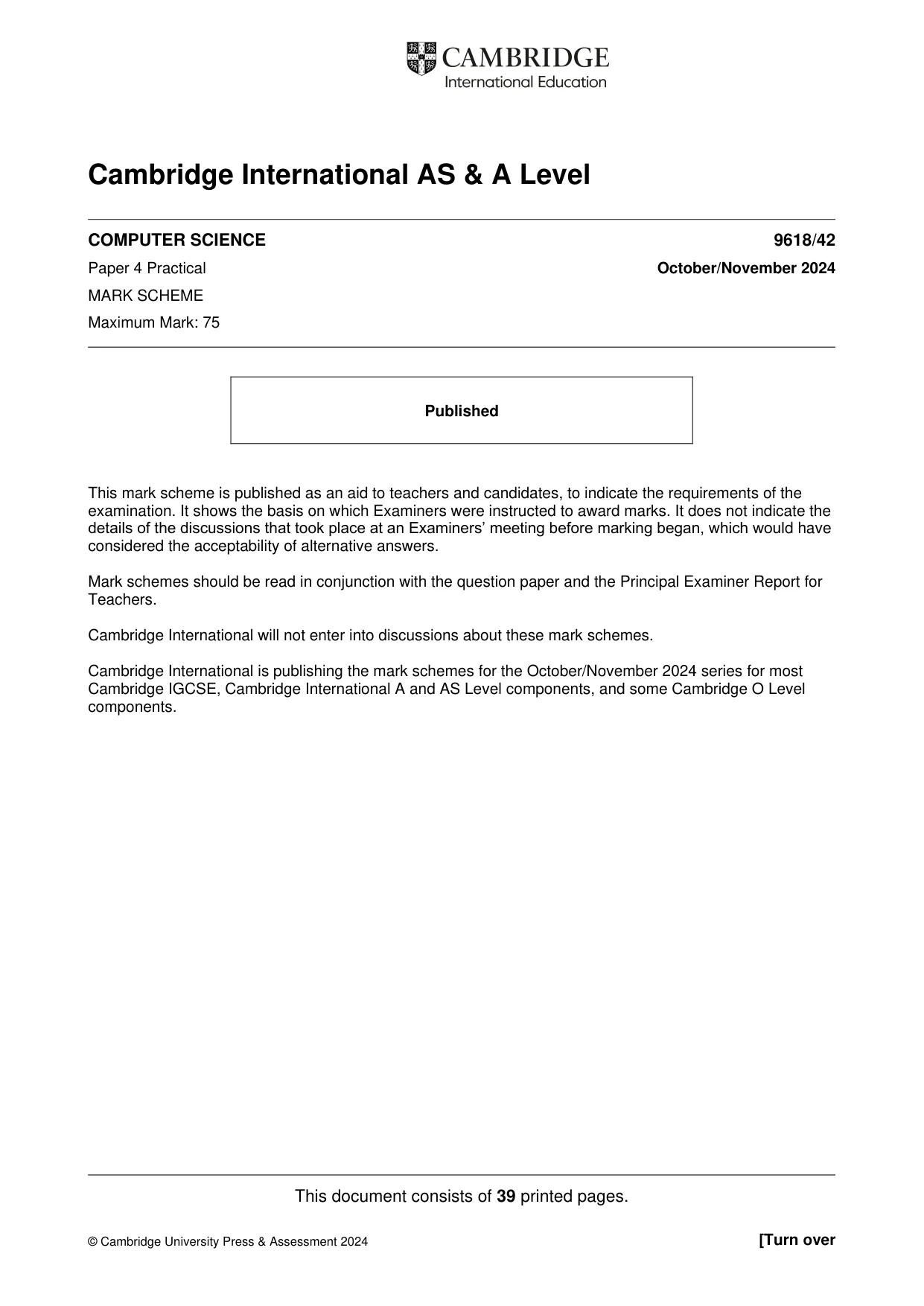
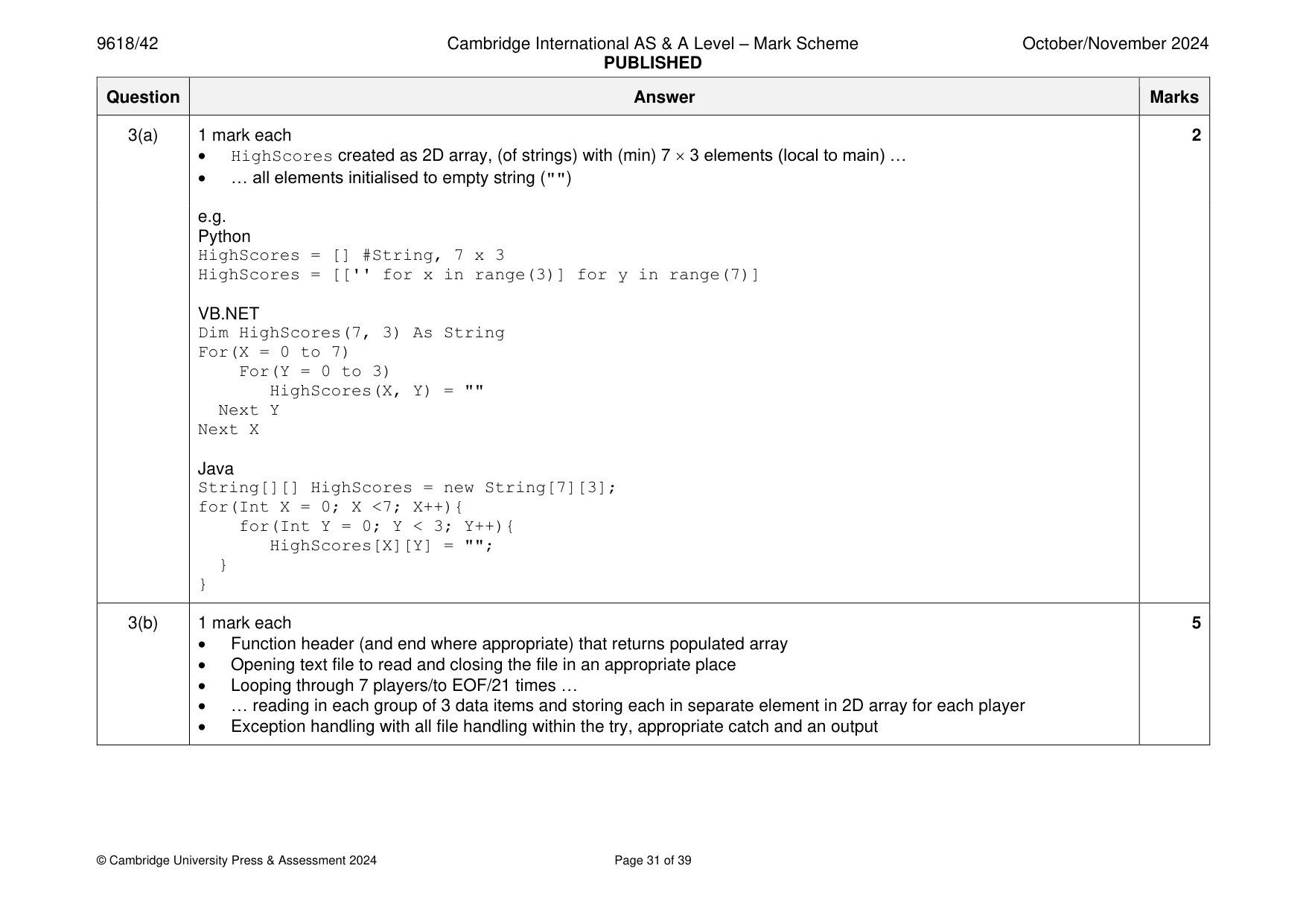
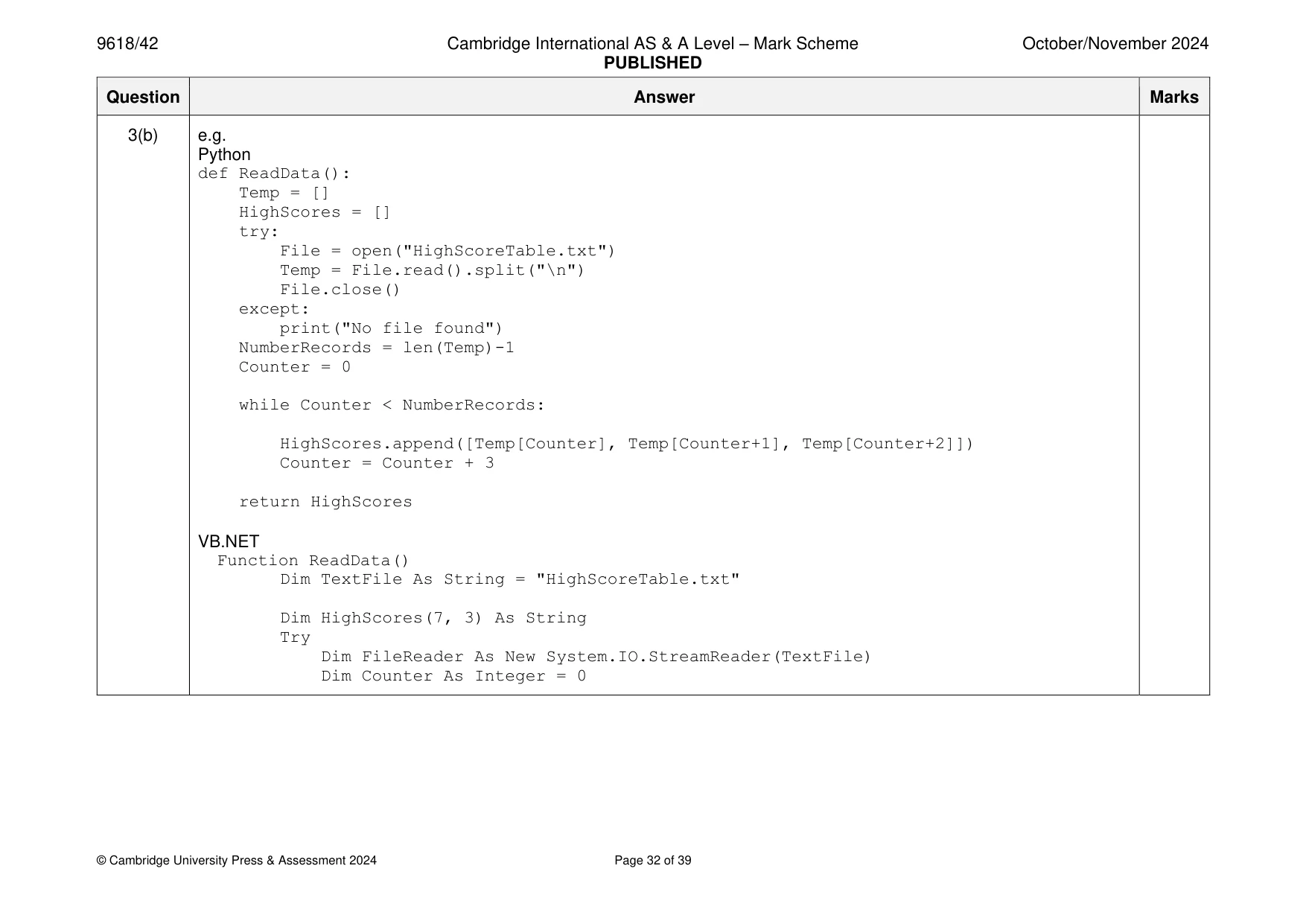
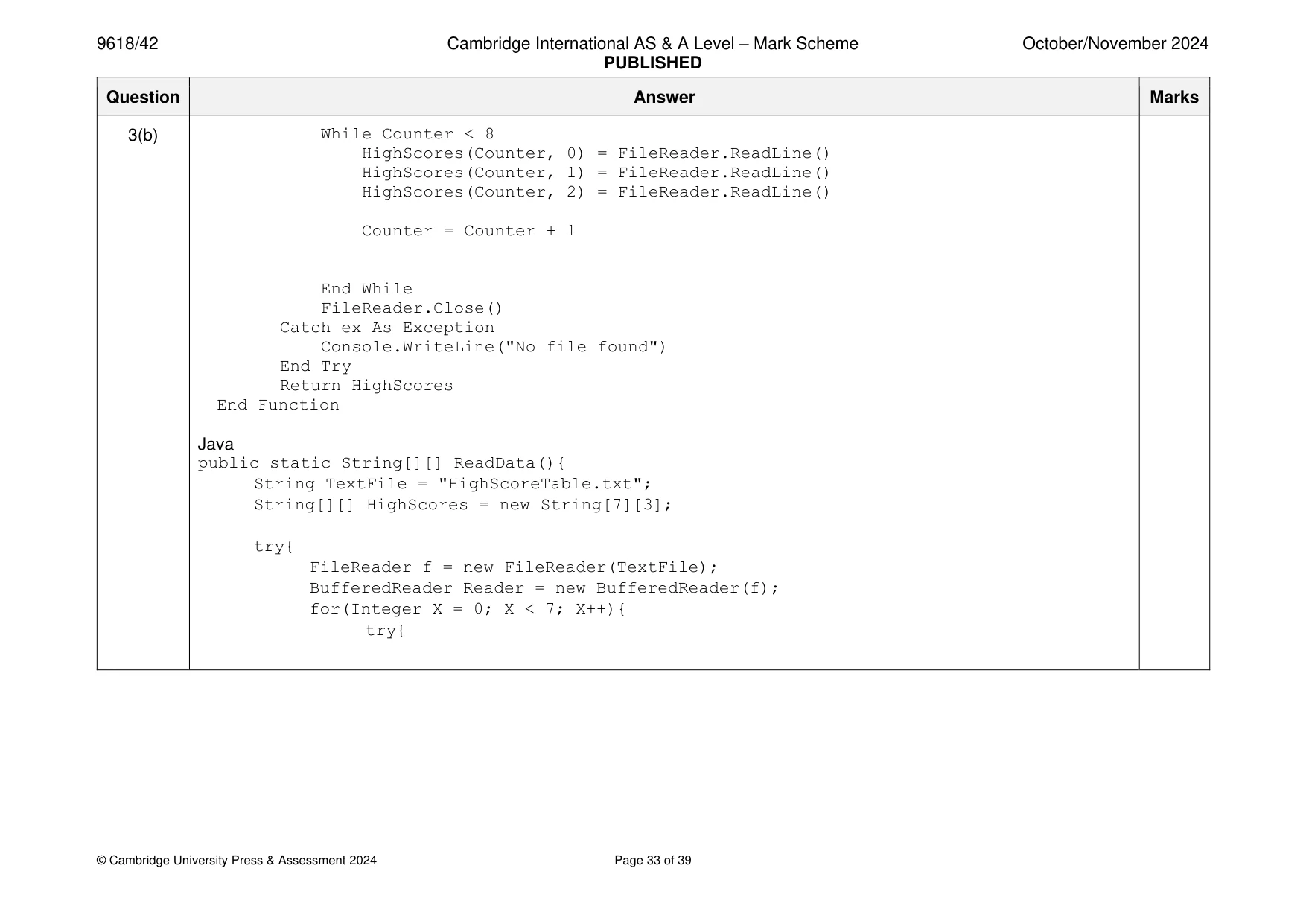
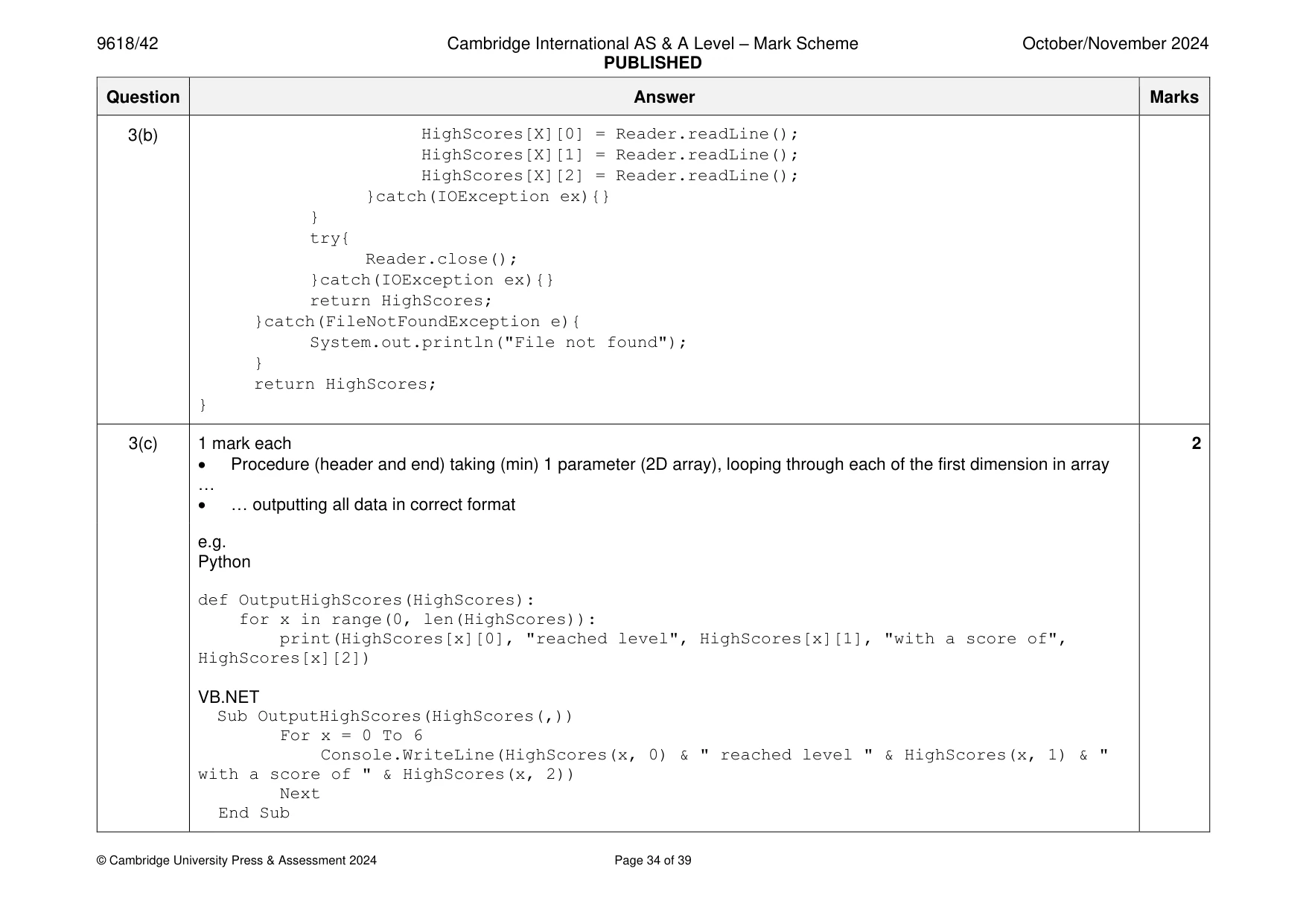
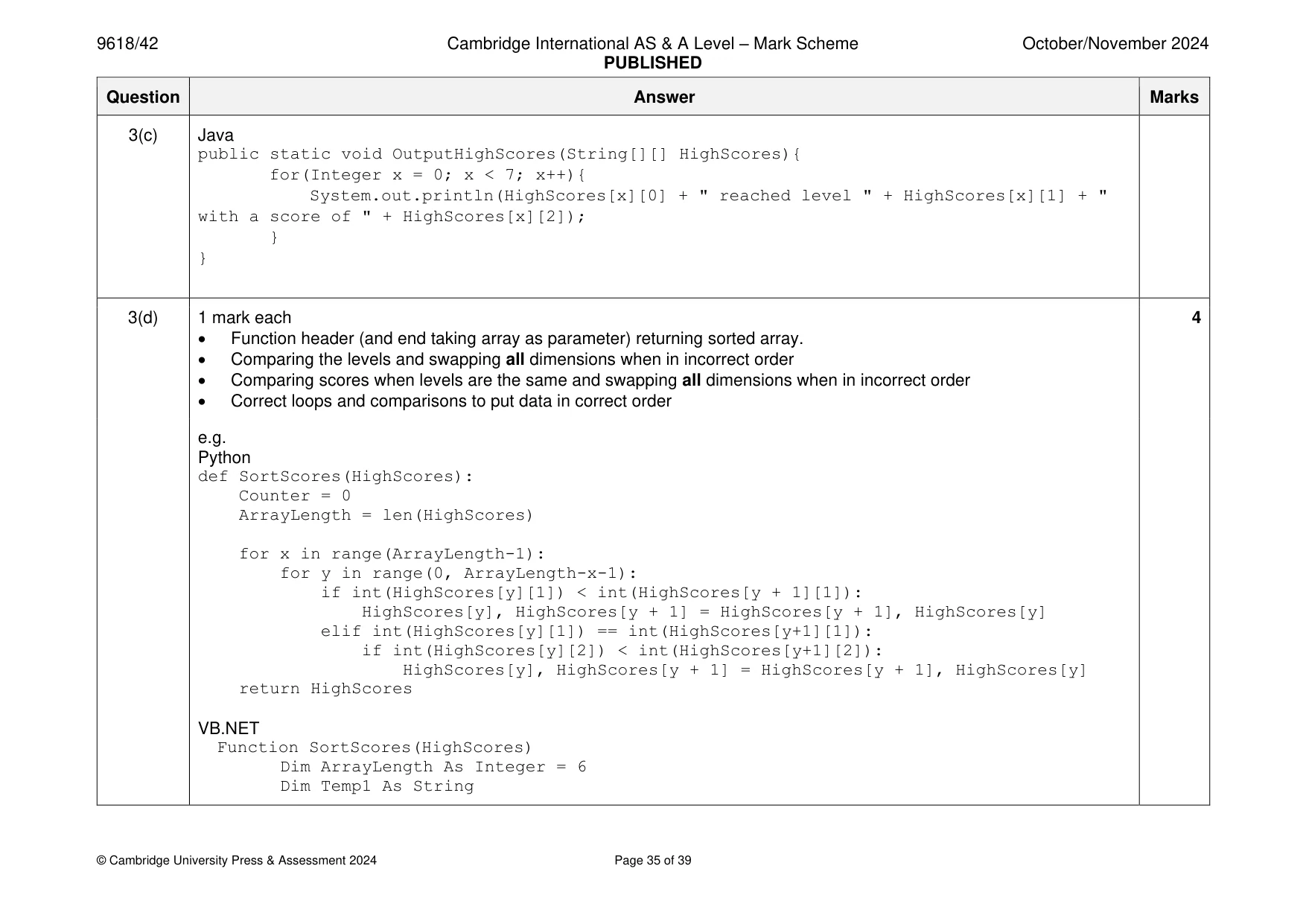
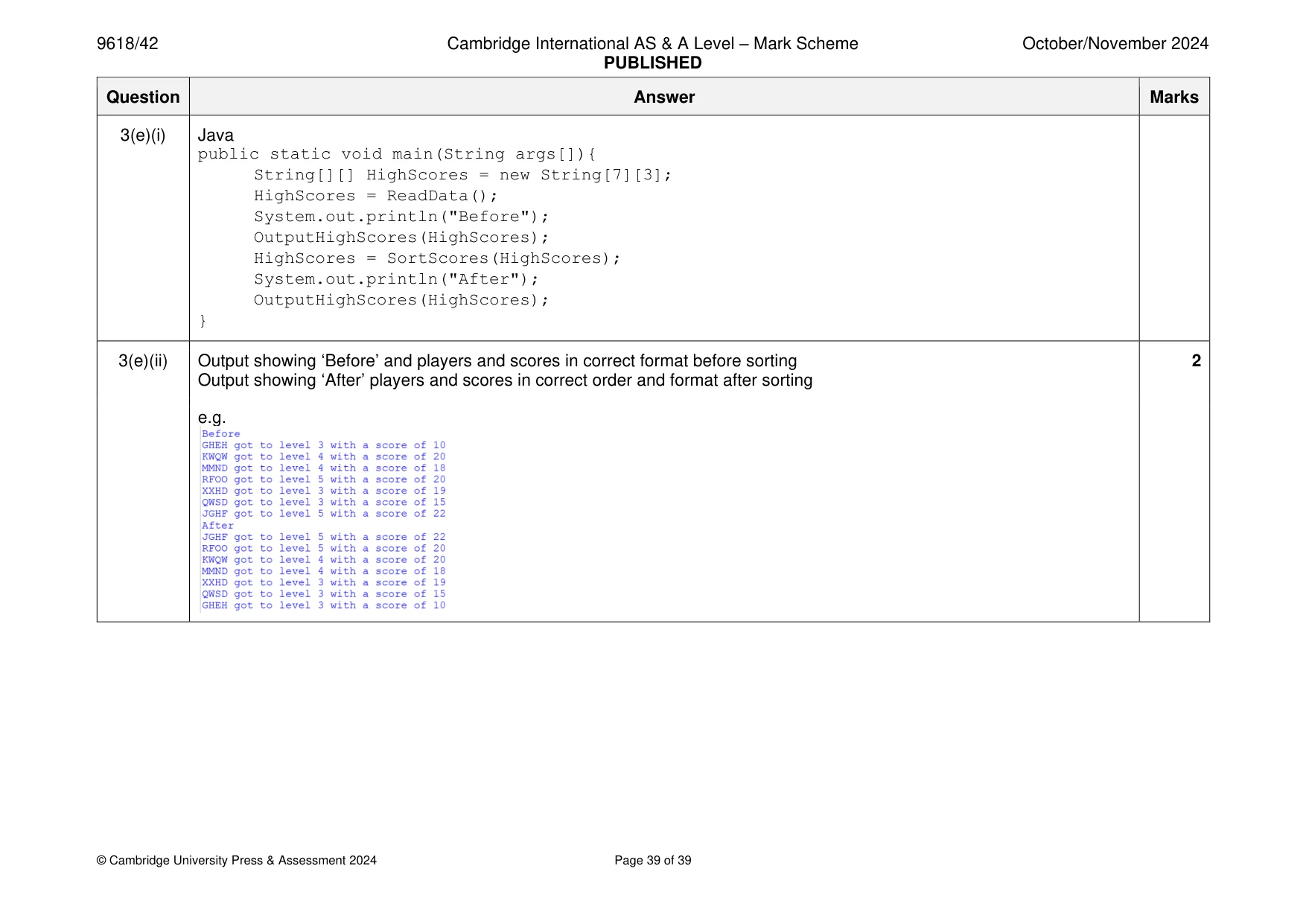
3 The text file HighScoreTable.txt stores the top seven player scores for a game. The data in the file is stored in the order: Player ID Game level Score Each item of data is stored on a new line. For example, the first set of data in the file is: Player ID: GHEH Game level: 3 Score: 10 (a) The data about the players and their scores is stored in a 2D array of strings with the identifier HighScores. The first dimension of the array has seven elements: one for each player. The second dimension of the array has three elements: one for the player ID, one for the game level and one for the score. All data is stored in the array as strings. HighScores is declared local to the main program, and all elements are initialised to an empty string, for example " ". Write program code to declare and initialise HighScores. Save your program as Question3_N24. Copy and paste the program code into part 3(a) in the evidence document. [2] (b) The function ReadData() reads the data from HighScoreTable.txt and stores the data in a 2D array. The function returns the 2D array. The function uses exception handling when opening and reading data from the file. Write program code for ReadData(). Save your program. Copy and paste the program code into part 3(b) in the evidence document. [5] (c) The procedure OutputHighScores() takes a 2D array as a parameter. It outputs each player’s ID, level and score in the order they are in the array. The outputs are in the format: GHEH reached level 3 with a score of 10 Write program code for OutputHighScores(). Save your program. Copy and paste the program code into part 3(c) in the evidence document. [2] (d) The scores in HighScoreTable.txt are not in order. The player scores are first sorted by the game level they reached. For example, all players that reached level 5 are higher in the high score table than players that reached level 4. The players that reached the same level are then sorted in descending order of score. An example sorted high score table is: Position Player ID Game level Score 1 GFED 5 25 2 HJKM 4 21 3 RERR 4 19 4 TTYU 4 15 5 WSVG 3 20 6 PPTR 3 15 7 SNQT 2 10 The function SortScores() uses a bubble sort to sort the data as described and returns the sorted array. Write program code for SortScores(). Save your program. Copy and paste the program code into part 3(d) in the evidence document. [4] (e) (i) Amend the main program to implement these steps in the order given: • call ReadData() and store the returned array in HighScores • output "Before" • call OutputHighScores() with HighScores as a parameter • call SortScores() and store the returned array in HighScores • output "After" • call OutputHighScores() with HighScores as a parameter. Save your program. Copy and paste the program code into part 3(e)(i) in the evidence document. [2] (ii) Test your program Take a screenshot of the output. Save your program. Copy and paste the screenshot into part 3(e)(ii) in the evidence document. [2]
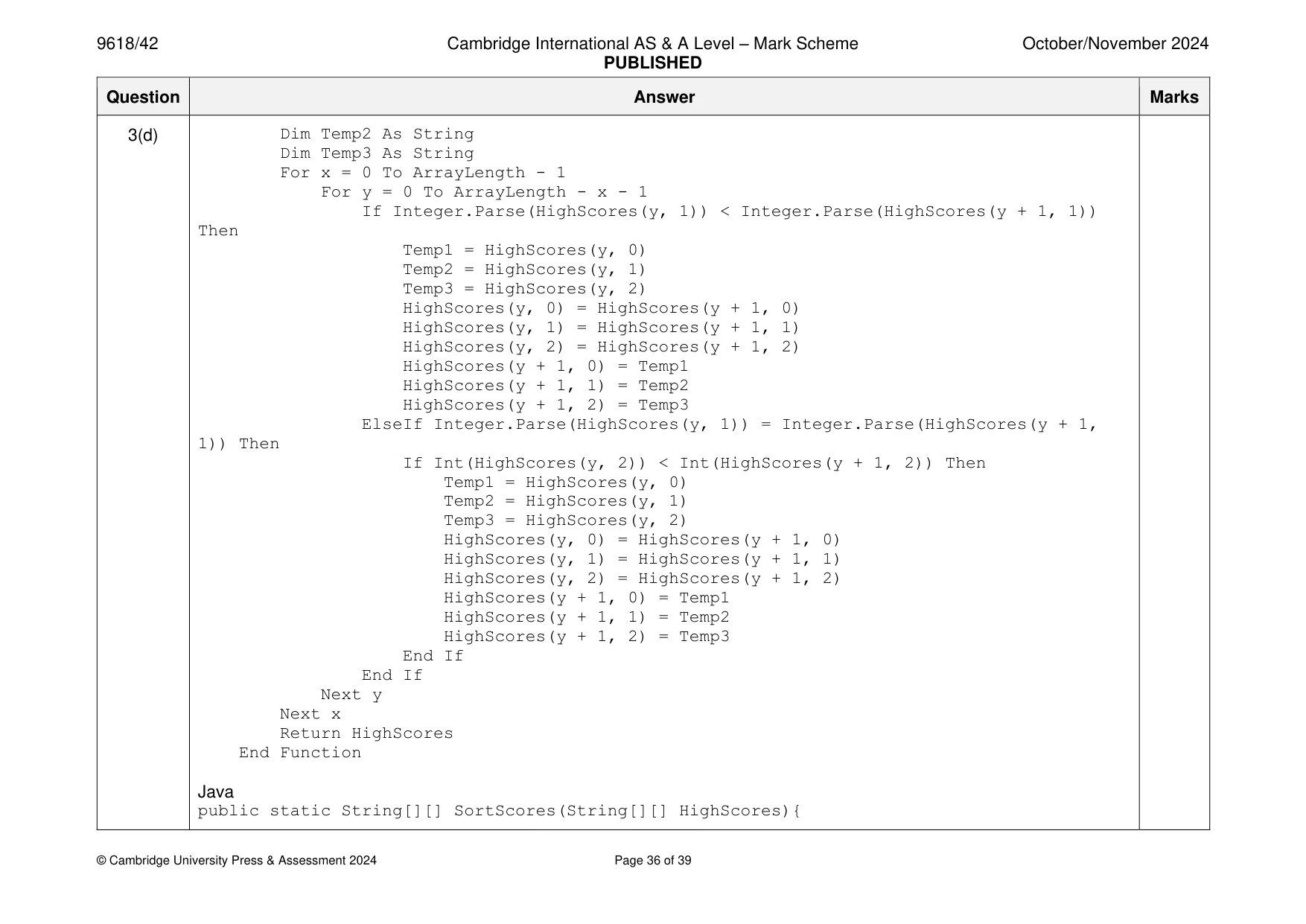
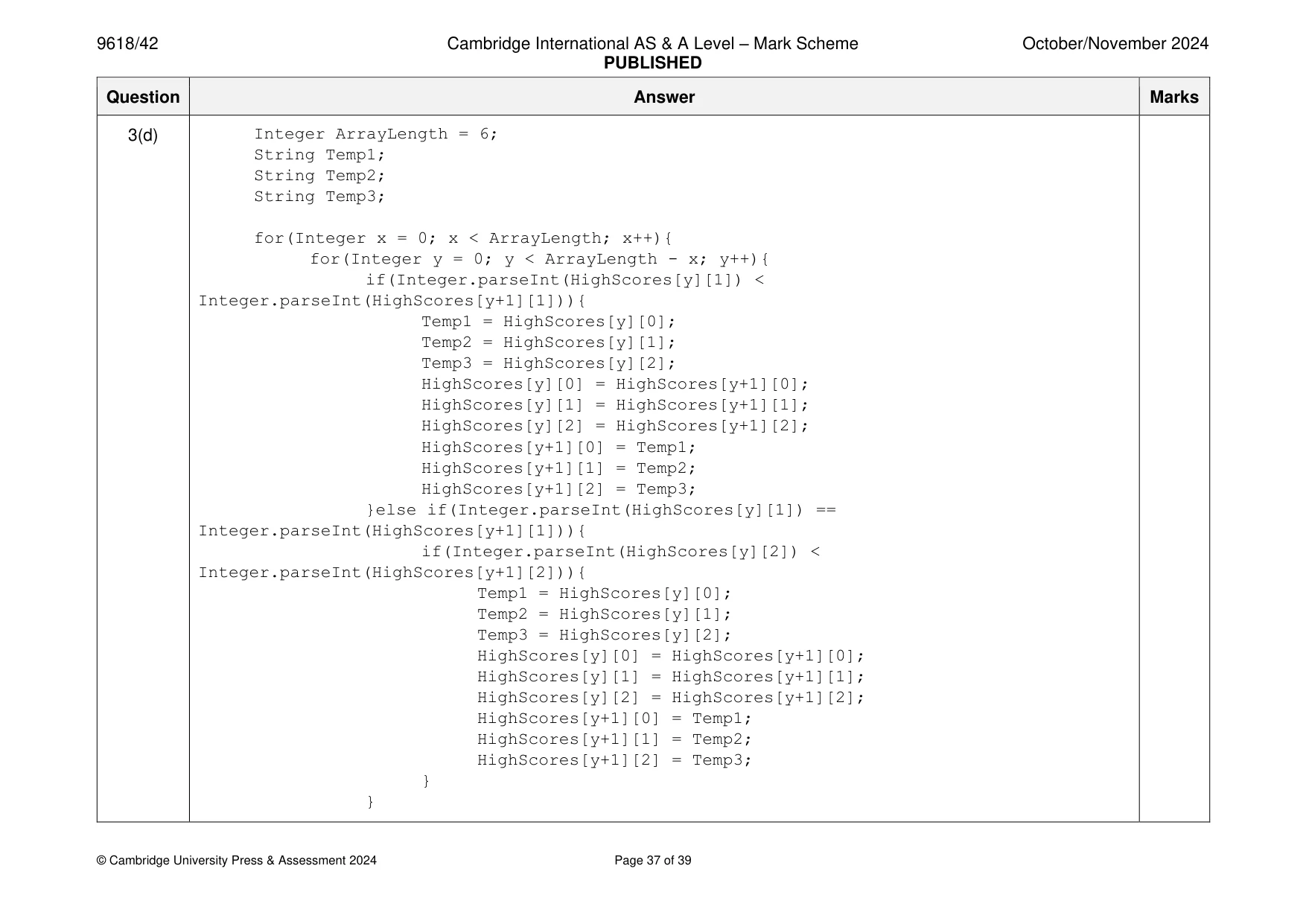
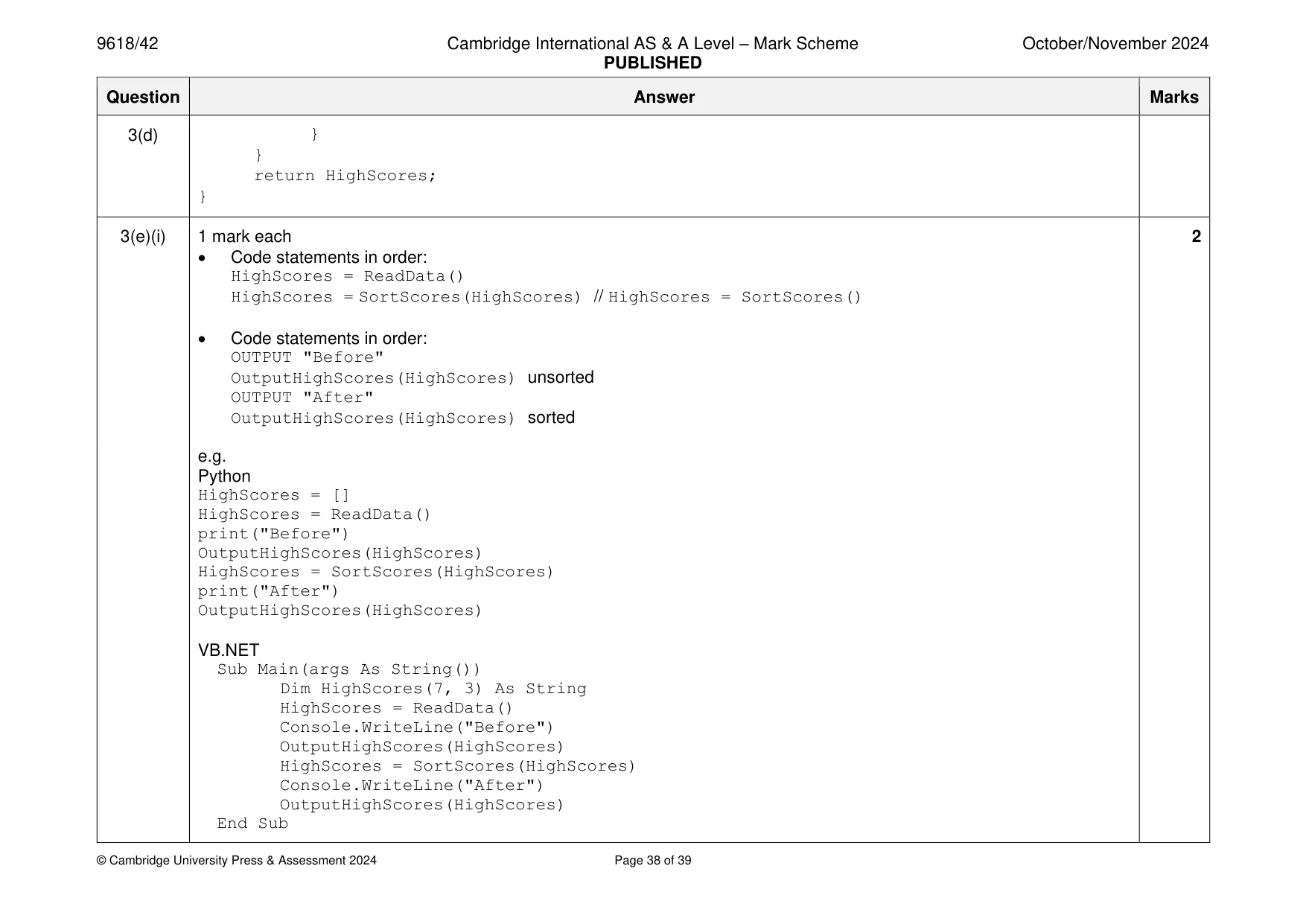
Mark scheme: 3(a) 1 mark each 2 • HighScores created as 2D array, (of strings) with (min) 7 3 elements (local to main) … • … all elements initialised to empty string ("") e.g. Python HighScores = [] #String, 7 x 3 HighScores = [['' for x in range(3)] for y in range(7)] VB.NET Dim HighScores(7, 3) As String For(X = 0 to 7) For(Y = 0 to 3) HighScores(X, Y) = "" Next Y Next X Java String[][] HighScores = new String[7][3]; for(Int X = 0; X <7; X++){ for(Int Y = 0; Y < 3; Y++){ HighScores[X][Y] = ""; } } 3(b) 1 mark each 5 • Function header (and end where appropriate) that returns populated array • Opening text file to read and closing the file in an appropriate place • Looping through 7 players/to EOF/21 times … • … reading in each group of 3 data items and storing each in separate element in 2D array for each player • Exception handling with all file handling within the try, appropriate catch and an output 3(b) e.g. Python def ReadData(): Temp = [] HighScores = [] try: File = open("HighScoreTable.txt") Temp = File.read().split("\n") File.close() except: print("No file found") NumberRecords = len(Temp)-1 Counter = 0 while Counter < NumberRecords: HighScores.append([Temp[Counter], Temp[Counter+1], Temp[Counter+2]]) Counter = Counter + 3 return HighScores VB.NET Function ReadData() Dim TextFile As String = "HighScoreTable.txt" Dim HighScores(7, 3) As String Try Dim FileReader As New System.IO.StreamReader(TextFile) Dim Counter As Integer = 0 3(b) While Counter < 8 HighScores(Counter, 0) = FileReader.ReadLine() HighScores(Counter, 1) = FileReader.ReadLine() HighScores(Counter, 2) = FileReader.ReadLine() Counter = Counter + 1 End While FileReader.Close() Catch ex As Exception Console.WriteLine("No file found") End Try Return HighScores End Function Java public static String[][] ReadData(){ String TextFile = "HighScoreTable.txt"; String[][] HighScores = new String[7][3]; try{ FileReader f = new FileReader(TextFile); BufferedReader Reader = new BufferedReader(f); for(Integer X = 0; X < 7; X++){ try{ 3(b) HighScores[X][0] = Reader.readLine(); HighScores[X][1] = Reader.readLine(); HighScores[X][2] = Reader.readLine(); }catch(IOException ex){} } try{ Reader.close(); }catch(IOException ex){} return HighScores; }catch(FileNotFoundException e){ System.out.println("File not found"); } return HighScores; } 3(c) 1 mark each 2 • Procedure (header and end) taking (min) 1 parameter (2D array), looping through each of the first dimension in array … • … outputting all data in correct format e.g. Python def OutputHighScores(HighScores): for x in range(0, len(HighScores)): print(HighScores[x][0], "reached level", HighScores[x][1], "with a score of", HighScores[x][2]) VB.NET Sub OutputHighScores(HighScores(,)) For x = 0 To 6 Console.WriteLine(HighScores(x, 0) & " reached level " & HighScores(x, 1) & " with a score of " & HighScores(x, 2)) Next End Sub 3(c) Java public static void OutputHighScores(String[][] HighScores){ for(Integer x = 0; x < 7; x++){ System.out.println(HighScores[x][0] + " reached level " + HighScores[x][1] + " with a score of " + HighScores[x][2]); } } 3(d) 1 mark each 4 • Function header (and end taking array as parameter) returning sorted array. • Comparing the levels and swapping all dimensions when in incorrect order • Comparing scores when levels are the same and swapping all dimensions when in incorrect order • Correct loops and comparisons to put data in correct order e.g. Python def SortScores(HighScores): Counter = 0 ArrayLength = len(HighScores) for x in range(ArrayLength-1): for y in range(0, ArrayLength-x-1): if int(HighScores[y][1]) < int(HighScores[y + 1][1]): HighScores[y], HighScores[y + 1] = HighScores[y + 1], HighScores[y] elif int(HighScores[y][1]) == int(HighScores[y+1][1]): if int(HighScores[y][2]) < int(HighScores[y+1][2]): HighScores[y], HighScores[y + 1] = HighScores[y + 1], HighScores[y] return HighScores VB.NET Function SortScores(HighScores) Dim ArrayLength As Integer = 6 Dim Temp1 As String 3(d) Dim Temp2 As String Dim Temp3 As String For x = 0 To ArrayLength - 1 For y = 0 To ArrayLength - x - 1 If Integer.Parse(HighScores(y, 1)) < Integer.Parse(HighScores(y + 1, 1)) Then Temp1 = HighScores(y, 0) Temp2 = HighScores(y, 1) Temp3 = HighScores(y, 2) HighScores(y, 0) = HighScores(y + 1, 0) HighScores(y, 1) = HighScores(y + 1, 1) HighScores(y, 2) = HighScores(y + 1, 2) HighScores(y + 1, 0) = Temp1 HighScores(y + 1, 1) = Temp2 HighScores(y + 1, 2) = Temp3 ElseIf Integer.Parse(HighScores(y, 1)) = Integer.Parse(HighScores(y + 1, 1)) Then If Int(HighScores(y, 2)) < Int(HighScores(y + 1, 2)) Then Temp1 = HighScores(y, 0) Temp2 = HighScores(y, 1) Temp3 = HighScores(y, 2) HighScores(y, 0) = HighScores(y + 1, 0) HighScores(y, 1) = HighScores(y + 1, 1) HighScores(y, 2) = HighScores(y + 1, 2) HighScores(y + 1, 0) = Temp1 HighScores(y + 1, 1) = Temp2 HighScores(y + 1, 2) = Temp3 End If End If Next y Next x Return HighScores End Function Java public static String[][] SortScores(String[][] HighScores){ 3(d) Integer ArrayLength = 6; String Temp1; String Temp2; String Temp3; for(Integer x = 0; x < ArrayLength; x++){ for(Integer y = 0; y < ArrayLength - x; y++){ if(Integer.parseInt(HighScores[y][1]) < Integer.parseInt(HighScores[y+1][1])){ Temp1 = HighScores[y][0]; Temp2 = HighScores[y][1]; Temp3 = HighScores[y][2]; HighScores[y][0] = HighScores[y+1][0]; HighScores[y][1] = HighScores[y+1][1]; HighScores[y][2] = HighScores[y+1][2]; HighScores[y+1][0] = Temp1; HighScores[y+1][1] = Temp2; HighScores[y+1][2] = Temp3; }else if(Integer.parseInt(HighScores[y][1]) == Integer.parseInt(HighScores[y+1][1])){ if(Integer.parseInt(HighScores[y][2]) < Integer.parseInt(HighScores[y+1][2])){ Temp1 = HighScores[y][0]; Temp2 = HighScores[y][1]; Temp3 = HighScores[y][2]; HighScores[y][0] = HighScores[y+1][0]; HighScores[y][1] = HighScores[y+1][1]; HighScores[y][2] = HighScores[y+1][2]; HighScores[y+1][0] = Temp1; HighScores[y+1][1] = Temp2; HighScores[y+1][2] = Temp3; } } 3(d) } } return HighScores; } 3(e)(i) 1 mark each 2 • Code statements in order: HighScores = ReadData() HighScores = SortScores(HighScores) // HighScores = SortScores() • Code statements in order: OUTPUT "Before" OutputHighScores(HighScores) unsorted OUTPUT "After" OutputHighScores(HighScores) sorted e.g. Python HighScores = [] HighScores = ReadData() print("Before") OutputHighScores(HighScores) HighScores = SortScores(HighScores) print("After") OutputHighScores(HighScores) VB.NET Sub Main(args As String()) Dim HighScores(7, 3) As String HighScores = ReadData() Console.WriteLine("Before") OutputHighScores(HighScores) HighScores = SortScores(HighScores) Console.WriteLine("After") OutputHighScores(HighScores) End Sub 3(e)(i) Java public static void main(String args[]){ String[][] HighScores = new String[7][3]; HighScores = ReadData(); System.out.println("Before"); OutputHighScores(HighScores); HighScores = SortScores(HighScores); System.out.println("After"); OutputHighScores(HighScores); } 3(e)(ii) Output showing ‘Before’ and players and scores in correct format before sorting 2 Output showing ‘After’ players and scores in correct order and format after sorting e.g.
What you needed in this session
Cambridge’s own grade thresholds for 2024 Oct/Nov, Paper 4 · Variant 2. A higher threshold means an easier paper — the bar moves with how the cohort did.