Cambridge A Level Computer Science 9618 — 2024 May/June Paper 4 · Variant 2
9618/42/M/J/24 · 3 questions · 75 marks · ≈84 min
The question paper and its mark scheme, free to read here and free to download. This is Cambridge’s own paper, exactly as it was sat.
Question paper16 pages



Mark scheme50 pages
Answers below. Sit the paper first if you are practising.
Questions as text
Q1 · A program outputs a main word
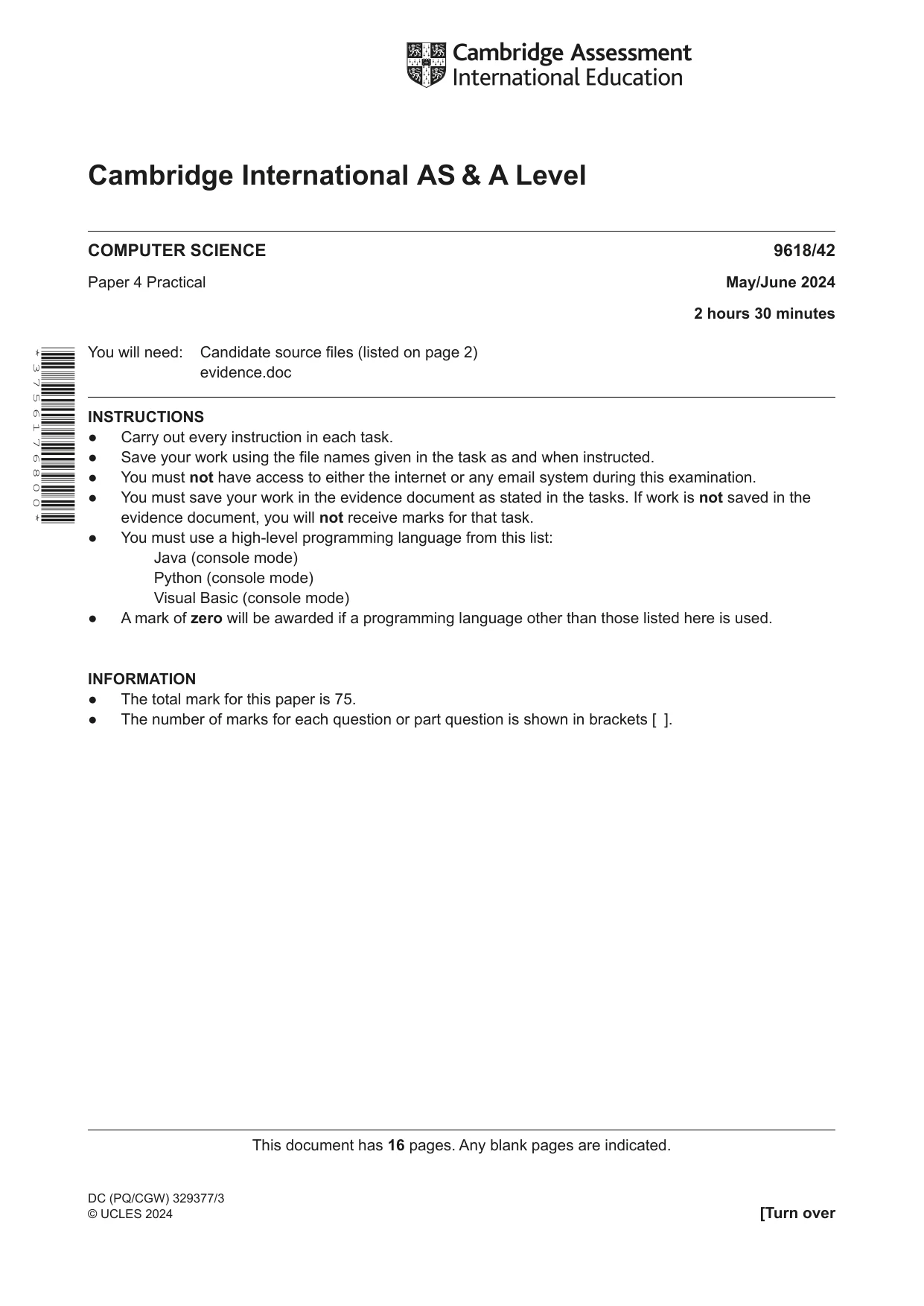
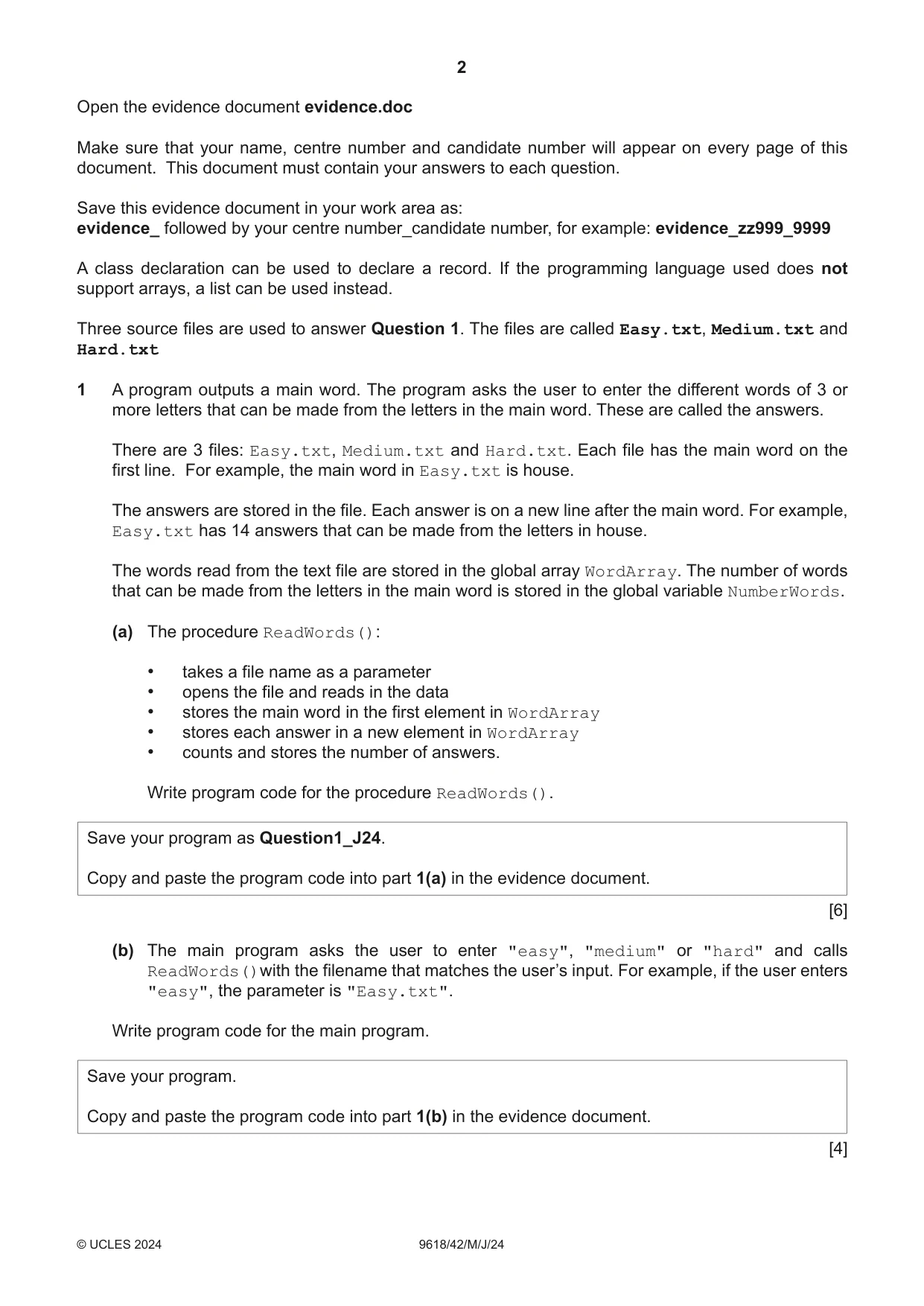
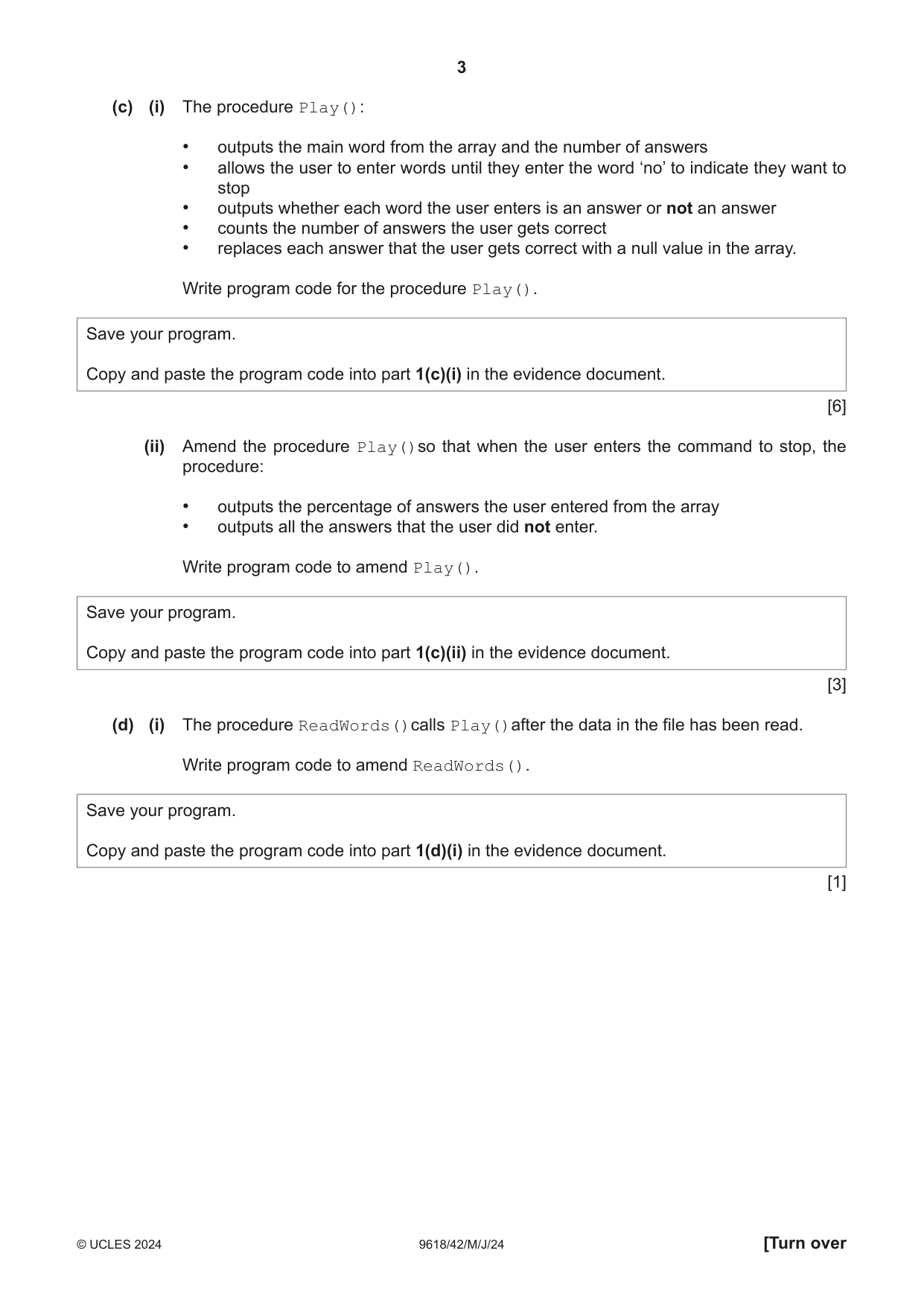
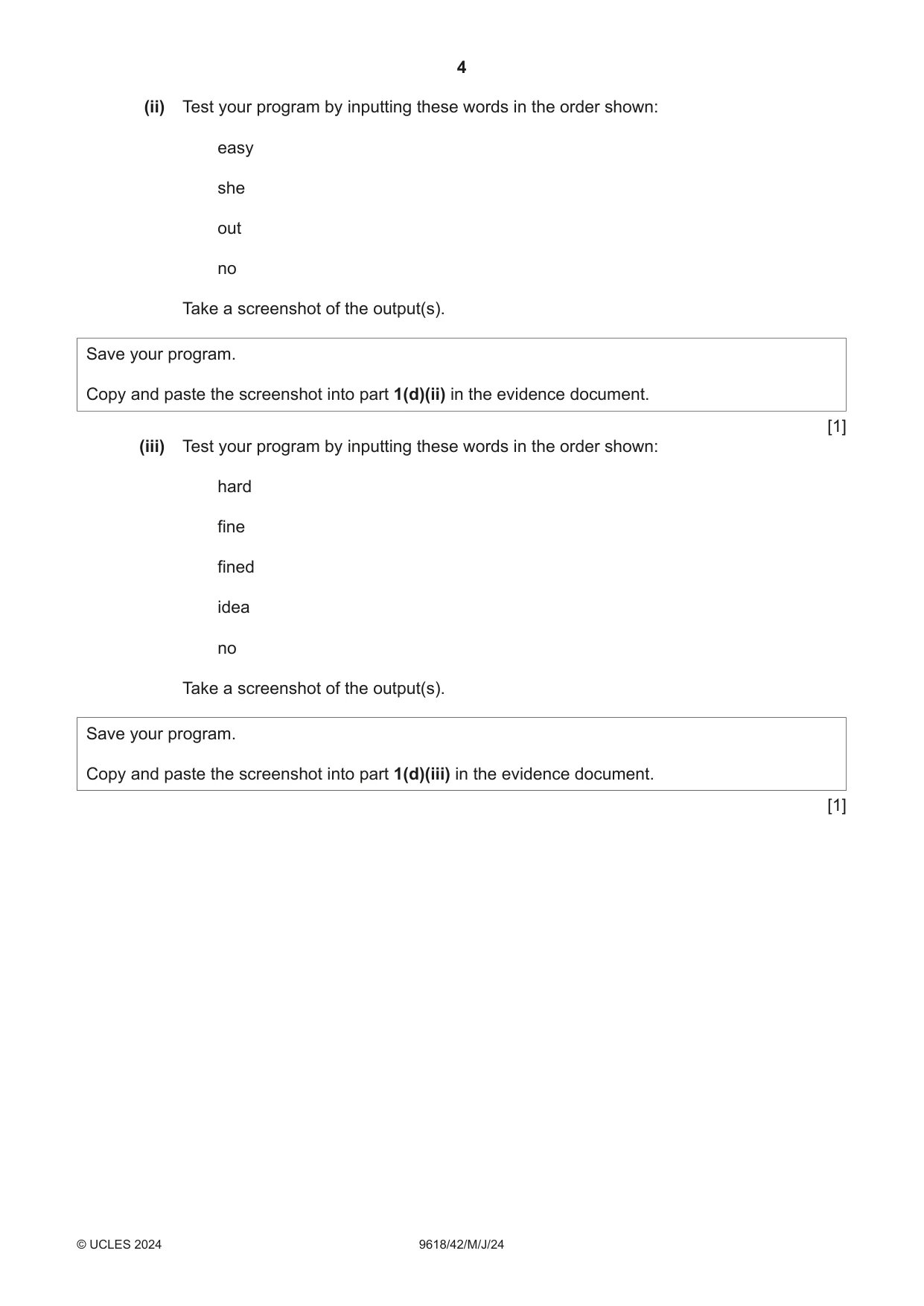
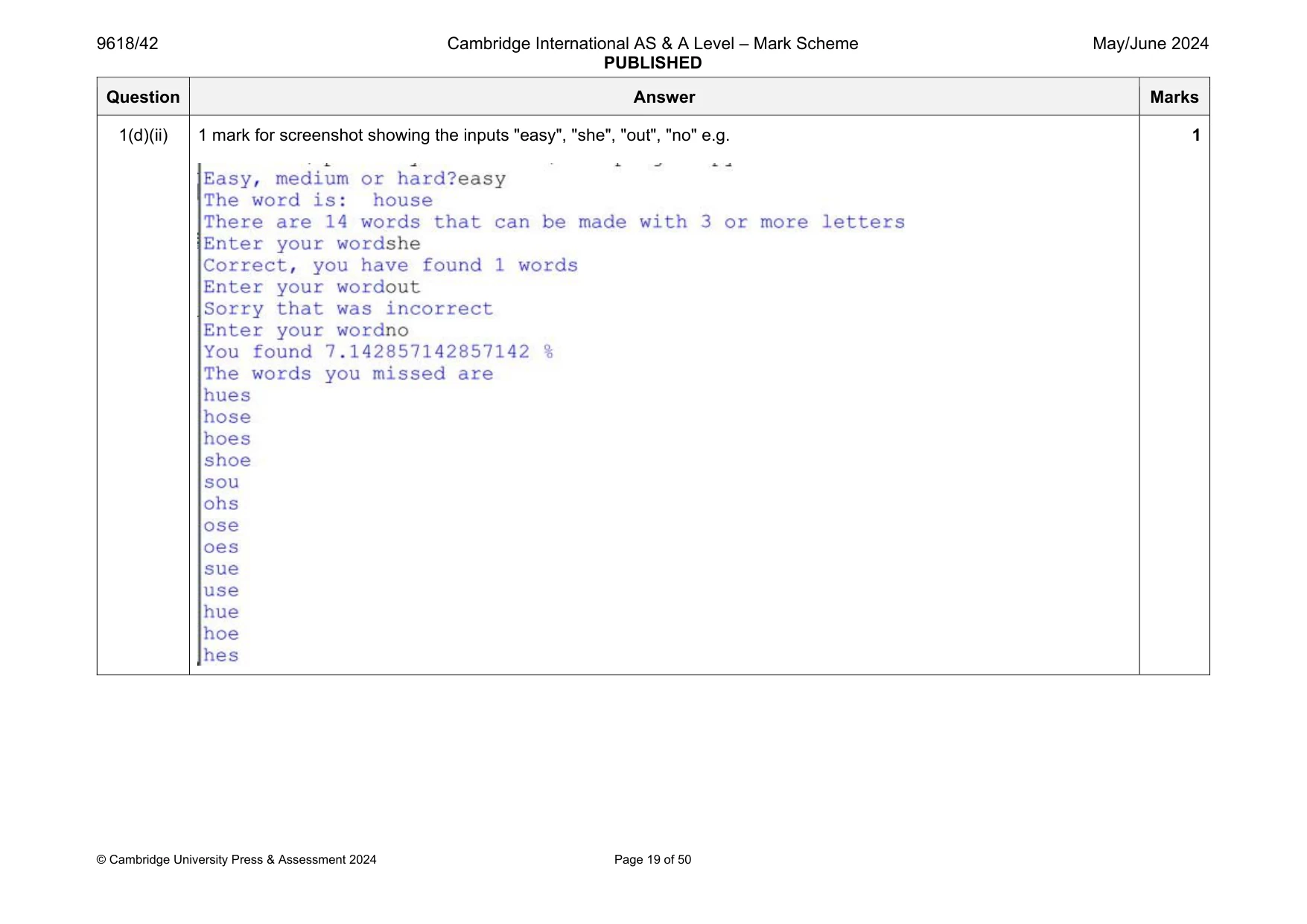
1 A program outputs a main word. The program asks the user to enter the different words of 3 or more letters that can be made from the letters in the main word. These are called the answers. There are 3 files: Easy.txt, Medium.txt and Hard.txt. Each file has the main word on the first line. For example, the main word in Easy.txt is house. The answers are stored in the file. Each answer is on a new line after the main word. For example, Easy.txt has 14 answers that can be made from the letters in house. The words read from the text file are stored in the global array WordArray. The number of words that can be made from the letters in the main word is stored in the global variable NumberWords. (a) The procedure ReadWords(): • takes a file name as a parameter • opens the file and reads in the data • stores the main word in the first element in WordArray • stores each answer in a new element in WordArray • counts and stores the number of answers. Write program code for the procedure ReadWords(). Save your program as Question1_J24. Copy and paste the program code into part 1(a) in the evidence document. [6] (b) The main program asks the user to enter "easy", "medium" or "hard" and calls ReadWords()with the filename that matches the user’s input. For example, if the user enters "easy", the parameter is "Easy.txt". Write program code for the main program. Save your program. Copy and paste the program code into part 1(b) in the evidence document. [4] (c) (i) The procedure Play(): • outputs the main word from the array and the number of answers • allows the user to enter words until they enter the word ‘no’ to indicate they want to stop • outputs whether each word the user enters is an answer or not an answer • counts the number of answers the user gets correct • replaces each answer that the user gets correct with a null value in the array. Write program code for the procedure Play(). Save your program. Copy and paste the program code into part 1(c)(i) in the evidence document. [6] (ii) Amend the procedure Play()so that when the user enters the command to stop, the procedure: • outputs the percentage of answers the user entered from the array • outputs all the answers that the user did not enter. Write program code to amend Play(). Save your program. Copy and paste the program code into part 1(c)(ii) in the evidence document. [3] (d) (i) The procedure ReadWords()calls Play()after the data in the file has been read. Write program code to amend ReadWords(). Save your program. Copy and paste the program code into part 1(d)(i) in the evidence document. [1] (ii) Test your program by inputting these words in the order shown: easy she out no Take a screenshot of the output(s). Save your program. Copy and paste the screenshot into part 1(d)(ii) in the evidence document. [1] (iii) Test your program by inputting these words in the order shown: hard fine fined idea no Take a screenshot of the output(s). Save your program. Copy and paste the screenshot into part 1(d)(iii) in the evidence document. [1]
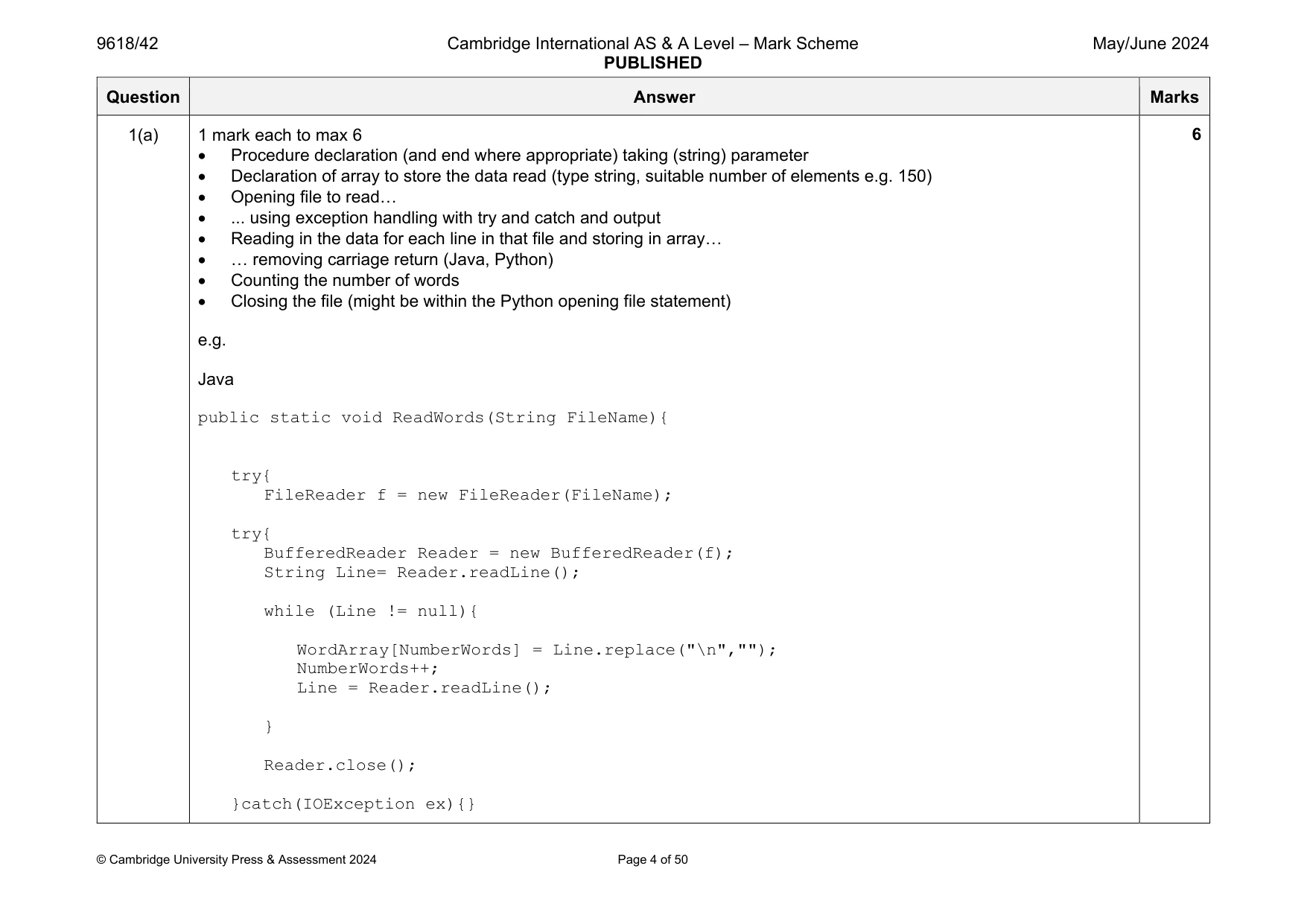
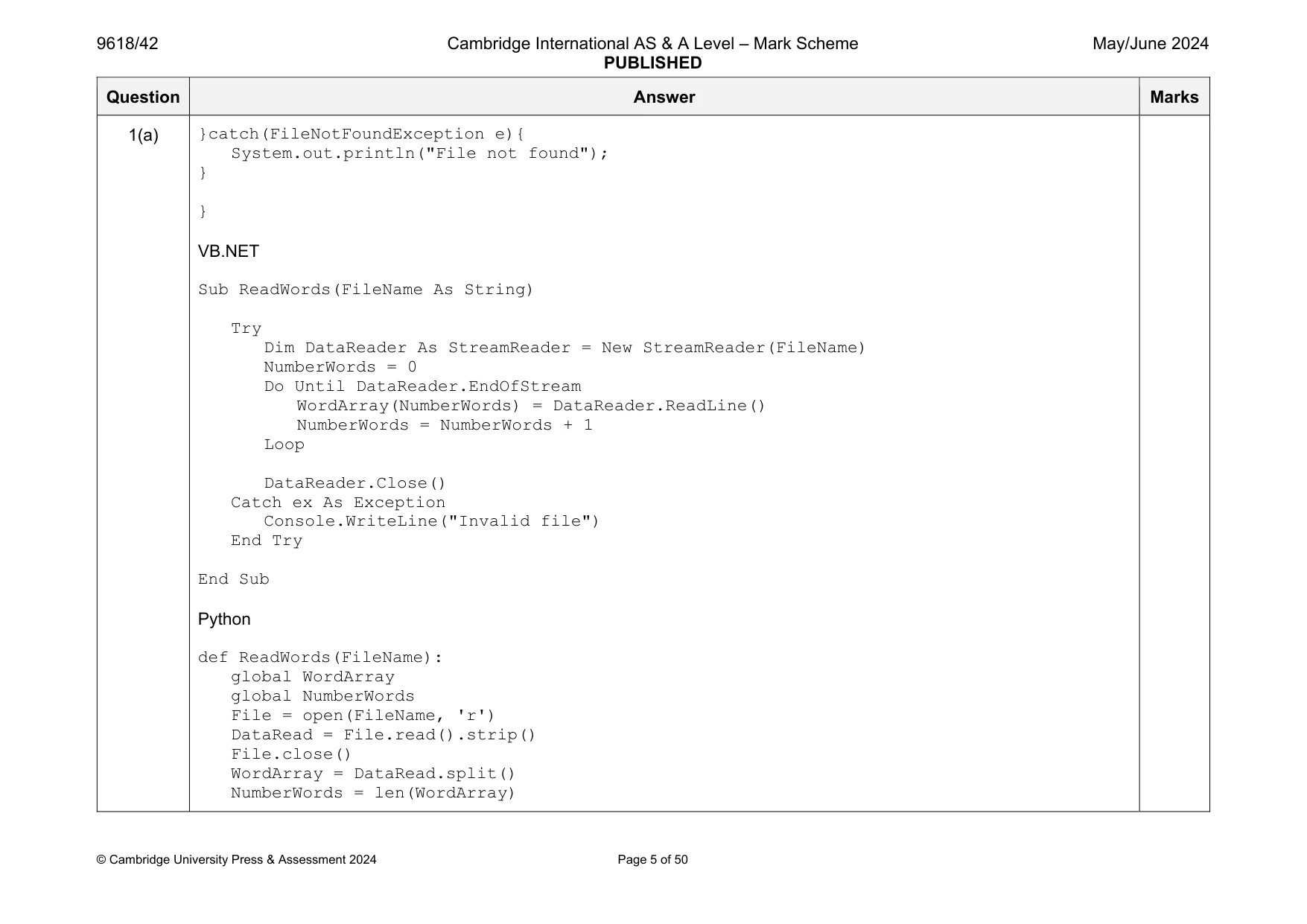
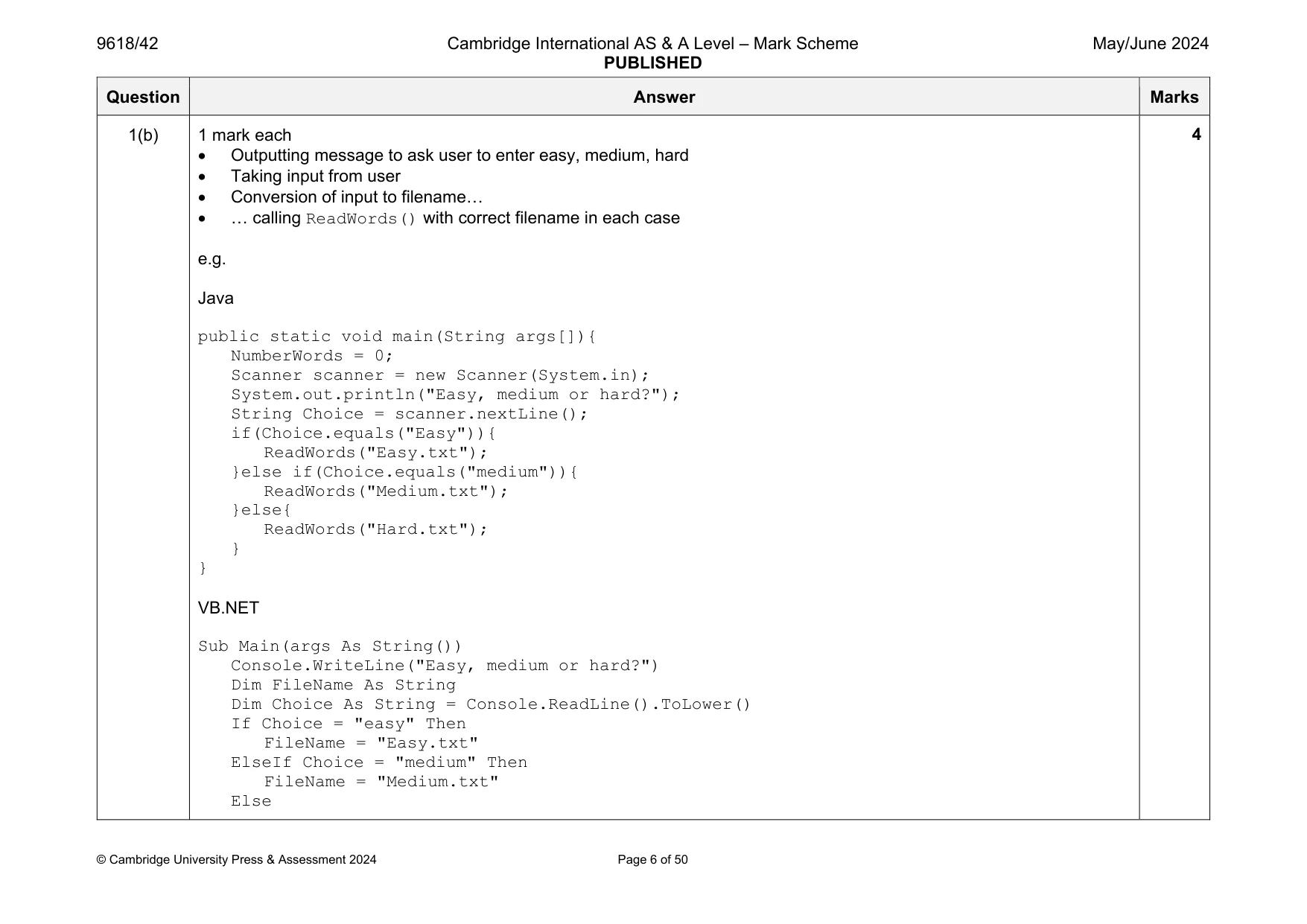
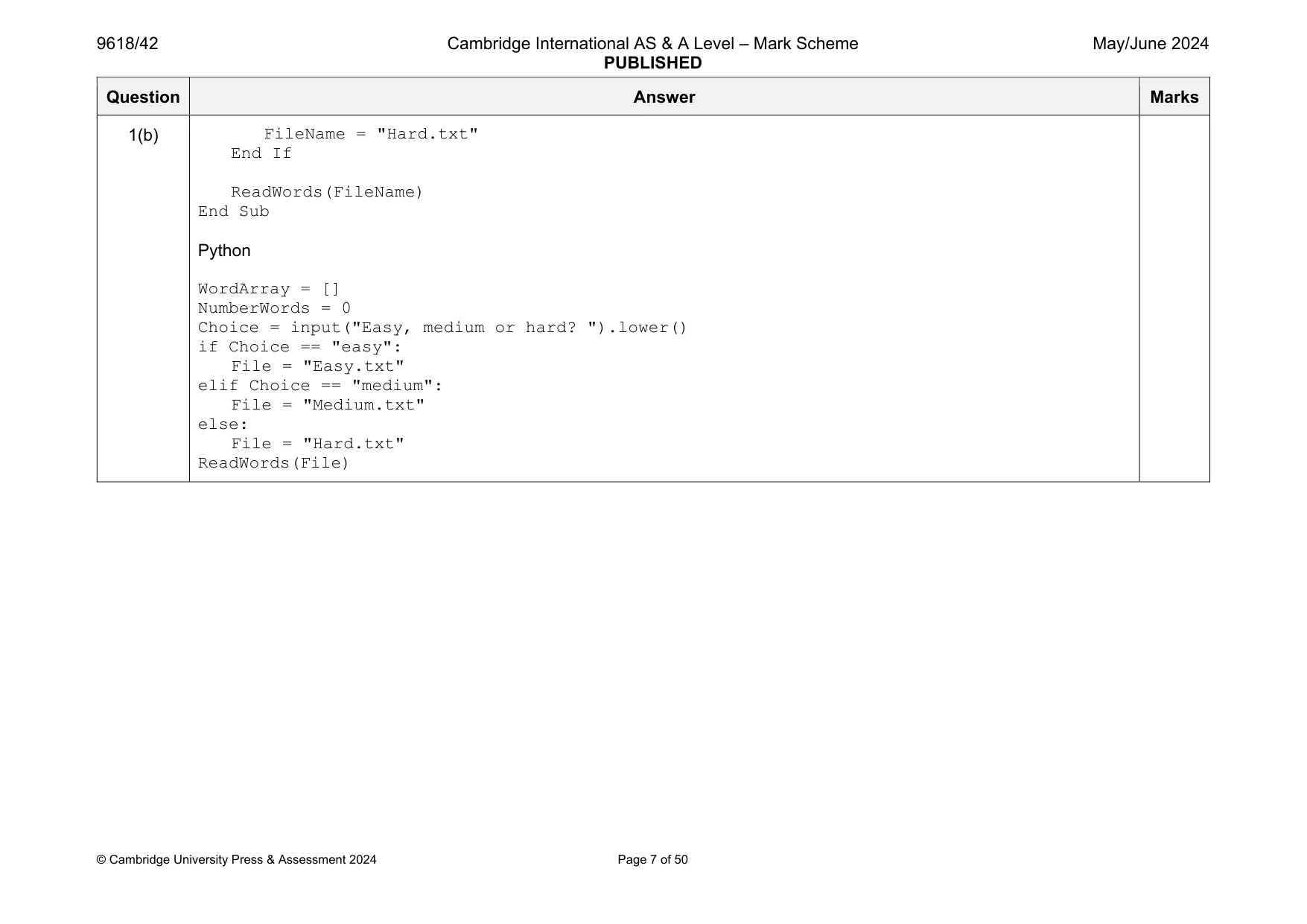
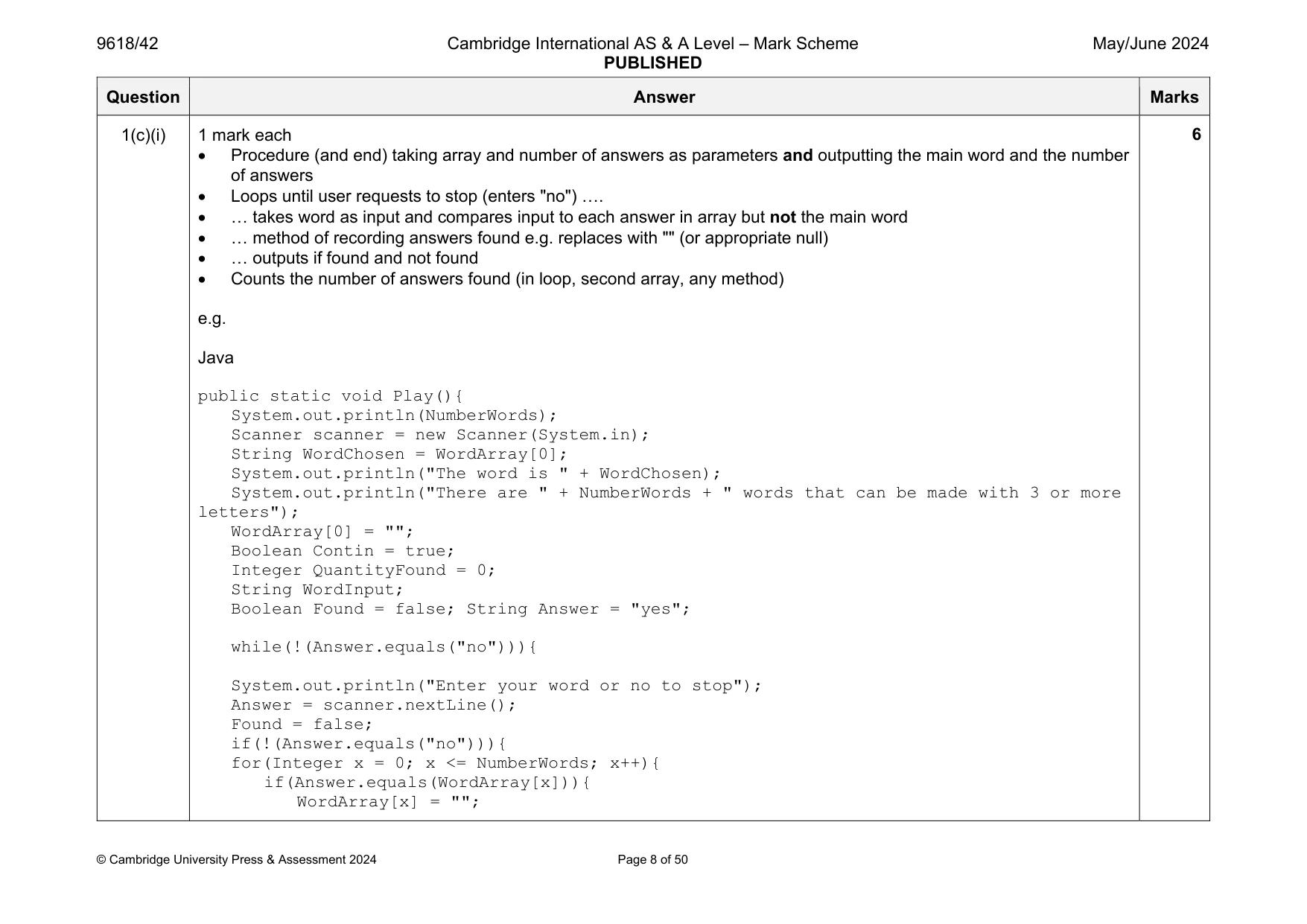
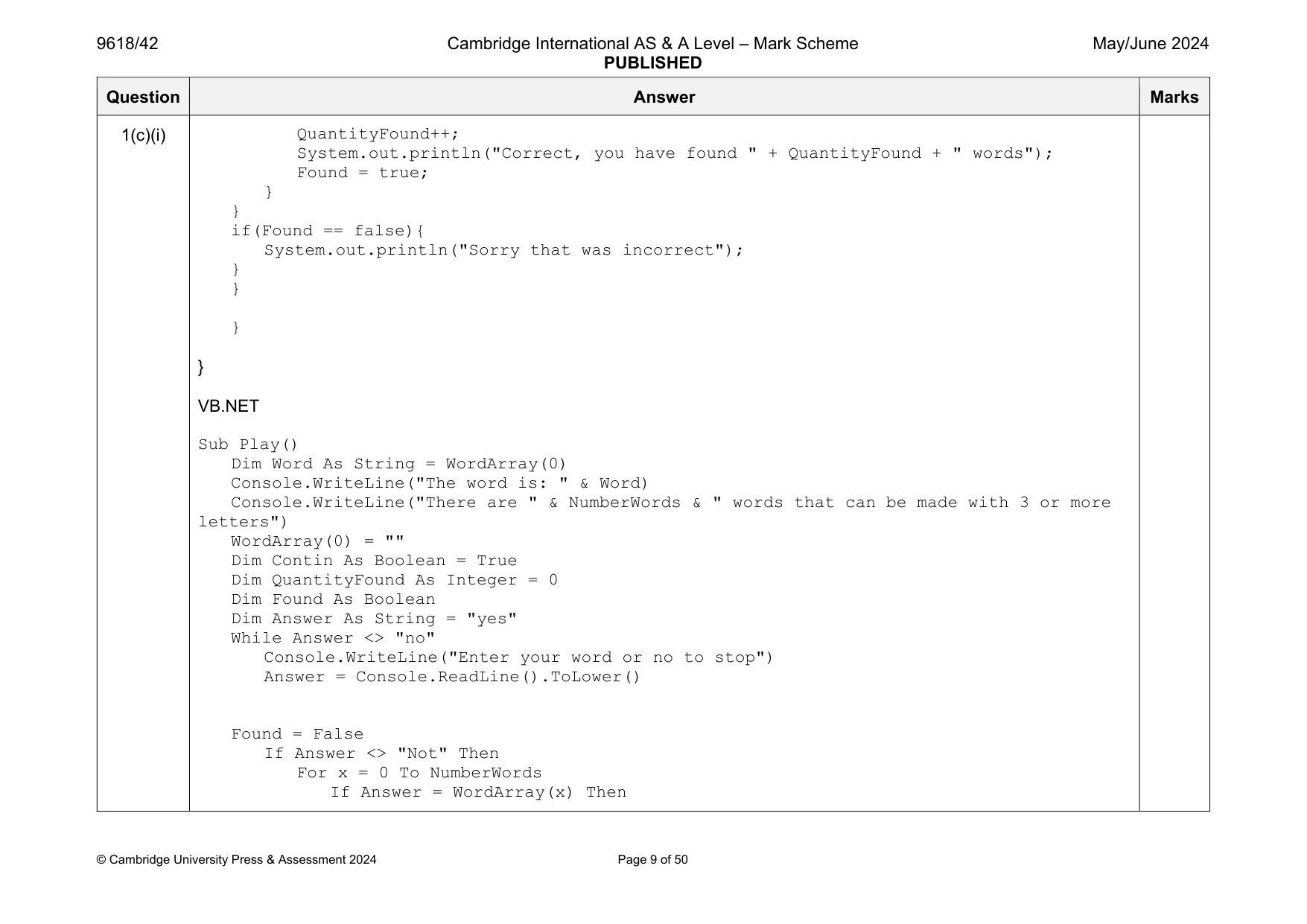
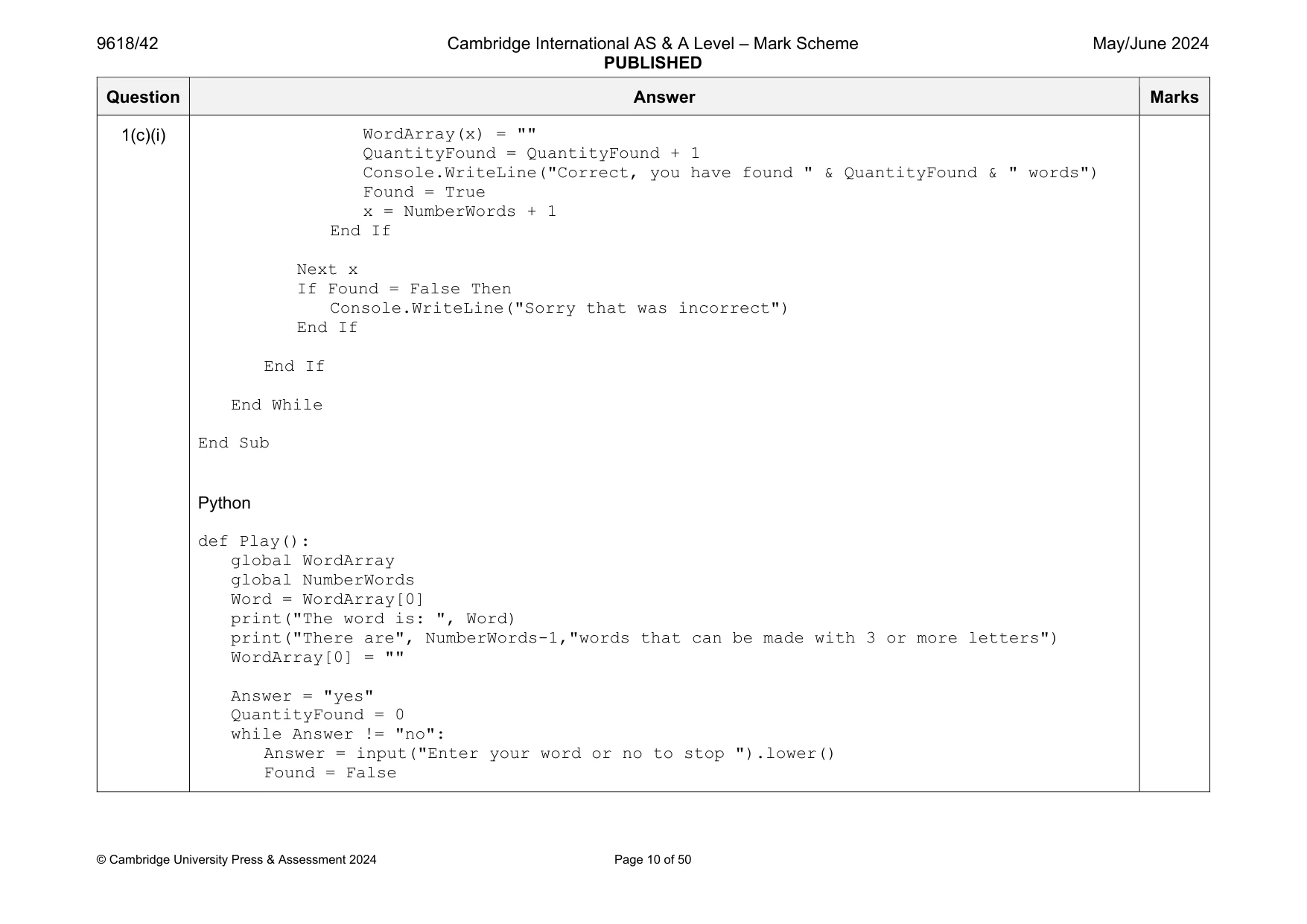
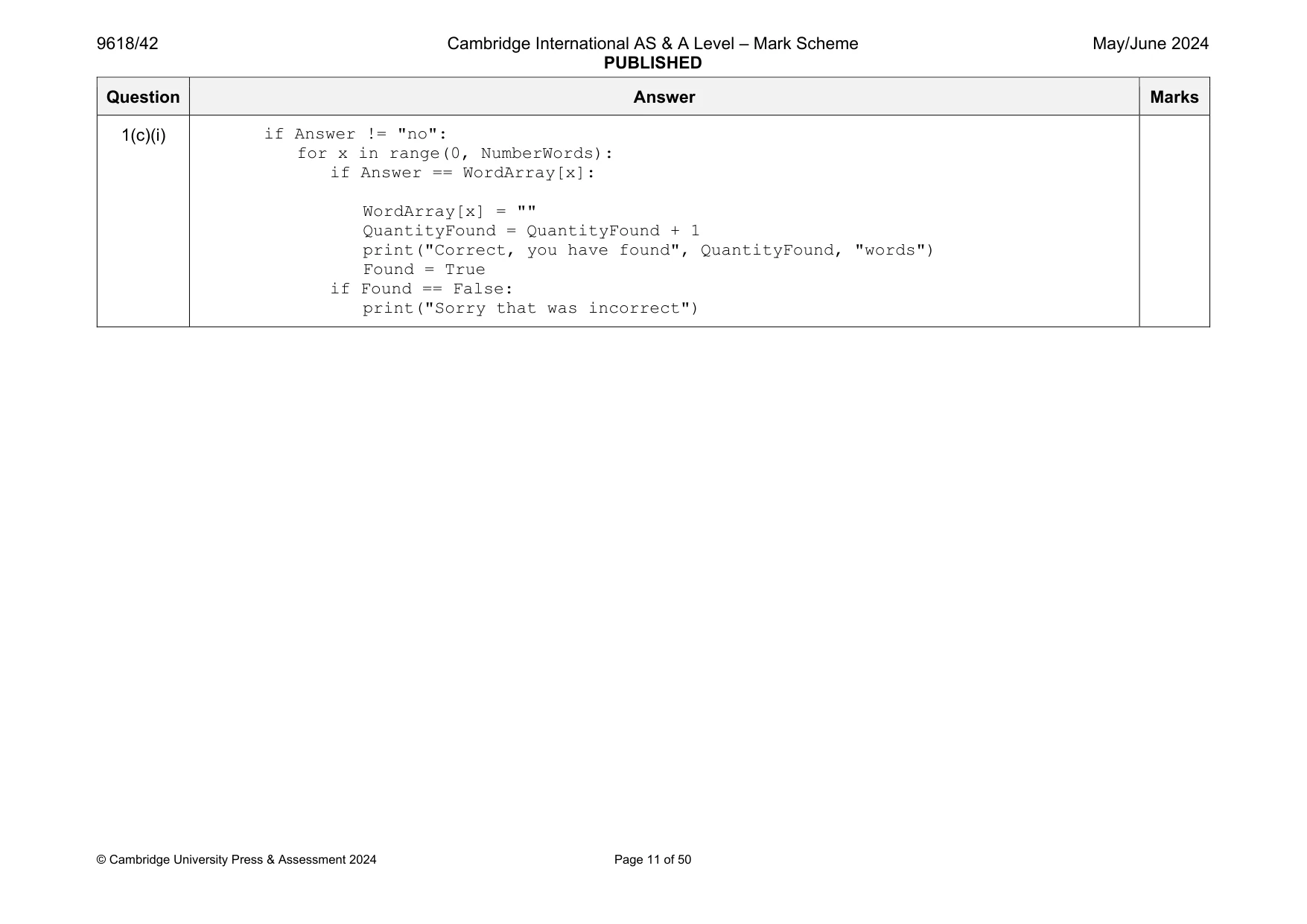
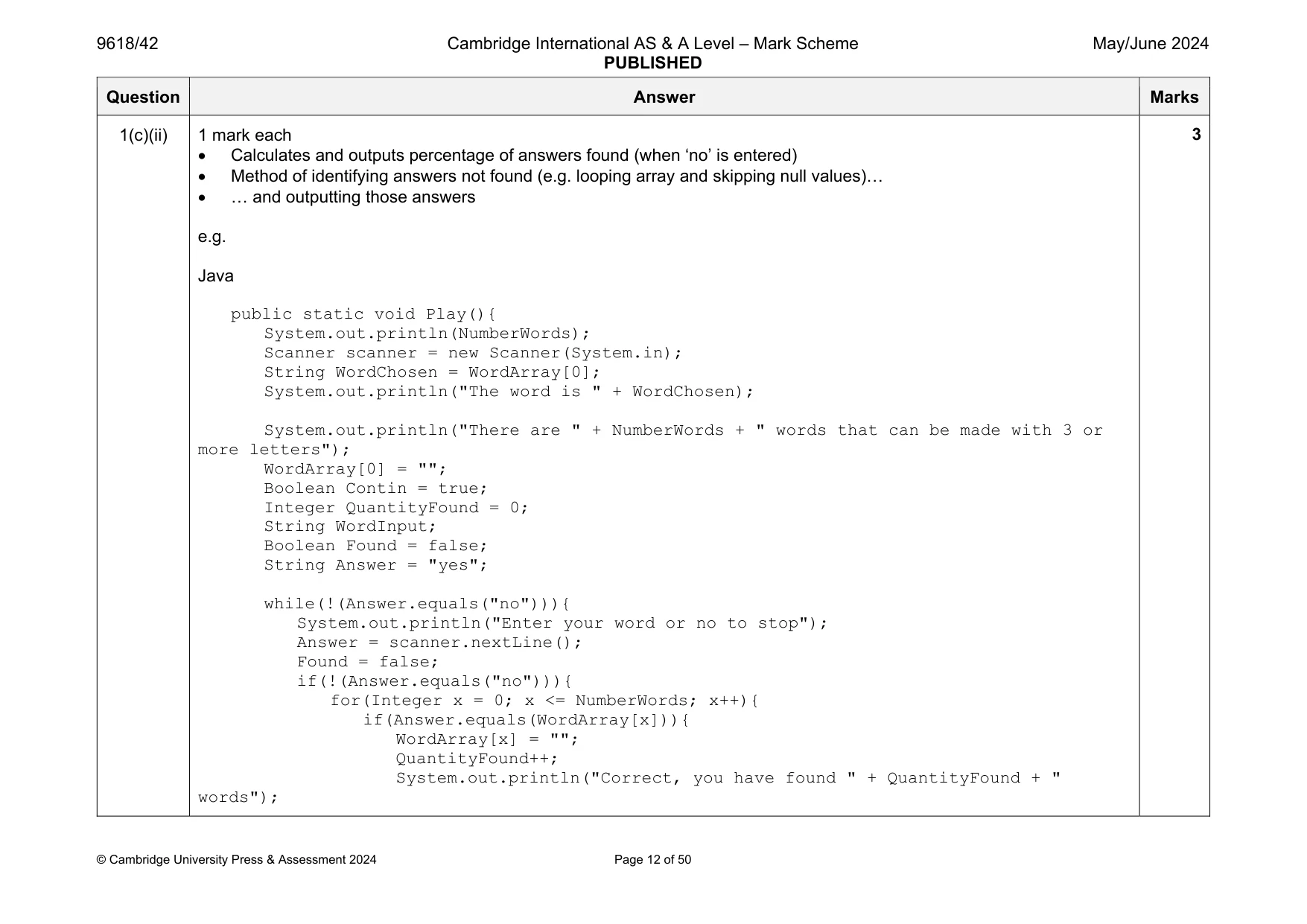
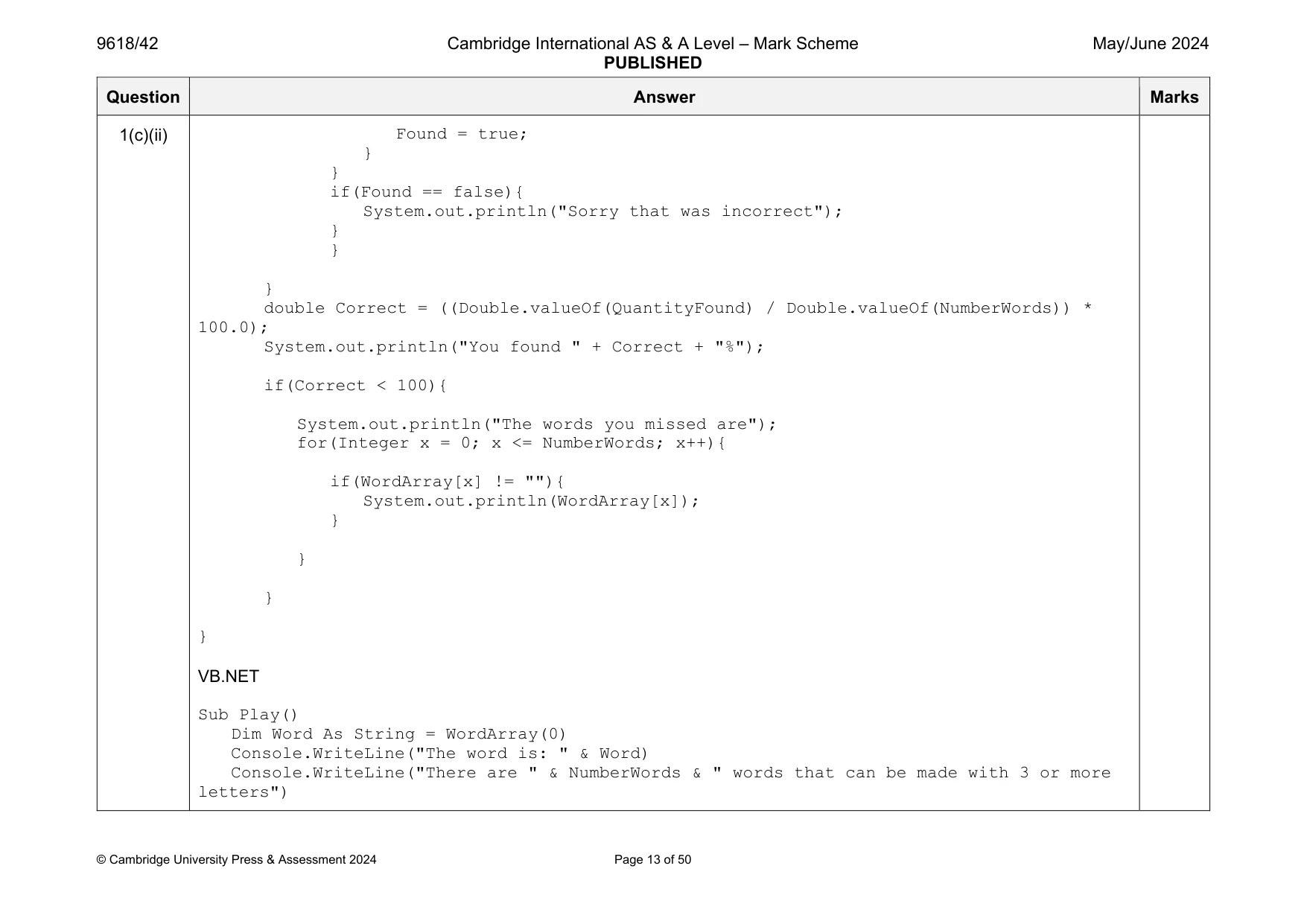
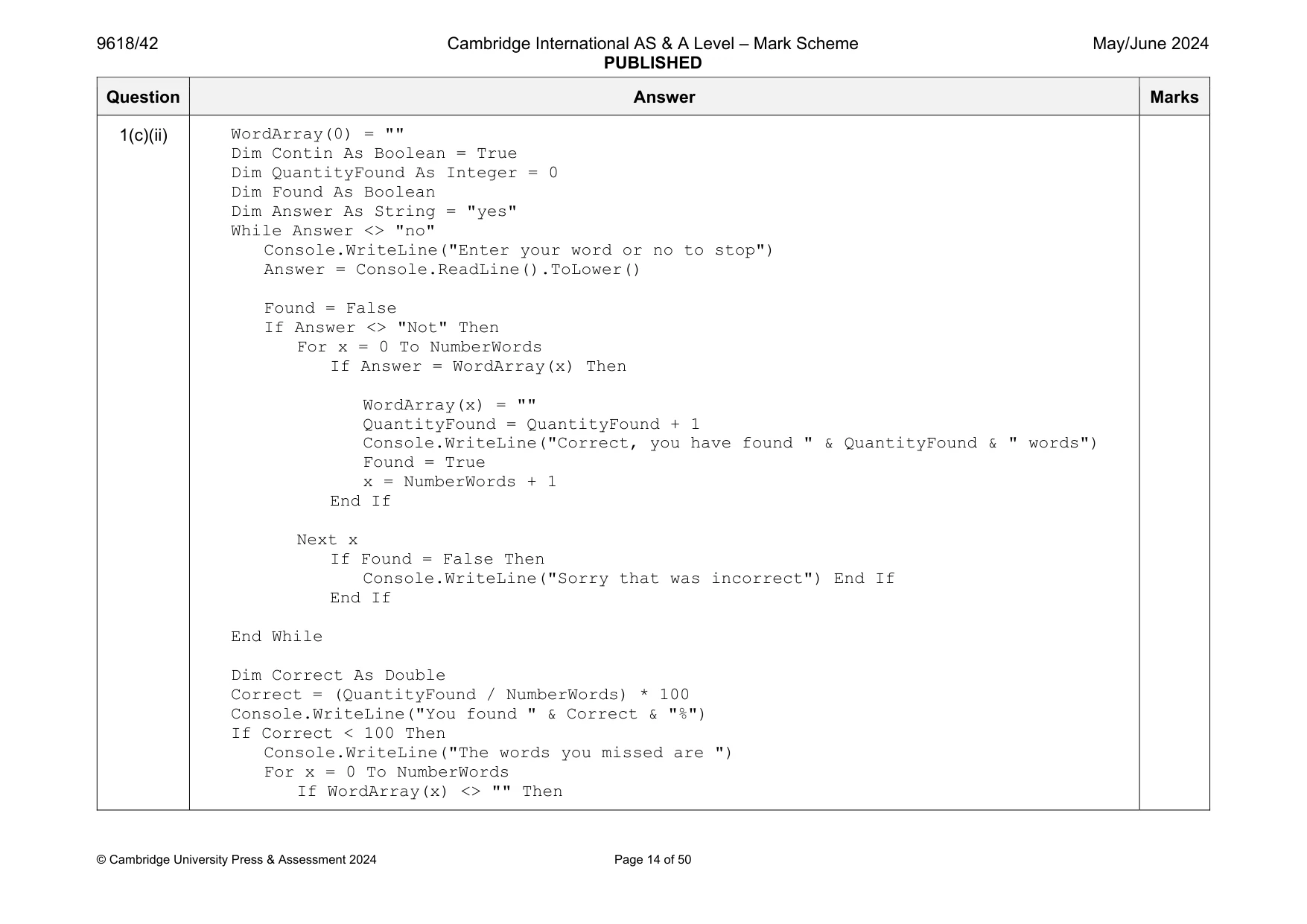
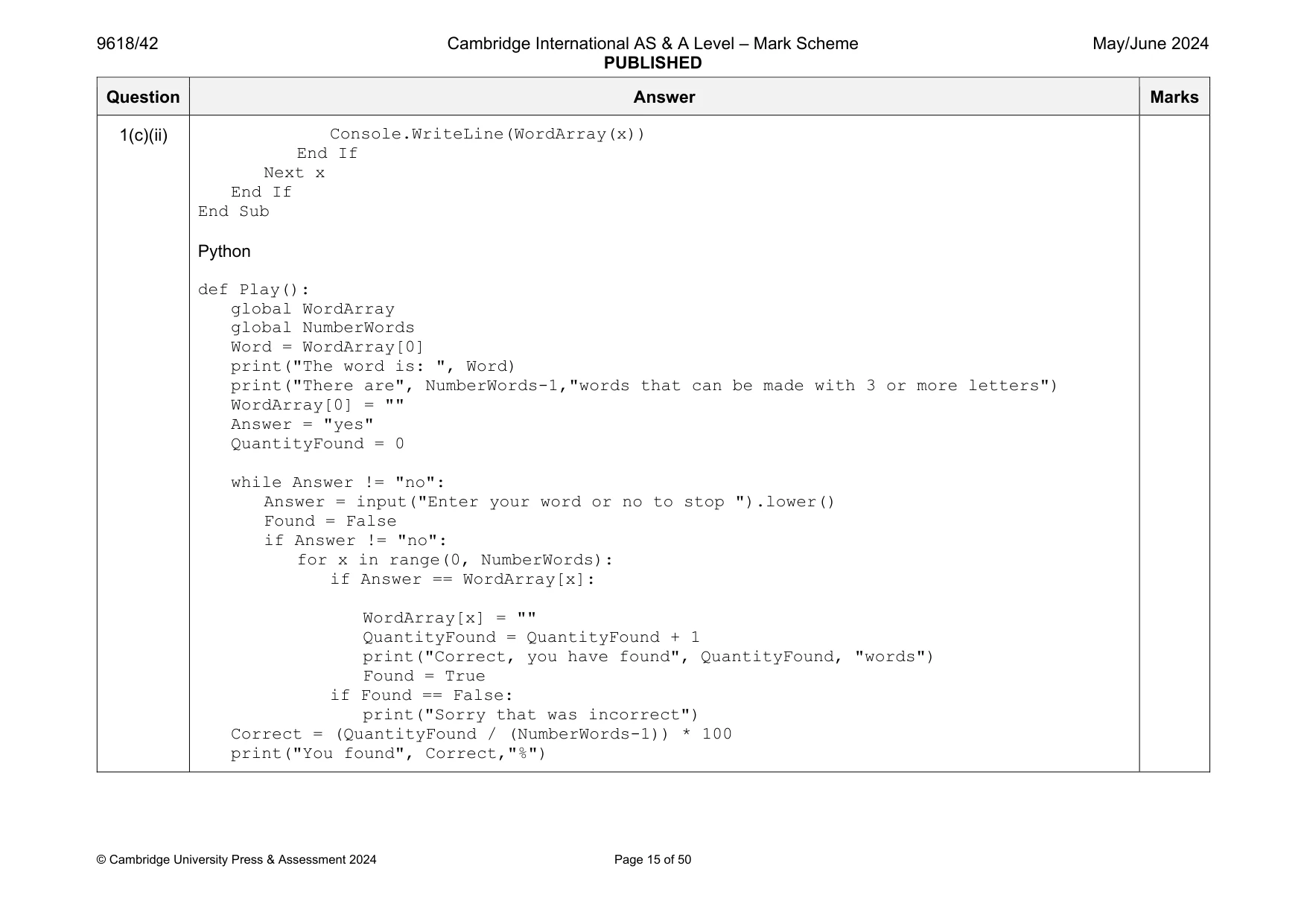
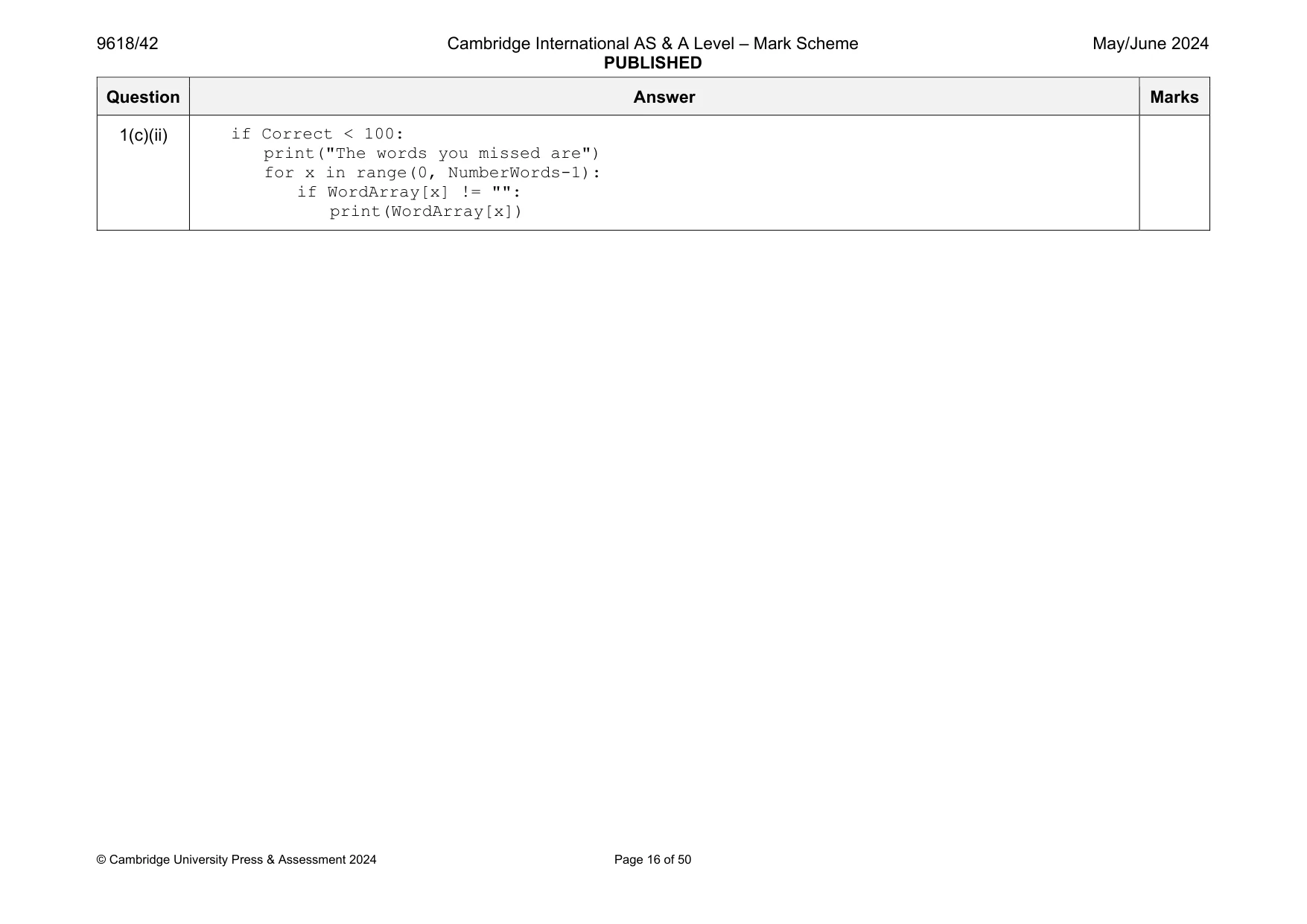
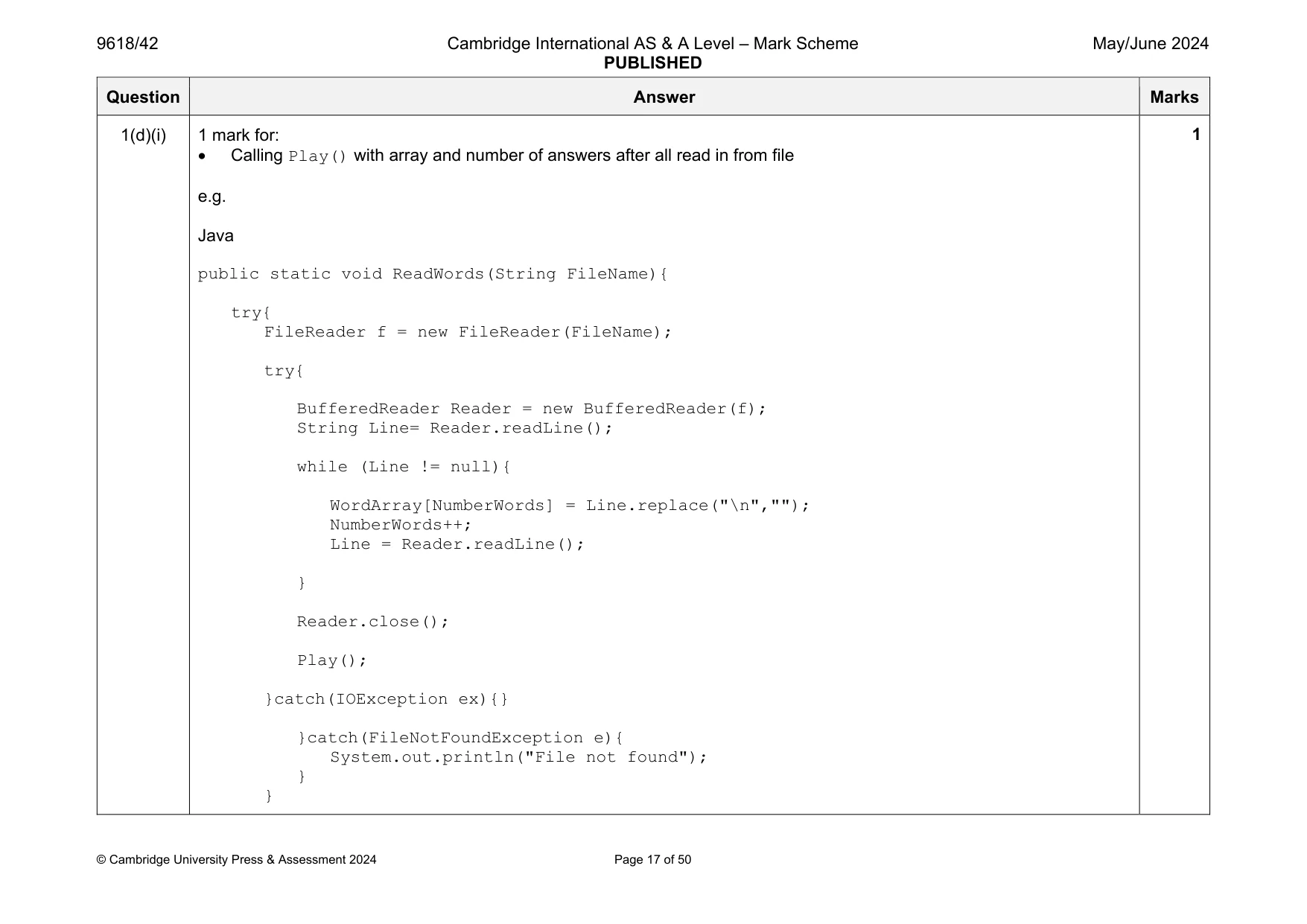
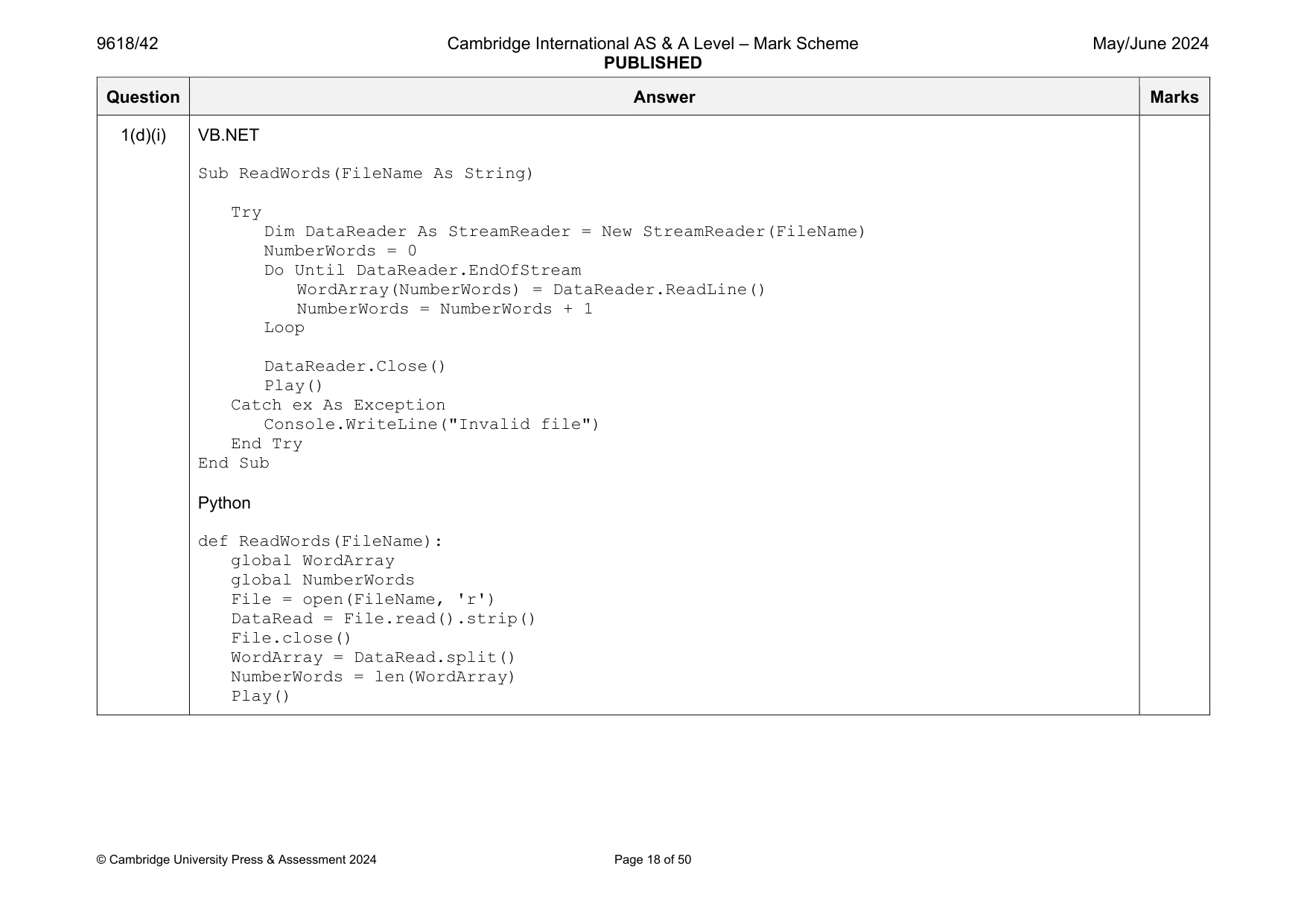
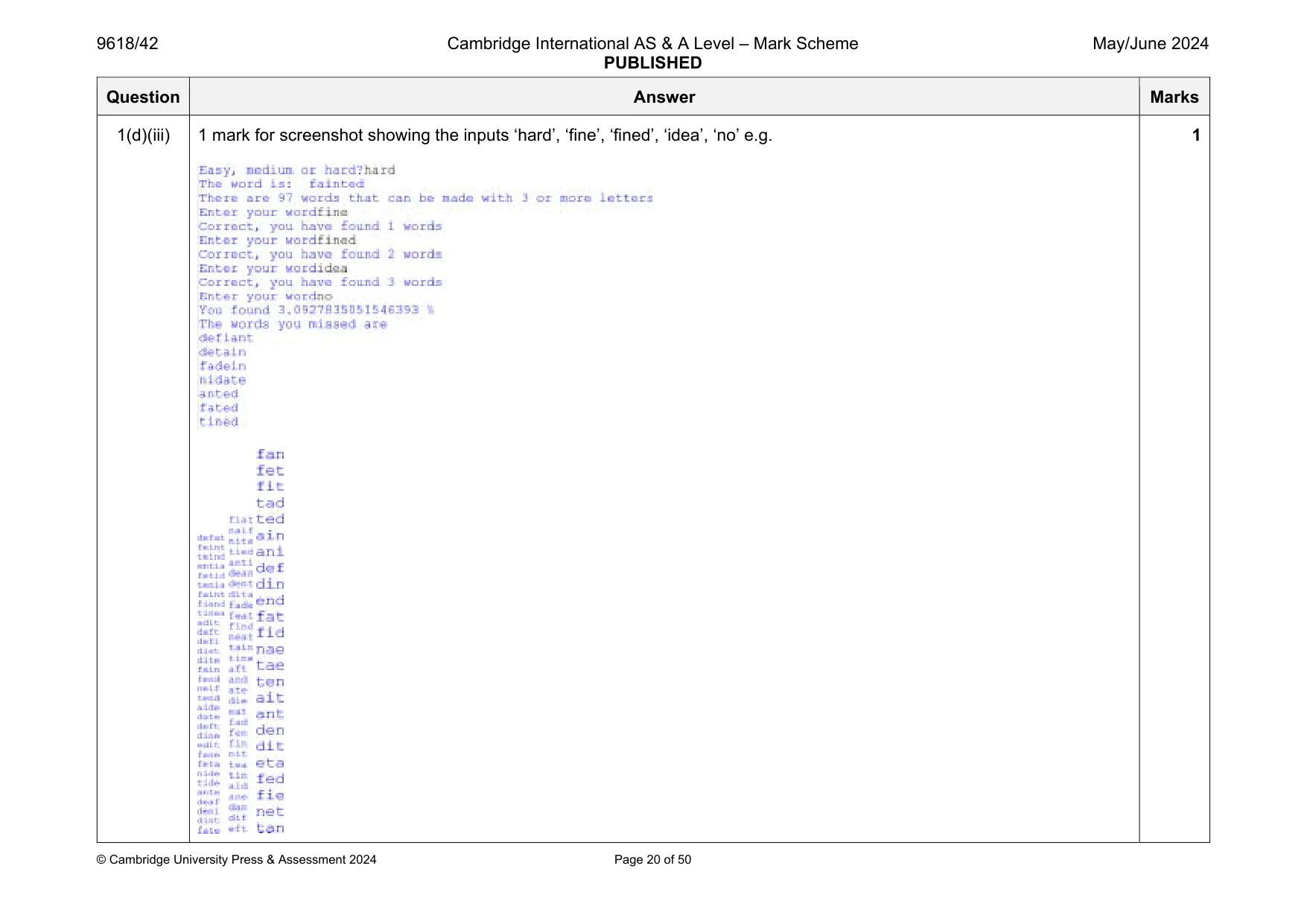
Mark scheme: 1(a) 1 mark each to max 6 Procedure declaration (and end where appropriate) taking (string) parameter Declaration of array to store the data read (type string, suitable number of elements e.g. 150) Opening file to read… ... using exception handling with try and catch and output Reading in the data for each line in that file and storing in array… … removing carriage return (Java, Python) Counting the number of words Closing the file (might be within the Python opening file statement) e.g. Java public static void ReadWords(String FileName){ try{ FileReader f = new FileReader(FileName); try{ BufferedReader Reader = new BufferedReader(f); String Line= Reader.readLine(); while (Line != null){ WordArray[NumberWords] = Line.replace("\n",""); NumberWords++; Line = Reader.readLine(); } Reader.close(); }catch(IOException ex){} Question Answer Marks 1(a) }catch(FileNotFoundException e){ System.out.println("File not found"); } } VB.NET Sub ReadWords(FileName As String) Try Dim DataReader As StreamReader = New StreamReader(FileName) NumberWords = 0 Do Until DataReader.EndOfStream WordArray(NumberWords) = DataReader.ReadLine() NumberWords = NumberWords + 1 Loop DataReader.Close() Catch ex As Exception Console.WriteLine("Invalid file") End Try End Sub Python def ReadWords(FileName): global WordArray global NumberWords File = open(FileName, 'r') DataRead = File.read().strip() File.close() WordArray = DataRead.split() NumberWords = len(WordArray) Question Answer Marks 1(b) 1 mark each Outputting message to ask user to enter easy, medium, hard Taking input from user Conversion of input to filename… … calling ReadWords() with correct filename in each case e.g. Java public static void main(String args[]){ NumberWords = 0; Scanner scanner = new Scanner(System.in); System.out.println("Easy, medium or hard?"); String Choice = scanner.nextLine(); if(Choice.equals("Easy")){ ReadWords("Easy.txt"); }else if(Choice.equals("medium")){ ReadWords("Medium.txt"); }else{ ReadWords("Hard.txt"); } } VB.NET Sub Main(args As String()) Console.WriteLine("Easy, medium or hard?") Dim FileName As String Dim Choice As String = Console.ReadLine().ToLower() If Choice = "easy" Then FileName = "Easy.txt" ElseIf Choice = "medium" Then FileName = "Medium.txt" Else 4 Question Answer Marks 1(b) FileName = "Hard.txt" End If ReadWords(FileName) End Sub Python WordArray = [] NumberWords = 0 Choice = input("Easy, medium or hard? ").lower() if Choice == "easy": File = "Easy.txt" elif Choice == "medium": File = "Medium.txt" else: File = "Hard.txt" ReadWords(File) Question Answer Marks 1(c)(i) 1 mark each Procedure (and end) taking array and number of answers as parameters and outputting the main word and the number of answers Loops until user requests to stop (enters "no") …. … takes word as input and compares input to each answer in array but not the main word … method of recording answers found e.g. replaces with "" (or appropriate null) … outputs if found and not found Counts the number of answers found (in loop, second array, any method) e.g. Java public static void Play(){ System.out.println(NumberWords); Scanner scanner = new Scanner(System.in); String WordChosen = WordArray[0]; System.out.println("The word is " + WordChosen); System.out.println("There are " + NumberWords + " words that can be made with 3 or more letters"); WordArray[0] = ""; Boolean Contin = true; Integer QuantityFound = 0; String WordInput; Boolean Found = false; String Answer = "yes"; while(!(Answer.equals("no"))){ System.out.println("Enter your word or no to stop"); Answer = scanner.nextLine(); Found = false; if(!(Answer.equals("no"))){ for(Integer x = 0; x <= NumberWords; x++){ if(Answer.equals(WordArray[x])){ WordArray[x] = ""; 6 Question Answer Marks 1(c)(i) QuantityFound++; System.out.println("Correct, you have found " + QuantityFound + " words"); Found = true; } } if(Found == false){ System.out.println("Sorry that was incorrect"); } } } } VB.NET Sub Play() Dim Word As String = WordArray(0) Console.WriteLine("The word is: " & Word) Console.WriteLine("There are " & NumberWords & " words that can be made with 3 or more letters") WordArray(0) = "" Dim Contin As Boolean = True Dim QuantityFound As Integer = 0 Dim Found As Boolean Dim Answer As String = "yes" While Answer <> "no" Console.WriteLine("Enter your word or no to stop") Answer = Console.ReadLine().ToLower() Found = False If Answer <> "Not" Then For x = 0 To NumberWords If Answer = WordArray(x) Then Question Answer Marks 1(c)(i) WordArray(x) = "" QuantityFound = QuantityFound + 1 Console.WriteLine("Correct, you have found " & QuantityFound & " words") Found = True x = NumberWords + 1 End If Next x If Found = False Then Console.WriteLine("Sorry that was incorrect") End If End If End While End Sub Python def Play(): global WordArray global NumberWords Word = WordArray[0] print("The word is: ", Word) print("There are", NumberWords-1,"words that can be made with 3 or more letters") WordArray[0] = "" Answer = "yes" QuantityFound = 0 while Answer != "no": Answer = input("Enter your word or no to stop ").lower() Found = False Question Answer Marks 1(c)(i) if Answer != "no": for x in range(0, NumberWords): if Answer == WordArray[x]: WordArray[x] = "" QuantityFound = QuantityFound + 1 print("Correct, you have found", QuantityFound, "words") Found = True if Found == False: print("Sorry that was incorrect") Question Answer Marks 1(c)(ii) 1 mark each Calculates and outputs percentage of answers found (when ‘no’ is entered) Method of identifying answers not found (e.g. looping array and skipping null values)… … and outputting those answers e.g. Java public static void Play(){ System.out.println(NumberWords); Scanner scanner = new Scanner(System.in); String WordChosen = WordArray[0]; System.out.println("The word is " + WordChosen); System.out.println("There are " + NumberWords + " words that can be made with 3 or more letters"); WordArray[0] = ""; Boolean Contin = true; Integer QuantityFound = 0; String WordInput; Boolean Found = false; String Answer = "yes"; while(!(Answer.equals("no"))){ System.out.println("Enter your word or no to stop"); Answer = scanner.nextLine(); Found = false; if(!(Answer.equals("no"))){ for(Integer x = 0; x <= NumberWords; x++){ if(Answer.equals(WordArray[x])){ WordArray[x] = ""; QuantityFound++; System.out.println("Correct, you have found " + QuantityFound + " words"); 3 Question Answer Marks 1(c)(ii) Found = true; } } if(Found == false){ System.out.println("Sorry that was incorrect"); } } } double Correct = ((Double.valueOf(QuantityFound) / Double.valueOf(NumberWords)) * 100.0); System.out.println("You found " + Correct + "%"); if(Correct < 100){ System.out.println("The words you missed are"); for(Integer x = 0; x <= NumberWords; x++){ if(WordArray[x] != ""){ System.out.println(WordArray[x]); } } } } VB.NET Sub Play() Dim Word As String = WordArray(0) Console.WriteLine("The word is: " & Word) Console.WriteLine("There are " & NumberWords & " words that can be made with 3 or more letters") Question Answer Marks 1(c)(ii) WordArray(0) = "" Dim Contin As Boolean = True Dim QuantityFound As Integer = 0 Dim Found As Boolean Dim Answer As String = "yes" While Answer <> "no" Console.WriteLine("Enter your word or no to stop") Answer = Console.ReadLine().ToLower() Found = False If Answer <> "Not" Then For x = 0 To NumberWords If Answer = WordArray(x) Then WordArray(x) = "" QuantityFound = QuantityFound + 1 Console.WriteLine("Correct, you have found " & QuantityFound & " words") Found = True x = NumberWords + 1 End If Next x If Found = False Then Console.WriteLine("Sorry that was incorrect") End If End If End While Dim Correct As Double Correct = (QuantityFound / NumberWords) * 100 Console.WriteLine("You found " & Correct & "%") If Correct < 100 Then Console.WriteLine("The words you missed are ") For x = 0 To NumberWords If WordArray(x) <> "" Then Question Answer Marks 1(c)(ii) Console.WriteLine(WordArray(x)) End If Next x End If End Sub Python def Play(): global WordArray global NumberWords Word = WordArray[0] print("The word is: ", Word) print("There are", NumberWords-1,"words that can be made with 3 or more letters") WordArray[0] = "" Answer = "yes" QuantityFound = 0 while Answer != "no": Answer = input("Enter your word or no to stop ").lower() Found = False if Answer != "no": for x in range(0, NumberWords): if Answer == WordArray[x]: WordArray[x] = "" QuantityFound = QuantityFound + 1 print("Correct, you have found", QuantityFound, "words") Found = True if Found == False: print("Sorry that was incorrect") Correct = (QuantityFound / (NumberWords-1)) * 100 print("You found", Correct,"%") Question Answer Marks 1(c)(ii) if Correct < 100: print("The words you missed are") for x in range(0, NumberWords-1): if WordArray[x] != "": print(WordArray[x]) Question Answer Marks 1(d)(i) 1 mark for: Calling Play() with array and number of answers after all read in from file e.g. Java public static void ReadWords(String FileName){ try{ FileReader f = new FileReader(FileName); try{ BufferedReader Reader = new BufferedReader(f); String Line= Reader.readLine(); while (Line != null){ WordArray[NumberWords] = Line.replace("\n",""); NumberWords++; Line = Reader.readLine(); } Reader.close(); Play(); }catch(IOException ex){} }catch(FileNotFoundException e){ System.out.println("File not found"); } } 1 Question Answer Marks 1(d)(i) VB.NET Sub ReadWords(FileName As String) Try Dim DataReader As StreamReader = New StreamReader(FileName) NumberWords = 0 Do Until DataReader.EndOfStream WordArray(NumberWords) = DataReader.ReadLine() NumberWords = NumberWords + 1 Loop DataReader.Close() Play() Catch ex As Exception Console.WriteLine("Invalid file") End Try End Sub Python def ReadWords(FileName): global WordArray global NumberWords File = open(FileName, 'r') DataRead = File.read().strip() File.close() WordArray = DataRead.split() NumberWords = len(WordArray) Play() Question Answer Marks 1(d)(ii) 1 mark for screenshot showing the inputs "easy", "she", "out", "no" e.g. 1 Question Answer Marks 1(d)(iii) 1 mark for screenshot showing the inputs ‘hard’, ‘fine’, ‘fined’, ‘idea’, ‘no’ e.g. 1
Q2 · A binary tree stores data in ascending order
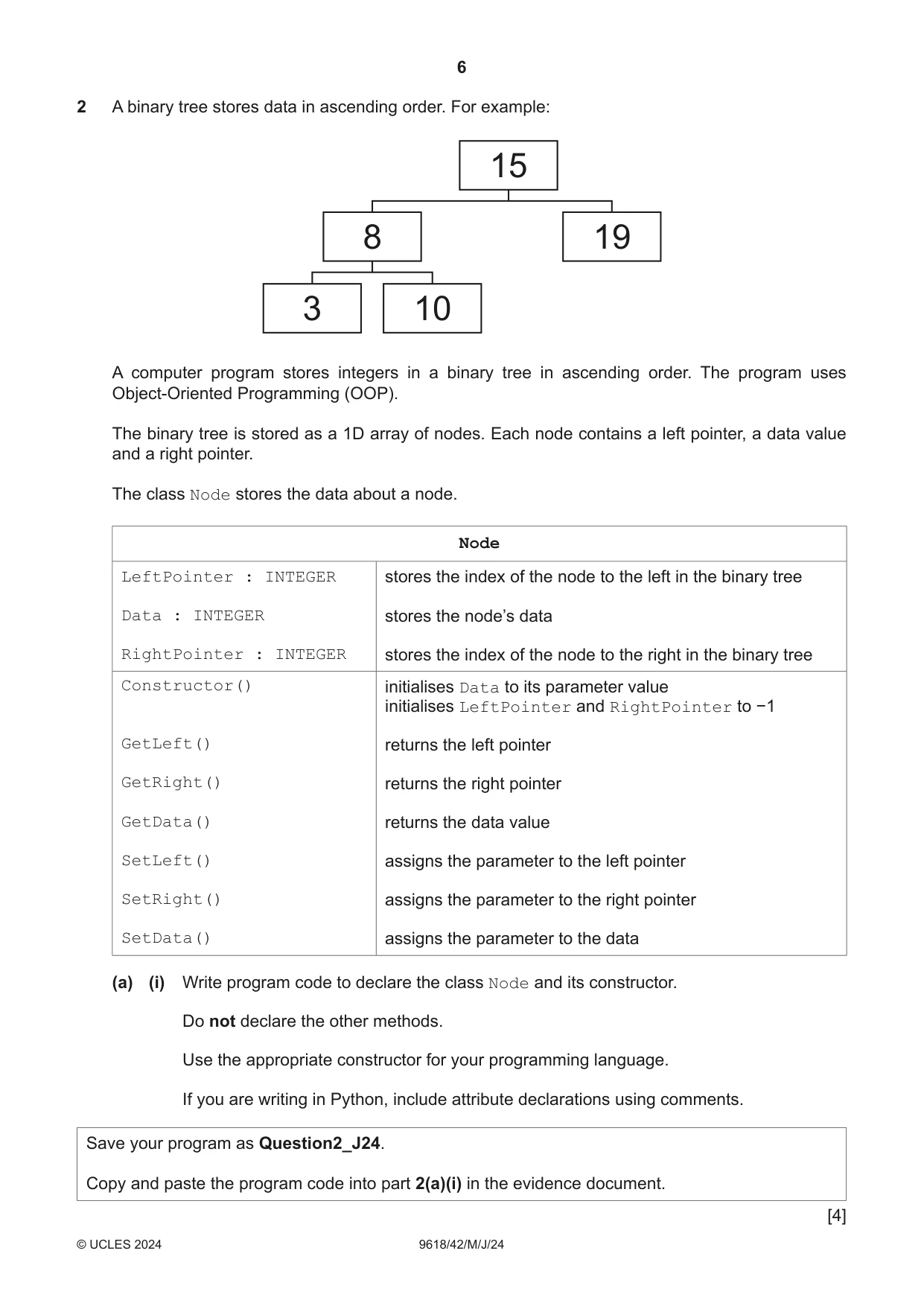
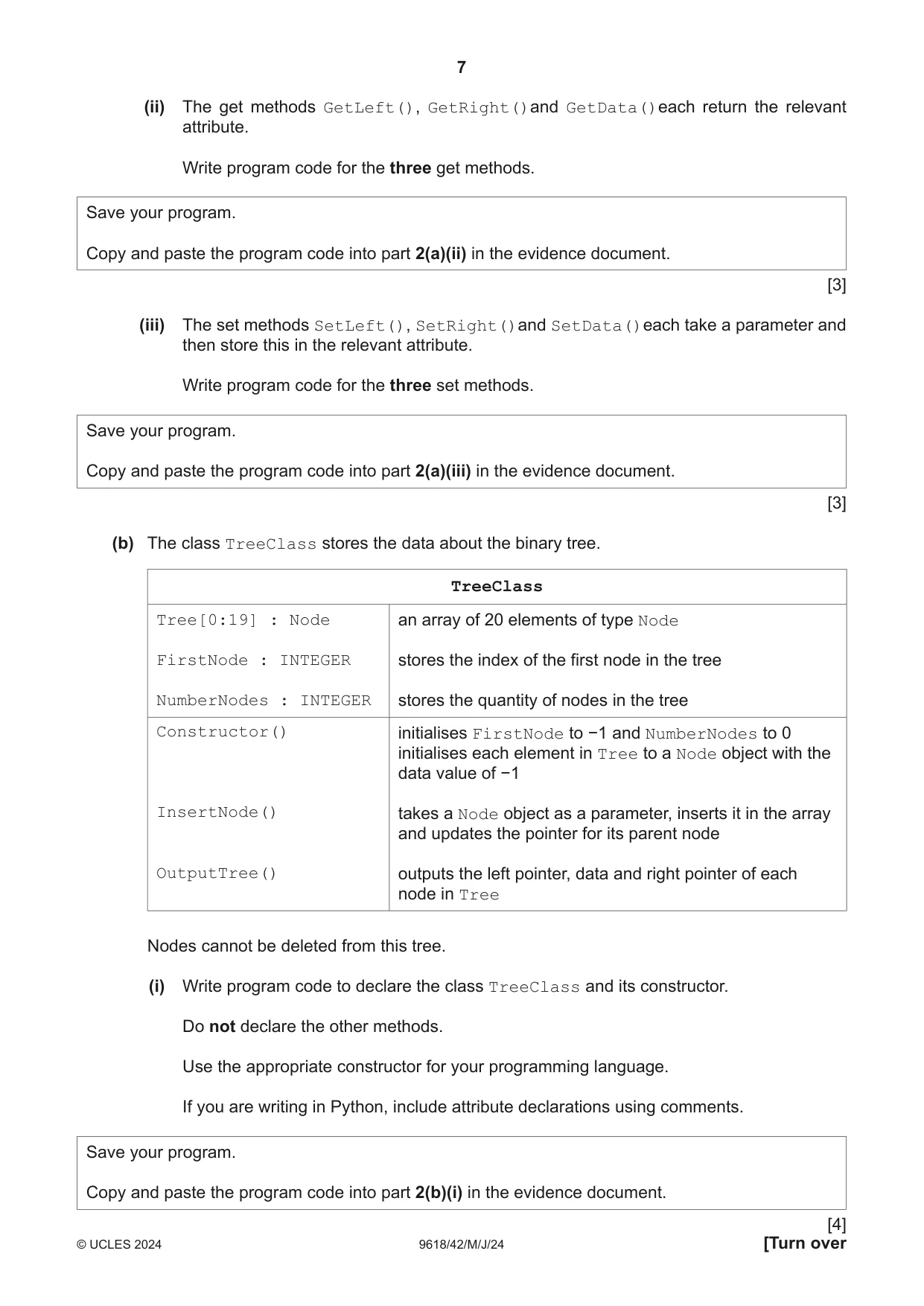
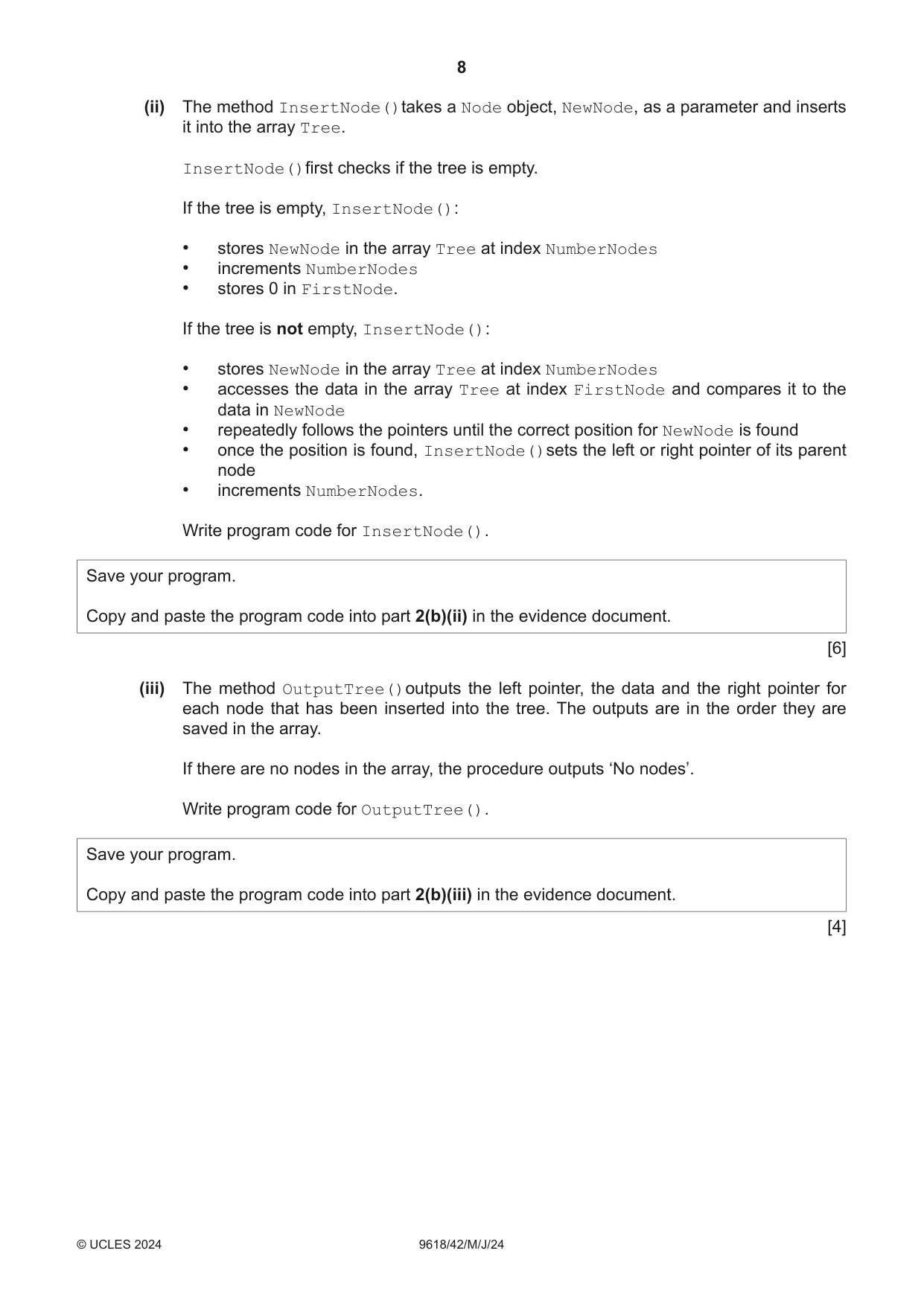
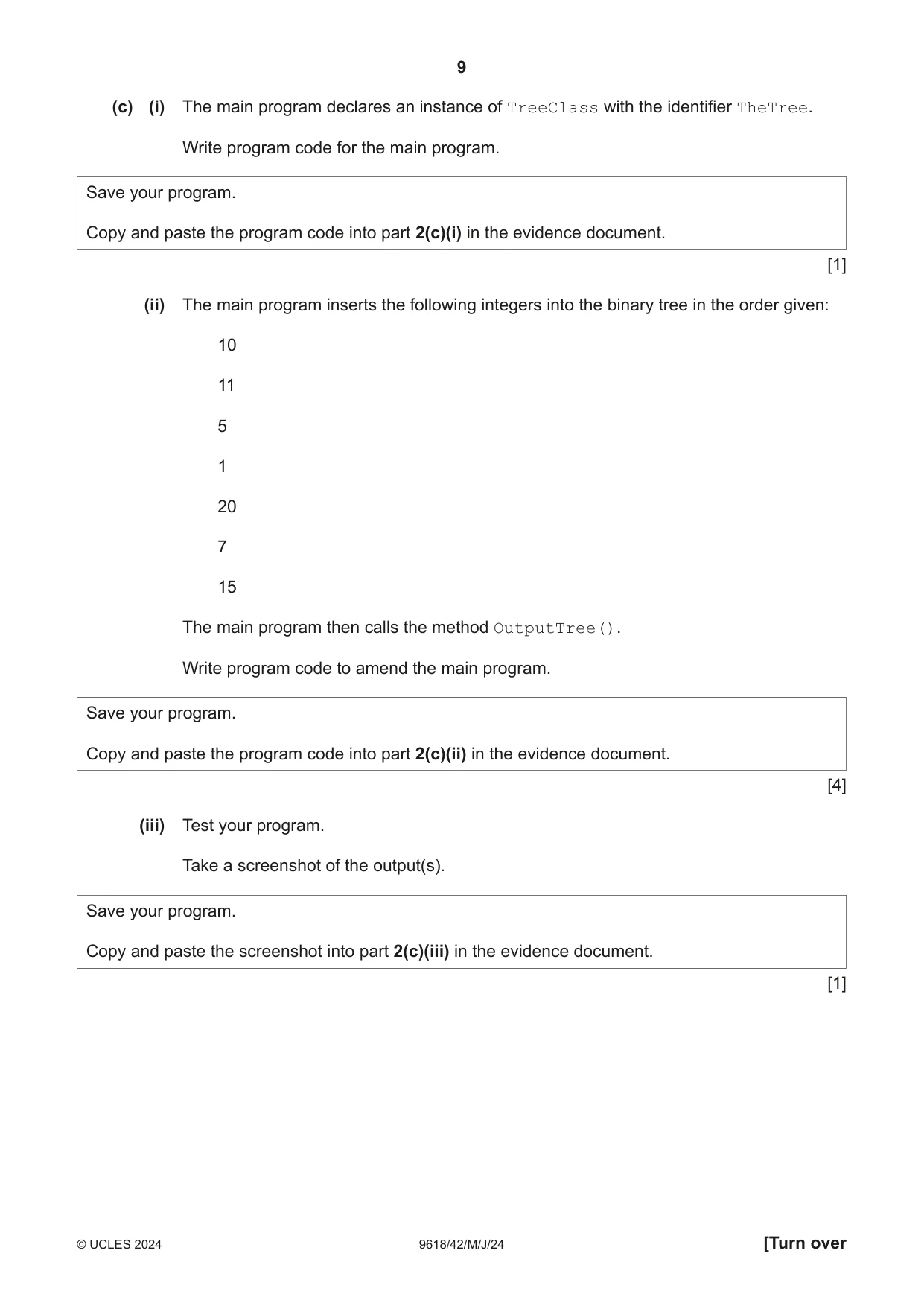
2 A binary tree stores data in ascending order. For example: 15 8 19 3 10 A computer program stores integers in a binary tree in ascending order. The program uses Object‑Oriented Programming (OOP). The binary tree is stored as a 1D array of nodes. Each node contains a left pointer, a data value and a right pointer. The class Node stores the data about a node. Node LeftPointer : INTEGER stores the index of the node to the left in the binary tree Data : INTEGER stores the node’s data RightPointer : INTEGER stores the index of the node to the right in the binary tree Constructor() initialises Data to its parameter value initialises LeftPointer and RightPointer to −1 GetLeft() returns the left pointer GetRight() returns the right pointer GetData() returns the data value SetLeft() assigns the parameter to the left pointer SetRight() assigns the parameter to the right pointer SetData() assigns the parameter to the data (a) (i) Write program code to declare the class Node and its constructor. Do not declare the other methods. Use the appropriate constructor for your programming language. If you are writing in Python, include attribute declarations using comments. Save your program as Question2_J24. Copy and paste the program code into part 2(a)(i) in the evidence document. [4] (ii) The get methods GetLeft(), GetRight()and GetData()each return the relevant attribute. Write program code for the three get methods. Save your program. Copy and paste the program code into part 2(a)(ii) in the evidence document. [3] (iii) The set methods SetLeft(), SetRight()and SetData()each take a parameter and then store this in the relevant attribute. Write program code for the three set methods. Save your program. Copy and paste the program code into part 2(a)(iii) in the evidence document. [3] (b) The class TreeClass stores the data about the binary tree. TreeClass Tree[0:19] : Node an array of 20 elements of type Node FirstNode : INTEGER stores the index of the first node in the tree NumberNodes : INTEGER stores the quantity of nodes in the tree Constructor() initialises FirstNode to −1 and NumberNodes to 0 initialises each element in Tree to a Node object with the data value of −1 InsertNode() takes a Node object as a parameter, inserts it in the array and updates the pointer for its parent node OutputTree() outputs the left pointer, data and right pointer of each node in Tree Nodes cannot be deleted from this tree. (i) Write program code to declare the class TreeClass and its constructor. Do not declare the other methods. Use the appropriate constructor for your programming language. If you are writing in Python, include attribute declarations using comments. Save your program. Copy and paste the program code into part 2(b)(i) in the evidence document. (ii) The method InsertNode()takes a Node object, NewNode, as a parameter and inserts it into the array Tree. InsertNode()first checks if the tree is empty. If the tree is empty, InsertNode(): • stores NewNode in the array Tree at index NumberNodes • increments NumberNodes • stores 0 in FirstNode. If the tree is not empty, InsertNode(): • stores NewNode in the array Tree at index NumberNodes • accesses the data in the array Tree at index FirstNode and compares it to the data in NewNode • repeatedly follows the pointers until the correct position for NewNode is found • once the position is found, InsertNode()sets the left or right pointer of its parent node • increments NumberNodes. Write program code for InsertNode(). Save your program. Copy and paste the program code into part 2(b)(ii) in the evidence document. [6] (iii) The method OutputTree()outputs the left pointer, the data and the right pointer for each node that has been inserted into the tree. The outputs are in the order they are saved in the array. If there are no nodes in the array, the procedure outputs ‘No nodes’. Write program code for OutputTree(). Save your program. Copy and paste the program code into part 2(b)(iii) in the evidence document. [4] (c) (i) The main program declares an instance of TreeClass with the identifier TheTree. Write program code for the main program. Save your program. Copy and paste the program code into part 2(c)(i) in the evidence document. [1] (ii) The main program inserts the following integers into the binary tree in the order given: 10 11 5 1 20 7 15 The main program then calls the method OutputTree(). Write program code to amend the main program. Save your program. Copy and paste the program code into part 2(c)(ii) in the evidence document. [4] (iii) Test your program. Take a screenshot of the output(s). Save your program. Copy and paste the screenshot into part 2(c)(iii) in the evidence document. [1]
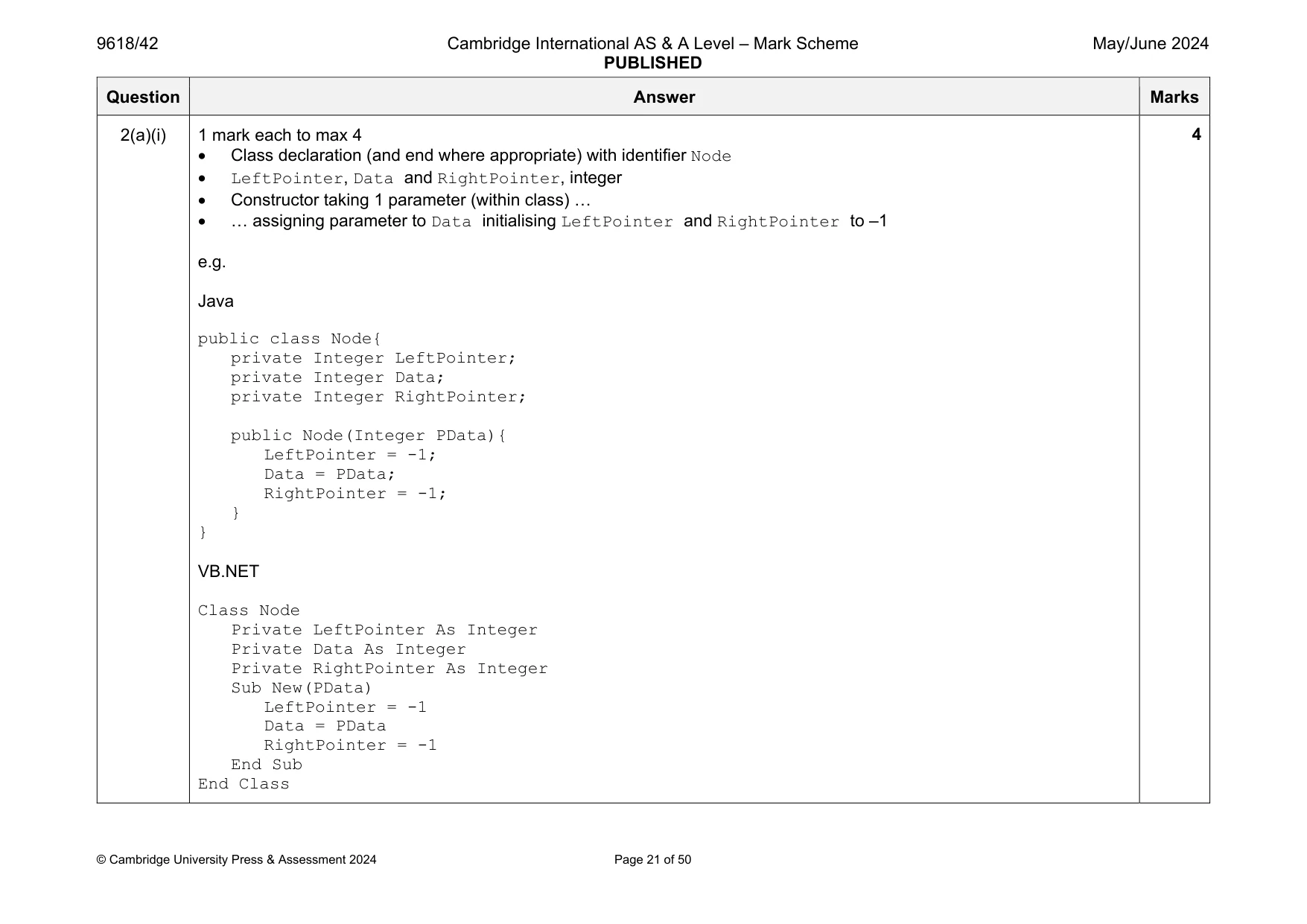
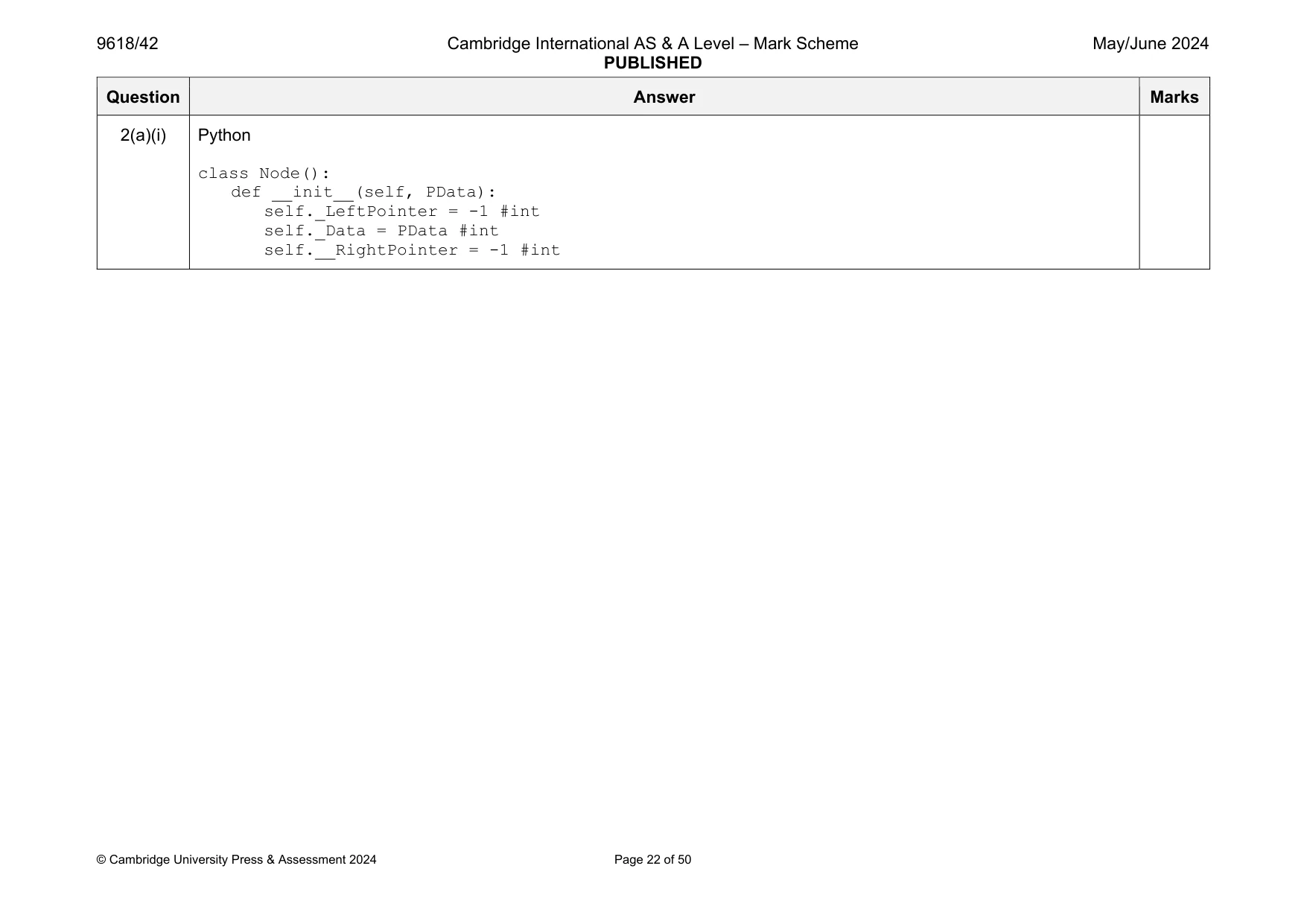
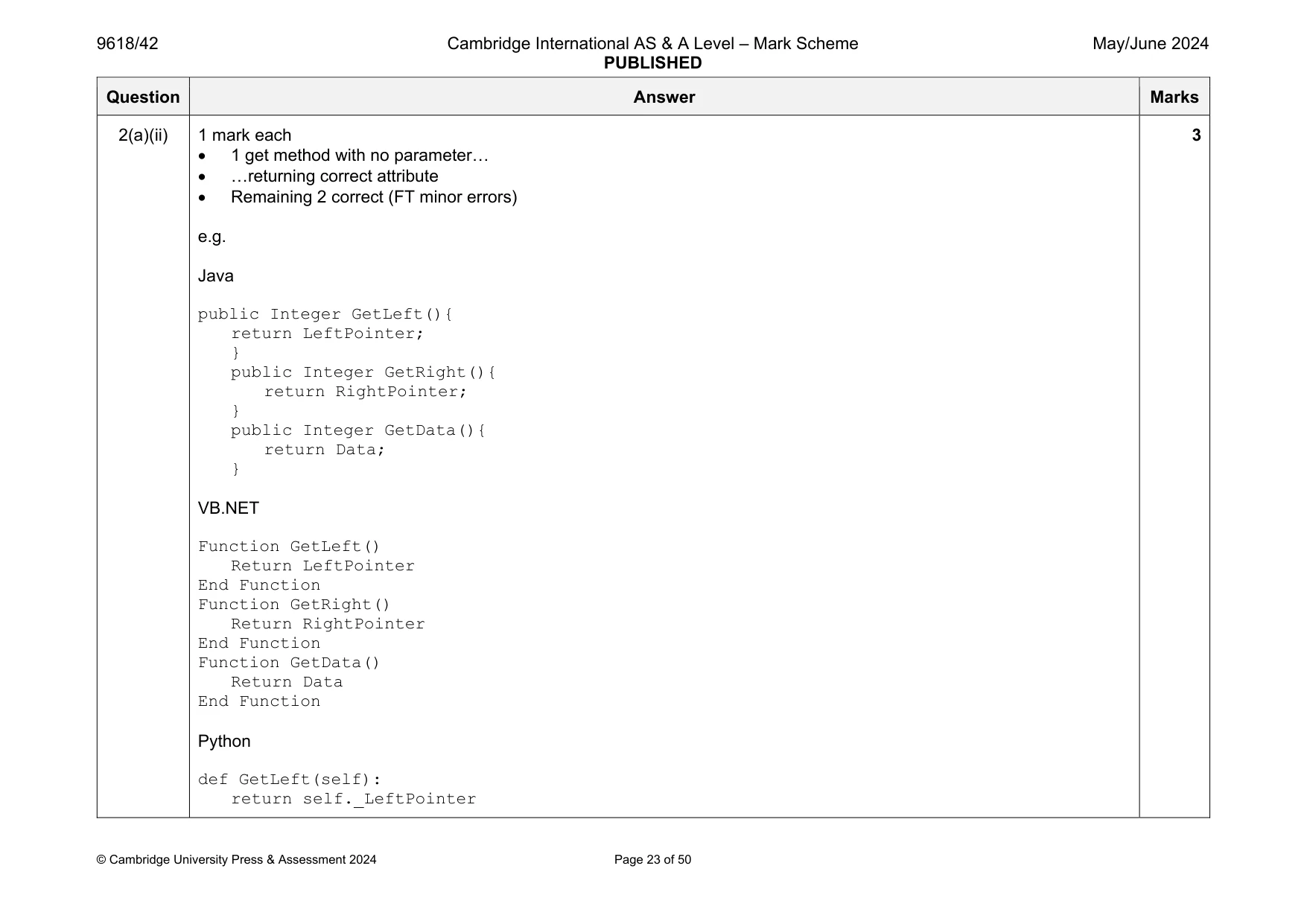
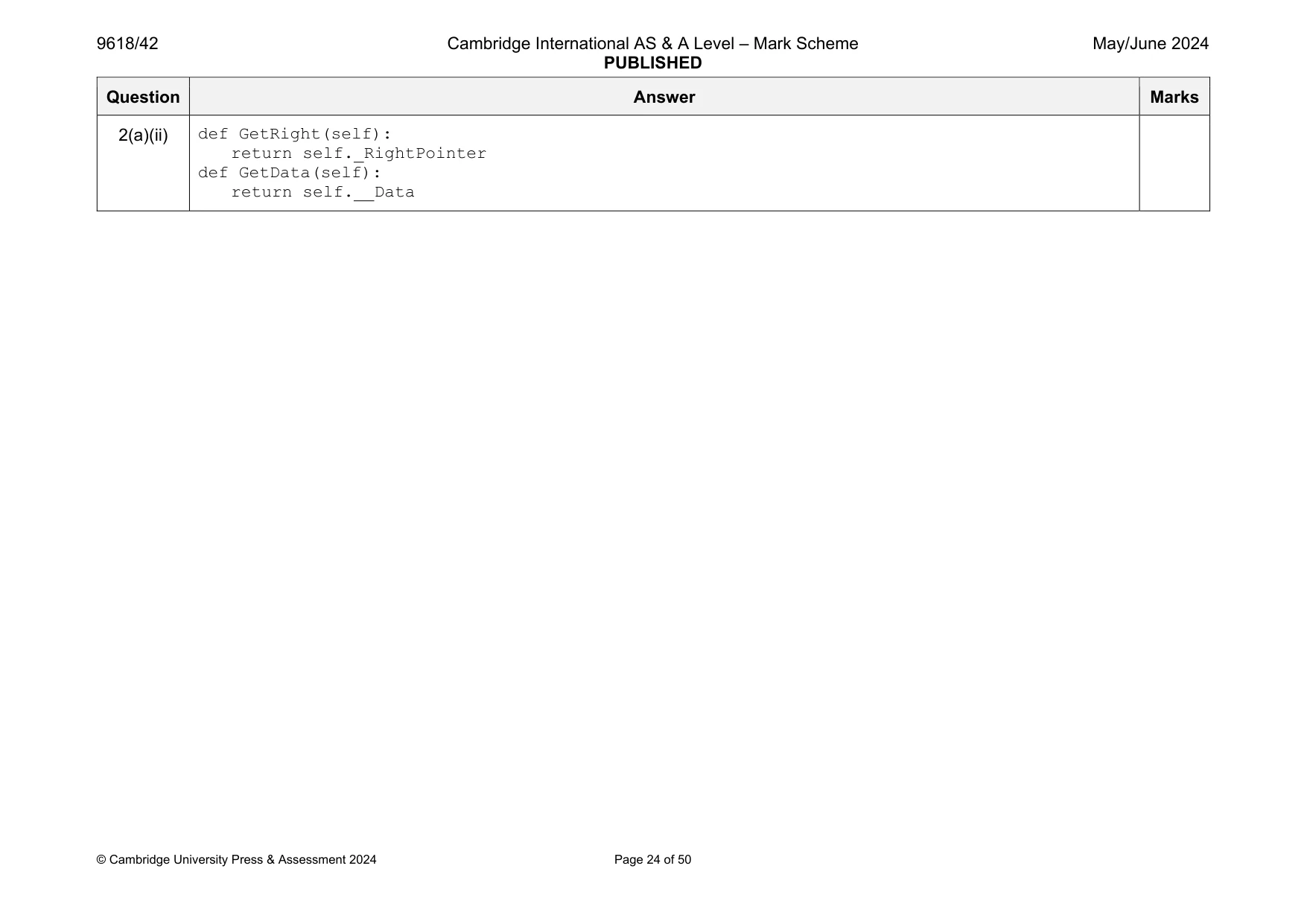
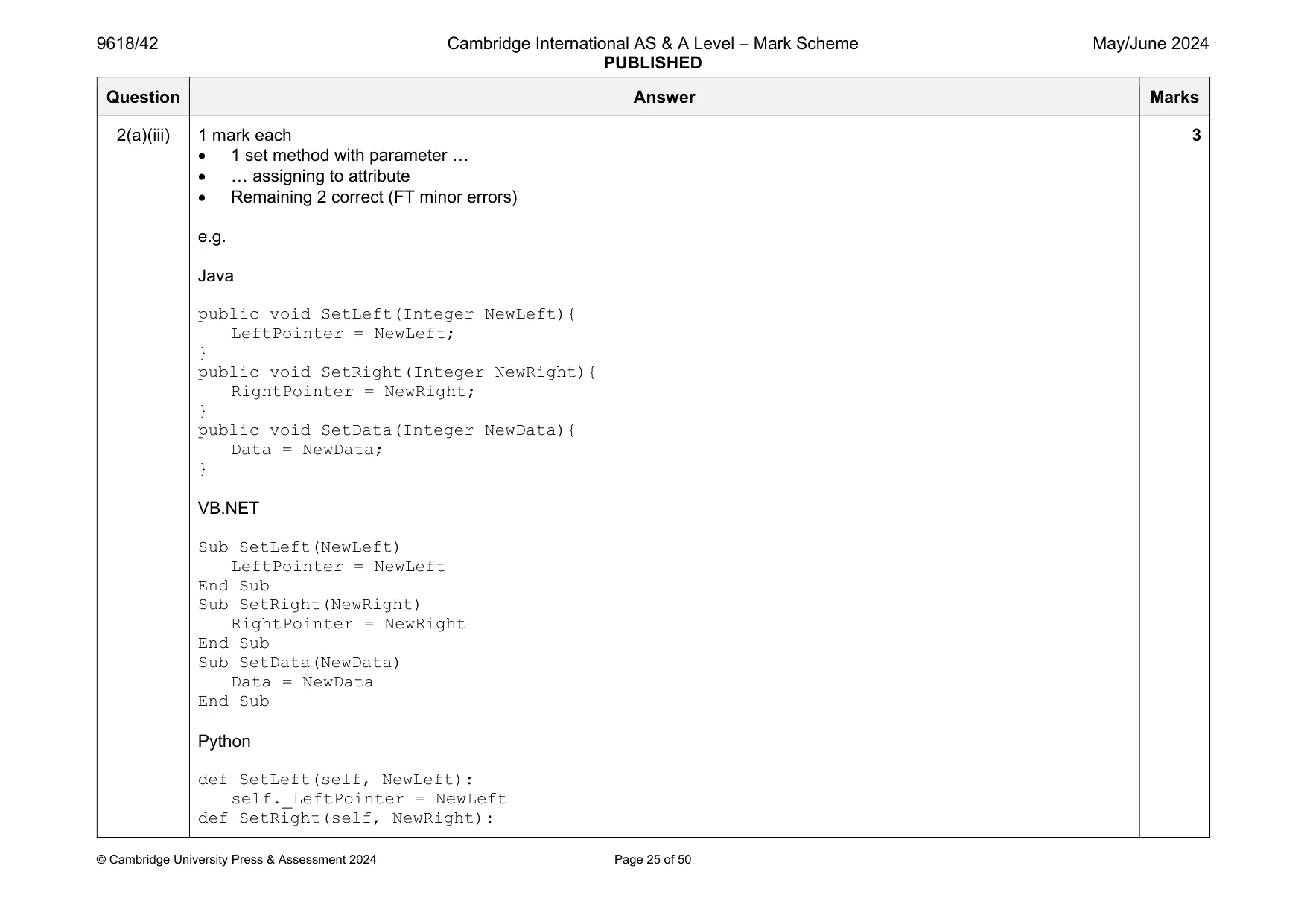
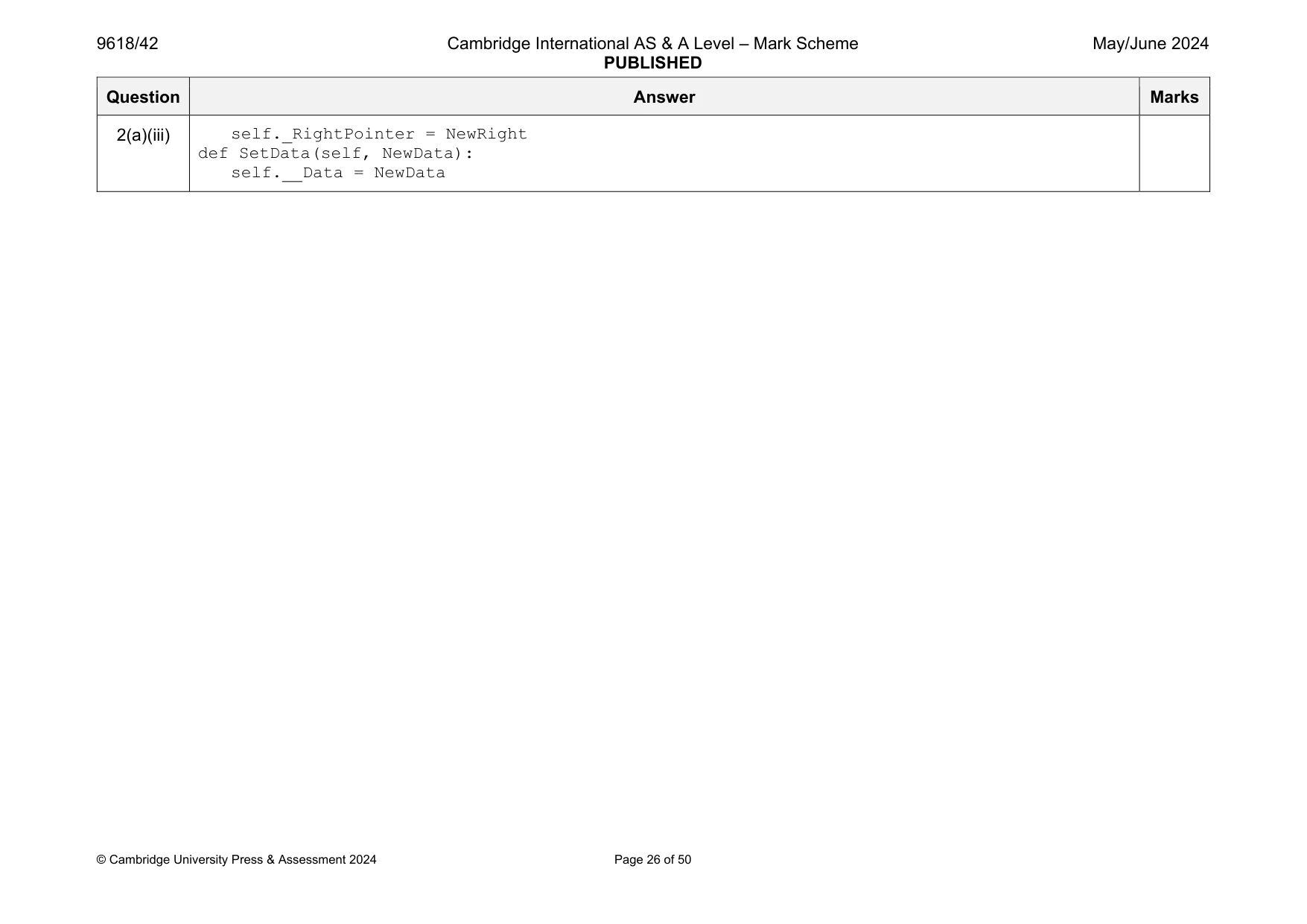
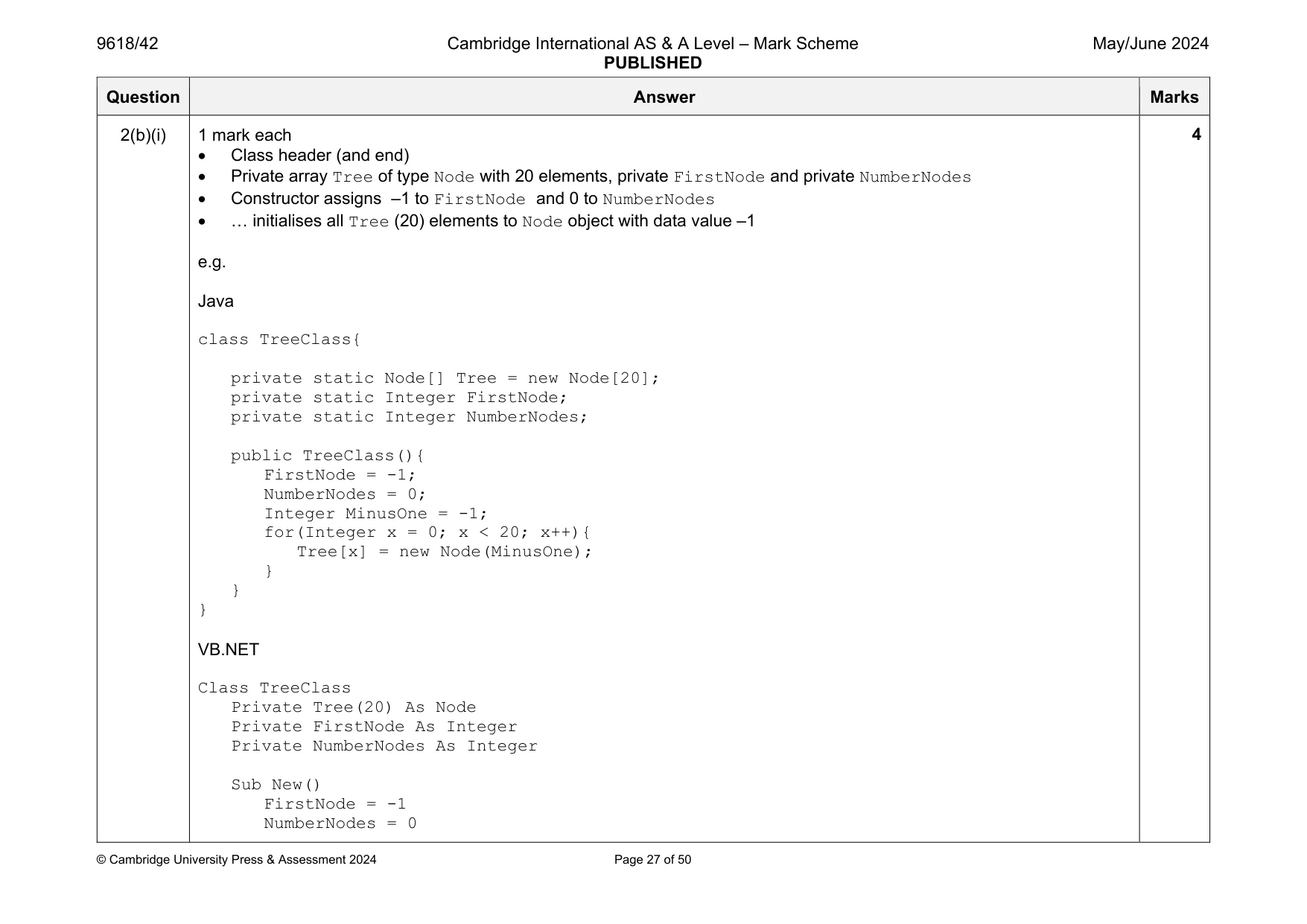
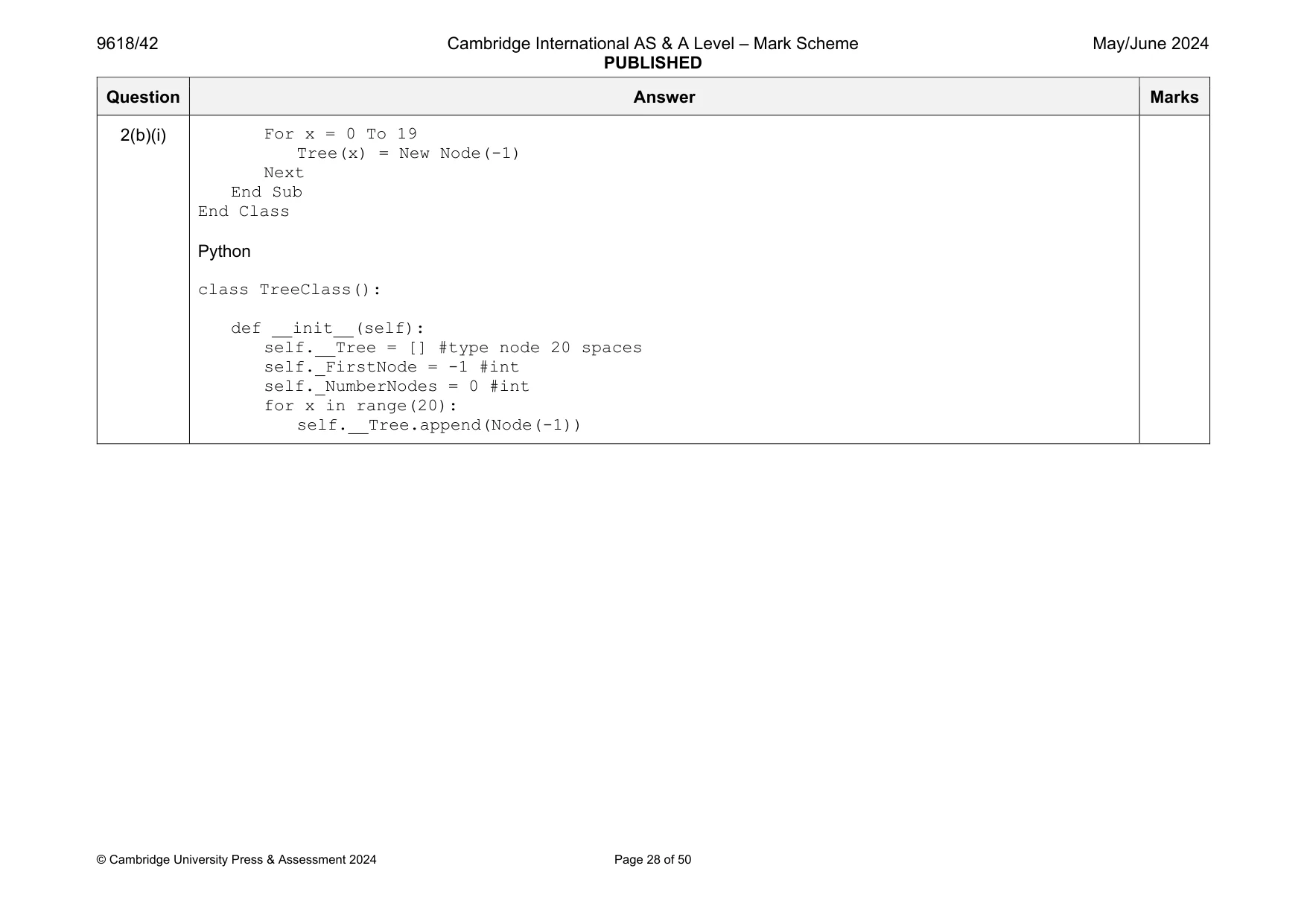
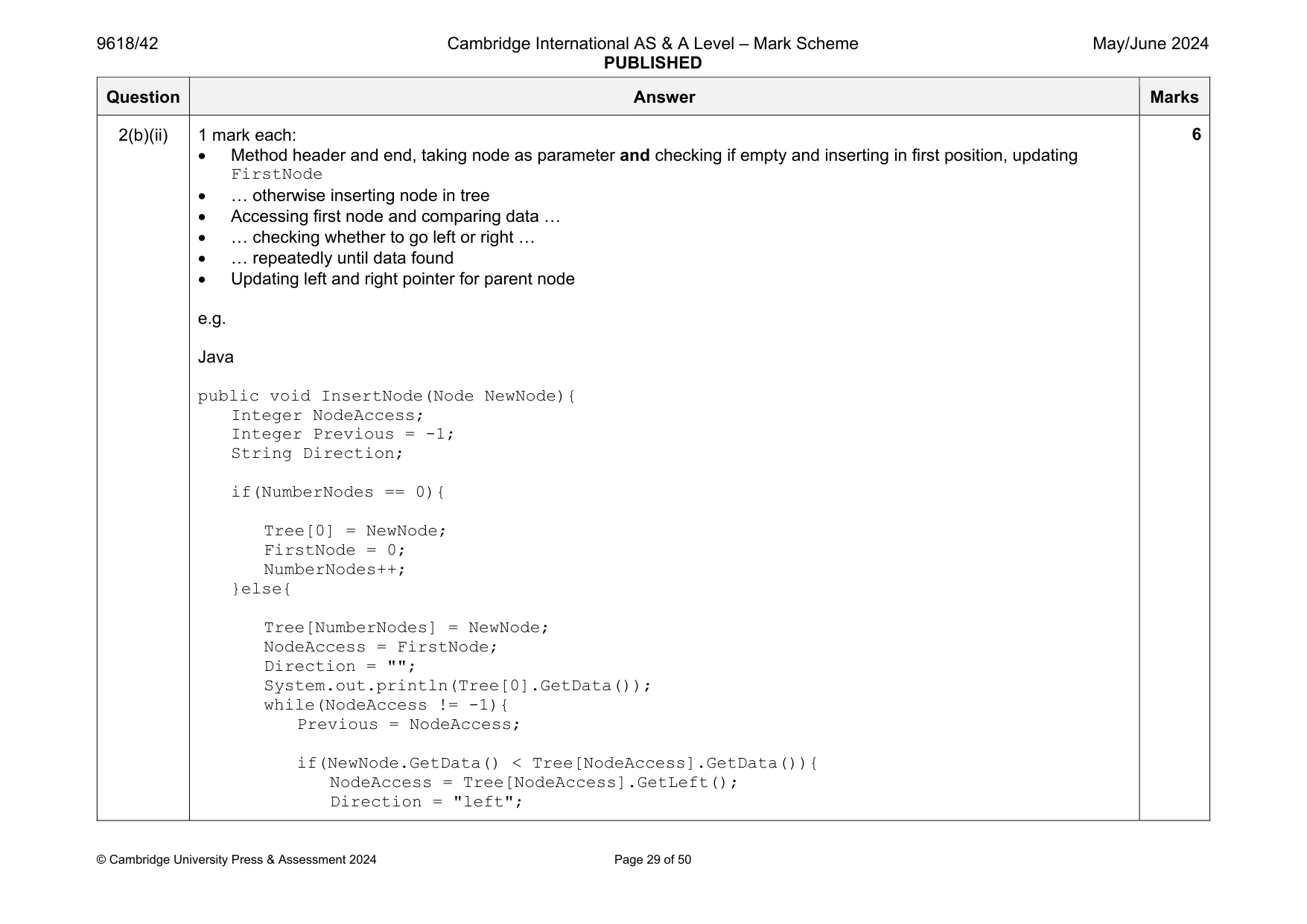
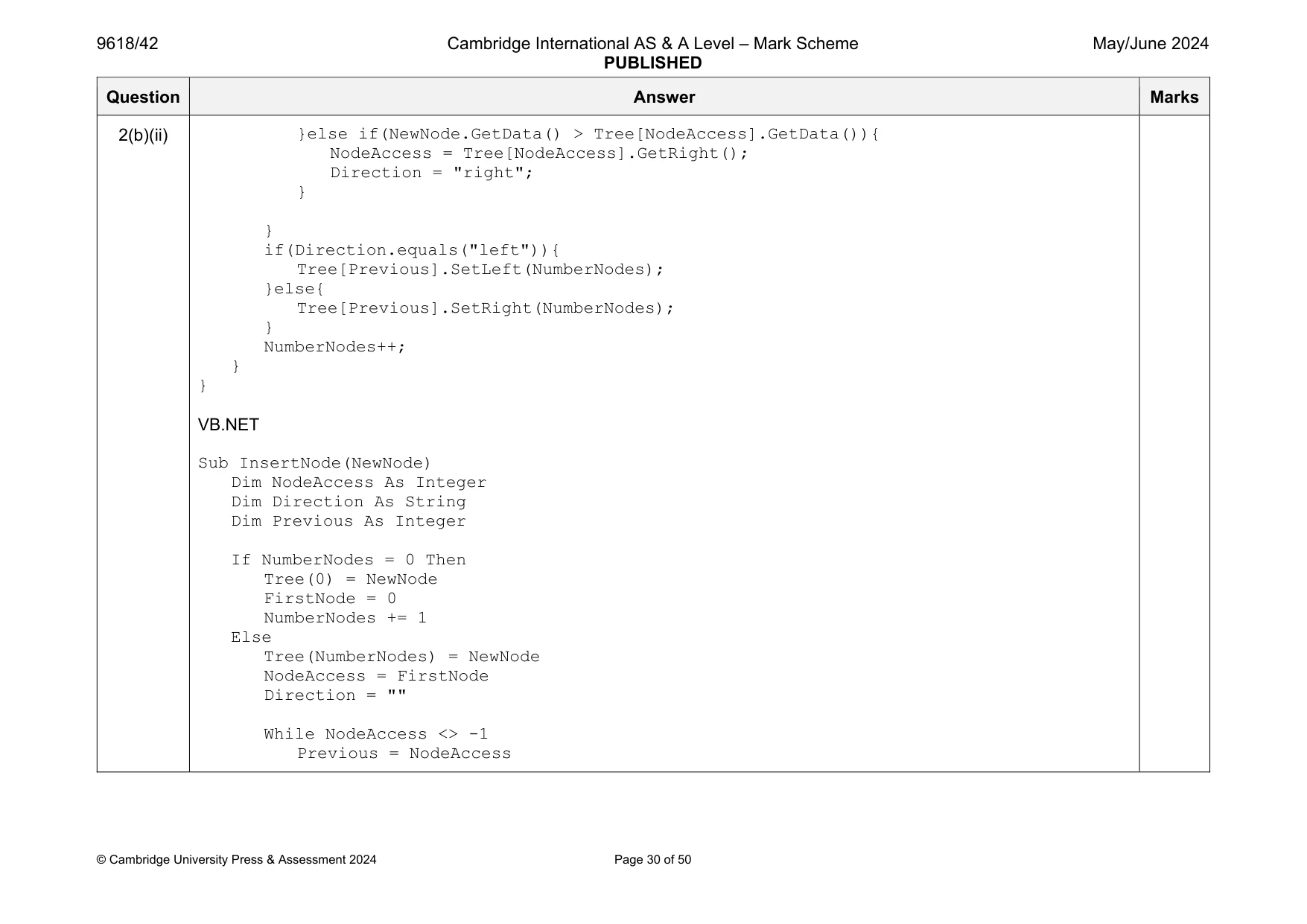
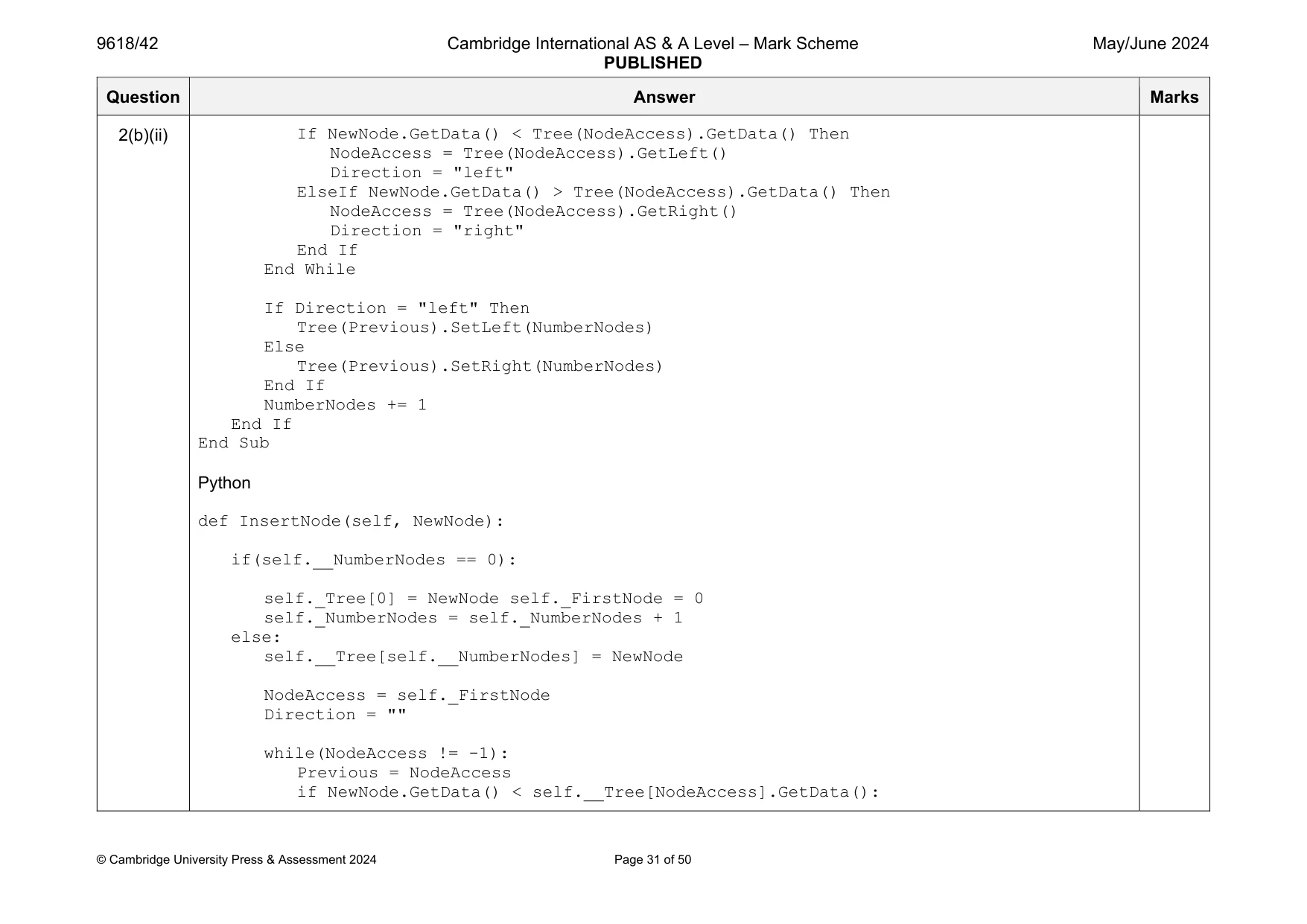
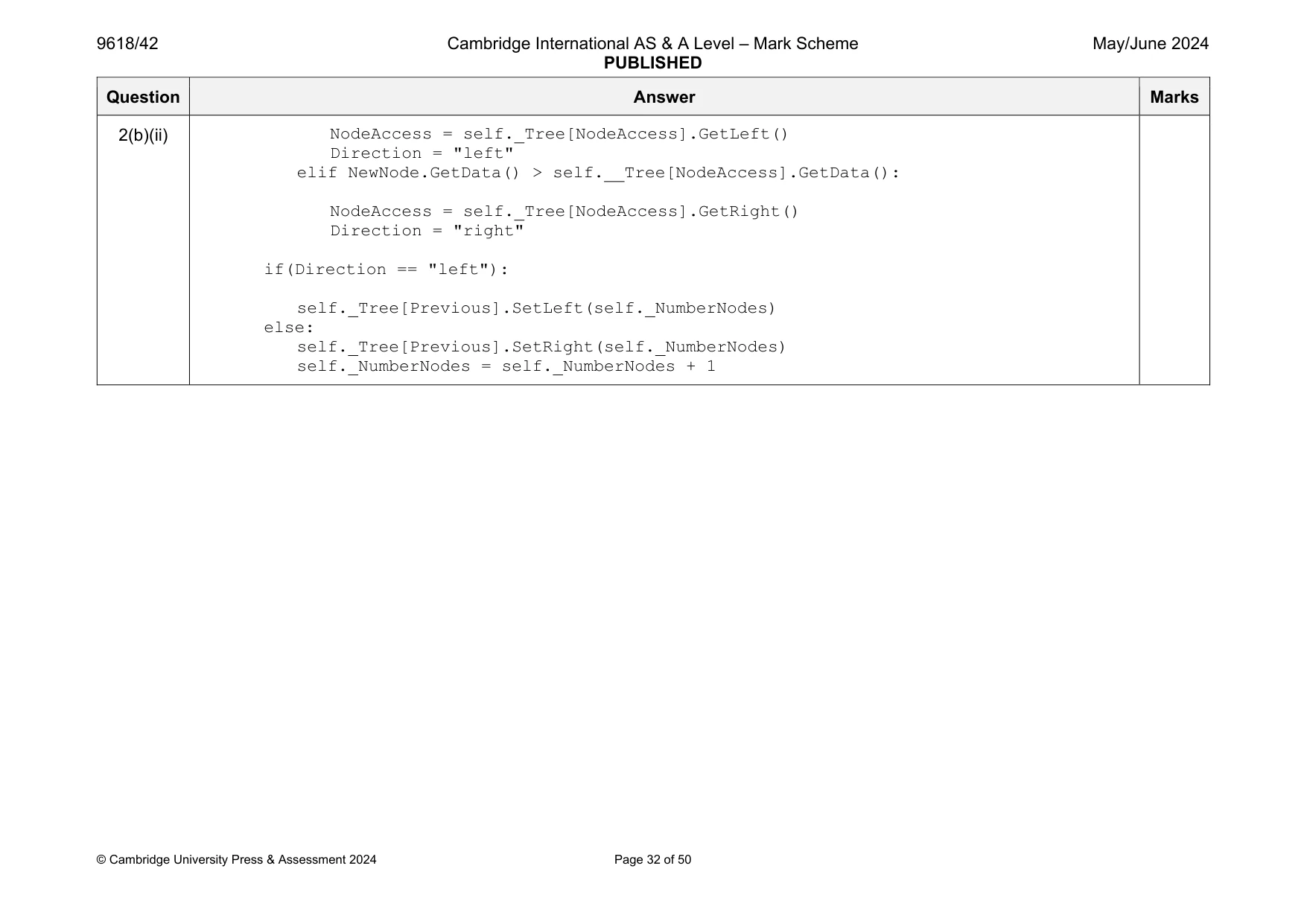
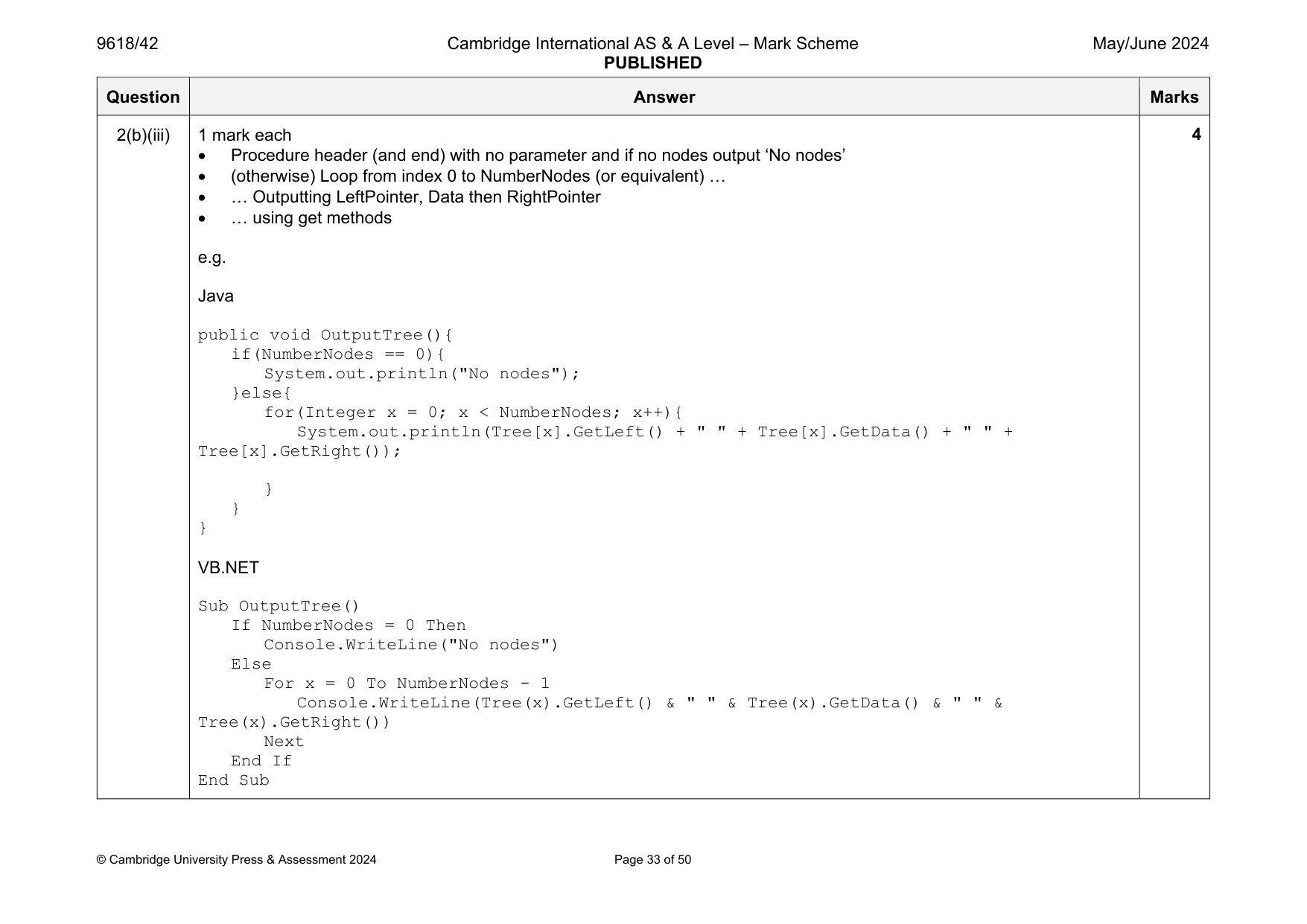
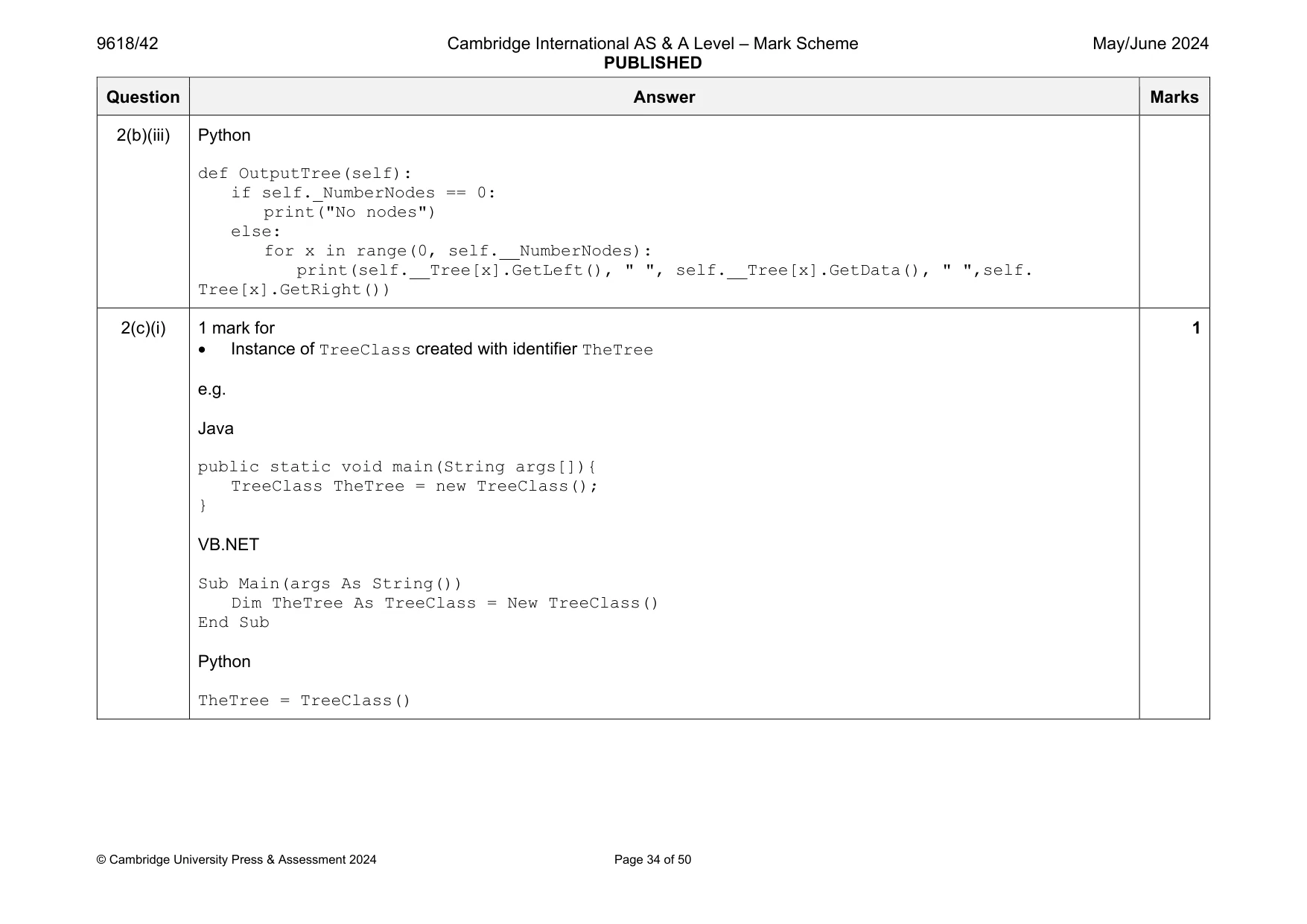
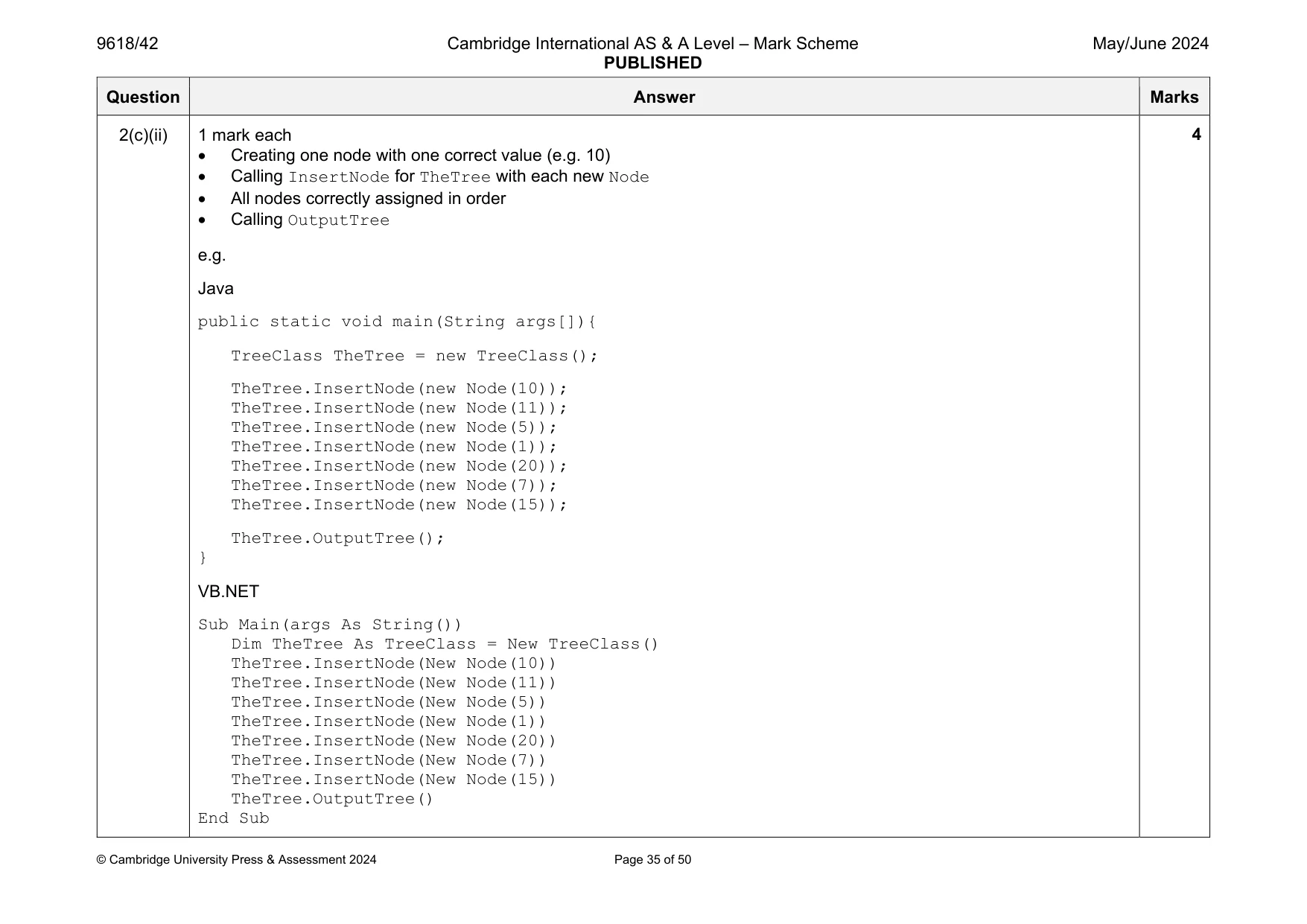
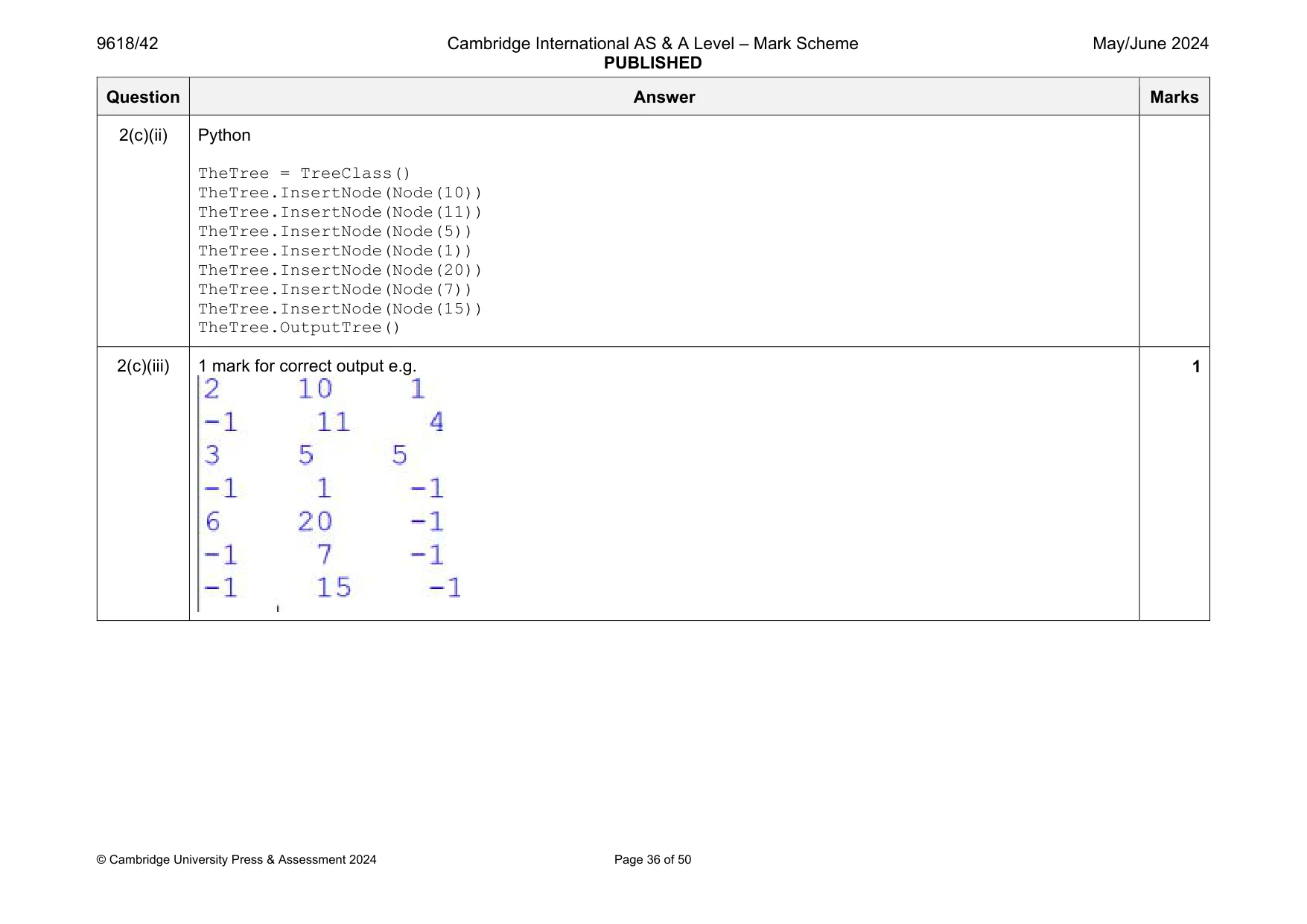
Mark scheme: 2(a)(i) 1 mark each to max 4 Class declaration (and end where appropriate) with identifier Node LeftPointer, Data and RightPointer, integer Constructor taking 1 parameter (within class) … … assigning parameter to Data initialising LeftPointer and RightPointer to –1 e.g. Java public class Node{ private Integer LeftPointer; private Integer Data; private Integer RightPointer; public Node(Integer PData){ LeftPointer = -1; Data = PData; RightPointer = -1; } } VB.NET Class Node Private LeftPointer As Integer Private Data As Integer Private RightPointer As Integer Sub New(PData) LeftPointer = -1 Data = PData RightPointer = -1 End Sub End Class Question Answer Marks 2(a)(i) Python class Node(): def init (self, PData): self. LeftPointer = -1 #int self. Data = PData #int self. RightPointer = -1 #int Question Answer Marks 2(a)(ii) 1 mark each 1 get method with no parameter… …returning correct attribute Remaining 2 correct (FT minor errors) e.g. Java public Integer GetLeft(){ return LeftPointer; } public Integer GetRight(){ return RightPointer; } public Integer GetData(){ return Data; } VB.NET Function GetLeft() Return LeftPointer End Function Function GetRight() Return RightPointer End Function Function GetData() Return Data End Function Python def GetLeft(self): return self. LeftPointer 3 Question Answer Marks 2(a)(ii) def GetRight(self): return self. RightPointer def GetData(self): return self. Data Question Answer Marks 2(a)(iii) 1 mark each 1 set method with parameter … … assigning to attribute Remaining 2 correct (FT minor errors) e.g. Java public void SetLeft(Integer NewLeft){ LeftPointer = NewLeft; } public void SetRight(Integer NewRight){ RightPointer = NewRight; } public void SetData(Integer NewData){ Data = NewData; } VB.NET Sub SetLeft(NewLeft) LeftPointer = NewLeft End Sub Sub SetRight(NewRight) RightPointer = NewRight End Sub Sub SetData(NewData) Data = NewData End Sub Python def SetLeft(self, NewLeft): self. LeftPointer = NewLeft def SetRight(self, NewRight): 3 Question Answer Marks 2(a)(iii) self. RightPointer = NewRight def SetData(self, NewData): self. Data = NewData Question Answer Marks 2(b)(i) 1 mark each Class header (and end) Private array Tree of type Node with 20 elements, private FirstNode and private NumberNodes Constructor assigns –1 to FirstNode and 0 to NumberNodes … initialises all Tree (20) elements to Node object with data value –1 e.g. Java class TreeClass{ private static Node[] Tree = new Node[20]; private static Integer FirstNode; private static Integer NumberNodes; public TreeClass(){ FirstNode = -1; NumberNodes = 0; Integer MinusOne = -1; for(Integer x = 0; x < 20; x++){ Tree[x] = new Node(MinusOne); } } } VB.NET Class TreeClass Private Tree(20) As Node Private FirstNode As Integer Private NumberNodes As Integer Sub New() FirstNode = -1 NumberNodes = 0 4 Question Answer Marks 2(b)(i) For x = 0 To 19 Tree(x) = New Node(-1) Next End Sub End Class Python class TreeClass(): def init (self): self. Tree = [] #type node 20 spaces self. FirstNode = -1 #int self. NumberNodes = 0 #int for x in range(20): self. Tree.append(Node(-1)) Question Answer Marks 2(b)(ii) 1 mark each: Method header and end, taking node as parameter and checking if empty and inserting in first position, updating FirstNode … otherwise inserting node in tree Accessing first node and comparing data … … checking whether to go left or right … … repeatedly until data found Updating left and right pointer for parent node e.g. Java public void InsertNode(Node NewNode){ Integer NodeAccess; Integer Previous = -1; String Direction; if(NumberNodes == 0){ Tree[0] = NewNode; FirstNode = 0; NumberNodes++; }else{ Tree[NumberNodes] = NewNode; NodeAccess = FirstNode; Direction = ""; System.out.println(Tree[0].GetData()); while(NodeAccess != -1){ Previous = NodeAccess; if(NewNode.GetData() < Tree[NodeAccess].GetData()){ NodeAccess = Tree[NodeAccess].GetLeft(); Direction = "left"; 6 Question Answer Marks 2(b)(ii) }else if(NewNode.GetData() > Tree[NodeAccess].GetData()){ NodeAccess = Tree[NodeAccess].GetRight(); Direction = "right"; } } if(Direction.equals("left")){ Tree[Previous].SetLeft(NumberNodes); }else{ Tree[Previous].SetRight(NumberNodes); } NumberNodes++; } } VB.NET Sub InsertNode(NewNode) Dim NodeAccess As Integer Dim Direction As String Dim Previous As Integer If NumberNodes = 0 Then Tree(0) = NewNode FirstNode = 0 NumberNodes += 1 Else Tree(NumberNodes) = NewNode NodeAccess = FirstNode Direction = "" While NodeAccess <> -1 Previous = NodeAccess Question Answer Marks 2(b)(ii) If NewNode.GetData() < Tree(NodeAccess).GetData() Then NodeAccess = Tree(NodeAccess).GetLeft() Direction = "left" ElseIf NewNode.GetData() > Tree(NodeAccess).GetData() Then NodeAccess = Tree(NodeAccess).GetRight() Direction = "right" End If End While If Direction = "left" Then Tree(Previous).SetLeft(NumberNodes) Else Tree(Previous).SetRight(NumberNodes) End If NumberNodes += 1 End If End Sub Python def InsertNode(self, NewNode): if(self. NumberNodes == 0): self. Tree[0] = NewNode self. FirstNode = 0 self. NumberNodes = self. NumberNodes + 1 else: self. Tree[self. NumberNodes] = NewNode NodeAccess = self. FirstNode Direction = "" while(NodeAccess != -1): Previous = NodeAccess if NewNode.GetData() < self. Tree[NodeAccess].GetData(): Question Answer Marks 2(b)(ii) NodeAccess = self. Tree[NodeAccess].GetLeft() Direction = "left" elif NewNode.GetData() > self. Tree[NodeAccess].GetData(): NodeAccess = self. Tree[NodeAccess].GetRight() Direction = "right" if(Direction == "left"): self. Tree[Previous].SetLeft(self. NumberNodes) else: self. Tree[Previous].SetRight(self. NumberNodes) self. NumberNodes = self. NumberNodes + 1 Question Answer Marks 2(b)(iii) 1 mark each Procedure header (and end) with no parameter and if no nodes output ‘No nodes’ (otherwise) Loop from index 0 to NumberNodes (or equivalent) … … Outputting LeftPointer, Data then RightPointer … using get methods e.g. Java public void OutputTree(){ if(NumberNodes == 0){ System.out.println("No nodes"); }else{ for(Integer x = 0; x < NumberNodes; x++){ System.out.println(Tree[x].GetLeft() + " " + Tree[x].GetData() + " " + Tree[x].GetRight()); } } } VB.NET Sub OutputTree() If NumberNodes = 0 Then Console.WriteLine("No nodes") Else For x = 0 To NumberNodes - 1 Console.WriteLine(Tree(x).GetLeft() & " " & Tree(x).GetData() & " " & Tree(x).GetRight()) Next End If End Sub 4 Question Answer Marks 2(b)(iii) Python def OutputTree(self): if self. NumberNodes == 0: print("No nodes") else: for x in range(0, self. NumberNodes): print(self. Tree[x].GetLeft(), " ", self. Tree[x].GetData(), " ",self. Tree[x].GetRight()) 2(c)(i) 1 mark for Instance of TreeClass created with identifier TheTree e.g. Java public static void main(String args[]){ TreeClass TheTree = new TreeClass(); } VB.NET Sub Main(args As String()) Dim TheTree As TreeClass = New TreeClass() End Sub Python TheTree = TreeClass() 1 Question Answer Marks 2(c)(ii) 1 mark each Creating one node with one correct value (e.g. 10) Calling InsertNode for TheTree with each new Node All nodes correctly assigned in order Calling OutputTree e.g. Java public static void main(String args[]){ TreeClass TheTree = new TreeClass(); TheTree.InsertNode(new Node(10)); TheTree.InsertNode(new Node(11)); TheTree.InsertNode(new Node(5)); TheTree.InsertNode(new Node(1)); TheTree.InsertNode(new Node(20)); TheTree.InsertNode(new Node(7)); TheTree.InsertNode(new Node(15)); TheTree.OutputTree(); } VB.NET Sub Main(args As String()) Dim TheTree As TreeClass = New TreeClass() TheTree.InsertNode(New Node(10)) TheTree.InsertNode(New Node(11)) TheTree.InsertNode(New Node(5)) TheTree.InsertNode(New Node(1)) TheTree.InsertNode(New Node(20)) TheTree.InsertNode(New Node(7)) TheTree.InsertNode(New Node(15)) TheTree.OutputTree() End Sub 4 Question Answer Marks 2(c)(ii) Python TheTree = TreeClass() TheTree.InsertNode(Node(10)) TheTree.InsertNode(Node(11)) TheTree.InsertNode(Node(5)) TheTree.InsertNode(Node(1)) TheTree.InsertNode(Node(20)) TheTree.InsertNode(Node(7)) TheTree.InsertNode(Node(15)) TheTree.OutputTree() 2(c)(iii) 1 mark for correct output e.g. 1
Q3 · A program sorts an array of integers and searches the array for a particular value
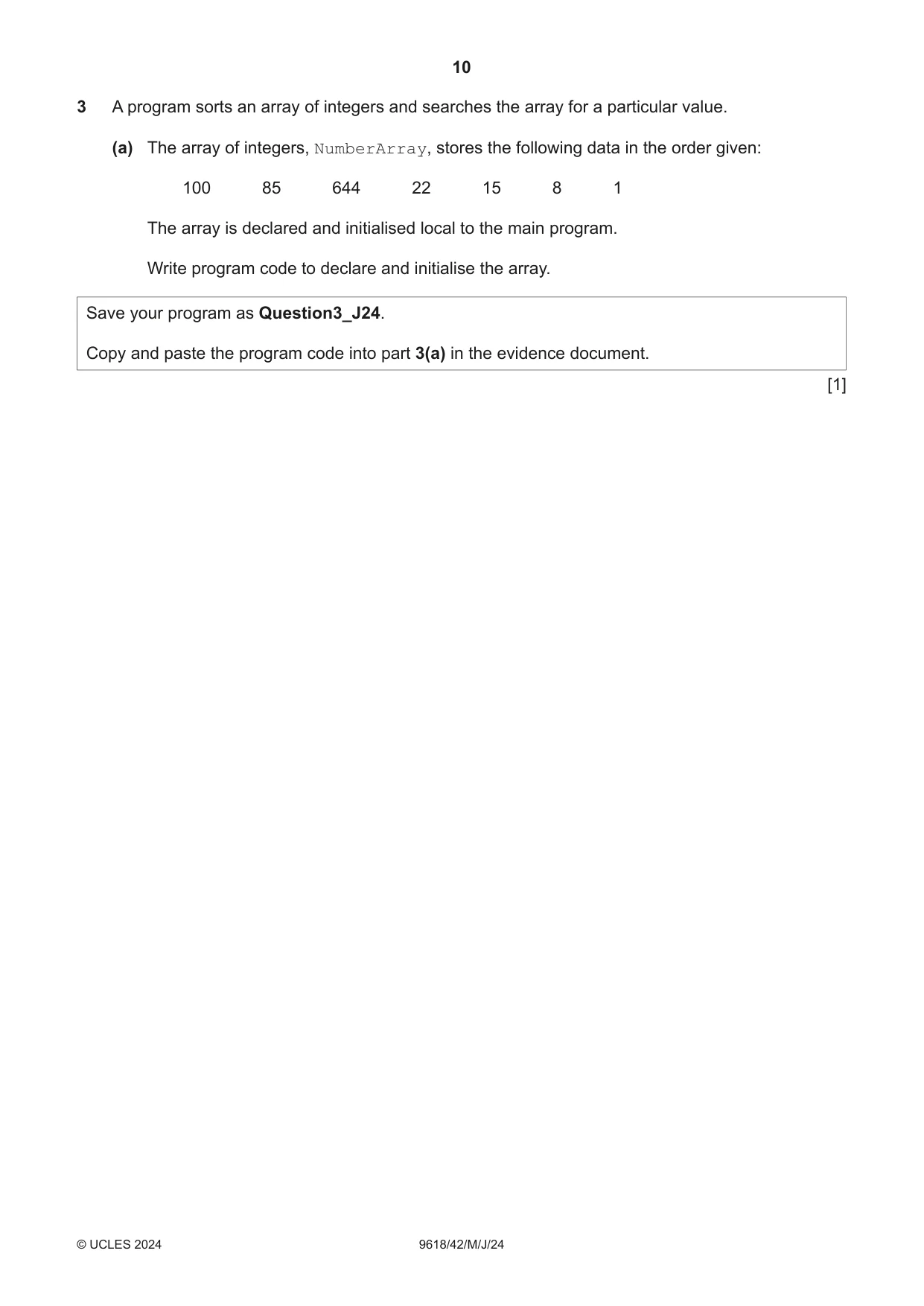
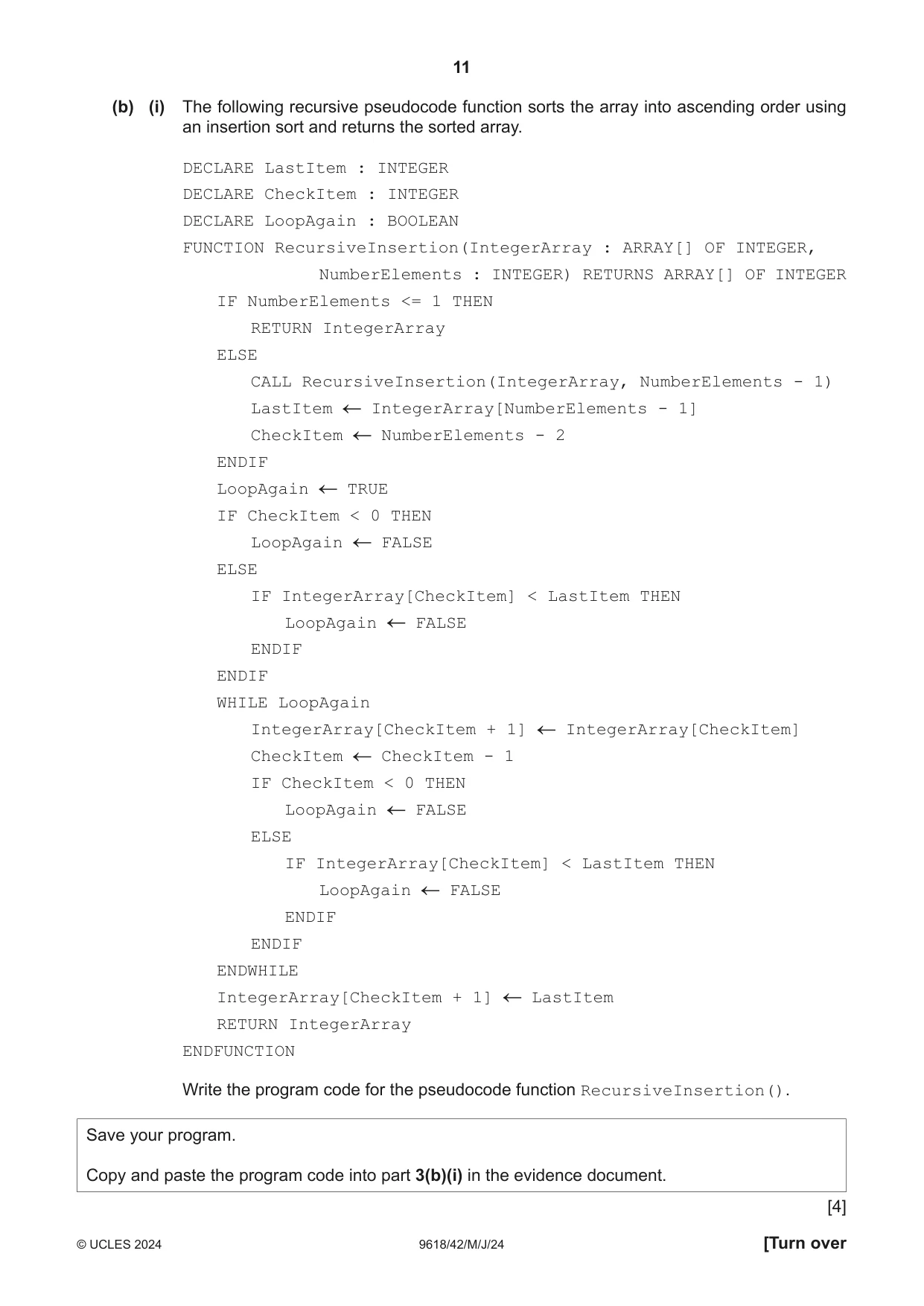
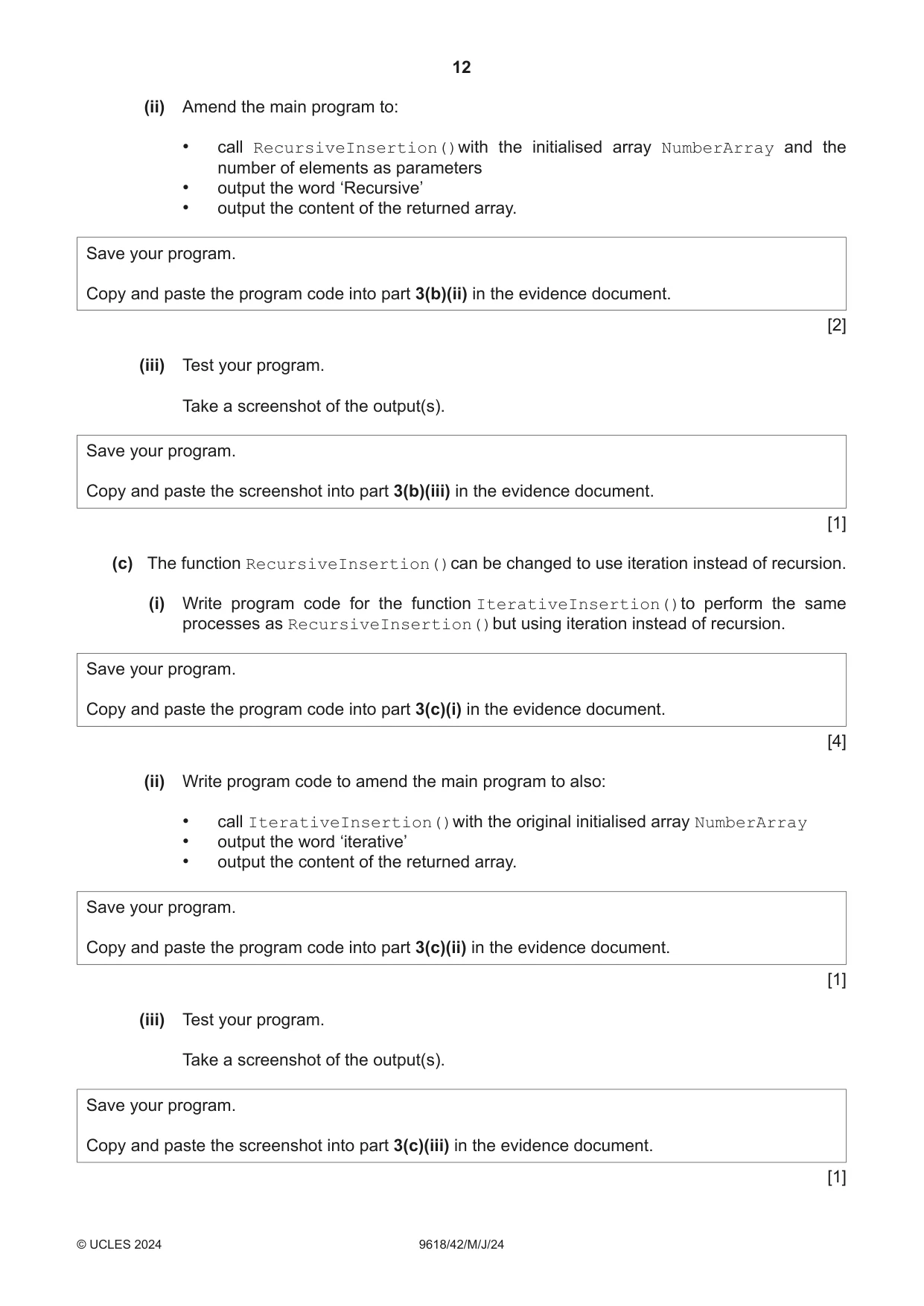
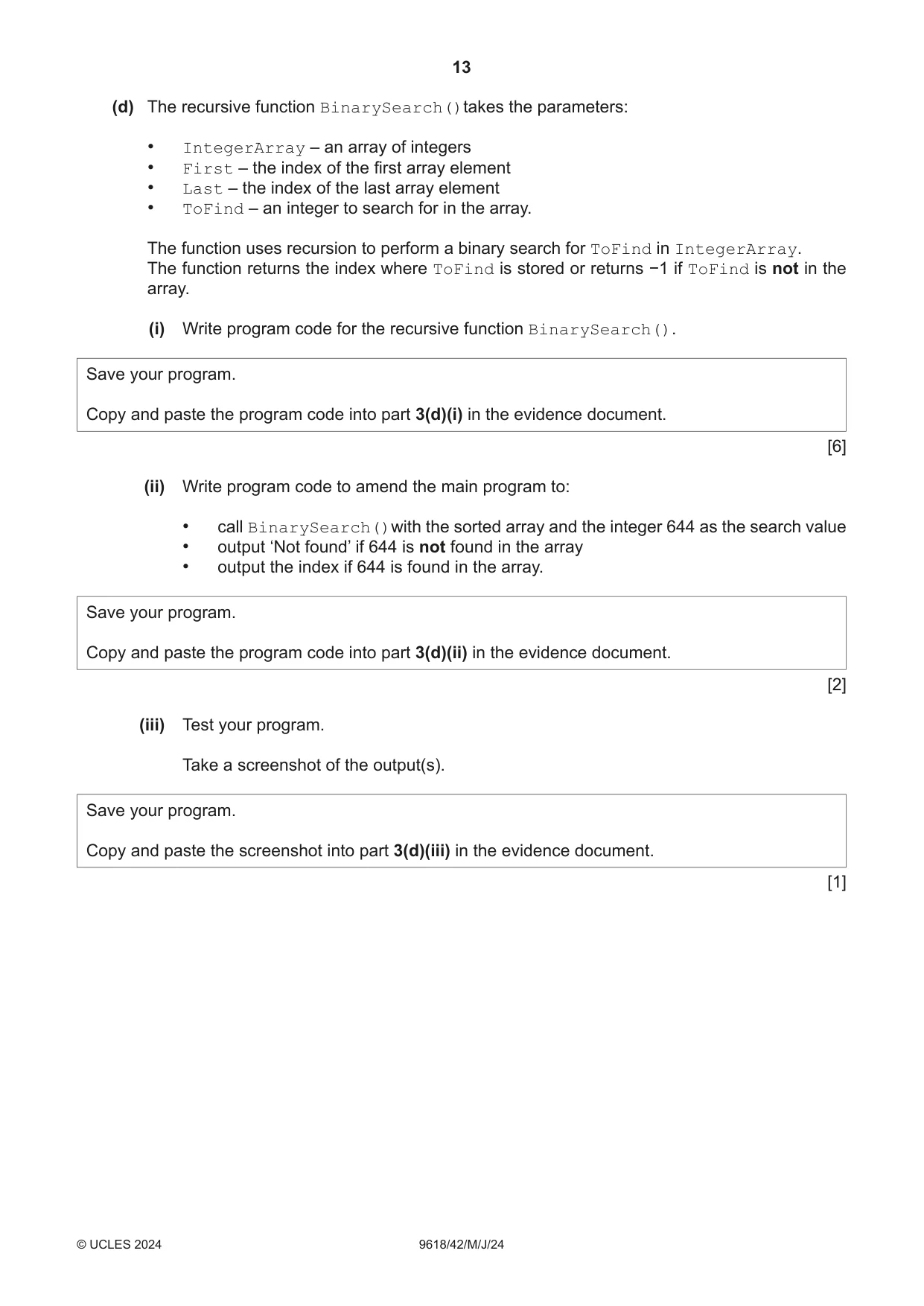
3 A program sorts an array of integers and searches the array for a particular value. (a) The array of integers, NumberArray, stores the following data in the order given: 100 85 644 22 15 8 1 The array is declared and initialised local to the main program. Write program code to declare and initialise the array. Save your program as Question3_J24. Copy and paste the program code into part 3(a) in the evidence document. [1] (b) (i) The following recursive pseudocode function sorts the array into ascending order using an insertion sort and returns the sorted array. DECLARE LastItem : INTEGER DECLARE CheckItem : INTEGER DECLARE LoopAgain : BOOLEAN FUNCTION RecursiveInsertion(IntegerArray : ARRAY[] OF INTEGER, NumberElements : INTEGER) RETURNS ARRAY[] OF INTEGER IF NumberElements <= 1 THEN RETURN IntegerArray ELSE CALL RecursiveInsertion(IntegerArray, NumberElements - 1) LastItem IntegerArray[NumberElements - 1] CheckItem NumberElements - 2 ENDIF LoopAgain TRUE IF CheckItem < 0 THEN LoopAgain FALSE ELSE IF IntegerArray[CheckItem] < LastItem THEN LoopAgain FALSE ENDIF ENDIF WHILE LoopAgain IntegerArray[CheckItem + 1] IntegerArray[CheckItem] CheckItem CheckItem - 1 IF CheckItem < 0 THEN LoopAgain FALSE ELSE IF IntegerArray[CheckItem] < LastItem THEN LoopAgain FALSE ENDIF ENDIF ENDWHILE IntegerArray[CheckItem + 1] LastItem RETURN IntegerArray ENDFUNCTION Write the program code for the pseudocode function RecursiveInsertion(). Save your program. Copy and paste the program code into part 3(b)(i) in the evidence document. [4] (ii) Amend the main program to: • call RecursiveInsertion()with the initialised array NumberArray and the number of elements as parameters • output the word ‘Recursive’ • output the content of the returned array. Save your program. Copy and paste the program code into part 3(b)(ii) in the evidence document. [2] (iii) Test your program. Take a screenshot of the output(s). Save your program. Copy and paste the screenshot into part 3(b)(iii) in the evidence document. [1] (c) The function RecursiveInsertion()can be changed to use iteration instead of recursion. (i) Write program code for the function IterativeInsertion()to perform the same processes as RecursiveInsertion()but using iteration instead of recursion. Save your program. Copy and paste the program code into part 3(c)(i) in the evidence document. [4] (ii) Write program code to amend the main program to also: • call IterativeInsertion()with the original initialised array NumberArray • output the word ‘iterative’ • output the content of the returned array. Save your program. Copy and paste the program code into part 3(c)(ii) in the evidence document. [1] (iii) Test your program. Take a screenshot of the output(s). Save your program. Copy and paste the screenshot into part 3(c)(iii) in the evidence document. [1]
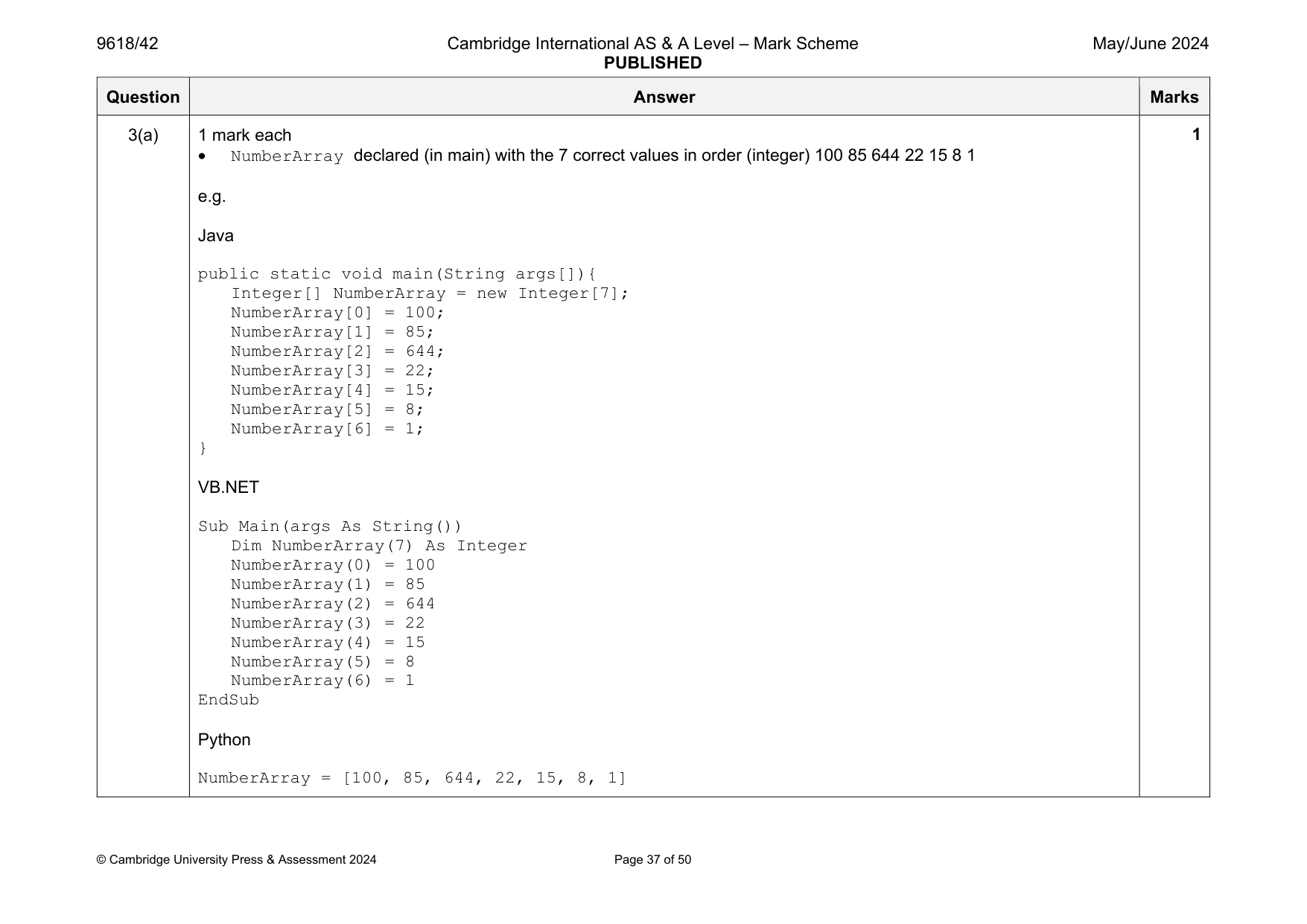
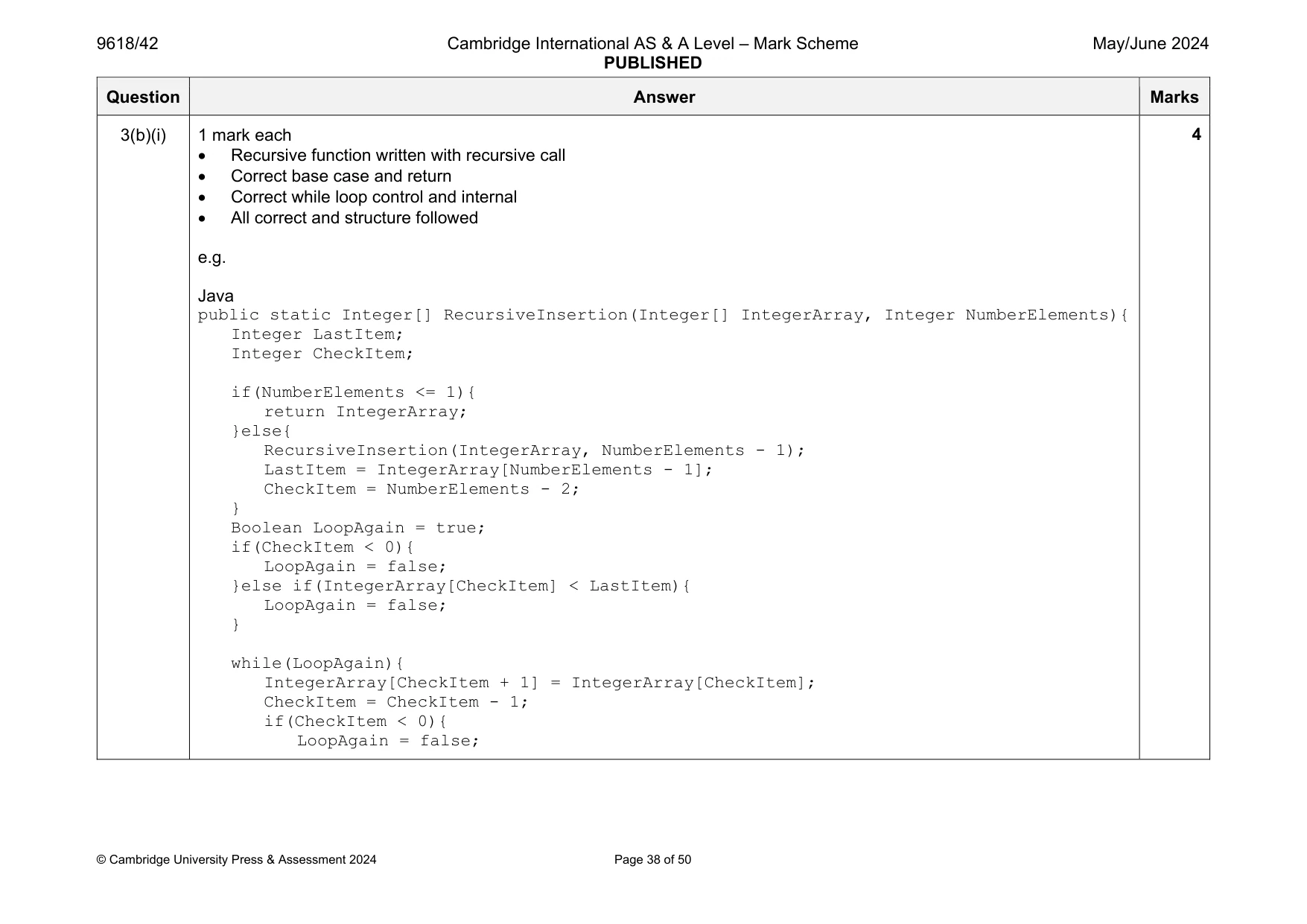
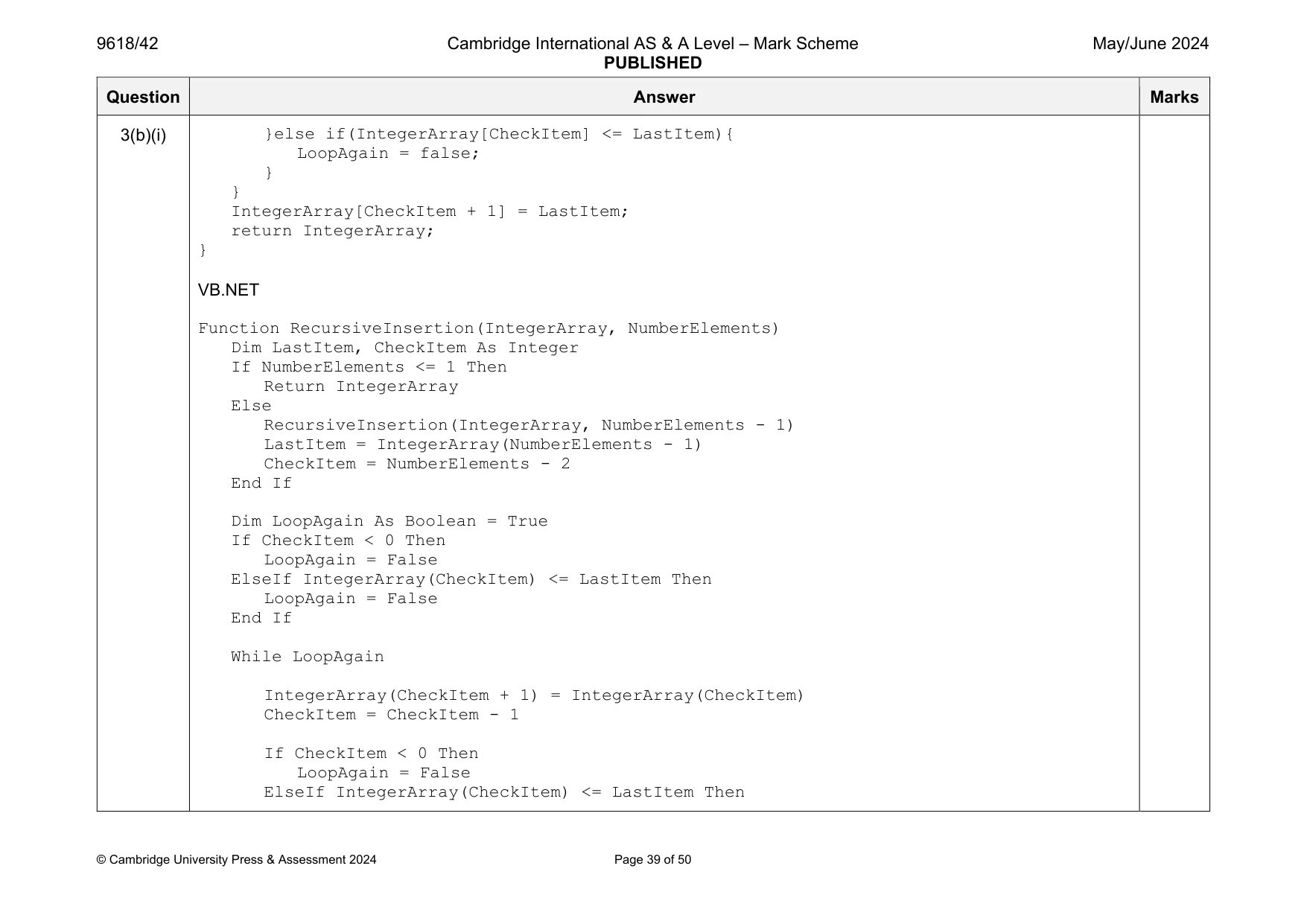
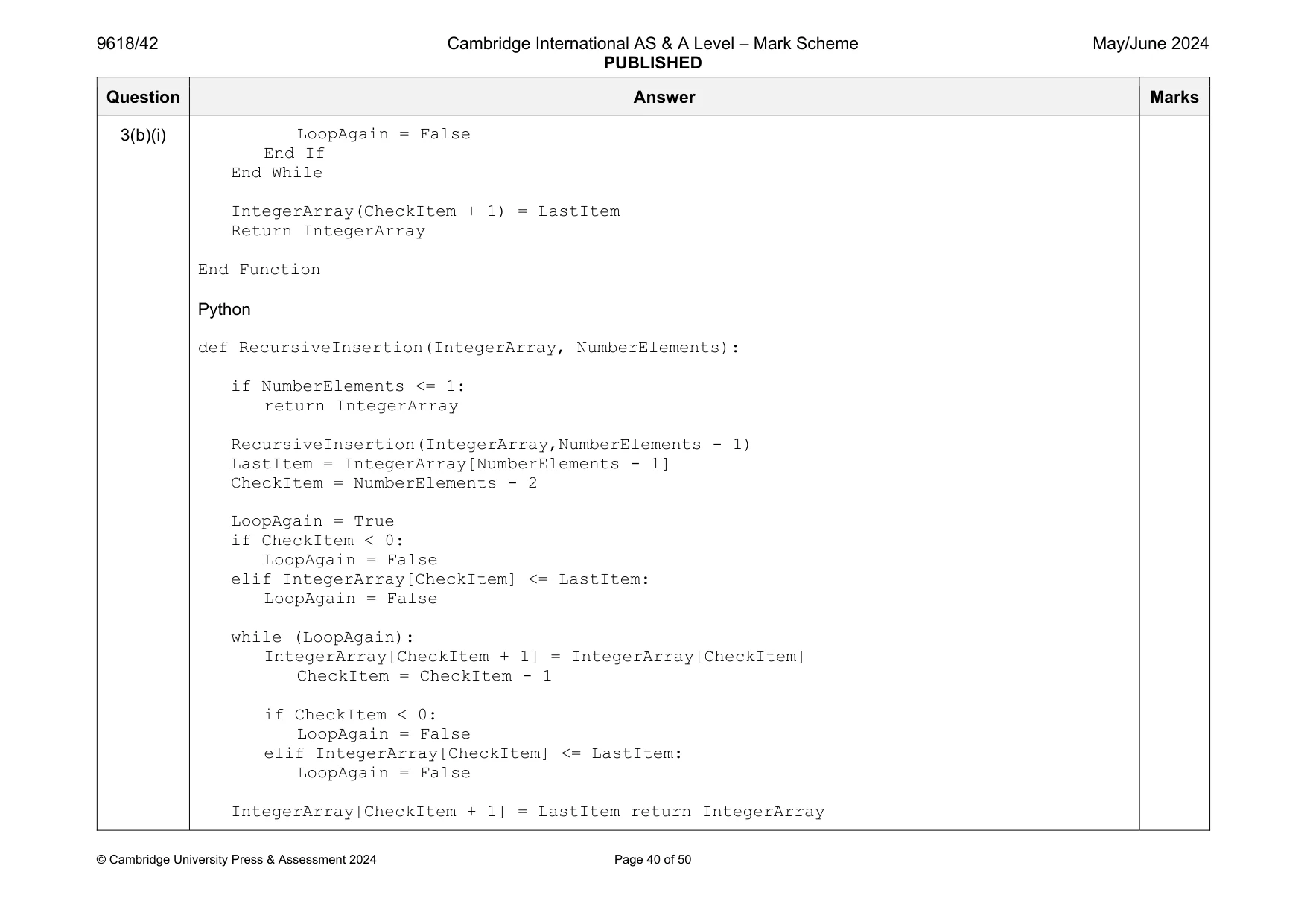
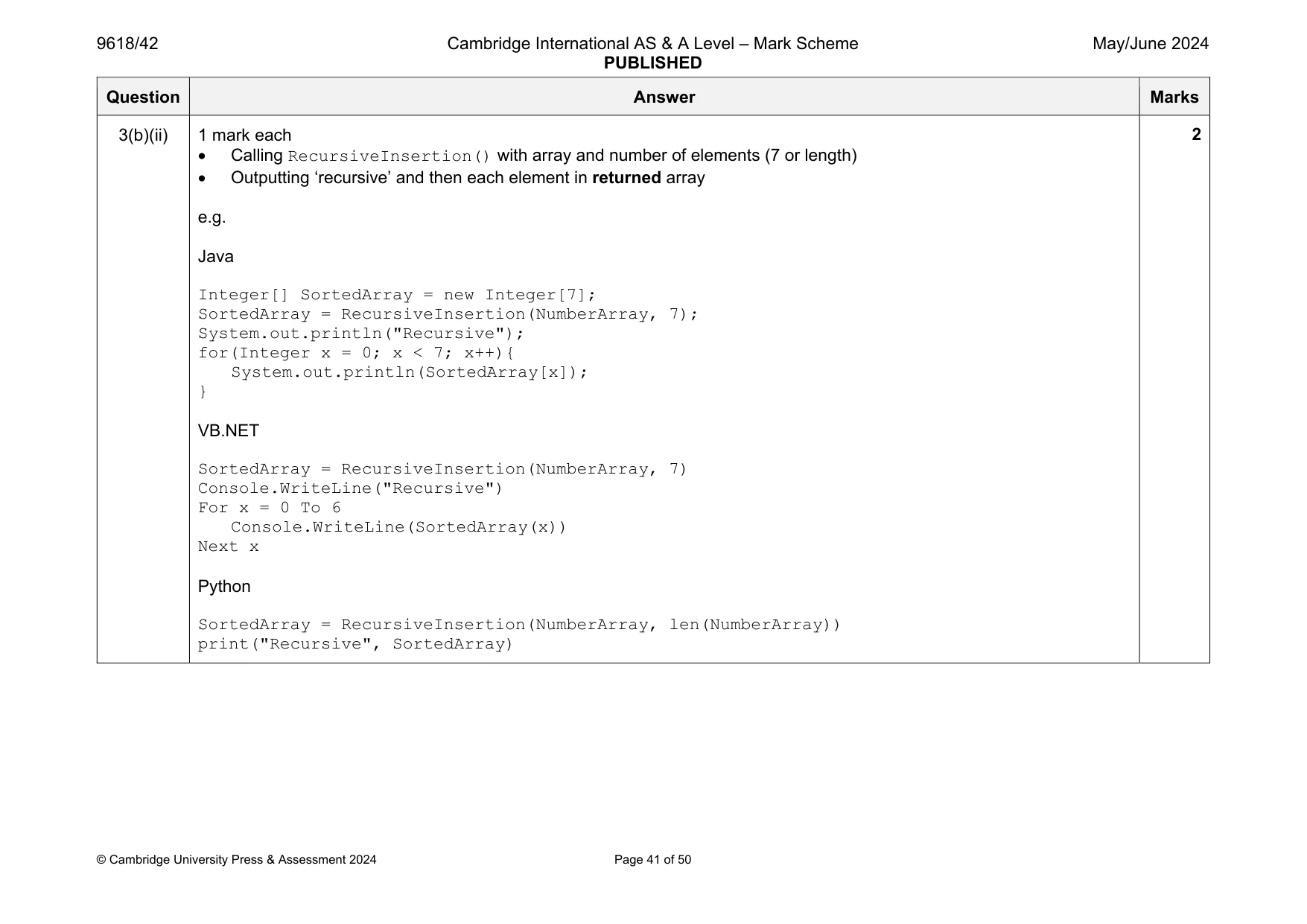
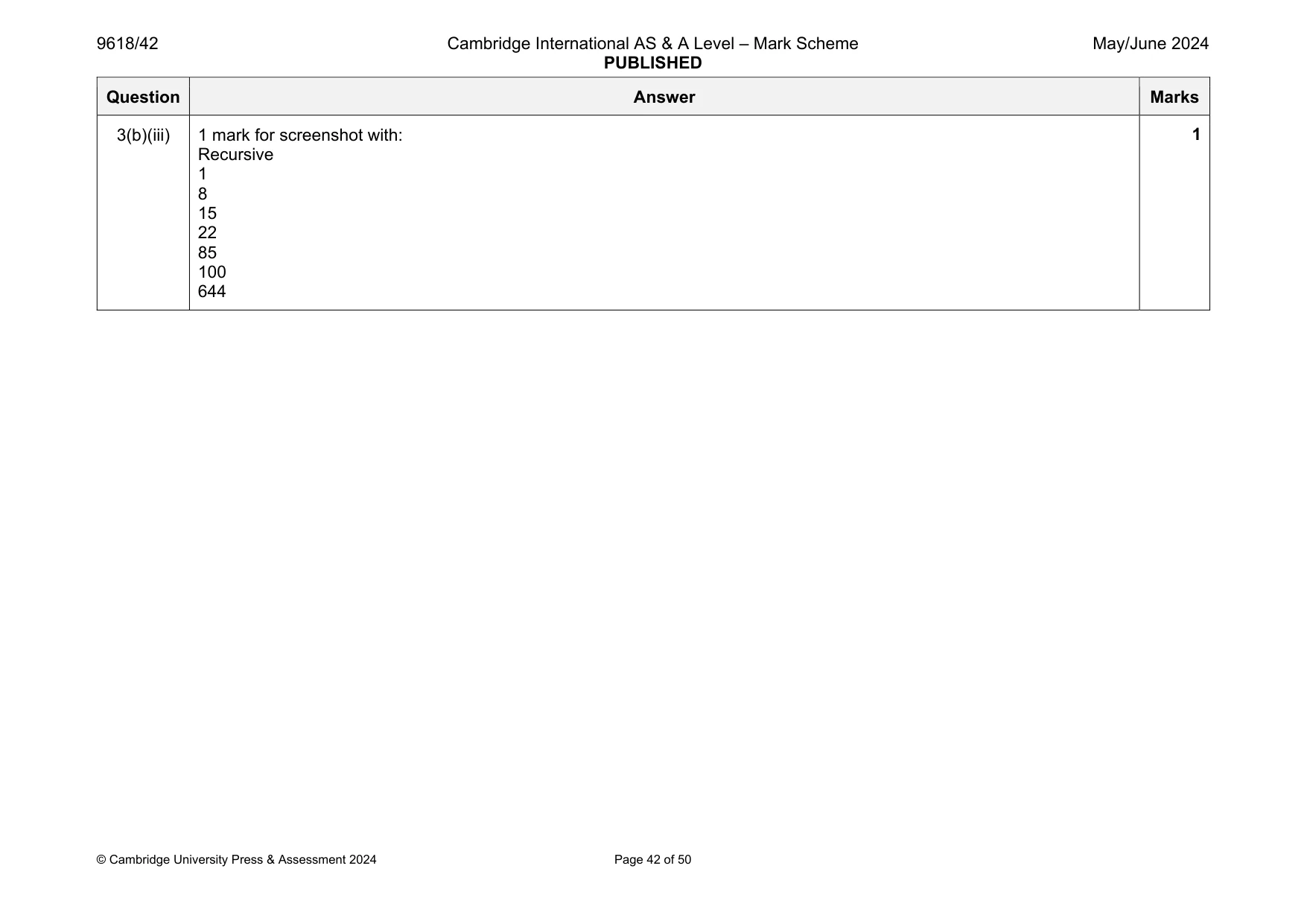
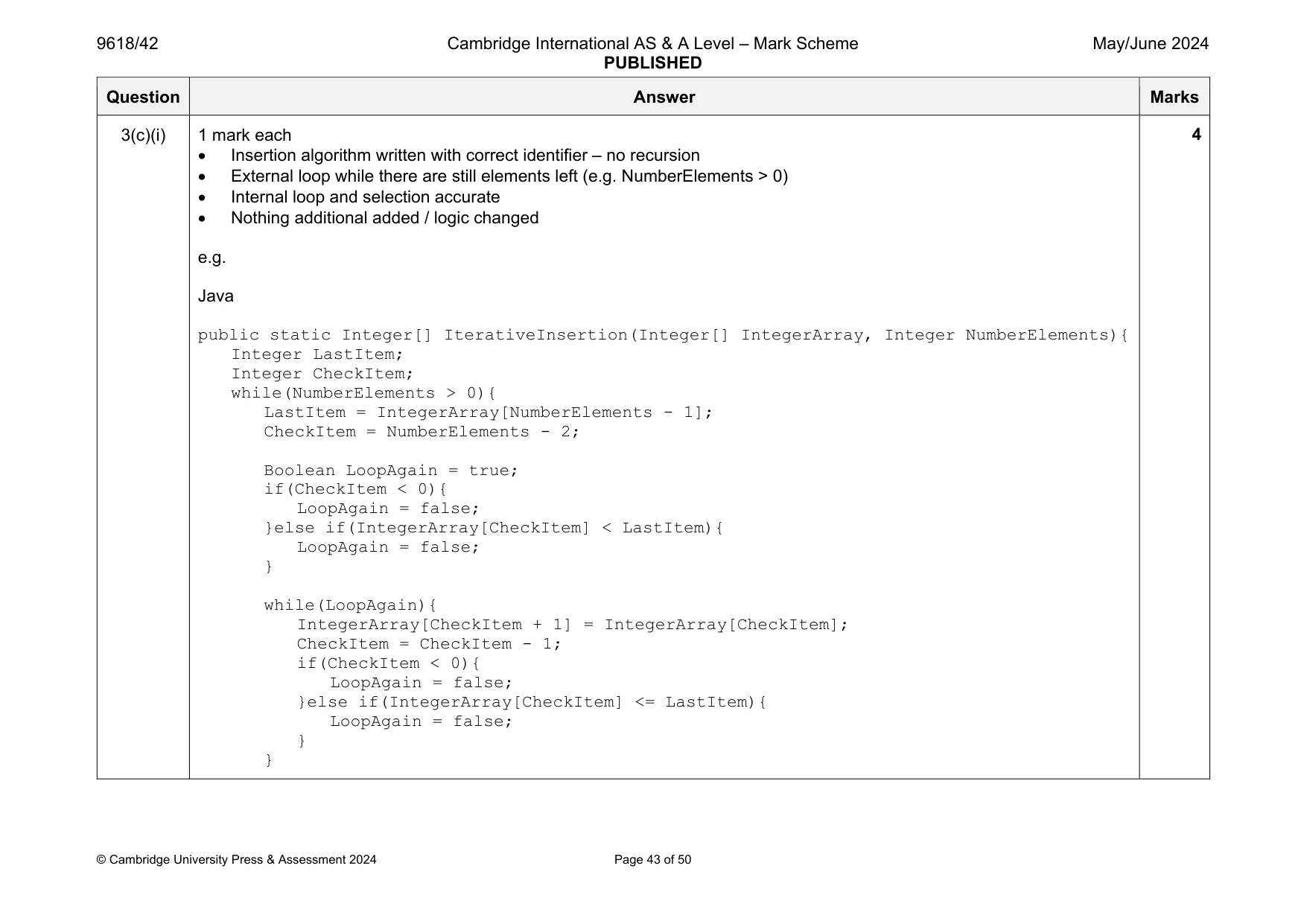
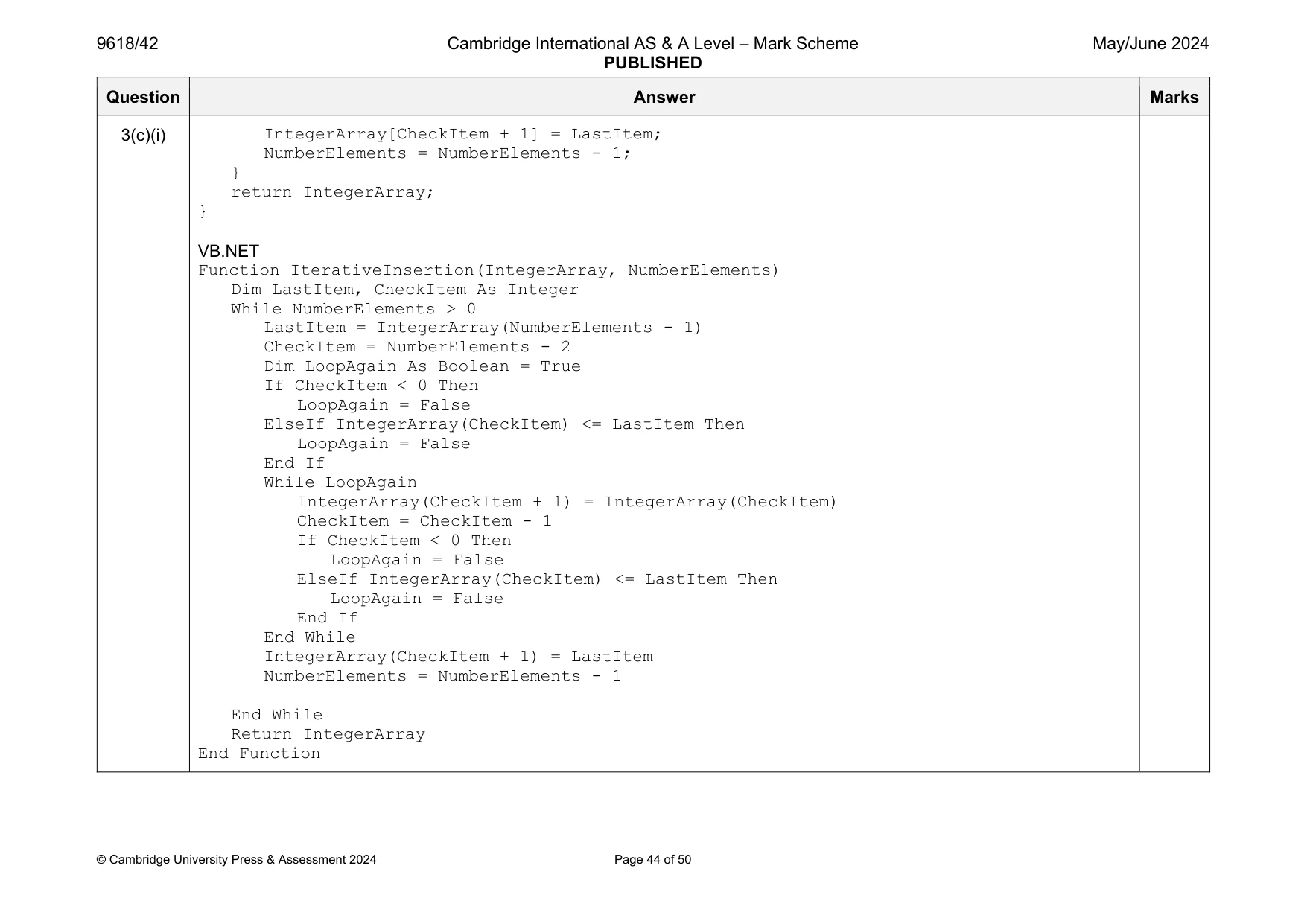
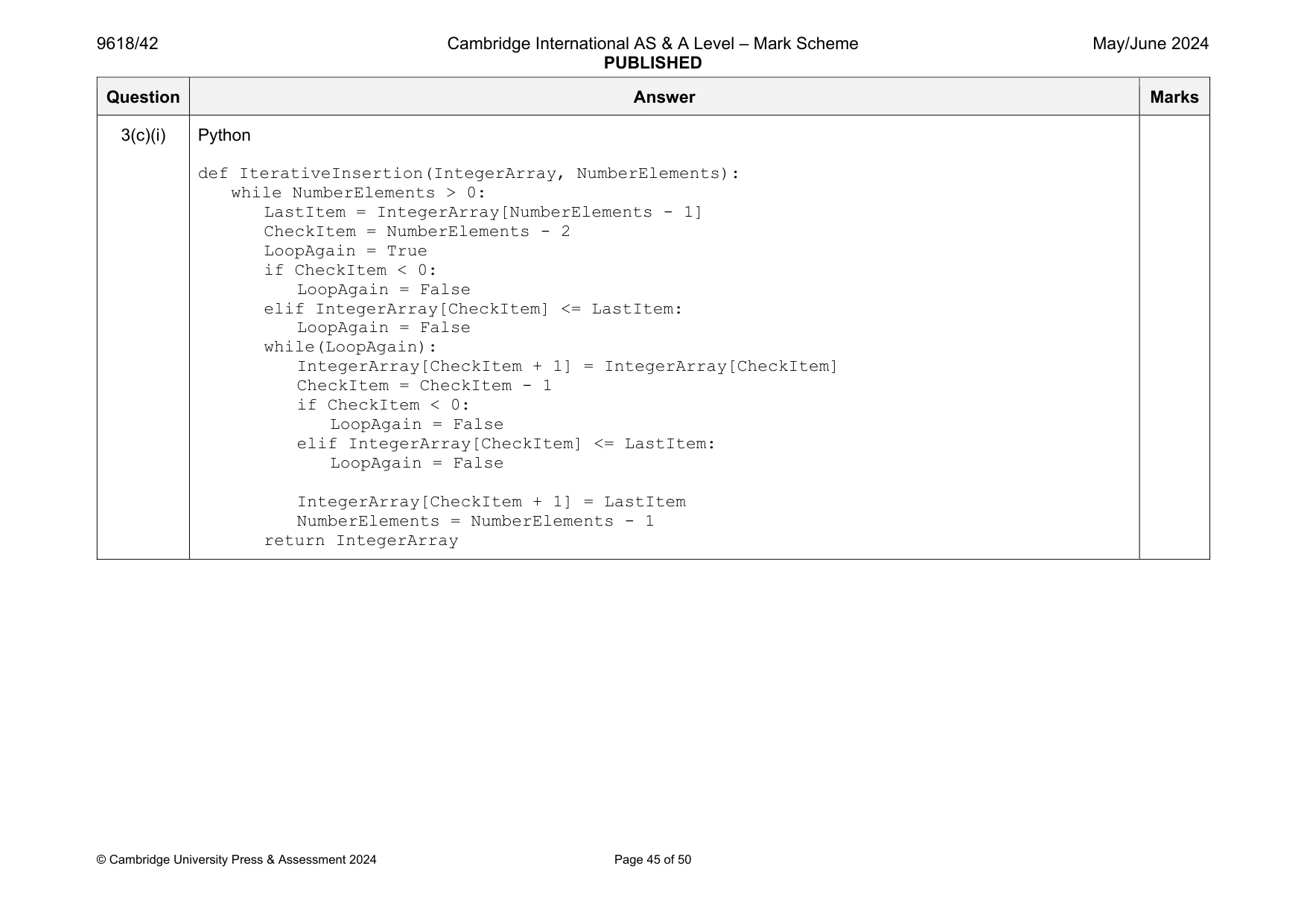
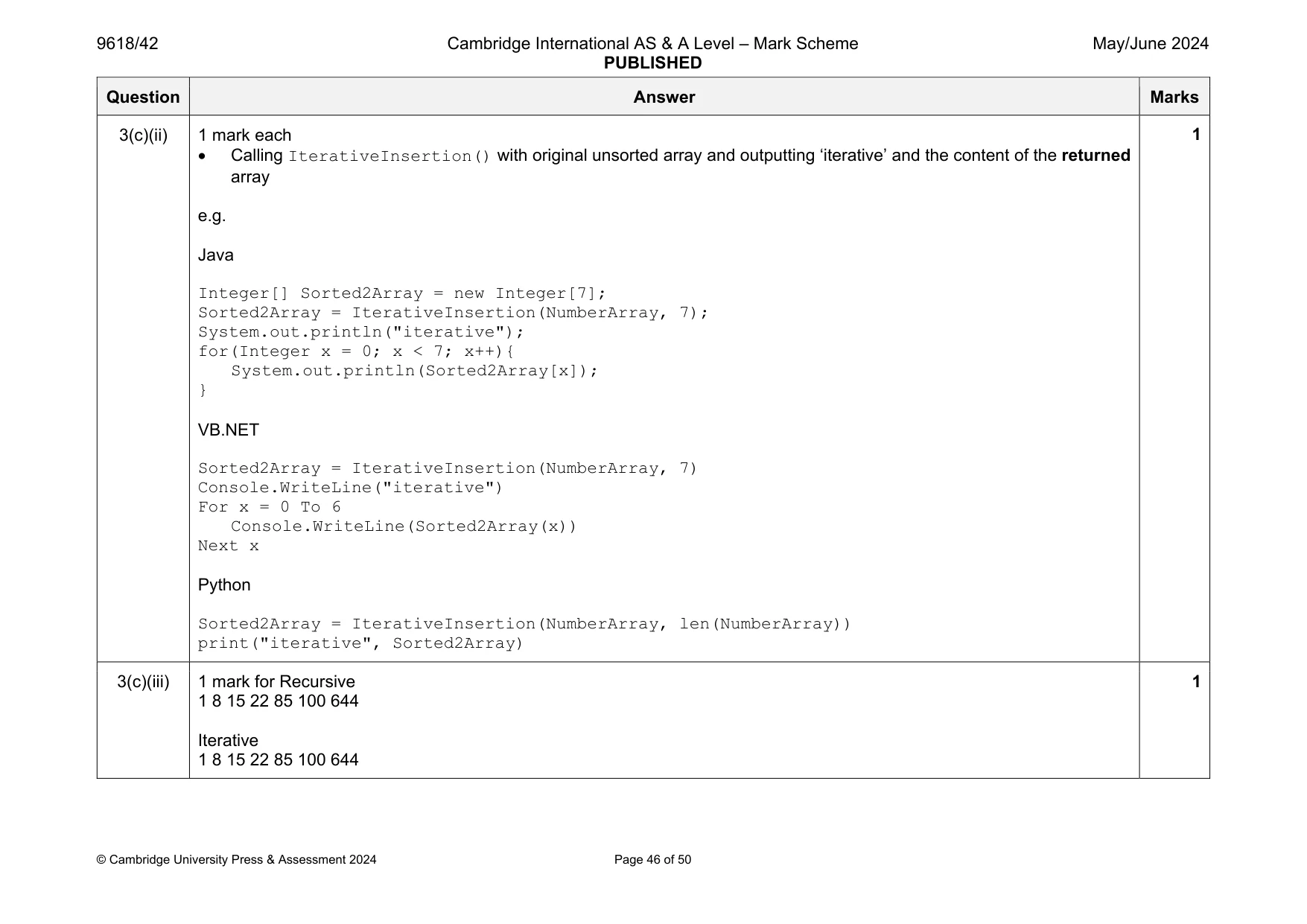
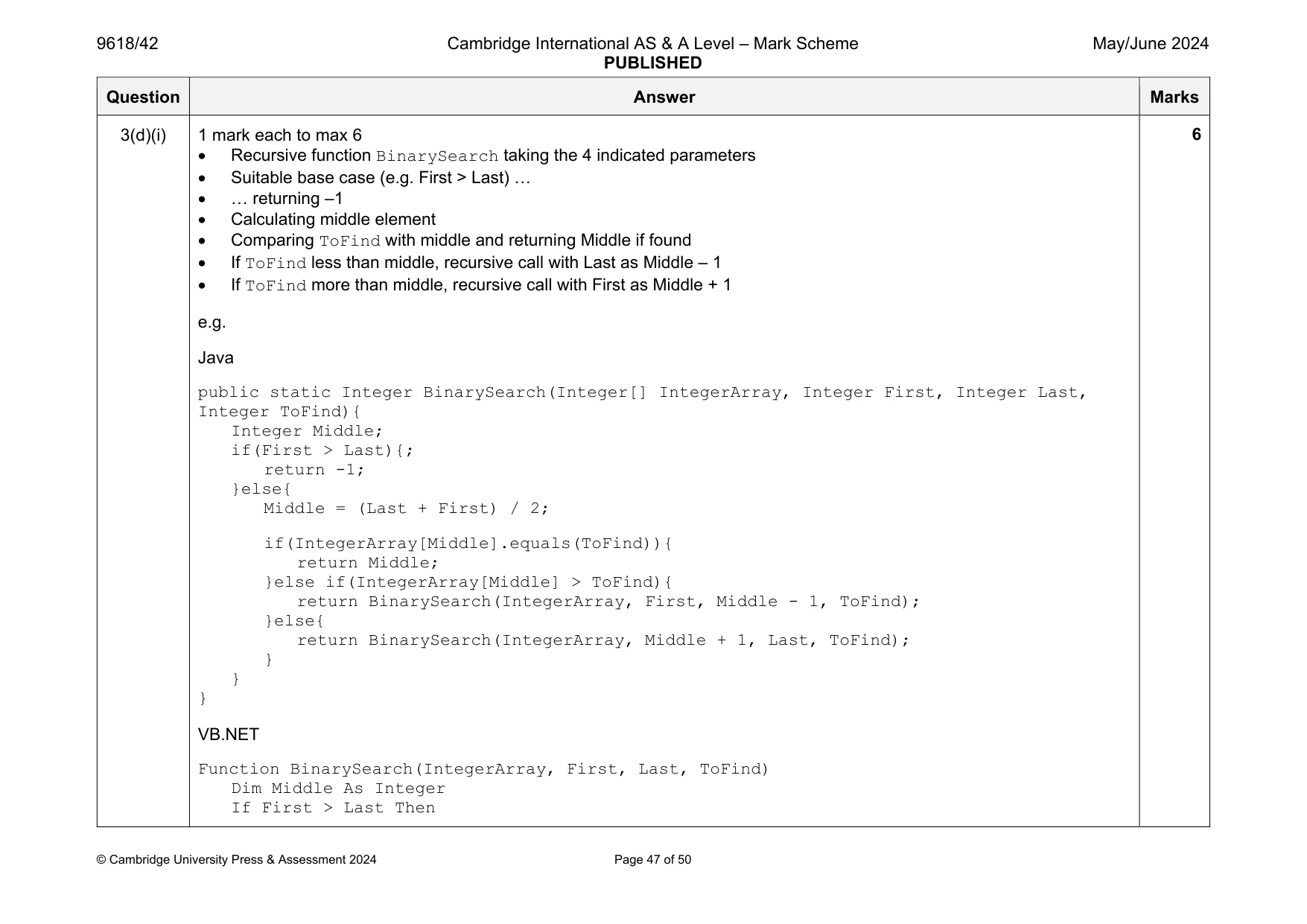
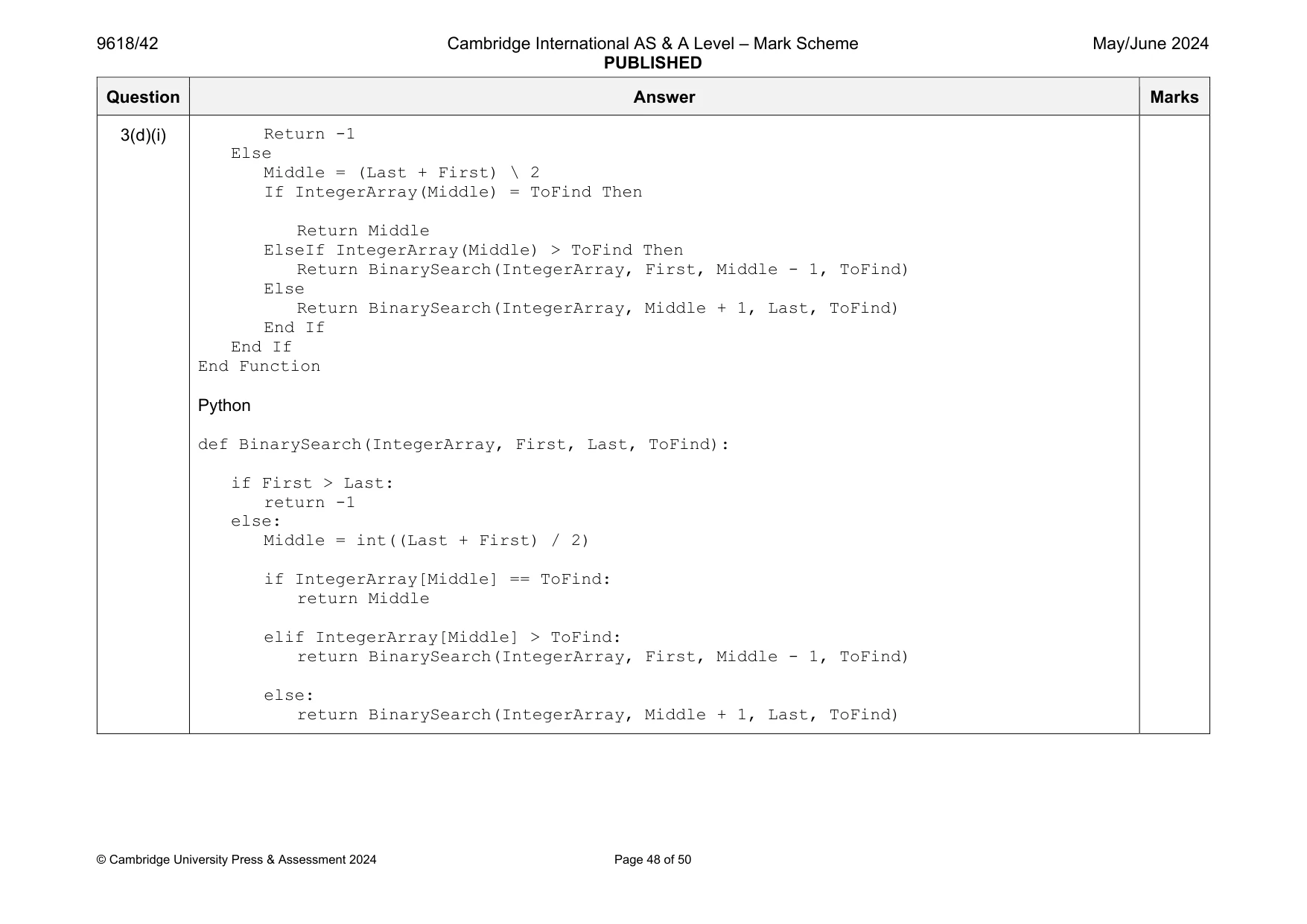
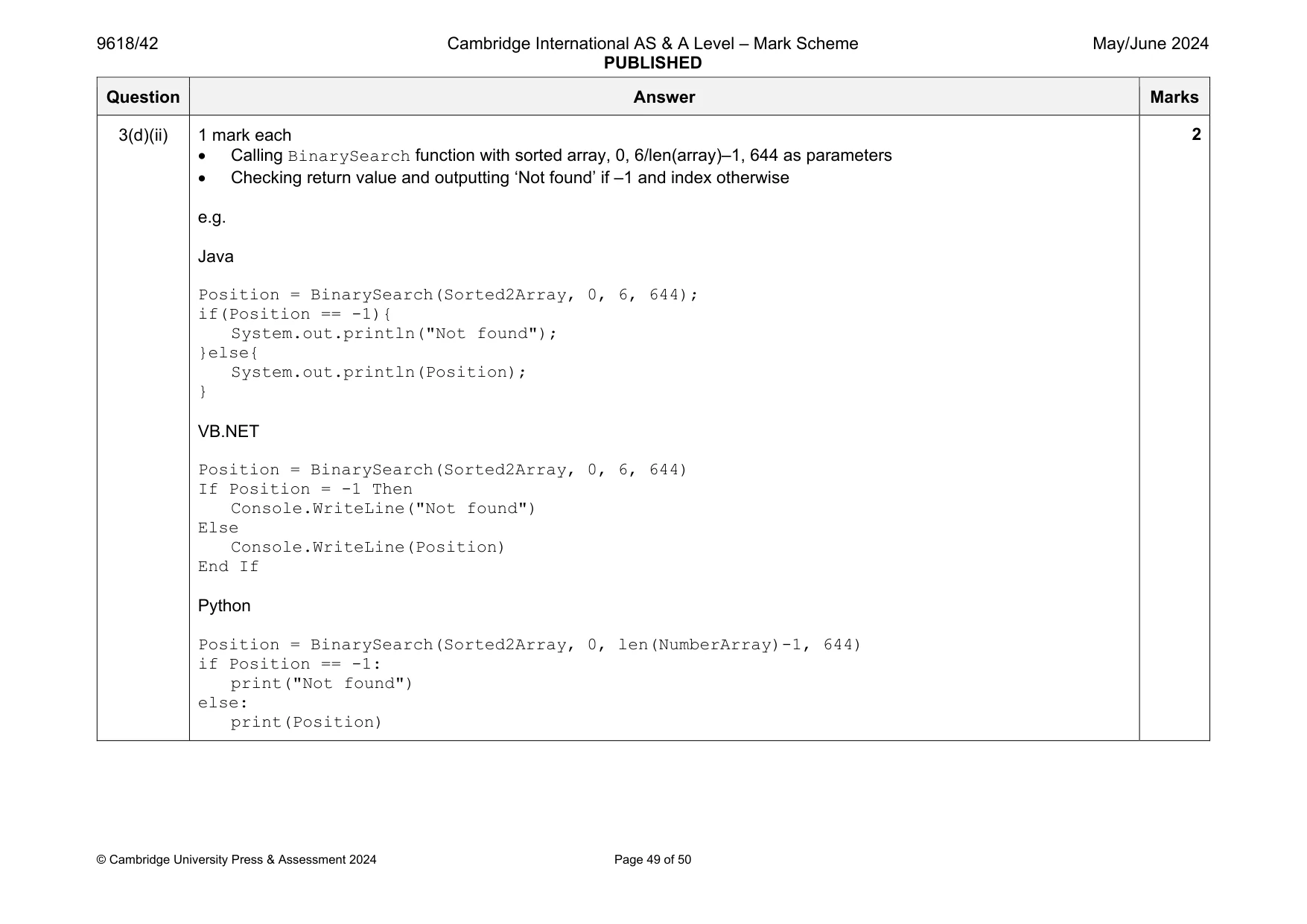
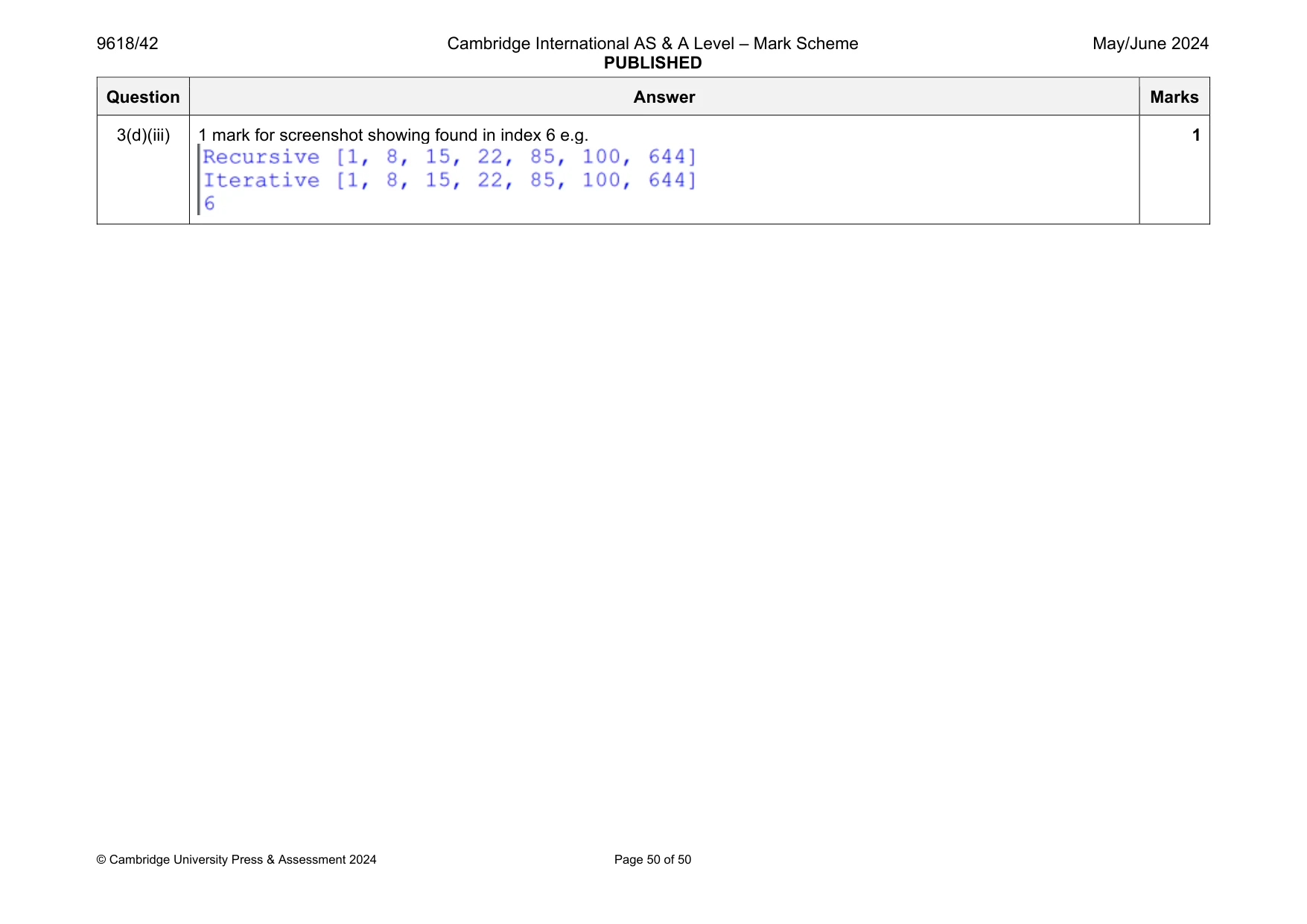
Mark scheme: 3(a) 1 mark each NumberArray declared (in main) with the 7 correct values in order (integer) 100 85 644 22 15 8 1 e.g. Java public static void main(String args[]){ Integer[] NumberArray = new Integer[7]; NumberArray[0] = 100; NumberArray[1] = 85; NumberArray[2] = 644; NumberArray[3] = 22; NumberArray[4] = 15; NumberArray[5] = 8; NumberArray[6] = 1; } VB.NET Sub Main(args As String()) Dim NumberArray(7) As Integer NumberArray(0) = 100 NumberArray(1) = 85 NumberArray(2) = 644 NumberArray(3) = 22 NumberArray(4) = 15 NumberArray(5) = 8 NumberArray(6) = 1 EndSub Python NumberArray = [100, 85, 644, 22, 15, 8, 1] Question Answer Marks 3(b)(i) 1 mark each Recursive function written with recursive call Correct base case and return Correct while loop control and internal All correct and structure followed e.g. Java public static Integer[] RecursiveInsertion(Integer[] IntegerArray, Integer NumberElements){ Integer LastItem; Integer CheckItem; if(NumberElements <= 1){ return IntegerArray; }else{ RecursiveInsertion(IntegerArray, NumberElements - 1); LastItem = IntegerArray[NumberElements - 1]; CheckItem = NumberElements - 2; } Boolean LoopAgain = true; if(CheckItem < 0){ LoopAgain = false; }else if(IntegerArray[CheckItem] < LastItem){ LoopAgain = false; } while(LoopAgain){ IntegerArray[CheckItem + 1] = IntegerArray[CheckItem]; CheckItem = CheckItem - 1; if(CheckItem < 0){ LoopAgain = false; 4 Question Answer Marks 3(b)(i) }else if(IntegerArray[CheckItem] <= LastItem){ LoopAgain = false; } } IntegerArray[CheckItem + 1] = LastItem; return IntegerArray; } VB.NET Function RecursiveInsertion(IntegerArray, NumberElements) Dim LastItem, CheckItem As Integer If NumberElements <= 1 Then Return IntegerArray Else RecursiveInsertion(IntegerArray, NumberElements - 1) LastItem = IntegerArray(NumberElements - 1) CheckItem = NumberElements - 2 End If Dim LoopAgain As Boolean = True If CheckItem < 0 Then LoopAgain = False ElseIf IntegerArray(CheckItem) <= LastItem Then LoopAgain = False End If While LoopAgain IntegerArray(CheckItem + 1) = IntegerArray(CheckItem) CheckItem = CheckItem - 1 If CheckItem < 0 Then LoopAgain = False ElseIf IntegerArray(CheckItem) <= LastItem Then Question Answer Marks 3(b)(i) LoopAgain = False End If End While IntegerArray(CheckItem + 1) = LastItem Return IntegerArray End Function Python def RecursiveInsertion(IntegerArray, NumberElements): if NumberElements <= 1: return IntegerArray RecursiveInsertion(IntegerArray,NumberElements - 1) LastItem = IntegerArray[NumberElements - 1] CheckItem = NumberElements - 2 LoopAgain = True if CheckItem < 0: LoopAgain = False elif IntegerArray[CheckItem] <= LastItem: LoopAgain = False while (LoopAgain): IntegerArray[CheckItem + 1] = IntegerArray[CheckItem] CheckItem = CheckItem - 1 if CheckItem < 0: LoopAgain = False elif IntegerArray[CheckItem] <= LastItem: LoopAgain = False IntegerArray[CheckItem + 1] = LastItem return IntegerArray Question Answer Marks 3(b)(ii) 1 mark each Calling RecursiveInsertion() with array and number of elements (7 or length) Outputting ‘recursive’ and then each element in returned array e.g. Java Integer[] SortedArray = new Integer[7]; SortedArray = RecursiveInsertion(NumberArray, 7); System.out.println("Recursive"); for(Integer x = 0; x < 7; x++){ System.out.println(SortedArray[x]); } VB.NET SortedArray = RecursiveInsertion(NumberArray, 7) Console.WriteLine("Recursive") For x = 0 To 6 Console.WriteLine(SortedArray(x)) Next x Python SortedArray = RecursiveInsertion(NumberArray, len(NumberArray)) print("Recursive", SortedArray) 2 Question Answer Marks 3(b)(iii) 1 mark for screenshot with: Recursive 1 8 15 22 85 100 644 1 Question Answer Marks 3(c)(i) 1 mark each Insertion algorithm written with correct identifier – no recursion External loop while there are still elements left (e.g. NumberElements > 0) Internal loop and selection accurate Nothing additional added / logic changed e.g. Java public static Integer[] IterativeInsertion(Integer[] IntegerArray, Integer NumberElements){ Integer LastItem; Integer CheckItem; while(NumberElements > 0){ LastItem = IntegerArray[NumberElements - 1]; CheckItem = NumberElements - 2; Boolean LoopAgain = true; if(CheckItem < 0){ LoopAgain = false; }else if(IntegerArray[CheckItem] < LastItem){ LoopAgain = false; } while(LoopAgain){ IntegerArray[CheckItem + 1] = IntegerArray[CheckItem]; CheckItem = CheckItem - 1; if(CheckItem < 0){ LoopAgain = false; }else if(IntegerArray[CheckItem] <= LastItem){ LoopAgain = false; } } 4 Question Answer Marks 3(c)(i) IntegerArray[CheckItem + 1] = LastItem; NumberElements = NumberElements - 1; } return IntegerArray; } VB.NET Function IterativeInsertion(IntegerArray, NumberElements) Dim LastItem, CheckItem As Integer While NumberElements > 0 LastItem = IntegerArray(NumberElements - 1) CheckItem = NumberElements - 2 Dim LoopAgain As Boolean = True If CheckItem < 0 Then LoopAgain = False ElseIf IntegerArray(CheckItem) <= LastItem Then LoopAgain = False End If While LoopAgain IntegerArray(CheckItem + 1) = IntegerArray(CheckItem) CheckItem = CheckItem - 1 If CheckItem < 0 Then LoopAgain = False ElseIf IntegerArray(CheckItem) <= LastItem Then LoopAgain = False End If End While IntegerArray(CheckItem + 1) = LastItem NumberElements = NumberElements - 1 End While Return IntegerArray End Function Question Answer Marks 3(c)(i) Python def IterativeInsertion(IntegerArray, NumberElements): while NumberElements > 0: LastItem = IntegerArray[NumberElements - 1] CheckItem = NumberElements - 2 LoopAgain = True if CheckItem < 0: LoopAgain = False elif IntegerArray[CheckItem] <= LastItem: LoopAgain = False while(LoopAgain): IntegerArray[CheckItem + 1] = IntegerArray[CheckItem] CheckItem = CheckItem - 1 if CheckItem < 0: LoopAgain = False elif IntegerArray[CheckItem] <= LastItem: LoopAgain = False IntegerArray[CheckItem + 1] = LastItem NumberElements = NumberElements - 1 return IntegerArray Question Answer Marks 3(c)(ii) 1 mark each Calling IterativeInsertion() with original unsorted array and outputting ‘iterative’ and the content of the returned array e.g. Java Integer[] Sorted2Array = new Integer[7]; Sorted2Array = IterativeInsertion(NumberArray, 7); System.out.println("iterative"); for(Integer x = 0; x < 7; x++){ System.out.println(Sorted2Array[x]); } VB.NET Sorted2Array = IterativeInsertion(NumberArray, 7) Console.WriteLine("iterative") For x = 0 To 6 Console.WriteLine(Sorted2Array(x)) Next x Python Sorted2Array = IterativeInsertion(NumberArray, len(NumberArray)) print("iterative", Sorted2Array) 1 3(c)(iii) 1 mark for Recursive 1 8 15 22 85 100 644 Iterative 1 8 15 22 85 100 644 1 Question Answer Marks 3(d)(i) 1 mark each to max 6 Recursive function BinarySearch taking the 4 indicated parameters Suitable base case (e.g. First > Last) … … returning –1 Calculating middle element Comparing ToFind with middle and returning Middle if found If ToFind less than middle, recursive call with Last as Middle – 1 If ToFind more than middle, recursive call with First as Middle + 1 e.g. Java public static Integer BinarySearch(Integer[] IntegerArray, Integer First, Integer Last, Integer ToFind){ Integer Middle; if(First > Last){; return -1; }else{ Middle = (Last + First) / 2; if(IntegerArray[Middle].equals(ToFind)){ return Middle; }else if(IntegerArray[Middle] > ToFind){ return BinarySearch(IntegerArray, First, Middle - 1, ToFind); }else{ return BinarySearch(IntegerArray, Middle + 1, Last, ToFind); } } } VB.NET Function BinarySearch(IntegerArray, First, Last, ToFind) Dim Middle As Integer If First > Last Then 6 Question Answer Marks 3(d)(i) Return -1 Else Middle = (Last + First) \ 2 If IntegerArray(Middle) = ToFind Then Return Middle ElseIf IntegerArray(Middle) > ToFind Then Return BinarySearch(IntegerArray, First, Middle - 1, ToFind) Else Return BinarySearch(IntegerArray, Middle + 1, Last, ToFind) End If End If End Function Python def BinarySearch(IntegerArray, First, Last, ToFind): if First > Last: return -1 else: Middle = int((Last + First) / 2) if IntegerArray[Middle] == ToFind: return Middle elif IntegerArray[Middle] > ToFind: return BinarySearch(IntegerArray, First, Middle - 1, ToFind) else: return BinarySearch(IntegerArray, Middle + 1, Last, ToFind) Question Answer Marks 3(d)(ii) 1 mark each Calling BinarySearch function with sorted array, 0, 6/len(array)–1, 644 as parameters Checking return value and outputting ‘Not found’ if –1 and index otherwise e.g. Java Position = BinarySearch(Sorted2Array, 0, 6, 644); if(Position == -1){ System.out.println("Not found"); }else{ System.out.println(Position); } VB.NET Position = BinarySearch(Sorted2Array, 0, 6, 644) If Position = -1 Then Console.WriteLine("Not found") Else Console.WriteLine(Position) End If Python Position = BinarySearch(Sorted2Array, 0, len(NumberArray)-1, 644) if Position == -1: print("Not found") else: print(Position) 2 Question Answer Marks 3(d)(iii) 1 mark for screenshot showing found in index 6 e.g. 1
What you needed in this session
Cambridge’s own grade thresholds for 2024 May/June, Paper 4 · Variant 2. A higher threshold means an easier paper — the bar moves with how the cohort did.