Cambridge A Level Applied Information and Communication Technology 9713 — 2011 May/June Paper 4 · Variant 1
9713/41/M/J/11 · 90 marks · ≈101 min
The question paper and its mark scheme, free to read here and free to download. This is Cambridge’s own paper, exactly as it was sat.
Question paper4 pages
Mark scheme5 pages
Answers below. Sit the paper first if you are practising.
Paper as text
Question paper, page 1
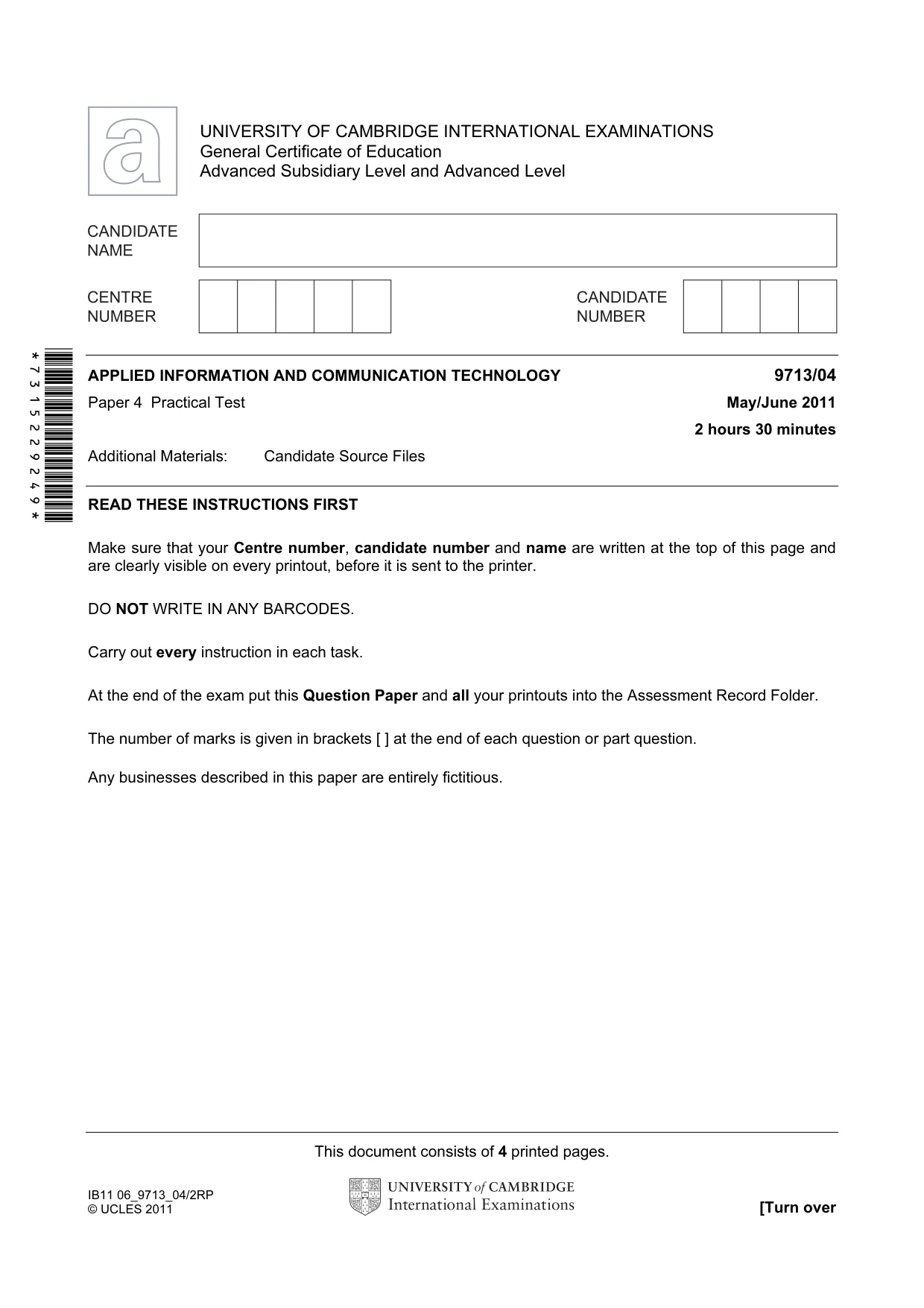
This document consists of 4 printed pages. IB11 06_9713_04/2RP © UCLES 2011 [Turn over *7315229249* UNIVERSITY OF CAMBRIDGE INTERNATIONAL EXAMINATIONS General Certificate of Education Advanced Subsidiary Level and Advanced Level APPLIED INFORMATION AND COMMUNICATION TECHNOLOGY 9713/04 Paper 4 Practical Test May/June 2011 2 hours 30 minutes Additional Materials: Candidate Source Files READ THESE INSTRUCTIONS FIRST Make sure that your Centre number, candidate number and name are written at the top of this page and are clearly visible on every printout, before it is sent to the printer. DO NOT WRITE IN ANY BARCODES. Carry out every instruction in each task. At the end of the exam put this Question Paper and all your printouts into the Assessment Record Folder. The number of marks is given in brackets [ ] at the end of each question or part question. Any businesses described in this paper are entirely fictitious.
Question paper, page 2
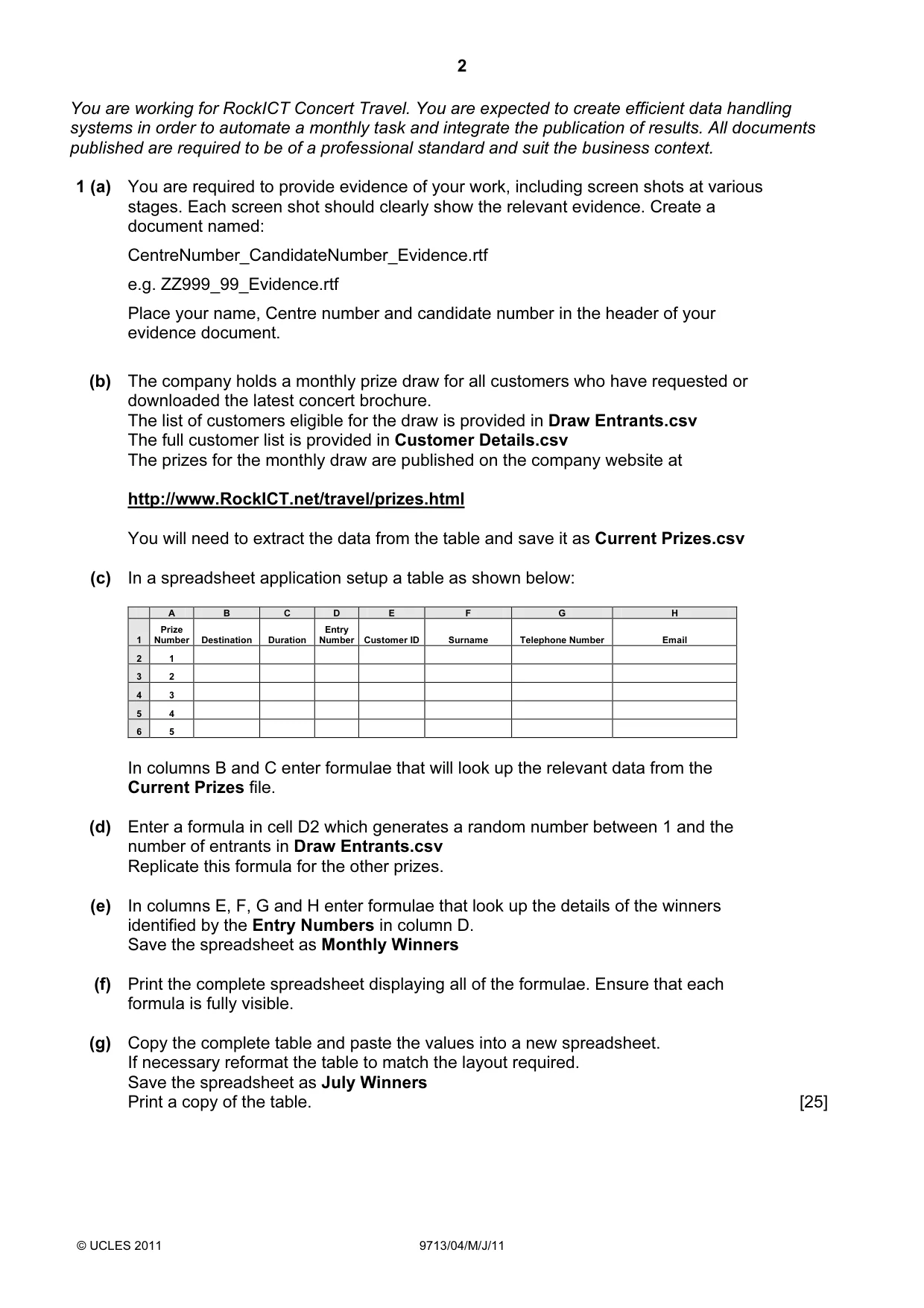
2 © UCLES 2011 9713/04/M/J/11 You are working for RockICT Concert Travel. You are expected to create efficient data handling systems in order to automate a monthly task and integrate the publication of results. All documents published are required to be of a professional standard and suit the business context. 1 (a) You are required to provide evidence of your work, including screen shots at various stages. Each screen shot should clearly show the relevant evidence. Create a document named: CentreNumber_CandidateNumber_Evidence.rtf e.g. ZZ999_99_Evidence.rtf Place your name, Centre number and candidate number in the header of your evidence document. (b) The company holds a monthly prize draw for all customers who have requested or downloaded the latest concert brochure. The list of customers eligible for the draw is provided in Draw Entrants.csv The full customer list is provided in Customer Details.csv The prizes for the monthly draw are published on the company website at http://www.RockICT.net/travel/prizes.html You will need to extract the data from the table and save it as Current Prizes.csv (c) In a spreadsheet application setup a table as shown below: A B C D E F G H 1 Prize Number Destination Duration Entry Number Customer ID Surname Telephone Number Email 2 1 3 2 4 3 5 4 6 5 In columns B and C enter formulae that will look up the relevant data from the Current Prizes file. (d) Enter a formula in cell D2 which generates a random number between 1 and the number of entrants in Draw Entrants.csv Replicate this formula for the other prizes. (e) In columns E, F, G and H enter formulae that look up the details of the winners identified by the Entry Numbers in column D. Save the spreadsheet as Monthly Winners (f) Print the complete spreadsheet displaying all of the formulae. Ensure that each formula is fully visible. (g) Copy the complete table and paste the values into a new spreadsheet. If necessary reformat the table to match the layout required. Save the spreadsheet as July Winners Print a copy of the table. [25]
Question paper, page 3
3 © UCLES 2011 9713/04/M/J/11 [Turn over 2 (a) The company prints prize certificates for the winners using mail merge. You will use Draw Certificates.rtf as a template for the merge document. The data for the mergefields exists in multiple tables so you are required to create a database as a source for generating the certificates. Ensure that your solution includes only the fields required, has appropriate relationships and has no unnecessary duplication of data. Include details of the tables, the relationships and any queries created in your evidence document. (b) Insert the mergefields where specified in the template. For winners with a current insurance policy, the Bonus Prize conditional field should display Free upgrade to your travel insurance! For those winners without a current insurance policy, the Bonus Prize conditional field should display 30% off our award winning travel insurance. Format all inserted data as an 18pt serif font with bold and italic effect. Copy the RockICT logo from the RockICT.net website and insert it where indicated. Resize the logo to a height of 3 cm. Make sure that the aspect ratio is maintained and that all text and borders are visible. Print a copy of the merge document showing the mergefield codes. Perform the mail merge to create the new document. Ensure the certificates will be printed on a single A4 page. Save the new document as July Certificates.rtf Print the document. [25] 3 You are now required to automate the reformatting of the Certificates. Create a macro or procedure to: • set the background colour of each certificate to yellow • set the border colour of each certificate to blue • set the line width of each border to 3pt • add your name, Centre number and candidate number to the header of the document • print the document. Assign the macro or procedure to a toolbar or menu item of your word processing application. Include evidence of the macro or procedure in your evidence document and provide screen shots of your toolbar or menu item. Run the macro to print the certificates. [15]
Question paper, page 4
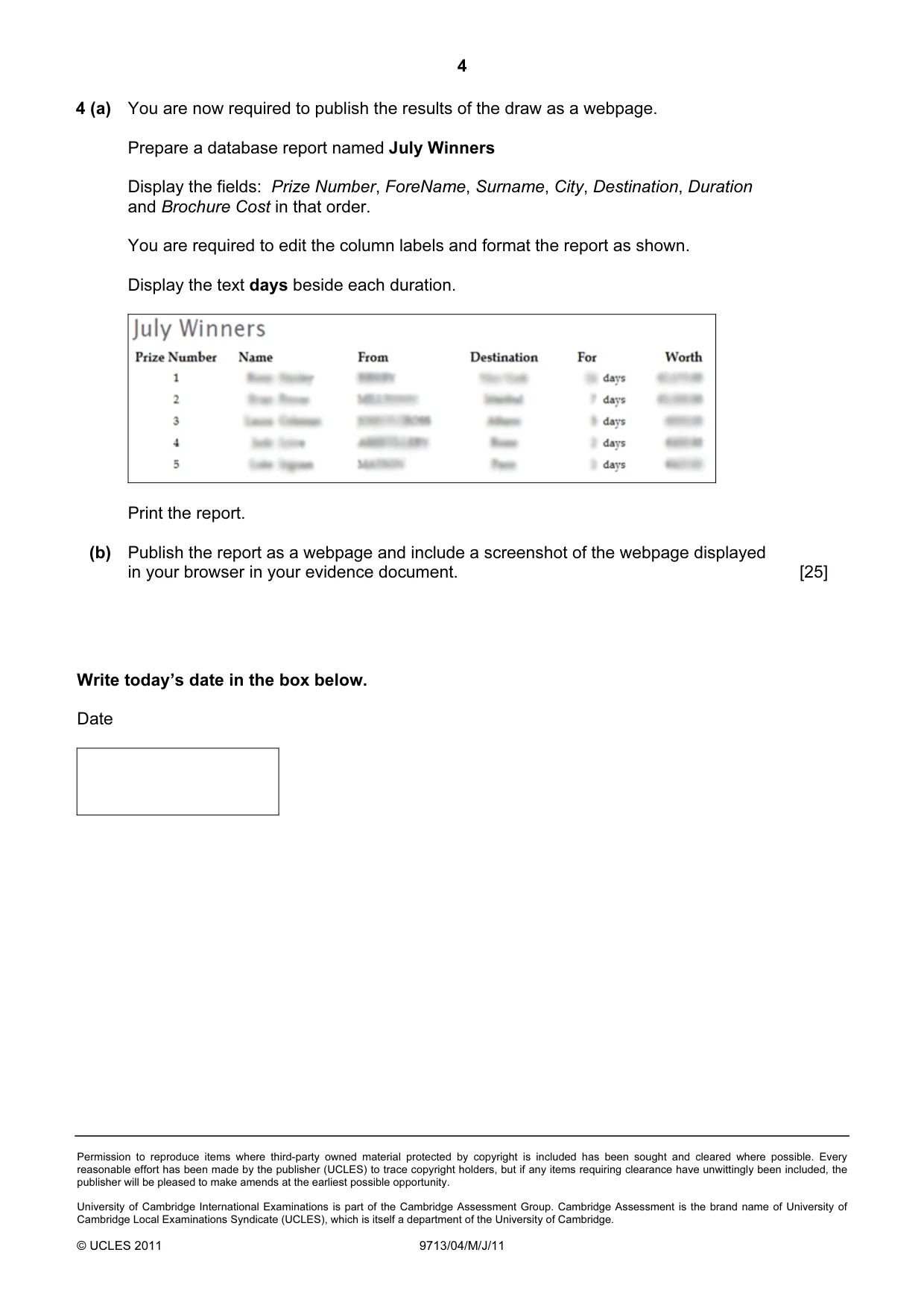
4 Permission to reproduce items where third-party owned material protected by copyright is included has been sought and cleared where possible. Every reasonable effort has been made by the publisher (UCLES) to trace copyright holders, but if any items requiring clearance have unwittingly been included, the publisher will be pleased to make amends at the earliest possible opportunity. University of Cambridge International Examinations is part of the Cambridge Assessment Group. Cambridge Assessment is the brand name of University of Cambridge Local Examinations Syndicate (UCLES), which is itself a department of the University of Cambridge. © UCLES 2011 9713/04/M/J/11 4 (a) You are now required to publish the results of the draw as a webpage. Prepare a database report named July Winners Display the fields: Prize Number, ForeName, Surname, City, Destination, Duration and Brochure Cost in that order. You are required to edit the column labels and format the report as shown. Display the text days beside each duration. Print the report. (b) Publish the report as a webpage and include a screenshot of the webpage displayed in your browser in your evidence document. [25] Write today’s date in the box below. Date
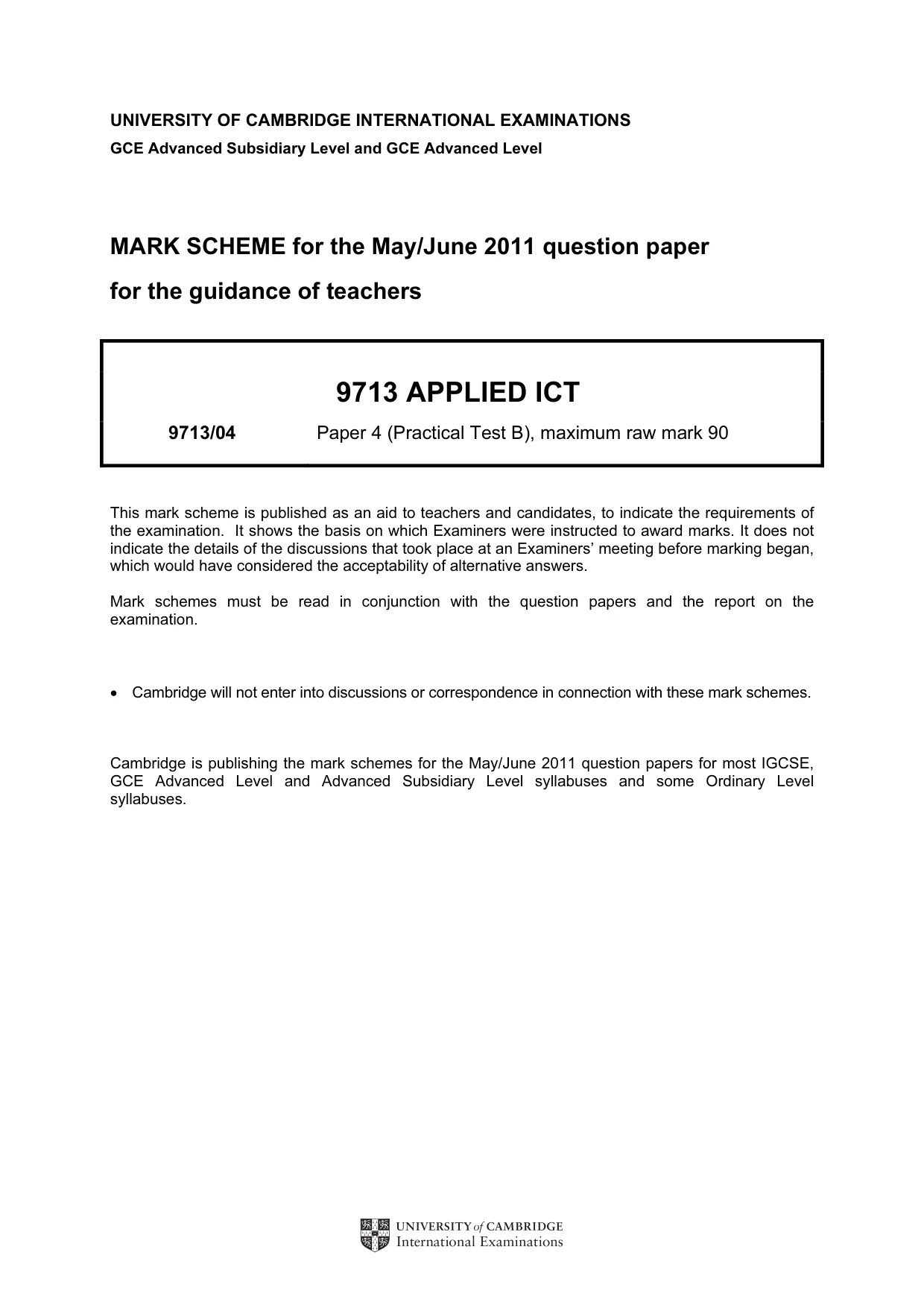
Mark scheme, page 1
UNIVERSITY OF CAMBRIDGE INTERNATIONAL EXAMINATIONS GCE Advanced Subsidiary Level and GCE Advanced Level MARK SCHEME for the May/June 2011 question paper for the guidance of teachers 9713 APPLIED ICT 9713/04 Paper 4 (Practical Test B), maximum raw mark 90 This mark scheme is published as an aid to teachers and candidates, to indicate the requirements of the examination. It shows the basis on which Examiners were instructed to award marks. It does not indicate the details of the discussions that took place at an Examiners’ meeting before marking began, which would have considered the acceptability of alternative answers. Mark schemes must be read in conjunction with the question papers and the report on the examination. • Cambridge will not enter into discussions or correspondence in connection with these mark schemes. Cambridge is publishing the mark schemes for the May/June 2011 question papers for most IGCSE, GCE Advanced Level and Advanced Subsidiary Level syllabuses and some Ordinary Level syllabuses.
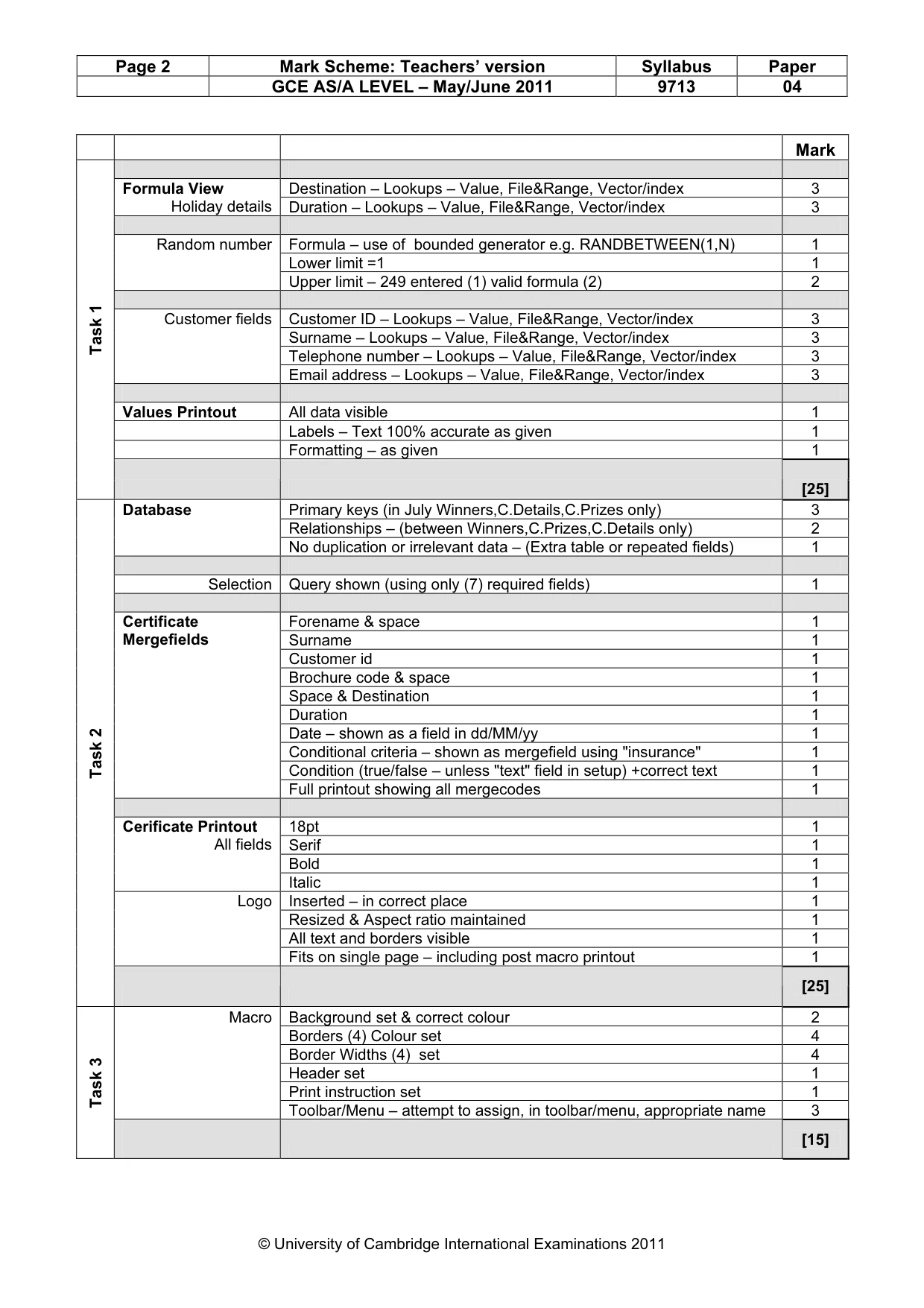
Mark scheme, page 2
Page 2 Mark Scheme: Teachers’ version Syllabus Paper GCE AS/A LEVEL – May/June 2011 9713 04 © University of Cambridge International Examinations 2011 Mark Destination – Lookups – Value, File&Range, Vector/index 3 Formula View Holiday details Duration – Lookups – Value, File&Range, Vector/index 3 Formula – use of bounded generator e.g. RANDBETWEEN(1,N) 1 Lower limit =1 1 Random number Upper limit – 249 entered (1) valid formula (2) 2 Customer ID – Lookups – Value, File&Range, Vector/index 3 Surname – Lookups – Value, File&Range, Vector/index 3 Telephone number – Lookups – Value, File&Range, Vector/index 3 Customer fields Email address – Lookups – Value, File&Range, Vector/index 3 Values Printout All data visible 1 Labels – Text 100% accurate as given 1 Formatting – as given 1 Task 1 [25] Primary keys (in July Winners,C.Details,C.Prizes only) 3 Relationships – (between Winners,C.Prizes,C.Details only) 2 Database No duplication or irrelevant data – (Extra table or repeated fields) 1 Selection Query shown (using only (7) required fields) 1 Forename & space 1 Surname 1 Customer id 1 Brochure code & space 1 Space & Destination 1 Duration 1 Date – shown as a field in dd/MM/yy 1 Conditional criteria – shown as mergefield using "insurance" 1 Condition (true/false – unless "text" field in setup) +correct text 1 Certificate Mergefields Full printout showing all mergecodes 1 18pt 1 Cerificate Printout All fields Serif 1 Bold 1 Italic 1 Inserted – in correct place 1 Resized & Aspect ratio maintained 1 All text and borders visible 1 Logo Fits on single page – including post macro printout 1 Task 2 [25] Background set & correct colour 2 Borders (4) Colour set 4 Border Widths (4) set 4 Header set 1 Print instruction set 1 Macro Toolbar/Menu – attempt to assign, in toolbar/menu, appropriate name 3 Task 3 [15]
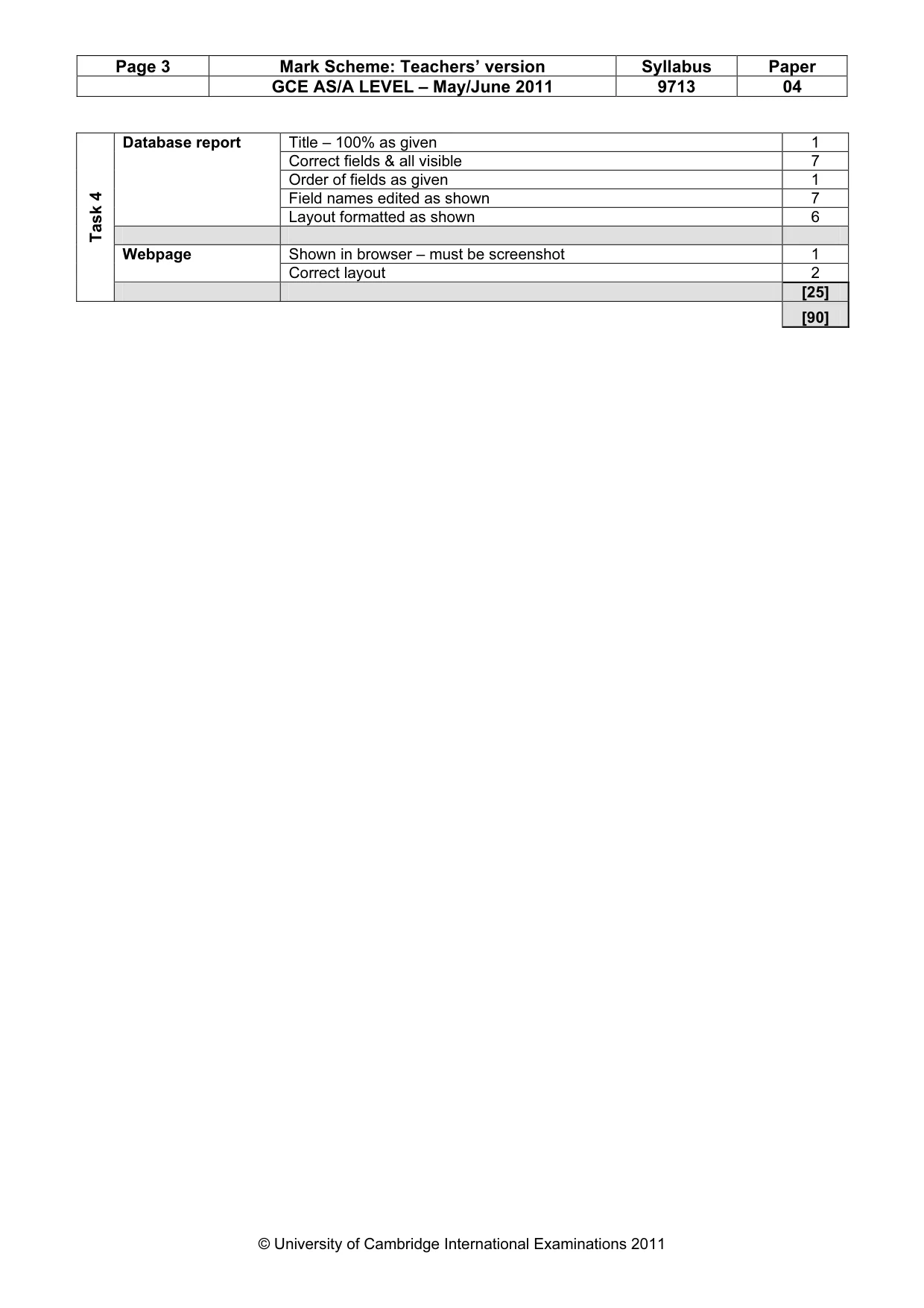
Mark scheme, page 3
Page 3 Mark Scheme: Teachers’ version Syllabus Paper GCE AS/A LEVEL – May/June 2011 9713 04 © University of Cambridge International Examinations 2011 Title – 100% as given 1 Correct fields & all visible 7 Order of fields as given 1 Field names edited as shown 7 Database report Layout formatted as shown 6 Shown in browser – must be screenshot 1 Webpage Correct layout 2 Task 4 [25] [90]
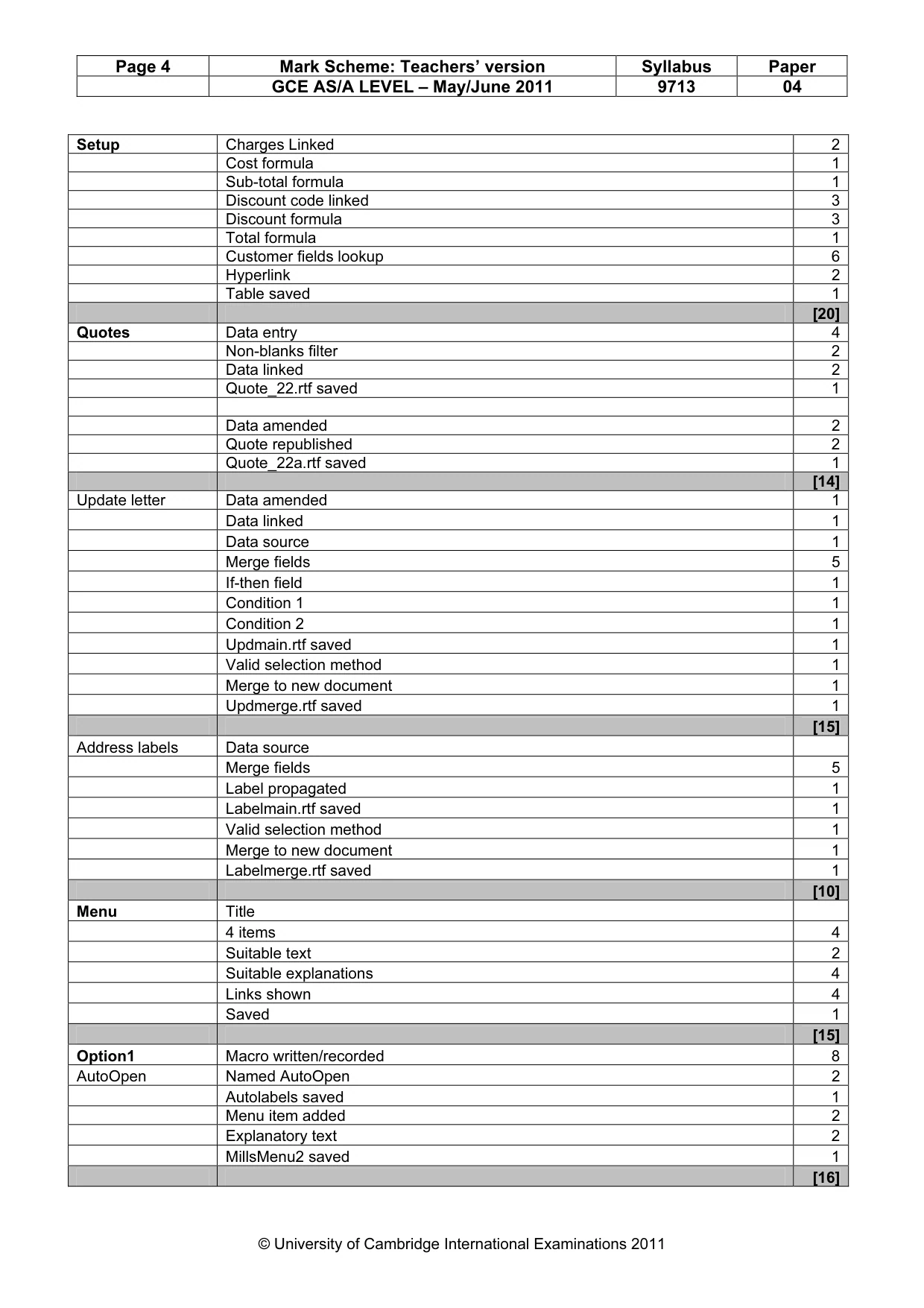
Mark scheme, page 4
Page 4 Mark Scheme: Teachers’ version Syllabus Paper GCE AS/A LEVEL – May/June 2011 9713 04 © University of Cambridge International Examinations 2011 Setup Charges Linked 2 Cost formula 1 Sub-total formula 1 Discount code linked 3 Discount formula 3 Total formula 1 Customer fields lookup 6 Hyperlink 2 Table saved 1 [20] Quotes Data entry 4 Non-blanks filter 2 Data linked 2 Quote_22.rtf saved 1 Data amended 2 Quote republished 2 Quote_22a.rtf saved 1 [14] Update letter Data amended 1 Data linked 1 Data source 1 Merge fields 5 If-then field 1 Condition 1 1 Condition 2 1 Updmain.rtf saved 1 Valid selection method 1 Merge to new document 1 Updmerge.rtf saved 1 [15] Address labels Data source Merge fields 5 Label propagated 1 Labelmain.rtf saved 1 Valid selection method 1 Merge to new document 1 Labelmerge.rtf saved 1 [10] Menu Title 4 items 4 Suitable text 2 Suitable explanations 4 Links shown 4 Saved 1 [15] Option1 Macro written/recorded 8 AutoOpen Named AutoOpen 2 Autolabels saved 1 Menu item added 2 Explanatory text 2 MillsMenu2 saved 1 [16]
Mark scheme, page 5
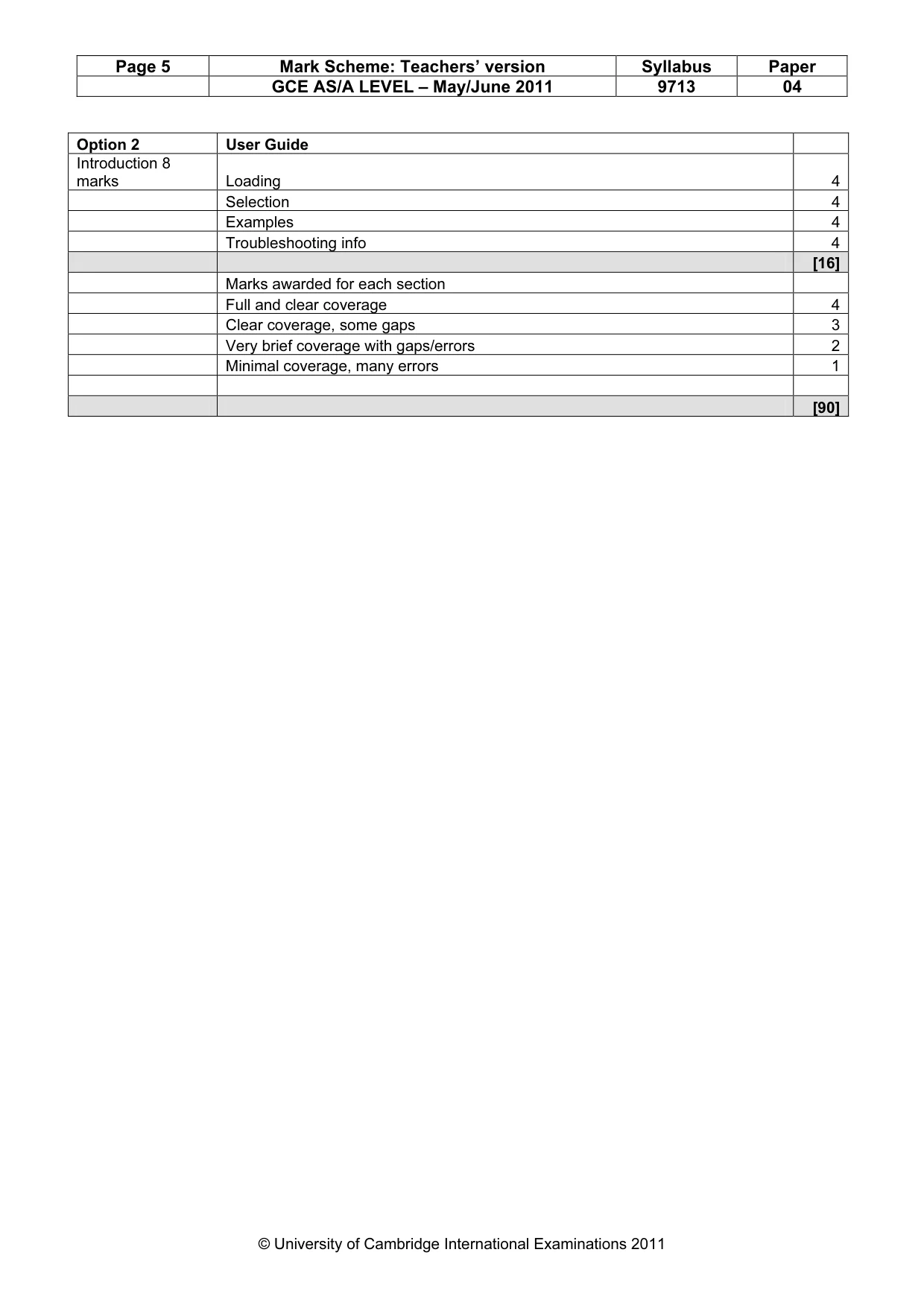
Page 5 Mark Scheme: Teachers’ version Syllabus Paper GCE AS/A LEVEL – May/June 2011 9713 04 © University of Cambridge International Examinations 2011 Option 2 User Guide Introduction 8 marks Loading 4 Selection 4 Examples 4 Troubleshooting info 4 [16] Marks awarded for each section Full and clear coverage 4 Clear coverage, some gaps 3 Very brief coverage with gaps/errors 2 Minimal coverage, many errors 1 [90]
What you needed in this session
Cambridge’s own grade thresholds for 2011 May/June, Paper 4 · Variant 1. A higher threshold means an easier paper — the bar moves with how the cohort did.