Cambridge A Level Applied Information and Communication Technology 9713 — 2008 May/June Paper 4 · Variant 1
9713/41/M/J/08 · 90 marks · ≈101 min
The question paper and its mark scheme, free to read here and free to download. This is Cambridge’s own paper, exactly as it was sat.
Question paper6 pages
Mark scheme3 pages
Answers below. Sit the paper first if you are practising.
Paper as text
Question paper, page 1
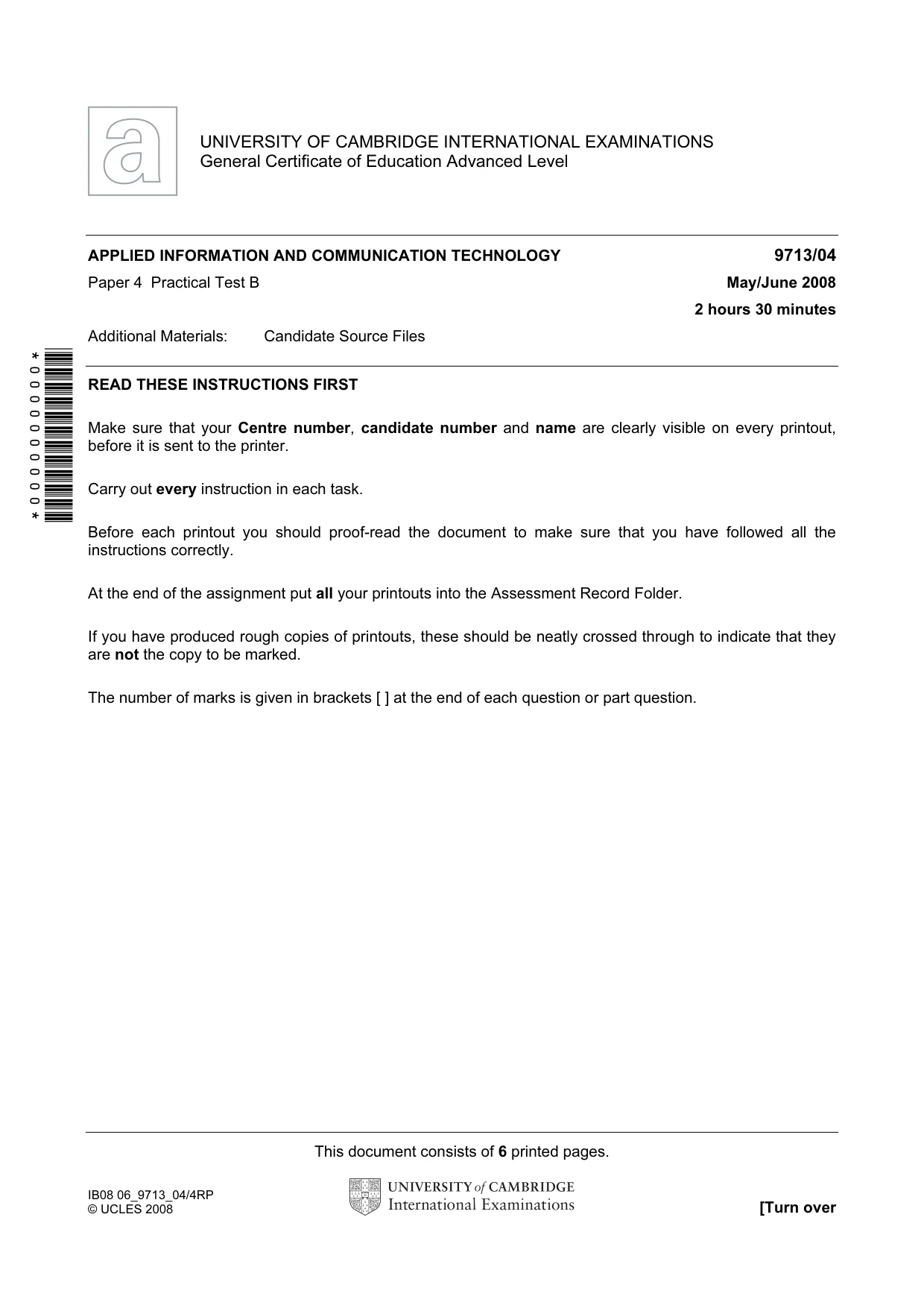
This document consists of 6 printed pages. IB08 06_9713_04/4RP © UCLES 2008 [Turn over *0000000000* UNIVERSITY OF CAMBRIDGE INTERNATIONAL EXAMINATIONS General Certificate of Education Advanced Level APPLIED INFORMATION AND COMMUNICATION TECHNOLOGY 9713/04 Paper 4 Practical Test B May/June 2008 2 hours 30 minutes Additional Materials: Candidate Source Files READ THESE INSTRUCTIONS FIRST Make sure that your Centre number, candidate number and name are clearly visible on every printout, before it is sent to the printer. Carry out every instruction in each task. Before each printout you should proof-read the document to make sure that you have followed all the instructions correctly. At the end of the assignment put all your printouts into the Assessment Record Folder. If you have produced rough copies of printouts, these should be neatly crossed through to indicate that they are not the copy to be marked. The number of marks is given in brackets [ ] at the end of each question or part question.
Question paper, page 2
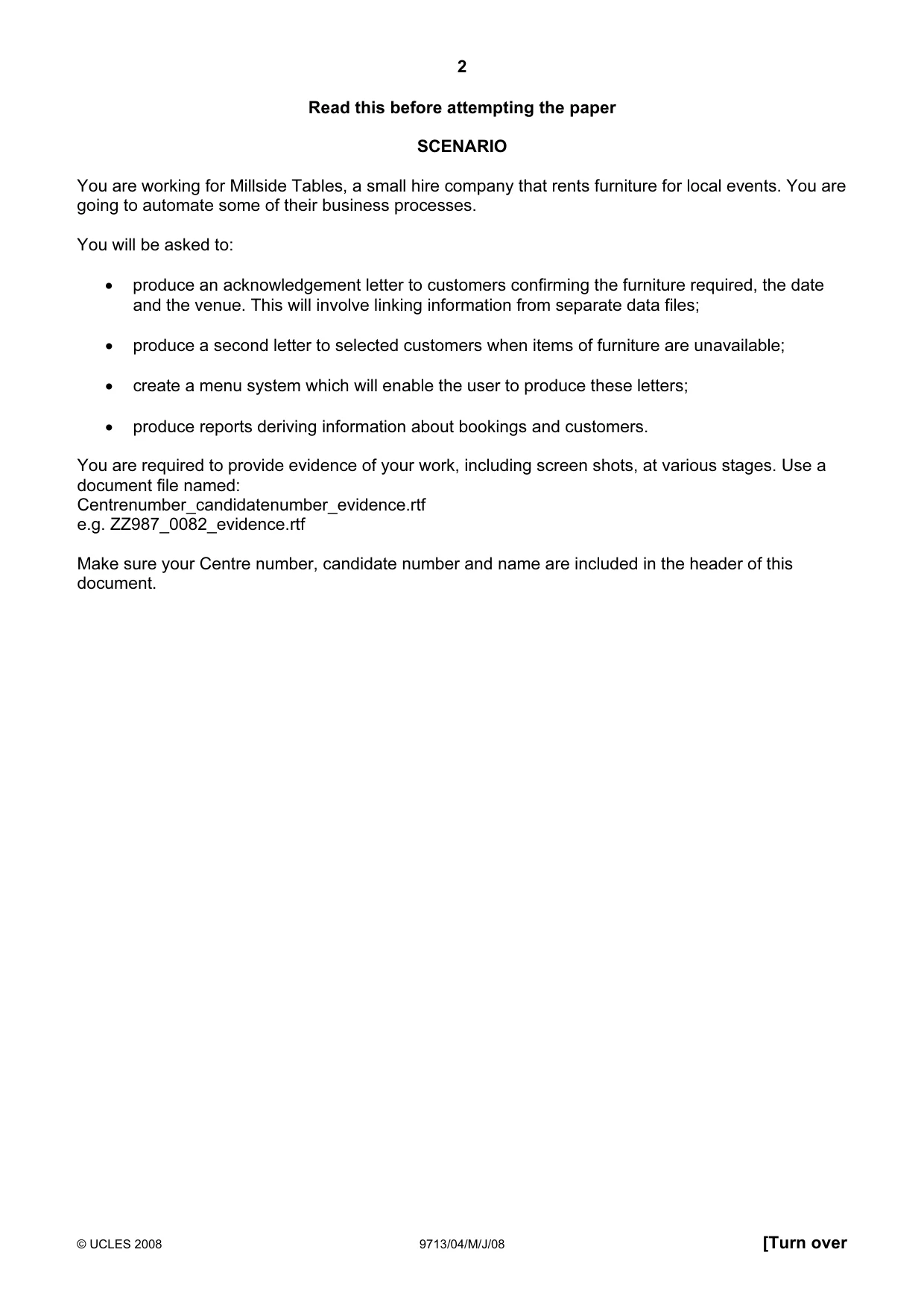
2 © UCLES 2008 9713/04/M/J/08 [Turn over Read this before attempting the paper SCENARIO You are working for Millside Tables, a small hire company that rents furniture for local events. You are going to automate some of their business processes. You will be asked to: • produce an acknowledgement letter to customers confirming the furniture required, the date and the venue. This will involve linking information from separate data files; • produce a second letter to selected customers when items of furniture are unavailable; • create a menu system which will enable the user to produce these letters; • produce reports deriving information about bookings and customers. You are required to provide evidence of your work, including screen shots, at various stages. Use a document file named: Centrenumber_candidatenumber_evidence.rtf e.g. ZZ987_0082_evidence.rtf Make sure your Centre number, candidate number and name are included in the header of this document.
Question paper, page 3
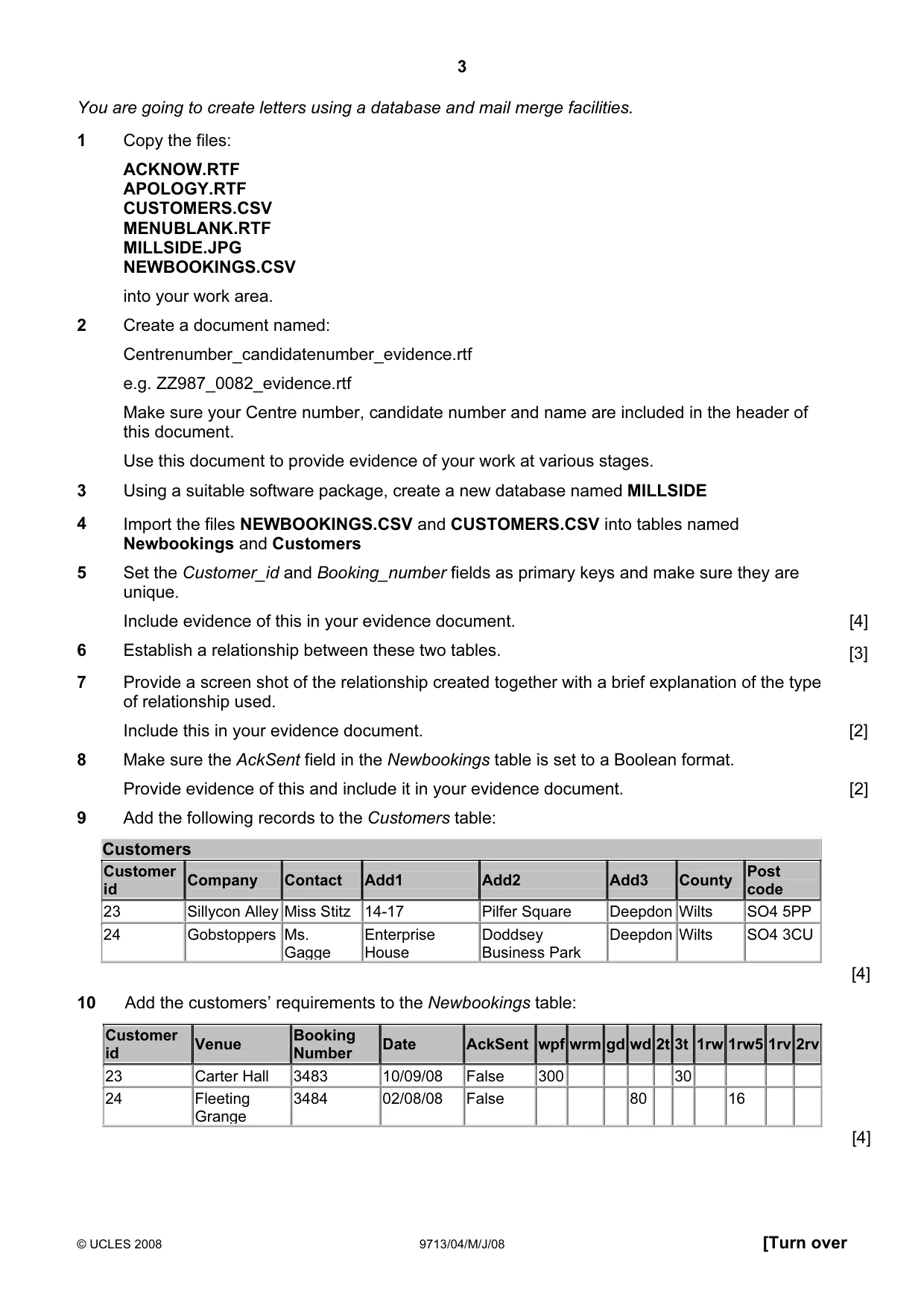
3 © UCLES 2008 9713/04/M/J/08 [Turn over You are going to create letters using a database and mail merge facilities. 1 Copy the files: ACKNOW.RTF APOLOGY.RTF CUSTOMERS.CSV MENUBLANK.RTF MILLSIDE.JPG NEWBOOKINGS.CSV into your work area. 2 Create a document named: Centrenumber_candidatenumber_evidence.rtf e.g. ZZ987_0082_evidence.rtf Make sure your Centre number, candidate number and name are included in the header of this document. Use this document to provide evidence of your work at various stages. 3 Using a suitable software package, create a new database named MILLSIDE 4 Import the files NEWBOOKINGS.CSV and CUSTOMERS.CSV into tables named Newbookings and Customers 5 Set the Customer_id and Booking_number fields as primary keys and make sure they are unique. Include evidence of this in your evidence document. [4] 6 Establish a relationship between these two tables. [3] 7 Provide a screen shot of the relationship created together with a brief explanation of the type of relationship used. Include this in your evidence document. [2] 8 Make sure the AckSent field in the Newbookings table is set to a Boolean format. Provide evidence of this and include it in your evidence document. [2] 9 Add the following records to the Customers table: Customers Customer id Company Contact Add1 Add2 Add3 County Post code 23 Sillycon Alley Miss Stitz 14-17 Pilfer Square Deepdon Wilts SO4 5PP 24 Gobstoppers Ms. Gagge Enterprise House Doddsey Business Park Deepdon Wilts SO4 3CU [4] 10 Add the customers’ requirements to the Newbookings table: Customer id Venue Booking Number Date AckSent wpf wrm gd wd 2t 3t 1rw 1rw5 1rv 2rv 23 Carter Hall 3483 10/09/08 False 300 30 24 Fleeting Grange 3484 02/08/08 False 80 16 [4]
Question paper, page 4
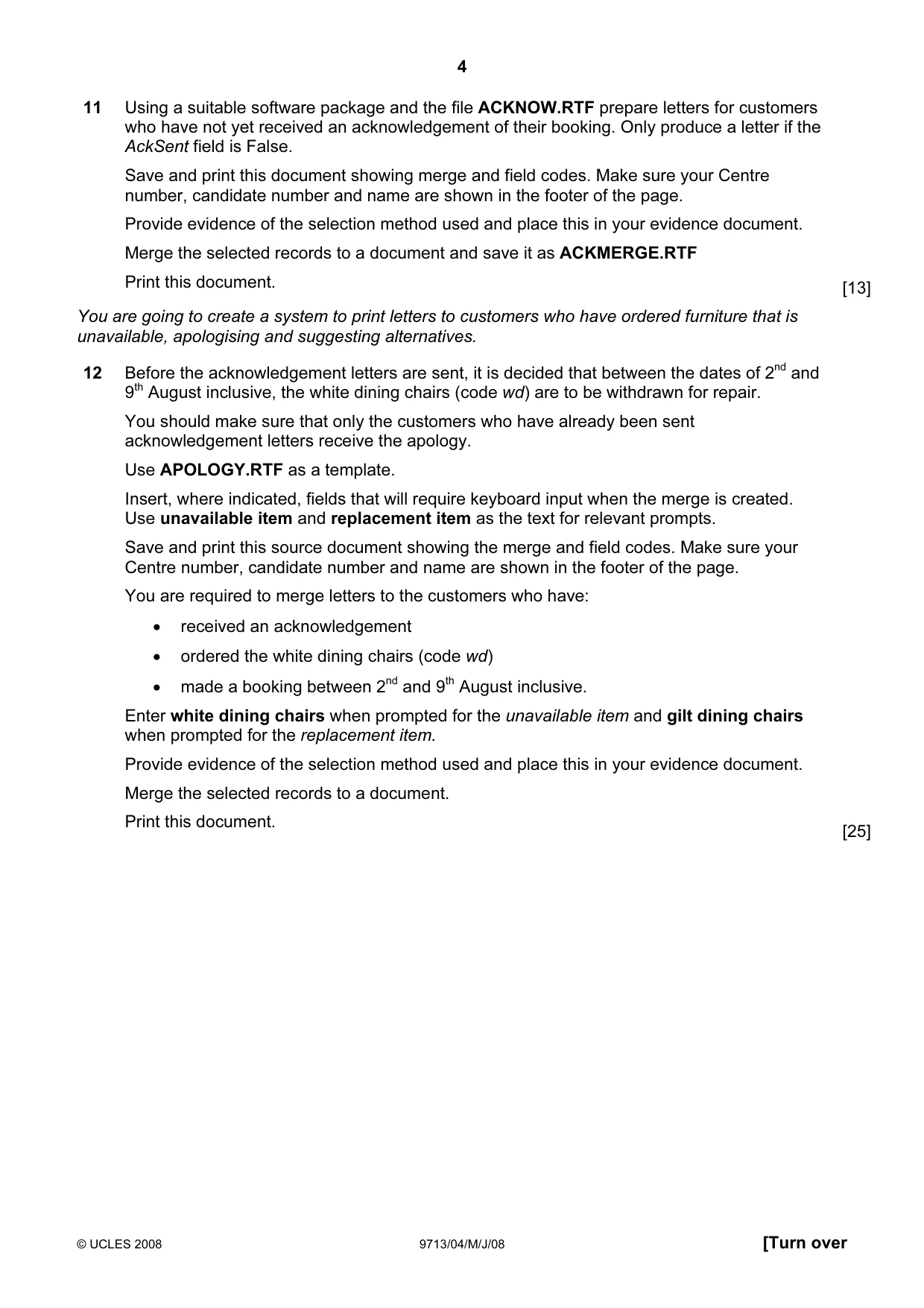
4 © UCLES 2008 9713/04/M/J/08 [Turn over 11 Using a suitable software package and the file ACKNOW.RTF prepare letters for customers who have not yet received an acknowledgement of their booking. Only produce a letter if the AckSent field is False. Save and print this document showing merge and field codes. Make sure your Centre number, candidate number and name are shown in the footer of the page. Provide evidence of the selection method used and place this in your evidence document. Merge the selected records to a document and save it as ACKMERGE.RTF Print this document. [13] You are going to create a system to print letters to customers who have ordered furniture that is unavailable, apologising and suggesting alternatives. 12 Before the acknowledgement letters are sent, it is decided that between the dates of 2nd and 9th August inclusive, the white dining chairs (code wd) are to be withdrawn for repair. You should make sure that only the customers who have already been sent acknowledgement letters receive the apology. Use APOLOGY.RTF as a template. Insert, where indicated, fields that will require keyboard input when the merge is created. Use unavailable item and replacement item as the text for relevant prompts. Save and print this source document showing the merge and field codes. Make sure your Centre number, candidate number and name are shown in the footer of the page. You are required to merge letters to the customers who have: • received an acknowledgement • ordered the white dining chairs (code wd) • made a booking between 2nd and 9th August inclusive. Enter white dining chairs when prompted for the unavailable item and gilt dining chairs when prompted for the replacement item. Provide evidence of the selection method used and place this in your evidence document. Merge the selected records to a document. Print this document. [25]
Question paper, page 5
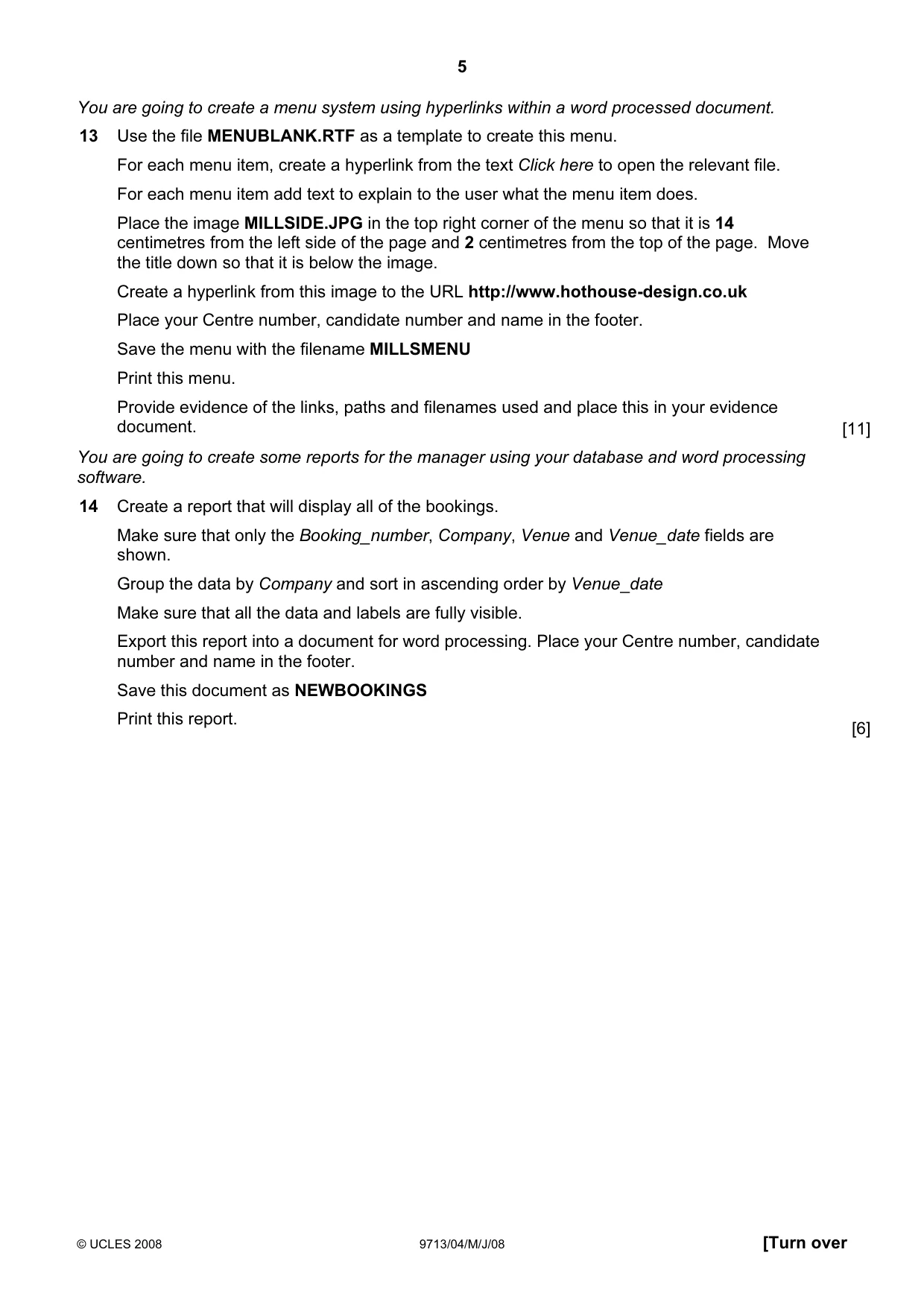
5 © UCLES 2008 9713/04/M/J/08 [Turn over You are going to create a menu system using hyperlinks within a word processed document. 13 Use the file MENUBLANK.RTF as a template to create this menu. For each menu item, create a hyperlink from the text Click here to open the relevant file. For each menu item add text to explain to the user what the menu item does. Place the image MILLSIDE.JPG in the top right corner of the menu so that it is 14 centimetres from the left side of the page and 2 centimetres from the top of the page. Move the title down so that it is below the image. Create a hyperlink from this image to the URL http://www.hothouse-design.co.uk Place your Centre number, candidate number and name in the footer. Save the menu with the filename MILLSMENU Print this menu. Provide evidence of the links, paths and filenames used and place this in your evidence document. [11] You are going to create some reports for the manager using your database and word processing software. 14 Create a report that will display all of the bookings. Make sure that only the Booking_number, Company, Venue and Venue_date fields are shown. Group the data by Company and sort in ascending order by Venue_date Make sure that all the data and labels are fully visible. Export this report into a document for word processing. Place your Centre number, candidate number and name in the footer. Save this document as NEWBOOKINGS Print this report. [6]
Question paper, page 6
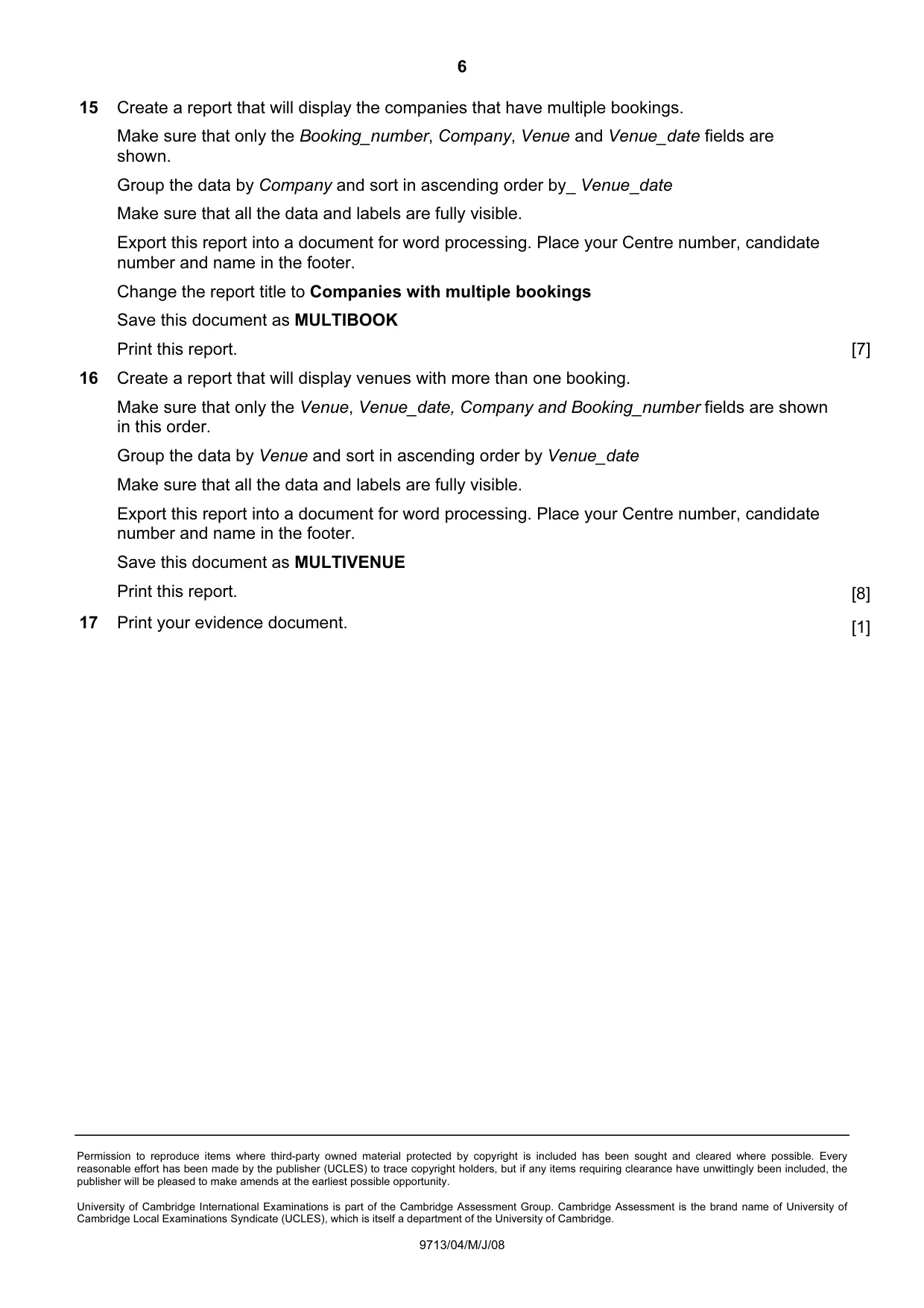
6 Permission to reproduce items where third-party owned material protected by copyright is included has been sought and cleared where possible. Every reasonable effort has been made by the publisher (UCLES) to trace copyright holders, but if any items requiring clearance have unwittingly been included, the publisher will be pleased to make amends at the earliest possible opportunity. University of Cambridge International Examinations is part of the Cambridge Assessment Group. Cambridge Assessment is the brand name of University of Cambridge Local Examinations Syndicate (UCLES), which is itself a department of the University of Cambridge. 9713/04/M/J/08 15 Create a report that will display the companies that have multiple bookings. Make sure that only the Booking_number, Company, Venue and Venue_date fields are shown. Group the data by Company and sort in ascending order by_ Venue_date Make sure that all the data and labels are fully visible. Export this report into a document for word processing. Place your Centre number, candidate number and name in the footer. Change the report title to Companies with multiple bookings Save this document as MULTIBOOK Print this report. [7] 16 Create a report that will display venues with more than one booking. Make sure that only the Venue, Venue_date, Company and Booking_number fields are shown in this order. Group the data by Venue and sort in ascending order by Venue_date Make sure that all the data and labels are fully visible. Export this report into a document for word processing. Place your Centre number, candidate number and name in the footer. Save this document as MULTIVENUE Print this report. [8] 17 Print your evidence document. [1]
Mark scheme, page 1
UNIVERSITY OF CAMBRIDGE INTERNATIONAL EXAMINATIONS GCE Advanced Subsidiary Level and GCE Advanced Level MARK SCHEME for the May/June 2008 question paper 9713 APPLIED INFORMATION AND COMMUNICATION TECHNOLOGY 9713/04 Paper 4 (Practical Test B), maximum raw mark 90 This mark scheme is published as an aid to teachers and candidates, to indicate the requirements of the examination. It shows the basis on which Examiners were instructed to award marks. It does not indicate the details of the discussions that took place at an Examiners’ meeting before marking began. All Examiners are instructed that alternative correct answers and unexpected approaches in candidates’ scripts must be given marks that fairly reflect the relevant knowledge and skills demonstrated. Mark schemes must be read in conjunction with the question papers and the report on the examination. • CIE will not enter into discussions or correspondence in connection with these mark schemes. CIE is publishing the mark schemes for the May/June 2008 question papers for most IGCSE, GCE Advanced Level and Advanced Subsidiary Level syllabuses and some Ordinary Level syllabuses.
Mark scheme, page 2
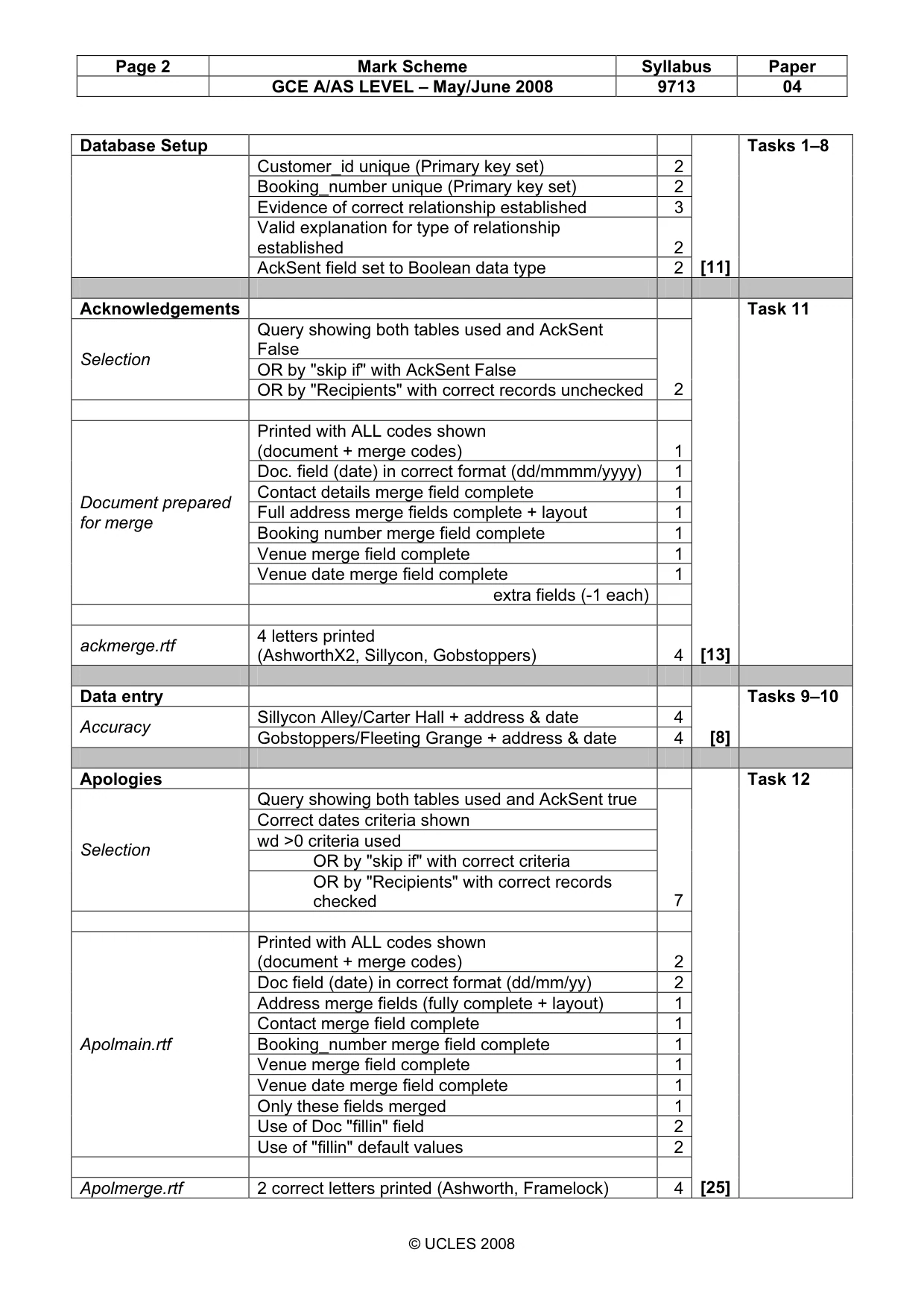
Page 2 Mark Scheme Syllabus Paper GCE A/AS LEVEL – May/June 2008 9713 04 © UCLES 2008 Database Setup Customer_id unique (Primary key set) 2 Booking_number unique (Primary key set) 2 Evidence of correct relationship established 3 Valid explanation for type of relationship established 2 AckSent field set to Boolean data type 2 [11] Tasks 1–8 Acknowledgements Query showing both tables used and AckSent False OR by "skip if" with AckSent False Selection OR by "Recipients" with correct records unchecked 2 Printed with ALL codes shown (document + merge codes) 1 Doc. field (date) in correct format (dd/mmmm/yyyy) 1 Contact details merge field complete 1 Full address merge fields complete + layout 1 Booking number merge field complete 1 Venue merge field complete 1 Venue date merge field complete 1 Document prepared for merge extra fields (-1 each) ackmerge.rtf 4 letters printed (AshworthX2, Sillycon, Gobstoppers) 4 [13] Task 11 Data entry Sillycon Alley/Carter Hall + address & date 4 Accuracy Gobstoppers/Fleeting Grange + address & date 4 [8] Tasks 9–10 Apologies Query showing both tables used and AckSent true Correct dates criteria shown wd >0 criteria used OR by "skip if" with correct criteria Selection OR by "Recipients" with correct records checked 7 Printed with ALL codes shown (document + merge codes) 2 Doc field (date) in correct format (dd/mm/yy) 2 Address merge fields (fully complete + layout) 1 Contact merge field complete 1 Booking_number merge field complete 1 Venue merge field complete 1 Venue date merge field complete 1 Only these fields merged 1 Use of Doc "fillin" field 2 Apolmain.rtf Use of "fillin" default values 2 Apolmerge.rtf 2 correct letters printed (Ashworth, Framelock) 4 [25] Task 12
Mark scheme, page 3
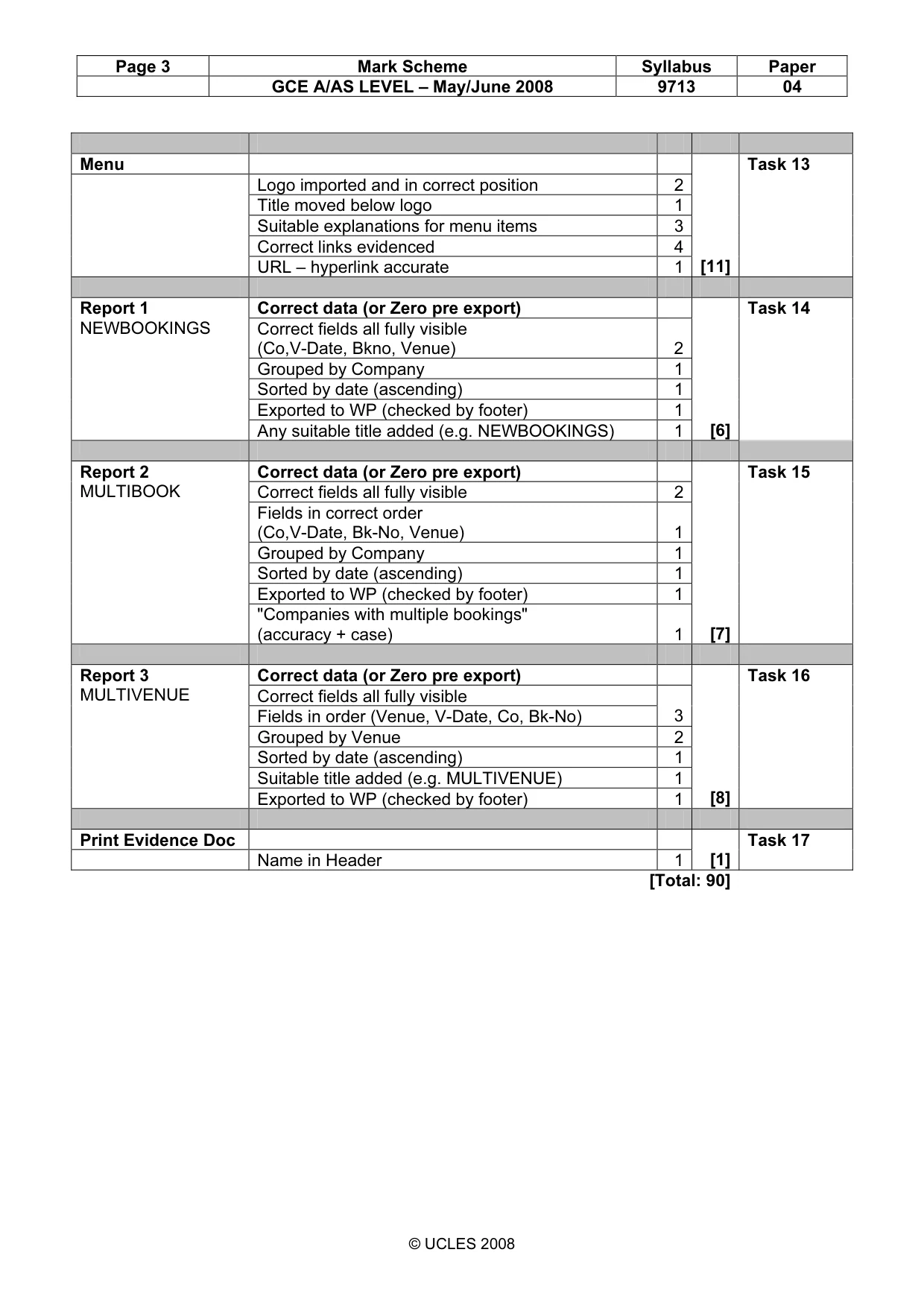
Page 3 Mark Scheme Syllabus Paper GCE A/AS LEVEL – May/June 2008 9713 04 © UCLES 2008 Menu Logo imported and in correct position 2 Title moved below logo 1 Suitable explanations for menu items 3 Correct links evidenced 4 URL – hyperlink accurate 1 [11] Task 13 Correct data (or Zero pre export) Correct fields all fully visible (Co,V-Date, Bkno, Venue) 2 Grouped by Company 1 Sorted by date (ascending) 1 Exported to WP (checked by footer) 1 Report 1 NEWBOOKINGS Any suitable title added (e.g. NEWBOOKINGS) 1 [6] Task 14 Correct data (or Zero pre export) Correct fields all fully visible 2 Fields in correct order (Co,V-Date, Bk-No, Venue) 1 Grouped by Company 1 Sorted by date (ascending) 1 Exported to WP (checked by footer) 1 Report 2 MULTIBOOK "Companies with multiple bookings" (accuracy + case) 1 [7] Task 15 Correct data (or Zero pre export) Correct fields all fully visible Fields in order (Venue, V-Date, Co, Bk-No) 3 Grouped by Venue 2 Sorted by date (ascending) 1 Suitable title added (e.g. MULTIVENUE) 1 Report 3 MULTIVENUE Exported to WP (checked by footer) 1 [8] Task 16 Print Evidence Doc Name in Header 1 [1] Task 17 [Total: 90]
What you needed in this session
Cambridge’s own grade thresholds for 2008 May/June, Paper 4 · Variant 1. A higher threshold means an easier paper — the bar moves with how the cohort did.