Cambridge IGCSE Information and Communication Technology (9-1) 0983 — 2020 May/June Paper 2 · Variant 2
0983/22/M/J/20
The question paper and its mark scheme, free to read here and free to download. This is Cambridge’s own paper, exactly as it was sat.
Question paper16 pages



Mark scheme16 pages
Answers below. Sit the paper first if you are practising.
Paper as text
Question paper, page 1
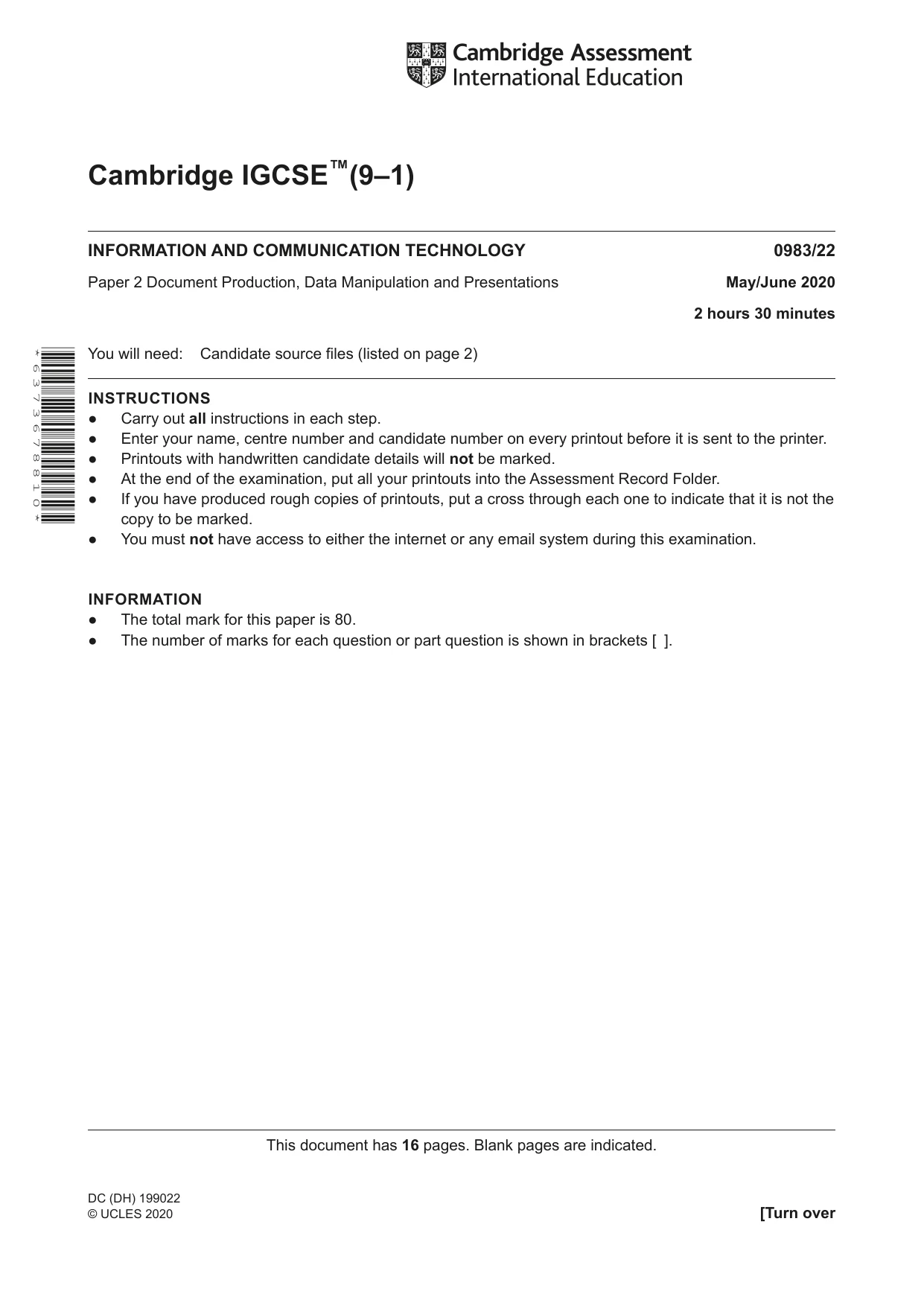
Cambridge IGCSE™(9–1) This document has 16 pages. Blank pages are indicated. INFORMATION AND COMMUNICATION TECHNOLOGY 0983/22 Paper 2 Document Production, Data Manipulation and Presentations May/June 2020 2 hours 30 minutes You will need: Candidate source files (listed on page 2) INSTRUCTIONS ● Carry out all instructions in each step. ● Enter your name, centre number and candidate number on every printout before it is sent to the printer. ● Printouts with handwritten candidate details will not be marked. ● At the end of the examination, put all your printouts into the Assessment Record Folder. ● If you have produced rough copies of printouts, put a cross through each one to indicate that it is not the copy to be marked. ● You must not have access to either the internet or any email system during this examination. INFORMATION ● The total mark for this paper is 80. ● The number of marks for each question or part question is shown in brackets [ ]. * 6 3 7 3 6 7 8 8 1 0 * DC (DH) 199022 © UCLES 2020 [Turn over
Question paper, page 2
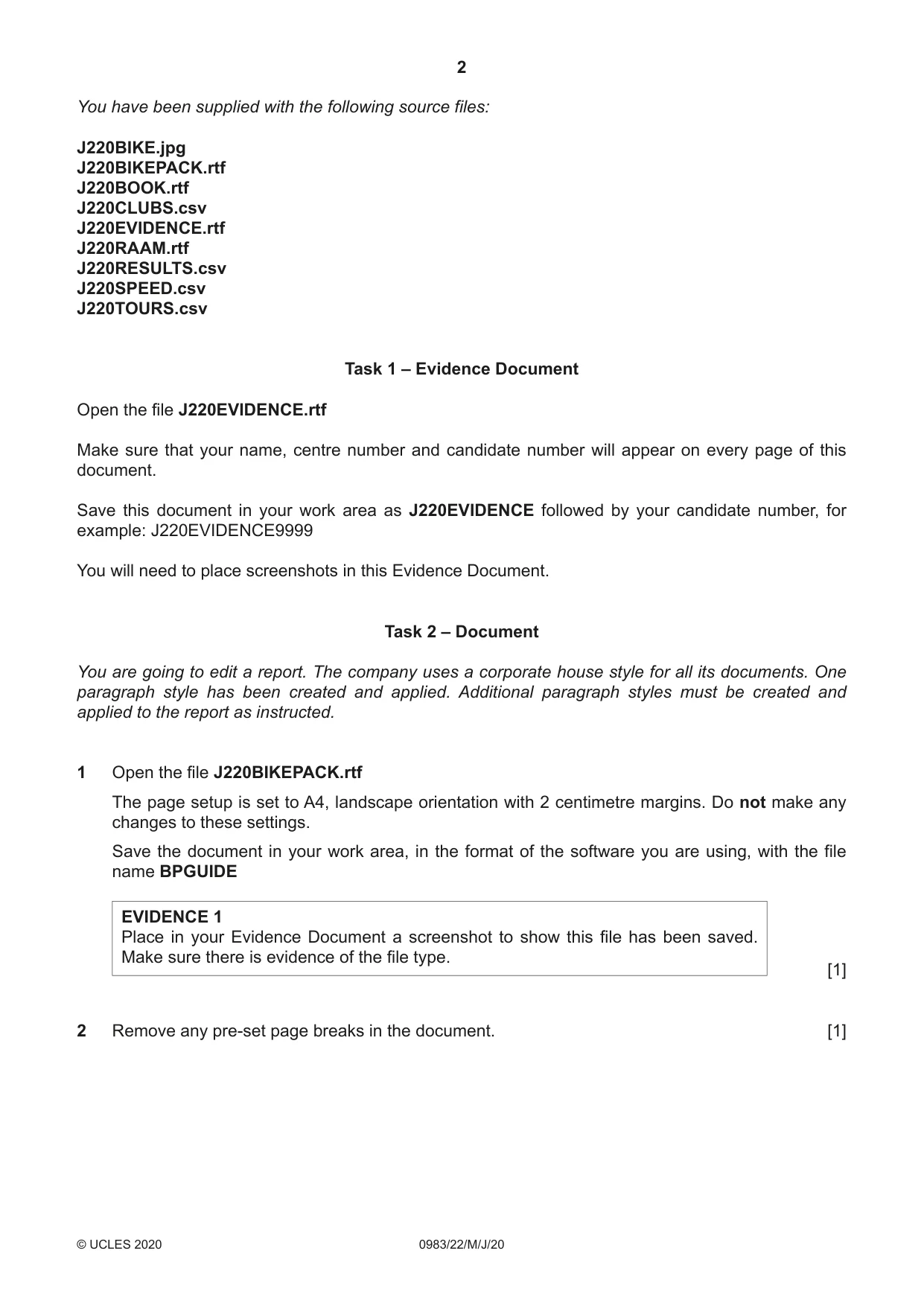
2 0983/22/M/J/20 © UCLES 2020 You have been supplied with the following source files: J220BIKE.jpg J220BIKEPACK.rtf J220BOOK.rtf J220CLUBS.csv J220EVIDENCE.rtf J220RAAM.rtf J220RESULTS.csv J220SPEED.csv J220TOURS.csv Task 1 – Evidence Document Open the file J220EVIDENCE.rtf Make sure that your name, centre number and candidate number will appear on every page of this document. Save this document in your work area as J220EVIDENCE followed by your candidate number, for example: J220EVIDENCE9999 You will need to place screenshots in this Evidence Document. Task 2 – Document You are going to edit a report. The company uses a corporate house style for all its documents. One paragraph style has been created and applied. Additional paragraph styles must be created and applied to the report as instructed. 1 Open the file J220BIKEPACK.rtf The page setup is set to A4, landscape orientation with 2 centimetre margins. Do not make any changes to these settings. Save the document in your work area, in the format of the software you are using, with the file name BPGUIDE EVIDENCE 1 Place in your Evidence Document a screenshot to show this file has been saved. Make sure there is evidence of the file type. [1] 2 Remove any pre-set page breaks in the document. [1]
Question paper, page 3
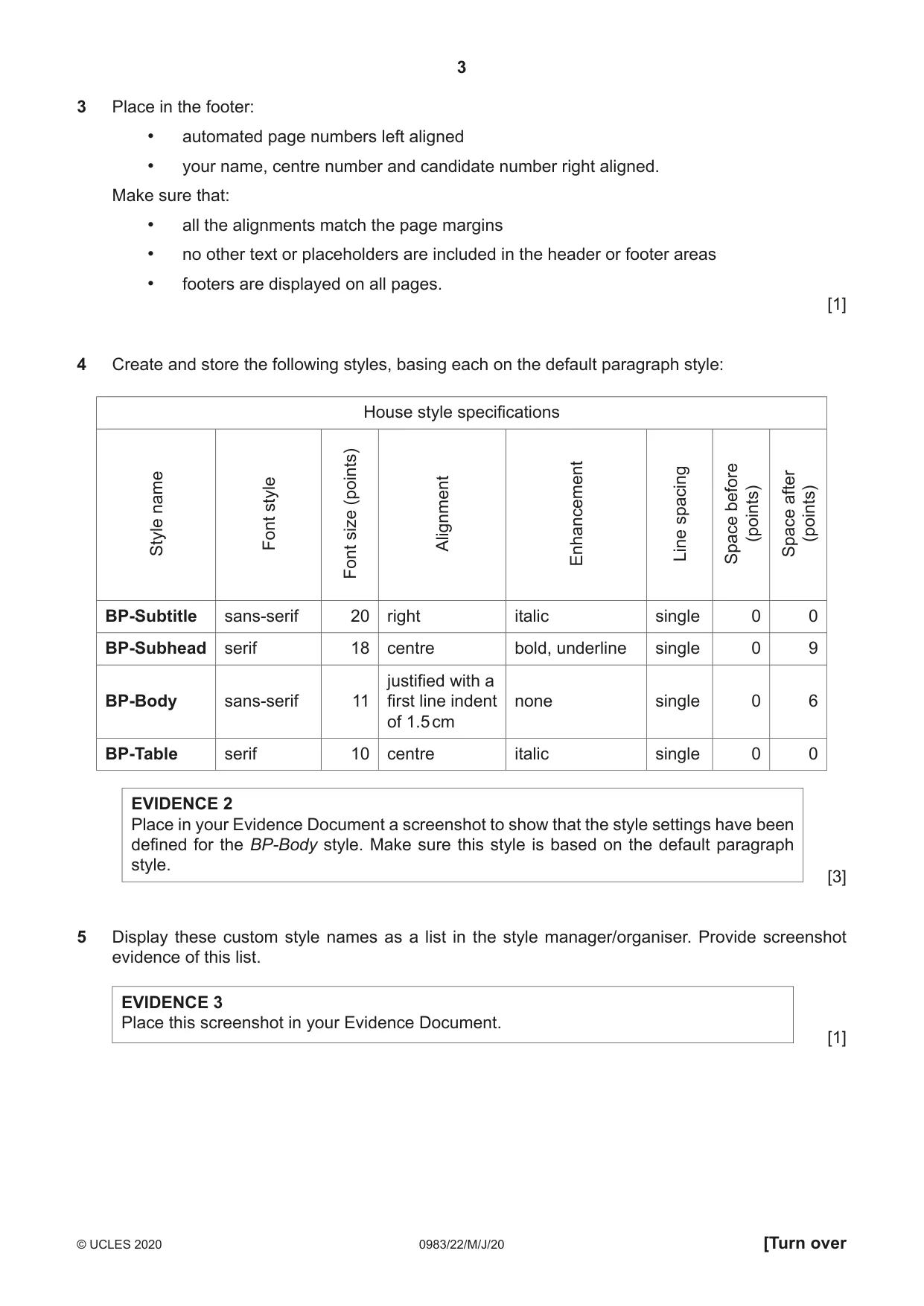
3 0983/22/M/J/20 © UCLES 2020 [Turn over 3 Place in the footer: • automated page numbers left aligned • your name, centre number and candidate number right aligned. Make sure that: • all the alignments match the page margins • no other text or placeholders are included in the header or footer areas • footers are displayed on all pages. [1] 4 Create and store the following styles, basing each on the default paragraph style: House style specifications Style name Font style Font size (points) Alignment Enhancement Line spacing Space before (points) Space after (points) BP-Subtitle sans-serif 20 right italic single 0 0 BP-Subhead serif 18 centre bold, underline single 0 9 BP-Body sans-serif 11 justified with a first line indent of 1.5 cm none single 0 6 BP-Table serif 10 centre italic single 0 0 EVIDENCE 2 Place in your Evidence Document a screenshot to show that the style settings have been defined for the BP-Body style. Make sure this style is based on the default paragraph style. [3] 5 Display these custom style names as a list in the style manager/organiser. Provide screenshot evidence of this list. EVIDENCE 3 Place this screenshot in your Evidence Document. [1]
Question paper, page 4
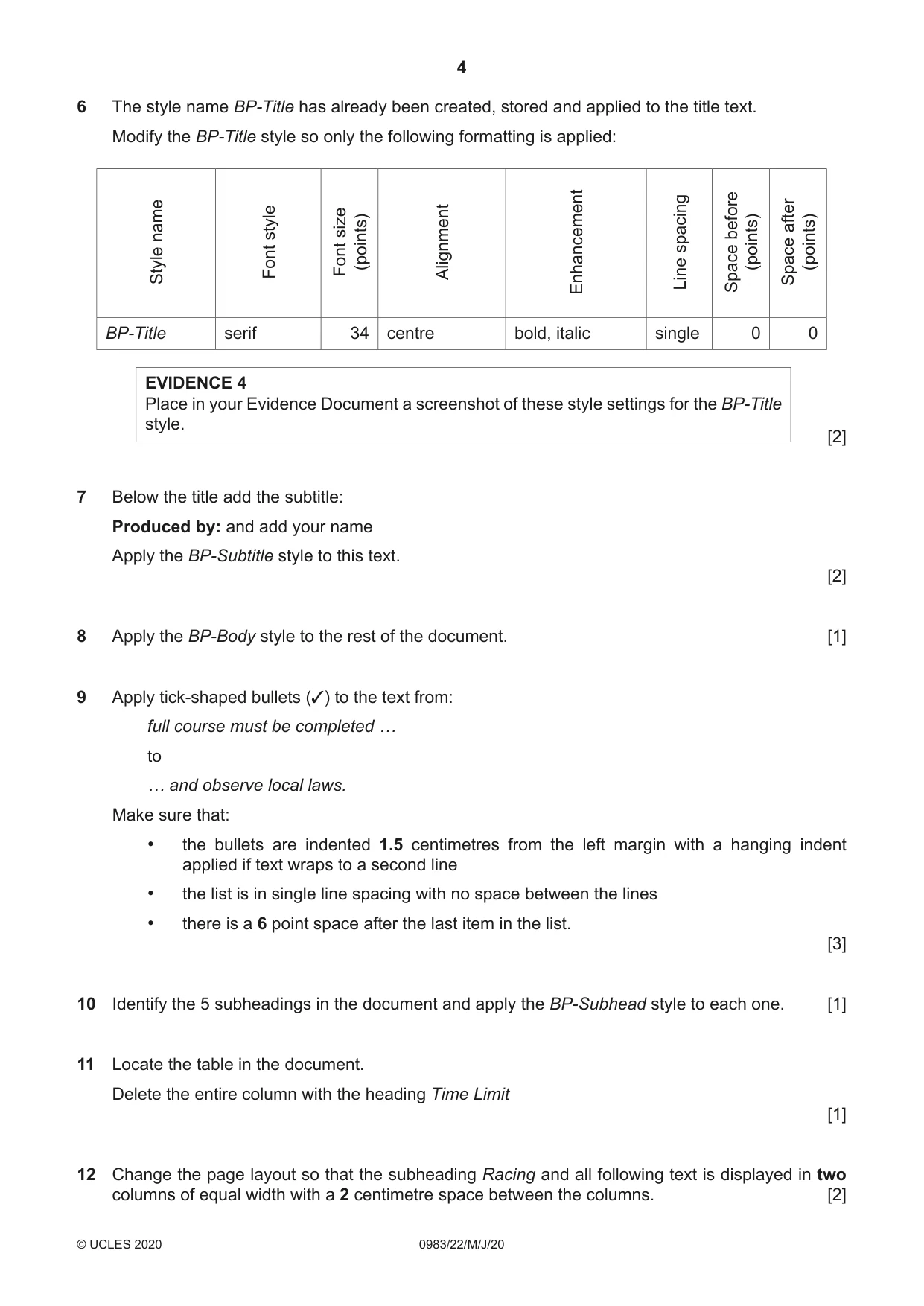
4 0983/22/M/J/20 © UCLES 2020 6 The style name BP-Title has already been created, stored and applied to the title text. Modify the BP-Title style so only the following formatting is applied: Style name Font style Font size (points) Alignment Enhancement Line spacing Space before (points) Space after (points) BP-Title serif 34 centre bold, italic single 0 0 EVIDENCE 4 Place in your Evidence Document a screenshot of these style settings for the BP-Title style. [2] 7 Below the title add the subtitle: Produced by: and add your name Apply the BP-Subtitle style to this text. [2] 8 Apply the BP-Body style to the rest of the document. [1] 9 Apply tick-shaped bullets (3) to the text from: full course must be completed … to … and observe local laws. Make sure that: • the bullets are indented 1.5 centimetres from the left margin with a hanging indent applied if text wraps to a second line • the list is in single line spacing with no space between the lines • there is a 6 point space after the last item in the list. [3] 10 Identify the 5 subheadings in the document and apply the BP-Subhead style to each one. [1] 11 Locate the table in the document. Delete the entire column with the heading Time Limit [1] 12 Change the page layout so that the subheading Racing and all following text is displayed in two columns of equal width with a 2 centimetre space between the columns. [2]
Question paper, page 5
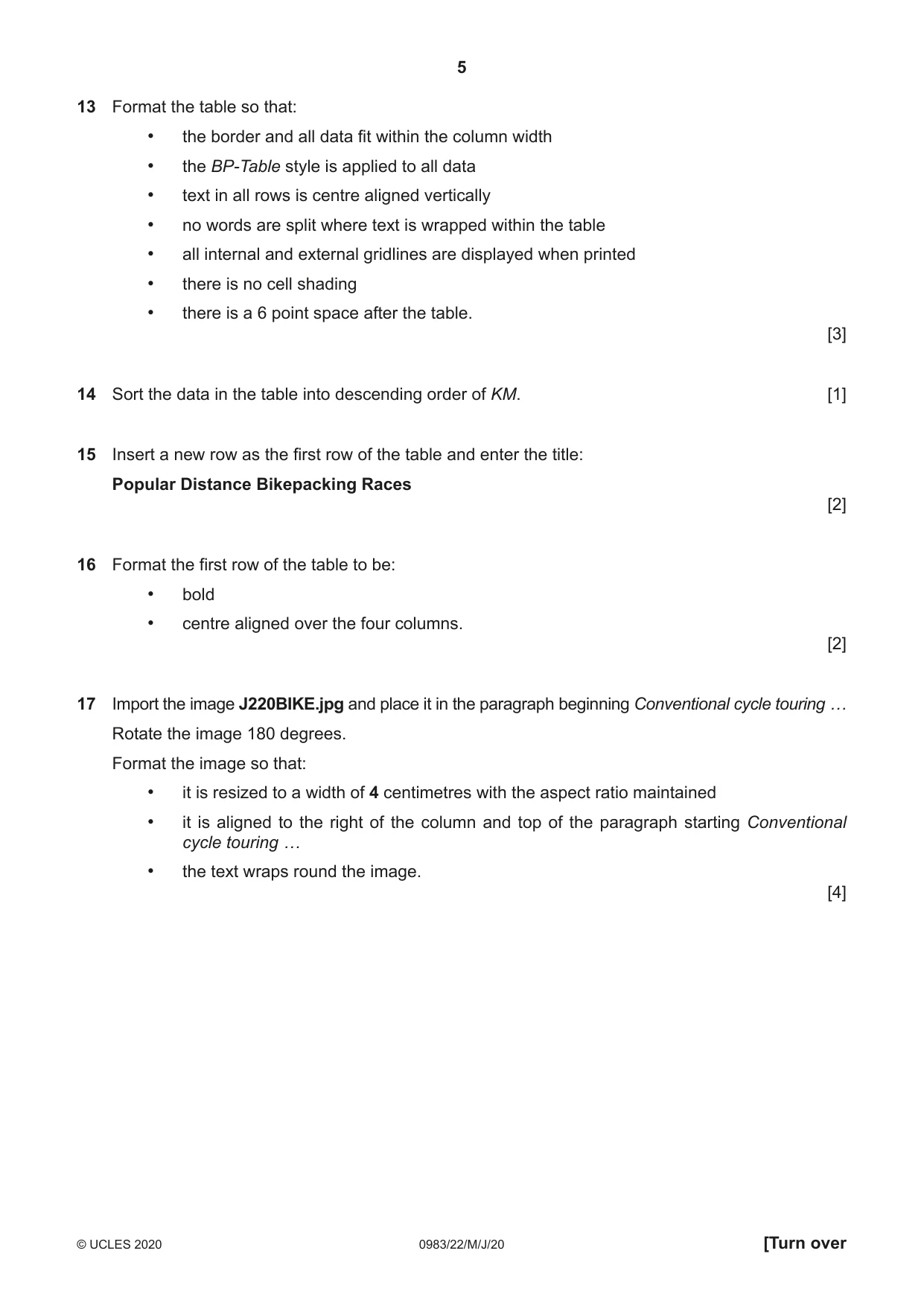
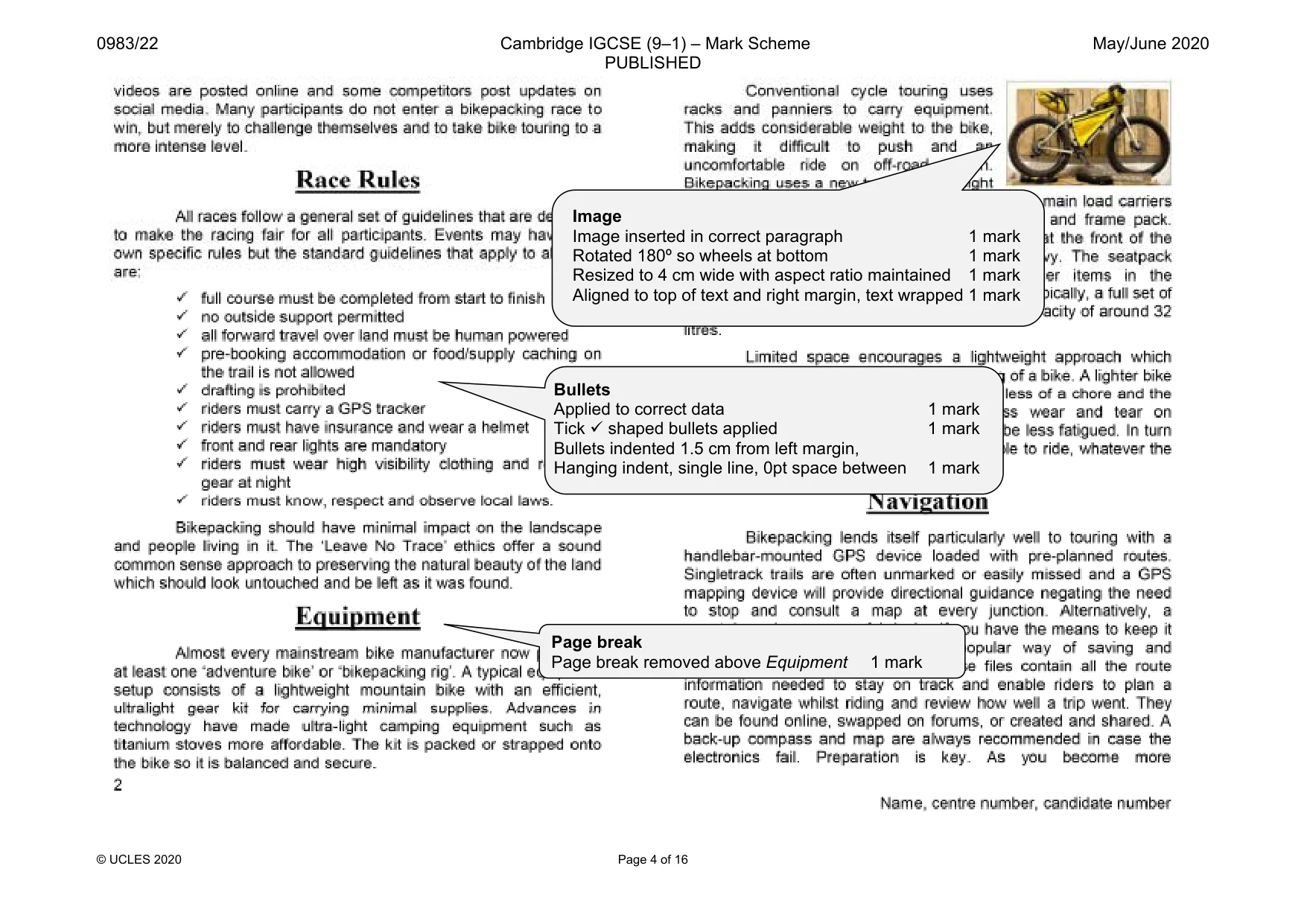
5 0983/22/M/J/20 © UCLES 2020 [Turn over 13 Format the table so that: • the border and all data fit within the column width • the BP-Table style is applied to all data • text in all rows is centre aligned vertically • no words are split where text is wrapped within the table • all internal and external gridlines are displayed when printed • there is no cell shading • there is a 6 point space after the table. [3] 14 Sort the data in the table into descending order of KM. [1] 15 Insert a new row as the first row of the table and enter the title: Popular Distance Bikepacking Races [2] 16 Format the first row of the table to be: • bold • centre aligned over the four columns. [2] 17 Import the image J220BIKE.jpg and place it in the paragraph beginning Conventional cycle touring … Rotate the image 180 degrees. Format the image so that: • it is resized to a width of 4 centimetres with the aspect ratio maintained • it is aligned to the right of the column and top of the paragraph starting Conventional cycle touring … • the text wraps round the image. [4]
Question paper, page 6
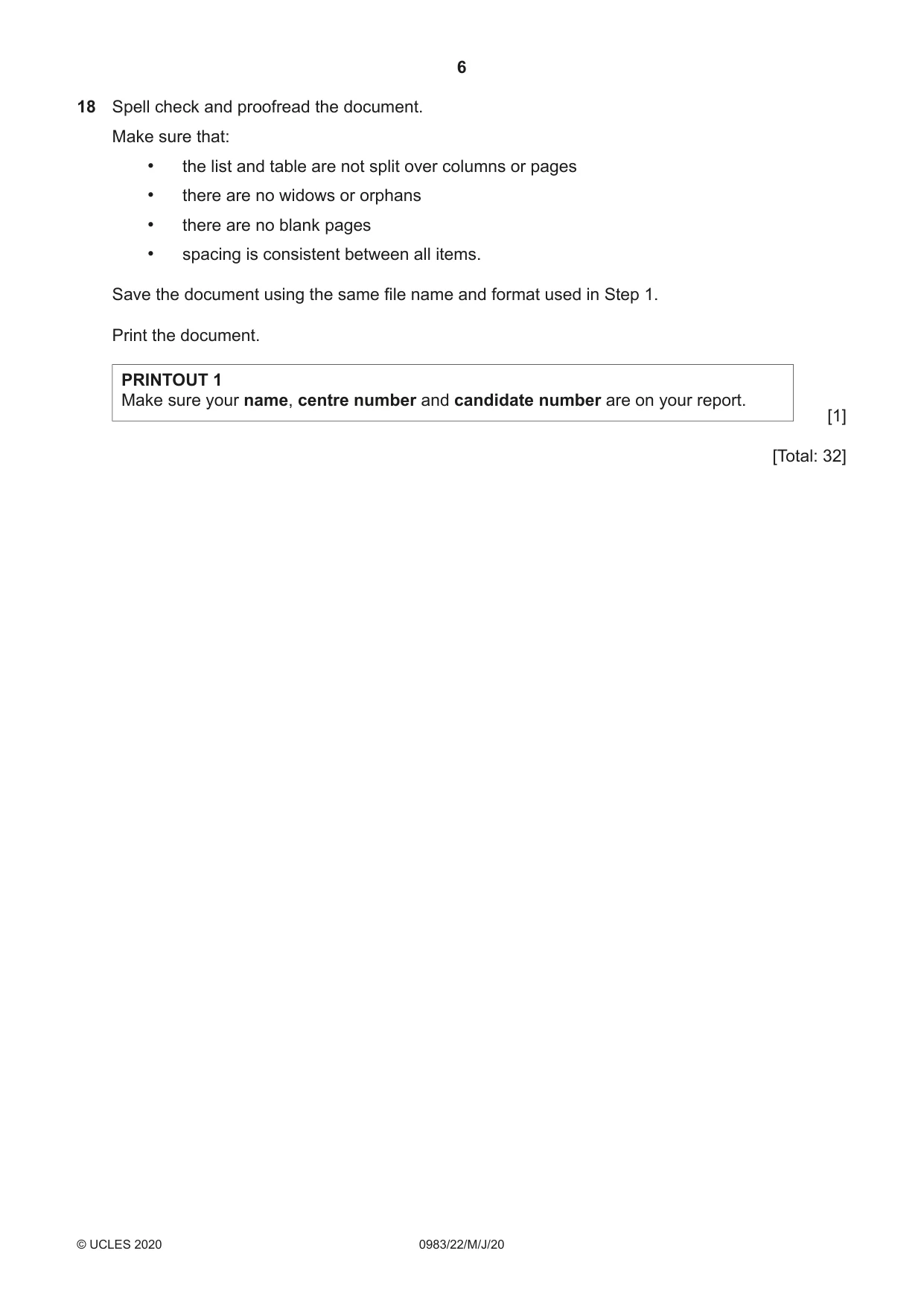
6 0983/22/M/J/20 © UCLES 2020 18 Spell check and proofread the document. Make sure that: • the list and table are not split over columns or pages • there are no widows or orphans • there are no blank pages • spacing is consistent between all items. Save the document using the same file name and format used in Step 1. Print the document. PRINTOUT 1 Make sure your name, centre number and candidate number are on your report. [1] [Total: 32]
Question paper, page 7
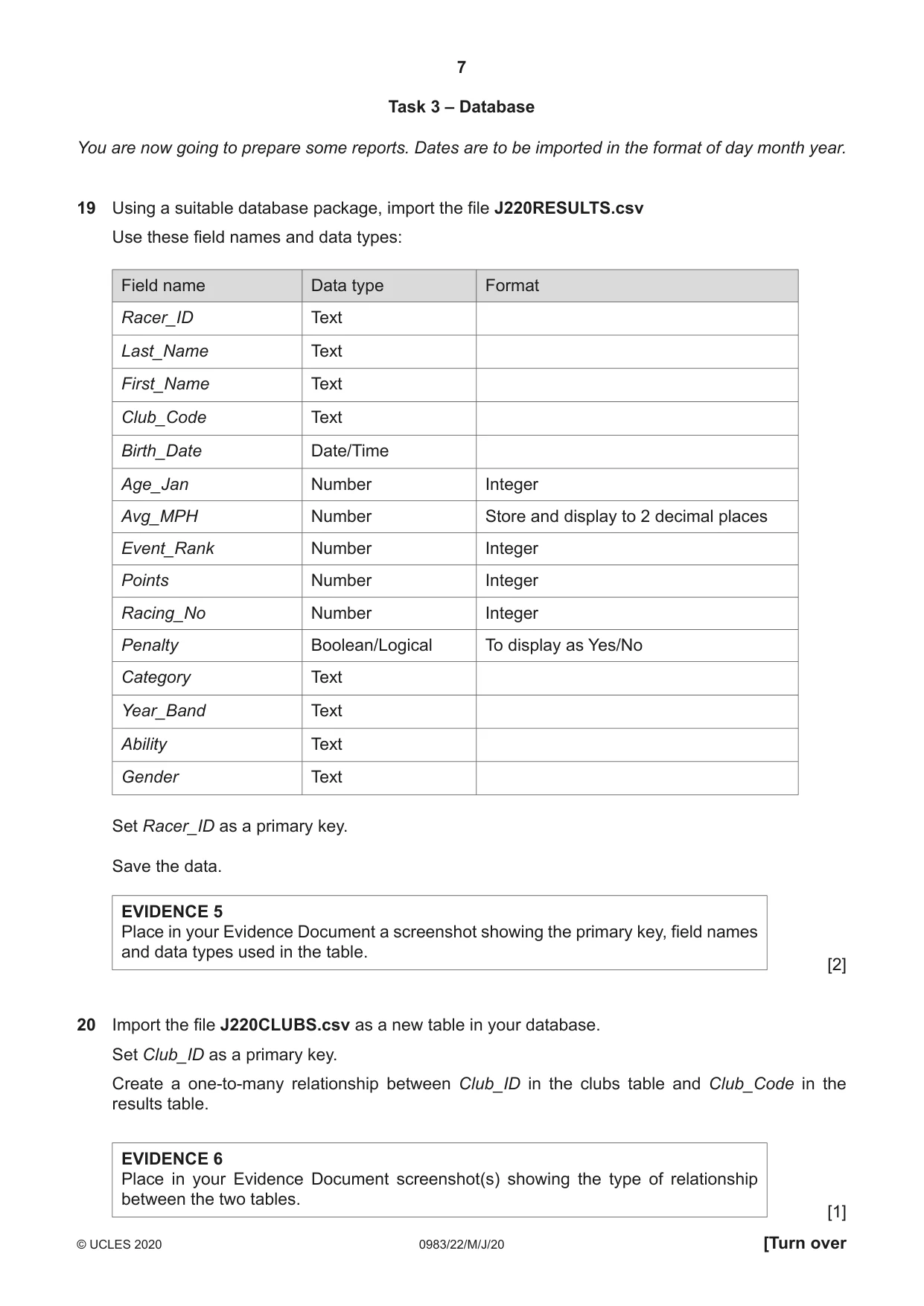
7 0983/22/M/J/20 © UCLES 2020 [Turn over Task 3 – Database You are now going to prepare some reports. Dates are to be imported in the format of day month year. 19 Using a suitable database package, import the file J220RESULTS.csv Use these field names and data types: Field name Data type Format Racer_ID Text Last_Name Text First_Name Text Club_Code Text Birth_Date Date/Time Age_Jan Number Integer Avg_MPH Number Store and display to 2 decimal places Event_Rank Number Integer Points Number Integer Racing_No Number Integer Penalty Boolean/Logical To display as Yes/No Category Text Year_Band Text Ability Text Gender Text Set Racer_ID as a primary key. Save the data. EVIDENCE 5 Place in your Evidence Document a screenshot showing the primary key, field names and data types used in the table. [2] 20 Import the file J220CLUBS.csv as a new table in your database. Set Club_ID as a primary key. Create a one-to-many relationship between Club_ID in the clubs table and Club_Code in the results table. EVIDENCE 6 Place in your Evidence Document screenshot(s) showing the type of relationship between the two tables. [1]
Question paper, page 8
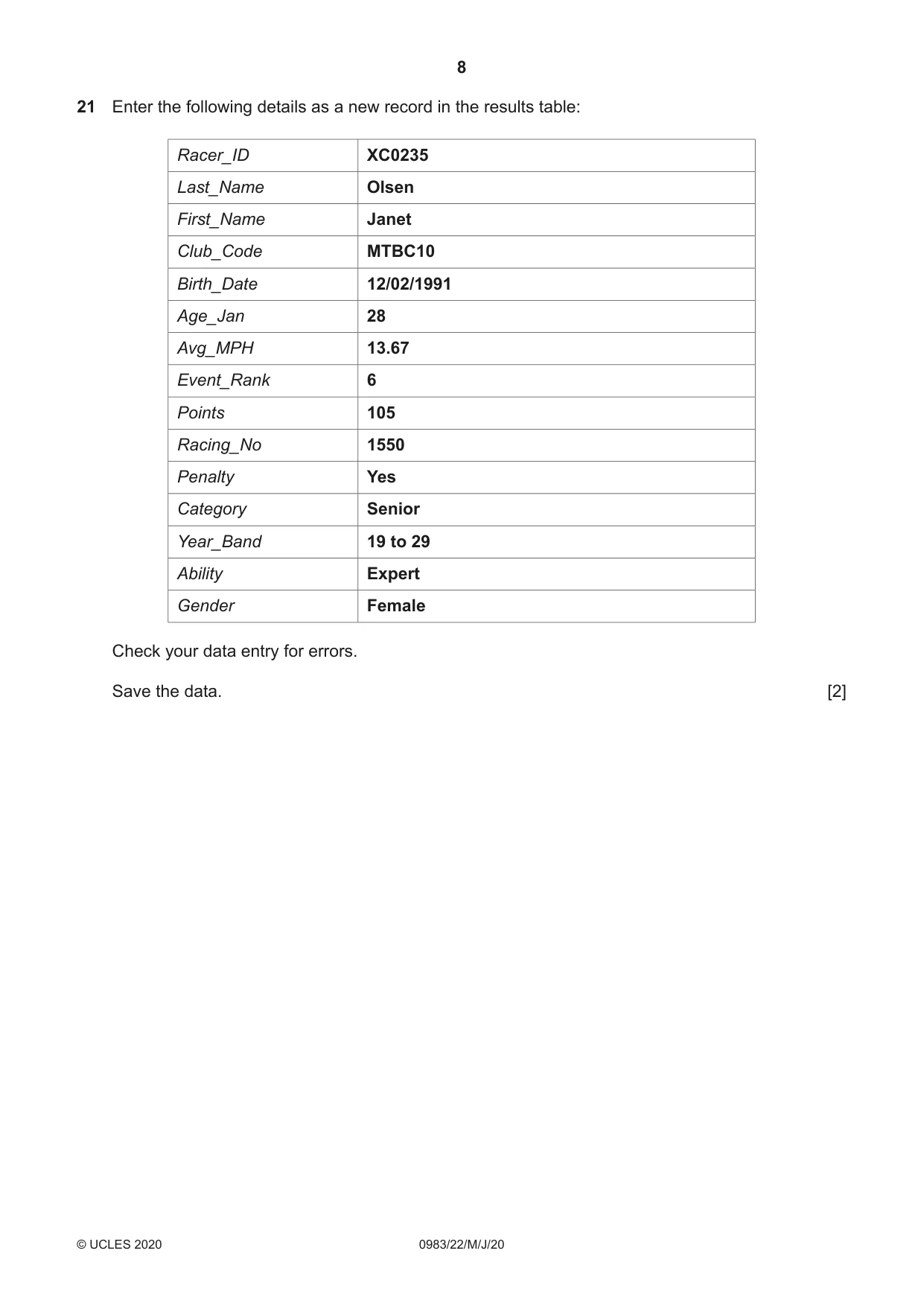
8 0983/22/M/J/20 © UCLES 2020 21 Enter the following details as a new record in the results table: Racer_ID XC0235 Last_Name Olsen First_Name Janet Club_Code MTBC10 Birth_Date 12/02/1991 Age_Jan 28 Avg_MPH 13.67 Event_Rank 6 Points 105 Racing_No 1550 Penalty Yes Category Senior Year_Band 19 to 29 Ability Expert Gender Female Check your data entry for errors. Save the data. [2]
Question paper, page 9
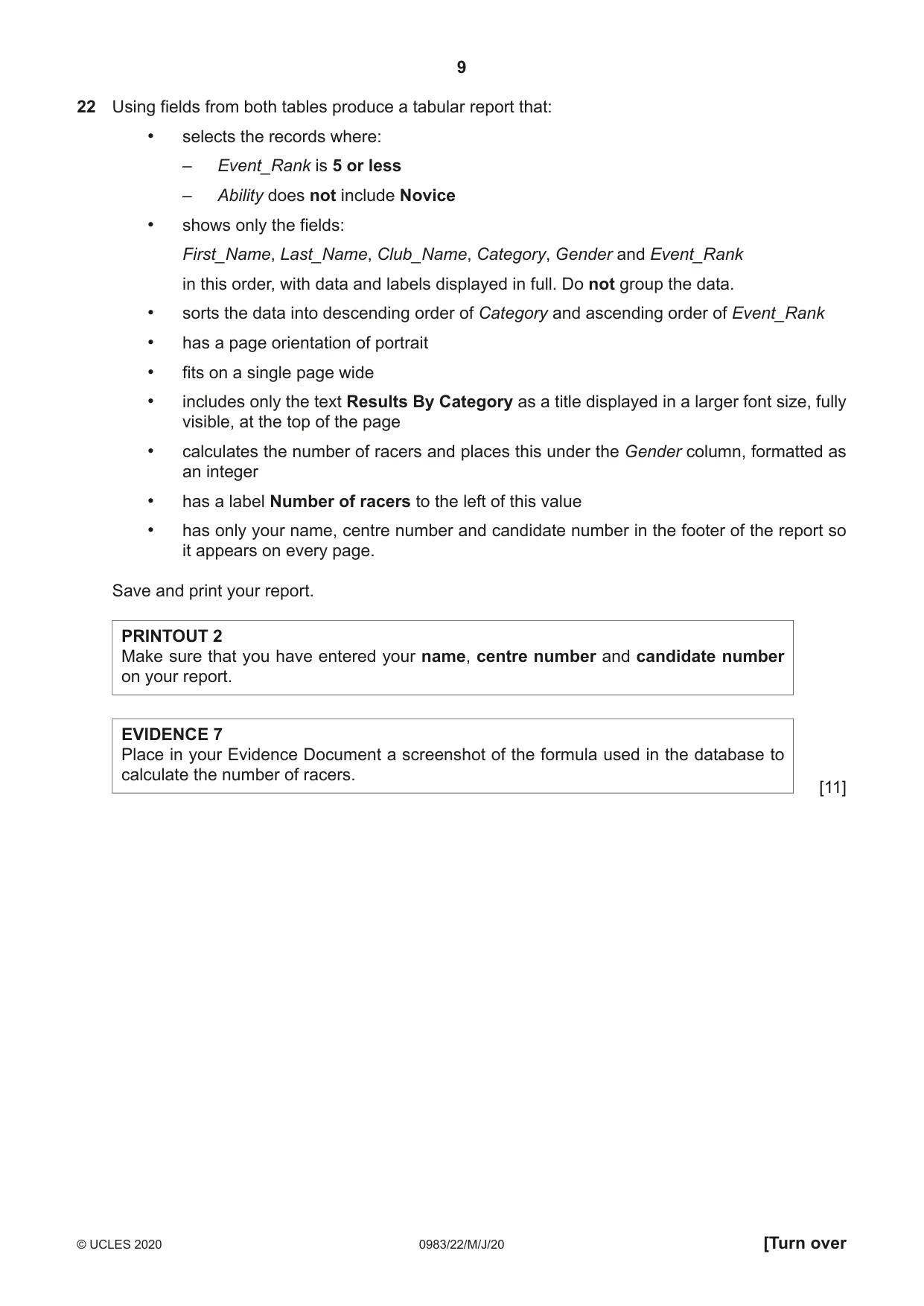
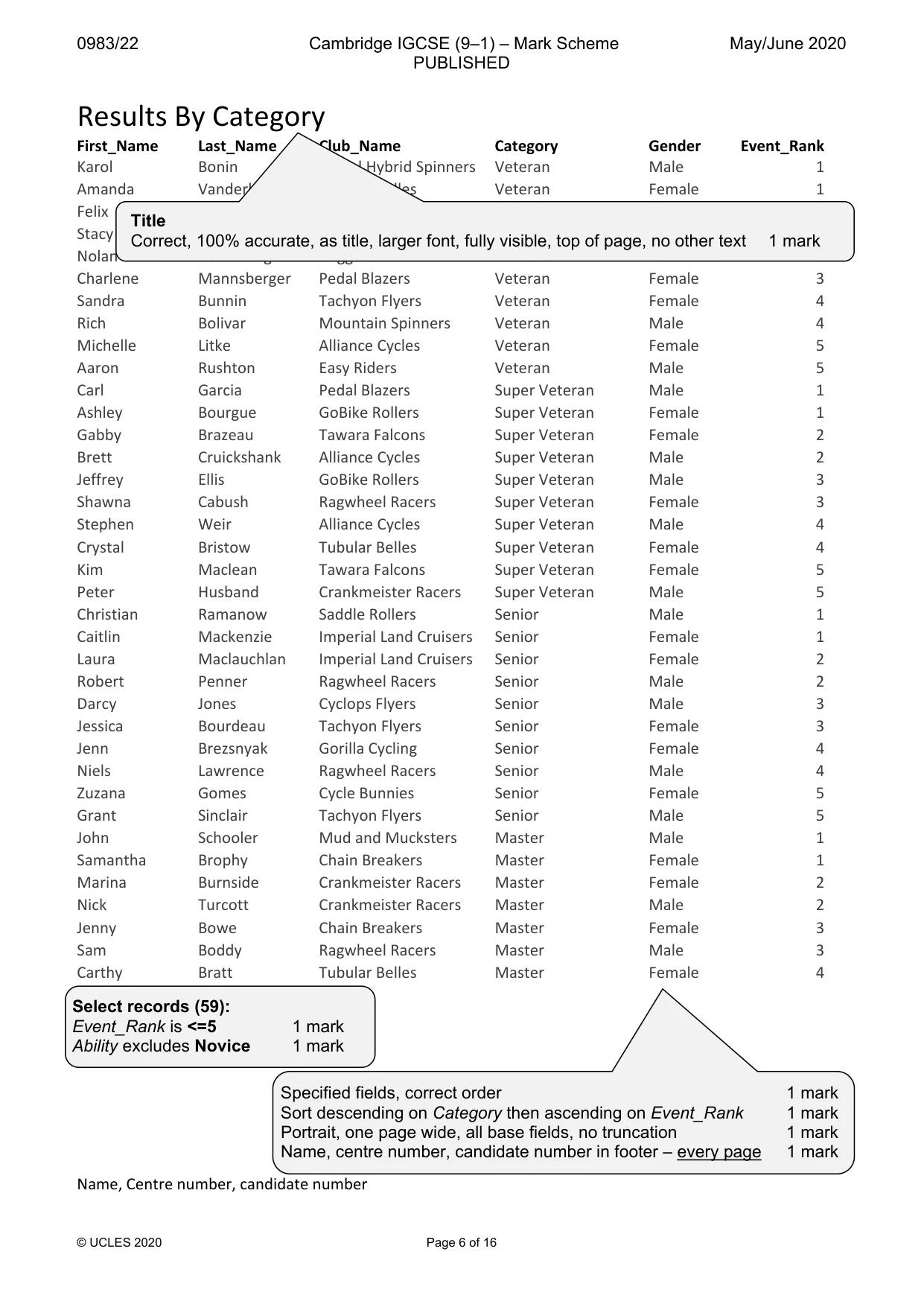
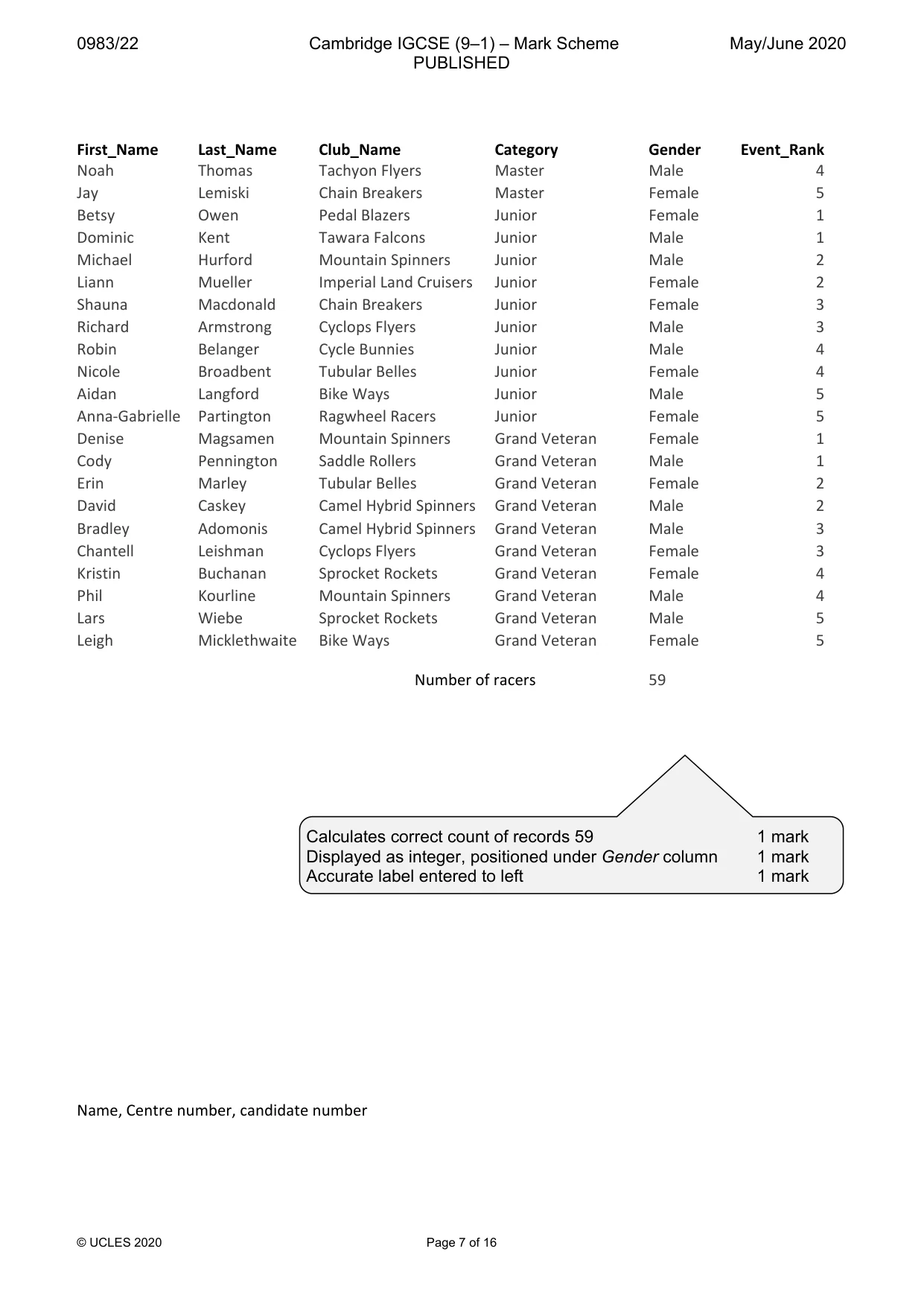
9 0983/22/M/J/20 © UCLES 2020 [Turn over 22 Using fields from both tables produce a tabular report that: • selects the records where: – Event_Rank is 5 or less – Ability does not include Novice • shows only the fields: First_Name, Last_Name, Club_Name, Category, Gender and Event_Rank in this order, with data and labels displayed in full. Do not group the data. • sorts the data into descending order of Category and ascending order of Event_Rank • has a page orientation of portrait • fits on a single page wide • includes only the text Results By Category as a title displayed in a larger font size, fully visible, at the top of the page • calculates the number of racers and places this under the Gender column, formatted as an integer • has a label Number of racers to the left of this value • has only your name, centre number and candidate number in the footer of the report so it appears on every page. Save and print your report. PRINTOUT 2 Make sure that you have entered your name, centre number and candidate number on your report. EVIDENCE 7 Place in your Evidence Document a screenshot of the formula used in the database to calculate the number of racers. [11]
Question paper, page 10
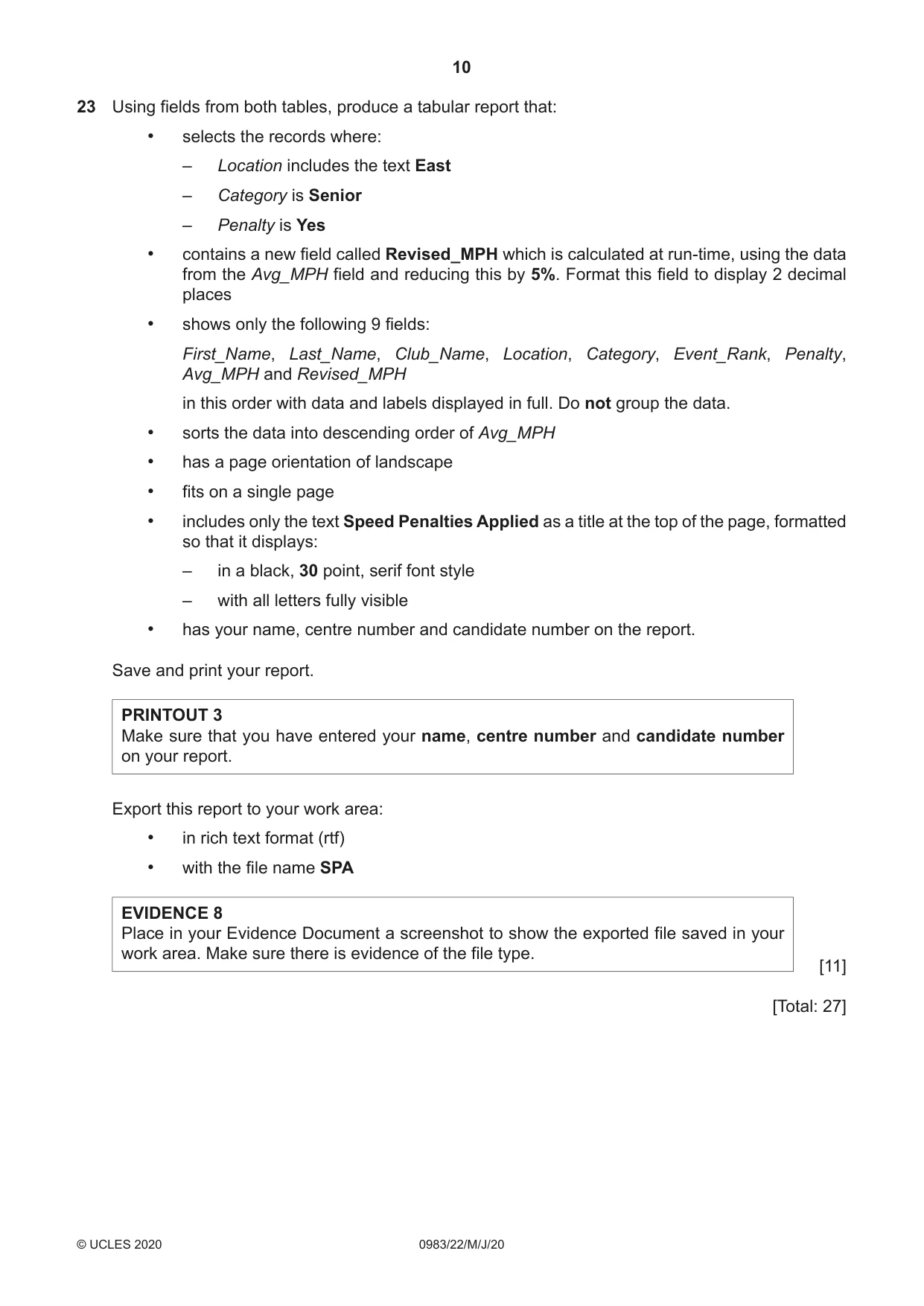
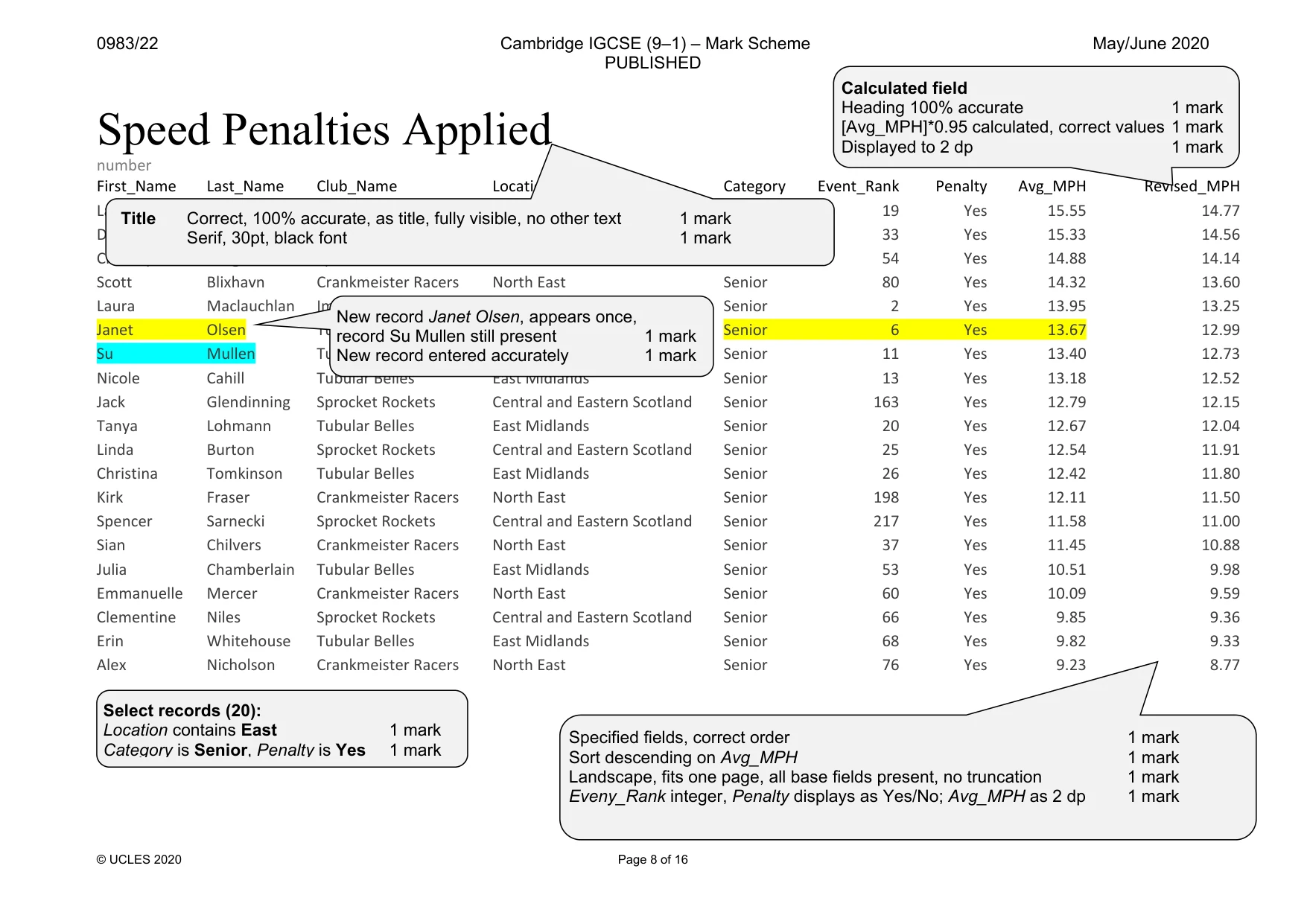
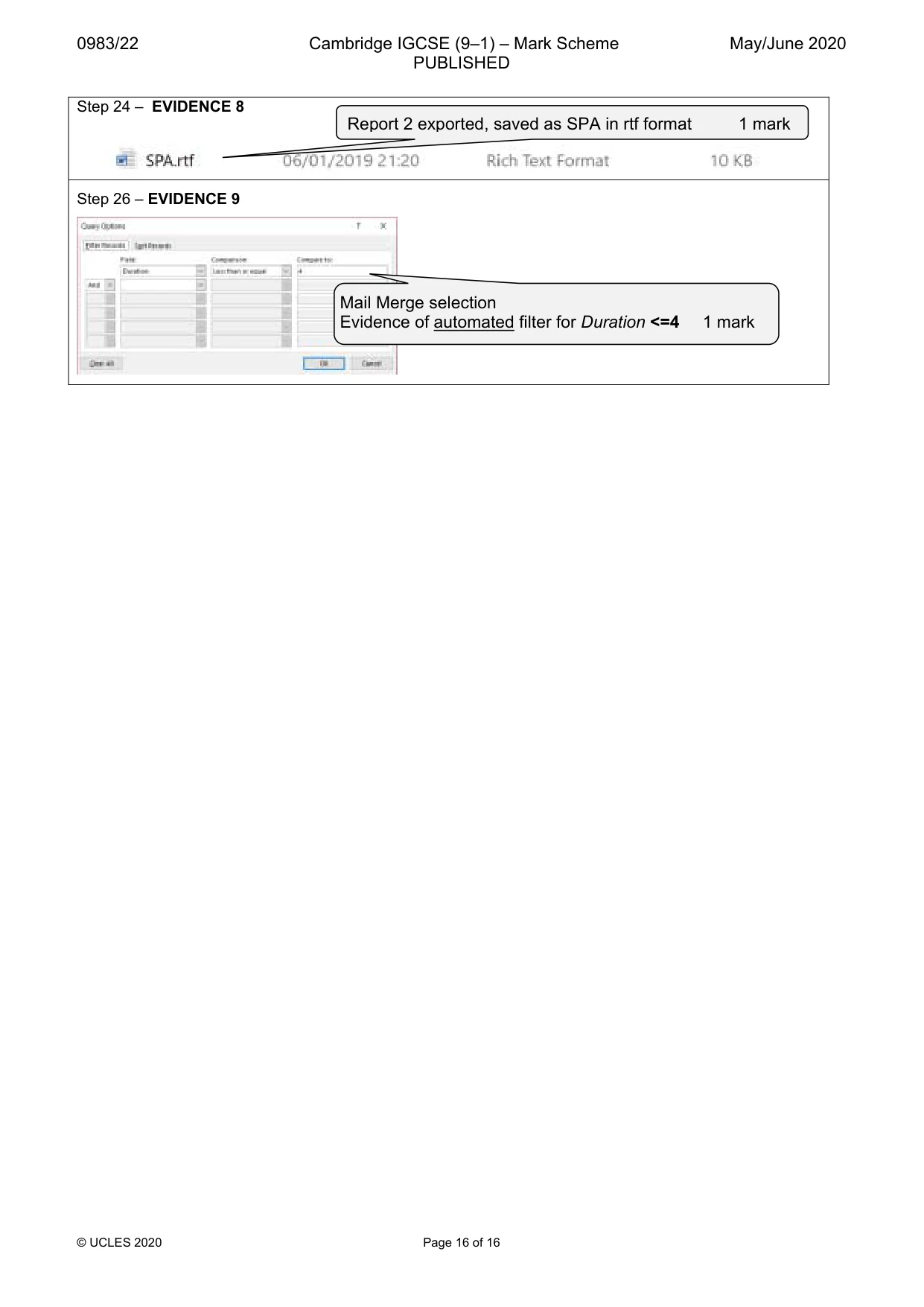
10 0983/22/M/J/20 © UCLES 2020 23 Using fields from both tables, produce a tabular report that: • selects the records where: – Location includes the text East – Category is Senior – Penalty is Yes • contains a new field called Revised_MPH which is calculated at run-time, using the data from the Avg_MPH field and reducing this by 5%. Format this field to display 2 decimal places • shows only the following 9 fields: First_Name, Last_Name, Club_Name, Location, Category, Event_Rank, Penalty, Avg_MPH and Revised_MPH in this order with data and labels displayed in full. Do not group the data. • sorts the data into descending order of Avg_MPH • has a page orientation of landscape • fits on a single page • includes only the text Speed Penalties Applied as a title at the top of the page, formatted so that it displays: ‒ in a black, 30 point, serif font style ‒ with all letters fully visible • has your name, centre number and candidate number on the report. Save and print your report. PRINTOUT 3 Make sure that you have entered your name, centre number and candidate number on your report. Export this report to your work area: • in rich text format (rtf) • with the file name SPA EVIDENCE 8 Place in your Evidence Document a screenshot to show the exported file saved in your work area. Make sure there is evidence of the file type. [11] [Total: 27]
Question paper, page 11
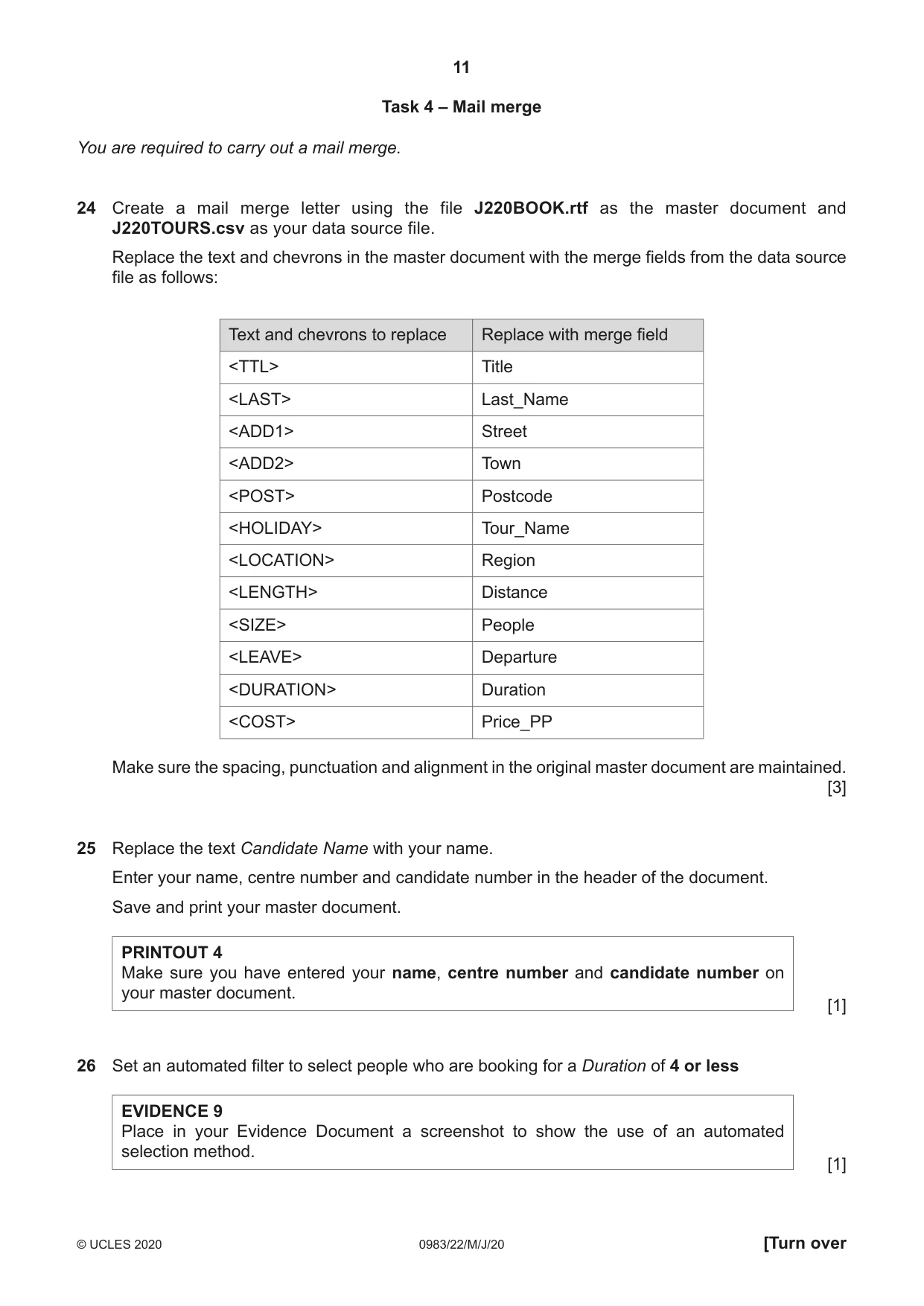
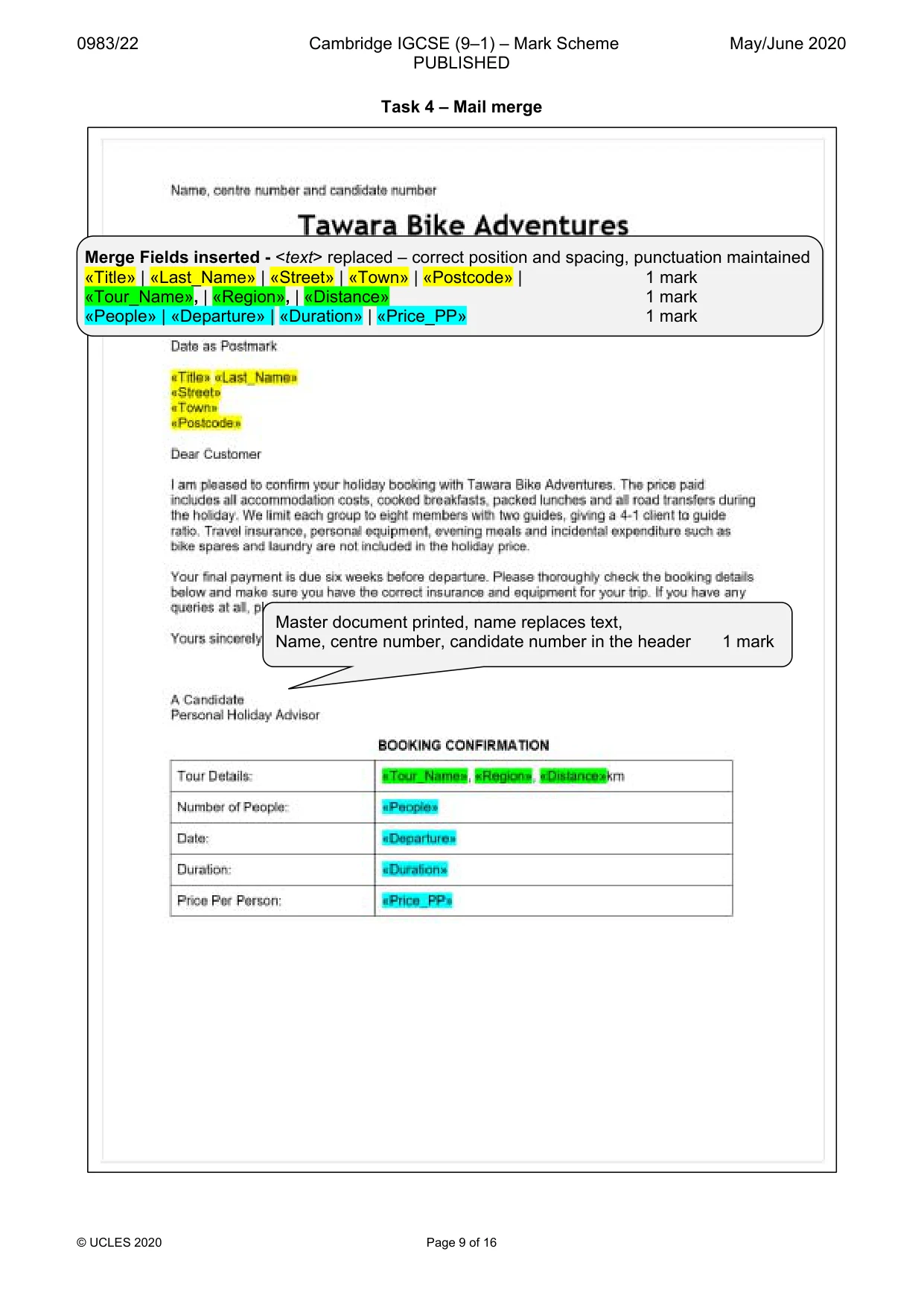
11 0983/22/M/J/20 © UCLES 2020 [Turn over Task 4 – Mail merge You are required to carry out a mail merge. 24 Create a mail merge letter using the file J220BOOK.rtf as the master document and J220TOURS.csv as your data source file. Replace the text and chevrons in the master document with the merge fields from the data source file as follows: Text and chevrons to replace Replace with merge field <TTL> Title <LAST> Last_Name <ADD1> Street <ADD2> Town <POST> Postcode <HOLIDAY> Tour_Name <LOCATION> Region <LENGTH> Distance <SIZE> People <LEAVE> Departure <DURATION> Duration <COST> Price_PP Make sure the spacing, punctuation and alignment in the original master document are maintained. [3] 25 Replace the text Candidate Name with your name. Enter your name, centre number and candidate number in the header of the document. Save and print your master document. PRINTOUT 4 Make sure you have entered your name, centre number and candidate number on your master document. [1] 26 Set an automated filter to select people who are booking for a Duration of 4 or less EVIDENCE 9 Place in your Evidence Document a screenshot to show the use of an automated selection method. [1]
Question paper, page 12
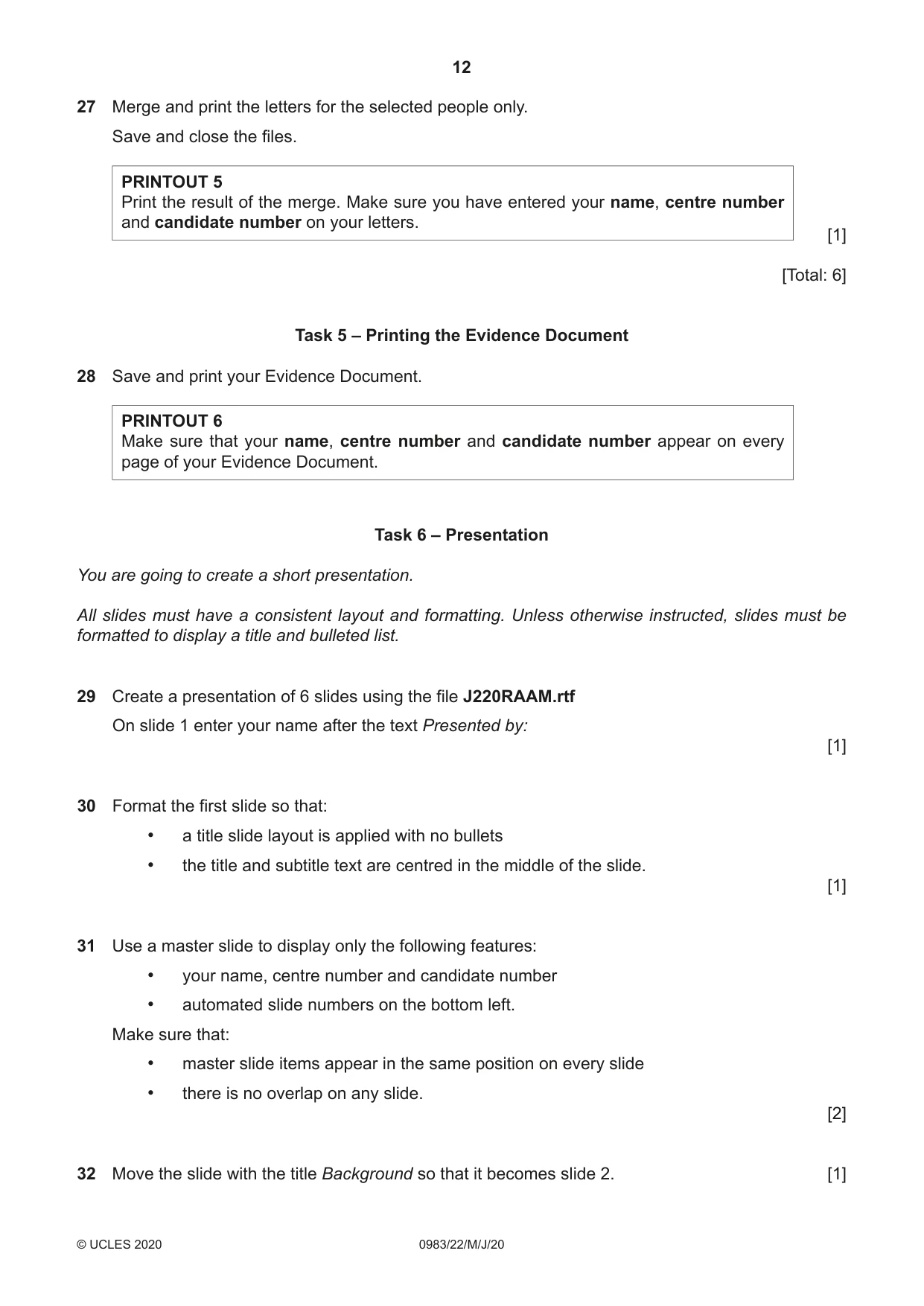
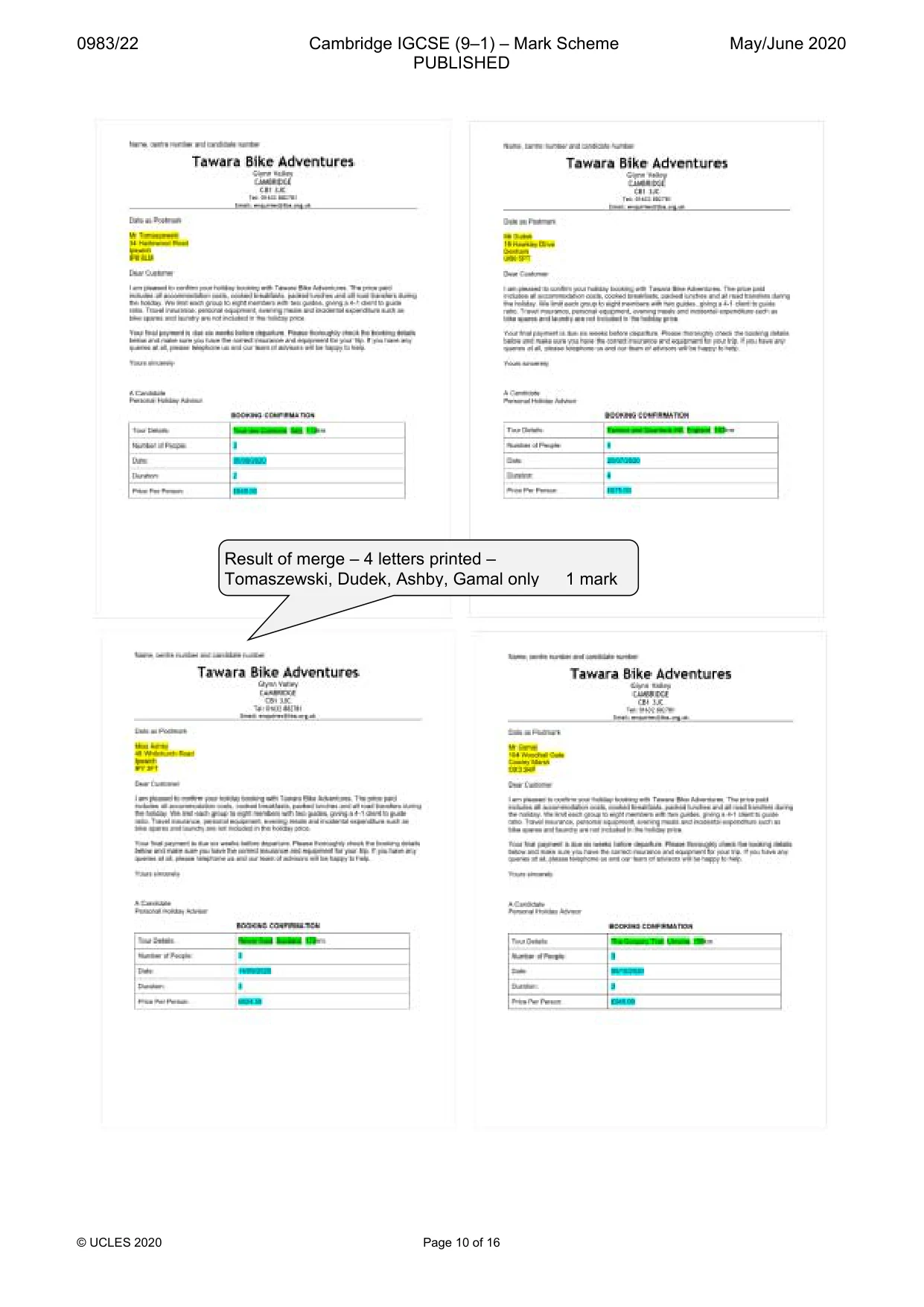
12 0983/22/M/J/20 © UCLES 2020 27 Merge and print the letters for the selected people only. Save and close the files. PRINTOUT 5 Print the result of the merge. Make sure you have entered your name, centre number and candidate number on your letters. [1] [Total: 6] Task 5 – Printing the Evidence Document 28 Save and print your Evidence Document. PRINTOUT 6 Make sure that your name, centre number and candidate number appear on every page of your Evidence Document. Task 6 – Presentation You are going to create a short presentation. All slides must have a consistent layout and formatting. Unless otherwise instructed, slides must be formatted to display a title and bulleted list. 29 Create a presentation of 6 slides using the file J220RAAM.rtf On slide 1 enter your name after the text Presented by: [1] 30 Format the first slide so that: • a title slide layout is applied with no bullets • the title and subtitle text are centred in the middle of the slide. [1] 31 Use a master slide to display only the following features: • your name, centre number and candidate number • automated slide numbers on the bottom left. Make sure that: • master slide items appear in the same position on every slide • there is no overlap on any slide. [2] 32 Move the slide with the title Background so that it becomes slide 2. [1]
Question paper, page 13
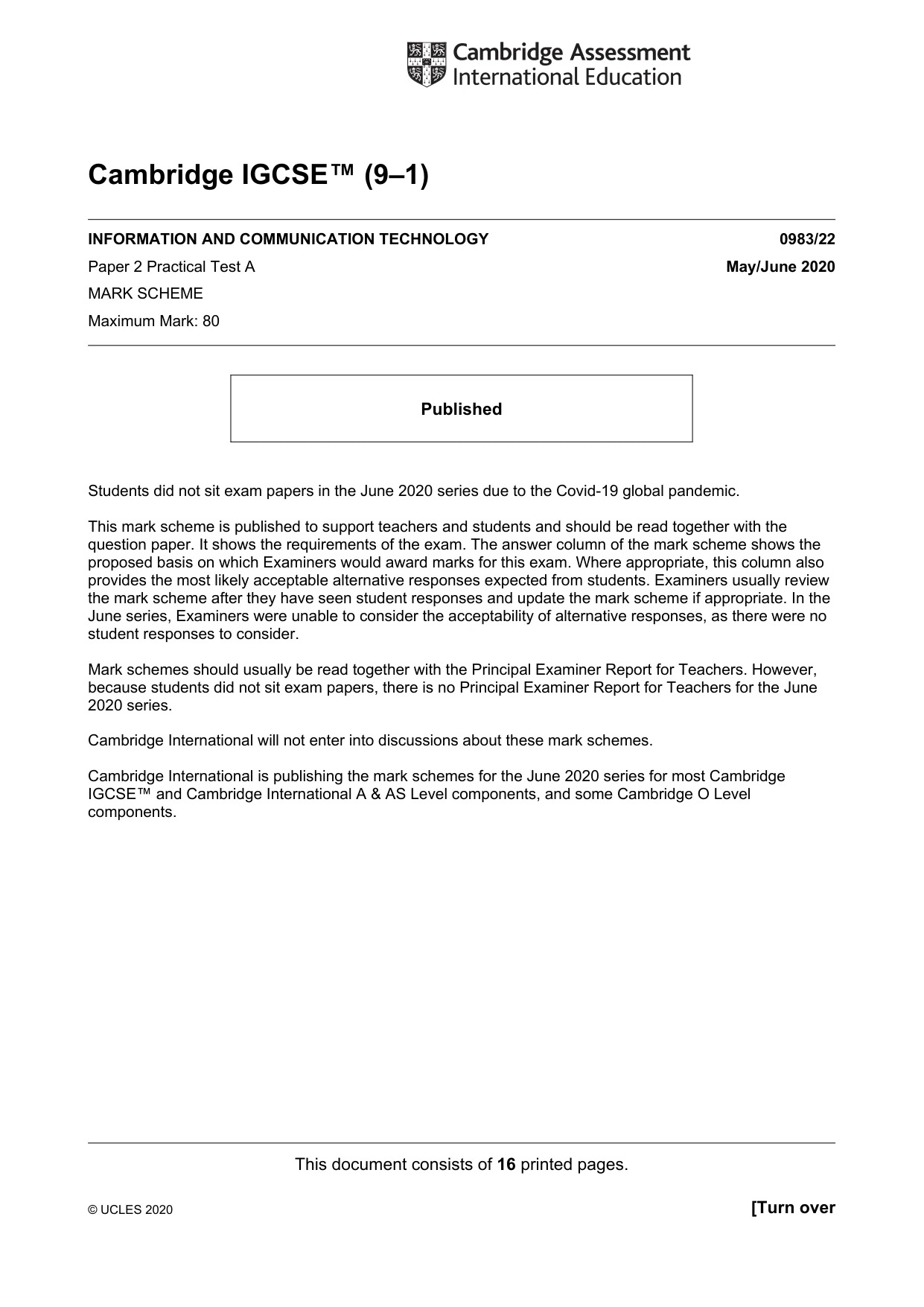
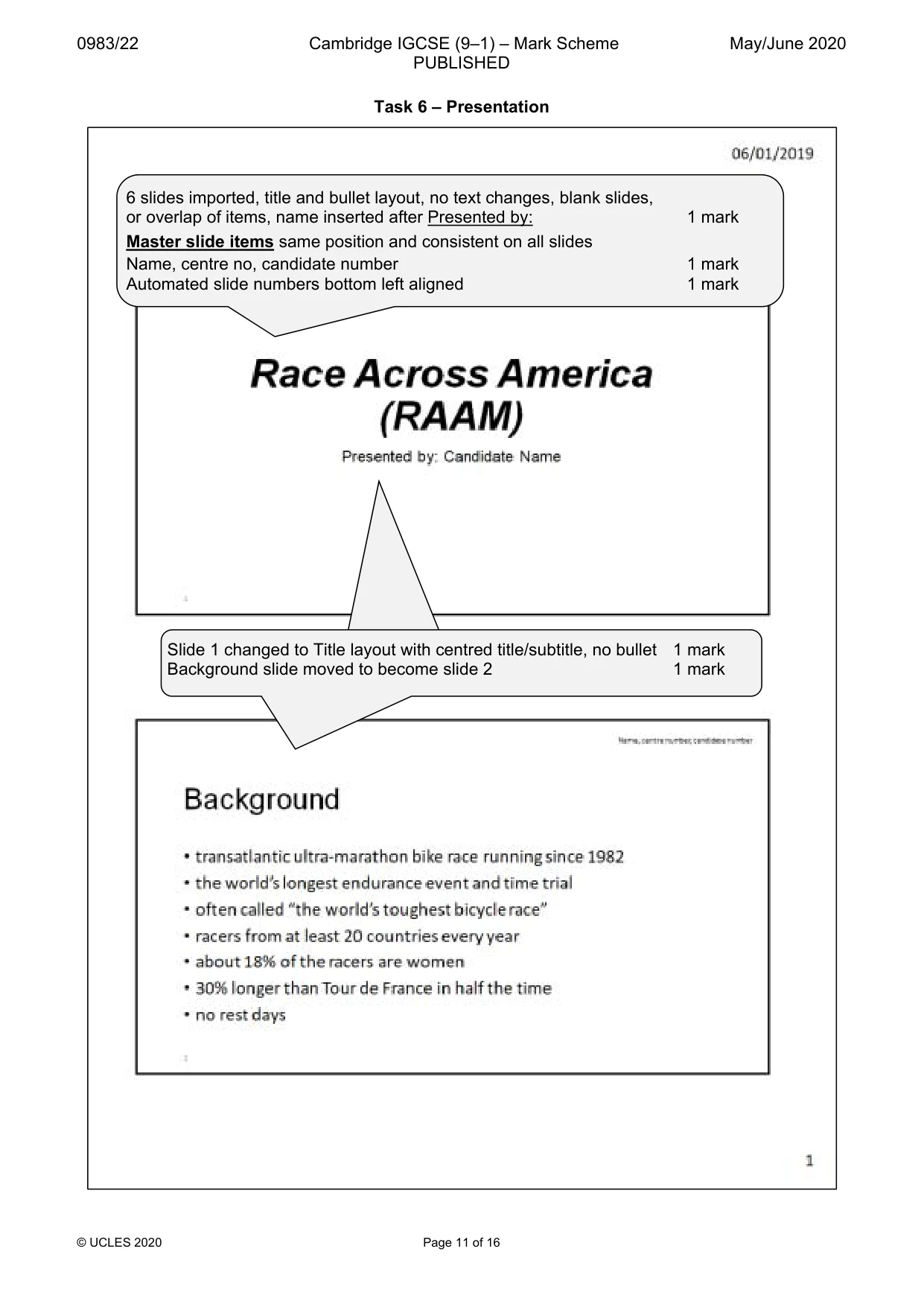
13 0983/22/M/J/20 © UCLES 2020 33 Use the data in the file J220SPEED.csv to create a line chart to compare the records for each year for Solo Female and Solo Male racers only. Include the years as category axis labels. [1] 34 Label the chart with the title: Solo Average Speed Records [1] 35 Format the value axis to display: • the label Miles Per Hour • a minimum value of 6 • a maximum value of 22 • increments of 4 [3] 36 Format the chart to display: • only the data values as labels displayed to 2 decimal places above each data point • a legend to display Solo Female and Solo Male [3] 37 Place the chart to the left of the bullets on the slide with the title Completion Records Make sure that all data is fully visible with no overlap. [1] 38 Save the presentation. Print the presentation as handouts with 2 slides to the page, each filling half the page. PRINTOUT 7 Print this handout. Make sure your name, centre number and candidate number are on all slides. [1] [Total: 15]
Question paper, page 14
14 0983/22/M/J/20 © UCLES 2020 BLANK PAGE
Question paper, page 15
15 0983/22/M/J/20 © UCLES 2020 BLANK PAGE
Question paper, page 16
16 0983/22/M/J/20 © UCLES 2020 Permission to reproduce items where third-party owned material protected by copyright is included has been sought and cleared where possible. Every reasonable effort has been made by the publisher (UCLES) to trace copyright holders, but if any items requiring clearance have unwittingly been included, the publisher will be pleased to make amends at the earliest possible opportunity. To avoid the issue of disclosure of answer-related information to candidates, all copyright acknowledgements are reproduced online in the Cambridge Assessment International Education Copyright Acknowledgements Booklet. This is produced for each series of examinations and is freely available to download at www.cambridgeinternational.org after the live examination series. Cambridge Assessment International Education is part of the Cambridge Assessment Group. Cambridge Assessment is the brand name of the University of Cambridge Local Examinations Syndicate (UCLES), which itself is a department of the University of Cambridge. BLANK PAGE
Mark scheme, page 1
This document consists of 16 printed pages. © UCLES 2020 [Turn over Cambridge IGCSE™ (9–1) INFORMATION AND COMMUNICATION TECHNOLOGY 0983/22 Paper 2 Practical Test A May/June 2020 MARK SCHEME Maximum Mark: 80 Published Students did not sit exam papers in the June 2020 series due to the Covid-19 global pandemic. This mark scheme is published to support teachers and students and should be read together with the question paper. It shows the requirements of the exam. The answer column of the mark scheme shows the proposed basis on which Examiners would award marks for this exam. Where appropriate, this column also provides the most likely acceptable alternative responses expected from students. Examiners usually review the mark scheme after they have seen student responses and update the mark scheme if appropriate. In the June series, Examiners were unable to consider the acceptability of alternative responses, as there were no student responses to consider. Mark schemes should usually be read together with the Principal Examiner Report for Teachers. However, because students did not sit exam papers, there is no Principal Examiner Report for Teachers for the June 2020 series. Cambridge International will not enter into discussions about these mark schemes. Cambridge International is publishing the mark schemes for the June 2020 series for most Cambridge IGCSE™ and Cambridge International A & AS Level components, and some Cambridge O Level components.
Mark scheme, page 2
0983/22 Cambridge IGCSE (9–1) – Mark Scheme PUBLISHED May/June 2020 © UCLES 2020 Page 2 of 16 Generic Marking Principles These general marking principles must be applied by all examiners when marking candidate answers. They should be applied alongside the specific content of the mark scheme or generic level descriptors for a question. Each question paper and mark scheme will also comply with these marking principles. GENERIC MARKING PRINCIPLE 1: Marks must be awarded in line with: • the specific content of the mark scheme or the generic level descriptors for the question • the specific skills defined in the mark scheme or in the generic level descriptors for the question • the standard of response required by a candidate as exemplified by the standardisation scripts. GENERIC MARKING PRINCIPLE 2: Marks awarded are always whole marks (not half marks, or other fractions). GENERIC MARKING PRINCIPLE 3: Marks must be awarded positively: • marks are awarded for correct/valid answers, as defined in the mark scheme. However, credit is given for valid answers which go beyond the scope of the syllabus and mark scheme, referring to your Team Leader as appropriate • marks are awarded when candidates clearly demonstrate what they know and can do • marks are not deducted for errors • marks are not deducted for omissions • answers should only be judged on the quality of spelling, punctuation and grammar when these features are specifically assessed by the question as indicated by the mark scheme. The meaning, however, should be unambiguous. GENERIC MARKING PRINCIPLE 4: Rules must be applied consistently e.g. in situations where candidates have not followed instructions or in the application of generic level descriptors. GENERIC MARKING PRINCIPLE 5: Marks should be awarded using the full range of marks defined in the mark scheme for the question (however; the use of the full mark range may be limited according to the quality of the candidate responses seen). GENERIC MARKING PRINCIPLE 6: Marks awarded are based solely on the requirements as defined in the mark scheme. Marks should not be awarded with grade thresholds or grade descriptors in mind.
Mark scheme, page 3
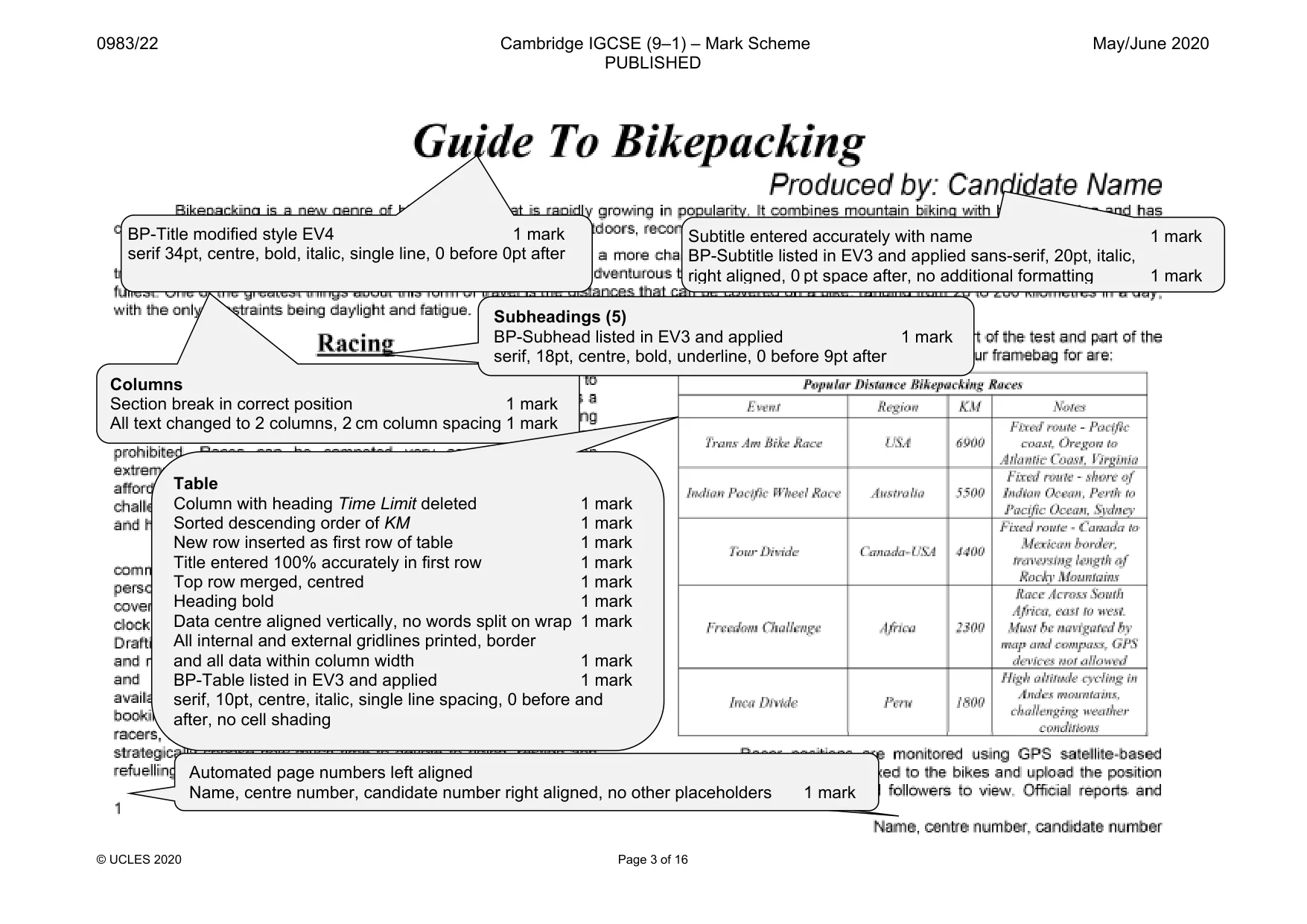
0983/22 Cambridge IGCSE (9–1) – Mark Scheme PUBLISHED May/June 2020 © UCLES 2020 Page 3 of 16 BP-Title modified style EV4 1 mark serif 34pt, centre, bold, italic, single line, 0 before 0pt after Subtitle entered accurately with name 1 mark BP-Subtitle listed in EV3 and applied sans-serif, 20pt, italic, right aligned, 0 pt space after, no additional formatting 1 mark Automated page numbers left aligned Name, centre number, candidate number right aligned, no other placeholders 1 mark Columns Section break in correct position 1 mark All text changed to 2 columns, 2 cm column spacing 1 mark Subheadings (5) BP-Subhead listed in EV3 and applied 1 mark serif, 18pt, centre, bold, underline, 0 before 9pt after Table Column with heading Time Limit deleted 1 mark Sorted descending order of KM 1 mark New row inserted as first row of table 1 mark Title entered 100% accurately in first row 1 mark Top row merged, centred 1 mark Heading bold 1 mark Data centre aligned vertically, no words split on wrap 1 mark All internal and external gridlines printed, border and all data within column width 1 mark BP-Table listed in EV3 and applied 1 mark serif, 10pt, centre, italic, single line spacing, 0 before and after, no cell shading
Mark scheme, page 4
0983/22 Cambridge IGCSE (9–1) – Mark Scheme PUBLISHED May/June 2020 © UCLES 2020 Page 4 of 16 Bullets Applied to correct data 1 mark Tick shaped bullets applied 1 mark Bullets indented 1.5 cm from left margin, Hanging indent, single line, 0pt space between 1 mark Image Image inserted in correct paragraph 1 mark Rotated 180º so wheels at bottom 1 mark Resized to 4 cm wide with aspect ratio maintained 1 mark Aligned to top of text and right margin, text wrapped 1 mark Page break Page break removed above Equipment 1 mark
Mark scheme, page 5
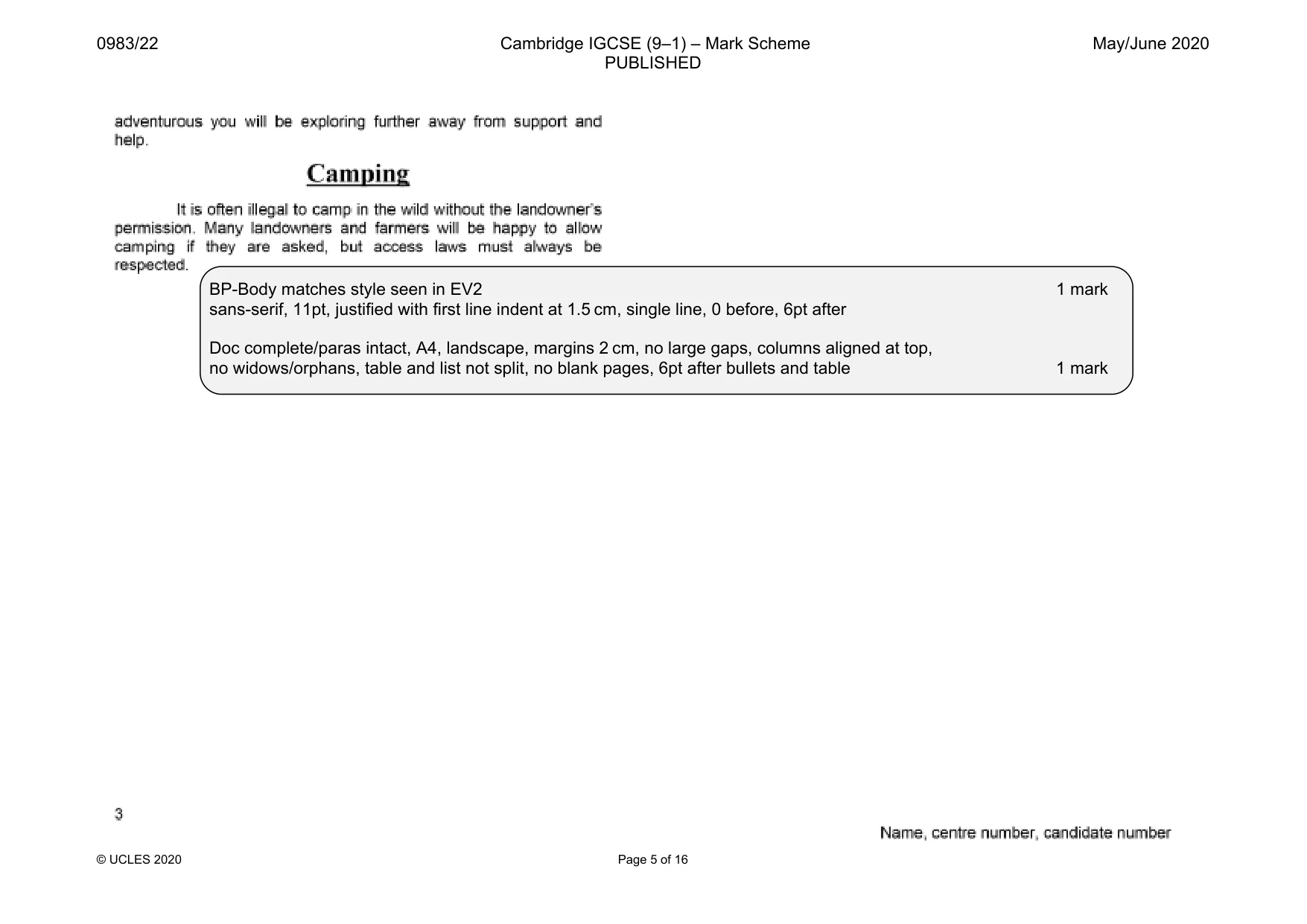
0983/22 Cambridge IGCSE (9–1) – Mark Scheme PUBLISHED May/June 2020 © UCLES 2020 Page 5 of 16 BP-Body matches style seen in EV2 1 mark sans-serif, 11pt, justified with first line indent at 1.5 cm, single line, 0 before, 6pt after Doc complete/paras intact, A4, landscape, margins 2 cm, no large gaps, columns aligned at top, no widows/orphans, table and list not split, no blank pages, 6pt after bullets and table 1 mark
Mark scheme, page 6
0983/22 Cambridge IGCSE (9–1) – Mark Scheme PUBLISHED May/June 2020 © UCLES 2020 Page 6 of 16 Results By Category First_Name Last_Name Club_Name Category Gender Event_Rank Karol Bonin Camel Hybrid Spinners Veteran Male 1 Amanda Vanderlee Tubular Belles Veteran Female 1 Felix Gamal Tachyon Flyers Veteran Male 2 Stacy Mawdsley Camel Hybrid Spinners Veteran Female 2 Nolan Rosenberg Trigger Shifters Veteran Male 3 Charlene Mannsberger Pedal Blazers Veteran Female 3 Sandra Bunnin Tachyon Flyers Veteran Female 4 Rich Bolivar Mountain Spinners Veteran Male 4 Michelle Litke Alliance Cycles Veteran Female 5 Aaron Rushton Easy Riders Veteran Male 5 Carl Garcia Pedal Blazers Super Veteran Male 1 Ashley Bourgue GoBike Rollers Super Veteran Female 1 Gabby Brazeau Tawara Falcons Super Veteran Female 2 Brett Cruickshank Alliance Cycles Super Veteran Male 2 Jeffrey Ellis GoBike Rollers Super Veteran Male 3 Shawna Cabush Ragwheel Racers Super Veteran Female 3 Stephen Weir Alliance Cycles Super Veteran Male 4 Crystal Bristow Tubular Belles Super Veteran Female 4 Kim Maclean Tawara Falcons Super Veteran Female 5 Peter Husband Crankmeister Racers Super Veteran Male 5 Christian Ramanow Saddle Rollers Senior Male 1 Caitlin Mackenzie Imperial Land Cruisers Senior Female 1 Laura Maclauchlan Imperial Land Cruisers Senior Female 2 Robert Penner Ragwheel Racers Senior Male 2 Darcy Jones Cyclops Flyers Senior Male 3 Jessica Bourdeau Tachyon Flyers Senior Female 3 Jenn Brezsnyak Gorilla Cycling Senior Female 4 Niels Lawrence Ragwheel Racers Senior Male 4 Zuzana Gomes Cycle Bunnies Senior Female 5 Grant Sinclair Tachyon Flyers Senior Male 5 John Schooler Mud and Mucksters Master Male 1 Samantha Brophy Chain Breakers Master Female 1 Marina Burnside Crankmeister Racers Master Female 2 Nick Turcott Crankmeister Racers Master Male 2 Jenny Bowe Chain Breakers Master Female 3 Sam Boddy Ragwheel Racers Master Male 3 Carthy Bratt Tubular Belles Master Female 4 Name, Centre number, candidate number Title Correct, 100% accurate, as title, larger font, fully visible, top of page, no other text 1 mark Specified fields, correct order 1 mark Sort descending on Category then ascending on Event_Rank 1 mark Portrait, one page wide, all base fields, no truncation 1 mark Name, centre number, candidate number in footer – every page 1 mark Select records (59): Event_Rank is <=5 1 mark Ability excludes Novice 1 mark
Mark scheme, page 7
0983/22 Cambridge IGCSE (9–1) – Mark Scheme PUBLISHED May/June 2020 © UCLES 2020 Page 7 of 16 First_Name Last_Name Club_Name Category Gender Event_Rank Noah Thomas Tachyon Flyers Master Male 4 Jay Lemiski Chain Breakers Master Female 5 Betsy Owen Pedal Blazers Junior Female 1 Dominic Kent Tawara Falcons Junior Male 1 Michael Hurford Mountain Spinners Junior Male 2 Liann Mueller Imperial Land Cruisers Junior Female 2 Shauna Macdonald Chain Breakers Junior Female 3 Richard Armstrong Cyclops Flyers Junior Male 3 Robin Belanger Cycle Bunnies Junior Male 4 Nicole Broadbent Tubular Belles Junior Female 4 Aidan Langford Bike Ways Junior Male 5 Anna-Gabrielle Partington Ragwheel Racers Junior Female 5 Denise Magsamen Mountain Spinners Grand Veteran Female 1 Cody Pennington Saddle Rollers Grand Veteran Male 1 Erin Marley Tubular Belles Grand Veteran Female 2 David Caskey Camel Hybrid Spinners Grand Veteran Male 2 Bradley Adomonis Camel Hybrid Spinners Grand Veteran Male 3 Chantell Leishman Cyclops Flyers Grand Veteran Female 3 Kristin Buchanan Sprocket Rockets Grand Veteran Female 4 Phil Kourline Mountain Spinners Grand Veteran Male 4 Lars Wiebe Sprocket Rockets Grand Veteran Male 5 Leigh Micklethwaite Bike Ways Grand Veteran Female 5 Number of racers 59 Name, Centre number, candidate number Calculates correct count of records 59 1 mark Displayed as integer, positioned under Gender column 1 mark Accurate label entered to left 1 mark
Mark scheme, page 8
0983/22 Cambridge IGCSE (9–1) – Mark Scheme PUBLISHED May/June 2020 © UCLES 2020 Page 8 of 16 Speed Penalties Applied Name, Centre number, Candidate number First_Name Last_Name Club_Name Location Category Event_Rank Penalty Avg_MPH Revised_MPH Lawrence Robson Crankmeister Racers North East Senior 19 Yes 15.55 14.77 Daniel Jackson Imperial Land Cruisers South East Senior 33 Yes 15.33 14.56 Christopher Wright Sprocket Rockets Central and Eastern Scotland Senior 54 Yes 14.88 14.14 Scott Blixhavn Crankmeister Racers North East Senior 80 Yes 14.32 13.60 Laura Maclauchlan Imperial Land Cruisers South East Senior 2 Yes 13.95 13.25 Janet Olsen Tubular Belles East Midlands Senior 6 Yes 13.67 12.99 Su Mullen Tubular Belles East Midlands Senior 11 Yes 13.40 12.73 Nicole Cahill Tubular Belles East Midlands Senior 13 Yes 13.18 12.52 Jack Glendinning Sprocket Rockets Central and Eastern Scotland Senior 163 Yes 12.79 12.15 Tanya Lohmann Tubular Belles East Midlands Senior 20 Yes 12.67 12.04 Linda Burton Sprocket Rockets Central and Eastern Scotland Senior 25 Yes 12.54 11.91 Christina Tomkinson Tubular Belles East Midlands Senior 26 Yes 12.42 11.80 Kirk Fraser Crankmeister Racers North East Senior 198 Yes 12.11 11.50 Spencer Sarnecki Sprocket Rockets Central and Eastern Scotland Senior 217 Yes 11.58 11.00 Sian Chilvers Crankmeister Racers North East Senior 37 Yes 11.45 10.88 Julia Chamberlain Tubular Belles East Midlands Senior 53 Yes 10.51 9.98 Emmanuelle Mercer Crankmeister Racers North East Senior 60 Yes 10.09 9.59 Clementine Niles Sprocket Rockets Central and Eastern Scotland Senior 66 Yes 9.85 9.36 Erin Whitehouse Tubular Belles East Midlands Senior 68 Yes 9.82 9.33 Alex Nicholson Crankmeister Racers North East Senior 76 Yes 9.23 8.77 08 September 2018 New record Janet Olsen, appears once, record Su Mullen still present 1 mark New record entered accurately 1 mark Title Correct, 100% accurate, as title, fully visible, no other text 1 mark Serif, 30pt, black font 1 mark Calculated field Heading 100% accurate 1 mark [Avg_MPH]*0.95 calculated, correct values 1 mark Displayed to 2 dp 1 mark Select records (20): Location contains East 1 mark Category is Senior, Penalty is Yes 1 mark Specified fields, correct order 1 mark Sort descending on Avg_MPH 1 mark Landscape, fits one page, all base fields present, no truncation 1 mark Eveny_Rank integer, Penalty displays as Yes/No; Avg_MPH as 2 dp 1 mark
Mark scheme, page 9
0983/22 Cambridge IGCSE (9–1) – Mark Scheme PUBLISHED May/June 2020 © UCLES 2020 Page 9 of 16 Task 4 – Mail merge Merge Fields inserted - <text> replaced – correct position and spacing, punctuation maintained «Title» | «Last_Name» | «Street» | «Town» | «Postcode» | 1 mark «Tour_Name», | «Region», | «Distance» 1 mark «People» | «Departure» | «Duration» | «Price_PP» 1 mark Master document printed, name replaces text, Name, centre number, candidate number in the header 1 mark
Mark scheme, page 10
0983/22 Cambridge IGCSE (9–1) – Mark Scheme PUBLISHED May/June 2020 © UCLES 2020 Page 10 of 16 Result of merge – 4 letters printed – Tomaszewski, Dudek, Ashby, Gamal only 1 mark
Mark scheme, page 11
0983/22 Cambridge IGCSE (9–1) – Mark Scheme PUBLISHED May/June 2020 © UCLES 2020 Page 11 of 16 Task 6 – Presentation 6 slides imported, title and bullet layout, no text changes, blank slides, or overlap of items, name inserted after Presented by: 1 mark Master slide items same position and consistent on all slides Name, centre no, candidate number 1 mark Automated slide numbers bottom left aligned 1 mark Slide 1 changed to Title layout with centred title/subtitle, no bullet 1 mark Background slide moved to become slide 2 1 mark
Mark scheme, page 12
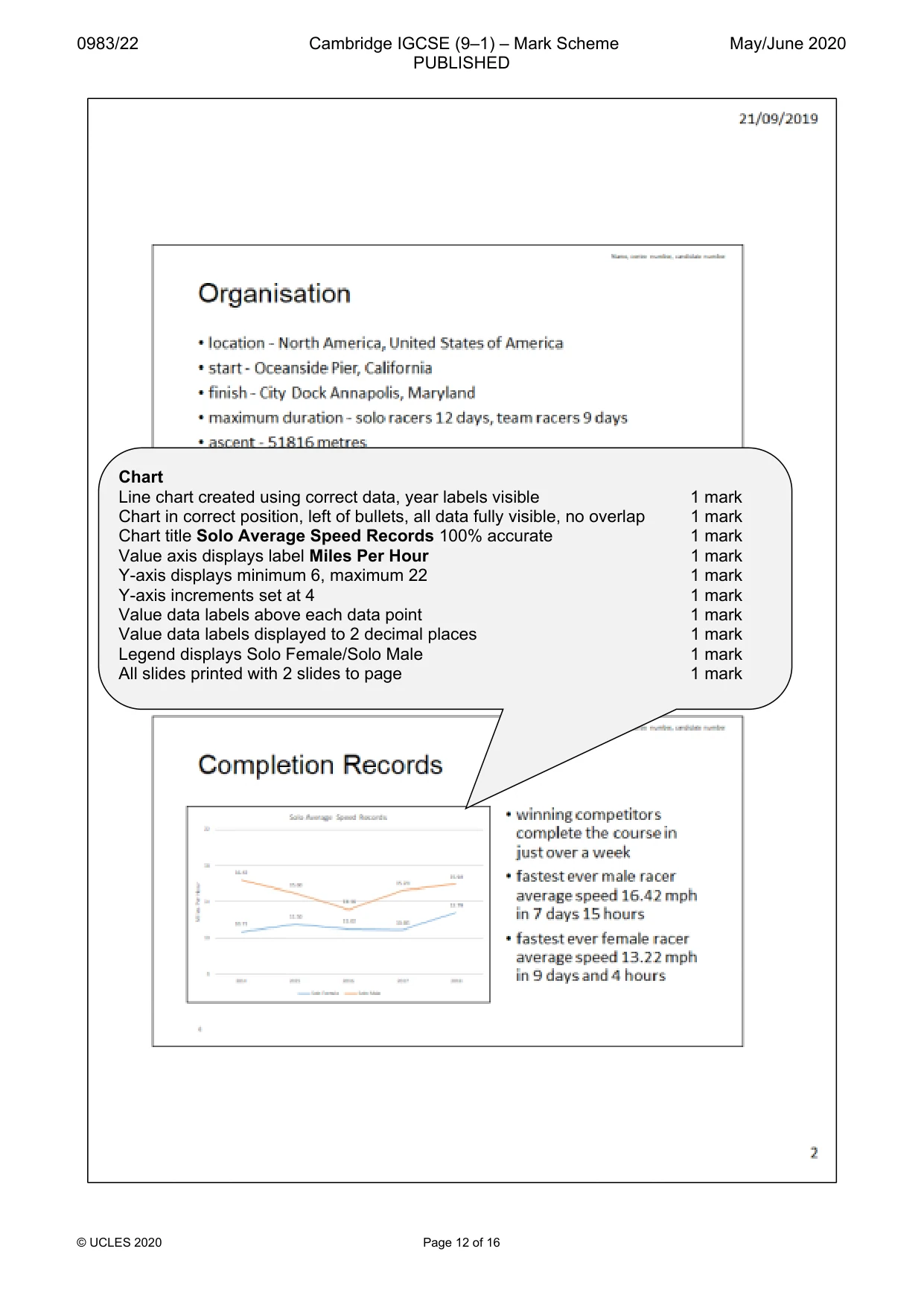
0983/22 Cambridge IGCSE (9–1) – Mark Scheme PUBLISHED May/June 2020 © UCLES 2020 Page 12 of 16 Chart Line chart created using correct data, year labels visible 1 mark Chart in correct position, left of bullets, all data fully visible, no overlap 1 mark Chart title Solo Average Speed Records 100% accurate 1 mark Value axis displays label Miles Per Hour 1 mark Y-axis displays minimum 6, maximum 22 1 mark Y-axis increments set at 4 1 mark Value data labels above each data point 1 mark Value data labels displayed to 2 decimal places 1 mark Legend displays Solo Female/Solo Male 1 mark All slides printed with 2 slides to page 1 mark
Mark scheme, page 13
0983/22 Cambridge IGCSE (9–1) – Mark Scheme PUBLISHED May/June 2020 © UCLES 2020 Page 13 of 16
Mark scheme, page 14
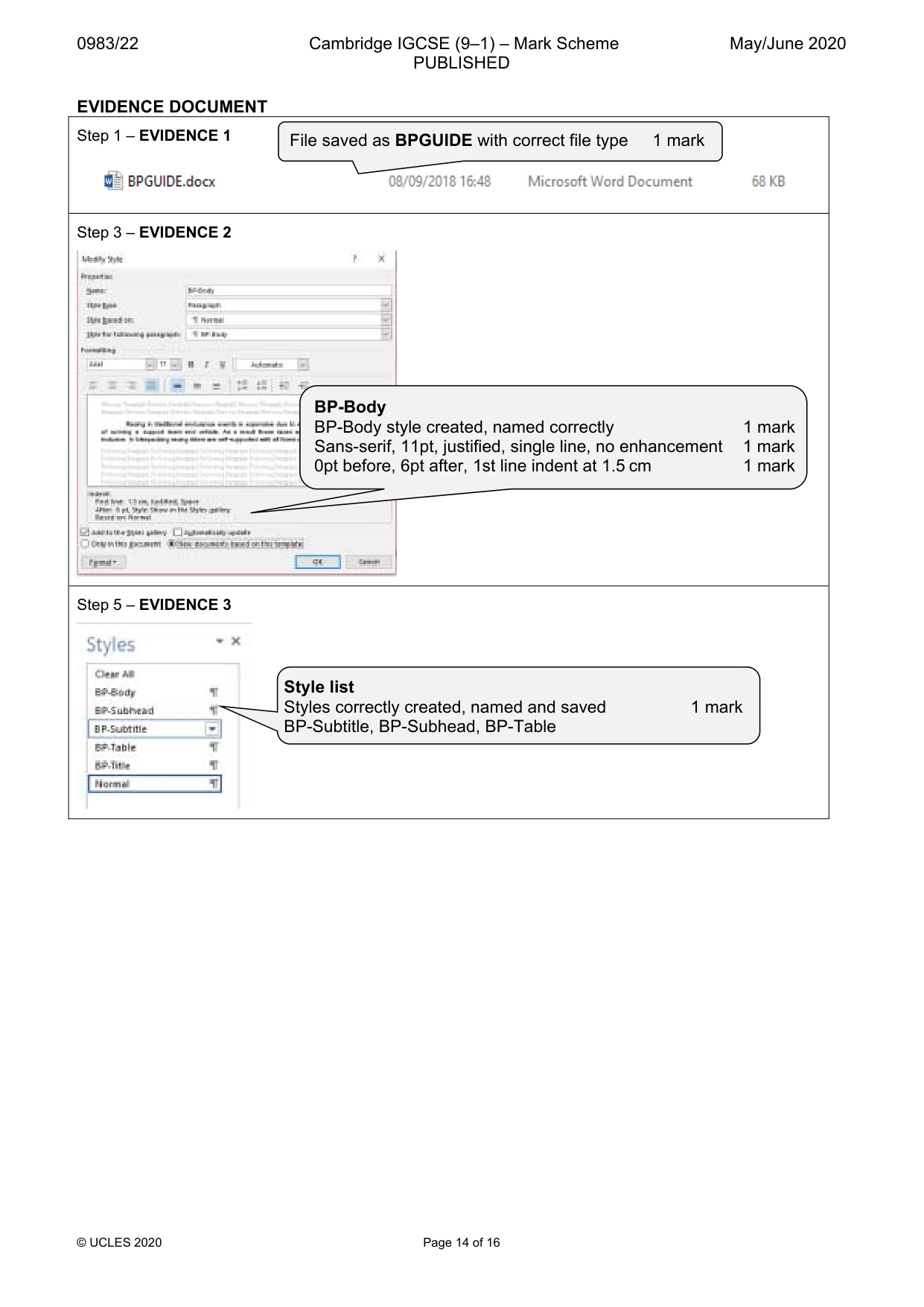
0983/22 Cambridge IGCSE (9–1) – Mark Scheme PUBLISHED May/June 2020 © UCLES 2020 Page 14 of 16 EVIDENCE DOCUMENT Step 1 – EVIDENCE 1 Step 3 – EVIDENCE 2 Step 5 – EVIDENCE 3 File saved as BPGUIDE with correct file type 1 mark BP-Body BP-Body style created, named correctly 1 mark Sans-serif, 11pt, justified, single line, no enhancement 1 mark 0pt before, 6pt after, 1st line indent at 1.5 cm 1 mark Style list Styles correctly created, named and saved 1 mark BP-Subtitle, BP-Subhead, BP-Table
Mark scheme, page 15
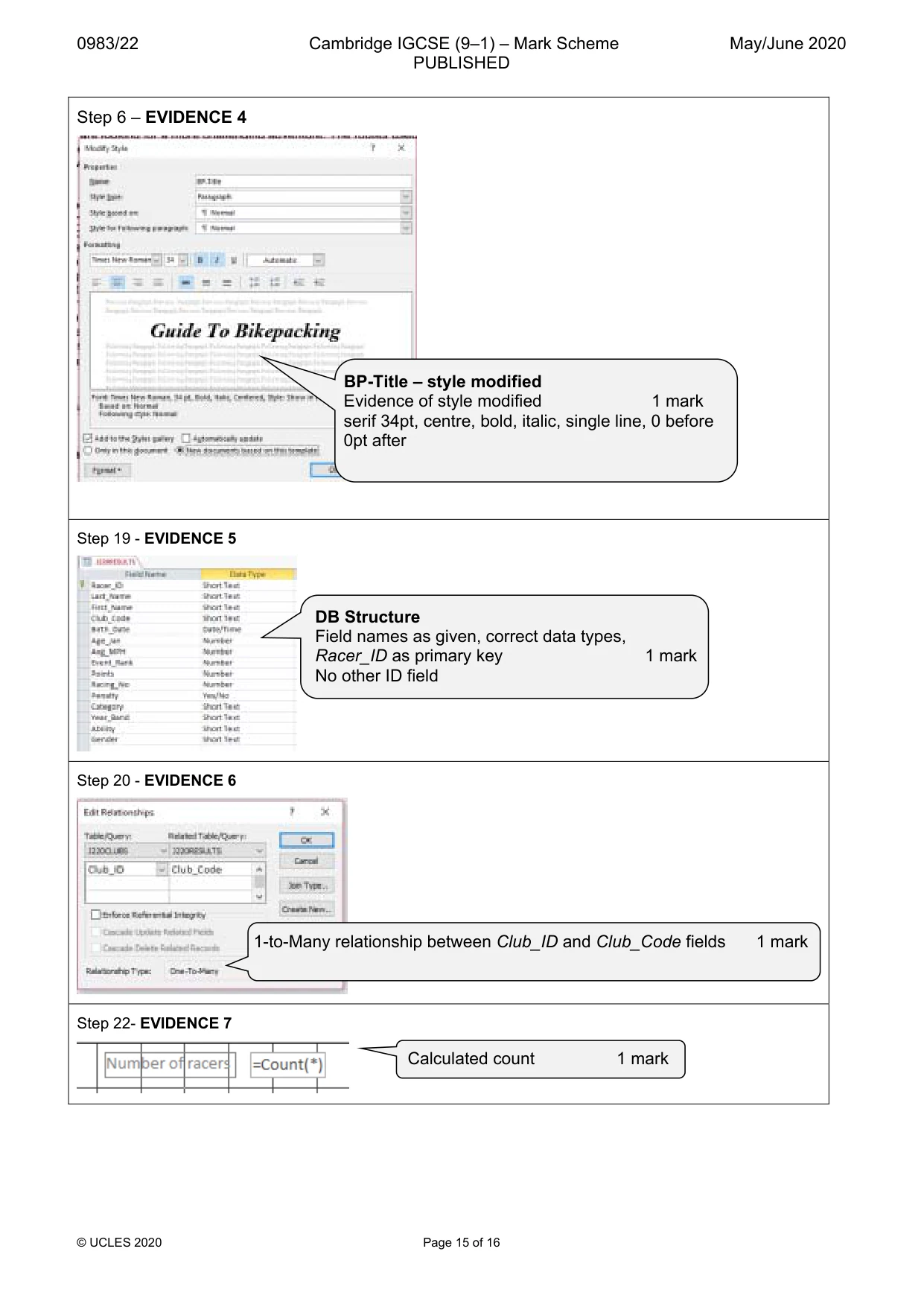
0983/22 Cambridge IGCSE (9–1) – Mark Scheme PUBLISHED May/June 2020 © UCLES 2020 Page 15 of 16 Step 6 – EVIDENCE 4 Step 19 - EVIDENCE 5 Step 20 - EVIDENCE 6 Step 22- EVIDENCE 7 DB Structure Field names as given, correct data types, Racer_ID as primary key 1 mark No other ID field 1-to-Many relationship between Club_ID and Club_Code fields 1 mark Calculated count 1 mark BP-Title – style modified Evidence of style modified 1 mark serif 34pt, centre, bold, italic, single line, 0 before 0pt after
Mark scheme, page 16
0983/22 Cambridge IGCSE (9–1) – Mark Scheme PUBLISHED May/June 2020 © UCLES 2020 Page 16 of 16 Report 2 exported, saved as SPA in rtf format 1 mark Step 24 – EVIDENCE 8 Step 26 – EVIDENCE 9 Mail Merge selection Evidence of automated filter for Duration <=4 1 mark