Questions as text
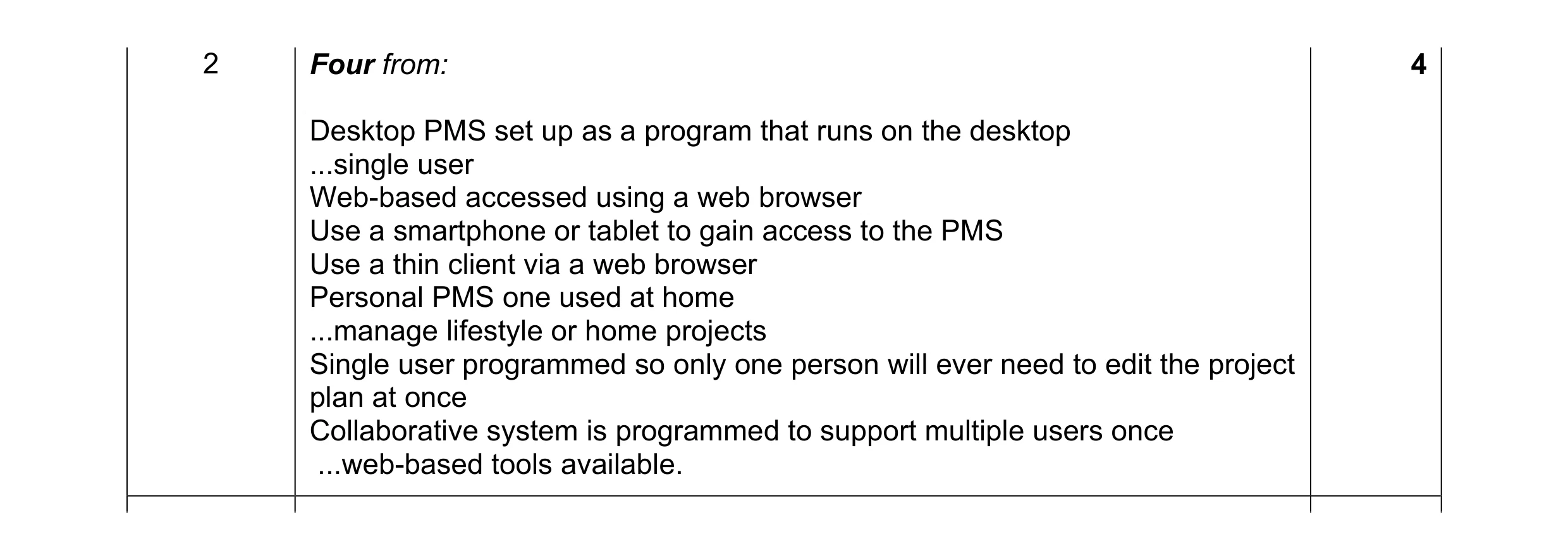
Q1 · Project management software is used to create an overview of the tasks or activities… 9626/31 May/June 2017
2 Project management software is used to create an overview of the tasks or activities required in a project. One type is desktop-based project management software. Describe other types of project management software. … … … … … … … … … … … [4]
4 marks
Mark scheme: 2 Four from: 4 Desktop PMS set up as a program that runs on the desktop ...single user Web-based accessed using a web browser Use a smartphone or tablet to gain access to the PMS Use a thin client via a web browser Personal PMS one used at home ...manage lifestyle or home projects Single user programmed so only one person will ever need to edit the project plan at once Collaborative system is programmed to support multiple users once ...web-based tools available.
This question in 9626/31 May/June 2017
Q2 · Project management software is used to create an overview of the tasks or activities… 9626/33 May/June 2017
2 Project management software is used to create an overview of the tasks or activities required in a project. One type is desktop-based project management software. Describe other types of project management software. … … … … … … … … … … … [4]
4 marks
Mark scheme: 2 Four from: 4 Desktop PMS set up as a program that runs on the desktop ...single user Web-based accessed using a web browser Use a smartphone or tablet to gain access to the PMS Use a thin client via a web browser Personal PMS one used at home ...manage lifestyle or home projects Single user programmed so only one person will ever need to edit the project plan at once Collaborative system is programmed to support multiple users once ...web-based tools available.
This question in 9626/33 May/June 2017
Q3 · Consuela is organising the building of her new house 9626/33 May/June 2018
10 Consuela is organising the building of her new house. Discuss the advantages and disadvantages of the various types of project management software for this task. … … … … … … … … … … … … … … … … … … … … [8]
8 marks
Mark scheme: 10 This question to be marked as a Level of Response. 8 Level 3 (7–8 marks) Candidates will discuss in detail advantage(s) and disadvantage(s) of a range of types of project management software. The information will be relevant, clear, organised and presented in a structured and coherent format. There will be a reasoned conclusion/opinion. Subject specific terminology will be used accurately and appropriately. Level 2 (4–6 marks) Candidates will explain advantage(s) and disadvantage(s) of various types of project management software. For the most part, the information will be relevant and presented in a structured and coherent format. There may be a reasoned conclusion/opinion. Subject specific terminology will be used appropriately and for the most part correctly. Level 1 (1–3 marks) Candidates will describe the advantage(s) or disadvantage(s) of types of project management software. Answers may be in the form of a list. There will be little or no use of specialist terms. Level 0 (0 marks): Response with no valid content. Answers may make reference to e.g.: the various types of PMS with advantages/disadvantages of those mentioned: Desktop/single-user/personal: Suitable for smaller projects Only one person can use the PMS at any one time Can be used on mobile devices/smartphones/tablets May lack all the features of full software Collaborative: Allows multiple uses to edit sections of the project Changes reflected to other users Some areas may be read-only/unavailable when others are working on them Visual: Allows information to be filtered and presented in easier to understand manner to avoid information overload Used for fluctuating data Details not instantly available.
This question in 9626/33 May/June 2018
Q4 · A director of a building company is overseeing a large number of projects that are… 9626/32 Oct/Nov 2019
2 A director of a building company is overseeing a large number of projects that are managed using project management software. • The director oversees several project managers • The director reports to the managing director • The director’s report will include several graphs and tables • The director and managers work from their offices • Each manager oversees a team of project supervisors • Project supervisors will supervise one or more projects and may share projects • Supervisors can work from home as well as when they are visiting the building sites. Describe, with reasons, the most appropriate type of project management software that each of the mentioned personnel could use to manage the projects. … … … … … … … … … … … … … … [6]
6 marks
Mark scheme: 2 Six from: 6 Director would use desktop PMS because he requires high quality graphics Managing Director would use desktop PMS because he requires high quality graphics/only needs to oversee/view final work so only needs to use desktop Director does not need to share/collaborate with others on amends but just oversee them so only needs to use desktop Project managers could use desktop or web-based as based in office « « so will probably be using a desktop computer which can also access the internet Project managers need to share/collaborate/amend work from supervisors and so more likely to use web-based software as not all desktop software facilitates collaboration Project supervisors could use web-based PMS as can use remotely Some supervisors may need to use mobile devices (may not have desktop software installed but can access the internet) so would need to use web- based software.
This question in 9626/32 Oct/Nov 2019
Q5 · Explain how project management software is used to schedule tasks 9626/32 Feb/March 2020
1 Explain how project management software is used to schedule tasks. … … … … … … … … … … … … … … [6]
6 marks
Mark scheme: Question Answer Marks 1 Six from: 6 Define scope of project Create groups of activities e.g. conception/planning Create list of milestones Create list of activities between/to achieve milestones/sequence of activities Create start and finish dates/lengths of activities Create lists of dependencies/dependency map of activities/milestones Carry out critical path analysis to discover shortest/longest time of project Allows regular updates of project activities/timings Create charts/Gannt/PERT charts to show project schedule visually Use of online calendars to organise meetings/workflow/reminders.
This question in 9626/32 Feb/March 2020
Q6 · Explain how project management tools can be used when planning a project 9626/32 Oct/Nov 2020
7 (a) Explain how project management tools can be used when planning a project. … … … … … … … … … … … … … … … … … … … … [8] (b) Discuss the advantages and disadvantages of using online project management software. … … … … … … … … … … … … … … … … … … … … [8]
16 marks
Mark scheme: 7(a) Eight from: 8 WBS/work breakdown structure technique to divide project/activities into smaller activities Use of network/arrow diagrams showing connected activities Used to represent the interdependencies of activities Used to represent the order of activities Show the start date of activity Show the end date of activity Use Program/Project Evaluation and Review Technique/PERT Use estimates of time/optimistic/realistic/pessimistic estimates of time taken for activities (to identify critical path) Use of critical path method to set out monitor/show progress of project Use of critical path analysis to calculate ‘floats’ for tasks/project Show longest time that will/could be taken for project Allow resources to be allocated efficiently Allow costs to be calculated/allocated Gantt charts can be used to show activities/different colours for activities. 7(b) Eight from: 8 Advantages: Data is centralised on a company server/storage subsystem not on an individual computer Can be accessed on different devices so team members can work remotely/on site/when mobile Updates to project are shared (immediately) between users/Project Manager and team Status updates are immediate/notifications are immediate when project is updated/altered/amended Project members can collaborate in a project regardless of their physical location Communications and discussions can be in real-time regardless of location Email notifications can be set up to occur automatically/integrated into the software Compatibility with other project management tools tends to be assured Can control access to activities/parts of project using access lists/permission rights Backups can be automatically created at required/set intervals Disadvantages: (Some) functionality may be missing/reduced compared to specialised software e.g. resource levelling/Gantt chart creation Internet connection is required so location may be limited Requires compatible device/web browser/software Security/privacy/data integrity issues may arise due to use of internet/public telecommunications systems May not be compatible with off-line software so projects may need updating/modification when transferred Use of internet may be a distraction to project team members. Must have at least one of each for full marks. One mark available for reasoned conclusion.
This question in 9626/32 Oct/Nov 2020
Q7 · A new house is to be built and a project has been set up to oversee its construction 9626/32 Feb/March 2021
9 A new house is to be built and a project has been set up to oversee its construction. Project management software will be used to estimate the costs. (a) Describe three costs that should be considered for inclusion in the project management software. … … … … … … … [3] (b) Explain how project management software tools could be used to estimate the costs of building the new house. … … … … … … … … … … … … … … [6]
9 marks
Mark scheme: 9(a) Three from e.g.: 3 Cost of the human activity/labour/skills needed/used to carry out each task Cost of the materials/resources that need to be purchased for carrying out each task Cost of equipment/tools/software required for each task Contingency costs to cover unexpected activities/risks Cost of any insurance needed to cover project failures. 9(b) Six from: 6 Comparing costs with those of similar house building projects previously completed/analogous estimating/top down estimating Estimating costs using historical/statistical data/data sets from several similar projects and extrapolating to fit current project details/parametric estimating Averaging the costs of several estimates to produce costs for current project/’three-point’ estimating Calculating the cost of every activity in detail and using the results to calculate total cost with accuracy/bottom up estimating Using PERT estimates by calculation/formula Most likely cost with project having no difficulties Worst possible cost estimate with project tasks all going wrong Can produce an optimistic cost with all tasks succeeding better than expected PERT ’three-point’ estimating used to eliminate bias/uncertainties/risks of other methods Providing an estimate of time taken for each task, allowing costs of personnel and equipment hire to be calculated.
This question in 9626/32 Feb/March 2021
Q8 · Discuss the advantages and disadvantages of web-based project management software 9626/31 May/June 2021
3 Discuss the advantages and disadvantages of web-based project management software. … … … … … … … … … … … … … … … … … … … … [8]
8 marks
Mark scheme: 3 Eight from: 8 Advantages: Data (of project) is stored on the server/centrally so is accessible by all team members Data (of project) updates can be seen immediately by all team members Collaboration between managers/team members/clients/stakeholders around the world/in remote areas/not in the office is possible Integrated mail servers instantly notify managers/members/clients/ stakeholders about important events/milestones/changes to the project (Most) web-based Project Management tools are compatible with each other so the company can move to another service offering similar services Access control lists can be used to control who is allowed to see/use parts of the system/data (Most) web-based Project Management tools are user-friendly with no steep learning curve/little training needed Backup of data is carried out by host company so individuals are not responsible for their own backups Disadvantages: Basic Project Management functionality may be missing e.g. Gantt charts/resource levelling Web-based Project Management tools are not available without internet access/Internet access is required Security/privacy issues may arise as data may not be stored within company/ data is stored on a third party server Web-based Project Management tools are (often) not compatible with offline/local PM tools Using internet can allow team members to be distracted from project tasks Some web-based Project Management tools have a monthly fee so involve an ongoing cost for the company. Must be at least 2 of each for full marks. 1 mark is available for a reasoned conclusion.
This question in 9626/31 May/June 2021
Q9 · Discuss the advantages and disadvantages of web-based project management software 9626/33 May/June 2021
3 Discuss the advantages and disadvantages of web-based project management software. … … … … … … … … … … … … … … … … … … … … [8]
8 marks
Mark scheme: 3 Eight from: 8 Advantages: Data (of project) is stored on the server/centrally so is accessible by all team members Data (of project) updates can be seen immediately by all team members Collaboration between managers/team members/clients/stakeholders around the world/in remote areas/not in the office is possible Integrated mail servers instantly notify managers/members/clients/ stakeholders about important events/milestones/changes to the project (Most) web-based Project Management tools are compatible with each other so the company can move to another service offering similar services Access control lists can be used to control who is allowed to see/use parts of the system/data (Most) web-based Project Management tools are user-friendly with no steep learning curve/little training needed Backup of data is carried out by host company so individuals are not responsible for their own backups Disadvantages: Basic Project Management functionality may be missing e.g. Gantt charts/resource levelling Web-based Project Management tools are not available without internet access/Internet access is required Security/privacy issues may arise as data may not be stored within company/ data is stored on a third party server Web-based Project Management tools are (often) not compatible with offline/local PM tools Using internet can allow team members to be distracted from project tasks Some web-based Project Management tools have a monthly fee so involve an ongoing cost for the company. Must be at least 2 of each for full marks. 1 mark is available for a reasoned conclusion.
This question in 9626/33 May/June 2021
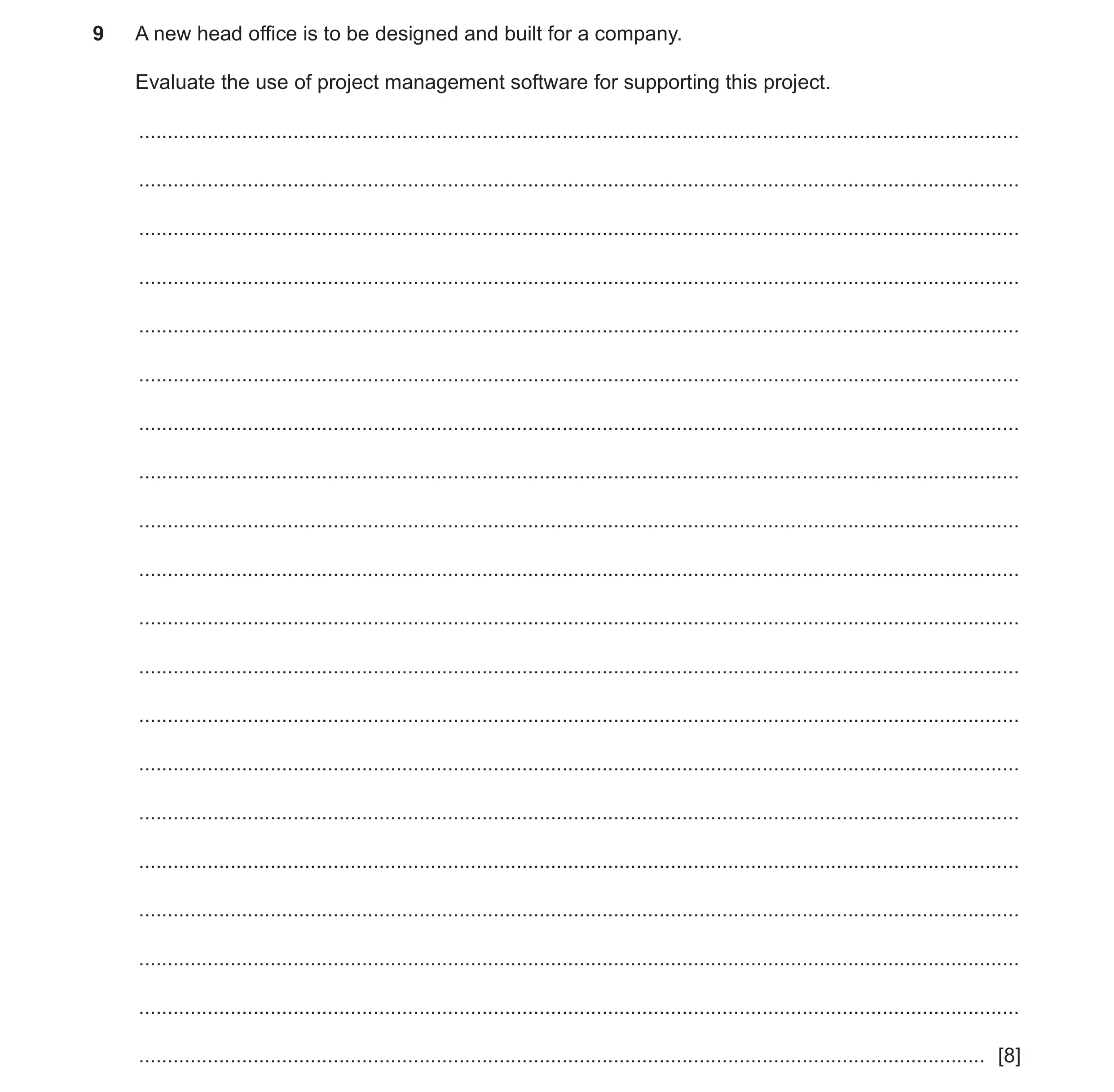
Q10 · A new head office is to be designed and built for a company 9626/31 Oct/Nov 2023
9 A new head office is to be designed and built for a company. Evaluate the use of project management software for supporting this project. … … … … … … … … … … … … … … … … … … … … [8]
8 marks
Mark scheme: 9 Evaluate: judge or calculate the quality, importance, amount, or value of 8 something. Eight from e.g.: For: Max 6 from e.g.: • The variety of tools available in project management software can help drive a project forward. • Can collaborate with team members using communication tools in real- time • so that each team member is kept up to date/can deal with issues/problems as they arise/happen • Can share document with tools that allow individuals to edit/amend/update reports/allow transparency in actions/issues • Control/manage costs to keep track of expenditure/track budgets throughout the project • to avoid overspend/re-allocation of resources • Can help manage risks/forecasting problems/issues to enable control/mitigation of risk/problems • to enable the project to continue unhindered/uninterrupted • Can create reports in different formats/from various data sources/automatically send • to keep team members/management/stakeholders informed/updated • Can be intuitive to use/has dashboard-based interfaces which need little training • to use/simple to use and easy to install allowing quick implementation and start-up of projects Against: Max 6 from e.g.: • Can be expensive with costs outweighing the return on the investment (ROI) • Not economic to use/train users for some projects so company loses money on the project • Cannot carry out specialised task as well as dedicated/specialised software • so may not be used/may need to invest in/use specialised applications for some tasks • Head Office designs/project may be simple • so may not need PMS software/PMS software may complicate the project and delay competition/result in excessive costs • Automated alerts may slow work/interrupt work • because more time is taken on dealing with every alert/too many alerts/setting up all the alerts so project is delayed/costs overrun. Max 6 if all fors or all againsts. Max 6 marks if bullets/list of points.
This question in 9626/31 Oct/Nov 2023
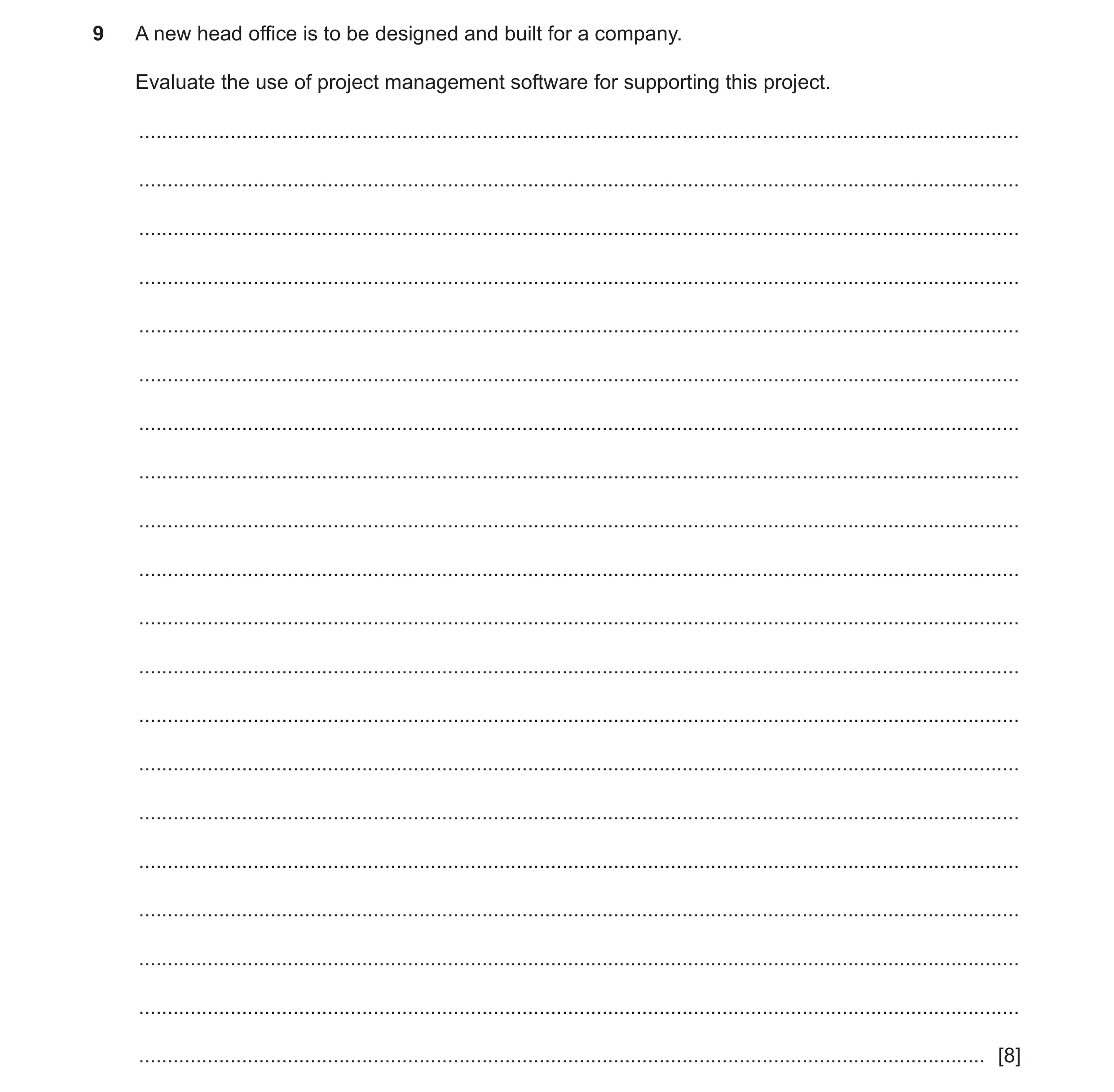
Q11 · A new head office is to be designed and built for a company 9626/33 Oct/Nov 2023
9 A new head office is to be designed and built for a company. Evaluate the use of project management software for supporting this project. … … … … … … … … … … … … … … … … … … … … [8]
8 marks
Mark scheme: 9 Evaluate: judge or calculate the quality, importance, amount, or value of 8 something. Eight from e.g.: For: Max 6 from e.g.: • The variety of tools available in project management software can help drive a project forward. • Can collaborate with team members using communication tools in real- time • so that each team member is kept up to date/can deal with issues/problems as they arise/happen • Can share document with tools that allow individuals to edit/amend/update reports/allow transparency in actions/issues • Control/manage costs to keep track of expenditure/track budgets throughout the project • to avoid overspend/re-allocation of resources • Can help manage risks/forecasting problems/issues to enable control/mitigation of risk/problems • to enable the project to continue unhindered/uninterrupted • Can create reports in different formats/from various data sources/automatically send • to keep team members/management/stakeholders informed/updated • Can be intuitive to use/has dashboard-based interfaces which need little training • to use/simple to use and easy to install allowing quick implementation and start-up of projects Against: Max 6 from e.g.: • Can be expensive with costs outweighing the return on the investment (ROI) • Not economic to use/train users for some projects so company loses money on the project • Cannot carry out specialised task as well as dedicated/specialised software • so may not be used/may need to invest in/use specialised applications for some tasks • Head Office designs/project may be simple • so may not need PMS software/PMS software may complicate the project and delay competition/result in excessive costs • Automated alerts may slow work/interrupt work • because more time is taken on dealing with every alert/too many alerts/setting up all the alerts so project is delayed/costs overrun. Max 6 if all fors or all againsts. Max 6 marks if bullets/list of points.
This question in 9626/33 Oct/Nov 2023
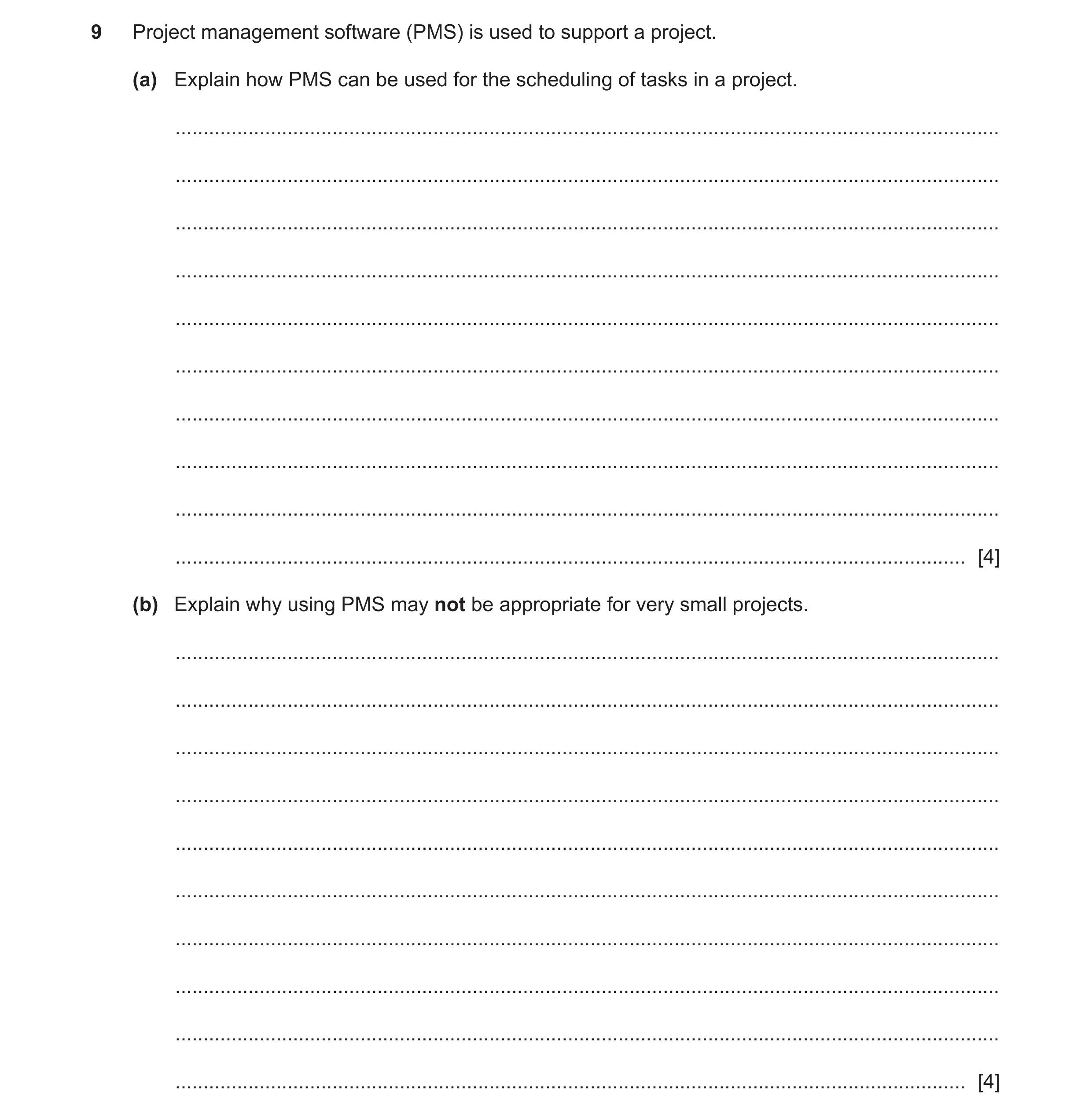
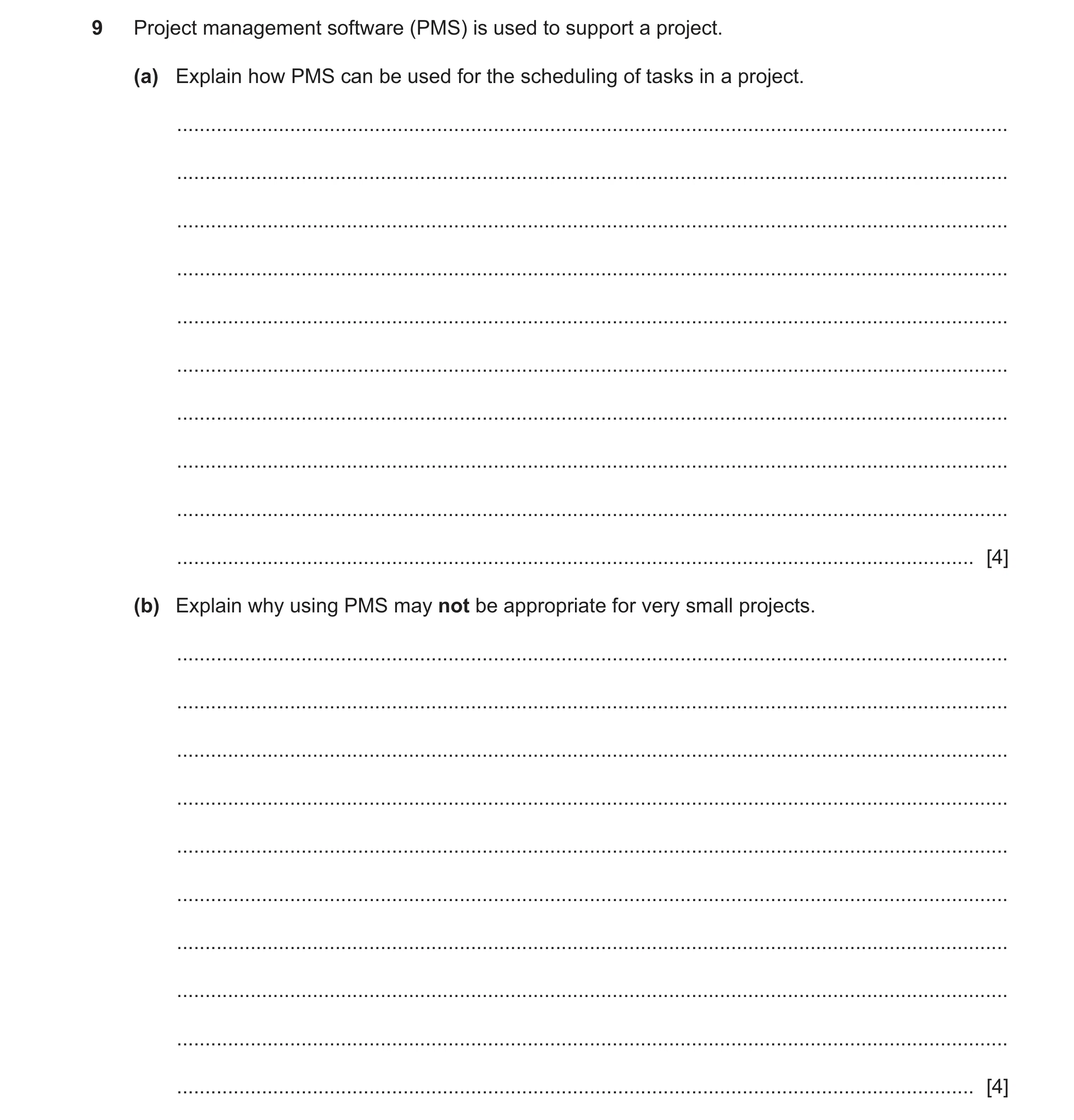
Q12 · Project management software (PMS) is used to support a project 9626/31 May/June 2024
9 Project management software (PMS) is used to support a project. (a) Explain how PMS can be used for the scheduling of tasks in a project. … … … … … … … … … … [4] (b) Explain why using PMS may not be appropriate for very small projects. … … … … … … … … … … [4]
8 marks
Mark scheme: 9(a) Four from: Shows/stores/holds the milestones/tasks/activities/deliverables Has tools to put milestones/tasks/activities into sequence/order shows dependencies between tasks Estimation of the duration of activities/tasks to enable calculation of costs to enable allocation of resources Tracking of team members during tasks/activities enables monitoring/reporting of work progress collaboration between team members Automatic updating when tasks/activities are changed/completed enable automatic reporting to managers Visual representation. 4 9(b) Four from: PMS is expensive to purchase/install/use cost may be more than the project cost/uneconomical PMS can be complex to use/set up/needs training PMS may take too long to set up/use May take too much training/learning for a small project May not be worth the effort to set up for a small project. 4
This question in 9626/31 May/June 2024
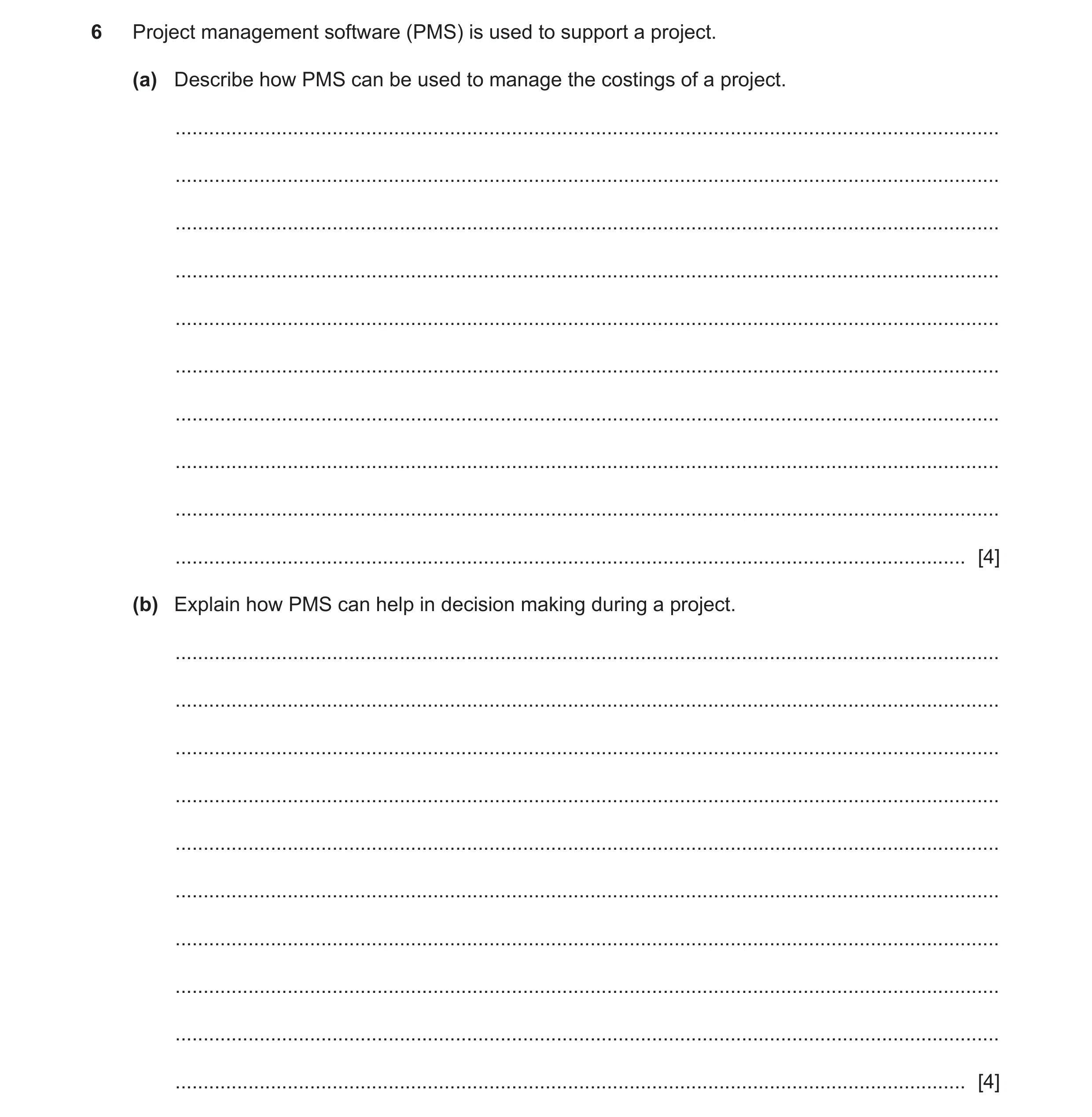
Q13 · Project management software (PMS) is used to support a project 9626/32 May/June 2024
6 Project management software (PMS) is used to support a project. (a) Describe how PMS can be used to manage the costings of a project. … … … … … … … … … … [4] (b) Explain how PMS can help in decision making during a project. … … … … … … … … … … [4]
8 marks
Mark scheme: 6(a) Four from: 4 Records all transactions/payments before/during a project Shows/includes direct costs (e.g. cost of materials/IT services/team members time) Shows/includes indirect costs (e.g. rent/heat/maintenance of IT equipment) Import data from financial packages/spreadsheets Automatically calculates/displays a payment/cost/expense/expenditure Used by managers to calculate/estimate/monitor track expenditure/budget for task/project Can export data for use in presentations/graphs/analysis (during meetings/discussions) Links the costs/transactions/payments of the project (1st) to be readily/easily accessible/available to financial personnel/accountants/decision makers (1). 6(b) Four from: 4 Links/organises the data/information/whole of the project (1st)… so its readily/easily accessible/available to decision makers (1) Displays data/information in various formats (1st)…so that they can be readily/easily understood by project managers/members/stakeholders/clients (1) Exports data/information to other documents (if required) (1st) or use in reports/presentations/analysis (during meetings/discussions) (1).
This question in 9626/32 May/June 2024
Q14 · Project management software (PMS) is used to support a project 9626/33 May/June 2024
9 Project management software (PMS) is used to support a project. (a) Explain how PMS can be used for the scheduling of tasks in a project. … … … … … … … … … … [4] (b) Explain why using PMS may not be appropriate for very small projects. … … … … … … … … … … [4]
8 marks
Mark scheme: 9(a) Four from: Shows/stores/holds the milestones/tasks/activities/deliverables Has tools to put milestones/tasks/activities into sequence/order shows dependencies between tasks Estimation of the duration of activities/tasks to enable calculation of costs to enable allocation of resources Tracking of team members during tasks/activities enables monitoring/reporting of work progress collaboration between team members Automatic updating when tasks/activities are changed/completed enable automatic reporting to managers Visual representation. 4 9(b) Four from: PMS is expensive to purchase/install/use cost may be more than the project cost/uneconomical PMS can be complex to use/set up/needs training PMS may take too long to set up/use May take too much training/learning for a small project May not be worth the effort to set up for a small project. 4
This question in 9626/33 May/June 2024
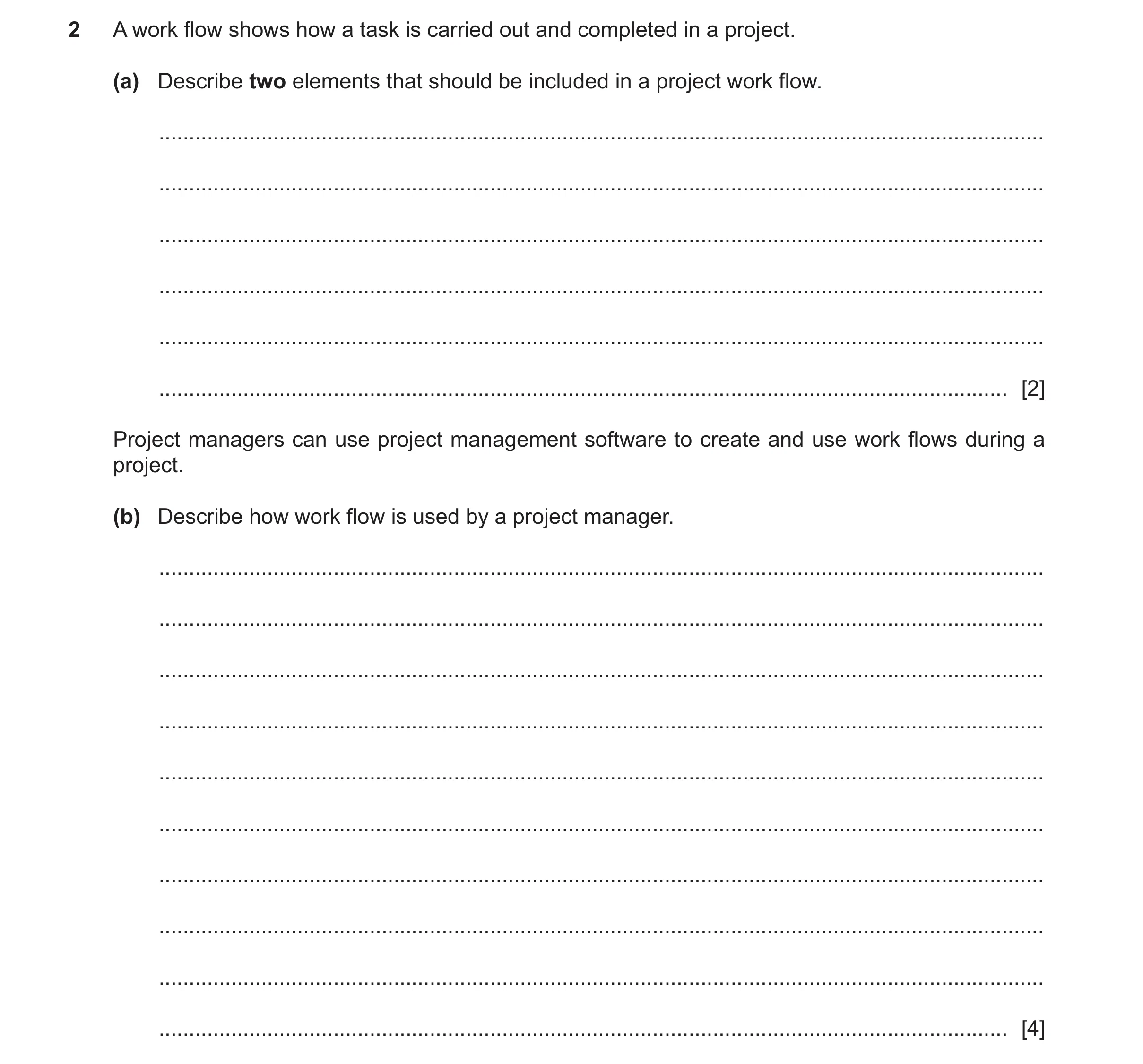
Q15 · A work flow shows how a task is carried out and completed in a project 9626/33 Oct/Nov 2025
2 A work flow shows how a task is carried out and completed in a project. (a) Describe two elements that should be included in a project work flow. … … … … … … [2] Project managers can use project management software to create and use work flows during a project. (b) Describe how work flow is used by a project manager. … … … … … … … … … … [4]
6 marks
Mark scheme: 2(a) Two from: 2 • The steps needed to complete a task / activity • The resources needed for each step • The team members / workers needed for each step • How the team members / worker interact with each other • Indication of order of tasks / jobs 2(b) Four from: 4 • Used to show critical path within a project • Used to decide / shows the order of tasks • Shows where resources should be allocated • Shows where / how / which staff / workers should be allocated • Shows when resources should be allocated / made available • Used to calculate the cost of each activity / task • Used to automatically send orders for resources • Used to generate alerts / reminders (used to link to calendar / diary of managers / team members / workers)
This question in 9626/33 Oct/Nov 2025
 1 / 14
 2 / 14
 3 / 14
 4 / 14
 6 / 14
 7 / 14
 8 / 14
 9 / 14
 10 / 14
 11 / 14
 12 / 14
 13 / 14
 14 / 14
 4
4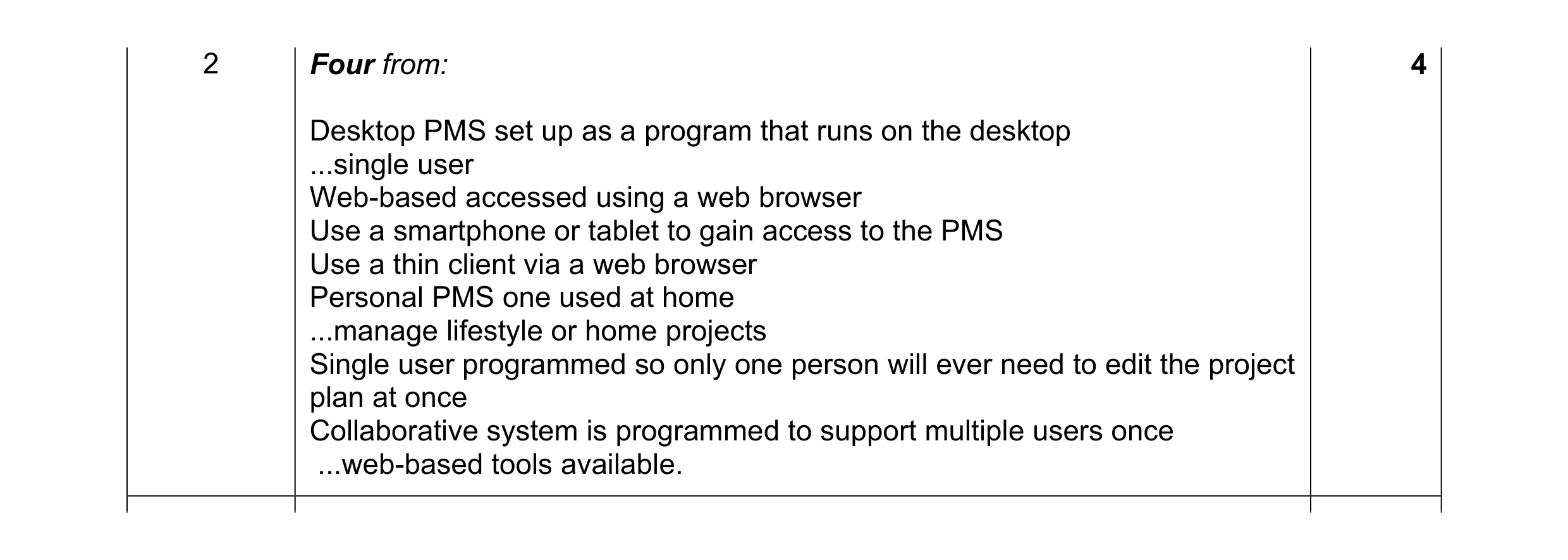 4
4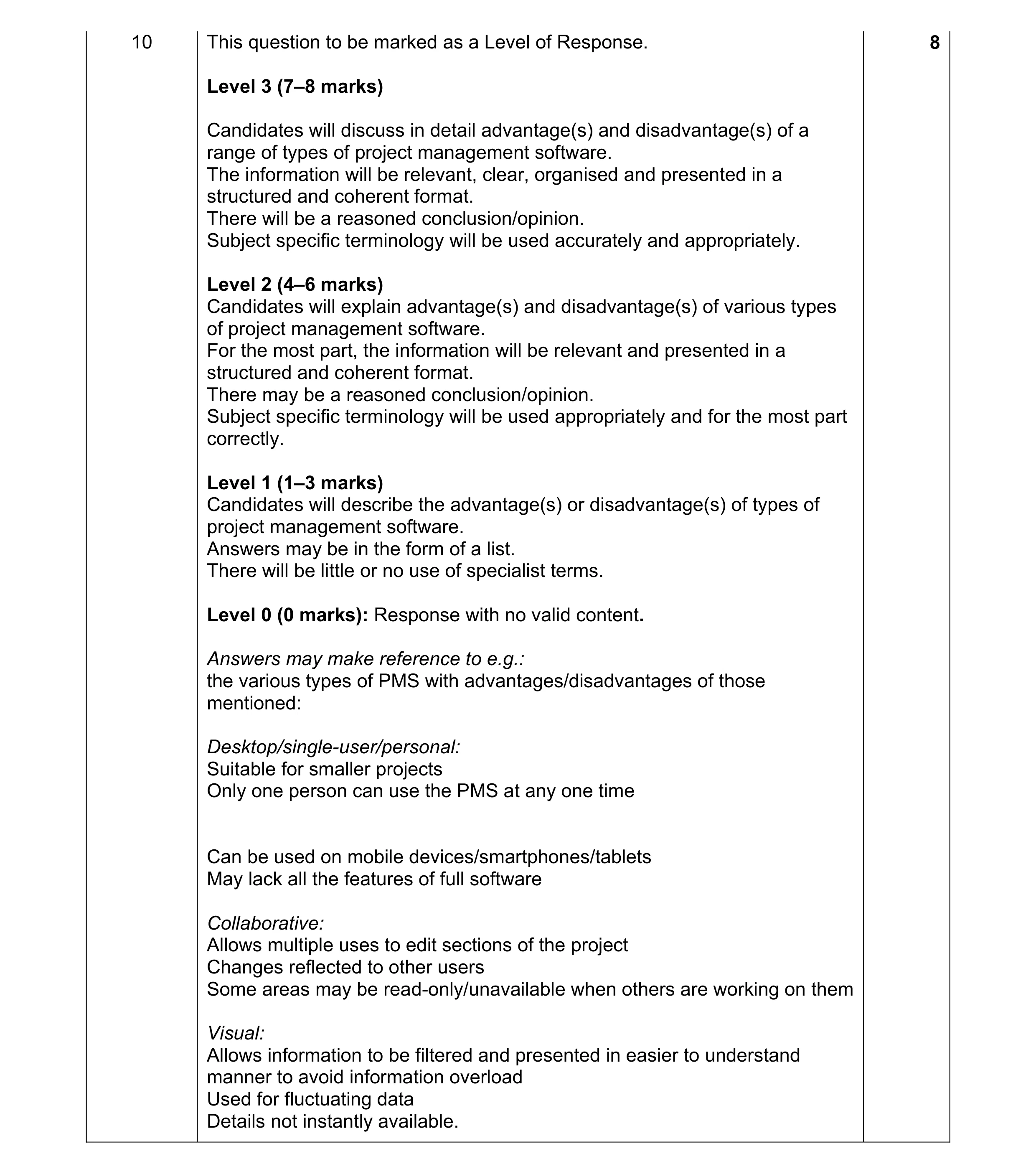 8
8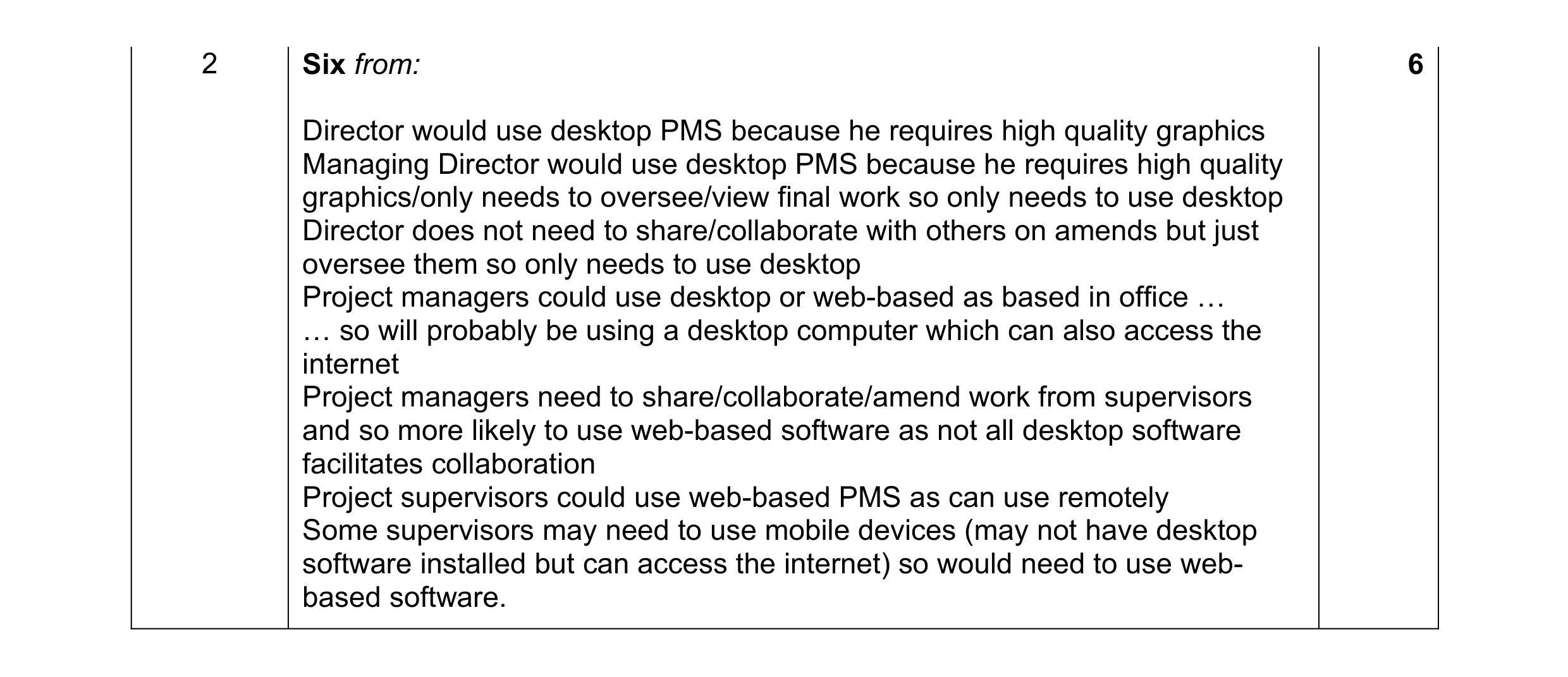 6
6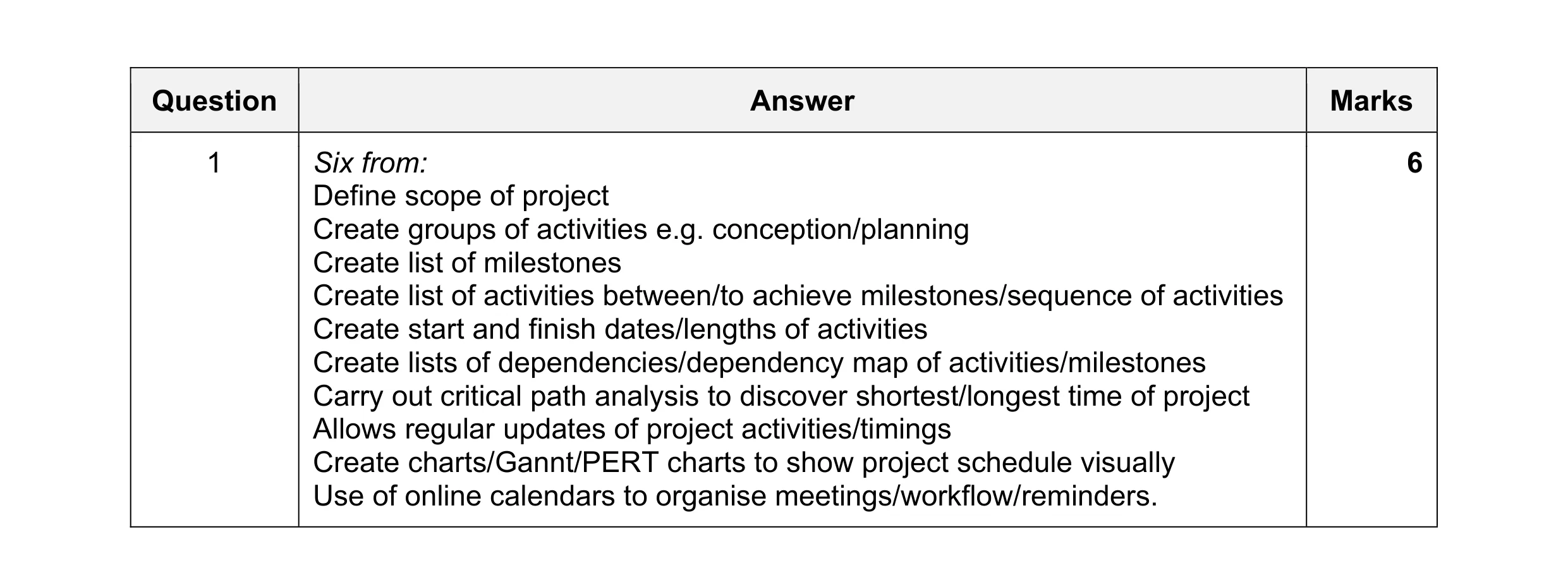 6
6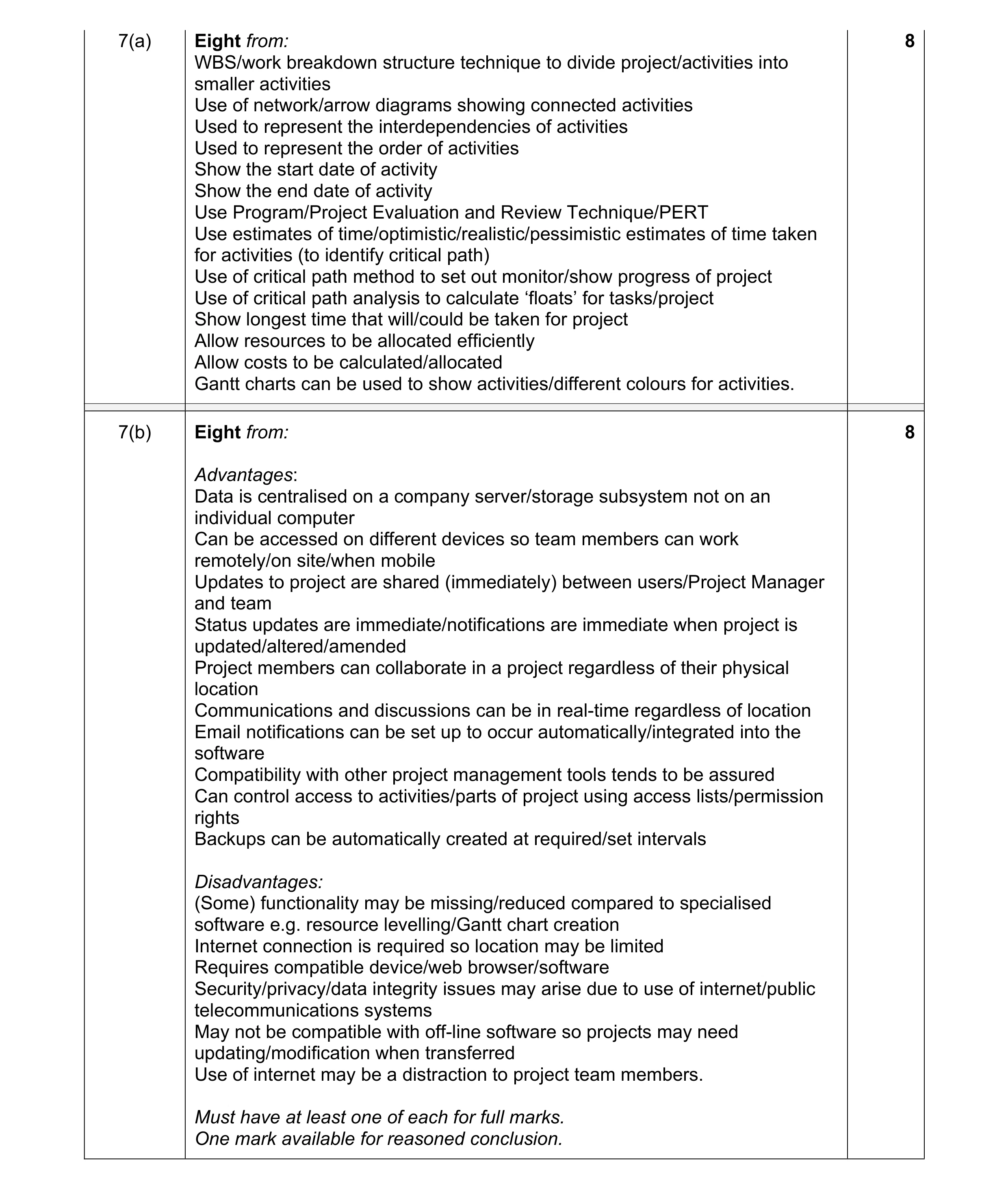 16
16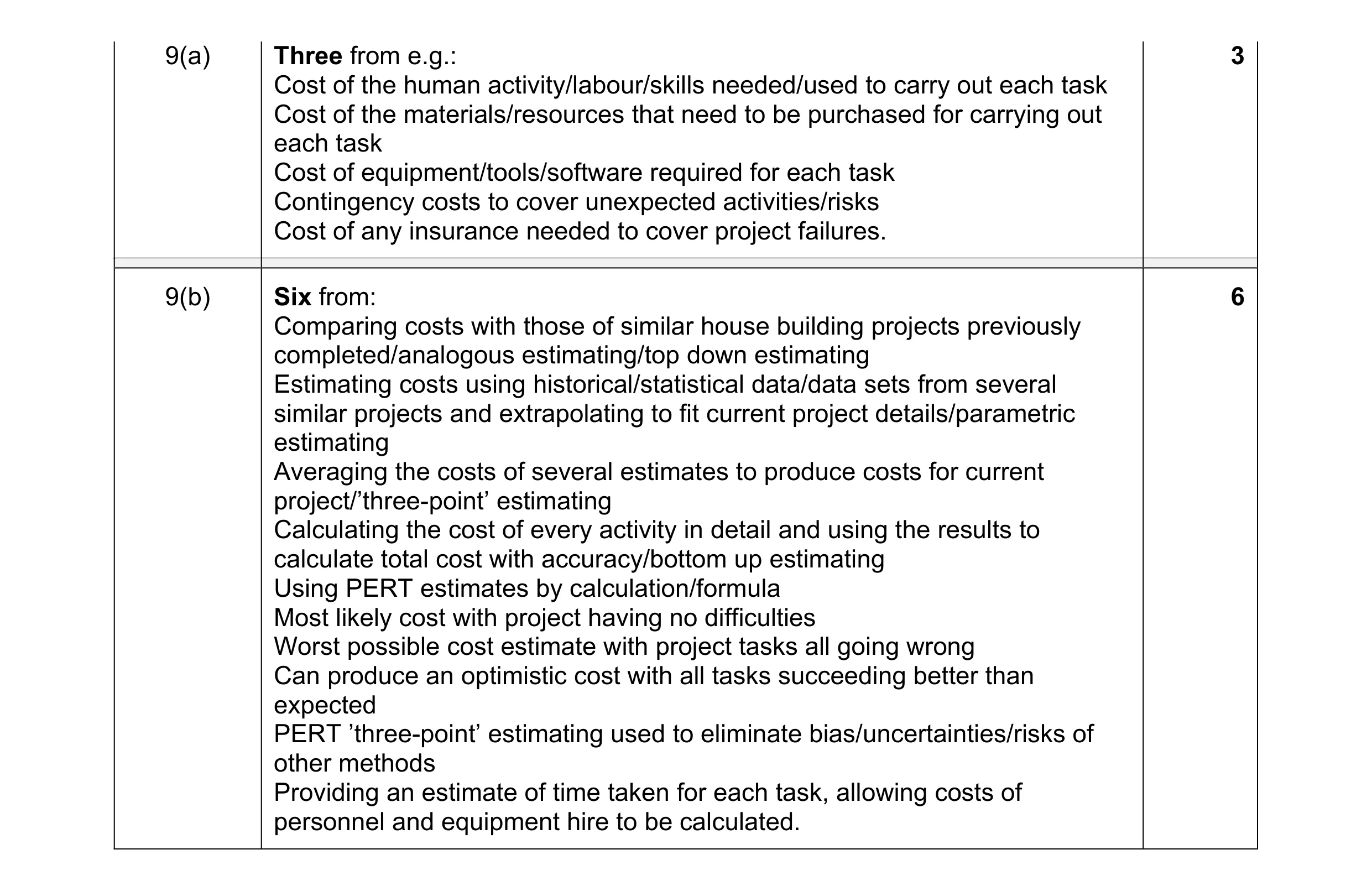 9
9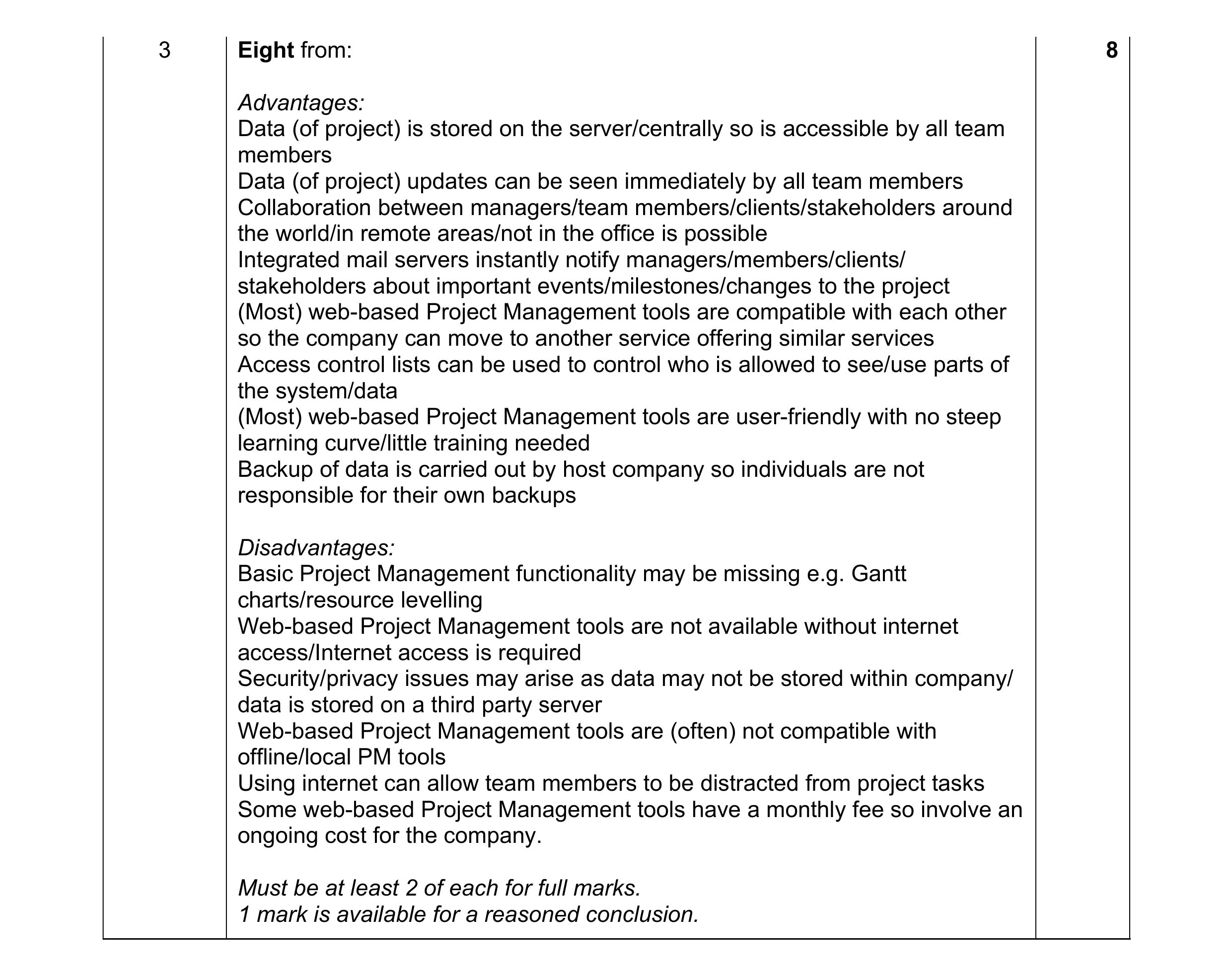 8
8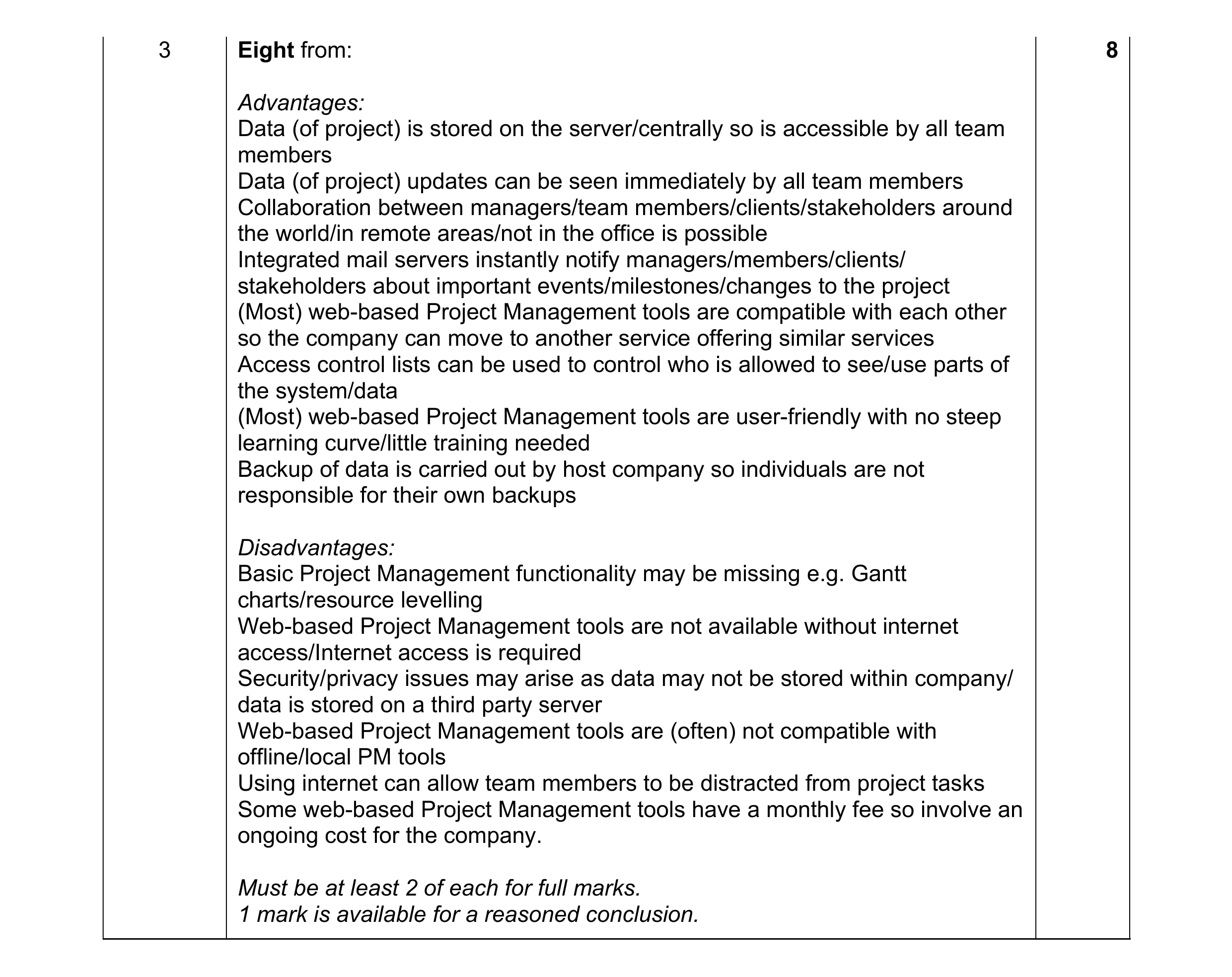 8
8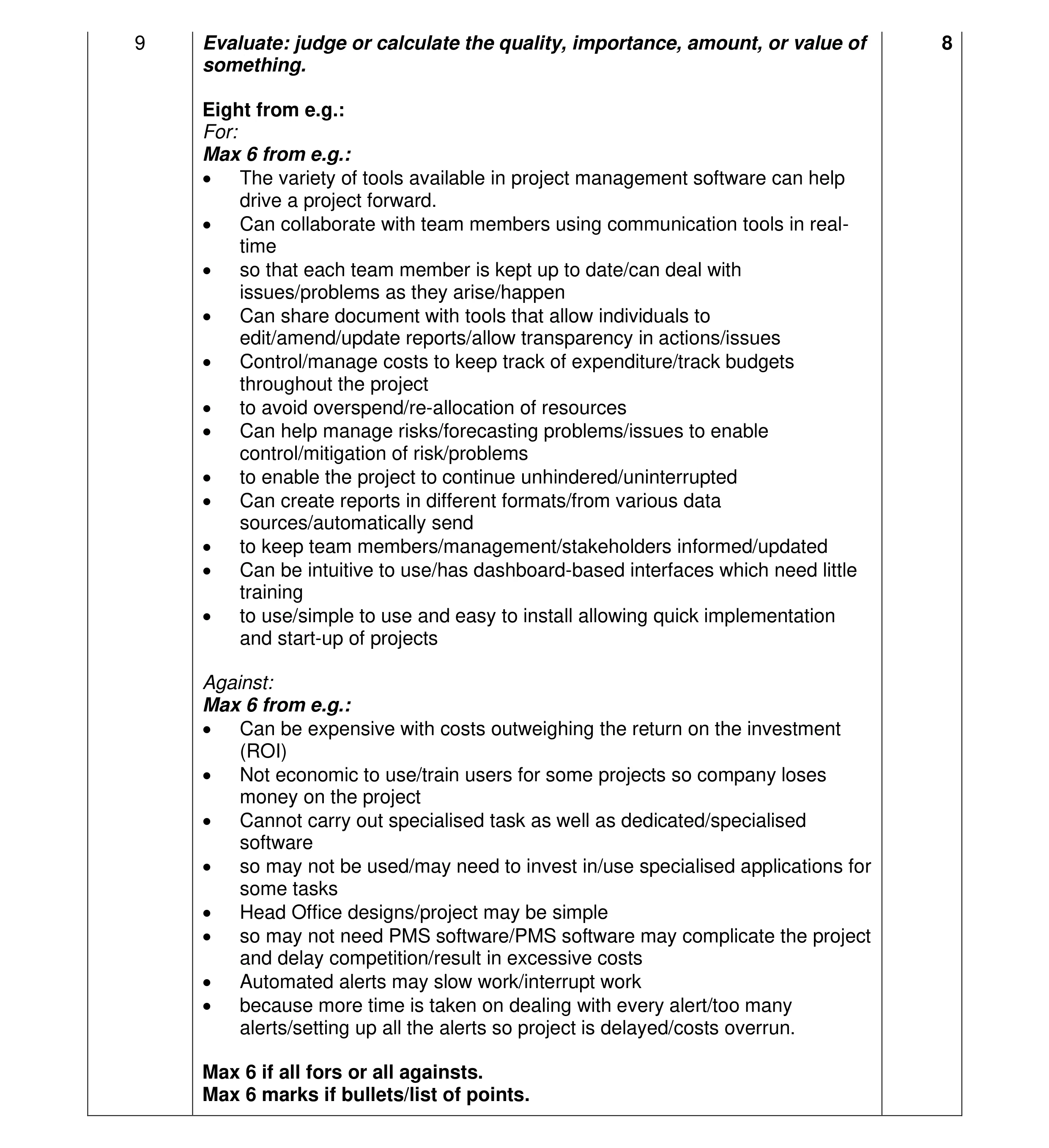 8
8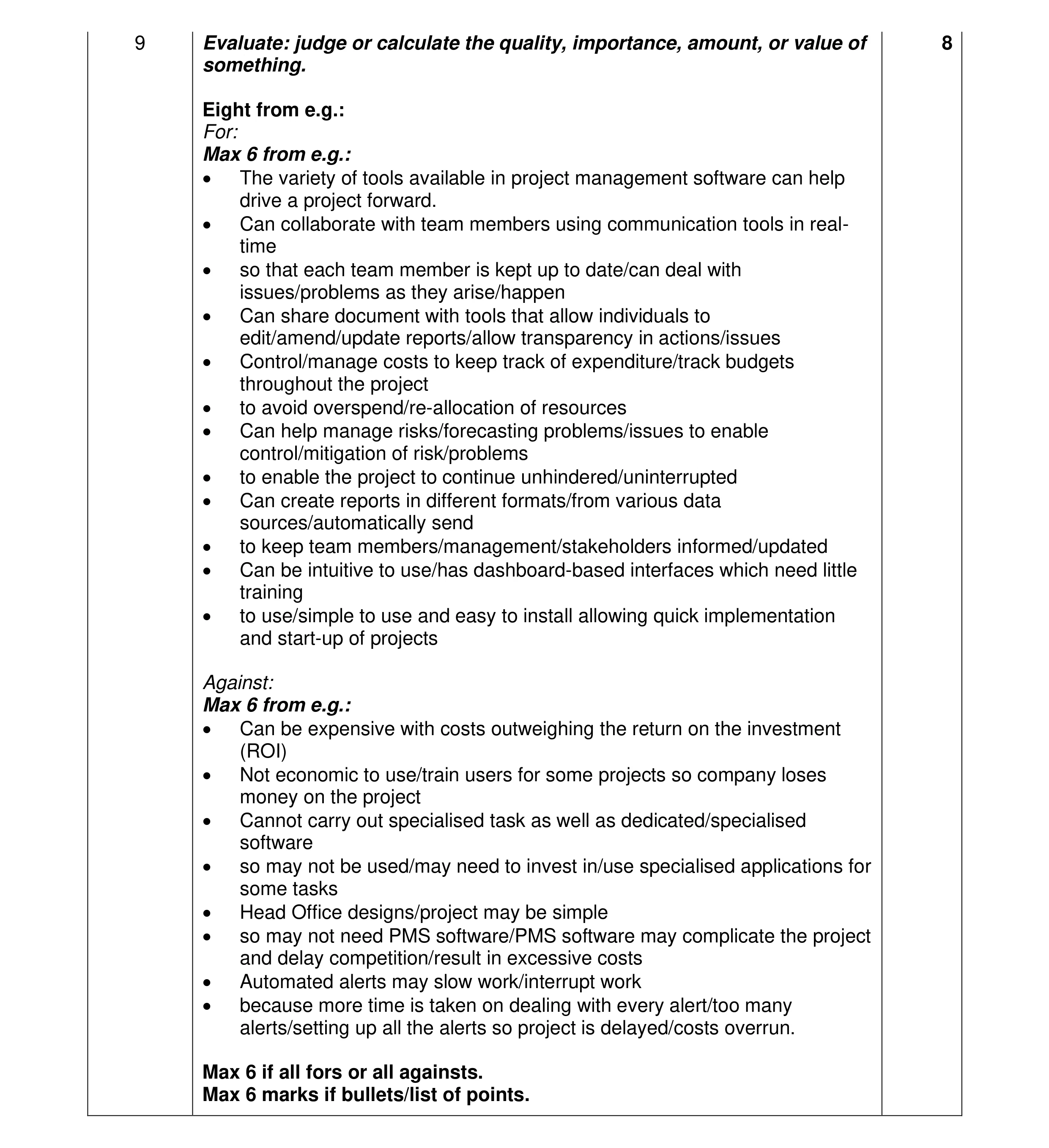 8
8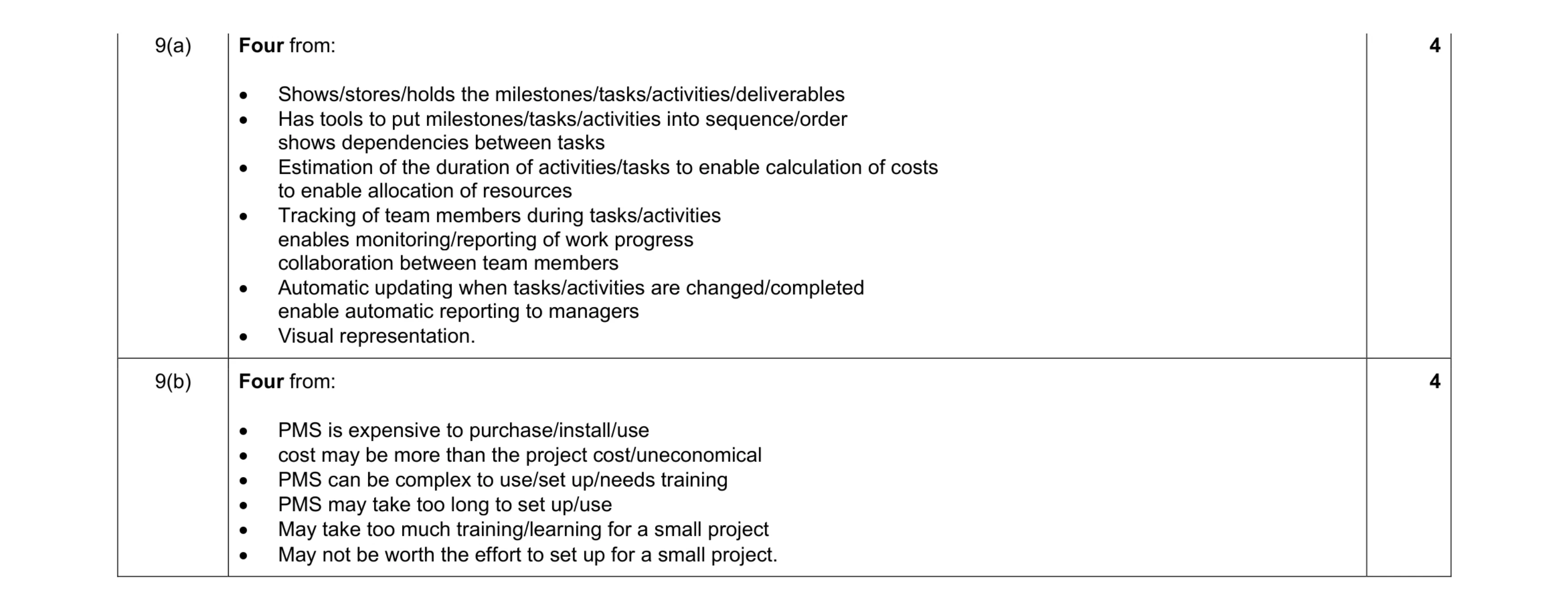 8
8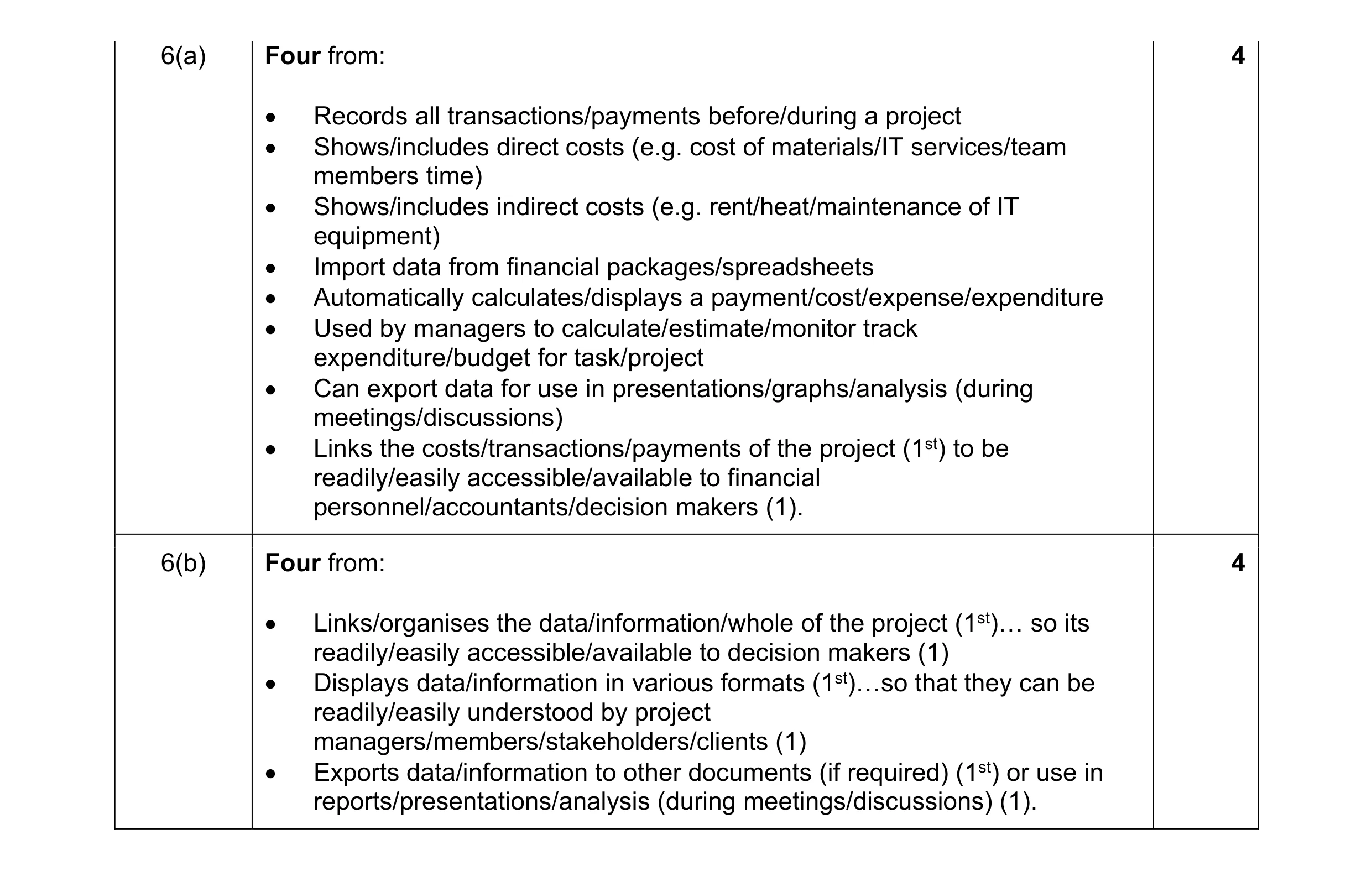 8
8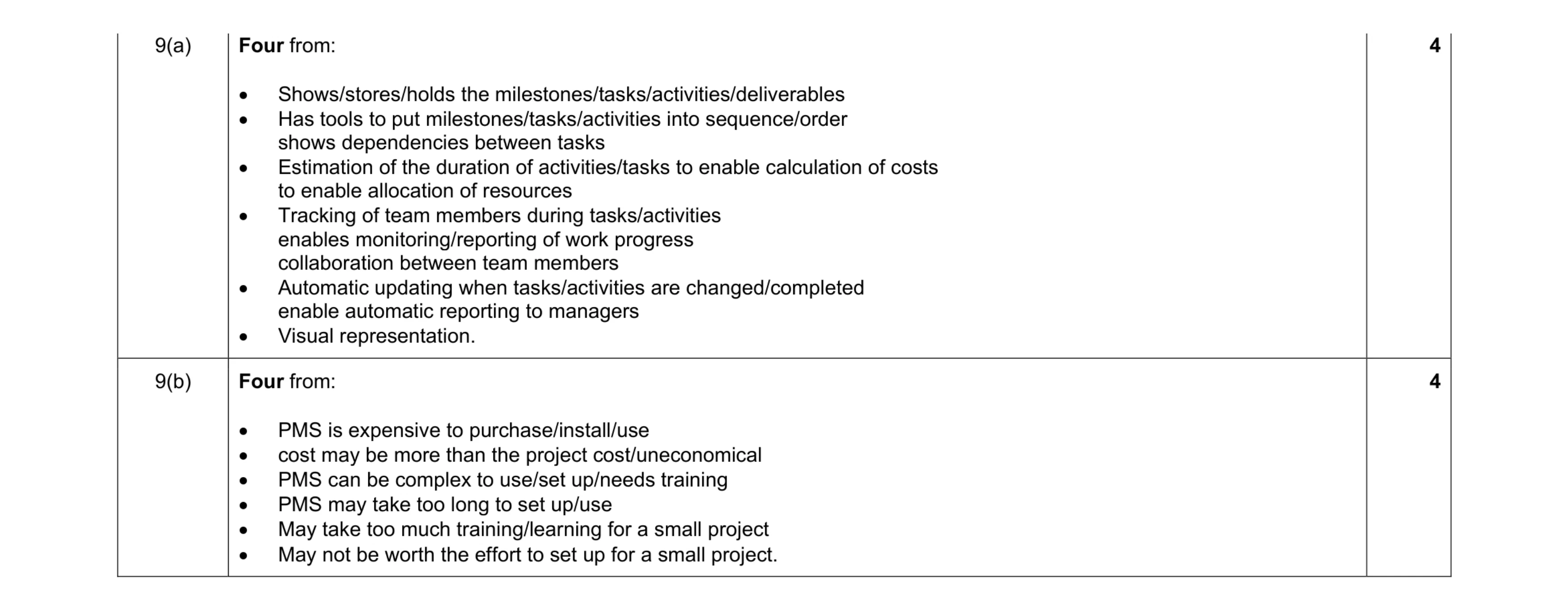 8
8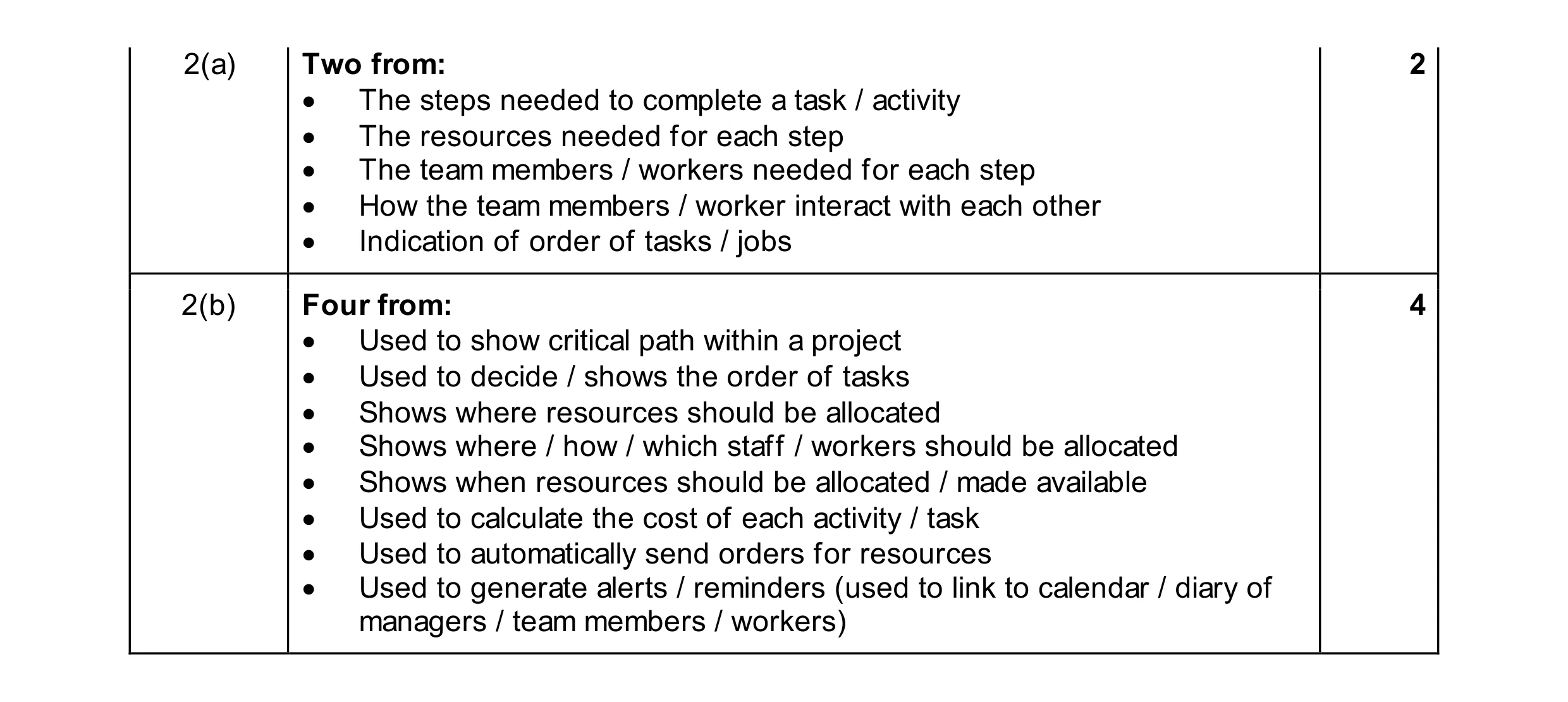 6
6