Cambridge A Level Information Technology (from 2017) 9626 — 2018 Oct/Nov Paper 4 · Variant 0
9626/40/O/N/18
The question paper and its mark scheme, free to read here and free to download. This is Cambridge’s own paper, exactly as it was sat.
Question paper8 pages
Mark scheme
No mark scheme is in the library for this paper.
Paper as text
Question paper, page 1
* 3 6 4 3 6 9 0 3 3 5 * This document consists of 7 printed pages and 1 blank page. DC (KN/CGW) 150912/3 © UCLES 2018 [Turn over INFORMATION TECHNOLOGY 9626/04 Paper 4 Advanced Practical October/November 2018 2 hours 30 minutes Additional Materials: Candidate Source Files delivery_table.csv JSTask.html Nov18evidence.rtf PlateTemplate.svg READ THESE INSTRUCTIONS FIRST DO NOT WRITE IN ANY BARCODES. Carry out every instruction in each task. Save your work using the file names given in the task as and when instructed. The number of marks is given in brackets [ ] at the end of each task or part task. Any businesses described in this paper are entirely fictitious. You must not have access to either the internet or any email system during this examination. You must save your work in the correct file format as stated in the tasks. If work is saved in an incorrect file format, you will not receive marks for that task. Cambridge International Examinations Cambridge International Advanced Subsidiary and Advanced Level
Question paper, page 2
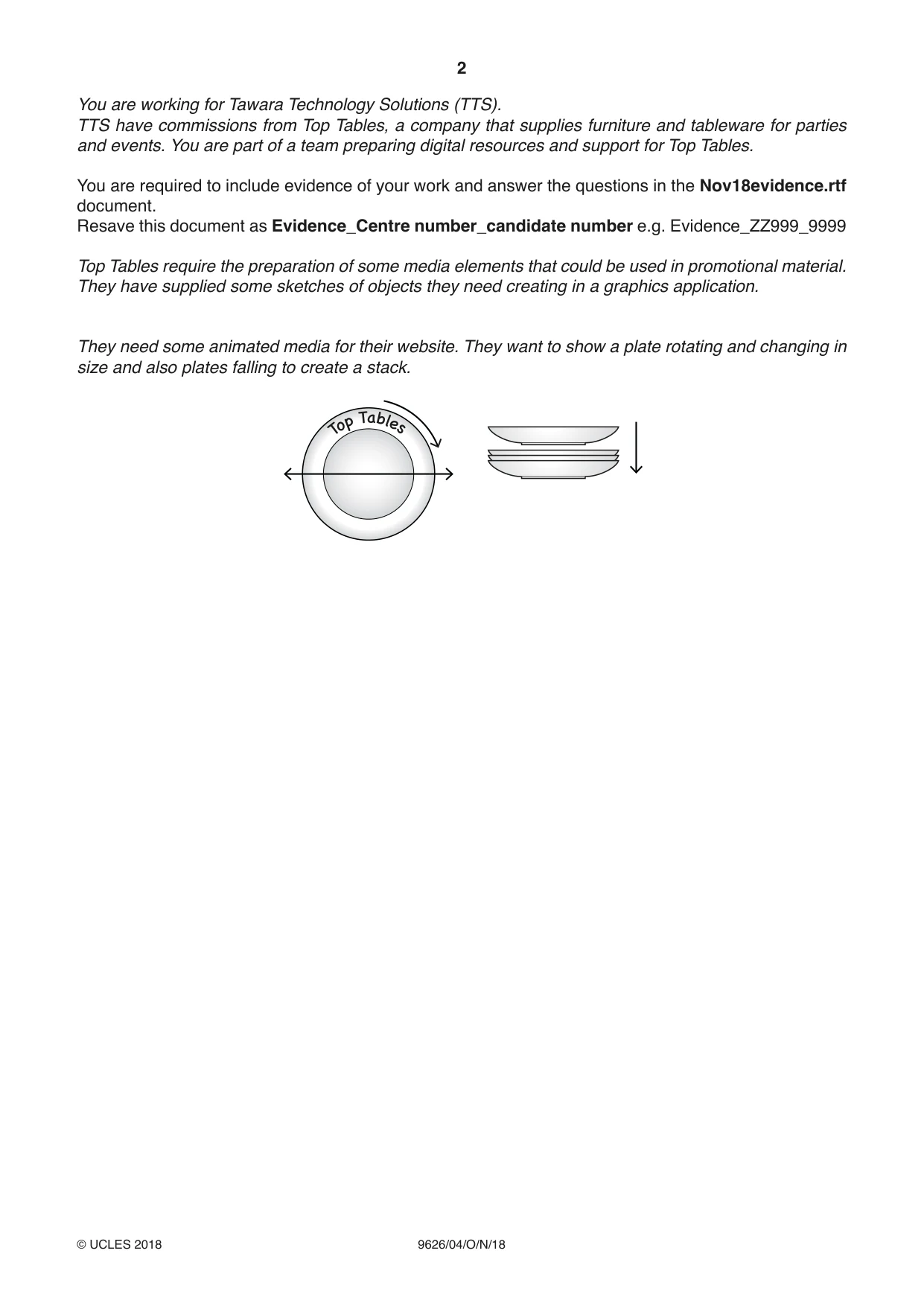
2 9626/04/O/N/18 © UCLES 2018 You are working for Tawara Technology Solutions (TTS). TTS have commissions from Top Tables, a company that supplies furniture and tableware for parties and events. You are part of a team preparing digital resources and support for Top Tables. You are required to include evidence of your work and answer the questions in the Nov18evidence.rtf document. Resave this document as Evidence_Centre number_candidate number e.g. Evidence_ZZ999_9999 Top Tables require the preparation of some media elements that could be used in promotional material. They have supplied some sketches of objects they need creating in a graphics application. They need some animated media for their website. They want to show a plate rotating and changing in size and also plates falling to create a stack.
Question paper, page 3
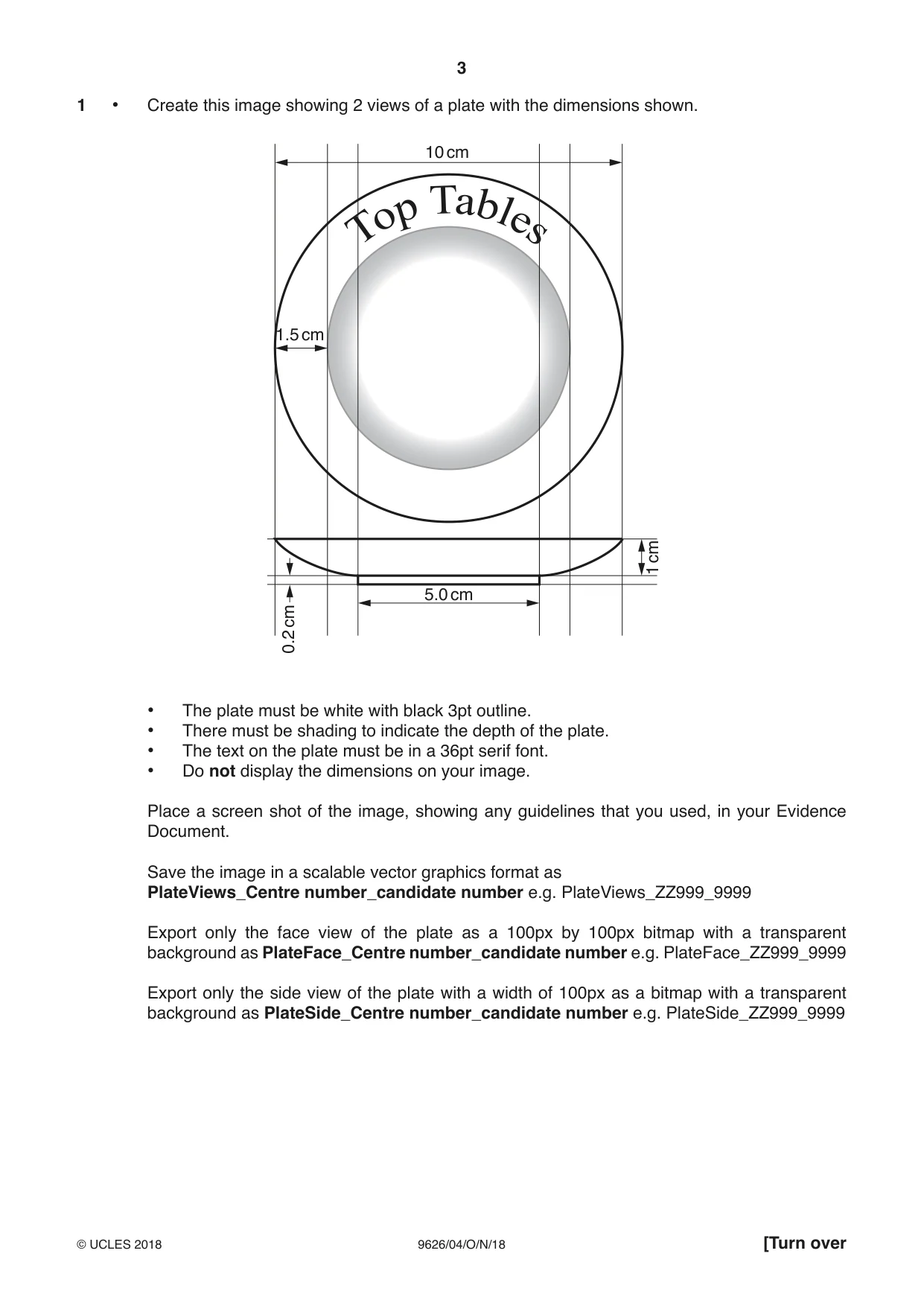
3 9626/04/O/N/18 © UCLES 2018 [Turn over 1 • Create this image showing 2 views of a plate with the dimensions shown. 5.0 cm 1.5 cm 10 cm 0.2 cm 1 cm • The plate must be white with black 3pt outline. • There must be shading to indicate the depth of the plate. • The text on the plate must be in a 36pt serif font. • Do not display the dimensions on your image. Place a screen shot of the image, showing any guidelines that you used, in your Evidence Document. Save the image in a scalable vector graphics format as PlateViews_Centre number_candidate number e.g. PlateViews_ZZ999_9999 Export only the face view of the plate as a 100px by 100px bitmap with a transparent background as PlateFace_Centre number_candidate number e.g. PlateFace_ZZ999_9999 Export only the side view of the plate with a width of 100px as a bitmap with a transparent background as PlateSide_Centre number_candidate number e.g. PlateSide_ZZ999_9999
Question paper, page 4
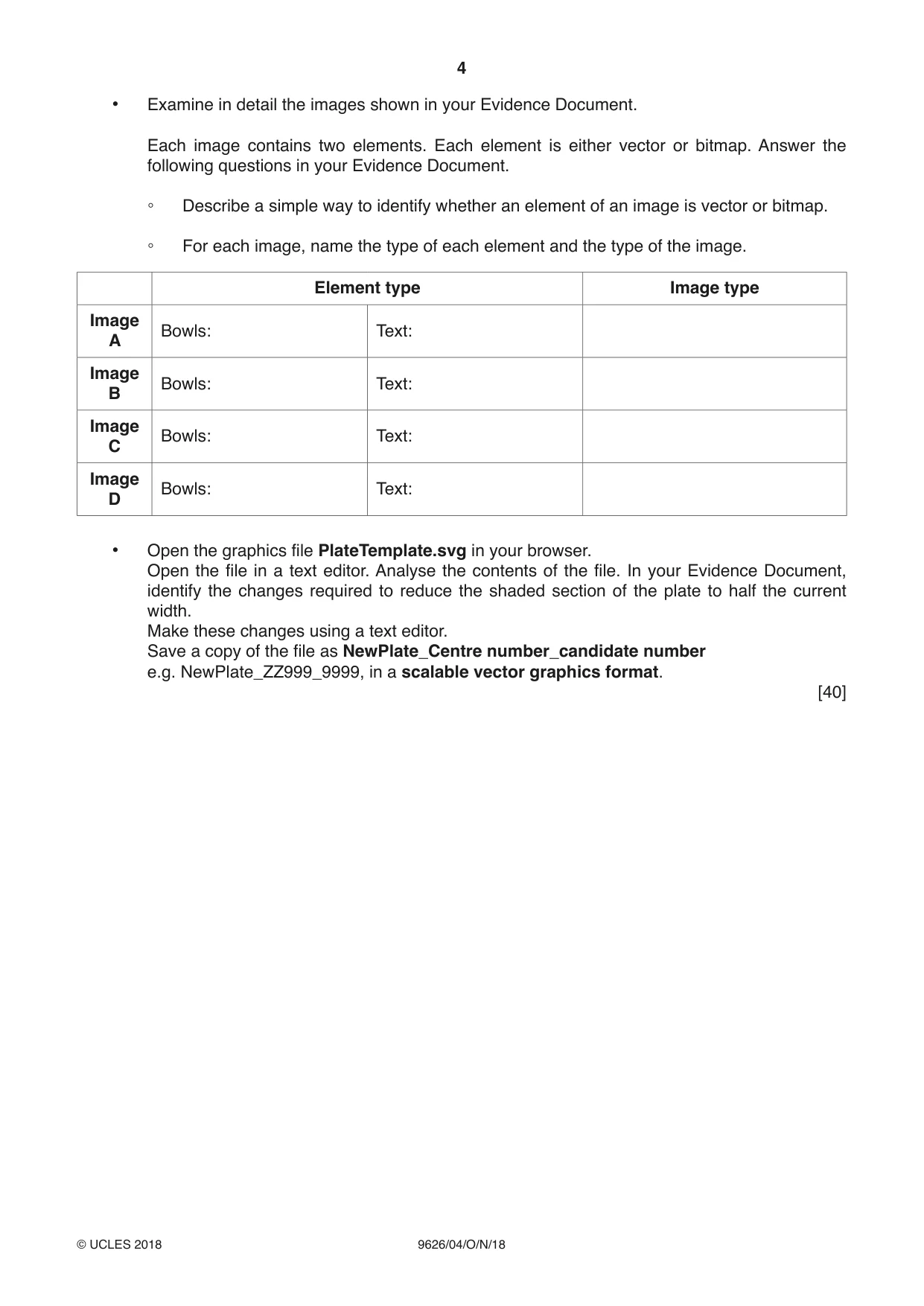
4 9626/04/O/N/18 © UCLES 2018 • Examine in detail the images shown in your Evidence Document. Each image contains two elements. Each element is either vector or bitmap. Answer the following questions in your Evidence Document. ◦ Describe a simple way to identify whether an element of an image is vector or bitmap. ◦ For each image, name the type of each element and the type of the image. Element type Image type Image A Bowls: Text: Image B Bowls: Text: Image C Bowls: Text: Image D Bowls: Text: • Open the graphics file PlateTemplate.svg in your browser. Open the file in a text editor. Analyse the contents of the file. In your Evidence Document, identify the changes required to reduce the shaded section of the plate to half the current width. Make these changes using a text editor. Save a copy of the file as NewPlate_Centre number_candidate number e.g. NewPlate_ZZ999_9999, in a scalable vector graphics format. [40]
Question paper, page 5
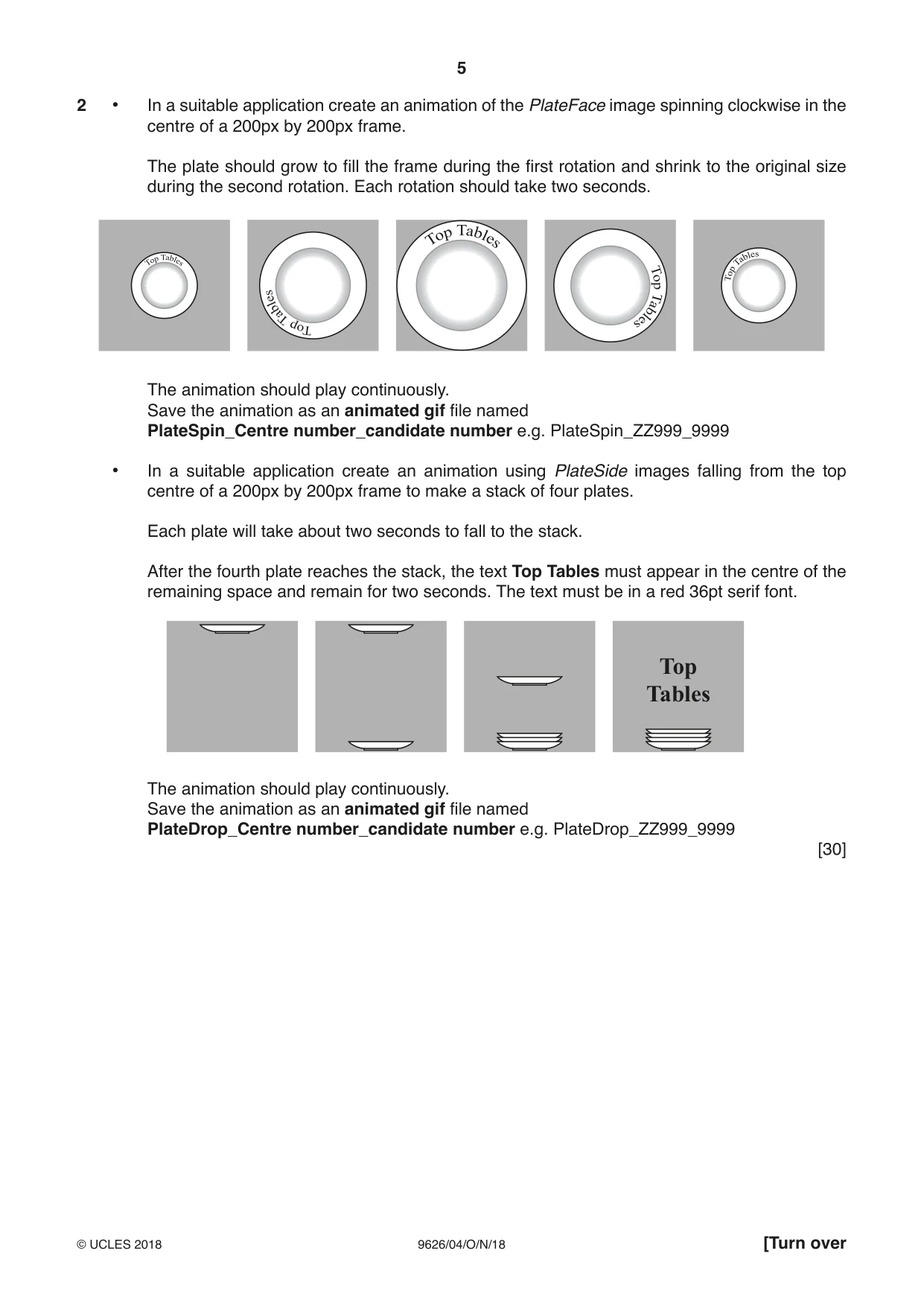
5 9626/04/O/N/18 © UCLES 2018 [Turn over 2 • In a suitable application create an animation of the PlateFace image spinning clockwise in the centre of a 200px by 200px frame. The plate should grow to fill the frame during the first rotation and shrink to the original size during the second rotation. Each rotation should take two seconds. The animation should play continuously. Save the animation as an animated gif file named PlateSpin_Centre number_candidate number e.g. PlateSpin_ZZ999_9999 • In a suitable application create an animation using PlateSide images falling from the top centre of a 200px by 200px frame to make a stack of four plates. Each plate will take about two seconds to fall to the stack. After the fourth plate reaches the stack, the text Top Tables must appear in the centre of the remaining space and remain for two seconds. The text must be in a red 36pt serif font. Top Tables The animation should play continuously. Save the animation as an animated gif file named PlateDrop_Centre number_candidate number e.g. PlateDrop_ZZ999_9999 [30]
Question paper, page 6
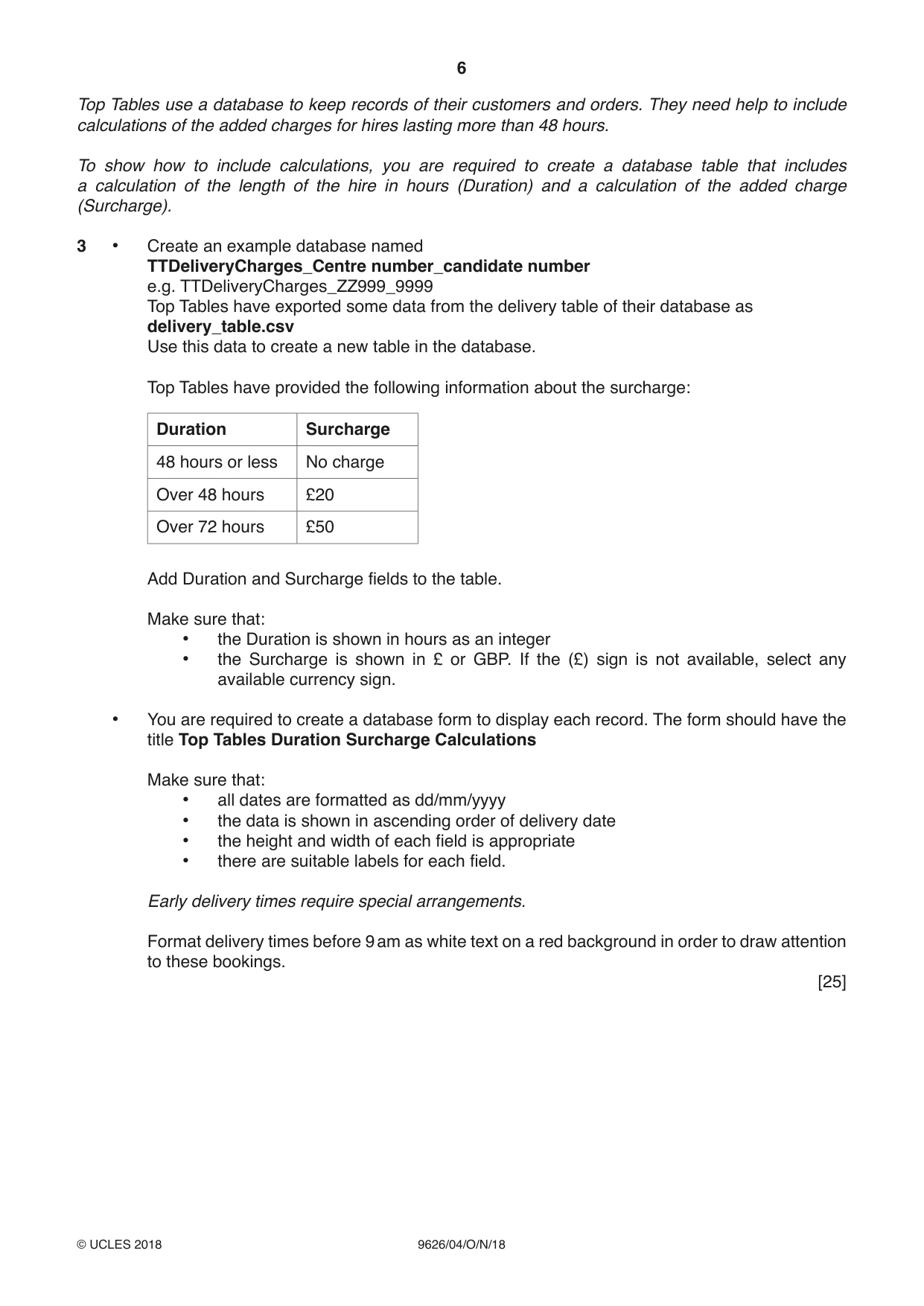
6 9626/04/O/N/18 © UCLES 2018 Top Tables use a database to keep records of their customers and orders. They need help to include calculations of the added charges for hires lasting more than 48 hours. To show how to include calculations, you are required to create a database table that includes a calculation of the length of the hire in hours (Duration) and a calculation of the added charge (Surcharge). 3 • Create an example database named TTDeliveryCharges_Centre number_candidate number e.g. TTDeliveryCharges_ZZ999_9999 Top Tables have exported some data from the delivery table of their database as delivery_table.csv Use this data to create a new table in the database. Top Tables have provided the following information about the surcharge: Duration Surcharge 48 hours or less No charge Over 48 hours £20 Over 72 hours £50 Add Duration and Surcharge fields to the table. Make sure that: • the Duration is shown in hours as an integer • the Surcharge is shown in £ or GBP. If the (£) sign is not available, select any available currency sign. • You are required to create a database form to display each record. The form should have the title Top Tables Duration Surcharge Calculations Make sure that: • all dates are formatted as dd/mm/yyyy • the data is shown in ascending order of delivery date • the height and width of each field is appropriate • there are suitable labels for each field. Early delivery times require special arrangements. Format delivery times before 9 am as white text on a red background in order to draw attention to these bookings. [25]
Question paper, page 7
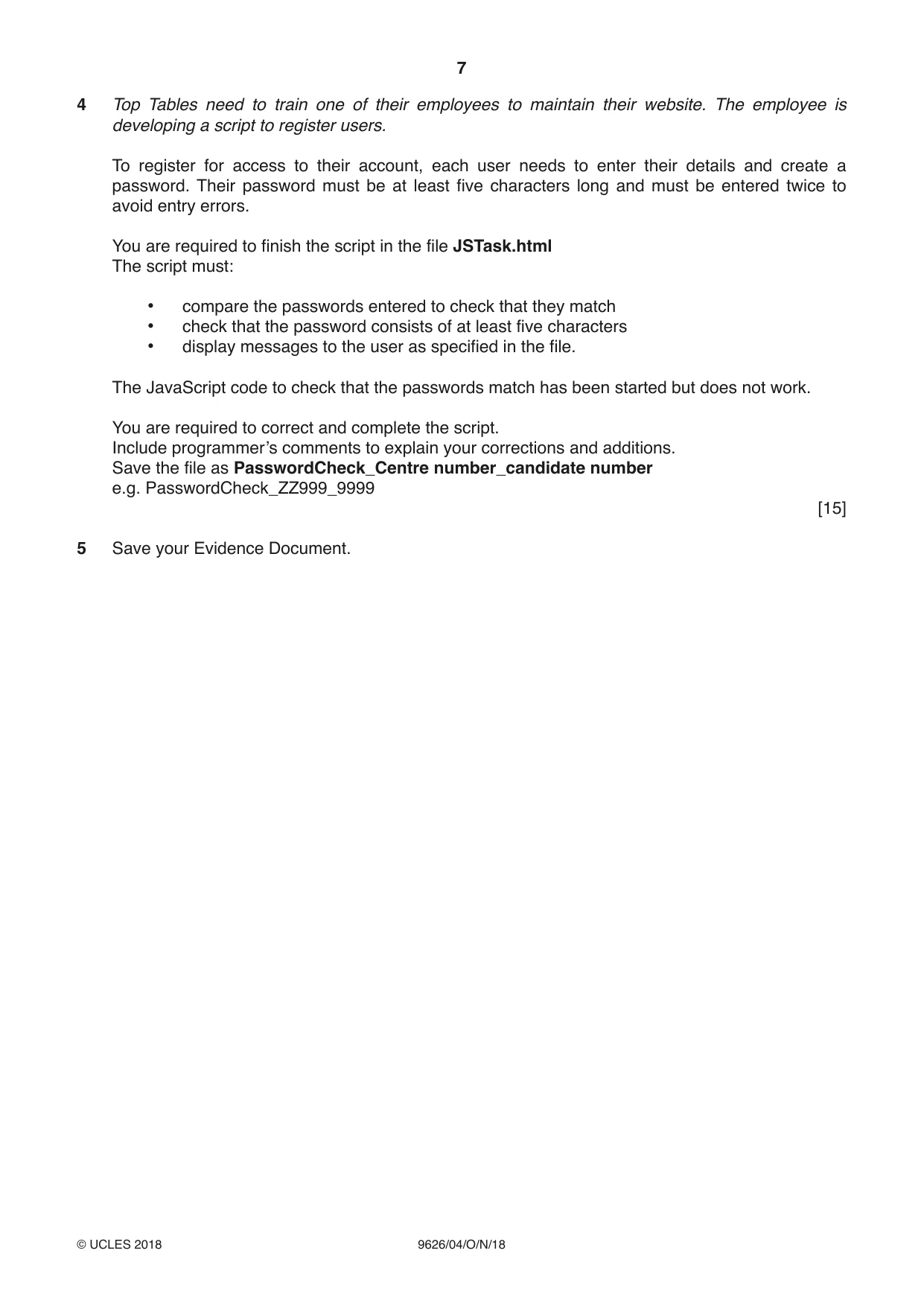
7 9626/04/O/N/18 © UCLES 2018 4 Top Tables need to train one of their employees to maintain their website. The employee is developing a script to register users. To register for access to their account, each user needs to enter their details and create a password. Their password must be at least five characters long and must be entered twice to avoid entry errors. You are required to finish the script in the file JSTask.html The script must: • compare the passwords entered to check that they match • check that the password consists of at least five characters • display messages to the user as specified in the file. The JavaScript code to check that the passwords match has been started but does not work. You are required to correct and complete the script. Include programmer’s comments to explain your corrections and additions. Save the file as PasswordCheck_Centre number_candidate number e.g. PasswordCheck_ZZ999_9999 [15] 5 Save your Evidence Document.
Question paper, page 8
8 9626/04/O/N/18 © UCLES 2018 BLANK PAGE Permission to reproduce items where third-party owned material protected by copyright is included has been sought and cleared where possible. Every reasonable effort has been made by the publisher (UCLES) to trace copyright holders, but if any items requiring clearance have unwittingly been included, the publisher will be pleased to make amends at the earliest possible opportunity. To avoid the issue of disclosure of answer-related information to candidates, all copyright acknowledgements are reproduced online in the Cambridge International Examinations Copyright Acknowledgements Booklet. This is produced for each series of examinations and is freely available to download at www.cie.org.uk after the live examination series. Cambridge International Examinations is part of the Cambridge Assessment Group. Cambridge Assessment is the brand name of University of Cambridge Local Examinations Syndicate (UCLES), which is itself a department of the University of Cambridge.