Cambridge A Level Information Technology (from 2017) 9626 — 2017 Feb/March Paper 4 · Variant 1
9626/41/F/M/17 · 110 marks · ≈124 min
The question paper and its mark scheme, free to read here and free to download. This is Cambridge’s own paper, exactly as it was sat.
Question paper8 pages


Mark scheme8 pages
Answers below. Sit the paper first if you are practising.
Paper as text
Question paper, page 1
* 9 9 5 6 1 7 8 9 1 0 * This document consists of 5 printed pages and 3 blank pages. DC (LK/AR) 134950/2 © UCLES 2017 [Turn over Cambridge International Examinations Cambridge International Advanced Subsidiary and Advanced Level INFORMATION TECHNOLOGY 9626/04 Paper 4 Advanced Practical February/March 2017 2 hours 30 minutes Additional Materials: Candidate Source Files READ THESE INSTRUCTIONS FIRST DO NOT WRITE IN ANY BARCODES. Carry out every instruction in each task. Save your work using the file name given in the task as and when instructed. The number of marks is given in brackets [ ] at the end of each task or part task. Any businesses described in this paper are entirely fictitious. You must not have access to either the internet or any email system during this examination.
Question paper, page 2
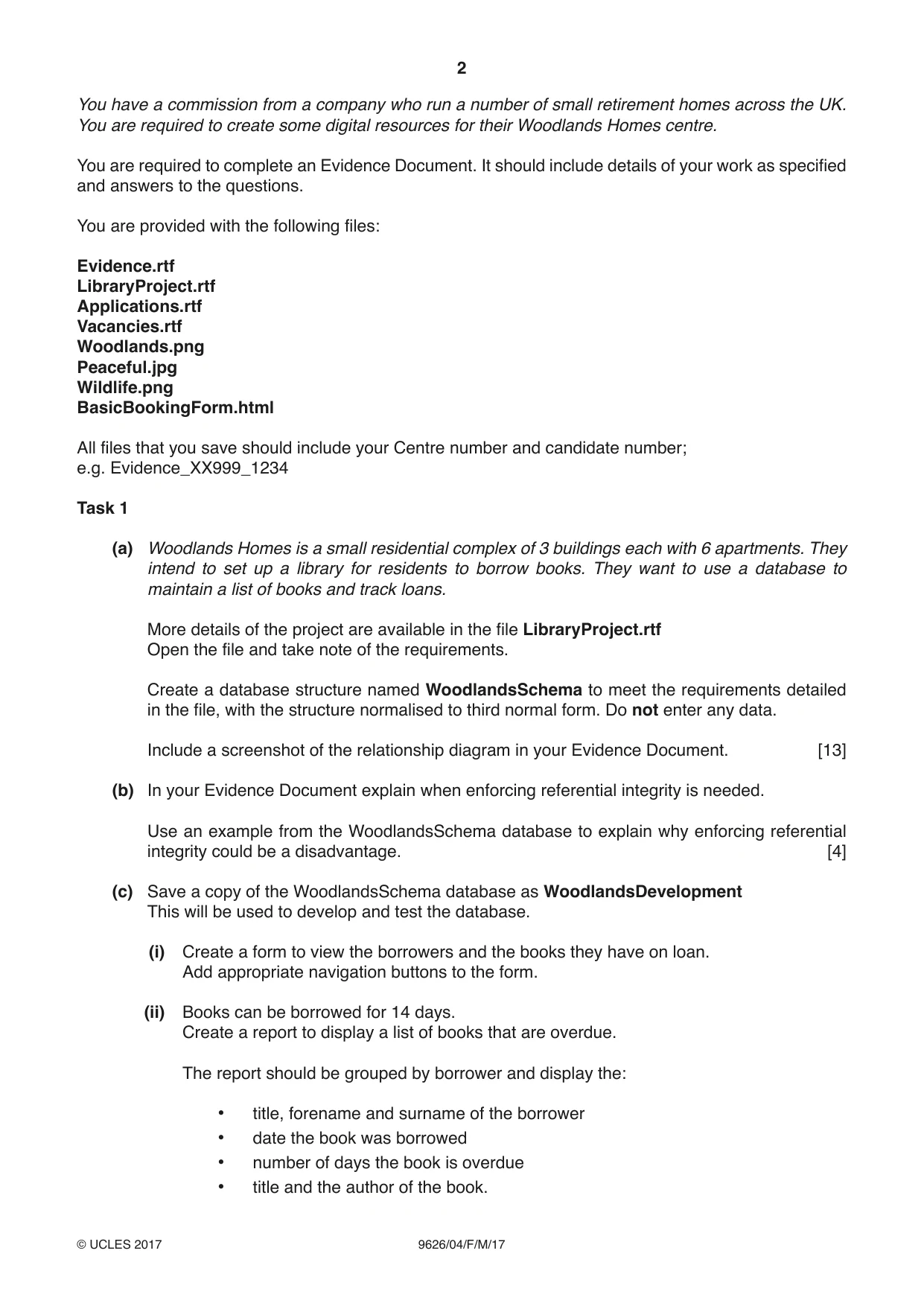
2 9626/04/F/M/17 © UCLES 2017 You have a commission from a company who run a number of small retirement homes across the UK. You are required to create some digital resources for their Woodlands Homes centre. You are required to complete an Evidence Document. It should include details of your work as specified and answers to the questions. You are provided with the following files: Evidence.rtf LibraryProject.rtf Applications.rtf Vacancies.rtf Woodlands.png Peaceful.jpg Wildlife.png BasicBookingForm.html All files that you save should include your Centre number and candidate number; e.g. Evidence_XX999_1234 Task 1 (a) Woodlands Homes is a small residential complex of 3 buildings each with 6 apartments. They intend to set up a library for residents to borrow books. They want to use a database to maintain a list of books and track loans. More details of the project are available in the file LibraryProject.rtf Open the file and take note of the requirements. Create a database structure named WoodlandsSchema to meet the requirements detailed in the file, with the structure normalised to third normal form. Do not enter any data. Include a screenshot of the relationship diagram in your Evidence Document. [13] (b) In your Evidence Document explain when enforcing referential integrity is needed. Use an example from the WoodlandsSchema database to explain why enforcing referential integrity could be a disadvantage. [4] (c) Save a copy of the WoodlandsSchema database as WoodlandsDevelopment This will be used to develop and test the database. (i) Create a form to view the borrowers and the books they have on loan. Add appropriate navigation buttons to the form. (ii) Books can be borrowed for 14 days. Create a report to display a list of books that are overdue. The report should be grouped by borrower and display the: • title, forename and surname of the borrower • date the book was borrowed • number of days the book is overdue • title and the author of the book.
Question paper, page 3
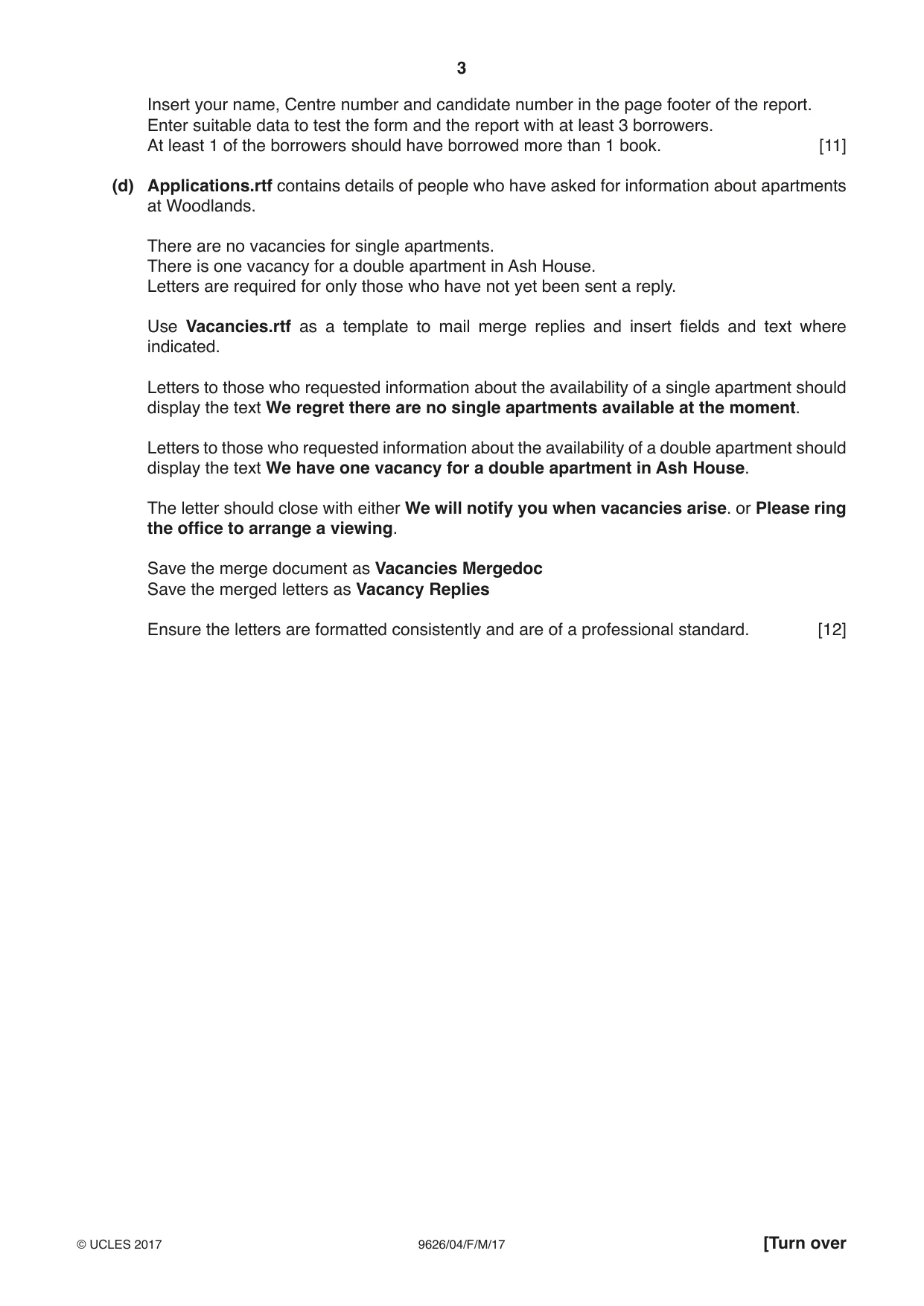
3 9626/04/F/M/17 © UCLES 2017 [Turn over Insert your name, Centre number and candidate number in the page footer of the report. Enter suitable data to test the form and the report with at least 3 borrowers. At least 1 of the borrowers should have borrowed more than 1 book. [11] (d) Applications.rtf contains details of people who have asked for information about apartments at Woodlands. There are no vacancies for single apartments. There is one vacancy for a double apartment in Ash House. Letters are required for only those who have not yet been sent a reply. Use Vacancies.rtf as a template to mail merge replies and insert fields and text where indicated. Letters to those who requested information about the availability of a single apartment should display the text We regret there are no single apartments available at the moment. Letters to those who requested information about the availability of a double apartment should display the text We have one vacancy for a double apartment in Ash House. The letter should close with either We will notify you when vacancies arise. or Please ring the office to arrange a viewing. Save the merge document as Vacancies Mergedoc Save the merged letters as Vacancy Replies Ensure the letters are formatted consistently and are of a professional standard. [12]
Question paper, page 4
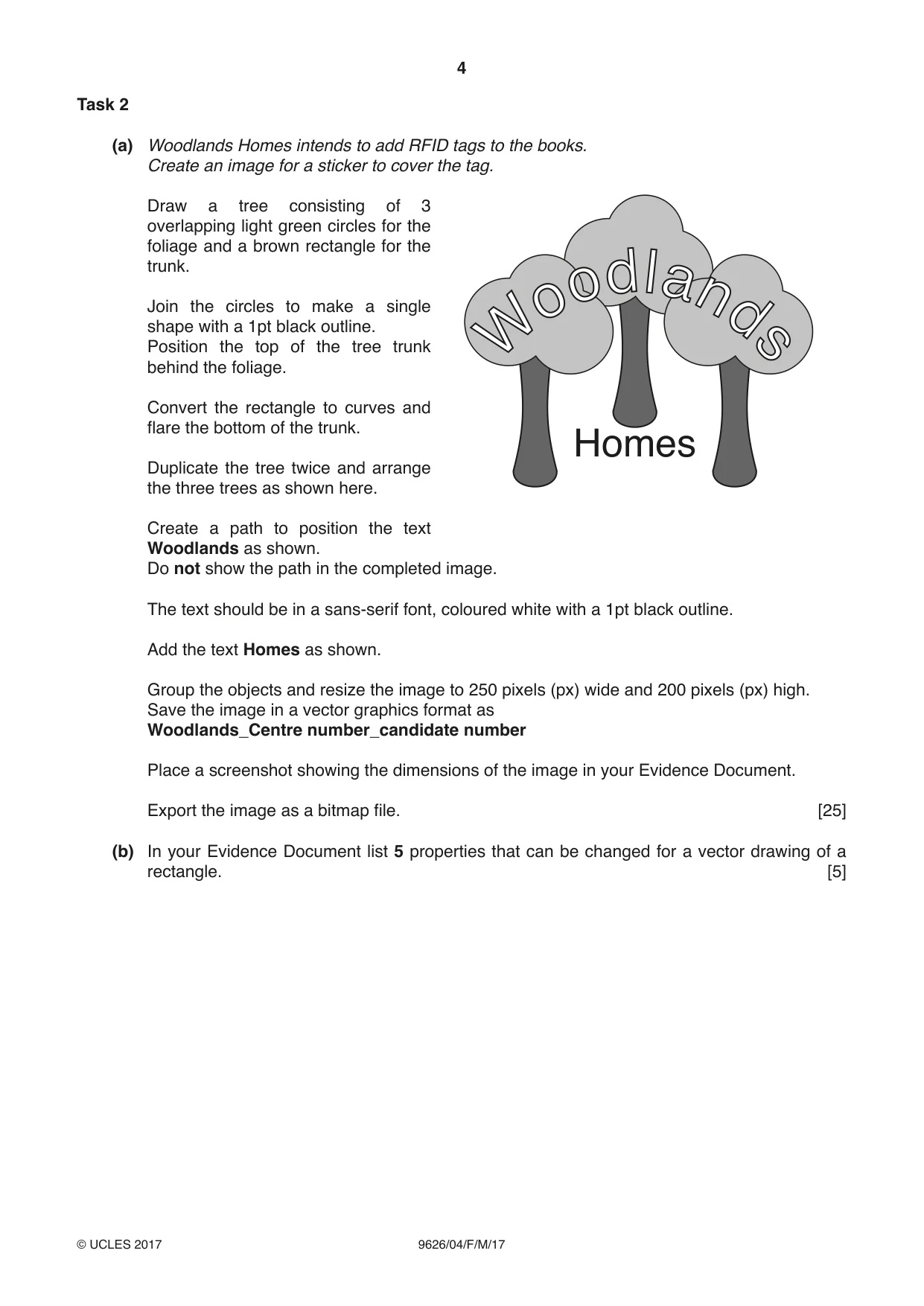
4 9626/04/F/M/17 © UCLES 2017 Task 2 (a) Woodlands Homes intends to add RFID tags to the books. Create an image for a sticker to cover the tag. Homes Draw a tree consisting of 3 overlapping light green circles for the foliage and a brown rectangle for the trunk. Join the circles to make a single shape with a 1pt black outline. Position the top of the tree trunk behind the foliage. Convert the rectangle to curves and flare the bottom of the trunk. Duplicate the tree twice and arrange the three trees as shown here. Create a path to position the text Woodlands as shown. Do not show the path in the completed image. The text should be in a sans-serif font, coloured white with a 1pt black outline. Add the text Homes as shown. Group the objects and resize the image to 250 pixels (px) wide and 200 pixels (px) high. Save the image in a vector graphics format as Woodlands_Centre number_candidate number Place a screenshot showing the dimensions of the image in your Evidence Document. Export the image as a bitmap file. [25] (b) In your Evidence Document list 5 properties that can be changed for a vector drawing of a rectangle. [5]
Question paper, page 5
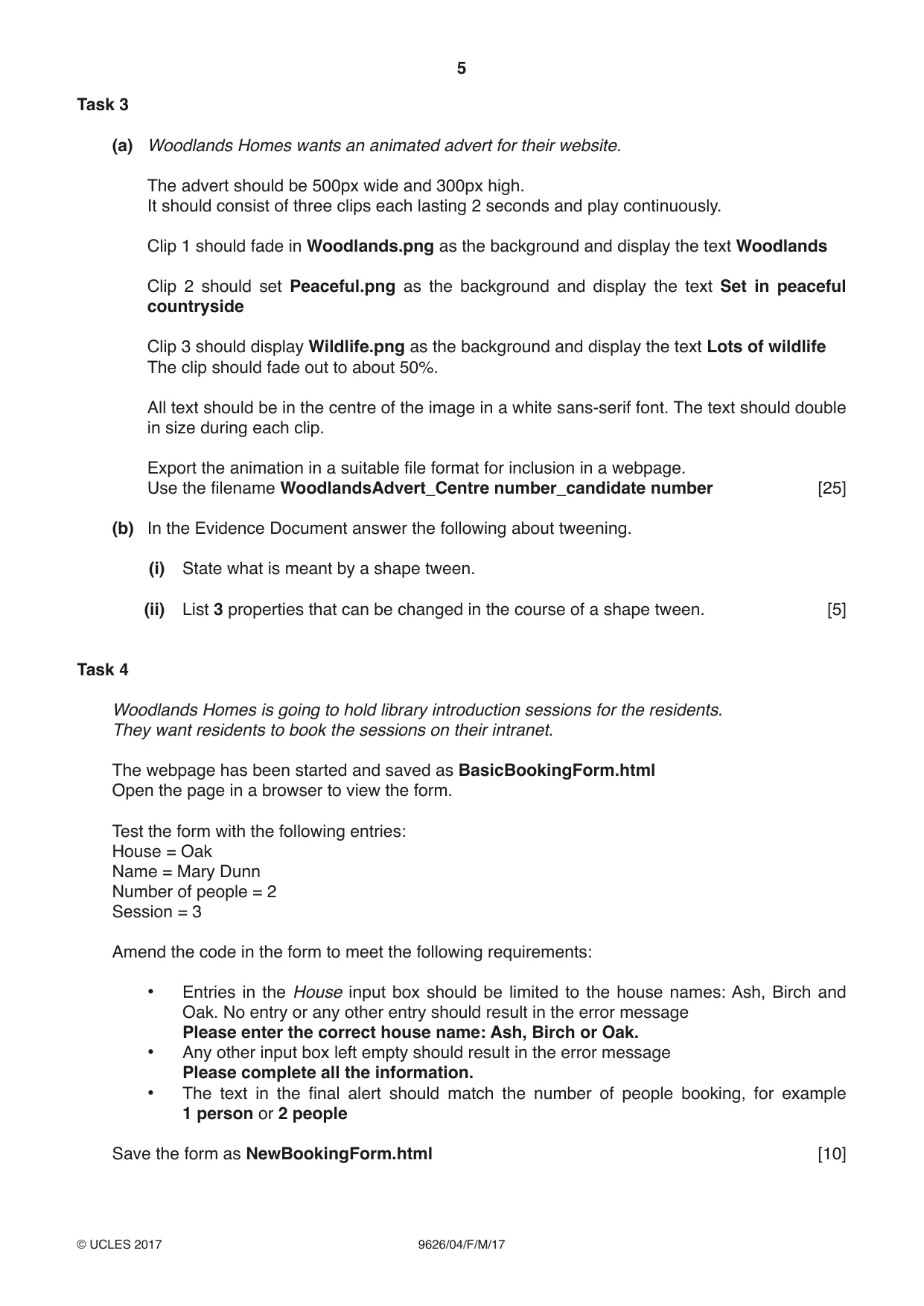
5 9626/04/F/M/17 © UCLES 2017 Task 3 (a) Woodlands Homes wants an animated advert for their website. The advert should be 500px wide and 300px high. It should consist of three clips each lasting 2 seconds and play continuously. Clip 1 should fade in Woodlands.png as the background and display the text Woodlands Clip 2 should set Peaceful.png as the background and display the text Set in peaceful countryside Clip 3 should display Wildlife.png as the background and display the text Lots of wildlife The clip should fade out to about 50%. All text should be in the centre of the image in a white sans-serif font. The text should double in size during each clip. Export the animation in a suitable file format for inclusion in a webpage. Use the filename WoodlandsAdvert_Centre number_candidate number [25] (b) In the Evidence Document answer the following about tweening. (i) State what is meant by a shape tween. (ii) List 3 properties that can be changed in the course of a shape tween. [5] Task 4 Woodlands Homes is going to hold library introduction sessions for the residents. They want residents to book the sessions on their intranet. The webpage has been started and saved as BasicBookingForm.html Open the page in a browser to view the form. Test the form with the following entries: House = Oak Name = Mary Dunn Number of people = 2 Session = 3 Amend the code in the form to meet the following requirements: • Entries in the House input box should be limited to the house names: Ash, Birch and Oak. No entry or any other entry should result in the error message Please enter the correct house name: Ash, Birch or Oak. • Any other input box left empty should result in the error message Please complete all the information. • The text in the final alert should match the number of people booking, for example 1 person or 2 people Save the form as NewBookingForm.html [10]
Question paper, page 6
6 9626/04/F/M/17 © UCLES 2017 BLANK PAGE
Question paper, page 7
7 9626/04/F/M/17 © UCLES 2017 BLANK PAGE
Question paper, page 8
8 9626/04/F/M/17 © UCLES 2017 Permission to reproduce items where third-party owned material protected by copyright is included has been sought and cleared where possible. Every reasonable effort has been made by the publisher (UCLES) to trace copyright holders, but if any items requiring clearance have unwittingly been included, the publisher will be pleased to make amends at the earliest possible opportunity. To avoid the issue of disclosure of answer-related information to candidates, all copyright acknowledgements are reproduced online in the Cambridge International Examinations Copyright Acknowledgements Booklet. This is produced for each series of examinations and is freely available to download at www.cie.org.uk after the live examination series. Cambridge International Examinations is part of the Cambridge Assessment Group. Cambridge Assessment is the brand name of University of Cambridge Local Examinations Syndicate (UCLES), which is itself a department of the University of Cambridge. BLANK PAGE
Mark scheme, page 1
® IGCSE is a registered trademark. This document consists of 8 printed pages. © UCLES 2017 [Turn over Cambridge International Examinations Cambridge International Advanced Subsidiary and Advanced Level INFORMATION TECHNOLOGY 9626/04 Paper 4 Advanced Practical March 2017 MARK SCHEME Maximum Mark: 110 Published This mark scheme is published as an aid to teachers and candidates, to indicate the requirements of the examination. It shows the basis on which Examiners were instructed to award marks. It does not indicate the details of the discussions that took place at an Examiners’ meeting before marking began, which would have considered the acceptability of alternative answers. Mark schemes should be read in conjunction with the question paper and the Principal Examiner Report for Teachers. Cambridge will not enter into discussions about these mark schemes. Cambridge is publishing the mark schemes for the March 2017 series for most Cambridge IGCSE®, Cambridge International A and AS Level components and some Cambridge O Level components.
Mark scheme, page 2
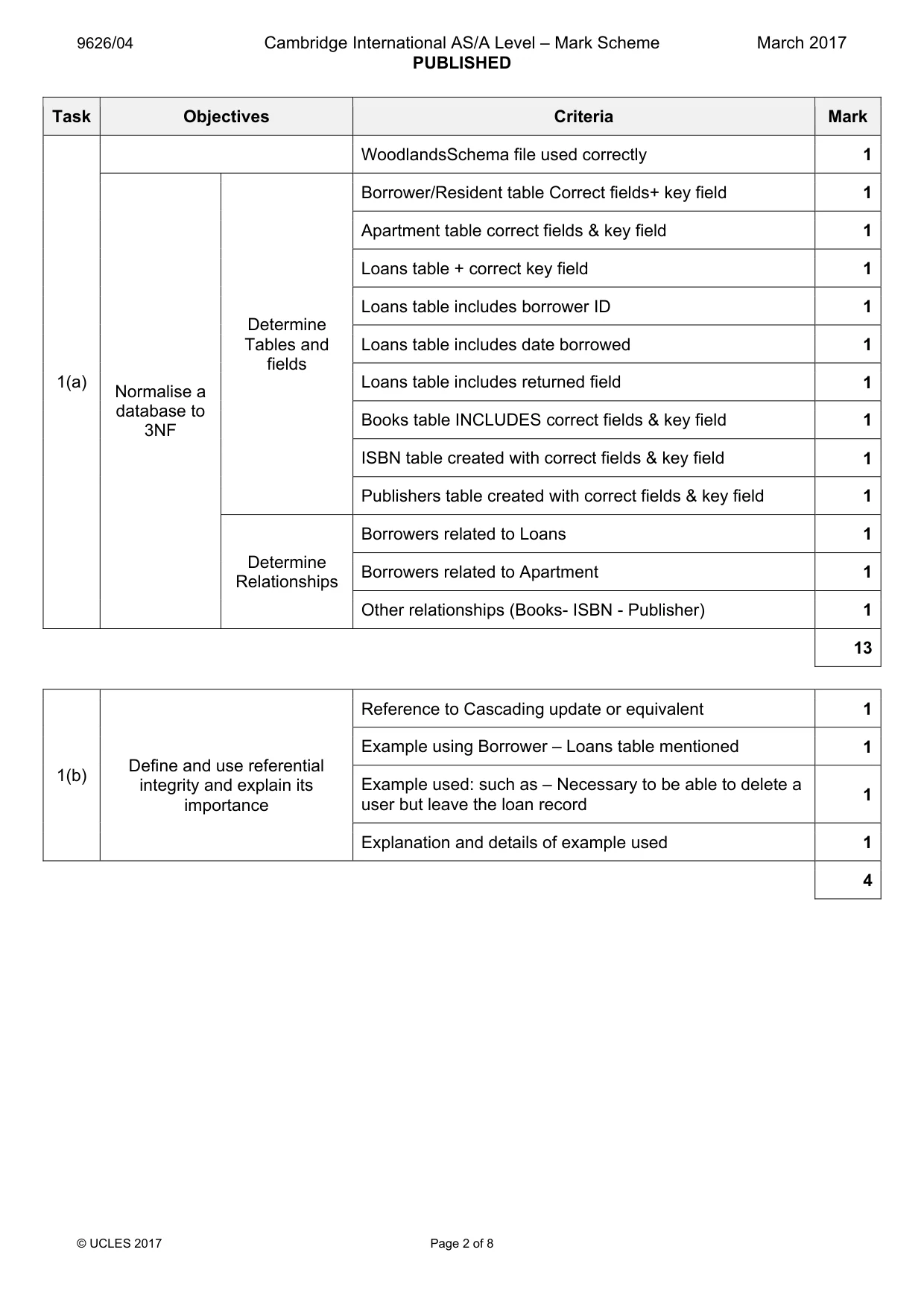
9626/04 Cambridge International AS/A Level – Mark Scheme PUBLISHED March 2017 © UCLES 2017 Page 2 of 8 Task Objectives Criteria Mark 1(a) WoodlandsSchema file used correctly 1 Normalise a database to 3NF Determine Tables and fields Borrower/Resident table Correct fields+ key field 1 Apartment table correct fields & key field 1 Loans table + correct key field 1 Loans table includes borrower ID 1 Loans table includes date borrowed 1 Loans table includes returned field 1 Books table INCLUDES correct fields & key field 1 ISBN table created with correct fields & key field 1 Publishers table created with correct fields & key field 1 Determine Relationships Borrowers related to Loans 1 Borrowers related to Apartment 1 Other relationships (Books- ISBN - Publisher) 1 13 1(b) Define and use referential integrity and explain its importance Reference to Cascading update or equivalent 1 Example using Borrower – Loans table mentioned 1 Example used: such as – Necessary to be able to delete a user but leave the loan record 1 Explanation and details of example used 1 4
Mark scheme, page 3
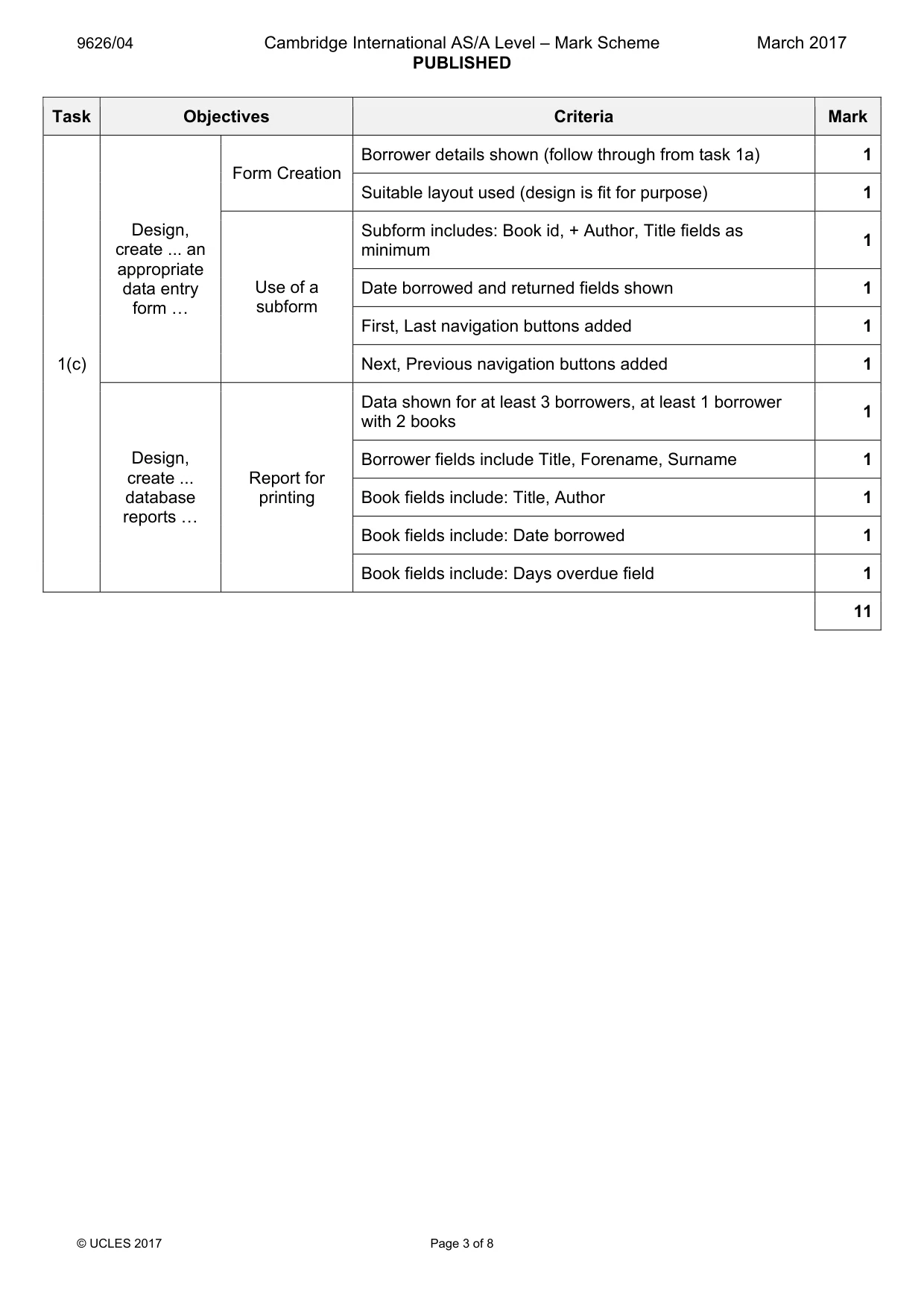
9626/04 Cambridge International AS/A Level – Mark Scheme PUBLISHED March 2017 © UCLES 2017 Page 3 of 8 Task Objectives Criteria Mark 1(c) Design, create ... an appropriate data entry form « Form Creation Borrower details shown (follow through from task 1a) 1 Suitable layout used (design is fit for purpose) 1 Use of a subform Subform includes: Book id, + Author, Title fields as minimum 1 Date borrowed and returned fields shown 1 First, Last navigation buttons added 1 Next, Previous navigation buttons added 1 Design, create ... database reports « Report for printing Data shown for at least 3 borrowers, at least 1 borrower with 2 books 1 Borrower fields include Title, Forename, Surname 1 Book fields include: Title, Author 1 Book fields include: Date borrowed 1 Book fields include: Days overdue field 1 11
Mark scheme, page 4
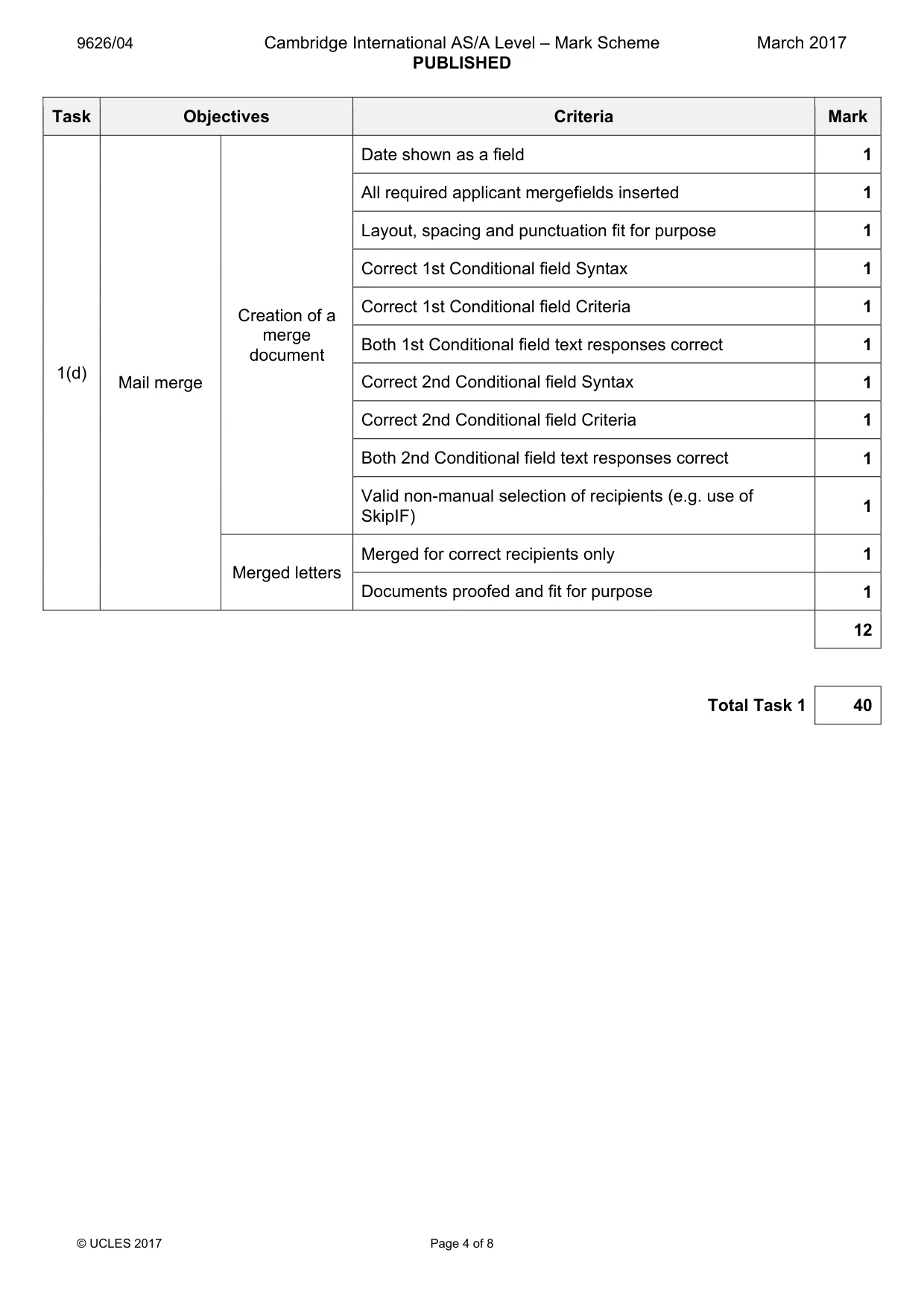
9626/04 Cambridge International AS/A Level – Mark Scheme PUBLISHED March 2017 © UCLES 2017 Page 4 of 8 Task Objectives Criteria Mark 1(d) Mail merge Creation of a merge document Date shown as a field 1 All required applicant mergefields inserted 1 Layout, spacing and punctuation fit for purpose 1 Correct 1st Conditional field Syntax 1 Correct 1st Conditional field Criteria 1 Both 1st Conditional field text responses correct 1 Correct 2nd Conditional field Syntax 1 Correct 2nd Conditional field Criteria 1 Both 2nd Conditional field text responses correct 1 Valid non-manual selection of recipients (e.g. use of SkipIF) 1 Merged letters Merged for correct recipients only 1 Documents proofed and fit for purpose 1 12 Total Task 1 40
Mark scheme, page 5
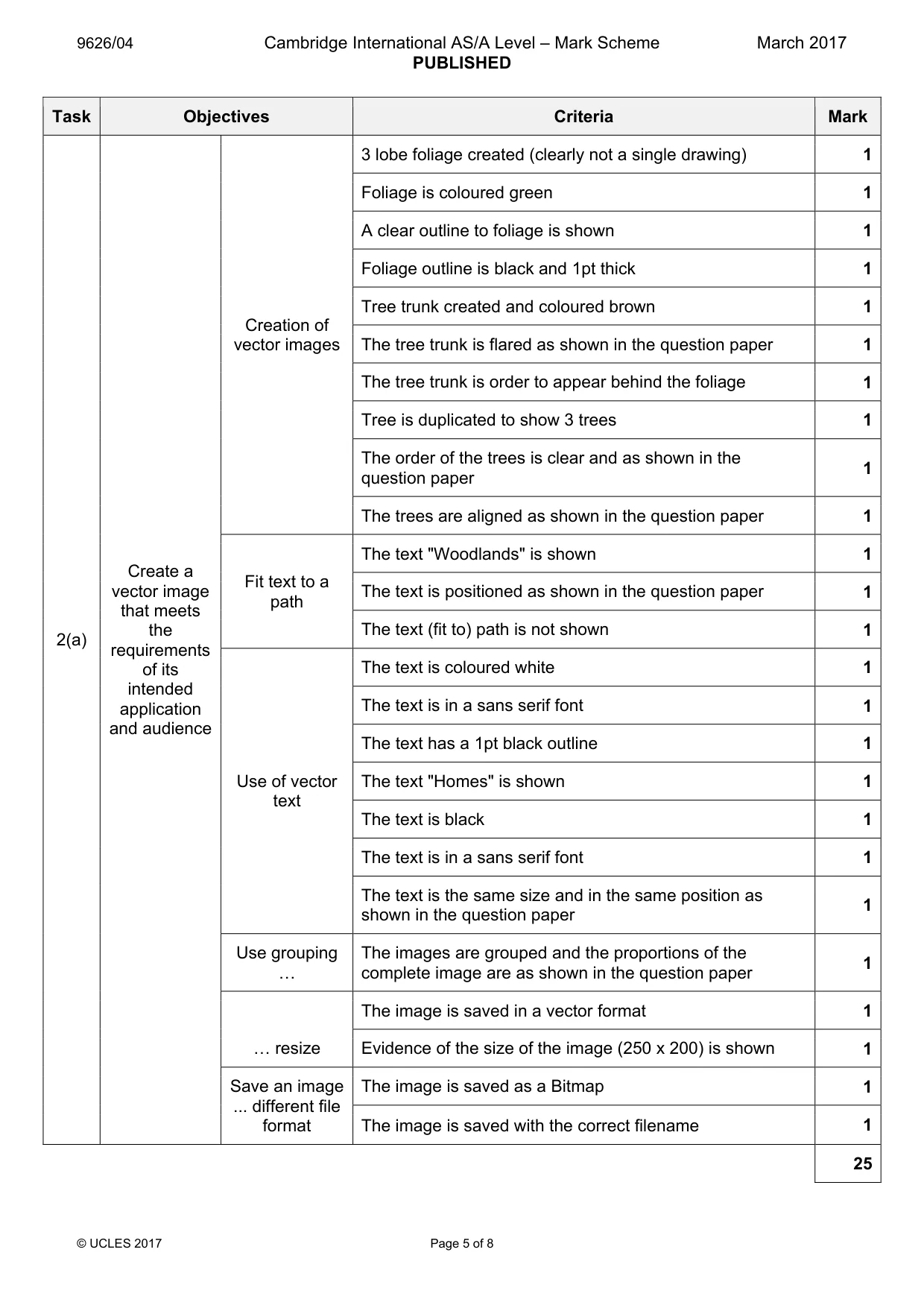
9626/04 Cambridge International AS/A Level – Mark Scheme PUBLISHED March 2017 © UCLES 2017 Page 5 of 8 Task Objectives Criteria Mark 2(a) Create a vector image that meets the requirements of its intended application and audience Creation of vector images 3 lobe foliage created (clearly not a single drawing) 1 Foliage is coloured green 1 A clear outline to foliage is shown 1 Foliage outline is black and 1pt thick 1 Tree trunk created and coloured brown 1 The tree trunk is flared as shown in the question paper 1 The tree trunk is order to appear behind the foliage 1 Tree is duplicated to show 3 trees 1 The order of the trees is clear and as shown in the question paper 1 The trees are aligned as shown in the question paper 1 Fit text to a path The text "Woodlands" is shown 1 The text is positioned as shown in the question paper 1 The text (fit to) path is not shown 1 Use of vector text The text is coloured white 1 The text is in a sans serif font 1 The text has a 1pt black outline 1 The text "Homes" is shown 1 The text is black 1 The text is in a sans serif font 1 The text is the same size and in the same position as shown in the question paper 1 Use grouping « The images are grouped and the proportions of the complete image are as shown in the question paper 1 « resize The image is saved in a vector format 1 Evidence of the size of the image (250 x 200) is shown 1 Save an image ... different file format The image is saved as a Bitmap 1 The image is saved with the correct filename 1 25
Mark scheme, page 6
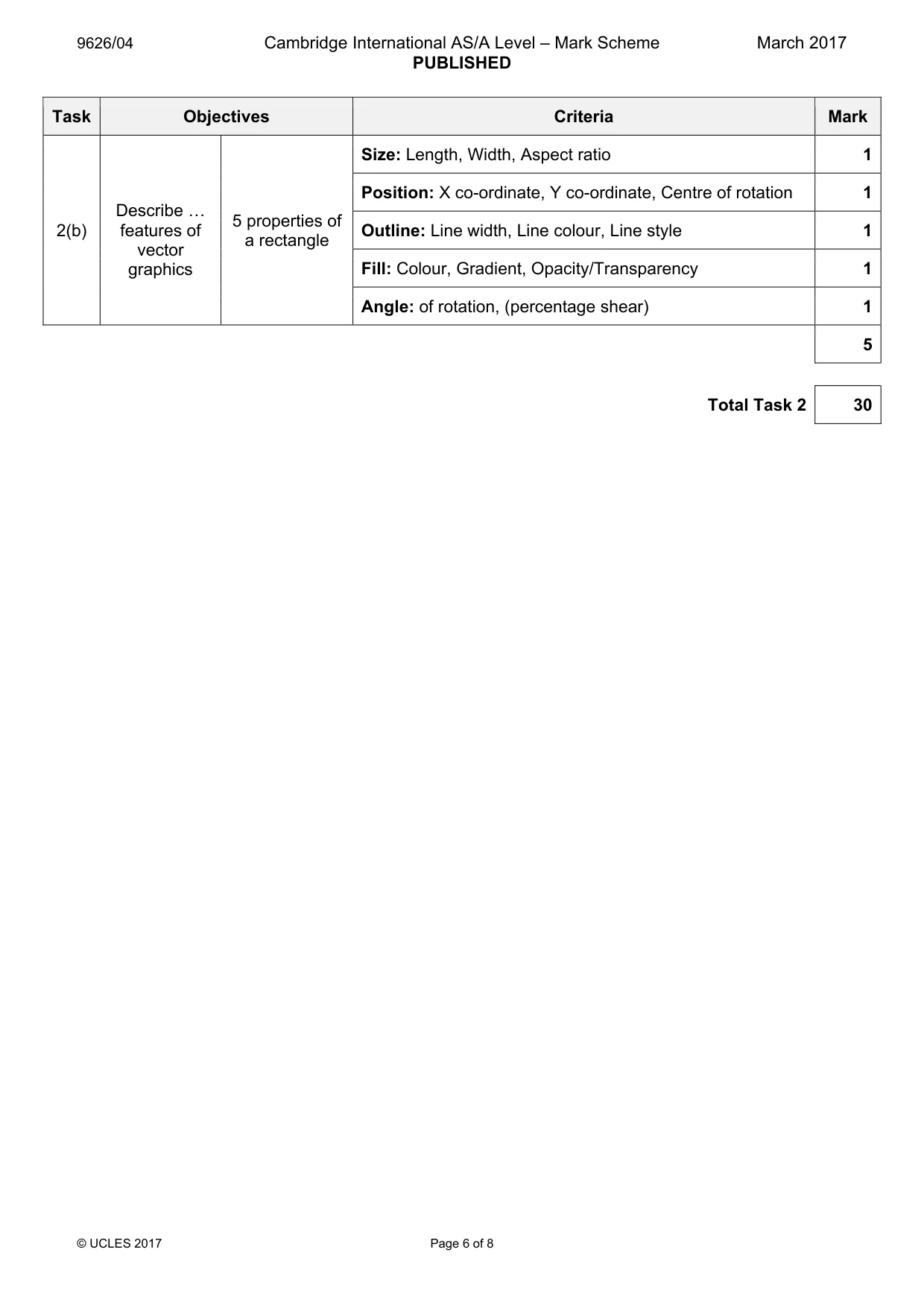
9626/04 Cambridge International AS/A Level – Mark Scheme PUBLISHED March 2017 © UCLES 2017 Page 6 of 8 Task Objectives Criteria Mark 2(b) Describe « features of vector graphics 5 properties of a rectangle Size: Length, Width, Aspect ratio 1 Position: X co-ordinate, Y co-ordinate, Centre of rotation 1 Outline: Line width, Line colour, Line style 1 Fill: Colour, Gradient, Opacity/Transparency 1 Angle: of rotation, (percentage shear) 1 5 Total Task 2 30
Mark scheme, page 7
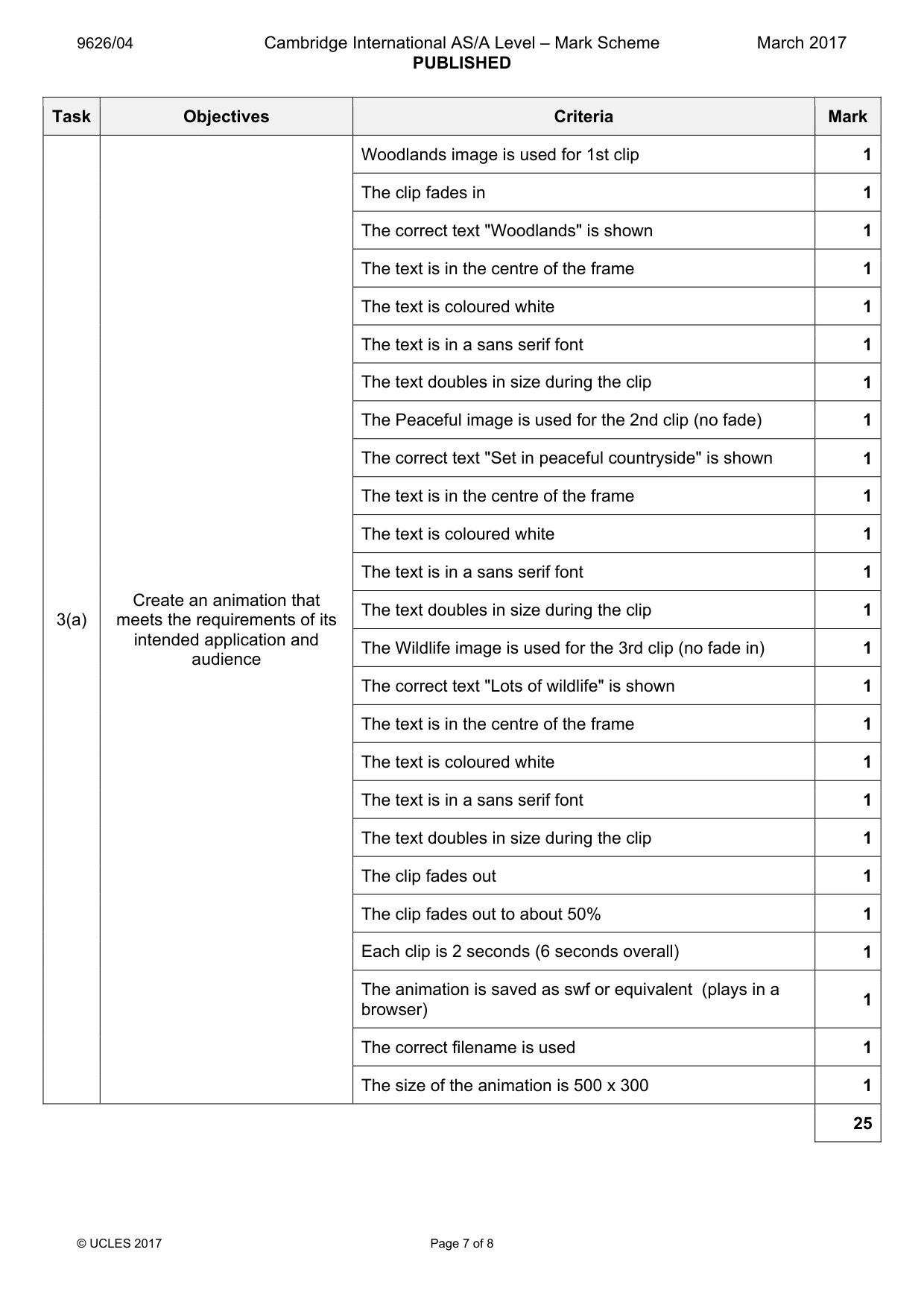
9626/04 Cambridge International AS/A Level – Mark Scheme PUBLISHED March 2017 © UCLES 2017 Page 7 of 8 Task Objectives Criteria Mark 3(a) Create an animation that meets the requirements of its intended application and audience Woodlands image is used for 1st clip 1 The clip fades in 1 The correct text "Woodlands" is shown 1 The text is in the centre of the frame 1 The text is coloured white 1 The text is in a sans serif font 1 The text doubles in size during the clip 1 The Peaceful image is used for the 2nd clip (no fade) 1 The correct text "Set in peaceful countryside" is shown 1 The text is in the centre of the frame 1 The text is coloured white 1 The text is in a sans serif font 1 The text doubles in size during the clip 1 The Wildlife image is used for the 3rd clip (no fade in) 1 The correct text "Lots of wildlife" is shown 1 The text is in the centre of the frame 1 The text is coloured white 1 The text is in a sans serif font 1 The text doubles in size during the clip 1 The clip fades out 1 The clip fades out to about 50% 1 Each clip is 2 seconds (6 seconds overall) 1 The animation is saved as swf or equivalent (plays in a browser) 1 The correct filename is used 1 The size of the animation is 500 x 300 1 25
Mark scheme, page 8
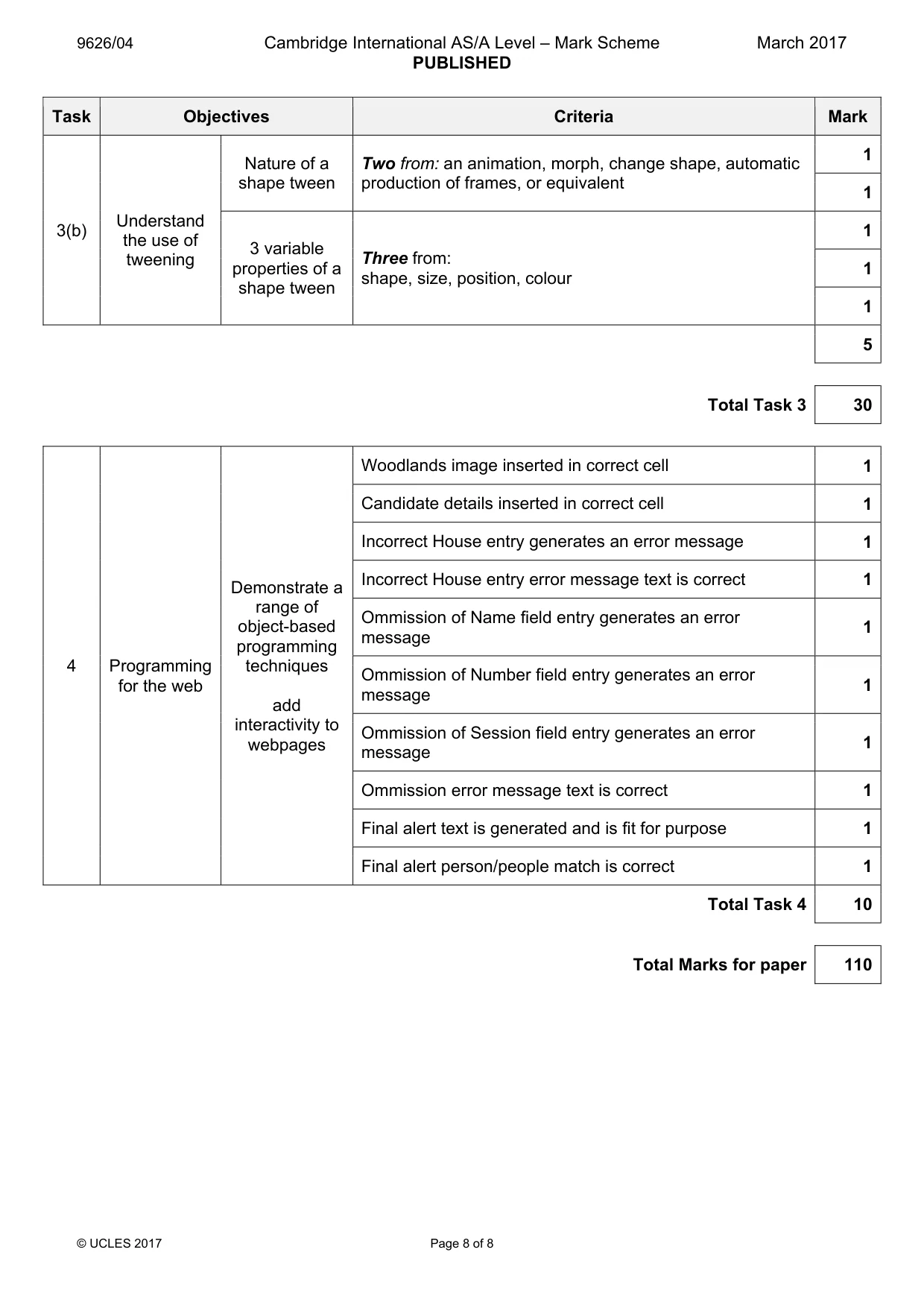
9626/04 Cambridge International AS/A Level – Mark Scheme PUBLISHED March 2017 © UCLES 2017 Page 8 of 8 Task Objectives Criteria Mark 3(b) Understand the use of tweening Nature of a shape tween Two from: an animation, morph, change shape, automatic production of frames, or equivalent 1 1 3 variable properties of a shape tween Three from: shape, size, position, colour 1 1 1 5 Total Task 3 30 4 Programming for the web Demonstrate a range of object-based programming techniques add interactivity to webpages Woodlands image inserted in correct cell 1 Candidate details inserted in correct cell 1 Incorrect House entry generates an error message 1 Incorrect House entry error message text is correct 1 Ommission of Name field entry generates an error message 1 Ommission of Number field entry generates an error message 1 Ommission of Session field entry generates an error message 1 Ommission error message text is correct 1 Final alert text is generated and is fit for purpose 1 Final alert person/people match is correct 1 Total Task 4 10 Total Marks for paper 110
What you needed in this session
Cambridge’s own grade thresholds for 2017 Feb/March, Paper 4 · Variant 1. A higher threshold means an easier paper — the bar moves with how the cohort did.