Cambridge A Level Computer Science 9618 — 2024 Oct/Nov Paper 2 · Variant 2
9618/22/O/N/24 · 8 questions · 75 marks · ≈84 min
The question paper and its mark scheme, free to read here and free to download. This is Cambridge’s own paper, exactly as it was sat.
Question paper24 pages





Mark scheme12 pages
Answers below. Sit the paper first if you are practising.
Questions as text
Q1 · A program has been developed and released for general use
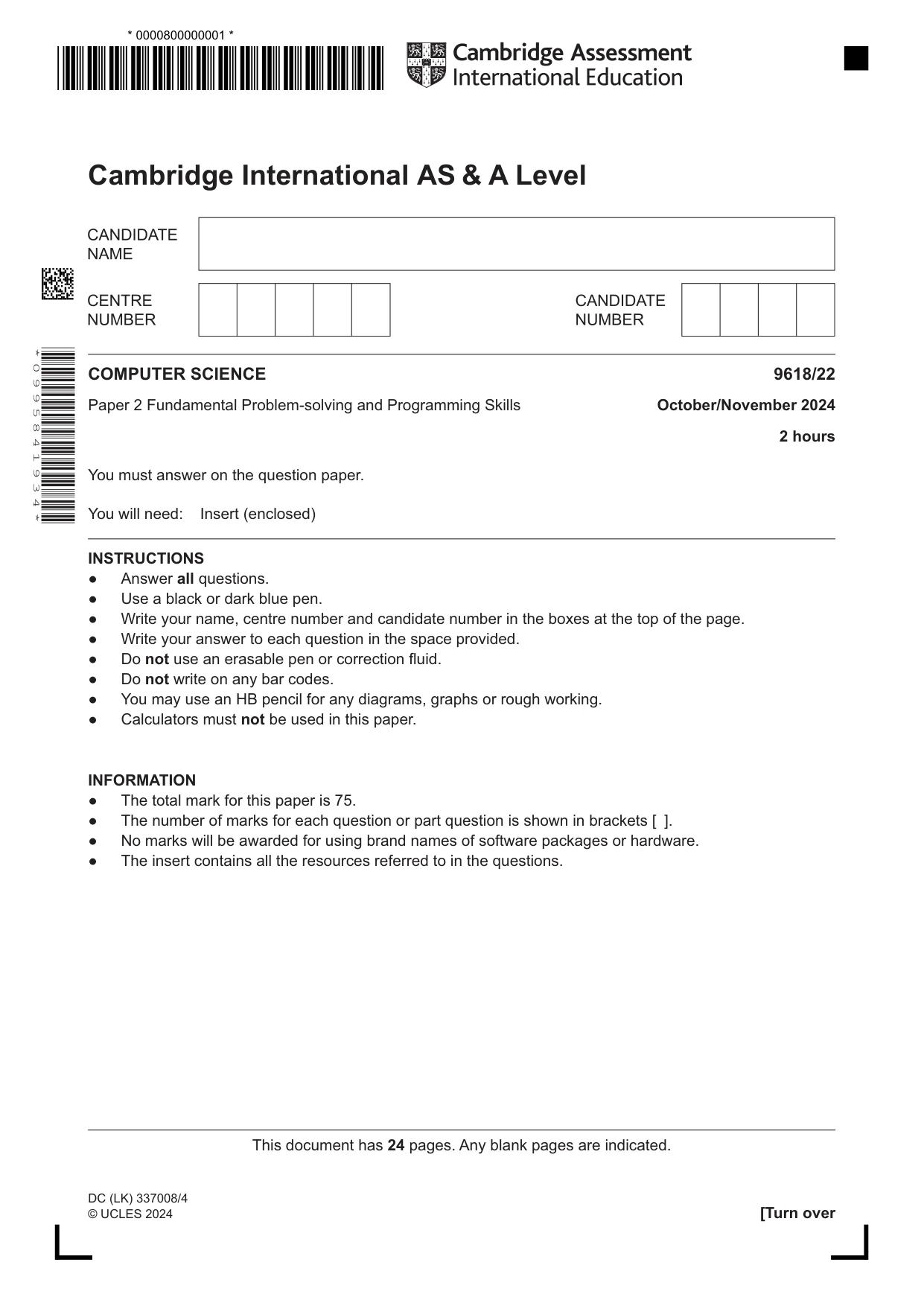
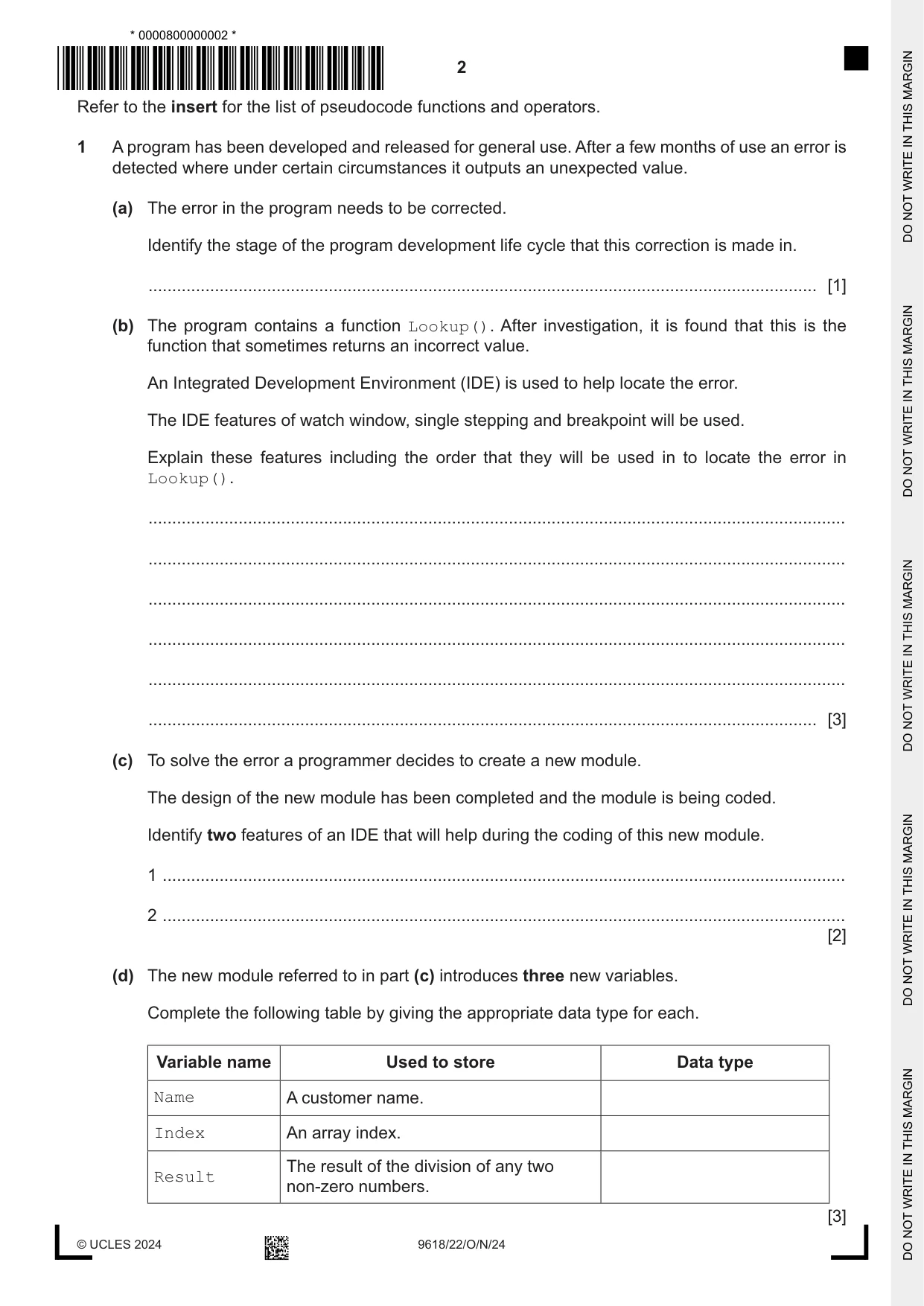
1 A program has been developed and released for general use. After a few months of use an error is detected where under certain circumstances it outputs an unexpected value. (a) The error in the program needs to be corrected. Identify the stage of the program development life cycle that this correction is made in. ............................................................................................................................................. [1] (b) The program contains a function Lookup(). After investigation, it is found that this is the function that sometimes returns an incorrect value. An Integrated Development Environment (IDE) is used to help locate the error. The IDE features of watch window, single stepping and breakpoint will be used. Explain these features including the order that they will be used in to locate the error in Lookup(). ................................................................................................................................................... ................................................................................................................................................... ................................................................................................................................................... ................................................................................................................................................... ................................................................................................................................................... ............................................................................................................................................. [3] (c) To solve the error a programmer decides to create a new module. The design of the new module has been completed and the module is being coded. Identify two features of an IDE that will help during the coding of this new module. 1 ................................................................................................................................................ 2 ................................................................................................................................................ [2] (d) The new module referred to in part (c) introduces three new variables. Complete the following table by giving the appropriate data type for each. Variable name Used to store Data type Name A customer name. Index An array index. The result of the division of any two Result non-zero numbers. [3]
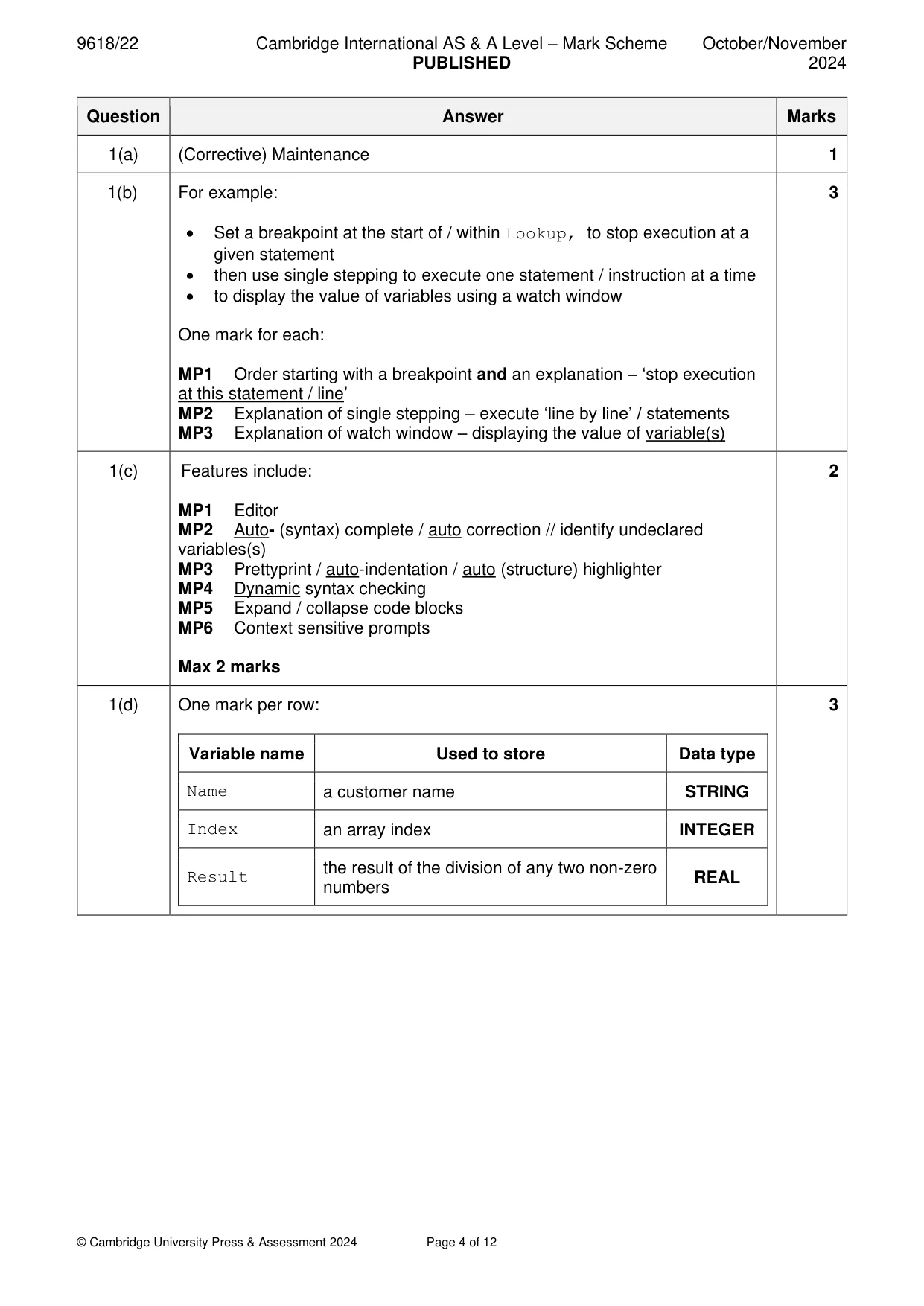
Mark scheme: Question Answer Marks 1(a) (Corrective) Maintenance 1 1(b) For example: 3 • Set a breakpoint at the start of / within Lookup, to stop execution at a given statement • then use single stepping to execute one statement / instruction at a time • to display the value of variables using a watch window One mark for each: MP1 Order starting with a breakpoint and an explanation – ‘stop execution at this statement / line’ MP2 Explanation of single stepping – execute ‘line by line’ / statements MP3 Explanation of watch window – displaying the value of variable(s) 1(c) Features include: 2 MP1 Editor MP2 Auto- (syntax) complete / auto correction // identify undeclared variables(s) MP3 Prettyprint / auto-indentation / auto (structure) highlighter MP4 Dynamic syntax checking MP5 Expand / collapse code blocks MP6 Context sensitive prompts Max 2 marks 1(d) One mark per row: 3 Variable name Used to store Data type Name a customer name STRING Index an array index INTEGER the result of the division of any two non-zero Result REAL numbers
Q2 · A program is being developed to process bank card information
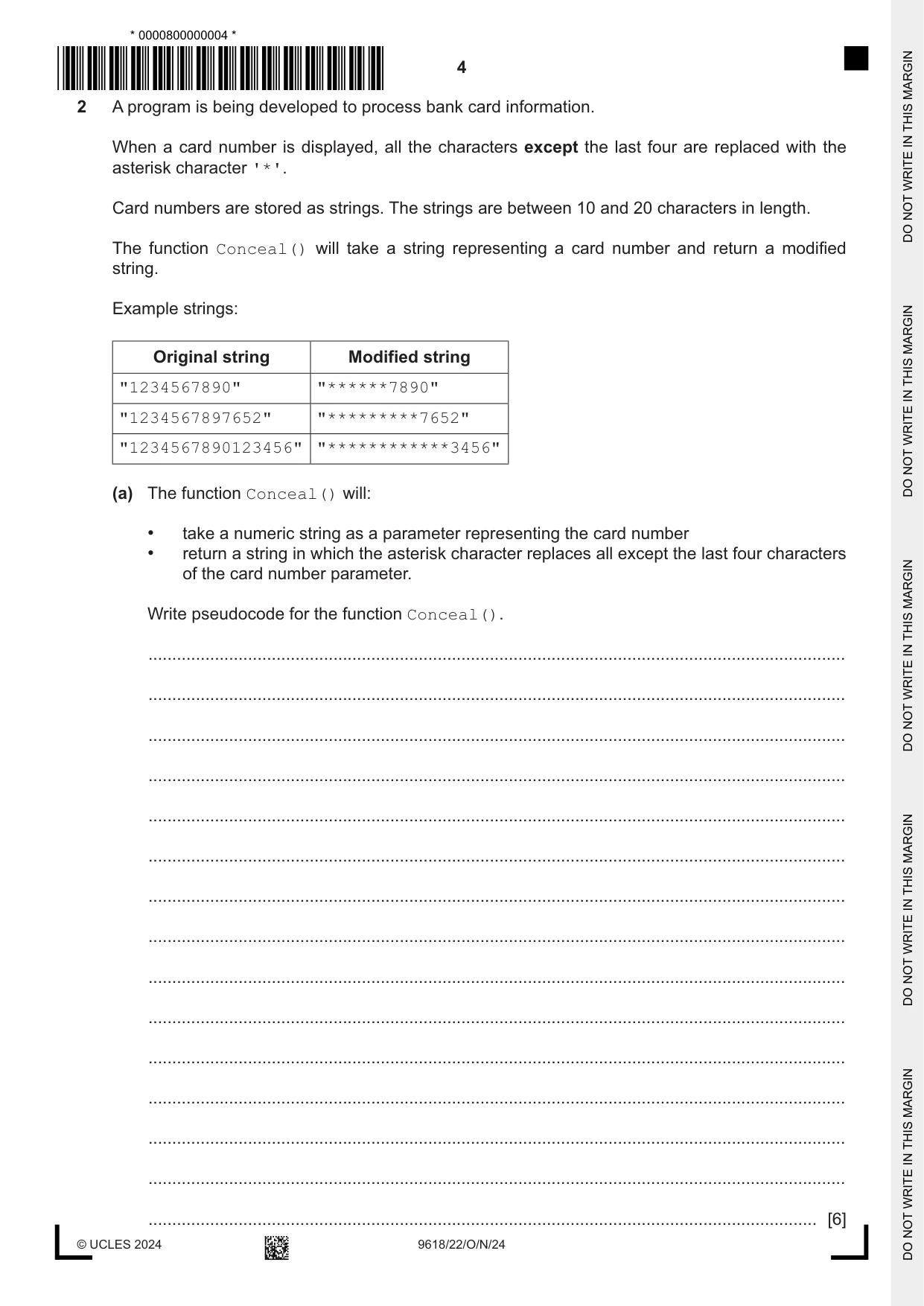
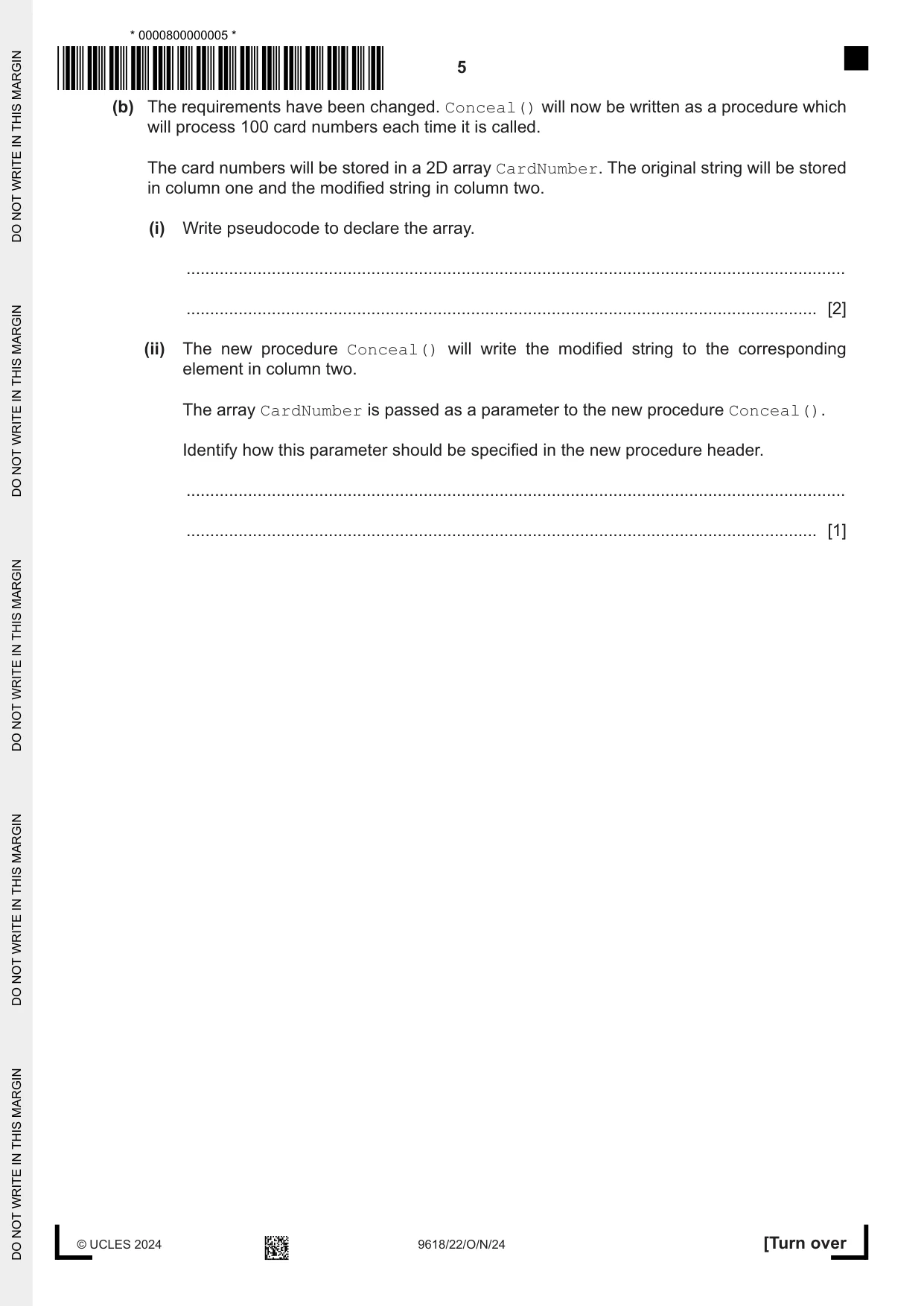
2 A program is being developed to process bank card information. When a card number is displayed, all the characters except the last four are replaced with the asterisk character '*'. Card numbers are stored as strings. The strings are between 10 and 20 characters in length. The function Conceal() will take a string representing a card number and return a modified string. Example strings: Original string Modified string "1234567890" "******7890" "1234567897652" "*********7652" "1234567890123456" "************3456" (a) The function Conceal() will: • take a numeric string as a parameter representing the card number • return a string in which the asterisk character replaces all except the last four characters of the card number parameter. Write pseudocode for the function Conceal(). ................................................................................................................................................... ................................................................................................................................................... ................................................................................................................................................... ................................................................................................................................................... ................................................................................................................................................... ................................................................................................................................................... ................................................................................................................................................... ................................................................................................................................................... ................................................................................................................................................... ................................................................................................................................................... ................................................................................................................................................... ................................................................................................................................................... ................................................................................................................................................... ................................................................................................................................................... ............................................................................................................................................. [6] (b) The requirements have been changed. Conceal() will now be written as a procedure which will process 100 card numbers each time it is called. The card numbers will be stored in a 2D array CardNumber. The original string will be stored in column one and the modified string in column two. (i) Write pseudocode to declare the array. ........................................................................................................................................... ..................................................................................................................................... [2] (ii) The new procedure Conceal() will write the modified string to the corresponding element in column two. The array CardNumber is passed as a parameter to the new procedure Conceal(). Identify how this parameter should be specified in the new procedure header. ........................................................................................................................................... ..................................................................................................................................... [1]
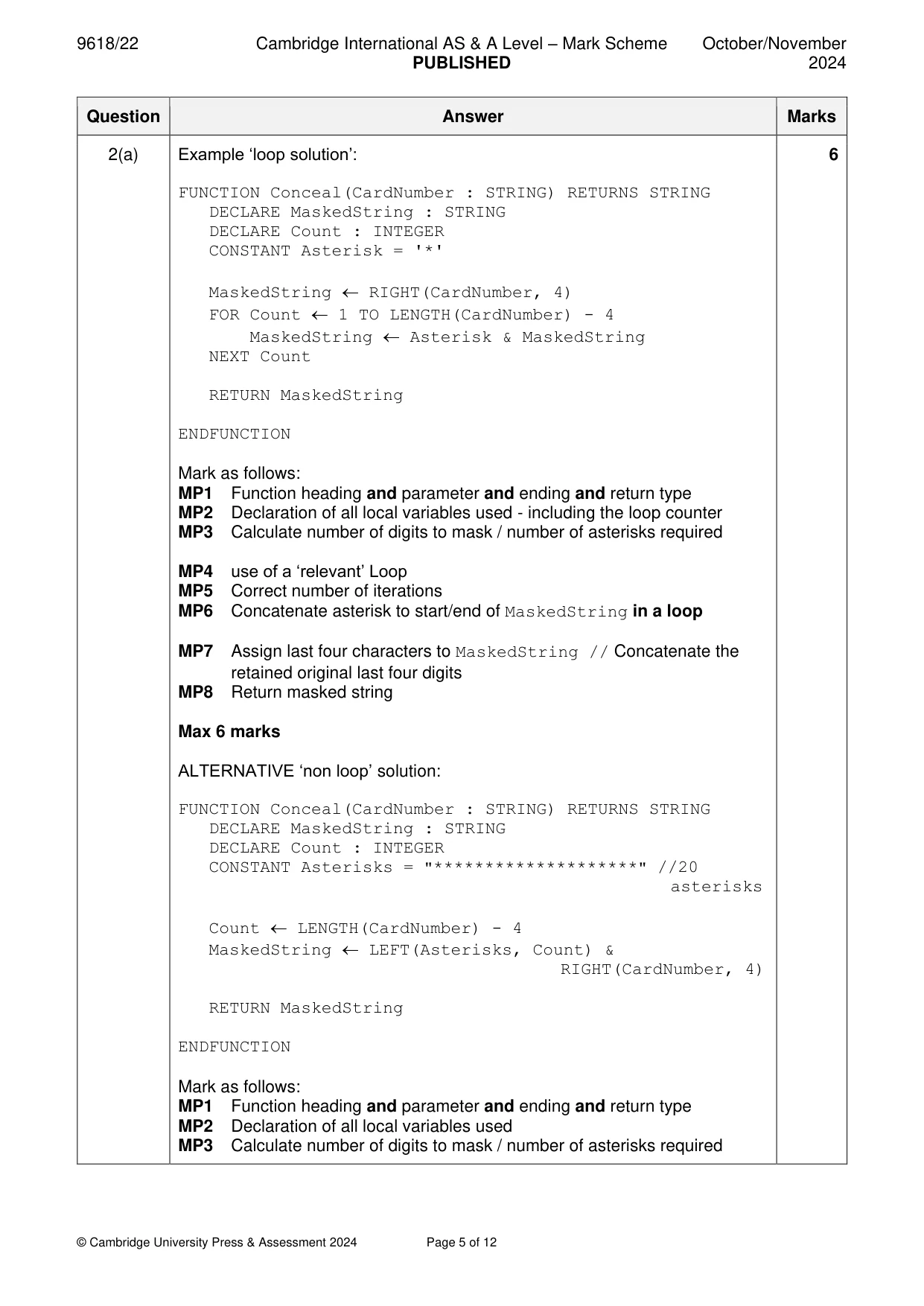
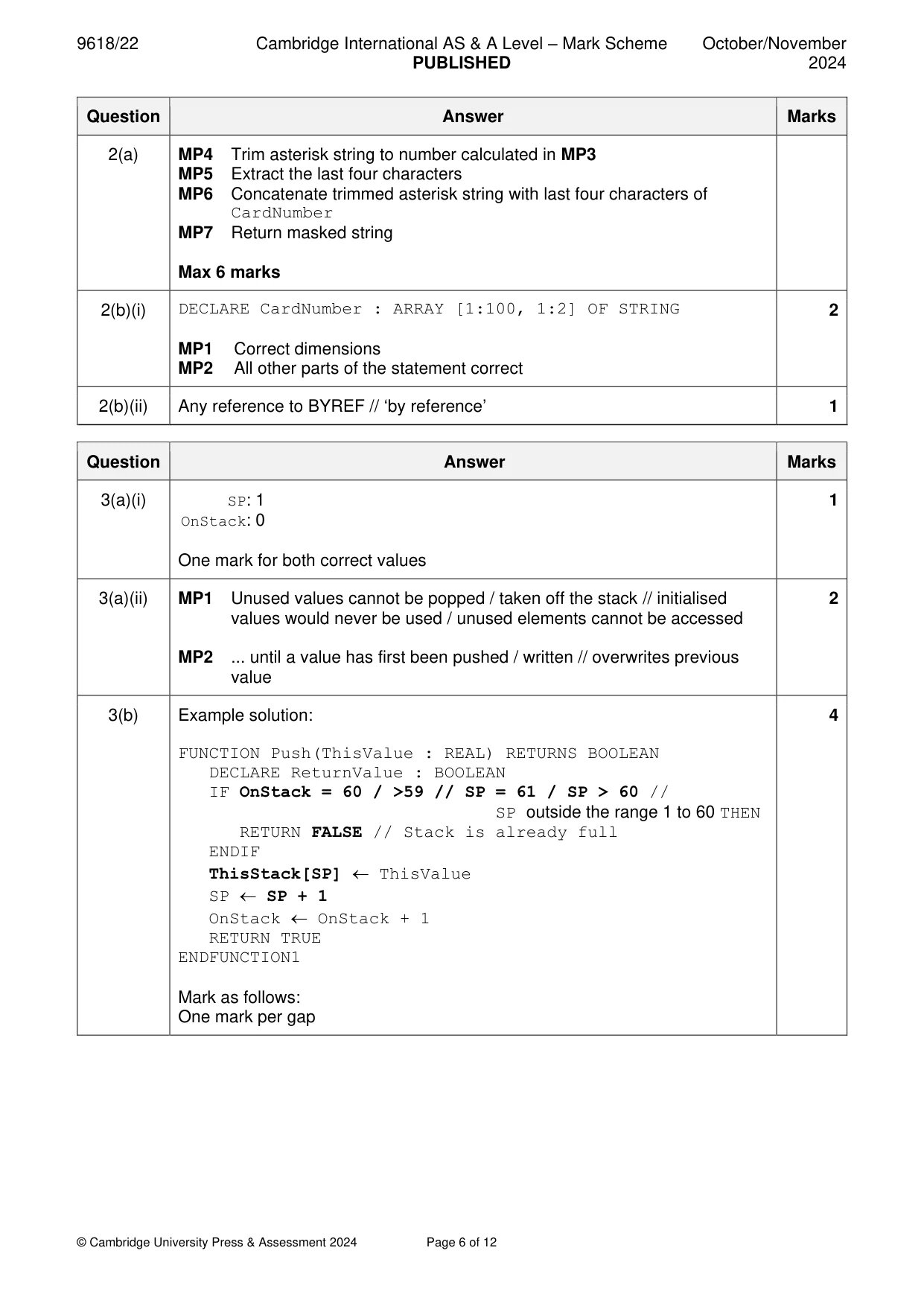
Mark scheme: 2(a) Example ‘loop solution’: 6 FUNCTION Conceal(CardNumber : STRING) RETURNS STRING DECLARE MaskedString : STRING DECLARE Count : INTEGER CONSTANT Asterisk = '*' MaskedString RIGHT(CardNumber, 4) FOR Count 1 TO LENGTH(CardNumber) - 4 MaskedString Asterisk & MaskedString NEXT Count RETURN MaskedString ENDFUNCTION Mark as follows: MP1 Function heading and parameter and ending and return type MP2 Declaration of all local variables used - including the loop counter MP3 Calculate number of digits to mask / number of asterisks required MP4 use of a ‘relevant’ Loop MP5 Correct number of iterations MP6 Concatenate asterisk to start/end of MaskedString in a loop MP7 Assign last four characters to MaskedString // Concatenate the retained original last four digits MP8 Return masked string Max 6 marks ALTERNATIVE ‘non loop’ solution: FUNCTION Conceal(CardNumber : STRING) RETURNS STRING DECLARE MaskedString : STRING DECLARE Count : INTEGER CONSTANT Asterisks = "********************" //20 asterisks Count LENGTH(CardNumber) - 4 MaskedString LEFT(Asterisks, Count) & RIGHT(CardNumber, 4) RETURN MaskedString ENDFUNCTION Mark as follows: MP1 Function heading and parameter and ending and return type MP2 Declaration of all local variables used MP3 Calculate number of digits to mask / number of asterisks required 2(a) MP4 Trim asterisk string to number calculated in MP3 MP5 Extract the last four characters MP6 Concatenate trimmed asterisk string with last four characters of CardNumber MP7 Return masked string Max 6 marks 2(b)(i) DECLARE CardNumber : ARRAY [1:100, 1:2] OF STRING 2 MP1 Correct dimensions MP2 All other parts of the statement correct 2(b)(ii) Any reference to BYREF // ‘by reference’ 1
Q3 · A program uses a stack to hold up to 60 numeric values
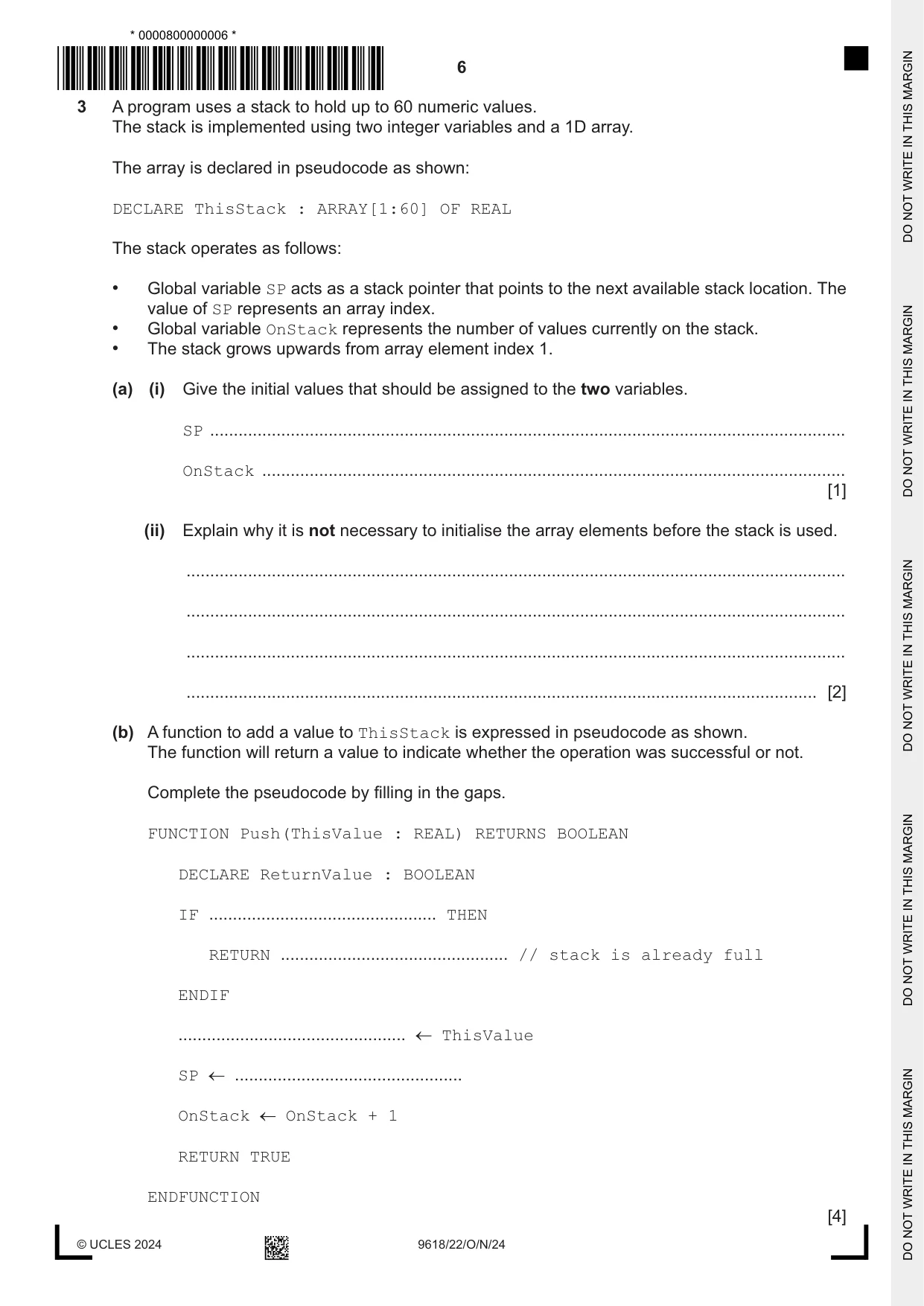
3 A program uses a stack to hold up to 60 numeric values. The stack is implemented using two integer variables and a 1D array. The array is declared in pseudocode as shown: DECLARE ThisStack : ARRAY[1:60] OF REAL The stack operates as follows: • Global variable SP acts as a stack pointer that points to the next available stack location. The value of SP represents an array index. • Global variable OnStack represents the number of values currently on the stack. • The stack grows upwards from array element index 1. (a) (i) Give the initial values that should be assigned to the two variables. SP ...................................................................................................................................... OnStack ........................................................................................................................... [1] (ii) Explain why it is not necessary to initialise the array elements before the stack is used. ........................................................................................................................................... ........................................................................................................................................... ........................................................................................................................................... ..................................................................................................................................... [2] (b) A function to add a value to ThisStack is expressed in pseudocode as shown. The function will return a value to indicate whether the operation was successful or not. Complete the pseudocode by filling in the gaps. FUNCTION Push(ThisValue : REAL) RETURNS BOOLEAN DECLARE ReturnValue : BOOLEAN IF ................................................ THEN RETURN ................................................ // stack is already full ENDIF ................................................ ThisValue SP ................................................ OnStack OnStack + 1 RETURN TRUE ENDFUNCTION [4]
Mark scheme: 3(a)(i) SP: 1 1 OnStack: 0 One mark for both correct values 3(a)(ii) MP1 Unused values cannot be popped / taken off the stack // initialised 2 values would never be used / unused elements cannot be accessed MP2 ... until a value has first been pushed / written // overwrites previous value 3(b) Example solution: 4 FUNCTION Push(ThisValue : REAL) RETURNS BOOLEAN DECLARE ReturnValue : BOOLEAN IF OnStack = 60 / >59 // SP = 61 / SP > 60 // SP outside the range 1 to 60 THEN RETURN FALSE // Stack is already full ENDIF ThisStack[SP] ThisValue SP SP + 1 OnStack OnStack + 1 RETURN TRUE ENDFUNCTION1 Mark as follows: One mark per gap
Q4 · A global integer variable Tick is always incremented every millisecond (1000 times per…
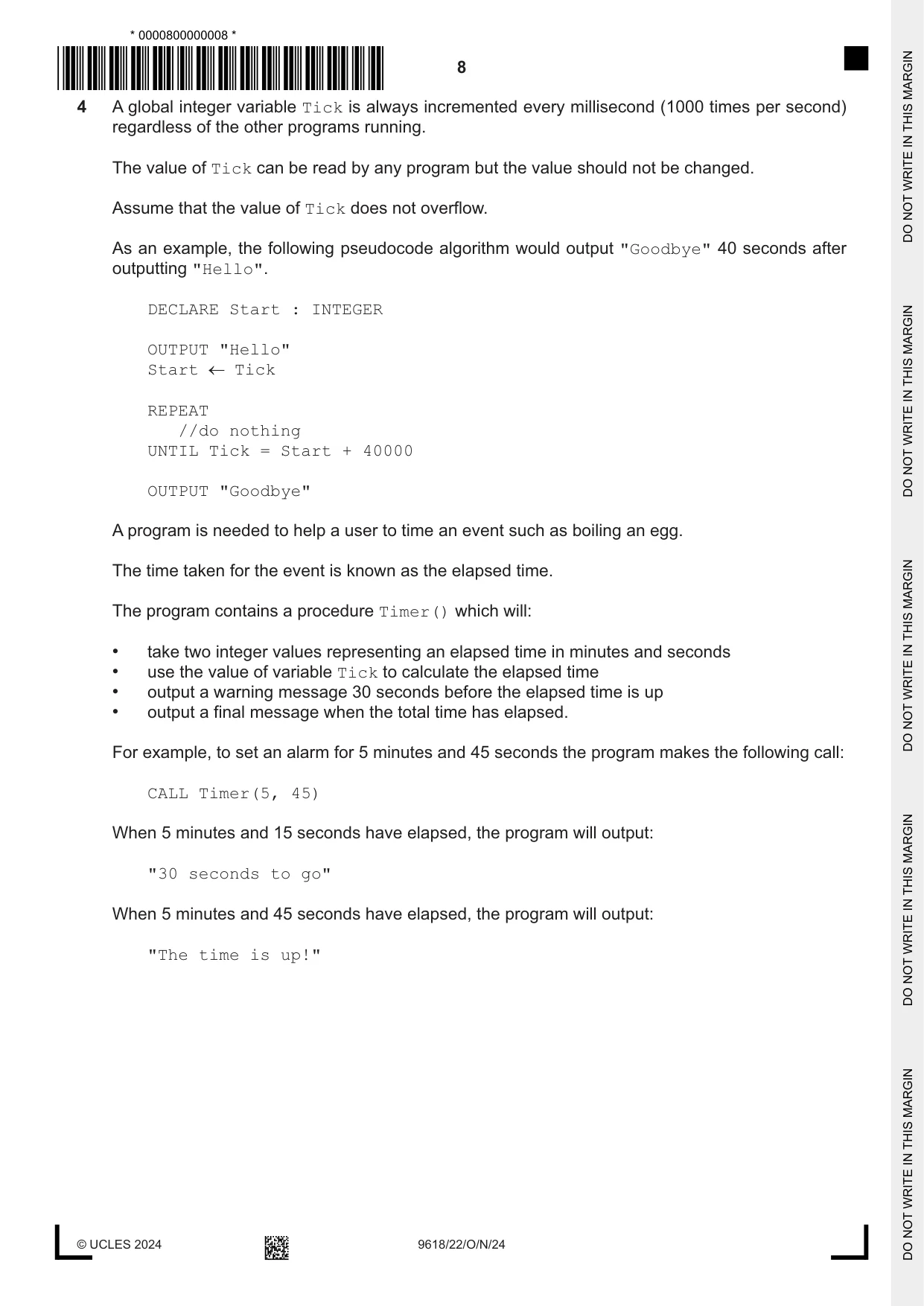
4 A global integer variable Tick is always incremented every millisecond (1000 times per second) regardless of the other programs running. The value of Tick can be read by any program but the value should not be changed. Assume that the value of Tick does not overflow. As an example, the following pseudocode algorithm would output "Goodbye" 40 seconds after outputting "Hello". DECLARE Start : INTEGER OUTPUT "Hello" Start Tick REPEAT //do nothing UNTIL Tick = Start + 40000 OUTPUT "Goodbye" A program is needed to help a user to time an event such as boiling an egg. The time taken for the event is known as the elapsed time. The program contains a procedure Timer() which will: • take two integer values representing an elapsed time in minutes and seconds • use the value of variable Tick to calculate the elapsed time • output a warning message 30 seconds before the elapsed time is up • output a final message when the total time has elapsed. For example, to set an alarm for 5 minutes and 45 seconds the program makes the following call: CALL Timer(5, 45) When 5 minutes and 15 seconds have elapsed, the program will output: "30 seconds to go" When 5 minutes and 45 seconds have elapsed, the program will output: "The time is up!" Write pseudocode for the procedure Timer(). .......................................................................................................................................................... .......................................................................................................................................................... .......................................................................................................................................................... .......................................................................................................................................................... .......................................................................................................................................................... .......................................................................................................................................................... .......................................................................................................................................................... .......................................................................................................................................................... .......................................................................................................................................................... .......................................................................................................................................................... .......................................................................................................................................................... .......................................................................................................................................................... .......................................................................................................................................................... .......................................................................................................................................................... .......................................................................................................................................................... .......................................................................................................................................................... .......................................................................................................................................................... .................................................................................................................................................... [6]
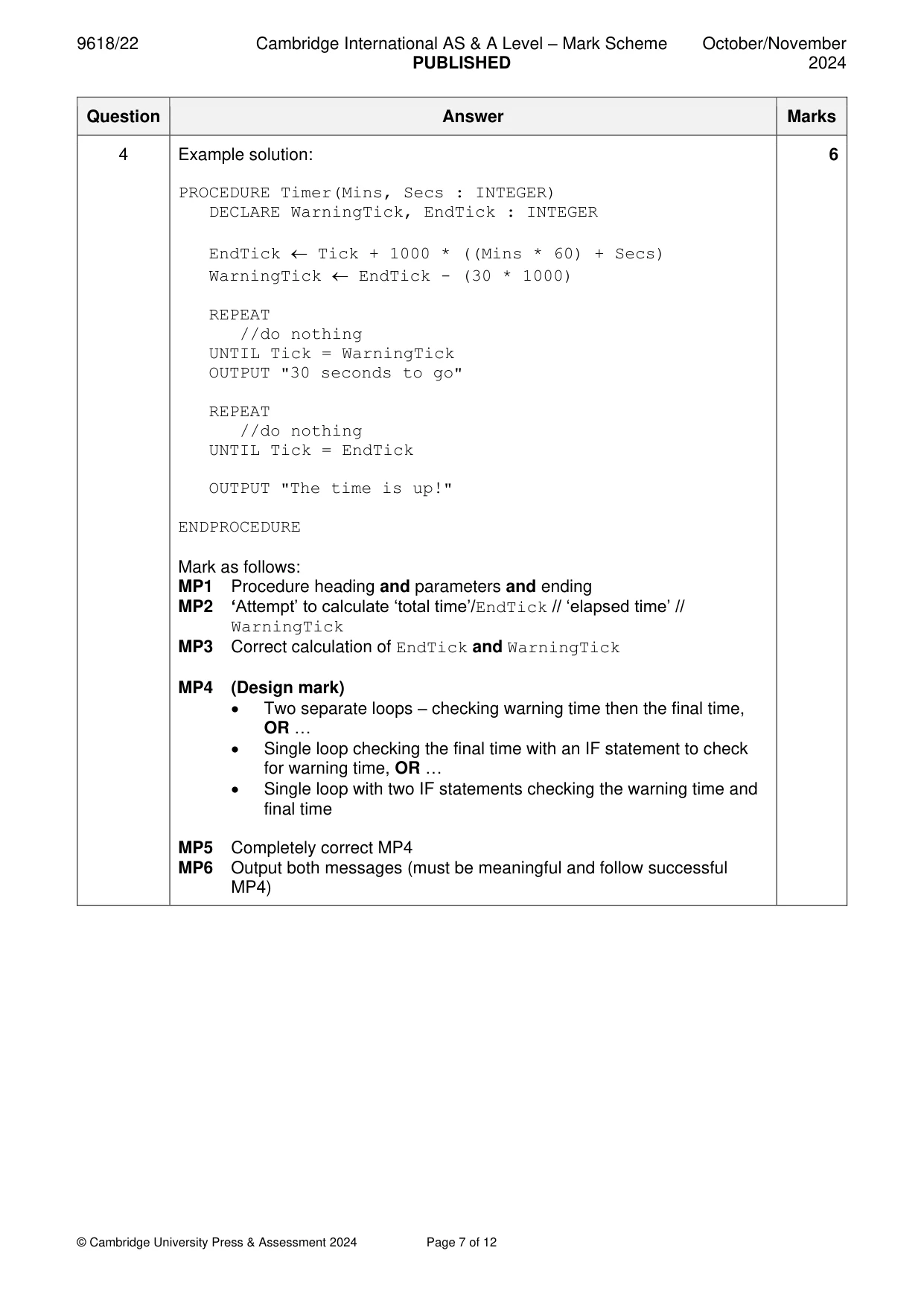
Mark scheme: 4 Example solution: 6 PROCEDURE Timer(Mins, Secs : INTEGER) DECLARE WarningTick, EndTick : INTEGER EndTick Tick + 1000 * ((Mins * 60) + Secs) WarningTick EndTick - (30 * 1000) REPEAT //do nothing UNTIL Tick = WarningTick OUTPUT "30 seconds to go" REPEAT //do nothing UNTIL Tick = EndTick OUTPUT "The time is up!" ENDPROCEDURE Mark as follows: MP1 Procedure heading and parameters and ending MP2 ‘Attempt’ to calculate ‘total time’/EndTick // ‘elapsed time’ // WarningTick MP3 Correct calculation of EndTick and WarningTick MP4 (Design mark) • Two separate loops – checking warning time then the final time, OR … • Single loop checking the final time with an IF statement to check for warning time, OR … • Single loop with two IF statements checking the warning time and final time MP5 Completely correct MP4 MP6 Output both messages (must be meaningful and follow successful MP4)
Q5 · A program contains a global 1D array Data with 100 elements of type INTEGER
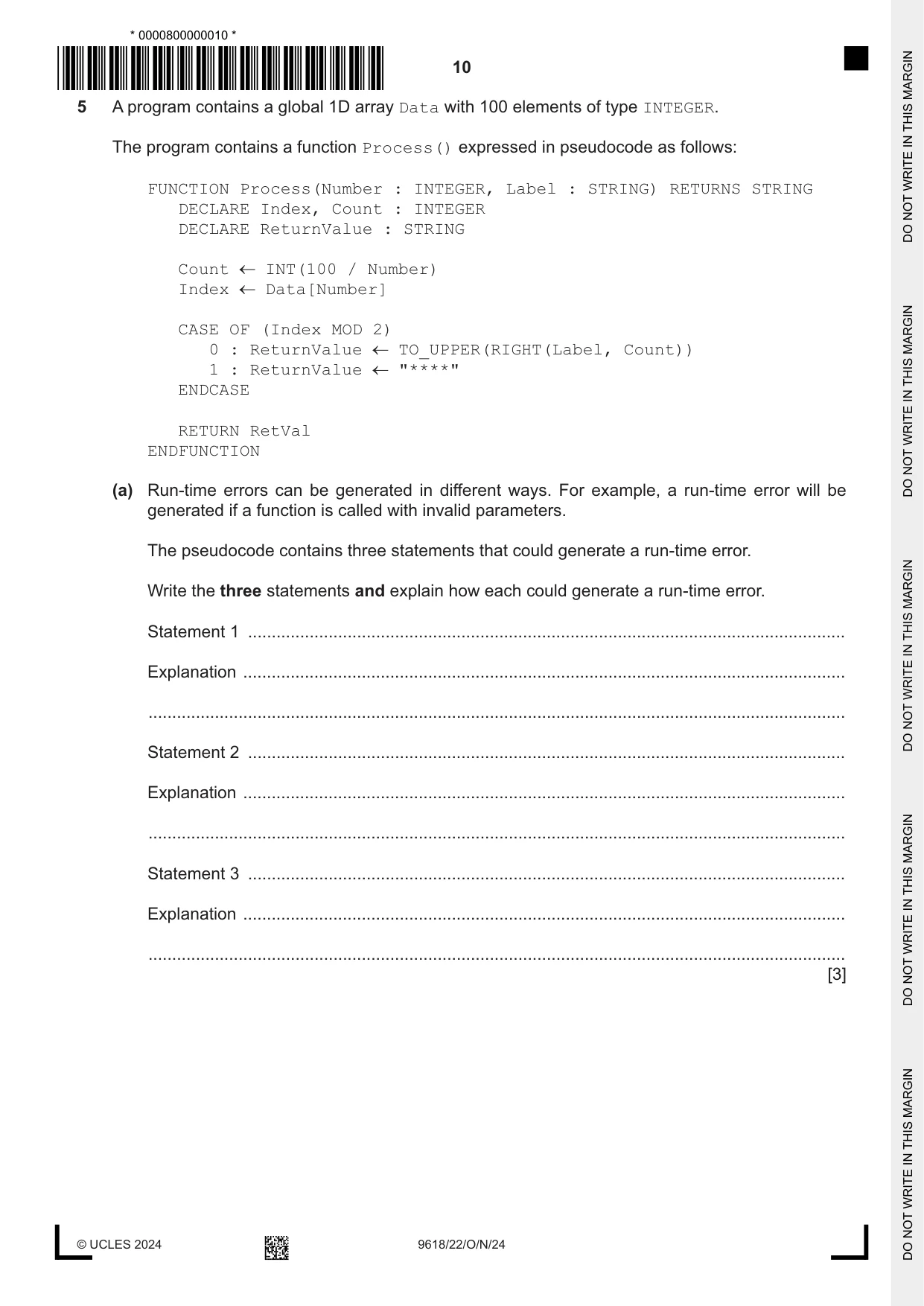
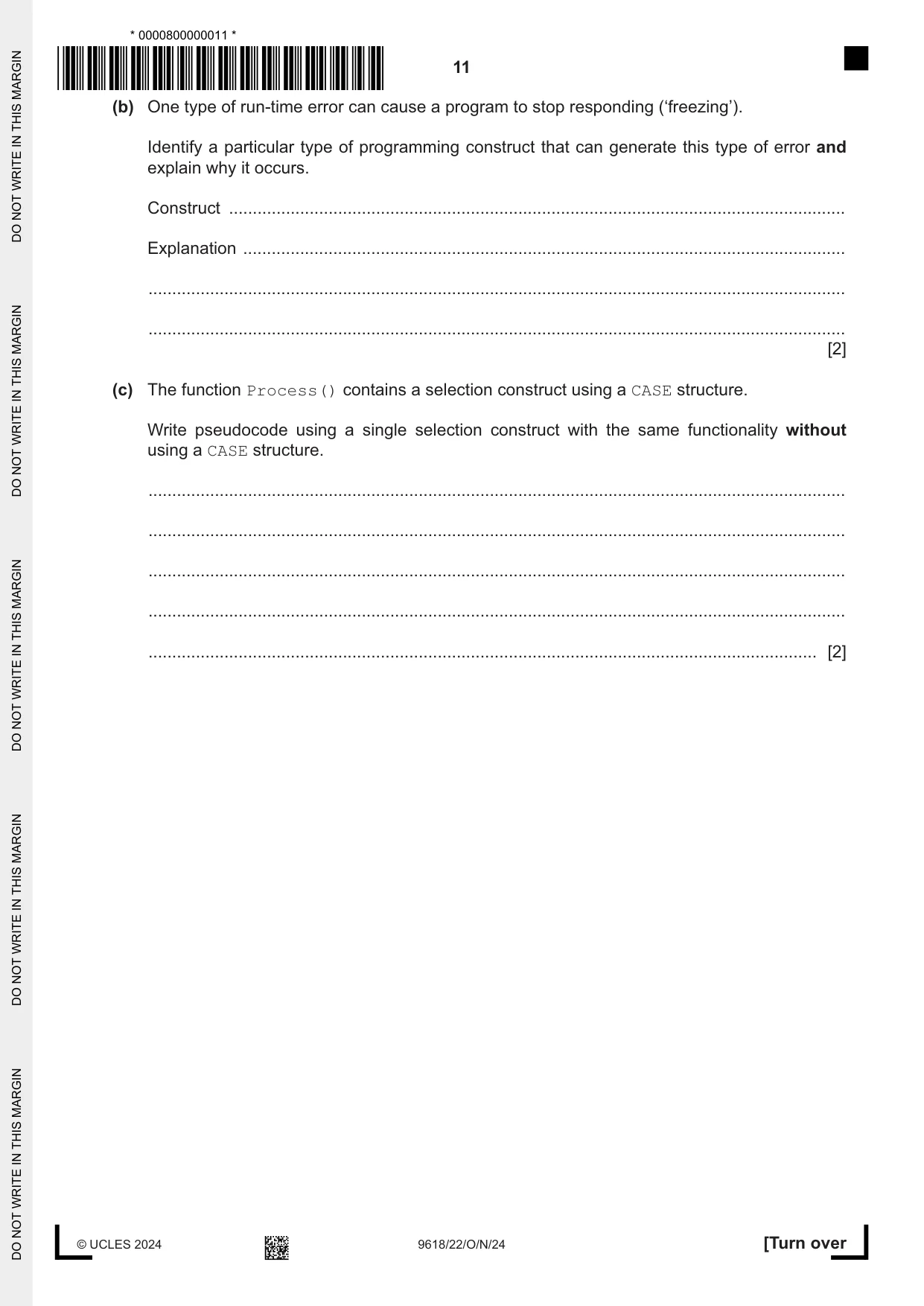
5 A program contains a global 1D array Data with 100 elements of type INTEGER. The program contains a function Process() expressed in pseudocode as follows: FUNCTION Process(Number : INTEGER, Label : STRING) RETURNS STRING DECLARE Index, Count : INTEGER DECLARE ReturnValue : STRING Count INT(100 / Number) Index Data[Number] CASE OF (Index MOD 2) 0 : ReturnValue TO_UPPER(RIGHT(Label, Count)) 1 : ReturnValue "****" ENDCASE RETURN RetVal ENDFUNCTION (a) Run-time errors can be generated in different ways. For example, a run-time error will be generated if a function is called with invalid parameters. The pseudocode contains three statements that could generate a run-time error. Write the three statements and explain how each could generate a run-time error. Statement 1 .............................................................................................................................. Explanation ............................................................................................................................... ................................................................................................................................................... Statement 2 .............................................................................................................................. Explanation ............................................................................................................................... ................................................................................................................................................... Statement 3 .............................................................................................................................. Explanation ............................................................................................................................... ................................................................................................................................................... [3] (b) One type of run-time error can cause a program to stop responding (‘freezing’). Identify a particular type of programming construct that can generate this type of error and explain why it occurs. Construct .................................................................................................................................. Explanation ............................................................................................................................... ................................................................................................................................................... ................................................................................................................................................... [2] (c) The function Process() contains a selection construct using a CASE structure. Write pseudocode using a single selection construct with the same functionality without using a CASE structure. ................................................................................................................................................... ................................................................................................................................................... ................................................................................................................................................... ................................................................................................................................................... ............................................................................................................................................. [2]
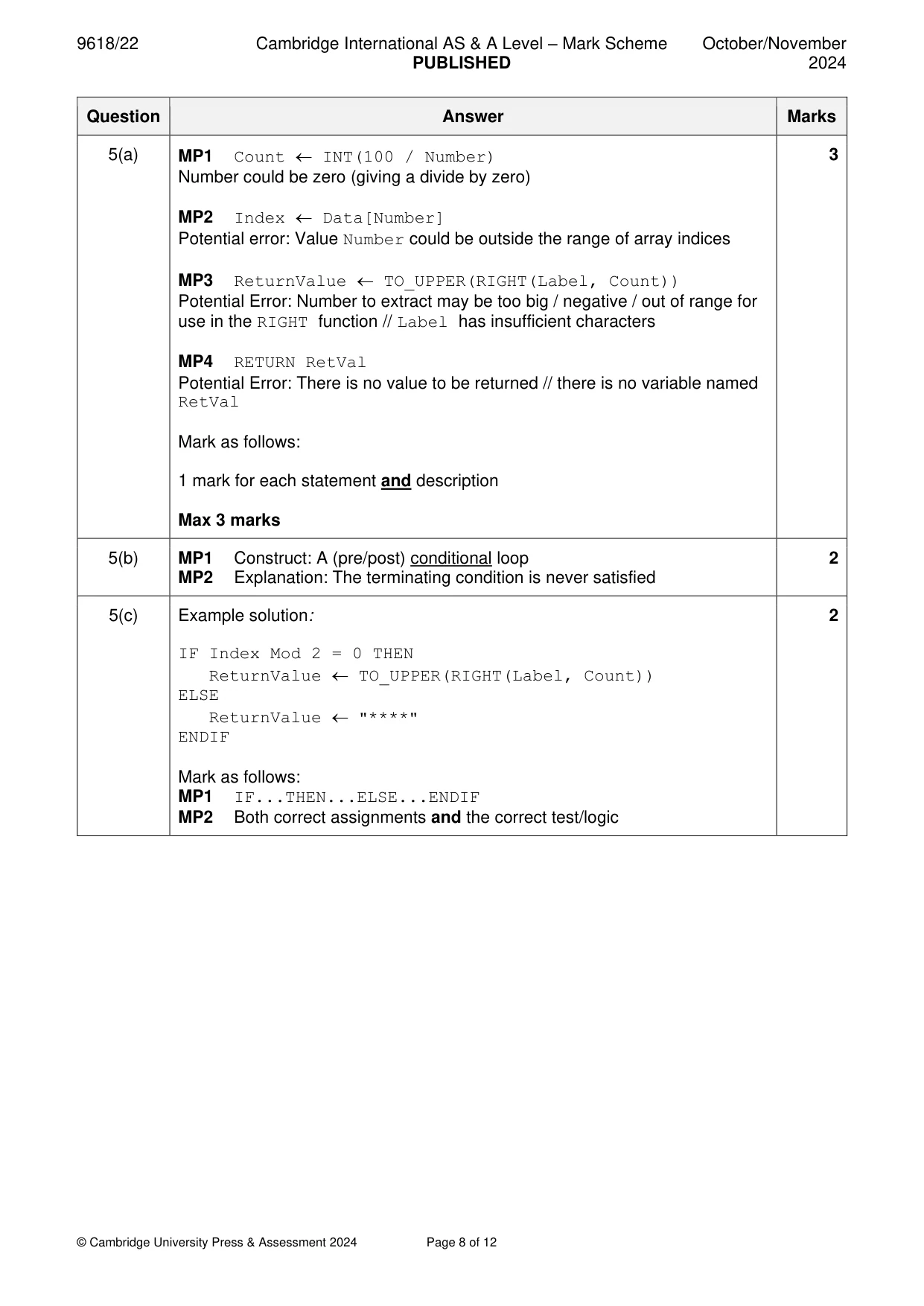
Mark scheme: 5(a) MP1 Count INT(100 / Number) 3 Number could be zero (giving a divide by zero) MP2 Index Data[Number] Potential error: Value Number could be outside the range of array indices MP3 ReturnValue TO_UPPER(RIGHT(Label, Count)) Potential Error: Number to extract may be too big / negative / out of range for use in the RIGHT function // Label has insufficient characters MP4 RETURN RetVal Potential Error: There is no value to be returned // there is no variable named RetVal Mark as follows: 1 mark for each statement and description Max 3 marks 5(b) MP1 Construct: A (pre/post) conditional loop 2 MP2 Explanation: The terminating condition is never satisfied 5(c) Example solution: 2 IF Index Mod 2 = 0 THEN ReturnValue TO_UPPER(RIGHT(Label, Count)) ELSE ReturnValue "****" ENDIF Mark as follows: MP1 IF...THEN...ELSE...ENDIF MP2 Both correct assignments and the correct test/logic
Q6 · A shop sells sandwiches and snacks
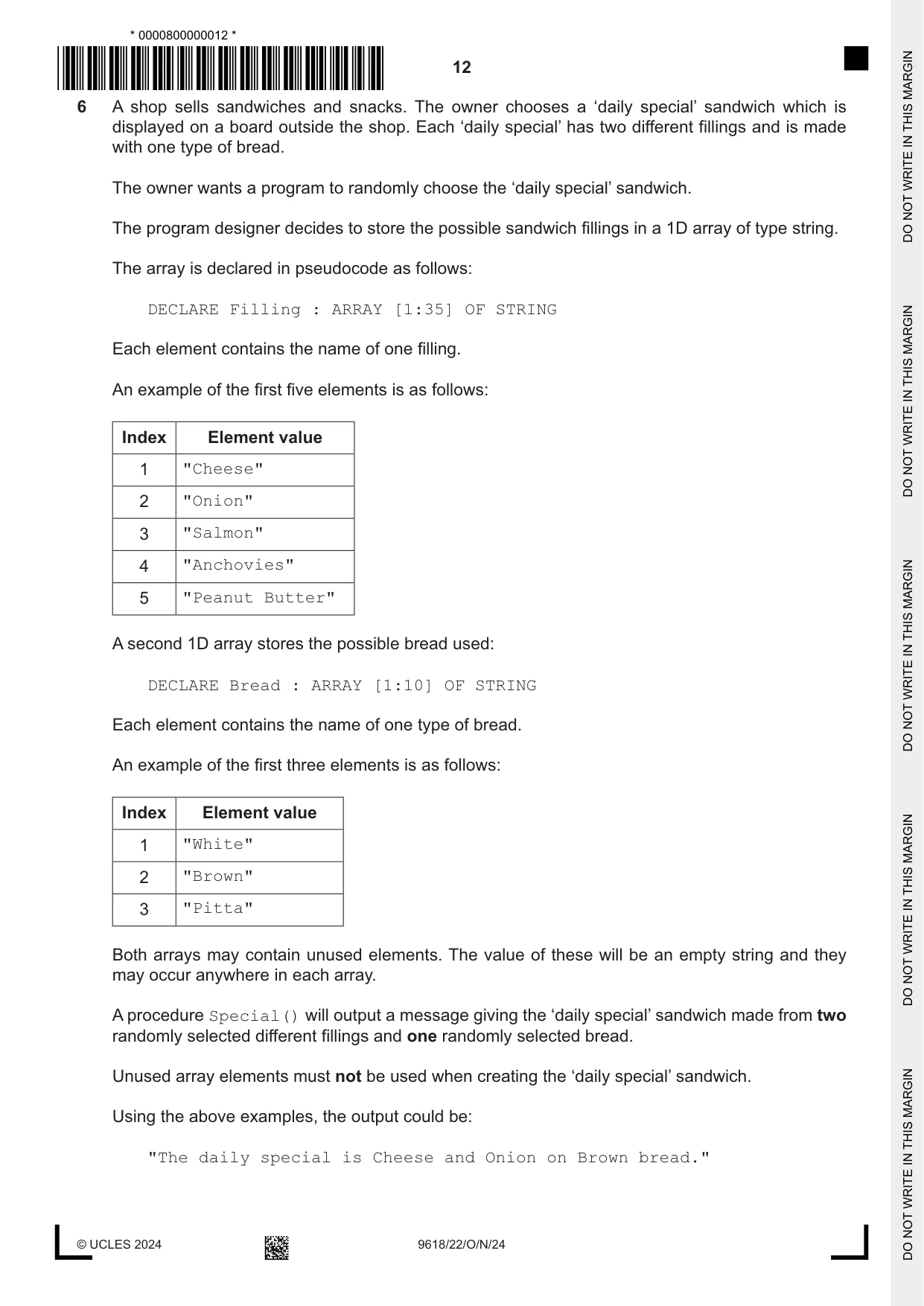
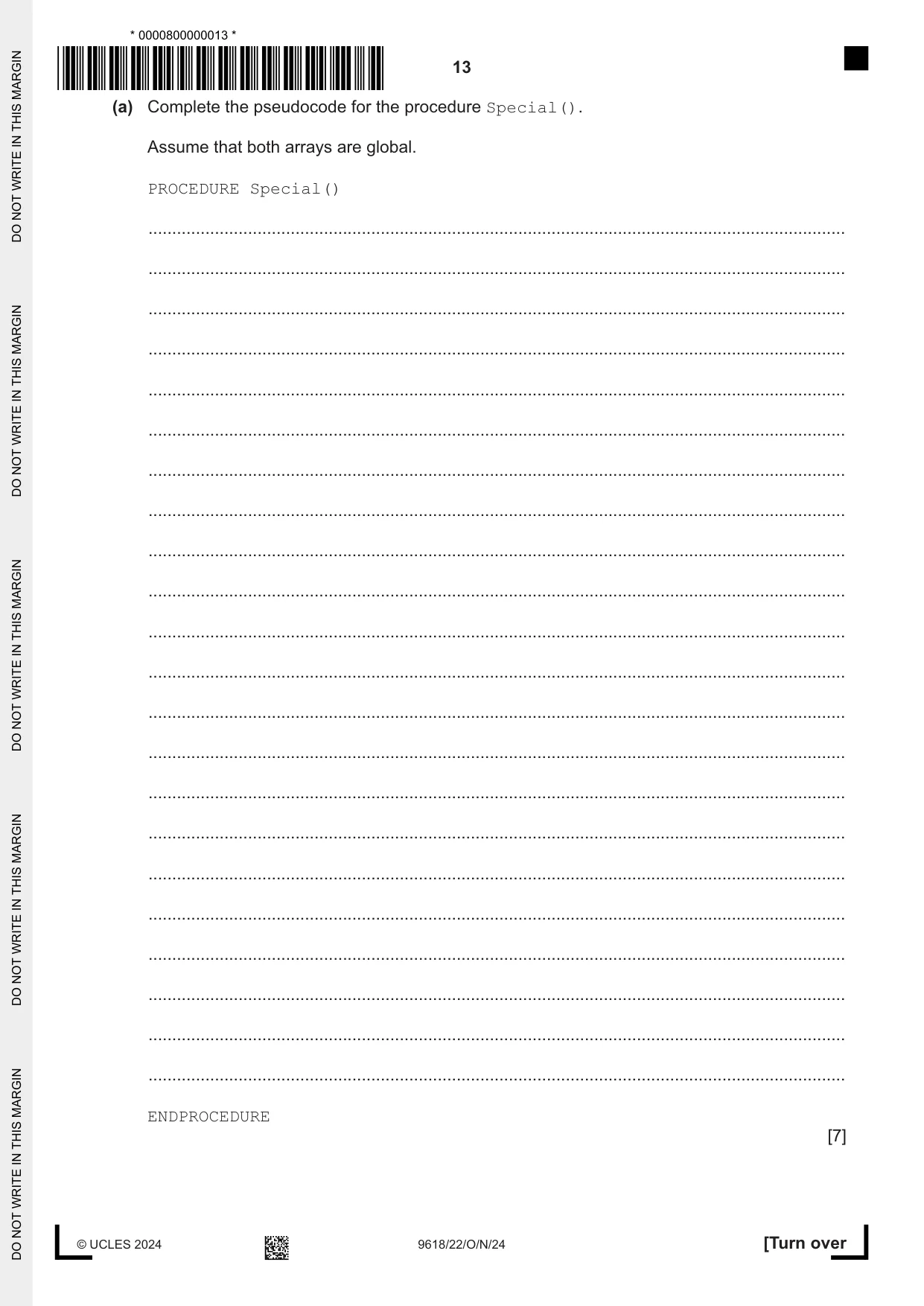
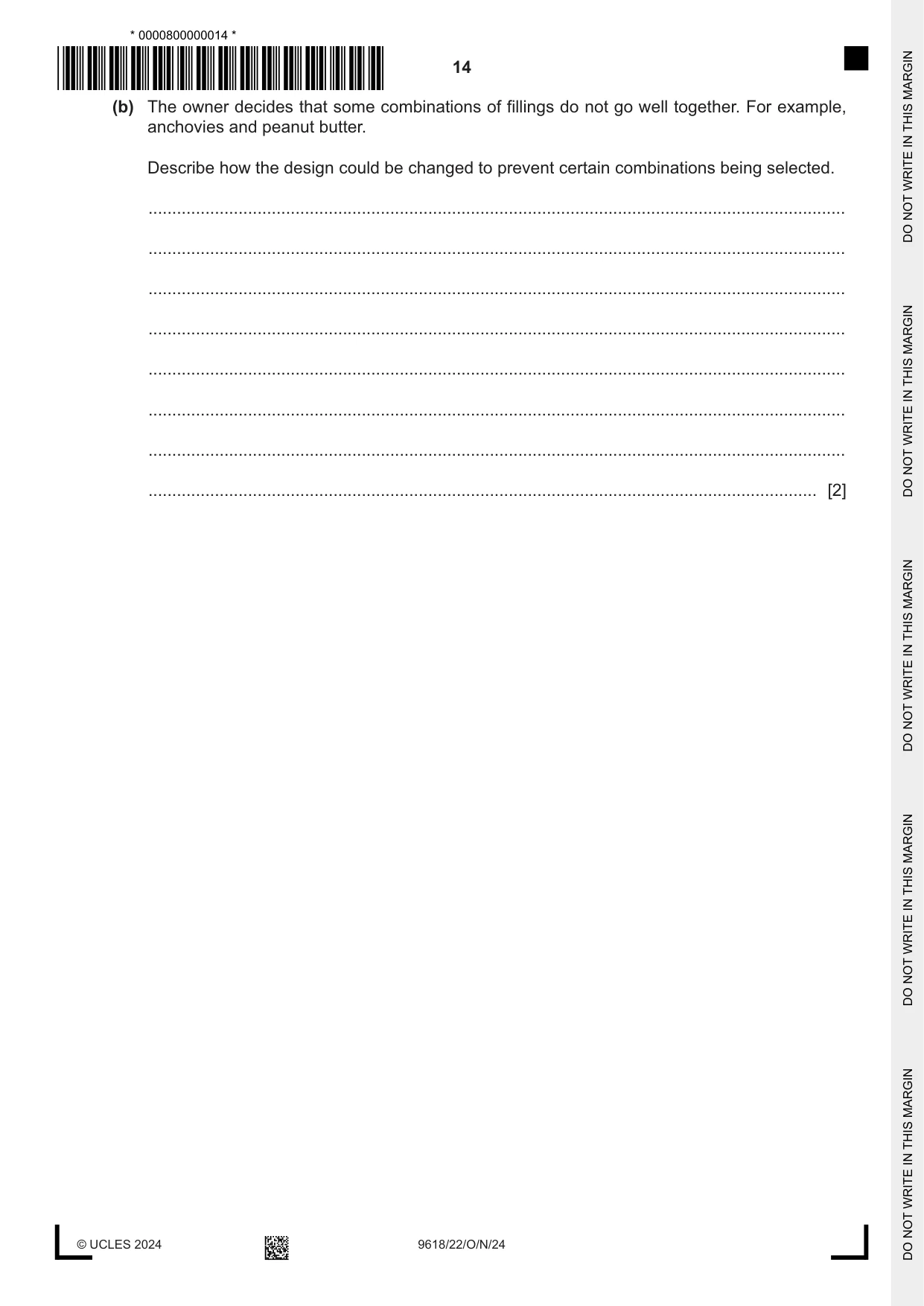
6 A shop sells sandwiches and snacks. The owner chooses a ‘daily special’ sandwich which is displayed on a board outside the shop. Each ‘daily special’ has two different fillings and is made with one type of bread. The owner wants a program to randomly choose the ‘daily special’ sandwich. The program designer decides to store the possible sandwich fillings in a 1D array of type string. The array is declared in pseudocode as follows: DECLARE Filling : ARRAY [1:35] OF STRING Each element contains the name of one filling. An example of the first five elements is as follows: Index Element value 1 "Cheese" 2 "Onion" 3 "Salmon" 4 "Anchovies" 5 "Peanut Butter" A second 1D array stores the possible bread used: DECLARE Bread : ARRAY [1:10] OF STRING Each element contains the name of one type of bread. An example of the first three elements is as follows: Index Element value 1 "White" 2 "Brown" 3 "Pitta" Both arrays may contain unused elements. The value of these will be an empty string and they may occur anywhere in each array. A procedure Special() will output a message giving the ‘daily special’ sandwich made from two randomly selected different fillings and one randomly selected bread. Unused array elements must not be used when creating the ‘daily special’ sandwich. Using the above examples, the output could be: "The daily special is Cheese and Onion on Brown bread." (a) Complete the pseudocode for the procedure Special(). Assume that both arrays are global. PROCEDURE Special() ................................................................................................................................................... ................................................................................................................................................... ................................................................................................................................................... ................................................................................................................................................... ................................................................................................................................................... ................................................................................................................................................... ................................................................................................................................................... ................................................................................................................................................... ................................................................................................................................................... ................................................................................................................................................... ................................................................................................................................................... ................................................................................................................................................... ................................................................................................................................................... ................................................................................................................................................... ................................................................................................................................................... ................................................................................................................................................... ................................................................................................................................................... ................................................................................................................................................... ................................................................................................................................................... ................................................................................................................................................... ................................................................................................................................................... ................................................................................................................................................... ENDPROCEDURE [7] (b) The owner decides that some combinations of fillings do not go well together. For example, anchovies and peanut butter. Describe how the design could be changed to prevent certain combinations being selected. ................................................................................................................................................... ................................................................................................................................................... ................................................................................................................................................... ................................................................................................................................................... ................................................................................................................................................... ................................................................................................................................................... ................................................................................................................................................... ............................................................................................................................................. [2]
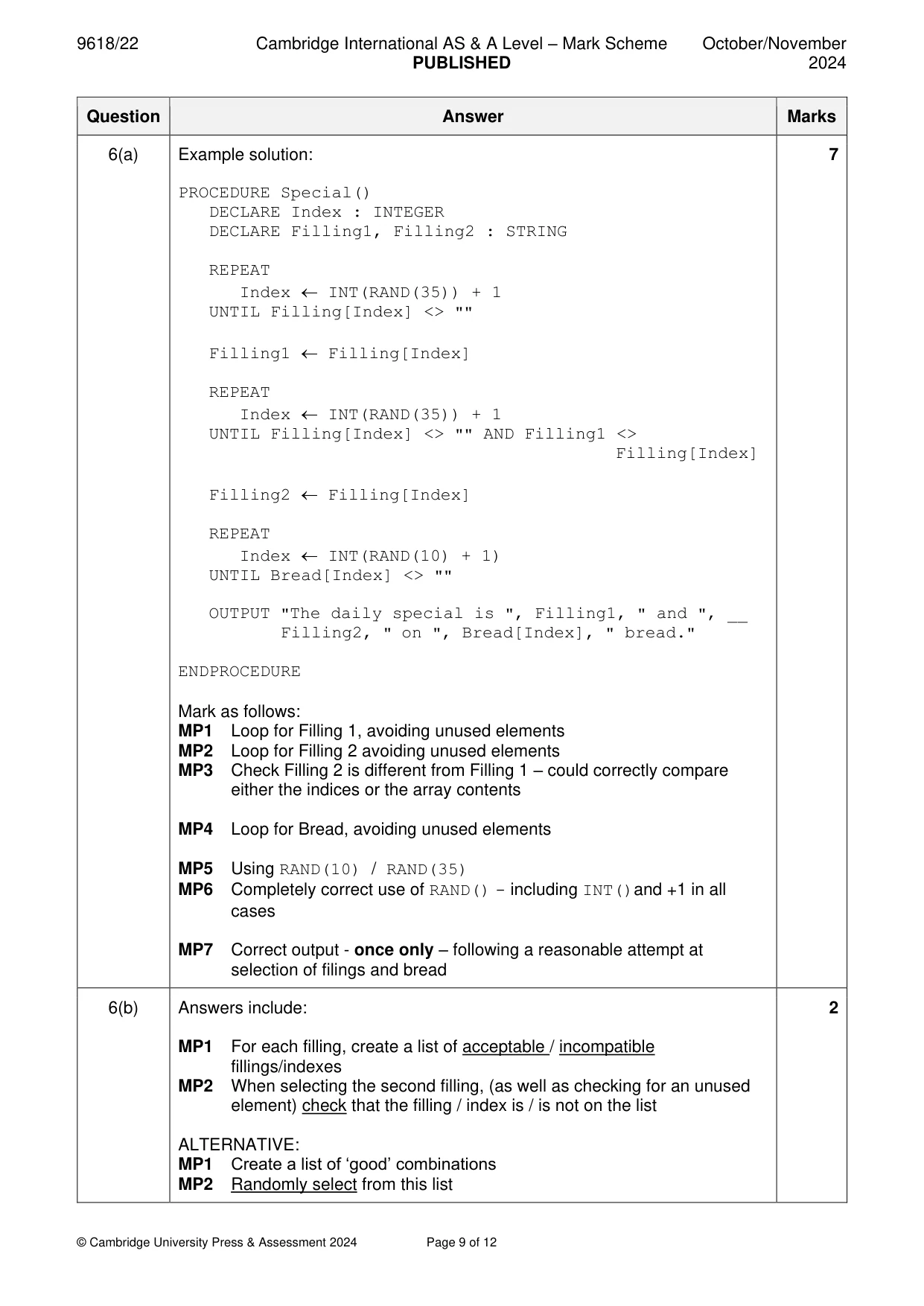
Mark scheme: 6(a) Example solution: 7 PROCEDURE Special() DECLARE Index : INTEGER DECLARE Filling1, Filling2 : STRING REPEAT Index INT(RAND(35)) + 1 UNTIL Filling[Index] <> "" Filling1 Filling[Index] REPEAT Index INT(RAND(35)) + 1 UNTIL Filling[Index] <> "" AND Filling1 <> Filling[Index] Filling2 Filling[Index] REPEAT Index INT(RAND(10) + 1) UNTIL Bread[Index] <> "" OUTPUT "The daily special is ", Filling1, " and ", __ Filling2, " on ", Bread[Index], " bread." ENDPROCEDURE Mark as follows: MP1 Loop for Filling 1, avoiding unused elements MP2 Loop for Filling 2 avoiding unused elements MP3 Check Filling 2 is different from Filling 1 – could correctly compare either the indices or the array contents MP4 Loop for Bread, avoiding unused elements MP5 Using RAND(10) / RAND(35) MP6 Completely correct use of RAND() - including INT()and +1 in all cases MP7 Correct output - once only – following a reasonable attempt at selection of filings and bread 6(b) Answers include: 2 MP1 For each filling, create a list of acceptable / incompatible fillings/indexes MP2 When selecting the second filling, (as well as checking for an unused element) check that the filling / index is / is not on the list ALTERNATIVE: MP1 Create a list of ‘good’ combinations MP2 Randomly select from this list
Q7 · A coffee shop runs a computerised loyalty card system
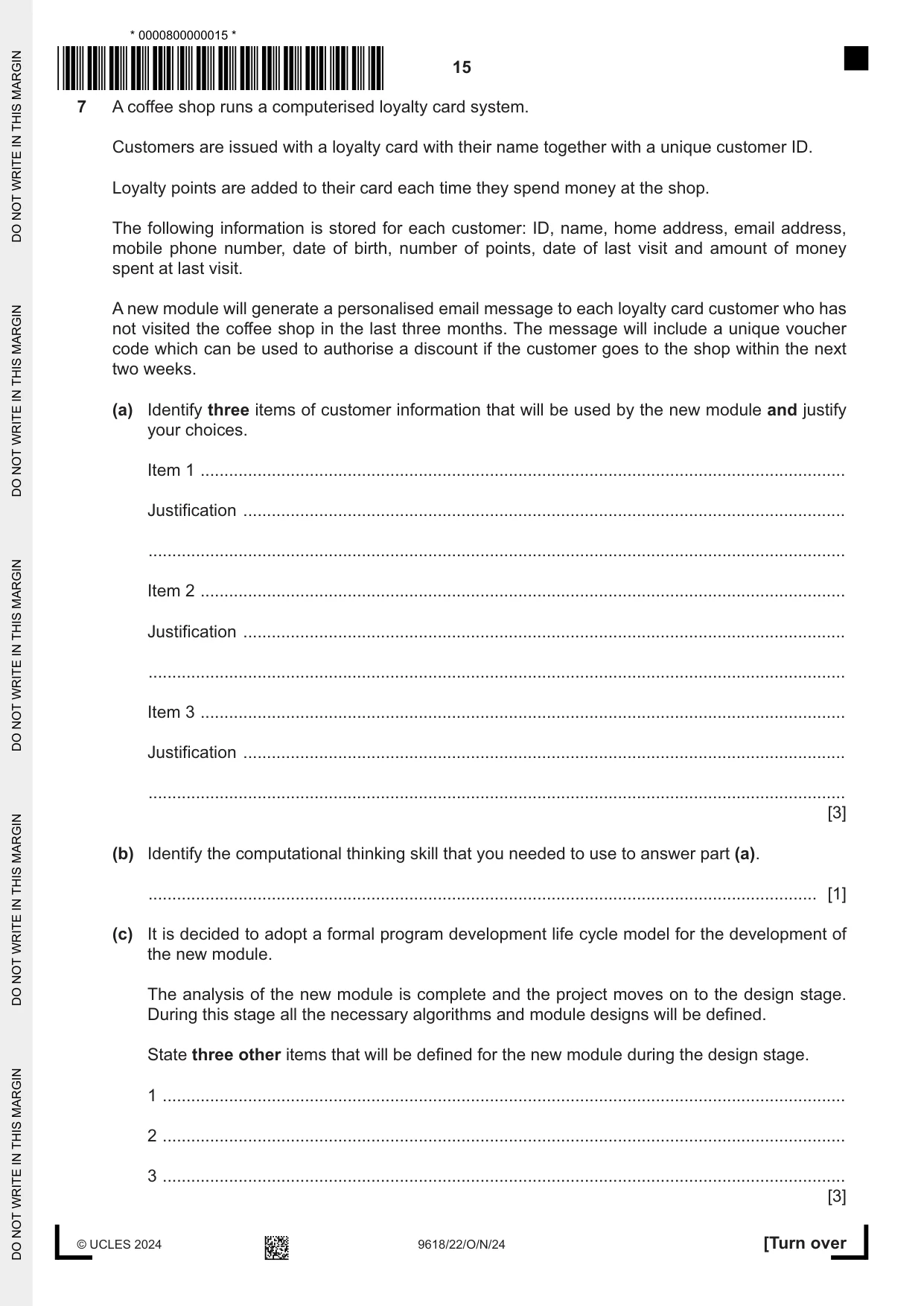
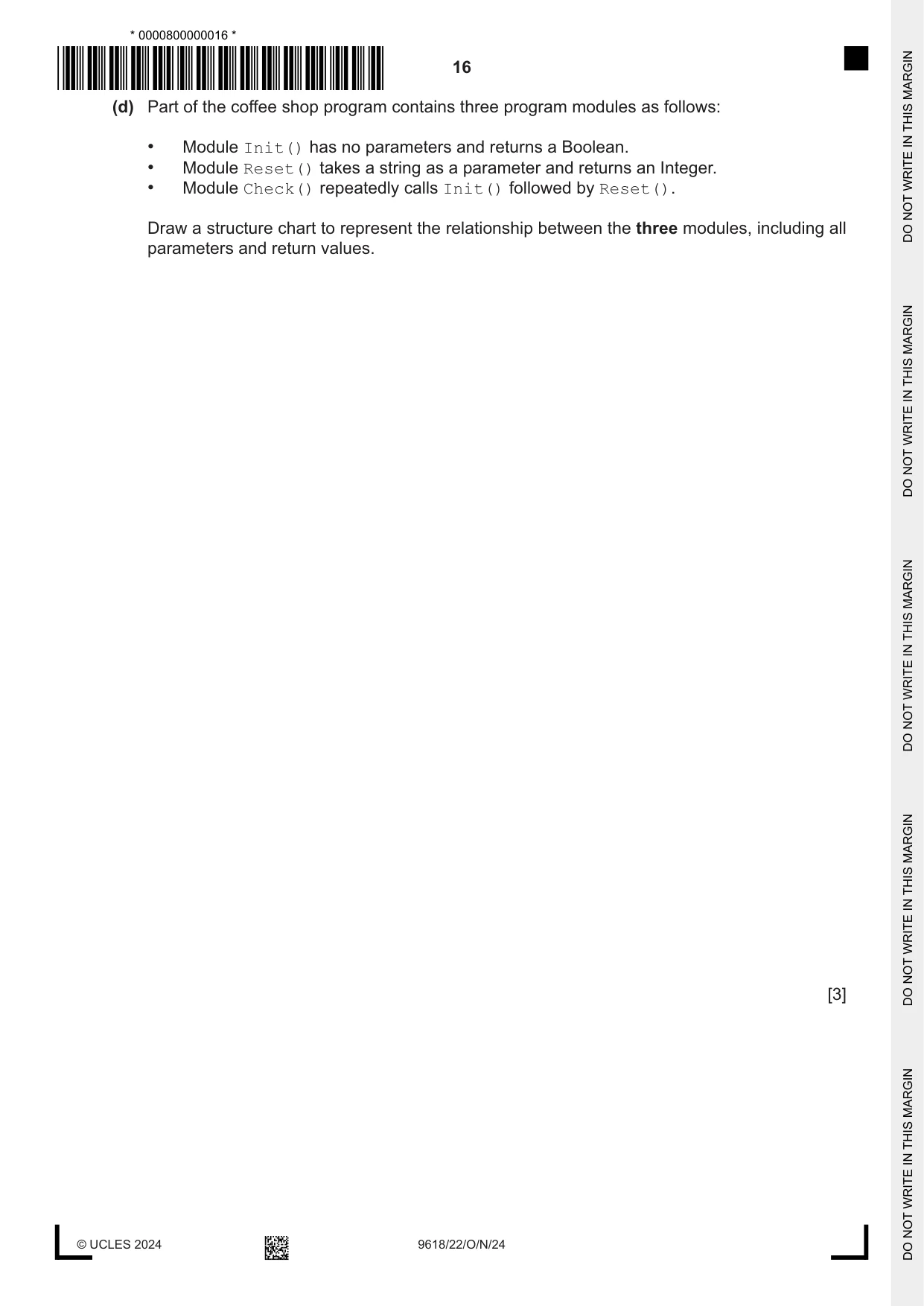
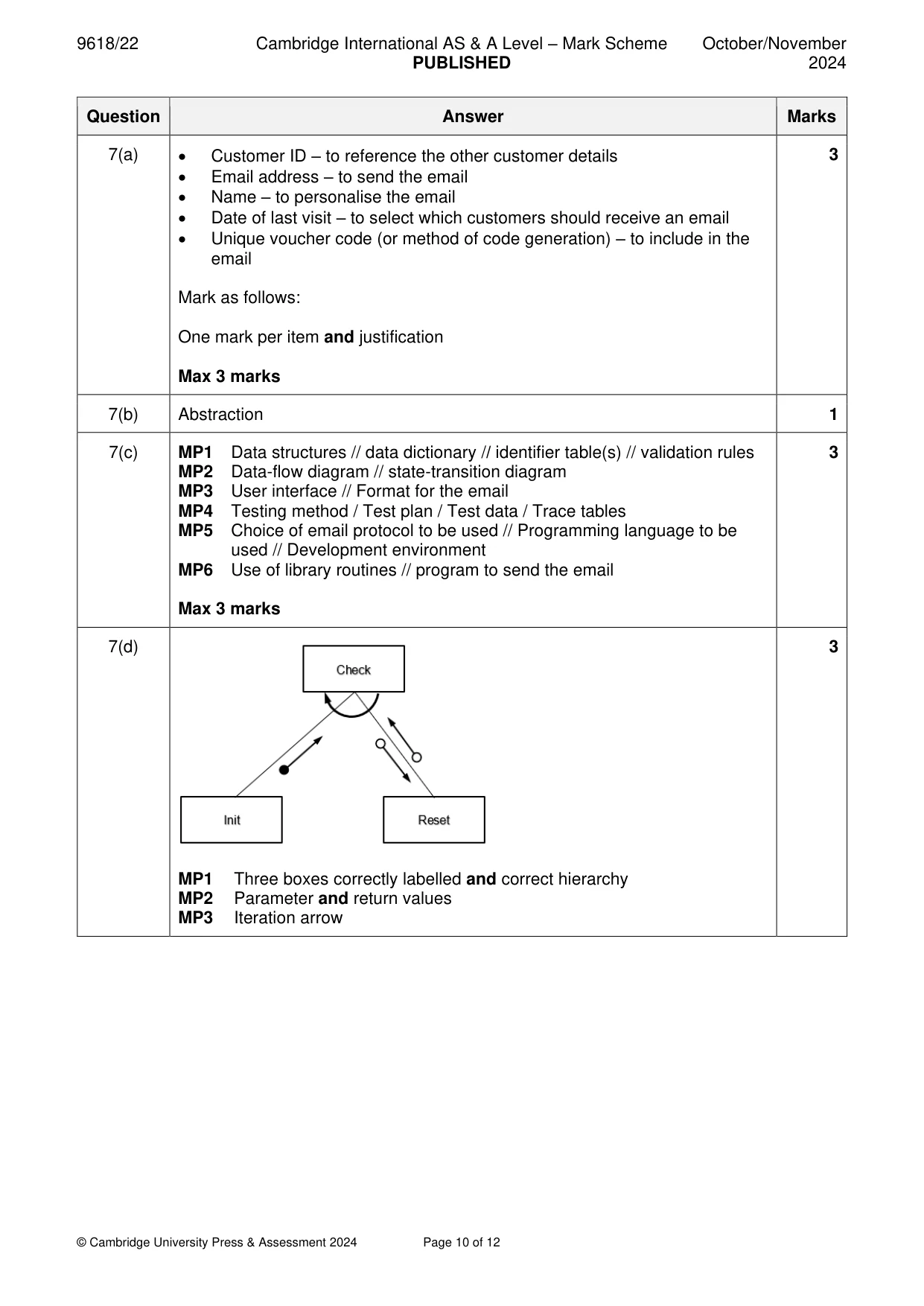
7 A coffee shop runs a computerised loyalty card system. Customers are issued with a loyalty card with their name together with a unique customer ID. Loyalty points are added to their card each time they spend money at the shop. The following information is stored for each customer: ID, name, home address, email address, mobile phone number, date of birth, number of points, date of last visit and amount of money spent at last visit. A new module will generate a personalised email message to each loyalty card customer who has not visited the coffee shop in the last three months. The message will include a unique voucher code which can be used to authorise a discount if the customer goes to the shop within the next two weeks. (a) Identify three items of customer information that will be used by the new module and justify your choices. Item 1 ........................................................................................................................................ Justification ............................................................................................................................... ................................................................................................................................................... Item 2 ........................................................................................................................................ Justification ............................................................................................................................... ................................................................................................................................................... Item 3 ........................................................................................................................................ Justification ............................................................................................................................... ................................................................................................................................................... [3] (b) Identify the computational thinking skill that you needed to use to answer part (a). ............................................................................................................................................. [1] (c) It is decided to adopt a formal program development life cycle model for the development of the new module. The analysis of the new module is complete and the project moves on to the design stage. During this stage all the necessary algorithms and module designs will be defined. State three other items that will be defined for the new module during the design stage. 1 ................................................................................................................................................ 2 ................................................................................................................................................ 3 ................................................................................................................................................ [3] (d) Part of the coffee shop program contains three program modules as follows: • Module Init() has no parameters and returns a Boolean. • Module Reset() takes a string as a parameter and returns an Integer. • Module Check() repeatedly calls Init() followed by Reset(). Draw a structure chart to represent the relationship between the three modules, including all parameters and return values. [3]
Mark scheme: 7(a) • Customer ID – to reference the other customer details 3 • Email address – to send the email • Name – to personalise the email • Date of last visit – to select which customers should receive an email • Unique voucher code (or method of code generation) – to include in the email Mark as follows: One mark per item and justification Max 3 marks 7(b) Abstraction 1 7(c) MP1 Data structures // data dictionary // identifier table(s) // validation rules 3 MP2 Data-flow diagram // state-transition diagram MP3 User interface // Format for the email MP4 Testing method / Test plan / Test data / Trace tables MP5 Choice of email protocol to be used // Programming language to be used // Development environment MP6 Use of library routines // program to send the email Max 3 marks 7(d) 3 MP1 Three boxes correctly labelled and correct hierarchy MP2 Parameter and return values MP3 Iteration arrow
Q8 · A program is being developed to implement a game for up to six players
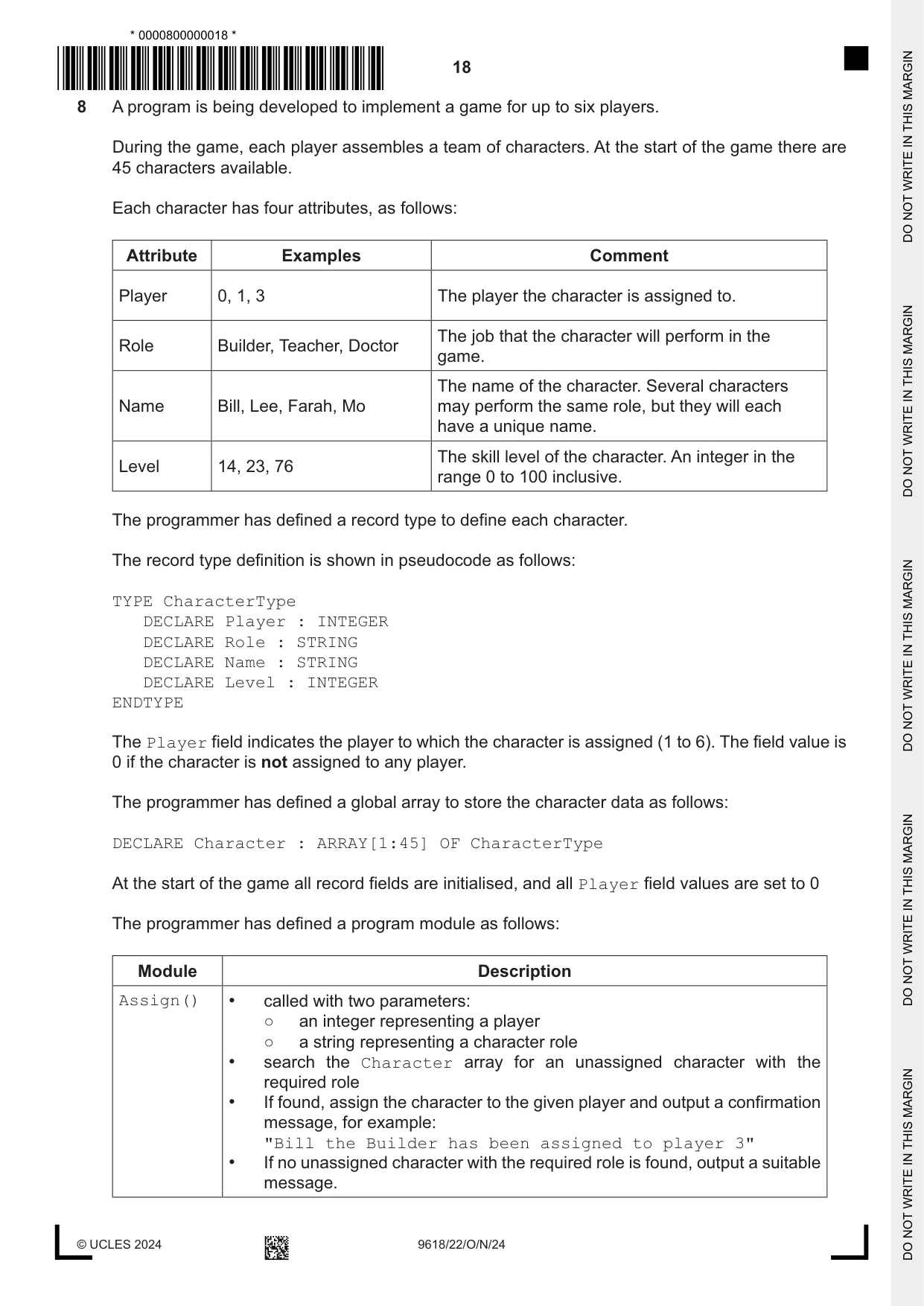
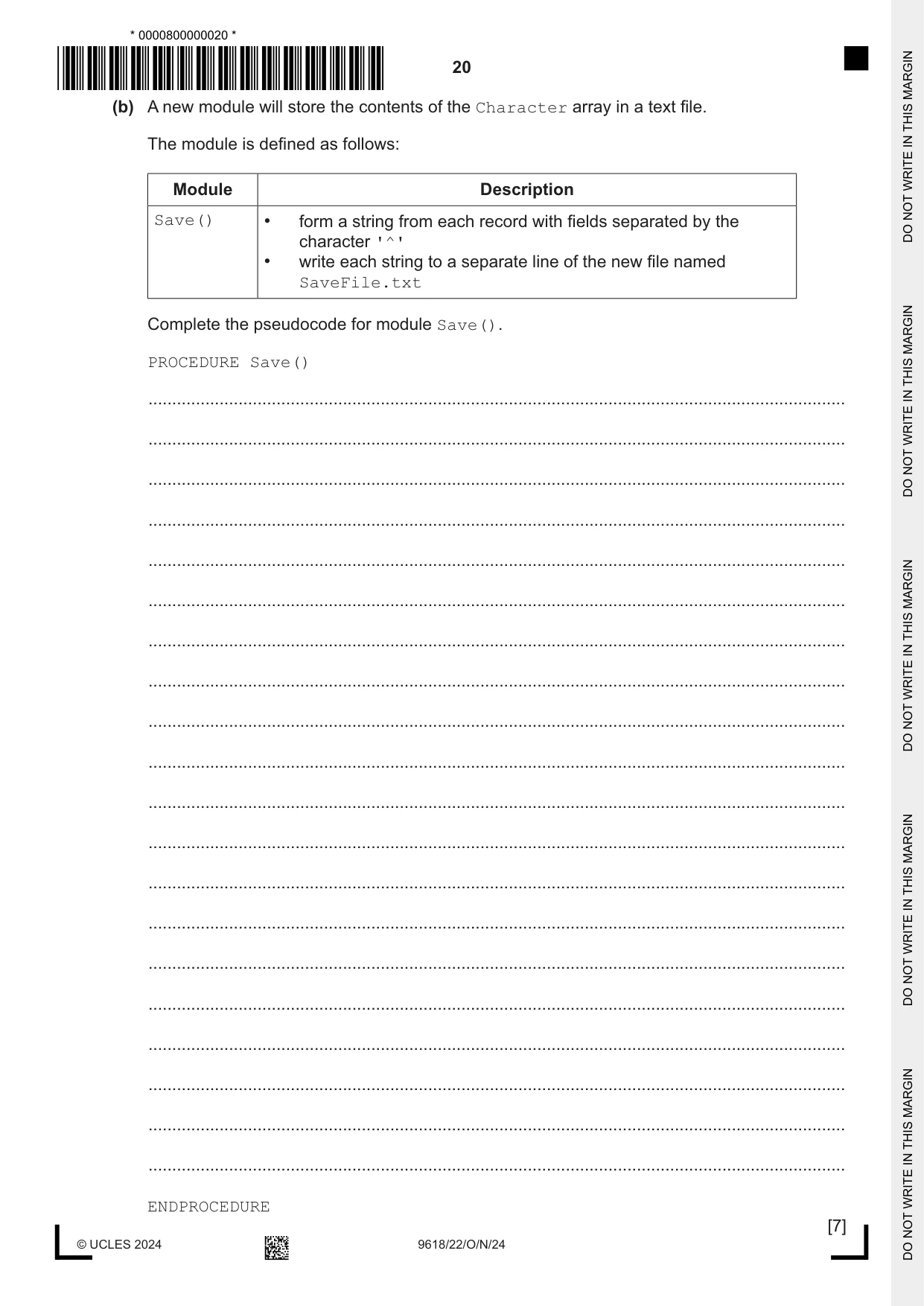
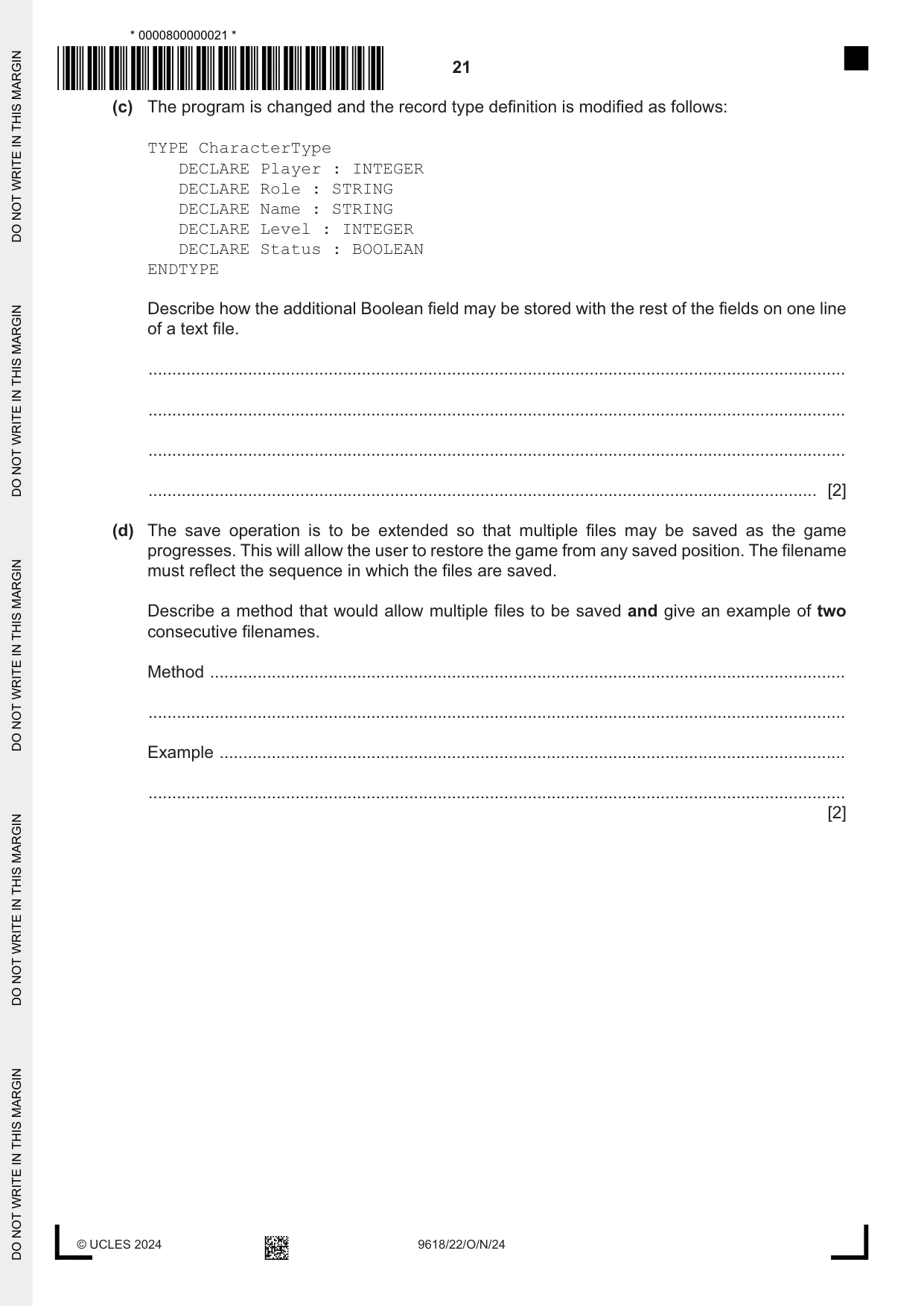
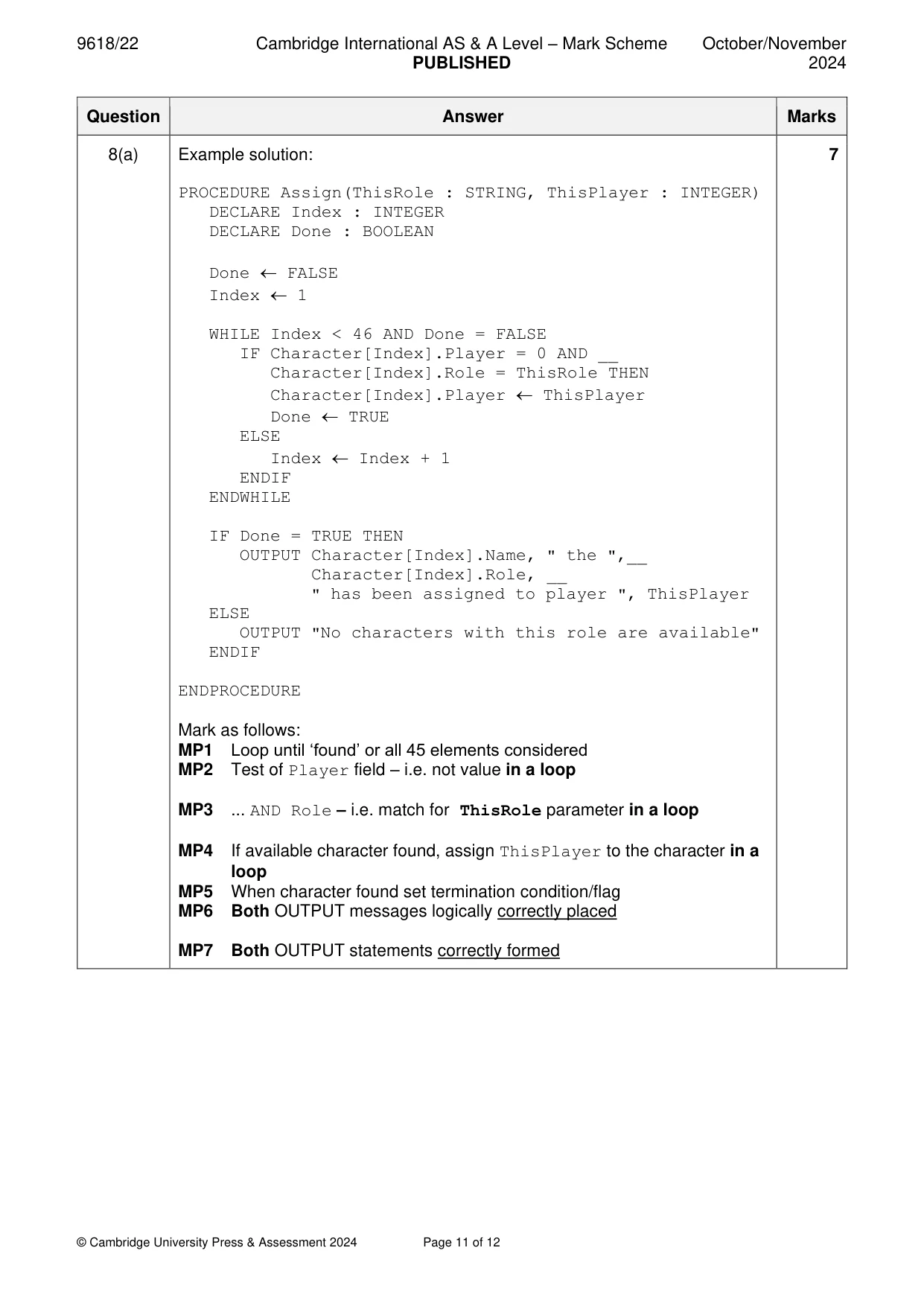
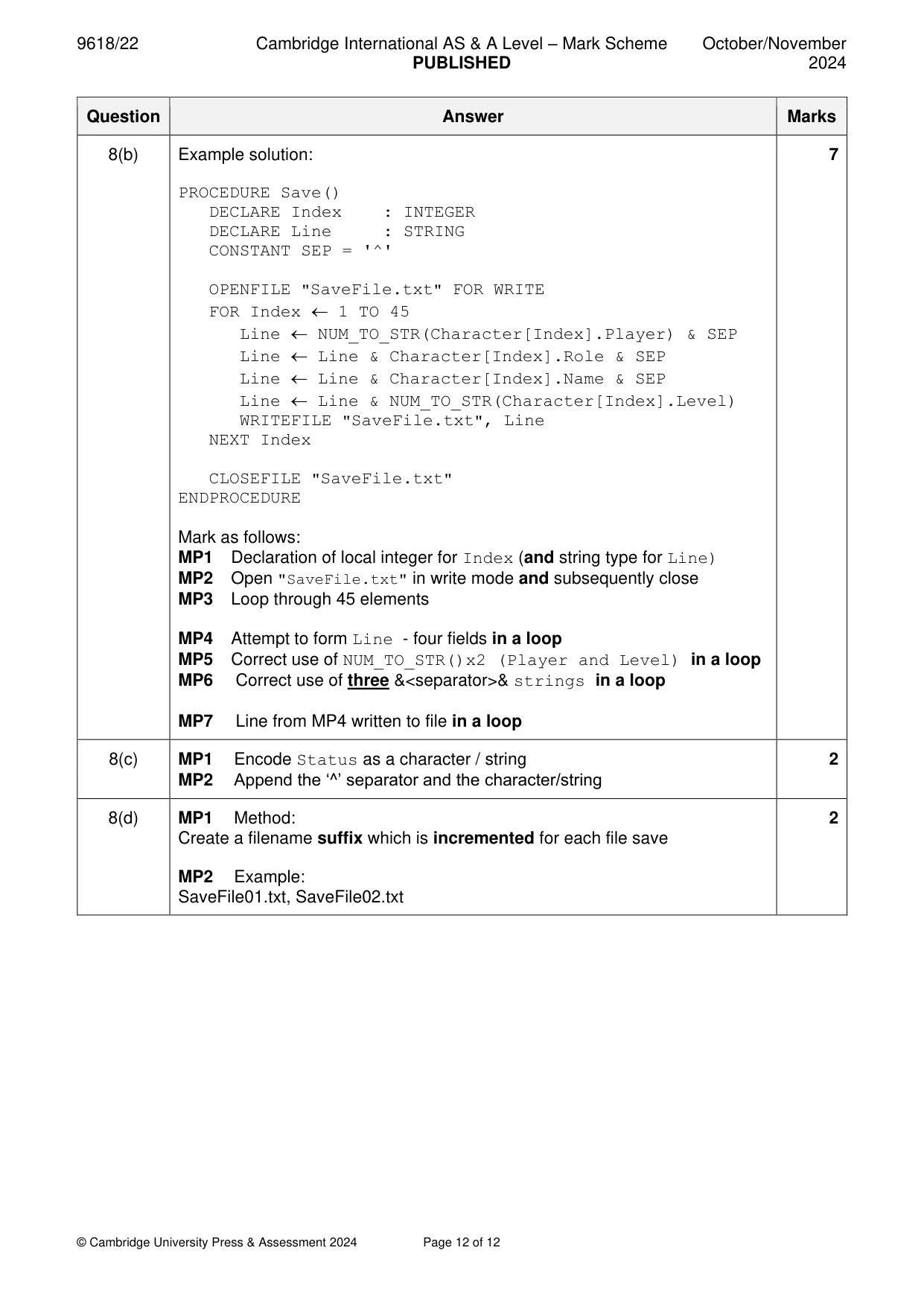
8 A program is being developed to implement a game for up to six players. During the game, each player assembles a team of characters. At the start of the game there are 45 characters available. Each character has four attributes, as follows: Attribute Examples Comment Player 0, 1, 3 The player the character is assigned to. The job that the character will perform in the Role Builder, Teacher, Doctor game. The name of the character. Several characters Name Bill, Lee, Farah, Mo may perform the same role, but they will each have a unique name. The skill level of the character. An integer in the Level 14, 23, 76 range 0 to 100 inclusive. The programmer has defined a record type to define each character. The record type definition is shown in pseudocode as follows: TYPE CharacterType DECLARE Player : INTEGER DECLARE Role : STRING DECLARE Name : STRING DECLARE Level : INTEGER ENDTYPE The Player field indicates the player to which the character is assigned (1 to 6). The field value is 0 if the character is not assigned to any player. The programmer has defined a global array to store the character data as follows: DECLARE Character : ARRAY[1:45] OF CharacterType At the start of the game all record fields are initialised, and all Player field values are set to 0 The programmer has defined a program module as follows: Module Description Assign() • called with two parameters: ○ an integer representing a player ○ a string representing a character role • search the Character array for an unassigned character with the required role • If found, assign the character to the given player and output a confirmation message, for example: "Bill the Builder has been assigned to player 3" • If no unassigned character with the required role is found, output a suitable message. (a) Write pseudocode for module Assign(). ................................................................................................................................................... ................................................................................................................................................... ................................................................................................................................................... ................................................................................................................................................... ................................................................................................................................................... ................................................................................................................................................... ................................................................................................................................................... ................................................................................................................................................... ................................................................................................................................................... ................................................................................................................................................... ................................................................................................................................................... ................................................................................................................................................... ................................................................................................................................................... ................................................................................................................................................... ................................................................................................................................................... ................................................................................................................................................... ................................................................................................................................................... ................................................................................................................................................... ................................................................................................................................................... ................................................................................................................................................... ................................................................................................................................................... ................................................................................................................................................... ................................................................................................................................................... ................................................................................................................................................... ................................................................................................................................................... ................................................................................................................................................... ............................................................................................................................................. [7] (b) A new module will store the contents of the Character array in a text file. The module is defined as follows: Module Description Save() • form a string from each record with fields separated by the character '^' • write each string to a separate line of the new file named SaveFile.txt Complete the pseudocode for module Save(). PROCEDURE Save() ................................................................................................................................................... ................................................................................................................................................... ................................................................................................................................................... ................................................................................................................................................... ................................................................................................................................................... ................................................................................................................................................... ................................................................................................................................................... ................................................................................................................................................... ................................................................................................................................................... ................................................................................................................................................... ................................................................................................................................................... ................................................................................................................................................... ................................................................................................................................................... ................................................................................................................................................... ................................................................................................................................................... ................................................................................................................................................... ................................................................................................................................................... ................................................................................................................................................... ................................................................................................................................................... ................................................................................................................................................... ENDPROCEDURE
Mark scheme: 8(a) Example solution: 7 PROCEDURE Assign(ThisRole : STRING, ThisPlayer : INTEGER) DECLARE Index : INTEGER DECLARE Done : BOOLEAN Done FALSE Index 1 WHILE Index < 46 AND Done = FALSE IF Character[Index].Player = 0 AND __ Character[Index].Role = ThisRole THEN Character[Index].Player ThisPlayer Done TRUE ELSE Index Index + 1 ENDIF ENDWHILE IF Done = TRUE THEN OUTPUT Character[Index].Name, " the ",__ Character[Index].Role, __ " has been assigned to player ", ThisPlayer ELSE OUTPUT "No characters with this role are available" ENDIF ENDPROCEDURE Mark as follows: MP1 Loop until ‘found’ or all 45 elements considered MP2 Test of Player field – i.e. not value in a loop MP3 ... AND Role – i.e. match for ThisRole parameter in a loop MP4 If available character found, assign ThisPlayer to the character in a loop MP5 When character found set termination condition/flag MP6 Both OUTPUT messages logically correctly placed MP7 Both OUTPUT statements correctly formed 8(b) Example solution: 7 PROCEDURE Save() DECLARE Index : INTEGER DECLARE Line : STRING CONSTANT SEP = '^' OPENFILE "SaveFile.txt" FOR WRITE FOR Index 1 TO 45 Line NUM_TO_STR(Character[Index].Player) & SEP Line Line & Character[Index].Role & SEP Line Line & Character[Index].Name & SEP Line Line & NUM_TO_STR(Character[Index].Level) WRITEFILE "SaveFile.txt", Line NEXT Index CLOSEFILE "SaveFile.txt" ENDPROCEDURE Mark as follows: MP1 Declaration of local integer for Index (and string type for Line) MP2 Open "SaveFile.txt" in write mode and subsequently close MP3 Loop through 45 elements MP4 Attempt to form Line - four fields in a loop MP5 Correct use of NUM_TO_STR()x2 (Player and Level) in a loop MP6 Correct use of three &<separator>& strings in a loop MP7 Line from MP4 written to file in a loop 8(c) MP1 Encode Status as a character / string 2 MP2 Append the ‘^’ separator and the character/string 8(d) MP1 Method: 2 Create a filename suffix which is incremented for each file save MP2 Example: SaveFile01.txt, SaveFile02.txt
What you needed in this session
Cambridge’s own grade thresholds for 2024 Oct/Nov, Paper 2 · Variant 2. A higher threshold means an easier paper — the bar moves with how the cohort did.