Cambridge A Level Computer Science 9618 — 2023 May/June Paper 2 · Variant 2
9618/22/M/J/23 · 8 questions · 75 marks · ≈84 min
The question paper and its mark scheme, free to read here and free to download. This is Cambridge’s own paper, exactly as it was sat.
Question paper20 pages




Mark scheme14 pages
Answers below. Sit the paper first if you are practising.

Questions as text
Q1 · A program calculates the postal cost based on the weight of the item and its destination
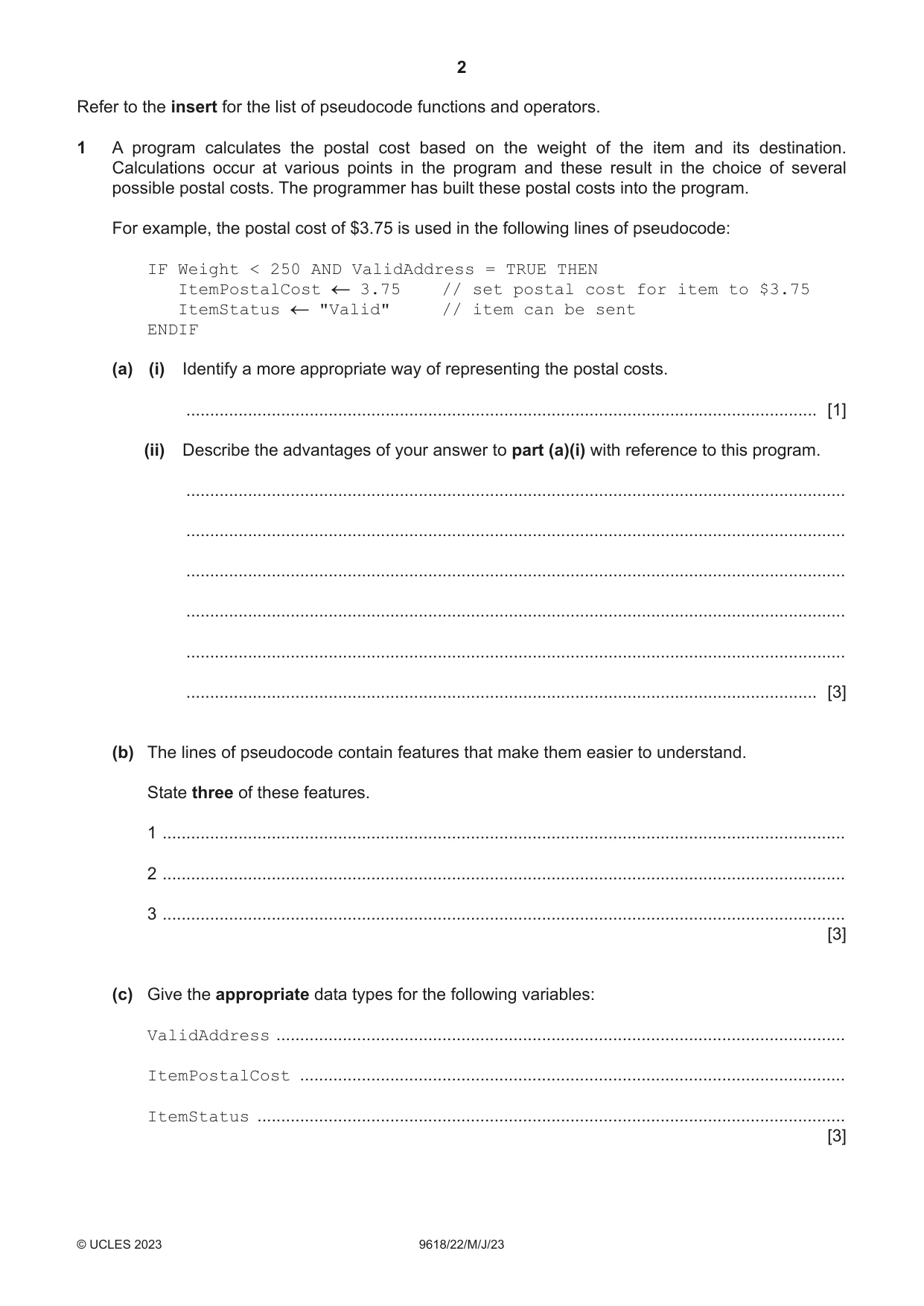
1 A program calculates the postal cost based on the weight of the item and its destination. Calculations occur at various points in the program and these result in the choice of several possible postal costs. The programmer has built these postal costs into the program. For example, the postal cost of $3.75 is used in the following lines of pseudocode: IF Weight < 250 AND ValidAddress = TRUE THEN ItemPostalCost 3.75 // set postal cost for item to $3.75 ItemStatus "Valid" // item can be sent ENDIF (a) (i) Identify a more appropriate way of representing the postal costs. ..................................................................................................................................... [1] (ii) Describe the advantages of your answer to part (a)(i) with reference to this program. ........................................................................................................................................... ........................................................................................................................................... ........................................................................................................................................... ........................................................................................................................................... ........................................................................................................................................... ..................................................................................................................................... [3] (b) The lines of pseudocode contain features that make them easier to understand. State three of these features. 1 ................................................................................................................................................ 2 ................................................................................................................................................ 3 ................................................................................................................................................ [3] (c) Give the appropriate data types for the following variables: ValidAddress ........................................................................................................................ ItemPostalCost ................................................................................................................... ItemStatus ............................................................................................................................ [3]
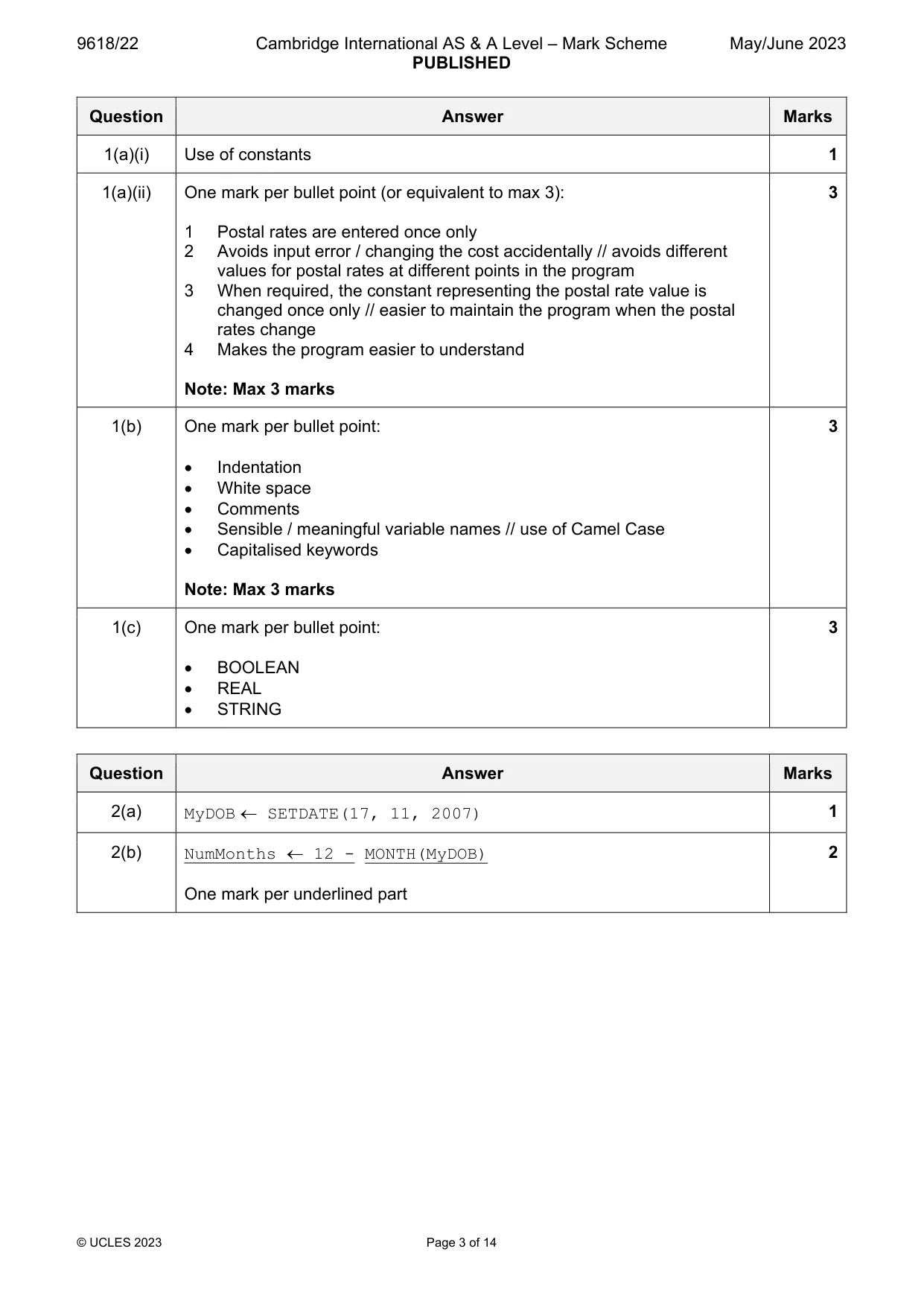
Mark scheme: Question Answer Marks 1(a)(i) Use of constants 1 1(a)(ii) One mark per bullet point (or equivalent to max 3): 3 1 Postal rates are entered once only 2 Avoids input error / changing the cost accidentally // avoids different values for postal rates at different points in the program 3 When required, the constant representing the postal rate value is changed once only // easier to maintain the program when the postal rates change 4 Makes the program easier to understand Note: Max 3 marks 1(b) One mark per bullet point: 3 Indentation White space Comments Sensible / meaningful variable names // use of Camel Case Capitalised keywords Note: Max 3 marks 1(c) One mark per bullet point: 3 BOOLEAN REAL STRING
Q2 · A program stores a user’s date of birth using a variable MyDOB of type DATE
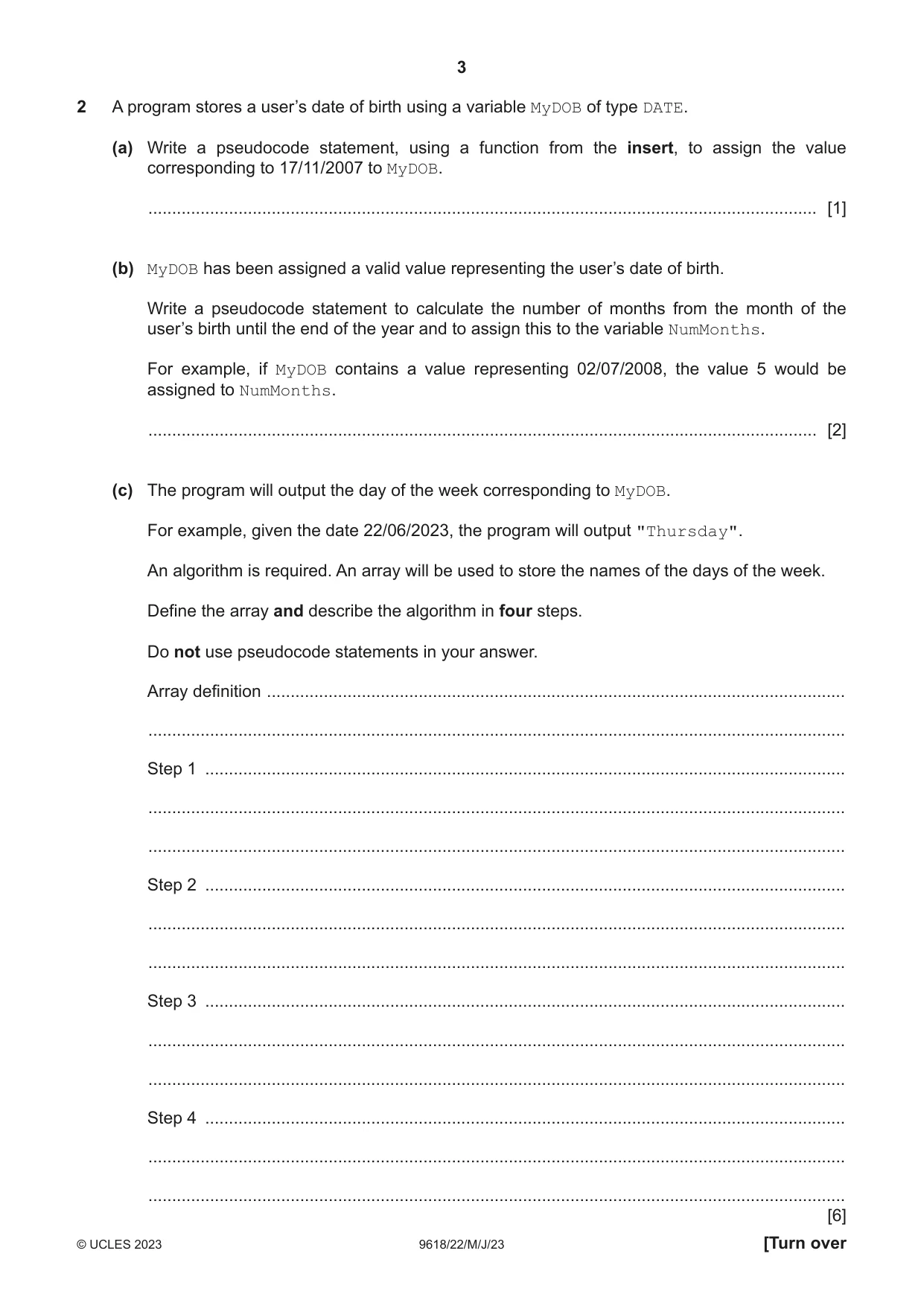
2 A program stores a user’s date of birth using a variable MyDOB of type DATE. (a) Write a pseudocode statement, using a function from the insert, to assign the value corresponding to 17/11/2007 to MyDOB. ............................................................................................................................................. [1] (b) MyDOB has been assigned a valid value representing the user’s date of birth. Write a pseudocode statement to calculate the number of months from the month of the user’s birth until the end of the year and to assign this to the variable NumMonths. For example, if MyDOB contains a value representing 02/07/2008, the value 5 would be assigned to NumMonths. ............................................................................................................................................. [2] (c) The program will output the day of the week corresponding to MyDOB. For example, given the date 22/06/2023, the program will output "Thursday". An algorithm is required. An array will be used to store the names of the days of the week. Define the array and describe the algorithm in four steps. Do not use pseudocode statements in your answer. Array definition .......................................................................................................................... ................................................................................................................................................... Step 1 ....................................................................................................................................... ................................................................................................................................................... ................................................................................................................................................... Step 2 ....................................................................................................................................... ................................................................................................................................................... ................................................................................................................................................... Step 3 ....................................................................................................................................... ................................................................................................................................................... ................................................................................................................................................... Step 4 ....................................................................................................................................... ................................................................................................................................................... ................................................................................................................................................... [6]
Mark scheme: 2(a) MyDOB SETDATE(17, 11, 2007) 1 2(b) NumMonths 12 - MONTH(MyDOB) 2 One mark per underlined part 2(c) 6 One mark per array definition bullet: A (1D) array containing 7 elements of type STRING One mark per Step: Step1: Assign value "Sunday" to first element, "Monday" to second element etc. Step2: Use the function DAYINDEX() to return / find the day number from MyDoB Step3: Use the returned value as the array index / to access the element that contains the name / string Step4: Output the element / name / string Note: Max 2 for Array definition, Max 4 for steps
Q3 · A program stores data in a text file
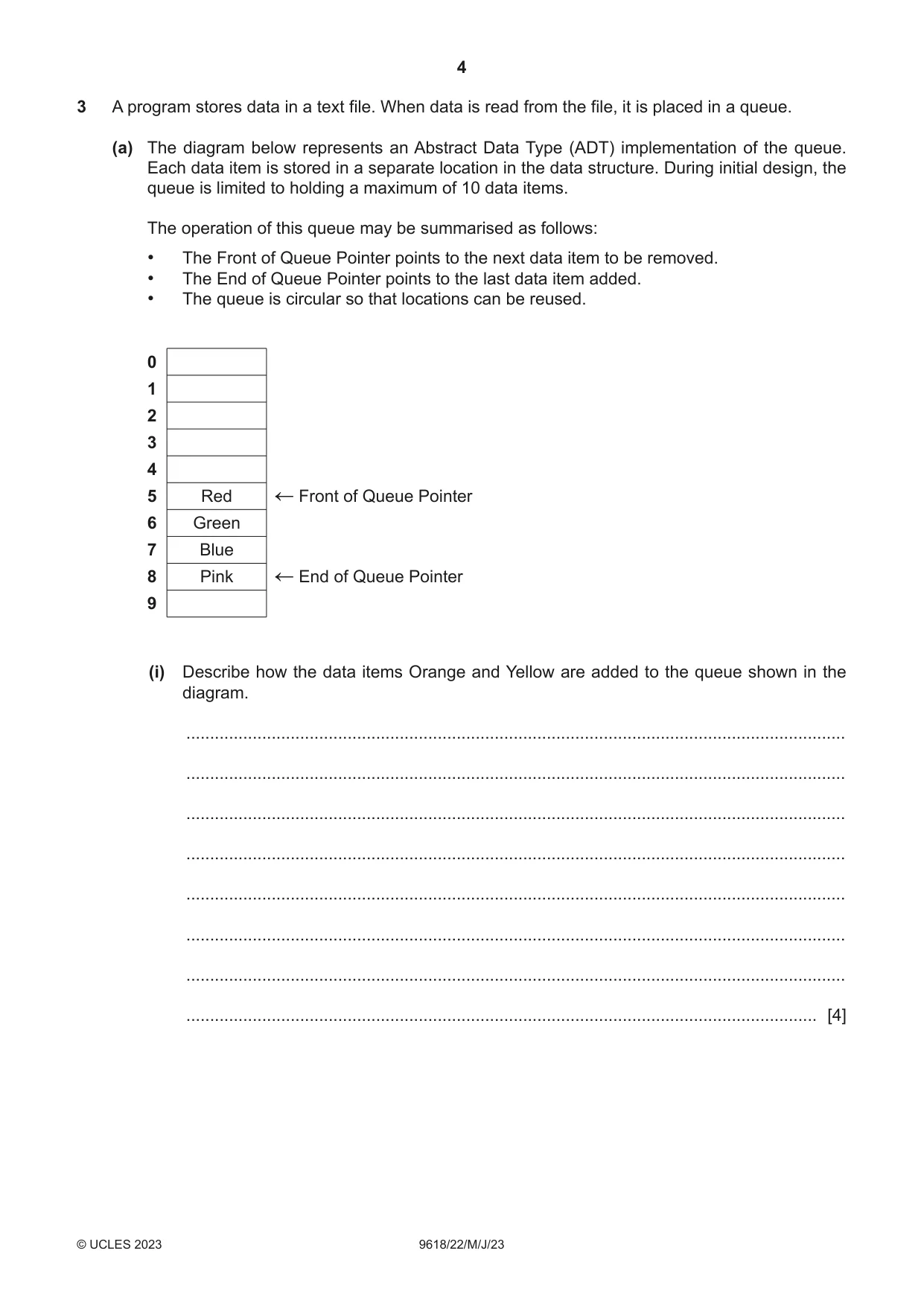
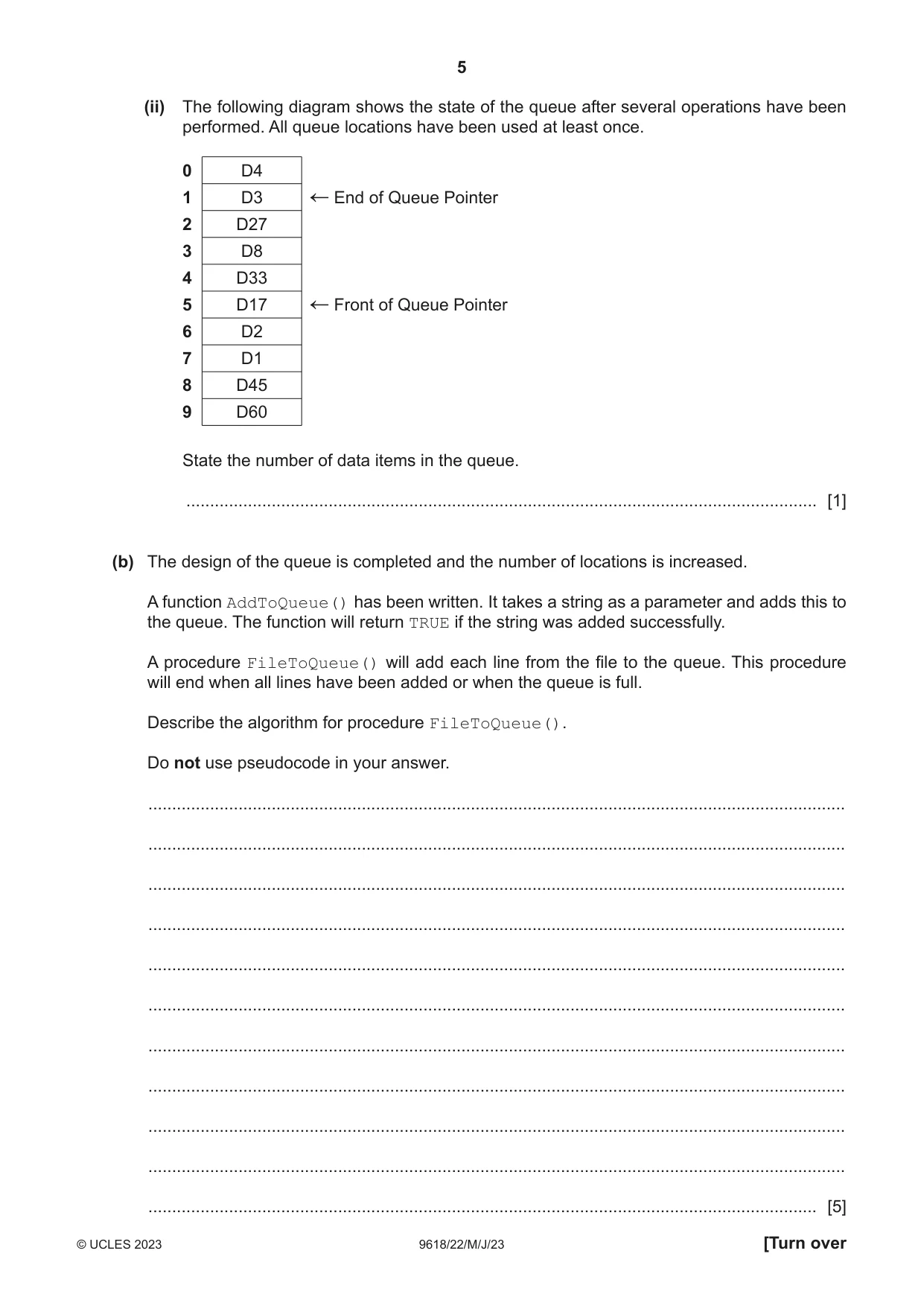
3 A program stores data in a text file. When data is read from the file, it is placed in a queue. (a) The diagram below represents an Abstract Data Type (ADT) implementation of the queue. Each data item is stored in a separate location in the data structure. During initial design, the queue is limited to holding a maximum of 10 data items. The operation of this queue may be summarised as follows: • The Front of Queue Pointer points to the next data item to be removed. • The End of Queue Pointer points to the last data item added. • The queue is circular so that locations can be reused. 0 1 2 3 4 5 Red Front of Queue Pointer 6 Green 7 Blue 8 Pink End of Queue Pointer 9 (i) Describe how the data items Orange and Yellow are added to the queue shown in the diagram. ........................................................................................................................................... ........................................................................................................................................... ........................................................................................................................................... ........................................................................................................................................... ........................................................................................................................................... ........................................................................................................................................... ........................................................................................................................................... ..................................................................................................................................... [4] (ii) The following diagram shows the state of the queue after several operations have been performed. All queue locations have been used at least once. 0 D4 1 D3 End of Queue Pointer 2 D27 3 D8 4 D33 5 D17 Front of Queue Pointer 6 D2 7 D1 8 D45 9 D60 State the number of data items in the queue. ..................................................................................................................................... [1] (b) The design of the queue is completed and the number of locations is increased. A function AddToQueue() has been written. It takes a string as a parameter and adds this to the queue. The function will return TRUE if the string was added successfully. A procedure FileToQueue() will add each line from the file to the queue. This procedure will end when all lines have been added or when the queue is full. Describe the algorithm for procedure FileToQueue(). Do not use pseudocode in your answer. ................................................................................................................................................... ................................................................................................................................................... ................................................................................................................................................... ................................................................................................................................................... ................................................................................................................................................... ................................................................................................................................................... ................................................................................................................................................... ................................................................................................................................................... ................................................................................................................................................... ................................................................................................................................................... ............................................................................................................................................. [5]
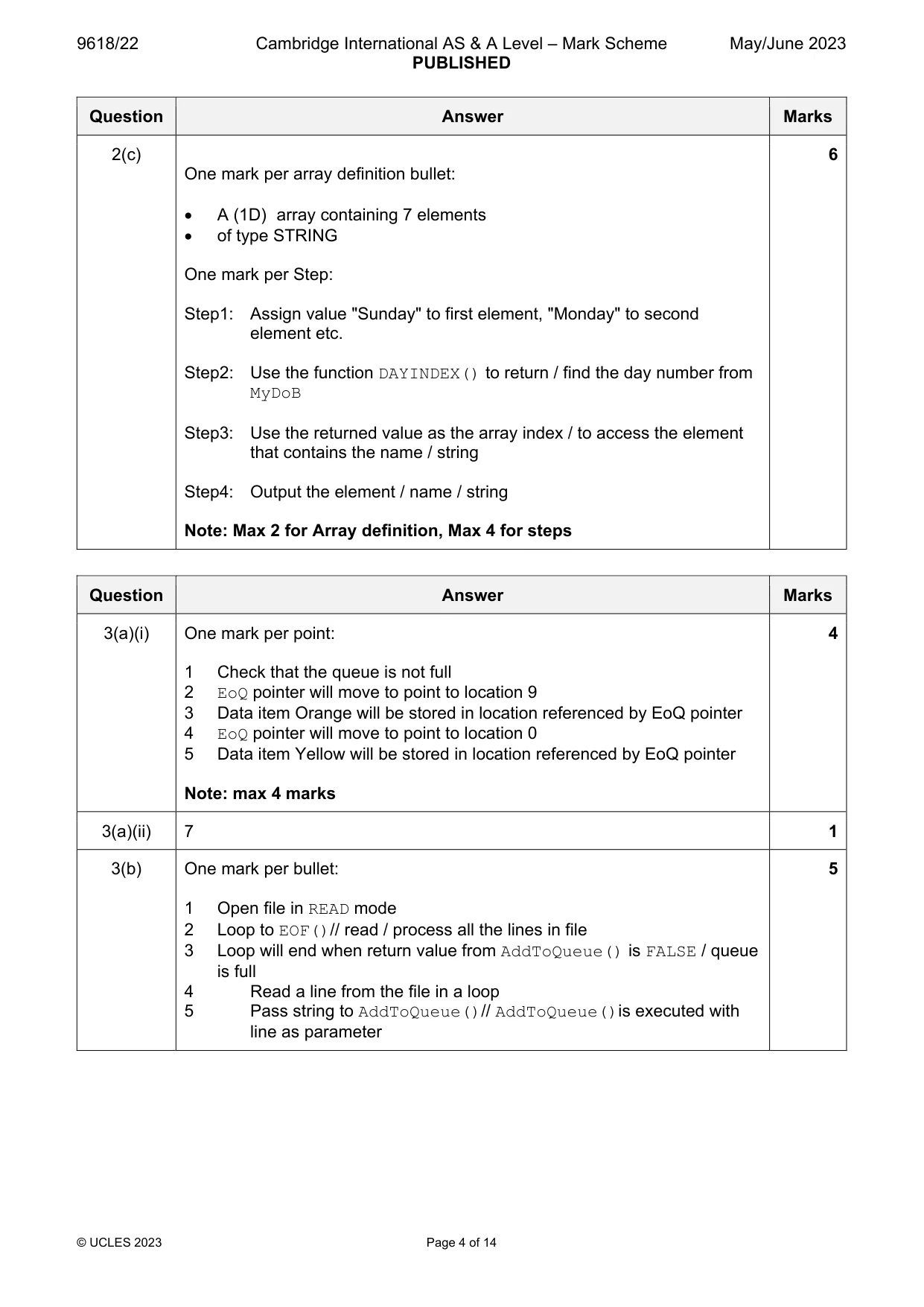
Mark scheme: 3(a)(i) One mark per point: 4 1 Check that the queue is not full 2 EoQ pointer will move to point to location 9 3 Data item Orange will be stored in location referenced by EoQ pointer 4 EoQ pointer will move to point to location 0 5 Data item Yellow will be stored in location referenced by EoQ pointer Note: max 4 marks 3(a)(ii) 7 1 3(b) One mark per bullet: 5 1 Open file in READ mode 2 Loop to EOF()// read / process all the lines in file 3 Loop will end when return value from AddToQueue() is FALSE / queue is full 4 Read a line from the file in a loop 5 Pass string to AddToQueue()// AddToQueue()is executed with line as parameter
Q4 · A function GetNum() will: 1
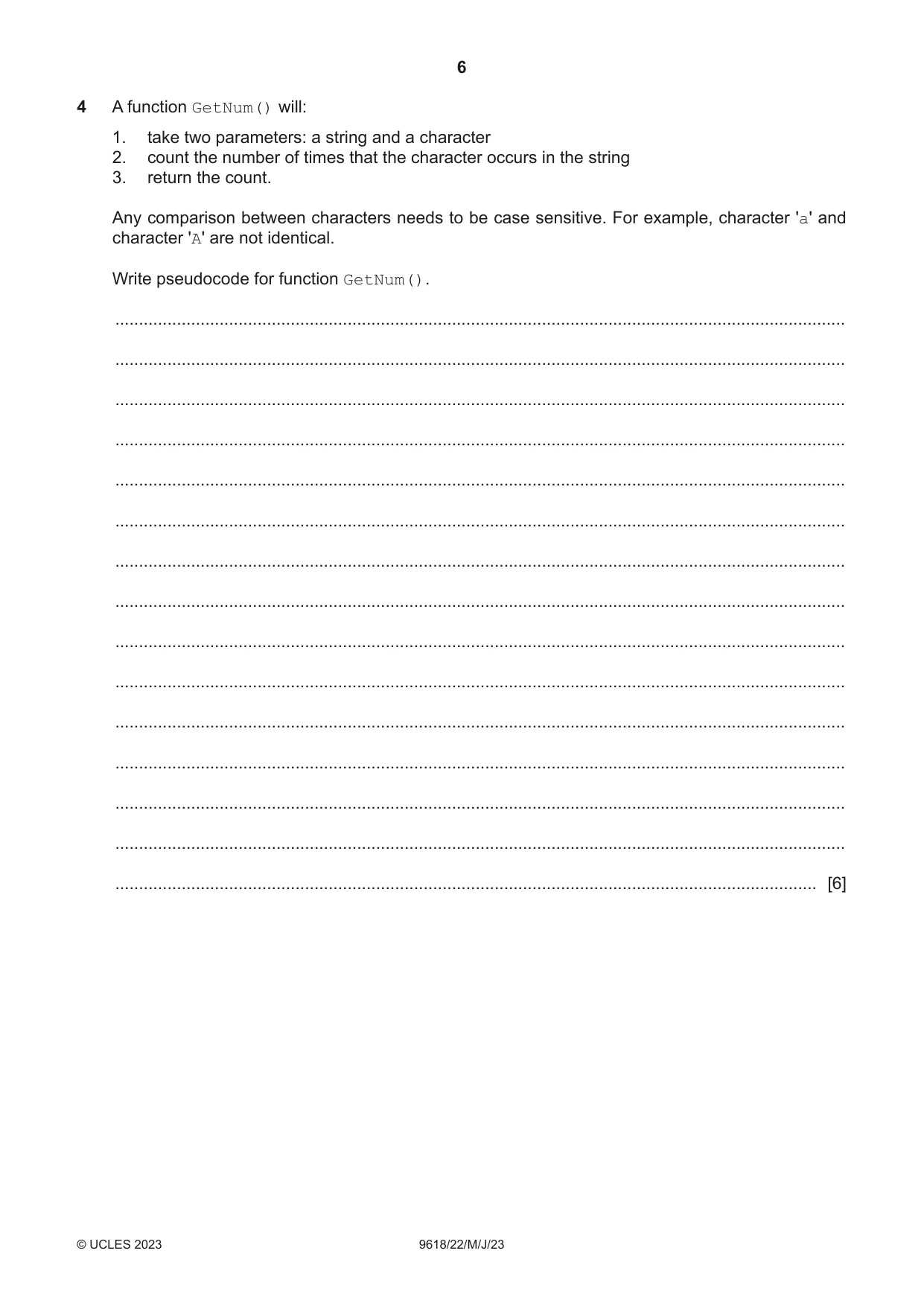
4 A function GetNum() will: 1. take two parameters: a string and a character 2. count the number of times that the character occurs in the string 3. return the count. Any comparison between characters needs to be case sensitive. For example, character 'a' and character 'A' are not identical. Write pseudocode for function GetNum(). .......................................................................................................................................................... .......................................................................................................................................................... .......................................................................................................................................................... .......................................................................................................................................................... .......................................................................................................................................................... .......................................................................................................................................................... .......................................................................................................................................................... .......................................................................................................................................................... .......................................................................................................................................................... .......................................................................................................................................................... .......................................................................................................................................................... .......................................................................................................................................................... .......................................................................................................................................................... .......................................................................................................................................................... .................................................................................................................................................... [6]
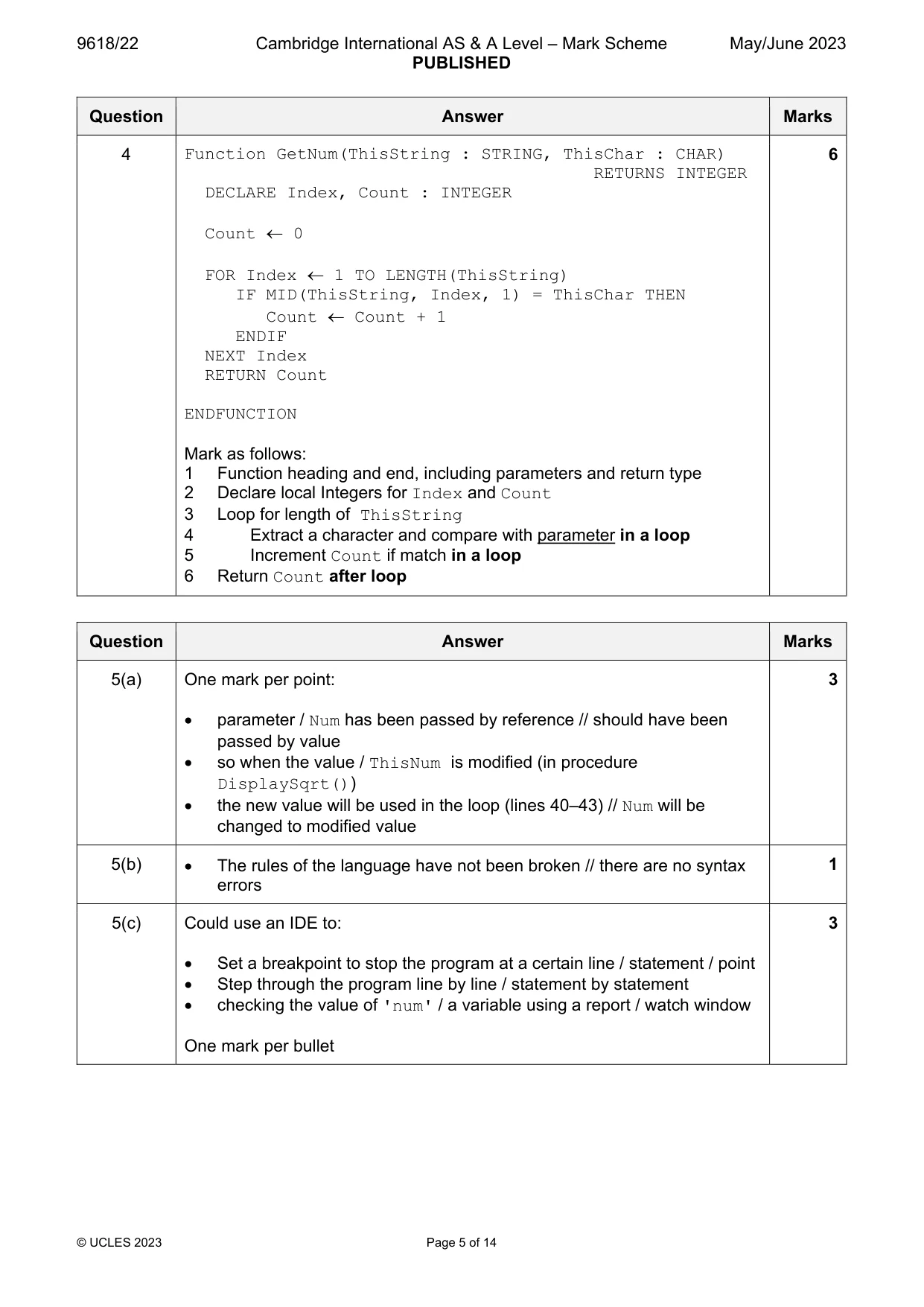
Mark scheme: 4 Function GetNum(ThisString : STRING, ThisChar : CHAR) 6 RETURNS INTEGER DECLARE Index, Count : INTEGER Count 0 FOR Index 1 TO LENGTH(ThisString) IF MID(ThisString, Index, 1) = ThisChar THEN Count Count + 1 ENDIF NEXT Index RETURN Count ENDFUNCTION Mark as follows: 1 Function heading and end, including parameters and return type 2 Declare local Integers for Index and Count 3 Loop for length of ThisString 4 Extract a character and compare with parameter in a loop 5 Increment Count if match in a loop 6 Return Count after loop
Q5 · A programmer has produced the following pseudocode to output the square root of the…
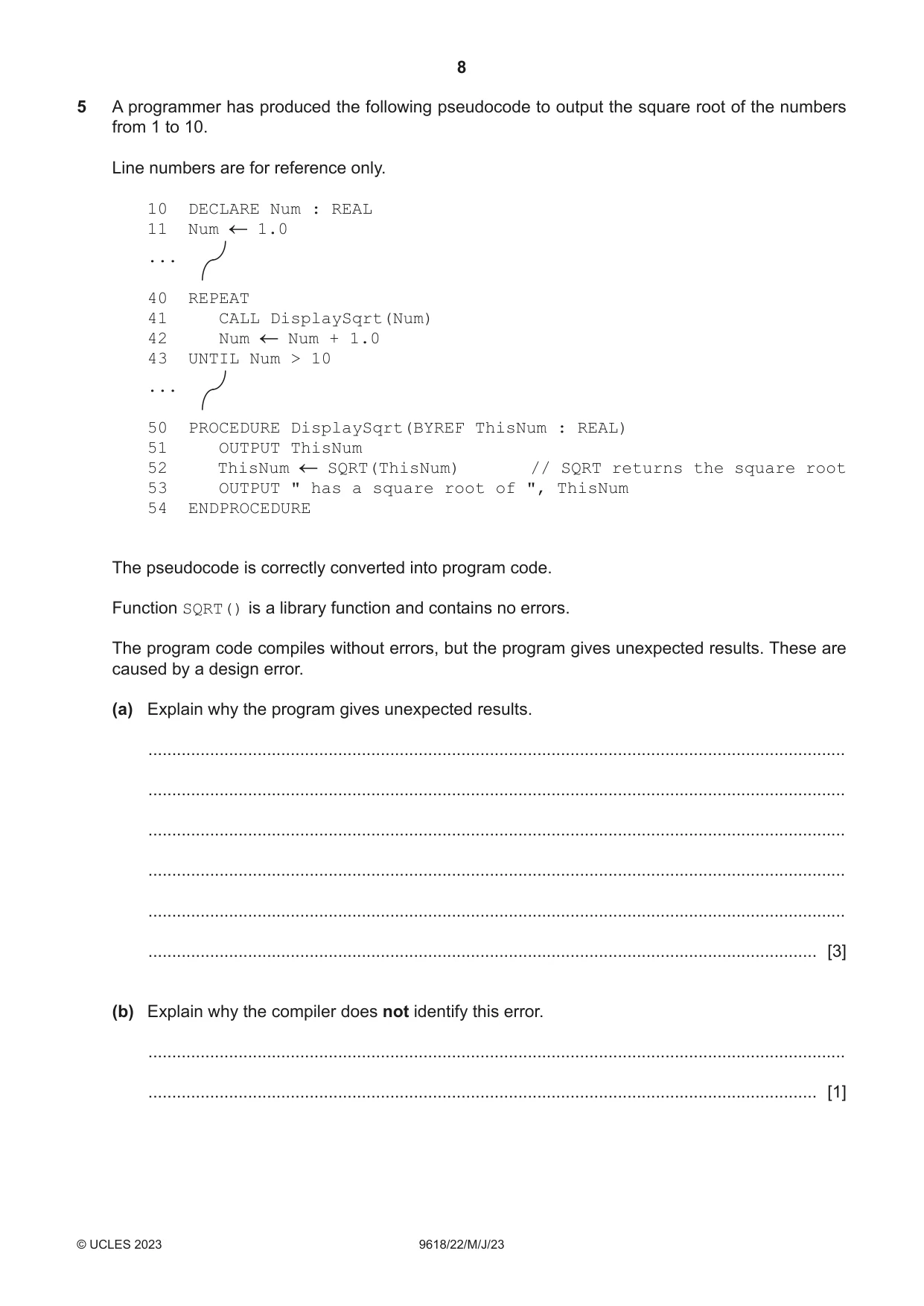
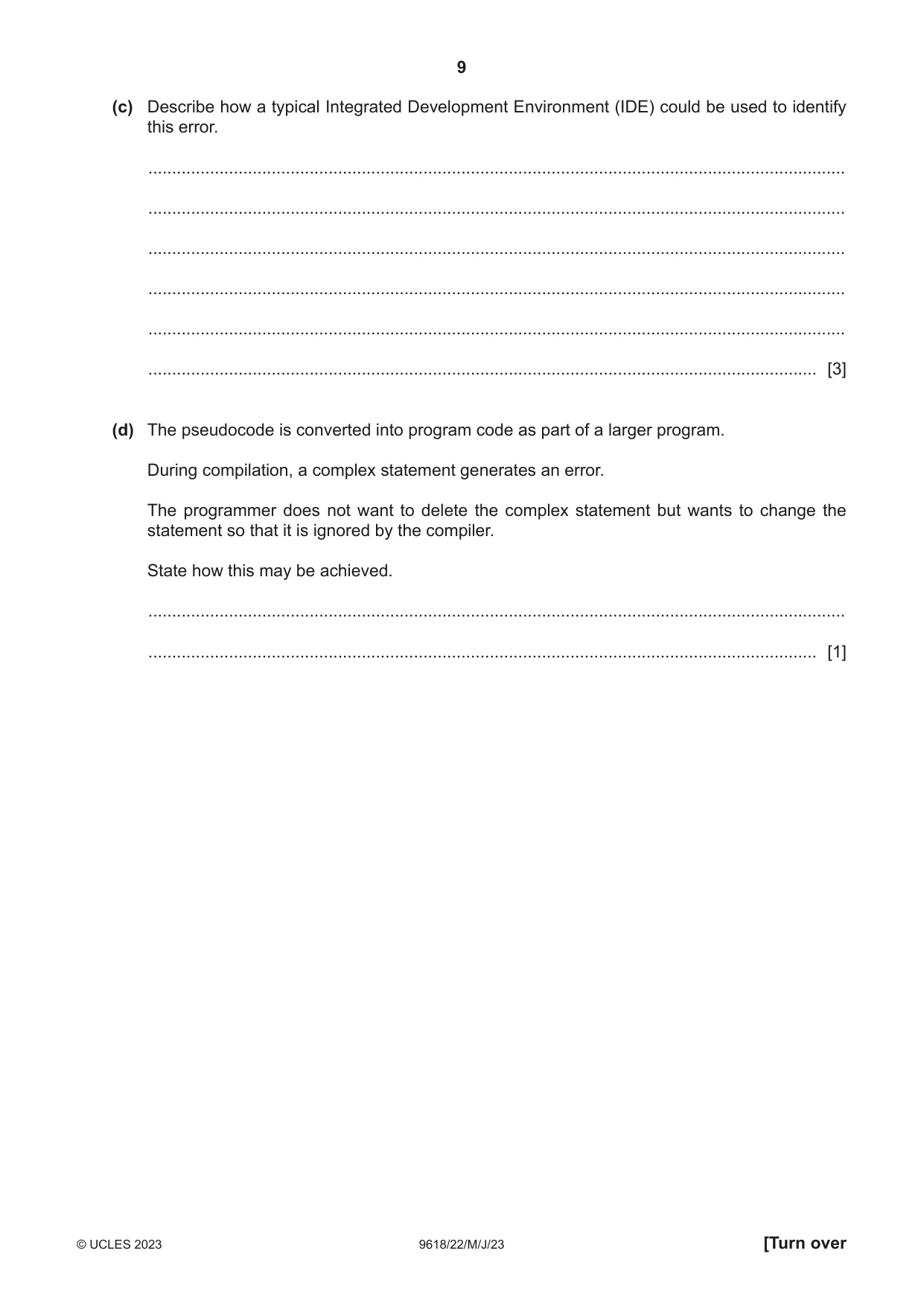
5 A programmer has produced the following pseudocode to output the square root of the numbers from 1 to 10. Line numbers are for reference only. 10 DECLARE Num : REAL 11 Num 1.0 ... 40 REPEAT 41 CALL DisplaySqrt(Num) 42 Num Num + 1.0 43 UNTIL Num > 10 ... 50 PROCEDURE DisplaySqrt(BYREF ThisNum : REAL) 51 OUTPUT ThisNum 52 ThisNum SQRT(ThisNum) // SQRT returns the square root 53 OUTPUT " has a square root of ", ThisNum 54 ENDPROCEDURE The pseudocode is correctly converted into program code. Function SQRT() is a library function and contains no errors. The program code compiles without errors, but the program gives unexpected results. These are caused by a design error. (a) Explain why the program gives unexpected results. ................................................................................................................................................... ................................................................................................................................................... ................................................................................................................................................... ................................................................................................................................................... ................................................................................................................................................... ............................................................................................................................................. [3] (b) Explain why the compiler does not identify this error. ................................................................................................................................................... ............................................................................................................................................. [1] (c) Describe how a typical Integrated Development Environment (IDE) could be used to identify this error. ................................................................................................................................................... ................................................................................................................................................... ................................................................................................................................................... ................................................................................................................................................... ................................................................................................................................................... ............................................................................................................................................. [3] (d) The pseudocode is converted into program code as part of a larger program. During compilation, a complex statement generates an error. The programmer does not want to delete the complex statement but wants to change the statement so that it is ignored by the compiler. State how this may be achieved. ................................................................................................................................................... ............................................................................................................................................. [1]
Mark scheme: 5(a) One mark per point: 3 parameter / Num has been passed by reference // should have been passed by value so when the value / ThisNum is modified (in procedure DisplaySqrt()) the new value will be used in the loop (lines 40–43) // Num will be changed to modified value 5(b) The rules of the language have not been broken // there are no syntax 1 errors 5(c) Could use an IDE to: 3 Set a breakpoint to stop the program at a certain line / statement / point Step through the program line by line / statement by statement checking the value of 'num' / a variable using a report / watch window One mark per bullet 5(d) Answers include: 1 Change the statement into a comment Change the statement to a string representing a literal value and assign it to a variable / output it Note: max 1 mark
Q6 · A procedure Square() will take an integer value in the range 1 to 9 as a parameter and…
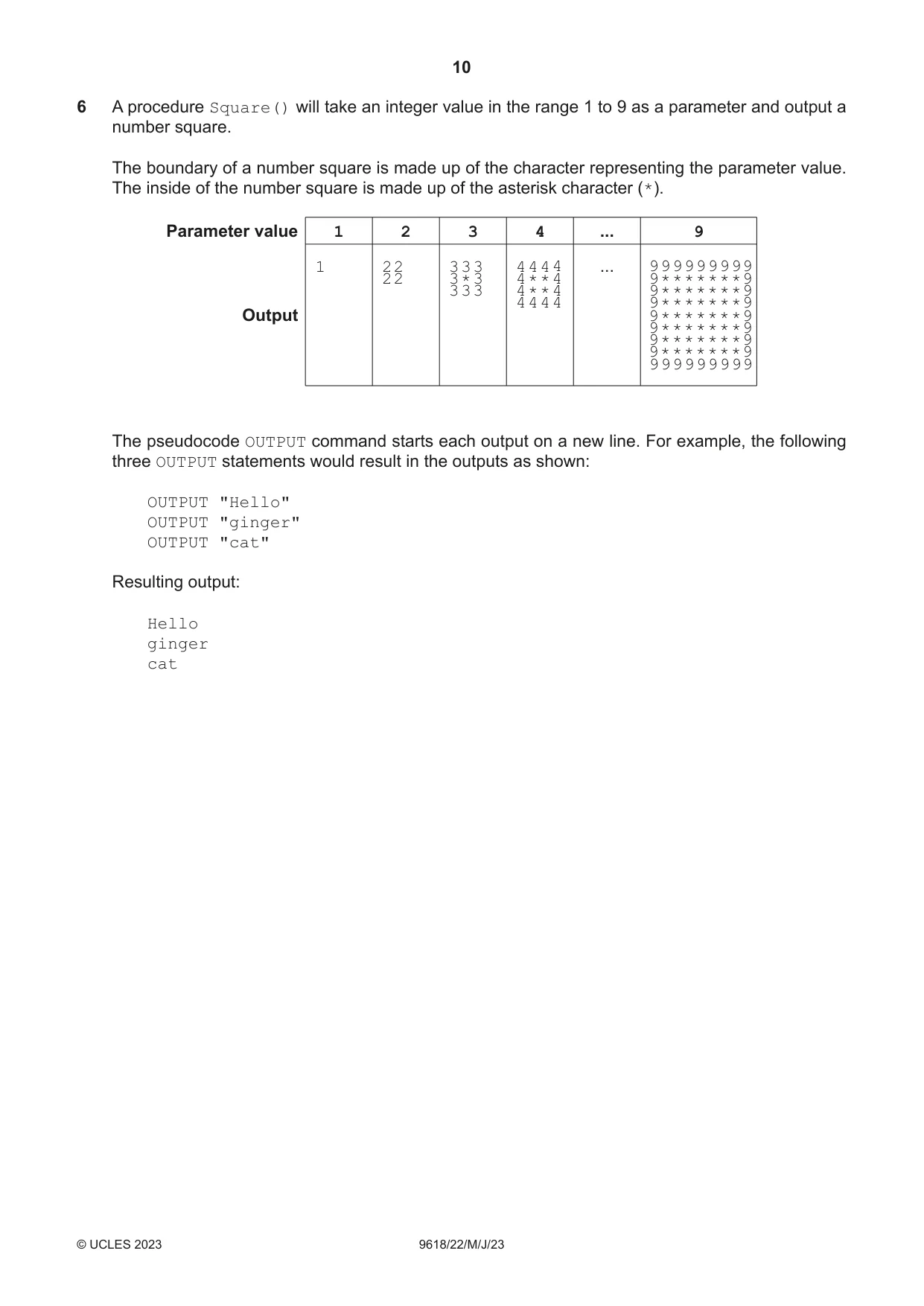
6 A procedure Square() will take an integer value in the range 1 to 9 as a parameter and output a number square. The boundary of a number square is made up of the character representing the parameter value. The inside of the number square is made up of the asterisk character (*). Parameter value 1 2 3 4 ... 9 9 99 9 9 9 4 33 1 22 22 ** * 9* * 33 444* * 3* 333 ** ** *** 444 ... 9**99 4** 4444 9*** **** Output 9*9*** *** ********* *** 9** 9 ******* 99999999 999999999 The pseudocode OUTPUT command starts each output on a new line. For example, the following three OUTPUT statements would result in the outputs as shown: OUTPUT "Hello" OUTPUT "ginger" OUTPUT "cat" Resulting output: Hello ginger cat Write pseudocode for procedure Square(). Parameter validation is not required. .......................................................................................................................................................... .......................................................................................................................................................... .......................................................................................................................................................... .......................................................................................................................................................... .......................................................................................................................................................... .......................................................................................................................................................... .......................................................................................................................................................... .......................................................................................................................................................... .......................................................................................................................................................... .......................................................................................................................................................... .......................................................................................................................................................... .......................................................................................................................................................... .......................................................................................................................................................... .......................................................................................................................................................... .......................................................................................................................................................... .......................................................................................................................................................... .......................................................................................................................................................... .......................................................................................................................................................... .......................................................................................................................................................... .......................................................................................................................................................... .......................................................................................................................................................... .......................................................................................................................................................... .......................................................................................................................................................... .......................................................................................................................................................... .......................................................................................................................................................... .......................................................................................................................................................... .......................................................................................................................................................... .......................................................................................................................................................... .......................................................................................................................................................... .......................................................................................................................................................... .......................................................................................................................................................... .................................................................................................................................................... [6]
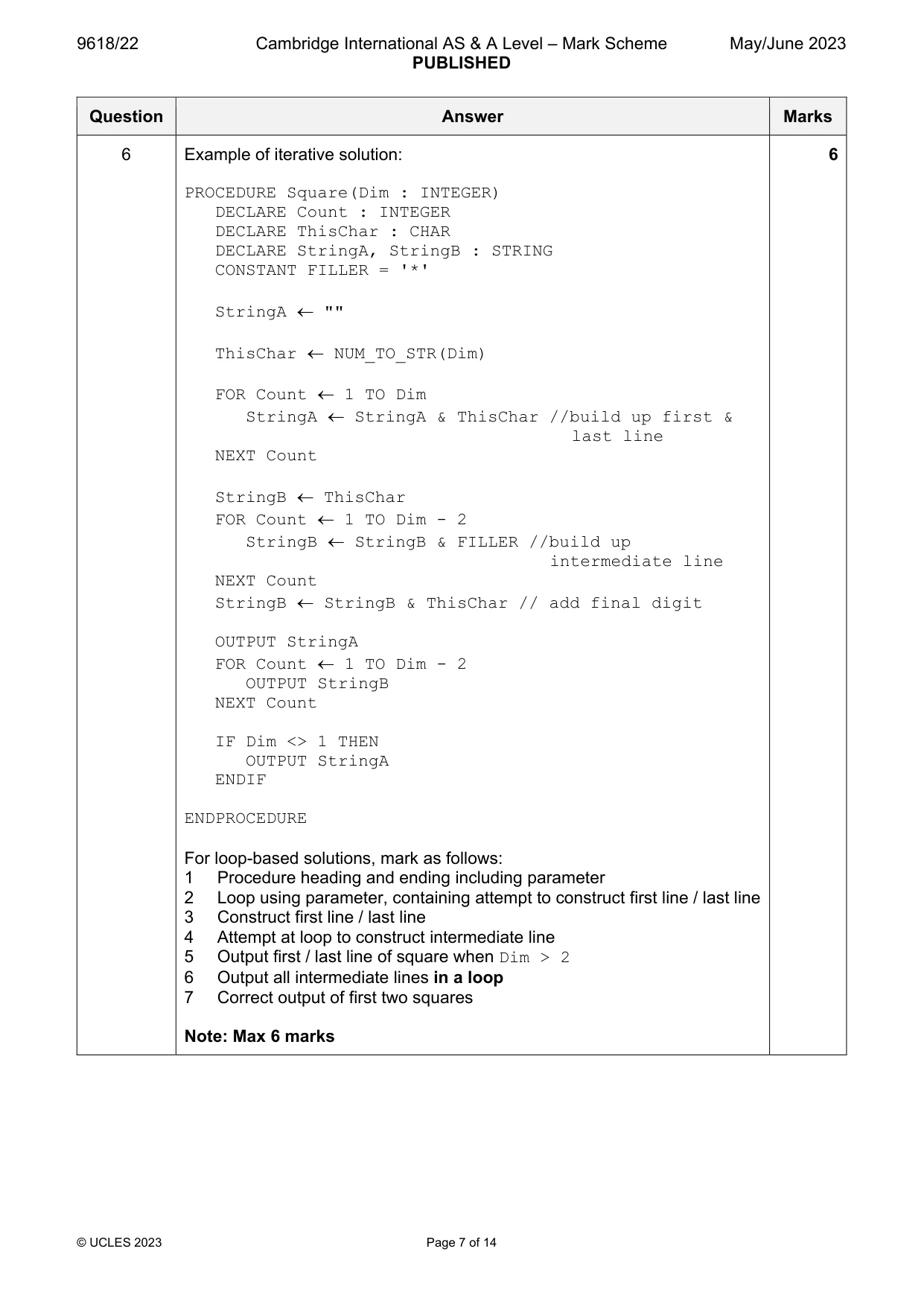
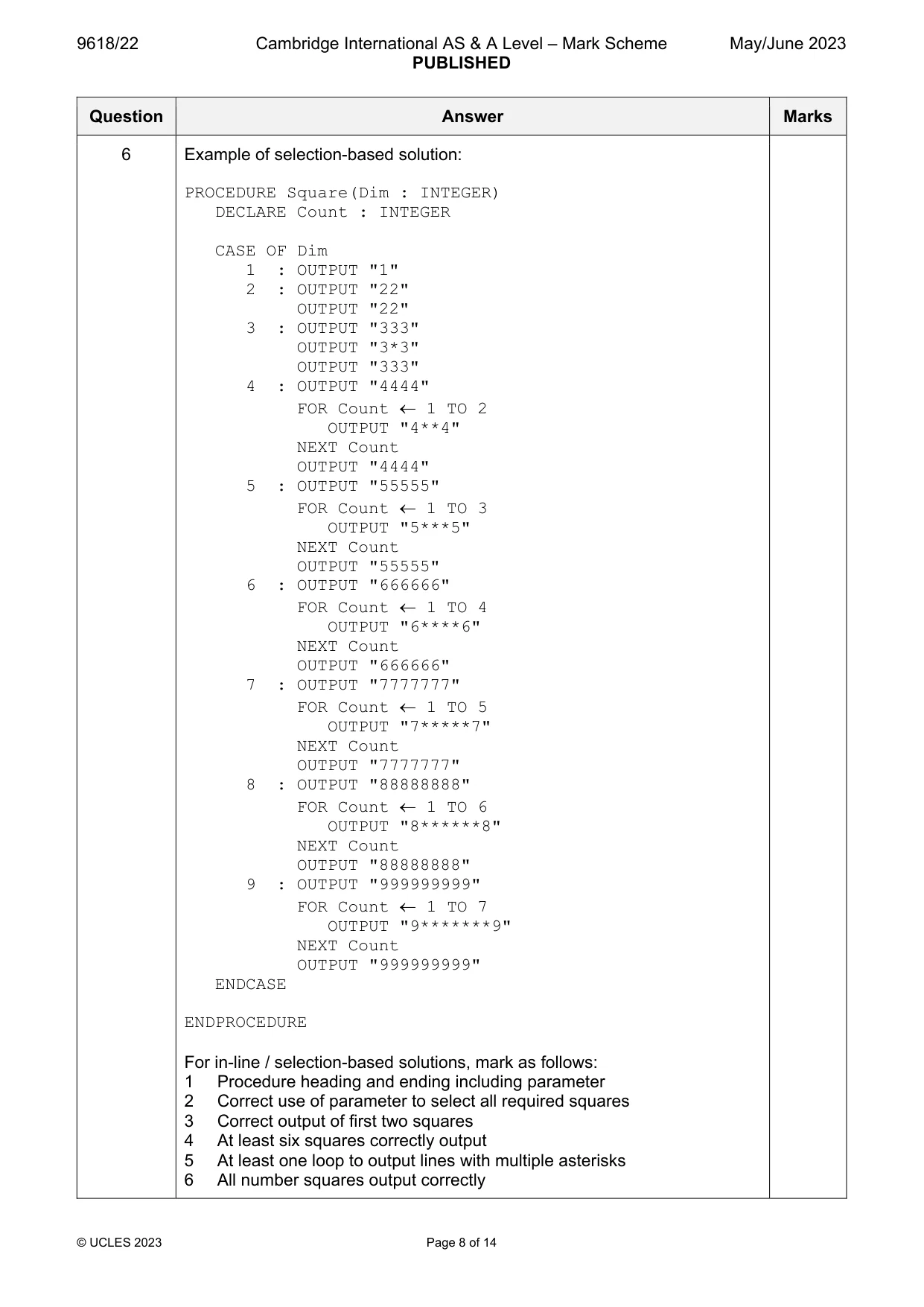
Mark scheme: 6 Example of iterative solution: 6 PROCEDURE Square(Dim : INTEGER) DECLARE Count : INTEGER DECLARE ThisChar : CHAR DECLARE StringA, StringB : STRING CONSTANT FILLER = '*' StringA "" ThisChar NUM_TO_STR(Dim) FOR Count 1 TO Dim StringA StringA & ThisChar //build up first & last line NEXT Count StringB ThisChar FOR Count 1 TO Dim - 2 StringB StringB & FILLER //build up intermediate line NEXT Count StringB StringB & ThisChar // add final digit OUTPUT StringA FOR Count 1 TO Dim - 2 OUTPUT StringB NEXT Count IF Dim <> 1 THEN OUTPUT StringA ENDIF ENDPROCEDURE For loop-based solutions, mark as follows: 1 Procedure heading and ending including parameter 2 Loop using parameter, containing attempt to construct first line / last line 3 Construct first line / last line 4 Attempt at loop to construct intermediate line 5 Output first / last line of square when Dim > 2 6 Output all intermediate lines in a loop 7 Correct output of first two squares Note: Max 6 marks 6 Example of selection-based solution: PROCEDURE Square(Dim : INTEGER) DECLARE Count : INTEGER CASE OF Dim 1 : OUTPUT "1" 2 : OUTPUT "22" OUTPUT "22" 3 : OUTPUT "333" OUTPUT "3*3" OUTPUT "333" 4 : OUTPUT "4444" FOR Count 1 TO 2 OUTPUT "4**4" NEXT Count OUTPUT "4444" 5 : OUTPUT "55555" FOR Count 1 TO 3 OUTPUT "5***5" NEXT Count OUTPUT "55555" 6 : OUTPUT "666666" FOR Count 1 TO 4 OUTPUT "6****6" NEXT Count OUTPUT "666666" 7 : OUTPUT "7777777" FOR Count 1 TO 5 OUTPUT "7*****7" NEXT Count OUTPUT "7777777" 8 : OUTPUT "88888888" FOR Count 1 TO 6 OUTPUT "8******8" NEXT Count OUTPUT "88888888" 9 : OUTPUT "999999999" FOR Count 1 TO 7 OUTPUT "9*******9" NEXT Count OUTPUT "999999999" ENDCASE ENDPROCEDURE For in-line / selection-based solutions, mark as follows: 1 Procedure heading and ending including parameter 2 Correct use of parameter to select all required squares 3 Correct output of first two squares 4 At least six squares correctly output 5 At least one loop to output lines with multiple asterisks 6 All number squares output correctly
Q7 · A computer system for a shop stores information about each customer
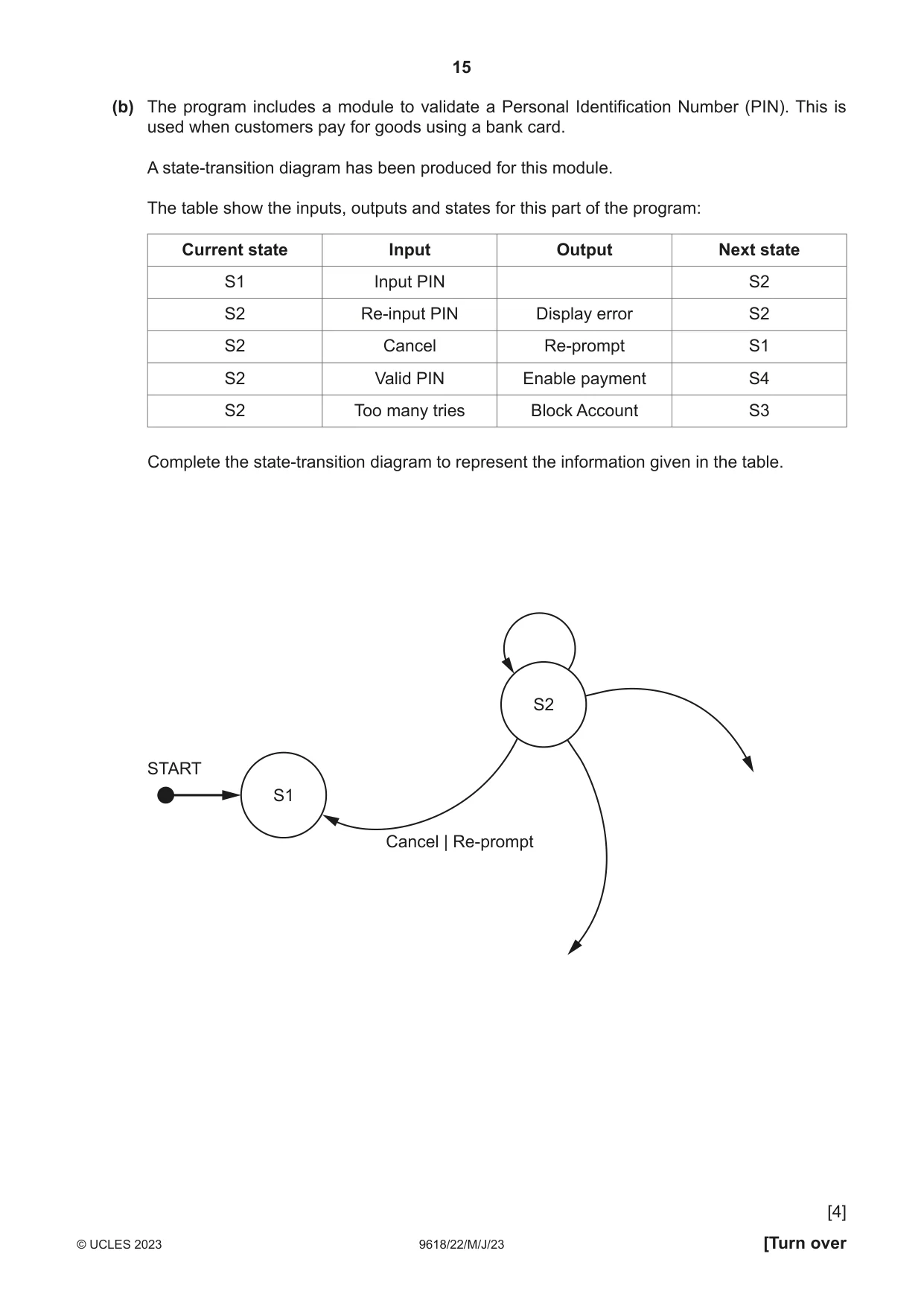
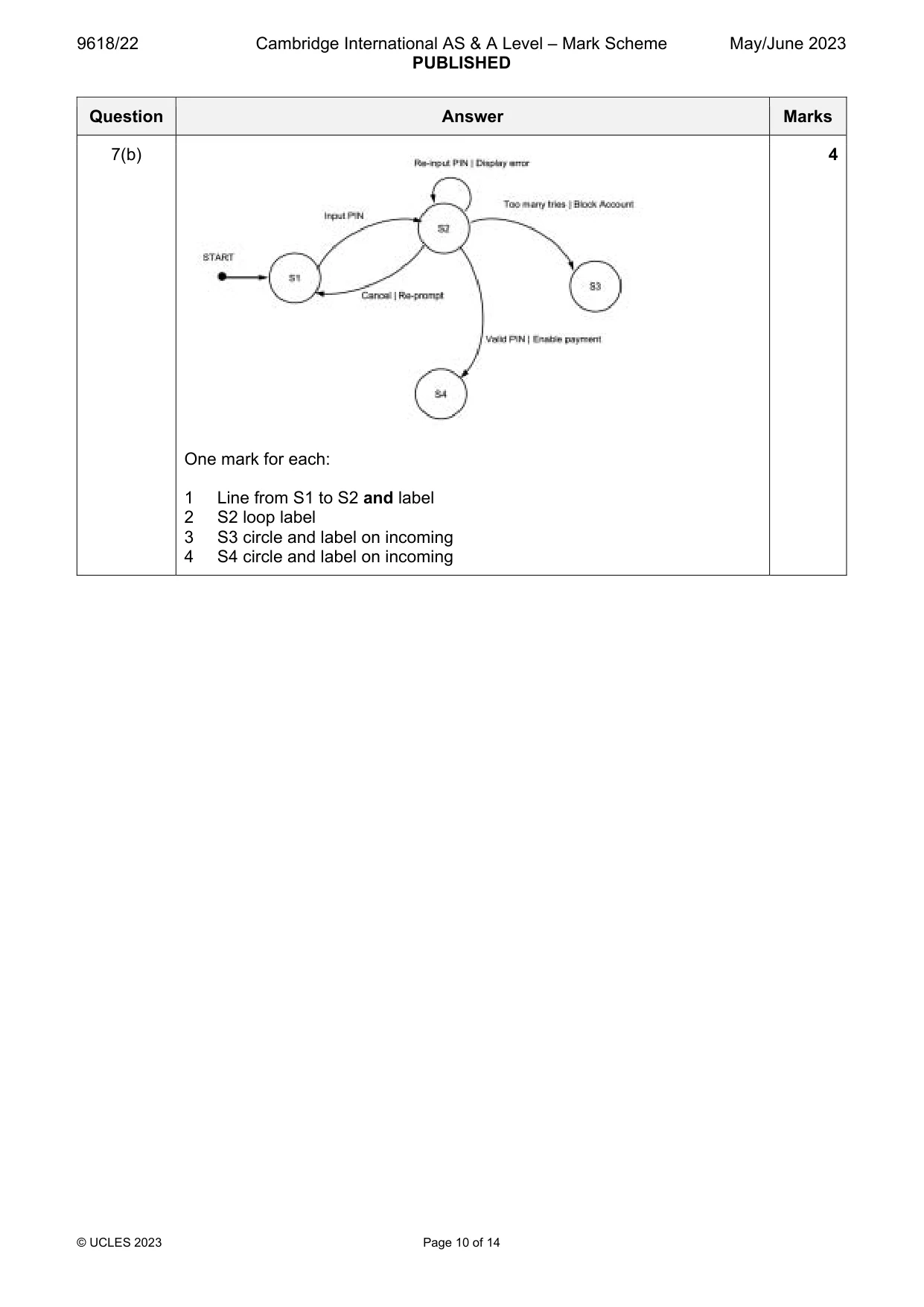
7 A computer system for a shop stores information about each customer. The items of information include name and address (both postal and email) together with payment details and order history. The system also stores the product categories they are interested in and how they would like to be contacted. (a) The shop wants to add a program module that will generate emails to be sent to customers who may be interested in receiving details of new products. (i) State three items of information that the new module would need. Justify your choice in each case. Information ........................................................................................................................ Justification ....................................................................................................................... ........................................................................................................................................... Information ........................................................................................................................ Justification ....................................................................................................................... ........................................................................................................................................... Information ........................................................................................................................ Justification ....................................................................................................................... ........................................................................................................................................... [3] (ii) Identify two items of customer information that would not be required by the new module. Justify your choice in each case. Information ........................................................................................................................ Justification ....................................................................................................................... ........................................................................................................................................... Information ........................................................................................................................ Justification ....................................................................................................................... ........................................................................................................................................... [2] (b) The program includes a module to validate a Personal Identification Number (PIN). This is used when customers pay for goods using a bank card. A state‑transition diagram has been produced for this module. The table show the inputs, outputs and states for this part of the program: Current state Input Output Next state S1 Input PIN S2 S2 Re‑input PIN Display error S2 S2 Cancel Re‑prompt S1 S2 Valid PIN Enable payment S4 S2 Too many tries Block Account S3 Complete the state‑transition diagram to represent the information given in the table. S2 START S1 Cancel | Re-prompt [4]
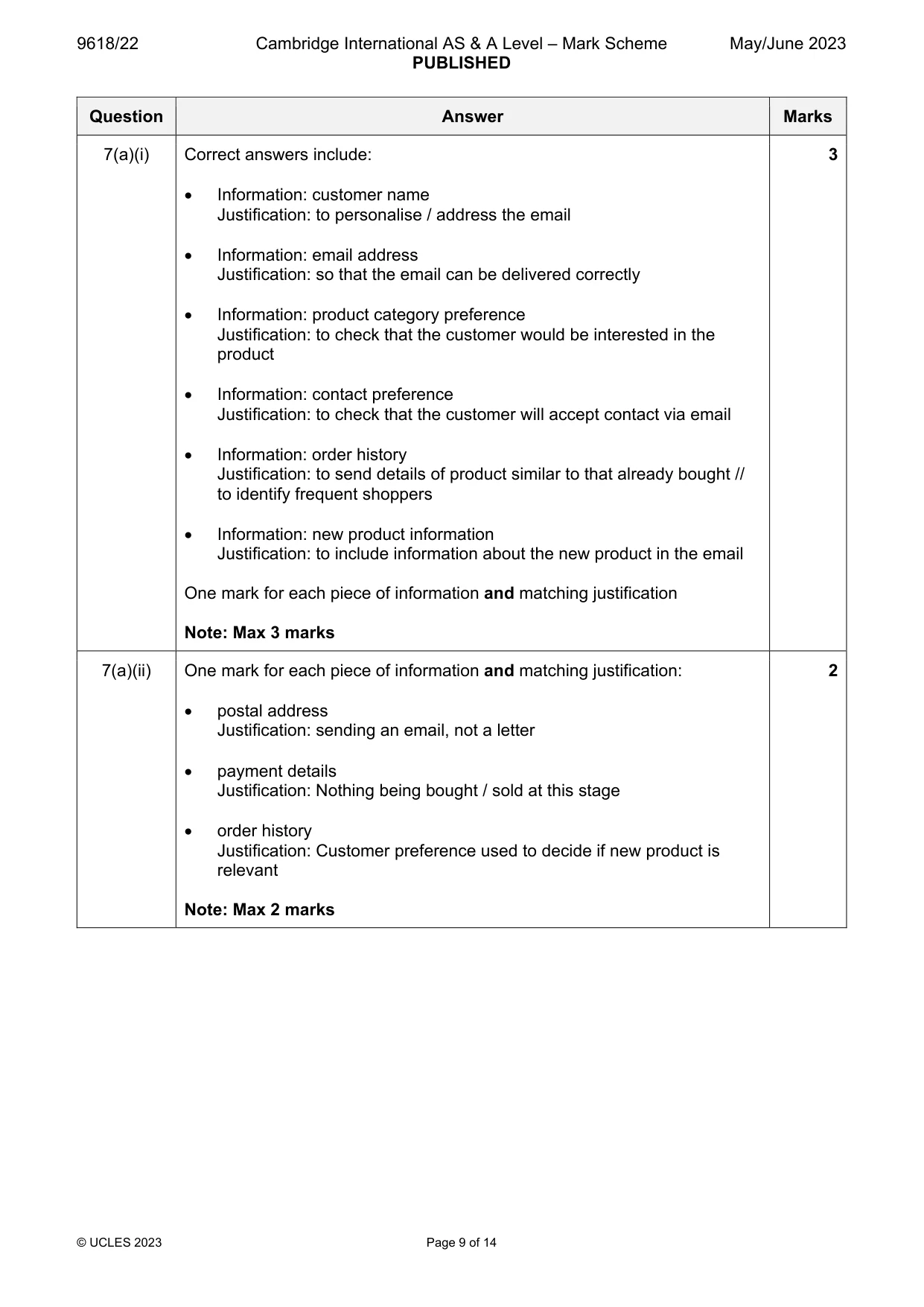
Mark scheme: 7(a)(i) Correct answers include: 3 Information: customer name Justification: to personalise / address the email Information: email address Justification: so that the email can be delivered correctly Information: product category preference Justification: to check that the customer would be interested in the product Information: contact preference Justification: to check that the customer will accept contact via email Information: order history Justification: to send details of product similar to that already bought // to identify frequent shoppers Information: new product information Justification: to include information about the new product in the email One mark for each piece of information and matching justification Note: Max 3 marks 7(a)(ii) One mark for each piece of information and matching justification: 2 postal address Justification: sending an email, not a letter payment details Justification: Nothing being bought / sold at this stage order history Justification: Customer preference used to decide if new product is relevant Note: Max 2 marks 7(b) 4 One mark for each: 1 Line from S1 to S2 and label 2 S2 loop label 3 S3 circle and label on incoming 4 S4 circle and label on incoming
Q8 · A computer shop assembles computers using items bought from several suppliers
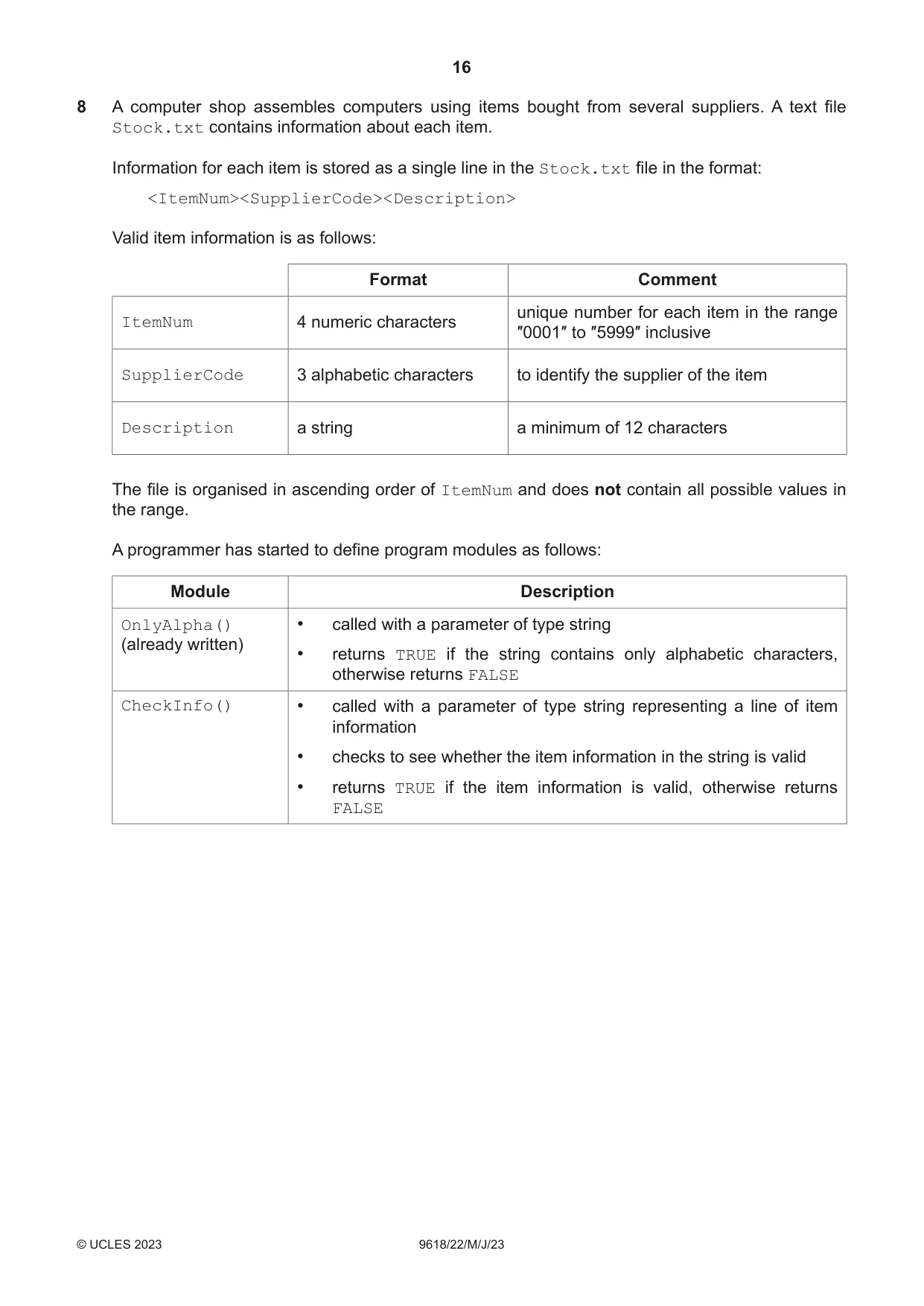
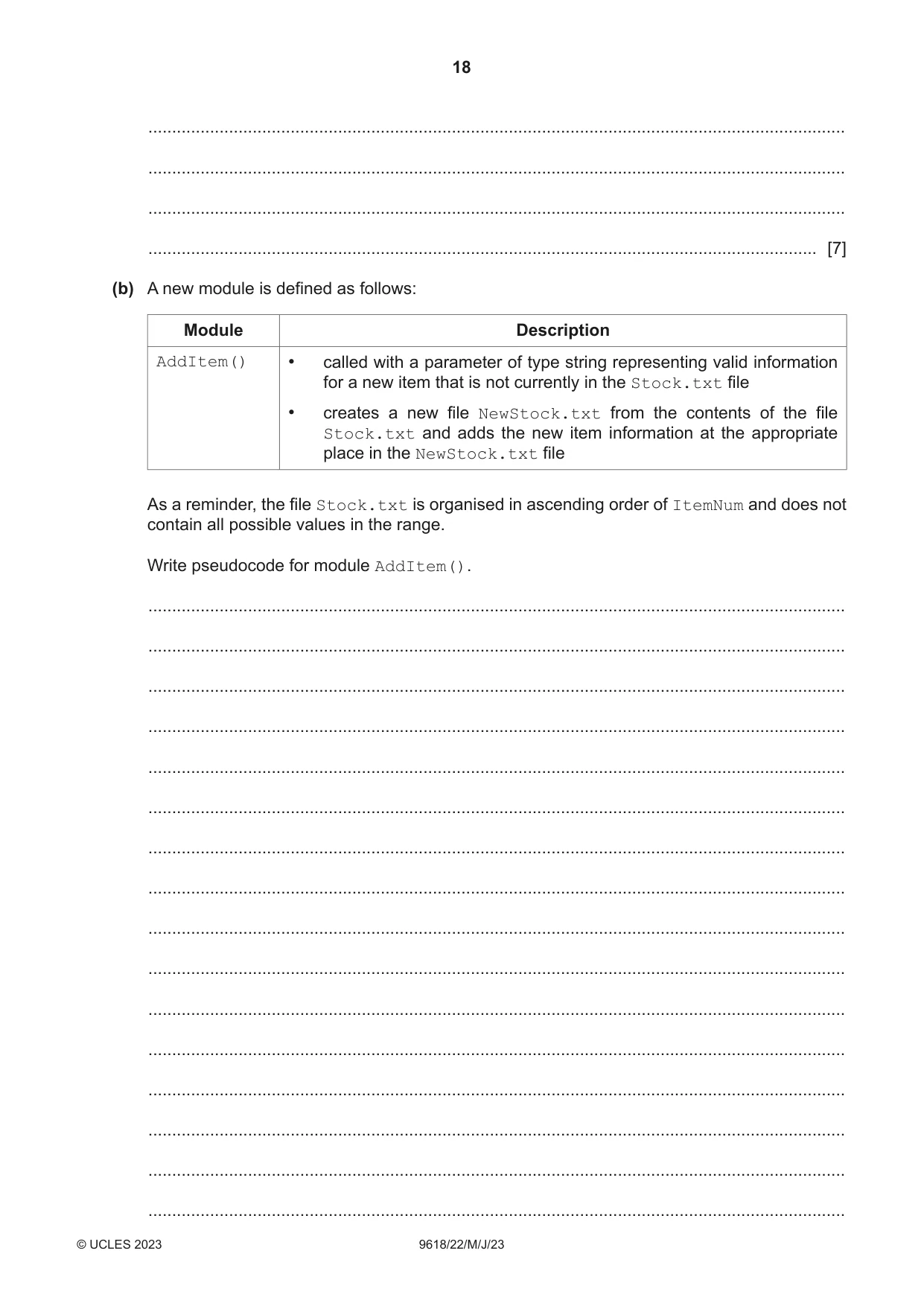
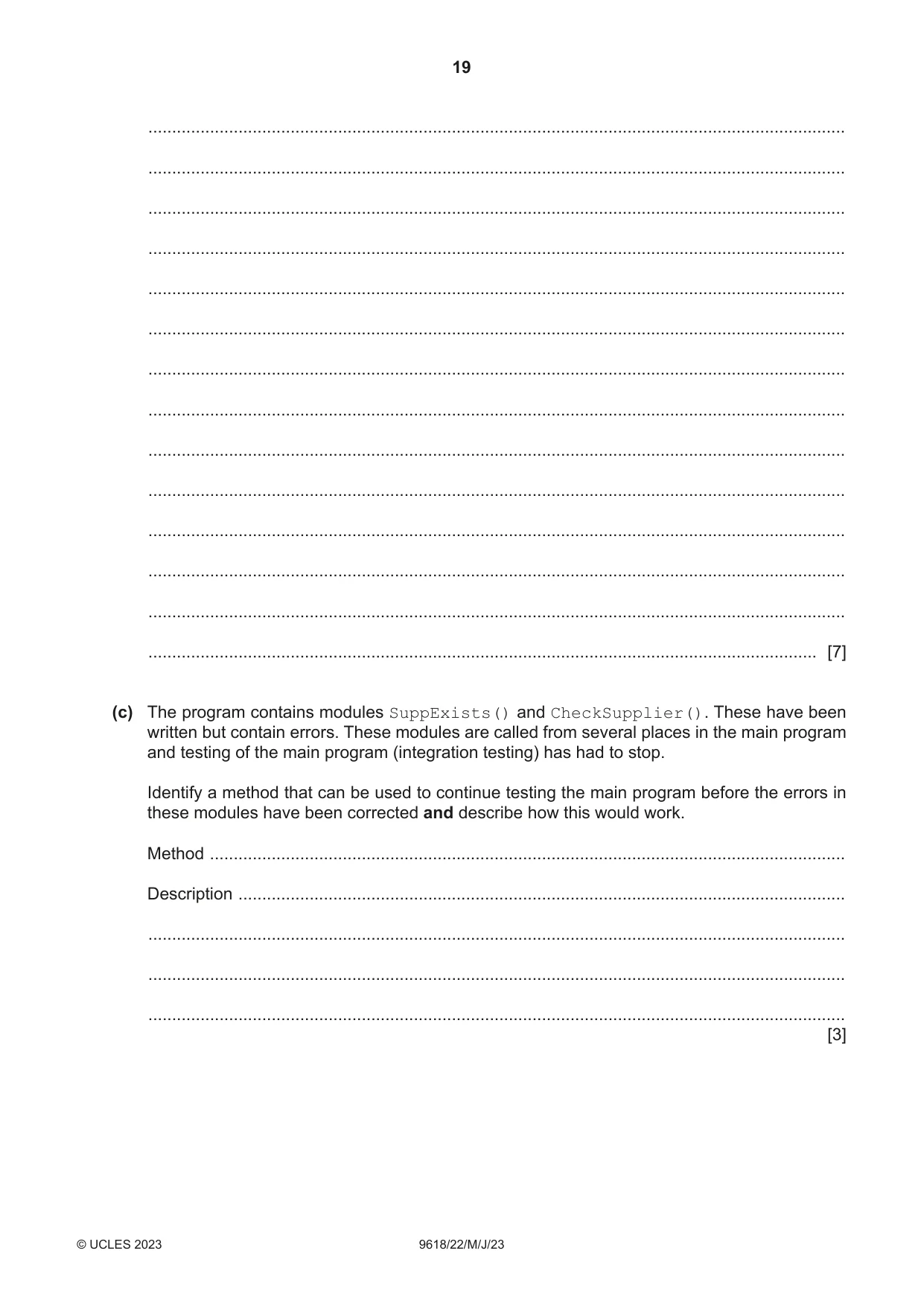
8 A computer shop assembles computers using items bought from several suppliers. A text file Stock.txt contains information about each item. Information for each item is stored as a single line in the Stock.txt file in the format: <ItemNum><SupplierCode><Description> Valid item information is as follows: Format Comment unique number for each item in the range ItemNum 4 numeric characters ″0001″ to ″5999″ inclusive SupplierCode 3 alphabetic characters to identify the supplier of the item Description a string a minimum of 12 characters The file is organised in ascending order of ItemNum and does not contain all possible values in the range. A programmer has started to define program modules as follows: Module Description OnlyAlpha() • called with a parameter of type string (already written) • returns TRUE if the string contains only alphabetic characters, otherwise returns FALSE CheckInfo() • called with a parameter of type string representing a line of item information • checks to see whether the item information in the string is valid • returns TRUE if the item information is valid, otherwise returns FALSE (a) Write pseudocode for module CheckInfo(). Module OnlyAlpha() should be used as part of your solution. ................................................................................................................................................... ................................................................................................................................................... ................................................................................................................................................... ................................................................................................................................................... ................................................................................................................................................... ................................................................................................................................................... ................................................................................................................................................... ................................................................................................................................................... ................................................................................................................................................... ................................................................................................................................................... ................................................................................................................................................... ................................................................................................................................................... ................................................................................................................................................... ................................................................................................................................................... ................................................................................................................................................... ................................................................................................................................................... ................................................................................................................................................... ................................................................................................................................................... ................................................................................................................................................... ................................................................................................................................................... ................................................................................................................................................... ................................................................................................................................................... ................................................................................................................................................... ................................................................................................................................................... ................................................................................................................................................... ................................................................................................................................................... ................................................................................................................................................... ................................................................................................................................................... ................................................................................................................................................... ............................................................................................................................................. [7] (b) A new module is defined as follows: Module Description AddItem() • called with a parameter of type string representing valid information for a new item that is not currently in the Stock.txt file • creates a new file NewStock.txt from the contents of the file Stock.txt and adds the new item information at the appropriate place in the NewStock.txt file As a reminder, the file Stock.txt is organised in ascending order of ItemNum and does not contain all possible values in the range. Write pseudocode for module AddItem(). ................................................................................................................................................... ................................................................................................................................................... ................................................................................................................................................... ................................................................................................................................................... ................................................................................................................................................... ................................................................................................................................................... ................................................................................................................................................... ................................................................................................................................................... ................................................................................................................................................... ................................................................................................................................................... ................................................................................................................................................... ................................................................................................................................................... ................................................................................................................................................... ................................................................................................................................................... ................................................................................................................................................... ...................................................................................................................................................
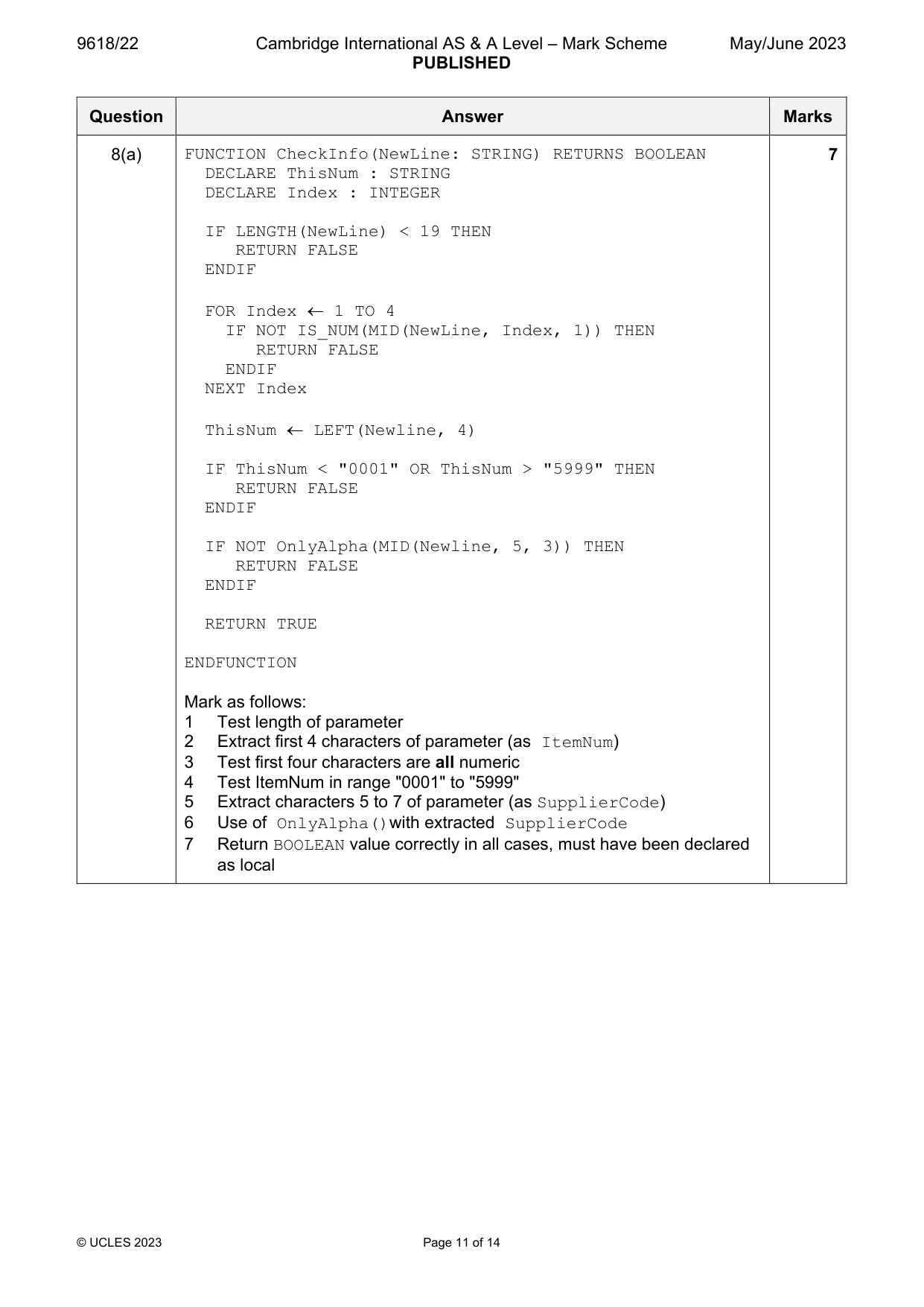
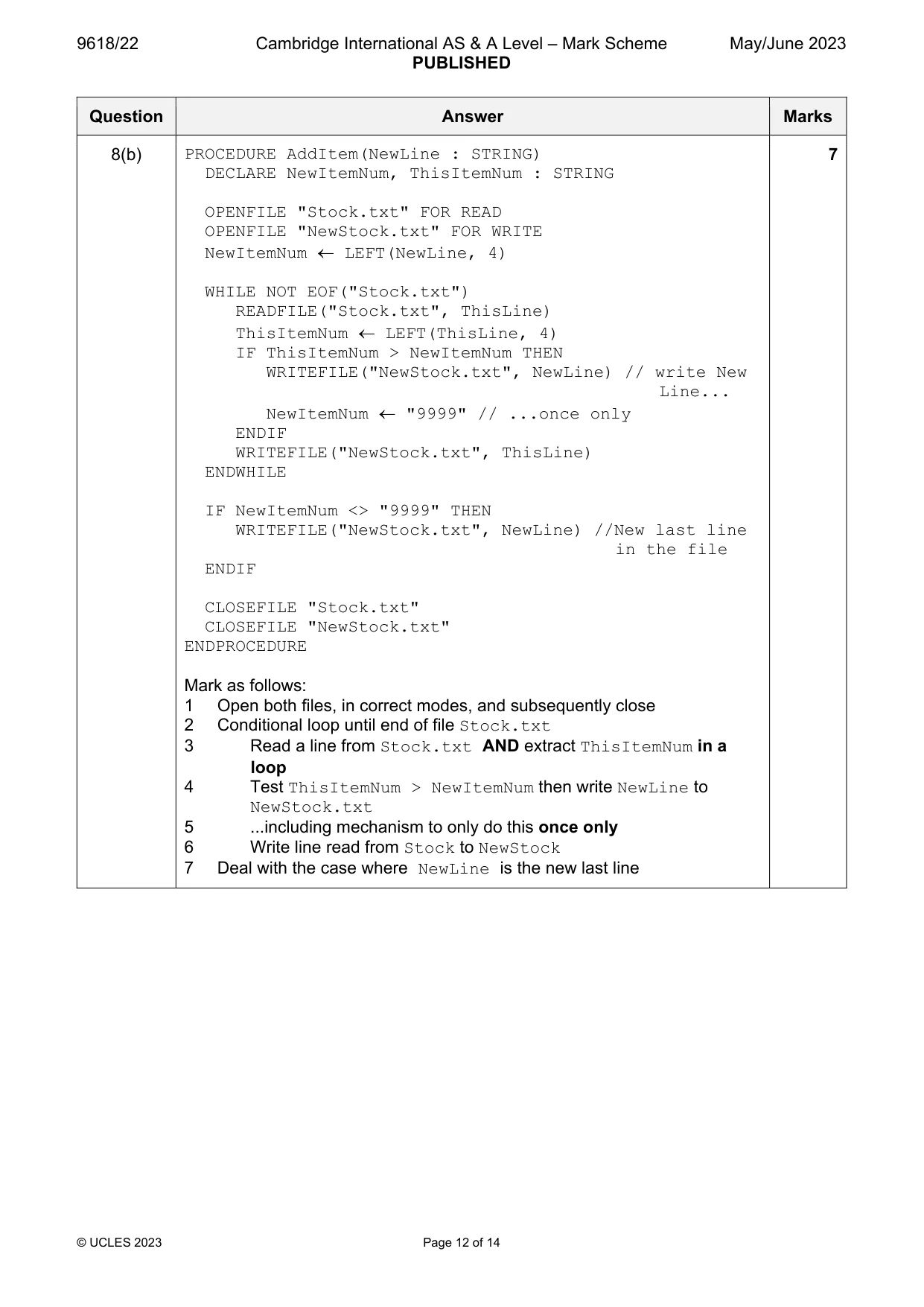
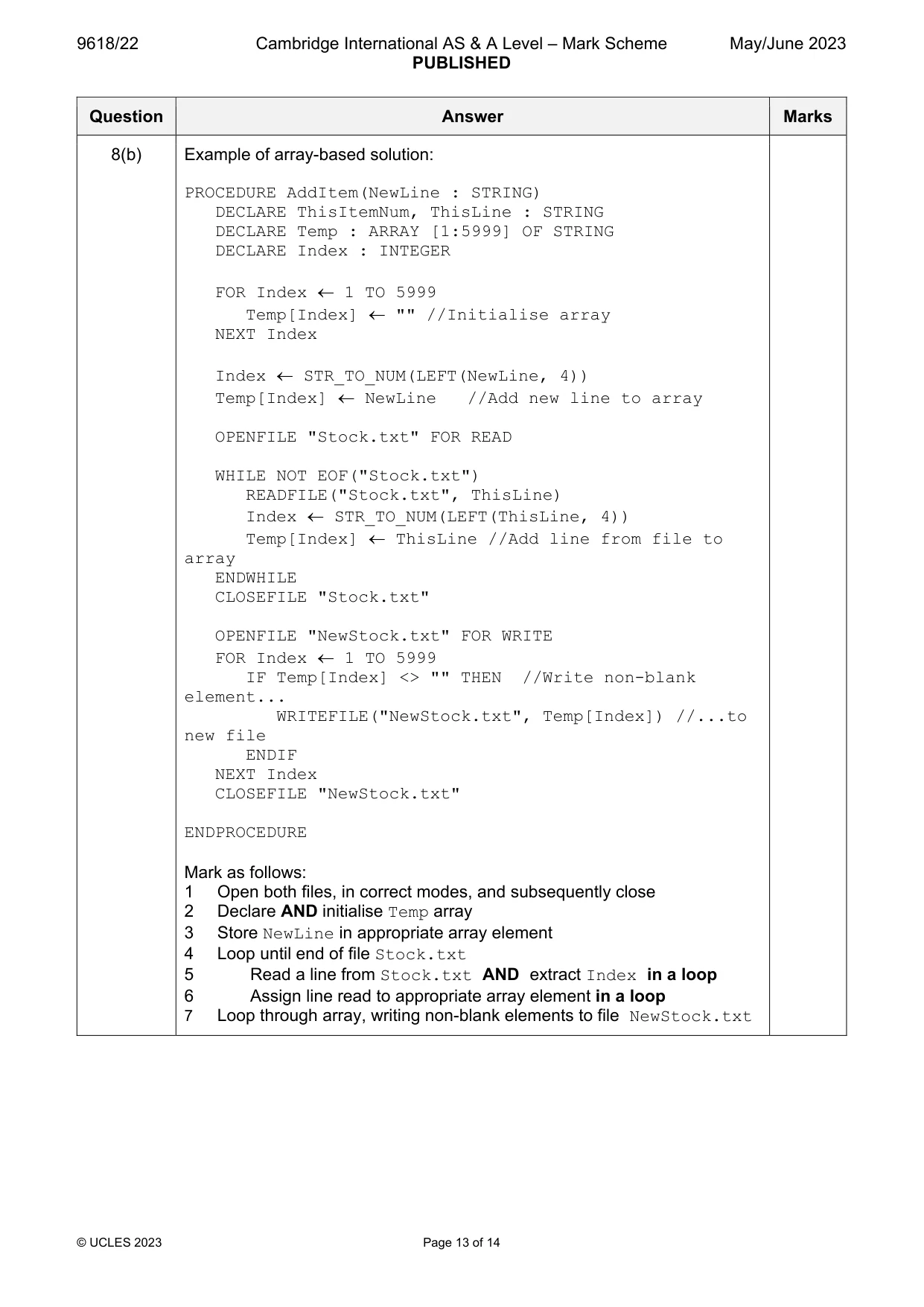
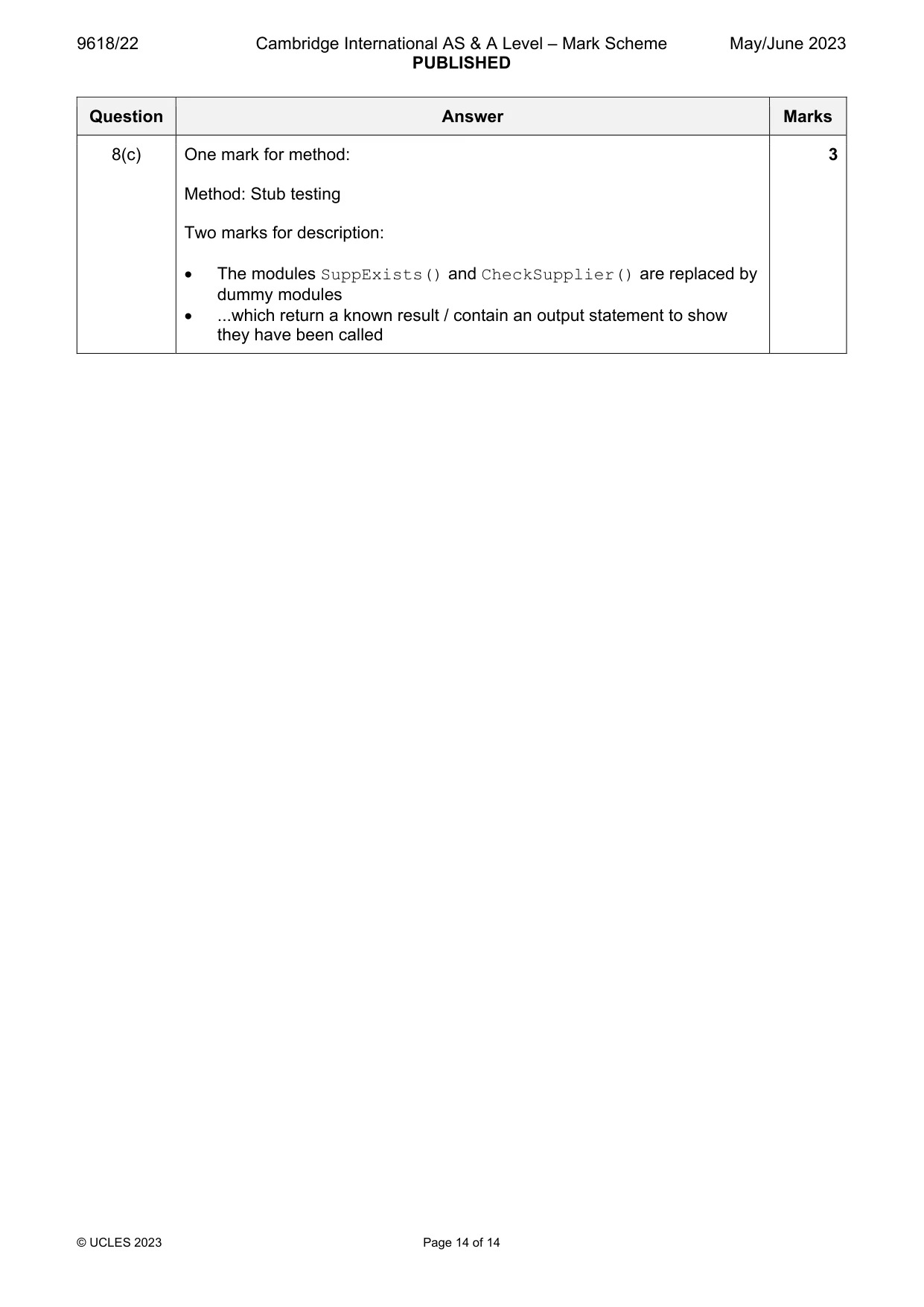
Mark scheme: 8(a) FUNCTION CheckInfo(NewLine: STRING) RETURNS BOOLEAN 7 DECLARE ThisNum : STRING DECLARE Index : INTEGER IF LENGTH(NewLine) < 19 THEN RETURN FALSE ENDIF FOR Index 1 TO 4 IF NOT IS_NUM(MID(NewLine, Index, 1)) THEN RETURN FALSE ENDIF NEXT Index ThisNum LEFT(Newline, 4) IF ThisNum < "0001" OR ThisNum > "5999" THEN RETURN FALSE ENDIF IF NOT OnlyAlpha(MID(Newline, 5, 3)) THEN RETURN FALSE ENDIF RETURN TRUE ENDFUNCTION Mark as follows: 1 Test length of parameter 2 Extract first 4 characters of parameter (as ItemNum) 3 Test first four characters are all numeric 4 Test ItemNum in range "0001" to "5999" 5 Extract characters 5 to 7 of parameter (as SupplierCode) 6 Use of OnlyAlpha()with extracted SupplierCode 7 Return BOOLEAN value correctly in all cases, must have been declared as local 8(b) PROCEDURE AddItem(NewLine : STRING) 7 DECLARE NewItemNum, ThisItemNum : STRING OPENFILE "Stock.txt" FOR READ OPENFILE "NewStock.txt" FOR WRITE NewItemNum LEFT(NewLine, 4) WHILE NOT EOF("Stock.txt") READFILE("Stock.txt", ThisLine) ThisItemNum LEFT(ThisLine, 4) IF ThisItemNum > NewItemNum THEN WRITEFILE("NewStock.txt", NewLine) // write New Line... NewItemNum "9999" // ...once only ENDIF WRITEFILE("NewStock.txt", ThisLine) ENDWHILE IF NewItemNum <> "9999" THEN WRITEFILE("NewStock.txt", NewLine) //New last line in the file ENDIF CLOSEFILE "Stock.txt" CLOSEFILE "NewStock.txt" ENDPROCEDURE Mark as follows: 1 Open both files, in correct modes, and subsequently close 2 Conditional loop until end of file Stock.txt 3 Read a line from Stock.txt AND extract ThisItemNum in a loop 4 Test ThisItemNum > NewItemNum then write NewLine to NewStock.txt 5 ...including mechanism to only do this once only 6 Write line read from Stock to NewStock 7 Deal with the case where NewLine is the new last line 8(b) Example of array-based solution: PROCEDURE AddItem(NewLine : STRING) DECLARE ThisItemNum, ThisLine : STRING DECLARE Temp : ARRAY [1:5999] OF STRING DECLARE Index : INTEGER FOR Index 1 TO 5999 Temp[Index] "" //Initialise array NEXT Index Index STR_TO_NUM(LEFT(NewLine, 4)) Temp[Index] NewLine //Add new line to array OPENFILE "Stock.txt" FOR READ WHILE NOT EOF("Stock.txt") READFILE("Stock.txt", ThisLine) Index STR_TO_NUM(LEFT(ThisLine, 4)) Temp[Index] ThisLine //Add line from file to array ENDWHILE CLOSEFILE "Stock.txt" OPENFILE "NewStock.txt" FOR WRITE FOR Index 1 TO 5999 IF Temp[Index] <> "" THEN //Write non-blank element... WRITEFILE("NewStock.txt", Temp[Index]) //...to new file ENDIF NEXT Index CLOSEFILE "NewStock.txt" ENDPROCEDURE Mark as follows: 1 Open both files, in correct modes, and subsequently close 2 Declare AND initialise Temp array 3 Store NewLine in appropriate array element 4 Loop until end of file Stock.txt 5 Read a line from Stock.txt AND extract Index in a loop 6 Assign line read to appropriate array element in a loop 7 Loop through array, writing non-blank elements to file NewStock.txt 8(c) One mark for method: 3 Method: Stub testing Two marks for description: The modules SuppExists() and CheckSupplier() are replaced by dummy modules ...which return a known result / contain an output statement to show they have been called
What was in this paper
The subtopics covered by these 8 questions, and how many questions each got. Open one in a new tab to see every Cambridge question on it.
What you needed in this session
Cambridge’s own grade thresholds for 2023 May/June, Paper 2 · Variant 2. A higher threshold means an easier paper — the bar moves with how the cohort did.