Cambridge A Level Computer Science 9618 — 2021 May/June Paper 4 · Variant 2
9618/42/M/J/21 · 3 questions · 75 marks · ≈84 min
The question paper and its mark scheme, free to read here and free to download. This is Cambridge’s own paper, exactly as it was sat.
Question paper12 pages
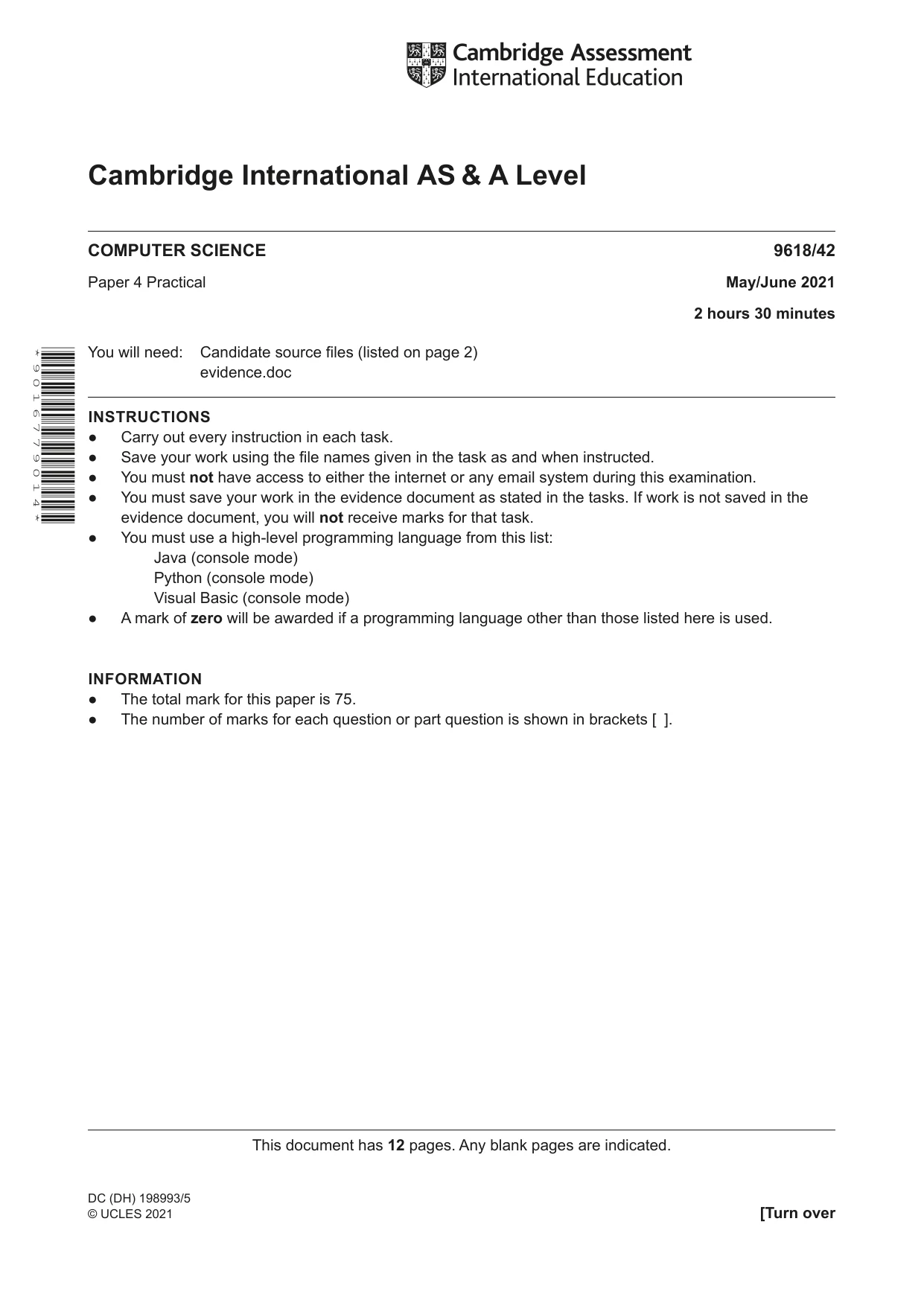

Mark scheme30 pages
Answers below. Sit the paper first if you are practising.
Questions as text
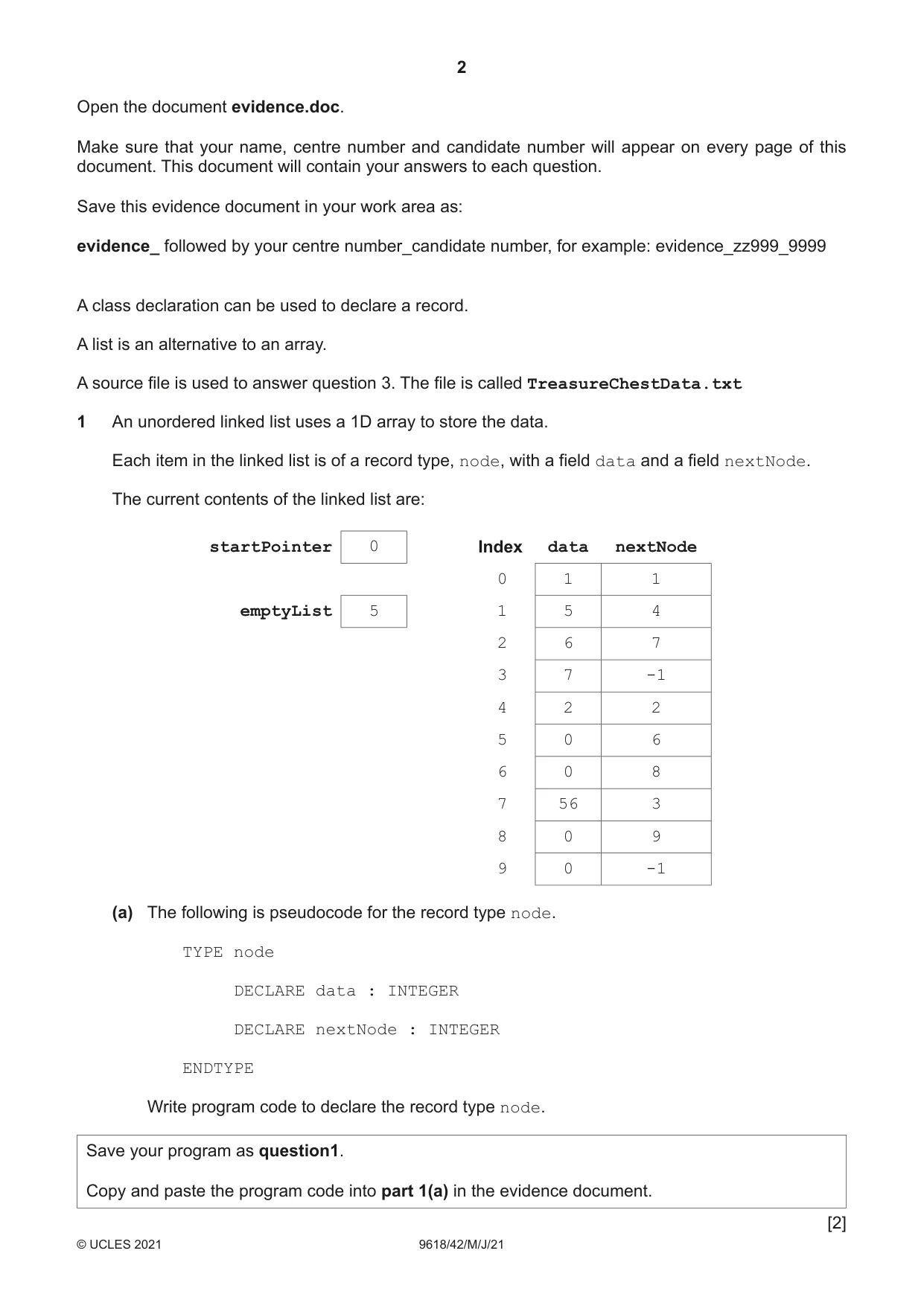
Q1 · An unordered linked list uses a 1D array to store the data
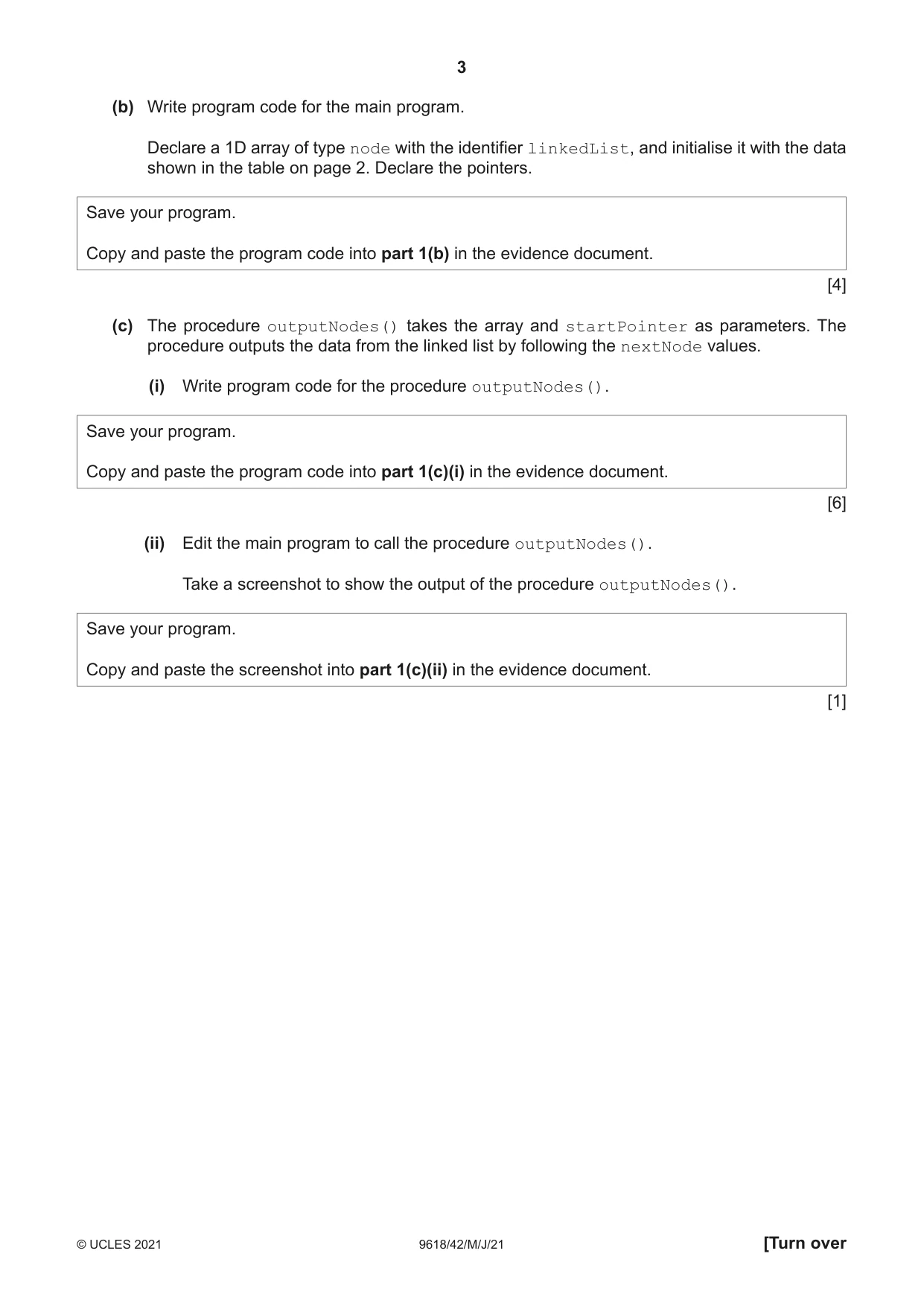
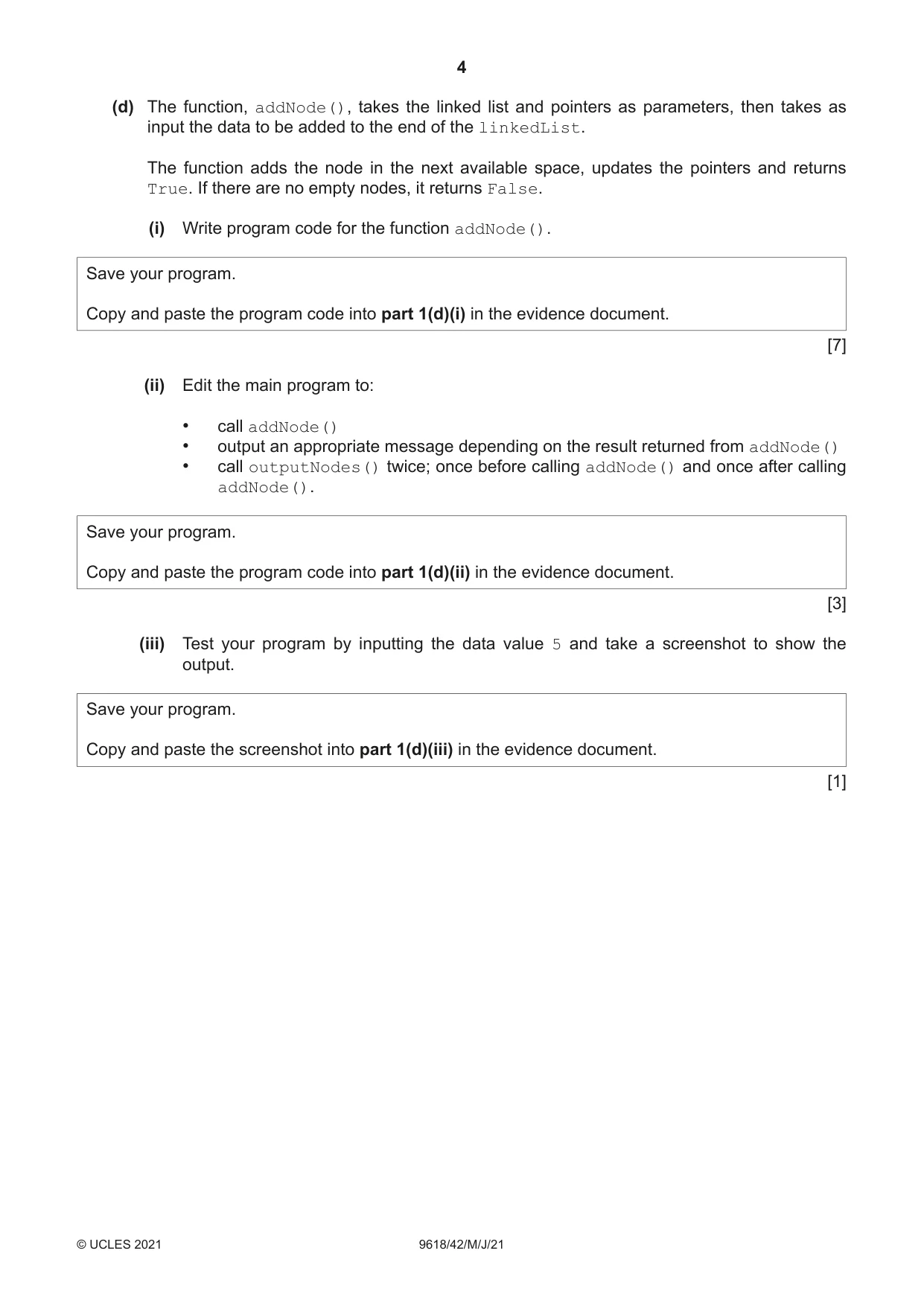
1 An unordered linked list uses a 1D array to store the data. Each item in the linked list is of a record type, node, with a field data and a field nextNode. The current contents of the linked list are: startPointer 0 Index data nextNode 0 1 1 emptyList 5 1 5 4 2 6 7 3 7 -1 4 2 2 5 0 6 6 0 8 7 56 3 8 0 9 9 0 -1 (a) The following is pseudocode for the record type node. TYPE node DECLARE data : INTEGER DECLARE nextNode : INTEGER ENDTYPE Write program code to declare the record type node. Save your program as question1. Copy and paste the program code into part 1(a) in the evidence document. [2] (b) Write program code for the main program. Declare a 1D array of type node with the identifier linkedList, and initialise it with the data shown in the table on page 2. Declare the pointers. Save your program. Copy and paste the program code into part 1(b) in the evidence document. [4] (c) The procedure outputNodes() takes the array and startPointer as parameters. The procedure outputs the data from the linked list by following the nextNode values. (i) Write program code for the procedure outputNodes(). Save your program. Copy and paste the program code into part 1(c)(i) in the evidence document. [6] (ii) Edit the main program to call the procedure outputNodes(). Take a screenshot to show the output of the procedure outputNodes(). Save your program. Copy and paste the screenshot into part 1(c)(ii) in the evidence document. [1] (d) The function, addNode(), takes the linked list and pointers as parameters, then takes as input the data to be added to the end of the linkedList. The function adds the node in the next available space, updates the pointers and returns True. If there are no empty nodes, it returns False. (i) Write program code for the function addNode(). Save your program. Copy and paste the program code into part 1(d)(i) in the evidence document. [7] (ii) Edit the main program to: • call addNode() • output an appropriate message depending on the result returned from addNode() • call outputNodes() twice; once before calling addNode() and once after calling addNode(). Save your program. Copy and paste the program code into part 1(d)(ii) in the evidence document. [3] (iii) Test your program by inputting the data value 5 and take a screenshot to show the output. Save your program. Copy and paste the screenshot into part 1(d)(iii) in the evidence document. [1]
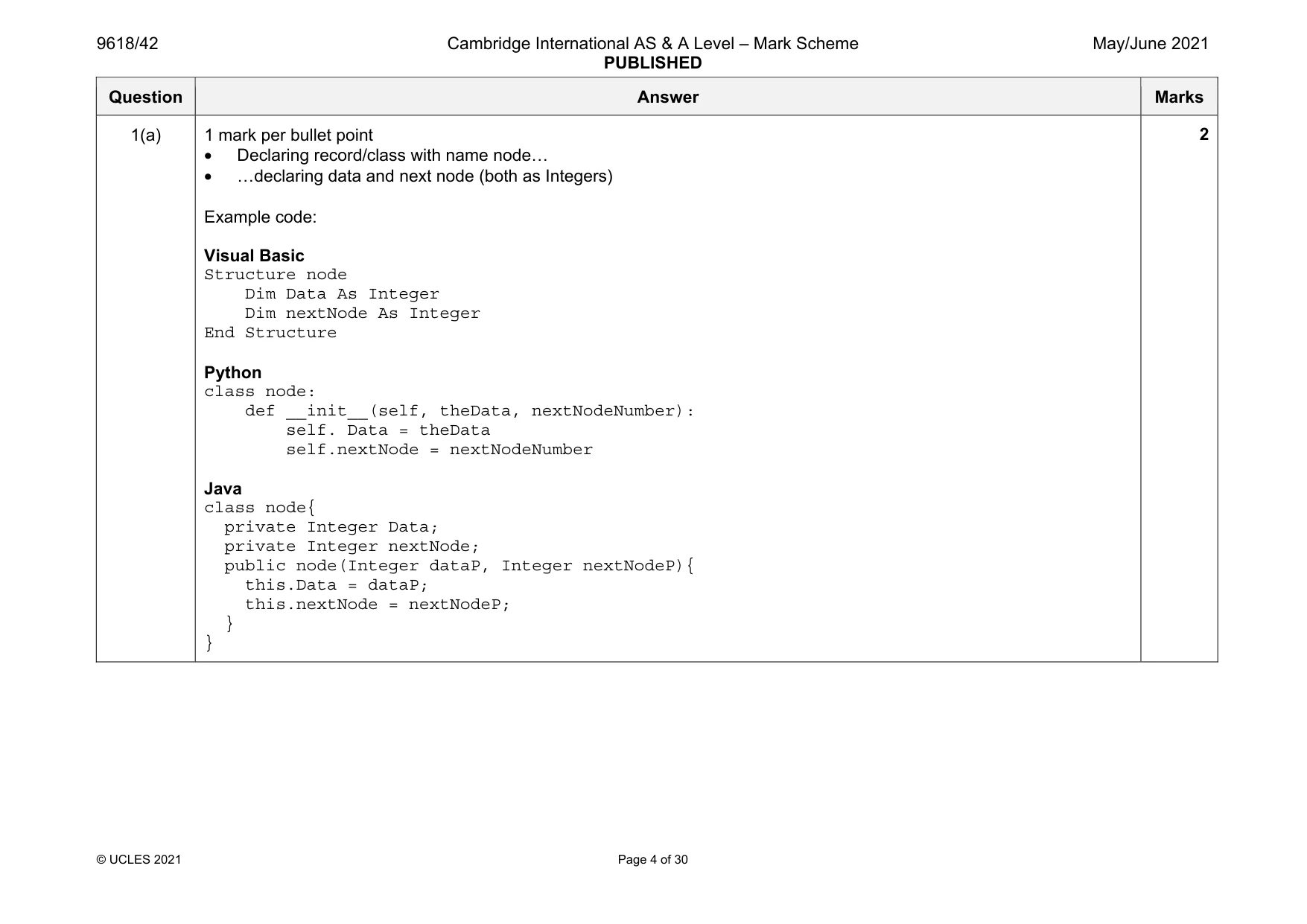
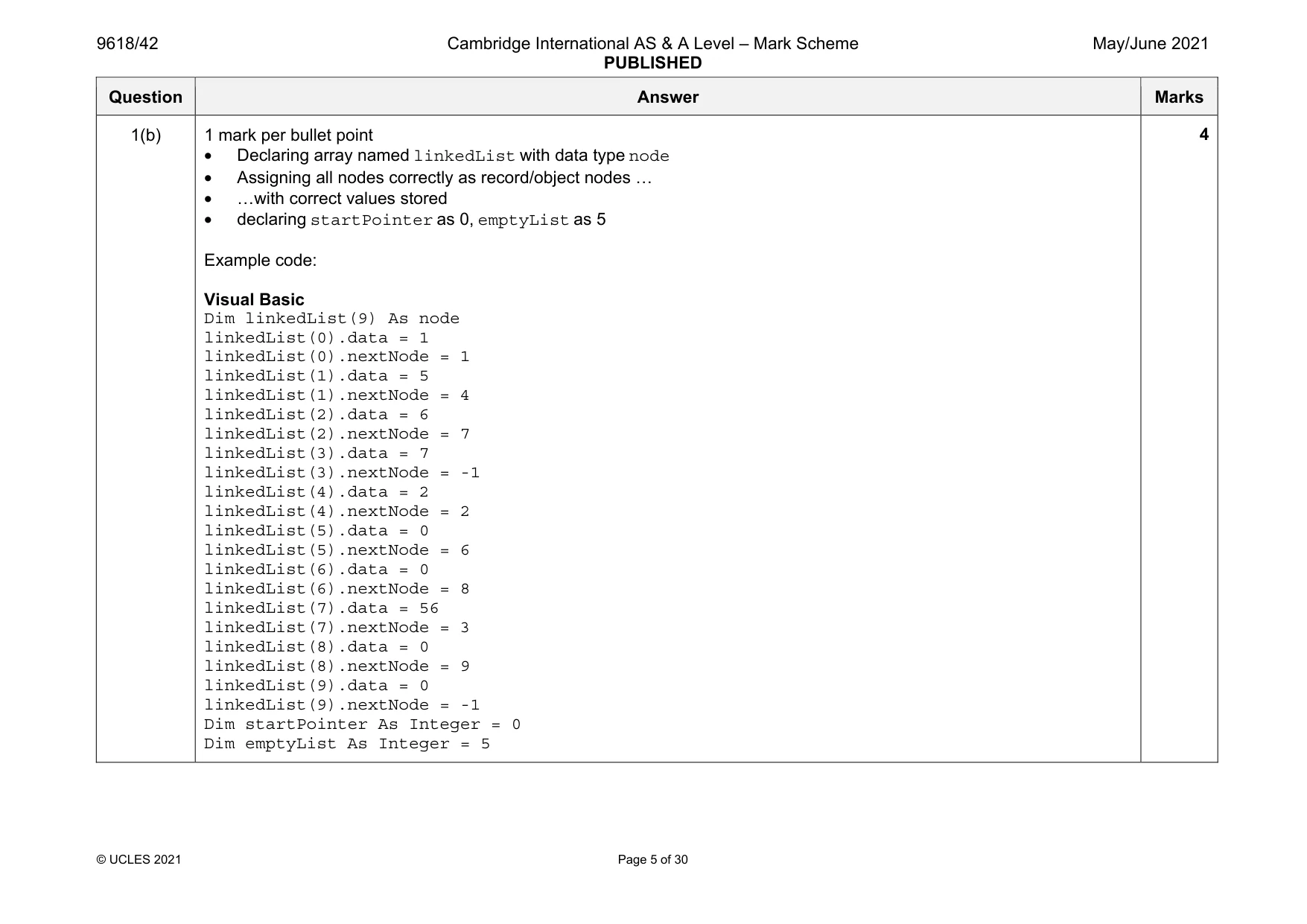
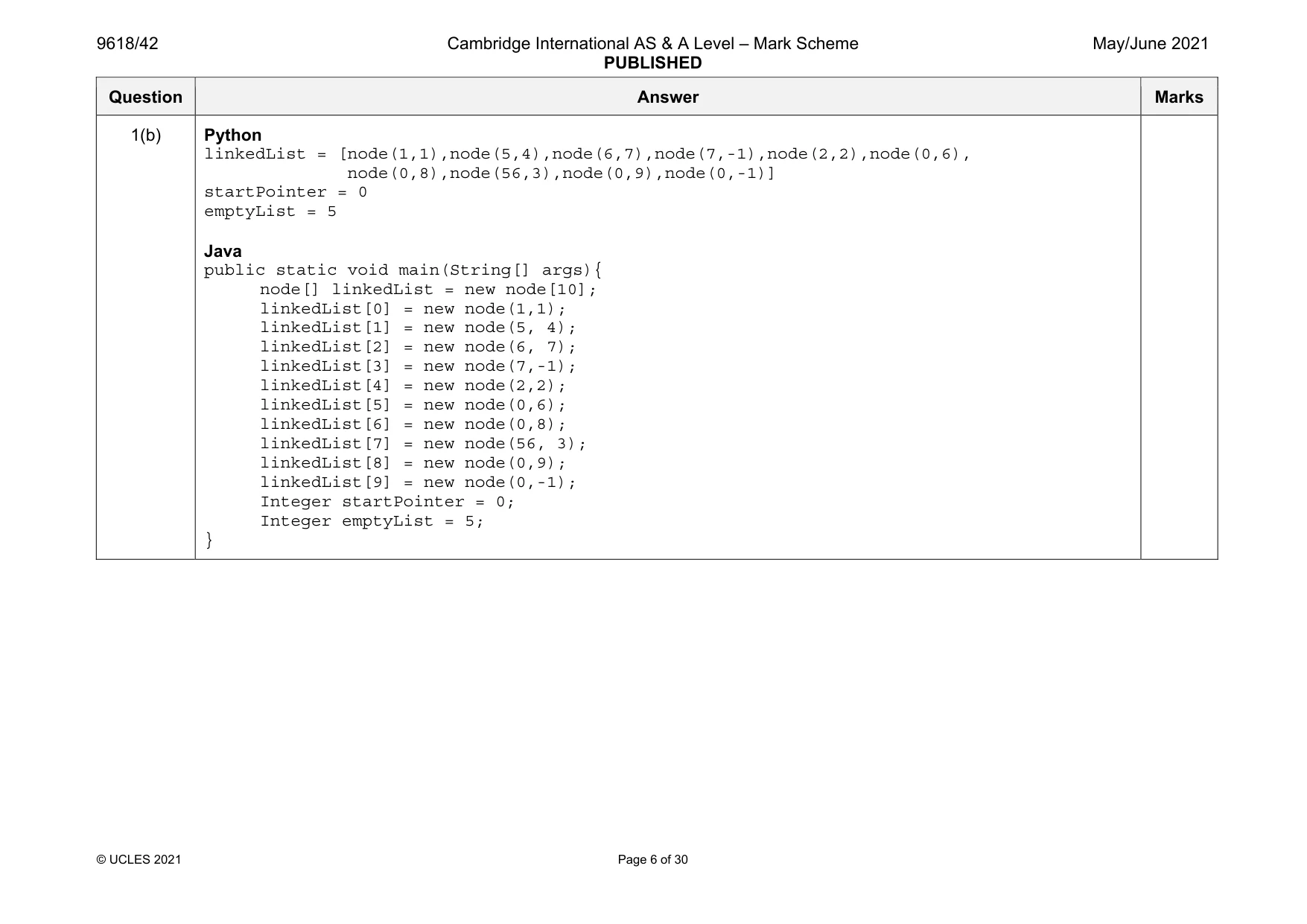
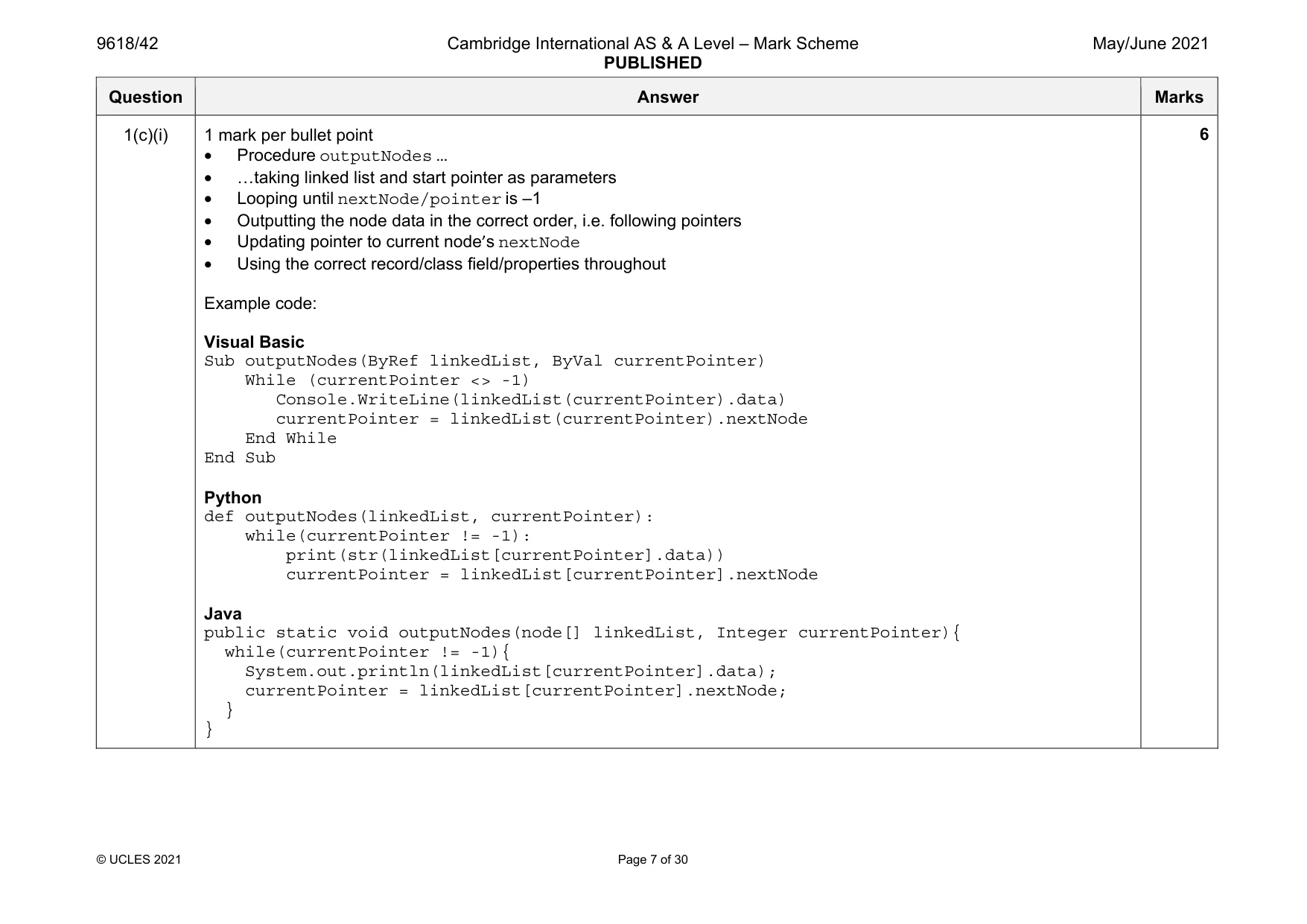
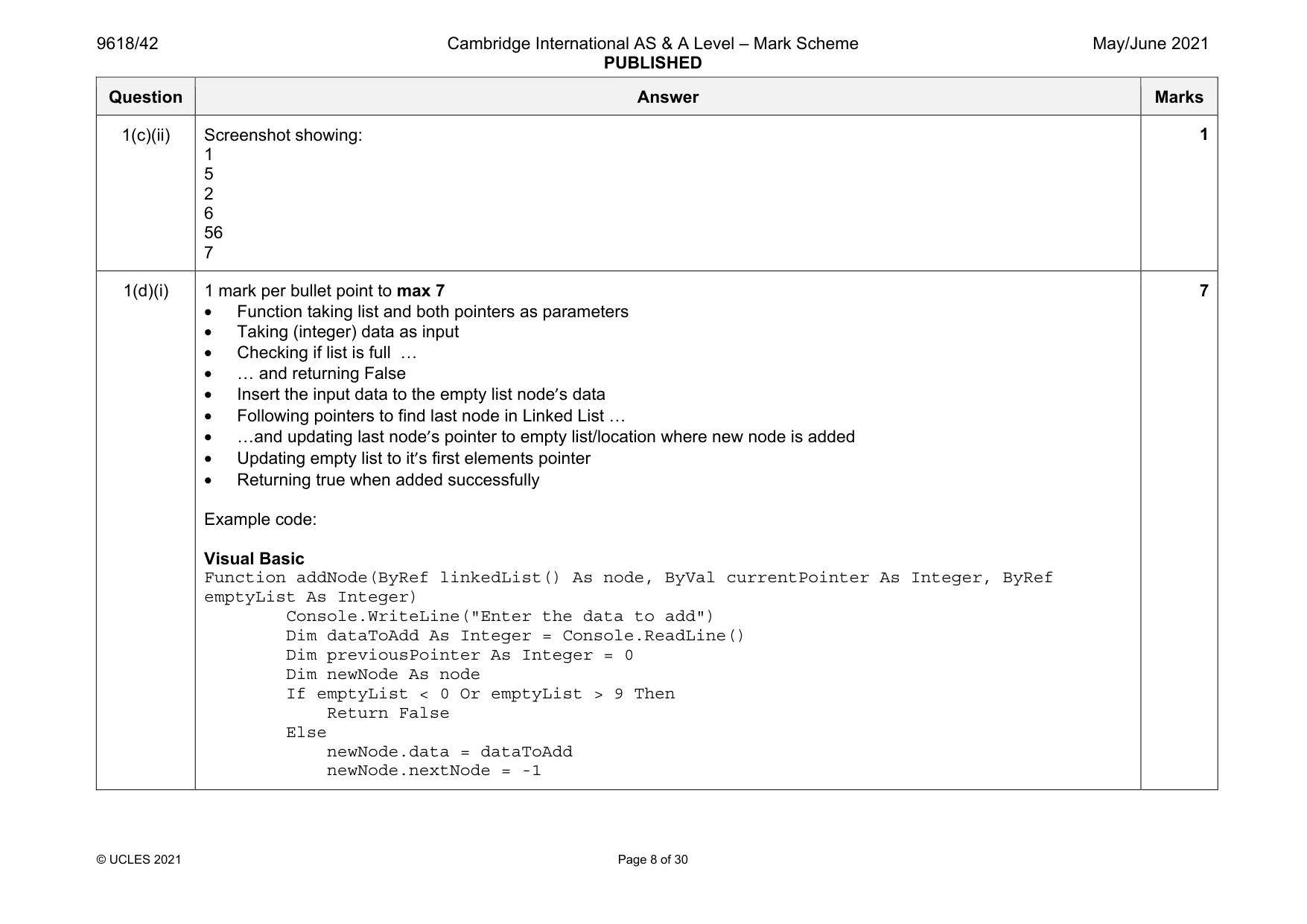
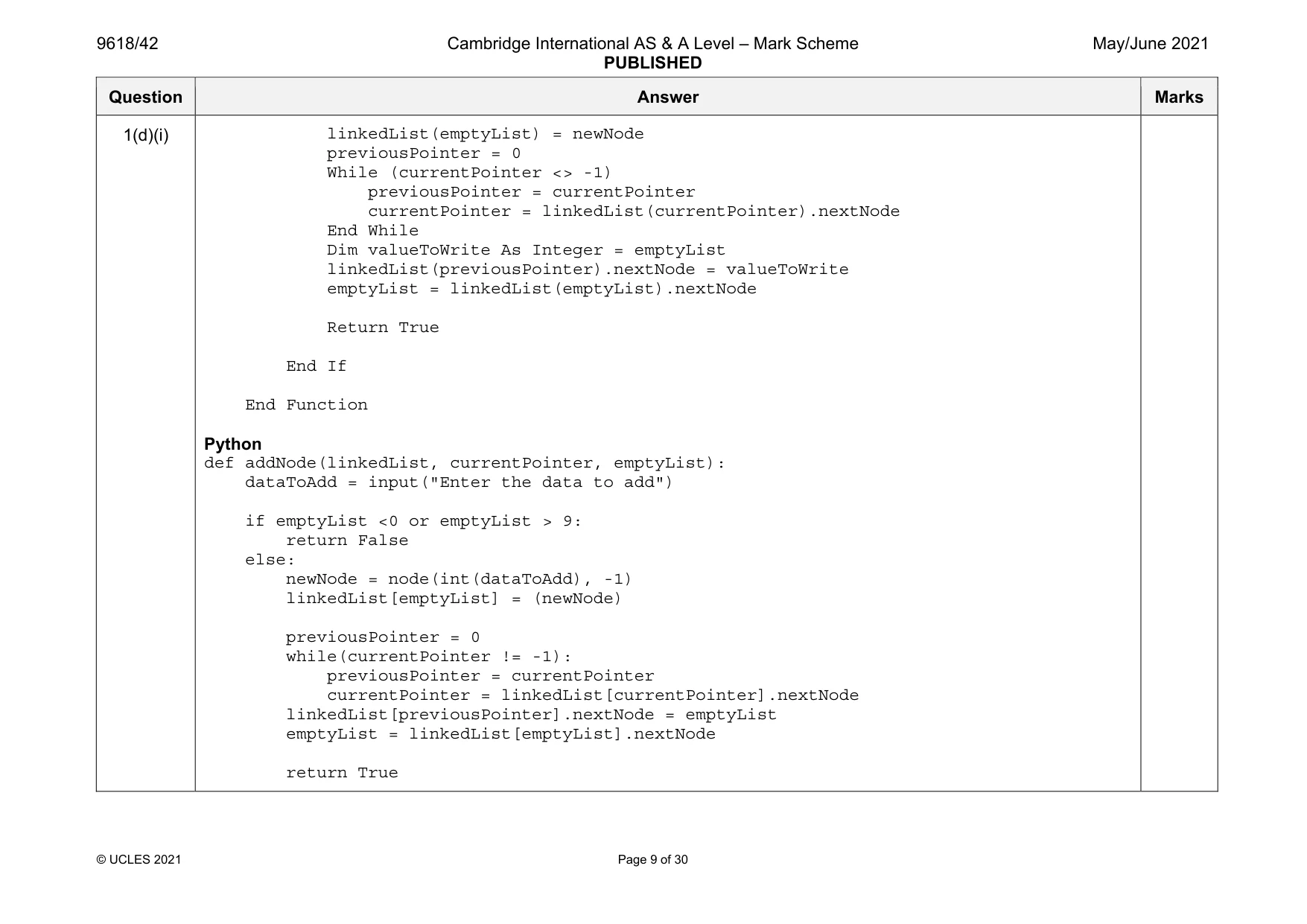
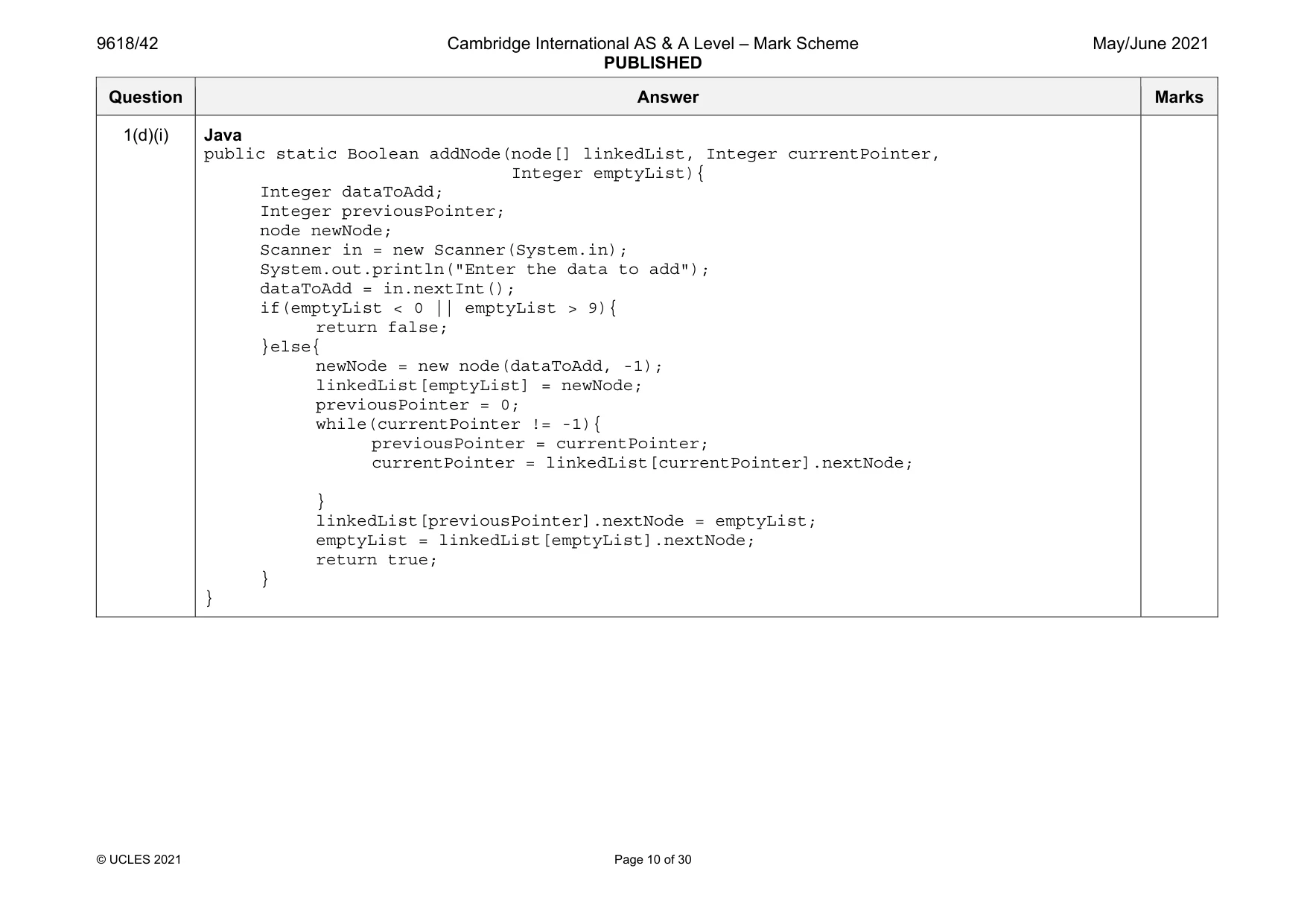
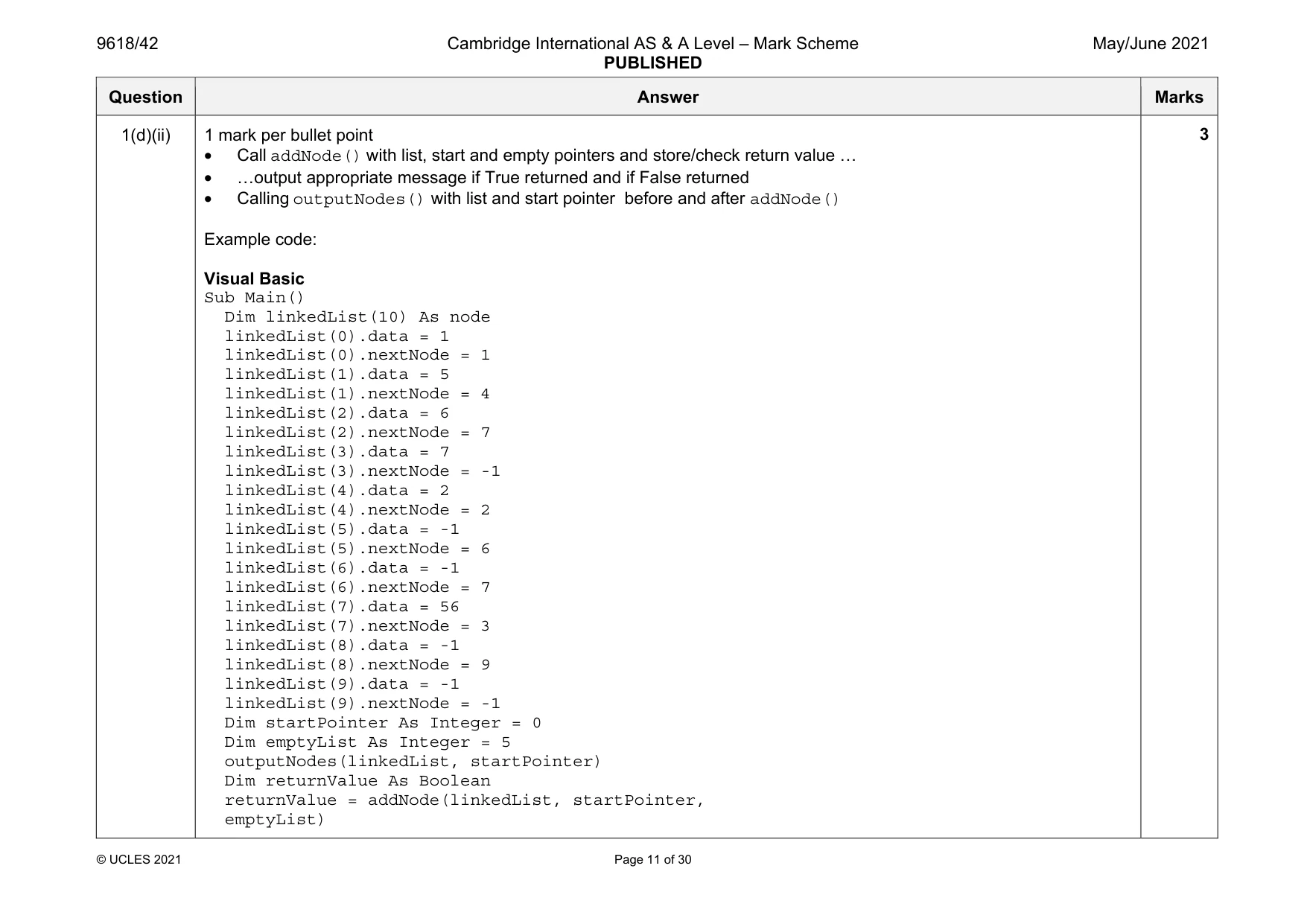
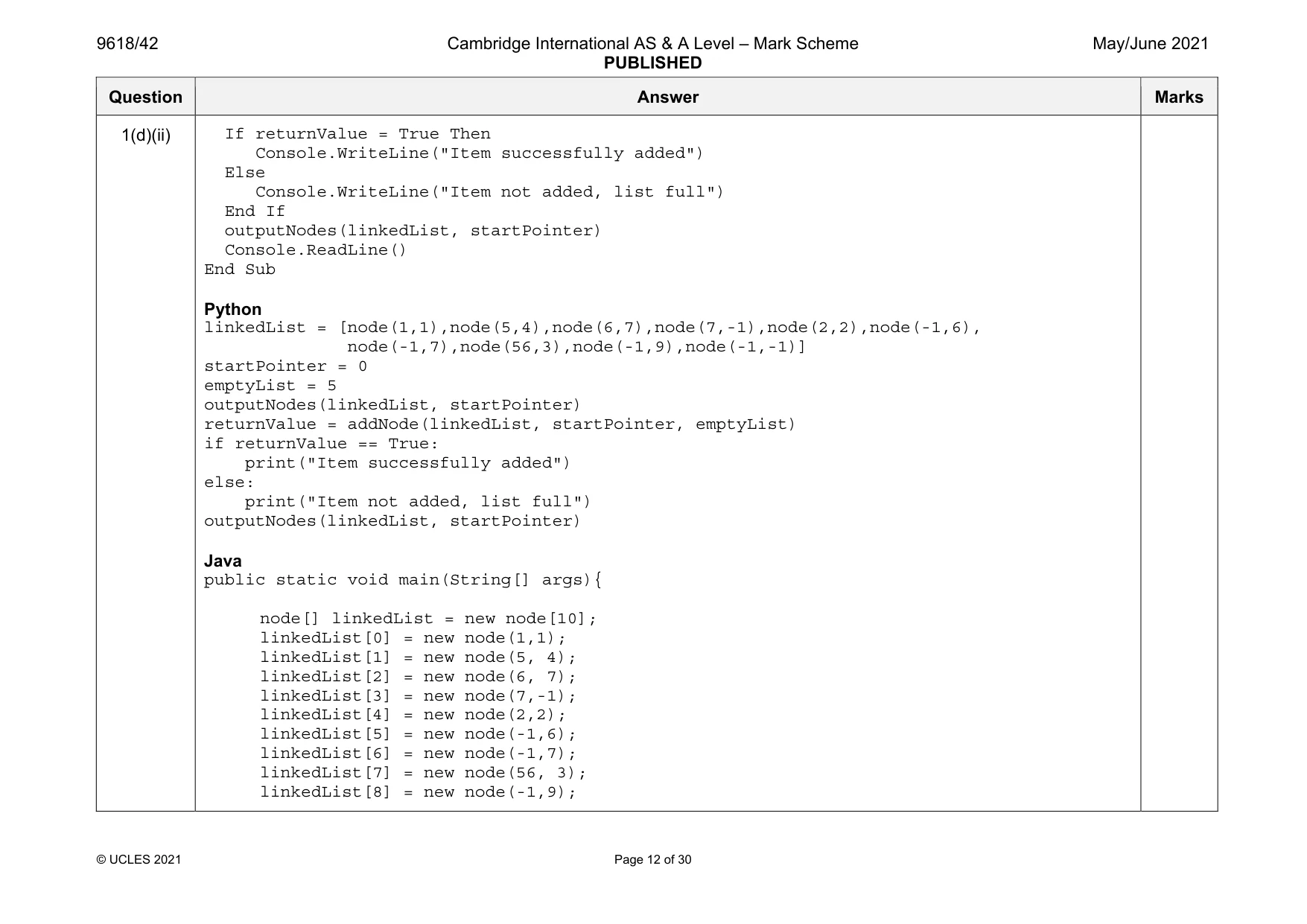
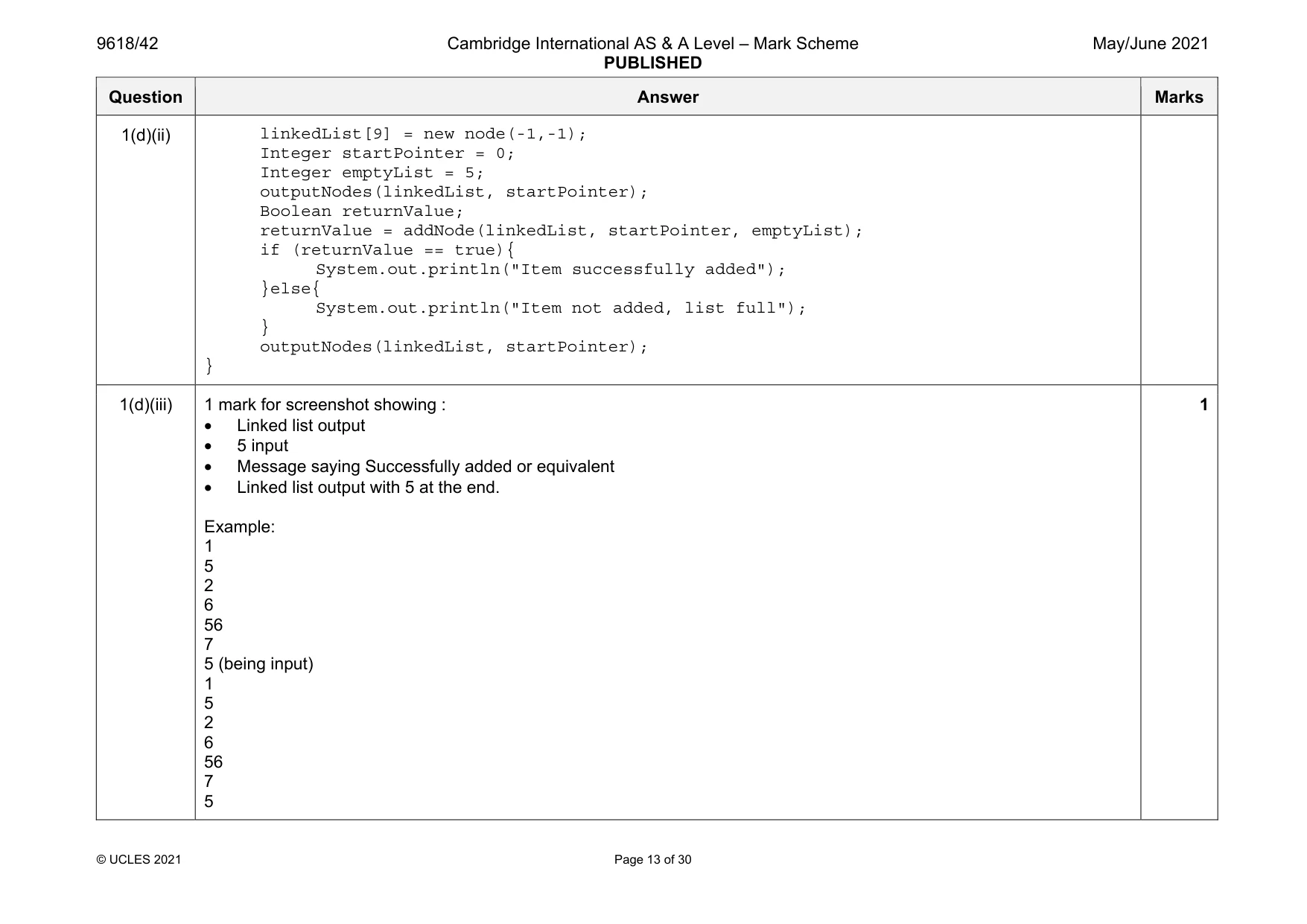
Mark scheme: 1(a) 1 mark per bullet point • Declaring record/class with name node… • …declaring data and next node (both as Integers) Example code: Visual Basic Structure node Dim Data As Integer Dim nextNode As Integer End Structure Python class node: def __init__(self, theData, nextNodeNumber): self. Data = theData self.nextNode = nextNodeNumber Java class node{ private Integer Data; private Integer nextNode; public node(Integer dataP, Integer nextNodeP){ this.Data = dataP; this.nextNode = nextNodeP; } } Question Answer Marks 1(b) 1 mark per bullet point • Declaring array named linkedList with data type node • Assigning all nodes correctly as record/object nodes … • …with correct values stored • declaring startPointer as 0, emptyList as 5 Example code: Visual Basic Dim linkedList(9) As node linkedList(0).data = 1 linkedList(0).nextNode = 1 linkedList(1).data = 5 linkedList(1).nextNode = 4 linkedList(2).data = 6 linkedList(2).nextNode = 7 linkedList(3).data = 7 linkedList(3).nextNode = -1 linkedList(4).data = 2 linkedList(4).nextNode = 2 linkedList(5).data = 0 linkedList(5).nextNode = 6 linkedList(6).data = 0 linkedList(6).nextNode = 8 linkedList(7).data = 56 linkedList(7).nextNode = 3 linkedList(8).data = 0 linkedList(8).nextNode = 9 linkedList(9).data = 0 linkedList(9).nextNode = -1 Dim startPointer As Integer = 0 Dim emptyList As Integer = 5 4 Question Answer Marks 1(b) Python linkedList = [node(1,1),node(5,4),node(6,7),node(7,-1),node(2,2),node(0,6), node(0,8),node(56,3),node(0,9),node(0,-1)] startPointer = 0 emptyList = 5 Java public static void main(String[] args){ node[] linkedList = new node[10]; linkedList[0] = new node(1,1); linkedList[1] = new node(5, 4); linkedList[2] = new node(6, 7); linkedList[3] = new node(7,-1); linkedList[4] = new node(2,2); linkedList[5] = new node(0,6); linkedList[6] = new node(0,8); linkedList[7] = new node(56, 3); linkedList[8] = new node(0,9); linkedList[9] = new node(0,-1); Integer startPointer = 0; Integer emptyList = 5; } Question Answer Marks 1(c)(i) 1 mark per bullet point • Procedure outputNodes … • …taking linked list and start pointer as parameters • Looping until nextNode/pointer is –1 • Outputting the node data in the correct order, i.e. following pointers • Updating pointer to current node’s nextNode • Using the correct record/class field/properties throughout Example code: Visual Basic Sub outputNodes(ByRef linkedList, ByVal currentPointer) While (currentPointer <> -1) Console.WriteLine(linkedList(currentPointer).data) currentPointer = linkedList(currentPointer).nextNode End While End Sub Python def outputNodes(linkedList, currentPointer): while(currentPointer != -1): print(str(linkedList[currentPointer].data)) currentPointer = linkedList[currentPointer].nextNode Java public static void outputNodes(node[] linkedList, Integer currentPointer){ while(currentPointer != -1){ System.out.println(linkedList[currentPointer].data); currentPointer = linkedList[currentPointer].nextNode; } } 6 Question Answer Marks 1(c)(ii) Screenshot showing: 1 5 2 6 56 7 1 1(d)(i) 1 mark per bullet point to max 7 • Function taking list and both pointers as parameters • Taking (integer) data as input • Checking if list is full … • … and returning False • Insert the input data to the empty list node’s data • Following pointers to find last node in Linked List … • …and updating last node’s pointer to empty list/location where new node is added • Updating empty list to it’s first elements pointer • Returning true when added successfully Example code: Visual Basic Function addNode(ByRef linkedList() As node, ByVal currentPointer As Integer, ByRef emptyList As Integer) Console.WriteLine("Enter the data to add") Dim dataToAdd As Integer = Console.ReadLine() Dim previousPointer As Integer = 0 Dim newNode As node If emptyList < 0 Or emptyList > 9 Then Return False Else newNode.data = dataToAdd newNode.nextNode = -1 7 Question Answer Marks 1(d)(i) linkedList(emptyList) = newNode previousPointer = 0 While (currentPointer <> -1) previousPointer = currentPointer currentPointer = linkedList(currentPointer).nextNode End While Dim valueToWrite As Integer = emptyList linkedList(previousPointer).nextNode = valueToWrite emptyList = linkedList(emptyList).nextNode Return True End If End Function Python def addNode(linkedList, currentPointer, emptyList): dataToAdd = input("Enter the data to add") if emptyList <0 or emptyList > 9: return False else: newNode = node(int(dataToAdd), -1) linkedList[emptyList] = (newNode) previousPointer = 0 while(currentPointer != -1): previousPointer = currentPointer currentPointer = linkedList[currentPointer].nextNode linkedList[previousPointer].nextNode = emptyList emptyList = linkedList[emptyList].nextNode return True Question Answer Marks 1(d)(i) Java public static Boolean addNode(node[] linkedList, Integer currentPointer, Integer emptyList){ Integer dataToAdd; Integer previousPointer; node newNode; Scanner in = new Scanner(System.in); System.out.println("Enter the data to add"); dataToAdd = in.nextInt(); if(emptyList < 0 || emptyList > 9){ return false; }else{ newNode = new node(dataToAdd, -1); linkedList[emptyList] = newNode; previousPointer = 0; while(currentPointer != -1){ previousPointer = currentPointer; currentPointer = linkedList[currentPointer].nextNode; } linkedList[previousPointer].nextNode = emptyList; emptyList = linkedList[emptyList].nextNode; return true; } } Question Answer Marks 1(d)(ii) 1 mark per bullet point • Call addNode() with list, start and empty pointers and store/check return value … • …output appropriate message if True returned and if False returned • Calling outputNodes() with list and start pointer before and after addNode() Example code: Visual Basic Sub Main() Dim linkedList(10) As node linkedList(0).data = 1 linkedList(0).nextNode = 1 linkedList(1).data = 5 linkedList(1).nextNode = 4 linkedList(2).data = 6 linkedList(2).nextNode = 7 linkedList(3).data = 7 linkedList(3).nextNode = -1 linkedList(4).data = 2 linkedList(4).nextNode = 2 linkedList(5).data = -1 linkedList(5).nextNode = 6 linkedList(6).data = -1 linkedList(6).nextNode = 7 linkedList(7).data = 56 linkedList(7).nextNode = 3 linkedList(8).data = -1 linkedList(8).nextNode = 9 linkedList(9).data = -1 linkedList(9).nextNode = -1 Dim startPointer As Integer = 0 Dim emptyList As Integer = 5 outputNodes(linkedList, startPointer) Dim returnValue As Boolean returnValue = addNode(linkedList, startPointer, emptyList) 3 Question Answer Marks 1(d)(ii) If returnValue = True Then Console.WriteLine("Item successfully added") Else Console.WriteLine("Item not added, list full") End If outputNodes(linkedList, startPointer) Console.ReadLine() End Sub Python linkedList = [node(1,1),node(5,4),node(6,7),node(7,-1),node(2,2),node(-1,6), node(-1,7),node(56,3),node(-1,9),node(-1,-1)] startPointer = 0 emptyList = 5 outputNodes(linkedList, startPointer) returnValue = addNode(linkedList, startPointer, emptyList) if returnValue == True: print("Item successfully added") else: print("Item not added, list full") outputNodes(linkedList, startPointer) Java public static void main(String[] args){ node[] linkedList = new node[10]; linkedList[0] = new node(1,1); linkedList[1] = new node(5, 4); linkedList[2] = new node(6, 7); linkedList[3] = new node(7,-1); linkedList[4] = new node(2,2); linkedList[5] = new node(-1,6); linkedList[6] = new node(-1,7); linkedList[7] = new node(56, 3); linkedList[8] = new node(-1,9); Question Answer Marks 1(d)(ii) linkedList[9] = new node(-1,-1); Integer startPointer = 0; Integer emptyList = 5; outputNodes(linkedList, startPointer); Boolean returnValue; returnValue = addNode(linkedList, startPointer, emptyList); if (returnValue == true){ System.out.println("Item successfully added"); }else{ System.out.println("Item not added, list full"); } outputNodes(linkedList, startPointer); } 1(d)(iii) 1 mark for screenshot showing : • Linked list output • 5 input • Message saying Successfully added or equivalent • Linked list output with 5 at the end. Example: 1 5 2 6 56 7 5 (being input) 1 5 2 6 56 7 5 1
Q2 · A program stores the following ten integers in a 1D array with the identifier arrayData
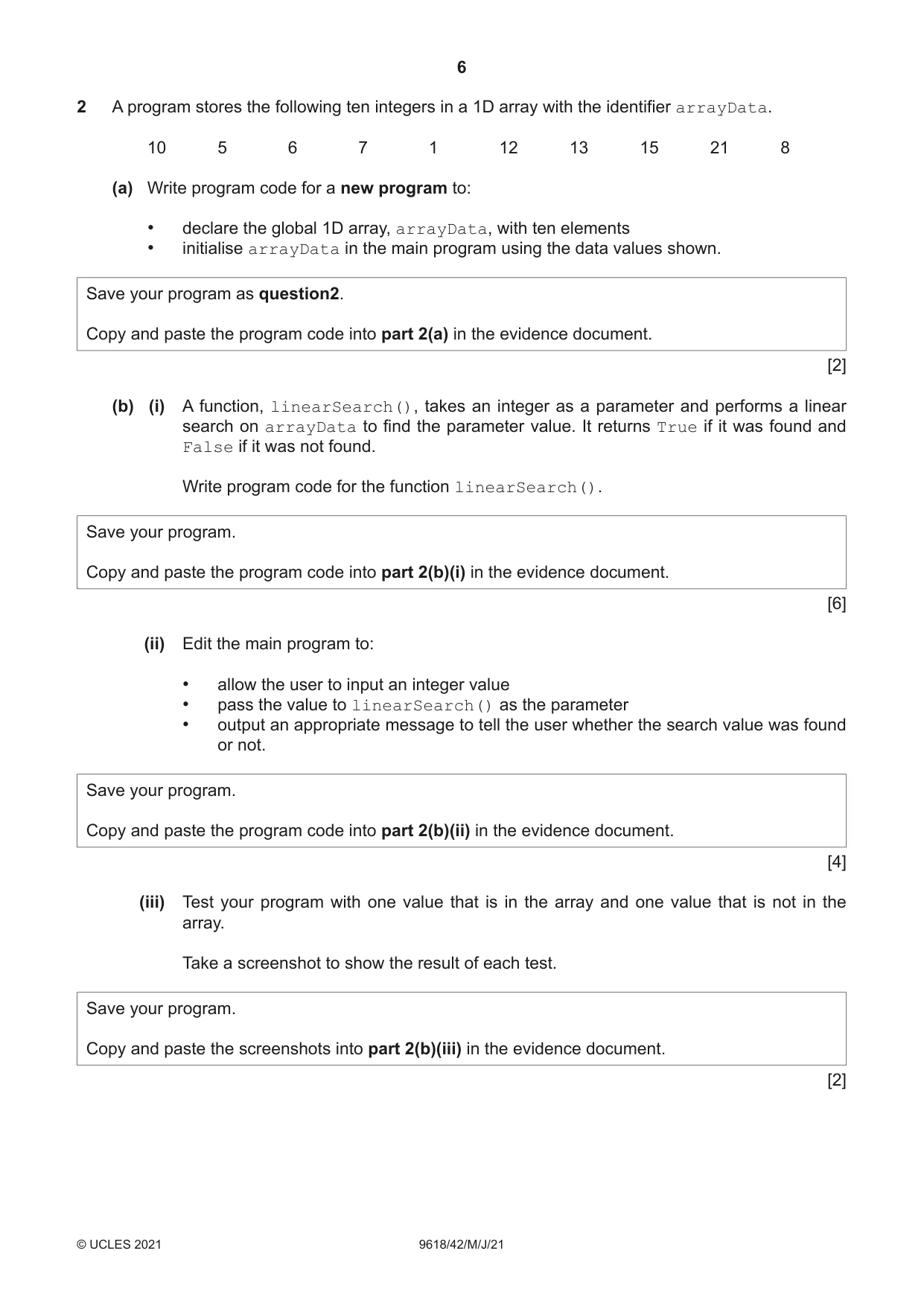
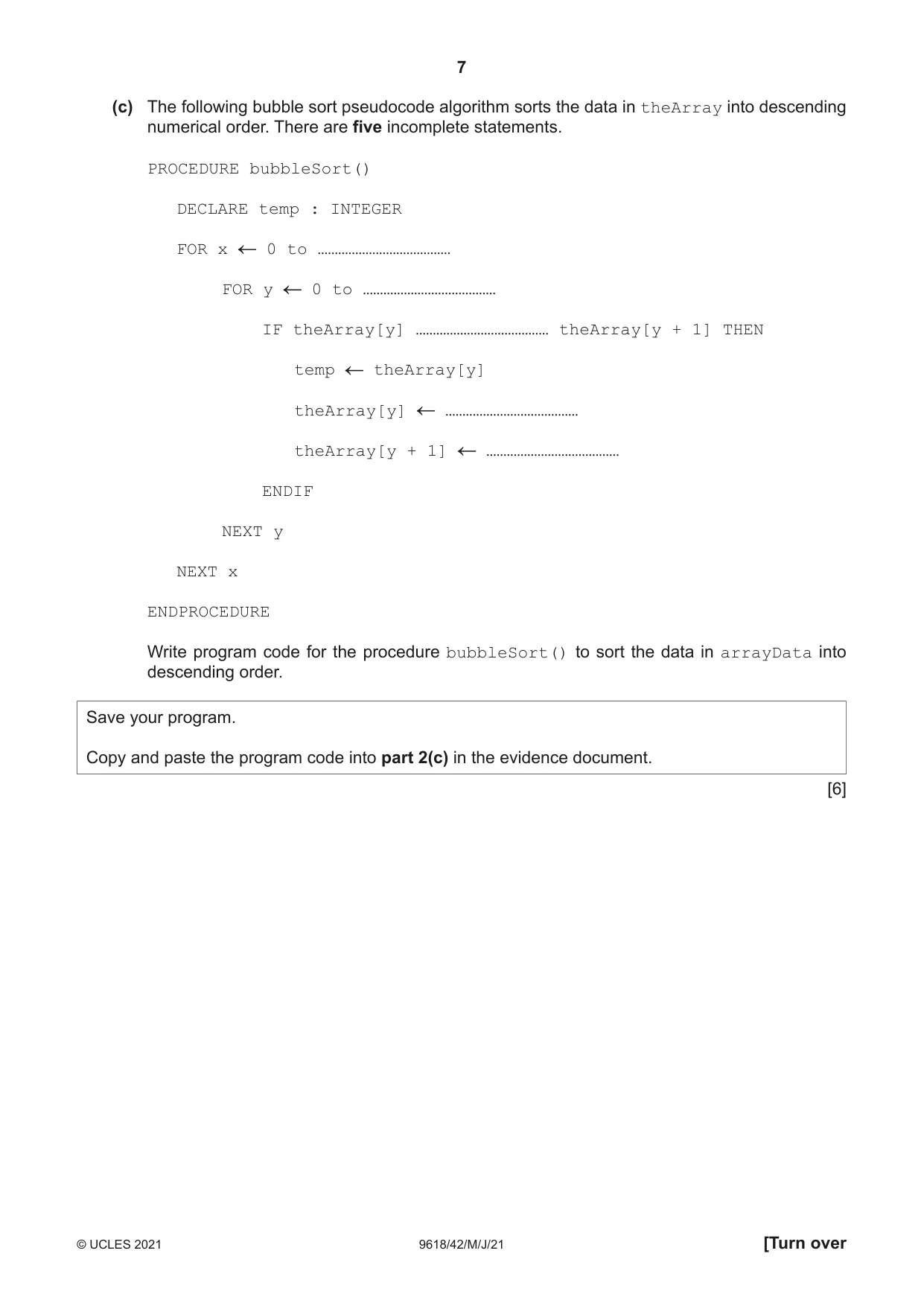
2 A program stores the following ten integers in a 1D array with the identifier arrayData. 10 5 6 7 1 12 13 15 21 8 (a) Write program code for a new program to: • declare the global 1D array, arrayData, with ten elements • initialise arrayData in the main program using the data values shown. Save your program as question2. Copy and paste the program code into part 2(a) in the evidence document. [2] (b) (i) A function, linearSearch(), takes an integer as a parameter and performs a linear search on arrayData to find the parameter value. It returns True if it was found and False if it was not found. Write program code for the function linearSearch(). Save your program. Copy and paste the program code into part 2(b)(i) in the evidence document. [6] (ii) Edit the main program to: • allow the user to input an integer value • pass the value to linearSearch() as the parameter • output an appropriate message to tell the user whether the search value was found or not. Save your program. Copy and paste the program code into part 2(b)(ii) in the evidence document. [4] (iii) Test your program with one value that is in the array and one value that is not in the array. Take a screenshot to show the result of each test. Save your program. Copy and paste the screenshots into part 2(b)(iii) in the evidence document. [2] (c) The following bubble sort pseudocode algorithm sorts the data in theArray into descending numerical order. There are five incomplete statements. PROCEDURE bubbleSort() DECLARE temp : INTEGER FOR x 0 to ………………………………… FOR y 0 to ………………………………… IF theArray[y] ………………………………… theArray[y + 1] THEN temp theArray[y] theArray[y] theArray[y + 1] ENDIF NEXT y NEXT x ENDPROCEDURE Write program code for the procedure bubbleSort() to sort the data in arrayData into descending order. Save your program. Copy and paste the program code into part 2(c) in the evidence document. [6]
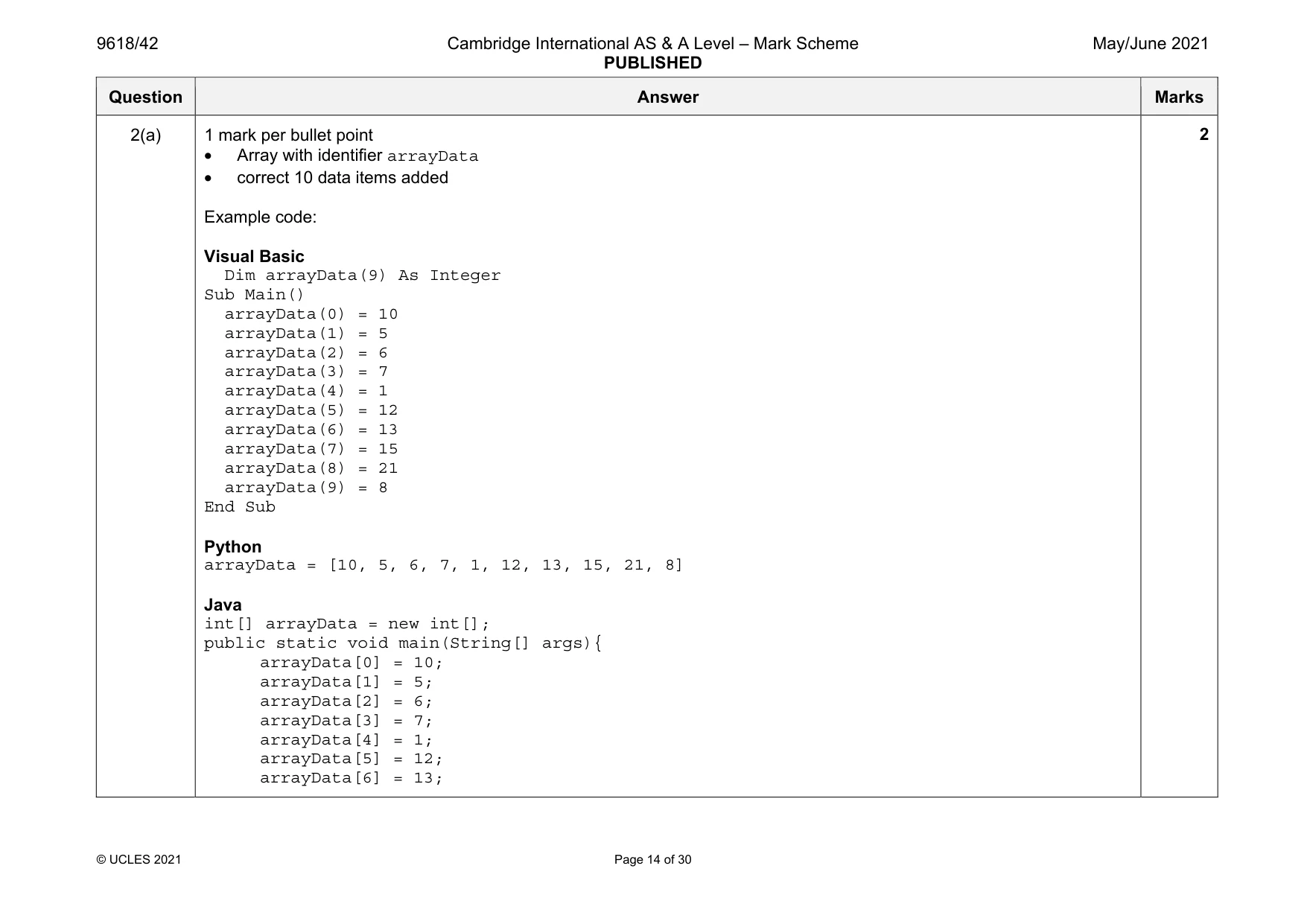
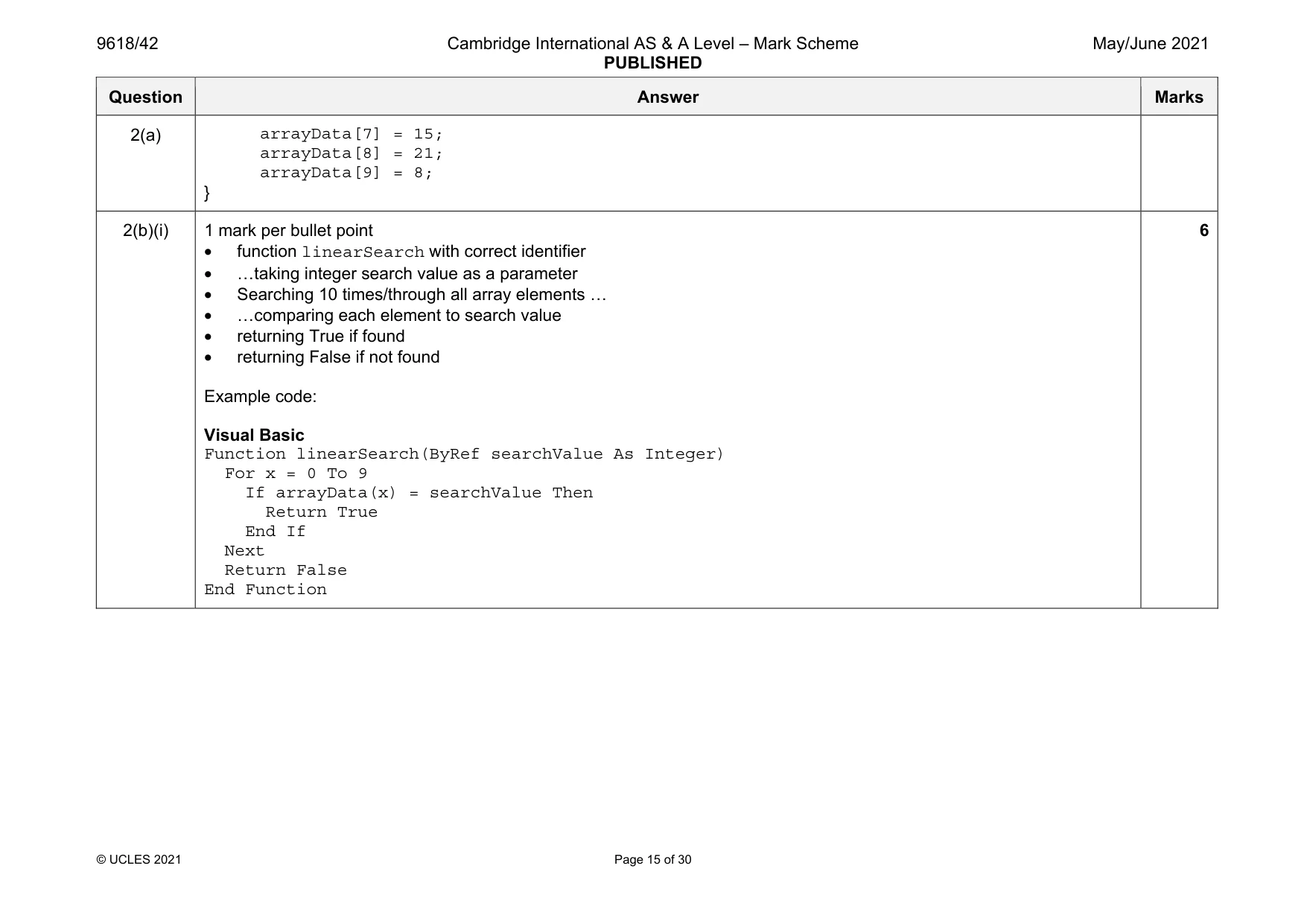
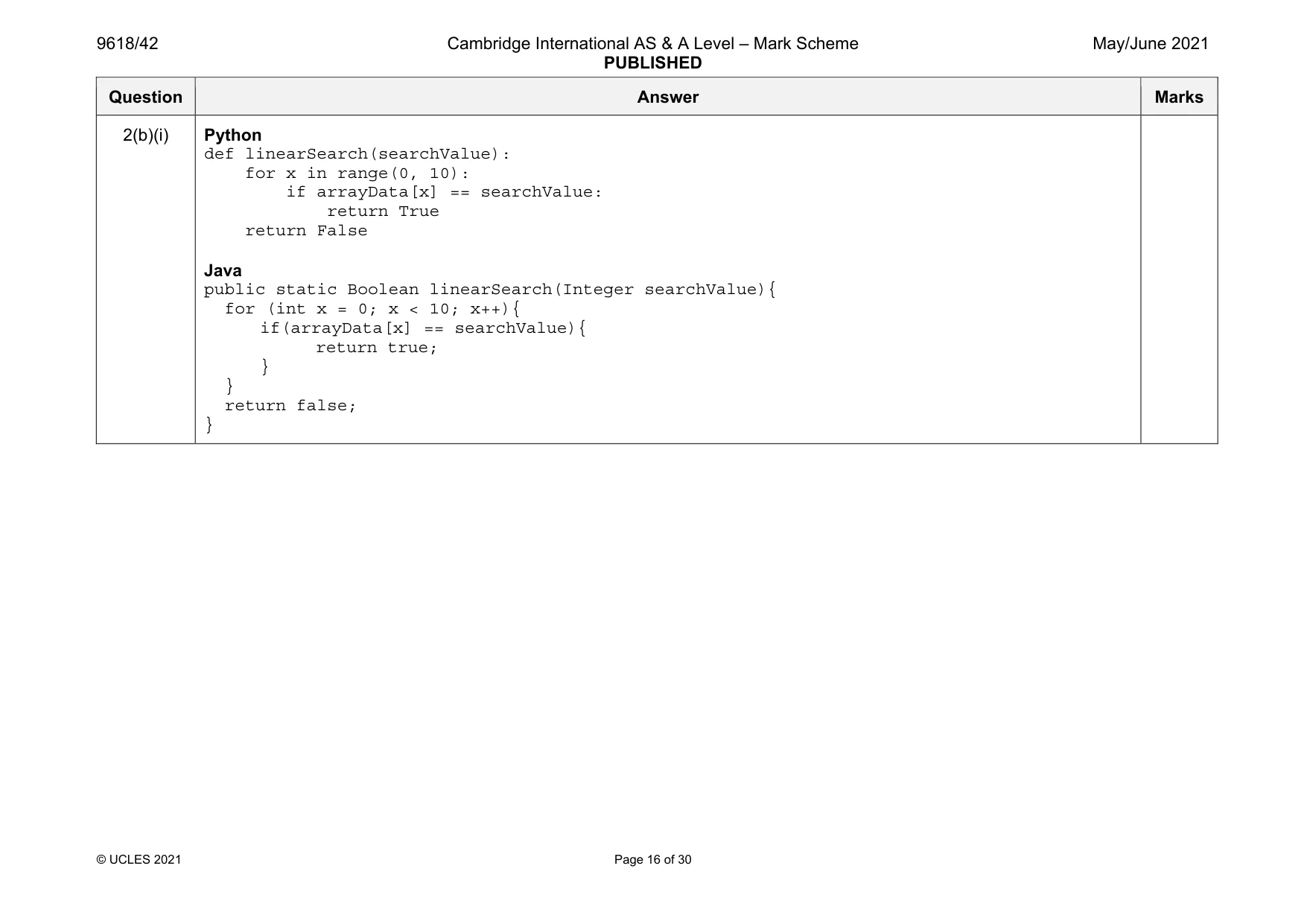
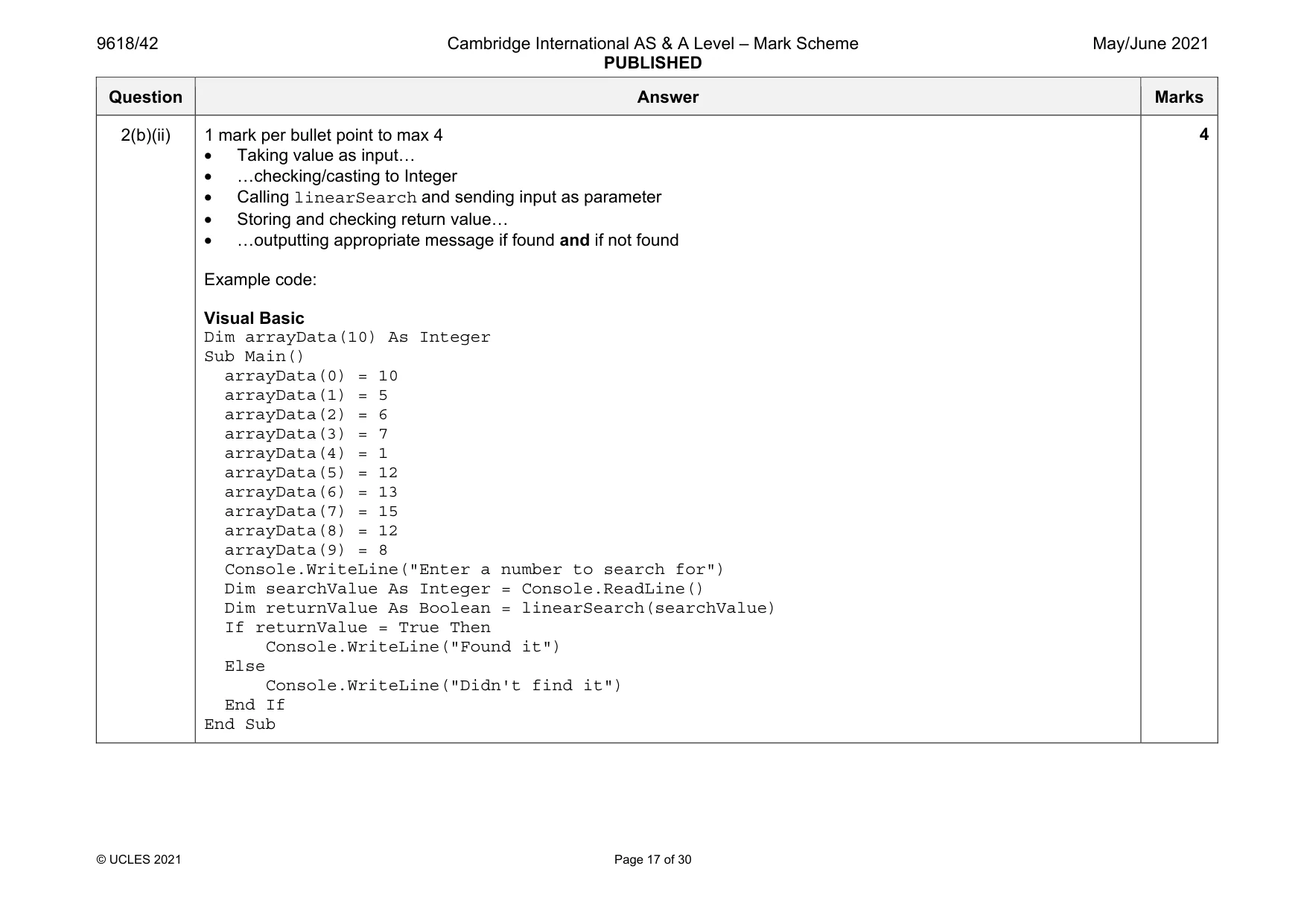
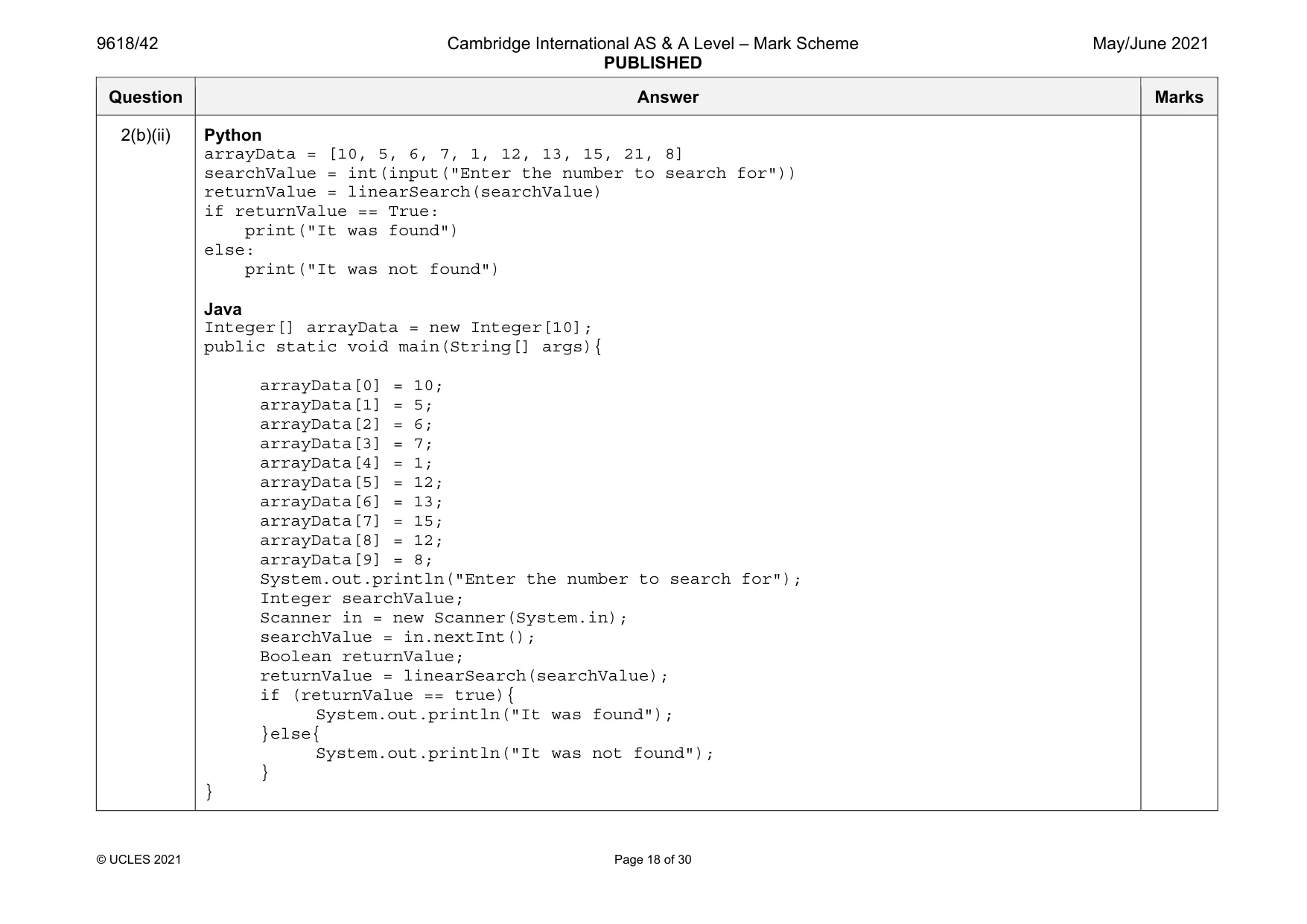
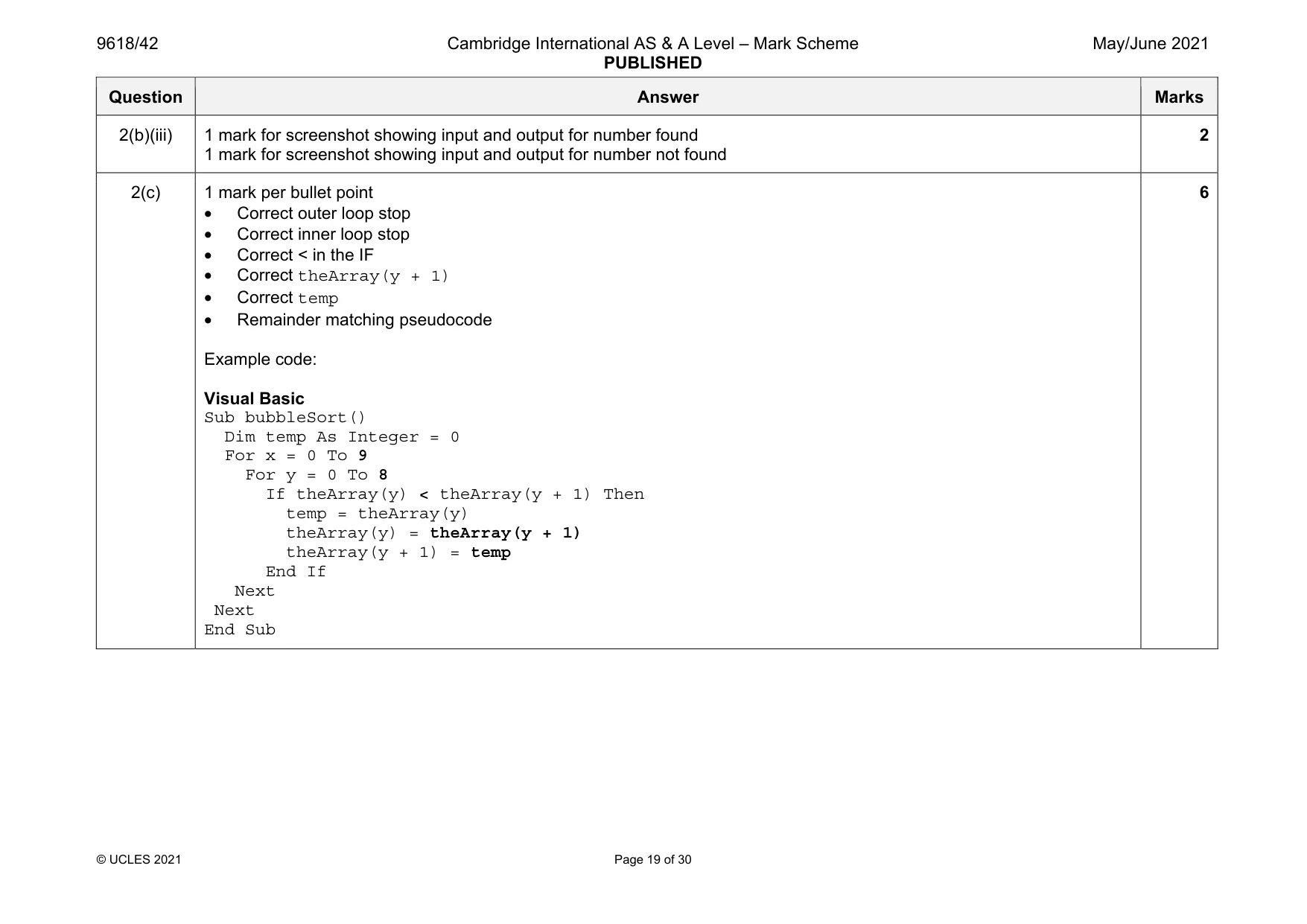
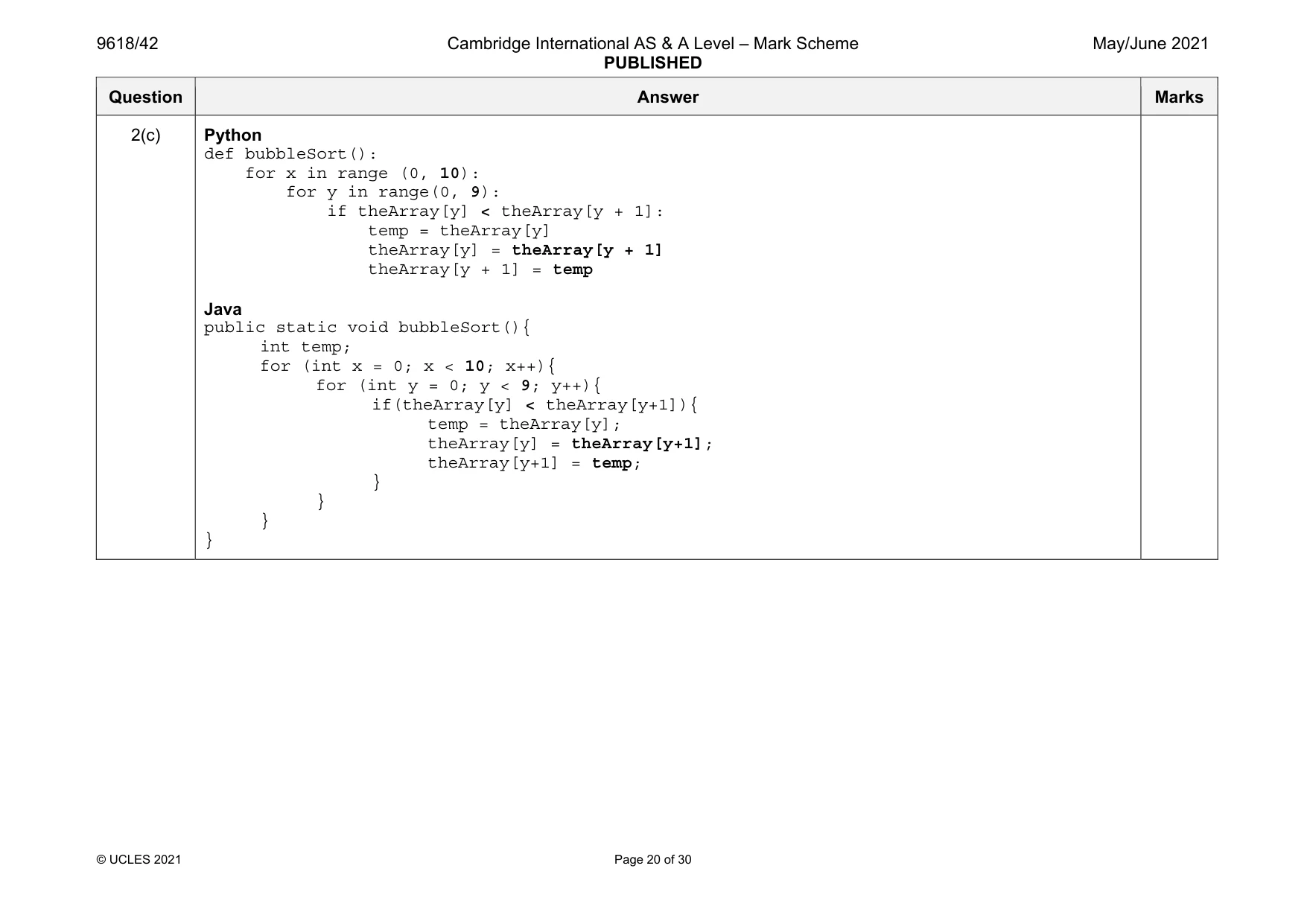
Mark scheme: 2(a) 1 mark per bullet point • Array with identifier arrayData • correct 10 data items added Example code: Visual Basic Dim arrayData(9) As Integer Sub Main() arrayData(0) = 10 arrayData(1) = 5 arrayData(2) = 6 arrayData(3) = 7 arrayData(4) = 1 arrayData(5) = 12 arrayData(6) = 13 arrayData(7) = 15 arrayData(8) = 21 arrayData(9) = 8 End Sub Python arrayData = [10, 5, 6, 7, 1, 12, 13, 15, 21, 8] Java int[] arrayData = new int[]; public static void main(String[] args){ arrayData[0] = 10; arrayData[1] = 5; arrayData[2] = 6; arrayData[3] = 7; arrayData[4] = 1; arrayData[5] = 12; arrayData[6] = 13; Question Answer Marks 2(a) arrayData[7] = 15; arrayData[8] = 21; arrayData[9] = 8; } 2(b)(i) 1 mark per bullet point • function linearSearch with correct identifier • …taking integer search value as a parameter • Searching 10 times/through all array elements … • …comparing each element to search value • returning True if found • returning False if not found Example code: Visual Basic Function linearSearch(ByRef searchValue As Integer) For x = 0 To 9 If arrayData(x) = searchValue Then Return True End If Next Return False End Function 6 Question Answer Marks 2(b)(i) Python def linearSearch(searchValue): for x in range(0, 10): if arrayData[x] == searchValue: return True return False Java public static Boolean linearSearch(Integer searchValue){ for (int x = 0; x < 10; x++){ if(arrayData[x] == searchValue){ return true; } } return false; } Question Answer Marks 2(b)(ii) 1 mark per bullet point to max 4 • Taking value as input… • …checking/casting to Integer • Calling linearSearch and sending input as parameter • Storing and checking return value… • …outputting appropriate message if found and if not found Example code: Visual Basic Dim arrayData(10) As Integer Sub Main() arrayData(0) = 10 arrayData(1) = 5 arrayData(2) = 6 arrayData(3) = 7 arrayData(4) = 1 arrayData(5) = 12 arrayData(6) = 13 arrayData(7) = 15 arrayData(8) = 12 arrayData(9) = 8 Console.WriteLine("Enter a number to search for") Dim searchValue As Integer = Console.ReadLine() Dim returnValue As Boolean = linearSearch(searchValue) If returnValue = True Then Console.WriteLine("Found it") Else Console.WriteLine("Didn't find it") End If End Sub 4 Question Answer Marks 2(b)(ii) Python arrayData = [10, 5, 6, 7, 1, 12, 13, 15, 21, 8] searchValue = int(input("Enter the number to search for")) returnValue = linearSearch(searchValue) if returnValue == True: print("It was found") else: print("It was not found") Java Integer[] arrayData = new Integer[10]; public static void main(String[] args){ arrayData[0] = 10; arrayData[1] = 5; arrayData[2] = 6; arrayData[3] = 7; arrayData[4] = 1; arrayData[5] = 12; arrayData[6] = 13; arrayData[7] = 15; arrayData[8] = 12; arrayData[9] = 8; System.out.println("Enter the number to search for"); Integer searchValue; Scanner in = new Scanner(System.in); searchValue = in.nextInt(); Boolean returnValue; returnValue = linearSearch(searchValue); if (returnValue == true){ System.out.println("It was found"); }else{ System.out.println("It was not found"); } } Question Answer Marks 2(b)(iii) 1 mark for screenshot showing input and output for number found 1 mark for screenshot showing input and output for number not found 2 2(c) 1 mark per bullet point • Correct outer loop stop • Correct inner loop stop • Correct < in the IF • Correct theArray(y + 1) • Correct temp • Remainder matching pseudocode Example code: Visual Basic Sub bubbleSort() Dim temp As Integer = 0 For x = 0 To 9 For y = 0 To 8 If theArray(y) < theArray(y + 1) Then temp = theArray(y) theArray(y) = theArray(y + 1) theArray(y + 1) = temp End If Next Next End Sub 6 Question Answer Marks 2(c) Python def bubbleSort(): for x in range (0, 10): for y in range(0, 9): if theArray[y] < theArray[y + 1]: temp = theArray[y] theArray[y] = theArray[y + 1] theArray[y + 1] = temp Java public static void bubbleSort(){ int temp; for (int x = 0; x < 10; x++){ for (int y = 0; y < 9; y++){ if(theArray[y] < theArray[y+1]){ temp = theArray[y]; theArray[y] = theArray[y+1]; theArray[y+1] = temp; } } } }
Q3 · A computer game requires users to travel around a world to find and open treasure chests
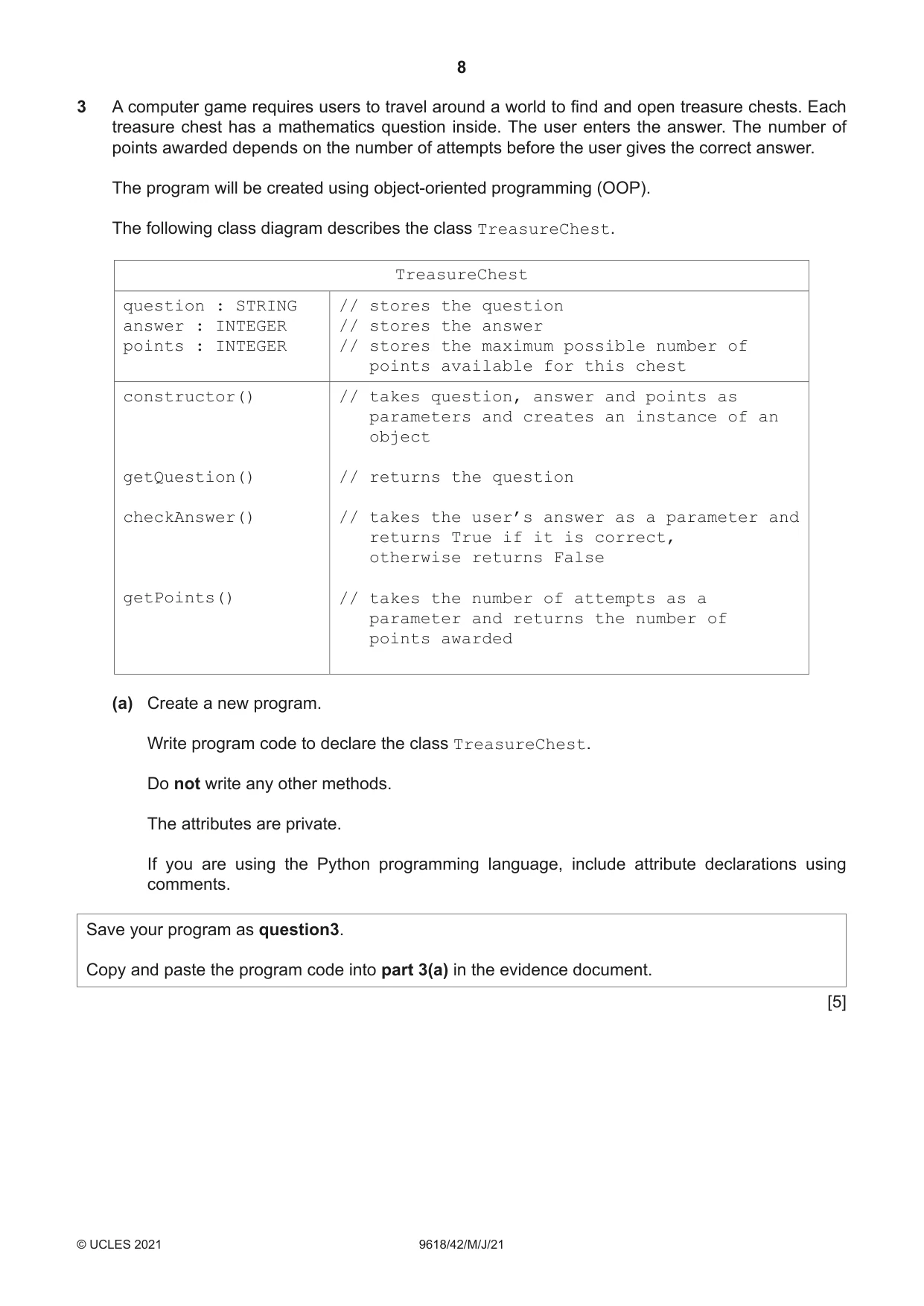
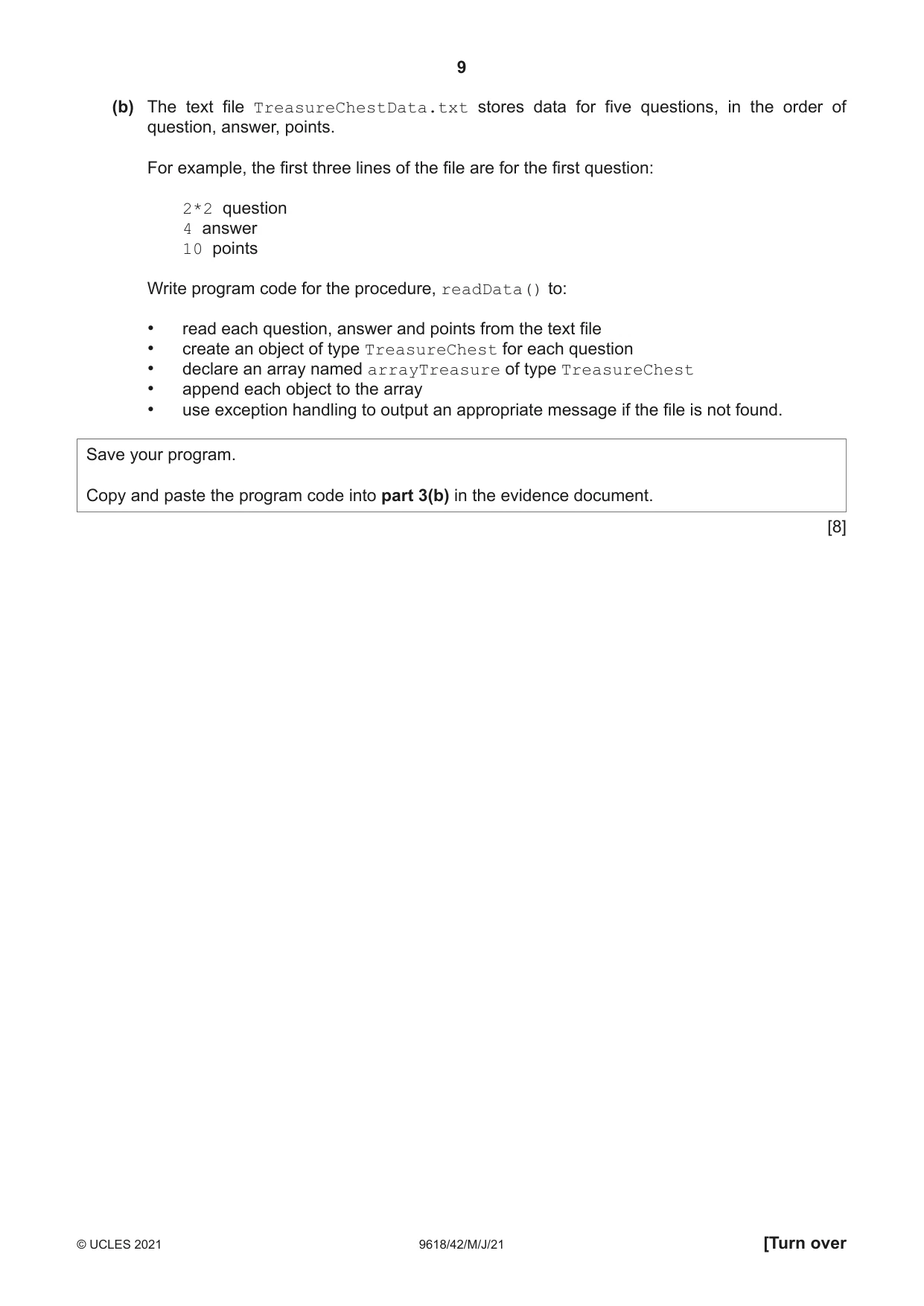
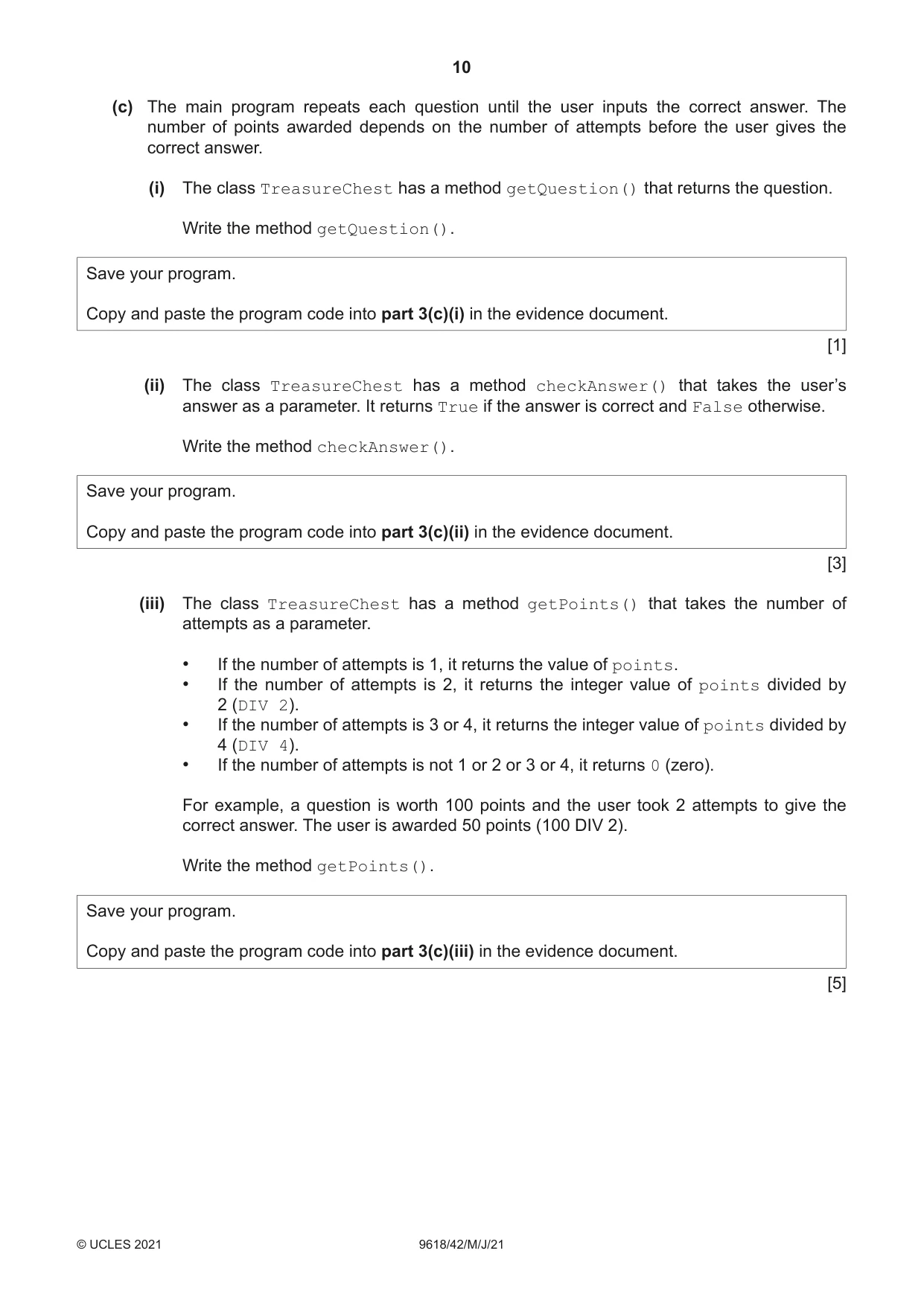
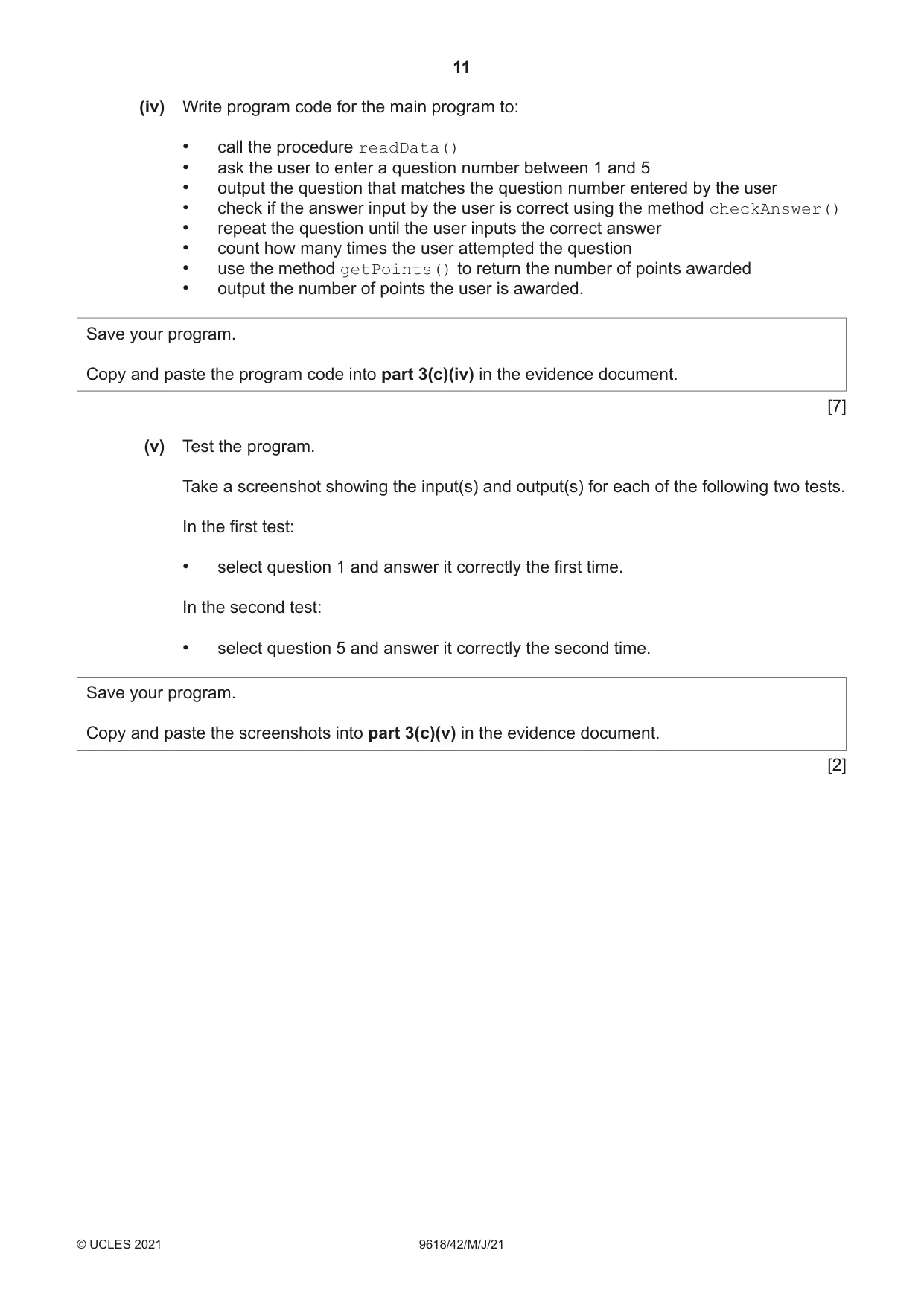
3 A computer game requires users to travel around a world to find and open treasure chests. Each treasure chest has a mathematics question inside. The user enters the answer. The number of points awarded depends on the number of attempts before the user gives the correct answer. The program will be created using object-oriented programming (OOP). The following class diagram describes the class TreasureChest. TreasureChest question : STRING // stores the question answer : INTEGER // stores the answer points : INTEGER // stores the maximum possible number of points available for this chest constructor() // takes question, answer and points as parameters and creates an instance of an object getQuestion() // returns the question checkAnswer() // takes the user’s answer as a parameter and returns True if it is correct, otherwise returns False getPoints() // takes the number of attempts as a parameter and returns the number of points awarded (a) Create a new program. Write program code to declare the class TreasureChest. Do not write any other methods. The attributes are private. If you are using the Python programming language, include attribute declarations using comments. Save your program as question3. Copy and paste the program code into part 3(a) in the evidence document. [5] (b) The text file TreasureChestData.txt stores data for five questions, in the order of question, answer, points. For example, the first three lines of the file are for the first question: 2*2 question 4 answer 10 points Write program code for the procedure, readData() to: • read each question, answer and points from the text file • create an object of type TreasureChest for each question • declare an array named arrayTreasure of type TreasureChest • append each object to the array • use exception handling to output an appropriate message if the file is not found. Save your program. Copy and paste the program code into part 3(b) in the evidence document. [8] (c) The main program repeats each question until the user inputs the correct answer. The number of points awarded depends on the number of attempts before the user gives the correct answer. (i) The class TreasureChest has a method getQuestion() that returns the question. Write the method getQuestion(). Save your program. Copy and paste the program code into part 3(c)(i) in the evidence document. [1] (ii) The class TreasureChest has a method checkAnswer() that takes the user’s answer as a parameter. It returns True if the answer is correct and False otherwise. Write the method checkAnswer(). Save your program. Copy and paste the program code into part 3(c)(ii) in the evidence document. [3] (iii) The class TreasureChest has a method getPoints() that takes the number of attempts as a parameter. • If the number of attempts is 1, it returns the value of points. • If the number of attempts is 2, it returns the integer value of points divided by 2 (DIV 2). • If the number of attempts is 3 or 4, it returns the integer value of points divided by 4 (DIV 4). • If the number of attempts is not 1 or 2 or 3 or 4, it returns 0 (zero). For example, a question is worth 100 points and the user took 2 attempts to give the correct answer. The user is awarded 50 points (100 DIV 2). Write the method getPoints(). Save your program. Copy and paste the program code into part 3(c)(iii) in the evidence document. [5]
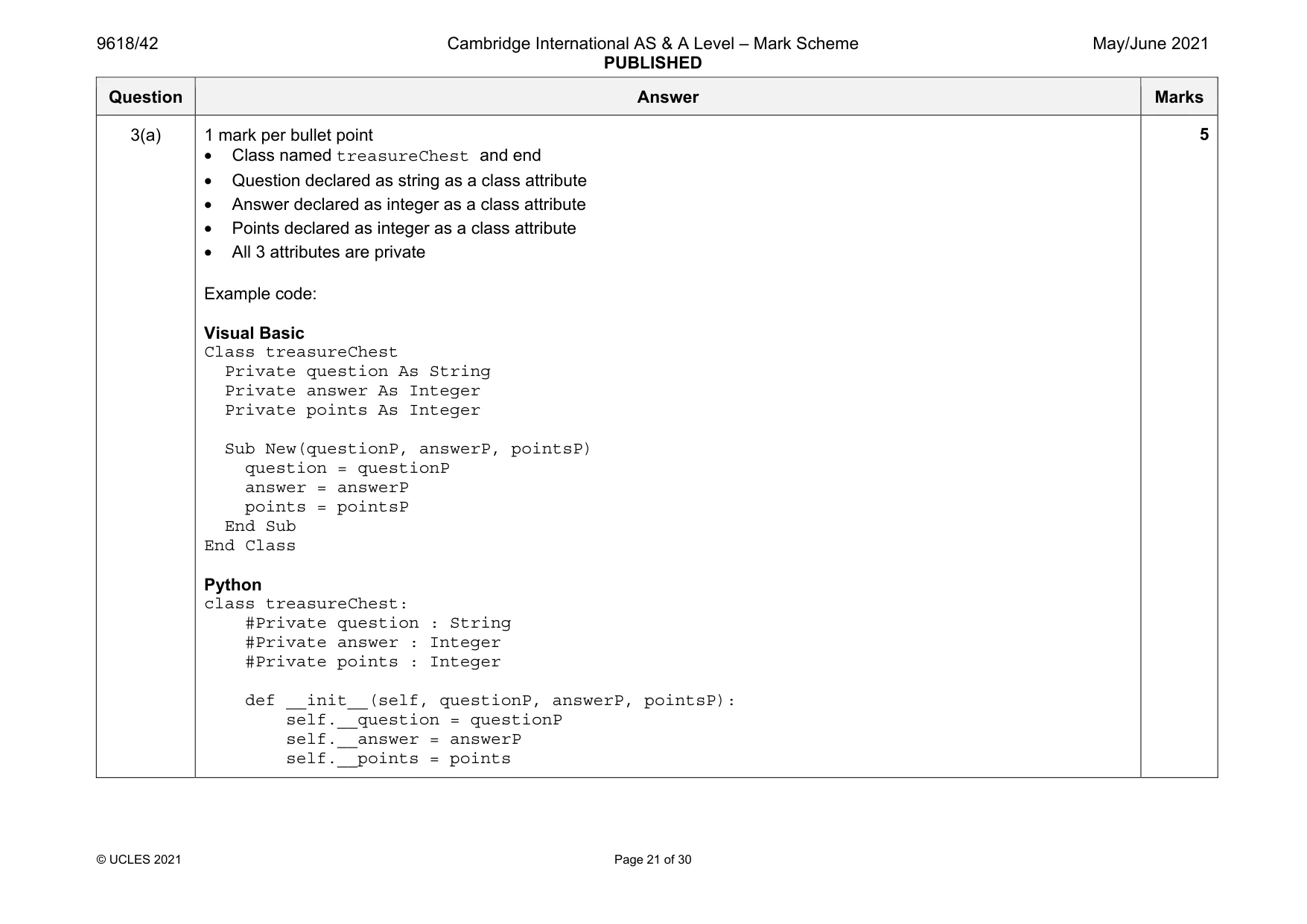
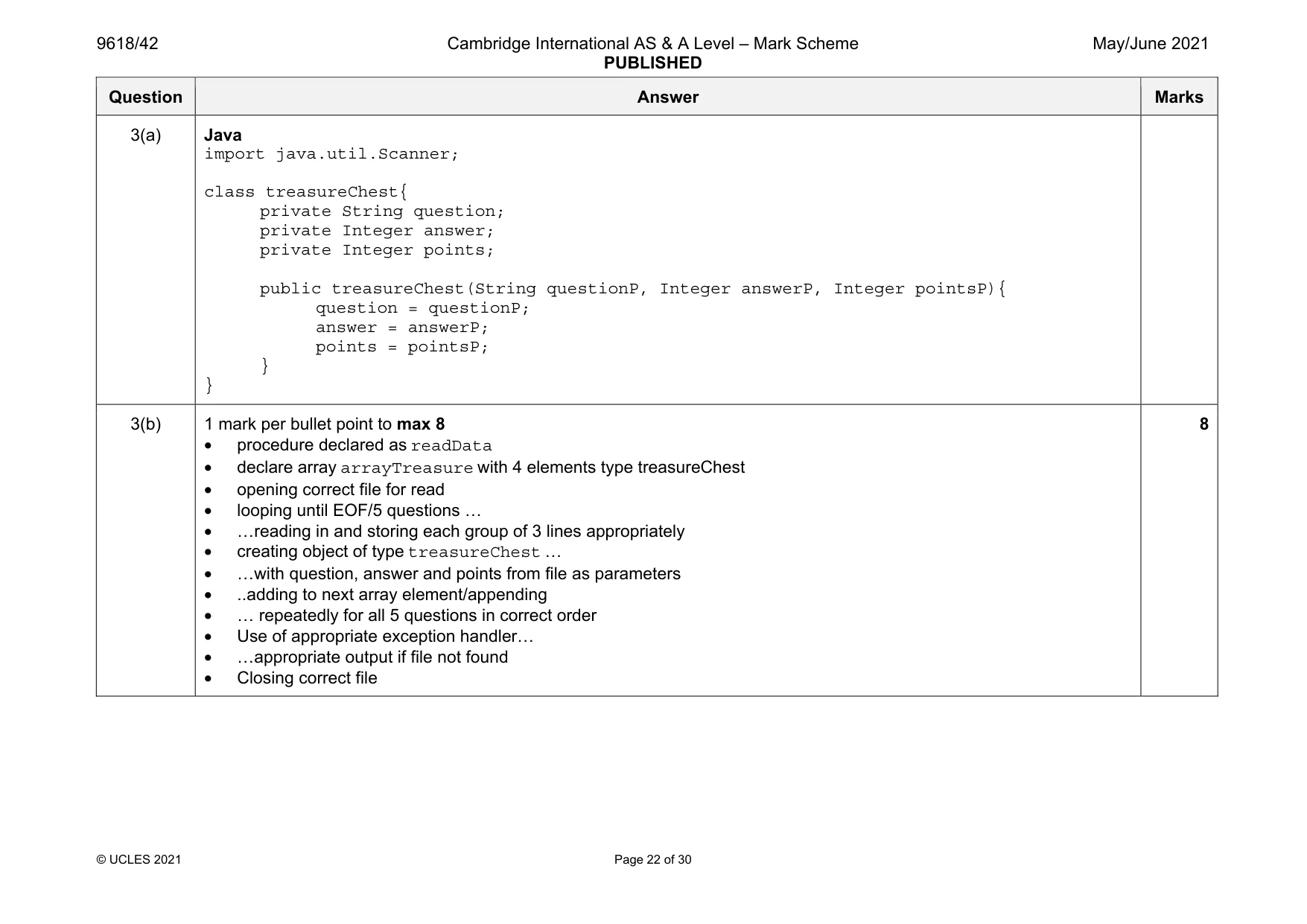
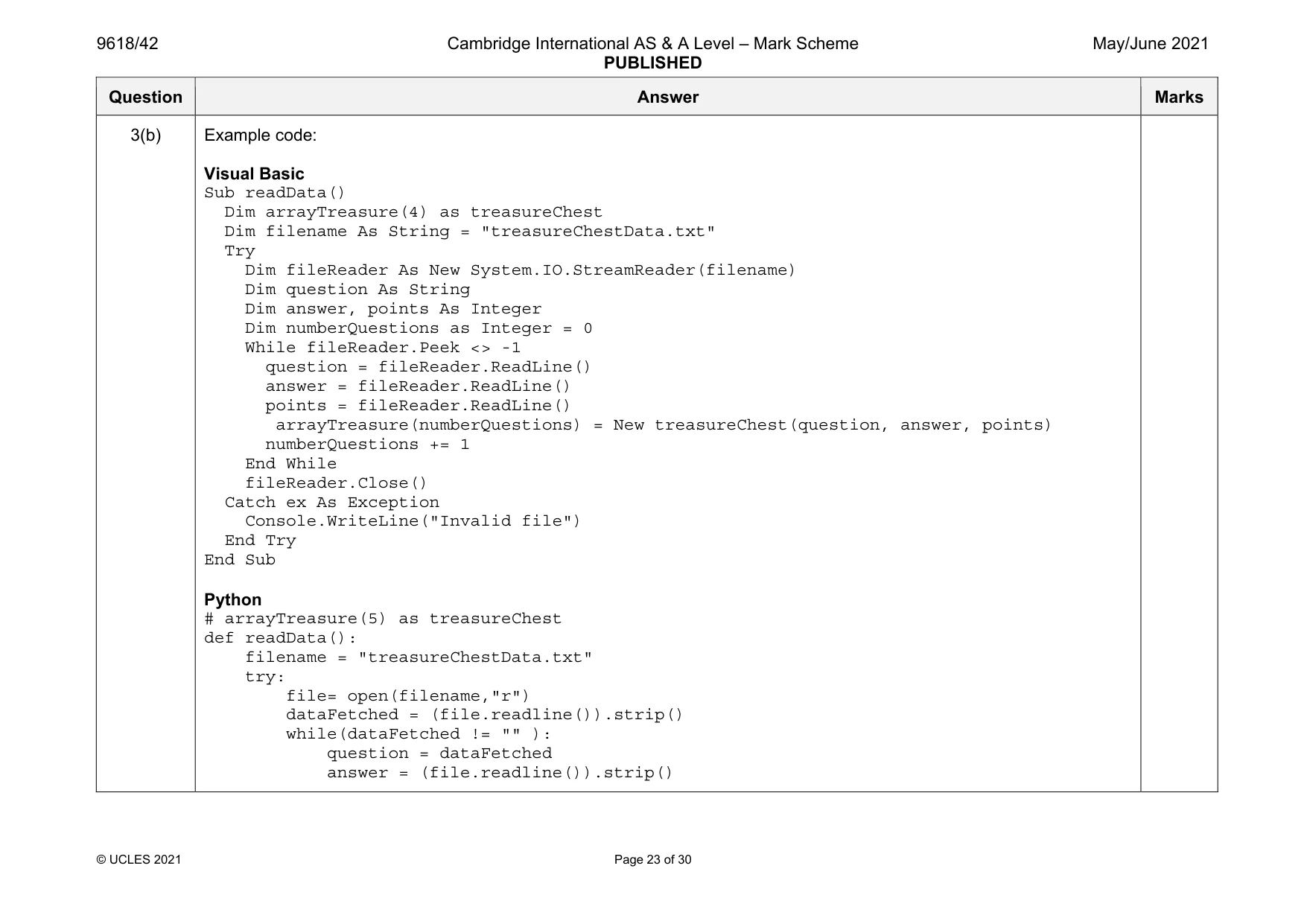
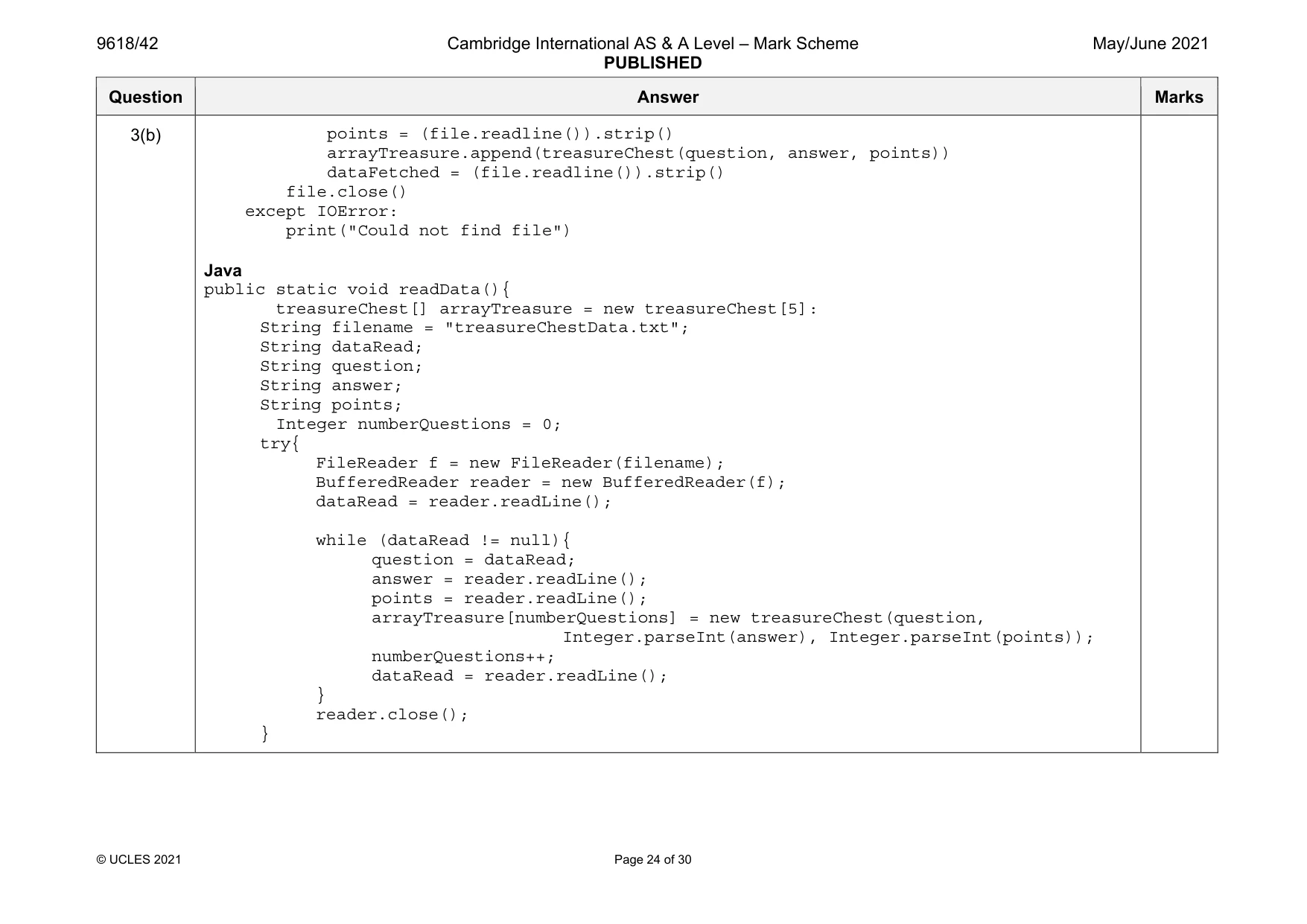
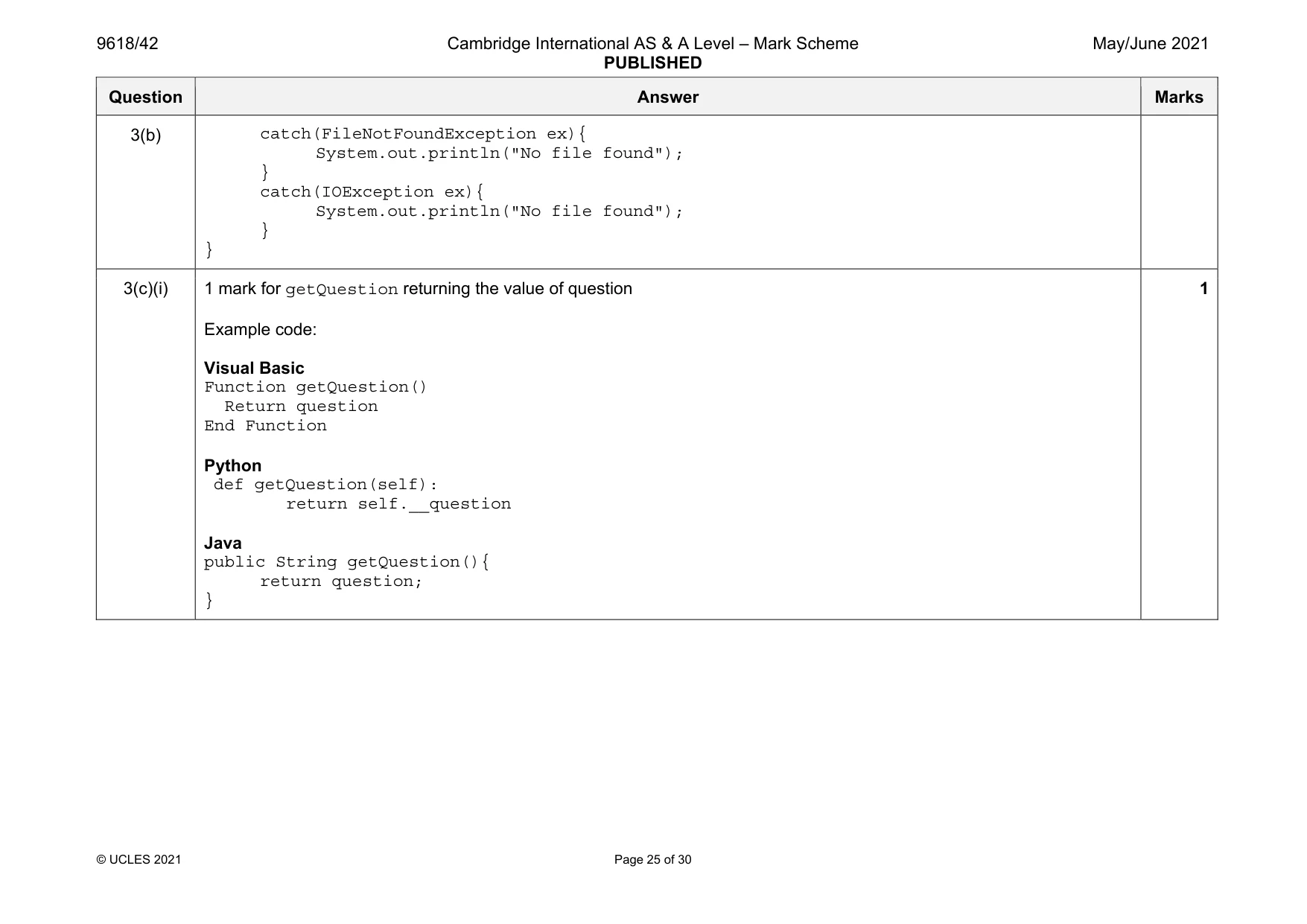
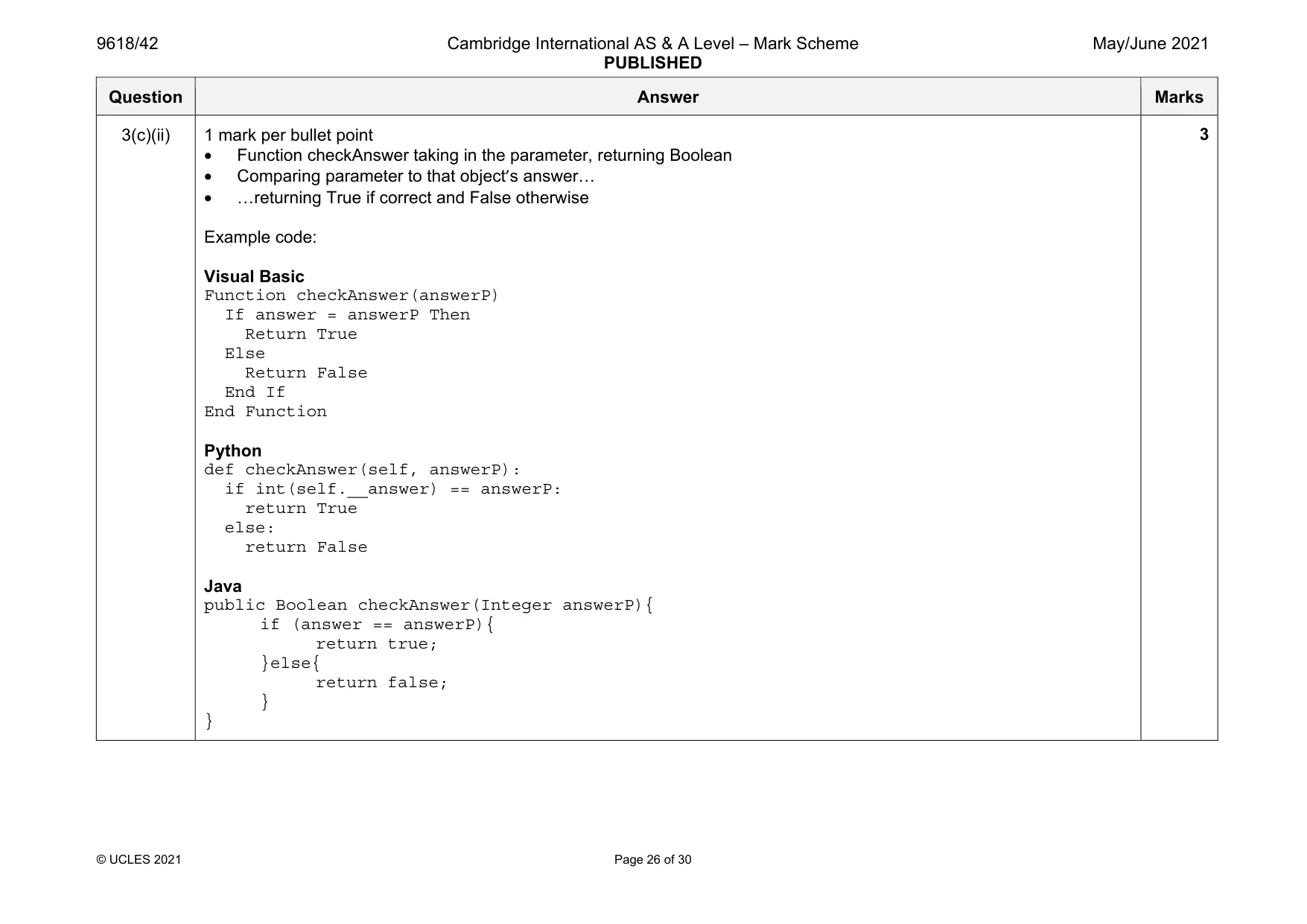
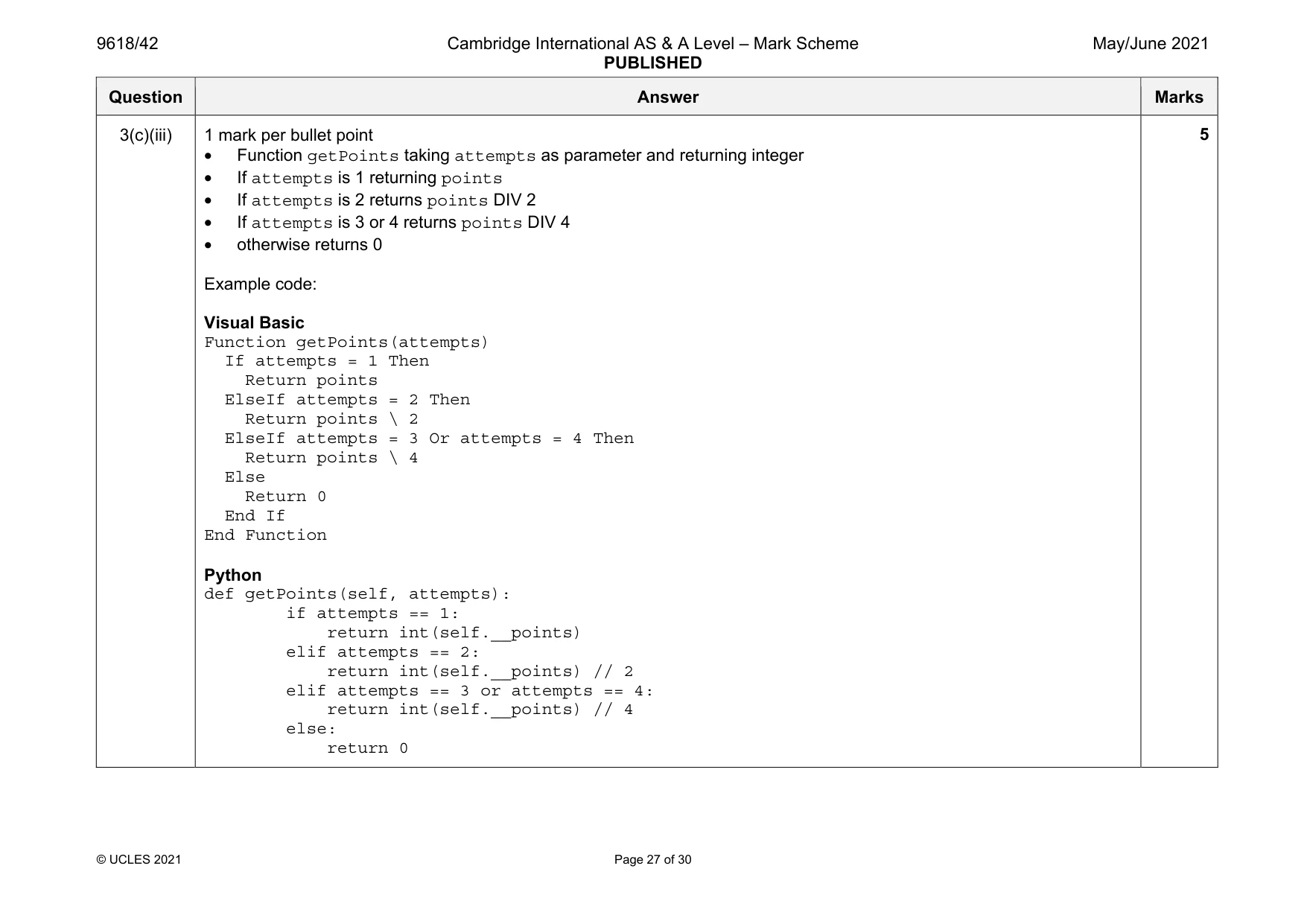
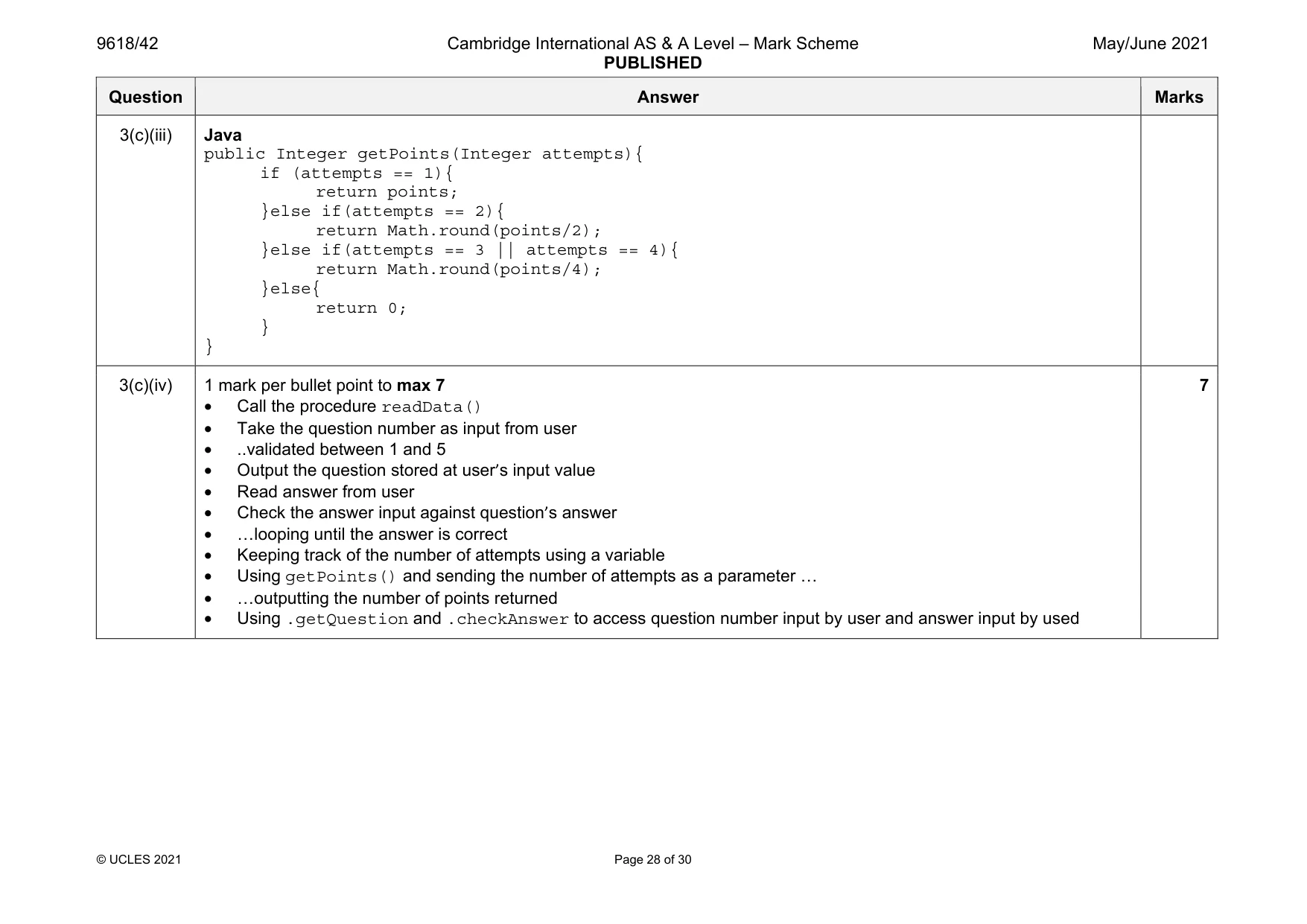
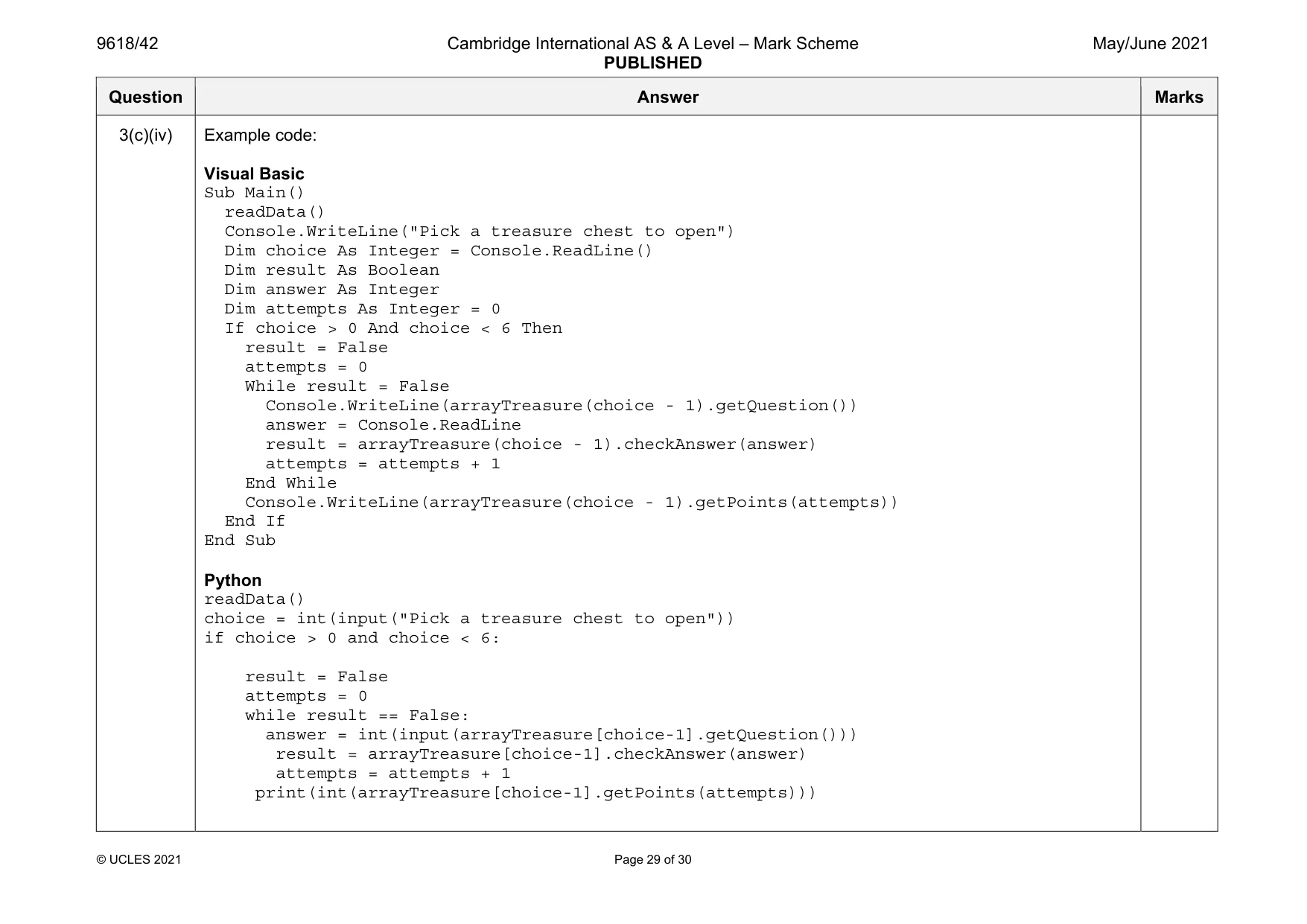
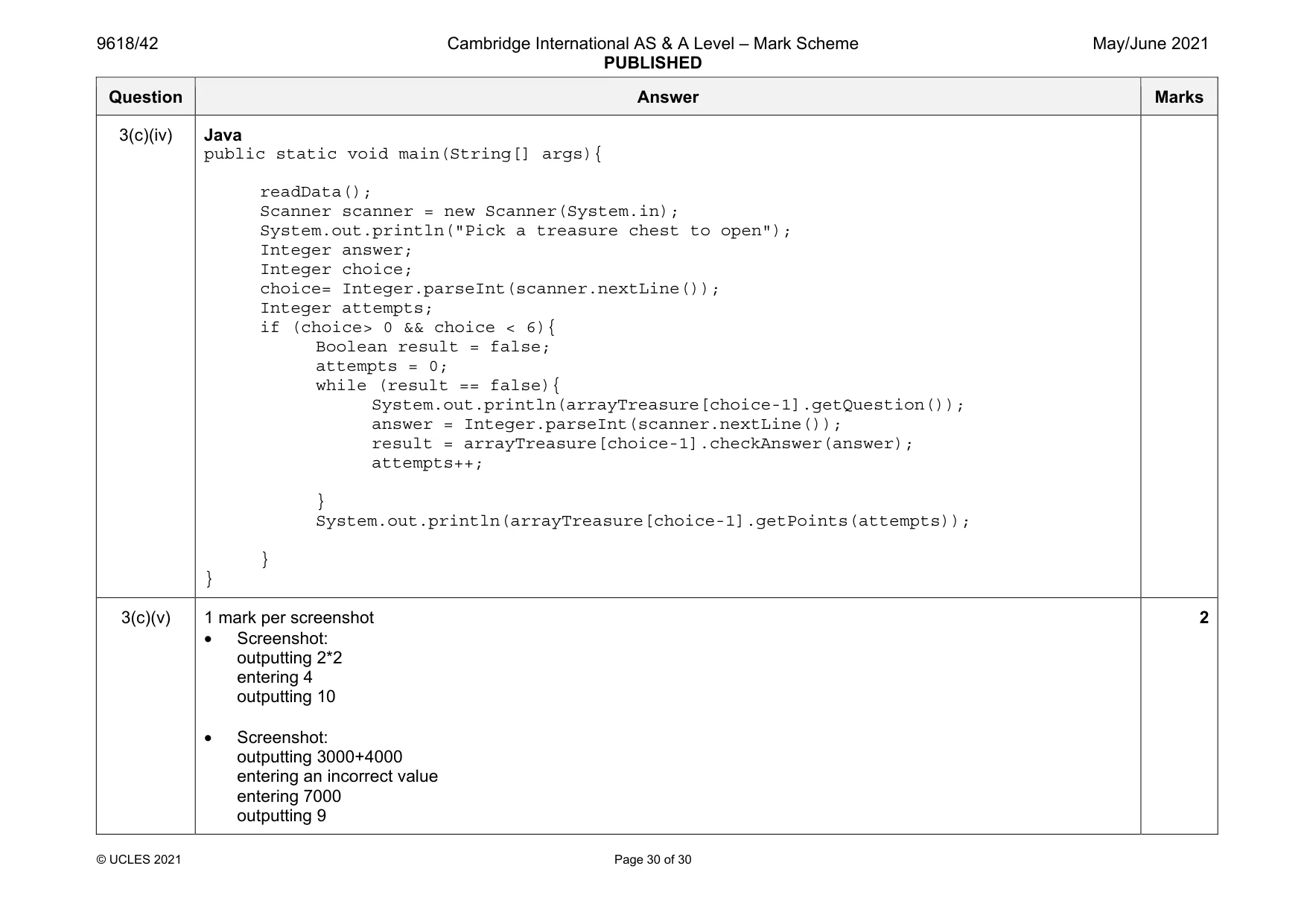
Mark scheme: 3(a) 1 mark per bullet point • Class named treasureChest and end • Question declared as string as a class attribute • Answer declared as integer as a class attribute • Points declared as integer as a class attribute • All 3 attributes are private Example code: Visual Basic Class treasureChest Private question As String Private answer As Integer Private points As Integer Sub New(questionP, answerP, pointsP) question = questionP answer = answerP points = pointsP End Sub End Class Python class treasureChest: #Private question : String #Private answer : Integer #Private points : Integer def __init__(self, questionP, answerP, pointsP): self.__question = questionP self.__answer = answerP self.__points = points Question Answer Marks 3(a) Java import java.util.Scanner; class treasureChest{ private String question; private Integer answer; private Integer points; public treasureChest(String questionP, Integer answerP, Integer pointsP){ question = questionP; answer = answerP; points = pointsP; } } 3(b) 1 mark per bullet point to max 8 • procedure declared as readData • declare array arrayTreasure with 4 elements type treasureChest • opening correct file for read • looping until EOF/5 questions … • …reading in and storing each group of 3 lines appropriately • creating object of type treasureChest … • …with question, answer and points from file as parameters • ..adding to next array element/appending • … repeatedly for all 5 questions in correct order • Use of appropriate exception handler… • …appropriate output if file not found • Closing correct file 8 Question Answer Marks 3(b) Example code: Visual Basic Sub readData() Dim arrayTreasure(4) as treasureChest Dim filename As String = "treasureChestData.txt" Try Dim fileReader As New System.IO.StreamReader(filename) Dim question As String Dim answer, points As Integer Dim numberQuestions as Integer = 0 While fileReader.Peek <> -1 question = fileReader.ReadLine() answer = fileReader.ReadLine() points = fileReader.ReadLine() arrayTreasure(numberQuestions) = New treasureChest(question, answer, points) numberQuestions += 1 End While fileReader.Close() Catch ex As Exception Console.WriteLine("Invalid file") End Try End Sub Python # arrayTreasure(5) as treasureChest def readData(): filename = "treasureChestData.txt" try: file= open(filename,"r") dataFetched = (file.readline()).strip() while(dataFetched != "" ): question = dataFetched answer = (file.readline()).strip() Question Answer Marks 3(b) points = (file.readline()).strip() arrayTreasure.append(treasureChest(question, answer, points)) dataFetched = (file.readline()).strip() file.close() except IOError: print("Could not find file") Java public static void readData(){ treasureChest[] arrayTreasure = new treasureChest[5]: String filename = "treasureChestData.txt"; String dataRead; String question; String answer; String points; Integer numberQuestions = 0; try{ FileReader f = new FileReader(filename); BufferedReader reader = new BufferedReader(f); dataRead = reader.readLine(); while (dataRead != null){ question = dataRead; answer = reader.readLine(); points = reader.readLine(); arrayTreasure[numberQuestions] = new treasureChest(question, Integer.parseInt(answer), Integer.parseInt(points)); numberQuestions++; dataRead = reader.readLine(); } reader.close(); } Question Answer Marks 3(b) catch(FileNotFoundException ex){ System.out.println("No file found"); } catch(IOException ex){ System.out.println("No file found"); } } 3(c)(i) 1 mark for getQuestion returning the value of question Example code: Visual Basic Function getQuestion() Return question End Function Python def getQuestion(self): return self.__question Java public String getQuestion(){ return question; } 1 Question Answer Marks 3(c)(ii) 1 mark per bullet point • Function checkAnswer taking in the parameter, returning Boolean • Comparing parameter to that object’s answer… • …returning True if correct and False otherwise Example code: Visual Basic Function checkAnswer(answerP) If answer = answerP Then Return True Else Return False End If End Function Python def checkAnswer(self, answerP): if int(self.__answer) == answerP: return True else: return False Java public Boolean checkAnswer(Integer answerP){ if (answer == answerP){ return true; }else{ return false; } } 3 Question Answer Marks 3(c)(iii) 1 mark per bullet point • Function getPoints taking attempts as parameter and returning integer • If attempts is 1 returning points • If attempts is 2 returns points DIV 2 • If attempts is 3 or 4 returns points DIV 4 • otherwise returns 0 Example code: Visual Basic Function getPoints(attempts) If attempts = 1 Then Return points ElseIf attempts = 2 Then Return points \ 2 ElseIf attempts = 3 Or attempts = 4 Then Return points \ 4 Else Return 0 End If End Function Python def getPoints(self, attempts): if attempts == 1: return int(self.__points) elif attempts == 2: return int(self.__points) // 2 elif attempts == 3 or attempts == 4: return int(self.__points) // 4 else: return 0 5 Question Answer Marks 3(c)(iii) Java public Integer getPoints(Integer attempts){ if (attempts == 1){ return points; }else if(attempts == 2){ return Math.round(points/2); }else if(attempts == 3 || attempts == 4){ return Math.round(points/4); }else{ return 0; } } 3(c)(iv) 1 mark per bullet point to max 7 • Call the procedure readData() • Take the question number as input from user • ..validated between 1 and 5 • Output the question stored at user’s input value • Read answer from user • Check the answer input against question’s answer • …looping until the answer is correct • Keeping track of the number of attempts using a variable • Using getPoints() and sending the number of attempts as a parameter … • …outputting the number of points returned • Using .getQuestion and .checkAnswer to access question number input by user and answer input by used 7 Question Answer Marks 3(c)(iv) Example code: Visual Basic Sub Main() readData() Console.WriteLine("Pick a treasure chest to open") Dim choice As Integer = Console.ReadLine() Dim result As Boolean Dim answer As Integer Dim attempts As Integer = 0 If choice > 0 And choice < 6 Then result = False attempts = 0 While result = False Console.WriteLine(arrayTreasure(choice - 1).getQuestion()) answer = Console.ReadLine result = arrayTreasure(choice - 1).checkAnswer(answer) attempts = attempts + 1 End While Console.WriteLine(arrayTreasure(choice - 1).getPoints(attempts)) End If End Sub Python readData() choice = int(input("Pick a treasure chest to open")) if choice > 0 and choice < 6: result = False attempts = 0 while result == False: answer = int(input(arrayTreasure[choice-1].getQuestion())) result = arrayTreasure[choice-1].checkAnswer(answer) attempts = attempts + 1 print(int(arrayTreasure[choice-1].getPoints(attempts))) Question Answer Marks 3(c)(iv) Java public static void main(String[] args){ readData(); Scanner scanner = new Scanner(System.in); System.out.println("Pick a treasure chest to open"); Integer answer; Integer choice; choice= Integer.parseInt(scanner.nextLine()); Integer attempts; if (choice> 0 && choice < 6){ Boolean result = false; attempts = 0; while (result == false){ System.out.println(arrayTreasure[choice-1].getQuestion()); answer = Integer.parseInt(scanner.nextLine()); result = arrayTreasure[choice-1].checkAnswer(answer); attempts++; } System.out.println(arrayTreasure[choice-1].getPoints(attempts)); } } 3(c)(v) 1 mark per screenshot • Screenshot: outputting 2*2 entering 4 outputting 10 • Screenshot: outputting 3000+4000 entering an incorrect value entering 7000 outputting 9 2
What was in this paper
The subtopics covered by these 3 questions, and how many questions each got. Open one in a new tab to see every Cambridge question on it.
What you needed in this session
Cambridge’s own grade thresholds for 2021 May/June, Paper 4 · Variant 2. A higher threshold means an easier paper — the bar moves with how the cohort did.