Cambridge IGCSE Information and Communication Technology (9-1) 0983 — 2020 May/June Paper 1 · Variant 2
0983/12/M/J/20
The question paper and its mark scheme, free to read here and free to download. This is Cambridge’s own paper, exactly as it was sat.
Question paper16 pages



Mark scheme9 pages
Answers below. Sit the paper first if you are practising.
Paper as text
Question paper, page 1
Cambridge IGCSE™(9-1) 0983/12 May/June 2020 2 hours INFORMATION AND COMMUNICATION TECHNOLOGY Paper 1 Theory You must answer on the question paper. No additional materials are needed. INSTRUCTIONS • Answer all questions. • Use a black or dark blue pen. • Write your name, centre number and candidate number in the boxes at the top of the page. • Write your answer to each question in the space provided. • Do not use an erasable pen or correction fluid. • Do not write on any bar codes. • You may use an HB pencil for any diagrams, graphs or rough working. INFORMATION • The total mark for this paper is 100. • The number of marks for each question or part question is shown in brackets [ ]. • No marks will be awarded for using brand names of software packages or hardware. This document has 16 pages. Blank pages are indicated. [Turn over 06_0983_12_2020_1.2 © UCLES 2020 *2381690887*
Question paper, page 2
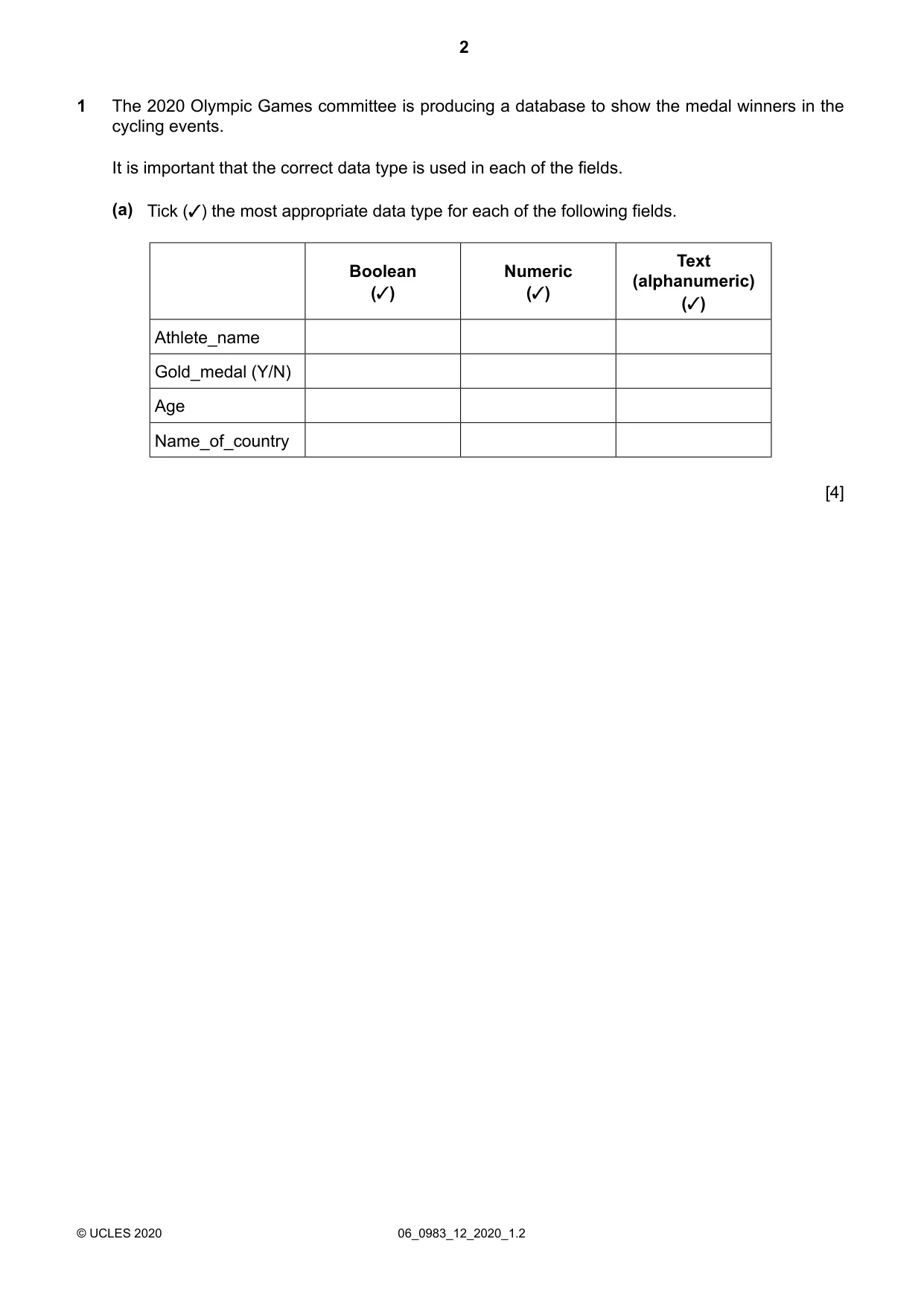
The 2020 Olympic Games committee is producing a database to show the medal winners in the cycling events. 1 It is important that the correct data type is used in each of the fields. Tick (✓) the most appropriate data type for each of the following fields. (a) Text (alphanumeric) (✓) Numeric (✓) Boolean (✓) Athlete_name Gold_medal (Y/N) Age Name_of_country [4] 06_0983_12_2020_1.2 © UCLES 2020 2
Question paper, page 3
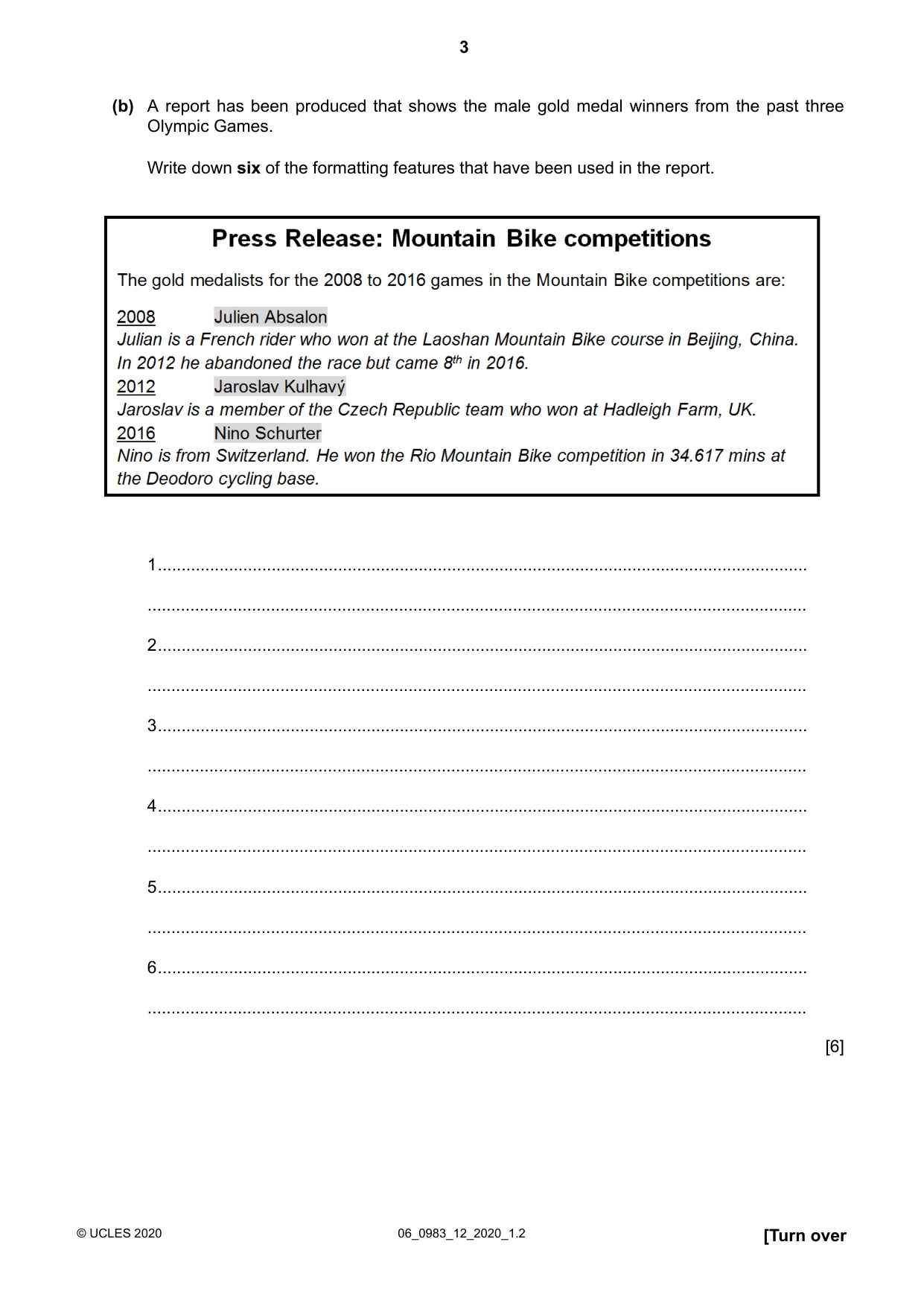
A report has been produced that shows the male gold medal winners from the past three Olympic Games. Write down six of the formatting features that have been used in the report. (b) 1… … 2… … 3… … 4… … 5… … 6… … [6] [Turn over 06_0983_12_2020_1.2 © UCLES 2020 3
Question paper, page 4
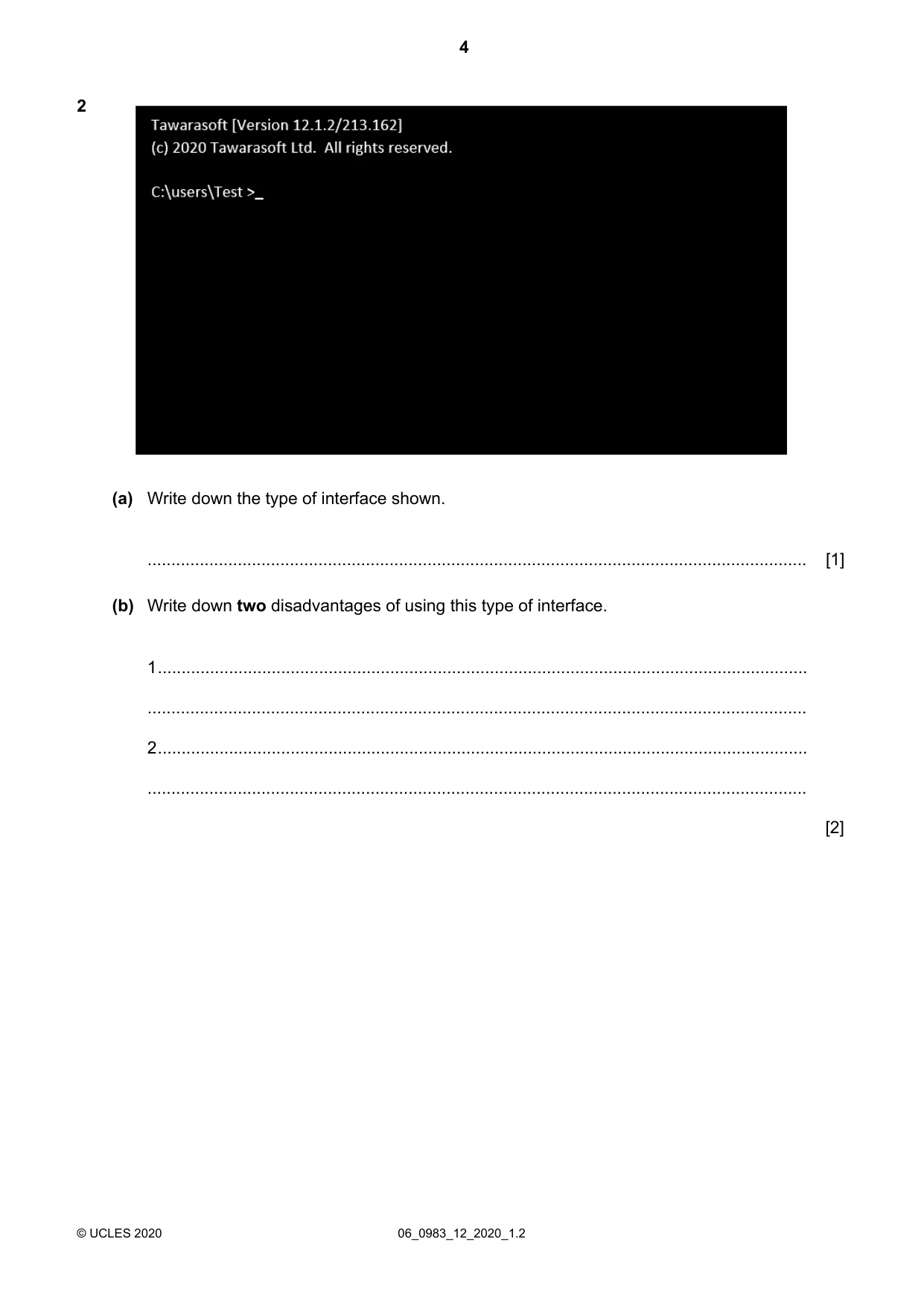
2 Write down the type of interface shown. (a) … [1] Write down two disadvantages of using this type of interface. (b) 1… … 2… … [2] 06_0983_12_2020_1.2 © UCLES 2020 4
Question paper, page 5
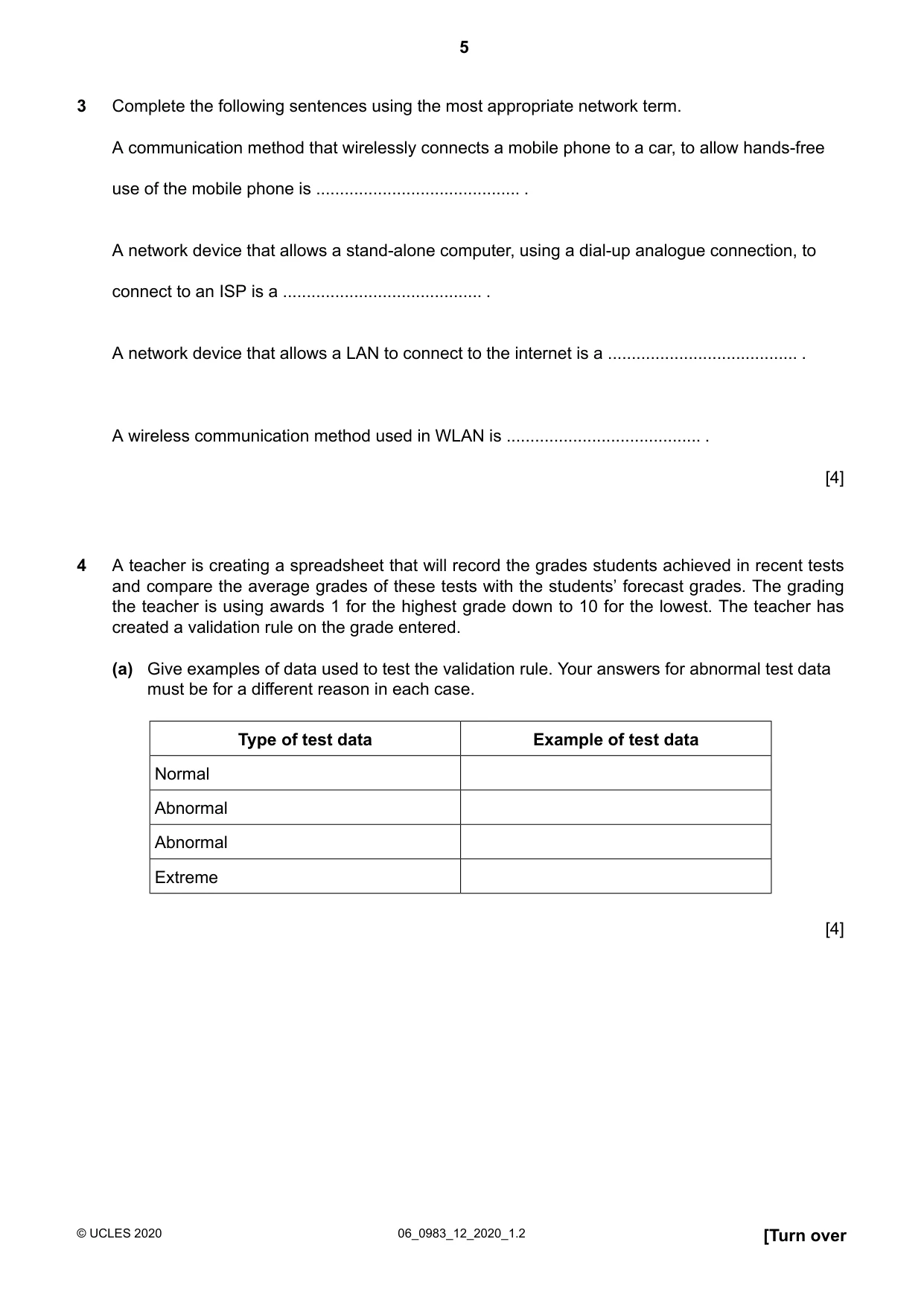
Complete the following sentences using the most appropriate network term. A communication method that wirelessly connects a mobile phone to a car, to allow hands-free use of the mobile phone is … . A network device that allows a stand-alone computer, using a dial-up analogue connection, to connect to an ISP is a … . A network device that allows a LAN to connect to the internet is a … . A wireless communication method used in WLAN is … . 3 [4] A teacher is creating a spreadsheet that will record the grades students achieved in recent tests and compare the average grades of these tests with the students’ forecast grades. The grading 4 the teacher is using awards 1 for the highest grade down to 10 for the lowest. The teacher has created a validation rule on the grade entered. Give examples of data used to test the validation rule. Your answers for abnormal test data must be for a different reason in each case. (a) Example of test data Type of test data Normal Abnormal Abnormal Extreme [4] [Turn over 06_0983_12_2020_1.2 © UCLES 2020 5
Question paper, page 6
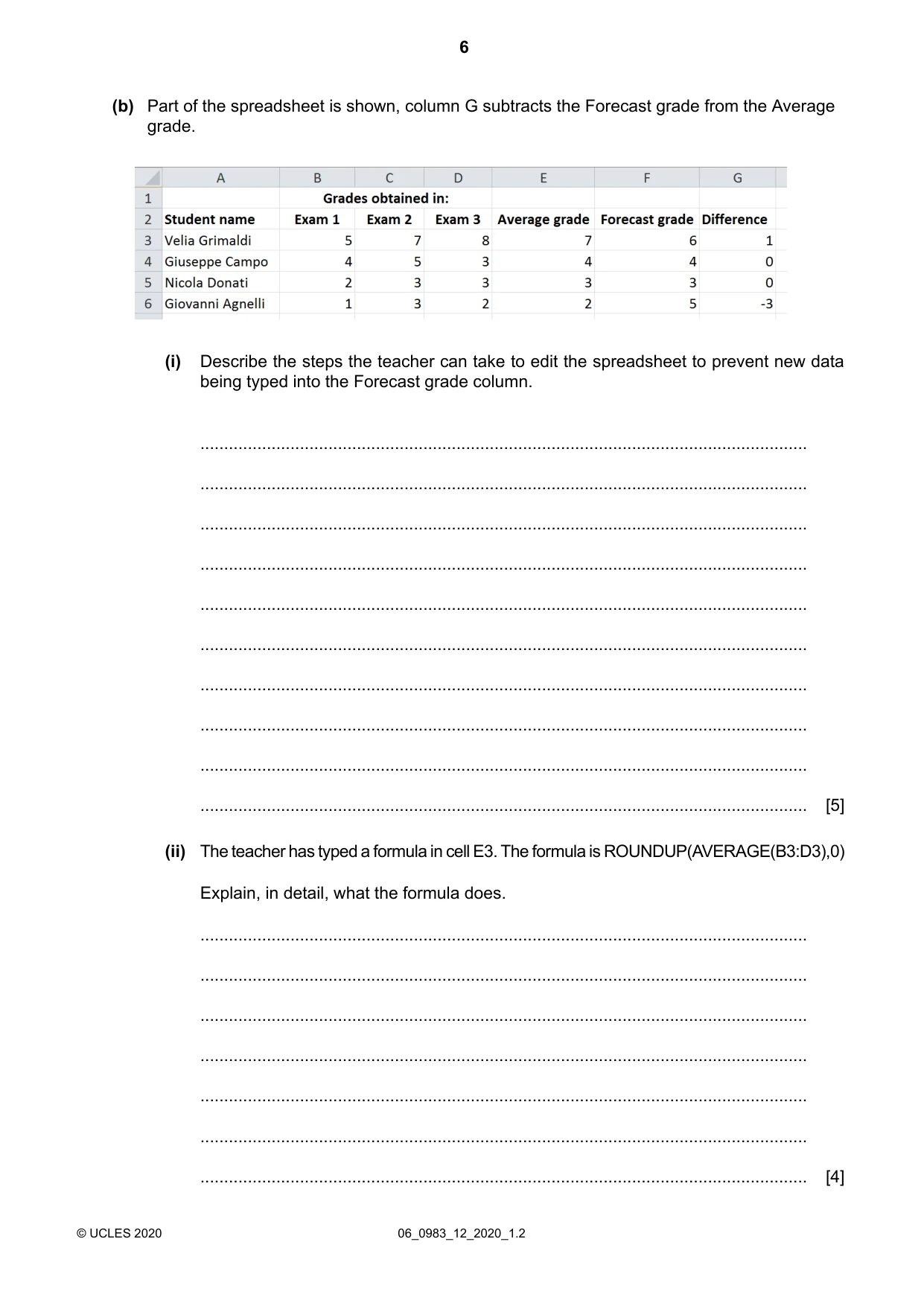
Part of the spreadsheet is shown, column G subtracts the Forecast grade from the Average grade. (b) Describe the steps the teacher can take to edit the spreadsheet to prevent new data being typed into the Forecast grade column. (i) … … … … … … … … … … [5] The teacher has typed a formula in cell E3. The formula is ROUNDUP(AVERAGE(B3:D3),0) Explain, in detail, what the formula does. (ii) … … … … … … … [4] 06_0983_12_2020_1.2 © UCLES 2020 6
Question paper, page 7
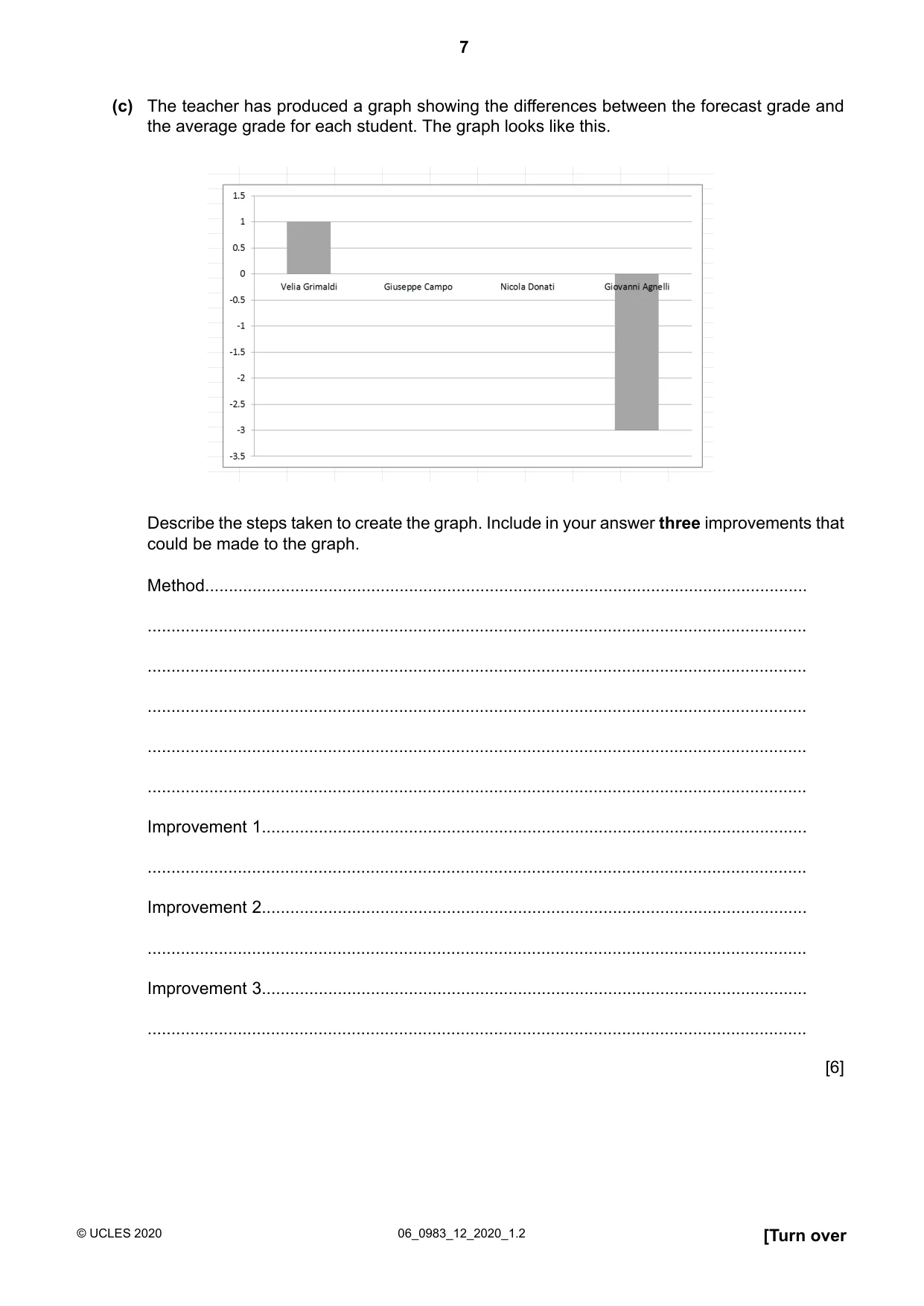
The teacher has produced a graph showing the differences between the forecast grade and the average grade for each student. The graph looks like this. (c) Describe the steps taken to create the graph. Include in your answer three improvements that could be made to the graph. Method… … … … … … Improvement 1… … Improvement 2… … Improvement 3… … [6] [Turn over 06_0983_12_2020_1.2 © UCLES 2020 7
Question paper, page 8
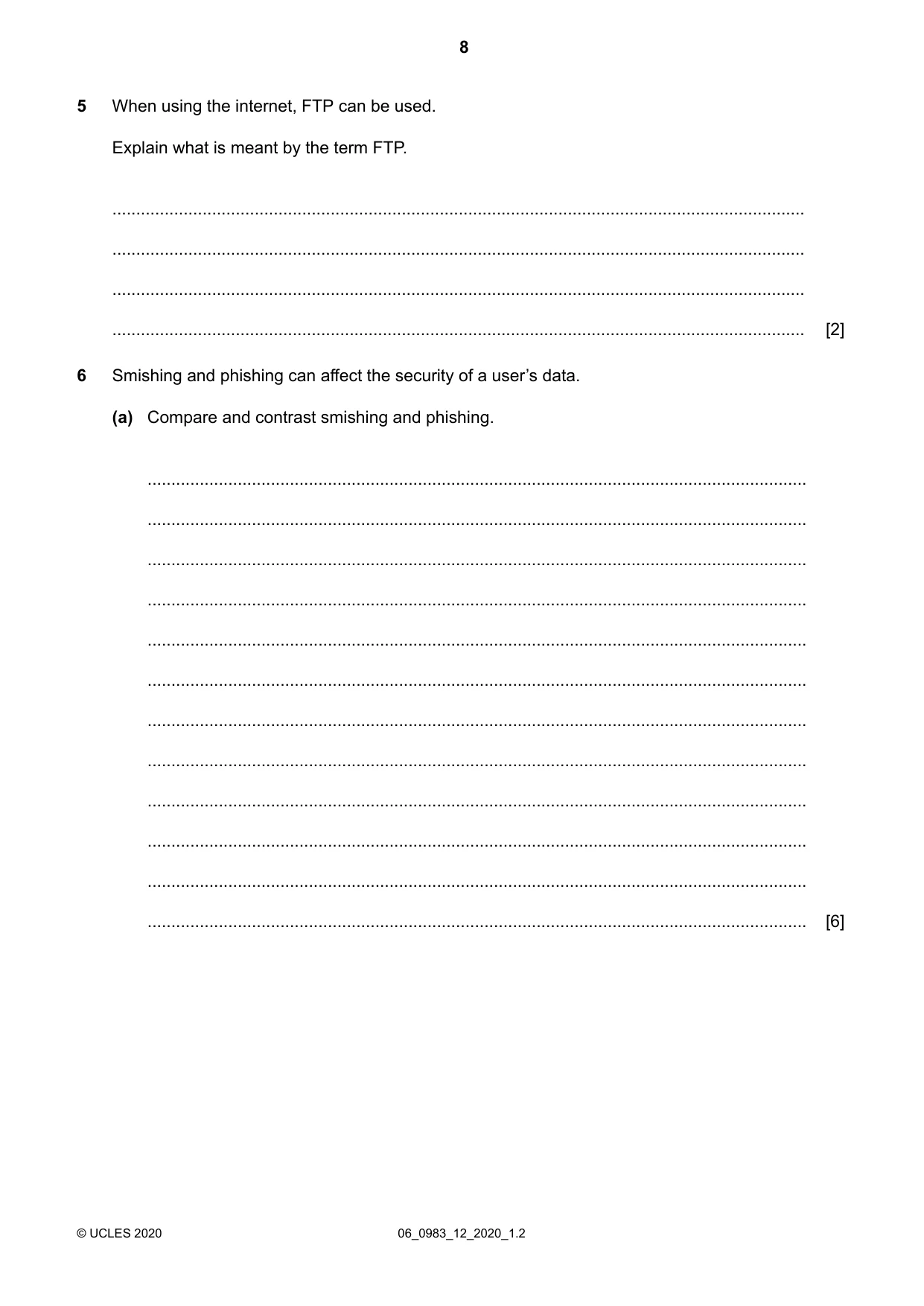
When using the internet, FTP can be used. Explain what is meant by the term FTP. 5 … … … … [2] Smishing and phishing can affect the security of a user’s data. 6 Compare and contrast smishing and phishing. (a) … … … … … … … … … … … … [6] 06_0983_12_2020_1.2 © UCLES 2020 8
Question paper, page 9
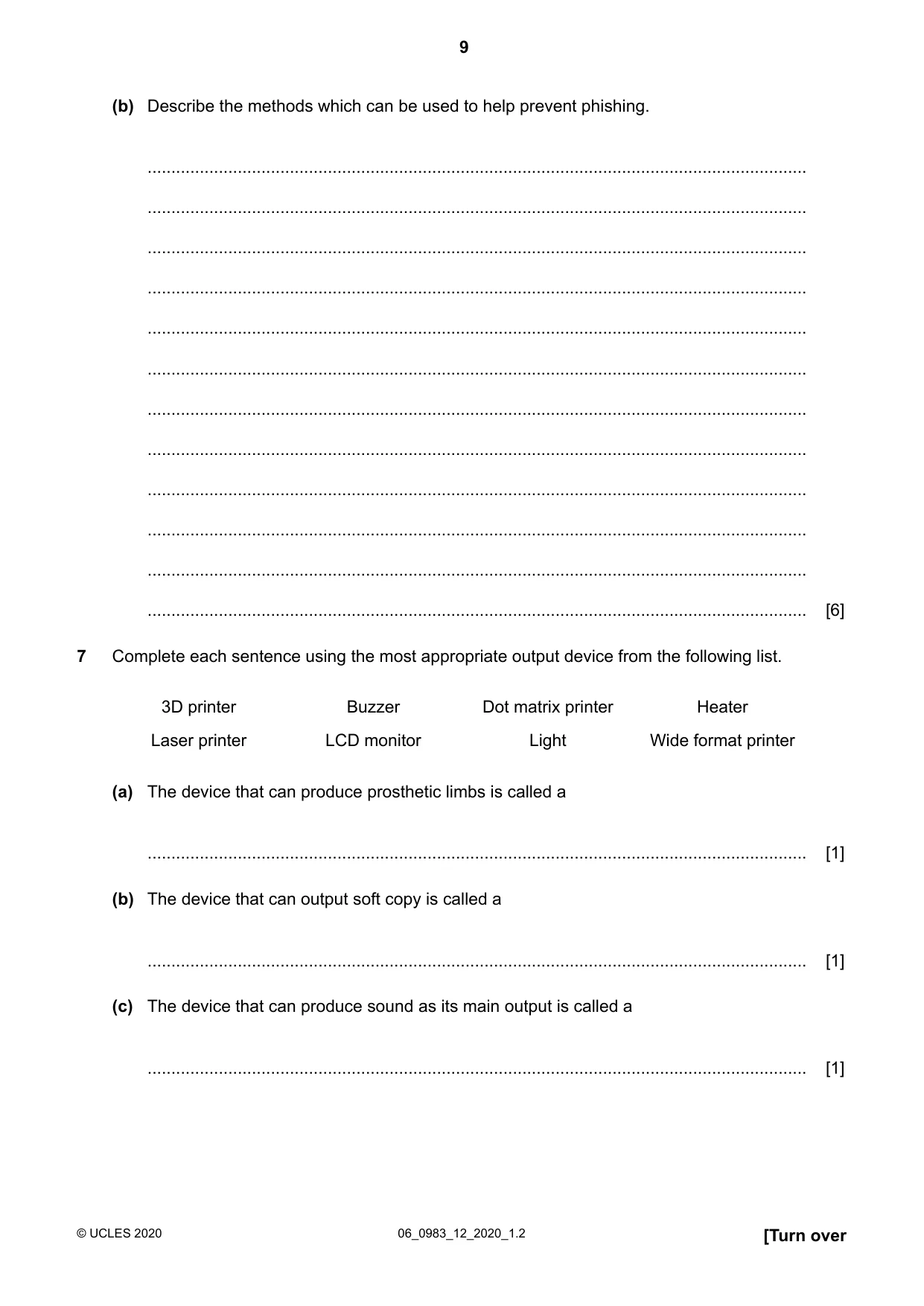
Describe the methods which can be used to help prevent phishing. (b) … … … … … … … … … … … … [6] Complete each sentence using the most appropriate output device from the following list. 7 Heater Dot matrix printer Buzzer 3D printer Wide format printer Light LCD monitor Laser printer The device that can produce prosthetic limbs is called a (a) … [1] The device that can output soft copy is called a (b) … [1] The device that can produce sound as its main output is called a (c) … [1] [Turn over 06_0983_12_2020_1.2 © UCLES 2020 9
Question paper, page 10
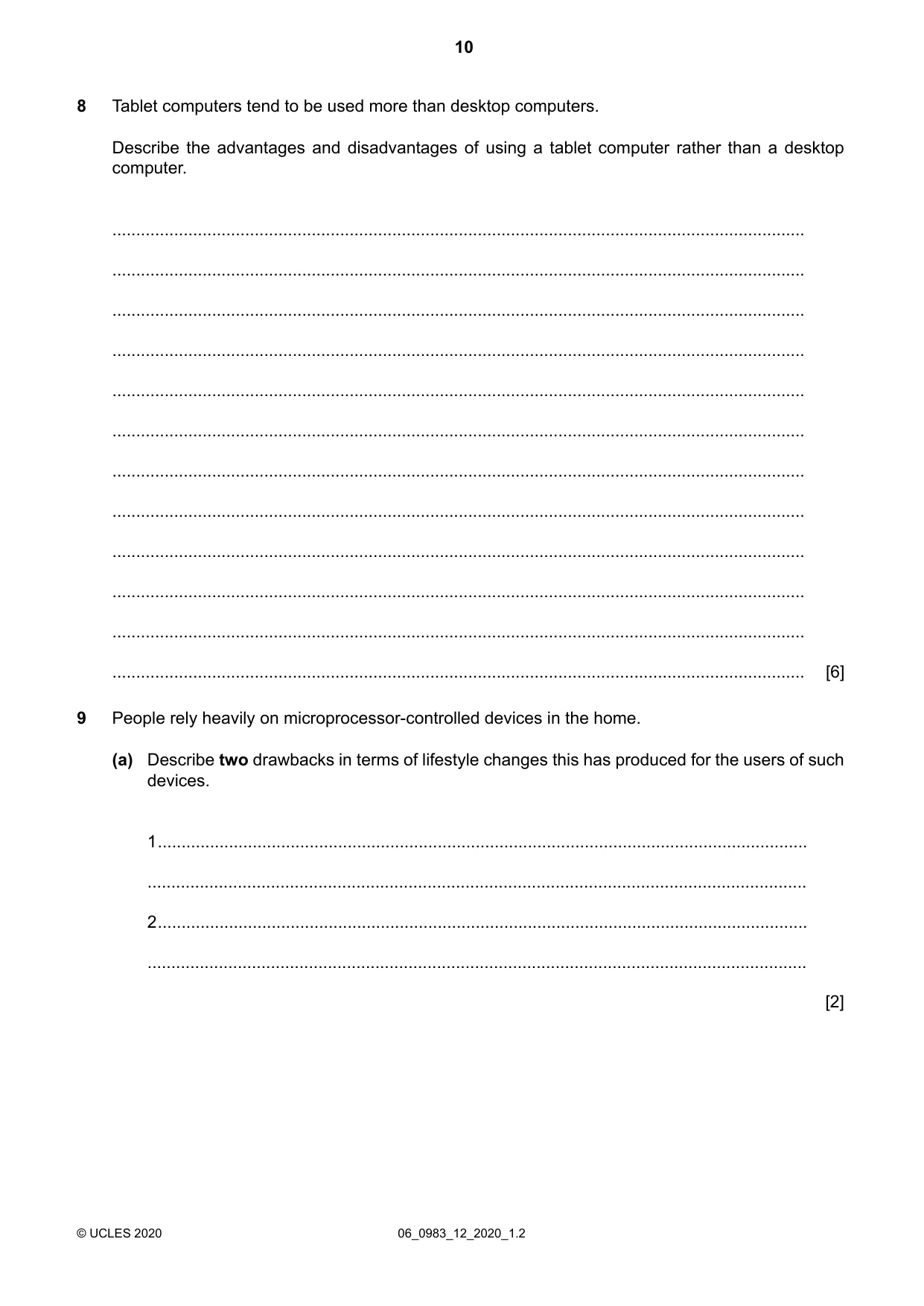
Tablet computers tend to be used more than desktop computers. Describe the advantages and disadvantages of using a tablet computer rather than a desktop computer. 8 … … … … … … … … … … … … [6] People rely heavily on microprocessor-controlled devices in the home. 9 Describe two drawbacks in terms of lifestyle changes this has produced for the users of such devices. (a) 1… … 2… … [2] 06_0983_12_2020_1.2 © UCLES 2020 10
Question paper, page 11
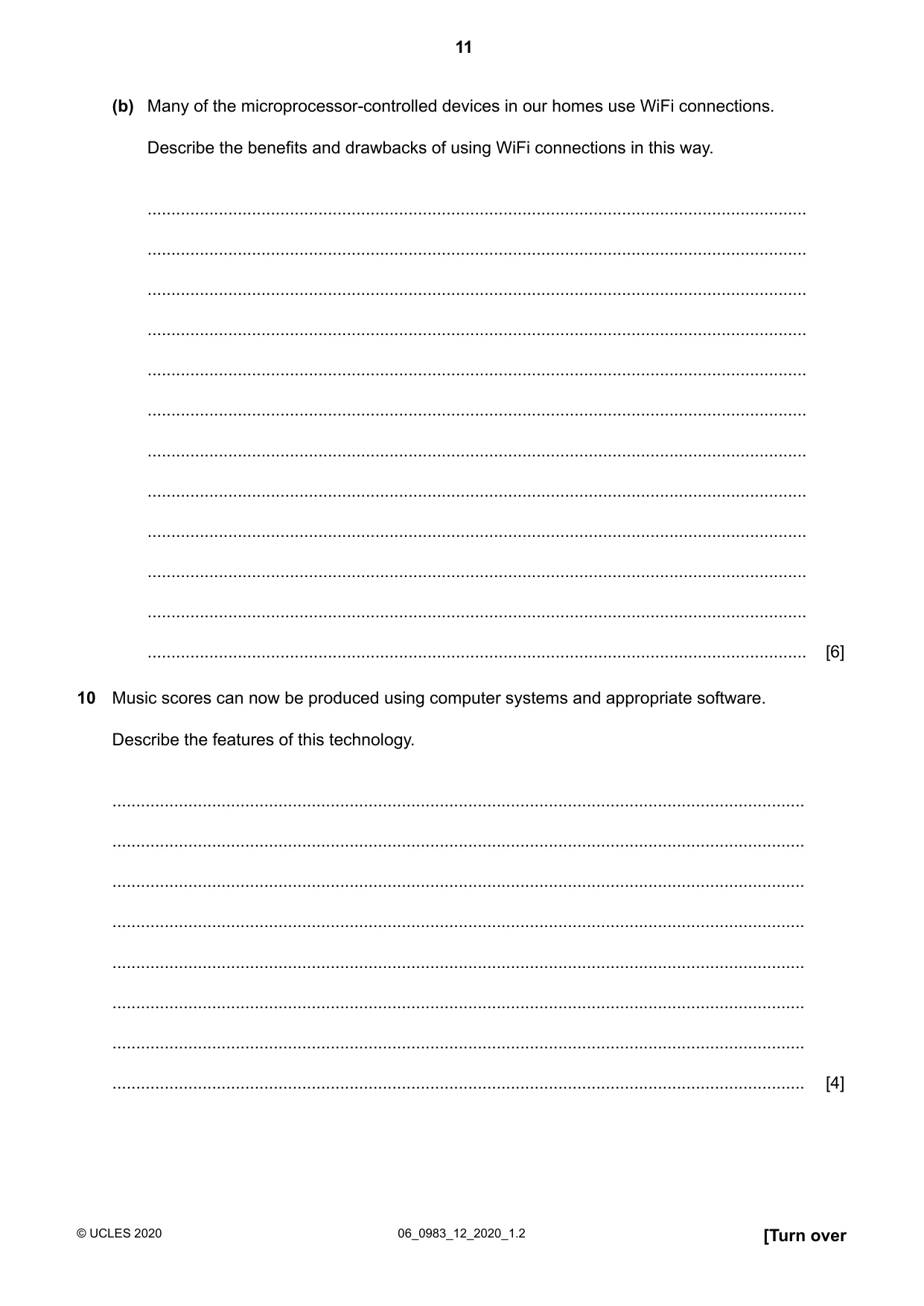
Many of the microprocessor-controlled devices in our homes use WiFi connections. Describe the benefits and drawbacks of using WiFi connections in this way. (b) … … … … … … … … … … … … [6] Music scores can now be produced using computer systems and appropriate software. Describe the features of this technology. 10 … … … … … … … … [4] [Turn over 06_0983_12_2020_1.2 © UCLES 2020 11
Question paper, page 12
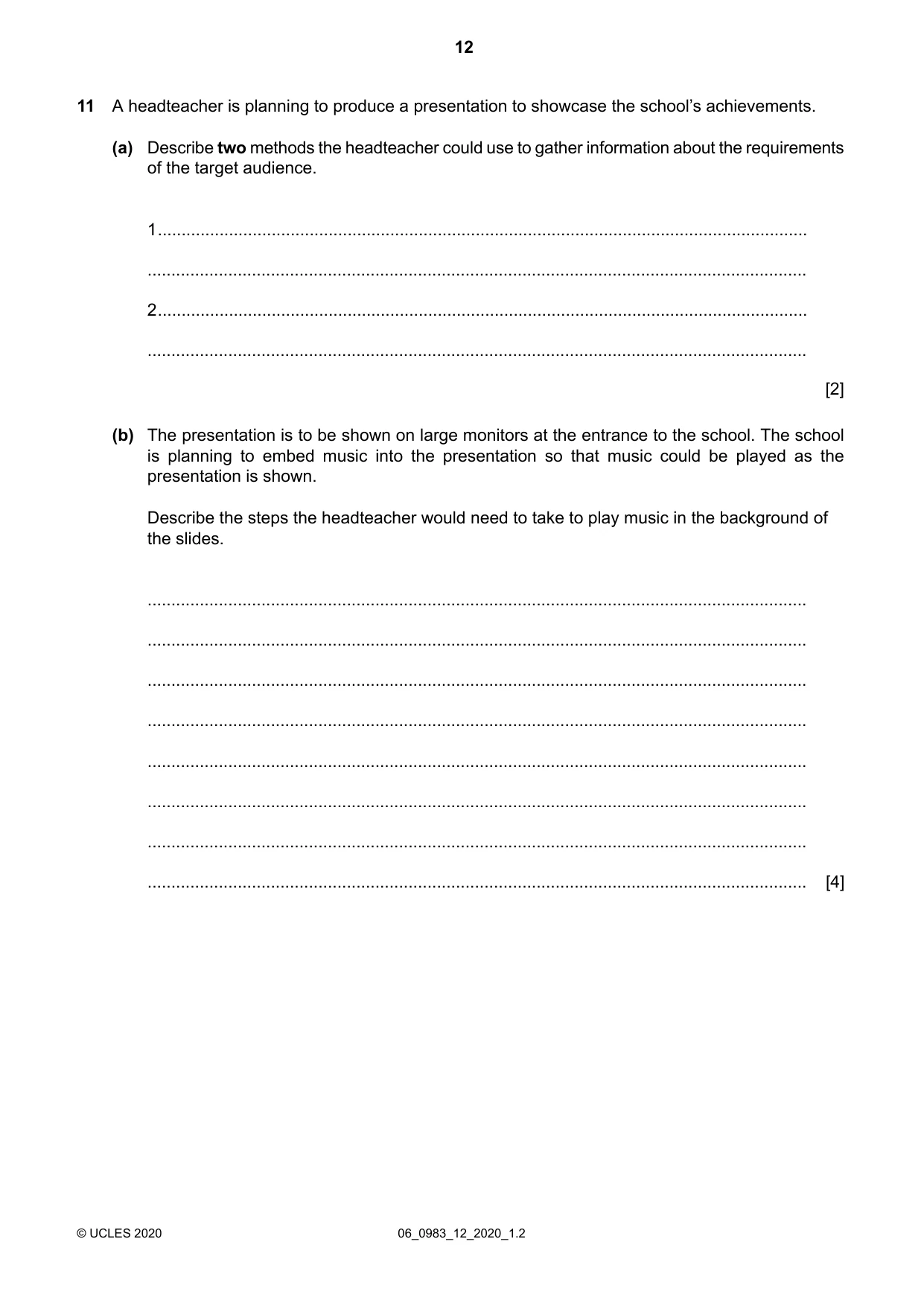
A headteacher is planning to produce a presentation to showcase the school’s achievements. 11 Describe two methods the headteacher could use to gather information about the requirements of the target audience. (a) 1… … 2… … [2] The presentation is to be shown on large monitors at the entrance to the school. The school is planning to embed music into the presentation so that music could be played as the presentation is shown. Describe the steps the headteacher would need to take to play music in the background of the slides. (b) … … … … … … … … [4] 06_0983_12_2020_1.2 © UCLES 2020 12
Question paper, page 13
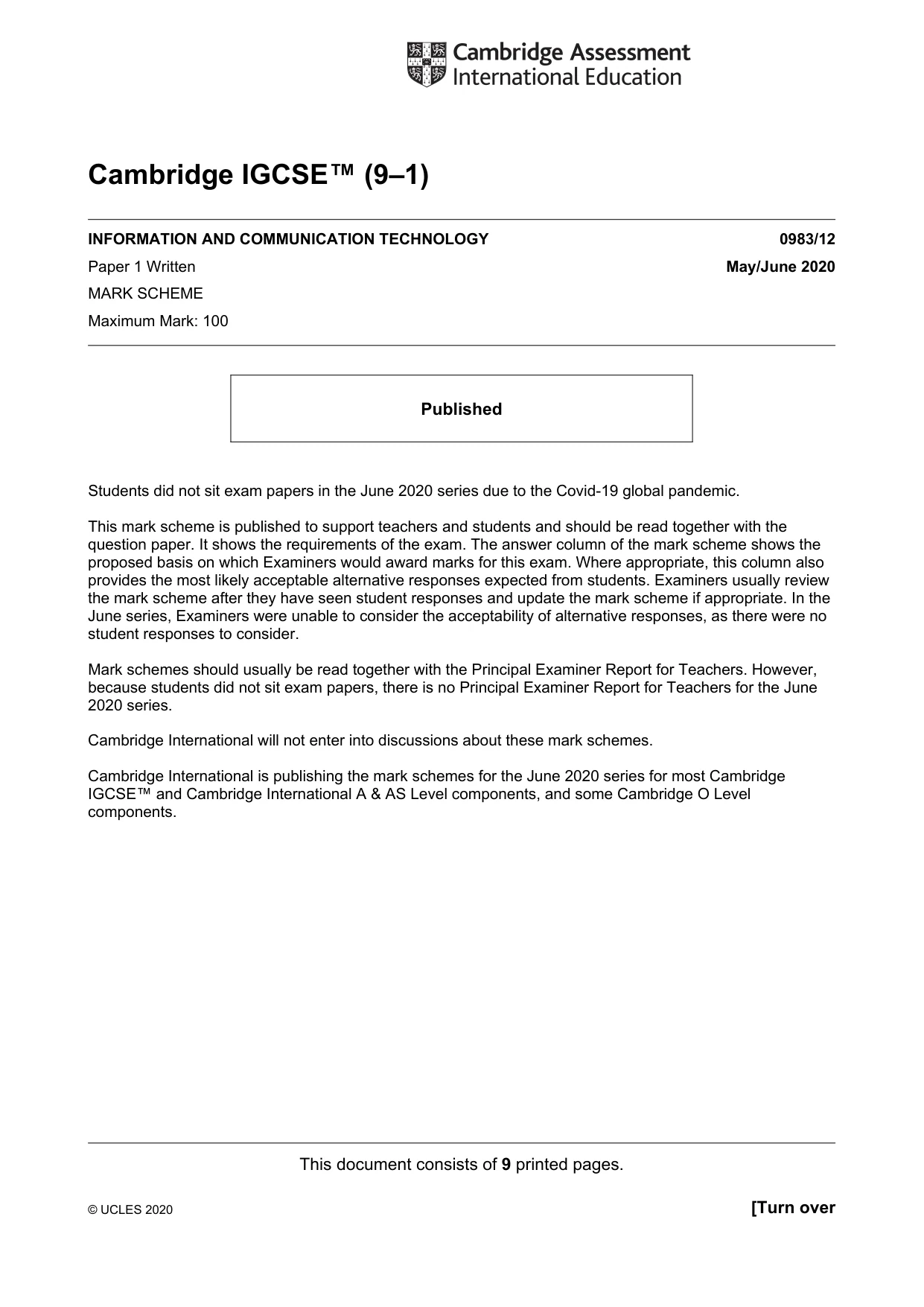
After showing the presentation to the parents the headteacher wishes to use the presentation to show to young children to encourage them to come to the school. Describe the features that the headteacher must include to make the presentation meet the needs of an audience of young children. (c) … … … … … … … … [4] Describe repetitive strain injury (RSI) and explain what causes it. (a) 12 … … … … [2] Give three ways of minimising the risk of RSI. (b) 1… … 2… … 3… … [3] [Turn over 06_0983_12_2020_1.2 © UCLES 2020 13
Question paper, page 14
Modern laptop computers tend to use external solid state storage rather than external optical storage. Compare and contrast the use of solid state storage with the use of optical storage to store data. 13 … … … … … … … … … … … … … … … … [8] 06_0983_12_2020_1.2 © UCLES 2020 14
Question paper, page 15
There are two types of storage within a computer, internal memory and backing storage. Discuss the differences between internal memory and backing storage. 14 … … … … … … … … … … … … [6] 06_0983_12_2020_1.2 © UCLES 2020 15
Question paper, page 16
BLANK PAGE Permission to reproduce items where third-party owned material protected by copyright is included has been sought and cleared where possible. Every reasonable effort has been made by the publisher (UCLES) to trace copyright holders, but if any items requiring clearance have unwittingly been included, the publisher will be pleased to make amends at the earliest possible opportunity. To avoid the issue of disclosure of answer-related information to candidates, all copyright acknowledgements are reproduced online in the Cambridge Assessment International Education Copyright Acknowledgements Booklet. This is produced for each series of examinations and is freely available to download at www.cambridgeinternational.org after the live examination series. Cambridge Assessment International Education is part of the Cambridge Assessment Group. Cambridge Assessment is the brand name of the University of Cambridge Local Examinations Syndicate (UCLES), which itself is a department of the University of Cambridge. 06_0983_12_2020_1.2 © UCLES 2020 16
Mark scheme, page 1
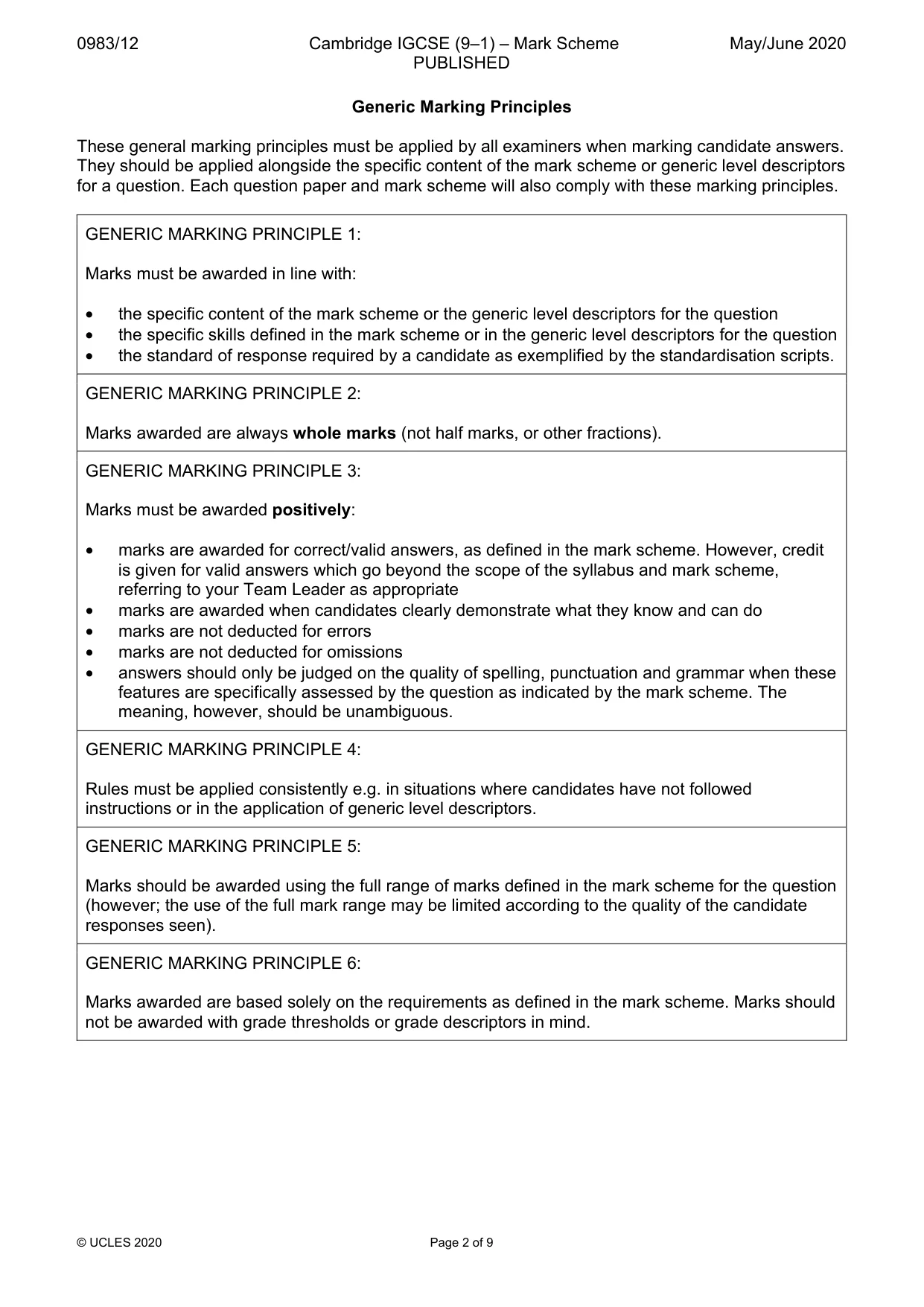
This document consists of 9 printed pages. © UCLES 2020 [Turn over Cambridge IGCSE™ (9–1) INFORMATION AND COMMUNICATION TECHNOLOGY 0983/12 Paper 1 Written May/June 2020 MARK SCHEME Maximum Mark: 100 Published Students did not sit exam papers in the June 2020 series due to the Covid-19 global pandemic. This mark scheme is published to support teachers and students and should be read together with the question paper. It shows the requirements of the exam. The answer column of the mark scheme shows the proposed basis on which Examiners would award marks for this exam. Where appropriate, this column also provides the most likely acceptable alternative responses expected from students. Examiners usually review the mark scheme after they have seen student responses and update the mark scheme if appropriate. In the June series, Examiners were unable to consider the acceptability of alternative responses, as there were no student responses to consider. Mark schemes should usually be read together with the Principal Examiner Report for Teachers. However, because students did not sit exam papers, there is no Principal Examiner Report for Teachers for the June 2020 series. Cambridge International will not enter into discussions about these mark schemes. Cambridge International is publishing the mark schemes for the June 2020 series for most Cambridge IGCSE™ and Cambridge International A & AS Level components, and some Cambridge O Level components.
Mark scheme, page 2
0983/12 Cambridge IGCSE (9–1) – Mark Scheme PUBLISHED May/June 2020 © UCLES 2020 Page 2 of 9 Generic Marking Principles These general marking principles must be applied by all examiners when marking candidate answers. They should be applied alongside the specific content of the mark scheme or generic level descriptors for a question. Each question paper and mark scheme will also comply with these marking principles. GENERIC MARKING PRINCIPLE 1: Marks must be awarded in line with: • the specific content of the mark scheme or the generic level descriptors for the question • the specific skills defined in the mark scheme or in the generic level descriptors for the question • the standard of response required by a candidate as exemplified by the standardisation scripts. GENERIC MARKING PRINCIPLE 2: Marks awarded are always whole marks (not half marks, or other fractions). GENERIC MARKING PRINCIPLE 3: Marks must be awarded positively: • marks are awarded for correct/valid answers, as defined in the mark scheme. However, credit is given for valid answers which go beyond the scope of the syllabus and mark scheme, referring to your Team Leader as appropriate • marks are awarded when candidates clearly demonstrate what they know and can do • marks are not deducted for errors • marks are not deducted for omissions • answers should only be judged on the quality of spelling, punctuation and grammar when these features are specifically assessed by the question as indicated by the mark scheme. The meaning, however, should be unambiguous. GENERIC MARKING PRINCIPLE 4: Rules must be applied consistently e.g. in situations where candidates have not followed instructions or in the application of generic level descriptors. GENERIC MARKING PRINCIPLE 5: Marks should be awarded using the full range of marks defined in the mark scheme for the question (however; the use of the full mark range may be limited according to the quality of the candidate responses seen). GENERIC MARKING PRINCIPLE 6: Marks awarded are based solely on the requirements as defined in the mark scheme. Marks should not be awarded with grade thresholds or grade descriptors in mind.
Mark scheme, page 3
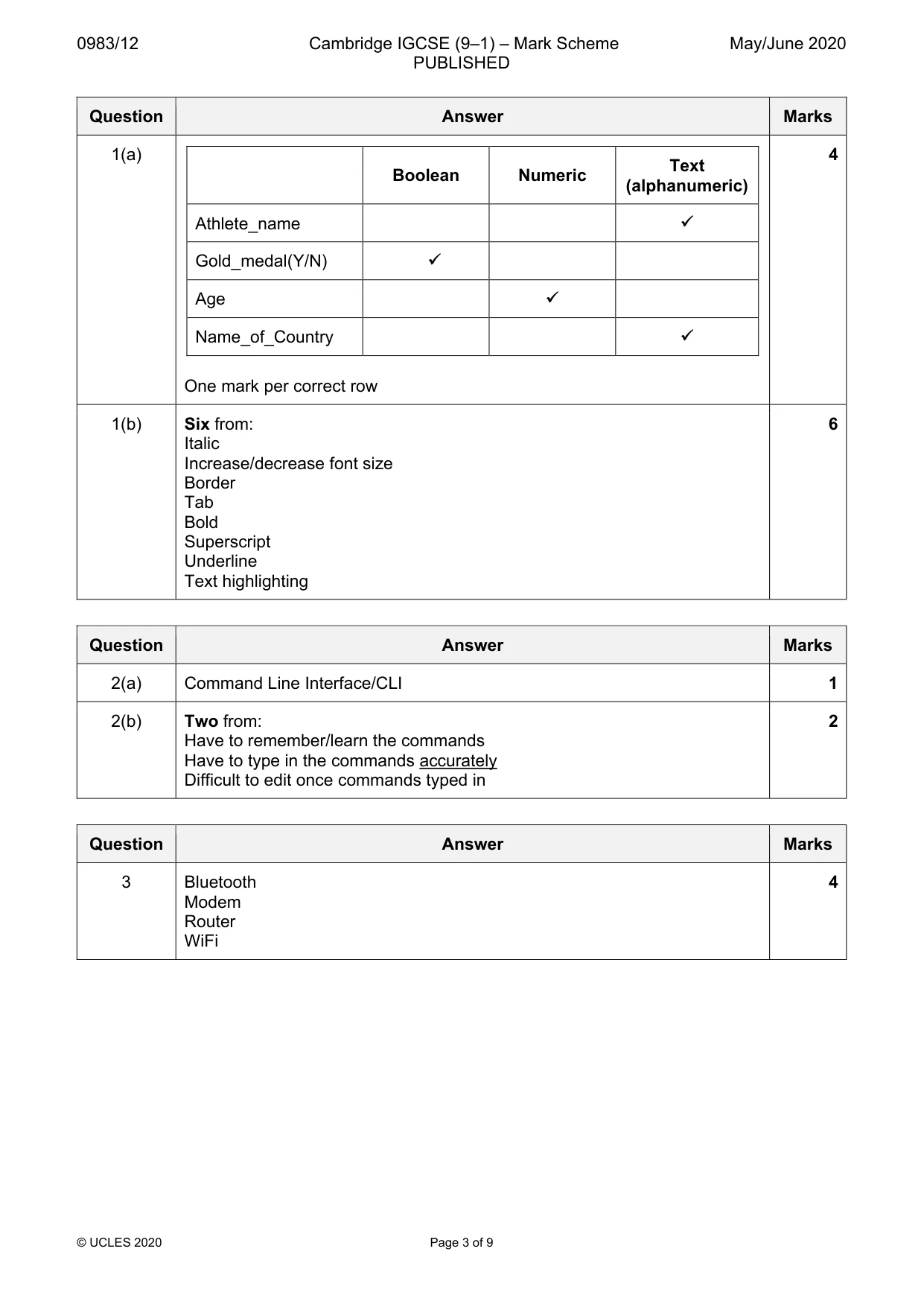
0983/12 Cambridge IGCSE (9–1) – Mark Scheme PUBLISHED May/June 2020 © UCLES 2020 Page 3 of 9 Question Answer Marks 1(a) Boolean Numeric Text (alphanumeric) Athlete_name Gold_medal(Y/N) Age Name_of_Country One mark per correct row 4 1(b) Six from: Italic Increase/decrease font size Border Tab Bold Superscript Underline Text highlighting 6 Question Answer Marks 2(a) Command Line Interface/CLI 1 2(b) Two from: Have to remember/learn the commands Have to type in the commands accurately Difficult to edit once commands typed in 2 Question Answer Marks 3 Bluetooth Modem Router WiFi 4
Mark scheme, page 4
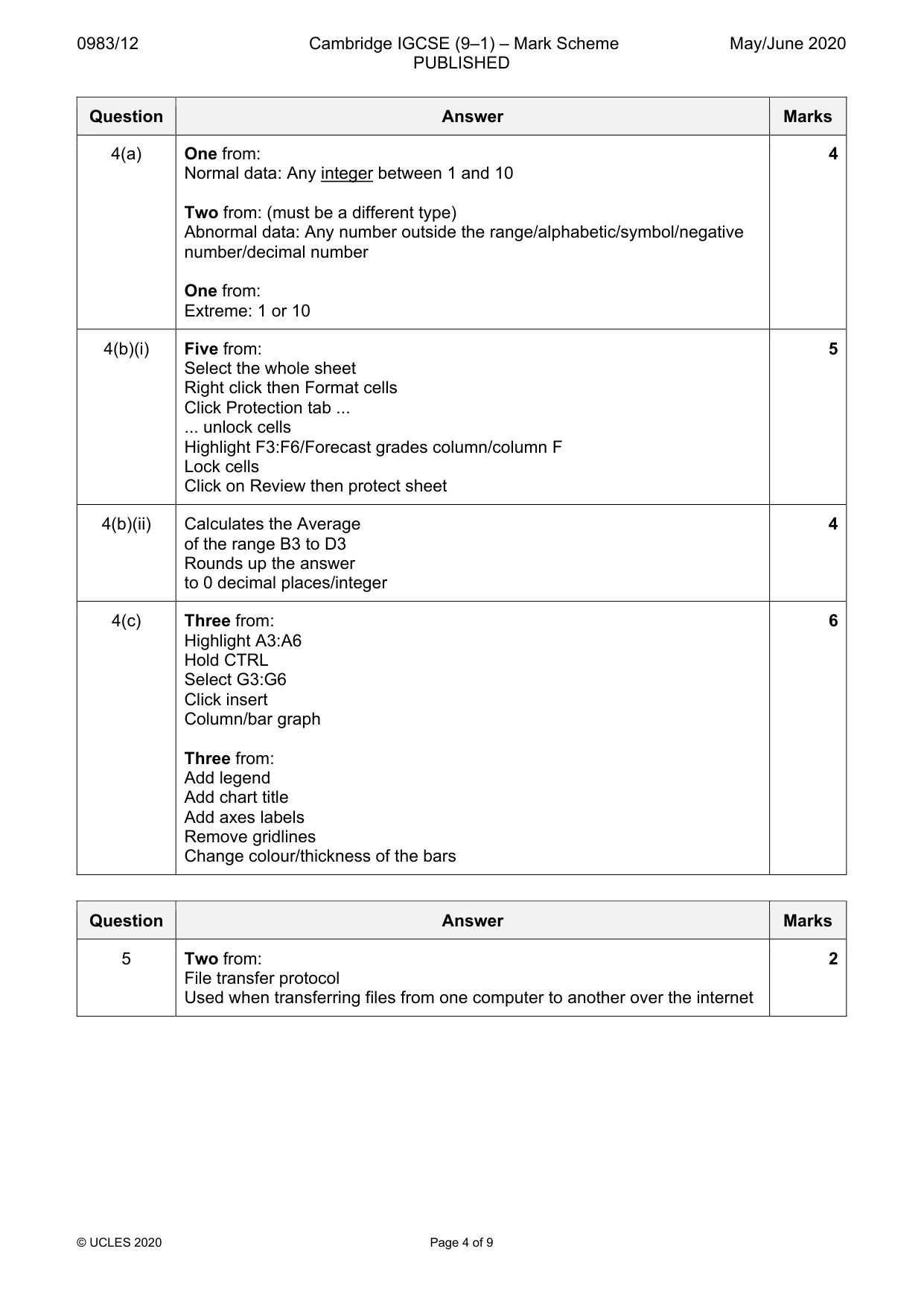
0983/12 Cambridge IGCSE (9–1) – Mark Scheme PUBLISHED May/June 2020 © UCLES 2020 Page 4 of 9 Question Answer Marks 4(a) One from: Normal data: Any integer between 1 and 10 Two from: (must be a different type) Abnormal data: Any number outside the range/alphabetic/symbol/negative number/decimal number One from: Extreme: 1 or 10 4 4(b)(i) Five from: Select the whole sheet Right click then Format cells Click Protection tab ... ... unlock cells Highlight F3:F6/Forecast grades column/column F Lock cells Click on Review then protect sheet 5 4(b)(ii) Calculates the Average of the range B3 to D3 Rounds up the answer to 0 decimal places/integer 4 4(c) Three from: Highlight A3:A6 Hold CTRL Select G3:G6 Click insert Column/bar graph Three from: Add legend Add chart title Add axes labels Remove gridlines Change colour/thickness of the bars 6 Question Answer Marks 5 Two from: File transfer protocol Used when transferring files from one computer to another over the internet 2
Mark scheme, page 5
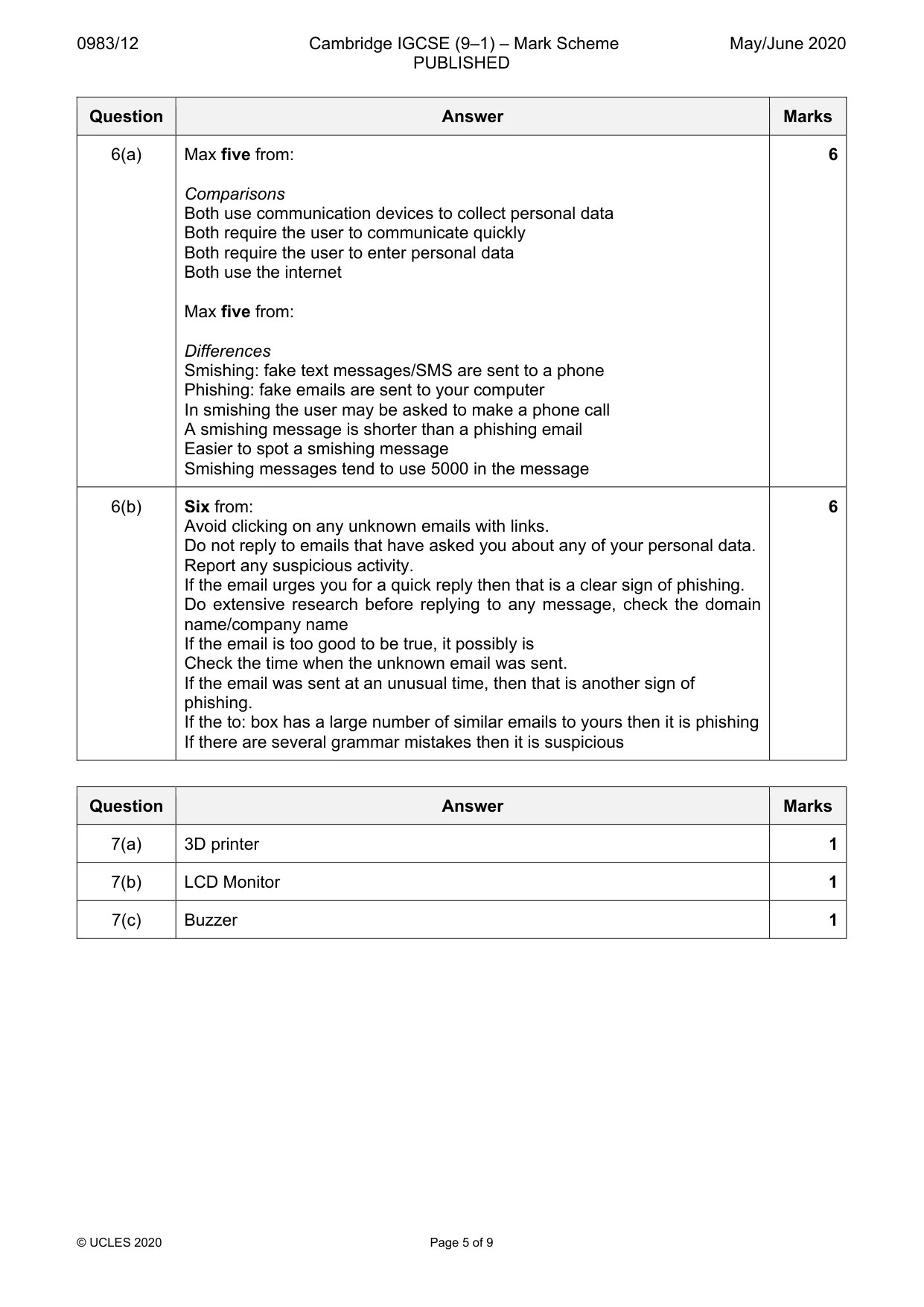
0983/12 Cambridge IGCSE (9–1) – Mark Scheme PUBLISHED May/June 2020 © UCLES 2020 Page 5 of 9 Question Answer Marks 6(a) Max five from: Comparisons Both use communication devices to collect personal data Both require the user to communicate quickly Both require the user to enter personal data Both use the internet Max five from: Differences Smishing: fake text messages/SMS are sent to a phone Phishing: fake emails are sent to your computer In smishing the user may be asked to make a phone call A smishing message is shorter than a phishing email Easier to spot a smishing message Smishing messages tend to use 5000 in the message 6 6(b) Six from: Avoid clicking on any unknown emails with links. Do not reply to emails that have asked you about any of your personal data. Report any suspicious activity. If the email urges you for a quick reply then that is a clear sign of phishing. Do extensive research before replying to any message, check the domain name/company name If the email is too good to be true, it possibly is Check the time when the unknown email was sent. If the email was sent at an unusual time, then that is another sign of phishing. If the to: box has a large number of similar emails to yours then it is phishing If there are several grammar mistakes then it is suspicious 6 Question Answer Marks 7(a) 3D printer 1 7(b) LCD Monitor 1 7(c) Buzzer 1
Mark scheme, page 6
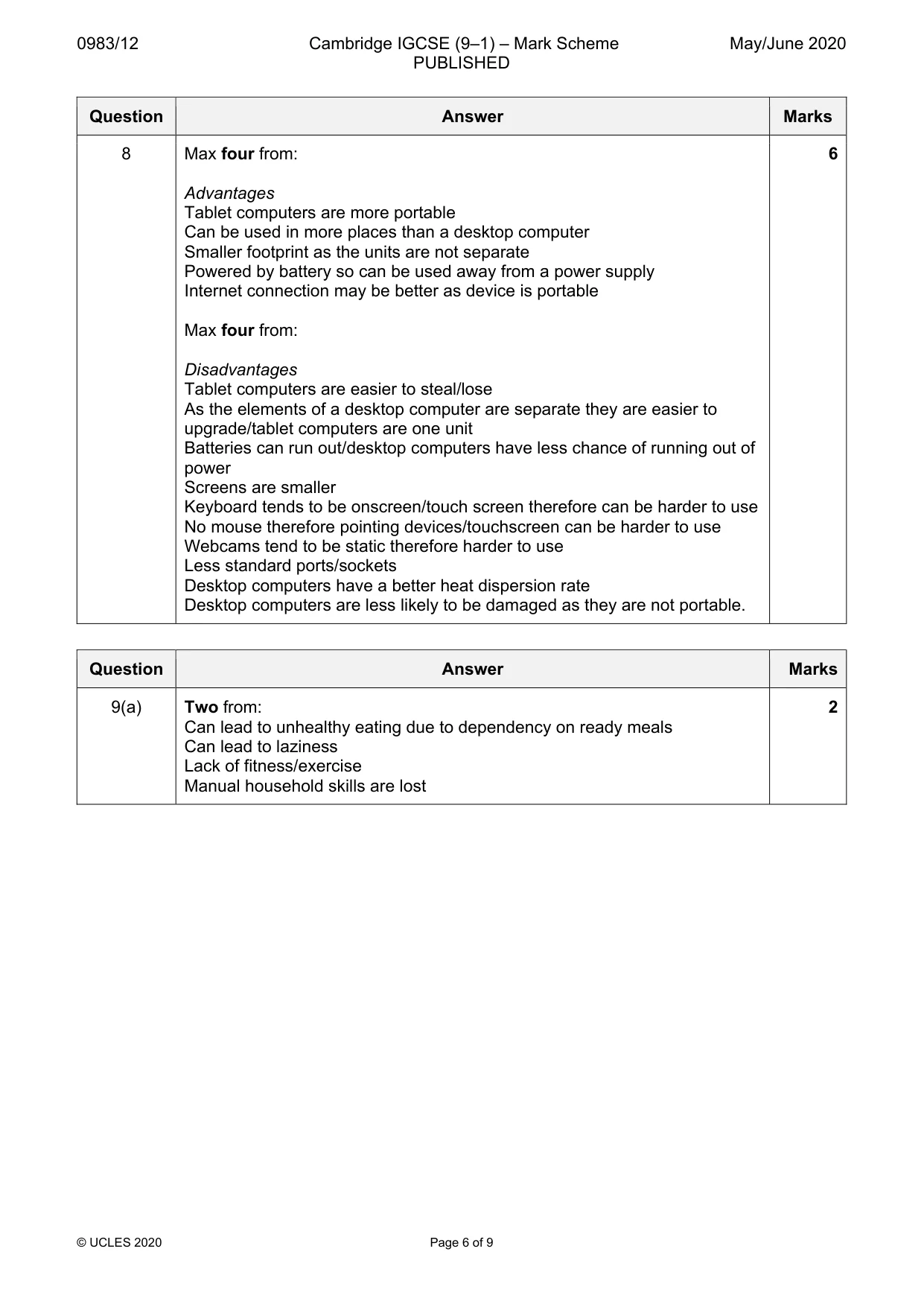
0983/12 Cambridge IGCSE (9–1) – Mark Scheme PUBLISHED May/June 2020 © UCLES 2020 Page 6 of 9 Question Answer Marks 8 Max four from: Advantages Tablet computers are more portable Can be used in more places than a desktop computer Smaller footprint as the units are not separate Powered by battery so can be used away from a power supply Internet connection may be better as device is portable Max four from: Disadvantages Tablet computers are easier to steal/lose As the elements of a desktop computer are separate they are easier to upgrade/tablet computers are one unit Batteries can run out/desktop computers have less chance of running out of power Screens are smaller Keyboard tends to be onscreen/touch screen therefore can be harder to use No mouse therefore pointing devices/touchscreen can be harder to use Webcams tend to be static therefore harder to use Less standard ports/sockets Desktop computers have a better heat dispersion rate Desktop computers are less likely to be damaged as they are not portable. 6 Question Answer Marks 9(a) Two from: Can lead to unhealthy eating due to dependency on ready meals Can lead to laziness Lack of fitness/exercise Manual household skills are lost 2
Mark scheme, page 7
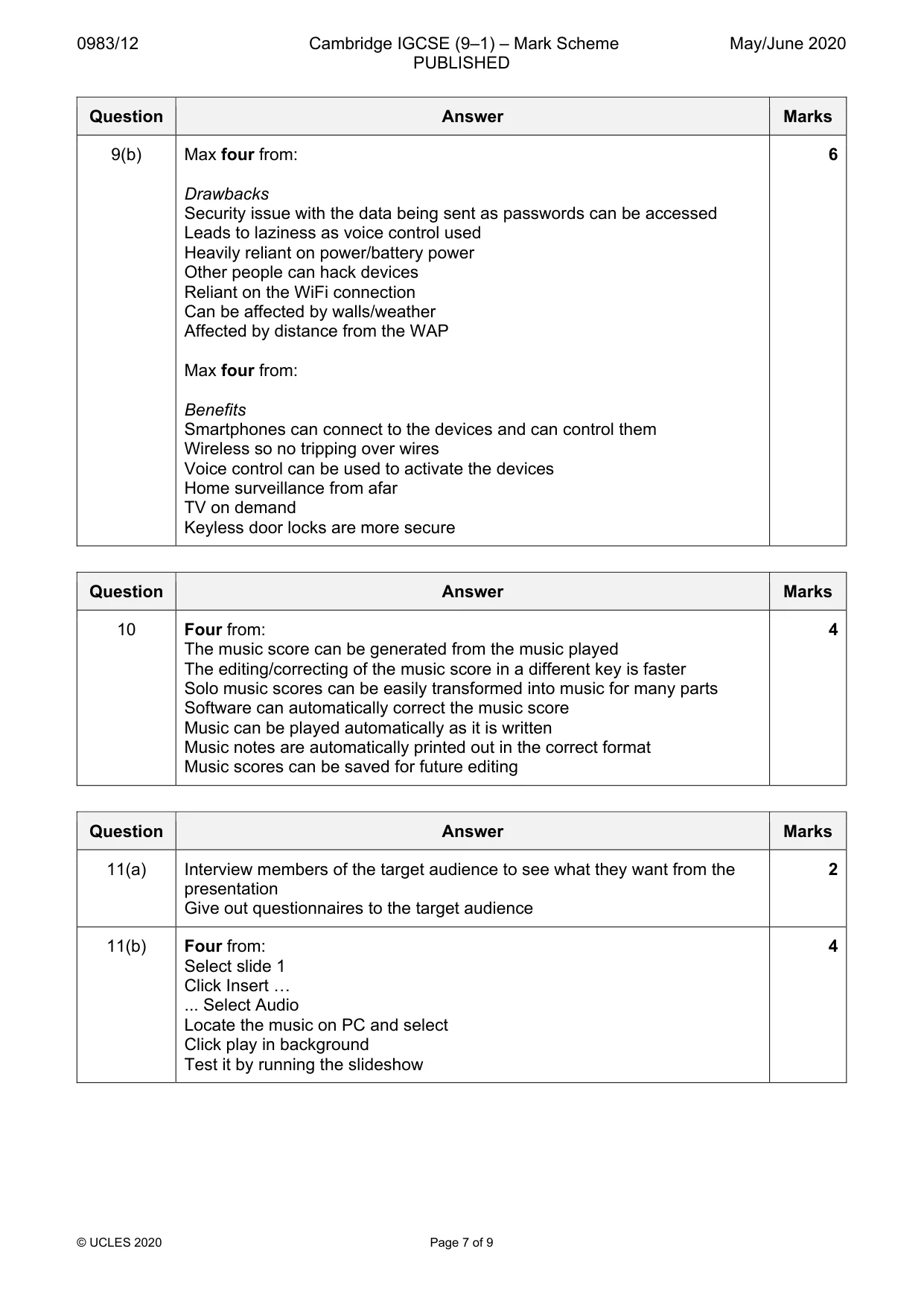
0983/12 Cambridge IGCSE (9–1) – Mark Scheme PUBLISHED May/June 2020 © UCLES 2020 Page 7 of 9 Question Answer Marks 9(b) Max four from: Drawbacks Security issue with the data being sent as passwords can be accessed Leads to laziness as voice control used Heavily reliant on power/battery power Other people can hack devices Reliant on the WiFi connection Can be affected by walls/weather Affected by distance from the WAP Max four from: Benefits Smartphones can connect to the devices and can control them Wireless so no tripping over wires Voice control can be used to activate the devices Home surveillance from afar TV on demand Keyless door locks are more secure 6 Question Answer Marks 10 Four from: The music score can be generated from the music played The editing/correcting of the music score in a different key is faster Solo music scores can be easily transformed into music for many parts Software can automatically correct the music score Music can be played automatically as it is written Music notes are automatically printed out in the correct format Music scores can be saved for future editing 4 Question Answer Marks 11(a) Interview members of the target audience to see what they want from the presentation Give out questionnaires to the target audience 2 11(b) Four from: Select slide 1 Click Insert … ... Select Audio Locate the music on PC and select Click play in background Test it by running the slideshow 4
Mark scheme, page 8
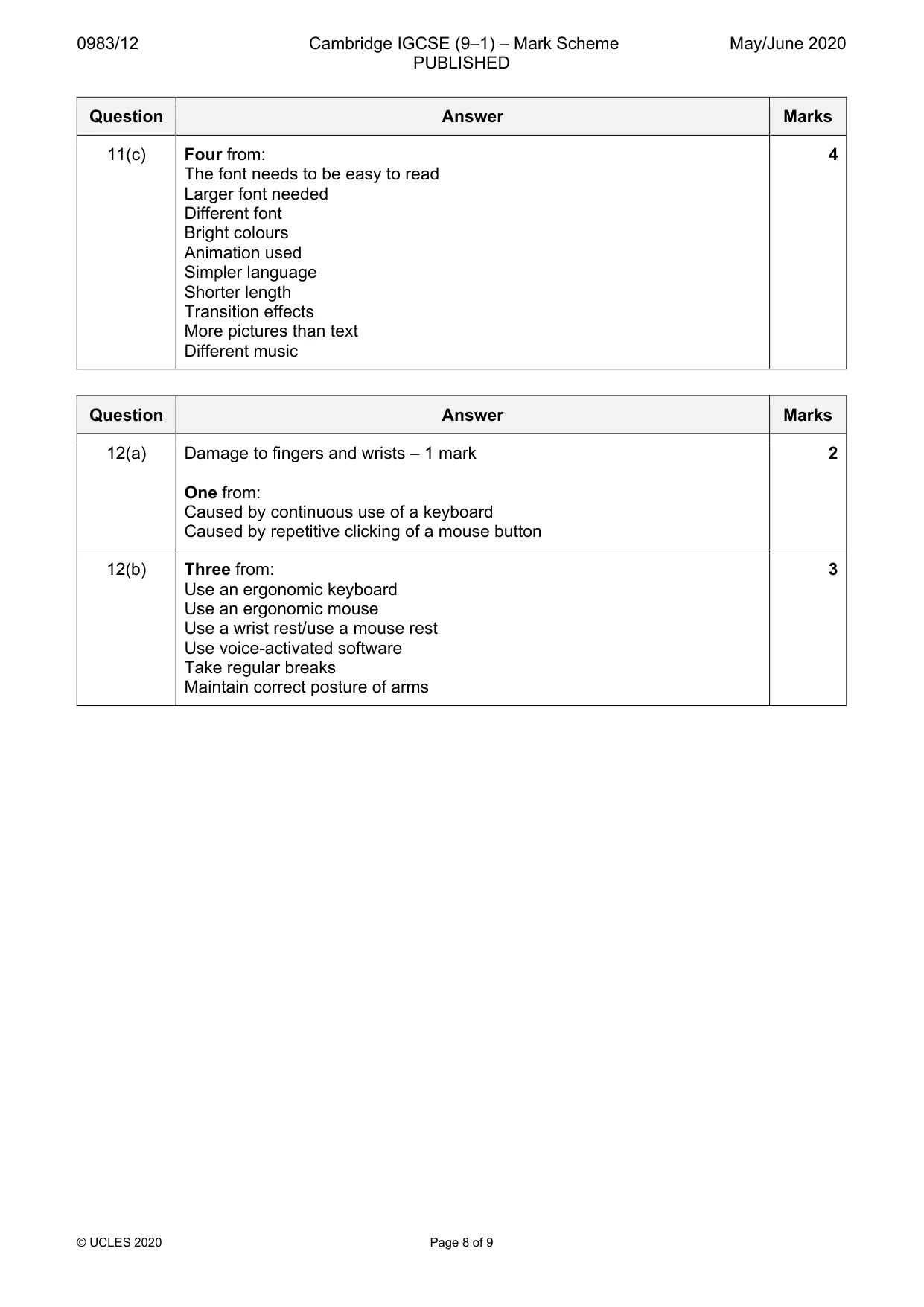
0983/12 Cambridge IGCSE (9–1) – Mark Scheme PUBLISHED May/June 2020 © UCLES 2020 Page 8 of 9 Question Answer Marks 11(c) Four from: The font needs to be easy to read Larger font needed Different font Bright colours Animation used Simpler language Shorter length Transition effects More pictures than text Different music 4 Question Answer Marks 12(a) Damage to fingers and wrists – 1 mark One from: Caused by continuous use of a keyboard Caused by repetitive clicking of a mouse button 2 12(b) Three from: Use an ergonomic keyboard Use an ergonomic mouse Use a wrist rest/use a mouse rest Use voice-activated software Take regular breaks Maintain correct posture of arms 3
Mark scheme, page 9
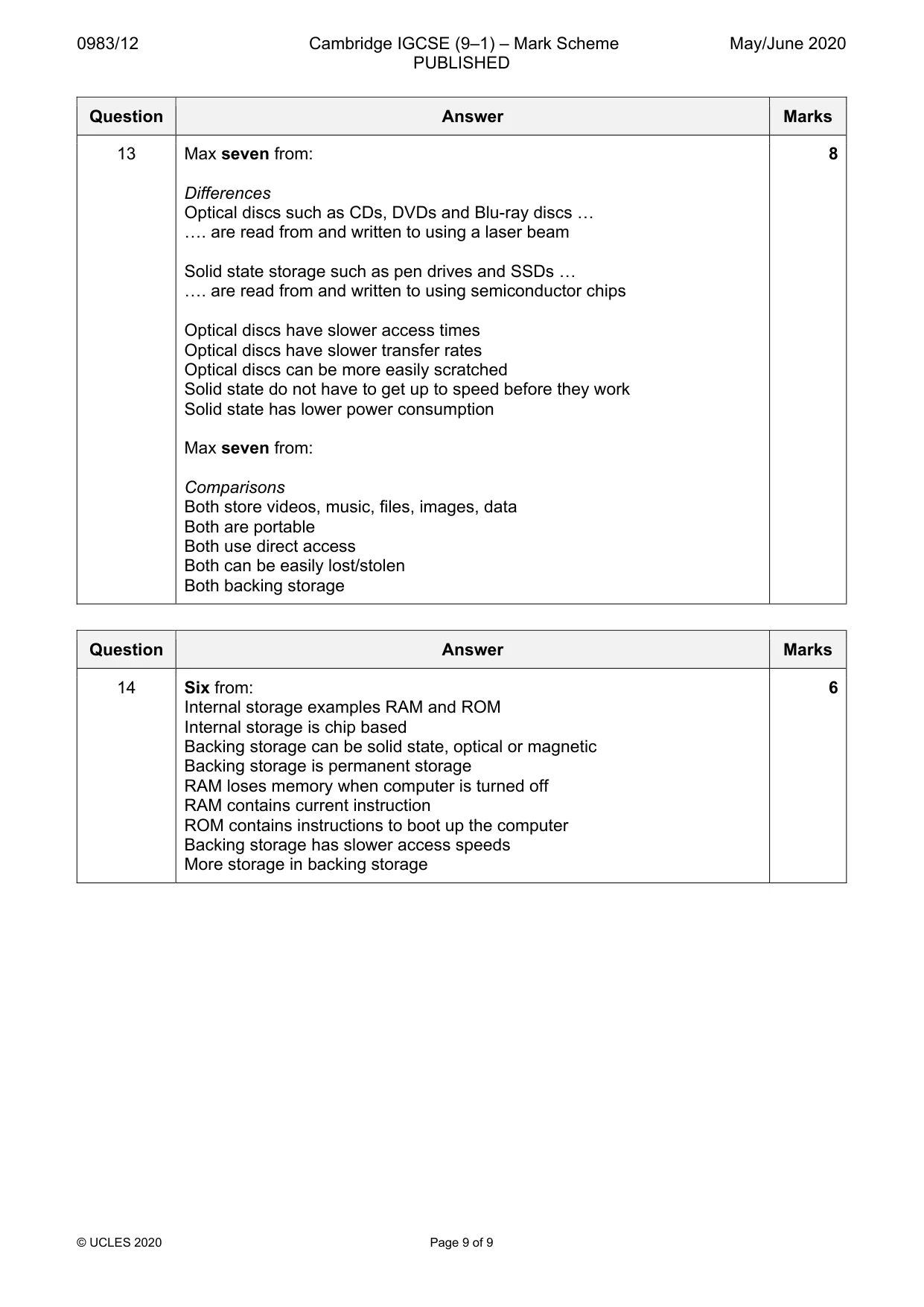
0983/12 Cambridge IGCSE (9–1) – Mark Scheme PUBLISHED May/June 2020 © UCLES 2020 Page 9 of 9 Question Answer Marks 13 Max seven from: Differences Optical discs such as CDs, DVDs and Blu-ray discs … …. are read from and written to using a laser beam Solid state storage such as pen drives and SSDs … …. are read from and written to using semiconductor chips Optical discs have slower access times Optical discs have slower transfer rates Optical discs can be more easily scratched Solid state do not have to get up to speed before they work Solid state has lower power consumption Max seven from: Comparisons Both store videos, music, files, images, data Both are portable Both use direct access Both can be easily lost/stolen Both backing storage 8 Question Answer Marks 14 Six from: Internal storage examples RAM and ROM Internal storage is chip based Backing storage can be solid state, optical or magnetic Backing storage is permanent storage RAM loses memory when computer is turned off RAM contains current instruction ROM contains instructions to boot up the computer Backing storage has slower access speeds More storage in backing storage 6