Cambridge A Level Applied Information and Communication Technology 9713 — 2015 Oct/Nov Paper 3 · Variant 2
9713/32/O/N/15 · 80 marks · ≈90 min
The question paper and its mark scheme, free to read here and free to download. This is Cambridge’s own paper, exactly as it was sat.
Question paper16 pages


Mark scheme7 pages
Answers below. Sit the paper first if you are practising.
Paper as text
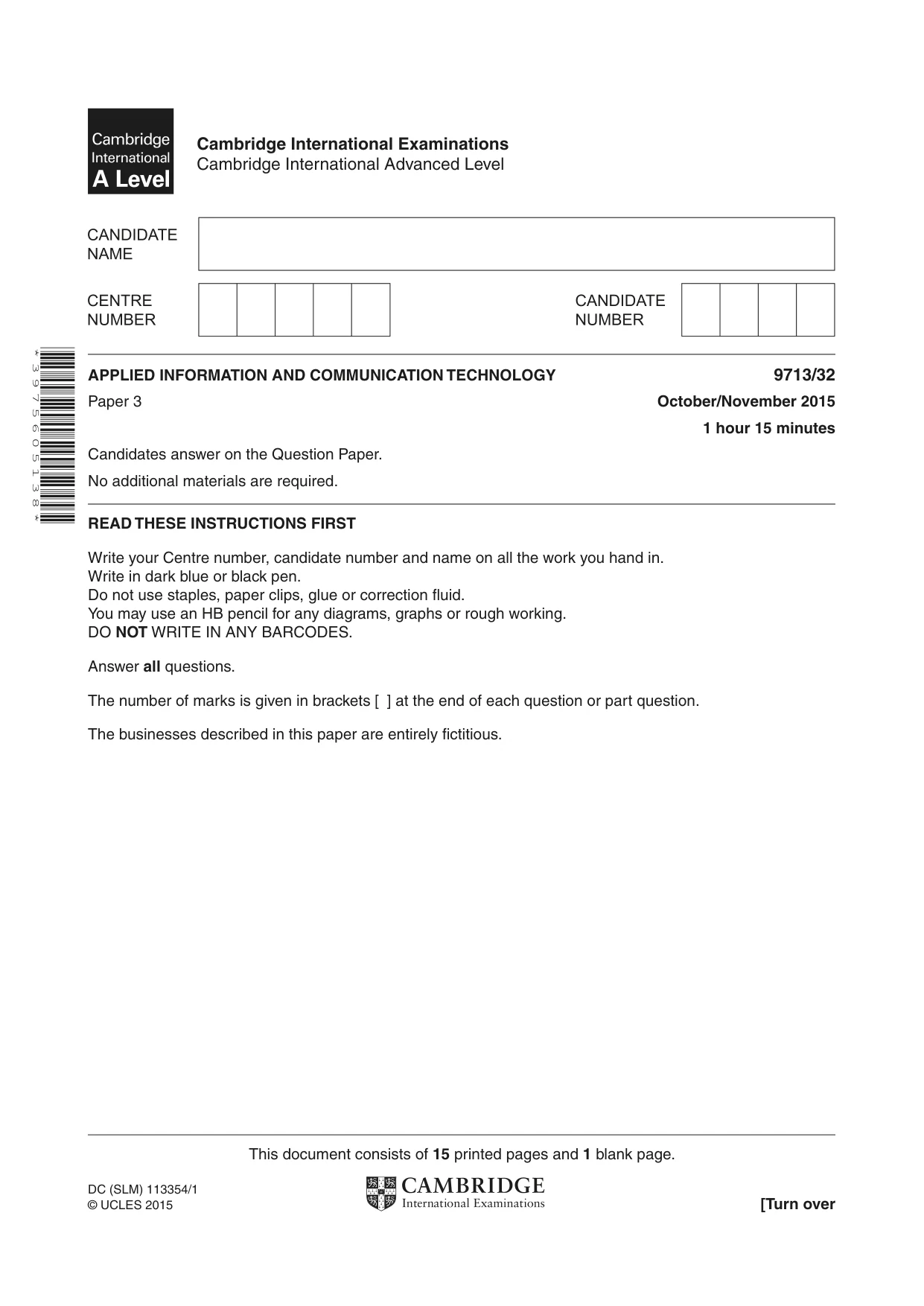
Question paper, page 1
* 3 9 7 5 6 0 5 1 3 8 * This document consists of 15 printed pages and 1 blank page. DC (SLM) 113354/1 © UCLES 2015 [Turn over Cambridge International Examinations Cambridge International Advanced Level APPLIED INFORMATION AND COMMUNICATION TECHNOLOGY 9713/32 Paper 3 October/November 2015 1 hour 15 minutes Candidates answer on the Question Paper. No additional materials are required. READ THESE INSTRUCTIONS FIRST Write your Centre number, candidate number and name on all the work you hand in. Write in dark blue or black pen. Do not use staples, paper clips, glue or correction fluid. You may use an HB pencil for any diagrams, graphs or rough working. DO NOT WRITE IN ANY BARCODES. Answer all questions. The number of marks is given in brackets [ ] at the end of each question or part question. The businesses described in this paper are entirely fictitious.
Question paper, page 2
2 9713/32/O/N/15 © UCLES 2015 Scenario 1 Questions 1, 2, 3, 4 and 5. A regional government agency is responsible for encouraging citizens to use ICT to access government information and services online. The agency is also responsible for trying to reduce the ‘digital divide’ so that citizens can use online services and facilities provided by banks and retailers. The agency is concerned about the antisocial use of ICT and about computer fraud. It wishes to commission a survey to be completed by citizens to reveal the extent of these problems.
Question paper, page 3
3 9713/32/O/N/15 © UCLES 2015 [Turn over 1 Describe the services that could be provided on the government website. … … … … … … … … … … … … … … … … … … … …[8]
Question paper, page 4
4 9713/32/O/N/15 © UCLES 2015 2 Discuss the benefits and drawbacks of the government putting its information and services online. … … … … … … … … … … … … … … … … … … … …[8]
Question paper, page 5
5 9713/32/O/N/15 © UCLES 2015 [Turn over 3 Explain how the regional government could try to reduce the ‘digital divide’ so that more citizens would be able to access its online services. … … … … … … … … … …[4]
Question paper, page 6
6 9713/32/O/N/15 © UCLES 2015 4 Describe four examples of antisocial use of ICT and for each one describe how it might be prevented. Each method of prevention must be different. Example 1 … … … Prevention … … … Example 2 … … … Prevention … … … Example 3 … … … Prevention … … … Example 4 … … … Prevention … … …[8]
Question paper, page 7
7 9713/32/O/N/15 © UCLES 2015 [Turn over 5 Explain how using banking and shopping services online by citizens can lead to fraud. … … … … … … … … … … … … … …[6]
Question paper, page 8
8 9713/32/O/N/15 © UCLES 2015 Scenario 2 Questions 6, 7, and 8. RockICT plc is a store that sells goods online. Customers are required to have an online account for use when purchasing goods. Peter wants to purchase goods online from the store and uses a web browser to locate and access the store’s secure website. When purchasing goods using the store’s website, Peter adds the goods to a virtual shopping cart and pays for the goods online by clicking the ‘buy now’ button shown on the cart webpage. The purchased goods can be kept in the store for Peter to collect, sent to Peter using the postal service or delivered by the store’s own delivery vehicles.
Question paper, page 9
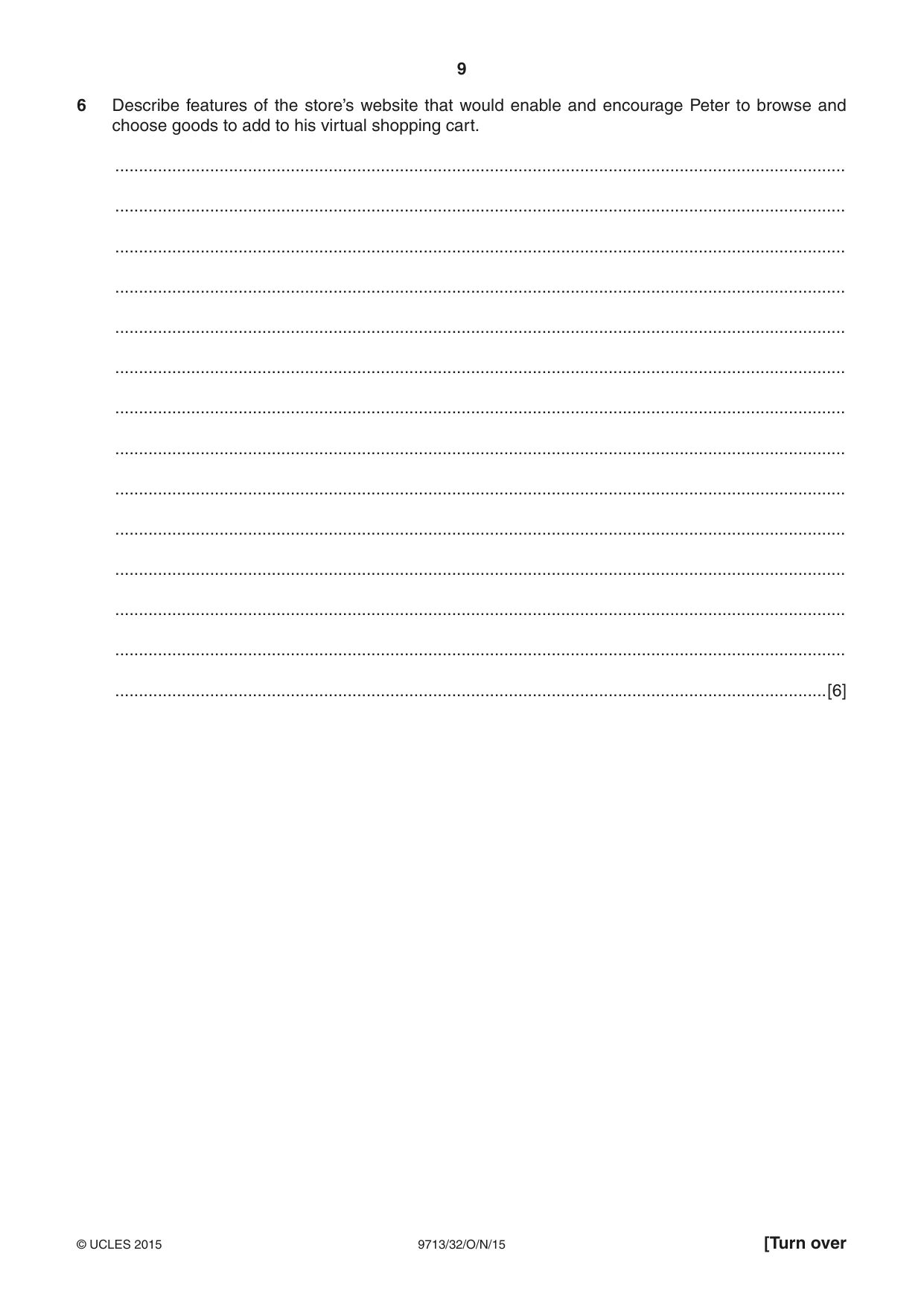
9 9713/32/O/N/15 © UCLES 2015 [Turn over 6 Describe features of the store’s website that would enable and encourage Peter to browse and choose goods to add to his virtual shopping cart. … … … … … … … … … … … … … …[6]
Question paper, page 10
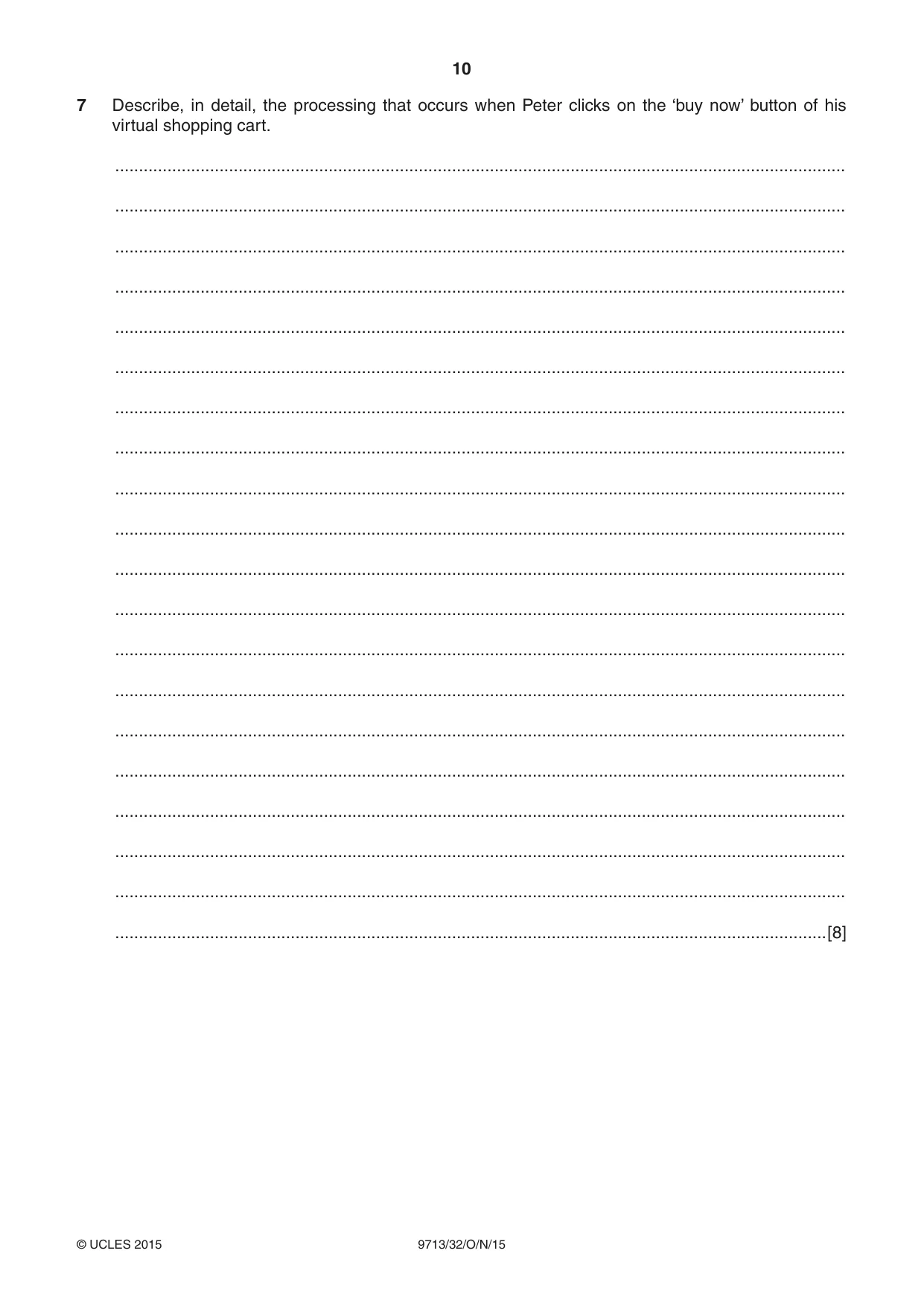
10 9713/32/O/N/15 © UCLES 2015 7 Describe, in detail, the processing that occurs when Peter clicks on the ‘buy now’ button of his virtual shopping cart. … … … … … … … … … … … … … … … … … … … …[8]
Question paper, page 11
11 9713/32/O/N/15 © UCLES 2015 [Turn over 8 Explain how a secure website helps to keep Peter’s payment details from being viewed by unauthorised persons while being transmitted to and from the store’s website. … … … … … … … … … … … … … … … … … … … …[8]
Question paper, page 12
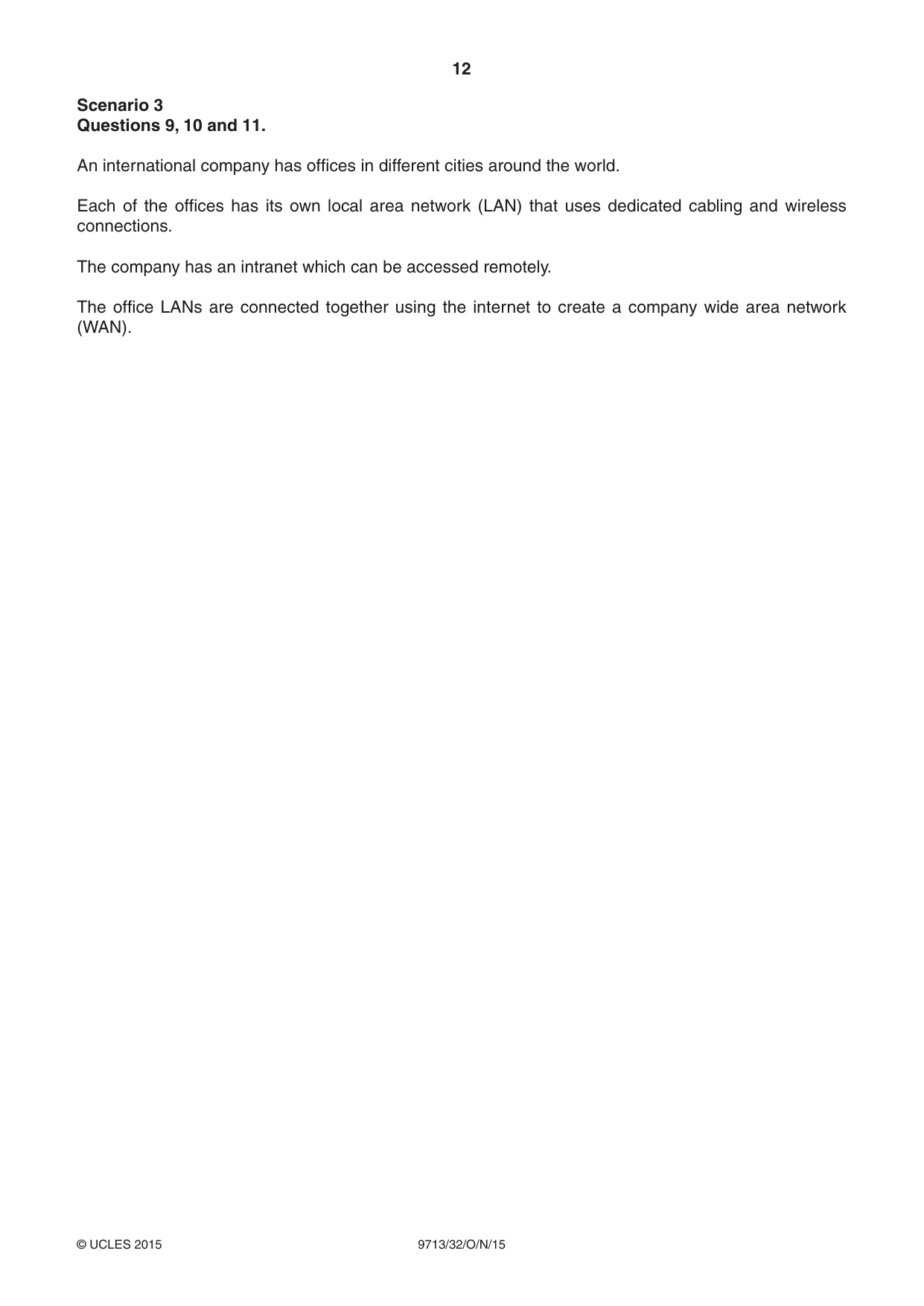
12 9713/32/O/N/15 © UCLES 2015 Scenario 3 Questions 9, 10 and 11. An international company has offices in different cities around the world. Each of the offices has its own local area network (LAN) that uses dedicated cabling and wireless connections. The company has an intranet which can be accessed remotely. The office LANs are connected together using the internet to create a company wide area network (WAN).
Question paper, page 13
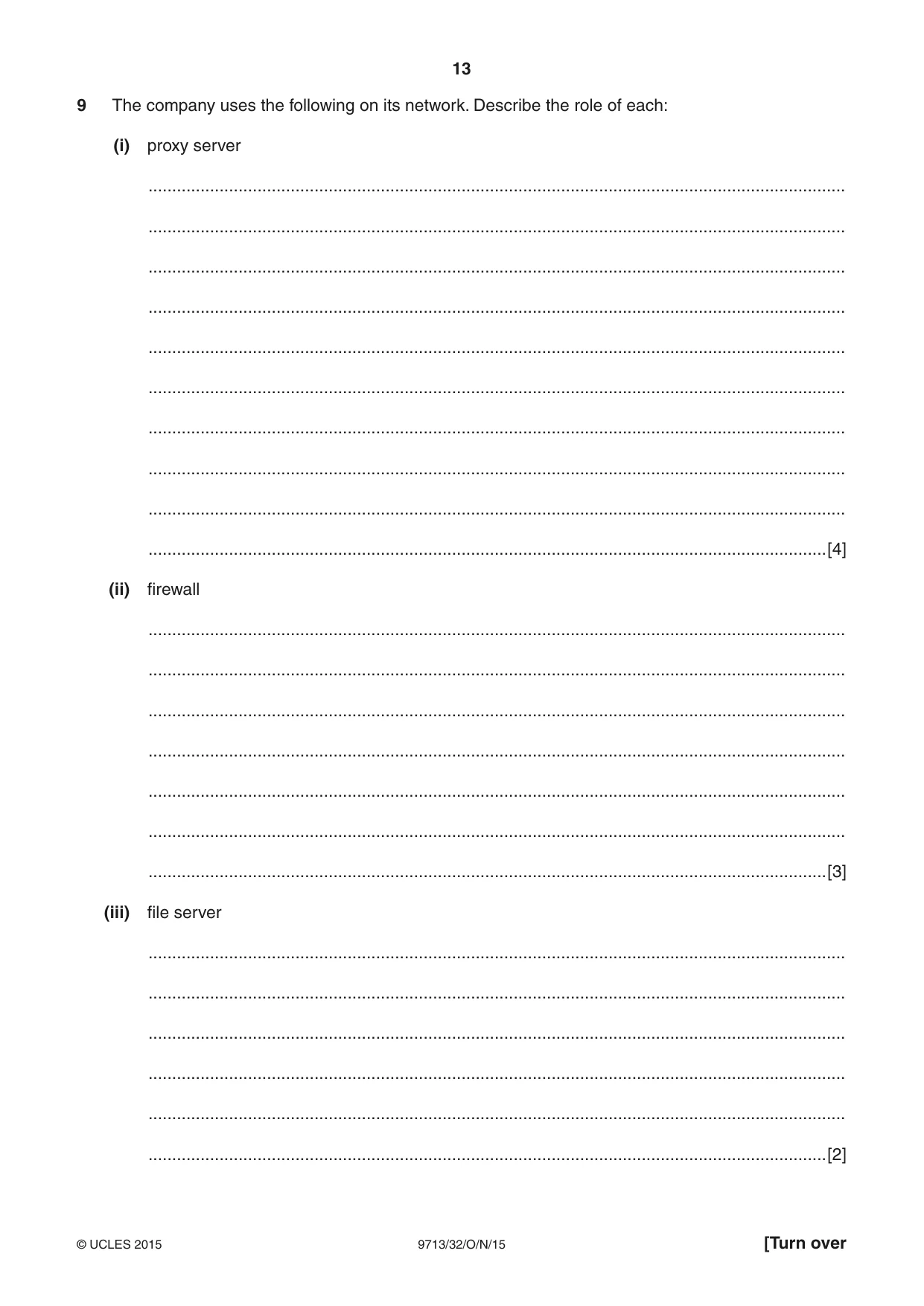
13 9713/32/O/N/15 © UCLES 2015 [Turn over 9 The company uses the following on its network. Describe the role of each: (i) proxy server … … … … … … … … … …[4] (ii) firewall … … … … … … …[3] (iii) file server … … … … … …[2]
Question paper, page 14
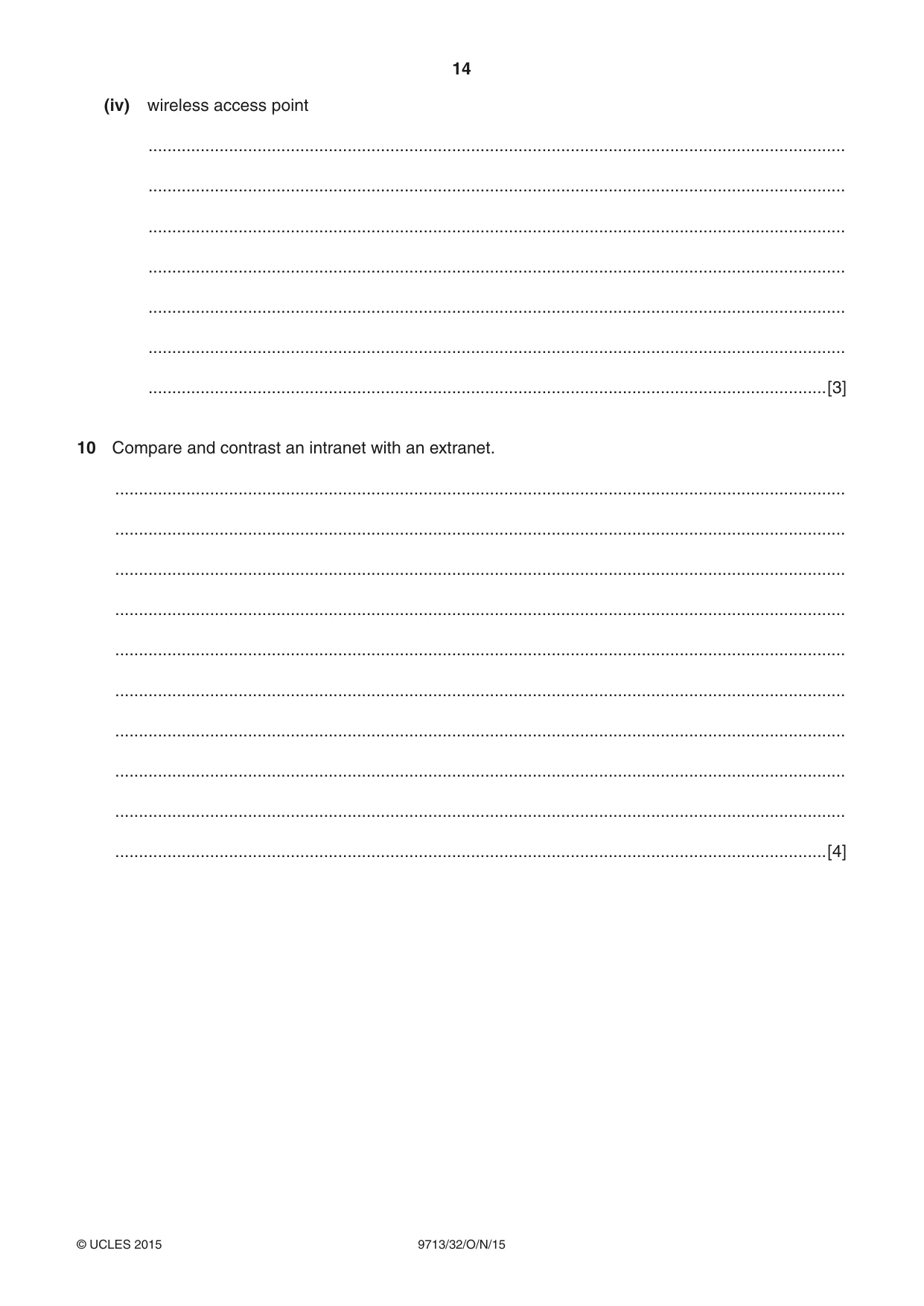
14 9713/32/O/N/15 © UCLES 2015 (iv) wireless access point … … … … … … …[3] 10 Compare and contrast an intranet with an extranet. … … … … … … … … … …[4]
Question paper, page 15
15 9713/32/O/N/15 © UCLES 2015 11 Explain the reasons why both wireless and dedicated cabling are used for the company LANs. … … … … … … … … … … … … … … … … … … … …[8]
Question paper, page 16
16 9713/32/O/N/15 © UCLES 2015 Permission to reproduce items where third-party owned material protected by copyright is included has been sought and cleared where possible. Every reasonable effort has been made by the publisher (UCLES) to trace copyright holders, but if any items requiring clearance have unwittingly been included, the publisher will be pleased to make amends at the earliest possible opportunity. To avoid the issue of disclosure of answer-related information to candidates, all copyright acknowledgements are reproduced online in the Cambridge International Examinations Copyright Acknowledgements Booklet. This is produced for each series of examinations and is freely available to download at www.cie.org.uk after the live examination series. Cambridge International Examinations is part of the Cambridge Assessment Group. Cambridge Assessment is the brand name of University of Cambridge Local Examinations Syndicate (UCLES), which is itself a department of the University of Cambridge. BLANK PAGE
Mark scheme, page 1
® IGCSE is the registered trademark of Cambridge International Examinations. CAMBRIDGE INTERNATIONAL EXAMINATIONS Cambridge International Advanced Subsidiary and Advanced Level MARK SCHEME for the October/November 2015 series 9713 APPLIED INFORMATION AND COMMUNICATION TECHNOLOGY 9713/32 Paper 3 (Written B), maximum raw mark 80 This mark scheme is published as an aid to teachers and candidates, to indicate the requirements of the examination. It shows the basis on which Examiners were instructed to award marks. It does not indicate the details of the discussions that took place at an Examiners’ meeting before marking began, which would have considered the acceptability of alternative answers. Mark schemes should be read in conjunction with the question paper and the Principal Examiner Report for Teachers. Cambridge will not enter into discussions about these mark schemes. Cambridge is publishing the mark schemes for the October/November 2015 series for most Cambridge IGCSE®, Cambridge International A and AS Level components and some Cambridge O Level components.
Mark scheme, page 2
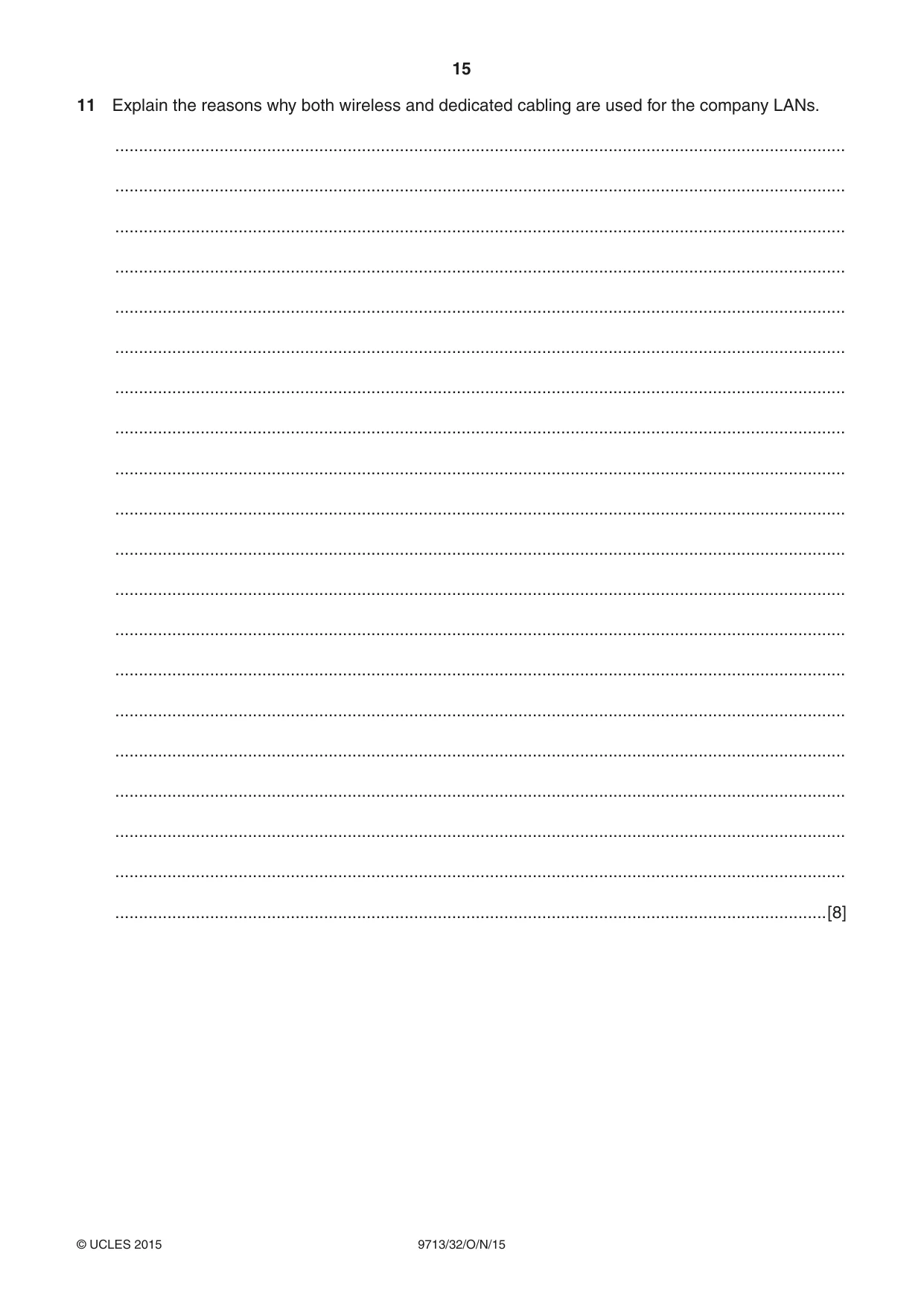
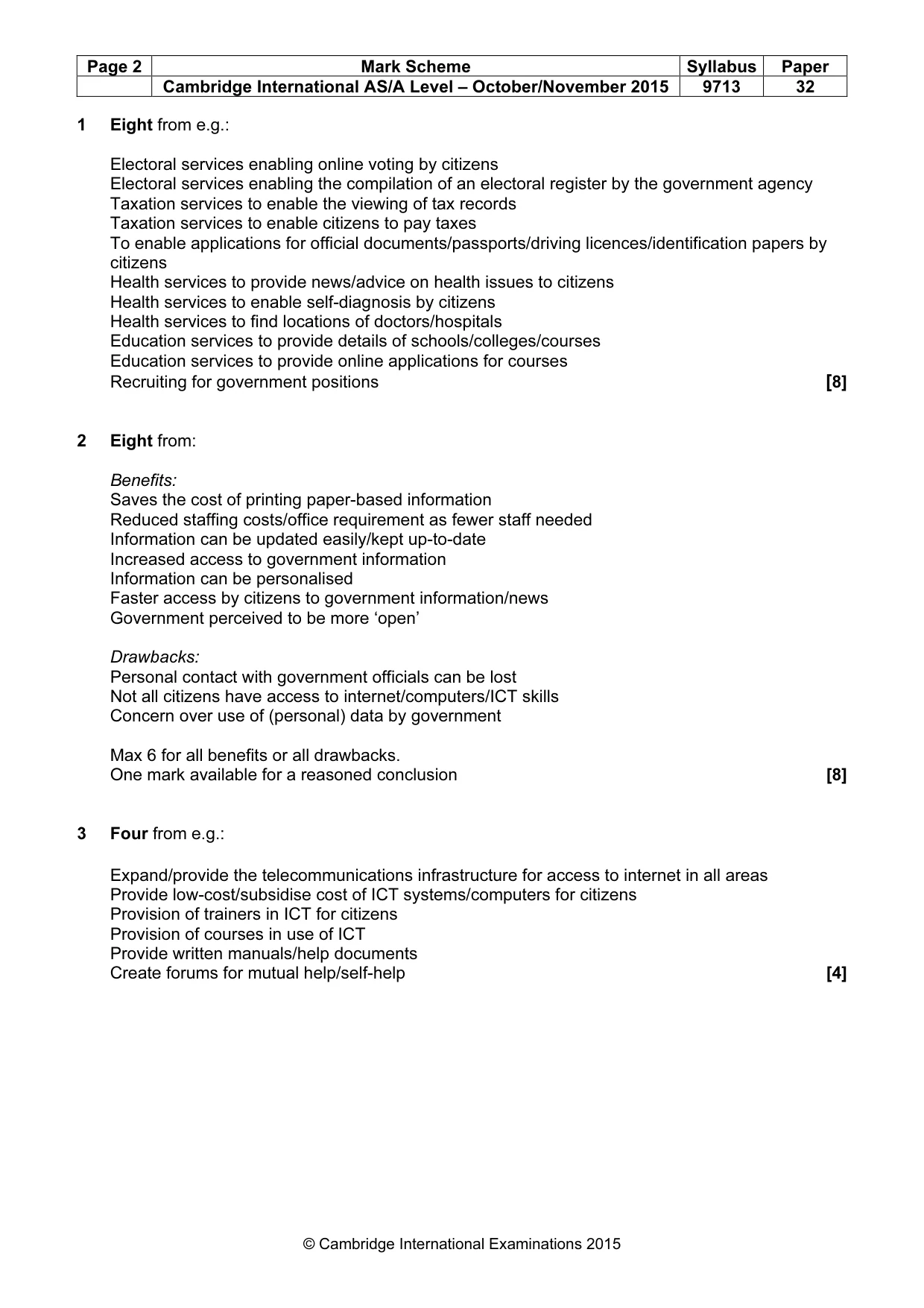
Page 2 Mark Scheme Syllabus Paper Cambridge International AS/A Level – October/November 2015 9713 32 © Cambridge International Examinations 2015 1 Eight from e.g.: Electoral services enabling online voting by citizens Electoral services enabling the compilation of an electoral register by the government agency Taxation services to enable the viewing of tax records Taxation services to enable citizens to pay taxes To enable applications for official documents/passports/driving licences/identification papers by citizens Health services to provide news/advice on health issues to citizens Health services to enable self-diagnosis by citizens Health services to find locations of doctors/hospitals Education services to provide details of schools/colleges/courses Education services to provide online applications for courses Recruiting for government positions [8] 2 Eight from: Benefits: Saves the cost of printing paper-based information Reduced staffing costs/office requirement as fewer staff needed Information can be updated easily/kept up-to-date Increased access to government information Information can be personalised Faster access by citizens to government information/news Government perceived to be more ‘open’ Drawbacks: Personal contact with government officials can be lost Not all citizens have access to internet/computers/ICT skills Concern over use of (personal) data by government Max 6 for all benefits or all drawbacks. One mark available for a reasoned conclusion [8] 3 Four from e.g.: Expand/provide the telecommunications infrastructure for access to internet in all areas Provide low-cost/subsidise cost of ICT systems/computers for citizens Provision of trainers in ICT for citizens Provision of courses in use of ICT Provide written manuals/help documents Create forums for mutual help/self-help [4]
Mark scheme, page 3
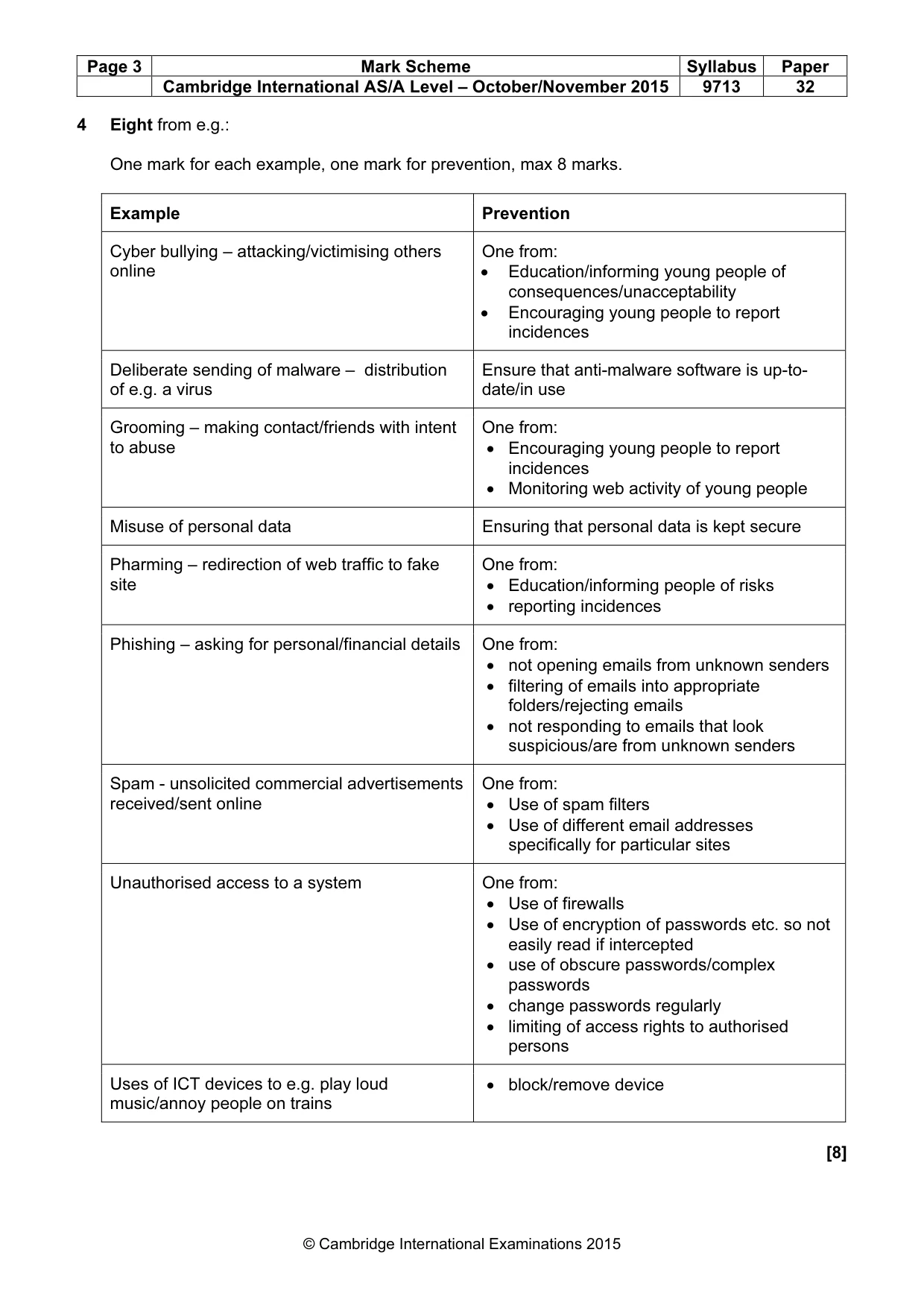
Page 3 Mark Scheme Syllabus Paper Cambridge International AS/A Level – October/November 2015 9713 32 © Cambridge International Examinations 2015 4 Eight from e.g.: One mark for each example, one mark for prevention, max 8 marks. Example Prevention Cyber bullying – attacking/victimising others online One from: • Education/informing young people of consequences/unacceptability • Encouraging young people to report incidences Deliberate sending of malware – distribution of e.g. a virus Ensure that anti-malware software is up-to- date/in use Grooming – making contact/friends with intent to abuse One from: • Encouraging young people to report incidences • Monitoring web activity of young people Misuse of personal data Ensuring that personal data is kept secure Pharming – redirection of web traffic to fake site One from: • Education/informing people of risks • reporting incidences Phishing – asking for personal/financial details One from: • not opening emails from unknown senders • filtering of emails into appropriate folders/rejecting emails • not responding to emails that look suspicious/are from unknown senders Spam - unsolicited commercial advertisements received/sent online One from: • Use of spam filters • Use of different email addresses specifically for particular sites Unauthorised access to a system One from: • Use of firewalls • Use of encryption of passwords etc. so not easily read if intercepted • use of obscure passwords/complex passwords • change passwords regularly • limiting of access rights to authorised persons Uses of ICT devices to e.g. play loud music/annoy people on trains • block/remove device [8]
Mark scheme, page 4
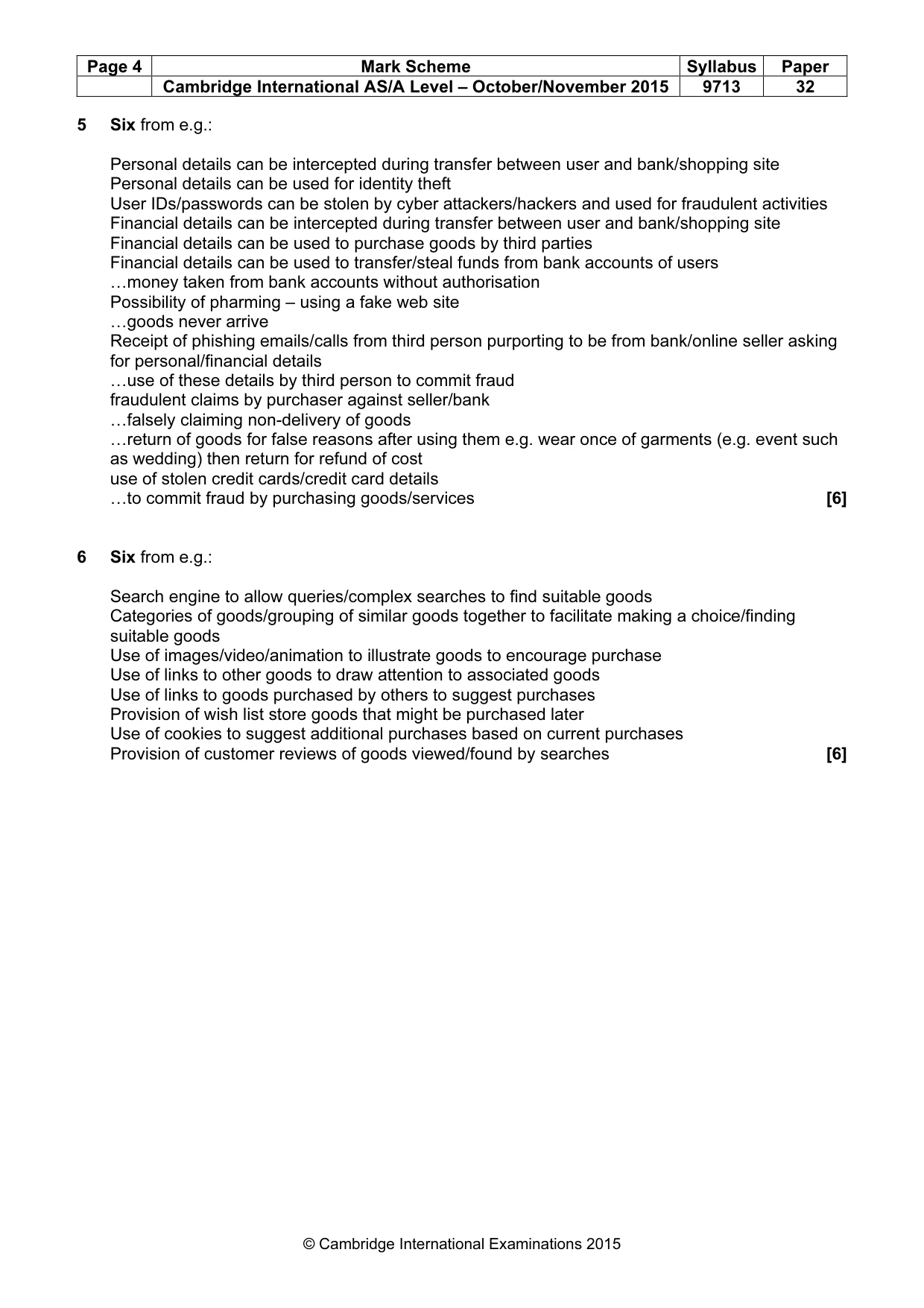
Page 4 Mark Scheme Syllabus Paper Cambridge International AS/A Level – October/November 2015 9713 32 © Cambridge International Examinations 2015 5 Six from e.g.: Personal details can be intercepted during transfer between user and bank/shopping site Personal details can be used for identity theft User IDs/passwords can be stolen by cyber attackers/hackers and used for fraudulent activities Financial details can be intercepted during transfer between user and bank/shopping site Financial details can be used to purchase goods by third parties Financial details can be used to transfer/steal funds from bank accounts of users …money taken from bank accounts without authorisation Possibility of pharming – using a fake web site …goods never arrive Receipt of phishing emails/calls from third person purporting to be from bank/online seller asking for personal/financial details …use of these details by third person to commit fraud fraudulent claims by purchaser against seller/bank …falsely claiming non-delivery of goods …return of goods for false reasons after using them e.g. wear once of garments (e.g. event such as wedding) then return for refund of cost use of stolen credit cards/credit card details …to commit fraud by purchasing goods/services [6] 6 Six from e.g.: Search engine to allow queries/complex searches to find suitable goods Categories of goods/grouping of similar goods together to facilitate making a choice/finding suitable goods Use of images/video/animation to illustrate goods to encourage purchase Use of links to other goods to draw attention to associated goods Use of links to goods purchased by others to suggest purchases Provision of wish list store goods that might be purchased later Use of cookies to suggest additional purchases based on current purchases Provision of customer reviews of goods viewed/found by searches [6]
Mark scheme, page 5
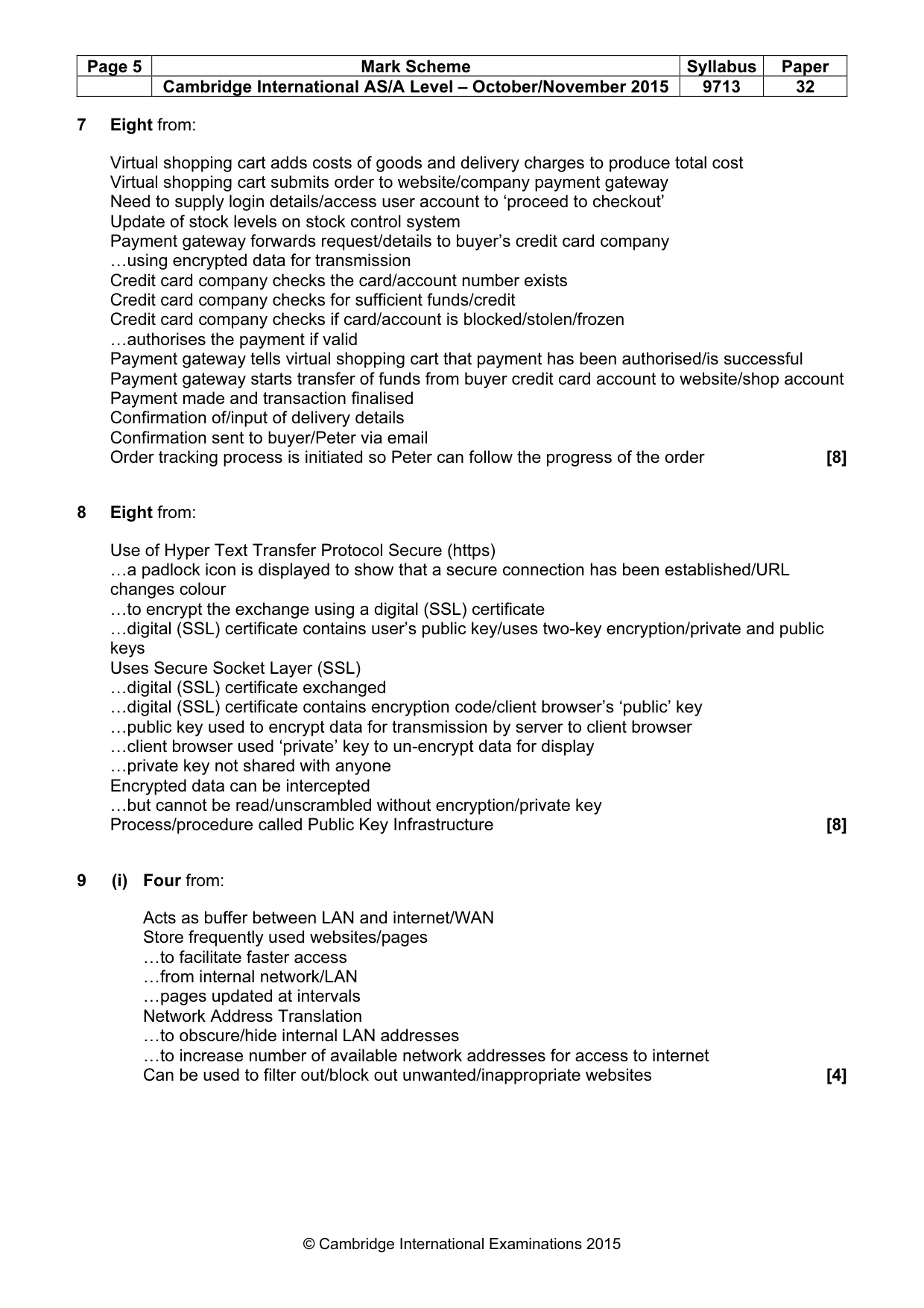
Page 5 Mark Scheme Syllabus Paper Cambridge International AS/A Level – October/November 2015 9713 32 © Cambridge International Examinations 2015 7 Eight from: Virtual shopping cart adds costs of goods and delivery charges to produce total cost Virtual shopping cart submits order to website/company payment gateway Need to supply login details/access user account to ‘proceed to checkout’ Update of stock levels on stock control system Payment gateway forwards request/details to buyer’s credit card company …using encrypted data for transmission Credit card company checks the card/account number exists Credit card company checks for sufficient funds/credit Credit card company checks if card/account is blocked/stolen/frozen …authorises the payment if valid Payment gateway tells virtual shopping cart that payment has been authorised/is successful Payment gateway starts transfer of funds from buyer credit card account to website/shop account Payment made and transaction finalised Confirmation of/input of delivery details Confirmation sent to buyer/Peter via email Order tracking process is initiated so Peter can follow the progress of the order [8] 8 Eight from: Use of Hyper Text Transfer Protocol Secure (https) …a padlock icon is displayed to show that a secure connection has been established/URL changes colour …to encrypt the exchange using a digital (SSL) certificate …digital (SSL) certificate contains user’s public key/uses two-key encryption/private and public keys Uses Secure Socket Layer (SSL) …digital (SSL) certificate exchanged …digital (SSL) certificate contains encryption code/client browser’s ‘public’ key …public key used to encrypt data for transmission by server to client browser …client browser used ‘private’ key to un-encrypt data for display …private key not shared with anyone Encrypted data can be intercepted …but cannot be read/unscrambled without encryption/private key Process/procedure called Public Key Infrastructure [8] 9 (i) Four from: Acts as buffer between LAN and internet/WAN Store frequently used websites/pages …to facilitate faster access …from internal network/LAN …pages updated at intervals Network Address Translation …to obscure/hide internal LAN addresses …to increase number of available network addresses for access to internet Can be used to filter out/block out unwanted/inappropriate websites [4]
Mark scheme, page 6
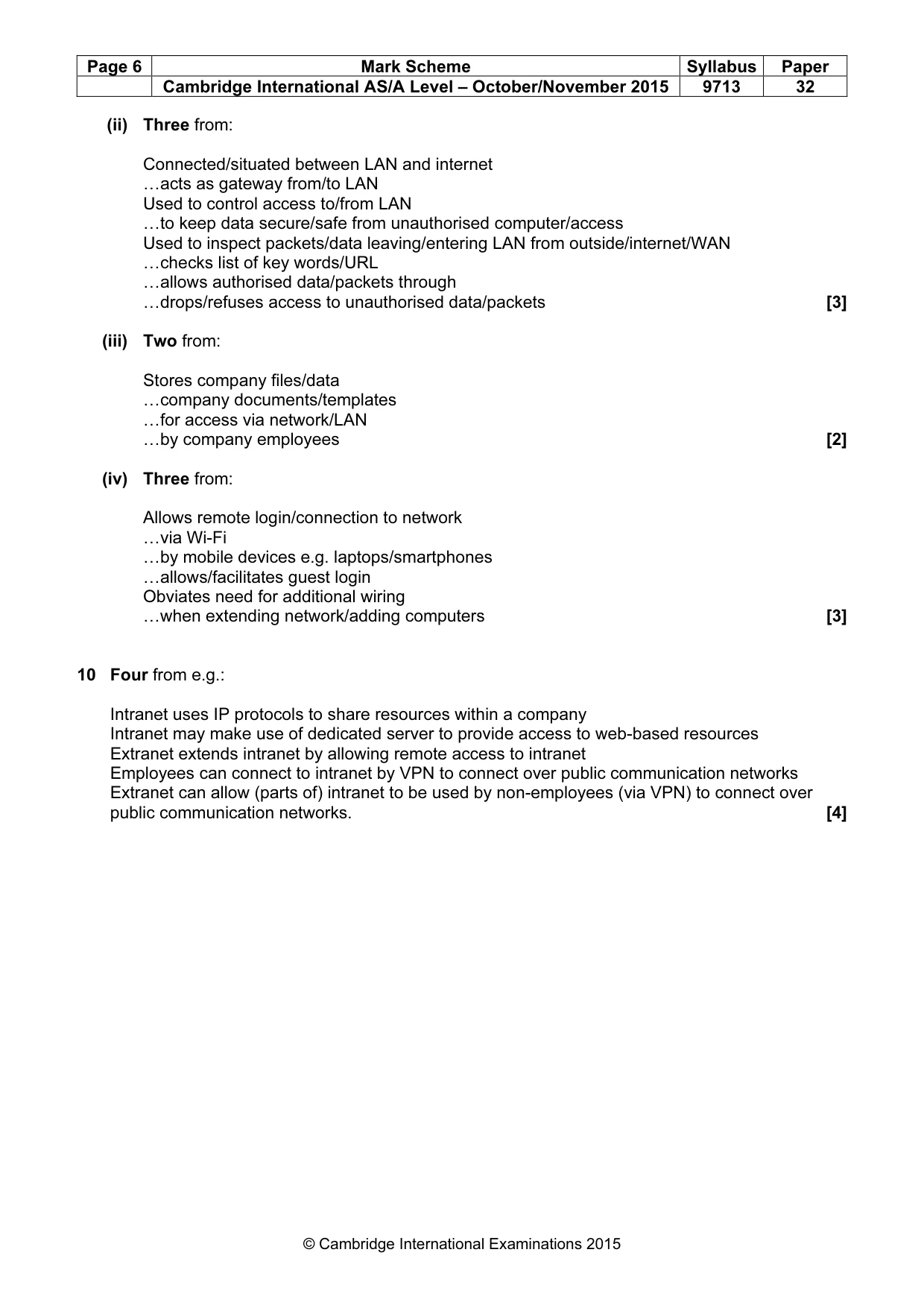
Page 6 Mark Scheme Syllabus Paper Cambridge International AS/A Level – October/November 2015 9713 32 © Cambridge International Examinations 2015 (ii) Three from: Connected/situated between LAN and internet …acts as gateway from/to LAN Used to control access to/from LAN …to keep data secure/safe from unauthorised computer/access Used to inspect packets/data leaving/entering LAN from outside/internet/WAN …checks list of key words/URL …allows authorised data/packets through …drops/refuses access to unauthorised data/packets [3] (iii) Two from: Stores company files/data …company documents/templates …for access via network/LAN …by company employees [2] (iv) Three from: Allows remote login/connection to network …via Wi-Fi …by mobile devices e.g. laptops/smartphones …allows/facilitates guest login Obviates need for additional wiring …when extending network/adding computers [3] 10 Four from e.g.: Intranet uses IP protocols to share resources within a company Intranet may make use of dedicated server to provide access to web-based resources Extranet extends intranet by allowing remote access to intranet Employees can connect to intranet by VPN to connect over public communication networks Extranet can allow (parts of) intranet to be used by non-employees (via VPN) to connect over public communication networks. [4]
Mark scheme, page 7
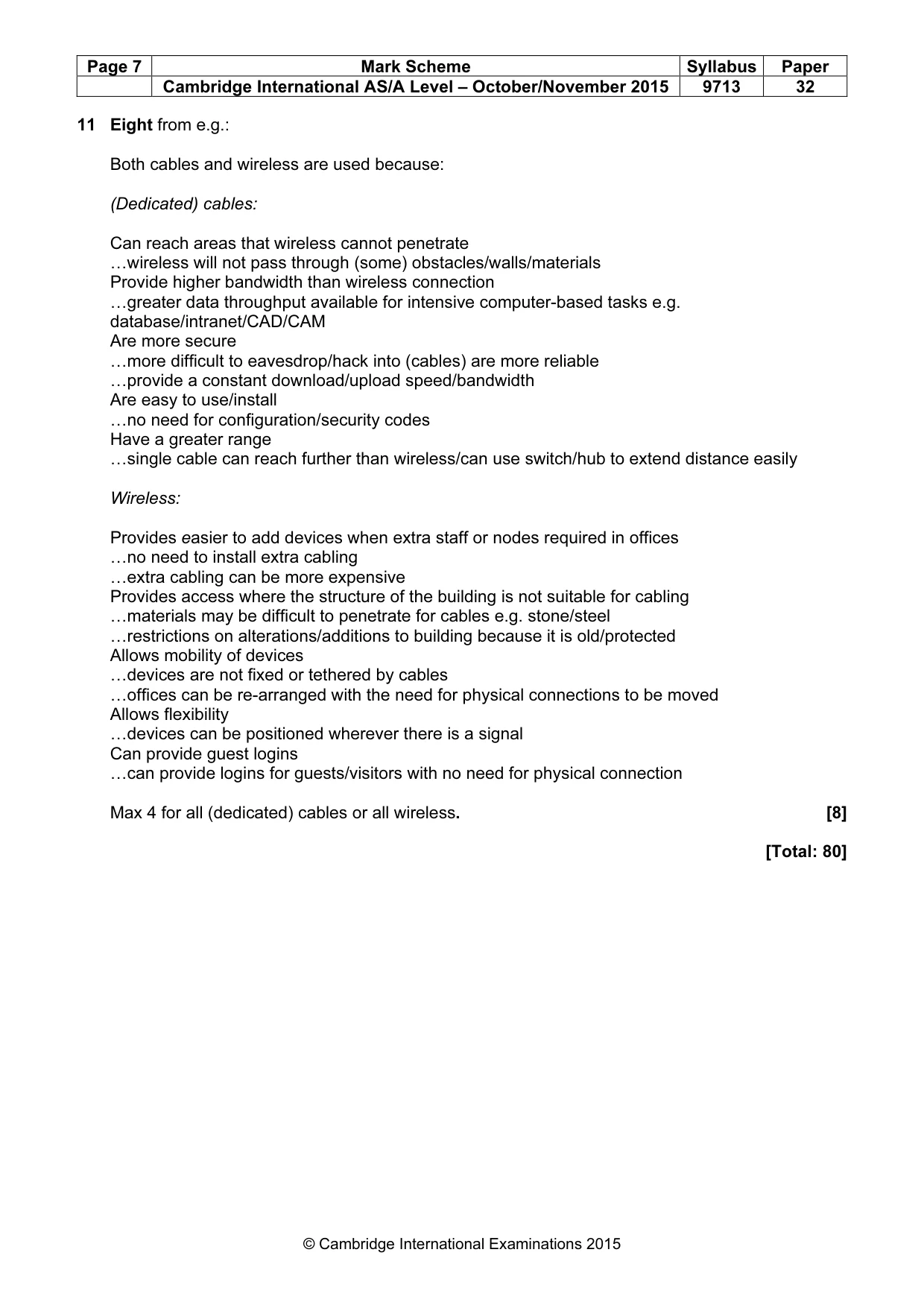
Page 7 Mark Scheme Syllabus Paper Cambridge International AS/A Level – October/November 2015 9713 32 © Cambridge International Examinations 2015 11 Eight from e.g.: Both cables and wireless are used because: (Dedicated) cables: Can reach areas that wireless cannot penetrate …wireless will not pass through (some) obstacles/walls/materials Provide higher bandwidth than wireless connection …greater data throughput available for intensive computer-based tasks e.g. database/intranet/CAD/CAM Are more secure …more difficult to eavesdrop/hack into (cables) are more reliable …provide a constant download/upload speed/bandwidth Are easy to use/install …no need for configuration/security codes Have a greater range …single cable can reach further than wireless/can use switch/hub to extend distance easily Wireless: Provides easier to add devices when extra staff or nodes required in offices …no need to install extra cabling …extra cabling can be more expensive Provides access where the structure of the building is not suitable for cabling …materials may be difficult to penetrate for cables e.g. stone/steel …restrictions on alterations/additions to building because it is old/protected Allows mobility of devices …devices are not fixed or tethered by cables …offices can be re-arranged with the need for physical connections to be moved Allows flexibility …devices can be positioned wherever there is a signal Can provide guest logins …can provide logins for guests/visitors with no need for physical connection Max 4 for all (dedicated) cables or all wireless. [8] [Total: 80]
What you needed in this session
Cambridge’s own grade thresholds for 2015 Oct/Nov, Paper 3 · Variant 2. A higher threshold means an easier paper — the bar moves with how the cohort did.