Cambridge A Level Applied Information and Communication Technology 9713 — 2012 May/June Paper 3 · Variant 2
9713/32/M/J/12 · 80 marks · ≈90 min
The question paper and its mark scheme, free to read here and free to download. This is Cambridge’s own paper, exactly as it was sat.
Question paper16 pages











Mark scheme8 pages
Answers below. Sit the paper first if you are practising.
Paper as text
Question paper, page 1
This document consists of 16 printed pages. IB12 06_9713_32/FP © UCLES 2012 [Turn over *8477758432* UNIVERSITY OF CAMBRIDGE INTERNATIONAL EXAMINATIONS General Certificate of Education Advanced Level APPLIED INFORMATION AND COMMUNICATION TECHNOLOGY 9713/32 Paper 3 May/June 2012 1 hour 15 minutes Candidates answer on the Question Paper. No additional materials are required. READ THESE INSTRUCTIONS FIRST Write your Centre number, candidate number and name on all the work you hand in. Write in dark blue or black pen. Do not use staples, paper clips, highlighters, glue or correction fluid. You may use a pencil for any diagrams, graphs or rough working. DO NOT WRITE IN ANY BARCODES. Answer all questions. The number of marks is given in brackets [ ] at the end of each question or part question. The businesses described in this paper are entirely fictitious.
Question paper, page 2
2 © UCLES 2012 9713/32/M/J/12 For Examiner's Use Scenario 1 Questions 1, 2 and 3 Mary is the new ICT director of a multi-national company which constructs flight simulators. She has to manage the installation of a network in a new building. The new network will have several computers and will need to communicate with other departments all over the world. She will need to consider: • the hardware requirements for the network • the security of the network • the network protocols
Question paper, page 3
3 © UCLES 2012 9713/32/M/J/12 [Turn over For Examiner's Use 1 (a) Identify and state the purpose of four network devices which could be used in the new network. 1 2 3 4 [8]
Question paper, page 4
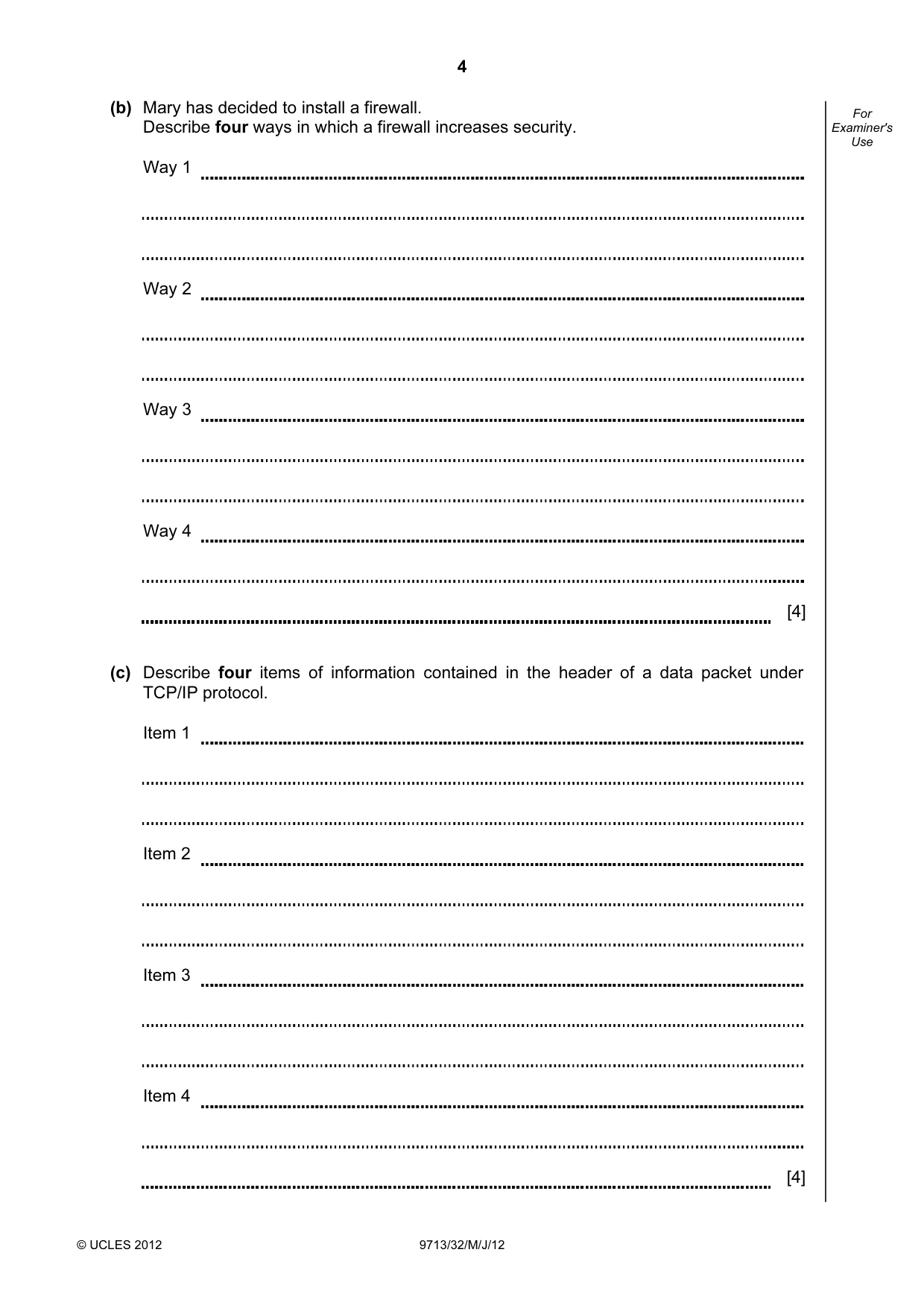
4 © UCLES 2012 9713/32/M/J/12 For Examiner's Use (b) Mary has decided to install a firewall. Describe four ways in which a firewall increases security. Way 1 Way 2 Way 3 Way 4 [4] (c) Describe four items of information contained in the header of a data packet under TCP/IP protocol. Item 1 Item 2 Item 3 Item 4 [4]
Question paper, page 5
5 © UCLES 2012 9713/32/M/J/12 [Turn over For Examiner's Use 2 Describe, including a benefit, each of the following methods of connecting the new network: (i) twisted pair copper cable [2] (ii) fibre optic cable [2] (iii) Wi-Fi [2]
Question paper, page 6
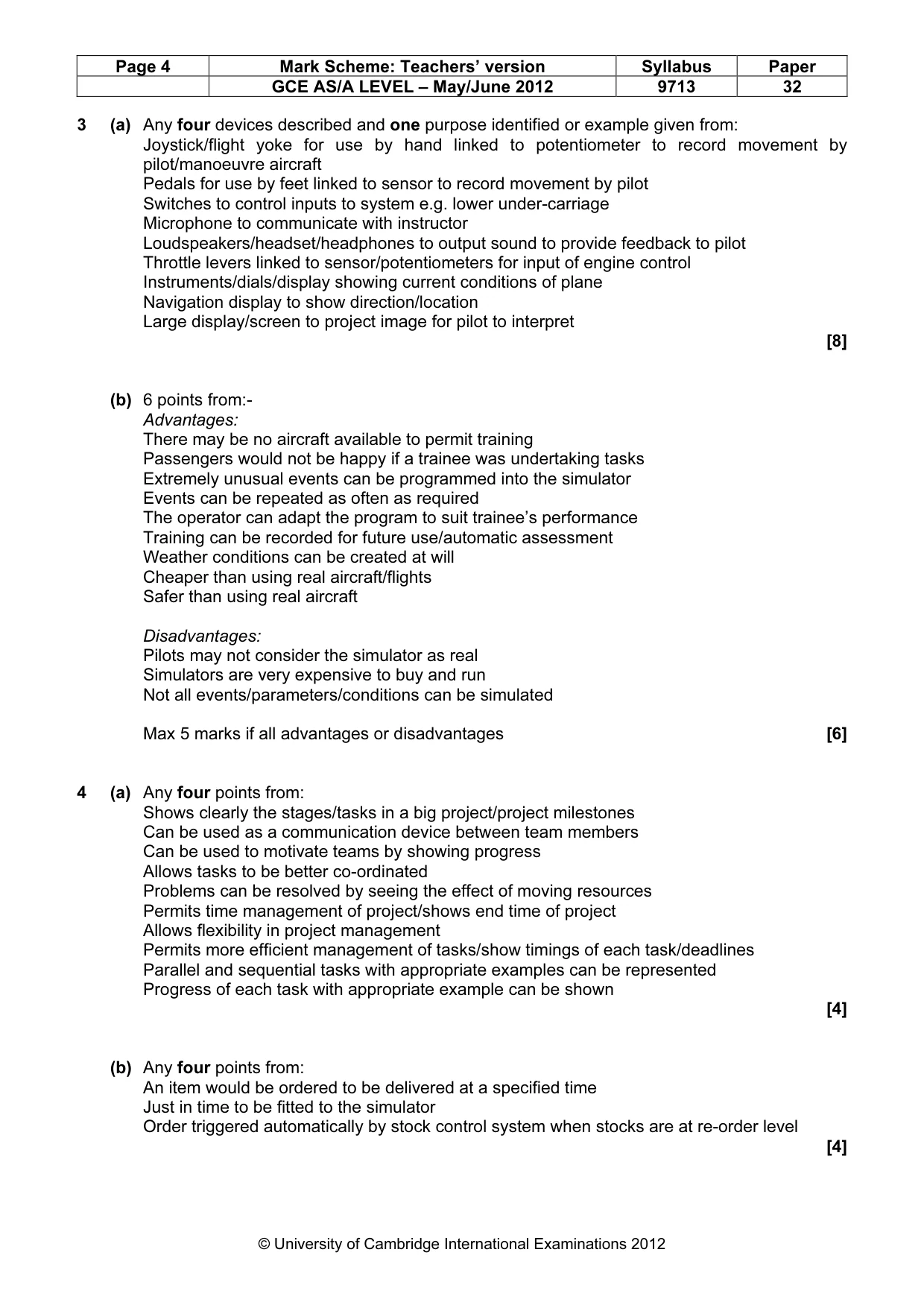
6 © UCLES 2012 9713/32/M/J/12 For Examiner's Use 3 (a) Describe four devices that will be provided in the cockpit of a flight simulator for a trainee pilot to use. 1 2 3 4 [8]
Question paper, page 7
7 © UCLES 2012 9713/32/M/J/12 [Turn over For Examiner's Use (b) Discuss the advantages and disadvantages of the use of flight simulators for training pilots. [6]
Question paper, page 8
8 © UCLES 2012 9713/32/M/J/12 For Examiner's Use Scenario 2 Questions 4 and 5 The North India Motor Company is a manufacturer of cars. The manufacture of these cars involves obtaining components such as car seats, engines, body shells, wheels and windows and assembling them on a production line. Iqbal, the chief designer, has been given the task of designing and producing a prototype of a new family car. To help him do this he will make use of CAD/CAM. The company also has a service department so that owners can bring the cars back if there are problems. The service department uses an expert system for diagnosis.
Question paper, page 9
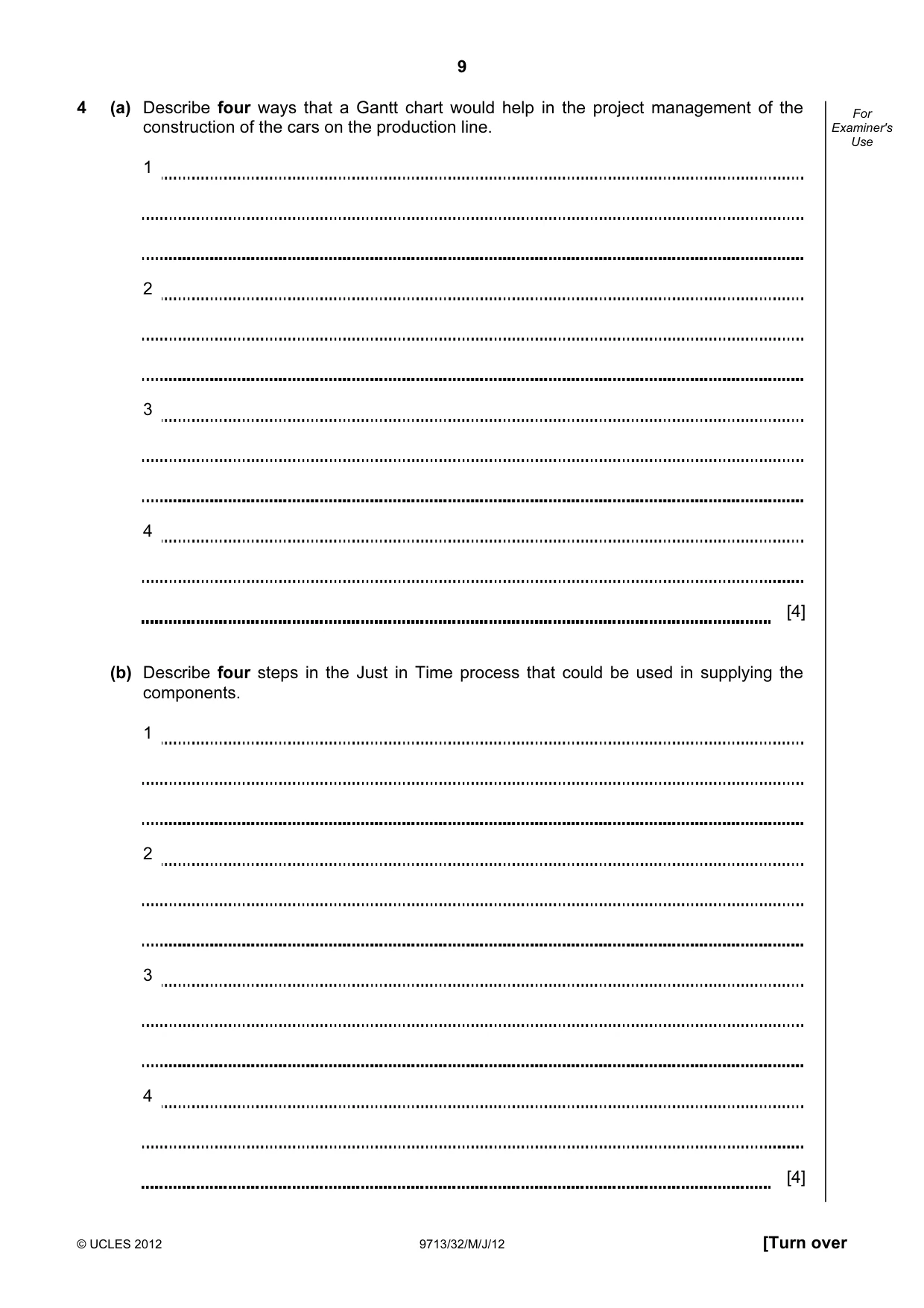
9 © UCLES 2012 9713/32/M/J/12 [Turn over For Examiner's Use 4 (a) Describe four ways that a Gantt chart would help in the project management of the construction of the cars on the production line. 1 2 3 4 [4] (b) Describe four steps in the Just in Time process that could be used in supplying the components. 1 2 3 4 [4]
Question paper, page 10
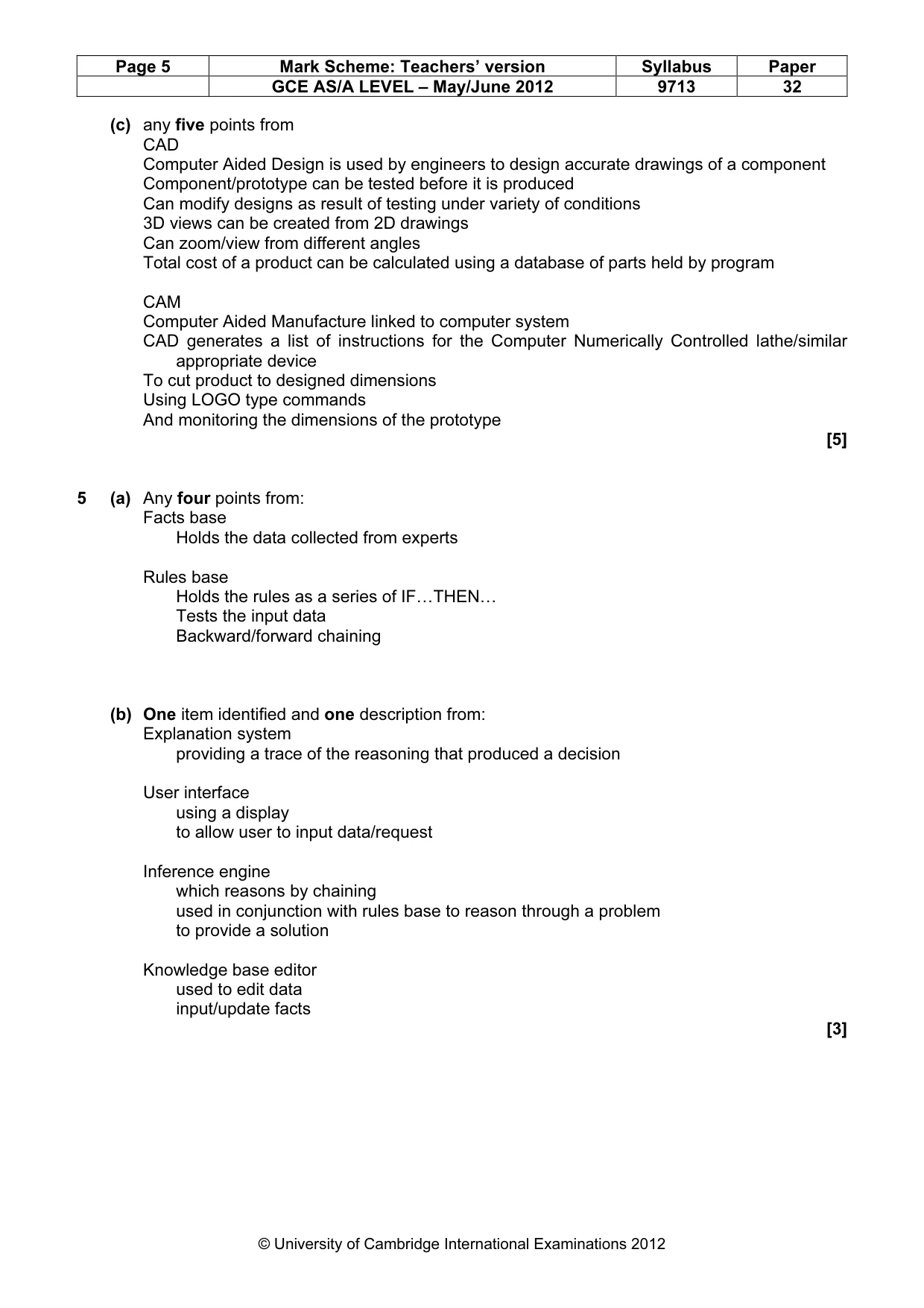
10 © UCLES 2012 9713/32/M/J/12 For Examiner's Use (c) Explain how CAD/CAM could be used in the design and production of the prototype. [5]
Question paper, page 11
11 © UCLES 2012 9713/32/M/J/12 [Turn over For Examiner's Use 5 (a) Describe the two parts of a knowledge base in the expert system. (b) Describe in detail one other part of the expert system. 1 2 [4] [3]
Question paper, page 12
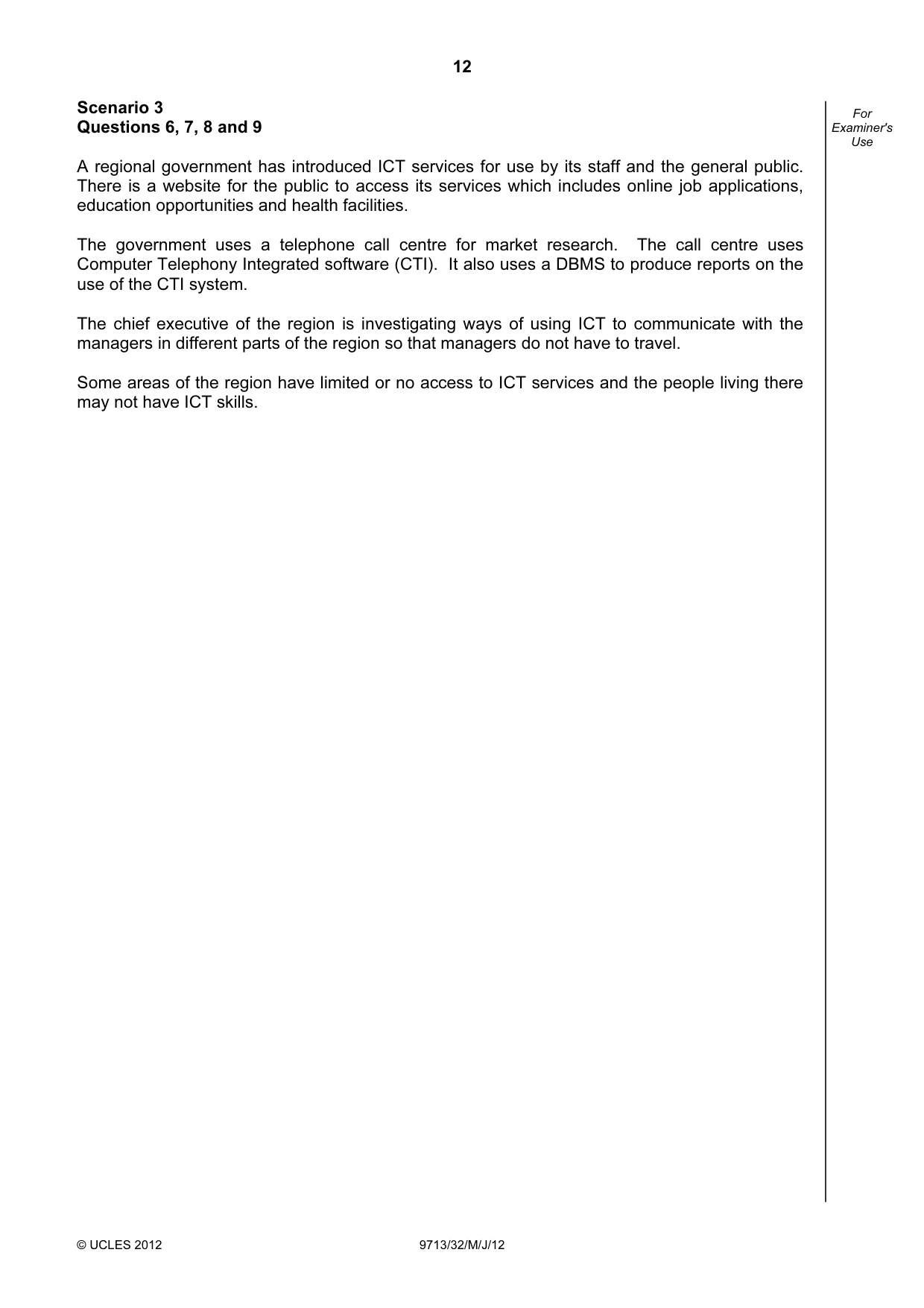
12 © UCLES 2012 9713/32/M/J/12 For Examiner's Use Scenario 3 Questions 6, 7, 8 and 9 A regional government has introduced ICT services for use by its staff and the general public. There is a website for the public to access its services which includes online job applications, education opportunities and health facilities. The government uses a telephone call centre for market research. The call centre uses Computer Telephony Integrated software (CTI). It also uses a DBMS to produce reports on the use of the CTI system. The chief executive of the region is investigating ways of using ICT to communicate with the managers in different parts of the region so that managers do not have to travel. Some areas of the region have limited or no access to ICT services and the people living there may not have ICT skills.
Question paper, page 13
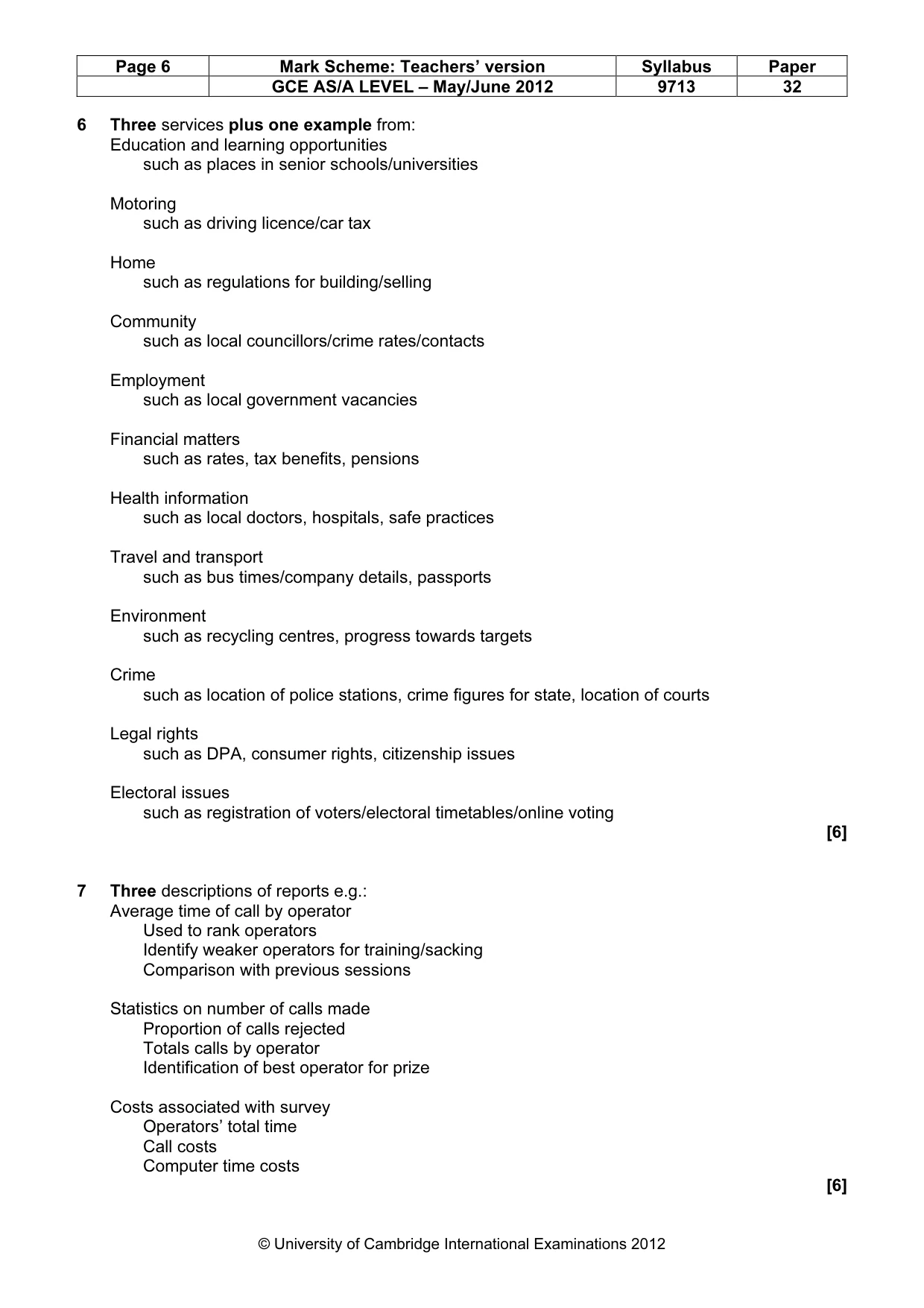
13 © UCLES 2012 9713/32/M/J/12 [Turn over For Examiner's Use 6 Describe, giving examples, three services that the regional government site could provide users of its website. 1 2 3 [6]
Question paper, page 14
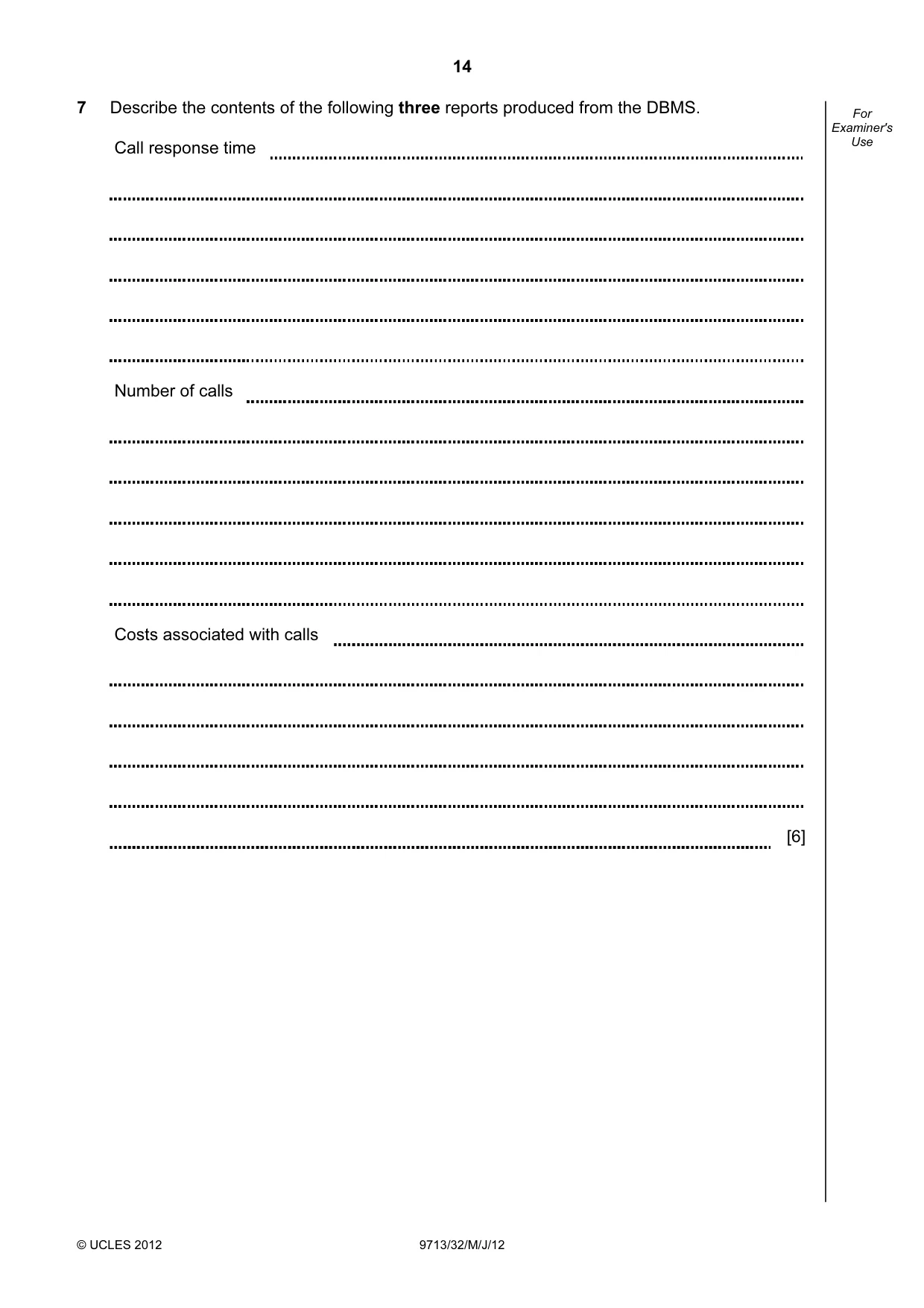
14 © UCLES 2012 9713/32/M/J/12 For Examiner's Use 7 Describe the contents of the following three reports produced from the DBMS. Call response time Number of calls Costs associated with calls [6]
Question paper, page 15
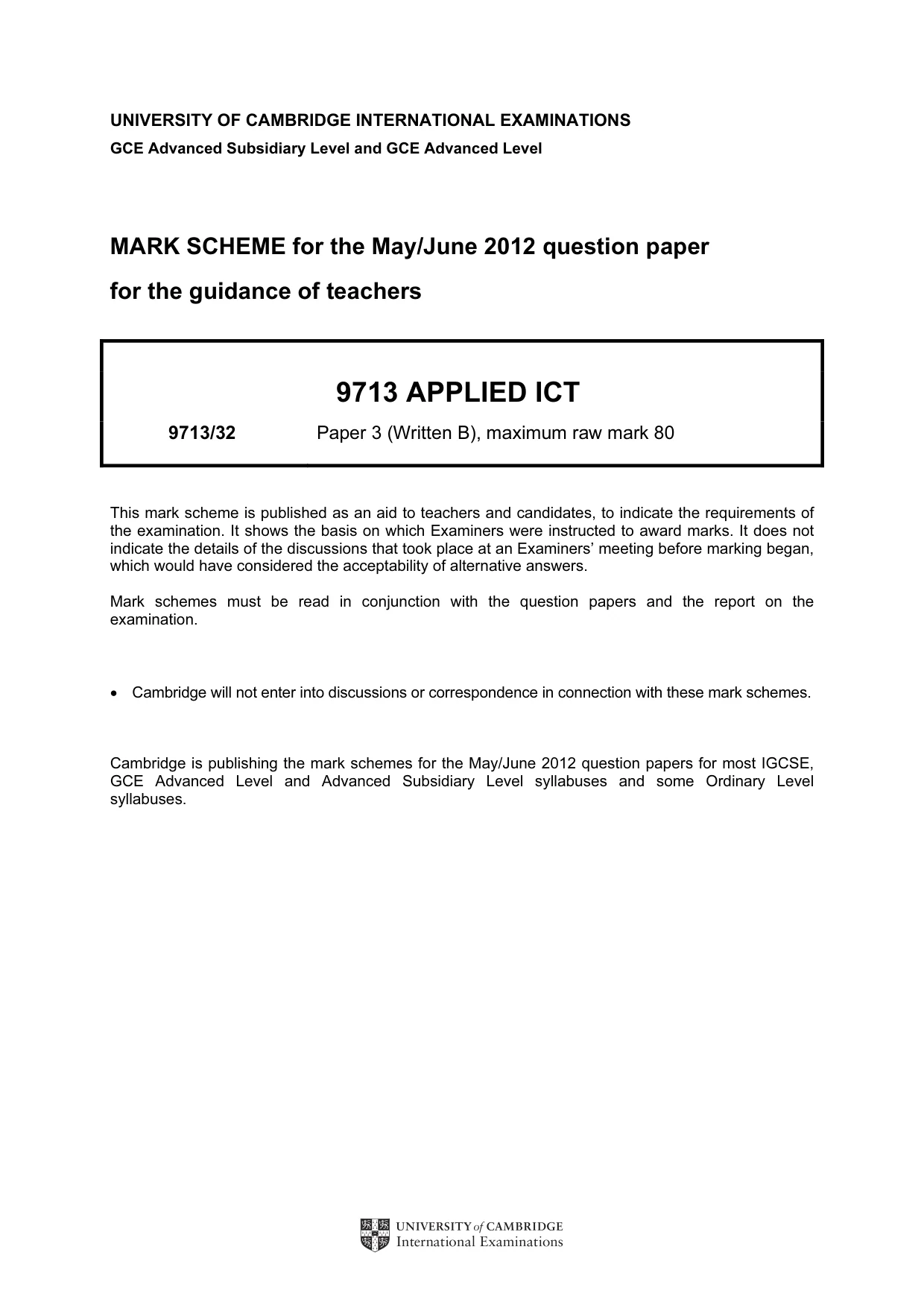
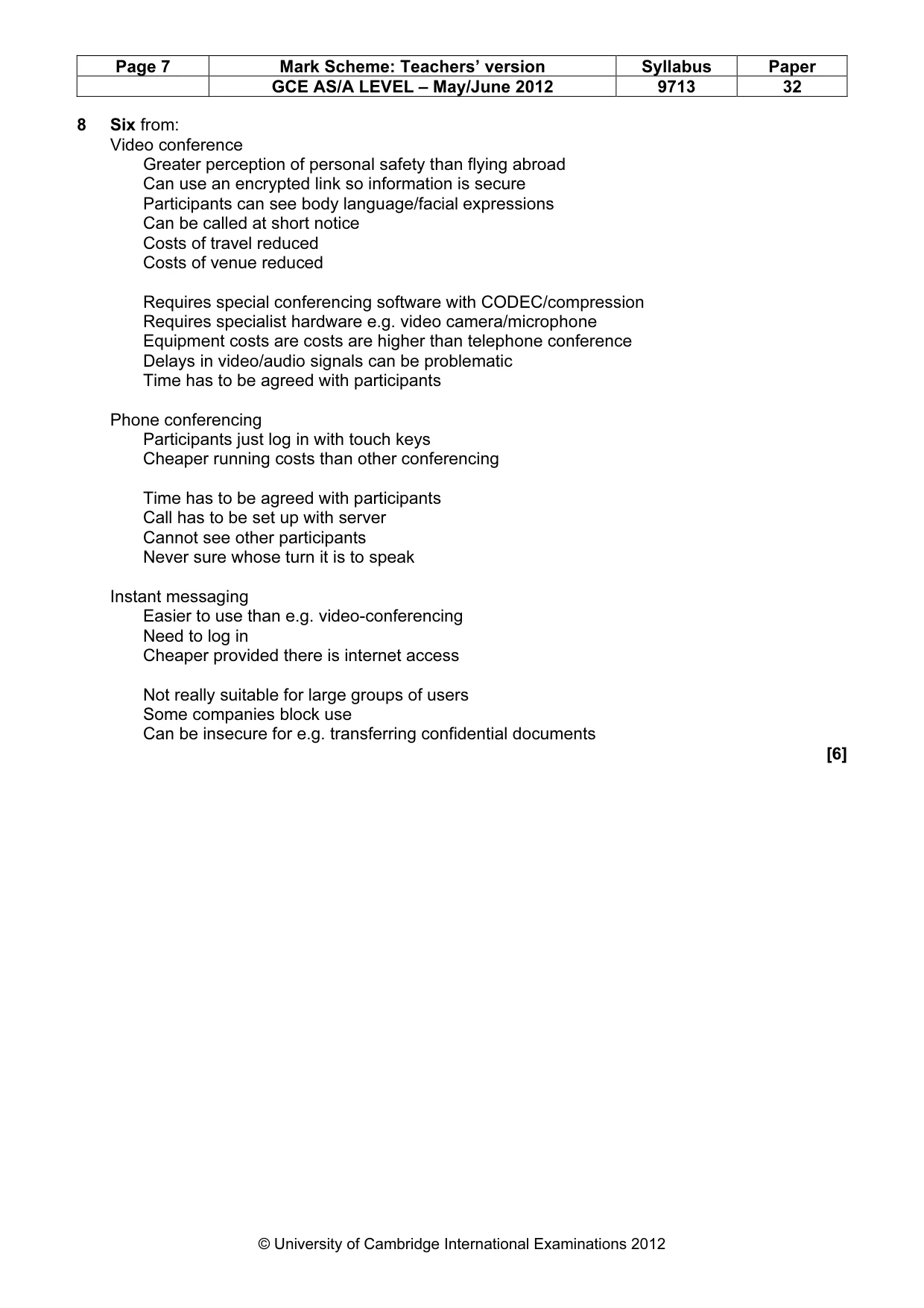
15 © UCLES 2012 9713/32/M/J/12 [Turn over For Examiner's Use 8 Give one benefit and one drawback of each of the following methods of communication between the chief executive and the managers. Video conferencing Benefit Drawback Phone conferencing Benefit Drawback Instant messaging Benefit Drawback [6]
Question paper, page 16
16 Permission to reproduce items where third-party owned material protected by copyright is included has been sought and cleared where possible. Every reasonable effort has been made by the publisher (UCLES) to trace copyright holders, but if any items requiring clearance have unwittingly been included, the publisher will be pleased to make amends at the earliest possible opportunity. University of Cambridge International Examinations is part of the Cambridge Assessment Group. Cambridge Assessment is the brand name of University of Cambridge Local Examinations Syndicate (UCLES), which is itself a department of the University of Cambridge. © UCLES 2012 9713/32/M/J/12 For Examiner's Use 9 Describe how the lack of ICT access and skills would disadvantage communities within the region. [6]
Mark scheme, page 1
UNIVERSITY OF CAMBRIDGE INTERNATIONAL EXAMINATIONS GCE Advanced Subsidiary Level and GCE Advanced Level MARK SCHEME for the May/June 2012 question paper for the guidance of teachers 9713 APPLIED ICT 9713/32 Paper 3 (Written B), maximum raw mark 80 This mark scheme is published as an aid to teachers and candidates, to indicate the requirements of the examination. It shows the basis on which Examiners were instructed to award marks. It does not indicate the details of the discussions that took place at an Examiners’ meeting before marking began, which would have considered the acceptability of alternative answers. Mark schemes must be read in conjunction with the question papers and the report on the examination. • Cambridge will not enter into discussions or correspondence in connection with these mark schemes. Cambridge is publishing the mark schemes for the May/June 2012 question papers for most IGCSE, GCE Advanced Level and Advanced Subsidiary Level syllabuses and some Ordinary Level syllabuses.
Mark scheme, page 2
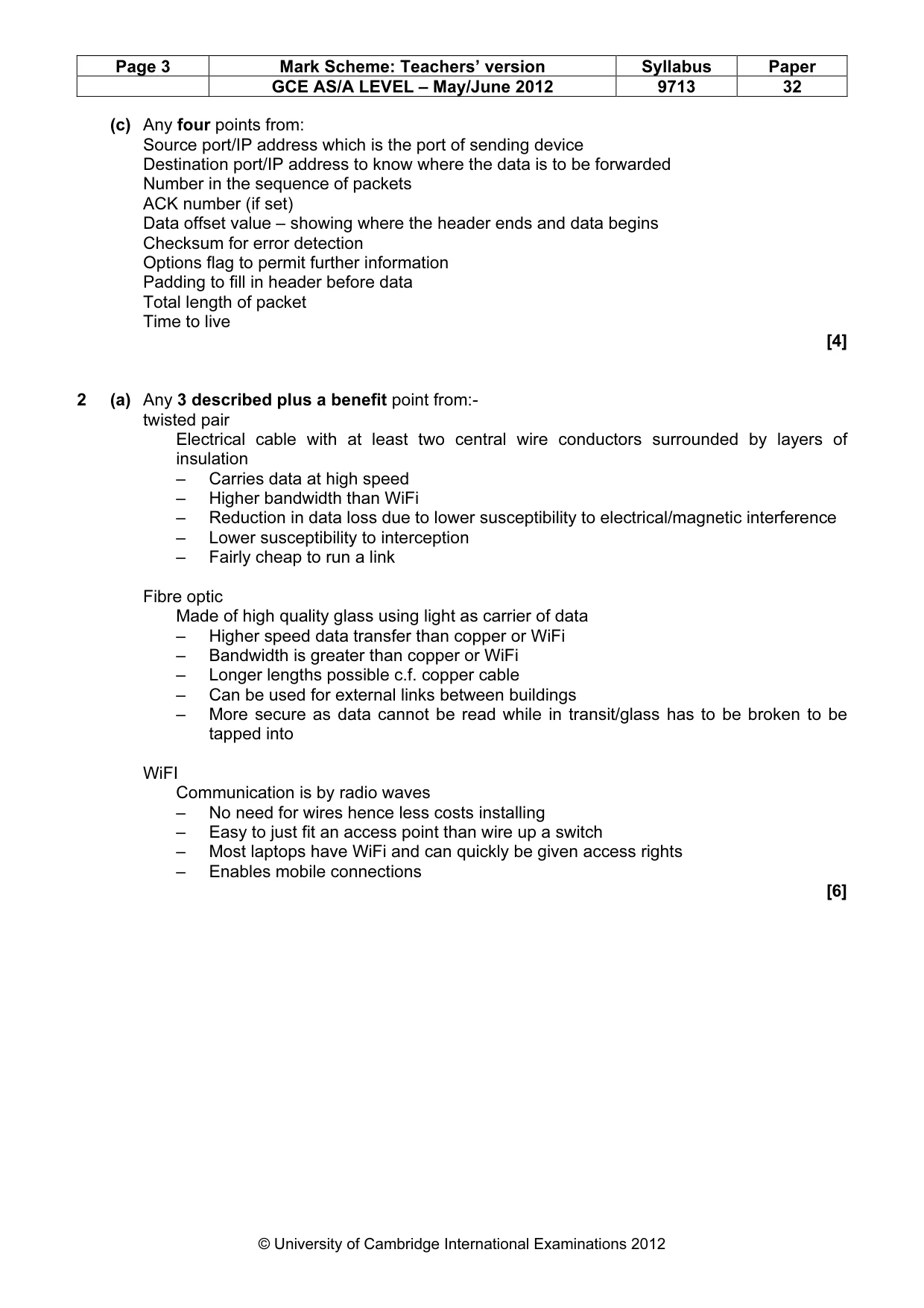
Page 2 Mark Scheme: Teachers’ version Syllabus Paper GCE AS/A LEVEL – May/June 2012 9713 32 © University of Cambridge International Examinations 2012 1 (a) Any four devices identified and one purpose for each given from, e.g.: Network Interface Card/NIC – for a system to communicate with network – interface between network cable and computer – prepare and send network traffic to/from computer Hubs – receives and/or sends packets to all devices connected to it Switches – direct flow of data packets to specific/individual devices connected to it – stores details of MAC address of connected device(s) in order to direct packets Cabling/wireless link – carry data Bridge – to link sectors of network – to convert protocols of one network to those of another Router – to send data to other networks/between LAN and WAN – forwards a data packet to its destination Proxy server – act as intermediary between client devices and servers – to cache frequent requests for data/web pages to speed up access for client device Firewall (hardware) to control data traffic – to analyse traffic – to allow or deny access by network traffic Servers – File servers to store user data – Application servers to distribute software to client devices [8] (b) Any four from: Examines IP address in packet and uses look up table of allowed IP address/forbidden addresses Checks allowed domain names in allowed/forbidden table Filters on keywords/code sequences in data packets Blocks/allows ports for data transmission Can be set to stealth mode so that packets are not bounced back Can monitor traffic flow Can act as a proxy server to control access Can act as authenticator for remote access e.g. manages passwords [4]
Mark scheme, page 3
Page 3 Mark Scheme: Teachers’ version Syllabus Paper GCE AS/A LEVEL – May/June 2012 9713 32 © University of Cambridge International Examinations 2012 (c) Any four points from: Source port/IP address which is the port of sending device Destination port/IP address to know where the data is to be forwarded Number in the sequence of packets ACK number (if set) Data offset value – showing where the header ends and data begins Checksum for error detection Options flag to permit further information Padding to fill in header before data Total length of packet Time to live [4] 2 (a) Any 3 described plus a benefit point from:- twisted pair Electrical cable with at least two central wire conductors surrounded by layers of insulation – Carries data at high speed – Higher bandwidth than WiFi – Reduction in data loss due to lower susceptibility to electrical/magnetic interference – Lower susceptibility to interception – Fairly cheap to run a link Fibre optic Made of high quality glass using light as carrier of data – Higher speed data transfer than copper or WiFi – Bandwidth is greater than copper or WiFi – Longer lengths possible c.f. copper cable – Can be used for external links between buildings – More secure as data cannot be read while in transit/glass has to be broken to be tapped into WiFI Communication is by radio waves – No need for wires hence less costs installing – Easy to just fit an access point than wire up a switch – Most laptops have WiFi and can quickly be given access rights – Enables mobile connections [6]
Mark scheme, page 4
Page 4 Mark Scheme: Teachers’ version Syllabus Paper GCE AS/A LEVEL – May/June 2012 9713 32 © University of Cambridge International Examinations 2012 3 (a) Any four devices described and one purpose identified or example given from: Joystick/flight yoke for use by hand linked to potentiometer to record movement by pilot/manoeuvre aircraft Pedals for use by feet linked to sensor to record movement by pilot Switches to control inputs to system e.g. lower under-carriage Microphone to communicate with instructor Loudspeakers/headset/headphones to output sound to provide feedback to pilot Throttle levers linked to sensor/potentiometers for input of engine control Instruments/dials/display showing current conditions of plane Navigation display to show direction/location Large display/screen to project image for pilot to interpret [8] (b) 6 points from:- Advantages: There may be no aircraft available to permit training Passengers would not be happy if a trainee was undertaking tasks Extremely unusual events can be programmed into the simulator Events can be repeated as often as required The operator can adapt the program to suit trainee’s performance Training can be recorded for future use/automatic assessment Weather conditions can be created at will Cheaper than using real aircraft/flights Safer than using real aircraft Disadvantages: Pilots may not consider the simulator as real Simulators are very expensive to buy and run Not all events/parameters/conditions can be simulated Max 5 marks if all advantages or disadvantages [6] 4 (a) Any four points from: Shows clearly the stages/tasks in a big project/project milestones Can be used as a communication device between team members Can be used to motivate teams by showing progress Allows tasks to be better co-ordinated Problems can be resolved by seeing the effect of moving resources Permits time management of project/shows end time of project Allows flexibility in project management Permits more efficient management of tasks/show timings of each task/deadlines Parallel and sequential tasks with appropriate examples can be represented Progress of each task with appropriate example can be shown [4] (b) Any four points from: An item would be ordered to be delivered at a specified time Just in time to be fitted to the simulator Order triggered automatically by stock control system when stocks are at re-order level [4]
Mark scheme, page 5
Page 5 Mark Scheme: Teachers’ version Syllabus Paper GCE AS/A LEVEL – May/June 2012 9713 32 © University of Cambridge International Examinations 2012 (c) any five points from CAD Computer Aided Design is used by engineers to design accurate drawings of a component Component/prototype can be tested before it is produced Can modify designs as result of testing under variety of conditions 3D views can be created from 2D drawings Can zoom/view from different angles Total cost of a product can be calculated using a database of parts held by program CAM Computer Aided Manufacture linked to computer system CAD generates a list of instructions for the Computer Numerically Controlled lathe/similar appropriate device To cut product to designed dimensions Using LOGO type commands And monitoring the dimensions of the prototype [5] 5 (a) Any four points from: Facts base Holds the data collected from experts Rules base Holds the rules as a series of IF…THEN… Tests the input data Backward/forward chaining (b) One item identified and one description from: Explanation system providing a trace of the reasoning that produced a decision User interface using a display to allow user to input data/request Inference engine which reasons by chaining used in conjunction with rules base to reason through a problem to provide a solution Knowledge base editor used to edit data input/update facts [3]
Mark scheme, page 6
Page 6 Mark Scheme: Teachers’ version Syllabus Paper GCE AS/A LEVEL – May/June 2012 9713 32 © University of Cambridge International Examinations 2012 6 Three services plus one example from: Education and learning opportunities such as places in senior schools/universities Motoring such as driving licence/car tax Home such as regulations for building/selling Community such as local councillors/crime rates/contacts Employment such as local government vacancies Financial matters such as rates, tax benefits, pensions Health information such as local doctors, hospitals, safe practices Travel and transport such as bus times/company details, passports Environment such as recycling centres, progress towards targets Crime such as location of police stations, crime figures for state, location of courts Legal rights such as DPA, consumer rights, citizenship issues Electoral issues such as registration of voters/electoral timetables/online voting [6] 7 Three descriptions of reports e.g.: Average time of call by operator Used to rank operators Identify weaker operators for training/sacking Comparison with previous sessions Statistics on number of calls made Proportion of calls rejected Totals calls by operator Identification of best operator for prize Costs associated with survey Operators’ total time Call costs Computer time costs [6]
Mark scheme, page 7
Page 7 Mark Scheme: Teachers’ version Syllabus Paper GCE AS/A LEVEL – May/June 2012 9713 32 © University of Cambridge International Examinations 2012 8 Six from: Video conference Greater perception of personal safety than flying abroad Can use an encrypted link so information is secure Participants can see body language/facial expressions Can be called at short notice Costs of travel reduced Costs of venue reduced Requires special conferencing software with CODEC/compression Requires specialist hardware e.g. video camera/microphone Equipment costs are costs are higher than telephone conference Delays in video/audio signals can be problematic Time has to be agreed with participants Phone conferencing Participants just log in with touch keys Cheaper running costs than other conferencing Time has to be agreed with participants Call has to be set up with server Cannot see other participants Never sure whose turn it is to speak Instant messaging Easier to use than e.g. video-conferencing Need to log in Cheaper provided there is internet access Not really suitable for large groups of users Some companies block use Can be insecure for e.g. transferring confidential documents [6]
Mark scheme, page 8
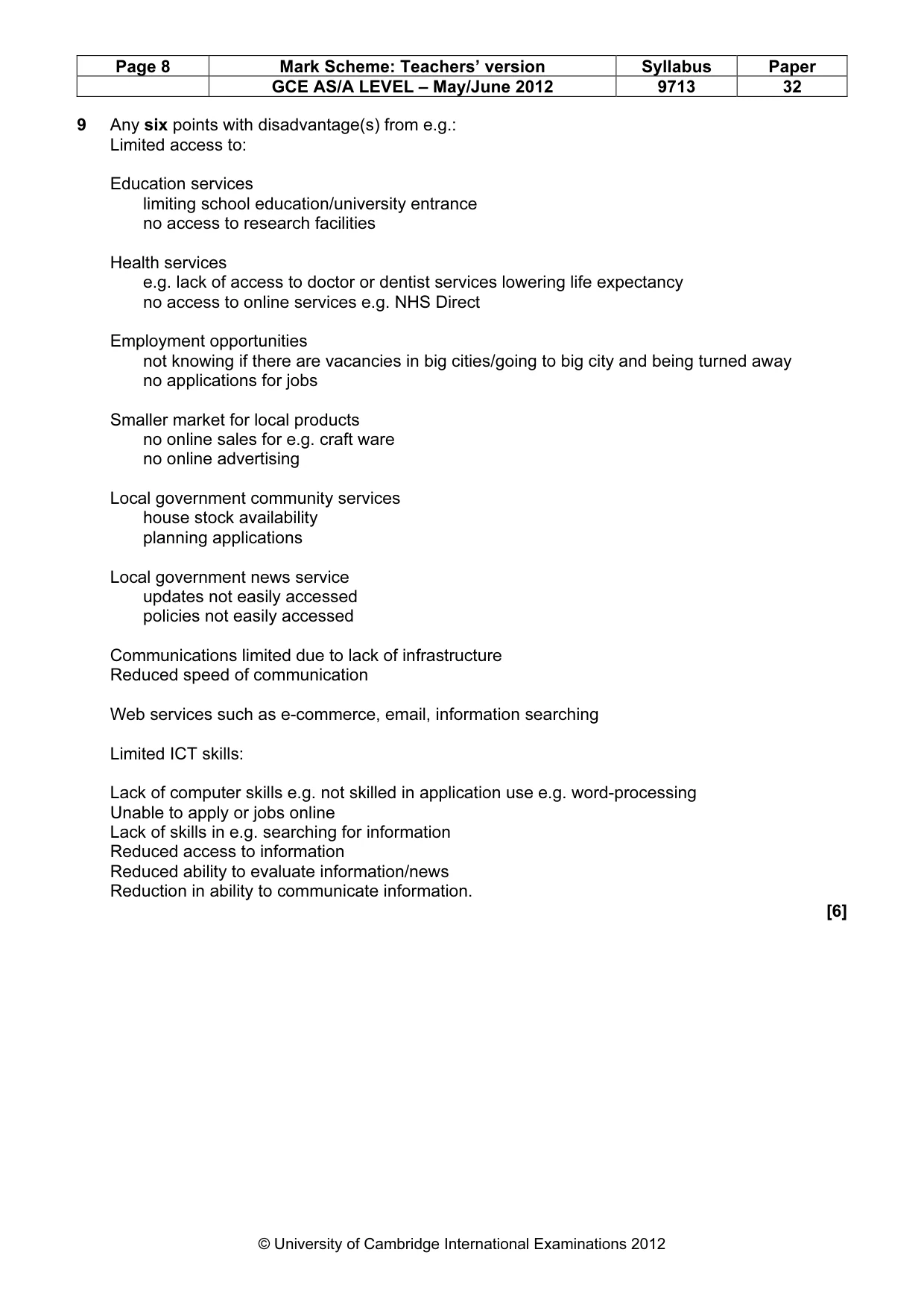
Page 8 Mark Scheme: Teachers’ version Syllabus Paper GCE AS/A LEVEL – May/June 2012 9713 32 © University of Cambridge International Examinations 2012 9 Any six points with disadvantage(s) from e.g.: Limited access to: Education services limiting school education/university entrance no access to research facilities Health services e.g. lack of access to doctor or dentist services lowering life expectancy no access to online services e.g. NHS Direct Employment opportunities not knowing if there are vacancies in big cities/going to big city and being turned away no applications for jobs Smaller market for local products no online sales for e.g. craft ware no online advertising Local government community services house stock availability planning applications Local government news service updates not easily accessed policies not easily accessed Communications limited due to lack of infrastructure Reduced speed of communication Web services such as e-commerce, email, information searching Limited ICT skills: Lack of computer skills e.g. not skilled in application use e.g. word-processing Unable to apply or jobs online Lack of skills in e.g. searching for information Reduced access to information Reduced ability to evaluate information/news Reduction in ability to communicate information. [6]
What you needed in this session
Cambridge’s own grade thresholds for 2012 May/June, Paper 3 · Variant 2. A higher threshold means an easier paper — the bar moves with how the cohort did.