Cambridge A Level Applied Information and Communication Technology 9713 — 2010 Oct/Nov Paper 1 · Variant 3
9713/13/O/N/10 · 80 marks · ≈90 min
The question paper and its mark scheme, free to read here and free to download. This is Cambridge’s own paper, exactly as it was sat.
Question paper20 pages


















Mark scheme7 pages
Answers below. Sit the paper first if you are practising.

Paper as text
Question paper, page 1
This document consists of 18 printed pages and 2 blank pages. IB10 11_9713_13/2RP © UCLES 2010 [Turn over *5922950681* UNIVERSITY OF CAMBRIDGE INTERNATIONAL EXAMINATIONS General Certificate of Education Advanced Level APPLIED INFORMATION AND COMMUNICATION TECHNOLOGY 9713/13 Paper 1 October/November 2010 1 hour and 15 minutes Candidates answer on the Question Paper. No additional materials are required. READ THESE INSTRUCTIONS FIRST Write your Centre number, candidate number and name on all the work you hand in. Write in dark blue or black pen. Do not use staples, paper clips, highlighters, glue or correction fluid. You may use a pencil for any diagrams, graphs or rough working. DO NOT WRITE IN ANY BARCODES. Answer all questions. The number of marks is given in brackets [ ] at the end of each question or part question. The businesses described in this paper are entirely fictitious.
Question paper, page 2
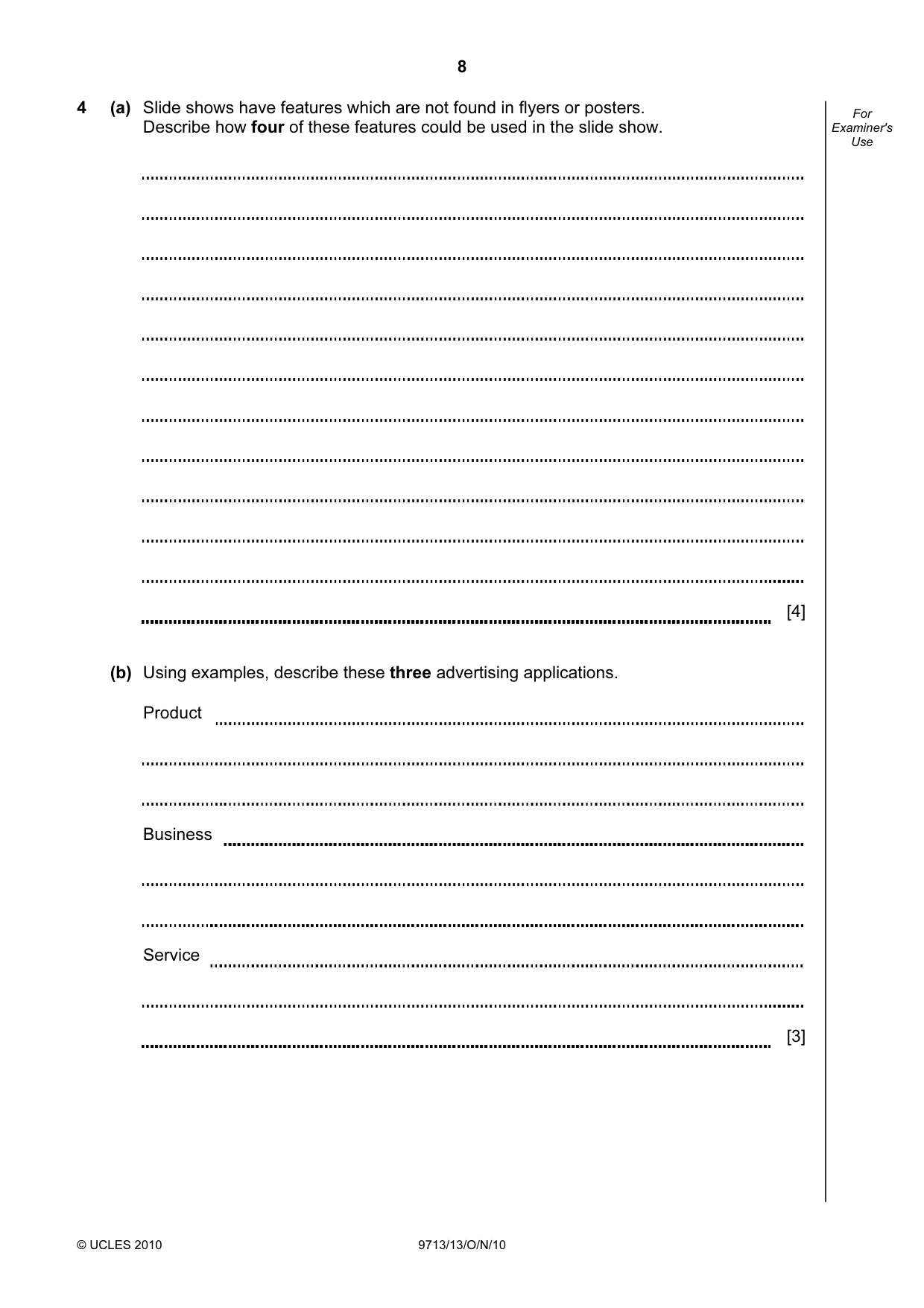
2 © UCLES 2010 9713/13/O/N/10 For Examiner's Use Scenario 1 Questions 1 and 2 The Queen Elizabeth Hospital uses ICT to help run its Intensive Care Unit. During the day the nurses work long shifts and find it difficult to get to a bank. They find it easier to use online banking with their existing accounts.
Question paper, page 3
3 © UCLES 2010 9713/13/O/N/10 [Turn over For Examiner's Use 1 Describe how computers are used to alert nurses to changes in the medical condition of patients in intensive care. [5]
Question paper, page 4
4 © UCLES 2010 9713/13/O/N/10 For Examiner's Use 2 (a) Describe how a person who had not used their bank’s online system before would register with this system once they had opened the bank’s website. [4] (b) Describe the features offered by online banking. [4]
Question paper, page 5
5 © UCLES 2010 9713/13/O/N/10 [Turn over For Examiner's Use (c) Discuss the benefits and drawbacks to the bank of operating online banking systems. [8]
Question paper, page 6
6 © UCLES 2010 9713/13/O/N/10 For Examiner's Use Scenario 2 Questions 3 and 4 Plyroc is an expanding company which supplies building materials such as house bricks, paving stones etc and offers buildings’ insurance. It currently advertises using flyers and posters in the local community. Plyroc would like, however, to advertise to a larger audience. It has a small advertising department with office based staff which has been asked to produce a slide show using presentation software. The slide show will be shown in a number of shopping malls.
Question paper, page 7
7 © UCLES 2010 9713/13/O/N/10 [Turn over For Examiner's Use 3 Give reasons why the company and employees prefer to have workers work in an office based environment rather than working from home. [6]
Question paper, page 8
8 © UCLES 2010 9713/13/O/N/10 For Examiner's Use 4 (a) Slide shows have features which are not found in flyers or posters. Describe how four of these features could be used in the slide show. [4] (b) Using examples, describe these three advertising applications. Product Business Service [3]
Question paper, page 9
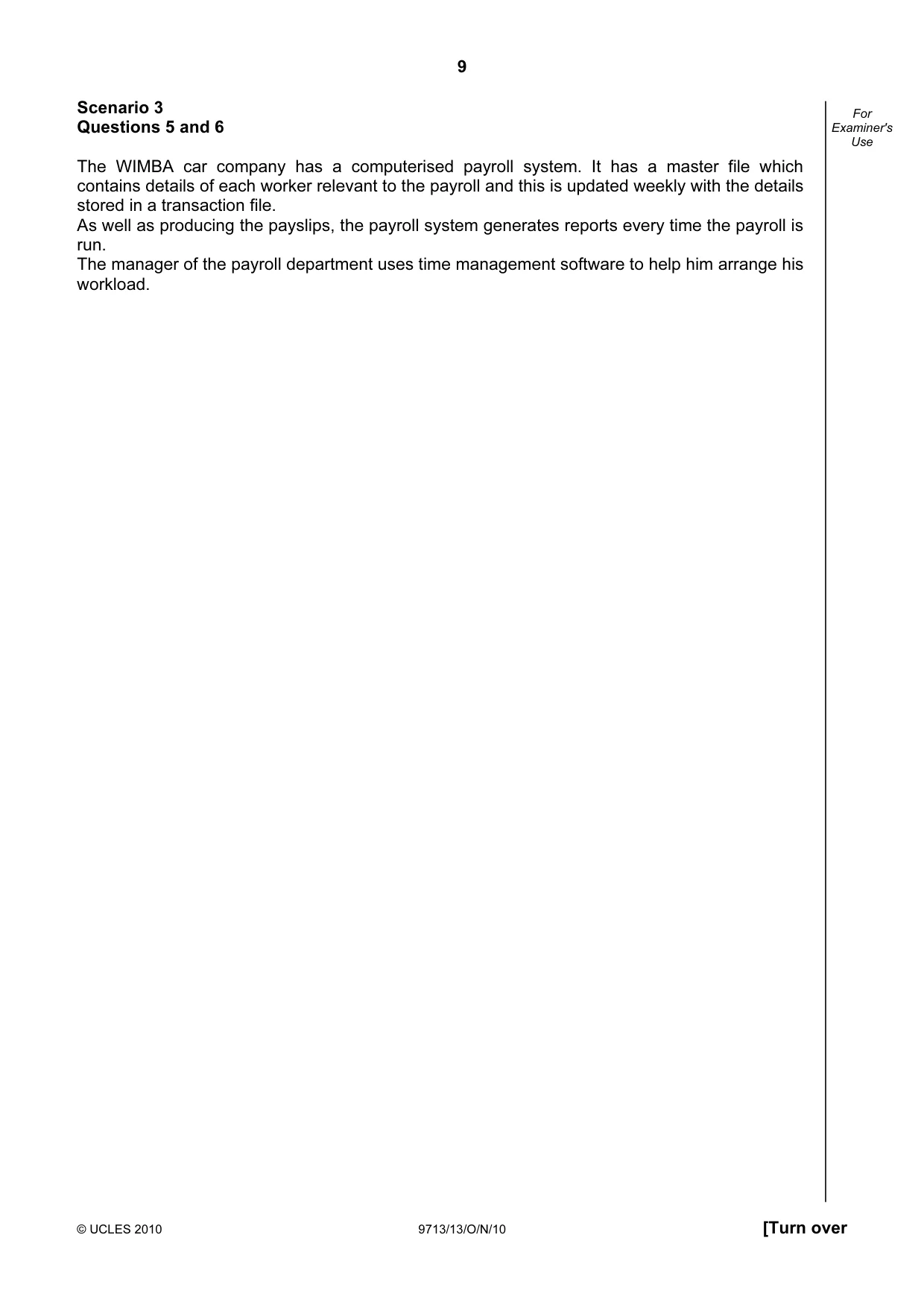
9 © UCLES 2010 9713/13/O/N/10 [Turn over For Examiner's Use Scenario 3 Questions 5 and 6 The WIMBA car company has a computerised payroll system. It has a master file which contains details of each worker relevant to the payroll and this is updated weekly with the details stored in a transaction file. As well as producing the payslips, the payroll system generates reports every time the payroll is run. The manager of the payroll department uses time management software to help him arrange his workload.
Question paper, page 10
10 © UCLES 2010 9713/13/O/N/10 For Examiner's Use 5 (a) The transaction file is used to update the master file when creating payslips. Describe the steps in this process. [6]
Question paper, page 11
11 © UCLES 2010 9713/13/O/N/10 [Turn over For Examiner's Use (b) Describe the contents of the financial and exception reports which are produced when creating payslips. [6]
Question paper, page 12
12 © UCLES 2010 9713/13/O/N/10 For Examiner's Use 6 Describe the benefits to the manager of using time management software to help arrange workloads. [5]
Question paper, page 13
13 © UCLES 2010 9713/13/O/N/10 [Turn over For Examiner's Use Scenario 4 Questions 7 and 8 The Oxbridge International Examination Board is planning to use ICT to mark candidate answers to their examination papers. They have employed Iqbal to provide a systems life cycle approach to developing the new system. He has already researched the existing system and recorded information about it using a data flow diagram. A database of candidates including their marks for each question will need to be created.
Question paper, page 14
14 © UCLES 2010 9713/13/O/N/10 For Examiner's Use 7 Describe what will happen in this system after the answers arrive at the examination board up until the point each candidate’s final mark has been recorded. [4]
Question paper, page 15
15 © UCLES 2010 9713/13/O/N/10 [Turn over For Examiner's Use 8 (a) Describe how Iqbal will use the data flow diagram to identify suitable hardware and software for the new system. [5]
Question paper, page 16
16 © UCLES 2010 9713/13/O/N/10 For Examiner's Use (b) Describe the file structure that will need to be designed before the database is created. [6]
Question paper, page 17
17 © UCLES 2010 9713/13/O/N/10 [Turn over For Examiner's Use (c) Discuss the possible implementation methods that could be used to introduce the new system. [8]
Question paper, page 18
18 © UCLES 2010 9713/13/O/N/10 For Examiner's Use (d) Compare and contrast the different methods Iqbal could use to obtain feedback from users so that he can evaluate the solution. [6]
Question paper, page 19
19 © UCLES 2010 9713/13/O/N/10 BLANK PAGE
Question paper, page 20
20 Permission to reproduce items where third-party owned material protected by copyright is included has been sought and cleared where possible. Every reasonable effort has been made by the publisher (UCLES) to trace copyright holders, but if any items requiring clearance have unwittingly been included, the publisher will be pleased to make amends at the earliest possible opportunity. University of Cambridge International Examinations is part of the Cambridge Assessment Group. Cambridge Assessment is the brand name of University of Cambridge Local Examinations Syndicate (UCLES), which is itself a department of the University of Cambridge. © UCLES 2010 9713/13/O/N/10 BLANK PAGE
Mark scheme, page 1
UNIVERSITY OF CAMBRIDGE INTERNATIONAL EXAMINATIONS GCE Advanced Subsidiary Level and GCE Advanced Level MARK SCHEME for the October/November 2010 question paper for the guidance of teachers 9713 APPLIED ICT 9713/13 Paper 1 (Written A), maximum raw mark 80 This mark scheme is published as an aid to teachers and candidates, to indicate the requirements of the examination. It shows the basis on which Examiners were instructed to award marks. It does not indicate the details of the discussions that took place at an Examiners’ meeting before marking began, which would have considered the acceptability of alternative answers. Mark schemes must be read in conjunction with the question papers and the report on the examination. • CIE will not enter into discussions or correspondence in connection with these mark schemes. CIE is publishing the mark schemes for the October/November 2010 question papers for most IGCSE, GCE Advanced Level and Advanced Subsidiary Level syllabuses and some Ordinary Level syllabuses.
Mark scheme, page 2
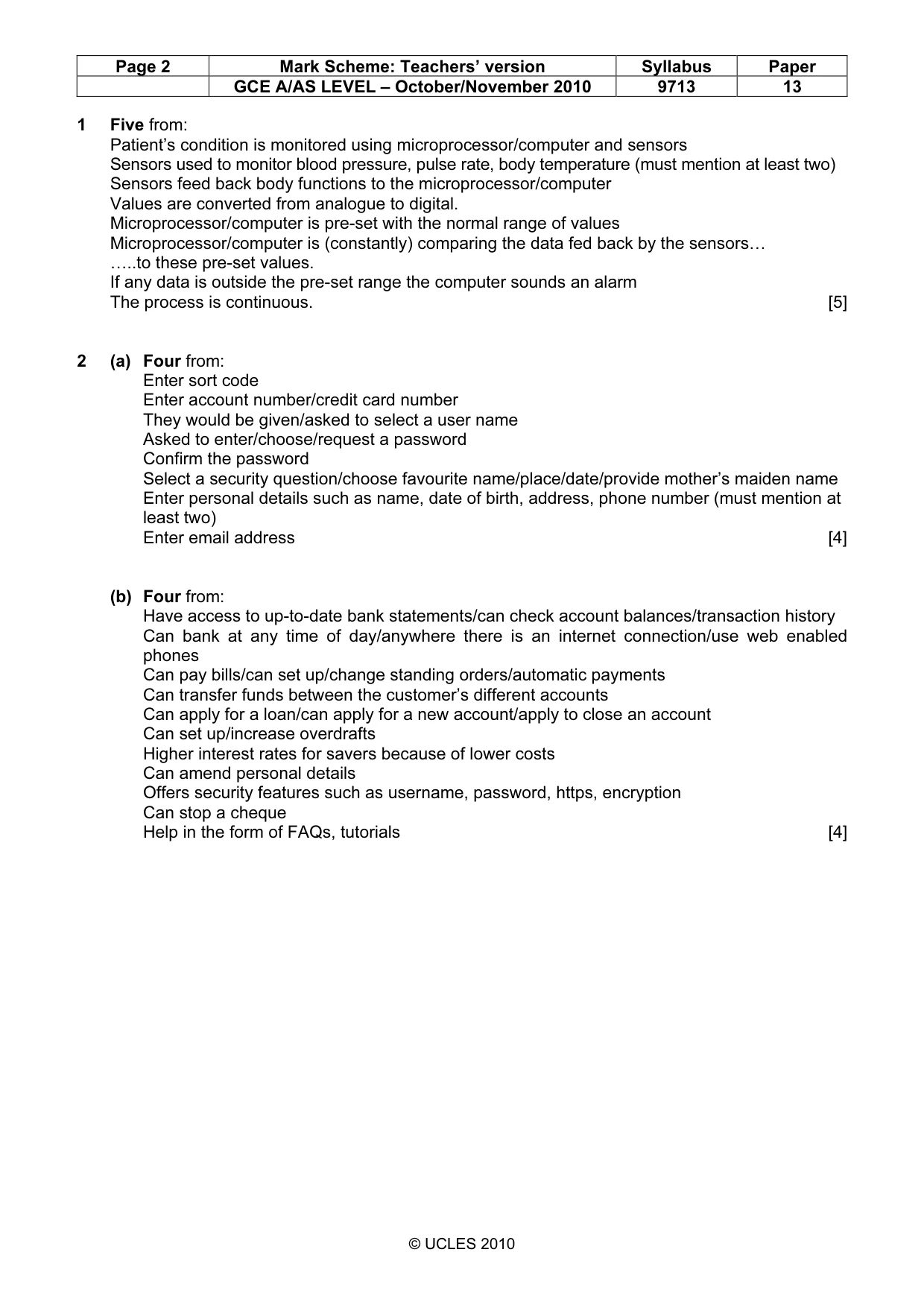
Page 2 Mark Scheme: Teachers’ version Syllabus Paper GCE A/AS LEVEL – October/November 2010 9713 13 © UCLES 2010 1 Five from: Patient’s condition is monitored using microprocessor/computer and sensors Sensors used to monitor blood pressure, pulse rate, body temperature (must mention at least two) Sensors feed back body functions to the microprocessor/computer Values are converted from analogue to digital. Microprocessor/computer is pre-set with the normal range of values Microprocessor/computer is (constantly) comparing the data fed back by the sensors… …..to these pre-set values. If any data is outside the pre-set range the computer sounds an alarm The process is continuous. [5] 2 (a) Four from: Enter sort code Enter account number/credit card number They would be given/asked to select a user name Asked to enter/choose/request a password Confirm the password Select a security question/choose favourite name/place/date/provide mother’s maiden name Enter personal details such as name, date of birth, address, phone number (must mention at least two) Enter email address [4] (b) Four from: Have access to up-to-date bank statements/can check account balances/transaction history Can bank at any time of day/anywhere there is an internet connection/use web enabled phones Can pay bills/can set up/change standing orders/automatic payments Can transfer funds between the customer’s different accounts Can apply for a loan/can apply for a new account/apply to close an account Can set up/increase overdrafts Higher interest rates for savers because of lower costs Can amend personal details Offers security features such as username, password, https, encryption Can stop a cheque Help in the form of FAQs, tutorials [4]
Mark scheme, page 3
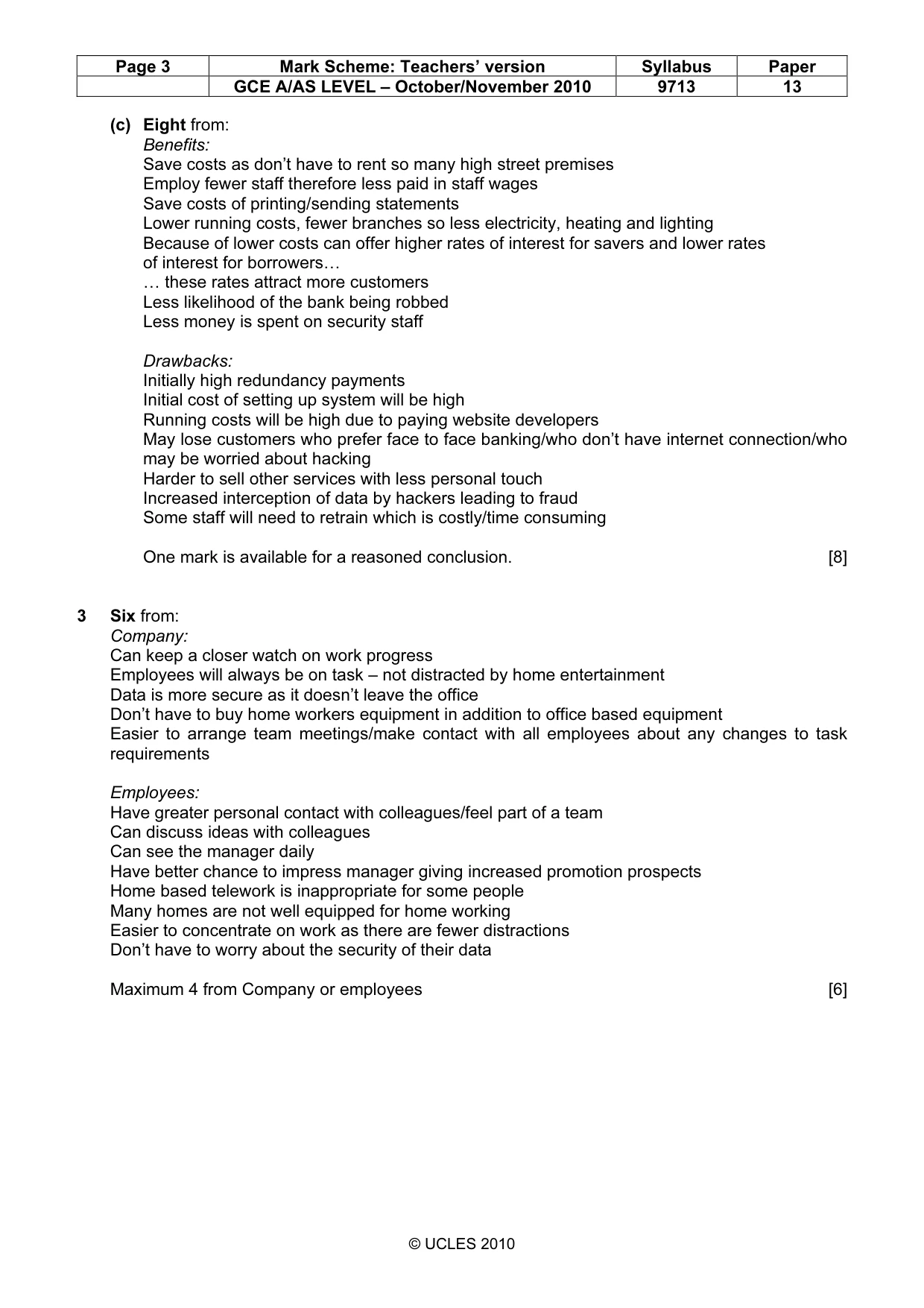
Page 3 Mark Scheme: Teachers’ version Syllabus Paper GCE A/AS LEVEL – October/November 2010 9713 13 © UCLES 2010 (c) Eight from: Benefits: Save costs as don’t have to rent so many high street premises Employ fewer staff therefore less paid in staff wages Save costs of printing/sending statements Lower running costs, fewer branches so less electricity, heating and lighting Because of lower costs can offer higher rates of interest for savers and lower rates of interest for borrowers… … these rates attract more customers Less likelihood of the bank being robbed Less money is spent on security staff Drawbacks: Initially high redundancy payments Initial cost of setting up system will be high Running costs will be high due to paying website developers May lose customers who prefer face to face banking/who don’t have internet connection/who may be worried about hacking Harder to sell other services with less personal touch Increased interception of data by hackers leading to fraud Some staff will need to retrain which is costly/time consuming One mark is available for a reasoned conclusion. [8] 3 Six from: Company: Can keep a closer watch on work progress Employees will always be on task – not distracted by home entertainment Data is more secure as it doesn’t leave the office Don’t have to buy home workers equipment in addition to office based equipment Easier to arrange team meetings/make contact with all employees about any changes to task requirements Employees: Have greater personal contact with colleagues/feel part of a team Can discuss ideas with colleagues Can see the manager daily Have better chance to impress manager giving increased promotion prospects Home based telework is inappropriate for some people Many homes are not well equipped for home working Easier to concentrate on work as there are fewer distractions Don’t have to worry about the security of their data Maximum 4 from Company or employees [6]
Mark scheme, page 4
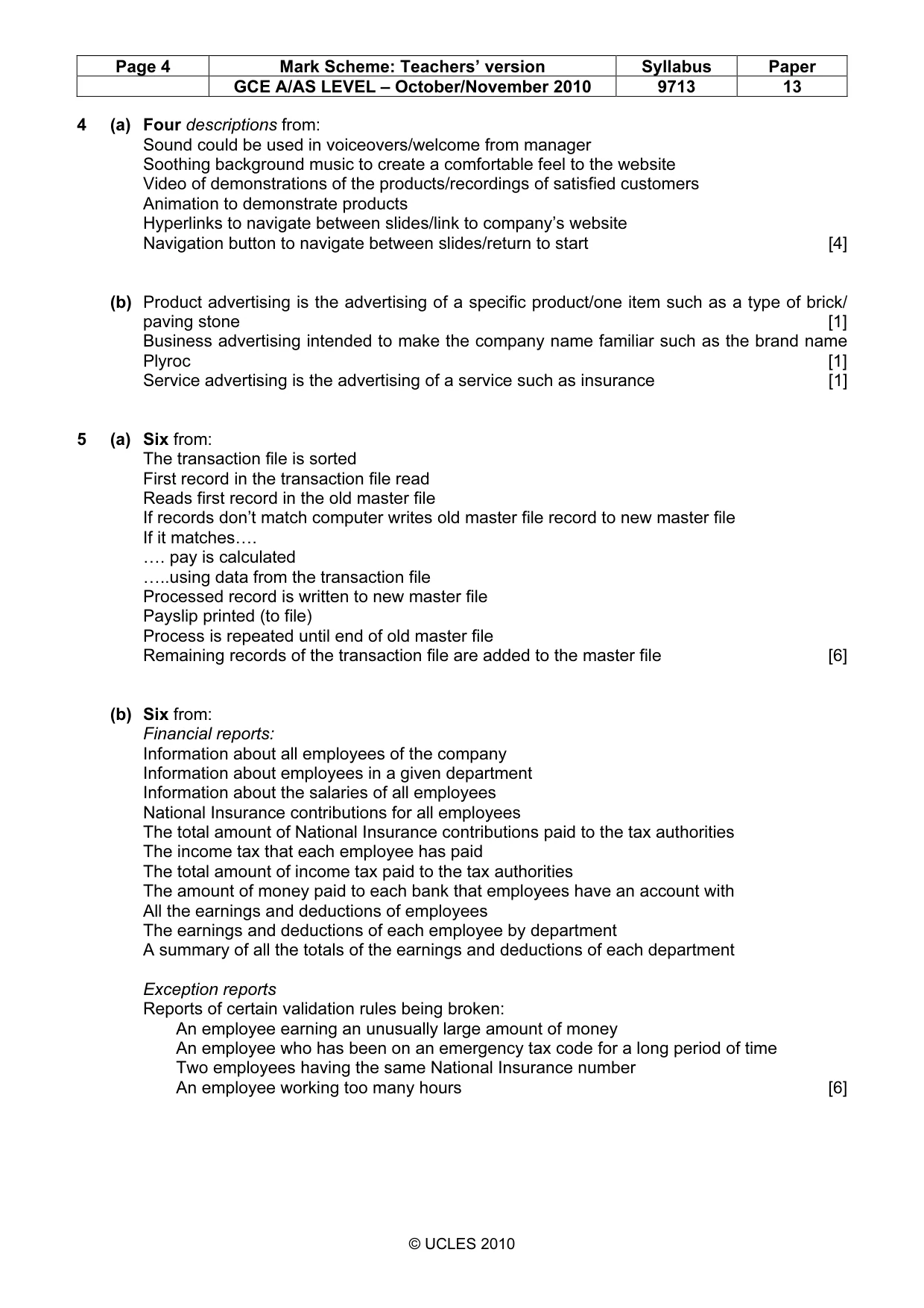
Page 4 Mark Scheme: Teachers’ version Syllabus Paper GCE A/AS LEVEL – October/November 2010 9713 13 © UCLES 2010 4 (a) Four descriptions from: Sound could be used in voiceovers/welcome from manager Soothing background music to create a comfortable feel to the website Video of demonstrations of the products/recordings of satisfied customers Animation to demonstrate products Hyperlinks to navigate between slides/link to company’s website Navigation button to navigate between slides/return to start [4] (b) Product advertising is the advertising of a specific product/one item such as a type of brick/ paving stone [1] Business advertising intended to make the company name familiar such as the brand name Plyroc [1] Service advertising is the advertising of a service such as insurance [1] 5 (a) Six from: The transaction file is sorted First record in the transaction file read Reads first record in the old master file If records don’t match computer writes old master file record to new master file If it matches…. …. pay is calculated …..using data from the transaction file Processed record is written to new master file Payslip printed (to file) Process is repeated until end of old master file Remaining records of the transaction file are added to the master file [6] (b) Six from: Financial reports: Information about all employees of the company Information about employees in a given department Information about the salaries of all employees National Insurance contributions for all employees The total amount of National Insurance contributions paid to the tax authorities The income tax that each employee has paid The total amount of income tax paid to the tax authorities The amount of money paid to each bank that employees have an account with All the earnings and deductions of employees The earnings and deductions of each employee by department A summary of all the totals of the earnings and deductions of each department Exception reports Reports of certain validation rules being broken: An employee earning an unusually large amount of money An employee who has been on an emergency tax code for a long period of time Two employees having the same National Insurance number An employee working too many hours [6]
Mark scheme, page 5
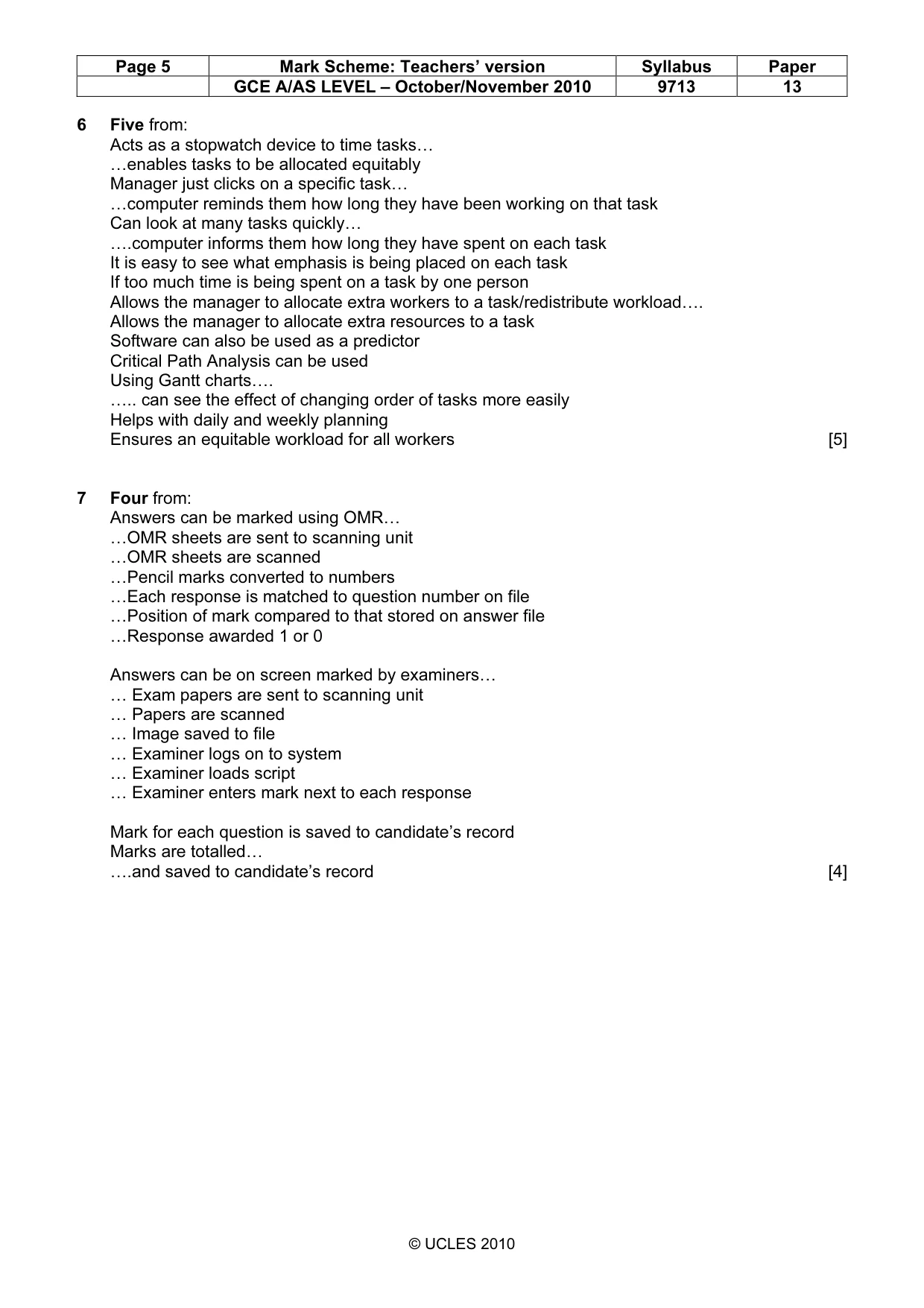
Page 5 Mark Scheme: Teachers’ version Syllabus Paper GCE A/AS LEVEL – October/November 2010 9713 13 © UCLES 2010 6 Five from: Acts as a stopwatch device to time tasks… …enables tasks to be allocated equitably Manager just clicks on a specific task… …computer reminds them how long they have been working on that task Can look at many tasks quickly… ….computer informs them how long they have spent on each task It is easy to see what emphasis is being placed on each task If too much time is being spent on a task by one person Allows the manager to allocate extra workers to a task/redistribute workload…. Allows the manager to allocate extra resources to a task Software can also be used as a predictor Critical Path Analysis can be used Using Gantt charts…. ….. can see the effect of changing order of tasks more easily Helps with daily and weekly planning Ensures an equitable workload for all workers [5] 7 Four from: Answers can be marked using OMR… …OMR sheets are sent to scanning unit …OMR sheets are scanned …Pencil marks converted to numbers …Each response is matched to question number on file …Position of mark compared to that stored on answer file …Response awarded 1 or 0 Answers can be on screen marked by examiners… … Exam papers are sent to scanning unit … Papers are scanned … Image saved to file … Examiner logs on to system … Examiner loads script … Examiner enters mark next to each response Mark for each question is saved to candidate’s record Marks are totalled… ….and saved to candidate’s record [4]
Mark scheme, page 6
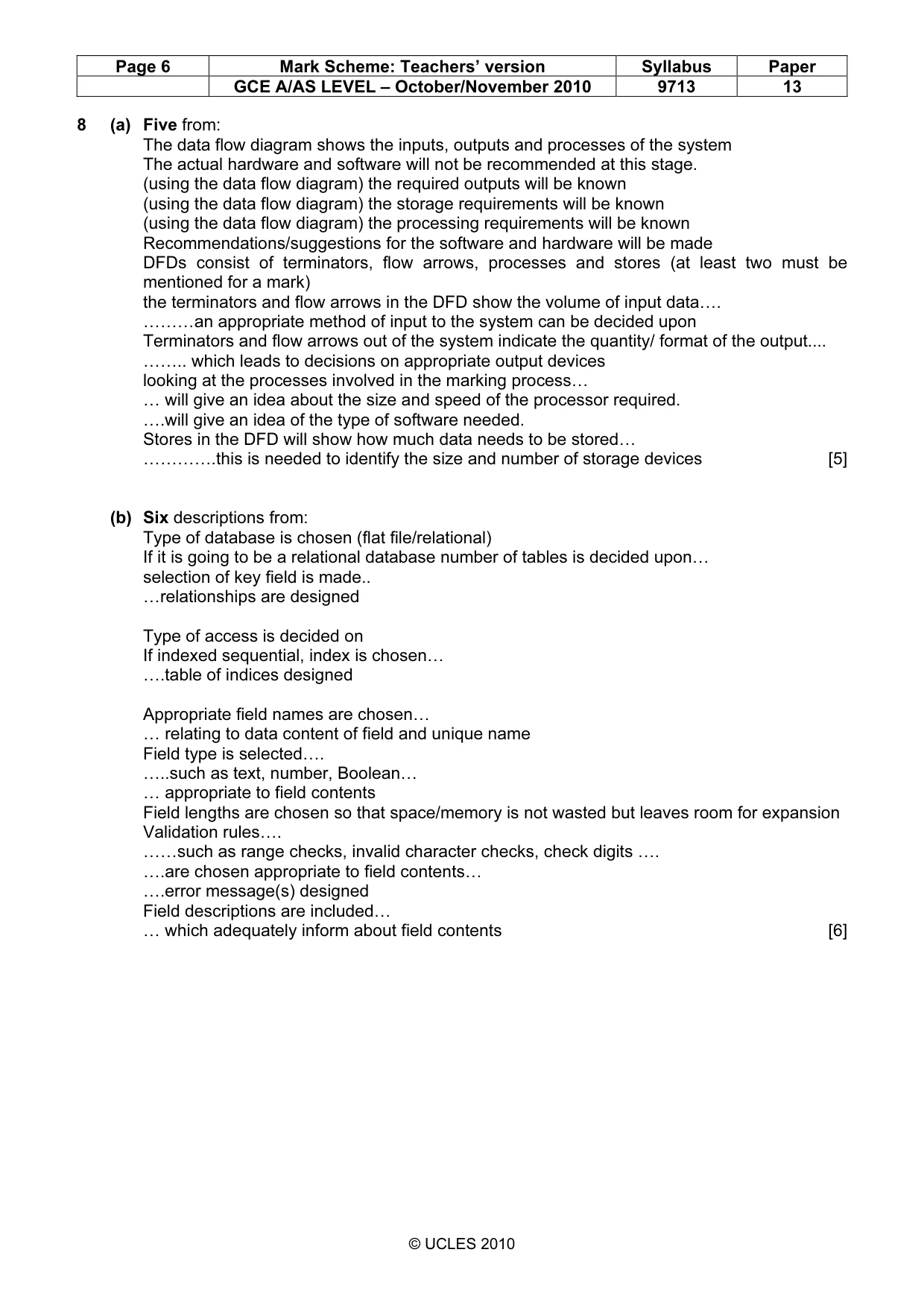
Page 6 Mark Scheme: Teachers’ version Syllabus Paper GCE A/AS LEVEL – October/November 2010 9713 13 © UCLES 2010 8 (a) Five from: The data flow diagram shows the inputs, outputs and processes of the system The actual hardware and software will not be recommended at this stage. (using the data flow diagram) the required outputs will be known (using the data flow diagram) the storage requirements will be known (using the data flow diagram) the processing requirements will be known Recommendations/suggestions for the software and hardware will be made DFDs consist of terminators, flow arrows, processes and stores (at least two must be mentioned for a mark) the terminators and flow arrows in the DFD show the volume of input data…. ………an appropriate method of input to the system can be decided upon Terminators and flow arrows out of the system indicate the quantity/ format of the output… …….. which leads to decisions on appropriate output devices looking at the processes involved in the marking process… … will give an idea about the size and speed of the processor required. ….will give an idea of the type of software needed. Stores in the DFD will show how much data needs to be stored… ………….this is needed to identify the size and number of storage devices [5] (b) Six descriptions from: Type of database is chosen (flat file/relational) If it is going to be a relational database number of tables is decided upon… selection of key field is made.. …relationships are designed Type of access is decided on If indexed sequential, index is chosen… ….table of indices designed Appropriate field names are chosen… … relating to data content of field and unique name Field type is selected…. …..such as text, number, Boolean… … appropriate to field contents Field lengths are chosen so that space/memory is not wasted but leaves room for expansion Validation rules…. ……such as range checks, invalid character checks, check digits …. ….are chosen appropriate to field contents… ….error message(s) designed Field descriptions are included… … which adequately inform about field contents [6]
Mark scheme, page 7
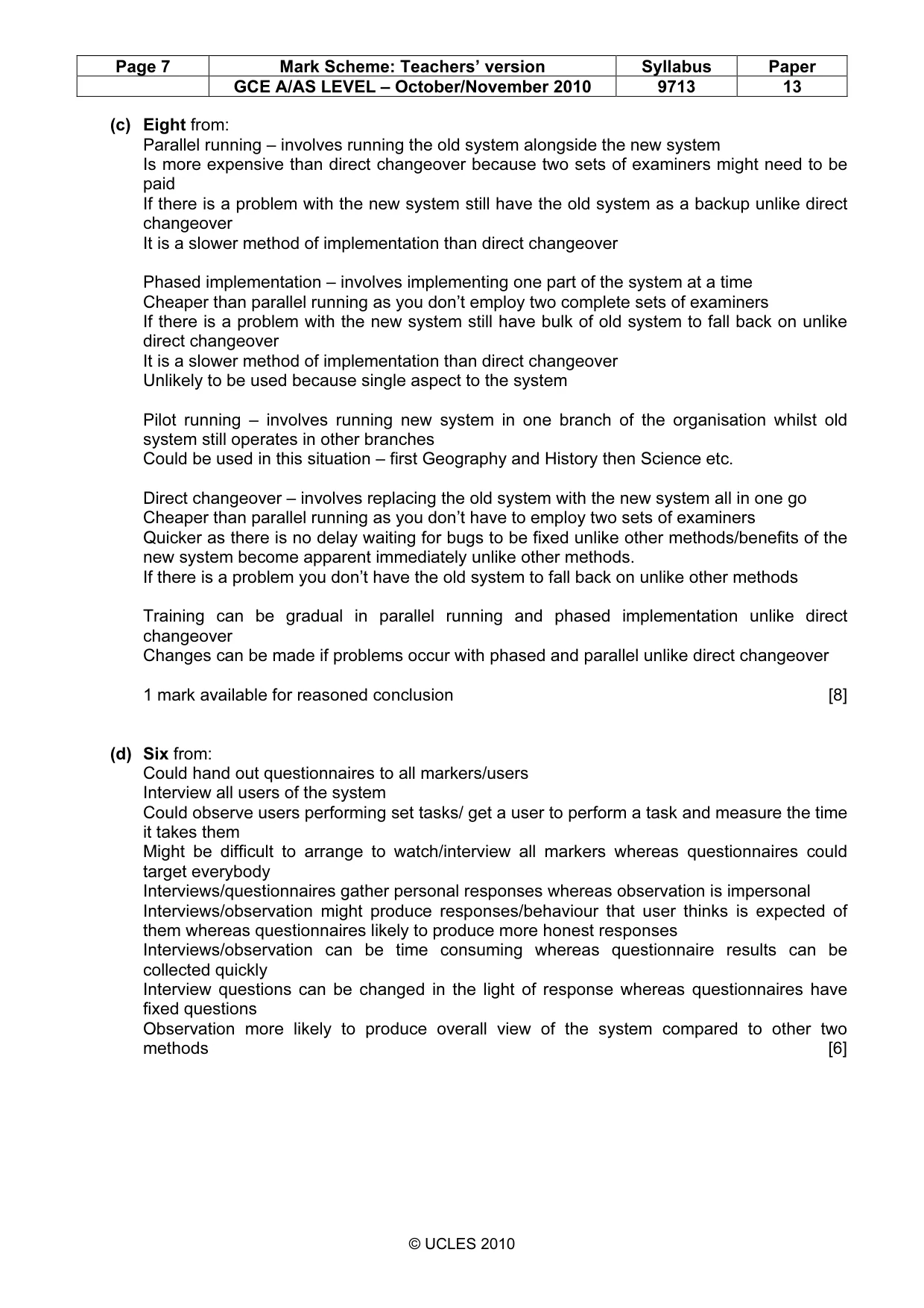
Page 7 Mark Scheme: Teachers’ version Syllabus Paper GCE A/AS LEVEL – October/November 2010 9713 13 © UCLES 2010 (c) Eight from: Parallel running – involves running the old system alongside the new system Is more expensive than direct changeover because two sets of examiners might need to be paid If there is a problem with the new system still have the old system as a backup unlike direct changeover It is a slower method of implementation than direct changeover Phased implementation – involves implementing one part of the system at a time Cheaper than parallel running as you don’t employ two complete sets of examiners If there is a problem with the new system still have bulk of old system to fall back on unlike direct changeover It is a slower method of implementation than direct changeover Unlikely to be used because single aspect to the system Pilot running – involves running new system in one branch of the organisation whilst old system still operates in other branches Could be used in this situation – first Geography and History then Science etc. Direct changeover – involves replacing the old system with the new system all in one go Cheaper than parallel running as you don’t have to employ two sets of examiners Quicker as there is no delay waiting for bugs to be fixed unlike other methods/benefits of the new system become apparent immediately unlike other methods. If there is a problem you don’t have the old system to fall back on unlike other methods Training can be gradual in parallel running and phased implementation unlike direct changeover Changes can be made if problems occur with phased and parallel unlike direct changeover 1 mark available for reasoned conclusion [8] (d) Six from: Could hand out questionnaires to all markers/users Interview all users of the system Could observe users performing set tasks/ get a user to perform a task and measure the time it takes them Might be difficult to arrange to watch/interview all markers whereas questionnaires could target everybody Interviews/questionnaires gather personal responses whereas observation is impersonal Interviews/observation might produce responses/behaviour that user thinks is expected of them whereas questionnaires likely to produce more honest responses Interviews/observation can be time consuming whereas questionnaire results can be collected quickly Interview questions can be changed in the light of response whereas questionnaires have fixed questions Observation more likely to produce overall view of the system compared to other two methods [6]
What you needed in this session
Cambridge’s own grade thresholds for 2010 Oct/Nov, Paper 1 · Variant 3. A higher threshold means an easier paper — the bar moves with how the cohort did.