Cambridge IGCSE Computer Studies 0420 — 2010 Oct/Nov Paper 1 · Variant 2
0420/12/O/N/10 · 100 marks · ≈113 min
The question paper and its mark scheme, free to read here and free to download. This is Cambridge’s own paper, exactly as it was sat.
Question paper20 pages


Mark scheme11 pages
Answers below. Sit the paper first if you are practising.
Paper as text
Question paper, page 1
This document consists of 20 printed pages. IB10 11_0420_12/FP © UCLES 2010 [Turn over *9425950561* For Examiner's Use UNIVERSITY OF CAMBRIDGE INTERNATIONAL EXAMINATIONS International General Certificate of Secondary Education COMPUTER STUDIES 0420/12 Paper 1 October/November 2010 2 hours 30 minutes Candidates answer on the Question Paper. No Additional Materials are required. READ THESE INSTRUCTIONS FIRST Write your Centre number, candidate number and name on all the work you hand in. Write in dark blue or black pen. You may use a soft pencil for any diagrams, graphs or rough working. Do not use staples, paper clips, highlighters, glue or correction fluid. DO NOT WRITE IN ANY BARCODES. Answer all questions. No marks will be awarded for using brand names of software packages or hardware. At the end of the examination, fasten all your work securely together. The number of marks is given in brackets [ ] at the end of each question or part question. www.XtremePapers.com
Question paper, page 2
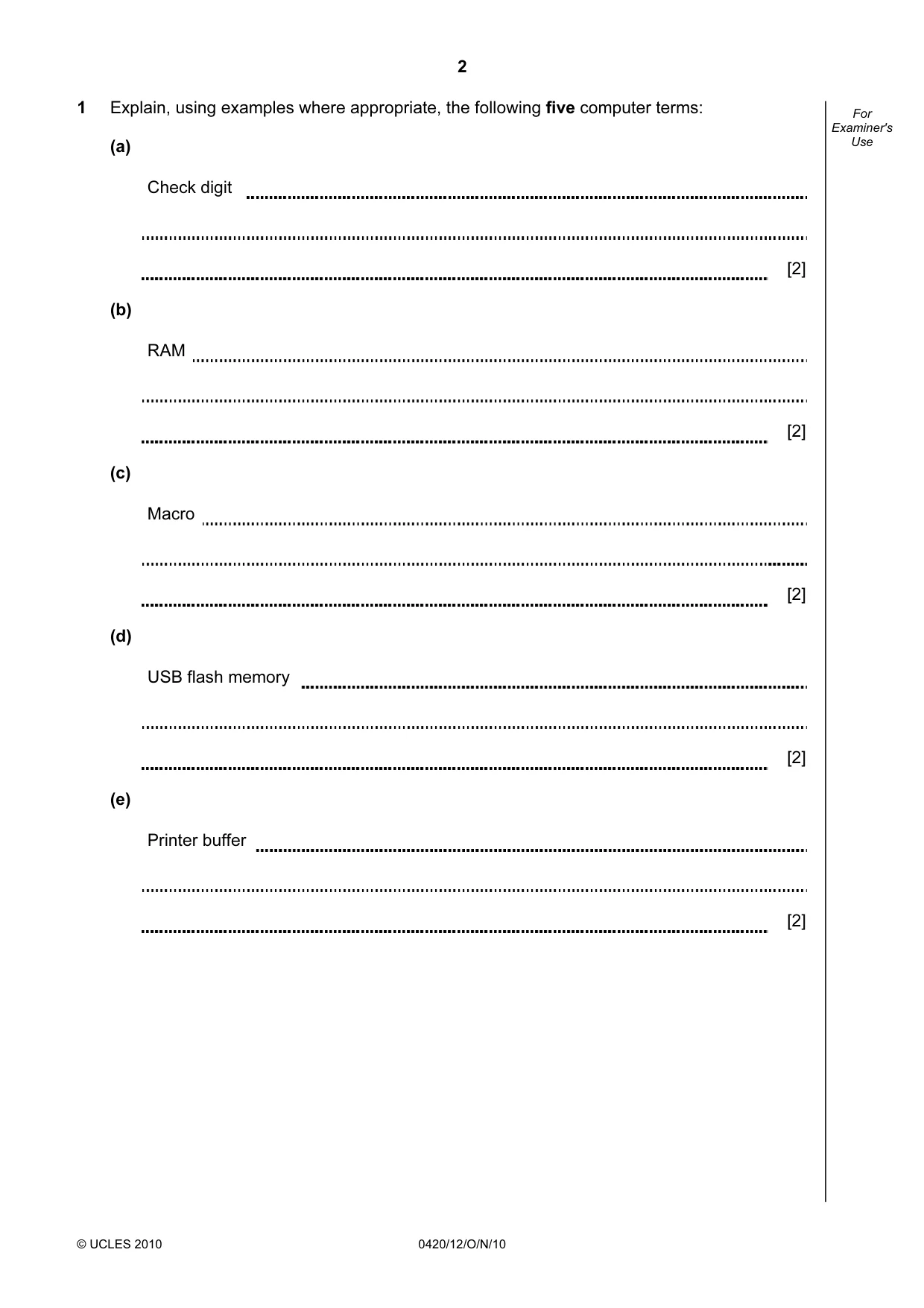
2 © UCLES 2010 0420/12/O/N/10 For Examiner's Use 1 Explain, using examples where appropriate, the following five computer terms: (a) Check digit [2] (b) RAM [2] (c) Macro [2] (d) USB flash memory [2] (e) Printer buffer [2]
Question paper, page 3
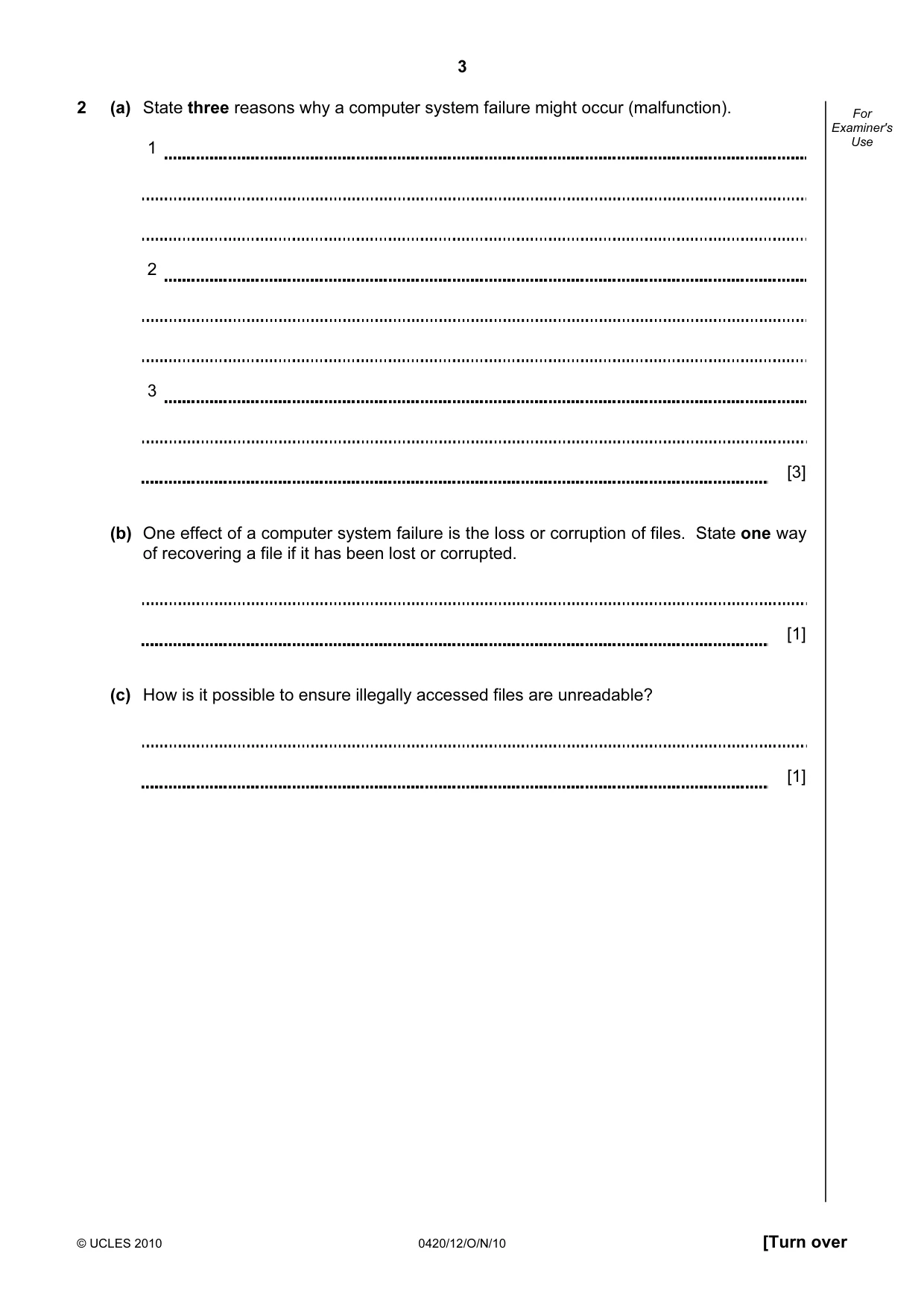
3 © UCLES 2010 0420/12/O/N/10 [Turn over For Examiner's Use 2 (a) State three reasons why a computer system failure might occur (malfunction). 1 2 3 [3] (b) One effect of a computer system failure is the loss or corruption of files. State one way of recovering a file if it has been lost or corrupted. [1] (c) How is it possible to ensure illegally accessed files are unreadable? [1]
Question paper, page 4
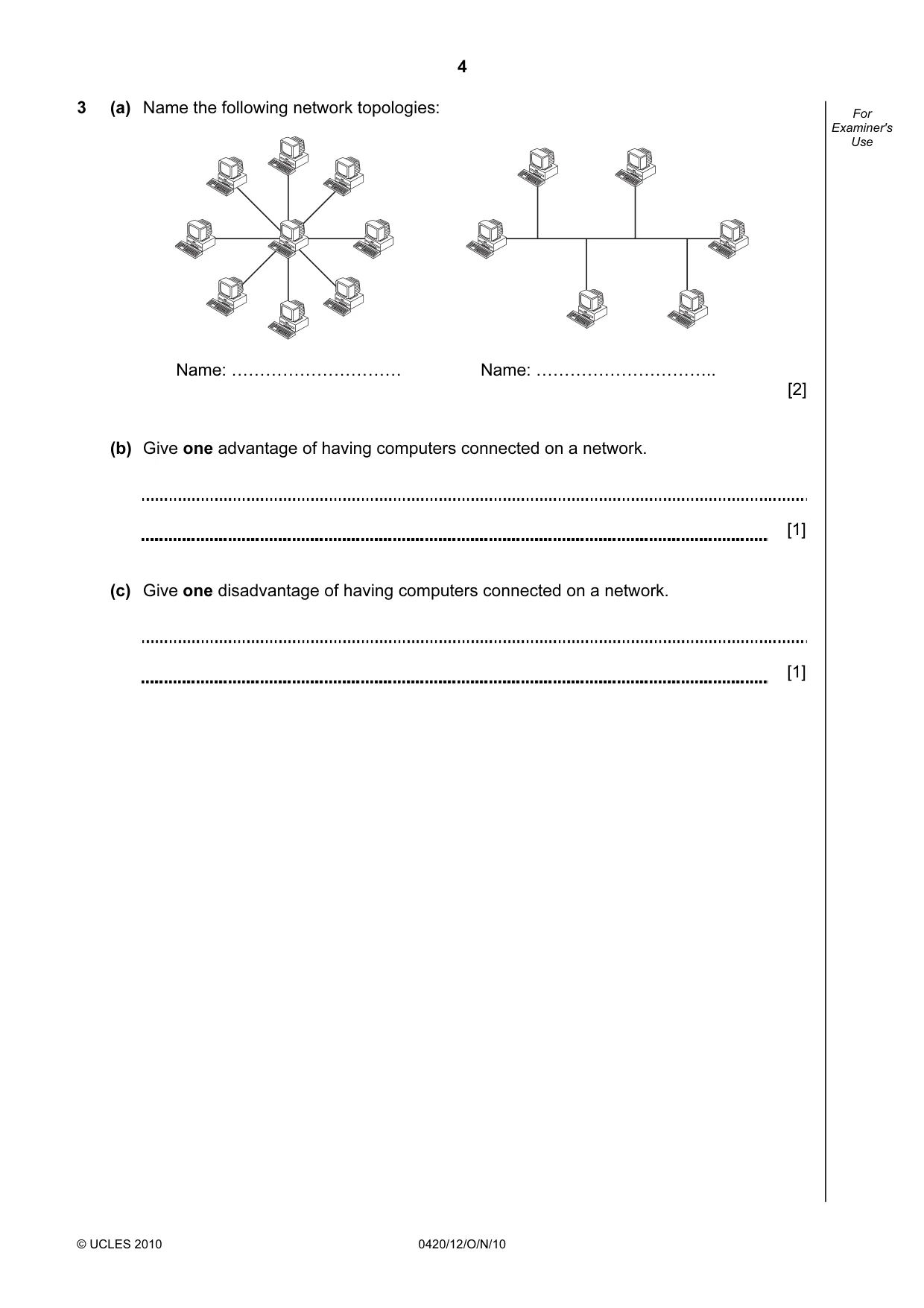
4 © UCLES 2010 0420/12/O/N/10 For Examiner's Use 3 (a) Name the following network topologies: Name: ………………………… Name: ………………………….. [2] (b) Give one advantage of having computers connected on a network. [1] (c) Give one disadvantage of having computers connected on a network. [1]
Question paper, page 5
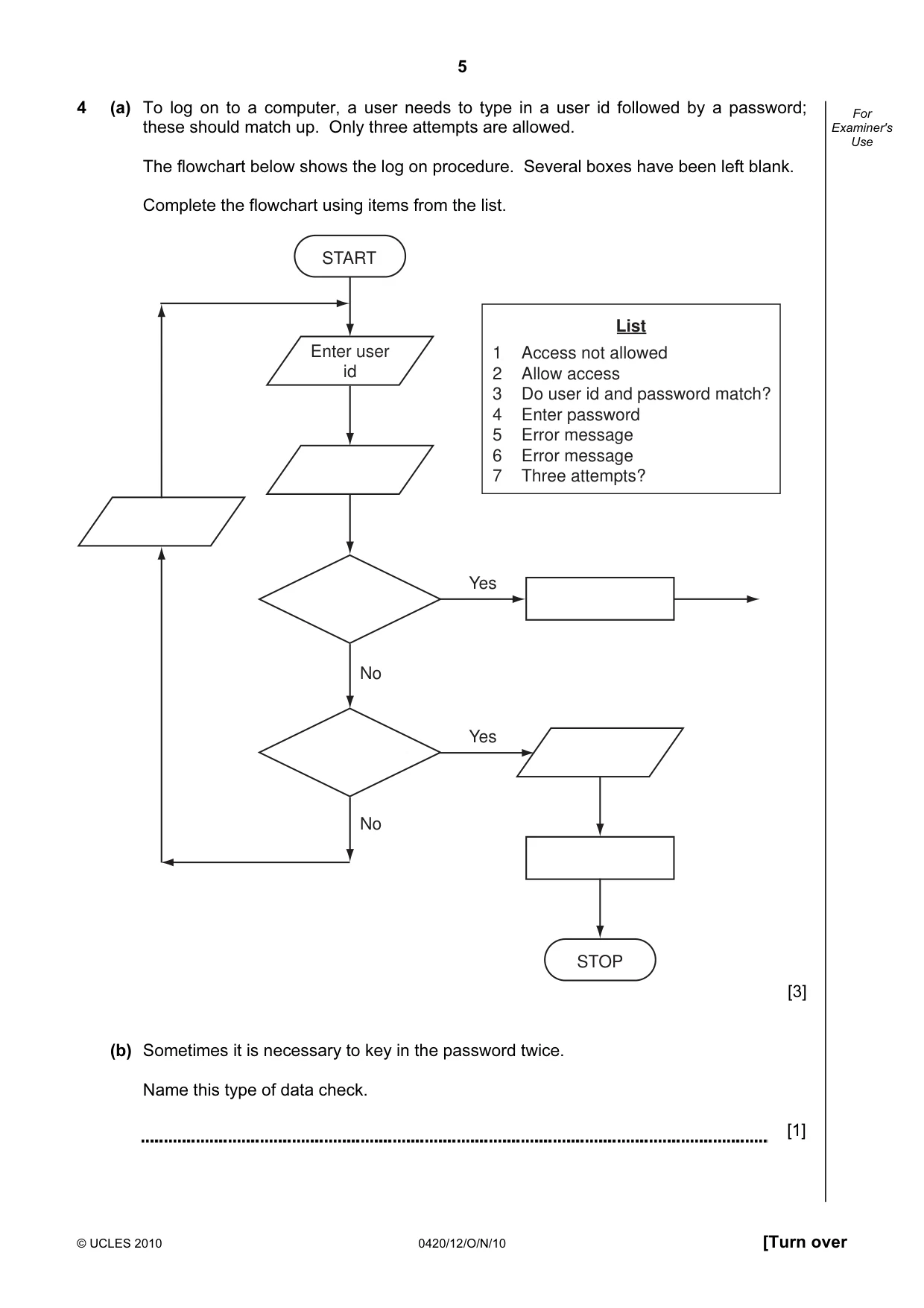
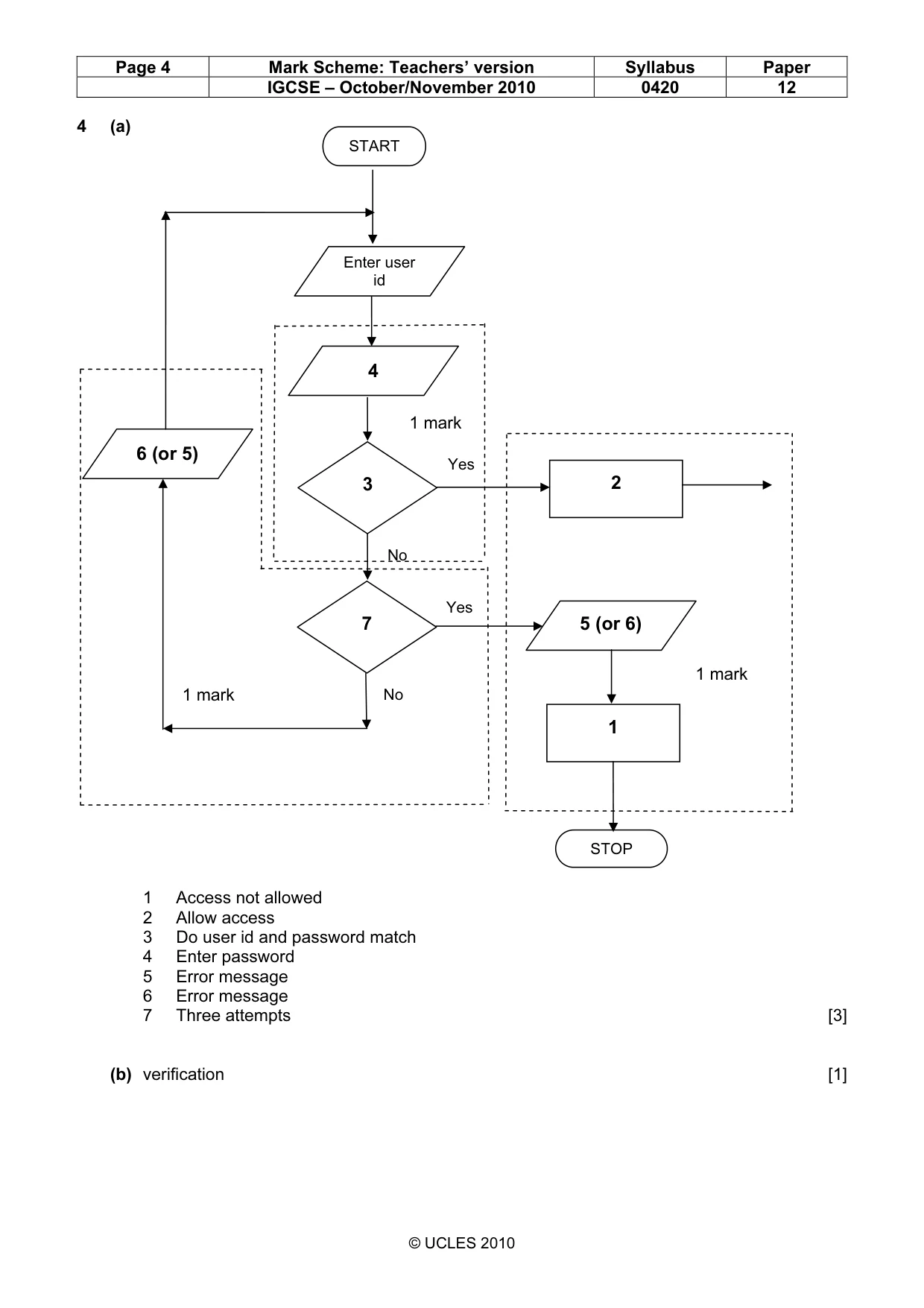
5 © UCLES 2010 0420/12/O/N/10 [Turn over For Examiner's Use 4 (a) To log on to a computer, a user needs to type in a user id followed by a password; these should match up. Only three attempts are allowed. The flowchart below shows the log on procedure. Several boxes have been left blank. Complete the flowchart using items from the list. START Enter user id No No Yes STOP Yes 1 Access not allowed 2 Allow access 3 Do user id and password match? 4 Enter password 5 Error message 6 Error message 7 Three attempts? List [3] (b) Sometimes it is necessary to key in the password twice. Name this type of data check. [1]
Question paper, page 6
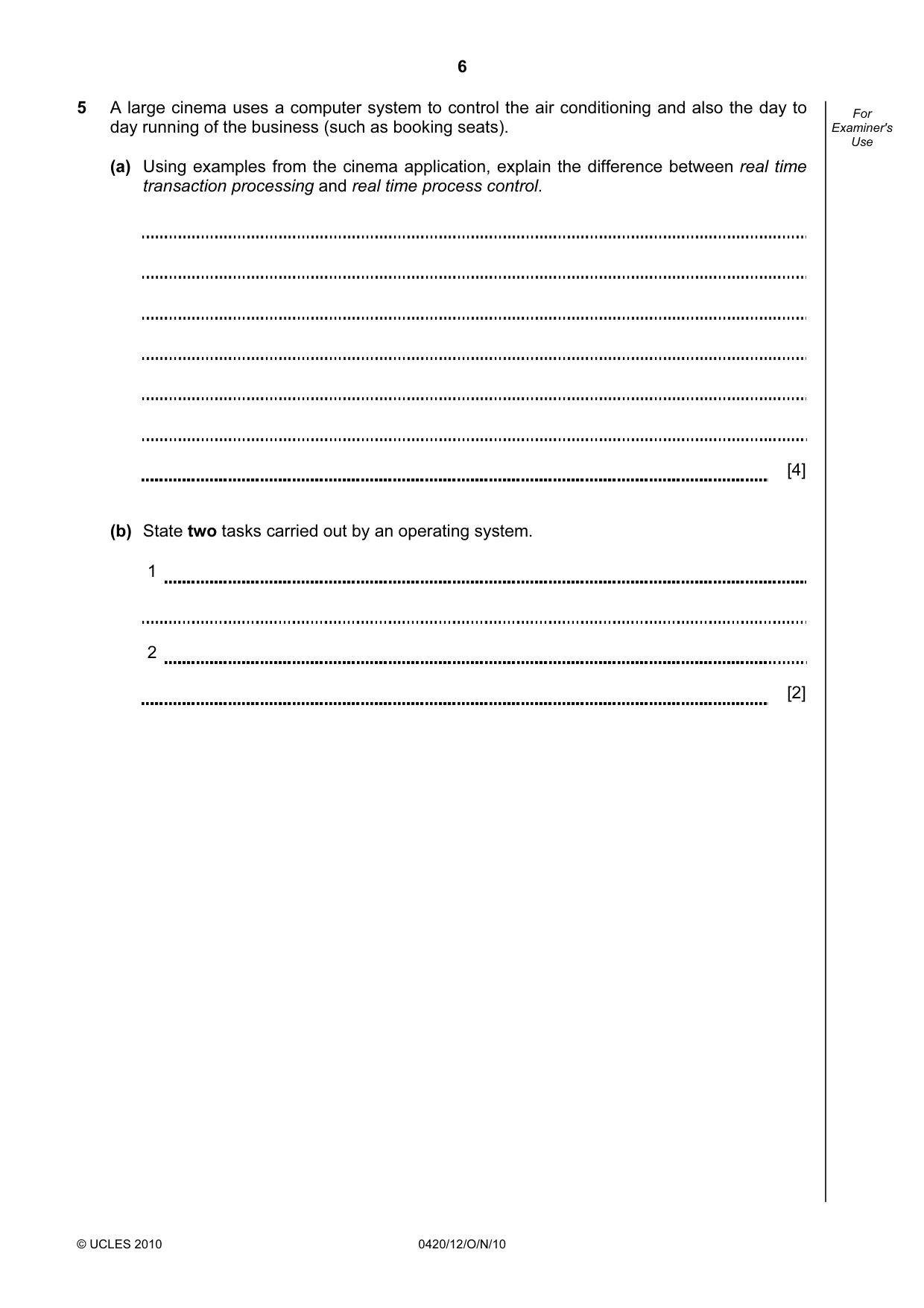
6 © UCLES 2010 0420/12/O/N/10 For Examiner's Use 5 A large cinema uses a computer system to control the air conditioning and also the day to day running of the business (such as booking seats). (a) Using examples from the cinema application, explain the difference between real time transaction processing and real time process control. [4] (b) State two tasks carried out by an operating system. 1 2 [2]
Question paper, page 7
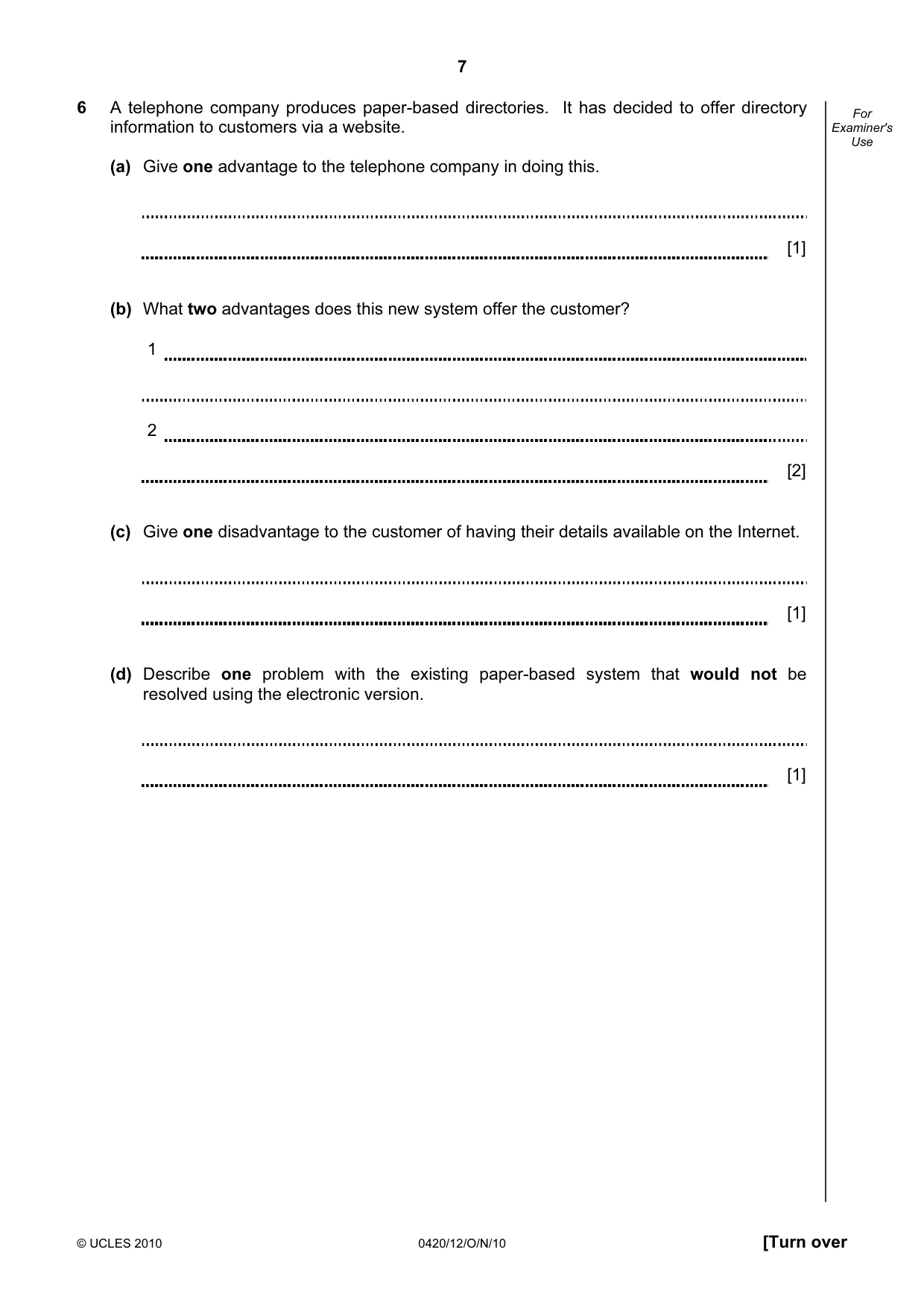
7 © UCLES 2010 0420/12/O/N/10 [Turn over For Examiner's Use 6 A telephone company produces paper-based directories. It has decided to offer directory information to customers via a website. (a) Give one advantage to the telephone company in doing this. [1] (b) What two advantages does this new system offer the customer? 1 2 [2] (c) Give one disadvantage to the customer of having their details available on the Internet. [1] (d) Describe one problem with the existing paper-based system that would not be resolved using the electronic version. [1]
Question paper, page 8
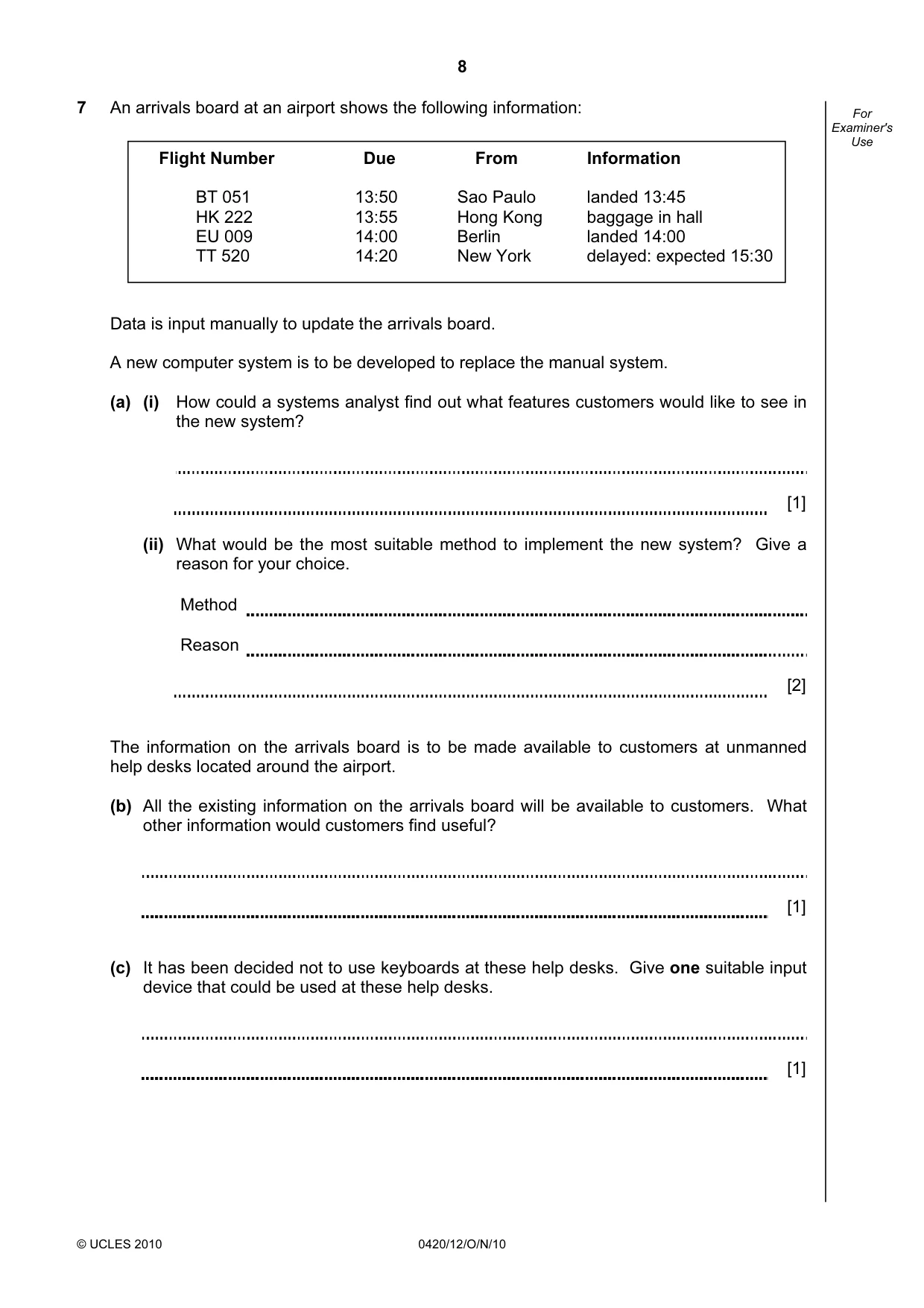
8 © UCLES 2010 0420/12/O/N/10 For Examiner's Use 7 An arrivals board at an airport shows the following information: Data is input manually to update the arrivals board. A new computer system is to be developed to replace the manual system. (a) (i) How could a systems analyst find out what features customers would like to see in the new system? [1] (ii) What would be the most suitable method to implement the new system? Give a reason for your choice. Method Reason [2] The information on the arrivals board is to be made available to customers at unmanned help desks located around the airport. (b) All the existing information on the arrivals board will be available to customers. What other information would customers find useful? [1] (c) It has been decided not to use keyboards at these help desks. Give one suitable input device that could be used at these help desks. [1] Flight Number Due From Information BT 051 13:50 Sao Paulo landed 13:45 HK 222 13:55 Hong Kong baggage in hall EU 009 14:00 Berlin landed 14:00 TT 520 14:20 New York delayed: expected 15:30
Question paper, page 9
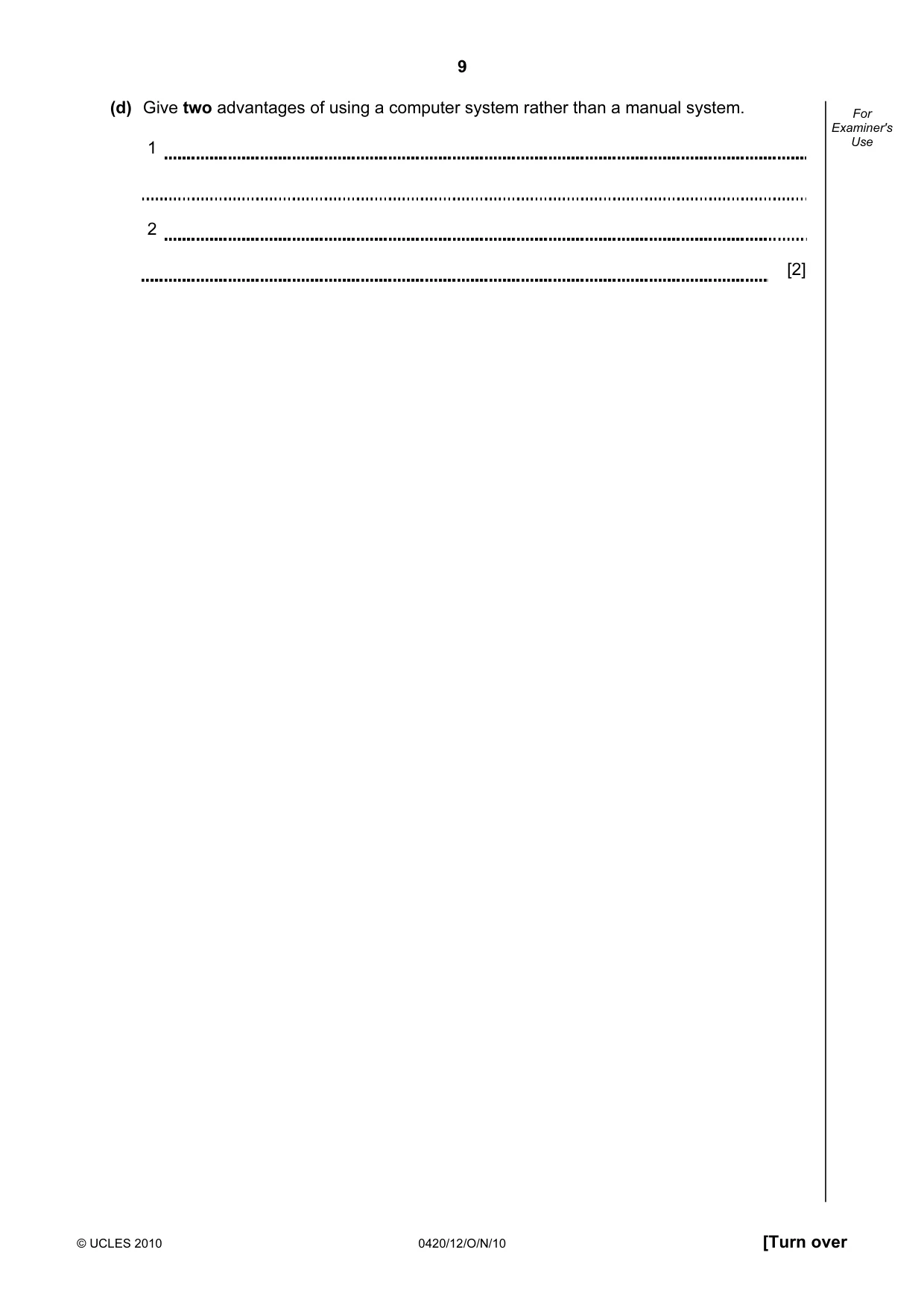
9 © UCLES 2010 0420/12/O/N/10 [Turn over For Examiner's Use (d) Give two advantages of using a computer system rather than a manual system. 1 2 [2]
Question paper, page 10
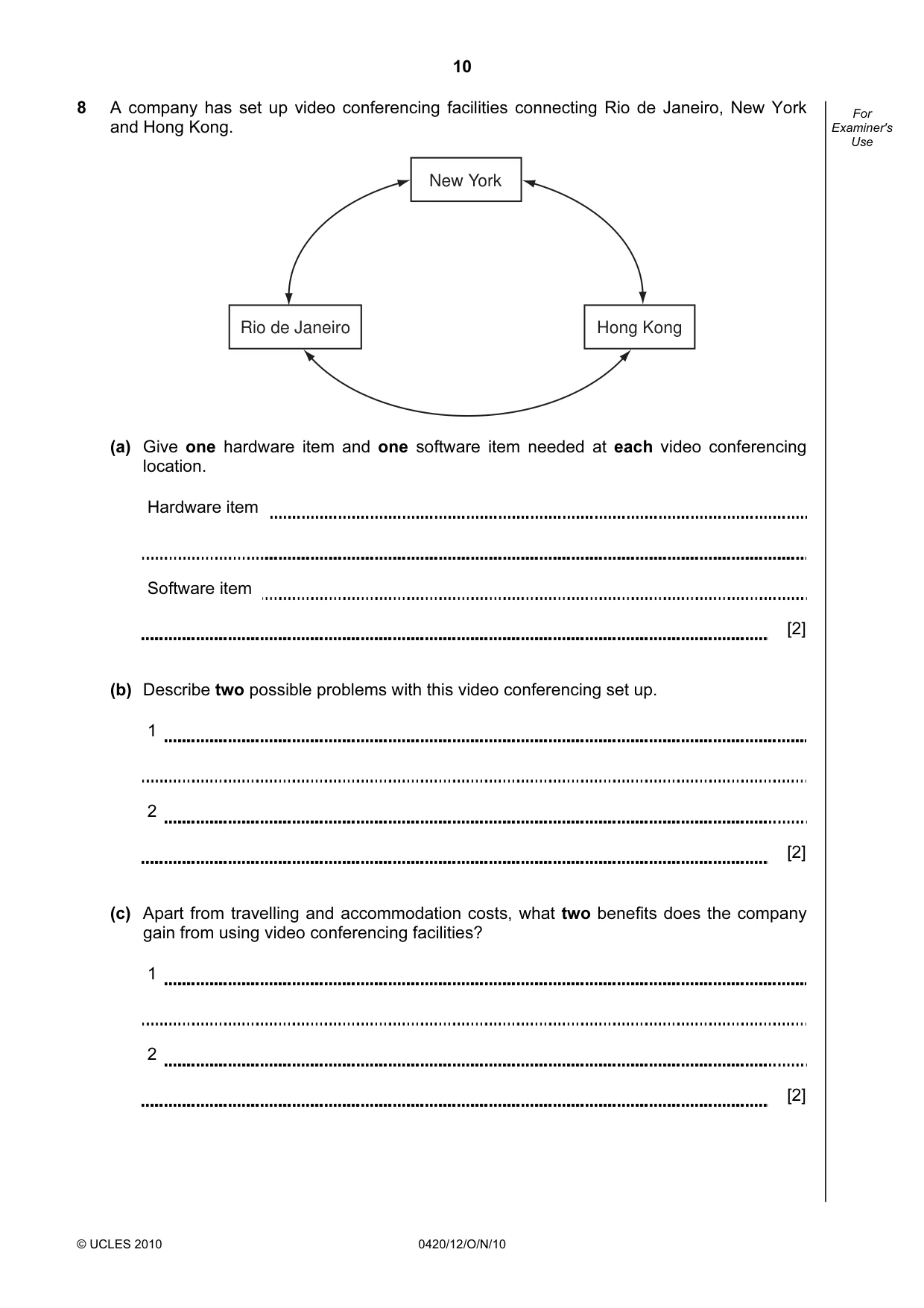
10 © UCLES 2010 0420/12/O/N/10 For Examiner's Use 8 A company has set up video conferencing facilities connecting Rio de Janeiro, New York and Hong Kong. Hong Kong New York Rio de Janeiro (a) Give one hardware item and one software item needed at each video conferencing location. Hardware item Software item [2] (b) Describe two possible problems with this video conferencing set up. 1 2 [2] (c) Apart from travelling and accommodation costs, what two benefits does the company gain from using video conferencing facilities? 1 2 [2]
Question paper, page 11
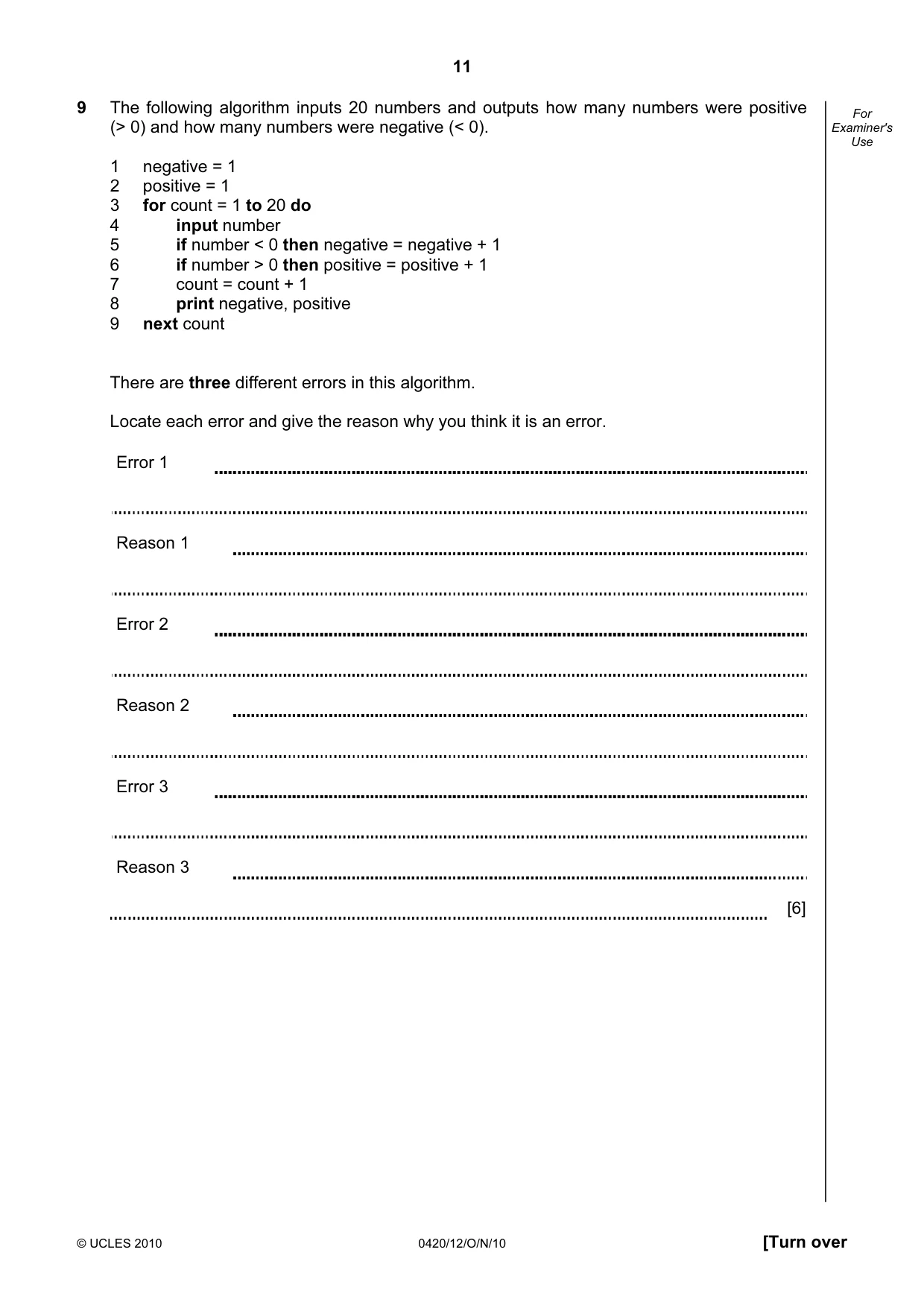
11 © UCLES 2010 0420/12/O/N/10 [Turn over For Examiner's Use 9 The following algorithm inputs 20 numbers and outputs how many numbers were positive (> 0) and how many numbers were negative (< 0). 1 negative = 1 2 positive = 1 3 for count = 1 to 20 do 4 input number 5 if number < 0 then negative = negative + 1 6 if number > 0 then positive = positive + 1 7 count = count + 1 8 print negative, positive 9 next count There are three different errors in this algorithm. Locate each error and give the reason why you think it is an error. Error 1 Reason 1 Error 2 Reason 2 Error 3 Reason 3 [6]
Question paper, page 12
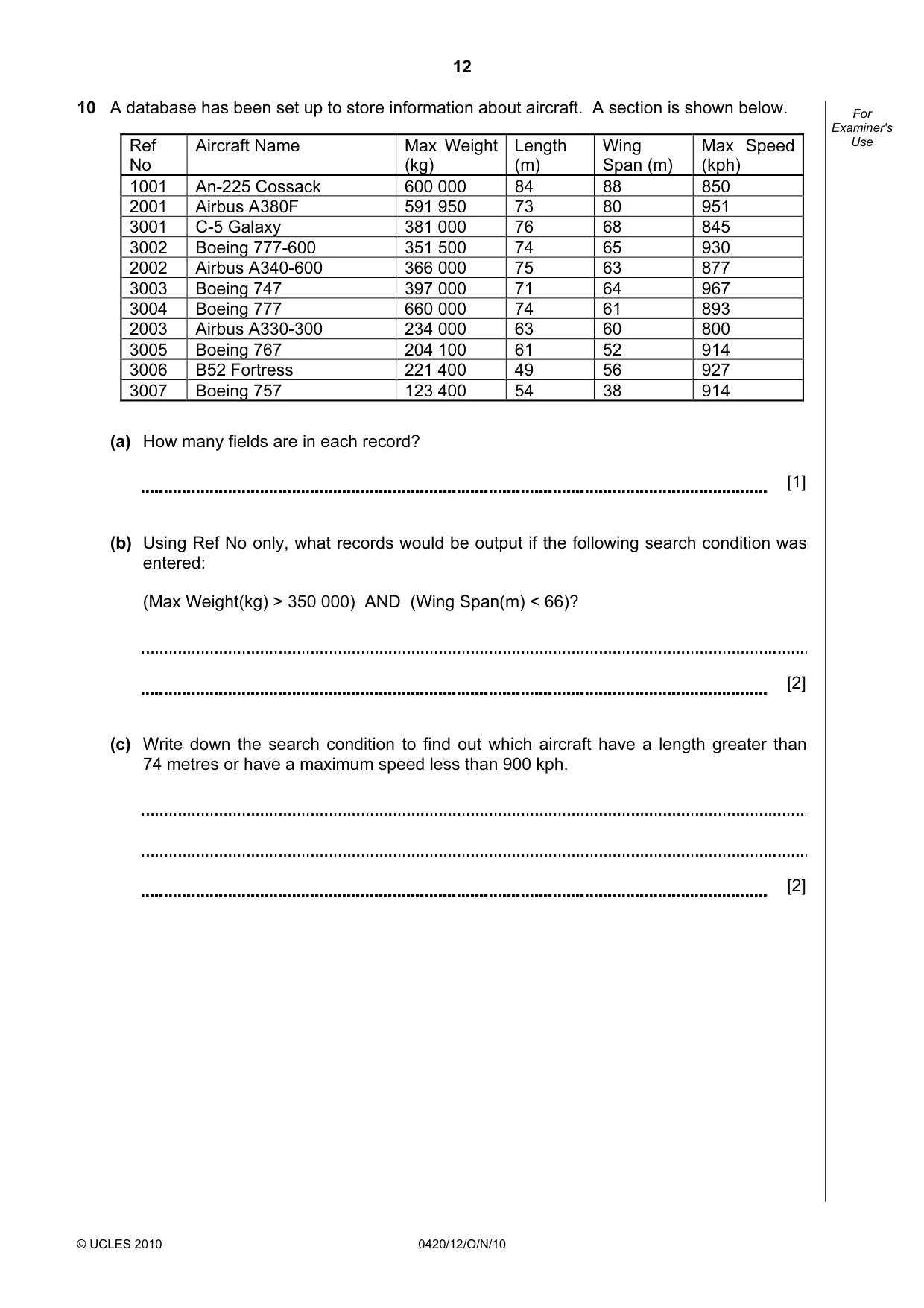
12 © UCLES 2010 0420/12/O/N/10 For Examiner's Use 10 A database has been set up to store information about aircraft. A section is shown below. (a) How many fields are in each record? [1] (b) Using Ref No only, what records would be output if the following search condition was entered: (Max Weight(kg) > 350 000) AND (Wing Span(m) < 66)? [2] (c) Write down the search condition to find out which aircraft have a length greater than 74 metres or have a maximum speed less than 900 kph. [2] Ref No Aircraft Name Max Weight (kg) Length (m) Wing Span (m) Max Speed (kph) 1001 An-225 Cossack 600 000 84 88 850 2001 Airbus A380F 591 950 73 80 951 3001 C-5 Galaxy 381 000 76 68 845 3002 Boeing 777-600 351 500 74 65 930 2002 Airbus A340-600 366 000 75 63 877 3003 Boeing 747 397 000 71 64 967 3004 Boeing 777 660 000 74 61 893 2003 Airbus A330-300 234 000 63 60 800 3005 Boeing 767 204 100 61 52 914 3006 B52 Fortress 221 400 49 56 927 3007 Boeing 757 123 400 54 38 914
Question paper, page 13
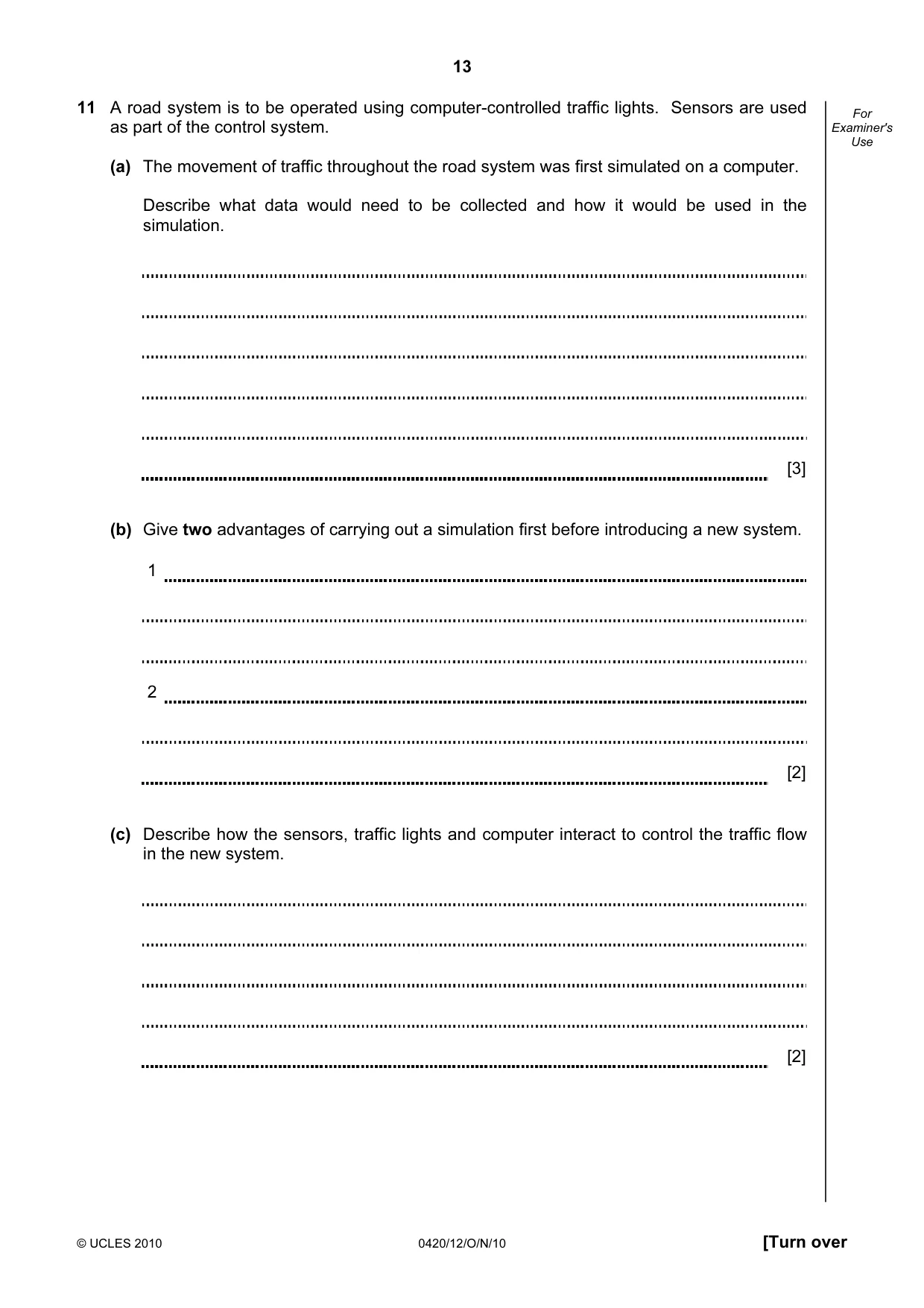
13 © UCLES 2010 0420/12/O/N/10 [Turn over For Examiner's Use 11 A road system is to be operated using computer-controlled traffic lights. Sensors are used as part of the control system. (a) The movement of traffic throughout the road system was first simulated on a computer. Describe what data would need to be collected and how it would be used in the simulation. [3] (b) Give two advantages of carrying out a simulation first before introducing a new system. 1 2 [2] (c) Describe how the sensors, traffic lights and computer interact to control the traffic flow in the new system. [2]
Question paper, page 14
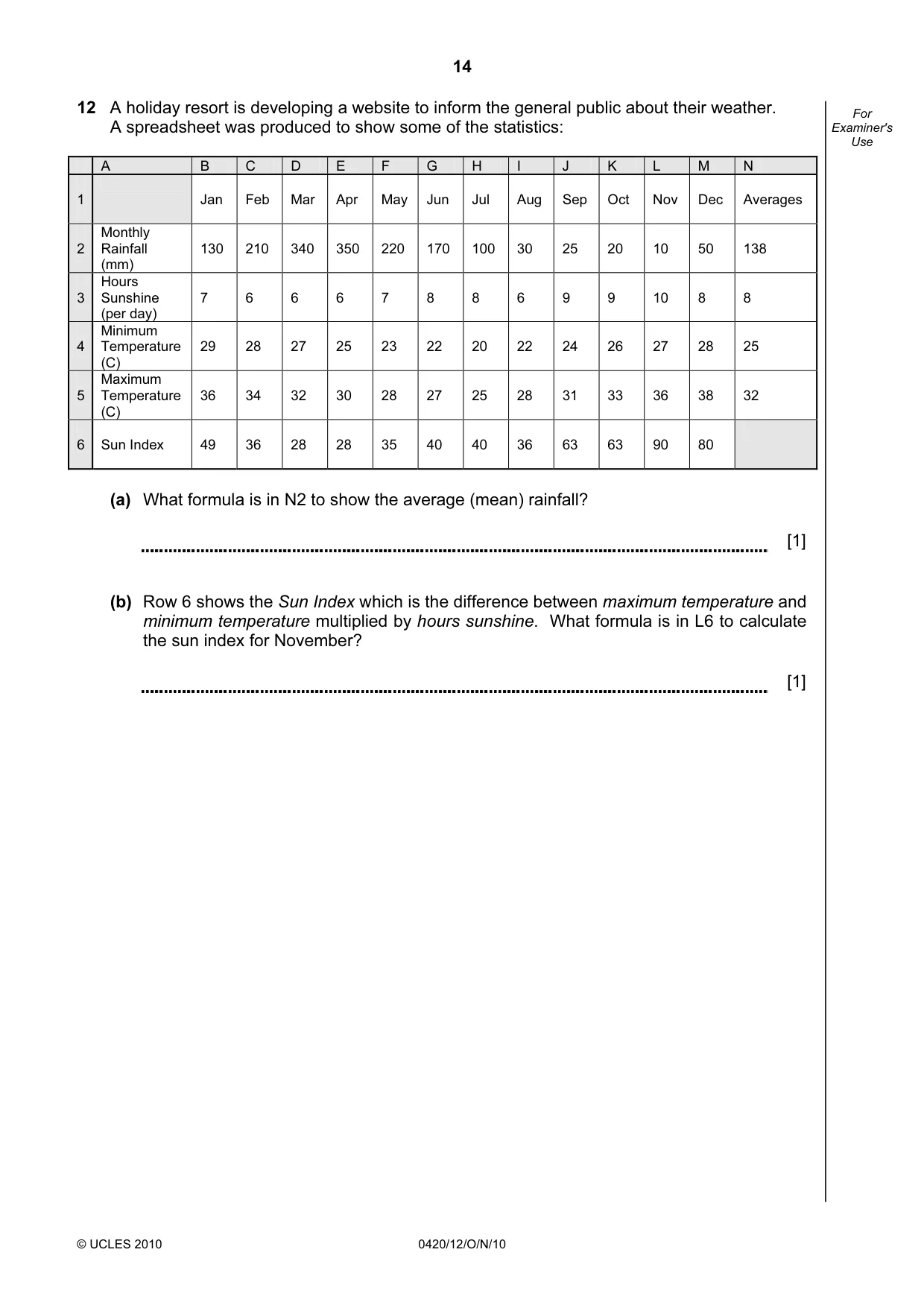
14 © UCLES 2010 0420/12/O/N/10 For Examiner's Use 12 A holiday resort is developing a website to inform the general public about their weather. A spreadsheet was produced to show some of the statistics: A B C D E F G H I J K L M N 1 Jan Feb Mar Apr May Jun Jul Aug Sep Oct Nov Dec Averages 2 Monthly Rainfall (mm) 130 210 340 350 220 170 100 30 25 20 10 50 138 3 Hours Sunshine (per day) 7 6 6 6 7 8 8 6 9 9 10 8 8 4 Minimum Temperature (C) 29 28 27 25 23 22 20 22 24 26 27 28 25 5 Maximum Temperature (C) 36 34 32 30 28 27 25 28 31 33 36 38 32 6 Sun Index 49 36 28 28 35 40 40 36 63 63 90 80 (a) What formula is in N2 to show the average (mean) rainfall? [1] (b) Row 6 shows the Sun Index which is the difference between maximum temperature and minimum temperature multiplied by hours sunshine. What formula is in L6 to calculate the sun index for November? [1]
Question paper, page 15
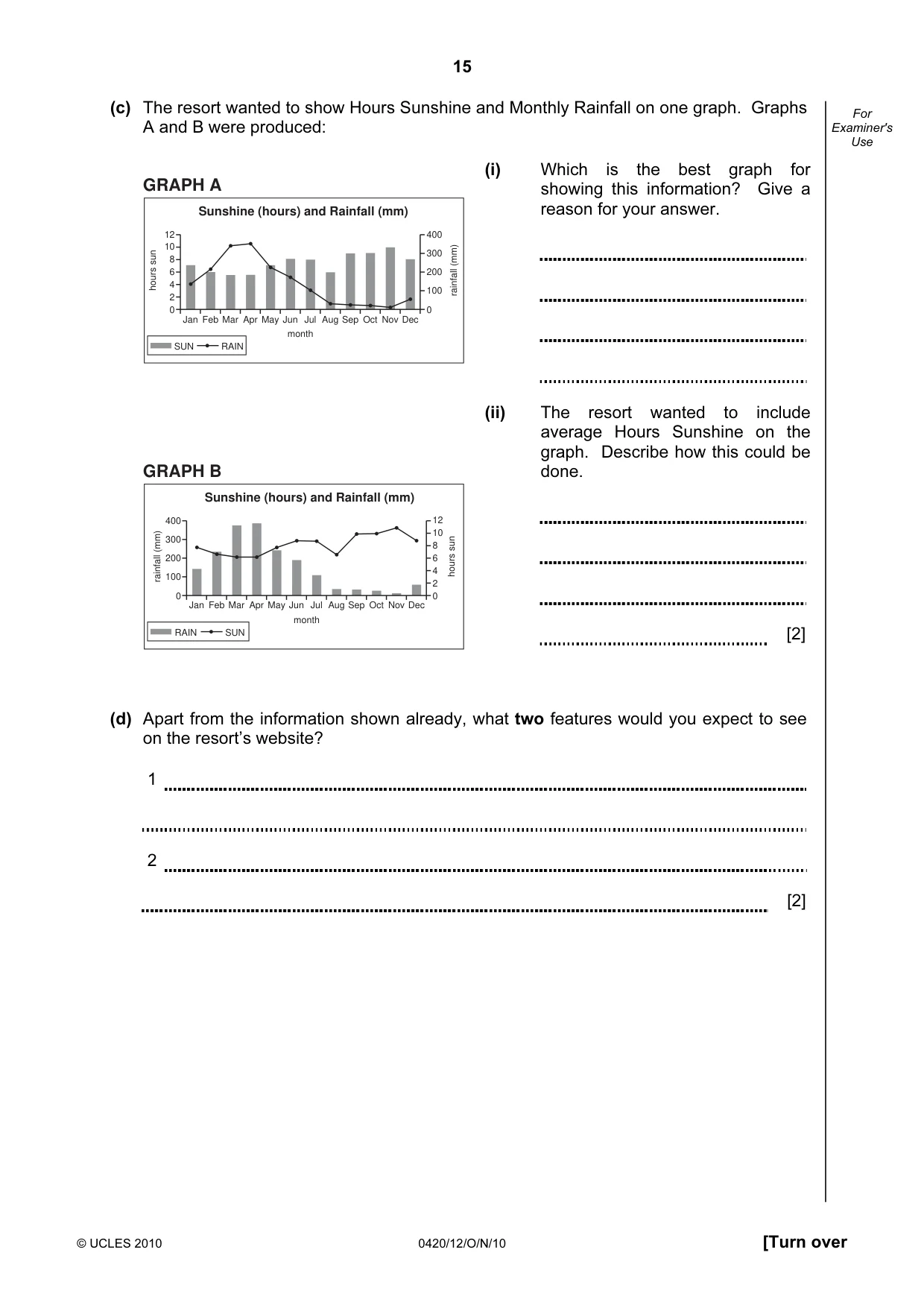
15 © UCLES 2010 0420/12/O/N/10 [Turn over For Examiner's Use (c) The resort wanted to show Hours Sunshine and Monthly Rainfall on one graph. Graphs A and B were produced: GRAPH A Sunshine (hours) and Rainfall (mm) 12 10 8 6 4 2 0 400 300 200 100 0 hours sun Jan Feb Mar Apr May Jun month Jul Aug Sep Oct Nov Dec rainfall (mm) SUN RAIN GRAPH B Sunshine (hours) and Rainfall (mm) 12 10 8 6 4 2 0 400 300 200 100 0 hours sun Jan Feb Mar Apr May Jun month Jul Aug Sep Oct Nov Dec rainfall (mm) SUN RAIN (d) Apart from the information shown already, what two features would you expect to see on the resort’s website? 1 2 [2] (i) Which is the best graph for showing this information? Give a reason for your answer. (ii) The resort wanted to include average Hours Sunshine on the graph. Describe how this could be done. [2]
Question paper, page 16
16 © UCLES 2010 0420/12/O/N/10 For Examiner's Use 13 Describe how an expert system is developed and made ready for use. [4]
Question paper, page 17
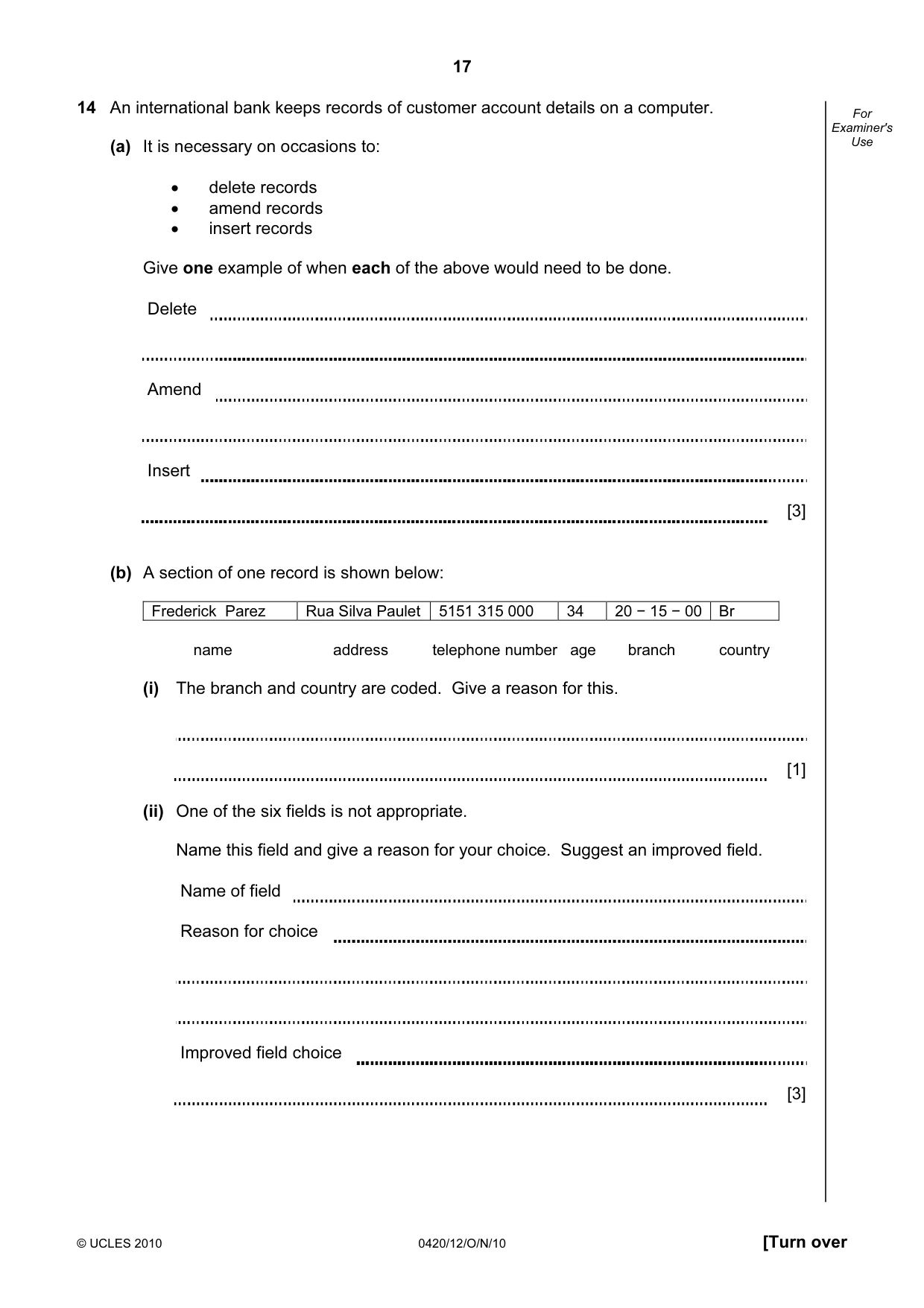
17 © UCLES 2010 0420/12/O/N/10 [Turn over For Examiner's Use 14 An international bank keeps records of customer account details on a computer. (a) It is necessary on occasions to: • delete records • amend records • insert records Give one example of when each of the above would need to be done. Delete Amend Insert [3] (b) A section of one record is shown below: Frederick Parez Rua Silva Paulet 5151 315 000 34 20 − 15 − 00 Br name address telephone number age branch country (i) The branch and country are coded. Give a reason for this. [1] (ii) One of the six fields is not appropriate. Name this field and give a reason for your choice. Suggest an improved field. Name of field Reason for choice Improved field choice [3]
Question paper, page 18
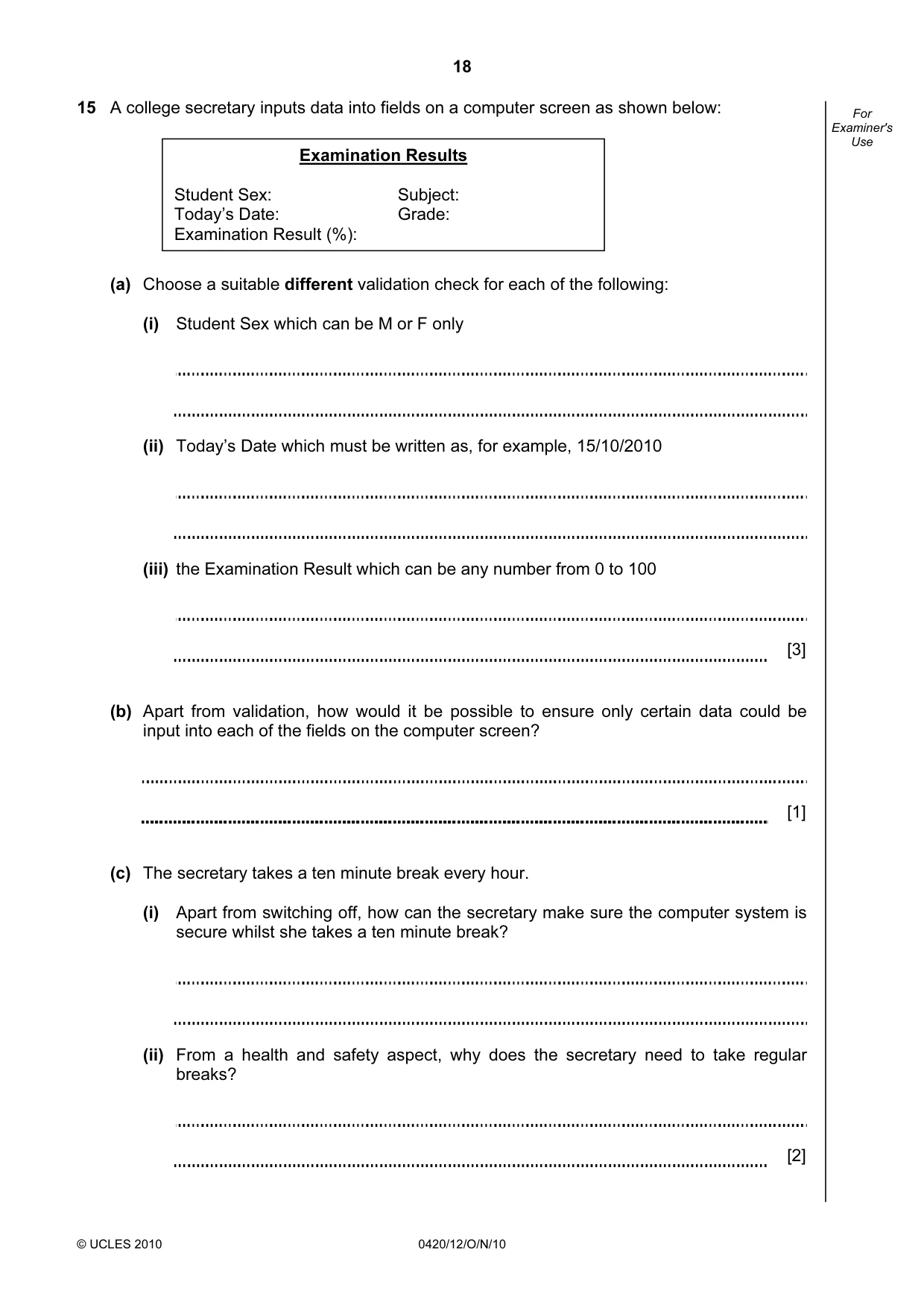
18 © UCLES 2010 0420/12/O/N/10 For Examiner's Use 15 A college secretary inputs data into fields on a computer screen as shown below: (a) Choose a suitable different validation check for each of the following: (i) Student Sex which can be M or F only (ii) Today’s Date which must be written as, for example, 15/10/2010 (iii) the Examination Result which can be any number from 0 to 100 [3] (b) Apart from validation, how would it be possible to ensure only certain data could be input into each of the fields on the computer screen? [1] (c) The secretary takes a ten minute break every hour. (i) Apart from switching off, how can the secretary make sure the computer system is secure whilst she takes a ten minute break? (ii) From a health and safety aspect, why does the secretary need to take regular breaks? [2] Examination Results Student Sex: Subject: Today’s Date: Grade: Examination Result (%):
Question paper, page 19
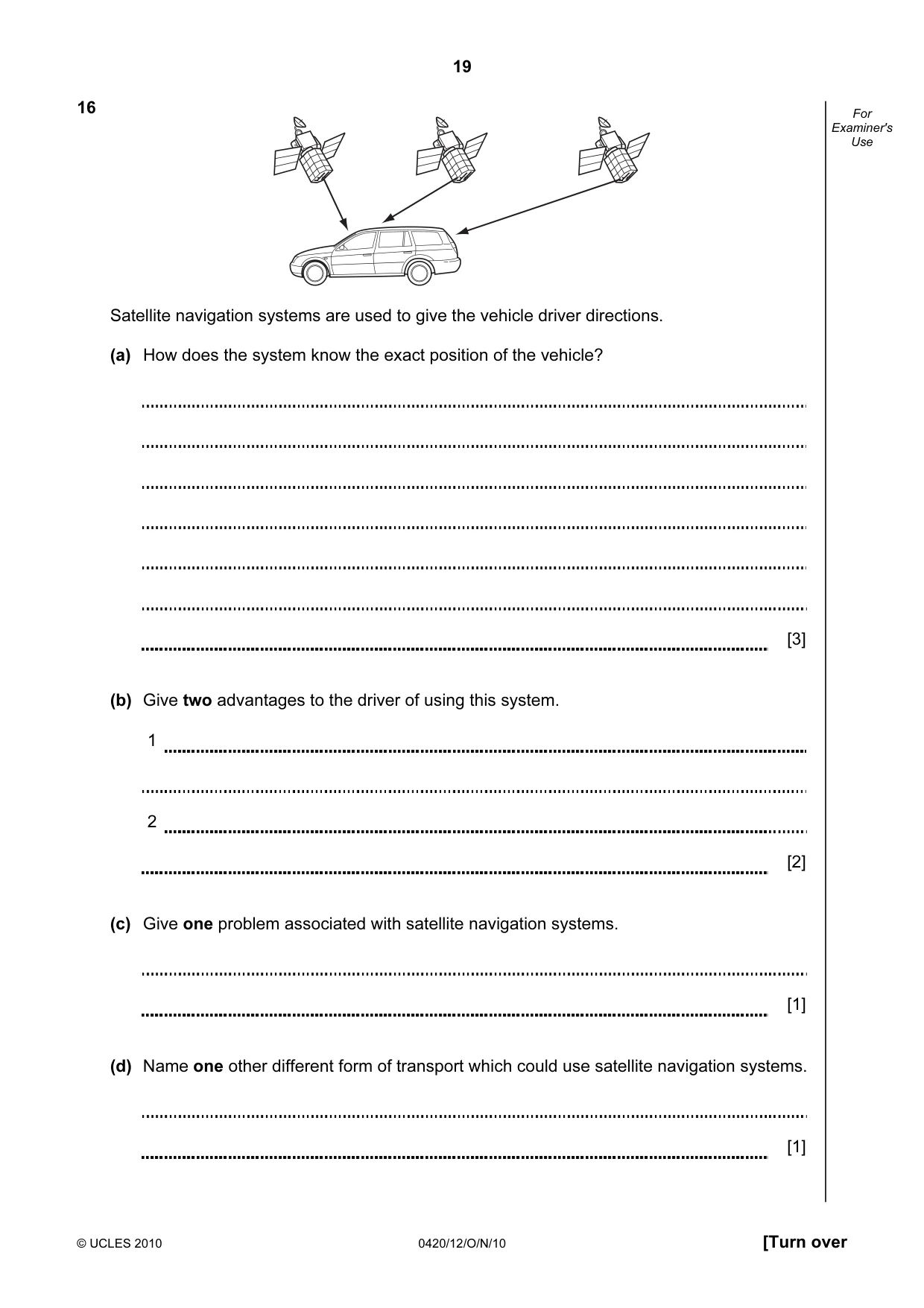
19 © UCLES 2010 0420/12/O/N/10 [Turn over For Examiner's Use 16 Satellite navigation systems are used to give the vehicle driver directions. (a) How does the system know the exact position of the vehicle? [3] (b) Give two advantages to the driver of using this system. 1 2 [2] (c) Give one problem associated with satellite navigation systems. [1] (d) Name one other different form of transport which could use satellite navigation systems. [1]
Question paper, page 20
20 Permission to reproduce items where third-party owned material protected by copyright is included has been sought and cleared where possible. Every reasonable effort has been made by the publisher (UCLES) to trace copyright holders, but if any items requiring clearance have unwittingly been included, the publisher will be pleased to make amends at the earliest possible opportunity. University of Cambridge International Examinations is part of the Cambridge Assessment Group. Cambridge Assessment is the brand name of University of Cambridge Local Examinations Syndicate (UCLES), which is itself a department of the University of Cambridge. © UCLES 2010 0420/12/O/N/10 For Examiner's Use 17 A school is doing a check on the heights and weights of all its students. The school has 1000 students. Write an algorithm, using pseudocode or a flowchart, which • inputs the height and weight of all 1000 students • outputs the average (mean) height and weight • includes any necessary error traps for the input of height and weight [5]
Mark scheme, page 1
UNIVERSITY OF CAMBRIDGE INTERNATIONAL EXAMINATIONS International General Certificate of Secondary Education MARK SCHEME for the October/November 2010 question paper for the guidance of teachers 0420 COMPUTER STUDIES 0420/12 Paper 1, maximum raw mark 100 This mark scheme is published as an aid to teachers and candidates, to indicate the requirements of the examination. It shows the basis on which Examiners were instructed to award marks. It does not indicate the details of the discussions that took place at an Examiners’ meeting before marking began, which would have considered the acceptability of alternative answers. Mark schemes must be read in conjunction with the question papers and the report on the examination. • CIE will not enter into discussions or correspondence in connection with these mark schemes. CIE is publishing the mark schemes for the October/November 2010 question papers for most IGCSE, GCE Advanced Level and Advanced Subsidiary Level syllabuses and some Ordinary Level syllabuses. www.XtremePapers.com
Mark scheme, page 2
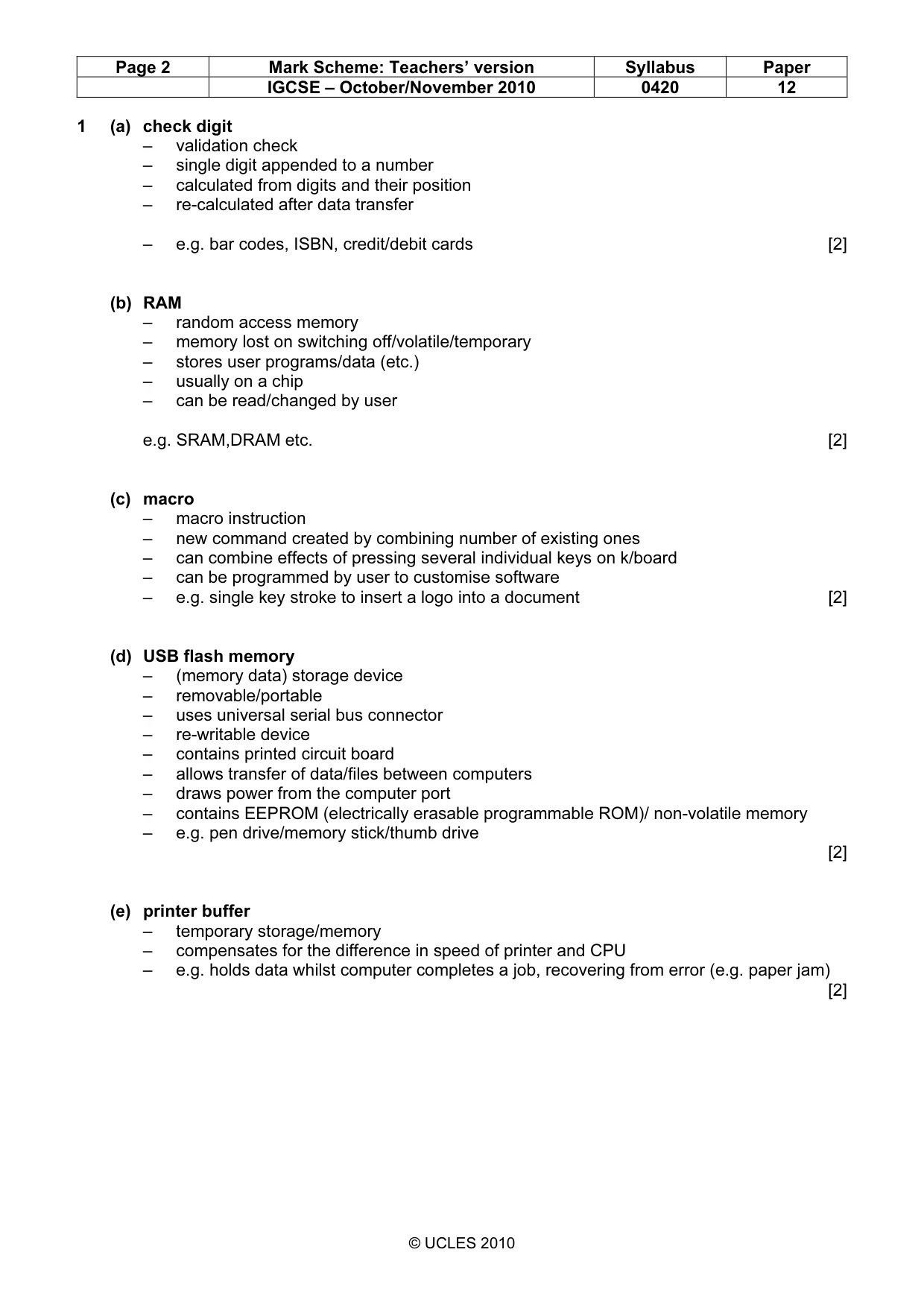
Page 2 Mark Scheme: Teachers’ version Syllabus Paper IGCSE – October/November 2010 0420 12 © UCLES 2010 1 (a) check digit – validation check – single digit appended to a number – calculated from digits and their position – re-calculated after data transfer – e.g. bar codes, ISBN, credit/debit cards [2] (b) RAM – random access memory – memory lost on switching off/volatile/temporary – stores user programs/data (etc.) – usually on a chip – can be read/changed by user e.g. SRAM,DRAM etc. [2] (c) macro – macro instruction – new command created by combining number of existing ones – can combine effects of pressing several individual keys on k/board – can be programmed by user to customise software – e.g. single key stroke to insert a logo into a document [2] (d) USB flash memory – (memory data) storage device – removable/portable – uses universal serial bus connector – re-writable device – contains printed circuit board – allows transfer of data/files between computers – draws power from the computer port – contains EEPROM (electrically erasable programmable ROM)/ non-volatile memory – e.g. pen drive/memory stick/thumb drive [2] (e) printer buffer – temporary storage/memory – compensates for the difference in speed of printer and CPU – e.g. holds data whilst computer completes a job, recovering from error (e.g. paper jam) [2]
Mark scheme, page 3
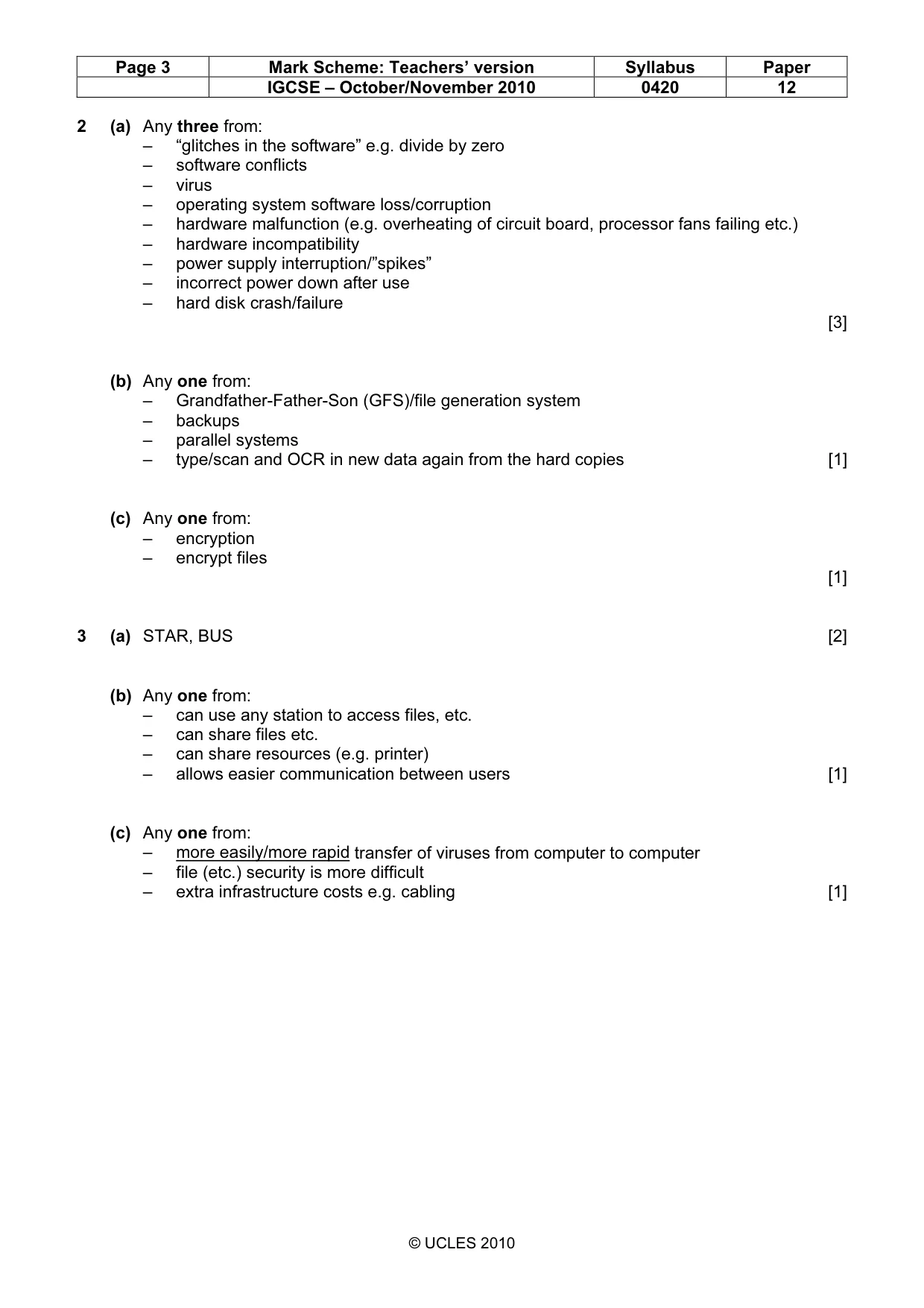
Page 3 Mark Scheme: Teachers’ version Syllabus Paper IGCSE – October/November 2010 0420 12 © UCLES 2010 2 (a) Any three from: – “glitches in the software” e.g. divide by zero – software conflicts – virus – operating system software loss/corruption – hardware malfunction (e.g. overheating of circuit board, processor fans failing etc.) – hardware incompatibility – power supply interruption/”spikes” – incorrect power down after use – hard disk crash/failure [3] (b) Any one from: – Grandfather-Father-Son (GFS)/file generation system – backups – parallel systems – type/scan and OCR in new data again from the hard copies [1] (c) Any one from: – encryption – encrypt files [1] 3 (a) STAR, BUS [2] (b) Any one from: – can use any station to access files, etc. – can share files etc. – can share resources (e.g. printer) – allows easier communication between users [1] (c) Any one from: – more easily/more rapid transfer of viruses from computer to computer – file (etc.) security is more difficult – extra infrastructure costs e.g. cabling [1]
Mark scheme, page 4
Page 4 Mark Scheme: Teachers’ version Syllabus Paper IGCSE – October/November 2010 0420 12 © UCLES 2010 4 (a) 1 Access not allowed 2 Allow access 3 Do user id and password match 4 Enter password 5 Error message 6 Error message 7 Three attempts [3] (b) verification [1] Enter user id 4 5 (or 6) 3 7 1 2 STOP 6 (or 5) Yes No No Yes 1 mark 1 mark 1 mark START
Mark scheme, page 5
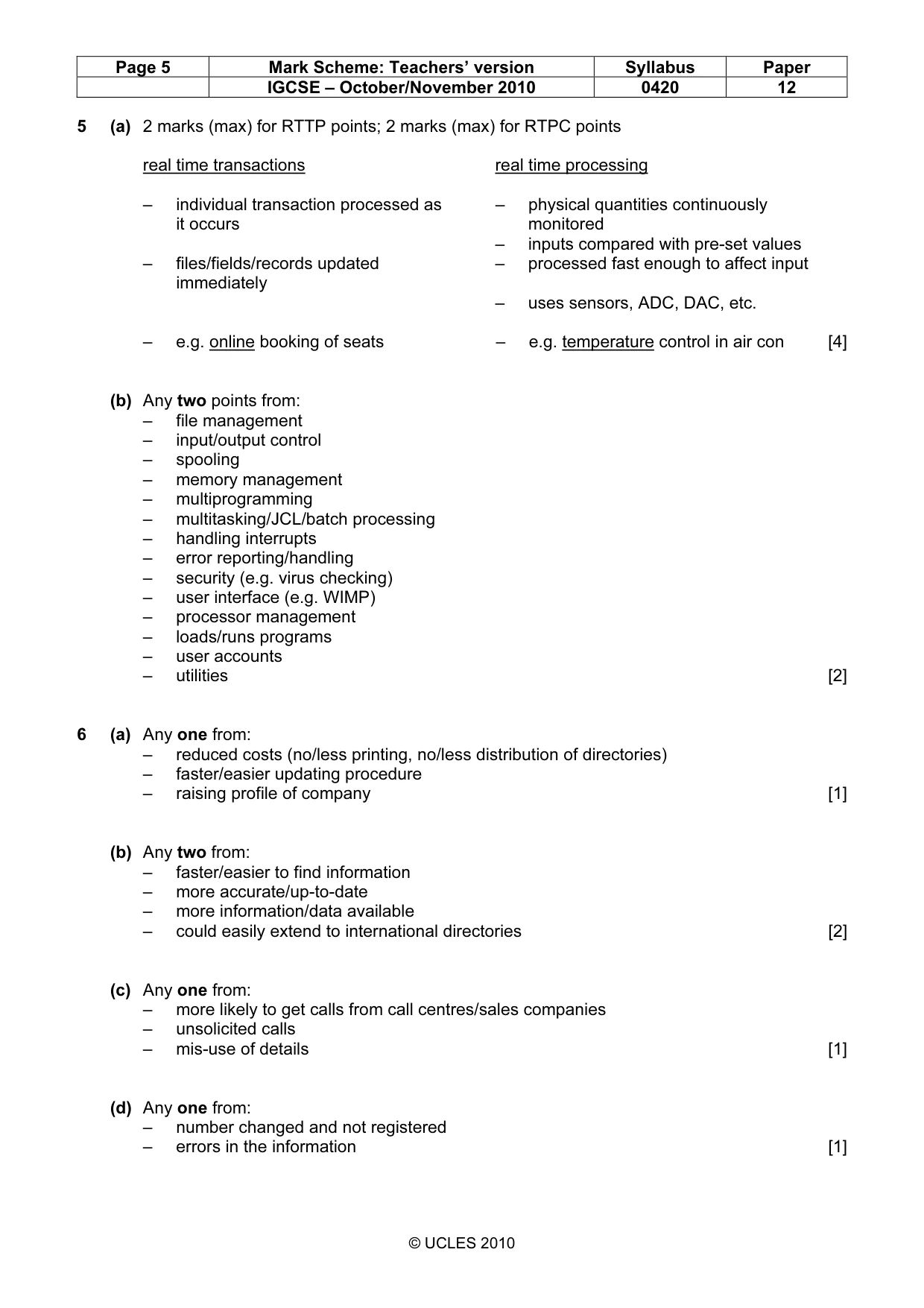
Page 5 Mark Scheme: Teachers’ version Syllabus Paper IGCSE – October/November 2010 0420 12 © UCLES 2010 5 (a) 2 marks (max) for RTTP points; 2 marks (max) for RTPC points real time transactions real time processing – individual transaction processed as – physical quantities continuously it occurs monitored – inputs compared with pre-set values – files/fields/records updated – processed fast enough to affect input immediately – uses sensors, ADC, DAC, etc. – e.g. online booking of seats – e.g. temperature control in air con [4] (b) Any two points from: – file management – input/output control – spooling – memory management – multiprogramming – multitasking/JCL/batch processing – handling interrupts – error reporting/handling – security (e.g. virus checking) – user interface (e.g. WIMP) – processor management – loads/runs programs – user accounts – utilities [2] 6 (a) Any one from: – reduced costs (no/less printing, no/less distribution of directories) – faster/easier updating procedure – raising profile of company [1] (b) Any two from: – faster/easier to find information – more accurate/up-to-date – more information/data available – could easily extend to international directories [2] (c) Any one from: – more likely to get calls from call centres/sales companies – unsolicited calls – mis-use of details [1] (d) Any one from: – number changed and not registered – errors in the information [1]
Mark scheme, page 6
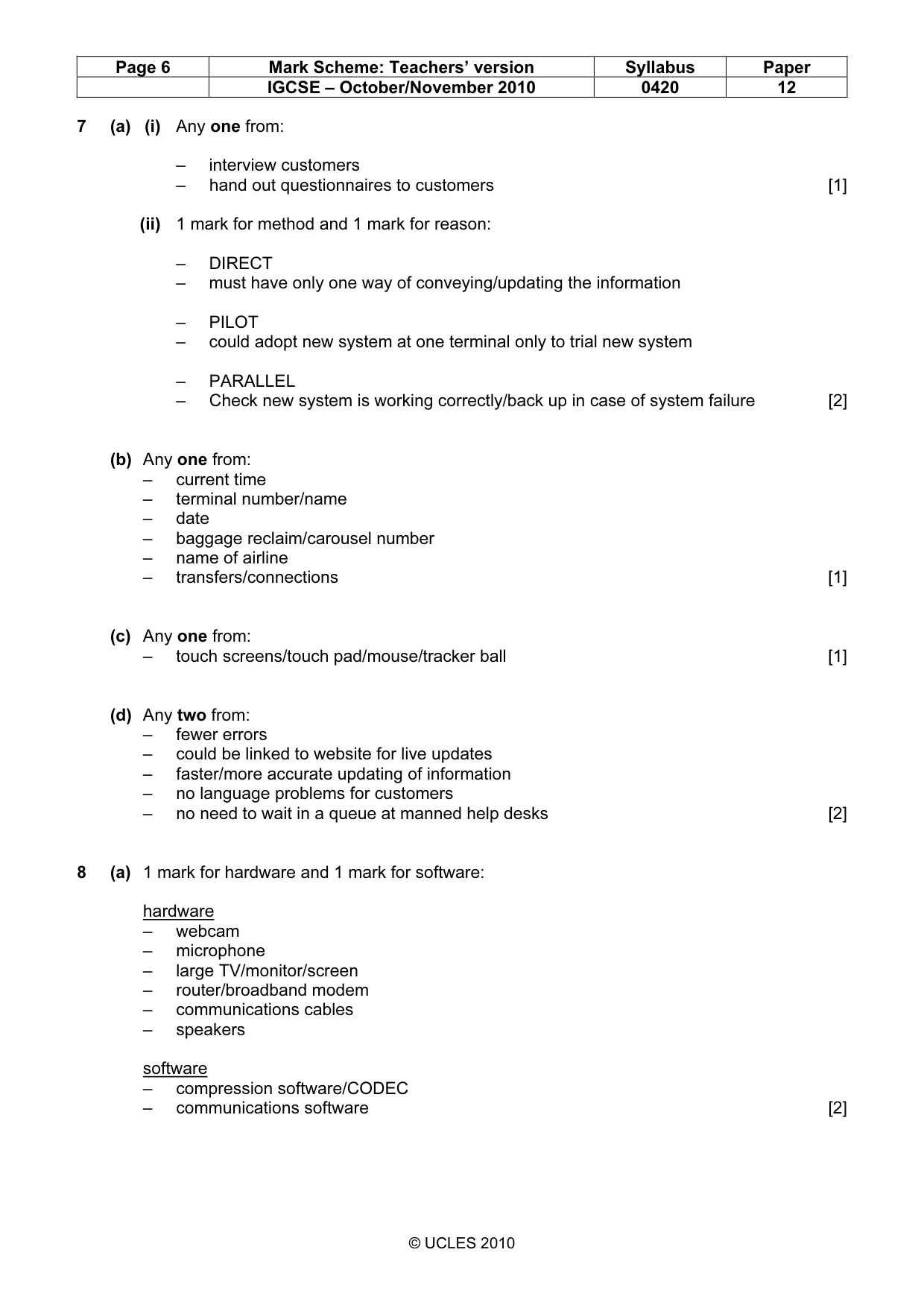
Page 6 Mark Scheme: Teachers’ version Syllabus Paper IGCSE – October/November 2010 0420 12 © UCLES 2010 7 (a) (i) Any one from: – interview customers – hand out questionnaires to customers [1] (ii) 1 mark for method and 1 mark for reason: – DIRECT – must have only one way of conveying/updating the information – PILOT – could adopt new system at one terminal only to trial new system – PARALLEL – Check new system is working correctly/back up in case of system failure [2] (b) Any one from: – current time – terminal number/name – date – baggage reclaim/carousel number – name of airline – transfers/connections [1] (c) Any one from: – touch screens/touch pad/mouse/tracker ball [1] (d) Any two from: – fewer errors – could be linked to website for live updates – faster/more accurate updating of information – no language problems for customers – no need to wait in a queue at manned help desks [2] 8 (a) 1 mark for hardware and 1 mark for software: hardware – webcam – microphone – large TV/monitor/screen – router/broadband modem – communications cables – speakers software – compression software/CODEC – communications software [2]
Mark scheme, page 7
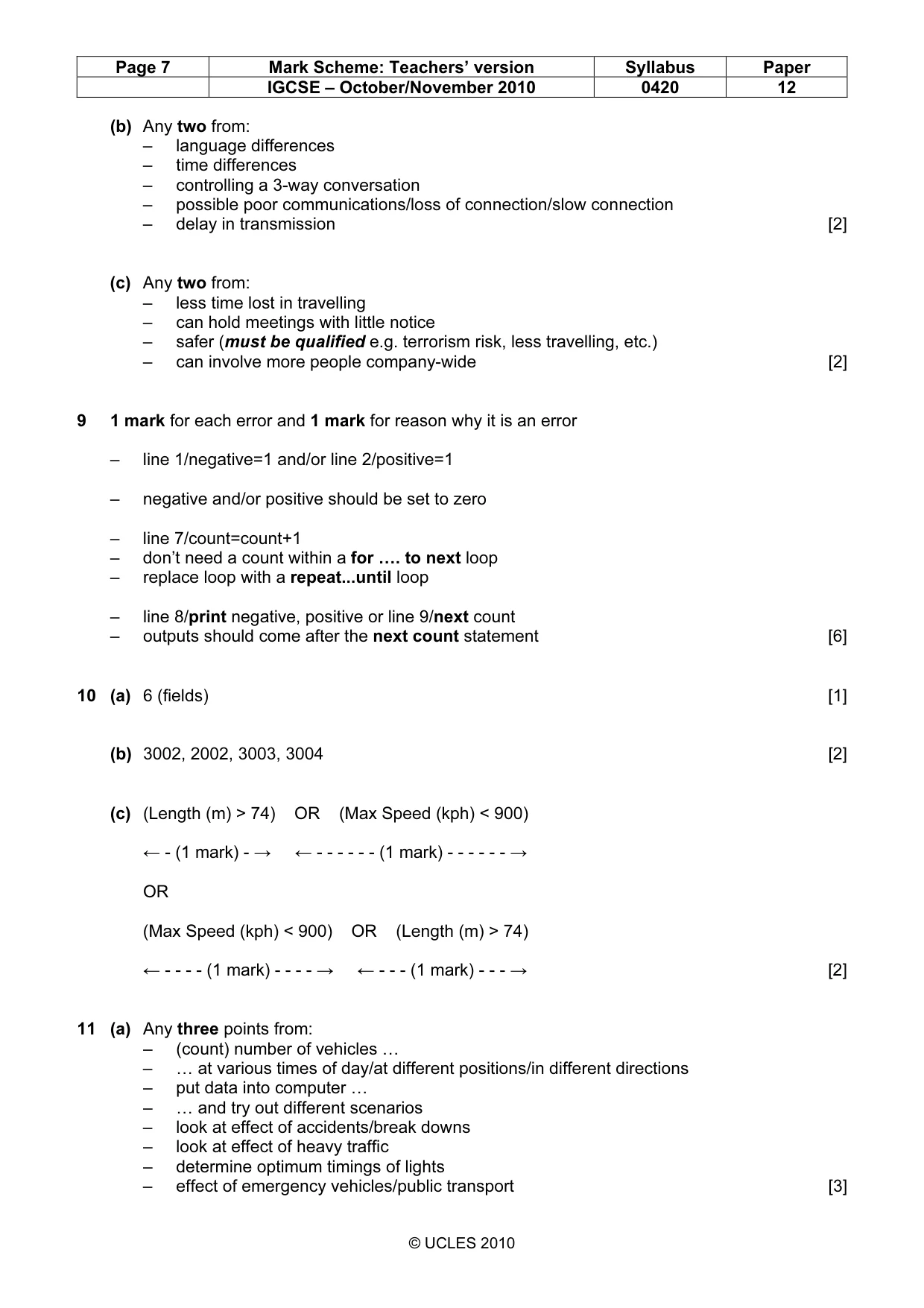
Page 7 Mark Scheme: Teachers’ version Syllabus Paper IGCSE – October/November 2010 0420 12 © UCLES 2010 (b) Any two from: – language differences – time differences – controlling a 3-way conversation – possible poor communications/loss of connection/slow connection – delay in transmission [2] (c) Any two from: – less time lost in travelling – can hold meetings with little notice – safer (must be qualified e.g. terrorism risk, less travelling, etc.) – can involve more people company-wide [2] 9 1 mark for each error and 1 mark for reason why it is an error – line 1/negative=1 and/or line 2/positive=1 – negative and/or positive should be set to zero – line 7/count=count+1 – don’t need a count within a for …. to next loop – replace loop with a repeat...until loop – line 8/print negative, positive or line 9/next count – outputs should come after the next count statement [6] 10 (a) 6 (fields) [1] (b) 3002, 2002, 3003, 3004 [2] (c) (Length (m) > 74) OR (Max Speed (kph) < 900) ← - (1 mark) - → ← - - - - - - (1 mark) - - - - - - → OR (Max Speed (kph) < 900) OR (Length (m) > 74) ← - - - - (1 mark) - - - - → ← - - - (1 mark) - - - → [2] 11 (a) Any three points from: – (count) number of vehicles … – … at various times of day/at different positions/in different directions – put data into computer … – … and try out different scenarios – look at effect of accidents/break downs – look at effect of heavy traffic – determine optimum timings of lights – effect of emergency vehicles/public transport [3]
Mark scheme, page 8
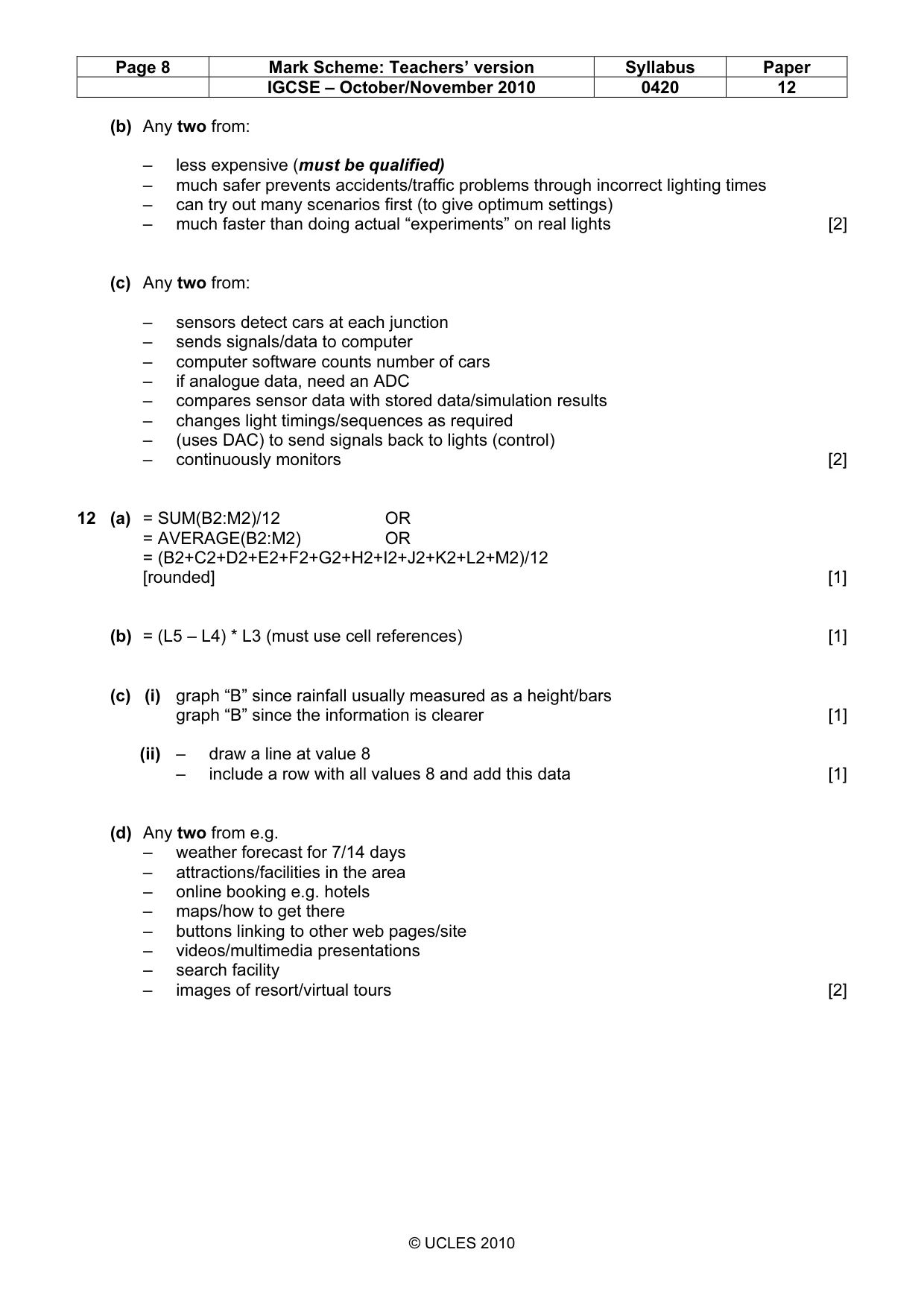
Page 8 Mark Scheme: Teachers’ version Syllabus Paper IGCSE – October/November 2010 0420 12 © UCLES 2010 (b) Any two from: – less expensive (must be qualified) – much safer prevents accidents/traffic problems through incorrect lighting times – can try out many scenarios first (to give optimum settings) – much faster than doing actual “experiments” on real lights [2] (c) Any two from: – sensors detect cars at each junction – sends signals/data to computer – computer software counts number of cars – if analogue data, need an ADC – compares sensor data with stored data/simulation results – changes light timings/sequences as required – (uses DAC) to send signals back to lights (control) – continuously monitors [2] 12 (a) = SUM(B2:M2)/12 OR = AVERAGE(B2:M2) OR = (B2+C2+D2+E2+F2+G2+H2+I2+J2+K2+L2+M2)/12 [rounded] [1] (b) = (L5 – L4) * L3 (must use cell references) [1] (c) (i) graph “B” since rainfall usually measured as a height/bars graph “B” since the information is clearer [1] (ii) – draw a line at value 8 – include a row with all values 8 and add this data [1] (d) Any two from e.g. – weather forecast for 7/14 days – attractions/facilities in the area – online booking e.g. hotels – maps/how to get there – buttons linking to other web pages/site – videos/multimedia presentations – search facility – images of resort/virtual tours [2]
Mark scheme, page 9
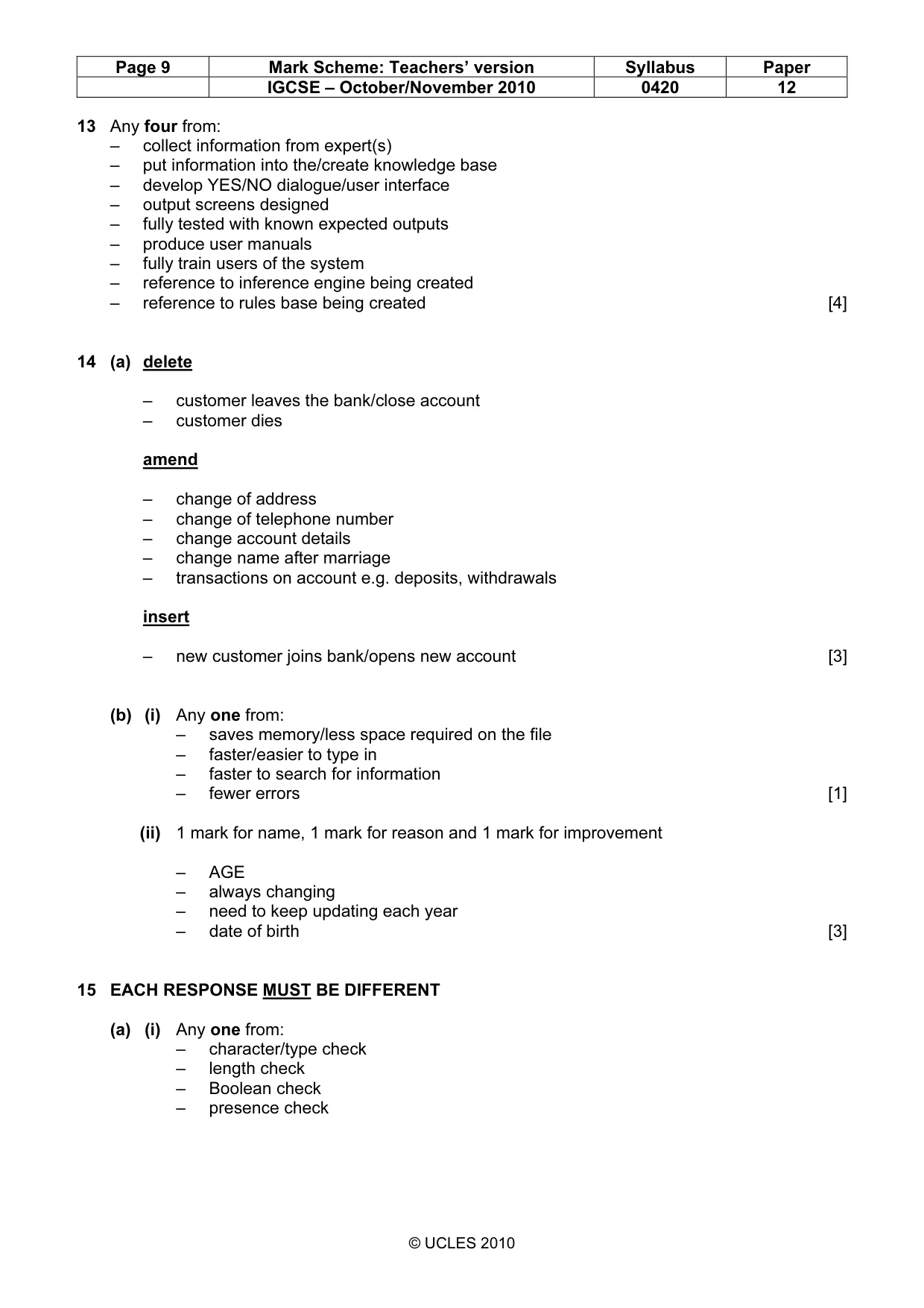
Page 9 Mark Scheme: Teachers’ version Syllabus Paper IGCSE – October/November 2010 0420 12 © UCLES 2010 13 Any four from: – collect information from expert(s) – put information into the/create knowledge base – develop YES/NO dialogue/user interface – output screens designed – fully tested with known expected outputs – produce user manuals – fully train users of the system – reference to inference engine being created – reference to rules base being created [4] 14 (a) delete – customer leaves the bank/close account – customer dies amend – change of address – change of telephone number – change account details – change name after marriage – transactions on account e.g. deposits, withdrawals insert – new customer joins bank/opens new account [3] (b) (i) Any one from: – saves memory/less space required on the file – faster/easier to type in – faster to search for information – fewer errors [1] (ii) 1 mark for name, 1 mark for reason and 1 mark for improvement – AGE – always changing – need to keep updating each year – date of birth [3] 15 EACH RESPONSE MUST BE DIFFERENT (a) (i) Any one from: – character/type check – length check – Boolean check – presence check
Mark scheme, page 10
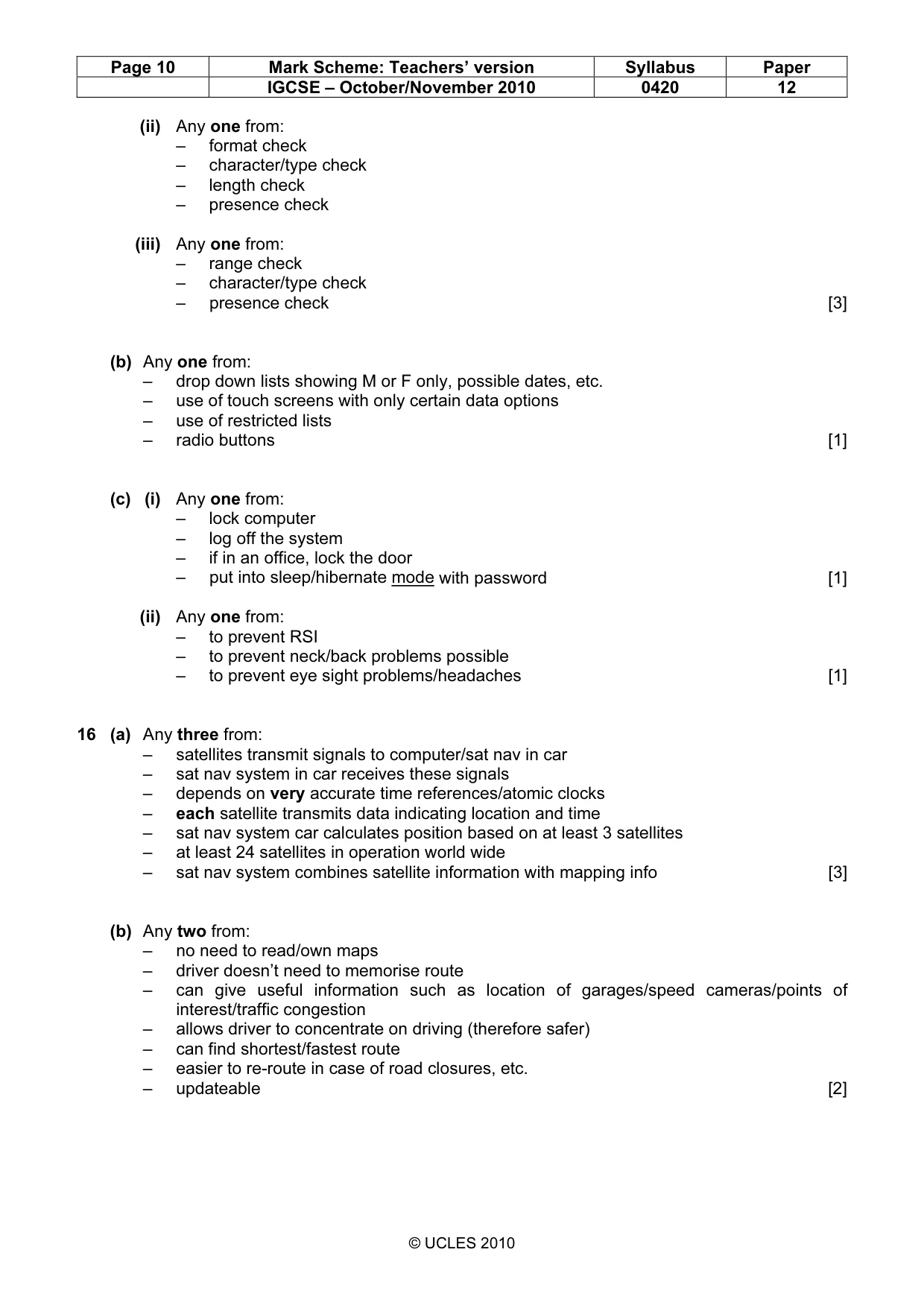
Page 10 Mark Scheme: Teachers’ version Syllabus Paper IGCSE – October/November 2010 0420 12 © UCLES 2010 (ii) Any one from: – format check – character/type check – length check – presence check (iii) Any one from: – range check – character/type check – presence check [3] (b) Any one from: – drop down lists showing M or F only, possible dates, etc. – use of touch screens with only certain data options – use of restricted lists – radio buttons [1] (c) (i) Any one from: – lock computer – log off the system – if in an office, lock the door – put into sleep/hibernate mode with password [1] (ii) Any one from: – to prevent RSI – to prevent neck/back problems possible – to prevent eye sight problems/headaches [1] 16 (a) Any three from: – satellites transmit signals to computer/sat nav in car – sat nav system in car receives these signals – depends on very accurate time references/atomic clocks – each satellite transmits data indicating location and time – sat nav system car calculates position based on at least 3 satellites – at least 24 satellites in operation world wide – sat nav system combines satellite information with mapping info [3] (b) Any two from: – no need to read/own maps – driver doesn’t need to memorise route – can give useful information such as location of garages/speed cameras/points of interest/traffic congestion – allows driver to concentrate on driving (therefore safer) – can find shortest/fastest route – easier to re-route in case of road closures, etc. – updateable [2]
Mark scheme, page 11
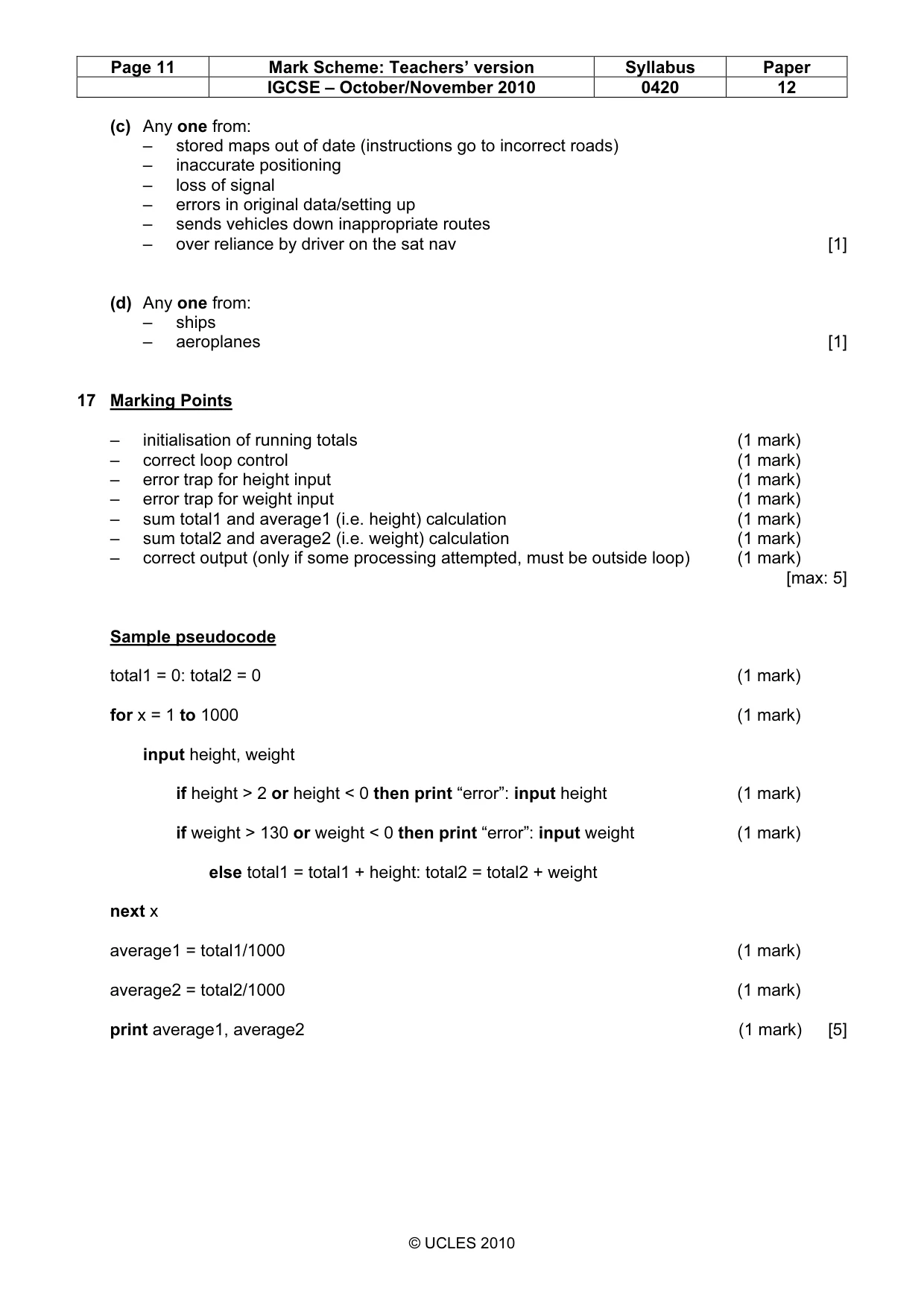
Page 11 Mark Scheme: Teachers’ version Syllabus Paper IGCSE – October/November 2010 0420 12 © UCLES 2010 (c) Any one from: – stored maps out of date (instructions go to incorrect roads) – inaccurate positioning – loss of signal – errors in original data/setting up – sends vehicles down inappropriate routes – over reliance by driver on the sat nav [1] (d) Any one from: – ships – aeroplanes [1] 17 Marking Points – initialisation of running totals (1 mark) – correct loop control (1 mark) – error trap for height input (1 mark) – error trap for weight input (1 mark) – sum total1 and average1 (i.e. height) calculation (1 mark) – sum total2 and average2 (i.e. weight) calculation (1 mark) – correct output (only if some processing attempted, must be outside loop) (1 mark) [max: 5] Sample pseudocode total1 = 0: total2 = 0 (1 mark) for x = 1 to 1000 (1 mark) input height, weight if height > 2 or height < 0 then print “error”: input height (1 mark) if weight > 130 or weight < 0 then print “error”: input weight (1 mark) else total1 = total1 + height: total2 = total2 + weight next x average1 = total1/1000 (1 mark) average2 = total2/1000 (1 mark) print average1, average2 (1 mark) [5]
What you needed in this session
Cambridge’s own grade thresholds for 2010 Oct/Nov, Paper 1 · Variant 2. A higher threshold means an easier paper — the bar moves with how the cohort did.