Cambridge IGCSE Computer Studies 0420 — 2006 Oct/Nov Paper 1 · Variant 1
0420/11/O/N/06 · 100 marks · ≈113 min
The question paper and its mark scheme, free to read here and free to download. This is Cambridge’s own paper, exactly as it was sat.
Question paper20 pages








Mark scheme14 pages
Answers below. Sit the paper first if you are practising.
Paper as text
Question paper, page 1
This document consists of 18 printed pages and 2 blank pages. IB06 11_0420_01/3RP UCLES 2006 [Turn over UNIVERSITY OF CAMBRIDGE INTERNATIONAL EXAMINATIONS International General Certificate of Secondary Education COMPUTER STUDIES Paper 1 0420/01 October/November 2006 2 hour 30 minutes Candidates answer on the Question Paper. No Additional Materials required. READ THESE INSTRUCTIONS FIRST Write your Centre number, candidate number and name on all the work you hand in. Write in dark blue or black pen. You may use a pencil for any diagrams, graphs or rough working. Do not use staples, paper clips, highlighters, glue or correction fluid. DO NOT WRITE IN THE BARCODE. DO NOT WRITE IN THE GREY AREAS BETWEEN THE PAGES. Answer all questions. No marks will be awarded for using brand names of software packages or hardware. At the end of the examination, fasten all your work securely together. The number of marks is given in brackets [ ] at the end of each question or part question. Candidate Name Centre Number Candidate Number *042001* For Examiner's Use www.XtremePapers.com
Question paper, page 2
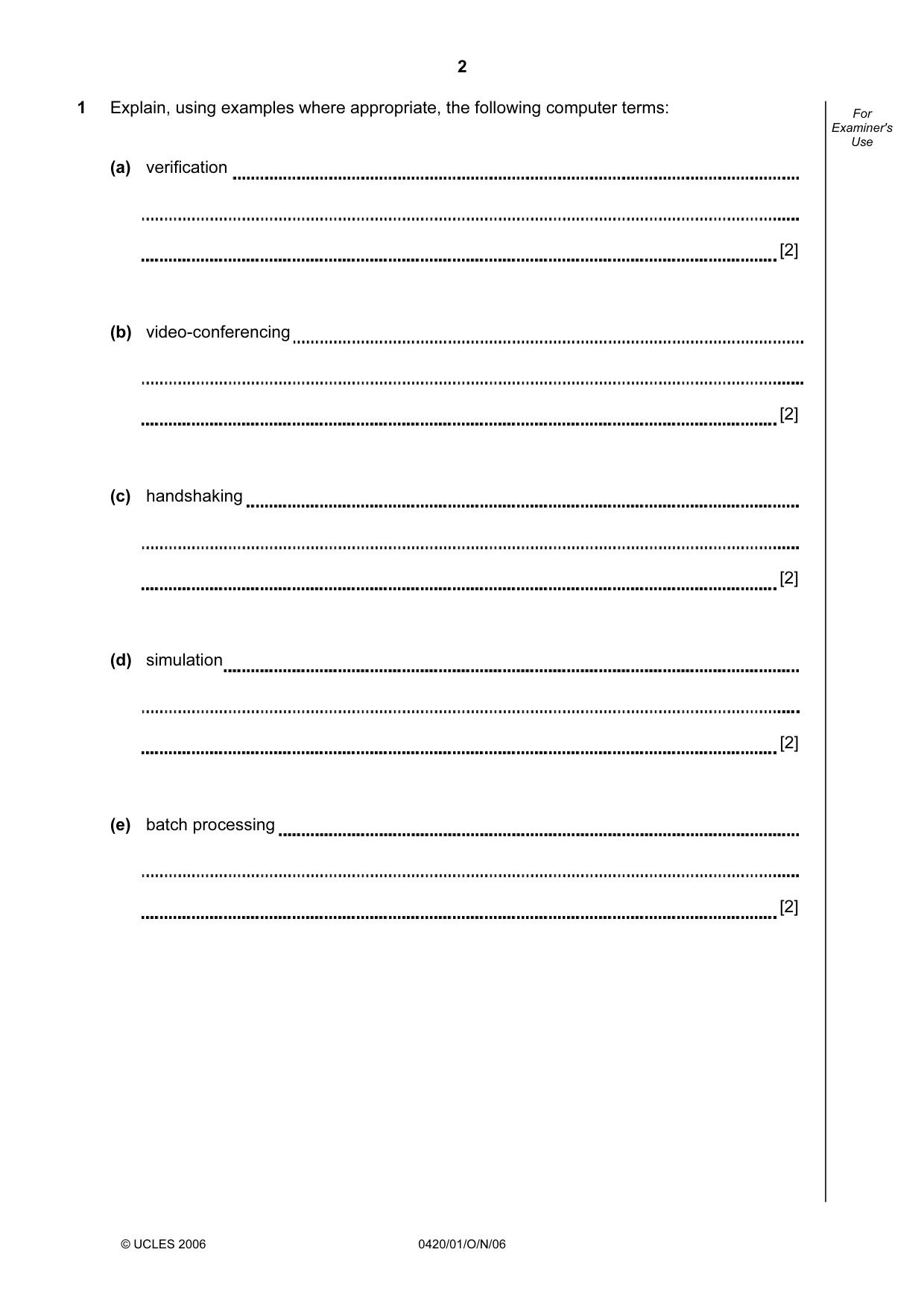
2 © UCLES 2006 0420/01/O/N/06 For Examiner's Use 1 Explain, using examples where appropriate, the following computer terms: (a) verification [2] (b) video-conferencing [2] (c) handshaking [2] (d) simulation [2] (e) batch processing [2]
Question paper, page 3
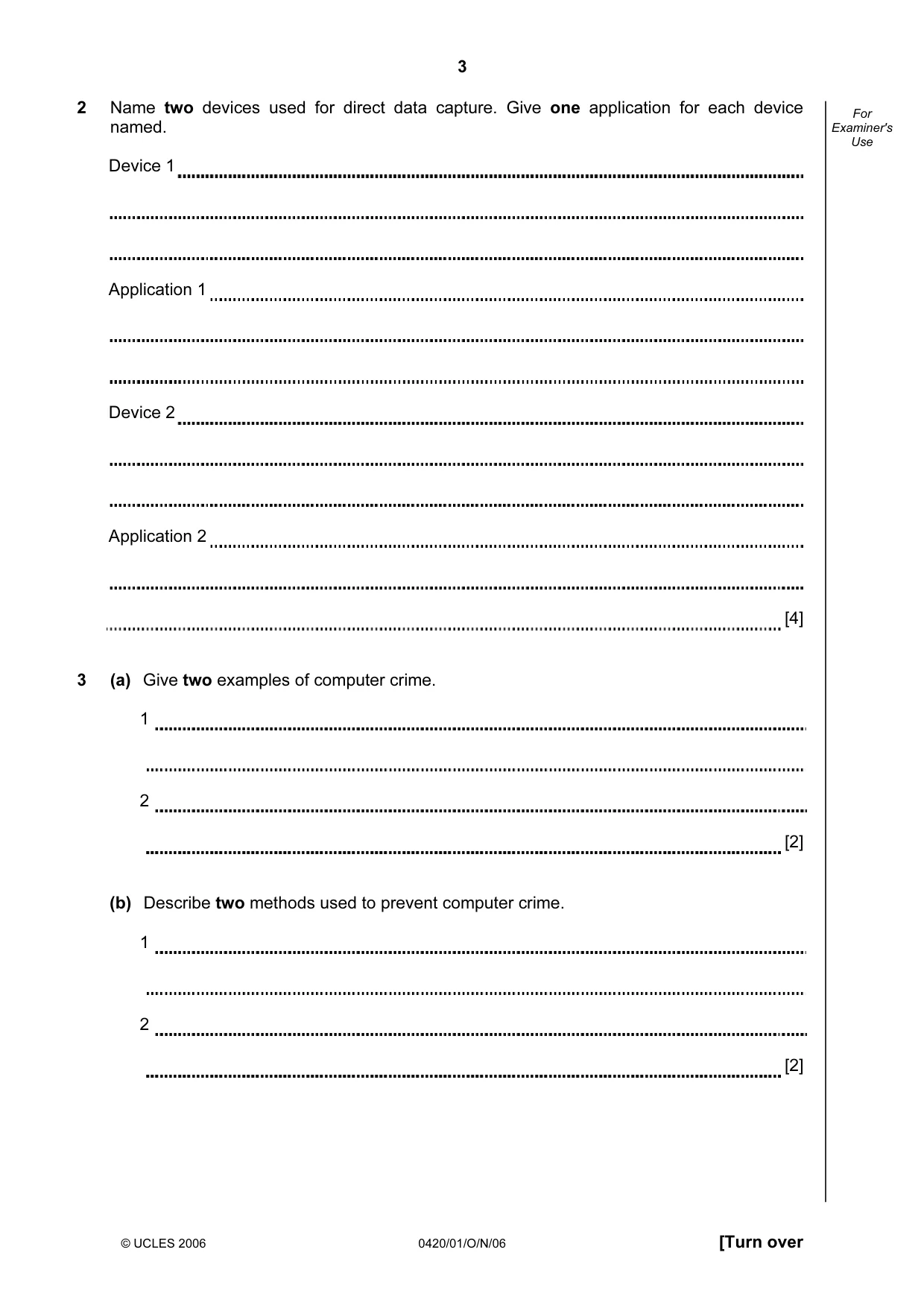
3 © UCLES 2006 0420/01/O/N/06 [Turn over For Examiner's Use 2 Name two devices used for direct data capture. Give one application for each device named. Device 1 Application 1 Device 2 Application 2 [4] 3 (a) Give two examples of computer crime. 1 2 [2] (b) Describe two methods used to prevent computer crime. 1 2 [2]
Question paper, page 4
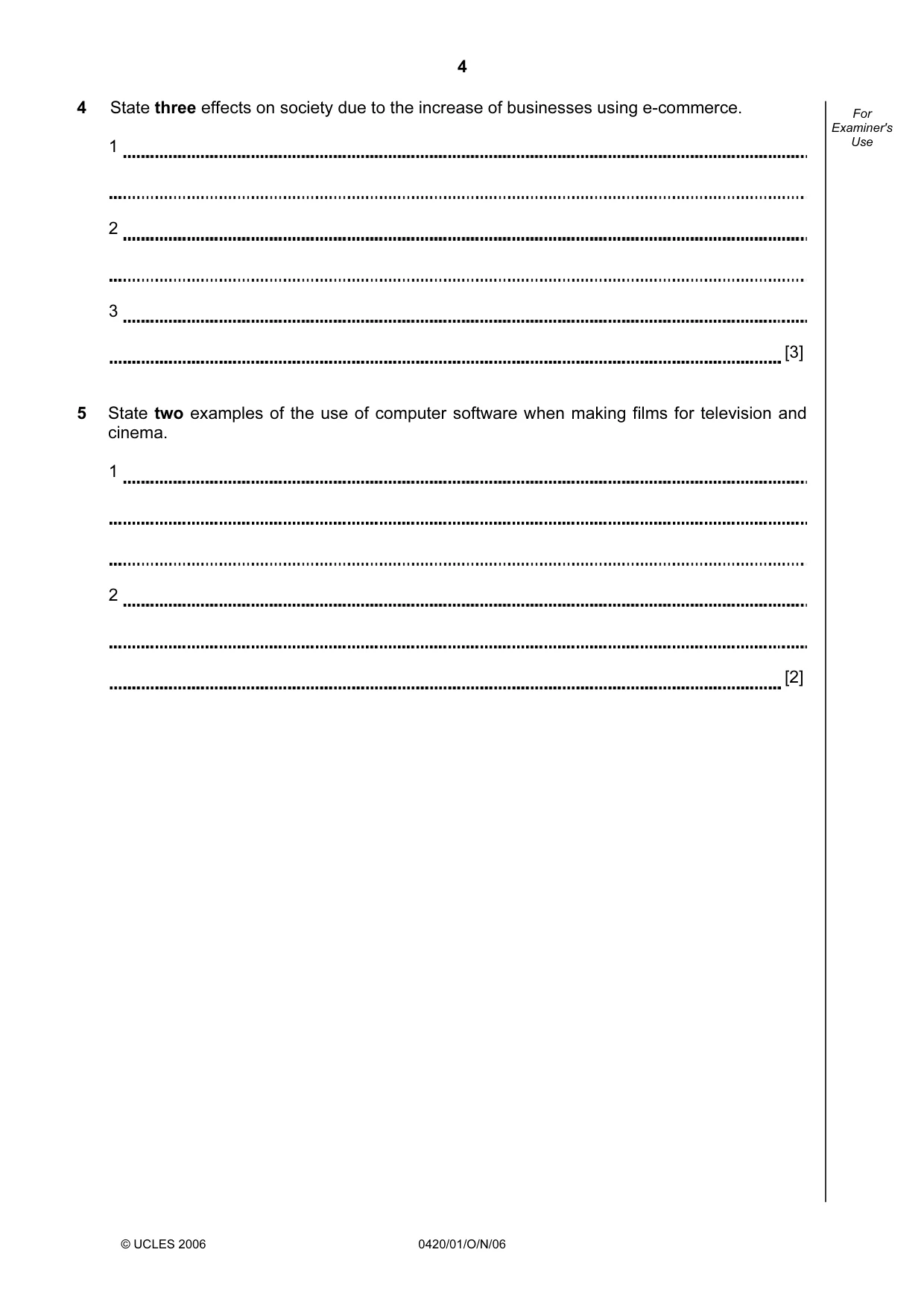
4 © UCLES 2006 0420/01/O/N/06 For Examiner's Use 4 State three effects on society due to the increase of businesses using e-commerce. 1 2 3 [3] 5 State two examples of the use of computer software when making films for television and cinema. 1 2 [2]
Question paper, page 5
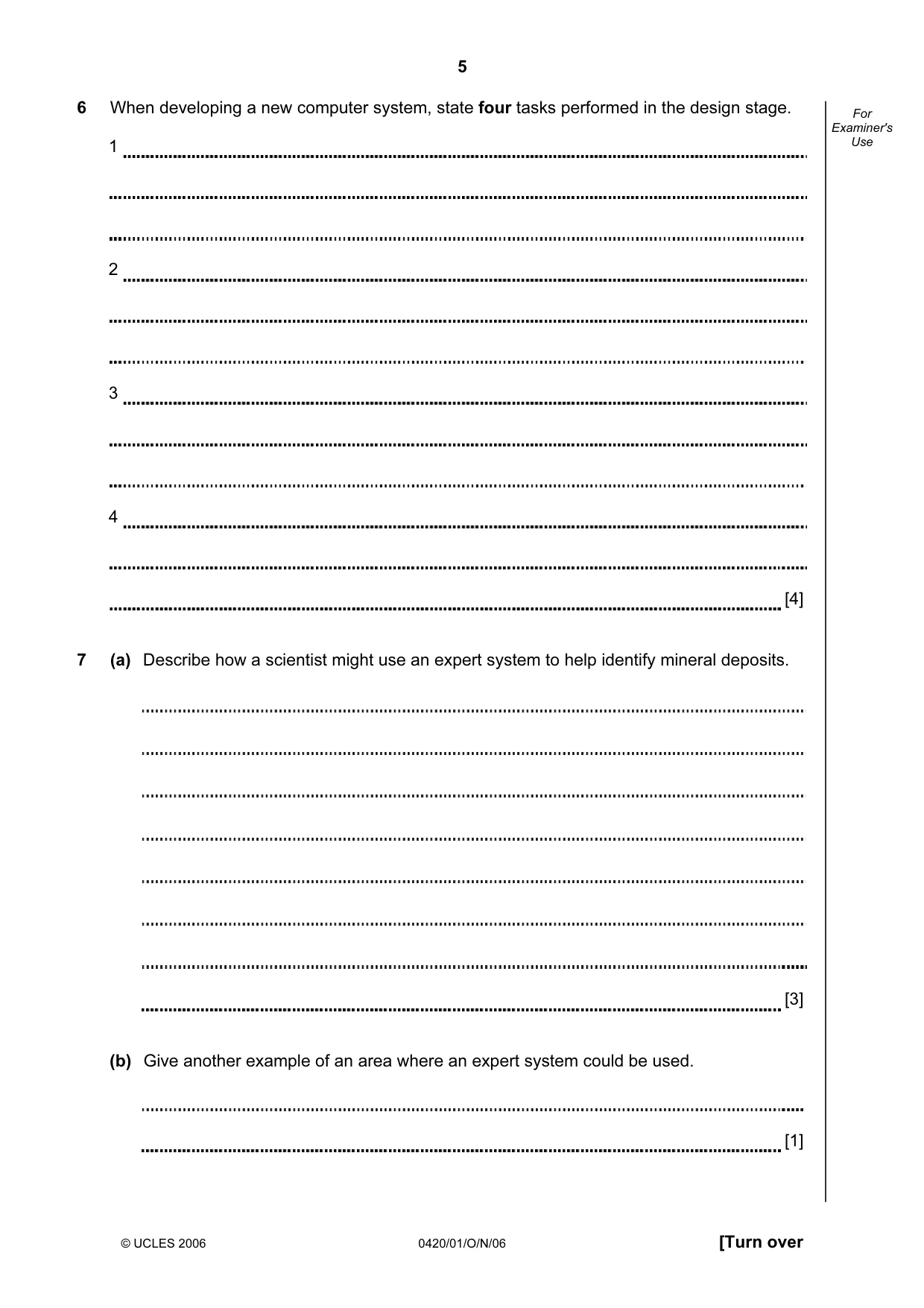
5 © UCLES 2006 0420/01/O/N/06 [Turn over For Examiner's Use 6 When developing a new computer system, state four tasks performed in the design stage. 1 2 3 4 [4] 7 (a) Describe how a scientist might use an expert system to help identify mineral deposits. [3] (b) Give another example of an area where an expert system could be used. [1]
Question paper, page 6
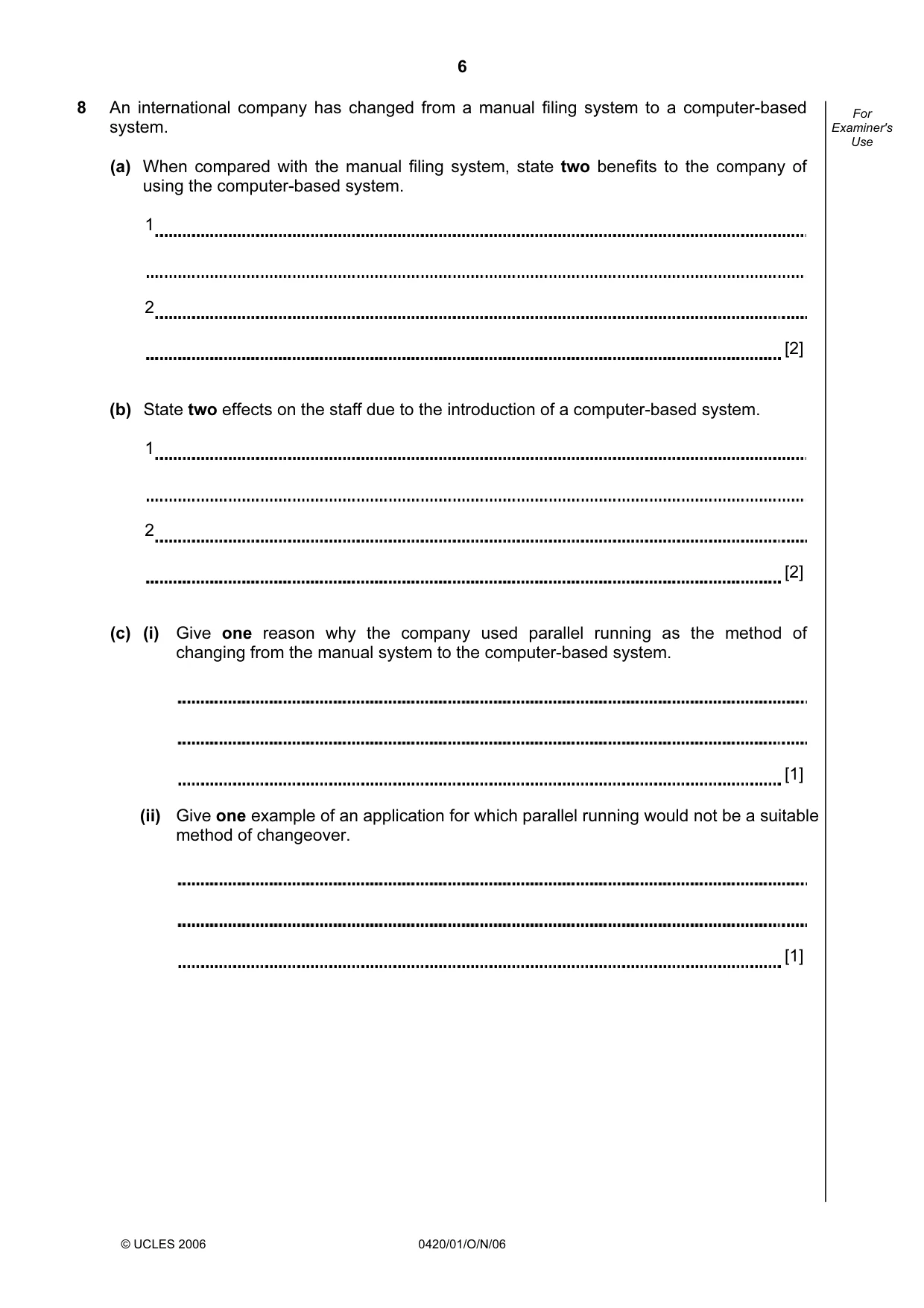
6 © UCLES 2006 0420/01/O/N/06 For Examiner's Use 8 An international company has changed from a manual filing system to a computer-based system. (a) When compared with the manual filing system, state two benefits to the company of using the computer-based system. 1 2 [2] (b) State two effects on the staff due to the introduction of a computer-based system. 1 2 [2] (c) (i) Give one reason why the company used parallel running as the method of changing from the manual system to the computer-based system. [1] (ii) Give one example of an application for which parallel running would not be a suitable method of changeover. [1]
Question paper, page 7
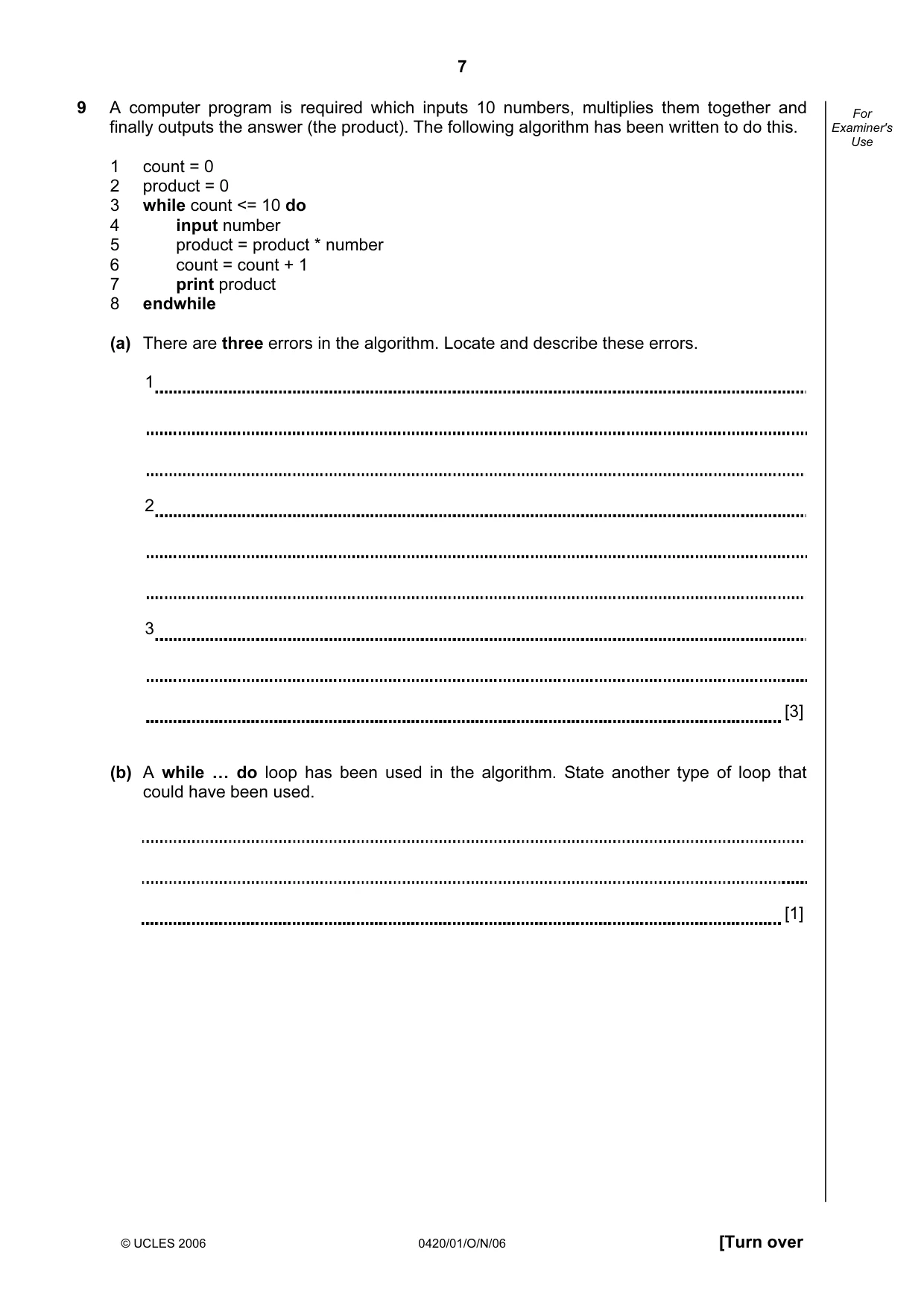
7 © UCLES 2006 0420/01/O/N/06 [Turn over For Examiner's Use 9 A computer program is required which inputs 10 numbers, multiplies them together and finally outputs the answer (the product). The following algorithm has been written to do this. 1 count = 0 2 product = 0 3 while count <= 10 do 4 input number 5 product = product * number 6 count = count + 1 7 print product 8 endwhile (a) There are three errors in the algorithm. Locate and describe these errors. 1 2 3 [3] (b) A while … do loop has been used in the algorithm. State another type of loop that could have been used. [1]
Question paper, page 8
8 © UCLES 2006 0420/01/O/N/06 10 A robot arm is to be used to move some objects which are positioned on the grid shown. Object “X” is located at A7 and is to be moved to F7. Object “Y” is located at C6 and is to be moved to G5. The START position for the robot arm is shown. The robot arm can travel left and right along the top of the grid, and the robot arm can extend (lengthen) and retract (shorten) so that the gripper at the end of the arm can reach any grid square. 1 2 3 4 5 6 7 A X Y Y X B C D E F G H I The robot arm can only travel left and right along the top of the grid start The robot arm can extend or retract The following commands must be used: Instructions for Robot Arm Right n Moves n squares to the right Left n Moves n squares to the left Instructions for Robot Arm Down n Moves n squares down (extend) Up n Moves n squares up (retract) Close Closes the gripper Open Opens the gripper
Question paper, page 9
9 © UCLES 2006 0420/01/O/N/06 [Turn over For Examiner's Use For example, to move block “X” from square A7 to F7 (beginning at START) would require the following instructions: Left 8 Down 6 Close Up 6 Right 5 Down 6 Open Write a set of instructions to transfer block “Y” from C6 to G5 (beginning at START). [3]
Question paper, page 10
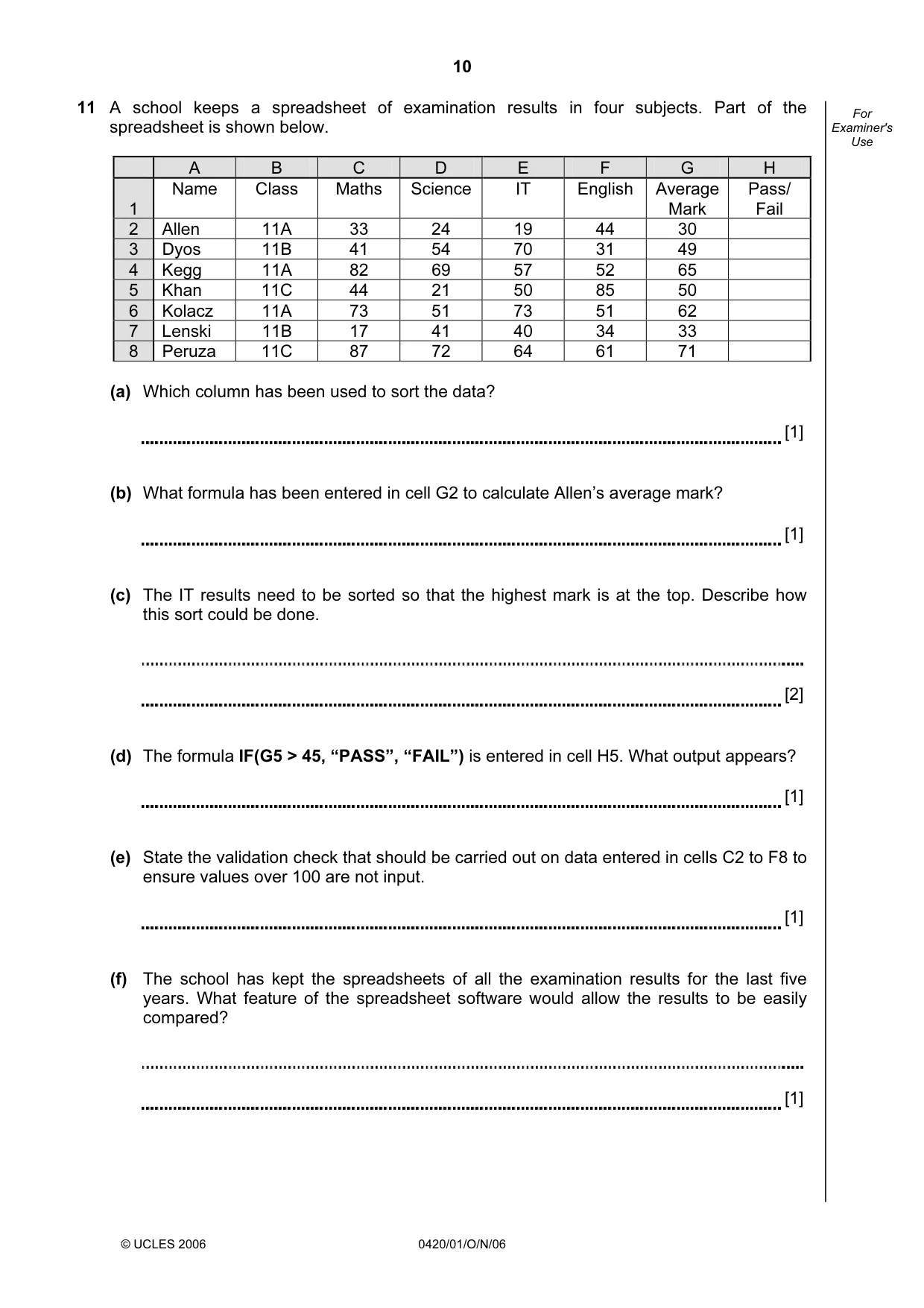
10 © UCLES 2006 0420/01/O/N/06 For Examiner's Use 11 A school keeps a spreadsheet of examination results in four subjects. Part of the spreadsheet is shown below. A B C D E F G H 1 Name Class Maths Science IT English Average Mark Pass/ Fail 2 Allen 11A 33 24 19 44 30 3 Dyos 11B 41 54 70 31 49 4 Kegg 11A 82 69 57 52 65 5 Khan 11C 44 21 50 85 50 6 Kolacz 11A 73 51 73 51 62 7 Lenski 11B 17 41 40 34 33 8 Peruza 11C 87 72 64 61 71 (a) Which column has been used to sort the data? [1] (b) What formula has been entered in cell G2 to calculate Allen’s average mark? [1] (c) The IT results need to be sorted so that the highest mark is at the top. Describe how this sort could be done. [2] (d) The formula IF(G5 > 45, “PASS”, “FAIL”) is entered in cell H5. What output appears? [1] (e) State the validation check that should be carried out on data entered in cells C2 to F8 to ensure values over 100 are not input. [1] (f) The school has kept the spreadsheets of all the examination results for the last five years. What feature of the spreadsheet software would allow the results to be easily compared? [1]
Question paper, page 11
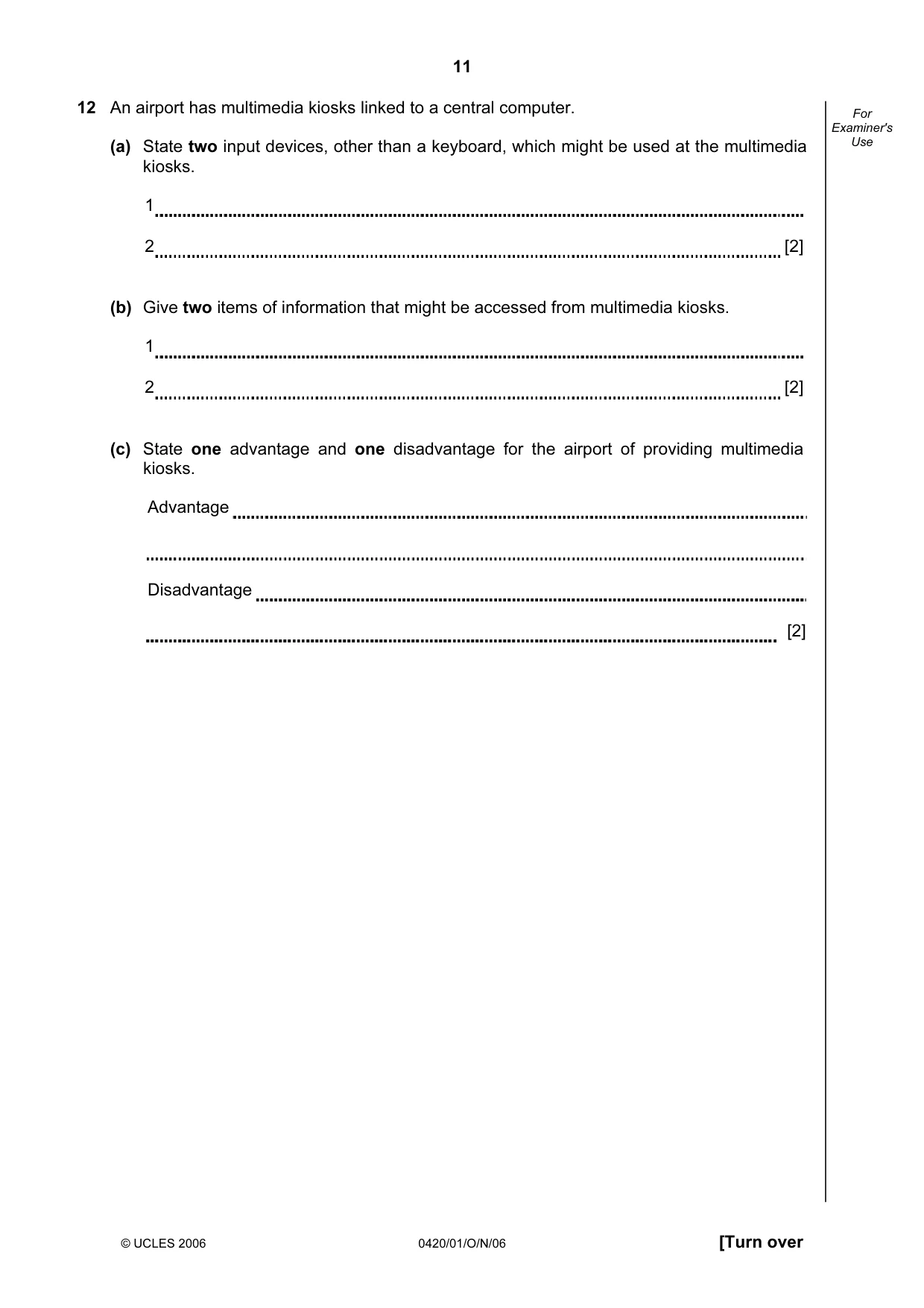
11 © UCLES 2006 0420/01/O/N/06 [Turn over For Examiner's Use 12 An airport has multimedia kiosks linked to a central computer. (a) State two input devices, other than a keyboard, which might be used at the multimedia kiosks. 1 2 [2] (b) Give two items of information that might be accessed from multimedia kiosks. 1 2 [2] (c) State one advantage and one disadvantage for the airport of providing multimedia kiosks. Advantage Disadvantage [2]
Question paper, page 12
12 © UCLES 2006 0420/01/O/N/06 For Examiner's Use 13 Virtual reality is used in the designing of chemical plants. (a) What is meant by virtual reality? [2] (b) Give two examples of the special hardware needed to interact with a virtual reality system. 1 2 [2] (c) Give two advantages of using virtual reality. 1 2 [2] (d) Give another example of an application which uses virtual reality. [1]
Question paper, page 13
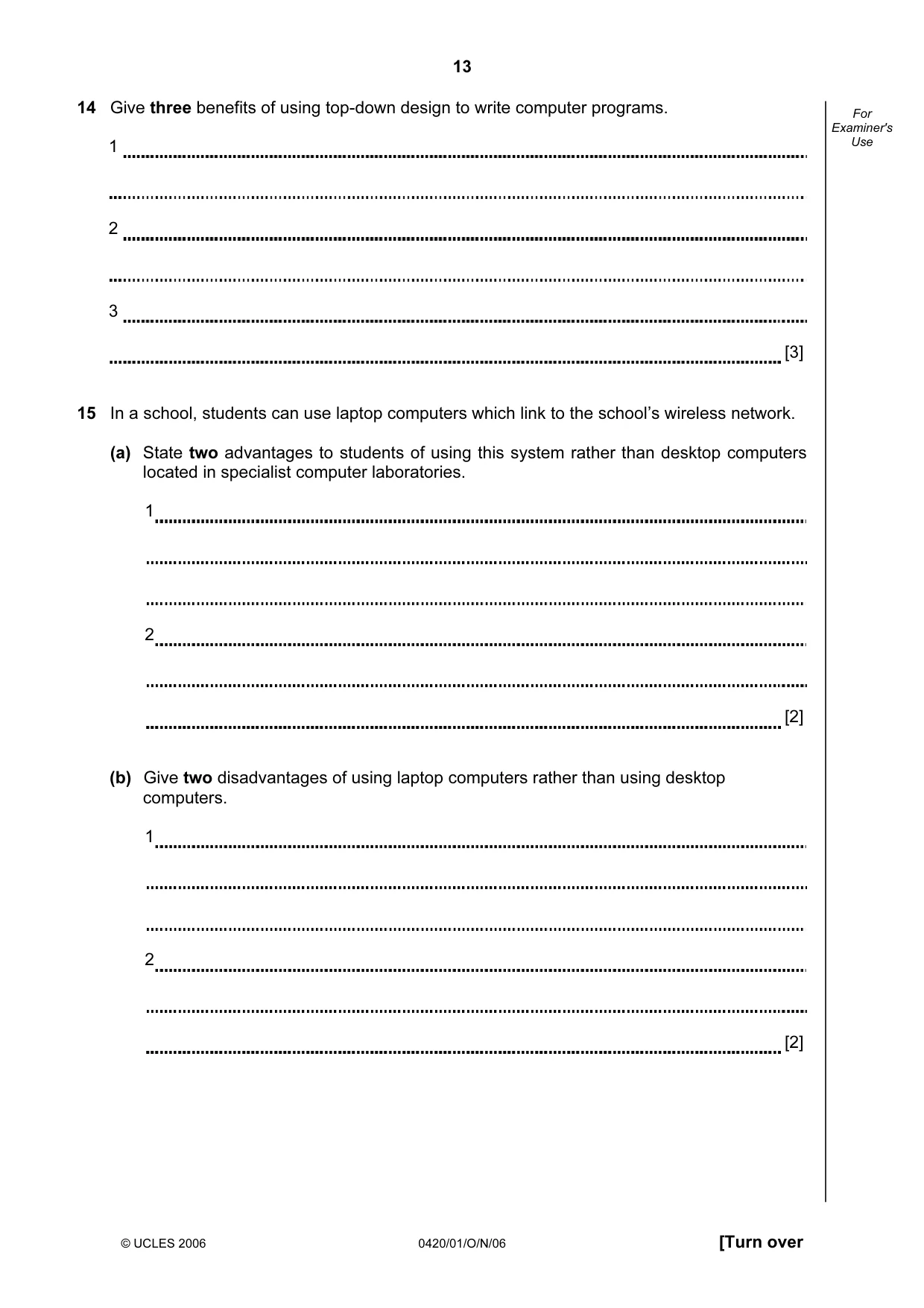
13 © UCLES 2006 0420/01/O/N/06 [Turn over For Examiner's Use 14 Give three benefits of using top-down design to write computer programs. 1 2 3 [3] 15 In a school, students can use laptop computers which link to the school’s wireless network. (a) State two advantages to students of using this system rather than desktop computers located in specialist computer laboratories. 1 2 [2] (b) Give two disadvantages of using laptop computers rather than using desktop computers. 1 2 [2]
Question paper, page 14
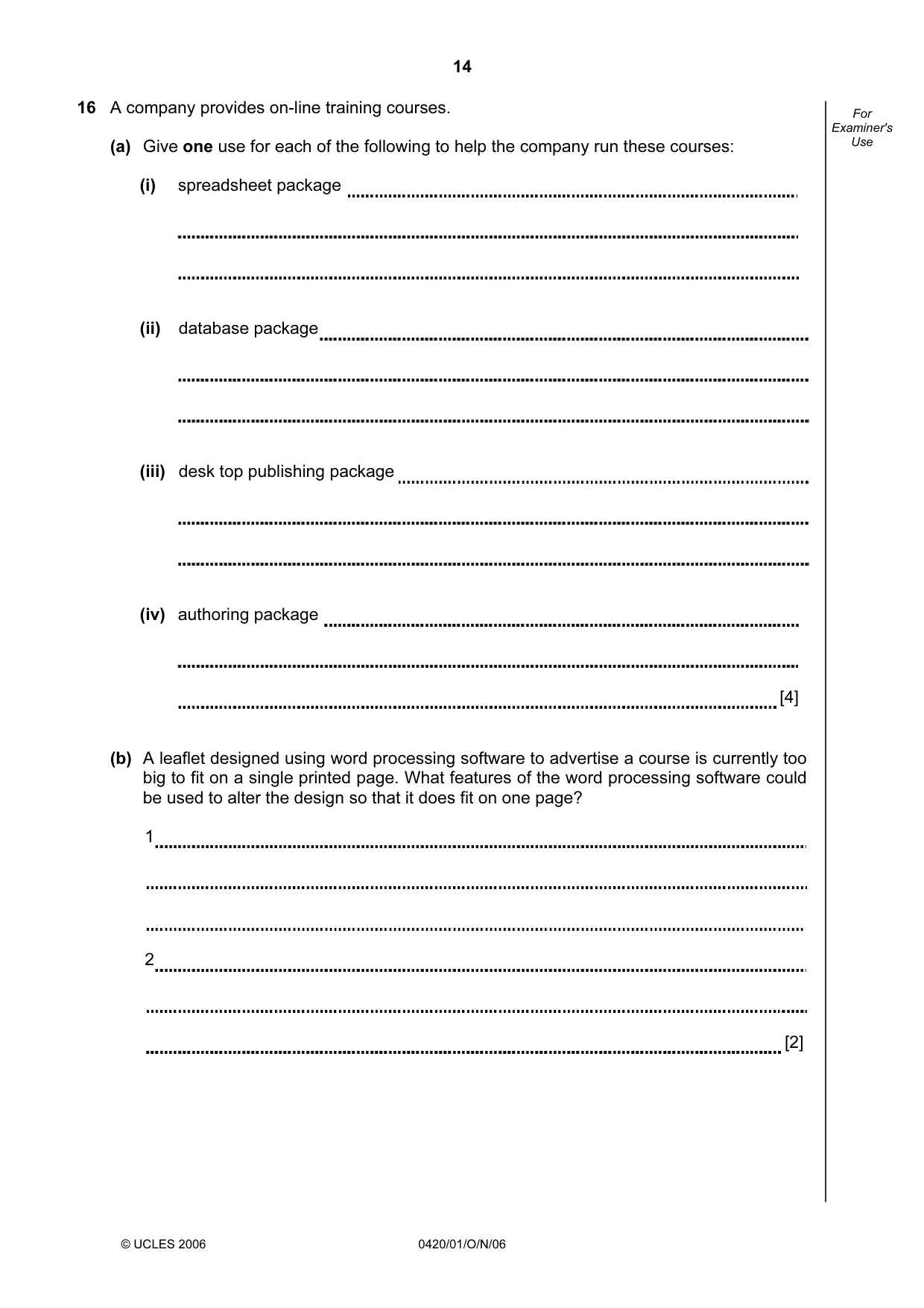
14 © UCLES 2006 0420/01/O/N/06 For Examiner's Use 16 A company provides on-line training courses. (a) Give one use for each of the following to help the company run these courses: (i) spreadsheet package (ii) database package (iii) desk top publishing package (iv) authoring package [4] (b) A leaflet designed using word processing software to advertise a course is currently too big to fit on a single printed page. What features of the word processing software could be used to alter the design so that it does fit on one page? 1 2 [2]
Question paper, page 15
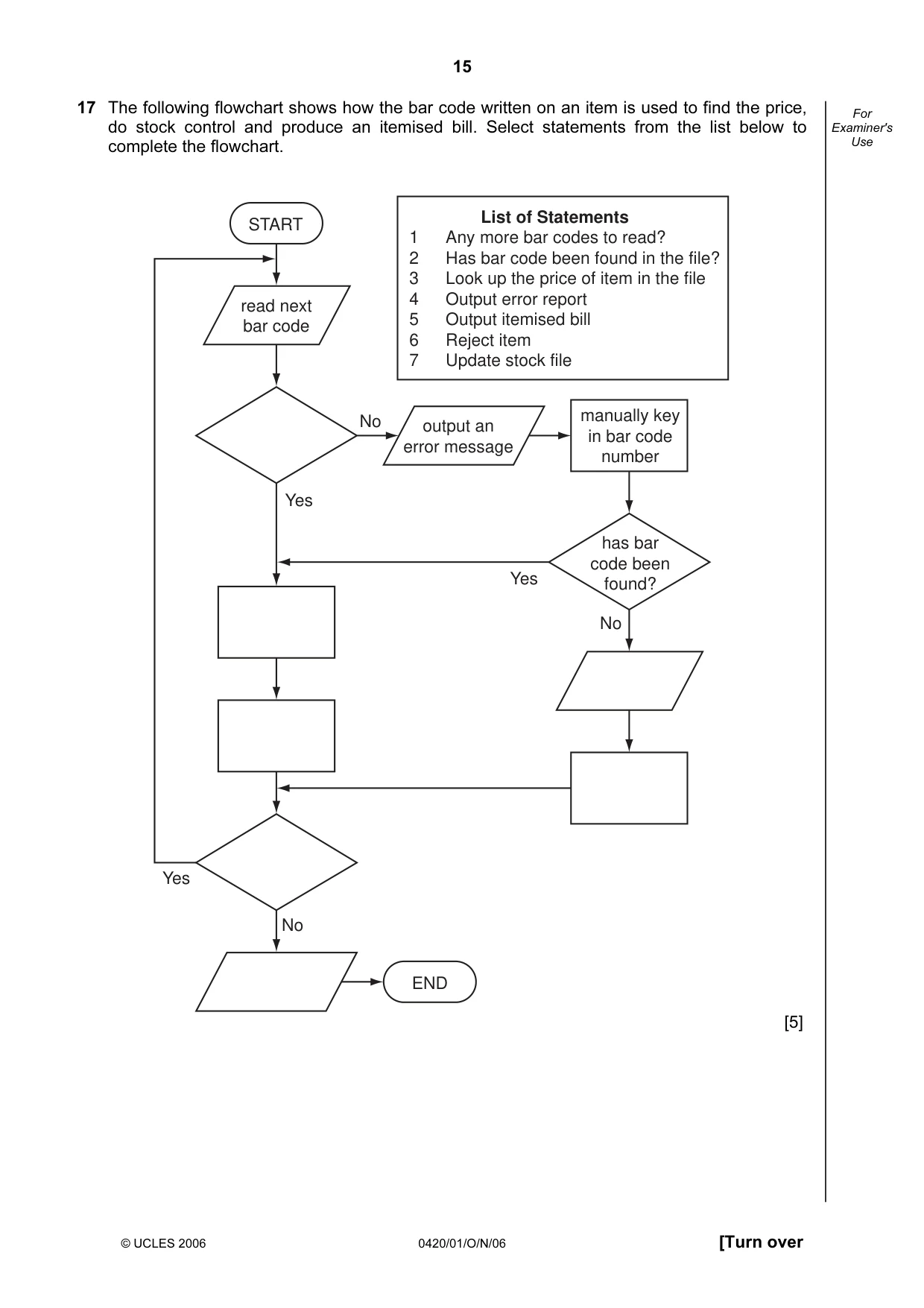
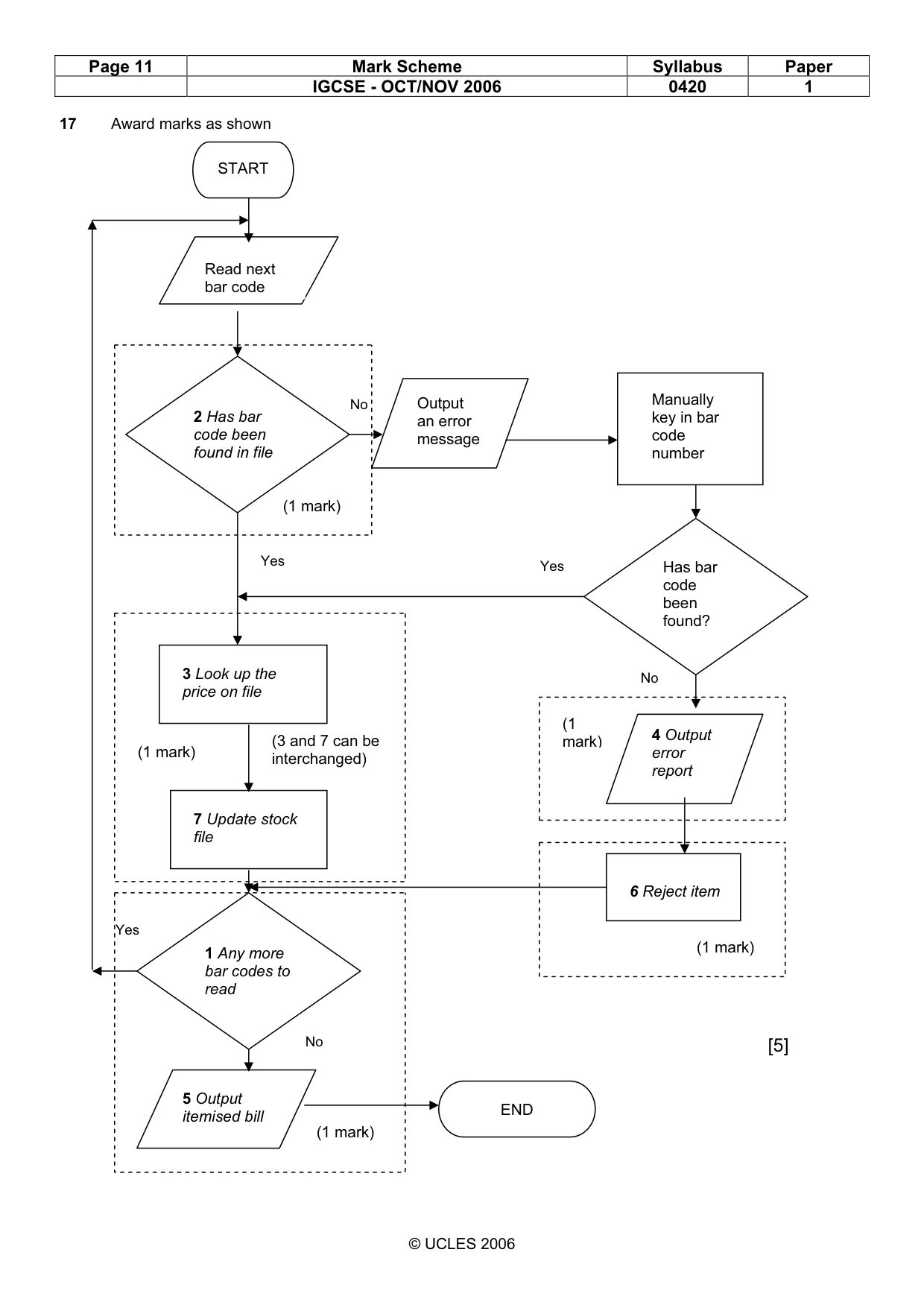
15 © UCLES 2006 0420/01/O/N/06 [Turn over For Examiner's Use 17 The following flowchart shows how the bar code written on an item is used to find the price, do stock control and produce an itemised bill. Select statements from the list below to complete the flowchart. START END read next bar code output an error message manually key in bar code number has bar code been found? No No No Yes Yes Yes 1 Any more bar codes to read? 2 Has bar code been found in the file? 3 Look up the price of item in the file 4 Output error report 5 Output itemised bill 6 Reject item 7 Update stock file List of Statements [5]
Question paper, page 16
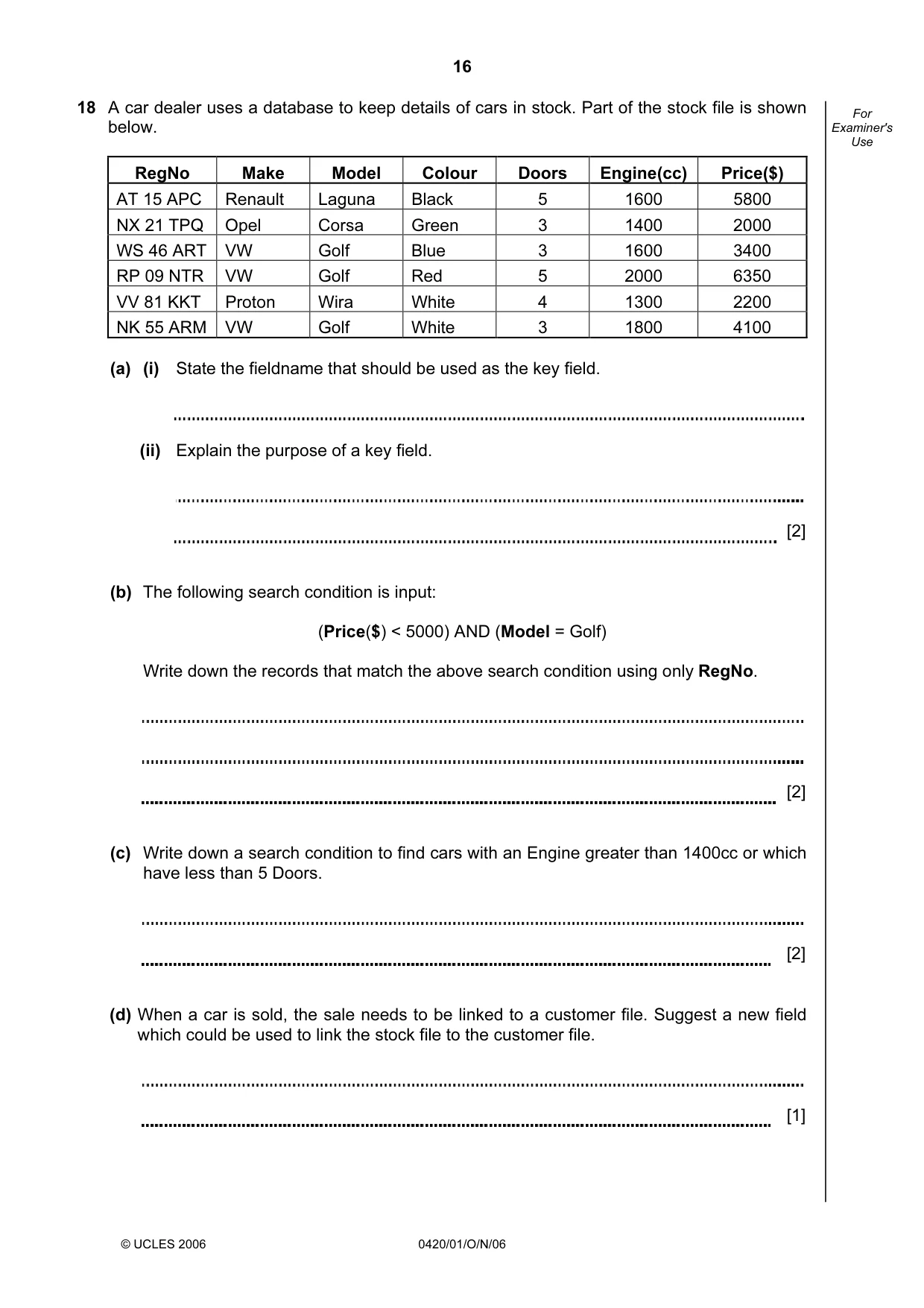
16 © UCLES 2006 0420/01/O/N/06 For Examiner's Use 18 A car dealer uses a database to keep details of cars in stock. Part of the stock file is shown below. RegNo Make Model Colour Doors Engine(cc) Price($) AT 15 APC Renault Laguna Black 5 1600 5800 NX 21 TPQ Opel Corsa Green 3 1400 2000 WS 46 ART VW Golf Blue 3 1600 3400 RP 09 NTR VW Golf Red 5 2000 6350 VV 81 KKT Proton Wira White 4 1300 2200 NK 55 ARM VW Golf White 3 1800 4100 (a) (i) State the fieldname that should be used as the key field. (ii) Explain the purpose of a key field. [2] (b) The following search condition is input: (Price($) < 5000) AND (Model = Golf) Write down the records that match the above search condition using only RegNo. [2] (c) Write down a search condition to find cars with an Engine greater than 1400cc or which have less than 5 Doors. [2] (d) When a car is sold, the sale needs to be linked to a customer file. Suggest a new field which could be used to link the stock file to the customer file. [1]
Question paper, page 17
17 © UCLES 2006 0420/01/O/N/06 [Turn over For Examiner's Use 19 A computer is used to control the traffic lights at each end of a narrow bridge. bridge (a) State one type of sensor that could be used to detect a vehicle approaching the bridge. [1] (b) Give one reason why an analogue to digital converter (ADC) may be needed. [1] (c) Describe how the data received from the sensors is used to control the timing of the traffic lights. [3] (d) If the computer controlling the traffic light system detects an error in the system, or fails completely, what should the lights on the bridge do? [1]
Question paper, page 18
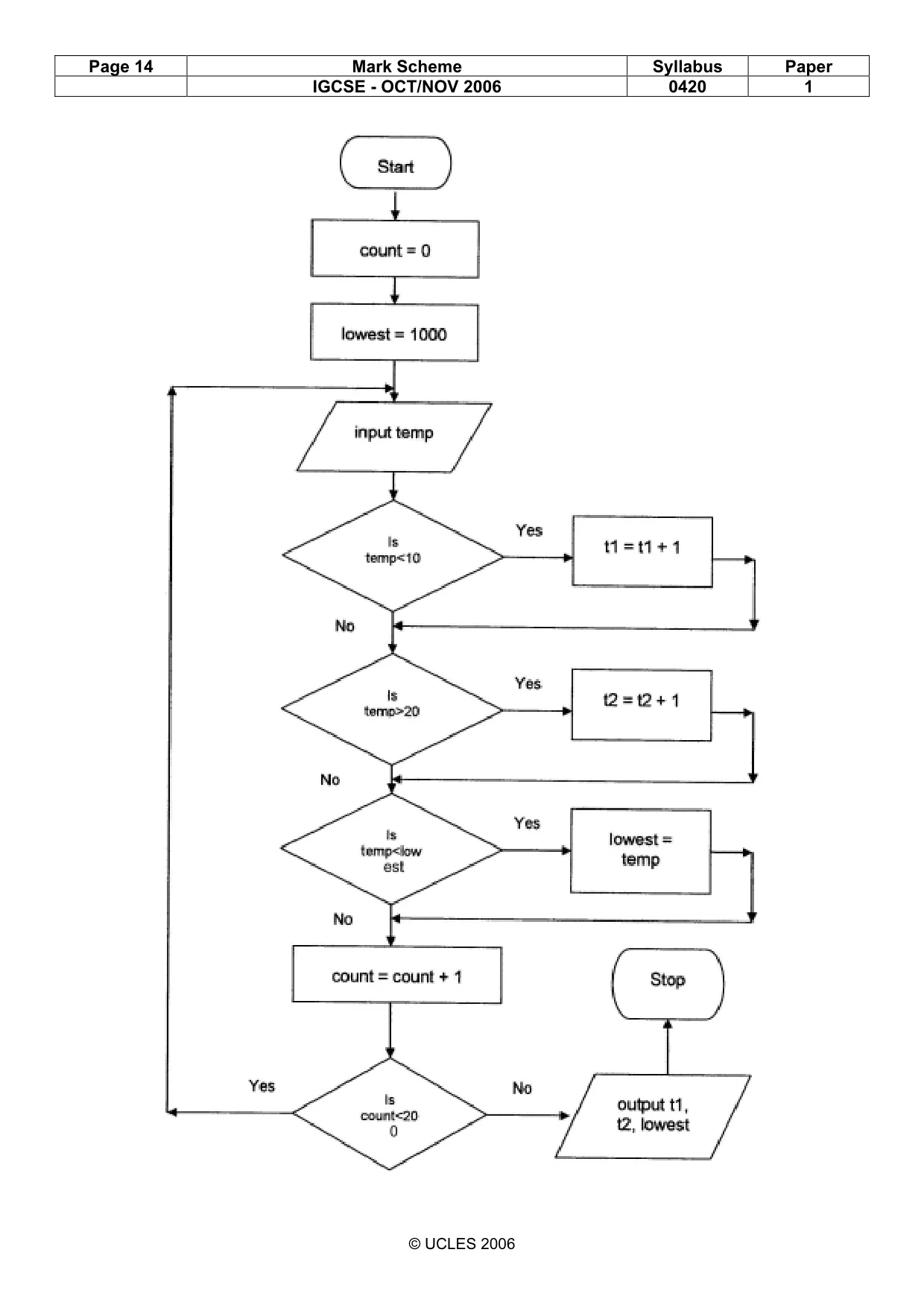
18 © UCLES 2006 0420/01/O/N/06 For Examiner's Use 20 Temperatures (°C) are being collected in an experiment every hour over a 200 hour period. Write an algorithm, using pseudocode or otherwise, which inputs each temperature and outputs • how many of the temperatures were above 20 °C • how many of the temperatures were below 10 °C • the lowest temperature that was input [5]
Question paper, page 20
20 Permission to reproduce items where third-party owned material protected by copyright is included has been sought and cleared where possible. Every reasonable effort has been made by the publisher (UCLES) to trace copyright holders, but if any items requiring clearance have unwittingly been included, the publisher will be pleased to make amends at the earliest possible opportunity. University of Cambridge International Examinations is part of the University of Cambridge Local Examinations Syndicate (UCLES), which is itself a department of the University of Cambridge. 0420/01/O/N/06 BLANK PAGE
Mark scheme, page 1
UNIVERSITY OF CAMBRIDGE INTERNATIONAL EXAMINATIONS International General Certificate of Secondary Education MARK SCHEME for the October/November 2006 question paper 0420 COMPUTER STUDIES 0420/01 Paper 1, maximum raw mark 100 This mark scheme is published as an aid to teachers and students, to indicate the requirements of the examination. It shows the basis on which Examiners were instructed to award marks. It does not indicate the details of the discussions that took place at an Examiners’ meeting before marking began. All Examiners are instructed that alternative correct answers and unexpected approaches in candidates’ scripts must be given marks that fairly reflect the relevant knowledge and skills demonstrated. Mark schemes must be read in conjunction with the question papers and the report on the examination. The grade thresholds for various grades are published in the report on the examination for most IGCSE, GCE Advanced Level and Advanced Subsidiary Level syllabuses. • CIE will not enter into discussions or correspondence in connection with these mark schemes. CIE is publishing the mark schemes for the October/November 2006 question papers for most IGCSE, GCE Advanced Level and Advanced Subsidiary Level syllabuses and some Ordinary Level syllabuses. www.XtremePapers.com
Mark scheme, page 2
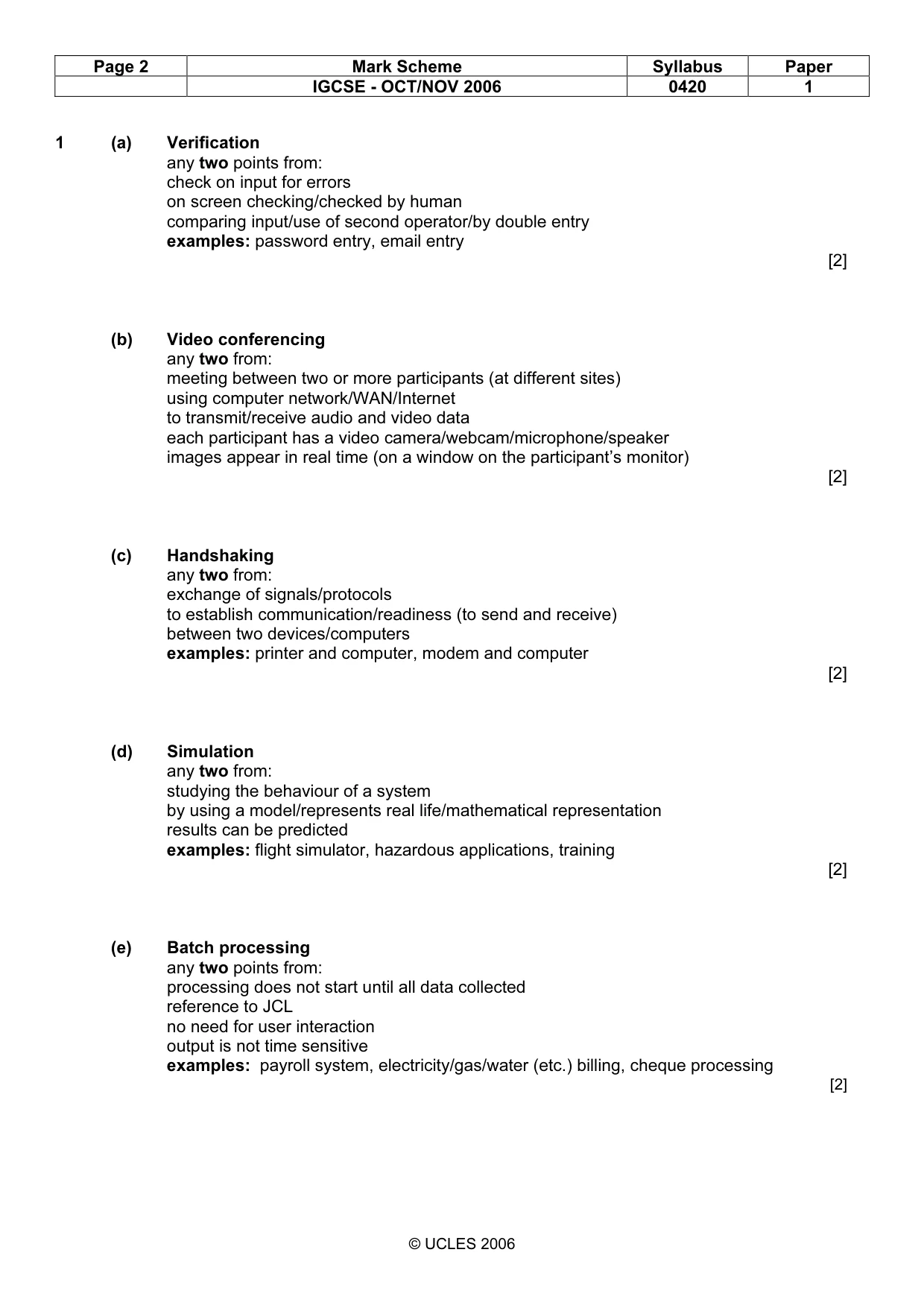
Page 2 Mark Scheme Syllabus Paper IGCSE - OCT/NOV 2006 0420 1 © UCLES 2006 1 (a) Verification any two points from: check on input for errors on screen checking/checked by human comparing input/use of second operator/by double entry examples: password entry, email entry [2] (b) Video conferencing any two from: meeting between two or more participants (at different sites) using computer network/WAN/Internet to transmit/receive audio and video data each participant has a video camera/webcam/microphone/speaker images appear in real time (on a window on the participant’s monitor) [2] (c) Handshaking any two from: exchange of signals/protocols to establish communication/readiness (to send and receive) between two devices/computers examples: printer and computer, modem and computer [2] (d) Simulation any two from: studying the behaviour of a system by using a model/represents real life/mathematical representation results can be predicted examples: flight simulator, hazardous applications, training [2] (e) Batch processing any two points from: processing does not start until all data collected reference to JCL no need for user interaction output is not time sensitive examples: payroll system, electricity/gas/water (etc.) billing, cheque processing [2]
Mark scheme, page 3
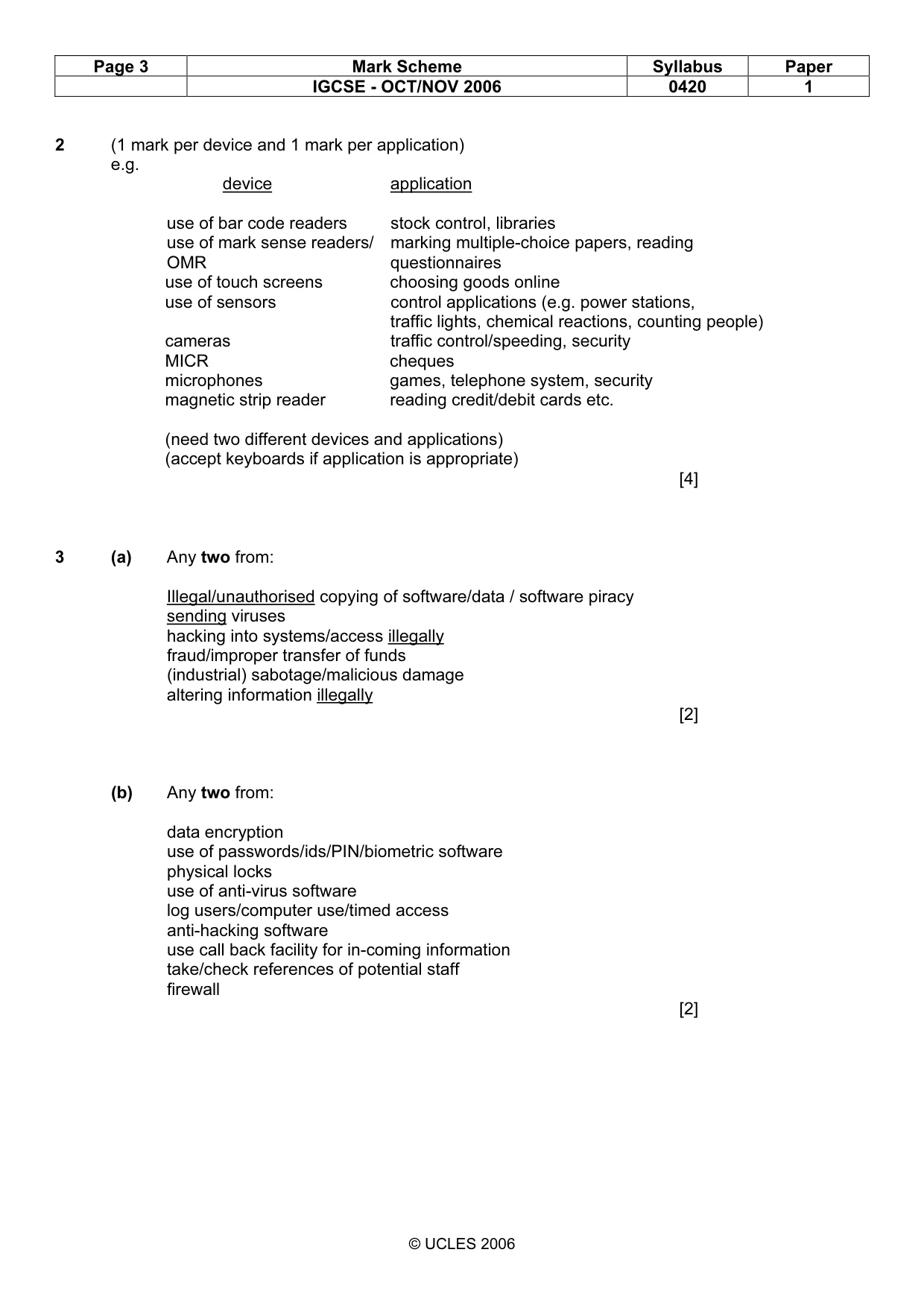
Page 3 Mark Scheme Syllabus Paper IGCSE - OCT/NOV 2006 0420 1 © UCLES 2006 2 (1 mark per device and 1 mark per application) e.g. device application use of bar code readers stock control, libraries use of mark sense readers/ marking multiple-choice papers, reading OMR questionnaires use of touch screens choosing goods online use of sensors control applications (e.g. power stations, traffic lights, chemical reactions, counting people) cameras traffic control/speeding, security MICR cheques microphones games, telephone system, security magnetic strip reader reading credit/debit cards etc. (need two different devices and applications) (accept keyboards if application is appropriate) [4] 3 (a) Any two from: Illegal/unauthorised copying of software/data / software piracy sending viruses hacking into systems/access illegally fraud/improper transfer of funds (industrial) sabotage/malicious damage altering information illegally [2] (b) Any two from: data encryption use of passwords/ids/PIN/biometric software physical locks use of anti-virus software log users/computer use/timed access anti-hacking software use call back facility for in-coming information take/check references of potential staff firewall [2]
Mark scheme, page 4
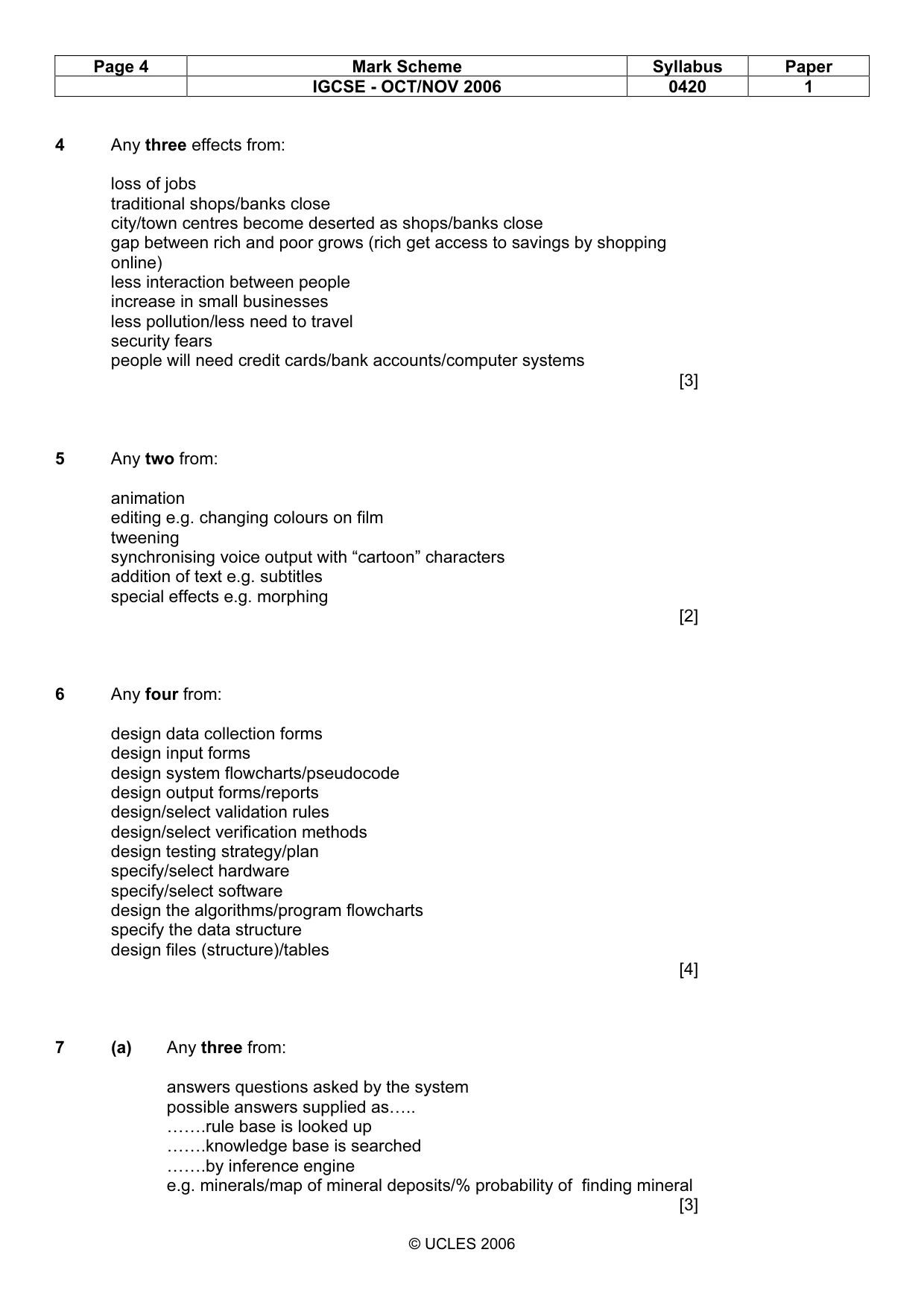
Page 4 Mark Scheme Syllabus Paper IGCSE - OCT/NOV 2006 0420 1 © UCLES 2006 4 Any three effects from: loss of jobs traditional shops/banks close city/town centres become deserted as shops/banks close gap between rich and poor grows (rich get access to savings by shopping online) less interaction between people increase in small businesses less pollution/less need to travel security fears people will need credit cards/bank accounts/computer systems [3] 5 Any two from: animation editing e.g. changing colours on film tweening synchronising voice output with “cartoon” characters addition of text e.g. subtitles special effects e.g. morphing [2] 6 Any four from: design data collection forms design input forms design system flowcharts/pseudocode design output forms/reports design/select validation rules design/select verification methods design testing strategy/plan specify/select hardware specify/select software design the algorithms/program flowcharts specify the data structure design files (structure)/tables [4] 7 (a) Any three from: answers questions asked by the system possible answers supplied as….. …….rule base is looked up …….knowledge base is searched …….by inference engine e.g. minerals/map of mineral deposits/% probability of finding mineral [3]
Mark scheme, page 5
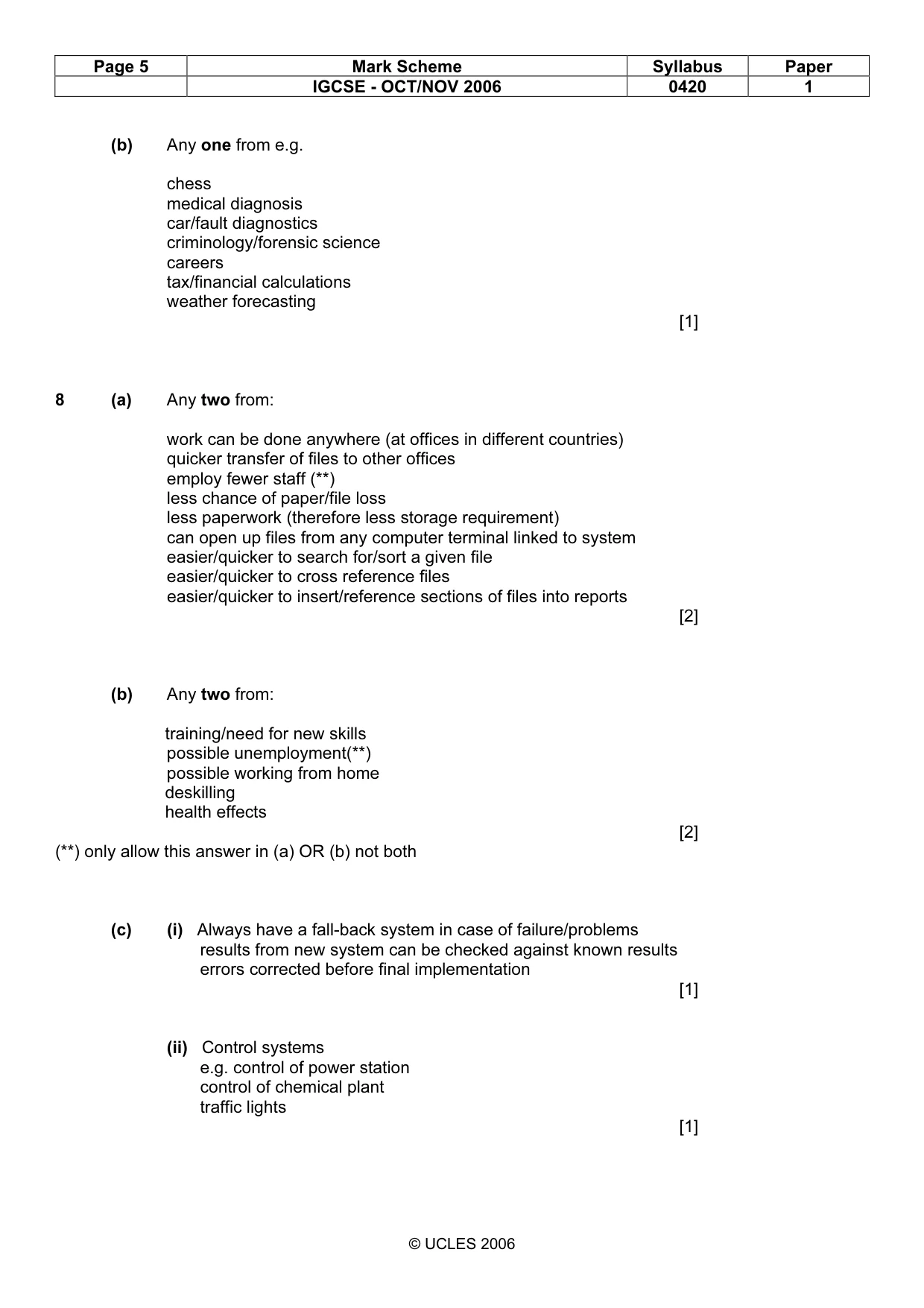
Page 5 Mark Scheme Syllabus Paper IGCSE - OCT/NOV 2006 0420 1 © UCLES 2006 (b) Any one from e.g. chess medical diagnosis car/fault diagnostics criminology/forensic science careers tax/financial calculations weather forecasting [1] 8 (a) Any two from: work can be done anywhere (at offices in different countries) quicker transfer of files to other offices employ fewer staff (**) less chance of paper/file loss less paperwork (therefore less storage requirement) can open up files from any computer terminal linked to system easier/quicker to search for/sort a given file easier/quicker to cross reference files easier/quicker to insert/reference sections of files into reports [2] (b) Any two from: training/need for new skills possible unemployment(**) possible working from home deskilling health effects [2] (**) only allow this answer in (a) OR (b) not both (c) (i) Always have a fall-back system in case of failure/problems results from new system can be checked against known results errors corrected before final implementation [1] (ii) Control systems e.g. control of power station control of chemical plant traffic lights [1]
Mark scheme, page 6
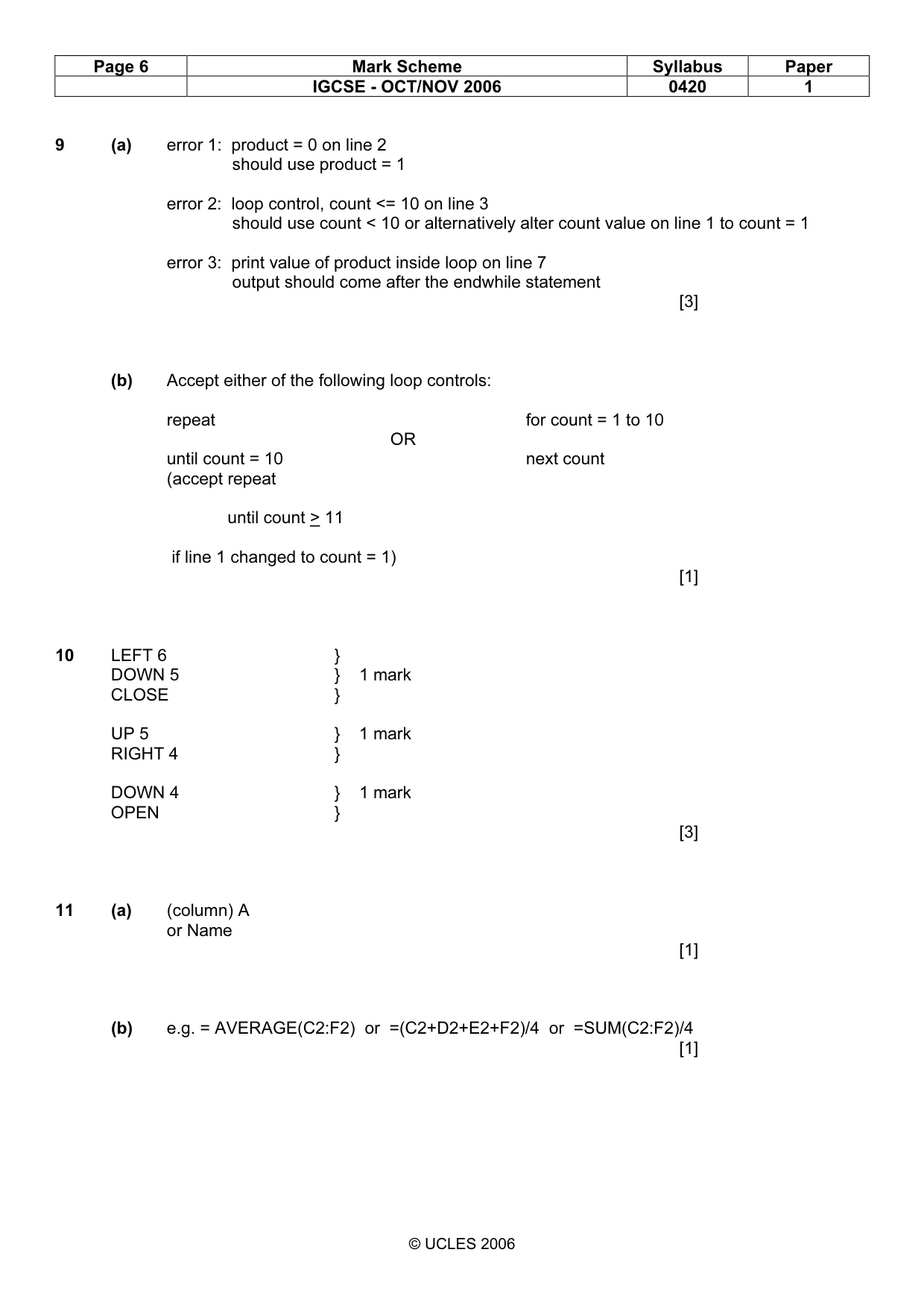
Page 6 Mark Scheme Syllabus Paper IGCSE - OCT/NOV 2006 0420 1 © UCLES 2006 9 (a) error 1: product = 0 on line 2 should use product = 1 error 2: loop control, count <= 10 on line 3 should use count < 10 or alternatively alter count value on line 1 to count = 1 error 3: print value of product inside loop on line 7 output should come after the endwhile statement [3] (b) Accept either of the following loop controls: repeat for count = 1 to 10 OR until count = 10 next count (accept repeat until count > 11 if line 1 changed to count = 1) [1] 10 LEFT 6 } DOWN 5 } 1 mark CLOSE } UP 5 } 1 mark RIGHT 4 } DOWN 4 } 1 mark OPEN } [3] 11 (a) (column) A or Name [1] (b) e.g. = AVERAGE(C2:F2) or =(C2+D2+E2+F2)/4 or =SUM(C2:F2)/4 [1]
Mark scheme, page 7
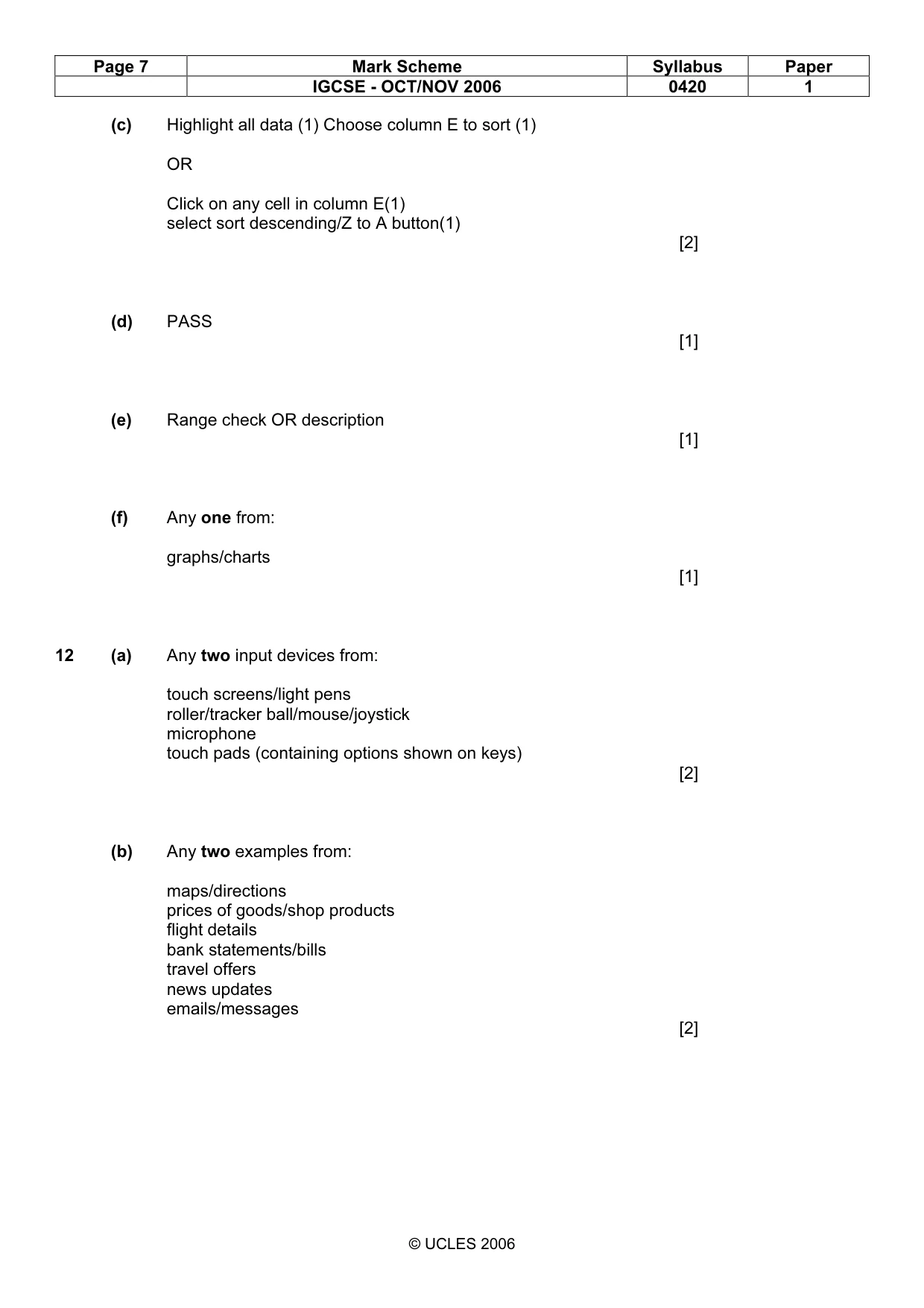
Page 7 Mark Scheme Syllabus Paper IGCSE - OCT/NOV 2006 0420 1 © UCLES 2006 (c) Highlight all data (1) Choose column E to sort (1) OR Click on any cell in column E(1) select sort descending/Z to A button(1) [2] (d) PASS [1] (e) Range check OR description [1] (f) Any one from: graphs/charts [1] 12 (a) Any two input devices from: touch screens/light pens roller/tracker ball/mouse/joystick microphone touch pads (containing options shown on keys) [2] (b) Any two examples from: maps/directions prices of goods/shop products flight details bank statements/bills travel offers news updates emails/messages [2]
Mark scheme, page 8
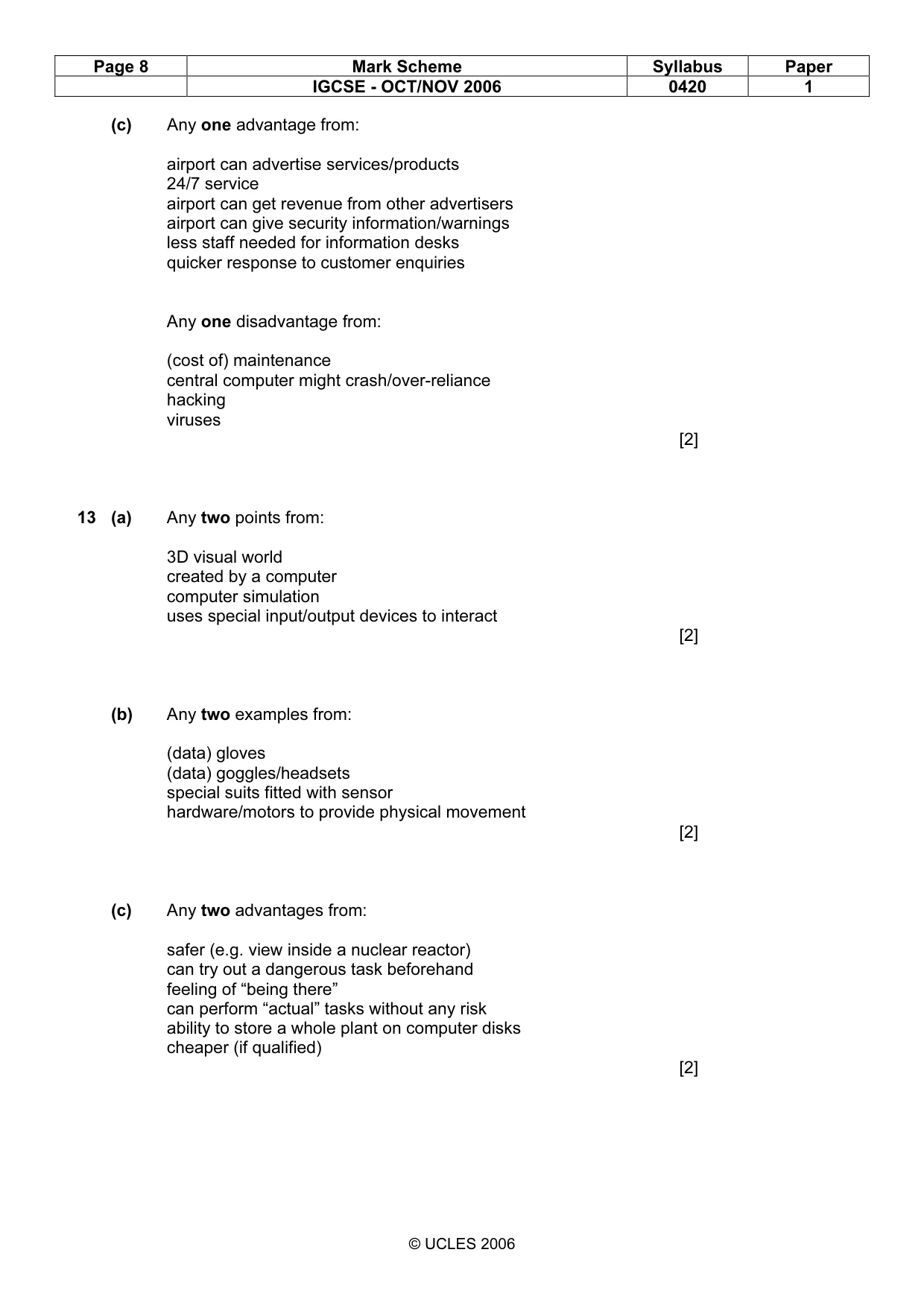
Page 8 Mark Scheme Syllabus Paper IGCSE - OCT/NOV 2006 0420 1 © UCLES 2006 (c) Any one advantage from: airport can advertise services/products 24/7 service airport can get revenue from other advertisers airport can give security information/warnings less staff needed for information desks quicker response to customer enquiries Any one disadvantage from: (cost of) maintenance central computer might crash/over-reliance hacking viruses [2] 13 (a) Any two points from: 3D visual world created by a computer computer simulation uses special input/output devices to interact [2] (b) Any two examples from: (data) gloves (data) goggles/headsets special suits fitted with sensor hardware/motors to provide physical movement [2] (c) Any two advantages from: safer (e.g. view inside a nuclear reactor) can try out a dangerous task beforehand feeling of “being there” can perform “actual” tasks without any risk ability to store a whole plant on computer disks cheaper (if qualified) [2]
Mark scheme, page 9
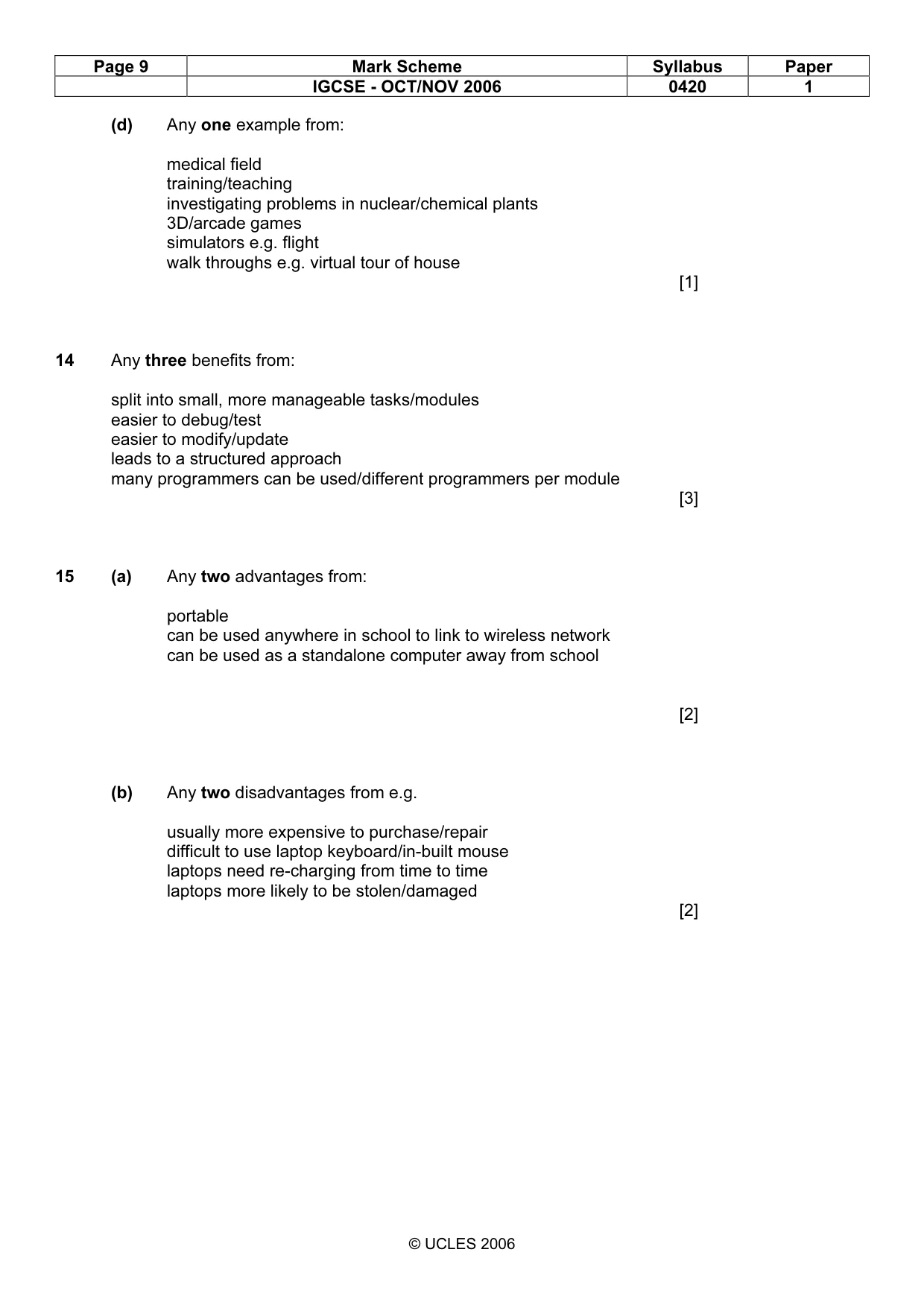
Page 9 Mark Scheme Syllabus Paper IGCSE - OCT/NOV 2006 0420 1 © UCLES 2006 (d) Any one example from: medical field training/teaching investigating problems in nuclear/chemical plants 3D/arcade games simulators e.g. flight walk throughs e.g. virtual tour of house [1] 14 Any three benefits from: split into small, more manageable tasks/modules easier to debug/test easier to modify/update leads to a structured approach many programmers can be used/different programmers per module [3] 15 (a) Any two advantages from: portable can be used anywhere in school to link to wireless network can be used as a standalone computer away from school [2] (b) Any two disadvantages from e.g. usually more expensive to purchase/repair difficult to use laptop keyboard/in-built mouse laptops need re-charging from time to time laptops more likely to be stolen/damaged [2]
Mark scheme, page 10
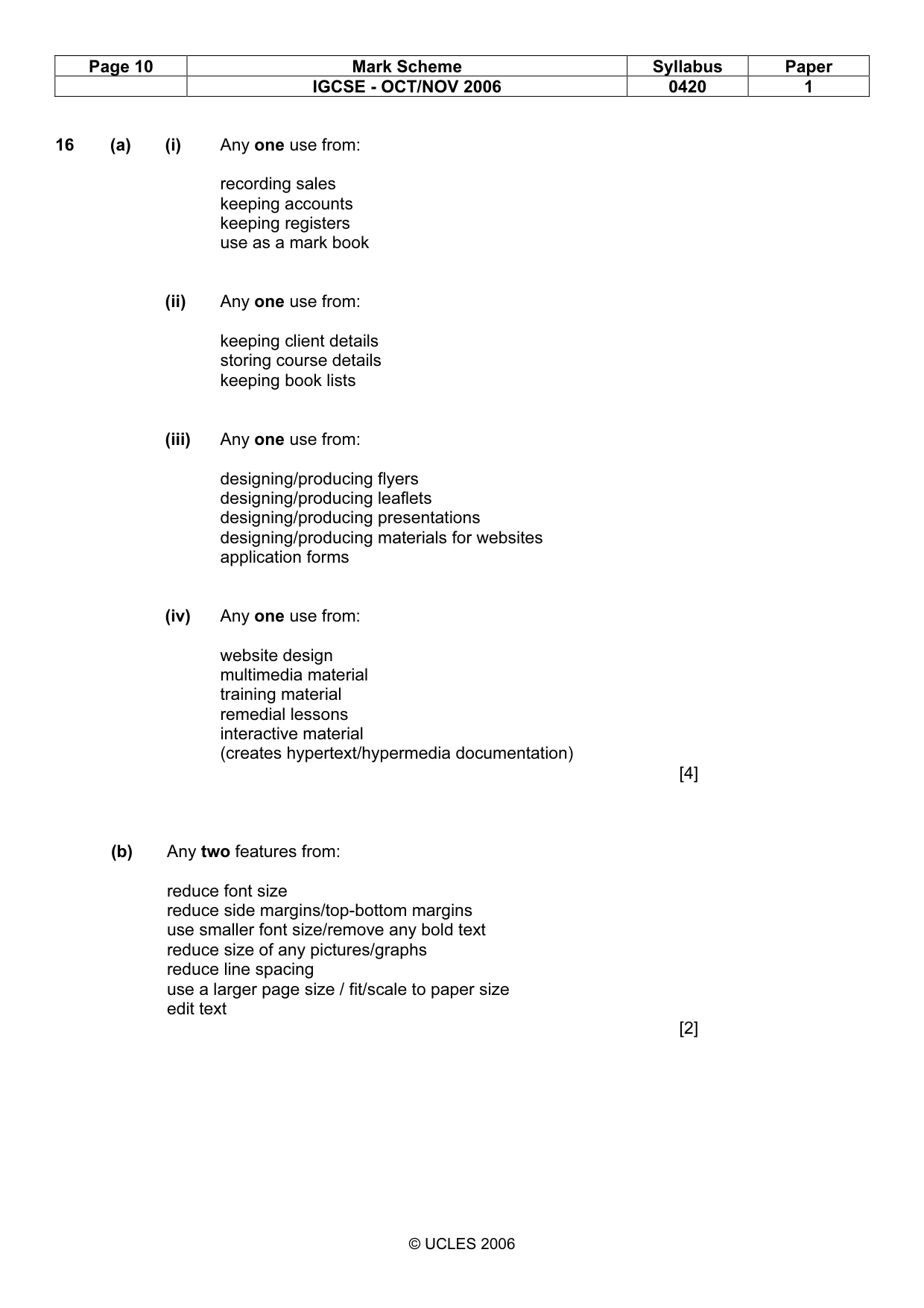
Page 10 Mark Scheme Syllabus Paper IGCSE - OCT/NOV 2006 0420 1 © UCLES 2006 16 (a) (i) Any one use from: recording sales keeping accounts keeping registers use as a mark book (ii) Any one use from: keeping client details storing course details keeping book lists (iii) Any one use from: designing/producing flyers designing/producing leaflets designing/producing presentations designing/producing materials for websites application forms (iv) Any one use from: website design multimedia material training material remedial lessons interactive material (creates hypertext/hypermedia documentation) [4] (b) Any two features from: reduce font size reduce side margins/top-bottom margins use smaller font size/remove any bold text reduce size of any pictures/graphs reduce line spacing use a larger page size / fit/scale to paper size edit text [2]
Mark scheme, page 11
Page 11 Mark Scheme Syllabus Paper IGCSE - OCT/NOV 2006 0420 1 © UCLES 2006 17 Award marks as shown START Read next bar code Output an error message Manually key in bar code number Has bar code been found? END No Yes Yes No Yes No [5] 2 Has bar code been found in file 6 Reject item 4 Output error report 3 Look up the price on file 7 Update stock file 1 Any more bar codes to read 5 Output itemised bill (1 mark) (1 mark) (1 mark) (3 and 7 can be interchanged) (1 mark) (1 mark)
Mark scheme, page 12
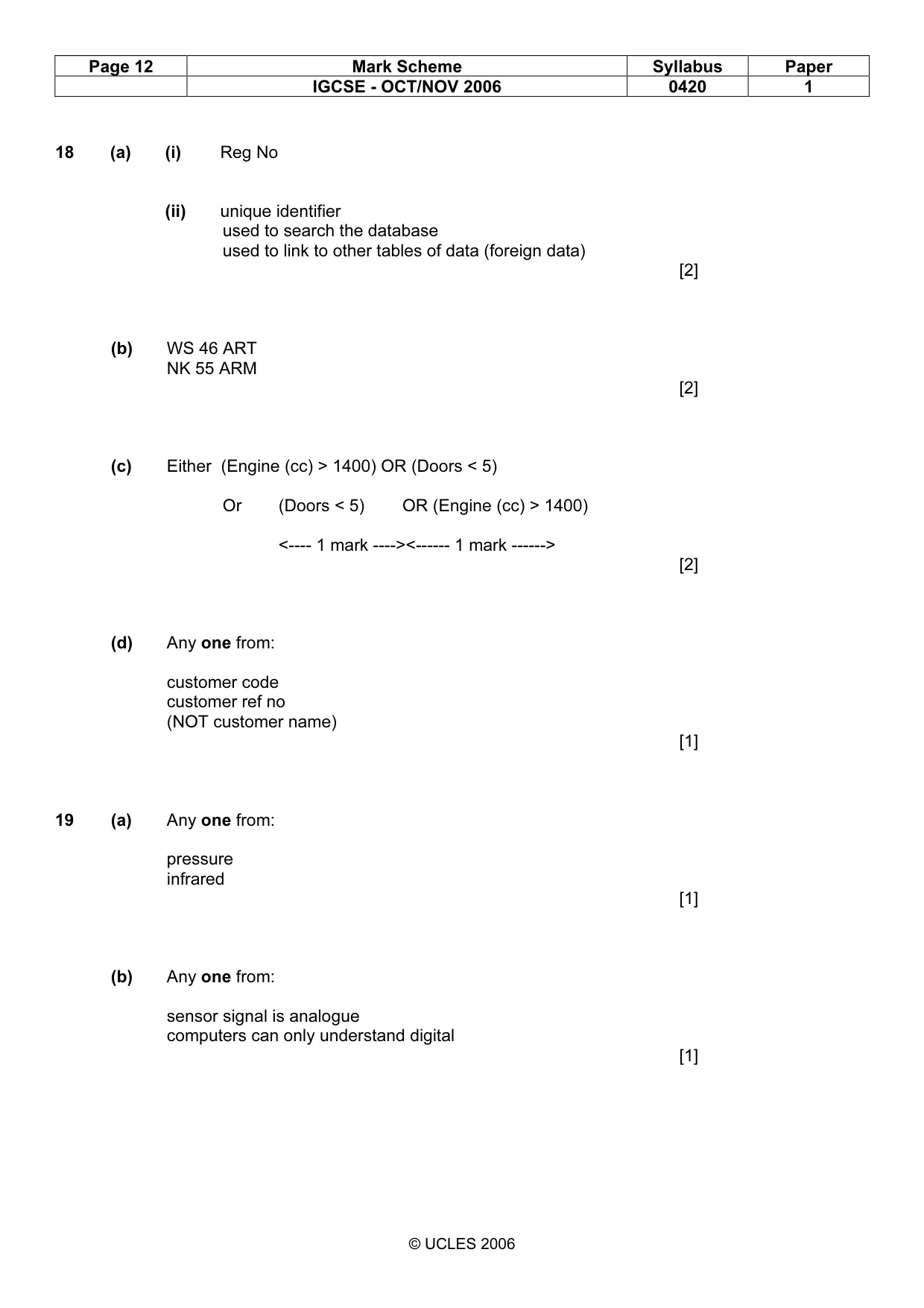
Page 12 Mark Scheme Syllabus Paper IGCSE - OCT/NOV 2006 0420 1 © UCLES 2006 18 (a) (i) Reg No (ii) unique identifier used to search the database used to link to other tables of data (foreign data) [2] (b) WS 46 ART NK 55 ARM [2] (c) Either (Engine (cc) > 1400) OR (Doors < 5) Or (Doors < 5) OR (Engine (cc) > 1400) <---- 1 mark ----><------ 1 mark ------> [2] (d) Any one from: customer code customer ref no (NOT customer name) [1] 19 (a) Any one from: pressure infrared [1] (b) Any one from: sensor signal is analogue computers can only understand digital [1]
Mark scheme, page 13
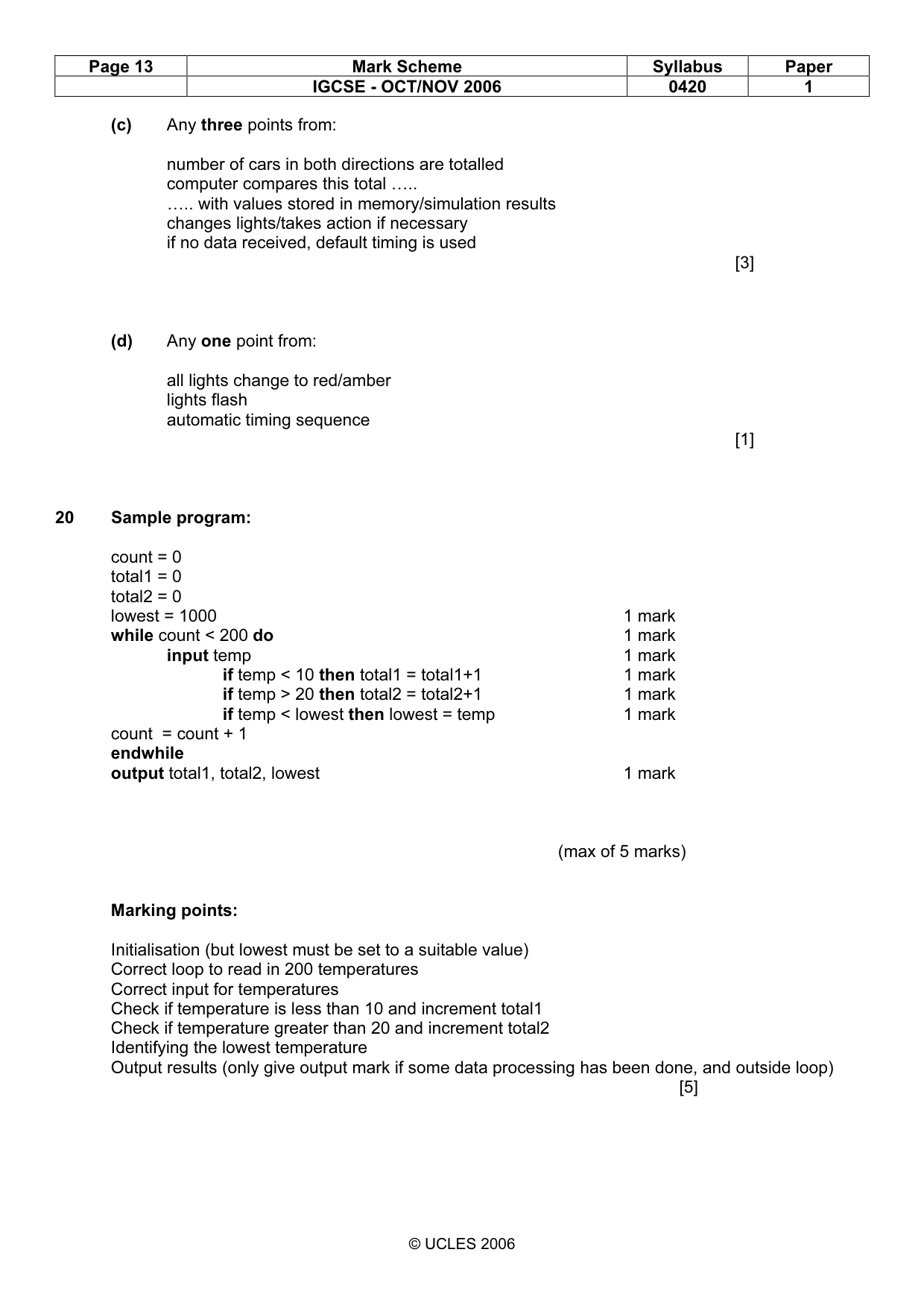
Page 13 Mark Scheme Syllabus Paper IGCSE - OCT/NOV 2006 0420 1 © UCLES 2006 (c) Any three points from: number of cars in both directions are totalled computer compares this total ….. ….. with values stored in memory/simulation results changes lights/takes action if necessary if no data received, default timing is used [3] (d) Any one point from: all lights change to red/amber lights flash automatic timing sequence [1] 20 Sample program: count = 0 total1 = 0 total2 = 0 lowest = 1000 1 mark while count < 200 do 1 mark input temp 1 mark if temp < 10 then total1 = total1+1 1 mark if temp > 20 then total2 = total2+1 1 mark if temp < lowest then lowest = temp 1 mark count = count + 1 endwhile output total1, total2, lowest 1 mark (max of 5 marks) Marking points: Initialisation (but lowest must be set to a suitable value) Correct loop to read in 200 temperatures Correct input for temperatures Check if temperature is less than 10 and increment total1 Check if temperature greater than 20 and increment total2 Identifying the lowest temperature Output results (only give output mark if some data processing has been done, and outside loop) [5]
Mark scheme, page 14
Page 14 Mark Scheme Syllabus Paper IGCSE - OCT/NOV 2006 0420 1 © UCLES 2006
What you needed in this session
Cambridge’s own grade thresholds for 2006 Oct/Nov, Paper 1 · Variant 1. A higher threshold means an easier paper — the bar moves with how the cohort did.