Cambridge A Level Computer Science 9618 — 2023 Oct/Nov Paper 2 · Variant 1
9618/21/O/N/23 · 8 questions · 75 marks · ≈84 min
The question paper and its mark scheme, free to read here and free to download. This is Cambridge’s own paper, exactly as it was sat.
Question paper20 pages





Mark scheme10 pages
Answers below. Sit the paper first if you are practising.

Questions as text
Q1 · The following pseudocode represents part of the algorithm for a program: CASE OF…
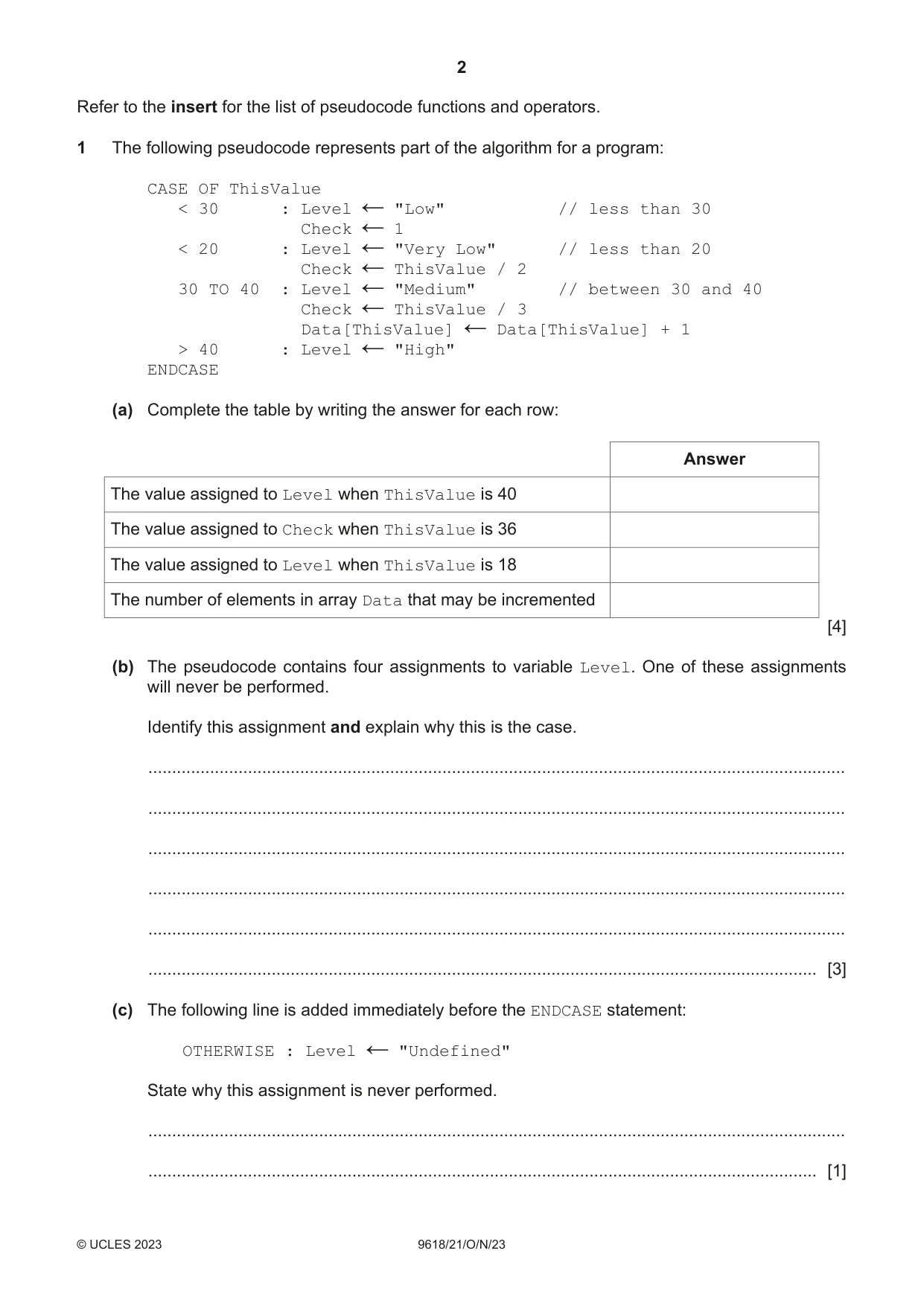
1 The following pseudocode represents part of the algorithm for a program: CASE OF ThisValue < 30 : Level "Low" // less than 30 ← Check 1 ← < 20 : Level "Very Low" // less than 20 ← Check ThisValue / 2 ← 30 TO 40 : Level "Medium" // between 30 and 40 ← Check ThisValue / 3 ← Data[ThisValue] Data[ThisValue] + 1 ← > 40 : Level "High" ← ENDCASE (a) Complete the table by writing the answer for each row: Answer The value assigned to Level when ThisValue is 40 The value assigned to Check when ThisValue is 36 The value assigned to Level when ThisValue is 18 The number of elements in array Data that may be incremented [4] (b) The pseudocode contains four assignments to variable Level. One of these assignments will never be performed. Identify this assignment and explain why this is the case. ................................................................................................................................................... ................................................................................................................................................... ................................................................................................................................................... ................................................................................................................................................... ................................................................................................................................................... ............................................................................................................................................. [3] (c) The following line is added immediately before the ENDCASE statement: OTHERWISE : Level "Undefined" ← State why this assignment is never performed. ................................................................................................................................................... ............................................................................................................................................. [1] (d) Give the appropriate data types for the variables ThisValue, Check and Level. ThisValue .............................................................................................................................. Check ....................................................................................................................................... Level ...................................................................................................................................... [3]
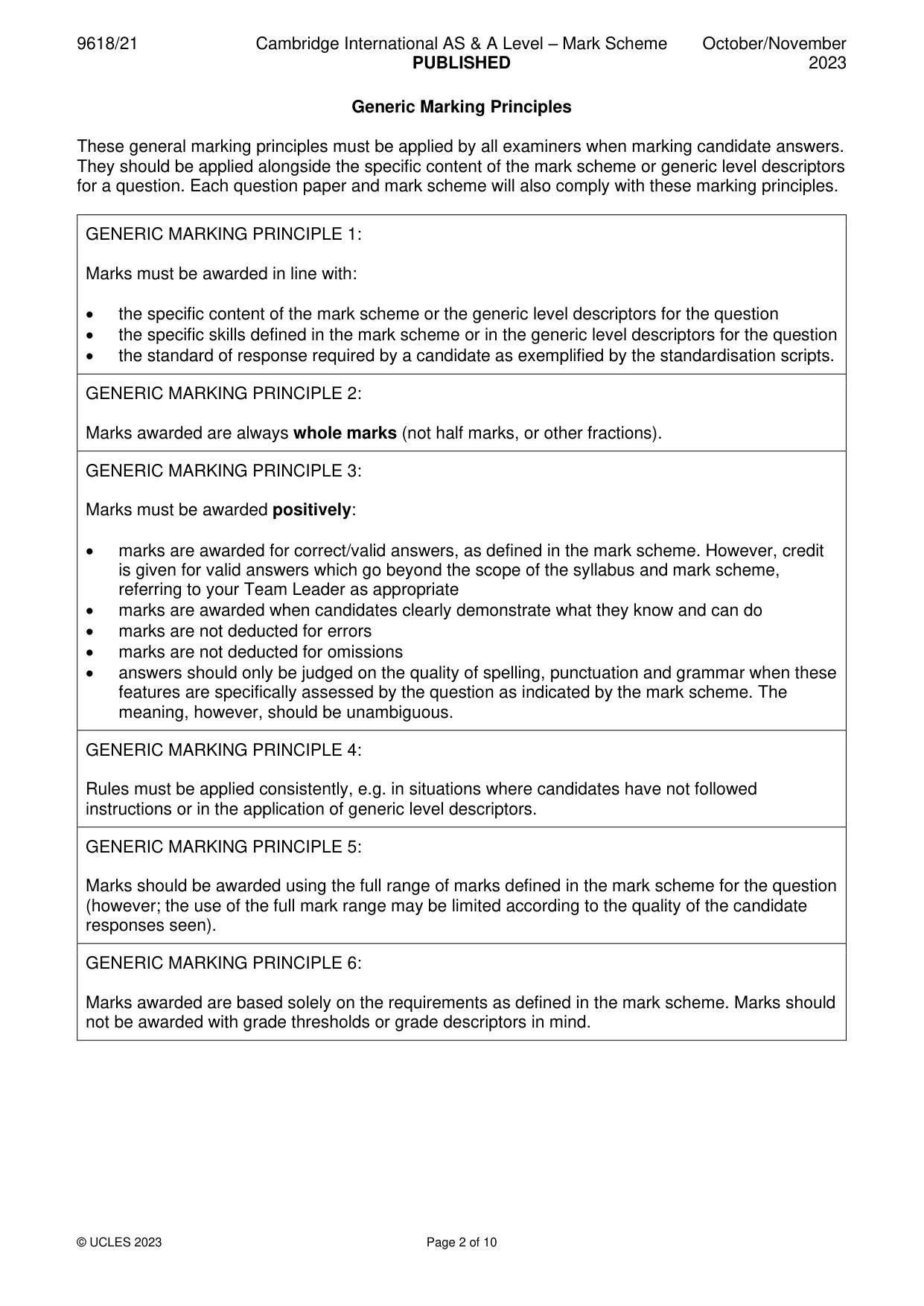
Mark scheme: Question Answer Marks 1(a) One mark per row: 4 Answer The value assigned to Level when ThisValue is 40 "Medium" The value assigned to Check when ThisValue is 36 12 The value assigned to Level when ThisValue is 18 "Low" The number of elements in array Data that may be 11 incremented 1(b) One mark for identifying assignment: 3 MP1 Level "Very Low" // the level is assigned value “very low” Explanation points: MP2 because CASE clauses are checked in sequence // because of the order of the clauses MP3 a value < 30 satisfies the first clause // Clause '< 20' will never be tested 1(c) MP1 all of the possible values are addressed via all / four / three / the other 1 clauses // there are no other possible values to map to OTHERWISE 1(d) One mark per point: 3 • ThisValue: INTEGER • Check: REAL • Level: STRING
Q2 · An algorithm is expressed as follows: • input 100 numbers, one at a time • keep a total…
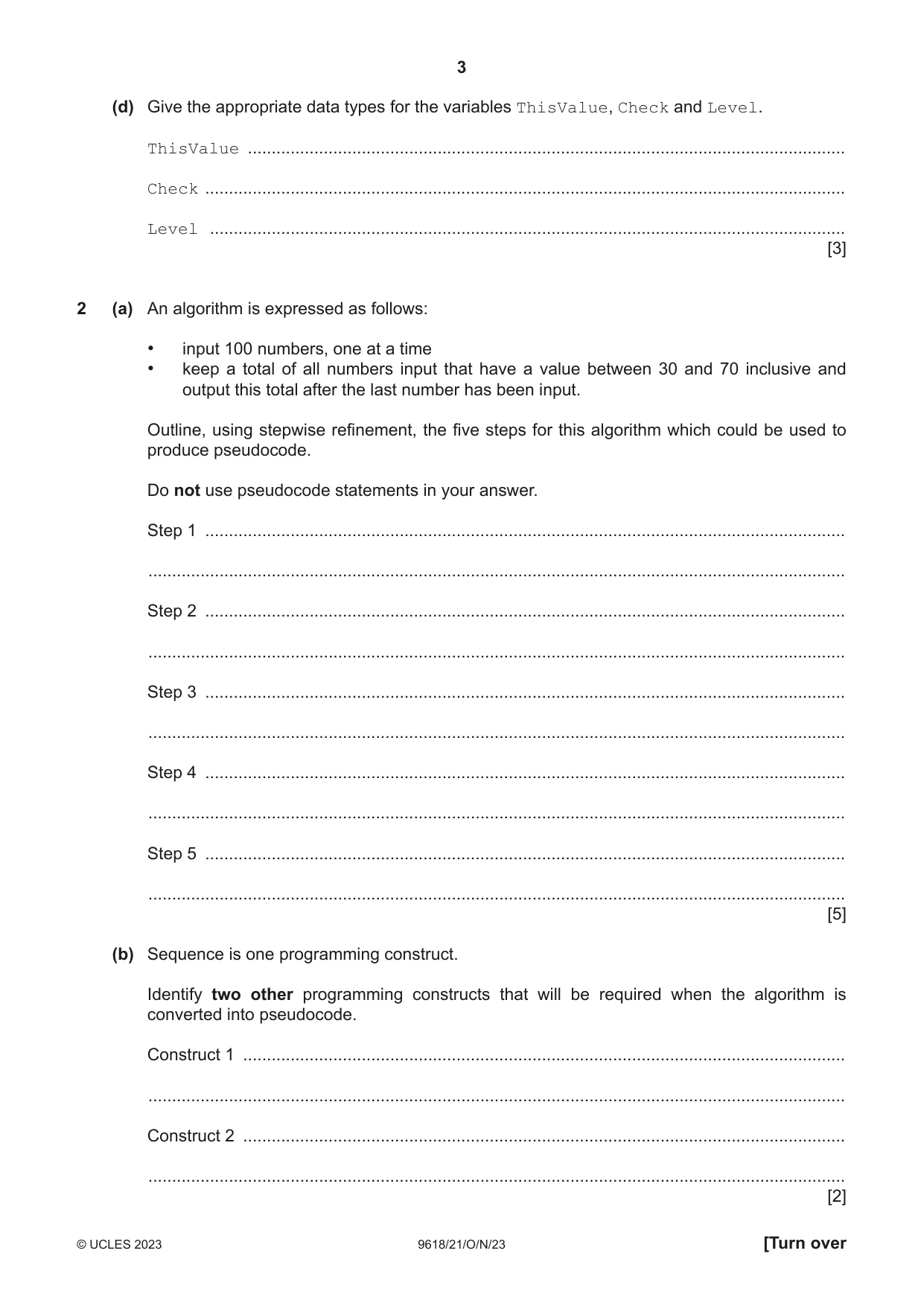
2 (a) An algorithm is expressed as follows: • input 100 numbers, one at a time • keep a total of all numbers input that have a value between 30 and 70 inclusive and output this total after the last number has been input. Outline, using stepwise refinement, the five steps for this algorithm which could be used to produce pseudocode. Do not use pseudocode statements in your answer. Step 1 ....................................................................................................................................... ................................................................................................................................................... Step 2 ....................................................................................................................................... ................................................................................................................................................... Step 3 ....................................................................................................................................... ................................................................................................................................................... Step 4 ....................................................................................................................................... ................................................................................................................................................... Step 5 ....................................................................................................................................... ................................................................................................................................................... [5] (b) Sequence is one programming construct. Identify two other programming constructs that will be required when the algorithm is converted into pseudocode. Construct 1 ............................................................................................................................... ................................................................................................................................................... Construct 2 ............................................................................................................................... ................................................................................................................................................... [2]
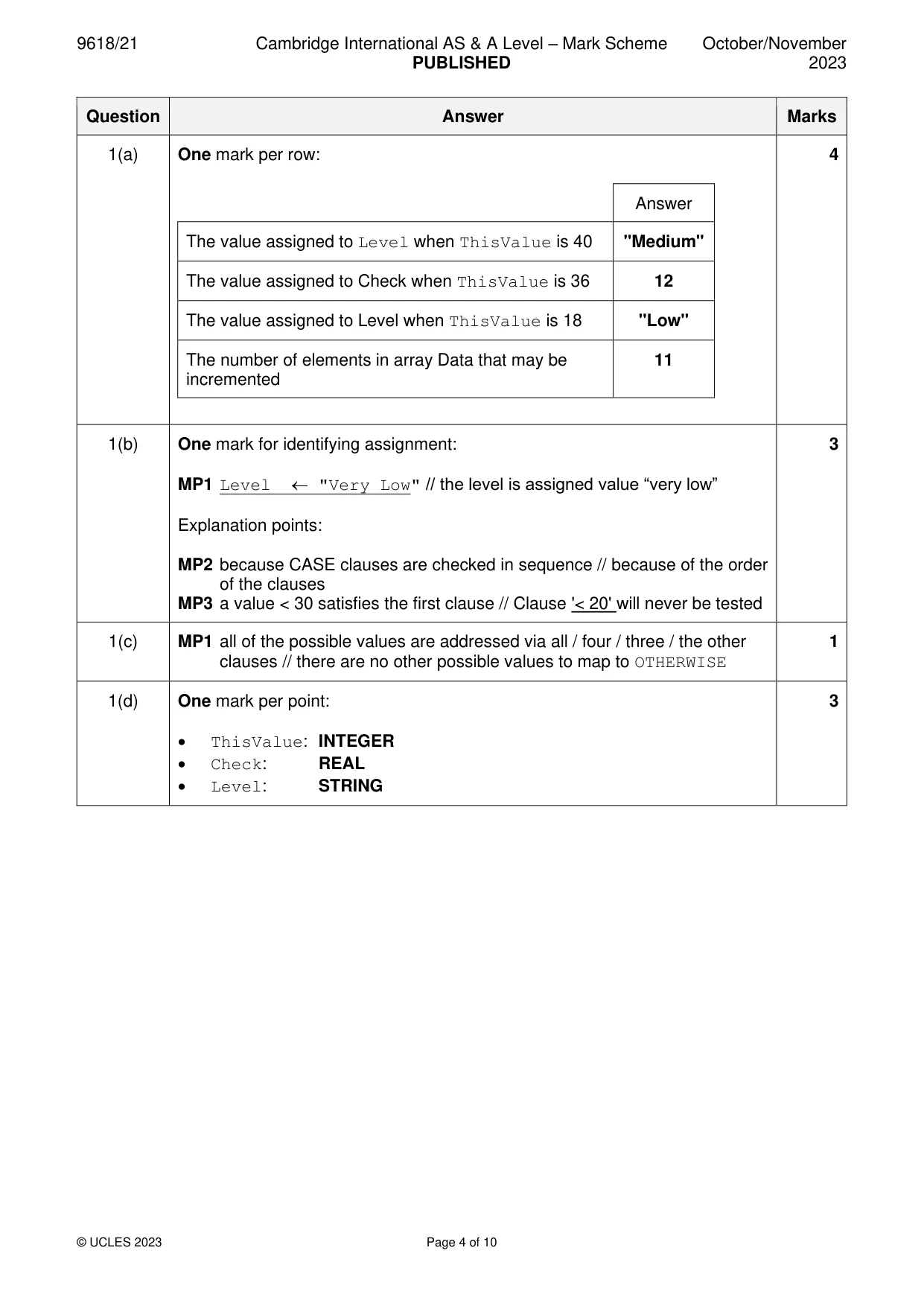
Mark scheme: 2(a) Max 5 marks 5 MP1 Set total to zero MP2 Input a number MP3 Check if number greater than 29 and less than 71 MP4 … if check is true - add number to total MP5 Repeat from step 2 99 times // for a total of 100 iterations MP6 Output the total 2(b) MP1 An iterative construct // a (count-controlled) loop 2 MP2 A selection construct // an IF statement
Q3 · The diagram represents an Abstract Data Type (ADT)
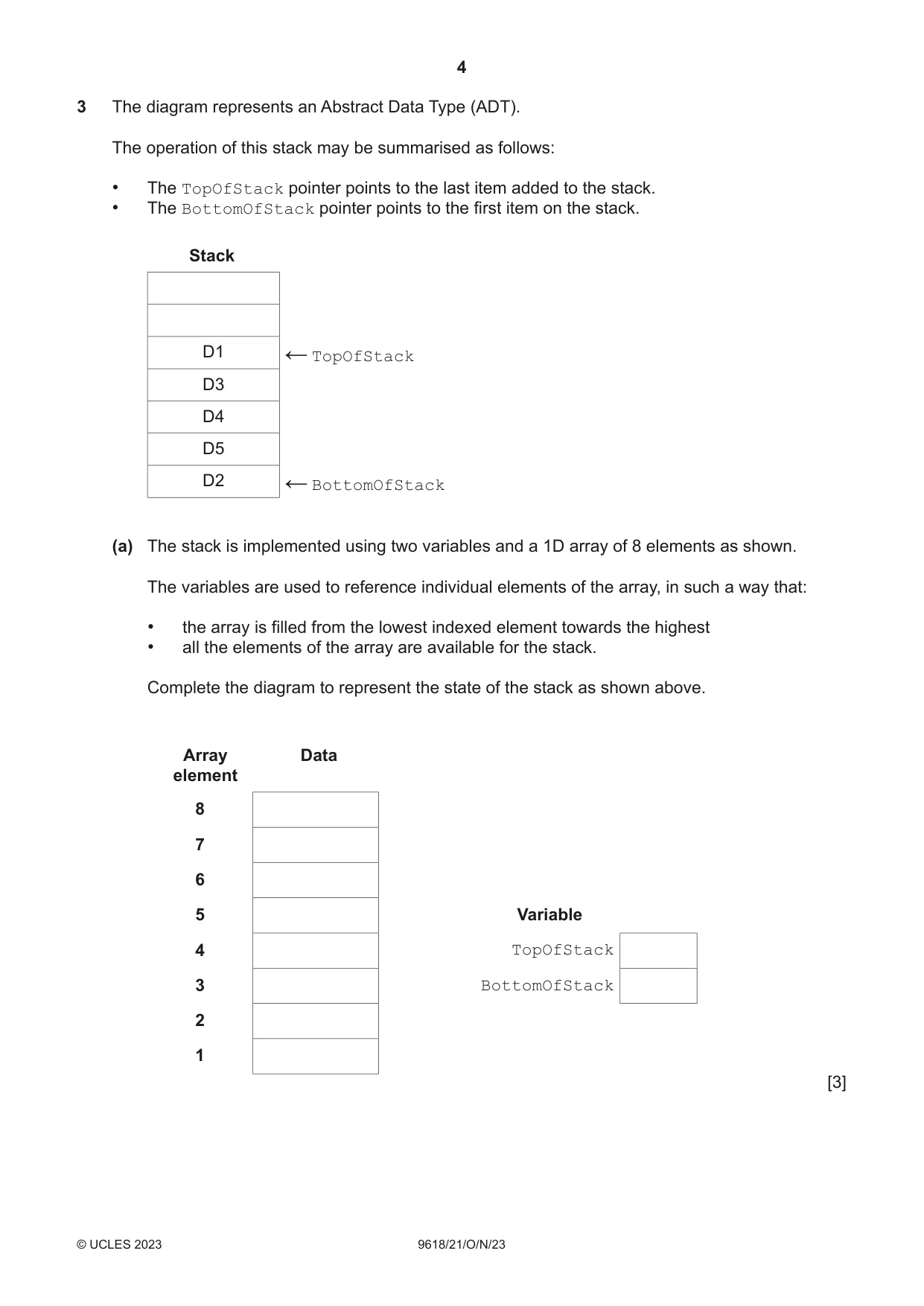
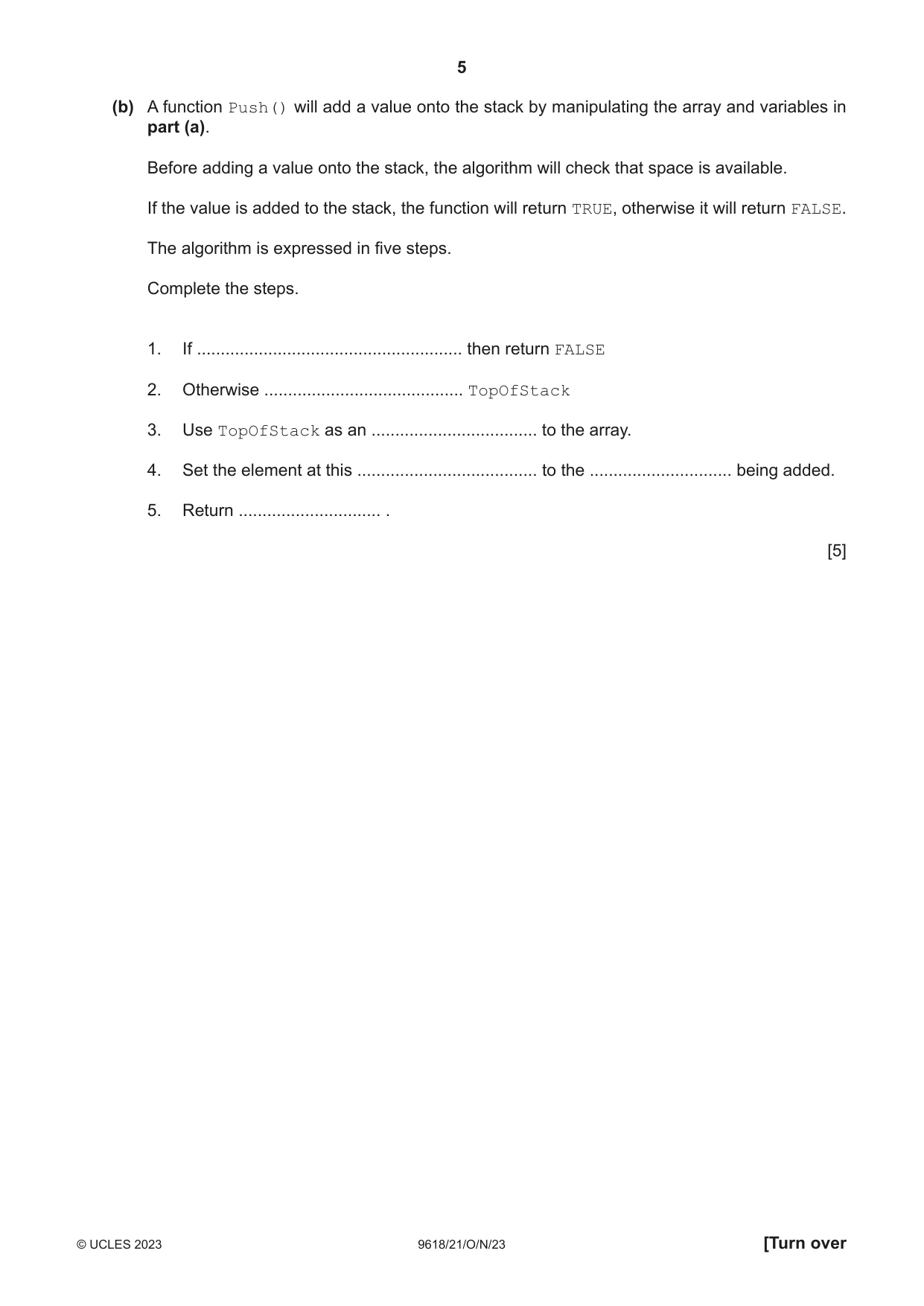
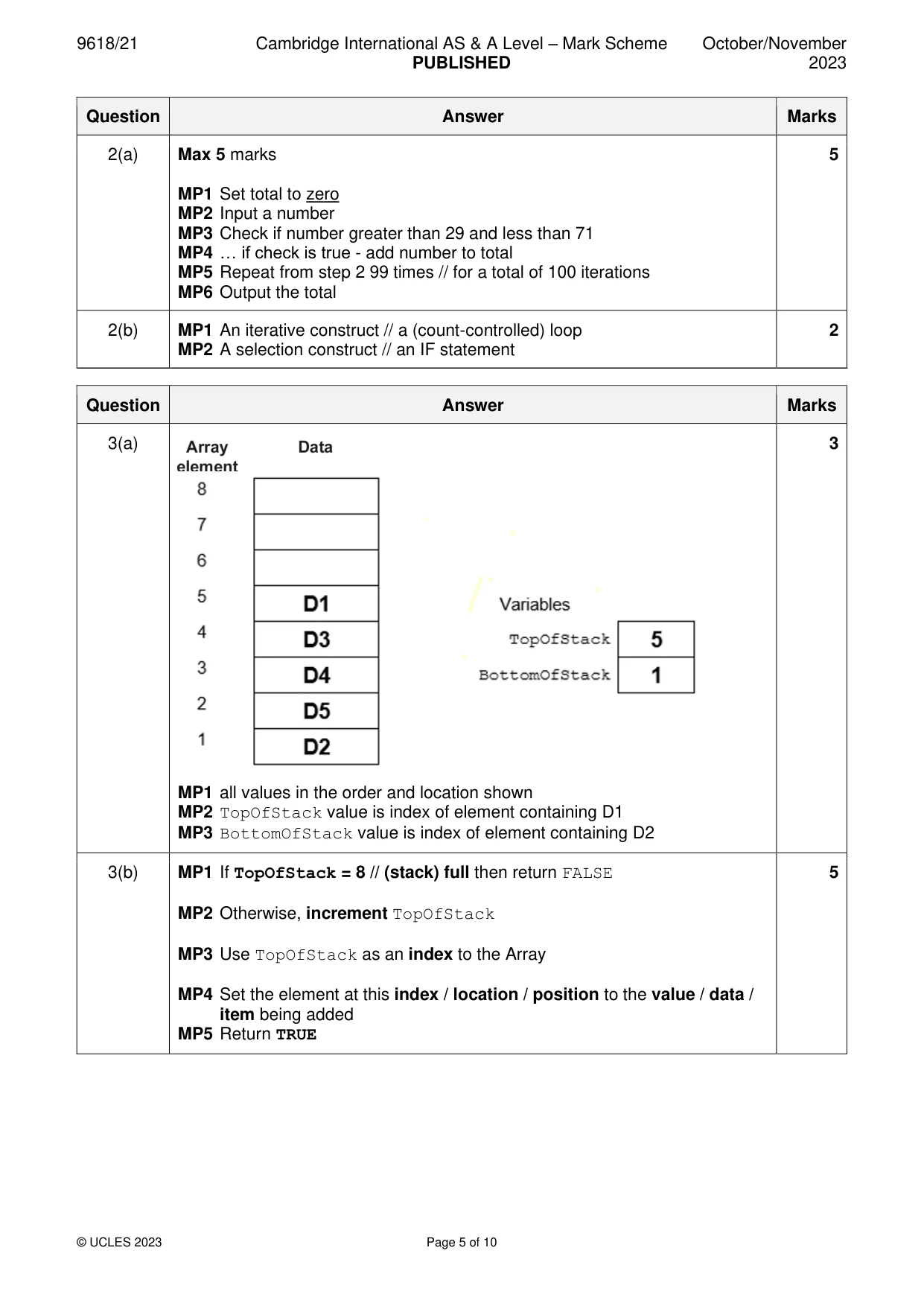
3 The diagram represents an Abstract Data Type (ADT). The operation of this stack may be summarised as follows: • The TopOfStack pointer points to the last item added to the stack. • The BottomOfStack pointer points to the first item on the stack. Stack D1 TopOfStack ← D3 D4 D5 D2 BottomOfStack ← (a) The stack is implemented using two variables and a 1D array of 8 elements as shown. The variables are used to reference individual elements of the array, in such a way that: • the array is filled from the lowest indexed element towards the highest • all the elements of the array are available for the stack. Complete the diagram to represent the state of the stack as shown above. Array Data element 8 7 6 5 Variable 4 TopOfStack 3 BottomOfStack 2 1 [3] (b) A function Push() will add a value onto the stack by manipulating the array and variables in part (a). Before adding a value onto the stack, the algorithm will check that space is available. If the value is added to the stack, the function will return TRUE, otherwise it will return FALSE. The algorithm is expressed in five steps. Complete the steps. 1. If ........................................................ then return FALSE 2. Otherwise .......................................... TopOfStack 3. Use TopOfStack as an ................................... to the array. 4. Set the element at this ...................................... to the .............................. being added. 5. Return .............................. . [5]
Mark scheme: 3(a) 3 MP1 all values in the order and location shown MP2 TopOfStack value is index of element containing D1 MP3 BottomOfStack value is index of element containing D2 3(b) MP1 If TopOfStack = 8 // (stack) full then return FALSE 5 MP2 Otherwise, increment TopOfStack MP3 Use TopOfStack as an index to the Array MP4 Set the element at this index / location / position to the value / data / item being added MP5 Return TRUE
Q4 · A global array is declared in pseudocode as follows: DECLARE Data : ARRAY[1:150] OF…
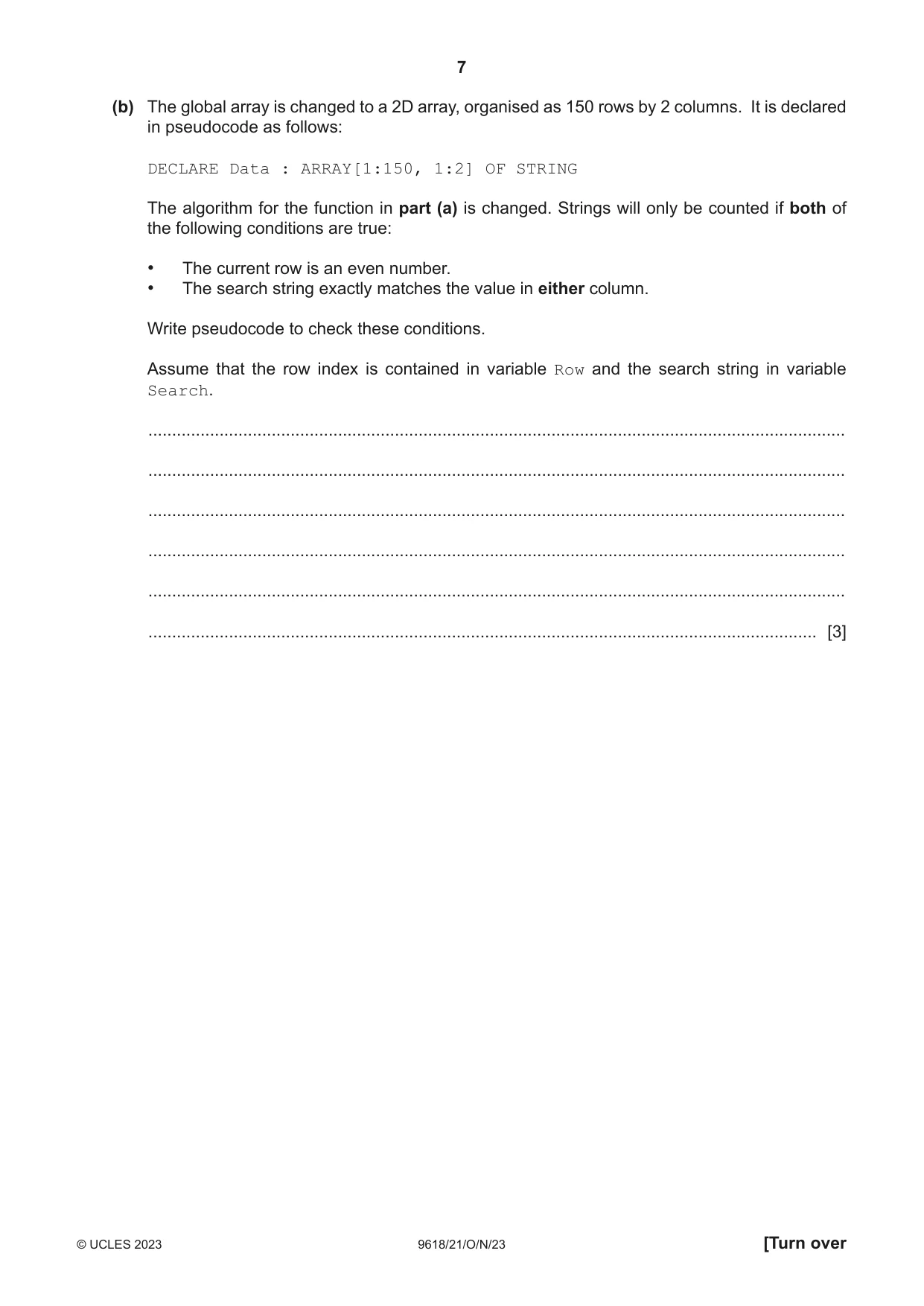
4 A global array is declared in pseudocode as follows: DECLARE Data : ARRAY[1:150] OF STRING A function TooMany() will: 1. take two parameters: • a string (the search string) • an integer (the maximum value) 2. count the number of strings in the array that exactly match the search string 3. return TRUE if the count is greater than the maximum value, otherwise will return FALSE (a) Write pseudocode for the function TooMany(). ................................................................................................................................................... ................................................................................................................................................... ................................................................................................................................................... ................................................................................................................................................... ................................................................................................................................................... ................................................................................................................................................... ................................................................................................................................................... ................................................................................................................................................... ................................................................................................................................................... ................................................................................................................................................... ................................................................................................................................................... ................................................................................................................................................... ................................................................................................................................................... ................................................................................................................................................... ................................................................................................................................................... ................................................................................................................................................... ................................................................................................................................................... ............................................................................................................................................. [6] (b) The global array is changed to a 2D array, organised as 150 rows by 2 columns. It is declared in pseudocode as follows: DECLARE Data : ARRAY[1:150, 1:2] OF STRING The algorithm for the function in part (a) is changed. Strings will only be counted if both of the following conditions are true: • The current row is an even number. • The search string exactly matches the value in either column. Write pseudocode to check these conditions. Assume that the row index is contained in variable Row and the search string in variable Search. ................................................................................................................................................... ................................................................................................................................................... ................................................................................................................................................... ................................................................................................................................................... ................................................................................................................................................... ............................................................................................................................................. [3]
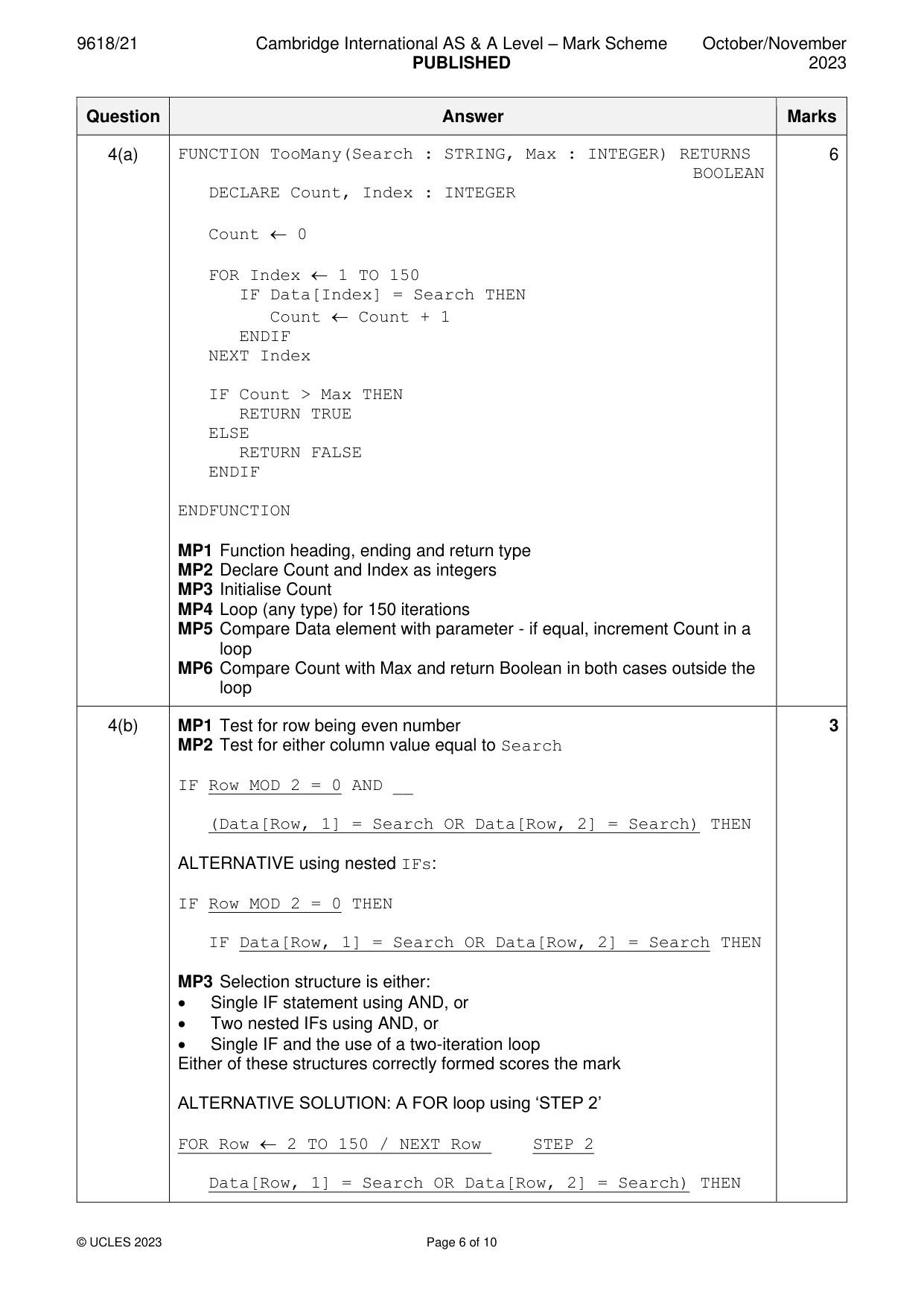
Mark scheme: 4(a) FUNCTION TooMany(Search : STRING, Max : INTEGER) RETURNS 6 BOOLEAN DECLARE Count, Index : INTEGER Count 0 FOR Index 1 TO 150 IF Data[Index] = Search THEN Count Count + 1 ENDIF NEXT Index IF Count > Max THEN RETURN TRUE ELSE RETURN FALSE ENDIF ENDFUNCTION MP1 Function heading, ending and return type MP2 Declare Count and Index as integers MP3 Initialise Count MP4 Loop (any type) for 150 iterations MP5 Compare Data element with parameter - if equal, increment Count in a loop MP6 Compare Count with Max and return Boolean in both cases outside the loop 4(b) MP1 Test for row being even number 3 MP2 Test for either column value equal to Search IF Row MOD 2 = 0 AND __ (Data[Row, 1] = Search OR Data[Row, 2] = Search) THEN ALTERNATIVE using nested IFs: IF Row MOD 2 = 0 THEN IF Data[Row, 1] = Search OR Data[Row, 2] = Search THEN MP3 Selection structure is either: • Single IF statement using AND, or • Two nested IFs using AND, or • Single IF and the use of a two-iteration loop Either of these structures correctly formed scores the mark ALTERNATIVE SOLUTION: A FOR loop using ‘STEP 2’ FOR Row 2 TO 150 / NEXT Row STEP 2 Data[Row, 1] = Search OR Data[Row, 2] = Search) THEN
Q5 · An algorithm is designed to find the smallest numeric value from an input sequence and…
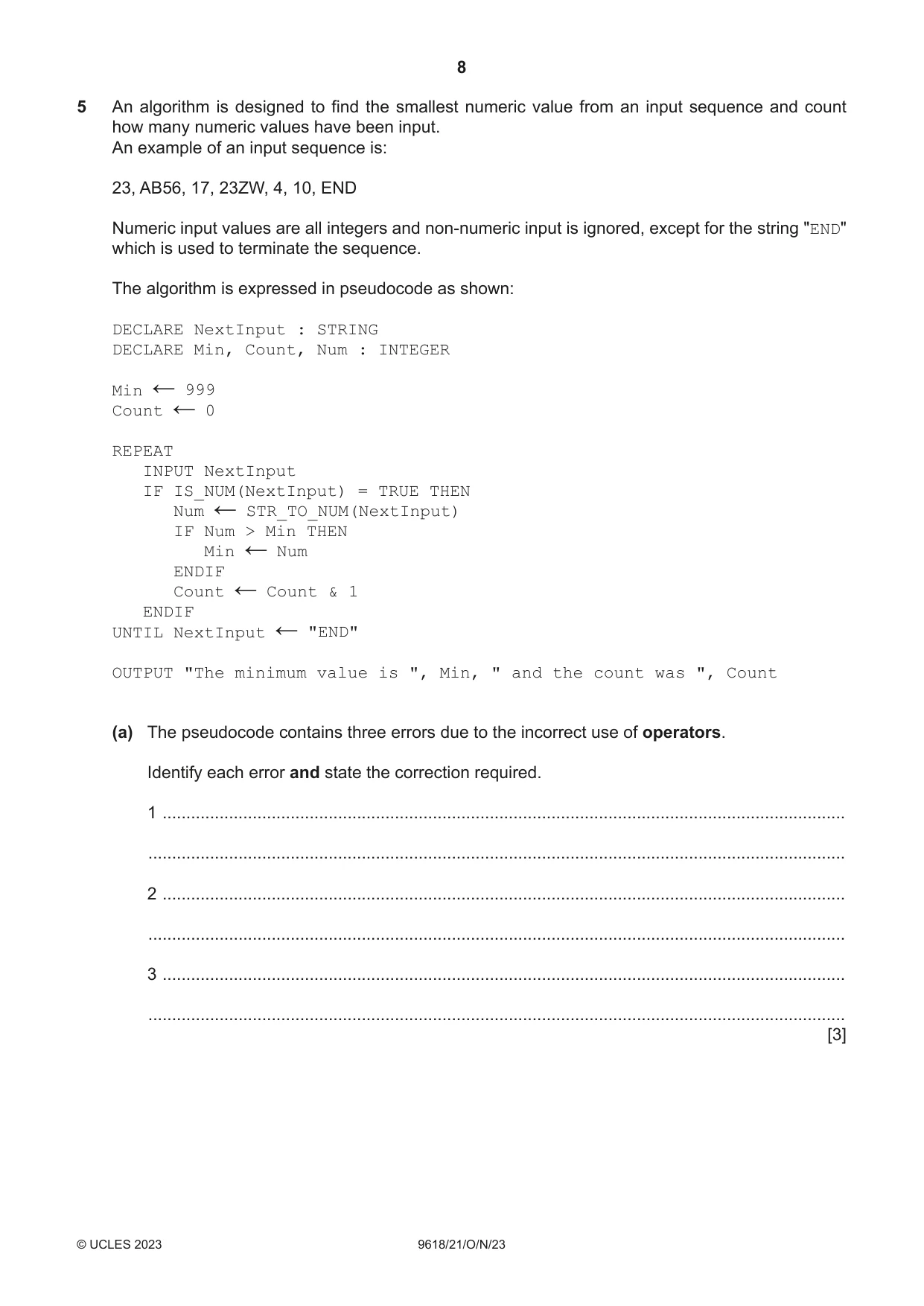
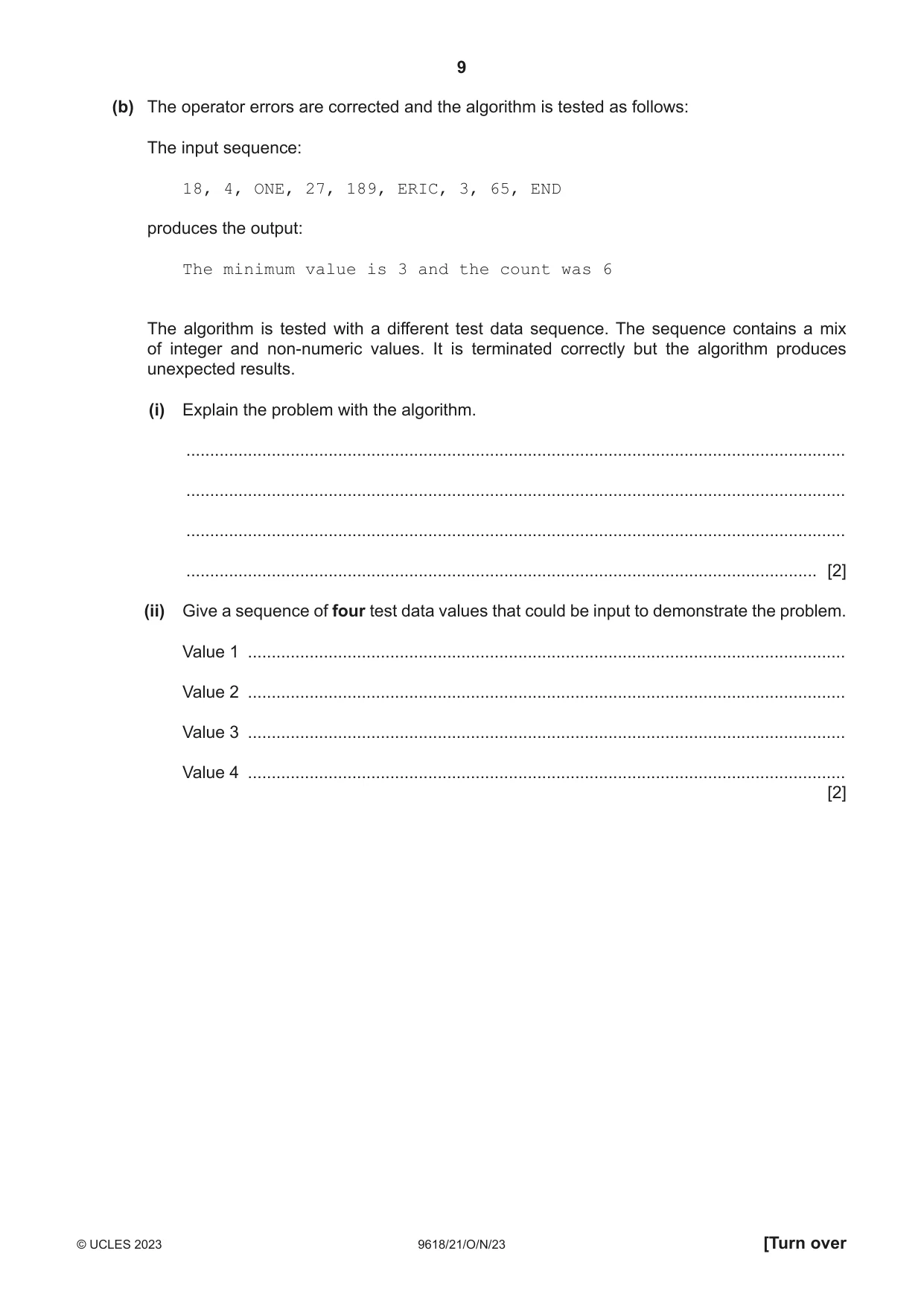
5 An algorithm is designed to find the smallest numeric value from an input sequence and count how many numeric values have been input. An example of an input sequence is: 23, AB56, 17, 23ZW, 4, 10, END Numeric input values are all integers and non-numeric input is ignored, except for the string "END" which is used to terminate the sequence. The algorithm is expressed in pseudocode as shown: DECLARE NextInput : STRING DECLARE Min, Count, Num : INTEGER Min 999 ← Count 0 ← REPEAT INPUT NextInput IF IS_NUM(NextInput) = TRUE THEN Num STR_TO_NUM(NextInput) ← IF Num > Min THEN Min Num ← ENDIF Count Count & 1 ← ENDIF UNTIL NextInput "END" ← OUTPUT "The minimum value is ", Min, " and the count was ", Count (a) The pseudocode contains three errors due to the incorrect use of operators. Identify each error and state the correction required. 1 ................................................................................................................................................ ................................................................................................................................................... 2 ................................................................................................................................................ ................................................................................................................................................... 3 ................................................................................................................................................ ................................................................................................................................................... [3] (b) The operator errors are corrected and the algorithm is tested as follows: The input sequence: 18, 4, ONE, 27, 189, ERIC, 3, 65, END produces the output: The minimum value is 3 and the count was 6 The algorithm is tested with a different test data sequence. The sequence contains a mix of integer and non-numeric values. It is terminated correctly but the algorithm produces unexpected results. (i) Explain the problem with the algorithm. ........................................................................................................................................... ........................................................................................................................................... ........................................................................................................................................... ..................................................................................................................................... [2] (ii) Give a sequence of four test data values that could be input to demonstrate the problem. Value 1 .............................................................................................................................. Value 2 .............................................................................................................................. Value 3 .............................................................................................................................. Value 4 .............................................................................................................................. [2]
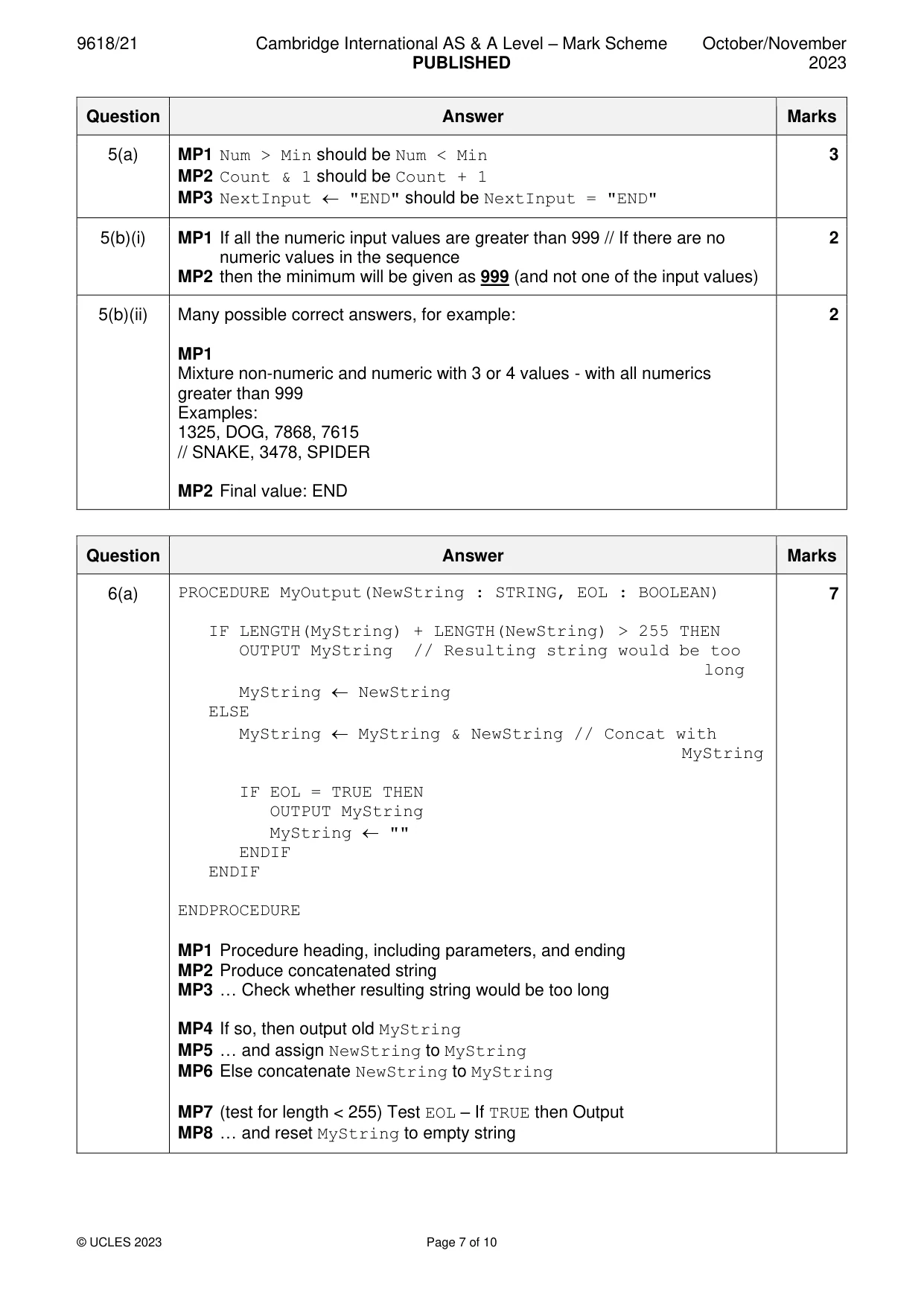
Mark scheme: 5(a) MP1 Num > Min should be Num < Min 3 MP2 Count & 1 should be Count + 1 MP3 NextInput "END" should be NextInput = "END" 5(b)(i) MP1 If all the numeric input values are greater than 999 // If there are no 2 numeric values in the sequence MP2 then the minimum will be given as 999 (and not one of the input values) 5(b)(ii) Many possible correct answers, for example: 2 MP1 Mixture non-numeric and numeric with 3 or 4 values - with all numerics greater than 999 Examples: 1325, DOG, 7868, 7615 // SNAKE, 3478, SPIDER MP2 Final value: END
Q6 · The pseudocode OUTPUT command starts each output on a new line
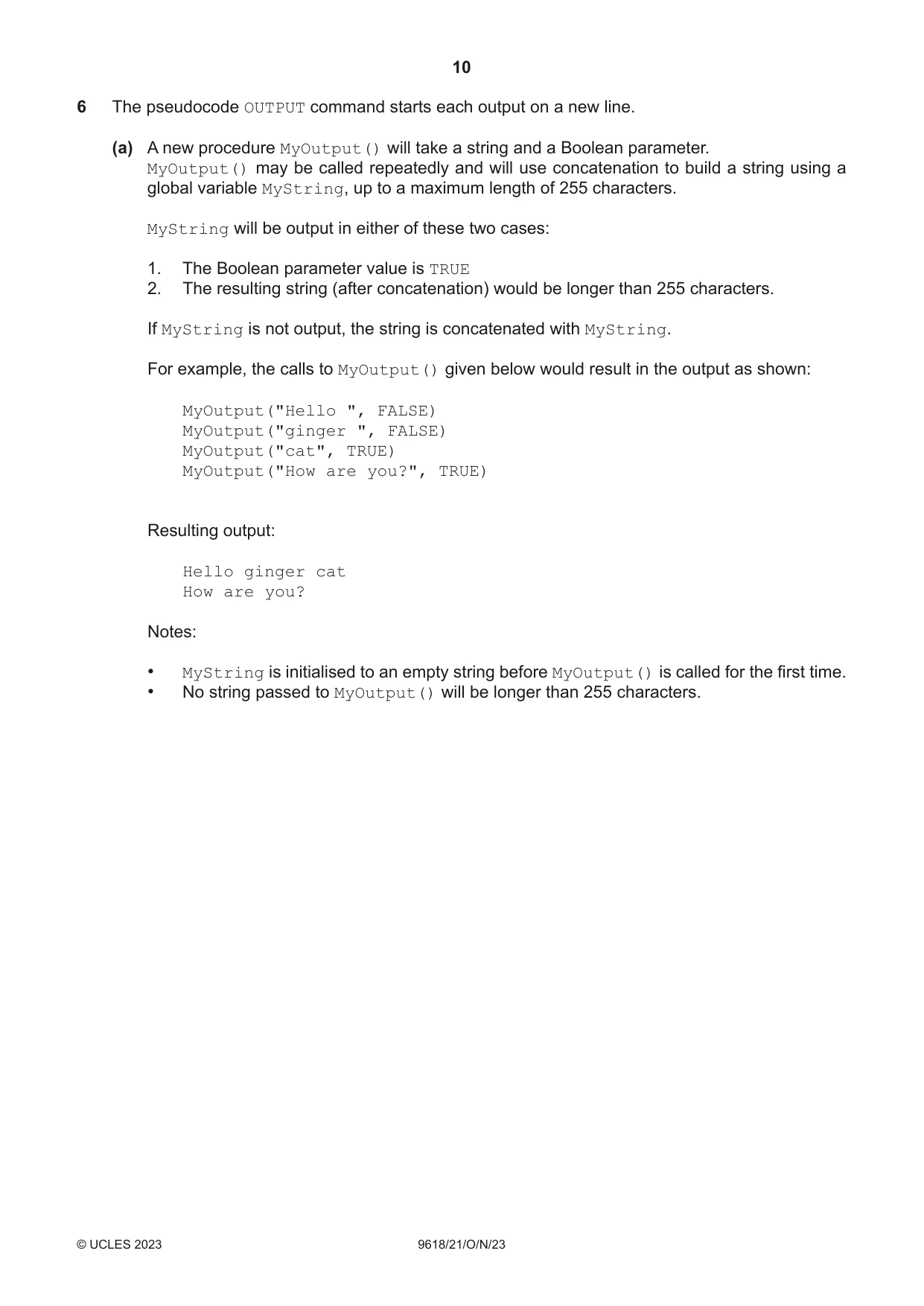
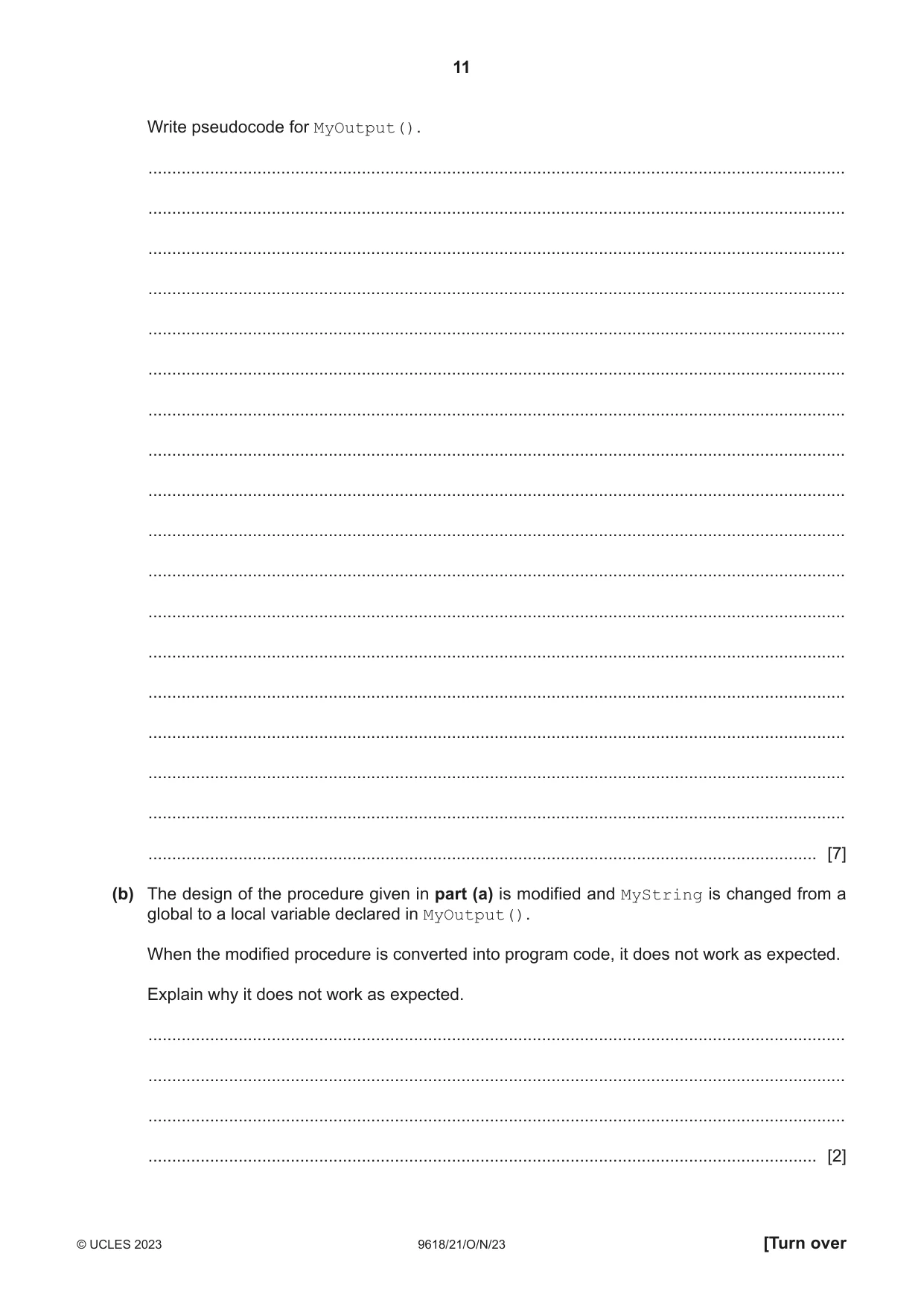
6 The pseudocode OUTPUT command starts each output on a new line. (a) A new procedure MyOutput() will take a string and a Boolean parameter. MyOutput() may be called repeatedly and will use concatenation to build a string using a global variable MyString, up to a maximum length of 255 characters. MyString will be output in either of these two cases: 1. The Boolean parameter value is TRUE 2. The resulting string (after concatenation) would be longer than 255 characters. If MyString is not output, the string is concatenated with MyString. For example, the calls to MyOutput() given below would result in the output as shown: MyOutput("Hello ", FALSE) MyOutput("ginger ", FALSE) MyOutput("cat", TRUE) MyOutput("How are you?", TRUE) Resulting output: Hello ginger cat How are you? Notes: • MyString is initialised to an empty string before MyOutput() is called for the first time. • No string passed to MyOutput() will be longer than 255 characters. Write pseudocode for MyOutput(). ................................................................................................................................................... ................................................................................................................................................... ................................................................................................................................................... ................................................................................................................................................... ................................................................................................................................................... ................................................................................................................................................... ................................................................................................................................................... ................................................................................................................................................... ................................................................................................................................................... ................................................................................................................................................... ................................................................................................................................................... ................................................................................................................................................... ................................................................................................................................................... ................................................................................................................................................... ................................................................................................................................................... ................................................................................................................................................... ................................................................................................................................................... ............................................................................................................................................. [7] (b) The design of the procedure given in part (a) is modified and MyString is changed from a global to a local variable declared in MyOutput(). When the modified procedure is converted into program code, it does not work as expected. Explain why it does not work as expected. ................................................................................................................................................... ................................................................................................................................................... ................................................................................................................................................... ............................................................................................................................................. [2]
Mark scheme: 6(a) PROCEDURE MyOutput(NewString : STRING, EOL : BOOLEAN) 7 IF LENGTH(MyString) + LENGTH(NewString) > 255 THEN OUTPUT MyString // Resulting string would be too long MyString NewString ELSE MyString MyString & NewString // Concat with MyString IF EOL = TRUE THEN OUTPUT MyString MyString "" ENDIF ENDIF ENDPROCEDURE MP1 Procedure heading, including parameters, and ending MP2 Produce concatenated string MP3 … Check whether resulting string would be too long MP4 If so, then output old MyString MP5 … and assign NewString to MyString MP6 Else concatenate NewString to MyString MP7 (test for length < 255) Test EOL – If TRUE then Output MP8 … and reset MyString to empty string 6(b) MP1 A new (instance of) variable MyString is created each time the 2 procedure is called / executed MP2 So the previous contents are lost
Q7 · An algorithm is represented by a state-transition diagram
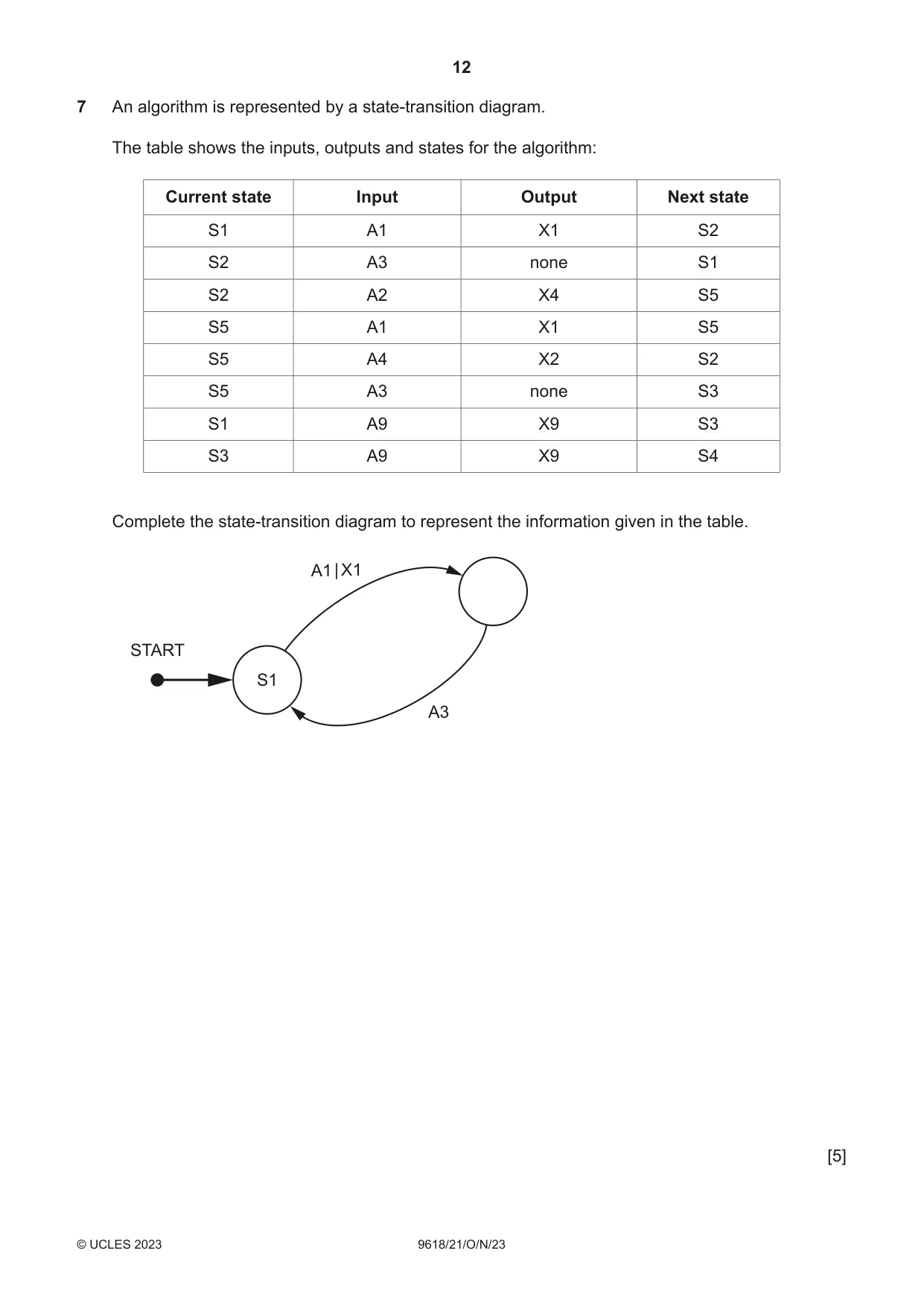
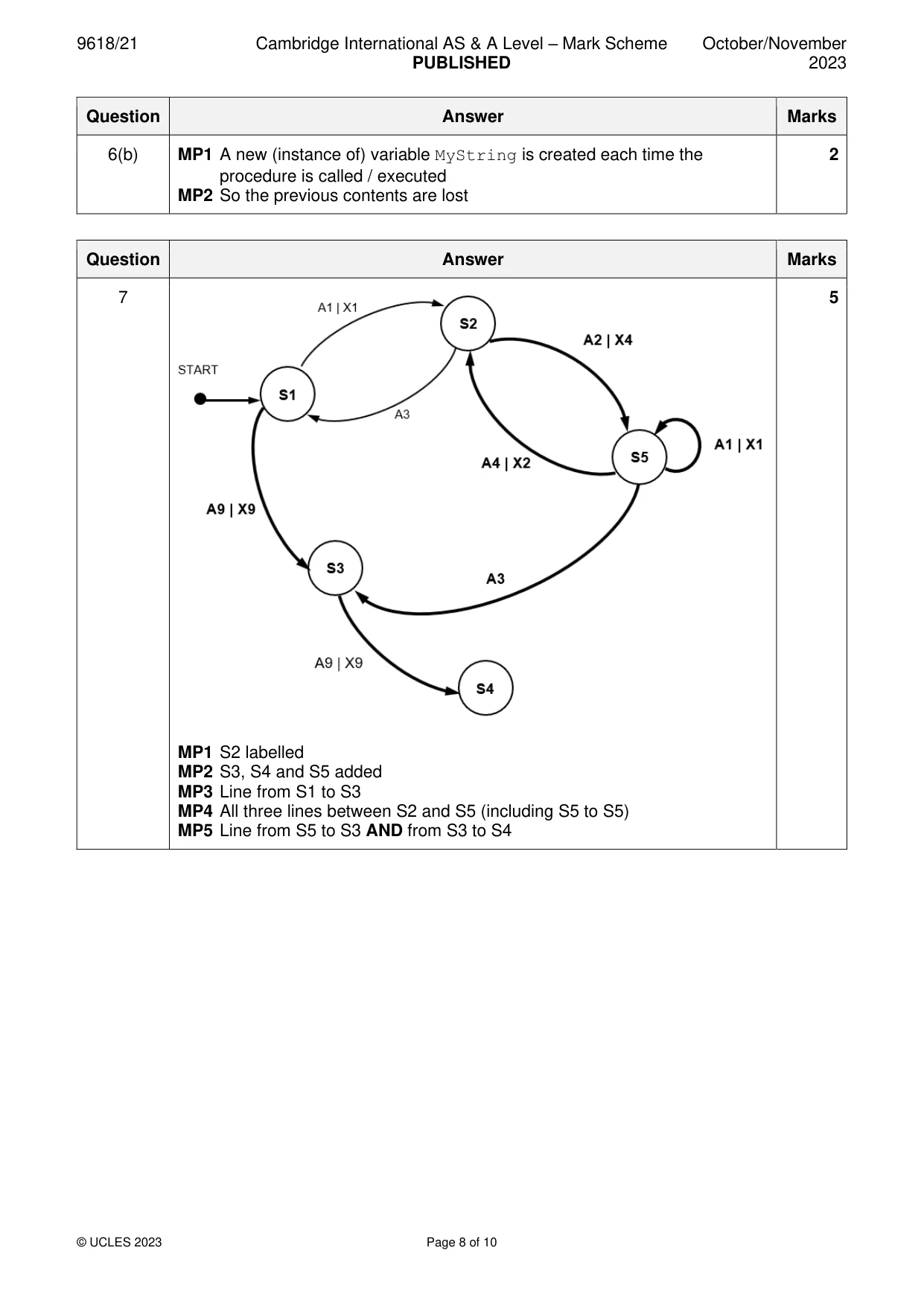
7 An algorithm is represented by a state-transition diagram. The table shows the inputs, outputs and states for the algorithm: Current state Input Output Next state S1 A1 X1 S2 S2 A3 none S1 S2 A2 X4 S5 S5 A1 X1 S5 S5 A4 X2 S2 S5 A3 none S3 S1 A9 X9 S3 S3 A9 X9 S4 Complete the state-transition diagram to represent the information given in the table. A1 | X1 START S1 A3 [5]
Mark scheme: 7 5 MP1 S2 labelled MP2 S3, S4 and S5 added MP3 Line from S1 to S3 MP4 All three lines between S2 and S5 (including S5 to S5) MP5 Line from S5 to S3 AND from S3 to S4
Q8 · A class of students are developing a program to send data between computers
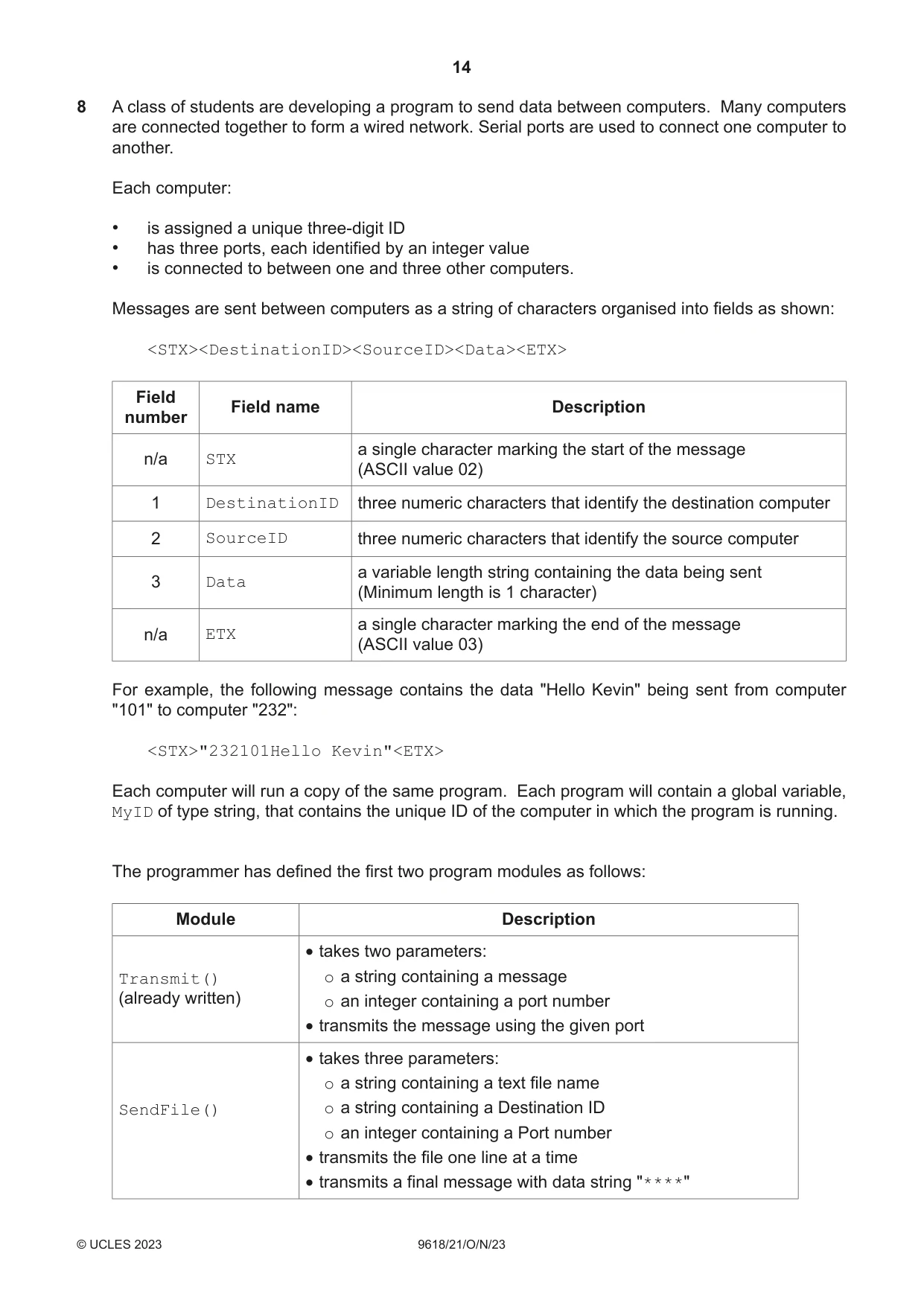
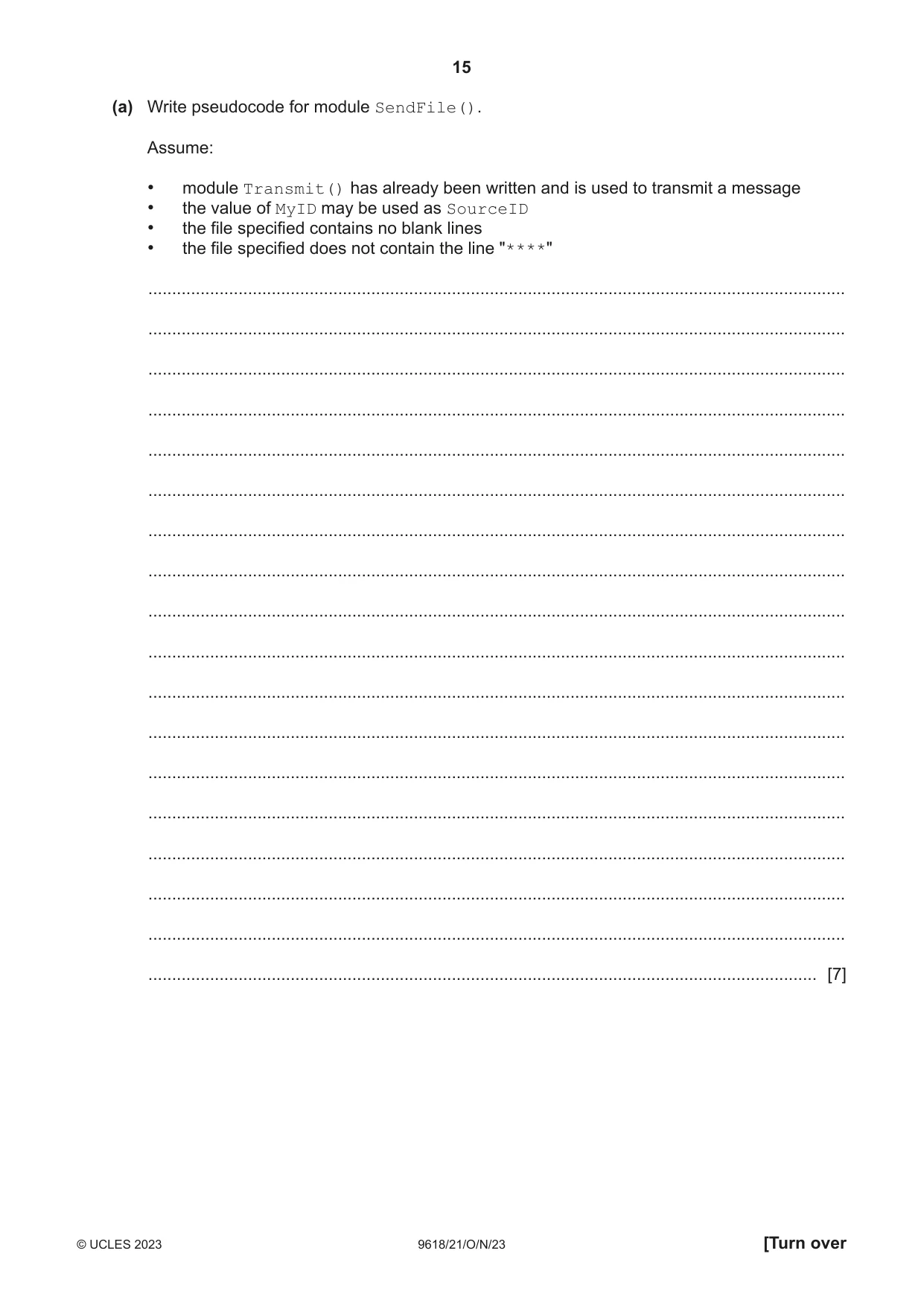
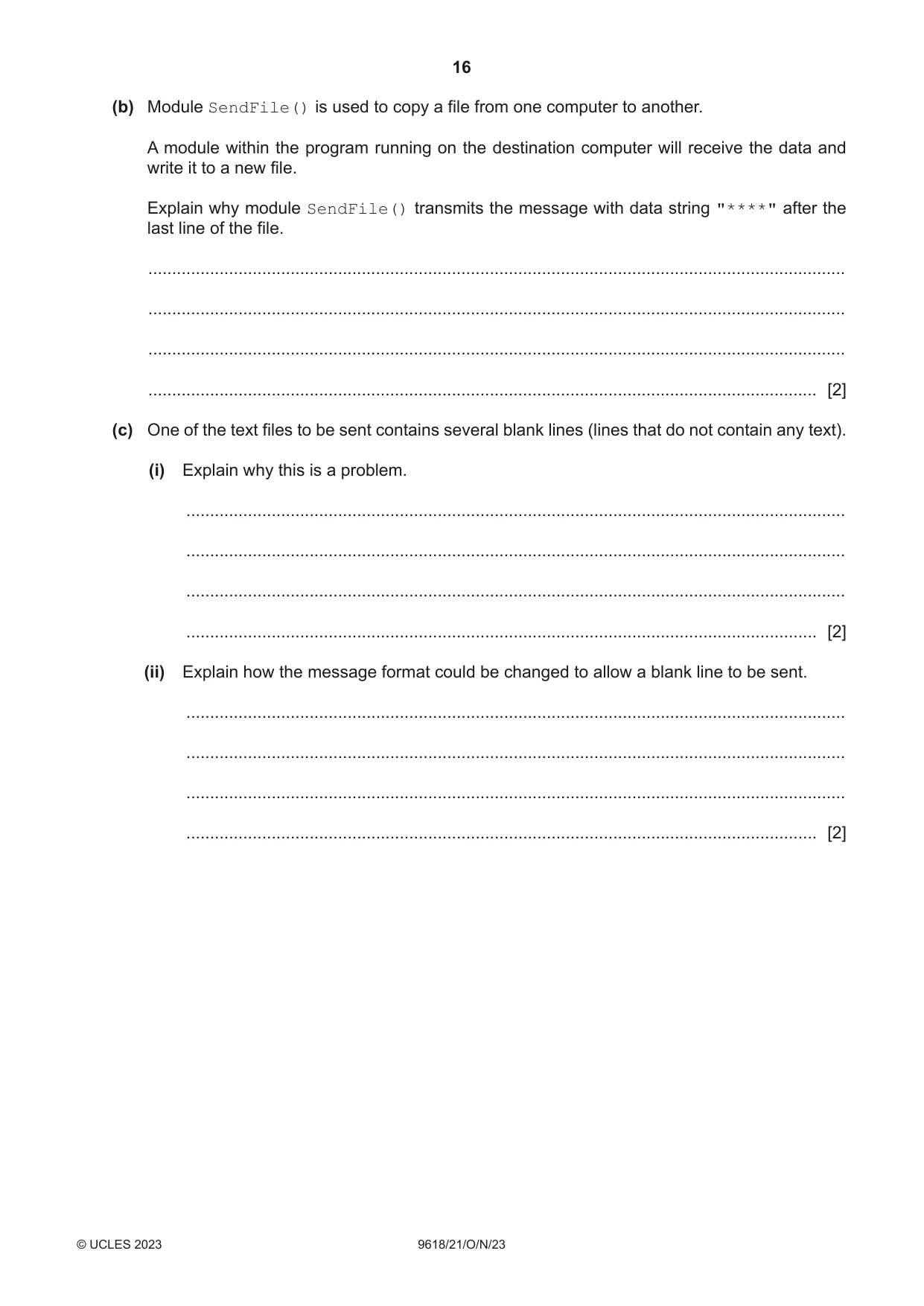
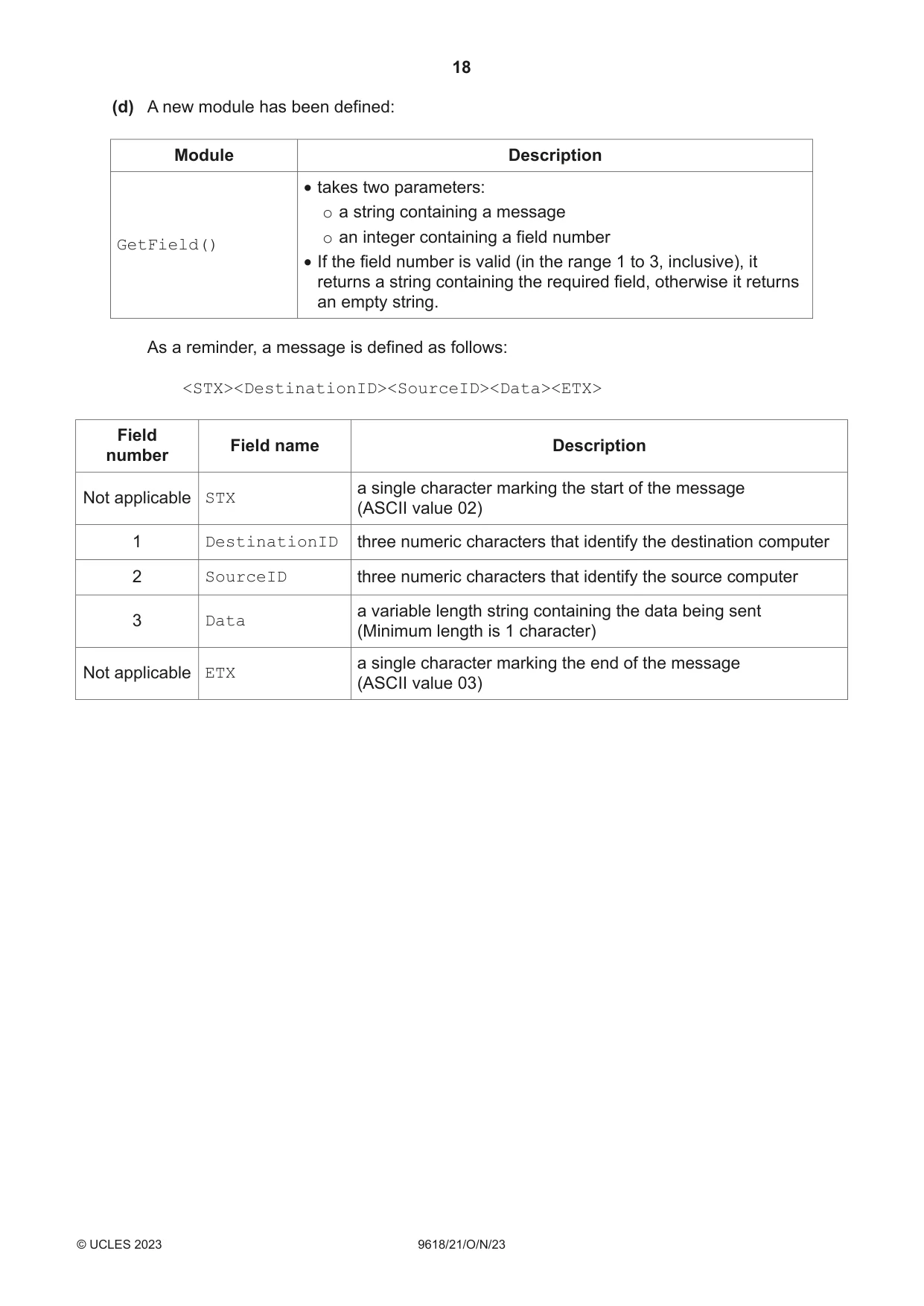
8 A class of students are developing a program to send data between computers. Many computers are connected together to form a wired network. Serial ports are used to connect one computer to another. Each computer: • is assigned a unique three-digit ID • has three ports, each identified by an integer value • is connected to between one and three other computers. Messages are sent between computers as a string of characters organised into fields as shown: <STX><DestinationID><SourceID><Data><ETX> Field Field name Description number a single character marking the start of the message n/a STX (ASCII value 02) 1 DestinationID three numeric characters that identify the destination computer 2 SourceID three numeric characters that identify the source computer a variable length string containing the data being sent 3 Data (Minimum length is 1 character) a single character marking the end of the message n/a ETX (ASCII value 03) For example, the following message contains the data "Hello Kevin" being sent from computer "101" to computer "232": <STX>"232101Hello Kevin"<ETX> Each computer will run a copy of the same program. Each program will contain a global variable, MyID of type string, that contains the unique ID of the computer in which the program is running. The programmer has defined the first two program modules as follows: Module Description • takes two parameters: Transmit() o a string containing a message (already written) o an integer containing a port number • transmits the message using the given port • takes three parameters: o a string containing a text file name SendFile() o a string containing a Destination ID o an integer containing a Port number • transmits the file one line at a time • transmits a final message with data string "****" (a) Write pseudocode for module SendFile(). Assume: • module Transmit() has already been written and is used to transmit a message • the value of MyID may be used as SourceID • the file specified contains no blank lines • the file specified does not contain the line "****" ................................................................................................................................................... ................................................................................................................................................... ................................................................................................................................................... ................................................................................................................................................... ................................................................................................................................................... ................................................................................................................................................... ................................................................................................................................................... ................................................................................................................................................... ................................................................................................................................................... ................................................................................................................................................... ................................................................................................................................................... ................................................................................................................................................... ................................................................................................................................................... ................................................................................................................................................... ................................................................................................................................................... ................................................................................................................................................... ................................................................................................................................................... ............................................................................................................................................. [7] (b) Module SendFile() is used to copy a file from one computer to another. A module within the program running on the destination computer will receive the data and write it to a new file. Explain why module SendFile() transmits the message with data string "****" after the last line of the file. ................................................................................................................................................... ................................................................................................................................................... ................................................................................................................................................... ............................................................................................................................................. [2] (c) One of the text files to be sent contains several blank lines (lines that do not contain any text). (i) Explain why this is a problem. ........................................................................................................................................... ........................................................................................................................................... ........................................................................................................................................... ..................................................................................................................................... [2] (ii) Explain how the message format could be changed to allow a blank line to be sent. ........................................................................................................................................... ........................................................................................................................................... ........................................................................................................................................... ..................................................................................................................................... [2]
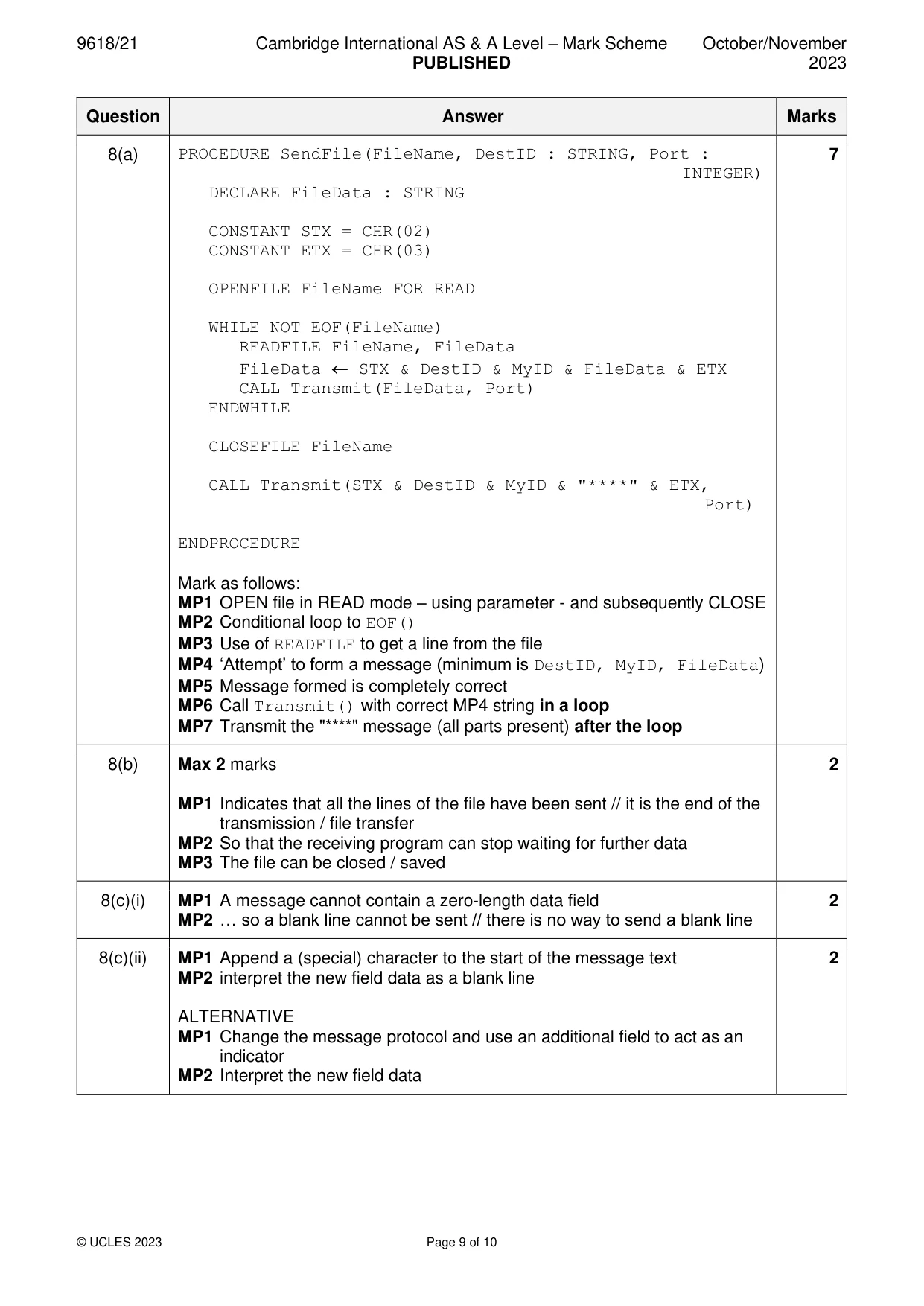
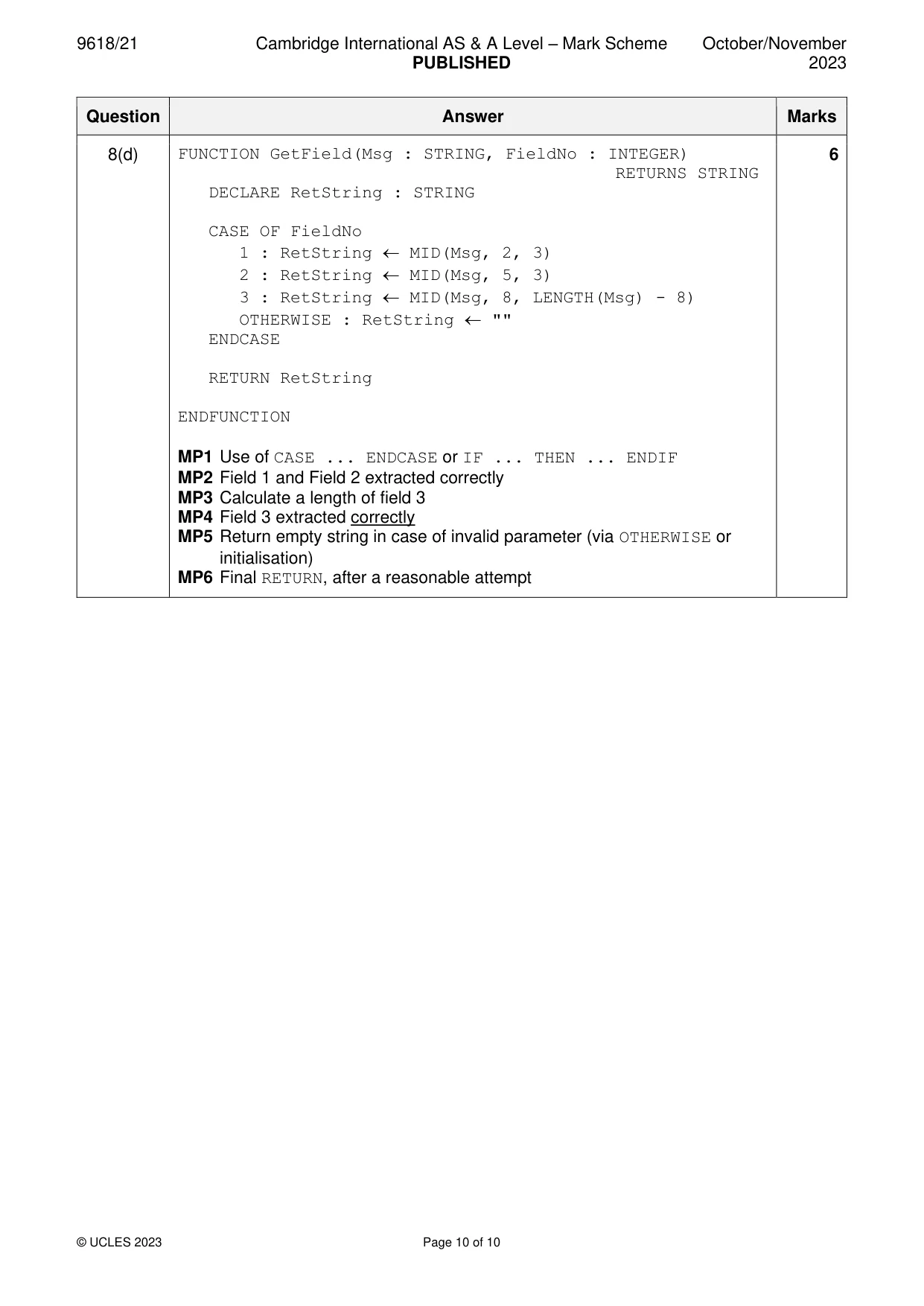
Mark scheme: 8(a) PROCEDURE SendFile(FileName, DestID : STRING, Port : 7 INTEGER) DECLARE FileData : STRING CONSTANT STX = CHR(02) CONSTANT ETX = CHR(03) OPENFILE FileName FOR READ WHILE NOT EOF(FileName) READFILE FileName, FileData FileData STX & DestID & MyID & FileData & ETX CALL Transmit(FileData, Port) ENDWHILE CLOSEFILE FileName CALL Transmit(STX & DestID & MyID & "****" & ETX, Port) ENDPROCEDURE Mark as follows: MP1 OPEN file in READ mode – using parameter - and subsequently CLOSE MP2 Conditional loop to EOF() MP3 Use of READFILE to get a line from the file MP4 ‘Attempt’ to form a message (minimum is DestID, MyID, FileData) MP5 Message formed is completely correct MP6 Call Transmit() with correct MP4 string in a loop MP7 Transmit the "****" message (all parts present) after the loop 8(b) Max 2 marks 2 MP1 Indicates that all the lines of the file have been sent // it is the end of the transmission / file transfer MP2 So that the receiving program can stop waiting for further data MP3 The file can be closed / saved 8(c)(i) MP1 A message cannot contain a zero-length data field 2 MP2 … so a blank line cannot be sent // there is no way to send a blank line 8(c)(ii) MP1 Append a (special) character to the start of the message text 2 MP2 interpret the new field data as a blank line ALTERNATIVE MP1 Change the message protocol and use an additional field to act as an indicator MP2 Interpret the new field data 8(d) FUNCTION GetField(Msg : STRING, FieldNo : INTEGER) 6 RETURNS STRING DECLARE RetString : STRING CASE OF FieldNo 1 : RetString MID(Msg, 2, 3) 2 : RetString MID(Msg, 5, 3) 3 : RetString MID(Msg, 8, LENGTH(Msg) - 8) OTHERWISE : RetString "" ENDCASE RETURN RetString ENDFUNCTION MP1 Use of CASE ... ENDCASE or IF ... THEN ... ENDIF MP2 Field 1 and Field 2 extracted correctly MP3 Calculate a length of field 3 MP4 Field 3 extracted correctly MP5 Return empty string in case of invalid parameter (via OTHERWISE or initialisation) MP6 Final RETURN, after a reasonable attempt
What you needed in this session
Cambridge’s own grade thresholds for 2023 Oct/Nov, Paper 2 · Variant 1. A higher threshold means an easier paper — the bar moves with how the cohort did.