Cambridge A Level Computer Science 9618 — 2021 May/June Paper 2 · Variant 1
9618/21/M/J/21 · 7 questions · 75 marks · ≈84 min
The question paper and its mark scheme, free to read here and free to download. This is Cambridge’s own paper, exactly as it was sat.
Question paper24 pages
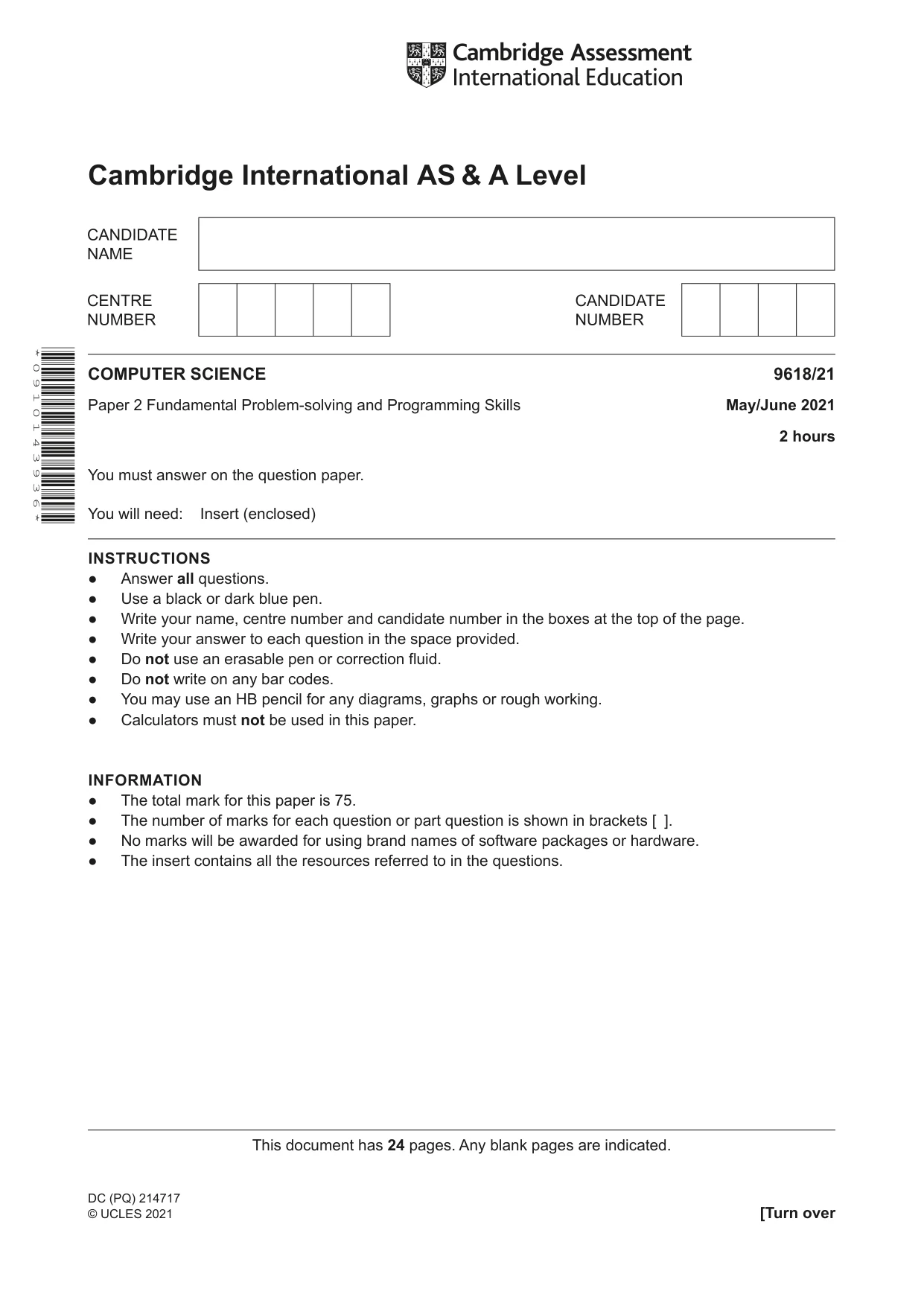






Mark scheme16 pages
Answers below. Sit the paper first if you are practising.
Questions as text
Q1 · A program is being developed to help manage the membership of a football club
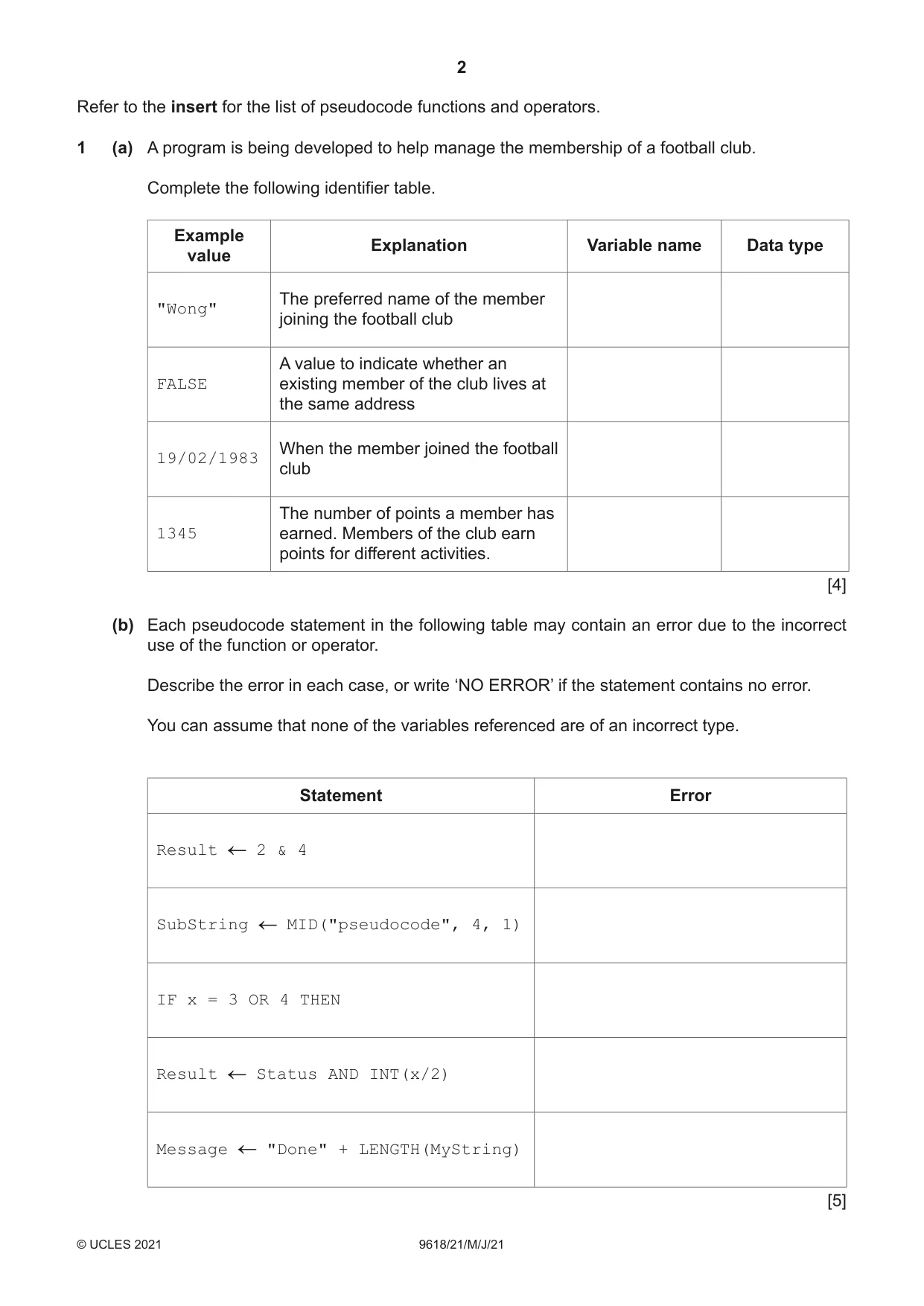
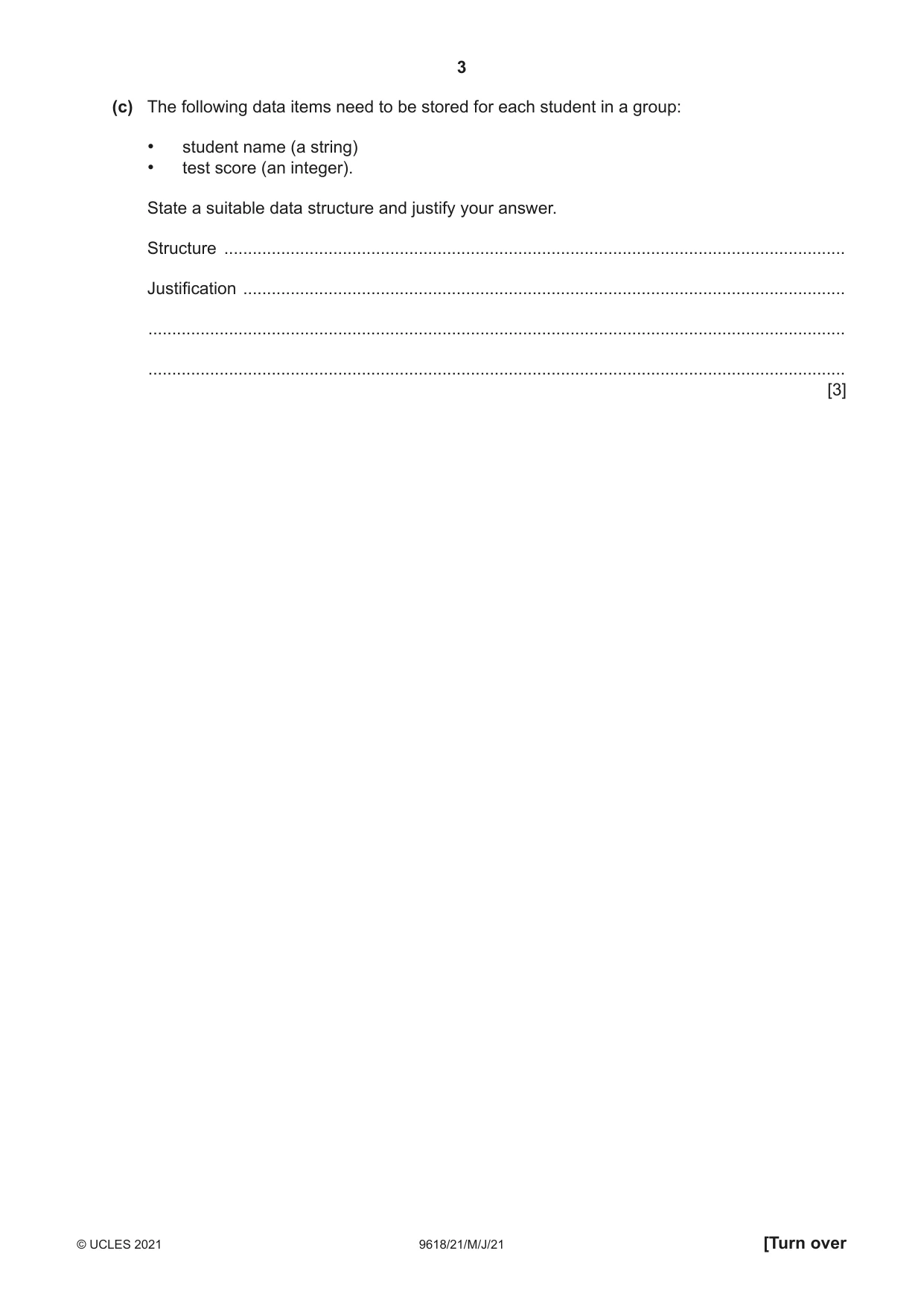
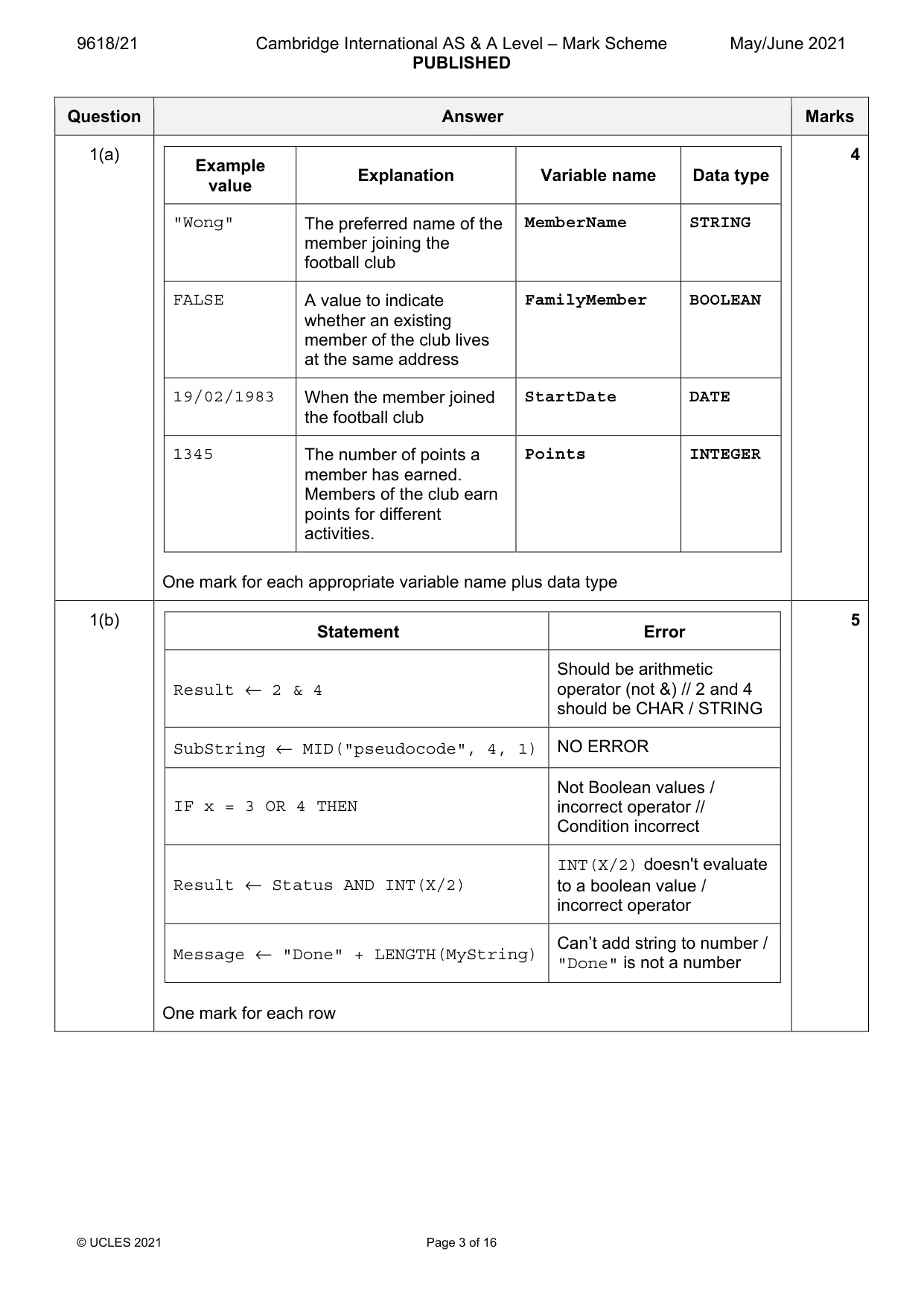
1 (a) A program is being developed to help manage the membership of a football club. Complete the following identifier table. Example Explanation Variable name Data type value The preferred name of the member "Wong" joining the football club A value to indicate whether an FALSE existing member of the club lives at the same address When the member joined the football 19/02/1983 club The number of points a member has 1345 earned. Members of the club earn points for different activities. [4] (b) Each pseudocode statement in the following table may contain an error due to the incorrect use of the function or operator. Describe the error in each case, or write ‘NO ERROR’ if the statement contains no error. You can assume that none of the variables referenced are of an incorrect type. Statement Error Result 2 & 4 SubString MID("pseudocode", 4, 1) IF x = 3 OR 4 THEN Result Status AND INT(x/2) Message "Done" + LENGTH(MyString) [5] (c) The following data items need to be stored for each student in a group: • student name (a string) • test score (an integer). State a suitable data structure and justify your answer. Structure ................................................................................................................................... Justification ............................................................................................................................... ................................................................................................................................................... ................................................................................................................................................... [3]
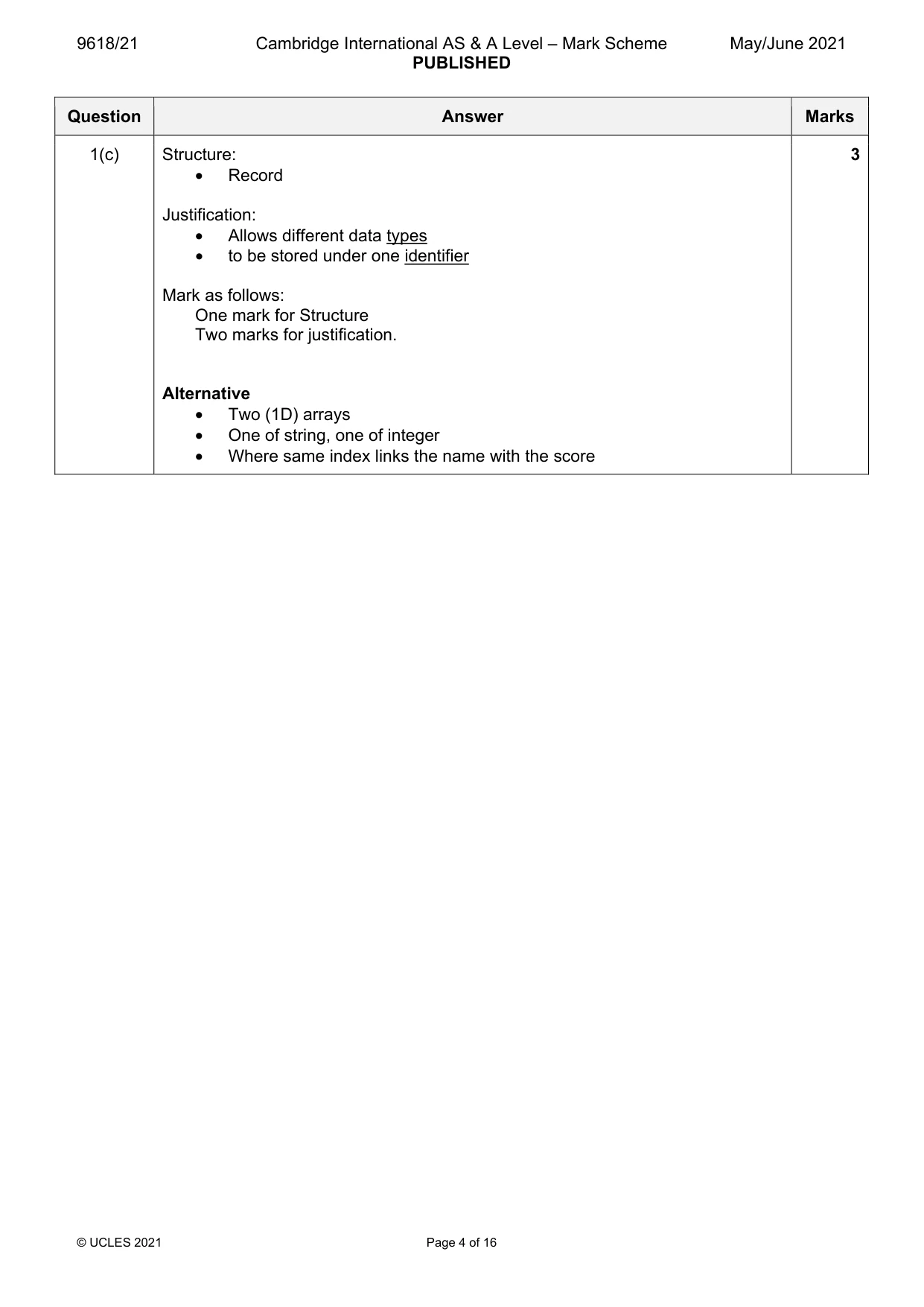
Mark scheme: Question Answer Marks 1(a) 4 Example Explanation Variable name Data type value "Wong" The preferred name of the MemberName STRING member joining the football club FALSE A value to indicate FamilyMember BOOLEAN whether an existing member of the club lives at the same address 19/02/1983 When the member joined StartDate DATE the football club 1345 The number of points a Points INTEGER member has earned. Members of the club earn points for different activities. One mark for each appropriate variable name plus data type 1(b) 5 Statement Error Should be arithmetic Result ← 2 & 4 operator (not &) // 2 and 4 should be CHAR / STRING SubString ← MID("pseudocode", 4, 1) NO ERROR Not Boolean values / IF x = 3 OR 4 THEN incorrect operator // Condition incorrect INT(X/2) doesn't evaluate Result ← Status AND INT(X/2) to a boolean value / incorrect operator Can’t add string to number / Message ← "Done" + LENGTH(MyString) "Done" is not a number One mark for each row 1(c) Structure: 3 • Record Justification: • Allows different data types • to be stored under one identifier Mark as follows: One mark for Structure Two marks for justification. Alternative • Two (1D) arrays • One of string, one of integer • Where same index links the name with the score
Q2 · Four program modules form part of a program for a library
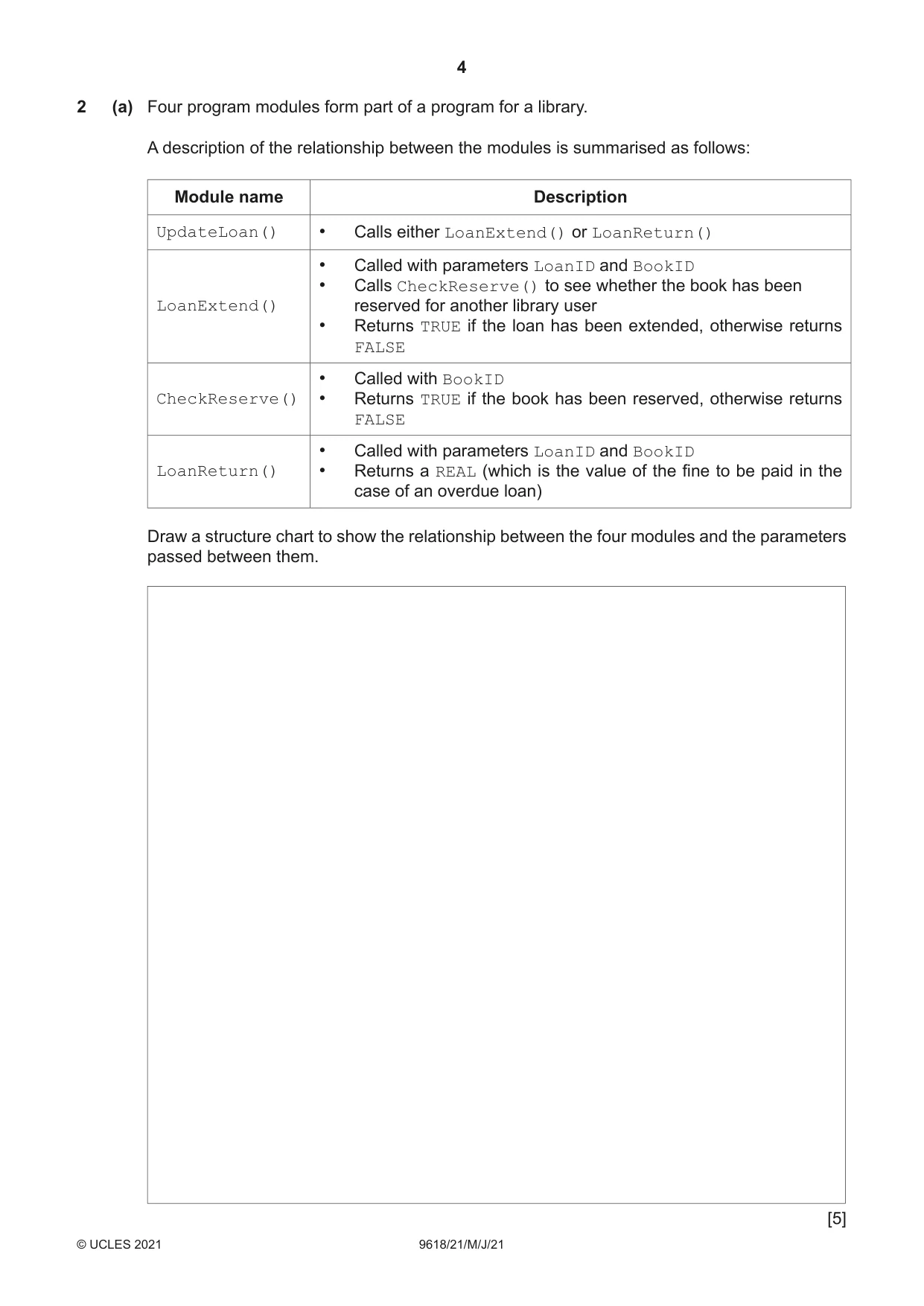
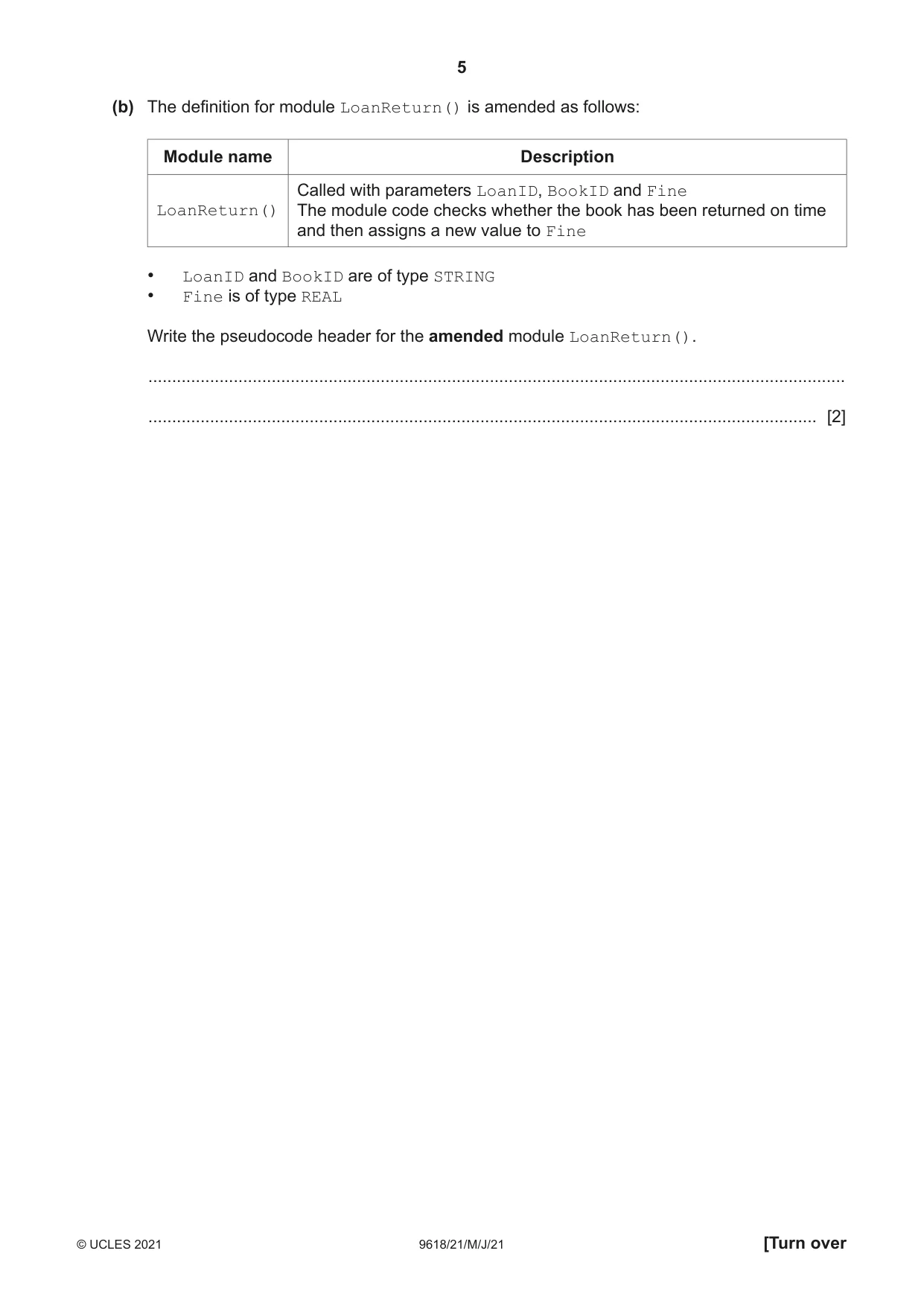
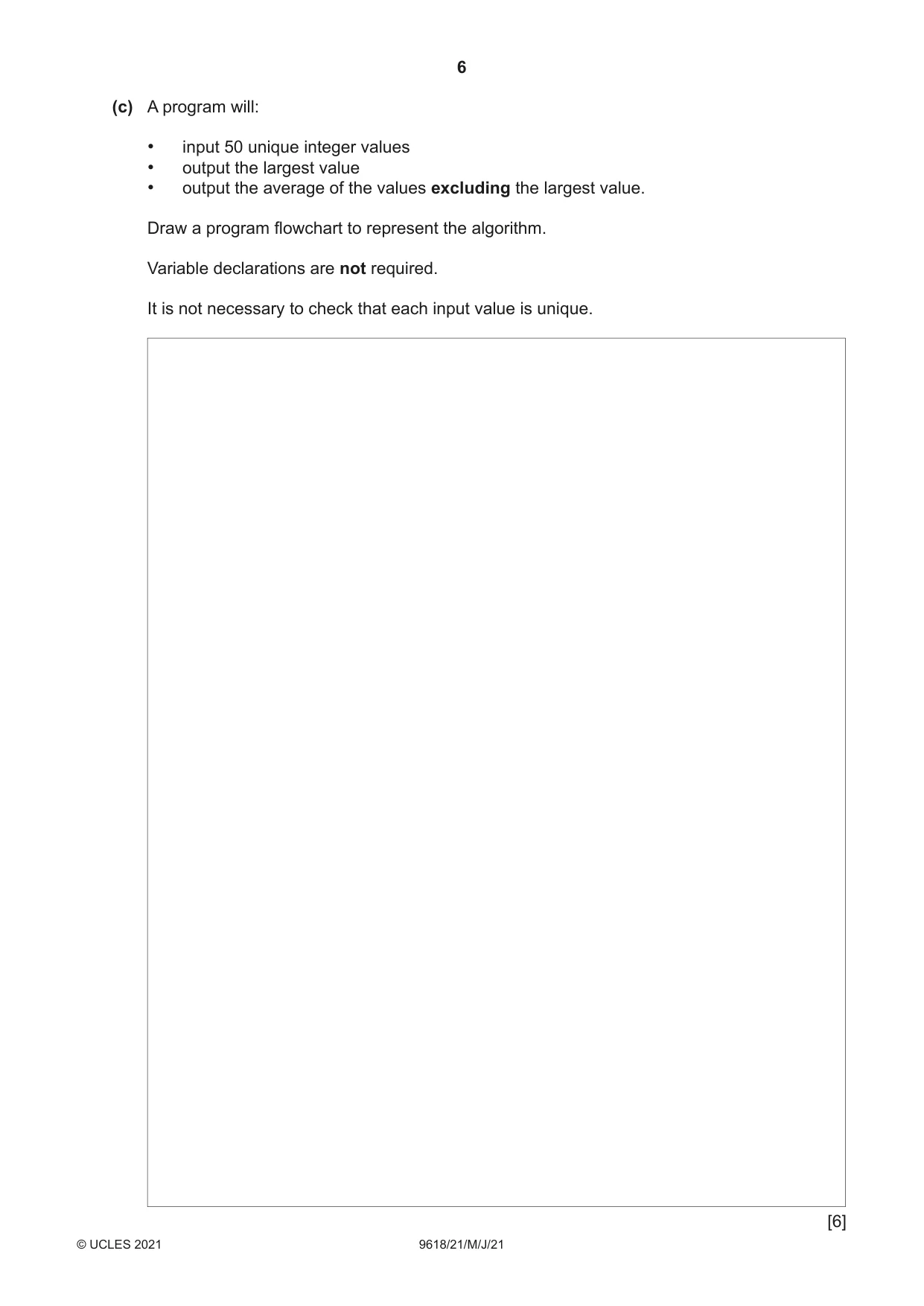
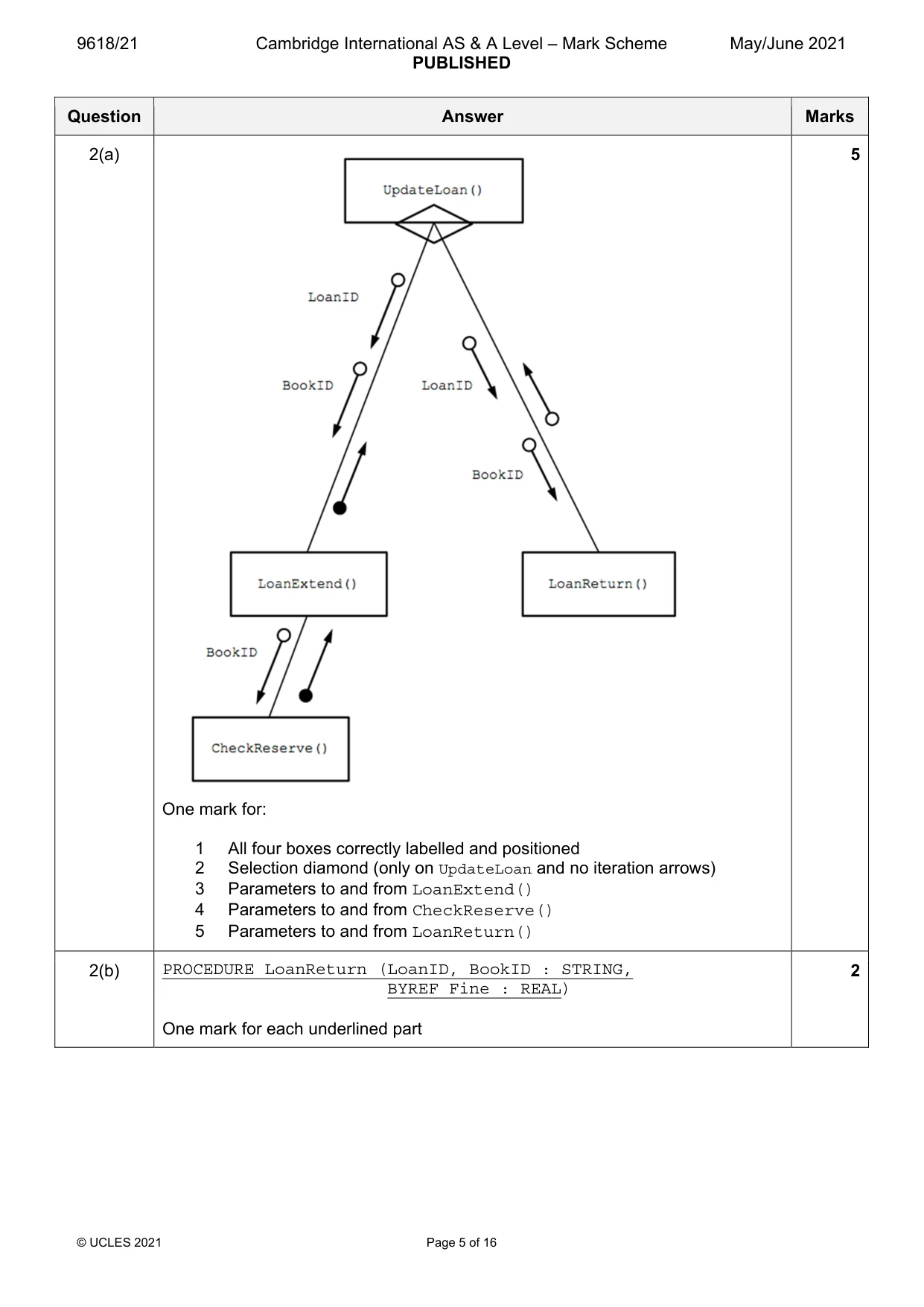
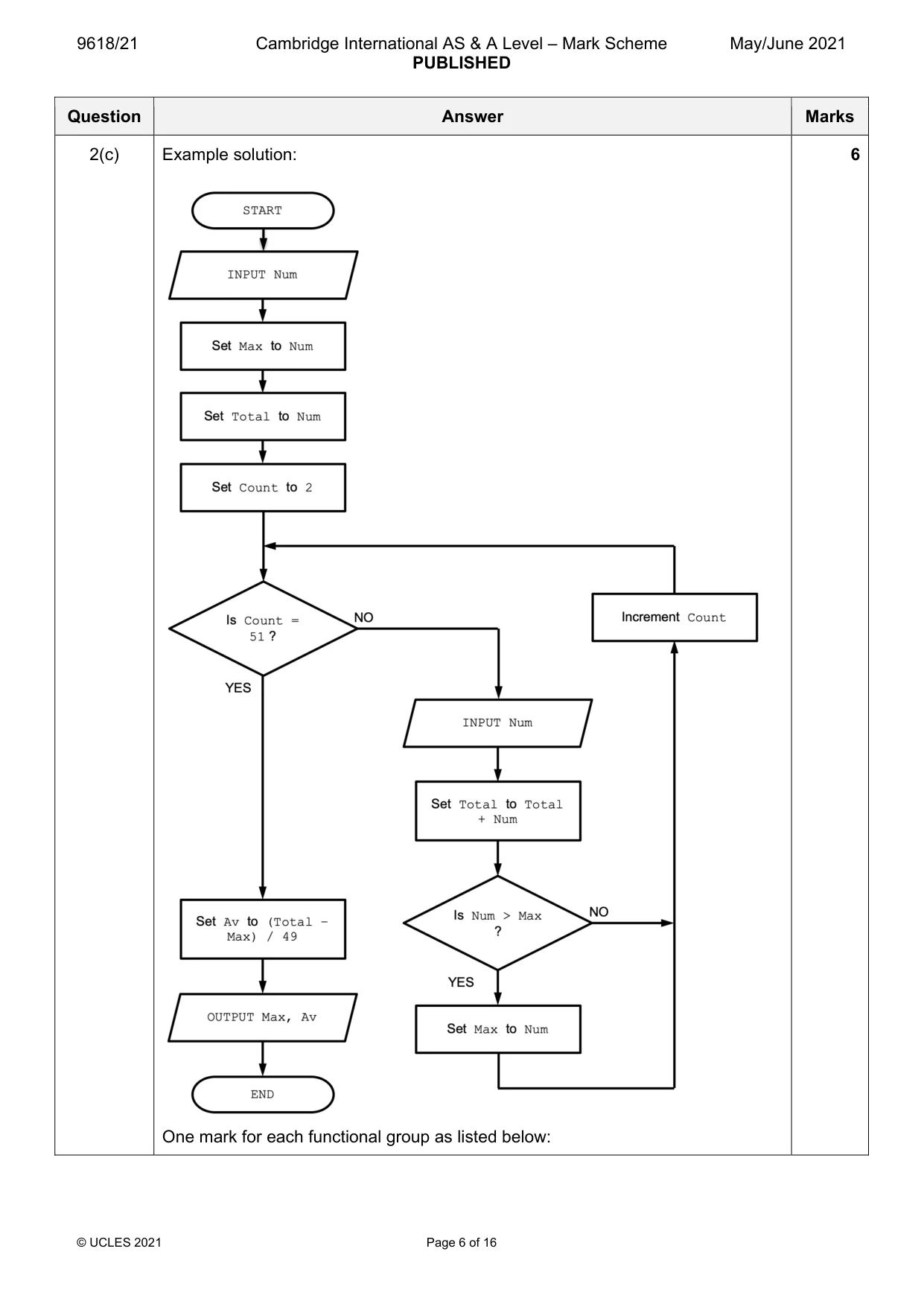
2 (a) Four program modules form part of a program for a library. A description of the relationship between the modules is summarised as follows: Module name Description UpdateLoan() • Calls either LoanExtend() or LoanReturn() • Called with parameters LoanID and BookID • Calls CheckReserve() to see whether the book has been LoanExtend() reserved for another library user • Returns TRUE if the loan has been extended, otherwise returns FALSE • Called with BookID CheckReserve() • Returns TRUE if the book has been reserved, otherwise returns FALSE • Called with parameters LoanID and BookID LoanReturn() • Returns a REAL (which is the value of the fine to be paid in the case of an overdue loan) Draw a structure chart to show the relationship between the four modules and the parameters passed between them. [5] (b) The definition for module LoanReturn() is amended as follows: Module name Description Called with parameters LoanID, BookID and Fine LoanReturn() The module code checks whether the book has been returned on time and then assigns a new value to Fine • LoanID and BookID are of type STRING • Fine is of type REAL Write the pseudocode header for the amended module LoanReturn(). ................................................................................................................................................... ............................................................................................................................................. [2] (c) A program will: • input 50 unique integer values • output the largest value • output the average of the values excluding the largest value. Draw a program flowchart to represent the algorithm. Variable declarations are not required. It is not necessary to check that each input value is unique. [6]
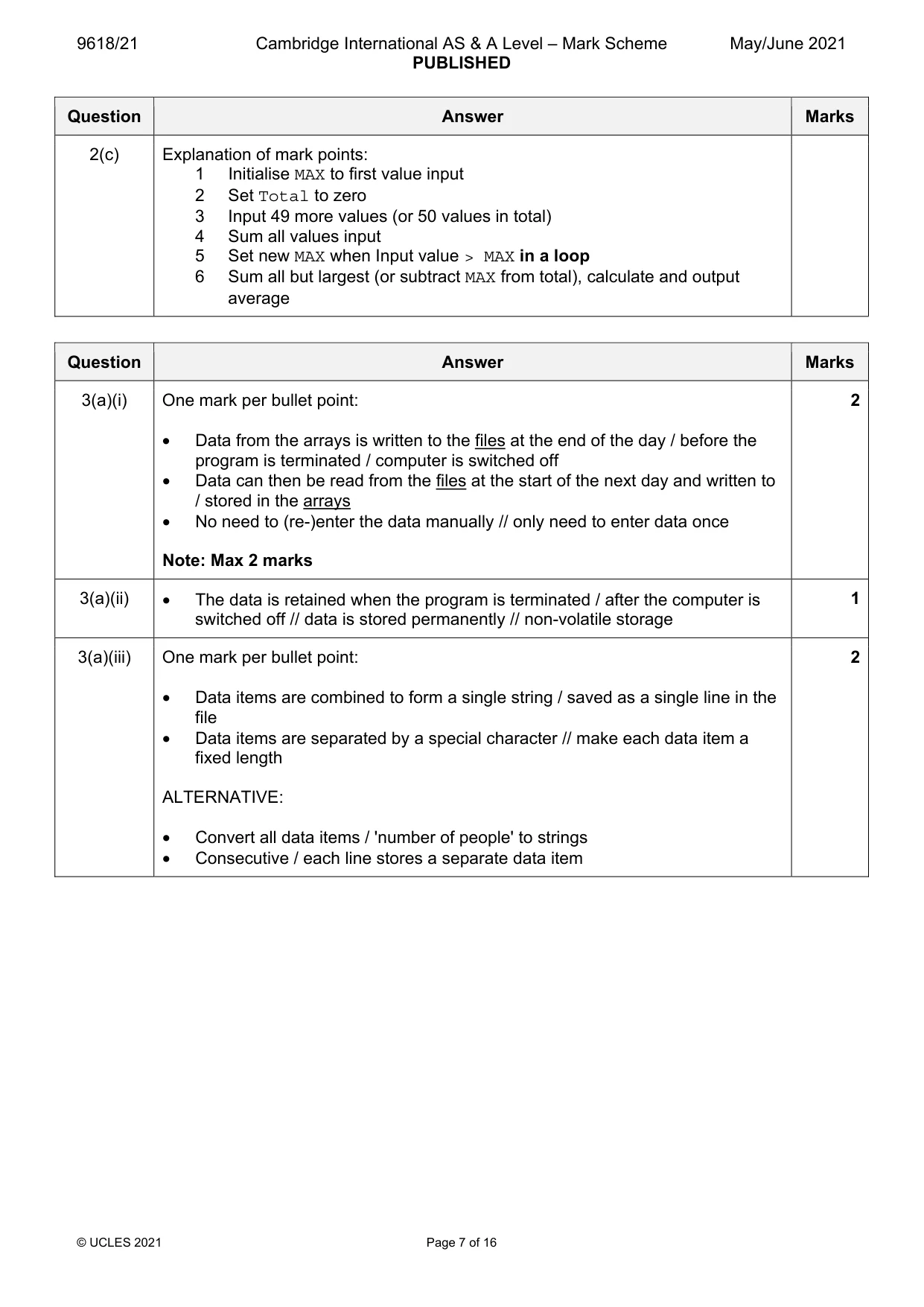
Mark scheme: 2(a) 5 One mark for: 1 All four boxes correctly labelled and positioned 2 Selection diamond (only on UpdateLoan and no iteration arrows) 3 Parameters to and from LoanExtend() 4 Parameters to and from CheckReserve() 5 Parameters to and from LoanReturn() 2(b) PROCEDURE LoanReturn (LoanID, BookID : STRING, 2 BYREF Fine : REAL) One mark for each underlined part 2(c) Example solution: 6 One mark for each functional group as listed below: 2(c) Explanation of mark points: 1 Initialise MAX to first value input 2 Set Total to zero 3 Input 49 more values (or 50 values in total) 4 Sum all values input 5 Set new MAX when Input value > MAX in a loop 6 Sum all but largest (or subtract MAX from total), calculate and output average
Q3 · A concert venue uses a program to calculate admission prices and store information about…
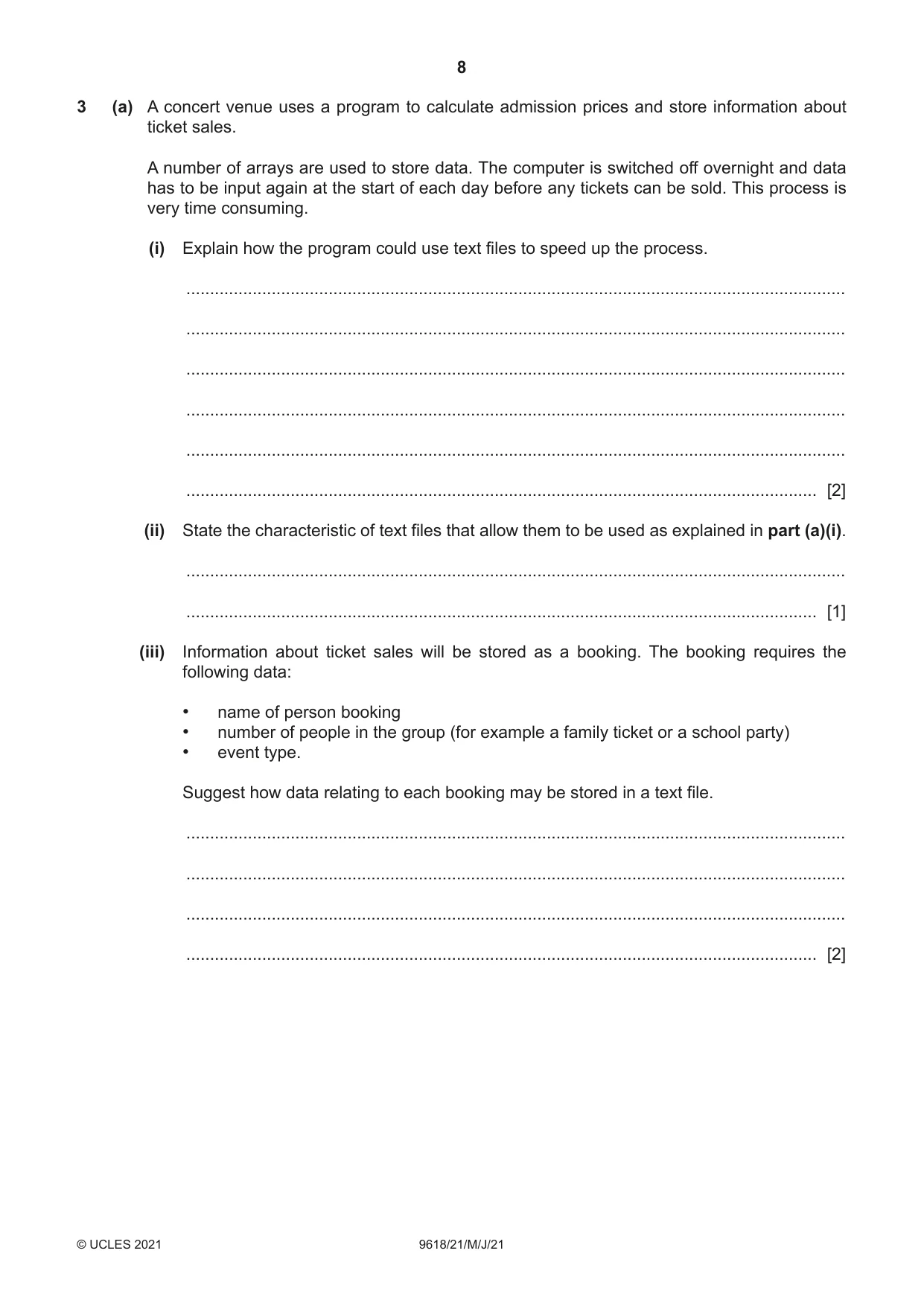
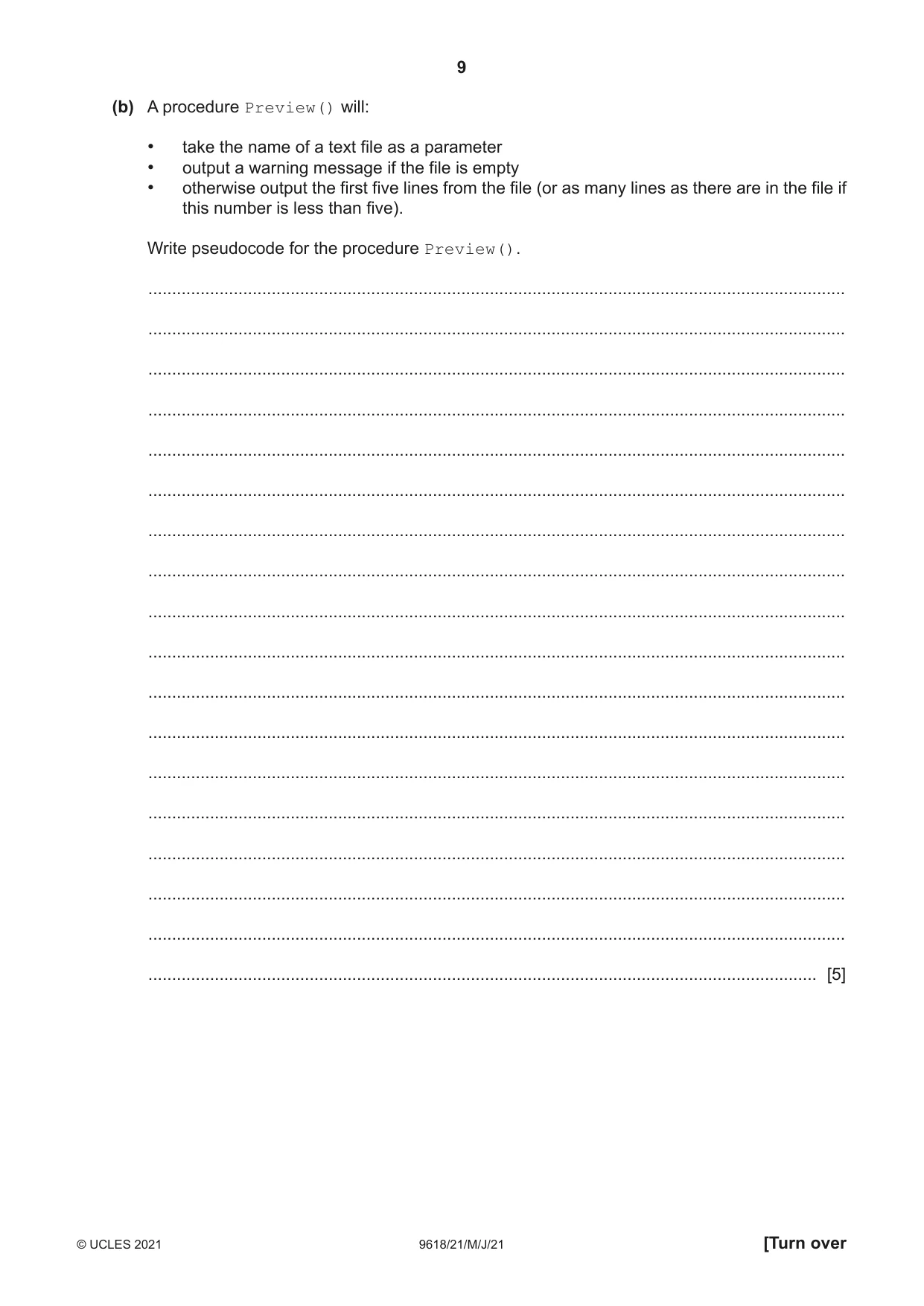
3 (a) A concert venue uses a program to calculate admission prices and store information about ticket sales. A number of arrays are used to store data. The computer is switched off overnight and data has to be input again at the start of each day before any tickets can be sold. This process is very time consuming. (i) Explain how the program could use text files to speed up the process. ........................................................................................................................................... ........................................................................................................................................... ........................................................................................................................................... ........................................................................................................................................... ........................................................................................................................................... ..................................................................................................................................... [2] (ii) State the characteristic of text files that allow them to be used as explained in part (a)(i). ........................................................................................................................................... ..................................................................................................................................... [1] (iii) Information about ticket sales will be stored as a booking. The booking requires the following data: • name of person booking • number of people in the group (for example a family ticket or a school party) • event type. Suggest how data relating to each booking may be stored in a text file. ........................................................................................................................................... ........................................................................................................................................... ........................................................................................................................................... ..................................................................................................................................... [2] (b) A procedure Preview() will: • take the name of a text file as a parameter • output a warning message if the file is empty • otherwise output the first five lines from the file (or as many lines as there are in the file if this number is less than five). Write pseudocode for the procedure Preview(). ................................................................................................................................................... ................................................................................................................................................... ................................................................................................................................................... ................................................................................................................................................... ................................................................................................................................................... ................................................................................................................................................... ................................................................................................................................................... ................................................................................................................................................... ................................................................................................................................................... ................................................................................................................................................... ................................................................................................................................................... ................................................................................................................................................... ................................................................................................................................................... ................................................................................................................................................... ................................................................................................................................................... ................................................................................................................................................... ................................................................................................................................................... ............................................................................................................................................. [5]
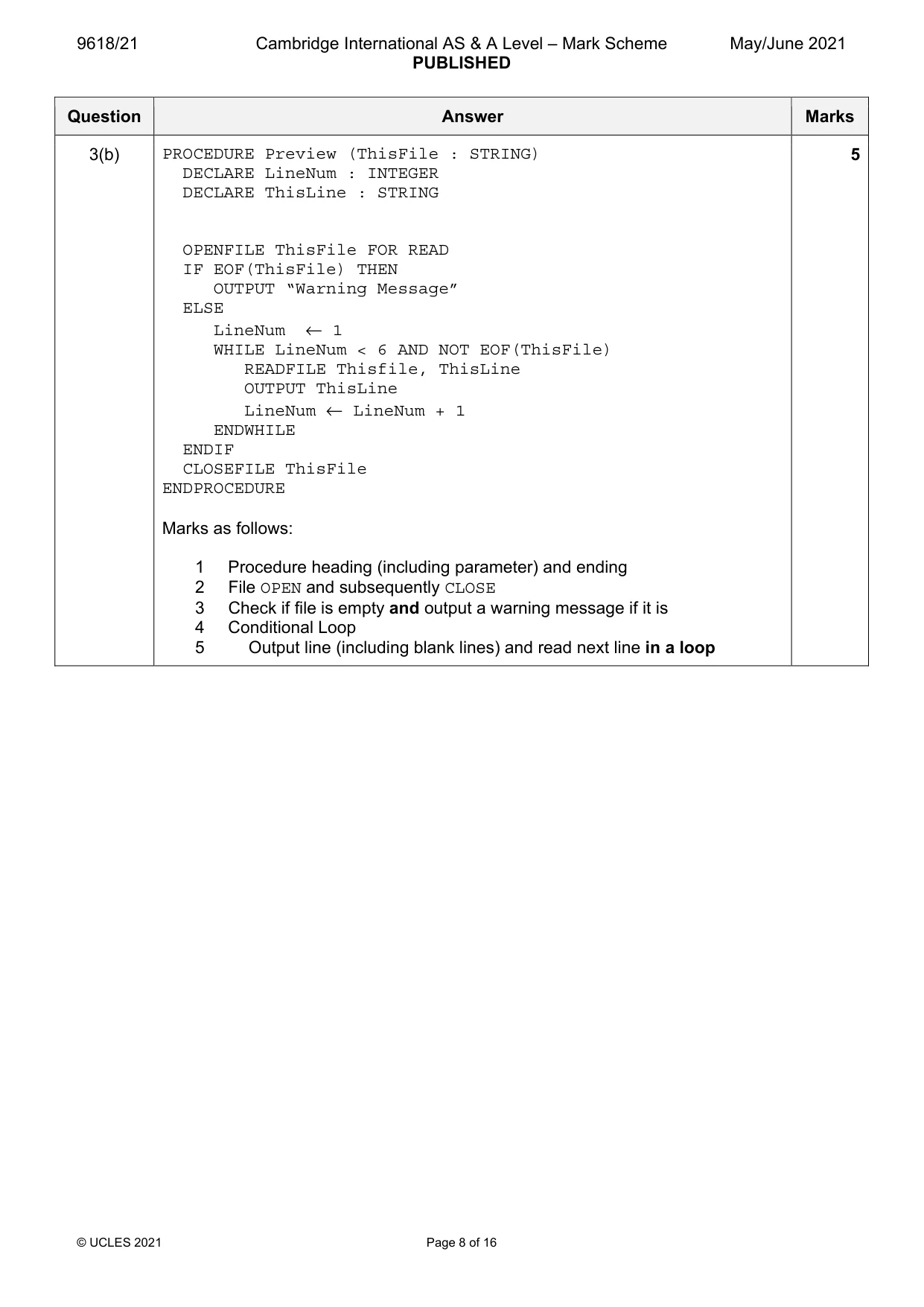
Mark scheme: 3(a)(i) One mark per bullet point: 2 • Data from the arrays is written to the files at the end of the day / before the program is terminated / computer is switched off • Data can then be read from the files at the start of the next day and written to / stored in the arrays • No need to (re-)enter the data manually // only need to enter data once Note: Max 2 marks 3(a)(ii) • The data is retained when the program is terminated / after the computer is 1 switched off // data is stored permanently // non-volatile storage 3(a)(iii) One mark per bullet point: 2 • Data items are combined to form a single string / saved as a single line in the file • Data items are separated by a special character // make each data item a fixed length ALTERNATIVE: • Convert all data items / 'number of people' to strings • Consecutive / each line stores a separate data item 3(b) PROCEDURE Preview (ThisFile : STRING) 5 DECLARE LineNum : INTEGER DECLARE ThisLine : STRING OPENFILE ThisFile FOR READ IF EOF(ThisFile) THEN OUTPUT “Warning Message” ELSE LineNum ← 1 WHILE LineNum < 6 AND NOT EOF(ThisFile) READFILE Thisfile, ThisLine OUTPUT ThisLine LineNum ← LineNum + 1 ENDWHILE ENDIF CLOSEFILE ThisFile ENDPROCEDURE Marks as follows: 1 Procedure heading (including parameter) and ending 2 File OPEN and subsequently CLOSE 3 Check if file is empty and output a warning message if it is 4 Conditional Loop 5 Output line (including blank lines) and read next line in a loop
Q4 · Study the following pseudocode
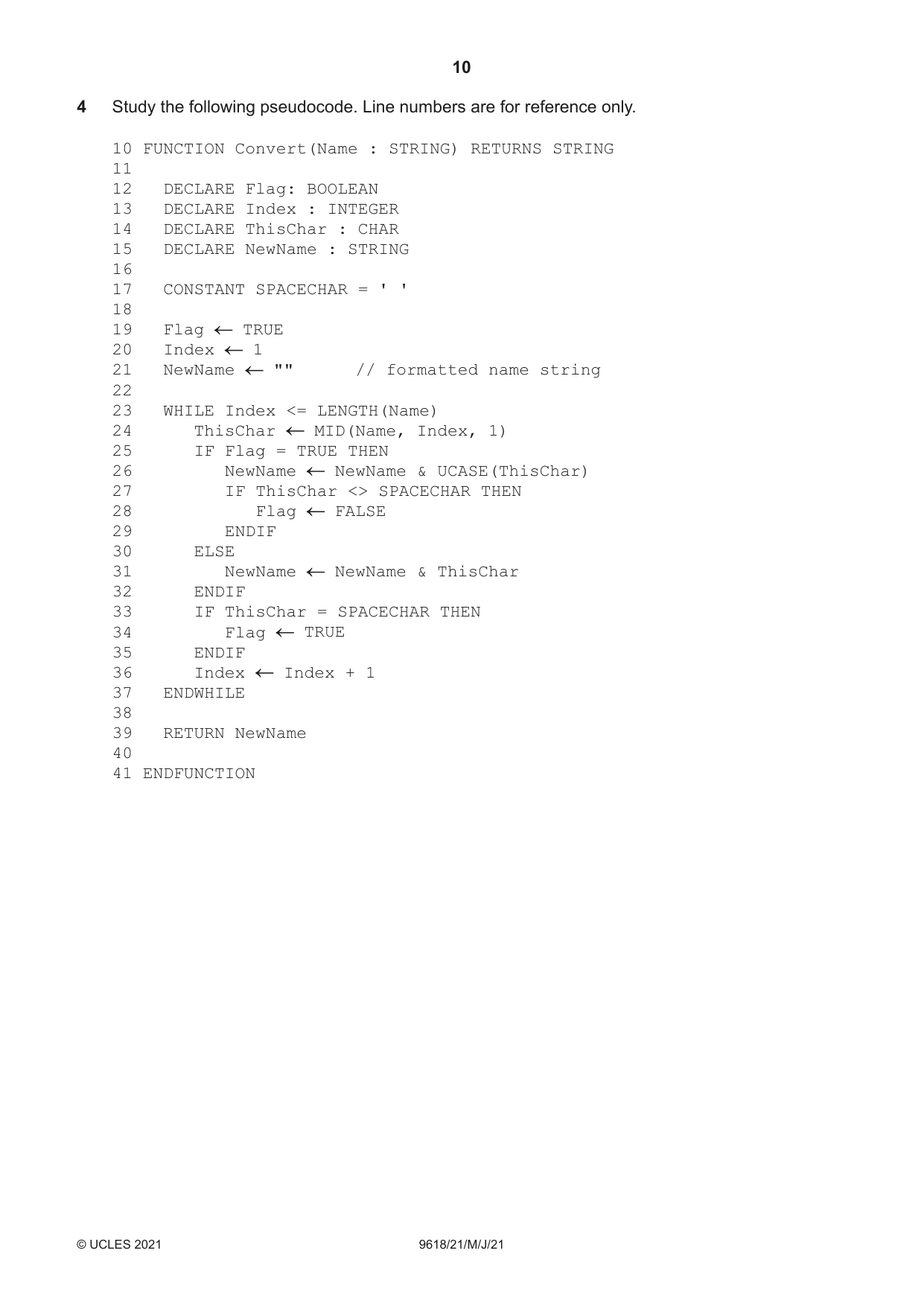
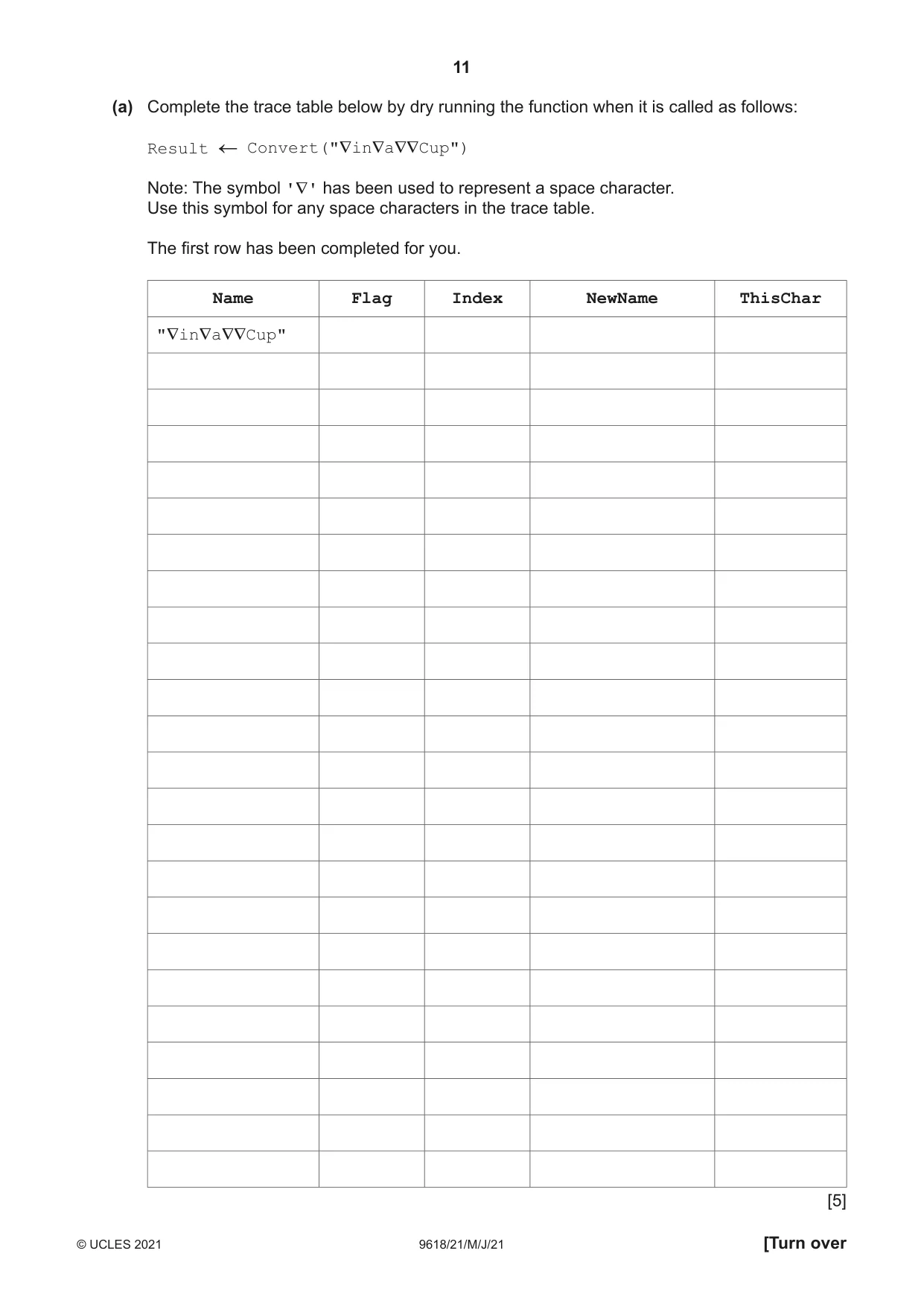
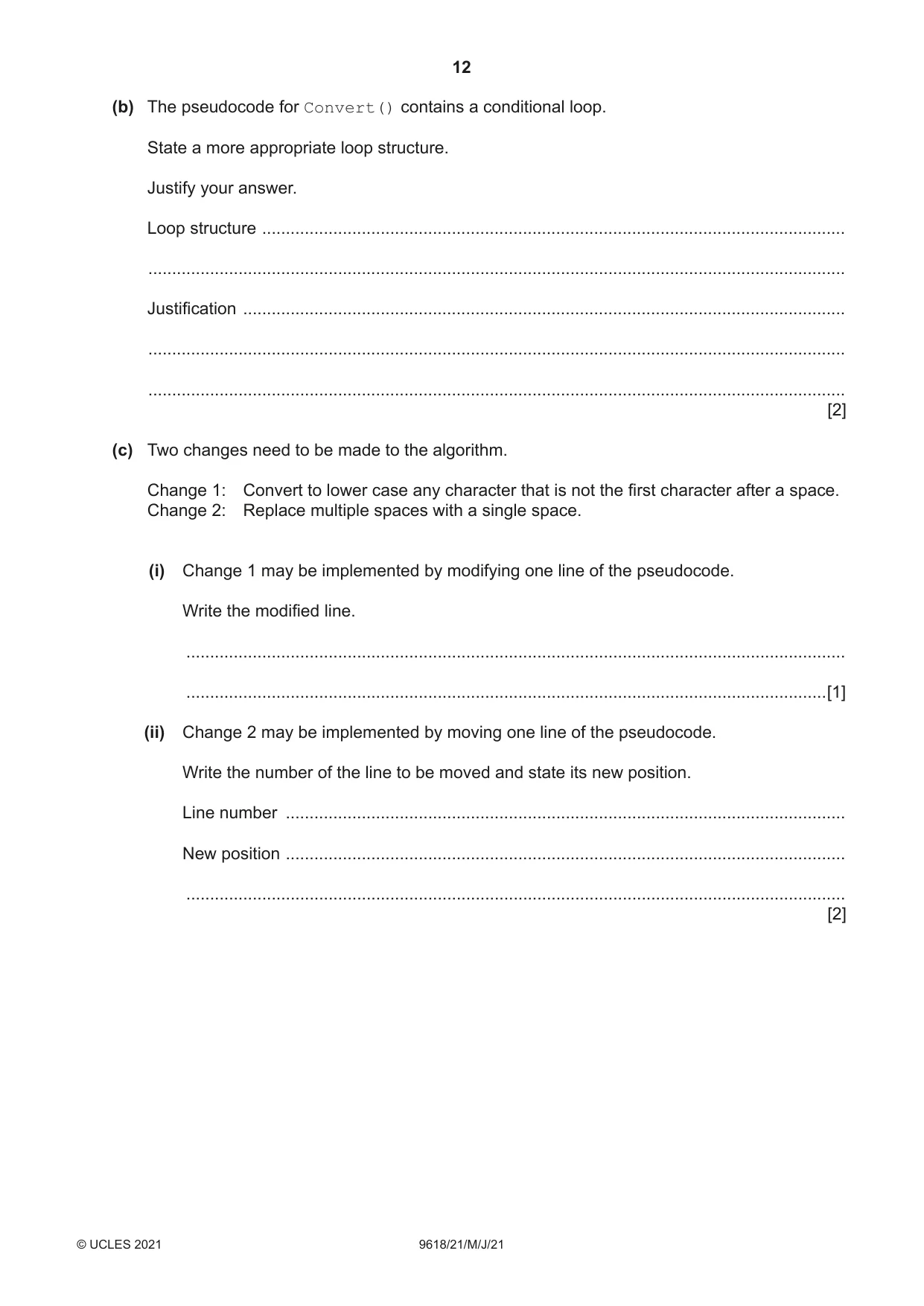
4 Study the following pseudocode. Line numbers are for reference only. 10 FUNCTION Convert(Name : STRING) RETURNS STRING 11 12 DECLARE Flag: BOOLEAN 13 DECLARE Index : INTEGER 14 DECLARE ThisChar : CHAR 15 DECLARE NewName : STRING 16 17 CONSTANT SPACECHAR = ' ' 18 19 Flag TRUE 20 Index 1 21 NewName "" // formatted name string 22 23 WHILE Index <= LENGTH(Name) 24 ThisChar MID(Name, Index, 1) 25 IF Flag = TRUE THEN 26 NewName NewName & UCASE(ThisChar) 27 IF ThisChar <> SPACECHAR THEN 28 Flag FALSE 29 ENDIF 30 ELSE 31 NewName NewName & ThisChar 32 ENDIF 33 IF ThisChar = SPACECHAR THEN 34 Flag TRUE 35 ENDIF 36 Index Index + 1 37 ENDWHILE 38 39 RETURN NewName 40 41 ENDFUNCTION (a) Complete the trace table below by dry running the function when it is called as follows: Result Convert("∇in∇a∇∇Cup") Note: The symbol '∇' has been used to represent a space character. Use this symbol for any space characters in the trace table. The first row has been completed for you. Name Flag Index NewName ThisChar "∇in∇a∇∇Cup" [5] (b) The pseudocode for Convert() contains a conditional loop. State a more appropriate loop structure. Justify your answer. Loop structure ........................................................................................................................... ................................................................................................................................................... Justification ............................................................................................................................... ................................................................................................................................................... ................................................................................................................................................... [2] (c) Two changes need to be made to the algorithm. Change 1: Convert to lower case any character that is not the first character after a space. Change 2: Replace multiple spaces with a single space. (i) Change 1 may be implemented by modifying one line of the pseudocode. Write the modified line. ........................................................................................................................................... .......................................................................................................................................[1] (ii) Change 2 may be implemented by moving one line of the pseudocode. Write the number of the line to be moved and state its new position. Line number ...................................................................................................................... New position ...................................................................................................................... ........................................................................................................................................... [2]
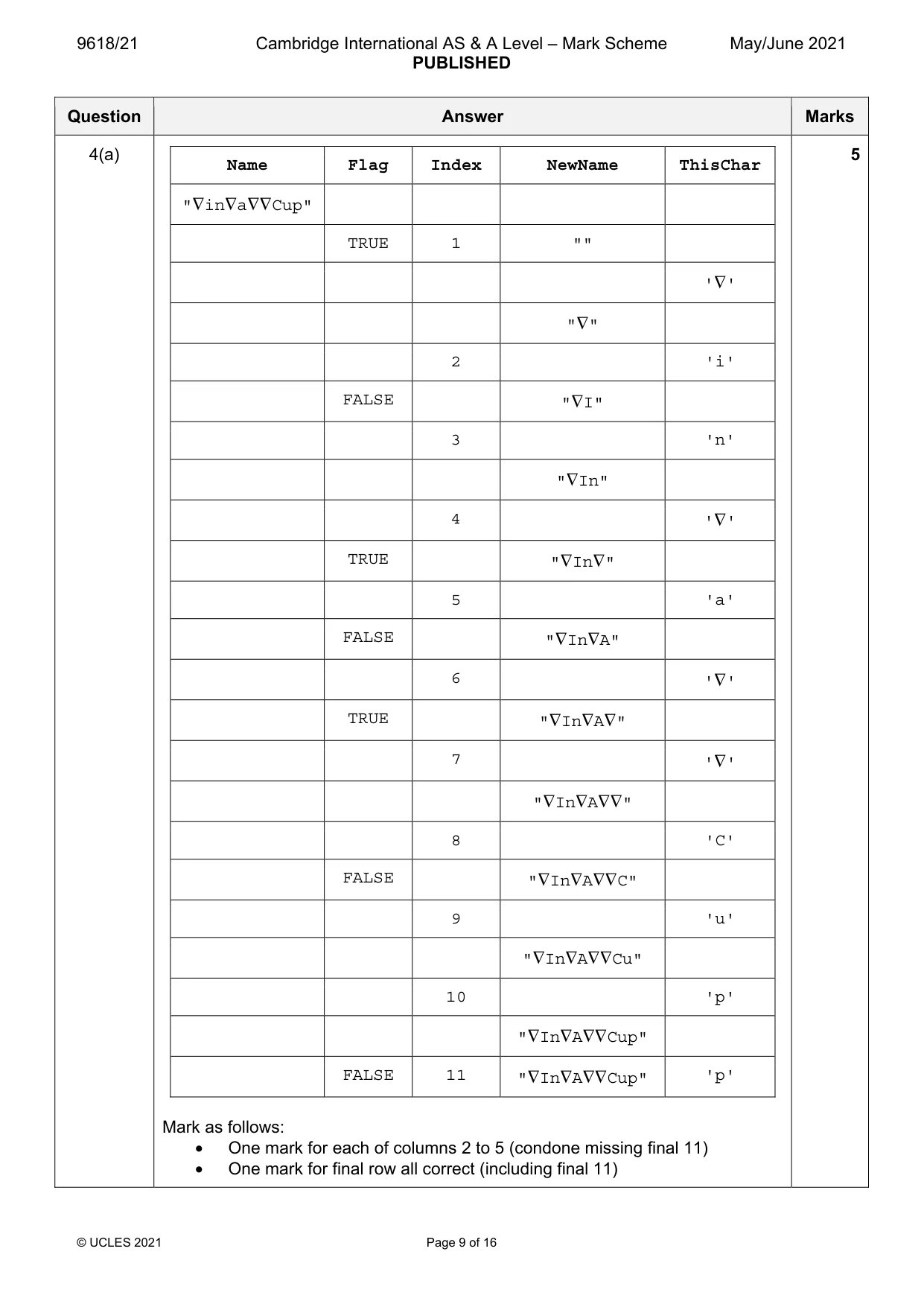
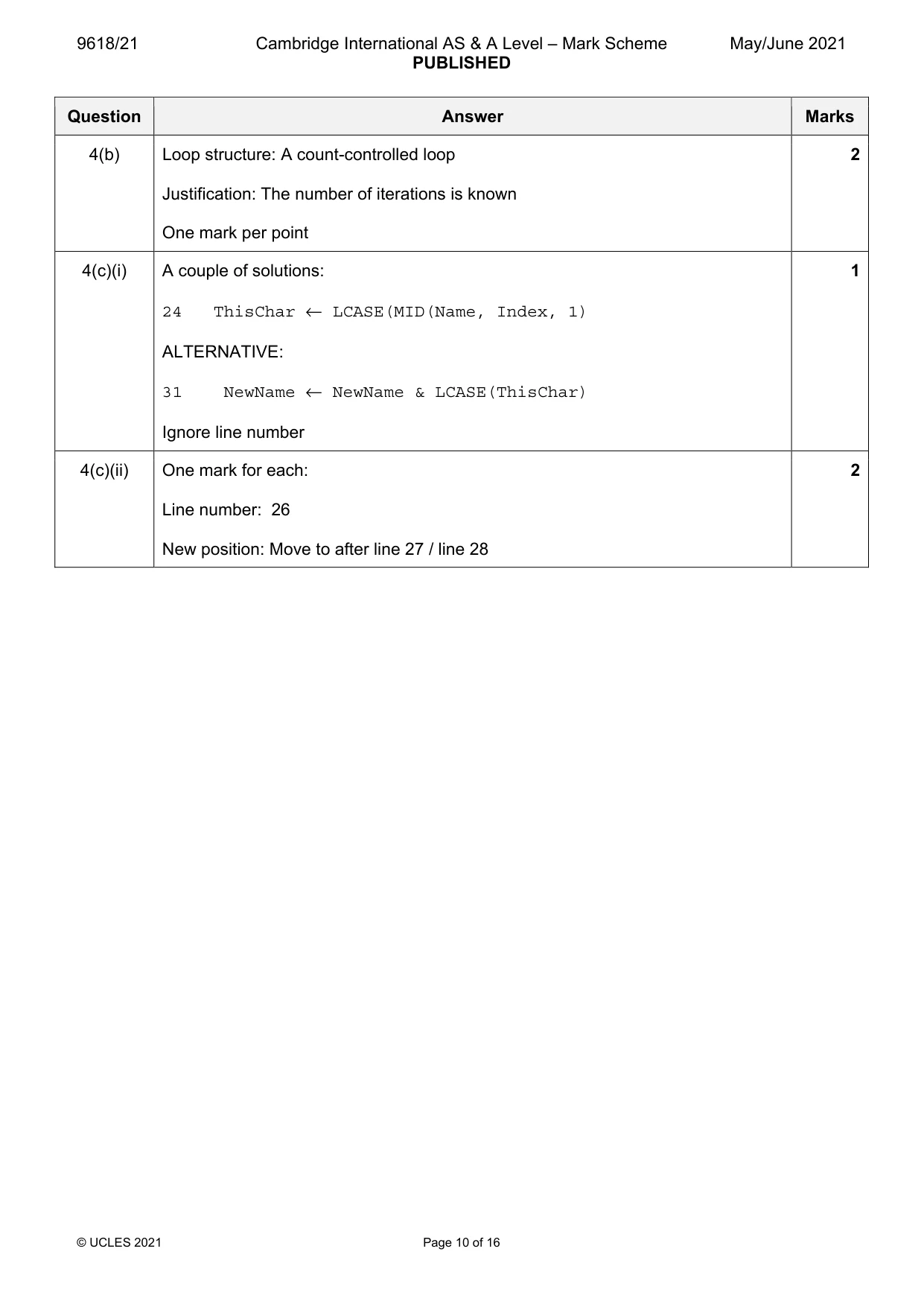
Mark scheme: 4(a) 5 Name Flag Index NewName ThisChar "∇in∇a∇∇Cup" TRUE 1 "" '∇' "∇" 2 'i' FALSE "∇I" 3 'n' "∇In" 4 '∇' TRUE "∇In∇" 5 'a' FALSE "∇In∇A" 6 '∇' TRUE "∇In∇A∇" 7 '∇' "∇In∇A∇∇" 8 'C' FALSE "∇In∇A∇∇C" 9 'u' "∇In∇A∇∇Cu" 10 'p' "∇In∇A∇∇Cup" FALSE 11 "∇In∇A∇∇Cup" 'p' Mark as follows: • One mark for each of columns 2 to 5 (condone missing final 11) • One mark for final row all correct (including final 11) 4(b) Loop structure: A count-controlled loop 2 Justification: The number of iterations is known One mark per point 4(c)(i) A couple of solutions: 1 24 ThisChar ← LCASE(MID(Name, Index, 1) ALTERNATIVE: 31 NewName ← NewName & LCASE(ThisChar) Ignore line number 4(c)(ii) One mark for each: 2 Line number: 26 New position: Move to after line 27 / line 28
Q5 · A global 2D array Result of type INTEGER is used to store a list of exam candidate…
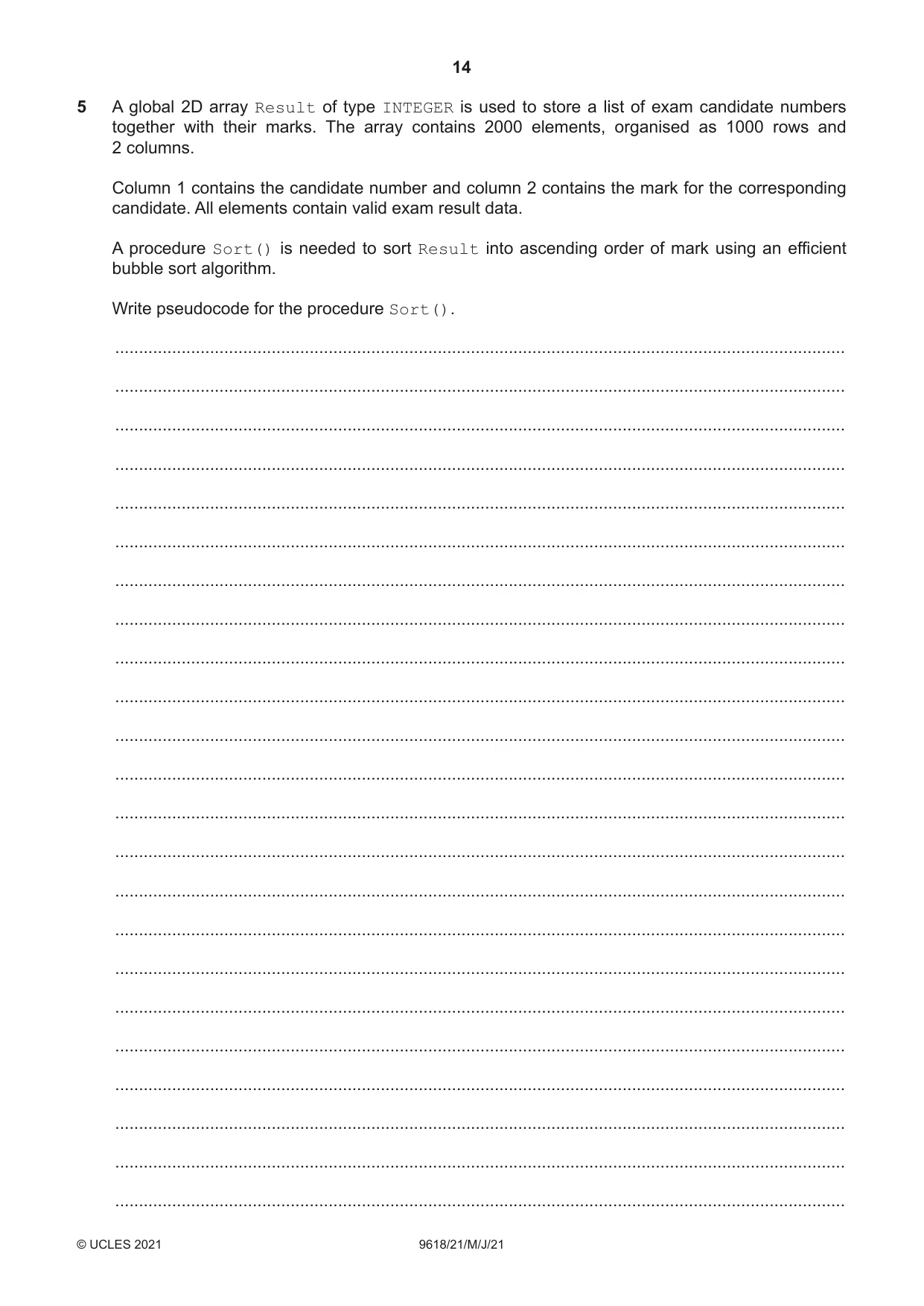
5 A global 2D array Result of type INTEGER is used to store a list of exam candidate numbers together with their marks. The array contains 2000 elements, organised as 1000 rows and 2 columns. Column 1 contains the candidate number and column 2 contains the mark for the corresponding candidate. All elements contain valid exam result data. A procedure Sort() is needed to sort Result into ascending order of mark using an efficient bubble sort algorithm. Write pseudocode for the procedure Sort(). .......................................................................................................................................................... .......................................................................................................................................................... .......................................................................................................................................................... .......................................................................................................................................................... .......................................................................................................................................................... .......................................................................................................................................................... .......................................................................................................................................................... .......................................................................................................................................................... .......................................................................................................................................................... .......................................................................................................................................................... .......................................................................................................................................................... .......................................................................................................................................................... .......................................................................................................................................................... .......................................................................................................................................................... .......................................................................................................................................................... .......................................................................................................................................................... .......................................................................................................................................................... .......................................................................................................................................................... .......................................................................................................................................................... .......................................................................................................................................................... .......................................................................................................................................................... .......................................................................................................................................................... .......................................................................................................................................................... .......................................................................................................................................................... .......................................................................................................................................................... .......................................................................................................................................................... .......................................................................................................................................................... .......................................................................................................................................................... .......................................................................................................................................................... .......................................................................................................................................................... .......................................................................................................................................................... .......................................................................................................................................................... .................................................................................................................................................... [8]
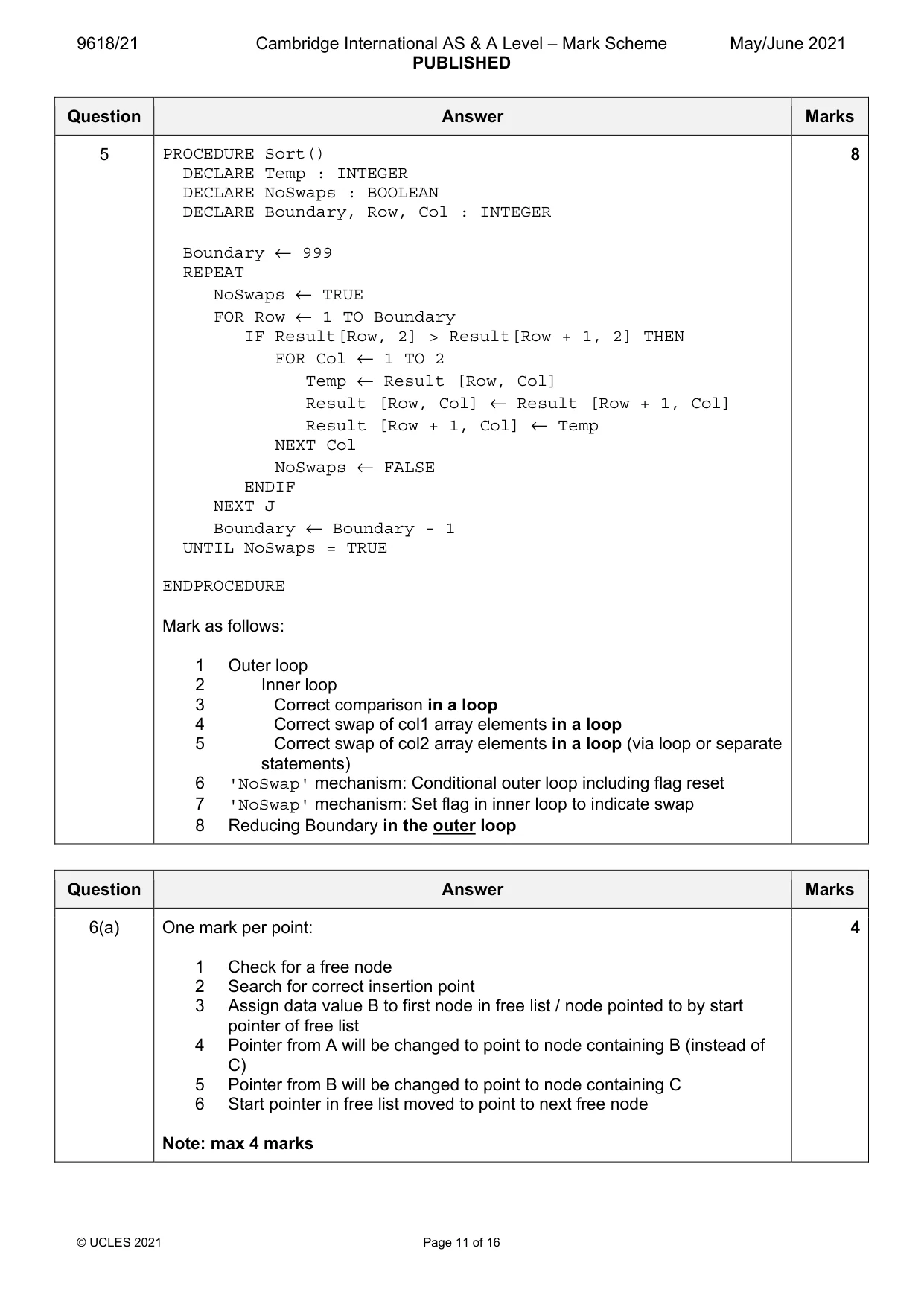
Mark scheme: 5 PROCEDURE Sort() 8 DECLARE Temp : INTEGER DECLARE NoSwaps : BOOLEAN DECLARE Boundary, Row, Col : INTEGER Boundary ← 999 REPEAT NoSwaps ← TRUE FOR Row ← 1 TO Boundary IF Result[Row, 2] > Result[Row + 1, 2] THEN FOR Col ← 1 TO 2 Temp ← Result [Row, Col] Result [Row, Col] ← Result [Row + 1, Col] Result [Row + 1, Col] ← Temp NEXT Col NoSwaps ← FALSE ENDIF NEXT J Boundary ← Boundary - 1 UNTIL NoSwaps = TRUE ENDPROCEDURE Mark as follows: 1 Outer loop 2 Inner loop 3 Correct comparison in a loop 4 Correct swap of col1 array elements in a loop 5 Correct swap of col2 array elements in a loop (via loop or separate statements) 6 'NoSwap' mechanism: Conditional outer loop including flag reset 7 'NoSwap' mechanism: Set flag in inner loop to indicate swap 8 Reducing Boundary in the outer loop
Q6 · The following diagram represents an Abstract Data Type (ADT) for a linked list
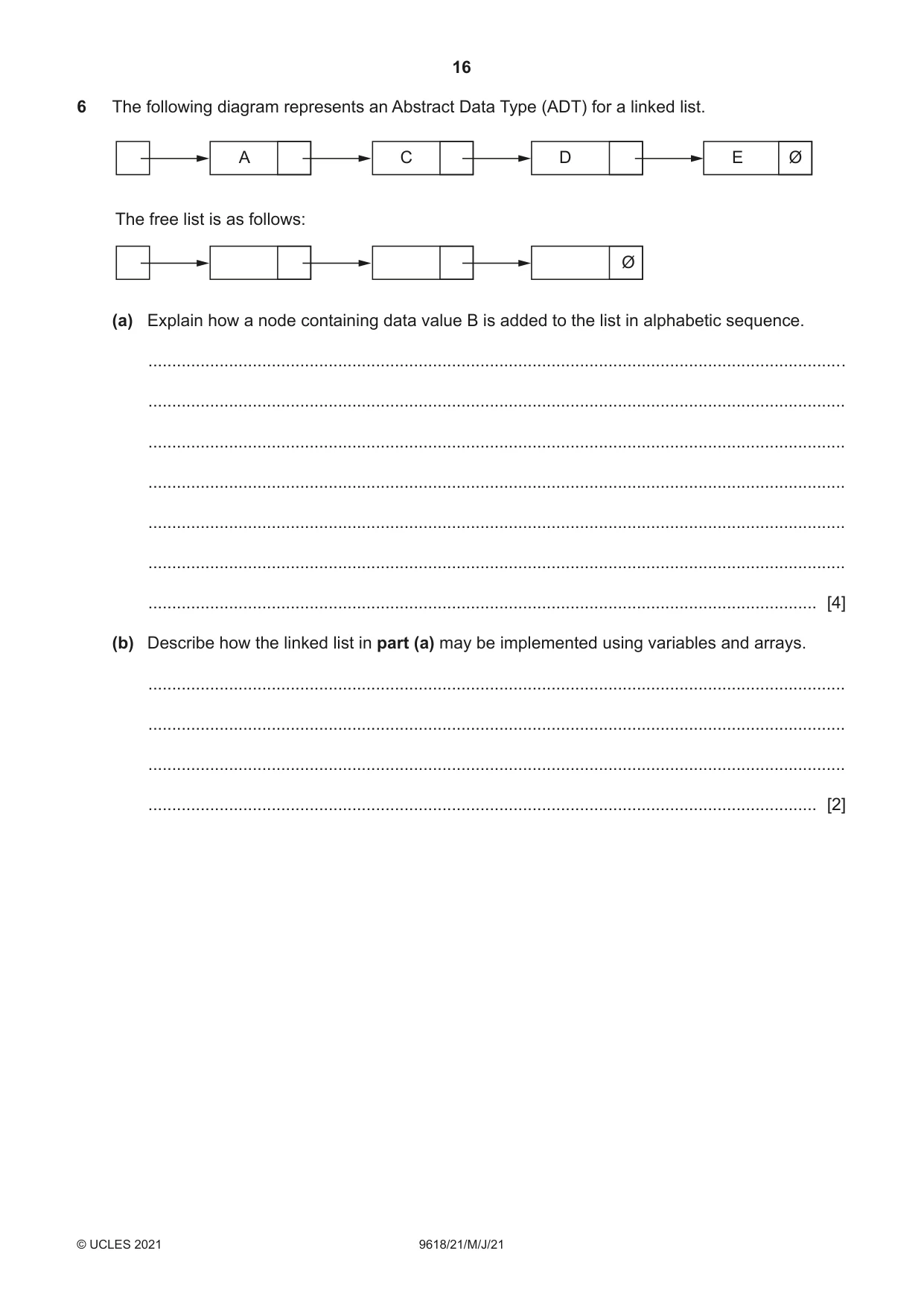
6 The following diagram represents an Abstract Data Type (ADT) for a linked list. A C D E Ø The free list is as follows: Ø (a) Explain how a node containing data value B is added to the list in alphabetic sequence. ................................................................................................................................................... ................................................................................................................................................... ................................................................................................................................................... ................................................................................................................................................... ................................................................................................................................................... ................................................................................................................................................... ............................................................................................................................................. [4] (b) Describe how the linked list in part (a) may be implemented using variables and arrays. ................................................................................................................................................... ................................................................................................................................................... ................................................................................................................................................... ............................................................................................................................................. [2]
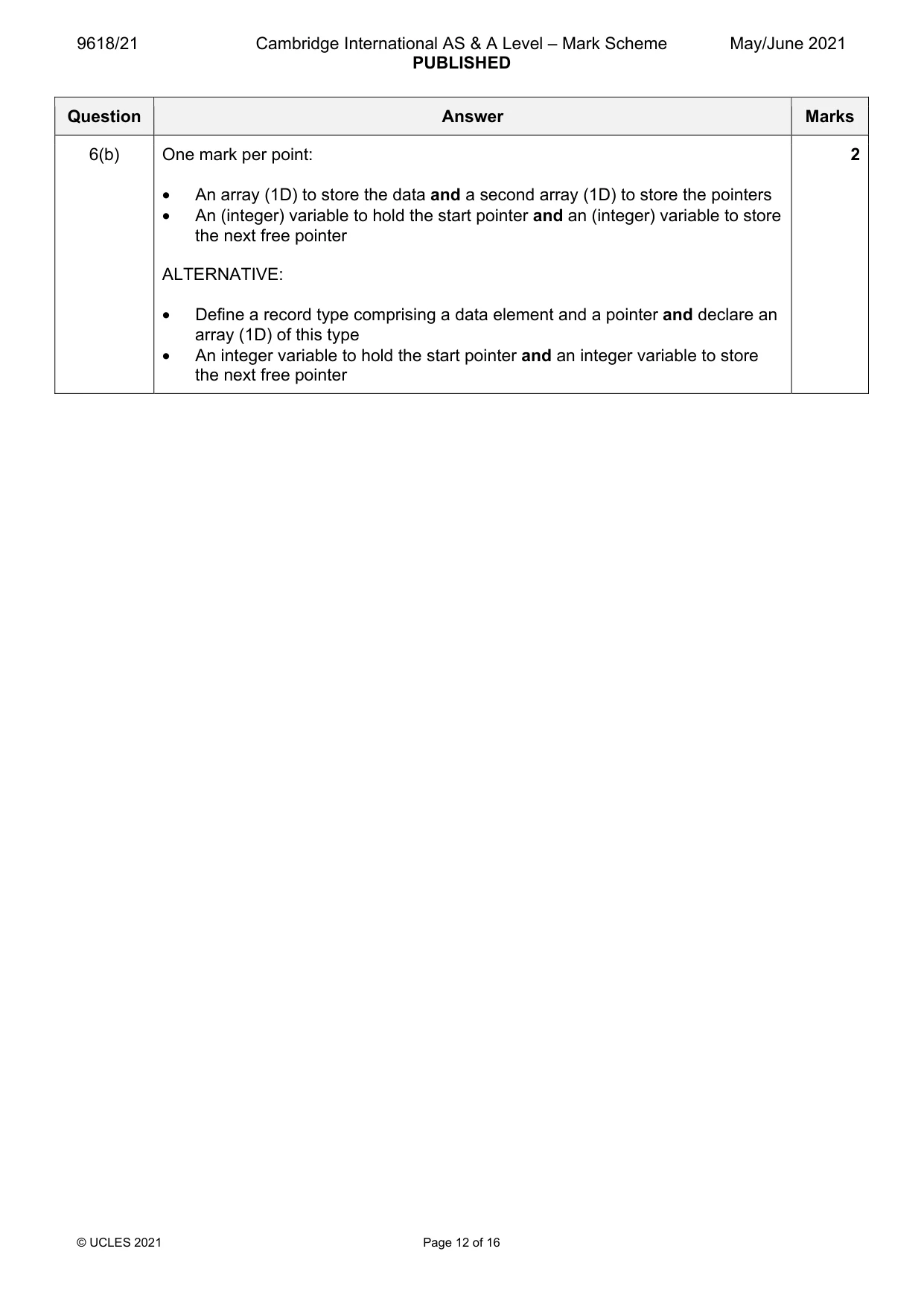
Mark scheme: 6(a) One mark per point: 4 1 Check for a free node 2 Search for correct insertion point 3 Assign data value B to first node in free list / node pointed to by start pointer of free list 4 Pointer from A will be changed to point to node containing B (instead of C) 5 Pointer from B will be changed to point to node containing C 6 Start pointer in free list moved to point to next free node Note: max 4 marks 6(b) One mark per point: 2 • An array (1D) to store the data and a second array (1D) to store the pointers • An (integer) variable to hold the start pointer and an (integer) variable to store the next free pointer ALTERNATIVE: • Define a record type comprising a data element and a pointer and declare an array (1D) of this type • An integer variable to hold the start pointer and an integer variable to store the next free pointer
Q7 · A program is needed to take a string containing a full name and produce a new string of…
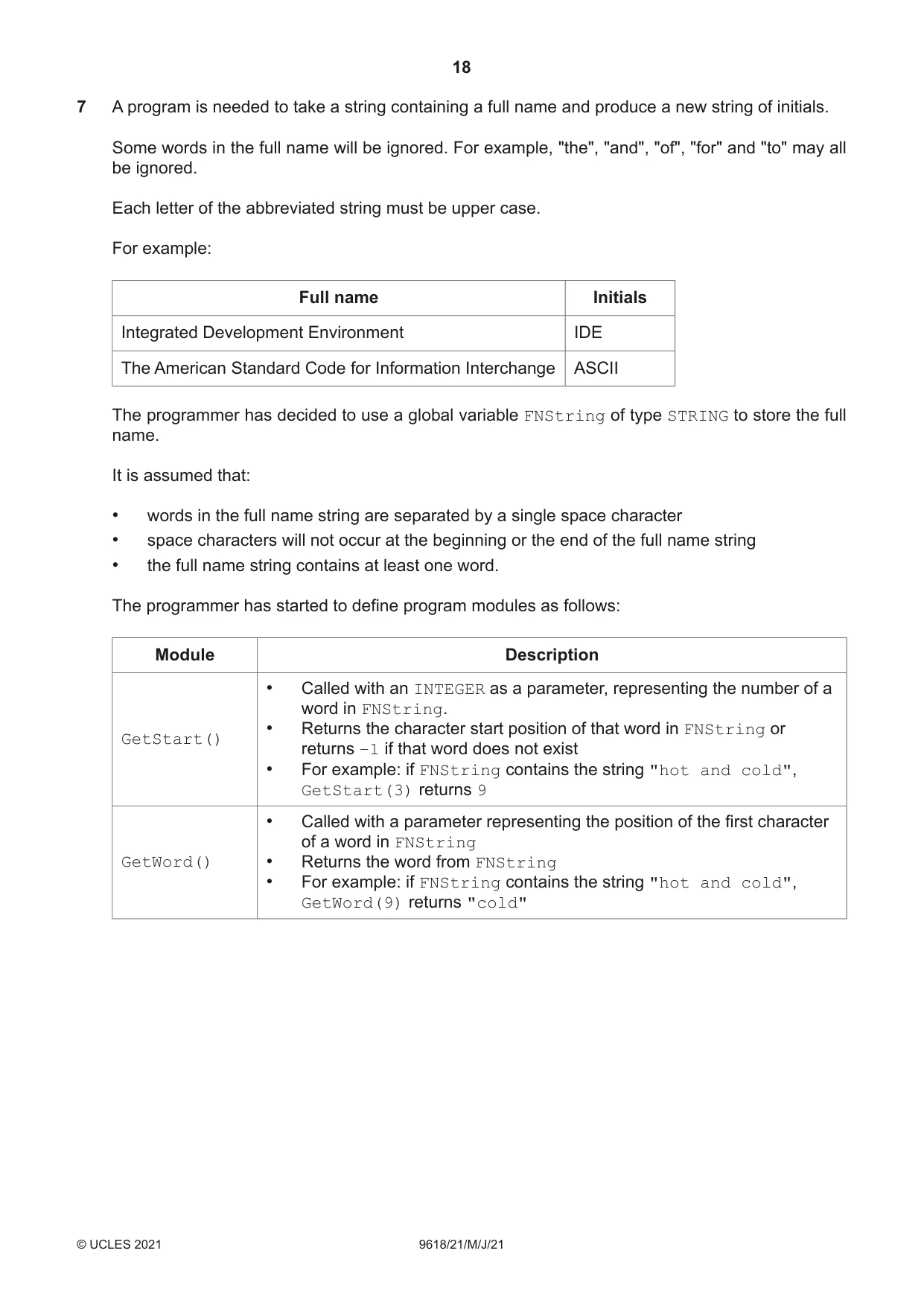
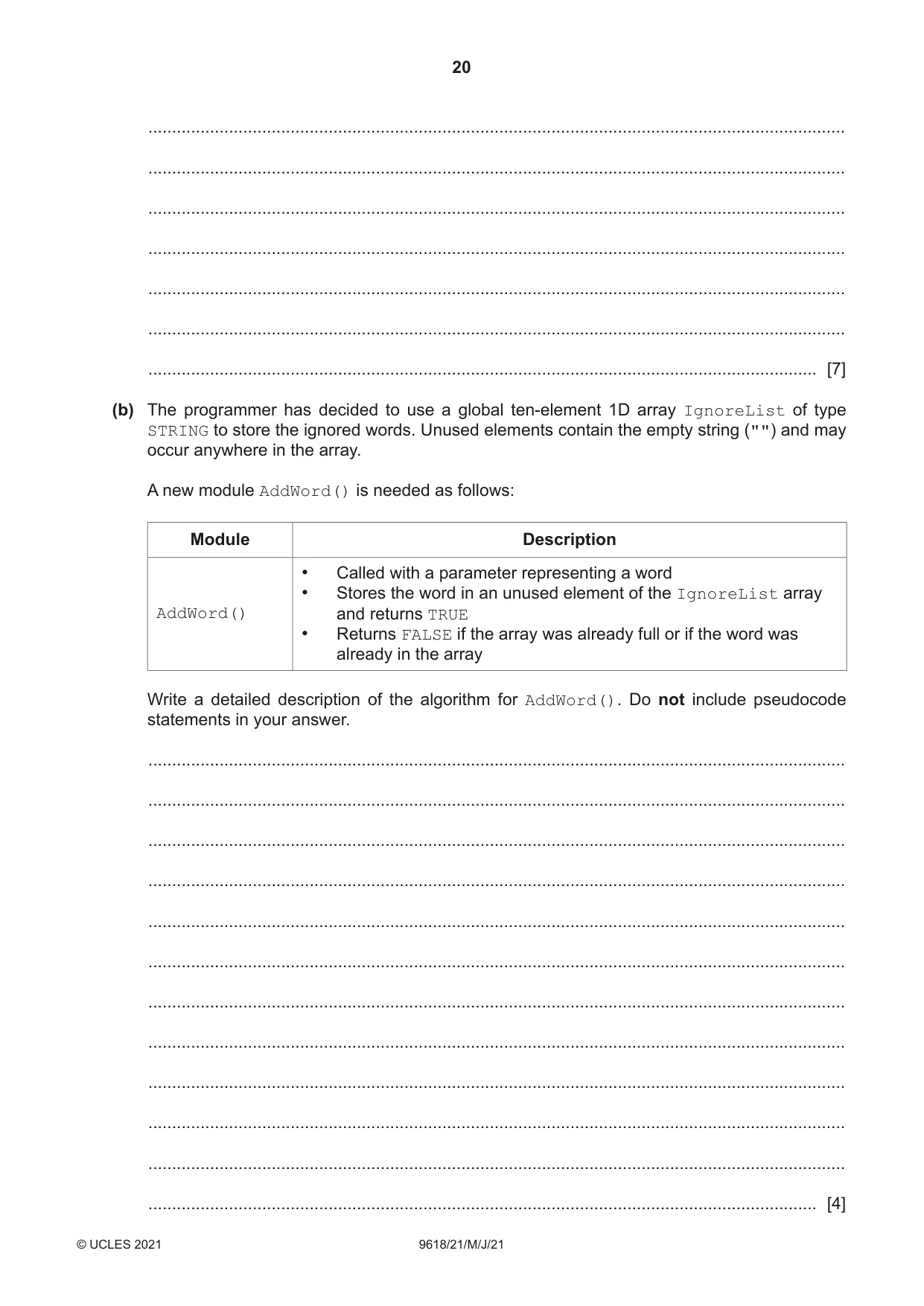
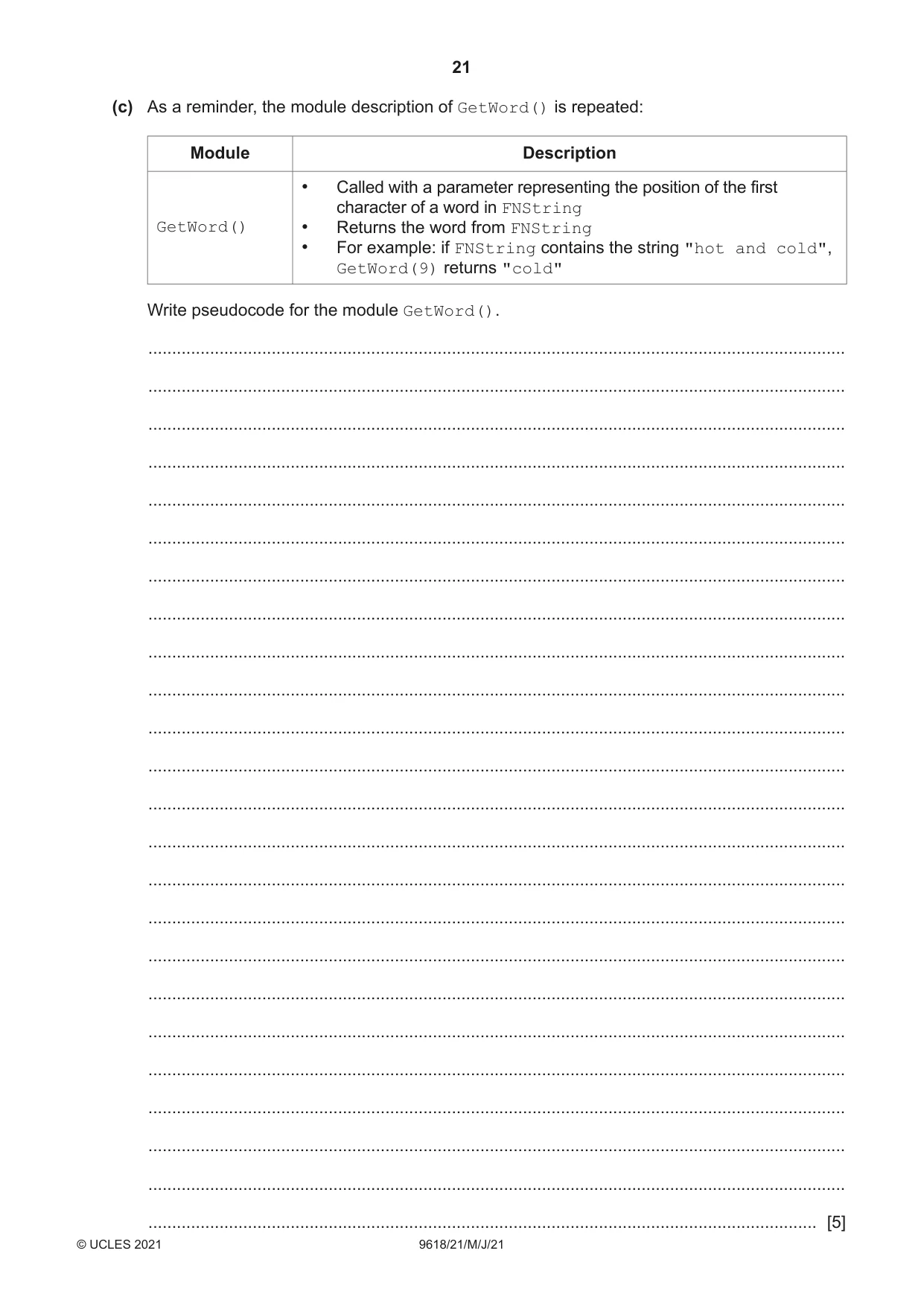
7 A program is needed to take a string containing a full name and produce a new string of initials. Some words in the full name will be ignored. For example, "the", "and", "of", "for" and "to" may all be ignored. Each letter of the abbreviated string must be upper case. For example: Full name Initials Integrated Development Environment IDE The American Standard Code for Information Interchange ASCII The programmer has decided to use a global variable FNString of type STRING to store the full name. It is assumed that: • words in the full name string are separated by a single space character • space characters will not occur at the beginning or the end of the full name string • the full name string contains at least one word. The programmer has started to define program modules as follows: Module Description • Called with an INTEGER as a parameter, representing the number of a word in FNString. • Returns the character start position of that word in FNString or GetStart() returns –1 if that word does not exist • For example: if FNString contains the string "hot and cold", GetStart(3) returns 9 • Called with a parameter representing the position of the first character of a word in FNString GetWord() • Returns the word from FNString • For example: if FNString contains the string "hot and cold", GetWord(9) returns "cold" (a) Write pseudocode for the module GetStart(). ................................................................................................................................................... ................................................................................................................................................... ................................................................................................................................................... ................................................................................................................................................... ................................................................................................................................................... ................................................................................................................................................... ................................................................................................................................................... ................................................................................................................................................... ................................................................................................................................................... ................................................................................................................................................... ................................................................................................................................................... ................................................................................................................................................... ................................................................................................................................................... ................................................................................................................................................... ................................................................................................................................................... ................................................................................................................................................... ................................................................................................................................................... ................................................................................................................................................... ................................................................................................................................................... ................................................................................................................................................... ................................................................................................................................................... ................................................................................................................................................... ................................................................................................................................................... ................................................................................................................................................... ................................................................................................................................................... ................................................................................................................................................... ................................................................................................................................................... ................................................................................................................................................... ................................................................................................................................................... ................................................................................................................................................... ................................................................................................................................................... ................................................................................................................................................... ................................................................................................................................................... ............................................................................................................................................. [7] (b) The programmer has decided to use a global ten-element 1D array IgnoreList of type STRING to store the ignored words. Unused elements contain the empty string ("") and may occur anywhere in the array. A new module AddWord() is needed as follows: Module Description • Called with a parameter representing a word • Stores the word in an unused element of the IgnoreList array AddWord() and returns TRUE • Returns FALSE if the array was already full or if the word was already in the array Write a detailed description of the algorithm for AddWord(). Do not include pseudocode statements in your answer. ................................................................................................................................................... ................................................................................................................................................... ................................................................................................................................................... ................................................................................................................................................... ................................................................................................................................................... ................................................................................................................................................... ................................................................................................................................................... ................................................................................................................................................... ................................................................................................................................................... ................................................................................................................................................... ................................................................................................................................................... ............................................................................................................................................. [4]
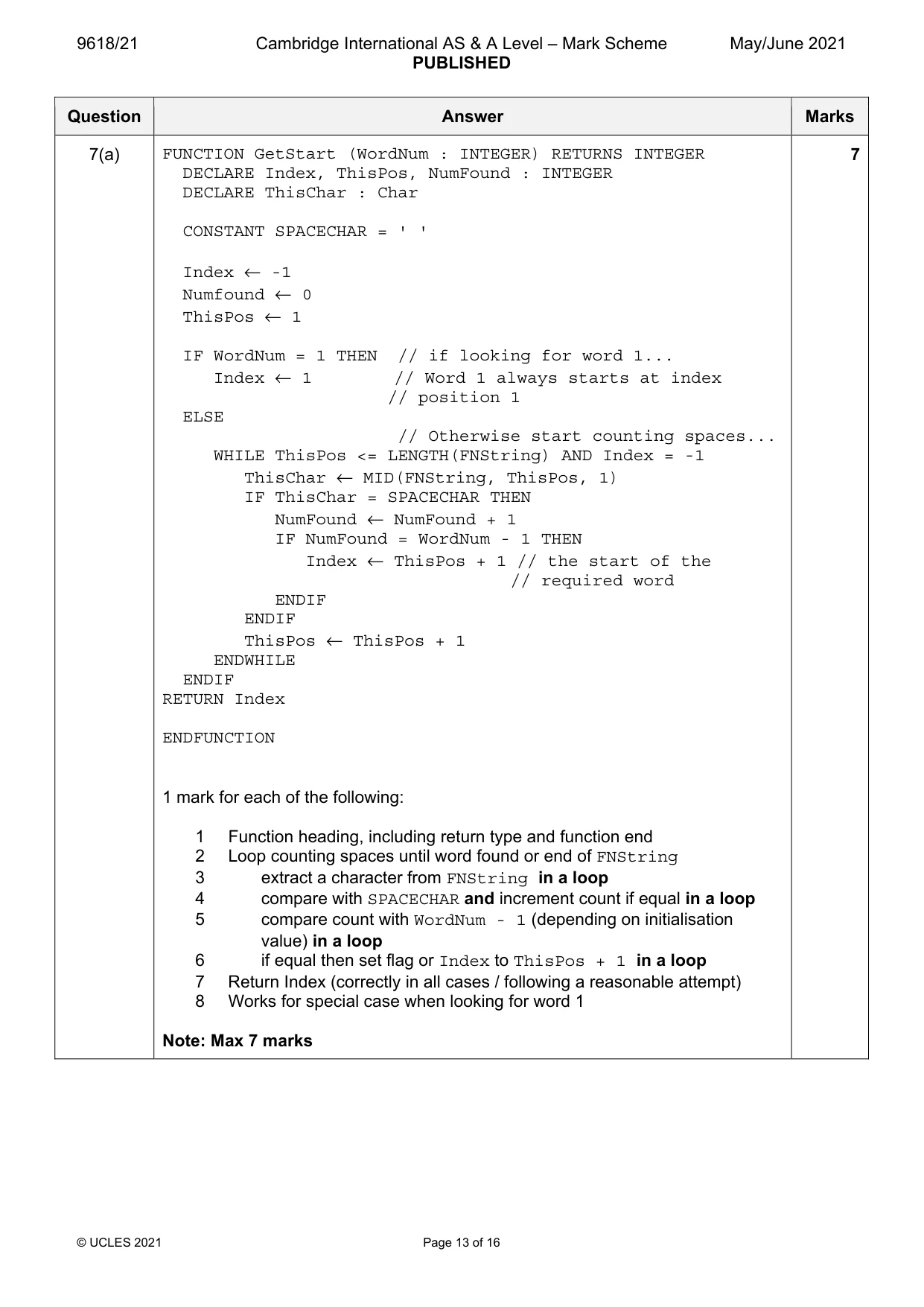
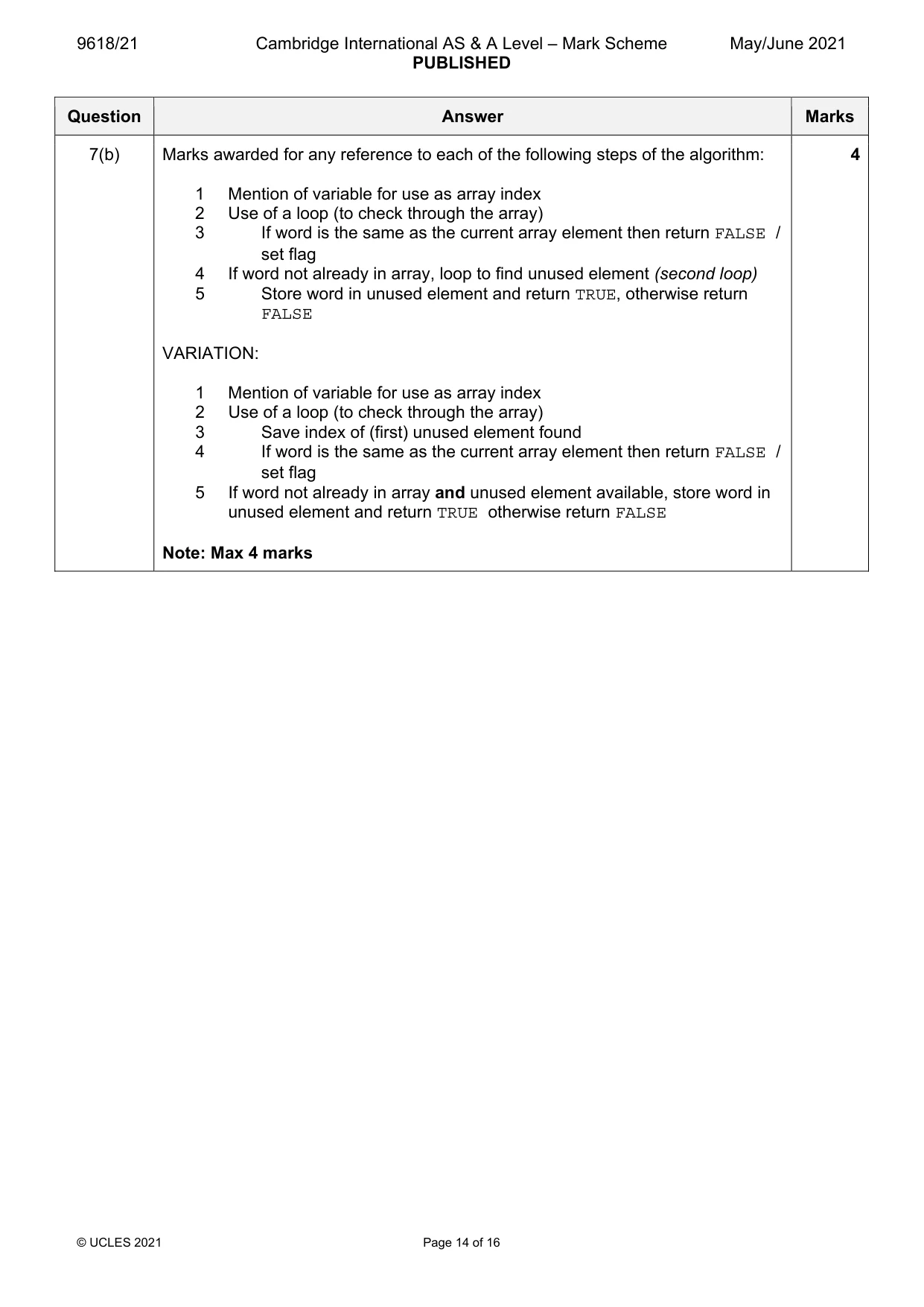
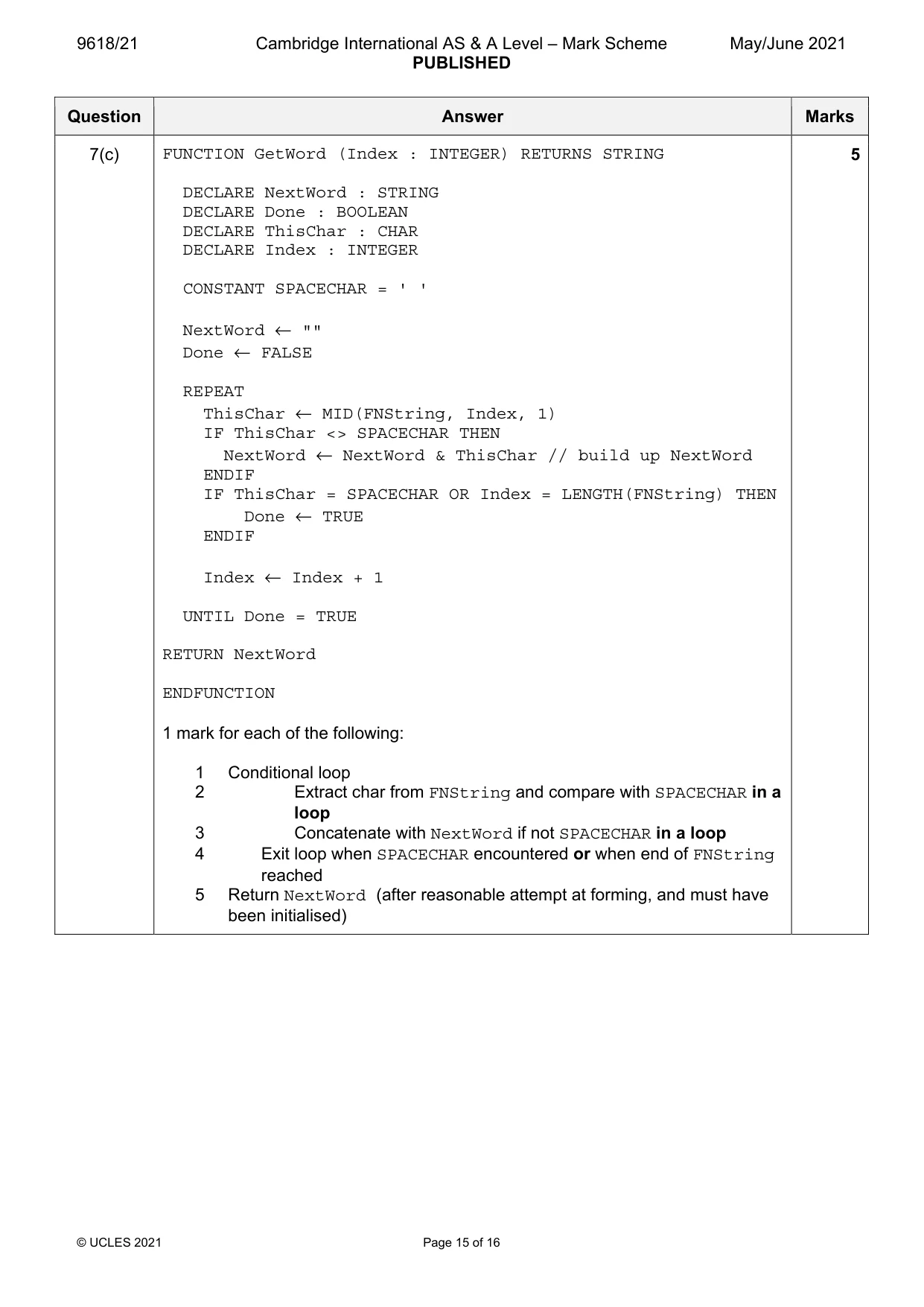
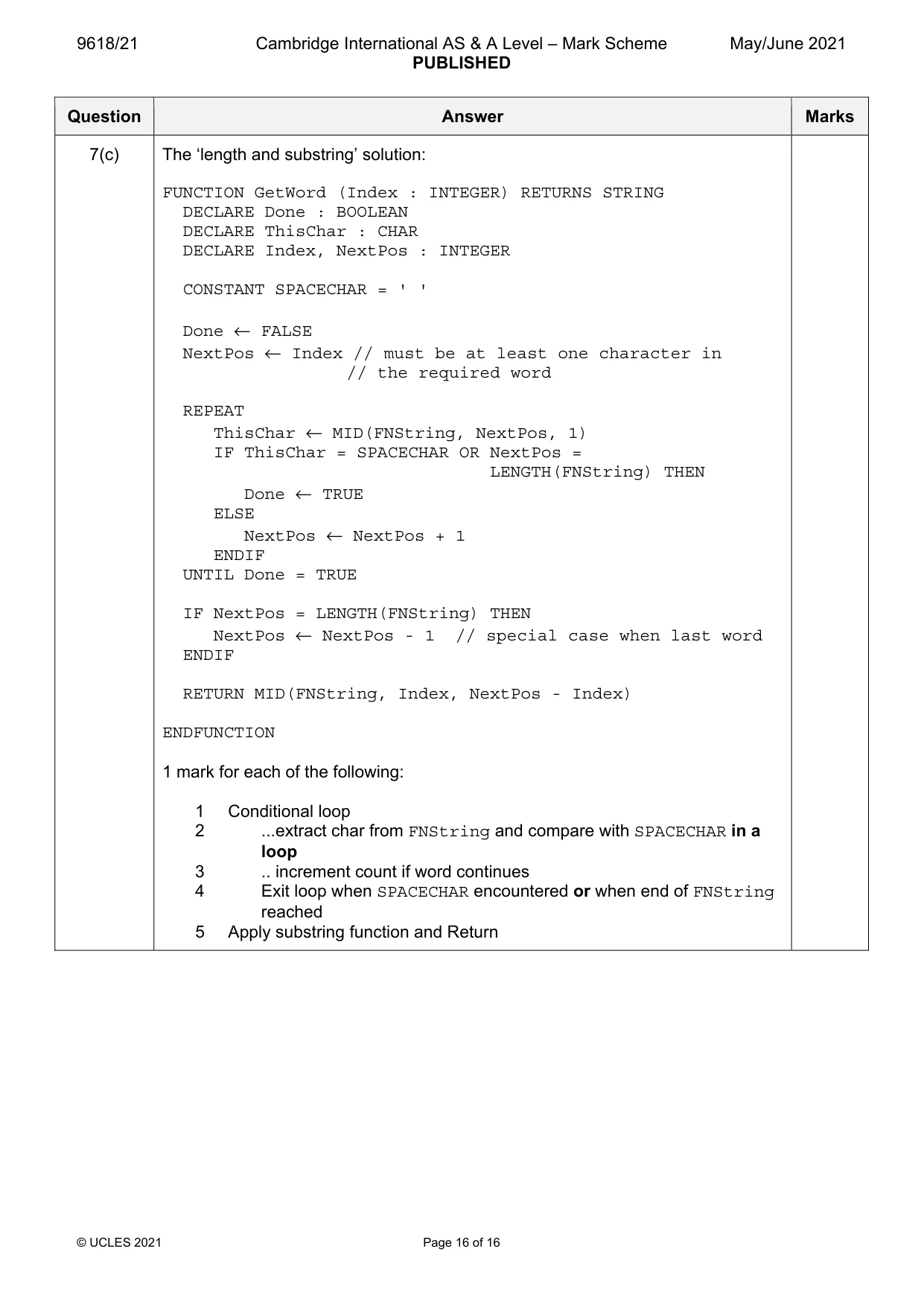
Mark scheme: 7(a) FUNCTION GetStart (WordNum : INTEGER) RETURNS INTEGER 7 DECLARE Index, ThisPos, NumFound : INTEGER DECLARE ThisChar : Char CONSTANT SPACECHAR = ' ' Index ← -1 Numfound ← 0 ThisPos ← 1 IF WordNum = 1 THEN // if looking for word 1... Index ← 1 // Word 1 always starts at index // position 1 ELSE // Otherwise start counting spaces... WHILE ThisPos <= LENGTH(FNString) AND Index = -1 ThisChar ← MID(FNString, ThisPos, 1) IF ThisChar = SPACECHAR THEN NumFound ← NumFound + 1 IF NumFound = WordNum - 1 THEN Index ← ThisPos + 1 // the start of the // required word ENDIF ENDIF ThisPos ← ThisPos + 1 ENDWHILE ENDIF RETURN Index ENDFUNCTION 1 mark for each of the following: 1 Function heading, including return type and function end 2 Loop counting spaces until word found or end of FNString 3 extract a character from FNString in a loop 4 compare with SPACECHAR and increment count if equal in a loop 5 compare count with WordNum - 1 (depending on initialisation value) in a loop 6 if equal then set flag or Index to ThisPos + 1 in a loop 7 Return Index (correctly in all cases / following a reasonable attempt) 8 Works for special case when looking for word 1 Note: Max 7 marks 7(b) Marks awarded for any reference to each of the following steps of the algorithm: 4 1 Mention of variable for use as array index 2 Use of a loop (to check through the array) 3 If word is the same as the current array element then return FALSE / set flag 4 If word not already in array, loop to find unused element (second loop) 5 Store word in unused element and return TRUE, otherwise return FALSE VARIATION: 1 Mention of variable for use as array index 2 Use of a loop (to check through the array) 3 Save index of (first) unused element found 4 If word is the same as the current array element then return FALSE / set flag 5 If word not already in array and unused element available, store word in unused element and return TRUE otherwise return FALSE Note: Max 4 marks 7(c) FUNCTION GetWord (Index : INTEGER) RETURNS STRING 5 DECLARE NextWord : STRING DECLARE Done : BOOLEAN DECLARE ThisChar : CHAR DECLARE Index : INTEGER CONSTANT SPACECHAR = ' ' NextWord ← "" Done ← FALSE REPEAT ThisChar ← MID(FNString, Index, 1) IF ThisChar <> SPACECHAR THEN NextWord ← NextWord & ThisChar // build up NextWord ENDIF IF ThisChar = SPACECHAR OR Index = LENGTH(FNString) THEN Done ← TRUE ENDIF Index ← Index + 1 UNTIL Done = TRUE RETURN NextWord ENDFUNCTION 1 mark for each of the following: 1 Conditional loop 2 Extract char from FNString and compare with SPACECHAR in a loop 3 Concatenate with NextWord if not SPACECHAR in a loop 4 Exit loop when SPACECHAR encountered or when end of FNString reached 5 Return NextWord (after reasonable attempt at forming, and must have been initialised) 7(c) The ‘length and substring’ solution: FUNCTION GetWord (Index : INTEGER) RETURNS STRING DECLARE Done : BOOLEAN DECLARE ThisChar : CHAR DECLARE Index, NextPos : INTEGER CONSTANT SPACECHAR = ' ' Done ← FALSE NextPos ← Index // must be at least one character in // the required word REPEAT ThisChar ← MID(FNString, NextPos, 1) IF ThisChar = SPACECHAR OR NextPos = LENGTH(FNString) THEN Done ← TRUE ELSE NextPos ← NextPos + 1 ENDIF UNTIL Done = TRUE IF NextPos = LENGTH(FNString) THEN NextPos ← NextPos - 1 // special case when last word ENDIF RETURN MID(FNString, Index, NextPos - Index) ENDFUNCTION 1 mark for each of the following: 1 Conditional loop 2 ...extract char from FNString and compare with SPACECHAR in a loop 3 .. increment count if word continues 4 Exit loop when SPACECHAR encountered or when end of FNString reached 5 Apply substring function and Return
What was in this paper
The subtopics covered by these 7 questions, and how many questions each got. Open one in a new tab to see every Cambridge question on it.
What you needed in this session
Cambridge’s own grade thresholds for 2021 May/June, Paper 2 · Variant 1. A higher threshold means an easier paper — the bar moves with how the cohort did.