Cambridge A Level Applied Information and Communication Technology 9713 — 2016 May/June Paper 2 · Variant 0
9713/20/M/J/16
The question paper and its mark scheme, free to read here and free to download. This is Cambridge’s own paper, exactly as it was sat.
Question paper4 pages
Mark scheme
No mark scheme is in the library for this paper.
Paper as text
Question paper, page 1
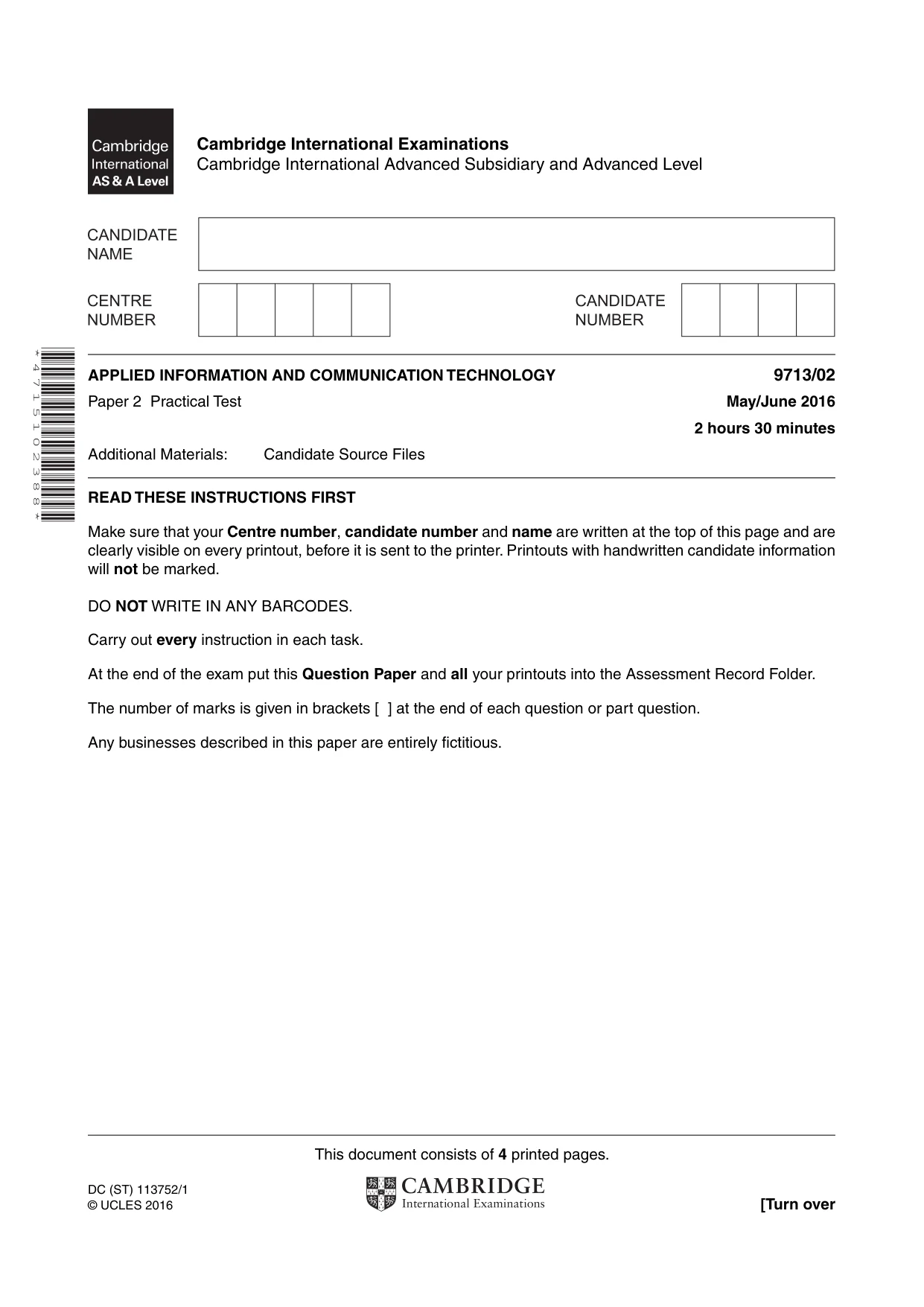
This document consists of 4 printed pages. DC (ST) 113752/1 © UCLES 2016 [Turn over Cambridge International Examinations Cambridge International Advanced Subsidiary and Advanced Level * 4 7 1 5 1 0 2 3 8 8 * APPLIED INFORMATION AND COMMUNICATION TECHNOLOGY 9713/02 Paper 2 Practical Test May/June 2016 2 hours 30 minutes Additional Materials: Candidate Source Files READ THESE INSTRUCTIONS FIRST Make sure that your Centre number, candidate number and name are written at the top of this page and are clearly visible on every printout, before it is sent to the printer. Printouts with handwritten candidate information will not be marked. DO NOT WRITE IN ANY BARCODES. Carry out every instruction in each task. At the end of the exam put this Question Paper and all your printouts into the Assessment Record Folder. The number of marks is given in brackets [ ] at the end of each question or part question. Any businesses described in this paper are entirely fictitious.
Question paper, page 2
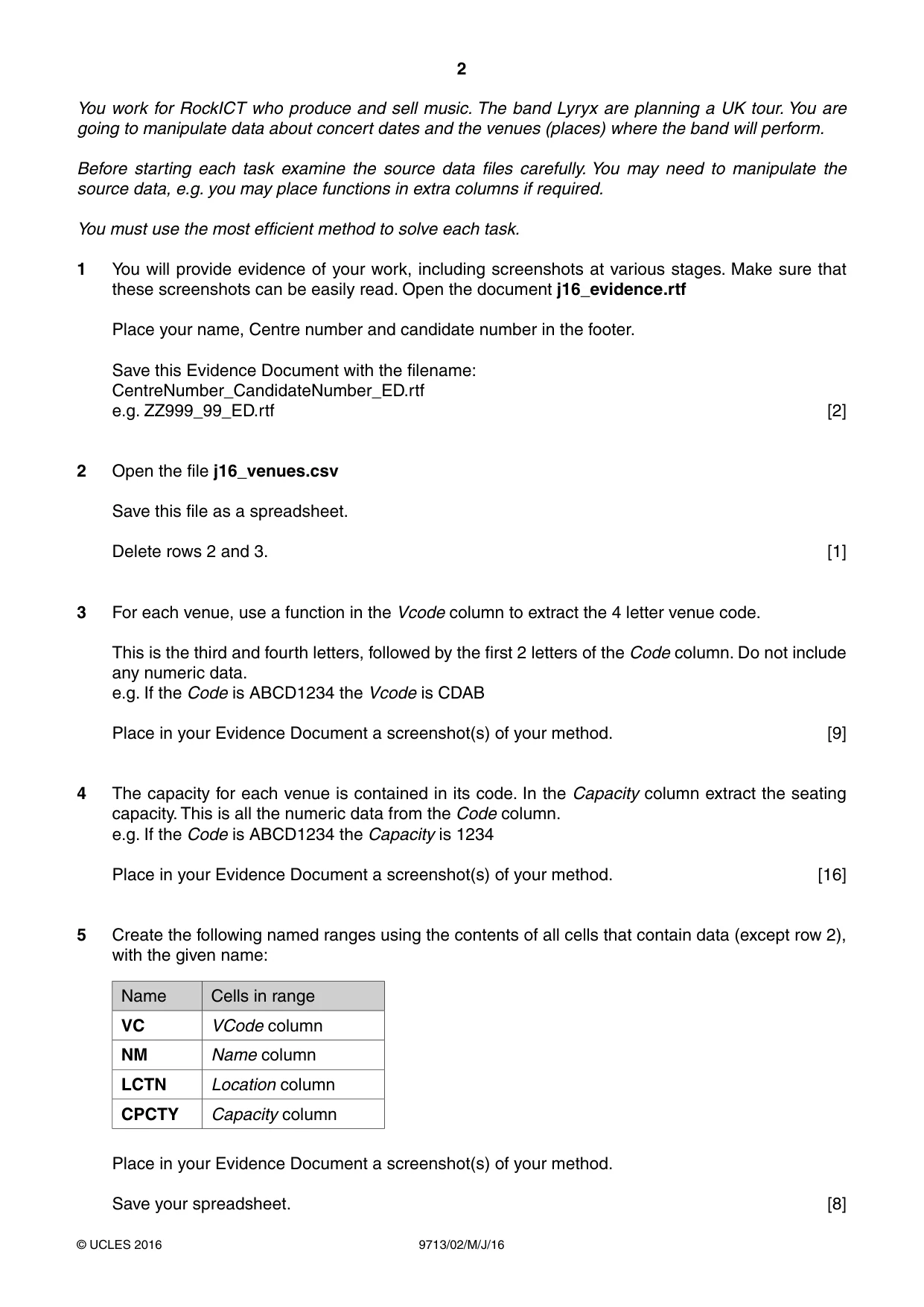
2 9713/02/M/J/16 © UCLES 2016 You work for RockICT who produce and sell music. The band Lyryx are planning a UK tour. You are going to manipulate data about concert dates and the venues (places) where the band will perform. Before starting each task examine the source data files carefully. You may need to manipulate the source data, e.g. you may place functions in extra columns if required. You must use the most efficient method to solve each task . 1 You will provide evidence of your work, including screenshots at various stages. Make sure that these screenshots can be easily read. Open the document j16_evidence.rtf Place your name, Centre number and candidate number in the footer. Save this Evidence Document with the filename: CentreNumber_CandidateNumber_ED.rtf e.g. ZZ999_99_ED.rtf [2] 2 Open the file j16_venues.csv Save this file as a spreadsheet. Delete rows 2 and 3. [1] 3 For each venue, use a function in the Vcode column to extract the 4 letter venue code. This is the third and fourth letters, followed by the first 2 letters of the Code column. Do not include any numeric data. e.g. If the Code is ABCD1234 the Vcode is CDAB Place in your Evidence Document a screenshot(s) of your method. [9] 4 The capacity for each venue is contained in its code. In the Capacity column extract the seating capacity. This is all the numeric data from the Code column. e.g. If the Code is ABCD1234 the Capacity is 1234 Place in your Evidence Document a screenshot(s) of your method. [16] 5 Create the following named ranges using the contents of all cells that contain data (except row 2), with the given name: Name Cells in range VC VCode column NM Name column LCTN Location column CPCTY Capacity column Place in your Evidence Document a screenshot(s) of your method. Save your spreadsheet. [8]
Question paper, page 3
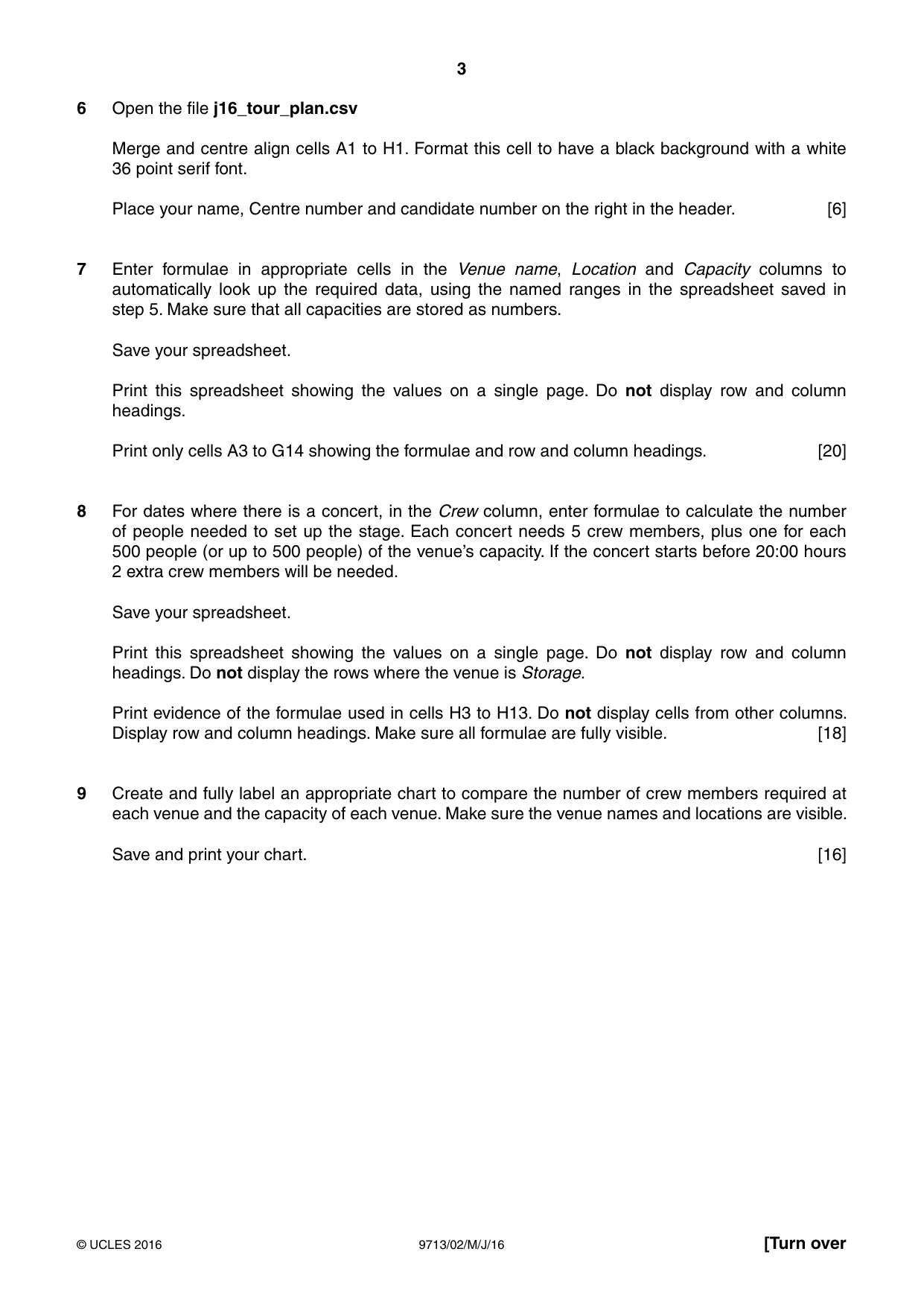
3 9713/02/M/J/16 © UCLES 2016 [Turn over 6 Open the file j16_tour_plan.csv Merge and centre align cells A1 to H1. Format this cell to have a black background with a white 36 point serif font. Place your name, Centre number and candidate number on the right in the header. [6] 7 Enter formulae in appropriate cells in the Venue name, Location and Capacity columns to automatically look up the required data, using the named ranges in the spreadsheet saved in step 5. Make sure that all capacities are stored as numbers. Save your spreadsheet. Print this spreadsheet showing the values on a single page. Do not display row and column headings. Print only cells A3 to G14 showing the formulae and row and column headings. [20] 8 For dates where there is a concert, in the Crew column, enter formulae to calculate the number of people needed to set up the stage. Each concert needs 5 crew members, plus one for each 500 people (or up to 500 people) of the venue’s capacity. If the concert starts before 20:00 hours 2 extra crew members will be needed. Save your spreadsheet. Print this spreadsheet showing the values on a single page. Do not display row and column headings. Do not display the rows where the venue is Storage. Print evidence of the formulae used in cells H3 to H13. Do not display cells from other columns. Display row and column headings. Make sure all formulae are fully visible. [18] 9 Create and fully label an appropriate chart to compare the number of crew members required at each venue and the capacity of each venue. Make sure the venue names and locations are visible. Save and print your chart. [16]
Question paper, page 4
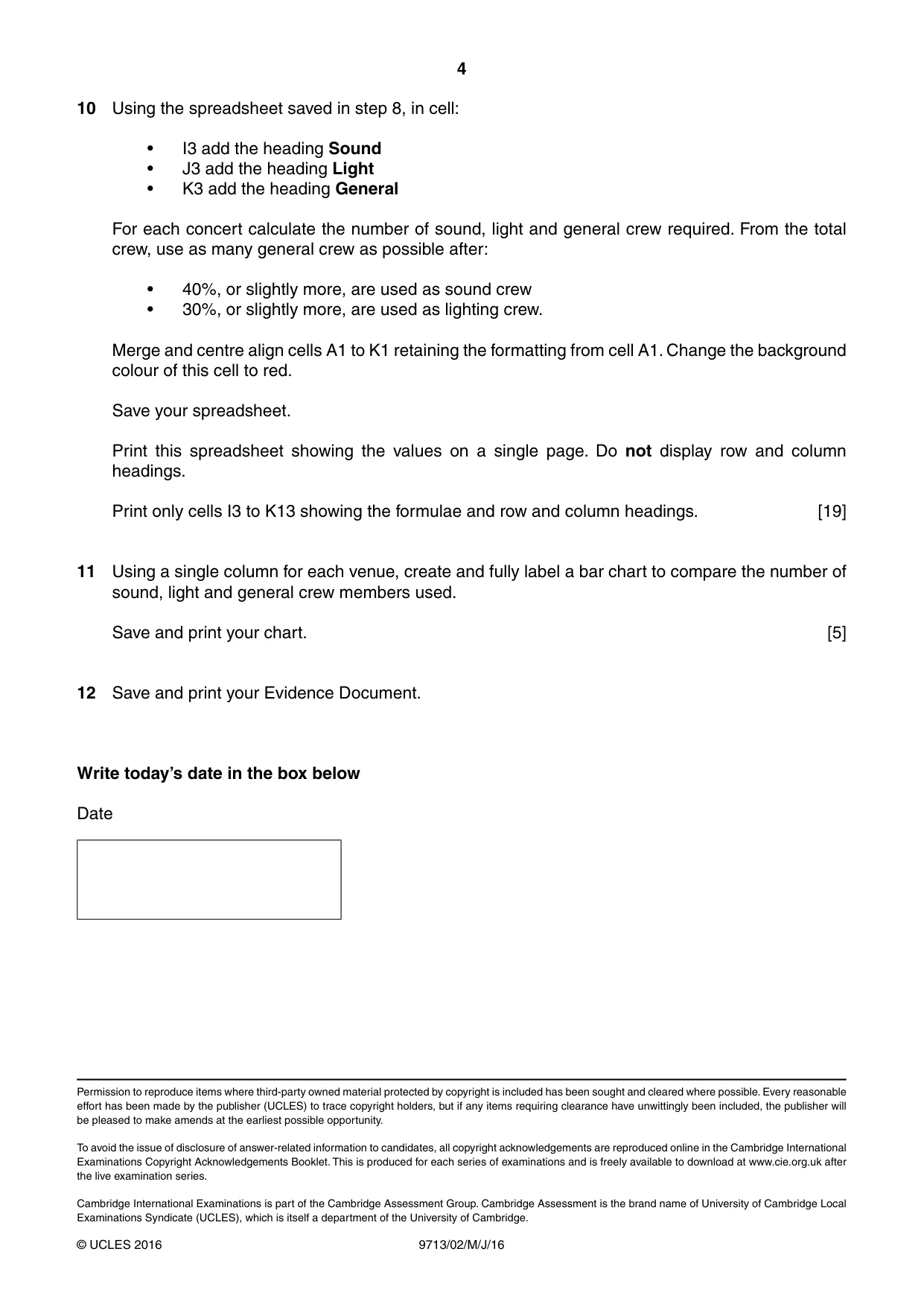
4 9713/02/M/J/16 © UCLES 2016 Permission to reproduce items where third-party owned material protected by copyright is included has been sought and cleared where possible. Every reasonable effort has been made by the publisher (UCLES) to trace copyright holders, but if any items requiring clearance have unwittingly been included, the publisher will be pleased to make amends at the earliest possible opportunity. To avoid the issue of disclosure of answer-related information to candidates, all copyright acknowledgements are reproduced online in the Cambridge International Examinations Copyright Acknowledgements Booklet. This is produced for each series of examinations and is freely available to download at www.cie.org.uk after the live examination series. Cambridge International Examinations is part of the Cambridge Assessment Group. Cambridge Assessment is the brand name of University of Cambridge Local Examinations Syndicate (UCLES), which is itself a department of the University of Cambridge. 10 Using the spreadsheet saved in step 8, in cell: • I3 add the heading Sound • J3 add the heading Light • K3 add the heading General For each concert calculate the number of sound, light and general crew required. From the total crew, use as many general crew as possible after: • 40%, or slightly more, are used as sound crew • 30%, or slightly more, are used as lighting crew. Merge and centre align cells A1 to K1 retaining the formatting from cell A1. Change the background colour of this cell to red. Save your spreadsheet. Print this spreadsheet showing the values on a single page. Do not display row and column headings. Print only cells I3 to K13 showing the formulae and row and column headings. [19] 11 Using a single column for each venue, create and fully label a bar chart to compare the number of sound, light and general crew members used. Save and print your chart. [5] 12 Save and print your Evidence Document. Write today’s date in the box below Date