Cambridge A Level Applied Information and Communication Technology 9713 — 2010 May/June Paper 1 · Variant 3
9713/13/M/J/10 · 80 marks · ≈90 min
The question paper and its mark scheme, free to read here and free to download. This is Cambridge’s own paper, exactly as it was sat.
Question paper20 pages


Mark scheme8 pages
Answers below. Sit the paper first if you are practising.
Paper as text
Question paper, page 1
This document consists of 20 printed pages. IB10 06_9713_13/3RP © UCLES 2010 [Turn over *1496035808* UNIVERSITY OF CAMBRIDGE INTERNATIONAL EXAMINATIONS General Certificate of Education Advanced Level APPLIED INFORMATION AND COMMUNICATION TECHNOLOGY 9713/13 Paper 1 May/June 2010 1 hour and 15 minutes Candidates answer on the Question Paper. No additional materials are required. READ THESE INSTRUCTIONS FIRST Write your Centre number, candidate number and name on all the work you hand in. Write in dark blue or black pen. Do not use staples, paper clips, highlighters, glue or correction fluid. You may use a pencil for any diagrams, graphs or rough working. DO NOT WRITE IN ANY BARCODES. Answer all questions. The number of marks is given in brackets [ ] at the end of each question or part question. Any businesses described in this paper are entirely fictitious.
Question paper, page 2
2 © UCLES 2010 9713/13/M/J/10 Scenario 1 Questions 1 and 2 St Dennis Medical Centre employs a number of doctors who are often called out to visit patients in their homes. When this happens they may need remote access to the central computer system at the main hospital as well as the system at their own medical centre. This will allow them to access patients’ records during house calls. From time to time it is necessary for a doctor to consult with other doctors when they are away from the medical centre.
Question paper, page 3
3 © UCLES 2010 9713/13/M/J/10 [Turn over For Examiner's Use 1 (a) Describe two items of hardware that a doctor could use in order to access the records remotely. Explain how each is used. [4] (b) Describe two pieces of medical information that a doctor might need to access while in a patient’s home. [2]
Question paper, page 4
4 © UCLES 2010 9713/13/M/J/10 For Examiner's Use 2 When visiting a patient, doctors may need to consult with one or more other doctors for advice. Describe different electronic methods that could be used by the doctor to communicate with their colleagues. [5]
Question paper, page 5
5 © UCLES 2010 9713/13/M/J/10 [Turn over Scenario 2 Question 3 Cairo Press is a group of Egyptian book publishers who are looking to expand their operations. The group wishes to increase their advertising to extend their customer base. Cairo Press’ preferred method of advertising would be by using a website. The employee who has been asked to design the website has access to a standard PC, keyboard and mouse. Cairo Press will purchase any additional equipment which might be needed.
Question paper, page 6
6 © UCLES 2010 9713/13/M/J/10 For Examiner's Use 3 (a) Describe the additional hardware which would be needed, and how it would be used in the creation of the website. [6]
Question paper, page 7
7 © UCLES 2010 9713/13/M/J/10 [Turn over For Examiner's Use (b) Use examples to explain the meaning of product advertising, business advertising and service advertising. State which one applies in this scenario. [4]
Question paper, page 8
8 © UCLES 2010 9713/13/M/J/10 For Examiner's Use (c) The company does not wish to use flyers but there are other ways they could use ICT to produce their own advertising materials. Discuss the advantages and disadvantages to Cairo Press of using these other methods compared to advertising on a website. [6]
Question paper, page 9
9 © UCLES 2010 9713/13/M/J/10 [Turn over Scenario 3 Questions 4 and 5 Windscale is a national chain of banks in the UK. They have had a computer system for many years to manage customer accounts and also the payroll of their employees. They have a website for their customers, who can do all their banking online. They are concerned that their system is not as secure as it might be. At the moment customers are only required to type in a username and a password to access their accounts. Many bank workers in the existing branches use computers all day. The working patterns of some employees have been affected by the introduction of online banking.
Question paper, page 10
10 © UCLES 2010 9713/13/M/J/10 For Examiner's Use 4 (a) Describe the outputs of the payroll system. [6]
Question paper, page 11
11 © UCLES 2010 9713/13/M/J/10 [Turn over For Examiner's Use (b) Describe the features of a well designed online banking website. [6]
Question paper, page 12
12 © UCLES 2010 9713/13/M/J/10 For Examiner's Use (c) Discuss methods used to improve the security of a customer’s data when they want to access their account. [8]
Question paper, page 13
13 © UCLES 2010 9713/13/M/J/10 [Turn over For Examiner's Use 5 (a) Health and safety problems may occur because of the bank workers’ continual use of computers. Describe how these problems can be reduced. [4] (b) Describe the changes to the working patterns of bank workers which were caused by the introduction of online banking. [3]
Question paper, page 14
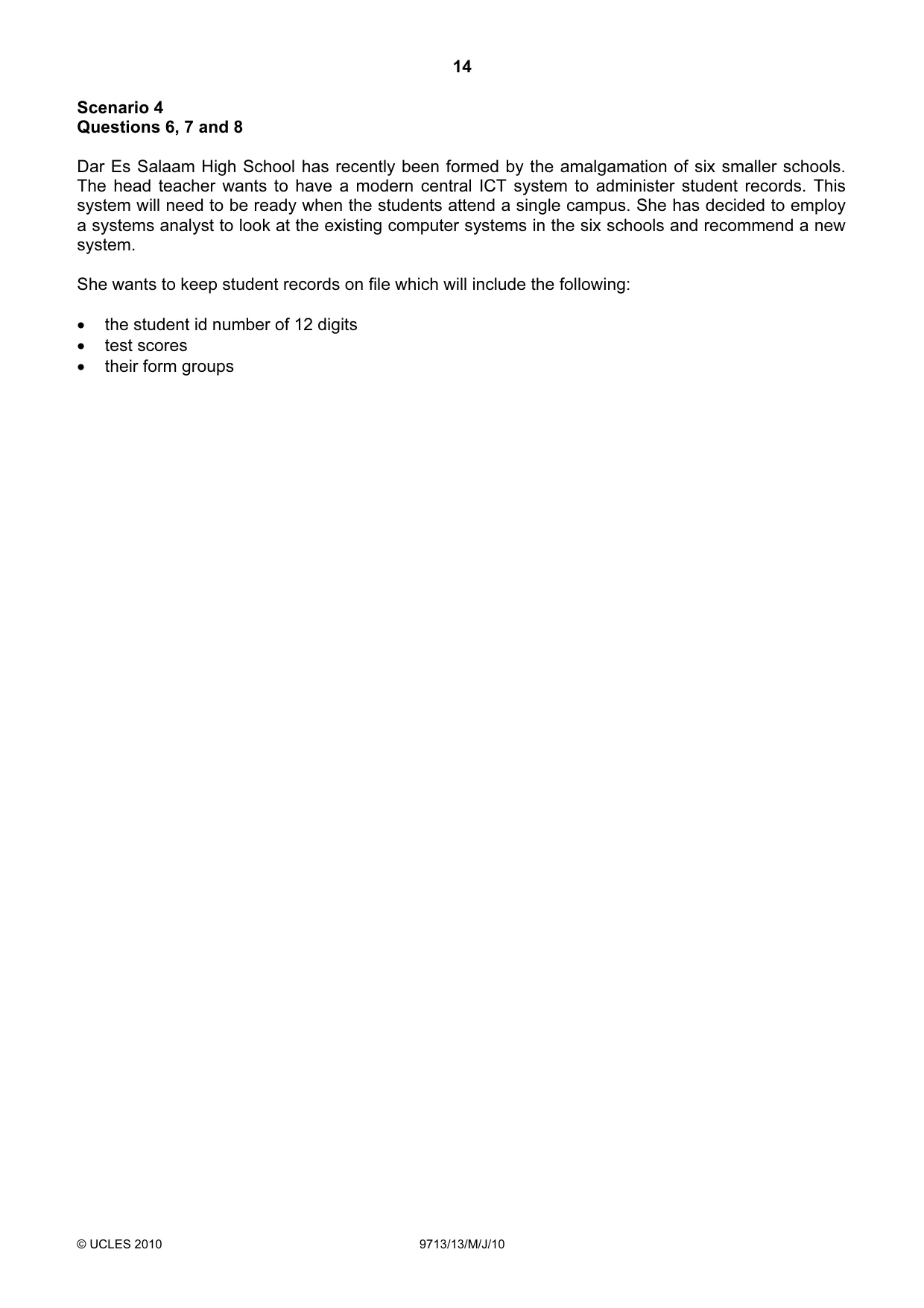
14 © UCLES 2010 9713/13/M/J/10 Scenario 4 Questions 6, 7 and 8 Dar Es Salaam High School has recently been formed by the amalgamation of six smaller schools. The head teacher wants to have a modern central ICT system to administer student records. This system will need to be ready when the students attend a single campus. She has decided to employ a systems analyst to look at the existing computer systems in the six schools and recommend a new system. She wants to keep student records on file which will include the following: • the student id number of 12 digits • test scores • their form groups
Question paper, page 15
15 © UCLES 2010 9713/13/M/J/10 [Turn over For Examiner's Use 6 (a) The systems analysts has completed the collection of information about the existing system. After this has been done, he will use this information to complete the Analysis stage of the systems life cycle. Describe the activities he will need to carry out to do this. [6]
Question paper, page 16
16 © UCLES 2010 9713/13/M/J/10 For Examiner's Use (b) At the Design stage of the systems life cycle he will need to decide on the validation checks to be used. Describe three validation checks which would be used with the student id number. [3]
Question paper, page 17
17 © UCLES 2010 9713/13/M/J/10 [Turn over For Examiner's Use 7 The new system has been designed and will now be tested. (a) Explain why live data is used to test the new system. [2]
Question paper, page 18
18 © UCLES 2010 9713/13/M/J/10 For Examiner's Use (b) Compare and contrast different methods which can be used to implement this new system. For each method give reasons why it may, or may not, be suitable for this school. [8]
Question paper, page 19
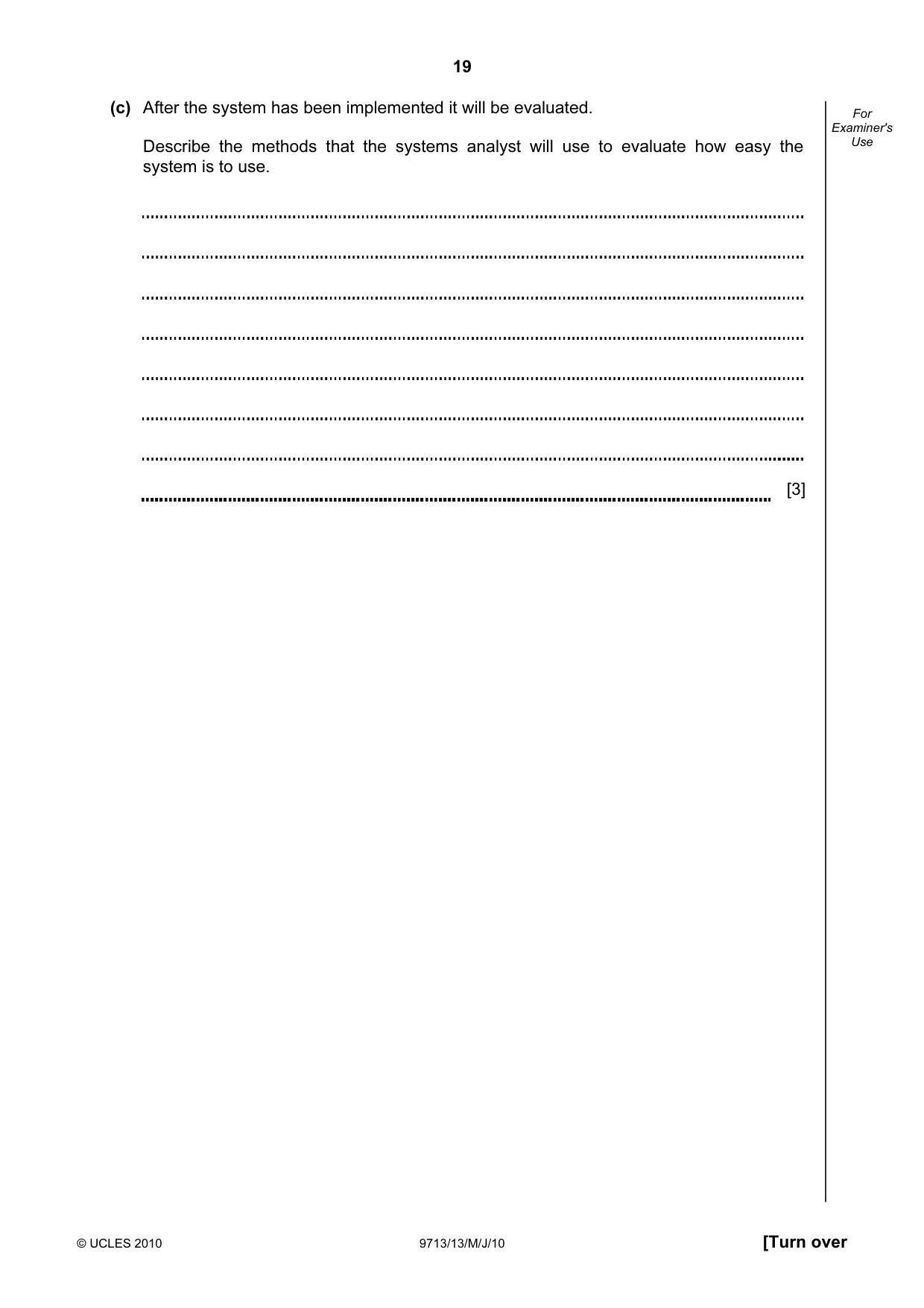
19 © UCLES 2010 9713/13/M/J/10 [Turn over For Examiner's Use (c) After the system has been implemented it will be evaluated. Describe the methods that the systems analyst will use to evaluate how easy the system is to use. [3]
Question paper, page 20
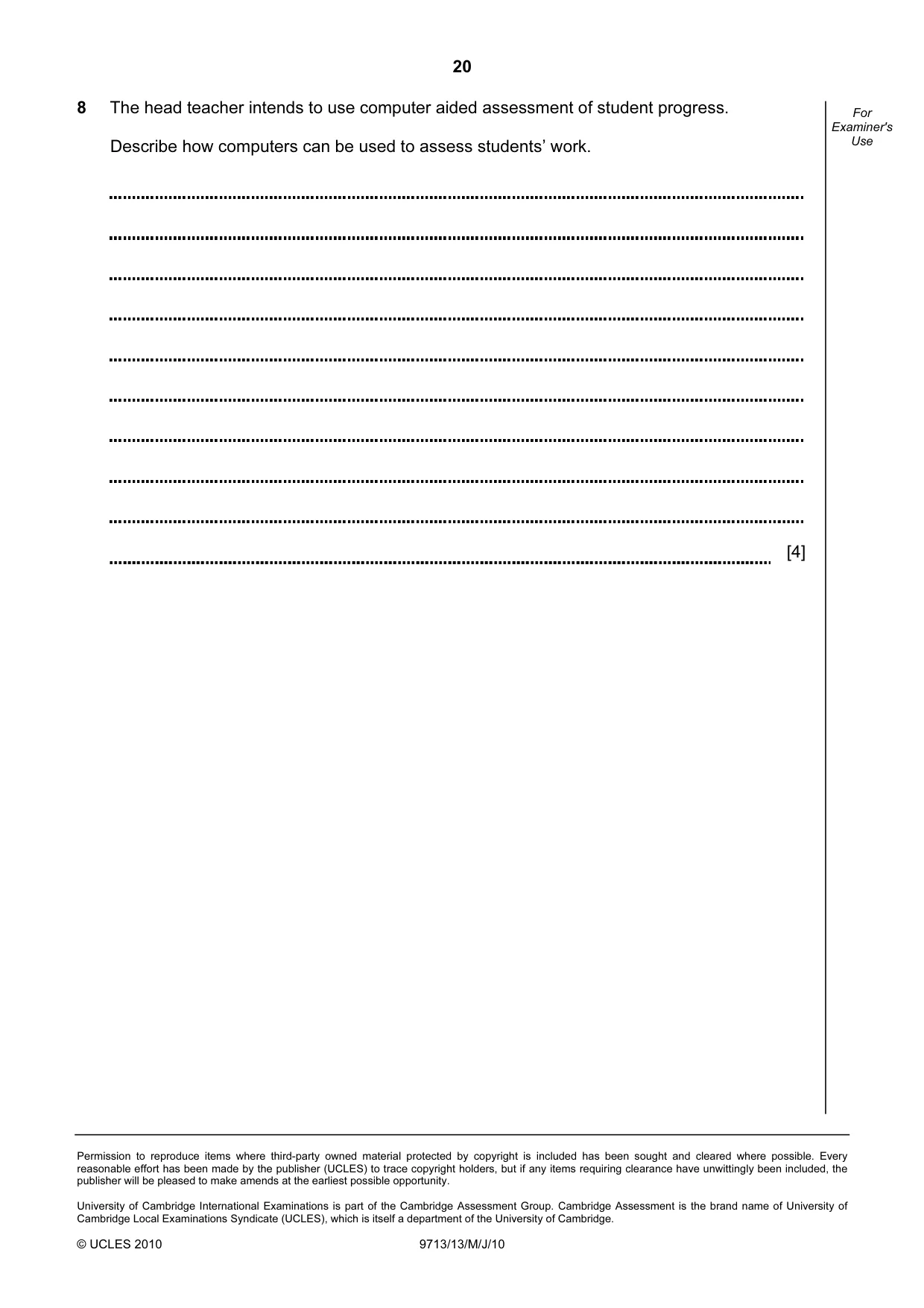
20 Permission to reproduce items where third-party owned material protected by copyright is included has been sought and cleared where possible. Every reasonable effort has been made by the publisher (UCLES) to trace copyright holders, but if any items requiring clearance have unwittingly been included, the publisher will be pleased to make amends at the earliest possible opportunity. University of Cambridge International Examinations is part of the Cambridge Assessment Group. Cambridge Assessment is the brand name of University of Cambridge Local Examinations Syndicate (UCLES), which is itself a department of the University of Cambridge. © UCLES 2010 9713/13/M/J/10 For Examiner's Use 8 The head teacher intends to use computer aided assessment of student progress. Describe how computers can be used to assess students’ work. [4]
Mark scheme, page 1
UNIVERSITY OF CAMBRIDGE INTERNATIONAL EXAMINATIONS GCE Advanced Subsidiary Level and GCE Advanced Level MARK SCHEME for the May/June 2010 question paper for the guidance of teachers 9713 APPLIED ICT 9713/13 Paper 13 (Written A), maximum raw mark 80 This mark scheme is published as an aid to teachers and candidates, to indicate the requirements of the examination. It shows the basis on which Examiners were instructed to award marks. It does not indicate the details of the discussions that took place at an Examiners’ meeting before marking began, which would have considered the acceptability of alternative answers. Mark schemes must be read in conjunction with the question papers and the report on the examination. • CIE will not enter into discussions or correspondence in connection with these mark schemes. CIE is publishing the mark schemes for the May/June 2010 question papers for most IGCSE, GCE Advanced Level and Advanced Subsidiary Level syllabuses and some Ordinary Level syllabuses.
Mark scheme, page 2
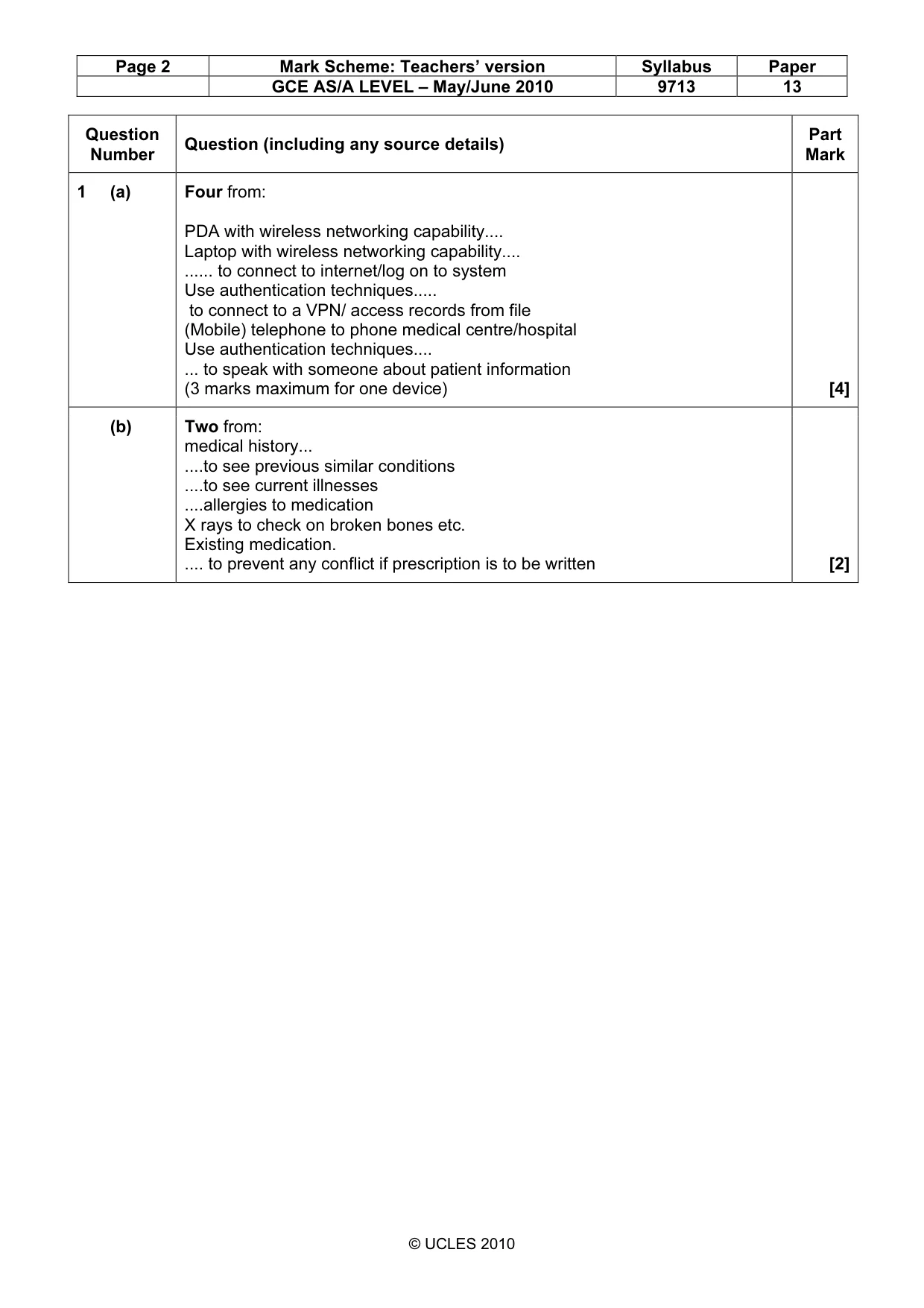
Page 2 Mark Scheme: Teachers’ version Syllabus Paper GCE AS/A LEVEL – May/June 2010 9713 13 © UCLES 2010 Question Number Question (including any source details) Part Mark 1 (a) Four from: PDA with wireless networking capability… Laptop with wireless networking capability… … to connect to internet/log on to system Use authentication techniques… to connect to a VPN/ access records from file (Mobile) telephone to phone medical centre/hospital Use authentication techniques… ... to speak with someone about patient information (3 marks maximum for one device) [4] (b) Two from: medical history... …to see previous similar conditions …to see current illnesses …allergies to medication X rays to check on broken bones etc. Existing medication. … to prevent any conflict if prescription is to be written [2]
Mark scheme, page 3
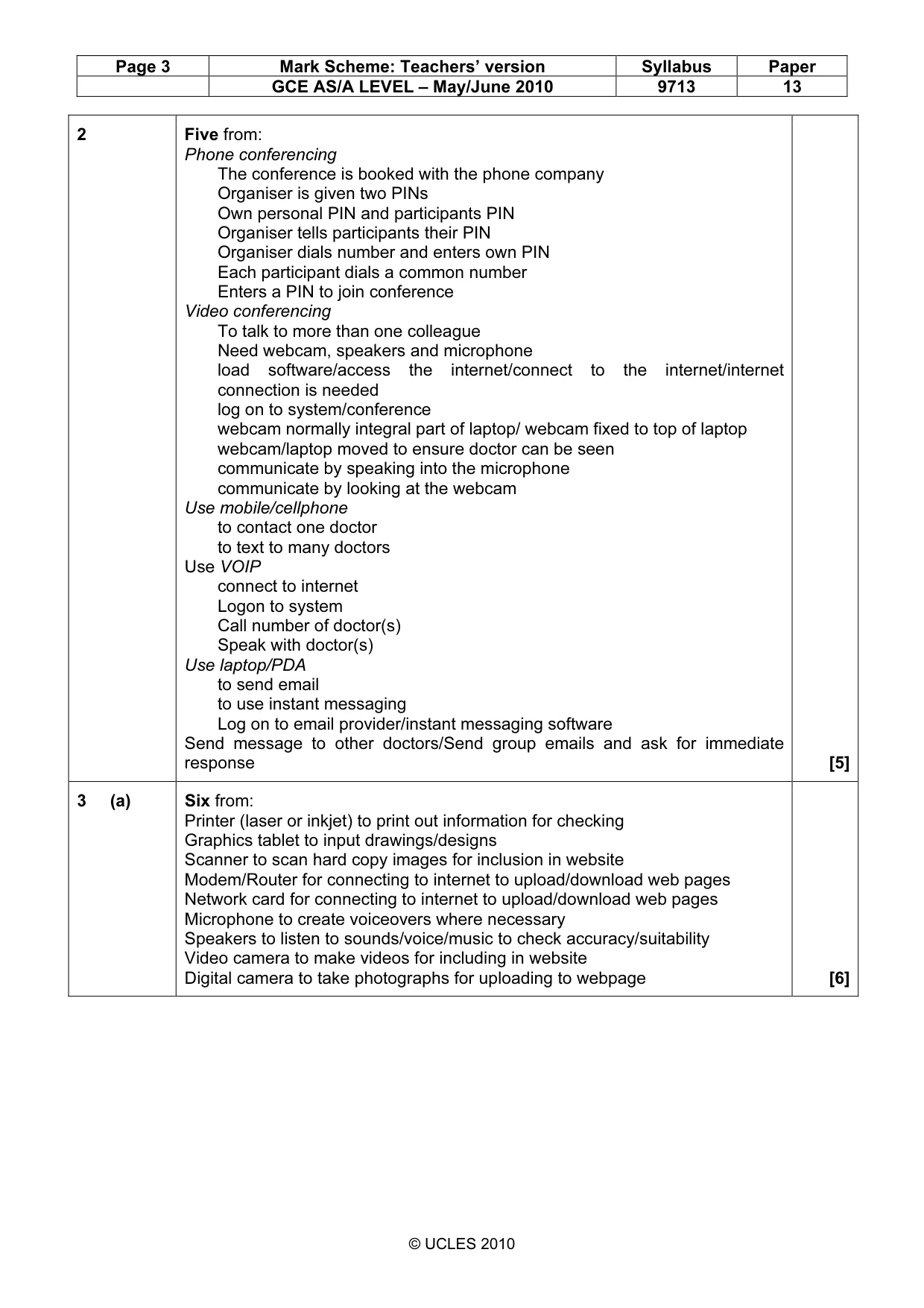
Page 3 Mark Scheme: Teachers’ version Syllabus Paper GCE AS/A LEVEL – May/June 2010 9713 13 © UCLES 2010 2 Five from: Phone conferencing The conference is booked with the phone company Organiser is given two PINs Own personal PIN and participants PIN Organiser tells participants their PIN Organiser dials number and enters own PIN Each participant dials a common number Enters a PIN to join conference Video conferencing To talk to more than one colleague Need webcam, speakers and microphone load software/access the internet/connect to the internet/internet connection is needed log on to system/conference webcam normally integral part of laptop/ webcam fixed to top of laptop webcam/laptop moved to ensure doctor can be seen communicate by speaking into the microphone communicate by looking at the webcam Use mobile/cellphone to contact one doctor to text to many doctors Use VOIP connect to internet Logon to system Call number of doctor(s) Speak with doctor(s) Use laptop/PDA to send email to use instant messaging Log on to email provider/instant messaging software Send message to other doctors/Send group emails and ask for immediate response [5] 3 (a) Six from: Printer (laser or inkjet) to print out information for checking Graphics tablet to input drawings/designs Scanner to scan hard copy images for inclusion in website Modem/Router for connecting to internet to upload/download web pages Network card for connecting to internet to upload/download web pages Microphone to create voiceovers where necessary Speakers to listen to sounds/voice/music to check accuracy/suitability Video camera to make videos for including in website Digital camera to take photographs for uploading to webpage [6]
Mark scheme, page 4
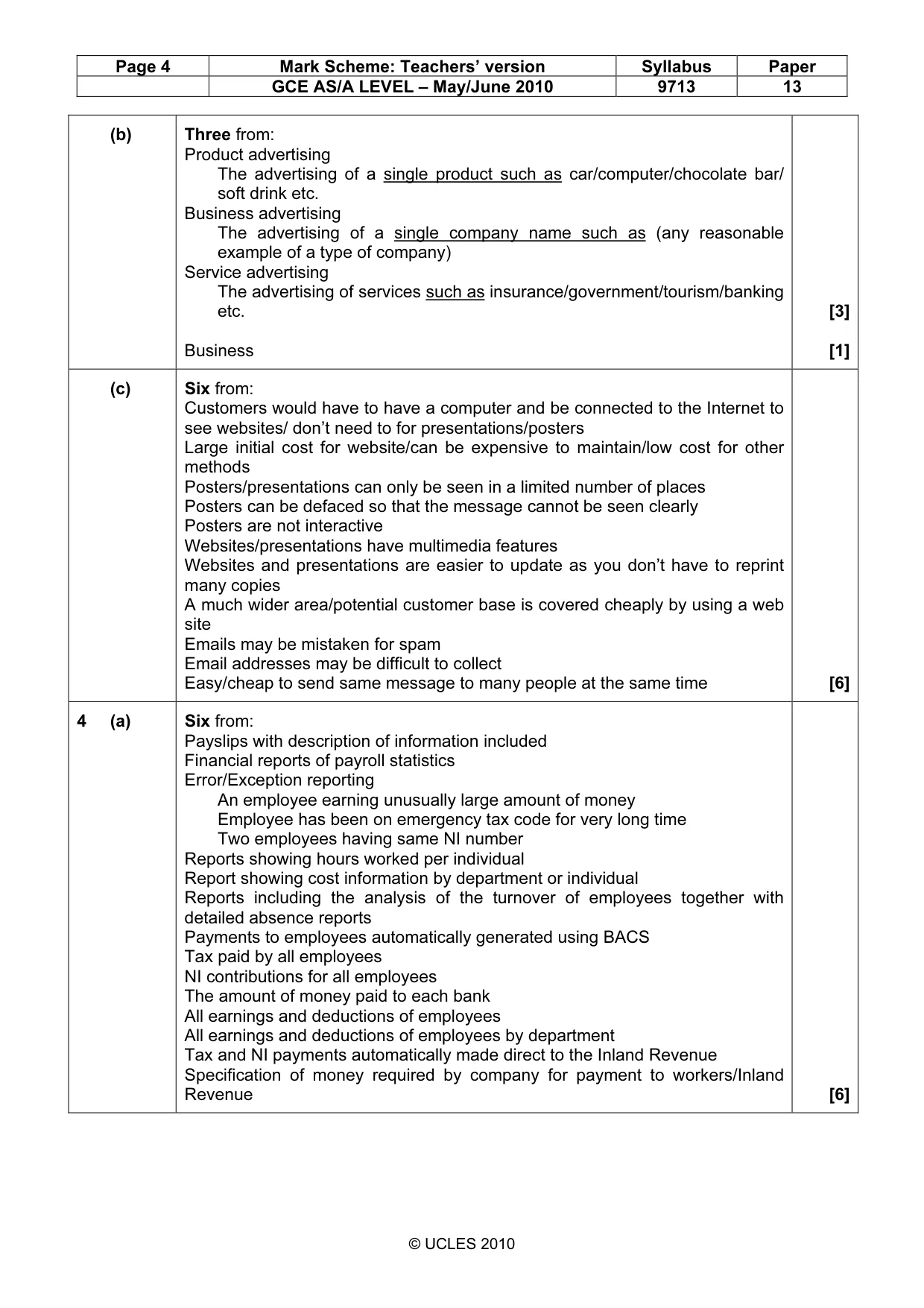
Page 4 Mark Scheme: Teachers’ version Syllabus Paper GCE AS/A LEVEL – May/June 2010 9713 13 © UCLES 2010 (b) Three from: Product advertising The advertising of a single product such as car/computer/chocolate bar/ soft drink etc. Business advertising The advertising of a single company name such as (any reasonable example of a type of company) Service advertising The advertising of services such as insurance/government/tourism/banking etc. Business [3] [1] (c) Six from: Customers would have to have a computer and be connected to the Internet to see websites/ don’t need to for presentations/posters Large initial cost for website/can be expensive to maintain/low cost for other methods Posters/presentations can only be seen in a limited number of places Posters can be defaced so that the message cannot be seen clearly Posters are not interactive Websites/presentations have multimedia features Websites and presentations are easier to update as you don’t have to reprint many copies A much wider area/potential customer base is covered cheaply by using a web site Emails may be mistaken for spam Email addresses may be difficult to collect Easy/cheap to send same message to many people at the same time [6] 4 (a) Six from: Payslips with description of information included Financial reports of payroll statistics Error/Exception reporting An employee earning unusually large amount of money Employee has been on emergency tax code for very long time Two employees having same NI number Reports showing hours worked per individual Report showing cost information by department or individual Reports including the analysis of the turnover of employees together with detailed absence reports Payments to employees automatically generated using BACS Tax paid by all employees NI contributions for all employees The amount of money paid to each bank All earnings and deductions of employees All earnings and deductions of employees by department Tax and NI payments automatically made direct to the Inland Revenue Specification of money required by company for payment to workers/Inland Revenue [6]
Mark scheme, page 5
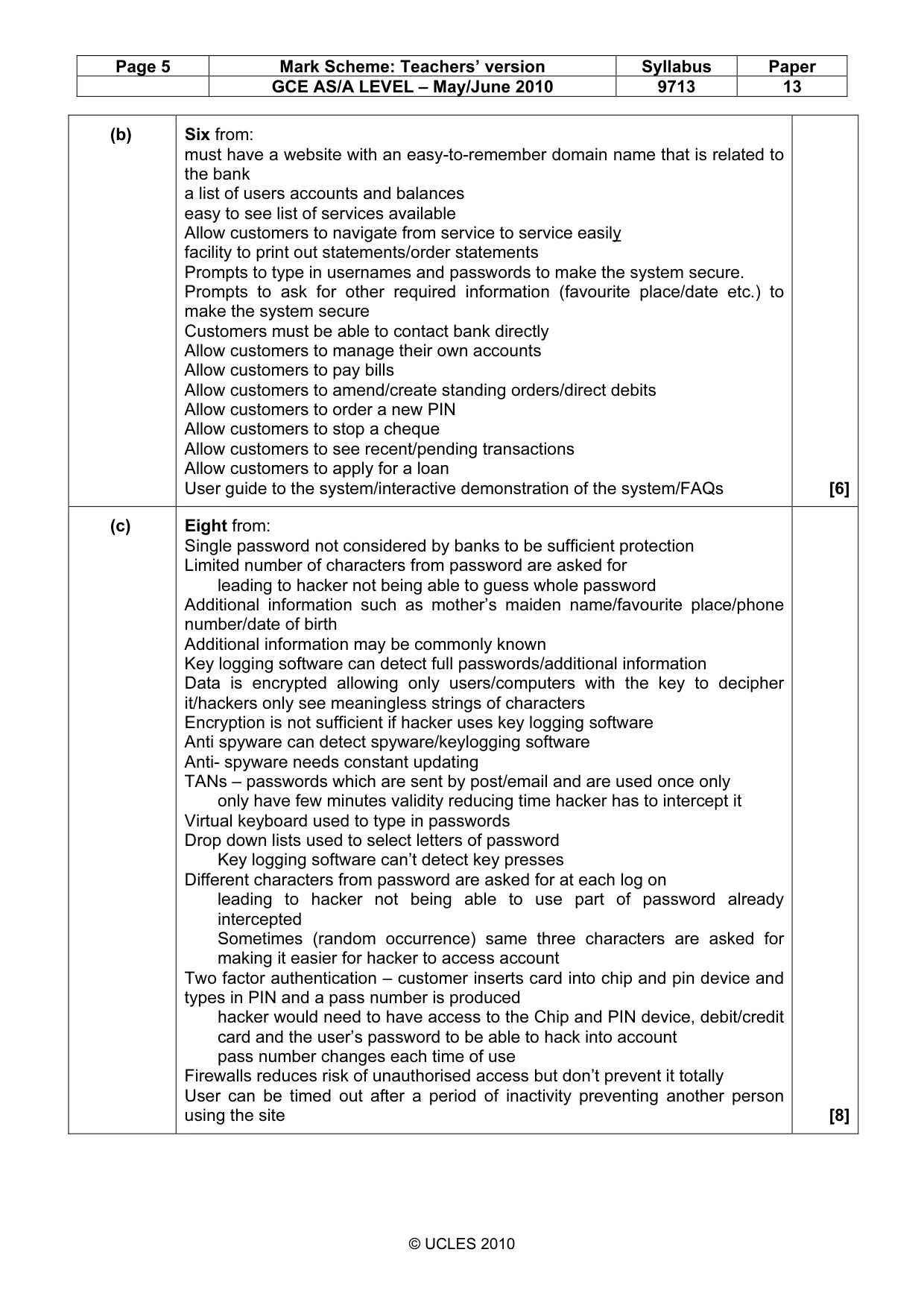
Page 5 Mark Scheme: Teachers’ version Syllabus Paper GCE AS/A LEVEL – May/June 2010 9713 13 © UCLES 2010 (b) Six from: must have a website with an easy-to-remember domain name that is related to the bank a list of users accounts and balances easy to see list of services available Allow customers to navigate from service to service easily facility to print out statements/order statements Prompts to type in usernames and passwords to make the system secure. Prompts to ask for other required information (favourite place/date etc.) to make the system secure Customers must be able to contact bank directly Allow customers to manage their own accounts Allow customers to pay bills Allow customers to amend/create standing orders/direct debits Allow customers to order a new PIN Allow customers to stop a cheque Allow customers to see recent/pending transactions Allow customers to apply for a loan User guide to the system/interactive demonstration of the system/FAQs [6] (c) Eight from: Single password not considered by banks to be sufficient protection Limited number of characters from password are asked for leading to hacker not being able to guess whole password Additional information such as mother’s maiden name/favourite place/phone number/date of birth Additional information may be commonly known Key logging software can detect full passwords/additional information Data is encrypted allowing only users/computers with the key to decipher it/hackers only see meaningless strings of characters Encryption is not sufficient if hacker uses key logging software Anti spyware can detect spyware/keylogging software Anti- spyware needs constant updating TANs – passwords which are sent by post/email and are used once only only have few minutes validity reducing time hacker has to intercept it Virtual keyboard used to type in passwords Drop down lists used to select letters of password Key logging software can’t detect key presses Different characters from password are asked for at each log on leading to hacker not being able to use part of password already intercepted Sometimes (random occurrence) same three characters are asked for making it easier for hacker to access account Two factor authentication – customer inserts card into chip and pin device and types in PIN and a pass number is produced hacker would need to have access to the Chip and PIN device, debit/credit card and the user’s password to be able to hack into account pass number changes each time of use Firewalls reduces risk of unauthorised access but don’t prevent it totally User can be timed out after a period of inactivity preventing another person using the site [8]
Mark scheme, page 6
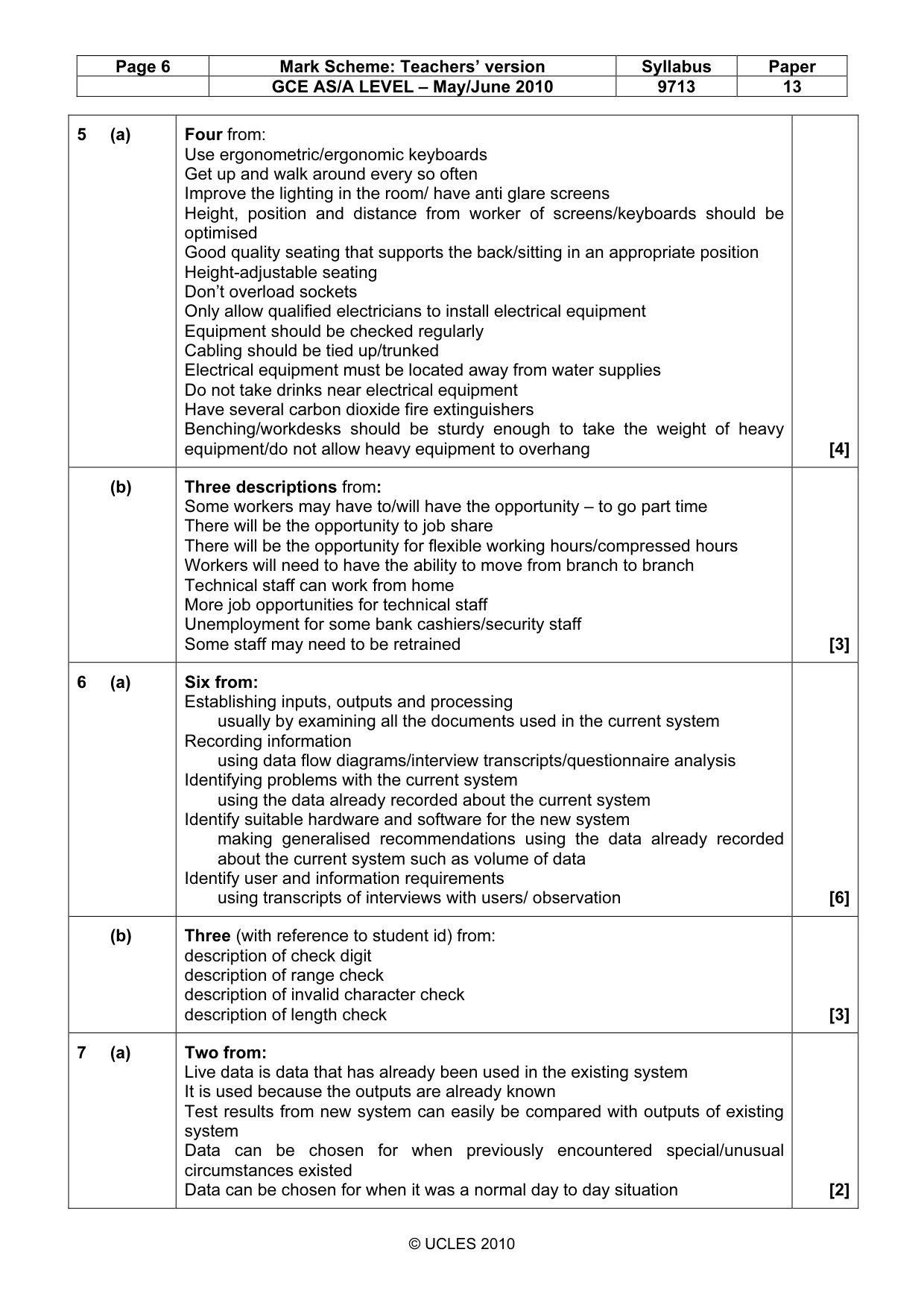
Page 6 Mark Scheme: Teachers’ version Syllabus Paper GCE AS/A LEVEL – May/June 2010 9713 13 © UCLES 2010 5 (a) Four from: Use ergonometric/ergonomic keyboards Get up and walk around every so often Improve the lighting in the room/ have anti glare screens Height, position and distance from worker of screens/keyboards should be optimised Good quality seating that supports the back/sitting in an appropriate position Height-adjustable seating Don’t overload sockets Only allow qualified electricians to install electrical equipment Equipment should be checked regularly Cabling should be tied up/trunked Electrical equipment must be located away from water supplies Do not take drinks near electrical equipment Have several carbon dioxide fire extinguishers Benching/workdesks should be sturdy enough to take the weight of heavy equipment/do not allow heavy equipment to overhang [4] (b) Three descriptions from: Some workers may have to/will have the opportunity – to go part time There will be the opportunity to job share There will be the opportunity for flexible working hours/compressed hours Workers will need to have the ability to move from branch to branch Technical staff can work from home More job opportunities for technical staff Unemployment for some bank cashiers/security staff Some staff may need to be retrained [3] 6 (a) Six from: Establishing inputs, outputs and processing usually by examining all the documents used in the current system Recording information using data flow diagrams/interview transcripts/questionnaire analysis Identifying problems with the current system using the data already recorded about the current system Identify suitable hardware and software for the new system making generalised recommendations using the data already recorded about the current system such as volume of data Identify user and information requirements using transcripts of interviews with users/ observation [6] (b) Three (with reference to student id) from: description of check digit description of range check description of invalid character check description of length check [3] 7 (a) Two from: Live data is data that has already been used in the existing system It is used because the outputs are already known Test results from new system can easily be compared with outputs of existing system Data can be chosen for when previously encountered special/unusual circumstances existed Data can be chosen for when it was a normal day to day situation [2]
Mark scheme, page 7
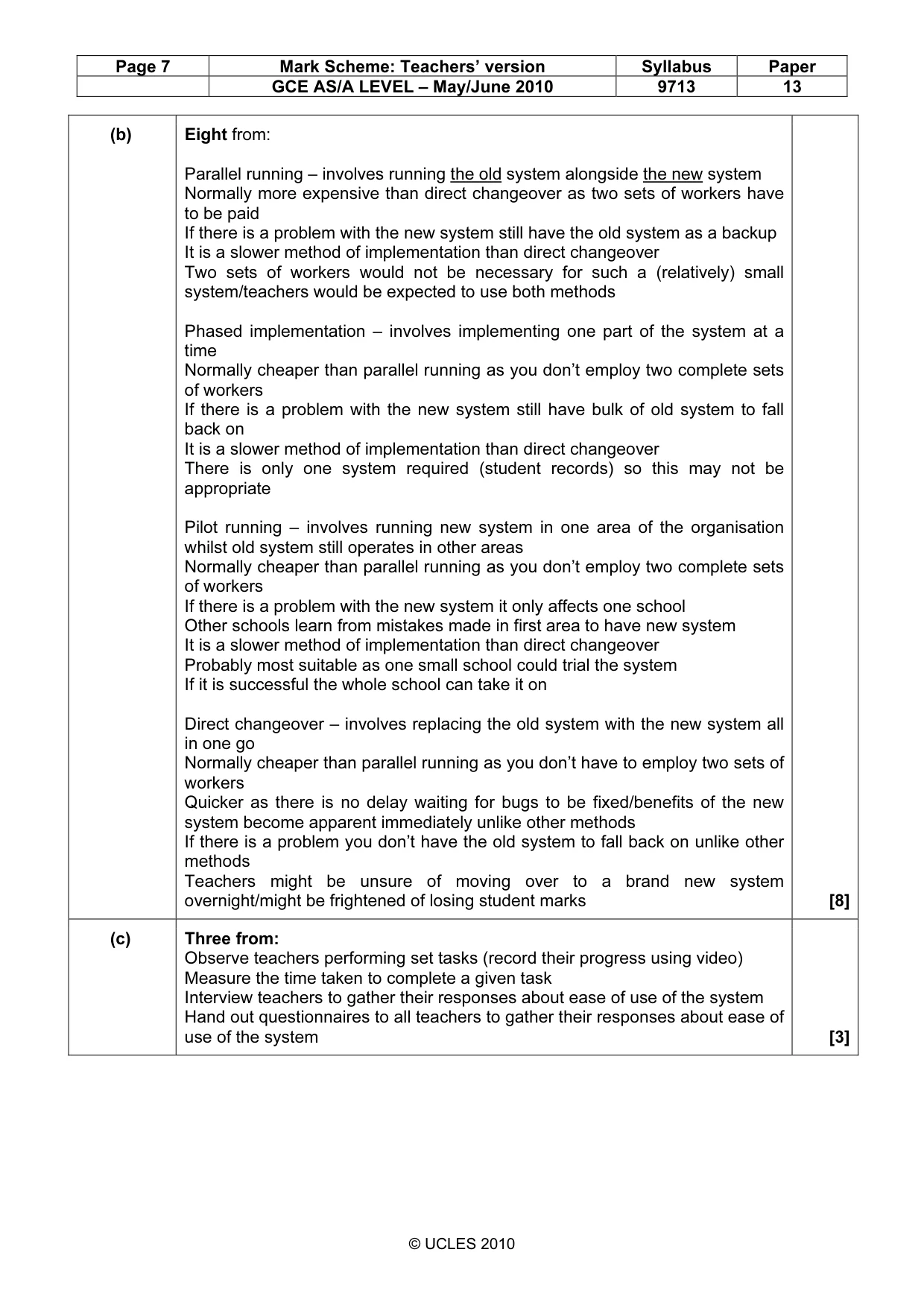
Page 7 Mark Scheme: Teachers’ version Syllabus Paper GCE AS/A LEVEL – May/June 2010 9713 13 © UCLES 2010 (b) Eight from: Parallel running – involves running the old system alongside the new system Normally more expensive than direct changeover as two sets of workers have to be paid If there is a problem with the new system still have the old system as a backup It is a slower method of implementation than direct changeover Two sets of workers would not be necessary for such a (relatively) small system/teachers would be expected to use both methods Phased implementation – involves implementing one part of the system at a time Normally cheaper than parallel running as you don’t employ two complete sets of workers If there is a problem with the new system still have bulk of old system to fall back on It is a slower method of implementation than direct changeover There is only one system required (student records) so this may not be appropriate Pilot running – involves running new system in one area of the organisation whilst old system still operates in other areas Normally cheaper than parallel running as you don’t employ two complete sets of workers If there is a problem with the new system it only affects one school Other schools learn from mistakes made in first area to have new system It is a slower method of implementation than direct changeover Probably most suitable as one small school could trial the system If it is successful the whole school can take it on Direct changeover – involves replacing the old system with the new system all in one go Normally cheaper than parallel running as you don’t have to employ two sets of workers Quicker as there is no delay waiting for bugs to be fixed/benefits of the new system become apparent immediately unlike other methods If there is a problem you don’t have the old system to fall back on unlike other methods Teachers might be unsure of moving over to a brand new system overnight/might be frightened of losing student marks [8] (c) Three from: Observe teachers performing set tasks (record their progress using video) Measure the time taken to complete a given task Interview teachers to gather their responses about ease of use of the system Hand out questionnaires to all teachers to gather their responses about ease of use of the system [3]
Mark scheme, page 8
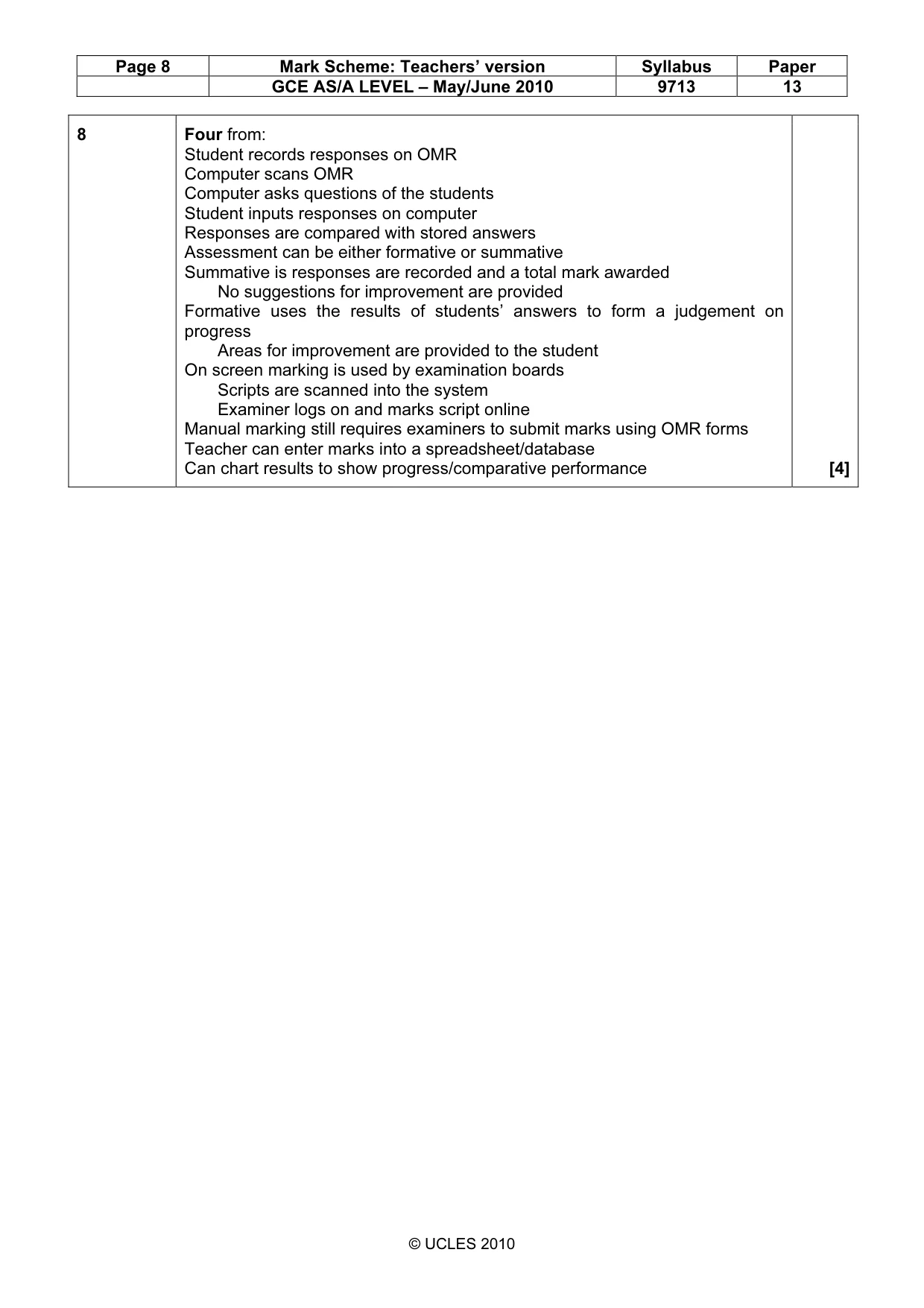
Page 8 Mark Scheme: Teachers’ version Syllabus Paper GCE AS/A LEVEL – May/June 2010 9713 13 © UCLES 2010 8 Four from: Student records responses on OMR Computer scans OMR Computer asks questions of the students Student inputs responses on computer Responses are compared with stored answers Assessment can be either formative or summative Summative is responses are recorded and a total mark awarded No suggestions for improvement are provided Formative uses the results of students’ answers to form a judgement on progress Areas for improvement are provided to the student On screen marking is used by examination boards Scripts are scanned into the system Examiner logs on and marks script online Manual marking still requires examiners to submit marks using OMR forms Teacher can enter marks into a spreadsheet/database Can chart results to show progress/comparative performance [4]
What you needed in this session
Cambridge’s own grade thresholds for 2010 May/June, Paper 1 · Variant 3. A higher threshold means an easier paper — the bar moves with how the cohort did.